#support-en
1 messages · Page 70 of 1
 mellow breach
 noble anvil
@sage flint

 sage flint
noble anvil
<@778695412105740328>
sage flint
noble anvil
<@778695412105740328>
you typing this outside of target field i guess
sage flint
mellow breach
So im trying to get self assign roles and when i go to save it it says "choose m...
you need to make a embed message
 lean badgerBOT
Embed Message Configuration
1 - Go to the dashboard (https://probot.io/dashboard) and log in.
2 - Next, go to the Embed Messages module and click on Create.
3 - Finally, configure it as desired by selecting the Add Fields button.
Keep in mind: If the embed message is not being sent, you must fill out every selected element without leaving a blank. If this is done and the message is still not being sent, you may have reached the embed character limits.
noble anvil
sage flint
you need to make a embed message
nope im sure i type it inside of target
sage flint
invite me to your server via DMs
mellow breach
Who
sage flint
FrixeN
mellow breach
Okay
Hey Blacku. So i have the embed message. But i can't choose it
It counts as embed. Where does the message come in
 night snow
Hi
 sage flint
 round canopy
help me
round canopy
help me
You need to create some roles with only numbers in name like 1, 2, 3, etc... and set colors for them
 sage flint
mellow breach
Hey Blacku. So i have the embed message. But i can't choose it
sage flint
mellow breach
Hey Blacku. So i have the embed message. But i can't choose it
Did you send your embed message to some channel?
round canopy
no
 nocturne flax

I can't get into my dashboard. But the bot is still operational with embeds n such
sage flint
Just click continue to discord
nocturne flax
Tried. Nothing happened
sage flint
Its should move you to discord bot authorization
then choose your server an authorize
nocturne flax
It's greyed out and when I click it nothing happens. Even tried again after you said it
With each server
mellow breach
sage flint
Did you send your embed message to some channel?
No
sage flint
mellow breach
No
Yo need to send it
round canopy
I still haven't figured out what to do @sage flint
sage flint
mellow breach
It only allows me to send to to channels
so send it to channel where you want to have self roles
sage flint
sage flint
You need to create some roles with only numbers in name like `1`, `2`, `3`, etc....
@round canopy
sage flint
nocturne flax
It's greyed out and when I click it nothing happens. Even tried again after you ...
try to clear your browser cache
sage flint
you opening dashboard in browser
nocturne flax
It opens right in the discord app window. Like any other link I click on discord. For 2 yrs.
Cleared cache on app. Trying browser now
Still nothing
round canopy
not work @sage flint
 sage flint
nocturne flax
Still nothing
sage flint
nocturne flax
Still nothing
Try to use another browser and reauthorize the bot
nocturne flax
I refreshed it and the button is operating to go to discord
sage flint
round canopy
not work <@778695412105740328>
Wtf, i told you to make roles not embeds
sage flint
sage flint
You need to create some roles with only numbers in name like `1`, `2`, `3`, etc....
⬆️
nocturne flax
Got it back. Thank you
sage flint

nocturne flax
round canopy
I didn't understand what the hell I have to do to make it work!
sage flint
round canopy
I didn't understand what the hell I have to do to make it work!
You have to create roles in your server by going to server settings > roles > create new role. Next name all those roles with only number like 1, 2, 3, 4 etc, then set colors for them. Example:
 round canopy
sage flint
You have to create roles in your server by going to server settings > roles > cr...
round canopy
sage flint
You have to create roles in your server by going to server settings > roles > cr...
ok its work
 sage flint
What is you first language?
round canopy
Hebrew
sage flint
so please use #support-int
round canopy
You have created the best bot in the world! Thanks @sage flint
nocturne flax
I know I enjoy probot. Best one I've used by far

For moderation, by default my fave bots are ReelTalk & Letterboxd
 latent bluff
i cant claim my daily
sage flint
Hi, what do you mean by that?
 celest stone
Credit
celest stone
What coin is it working in
 grizzled sun
@frozen pilot pro bot is not working in my server
sage flint
grizzled sun
<@467733205605416970> pro bot is not working in my server
Do not ping individuals for help
Explain more your problem please
sage flint
celest stone
What coin is it working in
What is your first language?
grizzled sun
sage flint
Do not ping individuals for help
Explain more your problem please
ok sry, I want to play music in my server and its not working
celest stone
Arabic
grizzled sun
it does nothing
sage flint
celest stone
Arabic
So please use arabic channel #support-ar
sage flint
grizzled sun
it does nothing
Invite me to your server via DMs please
sage flint
grizzled sun
it does nothing
You dont have Probot on the server, invite it first https://probot.io/invite
grizzled sun
sage flint
You dont have Probot on the server, invite it first https://probot.io/invite
hmmm, that's weird I as just using it the other day
 tidal shale
sorry where is the suggs room
sage flint
tidal shale
thx
sage flint
grizzled sun
sage flint
You dont have Probot on the server, invite it first https://probot.io/invite
omg, thanks it works now! 😄
sage flint
You're welcome 
tidal shale
what does this do?

 hollow tapir
Hi I seem to be having some issues with Pro Bot assigning roles (auto roles) when users join. It seems to be working 50% of the time
sage flint
tidal shale
what does this do?
Allows users to get roles by clicking reactions/buttons
Like on #573048403429425162
tidal shale
wait what
do even sleep?, blacku
i think you helped all the server
real thanks, blacku
sage flint
tidal shale
do even sleep?, blacku
just a little bit haha
sage flint
tidal shale
real thanks, blacku
My pleasure
sage flint
hollow tapir
Hi I seem to be having some issues with Pro Bot assigning roles (auto roles) whe...
Hi, make sure that Probot has every necessary permissions and his role is above rest of roles
hollow tapir
sage flint
Hi, make sure that Probot has every necessary permissions and his role is above ...
Will double check- Thanks
 subtle flax
How often does the bot check and do rewarded roles? I have the leveling system all set up, people are getting to required levels, etc - but the roles arent being rewarded.. the bot is at the top of the hierarchy, none of the roles the bot is giving is above him, and the roles have no perms - the bot is admin
sage flint
subtle flax
How often does the bot check and do rewarded roles? I have the leveling system a...
Hi, have you setted up text and voice required levels?
subtle flax
 sage flint
Your users reach both levels?
subtle flax
One person lvled up to voice lvl 4 - should be role "silver" already - but the person is still set to bronze - I had to set the person to bronze because it didn't work from the time before
I also tried kicking the bot from the server and inviting it back
sage flint
rewards are automatically giving when someone get required levels, also if you have both text and voice levels setted up, users have to reach both levels to get reward role
subtle flax
I will do a manual test by setting my xp just below the level and see if it rewards the role when I achieve the level. No one has gotten to the higher reward roles yet, as the bot is 2 days old for my server and that even the "voice only" rewarded roles don't work anyways. I will get back to you shortly, thank you
sage flint
 latent pebble
Hello I got blacklisted what should I do ??
 timid jewel
are you using multiple accounts to get credits?
latent pebble
No I transferred credit to my friend account and when I came to claim the daily gift I didn't receive any
timid jewel
ill send ur id to the staff and they'll check whats going on
timid jewel
gladly
latent pebble
But can you inform me when they reply ?
 wraith crag
is there anyway to have probot's deleted message log post the message ID of that deleted message? I've used a different bot that had this, its very helpful and I was wondering if I could do it here
sage flint
Nope, you can suggest to add such a feature on #573053418017521664
sage flint
 jaunty drift
how do i fix this

i have probot above all the roles
no roles pop up
<@&675070424748654593> sorry for the ping
but if you could figure this out i would appreciate it
not sure if it just takes time to load
timid jewel
make sure that probot have the highest role of your roles list
jaunty drift
4th highest
but alr

okay what now
still dosent work
know what ima just use reaction roles
nv,
timid jewel
👍
 grizzled jolt
Hi so the rank system is kinda broken the people are not getting auto ranks for some reason is there a way to fix it?
jaunty drift
timid jewel
👍
actually it seems to of worked
but
i have another question
is it possible to reset xp in my server?
like for everyone
sage flint
Yes, use /reset command and in target field put @everyone
sage flint
jaunty drift
still dosent work
And if it happened again, simply move Probot role a little bit lower and drag it on the top again
sage flint
grizzled jolt
Hi so the rank system is kinda broken the people are not getting auto ranks for ...
Hi, make sure that Probot has every necessary permission and that Probot role is above rest of roles on the role list in your server settings
grizzled jolt
It is. Is it possible that i need to add the Rank roles to the permission tab for the chat where you gain the xp?
sage flint
your users are not able to text in channels where they can gain xp?
grizzled jolt
They can text in the channel. I mean i can create categorys for text channels and i dont have the ranks setup for the text channel so my question is if i need to add the ranks into the category
nocturne flax
Channel permissions are overrides to the permissions set on the rank itself
sage flint
grizzled jolt
They can text in the channel. I mean i can create categorys for text channels an...
no, you dont need to
grizzled jolt
hm then its bugged out i guess or i dont know what i did wrong in the probot dashboard
sage flint
With what you have problem exactly? You said auto ranks not working but now you talking about gaining xp
Auto role and leveling is two different things
grizzled jolt
I mean the Level section in the Dashboard. There i can setup the XP ranks for users
grizzled jolt
 sage flint
Looks right, you're sure that your users reach required levels and does not get reward roles?
grizzled jolt
The bot said he reached it
 sage flint
grizzled jolt
The bot said he reached it
sage flint
grizzled jolt
The bot said he reached it
Level 1. Your rewards starts at level 2
 sage flint
No worries
subtle flax
So I manually tested the leveling system - it worked after i set my level to 3, and wait until igot to level 4. it auto updated my role. But when i got to the next reward it didn't auto update again. Idk whats going wrong
sage flint
invite me to your server via dms please
 misty notch
Hi, is it normal that the "filter by user" parameter of the /clear command doesn't work ? The number of messages parameter takes over and will delete the requested number of messages no matter if they come from the user set as parameter
 proud snow
Hi, I'm having some trouble with self-assignable roles. It says i need to choose a message/embed but im not getting any options
 sage flint
misty notch
Hi, is it normal that the "filter by user" parameter of the /clear command doesn...
sage flint
misty notch
Hi, is it normal that the "filter by user" parameter of the /clear command doesn...
Hi, its know issue and should be fixed soon
misty notch
Okay thanks
sage flint
proud snow
Hi, I'm having some trouble with self-assignable roles. It says i need to choose...
Hi, first you need to create your embed message
lean badgerBOT
Embed Message Configuration
1 - Go to the dashboard (https://probot.io/dashboard) and log in.
2 - Next, go to the Embed Messages module and click on Create.
3 - Finally, configure it as desired by selecting the Add Fields button.
Keep in mind: If the embed message is not being sent, you must fill out every selected element without leaving a blank. If this is done and the message is still not being sent, you may have reached the embed character limits.
proud snow
I see I see, thank you
sage flint
you're welcome
proud snow
I'd like some clarification on what this means as well, and sorry if this is a silly question; does this mean how many violations a user makes before the automod mutes them?
 sage flint
proud snow
I'd like some clarification on what this means as well, and sorry if this is a s...
sage flint
proud snow
I'd like some clarification on what this means as well, and sorry if this is a s...
Its means how many times user need to break the rule to get muted. For example - if user use bad words 3 times in one day, he will get muted
sage flint
 tulip salmon
How many auto responder commands are you limited too ?
nocturne flax
why am i on black list i did nothing wrong
 split needle
tulip salmon
How many auto responder commands are you limited too ?
split needle
tulip salmon
How many auto responder commands are you limited too ?
likely unlimited
split needle
 hallow cloud
They won't take me out of the blacklist <@771062418465226804>
hallow cloud
They won't take me out of the blacklist <@771062418465226804>
you have already been unblacklisted
split needle
nocturne flax
why am i on black list i did nothing wrong
are you using more than 1 account for any purpose?
 shut python
hello,
kindly tell me why my account is blacklisted and if you can return it.
thanks in davance
split needle
shut python
hello,
kindly tell me why my account is blacklisted and if you can return it.
th...
you already got your answer in #support-ar
find it back and follow what it said
 eternal hatch
is the bot down in some servers?


 sour holly
hello
pro bot isnt deleting filtered messages in my dc like why
 timber helm
eternal hatch
is the bot down in some servers?
timber helm
eternal hatch
is the bot down in some servers?
try changing the aliases or kick & re-invite the bot
timber helm
sour holly
hello
pro bot isnt deleting filtered messages in my dc like why
hi, ProBot delete only two weeks old messages
 cold flower
why the /credits cmd doesn't work for me (only in my server)


<@&424428808951824406>
@nocturne flax@quick wren@west kelp pls help
 eternal hatch
timber helm
try changing the aliases or kick & re-invite the bot
eternal hatch
timber helm
try changing the aliases or kick & re-invite the bot
👌
 quick wren
<@&675070424748654593>
nocturne flax
cold flower
<@456226577798135808><@700382292387954909><@659633074400788490> pls help
remove the integrations of the bot and invite the bot back to the server
cold flower
nocturne flax
remove the integrations of the bot and invite the bot back to the server
i did that and it still doesn't work
nocturne flax
cold flower
i did that and it still doesn't work
Is the problem only with Riskey?
cold flower
nocturne flax
Is the problem only with Riskey?
no all members + all cmds worked
only credit cmd
nocturne flax
cold flower
no all members + all cmds worked
is the utility module and leveling system enabled on the panel?
cold flower
nocturne flax
is the utility module and leveling system enabled on the panel?
ofc yes
nocturne flax
cold flower
ofc yes
Can you send your server via DM?
 stone sierra
I wanted to know that why I am on the blacklist since I opened the account and did not do anything suspicious
Sorry for my bad English, I have been speaking from Arabic support since December and they did not help me
cold flower
nocturne flax
Can you send your server via DM?
sure
 ornate geyser
How do I add a message that shows up on select a message?
timber helm
ornate geyser
How do I add a message that shows up on select a message?
you must create an embed
nocturne flax
Search for role or the id section for reactions is very hit and miss at the moment I'm getting nothing and iv done this for 3 servers already
Its working now but its really slow or hit and miss
 onyx perch
timber helm
onyx perch
timber helm
https://probot.io/dashboard -> select your server -> logs module
ProBot
Welcome images, moderation, leveling, reaction roles, logs, high quality music and many many more!
 devout crag
Self roles stopped working, getting this interaction failed message
<@&675070424748654593>
hallow cloud
@split needle Why didn't I do anything wrong
@split needle I couldn't come to Discord for a long time so I was blacklisted
split needle
can you read my message properly?
you have already been unblacklisted
hallow cloud
split needle
can you read my message properly?
you have already been **un**blacklisted
Now I want to go back to Discord, you can get me out of the blacklist
split needle
I have no idea what are you on right now
hallow cloud
split needle
and don't send random letters in this server
Where do I send a letter
split needle
are you actually understand what I said?
hallow cloud
split needle
are you actually understand what I said?
No, not beautifully
im kurdish
split needle
we have no kurdish support right now. and since you can not properly understand me, I can not assist you any further
but one thing to not let you repeat it again, you are not being blacklisted anymore
hallow cloud
split needle
we have no kurdish support right now. and since you can not properly understand ...
Well, it's okay. I'm banded in probate and I don't know why
split needle
stop at this rate
I don't think you even understand the simplist thing
hallow cloud
split needle
but one thing to not let you repeat it again, you are not being blacklisted anym...
O thanks bro
I thought I was still on the blacklist
I'm sorry, and thank you very much
I can't use a multi account
split needle
devout crag
Self roles stopped working, getting this interaction failed message
retry it after a while
I think there's a minor network outage on the host side
split needle
hallow cloud
I can't use a multi account
you can't with probot and you don't
hallow cloud
ok
I mean my account will be online automatically for 24 hours to exp
@split needle
split needle
that is just worse because it is again discord's terms of service
hallow cloud
I can do that
hallow cloud
split needle
that is just worse because it is again discord's terms of service
Well, I'm not doing that, and thank you very much for your instructions
@split needle I can transfer my credits from another account to this account
split needle
you can just do that yourself with the credits command, with the requirement that both the accounts must be at least 30 days old
but you can get blacklisted again if you do that too many time
hallow cloud
The other one is 180 days
 elfin vault
Hey My Account Is Disabled By Discord And Want To Transfer My Data To Another Account
 timber helm
elfin vault
Hey My Account Is Disabled By Discord And Want To Transfer My Data To Another Ac...
timber helm
elfin vault
Hey My Account Is Disabled By Discord And Want To Transfer My Data To Another Ac...
hi hi, transfer is temporary disabled sir
timber helm
 azure hare
<@&675070424748654593>
azure hare
<@&675070424748654593>
hi, what is your payment method ?
and how did you manage to get that error please ?
elfin vault
timber helm
hi hi, transfer is temporary disabled sir
When will he return , because My Account After 30 Days I Think Will Be Deleted
timber helm
elfin vault
When will he return , because My Account After 30 Days I Think Will Be Deleted
there’s no eta
elfin vault
ok I Can transfer If My Account Deleted ?
timber helm
elfin vault
ok I Can transfer If My Account Deleted ?
if you have the account’s id yep
elfin vault
timber helm
if you have the account’s id yep
yeah i have
timber helm
elfin vault
yeah i have

azure hare
timber helm
hi, what is your payment method ?
PayPal
timber helm
timber helm
and how did you manage to get that error please ?
@azure hare
 vital ivy
can you ban certain songs?
timber helm
vital ivy
can you ban certain songs?
nope you can’t
vital ivy
damn my friends keep spamming racist songs
timber helm
 mute the bot
vital ivy
i could but i listen to music myself
timber helm
vital ivy
i could but i listen to music myself
can’t do nothing about that
vital ivy
k
 white dust
zf
 thorn apex
Hello, I added probot to my server and activated reaction roles on an embed. Probot added the emojis under the embed and i added the right roles but it wont give you the role. I put it on give not take
 lucid robin
thorn apex
Hello, I added probot to my server and activated reaction roles on an embed. Pro...
lucid robin
thorn apex
Hello, I added probot to my server and activated reaction roles on an embed. Pro...
Are you sure you did it in the reaction roles module?
azure hare
timber helm
<@1069264079602077797> <:Pwease:910241550225801258>
Only when I press PayPal button
timber helm
azure hare
Only when I press PayPal button
try now
timber helm
lucid robin
Are you sure you did it in the reaction roles module?
follow the channel topic please
timber helm
thorn apex
Hello, I added probot to my server and activated reaction roles on an embed. Pro...
!rr
lean badgerBOT
Self-Assignable Roles Configuration
1 - Go to the dashboard (https://probot.io/dashboard) and log in.
2 - Next, go to the Self-Assignable Roles module and select Add Message, then choose the embed message you created and sent to a channel.
3 - Finally, you can choose between Buttons - Select Menus - Reaction to have them implemented.
Keep in mind: To make the Self-Assignable Roles work properly, you must create an embed message and send it to a channel.
ProBot
Welcome images, moderation, leveling, reaction roles, logs, high quality music and many many more!
Embed Message Configuration
1 - Go to the dashboard (https://probot.io/dashboard) and log in.
2 - Next, go to the Embed Messages module and click on Create.
3 - Finally, configure it as desired by selecting the Add Fields button.
Keep in mind: If the embed message is not being sent, you must fill out every selected element without leaving a blank. If this is done and the message is still not being sent, you may have reached the embed character limits.
ProBot
Welcome images, moderation, leveling, reaction roles, logs, high quality music and many many more!
timber helm
lucid robin
I was trying to help
no need follow the channel topic, what’s wrong with you it’s the n time we mention that for you?
azure hare
timber helm
try now
Still the same problem
 languid crypt
how do I use the self-role thing where they click the emoji, it said to do an embed but i have no idea how it works
timber helm
@lucid robin you don’t understand english use #support-ar tho
azure hare
@timber helm please help me
timber helm
azure hare
Still the same problem
make sure your paypal have the required balance
azure hare
timber helm
make sure your paypal have the required balance
I have
timber helm
languid crypt
how do I use the self-role thing where they click the emoji, it said to do an em...
!rr
timber helm
azure hare
I have
i’ll report that to dev’s be patient
lean badgerBOT
Self-Assignable Roles Configuration
1 - Go to the dashboard (https://probot.io/dashboard) and log in.
2 - Next, go to the Self-Assignable Roles module and select Add Message, then choose the embed message you created and sent to a channel.
3 - Finally, you can choose between Buttons - Select Menus - Reaction to have them implemented.
Keep in mind: To make the Self-Assignable Roles work properly, you must create an embed message and send it to a channel.
ProBot
Welcome images, moderation, leveling, reaction roles, logs, high quality music and many many more!
timber helm
lean badger
**Self-Assignable Roles Configuration**
**1** - Go to the dashboard (https://pr...
@languid crypt
lean badgerBOT
Self-Assignable Roles Configuration
1 - Go to the dashboard (https://probot.io/dashboard) and log in.
2 - Next, go to the Self-Assignable Roles module and select Add Message, then choose the embed message you created and sent to a channel.
3 - Finally, you can choose between Buttons - Select Menus - Reaction to have them implemented.
Keep in mind: To make the Self-Assignable Roles work properly, you must create an embed message and send it to a channel.
ProBot
Welcome images, moderation, leveling, reaction roles, logs, high quality music and many many more!
languid crypt
appreciate it
azure hare
That’s the problem @timber helm
timber helm
azure hare
That’s the problem <@485134005105197071>
why you can’t use #support-ar ?
azure hare
timber helm
why you can’t use <#743365286132056094> ?
Ok
timber helm
hollow tapir
Hi. I still seem to be having issues with auto roles for new users who join. I've made sure Probot is above all roles as well as checked its perms and what it has access too. We had it working for a bit at about 50% accuracy. Any ideas how to troubleshoot?
timber helm
azure hare
Ok
i’ll mention you when i have an awnser
timber helm
hollow tapir
Hi. I still seem to be having issues with auto roles for new users who join. I'v...
hi hi, it’s a little bit bugged, when you add that many reactions, try to add one more reaction with any role and save changes then remove it .
hollow tapir
Prefect, thank you.
 quaint sentinel
azure hare
That’s the problem <@485134005105197071>
quaint sentinel
azure hare
That’s the problem <@485134005105197071>
reported to the development team, they'll investigate it asap.
Apologies for that.
thorn apex
lucid robin
Are you sure you did it in the reaction roles module?
fixxed, thx tho i had to make a new one because the other was smh bugged
azure hare
quaint sentinel
reported to the development team, they'll investigate it asap.
Apologies for tha...
Thx bro
 ancient delta
 daring plume
how to use color commands
lucid robin
timber helm
<@946798671150862367> you don’t understand english use <#743365286132056094> tho
That's not very nice
timber helm
daring plume
how to use color commands
#1 ~ 👉 Go to server settings -> Roles.
#2 ~ 👉 Add numbered roles like the picture below.
#3 ~ 👉 Save and you're good to go.
https://i8.ae/7hM2w
Now you are ready to use these colors.
/colors
Shows the colors list
/color number
Choose/change your color in the server.
to remove your current color: /color 0
 timber helm
 timid rapids
Help me guys
timid rapids
Help me guys
 how may I help you?
languid crypt
timber helm
<@278981320871378954>
i tried going along with it but still insanely lost
timber helm
lucid robin
That's not very nice
ahead to #chat-ar
lucid robin
timber helm
ahead to <#773641798371246100>
Wdym
timber helm
languid crypt
i tried going along with it but still insanely lost
you created a embed?
@languid crypt
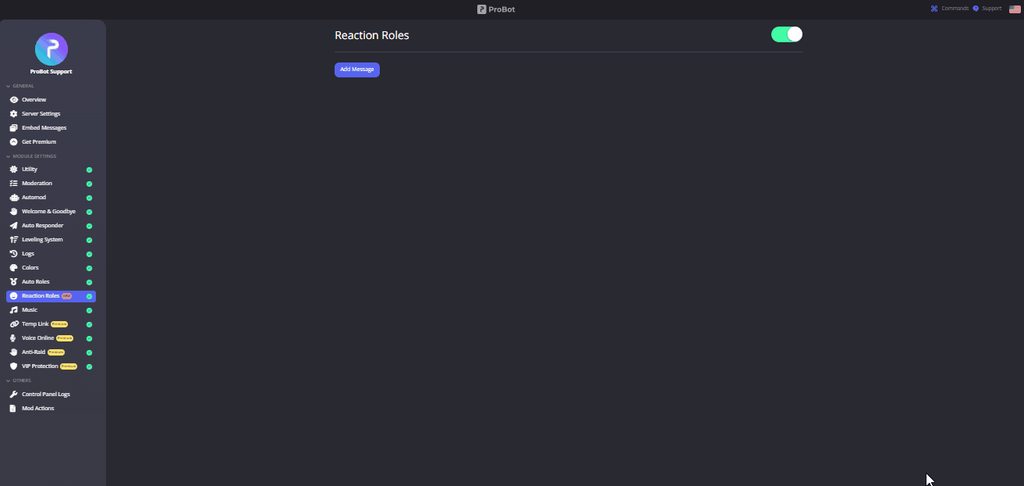
**  How do I set up reaction roles?**
1 - Go to the dashboard https://probot.io/dashboard then select your server.
2 - Select "Reaction Roles"
3 - Click on "Add Message", then select an embed. You can manage these embeds by clicking on the "Embed Messages" button.
4 - Click on "Choose a message", and then select a message where the selected embed was sent.
To add a reaction role, click on "Add Reaction".
There are 3 different types of a reaction role message:
- Switch - Upon reacting, you will get the role, and upon removing the reaction, the role will be removed as well.
- Give - Upon reacting, you will get the role, and upon removing the reaction, the role won't be removed.
- Take - Upon reacting, the role will be removed from you, and upon removing the reaction, you won't get it back.

 languid crypt
timber helm
you created a embed?
languid crypt
timber helm
you created a embed?
i dont know how to create one, i dont even know what an embed is
lucid robin
timber helm
oh you don’t understand english
Says the one who said "a embed"
timber helm
lucid robin
Says the one who said "a embed"
just follow the topic channel to help people please
the third time i told you that
lucid robin
timber helm
just follow the topic channel to help people please
I did but u said follow channel topic and I was literally helping someone
languid crypt
ohh i need to do a message first
timber helm
lucid robin
I did but u said follow channel topic and I was literally helping someone
so use the #chat-en please this is a support channel not a chat
languid crypt
i get it now, appreciate the help lion
timber helm
languid crypt
ohh i need to do a message first
yep
 patent wren
i am blacklisted any help pls
ornate geyser
timber helm
you must create an embed
I already did that
timber helm
patent wren
i am blacklisted any help pls
are you using multiple accounts?
@patent wren use one support channel #support-ar
you already got awnsred
timber helm
ornate geyser
I already did that
refresh your https://probot.io/dashboard
ProBot
Welcome images, moderation, leveling, reaction roles, logs, high quality music and many many more!
ornate geyser
timber helm
refresh your https://probot.io/dashboard
I don’t think that worked
timber helm
ornate geyser
I don’t think that worked
screenshot please
ornate geyser
timber helm
screenshot please
 timber helm
ornate geyser
timber helm
ornate geyser
** How do I set up reaction roles?**
1 - Go to the dashboard https://probot.io/dashboard then select your server.
2 - Select "Reaction Roles"
3 - Click on "Add Message", then select an embed. You can manage these embeds by clicking on the "Embed Messages" button.
4 - Click on "Choose a message", and then select a message where the selected embed was sent.
To add a reaction role, click on "Add Reaction".
There are 3 different types of a reaction role message:
- Switch - Upon reacting, you will get the role, and upon removing the reaction, the role will be removed as well.
- Give - Upon reacting, you will get the role, and upon removing the reaction, the role won't be removed.
- Take - Upon reacting, the role will be removed from you, and upon removing the reaction, you won't get it back.
quaint sentinel
@azure hare should be fixed now
azure hare
quaint sentinel
<@1069264079602077797> should be fixed now
Yep thanks a lot
lean badgerBOT
azure hare
Yep thanks a lot
We noticed that you are a premium user, for faster response go to #premium-support
quaint sentinel
yw ^^
 fossil canyon
Just a quick question - Is there a maximum to the number of roles/options in a Self-Assignable Roles Select Menu?
timber helm
fossil canyon
Just a quick question - Is there a maximum to the number of roles/options in a S...
25 >= max
fossil canyon
Thanks!
lean badgerBOT
Auto Roles Configuration
1 - Go to the dashboard (https://probot.io/dashboard) and log in.
2 - Next, go to the Auto Roles module and begin adding roles.
3 - Finally, add a role that does not have administrative privileges.
Keep in mind: In order for the bot to assign that role to a newly joined member, it must be higher up in the role hierarchy in the role settings. Also, if you have the discord-welcome-screen enabled, users must accept it before they can receive the role.
ProBot
Welcome images, moderation, leveling, reaction roles, logs, high quality music and many many more!
sage flint
@shrewd falcon ⬆️
 latent sleet
Heyo,
I have an embedded message and I want to '@' server roles. Is that possible?
@nocturne flax Was assisting me in #chat-en but we couldn't figure out why the roles weren't resolving

Here is the current emb message on my server:
 sage flint
latent sleet
Heyo,
I have an embedded message and I want to '@' server roles. Is that possib...
sage flint
latent sleet
Heyo,
I have an embedded message and I want to '@' server roles. Is that possib...
hi, you need to put role id between <@& and >. Example <@&633747682506309643>
latent sleet
sage flint
hi, you need to put role id between `<@&` and `>`. Example `<@&63374768250630964...
Ahhh! And @nocturne flax said that! I missed it. Thank you @sage flint
sage flint
you're welcome
latent sleet
One more quick question, can I give you and @nocturne flax thanks with like a rep feature in here?
sage flint
latent sleet
One more quick question, can I give you and <@456226577798135808> thanks with li...
rep feature is disabled
latent sleet
Ah okay, darn well thank you both for the last time 🙏🏾😄
nocturne flax
ornate geyser
I have set up reaction roles but they aren’t working.
If it helps I made it the reaction type.
@timber helm I’m risking getting banned just to fix this problem
lean badgerBOT
We noticed that you are a premium user, for faster response go to #premium-support
 shrewd falcon
sage flint
<@1060682149931520030> ⬆️
shrewd falcon
sage flint
<@1060682149931520030> ⬆️
thank you
Also, how do i change the command for probot?
and what is the daily reward thing used for?
ornate geyser
ornate geyser
I have set up reaction roles but they aren’t working.
If it helps I made it th...
Can somebody help me?
sage flint
ornate geyser
I have set up reaction roles but they aren’t working.
If it helps I made it th...
Can you explain your problem more?
sage flint
shrewd falcon
and what is the daily reward thing used for?
For buying profile backgrounds ect
sage flint
shrewd falcon
Also, how do i change the command for probot?
What do you exactly mean?
 finite fractal
 shrewd falcon
sage flint
What do you exactly mean?
shrewd falcon
sage flint
What do you exactly mean?
For my commands
sage flint
What is your first language?
 jaunty meteor
i dont have a reaction roles option in dashboard. trying to create rules acceptance. I have self assignable roles but cant seem to find the roles the reactions give? any advice?
sage flint
Self-Assignable Roles is a reaction roles
lean badgerBOT
Self-Assignable Roles Configuration
1 - Go to the dashboard (https://probot.io/dashboard) and log in.
2 - Next, go to the Self-Assignable Roles module and select Add Message, then choose the embed message you created and sent to a channel.
3 - Finally, you can choose between Buttons - Select Menus - Reaction to have them implemented.
Keep in mind: To make the Self-Assignable Roles work properly, you must create an embed message and send it to a channel.
Embed Message Configuration
1 - Go to the dashboard (https://probot.io/dashboard) and log in.
2 - Next, go to the Embed Messages module and click on Create.
3 - Finally, configure it as desired by selecting the Add Fields button.
Keep in mind: If the embed message is not being sent, you must fill out every selected element without leaving a blank. If this is done and the message is still not being sent, you may have reached the embed character limits.
sage flint
@jaunty meteor ⬆️
jaunty meteor
sage flint
<@202851538744377344> ⬆️
Thank you for that - I missed the little + icon beside the emoji was what I didnt see lol
all good thanks
sage flint
you're welcome
ornate geyser
sage flint
Can you explain your problem more?
Well the only one that works a bit is the first one I added and all it says is that it DIDN’T change anything
sage flint
Make sure that probot role is above rest of roles in your server settings
shrewd falcon
sage flint
What is your first language?
English is my first language. I'm asking how do I change the command for probot from "/" to something else.
sage flint
Changing prefix is not possible anymore, Probot moved to /
But you can set some aliases on the dashboard in each command settings

 little hound
Scam maybe
little hound
sage flint
But you can set some aliases on the dashboard in each command settings
Explain this please
sage flint
 native mason
is this real or is it a scam
native mason
is this real or is it a scam
Scam
native mason
oh ok thx
little hound
Please explain
sage flint
little hound
Explain this please
On the dashboard https://probot.io/dashboard choose your server, then for example go to moderation module and next to the command name click edit button and in aliases section add some aliases. Alises is something that you can use instead of slash commands
ProBot
Welcome images, moderation, leveling, reaction roles, logs, high quality music and many many more!
 little hound
Thnx
 stone vapor
Is it normal ?


 shrewd falcon
Is sending a welcome message to a users pm a premium feature?
stone vapor
What ? Sory I'm french and I dont understand all you say
(I talk here because I suppose I have a fastest answer)
sage flint
stone vapor
Is it normal ?
Its a scam, please click red "report spam" button or just ignore it
sage flint
shrewd falcon
Is sending a welcome message to a users pm a premium feature?
its free
sage flint
 tiny marlin
I'm in the black liste
tiny marlin
I'm in the black liste
are you using multiple accounts?
tiny marlin
The problem is fixed
sage flint
ok
tiny marlin
Thnx
shrewd falcon
Well can you show me how to do it because right now its not working.
 shrewd falcon
Yeah I did that, but its not sending the message to the private message.
 sage flint
Maybe users who taste it have closed private messages. Invite me to your server via DMs, i'll check that
ornate geyser
Help. And sorry for the cuss word it’s just extremely confusing to me why it’s not working
sage flint
sage flint
Make sure that probot role is above rest of roles in your server settings
i already answered you
did you check that?
ornate geyser
sage flint
did you check that?
Yeah I did that before. And sorry for bugging you I didn’t notice you tried to help me already.
sage flint
No worries, show me your self assignable roles settings please
 hazy marsh
sage flint
hazy marsh
sage flint
Can you explain more your issue?
ornate geyser
sage flint
No worries, show me your self assignable roles settings please
Here you go.


 sage flint
ornate geyser
Here you go.
sage flint
ornate geyser
Here you go.
Invite me to your server via DMs i'll check it out
sage flint
 gloomy raptor
the emojis dont load
gloomy raptor
the emojis dont load
You need to put emoji like this !pro2
To get this simply put \ symbol before emoji and send it to the chat, then copy whats appear and paste it into the mebed
gloomy raptor
k
 pliant knot
Hello, I just installed probot on my server and it seems like only I can use it, not my friends. How can I change this?
sage flint
pliant knot
Hello, I just installed probot on my server and it seems like only I can use it,...
Hey, check if your friend has "use application commands" permission
pliant knot
sage flint
Hey, check if your friend has "use application commands" permission
May I ask how do I check that just to be sure?

 south tulip
You can unmute it I’m the bot settings @shell gyro
 shell gyro
@south tulip Thank you so much
 south tulip
shell gyro
<@980966776881942579> Thank you so much
south tulip
shell gyro
<@980966776881942579> Thank you so much
No problem 😉
sage flint
pliant knot
May I ask how do I check that just to be sure?
In server settings in roles tab

 regal sage
how do I add the bot to the vc
sage flint
regal sage
how do I add the bot to the vc
/play
sage flint
#support-ar
 main tulip
I created a temporary voice channel, with max of 3 channels and has 3 second deletion settings. But the highlighted channel keeps getting deleted by Probot. I want the highlighted channel to be permanent.
 sage flint
main tulip
I created a temporary voice channel, with max of 3 channels and has 3 second del...
sage flint
main tulip
I created a temporary voice channel, with max of 3 channels and has 3 second del...
You need to put your temporary channels in different category then your normal voice channels
main tulip
oh I see. Thanks. I'll ty it
 spring moss
sage flint
spring moss
sage flint
are you using multiple accounts?
sage flint
Its against our rules
 white ridge
Guys
split needle
 thick merlin
Help
thick merlin
Help
you might need to just tell your problem instead
 sage flint
thick merlin
I know how to set colors but they not showing up in list
sage flint
thick merlin
I know how to set colors but they not showing up in list
So how you set up colors?
 sage flint
thick merlin
sage flint
thick merlin
/setcolor command is for changing roles colors, if you wanna add color to /colors, you have to create some roles with only numbers in name like 1, 2, 3, etc... and set colors for them, example below
 sage flint
thick merlin
Thx u!!!!!!!
sage flint
thick merlin
Thx u!!!!!!!
You're welcome
are you using multiple accounts?
i'll check that for u
sage flint
Be patient
 dawn mango
#cridit
 silent pewter
Hi i have an issue with probot he write "The app stops responding" till this morning
All command do this, and we cannot take role anymore even the /help tell this
I use the Probot not premium
Did you know why ?
nocturne flax
Why did I get a random dm from a bot here
 warm plank
nocturne flax
Why did I get a random dm from a bot here
warm plank
nocturne flax
Why did I get a random dm from a bot here
That’s Not Really pro bot
nocturne flax
warm plank
That’s Not Really pro bot
Idk what's going on
silent pewter
silent pewter
Hi i have an issue with probot he write "The app stops responding" till this mor...
 timber helm
silent pewter
timber helm
silent pewter
Kick & re-invite the bot then
timber helm
nocturne flax
Why did I get a random dm from a bot here
like what?
timber helm
warm plank
That’s Not Really pro bot
for any comment's ahead to the #chat-en please do not interfere with others issue
silent pewter
timber helm
Kick & re-invite the bot then
We don't lose anything who already program with for our server ?
nocturne flax
Real
 timber helm
silent pewter
We don't lose anything who already program with for our server ?
timber helm
silent pewter
We don't lose anything who already program with for our server ?
nope dw
nocturne flax
timber helm
Where is the problem?
Isnt 3k max
You can recive
In daily
It says you can get up to 3000 credits
He got 3031
timber helm
Yes it's a photoshop
nocturne flax
Ok ig
nocturne flax
timber helm
like what?
 timber helm
nocturne flax
timber helm
nocturne flax
You can report it by sending his id in dms
timber helm
nocturne flax
Real
screenshot your https://probot.io/transactions
ProBot
Welcome images, moderation, leveling, reaction roles, logs, high quality music and many many more!
nocturne flax
timber helm
screenshot your https://probot.io/transactions
Um how to say this but this is happend to one guy on server
timber helm
nocturne flax
Um how to say this but this is happend to one guy on server
so do not interfere with others issues
little hound
Change prefix?
timber helm
we no longer support prefix use aliases or slash command
timber helm
little hound
How can I use aliases?
https://probot.io/dashboard -> select your server -> find and edit the </command_name:1> command -> you'll see "aliases" on top of the list > put for example !p , $s
 jovial sphinx
May I ask a question about Probot's free plan?
timber helm
go ahead
 solar oriole
Hey guys - how do I add a rules & guidelines prompt for people that join the server?
jovial sphinx
timber helm
go ahead
Thanks. Is there an upper limit to reaction roles on Probot's free plan?
timber helm
jovial sphinx
Thanks. Is there an upper limit to reaction roles on Probot's free plan?
25 >= maximum
timber helm
solar oriole
Hey guys - how do I add a rules & guidelines prompt for people that join the ser...
hey, elaborate please by providing some screenshots
jovial sphinx
timber helm
25 >= maximum
Thank you. I appreciate it.
timber helm
jovial sphinx
Thank you. I appreciate it.
my pleasure
jovial sphinx
👍
solar oriole
timber helm
hey, elaborate please by providing some screenshots
When I joined the ProBot Support server, it asked me to accept server rules before I could use the channels. I would like to add the same feature to my server
Not sure how can I provide screenshots since I've already accepted the prompt
timber helm
solar oriole
Not sure how can I provide screenshots since I've already accepted the prompt
member screening feature isn’t related to ProBot, ahead to #chat-en for non-probot related questions, or google it
solar oriole
timber helm
member screening feature isn’t related to ProBot, ahead to <#608047244276531245>...
Thanks!
timber helm

 raw otter
is it possible to change the activation command from / to * ?
 native geyser
prefix is no longer supported so no
 zenith atlas
how can I mute words on my server, so every time someone writes a bad word the bot automatically deletes it
?
timber helm
zenith atlas
how can I mute words on my server, so every time someone writes a bad word the b...
ahead to https://probot.io/dashboard , login, select your server at the left side and go to automod module so setup the feature
 ornate hawk
timber helm
my pleasure
ornate hawk
timber helm
my pleasure
hey tiger
timber helm
ornate hawk
hey tiger
hi hi, how may I help you?
ornate hawk
would u mind telling me the xp rate of the levelling up system in probot
timber helm
ornate hawk
would u mind telling me the xp rate of the levelling up system in probot
hi hi,- For text, every 2-5 minutes(?) while sending messages will give you an amount of xp from 10 to 40 each time. Which mean after sending a message and gain xp, you will have a cooldown of about 2 minutes, regardless of how many message you sent, it will only count xp after that cooldown and continue
- For voice, about every 2-5 minutes with the xp amount of 10. This is a fixed amount but may be changed while working since I just calculated this pretty long ago. You can just sitting in a voice channel, regardless your voice states, xp will still count after cooldown. But to get reward roles bound to the voice levels, you will need to gain some text xp to trigger bot to update level roles
timber helm
ornate hawk
would u mind telling me the xp rate of the levelling up system in probot
we have calculated the text increase 10-40 xp per ~2 min and voice fixed 10xp per ~2 min
this is a conclusion
ornate hawk
timber helm
we have calculated the text increase 10-40 xp per ~2 min and voice fixed 10xp pe...
so would u mind telling me which bot levels up faster , probot or amari bot
i can show u the amari requirements
Default rate is 1 exp per message, with a cooldown of 8 seconds!
this is what amari provides
timber helm
ornate hawk
i can show u the amari requirements
just keep in mind to no need to mention other’s bot’s name here, our system level is extra easy
nocturne flax
When I add probot to my server does it automatically start giving levels
timber helm
nocturne flax
When I add probot to my server does it automatically start giving levels
you must set it up
lean badgerBOT
Leveling System Configuration
1 - Go to the dashboard (https://probot.io/dashboard) and log in.
2 - Next, go to the Leveling System module and click on Add Role Reward
3 - Finally, configure it as desired by adding the required text and voice levels.
Keep in mind: You can add NO-XP-ROLES and NO-XP-CHANNELS to prevent that role and channel from gaining xp. Furthermore, if you have both text and voice set up, the user will need to reach both in order to receive the role reward role.
ProBot
Welcome images, moderation, leveling, reaction roles, logs, high quality music and many many more!
zenith atlas
How can I delete messages that already exist, but in one click or command?
timber helm
zenith atlas
How can I delete messages that already exist, but in one click or command?
only two weeks old messages
use </clear:1>
zenith atlas
ok thank you
timber helm
yw
 gleaming gate
<@&675070424748654593>
Hello guys !
So a question:
- we do have Premium Pro Bot. But we aren't comfortable with him coz he is locking regular Pro Bot commands and is staff is confused!
If we kick ProBot Premium , the old regular bot commands and all old settings will be available ?
Isnt gonna make any trouble?
Or maybe there is a other better way to turn off Premium!?
split needle
you can kick the premium out without losing any setting made
though if you have the premium in your server, you can just kick the free one out because it will be disabled automatically so that only the higher subscription can work
 oak cairn
hi gays
oak cairn
He blacklisted me for no reason
timber helm
oak cairn
He blacklisted me for no reason
use #support-ar
oak cairn
timber helm
what is your main language ?
my main language is ar
timber helm
oak cairn
my main language is ar
oak cairn
timber helm
oh thanks 😅
timber helm
yw yw
 deep dune
Heyoo, heeeelp 😄
Why did this happen, suddenly the bot needs a server setup and it worked yesterday - never seen this issue.
 shrewd falcon
Can someone tell me the purpose of the embed messages and how to set it up properly?
 calm hollow
<@&675070424748654593> .
timid jewel
shrewd falcon
Can someone tell me the purpose of the embed messages and how to set it up prope...
!embed
lean badgerBOT
Embed Message Configuration
1 - Go to the dashboard (https://probot.io/dashboard) and log in.
2 - Next, go to the Embed Messages module and click on Create.
3 - Finally, configure it as desired by selecting the Add Fields button.
Keep in mind: If the embed message is not being sent, you must fill out every selected element without leaving a blank. If this is done and the message is still not being sent, you may have reached the embed character limits.
ProBot
Welcome images, moderation, leveling, reaction roles, logs, high quality music and many many more!
timid jewel
deep dune
Heyoo, heeeelp 😄
Why did this happen, suddenly the bot needs a server setup an...
its usually happens to everyone, dont worry and setup it again
shrewd falcon
timid jewel
!embed
But what’s the purpose of it
 grim verge
timid jewel
shrewd falcon
But what’s the purpose of it
grim verge
timid jewel
shrewd falcon
But what’s the purpose of it
just to make the message looks better look at #573048353458356234, and if you want to set up reaction roles with probot you have to create an embed
timid jewel
grim verge
-
how can I help you today ?
 rancid gust
Cgg
timid jewel
rancid gust
Cgg
how can I help you today ?
 kindred cedar
Help
Pls help
<@&675070424748654593> scammers have been caught
Ban them all
Pls
Diskordgiveawaybot1#2896
Is the one trying to scam me
There are many more in this server
sage flint
kindred cedar
There are many more in this server
We know, please click red "report spam" button above his message
 maiden forge
Hi ! 🙂
I wanted to create 3 different temporary voice channels (with different limits in number of slots) but I can only create one channel.
It's normal ? Probot does not allow to make several temporary channels ? 🤔
sage flint
maiden forge
Hi ! 🙂
I wanted to create 3 different temporary voice channels (with different...
Hi, if you mean that channel where you join to crate temporary channel, you can have only one
maiden forge
sage flint
Hi, if you mean that channel where you join to crate temporary channel, you can ...
Thank you for the answer 🙂 I speak well of the channel which creates a personal channel if one joins it. It's a shame that Probot doesn't allow more than one.
So I'll have to find another bot...
 slow field
no response on every server
it never work with / for me

/help
<@&675070424748654593>
lean badgerBOT
We noticed that you are a premium user, for faster response go to #premium-support
sage flint
slow field
no response on every server
it never work with / for me
you sending this line normal message, you need to use slash commands. If its not working make sure that you app is up to date
 slow field
sage flint
you sending this line normal message, you need to use slash commands. If its not...
slow field
sage flint
you sending this line normal message, you need to use slash commands. If its not...

 wintry spoke
Is the bot down? It stopped keeping logs in my server yesterday (almost exactly 24 hours ago) and won't respond to any commands, including /help.
sage flint
slow field
Go to your settings and in accessibility tab turn off this option
 sage flint
wintry spoke
Is the bot down? It stopped keeping logs in my server yesterday (almost exactly ...
sage flint
wintry spoke
Is the bot down? It stopped keeping logs in my server yesterday (almost exactly ...
Its working properly
slow field
sage flint
Go to your settings and in accessibility tab turn off this option
fixed , tysm ❤️
sage flint
You're welcome
wintry spoke
sage flint
Its working properly
So then what do I do? The bot is still in the server, the dashboard is still set up, everything turned on, etc. Nothing changed at all except that the bot isn't responding to any commands.
 sage flint
Use aliases instead of slash commands
 latent plaza
Hello
Good evening here,
My friend server shows deleted and edited messages, done by users, but he doesn’t tells me the command
May I please know the commands
That would be helpful
sage flint
latent plaza
Hello
Good evening here,
My friend server shows deleted and edited messages, don...
Hi, you can enable it on the dashboard (https://probot.io/dashboard) in logs module
latent plaza
Ok thanks!
wintry spoke
sage flint
Use aliases instead of slash commands
I dont have welcome/leave logs, edit logs, deleted message logs etc. either. The commands don't work no matter what I try.
latent plaza
sage flint
Hi, you can enable it on the dashboard (<https://probot.io/dashboard>) in logs m...
Thanks it worked
wintry spoke
And what alias are you referring to because /p doesn't work with the way discord themselves set up commands
sage flint
wintry spoke
And what alias are you referring to because /p doesn't work with the way discord...
You need to set it up by yourself in each command. And aliases doesn't use /, just type your alias without any prefixes or slash

example ⬆️
sage flint
latent plaza
Thanks it worked
You're welcome
wintry spoke
Not sure hot to get aliases to work when discord does this.
It does it this way on the windows app and the web browser as well
sage flint
wintry spoke
Not sure hot to get aliases to work when discord does this.
As i said, do not use / with aliases, just type your alias on the chat

 sage flint
invite me to your server via DMs
 stark saddle
why I have beeb blacklisted?
 sullen prism
<@&675070424748654593> ^
timid jewel
stark saddle
why I have beeb blacklisted?
are you using any multiple accounts to get credits?
stark saddle
no
timid jewel
ok ill report your problem to the staff
stark saddle
❤️
 teal tangle

 west kelp
@teal tangle do you use multiple accounts?
 stoic vigil
pro it says it has missing permissions
west kelp
which command?
teal tangle
west kelp
<@816343856860626945> do you use multiple accounts?
No
stoic vigil
./play
west kelp
try giving it admin perms
timid jewel
timid jewel
are you using any multiple accounts to get credits?
@stark saddle
timid jewel
timid jewel
ok ill report your problem to the staff
@stark saddle
 tiny quarry
Hi. Hope are well. I have a question about loading the probot tier 2. I have paid for it but cannot get it to load to the server. What am I doing wrong?
lean badgerBOT
tiny quarry
Hi. Hope are well. I have a question about loading the probot tier 2. I have pa...
We noticed that you are a premium user, for faster response go to #premium-support
timid jewel
just be patient and wait until the staff responds to the case
stark saddle
timid jewel
<@1058794000666066976>
yea i saw that srry but does it take along time?
stark saddle
timid jewel
just be patient and wait until the staff responds to the case
okie thx buddy ❤️
stoic vigil
probot says it has missing permissions
timid jewel
tiny quarry
Hi. Hope are well. I have a question about loading the probot tier 2. I have pa...
i didnt understand whats the problem exactly
you can't invite the premium to your server?
or you can't find it or what exactly
tiny quarry
timid jewel
you can't invite the premium to your server?
Correct. I invite it and it doesn’t join. It prompts me to buy the premium again. 😬
We have a probot loaded already. Is that blocking it? If so, what happens when we drop the probot? Do we lose everything?
I’ve written 2 emails as well. I know you guys are busy but it’s been 3 weeks now and no reply. 😬 so I’m trying this way.
 strange grove
Hi, I was wondering if there is any way to mention roles in messages using the « Twitch Notifications » functionality? I tried using @[Role ID] but that doesn't work. (Please @ me when responding)
sage flint
strange grove
Hi, I was wondering if there is any way to mention roles in messages using the «...
Hi, simply put role id between <@& and > like this <@&633747682506309643>
strange grove
sage flint
Hi, simply put role id between <@& and > like this `<@&633747682506309643>`
Thanks!
sage flint
You're welcome
 high holly
Why am I blacklisted and I haven't done anything suspicious
sage flint
are you using multiple accounts?
tiny quarry
Hi. Hope are well. I have a question about loading the probot tier 2. I have paid for it but cannot get it to load to the server. What am I doing wrong?
lean badgerBOT
tiny quarry
Hi. Hope are well. I have a question about loading the probot tier 2. I have pa...
We noticed that you are a premium user, for faster response go to #premium-support
timber helm
 polar plover
I can't send credits
polar plover
I can't send credits
use one support channel please
timber helm
 true furnace
can anyone help me
true furnace
can anyone help me
same thing for you sir please use one support channel
timber helm
true furnace
can anyone help me
already awnsred #support-ar message
timber helm
polar plover
I can't send credits
you too #support-ar message
 dim scroll
Hello
timid jewel
hey how can i help you today
timid jewel
can you show me your reaction roles settings ?
dim scroll
 timid jewel
if the user have the role it'll be removed from him
main tulip
sage flint
You need to put your temporary channels in different category then your normal v...
Lobby 2 still getting deleted despite having new category for temporary voice channel😟
 timid jewel
dim scroll
But he can’t get roles
timid jewel
dim scroll
But he can’t get roles
can I have your server link in my dm ?
dim scroll
timid jewel
can I have your server link in my dm ?
Sure
 quaint fulcrum
Hiya! My probot welcomer isnt working even though its set up the same as it was when it was working, last time it worked was the 24th
timid jewel
!welcome
lean badgerBOT
Welcome Configuration
1 - Go to the dashboard (https://probot.io/dashboard) and log in.
2 - Next, go to the Welcome & Goodbye module and enable the welcome you prefer, either text or image, or both!
3 - Finally, make sure to fill out the text box and choose a channel.
Keep in Mind:Welcome images should be less than 3MB in size so that the bot can send them.
ProBot
Welcome images, moderation, leveling, reaction roles, logs, high quality music and many many more!
timid jewel
 vast rampart
It only takes roles and says no changes
vast rampart
It only takes roles and says no changes
I contacted you from the other account
vast rampart
Let me check
quaint fulcrum
lean badger
**Welcome Configuration**
**1** - Go to the dashboard (https://probot.io/dashbo...
Oh Its already set up it just suddenly stopped working and everything looks fine on my dashboard
timid jewel
quaint fulcrum
Oh Its already set up it just suddenly stopped working and everything looks fine...
can you check if the welcomer image is more than 3MB ?
quaint fulcrum
Not using an image at all just text sorry I should’ve mentioned that :,)
timid jewel
alright can I see your welcomer settings
quaint fulcrum
Yep ill go screenshot it
quaint fulcrum
timid jewel
alright can I see your welcomer settings
Sry its on mobile, dont have a computer with me


The bottom couldnt fit but it just says the channel its sending it to
timid jewel
change the channel to another one and save settings and change it back to the old one and save settings again
quaint fulcrum
Hold on i mightve found the issue ^^ think one of my mods changed the access so the bot may have been missing access lmao
Ty for trying to help hopefully that was the issue
sage flint
main tulip
Lobby 2 still getting deleted despite having new category for temporary voice ch...
Show me how your voice channels and categories looks like now please
timid jewel
quaint fulcrum
Ty for trying to help hopefully that was the issue
😅
gladly, have a good day!
quaint fulcrum
 sage flint
timber helm
already awnsred https://discord.com/channels/224308865427046402/7433652861320560...
sage flint
timber helm
already awnsred https://discord.com/channels/224308865427046402/7433652861320560...
@true furnace ^
main tulip
sage flint
Show me how your voice channels and categories looks like now please
I think I got it now. I have to change the category from my probot settings too. Thank you 😃
 frail perch
Is there a way to multi add songs to the queue like an album?
sage flint
frail perch
Is there a way to multi add songs to the queue like an album?
Sure, you can add whole playlist using SoundCloud link
 arctic copper
السلام عليكم لماذ الامر c لا يعمل لدي
sage flint
arctic copper
السلام عليكم لماذ الامر c لا يعمل لدي
#support-ar
 worthy linden
sage flint
worthy linden
sage flint
?
 native trout
Can someone help me set up my automod? I have it set to warn and delete the message for swears, but when someone swears it does nothing
sage flint
native trout
Can someone help me set up my automod? I have it set to warn and delete the mess...
Did you input some swears? There is not any words added by default so before it start working you have to add some words


 rigid cargo
 sage flint
tidal shale
sage flint
tidal shale
Idk maybe you type commands too fast, just try again
tidal shale
ok
sage flint
rigid cargo
 rancid canopy
hi i have just done everything needed for auto mod but it is not saying anything
sage flint
Hi, can you explain your problem more please?
rancid canopy
so in the automod im adding things like mute member and warn and when someone doesnt follow the rules of what i have asked the bot not to allow it doesnt warn people and the chat remains
sage flint
Who tests if its work? Cause bot ignoring all people with admin permissions
 dense spear
how do i change the prefix
sage flint
Its not possible anymore, Probot moved to slash (/) so you have to use slash commands or aliases
sage flint
dense spear
whyyy
Discord request, we can't do anything about that
most of bots moved to slash system
sage flint
dense spear
its not fun
Tell it to Discord
dense spear
@glacial lark
sage flint

dense spear
dense spear
<@787997390539194390>
its not fun
 karmic oracle
Good morning.
You can find it in Probot. Temporary Channel], it is created, but then it is not moved at the same time, is this a bug? Or am I setting it up wrong? I await your reply.
sage flint
karmic oracle
Good morning.
You can find it in Probot. Temporary Channel], it is created, but ...
Hi, can you explain your problem more? Where you want to move channel?
karmic oracle
Yes, I am currently placing the VC creation under a category, and I am sure I am not setting it up incorrectly, but there should be a move at the same time as the VC creation, right? (Maybe)
I'm not sure if it's a bug or not...? I'm wondering if it's a bug...?
 sage flint
no, when you join this VC bot will create new channel and move you to it and when you leave your temporary channel bot will delete it
karmic oracle
I see. I'm sorry if my translation is wrong.
So you are saying that you are responsible for your own transportation?
sage flint
What is your first language?
sage flint
karmic oracle
I see. I'm sorry if my translation is wrong.
So you are saying that you are resp...
You jest need to join voice channel, bot will automatically create new temporary channel and transport you to this channel
karmic oracle
But they won't move the channel.
It does create and delete, but only the move is not done why
sage flint
check if bot have permissions to moving users between channels
karmic oracle
I'll check it out.
karmic oracle
sage flint
check if bot have permissions to moving users between channels
I checked and found that you did not have administrator rights attached to your account, which was a lack of confirmation on our part. Sorry for the inconvenience.
I have added authorization and the move is now done!
 past compass
انا موجود في البلاك ليست وما اعرف السبب
sage flint
karmic oracle
I have added authorization and the move is now done!
My pleasure
sage flint
past compass
انا موجود في البلاك ليست وما اعرف السبب
#support-ar
nocturne flax
can u switch premium servers
lean badgerBOT
nocturne flax
can u switch premium servers
We noticed that you are a premium user, for faster response go to #premium-support
sage flint
nocturne flax
can u switch premium servers
Yup, for premium 1 just kick bot from old server and invite to new server
nocturne flax
alr thx
 stable elm
how do you play music with pro bot?
 slender ridge
<@&675070424748654593> ^
sage flint
stable elm
how do you play music with pro bot?
/play (song)
stable elm
Thanks ^^
sage flint
 lucid violet
sage flint
`/play (song)`
lucid violet
sage flint
`/play (song)`
so like do i just put the song name or a link in the (song) spot?
slender ridge
<@&675070424748654593> ^
sage flint
lucid violet
so like do i just put the song name or a link in the (song) spot?
You can put the song name or use SoundCloud link
 sweet sinew
Hi, can I change how much xp is given on each message?
sage flint
sweet sinew
Hi, can I change how much xp is given on each message?
Hi, a random amount between 10 to 40
 vagrant lantern
hey uh so i just invited the probot to my server , what is the default prefix and how to change it ???
@sage flint please help man TwT
split needle
vagrant lantern
hey uh so i just invited the probot to my server , what is the default prefix an...
slash as default and aliases as you set or bot's defaults that you can change, add from the site
there's no prefix
also next time mention the support role instead of individuals
vagrant lantern
oh okie how to change that , i just don't want to use slash i want to use , instead
vagrant lantern
vagrant lantern
oh okie how to change that , i just don't want to use slash i want to use , inst...
<@&675070424748654593> helppp
split needle
vagrant lantern
oh okie how to change that , i just don't want to use slash i want to use , inst...
it's just not possible technically to do that since you can not have it changed for all commands at once, and the aliases also should not contain the commands' original names
vagrant lantern
ah okie
 wooden lagoon
how do i setup the deleted messages stuff i forgot
split needle
wooden lagoon
how do i setup the deleted messages stuff i forgot
https://probot.io/dashboard, select server, logs
wooden lagoon
alright thank you
 orchid dawn
 maiden dome
hey i was wondering how i can get probot to leave voice channel after not being used for a while? i don't have premium so it shouldn't be staying in voice channel all the time right?
split needle
maiden dome
hey i was wondering how i can get probot to leave voice channel after not being ...
use /stop while being in the same vc with it
usually it should leave by its own unless it's been in the vc for too long that it forgot that it's in there
nocturne flax
Why are the roles not visible?
<@&424428808951824406>
 timber helm
nocturne flax
Why are the roles not visible?
<@&424428808951824406>
timber helm
nocturne flax
Why are the roles not visible?
<@&424428808951824406>
simply use #support-ar 
you already got awnsred #support-ar message
 dim sail
i dont know why i am black listed
 timber helm
dim sail
i dont know why i am black listed
timber helm
dim sail
i dont know why i am black listed
are you using multiple accounts by any chance?
 twin bluff
hello. how do i remove this ?
 timber helm
twin bluff
hello. how do i remove this ?
timber helm
twin bluff
hello. how do i remove this ?
https://probot.io/dashboard -> select your server -> logs module
 twin bluff
timber helm
<https://probot.io/dashboard> -> select your server -> logs module
twin bluff
timber helm
<https://probot.io/dashboard> -> select your server -> logs module
isn't this disabled in your image above?
timber helm
twin bluff
isn't this disabled in your image above?
disable it
twin bluff
i have not enabled anything. why does it show all the stats
timber helm
twin bluff
i have not enabled anything. why does it show all the stats
screenshot please
timber helm
dim sail
no
i’ll mention you when you are able to transfer credits
dim sail
thanks
nocturne flax
why cant i type / commands
like i can only use discord commands
not custom bot commands
timber helm
nocturne flax
not custom bot commands
we no longer support prefix use aliases or slash command
 tulip kite
i tried to pay for premium and now it just says "error" when trying to access features
lean badgerBOT
tulip kite
i tried to pay for premium and now it just says "error" when trying to access fe...
We noticed that you are a premium user, for faster response go to #premium-support
 last crest
The control link for the prepot is not working
timber helm
last crest
The control link for the prepot is not working
use one support channel
 jagged python
nocturne flax
jagged python
nocturne flax
Hello, <@&675070424748654593>
How do I use custom emojis in Embed Messages? I've added the emojis and named them same as in first picture but they don't appear as emojis when I send the message to any channel. Sorry for disturbing and sorry for tag


 pliant vortex
Hey ya'll! I'm trying to authorize probot to be able to access the dashboard, but I'm unable to. What could I be doing wrong?
nocturne flax
nocturne flax
Hello, <@&675070424748654593>
How do I use custom emojis in Embed Messages? I've...
I found out, I was supposed to get the Emoji ID, sorry again for disturbing
timber helm
nocturne flax
Hello, <@&675070424748654593>
How do I use custom emojis in Embed Messages? I've...
hi hi, check the pinned message to see variables
timber helm
pliant vortex
Hey ya'll! I'm trying to authorize probot to be able to access the dashboard, bu...
make sure you have all permission required
pliant vortex
timber helm
make sure you have all permission required
Ooh ok! I'm not that tech savy, are the required permission written in here somewhere?
timber helm
pliant vortex
Ooh ok! I'm not that tech savy, are the required permission written in here some...
administration permission
pliant vortex
Oh yeah that makes sense, but I do have admin perms
It just loads the api.probot screen forever
timber helm
screenshot please
 timber helm
try from https://probot.io/dashboard
ProBot
Welcome images, moderation, leveling, reaction roles, logs, high quality music and many many more!
refresh the page
pliant vortex
yeah, didn't work. I also tried using chrome, opera GX and even default internet didn't work. No adblock either
This is what I see
 timber helm
pliant vortex
This is what I see
timber helm
pliant vortex
This is what I see
try from another device, or clear your cookies browser
pliant vortex
Maybe from my phone?
pliant vortex
timber helm
try from another device, or clear your cookies browser
Ok, will do that
timber helm
timber helm
 warm pewter
can probot give administrator perms to anyone
warm pewter
can probot give administrator perms to anyone
nope
warm pewter
:|
pliant vortex
timber helm
So hm, that also didn't work 😦 any other ideas?
It does work on my phone, lul
sage flint
Try to use another browser
 radiant fable
Having an issue upgrading my subscription to tier 2. Every time I click it I get “an error occurred on client”
lean badgerBOT
radiant fable
Having an issue upgrading my subscription to tier 2. Every time I click it I get...
We noticed that you are a premium user, for faster response go to #premium-support
 opaque cave
Hi, my account is not sending credit and I want to know the reason
timid jewel
opaque cave
Hi, my account is not sending credit and I want to know the reason
are you using any multiple accounts to get credits?
 burnt beacon
Why is leveling up xp so slow?
 narrow arrow
I can't seem to make an account/login into the dashboard anyone got any ideas?
 sage flint
 flint leaf
hi i have problem why i am in black list
flint leaf
hi i have problem why i am in black list
are you using multiple accounts?
flint leaf
sage flint
are you using multiple accounts?
nope i help my friend to get crédit i am not use multi account
sage flint
narrow arrow
I can't seem to make an account/login into the dashboard anyone got any ideas?
Logging is with Discord account so you input wrong password or something i guess
narrow arrow
uhm it doesn't even ask me that
sage flint
So what happens when you click "Login with Discord"
sage flint
flint leaf
nope i help my friend to get crédit i am not use multi account
ok, i'll check that
 sage flint
burnt beacon
Why is leveling up xp so slow?
sage flint
burnt beacon
Why is leveling up xp so slow?
Its giving a random amount between 20-40 exp for each minute being active
 spice reef
Can clear the band
narrow arrow
then it just says this
 flint leaf
i m wronged i promise i am not use multi account
sage flint
spice reef
Can clear the band
??
sage flint
narrow arrow
then it just says this
Try to use another browser
burnt beacon
sage flint
Its giving a random amount between 20-40 exp for each minute being active
Oh is each minute, thank you
sage flint
You're welcome
sage flint
flint leaf
do go still have black list for long time
as i said, i'll check that for u, be patient
narrow arrow
sage flint
Try to use another browser
originally tried with chrome just tried edge still same thing
flint leaf
sage flint
as i said, i'll check that for u, be patient
ok thx i am not use multi account i promise i have friend hs need crédit me i help him with my account after i get between 15k or 20k send him that all i can give u his name if u want ask him
burnt beacon
Wait for the leveling up system, what timezone it use?
narrow arrow
sage flint
Try to use another browser
it did work fine on my phone but that isn't really an options since my phone is VERY slow... is there another way to make this work on pc?
sage flint
burnt beacon
Wait for the leveling up system, what timezone it use?
UTC +0
sage flint
narrow arrow
it did work fine on my phone but that isn't really an options since my phone is ...
Its weird issue, try to connect to another network or use VPN, maybe its helps
narrow arrow
Yeah I figured once I saw the bad request thing xD, already tried different network since it was still on the first time I tried. maybe I was too fast after turning vpn off but it is still doing nothing, or maybe it screwed with the whole thing in the first place and broke it somehow from this ip idk
okay it's working on my other pc so ig the vpn screwed it up for idk how long
timber helm
Heyo! How can I help? :0
timber helm
 meager swan
im in the black list
meager swan
im in the black list
are you using multiple accounts by any chance?
meager swan
This is my second account, my first account, I forgot a password
 ionic hornet
Heyy im in the black list or im blocked and i didn't anything wrong
timber helm
meager swan
This is my second account, my first account, I forgot a password
what did you do before get black listed
 drifting plank
H
timber helm
ionic hornet
Heyy im in the black list or im blocked and i didn't anything wrong
you already got unblacklisted
 timber helm
drifting plank
timber helm
drifting plank
use #support-ar 😹😹😹
drifting plank
Pls help
ionic hornet
timber helm
you already got unblacklisted
Thanks
meager swan
I didn't know I was in Blacklist until one of my friends told me I was in Blacklist
timber helm
ionic hornet
Thanks
yw
timber helm
meager swan
I didn't know I was in Blacklist until one of my friends told me I was in Blackl...
i’ll mention you when you are able to transfer credits
meager swan
I seriously respect the Discord rules
timber helm
meager swan
I seriously respect the Discord rules
what is your main language?
no need to use two support channels please
meager swan
I was wrong
timber helm
meager swan
I was wrong
i did a request to unblacklist you so be patient
meager swan
Sorry
timber helm
and no need to use translator
timber helm
meager swan
Sorry
nothing happened, don’t worry
timber helm
timid jewel
are you using any multiple accounts to get credits?
timid jewel
alright ill send your ID to the staff and they'll check whats going on
 queen lodge
Aight, thx
 rocky aurora
How do I solve a problem ❌ You have been blacklisted, please contact our support for more info.
slender ridge
<@&675070424748654593> ^
 pale oar
west kelp
rocky aurora
How do I solve a problem ❌ You have been blacklisted, please contact our support...
pale oar
west kelp
rocky aurora
How do I solve a problem ❌ You have been blacklisted, please contact our support...
do you use multiple accounts?
 stoic abyss
west kelp
do you use multiple accounts?
stoic abyss
west kelp
do you use multiple accounts?
How do I solve a problem ❌ You have been blacklisted, please contact our support for more info.
 supple geyser
slender ridge
<#573053418017521664>
supple geyser
slender ridge
<#573053418017521664>
cheers thank you very much
slender ridge
supple geyser
cheers thank you very much
you're welcome
 sand vine
Good day
Why can’t I send links in channels
Pro bot keeps restricting me
@rare tide
sage flint
sand vine
Why can’t I send links in channels
Cause we have blocked links here
sage flint
sand vine
<@405468664335171595>
Do not mention individuals
 timid jewel
@nimble eagle if you need help with arabic language please move to #support-ar

 sage flint
 nimble eagle
How fixed
nimble eagle
How fixed
Please use support channel in your first language  #support-ar
Also this server is intended only for Probot related things
sage flint
 coarse mortar
trying to log into the probot website but the auth isnt working any way to fix ?
coarse mortar
trying to log into the probot website but the auth isnt working any way to fix ?
Try to use another browser, if its still not helps clear your browser cache
 raven sundial
hi
timid jewel
hey how can I help you today
raven sundial
I want to solve a problem ❌ You have been blacklisted, please contact our support for more info.
timid jewel
are you using any multiple accounts to get credits?
raven sundial
Ok
coarse mortar
sage flint
Try to use another browser, if its still not helps clear your browser cache
nothing tryed 3 diffrent browsers and cleard my cache
sage flint
try on another device or connect to another network
 patent flame
i got blacklisted in my other account can i know the reason
sage flint
patent flame
i got blacklisted in my other account can i know the reason
you've answered yourself
"in my other account" - using multiple accounts is against our rules
patent flame
ok ty
sage flint
tidal shale
invite
nocturne flax
Didnt you guys make me change my username from special characters otherwise the bot wouldn't work. Yet I see plenty of other using special characters in the usernames
🧐
patent flame
can i know the probot rules
 low sigil
 sage flint
patent flame
can i know the probot rules
sage flint
patent flame
can i know the probot rules
It is on our site
patent flame
sage flint
It is on our site
i cant find it
sage flint
nocturne flax
Didnt you guys make me change my username from special characters otherwise the ...
Simply bot cannot read such a weird characters so it cannot put your name on the rank or profile card
 river thicket
Hey, i'm trying to get the color list working but it doesnt show any colors when i try toview it
 fluid flame
Hi! I’m trying to purchase the enterprise plan for our company. I’ve sent several emails to hi@probot.io but haven’t received a reply. Is there anyone I can speak to?
sage flint
river thicket
Hey, i'm trying to get the color list working but it doesnt show any colors when...
Hi, create some roles with only numbers in name like 1, 2, 3, etc... and set colors for them, example below
 sage flint
fluid flame
Hi! I’m trying to purchase the enterprise plan for our company. I’ve sent severa...
sage flint
fluid flame
Hi! I’m trying to purchase the enterprise plan for our company. I’ve sent severa...
Hi, write to Hazel or Ruru
@tender obsidian @native geyser
lean badgerBOT
We noticed that you are a premium user, for faster response go to #premium-support