#support-en
1 messages · Page 32 of 1
 honest tendon
 quasi rover
no, paste the user id in the target
quasi rover
honest tendon
It still doesn't detect banned members
what did it respond with
honest tendon
 quasi rover
May u screenshot the way you typed the slash command?
quasi rover
 cedar skiff
Hi Guys, when I use the "/play" command, I cannot hear any sound 😦
cedar skiff
Hi Guys, when I use the "/play" command, I cannot hear any sound 😦
try /stop and play again — if it shows the green ring around its avatar in the voice channel it means it should be working fine meaning this is a problem from your end and not probot
this is not his id, you can copy his id through his discord profile or the long digit numbers shown in the top leaderboard
honest tendon
I copied from the profile
quasi rover
there's like 3 dots next to each other button on his profile banner
this is where u can get his id from
 prime wasp
the leveling system isn’t sending the level up message to the channel I assigned it to
quasi rover
just to make sure, are you aware that it is only for text levels and not voice?
prime wasp
Yes, I don’t have anything for voice levels just texts
cedar skiff
quasi rover
try /stop and play again — if it shows the green ring around its avatar in the v...
yes it has green ring. I don't get what problem could be on my end?
quasi rover
screenshot your leveling system page please
also does the bot has admin perms? @prime wasp
cedar skiff
I've used other music bots and it works fine before
quasi rover
cedar skiff
yes it has green ring. I don't get what problem could be on my end?
maybe you've muted probot from your side, double check your discord voice settings as well
cedar skiff
not muted and probot volume is at max
prime wasp
Ye


 quasi rover
cedar skiff
not muted and probot volume is at max
quasi rover
cedar skiff
not muted and probot volume is at max
ask your friends if they can hear the bot. If they do then sorry we can't do anything to help this this is not probot end issue
honest tendon
quasi rover
this is where u can get his id from
Like in here, isn't the id the "Brando#0017"?
 quasi rover
prime wasp
Ye
quasi rover
prime wasp
Ye
May u try changing the channel? also do they level up eventually or you set their level using the slash command?
quasi rover
honest tendon
Like in here, isn't the id the "Brando#0017"?
next to send friend request a 3 dots, click it
honest tendon
quasi rover
next to send friend request a 3 dots, click it
 prime wasp
quasi rover
May u try changing the channel? also do they level up eventually or you set thei...
prime wasp
quasi rover
May u try changing the channel? also do they level up eventually or you set thei...
I can try changing the channel. And I didn’t use the slash commands. I was notified that the leveling role was assigned to someone in my logs but the level up message saying congrats doesn’t show up anywhere
quasi rover
honest tendon
enable developer mode across your account settings i believe u can find it in appearance
cedar skiff
ok I fixed it! I changed the output device lol
quasi rover
prime wasp
I can try changing the channel. And I didn’t use the slash commands. I was notif...
try changing the channel, I'll try something real quick and come back to u as well
prime wasp
quasi rover
try changing the channel, I'll try something real quick and come back to u as we...
Alright
honest tendon
quasi rover
enable developer mode across your account settings i believe u can find it in ap...
It worked. Thank you so much.
quasi rover
no worries, have a nice day ahead!
cedar skiff
does pro bot get music on spotify?
quasi rover
no, not yet at least
cedar skiff
eh where oes it get music?
quasi rover
you can just type the song name, or soundcloud link
prime wasp
quasi rover
try changing the channel, I'll try something real quick and come back to u as we...
?
quasi rover
nvm i was gonna ask u to use /setlevel to see if the leveling up message works quicker but sounds like it don't
prime wasp
yeahhh maybe it’s a bug? No idea
quasi rover
nah it is supposed to b working that way anyways so it doesn't spam level up messages everytime someone's level has been set
 nocturne flax
and how i can choose which role the user will become?
 lean badgerBOT
nocturne flax
and how i can choose which role the user will become?
lean badgerBOT
nocturne flax
and how i can choose which role the user will become?
We noticed that you are a premium user, for faster response go to #premium-support
quasi rover
After u add the reaction click the + next to it in order to select the role
nocturne flax
really nice support and really nice song in you bio!!!
quasi rover
thank u! 
 forest monolith
Hey ^^ I'd like to see the rank of other members, but it only shows this:

When I open this PNG file, it shows only a very small white square
 native geyser
use /credits command on them
forest monolith
Doesn´t work. I don´t want to transfer or see the credits, just the rank
Oh, now it works
Did you do something or has the problem fixed itself ? 😅
 summer moat
Hey guys
i have a problem on my discord server
i cant see any people on it
only probot and myself
even though i know theres 6 people in the server
can someone help me?
quasi rover
summer moat
can someone help me?
this has nothing to do with probot please ask in #chat-en
 brave zenith
please help with nov
 lime falcon
Hello, I need help in reaction roles section.
So I created 2-3 types of reaction roles a month ago
and now I want to add more reaction roles but..
on dashboard I can't see option of creating embeds
 quasi rover
lime falcon
on dashboard I can't see option of creating embeds
quasi rover
lime falcon
on dashboard I can't see option of creating embeds
what is it exactly you can't find?

 cloud cipher
@sullen prism yo buddy, can yiu elaborate $5 probot premium which means custom avatar and name, can you pls detail me.
quasi rover
 red saffron
What Command ?
red saffron
What Command ?
[memberCount]
cloud cipher
quasi rover
[memberCount]
yo buddy, can you elaborate $5 probot premium which means custom avatar and name, can you pls detail me.
quasi rover
 ornate rock
cant we buy probot premium no more
ornate rock
cant we buy probot premium no more
you can
lime falcon
quasi rover
what is it exactly you can't find?
Yes this option I can't find on dashboard
quasi rover
cloud cipher
yo buddy, can you elaborate $5 probot premium which means custom avatar and name...
it means you can change the bot profile picture and name and playing status
quasi rover
lime falcon
Yes this option I can't find on dashboard
did u select your server?
cloud cipher
quasi rover
it means you can change the bot profile picture and name and playing status
so basically custom bot for the server?
quasi rover
yes
cloud cipher
less gooo!
quasi rover
cloud cipher
so basically custom bot for the server?
Tier 1
1 - Adjust your music volume
2 - The accessibility to check the action executioner in the logs
3 - Voice Online feature
4 - Link feature
5 - The possibility to unban everyone
6 - An advanced anti raid & protection system
7 - A stand-alone bot that runs on a separate server, to ensure better performance and higher speeds
8 - additional variables to the welcomer such as [inviter]
Tier 2 has the same functions as Tier 1 but in addition you can change its avatar, name and status
and there's definitely more to come
lime falcon
quasi rover
did u select your server?
Ok, I am DUMB. I was searching for it in reaction role module 
Thanks anyways
cloud cipher
quasi rover
😬
so, shall i purchase directly from website?
quasi rover
yes
cloud cipher
thnkks !
quasi rover
no worries, you both have a nice day ahead!
cloud cipher
you too buddy!
quasi rover
ornate rock
quasi rover
you can
how much
quasi rover
ornate rock
how much
ProBot
Welcome images, moderation, leveling, reaction roles, logs, high quality music and many many more!
ornate rock
@quasi roverall i can see is paying with $$
quasi rover
then how do u wanna pay lol
quasi rover
 zealous spire
How to disable probot from general
zealous spire
How to disable probot from general
you have to edit each command through the dashboard and add the general chat to the disabled channels list — or you can disable application commands from channel permission settings but this will disable all bots slash commands not only probot
ornate rock
quasi rover
then how do u wanna pay lol
credits
quasi rover
ornate rock
credits
Premium Tier 1:
Monthly: 1,000,000
Yearly: 6,000,000
Premium Tier 2
Monthly: 2,000,000
Yearly: 12,000,000
ornate rock
quasi rover
**Premium Tier 1:**
Monthly: **1,000,000**
Yearly: **6,000,000**
**Premium Tier...
okey ty
quasi rover
no worries
nocturne flax
what is the point of the credits and how can I use them?
 timber helm
<@&675070424748654593>
timber helm
nocturne flax
what is the point of the credits and how can I use them?
you can customize your profile card on https://probot.io/bgs, https://probot.io/id, https://probot.io/badges
you can also buy the paid versions of the bot on https://probot.io/premium
nocturne flax
timber helm
you can customize your profile card on https://probot.io/bgs, https://probot.io/...
My friend told me that I could exchange them for like 1 months free of a certain subscription or something like that
 versed skiff
how to play music with pro bot
quasi rover
nocturne flax
My friend told me that I could exchange them for like 1 months free of a certain...
Premium Tier 1:
Monthly: 1,000,000
Yearly: 6,000,000
Premium Tier 2
Monthly: 2,000,000
Yearly: 12,000,000
quasi rover
versed skiff
how to play music with pro bot
/play
 honest axle
How set up an roles selection with probot plz?
native geyser
Get on https://probot.io/dashboard and select your server
-
from embed messages module create an embed message and send it to your server (the message you'll have to select in step 2 basically)
-
from reaction roles module select the embed message you just sent
-
add reactions
-
add roles by clicking on the plus signs right next to the reactions you added
ProBot
Welcome images, moderation, leveling, reaction roles, logs, high quality music and many many more!
 upbeat ridge
is it possible to have one bot in several channels, or more than one instance of the bot (one per channel)
native geyser
if you mean voice channels no
honest axle
And how i put my message on my server ?(srry lmao😅)
native geyser
the first step
native geyser
alrighty
nocturne flax
Hi, is there a way to set colors on automatic responses ? I tried ```fix and stuff but doesn't work properly, is there a different code for probot ?
upbeat ridge
native geyser
if you mean voice channels no
thanks for your quick reply, much appreciated
native geyser
nocturne flax
Hi, is there a way to set colors on automatic responses ? I tried ```fix and stu...
not really no
nocturne flax
native geyser
not really no
Oh... So it will stay in gray instead...
I will suggest that in #573053418017521664
native geyser
you said auto responses
native geyser
you can set a color list obviously but you cant make it work with autoresponder
nocturne flax
Gotcha, is it worth to suggest that ?
 short berry
How I can do that whit the welcome message
native geyser
nocturne flax
Gotcha, is it worth to suggest that ?
up to you i guess
native geyser
short berry
How I can do that whit the welcome message
do what
short berry
Huh?
nocturne flax
Thank you ❤️
native geyser
yw
native geyser
short berry
Huh?
you said 'how can i do that' and i'm asking do what
native geyser
are you asking how can you mention someone in welcomer or?
short berry
Yeah
short berry
Ok
nocturne flax
Since i'm here, sometimes on messages of leaving members it mentions @111113392737492 stuff? How can i correct it to actually mention the profile ?
native geyser
its about discord nothing can be done, it shows up like that if there are no mutual friends/servers
nocturne flax
native geyser
its about discord nothing can be done, it shows up like that if there are no mut...
Thank you very much, have a great day
native geyser
likewise
 stray geyser
Can we use music bot with youtube links ?
native geyser
no youtube is no longer supported
 robust snow
is spotify supported for music bot?
native geyser
not at the moment
robust snow
oh okay
 open owl
how do i invite prime probot
 untold arch
<@&675070424748654593>
quasi rover
open owl
how do i invite prime probot
It's a premium, u have to purchase it
nocturne flax
Guys how to invite bot to your group on mobile?
quasi rover
u can't, only servers.
quasi rover
https://probot.io/invite enter this link and select your server to invite the bot into it
Discord
Discord is the easiest way to communicate over voice, video, and text. Chat, hang out, and stay close with your friends and communities.
nocturne flax
K tysm
quasi rover
no worries
 quasi rover
 kind panther
hey my bot says he can not play music in voice can some on help?
kind panther
hey my bot says he can not play music in voice can some on help?
https://probot.io/dashboard
select your server
enter music module
edit /play
remove any disabled and/or enabled channels
save changes pp
ProBot
Welcome images, moderation, leveling, reaction roles, logs, high quality music and many many more!
 unkempt yacht
How to use command clear in probot?
I want to clear massage in my channel but it doesnt work
quasi rover
unkempt yacht
I want to clear massage in my channel but it doesnt work
if messages are 14 days old or older then bots can't read it which means you can't clear it
unkempt yacht
Oh okay thank for answering my question, I appreciate that
quasi rover
no worries
 west tapir
Yall got any idea how to get welcome set up
quasi rover
west tapir
Yall got any idea how to get welcome set up
https://probot.io/dashboard
select your server
:

ProBot
Welcome images, moderation, leveling, reaction roles, logs, high quality music and many many more!
west tapir
Thanks
quasi rover
no worries
 wind briar
quasi rover
wind briar
quasi rover
or soundcloud links
 dusty flower
Hello! We are having trouble with displaying the rank of a user, levelling is working fine because he gets his notifications for it but when asked for rank we just get the image file. It doesn’t happen with other users but him as far as we know, he said he has been trying for a couple of days now.
 quasi rover
we've knowledge of this issue and working on a fix already. As for now, you can manually fix it for each user by mentioning them in /credits command
ex - /credits user:@dusty flower
dusty flower
Thank you!
quasi rover
no worries, have a nice day ahead
 woeful garden
temp channels doesnt work
when i join a vc, the bot makes the channel, it moves me to it but when i leave the vc the bot doesnt delete the vc
@quasi rover sorry for ping man but i see you are really active here
quasi rover
try /temp time 2
woeful garden
quasi rover
try /temp time 2
i use the online dashboard
quasi rover
both should work but doing it through the slash command might fix it
woeful garden
k
woeful garden
quasi rover
both should work but doing it through the slash command might fix it
i have the /temp cmd disabled tho
if i enable it and then disable it again will it work
quasi rover
enable it and do the command
woeful garden
quasi rover
enable it and do the command
doesnt work
still it doesnt delete the channel
woeful garden
 woeful garden
quasi rover
send me your server in dm please
woeful garden
quasi rover
send me your server in dm please
meh
quasi rover

native geyser
what does the bot reply to slash commands?
 north cloak
nothing
native geyser
it will reply to slash commands
 rich sable
who delete my message >:(
rich sable
native geyser
<@922145434519080960> -> <#608047244276531245>
oh sorry😭
native geyser
north cloak
nothing
slash commands will always give a response so please let me know what it replies with so i can help you fix the issue
north cloak
 native geyser
you have to select the command from the list
north cloak
wait but what list
native geyser
category?
north cloak
i mean list
native geyser
 north cloak
😳
 austere haven
Hi! We are using probot to listen to music in a channel using YouTube links. Now it for some reason are getting its commands from the wrong channel, not the one that it used to get it from. Is it a quick way to assign it correctly? I am not an admin at the server, just really miss the feature so trying to figure out what is wrong.
 native geyser
enable slash commands in your server
north cloak
oh
native geyser
austere haven
Hi! We are using probot to listen to music in a channel using YouTube links. Now...
youtube is no longer supported
austere haven
native geyser
youtube is no longer supported
That's odd, I can use it from another channel? Like /search keyword and then I get a list of results to choose from? It looks like it's from YouTube?
austere haven
Ah, OK... Thanks, but besides that how do I change the channel it gets its commands from?
native geyser
the text channel you mean?
austere haven
Yepp
native geyser
does the bot give an error message when you use the command in other channels or what happens exactly
 teal depot
Hello. I noticed that there's a recent setting that bans normal members from using Probot commands even when trying to play music. I went to the settings to enable roles to use the command, but people still can't use them. What should I do?
And is there an easy way to allow some commands for everyone?
native geyser
teal depot
Hello. I noticed that there's a recent setting that bans normal members from usi...
what does the bot reply with to their command
austere haven
native geyser
does the bot give an error message when you use the command in other channels or...
When I use the one we used to use, the /search option is not available. But when I use a quite new channel that is used to do / rank I also get /search option and that works with the music bot.
teal depot
native geyser
what does the bot reply with to their command
From a fellow member
 native geyser
oh i see what you mean
https://probot.io/dashboard -> select your server -> edit commands -> set enabled/disabled channels (if you dont set anything everyone will be able to use it in all channels), if this doesnt fix it then it should be a discord bug
ProBot
Welcome images, moderation, leveling, reaction roles, logs, high quality music and many many more!
native geyser
teal depot
From a fellow member
you can clear command requirements as above if its still the same then there must be some kind of bug with discords slash commands
austere haven
native geyser
oh i see what you mean
https://probot.io/dashboard -> select your server -> edit...
Thanks I will ask the admin to try to do that 😊
native geyser
alrighty
teal depot
native geyser
oh i see what you mean
https://probot.io/dashboard -> select your server -> edit...
Done with that previously. If so, it does seem like a bug.
teal depot
native geyser
they dont have issues with other bots right?
I verify and let you know
native geyser
alrighty
 hasty iris
how to make probot join a vc
native geyser
/play
hasty iris
i did but the bot didn't join the vc
native geyser
what did it reply with
hasty iris
native geyser
what did it reply with
NOTHING
hasty iris
native geyser
what did it reply with
it just said playing out runnig karma
native geyser
can you show me a screenshot please
because the bot is supposed to reply to slash commands even if the command does not work
 native geyser
give the bot permissions to join your channel
hasty iris
from where plzz
native geyser
channel perms
native geyser
yw
 modern lily
Hi all! Is there a way for Probot to promote certain things at a time.
EG: Show a reminder to people, promote an upcoming event
native geyser
not automatically no
 tough nexus
Hello, I'm trying to set up the welcome message to link channels in my server, how do I go about that?
 native geyser
check the pinned message to see the variables
tough nexus
thanks~
native geyser
yw
nocturne flax
hey can anyone help me... my probot does not send welcome texts to my discord channel
native geyser
can i see your welcomer settings please
nocturne flax
come privat chat 🙂
 rigid tangle
So, I have a small issue: I used another bot to give people roles preciously, but with the project to expand the server, we decided to redo the roles system, specifically adding new one. However, when people react to get roles they already have, it simply remove it rather than give it to them. They then have to unreact and react again to get the role (given they notice the issue)
native geyser
it should be because you set the bot to toggle
rigid tangle
Unreacting remove the role normally though
rigid tangle
native geyser
it should be because you set the bot to toggle
Wouldn't toggle not do this
 crimson shard
how to get pro bot to time out ppl
it keeps saying that i need to give permission even tho i did
native geyser
rigid tangle
Wouldn't toggle not do this
bots are supposed to assume that people do not have the role at the first place (for probot unless its set to remove)
native geyser
crimson shard
it keeps saying that i need to give permission even tho i did
drag its role above other roles too, role order matters
rigid tangle
native geyser
bots are supposed to assume that people do not have the role at the first place ...
Hm. Not sure I follow.
native geyser
this happens to other bots as well
rigid tangle
It seems unusual for it to remove the role rather than do nothing
native geyser
its set to toggle so its toggling
rigid tangle
So it toogle on reation, but remove on unreaction?
rigid tangle
Oh, OK, time to do some clean up then, and force everyone to get their roles again
 ashen roost
Why won't my Probot commands work?
native geyser
what does the bot reply with
ashen roost
That the interaction has failed
native geyser
check the perms it might be discord issue too
ashen roost
Ok
nocturne flax
premium bots are down?
 safe abyss
hey
native geyser
nocturne flax
premium bots are down?
yes will be back online soon
native geyser
safe abyss
hey
how can i help you?
 clear flume
Q: how do I put server logs in a channel?
native geyser
dashboard -> select your server -> logs module
clear flume
Okay
 woven jetty
yo guys
native geyser
yes?
lean badgerBOT
 novel smelt
Yo
novel smelt
Yo
We noticed that you are a premium user, for faster response go to #premium-support
native geyser
elaborate please
novel smelt
native geyser
elaborate please
?
native geyser
explain
novel smelt
Idk my bot is down
native geyser
i cant just know why its not working you need to tell me whats happening
is it offline? if yes then say so please
novel smelt
Yes
native geyser
what is its number
novel smelt
novel smelt
891042192246861845
@native geyser
native geyser
👍
servers are being changed for premium bots its related to that i asked devs to check your bot should be back online in a bit
 abstract crag
Sweet
novel smelt
Alright dude
abstract crag
native geyser
servers are being changed for premium bots its related to that i asked devs to c...
While that’s great news, it would’ve been nice whomever coordinated this to let your customers know that a scheduled maintenance was scheduled to occur.
native geyser
novel smelt
Alright dude
should be fixed can you check and confirm please
novel smelt
native geyser
should be fixed can you check and confirm please
No dude still offline
lean badgerBOT
novel smelt
No dude still offline
We noticed that you are a premium user, for faster response go to #premium-support
novel smelt
Thanks bot back to online
lean badgerBOT
novel smelt
Thanks bot back to online
We noticed that you are a premium user, for faster response go to #premium-support
novel smelt


native geyser
👍
 small basin
so idk how this works but i need help to get probot to greet people when they join
native geyser
https://probot.io/dashboard -> select your server -> welcomer
ProBot
Welcome images, moderation, leveling, reaction roles, logs, high quality music and many many more!
small basin
tyy
native geyser
yw
 lapis fable
Was the change to completely remove . commands forced by discord? I liked the both system
native geyser
if you mean prefix yes
lapis fable
cant even have both?
native geyser
nope discord is pushing for slash commadns only
 tender star
I have a problem that i have no idea how to solve 😭
native geyser
what is the problem?
tender star
native geyser
what is the problem?
So, im trying to create a new reaction role
I already have 2 other ones and they work just fine
but for some reason the new reaction role just wont work
native geyser
can i see your settings for that one
 native geyser
did you select the same exact message for another reaction roles setting?
 tender star
native geyser
did you select the same exact message for another reaction roles setting?
tender star
native geyser
did you select the same exact message for another reaction roles setting?
Nope, all 3 messages are seperate
native geyser
is the bots role above overwatch role
tender star
native geyser
is the bots role above overwatch role
no, below
and so are the other ones that work
native geyser
it has to be above otherwise it cant manage it
also make sure overwatcch role does not have any kind of manage permissions
 native geyser
also make sure overwatcch role does not have any kind of manage permissions
native geyser
native geyser
also make sure overwatcch role does not have any kind of manage permissions
then this is the only possible issue
tender star
native geyser
then this is the only possible issue
let me verify
A saint, you are
that was the exact issue
I totally forgot about that
for some reason when I created the other roles that work I knew
lol
native geyser
glad to hear its fixed now
tender star
native geyser
glad to hear its fixed now
Thank you, I appreciate it very much :)
native geyser
yw yw
tender star
 🫡
🫡
teal depot
native geyser
they dont have issues with other bots right?
They don't. Able to program YAGPDB nicely.
 wild zephyr
Hey is it possible to add @wild zephyr to the bad words list? I don't want people to be able to ping me
quasi rover
quasi rover
wild zephyr
Hey is it possible to add <@203922860488654848> to the bad words list? I don't w...
Add in the trigger @ and username and tag exactly the way you type it on discord to ping yourself
quasi rover
teal depot
They don't. Able to program YAGPDB nicely.
sorry may i ask how many members approximately are encountering this issue in your server?
wild zephyr
quasi rover
Add in the trigger @ and username and tag exactly the way you type it on discord...
Is this what you mean? @Monzter
teal depot
quasi rover
sorry may i ask how many members approximately are encountering this issue in yo...
2-3 non-admin members who have tried to use /play
quasi rover
@Monzter#4951
wild zephyr
I added that to bad words list, but it doesn't do anything
quasi rover
teal depot
2-3 non-admin members who have tried to use /play
is it only play or all commands
quasi rover
wild zephyr
I added that to bad words list, but it doesn't do anything
then try the way u said it tbh i don't remember how it worked lol
teal depot
They tried other stuff. The command list is empty
quasi rover
have u asked them to try on another device?
could possibly be discord issue because if they don't have the permission to use the command the bot will show them the commands but it'll response with a error message
teal depot
quasi rover
is it only play or all commands
They can't use /top /text as well
I just got news that YT sued a few music bots. Is Probot one of them?
quasi rover
we've not been provided with any information about it but all i know is discord have asked bots to stop supporting youtube
teal depot
quasi rover
we've not been provided with any information about it but all i know is discord ...
I as the admin can use all the commands, including /play though
quasi rover
this has nothing to do with play command
also they can't use any command meaning it's needles to mention any commands that doesn't work for them
just ask them to try on another device, try kick & reinvite
i don't believe this is an issue from probot end because like i said if they don't have the permission to use a specific command it'll give a error message when they slash command it
teal depot
quasi rover
just ask them to try on another device, try kick & reinvite
Seems like kick and reinvite worked. Thanks.
quasi rover
no worries
quasi rover
Just being in it
 spiral iris
Oh okay thanks
quasi rover
no worries
spiral iris
And I can stay muted right
quasi rover
yes
spiral iris
Cool!
Bc i attend vcs muted sometimes and was curious if that did anything
Glad it does
 wanton sky
modern lily
native geyser
not automatically no
wanton sky
modern lily
native geyser
not automatically no
ty
 marsh burrow
hey, i bought premium but i don't have premium options, when will i get it?
lean badgerBOT
marsh burrow
hey, i bought premium but i don't have premium options, when will i get it?
We noticed that you are a premium user, for faster response go to #premium-support
quasi rover
nocturne flax
Do you have any machine learning behind your chat moderation features? Oterlu has been acquired by Reddit and now shutting its discord support down.
quasi rover
nocturne flax
Do you have any machine learning behind your chat moderation features? Oterlu ha...
you can simply find all of probot's moderation commands by https://probot.io/commands — or you can set up the auto moderation via https://probot.io/dashboard > Automod
 cerulean finch
سايك
quasi rover
@cerulean finch #chat-ar
cerulean finch
اك
lean badgerBOT
:white_check_mark: W1N1D banned from the server! :airplane:
 crystal oyster
Hello do you guys have a probleme with probot?? Cuz mine is saying "the music is under maintenance" and idk what to do ;-; pls help
quasi rover
like it says it's under maintenance give it a while
 limpid crown
Been having the same music bot issue for past 4hours now :S Anything that helps ?
native geyser
read above please
 merry vortex
limpid crown
Been having the same music bot issue for past 4hours now :S Anything that helps ...
merry vortex
limpid crown
Been having the same music bot issue for past 4hours now :S Anything that helps ...
just a maint.
be patient
 strong crest
HI I'm having a problem with the reaction roles, I enabled it in a server and it worked perfectly, but when I try to use it in another server, when selecting the emojis and then clicking to add a role to the emoji, it doesn't show any of the roles in the server.
native geyser
drag the bots role above other roles
 flat moat
"Music is under maintenance, please contact us at the support server."
pls help
native geyser
general issue be patient please
strong crest
native geyser
drag the bots role above other roles
thanks, that fixed it
native geyser
yw
 pseudo furnace
can you show me how much time left so i can send c
native geyser
around 12 hours and 45 minutes
pseudo furnace
thx
native geyser
yw
nocturne flax
@native geyser I feel sorry for you
How hard your job must be
When absolute drongos ask the same god damn question on repeat
You’re doing a good job
 tall cosmos
what happened to the bot? how play music on server?
 quasi rover
there's nothing we can tell you except to wait
 stiff hemlock
 west aspen
Music is under maintenance, please contact us at the support server.
west aspen
Music is under maintenance, please contact us at the support server.
maybe the music is under maintenance
quasi rover
stiff hemlock
maybe the music is under maintenance
#chat-en please
nocturne flax
nocturne flax
<@324937717441888256> I feel sorry for you
stop meat ridin
 wary panther
 half badge

 warm whale
@half badge i just came here bcs of this
 limpid quest
Help me
 warm whale
@tender obsidian @native geyser leave lol and fix it XD
 storm trout
guys untill when the maintenance will be ?
warm whale
@half badge to find help about same problem. 2+2 is 4 quick math -.-
warm whale
storm trout
guys untill when the maintenance will be ?
Dude when moderator give answer : "there's nothing we can tell you expect to wait " and wont repeat that message to others when ask " No need to repeat, same answer "
native geyser
devs are working on music issue there is no ETA regarding when its going to be fixed
warm whale
i think only fix is to delete that bot
native geyser
@warm whale read channel description please
native geyser
limpid quest
Help me
administrator permission is required to access dashboard
storm trout
warm whale
Dude when moderator give answer : "there's nothing we can tell you expect to wai...
chill lmao im just asking
warm whale
storm trout
chill lmao im just asking
i want to tell u that we have to find another bot XD When moderator and admin give u answer like this its unprofessional 100% ... And devs dont give any info to them is more then 0 of developers and project
limpid quest
native geyser
administrator permission is required to access dashboard
Okay , thanks for information dude
nocturne flax
@native geyser hi, can you discussion the programmers of probot to do something like when someone do #credits to you, you should allow or denied who want to see your credits because some people have privacy..... idk if u understood
native geyser
warm whale
i want to tell u that we have to find another bot XD When moderator and admin gi...
hi, probot isn't mainly a music bot therefore it's supposed to be quite normal for us to have music issues, we do not force anyone to use our bot and there are lots of bots that focuses on music since i do not use bots to listen to music i can not suggest any bots to you but you can find the stable bots you're looking for on top.gg, also please as i asked above read the channel description instead of filling the channel and making things more confusing for people who just started using this channel to ask their question
native geyser
nocturne flax
<@324937717441888256> hi, can you discussion the programmers of probot to do som...
already suggested in #573053418017521664
nocturne flax
native geyser
already suggested in <#573053418017521664>
oh ok good can you tell me when you guys will start to do it
native geyser
i dont know if it'll be implemented or not haven't heard anything from devs regarding it
we have some plans regarding economy system though can't really say much yet
 quaint sentinel
@warm whale do not mention other bots names please. #573048353458356234
warm whale
ahahahahah
start working on your
and u will not be afraid if someone mention other bots. Your is so bad
native geyser
feel free to use the bot you suggested to others :)
as i mentioned, nobody is forced to use probot
native geyser
have a lovely day
quaint sentinel
how can I help you?
Unfortunately, it has not yet been added. however, you can add aliases to the avatar command, such as ##avatar or #avatar, and use it as a #avatar server.
How to Add Aliases:
Go to dashboard https://probot.io/dashboard, select your server, then go to utility avatar command settings and add an aliases.
yeah I know, but aliases work. That is why I gave you steps to do it.
As I said above, it has not yet been added.
I'm not sure, but I hope so.
yw
limpid crown
:-D, so just maybe remove the ''contact support'' part if y'all so bothered bout your customers contacting you constantly over the same problem, no hate just saying.
quaint sentinel
nocturne flax
musci it says maintenance .......
It is currentyl under maintenance, as mentioned. we did report it to the developers. and we hope they fix it soon.
nocturne flax
ok
limpid crown
When someone clueless sees that error msg and it tells to contact support, obv. thing the guy does is contact support. Maybe ping or give annoucement about the music bot situation so you dont have to clearify it for everyone seperately.
quaint sentinel
limpid crown
:-D, so just maybe remove the ''contact support'' part if y'all so bothered bout...
Sometimes it happens without our knowledge, and neither the developers nor we are aware of it. As a result, it would be favorable if members reported it. We're not bothered, but it gets annoying when someone asks the same question in the chat repeatedly.
limpid crown
Indeed, so whenever you are aware of the situation, you can bring it up and ping as much information as you can. ^^ saves up yall nerves handeling this.
quaint sentinel
limpid crown
When someone clueless sees that error msg and it tells to contact support, obv. ...
I specifically requested that admins/developers create ping-roles so that members can save time and, as you mentioned, save our nerves. I'll bring it up again and hope they implement it soon.
limpid crown
Yess, that is what i was after for, as said, no hate.
quaint sentinel
👌
 dusk pilot
wtf bro why bot is dont work
quaint sentinel
dusk pilot
wtf bro why bot is dont work
which function exactly isn't working?
dusk pilot
i from poland but this is mean Technical work on the music module is underway, please contact us on the support server.
 quaint sentinel
It is currently under maintenance, as mentioned. we did report it to the developers. and we hope they fix it soon.
dusk pilot
kto pytal
quaint sentinel
sorry?
nocturne flax
i cant play music on my server , help?
it saying :Music is under maintenance, please contact us at the support server.
quasi rover
nocturne flax
i cant play music on my server , help?
Read above
merry vortex
nocturne flax
it saying :Music is under maintenance, please contact us at the support server.
It is under maintenance bro
we need to wait
 obsidian flower
 hardy oracle
merry vortex
we need to wait
hardy oracle
merry vortex
we need to wait
how long we will be waiting tho. I assume that might be cos this bot got taken down by discord since they are deleting every bot
quasi rover
this has nothing to do with the maintenance bro, please just wait since we have no information about it we can't tell u more
nocturne flax
hello I allow myself to you because I have your musical boot on my server and that when I try to put it it gives me the following error message: (the music is in maintenance please contact on the support server) can you help me because i don't know what i can do
native geyser
hi, music is currently under maintenance please wait
 last glen
hello im a discord user and i have pro bot in my server and i cant play music,can you please tell me when it is gonna be fixed
native geyser
there currently is no ETA regarding that
last glen
is the probot prime working
native geyser
if you mean for music they're using the same music host
maintenance shouldn't take long though
native geyser
yw
 gritty jay
Hey i was wondering how i could play a playlist on the ProBot, any one knows the commands for that?
hardy oracle
@native geyser btw will your bot get taken down by discord? (youtube politics)
native geyser
gritty jay
Hey i was wondering how i could play a playlist on the ProBot, any one knows the...
/play term:link
native geyser
hardy oracle
<@324937717441888256> btw will your bot get taken down by discord? (youtube poli...
nope probot is a multi purpose bot
abstract crag
If anything, they’d would simply shut down that specific command or use another service to accomplish that.
 feral zephyr
Hi, I was wondering why members can't see /rank as it just shows "rank.png" and upon clicking the link, it's just a blank square?
native geyser
hi, use /credits command on them and it'll be fixed
feral zephyr
It worked, thank you! Is there a way to fix it for all members or can we only do it one member at a time?
native geyser
one at a time, this is the only fix for now
feral zephyr
Thank you so much c:
 vernal reef
Music is under maintenance, please contact us at the support server. please fix it
 spring ledge
little question, trying to put a dj roll to music function but dj roll cannot acces the play command doing something wrong?
lean badgerBOT
spring ledge
little question, trying to put a dj roll to music function but dj roll cannot ac...
We noticed that you are a premium user, for faster response go to #premium-support
spring ledge
vernal reef
Music is under maintenance, please contact us at the support server. please fix ...
oooh
quaint sentinel
vernal reef
Music is under maintenance, please contact us at the support server. please fix ...
It is currently under maintenance, as mentioned. we did report it to the developers. and we hope they fix it soon.
spring ledge
alrighty
 tiny dome
quaint sentinel
It is currently under maintenance, as mentioned. we did report it to the develop...
tiny dome
quaint sentinel
It is currently under maintenance, as mentioned. we did report it to the develop...
bot in my server is still working, not maintenance
nocturne flax
can someone help me to fix this problem? "Music is under maintenance, please contact us at the support server. please fix it"
 topaz aspen
i have same issue
 acoustic pollen
quaint sentinel
It is currently under maintenance, as mentioned. we did report it to the develop...
acoustic pollen
quaint sentinel
It is currently under maintenance, as mentioned. we did report it to the develop...
.
nocturne flax
Is there a way to have auto responder respond by @vernal hamlet someone who isn't the user?
Oh
Sorry ing
If anyone wants to know, I found the solution. All you do is \ @ and take what it sends you 👍
native geyser
nocturne flax
Is there a way to have auto responder respond by <@912697400223760384> someone w...
check the pinned message to see the variables

 whole mulch
ahhh, okayy
 obtuse badger
Hey bro @native geyser
Can you see my suggestion #573053418017521664
-@native geyser
native geyser
whole mulch
Hello, if I want to play music, it says, music is waiting, can anyone help me?
under maintenance will be enabled soon
native geyser
obtuse badger
Can you see my suggestion <#573053418017521664>
-<@324937717441888256>
we're already checking suggestions you dont need to mention us in other channels regarding that
obtuse badger
native geyser
we're already checking suggestions you dont need to mention us in other channels...
Ok , quickly pls .
whole mulch
native geyser
under maintenance will be enabled soon
okay, thanks for your help
native geyser
yw
 cedar crow
Anyone can explain why when i add the music bot to the server the bot said its in maintenance at the time,
native geyser
because its under maintenance
will be done soon though there isn't an exact eta yet
cedar crow
No look,i had it in my old server and it works perfectly
native geyser
probot has multiple shards
cedar crow
Huh
native geyser
probot has multiple shards, music issue is not affecting all of them so in some of them its working because there is no issue, for the rest there is an issue therefore its under maintenance for these ones and being fixed atm
cedar crow
Ok thx for the info
native geyser
yw
 barren fjord
Kef halkom
 unreal wyvern
native geyser
probot has multiple shards, music issue is not affecting all of them so in some ...
unreal wyvern
native geyser
probot has multiple shards, music issue is not affecting all of them so in some ...
oh man..
when it will be fixed?
hardy oracle
native geyser
nope probot is a multi purpose bot
what about music section. Cos all bots i was using before got taken down by discord cos they had option to play music from youtube
quasi rover
barren fjord
Kef halkom
#support-ar
native geyser
unreal wyvern
when it will be fixed?
no eta
native geyser
hardy oracle
what about music section. Cos all bots i was using before got taken down by disc...
we're not supporting youtube
hardy oracle
so from where music is searched? xD
native geyser
soundclould + Bandcamp & Viemo links
hardy oracle
hmm kind of smart to get around youtube-discord politics about music bots 😄
good move 💟
native geyser
hi, if its in exchange of real currency you can report to RJ#0007
 normal yacht
native geyser
hi, if its in exchange of real currency you can report to RJ#0007
normal yacht
native geyser
hi, if its in exchange of real currency you can report to RJ#0007
yes it exchange to real currency
 regal escarp
how to change probot prefix?
native geyser
prefix has been removed only slash commands are supported
native geyser
aliases can still be used, prefix has been removed though
regal escarp
ok so where can i set that?
native geyser
dashboard -> edit commands -> you'll see a section called 'aliases'
regal escarp
native geyser
dashboard -> edit commands -> you'll see a section called 'aliases'
how can i go to dashboard ?
native geyser
ProBot
Welcome images, moderation, leveling, reaction roles, logs, high quality music and many many more!
regal escarp
ahh ok thanks @native geyser
native geyser
yw
regal escarp
i have set alias for pause "`pause" but its not working in discord do i have to change anything else?
native geyser
make sure to save your changes, aliases still work
regal escarp
i have saved changes still not working
native geyser
can i see what you've set as an alias and what you're using in your server
 stray ether
Music is under maintenance, please contact us at the support server. <@&675070424748654593>
what should i do
regal escarp
yes just a sec i'll send ss
native geyser
stray ether
Music is under maintenance, please contact us at the support server. <@&67507042...
one of our music servers is down, fix is on the way please wait
native geyser
you can send here

 regal escarp
yes
native geyser
regal escarp
yes
its taking it as prefix + command and not an alias since prefix has been removed you cant change it either so the only thing you can do (until bot no longer informs people about commands being moved to slash commands) is to use another alias (another symbol essentially)
regal escarp
ok but i cant use slash command while in game either
every time i have to go out of the game and change it
native geyser
you can set another alias or change the symbol into something else as i just said
regal escarp
ok let me check
 gentle bolt
Hello ! can you help me, i don't find a command to delete a member who had leave server
stray ether
<@&675070424748654593> all the songs playing on probot has this irritating music which is suppressing the lyrics how to fix this?
native geyser
gentle bolt
Hello ! can you help me, i don't find a command to delete a member who had leave...
you mean delete their xp from leaderboard or what exactly?
native geyser
stray ether
<@&675070424748654593> all the songs playing on probot has this irritating music...
can you elaborate more please
gentle bolt
native geyser
you mean delete their xp from leaderboard or what exactly?
Delete their xp, and their name
it's same things lol sorry im french
native geyser
gentle bolt
Delete their xp, and their name
/reset
user id
use this command to reset their xp
gentle bolt
Ok thanks you
native geyser
yw
stray ether
native geyser
can you elaborate more please
all the songs that im playing have this ambiguous music which doesnt belong to the song n its only happening today
 oblique quail
it says that the music is under maintenance
native geyser
stray ether
all the songs that im playing have this ambiguous music which doesnt belong to t...
there currently is some issues with our music servers (being worked on for a fix at the moment) i do believe it's about that can you try again when the issue is fixed and let us know if its still the same
native geyser
oblique quail
it says that the music is under maintenance
one of our music servers has an issue being worked on
stray ether
native geyser
there currently is some issues with our music servers (being worked on for a fix...
alright
regal escarp
@native geyser thanks it works like a charm 👍
native geyser
yw
 candid zephyr
yo why cant i use a link with the bot anymore
like i used to be able to link videos that are hard to search for
native geyser
you still can but youtube is no longer supported
native geyser
soundcloud, Bandcamp & Viemo links also work
 unreal lantern
i tried to change my profile background but it keep loading

i can't see how it will be like
#chat-ar
<@&675070424748654593> .
quaint sentinel
stray ether
Music is under maintenance, please contact us at the support server. <@&67507042...
can you try now please
quaint sentinel
vernal reef
Music is under maintenance, please contact us at the support server. please fix ...
try now please
nocturne flax
quaint sentinel
try now please
IT Works
lean badgerBOT
We noticed that you are a premium user, for faster response go to #premium-support
 frozen pilot
ProBot
Welcome images, moderation, leveling, reaction roles, logs, high quality music and many many more!

nocturne flax
how do i set up reaction roles
native geyser
Get on https://probot.io/dashboard and select your server
-
from embed messages module create an embed message and send it to your server (the message you'll have to select in step 2 basically)
-
from reaction roles module select the embed message you just sent
-
add reactions
-
add roles by clicking on the plus signs right next to the reactions you added
ProBot
Welcome images, moderation, leveling, reaction roles, logs, high quality music and many many more!
 jolly hemlock
hey is it possible when someone levels up they get a role
quaint sentinel
unreal lantern
-
reported to the developers.
jolly hemlock
quaint sentinel
reported to the developers.
are you trying to help me?
is it in leveling because I could not get it to work
native geyser
jolly hemlock
hey is it possible when someone levels up they get a role
https://probot.io/dashboard -> select your server -> leveling system module
ProBot
Welcome images, moderation, leveling, reaction roles, logs, high quality music and many many more!
jolly hemlock
native geyser
https://probot.io/dashboard -> select your server -> leveling system module
thank you 😄
native geyser
yw
jolly hemlock
but i tested it when probot said that someone was level one they did not get the role
native geyser
they have to reach both of the target levels
jolly hemlock
ah ok thatnk you
native geyser
yw
 tranquil canopy
native geyser
tranquil canopy
native geyser
what doesnt work?
 quartz token
How often do you guys get messages like that
lean badgerBOT
We noticed that you are a premium user, for faster response go to #premium-support
 solar radish
Hello folks. I somehow subscribed to the T1 prob sub two times for the same server. Is there any way you folks can remove one or add the 2nd one to the next month for me?
lean badgerBOT
solar radish
Hello folks. I somehow subscribed to the T1 prob sub two times for the same serv...
We noticed that you are a premium user, for faster response go to #premium-support
solar radish
What is Voice Online for?
lean badgerBOT
solar radish
What is Voice Online for?
We noticed that you are a premium user, for faster response go to #premium-support
quaint sentinel
solar radish
What is Voice Online for?
It basically counts how many people are connected in voice channels.
solar radish
Cool deal thanks.
quaint sentinel
Use /play to play music. You can also view all other music commands by going to https://probot.io/commands > music category.
ProBot
Welcome images, moderation, leveling, reaction roles, logs, high quality music and many many more!
 neat forge
Hey. I'm an admin for a channel and we just added Probot as our management bot. I was messing with the Reaction Roles and found that the typical Discord emojis didn't quite fit what I wanted. I uploaded some custom emojis, is there a way to get Probot to recognize or use them in the embed? I tried the custom name I gave the emoji and the name that popped up when adding the emoji to the reaction.
To summarize the issue. I can't get Probot to send the embed message with the custom emoji.
quaint sentinel
Hey @neat forge,
To use custom emojis in embed messages, first copy the emoji ID, which can be done by following these steps:
Before sending the emoji, hold it in your text box and place a \ before the emoji's name, then send it in Discord. After that, copy what you get and paste it into your embed message field. It should look like this: !pro2
neat forge
Perfect! Thank you so much!
quaint sentinel
neat forge
Perfect! Thank you so much!
You're welcome 🙏
 covert forge
how does voice leveling work? like is it a set rate (10exp/minute etc)
- is there any way you can see how much exp each level costs
covert forge
covert forge
how does voice leveling work? like is it a set rate (10exp/minute etc)
+ is ther...
(just to elaborate on the second question a little, is there a website or something where we can see how much exp it takes to get from level 9 to lvl 10 etc)
 carmine yacht
is there a queue loop option outside of the repeat command?
nocturne flax
<@&675070424748654593> -
nocturne flax
covert forge
how does voice leveling work? like is it a set rate (10exp/minute etc)
+ is ther...
hello, probot give you a random xp for every minute you active in .
If you want to know how much xp for the next level .
you can use command /id
 atomic siren
how do i play bohemian rhapsody?
nocturne flax
do you want to play music ?.
atomic siren
tha standard command format is nonfunctioning
nocturne flax
nocturne flax
do you want to play music ?.
- @atomic siren .
atomic siren
yes.
nocturne flax
/play song name or link
nocturne flax
what is the error ?
atomic siren
it says "the application did not respond"
nocturne flax
atomic siren
it says "the application did not respond"
try command later
 storm hare
Hello
storm hare
Probot not working in my server
 split needle
 trail sleet
can u play playlists
trail sleet
can u play playlists
yes but only soundcloud playlists as youtube is no longer supported by us
split needle
storm hare
Probot not working in my server
what do you mean by not working?
storm hare
When my friend entered it didn't respond
split needle
have your friend actually used the slash commands or just casually send the slash text into chat?
storm hare
I don't know
split needle
you can just see it
storm hare
He joined through link
split needle
what do you mean by that?
split needle
then it has nothing related to this bot
storm hare
No he didn't use any slash command
split needle
as said, the thing you explained has nothing to do with the bot
split needle
Then I can not help you with anything if you don't know the basics
storm hare
I send u join link pls check
split needle
You may get banned for doing so
And as said, I can not help you if you don't know the basics of the app. Prefer you to look through them first
trail sleet
split needle
yes but only soundcloud playlists as youtube is no longer supported by us
ty love you
 split needle
 hazy geyser
Is there an issue with the bot?
hazy geyser
Is there an issue with the bot?
ask the user to use /credits command and try again
hazy geyser
split needle
ask the user to use /credits command and try again
May I ask why this command?
split needle
to update user info so the bot could generate their profile
it's been filed to dev but they have not fixed it yet
hazy geyser
split needle
it's been filed to dev but they have not fixed it yet
Okay it only them the current user having the issue, I will have to enable the credits command for it to work then
Is this a new or recent issue? Cause I havent seen mention of it
split needle
it's a quite old issue happening for about a month now
hazy geyser
split needle
it's a quite old issue happening for about a month now
No fix yet??? Must be a difficult one if it been around this long
 ivory patio
discord raid probot be like
 split needle
ivory patio
discord raid probot be like
split needle
ivory patio
discord raid probot be like
this is not our thing
invite random bot as your own
 stark nexus
Hey guys i have just a question when i try to play a youtube link it dont work
quasi rover
stark nexus
Hey guys i have just a question when i try to play a youtube link it dont work
youtube links aren't supported you can just type the song name or you can use a soundcloud link if u wanted to play a playlist
stark nexus
quasi rover
youtube links aren't supported you can just type the song name or you can use a ...
Its kinda annoying because we only use youtube link are you going to put it back or not ?
quasi rover
not possible by any chance
stark nexus
quasi rover
not possible by any chance
Ok ok i will probably keep probot but i wil try to find another bot for youtube links thanks for the help
split needle
nocturne flax
How do I invite probot prime
buy it from https://probot.io/premium and invite it from there
also don't try to ping everyone, we have a role for it
ProBot
Welcome images, moderation, leveling, reaction roles, logs, high quality music and many many more!
nocturne flax
split needle
buy it from https://probot.io/premium and invite it from there
also don't try to...
Ok I bought it
It says I need to invite the premium bot
split needle
it should redirect you to https://probot.io/premium/manage unless the transaction was not through
ProBot
Welcome images, moderation, leveling, reaction roles, logs, high quality music and many many more!
nocturne flax
split needle
it should redirect you to https://probot.io/premium/manage unless the transactio...
This is what it shows me

it just keeps redirecting me to the same page and not showing that I paid
Im just trying to set up a server 😭
<@&675070424748654593>
split needle
so you tried with paypal or credit card?
nocturne flax
credit
split needle
have you tried directly subscribe to one of the plans or you just tried to add fund to your account?
nocturne flax
both
Neither works
its not my card
It says "visa secure" and loads then spits me right back to the page I was on before
split needle
I'll ask about this
in the mean time, wait for a while or until it verify the payment and check your fund on your account
nocturne flax
ok
Ill check back tomorrow
If you could, please dm me if or when you get an answer 🙂
 brave cave
can u tell how to add xp to users?
native geyser
/setxp
/setlevel
 trim spade
can i ask for a support here?
 sturdy rover
<@&675070424748654593>
native geyser
trim spade
can i ask for a support here?
yes?
trim spade
native geyser
yes?
I have the probot prime and im trying to use the "auto roles" feature. and "Assign Role To Specific Invite" isnt working.
I made a specific invitation link and when that person comes in, he will be only applied to have Roles from only "Auto roles"
split needle
trim spade
I have the probot prime and im trying to use the "auto roles" feature. and "Assi...
you may want to ask beans if he has done the thing I asked
 chilly grove
How to change prefix of pro bot
split needle
removed feature
chilly grove
Any reply
split needle
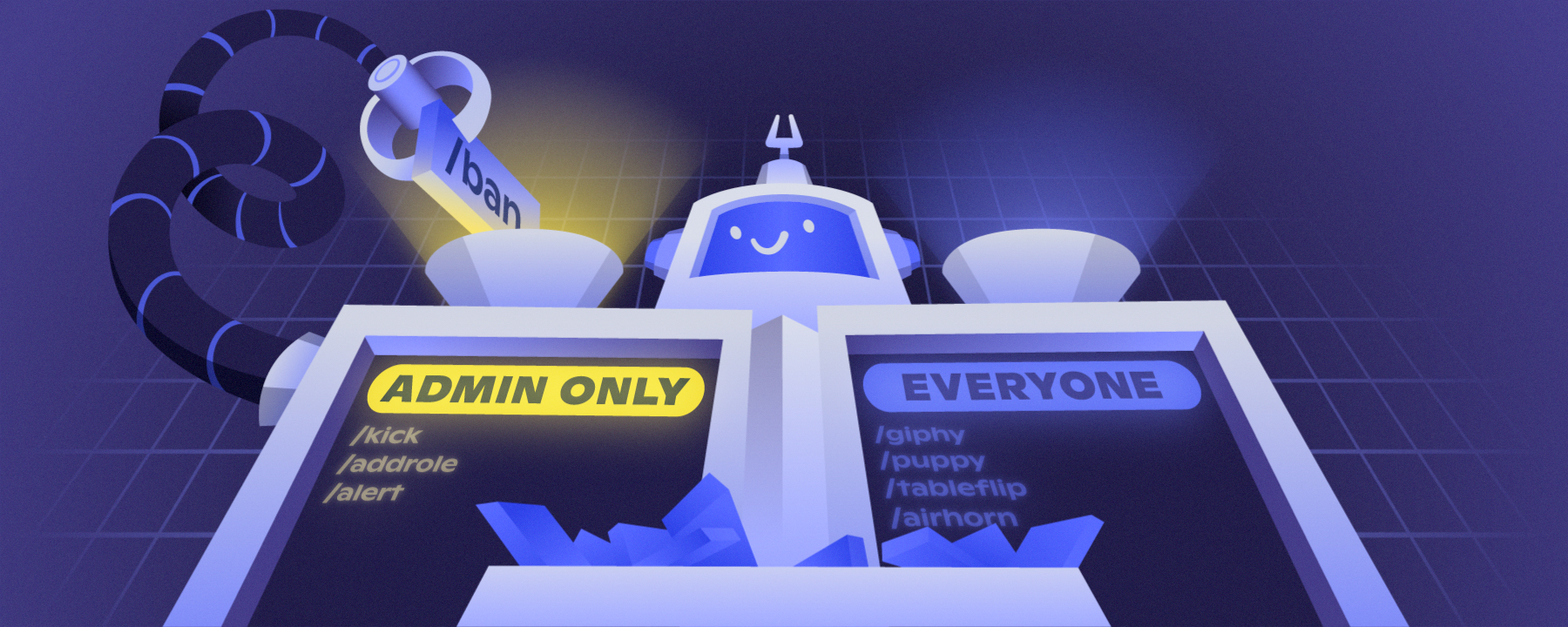
The Future is Soon — Your favorite Discord apps and bots are nearly done switching to Slash Commands: the new and improved way to interact with apps. Check out all the new things you can do today!
trim spade
split needle
you may want to ask beans if he has done the thing I asked
i dont get it
split needle
trim spade
i dont get it
beans once asked for support for the same issue
we have discussed and I asked him some favor to do in that time
ask him if he has done that yet
trim spade
split needle
beans once asked for support for the same issue
we have discussed and I asked hi...
who is that
split needle
one of your staffs with name changed to edisson
trim spade
split needle
one of your staffs with name changed to edisson
is tier 1 not included with the assigning special role?
split needle
it is
but I asked him to grant it a permission to see if it work
trim spade
split needle
it is
but I asked him to grant it a permission to see if it work
its still not working
we placed the prime bot on the top
and have the permission on it
but still not working
split needle
I asked him to give it manage server permission
check if he gave the perm to it yet
trim spade
split needle
I asked him to give it manage server permission
check if he gave the perm to it ...
to give manage server permission in where
split needle
trim spade
to give manage server permission in where
give the permission to the bot in its system role called "ProBot Prime"
trim spade
split needle
give the permission to the bot in its system role called "ProBot Prime"
already has given
 split needle
manage server
trim spade
split needle
manage server
to give permission "manage server" ? but isnt this risky like its basically giving full access to the server
split needle
administrative is full access
manage server is required to see invites in server which I think is the cause
manage server only able to change server name, icon and some other things like security and integrated automod
trim spade
split needle
manage server only able to change server name, icon and some other things like s...
okay thank u
 tired lotus
is there a way to play youtube playlists
split needle
tired lotus
is there a way to play youtube playlists
no longer supported
only soundcloud playlists are playable by now
nocturne flax
I'm wanting to use Probot so that users earn additional XP for replying to another user's feedback and for answering technical questions they may have. I would imagine I can attach an auto command to the user reply/tagging feature and keep it in the channels that are meant for that, but I'm not sure how to do that or if it's possible.
split needle
for xp boosting, it is not yet a thing but is planned. not sure how it will be implemented
for auto command like, you can use auto responders feature which may works like how you wanted like making the bot respond to set triggers and only work in set channels, or for set roles
nocturne flax
Would you mind terribly trying to quickly workshop that and gimme a simple step by step?
split needle
go to https://probot.io/dashboard, select the server on the left side, on mobile, it should be in the left bar when tapping on the 3 lines button on the top left
go to the auto responder module on the left bar as well, there you are in the module
tap on add response then set a trigger, this can not be undone after you save so check it carefully. you can make it to respond to messages that contain the trigger word/phrase by ticking on the wildcard option under the trigger box
set responses for it (if more than 1 response is added, it will random the responses. tap on the number icon under the response box to add more random responses)
set enabled/disabled roles/channels. this will restrict bot to only respond to the trigger in enabled channels, and from enabled roles and vice versa
after done setting them up, save the changes and you're done
nocturne flax
THANK YOU
...to clarify, the response would be where I'd write the slash command to award additional XP?
split needle
oh no it will not work like that
auto response is not custom command so you can not add any command to it
by now, you can only wait for the xp boost option to be real
nocturne flax
Oh...so close. Guess I should webhook to a the changelog channel here so I can stay abreast of that implementation. Thanks again!
Oooh 💡 Could I implememnt the auto response purely to create a log of users that do this so I can just manually give them the XP until implementation is there?
(that way they can earn the XP and I would just be manually adding it until the bot does it for me?)
split needle
I think it will not work like you want since the bot will only respond to users in the same channel and you can not make it to respond to another channel when being triggered from this channel
nocturne flax
I know I botched that question, sorry. To simplify: Will all auto responses get logged with the user the generated it?
SO I could after the fact see that for example one user answered 5 questions in a week and is owed so much XP?
split needle
no as that's not how it work
chilly grove
How to change prefix of probot
split needle
removed feature as answered
chilly grove
No other option?
split needle
no
split needle
only slash as discord requested
for more information, check out https://discord.com/blog/welcome-to-the-new-era-of-discord-apps
The Future is Soon — Your favorite Discord apps and bots are nearly done switching to Slash Commands: the new and improved way to interact with apps. Check out all the new things you can do today!
you can still add aliases to commands so that they could work like how prefixes are meant to work
chilly grove
Ohk
nocturne flax
If I use the same alias for different commands will they combine? i.e. I intend to give users 3 strikes if they break rules and each strike carries a timeout/temporary ban. I see that warnings work like that, but can I make it to where giving the warning (strike) will automatically initiate the first level of timeout and the next warning will then go to timeout #2?
 north lagoon
wie schaltet man den aktiven bot wieder aus ?
 indigo wadi
Can probot announce reward rank?
nocturne flax
<@&675070424748654593> .
quasi rover
indigo wadi
Can probot announce reward rank?
only in dms
quasi rover
north lagoon
wie schaltet man den aktiven bot wieder aus ?
#support-int
quasi rover
nocturne flax
If I use the same alias for different commands will they combine? i.e. I intend ...
This is not a thing yet in probot, u can suggest it in #573053418017521664
 mint yarrow

 quasi rover
we've knowledge of this issue and working on a fix already. As for now, you can manually fix it for each user by mentioning them in /credits command
ex - /credits user:@mint yarrow
 burnt peak
how to make probot saty in a voice channel so when you want to play music the bot is ready
<@&675070424748654593>
i can speak in #support-ar but too late
native geyser
for 24/7 paid versions are required
burnt peak
oh
lean badgerBOT
 stray jungle
nvm
stray jungle
nvm
We noticed that you are a premium user, for faster response go to #premium-support
 lime helm
For some reason since the bot switched to slash commands, i can no longer just put the url when typing the /play command, instead i have to manually search for the song, which kinda bum me because it's not always the result i'm looking for and also because playlist are no longer supported ...
is there some hope that this will be fixed in the future ?
 small orbit
is it possible to change the prefix
native geyser
lime helm
For some reason since the bot switched to slash commands, i can no longer just p...
you can still use playlists, youtube is not supported though
native geyser
small orbit
is it possible to change the prefix
no
lime helm
native geyser
you can still use playlists, youtube is not supported though
yeah that's the bummer part
how come it isn't supported anymore ? Probot use to be one of the best bot in term of youtube support
native geyser
discord
lime helm
no other bot would read my playlist the same way than him, and such great quality
lime helm
native geyser
discord
oh .... that's a push caused by the app dev themselves ?
native geyser
its not a decision that had to be done from our side is what i can say, same goes for removing our prefix and switching to slash commands completely
lime helm
that i knew about, at first i though that was great, but after seing the troubles typing through slash command was i regretted they made this decision
but the end of youtube support, damn that really suck
well thank you for answering my question then
and saddened to hear the answer
native geyser
you're welcome have a nice day
lime helm
same
quartz token
I don’t know if it’s possible but is there a way to stop the /play command form playing parts of movies or episodes when your trying to find songs
native geyser
ît plays the first result that is found on soundcloud so you can try to put the songs link you want to play (youtube is not supported)
quartz token
Ok thanks
native geyser
yw
 waxen lynx
hello, how do I change probot's prefix?
split needle
removed feature
waxen lynx
ok thanks
jolly hemlock
I tried to test the leveling system but instead of giving the person that leveled up the role it gave me the role
native geyser
for the bot to give the role people need to reach both of the target levels
native geyser
ask them to send a message
jolly hemlock
i did
native geyser
the bot is only able to update stats when text xp is gained so when that person sends a message and gains text xp with it it'll give the role, ask them to send another message in few minutes and confirm that they gained xp
jolly hemlock
ok thanks
i will tell you if that resolves the problems
thank you the problem was fixed
 royal parrot
can we still use discount coupons?
 rancid sleet
quick question, in logs there's one called servers invites, what does it do? like is it to see who invited someone?
 plush urchin
How to inv perm bot?
native geyser
rancid sleet
quick question, in logs there's one called servers invites, what does it do? lik...
yes
native geyser
plush urchin
How to inv perm bot?
ProBot
Welcome images, moderation, leveling, reaction roles, logs, high quality music and many many more!
 vapid stone
I'm new to ProBot, how do I get it started?
royal parrot
royal parrot
can we still use discount coupons?
?
rancid sleet
native geyser
yes
Thankyou
native geyser
royal parrot
can we still use discount coupons?
yes halloween coupon still works
royal parrot
boo ?
native geyser
vapid stone
I'm new to ProBot, how do I get it started?
dashboard on https://probot.io/dashboard
commands on https://probot.io/commands
native geyser
royal parrot
boo ?
yes
royal parrot
thx
native geyser
yw
 fleet elk
@native geyser
i want to give all my server members the role, before was #role all
and now?
native geyser
/role multiple
fleet elk
tysm
native geyser
yw
obtuse badger
So bro no one see mu suggestion
royal parrot
I can't use it boo is not valid
 weary marsh
when i type the command /rank i get a png data and no picture, whats that?
obtuse badger
<@&675070424748654593>
quasi rover
obtuse badger
So bro no one see mu suggestion
this question has nothing to do with the bot so you can't be asking this here anyways, however the mods and admins are keeping their eyes on the suggestions already
quasi rover
royal parrot
I can't use it boo is not valid
change your browser please
tall cosmos
how to add a message
 quasi rover
weary marsh
when i type the command /rank i get a png data and no picture, whats that?
quasi rover
weary marsh
when i type the command /rank i get a png data and no picture, whats that?
we've knowledge of this issue and working on a fix already. As for now, you can manually fix it for each user by mentioning them in /credits command
ex - /credits user:@weary marsh
have you sent the embed message into your server? @tall cosmos
weary marsh
Its working by a few persons, but thx for the enlightenment
tall cosmos
quasi rover
have you sent the embed message into your server? <@540402258022498305>
how
quasi rover
 tall cosmos
thanks
quasi rover
no worries
tall cosmos
can you tell me how to make the color of the role by reaction through probot?
quasi rover
tall cosmos
can you tell me how to make the color of the role by reaction through probot?
sorry wdym?
tall cosmos
like participants click on a role, and get a certain color on this role
quasi rover
you can change the role color by yourself through your server settings, this has nothing to do with the bot
 whole cedar
Does the /play command not consider links? tried pasting multiple spotify links into /play and always comes back Not Found.
native geyser
spotify isn't supported yet
whole cedar
oh, googled where the bot got its music from and it stated soundcloud and spotify, wheres the music sourced from then?
native geyser
soundcloud
whole cedar
ah ok, does it not take from youtube as well, pretty sure weve had it playing stuff off there
yeah, it cant just be soundcloud, we're playing stuff now that isnt on soundcloud
native geyser
whole cedar
ah ok, does it not take from youtube as well, pretty sure weve had it playing st...
not anymore youtube is no longer suggested
whole cedar
ok, is it in the works to get spotify as a source?
native geyser
it was planned however there isn't an api that is getting music directly from spotify therefore even if spotify is supported it means another music source will be used the bot will just recognise spotify links, since youtube is no longer supported i'm not sure
 onyx perch
For some reason only people with the administrator perm can use /play, is there any way I could fix that?
whole cedar
bot randomly skips songs every now and then and instantly goes a minute into the next song.. not sure why
nocturne flax
@native geyser
Someone asked me to help him and invited me to his server asked me to write a command that belongs to his bot and somehow my credit disappear,please if you can help me get my credit back i would be appreciated🤦💔
quasi rover
onyx perch
For some reason only people with the administrator perm can use /play, is there ...
make sure you haven't selected any dj roles across the music section on the dashboard https://probot.io/dashboard nor enabled roles in the command settings
ProBot
Welcome images, moderation, leveling, reaction roles, logs, high quality music and many many more!
quasi rover
whole cedar
bot randomly skips songs every now and then and instantly goes a minute into the...
may you try to kick & reinvite the bot and let me know if it still occurs?
quasi rover
nocturne flax
<@324937717441888256>
Someone asked me to help him and invited me to his server...
what was the command & the response?
 obsidian sluice
Hi, is there a way for probot to run twice in the same server?(so two people can run music in different voice channels?)
(Or a way to run or without letting the second interrupt the first person)
quasi rover
not possible for discord bots in general
meaning it can only work in 1 place/voice channel
nocturne flax
quasi rover
what was the command & the response?
🥺 🥺
 quasi rover
and why would u do that?
obsidian sluice
quasi rover
meaning it can only work in 1 place/voice channel
Is there any way for me to prevent that a second person interrupts the first?
quasi rover
nocturne flax
🥺 🥺
it's a premium version of probot, he has created the alias +coins to change the way of typing the command which means there's no way to return it back to your account
nocturne flax
quasi rover
and why would u do that?
He asked for my assistant for his new bot i didnt know that he wants to scam
nocturne flax
quasi rover
it's a premium version of probot, he has created the alias `+coins` to change t...
😐💔
nocturne flax
quasi rover
it's a premium version of probot, he has created the alias `+coins` to change t...
Is scamming allowed in your probot rules?
quasi rover
what kind of assist is transferring someone coins whatever it belongs to
nocturne flax
U should do something to this scammer
quasi rover
just be more aware next time, still there's nothing we can do sorry
all you can do is reporting it to discord
quasi rover
nocturne flax
Is scamming allowed in your probot rules?
we don't have rules that prevents you from being responsible of yourself
 eager timber
quasi rover
we don't have rules that prevents you from being responsible of yourself
eager timber
quasi rover
we don't have rules that prevents you from being responsible of yourself
If u have a good words say it if u dont shut up
lean badgerBOT
eager timber
If u have a good words say it if u dont shut up
We noticed that you are a premium user, for faster response go to #premium-support
quasi rover
if your main language is Arabic then don't come to the English support as well
and behave 🙂
eager timber
quasi rover
if your main language is Arabic then don't come to the English support as well
Nice service
quasi rover
now if u don't have any questions please head to the chat
obsidian sluice
Hi, I wish to stop other users from using probot music in another channel while someone else is already running an instance. How can I do this?
quasi rover
currently the only way to make that happen is to allow using /stop command only to specific roles who can have the access to disconnect and use the bot in another voice channel
otherwise is not possible, everyone can disconnect it anytime he runs the /stop command
obsidian sluice
quasi rover
otherwise is not possible, everyone can disconnect it anytime he runs the /stop ...
Doesnt play or search also disconect?
quasi rover
nope
it'll give an error saying that the bot is running in a different voice channel
obsidian sluice
Oh great thx
quasi rover
no worries. Have a nice day ahead
onyx perch
quasi rover
make sure you haven't selected any dj roles across the music section on the dash...
I looked and I don't have selected a dj role on the dashboard or in the command settings.
quasi rover
then may i ask what is the bot response?
onyx perch
he doesn't respond to people without administrator at all
quasi rover
that's because they've not selected the command from the slash commands window which should pop up to them while they're typing /play
onyx perch
that's the thing, it doesn't show up for them
quasi rover
kick & reinvite the bot
onyx perch
I'll try that
quasi rover
if still, make sure you don't have this permission disabled as well from channel settings
 onyx perch
It works after I kicked and reinvited it, thank you
quasi rover
fair enough, have a good day
 coral eagle
Hello, I want to ask you, if i can somehow change the / before writing the command to someting different ?
quasi rover
unfortunately slash commands were made by discord so you cannot change it
quasi rover
you can create aliases to each command which is another way of typing it in your server like sending just "profile" instead of "/profile" but this won't pop up the same commands window as it does when you use the slash
quasi rover
no worries g
 gentle matrix
So, I have the premium bot and wanted to change the name and profile picture in the dashboard, but for some reason it doesn't update the bot on the discord server.
lean badgerBOT
gentle matrix
So, I have the premium bot and wanted to change the name and profile picture in ...
We noticed that you are a premium user, for faster response go to #premium-support
quasi rover
gentle matrix
So, I have the premium bot and wanted to change the name and profile picture in ...
try using /vip avatar & /vip username
gentle matrix
ok, I'll try it
So the username worked, but for the profile picture it always response with the rolling eye emote and says 'object response' and i tried multiple urls including with the image format ending.
quasi rover
May you try uploading this avatar anywhere on discord, copy the image link and use it the command?
gentle matrix
ah that worked. ok thanks! and have a nice day
quasi rover
no worries
 tidal frost
Hey
nocturne flax
Hello Support Staff;
I am using the ProBot currently and i am facing the Problem that the Bot is not able to Automaticly Delete the Command messages. Can Somebody asisst?
Thanks in advance 🙂
 late compass

 native geyser
nocturne flax
Hello Support Staff;
I am using the ProBot currently and i am facing the Problem...
native geyser
nocturne flax
Hello Support Staff;
I am using the ProBot currently and i am facing the Problem...
hi it was for regular prefix only, since prefix has been removed it no longer works (for now at least)