#Tech Lab forum - General Discussions!
1 messages · Page 36 of 1
 jade scaffold
 mossy gull
I don't have a LAN connection everywhere, and WiFi7 access points are god awful expensive
jade scaffold
Truly a skill issue
mossy gull
That still leaves the PC at work though, and I don't think they're too happy of work files surfing over the web.
jade scaffold
Even still
Only 3 usb c ports actually needed
You never had a USBC issue
You just planned badly
mossy gull
jade scaffold
Only 3 usb c ports actually needed
With a program that constantly writes and reads?
Huge amounts of data?
mossy gull
jade scaffold
2 for the SSDs 1 for the drawing tablet
I only have 2 USB-C ports on the back.
jade scaffold
And 1 on the front
If you don't have 1 type c on the front your case is achient
If you don't have a type c on your mobo you've lied aabout your pc specs
Fun fact the type c header on the mobo is actually USB Type E
mossy gull
jade scaffold
If you don't have 1 type c on the front your case is achient
I have 1 in the front, it's not that ancient, just my clumsy ass rather not plugs anything in the front.
mossy gull
jade scaffold
If you don't have a type c on your mobo you've lied aabout your pc specs
I have a total of 1 internal header, and 2 on the back.
jade scaffold
 mossy gull
jade scaffold
mossy gull
jade scaffold
1 problem, the internal header is already used by the case.
jade scaffold
What happened to not using the font usb c port
 sonic meadow
you just said you dont like plugging things in to the front, so its not really
mossy gull
jade scaffold
What happened to not using the font usb c port
Oh yeah, forgot about that🤣
jade scaffold
If you arent using it then may as well direct it to the back
Also you don't need type c for your SSDs
That's 20gbps on them that's like gen 3x2 speeds that's fine for any application. Usb A ports on the back of the mobo can do 10gbps
mossy gull
I would agree if they decided to use USB 3.2x2 gen 2 or whatever they're called, the 20gig ones.
jade scaffold
Which is about where external SSD cap out anyway
sonic meadow
theres also an adaptor like this to let you plug a usb-c internal cable in to a usb3 header

Oassuose USB C Front Panel Header Adapter,Coverts 19-pin IDC USB 3.0 female port into 20-pin USB 3.1 E Type (A-Key) port for USB 3.1 Type-C or Type-A connector port capability.(usb 3.0 to type e adapter) *IMPORTANT NOTES: 1.input signal is superspeed USB 3.0 5Gbps max .connect speed will limited ...
mossy gull
But they're 3.0 variants, the 5 gig ones, I am never buying Gigabyte ever again, especially not in this price range I bought mine at.
jade scaffold
All front panel headers are 3.0 or rather dual 3.0 for the usb A ports
Back of mobos for gigabyte since B550 have had 10gbps usb A ports
sonic meadow
sonic meadow
theres also an adaptor like [this](https://www.amazon.com/Oassuose-Adapter-Inter...
there are variants of this kind of thing out there that will do 3.1gen2 (ie 10gig), but it does require the usb3 header support that
mossy gull
jade scaffold
Back of mobos for gigabyte since B550 have had 10gbps usb A ports
4x 5 gig(Blue), 2x 10 gig(Red), 4x USB2(White).
I have an mATX
mossy gull
sonic meadow
there are variants of this kind of thing out there that will do 3.1gen2 (ie 10gi...
USB3 confusion.......
sonic meadow
type-c doesnt make it any better 😛
mossy gull
sonic meadow
type-c doesnt make it any better 😛
At least it's called USB4, unless they decided 4.2x2 will also be thing 😅
sonic meadow
usb4 is distinct from usb-c. c is just the connector standard
jade scaffold
Yea usb A isn't big enough for usb 4 I don't believe
Well not size that's the issue
mossy gull
jade scaffold
Well not size that's the issue
It's I believe a lane issue
jade scaffold
It's fitting the extra pins while maintaining the position of current pins
mossy gull
USB-A is max 8 lanes I believe
sonic meadow
usb3 was already a bit of a stretch to fit inside the usb type-a connector
mossy gull
sonic meadow
usb3 was already a bit of a stretch to fit inside the usb type-a connector
Double stacked pins
sonic meadow
while also maintaining backwards and forwards compatibility
jade scaffold
They have to remain compatible with older ports though is the issue
The U in USB stands for universal
mossy gull
I once had a rare USB3 Mini-B
jade scaffold
You can plug any usb port into any other usb port
jade scaffold
mossy gull
I once had a rare USB3 Mini-B
Thoes things were weird
sonic meadow
jade scaffold
You can plug any usb port into any other usb port
though type-c fucked that up
jade scaffold
Yea
You can still plug them into eachother 0 issue
But you just might not get the full featureset
mossy gull
jade scaffold
Thoes things were weird
The 1 I had looked like a normal Mini-B, but didn't work with 2.0
USB3 Micro-B is weird
And should've never have been born
sonic meadow
blame portable harddrives
mossy gull
sonic meadow
blame portable harddrives
Which could've used the USB3 Mini-B instead of the Micro-B
sonic meadow
mini was already well deprecated at that point
mossy gull
But then, this should've never existed at all

Also, everyone I know calls that cable a "Printer cable"
sonic meadow
well they were primarily used for printers. the pre-3.0 one at least
secondarily for external drives and drive enclosures
jade scaffold
And for some reason certain versions of the blue snowball
sonic meadow
thirdly, hubs on devices like monitors
heck, I think my current monitor uses the usb3 version for its hub
mossy gull
mossy gull
But then, this should've never existed at all
This isn't backwards compatible, it ain't fit in a Female-B 2.0
sonic meadow
sure, but if a plug fits it works
mossy gull
jade scaffold
And for some reason certain versions of the blue snowball
Wait, a mic used that cable?
sonic meadow
those arent the same form factor, its an extension of that form factor.
oh yeah, my mic uses a usb2 type-b
mossy gull
😐
jade scaffold
sonic meadow
those arent the same form factor, its an extension of that form factor.
oh yeah...
So does my steering wheel
Like why
sonic meadow
its a less finicky connector than mini/micro
mossy gull
jade scaffold
Like why
Serial port back in the days😃
sonic meadow
and cheaper to implement than type-c 😛
mossy gull
Also, I was reading about an USB that you can screw in like old serial cables so they never come out
jade scaffold
True
We should just randomly all swap to type E usb
What's type D is there a type D or was that skipped
mossy gull
jade scaffold
We should just randomly all swap to type E usb
Never hard of that
sonic meadow
well they mentioned it earlier 😛
its the internal type-c header
mossy gull
I remember the days of reversible Type-A
sonic meadow
jade scaffold
So does my steering wheel
heh. mines got a hardwired type-a plug.
which I actually needed to replace when I got it, swapped it out for one from a mouse 😆
jade scaffold
Oh I bought those fans btw
mossy gull
cries in having no steering wheel
sonic meadow
well I got mine second hand.
doesnt see much use though, I dont like setting it up and then unsetting it up
jade scaffold
There's also a decent chance they do actually use pwm
sonic meadow
something voltage controlled will also run off pwm 😆
not necessarily correctly, but run it should
jade scaffold
Yea it's the correctness I want though
Hoping for normal pwm
Depends who made the fans tho
Ones made by delta I believe tended to be pwm
There's another companies and theirs were 0-12v ran ones
mossy gull
sonic meadow
doesnt see much use though, I dont like setting it up and then unsetting it up
That's why my flight sim gear is always connected, not to mention it if I swap the USB ports from 1 I can redo my bindings
sonic meadow
no I mean the physical side of setting it up. since I dont have a dedicated simrig, the wheel goes in front of my keyboard, and the pedals where my feet usually go
mossy gull
Sounds like a pain
sonic meadow
mroe annoying than anything. hence why I dont like setting it up
especially when im only going to be using it for an hour or two
mossy gull
I use my laptop for many other stuff, my "desktop" for mostly gaming, unless I go drawing, it depends on my mood if it's laptop or desktop time
jade scaffold
Yea I love using my wheel but setting it up isn't half alot of effort
sonic meadow
also an office chair doesnt make for a good car seat 😆
mossy gull
jade scaffold
Yea I love using my wheel but setting it up isn't half alot of effort
I just noticed as I going through my cables,
My BeQuiet PSU has 12-pin to 2 8-pin connector, but the 12-pin is the size of 2 6-pins.
Why le fuck didn't Nvidia use that😐
mossy gull
jade scaffold
Before it blew up
Nice🤣
mossy gull
sonic meadow
also an office chair doesnt make for a good car seat 😆
Not 1 desk chair is pretty much
sonic meadow
we dont have any non-wheeled chairs that I know of
well I guess there is that one on the deck, but tbh it would probably be too low
mossy gull
sonic meadow
well I guess there is that one on the deck, but tbh it would probably be too low
If I would make a racing sim rig I would go to the dump, get a real car chair and use that
sonic meadow
sure. I dont have the space for (or motivation to make) a proper sim rig though
mossy gull
Fair enough, I sadly do
sonic meadow
okay, I do actually have the space in this place. dont have the spare good monitor though
mossy gull
sonic meadow
okay, I do actually have the space in this place. dont have the spare good monit...
They are pricey, good ones that are
sonic meadow
yes, mine was when I got it 😆
I also just.. wouldnt use it enough to justify the space it takes up. especially since it would cut in to my VR floorspace
mossy gull
When you advertise monitor speakers
https://youtu.be/O5wodk1BxYM

#lgultragear #lgultrageargamingmonitor #ultragear #lgoledgamingmonitor
World’s first 5K2K OLED Gaming Monitor is ready for victory!
Introducing 2025 LG UltraGear OLED GX9, 45GX950A.
Experience the world’s first 5K2K OLED Gaming Monitor, delivering immersive and captivating gameplay with a 5K2K (5120x2160) resolution, 125 PPI, and Dual-Mode...
mossy gull
sonic meadow
I also just.. wouldnt use it enough to justify the space it takes up. especially...
VR, what's your opinion on the Big Screen VR?
sonic meadow
the new one looks insane
would love to have the 2-2.5k to drop on one. not that my 2060s is especially well suited to it
mossy gull
sonic meadow
the new one looks insane
I was thinking on getting 1 for my laptop.
sonic meadow
you would need a pretty beefy laptop to properly utilise something like that, though I figure thats something you have
the new one at least, dont remember how it differs from the previous one
mossy gull
sonic meadow
you would need a pretty beefy laptop to properly utilise something like that, th...
MSI Titan 18HX with a 4090 and 128GB RAM?
sonic meadow
you will need lighthouses though for tracking, and some form of controller
mossy gull
sonic meadow
you will need lighthouses though for tracking, and some form of controller
Living Room is big enough 😅
jade scaffold
mossy gull
VR, what's your opinion on the Big Screen VR?
It's pretty cool but has it's issues imo
One big one is it can't achieve 90hz at full Res
And it has to drop it's Res to quest 3 levels to get 90hz
mossy gull
jade scaffold
And it has to drop it's Res to quest 3 levels to get 90hz
It's still 1 of the fewer OLED headsets and it is I think the lightest
jade scaffold
Yea it is
But it's also not great for the fact the headset is costing you a minimum of 1.85k for all the features
I'm not sure where the limitation is here
Usb c should be able to do 4k 120hz no issues
sonic meadow
its using DP1.4
 jade scaffold
Then it should have 0 issue
With DSC I can drive 240hz at 5120x1440
5120x2560 at 90hz I don't feel is a huge ask
sonic meadow
69hz if I am reading wikipedia correctly
though thats without DSC, with DSC it goes up to.... 180hz?
it should still be able to though
Due to bandwidth limitations of DisplayPort 1.4, display controllers, and MIPI, Beyond uses....
so its possible that one of the chips they are using is bandwidth limited before the DP1.4 limits are hit
jade scaffold
sonic meadow
69hz if I am reading wikipedia correctly
The bsb does 75 at native res
sonic meadow
the chart I was reading was without DSC
jade scaffold
Can do 90 but it has to drop to quest Res which at that point I'm sorry but a quest 3 can be gotten for a quarter the price
sonic meadow
and then you have a quest 😛
sonic meadow
sonic meadow
69hz if I am reading wikipedia correctly
though that was for 5120x2880, which is slightly higher resolution than 5120x2560
jade scaffold
I wasn't hugely impressed with the bsb 2 as an improvement over the 1
They finally managed to match metas lense quality they have eye tracking which nothing has any support for yet
sonic meadow
sonic meadow
though that was for 5120x2880, which *is* slightly higher resolution than 5120x2...
which does actually work out at 77hz if my maths is right
so its likely just a DSC on/off thing
jade scaffold
Yea they might not be using dsc atall
But full Res with dsc will look better than the lower Res without dsc
sonic meadow
im just double checking my maths. I might have spoken before properly thinking things over with that last bit
hmmm. 3840x1920@90hz is 14.8Gb/s, where 5120x2560@75hz is 22Gb/s
DP1.4 is 25.9Gb/s total data rate
jade scaffold
They could have also used newer dp for it which could have made it a real upgrade over the 1st version
sonic meadow
nothing supports dp2
jade scaffold
Doesn't matter really
All 50 series does as do amds rx9000s also the Rx7000s do iirc
sonic meadow
likely a cost/supplier issue on their part (BSB I mean). or it needed more power, and thus cooling, and thus weight
still should have been able to get 5k90 over dp1.4 though with dsc
jade scaffold
They have a cable anyway cables are always heavier than wireless functionally
Unless you have a fancy ass system to hold the cable
sonic meadow
its a different kind of weight
jade scaffold
A much worse kind for movement imo
sonic meadow
its.. different
jade scaffold
Regardless they cut some weight anyway
I would have been fine with a teeny tiny bit more weight for the trade off of getting playable refresh rate at full resolution
sonic meadow
im wondering if you might be able to play around with resolution somewhat with foveated rendering. present the headset as twice the number of displays. a "large" low resolution and "small" high resolution display for each eye, and then composite them inside the headset
jade scaffold
sonic meadow
im wondering if you might be able to play around with resolution somewhat with f...
Foveated rendering isnt a thing
sonic meadow
hehehe. foliated 😆
jade scaffold
It's a soon™️ kinda thing
sonic meadow
its mostly not a thing because we never really got eye tracking
sonic meadow
steamvr has the prompts for it, but my vive pro isnt the one with eyetracking
so the setup doesnt go anywhere, and I cant see what is available
jade scaffold
There's been eye tracking for like 5 years and foveated rendering still isn't a thing
jade scaffold
sonic meadow
so the setup doesnt go anywhere, and I cant see what is available
Nothing there's nothing available
I have a headset with eye tracking
sonic meadow
mostly used as another body part tracker for stuff like vrchat
jade scaffold
Yea that's all eye tracking can be used for
ATM
Valves contribution to the vr space is steam vr and a headset that blows up if you look at it then they dipped and haven't done hardly anything since
Also not helped by no one making good vr games
sonic meadow
all the money (and games) are on standalones.. ie the quest
mossy gull
Star Citizen supports Eye tracking
jade scaffold
There aren't even many good genes on the quests
Valve had the opportunity to drag the vr market kicking and screaming out into action and they chose not to
mossy gull
Only reason I would want 1 of those goggles is basically to keep my gaming private
 tidal birch
Looks like I won't be getting my GPU upgrade in a long while. I should have yoinked a 9070 XT when I had the chance.
Scratch that maybe. It looks like chips are exempt from the tariffs. However, I bet the shops will still price it up.
 surreal moss
Yep, this rule 5 bullshit is
 tidal birch

Tom's Hardware
Semiconductor industry can relax, for now.
Is trade war talk also breaking of rule 5? If so funny but...
surreal moss
It’s borderline at best
Trying to keep up with all this though might have me taking my first drink of alcohol in a decade though
tidal birch
Oh boy. I would probably be on a similar route. However, I can't drink legally yet.
surreal moss
I run IT for a small company. It’s been one hell of a year so far
tidal birch
Oof, ya I can see how that would be bad. At least you're not in accounting or logistics. Those people must be ripping their hair out.
 cinder lagoon
surreal moss
Trying to keep up with all this though might have me taking my first drink of al...
cinder lagoon
surreal moss
Trying to keep up with all this though might have me taking my first drink of al...
dont do it pal, go out and have a really nice "home"-made lemonade instead :)
been there done that tho
 pseudo heath
tidal birch
Oof, ya I can see how that would be bad. At least you're not in accounting or lo...
pseudo heath
tidal birch
Oof, ya I can see how that would be bad. At least you're not in accounting or lo...
Honestly, public education isn’t very pretty rn too… lab supplies were expensive before and teachers have the onus for paying
Not to mention all the other stuff
 cerulean helm
I reused most of what I had (minus the 120s) from my old 8700k), but with 2 commander pros it was a cluster of a mess in my Phanteks 719. No way to cable manage the 2 hub units. And I wanted to ditch Corsair but, they seem to be the only ones using magnetic dome bearings. Outside of the T30s from Phanteks. But those have no rgb, and don't match anything in my case.
jade scaffold
magnetic bearings dont nessesarilly give you any improvements on their own
noctua i think still use ball bearings
and they have the quietest fan hubs
cerulean helm
Life expediency and noise.
jade scaffold
atleast quietest untill you get to things that have 80mm wide hubs
noctua fans are rated for huge life times
its why they take so long to release products
i think the A12x25 has a 6 YEAR warrentee
so noctua expect it to last a minimum of that long
noctuas bearings are oil based for the a 12x25
along with magnets to keep the extremely wide hub stable
cerulean helm
The RX from Corsair are a 5 year warranty. I stay away from FDB as they don't like to be vertically mounted. And Noctua isn't using ball bearings. At least in the AF12.
jade scaffold

noctuas bearing in the A12x25
alot of fan noise also comes from blade geometry and material
cerulean helm
But, it all goes back to my rig being a center piece water cooled build. Non rgb fans with a rgb water block would look ugly.
jade scaffold
i mean if you want rgb buy rgb fans corsairs are probably the best RGB fans
cerulean helm
My LLM PC I use Be Quiet Silent Wings 4, and I can't even hear those, at all.
jade scaffold
but performance and reliabiltiy wise they truly are nothing special
bequiets fans are pretty good
its weird the PSUs arent actually all that quiet and dont have a silent mode
cerulean helm
I use the Silent Wings 80mm in my server as well. Even those are near silent.
jade scaffold
im planning on building a custom abomination of a fan for my main pc
gonna be robbing the fan and hub from the 2019 mac pro
cerulean helm
I had hoped Phanteks would release a T30 with lighting, but the D30s are poor performance and use a FDB as a bearing. The Corsair RX fans have really really good static pressure, which I need for my rads.
 mossy gull
cerulean helm
The RX from Corsair are a 5 year warranty. I stay away from FDB as they don't li...
mossy gull
cerulean helm
The RX from Corsair are a 5 year warranty. I stay away from FDB as they don't li...
The RX Max are amazing
cerulean helm
mossy gull
The RX Max are amazing
I'm still tweaking the fan profiles, but so far I have been able to drastically turn down the rpm vs my ML and ML Elite fans.
 rancid plank
So I just got a new mouse. I decided to fallback to one of my all time favorites, the logitech g502. I've used this mouse previously for many years, and I fondly remember one of the main reasons why I liked the mouse was instead of the side buttons being bound to the same keys on the keyboard, (g, left alt + windows, etc.) they were bound to their own unique keys (Mouse Button 5 (MB5) through MB7.) This essentially added 3 quick access keys to my keyboard (hyper useful).
So it came as a shock to me when I went into GHUB and that feature seems to be gone. (attached above are the two images of what I have, and the 3rd image is what I expected to see)


DPI Up and DPI Down were previously MB6 and MB7 respectively (IIRC)
Did something happen to the UI? can I change this in the settings somehow?
I don't even have access to the two basic side buttons (MB4 and MB5) used in pretty much every game
surreal moss
Yeah, I can change mine at will or games can detect them as MB1-5
rancid plank
But when I search for MB5 - MB7, nothing comes up

I've tried "mouse" "MB5" "M5" "mouse button 5" etc
cinder lagoon
It's not labelled 5, 6 etc anymore
rancid plank
what's it labelled as?
rancid plank
will games still recognize them as MB4, MB5, etc.?
cinder lagoon
And you can set the buttons to something like F13-23 (24 is reserved for some windows function iirc)
rancid plank
?
cinder lagoon
rancid plank
will games still recognize them as MB4, MB5, etc.?
No you need to set the buttons to do that first
rancid plank
there are only 12 function keys
cinder lagoon
There are more in the official spec haha
surreal moss
Yeah, it’s still fully customizable
 rancid plank
cinder lagoon
No you need to set the buttons to do that first
rancid plank
cinder lagoon
No you need to set the buttons to do that first
The buttons are already set as Forward and Back
and DPI Up, and DPI Down
how do I configure it so that games an applications recognize them as MB5, MB6, etc.?
surreal moss
Look at system

Games will still pick them up as button presses if you haven't remapped them
surreal moss
Correct. You would have to unbind them or assign them a key
rancid plank
could've sworn these two buttons were MB6 and 7
 surreal moss
but there's no problem
They're G8 and G7
so, technically, yes
but they're bound to a mouse function rather than a button that a game will detect
cinder lagoon
DPI up and down are mouse internal functions so they probably aren't even sent over the USB cable if you have the buttons set to those functions
surreal moss
Just rebind them to something else
rancid plank
surreal moss
Just rebind them to something else
right, what should I rebind them to so that games and applications will recognize them as MB4 - MB7
surreal moss
Whatever you want
 balmy flicker
I just use []\ and -=
surreal moss
That or set a custom profile for the specific games
balmy flicker
warning some games might not recognize \ (looking at you MHWilds)
cinder lagoon
Or one of the upper F[Number] keys
balmy flicker
some games use the F so...
rancid plank
Ah I see, there's no way to program them as dedicated Mouse 5, Mouse 6, etc. I have to set them to a certain existing key ([], -+, F22, etc.) I can't have them as simply discrete unique keys
balmy flicker
num pad keys can work as well but some games have issues with num pad keys (helldivers)
forward and back are seen as side 1 and 2 by most games
but the remaining 3 IDK
that is how I get around it
the odd thing is side scrolling is not recognised by most games
rancid plank
Alright, I just set it to F13, F14, F15, and F16 respectively
works in NX, that's all that matters for now
thanks for the help, guys!
balmy flicker
I miss NX I got to use it in college but then we swithched to sollid works (granted the training in SW is better than the class I took was for NX so...
granted it handled certain edge cases and had some better tools than SW did if you learned how to use them
 paper iron
So uh, win 10 thing here.
Last night as I was about to shut down my pc for the night, I noticed a that a "lock" option had appeared.
And as far as I know, I had not done any updates during the day.
 sacred seal
Lock is a standard option that has been around for awhile
Though I don't know why it would suddenly appear
paper iron
yeah, as far as I remember, it's always only been sleep, shutdown and restart
paper iron
on win 10
mossy gull
paper iron
So uh, win 10 thing here.
Last night as I was about to shut down my pc for the n...
For me that button has disappeared 🤣
I literally am forced to use WIN+L
paper iron
so basically microsoft shenanigans
cinder lagoon
paper iron
So uh, win 10 thing here.
Last night as I was about to shut down my pc for the n...
You can configure the options for that list in Control Panel > Power Config > Choose what power buttons do
(shortcut: Win+R, paste the following: shell:::{025A5937-A6BE-4686-A844-36FE4BEC8B6D}\pageGlobalSettings, hit enter)
@mossy gull
mossy gull
cinder lagoon
You can configure the options for that list in `Control Panel > Power Config > C...
I know, the button is checked in that menu, but the lock button is still absent 😅
sonic meadow
I actually had to check what was in that menu on my pc, i never use it 😆
 runic thorn
Does this really mean that installing a chat bot into the AMD software would take 25 GB of space?

As if I needed more reasons not to do it. :P
cerulean helm
Newest update for my Nabu Casa Home Assistant Voice PE ( Smart voice control) has about 75% functionality of a Google hub or Amazon echo now for local control and such. Enough that I can unplug my smart speakers and use my locally hosted one. The speed at which this thing is being updated is pretty amazing.
jade scaffold
That's pretty cool
jade scaffold

Sponsor: ID-Cooling Frozn A720 Black on Amazon https://geni.us/VDnou4Y
NVIDIA has major GPU driver instability problems right now, and that includes the newer RTX 50 series (like the 5090) and the prior RTX 40 and 30 series alike. We read through user reports, then set forth to try and replicate the issues. In our reviews process, these problems...
NVidia becomeing AMD real quick
mossy gull
jade scaffold
NVidia becomeing AMD real quick
And AMD is becoming Nvidia
My brother said since Nvidia stopped supporting PhysX, some games have felt like a true pain.
cerulean helm
Whoops, made the error of not reading all the documentation on an update for my local pihole before updating. Ended up breaking my Home Assistant integration and broke my IPv6 setup. Ended up getting it all fixed but by that time it was 3:30am... And I had to get up for work at 7am for a 10 hour shift.
Ooh, its finally launched. A rack mount server and humidity rack sensor.
https://www.youtube.com/watch?v=Frij8gvGizg

Thanks to PCBWay for sponsoring today's video. Get started today with a $5 credit: https://pcbway.com/g/q5KzK2
Pre Order your Openviro Axe PoE over on Crowd Supply today: https://www.crowdsupply.com/craft-computing/openviro-axe-poe
I make other things too. Don't forget to check out the merch store for Pint Glass, Bottle Openers, Coffee Tumbler...
mossy gull

Thanks to LG for sponsoring this video!
Check out the LG UltraGear GX9, the world’s first 5K2K OLED monitor, using our link: https://bit.ly/42e4BF6
LG’s new UltraGear 45GX950A is a 45-inch OLED ultrawide with a 5K2K resolution, a 165Hz refresh rate, and support for up to 330Hz in dual mode. Plouffe takes it out of the box to see what’s n...
jade scaffold
Yea that's a really cool monitor
 timber barn
What a coincidence
jade scaffold
@sonic meadow


if you look at the 1st picture of the back there appears to be 6 contacts on the back of the fan along side the ribbon cable connetor you think im right in assuming that they are the same thing as the ribon cables in pad form
Better view of them
 jade scaffold
kinda what i think these will do

might not be 100% right
i can confirm ground easy enough but the rest might be a lil harder
mossy gull
So, I just found a weird behaviour.
My brother's 9800X3D hits 80c during gaming with a Corsair Titan RX 360 rad.
My 285k barely reaches 70c with a BeQuiet PureLoop 280 from almost 2 years ago
We both have PTM7950, I don't know if Intel suddenly became way more efficient or AMD is just terrible to cool, but it was a weird observation.
surreal moss
AMD has always been terrible to cool
jade scaffold
yea
aditionally amds heatspreader is mega shit
its way too thick
intels is thinner and has greater surface area
mossy gull
jade scaffold
aditionally amds heatspreader is mega shit
Ah, that's why Direct Die cooling is so much better on AMD
jade scaffold
yea on intel Direct die will still drop like 15-20C but on amd you can drop as much as 30C
which is ALOT
jade scaffold
you should be running adjusted mounting anyway
coolers on AMD should allways be offset
mossy gull
jade scaffold
coolers on AMD should allways be offset
But there's not always offset mounting for every cooler😅
jade scaffold
any good cooler comes with ofset mounting
if it doesnt
its a shit cooler
simple as
theres no heat generated in the center of AMDs CPUs
none atall
why would i want a cooler cooling a colder spot rather than right above the hotter parts
mossy gull
I don't understand why it ain't centered in the 1st place 😐
jade scaffold
because you have 3 chips on an AMD CPU
mossy gull
jade scaffold
simple as
Wait wait wait, that does mean Corsair coolers are shite and overpriced 🤣
They don't come with offset mounting
jade scaffold
i swear they are more expensive than everyone elses lmao
mossy gull
jade scaffold
i swear they are more expensive than everyone elses lmao
Tell that to Hyte, which is more expensive 😅
jade scaffold
the artic liquid freezer 3 fucking outperforms them even without offset mountint never mind with ofset mounting
and its like a £60 cooler
and it comes with offset cooling which gives you another few degrees of cooling
mossy gull
I mean if even a cheap BeQuiet 280mm AiO cools better than Corsair's 360 rad and cost 1/3th it should say enough.
mossy gull
jade scaffold
and it comes with offset cooling which gives you another few degrees of cooling
Or they should give the AiOs a bigger cold plate, 🤔
jade scaffold
mossy gull
Or they should give the AiOs a bigger cold plate, 🤔
thats not the issue
when you build a water cooler you have to inject the liquid at high pressure onto the cold plate fins
the way they do this makes the centre of the cooler the coldest spot
all coolers air or liquid are designed with the expectation that the hottest part of the chip is in the centre of the chip
AMDs isnt
amds 3 chips in their CPUs arent exactly centred
which means for ALLL coolers in existance they are slightly out of the ideal cooling zone of the cooler
so most good coolers come with an Offset mount for AMD chips and now for intel chips as intels compute die is no longer centred perfectly
mossy gull
140% VRAM usage.........
https://youtu.be/e4GCxObZrZE

The 5060Ti will follow the tradition of offering an 8GB and 16GB model... So today we will take a look at what happens when you run out of VRAM in a VRAM heavy gaming title...
Sponsored Links
Falcon Northwest has been building high end systems for gamers since 1992! Learn more about what Falcon Northwest has to offer at https://www.falcon-nw.c...
sacred seal
Which goes to show that these measurements are practically worthless
jade scaffold
I do agree though that 7gh of vram is unacceptable
Unless on like a 5050
I think 8gb on a 50 class card would be perfectly fine
Really do wish we got a good 50 class cards but we just don't
jade scaffold
If the 3050 was cheaper it would have been a good deal
If Nvidia did say a 5050 with 1080ti performance that would have been really nice for between 150 and 200
Would be a genuine lovely budget card
Really want someone to make a top tier hand held chip
Because there just isn't a good one ATM
Gimme 4x E/C cores and like 4-8 GPU cores and a tdp of like 7w
Could actually make a true handheld with useable battery life then
sonic meadow
jade scaffold
Really do wish we got a good 50 class cards but we just don't
the 4060 is a 50 class card 😦
errr, 5060
both really
jade scaffold
Nah there's a die below them
They are 106s they could make a card with a 107 in it
sonic meadow
would you believe that there used to be products below the 50 cards?
timber barn
mossy gull
I just feel it to be too risky
You can buy them from TG
mossy gull
timber barn
You can buy them from TG
I know, but not every cooler has an offset bracket
timber barn

Thermal Grizzly
TG Delidded CPUs sind geköpfte und getestete CPUs mit von Thermal Grizzly übernommener Herstellergarantie.
mossy gull
I stay with Intel for now, they have more cores for the money
timber barn
What worries me with that: how ez is it to dmg the die?
Heatspreader looks more robust
mossy gull
timber barn
Heatspreader looks more robust
That's why desktop CPUs have them.
mossy gull
timber barn
What worries me with that: how ez is it to dmg the die?
Eh, that ain't the problem for me, laptops are always direct-die.
But the lack of mounting is for me an issue.
jade scaffold
sonic meadow
would you believe that there used to be products below the 50 cards?
yes but the 50 cards were 107 gpus
not 106s
well the 1050 and 1050ti were as is the 3050
tidal birch
This is insane
 timber barn
Imagine telling this a time traveler
Dunno why ppl bought that but now here we are
When I bought my 1080TI I thought 800€ is insane
cerulean helm
Makes me very glad that I managed to get an open box 4080 super last month for a reasonable* price. Especially since I live in the U.S.
runic thorn
Same for my 2080. This all made the 9070 XT feel cheap. Which it obviously isn't.
pseudo heath
Help pls
 jade scaffold
I think I'm going to get an NVidia Spark when they come out
jade scaffold
Zen6 looking like it might be built on 2N that's gonna be interesting
Gonna hold out for a 10800x3D
sonic meadow
Or a name reset
mossy gull

Try Rocket Money for free: https://RocketMoney.com/ltt (US Residents Only) #rocketmoney #personalfinance
We wanted to review the new RTX 5060 and RTX 5060Ti, the problem was Nvidia didn't send us any... Makes it kind of tough to make a review about. So instead we decided to rant about the ENTIRE 50 series launch and ho...
tidal birch
Has anyone been able to find ANY RTX 5080 FEs in the US. I feel like my local Best Buy has just never gotten a restock on them.
mossy gull
tidal birch
Has anyone been able to find ANY RTX 5080 FEs in the US. I feel like my local Be...
Burn baby burn.
Be aware, they have the bad power plug
tidal birch
All of them do. I bought a clamp meter to assure proper connection.
mossy gull
tidal birch
All of them do. I bought a clamp meter to assure proper connection.
The problem is more that if 1 cable has too much resistance it goes over the others, like DerBauer once explained 😅
Or you need to mod it that you have a 2-pin cable instead of 12-pin like Linus🤣
But yeah, they're hard to get everywhere, nearly nowhere you can normally get Nvidia GPUs
tidal birch
mossy gull
The problem is more that if 1 cable has too much resistance it goes over the oth...
Yes, a power clamp can tell me if one or more wires are improperly contacting the gpu. I got it because of DerBauer. The cable issue is a seating problem so if I can assure I connected it properly and see the wires balanced then it should be fine. Just to be sure I will be checking the wires again after a week in my PC.
mossy gull
tidal birch
Yes, a power clamp can tell me if one or more wires are improperly contacting th...
It's also a problem that the 12-pin is basically a 2-pin at the base😅
tidal birch
mossy gull
But yeah, they're hard to get everywhere, nearly nowhere you can normally get Nv...
They are fairly abundant now the issue is price. I wanted to get an FE edition since its the cheapest while assuring a standard quality. However, I will likely be going after an Gigabyte card for around $1300 at my local microcenter. The problem is that I can't reserve it, they don't inform when they restock and its a ~2 hours drive away.
tidal birch
mossy gull
It's also a problem that the 12-pin is basically a 2-pin at the base😅
Yes that is fundamentally the cause of the problem. However, the cable burning is two problems with one effect.
- No power balancing (the 12 pins going into 2)
- Improper seating of the connector/faulty wire connections in the connector itself
mossy gull
tidal birch
They are fairly abundant now the issue is price. I wanted to get an FE edition s...
People have been questioning Nvidia's quality control, you know, burning connectors and missing ROPs.
mossy gull
tidal birch
Yes that is fundamentally the cause of the problem. However, the cable burning i...
Sapphire (AMD) fixed the burning issue on 12-pin, they placed the 12-pin behind the cooler heatsink 😅
tidal birch
mossy gull
People have been questioning Nvidia's quality control, you know, burning connect...
Yes that is fundamental to their lineup. I just prefer Nvidia over companies like Zotac or PNY which I have heard more issues about (About their company itself not just this product).
mossy gull
tidal birch
Yes that is fundamental to their lineup. I just prefer Nvidia over companies lik...
PNY is good with workstation cards, and Zotac, well they dropped in quality past few years
tidal birch
mossy gull
Sapphire (AMD) fixed the burning issue on 12-pin, they placed the 12-pin behind ...
I would love to go AMD, I really do. However, I am looking to upgrade with a significant jump from my 3070 Ti. A Radeon 9070 XT can give me about a 50% performance uplift. A RTX 5080 on the other hand can provide a 100% performance uplift.
Its not the most economical purchase but without a Radeon 9080 or similar higher end card my only choice is Nvidia for my end goal which is performance.
mossy gull
tidal birch
I would love to go AMD, I really do. However, I am looking to upgrade with a sig...
Depends on the game though, and what you prefer.
My brother has been doing tons of research and the 9070XT seems to have a much better 1% lows than the 5070Ti.
Also the 9000 series will be the last RDNA cards, so next generation they probably will be UDNA 😅
Be aware of 5080 benchmarks, just because it has 3 fps framegen doesn't mean every game will have it
tidal birch
mossy gull
Depends on the game though, and what you prefer.
My brother has been doing tons...
I am not trying to get a 5070 Ti though. The 5080 is just indisputably stronger (not accounting frame gen on either product because I don't intend to use it) and that's why I want it. The statistics I got where from UserBenchmark which I don't believe uses framegen.
I may get the next gen Radeon cards assuming I can't get a RTX 5080 card at a reasonable price within that period. Looking at the current US Tariffs that very likely appears to be the case.
mossy gull
tidal birch
I am not trying to get a 5070 Ti though. The 5080 is just indisputably stronger ...
I personally would wait another few months, I personally am waiting a year till I get the 5090
tidal birch
mossy gull
I personally would wait another few months, I personally am waiting a year till ...
Seeing the prices I don't think I could ever get a 5090. Although I would love the memory since I play VR its just so expensive. I like the system I got going on which is buying a GPU and skipping a generation. The 70 Ti class did pretty well with that, thus a 80 class card should be able to do that and more if need be.
mossy gull
tidal birch
Seeing the prices I don't think I could ever get a 5090. Although I would love t...
Lets say it's useful for my job, although I can fill it in less than 5 seconds as we deal with 500mp pictures and live simulations😅
tidal birch
mossy gull
Lets say it's useful for my job, although I can fill it in less than 5 seconds a...
Ah, well if memory is your problem then I would recommend you aim to get a Mac Studio since those MFs can have a maximum of 512GB of unified memory. However, I don't know your exact work so you may need the unadulterated power of a 5090.
mossy gull
tidal birch
Ah, well if memory is your problem then I would recommend you aim to get a Mac S...
I don't have 20K for a PC😐
tidal birch
mossy gull
I don't have 20K for a PC😐
Real.
mossy gull
tidal birch
Real.
2500.- or 20K is a big difference sadly enough 🤣
tidal birch
Yeah, however there is a reason it exists. Business's will see the price tag but then see their possible profit and justify the cost.
mossy gull
tidal birch
Yeah, however there is a reason it exists. Business's will see the price tag but...
It's either I lose 500.- a month to rent a workstation from work, or I spend that on a GPU😅
tidal birch
mossy gull
It's either I lose 500.- a month to rent a workstation from work, or I spend tha...
They make you rent a workstation from your work so you can do that work?! Damn, thats downright criminal.
mossy gull
tidal birch
They make you rent a workstation from your work so you can do that work?! Damn, ...
Yes, because not everyone can afford a 25K costing workstation 😅
tidal birch
mossy gull
Yes, because not everyone can afford a 25K costing workstation 😅
Well I'd imagine the business would be the one to purchase, acquire and supply a suitable workstation. Unless you are working freelance/self-employed which from the sounds of it you are.
mossy gull
tidal birch
Well I'd imagine the business would be the one to purchase, acquire and supply a...
We get 1 from the company, usually an older unused workstation.
Freelancers don't get the opertunity
tidal birch
Are you a freelancer/self-employed?
mossy gull
I just work for the company
tidal birch
Damn, if you where a freelance worker or self-employed it theoretically could be possible to write off the $500 expense as a business expense. You can't do that as an employee though.
US Tax Rules*
mossy gull
tidal birch
Damn, if you where a freelance worker or self-employed it theoretically could be...
Not here in the Netherlands I believe.
But we had problems with freelancers stealing these expensive systems
cerulean helm
Well, Synology just killed off its non business user base. Moving forward they require their own hard drives for their NAS. You are locked into their hardware. Thats definitely a move in the wrong direction. I'm glad I moved away from my old 2 bay Synology NAS (it also broke last summer).
sonic meadow
I wonder how long until the shucking community comes up with a workaround
cerulean helm
Unsure. Synology hasn't said how they are locking down their hardware yet.
Also, just ran across this. A rack mounted beer fridge. And I want it, lol.
https://www.youtube.com/watch?v=FDphB9_THUA

Thanks to ServerPartDeals for sponsoring today's video. Check out https://serverpartdeals.com/CraftComputing, and use code CraftComputing to get a discount on your next order.
And don't forget to Pre-Order an Openviro Axe PoE: https://openviro.com or https://www.crowdsupply.com/craft-computing/openviro-axe-poe
Grab yourself a Pint Glass at htt...
sonic meadow
Hehehe
Of course it's craft computing
I wish I could stand his intonation/delivery, his content can be pretty neat
cinder lagoon
Kinda on topic actually:
https://www.tomshardware.com/pc-components/storage/new-pcie-adapters-turn-your-x16-slot-into-a-clown-car-of-gpu-and-ssd-connectivity
New Compelling PCIe 4 and 5 switches/bifurcation cards with Broadcom Chipsets.

Tom's Hardware
High-bandwidth connectivity for enterprise and enthusiast platforms alike
sonic meadow
and how many of your kidneys do I need to sell to afford one?
oh, looks like its just bifurcation really. 1 x16 in to 4 x4
though may still offer 4 x4 when in a x8 or x4 slot
jade scaffold
cinder lagoon
Kinda on topic actually:
https://www.tomshardware.com/pc-components/storage/new-...
Are they reasonably priced? Broadcom chipsets are usually way overpriced
jade scaffold
sonic meadow
oh, looks like its just bifurcation really. 1 x16 in to 4 x4
Yea which most mobos/CPUs can't actually do on their own anyway
sonic meadow
sure, but its nowhere near as interesting as a full switch imo
its not un-interesting mind you
cinder lagoon
You can already run the syno OS on custom hardware (I think in some form of emulation) soo...
Chances are good.
If you know a little around Linux your probably able to figure out how they locked it and remove the 🔒
cinder lagoon
jade scaffold
Yea which most mobos/CPUs can't actually do on their own anyway
Even with a pcie switch, it seems your chances of success vary
cinder lagoon
cinder lagoon
Kinda on topic actually:
https://www.tomshardware.com/pc-components/storage/new-...
Given that it's aimed mostly at server hardware (which usually has better bifurcation capabilities) it's probably used in combination with a full switch, or rather behind a switch so instead of 16 GPUs you could chuck in 64 if they don't particularly need high bandwidth.
Ai mostly needs memory not bandwidth, right?
jade scaffold
Depends what you are doing
Certain workloads need massive bandwidth
It's one of the gripes people have about the NVidia Spark and AMD AI 395+ sure for a CPU they have alot of memory bandwidth and a massive vram size but compared to a gpu their memory bandwidth is really low only 250-275GB/s
cinder lagoon
I see... memory bandwidth matters for Ai, not GPU bandwidth, right?
jade scaffold
No GPU bandwidth too
cinder lagoon
For training or for running?
jade scaffold
You wouldn't put 8TB/s memory on a GPU if you didn't need it
jade scaffold
cinder lagoon
For training or for running?
I wanna say inferencing is where it matters
Honestly I haven't done ai stuffs in a hot minute
cinder lagoon
jade scaffold
You wouldn't put 8TB/s memory on a GPU if you didn't need it
Once it's on the accelerator card memory, the only bandwidth that matters is between it and and the accelerator itself, ain't it?
cinder lagoon
jade scaffold
I wanna say inferencing is where it matters
That meaaannns... Uuhhhh.... The running part iirc?
jade scaffold
I am planning on getting both a framework 395+ mobo and the Nvidia spark
I'll use the spark for restarting my ai hobby and the 395 has the most important task of all hosting the SE Christmas event world
jade scaffold
cinder lagoon
That meaaannns... Uuhhhh.... The running part iirc?
Yea
cinder lagoon
Thx, have bad internet so can't look stuff up myself 😅
jade scaffold
That SE event gets silly intensive my goofy little server struggles these days but SE is really memory bandwidth intensive in my experience so I didn't want to replace the server chip with something else if it was gonna bottleneck on mem bandwidth
Also training is also impacted by mem bandwidth GPUs are so fast at doing ai without silly bandwidth they bottleneck on it
cinder lagoon
jade scaffold
That SE event gets silly intensive my goofy little server struggles these days b...
Ohh, didn't know that.
That explains why last time I played TPS tanked even tho CPU (even single core) was not particularly maxed out)
jade scaffold
Thus 8TB/s memory bandwidth on B200s and the near 2TB/s nvlink they use between gpus
cinder lagoon
jade scaffold
Also training is also impacted by mem bandwidth GPUs are so fast at doing ai wit...
Not much traffic between host and card tho? Just on-board?
jade scaffold
cinder lagoon
Ohh, didn't know that.
That explains why last time I played TPS tanked even tho ...
Nvlink between gpus is now so fast you can make like 72 GPUs act as a single instance so you don't have to build your code especially to take advantage of multiple gpus because as far as the os is concerned there's just 1 fat GPU kinda insane
jade scaffold
cinder lagoon
Not much traffic between host and card tho? Just on-board?
How do you mean sorry
cinder lagoon
I mean the PCIe interface stays pretty silent and most of the traffic is on the accelerator card itself
jade scaffold
Nope
cinder lagoon
Also: this seems a good choice.
https://search.app/UecpL
Shutting down the CVE program would absolutely KILL cyber security in all areas imo.
I think that program should become a publicly funded international organization... For.. non political reasons of course

Reuters
U.S. officials will extend support for 11 months for a database of cyber weaknesses that plays a critical role in fighting bugs and hacks, a spokesperson said on Wednesday, just as the funding was due to run out.
jade scaffold
CPUs are important to ai too they tend to pass alot of data between them iirc
cinder lagoon
jade scaffold
CPUs are important to ai too they tend to pass alot of data between them iirc
I really should research that area more.
Maybe I can get my work (I'm still in training technically) to send me to a conference or something so we can invest in private AI infrastructure.
jade scaffold
I used to be super into ai not sure what happened tbh
Like I said I'm getting a spark and I'm going to get back into doing ai again
cinder lagoon
If only the market leader models could be run privately
cinder lagoon
Talking about stuff like gpt 3o-mini high and such.
jade scaffold
But imo llms aren't the cool part of ai
cinder lagoon
Like they are absolutely great for coding assistance.
Really accelerates the prototype phase
jade scaffold
I like ais application in automation image processing the likes
cinder lagoon
jade scaffold
But imo llms aren't the cool part of ai
Kinda scared of the image and video generators.
Not because they look scary or anything but for what they could be used
jade scaffold
My ultimate dream is an AI that can play a complex game something like Sins of a Solar Empire 2
jade scaffold
cinder lagoon
Kinda scared of the image and video generators.
Not because they look scary or a...
I meant more so for fault recognition for QA and upscaling
Predicting the weather super accurately with AI too is super awesome
cinder lagoon
jade scaffold
My ultimate dream is an AI that can play a complex game something like Sins of a...
Think nVidea is currently the most proficient in that area.
jade scaffold
The Earth 2 thing nvidias working on for that is awesome
jade scaffold
cinder lagoon
Think nVidea is currently the most proficient in that area.
Don't think anyone has an ai that can play a game tbh
cinder lagoon
Ohh yeah totally right, I would LOVE accurate weather predictions 😂
Also upscaling would be cool
jade scaffold
Nvidia are the best at upscaling too tbh
cinder lagoon
jade scaffold
Don't think anyone has an ai that can play a game tbh
Not quite but I'd guess "understanding" the game as in "being able to give tips about a game" is a pretty huge part about actually "playing" the gamd
cinder lagoon
jade scaffold
Nvidia are the best at upscaling too tbh
Realtime sure.
Not-realtime is more interesting for me tho
jade scaffold
Ray reconstruction is super cool too sad AMD don't have an alternative to that
cinder lagoon
About to take off.
Anyone wanna know stuff about a 737-8 that I can find out from the cabin?
Cya in like 3 hours lol
jade scaffold
Cya
cinder lagoon
GREAT NEWS:
finally a good hardware monitoring and stress testing/Benchmarking program for Linux!
https://ocbase.com/news/occt-linux-official-release

OCBASE/OCCT
OCCT for Linux is now officially released! Get the best stress-testing and hardware monitoring tool for Linux distributions like Ubuntu, Debian, Fedora, and Arch Linux.
cerulean helm
jade scaffold
Are they reasonably priced? Broadcom chipsets are usually way overpriced
Define reasonably priced.

As far as the 1528D version, thats $700, and the gen 5 1628A is $1500.
https://www.highpoint-tech.com/product-page/rocket-1528d

HighPoint-tech.com
The Rocket 1528D 2nd Generation PCIe Gen4 NVMe Switch Adapter delivers up to 32GB/s of transfer bandwidth and can support up to eight U.2 or U.3 NVMe SSDs via four SlimSAS (SFF-8654) ports and cable connections to SFF-8639 or SFF-8654/SFF-1016 UBM and VPP compliant backplanes.The compact, robust form-factor complies with the LP-MD2 specification...
cinder lagoon
Daaang thats actually not that bad
jade scaffold
cerulean helm
Define reasonably priced.
Just buy a second hand 9471F it can do bifurcation as is
cinder lagoon
Thats not the point tho
jade scaffold
Zen 5 threadripper confirmed
Really hoping the 16 core one isn't OEM only and is a 4x4 config using GMI Wide
cerulean helm
Well that was interesting. Came home to my Ollama PC gpu fans ramping to 100% every 10 seconds or so. Remote into the deskop and see that gpu 0 is at 94% utilization and sitting at 87c. Ollama only should be pulling gpu when queries are made via Home Assistant for my voice assistant.
In trying to set the gpu fans to a static speed I realized I couldn't in the Linux Nvidia Settings gui. So, did a bunch of updates as the PC has been running for nearly 70 days and rebooted the system. Now the gpu temp is fine and utilization is fine. Not sure what was going on.
 tender plank

Sponsor: ID-Cooling Frozn A720 Black on Amazon https://geni.us/VDnou4Y
This video is about the WinRing 0 driver (not to be confused with Security Ring 0, but related in this story) and how it has propped-up the fan control and RGB industry for over a decade now. Unfortunately, or maybe fortunately, security updates have broken this code, resulti...
cinder lagoon
tender plank
https://youtu.be/H_O5JtBqODA
fuck
mossy gull

In this video, I talk about installing Crysis 3 directly on the 32.6 GB of usable VRAM of the RTX 5090 GPU.
#ryankennedy #gpu #gaming
timber barn

Pre-Order: First batches ETA early-June, 2025.
★ Ultra Compact Design
★ Metal Dual-Cam Gimbal
★ Adjustable Clutch Dampers
★ Adjustable Grip Offset Angle
★ Lockable Twist Axis
★ Optional Throttle Module (Sold Separately)
190€...
surreal moss
Left one is in progress they said
timber barn
the price is insane...
why on earth would you go for another stick now in that segment.... 😄
surreal moss
VKB is still cheaper
At least in USD
Granted access to those in the US is now more dubious
mossy gull
I saw my 9070XT jump to 400w today for a few seconds 😐
timber barn
mossy gull
I saw my 9070XT jump to 400w today for a few seconds 😐
what CPU you use with that?
mossy gull
timber barn
what CPU you use with that?
245K 😃
I also tested in SC and got a low fps of 80 in New Babbage
timber barn
hmm, I was wondering if I should go for the 9070XT now with maybe the 9800X3D
mossy gull
timber barn
hmm, I was wondering if I should go for the 9070XT now with maybe the 9800X3D
The 9070XT is a really good card, although my experience is only with the Sapphire Nitro+ 9070XT
cerulean helm
3 hours. Holy shit GN
https://www.youtube.com/watch?v=1W_mSOS1Qts

SUPPORT GAMERSNEXUS' REPORTING: Grab a Paper Launch shirt https://store.gamersnexus.net/products/paper-launch-cotton or PC building Modmat https://store.gamersnexus.net/products/large-modmat-gn15-anniversary (or one of many other items on our store).
This deep-dive investigation digs into the impact on the computer industry by volatility from fr...
sonic meadow
Steve's gonna Steve
tidal birch
TechSpot
During a sustained "torture loop" on a PNY RTX 5070 OC and Palit RTX 5080 Gaming Pro OC, Wallossek recorded temperature spikes in the power delivery areas...


 balmy flicker
where would be a good place to look for 20amp on off on toggle switches I can only find 15amp ones in the auto sector
cerulean helm
@surreal moss Got my Jet KVM and setup took like 2 minutes. Simple easy, quick. Immediantly was able to access remotely.
I do have a gripe however. The mouse is not synced between whatever window you have open remotely and the actual mouse you are using. JetKVM screen mouse sits just to the left of my actual mouse cursor. Thats kinda annoying. I do need to do a software update so maybe that and messing with settings will help.
Big plus, no screen tearing at all scrolling on webpages or open windows like RustDesk suffers from. All in all, not bad for $69.
cerulean helm
Okay, can just enable hide mouse and use the KVM mouse cursor which works fine. Almost no lag either.
cerulean helm
Well, after messing around a bit with the Jet KVM. For $69 its pretty dang fantastic. Downside, no audio support yet. Hopefully thats in the works.
surreal moss
cerulean helm
<@247878192742793217> Got my Jet KVM and setup took like 2 minutes. Simple easy,...
That’s really encouraging!
tender plank
mossy gull
https://youtube.com/shorts/WR8rm5JYfZ0
Obviously they should do Doom next if someone hasn't done so already.
mossy gull
tender plank
Obviously they should do Doom next if someone hasn't done so already.
That's more CPU heavy
cerulean helm
So, I used a PTM pad on my gpu water block, and temps have been okay. I expected maybe a couple degrees warmer than say kryonaught. But I never benched the card on air with an OC, only stock.
Im running furmark for just over 15 minutes with the rad fans at 100% (way to loud for normal use) to see what my cooling is capable of. Edge temp is 68c-69c and stabalized. Hot spot is 81c-82c. The card is a Asus Tuf OC 4080 and my OC is +250 on the core and +1500 on the memory.
With the fans at a more reasonable decibel the edge temp hits 71c and the hotspot hits 85c.
mossy gull
cerulean helm
So, I used a PTM pad on my gpu water block, and temps have been okay. I expected...
PTM7950 is better than any thermal paste and slightly worse than liquid metal
mossy gull
Damn, Nvidia has a really poor start this year.
- 12VHPWR catching fire again
- Missing ROPs
- Lack of availability
- DisplayPort 2.0+ problems
- Driver problems
- 8GB Graphics Cards again
cinder lagoon
so what tipped you?
not like that was pretty clear the second they went into stores haha
also I'd rather call that "horrendous" instead of "really poor" xD
mossy gull
cinder lagoon
so what tipped you?
not like that was pretty clear the second they went into sto...
Today?
- Rumour: AMD might cancel their 9060 8GB and sells the 16GB variant for the price of the of the 8GB, but Nvidia keeps selling their 5060 with 8GB.
- Fact: Was watching a video about LG's 5K2K display and they said the 50 series can't use the panel with DP2.0 because of probably a software bug.
- Problem: Being forced to DDU and reinstall drivers on my brother's PC for the 3th time in less than a month due to game problems caused by Nvidia drivers.
It just reminded me of all the problems Nvidia has these days.
Oh and 1 of the people I sometimes chat with said "It looks like Nvidia's quality control and software development teams have gone to AMD and Intel"
cinder lagoon
lmao that checks out xD
mossy gull
cinder lagoon
lmao that checks out xD
The fact the list keeps growing is concerning
Like I am not their biggest fan, but this is not what I want for people who buy their GPUs.
jade scaffold
yea ive had a couple of driver issues in a couple of games
namely lords of the fallen
cerulean helm
Absolutely cooking my cpu with a raycasting program for my Skyrim mod list. 13700k just casually sitting at 200-232w sustained. Watching the package temp closely as its hitting 95c.
Hasn't downclocked yet, so no throttling for now. But man, its close.
tender plank

Sponsor: Hyte Y70 Touch Infinite on Amazon - https://geni.us/yTLj or Hyte Y70 Non-Touch on Amazon - https://geni.us/IgTvHC6
We're visiting Thermal Grizzly's factory to see how thermal paste is made, featuring Roman "Der8auer" Hartung to make Duronaut. This thermal paste deep-dive uses scanning electron microscopes to look at paste particle size,...
surreal moss
cerulean helm
<@247878192742793217> Got my Jet KVM and setup took like 2 minutes. Simple easy,...
You lucked TF out in getting that JetKVM. Shipments to the US were just stopped
cinder lagoon
Guys is that a memory issue or something else?
PC keeps hanging and immediately restarting while operating Discord with and without any games running.
Reinstalled graphics driver (no DDU), ran usual windows error checking tools
second crash is same same with different adresses

Now disabled Discords hardware accelerations
mossy gull
cinder lagoon
Guys is that a memory issue or something else?
## PC keeps hanging and immediat...
What I have noticed is by manually OC your RAM instead of using XMP or EXPO for some weird reason solves the problem for me
cinder lagoon
Wait you have that too?
mossy gull
cinder lagoon
Wait you have that too?
On 2 different systems, 1 AMD and 1 Intel
Although I did DDU and it didn't solve anything
cinder lagoon
I don't have a great memory config, got #1 & #2 with Kingston, #3 and #4 with Corsair

 mossy gull
So I went to my RAM, manually OC instead of EXPO or XMP and it solved it for me.
cinder lagoon
It has worked for the better part of a decade now I think
mossy gull
cinder lagoon
I don't have a great memory config, got #1 & #2 with Kingston, #3 and #4 with Co...
Why not 1 & 3 Kingston and 2 & 4 Corsair?
cinder lagoon
For some reason that would not let me pick the XMP from the slower one iirc
mossy gull
Weird
cinder lagoon
 mossy gull
I think @jade scaffold knows more about RAM than I do, I am just a noob in that regard.
cinder lagoon
If it would be a memory issue it should bluescreen tho, shouldn't it? Like with value out of expected range or something
This just hangs and restarts lol
mossy gull
cinder lagoon
If it would be a memory issue it should bluescreen tho, shouldn't it? Like with ...
Doesn't have to, unstable memory can be stable enough to prevent BSOD but not stable enough for programs.
jade scaffold
wha happen
cinder lagoon
cinder lagoon
Guys is that a memory issue or something else?
## PC keeps hanging and immediat...
Ohh hey
mossy gull
cinder lagoon
This just hangs and restarts lol
Sounds like an issue my brother had with Fortnite + Discord😅
Manual RAM OC fixed that for him as well weirdly enough '
jade scaffold
oh lord you've got miss mached dies
oh christ
but yea it could be a memory issue try testing each ram stick one at a time by itself
mossy gull
jade scaffold
oh lord you've got miss mached dies
I seen worse, at least these are 2 brands of 2 sets, and not 4 completely different sticks 🤣
cinder lagoon
jade scaffold
wha happen
I feel like this scene from madagaskar lol
https://www.youtube.com/watch?v=nA8Rt4MlFe0
 mossy gull
I seen broken RAM causing weird ass crashes😅
cinder lagoon
jade scaffold
oh christ
It's been stable for like 5 years, just started havin issues recently.
Date might coincide with a chipset and graphics driver update I done
jade scaffold
cinder lagoon
It's been stable for like 5 years, just started havin issues recently.
Date migh...
ram dies can degrade
cinder lagoon
Been updates since then for both
cinder lagoon
jade scaffold
ram dies can degrade
So your guys' guesses is RAM issue?
jade scaffold
yea you could try a totally fresh windows install
its either drivers or ram by the sounds of it
windows doesnt take long to install
if you have a spare drive anywhere just toss it on that see if that works without catching fire
mossy gull
jade scaffold
windows doesnt take long to install
But all the other programs do
jade scaffold
then you'll know if its drivers
cinder lagoon
Yes, it takes ages for me to set up everything again (and fiddle with the stupid lincensed programs xF)
jade scaffold
honestly you can just throw windows ENTIERLY onto a USB drive
and just like test to see if it still crashes
cinder lagoon
True that
jade scaffold
if it still crashes
Hardware testing time if not then maybe you just have to DDU the driver
cinder lagoon
Also have some space still for dual boot I guess
 mossy gull
cinder lagoon
Also have some space still for dual boot I guess
mossy gull
cinder lagoon
Also have some space still for dual boot I guess
Why so many partitions?
cinder lagoon
jade scaffold
Hardware testing time if not then maybe you just have to DDU the driver
Sounds like a good plan and second opinion, thanks for the quick help guys!
don't ask
 mossy gull
cinder lagoon
~~don't ask~~
mossy gull
cinder lagoon
~~don't ask~~
Why?
There's something called a "folder", you don't need different partitions for every program
cinder lagoon
Jk, first three are: EFI, Win, Win Recovery
then 300GB Ubuntu
100GB unallocated for drive health
16GB for (OneDrive) HDD Cache
64GB for SteamLibrary HDD Cache
Most on disk 0 and 1 is just windows dynamic partitions not being able to connect (or be moved around well, for that matter)
mossy gull
I have 256GB as Virtual Memory on my main drive because I know Windows will never use that much
cinder lagoon
Cyan is raid0, purple is connected storage
mossy gull
Still, that's a lot of partitions
But that aside, if you have a spare empty drive, maybe use that to test a freshly installed Windows.
cinder lagoon
Right, I recently came into two 512GB gen4 samsung drives from work that I wanted to move my games to
Where's that m.2 to pcie adapter tho 🤔
mossy gull
cinder lagoon
Where's that m.2 to pcie adapter tho 🤔
In your PC already in use
cinder lagoon
Actually not, bought three... one for my Pi, two as a spare for such occasions
It's a "dumb" adapter
.... crap
cinder lagoon
jade scaffold
Hardware testing time if not then maybe you just have to DDU the driver
Well thanks again guys, I think I'm gonna do that (once the crashes get too annoying haha ^^
cerulean helm
surreal moss
You lucked TF out in getting that JetKVM. Shipments to the US were just stopped
Yeah, I saw the kickstater email about that just before I left work today. Glad I ordered back in February. Ended up ordering a lot of tech stuff in January and February for this very reason.
surreal moss
I was planning in ordering mine this weekend after I got payed. Oh well
cinder lagoon
mossy gull
What I have noticed is by manually OC your RAM instead of using XMP or EXPO for ...
great ish news!
The crashing persists even when not using any Discord hardware acceleration xF
mossy gull
cinder lagoon
great *ish* news!
The crashing persists even when not using any Discord hardware...
So it's not Discord
cinder lagoon
yeah
mossy gull
Although Discord is just an unstable mess
cinder lagoon
kinda hoped because I'm using BetterDiscord
jade scaffold
got a 5090 on the way
its the Palit 5090
its ugly as fuck but its practically MSRP
so anyway gonna water cool it because duh
that'll make it less fugly and quieter and ill be able to overclock it better
mossy gull

BeQuiet! now makes keyboards and they are among the quietest keyboards you will ever hear... oh, and they also feature some very unusual aspects! Learn more here https://www.bequiet.com/en/keyboards
Sponsored Links:
New Users sign up for a Free World of Warships Account and receive the following! 7 Days Premium Time
300 Doubloons
1,000,000 Cred...
cinder lagoon
jade scaffold
so anyway gonna water cool it because duh
hell yeah 💯
jade scaffold
Gonna put a thermal pad on that connector lmao
jade scaffold
mossy gull
https://youtu.be/S8XMRnPc6_w?si=9m-4ra8I14pTOzBb
Do they explode like their power supplies
sonic meadow
jade scaffold
Gonna put a thermal pad on that connector lmao
Water cool it
mossy gull
jade scaffold
Do they explode like their power supplies
I never seen BeQuiet PSUs explode?
sonic meadow
They were quiet about it
jade scaffold
mossy gull
I never seen BeQuiet PSUs explode?
The dark power 13s explode
They look well built turns out they have a huge design flaw
That causes them to blow up
mossy gull
jade scaffold
The dark power 13s explode
Wait, they did?
I am happy I have the 12M then😅
mossy gull
jade scaffold
Worth noting though when they do explode they take nothing with them
Unlike Gigabyte
jade scaffold
Yep my one blew up and that's how I found out they actually very commonly explode
And it's like a high tier PSU on the PSU tier list
mossy gull
jade scaffold
And it's like a high tier PSU on the PSU tier list
That's really really weird🤔
jade scaffold
Yea I think it's something Todo with it's OC mode though
mossy gull
Could be, the 12M doesn't have that, ans it's the only series I ever used from BeQuiet
jade scaffold
So the OC mode drops a big bus bar across all the 12V rails of the PSU this allows you to pull 1600w continuous or 3200w briefly out of a single connector in theory this is great for overclocking where power spikes on say a 5090 thats super heavily OCed may hit over 1200w and is the entire reason I bought the PSU
I think that bar may sometimes not make great connection and thus kaboom
Yea the 12s don't have that and seem to have no issues
The 13s though id advise people to steer well clear of
jade scaffold

Silicon deep-dive & chip analysis of Intel's Arrow Lake / Core Ultra 9 285K. With exclusive ultra high resolution die shots from @FritzchensFritz.
Become a supporter on Patreon: https://www.patreon.com/user?u=46978634
Follow me on X: https://x.com/highyieldYT
Follow me on BSky: https://bsky.app/profile/highyield.bsky.social
0:00 Intro / Core U...
mossy gull
jade scaffold
https://www.youtube.com/watch?v=wusyYscQi0o
Does this mean the Ultra CPUs are MCM by design?
jade scaffold
mossy gull
Does this mean the Ultra CPUs are MCM by design?
what does that even mean
but yes they are multi chip parts
7 dies 5 active 2 filler

 sonic meadow
trying to use an HP blue tip psu (19.5V 3.3A, 65w) on my dell laptop (19.5v, 65w requested) but it a: doesnt charge (doesnt discharge either), but b: makes my laptop run like absolute shit.
any thoughts or pointers on how to get the laptop to not actively reject the psu?
(its not my only psu, I acquired it free as a second psu assuming it would work because plug and voltage matched)
mossy gull
sonic meadow
trying to use an HP blue tip psu (19.5V 3.3A, 65w) on my dell laptop (19.5v, 65w...
Dell and HP and their power bricks kinda communicate together and thats why an HP brick won't work on a Dell, because they can't "communicate"
mossy gull
sonic meadow
Doesn't mean people haven't made workarounds
You have those tips that make it work😅
But it's really stupid they do it like this.
sonic meadow
"those tips"?
they already have the same tip, thats the thing 😛
well HP's barrel is longer, but thats not important
the important bit here is it fucking performance when I plug in the HP charger
it doesnt need to do that, but it does
mossy gull
sonic meadow
"those tips"?
I mean there's those tips you place over the tip, usually they're 90° ones, and they make it possible to use an "uncertified" brick.
sonic meadow
Huh
mossy gull
It's what I did when I still used a Dell laptop and an older HP brick😅
sonic meadow
You mean the old fat HP?
mossy gull
It was an old 240w HP brick but my Dell had an 180w.
So I bought a 90° tip and the HP brick worked on my Dell😅
sonic meadow
Was meaning the plug. I think I have a 150w hp brick that uses an entirely different plug. Was for a docking station, ended up using it on a zotac atom+ion board
cinder lagoon
jade scaffold
7 dies 5 active 2 filler
Wait with filler dies you mean basically so the package stays rectangular but does literally nothing or defective?
cinder lagoon
mossy gull
You have those tips that make it work😅
But it's really stupid they do it like t...
They even do this on USB C.
If your device isn't dell you won't get any charging from the 120W USB-C PSU
sonic meadow
mine doesnt even have usb-c, so thats not an option anyway 😦
jade scaffold
cinder lagoon
Wait with filler dies you mean basically so the package stays rectangular but do...
Yea they do nothing but provide structure to the package
cinder lagoon
Do we know if it affects cooling in any way?
mossy gull
cinder lagoon
They even do this on USB C.
If your device isn't dell you won't get any charging...
For me that worked with a USB-C extention cable meant for charging up to 240w😅
cinder lagoon
As far as I could tell, nothing came out when plugging a device of USB PD standard in.
hmm thats weird
 jade scaffold
cinder lagoon
Do we know if it affects cooling in any way?
jade scaffold
cinder lagoon
Do we know if it affects cooling in any way?
No it won't
Atleast not in any way that matters
It's not on top of any active silicon or anything it's just there for structure
cinder lagoon
Aight sounds good
mossy gull

Reddit
Explore this post and more from the PcBuild community
cinder lagoon
Hmmm... not that great for a RAID0 of 2 Recent samsung drives...

I should definitely find a way to get both into a gen3 slot haha
cinder lagoon
How tf do I get my GPU running x16 and my three M.2s under one roof then while still being able to have my M.2 WiFi card installed!? XF
Hang on this might need a thread
mossy gull

ComputerBase
GeForce RTX 5060 Ti 8 GB im Test: Analysen von RTX 5060 Ti 8 GB vs. 16 GB und PCIe 4.0 ×8
 sacred seal
Those numbers are misleading, its an average fps of 27 games with a mix of setting.
Looking through the article more then half of the games performed identically
And then some games just shit the bed with only 8gb of vram. Without knowing what settings they were running though, its difficult to gauge if the settings are reasonable
This is kinda cool, it lets you choose which games you want to see averaged in the graph. As you can see, most of the performance is lost in just 6 games, though those are the most modern of the games

You got games like veilgaurd pulling down the averages by fairly sinificant margins

Now for a card in the 400$ price point, I agree it should probably be a 16gb card. 50$ price savings is not huge at that price point. Once you get to the 300$ or 200$ price point, those 50$ savings are more relevant
sonic meadow
There are lies, damn lies, and statistics
mossy gull
sacred seal
You got games like veilgaurd pulling down the averages by fairly sinificant marg...
Failguard
It's still important to see that 8GB is becoming obsolete unless you play at 1080p
sacred seal
Except that's not what the data you have shows. If anything its almost the opposite. The majority of games tested run fine with only 8gb of vram, and we don't know the settings for the games that have issues. The way these tests were done in general seems quite odd, I find it very hard to believe that almost every game tested hit near 60fps on the 16gb card naturally so I don't entirely trust thier findings. Other resources I have found only show up to a 20% loss in performance (Though granted there are not a lot of them and they are also not high quality)
Like GN has FFXIV with 104fps at 1440p maximum, this only has it at 62 so IDK what is going on there
I would also note that the 5060ti 16gb is a 1080p max/1440p low-medium type card. It does remarkably well at 1440p, but most of the benchmarks I am looking at don't show it punching much over 60 at 1440p high. As games get more demanding you will be forced to turn down the res regardless of whether you got the 8gb or 16gb
We are getting close to the point where its an actual issue, but we have not crossed that bridge yet.
I would still like to see more benchmarks though, there are remarkably few
jade scaffold
Frankly I'm generally disappointed with the 60 class cards
They haven't made much of any improvement over the past 3 gens
Not compared to 70 class cards which now can shred 4k gaming
mossy gull
jade scaffold
Frankly I'm generally disappointed with the 60 class cards
I have the feeling they're most likely GPUs that simply don't make the cut
jade scaffold
mossy gull
I have the feeling they're most likely GPUs that simply don't make the cut
They aren't tho
They are their own design
They arent failed 80 class dies like the 5070ti is
GB206 = 5060/5060ti
GB205 = 5070
GB203 = 5070ti/5080
GB202 = 5090
Completely separate core designs to the higher end cards
I do hope for a 5050 which with 8gb would be great if it could hit gtx 1080 performance
sonic meadow
display adaptor with modern compute, dlss/etc, video enc/dec and enough chooch and ram for lite gaming (as you would expect from a xx50 card)
and it would be insanely efficient too
sacred seal
I think that would be more of a 5030. The 50 series were always proper gaming cards
jade scaffold
For sure easy 1080p medium settings on a 5050 at like 70w
50 series were entry-level gaming
30 were beefy office pc GPUs
sonic meadow
sacred seal
I think that would be more of a 5030. The 50 series were always proper gaming ca...
while true, the 5060 is basically the 50 card of the lineup, same with all the others being functionally a slot lower than their name
sonic meadow
was meaning capability not price
jade scaffold
$300 is not what I would call entry level
sonic meadow
and where they fit in the spec ranges of the lineup
sacred seal
I can see that, I remember when the 970 was what, 350?
jade scaffold
The thing is the performance of the cards in terms of position hasn't dropped
The top end card just kinda flew the fuck away
The 4090 being 1.8x ahead of the 3090 is insane and the 5090 being an additional 30% faster than even that has made the gap between the halo product and the consumer products enormous
sonic meadow
tbh it feels like they should have brought back the "titan" moniker, and given that the halo specs, and then had a 90 that was a reasonable level above the 80
jade scaffold
The 5090is some 2.35x faster than the 5070 which is a frankly wild amount of performance
jade scaffold
sonic meadow
tbh it feels like they should have brought back the "titan" moniker, and given *...
Yea
sacred seal
Used to be
10-display adapter
30-slightly more beefy
50-Entry
60-Mainstream 1080p
70-1440
80-4k
80ti/90/titan- Prosumer
sonic meadow
the first one was a proper titan, especially with its ungimped fp
jade scaffold
Yea same up untill 30 series
sonic meadow
which was part of why all the ones after had the usual gimped consumer fp
cant have them taking sales away from the pro cards
jade scaffold
Nah the titans up until the 3090 had vastly superior FP performance to the typical cards
sacred seal
The first titan was a response to the monster dual gpu card AMD put out if I am remembering correctly
jade scaffold
Also I was hoping consumer Blackwell and data centre Blackwell would be more similar but they aren't
sacred seal
Last time AMD had the fastest card on the market
jade scaffold
The data centre ones are built on a better node and have some insane multi die tech
We could have had a card with 32000+ CUDA cores
sonic meadow
jade scaffold
Nah the titans up until the 3090 had vastly superior FP performance to the typic...
nope. only the 700 series titans had the ungimped fp64. heck the titan x had worse fp64 (and fp32) performance than the 1080ti
 mossy gull
jade scaffold
GB206 = 5060/5060ti
GB205 = 5070
GB203 = 5070ti/5080
GB202 = 5090
Completely s...
mossy gull
jade scaffold
GB206 = 5060/5060ti
GB205 = 5070
GB203 = 5070ti/5080
GB202 = 5090
Completely s...
I mean, you can give them a different name and still use a chip that was originally another 1.
jade scaffold
sonic meadow
highlighted is the 780ti, below it is the 3 700 series titans
Titan xp has near identical FP 64 to the quadro p6000
jade scaffold
mossy gull
I mean, you can give them a different name and still use a chip that was origina...
No
Fuck me
They are different chips
They are not the same
They are literally different designs
They are different shapes
mossy gull
We're in 2025, I doubt they haven't found a way to cut a processor in half and still make it work
jade scaffold
jade scaffold
Titan xp has near identical FP 64 to the quadro p6000
Also back to this the 1080ti also gets close but the 1080ti has a slightly less powerful core all be it way faster memory
jade scaffold
mossy gull
We're in 2025, I doubt they haven't found a way to cut a processor in half and s...
Oh my god
THEY
ARE
NOT
THE
SAME
DESIGN
THERE IS NO WAY YOU CUT A 5090 DIE THAT IT ENDS UP MATCHING A 5080 DIE OR 5070 ONE OR 5060 ONE
sonic meadow
jade scaffold
Titan xp has near identical FP 64 to the quadro p6000
the entire point of the original titans was that they had increased fp64 performance. ungimped compared to the other consumer cards in the kepler lineup. nvidia limited it from 1/3 in the quadro/tesla down to 1/24 for the consumer cards. the titans had the ungimped 1/3
sonic meadow
mossy gull
We're in 2025, I doubt they haven't found a way to cut a processor in half and s...
yes, you do this at the design stage. and then fab the "halfed" design
jade scaffold
sonic meadow
the entire point of the original titans was that they had increased fp64 perform...
I feel like you might be getting it mixed round a bit the lower FP 16 8 and now 4 are what are and were always limited in the consumer cards because they are really important
sonic meadow
jade scaffold
I feel like you might be getting it mixed round a bit the lower FP 16 8 and now ...
I really am not.
jade scaffold
FP 64 hasn't been gimped since atleast pascal
sonic meadow
its just been shit 😛
sacred seal
jade scaffold
THEY
ARE
NOT
THE
SAME
DESIGN
THERE IS NO WAY YOU CUT A 5090 DIE THAT IT ENDS UP...
Well you can, and they kinda did that with at least the super cards and I think they also did it with the 1030, but you don't end up with a truly identical card
Bieng pedantic, I know
sonic meadow
jade scaffold
FP 64 hasn't been gimped since atleast pascal
the 5080 has less fp64 than the original titan (880 vs 1300). and the 5090 barely less than the titan black (1640 vs 1709)
oh wait. please hold, I think I might have messed up my prefixes 🤔
I did not
the original titans have greater fp64 than the most powerful consumer cards over a decade later
jade scaffold
Kinda
I just don't think modern gpus do fp64 anymore not how old ones do it
The rtx pro 6000 is only just beating the k6000
At fp64 both are quadros
sonic meadow
and the titan x/xp (1000 series) and titan rtx (2000 series) have basically the same fp16 performance as the products just below them. there isnt any extra "unlocked" performance there other than what you would expect from the extra clocks/cores
jade scaffold
There isn't in fp64 either past pascal
The B200 though is estimated at doing 60Tflops of fp64
I think past pascal the GPUs just lack what ever it is that lets them do fp 64 like they used to
sonic meadow
basically since the 900 series. kepler was the last consumer line with fat fp64
though they didnt let the consumer cards use the fat fp64
jade scaffold
Yea the only GPU core in pascal beating the k6000 is the GP100 the super computer die
The V100 is the last GPU to ever do fp64 properly
No other true GPU does it faster than 1:64
sonic meadow
turing was the last nvidia consumer range that was 1:32, and it had been there since maxwell. (which was apparently noted as being bad at it compated to kepler)
jade scaffold
Yea even the pro ampere Ada and Blackwell cards only do 1:64
B200 does 1:2 though totaling an estimated 60 tflops
But it's not a GPU
Literally incapable of graphics
Well outside of emulating graphics via CUDA
sonic meadow
30/40/50 were 1:64
9/10/16/20 were 1:32
6/700 cards were 1:24 (except the titans at 1:3)
4/500 series - 1:8
200 series - 1:8
only later Tesla cards had fp64 (it spanned 8000 through 300 series, quite a run)
sonic meadow
I skipped over that one since the product line had... 0 consumer products in it
jade scaffold
Yea
Volta was a weird generation
But the point of it was to get people programming for Nvidia GPUs
So consumer wasn't the aim and turning came out only a little later anyway
mossy gull

Wccftech
The PC market has been demanding an "AMD's X3D" like implementation from Intel, and it could very well be possible with Intel's Nova Lake.
jade scaffold
Nova lake is looking crazy advanced
52 CPU cores hybrid bonding silicon interposers and hybrid bonding
AMDs Zen6 is also looking to be very interesting
Silicon chip interconnects dies held closer together for improved latency 10 cores per CCD
Gonna be an interesting couple of years for CPUs I think
mossy gull
jade scaffold
52 CPU cores hybrid bonding silicon interposers and hybrid bonding
I am curious if they come to Desktop, if they do I have missed it.
jade scaffold
mossy gull
I am curious if they come to Desktop, if they do I have missed it.
Yea that's what's being said we will be getting 52 cores on desktop
16P cores 32E cores and 4LPE cores
Already have silicon interposers on desktop intel chips but they aren't hybrid bonded yet maybe that'll change for nova lake
mossy gull
jade scaffold
Yea that's what's being said we will be getting 52 cores on desktop
16P cores ...
That's insane, I hope they'll be fast cores😅
jade scaffold
mossy gull
That's insane, I hope they'll be fast cores😅
The p cores will be fast
Intel's p cores are already faster than AMDs tbh
mossy gull
jade scaffold
The p cores will be fast
But how fast is the question, like faster than AMD with their X3D?
I know they have much more L1 and L2 cache, but lack in L3 cache
jade scaffold
Nah they are faster than non x3D but loose out in games that make use of x3D
mossy gull
jade scaffold
Nah they are faster than non x3D but loose out in games that make use of x3D
That's what I am curious about the most, how will Intel's X3D behave in games😅
jade scaffold
They might not have x3D
The article only says hybrid bonding will be supported by the node they use
Intel do cache very differently from AMD
But hybrid bonding could be used to attach the chiplets to the interposer
mossy gull
I know it ain't X3D, but it's still interesting how games would behave with Nova Lake's cache
jade scaffold
Which could allow for a much higher bus clock and lower latency which could improve performance rather drastically
jade scaffold
mossy gull
I know it ain't X3D, but it's still interesting how games would behave with Nova...
I mean like they might not use hybrid bonding to add cache at all
Their server CPUs I know will have additional cache on them via a method like 3D V cache
But we don't know if they'll bother on consumer platforms it may not make a difference on consumer Vs server where servers have to do fluid simulation and such
Clear water Forrest CPU 288 cores and has a 3D vertical cache though we don't know how big it is or how exactly it's constructed some have speculated the entire silicon interposer is pulling double duty as an enormous cache die and the interposer

Sadly not releasing till 2026
But technically speaking they have working prototypes they are just trying to up their foundry capacity so they can produce lots of them
So in technicality intel have what is currently by far the fastest CPU
18A is apparently equivalent to TSMCs 2N node
mossy gull
jade scaffold
Sadly not releasing till 2026
Let 2026 come fast
mossy gull
@jade scaffold can I ask you something?
What's the best 100w max laptop.
I want to make a little computer, enough to game on, in 1 of those small water tight cases so if there is a flood here I have something to entertain myself with.
jade scaffold
Not sure but you could build an ultra tiny pc that pulls 100w or less
mossy gull
jade scaffold
Not sure but you could build an ultra tiny pc that pulls 100w or less
With enough power for some games?
jade scaffold
Easy
mossy gull
jade scaffold
Easy
What do I need?
The reason I said laptop as most can be powered by USB-C 😅
jade scaffold
Could use a 3D V Cache Ryzen power limit it and either a power limited 4060 or a normal A2000 should manage gaming under 100w total if you are going for peak performance per w anyway
mossy gull
jade scaffold
Could use a 3D V Cache Ryzen power limit it and either a power limited 4060 or a...
I literally have max 100w to play with, and if on boot it uses more than that it's a no-go
jade scaffold
Boot won't cause a spike
You could even disable some CPU cores so it's a lil quad core with a quadro hanging off the side of it
mossy gull
It needs to fit in a small suit case, no GPU hanging to the side.
jade scaffold
The A2000 and 4060 lps are tiny
You can make entire pcs with them in fit in like 3L easy
mossy gull
How about power?
Like it needs to run on a battery so I can use it away from a power source
I think a laptop would be better, takes a lot less space so more of it can be battery
cinder lagoon
mossy gull
<@365943390984208394> can I ask you something?
What's the best 100w max laptop....
Get a steamdeck-alike and an IP65 rated Instrument case
Thomanns Flyht Box cases is commpelling as such (but probably 🇩🇪/🇪🇺 only)
Musikhaus Thomann
Flyht Pro WP Safe Box 6 schwarz, Die WP Safe Box Serie besticht durch eine hochwertige Verarbeitung und robusten Kunststoffgehäuse. Die Highlights dieser Case Serie : Wasser-, Staub- und Luftdicht Schlagfest Einsetzbar zwischen -25° und + 75° C...
Well, and an extra power bank (you can store in the case aswell)
If you'd really want, you could even transform the case into a ruggedized PC case
(tho it is difficult, I tried)
sonic meadow
Remember you also need to power budget for the monitor.
You also want to find a motherboard that takes sodimms (ie laptop ram) since they are lower power (save a few watts). Additionally the laptop system board tends to have lower other power draws as well.
Similarly... Not all SSDs are created equal. Some pull significantly more power than others
mossy gull
cinder lagoon
Get a steamdeck-alike and an IP65 rated Instrument case
Thomanns [Flyht Box case...
Steam Deck can't play everything and will run out of RAM faster than I would like.
I have an AyaNeo with 32GB RAM and literally run out of RAM 🤣
mossy gull
sonic meadow
Remember you also need to power budget for the monitor.
You also want to find a ...
The powerbank I plan to use has a power limited at 200w, but only 100w per device.
Not only that, most portable displays, like those tiny ones fpr Raspberry Pi barely use 10w.
mossy gull
cinder lagoon
Well, and an extra power bank (you can store in the case aswell)
If I get a laptop board, and not a desktop board, I can make at least 60% of the case purely only battery.
mossy gull
On purpose I will get a low resolution display so I don't need a 5090 just to drive the display
cinder lagoon
mossy gull
Steam Deck can't play everything and will run out of RAM faster than I would lik...
How many games are you playing at once?
sonic meadow
mossy gull
The powerbank I plan to use has a power limited at 200w, but only 100w per devic...
Useful information. Still stuff to consider though. (Which you already are, at least from your later comments)
cinder lagoon
Like be fr - what kinda game fills 32Gb of RAM?
I think for the purpose of "emergency" gaming there should be a limit.
Not to mention I said stramdexk-alike
There many higher-power options and I believe the next gen of devices will run on DDR5 which mich come with 48GB of RAM
mossy gull
cinder lagoon
How many games are you playing *at once*?
I would want to play Dragon's Dogma 2 and Monster Hunter games, which are VRAM heavy 😅
Oh and Rise of the Ronin
Which handhelds have a hard time, if they were easily playable on handheld I would've just used an AyaNeo as bas PC
cinder lagoon
Monitor power excluded vastly helps tho
mossy gull
sonic meadow
Useful information. Still stuff to consider though. (Which you already are, at l...
I mean I asked for the system itself😅
cinder lagoon
mossy gull
I would want to play Dragon's Dogma 2 and Monster Hunter games, which are VRAM h...
Hmm did not consider that the RAM is ALSO the VRAM.
Given the fact that 100W REALLY isn't a lot of gaming power how about medium to low options tho?
sonic meadow
A 50 series card or whatever amds current gen is would be your best bet, efficiency goes up with every generation after all.
Through some power limits on, and paired with a decent midrange cpu (also set power limits) and you should have a decent time. Or as you originally asked about, a laptop configurable to about 100w
mossy gull
cinder lagoon
Hmm did not consider that the RAM is ALSO the VRAM.
Given the fact that 100W REA...
I have tried Dragon's Dogma 2 and MHW on my AyaNeo, which has like 15 fps on those games on lowest of lowest settings
It has a 1080p panel
The AyaNeo has the 8840U APU
Which has the 780M GPU
sacred seal
What you want doesn't really exist. I think you could probably find a laptop with a 4050.
IGPUs don't get much better then the 780m
mossy gull
sacred seal
What you want doesn't really exist. I think you could probably find a laptop wit...
I mean that's why I asked for a laptop so I can demolish it😅
mossy gull
sacred seal
IGPUs don't get much better then the 780m
8060S🙃
sacred seal
8060s has not launched yet
unless I am very much mistaken
Cant really recomend a product that does not exist
mossy gull
sacred seal
unless I am very much mistaken
It has😐
But I myself was thinking 4050/4060
sacred seal
It's been anounced, but as far as I am aware there are no products currently on the market with it inside of it
mossy gull
sacred seal
It's been anounced, but as far as I am aware there are no products currently on ...


Megekko
Koop nu de ASUS ROG Flow Z13 GZ302EA-RU004W 13.4" AMD Ryzen Al Max+ 395 Hybride (2-in-1) laptop bij Megekko. Voor 22:30 besteld, morgen in huis! Ook op zondag!
jade scaffold
Gonna deshroud the 5090 rather than water block it
mossy gull
jade scaffold
Gonna deshroud the 5090 rather than water block it
Are you gonna Noctua cool it?
jade scaffold
Yea
Gonna get someone to make a proper deshroud kit for me
But in the meantime zipties
sonic meadow
self tappers straight in to heatsink
mossy gull
I am waiting till someone make a waterblock for the Nitro+ 9070XT
tender plank
https://arstechnica.com/gadgets/2025/05/broadcom-sends-cease-and-desist-letters-to-subscription-less-vmware-users/
Damn, VMware is just shooting itself in the head now.

Ars Technica
Broadcom says it may audit VMware users.
surreal moss
Has been all year
tender plank
They've been making themselves not look good for smaller use cases and especially for homelab use with the updated licensing, but this is outright turning on their existing users.
surreal moss
They’ve been doing that all of last year. This is just more of the same. I do however suspect that this will be challenged
It’s one thing to say “we won’t provide updates or support for your license.” It’s different though to try and force a user to stop altogether without cause
mossy gull
Nvidia is at it again
https://www.igorslab.de/en/keine-geforce-rtx-5060-analyse-zum-launch-am-19-mai-2025-no-drivers-no-party/

igor´sLAB
This brief advance notice is aimed at all those who were perhaps looking forward to a detailed launch article on the GeForce RTX 5060 8 GB on May 19 and who I may now have to leave in the fog in…
mossy gull
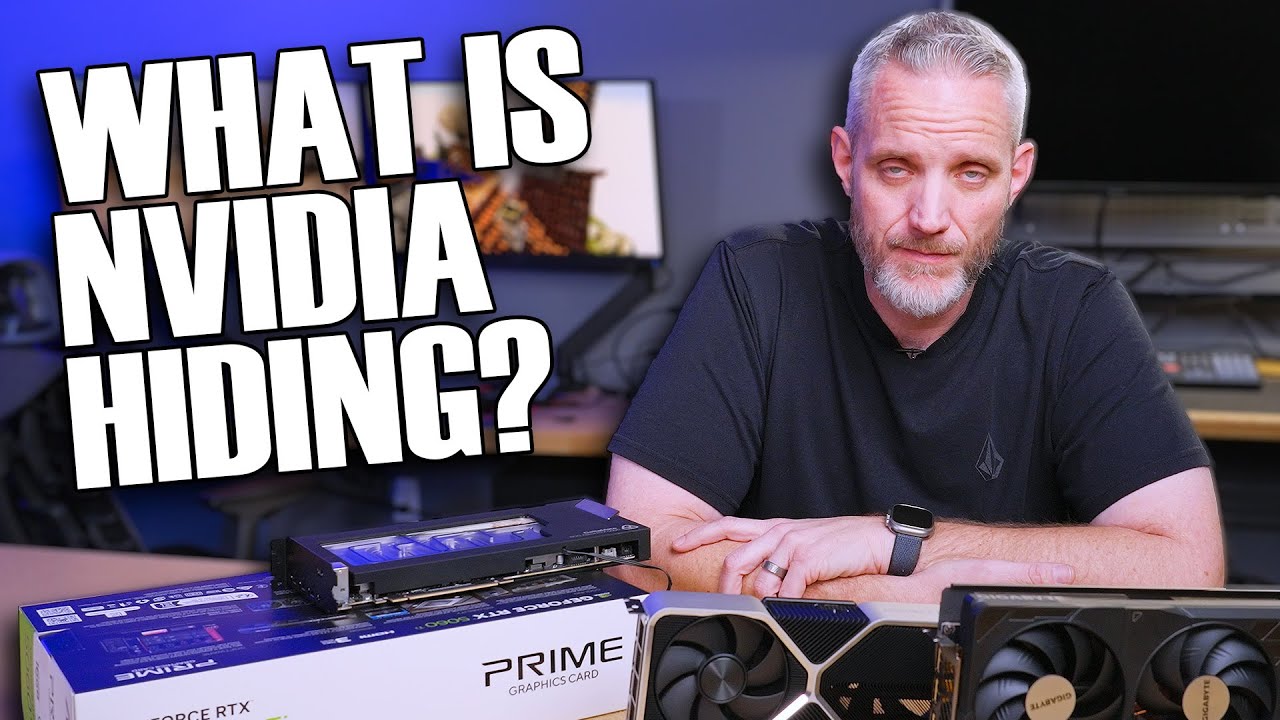
NVIDIA is not allowing any reviews of the RTX 5060 prior to its launch day nor are they allowing board partners to send cards to reviewers... Are they hiding something or just salty for being held accountable for anti-consumer practices?
Learn more about the BeQuiet! Light Base Case Lineup at https://amzn.to/3EGvtEK
○ Get your JayzTwoCents M...
mossy gull
So I had fun today.
My brother wants more RAM so I showed him a set perfect for his build as a joke, the G.Skill Trident Z5 Royal Gold 96GB for 620.-, and he said he wants to buy it and it would be the dumbest thing in his PC.
sonic meadow
grumble grumble grumble. boot ssd in my server appear to have gone and put itself in to readonly mode
hopefully it is below the 300TB TBW that smasnug uses as part of the warranty (the other is 60 months, and it was purchased november 2020. so thats fine)
sonic meadow
and crystaldiskinfo reports 18TB, which is nothing

Also yay for the windows recovery environment being basically a full PE and thus able to run random shit you put on a USB drive
mossy gull

Visit https://shortlinus.com or https://betterlttstore.com or https://iamveryshort.com or https://11iphonestall.com or https://mybossisveryshort.com or https://blondlinus.com or https://firecolton.com or https://newandimprovedlttstore.com or https://linusfacetips.com or https://blondelinus.com or https://newlttstore.com or don’t they already p...
mossy gull
sonic meadow
That SSD, only if TB variant, is my last SSD ever from Samsung 😅
sonic meadow
hmm. now that I think about it, wasnt the 970 one of samsungs flops? controller issues or something
mossy gull
sonic meadow
hmm. now that I think about it, wasnt the 970 one of samsungs flops? controller ...
That was the 980 Pro, the 1 that committed Harakiri
sonic meadow
close, but no cigar
mossy gull
sonic meadow
close, but no cigar
What do you mean with "no cigar"
sonic meadow
 mossy gull
sonic meadow
mossy gull
sonic meadow
I still don't get it
sonic meadow
It was a bit of humour about it being almost the same has what I had
mossy gull
sonic meadow
It was a bit of humour about it being almost the same has what I had
Ah okay 😅
I don't get US humour
sonic meadow
not even US humour
mossy gull
🤔
jade scaffold
sonic meadow
and crystaldiskinfo reports 18TB, which is nothing
Interesting
sonic meadow
Looks like it ran out of "spare" space
jade scaffold
But at only 18tb written to it?
sonic meadow
Yup. Bit odd imo
sonic meadow
Though I'm a bit suspicious of the overall numbers since the power on hours are less than the newer scratch disk in there... Which was a replacement for one that had been in there for ages
sonic meadow
jade scaffold
Did you buy it brand new?
Very new.
16k hours is a bit under 2 years, and I know it's had better than 40% uptime over the last five years
sonic meadow
Definitely. But once I do a backup im going to start the warranty process
jade scaffold
Sounds good atleast it's got a decent warranty
cinder lagoon
mossy gull
https://youtu.be/SChh6MnYzjU
lmao I wish more companies would be like this
mossy gull
cinder lagoon
lmao I wish more companies would be like this
Same, at least they are more fun
cinder lagoon
like I genuinely like watching the sponsor spots
mossy gull
cinder lagoon
like I genuinely like watching the sponsor spots
I like how Dbrand makes a fool out of Linus
cinder lagoon
not only dbrand
I also like the other sponsor spots (from Dennis)
They're corny yet entertainable
mossy gull
11iphonestall.com is funny
I like how Dbrand even makes a fool out of other companies like PlayStation
cinder lagoon
heh
mossy gull
Another thing to add to Nvidia's bad bad list.
Nvidia thinks GPUs aren't expensive enough
cerulean helm
Well that tracks as they have stealth updated the msrp of their consumer gpus increasing them 10-15%.
cinder lagoon
 jade scaffold
cerulean helm
Well that tracks as they have stealth updated the msrp of their consumer gpus in...
jade scaffold
cerulean helm
Well that tracks as they have stealth updated the msrp of their consumer gpus in...
Yea saying it's a result of tariffs
Also Nvidia moving their headquarters to Taiwan
sonic meadow
A result of, or using as an excuse. Or any combination of the two
mossy gull
jade scaffold
Yea saying it's a result of tariffs
That's bullshit.
If a GPU is already twice as expensive because you cant make enough of them(probably on purpose), and you put another 10% to 15% on top because you think they ain't expensive enough, then you're just fucking greedy.
jade scaffold
sonic meadow
A result of, or using as an excuse. Or any combination of the two
One or both lmao
jade scaffold
Intel B770 confirmed
Not sure when it's gonna be announced but it definitely exists
cinder lagoon
how confirmed we talkin?
cuz we already heard everything from "canned" to "never worked on" to "100% definitely coming trust me bro"
jade scaffold
Intel are replying to people asking about it saying "stay tuned"
That's about as confirmed as it gets
If they are starting to hype it now. We might see it in Computex
Also in other news the 5090 can casually do 17000mhz on VRAM clock
sacred seal
I finally got it, the legendary error
 cinder lagoon
😂
tender plank

VG247
Millions of Steam users' personal data may have been exposed as a result of a major breach, so best take precautions now.
timber barn
Is there an official statement somewhere?
tender plank
Apparently it's a fake. The person that initially shared the link is normally trustworthy so I didn't look into it.
surreal moss
timber barn
Is there an official statement somewhere?
Nothing from Valve. This is the earliest article I’ve found from bleeping. I don’t think it’s a fake. Just developing:
https://www.bleepingcomputer.com/news/security/twilio-denies-breach-following-leak-of-alleged-steam-2fa-codes/

BleepingComputer
Twilio has denied in a statement for BleepingComputer that it was breached after a threat actor claimed to be holding over 89 million Steam user records with one-time access codes.
 sonic meadow
wait
sacred seal
Fortunately it's starting going faster, waiting was not really a option. Can't afford to go without my pc for 3 years
sonic meadow
as annoying as it sounds. this isnt necessarily safe to abort
(I apparently mis-entered, so got a new line instead of submitting. should have been straight after my previous message 😦 )
sacred seal
That was an eta of 999 days
sonic meadow
yup
sacred seal
It's currently at a more reasonable 12 hours
timber barn
surreal moss
Nothing from Valve. This is the earliest article I’ve found from bleeping. I don...

The recent leak being reported did NOT breach Steam systems
jade scaffold
Today is the day I refan the 5090 so it doesn't make horrid noise
surreal moss
timber barn
https://store.steampowered.com/news/app/593110/view/533224478739530145
Yep, that came 5 hours later. So something happened but it spent appear to be critical at this time
cinder lagoon
surreal moss
Nothing from Valve. This is the earliest article I’ve found from bleeping. I don...
https://www.xda-developers.com/89-million-steam-account-details-leak/
My first occurance
https://www.xda-developers.com/valve-confirms-the-steam-breach-is-real/
15hrs ago update 05/15 00:08

XDA
We're still not sure how it even happened.

XDA
That Steam leak turned out to be real, but it wasn't Valve's fault.
cinder lagoon
cinder lagoon
https://www.xda-developers.com/89-million-steam-account-details-leak/
My first o...
From a Steam perspective, customers do not need to change their passwords or phone numbers as a result of this event. It is a good reminder to treat any account security messages that you have not explicitly requested as suspicious. We recommend regularly checking your Steam account security at any time at
[do not klick on login links sent via any form of text]
ttps://store.steampowered.com/account/authorizeddevices.We also recommend Steam users set up the Steam Mobile Authenticator if they haven’t already, as it gives us the best way to send secure messages about their account and that account’s safety.
 lusty heart
Does anyone know why this is happening and how to fix it? Many desktop apps do this and it's driving me fuckin mad
mossy gull
lusty heart
Does anyone know why this is happening and how to fix it? Many desktop apps do t...
Would you trust me if I say that's Windows?
There's a program called DWM, or Desktop Window Manager, if that piece of shit son of a bitch misbehaves, everything graphical that needs DWM misbehaves.
sacred seal
You can try win+ctlr+shift+b
But if it is a recurring issue, I would recommend reinstalling your graphics driver
timber barn
lusty heart
Does anyone know why this is happening and how to fix it? Many desktop apps do t...
External Monitor?
lusty heart
mossy gull
Would you trust me if I say that's Windows?
I would trust that yeah
lusty heart
sacred seal
But if it is a recurring issue, I would recommend reinstalling your graphics dri...
I've done both several times. Even used DDU and still no dice. I've been having this issue ever since I updated to that garbage 576.02 driver.
lusty heart
timber barn
External Monitor?
External meaning like a regular computer monitor? Then yes
mossy gull
lusty heart
I've done both several times. Even used DDU and still no dice. I've been having ...
Nvidia is the best they always say.
But lately it looks like Nvidia replaced their software devs with the ones from AMD and AMD replaced theirs with the ones from Nvidia.
Although I heard a wild rumour that Nvidia uses AI to write their drivers.
lusty heart
I would not be suprised. What a shit show.