
#Tech Lab forum - General Discussions!
1 messages · Page 35 of 1
 jade scaffold
TC 3000s are Storeage controllers
they are head units for JBODs
what i can find is it uses mellanox cards

See if who ever is giving you this server has any of these
the FL6000 is particularly valuable i believe
 pseudo heath
My printer started making this noise and I don’t know why… anyone have any idea?

 lusty heart
Is it worth upgrading to Win 11 yet? I just saw the popup when I started my PC about it ending in Oct
 sacred seal
lusty heart
Is it worth upgrading to Win 11 yet? I just saw the popup when I started my PC a...
sacred seal
lusty heart
Is it worth upgrading to Win 11 yet? I just saw the popup when I started my PC a...
Windows 11 is not bad, but I would not update until windows 10 is actually killed off. There is always a chance that microsoft changes thier mind
 surreal moss
I concur with Shadow. I’m actually considering switching to SteamOS or another Unix distribution in October rather than the upgrade to 11
 tender plank
Discord, I'm using the desktop app.
 pseudo heath
tender plank
Discord, I'm using the desktop app.
pseudo heath
tender plank
Discord, I'm using the desktop app.
😂
 vestal stirrup
jade scaffold
vestal stirrup
jade scaffold
Thank you all for your help! I expected something not high spec but had never dealt with anything like that before
 cinder lagoon
pseudo heath
My printer started making this noise and I don’t know why… anyone have any idea?
cinder lagoon
pseudo heath
My printer started making this noise and I don’t know why… anyone have any idea?
Better asked in #1058874733610946581
also please try filming it in regular h264 (mp4) video, this seems to be h265 or Apple's specific format
Ahh I see you've already done that...
and it just seems the video uploaded in this channel is corrupt for some reason
pseudo heath
cinder lagoon
Better asked in <#1058874733610946581>
also please try filming it in regular h2...
👍
pseudo heath
cinder lagoon
Ahh I see you've already done that...
and it just seems the video uploaded in th...
IDK man… I just used the video my iPhone gave me…
cinder lagoon
Yea, weird that it worked in the other channel
pseudo heath
It’s just the video capture for discord mobile lol
cinder lagoon
Seems like the IOS Version of Discord is broken then 😂
 pseudo heath
lol
 mossy gull
cinder lagoon
Seems like the IOS Version of Discord is broken then 😂
mossy gull
cinder lagoon
Seems like the IOS Version of Discord is broken then 😂
I have this also on Discord Android
cinder lagoon
Huh... They done messed up
 frozen igloo
Any laptop recommendations for video editing and software development? I already have a good desktop though im looking into getting something I can bring with on site or to the office, I don’t have a strong preference for mac or windows, I could go up to 2.5k usd but ideally it would be less
mossy gull
frozen igloo
Any laptop recommendations for video editing and software development? I already...
MSI Titan 18HX🤔
cinder lagoon
frozen igloo
Any laptop recommendations for video editing and software development? I already...
them new AMD APU ones
video editing is actually great on the Apple M series
software development is not fun on macOS tho so you need at least a virtual machine
mossy gull
cinder lagoon
them new AMD APU ones
The ones in the Asus ROG Z13 2025 and Framework Desktop?
cinder lagoon
i think Asus Zenbook S 16 or similar has one
just set up that laptop for my boss the other day
cinder lagoon
frozen igloo
Any laptop recommendations for video editing and software development? I already...
also: what kinda software?
existing software? new project / coding beginner ?
giant ERP systems?
much time away from the wall?
frozen igloo
I would be editing in Davinci resolve, im still what I would consider a beginning programmer, Im still in school for it, I would like to have decent battery as I have a good desktop for when im at home
mossy gull
cinder lagoon
i think Asus Zenbook S 16 or similar has one
I can't find the Vivobook S16 with the Ryzen Ultra
cinder lagoon
thats not what I wrote 💔
mossy gull
I only know the Zephyrus Z13 2025 has 1
cinder lagoon
complete list rn seems to be:
- Asus ROG Flow Z13 GZ302
- Framework Desktop
- GMKtek EVO-X2
- HP Z2 Mini
- HP ZBook Ultra 14 G1a
cinder lagoon
frozen igloo
I would be editing in Davinci resolve, im still what I would consider a beginnin...
do you need touch / convertible form factor?
frozen igloo
I don’t, I wouldn’t mind a touchscreen for some of the stuff I do but it’s not a requirement
frozen igloo
Up to 2.5k usd, preferably less. I work in video production so I need a pretty good computer for editing etc. Im currently in school for computer science and plan on making software for media production
I do live within range of a microcenter in case they have better deals
frozen igloo
I’m good with used, I would ideally not spend near that much but I could go up to that, I have a 7700x and 4070ti super in my desktop, I don’t need that horsepower in my laptop
cinder lagoon
thing is - laptop hardware with the same name is a third more expensive and about half as fast
at least in terms of GPU
frozen igloo
I pretty well aware of the price disparity between desktop and mobile, right now on the windows side of laptops Im looking at framework or px13, I haven’t done a lot of research yet though
mossy gull
frozen igloo
I pretty well aware of the price disparity between desktop and mobile, right now...
You know powerful and a good battery life don't combine in laptops?
cinder lagoon
except in M2- to M4
frozen igloo
Im aware, that’s part of the reason Im considering mac
My current laptop only gets me 3-4 hours but it doesn’t have the horsepower for me to edit
cinder lagoon
So these new AMD Strix Halo Laptops seem to come from anywhere between $1000 to $2700 depending on the build quality and configuration.
How long are you willing to wait before you buy the new machine?
Might be another month till they are actually available
frozen igloo
I'm not in rush at all, the strix halo are the ones with the unifed memory that you can dynamically allocate right?
mossy gull
frozen igloo
I'm not in rush at all, the strix halo are the ones with the unifed memory that ...
Yes
 timber barn
Mac or Framework Laptops I would recommend
The Framework with a Linux Distro of course
jade scaffold
frozen igloo
I'm not in rush at all, the strix halo are the ones with the unifed memory that ...
What's your battery life requirement what kinda software you developing when video editing are you editing 8k footage or not
Intel's lunar lake chips if you aren't editing something insanely intensive might be a good shout by far the best battery life of any x86 device equivalent performance at the same wattage as the Ryzen strix processors upto 32gb of ram and you get the additional intel Vedo editing features
mossy gull
I can say, Intel's encoders far surpass AMD's encoders
jade scaffold
And their gpus have some weird tech they makes them waay faster and scrubbing through video footage I believe
mossy gull
jade scaffold
And their gpus have some weird tech they makes them waay faster and scrubbing th...
GPUs that turn off once an dGPU is present in desktops😅
1 thing I find a slight disadvantage on Intel CPUs, 1 thing AMD does slightly better.
cinder lagoon
Intel does not have actual APUs tho, do they? 🤔
frozen igloo
jade scaffold
What's your battery life requirement what kinda software you developing when vid...
I don’t think I will be doing more than 4k for a while, I plan on making a graphics engine and playout server
jade scaffold
cinder lagoon
Intel does not have actual APUs tho, do they? 🤔
Yea they do
They have had chips with both CPU and iris XE graphics for like 3 years
Not to mention lunar lake
 cinder lagoon
Well - I mean are they any good?
jade scaffold
cinder lagoon
Well - I mean are they any good?
Yea
Lunar lake is by far the best apu on the market for laptops
cinder lagoon
._. How have I been left behind on that?
jade scaffold
It's the most efficient by a landslide performance is almost identical to the hx370 at 30 keep in mind let nsr lake is a full tilt SOC so when it's running at "30w" it's really running at more like 25w
The only problem it has is ram isnt upgradeable
cinder lagoon
Yeah I remember they mostly switched to soldered
jade scaffold
But the trade off for that is the Ram is on package DDR5X 8533mhz
cinder lagoon
Or at least that new standard (what's it called?)
jade scaffold
It's soldered onto the CPU substrate
jade scaffold
Yea pretty much the only thing not on the chip is actual storage
Unfortunately because if this it's a pretty pricey boi
If it wasn't it'd be the goto for handhelds
cinder lagoon
hell naw, never put my storage on the other components
call me old-fashioned but I don't need any gained speed if the storage wears out or fails or I want to swap it because I do
jade scaffold
cinder lagoon
hell naw, never put my storage on the other components
Yea but a gen5 128gb optane flash for boot would be insane
Thing would genuinely pull like 4 seconds boot times
cinder lagoon
I think currently the limiting factor is the bloat of operating systems, needing to process all that incoming data for all the background shit microsoft likes to pull
That also counts for most linux distros tho
Those boot processes are just too many steps
- Initialize motherboard hardware, wait for OK from basically every chip
- Read (pretty slow) BIOS chip
- Basic memory training
- Enumarate all devices, wait for THEIR BIOS data
- List all storage devices (find even those behind bus switches!)
- initialize EFI sub system
- Read EFI variable storage
- Read boot order
- Read partition tables
- Match partitions to boot order
- Process EFI part File System
- Find relevant boot file (offset) according to boot order
- Secure boot shenanigans, validate checksums of the entire system
- Load RAM disk into memory
and then, and only then stuff starts to get actually parallelized.
Then there's stuff like disk encryption, virtual partitions, mounting rootfs, initializing a BUTT ton of services before you finally get into a login screen
Have ya ever seen a systemd service dependency graph?
I know Ubuntu is not really optimized for (startup) speed but JESUS there's alot of dependencies
mossy gull

Reddit
Explore this post and more from the PcBuild community
 runic thorn
They could make thermal pads shaped like paw prints or something. I'm sure something like that can still work.
cinder lagoon
many AiOs come with a honeycomb paste pattern pre-applied
runic thorn
Close enough to the animal kingdom. 😄
cinder lagoon
Just got hold of my new ugreen usb-c power supply... crazy how small it is and how great it works
Like it does the full capability if a single port is used or splits it along the three ports if needed...
and it's the same size as my xiaomi usb-c brick which only does 45W (30 + 15, no matter how many devices) and it was constantly hot with my laptop
 grizzled oracle
in case anyone finds this interesting i was able to solve tripping OC protection by getting rid of this cursed $30 chinesium rgb extension cable
 cinder lagoon
Wait so thats like a Lian-li strimer knock-off?
grizzled oracle
SC must have just somehow been the only game unhinged enough to trigger spikes like that, i was able to replicate the blackscreen multiple times last night and have had zero trouble 3 hours into testing now
grizzled oracle
cinder lagoon
Wait so thats like a Lian-li strimer knock-off?
yeah exactly for half the price, to its credit it looked cool but could just not handle whatever the hell entering atmo in star citizen does
cinder lagoon
Or do you now just have multiple fans not lighting up?
grizzled oracle
rgb fans still going fine the whole time
cinder lagoon
Rgb splitters (both for adressable LEDs and full-color strips) are non-active components, so no extra draw usually
grizzled oracle
i am more thinking something had to have been going awry when it came to power delivery to the gpu, not the rgb in the cable but the extension cable itself
cinder lagoon
Hmmm maybe, yeah
If the cable itself or the connectors from it are low quality, it will use more power than the GPU actually uses and dissipate it as heat
If you'd want you could try again and feeling if the cable or connector gets hot
grizzled oracle
it was alarmingly warm when i hard shut down to swap to base cables and it had only been idling for hours
no evidence of burn or melt on the gpu or cable on either end though
cinder lagoon
Dang might have gotten lucky ._.
Warm during idle (GPUs might pull like 10-20W) and not melted under full load sounds implausable but possible enough
 west mirage
So ive been getting a million blue screen
Memory management pfn page fault
Watch dog error
All these errors point towards faulty reasoning or somewhat incompatible ram
These errors only occur when starting the computer from its off state
I’ve been having these errors since i built the thing but usually a few restarts every bluescreen and then its fine no issue so i never cared to really fix it
But they’re getting worse
Ive also replaced everything in it besides the ram
And the SSD
Ive run every diagnostic imaginable and literally found nothing wrong but ive got a suspicion its the ram
mossy gull
@west mirage have you tried to run with 1 RAM stick?
mossy gull

Wccftech
AMD has showcased its Ryzen AI MAX+ 395 "Strix Halo" APU offering over 3x the boost over RTX 5080 in DeepSeek R1 AI benchmarks.
jade scaffold
mossy gull
https://wccftech.com/amd-ryzen-ai-max-395-strix-halo-apu-over-3x-faster-rtx-5080...
yea thats kinda a missleading article
its not faster
the 5080 just isnt actually able to run it
wellk not missleading more like pointless and totally unimpressive
as if it couldnt run a model that requires over 100gb of VRAM better than a card with 16gb of VRAM that would be a problem
cinder lagoon
west mirage
Ive run every diagnostic imaginable and literally found nothing wrong but ive go...
Did you change your system config recently?
If not please run windows "memory diagnostic" tool for an extended period of time.
if this also fails it's a hardware problem, if not it might be a problem with your windows install.
 west mirage
mossy gull
<@147891701376090112> have you tried to run with 1 RAM stick?
west mirage
mossy gull
<@147891701376090112> have you tried to run with 1 RAM stick?
Yes
Ive also reinstalled windows over 8 times
Never fixed a thing
mossy gull
west mirage
Never fixed a thing
Have you tried to use another motherboard?
surreal moss
And DGX Sparks reserved. Just need them to be released
west mirage
Yes
As ive said Ive replaced everything piece of hardware
Besides the RAM and SSD
motherboard, gpu, cpu, since the rig was built has all been replaced or upgraded
Im running windows memory diagnostic right now
I dont have much hope it’ll find anything as it hasn’t in the past
west mirage
cinder lagoon
Did you change your system config recently?
If not please run windows "memory di...
If this fails, and the only 2 things that haven’t been replaced are the ssd and the ram, what do you think it is?
The SSD or the ram

Oh i might have my answer. Idk why nothing showed the first million times around but its saying hardware problems were detected
west mirage
 tender plank
Finally getting all the stuff for my T420. Got a couple E5-2470 V2s and 192GB of memory showed up today. Making a nice Proxmox host to get the VMs off of my desktop.

 cerulean helm
Okay, well happy me. I found and was able to purchase an open box Asus Tuf 4080 Super from Newegg for a reasonable price given the circumstances. And I'll have it on Friday.
west mirage

Also funny new issue
Ive ordered new ram
but for some reason my sound is legit not working
no devices are being recognized by window
no sound whatsoever
ok i managed to turn it back on no sound still
cerulean helm
jade scaffold
how much?
$1199 plus tax. So $100 more than its original msrp, but its an open box final sale. So over paid but not an unreasonable amount imo. Biggest caveat is the final sale listing, aka no returns.
cerulean helm
jade scaffold
im still waiting for 5090s to start exsisting
honest to god might be somehow easier to get the RTX PRO GPUs than a fucking 5090
cerulean helm
Yeah, i'm not holding my breath for high end 50 series cards. Plus, I'd rather not risk the whole burning/melting issues or missing ROPs. And given I'm in the U.S a whole host of "other issues" causing chaos I'm not hedging my bets on prices for gpus to drop at all.
jade scaffold
the melting issue is still a thing on 40 serise too
12v hpwr is just ass
if i do get a 5090 that connector is getting desoldered and replaced with something a bit less flamable
cerulean helm
More of an issue on the 4090s if I recall correctly.
jade scaffold
i do have a 5080 atm which i got as a place holder temporailly
jade scaffold
cerulean helm
More of an issue on the 4090s if I recall correctly.
yea the power draw on the 4080 and 5080 is too low to melt the cable except under a very extreme faliure
cerulean helm
Thats my hope/stance anyways. But I need to buy a 12v hpwr ( that is just annoying to type out) as I have no idea if the open box gpu will have its original one.
jade scaffold
it should do
if your PSU has one that should also still have it
im using the one that comes out of my PSU ATM for the 5080
also have you seen the new quadros
the RTX Pro 6000 has the kind of core Specs the 5090 should have had
24,000+ cores
10% more cores than the 5090 it has a 600w default TDP too the only thing that would make it perfect is having a second power connector so it can get over 700w without bursting instantly into flames
cerulean helm
Again, open box. It may or may not have all its accessories including the adaptor cable.
And my PSU is from 2017 so didn't exist then.
I really did good with this PSU. Overspeced in 2017 to an 850w. EVGA branded Sunflower 80+ plantuim.
jade scaffold
ive been having issues with an 850w PSU and a 3080ti on my brothers PC
had to undervolt the GPU to prevent it from tripping OCP
need a new SFX PSU thats really good quality
and also not gonna cost like a million quid
jade scaffold
cerulean helm
I really did good with this PSU. Overspeced in 2017 to an 850w. EVGA branded Sun...
i got my recent PSU with future proofing in mind
cerulean helm
Hmm, try Seasonic for sfx, their focus line is pretty small if I remember correctly.
jade scaffold
Bequiet Dark Power 13
1.3KW it can in theory actually do 2.6KW according to bequiet
jade scaffold
cerulean helm
Hmm, try Seasonic for sfx, their focus line is pretty small if I remember correc...
they dont really do SFX PSUs
not 850w+ ones anyway
jade scaffold

5080 stock
5080 OC

About an 11.3% difference in score and in average frame rate this is at the stock fan curve can likely get even more clock speed by just CRANKING the GPU fans and all the case fans which ill do tomorrow once everyone is actually awake
cerulean helm
Interesting, Newegg has 3 different 4080 Supers that are open box for $1200ish. And more than 1 of each as the one I ordered is still available. They also have the 5080 version of the card I ordered for almost $1600... No thanks.
cinder lagoon
west mirage
Hmm thought so 🤔
if you have not yet, could also try "re-seating" the ram i.E. taking it out and putting back in after inspecting contacts for gunk.
cinder lagoon
west mirage
no sound whatsoever
Screenshot of device manager?
If not fixed yet, try reinstalling audio drivers from motherboard support website
jade scaffold
cerulean helm
Interesting, Newegg has 3 different 4080 Supers that are open box for $1200ish. ...
I was lucky to grab mine at launch
And lucky to get the super cool FE cards
west mirage
Yes I still have no audio
Idk wtf happened ive tried reinstalling drivers to no avail
west mirage
cinder lagoon
Hmm thought so 🤔
if you have not yet, could also try "re-seating" the ram i.E....
The issue is faulty ram
Been occuring for 3 years now
I've ordered brand new ram so that issue will be resolved soon
cinder lagoon
Regarding the no-audio - what does device manager show?
cerulean helm
And got the water block ordered for the new gpu.
tender plank
Man, why are heatsinks so sharp? I was replacing the mounting hardware and it slipped and a sliced open the tip of my finger.
mossy gull
tender plank
Man, why are heatsinks so sharp? I was replacing the mounting hardware and it sl...
Get rekt of I mean yeah that always sucks about heatsinks
cinder lagoon
tender plank
Man, why are heatsinks so sharp? I was replacing the mounting hardware and it sl...
Cuz it's just stamped metal haha rip
some higher end manufacturers run the plates through a deburring before they ship
some even coat it in a (black) lacquer which also helps.
The bare ones are difficult tho
mossy gull
Fun fact: AMD had roughly 200K 9070 series GPUs, and they were all sold out in the 1st week of launch.
jade scaffold
tender plank
Man, why are heatsinks so sharp? I was replacing the mounting hardware and it sl...
Because if you don't spill blood over your computer it won't work
 sonic meadow
and with most motherboards not having the IO shields of old, that sacrifice spot is gone
jade scaffold
Yea but a sharp CPU GPU or ram heatsink are all just as good
grizzled oracle
Does anyone know of free software that allows you to collate images & PDFs into a singular PDF
I am trying to overhaul and digitize an ancient logistics industry invoicing flow that has run on hard copy for probably 60 years and naturally an adobe subscription is not in the cards
sacred seal
I just Google free pdf merger online.
Though that may not be an option if you are dealing with sensitive info
You can use inkscape but it's not really designed for that.
cinder lagoon
Pdf24 is a great free PDF suite
surreal moss
grizzled oracle
I am trying to overhaul and digitize an ancient logistics industry invoicing flo...
If this is a business remind them that sometimes they need to spend money to make money. Most of the free ones are good but if they're wanting to look professional they should be willing to spend for it. Even if it's for a short time
mossy gull
@jade scaffold
https://youtu.be/WzwrLLg1RR4?si=cEW9GQi_f_a_nqFL

Visit https://www.squarespace.com/LTT and use offer code LTT for 10% off
Get the most out of your graphics card and monitor with Silklands VESA certified DisplayPort 2.1 cables using our links!
Silkland DP80 Cables: https://lmg.gg/L6kCw
Silkland Store: https://lmg.gg/dW8Zx
It’s no wonder GeForce RTX 50-series Founder’s Edition power connector...
jade scaffold
mossy gull
<@365943390984208394>
https://youtu.be/WzwrLLg1RR4?si=cEW9GQi_f_a_nqFL
yea saw this cursed thing lmao
cerulean helm
And then this was posted.

Original LTT video with pinned correction: https://youtu.be/WzwrLLg1RR4?si=QqOz0twZM8ApxRwc
Patreon: https://www.patreon.com/buildzoid
Twitch(mainly gaming streams): https://www.twitch.tv/buildzoid
AHOC Shirts: https://actually-hardcore-overclocking.creator-spring.com/
Bandcamp: https://machineforscreams.bandcamp.com/music
My FPS game: https://...
The original title of Buildzoid's video was "ranting about LTT misinformation".
jade scaffold

Look at this Abominable thing
4 gpus on 1 chip
1 TB of HBM4e Memory
probably some 64,000-100,000 CUDA cores what the hell
mossy gull
jade scaffold
probably some 64,000-100,000 CUDA cores what the hell
And we never can buy it
jade scaffold
you could never use it either its not a GPU
the tech is still cool as hell though
600kw rack lmao


After launching Bigscreen Beyond 1 in 2023, we're excited to announce Bigscreen Beyond 2 today, our breakthrough 2nd-gen VR headset packed with surprising improvements and innovation.
0:00 - Intro
0:34 - Beyond 2 Reveal
0:58 - CHAPTER 1 - Breakthrough Optics
2:17 - CHAPTER 2 - Comfort & Fit
2:30 - Custom-Fit Cushion
3:05 - Adjustable IPD
4:00 -...
mossy gull
@jade scaffold so if I am correct from Linus's video, 12-pin is basically just cheaper than 2 very thick wires.....
Even though both would work the same.
jade scaffold
yes 2 very thick wires would also be harder to fit
but the wiers arent the issue anyway
its the actual connector thats the problem
cinder lagoon
Seems to be - afaik it's also easier to mate multiple small round (/rectangular) pins than properly mating bigger plates with good contact
jade scaffold
the pins are in theory fine
the issue is they are so fragile and so small even the slightest miss alignment can cause bad contact
cinder lagoon
So even if the plug would have the 16 wires soldered to small bus bars, it would still be an issue
jade scaffold
if it were 16 wires soldered to 2 bus bars as long as the surface area of the 12V bar is big enough to get sufficient contact with the connector that would have been fine
cinder lagoon
jade scaffold
https://www.youtube.com/watch?v=QBQzViR4xU4
Hell yeah, here's to hoping the bsb1 will come down in price 🙏🏽
cinder lagoon
jade scaffold
if it were 16 wires soldered to 2 bus bars as long as the surface area of the 12...
What I'm saying is it's more difficult to mate two bus bars without the force of a screw or similar, perhaps even more fragile of a connection
cinder lagoon
jade scaffold
yea its still not perfect though
First one was 90, was it?
IMO enough, absolutely makes up for it in the weight it saves 💯
jade scaffold
like 120hz should 100% be possible at that resolution but for what ever reason they can only cram 75hz
jade scaffold
cinder lagoon
First one was 90, was it?
IMO enough, absolutely makes up for it in the weight i...
75hz
the new one is also 75hz
at full resolution
and it needs a wire
because of needing a wire it might end up feeling less mobile than a quest 3
cinder lagoon
jade scaffold
75hz
Ahhh hmm, 90 would've been fine... 75... eeehhh more for consuming content then, ay?
jade scaffold
the quest 3 still has superior lenses and fov to the BSB 1
all be it at a lower resolution but in tern it can do 120hz
cinder lagoon
jade scaffold
and it needs a wire
because of needing a wire it might end up feeling less mob...
There were kits to make the first one wireless, ay?
jade scaffold
120hz at the same resolution the BSB 1 and 2 can only do at 90
and i now for a fact 120hz at their full resolution is possible because my monitor is EXACTLY HALF their resolution and can do 240hz and its not even on the newest DP spec
cinder lagoon
Ohh wait so it was a bandwidth problem, not a panel issue?
jade scaffold
i would assume so
cinder lagoon
Then I'd say the display controller is not good enough and they might've not found a suitable replacement that doesn't take way more power (which in turn requires better power deliver, which is heavier lol)
jade scaffold
no other reason why a 2560x2560 pannel couldnt do 90 hz at full res
yea but its USB C powered
which can do like 240w
or even out of a normal PC port can do like 24w
which is far more than enough to drive 2 displays
cinder lagoon
jade scaffold
which can do like 240w
Here's the thing: USB PD (the power protocol behind USB-C spec) does have the intention of being capable of 240W, yet nobody has done it yet.
There are no common (say Texas instruments etc) USB-PD controller that are capable of requesting that much power yet
jade scaffold
cinder lagoon
Here's the thing: USB PD (the power protocol behind USB-C spec) does have the in...
loads of people have done it yet
theres like 3 one plus phones that do it
and its irrelivant anyway
a VR headset like BSB does not consume that much power
cinder lagoon
jade scaffold
yea but its USB C powered
There's still power delivery components on the board (even though it doesn't need to convert AC to DC or whatever
jade scaffold
id be surprised if its pulling more than 5w
cinder lagoon
jade scaffold
loads of people have done it yet
Just recently there have been a hand ful of devices that pull 240W via USB-C but they don't do it according to the official spec
cinder lagoon
jade scaffold
id be surprised if its pulling more than 5w
They opted for lightness still
jade scaffold
and?
making it able to run at 90hz full resolution cannot possibly add much weight to it
the headsets main draw is that huge resolution
to achive 90 hz it needs to drop its Resolution down to quest 3 levels and the quest 3 has equivilent lensing technology can be used wireless can do 120hz has built in hand tracking doesnt require base stations can play games stand alone and comes with controlers while being ** H A L F** the price
cinder lagoon
I can't imagine they did that without any reason 😂
jade scaffold
i cant imagine it being a good one
its not power the ONLY reason i can think is they didnt want to bother implimenting the new DP standards
or they didnt want to use any compression
but a compressed 5120x2560 image will ALLWAYS look better than an uncompressed 4000x2000 image
cinder lagoon
Could be... even though DP doesn't even have any license fees like HDMI that might need to be renewed for a new spec 🤔
jade scaffold
which just sucks
the foviated rendering isnt even ready yet either
so you cant even use foviated rendering atm to work arround bandwidth limits
cinder lagoon
Doubt that foviated image transmission is supported by any Display spec (which seems to be the limiting factor here?)
jade scaffold
it is
the issue is Valve are a set of useless basttards who cant be arsed to do anything worth while in an industry more than once per decade
what is currently being waited on is for Valve to impliment native Foviated rendering into Steam VR which for what ever reason they didnt do 3 years ago
cinder lagoon
jade scaffold
the issue is Valve are a set of useless basttards who cant be arsed to do anythi...
They too busy makin bank
jade scaffold
too busy doing nothing
cinder lagoon
For real, I think they can afford to hire more engineers haha
jade scaffold
valves entire industry strategy is "Do nothing while everyone else shoots themselfs in the foot"
cinder lagoon
And it keeps working
jade scaffold
also because valve is TOTALLY unmanaged nothing ever gets done
like thats not a joke
theres next to no management hierarchy in valve
cinder lagoon
They do make good things, when they finally release them thp
jade scaffold
and for what ever reason valve refuse to make more than 1 product in an industry
like they made the index and HLA then did nothing as the index became nearly totally obsolete and wholly uncompetitive
they made the steam deck and i bet they wont make another untill its become totally irrelivant
this is valves problem
they jumpscare the industry then dont activly compete in the industry
cinder lagoon
They have like 140 workers so I can't blame them for not making enough stuff
I CAN blame them for not hiring enough tho
jade scaffold
valve is solely responsible for the frankly SORRY state of VR atm
valve hit the VR industry with the best headset at the time and an amazing AAA VR Experience then fucking dipped from the industry entirely
if i were valve my next move would have been to try and reduce the cost of entry to VR and make a VR game thats forever repayable multiplayer and actually good fun
cinder lagoon
And they kept the index price UP while it's not even half way competetice anymore
sacred seal
Best in the technical sense, but the build quality was atrocious. I can see why they dipped, the amount of RMAs they were getting probably nuked thier profit magins
jade scaffold
Payday 2 is the Best VR Game ever made and its not even a fucking dedicated VR game
jade scaffold
sacred seal
Best in the technical sense, but the build quality was atrocious. I can see why ...
oh yea the Index is built like shit
its so fragile
particularly the controlers and stupid ass proprietary cable
shoulda just used USBC
sacred seal
I think my brother managed to get 3 sets of controllers, both base stations, two cables and the headset itself replaced within the warrenty period
cinder lagoon
sacred seal
Best in the technical sense, but the build quality was atrocious. I can see why ...
Really? I found the build quality fantastic 🤔
Their RMA policy was really good tho so I can see that
jade scaffold
cinder lagoon
Really? I found the build quality fantastic 🤔
Their RMA policy was really good...
i dont think you've had many vr headsets have you
the headset part iself is fine enough
cinder lagoon
Tbh I don't think the controllers were partitulalry made for smashing into things but otherwise it was great
jade scaffold
oh no the controlers just suck
they'll break if you literally dont even touch them
sacred seal
Sticks, finger tracking and spacial tracking all died
jade scaffold
they are so profoundly fragile
cinder lagoon
jade scaffold
i dont think you've had many vr headsets have you
Friend had the HTC vive (2?) (remember when they were still relevant in any sense?)
sacred seal
My borther has a big space for VR, he does not abuse his controllers
jade scaffold
they have charging issues
they are made out of really crap plastic they are totally unrepairable
sacred seal
I honestly wonder if valve made any money on vr with just how many devices they had to replace
jade scaffold
you CANNOT fix an index controler
sacred seal
Like it is that bad
jade scaffold
it was just not intelligently designed
it wasnt made for the kind of wear and tear VR Demands
it cant survive being shaken the tracking rings have no structural support in them so if you do bump them on something they just break
cinder lagoon
jade scaffold
you CANNOT fix an index controler
I was able to open mine up just fnine 🤔
jade scaffold
no you werent
the index controler has one of the lowest repairability scores on Ifixits website
sacred seal
You can access some parts, but the vast majority are inaccessable. I remember looking into whether or not you could replace the thumbsticks and while technically possible, it looked like a nightmare
jade scaffold
you can get the board out of them fine enough
but the battery is a nightmare you CANT replace the sensors or charging circuitry
cinder lagoon
Ohhh that's what you mneant...
I was thinking about it more in a sense of is it open-able and not glued shut, which it's not really...
jade scaffold
they use a cement material to hold the cover over the tracking ring on so thats impossible to remove without damage
oh no parts of it are glued shut
sacred seal
Two of the controllers had to be rmaed because the sticks wore out so much that they were literally flopping around
cinder lagoon
Didn't think about the tech being compartmentalized so you could repair single broken components easily by swapping PCB / sensor
jade scaffold
the battery ISNT REPLACEABLE
you have to remove the tracking ring to get to the battery
which may i remind you is CEMENTED DOWN
cinder lagoon
jade scaffold
they use a cement material to hold the cover over the tracking ring on so thats ...
The knuckle ring is glued? :o
jade scaffold
yea
yea it is
the index is a pile of SHIT
the headset part of it is fine
that bit doesnt really break
sacred seal
I think the batteries are the only thing my brother has not had die on the controllers
cinder lagoon
Huh... glad I didn't have to deal with that then
jade scaffold
they dont last long enough for the batteries to fucking die on them
sacred seal
Even the headset dies after a certain number of hours. Screen starts showing "stars"
sacred seal
Thats the cable, but it can also be the headset
jade scaffold
it also sometimes defaults to a weird transfer protocall which causes it
and switching it back tends to fix it
surreal moss

jade scaffold
basically the index while in theory very cool
is a uh
very very very poorly built VR headset
surreal moss
I genuinely haven’t had any problems with mine
jade scaffold
can literally get a quest 3 + Pro controlers for less than an index these days and you get equivilent tracking better screens better lenses still get finger tracking
surreal moss
Out the previous one I owned
surreal moss
I’m sitting around 300 hours
jade scaffold
people who put like a 1000 hours into VR with the index have had to replace the controlers like 3 times
its also just a bad value these days
surreal moss
Okay
jade scaffold
i still see people recommend the index, and i dont get why
it has bad screens bad lenses and is very likely to break if you use it lots and costs 2x a quest 3
sacred seal
Well I would say that it is technically better then a quest 3
jade scaffold
i dont think it is in any way
sacred seal
My brother has a quest 3 and he still daily drives the index
cinder lagoon
jade scaffold
i still see people recommend the index, and i dont get why
it has bad screens ...
Absolutely not, just because of the humongous price
jade scaffold
its tracking is only equivilent its VASTLY lower resolution its lenses are TRASH
its only got a 24hz refresh rate advantage
over the quest 3
surreal moss
I love the controllers
jade scaffold
the controlers are nice
sacred seal
Tracking and the controllers (when they don't die) are significantly better according to him.
surreal moss
And don’t have a problem with the resolution in most cases
jade scaffold
but again are unrepairable and unreliable
jade scaffold
sacred seal
Tracking and the controllers (when they don't die) are significantly better acco...
compared to the basic quest 3 controlers the tracking is better
but the inside out tracking of the pro controlers is considered equivilent
and the pro controlers from the quest pro are just vastly more durrable
jade scaffold
surreal moss
And don’t have a problem with the resolution in most cases
maybe not if it was a $200 headset
sacred seal
Can you even buy the pro controllers anymore?
sacred seal
 jade scaffold
listed as availabe to me on the meta store
sacred seal
Mabey becuase I am in Japan
jade scaffold
maybe yea
im in the UK
like i said if i were valve i would have made a "budget" headset something more affordable maybe with more basic controlers than the Index so they arent as likely to die in all sorts of weird and horrible ways
west mirage
njeed some help asap
I installed the new ram but only 2 of the 4 dimm slots are being used
mossy gull
west mirage
I installed the new ram but only 2 of the 4 dimm slots are being used
Have you tried to reset the BIOS?
sonic meadow
A bad overclock maybe 🤔 (ie xmp getting a bit confused)
west mirage
No my old ram was faulty
cerulean helm
Holy crap, installing a new GPU is a chore when your old one is water blocked and the new one isn't... That was not fun. Also discovered one of my m.2 pcie cards hits the Asus 4080 super shroud. So, had to move that m.2 into the pcie gen 5 m.2 slot. Which then puts my 4080 super in x8... Temp solution until the new water block arrives.
The fuck? My 2nd monitor is now green tinted?
cerulean helm
Okay, weird monitor colors figured out. Had to recalibrate.
Also, holy crap I forgot how damn loud air cooled cards are. I cannot wait for the new waterblock.
cerulean helm
Well, a quick a dirty overclock and I'm impressed. +150 on the core and +1000 on the memory.
Also, I was right that I was Vram bottlenecked with my 3080. Tested with my heavily modded Skyrim and I hit over 12gb of Vram in Riften.
mossy gull
jade scaffold
My bequiet PSU just exploded
That's weird, is the rest of the system okay?
mossy gull
cerulean helm
Also, I was right that I was Vram bottlenecked with my 3080. Tested with my heav...
And people will always say "That's not possible", but yeah, VRAM is becoming more and more important.
Especially in modded games
sacred seal
cerulean helm
Also, I was right that I was Vram bottlenecked with my 3080. Tested with my heav...
Just because a game is reporting that it uses more vram does not mean it actually is. Vram usage scales with vram availability, if you have more vram it will ask for more vram. The only way to test vram bottlencking is to use a program that loads a set amount of data into the GPU and slowly increase that amount until you see a change in your disk access (indicating that the game is having to swap things from the drive more often).
If you watch those videos with modded cards that have double vram, its quite common that the games will use more vram across tests, even if they were not maxing it on the lower vram card.
Even just when I upgraded from my gtx1080 to my 6900xt which doubled my vram I noticed a marked increase in vram ussage just for windows desktop (though granted this may not be a super relyable measure as I have issues with microsoft products having memory leaks).
Right now steam is using 1gb of vram just loading my library. Steam does not need 1gb of vram just to run, if you open steam on a 4gb card its not going to use up 25% of your vram. But because I have the vram to spare it has requested a larger allocation then is needed.
jade scaffold
mossy gull
That's weird, is the rest of the system okay?
Seems to be my brother's got a free 5080 untill I get a new PSU or untill the rma for this one is done
cinder lagoon
jade scaffold
My bequiet PSU just exploded
GGs, RIP anything else affected?
sonic meadow
grrrr, I dont think my laptop fan works when the laptop is on its side 😦
cinder lagoon
...huh?
Like it stop spinning if you turn the laptop sideways?
And how sideways we talkin? Like viewing in bed while laying on your side?
sonic meadow
well I think thats whats been happening. a few times now I have set it on its side while a game is running so I can actually use my PC and then a while later noticed it sitting at 100c
its still reporting rpm, so I dont really know whats going on
cinder lagoon
Well, do you hear the fan?
It's quite possible that the vapor chamber does not work while sideways
sonic meadow
I had headphones on 😆
I didnt notice any warm air coming out the vent either
cinder lagoon
If you're ocncerned about something choking up the air intake prop it up with a book in the back or something similar
sonic meadow
vapor chambers shouldnt care about orientation 🤔
cinder lagoon
Absolutely they will!
Some do not
Most will
The crystalline structure might do enough wicking to get the liquid back to the hot side but depending on how it's designed exactly that might not work while sideways and stuff will more or less pool on a cold side
sonic meadow
cinder lagoon
The crystalline structure might do enough wicking to get the liquid back to the ...
that could be it 🤔
Vapor chambers are best used in horizontal orientations. The effects of gravity may vary depending on application and orientation, but one must consider lower performance if used above 15° out of horizontal.
(from https://wakefieldthermal.com/thermal-solutions/two-phase-cooling/vapor-chambers/)
cinder lagoon
If it's still reporting adequate RPM it does have RPM btw.
The sensing is directly dependant on the rotor spinning and is quite impossible to have errors in that process (if the reading is not fluctuating all over the place)
sonic meadow
heh, I had one that read a few hundred rpm at idle. silly bugger
ie I could see it wasnt spinning
cinder lagoon
Thats a problem in the algorithm calculating the value from between the rotation pulses then xD
unfaithful implementation then, bad design. Engineer probably clamped the value to the expected minimum rpm (which is not the point of an RPM reading lol)
sonic meadow
nah, I think I fucked something by probing odd places
cinder lagoon
Like the fan just pulls the RPM sense pin to ground every rotation, the rest should just be an algorithm that measures the time between pulses
sonic meadow
that one did work properly at some point
I really need to reattach a fan to that board at some point...
cinder lagoon
sonic meadow
heh, I had one that read a few hundred rpm at idle. silly bugger
ie I could see ...
In that case the sense pin of the fan controller chip was probably floating (not connected to anything whihc should lead to wildly fluctuating readouts
cinder lagoon
Yes I get that but there was a hardware defect somewhere then that practically disconnected the pin from the fan
sonic meadow
this was a constant offset throughout the rpm range
or at least im pretty sure it was. this was aaaaages ago now. and I didnt want to use that fan anyway, bearing was buggered
cinder lagoon
Trust me, that was a defect then - I implemented fan logic like this in a professional setting before and have also implemented a hardware defect like this so I know the symptoms xD
Like I looked at best practices etc
cinder lagoon
sonic meadow
vapor chambers *shouldnt* care about orientation 🤔
Lemme know if un-turning it sideways fixes the problem tho!
sonic meadow
at idle it doesnt seem to care. ~4w 45c 0rpm 😆
cinder lagoon
Thing with vapor chambers / heat pipes is:
once they are overwhelmed, their failure is exponential - i.E. At the same load the temperature starts rising faster and faster and the maximum usable load of that pipe jumps from like 40W to 5W. Load then needs to get reduced to the point where the liquid can reliably form again, then the max load is 40W again
cinder lagoon
Reminder since this does not seem to have gained enough traction yet:
🇪🇺 The "Stop Killing Games" official EU petition is online right now!
You can sign here by filling out a formular or submitting your signature via your (gov-issued) EU eID!
Bringing this petition to 1 Million signatures forces parliament to answer to it in some way (likely actually accepting it and ready-ing a law, (which in turn also affects games from/inside the US) which is really important to stop game-publishers to delete (i.E. make unplayable) entire eras of game-history!
This is important because:
- There are more and more live service games that WILL become unplayable (or be missing a huge part of their original experience) once the publisher / studio decides to pull the plug on the game's servers
(See "The Crew" - a game which is a single player game but requires you to be online to play the game) - Publishers themselves are taking literally NO action to preserve any of those experiences themselves
(See old Destiny 1/2 Story being literally lost media because they have no preservation of it) - Publishers keep beating down community-made mods / information about keeping either custom servers or the games themselves alive and fun to play
- Digital games have become a huge part of our culture and therefore deserve to be archived and remain playable for future generations Center for History of electronic games, Video Game History FOundation
surreal moss
I thought that died off
mossy gull
@jade scaffold I officially had the weirdest PC upgrade ever and it made me Windows even more.
So I upgraded an PC with a 2080 Ti to and an 4090.
Hardware upgrade went fine but here comes the fun part.
We tried to test drive the system and the PC pops into Windows Recovery from Windows 10.
So I decided to try to restart and it got into Windows Recovery again.
I then tried to go into Safe Mode twice, both times it failed to I told the owner to back-up his data which he did and we also found out all partitions were moved around and Windows 10 seemed to be missing.
I tried to install Windows 11, which refused to install on his old Windows drive so I thought lets put in an old 970 Evo Plus I had laying around to install Windows 11 on.
It went to full 100% and it failed, and so I tried to do it again, and it failed again.
And instead this time I let it reboot, and low and behold, it rebooted into Windows 10, I upgraded W10 Home to W10 Pro just to somewhat "repair" it, and funny it made the system faster, I installed the 4090 drivers and the system is fine.
We're sitting here like WTF just happened.
jade scaffold
cinder lagoon
GGs, RIP anything else affected?
The 5080 is fine so anything 12v is probably fine
cinder lagoon
surreal moss
I thought that died off
Just hasn't made the news recently because of checks news eehhh the state of everything
cinder lagoon
mossy gull
<@365943390984208394> I officially had the weirdest PC upgrade ever and it made ...
it made me windows
thanks, I'll be using that from now on xD
surreal moss
cinder lagoon
Just hasn't made the news recently because of *checks news* eehhh the state of e...
It didn’t look like they’ve changed anything from the criticisms last year. 😦
cerulean helm
sacred seal
Just because a game is reporting that it uses more vram does not mean it actuall...
This Aida64 reporting the Vram usage in game. Desktop ussage right now is 828mb of Vram.
My 3080 in Skyrim, same save file in Riften was hitting 9.8GB. So again, I was bottlenecked due to how heavily modded the game is.
Also have way less texture pop in in Starfield. Use to every single time I exit a menu the background would all be low res, and then change to high res. Now it doesn't do that.
cinder lagoon
surreal moss
It didn’t look like they’ve changed anything from the criticisms last year. 😦
Tbh I just wanna see an honest attempt at preserving games -
obviously some of their ideas are very hard / stupid / impossible to press into legislature but the process has to start somewhere and this is the best shot rn imo - getting attention to it
cinder lagoon
Nice to hear their safety mechanisms seem to be working
cerulean helm
So yeah I am very happy with the 4080 super. What boggles my mind is how cool it runs on air. The memory isn't going over 50c and thats with a 1000mhz overclock on it. Hotspot temp is really low to, haven't seen it go over 61c in Starfield in New Atlantis on ultra settings with DLSS turned off.
The same settings on my 3080 that was on water would have the hotspot and memory temp in to mid 70c range and the core at 62c.
Also got the core clock to almost hit 3000mhz, sits at 2995 with a +150 oc.
sacred seal
So whatever is derping out my windows install seems to be tied to my mechanical hard drive. If I try to do too much from the drive within a timespan it will get stuck at 100% utilization and just refuse to do anything. Smart shows the drive is fine and chkdsk doesn't seem to help, but I was wondering if there is a way in windows to "eject" the hard drive the same way you would do a usb stick to reset it without having to restart the PC
For clarity the drive does not actually seem to be in use, while task manager shows 100% utilization its trasfer rate is zero
surreal moss
Page file?
sacred seal
Pretty sure that is on my SSD, but its worth a check
Yep, it was on my ssd. Disabled it anyways just in case, I got 64gb of ram I dont expect to hit it
sonic meadow
sacred seal
So whatever is derping out my windows install seems to be tied to my mechanical ...
If SATA hotswap is enabled in bios you will get the ability to eject internal drives the same as you would an external one. Unsure if you can reconnect them without physically unplugging it though.
Additionally... there are ways to turn off drives from within windows (command line magic), but I don't know what they are or how to do it. A friend used to (and might still) do it with his laptop to save power
sacred seal
Yeah, I was pretty sure there was a command for that, but for the life of me I cant get google to tell me what it is
cinder lagoon
sacred seal
So whatever is derping out my windows install seems to be tied to my mechanical ...
In disk manager, right click the left section and select offline
cinder lagoon
sacred seal
Pretty sure that is on my SSD, but its worth a check
If you completely disable it you will not get information about bluescreens
sacred seal
Unfortunately I cannot do it through disk manager, once the PC gets like this anything that tries to access the hard drive crashes.
sacred seal
If it tries to access the contents of the drive it will crash
But say diskpart still works
chkdsk does not
Basically I am wondering if there is a way to safely disconnect and reconnect the drive from the system so that whatever prcoess is hogging the drive is hopefully forced to shut down
Otherwise I can't use my hard drive until I restart the PC, and that is just a bit annoying
sonic meadow
if you go in to resource monitor, and sort by... one of the things under [Disk] you may find what the problem process is, and then kill it with task manager
sacred seal
Unfortunately no dice. Whatever is hitting the drive is using it 100%, but no data is actually transmitted
So it does not show up in resource monitor
sonic meadow
not even when sorting by Response Time?
sacred seal
That is not something I have tried, that is deffinately worth looking into next time this happens. Thanks for the suggestion
cinder lagoon
sacred seal
But say diskpart still works
Ohh so you lookin for this?
 mossy gull
Nvidia blaming others except themselves.......
https://youtu.be/UlZWiLc0p80

Check out the new Thermal Grizzly Duronaut:
https://www.thermal-grizzly.com/en/duronaut/s-tg-d-002
Original Video by Gamestar Talk:
https://www.youtube.com/watch?v=sjpSYmj1Rho&t=2553s
Music / Credits:
Outro:
1998 Beats - Strange...
cinder lagoon
Bruh 😂
sacred seal
cinder lagoon
Ohh so you lookin for this?
Yeah, I can see the drive in diskpart and get information about it, but if I was to try to run the chkdisk command the thing just locks up
Or at least I cant once it starts acting up
And yeah, sorting by response time wont tell me what is holding my hard drive hostage
 tidal birch
Might be good that I havent been able to buy a RTX 5080 yet. I can save up some extra money and aim to get these high capacity cards if they do exist in the future.

TechRadar
A substantial RAM bump
cinder lagoon
sacred seal
Yeah, I can see the drive in diskpart and get information about it, but if I was...
have you tried the diskpart commands I sent?
sacred seal
cinder lagoon
have you tried the diskpart commands I sent?
Ahch, I am an idiot. Did not see the offline command which I looked at your screenshot the first time. That is probably exactly what I am looking for
The computer has been more stable since turning page file off for whatever reason, but I will be sure to try it the next time my PC crashes out.
mossy gull

5060 and 5060Ti Rumors seem to be very plausible... and if these rumors are true then you should avoid them at all costs...
○ Get your JayzTwoCents Merch Here! - https://www.jayztwocents.com
○ Join this channel to get access to perks:
https://www.youtube.com/channel/UCkWQ0gDrqOCarmUKmppD7GQ/join
○ Join the official JTC Discord! https://d...
8GB low end cards fail to run STALKER 2
 sonic meadow
At the 4k Epic preset
mossy gull
sonic meadow
At the 4k Epic preset
Yep😃
mossy gull
sonic meadow
At the 4k Epic preset
The fact is the 6700XT, which is weaker than the 4060 Ti 8GB, can run it
sacred seal
At sub 30fps.
mossy gull
sacred seal
At sub 30fps.
It still runs it while being 15% weaker
sonic meadow
"runs"
sacred seal
Just because something can do it, does not mean its a good tool for the job
sonic meadow
what this seems to be telling me is that more vram isnt needed, since the cards cant run the stuff at the settings equinox wants everything to run at anyway
mossy gull
Jay tries to show that a weaker card with more VRAM can do the job and a stronger card with less VRAM can't
sonic meadow
my car also cant tow a campervan behind it
Or if it could, it wouldn't have the power to get it out of where I live
sacred seal
If you have a 4060ti, you are not going to want to run Stalker 2 at 4k epic settings, which means it is a meaningless use case
mossy gull
But the 6700XT, which is also a 1440p card can do it
sonic meadow
I get the point you think you are making, but its barely one
Yes, if you crank the settings to Epic 4K (where it would be barely playable) then it doesn't work. Sure. Whatever. Who gives a fuck
It's competitor (with more vram) barely runs it at all
Should it have had more vram? Sure, is doing stupid shit proof of that? Hahahaha
mossy gull
sonic meadow
It's competitor (with more vram) barely runs it at all
I think 30fps is playable 😅
Oops, wrong graph
20 fps is somewhat playable, have done it for years in SC
sacred seal
20 fps is playable, but if you can turn down settings to get a boost to fps you are turning down settings.
More vram means the card costs more money. Most people don't want to spend more money on a GPU just so they can max settings on a handful of games that are well outside what is concidered reasonable for the card
If you are buying a 4060ti, you most likely dont have a 4k monitor.
So making a 4060ti cost substantially more for 100% of users just to satisfy 1% of the users makes no sense
And I am saying this as someone who runs 4k monitors with (relitively) underpowered GPUs
 balmy flicker
mossy gull
8GB low end cards fail to run STALKER 2
balmy flicker
mossy gull
8GB low end cards fail to run STALKER 2
my 3060 has 12gb why do the new cards have less
mossy gull
balmy flicker
my 3060 has 12gb why do the new cards have less
Exactly this
balmy flicker
even then say MHWilds loves V ram with some of the 4060s and other low ram cards haveing more issues than I am despite my nerfed high graphics presset
mossy gull
sacred seal
20 fps is playable, but if you can turn down settings to get a boost to fps you ...
I rather have more but slower VRAM, aka 7600XT, than faster VRAM I can't even use, 4060.
In Cyberpunk 2077, 1440p max settings, the 7600XT, plays at an unplayable 15fps, the 4060 is almost at a standstill.
This is on native without DLSS or any upscaler
balmy flicker
bad game as an example but there are other poppulare games where you might want more than 8gb (again why does the 3060 standard have 3/2 the Vram of the 5060)
mossy gull
balmy flicker
bad game as an example but there are other poppulare games where you might want ...
Cyberpunk and Monster Hunter Wilds suck on 1440p with 8GB VRAM
balmy flicker
that is my other advantage I am playing at 1080 as befits my low end card
mossy gull
balmy flicker
that is my other advantage I am playing at 1080 as befits my low end card
720p 😀
balmy flicker
nah don't need to go that low
sacred seal
balmy flicker
my 3060 has 12gb why do the new cards have less
The 3060 was supposed to have 6gb of vram, same as the 2060. Nvidia realized too late that a 3060 6gb was a bad idea, but as they did not want to re engineer the card they had to up it to 12
mossy gull
I wonder what the 9060XT will have
balmy flicker
that is funny but it also makes it better for some games than the technicaly better cards
runic thorn
I've played a bit of Stalker 2 on a 2080 at 3440 x 1440. Not the highest settings though.
mossy gull
I played MH Wilds on 3440x1440 on thr 7600XT 16GB while another buddy with a 4060 Ti couldn't
Or well, not without DLSS performance
runic thorn
I kinda wish the world stopped pushing for more GPU power for a second. Make the cards smaller, less power-hungry and let the developers try to do more with what's currently available. Maybe then games would run smoothly for longer than one generation of graphics cards.
Ahh. Finally a mouse that doesn't scroll up twice for every 4 times you scroll down.
Now let's watch as this one also breaks within a year. The next one will be the cheapest wireless I can find that doesn't have even worse reviews than the expensive ones.
cerulean helm
So have had my 4080 super for a week, still air cooled atm. How much lower the temps are on this card vs my water blocked 3080 is crazy. Main die temp is nearly identical (about +5c hotter), hotspot temp is lower on the 4080 super, and the vram temps are massively cooler by 20+ c on air.
Very curious to see what the water block for the 4080 super will do.
cerulean helm
This looks interesting, a hub of sort for a LLM while multiple machines access it.
https://www.youtube.com/watch?v=r2F77SXeYTc

https://lawrence.video/truenas
Forum post
https://forums.lawrencesystems.com/t/centralized-storage-for-ollama-ai-models-using-nfs/24547
- Shop Micro Center’s Monitor Madness and Current Top Deals: https://micro.center/wuld
- Micro Center's Networking Solutions: [https://micro.center/ftp9](https://micro.center/...
cerulean helm
Water block installed on the 4080 super. No thermal paste this time. I ordered off Amazon some of that Honeywell PTM 7950 phase change stuff to see how it does. And, at first test I was not impressed at all. Stress test and gaming the gpu die and hotspot were hotter than the air cooler, by a lot. Memory temps were great. So I ruled out a bad mount with the block.
Let the gpu idle for awhile doing other stuff on the pc and about an hour later fired up a game again. This time, temps were way better. I had forgotten you needed to cycle the phase change pad to get it working.
Now temps are right where they should be, and kinda crazy too. 53c on the die with a hotspot temp of 62c, and the memory barely hit 50c.
jade scaffold
cerulean helm
Water block installed on the 4080 super. No thermal paste this time. I ordered o...
ptm has to go through a fair few cycles but once you got it going its fantastic
why even bother waterblocking the 4080
Unlike the 5080 it doesnt oc particularly well
cerulean helm
jade scaffold
Unlike the 5080 it doesnt oc particularly well
Fan noise. My pc its right to the left of me on my desk. So, gpu fans are loud at full speed. As far as OC, well my dirty oc seems to be doing fine. I have a +150 on the core and +1000 on the memory.
I am blown away how much cooler the memory is compared to my 3080. Its a 30-40 c difference/
cerulean helm
I noticed, on water I'd still hit 80c with mine. Now full tilt its 50c. Just crazy.
cerulean helm
My new block also has a better backplate I noticed. More thermal pads than the 3080.
sonic meadow
80c is fine for memory, its got an operational range up to a bit over 100c (though its hard to actually find numbers).
though of course it wont overclock as well when "hot", but it may prefer to be at a higher temperature than you would think (like ssds)
cerulean helm
I know 80c was fine, but on water I was kinda surprised. I did some reading and found out the 40 series while using the same type of memory as the 30 series it was way more power efficient. Which makes sense since I am 30+c cooler.
runic thorn
Has anyone had this from a PSU before? Happens at higher loads. Accompanied by a bit of an electric smell in the air. I don't know if it comes across in the clip, but it's pretty much the same sound as getting zapped by static electricity.
It's a new PSU that started doing this on the second day. I have the RMA process going, but I'm curious if anyone knows what the cause would likely be.
mossy gull
runic thorn
Has anyone had this from a PSU before? Happens at higher loads. Accompanied by a...
I never experienced it myself but I would RMA it
runic thorn
mossy gull
I never experienced it myself but I would RMA it
Yup. Already swapped the old parts back in and packaged the defective PSU.
The annoying downside is that I now have an 800 € graphics card sitting as a decoration on a chair until I can get a new PSU. 🙄
Gave me just enough time to taste how smooth everything is.
mossy gull
runic thorn
The annoying downside is that I now have an 800 € graphics card sitting as a dec...
What's your old PSU and new GPU?
runic thorn
Seasonic FOCUS+ 750 Platinum. New GPU's recommended wattage is 900 W.
PowerColor 9070 XT Red Devil is the new GPU.
mossy gull
Well, you'll be fine, but you have to undervolt it
runic thorn
Nah, I'll make do with the old card for now. It'll only be a couple days.
mossy gull
runic thorn
Nah, I'll make do with the old card for now. It'll only be a couple days.
I have the Sapphire Nitro+ 9070XT I can tell you, it ain't using that much, it uses less power than my 7900XTX, which has a recommendation for 850w instead of 900w.
runic thorn
To be fair, yeah. I was following my UPS's output numbers on the first day and I don't think I went above 560 W.
mossy gull
runic thorn
To be fair, yeah. I was following my UPS's output numbers on the first day and I...
I think they recommend 900w because people keep using daisy-chain cables to feed these GPUs, and towards 1KW a Daisy-chain cable can pull 288w, but not all PSUs can do that, bit it made the 7900XTX crash and get a bad rep.
While I highly advise against using daisy-chain cables and recommend to use the amount of cables the GPU has connectors for, you do you ofcoarse.
runic thorn
That's one part of why I don't want to try the new GPU with the old PSU. I'm not sure I have the cables without daisying.
Combined with the purchase of the PSU being 6 years old, I don't know if it was made for that kind of power draw.
mossy gull
People don't understand when you have 3 separate 8-pin cables you have 3 x 288w, instead of 2 x 288w, a daisy-chain doesn't suddenly double the power usage.
mossy gull
runic thorn
Combined with the purchase of the PSU being 6 years old, I don't know if it was ...
You would be surprised, there have been little to no innovation in the PSU market
runic thorn
Makes sense. Not sure what they would improve in just delivering electricity. I assume that area's been polished quite well over the last 40 years.
Barring some new miracle materials.
sonic meadow
compact switch mode power supplies have seen quite a few changes over the last 30 years
sonic meadow
who knows
mossy gull
I wish the US and all other countries would switch to 240v, then all PSUs can be made half size smaller.
Like server PSU are often only 240v and are a lot smaller and still deliver 2KW or more.
runic thorn
I assume that would be such a massive operation that it's just not going to happen.
sonic meadow
servers psus are typically single voltage, rather than the multivoltage monstrosities enthusiast pcs need
most of the volume is capacitance and cooling typically though, and the consumer markets focus on "quietness" means they arent running the denser cooling arrays with high rpm (and noise) fans of server hardware
and server psus tend to be physically long, even though they might be smaller in other dimensions
mossy gull
runic thorn
I assume that would be such a massive operation that it's just not going to happ...
Yes and no, most powerplants that create electricity deliver power in thousands if not millions of voltages, and so do power lines.
So the hardware is already there.
The only thing they have to change are the transformer buildings near houses, and even that is probably not that complicated(has no knowledge on how to change it, just an assumption), it will be a 5 year job with enough people and resources.
The advantages of higher voltage is you need a lower amperage to do the same thing, and it travels further.
This is why in the US most PSUs end at 1200w while in EU we have them go past 2KW.
sonic meadow
houses in the US already get 240v, nothing would need to change in the power infrastructure side of things
their 120v is actually "half" of a 240v line coming in to the house
runic thorn
Oh. I kinda thought the end users would be mostly 120 or whatever it is.
mossy gull
sonic meadow
their 120v is actually "half" of a 240v line coming in to the house
They just should change it all to 240v
sonic meadow
only a few things in US houses are 240v. drier and oven basically, the rest is using the 120v split phase. a place will usually only have one or two 240v outlets
sonic meadow
mossy gull
They just should change it all to 240v
I dont disagree, im just talking about the technical side of what they currently have
mossy gull
sonic meadow
only a few things in US houses are 240v. drier and oven basically, the rest is u...
In Europe kitchen appliances are usually 240v to 480v, depending on the house 😅
mossy gull
sonic meadow
I dont disagree, im just talking about the technical side of what they currently...
Still, with 240v you accomplish much more, I believe many companies in the US already use 240v because of the power requirements
sonic meadow
im aware. im not arguing for 120v
im just saying what they have. you dont need to sell me an "improvement" for a country im not even in (hence why I have been talkign from an outside reference)
mossy gull
sonic meadow
im just saying what they have. you dont need to sell me an "improvement" for a c...
Europe resident as well?
sonic meadow
nope
 sonic meadow
there are more places than just europe and america 😛
mossy gull
sonic meadow
there are more places than just europe and america 😛
I know, but Asia is so damn huge and not all of Asia feels Asian to me😅
cinder lagoon
down under by luude starts playing
man I'm angry at myself..
was able to check out two unused M.2 (512GB Gen4 Samsung drives) from work that I wanted to use in my PC as my main games library (probs a raid0 lol) and now I can't find my M.2 to PCIe adapters...
I specifically remember ordering 4 of them, one for my rPi, three as a spare cuz you never know.
they so tiny they get lost so easily 😢
cerulean helm
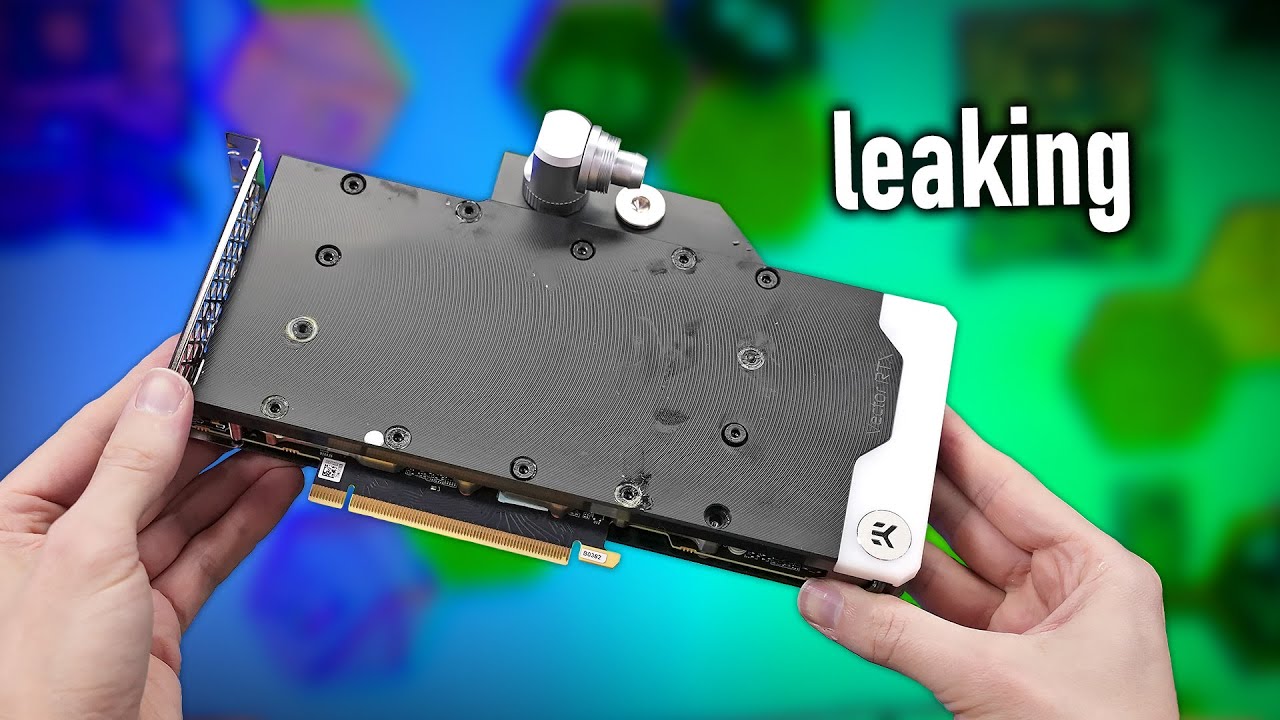
Water block screws backed out after 4 years and leaked. Thats a new one to me.
https://www.youtube.com/watch?v=-49SO7G-G1w
Check out the Seasonic PX 2200 PSU:
https://seasonic.com/atx3-prime-px-2200/
Music / Credits:
Outro:
1998 Beats - Strange Things
Paid content in this video:
- Seasonic Spot
Samples used in this video:
- /
der8auer Advertiseme...
cinder lagoon
Lol
cerulean helm
Benchmarking the 4080 super and finally crashed in the Steel Nomad test while trying to find where the mem oc limit is. A +1750 on the memory is not doable, lol. But a +1500 passes with flying colors and even stress test runs.
jade scaffold
i need a bigger memory slider for the 5080
im at +2000mhz
and it does not care atal
+430 on the GPU core I recon i could get higher with lower temps
cerulean helm
I'm at +150 on the core so far. Haven't pushed that farther yet. I really want to crack the 3000mhz. I should now that I am on water.
cinder lagoon
jade scaffold
im at +2000mhz
Iirc they do not crash because the memory has ecc built in in the last couple generations but there is a point where the performance declines because of the ECC, or was that CPU memory?
cinder lagoon
cerulean helm
I'm at +150 on the core so far. Haven't pushed that farther yet. I really want t...
I've seen that undervolting does wonders to raise the clocks (because the power limit is met later xD)
cerulean helm
cinder lagoon
I've seen that undervolting does wonders to raise the clocks (because the power ...
Haven't tried undervolting, not sure if I want to go that far. I still haven't found the core or memory stable limit yet anyways. Just tried +250 on the core with +1500 on the memory and Steel Nomad had zero issues (not that one test is conclusive). Gonna keep pushing the core still it crashes.
Aha, spoke to soon, +300 crashes.
Ahhh, so close.
+285 on the core and +1650 on the memory.
 tidal birch
Been very tempted to get a 5080 I have been looking at for a while at $1500 but no. I must restrain myself. That's too much over MSRP.
jade scaffold
tidal birch
Been very tempted to get a 5080 I have been looking at for a while at $1500 but...
Yea MSRP 5080 is good value anything over not so much
Also if you do get a 5080 OC it I'm getting +11% performance from an overclock and that's on the FEs 2 slot air cooler you could get more on a bigger cooler on on a liquid cooler I'm certain
mossy gull
Too early Razer
https://youtu.be/f_BwTc0UUR4

Introducing the Razer Skibidi—level up your lingo with the world's first AI-powered brainrot translator headset, finally letting you decode the cancer your Gen Z teammates are spewing.
Learn more now: https://rzr.to/skibidi
SUBSCRIBE and get hooked up with exclusive content, codes, and giveaways.
http://www.youtube.com/subscription_center?a...
mossy gull
cinder lagoon
Never seen a brand pre-release an april fools
Exactly, but Razer did it this time
timber barn
I mean for some it is first already
cerulean helm
Yeah, but the joke will be it turns out to be a real product.
cinder lagoon
Rizzer skibidi was not on my bingo card
Wait aww crap I had the opportunity to prank everyone in my office today, I was last out the door xF
sacred seal
Depends on your timezone. For me it released exactly on April 1st
mossy gull

Thanks to AMD for sponsoring this video! Buy an AMD Ryzen 9950X3D CPU: https://geni.us/3xhk8
Buy an ASUS ROG Flow Z13 with the New AMD Ryzen AI MAX+ 395 Processor: https://tidd.ly/3FPyR0h
If it ain’t broke, remake and remaster and re-release it. We’re taking one of our most popular videos of all time and UPPING THE SCALE TIMES 1 MILLION. Y...
Is this a 1st April joke?
jade scaffold
Kinda looks like the Mac pro fans fan hubs are screwed onto the housing may acquire a lot and make custom 3d printed fan enclosures for them
 jade scaffold

technical question I need help with why is it a 6 pin what do the other pins do would it work with only pwm pins plugged in
sonic meadow
is there one connector for both fans, or one connector per fan?
its possible its power, and then pwm/tach for each fan
jade scaffold
One per fan
So there's 3 of those lil 6 pins
Front Fan Assembly Apple Mac Pro 7,1 A1991 2019 923-03327 Triple Fans if there's any specs you can find on them
The only specs I can find are that the fans them selfs are apparently 130mm wide
sonic meadow
looks like the 4.1 and 5.1 used non-standard wiring for their 4 pin fans. so its possible there is apple shenanigans going on
jade scaffold
How much extra can they really be doing to need 2 more pins
I've seen 6 pin fan headers before on a server board but I don't know what thoes do either
sonic meadow
could have a temp sensor. could be for extra current (those pads tend to be low-ish current)
jade scaffold
Yea what I'm hoping is that 4 of the pins are just the standard pwm pins then the other 2 just dont do anything important
sonic meadow
sonic meadow
looks like the 4.1 and 5.1 used non-standard wiring for their 4 pin fans. so its...
this is where i found that btw: https://forums.macrumors.com/threads/mac-pro-4-1-5-1-aftermarket-fans-with-automatic-smc-control.2232167/

MacRumors Forums
I've been reading around this subject for a while as a pet peeve of mine is noisy computers.
My normal workstations are entirely passively cooled and silence is bliss, but I do still use my cMPs when I need machines with a bit more power or more cores for testing virtual environments and the...
ground should be relatively easy to find if you have a multimeter (preferably with a continuity mode), similarly for 12v (or whatever line voltage is used). the others... may be more complex
jade scaffold
Interesting
I'm trying to do things the opposite way around to them though I'm trying to get the pro fans working on a normal pc honestly maybe it'd be easier to kill the fans standard circuitry and instead use my own control board
sonic meadow
can you see how many wires are going in to the fan itself?
they may also be colour coded (in a "standard" manner)
jade scaffold
I can try get a picture in their actual use case in the 2019 Mac pro I think they just are pushed against pogo pins
sonic meadow
I was meaning between the pads and the fan hub
and yes, that design looks to be the pads pogo pins push up against

 sonic meadow
which makes it sounds like its using 2 pads each for vin and gnd
oh, thats what you mean
uhh, might be the same as the 4.1/5.1 thing I linked above then
jade scaffold
Yea only 4 of the pins contact anything
So based on what you posted above could the fans themselves be made to work off of a standard computers pwm
Looking at the MacBook Pro from 2019 people say that's just using basic pwm with 6 pins but only 4 connected
sonic meadow
jade scaffold
So based on what you posted above could the fans themselves be made to work off ...
maybe? I only gave it a quick skim but people definitely got stuff working in the other direction
jade scaffold
Maybe I should ask on those forums
Someone there might know
jade scaffold
Okay so if I'm understanding the older Mac fans correctly
There's a ground pin, sense pin and a 12v pin on 3 pins
Then the fans rpm is controlled by a 4th pin with a 0V-12V signal which controls how fast it goes
So a voltage based fan controller could in theory drive these fans
Though this is only for older fans in old models
cinder lagoon
jade scaffold
technical question I need help with why is it a 6 pin what do the other pins do ...
Guess what, serial-number locking 🥲
jade scaffold
cinder lagoon
Guess what, serial-number locking 🥲
Huh?
cinder lagoon
Either each has it's own fully fledged fan connector along side extra pins used (in the future?) for serial-number locking or it has poewr + pwm shared for all and a tach for each
jade scaffold
cinder lagoon
Either each has it's own fully fledged fan connector along side extra pins used ...
There's only 4 pins per fan on the mobo
jade scaffold
jade scaffold
It's only 4 pin on the mobo
^^
cinder lagoon
jade scaffold
Huh?
There's no other reason for more than 4 pins per fan other than locking the parts to the devices serial number
jade scaffold
cinder lagoon
There's no other reason for more than 4 pins per fan other than locking the part...
There is though
cinder lagoon
I mean the fan assembly might have been engineered to be used in a future product that does that
jade scaffold
Temp sensors for one
cinder lagoon
No way they put temp sensor in each fan
jade scaffold
They did on the old Mac pros
cinder lagoon
What for tho
 cinder lagoon
Whyyy
jade scaffold
cinder lagoon
Whyyy
The same reason server fans are actively cooled
Inlet temp can be used for active ram curve optimisation you don't need to move air as fast if air is cold and for apple where being quiet is top priority temp sensors are good for that
Additionally the sheer size of the Mac pro fans necessitates quite high toque motors they are easily in excess of 60mm thick with a hub over 80mm wide
cinder lagoon
No why do you need to know the air temp, you need to keep the components cool, nothing else.
Put the sensors on the components
jade scaffold
cinder lagoon
No why do you need to know the air temp, you need to keep the components cool, n...
The fan is a component motors get hot
cinder lagoon
Nowhere else lol
 cinder lagoon
"some" single model that came out like a month ago
jade scaffold
No several server fans have expose or open motors
For the soul purpose of keeping them cool to increase their life span
Additionally as I said you can use air temperature to judge how fast a fan needs to spin
cinder lagoon
Yes exposed but not fan for fan like that new one haha
jade scaffold
it acomplishes the same thing
and even still exposed motors usually have atleast some minor geometry to guide air a bit into them
cinder lagoon
jade scaffold
Additionally as I said you can use air temperature to judge how fast a fan needs...
Overcomplicated:
component too hot? -> increase fan speed
jade scaffold
cinder lagoon
Overcomplicated:
component too hot? -> increase fan speed
not nessesarilly
cinder lagoon
Component under acceptable temperature? -> decrease fan speed
jade scaffold
inlet tempurature can be used to great effect to judge what speed the fan should be running at in conjunction with a component tempurature to allow for an ideal RPM for the balence between noise and cooling
cinder lagoon
Ehh just adds cost
jade scaffold
oh no cost on my
ULTRA PREMIUM PRODUCT
the case is made of fucking 4mm thick aluminium
thoes temp sensors cost them next to nothing
cinder lagoon
Well not saying I'm supporting the gluttony of Apple
jade scaffold
the thing is its not even nessesarilly cost for nothing the temp sensors might not even be included the extra 2 pins might just be remenants of an older design
because they dont connect to the mobo
cinder lagoon
Or parts pairing because they are so repair friendly :)
jade scaffold
its not parts pairing
apple have been using 6 pins on fans for decades
and
and
the mac pro fans work on any mac pro
the 2019 ones work on the 2023 one and vice versa
sonic meadow
cinder lagoon
No way they put temp sensor in each fan
Having air inlet temperature can give you an idea of how effective your cooling can be. This can be used for automatic clock control, or letting you know if say... air conditioning had failed.
Pair it with an outlet temperature sensor and you can have a graph of cooling efficiency. This can help you discover if things like heatsinks or dust filters are blocked.
Sure, having one per fan is excessive, but at the same time... It may actually be cheaper. Means you have less concurrent SKUs, and less SKUs is better
jade scaffold
relliMmoT Project Log
I’m going to make an air scrubber to filter ABS fumes (mostly styrene) with a couple fans from my stack of retired Mac Pros. They are are wonderful static pressure Delta brand fans. I couldn’t find a clear pinout for a few common Mac fan connectors, and I noticed a lot of people wiring them up to straight DC sources wondering why they didn...
Okay
So it seems some Mac fans ARE PWM
mossy gull

Reddit
Posted by clauzen - 85 votes and 14 comments
grizzled oracle
knock on wood but for real this time i fixed my crashing issue, apparently i was pulling 3500mhz+ clocks on a card spec'd to 3010mhz boost ceiling
i guess some way some how on unknown system configs Adrenaline just does not regulate power draw at all
grizzled oracle
I had to find an undervolt sweet spot and do amds job for them to stay as close to factory clock as possible so it didn’t run away and trip OCP at throttle
cerulean helm
So, spent the evening removing all 13 Corsair ML Elite fans, 2 Commander Pros and an extra light controller. That was an exsessive amount of wiring, good grief. Installed the Corsair Nexlink fans. Now I have a total of 2 wires going to a single small hub for 13 fans.
mossy gull
jade scaffold
I hate doing fan wiring
That's why I got iCue Link fans
jade scaffold
Just going for maximum quiet now
mossy gull
jade scaffold
Just going for maximum quiet now
I have the RX Link fans, but the ones that ain't RGB
I prefer maximum pressure
jade scaffold
jade scaffold
Just going for maximum quiet now
Did it send this twice for you
mossy gull
Pressure also can be quiet 😅
jade scaffold
It has for me
Currently running A12x25s
mossy gull
jade scaffold
Did it send this twice for you
It did
jade scaffold
Thanks discord
mossy gull
jade scaffold
It has for me
Currently running A12x25s
Love those fans, I use to use them but got annoyed by all the wires
jade scaffold
It's only 1 wire per fan tbf
I have them all go into a fan controller then that goes into my mobo
mossy gull
Exactly, I have 1 wire for multiple fans
mossy gull
Still has the wire though, wire = less space.
If Noctua is gonna have something like the iCue Link I will go back to Noctua
jade scaffold
Noctua don't like proprietary standards
I guess they could include like an extra fan header on each fan then do a little double ended 4pin connector you put in between them
sonic meadow
jade scaffold
Noctua don't like proprietary standards
time to push for an open standard then 😆
mossy gull
jade scaffold
Noctua don't like proprietary standards
Fan connectors always been horrible in my opinion, we need a better connector, now it's the time to make a new open standard everyone can use.
jade scaffold
I think the lil 4 pin connector is fine
mossy gull
We need standardised connector placement, standardised connectors, standardised front panel connectors.
It's 2025, not 1995.
jade scaffold
It's simple it's more than powerful enough for normal fans
You can't plug into it the wrong way
And everyone uses it already
mossy gull
jade scaffold
I think the lil 4 pin connector is fine
Except it isn't, I often get the question where to plug the fans in.
The fans being a 3-pin, rookies don't understand it fits in a 4-pin.
Same with PCIe, I know way too many people who see a full length slot and think that all full length slots are the exact same.
mossy gull
jade scaffold
And everyone uses it already
Because everyone uses it doesn't mean it's the best solution
jade scaffold
Yea but the information about the 3 pin Vs 4 pin is out there and very easy to find
Frankly reading the instructions on the fan will tell you the 3 pin goes in the 4 pin
mossy gull
jade scaffold
Frankly reading the instructions on the fan will tell you the 3 pin goes in the ...
We're in the period of time nobody reads anymore
jade scaffold
No we aren't
mossy gull
jade scaffold
Yea but the information about the 3 pin Vs 4 pin is out there and very easy to f...
I know, but people panic and don't know what to do and don't even look on Google or YouTube
jade scaffold
Thoes people aren't able to be helped
They wouldn't even know what to plug the fan into
mossy gull
That's majority of people, they watch a video on YouTube how easy it is to build your own PC, and then gets confused once they have to do it themselves
jade scaffold
And you could just remove all confusion by putting the 4 pin plastic part on 3 pin fans
jade scaffold
mossy gull
That's majority of people, they watch a video on YouTube how easy it is to build...
It's really not
Listen if you can't figure out 3 pin fan headers go on 4 pin ones
You aren't figuring out eps Vs pcie or front panel connectors or which way round to put a CPU in
mossy gull
jade scaffold
And you could just remove all confusion by putting the 4 pin plastic part on 3 p...
Or get a single standardised connector.
Like everything else on the motherboard.
Why don't we have 1 connector to rule them all?
Why can't I power my fans using the USB-C connector, why does it specifically need the fan header?
Why do we still have a USB3 header, you can just use the USB-C header.
Everything is just pins sticking out, labeled in a letter size of 0.2.
Manuals being used between multiple different motherboards.
So not everything's clear.
jade scaffold
Like genuinely if you can't figure out fan headers which are the simplest past the 24pin header pc building isn't for you lmao
jade scaffold
mossy gull
Or get a single standardised connector.
Like everything else on the motherboard...
Because usb C requires a ass fuck tonne of bandwidth
It's suuuuuper complex to implement mobo side
The connectors are super expensive none locking
mossy gull
jade scaffold
Because usb C requires a ass fuck tonne of bandwidth
But a single USB-C connector can carry the entire front panel connector group, but no, the front panel has a wire for audio, USB3, USB-C and the on/of switch.
jade scaffold
mossy gull
But a single USB-C connector can carry the entire front panel connector group, b...
Not nativly it can't
mossy gull
jade scaffold
Like genuinely if you can't figure out fan headers which are the simplest past t...
Yeah, you mean those pins sticking out above the RAM and beside the RAM?
mossy gull
jade scaffold
Not nativly it can't
Then make it so it can.
Motherboards are already overpriced, you can keep the same price and switch everything out for a general connector.
jade scaffold
mossy gull
Then make it so it can.
Motherboards are already overpriced, you can keep the sa...
LMAO
You don't actually think that's how that works right
You aren't that dumb I know you're not
mossy gull
Look, certain things need to have a standard connector, audio can go over USB-C just like video, ofcoarse it needs extra stuff but it should be possible.
Like why does the back USB-C can carry audio but the front 1 can't?
jade scaffold
The front one can and does
But you know where it carries it
To the fucking usb C header on the front
mossy gull
jade scaffold
The front one can and does
But why do we need separate audio cables to the motherboard then?
sonic meadow
jade scaffold
The connectors are super expensive none locking
and the cables are thick and dont bend worth a damn
usb3/c is a horrible thing to deal with inside a case
mossy gull
sonic meadow
and the cables are thick and dont bend worth a damn
Which is weird because external USB-C cables are pretty thin, flexible and can carry video signals
Heck why not just use a USB-C connector, why do we need the stupid 1 that's on the inside
sonic meadow
mossy gull
Which is weird because external USB-C cables are pretty thin, flexible and can c...
thick and inflexible for internal cables. the external ones are even thicker and less flexible
the Molex KK (the fan header) is a pretty reasonable connector, massively overspecced for pc fans to be honest.
its locking, keyed, has high current handling, and basically impossible to fuck up. it taking individual wires (rather than multiple bits of twinax like modern usb) makes the cabling really easy to handle and route
mossy gull
sonic meadow
thick and inflexible for internal cables. the external ones are even thicker and...
I have a docking station that has a thinner cable than both the USB-C and USB3 cable inside the PC 😐
sonic meadow
RGB however.. I dunno which numbskull thought unkeyed .1" headers was a good idea...
what I reckon should happen is... you take the 2/3/4 pin molex KK, and extend it a pin the other side of the key. have this fifth pin be a 1-wire data channel. you have "smart" fans use that and the two power pins, and then have some way of daisy chaining the fans. maybe also give the fan the tach/pwm pins for backwards compatibility
this way you get both forwards and backwards compatibility, without really losing anything
mossy gull
sonic meadow
RGB however.. I dunno which numbskull thought unkeyed .1" headers was a good ide...
RGB is a hell, why are there so many different connectors for that 1.
And Gigabyte, for gods sake, fix your RGB software.
mossy gull
sonic meadow
what I reckon should happen is... you take the 2/3/4 pin molex KK, and extend it...
Ever used Corsair Link?
Those connectors would be awesome to have for fans and RGB fans alike.
They both use the exact same connector and the non-RGB Link fans can carry RGB signals for RGB fans that come after.
While Corsair has horrible standards, their connectors are easy enough to work with, even for noobs like my brother
sonic meadow
I was meaning something that was compatible with the existing open fan archicture in PCs. those connectors do look pretty nice though
mossy gull
sonic meadow
I was meaning something that was compatible with the existing open fan archictur...
But what if all fans started transitioning to lets say the Link connector?
Then everyone will have the same connector and no separate RGB nonsense anymore.
sonic meadow
my proposal would also work for rgb
mossy gull
sonic meadow
my proposal would also work for rgb
Behold, default fan to Link adapter
https://www.corsair.com/ww/en/p/custom-liquid-cooling/cx-9070014-ww/corsair-icue-link-gpu-rgb-adapter-cx-9070014-ww

CORSAIR
Instantly make your previous generation XG7 or XG5 RGB GPU Water Block compatible with the iCUE LINK ecosystem for a cleaner RGB custom cooling setup.
sonic meadow
cool. and?
mossy gull
I mean old Corsair RGB to Link
mossy gull
sonic meadow
cool. and?
Transition should be possible, now the rest needs to follow
Wait, who of all companies have the most open standard for fans and RGB fans and software?
Lian-Li or Corsair?
sonic meadow
orrrrrrrrrr, you have something that is inherently backwards and forwards compatible like I suggested.
jade scaffold
Neither
Their standards are both proprietary
There are 6 pin fan headers that have RGB and fan combined
mossy gull
jade scaffold
There are 6 pin fan headers that have RGB and fan combined
Why don't we have that😐
Everywhere
jade scaffold
Compatible with normal 3 and 4 pins too
sonic meadow
the beauty of my suggestion is that... you can plug in your new daisy chainable rgb whatever the fuck fans in exactly the same place and way as the old fans, and it will work. uses a new pin off to the side that does all the control/feedback, but if that isnt present will work as a 2 pin (or 3pin if the extra is present on the cable, or pwm if the 4th too) if the data line isnt present
 sonic meadow
no extra weird propietary cable suggestions, or adaptor dongles, or anything like that. forward and backward compatibility inherent in the connector
the connector is fine
the connector has a minimum rating of 7A, with a voltage rating of.. I dunno, but one random example I opened was good for 600vdc
mossy gull
sonic meadow
the connector is fine
It's not fine if people ask the question if you can plug a 3-pin fan in a 4-pin header.
jade scaffold
mossy gull
Why don't we have that😐
Because RGB is "new" and pc standards don't catch on easily
sonic meadow
and everyone and their aunt made their own rgb standard
mossy gull
jade scaffold
Because RGB is "new" and pc standards don't catch on easily
Exactly, "new"
mossy gull
sonic meadow
and everyone and their aunt made their own rgb standard
Alienware started it pretty much 😅
sonic meadow
no need to ping me with every message, half of what you are replying too isnt even really relevant to what you are saying anyway
mossy gull
Aye😅
jade scaffold
There's also 2 different RGB standards for mobos
mossy gull
jade scaffold
There's also 2 different RGB standards for mobos
RGB and A-RGB
Also, this looks fun
https://youtube.com/shorts/C8v72YJbm4c

Subscribe to IGN for more!
http://www.youtube.com/user/IGNentertainment?sub_confirmation=1
#IGN
I believe 1 is for RGB control per fan and the other sends the same signal to all fans
LED lights have the same thing
jade scaffold
Standards are hard to get adopted and a one fits all wire is just a fucking bad idea
mossy gull
jade scaffold
Standards are hard to get adopted and a one fits all wire is just a fucking bad ...
Why is it a bad idea?
Like lets say USB-C/Thunderbolt can carry almost everything.
sonic meadow
usb-c is the very example for why its a bad idea
mossy gull
sonic meadow
usb-c is the very example for why its a bad idea
But why is it a bad idea?
sonic meadow
because it can* carry every thing
*see cable, and ports (both ends) for details.
if I show you a usb-a port, you know what it does. usb.
if I show you a usb-c port, you have no clue what it does
mossy gull
sonic meadow
because it *can*\* carry every thing
*see cable, and ports (both ends) for detai...
So why not make it like Thunderbolt, where it has to be able to carry everything.
sonic meadow
because they didnt
and thats also a horrible idea
now you need every port being able to do power, high speed data, and video.
every. single. port
even the one on your phone charger
and that makes no fucking sense
mossy gull
sonic meadow
and thats *also* a horrible idea
I think having a different cable for everything is horrible.
Look at HDMI, a cable, defined by the HDMI group, made it so certain devices can't fully utilise it because of certifications
mossy gull
sonic meadow
even the one on your phone charger
I like I can charge my phone on my laptop dock when I am not using it, and beam my phone to my display.
sonic meadow
hdmi from the early days doesnt have electrical capability to transmit a modern high bandwidth hdmi signal. that was just something inherent in them increasing the standard over time. you cant transmit gigabit over phone cable either
mossy gull
sonic meadow
hdmi from the early days doesnt have electrical capability to transmit a modern ...
No, you can carry 40 Gbps.
Although the phone is too slow for that😅
sonic meadow
over phone cable? you know, the untwisted unshielded single pair of wire. maybe three pairs if you get the right stuff on a reel (though that may be twisted)
mossy gull
sonic meadow
over *phone cable*? you know, the untwisted unshielded single pair of wire. mayb...
My phone cable that came in the box with a USB-C to USB-C cable that was capable of 1 Gbps if that's what you're asking.
 jade scaffold
And if they did make it like thunderbolt you'd need a chipset the size of an epycs IOD
mossy gull
I mean, my external SSD ain't that fast, but reached 1 Gbps
jade scaffold
Which would cost literally hundreds alone
mossy gull
sonic meadow
these (depending on where you are)
left is BT, right is RJ11
BT, the British Telecom provider?
sonic meadow
yes, thats actually what BT stands for in that instance
mossy gull
sonic meadow
yes, thats actually what BT stands for in that instance
I mean, it also stands for Bluetooth 😅
But they want to make everything their own
mossy gull
jade scaffold
And if they did make it like thunderbolt you'd need a chipset the size of an epy...
Wait, then how can an handheld have 2 USB-C capable of carrying PCIe 4x?
sonic meadow
mossy gull
I mean, it also stands for Bluetooth 😅
about a decade later, though realistically more like 2 decades
jade scaffold
mossy gull
Wait, then how can an handheld have 2 USB-C capable of carrying PCIe 4x?
That's 2 usb c ports
mossy gull
jade scaffold
That's 2 usb c ports
Just have them in pairs of 2 on the motherboard, we don't need 200 ports
jade scaffold
Not the fucking 10 you'd need to fulfill all the function of the interaks of a pc
40 pcie lanes dedicated to just internal Io
God forbid you wanna use them to power anything
Enjoy sub 80% efficiency on powering your cpus and GPUs and the lovely amounts of extra heat the vrms now need to be even more built to deal with
mossy gull
jade scaffold
God forbid you wanna use them to power anything
I, I, I, I have my phone's wireless 15w charger on 1 of my USB-C ports
jade scaffold
Then EVERY SINGLE DEVICE needs it own usb controller
mossy gull
jade scaffold
Enjoy sub 80% efficiency on powering your cpus and GPUs and the lovely amounts o...
More 8-pin power on the motherboard, wait, my motherboard has 2 CPU 8-pin but barely uses 100w in games, it has some headroom 😅
jade scaffold
mossy gull
More 8-pin power on the motherboard, wait, my motherboard has 2 CPU 8-pin but ba...
Okay so now you aren't supporting the entire usb c spec
So you can avoid 48v
It's not feasible to use usb C for pc internals
mossy gull
jade scaffold
So you can avoid 48v
You don't need to power a laptop
sonic meadow
its also... an insanely expensive connector for that purpose
but you wanted them all to support everything 😛
jade scaffold
You could do it but you'd end up with 1.2k mobos that dint do anything more than a mobo that costs 200
mossy gull
sonic meadow
but you wanted them all to support everything 😛
Well, almost all USB-C devices support 12v and 24v,
Even my SB2, a pretty old laptop, works on a 12v USB-C brick
jade scaffold
Your need a 4x gen 5 - 40x gen 3 chipset if you want to support the full featureset every internal device would need a usb controller the ports all have to be gold or silver plated and the usb c connectors are just plain bulky
It's just fucking stupid
sonic meadow
mossy gull
Well, almost all USB-C devices support 12v and 24v,
Even my SB2, a pretty old la...
almost all*
*citation needed.
that said, all usb power providers need to support 5v 3A by the standard iirc
jade scaffold
2A I believe
sonic meadow
from some further reading, 1.5A I think
jade scaffold
Usb C is a good port but only for external devices
sonic meadow
usb-c is a solid port.. for external devices.
alas the standard has made figuring out what things support/supply a pain in ass. ie the standard has no or little labeling requirements.
jade scaffold
But there is exactly 0 reason why you would use a port capable of pcie X4 to run fans
That's a waste of material in every single conceivable way
sonic meadow
we already have a generic internal port capable of being used for anything and everything. its called pcie
and this would be a horrible application for it
mossy gull
jade scaffold
But there is exactly 0 reason why you would use a port capable of pcie X4 to run...
My idea then would be to keep a selection of ports capable of PCIe 4x, like not everything can use that.
Lets say on some laptops you have USB4 and Thunderbolt, and the Thunderbolt ones have the Thunderbolt logo near it.
So lets say most ports are just for basic stuff like fans, audio and data, and a selection of them, maybe in a different colour or with logo beside it that it indicates it's a full fledged port capable of carrying PCIe.
That way you can have more ports both internal and external, to connect everything with.
jade scaffold
It's overly expensive it creates more waste it's less efficient it's just stupid tbh you'd need thicker PCBs you need way more engineering to deal with sign lntegrity you need more raw material
jade scaffold
mossy gull
My idea then would be to keep a selection of ports capable of PCIe 4x, like not ...
Well done you have created the problem you were trying to solve
sonic meadow
the lack of internal ports isnt caused by a... lack of internal ports. its caused by there not being the hardware providers to run them.
your limited number of PCIe slots is caused by there being not enough pcie lanes coming from the cpu+pch, and you arent changing that without a $100 dollar PEX/pcie switch
mossy gull
jade scaffold
Well done you have created the problem you were trying to solve
Then make it a standard location on all motherboards, instead of having a different location per motherboard.
Oops, ping
jade scaffold
Your entire point of this argument was to reduce confusion when building pcs having a bunch of the same port that do wildly different things is even more confusing than 3 pin Vs 4 pin
sonic meadow
"why arent my fans working?"
you plugged them in to the video usb-c instead of the fan usb-c
jade scaffold
And also now you have a super expensive port your making do something a port at a 10th it's cost already fucking does
You confused things
mossy gull
sonic meadow
the lack of internal ports isnt caused by a... lack of internal ports. its cause...
I seen mATX with 1 PCIe port, they are more expensive than 1 that has more PCIe ports.
I doubt price is decided on components these days.
jade scaffold
Made everything more expensive and less efficient
mossy gull
jade scaffold
Made everything more expensive and less efficient
Just like the lack of PCIe ports and USB ports motherboards have these days?
sonic meadow
mossy gull
I seen mATX with 1 PCIe port, they are more expensive than 1 that has more PCIe ...
note the difference between a $1 slot and a $100 chip
jade scaffold
mossy gull
Just like the lack of PCIe ports and USB ports motherboards have these days?
Mobos have shit tonnes of usb on them
They usually have 2-3 gen 2. 1-2 gen 3 and 0-1 gen 3 type c
sonic meadow
mossy gull
Just like the lack of PCIe ports and USB ports motherboards have these days?
thats a design choice on the motherboard manufacturers part. oftentimes things like this are to give a reason to spend more money on the expensive product
jade scaffold
Coving a mobo in a bunch of type c connectors is stupid it's expensive it solves 0 issues
Pcie slots are genuinely cheaper to produce
It also doesn't require like 2 billion external controllers
mossy gull
jade scaffold
They usually have 2-3 gen 2. 1-2 gen 3 and 0-1 gen 3 type c
Last 4 motherboards I have held had 2 USB2, 1 used for iCue Link, other not in use.
2 USB3, where 1 is used for the front panel, the other not in use.
1 USB-C which is in use, by the front panel connector.
Why not use the front panel connector over USB-C only?.
sonic meadow
then you would have only one front panel usb-c port
sonic meadow
the cables going to the front panel are just extension cables really
mossy gull
sonic meadow
then you would have only one front panel usb-c port
Yet there are USB-C hubs that have both USB3 and USB-C, so again, why do we need separate cables for the USB-C and USB3 front panel?
sonic meadow
yes, thats how usb hubs work. they also cost money
jade scaffold
Because then it SPLITS the bandwidth
mossy gull
sonic meadow
yes, thats how usb hubs work. they also cost money
Cases that cost well over 200.- don't need that excuse that it cost too much.
It's a case.
sonic meadow
are you being deliberately stupid?
mossy gull
jade scaffold
Because then it SPLITS the bandwidth
But it already does that as some cases have 2 to 4 USB3 ports?
jade scaffold
It really does feel like it sometimes
jade scaffold
mossy gull
But it already does that as some cases have 2 to 4 USB3 ports?
Yes because that big usb 3 header ISNT A SINGLE HEADER
It's 2 usb 3 gen 1 ports stuck to eachother
mossy gull
Why not have only USB-C ports?
jade scaffold
BRCAUSE THEIR FUCKING EXPRNSIVE AS SHIT
sonic meadow
they are more expensive to implement, even if only using them for usb2
jade scaffold
Like 4x the cost per port + you need a controller on the other end to split the signal
mossy gull
jade scaffold
BRCAUSE THEIR FUCKING EXPRNSIVE AS SHIT
But more and more stuff need an adapter to USB-A 😃
mossy gull
I have more USB-C devices than I have USB-C ports.
My external SSDs are USB-C, my phone is USB-C, my mouse charging cable is USB-C and so is my keyboard, my hub is also USB-C.
I literally had to buy USB-C to USB-A cables.
jade scaffold
Then get a case with a shit tonne of usb c ports
Or buy an expansion card with like 8 of them on
Or buy a hub
This is the beauty of pcs it gives you options
sonic meadow
remember that equinox tends to live off in her own little silo of weirdness and niche use-cases
mossy gull
jade scaffold
Then get a case with a shit tonne of usb c ports
There really isn't 1 with more than 2 USB-C on the front and the motherboards come usually 2 max USB-C ports.
jade scaffold
Expansion cards
They exist
Or usb hubs
Or just a little A-C adaptor you can buy a bag of like 100 of for 50 quid
sonic meadow
or evaluate your needs, and figure out if you actually need to have all those things connected at once
mossy gull
jade scaffold
Expansion cards
Most only have 2 of them, the rest only USB-A
sonic meadow
the mouse for instance, surely that only needs charging a few times a year?
sonic meadow
and is also a perfect use case for.. an A-C cable
just inherently so, theres nothing about it that needs to be type-c. it needs no data, not even usb1.1
mossy gull
sonic meadow
or evaluate your needs, and figure out if you *actually* need to have all those ...
Hm lets see.
I don't like to constantly unplug everything and some gear is working like ass in USB hubs.
All my USB-C devices include, Keyboard, flight sim gear(4 USB-C ports), 2 Streamdecks, phone cable that I also use for my mouse, 2 external SSDs, webcam and drawing display.
That's all USB-C devices I have.
jade scaffold
Who leaves their flight sticks plugged in I have literally NEVER seen a wired keyboard that's c-c
2 external ssds
External ssds can just go through a gen 3 type a
As can they keyboard
The flight sticks
mossy gull
jade scaffold
Who leaves their flight sticks plugged in I have literally NEVER seen a wired ke...
Most Corsair keyboards these days have USB-C
It's been years they used USB-B
jade scaffold
The stream decks
jade scaffold
mossy gull
Most Corsair keyboards these days have USB-C
It's been years they used USB-B
They literally come with a-c
sonic meadow
the ssds and drawing display are likely the only things that actually want to be usb3, the rest would be perfectly happy over usb2/a and usb2/3 hubs
mossy gull
jade scaffold
They literally come with a-c
The fact is that they're USB-C, and the included cable ain't long enough.
jade scaffold
Then get a C-a cable
sonic meadow
a keyboard is basically a 1.1 device, regardless of what plug it uses
jade scaffold
This is really a none issue you are just hard work for literally no reason
You need tops 3 type c ports and realistically the external SSDs will be fine on type A gen3
mossy gull
The SSDs can't use full speed on USB 3, like most motherboards have.
jade scaffold
External SSDs aren't exceeding 10GB/s
If you bought external SSDs that fast you are plainly stupid because internal SSDs would have been cheaper
sonic meadow
internal ssds arent as easily portable
jade scaffold
This is true
But
Equinox doesn't go anywhere by their own admission
And even still that's only 3usb c ports you need
mossy gull
jade scaffold
If you bought external SSDs that fast you are plainly stupid because internal SS...
Yes and no, with slow SSDs I constantly have to copy and paste entire libraries over to the 2nd system to use it properly, instead I just have fast SSDs that I can use between systems.
jade scaffold
You don't need a case with 40 of them
mossy gull
jade scaffold
Equinox doesn't go anywhere by their own admission
3 systems, home PC, laptop and PC at work
jade scaffold
mossy gull
Yes and no, with slow SSDs I constantly have to copy and paste entire libraries ...
Or you could just set your pcs up to have network accessible storeage
sonic meadow
a 2.5/5g nas would free up usb ports on all machines
jade scaffold
House wise that's faster you gen get out of external SSDs anyway