#Tech Lab forum - General Discussions!
1 messages · Page 32 of 1
 jade scaffold
The 4090 actually took the generational uplift crown
1080ti still balling value at release
But not quite as good value as people remember it to be
 mossy gull
jade scaffold
1080ti still balling value at release
mossy gull
jade scaffold
1080ti still balling value at release
I still remember the 1080 days, not the Ti mind you.
When Resident Evil Remake released, everyone was struggling to run it at 2160p on highest settings on their 1080s only for the Vega FE to be able to play it on highest settings.
That's when for me the lack of VRAM on Nvidia cards started playing a pain in my butt😅
jade scaffold
I'm really excited to try DLSS 4
The fact I can force it on in any DLSS supporting game is great
I really wanna try the new reflex too but I don't think you can force enable that in any game
mossy gull
jade scaffold
I really wanna try the new reflex too but I don't think you can force enable tha...
I thought you could, just like Anti-Lag
jade scaffold
There's a general latency reduction then a game specific one that acts further
mossy gull
jade scaffold
There's a general latency reduction then a game specific one that acts further
Ah, fair enough
 grizzled oracle
I have a cheap Chinese rgb 2x8 pin extension cable in my GPU, it’s connected to an RGB header and obviously directly to the power supply by the 2x8 pin GPU cable. The RGB functions after a system restart, but as soon as I attempt to address any rgb in the machine with open rgb, it turns off all of the LEDs in the cable except the ones at the very base of the GPU cable connection.
It came with a SATA controller that has a male rgb connector that would not allow me to use a header, naturally because the link would end in a male.
Have I connected it wrong? Is the NIB unit chinesium garbage and just faulty off the rip? Do I need to somehow find a magic way to connect the sata power cable to a header at the same time?
jade scaffold
grizzled oracle
I have a cheap Chinese rgb 2x8 pin extension cable in my GPU, it’s connected to ...
Could be faulty the software could just be total asscheeks as RGB software always is
grizzled oracle
I would figure the circuit is broken based on how its lighting after addressed but the fact that its fine before being addressed would indicate it’s fine
jade scaffold
The controller on it could be shagged I guess
mossy gull

 jade scaffold

Sponsor: Hyte Y70 Case on Amazon https://geni.us/p2lWP (or blue Y70 on Amazon https://geni.us/586E5q)
The NVIDIA GeForce RTX 5090 will arrive soon. NVIDIA Thermal Engineer Malcolm Gutenburg joined us to show a number of RTX 5090 Founders Edition finished and prototype samples, including liquid metal, 3D vapor chambers with claimed world-first de...
mossy gull
jade scaffold
https://www.youtube.com/watch?v=-p0MEy8BvYY
If I get it I will replace the LM with PTM
jade scaffold
Why
jade scaffold
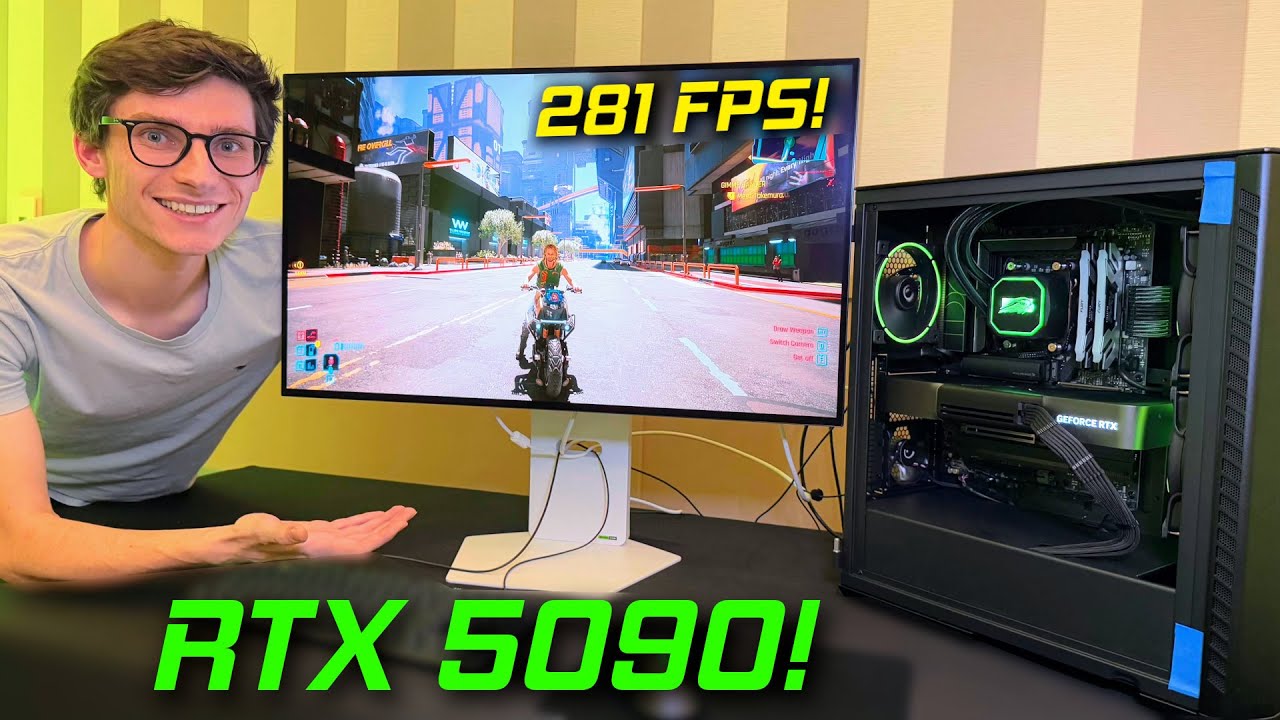
RTX 5090 Benchmark time! With DLSS 4, Frame Generation and Ray Tracing, PC Centric goes hands on with Cyberpunk 2077 Gameplay, with Path Tracing at 4K, fps, frame rates and latency on Blackwell, RTX 5090 Founders Edition Noise test and initial review!
⭐ Get Your PC Centric Mousemat! https://pccentric.junipercreates.com/
🎮 Join The PC Centric D...
So DLSS 4 not completely perfect but aparently shockingly good
i mean frankly AI gen or otherwise 200 fps in Cyberpunk at utterly cranked settings is insane
i want to see how much fps people get without Pathtracing that number must seriously start nearing the 600fps mark with dlss
429fps in 2077 at 4k max settings with dlss on the 5090 without path tracing
also the 5090 is extremely quiet
thats insane
 mossy gull
jade scaffold
429fps in 2077 at 4k max settings with dlss on the 5090 without path tracing
mossy gull
jade scaffold
429fps in 2077 at 4k max settings with dlss on the 5090 without path tracing
I wonder what the rest of the system specs are(didn't watch the vid).
jade scaffold
its either a 9800x3D or a 285k
mossy gull
I think the 9800X3D, or another chip, but not the 285k, that CPU ain't even that fast.
Especially not in games
jade scaffold
the 285k with the right setup can outperform the 9950x
the 285k is faster now than it was at launch thanks to intels optimisations
if you run it with fast ram it can keep up with the latest non x3D chips
mossy gull
Still makes the 9800X3D run at least 10% faster though 😅
jade scaffold

yea but CPU speed doesnt matter when you are GPU constrained
unless you got like super mega driver overhead
mossy gull
jade scaffold
yea but CPU speed doesnt matter when you are GPU constrained
Yes and no, depends on the game really.
If a game really loves X3D then the speed of the CPU will matter.
jade scaffold
 jade scaffold
mossy gull
Yes and no, depends on the game really.
If a game really loves X3D then the spee...
jade scaffold
mossy gull
Yes and no, depends on the game really.
If a game really loves X3D then the spee...
no it doesnt
i have had a cpu with more cache than ANY consumer cpu and far more memory bandwidth
CPU speed doesnt matter
Cache only effects .1% lows
mossy gull
jade scaffold
i have had a cpu with more cache than ANY consumer cpu and far more memory bandw...
So do I, but my 7970X ain't faster than a 9800X3D in games, it's actually slower because of the lower clockspeed.
mossy gull
It has 128MB cache
jade scaffold
so its ununified cache
mossy gull
Still, speed of the CPU does matter, not as much as on lower settings, but it still matters, of it didn't then the 285k and 9800X3D would be on-par, but the 9800X3D is significantly faster
jade scaffold
the Epyc i had has 256mb
Unified cache and would actually boost right up to 4.8ghz still lower than the 9800x3d but i did not get any performance disadvantage outside of .1% lows on a 7700x
CPU speed DOES NOT MATTER if you are heavily gpu constrained
unless your driver overhead is insane like intels currently is
which is why their gpus perform massivly better with super fast CPUs
i mean the 9800x3D literally pulls like 20w in cyberpunk 2077 at 4k its almost literally sat idle
all its doing is passing data
and not alot of it because you arent pulling 800 fps in cyberpunk
mossy gull
jade scaffold
i mean the 9800x3D literally pulls like 20w in cyberpunk 2077 at 4k its almost l...
But what about the 285k?
jade scaffold
probably not much worse
it'll be more because it IS less efficient
but it'll still be borderline nothing
mossy gull
I am still curious how much impact it truly has
mossy gull
jade scaffold
none its like 3fps tops
Well the weird thing is 1 thing I heard that the 14900K was definitely faster in Cyberpunk than the 7800X3D in 4K Ultra Settings, path tracing wasn't a thing yet when I heard about this.
Nor do I have a 14900K to test it with😅
jade scaffold
if you use DLSS it will be
because you arent running 4k
at native 4k well you wouldnt be able to tell the difference between the 2
because Uh
21fps avrg
mossy gull
I don't know if people use DLSS, they most likely do because "it increases fps"
jade scaffold
yea because 21fps is fucking unplayable
Pathtracing is hard
maybe Intel CPUs lower latency gives them an advantage in path tracing though
AMD do have pretty high core to core latency comparitivly
mossy gull
jade scaffold
Pathtracing is hard
Path tracing wasn't a thing when I heard about it😅
This was also around the time it wasn't known the 14900K committed Harakiri
So way way back
mossy gull
40 series were released
jade scaffold
path tracing released with the 40 serise the 14900k came out the same year
mossy gull
Just not path tracing
jade scaffold
no path tracing was a release "feature" for cyberpunk of 40 serise
im saying feature because its still not nativly runnable
mind you if you arent at 4k the 4090 can actually do path tracing native at 1080p and get like 80fps
mossy gull
jade scaffold
mind you if you arent at 4k the 4090 can actually do path tracing native at 1080...
It struggles in 3440x1440 though, oddly enough😅
jade scaffold
which considering pathtracing is what they use when rendering movies just 8 years ago it would literally have taken hours to render a frame with it 21 fps in real time is
jade scaffold
mossy gull
It struggles in 3440x1440 though, oddly enough😅
that is 3x the resolution
so you would only get like 25fps or something
mossy gull
jade scaffold
that is 3x the resolution
Something like that, but the FPS is only slightly faster than 4K
Yep
jade scaffold
yea
like i said though
1440p ultrawide doesnt seem hugely bigger
but thats a higher resolution than the valve index has
mossy gull
Curiosity from my part, is the bigger L1 and L2 cache on the 285k gonna matter for games?
jade scaffold
my monitors resolution is pretty crazy tbh
5120x1440p its like just shy of 4k resolution in terms of pixles
jade scaffold
mossy gull
Curiosity from my part, is the bigger L1 and L2 cache on the 285k gonna matter f...
kinda
its a factor
mossy gull
jade scaffold
my monitors resolution is pretty crazy tbh
5120x1440p its like just shy of 4k r...
I want LG's 5120x2160 panel😅
jade scaffold
i like my wiiiiide boi
mossy gull
jade scaffold
its a factor
Because X3D is I thought primarily L3?
mossy gull
jade scaffold
i like my wiiiiide boi
I like the idea, but I dislike the incompatibility with Asian games😅
jade scaffold
but saying that people say oh modern games run like shit but i can get 60fps in what is basically 4k high in any game on whats now equivilent to a 4070ti / 7900xt/gre
jade scaffold
mossy gull
I like the idea, but I dislike the incompatibility with Asian games😅
i just split the screen
can turn it into 2 virtual screens
run game on one side run what ever i want on the other
mossy gull
jade scaffold
can turn it into 2 virtual screens
That will feel odd for me as I sit 1.5 meters away from the display in a simrig😅
jade scaffold
yea its equivilent to 2 27" monitors stuck together
there is one equivilent to 2 32" ones as well
but its not oled i beleive
mossy gull
jade scaffold
but its not oled i beleive
It's just QD-MiniLED I believe
I could be wrong
mossy gull
jade scaffold
yea its equivilent to 2 27" monitors stuck together
I think mine are fine with their 45".
But there's also a chance I am just going to get a big LG C4 instead of 2 45" UW monitor
 cinder lagoon
Btw:
if anyone ever wanna fiddle with iVentoy or unattend.xml powershell scripts, ask me. I now know how to work with them
no, it is not trivial.
no, it does not "just work"
jade scaffold
mossy gull
It's just QD-MiniLED I believe
theres an QD OLED of the 49" G9 but im not sure about the 57" they might have made an oled one now tbh they make new versions of the fucking thing every few months for what ever reason
mossy gull
jade scaffold
theres an QD OLED of the 49" G9 but im not sure about the 57" they might have ma...
I meant the 57" to be a QD-MiniLED, or whatever what they call it😅
jade scaffold
just mini LED
just means its an IPS display basically with full array local dimming
mossy gull
jade scaffold
just means its an IPS display basically with full array local dimming
Ah, the worst kinda Mini-LED 😅
mossy gull
jade scaffold
no thats the best kind
I seen today a TV with the marketing of QD-MiniLED, it was a TLC in a shop that isn't always trustworthy😅
jade scaffold
that was micro led
which is different
kinda unhelpfull nameing schemes very similar
mossy gull
jade scaffold
that was micro led
Not micro-led, it was just 8000.-
jade scaffold
wait no QD mini LEDs are a thing
how the fuck does that work
a QD needs to be powered
mossy gull
jade scaffold
how the fuck does that work
For us a question and from them the knowhow
mossy gull
jade scaffold
how the fuck does that work
TCL is Chinese, they lately make all kinds of weird things work
jade scaffold
the issue is QD is a very
uhh
meaningless term
A quantum dot translates to "light Dot"
mossy gull
To be honest, QD panels often look too blue for me, usually because their blue backlight and I am sensitive to blue light
jade scaffold
they COULD be using quantum dots to block out the backlight
the backlight colour is entierly down to the vendor
entierly the literall backlight if the backlight isnt perfect white then it will end up looking colour
mossy gull
jade scaffold
the backlight colour is entierly down to the vendor
Samsungs are very blue, which to me makes them always look cold and blue for me, or well their QD-OLED do.
jade scaffold
Quantum dots OLEDs have a blue emitting layer
thats then passed through a QD layer per pixel
mossy gull
That might be why then😅
jade scaffold
also samsungs displays are nearly over 100% accurate
atleast the OLEDs are
you shouldnt see any blue leakage as the QDs arent transparent unless powered in a certain way
seems QD mini LEDs work the same way QD oleds work but with a actual backlight array
which means you maybe might get some blue light leakage from thoes
because the backlight isnt pixle per pixle
mossy gull
jade scaffold
you shouldnt see any blue leakage as the QDs arent transparent unless powered in...
I doubt it's leakage, it's the same I still see UV with majority of "99%" UV blocking glasses, just less than usual.
Some types of light are simply stronger than others that most people don't see, so hard to focus on something you don't see.
My 45GR95QE-B are also on 40% brightness or I get blinded
 sacred seal
Wow, without the new dlss the 50 series is not looking so hot. 5070 is only about 15% faster then the 4070 with only a 50 dollar lower launch price
mossy gull
sacred seal
Wow, without the new dlss the 50 series is not looking so hot. 5070 is only abou...
Every year the same story 😅
sacred seal
If it was a single year it would not be so bad, but the 4070 came out closer to two
jade scaffold
sacred seal
Wow, without the new dlss the 50 series is not looking so hot. 5070 is only abou...
Based on?
 sonic meadow
So cheaper and faster isn't a good thing?
jade scaffold
15% isn't a great generational uplift
sacred seal
jade scaffold
Based on?
Apparently Nvidia https://www.pcgamer.com/hardware/graphics-cards/heres-how-the-new-rtx-50-series-cards-perform-against-the-previous-generation-of-geforce-gpus/

pcgamer
And here's also why we're not getting the same sort of big frame rate bump we got out of the RTX 40-series: hardware is hard.
jade scaffold
sacred seal
Apparently Nvidia https://www.pcgamer.com/hardware/graphics-cards/heres-how-the-...
Nvidia website shows 30% ish
sonic meadow
The difference is that these are supposedly cheaper not the same price or more expensive
sacred seal
For the 4090vs the 5090
Which is also the only card that costs more this Gen (I think)
The other cards are more modest


 sonic meadow
sacred seal
Wow, without the new dlss the 50 series is not looking so hot. 5070 is only abou...
sonic meadow
sacred seal
Wow, without the new dlss the 50 series is not looking so hot. 5070 is only abou...
this comment (which was yours btw) is talking about with all that stuff off
jade scaffold
sonic meadow
The difference is that these are supposedly *cheaper* not the same price or more...
Still a poor generational uplift
jade scaffold
sonic meadow
this comment (which was yours btw) is talking about with all that stuff off
It's not the first 2 results are rt or dlss3 so show a more direct comparison than some of the others
sacred seal
Yeah, only the first two results are relevant. Dlss4 looks to be amazing, but I use my gpu for more than just gaming
jade scaffold
Both of them show about 20% not 15
But I guess this is what happens when AMD fumbled 4 out of 5 of the last generations
sacred seal
According to the article they said 15, but even at 20 that is not great for two years
jade scaffold
Yea it's not great
35% is about where you want it to be at
Ideally higher
This is what you get though when there's no competition
Makes the 5070 about as fast as the 4070ti
sacred seal
Yep. Going to be like Intel 6th Gen core parts. Going to be drip drip drip until amd drops something disruptive like ryzen
mossy gull
Nvidia focuses so hard on their DLSS and AI features, I think they forget to actually make a better card😅
Jokes aside
I think it simply becomes harder to make a faster processor, so I don't blame them for it'
jade scaffold
The 5070ti about as fast as the 4080
And the 5080 still slower than the 4090 though you are asking for a near 1.5x increase on a node that isn't actually smaller than last gen
Which is probably part of it being cheaper
The 5090 is also extremely power limited
jade scaffold
Just done some quick maths the 5090 could be 2x faster than the 4080 based on the cyberpunk bench marks 35% improvement over the 4090
mossy gull
But Cyberpunk seen some serious performance improvements though, so also keep that in mind
jade scaffold
Yea that's irrelevant
The 4090 is still 1.5x faster than it and the 5090 is still 1.35x faster than the 4090
mossy gull
That's still true yes
jade scaffold
~2x the raster power of a 4080 is kinda insane
jade scaffold
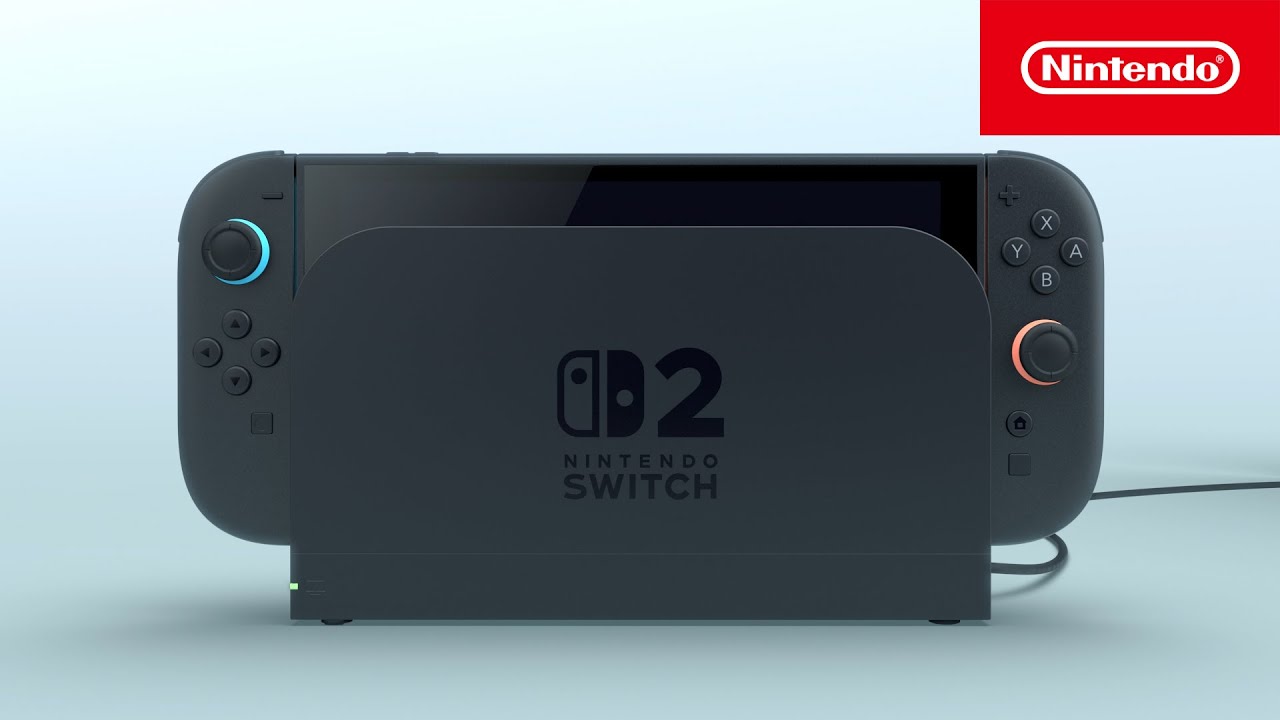
Introducing Nintendo Switch 2, the successor to Nintendo Switch, releasing in 2025.
Learn more: https://ninten.do/6003ohKAB
mossy gull
jade scaffold
https://youtu.be/itpcsQQvgAQ?si=y8-ozSl60hs-Shk5
It finally support backwards compatibility 😅
Sort of
 timber barn
A benefit is the better cooling I guess
sacred seal
jade scaffold
~2x the raster power of a 4080 is kinda insane
Well the 4080 super launched last year at 1000, so if Nvidia is charging 2000 for the 5090 I would hope that it is at least 2x more powerful
mossy gull
sacred seal
Well the 4080 super launched last year at 1000, so if Nvidia is charging 2000 fo...
That is a very valid point 🤔
mossy gull
For everyone who says 8GB VRAM is enough.
https://videocardz.com/newz/pcgh-demonstrates-why-8gb-gpus-are-simply-not-good-enough-for-2025

VideoCardz.com
Graphics cards with 8GB VRAM not good enough for 2025 gaming And don’t even think about ray tracing with small VRAM. PC Games Hardware conducted an interesting test of graphics cards focusing on the AMD Radeon RX 7600 series. Since AMD launched two nearly identical models (7600XT and 7600) with the same GPU and core […]
sacred seal
The article does not really prove anything. A GPU with more vram will preform better, and that has been the case forever. The question is if cards are going to be unable to play certain games at desireable settings because of their lack of vram. If increasing the vram gets you from 10fps to 20fps, you are still running the game at too high of settings.
You are probably not getting great framerates to begin with if you are trying to do raytracing in cyberpunk on a 7600xt
mossy gull
sacred seal
The article does not really prove anything. A GPU with more vram will preform be...
The idea behind it is because people still say "you don't need more than 8GB VRAM".
And the 7600 and 7600XT are the closest in performance between the 8GB and 16GB variants.
Last time I spoke someone who literally said games don't use more than 8GB VRAM so you don't need more, their evidence was their 1080 that didn't use more than 7GB VRAM.
sacred seal
It depends on the res and setting you are playing at.
mossy gull
sacred seal
It depends on the res and setting you are playing at.
I mean, 12% already on 1080p, that says something about how heavy games are becoming😅
sacred seal
Pretty well every game is playable with 8gb of vram (or at least I dont know any that won't) Actually most games will run with just 4
The 1650 is still the 4th most popular GPU according to steams hardware survey
By the looks of things about 20% of gamers have 6gb of vram or less
mossy gull
sacred seal
The 1650 is still the 4th most popular GPU according to steams hardware survey
Because it's popular doesn't mean it's good.
For example Samsung Galaxy S24 is 1 of the most popular phones and seen as a phone with 1 of the best cameras, but it often falls short compared to comparable devices.
sacred seal
Yes, but we are debating what you need. A 4090 will outpreform any other GPU, but there is no game that needs it to run
A gtx 1080 is still a very capable 1080p card in 2025
sonic meadow
sacred seal
The article does not really prove anything. A GPU with more vram will preform be...
that has definitely not been the case forever. as long as you havent filled the vram dont need more vram than is available performance is going to be exactly the same.
historically this basically meant stuff either ran, or ran weirdly.
in modern stuff however... engines do all kinds of scaling based upon how much vram you have, independent of any settings you might have set
sacred seal
Fair. I was more refering to that you could run games at higher settings with more vram, not actual fps
If you had less then the required amount of vram your performance would take a significant hit as it was constantly swapping stuff in and out, or you would get wonky stuff
I was wrong, 1-6gb of vram account for about 30% of gamers on steam. 8Gbs account for another 35%. No mainstream dev is making a game where a full 65% of the potential market is unable to run the game.
mossy gull
sacred seal
A gtx 1080 is still a very capable 1080p card in 2025
And it quickly is falling short, it's capable yes, but if you have a 1080 with double the VRAM, it will perform better.
It's the same debate with a ton of stuff, 3 cilinder turbo-charged engines, phones that apparently make pictures the quality of a professional camera, GPUs with too little VRAM etc etc.
I seen the 6700XT beat the 3070 in Cyberpunk Raytracing because the 3070 ran out of VRAM in 1440p while in 1080p the 3070 took the crown back again.
Just the little notch of memory can make a big difference at times.
mossy gull
sacred seal
I was wrong, 1-6gb of vram account for about 30% of gamers on steam. 8Gbs accoun...
If we keep pleasing people who have little to no VRAM then we can't make our games look better, or else we still would be stuck on 256KB VRAM.
sacred seal
We have had the debate about your 6700xt and 3070 half a dozen times now. We have well established at this points that the test you preformed were flawed to the point of irrelevance.
mossy gull
Still, amount of VRAM is important you can't keep hanging onto just 8GB VRAM.
And yes, the 1660 and older GPU already can't play some newer gales because the lack of Raytracing cores
sacred seal
mossy gull
If we keep pleasing people who have little to no VRAM then we can't make our gam...
That is a bit of a nonsensical argument. The amount of vram you get per dollar goes up over time, therefore systems will gradually increase in vram capacity. Developers follow that trend and build games that preform on the hardware that is widely accessable
mossy gull
sacred seal
That is a bit of a nonsensical argument. The amount of vram you get per dollar g...
Tell that to Nvidia who still will sell GPUs with 8GB VRAM while Intel and AMD will probably provide at least 12GB VRAM
sacred seal
I am aware of like one game that requrire RT to be able to run, and it was some indie title.
That's nothing new. AMD has always beeten out Nvidia on the ram front
Well mabey not always, but for the last 12 years at least
Part of the reason why AMD cards remained relevant longer. They could keep playing on higher settings even when the nvidia cards that initially beat them started needing to drop down a few tiers.
mossy gull
Things could change overtime, and I hope Nvidia will learn that 8GB simply ain't enough, not even on their GDDR7 with AI optimisations.
But I guess time will tell, and we do need to get more VRAM, I wish upgradable VRAM was possible without technical knowhow.
sacred seal
10 years ago 2gb was mainstream, and 4gb was high end
The 390 increased it to 8gbs, the 1080ti brought it up to 11, and I think the 6800 was the first card with 16
3090 upped it to 24, and the 5090 will go to 32.
But just because we have a 32gb card now does not mean that the 8gb card is no longer useful
Even last gen I think the only GPUs that had 8gb of vram were the 4060 and 7600.
mossy gull
sacred seal
The 390 increased it to 8gbs, the 1080ti brought it up to 11, and I think the 68...
It was actually the Vega FE, which had 16GB HBM2, and 1 of the fewer cards that was capable of running Resident Evil Remake on highest settings on 4K at the time, but what idiot would pay 1K for a GPU at that time🥲
mossy gull
sacred seal
Even last gen I think the only GPUs that had 8gb of vram were the 4060 and 7600.
And the 5060 is rumoured to have it once again
sacred seal
5060 is marketed at a 1080p class card, so pretty reasonable for it to have 8
mossy gull
sacred seal
5060 is marketed at a 1080p class card, so pretty reasonable for it to have 8
And the B580 I think it was, the Battlemage, has 12GB, and is a 1080P card
mossy gull
sacred seal
580 is marketed as a 1440p card as far as I am aware
At RTX 4060-ish performance
jade scaffold
It can hit 4060ti performance in some cases
sacred seal
Official intel marketing
a GPU designed for 1440p Ultra Gaming, and will deliver performance that exceeds that of NVIDIA's GeForce RTX 4060
Not really true, but that is what its aimed at, and that is why it has more vram
jade scaffold
8gb is enough for 1080p at lower settings
mossy gull
sacred seal
Official intel marketing
a GPU designed for 1440p Ultra Gaming, and will deliver...
If Intel is good at 1 thing it is making bad marketing😅
I remember the days of Dual-core i7
sacred seal
Don't think there was ever a dual core i7 outside of the laptop space
And that was when dual cores were still mainstream
jade scaffold
If you max settings in 1080p you can quite easily eat 8gb at 1080p especially if you use raytracing
Rt is enormously memory intensive
Probably why the 5090 has a 512 but bus
sacred seal
jade scaffold
If you max settings in 1080p you can quite easily eat 8gb at 1080p especially if...
Yes, but are you getting 30+FPS on a card with only 8gbs of vram in that case?
mossy gull
sacred seal
Yes, but are you getting 30+FPS on a card with only 8gbs of vram in that case?
People these days expect you do
jade scaffold
sacred seal
Yes, but are you getting 30+FPS on a card with only 8gbs of vram in that case?
On a 4060 easy
The 4060 is still really quite powerful
sacred seal
Looking at some benchmarks a 4060 will just barely do 30fps with RT ultra and dlss when it can do about 60fps without rt and dlss. I don't think just going up to 12gb of vram would substantially improve its performance.
sonic meadow
omg, rt hurts performance?
sacred seal
Obviously yes. The point I am trying to make is the 4060 (which I think is the most powerful 8gb card out there?) is not really powerful enough to be making use of full RT, and therefore the cost of adding an extra 4gb of vram does not make a tone of sense of that use case
mossy gull
sacred seal
Looking at some benchmarks a 4060 will just barely do 30fps with RT ultra and dl...
RT Ultra, aka something the card wasnt build for.
When a GPU runs out of VRAM it will use RAM as VRAM, making it slow down.
sacred seal
Yes, that is the point I am making. These cards are not built to run games where the 8gb of vram becomes the bottleneck
If you are hitting that 8gb limit, you are likely exceeding the reasonable settings for the card
mossy gull
Star Citizen uses 10GB VRAM in 1080P on a 7600XT, Forza Horizon 5 does the same thing.
Flight Simulator and Jedi Survivor also love VRAM.
STALKER 2 also loves some extra VRAM and so does Indiana Jones.
The fact is, 8GB is falling out of fashion, yet Nvidia keeps putting it on their cards.
sacred seal
And again, reported vram usage does not equal actual vram usage. Getting actual proper vram readings is a time consuming endevor that basically no one does.
Just looked up stalker 2 benchmarks for the 7600xt vs 7600. At 1080p you go from the 55-60 range down to the 48-53 range. A noticeable drop to be sure, but its not crazy
jade scaffold
sacred seal
Looking at some benchmarks a 4060 will just barely do 30fps with RT ultra and dl...
Rt ultra isn't for the 4060
sacred seal
jade scaffold
Rt ultra isn't for the 4060
I know. I literally just said that
Yes, that is the point I am making. These cards are not built to run games where the 8gb of vram becomes the bottleneck
jade scaffold
Except there are several games where it does become the issue
GTA 5 even gets dangerously close at cranked settings to 8gb
The main issue imo is the 4060 is a 350us card with entry levels of vram
But just having more vram on each chip doesn't solve the 4060s issues
It's the bus width that's the main issue more memory would just be a nice side effect of Nvidia not turbo cheaping on bus width
Also vram does somewhat effect performance GPUs and CPUs even dynamically compression RAM depending on usage
More compression = slightly higher processor to memory latency not gonna make much of a difference really but still it's a thing
mossy gull
jade scaffold
The main issue imo is the 4060 is a 350us card with entry levels of vram
For 50 less, sometimes even less than 300 you can get the 7600XT and the B580.
Which in performance are pretty close to the 4060 and have more VRAM, so for non raytraced VRAM heavy games, both AMD and Intel are a better choice, unless you want to go older and get the 3060.
sonic meadow
both of which are rated at 75w more (190w vs 115w). which if you are somewhere with expensive power, or care in general...
mossy gull
Around 10 minutes, an RTX 3070 and a 3070 modded to 16GB.
https://youtu.be/T5mHQ3z6j2g
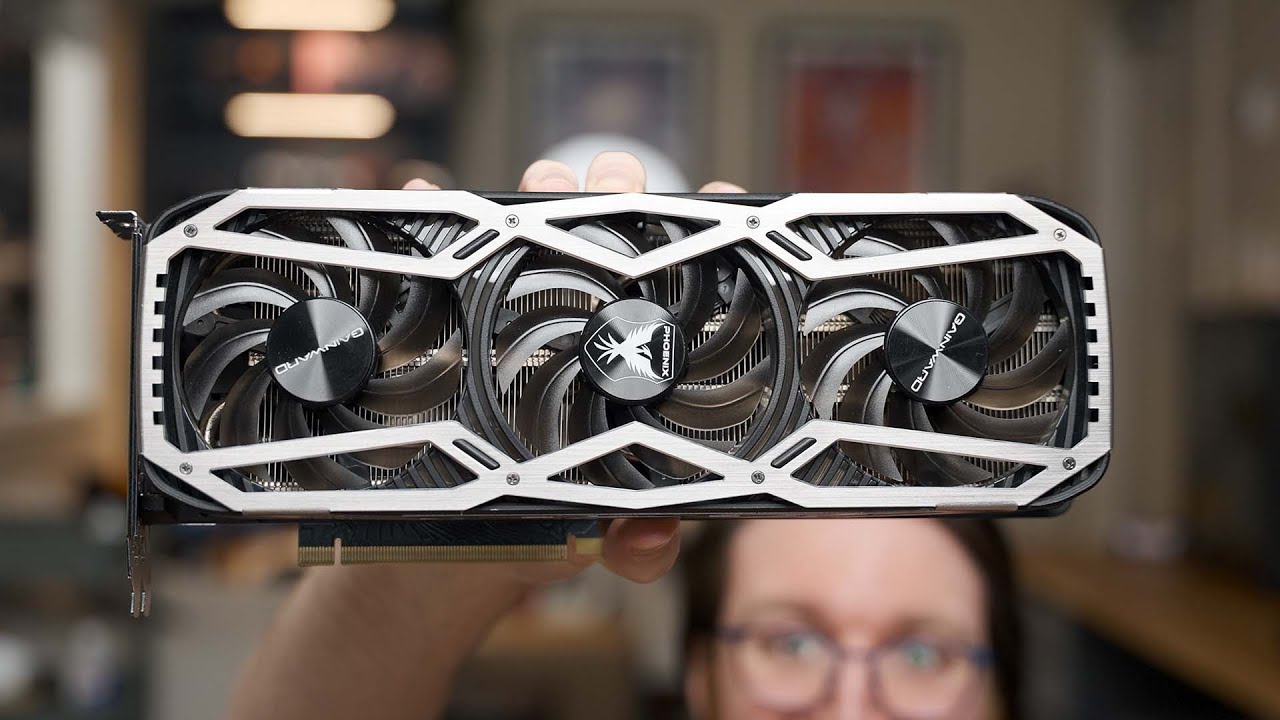
A member of the Discord sent over their AWESOME RTX 3070 that was modded with 16Gb of RAM.
Get some AWESOME Dawid T-shirts, Mouse pads and more here: https://dawiddoesmerch.com
Play some Minecraft on the Dawid Does Minecraft server courtesy of our friends at Linode!
Dawid Does Minecraft Name: Mctenthiddy, server IP: mc.tenthiddy.com
It works o...
sonic meadow
so you are getting... less than 10% more performance (according to the techpowerup relative performance chart) for 65% higher power consumption
mossy gull
sonic meadow
both of which are rated at 75w more (190w vs 115w). which if you are somewhere w...
If you have a 7600XT from AsRock it can even pull from my readings 260w, for a 7600XT, which makes no sense, I guess that's why AsRock gave it 2 8-pin connectors😅
So if power is expensive, DO NOT get an AsRock card😅
jade scaffold
sonic meadow
so you are getting... less than 10% more performance (according to the techpower...
Yea NVidia hold an INSANE efficiency advantage with the 4060 being their second most efficient consumer card
sonic meadow
the entire 40 series had insane efficiency. except maybe the 4090, but you lost basically no performance by cutting the power target drastically
jade scaffold
The 4090s efficiency though is insane even compared to the 4060
sonic meadow
the architecture is insane
jade scaffold
No the 4090 by default is the most efficient
But you can cut it's power to like 350w and it's almost not slower
Making it 1.5x more efficient than AMDs 7900xtx or 1.8x more efficient than the rtx 3090
It's genuinely silly
mossy gull
jade scaffold
It's genuinely silly
Just wait till you shunt mod the 7900XTX and make it run as fast as the 4090😅
Then you can see the 7900XTX using twice the power of a 4090

Playing games in 4K is great, but 1080p is good too! But how low can those numbers go before the game we are rendering is literally unplayable?
#shorts #pcgaming #gaming #challenge #consolegaming #retrogaming #linustechtips
► GET MERCH: https://lttstore.com
► LTX 2023 TICKETS AVAILABLE NOW: https://lmg.gg/ltx23
► GET EXCLUSIVE CONTENT ON FLO...
Not related but funny
jade scaffold
You know what 2 things I'm exited for next gen?
5090 with a shunt mod
Because we know at a minimum 10% of it's performance is locked behind it's low power limit
So shunt mods on it gonna go hard
And then I'm actually excited for nvlink on the quadros
mossy gull
jade scaffold
You know what 2 things I'm exited for next gen?
I was surprised when the 5090 got a single 12-pin, I thought rumoured it would have not 1 but 2 12-pin.
jade scaffold
Blackwell's nvlink on the ai accelerators makes all programmes view the nvlinked GPUs as 1 singular instance GPU meaning no program based support is needed to use 2 GPUs
IF that applies to the quadros
The fastest gaming system is going to be a pair of nvlinked quadros totaling 44,000-48,000 cuda cores with 128gb of combined vram
And I would love to see that
mossy gull
jade scaffold
The fastest gaming system is going to be a pair of nvlinked quadros totaling 44,...
Now you're speaking my language
jade scaffold
Also I might need to upgrade my CPU for the 5090 I have a 7700x currently
9800x3D here I come ig
mossy gull
jade scaffold
Also I might need to upgrade my CPU for the 5090 I have a 7700x currently
It can go worse, I am gonna use the 285k, just to annoy myself once again with Intel bullcrap
jade scaffold
You know the I gpus in Intel's new desktop chips are apparently really good
I want to try one
But I'm waiting for the I3 to release which has 4p 4e cores and the same IGPU might be a super awesome Uber budget gaming chip
mossy gull
jade scaffold
You know the I gpus in Intel's new desktop chips are apparently really good
Eh, I don't really care about their iGPUs, never really did, they can say how good they are and still getting beaten by an APU half the price
jade scaffold
They aren't surprisingly
They are genuinely kinda amazing
It's a tiny lil battle mage GPU
Overclockable too iirc
sonic meadow
and intels video hardware is really good
jade scaffold
That mixed with a CCAM 12ghz ram module might actually be an awesome sff machine
sonic meadow
amds apus are solid, but at their top end make for kinda lousy cpus
at least historically, unsure about their am5 ones
mossy gull
jade scaffold
That mixed with a CCAM 12ghz ram module might actually be an awesome sff machine
I have been waiting for CAMM2 for over a year now, when are we actually gonna get it😐
mossy gull
sonic meadow
amds apus are solid, but at their top end make for kinda lousy cpus
Ryzen Ultra
mossy gull
To be honest, I can't wait to have a Surface Book alternative with more "VRAM" than the bloody x050 series GPUs
sonic meadow
The joys of a hard drive
 mossy gull
sonic meadow
The joys of a hard drive
mossy gull
sonic meadow
The joys of a hard drive
Who still use a hard drive for the OS?
sonic meadow
Friends old laptop
It's been running non-descriptly badly
I'll be throwing an SSD in, and hopefully cramming some more ram in as well
But it wanted to update, and had 112 days of current uptime
mossy gull
sonic meadow
But it wanted to update, and had 112 days of current uptime
Oh no, at least not the record I seen few years ago with an up time of 3 years.
Where I told the owner a reinstall is faster
sonic meadow
This laptop sees no use, so that's probably been since she purchased it.. about nine years ago
mossy gull
sonic meadow
This laptop sees no use, so that's probably been since she purchased it.. about ...
The other 1 I worked on, the owner thought, to turn it off, you just close the lid.
And after 3 years it was too slow for her to do anything
 cerulean helm
Started building my "AI" PC. Even with this mid tower Fractal North case the 2 MSI Gaming X Trio 2080 Tis just barely fit. Add in a Dark Rock 5 cpu cooler and this case is completely full, lol.
cerulean helm
New PC posted. And Linux OS installed. Installed Pop OS and man did I run into snags. Tried installing the iso that had the Nvidia drivers and every time my OS install just went blank. Took me an hour of messing around till I tried the iso that didn't have the drivers, and the install worked first time...
cinder lagoon
Surprise surprise - the nvidia linux drivers don't work 😝
cerulean helm
They do, just had to install them after I got Pop OS working. Install via terminal worked fine.
cinder lagoon
Huh
cerulean helm
Yeah, not sure what the issue was but the iso with the nvidia drivers didn't work, so I assume those drivers were either out of date or just the wrong ones. Cause I am now running the latest drivers with the 2080 tis.
mossy gull
cerulean helm
Started building my "AI" PC. Even with this mid tower Fractal North case the 2 M...
AI PC, all you need is a brand new CPU or GPU from AMD, Nvidia or Intel😂
cerulean helm
The "AI" PC is for a locally hosted LLM to feed Home Assistant Voice Preview Edition to make my own personal smart assistant that is not cloud based.
mossy gull
cerulean helm
The "AI" PC is for a locally hosted LLM to feed Home Assistant Voice Preview Edi...
It was meant as a joke as they mentioned AI at least once every few seconds
cinder lagoon
Have you done the HA AI setup yet?
A friend of mine is also currently experimenting and has asked me for input but I've never done it before
cerulean helm
Not yet, but I have several YT videos that go through the install when I get to that point.
Its way easier now the HA has their own voice assistant though.
cinder lagoon
Aight thanks ^^
cerulean helm
A good video for demo:
https://www.youtube.com/watch?v=w9BbjUowmnE

Home Assistant's Voice Preview Edition is Home Assistant first attempt at hardware for local voice control in your smart home, with a focus on privacy! This has been a long time coming, and in this video we are taking a look at how well it works in this review of the Home Assistant Voice Preview Edition.
Home Assistant Voice Preview Edition:
ht...
sacred seal
Super interesting video, expecially since I was working on similar tech about 3 years ago.
2 2080tis is an interesting choice, if you are local hosting your LLM I am guessing you are doing something like llama 3.1 8b
cinder lagoon
Nice, thx
 vestal stirrup
To the mob of the tech lab forum, could someone identify this.
It was handed in at my work but no idea what it is.
 cinder lagoon
More angles?
cinder lagoon
vestal stirrup
To the mob of the tech lab forum, could someone identify this.
It was handed in ...
Looks like some kind of stainless steel hose adapter
vestal stirrup


 cinder lagoon
Ohh, interesting
sonic meadow
well thats an odd one 🤔
cinder lagoon
What is the context? I.E. What do you work as?
vestal stirrup
sonic meadow
is it antenna plug sized?
Yes, I would say it is the right size for a cable connection
cinder lagoon
The cup lid gives a pretty good idea how big it is 🤔
vestal stirrup
cinder lagoon
What is the context? I.E. What do you work as?
I work in housing, so could be anything xD
sonic meadow
I didnt place it as a cup lid 😛
cinder lagoon
The closed end confuses me
 sonic meadow
this would you say? https://www.matchmaster.co.nz/connectors-and-tools/08mm-t1/
08MM-T1 'F' Type 75 Ohm Terminator (10 Pack)
 cinder lagoon
sonic meadow
this would you say? https://www.matchmaster.co.nz/connectors-and-tools/08mm-t1/
cinder lagoon
sonic meadow
this would you say? https://www.matchmaster.co.nz/connectors-and-tools/08mm-t1/
Lol wtf is that used for
sonic meadow
a terminator does.. signal stuff at the end of cable
cinder lagoon
Wibbly wobbly timey wimey?
sonic meadow
I never quite understood myself, just that you needed them for 10base2 networking (ie coax)
vestal stirrup
Thank you all the help, it just increases the mystery of how it ended up at my work
cinder lagoon
...interesting wording 😂
 sonic meadow
if you work in housing, it could have come attached to a bit of tv antenna equipment, and just.. dropped
cerulean helm
sacred seal
Super interesting video, expecially since I was working on similar tech about 3 ...
I had 2 2080 tis lying around not being used. And they work for LLMs. At least they can go back into a rig instead of sitting in boxes, lol. And yeah, using llama3.
cinder lagoon
sonic meadow
a terminator does.. signal stuff at the end of cable
Apperently they used for testing
https://www.youtube.com/watch?v=NfnsfwXoGo8
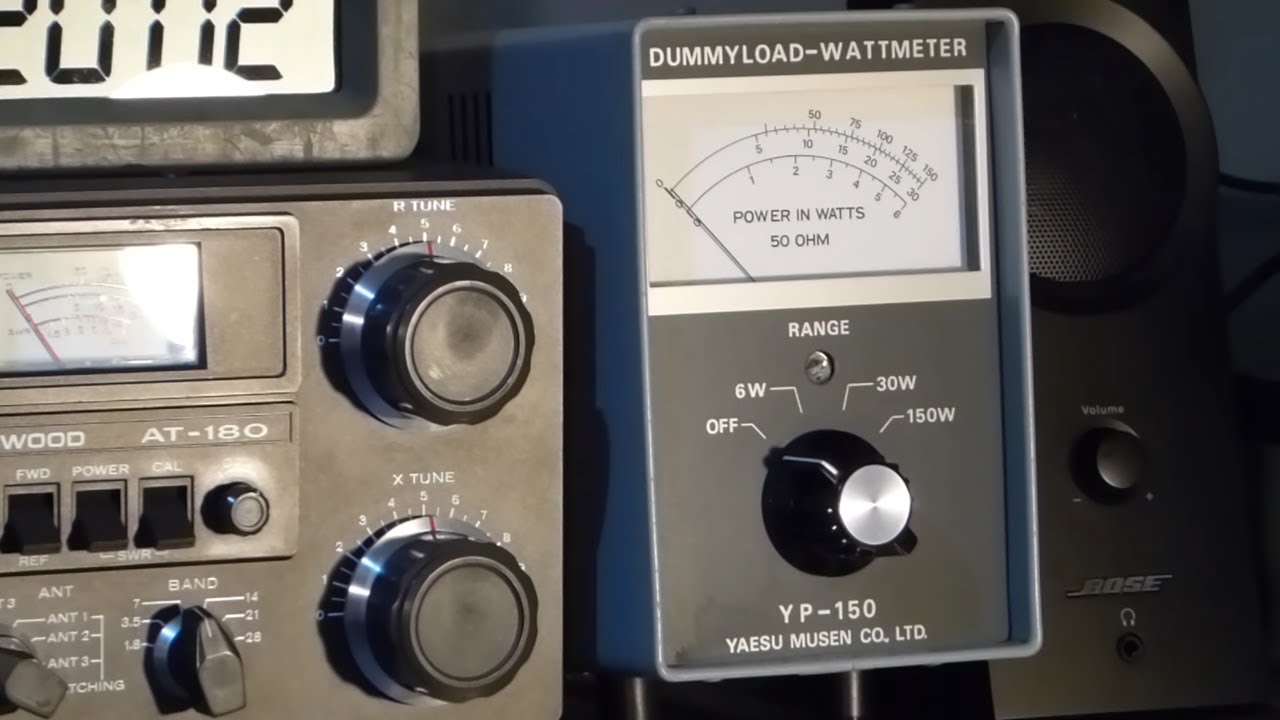
Want to know why a dummy load could be one of the most important accessories in a ham radio shack? Watch this and find out.
OHHH its an amateur radio testing "antenna" that is more reliable than a proper outdoor antenna because of weather etc.
sacred seal
cerulean helm
I had 2 2080 tis lying around not being used. And they work for LLMs. At least t...
Ah, you already had the GPUs. That explains it. Shame that FB did not release a 16 or 32b model of llama 3. 8b is fantastic for what it is and crazy fast, but its still a bit derpy
 west mirage
hey quick question
I currently have 2x16GB CL16 3600mhz trident z-skill ram installed
I want to upgrade to 4x16
of I get 2 more of the same model of ram
is that fine?
or could there still be compatability issues, Ik ram is finnicy
mossy gull
west mirage
or could there still be compatability issues, Ik ram is finnicy
It's fine, but RAM might not run as fast as the rated 3600 MT/s.
west mirage
well ik but they should be onpar with my current ram
considering i'd be buying the exact same thing I originally bought
mossy gull
west mirage
considering i'd be buying the exact same thing I originally bought
Still, you're running 4 ram sticks over 2 channels, instead of 4 sticks over 4 channels.
So overall speed can go down depending on the CPU and mem controller, but also can stay the same.
Other than that you should be able to use all 4 without problems.
jade scaffold
mossy gull
Still, you're running 4 ram sticks over 2 channels, instead of 4 sticks over 4 c...
which is fine at low speeds
like 3600mhz
its only an issue really if you are trying to hit the upper limits of ddr4 like 4000mhz or 4400mhz
mossy gull
jade scaffold
which is fine at low speeds
Aye😅
This RAM stuff is confusing
cinder lagoon
Yeah it is..
still not entirely getting why DDR5 is specced in mega transfers and not in mega hertz anymore..
I assume it's mostly to mask the fact that the clock speeds mostly stayed the same while the latencies went up
mossy gull
cinder lagoon
Yeah it is..
still not entirely getting why DDR5 is specced in mega *transfers* ...
Because the MegaHertz was wrong and it should've been Mega Transfers per Second all along.
Because the MegaHertz is only half of what MT/s is.
It doesn't really sell if you sell 3000 MHz RAM, it will sell much easier when it's 6000 MT/s
cinder lagoon
mossy gull
It doesn't really sell if you sell 3000 MHz RAM, it will sell much easier when i...
Thats what i said
The transfers do not represent the actual data rate tho
Also DOUBLE Data Rate has it in the name
mossy gull
cinder lagoon
Also DOUBLE Data Rate has it in the name
People don't know what DDR means 😅
I often get that people have 1TB of RAM, while they actually mean 1TB SSD
cinder lagoon
Thats not the people configuring systems tho
mossy gull
cinder lagoon
Thats not the people configuring systems tho
What about 1st time builders who buy an i3 and pair it with a 4080
mossy gull
So true😅
mossy gull
cinder lagoon
They got other issues
I have known someone who paired the 2080 Ti with a Celeron, because he believed gaming only uses the GPU.
cinder lagoon
mossy gull
What about 1st time builders who buy an i3 and pair it with a 4080
Never actually seen one.
Everyone who built and was above the age of 13 has done some kind of research because they didnt wanna throw their hard earned money out
cinder lagoon
mossy gull
I have known someone who paired the 2080 Ti with a Celeron, because he believed ...
Finding ressources that support that conclusion is becoming more and more difficult nowadays
mossy gull
cinder lagoon
Never actually seen one.
Everyone who built and was above the age of 13 has done...
I last time closed my Reddit in less than a second when I found someone who paired the 4770K with a 4090 and 8GB RAM, because the gigahertz of the CPU is faster than the Ryzen 5 or i5.
cinder lagoon
Could also be rage bait tho
mossy gull
cinder lagoon
Could also be rage bait tho
I mean, I still see people who buy a 4080 with a too small case😅
So people don't think
mossy gull
cinder lagoon
Glad the 5090 is small tho
I am happy too
jade scaffold
cinder lagoon
Yeah it is..
still not entirely getting why DDR5 is specced in mega *transfers* ...
because mhz makes no sense
DDR4 was never in hz
because DDR4 "3200mhz" is actually 1600mhz
DDR5 is the same DDR5 4800 is 2400 mhz
but 4800 mega transfers
cinder lagoon
Wait so you're saying that the 3200 was already doubled 🤔
Hang on I think I get it now
jade scaffold
cinder lagoon
Wait so you're saying that the 3200 was already doubled 🤔
Hang on I think I get...
yes
DDR stands for "Double Data Rate"
jade scaffold
cinder lagoon
Glad the 5090 is small tho
its not small but its reasonable
its still VERY tall for a GPU
big 115mm fans on it
but thats an improvement on the 4090
its pretty much identical in size to the 4090
but 2 slots instead of 3
JayzTwoCents has a vid unboxing it

I almost skipped doing an unboxing video of the 5090, but Im glad I didn't because I found some interested updates to the included 12vhpwr/12v2x6 adapter that I wasn't expecting!
○ Get your JayzTwoCents Merch Here! - https://www.jayztwocents.com
○ Join this channel to get access to perks:
https://www.youtube.com/channel/UCkWQ0gDrqOCarmUKmppD7GQ...
jade scaffold
cinder lagoon
I'll be expecting a 5090 Ti some time tbh
i kinda doubt it
the 5090 itself has no competition
and will have no competiton this gen
hell even next gen AMD might not be able to close that gap
AMDs GPU rx10000 or what ever they decide to call it will have to be in excess of 2X of their current and last gen GPUs
cerulean helm
Okay so I'm running into a strange problem trying to link my Home Assistant (Its on a Home Assistant Green) And my "AI" PC using Ollama. There is an intigration in HA for Ollama but it won't connect. Here is the strange issue.
I can run Ollama on the AI server, and check that its running by going to the localhost ip address and port. I also can login using WebUI to the models I have running on Ollama. But, when I enter the actual ip address of the AI PC and the port for the Ollama API I can't get a connection. And this is while I am on the AI PC. When linking Ollama and HA you need the url and port its running on. Since HA is running on a separate machine I can't use the localhost, I have to use the ip address. Ollama is running via a docker using WebUI on the AI PC that runs Pop OS.
Steps I have taken:
Ollama runs on 127.0.0.1, and I have switched that to 0.0.0.0 for all interfaces to connect.
I am kinda at a loss of where to go from here.
For reference I used parts of this video guide.
https://www.youtube.com/watch?v=XvbVePuP7NY&t=1375s

Scam Copilot is available for new users of Bitdefender Premium Security and superior plans. Find out more here: https://bitdefend.me/SCNetworkChuck
I’m replacing Amazon Alexa with my own, completely local AI voice assistant!! The amazing part is that it cleanly integrates with my home automation system, Home Assistant. Also, it’s using local LL...
cerulean helm
Okay, after failing using chatgpt for help and completely messing the entire thing up till webui was in a boot loop I just purged the whole thing to start over, lol.
cerulean helm
And an hour later if terminal use and an hour chat using chatgpt for assistance I finally got ollama to inigrate with Home Assistant, good grief.
And holy shit, I finally have the Home Assistant Voice Preview Edition synced with a LLM and HA to use voice commands on all my iot devices. I now have a locally hosted amazon echo or google home. I am so damn happy this works.
cerulean helm
I had Ollama installed via docker using WebUI rather than just installed directly on the linux pc. Was fighting tooth and nail with ports and then discovered only today that I had to change the environmental variable from 127.0.0.1 to 0.0.0.0 to connect to all devices, and it refused to change or work.
Ended up just starting over and installing Ollama via curl command and changing the everything that way and it worked.
And now that I am done I am off to bed.
jade scaffold
Very interesting architectural change here
The entire SM is capable of both int 32 and fp 32

This probably explains why Blackwell is so insanely faster at AI stuffs
jade scaffold
4090 Vs 5090


 sonic meadow
It will be nice having slimmer cards
The last few gens have been gigantic
I wonder how well these will work when stacked... Doesn't look like there would be much breathing room between, so a lot of second hand (ie warm) air
jade scaffold
Yea
Though from nvidias thermal graph it can probably manage it without issue
The thing is QUIET
Like shockingly so
cinder lagoon
cerulean helm
I had Ollama installed via docker using WebUI rather than just installed directl...
Question:
Is it possible to share the same LLM between multiple HAs with multiple conversations?
Because it would be much easier in terms of cost lol.
Not like you're talking to that thing 100% of the time, might as well share to a friend or someone
cinder lagoon
jade scaffold
Though from nvidias thermal graph it can probably manage it without issue
The 5090 disperses like 0,39° per cubic centimeter whereas the 4090 only did 0,22° or something
Hang on lemme find the graph
Ehh close enough, still crazy tho
 jade scaffold
thats just TDP vs volume though
cinder lagoon
Then again... took em long enough and the generational leap is not as big
 jade scaffold
 cinder lagoon
jade scaffold
thats just TDP vs volume though
cinder lagoon
jade scaffold
thats just TDP vs volume though
Shows how efficient the cooler is
jade scaffold
the 5090 is also closer to 33% averaged from the slide
and in cyberpunk its 35%
not really sure how derbaur is getting 27%
jade scaffold
cinder lagoon
27% from official slides and leaks
its not
cinder lagoon
Lemme double check rq
jade scaffold
the slides average out 33% between all 2 graphs nvidia gave us that arent DLSS 4
then we have a video of cyberpunk running
28fps vs the 4090s 21
which is also about 33%
cinder lagoon
Segment starts here
https://youtu.be/EAceREYg-Qc?t=647

Check out Seasonic Prime TX PSUs:
https://seasonic.com/prime-tx
Music / Credits:
Outro:
Dylan Sitts feat. HDBeenDope - For The Record (Dylan Sitts Remix)
Paid content in this video:
- Seasonic Spot
Samples used in this video:
...
Yea they were measuring pixels from an nvidia slide
jade scaffold
then hes got completely different results to everyone else
cinder lagoon
Like there was no number but they scaled the performance bars and got the number from that
cinder lagoon
jade scaffold
then hes got completely different results to everyone else
Not according to Toms hardware
jade scaffold
that was just geek bench
something natorious for either hyper inflating results or hyper deflating them
cinder lagoon
cinder lagoon
Segment starts here
https://youtu.be/EAceREYg-Qc?t=647
If you wanna hear exactly and why It's in the first 1.5 Minutes from this starting point
jade scaffold
yea no all he says is we got this result
which i dont know how they got because when people were doing the pixle measurments at the announcement people were getting between 30-35% for the 2 graphs we got plus 33%~ for cyberpunk 2077 which we had a video for
also this graph is wrong in one place

the 1080ti while yes launched later in pascals life time is not the apropriate GPU for that graph
that would be the original Pascal Titan
which was the first of the pascal cards
launching some 24 months again before the 2080ti did
though i agree this generations uplift isnt huge despite the time wait for it
though 30% over a 4090 is still over 2x as fast as anything that isnt a 4090
on interesting thing is Blackwell 2.0 doesnt use a new node while Blackwell 1.0 does use a new node
i dont really get too much why nvidia went that direction
cinder lagoon
jade scaffold
that would be the original Pascal Titan
Hmm didn't think of Titans, valid point 🤔
cinder lagoon
jade scaffold
which i dont know how they got because when people were doing the pixle measurme...
I'm sure there is a matching estimate somewhere, I will be holding my seat until we find it tho xD
Lmao tho
 jade scaffold
cinder lagoon
Lmao tho
jade scaffold
cinder lagoon
Lmao tho
yea i saw that lmao
AMD somehow mentioned AI more than NVidia
cinder lagoon
Not difficult if you put it in every new product name haha
jade scaffold
this is true
Ryzen AI max
common amd
the AI NPU in the normal Ryzen AI models isnt even good
the Ryzen AI MAX only beats the 4090 on technicality in a benchmark where the 4090 was out of ram
like instead of taling about your APUs AI capability which it uses for near enough nothing
talk about the fucking AWESOME APU you made
like atleast when NVidia talk about AI its almost allways in a way thats usefull
cinder lagoon
And then the curfuffle with the chipset and gpu naming schemes!?
jade scaffold
DLSS, Earth 2, Robotics, AI Vision, Manufacturing, Warehousing, self driving cars, ECT
when AMD talk about AI its almost allways fucking co-pilot of chat gpt
jade scaffold
cinder lagoon
And then the curfuffle with the chipset and gpu naming schemes!?
yea no idea whats going on there
the naming scheme of RX 6000 and 7000 was almost perfect IMO
then they fumble the laptop APU naming too
Intel arent doing any beter with CPU/APU naming tbh
the fuck is a 265k
why not just 230k 250k 270k and 290k
like that would have been fine
oh also
on the topic of AI
did you see the NVidia Mediatek mini super computer
i fucking love it and i want one
look at him


and you see thoes HUGE netoworking ports on the back?
thats a ConnectX chip fed pair of ports
you can connect multiple of these things together like you would server racks and they act as one big computer
cinder lagoon
They gon be so expensive tho ;(
jade scaffold
20 Core Neoverse CPU
with a pretty beefy gpu i believe this is blackwell 1.0 based too so its a node thats 20% more dense than the rtx 5000 blackwell 2.0
yea 3k for one
but it is for super professional developement of super computer based ai systems
you can get a NVidia jetson tho now for $250

 surreal moss
I thought that was the Project Digit and starts at $3000
cinder lagoon
jade scaffold
yea 3k for one
Thats actually pretty reasonable considering the specs
jade scaffold
I also LOVE the design of NVidias DGX type super computer racks and desktops
jade scaffold
surreal moss
I thought that was the Project Digit and starts at $3000
yes it is
cinder lagoon
jade scaffold
you can get a NVidia jetson tho now for $250
Link pls?
surreal moss
jade scaffold
yes it is
The Jetson comment confused me 😂
jade scaffold
Out of stock currently
but £250 for a Ampere based Jetson
kinda based
nvidia just went lets cut the price of the jetson by 2/3rds
and make it faster
jade scaffold
cinder lagoon
Thats actually pretty reasonable considering the specs
yea
i MIGHT get one
that being said NVidia are working on a windows chip
might get that instead
cinder lagoon
jade scaffold
https://uk.rs-online.com/web/p/processor-development-tools/2647384?nvid=em-945-1...
Thanks a bunch!!
cinder lagoon
jade scaffold
that being said NVidia are working on a windows chip
What's that supposed to mean?
jade scaffold
a ARM chip for the Windows OS
probably gonna be the only chip that can compete with apples efficiency
mind you Intel Kept up pretty well laptop efficiency wise with apple
AMD need to get idle power consumption under control their chips are really bad at dissabling portions of them selfs something Intel Chips are actually very good at aparently
cinder lagoon
jade scaffold
a ARM chip for the Windows OS
Is compat better now?
Technically any arm chip is windows if you're brave enough
jade scaffold
not sure how compatability is on windows side
but alot of the issues with the snapdragon X is on Snapdragons drivers and microcode
cinder lagoon
jade scaffold
AMD need to get idle power consumption under control their chips are really bad ...
True
40W while doing zilch is crazy
jade scaffold
NVidia already have experience making GPUs for windows
cinder lagoon
Probably way lower on linux tho
jade scaffold
oh no AMDs idel powr is just bad
the chips just cant shut down parts of them like intels can
like if you look at the performance per w of intels lunar lake and amds Ryzen AI 9s they are pretty similar
infact amd actually pulls very slightly ahead
BUT
if you look at the battery life of the intel lunar lake vs AMDs ryzen AI 9
Intel Smokes them
like almost 3x smokes them
cinder lagoon
Well,,, except on mobile - right?
jade scaffold
it is genuinely crazy how intel despite having a less efficient architecture for raw performance do so amazingly at low power
no
lunar lake is a mobile chip
its mobile exclusive infact
if you hit the ryzen AI 9 with max load and the intel Lunar lake with max load it would lead you to assume the AMD chip is actually more efficient
but in reality far from it weirdly

like genuinely Intel lunarlake IMO is hands down the best thing intel have made in the past 2 decades

look at this shit
Wheres this in your desktop CPUs intel WHERE
it beats the AI 9 365 even though the laptop thats in has a 10% bigger battery
another thing to note is how apple beats amd here despite having a battery thats like 40% smaller
Apple truly are insane


And here even though the intel And AMD chip in these laptops are configured to pull the same max tdp the intel chip still wins
and why you might ask?
Intels Lunar Lake architecture isnt a CPU it isnt an APU its a full blown SOC
It has all the wifi, bluetooth, USB. PCIE, RAM, right on the Chip itself this is far far more efficient than splitting out all thoes parts onto wifi cards or an aditional chipset it also lets them run the ram at half the power and a higher speed than AMD can, Lunar Lake is truly just awesome as a laptop architecture and IMO it is the IDEAL handheld gaming chip atm.
And in full load benchmarks even though the intel chip seems to loose at the same power the intel chip isnt actually running at the same power because its running all that aditional stuff on chip which does count towards its power budget
 cinder lagoon
Someone surpassing Apple is actually pretty big dang
jade scaffold
its also a pretty speedy lil dude at single core Apple surprisingly beating even intel here in single core

Lunar lake is actually why im exited for some of intels Xeons this year
This year intel are dropping a ALL Ecore 288 CORE CPU
intels E Cores in lunar lake are genuinely insane they are 2x as fast as last gens E cores near enough which is crazy
that makes them like nearly ryzen 5000 fast
at like 2w per core
and you can put 2 of these silly 288 core CPUs onto a single mobo
576 cores in a single computer
thats more CPU cores than some GPUs have GPU cores
wonder how that would do rendering a game
cinder lagoon
Wait the jetson are good for training but not for running, right?
jade scaffold
Other way round
They RUN like ai vision is what they are most used for
But they aren't bad for ai dev
Especially not now they are so cheap
cinder lagoon
Ohh but not great for LLMs right?
cinder lagoon
Bruh
cinder lagoon
Are they better than a 7600xt for LLMs tho?
jade scaffold
To get more ram than that on a GPU for ai tho you are paying a fair bit these days
jade scaffold
cinder lagoon
Are they better than a 7600xt for LLMs tho?
I would presume?
I don't actually know
AMDs ai acceleration is really bad
cinder lagoon
Uhhhh oh man this stuff actually kinda complicated
jade scaffold
cinder lagoon
Uhhhh oh man this stuff actually kinda complicated
AMD don't seem to list a AI TOPs number for the 7600xt
Yea no the Jetsons better for ai
67 on the Jetson (@30w) Vs 45 on the 7600xt
Keep in mind the Jetsons CPU isnt great
And it's ram is shared between the CPU and GPU
cinder lagoon
So it's better and more energy efficient for LLMs?
mossy gull
jade scaffold
AMD don't seem to list a AI TOPs number for the 7600xt
It's shit anyways
cinder lagoon
Aha thanks for the insight, will relay
jade scaffold
For small ones yea
If you wanna run big thiccccc boi llms
You can get like 4 NVidia P100 Tesla's for like 400 quid
Or V100s for not much more
cinder lagoon
Hmm also compelling
Socan you recommend anything for 150-300€ in germany?
Used would be great if ceaper
jade scaffold
AI stuff requires you know what you are doing
i would make sure who ever you are recomending stuff too actually makesure they have played with ai before
before dedicating money to actual AI hardware
but yea the Jetson is great
Its also basically a rasberry pi on crack
has GPIO and all
cinder lagoon
I see... he wants a HA setup with proper assistant so there's that...
Never done AI before afaik but we've heard it's pretty much plug and play on the open source side
Except of the usual IT pit falls of course
sacred seal
The current best open source model is llama 3.1 8b which can run on pretty well any gpu depending on how quantized it is
The main question would be how fast it is
My AI rig at home is an old sever with a p40 shoved in there. cost about 500cad.
Doing some quick reading a 7600xt would do about 10 tokens per second
cerulean helm
cinder lagoon
Question:
Is it possible to share the same LLM between multiple HAs with multipl...
Honestly I have no idea, but I believe so. You should be able to connect each HA instance to a centeralized LLM server. So, in my case as I run a seperate PC for ollama its just a ip address that HA connects to ollama.
Okay, so hilariously, the HA voice assistant mic picks up everything when the wake word is said. So while even standing next to it and telling it to turn off a light, it hears the tv thats on as well. And at the time it was talking about the dangerously cold temps and all the snow we have and the VA after turning off the light began telling me to be careful shoveling all the snow outside.
jade scaffold
i believe the Jetson orin nano super should boddy the P40
though it doesnt have nearly as much VRAM
sacred seal
8gb of ram total is not great for llms. You would have to run a super quantized version and your context window would be tiny
I guess it depends on how much ram your os uses though
6gb of vram is generally seen as the lower limit
cinder lagoon
cerulean helm
Okay, so hilariously, the HA voice assistant mic picks up everything when the wa...
Oh, doesn't it also have an AI filter that tries to listen just to your voice?
cerulean helm
No, though I should be able to find either a community integration in HA or perhaps use the LLM and create a filter.
sacred seal
From my understanding the tts happens on the home assistant voice (though it could happen on the pi/sever), and after that it all raw text. Probably not going to be able to get an llm to figure out what is your voice or not based just on a transcript
sonic meadow
cinder lagoon
Then again... took em long enough and the generational leap is not as big
Only if you think about it in percentages. In absolute terms it is bigger than any but the 30-40 jump.
sonic meadow
sonic meadow
The joys of a hard drive
oh god, I should have cloned the drive on to the ssd before doing anything else. lefit takes like five minutes to boot
It only took until an uptime of 18 minutes for the HDD to calm down
jade scaffold
sacred seal
8gb of ram total is not great for llms. You would have to run a super quantized ...
It's got 16
Which still isn't ideal its certainly not 24gb
But Vs a 7600xt it should still beat it out
sacred seal
 jade scaffold
Wait yea it's 8
Which one has 16
I know the NX does and that's the same chip as the nano super
That's my b
sacred seal
16 would be perfect for something like llama 3.1 8b
jade scaffold
Yea the orin NX has 16gb
I thought they upped the nannos ram to match the NX in the super variant
Apparently not
jade scaffold
sacred seal
16 would be perfect for something like llama 3.1 8b
Apparently it can run that
Not sure how well
Nvidia arent good at providing actual benchmarks and very few people make ai benchmarks
sacred seal
It would have to be quantized and small context window, but I am not surprised that it would run it.
mossy gull
jade scaffold
Nvidia arent good at providing actual benchmarks and very few people make ai ben...
Nvidia and good benchmarks.
That's like saying the 5070 is as fast as a 4090
sacred seal
The nice thing about self hosting AI is it is infinity customizable
Or rather there are tones of variants and a fair few customizations
jade scaffold
Honestly imo if they can get DLSS perfect and get reflex 2 working on ai rendered frames I'm willing to let the 5070 = 4090 thing slide because it would be really hard to actually tell the difference at that point
mossy gull
The only AI I want are the ones helping me with 3D art stuff😅
mossy gull
jade scaffold
Honestly imo if they can get DLSS perfect and get reflex 2 working on ai rendere...
12GB vs 24GB, still a massive difference in what it actually can render at the same quality though.
jade scaffold
The main issue with DLSS is latency if reflex 2 works on a DLSS rendered frame then as far as you are concerned that's a 16ms latency
This is true
But if again DLSS becomes perfect
The RAM limits mostly vanish
mossy gull
jade scaffold
The RAM limits mostly vanish
There are games that render a lower resolution and quality texture when a GPU doesn't have enough VRAM just to keep the performance up.
Just because of this, DLSS won't just fix that as it would upscaled the lower quality texture instead of loading in a higher quality texture.
jade scaffold
Honestly this is why I'm excited for DLSSs future if they can get it damn near perfect you can use it to massively augment performance I mean 240+ FPS In cyberpunk is actually insane and DLSS is only gonna get better because they have a completely new model now which is gonna keep training all the way to the next gen and gen after and so on
jade scaffold
mossy gull
There are games that render a lower resolution and quality texture when a GPU do...
Yea which again isn't an issue if you are using DLSS unless your game is eating stoopid amounts of ram
Like if you are going from 1080p to 1440p and your game is eating 12gb of ram at that point that's a developer being a dumbass
But yes Nvidia should still put more ram on their cards not disputing that
sacred seal
Dlss is a dead end technology. We will most likely go to AI rendering before too long. Games are just wiflreframes and AI draws the details on in real time
mossy gull
jade scaffold
Yea which again isn't an issue if you are using DLSS unless your game is eating ...
Cyberpunk 2077, Flight Simulator 2024, Star Citizen, Dragon's Dogma 2😅
sacred seal
The AI doom demo is a neat proof of concept, and far more stable than the AI Minecraft
jade scaffold
mossy gull
Cyberpunk 2077, Flight Simulator 2024, Star Citizen, Dragon's Dogma 2😅
At 1080p are fine on 12gb
At 1440p though it's cutting close
mossy gull
jade scaffold
At 1440p though it's cutting close
3440x1440, and soon 5120x2160 😅
On 4:4:4 Chroma Subsampling mind you
In YCbCr
10-bit
jade scaffold
Yea then you are having issues but got normies 12gb would be fine for DLSS upscaling
Thats if they can get it near perfect
Which I hope with this new model and time they can
mossy gull
jade scaffold
Yea then you are having issues but got normies 12gb would be fine for DLSS upsca...
I noticed that a lot sadly enough 😐
jade scaffold
Yea like 2560x1440 would be fine at 12gb
Unless you run mega cranked settings maybe
mossy gull
jade scaffold
Yea like 2560x1440 would be fine at 12gb
Dragon's Dogma 2 would like a word then, that game hogs VRAM like no tomorrow, even worse than SC
jade scaffold
If you are running cranked settings sure
If you run normal person settings it's not that bad
sonic meadow
mossy gull
Dragon's Dogma 2 would like a word then, that game hogs VRAM like no tomorrow, e...
You do realise that some games will attempt to use as much of your vram as is available, regardless of how much they might actually "need"?
sonic meadow
Same thing from the outside
jade scaffold
Or just reserve 90% of your vram even if they are only gonna use 10% because reasons
sonic meadow
Let's you cache more textures/etc
mossy gull
sonic meadow
You do realise that some games will attempt to use as much of your vram as is av...
Except some games run worse when they get less VRAM.
For example Cyberpunk 2077 is a good example with this, 8GB simply has worse performance than 16GB.
jade scaffold
sonic meadow
Let's you cache more textures/etc
Yes but no
sonic meadow
mossy gull
Except some games run worse when they get less VRAM.
For example Cyberpunk 2077...
Your "except" is.. kinda irrelevant to what I was saying
jade scaffold
Most vram usage is cached textures often though a game will reserve a tonne of vram and do nothing with it
mossy gull
A member of the Discord sent over their AWESOME RTX 3070 that was modded with 16Gb of RAM.
Get some AWESOME Dawid T-shirts, Mouse pads and more here: https://dawiddoesmerch.com
Play some Minecraft on the Dawid Does Minecraft server courtesy of our friends at Linode!
Dawid Does Minecraft Name: Mctenthiddy, server IP: mc.tenthiddy.com
It works o...
jade scaffold
I really don't have time to watch that I'm at work
But I presume he runs the game at 4k and goes muh vram not vramming
mossy gull
jade scaffold
I really don't have time to watch that I'm at work
He compares a 3070 8GB vs a modded 3070 with 16GB
jade scaffold
Duh
mossy gull
jade scaffold
Duh
He tests from what I know 1440p and 2160p
jade scaffold
Yea exactly...
If you run high settings good luck running any modern game at 4k with less than 16gb
But medium 1440p? Probably fine
mossy gull
jade scaffold
If you run high settings good luck running any modern game at 4k with less than ...
This is an interesting 1 at 4K ultra settings
 jade scaffold
Hell wh40k darktide is fine at 1440p medium with 12gb but is just a bit too much for 8gb which is why I think 8gb should be exclusive to low end 1080p cards like a 50 class card
mossy gull

 jade scaffold
Again ultra setting which people aren't actually ever running
But yes it shows the effect vram compression has
The chances are though these games are right on the edge of running at 8gb fine if you had 12 you'd probs get the same performance also iirc the modded 3070 is actually running faster higher end chips too which will make a few FPS difference
sonic meadow
And some of those differences could be attributed to.. different chips. Not 3070v3060 kind of thing. But ones with different boost bins. Or different cooling (and by this I include stuff like thermal paste).
The last one is however a not-rounding error difference.
jade scaffold
Yea that last one is the base 3070 actually completely running out of vram
The others are just the result of vram compression it's not running out but it's getting closish to full
mossy gull

✔ RTX 4060 Ti 8GB► https://geni.us/x2Ajd3
✔ RTX 4060 Ti 16GB► https://geni.us/2l9SMhb
✔ Ryzen 9 5900X 5TH GEN 12c/24t ► https://geni.us/b0hQNk
Thanks for watching & supporting me!
❗Affiliate Links❗
✅All affiliate links have no additional costs for you✅
💻 Testing System:
• Windows 10 Pro ► https://bit.ly/3...
The 16GB sometimes has lower fps, but it's still smoother because the higher 1% lows
sacred seal
Clicked through that video, most of the games showed a 1% differences
8gb of vram is probably going to add an extra 40$ to the cost of a card, even at the 60 series I don't really feel it
sonic meadow
and 1% is 0 when doing comparisons like that
mossy gull
1% lows do a lot to me, but then I prefer smooth fps over high unstable fps.
sacred seal
Yes, but is it worth a 10-15% cost increase?
mossy gull
sacred seal
Yes, but is it worth a 10-15% cost increase?
Yes😐
jade scaffold
Like I agree more vram is nice but it's just not worth the additional cost
And the difference in .1% lows isn't huge huge
sonic meadow
there was a time when 10-15% would have got you the next card in the series
mossy gull
jade scaffold
And the difference in .1% lows isn't huge huge
The 8GB still looks more stuttery to me though
jade scaffold
I miss them days
sonic meadow
it didnt help that the "series" consisted of about 20 cards
mossy gull
sonic meadow
there was a time when 10-15% would have got you the next card in the series
I miss getting the Vega FE for 800.-, a top of the line card, now top of the line is almost 3K.
mossy gull
jade scaffold
The vega Fe was not top of the line
It was back in the day😅
sacred seal
You are watching a variable frame rate recording on a fixed frame rate device. You cant really see stutters
sacred seal
Anything you see is more an artifact of the recording process
jade scaffold
But it did atleast have alot of Memory
But also adjusted for inflation the vega FE would cost more than a 5080
mossy gull
jade scaffold
Enormous power consumption poor performance for the cost
I mean, nothing a bit of Conductonaut couldn't fix, it did improve the cooling and therfore the performance.
But eh, my last 1 died in the RX 6000 era of GPU
jade scaffold
mossy gull
I mean, nothing a bit of Conductonaut couldn't fix, it did improve the cooling a...
No it's performance was still shit
It was still getting shit stomped by the 700us 1080ti in performance
Not as much vram but the 1080ti was faster and had massively faster ram and larger cache
mossy gull
I mean, Vega GPUs were shit to begin with, I primarily had it for its VRAM 😅
jade scaffold
The entire Vega series were all crap
Cool on paper actually just inferior in practice
sonic meadow
their schtick was HBM, and it wasnt enough of a gimmick to matter for the most part
jade scaffold
sonic meadow
their schtick was HBM, and it wasnt enough of a gimmick to matter for the most p...
It didn't matter atall
mossy gull
jade scaffold
Cool on paper actually just inferior in practice
Weren't they repurposed workstation chips?
jade scaffold
The vega 64/FEs hbm was slower than the 1080tis gddr5x
sacred seal
I would argue it actually mattered a lot, its just that the underlying GPUs were not good enough to make effective use of it.
sacred seal
You put GDDR5 on a vega and it probably would have preformed even worse
jade scaffold
Gddr5x though
It would have probs done better
Hey maybe it could get within 20% of the 1080ti lmao
sacred seal
I think the fury was the first card to use HBM, and as I remember it it was sinificantly more powerful then the 390
Moreso then a typical generational uplift of the time
mossy gull
Fury cards were tiny ass cards, which was a massive advantage usage with HBM, however the Vegas were huge cards.
jade scaffold
The Vegas were normal sized atleast all the founder versions were
The fury was very small tho
mossy gull
jade scaffold
The Vegas were normal sized atleast all the founder versions were
I have the Vega FE LC, a watercooled brass ingot
2 of them in fact
1 died when the 30 series were released, the 2nd shortly after.
Probably shorted out because of the Conductonaut
jade scaffold
Yea they aren't big they are just a normal 2 slot card about the same size as every reference card ever at that point
Need to get a Vega Fe LC for my collection
mossy gull
jade scaffold
Need to get a Vega Fe LC for my collection
Just know, they're brass coloured😅
So they won't fit in with anything
The air cooled is blue I believe
Which isn't much better
The non FE is aluminium coloured
mossy gull
jade scaffold
They look really nice imo
That they do, just a simple design makes them nice to look at.
jade scaffold
Want a collection of gold/brass cards
mossy gull
jade scaffold
Want a collection of gold/brass cards
RTX Titan is I believe gold
jade scaffold
So I want a Titan V a GV100 a V100 a Titan RTX and a Vega Fe LC
A bunch of shiny Bois
mossy gull
jade scaffold
A bunch of shiny Bois
Shiny collection
jade scaffold
mossy gull
RTX Titan is I believe gold
It is indeed
mossy gull
jade scaffold
It is indeed
I was once considering a collection of GPUs that simply don't fit in any build, but I gave up as it's harder than it sounds😅
Also I love the era of plastic heatsinks
jade scaffold
You can make gold and brass work
They work really well is very Matt black
A gold card would look fine in my pc I think as long as it's not a mega tacky gold
mossy gull
jade scaffold
You can make gold and brass work
I know, but cards like the Vega FE AC are blue, which fit into almost nothing.
You can make it work, but barely
jade scaffold
Again Matt black
Or a build that uses brushed steel in silver would work with blue
mossy gull
Exactly, but if you don't know it barely fits.
Heck the hardest colour might be puke yellow
jade scaffold
You could make nearly any colour work with some effort imo
mossy gull
jade scaffold
You could make nearly any colour work with some effort imo
Puke yellow, maybe if you want to put in a lot of efford
Hear me out, what about if a gold Blackwell Titan existed?
Piano black and brushed gold
I know something better, carbon grey with brushed gold

 mossy gull
jade scaffold
mossy gull
jade scaffold
That's surprising, the 7900XTX scoring above the 4080 Super
jade scaffold
Yea it depends on workload and how a game or program handles rendering
sonic meadow
some trading like that isnt unexpected
even when one card might be "better"
just the nature of the differences of design between the two architectures
jade scaffold
Though nice to see the 5090 pulling atleast 30% in these benchmarks over the 4090
The lowest it seems to get here is 1.29x faster than the 4090
Though there's one result there where the 5090 manages 1.5x
But generally results seem to be hovering around 1.3-1.4x
sonic meadow
Arghhh. That chart has both 2160p and 4k
jade scaffold
It does also appear to be roughly depending on test 2x as fast as the 4080 so I'm pretty happy with that.
Should make the 5090 between 2.25 on the very low end and 2.5 on the high end times faster than my 3090
Both results are well over the "atleast 2x as fast as my current card" requirement I have for upgrading
mossy gull
sonic meadow
Arghhh. That chart has both 2160p and 4k
Both are 2160p,
But 2160p is usually 3840x2160, 4K is 4096x2160 😅
Just joking aside, I think they jumbled them around
jade scaffold
mossy gull
Both are 2160p,
But 2160p is usually 3840x2160, 4K is 4096x2160 😅
Just joking a...
No
It's just rounding
4k is still 3840x2160
sonic meadow
mossy gull
Both are 2160p,
But 2160p is usually 3840x2160, 4K is 4096x2160 😅
Just joking a...
4k is both
jade scaffold
In the same way 1920x1080 is 2k
sonic meadow
though in the comon usage it refers to 3840x2160
sonic meadow
jade scaffold
In the same way 1920x1080 is 2k
waddya mean, 2k is obviously 2560x1440. you can tell because neither of the numbers is close to 2000
sonic meadow
it theoretically refers to the number of columns in the picture.
remember that 2k originally came from film/movies, and was used because it was what was consistent regardless of aspect ratio.
film, tv, and computer all came up with their resolutions and names more or less independently, and then HD happened and they sorta started doing all the same numbers. kept their own names though
and then marketing took over, and we have "4k" being not strictly 4k when used in the consumer space
jade scaffold
Yea 4k is just a very approximately 4000 pixel wide screen
mossy gull
jade scaffold
It's basically just for marketing
DCI uses 4K for 4096x2160
1K = 1024x768
2K = 2048x1080
4K = 4096x2160
8K = 8192x4320
jade scaffold
Yea kinda irrelevant to the fact 3880x2160 is still 4k
mossy gull
jade scaffold
Yea kinda irrelevant to the fact 3880x2160 is still 4k
I know, just playing around :p

Go to vivaplus.tv to see more episodes of Tech Town Middle Ages!
SUPPORT US ON VIVAPLUS - https://vivaplus.tv
MERCH - https://vldl.shop
ALL SOCIALS - https://vldl.info
WATCH US STREAM! - https://bit.ly/VLDLtwitch
SERIES PLAYLISTS - https://bit.ly/VLDLplaylists
jade scaffold

someones kinda cool concept for a Titan blackwell using the 4 slot design seen on the prototype 4090

 cinder lagoon
Dont think adding another fan is gonna do much but for some reason those pictores have a weirdly american vibe
Like it's giving 5 pound cheeseburger
jade scaffold
cinder lagoon
Dont think adding another fan is gonna do much but for some reason those pictore...
have you not seen this cooler in action
like this prototype was built
at 450w its so quiet its inaudable
this cooler is an insane monstosity


at 600w it runs cooler and quieter than the normal 4090 FE does at 426w
like 25dba it just doesnt care its so insne
 cerulean helm
sacred seal
From my understanding the tts happens on the home assistant voice (though it cou...
cerulean helm
sacred seal
From my understanding the tts happens on the home assistant voice (though it cou...
Yes thats the basic function of HA voice. However I have moved over the STT and TTS over to the LLM server and off the HA Green box.
jade scaffold
Proper 5090 reviews incoming today I think
sacred seal
5090 reviews are out and they ain't great without AI. 4k it's about 25-30 percent faster, and at lower res it's only about 20
jade scaffold
20-50 depending on title
Gamers nexus averaged the performance increase to a little over 30%
mossy gull

Check out the new Thermal Grizzly Duronaut:
https://www.thermal-grizzly.com/en/duronaut/s-tg-d-002
Music / Credits:
Outro:
Dylan Sitts feat. HDBeenDope - For The Record (Dylan Sitts Remix)
Paid content in this video:
- Thermal ...

The RTX 5090 Embargo lift is here and we can now share all the juicy details of this $1999 Monster... Does it live up to the hype, or will fake frames ruin gaming?
○ Get your JayzTwoCents Merch Here! - https://www.jayztwocents.com
○ Join this channel to get access to perks:
https://www.youtube.com/channel/UCkWQ0gDrqOCarmUKmppD7GQ/join
○ Join th...

 jade scaffold
thats uh fucking insane
 mossy gull
 jade scaffold
yea the new DLSS is kinda fucking wild too
but ill still need to try that myself to see if the visual quality is any good

no increase in latency
thats impressive
what Nvidia need to do is get Reflex 2 working on Frame gen
if they can do that the only way you would ever be able to tell frame gen from a normal frame is the quality of the image and at 240fps you dont get an awefull long time to admire the artifacts
mossy gull

 tender plank
There was a video card that had some kind of switch that would detect if the cable was fully plugged in and would trigger a hardware level warning if the computer was powered on with the cable not fully plugged in.
mossy gull
tender plank
There was a video card that had some kind of switch that would detect if the cab...
I think they all have that now
tender plank
So MSI created a fix for an issue that's already been fixed?
jade scaffold
yea the sense pins are shorter now
they dont make contact unless sufficiently plugged in so dont let the gpu turn on
sonic meadow
mossy gull
Oof that power increase (dlss/etc off)
 hot berry
So I built my first pc last August but then did some cable management on it recently, I have a couple questions, the cpu cooler has a 3 pin header that says to plug it into either the four pin cpu fan or the four pin pump fan on the motherboard, which one do I do? Also after doing some cable management when I turn on the pc there is a white light that will come on in the pc but then turn off? Lastly i realized that a connection in the case has some bent pins (see the pic) what does that connection do and is it important? Thanks I know that was a lot
https://pcpartpicker.com/user/AptMantis2278/saved/#view=LfKfmG


Saved Part Lists
cinder lagoon
hot berry
So I built my first pc last August but then did some cable management on it rece...
Given that the Mobo labels it "PUMP_FAN" you should choose CPU_FAN for your AiO Pump.
Regarding the bent pins: The component is a Fan + RGB Splitter / Controller.
They are used for connecting an Adressable RGB Strip or other device so the lighting is in sync on the whole system
cinder lagoon
Ahhh crap anybody seen the rossman video?
Sadly very valid points.
Hate to see it
Have begrugdingly unsubbed and will wait for outcome
Actually had wanted to watch WAN show today, stopped after 5 mins and went to other sources...
sacred seal
Way more rambly then I would like, but that is just rossmans style.
Honestly nothing he said supprised me, though how tight Linus is with money supprises me somewhat
cerulean helm
The amount of money that is demanded for a sponsor spot kinda astounded me. I mean, 30k for an unboxing video? Come on.
Otherwise no nothing surprised me and I had stopped watching pretty much any LTT video awhile ago as it wasn't really informative and felt like like I was watching a sleazy used car dealership commercial.
I should add, I was completely unaware that the Honey extension had a clause about retaining all your data for 10 years and watching everything you do. That, that alone is skummy and why would LTT defend that sponsorship let alone have taken it.
tender plank
cinder lagoon
Ahhh crap anybody seen the rossman video?
This one? https://youtu.be/0Udn7WNOrvQ

📸 Replace this w/ a photo of Mr. Clinton: https://gamers.nexus/ethics-statements/contact-vs-no-contact
🔗 https://youtu.be/ksjzI-8Rz2w?t=244
📺 https://www.youtube.com/watch?v=Z0DF-MOkotA
🏈 https://youtu.be/w6266JY9vdE?t=338
📝 https://youtu.be/zDd5X1eE_n0
💬 https://www.youtube.com/watch?v=XP8EFgq_ETU
🛠️ Paul Daniels: https://pldaniels....
sacred seal
So wierd issue, my laptop does not turn off when I close the lid.
Ideas?

To clarify, when I say that it does not turn off, it just logs me out. I don't even think it goes to sleep
surreal moss
Does it have the same behavior with sleep mode instead of hibernate?
sacred seal
Yes
surreal moss
Nothing in the BIOS has changed?
sacred seal
This is a laptop with a stock bios
It took me awhile to realize the problem, I don't open and close this laptop a lot so I was always confused when I would take it out of my bag and it would be totally dead every time
surreal moss
Oh, that's probably something running on it that's keeping it awake
I had the same problem with my old work laptop
It wasn't anything OS related that we found. My Tech Lead had the exact same model and configuration but I often ran some software that he didn't
sacred seal
Closing the lid should override that though, no? If I manually put it into hybernate it works fine, it just wont do that when I close the lid
surreal moss
You would think. When I configured it the same as yours and pressed the power button it behaved the same as closing the lid. That is to say it stayed on.
cinder lagoon
sacred seal
So wierd issue, my laptop does not turn off when I close the lid.
Ideas?
So wait - it locks but doesn't do the actions specified here?
Can you set it to "energy save" / sleep instead of hibernate and check with Teamviewer or similar if it does that?
cinder lagoon
sacred seal
Closing the lid should override that though, no? If I manually put it into hyber...
Could be a program overriding sleep. Try closing all background apps
cinder lagoon
cerulean helm
The amount of money that is demanded for a sponsor spot kinda astounded me. I me...
I understand the price.
They only have so much time, have like 10 employees work on that video in some way and have a pretty high production quality.
Time communicating with the sponsor, agreeing requirements etc etc.
Also stuff like equipment insurance etc, lotta hidden costs.
jade scaffold
hot berry
So I built my first pc last August but then did some cable management on it rece...
For 3 pin headers it doesn't matter as any 3 pin pump or fan will always run at 100% speed
cinder lagoon
cerulean helm
I should add, I was completely unaware that the Honey extension had a clause abo...
What I really abode is the fact that they knowingly sent texts to an old number that would put GN in a bad light and literally, as Rossman put it, didn't measure themselves by their own yard stick.
"Right to reply my" ass if you gon say shit in cry-voice on Livestream
cinder lagoon
jade scaffold
For 3 pin headers it doesn't matter as any 3 pin pump or fan will always run at ...
Nooo
It does matter:
3pin still does include a TACH signal, which is used to detect fan/pump failure.
Only CPU_FAN Will have that warning by default, some mobos have the option to configure the warning for the pump header
jade scaffold
Not by default
cinder lagoon
jade scaffold
Not by default
Never seen one that doesn't beep or at least needs you to confirm that you (now) know
jade scaffold
I've dealt with loads of dead pumps on AIOs it's like the only thing that ever breaks on them
And I've had pcs just thermal throttle without giving any warning
cinder lagoon
jade scaffold
I've dealt with loads of dead pumps on AIOs it's like the only thing that ever b...
Where they plugged into the correct header and the warning not manually disabled tho?
jade scaffold
Mobos have no speakers these days
A mobo with an error screen would probs tell you but boot anyway
jade scaffold
cinder lagoon
Where they plugged into the correct header and the warning not manually disabled...
Probably
The CPU and pump headers are closest to the pump usually the most convenient to plug into
Also also had a Ryzen stock cooler fan fail and I know for a fact that was plugged into the CPU header and it didn't tell me shit
cinder lagoon
I've noticed the behavior is model-dependant and many act differently upon it but even all prebuilts I've seen have needed you to confirm the error or not let you boot at all
jade scaffold
The only mobo I've had that's ever told me the CPU fan isn't plugged in or is having issues is my £700 super micro server board
Which regardless auto boots anyway
Like plug the CPU cooler into the CPU or pump header but I guarantee unless your mobo is old or something kinda of professional pc the only way you are finding out your pump is dead is when the CPU is thermal throttling
My ASrock server board does also tell me if it thinks something's wrong with the fan too
But I don't think it prevents boot
Never had a fan fail on it though only it tell me the fan I'm using is running at a low rpm and may be stalled
mossy gull
Make sure to check out the Endorfy Navis AIOs:
https://endorfy.com/en/category/cooling-main/liquid-cooling/
Music / Credits:
Outro:
1998 Beats - Strange Things
Paid content in this video:
- Endorfy Spot
Samples used in this vi...
sacred seal
cinder lagoon
So wait - it locks but doesn't do the actions specified here?
Can you set it to ...
Exactly. And changing it to sleep does nothing. Also no background apps that I am aware of.
cinder lagoon
Hmm you could try booting a vhdx of a fresh Windows install and see if it fixes.
Easybcd has the ability to add one to the Windows boot menu (but watch out for fake sites)
The original site requires you to enter email
I could also share the program if you want tho
cerulean helm
Oh good, windows broke my network connections. I now can't access my mapped nas drive. Somehow windows explorer has broken.
surreal moss
Something reboot and using dhcp?
cerulean helm
No, its windows exploerer breaking I think. Its really really slow, and/or not responding. So I did a sfc scannow, it found some corrupted files and repaired. I rebooted, windows explorer opens (sometimes) and showed one of my 2 mapped drives unavailable. If I click on say the c drive and back out it shows all the mapped drives connected. But when I try and access it, I just get spinning wheel till itshows an x again.
Tried accessing truenas via the ip address and it won't connect. At least on the PC.
And well, can't access it on my phone on my network either.
Well shit, hooked up spare monitor to the NAs to do a rebbot via the linux menue for Truenas and got a very bad message:
boot-pool has encountered an uncorrectable I/O failure and has been suspended.
Seriously did I just randomly lose by nvme boot drive? wtf...
Still doesn't explain why windows explorer is being shit but just come on...
Reboot of the nas seems to have fixed the I/O issue.
surreal moss
It didn’t fix the windows issue?
cerulean helm
Not right away. But did a reboot and for whatever reason explorer is responsive now. I'm going to hazzard a guess that explorer was hanging up because it couldn't access the mapped drives?
surreal moss
That's what I've observed in the past. It's like it keeps retrying and doesn't have good logic to just give up and notify it failed
jade scaffold
Only 3 days till new GPUs yey
mossy gull
jade scaffold
Only 3 days till new GPUs yey
I am too poor🥲
Also, I got the 245K for my 2nd system, and the core layout is weird.
2P-8E-4P
I know this because it parks the P cores when in idle
jade scaffold
Yea it's odd
The thing is the e cores are positioned under the p cores acting as kinda their 2nd thread
But the 245k is just unusual
mossy gull
jade scaffold
But the 245k is just unusual
From what I know the 285k is 2P-4E-2P-4E-2P-4E-2P-4E.
But I could be wrong, but yeah, the 245K is weird as hell😅
I do prefer the Ultra series, even though they're weird, games have less problems when running in W10
cinder lagoon
cerulean helm
Oh good, windows broke my network connections. I now can't access my mapped nas...
Recently tried using a mapped network drive from powershell.
Did ls V:\
"Path does not exist"
Open terminal from explorer on the drive
Displays V:\ on the command line
Type ls ./
Displays all files
So might just be network drives being broken since recently
jade scaffold
mossy gull
From what I know the 285k is 2P-4E-2P-4E-2P-4E-2P-4E.
But I could be wrong, but ...

 mossy gull
jade scaffold
mossy gull
jade scaffold
That's an even wackier layout 😅
jade scaffold
That's the 285k
The blank spot is a empty tile that might have been used for an NPU if they wanted to add one to it
The layout isn't that weird tbh
You want weird look at lunar lake

The e cores and p cores aren't even connected lmao
But this is intentional because it allows them to totally kill power to part of the chip if it's not being used
Love the funky die arrangement of the 285k
 mossy gull
It's still weird, why have the P-cores on top of the E-cores
mossy gull
I am gonna test it with some games, and see how it fares against the 5800X
jade scaffold
Should be rather substantially faster than the 5800x
It should fall between the 9700x and 9800x3D a bit closer to the 9700x
Also be sure to overclock the cache and run it with some speeeedy ram as it scales really really well off that
mossy gull
jade scaffold
Also be sure to overclock the cache and run it with some speeeedy ram as it scal...
The reason I went with the 245K is because I had some spare 5600MT/s XMP RAM laying around from an older build😅
It's also on a B860 board from Gigabyte.
It's in Star Citizen 15 fps higher than the 5800X
It ain't fast RAM, but currently does the job
mossy gull
And because I got the 245K for only 250.-
jade scaffold
thats pretty good price
mossy gull
jade scaffold
thats pretty good price
It really is, especially because it's multi core is pretty fast and Windows 10 actually works amazing with it.
Like every game only played on the P-cores even though the scheduler isn't made for a big.LITTLE.
I am happy it works really well,
And I am happy all the SSD slots are toolles, and that for 250.- as well.
I am happy with this little upgrade.
cerulean helm
Oh fffffffff. Got home. Weekly backup to Truenas failed. Go chech the nas. Hook up monitor, its frozen, no response. Great. Cycle power, and looks like the boot drive is gone... In grub rescue atm.
In the bios for the system as it won't even boot into grub rescue now. And I can't see the nvme drive. So time to tear down the nas...
cerulean helm
Well, I was going to report back that I installed a spare 2.5 ssd and had done a zfs pool recovery but....
In the process of pulling the now dead nvme and installing an add in card for more sata plugs something has decided to short out somewhere. The psu immediately turns off as soon as I power up the system. So, no idea what the hell I managed to do here...
sacred seal
That's scary
cerulean helm
Uh yeah, as I have no clue wtf is shorting out. I at least assume its a short. Tipped the 4u chassis over to make sure there weren't any loose objects or something. Found nothing. Moved cables around, made sure everything is seated. Same issue. PSU immediantly turns off.
Ive got it poered off and unplugged. Going to let it sit for 20 min or so, maybe OCP kicked on or something. Its a Seasonic psu thats a year old, I doubt that just decided to kick the bucket.
sacred seal
Might be worth a check. Just unplug it and short out the start pins to see if it craps out without any load
cerulean helm
Well, I feel like an idiot. And thankful the psu did its job. The box of cables for the Seasonic psu had mixed cables in the box. To what I assume is my Evga psu since thats the only option. The sata cable I installed has to have been for the wrong psu, the cables look identical. As soon as I pulled that cable the nas started up.
cerulean helm
Yeah that be nice.
Also, the pcie sata card doesn't registor in the bios as I can't see the micron ssd thats installed. So, no go with that. I have no more sata ports available. Going to have to order a new nvme drive.
I do have a couple u.2 drives with pcie cards... Maybe that will work.
That worked. The intel enterprise ssd is listed in the bios.
sacred seal
Finally something is going right
cerulean helm
Yeah, finally. Now I "just" need to reinstall truenas and import my data pool and hope nothing goes wrong with that...
sacred seal
Just wasted a bunch of time. Apparently github urls are not case sensitive, but if you use it as a web host then they are...
Spent way too much time trying to figure out why there was nothing at the url
cerulean helm
Well, I have Trunas up and running again. And managed to reimport the pools. So far thats great. Now just trying to setup smb shares and get the drives mapped again.
jade scaffold
mossy gull
It really is, especially because it's multi core is pretty fast and Windows 10 a...
I am hoping for that 4e 4p core i3 want to make a suuuper mini pc with one I'm.hoping it'll have the full size IGPU and be a k part
mossy gull
jade scaffold
I am hoping for that 4e 4p core i3 want to make a suuuper mini pc with one I'm.h...
You mean the U3?
mossy gull
jade scaffold
Yes
Even they they ain't on top of the gaming charts, these Core Ultra look really promising
jade scaffold
They are a good starting point for intel to make improvements from