#Tech Lab forum - General Discussions!
1 messages · Page 19 of 1
 balmy flicker
I think the wattage for my entire PC is in the low 200s yah high end GPUs getting their own PSU is making way to much sense
 mossy gull
balmy flicker
I think the wattage for my entire PC is in the low 200s yah high end GPUs gettin...
mossy gull
balmy flicker
I think the wattage for my entire PC is in the low 200s yah high end GPUs gettin...
I mean, in countries with 220v the new GPUs aren't a problem, only on countries still rocking 110v like the US
balmy flicker
US and canada from what I know
mossy gull
Personally, I think power cables have to be revised, we're in 2024, not 1975.
balmy flicker
also separate PSU only partially solves the issue you are better off just installing a beefier circet for your computer room
mossy gull
balmy flicker
also separate PSU only partially solves the issue you are better off just instal...
I mean I can run 4KW no problem 😅
balmy flicker
there are circets that are built for it in most homes like say the fridge circit or some of the other kitchen ones (tosters and such are not low wattage)
mossy gull
balmy flicker
there are circets that are built for it in most homes like say the fridge circi...
The ones for the kitchen here are I believe 12KW max
But on 240v
balmy flicker
I mean we have those to but they are for eclectic stoves
its not like we don't have 240v we just have it in two phases which is usefull at times
just we only use 240v for big stuff like built in AC, stoves, and dryers
mossy gull
We just have 240v because that's what's delivered to our doorstep
balmy flicker
same for us but we get 240 split into 2 cables running 180deg out of faze which lets us do both
I can show you a breaker box which shows it better
mossy gull
It's just weird you have 240v but not use it for anything else
balmy flicker
one side is one phase one side is the other and the 240 stuff takes both sides
we use it for big stuff you celling fan does not need it nor do light bulbs but when we do use it the cables used are heavy duty and at this point it will be to much of a pain to change
mossy gull
Still, why not go to full 240v like the rest of the advanced countries.
Like I hear many US people having a hard time going past 1200w even, and in EU we can do 4KW no problem
balmy flicker
again it depends on the circit also we rebuilt your countries in the 1950 it is not an advancement it is a lack of copper
we need to run thicker wires to handled the higher amps required to deliver more watts
mossy gull
I mean, in the US it's much easier, in EU majority of power lines are underground
balmy flicker
wrong wires
the issue is the ones in the walls of the house not the ones going into the breaker box those are 240
mossy gull
Still, 240v is much better as many stuff is just build for it.
There's electronics that actually have problems running at lower than 200v
Just like PSUs, I had a 1600w in my hands a while back that only could do 1000w on 110v
balmy flicker
where was it built for

that is a breaker box in NA the ones with bars are 240
so top left and the top 2 on the right
the center of that box is ground
mossy gull
balmy flicker
where was it built for
Most PSUs are build on 240v 1st because many counties use it.
mossy gull
balmy flicker
Why are you using 2 breakers for 240v and not like 1 breaker like the EU
balmy flicker
more likely they are built to where they are being sold and will have issues if they are els where
that is because we get our 240 in 2 120v wires that are 180deg out of faze

It's more than 120V. It's even more than the other 120V! It is the sum of the two (and sometimes a different two!) that makes us who we are. Learn about the US electrical system in this not-at-all snarky video!
Would you care for some links?
Firstly are foremostly, here's that video about fans I referenced;
https://youtu.be/hQ3GW7lVBWY
And ot...
that vid explains it
mossy gull
balmy flicker
more likely they are built to where they are being sold and will have issues if ...
Most PSUs are build to be universal and can switch between 110v and 240v.
balmy flicker
that is not how physics works
if you want effiency you buid to one spec
a PSU in NA need 2x as many amps as one in EU or SEA
remember CA and mexico use the same power system as the US
mossy gull
balmy flicker
that is not how physics works
Majority of PSUs I have held have a switch for 110v and 240v
balmy flicker
see none of the ones I have used have had they they would simply blow the magic smoke if you did so
mossy gull
balmy flicker
see none of the ones I have used have had they they would simply blow the magic ...
Some PSUs can switch automatically
balmy flicker
and most will fail if you do that
mossy gull
balmy flicker
and most will fail if you do that
So you say, if a EU person goes to the US, they have to order a power supply from the US to the EU?
Because PSUs will fail if they switch automatically?
That's 1 expensive trip.
balmy flicker
I mean you will need ones that can plug in to the US outlets in the first place
but it is an issue for US if we go to the EU while yours will strugle to do the job as they were never designed to handle the amps required to do the job
also if you are going to the states just buy one in the states same as I would do if I went to the EU they also make intenationa PSU for suff like phones
the international ones often have interrogatable plugs
mossy gull
balmy flicker
also if you are going to the states just buy one in the states same as I would d...
You know that PSUs are build to work both on 110v and 240v?
If I had to replace my PSU I have to spend 400.-.
The thing is that some grids cannot provide the power for a 1600w PSU because it runs on 110v, it would be capable if it was on 240v.
I believe in parts of Florida a single breaker only can deliver up to 1200w, someone I know from there told me that.
He has a Ax1600i in his PC, but it only can output 1200w because the lack of 240v.
He wants to build a 240v in his house because of this reason.
Oops, I meant California, not Florida
balmy flicker
that is a CA power issue the state has rolling brown outs like a third world contry each summer
I run 120 and and upto 40 wats on some circuits that is 4.8kw
mossy gull
I mean, I was surprised his PSU only could output 1200w while it's a 1600w PSU
balmy flicker
that is likely due to the circet in his how haveing issues
mossy gull
It just sounds weird
balmy flicker
ask him if he lives in a boom house
between 06 and 08 homes were built to quickly with substandard components
mossy gull
balmy flicker
between 06 and 08 homes were built to quickly with substandard components
He lives on a massive farm so far I know, he needs Star Link Internet or else he has dial-up speeds😅
balmy flicker
oof well then is more an issue of livin out in the sticks
should not be an issue but can be
also might depend on how he gets his power
still I would blame the circuit in question not the 110 power
mossy gull
balmy flicker
also might depend on how he gets his power
"normal" power lines so far I know, he showed me his powerlines
balmy flicker
IDK then I will blame CA or the building he is in
mossy gull
All I know that my old PC would flip the breaker off.
balmy flicker
I can get 2.4kw to most walls but some are only 1800 there should be no issue with his 1600w PSU should not be an issue even on the 15amp light circets the wall outlest are all 20 in my appartmet
that or lastly his PSU is poorly made
again if it was built to work in the US is should be able to pull the amps needed to make the rated power
mossy gull
balmy flicker
that or lastly his PSU is poorly made
Like I said, it's the AX1600i, I doubt Corsair would make a shitty PSU.
balmy flicker
then I would check the circuit for issues loose wires, corosion, etc
mossy gull
balmy flicker
then I would check the circuit for issues loose wires, corosion, etc
Or the power grid there is just shite
balmy flicker
well it is CA but issues in the houce are more likely
mossy gull
He's been in 2 houses the past 5 years with the exact same issue
balmy flicker
then I would check the power supply it QA is not a pure science its statistics and bad parts still get through
again if you advertise a PSU in the US as 1600W and it only does 1100 then you are going to run afoul of regulators
mossy gull
balmy flicker
then I would check the power supply it QA is not a pure science its statistics a...
2 completely different PCs and 2 AX1600i, he does primarily do 3D shinanigans so he went from a dual 1080 to a 4090 + 1080 to play games and and render at the same time.
He uses like 3 monitors, which I do not know which ones
So I doubt it's the PC.
He asked me how to limit the max piwer usage on a PC just so it wouldn't flip the breaker.
balmy flicker
then it is the in home circit
he need one that has a 30a limit like the ones found in a kitchen or garage
but they are often not standard
the issue is not the power delivery it is the circit is not rated for that many amps
mossy gull
All I know he's trying to get 240v because of his PC, but so far I know it isn't directly possible
balmy flicker
it is posible but it would be easier to run a 30 or 40a line
unless CA code does not let you
mossy gull
balmy flicker
unless CA code does not let you
So far I know it's California not allowing it, he also got his PSU out of Canada
balmy flicker
yah you can get 40 amp breakers at homedepot
granted a 120v 20a circit should be able to handle it
what amp circit is he on
mossy gull
balmy flicker
what amp circit is he on
I am not sure, I only know he isn't the only 1 on that certain group
balmy flicker
my guess is he is on a 15a circuit or that circuit is running more than just the PC on it which at that watage will nearly max out the circuit
mossy gull
I wouldn't know, all I know I had to power limit his PC through software
 cerulean helm
The max wattage on most outlets in the U.S is 1800w. Thats accounting for a 15 amp circuit. A 20 amp circuit should be 2400 watts. The issue starts where you can only use 80% of that power in a circuit at once. So for a 15 amp circuit a wall outlet can safely handle 1440 watts. A 20 amp circuit would be 1920 watts.
What else is on the same circuit as the pc is also a contributing factor. More than likely the circuit the pc is on is a 15 amp. As 20 amp is usually not found in a living/family rooms or bedrooms/offices. So if this persons pc is tripping a breaker when its at or near 100% load that means he is overloading the entire circuit. At that point Id have to ask wtf is on that circuit where he is pulling more than 1440 watts.
My gaming rig, which Ive seen pull 750 watts under load on my ups, my ubiquiti dream machine pro, switch, ap, NAS are always on and pulling power and I have never tripped a breaker. My entire living room and guest bedroom are all on the same circuit with ancient 1950s wiring.
 sly valley
Okay, anyone know a good place where I can buy a gaming pc that can run arma and star citizen well?
I’ve been told to check out websites like sky tech gaming and I buy power but know nothing of what I need to look for
It’s going to be my first ever rig so I wanna buy one that I can eventually upgrade!
 surreal moss
Generally the whatever 60 series graphics cards are able to handle either game, 32 GB of ram should set you up for several years without needing to upgrade, and the Raptor Lake cpus from Intel seem to be prety good options although I'm running an AMD Ryzen right now.
SC requires an SSD and Arma with mods needs disk space. I would recommend running two drives, one for the OS and can be smaller, and a larger (1 TB+) for the games to live on.
What kind of budget are you looking at?
mossy gull
Current gen AMD Ryzen X3D CPUs are really good
mossy gull
sly valley
Okay, anyone know a good place where I can buy a gaming pc that can run arma and...
Check Lenovo as well, it isn't a boutique builder, but their systems at least use normal-ish components
sly valley
surreal moss
Generally the whatever 60 series graphics cards are able to handle either game, ...
Something around $2000(maybe $3000) I know it might not be possible but something is better than nothing
sly valley
mossy gull
Check Lenovo as well, it isn't a boutique builder, but their systems at least us...
Ah I own a Lenovo laptop so I def will
surreal moss
oh, $2k should get you going real easy
mossy gull
sly valley
Something around $2000(maybe $3000) I know it might not be possible but somethin...
It's very well possible, especially with a 4060 and 32GB RAM
surreal moss
Are you on North America, EU, Australia, somewhere else?
sly valley
North American
mossy gull
This is what I could find on Lenovo's website
https://www.lenovo.com/us/en/p/desktops/legion-desktops/legion-t-series-towers/-legion-tower-5i-gen-8-(26l,-intel)/90ut000wus
ww-single-model-gaming-desktops-default
$2K
surreal moss
Do you have monitors, keyboard, mouse already?
mossy gull
For 2.3K you can get a 4080
https://www.lenovo.com/us/en/p/desktops/legion-desktops/legion-t-series-towers/legion-tower-7i-gen-8-(34l-intel)/90v7003hus
ww-single-model-gaming-desktops-default
sly valley
surreal moss
Do you have monitors, keyboard, mouse already?
Yes, they seemed pretty important so I got them
mossy gull
sly valley
Yes, they seemed pretty important so I got them
I mean, I know people still rocking 20 year old keyboards 😅
surreal moss
I'm actually running a CyberPower PC and haven't really had problems with it. They've got a 4060 Ti for $1429 right now
sly valley
Hot damn
mossy gull
To be honest, I trust CyberPower more than SkyTech
surreal moss
It's got RGB everywhere but you can turn it off easily enough
sly valley
Cyber power. Noted
surreal moss
I've never had to use their customer service. When I've bought from them it's because I couldn't be bothered to spec out the build myself. One of them eventually wound up as a completely different build in the original case when I sold it
mossy gull
surreal moss
I've never had to use their customer service. When I've bought from them it's be...
What case was it?
surreal moss
but, I would offer it's a good way to get a first pc to upgrade. They send all the manuals and boxes with
sly valley
Oh thank goodness, I’ll need them
surreal moss
mossy gull
What case was it?
I genuinely don't remember. It was molded front plastic
mossy gull
That's something you don't see that often anymore
surreal moss
Sold it to a friend that sold it to another friend. I think the 980 got ripped out for a crypto miner and he's running some kind of server with the mobo and cpu
Bought it 2015 I think, rebuilt it in 2016. Sold it 2019 when I moved to EU.
mossy gull
I wish we had CyberPower here in the EU😅
surreal moss
You do, that was my replacement I bought in 2019 after I moved, and then left it behind when I came back to the US in 2021.
mossy gull
Wait, I have been so out of touch with boutique builders😅
sly valley
That’s a lot of words I’ve yet to learn
mossy gull
sly valley
That’s a lot of words I’ve yet to learn
A boutique pc builder is a company like CyberPower or Origin PCs that use components from example Asus and Corsair to build a PC to sell.
An OEM is basically like Lenovo, HP and even Asus, they only use their "own" components.
And then you have self-build, which ofcoarse, you build yourself.
sly valley
Gotta write this down
mossy gull
Lenovo, HP and Asus are easily upgradable OEMs, MSI is also an OEM but their systems are a bit more complex.
sly valley
So stay away from them for the time being
mossy gull
@sly valley also write down NZXT, they're both Boutique and OEM
mossy gull
sly valley
So stay away from them for the time being
Depends on what you want to do.
Their systems are decent but my luck with MSI is very bad, but others may not have that many problems like I have
surreal moss
IMO if you're looking at getting something you want to upgrade yourself and learn I would avoid OEM builds
The boutique/custom builders are using the same parts you have ready access to.
They mark up for using their own stock and time/labor
but at the end of the day it shouldn't be much different from anything anyone else can build themselves
mossy gull
MSI is pretty annoying to work in, but Lenovo and HP use basic layout which I like.
NZXT systems are really nice, but that's because I like their parts.
 sonic meadow
Aaaaand, 178 days of uptime on my server gone because the piece of shit realtek network chip wouldn't come back to life
 glacial canyon
I've been trying to isolate voice from music and sound effects with audacity and sony vegas, and I'm seeing other programs specifically for this sort of thing. But are any of them actually any good?

FixThePhoto.com
What is the best vocal isolation software in 2024?
Lot of stuff to remove vocals that can theoretically do it the other way around...
 cinder lagoon
glacial canyon
I've been trying to isolate voice from music and sound effects with audacity and...
cinder lagoon
glacial canyon
I've been trying to isolate voice from music and sound effects with audacity and...
If you are the source of the files I recommend just splitting different things into different audio tracks (OBS can do this!)
if you aren't there's some really good online tools for music splitting but I don't recall their names
 jade scaffold
mossy gull
Around 350w to 550w
jade scaffold
mossy gull
Around 350w to 550w
rated tdp is 450w
and yea Max TDP isnt yet an issue but its definatly going to start becoming one for thoes not on high voltages
i live in the UK so we got 230v 13A which our sockets are actually apparently rated for slightly over
mossy gull
jade scaffold
i live in the UK so we got 230v 13A which our sockets are actually apparently ra...
EU sockets are usually rated up to 240v 18amp so far I know, or well the ones here in Benelux are
jade scaffold
the neather lands is like 220-240v i think the voltage aimed for is 230 tho
and 16A
it can probs like the UK socket reach up to 250v depending on how stable voltage is in the uk its +/- 6% or somthing
and that max output is only temporary
glacial canyon
cinder lagoon
If you are the source of the files I recommend just splitting different things i...
I made a trio of Vox Machina videos last year, but I could only minimize the noise and music, not separate them into different tracks. I have more planned for whenever the next season comes out, and I want them to be better.
mossy gull
jade scaffold
the neather lands is like 220-240v i think the voltage aimed for is 230 tho
I get 240v, but I am close to a powerplant + I have a home battery
 sacred seal
It depends a lot on what kind of sources you are dealing with. If you have a clean wav of the audio you want to manipulate and a clean wav of the music, you can subtract one from the other.
Once you start dealing with compressed audio, it becomes a absolute mess
mossy gull
I love when people try to make Razer look like the almighty and call Synapse the best RGB software.
1 even told me my PC is so slow because I am not using Razer Boost.
sacred seal
So I am trying to rebuild my BCD so I can use my SSD in a different computer (for some reason the bootloader was not installed on the same drive as my OS). However I am running into a "the system device cannot be found" error
I have tried with both a UEFI and a bios configured USB stick
cinder lagoon
sacred seal
So I am trying to rebuild my BCD so I can use my SSD in a different computer (fo...
The BCD is something entirely different than the boot loader!
I recommend doing a fresh install of windows on the new disk and cloning the System partition over to the "new" system partition.
Keep the recovery and move it to the end but you'll need to tell windows that there is a recovery partition some time
Like I could get it to work with ya but its 2am here and I really gotta sleep
cinder lagoon
cinder lagoon
I recommend doing a fresh install of windows on the new disk and cloning the Sys...
This one is just a "patch" that will be finalized later but it will work for now
sacred seal
Doi, your right, I am doing the repair in the wrong order
cinder lagoon
No that is the correct (but longer to explain) order
sacred seal
I think I found the right guide now. Thanks for pointing that out
Does the EFI partition need to be in front of the OS partition?
cinder lagoon
The command for linking the recovery partition is reagentc
just use the free ( 🏴☠️ ? ) version of easybcd to edit the windows boot menu but it can't create a new boot loader.
The boot loader is stored in the efi partition
cinder lagoon
sacred seal
Does the EFI partition need to be in front of the OS partition?
Better be, yea
cinder lagoon
Good idea! - 512MiB is perfect size for it but apparently 100 also works
sacred seal
Better safe then sorry
cinder lagoon
This is the go-to setup:
EFI, Windows System, Windows Recovery then Linux System.
I prefer to install windows, then linux because the ubuntu installer does a good job of making a UEFI boot selector

Aight, good luck!
Will be back tmrw
sacred seal
EFI is created and system now boots. For some reason it things its January 3rd (it's not) and the timezone is correct, but other then that it seems to work fine
jade scaffold
Some rumors the rtx 5090 might have 26k+ cores
Only a year give or take till rtx 5000 and rx8000 excited to see what comes of them
mossy gull
jade scaffold
Only a year give or take till rtx 5000 and rx8000 excited to see what comes of t...
RX8xxx can be just a refesh of the RX7xxx, and after that we may get the new 1.
jade scaffold
I doubt 8000 will be a refresh of 7000
That would leave AMD in the dust behind Nvidia
balmy flicker
how close are they atm?
mossy gull
balmy flicker
how close are they atm?
Since Fluid Motion they come extremely close.
mossy gull
balmy flicker
last I looked they were a good step or so appart so that is good
Fluid Motion, if working correctly, can render 3 extra frames for what I know
jade scaffold
mossy gull
Since Fluid Motion they come extremely close.
Not really
You can't make a comparison between an upscaler and native between 2 brands
At the flag ship spot Nvidia is leading amd by a generations worth of performance
In games optimised extremely poorly for Nvidia but well for AMD. AMD can get within 5% of NVidia on average it's more like NVidias flagship is 20-40% faster than AMDs
If amd do a refresh end of this year/beginning of next year they'll be left behind by probably 70% at the flagship level if not more
mossy gull
jade scaffold
You can't make a comparison between an upscaler and native between 2 brands
Fluid Motion isn't an upscaler, it's a frame generation software baked into the driver, which means it can be used even with games that don't support an upscaler and don't have support for frame gen.
However Fluid Motion can work on top of native Nvidia Frame Gen and AMD Frame Gen.
jade scaffold
It's a frame gen upscaler it can do both
Same as dlss 3.5
Its also substantially less accurate than the aforementioned dlss 3.5 it's not an argument for performance
AMD have to rely on frame gen to keep up with the 4090s default not even considering the 4090 can also generate frames or that you can just grab the cheapest amd you that supports fluid motion and pair it with the 4090
AMD are technologically behind Nvidia ATM and ideally I want them to catch up next gen not fall a further 70% behind
8000 cannot be a refresh unless AMD are going to release the 8900xtx as a £600 card brand new
mossy gull
jade scaffold
It's a frame gen upscaler it can do both
Fluid Motion doesn't rely on upscaling as it doesn't need in-game support, it interpolates frames in between frames.
Fluid Motion isn't FSR3 and is completely loose from it.
If Fluid Motion would upscale then using FSR3 + Fluid Motion would make a game very ugly.
DLSS and FSR3 need build in game support, something Fluid Motion doesn't need.
In fact you can stack Fluid Motion on top of FSR or DLSS.
AFMF works completely optical and can make mistakes as it isn't tied to the game itself.
jade scaffold
Right anyway regardless of that Rx 8000 can't be a refresh of 7000
That makes no sense economically and leaves Nvidia practically uncompeted against
mossy gull
jade scaffold
Right anyway regardless of that Rx 8000 can't be a refresh of 7000
It's a rumour so far, it also can be that RX8xxx lasts for just a year so AMD can see what Nvidia does and kick Nvidia in the scrotum.
And AMD has to unlock the power on their cards, 8-pin can reach like 280w per connector(source: DerBauer) and having 3 means you can pull 840w, AMD should allow that if the cooling of the card allows that'
jade scaffold
ah yes AMD will do somthing that will break consumer trust despite their GPU Devision already having very shaky consumer trust
If amd Unlock the power limits on their cards all thats gonna lead to is their massive efficiency disadvantage being made comically obvious
mossy gull
I am AMD bound for a while, it's either the 4070 or the 7900XTX in my ROG Z11.
mossy gull
jade scaffold
If amd Unlock the power limits on their cards all thats gonna lead to is their m...
But it would show that even AMD can push as much as possible just like Nvidia.
So far I know the 4090 is already being pushed to the max, so if AMD can release a card that can draw as much as it can without shund modding then overclockers will be happy
jade scaffold
also not all PSUs can handle that kinda thing thats why theres the limit in the first place
Amd Cards as are are great for overlcocking All of Nvidias high end cards run 50-100W over what they need to to achive borderline the same performance
mossy gull
jade scaffold
also not all PSUs can handle that kinda thing thats why theres the limit in the ...
7900XTX is limited to 400w more or less, literally hardware limited.
jade scaffold
its not even funny a 3090 will run identically at 265w to a 3090 running at 350w
its actually stupid
the 4090 does the same thing
you kick 50w off of its power consumption and all that happens is it ends up running cooler and you can force the memory clocks a lil higher as a result
mossy gull
I like a shund modded 7900XTX crushed the 4090.
jade scaffold
in like 1 test
mossy gull
Literally pulling 750w on liquid cooling
jade scaffold
it still lost in everything else
mossy gull
jade scaffold
in like 1 test
It's something
jade scaffold
not really?
Dreadfull optimisation on a developers part does not make being able to make up the 10% Difference at 1.7x the power an acomplishment
mossy gull
To be honest, I hope Nvidia keep treating game devs like shite, like they done with Bethesda, so they're gonna optimise for AMD more.
jade scaffold
i hope they dont do that so we have competition in the consumer space
i hope AMD Get their shit back together like they did in 6000 i hope intel fuckin obliterate the low to mid end market as well
As amd have proven when left uncompeted against they are just as bad as Intel and NVidia are when left in the same situation
mossy gull
Intel cards are pretty good, optimisation was shite
jade scaffold
their drivers were bad
been getting better tho
next gen hopefully they launch with decent enough drivers
mossy gull
jade scaffold
next gen hopefully they launch with decent enough drivers
And hopefully not competing with last gen
We need Matrox and Voodoo back.
Matrox was bad but had some funny shite.
AMD needs to get their MCM working like they done with their CPUs.
sly valley
So, quick question, I’m going to sound dumb, but how do you properly turn off a pc without damaging it?
Like I’ve googled it but I wanna get more info before I do anything dumb
sacred seal
Depends on how you define turn off and damage I guess?
sly valley
So I’ve seen people straight up use the normal, windows power off thing y’know
And I’ve seen others just press the power button on the pc it self
surreal moss
You can map the power button to do the same thing as hitting the windows power off
That’s default behavior iirc
sly valley
Ah okay, I’m gonna make sure I’m able to do that
cinder lagoon
If you hold the power button you might corrupt your OS and files
sacred seal
Well pressing the power button, holding the power button will just hard cut the power
Generally speaking computers are very resilient, the odds of something breaking is very low
cinder lagoon
Windows however - better avoid blackouts and holding the power button
sacred seal
Not impossible, but like 1 in a million odds
surreal moss
Proper shutdown used to be a big deal with windows. Not so much anymore
sly valley
Knowing my luck I’ll end up doing it somehow
surreal moss
And “holding” the power button means keeping it down for several seconds
sacred seal
Even windows is generally fairly good about recovering from a hard power loss
surreal moss
You have to be intentional about it
cinder lagoon
surreal moss
Proper shutdown used to be a big deal with windows. Not so much anymore
Mistakes accumulate. If you don't do it 7 times a week it should be fine tho
surreal moss
cinder lagoon
Mistakes accumulate. If you don't do it 7 times a week it should be fine tho
“Mistakes accumulate” is the definition of Windows. Shutdown process aside
sly valley
Ah okay, I see what I have to do and now I know what I have to avoid but I’ll be fine in the long run
surreal moss
Really Goose, you almost have to put effort into mucking up Windows anymore. It’s complex and not fool proof but it’s become more and more resilient over time. As long as you’re trying to do right you should be fine. The rest is just “learning opportunities”
sacred seal
Unless you are doing something like a windows update or a bios flash I don't think I have ever seen a os courrupt due to a power loss
surreal moss
I’ve bricked a couple laptops from normal daily use. Even got a RSoD once.
But that’s with a lot of heavy use
sly valley
Okay, so after the general setup I definitely have to map out the shut off
sacred seal
Oh, I have had to deal with loads of OS courruptions, but not ones I can directly atribute to the system loosing power
jade scaffold
Just pressing the power button should cause the system to shut down safely
Or use the one in the windows start menus
Holding the power button causes a force shut off which especially can corrupt if the os has only just loaded in my experience
mossy gull
@sly valley disabled fast start
sly valley
Thank you all for the amazing help (and for putting it in a way a pc noob can understand and follow)
cinder lagoon
sly valley
Okay, so after the general setup I definitely have to map out the shut off
Its in energy options
top left highlighted link
 sacred seal
Why the F*** is is so hard to update the firmware of a dell bios?
jade scaffold
thats how Dell be
sacred seal
They have like 5 different ways to do it, but I cant find the files for any of them, or they just flat up don't work
Use the windows installer, windows says I dont have permission to run it despite having smart screen turned off, av turned off, and bieng an admin
Try uploading it to the web utility, says its not compatible
And I cant find the file needed to try direct installing
Not to mention to even access the idracs utility I need to install a super outdated version of opera because modern browsers flat up refuse to load it
jade scaffold
What abomination of a system have you got your hands on?
sacred seal
A r710
The amount of just silly stuff I have had to do to get windows 10 on there...
Windows 10 does not detect the SSD
Put the SSD into a raid zero array with itself
Try using the OS deployment tool
Os deployment tool only supports bios for windows 10, not UEFI
Try to boot from the windows 10 USB
Windows 10 detects the SSD, but cannot delete any of the existing partitions
Take the SSD out, put it in a different computer, delete everything, put it back in the server
Windows 10 does not detect the SSD
Rebuild the raid array
Windows 10 finally installs
And that is not to mention that the mouse would randomly quit working, meaning I had to navigate the config ui with a keyboard
cinder lagoon
Ohhh god why would you do that
mossy gull
sacred seal
Why the F*** is is so hard to update the firmware of a dell bios?
Eh?
I usually just download the Dell BIOS update, which has its own installation program in Windows.
cerulean helm
There is an open box Gigabyte 4080 Gaming OC at my local best buy for $930. I am very tempted.
cinder lagoon
mossy gull
Eh?
I usually just download the Dell BIOS update, which has its own installation...
For me, this has also always worked. Was on some Latitude 5510 or whatevs
cinder lagoon
cerulean helm
There is an open box Gigabyte 4080 Gaming OC at my local best buy for $930. I am...
Nahh, nVidea is just about to launch some new GPU and the prices will shift
sacred seal
I tried that. Windows is so certain that the program is a virus that no matter what I do I cannot get it to run
I turned off the anti virus, windows still blocked it
cinder lagoon
Can you send the screen that it shows?
Pretty sure there is some gray pattern thing to go around it
 cinder lagoon
Never seen THAT before
cerulean helm
cinder lagoon
Nahh, nVidea is just about to launch some new GPU and the prices will shift
The only prices confirmed are for the 4070 super and 4070 ti super (why Nvidia, such a dumb name). Anyways, I'd have to buy a new waterblock which complicates things.
cinder lagoon
sacred seal
Like the whole visuals of this image are putting me off
IF that screen is legitimate it comes from some group policy.
However I would want to nuke the drive at this point
Can you tell me the exact machine you want a BIOS update for?
I've had success finding the manual files for dell in the past
sacred seal
A dell r710. This is the official file downloaded directly from dell, but it's from 2012
Because apparently you will brick your bios (or more accurately idrac) if you try to update it to many versions at a time
I can run the newest version of the updater just fine
But that is basically 100% gaurenteed to brick it
cinder lagoon
sacred seal
Because apparently you will brick your bios (or more accurately idrac) if you tr...
Ohhh I seee
mossy gull
cinder lagoon
Never seen THAT before
I also never seen it
sacred seal
I'm suprized, I have seen it a handful of times, but generally when working wth a non admin acount
And yea, it is deffinatly group policy related, but as an admin I should have full permissions. I could try super admin, but that is a massive pain in the rear
And I am not sure that would even fix it
cinder lagoon
sacred seal
And yea, it is deffinatly group policy related, but as an admin I should have fu...
As far as I can tell:
You might have downloaded a BIOS executable
The latest Version is 6.6.0 from 07/09/2018
https://www.dell.com/support/home/de-de/drivers/driversdetails?driverid=0f4yy&oscode=biosa&productcode=poweredge-r710
this page has everything about said latest bios version you need to know (install instructions of all "install methods" are in the respective details of the method)
sacred seal
I'm using the word bios a bit loosely, what I am actually talking about is idracs which kind of sits on top of the bios
It's kind of like a bios for the bios
cinder lagoon
You might also want to try this
https://www.dell.com/support/home/de-de/drivers/driversdetails?driverid=fj8p4 (Server)
https://www.dell.com/support/home/de-de/product-support/product/dell-supportassist-pcs-tablets/drivers (home PC)
cinder lagoon
sacred seal
I'm using the word bios a bit loosely, what I am actually talking about is idrac...
Well that is new critical information
sacred seal
Sorry, yea apparently you are supposed to update idracs before you update your bios
cinder lagoon
Also: have you tried following that article?
https://www.dell.com/support/kbdoc/de-de/000138130/update-des-idrac-integrated-dell-remote-access-controller
sacred seal
Yep. The web firmware is not recognized as valid, the OS updater gives me the error, and I cant find the lifecycle firmware
 sacred seal
Worth a shot. Will see if I can find a working copy because the URL they give is dead
cinder lagoon
Also I find much stuff about the OpenManage thing from dell... like that seems to be the official driver and shit assistant for that lineup
cinder lagoon
sacred seal
Yep. The web firmware is not recognized as valid, the OS updater gives me the er...
? May any of this help?
 sacred seal
Yea, I have that downloaded, still working on installing it
This whole thing is just a cacade of errors. I'm trying to update idracs so I can update my bios so that it hopefully fixes the code 12 that the GPU is getting
cinder lagoon
Ohhhh
cerulean helm
Well, looks like I am 3 bios updates behind on my pc which have several major security updates... I hate updating the bios...
cinder lagoon
I mainly hate it because it just resets everything...
Also for some reason one of the updates made it so the mobo LEDs ALWAYS stay on and the setting just resets after one boot
cerulean helm
Ive done it before, and I was able to save my settings, just gotta remember how I did it last time.
cinder lagoon
That too - imo it should just try to save and re-apply on its own
jade scaffold
Just realised somthing thats kinda crazy
You can get a Quest 2 + a VR Ready PC and some games for the price of a PSVR and a PS5 or just an index alone
surreal moss
Yep
jade scaffold
thats insane decent VR is actually affordable
we legitimatly are not far off sub £200 headsets
sacred seal
Wat?
 sonic meadow
it is saying it needs a hot start- aka a restart for it to apply correctly.
sacred seal
Ah, I was reading it wrong
sonic meadow
fair, it does seem to contradict itself.
sacred seal
Here is to not bricking my bios
mossy gull

This NZXT H510 gaming pc was dropped and now the RAM light is blinking. Many things can break when a computer gets dropped, so let's take apart this expensive piece of technology and see what's broken. These repairs are different from a laptop because there are many more tech components to troubleshoot.
mossy gull
These HP laptops look sleek
https://www.theverge.com/2024/1/8/24026687/hp-omen-transcend-14-gaming-laptop-ces-2024

The Verge
Sometimes a gaming laptop doesn’t need to scream gamer.


2 USB-C, 2 USB-A, 1 HDMI, 1 Mini-Jack
jade scaffold
they do look nice
but being hp theres about a 90% chance the hinge design will experience erasure from exsistance if you so much as look at it wrong
mossy gull
jade scaffold
but being hp theres about a 90% chance the hinge design will experience erasure ...
Their name is Hinge Problem for a reason
cerulean helm
Well, bit the bullet and ordered a server rack chassis I wanted. Going to build a HTPC/NAS
 cinder lagoon
Thats a really un-server-eque server chassis xD
Why not a conventional hihg density chassis?
cerulean helm
Uhm, its a server chassis.
https://www.amazon.com/dp/B0922FZQFW?ref=ppx_yo2ov_dt_b_product_details&th=1

Distinctive front panel features a handle design allowing for easy accessibility to the internal components, along with two USB 3. 0 data transfer ports. Supports SAS 12G/ SATA 6Gb/s high-speed transfer with a hot-swappable and tray-free design. Offers users a wide range of hard drive options inc...
cinder lagoon
Well yes but it follows the ATX standart and its seemingly just a desktop chassis with rack mounts
surreal moss
Nothing wrong if it does the job
cinder lagoon
Tbf it has 5 drive sleds and a cd drive but I believe there are far better choices
cerulean helm
cinder lagoon
Well yes but it follows the ATX standart and its seemingly just a desktop chassi...
And? It means I can reuse my 8700k and motherboard. Which is fine for a home NAS/HTPC.
Like I'm not looking at building a whole new system here.
cinder lagoon
Aight just seemed odd to me ^^'
cerulean helm
It also can fit my extra 2080 ti in the case. I didn't see anything else that I liked from Silverstone at least.
cinder lagoon
Well most server cases have pcie adapter boardss for mounting GPUs and such.
Don't recall silverstone as a prevalent rack case manufacturer too but it seems to tick your boxes
cerulean helm
Yeah, found it awhile ago and it fits what I want to do. Where my networking hardware is located is a corner in the living room. Just sitting on a low table atm. I want to move everything to a rack.
Now to find a floor rack I like.
sonic meadow
cinder lagoon
Well yes but it follows the ATX standart and its seemingly just a desktop chassi...
That's pretty standard for off the shelf rack mount chassis'. They will vary on what size board they accept, but it's got to follow some standards to actually be usable
cinder lagoon
Well thats true but other than a desktop PC I see no use cases for ATX rack mount cases
Like they actually waste space in the rack
cerulean helm
cinder lagoon
Well thats true but other than a desktop PC I see no use cases for ATX rack moun...
So, don't bother trying to reuse older hardware? That makes no sense. Sure, if I didn't already have a cpu and motherboard I'd look at something different.
surreal moss
If I’m not trying to use all the space in a rack I prefer the larger ones.
cerulean helm
A larger case also means a bigger cpu cooler if you need one.
The Silverstone chassis I went with can also fit 120mm fans instead of using 80mm fans. So better cooling and less noisy.
sonic meadow
cinder lagoon
Like they actually waste space in the rack
All things waste space in a rack then. The rack is there to put stuff, if your two options are floor and rack.. then rack is the better option
 thorn osprey
So uhhh, when I was first building my PC the light on the motherboard for RAM light up and my PC would't turn on. I reseated my RAM, like, 5 time. Nothing worked... Until I switched slots from 1 and 3 to 2 and 4. I recently got more RAM, and being the only slots left, I had to put them in 1 and 3, hoping that now all 4 slots were filled, hoping it would still work. My computer didn't turn on. I have no idea what's going on here and I'm still a Novice on this stuff, so if anyone could tell me what shenanigans are happening, it would be much appreciated.
cinder lagoon
So you populated all slots "it would still work" and now it does not turn on anymore?
Have you enabled the XMP / DOCP?
thorn osprey
I forgot to put something there, sorry
thorn osprey
cinder lagoon
Have you enabled the XMP / DOCP?
What's that?
cinder lagoon
You built the PC yourself, right? How long ago was that?
Do you have a component list?
thorn osprey
cinder lagoon
You built the PC yourself, right? How long ago was that?
Do you have a component...
Probably going on a year at this point.
I could make one if you want.
cinder lagoon
Its not of great importance.
thorn osprey
Mkay
cinder lagoon
Given that 1 and 3 are the primary slots and have never worked I suspect a physical issue with the motherboard.
Can you find out which one of them is of problem by trying with 3 sticks?
thorn osprey
I'll try in a bit.
cinder lagoon
thorn osprey
So uhhh, when I was first building my PC the light on the motherboard for RAM li...
You should have RMA'd the board right after noticing that issue btw but its probably still in warranty.
You should get in contact with the manufacturer and tell them what you wrote in this message, and after further investigation with the help of a forum which slot seems to be broken exactly.
Do make note of that you tried with different varying configurations (and the minimal 1 stick configuration, tested in all slots) to speed up the process
thorn osprey
cinder lagoon
You should have RMA'd the board right after noticing that issue btw but its prob...
Thanks!
thorn osprey
cinder lagoon
You should have RMA'd the board right after noticing that issue btw but its prob...
I did some research on my warranty and it turns out I can't get a replacement.
jade scaffold
cinder lagoon
Well yes but it follows the ATX standart and its seemingly just a desktop chassi...
lots of server chassis are like that
not a rare thing in the slightest
Pretty much all lower end GPU servers will just use an ATX Form factor board
same goes for storeage servers as well really
cinder lagoon
thorn osprey
I did some research on my warranty and it turns out I can't get a replacement.
awww crap
surreal moss
thorn osprey
I did some research on my warranty and it turns out I can't get a replacement.
It might be worth asking the manufacturer. Worst case they say “no” and your current situation doesn’t change
thorn osprey
surreal moss
It might be worth asking the manufacturer. Worst case they say “no” and your cur...
Yeah, true. I was planning on calling anyway, lol.
Thanks to both of you for the help, I really appreciate it.
jade scaffold
Probably gonna see a decent price drop on the RX7900xtx
perhaps below 800
mossy gull
Reddit
Explore this post and more from the computers community
I am gonna be honest, if I was rich I probably would have a collection or rare laptops and GPUs
jade scaffold
looking at AMDs new APU line up
they look great
would be cool to see an all Zen 4C APU tho full on Zen4 isnt really nessesary for an apu
would have loved a 6 core 12 thread Zen 4C APU with 780M Graphics
cinder lagoon
What bothers me the most about the ryzen APUs is that they're really great but its really hard to find GPU benchmark data about them!
Every site just publishes the CPU score for cinebench and a ton of other shit but theres just about a single youtube channel that publishes game benchmarks of the APUs
mossy gull
cinder lagoon
Every site just publishes the CPU score for cinebench and a ton of other shit bu...
That's because people who benchmark shit only do it with the most expensive shite they can find, which an APU is not
cinder lagoon
But like none of the benchmark sites have them xD they have the CPU results but no 3D
mossy gull
cinder lagoon
But like none of the benchmark sites have them xD they have the CPU results but ...
Passmark usually have them oddly enough
mossy gull
cinder lagoon
Never knew this site
They're more on the background, but their software can benchmark the entire system instead of only the CPU or only the GPU
cinder lagoon
Knew the benchmark just not the site. Doesnt show up in google too if you search for ryzen 5700U or whatever the APU name is
So ya gotta know the iGPU model name it seems
mossy gull
cinder lagoon
Knew the benchmark just not the site. Doesnt show up in google too if you search...
You need to search on the GPUs name, not CPU name
The 780m is the GPU from thr 7840u, the not downclocked Z1 Extreme.
I think the 5700U has a Vega 8?
I could be wrong
cinder lagoon
mossy gull
The 780m is the GPU from thr 7840u, the not downclocked Z1 Extreme.
We're finally getting iGPUs in the territory between a 1050 and 1060 6G
mossy gull
cinder lagoon
We're finally getting iGPUs in the territory between a 1050 and 1060 6G
The AMD 780M actually already seems to crush the 1060 in game.
cinder lagoon
Dang then passmark gotta readjust the score lol
mossy gull
cinder lagoon
Dang then passmark gotta readjust the score lol
Benchmarks don't do anything against optimisations.
The Z1 and 780M are very popular GPUs in handhelds, plus they're new so game devs tend to optimise for that 1st than a 5 year old GPU
cinder lagoon
True
sacred seal
One of the problems with benchmarking APUs is it is very difficult to benchmark just the GPU. When you have a standardized test linup where all your GPUs are bieng tested on a 5900x or something, testing a GPU on what is effectively a 5600 makes for a messy comparison
mossy gull
cinder lagoon
True
I can tell you, Cyberpunk ain't running on a 1060m, but it will on the Z1 Extreme and 780m.
sacred seal
1060 can get 60fps on cyberpunk (with low settings and fsr)
mossy gull
sacred seal
1060 can get 60fps on cyberpunk (with low settings and fsr)
So can the 780m, even though it lacks VRAM.
cerulean helm
Well, my rack case, fans, HDD drives and OS drives came in today. But the cooler is "delayed" in shipping via Amazon and we have a near blizzard hitting tomorrow...
surreal moss
“Not rain nor snow nor” or however it goes
jade scaffold
Theoretically you should be able to just allocate the 780m more vram
mossy gull
jade scaffold
Theoretically you should be able to just allocate the 780m more vram
You can, or should be able to
jade scaffold
Need to find a tiny am5 mobo
Preferably one with overclocking enabled and half decent vrms I wanna see how far I can overclock it
mossy gull
jade scaffold
Need to find a tiny am5 mobo
Any Asus ROG X670 board would do
jade scaffold
None of them are small though
mossy gull
jade scaffold
None of them are small though
Not even the ITX ones?
jade scaffold
Kinda looking for one of thoes mini pc boards
mossy gull
They most likely don't have swappable CPUs
sacred seal
Anything smaller then ITX is likely to use soldered CPUs
You don't want consumers trying to upgrade a system with tight power and thermal limitations
Most of them use laptop CPUs also
mossy gull
I never seen 1
cinder lagoon
Barebones typically refers to kits of systems without all interchangable components
cinder lagoon
jade scaffold
Kinda looking for one of thoes mini pc boards
How mini are we talking?
Smaller than ITX usually means those low-power laptop CPUs.
sacred seal
Asrock has its deskmini series, but that is the only one I am aware of
jade scaffold
Nano itx it's pretty much itx but without the pcie slot makes the boards really quite compact
cinder lagoon
Gigabyte and Asrock has some really small boards
But again: WHAT IS THE PURPOSE?? You might be looking for a problem rather than a solution
jade scaffold
Just want something small
cinder lagoon
How small?? What are the constraints?
What is it used for?
2L gaming systems?
Tiny browser work desktops?
mossy gull
Just get an mITX from Asus with an X670 chipset.
Then you know you can overclock
sacred seal
If you are that size limited you are probably not OCing, no space for a decent cooler
jade scaffold
I can fit a 100w noctua cooler in pretty much any thing
mossy gull
Smallest I know that you can overclock are some laptops, even those are limited in power
mossy gull
jade scaffold
I can fit a 100w noctua cooler in pretty much any thing
Those coolers are the size of an ITX board pretty much
jade scaffold
Not gonna be overclocking the CPU part because there's no point with such a relatively potato GPU to do so
jade scaffold
mossy gull
Those coolers are the size of an ITX board pretty much
They aren't because they have to fit in the stupid tiny gap mobo makers have on their board
If mobo makers didn't fill half the volume of their boards with "armour" you could have a itx cooler with a 140mm fan but you can't because half the boards volume is plastic and useless heat sinks
mossy gull
jade scaffold
If mobo makers didn't fill half the volume of their boards with "armour" you cou...
You can remove the plastic
jade scaffold
You can but no cooler designer is gonna make a cooler with that in mind
Can get 32gb of cl34 7200mhz ddr5 for a fairly reasonable price
The GPU should like that
mossy gull
I still don't understand why you want something smaller than mITX
mossy gull
The ones from Asus are just ATX boards but with less ports
jade scaffold
The it's boards from Asus are over engineered trash
Apparently they are super buggy and almost nothing works as intended
sacred seal
And that is not to mention the whole 6xx meltdown fiasco
mossy gull
With how bad experiences I had with MSI I don't trust them either
AsRock are just build cheap
jade scaffold
That was due to their vrms being so overbuilt they weren't triggering over voltage or over current protection
mossy gull
Gigabyte, well, their software is absolutely trash
jade scaffold
AsRock have built the most reliable mobo I've ever used
AsRock rack just build superior to everyone else
mossy gull
For me AsRock always felt cheap in the consumer market.
jade scaffold
Nothings stupidly overbuilt everything has all the needed features the one down side is their mobos are fucking green

Look at this stupid shit
That's a b650 chipset in an m.2 for a x670 mobo
Why? No good reason is provided
sacred seal
They do love thier ad in cards
What was it, the M.2s that went into what was basically a ram slot?
jade scaffold
Seems like all it's doing is providing connectivity for another m.2 which is the peak of stupid because that cpu platform has 24 usable lanes
jade scaffold
sacred seal
What was it, the M.2s that went into what was basically a ram slot?
Yea dimm.2
I wish am5 was a better design too
Am5 is actually shit and we're stuck with it for 4 more generations
The socket itself is fine the main issue is the heat spreader
It's got no surface area and it's super thick making it goofy inefficient for cooling
sacred seal
Isin't that laregley so it would be compatible with AM4 coolers?
jade scaffold
Kinda
Kinda a null point because you could have just sinked the mounting plate further back or made the socket itself slightly raised
Modern coolers just aren't designed for cpus to have their hot spot offset a bunch either which doesn't help
sonic meadow
jade scaffold
They aren't because they have to fit in the stupid tiny gap mobo makers have on ...
Motherboard makers leave the space required by the spec for their CPU socket, this has been the case for probably 30 years now. Anything more than that keep our area cannot be guaranteed, so cooler manufacturers don't make things that can utilize more space. Space that very few things would provide, which means they would need a motherboard compatibility list as well as a socket compatibility list. Sounds like a bad choice to make
jade scaffold
yea
exactly
if mobo manufacurers could agree not to pille 17 tonnes of random useless crap onto their boards we could have massive but still thinn ITX coolers
sonic meadow
It's nothing to do with the motherboard manufacturers.
jade scaffold
its the spec which is a spec collaboratively decided on
sonic meadow
Intel/amd have said that they only need to keep a certain area clear, and there is a need for stuff very close to the cpu
jade scaffold
its also a really OLD Spec so the tollerances they leave are still often too small for some Coolers
jade scaffold
sonic meadow
Intel/amd have said that they only need to keep a certain area clear, and there ...
there is yea
but you dont need inch tall VRM heatsinks
theres actually almost no scenario where you need such crazy beefy cooling on a VRM especially with how crazy VRMs on modern boards are being able to easilly handle way more power than the CPUs they are designed for could ever possibly hope to pull
you also dont need
a B650 Chipset sticking vertically out of an M.2 slot so you can acomidate another m.2 slot
sonic meadow
Those "inch tall vrm" are a cheaper option than smaller ones. And they are partly needed in several circumstances: a high power CPU, some of the high end offerings can pull silly amounts of power. Low airflow around the socket area, especially when running water-cooling, or in something like a cramped itx case. Plus of course warmer climates
jade scaffold
i wouldnt mind them being the "chaper option" if that was true to any reasonable extent
which its not
they are cheaper yes but on the boards with thoes crazy tall heatsinks they already cost like £300-£400
sonic meadow
Those slabs of aluminium are substantially cheaper than a proper dense finned setup (especially a copper one), plus radiate passively a lot better and have higher soak capacity
jade scaffold
thoes copper properly finned ones are still stupidly tall and encroche on the actual socket just as much
sonic meadow
Yes, exactly as much as the socket keep out spec allows. Aka within fucking spec
jade scaffold
and are still fairly unnecessary as there are ITX Boards that still have 16 phase VRMs none of which will exceed 60 degree C unless you drag 350W through them
jade scaffold
sonic meadow
Yes, exactly as much as the socket keep out spec allows. Aka within fucking spec
except for the 50% of cases where they do get too close and you get clearance issues with low profile coolers
sonic meadow
That sounds like the coolers fault for breaking spec
jade scaffold
you get these insanely over built Asus boards where they are so dense and tall that you cant actually fit the larger ITX coolers on them
sonic meadow
But I get it
jade scaffold
you have to use the stupid tiny block itx coolers which most of the time wont do more than 95w meaning thoes vrms if you just took the heatsinks off them still wouldnt get to the point of overheating
the VRMs on my Server boards never exceed 65C and they are really small compared to desktop ones like just in number of phases
sonic meadow
Oh they definitely would, you need something on them
jade scaffold
they wouldnt if they had air flow they'd be fine
if they didnt have airflow then yea they'd probs get too hot
sonic meadow
Nah, you really do need something on a chip if it dissipates more than about a half watt. Even with airflow
cerulean helm
Speaking of coolers, Cooler Master is making a extremely bold claim with a new air cooler at CES that can dissipate 700w.
jade scaffold
cerulean helm
Speaking of coolers, Cooler Master is making a extremely bold claim with a new a...
what chip is it for?
sonic meadow
jade scaffold
per chip
Over 8 or 16 chips
cerulean helm
jade scaffold
what chip is it for?
I assume consumer chips.
More Information about Hetzners AX102 Server:
https://htznr.li/der8auer/AX102_en
Support me on Patreon:
https://www.patreon.com/der8auer
Music / Credits:
Outro:
Dylan Sitts feat. HDBeenDope - For The Record (Dylan Sitts Remix)
...
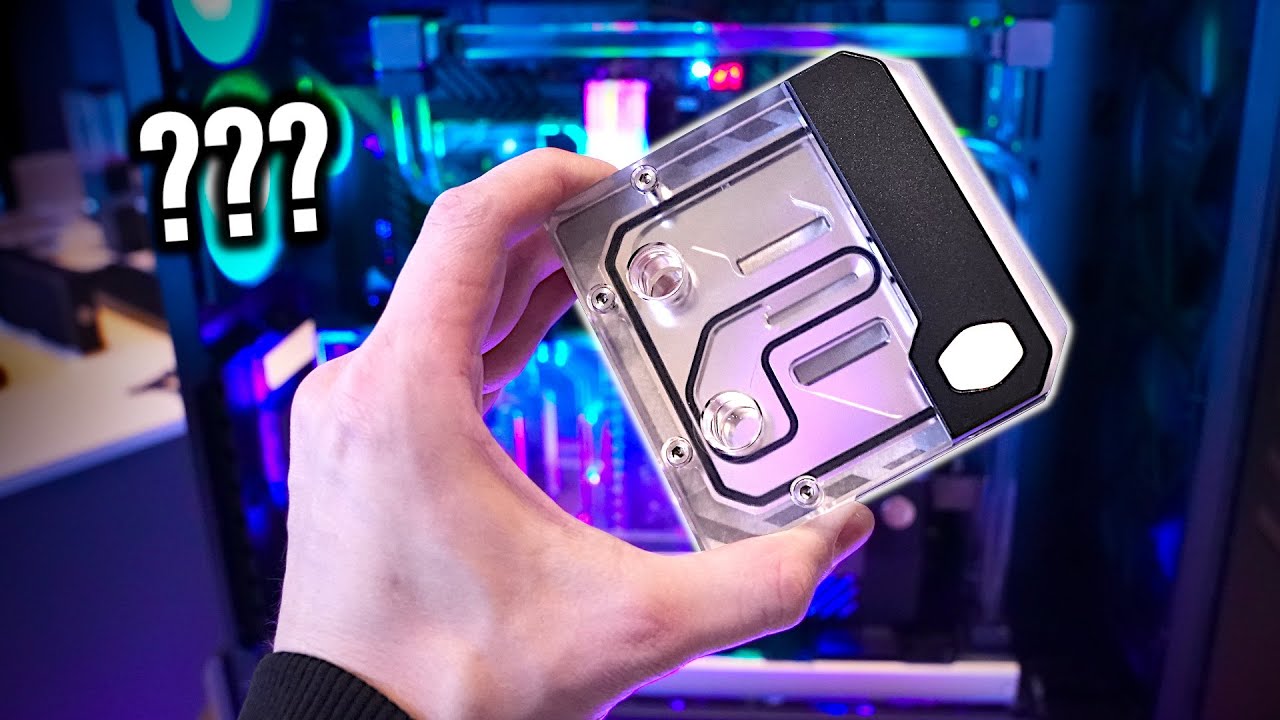
Also, they are getting into open loop cooling.
Here is the air cooler.
https://news.coolermaster.com/2024/01/03/v8-3dvc/
jade scaffold
it only says 300W on the website
"only"
cerulean helm
Though their website says 300w, but Der8auer video says 700w.
cerulean helm
Be a major misspeak, as he says he is quoting a Cooler Master rep.
jade scaffold
well for the size of consumer chips
cerulean helm
Not standard heat pipes.
jade scaffold
the cooler on my CPU can do 400w and its got a 90mm fan on it
cerulean helm
YEah, per video he says 720w.
jade scaffold
yea i could see a 700w cooler on a massive chips like SP5 or SP6 type chips because they have so much more surface area
cerulean helm
Starts here:
https://youtu.be/Sq0KN8IfNAQ?t=343
More Information about Hetzners AX102 Server:
https://htznr.li/der8auer/AX102_en
Support me on Patreon:
https://www.patreon.com/der8auer
Music / Credits:
Outro:
Dylan Sitts feat. HDBeenDope - For The Record (Dylan Sitts Remix)
...
jade scaffold
they are really FAT Heat pipes
ooooh its like an extended vapor chamber
thats really cool
cerulean helm
I wonder is its a mixup of what the design is capable of (700w) vs what that actual cooler is rated for (300w per website).
jade scaffold
maybe it can handle 700w before it turns into a fragmentation grenade
Really wish AMD Went SP5 for the new TRs rather than SP6 would make finding my self a nice chunky cooler alot easier
cerulean helm
Also, square hardline tubing, wtf?
jade scaffold
that is very funky
but also cool
very unique look a PC i think
the video they linked on their website also says 300w
cerulean helm
Thats what makes me think that the rep was talking about the new heatpipe design can do 700w but wasn't talking about that cooler itself.
jade scaffold
yea possibly
normal heat pipes do struggle with higher temps
its why theres not TR Varient of the NHD15 the design just cant accommodate such a massive heat load i think noctua said
cerulean helm
Yo, I heard you wanted a phone screen on your aio pump. New Hyte aio...
 jade scaffold
jeesus
sacred seal
Screens are the new RGB
jade scaffold
im more of a big industrial look kinda guy
sacred seal
Ram with Screens when?
jade scaffold
i like my Absurdly large heatsinks
sacred seal
We got AIOs, we have fans, we have cases
cerulean helm
Its a 5 inch screen, lol.
jade scaffold
sacred seal
We got AIOs, we have fans, we have cases
and gpu power connectors with screens too
i am excited to get my hands on one of the New Ryzen APUs and tweak it
gonna wait a bit because as happened when the origional Ryzen APUs released Mini Pc boards will follow somewhat shortly after
do i Delid it?
i might just so i can get reasonable cooling without having to stick the biggest cooler i can find on it
get my self some 7200mhz DDR5 CL34
cerulean helm
Eh, that speed on AMD? Hell even Intel is flaky at that ram speed.
jade scaffold
yea ryzen 7000 seemed to be stable enough though
it can also be very board dependant
ATX boards struggle to run higher speeds more so than ITX ones
cerulean helm
Eh, not from what I have seen. Lots of comments of peoples rigs just up and forgetting ram timings. Or having to run ram below its rated speed to even be stable.
jade scaffold
i think the best mobo for am4 ram overclocking was some matx case with only 2 ram slots and bumb fuck all features
well i can experiment
honestly 7200mhz ram isnt even expensive compared to 5600mhz
its like £20 more
I WISH RDIMMS WERE THAT CHEAP
kinda wish i went for 5600mhz while EPYC Doesnt Explicitly support 5600mhz this Mobo does and Epyc lets you OC memory if you really want to which at 12 channels is like 550 Gigabytes Per second of memory bandwidth
Also we are kinda getting a Replacement for Optane which i am Super happy about and its basically DRAM Drives that go in PCIE slots Only works on Server boards ATM but its still very cool and i intend on nabing one at some point or another when they become more common place on the 2nd hand market
literally just goes in a PCIE X16 slot that has CXL Support
Persistant memory support my beloved
 cinder lagoon
jade scaffold
literally just goes in a PCIE X16 slot that has CXL Support
Persistant memory su...
cinder lagoon
jade scaffold
literally just goes in a PCIE X16 slot that has CXL Support
Persistant memory su...
Who/what is this for?
And what supports CXL? 🤔
jade scaffold
its for a mixture of things
lots of aplications need a really big really fast cache
Optane Used to do that but as Optane is mostly Dead its being replaced with these DDR5 Modules
its also for aplications where a user might want a well and trully silly amount of RAM
EPYC Genoa can already support 3tb per CPU but some aplications do actually need even more than that and thats where these modules help
CXL is a protocal that can be operated over PCIE that allows you to attach additional memory controllers
it can be used for other things like having a cluster of servers connected to a shared bank of memory
which is good for A Pooling memory and B if a machine in the cluster drops out because the memory is stored off machine all the other machines in the cluster can pick up on where that machine left off in effect
also Having persistent memory support allows for if your database for example has a catastrophic crash meaning nothing stored in RAM is actually lost meaning you don't loose any data
Genoa Supports CXL 1.1 + like half of 2.0 because implementing all of 2.0 on your chips that start at 3 grand was apparently not nessesary
just to say everything ive just mentiond pretty much only pretains to CXL.Mem and maybe CXL.Cache Theres lots of other CXL things its a very new technology and very exciting for the future of data centres
One really interesting thing im actually finding out looking further into CXL is that if you have a PCIE Gen 5 GPU CXL allows you to pool its memory with the CPU
cinder lagoon
Dang thats actually really cool - how persistent is it? And is the card a controller only or also the additional storage?
cinder lagoon
jade scaffold
One really interesting thing im actually finding out looking further into CXL is...
Omg thats absolutely what I always wanted to do when my system was still a pile of garbage xD
jade scaffold
cinder lagoon
Dang thats actually really cool - how persistent is it? And is the card a contro...
Depends on the card some are pretty much indefinitely persistent some aren't
On that card I think it's controller + memory
Dram ran on a cxl device should achieve about 95% of the performance that standard in slot dram archives
Which isn't bad for running ram over pcie or even more impressive on an entirely different machine
jade scaffold
Just seen a es sample epyc for 110 less than what I paid for mine :I
Has more active CCDs too so what I could have done with it is have 1 active core per ccd then each CPU core would have a minimum of 32mb of cache all to itself as well as being able to share with the other CCDs for a total of 384mb of cache
And it's es sample
So it has no safeties and would as such be potentially overclockable rather easily
cinder lagoon
well, no engineering samples often DO have the safeties already present but sometimes in a more confusing (inconsistent) way. they might even be lower as it is not final hardware and they anticipated a change.
I would not recommend it other than for tinkering purposes alone. it might also be inconsistently unstable
jade scaffold
03 engineering samples from all previous epyc generations have had no safeties and no locks on them but have otherwise been totally stable cpus
jade scaffold
I have discovered somthing interesting!
this board has a header that allows for monitoring and modification voltages
if i can Up the voltage on this CPU it should boost like any other ryzen CPU
My main concern is that the IO Die is obviously very different to Ryzens IO Die and is alot more complex however i think if i can get an extra 100mv i might be able to hit 4.7ghz or somthing
not sure how sensitive the IO Die would be to raising core voltages but we shall see technically speaking this CPU has no 3D V Cache so 1.4V on the CCDs should in theory be possible but im not sure i want to push my luck when stock voltage is 0.9V
jade scaffold
Seeing on the cores about 1.165V ish actually

different cores at different voltages which is interesting because all cores were within 10mhz of eachother
mossy gull
Fun fact: people on Reddit think that AiO coolers have no cracks.
They pretend it's some kinda unibody design.
sonic meadow
Well they shouldn't have cracks. Seams yes, but cracks are no bueno in things that hold fluid
mossy gull
sonic meadow
Well they shouldn't have cracks. *Seams* yes, but cracks are no bueno in things ...
Cracks, there's cracks everywhere, especially in metal.
But usually small enough fluid wouldn't go through
cerulean helm
Have most of what I need to build my server, minus a rack for everything. But I need a new switch to add into the network or my server will be stuck at 1gb. And Ubiquiti doesn't make a 2.5gb switch, at all. And I really don't like dropping $300 for their XG flex 10gb switch or $270 for their 10gb aggregation sfp+ switch. Both would be a waste as my pc only has a 2.5gb port.
sonic meadow
There is also pretty even odds that a 10gb switch won't even support 2.5gb, so would be stuck on 1gb
You may find this article of use: https://www.servethehome.com/the-ultimate-cheap-2-5gbe-switch-mega-round-up-buyers-guide-qnap-netgear-hasivo-mokerlink-trendnet-zyxel-tp-link/

We test 15+ fanless 2.5GbE switches to see which are the top picks, which have cool features, and which ones are simply overpriced
cerulean helm
The 2 switches I mentioned from Ubiquiti can negotiate 2.5, just don't want to spend $300 for one.
cerulean helm
I'll take a look at the article.
mossy gull
cerulean helm
The 2 switches I mentioned from Ubiquiti can negotiate 2.5, just don't want to s...
Ubiquiti switches have theoretical max, for example 5Gbps, that's because of them being smart switches 90% of the time.
I have had cheap Ubiquiti Flex switches reaching 2 Gbps.
Well cheap, they're still 100.- but that aside.
sonic meadow
all switches have a maximum throughput, sometimes the max throughput is just the sum of all the ports (more common in smaller switches)
cinder lagoon
"5 port 10Gbit switch" - jokes on you I'm doing the math and all are 2.5 :)
mossy gull
cinder lagoon
"5 port 10Gbit switch" - jokes on you I'm doing the math and all are 2.5 :)
That's because it switches max 10Gb over all ports spread out, you need a 16Gbps
Ubiquiti told me they state the max speed the switch supports instead of what each port does.
cinder lagoon
The entire maximum throughput alright but like I'd wanna know the maximum throughput when effectively just connecting two devices thru the switch
mossy gull
cinder lagoon
The entire maximum throughput alright but like I'd wanna know the maximum throug...
That's what Ubiquiti does, others take the max speed of all ports combined
cinder lagoon
mossy gull
Ubiquiti told me they state the max speed the switch supports instead of what ea...
Ohh I got you wrong haha
mossy gull
I just discovered of what I think is very funny.
So I asked Bing CoPilot "Exoplanet".
And it responded with what it is, but the way is says "Exoplanet" is just hilarious, instead of it saying "Exo Planet", it says "Exop lanets".
glacial canyon
Oh, I got Soundforge in a magix bundle a couple of christmases ago. Maybe I can use that to isolate stuff.
cinder lagoon
https://www.youtube.com/watch?v=0LbaQxrSffw
Why is LITERALLY NO ONE COMPARING THIS THING TO A 4080!!!
Wasnt the 4080 about 20% faster than a 4070? Is this basically just a power efficient 4080?

Patreon mit Zugang zu meinem Discord:
https://www.patreon.com/der8auer
Music / Credits:
Outro:
Dylan Sitts feat. HDBeenDope - For The Record (Dylan Sitts Remix)
Bezahlte Inhalte:
- /
Samples im Video:
- 4070 Super
Timestamps...
cerulean helm

Sponsor: DeepCool AK620 Digital on Amazon https://geni.us/Nwc7
This review of the NVIDIA RTX 4070 Super includes benchmarks vs. the RTX 4070 (original), RTX 4070 Ti, RTX 4080, 3070, 2070, and AMD cards like the RX 6800 XT, RX 7800 XT, 7900 XT, and more. Testing looks at a mix of rasterization performance in gaming, ray tracing performance (inclu...
cinder lagoon
Ahh thanks
jade scaffold

The All New Minisforum EM780 Is The Smallest Ryzen 7840U Micro Gaming PC Ever! The EM780 is super tiny but packs a punch when it come to gaming. Powered by the Ryzen 7 7840U and Backed by the Radeon RDNA3 based 780M iGPU paired up with 32GB Of 6400 LPDDR5 ram plus it has 2 USB 4 Ports!
We do an unboxing, Go Over The specs and test some AAA PC ga...
Its so small
jade scaffold
Ordered a pair of Sony Link buds
they were like super cheap on sale
and being able to hear people and listen to music at the same time would be nice transparency mode on my XM4s just doesnt feel right to do
also if these are comfy enough im probably gonna wear them to sleep which was an issue i had with my Sony WF-1000XM4s
still gonna carry my XM4s with me for if i want noise canceling like on a train or bus or somthing but honestly when i use them i use them primarilly in transparency mode half the time anyway
cinder lagoon
Hmm now thats the second person I know of that sleeps with earbuds in...
Personally, I could NEVER - transparency mode on the XM lineup really doesn't feel right - its always way different compared to no earbuds. NC was good tho
sonic meadow
 cerulean helm
I think I found a switch that will work for my new home server build. Was recommended by Serve The Home on Youtube. And its under $50, and while unmanaged has 60 gbps switching capacity which is nuts.
https://www.amazon.com/dp/B0C64N2QN7?th=1&linkCode=sl1&tag=servecom_sthforum-20&linkId=540ed37300323dec38508792dd0804ae&language=en_US&ref_=as_li_ss_tl

YuanLey 4 Port 2.5G Ethernet Switch with 2 Port 10G SFP
mossy gull
cerulean helm
I think I found a switch that will work for my new home server build. Was recomm...
Get a layer 2 or layer 3 switch, not an unmanaged switch.
cerulean helm
Not paying $200 plus for a switch that will only connect my pc and home server.
mossy gull
cerulean helm
Not paying $200 plus for a switch that will only connect my pc and home server.
Layer 2 can be bought for probably less than 100.-
cerulean helm
Not with 2.5gb and/or 10gb ports
mossy gull
cerulean helm
Not with 2.5gb and/or 10gb ports
They usually advertise Gbe ports, but you should look at their switching capacity, not what each port does.
sonic meadow
Sounds like a great way to get not enough ports that do what you need
mossy gull
Ubiquiti Flex is for example a Layer 2 switch with a switching capacity of 10 Gbps.
cerulean helm
Which will not work with my ISP which is over 1gb. So how does that help? I'd be paying for internet speed I cannot use.
Also that unmanaged switch has a switching capacity of 60 Gbps.
mossy gull
I personally don't trust unmanaged switches, but you always can try😅
cerulean helm
Well, I use 2 Netgear unmanaged poe switches to power my 3 G4 pro Unify cameras and have zero issues. And a 3rd for linking my indoor and burried cables to my garage,
surreal moss
I don't see an issue with that switch or it's intended use
Actually had to talk myself out of buying one when you posted the link
cerulean helm
It will be behind my UDM pro, so I don't see an issue personally.
mossy gull
cerulean helm
It will be behind my UDM pro, so I don't see an issue personally.
That switch needs an SFP and fibre cable it looks like?
surreal moss
I've got an unmanaged switch behind my UDM Pro as well right now
Have for a couple years now
sonic meadow
surreal moss
Actually had to talk myself out of buying one when you posted the link
Heh, I need two 😦
Silly lack of job
cerulean helm
surreal moss
Actually had to talk myself out of buying one when you posted the link
The initial review posted that it was $70, so I was quite suprised that it was under $50.
cerulean helm
mossy gull
That switch needs an SFP and fibre cable it looks like?
Optional 10 gb sfps ports. The other 4 are 2.5 gb rj45.
surreal moss
mossy gull
That switch needs an SFP and fibre cable it looks like?
It's got two sfps
which is the reason I had to talk myself out of it
mossy gull
surreal moss
It's got two sfps
10 gig SFPs are pricey, a good 1 is already like 100.- overhere🥲
mossy gull
That's like a 300.- internet set-up🥲
surreal moss
internet?
sonic meadow
mossy gull
10 gig SFPs are pricey, a good 1 is already like 100.- overhere🥲
ebay, awaaaaaay
tbh the cost of sfp+ and the need for fibre cables definitely sways me towards copper 10g
and at patch lengths copper has absolutely no problems
cerulean helm
As a comparrision the Unifi Flex XG is a 5 ports layer 2 switch that has 4 10gb rj45 ports but the poe port is only 1 gb. So you would have to use the dc power plug instead of poe if your ISP is over 1gb. And its switching capacity is 82 Gbps.
While thats better than the unmanaged switch's 60 Gbps, the Unifi switch is $300... vs $50.
sonic meadow
and probably draws twice the power. if that is something you are concerned about
surreal moss
That's a really good point. Got a rack of Unifi at work and they. are. THIRSTY
cerulean helm
Spec sheet says max draw is 25w
surreal moss
I'll still take them over the Dells
sonic meadow
most of the small 2.5g switches (even with 1-2 10g ports) can be run easily completely fanless
cerulean helm
The YainLey switch is 2.7W idle, 0.3W per 2.5GbE Port per Serve the Home on YT.
jade scaffold
cinder lagoon
Hmm now thats the second person I know of that sleeps with earbuds in...
Persona...
The xm lineup is too bulky to sleep with them in
mossy gull
cerulean helm
As a comparrision the Unifi Flex XG is a 5 ports layer 2 switch that has 4 10gb ...
The PoE is 10 gig, I use them and they all connect over 10 gig without powerbrick.
cerulean helm
mossy gull
The PoE is 10 gig, I use them and they all connect over 10 gig without powerbric...
Not according to their own spec sheet.
 mossy gull
cerulean helm
Not according to their own spec sheet.
mossy gull
cerulean helm
Not according to their own spec sheet.
They always say Gbe, even on their Dream Machines, yet they support 10Gbe over their RJ45
sonic meadow
10g is supported over rj45
dunno about that specific switch, but its in the standard
mossy gull
Ubiquiti likes to play with max throughput instead of specifying what each port can deliver.
 cerulean helm
Even the Ubiquiti forum posts say the uplink poe port is 1gb. Either way. Its still $300 vs spending $50.
sonic meadow
4x10gb, 1x gb
41/82gb throughput
if a switch doesnt have its max throughput listed, then its likely not a product worth getting
mossy gull
I mean, if they only supported 1 Gbe each then this is 1 expensive switch for 1300.-
 sonic meadow
that throughput sounds about right for 48x1 + 4x10
96gb through the 1gb ports + 80gb through the 10g ports
the price sounds about right considering its also 48 ports POE
surreal moss
I haven't noticed 10 gb with PoE enabled on any Unifi I work with
with PoE disabled I've noticed they're doing 10
mossy gull
I mean, why would a switch have a 1Gbe in-port and 4 10Gbe out ports, that's just odd.
surreal moss
Haven't looked into because I haven't had anyone express a need for 10 at their workstation
cerulean helm
You can get around it by using the poe port as power only and using 1 of the 4 10gb ports as an uplink via what I am reading on reddit and the ubiquiti forum. So at least there is that. Still doesn't justify the $300 price tag imo.
sonic meadow
probably because most PoE devices are 1gb
surreal moss
Yeah, I'll take a look when I get in the office tomorrow. I'm playing with the switches all day anyway 😭
cerulean helm
My YuanLey switch will be here this weekend and I should have the time to build the sever (just no rack yet) and get everything setup. Then I get to exterpience TrueNAS for the first time and learn that system.
surreal moss
I'm setting up an R20 from them right now and am in love
I was poking around in the CLI trying to figure something out and finally realized they had all the little details handled in the gui. Took me about an hour to realize I only needed 5 minutes
cerulean helm
I was recommended TrueNAS as the sever will mainly just be storage and a vm or 2 for tinkering. Using 5 WD Red+ 6TB HDD drives in a RaidZ 1 for 24TB of storage.
Server will be using my old 8700k.
surreal moss
From what I've seen so far it should handle that just fine
cerulean helm
Watched an install video from Craft Computing and it looks pretty easy. And the web gui looks simple to understand as well.
surreal moss
Yeah, once it's set up the gui seems to be able to handle for everything. Talking with the manufacturer they seem very much orientated towards getting out of the way
They also have a fairly active discord with some pretty smart people on it
jade scaffold
cerulean helm
I was recommended TrueNAS as the sever will mainly just be storage and a vm or 2...
Nice lil set up
I really need to nab myself some like pcie switches so I can turn 16 of my gen 5 lanes into 64 gen 3 ones don't really need to do it but in the interest of using my available lanes efficiently
I've already got 2 of my x8 slots occupied by gen 3 u.2 cards
Though maybe it'd be worth trying to move to the faster more storage dence gen 5 drives though not sure what kinda cost per tb I can get on thoes
jade scaffold
Yo these buds are weird
Sound shockingly good for buds
not alota base tho but like they sound nice
they Fit very very well
i can shake my head real hard and they dont come out
mossy gull
jade scaffold
Sound shockingly good for buds
Is it the ones with the hole in the middle?
jade scaffold
yee
mossy gull
jade scaffold
yee
They do sound very good, my colleague has them.
Almost like open-back headphones but for earbuds
jade scaffold
i struggle to understand people using transparency mode even if transparency mode is very good on the XM4s
mossy gull
jade scaffold
i struggle to understand people using transparency mode even if transparency mod...
It never is really good because the mics are so small and don't have a "sound trap" cone.
Even on my Bose earbuds it's not that good
jade scaffold
the XM4s have some pretty chonky mics and like 8 of them too so while transparency dose imo sound very good and not too far off sounding natural i still for some reason struggle to tell what people are saying with them in
mossy gull
jade scaffold
the XM4s have some pretty chonky mics and like 8 of them too so while transparen...
This has to do with it tries to filter other sounds from voices.
Which can sound off and not good understandable.
jade scaffold
Yea possibly
I still intend on using my xm4s when stuff gets loud but for when I wanna talk to thoes around me I'll be using the link buds
Lcd2 for scale xD

i heard alot of people complaining these things dont get loud and I disagre 50% volume is louder than i think i would typically use my headphones at
mossy gull
jade scaffold
i heard alot of people complaining these things dont get loud and I disagre 50% ...
Most people are deaf these days.
Many times at my job I have to tell my colleagues not to blast the music, and they think it isn't loud.
mossy gull
jade scaffold
like impressivly clear for somthing i spent £55 on
To be honest, I had every bloody Samsung Bluetooth earbud.
And I prefer the sound stage of the Buds Live, yes the beans, so far they are the cheapest, or 2nd cheapest but personally sound way better than the Buds Pro
jade scaffold
im really vibing with these tbh
 timber barn
uh sexy screens https://www.youtube.com/watch?v=gzPULczlCv8

Thanks ASUS for sponsoring today’s video! Check out their upcoming ROG Swift OLED PG32UCDM Monitor as well as their other upcoming products at https://us.rog.gg/CES_PG32UCDM
Want us to unbox something? Make a suggestion at https://lmg.gg/7s34e
► GET MERCH: https://lttstore.com
► GET EXCLUSIVE CONTENT ON FLOATPLANE: https://lmg.gg/lttfloatplane...
the 39 one looks tasty
cinder lagoon
Anyone here good with lua?
sacred seal
Not good, but I have wrote a few programs before
The index starting at 1 is really confusing when you are used to other languages
cerulean helm
Well, shit. Was about to start the server build when I discovered I misplaced my 2.5gb nic as the z370 board I am using only has a 1gb port. And of course nobody local stocks a nic.
cinder lagoon
So like not-temporarily misplaced?
I would SO search for an hour instead of getting a new one 💀
cerulean helm
I have no clue where it would have gone. I thought I left it in the motherboard as thats still in the old case. Ended up ordering a new 10g sfp+ port nic anyway for a reasonable price.
cinder lagoon
Wweeeellll SFP+ being an upgrade its understandable BUT Watch out: there are only few SFP+ connectors that support 2.5g. The other ones can only switch between 1g and 10g
cerulean helm
yup.

BCM-57810-2S based on Broadcom BCM57810S, is the solution of choice for workload intensive computing environments, providing a reliable, high-performance 10GbE connectivity solution. Features: Dual-port 10GbE connectivity for rack and tower servers x8 PCI Express; (PCIe;) V2.0 (5 GT/s) support Fu...
And these sfp+ multirate connectors.
https://www.amazon.com/dp/B0BXP5XXBX?psc=1&ref=ppx_yo2ov_dt_b_product_details

10Gtek 1.25/2.5/5/10G-T SFP+ to RJ45 CAT.6a Copper Transceiver, Auto-Negotiation SFP+ Ethernet Module, up to 30-Meter, for Cisco SFP-10G-T-X, Ubiquiti UniFi UF-RJ45-10G, Netgear AXM765, Pack of 2
cinder lagoon
Ay noice
cinder lagoon
Trying my luck again with this Problem of mine:
#1198132515530080276
cerulean helm
Well, a local ISP has fiber internet now. Looked into it, and its cheaper than what I pay now for double the speed. Right now I pay for 1200mbps down and 200 up. Plus an extra for no data cap. Something like $180 a month. Fiber plan is 2 gig up and down for $130 a month. No data cap, no equipment fee. And they will pay my cancellation fee to my current ISP. Requires 4 hours to install the fiber line though.
jade scaffold
That's pretty expensive I pay £35 a month for symmetrical gigabit with my own static IP
4 hours is a pretty long installation time but for symmetrical 2 Gigabit worth it imo you have phones anyway
cinder lagoon
i pay 40€ a month for 0.1g down and 0.05 up 🥲
jade scaffold
Ooof
surreal moss
I pay $140 for 600 down and don’t have fiber as an option here
sacred seal
I run my own sort of wisp so I can get 50-150 symmetric for I think 180 cad (we actually play for gigabit), but the cost is split between 5 households
mossy gull
I pay 100.- for 8 Gbps up and download
cerulean helm
ISPs in the U.S have very little regulation and are not classified as a utility. Hence why its stupid expensive and very few choices. The big 4 being:
Xfinity, ATT, Spectrum, and Cox. And all of them have been caught multiple times fixing prices between themselves.
cinder lagoon
sacred seal
I run my own sort of wisp so I can get 50-150 symmetric for I think 180 cad (we ...
Thats actually really smart
Yea germanies had high prices because of limited broadband capability (thx old politics) and now they just really gradually lower the prices with empty cables and mile high profits
jade scaffold
i have managed to get a whole 3% extra performance out of my EPYC
this was basically just playing with power limits
aparently these things get like 5% faster once you have enough memory bandwidth
cerulean helm
My pc has bsod 3 times while playing Stellaris.
sonic meadow
sounds like a sign, dont play stellaris
cerulean helm
Its a watchdog timeout bsod. I assume its OC related.
sonic meadow
you havent bought enough stellaris DLC
cerulean helm
sonic meadow
you havent bought enough stellaris DLC
lmao. The only DLC I don't have is Astral Planes.
Somehow I just remembered/figured out I was running a mesh filter on the top exhaust of my tower, where the rad for the cpu exhaust. So, thats now removed. That should help some in airflow.
cerulean helm
Well its definitely not the oc. Clock speeds and voltage were well within normal range when it bsod'd again.
jade scaffold
Been wearing these new buds out and about and yea they are really comfy
cinder lagoon
cerulean helm
Its a watchdog timeout bsod. I assume its OC related.
Only when playing Stellaris specifically?
Watchdog timeout means the OS didn't tell the kernel it's still running so I'd say Software issue.
Would check for ram stability aswell. You running mixed memory?
jade scaffold
 cerulean helm
cinder lagoon
Only when playing Stellaris specifically?
Watchdog timeout means the OS didn't t...
cerulean helm
cinder lagoon
Only when playing Stellaris specifically?
Watchdog timeout means the OS didn't t...
Only Stellaris so far. Was playing Medivial Dynasty several days before and had no problem. The bsod is Watchdog timeout and in the event log its error 0101.
Ram is been the same since I built the rig last Feb. Corsair Dominator 5600 DDR5. And is listed on the motherboards certified ram list.
I'm back to thinking the overclock may not be stable as running Timespy Extreme I also bsod last night. I'm using Asus "ai" overclock which means it dynamically changes the overclock every boot. Ive since disabled the dynamic part and its running on OC that has been stable for me for months. Hopefullly that fixes the issue.
cinder lagoon
Sounds like a good start
I would recommend running this in Powershell (admin) tho - it runs dism and sfc 5 times
for ($i = 1; $i -le 5; $i++) {
    Write-Host "$i of 5"
    dism /online /cleanup-image /restorehealth
    sfc /scannow
}
Ran it. First pass took a long while and the percentage went up slowly, next 4 passes went by a lot faster.
Message states The restore operation completed successfully. The operations completed successfully. Then below that I get a message that reads: Windows Resource Protection could not start the repair service.
cinder lagoon
cerulean helm
Ran it. First pass took a long while and the percentage went up slowly, next 4 p...
It usually says "repaired something" thats why I always run it multiple times.
Never got the could not start repair service tho... 🤔
cerulean helm
Yeah not sure what exactly that means and haven't the time to dig into it atm.
Currently building the server chassis, finally. PSU came in tonight as well as the server rack itself. Hope to have it up and running later tonight.
cinder lagoon
I'd just try rebooting and trying again
cerulean helm
Okay, thanks.
And omg. I thought I was at a full stop building the server as I totally forgot sata cables for the hdd drives. Just went and raided whats left of my first pc build from over 10 years ago and a random z170 intel box and found all 5 cables I needed.
sonic meadow
hahaha. ive got a small stash of ones I bought when I was building my NAS because I didnt realise one of the bits (the drive enclosure?) also came with them
so I have 4/5 small bags with proper twinax 6gig sata cables
cerulean helm
So, the z370 board I am using has 2 m.2 nvme slots and I have some low cost kingston gen 4 ssds. Don't have heatsinks for the motherboard. Maybe I did at one point but not now. Since those m.2 drives will only have True Nas on them I assume I shouldn't need any heatsinks. Have 3 80mm be quiet fans in the case.
cinder lagoon
Do NOT run TrueNAS off those SSDs!!
Not that it would harm them but you can only use about 4GB of this drive.
Rather use a good low capacity USB to run trueNAS off and use the SSDs as caches!
sonic meadow
cinder lagoon
Rather use a good low capacity USB to run trueNAS off and use the SSDs as caches...
You do not need an SSD boot device, but we discourage using a spinner or a USB stick. We do not recommend installing TrueNAS on a single disk or striped pool unless you have a good reason to do so.
from https://www.truenas.com/docs/core/gettingstarted/corehardwareguide/
Describes the hardware specifications and system component recommendations for custom TrueNAS CORE deployment.
surreal moss
It should be fine on the drive
sonic meadow
Booting legacy FreeNAS systems from 8 GB or larger USB flash drives was once very popular. We recommend looking at other options since USB drive quality varies widely, and modern TrueNAS versions perform increased drive writes to the boot pool. For this reason, all pre-built TrueNAS Systems ship with either M.2 drives or SATA DOMs.
aka dont use USB
it was once the recommendation, but usage has changed. and USB drives be shit
cinder lagoon
While that is true I believe it would waste alot of capacity that could better be used otherwise.
If it were up to me I would use USBs and clone it periodically to a second USB
sonic meadow
luckily its not 😛
on that, I should probably set up a task to backup the config of mine
cerulean helm
I'm well aware to not use a usb as a boot device. Guide I watched said to use 2 nvme m.2 drives.
Fantastic. Looks like the Be Quiet cooler I ordered only came with 3 fan clips, instead of 4.
sonic meadow
for two fans?
cinder lagoon
I may be mistaken regarding the ability to use the rest as a cache but for a long time it was unable to - for me it is much more important to save cost than to have uptime
sonic meadow
small ssds are cheap.
and I doubt you can use the rest for anything, free/truenas tends to disable their use for anything but being the boot volume
cerulean helm
sonic meadow
for two fans?
Yeah. Went overkill and ordered a Be Quiet TF2 downfiring cooler.
TrueNas install video only mentioned dual nvme for redundency for the OS.
sonic meadow
the dark rock tf2?
interesting choice (not bad or anything). im sure it will be fine with just one fan, or a cable ties
cerulean helm
I'm hoping 3 fan clips will be enough, if not I have zip ties.
Yeah, I wanted to make sure I had more than enough cooling as the rack case only has 3 80mm fans for case airflow.
sonic meadow
those 80mm fans are likely.. high airflow, with the corresponding acoustic penalty
cerulean helm
Well I should add they are silent wings 2 80mm fans. I ditched whatever Silverstone was using.
sonic meadow
ahhhh
cerulean helm
Well. Build looks to be a success. Server has posted. And cpu temp is a cool 33c in the bios.
cerulean helm
Aha, So I cannot use both m.2 drives on this z370 board or it shuts off some of the sata ports. So one nvme drive it is.
cerulean helm
And last update for the night. Looks like my nic isn't compatable with Truenas for somereason. Won't register the network interface at all.
sonic meadow
It has a much limited set of network adaptors it has drivers built in for. You may be able to find a way to get it working with some googling
Or said googling will tell you "no"
cerulean helm
All I can find is hit or miss. Amazon reviews pointed me that it would work. Its a broadcom 57810 chipset.
surreal moss
That should work. TrueNAS runs BSD under the hood. Look for compatible drivers that way and you should be able to get it on the network.
cerulean helm
Okay, it does work, the io bracket was keeping it from fully inserting. So removed that and it picked it up fine. But not no io bracket. Gonna have to modify it somehow.
jade scaffold
Cant get my PCIE SSDs to show up
and i know they work because they show up imidiatly in my Asrock server board
cinder lagoon
cerulean helm
Okay, it does work, the io bracket was keeping it from fully inserting. So remov...
That shouldn't happen - pic of the thing with the bracket? I suspect inserted wrong
jade scaffold
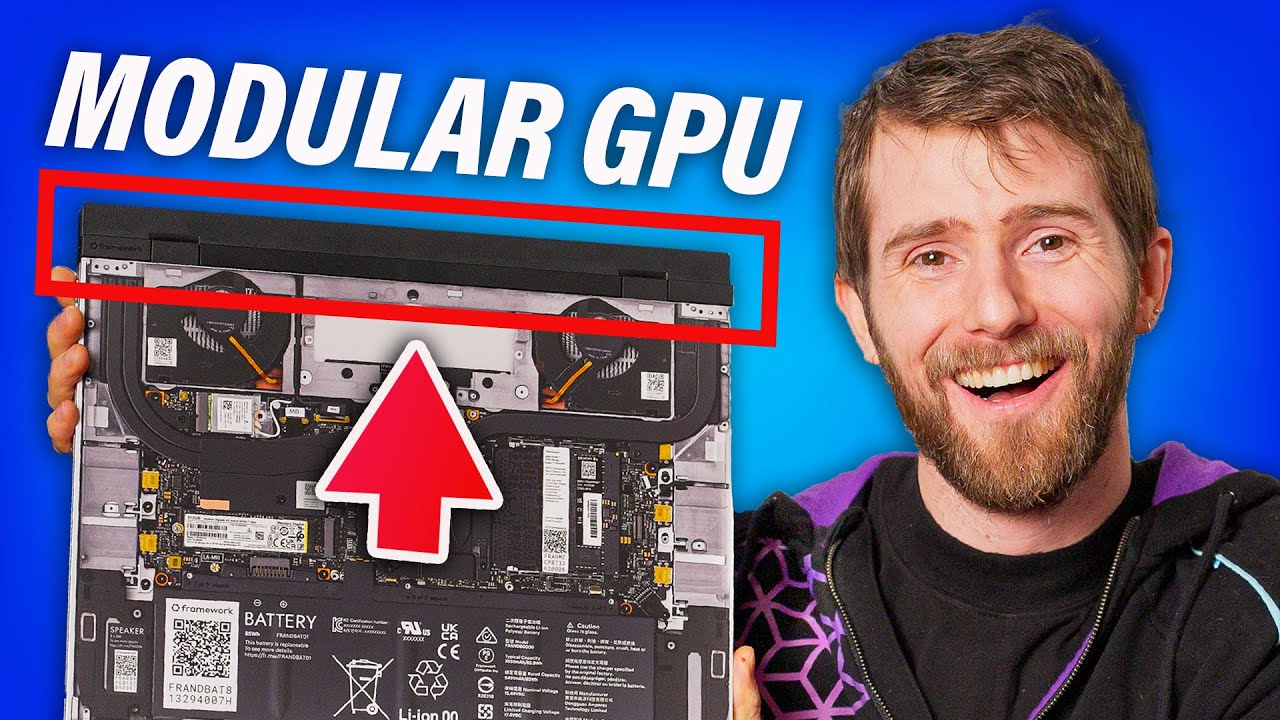
Sell your old graphics card the easy way and offset the cost of your new card at https://bit.ly/JawaLTTJan24
Feel the power! Buy a Seasonic TX 1000 PSU at https://lmg.gg/seasonicprimetx1000psu
Can manufacturers finally get it right when it comes to upgradeable gaming laptops? Framework wants to try with the Framework 16, featuring a DGPU that ...
glacial canyon
Got my shure mic and goxlr mini today. First time I've ever heard myself in my headphones while I talk. Unfortunately, I've yet to figure out how anyone else will.
mossy gull
This may sounds dumb, but AMD finally fully released Fluid Motion Frames.
For the people that are unaware, you basically can stack FSR3 + Frame Generation with Fluid Motion, giving you even more fps in games.
And I am happy
cinder lagoon
jade scaffold
https://www.youtube.com/watch?v=eUCm4wKarpQ
Was really interested in an F16 before this video BUT
- small trackpad
- lack of alignment precision (at least on this unit)
- apparently lackluster keyboard
- pretty bad speakers (I could practically hear what he said about them before he opened his mouth)
- really high price (open to still pay because laptop oif theseus)
Also no touch display i.E. Unsuitable as a uni laptop imo
mossy gull
cinder lagoon
Also no touch display i.E. Unsuitable as a uni laptop imo
I wish they at least had an OLED option, don't get me wrong, touch is nice, but nothing so far can beat the OLED goodness all the other laptops will have like very low input lag and high framerate, with excellent blacks
cinder lagoon
That is true but being modular I highly susoect they will provide an OLED display in the future
surreal moss
glacial canyon
Got my shure mic and goxlr mini today. First time I've ever heard myself in my h...
Talk back is half the battle 😉
glacial canyon
Got the app to stop freezing, at least.
glacial canyon
This is how I've set it, let me know if I've screwed up?

The mic works within goxlr, but doesn't interact with other apps.
surreal moss
Like it’s not getting forwarded back out?
cerulean helm
cinder lagoon
That shouldn't happen - pic of the thing with the bracket? I suspect inserted wr...
No the io bracket doesn't let the nic fully seat. Its several millimeters off.
This is the nic I have:
https://www.amazon.com/dp/B06X9T683K?ref=ppx_yo2ov_dt_b_product_details&th=1

BCM-57810-2S based on Broadcom BCM57810S, is the solution of choice for workload intensive computing environments, providing a reliable, high-performance 10GbE connectivity solution. Features: Dual-port 10GbE connectivity for rack and tower servers x8 PCI Express; (PCIe;) V2.0 (5 GT/s) support Fu...
glacial canyon
OBS picks up the game, but not the mic.
Since I'm not mixing anything in it anymore, I'm giving OBS the combined audio.
cerulean helm
Oi. Came home from work and went to mess with the network card io bracket and turned the server on to see the motherboard changed the disk boot load order to one of the HDD disks and not the m.2 nvme drive.
Fixed that and the server boots but now can't access the web gui.
Can't win with this thing.
glacial canyon
Maybe there's something going on with app permissions, or something...
cerulean helm
No idea, trying to enter the web gui it just times out. And the server file under network locations in explorer is got a red x on it.
glacial canyon
Oh, I was thinking aloud about my mic issue.
knows nothing about servers
Aha! I have it working with audacity... playback's a lot quieter.
Ah, looks like I need to things seperately in OBS anyway... or just not use 'desktop audio' doy.
cinder lagoon
glacial canyon
This is how I've set it, let me know if I've screwed up?
While this screenshot shows both screens, all text on it is completely unreadable lol.

Make sure to always take screenshots in PNG format, not jpg or anything else with compression :p
cerulean helm
Ended up resetting the server config and starting over. Can now access Truenas web gui. Have all the same settings applied but for whatever reason I cannot map the new drive in windows.
glacial canyon
It is png. Open in new tab.
I think I've got mic and system balanced now, so I'll be heading off to bed. I may need to get a quieter keyboard at some point, heh.
cinder lagoon
glacial canyon
It *is* png. Open in new tab.
my bad, then it's just discord mobile crushing the image 🙃
glacial canyon
Yeah, it's cheeky like that.
cinder lagoon
Cause why would it "just work", right?
glacial canyon
That would be too easy.
surreal moss
cerulean helm
Ended up resetting the server config and starting over. Can now access Truenas w...
You set up the SMB on the NAS?
cerulean helm
surreal moss
You set up the SMB on the NAS?
So I just figuired it out. As I am using Windows filesharing and sharing Windows login credentials I didn't realize that in TrueNas the full name and username must match the Microsoft account name. I only thought the username had to match the Microsoft account.
cinder lagoon
yeah its probably like the active directory fuckery
logging into network shares from windows requires the username to be in format domain/username where domain is the device name, if no PC group is set up
 cerulean helm
So my server has a 3x 5.25 bay slot not being used and if I take out the drive bay cage I can fit a larger gpu in the server for use in vm for streaming and such. I am looking for a bracket of some kind that fits in a 3x 5.25 slot. I see one in this video. No idea where to find it though.
https://youtu.be/yYfe9iin0gY?t=225

SPONSORS: Snag a vip-scdkey.com OEM Windows 10/11 key for $16 and use code 'SKGS' for a 25% discount: https://bit.ly/Win10SKGS
We need to make some changes... to our server rack! Ubiquiti sent over tons of super useful home security equipment - most of which we'll be connecting and setting up in this video. We'll also be restructuring much of t...
cinder lagoon
Well, I've quickly found the inverse I think there is something like that out there :P

JMT Metal PCI Slot 2.5inch IDE/SATA/SSD/HDD Mounting Bracket Rear Panel Mount Bracket Hard Drive Adapter Tray Caddy with Sata Data Cable (Half Height Bracket)
cerulean helm
Well, full stop on installing my 2080 ti I had in the server. The Seasonic PSU didn't come with enough pcie connectors. Had to order more. Fortunately CableMod on Amazon had the exact ones.
cinder lagoon
cerulean helm
So my server has a 3x 5.25 bay slot not being used and if I take out the drive b...
Wait I understood you wrong I thought you wanted to mount the GPU in place of the drive bay not a fan grill that fits into 3 drive bays
cinder lagoon
cerulean helm
Well, full stop on installing my 2080 ti I had in the server. The Seasonic PSU d...
Which one you have?
cerulean helm
Both. I need something to cover the 3x 5.25 opening with the drive cage pulled out. I figuired a fan would be best with a gpu right there.
cerulean helm
cinder lagoon
Which one you have?
MSI Gaming X Trio. 2x 8 pin and 1x 6 pin.
cinder lagoon
cerulean helm
Both. I need something to cover the 3x 5.25 opening with the drive cage pulled o...
I think a good combo solution doesn't really exist... there are a couple drive bay to fan mount adapters out there and most of them have some screw holes but I don't think you can mount a GPU somewhere there without designing the mounting bracket yourself
cerulean helm
I have other gpus that will work but they are older and I want the better nvenc encoder. I a bright note, in going through my gpu stash I found by EVGA 660, lol.
cinder lagoon
cerulean helm
MSI Gaming X Trio. 2x 8 pin and 1x 6 pin.
Meant the PSU lol
cerulean helm
PSU is a Seasonic Focus PX-750.
And the video I linked shows the exact bracket that is a fan mount for the same server case I have. I just can't find it.
cinder lagoon
cerulean helm
So my server has a 3x 5.25 bay slot not being used and if I take out the drive b...
https://www.mountainmods.com/mountain-mods-alu-triple-120-black-wrinkle-525-baycover-p-650.html
found this, they also have a black alu fan grill
cinder lagoon
cerulean helm
PSU is a Seasonic Focus PX-750.
Hmmm 2080 Ti with that many connectors might be a little slim on power budget tbh, without even knowing what kind of CPU is in there
sonic meadow
If it's just being used for light duty 3d loads and video encoding you could likely cut the power budget/target on it quite significantly
Or even maybe not connect the 6 pin 🤔, though that may cause the card to fail POST. Never tried it on a card with multiple connectors
cerulean helm
cinder lagoon
Hmmm 2080 Ti with that many connectors might be a little slim on power budget tb...
Min spec for a 2080ti is a 650w psu. Cpu is a 8700k.
cerulean helm
sonic meadow
Or even maybe not connect the 6 pin 🤔, though that may cause the card to fail P...
Not sure, i'd have to look up and see if it would even post or not.
sonic meadow
You might not find that information online. Tbh if it's not too difficult to I would just test it myself
2x8+1x6 is 300-375w, which is above the 250w official tdp. (2x8 is 300w)
cerulean helm
I guess I could check.
That would be a no.
Oh well, I have extra cable mod cables that will be here friday.
cinder lagoon
I mean... it should be fine....
but it COULD run into trouble, given that the hard drives and fans also draw from the 12V rail
 cerulean helm
Well on MSI own website for that gpu it states a 650w is recommended. zthe 8700k is set to stock bios.
And it will only be used for encoding, nothing more.
cinder lagoon
Ay at least the PSU got good overcurrent protection 😛
cerulean helm
Well, I went with Seasonic for a reason (not to mention its a smaller atx psu). I could have rolled the dice with a Thermaltake 850w psu from 2011. Didn't feel like making that bet though.
jade scaffold
in theory my PC shouldnt pull 1000W if you dont account everything properly
but i can actually tripp my PSU
cerulean helm
CableMod cables came in and the 2080 ti is now installed in the server. Plan is to use a VM and stream from the server.
jade scaffold
noice

why
why is only 1 showing up
there should be 4 of thoes 1.8tb drives
and i know they all work
sonic meadow
Do they show in disk management?
sonic meadow
It's possible they dont have drive letters assigned. Check disk management
jade scaffold
 sonic meadow
Hmm. Does device manager show them at all? Are they healthy/installed properly?
jade scaffold
all should be installed properly i threw them in my server and they showed up then just transfered the cards they were on into my Main pc
this Mobo should Auto Bifurcate
and even if it didnt i'd expect to see atleast 2 drives

nope only the 1 intel drive
jade scaffold
funny enough that 1 that is showing up wasnt yesterday
sonic meadow
Are you sure it auto bifurcates and that you don't need to enable it in the bios?
jade scaffold
yep
bifurcation i made sure was set to auto for each PCIE slot group
mobo manuel isnt very descriptive on what thing in the bios = what slot on the board which really is unhelp full because this thing is covered in PCIE slots of all sorts
sonic meadow
I'm guessing it's a 4 in 1 m.2 board?
Does your bios/uefi enumerate/list connected pcie devices? I know some do, but not all
jade scaffold
sonic meadow
I'm guessing it's a 4 in 1 m.2 board?
Does your bios/uefi enumerate/list connect...
dual 2 in 1 U.2
so its 2 cards in 2 different slots so if it was just that its not bifrucating i would expect 2 drives to be active
Im never buying a super micro Mobo ever again
sonic meadow
8x electrical? Can the two slots be 8x at the same time?
Motherboard slot/lane assignment can be hinky
jade scaffold
sonic meadow
8x electrical? Can the two slots be 8x at the same time?
Motherboard slot/lane a...
yes
every PCIE port on this mobo can be active simultaneously at the ports rated full speed
i could try buy a cable for the dedicated Dual NVME Ports on the board i guess
maybe thoes NVME ports will pick up the NVME SSDs easier
sonic meadow
Silly question: is the second card (or first, dunno which isn't reading) properly seated?
And the u.2 cables too I guess
jade scaffold
yep i double checked that when i was last fucking with it
the U.2 Cards are just drives streight plugged into the adin card the drives are screwed in and wouldnt be able to be screewed in if not aligned with the ports properly
shoulda just tried to get my hands on the ASrock board
Coulda had a Black PCB then too
they are gen 3 drives in a gen 5 board
but that shouldnt matter
the board even behaves properly with my gen 4 pcie riser im using for my gpu
this one drive being the only drive to show up is the most taunting shit i ever have seen i wanted to run all 4 drives in like a little redundant raid array 3 drives worth of storeage and 1 drives worth of parity
so despite this 1 drive showingup i cant even use it
cinder lagoon
jade scaffold
yep i double checked that when i was last fucking with it
can you check with a ubuntu live USB?
You are using Server 22, right? there might be some fuckery to circumvent license abuse (just like the auto-shutdown 1h after boot, once the test period runs out)
HW info uses Smart commands to query drives, they go thru the motherboard so if the mobo sees them, theres an issue with the software obviously.
the software (as always) being windows (:
jade scaffold
Nope I'm.actually still stuck on win 10
cinder lagoon
reinstall chipset drivers
jade scaffold
Super micro mobos are shit
cinder lagoon
well thats a server board, aint it
jade scaffold
Already reinstalled the mobos drivers
jade scaffold
cinder lagoon
well thats a server board, aint it
Asrocks and gigabytes do not have this issue
cinder lagoon
run diskpart list disk for me, will you
cinder lagoon
jade scaffold
Asrocks and gigabytes do not have this issue
-
- Super Micro exclusively makes server / industrial hardware
jade scaffold
cinder lagoon
- - Super Micro exclusively makes server / industrial hardware
False they make several workstation boards
cinder lagoon
hm aight
r/softwaregore

there's some more low-level commands than diskpart that might reveal a hardware-path and what happened.
Try check event log too! in System tab, find the last shutdown date, then scroll back like 50 more messages (the system time doesn't change until after some hardware stuff loads) - there might be disk messages in there
jade scaffold
cinder lagoon
run `diskpart list disk` for me, will you
ill get you this in a sec mid game atm
 cinder lagoon
ohh and did you check device manager with hidden devices etc enabled?
jade scaffold
Not entirely sure whats happening
in theory the Mobo shouldnt actually have any interaction with the drives
it should just be PCIE streight to the CPU
cinder lagoon
so its only the U.2 drives missing
jade scaffold
yes
cinder lagoon
ahhh hmmm
jade scaffold
and only 3 of the 4 of them
cinder lagoon
windows non-server incompat with U.2?
cinder lagoon
ahh hmmm
jade scaffold
U.2 is identical to M.2 windows has no way to tell them apart
cinder lagoon
hmm aight
i would try with linux next
jade scaffold
i will need to upgrade the windows install at some point anyway
normal windows doesnt support more than dual channel memory aparently
cinder lagoon
nah I mean just a ubuntu live boot and look in disk manager
jade scaffold
yea
ill do that another day
with friends atm
but yea this is weird issue i'd kinda expect the drives to just show up
and it cant be a birfucation problem
maybe ill try using the dedicated NVME ports on the board
cinder lagoon
jade scaffold
but yea this is weird issue i'd kinda expect the drives to just show up
and it...
even if it's auto bifurcation I would try to set it manually
jade scaffold
cinder lagoon
even if it's auto bifurcation I would try to set it manually
somany PCIE slots on this thing and they arent labled in a way where i can tell which i should be setting to be bifrucated
and no the mobo manuel doesnt tell me whats what
cinder lagoon
example?
jade scaffold
i cba going into bios to take a pic atm but it names them like
P(x)
M(x)
G(x)
and the different letters dont atall line up with any of the different types of PCIE Slot on them
cinder lagoon
huh thats stupid
I'd guess top to bottom in the list = top to bottom on the board but it might be different
jade scaffold
one issue with that ive got PCIE Slots everywhere

theres ones along the side you can see which are gen 5 x8 NVME ports
theres 3 of thoes but not 3 options that one would correlate to them
Super micros Bios is a joke
i can also bifrucate the M.2 slots i belive because Sure why not
all bifrucation on EPYC Genoa is done CPU side so why not
cinder lagoon
jade scaffold
all bifrucation on EPYC Genoa is done CPU side so why not
that sounds pretty neat tbh

