#Tech Lab forum - General Discussions!
1 messages · Page 5 of 1
 cinder lagoon
 sacred seal
65 watt is even on the hot side
cinder lagoon
it will most likely not run 65W continously
sacred seal
Still. You are dealing with a zero airflow enviroment. Any heat leak (ram, PSU, vrms) is not getting out of there
cinder lagoon
I'm writing an empirical paper on it and am doing very much research on it as my job currently
cinder lagoon
sacred seal
Still. You are dealing with a zero airflow enviroment. Any heat leak (ram, PSU, ...
uhhh which is why I want to employ semi-external watercooling (radiator with fans inside the IP65 protected case, radiator (maybe without fans, depending on availability) outside or in a cut-out extra-proofed compartment "inside" the case
sacred seal
The only way that system is going to work is if you run a external radiator (drill some holes to run some tubes). Someone put a 15 watt laptop inside one of those to test and it overheated after a hour of idling
cinder lagoon
I'm still choosing the solution. I will get it cooled well enough but I still need to decide on how to do it best
cinder lagoon
sacred seal
The only way that system is going to work is if you run a external radiator (dri...
I think you're getting me wrong, I will probably end up using an external radiator
cinder lagoon
cinder lagoon
I think you're getting me wrong, I will probably end up using an external radiat...
read again using this info ^^'
you can read german, right?
sacred seal
So you are planning on using two rads? One in the case and one outside
cinder lagoon
yeees
sacred seal
Ok, don't understand the purpose of the internal rad at all
That is just going to be dumping heat that could have been exausted outside the case, into the case
cinder lagoon
sacred seal
Ok, don't understand the purpose of the internal rad at all
I might need it to cool some non-watercoolable stuff in there
still not sure about everything of it, just some aspwects
sacred seal
With a case like that, nothing inside of that case is getting cooled. Any heat that is emmited inside the case stays inside the case. Any airflow will just move the heat around inside the case
Won't actually cool anything
Well, it will buy you some time, but that is about it
cinder lagoon
I have components inside I cannot watercool. These should be roughly covered by some heat exchanger that is also connected (together with the CPU) to the outside of the case
thats my plan as of now, as best explained as I can (together with everything above)
sacred seal
Seems like I am misunderstanding your intentions here. Lets see if I got this right
You are going to have a CPU watercooled with two rads, one inside the case, and one outside. Is this correct?
And you want to shove some dust proof fans on the rad that is inside the dust proof case?
cinder lagoon
hang on I'll MS paint something on top of my WIP F360 project
Possible solution 1

placement and scale not-to-scale™️
sacred seal
Ah, that makes a bunch more sense. Not sure what you are planning to do for exaust though
 mossy gull
@cinder lagoon the thing I come up with is.
-Make a small hole in the case the size of a big CPU watercooling block for example an sWRX socket.
-attach a steel plate on the outside to the case where the hole is.
(make sure it's water tight as well)
-on the inside attach the big CPU watercooling block in the opening.
-the rest watercool your PC.
This way you PC can cool sort off "passively".
cinder lagoon
sacred seal
Ah, that makes a bunch more sense. Not sure what you are planning to do for exau...
maybe cutouts on the shell (case link I sent) on multiple sides with some 3D-printed airflow directors or just mounting a buff rad externally instead of compartmentalizing the inside
cinder lagoon
mossy gull
<@265895468876169226> the thing I come up with is.
-Make a small hole in the cas...
I've also thought about some approach like this (except with big and low-profile aluminum heatsinks which could replace parts of the case wall) but I guessed that it might not be enough
I have pretty much everything posted written out in very understandable german in my paper
said paper being 35 pages long
mossy gull
cinder lagoon
I've also thought about some approach like this (except with big and low-profile...
A big RVS plate can make a decent heatsink and you won't cut yourself open on the ribs of the heatsink.
I seen MacBooks and Surface Books cool decently when people put thermal paste between the heatsink and the bottom plate😅
That's how I came up with that idea.
cinder lagoon
cinder lagoon
I've also thought about some approach like this (except with big and low-profile...
to elaborate:
https://www.tme.eu/de/details/kl-290_1000_sw/kuhler/seifert-electronic/ buy a meter of this 100mm wide 5mm high heat sink, put two of it on each other, cut out parts of case wall, replace with this and seal and make sure it's structureally sound (to summarize)

SEIFERT ELECTRONIC KL-290/1000/SW | Heatsink: extruded; grilled; black; L: 1000mm; W: 90mm; H: 5mm - Das Produkt ist bei TME erhältlich. Prüfen Sie unser reichhaltiges Angebot.
cinder lagoon
mossy gull
A big RVS plate can make a decent heatsink and you won't cut yourself open on th...
I might have up to 200W of heat per hour dumped into there. an hour is also about the longest it#s gonne be used at a time.
To compare: This would achieve to heat 1L of water by 112° without ANY cooling
mossy gull
Ah fair enough, yes this is a whole different story than 35w laptop CPUs😅
cinder lagoon
kind of. This is the whole system. I could try using a lower TDP CPU but this would probably negatively impact price and performance (planned CPU is a i3-10105. There is a T version (more expensieve and not really available here) which is a 35W equivalent with .5GHz less boost and base clock
sacred seal
Appoligies for the shitty model

I would look at putting the main cooler in a seperate chamber and only have a low power highly filtered fan to provide some internal airflow
mossy gull
cinder lagoon
kind of. This is the whole system. I could try using a lower TDP CPU but this wo...
Keep in mind Intel has very very high boost wattage.
I kinda recall my old i7-8650U 25w CPU being able to reach 96w.
cinder lagoon
(opening the electronics side to exchange heat directly is not an option)
Putting fans inside to just move air around is part of my plan, depending on solution but this is pretty much what I tried with my painting above
sacred seal
Fans inside the enclosed chamber is not going to do much
mossy gull
sacred seal
Fans inside the enclosed chamber is not going to do much
Unless you let them blow in a loop, then it can do something
sacred seal
Need at least some external airflow to remove the leeked heat
blowing air in a loop will buy you more time, but ultimately you are just putting more heat into the system
sacred seal
Bit ass heatsinks
mossy gull
Actually satellites never use heatsinks 😅
Or well not the ones I have help to build
cinder lagoon
mossy gull
Keep in mind Intel has very very high boost wattage.
I kinda recall my old i7-86...
I will be able to sustain 140W of power on battery (btw you should look at what I found here, it's really cool! https://www.mini-box.com/OpenUPS)
about 200 while charging on AC.
cinder lagoon
mossy gull
Unless you let them blow in a loop, then it can do something
which is why I wanted a heat exchanger inside the electronics compartment, along with a CPU cooler and at least 1 fan
I'll return tomorrow with some proper models to explain but my work day has been over for like 30 mins
sacred seal
I don't think a heat exchanger is going to give you enough cooling, expecially with a 200 watt total system power limit
Cooling for the leagage*
mossy gull
You can make a peltier cooler😃
cinder lagoon
a radiator is a heat exchanger. majority of the heat is going to come from the CPU which is either air cooled inside or cooled with a CPU block. I'll add a radiator inside the electronics part, which will pull air over the PSU and batteries, connected to the same loop as the outside rad
outside rad scaled accordingly
sacred seal
Ah, I see what you are trying to do with the two rads now
cinder lagoon
yeeee
sacred seal
You want the internal rad to act as a heat absorber
cinder lagoon
mossy gull
You can make a peltier cooler😃
battery power!! hucks a heatsink your way
sacred seal
Unfortunately I do not think that is going to work, unless its on its own loop seperate from the CPU
mossy gull
cinder lagoon
**battery power!!** *hucks a heatsink your way*
I never said anything about power efficient 🤣
sacred seal
And even then I doubt it would be efficient enough to meaningfully move any energy
cinder lagoon
sacred seal
Unfortunately I do not think that is going to work, unless its on its own loop s...
I see your concerns but the other components just need to stay beneath like 70°C. The water will stay way below 30°C so a heat exchange is there.
mossy gull
Peltier modules need a huge contrast to cool well sadly enough.
cinder lagoon
sacred seal
And even then I doubt it would be efficient enough to meaningfully move any ener...
rads are as efficient at absorbing heat as radiating heat away
but theoretically I could add a second, ~35W loop with a smaller pump to save space.
soooo: know any IP65 fans?
sacred seal
I would be suprised if 65 fans exist, hard to emagine a moving part that is completely immune to ingress
56 (or 55) is dust resistant
cinder lagoon
In the meantime I have found some on digikey: There are even IP69K ones apparently
https://www.digikey.de/en/products/filter/dc-brushless-fans-bldc/217?s=N4IgjCBcpgLFoDGUBmBDANgZwKYBoQB7KAbRAA4B2cgNnJAF0CAHAFyhAGVWAnASwB2AcxABfAjQCclBCGSR02fEVIgAzDQAMmmjRAENmsGpkGtYAKwX9681puw1mgExq1NteTCVn1piDYObn5hMVFRIA
sacred seal
I am not sure I believe that rating to be legit. How on earth do you seal a fan such that it can still rotate, but it can survive high temperature and high pressure water?
cinder lagoon
If anyone is interested in (mobile) (robust) Case PCs here I would translate my scientific paper after finishing it, react here to vote :P
mossy gull
I prefer would build a shroud over the fans so water glides over the shroud instead of the fans.
A shroud you can open and close ofcoarse
cinder lagoon
Dust will get in the external compartment. Water probably not. but with dust being in there the easiest maintanance would be to just hose it out, which is why I want the >=IP65 fans
mossy gull
cinder lagoon
Dust will get *in* the external compartment. Water probably not. but with dust b...
Hosing stuff out even "waterproof" components will damage the components
With any electronics it's best to just clean it with a brush
cinder lagoon
IP65 is rated for stream water from all sides. Not submerged but pretty close.
Also there are even higher ones available
mossy gull
Even that's only temporary
cinder lagoon
If it has the rating, I trust it. The rating say under what conditions the device is unaffacted
mossy gull
I don't really trust those ratings, I seen iPhones die from water even when they're considered waterproof
cinder lagoon
I've dropped my galaxy S7 in a bath tub with both glass side broken and mangled and there were zero issues.
IPhones are literally the worst to compare against in durability.
They've gotten better in recent models tho. Or the owners are more careful because of the price 💀
mossy gull
Well, the new Samsungs aren't much better than Apple these days
 jade scaffold
mossy gull
I don't really trust those ratings, I seen iPhones die from water even when they...
jade scaffold
mossy gull
I don't really trust those ratings, I seen iPhones die from water even when they...
iphones arent considered waterproof
they can stay submerged in shallow water for short periods of time additionally different water effects phones differently make sure you look at the ISP ratings carefully
sacred seal
Depends on the iphone, I think starting with the 11 they had ip 68 ratings
I think its fair to say 1m for 30m as waterproof
mossy gull
sacred seal
I think its fair to say 1m for 30m as waterproof
And people still get their phone destroyed by water😅
mossy gull
sacred seal
I think its fair to say 1m for 30m as waterproof
It's what they're rated for, sometimes it's more, sometimes it's less.
Manufacturers cherry pick a device for testing
sacred seal
IP rating is fairly standardized, don't think they get to cherry pick
jade scaffold
mossy gull
And people still get their phone destroyed by water😅
yea because their screens are usually damaged or have been replaced which makes them shockingly substantially less waterproof
or they like spill coke on them or bring them into highly chlorinated water ect
mossy gull
jade scaffold
yea because their screens are usually damaged or have been replaced which makes ...
Nope, most look fine.
jade scaffold
and then they bring them into the shower
or the bath
and IPS68 isnt rated for that
the phone will also still sustain damage if its not dried out after being submerged because as the rating states its water resistance not proofing
mossy gull
I had a Note 8, survived over 3 years, and I take my phone in the shower, turn on the flashlight and put the phone where the toothbrushes are.
Bathroom lights for me are way too bright.
jade scaffold
and my friend had a note 7 that got a can of coke spilled on it and died a week later
mossy gull
Note 7 is a time bomb😃
mossy gull
I know, but still, the early badges were time bombs
I still remember that we experimented to see if the Note 7 screen fitted on the Note 8 and it was possible
jade scaffold
yea because like apple Samsung dont make new phones every generation they just effectivly keep tweeking the gen before
honestly its why i hate both companies Neither company can make an actual phone worth buying over their own phones and both companies phones are hardly able to compete functionality wise with other phone brands and both are prohibitively expensive because the companies want their big chunky 60%-70% profit on their products
mossy gull
jade scaffold
yea because like apple Samsung dont make new phones every generation they just e...
Actually the early badge of the Note 8 were all Note 7 with a new display and battery, they were other than those 2 things fully identical.
Samsung in fact did not destroy all the Note7 they got back.
 hasty rose
What is that black and white cord connected to my gpu... And why can't I take it out💢

Welp... Time to pull out the big guns
 sonic meadow
it might be an 8pin pcie, but the colouring is weird.
hasty rose
It won't budge and now I have pliers
sonic meadow
and at least one of them is where one of the two sense pins are
have you released the clip on the connector?
sacred seal
You probably need to remove the support beam before you can get clean access to it
hasty rose
Funny thing... I can't remove that cause it's stuck around the cord
sonic meadow
you dont need to remove it all the way, just enough to actually get to the connector
sacred seal
Once you have it loose you should be able to slide it out of the clip
hasty rose
At this point I'm just going to leave that plugged and just remove the GPU from it's slot
sacred seal
Still going to need to remove the support bar
hasty rose
The bar is loose I've already unscrewed it...I just can't move it very far
sacred seal
Can we get a picture of where the bar attaches to the case?
sonic meadow
did you get the screw on the top (underneath the bundle of cables) that we can see in your photo?
hasty rose
Like that?
 sonic meadow
you should be able to get to the clip on the connector now
hasty rose
Not a chance
sacred seal
You will need to clip some of the twist ties, but you should be able to get that hunk of metal close to the PSU to give good access to the 8pin
Then its a question of getting a good handle on the 8 pin latch and unplugging it
hasty rose
Whatever gods welded those things together, I a mere mortal cannot disconnect them.
I have a great handle on all sides even with both hands... They're not budging
sacred seal
There is a clip on the connector that holds it in place
hasty rose
Yep, lifted that
sacred seal
ANd its actually clear?
hasty rose
Yep
sacred seal
Sometimes those can snag
Probably already done this, but tried wiggling it?
Those things can be stubborn, but I have never had one that was actually stuck
hasty rose
I've placed a screwdriver head underneath the clip.. it's not moving
 sacred seal
Well you push it in so that the bottom part lifts up

 sacred seal
That deffinatly looks clear
sonic meadow
the tip on those can be a bit sharp some of the time, catching/holding for longer than you would expect
hasty rose
You don't understand, it doesn't even wiggle
sacred seal
If the latch is snagged that can be the case
Trie shoving a butterknife between the latch and the clip to ensure nothing is snagged?
Doubt it will help but IDK what else to do but throw random stuff at it
You can also try wedging a blade between the two connectos and seeing if you can pry it apart
sonic meadow
can you lift from the hook part of the latch instead? might just need to get it up and over, and then you tug
hasty rose
 sonic meadow
On the other end of annoyances around connectors, can you guess which if these is the replacement and what the issue might be?
 hasty rose
Heh short line
sacred seal
Soldering iron time?
sonic meadow
it will fit, I just need to rework some of the plastic. otherwise the cable catches on the fan. cant use the original routing
if the pins were coloured I would remove them and run them through an existing hole before putting them back in the connector, but without colour I wouldnt know which is which
plus these small jst are a pain
hasty rose
sacred seal
Doubt it will help but IDK what else to do but throw random stuff at it
I'm going to assume that I no longer need to unconnect the 8 bit... I'm going just unconnect the GPU cause I don't have to lift it far... I just need to lower the ram slot clips
sonic meadow
ahh, you just doing ram stuff?
sonic meadow
looks like an oem/prebuilt. doesnt surprise me
heck, I had that issue on a custom pc I built once. was a real pain
sonic meadow
im just glad most motherboard manufacturers are using pcie clips you can get to from both sides now. wasnt too bad before multislot cards, but thesedays... bleh
hasty rose
To bee 100% sure... this is what I have to Press down right?
 sonic meadow
yup. those white tabs
hasty rose
White? Look at what the screwdriver is on
sonic meadow
oh, you were meaning the pcie slot. yeah that bit
hasty rose
Ehh I'm just gonna press it, confidence is key
sonic meadow
you press it down
if you have something blunt/non stabby that works best in case you slip
sacred seal
Chopsticks
sonic meadow
flashbacks to a socket370 (or later amd, they used a similar heatsink clamp) that I killed getting the heatsink off 😦
sonic meadow
sonic meadow
On the other end of annoyances around connectors, can you guess which if these i...
and its in. alas I dont have a system to test it in until I go to put it back in the server it came out of 😆
hopefully this fan works
hasty rose
I have come back to report, that it is in fact... not working... time to do it all again
sonic meadow
That was for this card. Got a bit crashy unsurprisingly
 sonic meadow
hasty rose
I have come back to report, that it is in fact... not working... time to do it ...
sonic meadow
hasty rose
I have come back to report, that it is in fact... not working... time to do it ...
you didnt manage to release the card?
sonic meadow
did you release the card at the other end? that case looks either tool-less or has the screws outside the case
sonic meadow
the red bit, but on the outside of that case by the look of it
 sacred seal
Guessing HP or dell, should be a clasp that you flick upwards to dislodge whatever has that connected
hasty rose
It's hp
sacred seal
You know you have seen too many prebuilts when you can guess the manufactuer from the design of its case
sonic meadow
while you have it this level of apart, it would be worthwhile clearing out some of the dust. theres a pile at the front (inside the case) of the psu, and I would hate to think what the cpu heatsink looks like
actually, the cpu doesnt look too bad from your top down shot
hasty rose
That was the plan... until I couldn't remove that plug...
Also throughout this I was looking for an ssd slot
I... I don't think I've found it
sacred seal
You can see some build up here
 sonic meadow
some, aka not too bad
sacred seal
Man my internet is crap today, took forever to upload that
sonic meadow
I have been finding discord really slow to upload images lately
sacred seal
This looks to b a fairly old system, (700 series GPU?), not sure it would have a m.2
hasty rose
It does
sonic meadow
two m.2 slots
hasty rose
It's behind the gpu... that I can't remove
 hasty rose
Yeah... I'm like 75% sure it's this
 sonic meadow
yup. thats clear. so with the plastic clip released it should come straight out
hasty rose
I'm about to give up
Okay I got it out of the slot
Now I'm hoping that I didn't damage anything while I was doing that
Fuck, I'm going to have to do this again when I get my ssd
sonic meadow
you know what to do now though
sacred seal
^
sacred seal
Computers are fairly robust pieces of hardware, takes a lot too actually damage something
hasty rose
I failing at putting the gpu back in now... and I'm not a fan of the creeks it's making
So if something snaps back into place does that mean you did good.. or you did bad
Okay, case is closed. If it doesn't boot, I sleep. If it does boot, I sleep but with less crying
sonic meadow
And my update is that the GPU fan spins.
hasty rose
So what does the beeping mean
sacred seal
Could mean a lot of things. Is anything other then beeping happening?
And is the beeping in any sort of pattern?
hasty rose
The box is on, the colors are showing and is beeping 4 tones in sets of 2
I also can't turn it off, so I'm going to unplug it
I'll try to restart it and record a video this time
This doesn't sound good
sacred seal
So 3 long and 2 short?
hasty rose
Yeah
sacred seal
You mentioned that you were playing around with the ram?

community.hp.com
Recently, I got myself a new set of RAM sticks that I wanted to install. After switching out the original pair of RAM I turned on my PC only for it to start beeping 3 long beeps followed by 2 short beeps. My computer is properly connected to the monitor, but nothing appears. After opening it, I r...
hasty rose
I thought you said it would work! 
sacred seal
There is a good chance that it still will. Very rare that ram is actually incompatable
What did you have before, and what did you end up changing?
If you haven't installed ram before it could just be that a stick isin't seated fully
sonic meadow
Ram usually inserts with a nice positive click. They can often look inserted but one of the clips isn't all the way in
sacred seal
Are they locked in the correct slot?
hasty rose
Yes
sacred seal
For some reason ram has two notches, and sometimes it gets snagged on the lower one
Well if you are certain that they are in, try pulling out the sticks you added
See if we can't narrow down the issue
DOA stick, dead slot, misconfigured xmp, ect
hasty rose
That's an entire process again... I'm like 60% sure it has to do with the new ram and something
sacred seal
Using a poky thing you should bee able to pull out the sticks without touching the GPU
hasty rose
Can't the top most clips can't open because of the gpu
sacred seal
Looking at the pics from before there should be enough clearance
hasty rose
Negative...
 hasty rose
I wish you were right, but the clip doesn't even move out of the ram slot
sacred seal
You kind of want to use a rocking motion, pushing down at a angle
hasty rose
To get to the BIOS I have to spam f2 right?
hasty rose
I have work tomorrow, I'll come back to this then... I'm tired... I'm sad... why me...
cinder lagoon
y'all recognize the company "delta fans"?
I think I'm about to put a couple IP rated blowiematrons in that case PC 💀
sacred seal
I'm not sure a blowiematron is very suitable for that...
sonic meadow
Delta is a big name in server/etc fans
cinder lagoon
has one of the highest static pressures and airflow, which would not only prevent dust built-up but also be able to remove the dust xD
sacred seal
It also has a sizeable power draw and is as loud as all get out
cinder lagoon
like 40mm static pressure, whihc is insane to regular 1-2mm
sacred seal
I don't think you can even run them off of a standard fan header?
cinder lagoon
6W power draw. gotta see if/how I could connect them, they might be insane but if not too expensive, maybe even fairly reasonable
sonic meadow
6w is a tiny delta 😆
cinder lagoon
sacred seal
I don't think you can even run them off of a standard fan header?
they have many different fans - the one I'm looking at is 12VDC PWM
 sacred seal
Yea, that thing is going to scream
 sacred seal
I would get something bigger then 40mm, you are going to need like 9 of them to populate a 120 rad
cinder lagoon
I do not have height clearance for 120mm rads anyways. I'm going to use 1U rads
which is 40mm
sacred seal
NVM that then
cinder lagoon
bout to enter my mad scientist era 😈
cinder lagoon
btw this is ip68 testing procedure
 mossy gull
hasty rose
I wish you were right, but the clip doesn't even move out of the ram slot
mossy gull
hasty rose
I wish you were right, but the clip doesn't even move out of the ram slot
Sometimes the lower clips of RAM slots don't move, only the upper clips.
You still should be able to pull out the RAM stick.
cinder lagoon
hasty rose
I have work tomorrow, I'll come back to this then... I'm tired... I'm sad... wh...
the clips (RAM and GPU) should be able to fold away when pushing on them with something like a screwdriver handle. or piece of wood for that matter, best is, it's square
what does this graph mean if it's in a heatsink product sheet? 🤔
I'd guess Y axis is Kelvin/Watts but how that number falls, if the heat sink length increases is a mystery to me...
 jade scaffold
K/W is the Si unit for thermal resistance
So as heatsink gets bigger temp goes down as such so does resistance
cinder lagoon
ahhhh I seee
So to calculate how many watts it could sink I would need to take the temps of both mediums into consideration...
eehhh thermodynamics' a bish
 west mirage
Hey currently i can’t turn my computer off
Without boot issues
How long can i go with just putting my pc
into sleep mode
 surreal moss
As long as windows doesn’t update or crash
mossy gull
west mirage
Hey currently i can’t turn my computer off
Why can't you turn it off?
west mirage
same boot issues you’ve seen
Corrupted files n shit
Critical process died
All sorts of bsod’s that occur usually 3 days to a week after I reinstall windows
Probably because of bad sectors
I can’t afford a new ssd for a month or 2
trying to get a gen 4 samsung or sabrent
The cheapest most reliable gen 4 ssd you guys know
Im about to wipe and reinstall windows again but i cant shut down my pc or ill have to reinstall again
mossy gull
west mirage
The cheapest most reliable gen 4 ssd you guys know
Why not get the Gen 3 970 Evo Plus?
It still beats a lot of Gen 4 SSDs
sacred seal
Honestly would not bother with Gen4. They are only useful with some very specialized workloads
west mirage
Whats the cheapest gen 3 2tb SSD i can get M.2 as always
west mirage
What about for 4tb
sacred seal

Intel 670p 2 TB M.2-2280 PCIe 3.0 X4 NVME Solid State Drive (SSDPEKNU020TZX1)
west mirage
Need something that will last my computers lifetime
sacred seal
4tb are quite expensive
Well more expensive then there 2tb counterparts
https://pcpartpicker.com/product/JhzhP6/crucial-p3-4-tb-m2-2280-nvme-solid-state-drive-ct4000p3ssd8 This p3 is decent value

Crucial P3 4 TB M.2-2280 PCIe 3.0 X4 NVME Solid State Drive (CT4000P3SSD8)
mossy gull
In my country the cheapest 2TB is actually the Corsair Force MP510😃
mossy gull
west mirage
Need something that will last my computers lifetime
Depending on how you treat your SSD it'll survive 2 computer's lifetime.
mossy gull
west mirage
Just gaming atm and collage work
For that any basic SSD is good enough, even a SATA SSD
sacred seal
Games don't really leverage faster storage
west mirage
I want something at least on par in quality yk
sacred seal
You get mabey 1-2 seconds faster loads
west mirage
Star Citizen does @sacred seal
sacred seal
SC is a unique case
west mirage
Yk how us SC freaks are
All i play is SC and once in a while a few steam games and minecraft
sacred seal
SC has completely different requirements to basically every single game on the market
For SC I might actually go with a higher end SSD, though gen 4 is still overkill. https://pcpartpicker.com/product/Fv8j4D/samsung-970-evo-plus-2-tb-m2-2280-nvme-solid-state-drive-mz-v7s2t0bam

Samsung 970 Evo Plus 2 TB M.2-2280 PCIe 3.0 X4 NVME Solid State Drive (MZ-V7S2T0B/AM)

Samsung 980 Pro 2 TB M.2-2280 PCIe 4.0 X4 NVME Solid State Drive (MZ-V8P2T0B/AM)
mossy gull
sacred seal
You get mabey 1-2 seconds faster loads
Less, it runs in the milliseconds
sacred seal
Depends on the game, most of the benchmarks I have seen will show at least some difference
mossy gull
I know with a lot of games gen3 SSDs are actually faster thanks to the TLC memory compared to the QLC majority of gen4 use
west mirage
I agree gen 4 is overkill
sacred seal
There are both TLC and QLC drives for gen3 and gen4
west mirage
my gen 3 SSD absolutely killed SC loading times
sacred seal
660p is a QLC drive
west mirage
I think a gen 4 SSD may not even make it any faster
sacred seal
970 is TLC
QLC drives are actually really slow (hard drive speeds), but are made competitive by a largeish SLC cache
mossy gull
I want consumer SLC SSDs to come back😃
sacred seal
Meaning that some of them can beat out TLC drives in smaller workloads
west mirage

Sabrent Rocket 2 TB M.2-2280 PCIe 3.0 X4 NVME Solid State Drive (SB-ROCKET-2TB)
sacred seal
Yea, that is TLC
west mirage
thats what has bad sectors
it came with bad sectors but I always had a work around
so I made it work
except when I updated to windows 11
that fucked everything up and ruined my work around to BSOD's
mossy gull
I am happy I am still on W10 Pro then😃
west mirage
Never
ever update
its BS not even better at all
even less user friendly
Windows 10 was the most user friendly windows and the best looking one
mossy gull
west mirage
Never
I am not going to, I like full screen start menu, taskbar on the side and humongous easily identifiable Tiles.
west mirage
Whats something on par with my sabrent rocket
I loved the performance I got out of it
mossy gull
west mirage
Whats something on par with my sabrent rocket
970 Evo Plus is faster
mossy gull
I think it's 1 of the fastest Gen3 SSDs on the market
west mirage
Samsung 970 Evo Plus 2 TB M.2-2280 PCIe 3.0 X4 NVME Solid State Drive (MZ-V7S2T0B/AM)
149 vs 189USD
mossy gull
They go for really cheap these days
sacred seal
Might go with the 980 pro, slightly better and only 10$s more
west mirage
cause everyones balls deep for gen 4
mossy gull
I have 2 2TB 980 Pro in my laptop 😃
sacred seal
More endurance, slightly faste
mossy gull
980 Pro is a "Prosumer" drive, the 970 Evo is a consumer drive.
980 is newer as well
Currently being replaced with the 990 Pro
sacred seal
Well evo plus is actually newer
But the differences beween the evo and the plus are basically non existant
mossy gull
I forgot it came after the 980 Pro😅
mossy gull
970 Evo was so popular they basically re-released it with slightly newer hardware and called it the Evo Plus
sacred seal
difference, but not something you are likely to notice
But peace of mind for 10$s is not awful value
mossy gull
I remember the time the 980 Pro was like twice the price as the 970 Evo Plus
west mirage
The 980 pro
Hugely out performs the sabrent rocket
For 30 dollars cheaper
Ill go with that the 10 dollars for that large of peace of mind is really nice
Amazing deal in the day and age of 4.0 ssd’s
mossy gull
Gen5 SSDs are on the horizon and are totally not worth it as majority of CPUs can't keep up with it😃
And the ones that can are like Prosumer and Server CPUs
 amber fable
It is a weird feeling to be reading a Stack Overflow answer about some arcane topic, and notice in passing that it is wrong about an edge case. I remembered the odd edge case behavior, but had to refresh my memory on a basic detail :/
hasty rose
Okay, I'm back to fix my PC.
I have installed two 8GB ram sticks into my PC to increase my ram from 16 to 32GB. My motherboard is stated to be able to handle 32GB and I was told that it should be fine to install them. After installation (which was a long process) the PC started doing a 3.2 beep cycle. This indicates a memory problem and that the BIOS can't boot.
What do I do?
cinder lagoon
west mirage
Probably because of bad sectors
scan the disk, figure out in which area the bad sectors are and build your partitions around these generously.
then install windows onto said partitions
cinder lagoon
hasty rose
Okay, I'm back to fix my PC.
I have installed two 8GB ram sticks into my PC to i...
make sure, you seated it correctly.
Try the additional RAM alone. If it still fails, your RAM is incompatible sadly.
-> If it works your RAM is incompatible with one another.
Try turning off any XMP in the BIOS.
Try all of the above again.
Try resetting BIOS but make sure to note some settings that seem important.
mossy gull
hasty rose
Okay, I'm back to fix my PC.
I have installed two 8GB ram sticks into my PC to i...
When instamling RAM make sure that if you have 2 different sets.
That each set should go in 1 channel.
Usually the layout is something like 2B-2A-1B-1A.
So 1 set should go in channel 1 and the other in channel 2.
If that doesn't work try to put 1 set of sticks in each channel so lets call Set 1 S1 and Set 2 S2:
2B-2A-1B-1A
S2-S1-S2-S1
cinder lagoon
Put a big chonker inside or use a CPU block and a little one? 🤔
I think with a big one inside I'm gonna struggle with putting a pump... and tubing... actually the small solution is also cheaper, just answered myself 😝
 mossy gull
@cinder lagoon fun fact:
Panasonic makes water resistant laptops.
The important components are housed in a waterproof box inside the laptop.
And the cooling is placed outside of it😃
And funny enough still made it modular
sacred seal
So what is the plan with getting fresh air for the external rad?
cinder lagoon
sacred seal
So what is the plan with getting fresh air for the external rad?
1-2x IP68 blowiematron
sacred seal
You need both intake and exaust
cinder lagoon
In the compartment will be something like an intake manifold
Just didnt model intake yet
sacred seal
Ah. I see
What I would do is rotate the rad by 90 degrees so you can do top to bottom airflow
cinder lagoon
Only side ports. Bottom and top is more prone to dust/splashes.
sacred seal
Even with blowiematrons you are not going to get great airflow if the air needs to do a 180 in the space of 3 inches
I guess you could put vents on the left and right of the case, but that is not great
cinder lagoon
I will move the small rad more to the wall, it will be a circular manifold and probably fine
Was messing with a method to create appealing mesh for over the rads
mossy gull
sacred seal
Even with blowiematrons you are not going to get great airflow if the air needs ...
You kinda can if you dont put the fans on the rad, but instead 90° beside the rad.
sacred seal
That would still require venting on the top or bottom
mossy gull
I love Windows, especially when it goes buggy as soon it comes out of standby, freaking MS fix the dumb standby
cinder lagoon
hmmm when doing a waterloop and all the air got out, the waterlevel won't change much anymore, right? Cause fitting any kind of res in my case is gonna be tricky, the pump is one of the biggest components in there
cinder lagoon
If you want a compact pump for your gaming PC, you can consider a pump and reservoir combination that takes up less space than a separate pump1. One possible option is the EKWB EK-XRES 140 Revo D5 PWM, which combines a powerful and low-noise D5 pump with a 140 mm expansion tank1.
Ahh yes... 140mm is a compact watercooling solution. Thanks Bing 😀
mossy gull
cinder lagoon
hmmm when doing a waterloop and all the air got out, the waterlevel won't change...
I don't know, I am a sucker for reservoirless builds
cinder lagoon
so reservoirless is an option?
I'd just need to really bleed the loop then, right?
I've now been rotating countless 3D models of alphacool reservoirs through my case and only one (D5 Eisdecke + Eisdecke res) would remotely provide me with ports in the positions I'd need them to be
BTW alphacool a real G for providing 3D models of all their stuff (even with the internals worked out on some of them)
mossy gull
cinder lagoon
I'd just need to really bleed the loop then, right?
I like to use 1 t-split or whatever they're called, on that is a quick-disconnect from Alphacool, on the quick disconnects is a funnel.
And fill it up very very slowly, once you're done you pull off the funnel with half the quick disconnect.
And you basically almost have a closed loop.
cinder lagoon
I think I have a half decent layout now 😅
I really wanna keep the internal rad as the first because then the temp delta will be the greatest and it will probably pull the most heat outta the air.
I know everyone always says "order don#t matter" but I swear in this case it does xD
mossy gull
cinder lagoon
I know everyone always says "order don#t matter" but I swear in this case it doe...
It really varies per case basis, in compact formats the component placement matters.
cinder lagoon
I'mma go Pump out (facing away) double 90° into the rad on top port, out bottom into CPU 90°, CPU to passthrough, straight into external rad. from there double 90° to go underneath the intake manifold, passthrough, 2x 90° to go into open port on the left side of the pump.
 west mirage
I fucked up
I did clean and press on both disk 0 and disk 1
From disk park command promt in windows repair environment
Now wondows is deleted im stuck with just the bios utility
And now my samsung flash drive which was showing up before isn’t showing up
mossy gull
cinder lagoon
I'mma go Pump out (facing away) double 90° into the rad on top port, out bottom ...
Is that a concept on how you want it to be?
west mirage
 mossy gull
west mirage
And now my samsung flash drive which was showing up before isn’t showing up
mossy gull
west mirage
And now my samsung flash drive which was showing up before isn’t showing up
Flash drive as in SSD or USB stick?
mossy gull
You erased your thumbdrive?
west mirage
What is asus secure erase
No
Maybe
Fuck i did
I erased my fucking flash drive
Im such a dumbfuck
I was wondering why there was 2 disks
Lmfao
mossy gull
How the hell did you do that?
I never seen Windows Installer do that
west mirage
Did it from disk part
mossy gull
west mirage
Did it from disk part
Next time you also can do it via the Windows Installer, like the UI you know, it's much safer that way.
west mirage
yes
alright how do I repartition this flash drive
and put windows installation media on it from a macbook
I remember last time I did it was fucking hell
mossy gull
west mirage
and put windows installation media on it from a macbook
Don't you have another Windows System?
west mirage
nope
🥲
actually fuck wait I do
lets go
nevermind
roomate and his lap top is gone
@mossy gull yes I must do it from my macbook
mossy gull
west mirage
nope
It's something I have but you don't have but you can do it in the future.
I have a cheap SATA SSD, like a 25.- costing SSD, it has bare Windows on it.
In-case something goes wrong I can connect a SATA dock onto a PC and start from the dummy drive.
Maybe something similar can help you in the future as well.
west mirage
Gotcha
I just need to partition and download windows installation media
to a flash drive from a macbook is that doable?
I know mac makes it fucking hell
mossy gull
I don't know, I have a MacBook but I just use it to monitor the network with it
sonic meadow
cinder lagoon
so reservoirless *is* an option?
You can buy entire reservoirless water-cooling systems off the shelf. The pc gaming crowd call them Ay Ai Ohs.
They do slowly leak over time (fluid permeates through the tubing), but that's over the span of years
mossy gull
sonic meadow
You can buy entire reservoirless water-cooling systems off the shelf. The pc gam...
That's why I usually just opt for custom loop reservoirless builds
You know what's cool, tubeless liquidcooling builds
cinder lagoon
west mirage
I know mac makes it fucking hell
Before cleaning anything with disk part next time, make sure the things you select for cleaning are the things you think them to be by running list [disk/part/vol] in diskpart
cinder lagoon
Fun fact btw:
I've seemed to now actually have solved my BSOD during idle problem.
I reseated the RAM and didn't put back the HyperX kit...
Also later on I've put in my new 5800X3D.
Gotta properly test it tomorrow!
mossy gull
Reseating, I can't repeat it enough and people always ignore it when I say it 😃
cinder lagoon
Well, I didn't check yet if it's still happening with all sticks.
..Thermal throttling during Cinebench🥲
Guess I gotta get back to regular thermal paste instead of the carbon pads...
mossy gull
cinder lagoon
..Thermal throttling during Cinebench🥲
Guess I gotta get back to regular therma...
Which pads did you use
cinder lagoon
I think these are still isntalled in my main rig:
https://www.amazon.de/gp/product/B07CK9SHZG/ref=ppx_yo_dt_b_search_asin_title?ie=UTF8&psc=1
However I seem to have also bought Thermal Grizzly Carbonaut and Cryonaut in advance some time ago...

Wärmeleitfähigkeit: 35w/mK, 40x40mm, wiederverwendbar, einfache Handhabung Das Wärmeleitpad kann besonders einfach auf Ihren Prozessor zugeschnitten werden, Sie werden nie wieder zu viel oder zu wenig Wärmeleitpaste einsetzen. Sie brauchen nie wieder die CPU oder Ihren Kühler zu re...
mossy gull
cinder lagoon
I think these are still isntalled in my main rig:
https://www.amazon.de/gp/produ...
A lot of graphite pads are awfully bad, if you get 1 go with 1 from Thermal Grizzly, not the best but certainly 20 times better than majority of them
cinder lagoon
Carbonaut is the thermal grizzly one
so I already have it at home :D
...somewhere...
mossy gull
Ah okay, sorry, names are not my forté
I found a video where it explains the difference between OLED and LCD😃
https://youtu.be/Oy3cKwq6vEw

We explain why although the input lag of LED LCD TVs is similar to OLED's in [Game Mode], the actual latency when playing games is different due to the respective pixel response times of these two display technologies.
WARNING: This video contains flashing images, especially from 5:02 to 5:07, so please avoid watching if you're someone with pho...
cinder lagoon
...Sensible layout?
Gotta migure out wether The Pump to Rad bend will not be too tight. If it is I need to order more fittings :/

 mossy gull
cinder lagoon
...Sensible layout?
Gotta migure out wether The Pump to Rad bend will not be too...
mossy gull
cinder lagoon
...Sensible layout?
Gotta migure out wether The Pump to Rad bend will not be too...
Why 2 rads?
cinder lagoon
See the faint blue Surface in the first pic? thats an airtight wall ;)
the small rad is for the components that cannot be watercooled easily.
mossy gull
cinder lagoon
the small rad is for the components that cannot be watercooled easily.
Then you have to attach it to the big rad's outlet?
Or well, that's what I would do
cinder lagoon
cinder lagoon
...Sensible layout?
Gotta migure out wether The Pump to Rad bend will not be too...
someone with watercooling experience tell me if this bend between the two "open" fittings will work with 10/16mm tubing
mossy gull
mossy gull
Then you have to attach it to the big rad's outlet?
Big rad goes straight to the small rad @cinder lagoon
cinder lagoon
nah pump goes to small rad (thin one, "inside"), then to CPU, then big rad (outside), then pump
cinder lagoon
mossy gull
Big rad goes straight to the small rad <@265895468876169226>
or what exactly do you mean by that?
Are you telling me what to better do, or asking what I currently planned?
mossy gull
cinder lagoon
or what exactly do you mean by that?
Are you telling me what to better do, or as...
It was a question 😅
cinder lagoon
Btw update on my idle crashes:
put the "bad" RAM back in. Looked at the XMP.
The "Bad" RAM XMP (which I've been runnning to provide more stability) runs a 1.2V, the Corsair RAM runs at 1,35V.
I disabled DRAM Power down and some other similar setting and manually set DRAm to 1.35V.
Guess The Corsair RAM couldn't handle The XMP at the low voltage and silicon degradation happened.
mossy gull
For anyone with a 980 Pro
https://youtu.be/DoAFzdz0h5M
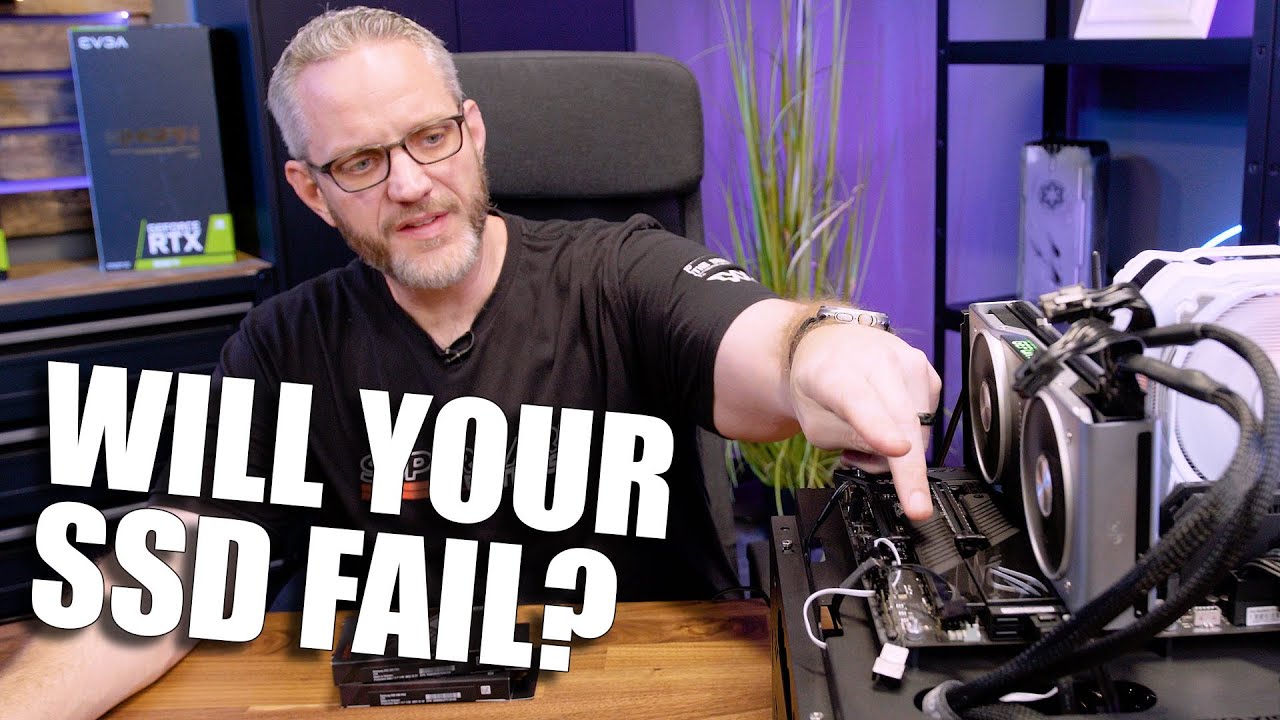
Over 2,000 Samsung 980 Pro NVMe SSDs have failed.... here's how to keep yours alive!
Learn more about the Montech Sky Two Mid Tower case and see pricing here! - https://amzn.to/3Zc5nhz
Get your JayzTwoCents Merch Here! - https://www.jayztwocents.com
○○○○○○ Items featured in this video available at Amazon ○○○○○○
► Amazon US - http://bit.ly/1m...
mossy gull
cinder lagoon
Btw update on my idle crashes:
put the "bad" RAM back in. Looked at the XMP.
The...
Or you have a bad set of sticks.
west mirage
mossy gull
For anyone with a 980 Pro
https://youtu.be/DoAFzdz0h5M
are 980 Pros prone to failing?
Im lookting to buy a 980 Pro
mossy gull
west mirage
are 980 Pros prone to failing?
Watch the vid and you'll know
west mirage
alright started
fuck would I be better off getting a 970 Evo Plus?
oh only the ones produced in 2021
mossy gull
west mirage
fuck would I be better off getting a 970 Evo Plus?
Both are amazing SSDs
west mirage
hey how do I check for bad ram
I believe my ram could be the culprit
Beyond the standard tests
mossy gull
west mirage
I believe my ram could be the culprit
Run it on stock XMP speeds or AMD equivalent.
If it's still unstable try the other slots.
west mirage
Like windows mem test
Alr
I have a hunch that could be it @mossy gull
And ive just been dumb all this time
mossy gull
west mirage
Like windows mem test
Or try the 1 build into your motherboard
mossy gull
I think HWInfo also can do a mem test
mossy gull
west mirage
How do i go about that
I have no idea, I only know how it works on Dell
 ember hazel

How far can the 5800X3D go in star citizen when Tuned? Comparing tuned vs Stock settings!
System Specs:
Intel CPU: 13900KF All Cores at 5.8GHz - https://amzn.to/3EEAudN
AMD CPU: Ryzen 7 5800X3D - https://amzn.to/41rcZi0
RAM: Viper 32GB 4000MHZ CL16 @ 4100MHZ CL16 [Tuned] - https://amzn.to/3InRLsO
GPU: Nvidia RTX 4090 - https://amzn.to/3m4WrfK
I...
 tulip valve
Upgraded my GBA that was just sitting there. Really happy with how it turned out. IPS screen, New shell, and a Rechargeable USB-C battery. Best part is there was no Soldering required lol
 hasty rose
cinder lagoon
make sure, you seated it correctly.
Try the additional RAM alone. If it still fa...
hasty rose
cinder lagoon
make sure, you seated it correctly.
Try the additional RAM alone. If it still fa...
Well, it looks like the new ram is incompatible.
And after putting everything back... it doesn't want to start...
Great...
 cerulean helm
west mirage
are 980 Pros prone to failing?
cerulean helm
west mirage
are 980 Pros prone to failing?
980 Pros made in 2021 had the bad firmware and should be updated asap. Firmware starts with a 3. Newest firmware starts with a 5. Ive been using 2 980 pros ( 1 1tb and 1 2tb) and have been on the latest firmware with zero problems.
Only reason to go 980 pro vs 970 evo is pcie4 vs pcie3.
cinder lagoon
hasty rose
Well, it looks like the new ram is incompatible.
And after putting everything ba...
Putting everything back like it was when it worked?
Are you sure that it is seated correctly?
A first start after a RAM change can take a pretty while. Are there any small LEDs (probably top right) on the motherboard? Or does it beep or something like that?
There probably is some kind of error indicator somewhere in there. If not it's just doing memory training and takes a while.
hasty rose
Can I ask for the possible reasons why my new ram sticks are incompatible with my PC... So I can not have this problem in the future?
I got it to work after following a guide online, I basically removed everything and left it for a couple of hours then put everything back and waited before starting it again
cinder lagoon
hasty rose
Can I ask for the possible reasons why my new ram sticks are incompatible with m...
OEM motherboards (prebuilt systems) rarely support anything they didn't ship with. Some will even use custom connectors to prevent you from doing changes on your own
cinder lagoon
hasty rose
I got it to work after following a guide online, I basically removed everything ...
You can accelerate this process by unplugging it and pressing the power button. It should be a couple seconds only.
hasty rose
cinder lagoon
OEM motherboards (prebuilt systems) rarely support anything they didn't ship wit...
Will that also affect my ability to add an SSD to it?
cinder lagoon
Well, there are certain classes of components (depending on complexity) that will actually just work (like hard drives, they need to follow standards) but things like RAM or GPUs have more complex features which might require all components to support them.
So like components only need to follow base standards but there are extensions to some
mossy gull
cinder lagoon
OEM motherboards (prebuilt systems) rarely support anything they didn't ship wit...
If it comes to RAM even OEM boards support 3rd party RAM
cinder lagoon
They support the JEDEC base standard and MAYBE something else
cinder lagoon
Look here and following messages
hasty rose
mossy gull
<@203296236768460801> what's the PCs model number
Omen 870-244
mossy gull
hasty rose
Omen 870-244
How did you put in the RAM?
I know some OEM boards, not calling names Alienware, can be sensitive in what slot your RAM is in.
hasty rose
mossy gull
How did you put in the RAM?
I know some OEM boards, not calling names Alienware,...
There are four slots.
2 blue, 2 black.
Ordered in blue black blue black.
The original ram was placed in the blue slots.
On the first go, I placed the new ram in the blacks slots. Didn't work.
On the second go I replaced the original ram with the new ones in the blue slots. Didn't work, figured the new ones were incompatible and reverted.
mossy gull
hasty rose
There are four slots.
2 blue, 2 black.
Ordered in blue black blue black.
The ori...
Have you also tried putting the bew RAM in yhe black slots without the old RAM in the blue slots?
@hasty rose another thing you can try, I seen this on MSI systems.
But unplug from the wall, press the power button so the energy is drained, then take out the CMOS battery(silver circle on the motherboard) and put it back in.
Only then you have tried what you can with the new RAM
@hasty rose also another question, is the speed of the new RAM the same as the old 1?
Your CPU supports up to 2400MT/s, your system has 2133MT/s, if you bought faster RAM maybe your motherboard doesn't understand it.
 mossy gull
cinder lagoon
As far as I remember its 3200MHz
mossy gull
cinder lagoon
As far as I remember its 3200MHz
For what?
Intel specifies the i7-7700 to support 2400MT/s DDR4 max
hasty rose
So my ram was too fast...
mossy gull
hasty rose
So my ram was too fast...
It can be yes😅
hasty rose
 jade scaffold
ram speed cant really be too fast because the memory controler will just down clock it to match the controlers spec
well thats how ever CPU ive ever used works
hasty rose
mossy gull
<@203296236768460801> what's your RAM speed?
I'm pretty sure it's the 3200?
mossy gull
jade scaffold
ram speed cant really be too fast because the memory controler will just down cl...
Oddly enough I seen times where people put in 4800MT/s RAM with a Ryzen 5 2600X and the PC just didn't want to boot.
But once they put in slower RAM it booted fine
So yes, if unsupported, RAM can be too fast for the system to understand
cinder lagoon
It should always start at JEDEC 2133 MHz after a RAM swap
jade scaffold
yea but 3200 isnt like a super high ram speed
my server CPU which is based on the same gen as the 7700 has 3200mhz ram but it only goes to 2400 i think
cinder lagoon
It was for the longest time
jade scaffold
and i dont really see why a CPUs in the same generation wouldnt suffer the same issues
mossy gull
jade scaffold
my server CPU which is based on the same gen as the 7700 has 3200mhz ram but it ...
Which also can vary by motherboard, OEM boards sometimes have this auto RAM overclock to match the RAM's designed speed.
jade scaffold
then put old ram in and tell the mobo not to do that
then there should be no issue by default the mobo shouldnt be telling the CPU to try and OC RAM if the cpu cant do it and the CPU does communicate to the MOBO its rated ram speeds but OEMs be doing OEM things i guess
hasty rose
jade scaffold
then put old ram in and tell the mobo not to do that
Uhh... Okay... How do I do this?
sacred seal
Go into bios and see if there are any settings avaliable relating to ram or ram speed
mossy gull
jade scaffold
then put old ram in and tell the mobo not to do that
OEM boards sometimes have the functionality hidden so it's always turned on, Lenovo does this a lot
Laptops also have the automatic RAM overclock always active
cinder lagoon
sacred seal
Go into bios and see if there are any settings avaliable relating to ram or ram ...
Or XMP
hasty rose
I'm assuming under firmware management
sacred seal
Probably not
hasty rose
Hmm
hasty rose
 cinder lagoon
Firmware management
sacred seal
That is not the bios
hasty rose
I pressed f2
sacred seal
That is the hardware diagnostic suite
cinder lagoon
sacred seal
That is not the bios
That's a UEFI that includes a bunch of hardwre tests on the first page, it's a BIOS alright
sacred seal
You sure? In previous HPs this page was seperate from the bios
cinder lagoon
See what's under firmware management, can't hurt.
cinder lagoon
sacred seal
You sure? In previous HPs this page was seperate from the bios
It says UEFI at the top, pretty sure there can only be one UEFI
sacred seal
To clarify, this is part of the UEFI, but its not the actual part that you use to configure settings
I think bios is f10
hasty rose
 cinder lagoon
sacred seal
To clarify, this is part of the UEFI, but its not the actual part that you use t...
cinder lagoon
sacred seal
To clarify, this is part of the UEFI, but its not the actual part that you use t...
Ohh, weird alright
cinder lagoon
hasty rose
Then go back to main menu, hit exit and press F10 on the next restart
sacred seal
Working with OEM machines are always fun
hasty rose
Would updating bios be a good idea in the future
sacred seal
Its not a bad idea, but its unlikely to help
cinder lagoon
Could help but only if there is a newer version provided on the website, that might list RAM compatibility in the changelog
 sacred seal
Most likely advanced
hasty rose
 cinder lagoon
Device options
hasty rose
 cinder lagoon
Nice hand :D
hasty rose
Uhh
sacred seal
Try bus options
cinder lagoon
Ohh yeah, uhhhh... maybe it's also in the Power tab
hasty rose

 sacred seal
Hardware power management?
Looks like this version of the bios is not going to have it
hasty rose
 sacred seal
Yea, no dice
Well try updating the bios and see if there are more options
I thought HP had retired this UEFI setup awile ago
cinder lagoon
You'll probably have to put a file on a USB stick
sacred seal
I think they have a windows tool to update from within windows
hasty rose
So I do have to update my bios
cinder lagoon
It might help
sacred seal
Its something worth trying
hasty rose
Does that affect anything file wise
sacred seal
Nope
Though make that you do not turn off the PC in the middle of it
That will likely kill your PC
cinder lagoon
Well, brick - not kill.
sacred seal
^
hasty rose
I'm more confident already
cinder lagoon
I'd say it's more like a coma xD
sacred seal
Personally I have never had issues with a bios update, and I think HPs are a bit more resiliant, having there bios somewhat seperate from the diagnostics
cinder lagoon
If you do it from windows I think it has some two-stage stuff going on probably
hasty rose
Do I need a flash drive for this?
And I need to download it from their website
mossy gull
HP still uses the basic BIOS UI
sacred seal
Only need a stick if they do not have a windows tool
mossy gull
sacred seal
I thought HP had retired this UEFI setup awile ago
Well, Mogeko has a 6 year old CPU
sacred seal
That is fairly recent. Last time I saw this bios setup was with the intel 3000 series
I don't think the 4000 series had it
mossy gull
sacred seal
That is fairly recent. Last time I saw this bios setup was with the intel 3000 s...
I saw it last year still
sacred seal
I don't know why they still use this. I don't even think they use it on all their machines
But anything that ships with this is a nightemare to upgrade
hasty rose
??
 mossy gull
sacred seal
I don't know why they still use this. I don't even think they use it on all thei...
mossy gull
sacred seal
I don't know why they still use this. I don't even think they use it on all thei...
Mostly on their cheaper systems.
mossy gull
hasty rose
??
I would say download the newest
hasty rose
Should I also download this? Seeing as mine said it needs an update?
 mossy gull
I am personally not familiar with HP software, and I am pretty tired so maybe @sacred seal and/or @cinder lagoon can help further
sacred seal
Don't need it, but I do not see any reason why not
hasty rose
Is there any negatives to going down that page and downloading all the latest stuff?
sacred seal
Other then the time it takes
And the slim chance that the new version has some extra quirks
None of it is going to do anything, so I would not be too worried
hasty rose
Would it by any chance downgrade any- oh okay then... I have the time so I'm just going to
sacred seal
With the exception of video drivers I rarey bother updating anything unless it breaks
hasty rose
Okay it done... Now I try the bios things again?
sacred seal
yep
See if there are any new options, and if there are not just try installing the ram again to see if the incompadability has fixed itself
hasty rose
That's going to take a bit...
Anyway
I do have to say thanks to everyone who helped me with this over the last week. I'm sorry if this was annoying in any way, as you can probably tell, I don't do any of this very often. Again thank you.
 sacred seal
No worries, here to help. Part of the reason is on our bad advice to begin with
surreal moss
 fleet wasp
<@247878192742793217>
fleet wasp
<@247878192742793217>
I've got that same entry in mine but only once
fleet wasp
Mine is from every time I tried to open it
surreal moss
Search up for EAC
fleet wasp
Hmmmmm. On a hunch I tried running the installer and it's working
surreal moss
In safe mode?
fleet wasp
So safe mode has fixed the issue yeah
surreal moss
well... maybe it will work now?
fleet wasp
Attempting.
Last time anything remotely similar happened, it was an Nvidia driver.
Seems to work, checking other programs/files now
Holy shit, it's all back. I'm typing this on desktop 😂
fleet wasp
Now I'm sad though, I don't get to know if it was just the safemode boot reseting something, or if it was the RSI launcher itself that had to finish updating.
Changed too many variables, bad science
surreal moss
eh
fleet wasp
I'd guess it was the launcher though, because that was really an immediate effect, both before and after. Before running that update, everything was 100% fine. After, everything was a nightmare.
surreal moss
My money is on EAC
fleet wasp
Ahhh possible
surreal moss
You're talking about a single application preventing any basic windows application from running. EAC is the only component I'm aware of that would have the ability to cause affect the os globally like that
fleet wasp
Mmmm! And it even makes sense, right, if something during install messed with the EAC stuff OR an incomplete launcher update. EAC might have seen that discrepancy and decided to go guns blazing.
surreal moss
 fleet wasp
Or it accidentally activated the Red Light version of EAC

Anyway, thanks for going on that journey with me XD
cinder lagoon
thoughts? like it even reverse-imitated me 🤔
 surreal moss
So it needs to add Denglish
 neat quartz
Hey guys my buddy is having issues with his streaming from OBS. When he starts a stream and tries to load into MSFS his game capture goes to a black screen and doesn't display anything. We are not sure how to fix this issue.
amber fable
Try changing to a different capture method. Some games don't like game capture for whatever reason.
Window capture is strictly worse, but it will sometimes be more reliable (other times worse, so it isn't something you want to use normally), worst case you can always fall back to display capture and just show what the monitor is showing.
neat quartz
So when he is in the game menu the stream is working and can see the menu. As soon as he hits "Fly Now" it goes to a black screen.
amber fable
Yeah. There is a solid chance the game is changing something about how it renders when going to actual gameplay. Try another capture method.
He is targeting the application by name correct, and not just targeting "any fullscreen application"?
neat quartz
Yes he has it capturing MSFS
We fixed it. Another program was hiding the screen that we couldn't see
 lusty heart
Anyone know what could cause CPU fans to completely turn off and cause failsafe shut-off to kick in?
Only seems to happen when under heavy load with specific games. Sons of the Forest specifically seems to have been causing it.
amber fable
That sound like either really interesting fan curves, an exciting firmware bug, or some kind of hardware error. Good luck
lusty heart
amber fable
That sound like either really *interesting* fan curves, an *exciting* firmware b...
Define interesting? I don't usually mess with the curve too much.
amber fable
Well, if the curve somehow dropped to 0 at high temps it would certainly be interesting.
cinder lagoon
The fuck is this??
It's giving malware...

so desperate oml
The gift card in question: Page unavailable
Gift cards for other things: 15000 Points for 10€ Amazon
They give one like 1,75€ in Microsoft store stuff with which you can buy: absolutely nothing
jade scaffold

ok so
i might miiiight
get one in march
well later in march
after i get paied and after my birthday
i have funky experiments i wanna try
cinder lagoon
uhhh is that an AI accelerator?
jade scaffold
kinda
its an Arm SOC with an Ampere GPU on it
with 1,024 Cuda cores and 32 Tensor cores which places it above or arround the 1060 in raster performance roughly
the intention behind the thing is to do light ai stuffs for really low power cost like face recognition and stuff of that kind
and while I have some camera stuffs i wanna try i also may or maynot try to game on it
neat quartz
Is there a reason when I have Steam VR open and OBS is set up for VR streaming and I enable my headset in game Steam VR closes itself?
lusty heart
This fucker HEAVY
 jade scaffold
That a chonker
sonic meadow
daaaaamn, so another one of those for the CPU?
jade scaffold
What you using that chonky psu for
mossy gull
So uhm, I just have to share this, in the Netherlands we can trade in a PS5 for a PS5 + God of War Ragnarok for 220.-........
jade scaffold
Free game I guess
mossy gull
jade scaffold
Free game I guess
Free game, for 220,-
jade scaffold
Oh that's what you mean I thought you just meant you could trade a ps5 for another one with the game
Mb
Yea what the hell
mossy gull
jade scaffold
Yea what the hell
I can buy 4 games for 220.-🤣
jade scaffold
Or you get GoW for 220
cinder lagoon
i guess they meant ps4
mossy gull
cinder lagoon
i guess they meant ps4
Nope, PS5
With the PS4 Pro we need to pay 420.-


 jade scaffold
I am really struggling to find a place to buy NVidia Jetson Orin NX's every where i've seen them i would have to import them i can get the Jetson Xavier NX but thats using older gen cores and less of them and i want the newer gen cores
mossy gull
jade scaffold
I am really struggling to find a place to buy NVidia Jetson Orin NX's every wher...
Dev boards are being scalped like there's no tomorrow
jade scaffold
They aren't even being scalped
I can't find them on ebay either
I can only get them from a few US vendors and I really do t want to be paying import fees
cinder lagoon
uhhh what fucn software do I best use to check bad sectors on Windows?
What's that disk cloning software ya'll recommend? I forgor
mossy gull
cinder lagoon
uhhh what fucn software do I best use to check bad sectors on Windows?
What's th...
If you want to pay look at EaseUs
cinder lagoon
mossy gull
If you want to pay look at EaseUs
just the fact that they hijack basically every google search related to hard drives makes me vomit 😬
mossy gull
cinder lagoon
just the fact that they hijack basically every google search related to hard dri...
I don't use Google so I wouldn't know, all I know is they're 1 of the most known software if it comes to storage devices.
mossy gull
cinder lagoon
just the fact that they hijack basically every google search related to hard dri...
Also if that makes you vomit I am surprised you use Google as they literally shove their products down your throat.
cinder lagoon
I am pretty much advertisement blind and root my phones so no - I only see / have the services I actually want
(which is pretty much limited to: search engine, assistant occasionally, chrome because sharing between devices is integrated well, youtube, find my device, lineageOS android)
mossy gull
cinder lagoon
I am pretty much advertisement blind and root my phones so no - I only see / hav...
Says the 1 who still uses Google
cinder lagoon
but like I think shadowcalen always had a recommendation for.... AHH MAcrium reflect!
mossy gull
I wouldn't know, I had EaseUs for almost 10 years so it's all I used so far😅
cinder lagoon
I guess I'll need to just use something for linux tbh. Windows softwares are all at least Freemium...
cinder lagoon
mossy gull
Says the 1 who still uses Google
I know they track me. I don't try to prevent it. It's just that all the tracking I've found has only affected me positively as my life is 95% Ad-free.
mossy gull
cinder lagoon
I know they track me. I don't try to prevent it. It's just that all the tracking...
I am probably around 80%, don't really follow it, but I have a lot of stuff to stop ads and trackers
cinder lagoon
I've about never bought something I've seen in an ad. I even kind-of try to avoid thing's I see in ads xD
mossy gull
I found EaseUs way before Internet became infested by ads, and I always try to find links without ads
 frozen igloo
My family forgot the password to their computer and want me to try to login non destructively to check for pictures, is there anyway I can bypass the windows login password?
sacred seal
Linux Live usb
sacred seal
You install a iso with some particular settings and boot from it
frozen igloo
Does it matter what ISO I think I have mint or ubuntu somewhere
sacred seal
I will send some links when I get home
frozen igloo
Sounds good
sacred seal
You can actually reset there password this way
frozen igloo
I probably won't have time to get to it this week as I have a robotics tournament though I'll set up the key and mess with it next week, I'm assuming I need to go and edit part of the registry?
sacred seal
Boot into Linux, change command prompt to on screen keyboard, boot into windows open on screen keyboard (which is now command prompt), make a new admin account, log into account and delete the password off the other account
Yes, this actually works... At least in windows 10
frozen igloo
It's on windows 10
I have a computer at work I need to bypass as well on windows 7 pro
sacred seal
Windows 7 is easier, you can boot into safe mode with admin
Yes, passwords mean nothing
frozen igloo
I know that as I have destructively bypassed them on other family computers
If in doubt do a completely fresh install
sacred seal
Yea, distuctive is easy. This way you get access to everything.
Though it is obvious that you removed there password
So you would get caught
frozen igloo
https://www.c-sharpcorner.com/UploadFile/54e5d0/how-to-reset-your-password-in-windows-10/ is this the right method of converting the on screen keyboard to command prompt?

In this article, you will learn how to reset and create a new password for your account in Windows 10 without using any kind of third party tool.
frozen igloo
sacred seal
So you would get caught
I've always had express permission so no issue legally, they just wanted the computer functional again
sacred seal
I'm just poking fun at how insecure windows is
And yes, that is basically the same method
I like doing it my way, less command prompt to potentially screw up
But that has fewer steps
frozen igloo
sacred seal
I'm just poking fun at how insecure windows is
That's why I never keep important files on it
frozen igloo
sacred seal
I like doing it my way, less command prompt to potentially screw up
I'd do a fresh install after checking for files, so it's not a huge deal if I break something
cinder lagoon
frozen igloo
My family forgot the password to their computer and want me to try to login non ...
you can re-enable the Admin account from the recovery environment/install media
sacred seal
Ah yes, forgot about this. https://ubuntu.com/tutorials/create-a-usb-stick-on-windows#1-overview

Ubuntu
Ubuntu is an open source software operating system that runs from the desktop, to the cloud, to all your internet connected things.
How to make a live boot, just running this will allow you to quickly view the files that are on the system
cinder lagoon
also keep in mind that if it's windows 10 and it's connected to the internet you can just reset the MS-Account password via mail. there's even a button for it on the login screen.
sacred seal
Depends on how you have your accounts set up
I still run offline accounts for everything
frozen igloo
I think it’s a offline account, i’ll take a look at it when I get a chance
 cold girder
AMD Ryzen 9 7950X Desktop Processor, ASUS ROG CROSSHAIR X670E HERO Motherboard, Kingston FURY Beast RGB 32GB (2x16GB) 6000MHz DDR5 AMD Ready for $2047 aud
is this good? ill have to get a cooler to prob aio.
cold girder
i got a 3080 evga FTW but my cpu and mobo are very outdated
mossy gull
cold girder
is this good? ill have to get a cooler to prob aio.
Get a Strix motherboard and you save enough money for a 7950X3D
If you don't heavily overclock a Strix motherboard is good enough
cinder lagoon
*more than good enough
mossy gull
Actually a Strix X670 board can do heavy overclock and it's more than enough for 99% of all people who got a Crosshair board
sacred seal
2k aud for just core components is not good value.
And if you are not doing streaming or some other heavy workload the 7950x is not the best choice
mossy gull
The Crosshair is 1K, the Strix X670 is ±500.- and does the exact same things but with less overclocking headroom(which is still a high ceiling).
If you want to PCIe slots over overclocking go for the ProArt X670, it's also around 500.-
Which mind you, also has a high overclocking ceiling
For most people I recommend more in this direction, still a lot of horsepower and way cheaper.
Especially if you don't overclock.
https://au.pcpartpicker.com/list/YTPZjZ
Part List - AMD Ryzen 9 7900X
amber fable
Wait a month or two for the 7800X3D
mossy gull
But Nevy can be a lot cheaper than 2K
cinder lagoon
cold girder
AMD Ryzen 9 7950X Desktop Processor, ASUS ROG CROSSHAIR X670E HERO Motherboard, ...
have you considered that this might be a boutique build or just going practically for the best at the time? cuz that's pretty much the only thing I can read from it ^^'
cinder lagoon
cold girder
AMD Ryzen 9 7950X Desktop Processor, ASUS ROG CROSSHAIR X670E HERO Motherboard, ...
What is the purpose of this hypothetical computer and what do you have now? More context pls :P
mossy gull
cinder lagoon
have you considered that this might be a boutique build or just going practicall...
It's overkill for literally 95% of all gamers.
cinder lagoon
in no way denying that :D
mossy gull
cinder lagoon
in no way denying that :D
It's even overkill for the content creators
surreal moss
If someone’s goal is complete overkill and they have the funds for it then that’s fine
sacred seal
If someone wants to waste their money that's fine, but they should probably know that is what they are doing
amber fable
I don't regret my 3950x at all, however I do a lot of stuff that isn't gaming on this machine, and even then I don't actually load it to max all that often. I could have gotten a 3800 and been every bit as happy while gaming.
What the extra cores get me is care-free CPU encoding for streaming (no matter how much I load it, the game will never know), really zippy compile times for large projects, and lots of headroom for VMs.
My coworker has a 5600x and he runs all the same (non-game) workloads I do... Just slower.
Was it worth the money? Eh, well. I don't regret it.
jade scaffold
its not so much the processor that people have issue with
its the mobo thats worth more than the CPU
if you want a 16 core thats all well and good future proofing and all
but that mobo is just i have money and a lighter the item
mossy gull
For me the 1K costing motherboard is a no-go if you never ever will use its intended purpose, you better can save some money and get a better GPU or CPU, maybe more RAM or storage.
jade scaffold
modern mobos even mid end ones are insanely high quality
the VRMs on them are so stupidly overkill that they'll never die
if you've ever seen a Server mobos VRM they are no where near as enormous and they handle much more powerful processors running for nearly 100% uptime
mossy gull
For the 500.- extra on the motherboard you can get 5TB of SSD space just to say something useful.
jade scaffold
gaming mobo VRMs are so stupid overkill that they dont actually need the heatsinks that are on them they run cool without them
the heatsinks are there mostly for the looks because mobos look desolate without them
tbh for the price of that mobo
i'd expect it to have a full on mono block
also quick thing about server uptime completly unrelated my servers been going for a whole 77 days none stop
sonic meadow
Neat. Alas my servers uptime needs to build back up after I put the fixed gpu back in. silly fan dying
amber fable
jade scaffold
but that mobo is just i have money and a lighter the item
I bought a really high end mobo. And yeah, it has some cool features, but I could have got most of them for about 2/3 the price. That is probably the only part I bought that I actually regret a little.
The gen4 SSDs are nice sometimes, I didn't get crazy RAM in the first place, the overpowered CPU is amazing for my job, the GPU shortage forced me to not get the 3090 I was planning to get, really, everything on the insane overbuilt machine I ended up with at least pulls its weight except the mobo.
My dislike for RGB saved me a ton of regret 
Since I then ended up with stuff that was almost really dumb.
So yeah, for optimal long term happiness, buy a midrange mobo (possibly with diagnostic lights and bios flashback)
I should write up a proper part-for-part retrospective on how I feel about my "I have the money now, I'm building the PC I always dreamed of" PC now that I have used it for a few years.
cinder lagoon
Hey I just found the actual purpose for "Fast Startup" in windows in the MS Docs:
Fast startup is where the user is logged off before the hibernation file is created. This allows for a smaller hibernation file, more appropriate for systems with less storage capabilities.
That's so useless on SSDs...
https://learn.microsoft.com/en-us/windows/win32/power/system-power-states#fast-startup-reduced-hibernation-file

Learn about the multiple system power states that correspond to the Advanced Configuration and Power Interface (ACPI) specification.
mossy gull
cinder lagoon
Hey I just found the actual purpose for "Fast Startup" in windows in the MS Docs...
Welcome to a system meant for people who don't want SSDs
sonic meadow
that was something they introduced around the point where SSDs were starting to become common.
cinder lagoon
it's also still the default even tho it comes with major drawbacks and firmware comlications
jade scaffold
OK so I'm gonna get a jetson xavier which is the old gen one but the new ones use the same slots and are cross compatible for the most part
So what ever I make for the old one should work on the new ones when they make it to the uks ebay
Unfortunatly the old ones have what is in effect a gt 1030 in them rather than somthing more equivilabt to a 1050ti/1060 3gb like the new ones but we ball
cinder lagoon
looking at it like this actually makes the terminology make sense...

thing is: it's about data directions. in the high end cases cables are not just cables anymore. They contain chips that also interact with both sides of the conversation (seperately) and they might not support the newer direction changing protocol/technology for specific lanes.
mossy gull
 mossy gull
cinder lagoon
thing is: it's about data directions. in the high end cases cables are not just ...
mossy gull
cinder lagoon
thing is: it's about data directions. in the high end cases cables are not just ...
That's why we see more USB-C.
USB-A is a Host port
USB-B is a Slave port
USB-C is a Host/Slave port
This has an effect on data transfer and more.
cinder lagoon
yeah.. I soon might be implementing the Handshake part of the USB-PD protocol 🥴
Maybe I'll add it to the stack of unfinished stuff in like 4 months :)
mossy gull
cinder lagoon
yeah.. I soon might be implementing the Handshake part of the USB-PD protocol 🥴...
The Handshake protocol should be baked into any USB-C port and cable though
cinder lagoon
a port is a passive device in almost all cases.
I am replacing the parts behind the port. (see this https://superuser.com/q/1772816/1779806)

Super User
So I've deeply read into the USB-PD system. I've looked at many pinouts of the Type-C port.
I've realized: when you can charge the device through this port - how can it power regular USB devices?
I...
plan was this.
Now I would be pretty much replacing the Spoof so I can "advertise" both, PD and data host functionality.

 inland dove
USB is the most overly complicated shit there is.
cinder lagoon
it's goo tho! I think they even specify what devices should do in case you plug two same devices together which can both be host and slave, aswell as power source and sink. just gotta find that section xD
mossy gull
inland dove
USB is the most overly complicated shit there is.
I prefer 1 cable that works for everything over 100 different cables.
inland dove
Agreed.
cinder lagoon
ohh god it's literally a power gear box

 signal star
Selling my 6900XT and gonna buy a used Nvidia card. What’s gonna be my best bang for buck gpu with the same or better performance? 3080?
cinder lagoon
signal star
Selling my 6900XT and gonna buy a used Nvidia card. What’s gonna be my best bang...
same/better is gonna be between 3080 and 3080Ti depending on model.
What is the purpose? I would hold off and let the next upgrade be to something >=4080
signal star
cinder lagoon
same/better is gonna be between 3080 and 3080Ti depending on model.
What is the ...
Star Citizen mostly
cinder lagoon
only do that if you got literally money to burn.
signal star
Well I’m selling my new 6900 and using that money for the 3080
cold girder
all my bottlenecking is in my 1700x ryzen 7 on a Gigabyte GA-AX370-Gaming 5 mobo. i keep hesitating to pull the pin on a better settup.
and 3080 has been good to me and took all the effort for games
signal star
What 3080 do you have? Is there a “best” one?
cold girder
i got an evga ftw one
signal star
Cool
I like EVGA styling, but with them no longer making GPUs, idk if I’d wanna get one
cinder lagoon
signal star
Well I’m selling my new 6900 and using that money for the 3080
it's a sidegrade at best. Only worth it if you really want RTX features.
cinder lagoon
signal star
I like EVGA styling, but with them no longer making GPUs, idk if I’d wanna get o...
they still produce the old ones, just the new ones didn't make it into retail. (There exists a fair share of EVGA 4080s)
I would say the "best" ones are from KingPin, which was an EVGA sub-brand. They are meant for (sub-zero) overclocking but are also pretty much the best in normal use.
cinder lagoon
y'all know that moment when you're speccin out a system and you need a fuckin flowchart to finally decide on the config??
*my bad, discord doesn't like 3.3MB 12k pngs...
 jade scaffold
looking for carrier boards for my Xavier
looking at the A203 which seems promising but im looking at it and is this thing using the same port RC Planes tend to use for their batteries?


XT30 i think the ports called
cinder lagoon
yea, XT30 (was it XT40 maybe??) is a popular and great connector. no problem with that.
jade scaffold
yea its reliable from what i know
my issue is i want it to be USB C tbh it doesnt matter that much im gonna end up making my own carrier board that fits for what i want
though if there was a premade one that would work for what i want that'd be great too
cinder lagoon
jade scaffold
my issue is i want it to be USB C tbh it doesnt matter that much im gonna end up...
what do the boards achieve?
USB-C for power delivery is only when using USB PD chips. There are 100W (configurable) USB-PD spoofs for $10 available online.
cinder lagoon
jade scaffold
though if there was a premade one that would work for what i want that'd be grea...
looking at the provided picture, these boards come with a 28ish pin connector including a proprietary protocol to connect to the Compute unit.
As this thing also has HDMI, USB and ethernet, aswell as an M.2 slot, there seems to be some PCI link happening.
a one-off PCI compliant board is not feasible so you'll need to rely on professional manufacturers
jade scaffold
its a carrier board for an NVidia Jetson
thoes rows of pins are just Programable input and output pins they can be set to do anything you want
the actuall connector that connects the SOB to the carrier board is SODIMM
cinder lagoon
ohh. then it's even less feasible xD
jade scaffold
whats less feasable
cinder lagoon
well, developing a board from scratch that will interface with similar things is really hard, especially as a single person.
jade scaffold
yea cool. but im not paying several thousend pound to get someone else to do it especially when im only going to be using very very few of the features
signal star
I had the install button but when I clicked it the launcher crashed!
mossy gull
signal star
I had the install button but when I clicked it the launcher crashed!
It wants you to stick with 3.17.5
mossy gull

Check out the DROP ENTR Mechanical Keyboard at https://dro.ps/tq-may21-entr
You bought that fancy new product thinking you can use everything since you own it, but wait, there are additional features locked behind a paywall? What's going on?!?!?!
Leave a reply with your requests for future episodes, or tweet them here: https://twitter.com/jmar...
mossy gull
Fun fact: The opposite of Microsoft Office is Macrohard onfire
jade scaffold
Incredible
cold girder
1 AMD Ryzen 9 7900X3D Desktop Processor
1 ASUS ROG STRIX X670E-F GAMING WIFI Motherboard
1 Corsair iCUE H150i ELITE LCD Display Liquid CPU Cooler
1 Kingston FURY Beast RGB 32GB (2x16GB) 6000MHz DDR5 AMD Does this look good for a new pc or should i go cheaper (traded out better mobo for x3d)
need to upgrade soonish
jade scaffold
why you wanting to spend so much on a mobo
mobos dont effect performance unless the mobo is a pile of steaming trash
also what you doing with this PC
gaming streaming content creation?
mossy gull
cold girder
1 AMD Ryzen 9 7900X3D Desktop Processor
1 ASUS ROG STRIX X670E-F GAMING WI...
It looks much better,
And the "better" motherboard isn't worth the price.
The X3D gives you performance a motherboard can't
cold girder
mostly gaming but a big chunk of processing of 3d models. that particular board is 100 off at the moment and has CMOS/bios flashback and the functionality i want. prob is a better-priced board but reliability is important to last me. my current is an old gigabyte mobo that has lasted but out dated
mossy gull
cold girder
mostly gaming but a big chunk of processing of 3d models. that particular board ...
All Asus Boards in the ROG line and even the Creator line have a BIOS flashback and CMOS clear button
cinder lagoon
if you don't need WiFi, see if the X670-F is also off
cold girder
mossy gull
All Asus Boards in the ROG line and even the Creator line have a BIOS flashback ...
I did not know that... that's very useful cheers
cold girder
cinder lagoon
if you don't need WiFi, see if the X670-F is also off
could not find an asus x670-f only x670-p or x670e-f
mossy gull
cold girder
I did not know that... that's very useful cheers
I build primarily with Asus Strix and Creator board for other people.
But I am still from the old generation so I usually pull out the CMOS
cold girder
mossy gull
I build primarily with Asus Strix and Creator board for other people.
But I am s...
the Strix is mid-range price wise but the build quality of reviews seems very good. Haven't looked at creator boards at all tho.
cinder lagoon
cold girder
could not find an asus x670-f only x670-p or x670e-f
ohh wow they changed their naming scheme so you can have two letters meaning absolutely different things
cinder lagoon
cold girder
the Strix is mid-range price wise but the build quality of reviews seems very go...
https://www.asus.com/microsite/motherboard/AMD-AM5-X670-B650/#:~:text=choose your x670e %2F x670 motherboard
scroll to "Choose your motherboard"

The Best X670E and B650 motherboards for AMD Ryzen 7000 Series CPUs | ASUS Global
ASUS X670E and B650 motherboards unleash the full performance of AMD Ryzen 7000 Series processors on AMD’s Zen 4 AM5 platform and feature PCIe® 5.0, DDR5 support, AI-powered enhancements, USB4, and WiFi 6E.
also they have this article linked on their store: https://edgeup.asus.com/2022/x670-motherboard-guide/

This X670 motherboard guide gets you ready for your next AMD Ryzen build with our ROG, ROG Strix, TUF Gaming, ProArt, and Prime boards.
mossy gull
cold girder
the Strix is mid-range price wise but the build quality of reviews seems very go...
Mid range is just a term for boards past 200.-
It's far from midrange, they're that good that they have 95% of the functionality of the much much more expensive Crosshair boards.
Usually the only true differences are the overclocking headroom, which you could say you need liquid nitrogen for.
cinder lagoon
mossy gull
Mid range is just a term for boards past 200.-
It's far from midrange, they're t...
*screams internally because my top tier motherboard cost me 160€
cold girder
mossy gull
Mid range is just a term for boards past 200.-
It's far from midrange, they're t...
sorry i meant just price wise the one i was looking at are 300, 600 and 900+ aud so the mobo was 600 aud range
mossy gull
cold girder
sorry i meant just price wise the one i was looking at are 300, 600 and 900+ aud...
Crosshair still isn't really worth it compared to the ProArt Creator and ROG Strix.
cold girder
yeah Strix seems better
mossy gull
I personally am going ProArt Creator for my own build
jade scaffold
modern mobos generally even the mid-low end ones are staggeringly reliable like just stupidly so alot of server boards are less well built despite having to handle much more power and stress, and companies do this just so they can advertise their boards as being super good
cinder lagoon
also super expensive™️
jade scaffold
yea that too
my B550 has pretty much all the features bar PCIE Gen4 support for the 2nd M.2 slot that the X570s do
also fun fact smaller mobos with less ram slots are typically better for RAM Clock stability
and the high end boards also have so many power phases that thoes huge heat sinks on them do almost literally nothing
cinder lagoon
more weight = more quality
jade scaffold
they also look better
boards without much in the way of heatsinks dont look very good
 cinder lagoon
ya think I can somehow hook up one of these https://www.hp.com/at-de/products/accessories/product-details/38000153 (HP 13L60AA)
to provide power for my 12V computer and use it as a USB connection?
if not, maybe someone has any info on this: #1084835424096235530
jade scaffold
what you wanna hook it up to
what lil computer only drawing 100W total
this was also my plan for powering my jetson just grab a USB C PD port and board
the issue with passing USB 3.1 through is its not just the 4 pins that USB 2 has
sonic meadow
huh, interesting thought. pair it with a hdplex/whatever and run a low power pc off usb-c
jade scaffold
could maybe run like a 5600g off of it with a 12VO mobo
cinder lagoon
jade scaffold
what lil computer only drawing 100W total
200W but I will limit on USB-C power. got that 65W i3-10105 and like 30-40W additionally
200W will be peak power
jade scaffold
i mean if its not usually pulling 200w possibe you could like give it a battery too so it just charges up when not going full power and can last a lil while both unpluged and while pluged in full tilt would be a fun lil reliability feature i think
cinder lagoon
jade scaffold
i mean if its not usually pulling 200w possibe you could like give it a battery ...
which is exactly the case
this is the plan
 jade scaffold
kinda the plan for my Jetson build
though my jetson idea is that it'll end up in one of 3 things
either a laptop a bootleg steam deck, or an adorable little portable workstation for when I go on holiday
depends on the difficulty of the first 2 the 3rd option is really easy i just cad my self up a case 3d print it to test fit then get it made out of aluminium for the final construction once everything is verified to work how i want
cinder lagoon
jade scaffold
kinda the plan for my Jetson build
though my jetson idea is that it'll end up i...
I'd say what I'm building is a portable workstation but make it watertight. also I'ts pretty configurable.
As said before, I will publish my entire project along with ideas on what else to do with it. If there is no demand for english version tho, I won't translate it ^^'
jade scaffold
if i go down the tiny work station rout
my plan is to make something smaller than the MAC studio but of similarish design language
also an excuse to use noctua 40mms thinking maybe 3 of them
cinder lagoon
ahhh noice
cinder lagoon
jade scaffold
this was also my plan for powering my jetson just grab a USB C PD port and board...
USB 3.1 and 3.2 use the same pins as 3.0, with the exception of "alternate mode" (DP over Type-C). It's just that power provision is first handled out over the power delivery pins. Passing the actual data pins is as easy as using two breakout boards
jade scaffold
3.0 3.1 and 3.2 have 5 more pins than 2.0 was jus saying that USB 3.0s are just that little bit more inconvinient to wire than 2.0s
USB C has silly ammounts of pins but thats because its pretty much the ultimate multifunction port
cinder lagoon
yea it does

the bottom side is just a duplication of the top one tho
more or less at least
cinder lagoon
your Jetson? bring it on :P
jade scaffold

260
theres actually alot of ground there more than i expected
it also has dedicated USB Pins which actually simplifies some things alot
sonic meadow
looks like one per differential pair, and one for each other i/o group
jade scaffold
yea
cinder lagoon
jade scaffold
Ahhh I think it's fine! It's just many buses which are wired through. No logic involved or anything, just gotta make sure signal integrity is OK