#UseConsoleCommands and UN0PT1MAL
1345 messages · Page 2 of 2 (latest)
 past raft
 rocky furnace
my version of cosmos, is it full, intermediate, or lite
ok this thing isnt working out too well
rocky furnace
it keeps giving me wrong information
gonna check out the top one

nvm vid doesnt have cosmos
yeah i dont know how im supposed to know where exactly to put each mod
i sent a few to separators, ill drop the modlist in case you wanna look at that, and yes, i do remember you said you dont want to sort for me
downloaded flora overhaul, gotta do texgen n dyndolod again
past raft
Look at your separators. And look at your mods. Lux is what? Lighting. 8.1. and Obsidian? Weathers. NPC overhauls? Looks
Ya need to apply some comparative skills here. It's really straight forward
rocky furnace
yeah some arent so straight forward
past raft
Also your dyndolod DLL scripts and whatnot cannot be after your dyndolod outputs
rocky furnace
maybe more than some, dont know
rocky furnace
past raft
Also your dyndolod DLL scripts and whatnot cannot be after your dyndolod outputs
give me a moment
my outputs should be placed here, no?

thats where i had it
past raft
I didn't say you needed to move the outputs. It's the dyndolod resources (3 mods) that should be placed before
rocky furnace
 rocky furnace
past raft
I didn't say you needed to move the outputs. It's the dyndolod resources (3 mods...
rocky furnace
past raft
I didn't say you needed to move the outputs. It's the dyndolod resources (3 mods...
i should have all dyndolod things in outputs?
past raft
No. You have a LODs separator. put the three dyndolod resources there

 past raft
Should be fine for now
rocky furnace
dyndolod done, loot then skse
btw wanna see my spotify playlist
gonna drop the list whenever it seems appropriate

should see wildlife first


yeah it dont look like the pictures in the enb pictures
do ya know why
past raft
When you load in your game do you get the enb series messages in top left corner?
rocky furnace
mhm
past raft
And your mods are all sorted properly?
rocky furnace
rocky furnace
gonna drop the list whenever it seems appropriate
this is my current modlist
past raft
And you dropped the enb preset into your root folder?
rocky furnace
so no, theyre not sorted properly
rocky furnace
past raft
And you dropped the enb preset into your root folder?
yes
extracted the rudy fodler, took the contents of the lux version (the contents of which was a folder named "normal game" and "predator vision") and dropped it into my game folder
past raft
My guy you did not sort. Anyway send a pic of your Skyrim root folder
rocky furnace
past raft
My guy you did not sort. Anyway send a pic of your Skyrim root folder
thats right


you can see said normal game and predator vision folder
there was a text file with the preset, saying download all these mods, select these things in the fomods, tweak this in skyrimprefs.ini and skyrim.ini
i did that stuff
past raft
rocky furnace
thats right
 rocky furnace
normal game and predator vision mod? like i said, thats what was in the lux version of the rudy preset, i dragged it into here
heres the folder they were originally in
 past raft
Mhm you didn't set it right then. What's in your enb series folder?
rocky furnace
enb series folder?
past raft
In your root folder
rocky furnace
 past raft
yikes yeah you did not install it right at all
There's a readme in the 2nd last screenshot you sent. You need to follow that
rocky furnace
i see, copilot said it was okay, why i did it
let me do that
that is what i did

main directory means root folder?
did it want me to take the contents of the 2 folders and put them into the root folder, instead of the folders
past raft
the only things that should be outside the enb series folder are the enblocal and enbseries inis, along with the two binaries. everything else is within the enb series folder. You drag and drop into the root folder. Should be filled with a ton of files

note: the addons is through your mod manager. not manual install
rocky furnace
past raft
the only things that should be outside the enb series folder are the enblocal an...
2 binaries? what are you referring to, the 2 dlls from the wrapperversion you drag into the root folder?
past raft
yes
rocky furnace
put the normal game folder and PVM folder in enbseries folder?
 past raft
ok. So. You need to choose either predator mode or normal game, and inside either folder are the enb stuff you need. You basically did not extract it right.
You can delete the enbseries folder you have now; not useful
rocky furnace
rocky furnace
you said delete this whole folder?
past raft
yes. I don't even know where this came from
 past raft
open up the skyrim se folder there
rocky furnace

 past raft
and you will find the enb stuff you actually need
first pic. That should all be in your root folder
rocky furnace
cut all that to my root folder, and delete everything else in normal game and pvm?
rocky furnace
replace?
 past raft
mhm. it's overwriting your enb inis
rocky furnace
righty, lets loot n skse
like this for now, wont allow me to select it, as in get on the application, can only hover over it
 past raft
it seems to be compiling shaders. that could take a hot minute.
rocky furnace
done
past raft
if it keeps giving you a black screen, then I need to see your skyrim root folder again
 past raft
Yeah. Though I don't know the keybind to open up the enb menu in game for rudy
the first vid on youtube if you look up enb letterbox should be a solution one for it
rocky furnace
shift enter
past raft
Good to know.
it's under effects or smth. middle column. look for letterbox
and put it to 0
then save configuration
 past raft
I don't think it's in enb local ini
rocky furnace
dun tell me how to navigate
rocky furnace
past raft
I don't think it's in enb local ini
dunno what you meant by that
past raft
you need to go to enbseries folder>enbeffectpostpass.fx.ini
there set letterbox to false
rocky furnace
one moment, doing something else atm
for some reason my screenshot shortcut isnt working, tryna fix that
also
do you mean set letterbox to false
oh
thats what you said
couldve sworn you said sumn else lol
anyways lemme do that, ill deal with the ss problem later, actually the win key doesnt work
ok i fixed it by changing the key to print screen, win key still doesnt work, gonna run skse now
 rocky furnace
melee animations dont work in 1st person
goin tah sleep
miiimimimimi
zzzzzzzzz
zzzzzzzzzzzzzzzzzzzzzzzzzzz
rocky furnace
The vanilla start, it makes me go in another direction when Hadvar calls the character
Stuck
I'll just choose a different start
past raft
sort your mods man. Said this so many times
and you should avoid using the vanilla start on modded playthroughs. Script lag is real
rocky furnace
This is what bing copilot says, is it good?
1.1 Early Loaders - Core
Unofficial Skyrim Special Edition Patch - USSEP
SSE Engine Fixes (skse64 plugin)
FileAccess Interface for Skyrim SE Scripts - FISSES
PapyrusUtil SE - Modders Scripting Utility Functions
powerofthree’s Papyrus Extender
powerofthree’s Tweaks
Project New Reign - Nemesis Unlimited Behavior Engine
Nemesis Output
JContainers SE
Address Library for SKSE Plugins
Bug Fixes SSE
SSE Display Tweaks
SSE Display Tweaks High Performance Configuration
Scrambled Bugs
Backported Extended ESL Support
Base Object Swapper
Behavior Data Injector
Behavior Data Injector Universal Support
Better Combat Escape - NG
Better Combat Escape - SSE
Better Jumping SE
Console Commands Extender
ConsoleUtilSSE NG
Crash Logger SSE AE VR - PDB support
FormList Manipulator - FLM
HelpExtender
Keyword Compatibility Framework
Keyword Item Distributor
MCM Helper
MergeMapper
More Informative Console
Papyrus Ini Manipulator
Papyrus Tweaks NG
Save Unbaker
Spell Perk Item Distributor
WIDeadBodyCleanupScript Crash Fix
Yes Im Sure NG
1.2 Modders Resources - Utilities - Core Fixes
AddItemMenu - NG
AddItemMenu - Ultimate Mod Explorer
dMenu
dTry Plugin Updates
Fuz Ro D’oh
Inventory Interface Information Injector
Mfg Fix
RaceMenu
Simple Activate SKSE
SkyUI
UIExtensions
2 User Interface
2.1 Console
Console Commands Extender
ConsoleUtilSSE NG
More Informative Console
2.2 HUD
A Matter of Time
Floating Damage
moreHUD SE - AE
TrueHUD - HUD Additions
2.3 UI
Dear Diary Dark Mode (white text)
Infinity UI
SkyUI
Untarnished UI 1.1.6
2.4 Camera
Better Third Person Selection - BTPS
Camera Persistence Fixes
SmoothCam
2.5 Maps
No mods
2.6 Controls
Better Jumping SE
TK Dodge RE - Script Free
True Directional Movement - Modernized Third Person Gameplay
3 Sound
3.1 Audio - Sound
Audio Overhaul for Skyrim (4.1.2)
Enhanced Blood Textures
Sounds of Skyrim Complete SE
3.2 Music
No mods
4 Meshes & Textures
4.1 Base Meshes
& Textures - Early Loaders
Static Mesh Improvement Mod
4.2 Food - Ingredients
No mods
4.3 Potions - Consumables
No mods
4.4 Furniture
No mods
4.5 Containers
No mods
4.6 Clutter - Static
No mods
4.7 Misc Items
No mods
4.8 Base LOD
DynDOLOD Bright LOD Waterfall Fix
DynDOLOD DLL SE
DynDOLOD DLL SE - Scripts
DynDOLOD Resources SE
DynDOLOD_Output
TexGen Output
5 Environment & VFX
5.01 Landscape
Blended Roads
Skyrim Flora Overhaul SE
5.02 Mountains - Rocks
No mods
5.03 Mines - Caves - Dungeons
No mods
5.04.1 Trees
Skyrim Flora Overhaul SE
5.04.2 Grass
Skyrim Flora Overhaul SE
5.04.3 Flora
Skyrim Flora Overhaul SE
5.05.1 Water
Water for ENB
5.05.2 Snow and Ice
No mods
5.06 Weathers
Obsidian Weathers and Seasons
5.07 Sky
Moons And Stars - Sky Overhaul SKSE
Sovngarde - A Nordic Font
5.08 Particle Lights - ENB Light
Embers XD
Enhanced Lights and FX
Particle Patch for ENB
5.09 Fire
Embers XD
5.1 Other Visual Effects
Enhanced Blood Textures
Enhanced Invisibility
Enhanced Reanimation
Enhanced Volumetric Lighting and Shadows (EVLaS)
Splashes Of Storms
6 Cities - Towns - Villages
6.1 General Cities - Towns - Villages Overhaul
No mods
6.2.1 City Solitude
No mods
6.2.2 City Whiterun
No mods
6.2.3 City Markarth
No mods
6.2.4 City Riften
No mods
6.2.5 City Windhelm
No mods
6.3.1 Major Town Falkreath
No mods
6.3.2 Major Town Morthal
No mods
6.3.3 Major Town Dawnstar
No mods
6.3.4 Major Town Winterhold
No mods
6.4.1 Village Riverwood
No mods
6.4.2 Village Dragon Bridge
No mods
6.4.3 Village Rorikstead
No mods
6.4.4 Village Ivarstead
No mods
6.4.5 Village Shor’s Stone
No mods
6.4.6 Village Kynesgrove
No mods
6.4.7 Village Karthwasten
No mods
6.4.8 Other Vanilla Settlements
No mods
6.4.9 DLC Towns - Villages - Strongholds
No mods
6.5 New Cities - Towns - Villages
Coldhaven - A Vampire City 2.1
6.6 Interiors
Enhanced Lights and FX
7 Worldspace and Location
7.1 General Architecture
No mods
7.2 Vanilla Locations Overhaul
No mods
7.3 New
Locations - New Dungeons
No mods
7.4 Worldspace Additions - Immersion
No mods
7.5 Shrines - Statues
No mods
7.6 Player Homes
No mods
8 Late Graphics
8.1 Lighting
Enhanced Lights and FX
Enhanced Volumetric Lighting and Shadows (EVLaS)
8.2 Late Textures and Meshes
No mods
9 Gameplay
9.1 Perks - Racial - Classes - Skills
Ordinator - Perks of Skyrim
Ordinator - Thief Skills Rebalance
Ordinator- 50 percent More Perk Points
9.2 Magic-Shouts
Apocalypse - Magic of Skyrim
Apocalypse - Ordinator Compatibility Patch
Dark Hierophant Magic
Odin - Skyrim Magic Overhaul
Ordinator - Odin Compatibility Patch
Storm Calling Magic 2
Winter Wonderland Magic
9.3 Crafting-Enchanting-Alchemy
Summermyst - Enchantments of Skyrim
9.4 Gameplay-Balance
Wildcat - Combat of Skyrim
9.5 Gameplay-New Mechanics
Classic Paralysis
SkyClimb
9.6 Gameplay-Immersion
Headhunter - Bounties Redone
Immersive Citizens - Al Overhaul
Immersive World Encounters SE
10 Quests
10.1 DLC-Sized Mod - New Lands
No mods
10.2 Quests-Vanilla
College of Winterhold - Quest Expansion
10.3 Quests-New
No mods
10.4 Civil War
No mods
11 Player and NPC
11.1 RaceMenu
RaceMenu
11.2 Skeleton-Physics
XP32 Maximum Skeleton Special Extended
11.3.1 Body-Head-Facial Features
Better Males Remesh for Skyrim SE
Caliente’s Beautiful Bodies Enhancer -CBBE-
Expressive Facegen Morphs SE
11.3.2 Skin-Tatto-Makeup
No mods
11.3.3 Hair-Beards-Extra
No mods
11.3.4 Body Presets
B.O.O.B.I.E.S
11.3.5 Character Presets
No mods
11.4 NPC-Looks
WICO
11.5 NPC-AI
Immersive Citizens - Al Overhaul
11.6 NPCs-Interactions
Immersive World Encounters SE
11.7 Followers
No mods
12 Creatures
12.1 Vampires-Werewolves
Better Vampire NPCs 2.0
Better Vampires 8.9
Better Vampires and Royal Bloodline Patch 8.9 SE-AE
Better Vampires Survival Pathc 8.9 SE-AE
Coldhaven - A Vampire City 2.1
Orc Addon for Vampire Lines Expansion
Royal Bloodline - Vampire Lord perk tree - abilities - and more SSE Edition
Vampire Lines
Expansion
12.2 Dragons
No mods
12.3 Creatures-Vanilla
Skyrim Immersive Creatures Special Edition
12.4 Creatures-New
No mods
13 Weapons and Armors
13.1 Weapons-Armor Replacers
No mods
13.2 Weapons-New
No mods
13.3 Armors-New
No mods
13.4 Clothing-Items
No mods
13.5 Jewelry
No mods
14 Combat and Animations
14.1 Combat
Wildcat - Combat of Skyrim
14.2 Combat Movesets
TK Dodge RE - Script Free
True Directional Movement - Modernized Third Person Gameplay
Valhalla Combat
Vanguard - Bash Behaviors Overhaul
14.3 Moveset Animations
Animation Motion Revolution
EVG Animated Traversal
14.4 Idles-Other Animations
No mods
15 Generic and Late Loaders
15.1 Spid Distributation
No mods
15.2 Miscellaneous Patches-Bugfixes-Scriptfixes
Apocalypse - Ordinator Compatibility Patch
Ordinator - Odin Compatibility Patch
15.3 Performance
No mods
15.4 Late Loaders
No mods
15.5 MCM Helper-Settings Loaders
MCM Helper
15.6 DynDOLOD
DynDOLOD Bright LOD Waterfall Fix
DynDOLOD DLL SE
DynDOLOD DLL SE - Scripts
DynDOLOD Resources SE
DynDOLOD_Output
TexGen Output
16 Others
16.1 Community Shaders
Rudy ENB Obsidian Weathers ADDONS and REQUIRED Files
Rudy fix for Splashes of Storms and ENB
16.2 Seasons
No mods
16.3 Mod Storage for Next Playthrough
No mods
17 Tool Outputs
Nemesis Output
DynDOLOD_Output
TexGen Output
It knew about the separators by me typing out all of the separators names
And it knew about my mods by me screenshotting the names of all my mods, and using a site to extract the text
past raft
copilot is confused. Has no idea what to do with the outputs and has for some reason copied around TDM and dyndolod stuff a lot. A quick skim tho suggests the rest looks fine. Also you dropped lux? quite possibly the best lighting mod for enb?
rocky furnace
i just saw that lux is not there
heres my list rn, its not completely organized and im going to leave it like that for now
rocky furnace
past raft
copilot is confused. Has no idea what to do with the outputs and has for some re...
yeah it put a lot of mods in 2 or more places
past raft
outputs always last. otherwise time to play the game now. Ya got a lot added
rocky furnace
I got my outputs in my output separator, as you can see
past raft
that's good, but all mods should follow before the outputs. shouldn't be anything past that aside from, say, performance based mods
rocky furnace
@past raft do you know what im to do for this

nvm
i can see it says to do something simple in the creation thingy in the skyrim menu to fix this

ok may not be as simple as i thought, what do i do for the one above
past raft
download the creation kit from steam
add it as an executable in mo2
then run it, select the plugin you want, save it, then close
but hm the ck was recently updated too. So not sure if that will pose any issues
rocky furnace
dunno what that ck stuff is, oh means creation kit huh
kit doesnt appear after clicking run
heres how i have it
 past raft
looks fine. you can also add in the steam appid overwrite if you have any problems opening it

 past raft
rocky furnace
still doesnt work
past raft
rocky furnace
still doesnt work
as in the program refuses to open? What's the warning it gives you?
rocky furnace
it just makes that, it disappears, then that bar at the bottom, it disappears, and thats it

 past raft
ah. Right. You need to run it once outside of mo2 so it can create the scripts it needs
 past raft
https://www.youtube.com/watch?v=l3FuJA1UGvQ here's a vid of ck install
📺🐲 Playlist | How to Mod Skyrim SE/AE | http://bit.ly/HowToModSkyrimSpecialEdition
💓 Patreon | Help Me Continue | http://bit.ly/HelpGamerPoets
💓 Ko-Fi | Patreon Alternative | https://ko-fi.com/gamerpoets
💓 PayPal | Tip Jar | http://goo.gl/oTXR6P
Join me on Twitch while I Edit YT Content: https://www.twitch.tv/gamerpoets
#CreationKit Installat...
past raft
rocky furnace
https://tenor.com/view/enel-enel-one-piece-reaction-face-enel-face-gif-25514460
lol do appreciate the quality one piece memes
rocky furnace
 past raft
is your skyrim folder in program files?
rocky furnace
no
past raft
hm. okay. Try running the program as admin

 past raft
try uninstall/reinstall the ck then.
rocky furnace
same sitch
past raft

Can you try the installation as the vid I sent shows exactly? Could be how you installed it
past raft
well, CK should be detected then. It should run fine through steam, too. So this could have to do with your downgraded game, but then again the warning would probably be different if that were the case
rocky furnace
gimmie a sec it just occured to me i never used nemesis for some stuff i just got, all i know to do select the things i have, then press update and launch, gonna do that
that thing is still there
there isnt anything besides ck i can use to fix this?
past raft
nah. it needs ck. What's the mod tho?
you can try also getting the depots for the previous ck version and see if that works tho
 rocky furnace
rocky furnace
rocky furnace
oh i needed a mod alongside this one for it to work
past raft
skysa and mco adxp are incompatible fyi
past raft
i would personally suggest mco adxp
rocky furnace
ok deleted the 2 skysa mods, gonna test out skyrim
past raft
you need to redo nemesis probably
rocky furnace
also then i should delete the amco thing too shouldnt i
and also the mod (which was a prerequisite for amco) that needed the skysa stuff
past raft
mhm. skysa movesets don't work with mco
but there are a LOT of mco movesets so it works out

Modding Guild
Chainable power attacks, animated charged attacks, animated transitions and non linear movesets, all available in one mod at absolutely no performance cost due to its behavioral nature
here is the site to download adxp
note you need to get all requirements and ensure to patch mco in nemesis
I personally use 'distar experience' when you get the option in the fomod
rocky furnace
hm?
 rocky furnace
i realized its saying you need just one of these

usin 1st one
what dodge mod should i use, if i can use one
past raft
i use the MCO dodge mod. Also on the guild site. But ik many use the tk dodge re one
rocky furnace
do i need keyword compatibility framework rn?
past raft
well, you're getting into the animation territory where you'll need it, so ye
rocky furnace
need it to be enabled for what i have right now, go ti t
alrighty, time to update n launch (i chose distar for dodge mod)

 rocky furnace
@past raft if i have that mod, can i get rid of things like valhala combat
perhaps i have the wrong idea about what types of mod they are
i assigned a button to dodge, aint workin
btw switched to normal versions instead of distar
past raft
rocky furnace
<@1139699285156438167> if i have that mod, can i get rid of things like valhala ...
nah valhalla combat adds on better new combat ai/quirks
past raft
rocky furnace
btw switched to normal versions instead of distar
womp womp
the button is default shift. What does it say in your mcm? or alt
rocky furnace
whats the difference between em
past raft
I think most movesets make use of the distar version
like smooth's movesets and such
they recommend clicking the distar patch ver
rocky furnace
how do i dodge
and i dont have any, uh, moveset or whatever, dont even know how this stuff works, does it need a "moveset" for dodge to work
past raft
dodge should be separate from your movesets
I do recommend a good all rounder, like Elden rim moveset or race based moveset collections
And to dodge, it should be whatever key it's set to in the ini/mcm if applicable
rocky furnace
i have edge ui, which i needed to download and configure oblivion icons for, icons are funky
and thats that my adxp settings look like


 past raft
you got the new 0.55 public version of edge ui? Looks different than the one I have
and the b key should put you into a dodge anim. Is it not working?
rocky furnace
nopp
wait no i got thids
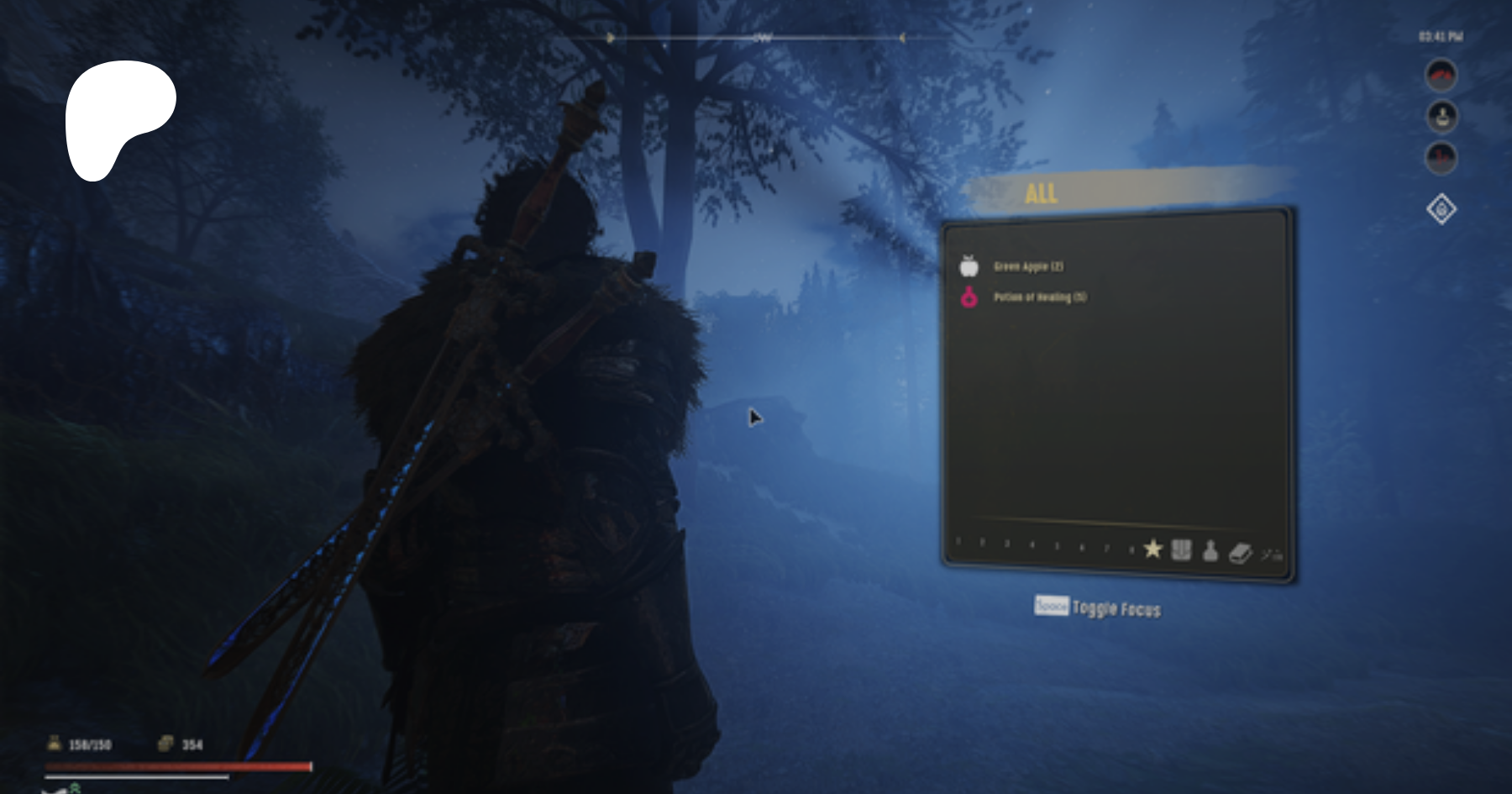
Patreon
Patreon is empowering a new generation of creators.
Support and engage with artists and creators as they live out their passions!
45 not 55
past raft
oh that was last year's one. Huh
and you can try changing the dodge key manually in the ini
and maybe deleting nemesis output/rerunning it again
rocky furnace
do you know what can i do about the icons
something to do with the configuration with oblivion icons, untarnished ui, or both?
past raft
edge ui overwrites the icons to make them look as it intended. they appear to look like the ones in the edge ui video
rocky furnace
also do you know how i can make it so pressing windows key and volume keys on skyrim works
any changes i should make
 past raft
That could be a Skyrim limitation in terms of the keys you can use in game. Just alt-tab then adjust the volume
rocky furnace
gonna try changing it to windowed and bordered in the launcher settings
nope no difference
past raft
And i see you followed the order on ede ui p@treon. So see no issues
rocky furnace
ill try the latest release of edge ui
but before that ill redo the settings of OI like this n see if it works


nope, time to get new edge
oh thats locked to subs on his patreo
wont let me say that word
ok i can use this https://www.patreon.com/posts/edge-ui-0-50-pre-89750615
Patreon
Patreon is empowering a new generation of creators.
Support and engage with artists and creators as they live out their passions!
past raft
Patreon
Patreon is empowering a new generation of creators.
Support and engage with artists and creators as they live out their passions!
this
rocky furnace
says i need 45 for 50 so gonna need to reinstall that
rocky furnace
past raft
https://www.patreon.com/posts/edge-ui-0-55-98401985
o
assuming i dont need 45 for that
past raft
it has a fomod finally
rocky furnace
a fomod is those panels that lets you configure when you install it right
past raft
mhm. Before 0.55 you had to manually go into the mod and rename different files to get the look you wanted
rocky furnace
what is experience

 past raft
if you don't know you do not have it lol
 past raft
your dbvo untarnished patch is being overwritten completely fyi
rocky furnace
any idea?
 rocky furnace
past raft
your dbvo untarnished patch is being overwritten completely fyi
rocky furnace
past raft
your dbvo untarnished patch is being overwritten completely fyi
what should i place it under
past raft
after ede ui if you want it
past raft
rocky furnace
any idea?
are you saying these shouldn't be aligned at the bottom?
rocky furnace
theres a rectangle instead of the expected icon
and it seems the icon for feed is missing
past raft
oh. then that is probably an oblivion icon issue
rocky furnace
rocky furnace
but before that ill redo the settings of OI like this n see if it works
im assuming all of this is good, so, i guess it is a problem with OI
past raft
I haven't touched my OI install in a while. So idk what options I used. And we probably chose different options, anyway. Read through the options carefully when you reinstall
rocky furnace
thanks for the alt tab btw
rocky furnace
past raft
I haven't touched my OI install in a while. So idk what options I used. And we p...
ok ill go thru it again
rocky furnace
rocky furnace
im assuming all of this is good, so, i guess it is a problem with OI
ill look at the 3rd screenshot closer
i have this mod, and i dont have synthesis, whatever that is, ive never seen a button to climb or duck

i have skyclimb but have it disabled cause its buggy
 past raft
synthesis is a program that helps automatically patch things. unless you are using that oblivion icons pack synthesis patcher, then don't enable it
rocky furnace
ok so i dont need that for oi and edge to work properly
past raft
no
rocky furnace
gonna try this config


nope, icons still not right

not a problem, im sure it will be fixed later, somehow
ill try this
 past raft
do you have simply knock?
rocky furnace
 past raft
well, you missed the simply knock in the first screenshot collection above
past raft
rocky furnace
gonna try this config
^^
rocky furnace
yea
rocky furnace
@past raft do you the types of vendors i should sell every type of item to?
ive been told by ai its best to sell food and ingredients (like the alchemy stuff) to 'hunters'
books to 'book people', like this guy in winterhold
enchanted weapons and armor to magic people, like the court wizard
past raft
I don't really care much for vendors since I just spawn in what I need. But I'm sure the Skyrim wiki can inform you what is best sold for what
past raft
Crash log?
rocky furnace
played for a while again, didnt crash
rocky furnace
past raft
Crash log?
where do i get that
past raft
documents>my games>skyrim special edition>crash logger
look for a crash log txt made at the time you crashed
rocky furnace
 rocky furnace
past raft
rocky furnace
past raft
oh. that's a breakpoint issue.
There could be a number of reasons for that.
I would think this would be a problem if it keeps persistently happening. But it could be driver issues, corrupt skyrim file, windows, etc.

 past raft
rocky furnace
<@1139699285156438167> do u know why the shading is like that
past raft
rocky furnace
<@1139699285156438167> do u know why the shading is like that
Modlist issue. Something is wrong with your lods. Your textures aren't loading in day enough
Also man you have enhanced mountains. You need to get its lods as well and rerun dyndolod
Also plz sort the modlist. Lux is before outputs, same as everything else
rocky furnace
past raft
Also man you have enhanced mountains. You need to get its lods as well and rerun...
'its lods'? so theres things i need for it which i didnt get, ill go look at its page
sorted a few mods, including lux ones
probably put 1 or 2 in unoptimal places
https://www.nexusmods.com/skyrimspecialedition/mods/88754?tab=files
ok so do i just download this and redo the texgen and dyndolod outputs

Nexus Mods :: Skyrim Special Edition
DynDOLOD LOD files for Enhanced Rocks and Mountains (ERM)
past raft
yeah. You also need mountain textures that are good for ERM btw for maximum compatibility
you can check out Tomatokillz's mods for that
vast majority of your mods are still not sorted man
rocky furnace
I know, I'll sort them later
Downloaded the erm addon thing
It's walking in place, do you know if I need to put certain mods after others in order to fix this
And if you notice other orders that should be made, please inform me of those as well
 past raft
what's your problem exactly?
rocky furnace
By "It" I was referring to my character
 past raft
so your character isn't moving forward at all? Just stuck?
rocky furnace
It's "walking" but not moving forward
past raft
even in third person or just first?
rocky furnace
I couldn't go in third person because it started right after I entered the keep, so I wasn't unbinded at the time
past raft
unbinded? Are you doing the vanilla beginning?
past raft
yeah well haven't done the vanilla route in years. Anyway, you don't necessarily want to do the vanilla route. Even the alt start mod mentions it's buggy and not recommended when you have many mods
rocky furnace
Okay
past raft
now, if this continues beyond the scripted beginning, then there's a real problem