
#How to do 2d dropdown shadows like this?
9 messages · Page 1 of 1 (latest)
 sage stream
 noble drift
Its a shader, just duplicates the canvas and its overlapping it with an offset. Here is an example: https://godotshaders.com/shader/shadow-2d/
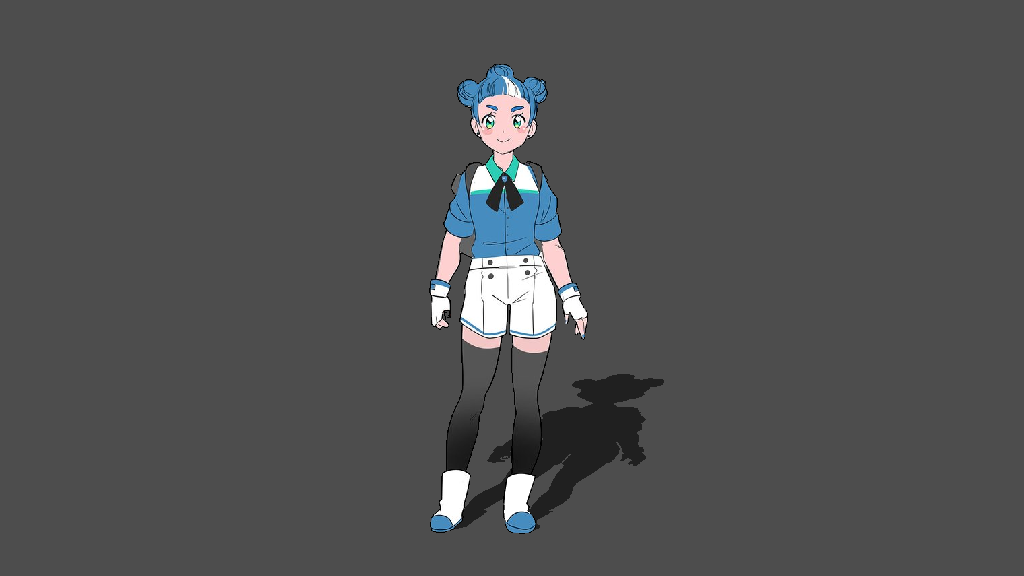 sage stream
noble drift
Its a shader, just duplicates the canvas and its overlapping it with an offset. ...
sage stream
noble drift
Its a shader, just duplicates the canvas and its overlapping it with an offset. ...
That shader doesn't seem work in godot 4
It just created some transparent black pixels around the corners of my sprite
Or I think it's because shaders can't go outside of the sprite, what do I attach the shader to?
noble drift
I ve tried it on version 3.5 and worked. Idk about 4.0
 bold pebble
@sage stream Why not just have a system to duplicate the node (referencing the same texture resource), parent it to the main visual, set the z-offset to -1 , change the position to be what you want, and then self_modulate to black and adjust the alpha to be how strong you want the shadow.
I dont think there is any need for a custom shader.
sage stream
bold pebble
<@733710228880883732> Why not just have a system to duplicate the node (referenc...
Did you even read my post, I literally said all of that in the main post.