#🤝│community-troubleshooting
1 messages · Page 47 of 1
 keen sundial
 winged brook
where can I sent a screenshot of a spot where I glitched into/got stuck on a rock? (parachute landing)
 shrewd thunder
PLAYERUNKNOWN'S BATTLEGROUNDS Forums
Issues related to the map including stuck, item bugs, etc.
 scarlet sky
okay, now why the F can´t i rebind F to switch firemode? Oo
i could before, now i can´t after i reinstalled pubg
 digital glen
@scarlet sky It's a very well known bug that the team is aware of and actively looking into. Working for some and some not.
scarlet sky
hm... any way to write it to the config and make it read only?
or will that not help?
digital glen
@scarlet sky I spoke with a guy last night here that editied his registry to make it work, but I don't reccomend that unless you know exactly what you are doing. You could wreck your whole system with a mistake. There has been changes to the config for tampering issues, not sure if it will work or not
scarlet sky
hm, will dig them up if i find them and try it. worst thing that can happen is it´s not working ^^
regedit? sounds strange for just some rebinding issue. then again - it´s microsoft, who knows ^^
 viral monolith
can someone explain to me how to gauge when to 0 in using page up/pg down?
digital glen
@viral monolith Pull up your map and look at the small squares. Each of those is 100m whereas the larger ones are 1km
viral monolith
oh neat, thanks
digital glen
ok
viral monolith
what about for the vss?
digital glen
@scarlet sky For disclaimer purposes, please understand that you are editing your config at your own risk 😃
scarlet sky
it´s the keybinding, that shouldn´t be doing anything Oo
you cannot change anything there that would even closly have any advantage ^^
digital glen
Just making sure you know 😃
scarlet sky
after ~20 years of pc gaming, i´m pretty sure i know i´m in no danger ^^
X ツ#3719_banned
#jk ^^
digital glen
lmao 
scarlet sky
hm, not working
-.-
it´s still bound to F in the config, yet i can change it ingame scratches head
digital glen
🤔
scarlet sky
yeah well... MMB it is - for now
 buoyant karma
Hello, just joined the server to seek help for a friend that is having a problem with the game. Is it alright if I link his post from the pubg forums?
digital glen
@buoyant karma Sure
buoyant karma
PLAYERUNKNOWN'S BATTLEGROUNDS Forums
Date seen: 7/15/17
Server: Live Server


Ever since the most recent update came out i can no longer play the game as of 7/15/2017. I restarted the game...
That's his issue. I'm on voice comms with him right now. He's tried everything he can think of so far.
digital glen
Lemme have a look
buoyant karma
Thank you
digital glen
@buoyant karma Few questions most likely already done, but I must ask...Windows fully up to date? Graphics drivers?
buoyant karma
It's currently downloading updates, including .Framework
 sly perch
@digital glen I haven't, can you please link the thread? I've been looking for what thread you are referring to on steam and the pubg forums but can't find it.
buoyant karma
He's already done graphics drivers
digital glen
@buoyant karma Most likely the framework is the issue.
let me know and we will go from there
buoyant karma
Will do
digital glen
@sly perch Please refresh my memory on the link I was talking about
sly perch
@digital glen Yesterday at 9: "Have you tried all of the steps outlined in the troubleshooting thread on the forums?"
digital glen
k one min
@sly perch Give me some more info on your specific issue please
@sly perch This is the one I was thinking of...the work around thread http://forums.playbattlegrounds.com/topic/14224-known-work-arounds-general-bugs/
PLAYERUNKNOWN'S BATTLEGROUNDS Forums
Hello Players,


Here is a list of known work arounds for common bugs that are found in game, sourced by the community. These are temporary until the te...
@digital glen Here is the steam post I made outlining the problems http://steamcommunity.com/app/578080/discussions/3/2217311444329083647/

Players, Today we look at what we have changed and fixed in this, our 16th weekly patch. This patch will be deployed to the Test Servers on Wednesday, July 12, and if everythi...
digital glen
@sly perch ok gimme a bit to sort through some stuff
buoyant karma
@digital glen Still not working after the download and restart
digital glen
@buoyant karma Have them try Repairing the C++ 2015 x86 + x64 packages and running Steam and PUBG in admin mode
@sly perch Have you tried running DDU (3rd party program Display Drivers Uninstaller) in safe mode to completely get rid of all previous drivers for gpu and then booting normal and installing the latest gpu drivers?
sly perch
@digital glen I haven't. I will try later tonight and get back to you. Thanks for your help
digital glen
@sly perch Most welcome. That way we know there is no interference from gpu drivers etc.
Guru3D.com
Here you can Download Display Driver Uninstaller, this Display Driver Uninstaller is a driver removal utility that can help you completely uninstall AMD/NVIDIA graphics card drivers and packages from your system, with...
buoyant karma
@digital glen Having him launch PUBG in developer mode right now
I assume that's what you meant by admin mode
digital glen
@buoyant karma I had typed a short troubleshooting guide in the pinned messages in this channel. It's a small text file. Download that and see what they have done from that list
@buoyant karma Not developer mode Administrator mode
buoyant karma
Got it. My bad
digital glen
@buoyant karma C:\Program Files (x86)\Steam\steamapps\common\PUBG\TslGame\Binaries\Win64
buoyant karma
Yep, got him there
digital glen
compatibility tab run as admin
buoyant karma
"It's taking a really long time to load into the main screen."
digital glen
Same with steam
Have them reboot the computer to make sure every change has taken effect then lauch the game
digital glen
@buoyant karma argh...lemme think
@buoyant karma Can you have them look through this and see if there is anything they have not tried from this list? http://forums.playbattlegrounds.com/topic/4469-connectionsteamlaunch-issues-a-comprehensive-guide/
PLAYERUNKNOWN'S BATTLEGROUNDS Forums
Update: If you are having an issue connecting to the servers please note what type of connection you are accessing from. (Ie: Home, Work, Universit...
@buoyant karma Caesar the admin is aware of this issue and is looking through their post on the forums as well
buoyant karma
Alrighty, he is going through that list now. Thanks
digital glen
@buoyant karma Very welcome. Might be a new bug that was introduced, but hopefully something will work with the current list of fixes available
digital glen
@buoyant karma welcome...ping me whenever he has time to try things from that list and let me know how he makes out 😃
 plush viper
@digital glen can i a discord link
digital glen
!invite
 regal vaporBOT
Invite URL for Discord: https://discord.gg/battlegrounds
digital glen
@plush viper
 silk sand
Does anyone on the planet know to fix "NETWORK LAG DETECTED"
I see many many ... many people have same error , and 99% of them have sick PC's and sick internet speeds so this has nothing to do with our PC and Internet :/
I tired to post this on reddit 2 times but reddit is toxic as usually just downvote posts!
Thanks a lot who read it ❤ !
EU Server forgot to mention.
Also i would like to know where EU Server is located ❤ !

digital glen
@silk sand http://www.cloudping.info/
Can check your ping there
Have you made sure Windows firewall and any other you use have exceptions for the game?
silk sand
digital glen
Antivirus exceptions as well?
silk sand
Windows firewall i did allowe private and public for pubg
I dont have antivirus i'm pretty safe, also scanned today last time no viruses with win. defender
I have done this 10 minutes ago , gonna test it now
Also +rep to you for fast response @digital glen u'r doing great job !:)
digital glen
Thanks man
Have you sorted through that? #11 ?
PLAYERUNKNOWN'S BATTLEGROUNDS Forums
Update: If you are having an issue connecting to the servers please note what type of connection you are accessing from. (Ie: Home, Work, Universit...
Also a plethora of other things to try from that list
silk sand
Yes i have done that #11 i've send you above, i gonna test that now and i gonna pm you here, if it doesn't work still i gonna try other things 😃
Cya, and thanks.
digital glen
@silk sand Lemme know how it works! sounds good
 dry cove
Hello?
digital glen
!invite
regal vaporBOT
Invite URL for Discord: https://discord.gg/battlegrounds
digital glen
@dry cove
dry cove
Thanks!
silk sand
b4 i check everything @digital glen , my main problem with all games , such as gta5, rainbow6 etc is
"NAT Type - Strict" I dont have option to fix that in my router model so i think i need to call ISP for that if im not wrong
digital glen
I'm wondering if you need to have certain ports open for the game and the service that the in game voip is on...what type of net do you have? cable, dsl, fiber?
silk sand
Hm not internet expert tbh ;_; , it's router, called ADSL i believe , and cable is connecting router and pc
digital glen
My cable modem is classified as a "straight" or "pass through" modem. There is nothing to open or forward port wise. My router is different, and I have had to open ports there for other games. A quick way to tell is to pipe directly from your modem to your computer, reboot and then lauch PUBG and other games. If the problem goes away, it is with the ports not being opened properly. Check out that link I sent above. Will explain it more.
You have a dsl connection through your phone company then.
So you most likely rent a modem from them?
silk sand
Well its like Home Phone + Internet packet
Main problem is that html of my internet provider/model is very primitive . i've seen guys changing UDP so easy
This is how mine looks
digital glen
Precisely. That's the area you need to be in. Let me check some ports for you. Gimme a few mins. Also look in that firewall tab and send me a pic
silk sand
Thanks a lot sir 😃
digital glen
Welcome
silk sand
1050 Ti 4GB GDDR5 Should come by end of the month so hopefully less problems
digital glen
@silk sand lobby : 80, 81 [2:20]
lobby: TCP 80, 81 [2:20]
game : UDP (port is different every time)
We need to get your NAT issue fixed or the best graphics card in the world wont matter 😃
silk sand
Yeah 😃 , what should i do with those things u've send me
also sorry for my eng. we don't learn it here , learn it from tv and games
digital glen
No problem at all! I think it's great actually, would have never known unless you said something. Since the UDP is different everytime, we can't set a specific range will just need to leave it open. Open ports 80,81 in tcp
Look under Application and see what options it gives you there
silk sand
digital glen
ok, go back to custimization tab
silk sand
above just gives me that one and bottom this 3
digital glen
TCP is what you want since the udp is changed every game
silk sand
Go to sound and change to push to talk
 abstract pilot
so I just muted the ingame chat all together and we are using discord
it is on push to talk
silk sand
Ok @digital glen , i have sellected TCP
So u've send this
"lobby : 80, 81 [2:20]
lobby: TCP 80, 81 [2:20]
game : UDP (port is different every time)"
What should i do with this ? 😃
@abstract pilot Weird thing man, check again , and see which button u bind for talk
digital glen
set the external start at 80 and end at 81
then send pics of firewall tab and port triggering
@abstract pilot Try setting it back to ptt and hitting cntrl + t to toggle on and off close game and restart it to see if that fixes it
silk sand
so just that 2 parts and save?
digital glen
Yes, might have to set the internal as well, but for now just try external
silk sand
Yeah , html is show me that i need to fill internal port
and it should be from 1 to 65535
digital glen
set them to 80 exter 81 intern
digital glen
hmmm.....let me look at port triggering tab and firewall and filter tabs on the left
digital glen
send dos attack
silk sand
firewall can be off - low - high
this is dos
I think i have the worst UI/HTML modem ever , ppl on youtube,etc.. have everything much easier
digital glen
lol....go back to port mapping and remove those values put them in port triggering
save and see if it errors
for now turn firewall off...you have one built into windows so you are ok for testing purposes
silk sand
so in which row should i type 80 and 81
in trigger end/start or open start/end
it's a bit different than mapping
digital glen
For now try 80 trigger start 81 trigger end and open start 80 open end 81
silk sand
This is my router if i can help you with that "HG531 V1"
Trigger name can be anything
so i can name it PUBG
cause why not
digital glen
yep
silk sand
digital glen
Remove those settings. I think this will work
Go back to the very first pic you showed me, the customization tab
Port Mapping
silk sand
im there sir
digital glen
Under interface do you have "Your Connection" ?
silk sand
All of that "grey" text under port maping
isn't 'clicktable'
just a text
Found this maybe can help you
silk sand
Found this few days ago but no pubg game listed
silk sand
If this fix my problem i gonna make quick text tutorial on forum for sure , so u wont have this huge job ;_; *sorry 😦
digital glen
No worries
Can you make to open port rules following the pic above? one set for 80 and one set for 81?
silk sand
I will do it but what should i type in "Internal Port"
ext start 80
ext end 81
internal: same
internal port: [ ]
Mapping Name: PUBG
digital glen
Just set it exactly as the pic shows
silk sand
so 80
digital glen
yes
digital glen
try both
meaning tcp/udp
Since the udp changes every game Im not sure if it will make a difference and need set to tcp only
silk sand
"Notice:This portmapping will modify the web server port number 80. If you want to access the web server of the router from WAN, make sure using the temporary port number 8080; the web server port will be reset to 80 after removing this policy. Are you sure to add this policy?"
should i just click OK? #yolo?
digital glen
you can always reset the router to original values if needed 😃
make another for 81 then
silk sand
ok , got this nice blue collor here now
i did now 80
81
didnt do 80 80 80
80 81 [ip] 80
digital glen
after you create 81 reboot the router and try pubg
silk sand
so you want i create all 80's
and one with 81 as end ?
cause i did that 81 as end now ;_;
digital glen
No like you made the first one open for 80 and got the blue confirmation
make another the same way, just using 81
so you will have 2...one for 80, one for 81
silk sand
silk sand
k cya in few minutes wags!:)
digital glen
Hold a sec
digital glen
If that doesn't work, before reporting back..We will take the router out of the equation. So you will straight pipe in to your computer. Ethernet cable directly from your adsl modem into your computer. No router. Might need to reboot computer to pick up the ip address. To test just open a browser and make sure you are connected to internet. Then launch pubg. If that works, then it's the closed ports of your router, which we are trying to open.,
also did you turn off the firewall in the router for the time being?
silk sand
Yes
i did turn of in router
On on pc
with allowed all files both pubg and battleeye
digital glen
ok you understand what I mean about going directly from your modem to the computer right?
silk sand
Yes i will do that as last option
if this doesnt work i'll call my ISP
so they can remove strict nat type by themselfs
cause i pay for that
😄
digital glen
ok report back here, I want to know what happens lol
silk sand
kk cya soon
digital glen
Good Luck...also I would call the manufacturer of the router and have them add PUBG in their drop down menu! lol
silk sand
Yeah i can send mail to them , they have one location ~15km from me
digital glen
sounds good. lemme know how you make out
silk sand
k did reboot and im alive , first good sign
digital glen
lol
silk sand
This discord is pretty huge , how much of you tech support working here @digital glen , must be big job
digital glen
Not really a tech support. Just volunteer to help people with PUBG and related issues with it. It's a labor of love 
silk sand
wow :)).. nice from you sir.
digital glen
They were nice enough to have me. I'm honored
silk sand
Hope u gonna reach some good position in future
digital glen
Thanks for your kind words. Much appreciated
silk sand
First thing i notice (lobby atm) im like 30th guy who join , first time happening , usually last
runs smoother
digital glen
Fingers are crossed
silk sand
at least we can solve with thread many people problem i saw many guys have same issue
digital glen
Definetly will help for sure
This is an older post from Steam, but I've held onto it just for issues like this. I've never had to use it, but it's there as a last resort https://support.steampowered.com/kb_article.php?ref=8571-GLVN-8711
So theoretically Steam is tied into this as well. If you have trouble with their servers, most likely will have other troubles.
Usually once I launch a game for the first time after I have bought it, I alt tab and click the ok for windows firewall to allow the game, and have no other issues.
Sometimes it pops up fast enough that I can click ok before the game menu loads, if not I close the game and restart and I'm good to go
silk sand
Yeah i still have the network lag detected but it doesnt last 5-15 seconds of total freeze of the game
its more like 2-5 secs
But yeah , game freeze , like fps hit 0 and after unfreeze says network lag detected
like everybody
digital glen
argh! is that connected to the router still or straight from modem to computer?
silk sand
Yes yes

same as for this guy
but hes freeze didn't last like mine
mine is longer
digital glen
Blasted! Well I will pass this info along upstairs. Hopefully we can get it looked at quickly. Was looking at the reports when you were testing and there definetly is a lot of people having issues. Sorry we couldn't sort it out for you. 😦 I will let you know if and when I hear something
silk sand
Awesome 😃 would be cool if u pm dev team !!:) cause for sure its not our problem since i saw so many good builds and internet contections 😄
I mean game is Eearly acces anyways we dont expect 0 bug game for sure
So tomorrow im calling ISP for Strict NAT Type
And sending mail to modem/huawei to add pubg game
Thanks for your tme @digital glen
digital glen
Yes sir @silk sand You are most welcome. I'm sure it will get sorted. Have a good one
silk sand
I pick all my stuff from pubg into lvl4 backpack, and waiting fix for the problem ❤ , untill the next time ! (not my pic  )
)
 haughty scarab
does anyone know how to fix this?, i take so much time to get in to the main menu only, usually its only takes like 10 seconds. i already try verify game files,reinstalling,update drivers, etc. its really annoying
 velvet herald
help
i cant rekeybind my control
 quiet grove
what do you mean rebind? @velvet herald
velvet herald
remap my keys
 hot plaza
My game seems to have a huge assortment of issues. My game will crash, not connect properly, I will pick up a gun and it will take a while to register (not server lag becuase I can do other things) and my game will get stuck on the loading screen every second game or so and I will have to close it through task manager. Is anyone else having these issues? If so what can I do? I run the game fine whenever I actually get into a game.
 quick chasm
@hot plaza
Hi, what is your internet speed, what are your pc specs and ingame settings, do you have pubg installed on an harddrive or an ssd ?
haughty scarab
apparently i have to use vpn just so i can load in quickly in the main menu
i hope they gonna fix this fast,bcus some of my friends are getting it too
quick chasm
same here, it should be a known issue and it should be worked on already @haughty scarab
 wintry flax
my game cash after 30s-2min every time..
sly perch
@digital glen I ran DDU in safe mode as suggested and my problem still persists http://steamcommunity.com/app/578080/discussions/3/2217311444329083647/
Players, Today we look at what we have changed and fixed in this, our 16th weekly patch. This patch will be deployed to the Test Servers on Wednesday, July 12, and if everythi...
 autumn nymph
Does the game count a win even though you died?
Suppose to have 2 got 1, not a big deal though
 torn flame
Hey folks, anyone know of a way that I can read the crash reports that I have sent to developers? Would like to try and see if I can identify a common trend when the game undoubtably just crashes mid game.
digital glen
@torn flame Visual Studio will find more details than the built than Microsoft Debugging Tools imho. I have found driver conflicts and .dll errors in file structures that Windebug wouldn't catch. This will get you started. https://msdn.microsoft.com/en-us/library/d5zhxt22.aspx

Learn how to use Visual Studio 2017 to develop applications, services, and tools in the language of your choice, for your platforms and devices.
 bronze walrus
is it normal that you can jump through the windows in 2 level houses without breaking the glas?
digital glen
No it's not lol....all 2 level houses?
bronze walrus

Oddshot
Twitch - Playerunknown's Battlegrounds - larsenpubg
digital glen
Well that is certainly interesting. Thanks for that, I'll pass it along.
bronze walrus
went ingame and tried it myself same house, didnt work out for me
digital glen
Ok I'll wait and try it myself and have a few others try it first, thanks
silk sand
Hi @digital glen ❤ , not work day today , gonna call isp and mail those guys tomorrow !
digital glen
@silk sand Sounds good! I've pushed the network lag issues forward I'll know more Monday when the devs and rest of the team returns. Hang in there!
@sly perch Is Windows completely up to date? Have to forced it to look for updates?
silk sand
@digital glen u'r beast !:)
digital glen


sly perch
@digital glen Just forced windows to look and it is up to date
 dense sandal
anyway to connect to specific servers?
digital glen
@sly perch definitely seems graphical. Running steam and pubg as admins prob won't help your specific issue....but you could try it....still thinking
@dense sandal No sir.
dense sandal
😦 ok sir
sly perch
@digital glen I also found that when the issue is occurring, changing the graphics temporarily fixes it for a few minutes... if that helps.
digital glen
You mean screen resolution or in game quality settings?
sly perch
in game quality settings.
digital glen
What are you running now and what did you change it to?
sly perch
was high, changed it to medium. I was running very low for a few hours to see if it was just higher qualities and the issue was still occuring
digital glen
This started with the last patch or always had it? Did you update gpu drivers and then it started? Could roll back to an earlier set of that is the case....
sly perch
this has occurred the last 2 monthly patches. I played before that and this didn't occur. I didn't upgrade GPU drivers in the past 3 months, upgraded once the issues occurred and did a clean install with DDU yesterday as suggested.
digital glen
Hmmm...ok, you have motion blur off in settings?
sly perch
just checked and it was unchecked
digital glen
Ok. Lemme check something brb
@sly perch What screen resolution are you running and is it your native resolution of your monitor?
sly perch
@digital glen using two monitors. Monitor 1 running the game is 1920x1080 which is the recommended and monitor 2 is 1280x1024 but I don't play the game on the second monitor.
digital glen
Couple things to try. 1st load PUBG and start a match, then in game settings, lower your resolution down the next setting or so, and apply. Give it a few seconds, then change the resolution back to 1920x1080 in game (native monitor res) see if you still get the disco lights. 2. Shut off computer and monitors and unplug physically the 2nd monitor, boot up and try launching pubg again and play to see if you get the lights still. 3. Look and see for both monitors, mainly the monitor you play pubg on and see if there is a specific driver from the manufacturer. My asus just uses a generic plug and play driver, but some have one. Check the manufacturers site. I have had issues with my 2nd monitor not running in the same resolution as the main, so might try setting that to 1920x1080 also. Report back
digital glen
@sly perch How you making out?
 blazing linden
Are there any plans to fix how the blood shots work in relation to where you're being shot from?
silk sand
@blazing linden That's not actuall bug , that's how game works for now, since its Early Acces maybe they'll change it
 bitter geyser
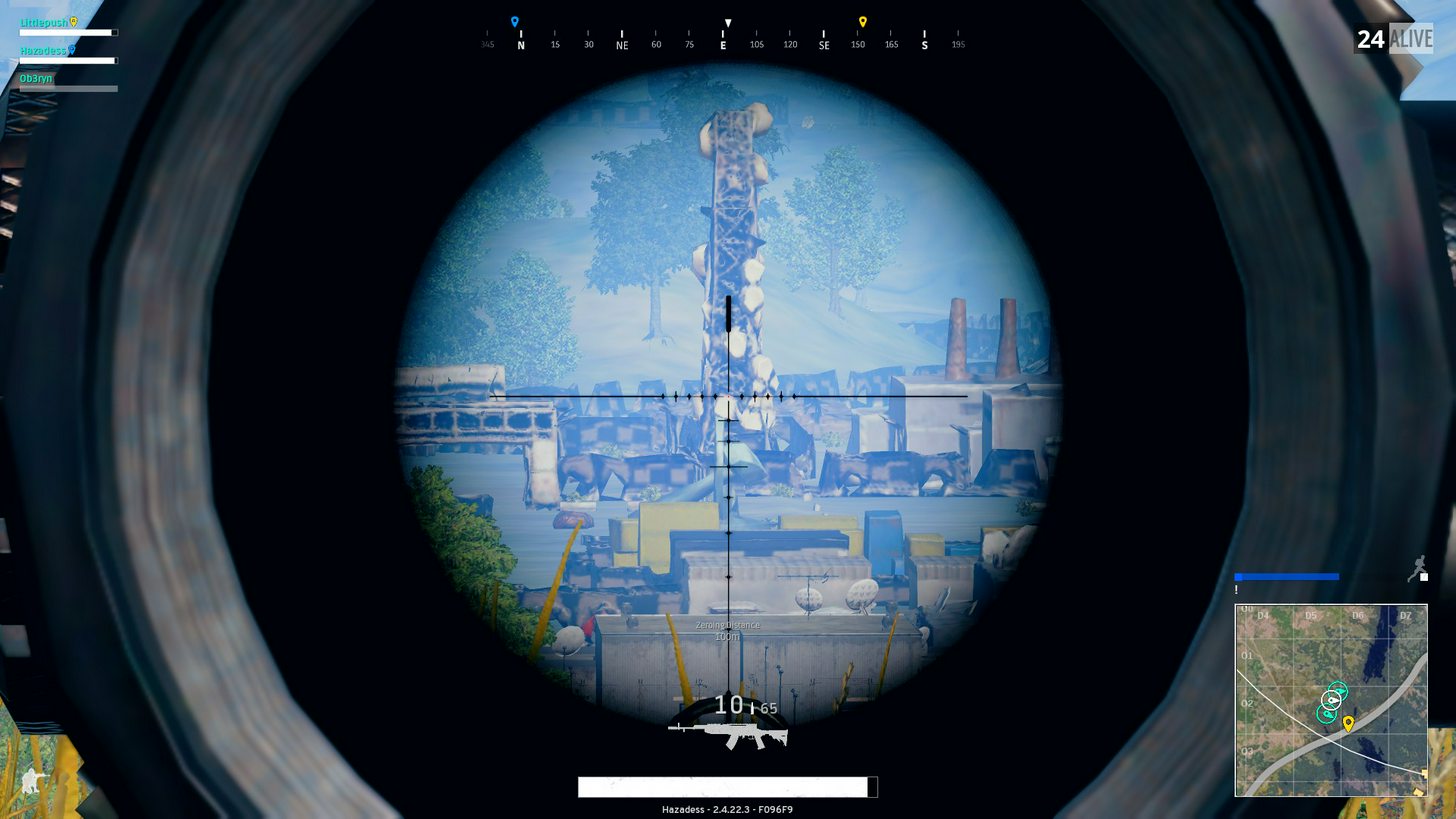
Hi, I've never saw this "quality" using 8x scope, did I fucked-up something in the settings or is it normal ? http://imgur.com/a/I3VNO thanks !
 silk sand
It can be your GPU overheat , or you dont have enough RAM
Try to move your game to SSD if u owe one
bitter geyser
game is on a ssd, gpu seems ok, i don't have any other glitches, just this on very far views
keen sundial
@digital glen just so you know that window thing is a bug happens all the time i jump out everybuilding when looting (well if the windows are wide enough and dont have metal bars on them
silk sand
@bitter geyser what gpu do you have?
bitter geyser
1070
silk sand
Weird :/
keen sundial
i have the same issue with 8x scops but just rasing my veiw distance helped
bitter geyser
ok
keen sundial
not a permament rais but rais it then apply then lower it and apply
tho it is anoying to have to do it every game you find a 8x :/
bitter geyser
will try that
silk sand
And try to verify cache @bitter geyser , that cant hurth
keen sundial
^^
silk sand
u know how to do that? right?
 placid walrus
a friend of mine has a similar problem, sometimes buildings just don't load at all and they look like that screenshot even when standing next to them
bitter geyser
yes, I will do that. I will also try to wipe the user settings directory
shrewd thunder
they look like that because it's a lod model, its pointless wasting resources rendering a high poly model when it's so far away then you quickly scope into it and it doesnt have enough time to switch to a high detail model
bitter geyser
I understand that, but they don't swith on my case :/
shrewd thunder
how much ram you got?
bitter geyser
16gb
shrewd thunder
should be plenty although pubg seems to eat it up the longer you play
noticed if that happens in like the first game after launching the game or after many?
bitter geyser
hummm, can't tell :/
shrewd thunder
try relaunching game after every couple games and see if you still get it when you can find an 8x again
bitter geyser
yep, the hard part is to find that 8x 😉
 rigid scarab
anyone have issues with Crates? Not logged on for a while, got a "Pioneer Crate" but it won't let me receive it. Just says failed every time
 bronze rover
: if i play from europe with us guys, are we automaticly matched on an us east server?
 blissful jay
intended or not? going against the crate with a car kills the other player on the opposite side of the crate
silk sand
@digital glen keep us/me updated what happend at meeting with network lag! ❤
digital glen
@silk sand The team will return tomo, sure I will know more then 
 old token
viral monolith
old token
viral monolith
i wanted to join a eu server and it put me in a us east server
buoyant karma
@digital glen Apparently it was his router???
digital glen
@buoyant karma Your friend? Who we were troubleshooting for?
buoyant karma
Yep
He played through a mobile hotspot and it worked fine, although his ISP screwed up his internet.
digital glen
Ahhh ok yeah, well Happy days of chicken hunting are ahead!
 honest bay
is there anyone that can unban me from the pubg discussions on Steam
digital glen
@honest bay You will have to speak with the one who banned you
honest bay
ok thanks
 naive ocean
you guys gotta fix the bush/grass render distance
its bullshit that ppl can be 800m away and see u while ur hiding
 sinful nimbus
PU mentioned it will be fixed in a future update https://www.reddit.com/r/PUBATTLEGROUNDS/comments/66gxwm/being_able_to_actually_hide_in_grass_is_cool_but/
 sharp stratus
so what can you buy with the reward currency? skins and accessories?
 sonic arrow
Hi. Does anyone know how to fix random low fps/stuttering noises in the warmup area? They usually come together for me. One moment I have match a 50 -70 fps and the next I'm struggling to push 25
sinful nimbus
everything to someone is priority
viral monolith
hey guys, friend and I just restarted game
and it won't let us ready up & doesn't show us online...
 shut sundial
Same
 silk sand
@digital glen seems like they'r fixing something, see tweet
viral monolith
where can i get help with my fps problems ?
 digital herald
I guess here. We'll try to help if there is anything that you can optimize on your part.
If your CPU/RAM/GPU usage is at 100% during gaming, there is little we can do.
viral monolith
my cpu is i5-7600 usage:%35 . gpu: rx580 8gb usage: %16 . ram 16gb ddr4 2400mhz. when setttings are very low i get 20 fps in match . i updated every driver but no luck.
DxDiag output if needed
 unborn cedar
can anyone get a server? or just a selection?
digital herald
@viral monolith Go to steam libary -> left click PUBG -> set launch options.... -> Set it to this: -refresh 60 -maxMem=15360 -malloc=system -force-feature-level-11-0 -USEALLAVAILABLECORES -sm4
If you have a 120/144/250 Hz monitor, set it to -refresh [YOUR SCREEN REFRESH RATE]
viral monolith
i'm trying this solution rn
My game is slightly improved but i believe devs should optimize this game for amd gpus too
thx anyway
digital herald
Yes I agree. I would like to have at least 60 fps on low consistetnly. Rn it varies between 40 and 80.
 pastel marsh
 sand roost
hope the network lag & lag in general is sorted out soon it's spoiling a great game
dense sandal
-sm4 still works ?
 weary warren
Nope
abstract pilot
Yeah, I had an AMD gpu and was getting sub 60 FPS I just switch to a geforce and now get 140 FPS
Just shows that even though AMD sometimes makes better cards the support always will go to Nvidia first
so I just switched
needed a new card anyways
viral monolith
I'll just stay with my amd gpu and wait until devs optimize the game
abstract pilot
it's your rig man
viral monolith
btw what was your old gpu?
abstract pilot
MSI AMD R9 390 8gig
shrewd thunder
@dense sandal reshade is fine but I would download from it's own site not some third party one you have no idea if something has been modified
dense sandal
do you have link for it sir ? it would be helpful 😃
found this one http://sfx.thelazy.net/games/preset/7209/
shrewd thunder
dense sandal
thank you so much 😄
shrewd thunder
the game has no control over your gpu fan speed
I don't know what the default fan profile is for that card but my 1070 for example only spins up fans at 50c and it will increase a bit more than that playing the game a while and after you have quit the game it will take a while to get back under 50c
download msi afterbruner and have a look whats happening if it's not what you expect you can set uyp your own temp curves
silk sand
@digital glen Wags sir! Did anything happend today? ❤
 shrewd sparrow
i kept getting connection issues yesterday joining a squad then the game just kept taking me back to the main screen
my internet is fine
 mental sundial

This has happened 3 times in 1 day
Always at the start of the game
No idea why
 pale plover
Try increasing your page file
digital glen
@connn3҂#6079 Currently looking into it further and reviewing reports. Under investigation 🕵
 delicate ermine
host closed connection?;
 vernal mica
can anyone explain why the bike randomly decides to throw you off it? I wasnt even more than 45 degrees off level and it just popped me out mid air
 copper bramble
i made a topic on forums and i cant remove it
silk sand
Not actuall help but im glad this happend
 warped elbow
Is there anyway to tweak something so that i dont get these distorted buildings way out? I have my view distance on ultra as well.
silk sand
Has nothing to do with view distance i guess.
It can be your RAM or GPU Overheating
try to verify game of cache maybe.
warped elbow
I have a 1080ti and 32gb of ddr4, which have been tested and i can assure they're fine. Verified as well. It doesnt happen usually until i zoom in about 500+m out, i never get it upon launch into the game, only with high zoom scopes.
silk sand
Do you have a SSD maybe @warped elbow
warped elbow
yes
silk sand
Is your game on it?
warped elbow
yep
warped elbow
i get easily over 200fps constantly and my gpu load isnt over 30% even, and yeah i dont have it on
silk sand
Try to turn off Shadowplay since u have GTX/Nvidia that can be the problem
warped elbow
shadowplay is off
silk sand
now or it was off?
warped elbow
been off
silk sand
lol
warped elbow
everyone in my party saw the buildings like that too
so im not inclined to think its specifically me
viral monolith
can someone explain the context of that tweet about being banned for breaking rules? what even are the rules besides no TK? https://www.reddit.com/r/PUBATTLEGROUNDS/comments/6nzdep/if_you_break_the_rules_in_pubattlegrounds_no/

reddit
1145 points and 902 comments so far on reddit
I'm wondering if it's permissible to kill a teammate who has left the game, to deny another team from getting credit - or if it's still against rules
shrewd sparrow
when will there be a report button
viral monolith
I imagine only the devs know, but I guess you can record all your games for now if you're bothered
shrewd sparrow
asian boys shot me down
viral monolith
what did you record that with? & that sucks. I haven't noticed teamkilling at all yet in pubg. Hope it doesn't become a big problem
 still tendon
Sorry for my bad English 😄 I want to ask is this week update that is not going out this week ... does it somehow affect monthly update ?
 limber steppe
what is the server info for this discord
 lean salmon
regal vaporBOT
lean salmon
regal vaporBOT
Invite URL for Discord: https://discord.gg/battlegrounds
viral monolith
so is the TK rule applied just when reported or will it happen when it happens a certain amount of times
cause I had to TK my teammate in Duos when his game crashed and I killed him then took his loot
 worldly solar
just reinstalled pubg, do I need any launch parameters for it to work fine/better?
 polar sphinx
Hey guys, has anyone run into a bug where the screen goes black at random times during the game, it's only recently started happening and doesn't happen in solo games only duo and team
shrewd thunder
I don't think any launch parameters work anymore @worldly solar
keen sundial
why do some people have the tester role?
pale plover
Because they have been around since Alpha or closed beta
viral monolith
I'm talking in voip team chat and it shows my mic moving but my teammates can't hear me... been this way for a day or so
any advice?
sinful nimbus
ctrl+t not work for you @viral monolith
viral monolith
my teammate had me on mute I guess, he said he did that and it worked ty
keen sundial
ok well i have it set so i shouldnt be getting inv in game but well look
hmm well that is bugged ill try get another
polar sphinx
has anyone run into an issue where the screen goes black at random times during the game, it's only recently started happening and is making the game unplayable, only a reboot fixes it
 lusty plover
@warped elbow
that distortion is because you're looking thru the barrier
not your hardware or anything
warped elbow
@lusty plover the barrier was behind me, you can see the white line of the barrier's next move behind the player on the minimap.
bronze walrus
Can someone pass me a press contact via PM? (:
 wide summit
@bronze walrus https://www.bluehole.net/kr/ you just go via their website ?
bronze walrus
The only info they give on their website is a Korean phone number 😛 There is at least a dedicated press contact email address wich I unfortunately cannot find anymore.
 glad flint
how do i get my gpu to use more than 50% resources?
 regal bobcat
whats the link ton ionvite friends to server?
to
 latent spade
how does one get more fps on this game
viral monolith
@sour beacon Fire away!
 sour beacon
@viral monolith When will the new cosmetics be added
if there is a set time or a rough estimate
and also you should add range finders to the game
viral monolith
No ETA on cosmetics right now, sorry!
sour beacon
Would you consider adding range finders?
 lament fiber
Range finders probably take away some of the fun
Correctly guessing a range is satisfying, and you can find out exactly how far it is on the map anyway
Binoculars would be cool though
 paper plume
@viral monolith Are there any measures in place for when I lose my job due to PUBG?
lusty plover
@warped elbow you're certainly inside it there, looks like circle.could.be small enough that that's out the other side of it maybe?
The only time I've seen distortion like that is when you're looking thru the barrier
 sharp ice
any idea when the lobby crashing is going to get patched? It's been 2 patches and
I still crash in the lobby or right as I get on the plane
 foggy bay
 shrewd thunder
if you recently updated gfx drivers and it started happening id blame that
lament fiber
Looks like a plane dropped a straight line of lego blocks
 hollow solar
@viral monolith As a new architecture student i wondered if i can design game maps after i finish my studies or is it necessary to learn programming language too?
 teal raft
is SA getting server soon?
 fickle tundra
yoooo network lag detected..... do the servers still have problems ? (it is not me or my system nor my internets fault(i have a 8 ms internet connection and i tracked it for the sake of network lag detected messages)
anyone has a idea how to f€$n fix this stupid message?
viral monolith
are the promo videos on steam store for PUBG using in-game footage? the explosions look awesome. I play on low detail though, so idk if it's a little overexposed
I guess I'm asking if playing on ULTRA will make the explosions look that good
 stray lotus
Does any admin know when a public api of PUBG will be released ?
 marble tundra
Why the default server for me is now AS?
I live in Israel and best ping is to EU server
 vivid flax
XD
viral monolith
easy wins for me
viral monolith
ye?

Dinosauri bisesti dalle voci funeste. Original title: "I dinosauri antropomorfi hanno il sangue nel ritmo" (literally "The anthropomorphic dinosaurs have blo...
vivid flax
Hhaaha
viral monolith
YEE
vivid flax
More interestingly.. you had that ready so fast xD
viral monolith
just a quick google
viral monolith
mate
im a meme page admin
i literally have a meme account
i have memorized over 10023394871298347108273409123874 memes
vivid flax
Beast! I humble myself in your presence senpai
viral monolith
When you get to my meme status
you will understand
and look at life in a diferent way
i basically speak to my friends in meme
viral monolith
lmao ❤
do you have any photos of people that you want edited?
one of my old teachers had a XRAY like sheet of homer out of that picture
some student stole it though
like lazer eye meme and over saturatiom
i can make you some memes if you want
im the meme plug
digital glen
@viral monolith Please post your memes in #247459649798930453 and not here. This is the help section and they quickly clutter up the chat, tyvm!
@vivid flax What is your Shadowplay question?
silk sand
@digital glen Hi ❤ not here for questions just saying hi 😃
digital glen
@silk sand 🖐 
silk sand
btw if someone has missing textures problem , nvidia shadowplay can do that. So suggest turning off shadowplay as option
digital glen
@silk sand 10-4 😃
silk sand
10-4? 😄
 neat tiger
@digital glen do you know or some of your team know swhen a public API for PUBG will be released ?
sorry for the tag
digital glen
@silk sand 10-4 simply means 'yes, I understand your message' in general CB (Citizen's Band)
@neat tiger Let me inquire, np on the tag, that's what I'm here for
neat tiger
thank you, sorry again and thank you once more :))
we want to create a discord bot and some site plugins with that API
 proud escarp
I've been having problems with my game loading in correctly. It will get to the lobby and then not load a single bit of the UI. I have left it alone for around 15 minutes each time to see if it would load, and then clicked the refresh button and left it again. Nothing is responding. I wonder if anyone else has had a problem like this before.
silk sand
But do u have mainmanu screen without UI ?
proud escarp
Re-verified my files and everything
silk sand
is it black or it has "room"
silk sand
Have u tired to run steam as admin?
proud escarp
yep
proud escarp
i've done it both ways
silk sand
Dont ever run from shortcuts
Try to run game from steam, and change from fullscreen to windowed , than to full screen again if u can do that.
or alt+enter
digital glen
@neat tiger Right now the team is not sure if and when they will release the api. If they do, it will probably be closer to exit of EA when modding support hits
neat tiger
oh ok thank you 😃
silk sand
@proud escarp tag me when u do it. to see what should we do
proud escarp
Welp, when I swapped from fullscreen to windowed it crashed @silk sand
silk sand
proud escarp
Lol
silk sand
How's that even possible
proud escarp
idfk
I re-opened it though, and the UI and stuff is working just fine now
So I guess it worked
digital glen
@proud escarp Here are a couple of links for things to try http://forums.playbattlegrounds.com/topic/14224-known-work-arounds-general-bugs/
PLAYERUNKNOWN'S BATTLEGROUNDS Forums
Hello Players,


Here is a list of known work arounds for common bugs that are found in game, sourced by the community. These are temporary until the te...
Time to go eat! Thanks @silk sand and @digital glen
silk sand
Also pin this what @digital glen send you for future bugs if u have them, hopefully not
as bookmark on google maybe , why not 😃
Game is in EA atm, so u never know.
 fickle swift
What will happen if I argue with a mod or community member? 🤔
digital glen
@fickle swift Under rules in the #📋│welcome-and-rules channel 3rd bullet point • We welcome constructive criticism but have zero tolerance for aggressive or entitled demands.
So as long as it's a healthy conversation, you should be fine.
proud escarp
Also quick question, what exactly does the sreen scale option do?
digital glen
@proud escarp Acts like a "super sampling" effect. Makes the game sharper
digital glen
Theoretically, but dependent on what other game settings graphics wise you have. I like to land in a remote area and then tweak the settings and watch my fps counter. I've got a good balance right now setup where the game is visually appealing and im getting good fps
proud escarp
Alright, I'll definitely try that
silk sand
Screen Scale in this game is very poor , there isn't option to put exacly 100.00000 SS
Game doesn't have decimals
If your want your game to look 100% HQ/HD/Sharp I suggest you my guide how to do it. @proud escarp
Pretty simple 😃
http://steamcommunity.com/sharedfiles/filedetails/?id=967692479

Does your game looks blurry?
Here is simple thing that solve my problem.
Windows Users
Close your game if it's open
1)Click Windows Button + R
2) Type "%localappdata%\TslGame\Sa
Usually Def. ScreenScale is 100.083123 / 100.024321 something like that , which make your game 'blurry' if you put with 6 zeros as decimals it helps so much:)
@digital glen if someone complains that his game is blurry send him my tutorial.
I just don't know for Mac/iOS Shortcuts they can find on google
@proud escarp And go right click on that file and put ReadOnly to 100% Make sure game reads that file.
Would like if @viral monolith read this ❤
Best option,remove decimals 
vivid flax
@digital glen when i am in any video editing proggy, the sound seems out of sync. was curious if anyone else had this, and if it is possible to fix
silk sand
I guess this has nothing to do with the actuall game @vivid flax
What recorder u use and which gpu do you have
viral monolith
is there any way to report someone cheating right now?
vivid flax
gtx 980, shadowplay 30mbit rate on ingame res
the recordings are fine when i play them back in windows, or vlc
only when i am editing them the sound is out of sync @digital glen
http://forums.playbattlegrounds.com/forum/35-report-a-player/ check this for info on how to report a cheater @viral monolith
PLAYERUNKNOWN'S BATTLEGROUNDS Forums
If you wish to report a player or appeal a ban please read the instructions inside.
@viral monolith Here sir
http://forums.playbattlegrounds.com/forum/35-report-a-player/
PLAYERUNKNOWN'S BATTLEGROUNDS Forums
If you wish to report a player or appeal a ban please read the instructions inside.
@vivid flax try to record some other games , easy ones , maybe just desk, maybe it's your video edit software bug , or u move sound layer by accident
digital glen
@vivid flax Yeah, I have a friend who has had that issue. I don't but I use max bitrate and 1080p custom settings. It's because Shadowplay records in a variable framerate, even though you have it "set" to 60fps etc. There are some fixes for it. A google search of sound out of sync shadowplay will lead you to many suggestions. Using handbrake a 3rd party program, Sony Vegas, Quicktime etc etc...maybe something along those lines will help you.
Also people use OBS because it's lightweight etc, that's free as well
!Action Recorder is paid recording software but they have a free trial with a watermark if you want to test that out. I have that as well and like it
marble tundra
Why the default server for me is now AS?
I live in Israel and best ping is to EU server
silk sand
@marble tundra http://www.cloudping.info/ check your ping everywhere and see what works best for you.
vivid flax
@digital glen Thanks will do that
digital glen
@pseudo epoch What is your gpu ram amount and game on ssd or hdd
silk sand
I guess @pseudo epoch discover bug
regal vaporBOT
Link to the forums: http://forums.playbattlegrounds.com
PLAYERUNKNOWN'S BATTLEGROUNDS Forums
digital glen
@pseudo epoch
silk sand
Maybe missing textures in actuall game, gotta check ingame in that location M7 E0
 pseudo epoch
It's a bug
gpu ram 6 gb game on hdd ram amount 16 gb
it's a ingame bug
everyone can reproduce it in this building
AND NOT ONLY IN THAT BUILDING
I'm playing now, will show other one
digital glen
You have an ssd at all? what type of gpu
silk sand
Very nice Ping , looks like u'r from Paris or Sweden 😃
viral monolith
yeah
vivid flax
hahaha 😉
pseudo epoch
@digital glen have an ssd, game ruined system on it last time
digital glen
Not doubting you one bit, but first ive ever heard of pubg causing windows to fail. Might want to troubleshoot your ssd for bad flash memory locations etc
digital glen
About how long ago was it? if it was awhile ago, I would try installing again on ssd. Will most likely get rid of the building rendering issue until further optimisation is done so it runs better on hdd's
silk sand
Maybe even gpu drivers outdated
digital glen
Well if it's happening all over the map, I know many who have installed from hdd to ssd and the issue has went away.
¯_(ツ)_/¯
Very likely a coding bug, but a workaround using ssd for faster texture loading seems to help
pseudo epoch
...
reinstalling it on ssd wont help
it's a wallbag, you can see through walls
in this case - through stairs
silk sand
@pseudo epoch
Calm down and be more specific.
One time you say it's a game bug
One time you say you have system fail and black screeen
digital glen
@pseudo epoch I agree there are parts of the map that have that issue and some issues are general building rendering issues
silk sand
Playing on SSD Can't cause problems , only if your SSD is damaged. Playing on SSD Gives much better performance.
pseudo epoch
Everyone can reproduce those
on ssd or hdd, doesn't matter
polar sphinx
Has anyone noticed any difference between using windowed vs fullscreen in the game crashing?
digital glen
@polar sphinx I've used both and haven't noticed any crashes with using one or the other specifically....
PLAYERUNKNOWN'S BATTLEGROUNDS Forums
Issues related to the map including stuck, item bugs, etc.
If you are inclined to post them there, it would be appreciated.
digital glen
?
digital glen
Sounds good lol
marble tundra
@silk sand EU is lowest ping
silk sand
Go for EU than!:) hf
marble tundra
yeah I know, but the question is why it defaults to AS
it used to default to EU before the server implementation
silk sand
Game is in Early Access anything can happend :/
vivid flax
@polar sphinx not exactly, i do notice that when i switch from fullscreen > windowed fullscreen or the other way around. Then start a new match my game freezes in the loading screen.
silk sand
That's another bug , check link that @digital glen have send you. And search for that loading screen loading.
Has nothing to do with fs/win.
 south rampart
I just got my first crash in over a week. Was an update pushed recently?
shrewd thunder
not clientside anyway, server possible since there was maintenence
polar sphinx
For anyone having a similar issue to me with a black screen only fixed with a boot, changing to fullscreen windowed has seemed to fix mine
weary warren
Fixed, thanks!
 cyan egret
np
 tranquil nymph
https://www.twitch.tv/videos/160135449 looks like buildings aren't rending for some people
 glad flint
anyone know why my game looks blurry? my PP is at very low and screen scale at 100
 keen bobcat
@viral monolith The game is great and I love how much progress is made each week. The overall interaction with the community is amazing, something I haven't seen before on such a level and I've been playing multiplayer online games for quite some time.I have 505 hours on PUBG and I will have many more in the future just keep up the good work.
I do have one complaint though, after a couple of games my memory usage gets as high as 9GB at which point the game drops fps heavily. The memory does not jump suddenly to such amount but climbs game after game starting at I believe 3GB.
As I said keep up the good work and have a nice day. 😃
digital glen
@keen bobcat Hang in there. Each weekly patch and especially monthly patch optimisation will come. The devs/team know how important it is and they are really focused on it.
keen bobcat
I don't doubt it but I would like to know when we can expect that fix if an estimation can be made.
digital glen
Fair enough
 urban moss
I still have the problem where I have to close the application after a round. I can hit exit to lobby, but it keeps me in game and it then will be stuck there. I have to go into task manager and stop the process. It happens about 90% of the time. The game works perfectly fine until then, and the RAM usage doesn't go up so I don't suspect a memory leak. Anyone else have the problem?
 stoic hound
Cant join matches right now
 shadow relic
is there a matching canceled bug?
stoic hound
Yeah, we had to uncheck looking for a fourth teammate
naive ocean
Yo so the directional sound in my game is inverted
is there any way to fix this
its normal on every other game
viral monolith
@silk sand Thanks for that report! I passed it onto the team and it will be fixed in the next update.
Now SS should only support whole numbers and always set the decimal to .000000
naive ocean
Does anyone else have this issue?
stoic hound
Das servers are too busy ya
 slim quail
Why can't I invite people to this discord server?
stoic hound
!invite
regal vaporBOT
Invite URL for Discord: https://discord.gg/battlegrounds
slim quail
sweet thanks bebe
 ashen shell
@viral monolith Hey man there's this weird glitch I just found out with my squad mates. It's happened two games now. When you go to Rozhok's weird seaworld (cord. D-L, a bit to the bottom left of Rozhok itself), there must be some grenades or something spawning in the water because they randomly go off in this one location. None of my squadmates were messing around and throwing them and I made sure and it's no enemies either since they go off in the same location and we scouted to make sure.
 tight notch
I've had a weird bug happen twice now - for some reason buildings won't render, but the furniture inside does. Again, this has only happened twice, first time after I died in squads, so I could see enemies through walls. Second time in solo, and since the buildings weren't rendered, I could see loot inside them, but not actually get it. Should I send a DXdiag?
 shut pier
@ashen shell @tight notch can you guys add your bug report here http://forums.playbattlegrounds.com/forum/10-bug-reports/ it would be a great help thank you.
PLAYERUNKNOWN'S BATTLEGROUNDS Forums
Encountered a bug or issue? Here's your spot. Remember to include whatever details you can
🆒 @silk sand
silk sand
keen sundial
really
 gloomy willow
how do i change my nickname on this server?
keen sundial
dont think u can
gloomy willow
Sad times
keen sundial
prevents trols
keen sundial
tho if you ask a mod they might be able to change it for you
yeh thats understandable id like my gt as well :/
 hasty snow
np
keen sundial
if you ask you shall receive (sometimes ) XD
sparrow is this just because of high traffic or is it something underlining?
been happening to me all day havnt been able to play a game since 11 am gmt that was my last attempt there ^
now i just get this
shut pier
@keen sundial the connected. waiting on a response is a known issue i also get it just cancel and reconnect it dose work that way some times it taks a cpl of tries
shrewd thunder
There are server issues that need to be fixed according to PU, but they seem to be working fine here @keen sundial
keen sundial
hmm i guess ill just pressing reconnect at the moment i just keep switching between busy and connecting
shut pier
im in EU with only the connected. waiting on a response issue
keen sundial
eu my self this is annoying but meh least i know there workiung on it
shut pier
yes they sure are.
viral monolith
two things --- why does it say sometimes peoples' statuses in the lobby are "DND"?
2nd thing - does anyone have a guide about strategies for solos / duos / squads respectively?
bronze walrus
Can someone pass me a press contact via PM? (:
hasty snow
@bronze walrus what's the topic?
bronze walrus
We'd like to know if there's someone of the team at Gamescom we can talk to.
hasty snow
We will be at Gamescom, more details announced soon on PUBG Twitter account, is there something specific you want to plan out?
bronze walrus
Not yet. Was looking to make sure somebody is there in the first place. Thanks a lot!
 crisp spoke
so this fucking shi game just broke my god fucking computer because i cant play videos anymore not on youtube, twitch, discord not even in fucking steam. i tried restarting my browser, reinstalling my browser, restring my omputer, restarting my router, and every fucking solution i could find. sometimes it just doesnt play the videos but buffers them and sometimes it just doesnt play the sound. i checked my headset my windows configuration and everything else i could find. this happened after i wanted to close my game and it froze so i had to close it via taskmanager. (sorry for my lenguage i am really pissed and not a native speaker)
weary warren
You're going to want to calm down there
There is no reason why force closing an unrelated application would have an effect on your browser.
silk sand
maybe your java , or flashplayer is outdated
crisp spoke
i know thats why i am so pissed this should not have happened
i checked that like i said
weary warren
Out of curiosity do you use Chrome?
Because Chrome and Discord run on the same backend, so it's likely related to both of them.
crisp spoke
yes i use chrome but i reinstalled it
silk sand
Answer my question @crisp spoke
crisp spoke
i5-4460 @ 3.20GHz
silk sand
Sounds like huge Ram problem to me.
silk sand
@crisp spoke
Download latest Flash Player
http://ccm.net/download/download-91-adobe-flash-player
Disable antivirus for web (if its Norton than it must be it)
And GO to settings and remove firewall, security can may stop your pc downloading newest flash and java so that's it maybe.
And After u done all of those restart your pc

CCM
Adobe Flash Player is both a sophisticated and striking client runtime, allowing users to receive high quality content on their computers. It provides a rich user experience, such as the easy creation of cubic Bezier curves with the cubicCurveTo...
crisp spoke
i will try it thank you and again sorry for my language
silk sand
Yup 😃 saved
no need to swear here. u come to search for the help
When you download newest flash, disable antivirus for web and firewall
Tag me and @weary warren if that did help you.
hf.
crisp spoke
@silk sand @weary warren its solved thank you guys again and sorry for being pissed off that much just couldn´t find a solution for half an hour and couldn´t see another relation except the game crash
silk sand
😃 There u go , have fun, and get some Chicken
@viral monolith Glad you like my idea and i like that u'r going to implement it in next update:)! Also thanks you've answered me.
I got one more question if you'r down to answer, Are you planning to implement curated workshop to PUBG? 😃 Would be super cool!
Thanks once again.
 strong sparrow
Has anyone ever had any issues with trying to go fullscreen, whenever I switch to it, it tabs me out & I can't tab in, forcing me to open in windowed mode through launch options
silk sand
Have u tired "-fullscreen" as launchoption @strong sparrow
strong sparrow
Yeah it doesn't actually go fullscreen though, it stays fullscreen (windowed)
silk sand
Have u tired to smash ALT+ENTER while in game fullscreen windowed
That's how i fix that problem for some games
strong sparrow
Yep had this issue for a while, tried that too, the issue is, as soon as the game recognises I've gone fullscreen it just tabs out
never had a game do this before, very odd
silk sand
Pretty weird thing :/ sounds more like 3rd party software doing that to you , maybe antivirus
that keeps priority
strong sparrow
erm, I just use windows defender
maybe I can try excluding pubg from it at least...
silk sand
When you launch game , u have border like u've open folder right? - [] X ?
but ingame says fullscreen or fullscreen windowed
strong sparrow
No I don't have that window border (I assumed that only appears with just windowed anyway)
As this is pretty much borderless windowed
silk sand
Can u launch game once again and when game loads u click on game so u'r 100% sure that u'r in game, and hit Alt + enter
that must fix that ...
strong sparrow
Just tried, it's only switching between windowed & fullscreen (windowed) 🤔
weary warren
If you want to test if it's your gameusersettings.ini file I suggest you go ahead and rename that file something like gameusersettingsBACKUP.ini and restart the game
it will generate a new file for you with default settings
silk sand
@strong sparrow
win+r
%localappdata%\TslGame\Saved\Config\WindowsNoEditor\GameUserSettings.ini
that's how u gonna find it , if u dont know
strong sparrow
Just tried that, it loads it by default in fullscreen (windowed) & doesn't fix the issue
shrewd thunder
has to be something taking priority away from the game then
silk sand
Yeah told him that already
shrewd thunder
I had that problem once with shadowplay on overwatch
strong sparrow
Don't know how to find out what that could be tho
ok let me see
I'll turn off shadowplay, then try
strong sparrow
ok it's worth a shot I guess
silk sand
@strong sparrow do you have TeamViewer on maybe?
strong sparrow
nope, I had it once but uninstalled a long time ago
silk sand
This maybe sound weird but try to hit alt+enter 2 times , once u join game to make it windowed ,and once again to make it go from windowed to fullscreen
strong sparrow
I know what you mean & I actually tried that but it didn't work
strong sparrow
it's not geforce experience either @shrewd thunder thanks tho
shrewd thunder
could try temp disabling anything you have in startup thats not 100% needed to see ifg it's anything there taking priority away
or could be something like windows error reporting bugging out
strong sparrow
disabling that check box didn't work either
worked down the list, disabling a few at a time while attempting to open the game in fullscreen, not sure what one it is yet, but it was 1 program blocking it, I'll find out what one & keep you updated
Thanks so much for your help guys!!! ❤
shrewd thunder
nice 😀
strong sparrow
It was displayfusion a multi monitor app I like to use
shrewd thunder
what extra does it do you cant do on w10 by default?
weary warren
They're not on win10
shrewd thunder
ah ok
strong sparrow
thanks 😉
viral monolith
Any way I can boost fps without lowering settings and overclocking cpu & gpu anyone?
 nimble wadi
@weary warren is there any way to disable the character render in the inventory screen?
it causes my game to freeze every time i open my inventory
weary warren
There isn't a way, no.
nimble wadi
it can last as long as 8 seconds sometimes
is there any way that option might be added to the game? i love this game but its starting to ruin my experience because it slows down how long it takes me to loot by a lot and i cant even think about going to supply crates
im not the only one with this problem either
weary warren
We are aware of the issue
Have you look on the official forums for any possible solutions to your issue?
nimble wadi
a google search came up with a bunch of launch options that fixed the issue for some, but it didnt do anything for me
im also fairly sure that it is the cause of some of the memory leaks because sometimes when you close the inventory it continues to render the player but im not 100% certain, im only able to look at my memory usage to judge
weary warren
I'm sorry, I can't really suggest anything else if you have already looked through our official forums
As I said, we are aware of the issue and it is being looked into.
silk sand
@nimble wadi that's awesome suggestion. Same as butterflys flying arround in Very Low settings
nimble wadi
yeah but disabling butterflies gives you an advantage
ive mistaken butterflies moving for people before because when im looking for peoole im looking for movement
 midnight panther
This is something that's been bugging me for a while, was going to put it in #295265133746454529 but figured it was a personal issue. At the start of every game for me, I will get a Network Lag Detected freeze for 10s or so, which can be very disruptive if we pick an early drop. I've been searching for solutions for a while now, haven't really found anything.
 versed cipher
have you checked so it isnt your internet being wonky?
midnight panther
I have, I very, very rarely get those freezes other than at the start.
silk sand
Parachute and LVL 3 Backpack
@midnight panther i have same problem , i have been talking with many people mr. @digital glen gonna tell developers to fix that ,many many people have same issue but there isnt any fix at all
digital glen
@midnight panther Devs are aware of the issue and looking into it. Make sure you are not playing through a hot spot, wireless connection, etc. Firewalls and antivirus have had exceptions for Battleye and pubg setup
midnight panther
Yep, I've ensured that my firewall isn't interfering. Glad to know it's a known issue.
digital glen
Yes sir.
Wouldn't hurt to double check your isp either. Arma 3 would absolutely not run correctly for me. SEVERE lag etc. Had a lvl 3 tech (after trudging through level 1 and 2) do a 24hr teston my line, turned out one of the backones they switched me through was the issue. They changed the routing to another and it fixed it straight away
midnight panther
I actually bring my desktop to a friend's occasionally, and still have the same issue
 zenith pulsar
These issues only happens since the last update on my end, would be surprised if the ISP is related
midnight panther
It's been a while though
digital glen
Yeah, was just an idea. There have been a ton of reports since last update.
versed cipher
could it be a ram issue or something like that?
I have no idea how the network lag detected system works but it could just be that your rig is too slow
who knows
digital glen
Memtest86 is the go to for testing ram
I get it very very rarely and only lasts for a couple seconds
versed cipher
I think you can memtest in w10 without any external program now
last time I checked atleast
digital glen
You can but it's not as good
versed cipher
ah alright didnt know that
digital glen
Still worth running it, but memtest is golden
 fading thistle
My friend's client crashes almost every time at the start of a squad game, solo and duos is fine. Anyone have ideas what could cause that?
silk sand
@digital glen @viral monolith did answer me here, from next update they gonna remove decimals 😃
digital glen
@fading thistle I haven't heard that one yet lol...check out the forums, maybe something related there
!forums
regal vaporBOT
Link to the forums: http://forums.playbattlegrounds.com
PLAYERUNKNOWN'S BATTLEGROUNDS Forums
versed cipher
yeah its really annoying if you change screen scale
for some reason if I change it from 100 to anything else it just goes super blurry
fading thistle
@digital glen yeah it's bizarre... Will check on the forums then, thanks.
versed cipher
and if I then put it back to 100 it is never 100.000000
so its still blurry
so gotta go default settings and then change it back
@fading thistle a friend of mine had the issue after he updated his gfx drivers
try installing an older version
like from january
not exactly the same but could be something like that
fading thistle
@versed cipher worth a try, thanks
digital glen
Yeah the latest nvidia drivers went bonky they hotfixed them but I would try a previous set
blazing linden
I don't really know where to post this but I just want to say to all the devs, admins, mods... I'm sorry for all that you have to put up with concerning negativity coming from the community. Recently tking has been a huge topic and there's a lot of "discussion" about it. I feel like there's a copious amount of players that don't agree with your decisions... I just wanted to say thanks for trying to keep up the integrity of this game to know at least I have faith in decisions being made to make it better.
midnight panther
Well, it's definitely not #🤝│community-troubleshooting
digital glen
@blazing linden Thank you very much. I will pass it along.
blazing linden
Thank you.
digital glen
On my way, thank you @boreal ivy
silk sand
@digital glen i've keep your job simple for today 😄 scroll up , i've solve 3-4 problems today xd
silk sand
@digital glen u gotta see this https://www.youtube.com/watch?v=lz8JY6-S7XA

 fiery python
I'm using stock cooling on my system but I've not had a problem with any game except this one.. it overheats my PC and it auto shuts down..
Computer Specs:
AMD FX-9370 Eight-Core Processor 4.40 GHz
16GB RAM
NVIDIA Geforce GTX 1050 ti 4GB Superclocked
Asus M5A99FX PRO R2.0 AMD 990FX AM3+ ATX Motherboard
It reaches about 60°C and shuts down.. wanted to get some more opinions on it before I invest in a better cooling system
shrewd thunder
cpu is what is reaching 60c I guess?
fiery python
Yes
shrewd thunder
since thermal limit on those is 61 it makes sense to shutdown at 60
It could be bad application of thermal paste or the heatsink isnt secured properly
fiery python
It bums me out that it's only this game that gives me this problem
shrewd thunder
is your case well vented/cooled also?
 pliant tusk
everyone on my squad just crashed to desktop
fiery python
I keep it a 66°F room but I'm missing the sides for the case (was an extra one laying around)
shrewd thunder
I'd try reseating your cooler see if it makes a diff, would help if you had some thermal paste to reapply it at same time
fiery python
Ok I will do that! Thank you so much for your help! 😄
shrewd thunder
if you are applying thermal paste less is more small ammount goes a long way
and clean old stuff off first with some iso alcohol or similar
midnight panther
I'll post here since mine was buried - Is the issue in which alt-tabbing removes your ability to turn left and right a known one?
 hushed magnet
@midnight panther press Alt when you get back into the game
sorry, i only saw the post now 😃
midnight panther
I know, and I do that, but it can be a very disruptive bug if you eject from the plane and realize it then
So I'm wondering if this bug is known by devs
hushed magnet
yes it is known
i dunno how high it is on the fix list but it's not a big one so i dont expect it
silk sand
Next update is coming on 31st if i'm not wrong , so in week (+-3 days)
With bug fixes
midnight panther
As long as it's on the list, I don't mind. Can be very problematic.
digital glen
@midnight panther Similar issue here and they do know about your specific issue as well
PLAYERUNKNOWN'S BATTLEGROUNDS Forums
In a game I played recently, I did not enter the airplane along with everyone else, and remained on the starting island. I think it may be because I was al...
 tired token
game lagging becuase of solution or internet ?
 hot thunder
Any idea why pubg is suddenly starting to use 99% CPU usage?
sinful nimbus
Try opening resouce monitor to see what could be the cause
silk sand
@hot thunder What CPU do you have
Make sure u have "-USEALLAVAILABLECORES -malloc=system" in launch options
And if you have nVidia , go to NVIDIA Control Panel and put Power Menagement Mode to maximum performance
viral monolith
i was kicked out of the server and it said "host closed the connection"
anybody know whatsup
silk sand
Most likely servers are down for everyone
let me check
@viral monolith seems like servers are alright, did u got any error id/number?
silk sand
Oh sweet 😃 get some chicken dinners
 fathom bobcat
you don't need USEALLAVAILABLECORES anymore. Just -malloc system @silk sand @hot thunder
hot thunder
I can post gyazo link here or shud i attatch image? (for pc specs) sorry i'm bad w/ this
silk sand
Yes u can do both.
hot thunder

also i right clicked the app , clicked properties, but couldn't find where to enter -malloc system
silk sand
Right click on the game in steam library > propertis > launch options
Do you have nvidia gpu @hot thunder
hot thunder
Yes I think i'm looking for it
silk sand
Best way , download 'Speccy' , free software , will tell you all pc parts and temperature.
hot thunder
oh i have speccy! That's how I noticed something was up. PUBG brought my temp up to 60c
which is not good
hot thunder
oh my
silk sand
60 sounds pretty well 😃 , anyways what is your GPU ?


 silk sand
Pretty nice, go to nvidia control panel
find power menagement mode and put on maximum performance
hot thunder
oh i think i need to download the control panel