
#💬│ugc-discussion
1 messages · Page 1 of 1 (latest)
 tight silo
 bitter basin
tight silo
Hi UGC PUBG
bitter basin
tight silo
Hi UGC PUBG
"backrooms world ahh"
 halcyon linden
Will zombie mode be possilbe in UGC? Can't wait to finish work to try it out
 pallid iron
halcyon linden
Will zombie mode be possilbe in UGC? Can't wait to finish work to try it out
pallid iron
halcyon linden
Will zombie mode be possilbe in UGC? Can't wait to finish work to try it out
if you are thinking of Bot Zombies, no. Bots in UGC are just placeholders for tests.
If you are thinkign of having Players play as Zombies, then that would be possible
 spring sky
guys is there any ugc alpha maps to use like im trying the examples pubg made its not working
i saw batulins playing snt map with bots
pallid iron
spring sky
guys is there any ugc alpha maps to use like im trying the examples pubg made it...
what are you trying to do?
Bots are only placeholders in UGC, not actually moving or playing
 glad wharf
spring sky
guys is there any ugc alpha maps to use like im trying the examples pubg made it...
glad wharf
spring sky
guys is there any ugc alpha maps to use like im trying the examples pubg made it...
If it loads and you hit play and there are no bots to shoot at, you need to enable test fill players in the settings
But as del said, they are only really placeholders. Work well for warmup gamemodes
spring sky
pallid iron
Bots are only placeholders in UGC, not actually moving or playing
yes i know that but im talking about maps
the training map i saw batulins playing is not in examples pubg gave us

this one
pallid iron
that is a custom build one by someone ( don't know the creator )
They wont be in the samples, you would need to reach out to the creator to get a copy of the pugc file.
Some servers are sharing maps, you can look around those a bit
 dry quartz
Is it possible to make bots move?
pallid iron
dry quartz
Is it possible to make bots move?
not at the moment 🙁
 analog quail
Does anyone know where I can find UGC pubg files to download?
 pale sparrow
is there any trigger for player shooting or weapon drop?
 vocal dirge
pallid iron
analog quail
Does anyone know where I can find UGC pubg files to download?
vocal dirge
pallid iron
analog quail
Does anyone know where I can find UGC pubg files to download?
Several discords have setup sharing ways for maps. You can start with PUBG Reddit's ( just grab the UGC role ).
More ways to find maps will pop-up very soon
 kind flume
Just wanted to say, after playing a bunch of maps in preparation for yesterdays Beyond the battlegrounds stream, its absolutely mindblowing what the community have cooked up so far with just an alpha toolset.
 crystal arch

 delicate vessel
Is there a guide to devices? I've managed to get auto-provide gear working, but not the scoreboard.
pallid iron
delicate vessel
Is there a guide to devices? I've managed to get auto-provide gear working, but ...
https://www.youtube.com/watch?v=gzYWAg-9-yY&list=PLpmoE1vQ_4pugAN9QJvfFRvqpU3J450pQ&index=5
This quick vid of PUBG does showcase it, it might not be perfect what you want to do or need, but it could be a good start.
If you need feel free to DM me what setup you are trying to do and I'll help you out

Devices are the building blocks of your game logic, from spawn points to score triggers.
Connect them with actions and triggers to create dynamic, fully custom gameplay.
*UGC Alpha features new sample modes and all Plus players can create sessions
⚒️ Coming soon on Aug 13 (Available for PC only)
🔗 Learn more: https://pubg.com/news/8865 ...
delicate vessel
pallid iron
https://www.youtube.com/watch?v=gzYWAg-9-yY&list=PLpmoE1vQ_4pugAN9QJvfFRvqpU3J45...
Thank you, much appreciated! I seem to have got the scoreboard working now but adding gear has stopped working 😂 I'll watch the video and then keep trying trial by error😊
pallid iron
delicate vessel
Thank you, much appreciated! I seem to have got the scoreboard working now but a...
fix one thing, break something else 🙂
Shoot if you need help figuring it out, happy to help!
delicate vessel
pallid iron
fix one thing, break something else 🙂
Shoot if you need help figuring it out, h...
will do thank you 🙂
spring sky
@pallid iron how can i set the weather like day time night everything
glad wharf
@kind flume can we please not go straight into cosmetics for UGC and actually fill out functionality first!? Feedback left in the channels
pallid iron
spring sky
<@460489552121823245> how can i set the weather like day time night everything
not (yet?) possible in UGC, you can play around a little with putting Black colored Trigger Areas infront of the Sun POV, which if position right, give a slightly ( very slightly ) darke sense to it
 clever sierra
guys i want to program the UGC that when player loads the the gun from the table before start, and after starts if the players is dead he should spawn with the last picked up gun, is that possible to program like that?
clever sierra
pallid iron
not (yet?) possible in UGC, you can play around a little with putting Black colo...
CAN U HELP ME BRO?
pallid iron
clever sierra
guys i want to program the UGC that when player loads the the gun from the table...
so, you want him to pick a loadout, and when he dies he should respawn with that loadout?
That is possible, you need a setup that combines picking the loadout ( interaction button ), with setting a TAG
That what, you can trigger a logic that when the player re-spawns, he gets that specific loadout again.
There are a few maps being build with that logic already ( as it's a small head breaker )
@red arrow is prepping a very nice map with that concept
If you can't wait, you should first start with a blank map, and setup the logic to get it sorted.
Tag devices, Player Event Status, Player Spawn Devices, Interaction Devices, Item Provide Devices.
The for each loadout you will need a set:
Tag devices, Player Event Status, Interaction Devices, Item Provide Devices.
On Interaction => Provide the Item(s) => Set the Tag to the Player ( and possible reset any other )
The Player Event Status should Target 'Tagged players' with the given Tag.
With the Trigger On Spawn => Item Provder
clever sierra
pallid iron
so, you want him to pick a loadout, and when he dies he should respawn with that...
I did try using item provide devices, it worked but when i changes in item provide devices i enabled greenade on melee it dint worked the gun goes off from body after starting of match 🙁
can get a simple example to set up correclt like a tdm program, likr the players picking up the gun from scratch and even if they die it should continue from that loadout!, i think as its a alpha UGC, may be the feature has not benn added?
pallid iron
clever sierra
can get a simple example to set up correclt like a tdm program, likr the players...
you mean, you want spawn on the ground, and whatever the player picks up he gets again when he respawns?
That isn't possible in UGC atm for as far as I know
 livid owl
Running customs tonight at 7pm PST - trying out some of the old/new modes made by PUBG, a few we made, and a shit ton from the community - "PARTY TIME CUSTOMS"
 meager patrol
any easier ways to have walls/floors snap to eachother?
clever sierra
meager patrol
any easier ways to have walls/floors snap to eachother?
you just need to play with, snap to grid, axis lock etc, you wil get to know once you play with that
delicate vessel
Does anyone know how to get a interaction trigger to only work once? I've coupled with a timer to only use once every minute for instance, but hoping there is a simpler way to say 'once successfully activated, deactivate this device', triggers only work on other devices that I can see, not self-triggering.
Also is there an 'undo' last action option? I keep deleting buildings that I've put devices on!
livid owl
Played this last night at it was by far the best mode I've played
I've been playing @PUBG for many moons, but this, this right here is PEAK
@xennnnny you're a legend for this mode
@PUBG_US #PUBG

 X
·
clever sierra
X
·
clever sierra
4 vs 4 TDM WAREHOUSE


 delicate vessel
How does the mover work? I can get it to move a trigger box, but I'd ideally like an object or a blocking area to move when the trigger area is entered.
pallid iron
delicate vessel
How does the mover work? I can get it to move a trigger box, but I'd ideally lik...
mover only works on Trigger Area, nothing else.
Maybe in the future it will be able to do more
delicate vessel
pallid iron
mover only works on Trigger Area, nothing else.
Maybe in the future it will be a...
Thank you, I've changed it to move trigger areas now
 verbal thistle
Hi all, I have a question about the Device Player Tag. Will it works at the same way as the Device Player Icon?
I tried witrh device player icon and it works: when I reach 10 points an icon appear on my head. But It seems impossible to remove when the round restart. So I would like to try with the Device Player tag, but it doesn't work at all 🥹
pallid iron
verbal thistle
Hi all, I have a question about the Device Player Tag. Will it works at the same...
Player Tag is an invicible Tag on the Player(s) that you can use to target specific custom groups, it's not something visible.
You can reset your Icons however! so lets go back to your original setup 😄
What you need it a Round Event Device.
Set it to Round End.
Now make a new Icon Device ( Yes a new one! )
Configure this Icon device to be Target: All Players & Icon: NONE
Play game, Share your map, be proud on what you build 👍
verbal thistle
i will try thanks
pallid iron
verbal thistle
i will try thanks
no prod, Ping me if you need more help
verbal thistle
how can share the map? Map Is done... we test it and had a lot of fun. It's a Furious Rat Race with cars.
pallid iron
verbal thistle
how can share the map? Map Is done... we test it and had a lot of fun. It's a Fu...
if you are in the UGC mode, and press Load, there is a button => Show in Explorer.
This will open the Folder on your machine where the UGC files are stored.
You can send this file over to share and have them play the map as well .
There are several discords and groups that have sharing chats.
(Official discord not yet )
delicate vessel
What settings do I need to get a wall piece to snap to the side, I can it to snap upwards but not sidewards, I'd like to build a long walled enclosure.
delicate vessel
I finally got axis lock x to work, no idea why it wouldn't before
well it works half the time, I'm getting a gap between walls the rest of the time
 tawdry willow
Saw some people adding bots to the UGC, any ways of doing that?
 topaz condor
tawdry willow
Saw some people adding bots to the UGC, any ways of doing that?
topaz condor
tawdry willow
Saw some people adding bots to the UGC, any ways of doing that?
Player spawn device, with Test Fill Players enabled.
 topaz condor
delicate vessel
well it works half the time, I'm getting a gap between walls the rest of the tim...
topaz condor
delicate vessel
well it works half the time, I'm getting a gap between walls the rest of the tim...
Set Grid Snap to 10, and your Change Transform to [Rotation]
Make sure whatever the name of option where rotation has a unit it set to a number and not set to off
Reset rotation by holding tab
All walls should snap to each other seemlessly
tawdry willow
Is there a possibility to rename the teams?
delicate vessel
topaz condor
Set Grid Snap to 10, and your Change Transform to [Rotation]
Thank you! 🙂
delicate vessel
topaz condor
Set Grid Snap to 10, and your Change Transform to [Rotation]
Any tips for the corners? I can copy/rotate the wall fine, just again can't place it without the gap or an offset.
I've got one corner to work
topaz condor
tawdry willow
Is there a possibility to rename the teams?
nah
topaz condor
delicate vessel
Any tips for the corners? I can copy/rotate the wall fine, just again can't plac...
Rotate 90 and just make it look as close as possible
topaz condor
delicate vessel
Any tips for the corners? I can copy/rotate the wall fine, just again can't plac...
If you have a gap / overlap on wall objects with grip snap on 10
You either have a rotation to your objects that hasnt been reset or you are just placing them down wrong
They will either be perfect connection or have the slightest amount of overlap that youll never see
delicate vessel
Thanks for the help, I couldn't work out what was going wrong, but I got what I needed for now.
verbal thistle
delicate vessel
I finally got axis lock x to work, no idea why it wouldn't before
yes, you need to take a look always to the axys
delicate vessel
verbal thistle
yes, you need to take a look always to the axys
Yeah I finally got a 30 wall square put up, it was easiest to do two sides one wall at a time, then just copy/flip the whole thing for the other two sides.
topaz condor
delicate vessel
Yeah I finally got a 30 wall square put up, it was easiest to do two sides one w...
If you copy and paste a selection eith multiple objects, they will be offset because it'll snap the center of the selection the grid and not each object individually.
delicate vessel
I fine tuned the placement of the copied sides, so they lined up
verbal thistle
delicate vessel
Yeah I finally got a 30 wall square put up, it was easiest to do two sides one w...
the inconvenient thing is not being able to navigate freely throughout the map space, even in the air, but being constrained by your character to the landscape. I developed maps for AAPG and there was a good map developing system: one basic and the other one advanced EU editor (with programming object, importing mesh etc...).
delicate vessel
I'm finding moving around the map slightly easier than I did when I tried some UE5 stuff, though maybe I've just got a bit more used to it over the last few days.
verbal thistle
I suggest the developing team to let the users to UPLOAD THEIR MAPS on Steam Workshop. It's really good to share and browse maps to load in a server session.
delicate vessel
One thing I haven't really got to grips with yet though is placing stuff evenly on the ground - landscape snap puts everything in the air. The other thing is when I select an item to move sometimes it is close up, sometimes it is far away etc, I know it's all down to axis control that I haven't mastered yet, but it does get frustrating. I also want to be good at doing this sort of design but lack creativity :p
delicate vessel
verbal thistle
I suggest the developing team to let the users to UPLOAD THEIR MAPS on Steam Wor...
Yeah, I'm glad we have the samples to look at and play around with, but a means of sharing games for those who want to make them public would be good too.
verbal thistle
delicate vessel
One thing I haven't really got to grips with yet though is placing stuff evenly ...
exactly, that's why you need different perspectives. It's impossible to put perfectly the meshes. Take a look to my map and you will understand my frustration 😄
Mine is full of walls because it's a course for a car race.
When I developed maps on AAPG, I created walls with obsessive perfection. Here I have to make do, but it's a lot of time consuming.

A map created by KALEDO for PUBG Battlegrounds with the UGC Editor Alpha: not just a simple car race, but a challenge to the death, unscrupulous, without rules, where the smartest or luckiest will win. One thing is guaranteed: epic moments and non-stop fun!
delicate vessel
That looks really cool!
verbal thistle
delicate vessel
That looks really cool!
Thanks a lot. Yes, it is... The friends I tried the map with, played for 4 hours straight and didn't want to stop...
that's why I decided to partecipate with it in the contest too
delicate vessel
I've mostly been playing around with devices. I created a 'beat the clock' route on the full map, but a friend said it wasn't intuitive enough, hence learning how to make straight walls to better constrain the route. I saved the devices but will start from scratch on all the scenery.
delicate vessel
verbal thistle
Thanks a lot. Yes, it is... The friends I tried the map with, played for 4 hours...
I didn't even see that there was a contest 🤦
verbal thistle
delicate vessel
I've mostly been playing around with devices. I created a 'beat the clock' route...
Yes, when you do a course, you have to delimit it well, especially if it's a timed race.
verbal thistle
delicate vessel
I didn't even see that there was a contest 🤦
devices gives you a lot of complex oppurtunity. I really enjoied using it. Very easy and cool.
I think that It would be very useful to have a device for creating LABELS, texts to display messages that can be used in various ways, even to explain the map with an introduction in the standby phase.
delicate vessel
verbal thistle
Yes, when you do a course, you have to delimit it well, especially if it's a tim...
Yeah I just used roughly put down hedges and large pieces of scenery with computer shaped interaction triggers for scoreboard and actioning spawns and stuff. After talking with my friend I see why it didn't really work. I'm much more into the functionality of the devices than I making things look good!
delicate vessel
verbal thistle
I think that It would be very useful to have a device for creating LABELS, texts...
Absolutely!
Arrow boards as scenery would be good too, but I can't think of any that pubg already uses.
verbal thistle
delicate vessel
Yeah I just used roughly put down hedges and large pieces of scenery with comput...
Often you will combine the devices to create a function.
delicate vessel
Yes, I had all mine activating/deactivating each other in turn, spawning items to use, adding and changing the score above the player's head, all that sort of stuff. I think the mechanics worked well, it was the design that let it down.
verbal thistle
delicate vessel
Yes, I had all mine activating/deactivating each other in turn, spawning items t...
wooow I need it too to add the score above the head. How you did it? 🤯
delicate vessel
Let me log in to check, can't remember what the device is called 🙂
verbal thistle
delicate vessel
Let me log in to check, can't remember what the device is called 🙂
I just added the ICON TARGET when the player reach 40points and is close to win, so that the opponents see him and try to eliminate him with the pistols provided or with the panzerfausts
I also tried my map with friends without explain the functions, and after 1 round they understood.
delicate vessel
Add a Player icon device, set it to player or team, and chance the icon setting. Numbers do only go up to 9 though.
I originally only had 10 points on my course (later added an 11th) so 9 was fine for me.
verbal thistle
Many different game dynamics are triggered, because there are those who want to race and score points, those who just want to eliminate opponents, those who team up and race in the same car (even if to score points the character must cross the sphere-shaped trigger).
verbal thistle
delicate vessel
Add a Player icon device, set it to player or team, and chance the icon setting....
I used another scoring system: 5 points per trigger touch. So I can't use your system with numbers. You used the same logic of mine "the Target Icon".
delicate vessel
I created a DM map with interaction devices for calling in care packages and weather events - I hadn't yet worked out how to put limits on so of course one friend called in about 10 care packages in a row 😄 After that I added a timer.
verbal thistle
delicate vessel
I created a DM map with interaction devices for calling in care packages and wea...
smart solution!
delicate vessel
I think I've used all but 3 of the devices so far, had a lot of fun 😄
Here are all my devices after I stripped all of the scenery out 🤣 ready to go for a new version
 verbal thistle
delicate vessel
Here are all my devices after I stripped all of the scenery out 🤣 ready to go f...
verbal thistle
delicate vessel
Here are all my devices after I stripped all of the scenery out 🤣 ready to go f...
a lot of interactive buttons... how you use it?
delicate vessel
They trigger each other in sequence, each one adding to the score. I think I can share the file with you if you'd like to test it out? They just seem to be very tiny files.
My friend did suggest just using triggers instead, but I like the interactive element better.
verbal thistle
delicate vessel
My friend did suggest just using triggers instead, but I like the interactive el...
Trigger can be intuitive, i used it to spawn cars, to spawn weapons and to teleport
delicate vessel
Yeah, I'm probably going to make a version with triggers instead, or as well maybe. Not sure how much time or energy I have for that though, I also need to mash up another couple of DM maps too.
 dusty venture
how can you make a round end when the last player on enemy teaam dies. i checked the box to grant a pouint when the last enemy is killed but the problem is that if the last enemy dies to his own granade then the game will not end
 fast haven
Any info on whether karakin assets will be added to ugc creation? Thinking mainly of the karakin city apartments. I’m hoping I haven’t just blindly missed them
verbal thistle
dusty venture
how can you make a round end when the last player on enemy teaam dies. i checked...
Good question. I still not think about it because my map is a car race map, but i'm curious to know how and i will check to help you.
delicate vessel
dusty venture
how can you make a round end when the last player on enemy teaam dies. i checked...
I'll be on later, I'll have a play around with device settings.
delicate vessel
fast haven
Any info on whether karakin assets will be added to ugc creation? Thinking mainl...
The housing assets are pretty difficult to navigate, some kind of tag system so we could search for items would be good, but would also mean a lot of work for someone to add them, so prob not going to happen.
verbal thistle
dusty venture
how can you make a round end when the last player on enemy teaam dies. i checked...
TRY with device event player... need to flag the last event option "the last survivor"
sorry but my PUBG is in italian language. I just open the TDM sample to see how to help you
 dusty venture
verbal thistle
TRY with device event player... need to flag the last event option "the last sur...
dusty venture
verbal thistle
TRY with device event player... need to flag the last event option "the last sur...
Oh yeah that could work if it will work with the last survivor from enemy team ill try and play around later
Or if the last survivor counts as last team surviving
 silver hawk
Hi guys i've heard we can share our creations as files, where can i do it?
verbal thistle
silver hawk
Hi guys i've heard we can share our creations as files, where can i do it?
I don't know how... I see we can load just the sample maps by browsing after clicking the LOAD button.
No one says how to upload works.
delicate vessel
silver hawk
Hi guys i've heard we can share our creations as files, where can i do it?
I don't know where to officially to share them, but you can share with friends by just sending them the file. In the load tab, click on Explorer and it opens File Explorer, which lists all our personal saves.
pallid iron
There is a no build in sharing feature (yet?)
There is a community made sharing platform in preview atm, to help spread maps.
If you want I'll share the link.
(Not sure if allowed to post external link here publicly 🤷♂️ )
delicate vessel
It does seem a bit odd to have the spotlight channel just above this one, for sharing, without saying how to share.
silver hawk
delicate vessel
I don't know where to officially to share them, but you can share with friends b...
Thanks i've figured it out!
silver hawk
pallid iron
There is a no build in sharing feature (yet?)
There is a community made sharin...
I would appreciate it thanks! maybe you can send it in private just in case?
delicate vessel
I made a 3x3 grid, each block is 1 wall high, 10x10 wall square. using Wall058.

 glad stump
how to enter ready rooms? and if such a possibility now? I just recently started playing and I'm interested in whether it is possible to enter a map, for example, where bots gradually appear, to practice shooting? or is it only with an invitation from the host?
delicate vessel
glad stump
how to enter ready rooms? and if such a possibility now? I just recently started...
currently there are no bots in user creation mode, so such a map couldn't be made unfortunately. You could have other targets though.
verbal thistle
delicate vessel
I made a 3x3 grid, each block is 1 wall high, 10x10 wall square. using Wall058.
alignment seems perfect!
delicate vessel
verbal thistle
alignment seems perfect!
Sadly I found it is a little off-square, but good enough for now 🙂
 orchid python

 verbal thistle
I created blinking arrow using triggers, to indicate the spawn of weapons 😄
delicate vessel
Is there a 'road' asset? I'd really like to add a town layout to one of my maps.
delicate vessel
I used an alternative, I'm building a town around a glider practice range, ran out of housing slots!
 pallid iron
delicate vessel
I used an alternative, I'm building a town around a glider practice range, ran o...
pallid iron
delicate vessel
I used an alternative, I'm building a town around a glider practice range, ran o...
yeah, that happens alot, build your own houses
delicate vessel
Is there a way to set no damage to players. I'm trying a game where teams shoot at targets but I'd rather they were not able to shoot each other at the same time. I tried using player damage with player status that resets health, but didn't get that to work.
pallid iron
delicate vessel
Is there a way to set no damage to players. I'm trying a game where teams shoot ...
In player status device you can enable God mode. An just apply that to everyone
delicate vessel
pallid iron
In player status device you can enable God mode. An just apply that to everyone
thank you, will try that
 ancient girder
boys does anyone have pubg pc lite tdm map ??
delicate vessel
Anyone else having issues with blocks changing size between editing and playing? I need to cordon off a centre square and one side block in particular keeps shortening, even though I doubled the length, the other sides are not setting as full length either.
pallid iron
delicate vessel
Anyone else having issues with blocks changing size between editing and playing?...
Block device you mean?
Are you using the Scale function on it?
Scaling doesn't work on them, you need to use the Settings for it ( it has Size settings )
delicate vessel
pallid iron
Block device you mean?
Are you using the Scale function on it?
Scaling doesn't w...
I'll check, thank you, I usually do use the size settings but might have missed that here. Odd that it lets you scale in edit though.
I have used the x,y,z settings, the block (annotated with the blue line) is 2500 long in edit, but still shortens in play. It does at least cover the area needed now though.


I've also notice some trigger blocks don't place the same in play as in edit, I'll move them where I need them but they move back again.
pallid iron
delicate vessel
I have used the x,y,z settings, the block (annotated with the blue line) is 2500...
I haven't noticed this myself, but also not have had the need for precise dimension on it.
I'll do an experiment ( at one point, dont have much free time atm )
If you are referening to moving them in Edit -> There is a distance limit to how far you can move devices.
This used to be ALOT bigger < full public release. Not sure why that is a thing all of a sudden.
I try to move it max 100 meters -> Place it -> Cut it again
delicate vessel
Thanks. I'm only moving them about half a metre higher
Unfortunately for the 1st issue I do need to block precisely, but for making the block much much longer than needed is fine as I'm not using the space outside the blocking.
delicate vessel
How do I reset points between deathmatch rounds please? I can't get reset scoreboard to do anything.
pallid iron
delicate vessel
How do I reset points between deathmatch rounds please? I can't get reset scoreb...
place a new Score Manager Device ( call it Reset Points ), with target All Players
place a Round Event Device, Set it to Round END
=> On condition met => Reset Points ( Score manager device ) => Reset Scote
you can also play around with setting the round event device to Round before spawn, but most common is just when round ends => Reset score
delicate vessel
Thank you, I'd already got round end devices to reset spawned gear, adding the reset score to them was the one thing I never tried!
 terse wave
We cannot assist with PUBG mobile issues here. Account bans are also not handled through Discord. Please use English in the main channels to communicate.
dusty venture
Made a gamemode 4 teams capture and retrieve flag 150 devices (my brain hurts now)

Still needs a map and play testing but everything should work as intended
delicate vessel
me again, could someone explain what the blue zone Expand ratio does please, and best settings for getting a random not centred part of the map (i.e. shrink ratio <0.2), with the circle still over land not mostly over the sea.
 fossil wasp
Has anyone experienced BGMs stopping themselves after a few seconds? They turn off even when there's nothing but "play BGM" trigger - what's up with that?  .
.

 hollow hill
hi can someone help with teleport device?
verbal thistle
Hello, how it is possible to share maps with other players?
pallid iron
verbal thistle
Hello, how it is possible to share maps with other players?

Explore and share PUBG UGC Creations.
verbal thistle
JUST UPLOADED, THANKS https://pugc-showroom.app/?mapId=9256E881-E53F-4D06-AEF8-AFBFDF312EE6
Explore and share PUBG UGC Creations.
How can I modify the description after the upload? @pallid iron
pallid iron
verbal thistle
How can I modify the description after the upload? <@460489552121823245>
If you are logged into there is a small map icon next to search, this shows only your maps and gives you edit options
dusty venture
I hope the ugc comes back at some point with a few fixes. Such as you should be able to load up games in the pregame lobby so people could choose teams before the game just like in other custom games.
Second there needs to be some changes to the settings menu in ugc. So you could set the respawn game time like in the old warmode where everyone respawned at the same time on a single plane.
More stuff to alter the map would be nice aswell. More props or just some sort of terrein tool to make a few hills or something.
Other than that the ugc was fun and it has potential in my opinion. Got to make a few gamemodes and alot of different maps.
Saddly didnt have enough players to play my last gamemode witch was capture and retrieve flags basically
 oak ivy
I miss the UGC training maps already 🙁 they were so helpful for practice. I hope it comes back soon...
 muted jungle
why it was deleted we not need that boring map training from game 🙁
 jaunty mica
muted jungle
why it was deleted we not need that boring map training from game 🙁
jaunty mica
muted jungle
why it was deleted we not need that boring map training from game 🙁
It was a test. Hopefully they'll roll it out in a more permanent version at some point.
ancient girder
why UGC is removed ?
 river siren
ancient girder
why UGC is removed ?
river siren
ancient girder
why UGC is removed ?
It was alpha
 hushed coral
 cloud perch
<@&1273219191884742716>
 polar minnow
mods be sleepin
 fast viper
polar minnow
mods be sleepin
fast viper
polar minnow
mods be sleepin
For realllll big time
ancient girder
Ugc back ?
dusty venture
yo anyone know if theres a way to mark a specific point on a map with icon or something
 civic drift
been waiting 2 seasons for my ranked badge while new bronze players getting theirs... wassup wit that <@&1273219191884742716>
cloud perch
civic drift
been waiting 2 seasons for my ranked badge while new bronze players getting thei...
@fiery violet @spiral mauve
 spiral mauve
civic drift
been waiting 2 seasons for my ranked badge while new bronze players getting thei...
spiral mauve
civic drift
been waiting 2 seasons for my ranked badge while new bronze players getting thei...
Sorry seems like you got missed, fixed that
 balmy raptor
How to fix this
dusty venture
balmy raptor
How to fix this
Have you added any triggers ?
balmy raptor
@dusty venture which triggers
dusty venture
balmy raptor
<@264446856770224130> which triggers
on the blizzard device you need to add a trigger that applies the blizard at round start for example
you can also use different devices as triggers
if you use the blizzard for a gamemode then you could look under the action tab and there should be apply effect or something if i remember correctly
the blizzard device is just an effect that needs to be triggered by some other device. it dosnt start on its own
dusty venture
balmy raptor
<@264446856770224130> which triggers
oh now that i look at it in pc it seems that you have it working
then the problems are the timings
 sharp echo
Share your videos with friends, family, and the world.
dusty venture
balmy raptor
<@264446856770224130> which triggers
the next zonr interval needs to be more than the zone begin delay. as i understan it : The zone will happen once (zone repeat set to 1, next zone interval will be ignored), the zone will start in 15 seconds after it has been shown on the map and will last for 9 sec (zone begin delay set to 15 and zone duration 9) so your problem is either the next zone interval will nullify the rest or that if the zone duration and begin delay start their tick count on the same time then the zone will end before it can start correctly.
balmy raptor
@dusty venture Only the **Blizzard zone **is working. Sandstorm, EMP, and Satellite Crash are not working. Can someone help fix this? @spiral mauve
dusty venture
HMM
dusty venture
balmy raptor
<@264446856770224130> Only the **Blizzard zone **is working. Sandstorm, EMP, and...
seperate devices its should work but maybe the timing is just off and they cant overlap each other
maybe you could set a timer that deactivates the last device and activates a new one
or they dont work even when you try them one by one
 lucid vortex
anyone know why fill test players in ugc spawn them without armor and how to fix?
dusty venture
lucid vortex
anyone know why fill test players in ugc spawn them without armor and how to fix...
Fill players are basically like every other item. They can just take damage. Dont consider them as bots rather they are just hit boxes
I know its abit stupid. they can be useful to test the point systems but they dont trigger everything.
I used the fill test players to test tags and spawnpoints other than that i found them kinda useless.
dusty venture
lucid vortex
anyone know why fill test players in ugc spawn them without armor and how to fix...
So i dont think you can give them armor or anything but you could try using the bot spawn device. You should be able to give them armor and stuff.
dusty venture
yeah seems like the special zone device is broken only blizzard activates everything else dosnt
 drifting onyx
HI, dose any one knows how to fix problem after updates (all maps) bots dont have a urm
armor*
lucid vortex
dusty venture
So i dont think you can give them armor or anything but you could try using the ...
yeah i think the issue isnt fill test players, but rather the bots spawning in with no armor like they used to before. for example you could change them to have level 1,2,3 armor by shooting a dedicated button, but now they all seem to run around naked.
dusty venture
lucid vortex
yeah i think the issue isnt fill test players, but rather the bots spawning in w...
Oh okay well then it seems like pubg has some work to do. Seems like thats another bug.
 stiff bear
How to play UGC custom maps
 kind scroll
Does anyone have that training ugc map?
stiff bear
kind scroll
Does anyone have that training ugc map?
How to play in this maps
 low mothBOT
Don't fall for messages from scambots pretending to be PUBG representatives. PUBG Discord Community Managers will not message you using accounts other than their own. See the Community Managers section in the members list.
- Scam bots often use the nickname PLAYERUNKOWN’S BATTLEGROUNDS, PUBG: Battlegrounds, PUBG Gift Bot or other similar names.
- Scam messages may look like this:
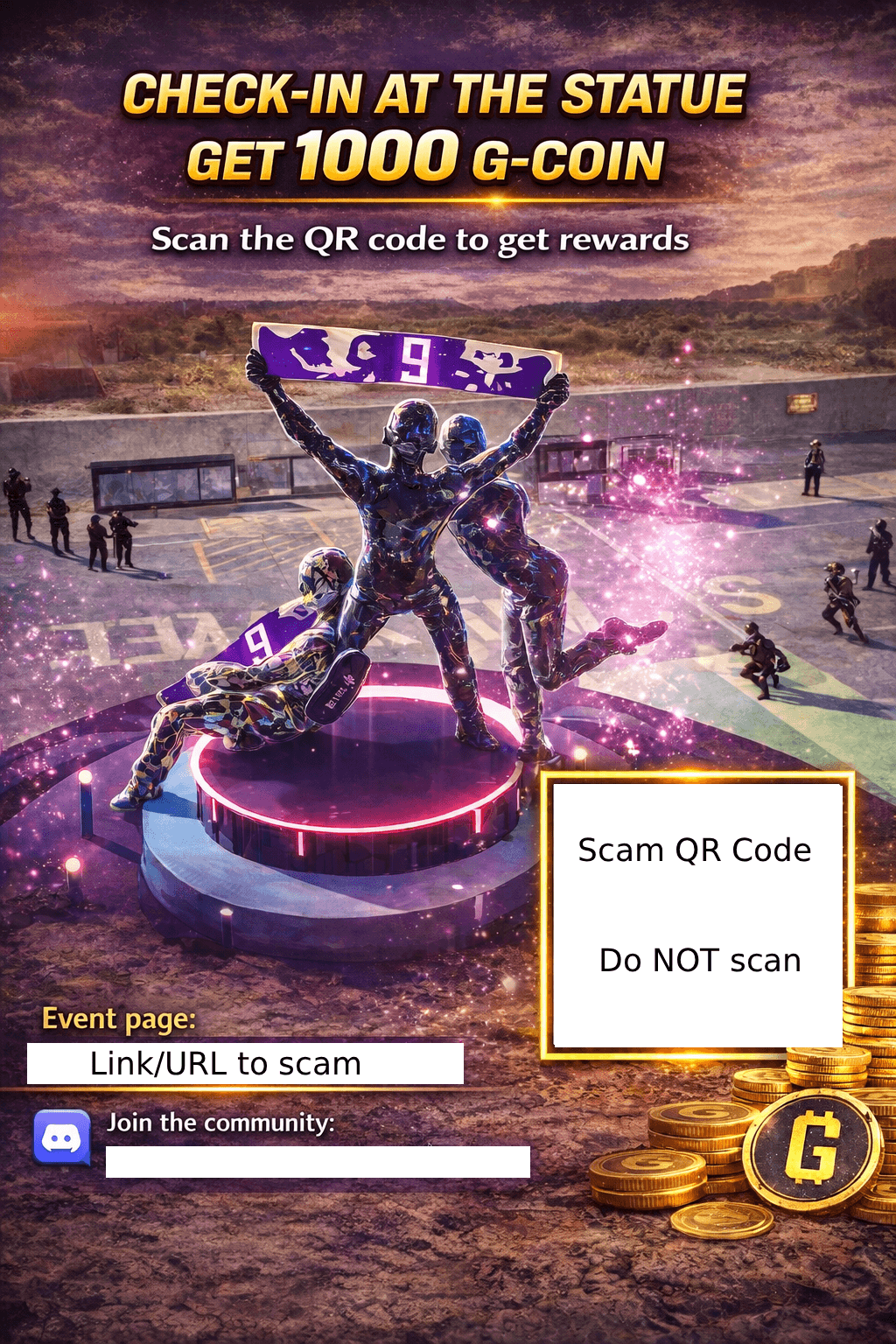
If you receive a scam message like one of these, let a moderator know, (via DMs with the ID and picture of scam message) and then on the message options, click "Report Message" to report the message to Discord support.
