#Str2hax not working
1 messages · Page 2 of 1


 heavy grotto
 elder fern
now hopefully a store can sell just the adapter
elder fern
now hopefully a store can sell just the adapter
Ye
Imagine after all this I couldn't find an adapter
heavy grotto
Hey guyes .. another question until I find the adapter
My wii remote gets charging by a usb cable
But now it doesn't get charged
Anyone know why ?
The light doesn't even enlight
elder fern
a stock remote doesn't have rechargable batteries...
is it fitted with an aftermarket rechargable battery?


 heavy grotto
elder fern
maybe check if the charger itself is working
heavy grotto
elder fern
maybe check if the charger itself is working
As you see it's a usb cable
I usually put it in the wii
elder fern
do you have a USB wall adapter
heavy grotto
Tried also with my phone charger
heavy grotto
elder fern
do you have a USB wall adapter
What is this
heavy grotto
elder fern
a phone charger
Ye tried that .. still didn't work
The light didn't even work
You understand ?
elder fern
yes
my intuition suspects that the rechargable batteries have died in and of themselves
elder fern
i'm not sure
heavy grotto
Any suggestions ?
@shrewd holly
@radiant lily
heavy grotto
 shrewd holly
Got an sd card?
shrewd holly
Got an sd card?
Not about this
heavy grotto
heavy grotto
Hey guyes .. another question until I find the adapter
This
heavy grotto
shrewd holly
ubuntu*
I got sd card .. I just need adapter I will try get it as soon as possible
shrewd holly
heavy grotto
Anyone know why ?
Sorry I have the OG remote
Not even an MotionPlus one
heavy grotto
shrewd holly
Sorry I have the OG remote
You just use Normal batteries?
shrewd holly
Ye
shrewd holly
Just use normal ones bro
heavy grotto
shrewd holly
Just use normal ones bro
How much time does it continue
Because it doesn't stay long at me
heavy grotto
shrewd holly
I have one my Wiimote at 2 lines now
?
shrewd holly
Charge lines
I forgor this word
heavy grotto
How long u play and it stays with you ?
heavy grotto
Oh
heavy grotto
Not so bad
shrewd holly
Like 0.5 hour - 1 hour
heavy grotto
I think if my batteries didn't stay for long I will use a ps3 controller
shrewd holly
Bro 💀
heavy grotto
shrewd holly
Bro 💀
🤓🌚
 radiant lily
heavy grotto
Any suggestions ?
<@456226577798135808>
<@539810376079114240>
radiant lily
heavy grotto
Any suggestions ?
<@456226577798135808>
<@539810376079114240>
maybe broken charging cable
but as other said see if you can use normal battery
i use duracell and they last for like 1 month lol
 fading plinth
Just use a battery that lasts a day of playtime that should do
heavy grotto
radiant lily
i use duracell and they last for like 1 month lol
Woah ? How many time do u spend per day
fading plinth
Like 24 hour long sessions
heavy grotto
fading plinth
Just use a battery that lasts a day of playtime that should do
Bro it's expensive for me to get batteries every day lol
6 energizer battery is 120 Egp
radiant lily
heavy grotto
Woah ? How many time do u spend per day
well to be fair i don't play much, maybe 3 times a week for 1:30 / 2 hour
radiant lily
heavy grotto
Bro it's expensive for me to get batteries every day lol
6 energizer battery i...
if you play much rechargable is better
fading plinth
But in our case just use standard batteries
These are usually in my battery jar (yes I'm so cheap I have a battery jar)

This is around 1,5k pounds but there are smaller packs
Wii card

Cheese and bread

Turned off standby connection till I get a phone charger where my wii is since I use WiFi hotspot
heavy grotto
fading plinth
Cheese and bread
Try arabic
 fading plinth
https://youtu.be/TpMI4n4HQFc?si=In7nz5chY-Ep2xcu I don't think he feel good
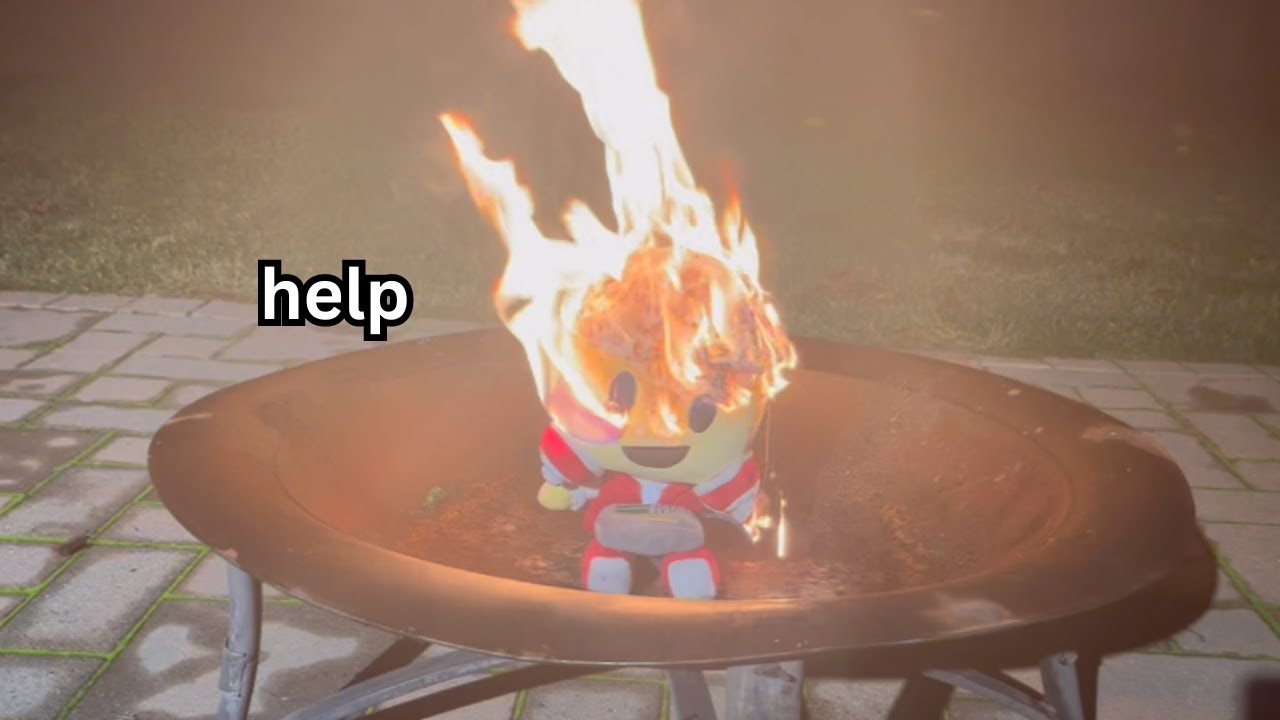
don't do this at home, i am a trained professional at burning plushies
To chat, suggest videos, or maybe play a game with me, join the Blue Head Mafia Discord!
https://discord.gg/tbhm
If you want to support me, consider becoming a channel member!
https://www.youtube.com/channel/UCip8icyNJaq9XyiLhj3_MlQ/join
To represent the Blue Head Mafia,...
fading plinth
That's the same fuckin thing
fading plinth
Wait
Try and boot priiloader
If it is on
Turn off block disc and Internet updates
Update and pray to Allah it doesn't brick the wii
Or use a disc over 2012 to update if Internet doesn't work
Then use wilbrand, letterbomb, Bluebomb, or STR2
Wait
Am stupid
Use Bluebomb or STR2 unless you find an adapter

 radiant lily
fading plinth
Update and pray to Allah it doesn't brick the wii
radiant lily
fading plinth
Update and pray to Allah it doesn't brick the wii
you can't update it, he needs to reinstall system menu 3.4 first
heavy grotto
fading plinth
Use Bluebomb or STR2 unless you find an adapter
I spent 2 hours trying bluebomb .. it didn't work
I will just wait until
24/1 comes a friend might get me an sd adapter on that day
radiant lily
heavy grotto
I spent 2 hours trying bluebomb .. it didn't work
why are you still trying to hack the wii instead of reinstalling the menu, updating it and continue from there?
heavy grotto
radiant lily
why are you still trying to hack the wii instead of reinstalling the menu, updat...
And .. this need sd right ?
radiant lily
heavy grotto
And .. this need sd right ?
yes
forget about hacking the wii immediately with SD, not worth to stay on 3.4, it's better to fix the update problem first
heavy grotto
radiant lily
yes
Yep , so I still need to wait until i get sd card adapter
- that I heard reinstalling the menu
Might brick the wii
radiant lily
not if you download the correct file
radiant lily
well it's better to reinstall it than update unofficially, you have much higher chance to brick with updating unofficially
radiant lily
heavy grotto
And if my wii bricked ? I can't fix it ?
what's your Wii serial number? if it has old Boot 1 you are protected and you can't brick from this operation
it's best to always use the official method to update
heavy grotto
radiant lily
what's your Wii serial number? if it has old Boot 1 you are protected and you ca...
I will check 1 sec
But how to know if it has old boot 1?
radiant lily
you can check based on the serial number, and also if you know when the wii was bought
and when you have the SD, i will tell you how to do it
heavy grotto
radiant lily
you can check based on the serial number, and also if you know when the wii was ...
Nope I don't really know when that wii was bought but let me check serial nimr
radiant lily
heavy grotto
Nope I don't really know when that wii was bought but let me check serial nimr
👍
heavy grotto
radiant lily
👍
 radiant lily
heavy grotto
radiant lily
heavy grotto
LEH26 probably incompatible
heavy grotto
radiant lily
LEH26 probably incompatible
Doesn't have boot 1?
radiant lily
it probably doesn't have the old version, well i will make you check anyway in the hackmii installer
radiant lily
when you get the sd adapter download Bannerbomb exploit, load Hackmii Installer and check if you can install Bootmii in boot2 or not
heavy grotto
Ok. I will @ you when I'm ready
fading plinth
heavy grotto
I will just wait until
24/1 comes a friend might get me an sd adapter on that d...
Let us know 24/1/24 alr
We'll guide ig
fading plinth
Yoooo I downloaded CTGPR
heavy grotto
fading plinth
Yoooo I downloaded CTGPR
Cool
heavy grotto
fading plinth
Do you have a early 3ds? (2DS, 3DS, 3DS XL.)
Nope
 hearty atlas
heavy grotto
So when I get sd adapter I just hide wilbrand?
hearty atlas
heavy grotto
So when I get sd adapter I just hide wilbrand?
wait
you can also use bannerbomb
it works for 4.2X and below
 gleaming fern
they're on 3.4 i think
hearty atlas
radiant lily
heavy grotto
So when I get sd adapter I just hide wilbrand?
no bro bannerbomb
radiant lily
hearty atlas
sdhc support was added in..?
4.0
gleaming fern
4.0
radiant lily
bro
hearty atlas
but its weird that updating gives error 32004
radiant lily
3.4 letterbomb?
hearty atlas
wait mb
radiant lily
hearty atlas
but its weird that updating gives error 32004
it's spoof
gleaming fern
xd
hearty atlas
i cant type 😭
heavy grotto
Lol
heavy grotto
I wanted to ask @radiant lily
For an example if i wanted to use a ps3 controller on a game that needs motion plus
Like : red steel / wii sports resort etc...
Will it work ?
radiant lily
heavy grotto
I wanted to ask <@539810376079114240>
For an example if i wanted to use a ps3...
probably not
elder fern
no, that wouldn’t work
you would need either the Wii MotionPlus accessory or a Wii remote with it built in
radiant lily
just use wii remote
heavy grotto
radiant lily
just use wii remote
I just has 1 motion plus adapter. . and ( after modding wii ) I wanted to play with my brother of friend , without buying another but ah . Alr
radiant lily
heavy grotto
I just has 1 motion plus adapter. . and ( after modding wii ) I wanted to play w...
ah that's a problem
you need another unfortunately
heavy grotto
Ye maybe I will just play online
fading plinth

 lusty palm
fading plinth
lusty palm
fading plinth
unrelated
radiant lily
lusty palm
unrelated
nobody cares
lusty palm
noted
heavy grotto
Hey bro .. i am confused @radiant lily
Because I saw an sd adapter wrote on it "hc" so it will run only hc or what ?
radiant lily
heavy grotto
Hey bro .. i am confused <@539810376079114240>
Because I saw an sd adapter wro...
Micro SD to normal SD adapter will work with any SD card type brother
don't worry about it, it's good
fading plinth
 shrewd holly
#general
fading plinth
Mario kart
heavy grotto
fading plinth
Mario kart
Wii
hearty atlas
wahoo
fading plinth
Wake up big boi it 24/1@heavy grotto
@heavy grotto big boi wake up
@heavy grotto your fone linging big boi
 jovial crypt
@heavy grotto wakey wakey we need update!1!11!1!11 /s
fading plinth
@heavy grotto ay it's 8 for you give update (just like what your Wii can't do)
Wakey wakey eg an bakery!!!!1!1!!1!1!!1!1!1!1!!1!1!1!!1!11!!1!!!!
fading plinth
Egg and bakery.
heavy grotto
Yo everyone , well 🥲 I need to wait 1-2 days cuz I couldn't get the adapter until now sadly
shrewd holly
update 4.4
elder fern
there is no 4.4 update
also I realize if the version number of the system menu is likely spoofed like someone here said, I would recommend not trying to update it just yet
instead once the Homebrew Channel, BootMii, and priiloader are installed, I would suggest running SysCheck and sending the results
radiant lily
why install all these things if they are going to get deleted
just launch your homebrew by placing the boot.elf on the root of sd lol
elder fern
well idk
I just haven’t run homebrew directly from an exploit
the payload for me is usually the HackMii installer
radiant lily
i don't see what the problem is doing it
elder fern
what the problem for what is?
elder fern
radiant lily
just launch your homebrew by placing the boot.elf on the root of sd lol
I don’t disagree that there’s nothing wrong with this strategy - I’ve just never done it before myself
radiant lily
elder fern
I don’t disagree that there’s nothing wrong with this strategy - I’ve just never...
you can use it a lot of times
for example to recover bricks without priiloader
theme mail banner etc...
just smash stack and boot.elf (of either hackmii to go in HBC or wii mod lite to uninstall whatever wad caused the brick)
shrewd holly
elder fern
there is no 4.4 update
 radiant lily
he knows, he just sent as a joke
shrewd holly
elder fern
read what it says at the top
did you look at the image
elder fern
yes I did
radiant lily
shrewd holly
did you look at the image
xd
heavy grotto
radiant lily
xd
Can't I run the sd without adapter 🙂
I went 4 stores today trying to find an adapter and I couldn't
fading plinth
heavy grotto
I went 4 stores today trying to find an adapter and I couldn't
In the US they sell them but with micro SD
fading plinth
heavy grotto
Yo everyone , well 🥲 I need to wait 1-2 days cuz I couldn't get the adapter unt...
Get a network adapter and ETHERNET cable if you want to use Wiimmfi while you're at it
Helps with faster connection
fading plinth
I'm so close to funky Kong
heavy grotto
fading plinth
In the US they sell them but with micro SD
Ye .. I can't find it without the sd
lusty palm
just buy one online
heavy grotto
lusty palm
just buy one online
Too expensive dam
heavy grotto
@radiant lily
Barroo in ready
@fading plinth
FINNANAAALYYY @elder fern
So help
heavy grotto
elder fern
alright, Wilbrand time if so
Ok
elder fern
 elder fern
just wait thirty seconds
heavy grotto
Ye
I restart wii??
Any help ?
@gleaming fern
Sorry for pinging but I'm scared if getting wii bricked
gleaming fern
you said this Wii was modded before right
heavy grotto
gleaming fern
you said this Wii was modded before right
Ye and I formated it
gleaming fern
right. gonna need a wad manager for this one, hang on
gleaming fern
heavy grotto
I restart my wii ?
yeah
grab the open hbc wad from here https://github.com/Wii-Mini-Hacking/hbc/releases
and put it on your sd card
heavy grotto
Alr .. do I remove the wilbrand files ?
gleaming fern
no we need it
grab yawmME from here https://oscwii.org/library/app/yawmme
find yawmME_boot.elf and put it as boot.elf on your SD card (replace it!)
 heavy grotto
Oj
heavy grotto
gleaming fern
grab yawmME from here https://oscwii.org/library/app/yawmme
find `yawmME_boot.el...
I rename it "boot.elf"?
gleaming fern
yes
gleaming fern
yes
 gleaming fern
yeah
gleaming fern
open hbc
gleaming fern
yes
heavy grotto
 heavy grotto
Boot.elf
(Private)
Open_hbc_.wad
heavy grotto
heavy grotto
Boot.elf
(Private)
Open_hbc_.wad
And I'm back to choose
Should I open boot.elf?
Note that it told me
Priloader is not installed
gleaming fern
that'll cause a little loop
anyways, go back to the source device menu and press home to exit
gleaming fern
alright. uhh real quick do you have a PC or no
heavy grotto
gleaming fern
alright. uhh real quick do you have a PC or no
If I didn't how would I will put the files
gleaming fern
well, you have a phone
anyways, https://wiibrew.org/wiki/NUSD we're gonna need this app for a moment
gleaming fern
open it, and go to Database > System > IOS58 > Latest Version
make sure Pack WAD is enabled at the bottom
heavy grotto
Ok secs
elder fern
how’s it going over here
gleaming fern
i think it was System > IOSs but not sure
heavy grotto
elder fern
how’s it going over here
Well bad even sd not working lol
elder fern
thank you pikachu for explaining this btw, I wouldn’t know where to begin
gleaming fern
click Start NUS Download!
gleaming fern
heavy grotto
Downloading tmd failed
Nus download finished
hmm...?
can you screenshot
 gleaming fern
screenshot still not loaded, RIP
anyways, go back to where you put NUS downloader
go to titles/000000010000003A/
there should be a wad file in there somewhere
heavy grotto
I fixed it
heavy grotto
gleaming fern
screenshot still not loaded, RIP
anyways, go back to where you put NUS downloade...
I fixed it and downloaded
What should I do
Oh ok
Ok I will copy it to sd and load it from the wii
@gleaming fern
Select ios version to use
gleaming fern
is ios90 an option
 gleaming fern
not really, internet very slow right now
elder fern
I think that says “IOS 249”
gleaming fern
ios249...... try it
elder fern
gleaming fern
ios249...... try it
that’s a custom IOS though
I’m not sure installing a system menu there will work(?)
but what do I know
gleaming fern
elder fern
that’s a custom IOS though
yes we need that
wish I was on my own cell data rn instead of my dad's
heavy grotto
So which ? @gleaming fern
elder fern
I’ll just leave you to it because I’m not really sure
heavy grotto
I choose 249?
gleaming fern
yeah
heavy grotto
NAND emulator disabled or no?
gleaming fern
disabled
gleaming fern
the IOS58 wad
gleaming fern
cool. now try install open hbc
gleaming fern
epic. now you can exit yawm
elder fern
okay before you do that
there is one more homebrew app you should run to check the original region of your Wii
because although yours says it’s in region E, if it isn’t and you install an out of region system menu you could cause a semibrick
 gleaming fern
should just run syscheck tbh
heavy grotto
elder fern
it would say a lot more as well
How to install it ?
elder fern
so, you have the homebrew channel installed now?
you’ll need to take out your SD card

download the Zip and copy the contents to the “apps” folder
heavy grotto
elder fern
download the Zip and copy the contents to the “apps” folder
In the sd ? Then ?
elder fern
yes
heavy grotto
Then what
fading plinth
We'll prob stay here if you need anything. Enjoy the brew.@heavy grotto
 shell spindle
Truly the Wii journey of all time
radiant lily
heavy grotto
<@539810376079114240>
i wasn't online, did you reinstall sys menu?
heavy grotto
radiant lily
i wasn't online, did you reinstall sys menu?
Oh I didn't reinstall it ? Pikachu told me to install ios58.wad
And then I installed HOMBREW but without the hackmii
Now I need to update
radiant lily
heavy grotto
Oh I didn't reinstall it ? Pikachu told me to install ios58.wad
And then I ins...
yes that's a way to get homebrew channel without the official installer, but the official update still won't work until you reinstall the system menu
heavy grotto
radiant lily
yes that's a way to get homebrew channel without the official installer, but the...
I will follow this tutorial
radiant lily
that's unofficial update method
heavy grotto
radiant lily
that's unofficial update method
Ye ? Bad?
I will start now syscheck modmii
radiant lily
i wouldn't use it
radiant lily
well myself i usually try to fix the problem which prevents the update from installing
radiant lily
heavy grotto
Can you guide me then please?
if you can send me a syscheck and we will go from there
heavy grotto
radiant lily
if you can send me a syscheck and we will go from there
Ye sure , just mins
radiant lily
heavy grotto
Ye sure , just mins
do you know how to do it already?
since you have ios 58 Syscheck HDE should run if not just use the normal one
heavy grotto
radiant lily
do you know how to do it already?
Ye running it now
It said failed for ios58
radiant lily
yea skip that we don't care about it
 radiant lily
heavy grotto
radiant lily
heavy grotto
use this version instead:
https://wiibrew.org/w/images/a/a7/SysCheck162.zip
go to your SD:\apps and make a folder "syscheck" then extract the files of the Zip archive into it
radiant lily
send screenshot
 radiant lily
yea it's how that program works
which IOS is giving you the TMD size issue?
IOS 58?
heavy grotto
80
heavy grotto
Ye E
heavy grotto
I have yawm
radiant lily
heavy grotto
if i remember the syscheck from modmii has an option at the start that allows you to skip some IOS
go into that again and check
instead of choosing "all"
im gonna open my wii now
heavy grotto
radiant lily
go into that again and check
Into what?
radiant lily
heavy grotto
Into what?
into the Syscheck Modmii
or did you delete it from sd card?
you can keep both of them in the /apps folder
as long as the name of the folder is different
heavy grotto
I did delete but I will just get it back one sec
radiant lily
heavy grotto
I did delete but I will just get it back one sec
yes and don't delete the version i gave you
heavy grotto
Ok
radiant lily
download wii mod lite from here: https://github.com/RiiConnect24/Wii-Mod-Lite/releases
heavy grotto
I checked the back of wii
And my wii region is europe 100%
radiant lily
and then go into the IOS option
gleaming fern
ah yes the failed to get stored tmd size error
radiant lily
heavy grotto
I checked the back of wii
And my wii region is europe 100%
yes that's good
radiant lily
radiant lily
and then go into the IOS option
and send a picture, it will look similar to this
 heavy grotto
Hey
radiant lily
yes
heavy grotto
 radiant lily
heavy grotto
radiant lily
heavy grotto
press IOS and send a picture
radiant lily
gleaming fern
i have a tiny fix for this
india way

 heavy grotto
Yes
I need to go for now ... Maybe in 2-3 hours I will be online hope you be online as well
radiant lily
see you later then
also you can try the sycheck version compiled by pikachu, as that won't error out on the tmd error, even though idk why you are getting it if ios 80 is not installed on your system
heavy grotto
radiant lily
also you can try the sycheck version compiled by pikachu, as that won't error ou...
Ye man I thought if I got sd it will be soooooo freaking easy but my wii is complicated
radiant lily
heavy grotto
Ye man I thought if I got sd it will be soooooo freaking easy but my wii is comp...
yes i know what you mean but we will fix it by reinstalling
heavy grotto
radiant lily
yes i know what you mean but we will fix it by reinstalling
your on now?
radiant lily
heavy grotto
your on now?
im on now
heavy grotto
radiant lily
im on now
im downloading some games for the wii ... give me like an hour and i will be ready
radiant lily
heavy grotto
im downloading some games for the wii ... give me like an hour and i will be rea...
i don't think i will be available in 1 hour, sorry
heavy grotto
radiant lily
i don't think i will be available in 1 hour, sorry
oh .. when will you?
tommorow?
radiant lily
heavy grotto
can you tell me the instructions to do
you need to go into NUS downloader, choose "pack wad" and then Database -> System -> System Menu -> 3.4E
make sure you choose the correct region
 heavy grotto
alr
radiant lily
it will then download the .wad
you just install it and then you should be able to update officially without any problem
heavy grotto
ok i put it on sd
radiant lily
heavy grotto
ok i put it on sd
of course first make sure the version is 100% correct
like that it's exactly 3.4 and E
otherwise you will cause brick
heavy grotto
but please try to make me secured as possibe so if my wii bricked i can fix it
heavy grotto
radiant lily
like that it's exactly 3.4 and E
alr
heavy grotto
radiant lily
you just install it and then you should be able to update officially without any...
oh
one question
radiant lily
heavy grotto
but please try to make me secured as possibe so if my wii bricked i can fix it
did you try installing the bootmii as boot2?
heavy grotto
the hombrew will be uninstallede?
heavy grotto
radiant lily
did you try installing the bootmii as boot2?
nope
radiant lily
heavy grotto
the hombrew will be uninstallede?
yes, well not homebrew channel but if u put any cios yea
heavy grotto
when i tried to open hackmii with wilbrand ... it just stucked
radiant lily
try to open with banner bomb
heavy grotto
oh got it
radiant lily
banner bomb is different method
heavy grotto
got it got it
heavy grotto
alr
radiant lily
radiant lily
https://bannerbomb.qoid.us/
yes first try to do this
and see if you can install bootmii in boot 2
if not reinstall system menu
bootmii as boot 2 would be deleted after the update anyway
heavy grotto
radiant lily
bootmii as boot 2 would be deleted after the update anyway
oh ok but it will make me secured if an error occured or something?
radiant lily
heavy grotto
oh ok but it will make me secured if an error occured or something?
in the reinstall process yes
but your wii needs to be old to install it
heavy grotto
radiant lily
but your wii needs to be old to install it
oh
i think it is
because it has gamecube
radiant lily
mine is May 2006 so good luck
radiant lily
heavy grotto
oh
from your serial number it looked to new
but try anyway
if you can, install it, if not well just reinstall it and screw it
heavy grotto
alr
hope it work i dont want it bricked 
but if it bricked ? what is there any way
radiant lily
if it bricks you need to have bootmii as boot 2 to recover
radiant lily
but it won't brick
heavy grotto
radiant lily
but it won't brick
alr man i really hope .. wish me good luck
radiant lily
heavy grotto
then it bricked>?
if you don't and the reinstall goes wrong then it could brick, but even then it's not gonna happen if you choosed the correct system version
radiant lily
heavy grotto
alr man i really hope .. wish me good luck
good luck brother
heavy grotto
if everything gone good and i reinstalled it ... i install hombrew same way i did before\
?
radiant lily
heavy grotto
i dont do syscheck?
did you try the version pikachu sent you?
heavy grotto
radiant lily
did you try the version pikachu sent you?
not yet
but i mean i still need to?
radiant lily
maybe do that first and send the result
heavy grotto
radiant lily
maybe do that first and send the result
oh so i need to wait for ya?
radiant lily
you can do it for safety but you shouldn't really need to, as from wii mod lite there was no IOS 80 already in the slot so 4.3 will work
heavy grotto
radiant lily
you can run it now
ye after i run it it will tell me my wii region right ? if its like (usa) so????
elder fern
the original Wii region your console is, yes
radiant lily
heavy grotto
ye after i run it it will tell me my wii region right ? if its like (usa) so????
yes but your wii is working fine with europe region so it's 100% from that
heavy grotto
sorry for that much questions 🥲 but i just want to make sure of everything
heavy grotto
radiant lily
yes but your wii is working fine with europe region so it's 100% from that
ok
radiant lily
your serial number is also european, so it would really be strange for it to be from another region
heavy grotto
radiant lily
your serial number is also european, so it would really be strange for it to be ...
alr
elder fern
oh yeah is there a model number on the Wii itself
followed by something like “USA” or another country code
radiant lily
elder fern
oh yeah is there a model number on the Wii itself
of course
it's how the serial begins with
LEH, LEM or LEF is EU
LU is USA
heavy grotto
elder fern
followed by something like “USA” or another country code
ye i told him in the morning its eur so its not region changed
elder fern
got it
radiant lily
yes your reinstall should work 100% correctly
i already made it do to another person
heavy grotto
can i play any rom?? because i downloaded some usa ones?
radiant lily
i think the system menu version changing was done by starpatch but it's been too long to remember
radiant lily
heavy grotto
can i play any rom?? because i downloaded some usa ones?
use pal games not usa
heavy grotto
radiant lily
use pal games not usa
oof
radiant lily
as you might get video problems
heavy grotto
this wont work?
radiant lily
bro don't show what you are downloading 💀
elder fern
probably delete that screenshot since it has a URL in there
radiant lily
you will get ⚰️ from the server
heavy grotto
ALR
radiant lily
also do you plan on playing them from dvd, sd card or usb?
heavy grotto
radiant lily
also do you plan on playing them from dvd, sd card or usb?
usb .. i have 32 gb one
i will use usb loader gx
radiant lily
yes that will work
heavy grotto
hey bro you wanted me do all this with the ubuntu method 💀 @elder fern
elder fern
well
radiant lily
lmao
elder fern
you didn’t have an SD card at the time and since str2hax wasn’t working at the time, it was the only way I could see
heavy grotto
elder fern
well
just kidding man .. im so thankful to you , you were trying to help with anything
radiant lily
heavy grotto
alr man i really hope .. wish me good luck
i got my capture card working again, here is how wii mod lite looks with all the IOS's installed, since you don't have IOS 80 it means it will be installed normally by the nintendo update
 heavy grotto
radiant lily
i got my capture card working again, here is how wii mod lite looks with all the...
heavy grotto
radiant lily
i got my capture card working again, here is how wii mod lite looks with all the...
alr
wish me good all ❤️
radiant lily
heavy grotto
<@539810376079114240> you there?
yes im still here for a bit
 radiant lily
heavy grotto
radiant lily
heavy grotto
ye you can't install
radiant lily
yh you need to do that anyway
radiant lily
heavy grotto
I will just take the risk and try reinstalling sys
modding means risk, no risks = no modding 😉
radiant lily
radiant lily
modding means risk, no risks = no modding 😉
when i was little i used to mess so much with Wii and Xbox that at this point i learned with the hard way 😂
heavy grotto
Exited
heavy grotto
radiant lily
when i was little i used to mess so much with Wii and Xbox that at this point i ...
Damn man xbox 360 modding is a pain
radiant lily
good, now reinstall system menu wad and 🙏
radiant lily
heavy grotto
Damn man xbox 360 modding is a pain
well RGH is, drive flashing too on some models but not that hard to do
i also used the "cheap" way, with a pc and the Xbox dvd drive connected with Sata, Win XP and a janky DIY probe
Jtag is also easier, but still the modding process is a pain
heavy grotto
🔥 FIRE NOW
 radiant lily
heavy grotto
🔥 FIRE NOW
radiant lily
heavy grotto
🔥 FIRE NOW
Windows XP my beloved
heavy grotto
So pain with it too 😂
radiant lily
you should check out windows xp extended kernel
it allows to run many new program
even new Google Chrome
radiant lily
well just put it in the SD, open wii mod lite and install
and of course good luck 🙏
heavy grotto
It sayed done and I click A
heavy grotto
radiant lily
finished installing?
Ye
radiant lily
now press the home button
heavy grotto
And I back to choose wad menu
radiant lily
on wii remote
heavy grotto
It freezed
radiant lily
not back to homebrew channel?
radiant lily
yes are you at the menu now?
heavy grotto
Ye
radiant lily
go and update normally, it will work 100%
it's going to take a long time because your Wii needs to download a lot of things but it will work without the error
radiant lily
no it doesn't download anything in the SD card
radiant lily
oh no no
heavy grotto
So it's in mb's or gb's?
radiant lily
its mb
radiant lily
yes it should update you to 4.3, then just reinstall Homebrew with Letterbomb
heavy grotto
Is it normal that the blue line doesn't move ?
radiant lily
yh completely normal
it takes a bit to do the first move
do not power off the wii, just let it do the update
 radiant lily
ah this is a problem with your internet
heavy grotto
Oh
radiant lily
try to run a connection test in the internet settings
check if it works
if not move your wii closer to the modem
restart it and try again
radiant lily
mhm
i wonder if the intendo update server can no longer communicate with version 3.4
radiant lily
heavy grotto
Oof same error
did you try to do a connection test first?
and set the connection DNS to primary: 8.8.8.8 and secondary: 8.8.4.4
heavy grotto
radiant lily
did you try to do a connection test first?
Ye it said it worked good want to perform an update?
heavy grotto
radiant lily
and set the connection DNS to primary: 8.8.8.8 and secondary: 8.8.4.4
Ok
heavy grotto
radiant lily
i wonder if the intendo update server can no longer communicate with version 3.4
Maybe ? But I don't really think
radiant lily
same, because i did this method with a person on menu 4.1 and it worked fine
did you install priiloader?
heavy grotto
radiant lily
did you install priiloader?
Nope
heavy grotto
Nope
radiant lily
well then we can try to update unofficially to 4.1, and then do an official update to 4.3
heavy grotto
radiant lily
well then we can try to update unofficially to 4.1, and then do an official upda...
I think If I just updated to 4.1 I won't update to 4.3 i don't really think I need it ?
Lol wii looped at testing connection.....
radiant lily
lol
radiant lily
heavy grotto
I think If I just updated to 4.1 I won't update to 4.3 i don't really think I ne...
4.3 includes every ios to work with all games
but you can live without it if you install the ios manually
heavy grotto
I will restart my wii it looped damn
heavy grotto
radiant lily
also to update to 4.1 you first need to install its IOS
AHHHHH ... Damn it man 🥲
3.4 can't play any game? Even if installed the ios's?
radiant lily
actually you can install all the ios's and keep 3.4, but it will be a pain in the ass to do it
heavy grotto
radiant lily
actually you can install all the ios's and keep 3.4, but it will be a pain in th...
Maybe .. I can just install ios's until 4.1
Will it be easier?
radiant lily
it's easier to install IOS 60 v6174 (used by menu 4.1), then install sys menu 4.1E and try to do the update again
that will download everything
heavy grotto
Well .. can't I just install ios 60 v6174
Without installing sys menu 4.1?
And still play games
radiant lily
in NUS downloader get IOS 60 v6174, NOT v6400, that will brick the Wii
heavy grotto
Note " same error came again "
radiant lily
heavy grotto
Well .. can't I just install ios 60 v6174
Without installing sys menu 4.1?
An...
you would need to install all the ios the games need, and that are missing from ur wii
one by one
 radiant lily
heavy grotto
Here we go
radiant lily
heavy grotto
Here we go
install from wii mod lite
radiant lily
yes it's correct
radiant lily
you installed it?
now go into the "IOS" option of wii mod lite
and send a picture
heavy grotto
Ok let me first restart wii
radiant lily
👍
radiant lily
yes
heavy grotto
No no man
I will just install all ios
I don't want to risk again
Just please tell me all ios's
radiant lily
4.1 will work because you have the ios 60 installed now so there is no problem in installing it
heavy grotto
🤕 sure
radiant lily
there is always the risk but still
your best way to not risk is to get cheap wii game
like recent one and update with it lol
heavy grotto
Oooffff
 heavy grotto
radiant lily
4.1 will work because you have the ios 60 installed now so there is no problem i...
heavy grotto
radiant lily
4.1 will work because you have the ios 60 installed now so there is no problem i...
Also
Ios 60 in cyan not green to just make sure
radiant lily
heavy grotto
Also
Ios 60 in cyan not green to just make sure
cyan means the IOS is not patched, so it's the stock version
but
radiant lily
radiant lily
your best way to not risk is to get cheap wii game
^
heavy grotto
radiant lily
^
I can't
radiant lily
then gotta do it this way
did you download the 4.1E? make sure you got it correctly
radiant lily
yes, i saw it
well if you use games only from usb loader you can even try to stay on 3.4, as they load from cIOS not standard IOS so it shouldn't be a problem if they are missing
heavy grotto
radiant lily
well if you use games only from usb loader you can even try to stay on 3.4, as t...
So
I cancel 4.1?
radiant lily
your choice really
you can even test a bit and if it works good for you then cancel the wad from sd
if it doesn't work good then go into wii mod lite and install it
radiant lily
imagine nintendo update servers are just down
and you try to update normally tomorrow and it works
😂
radiant lily
idk but it might be since you tried to update and it didn't work
radiant lily
well idk, if you want try, it should work, but you can also stay on 3.4 if it works good for you
this is the page for the error on nintendo website:
https://www.nintendo.co.uk/Support/Wii/Troubleshooting/Error-Codes/32002-636034.html
heavy grotto
radiant lily
this is the page for the error on nintendo website:
<https://www.nintendo.co.uk/...
Ye I saw the error
I will install the 4.1
radiant lily
k
heavy grotto
😥😥
radiant lily
🙏
heavy grotto
HOLLY SHIT YEAAAH
I'm back to wii menu
Trying to update now

If it didn't update ?
Lol
Same error buddy @radiant lily
 radiant lily
wait some time, maybe try updating again tomorrow
if not follow the nintendo website guide
radiant lily
no you can play
you should be able to play games from usb loader
just install cIOS
radiant lily
yeah, i gtg now
radiant lily
i can send you a zip with all cios wad which you can install quickly with wii mod lite
heavy grotto
Lmao got error 32007
heavy grotto
radiant lily
i can send you a zip with all cios wad which you can install quickly with wii mo...
Alr
Pls send
radiant lily
i sent you
heavy grotto
Where?
radiant lily
dm
heavy grotto
Got it thz
heavy grotto
And finnnaly I can say my prob is solved and I've even tested wii sports today with usb loader
@fading plinth
@shrewd holly
@elder fern
fading plinth
Yay
@heavy grotto if you need help with apps I'll be here
And whatever you do
Don't use not .E region stuff unless it's wiilink
jovial crypt
radiant lily
https://media.discordapp.net/stickers/1198429380754559087.png?size=160&name=indi...
INDIHOME REFERENCE DETECTED
gleaming fern
heavy grotto
And finnnaly I can say my prob is solved and I've even tested wii sports today w...
🎉
one of the longest threads in history
1837 messages
elder fern
I was gonna say, this is certainly the longest support thread ever
now with 1838 messages
shrewd holly
pikachugamer is a saviour
 hollow ginkgo
this is what i stay living for
 slow sentinel
Message no.1842
 little summit
 😱
heavy grotto
fading plinth
<@578701378906488842> if you need help with apps I'll be here
😱
heavy grotto
fading plinth
<@578701378906488842> if you need help with apps I'll be here
Thanks man
heavy grotto
But just a question @gleaming fern
Now I have just downloaded ios for 4.1 and 4.1 sys menu
I can play all games ??
- How can I get the channels that automatically installed after you do an update ?
radiant lily
heavy grotto
But just a question <@260140600597151745>
Now I have just downloaded ios for ...
games played through usb loader are not affected because they use cIOS
heavy grotto
radiant lily
games played through usb loader are not affected because they use cIOS
Got it
So I downloaded some games
But when I extracted them
They were
.nkit.iso
radiant lily
i made you install 4.1 but your wii is still missing quite a bit of IOS that are used by disc games, but it's not really a problem, as if you get a game that requires an IOS that you don't have it will be automatically installed
heavy grotto
? Any solution I spent 10 gb on them
heavy grotto
radiant lily
i made you install 4.1 but your wii is still missing quite a bit of IOS that are...
Got it thx alot man
radiant lily
heavy grotto
They were
.nkit.iso
you can convert them to .wbfs with Wii Backup Manager
heavy grotto
radiant lily
you can convert them to .wbfs with Wii Backup Manager
Thhhhx alot I will try it
radiant lily
heavy grotto
Got it thx alot man
also it's completely safe to update the Wii from a game DVD or from online (if it magically works)
the only thing updating will do is remove some cIOS's, but you can reinstall them easily with Wii Mod Lite
heavy grotto
radiant lily
also it's completely safe to update the Wii from a game DVD or from online (if i...
When I did some researches tommorow I saw that alot of people says you can't update officially anymore from nintendo server for wii
radiant lily
heavy grotto
When I did some researches tommorow I saw that alot of people says you can't upd...
i can test and see if the update servers are still up, but they should be, so i don't know why you are getting that issue
it might be your modem firewall blocking the connection
heavy grotto
Maybe
heavy grotto
radiant lily
it might be your modem firewall blocking the connection
You know how to get the channels that automatically installed when updating?
radiant lily
heavy grotto
You know how to get the channels that automatically installed when updating?
wdym, what channels
heavy grotto
radiant lily
wdym, what channels
Internet channel
Everyone vote channel
Wii + Internet video
Etc...
I know it's weird question but 🤓 it makes nostalgia man
radiant lily
heavy grotto
I know it's weird question but 🤓 it makes nostalgia man
ik lol, well you should get the Internet channel only, the wii + internet video takes like 900 blocks of storage
you can download any channel you like from NUS Downloader
heavy grotto
radiant lily
you can download any channel you like from NUS Downloader
It's safe right?
radiant lily
heavy grotto
It's safe right?
yes if you install on region (europe) channels, even off regions if you patch the system menu to allow off region stuff
fading plinth
Yeah
Canal MIIrame and check mii out are .U only unless you turn off region lock
Canal MIIrame means, "look at MII Channel" which is roughly translated to check mii out.
fading plinth
Ik
fading plinth
I'm convinced the see what you can do with the Internet and motionplus women are the same people
fading plinth
You can continue @heavy grotto
heavy grotto
No prob at installing usb loader gx wad right? Note I'm 4.1E not 4.3
radiant lily
heavy grotto
No prob at installing usb loader gx wad right? Note I'm 4.1E not 4.3
yes no problem, you can install the forwarder without any issue
heavy grotto
radiant lily
yes no problem, you can install the forwarder without any issue
I'm going to install priloader too following "wii hacks guide " because I want to make my self protected as more as possible
Do I need to install any ios or something ?
- I would really thank everyone Contributed to help me in this journey
Because that wii were really really a history
Not only because I had it from very old but because it was my last dad's gift
heavy grotto
elder fern
I don’t think it relies on a specific IOS
Ye I just wanted to make sure
@radiant lily
heavy grotto
elder fern
I don’t think it relies on a specific IOS
Check this

That means it need specific ios?
elder fern
no, it doesn’t
radiant lily
heavy grotto
<@539810376079114240>
you need to have IOS 36 patched but i think you already had it so you can proceed with the install
heavy grotto
radiant lily
you need to have IOS 36 patched but i think you already had it so you can procee...
I have it but patched?
radiant lily
heavy grotto
I have it but patched?
patched means it can do more stuff, such as accepting fake signature (trucha patch), nand access, etc...
You can check if it's patched if you open wii mod lite, and look at IOS section, if IOS 36 shows up in green then it's patched, if it shows up in Cyan it's not patched
heavy grotto
radiant lily
patched means it can do more stuff, such as accepting fake signature (trucha pat...
Oh what I do if it's not patched?
radiant lily
heavy grotto
Oh what I do if it's not patched?
you patch with wii mod lite
radiant lily
good, then you can proceed to priiloader install
radiant lily
heavy grotto
Thx man I will install it
no problem 👍
gleaming fern
radiant lily
you need to have IOS 36 patched but i think you already had it so you can procee...
you don't
that's if you don't have up to date hbc for whatever reason
fading plinth
Press a to install pl I think
radiant lily
gleaming fern
you don't
new versions of priiloader installer use ahbprot?
ah yes, my bad
heavy grotto
Do I need specific ios or cios for installing the opera internet channel v1024 and for installing riiconnect?
gleaming fern
heavy grotto
Do I need specific ios or cios for installing the opera internet channel v1024 ...
no
heavy grotto
HELL NO !
PLEASE ANYONE RESPOND @radiant lily @gleaming fern
I was trying to make an update officially
And it just finally made a little move after that it gave me error 32007 I clicked back menu
But it just back to priiloader
WHAT HAPPENED !
In priiloader says error booting sys menu
@elder fern
radiant lily
bro
radiant lily
heavy grotto
And it just finally made a little move after that it gave me error 32007 I click...
disable block online updates in priiloader
and try to go into system menu again
maybe delete your internet settings, redo it and try to update again
 radiant lily
heavy grotto
radiant lily
heavy grotto
you unplugged SD from Wii?
elder fern
you’re missing the ini file on your SD card
heavy grotto
radiant lily
you unplugged SD from Wii?
Yee
radiant lily
heavy grotto
Yee
you need to keep it always for priiloader hacks
heavy grotto
I formated it 😫😫 too
elder fern
well you just deleted your NAND backup
radiant lily
elder fern
well you just deleted your NAND backup
eh he can remake it, not a big deal
radiant lily
heavy grotto
But whyyyy I just was trying to update officially
because priiloader blocks updates by default
heavy grotto
Found it found it
radiant lily
heavy grotto
Found it found it
also you need the SD as you had USB Loader anyway?
download at least wii mod lite, priiloader installer, usb loader and homebrew browser back on it
heavy grotto
radiant lily
you found nand backup?
No .. I just didn't format my sd so anything on it is there + I blocked now updated but still can't sys menu
heavy grotto
radiant lily
download at least wii mod lite, priiloader installer, usb loader and homebrew br...
I've already everything now
What to do
I closed online updates but still
radiant lily
heavy grotto
No .. I just didn't format my sd so anything on it is there + I blocked now upda...
did you unblock updates or what? you destroyed system menu?
heavy grotto

 radiant lily
heavy grotto
radiant lily
heavy grotto
go into Homebrew channel
heavy grotto
I'm in
radiant lily
and reinstall IOS 60 + System Menu 4.1 with wii mod lite, or restore nand backup from BootMii
then when you exit wii mod lite, open priiloader, and install it
heavy grotto
I redownload ios 60?
radiant lily
heavy grotto
I redownload ios 60?
actually only reinstall system menu (4.1) since ios 60 is working fine
then install priiloader
 radiant lily
heavy grotto
But I already have it ?
radiant lily
heavy grotto
But I already have it ?
priiloader gets uninstalled everytime you install new system menu
radiant lily
heavy grotto
i can't see from this picture, ios 60 is fine?
there is IOS 80 on your system now
looks like it got downloaded from the update, but the update itself failed
heavy grotto
radiant lily
looks like it got downloaded from the update, but the update itself failed
It just made a move then gave error 32007 and then when I clicked back menu it took me to priiloader
heavy grotto
radiant lily
i can't see from this picture, ios 60 is fine?
It's in cyan but .. there is alot of red no in below u see ?
radiant lily
heavy grotto
It's in cyan but .. there is alot of red no in below u see ?
that's normal, it means IOS is not patched
heavy grotto
Oof
 radiant lily
i can't see nothing bro 💀

 radiant lily
try to install again
heavy grotto
Still
heavy grotto
 heavy grotto
heavy grotto
heavy grotto
Bro u sure u see this
heavy grotto
radiant lily
idk maybe uninstall it and reinstall?
No if I uninstalled it it will remove priiloader and if something happened It will be impossible to fix
heavy grotto
radiant lily
is it cyan?
Yes but the errors
radiant lily
heavy grotto
Yes but the errors
bro it's not errors
it just means there are no patches on that IOS
radiant lily
heavy grotto
So what should I do
you know, there is a program that can make a fresh nand for your wii, it would look like a new wii out from the factory
heavy grotto
radiant lily
you know, there is a program that can make a fresh nand for your wii, it would l...
Safe 100%?
radiant lily
yes
radiant lily
heavy grotto
Safe 100%?
the only problem is that you can't restore the NAND backup without a Gamecube controller
because your Wii doesn't have bootmii as boot2