#USB Loader GX Not Recognizing External Drive

11 messages · Page 1 of 1 (latest)

humble cliff
#

I previously modded my wii a few years ago and had it running with USB Loader GX and a FAT32 formatted 256GB flash drive. I lost the drive I had been using but tried to set up a new one and cannot get USB Loader GX nor Wiiflow to recognize the drive on either USB port.

I read through some of the posts on here and the general consensus seems to be that USB flash drives are not ideal to use. I fished out a bare WD Black 1TB drive, formatted FAT32 using RMPrepUSB, and connected to my Wii using a Plugable dock. No change. I also tried using Mini Partition Wizard to format, no change. I am using Wii Backup Manager to transfer wbfs images to the drives.

Activity LED on the HDD dock does flash as soon as the wii is powered on. This is a powered dock that has its own separate power adapter. I also tried connecting a USB powered device to the Wii USB port to see if it is drawing power and it is.

Ran through hack guide on wii.guide. Reinstalled CIOS per the guide and updated Priiloader.

Attached Syscheck csv and log files.

Any help would be much appreciated!

cloud spade
#

Try this instead:

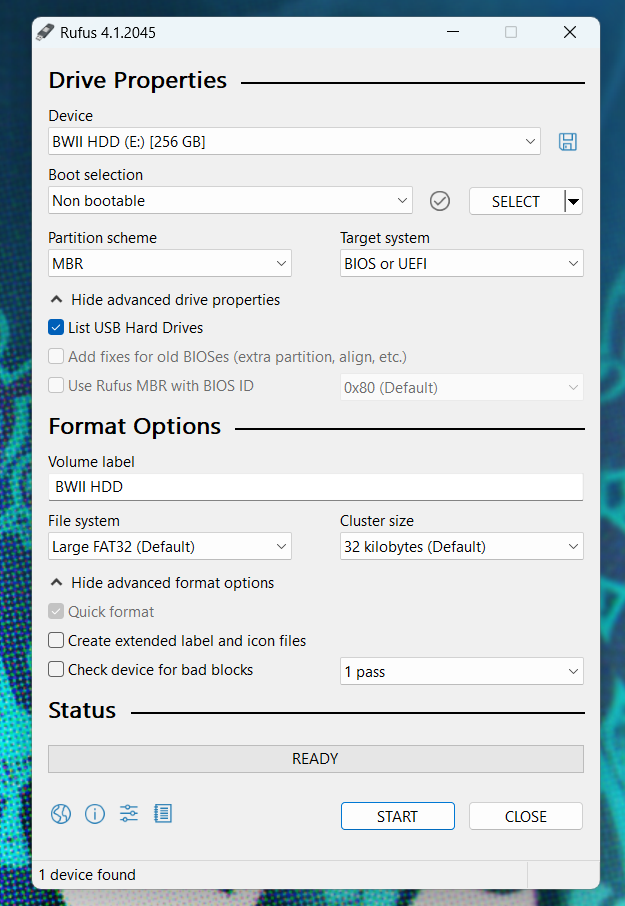
You can use Rufus on a Windows machine to easily format an external hard drive or SD card for use with your Wii.

⚠️ Formatting a drive will delete all data on the drive. Backup any essential data on a drive before proceeding with the formatting process.

  1. Download and install Rufus to your machine: https://rufus.ie
  • Most people will want the Standard Windows x64 version.
  1. Launch Rufus.
  2. Click Show advanced drive properties.
  3. Check the box next to List USB Hard Drives.
  4. In the Device dropdown, select the SD or USB drive you'd like to use with the Wii.
  5. In the Boot selection dropdown, select Non bootable.
  6. In the Partition scheme dropdown, select MBR.
  7. In the Volume label text field, enter a name for your drive. Be creative.
  8. In the File system dropdown, select FAT32 or Large FAT32
  9. In the Cluster size dropdown, select 32 kilobytes.
  10. Click Show advanced format options
  11. Make sure Quick format is checked.
  12. Uncheck Create extended label and icon files
  13. Click Start to begin the format process.

Here is a screenshot of what your settings should look like:
https://i.imgur.com/YvYy0k2.png

humble cliff
#

I've used rufus for imaging drives before, did not know it could format to fat32

humble cliff
cloud spade
humble cliff
#

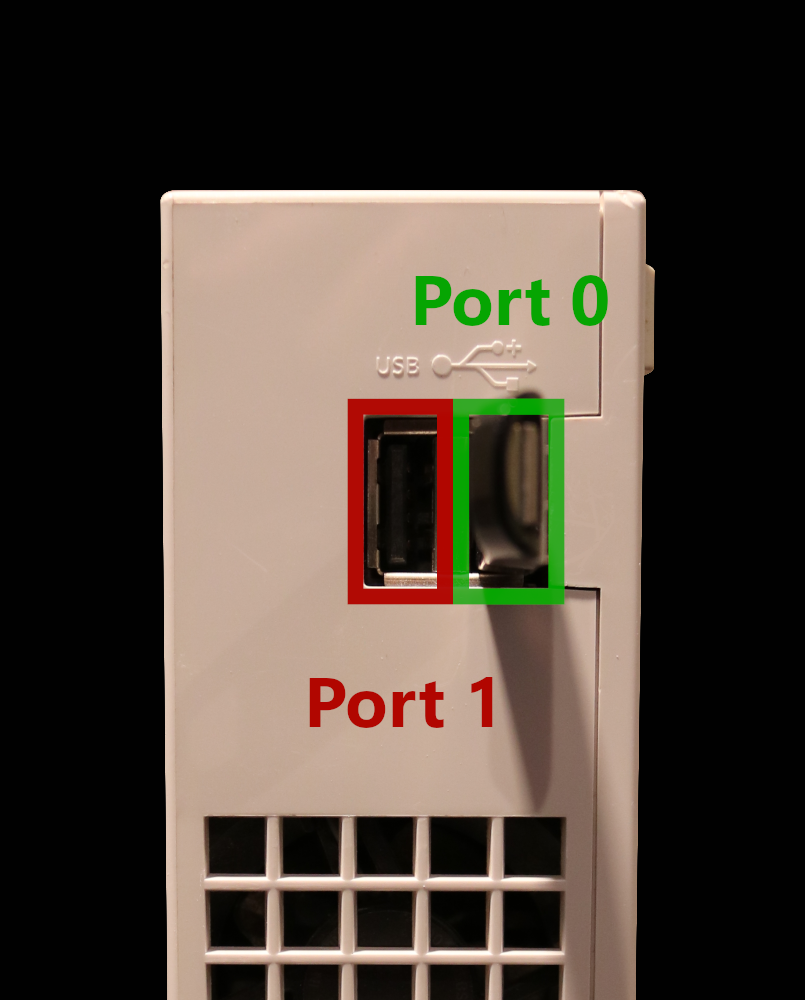
yes, I am using port 0. USB Loader GX is set to port 0 in Hard Drive settings as well

cloud spade
humble cliff
#

Is there a list of compatible drives that you know of? I’ve tried Sandisk, Samsung, and PNY flash drives, a WD 1 TB Black 3.5” HDD in a plugable dock, and a Sabrent nvme enclosure with I think a Samsung drive.