#VST not loading

1 messages · Page 1 of 1 (latest)

keen locust
#

1.2.2
Windows 10

Vestige refuses to load plugins. Regardless of what plugin I use. My plugins are installed properly, one of the ones I tested doesnt even have an installer its just an archive to extract. I tried changing the embedding and nothing improved. i even tested with plugins i had used in LMMS on a different pc. I notice it tries to load for a second, the little grey box in the corner is too fast to catch but i see it load for a second and then just stop

ivory heart
# keen locust 1.2.2 Windows 10 Vestige refuses to load plugins. Regardless of what plugin I ...

i even tested with plugins i had used in LMMS on a different pc
So you have changed pc and VST does not work on the new, is that correct?
Is this about effects or instruments or both?
You have tried embedding, fine -But that is really only a question of how the GUI is displayed (or not).
Have you tried one of the VST you have used successfully earlier alone and in a new project?

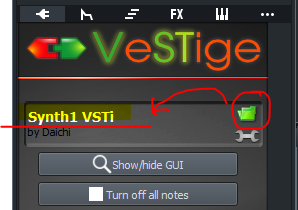
-Only relevant for instruments: Please show us a screenshot of the VeSTige-plugin-UI after you have loaded the VST
-eg his one:
https://i.imgur.com/Q6E43pF.png

keen locust
# ivory heart > i even tested with plugins i had used in LMMS on a different pc So you have ch...

I did try those , both in an existing and two new projects. Im unable to get it to even load a vst instrument as mention. I open the DLL, the little black loading box in the corner appears for a split second, and it never acknowledges anything was done. I could select the same vst instrument a hundred times and get absolutely no notice that it was any different a hundred times ago. I outright have never used vst effects as I never had need for them (in fact i dont even remember how to use vst effects here.)

#

thats all

#

then it ignores me

waxen parcel
#

Weird question, but could you look into LMMS/Plugins/ and check if RemoveVstPlugin64.exe and LMMS/Plugins/32/ if RemoveVstPlugin32.exe exist?

ivory heart
keen locust
#

Uninstalled it and then installed alpha 1.3, and then when that didnt work i again tried uninstalling and reinstalling. ¯\(o-O)

ivory heart
#

Uninstalled it and then installed alpha 1.3, and then when that didnt work ....
..Didnt work!
But.. What is wrong with your installation?!
Do you use folder Program-files inside windows??
That is a restricted folder, and should never contain user-files -Is that your mistake?
Or do you install without Administrator rights??
All your user files should be in
C:\Users<name>\Documents\lmms>
Your VST-instruments in
C:\Users<name>\Documents\lmms\samples<VSTinstruments>
Show us screenshots of your folders

keen locust
#

i believe this is what you asked for, but uneducated opinion incoming: im not terribly sure this is the solution ^^'

ivory heart
#

In what folder do you have the dll's for the VST instruments

polar cave
#

use 32 bit

keen locust
#

i usually only separate by filetype because i dont actually use vst effects usually, the built-in stuff is pretty nice

keen locust
#

testing 32 bit now

#

No dice.

ivory heart
# keen locust i put all my plugins, effects, instruments, and otherwise in the same folder-

i put all my plugins, effects, instruments, and otherwise in the same folder
That is not correct.
Your VST effect-plugins is meant to be in the folder you have selected as your VST-plugin-Directory under Settings| Directories
This folder is however not meant for any VST-instruments! If you have your instruments in same folder, the instruments will also appear in your Effect-dropdown, and that is both annoying and has no function.
VST instruments need to be able to serialise because many of them has additional files for internal banks and UI.
The folder that allow serialising in LMMS is Documents| lmms | Samples.
In that folder make a new folder and give et logical name like VSTinstruments
Inside that folder place all VST-instruments each in its own folder!
You can now have banks UI and other specific files inside each specific VST-instrument.
So
C:\Users<name>\Documents\lmms\samples<VSTinstruments>/<folder>
For test get MDA-Piano https://plugins4free.com/plugin/201/
Place its dll in a new folder:
C:\Users<name>\Documents\lmms\samples\VSTinstruments\MDApiano\MDApiano.dll
Make a new project.
Drag in VeSTige from My_Instruments.
From the folder-button Browse to C:\Users<name>\Documents\lmms\samples\VSTinstruments\MDApiano\MDApiano.dll, an select the dll
Play..
Me if it does not work: internalsuffering

keen locust
#

cries ok so, organising it didnt make a difference, but not to say it didnt get better, i just now have to replace every drum vst Ive downloaded so far because they all seem to fail in the same indescribable way. MDA piano works, so at least its nope hopeless?? tysm for your help so far asksjfksl

waxen parcel
#

sounds like a compatibility issue now...
download older versions (64 and 32 bit variants) of vcredist (microsoft visual c redistributable) and see if that fixes it