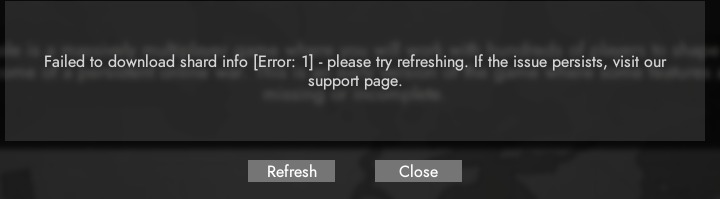
#technical-chat
4 messages · Page 43 of 1
 terse flume
k, i'm gonna try
 smoky grotto
wow it works now
 delicate oriole
Told ya
delicate oriole
Oof
smoky grotto
welp i guess one day without foxhole for me
 stiff lion
@smoky grotto try to verify the game files it worked for me
 halcyon relic
 static pasture
just checking in before logging off - i am the one who had it earlier, not sure what eventually fixed it (uninstalled external antivirus, restarted pc and router, veryfied game files)
running steam as admin seems to have played part in solving it BUT when i just left the game i got the error again, no issues during playing even when traveling between maps
also based in central europe, so location could have something to do with it
static pasture
see the last few posts here - lots of people (me included) have / had it today
 quasi ember
did we find a fix for this or is it basically just wait and hope for the best?
 languid plinth
the second option
 blissful sequoia
somebody needs to ping KFC or the devs, it sounds like a very common problem with a single network device related cause
i would guess they coudl track it down from just knowing turning off the wifi (or bluetooth) allows the game to start (but of course you can't play without a network), and maybe a printout of ipconfig /all
the downloading shard thing, try updating DNS server, restarting, restarting steam, verify game files - all the usual crap
 pallid yoke
techie
 quaint shadow
I know that it's been reported here already, but, here's the full error in screenshot format:
https://i.gyazo.com/1fa2f225d8da516b1df8aa923fd8f0e0.png

Oh, someone did way earlier.
Ah well.
languid plinth
lmao
quaint shadow
Oh hey- I think that it's back up now?
 dim jackal
@quaint shadow has the same issue fixed for u
quaint shadow
Yeah. I was able to get on.
dim jackal
i havent yet
any devs that can help me
pls
or mods
@near mason hey can i have some help
delicate oriole
@dim jackal you want to <@&521124241395941396> first of all. Second the problem should be temporary
We've had it reported for a while and it seems to just go away on its own
You just have to wait
blissful sequoia
If a problem just goes away on its open it might be DNS related
dim jackal
how long do you think it will take to fix itself
delicate oriole
I don't know but in the meantime I suggest you try what is in #technical-read-first⚠ and if that doesn't work try running steam as an administrator
dim jackal
ok
dim jackal
i have tried what it says in #technical-read-first⚠ and nothing worked even running steam as administrator
@delicate oriole
dim jackal
<@&521124241395941396> i have tried what it says in #technical-read-first⚠ and nothing worked even running steam as administrator
blissful sequoia
are you ... using bluetooth headphones, kratos?
also, can you use a phone tether to try a different network?
dim jackal
i have tried different networks and only wireless mouse and keyboard
blissful sequoia
how were you able to try different networks?
blissful sequoia
and they didnt work either?
dim jackal
nope
blissful sequoia
were you trying any beta branches of foxhole before?
dim jackal
no i just bought it yesterday
 pulsar trellis
🤔
blissful sequoia
hmm so youve never seen it work? hmm
dim jackal
yea never
blissful sequoia
so ... maybe its the windows firewall, maybe its an antivirus that comes with a firewall
do you have any antivirus installed besides the windows one?
even like spybot may interfere
dim jackal
nope
blissful sequoia
have you tried disabling the windows firewall yet?
dim jackal
yep
dim jackal
ok
blissful sequoia
does this link show you anything or have an error? https://war-service-live-2.foxholeservices.com/external/shardStatus
blissful sequoia
hmm ... i think we would need to see some of the logs then from your %localappdata%\Foxhole directory, if you can find any text logs in there...
dim jackal
ok
my computer had a spaz when i tried to open the folder
i got it now which one do u want
blissful sequoia
probably whichever one it the newest
dim jackal
do i just put it here
blissful sequoia
yea you can do that or you can send it in private if you want
blissful sequoia
hmm unable to resolve dns, like other people were having ...
dim jackal
so is there a fix for it
 dim jackal
so whats next
blissful sequoia
hmm
can you pull up a command line and type curl s3.amazonaws.com
hopefully it should just show a blank line with no complaints or warnings
dim jackal
like in the game
dim jackal
im not the smartest with computers
got it
nothing came up
wait it came up with something
@blissful sequoia
it came up with this
dim jackal
what
blissful sequoia
for some reason the curl installed with yours windows cant resolve that ip address
thats the problem...
dim jackal
how do i fix that
blissful sequoia
have you tried changing your DNS server yet?
dim jackal
not just yet
blissful sequoia
ok thats what you want to do then next - check the pinned messages in this room, find the one about DNS servers and do that
i think it recommends 8.8.8.8 (google) and 8.8.4.4 as the servers
dim jackal
ok
blissful sequoia
i am unclear why your browser was able to go to that link and it worked, but curl cannot.
dim jackal
yea
blissful sequoia
oh i see, totally different domain names
dim jackal
so wait now what
blissful sequoia
change your DNS server first
dim jackal
ok
blissful sequoia
see if that fixes it
blissful sequoia
ok open command line again, try
ipconfig /flushdns
wait like 30 seconds and do the curl command again
curl s3.amazonaws.com
the DNS gets cached for a few minutes, so it might need a flush before it works
going to lunch, afk for a little while
blissful sequoia
Yeah try it
blissful sequoia
Score
 hushed tinsel
aight
aight aight aight
so i dont think anyone will have a solution
but
im at college right
and i need to port forward a certain port to play a certain game (No, this isn't minecraft.)
or have UPnP enabled to play
thing is, obviously I can't do that on our public college WiFi network
and UPnP obviously isnt enabled
and as far as I can tell, I can't get a mobile hotspot to work for this game
so.. anyone have any hacky workarounds?
blissful sequoia
... how hacky?
some VPNs will let you open a port, you could use that as a tunnel
hushed tinsel
anything not illegal lol
as far as I can tell VPNs might not work with this game, but I'm willing to give it a shot at this point if you can recommend anything that has a free trial
blissful sequoia
i cant imagine a vpn not working with some game
hushed tinsel
believe me it doesn't
for some reason the game gets a different IP for the master server and whatever server I attempt to connect to
blissful sequoia
the only one i know that does this is privateinternetaccess, i dont know if they have a demo, i doubt it
hushed tinsel
that's why I can't use mobile hotspot tbh
blissful sequoia
are you just looking for network out? not hosting a game server? you could try tunnelbear
hushed tinsel
yeah not trying to host
blissful sequoia
oh i guess its not a trial, thats just free 500mb
hushed tinsel
it's effectively a trial
blissful sequoia
games typically do not use a lot of data, but shut down your other programs so they dont use it up; like dont let steam update any games
hushed tinsel
yeah
i'm willing to fork out 20 bucks because i plan to move out over winter break anyway
(its 10bucks/month i think)
so if it does work ill just use it lol
blissful sequoia
there are cheaper ones, too; but that one has the free tier
if you have to pick a tunnel/vpn type, ideal if you can pick something that uses port 443; your school wont block that port
hushed tinsel
the game uses a specific port so idk about that
(which isnt 443)
granted
i dont know a whole lot about porting beyond this one game
blissful sequoia
no for the VPN tunnel...
blissful sequoia
once you are tunneled, then all ports are open to you, but they all tunnel through one
(or 3 if its l2tp/ipsec. that is the least likely to work for you)
but if they do sstp tunnel, that will be the easiest one to get out on
hushed tinsel
oh no, according to yougetsignal.com 443 is closed
blissful sequoia
ive never actually used tunnelbear myself
yes all your ports are closed coming in. most of them are probably closed going out
you will find out when you try
hushed tinsel
ahaha
it worked
thank you
im surprised because all the forum posts for this game say that vpns are broke
so yeah lol
thank you very much
blissful sequoia
yep
 feral kraken
I keep getting an error "Failure to download profile" when I click play on the main menu. I can still access the internet, and have tried verifying integrity via steam and network troubleshooting. Does anyone have any ideas on how to help?
 edgy quest
yey
delicate oriole
@feral kraken try running steam as an administrator
terse flume
hmm
delicate oriole
was it working before
terse flume
yea
 ruby fable
uhmm where to report some wird stuckups?
 inner basin
@ruby fable not sure what you are referring to, like bugged locations?
 warm crown
I would still appreciate a response on my problem developers
 grave prairie
Yea I would like a response too. But there is little chance in hell of that ever happening.
 vivid thorn
I am getting the "Failure to download profile" error also
delicate oriole
@vivid thorn look above for solutions. I think kratos had the same problem and got it fixed. But if its too complicated then try running steam as an administrator
 normal pulsar
Hey I got a problem with the ingame voice chat, I can't hear anyone in game, tho I checked the settings and they are alright, how can I possibly fix this
normal pulsar
ight thx, I ll have to wait and see if it got fixed
 lime badge
is there a way to disable this janky blurr when moving around the cam?
i think i have ask this before?
also i cant hear anyone
 tall pendant
what is this?
inner basin
@spark iris You mean, "Failed to download profile" error?
@tall pendant uhh restart Steam maybe
 austere galleon
i get stuck a lot on this screen on my grandmas PC and i feel like it got worse lmao....
what network settings should I mess with first? i was gunna open steam ports rn
 spark iris
Anything at all
delicate oriole
Whats the issue
austere galleon
Just make a new profile
Click play game and before u click deploy in top left click the edit thing
spark iris
Thx
austere galleon
I hope that’s what you meant if not it might be something else I was thinking about
blissful sequoia
@tall pendant try disabling sound device in device manager and re-enabling
terse flume
I have a problem on my game
delicate oriole
@terse flume wot is it
 tulip blade
moi aussi
delicate oriole
@terse flume oh shoot I'm sorry for no response
So what happens when you enter the game
Do you get an error?
delicate oriole
?
terse flume
I got a virus and the only firewall is more cowbell
delicate oriole
i dont know how to help then
delicate oriole
is this a joke?
blissful sequoia
 delicate oriole
fuc
blissful sequoia
its cool youre probably too young. dont fear the reaper, blue oyster cult and SNL meme
 tall void
Foxhole is running so slow when it starts up it ends up not responding.
I can load other steam games just fine.
Verify files?
blissful sequoia
possibly, some people take a while to load, maybe 20-30 seconds for some people
does it ever load at all?
blissful sequoia
oh thats way too long; have you tried restarting and trying again?
is it like black screen or just never showing up?
tall void
Sometimes one, sometimes the other, weird.
blissful sequoia
sounds like it's hanging open ...
do you have bluetooth headphones, by any chance?
tall void
Shit, I do lol
Okay I just shut that off.
oh, oh ids habbening!
Of all the weird things to cause an issue, hm, well let me see if it actually loads.
blissful sequoia
remember how awesome derp is
 visual pivot
Eh Ive tried reinstalling the game and clearing cache. steam voice settings but I still cant hear other players.
blissful sequoia
foxhole has its own voice settings too
visual pivot
meant to mention ive messed with those as well
it has to be some kind of file conflict somewhere or something of the sorts
blissful sequoia
yea i have that problem when i use a particular headset
visual pivot
weird because everything was fine the other day. when you used said headset could you hear game sounds fine?
blissful sequoia
had to pick one or the other, couldnt get both
the 3rd pinned message will solve your problem if you are desperate
but there are known audio problems that sound (no pun) like they are never going to be addressed
visual pivot
Guess ill just have to bear with it until I get a new headset for myself in December. 🤧
 trim rune
anyone know why voice chat comes through my speakers instead of my headset already tried to mess with the voice settings but nothing helps and the only game this happens on is foxhole every other game works just fine
blissful sequoia
did you see first pinned message? @trim rune
grave prairie
Hello? I would like to appeal my ban.
inner basin
Ban appeals should be handled through Mod Mail, not #technical-chat
 ember salmon
yup
 inland haven
Hi, I have a question. I keep getting the failed to download profile [1] notification every time I try to join the game
Ive done a lot of troubleshooting but with no luck
 cunning sapphire
The usual is restart steam, and make sure you are not on devbranch and opted out of betas
inland haven
Not on devbranch, have restarted steam and pc a few times, will try again now
Have also made sure the firewall is not interfering, and deleted ports to make sure they are not outdated and automatically created new ones
cunning sapphire
Verifying files also worked for some people
cunning sapphire
not much I'm afraid
There is also this
https://discordapp.com/channels/203512636556574720/551236268004999168/551239621598773249
 tropic kraken
War service connection failed. Error: Connection Failed-Could not initialize connection
i cant join the war
how can i fix this
 devout hatch
hi i have a pro len with my baze , can you connect with me to discuss?
 gentle aurora
I keep getting "server time outs" and/or connection with "host server lost" sometimes when i am crossing regions
and i dont think it's my internet that's the problem
can anyone help?
blissful sequoia
try changing your DNS server
 blissful sequoia
you waited too long to refund
 terse flume
How long has this been happening for?
 dry quest
@terse flume I played the last time 10 days ago. there was a zombie war . today I tried to go in but got an error
terse flume
I usually just wait a few minutes and restart when this happens
terse flume
check the top right and make sure the shard is "live"
 terse flume
click play then it should be at the top right

 sage rover
@dry quest try to use VPN
terse flume
click "play" first then it will be there
or is the game preventing you from even pressing that
dry quest
I press the play button. but there is the same error
 minor sluice
@dry quest did you verify files or reinstall?
dry quest
I both checked and reinstalled the game
 waxen sundial
Reee
dry quest
I've been playing the game since 2016. never had a problem
Tech Wizards ? is it a moderator ?
 sleek birch
I had this problem, disabled my firewall and it worked straight away.
terse flume
use a vpn
sleek birch
Just got my first windows PC a week ago and a big part of why I bought it was to play foxhole.
terse flume
https://protonvpn.com/ is free fast and anonymous
tropic kraken
War Service connection failed.
how can i fix this
when im in home region
this error showing left corner
i cant join the war
 sharp kestrel
When I press play, the game tells me: failed to download profile[1]. what do I do?
delicate oriole
@sharp kestrel try running steam as a administrator
sharp kestrel
@delicate oriole What do you mean?
delicate oriole
@sharp kestrel go to task manager
right click on steam client bootstrapper
and end task
then right click on steam and run as an adminastrator
sharp kestrel
ok
sharp kestrel
@delicate oriole it didn't work
delicate oriole
@sharp kestrel well the only thing i can say to do then is verify the files in steam and if that doesnt work then you just got to wait
also try restarting your computer
blissful sequoia
@dry quest DNS server (try google 8.8.8.8 instead)
blissful sequoia
change your DNS server
dry quest
where do you need to do it?
blissful sequoia

NDTV Gadgets 360
Changing your DNS server is quite easy and it could help you open websites faster.
dry quest
thanks I'll try
dry quest
not help. I'm desperate.I had no problem playing this game since October 2016. I can't come in now 😔
blissful sequoia
can you join devbranch?
you have to download it in steam first
otherwise you would have to read your log files for foxhole
dry quest
I was switching to the devbranch version. ? it's the same
blissful sequoia
in steam too?
dry quest
yes
blissful sequoia
have you restarted your router yet?
dry quest
Yes I restarted it. I reinstalled the game 2-3 times. checked the integrity of the files.
blissful sequoia
you can post your log file if you want, we can look through and see if we see any probs
dry quest
where is this file located ?
blissful sequoia
%localappdata%\Foxhole\
maybe under crashes, but not the dump file. specifically a text log file
blissful sequoia
war.log
host name = DNS
can you run command line?
curl s3.amazonaws.com
it should be a blank line - no error
Can you repeat this? It should be a blank line if it worked
terse flume
Since the new border travel update, I've been getting issue almost everytime I travelled between regions, I'm stuck on the loading screen, the game become not responding, and I had to restart it
Sometimes I travelled, but you can't see your UI, and had to wait for 3-5 mins
Any solutions?
blissful sequoia
might possibly be a network problem - maybe DNS server
 white forge
@lapis steppe http://puu.sh/EBcxk/150cc26022.jpg

like i know we have defences and watchtowers and none of them are showing on the map
 lapis steppe
@white forge do you have a radio equipped right now?
If you don't have a radio and cross regions, you will see no intelligence.
 small steeple
i keep getting the cant load profile error how do i fix that
i changed my steam name could that be it
white forge
@lapis steppe noted, but its kinda dumb it forgets things i already know
blissful sequoia
if restarting steam doesnt work, you can try deleting the Foxhole directory in the %localappdata% folder, @small steeple
lapis steppe
@white forge so you got it? You didn't had a radio, right?
white forge
yeah it updates when i run to the local TH in the area.
white forge
But imo its dumb that it forgets everything i already know, from the other tile
 dusk marsh
Stuttering randomly while doing anything, never happened before. Really hindering gameplay.
 drifting pollen
Sorry folks. Feels like I have posted a technical question in a wrong folder
Hey folks, for some odd reason the game seems to lose connection with the servers every time I change location. Like... every time. And the retry attempts stop after the second attempt. I have my firewall disabled, antivirus too, not downloading nothing. Computer reboot - tried, didn't help. Ping - not actually sure how to check it in-game. Steam ports all open, on ethernet connection. Bandwidth 80 Mbit/s. Steam profile here. https://steamcommunity.com/profiles/76561198163057521/

No information given.
Let me recreate it and make a screenshot
blissful sequoia
have you tried through a VPN? problem might be in your router
could also possibly be DNS server
 hidden rose
He got that problem not every time, only when he crosses border as passanger. I know, he was in my truck when that happened.
 glad ore
Can't log into the game "Failed to download profile" both on Live branch and DevBranch
inner basin
ah, see you are already here
Yeah try restarting steam
Although... is it Tuesday that Steam goes down or something?
inner basin
What fixed it?
 finite solstice
I have the same failed to download profile issue. I'm a looong time returning player, so I wonder if it's somehow related to that?
looking at the log file, it's getting a bunch of certificate errors trying to connect to servers
delicate oriole
its a steam problem
idk why its happening so much
try restarting steam
and running a administrator
finite solstice
It's been like this for a few days now
delicate oriole
oh
finite solstice
It could be a coincidence, but I tried a day or two ago
blissful sequoia
certificate errors? either your date is wrong or you have spyware
finite solstice
[2019.11.08-01.36.58:631][145]LogHttp: Warning: 00000083E3969340: libcurl info message cache 11 (SSL certificate problem: unable to get local issuer certificate)
[2019.11.08-01.36.58:631][145]LogHttp: Warning: 00000083E3969340: libcurl info message cache 12 (Closing connection 12)
[2019.11.08-01.36.58:631][145]LogClient: Failed to download profile[1]```Says that in the logs
Or rather it connects first and then fails to authenticate the SSL certificate, but I deleted that part (2000 character limit)
blissful sequoia
sounds like your DNS server is being intercepted
or like i said, your date/time is wrong
finite solstice
The router at my home has child protection web filtering, which I'm pretty sure intercepts everything
blissful sequoia
that could be the cause
finite solstice
But I know for sure it's not blocking it, so it's confusing
finite solstice
I'll try it later then
blissful sequoia
could also try setting your DNS to a google server, like 8.8.8.8 to test it
instead of using the router as the DNS server
finite solstice
a router and modem reset ended up fixing it
terse flume
Hello guys, I'm new, and I have strange issue.
https://puu.sh/EC5YN/82b158db3e.png
Where I can have some help, or how I can fix this?

 potent isle
Disconnect and reconnect to internet works for me when that happens
cunning sapphire
things that have slolved that for other people:
Restaring steam
cheking you are out of all betas and on the live shard
Verifying install
restarting the router
Reinstalling
 stray palm
Have the same problem. I have tried everything mentioned except reinstalling.
 high frost
I took a screenshot in-game, how do I access it?
 arctic talon
C:\Users\user_name\AppData\Local\Foxhole\Saved\Screenshots\WindowsNoEditor
@high frost
 gusty jasper
Hiya folks.
Problemo.
Mic sounds really weird and 'robotic' to other players within the game.
It only affects Foxhole, other games are working fine.
Any potential fix?
blissful sequoia
possibly pinned message #3
it involves a 3rd party software
definitely fixes the problem, costs no money, but many do not want the extra software piece
 keen berry
fix voice 😦
 dense spear
im trying to update the game but i keep having to start over for no reason
anyone know why?
inner basin
@dense spear hmm did you restart Steam?
blissful sequoia
your anti-virus may be stopping the update
tropic kraken
derp
i cant reach internet when i use vpn
this error still coming up
War Service connection failed
blissful sequoia
maybe DNS server is broken. change to 8.8.8.8 and try again
 small cliff
experiencing a weird infinite loop when i try to launch the game, it asks me to run in admin mode then gives me the error "Foxhole is attempting to launch with the optional parameters shown below. 'War '"
checked launch options and its blank
restarting the steam client doesn't resolve it
reboot didn't do the trick, attempting to reinstall game
 edgy dune
Joined game while in a squad and got " Voice Chat Error [6] 3-5029 " and squad voice appears to be not working oof hmm
small cliff
okay i worked out my issue, had the .exe defaulted to run in administrator mode for some reason
was wigging it out
 velvet gale
games been crashing every time i travel into a region and its been happening to 5 other people I am in a squad with
 hazy sorrel
i can't log in
 forest hollow
My audio (cars, gunshots, etc) works but I can't hear any voice chat
 proud dagger
@forest hollow check the pinned messages for voice issues
forest hollow
well, its fixed now. Thanks, and I feel dumb
hazy sorrel
is anyone having a problem of when you download the game it stuck at 99% and it saids pause but when you click on it, it's go back to 99%?
blissful sequoia
possibly caused by an antivirus
 quiet bone
Every time I move from one card to another I'm thrown out of the game. The UE4 War Game has Crashed. (Fatal error!)
hazy sorrel
I fix it
 sand vessel
"No home regions available" when trying to return to home island. Restarted game, issue persists. Anyone?
"No home regions found"*
 sharp lagoon
Same ^^
 foggy hemlock
Same
inner basin
It's fixed by now.
 fiery robin
Anyone able to help me with a voice chat issue?
I am not able to hear or send voice coms. I can see the speaker of others talking but can not hear or speak to them. I have everything enabled and its not working with either my usb mic or the default settings.
<@&213133977681264640>
fiery robin
ty
inner basin
(don't ping tech wizards again)
fiery robin
I shant
inner basin
Hey Thumpz, are you in a squad
 snow carbon
Go into the vc setting and reconnect
fiery robin
mine says its connected
snow carbon
Are you using bluetooth headphones?
inner basin
Does it say "connceted to local voice chat"?
fiery robin
yup
snow carbon
Try it again
fiery robin
sec
snow carbon
And i find headphones dont tend to work with foxhole vc system
Idk why
When ever i tried my bluetooth headphones, usually refuse to work
You might aldo need to change output and input
fiery robin
Still nothing : /
relogged
@snow carbon even when i have nothing plugged in an using any input I get no coms
snow carbon
You need to set it to speakers or basic
Whatever your computer is using
Otherwise it doesnt work
fiery robin
Ive set it up all options, but the only one that should work is my H340
sadly none du 😦
@snow carbon any other suggestions?
snow carbon
No, mine was similar but i think it is just game fuckery
inner basin
@fiery robin wait you are on a laptop?
fiery robin
I am
fiery robin
<@&521124241395941396> Can anyone help me with this issue, Ive been troubleshooting for the last hour to no avail
blissful sequoia
have you troubleshot network stuff? could be
fiery robin
I actually just fixed it... comp was not letting apps use my mic : /
... no you're the boomer!
blissful sequoia
didnt know foxhole counted as an app
inner basin
bro this just makes me want to make a wiki for tech help
blissful sequoia
i just use discord's search as a wiki; feel free tho - it seems like a lot of work
 undone plank
I try many times to log in Foxhole game.. but it keeping mention "Failed to download Profile [1]", can anyone explain or help me on this matter?
 ancient wind
Fatal error!
Unhandled Exception: EXCEPTION_ACCESS_VIOLATION reading address 0x00000008
0x00007ff74eed8aa9 War-Win64-Shipping.exe!UnknownFunction []
0x00007ff74eedac67 War-Win64-Shipping.exe!UnknownFunction []
0x00007ff74eed7063 War-Win64-Shipping.exe!UnknownFunction []
0x00007ff7501c660b War-Win64-Shipping.exe!UnknownFunction []
0x00007ff74eef08fe War-Win64-Shipping.exe!UnknownFunction []
0x00007ff750185f15 War-Win64-Shipping.exe!UnknownFunction []
0x00007ff7504ed872 War-Win64-Shipping.exe!UnknownFunction []
0x00007ff750162643 War-Win64-Shipping.exe!UnknownFunction []
0x00007ff750169fea War-Win64-Shipping.exe!UnknownFunction []
0x00007ff74ebb55f6 War-Win64-Shipping.exe!UnknownFunction []
0x00007ff74ebbb97c War-Win64-Shipping.exe!UnknownFunction []
0x00007ff74ebbb9ea War-Win64-Shipping.exe!UnknownFunction []
0x00007ff74ebc32ff War-Win64-Shipping.exe!UnknownFunction []
0x00007ff750cbce77 War-Win64-Shipping.exe!UnknownFunction []
0x00007ffca3cd7bd4 KERNEL32.DLL!UnknownFunction []
0x00007ffca4b6ced1 ntdll.dll!UnknownFunction []
MHM
sorry not that chat
 bleak fog
My friend is getting this: https://cdn.discordapp.com/attachments/362625877160493056/645684341791260712/Capturar.PNG
 blissful sequoia
video card too old - or drivers too old - or using linux with the nuveau drivers instead of proprietary
 marsh pivot
Guys how i can solve this error?
 sly mortar
@marsh pivot restart steam
 eager flame
Hey all !! I'm unable to download the last update... It keeps telling me that it can't install on NTSF formatted drive and asks for FAT32 instead.. But the problem is it won't install on the FAT 32 drive either.
 reef bane
Good morning all , i have the same voice problem like thumpz ; can't speak and can't hear anybody.
I'm french and don't really undestand what thumpz say for his problem to get fixed.
Can someone try to explain me what i need to do ? the dead silence on the game chat starting to break my mind 😄
Voice chat error [8] 6-0 ( for my error report )
nevermind for the [8] 6-0 error, appear when i reconnect the device (but still can't talk or hear somebody)
 teal panther
If you have multiple ports disable every single one except the one where your speakers and microphone are
Same goes if you have speakers and headphones plugged in at the same time
proud dagger
One of Possible Solutions for those who receives “Connection to Server Timed Out
Try logging in a few times or closing any background app that is currently running. Also make sure you have a steady internet connection. You should be able to login after a few tries.
blissful sequoia
@reef bane i have heard disabling the microphone in the windows device manager and re-enabling it [temporarily] fixes the problem
 plush heron
Ok, so once I get to the home island and select the region I want to spawn in I wait a while and then it says connection to server timed out. I am playing on the live server so it isn’t that, please help.
Did everything and still doesn’t work
plush heron
<@&521124241395941396>
 static crane
is steam down
sly mortar
Yes
static crane
i am trying to loggin and it says no internet even though im watching a vid at the same time
static crane
i have like 5 times
 charred raptor
okay, DEVs, I'm curious on how you guys managed to do the trench system and automate the process, especially on deforming the terrain and making the object snappable while removing the connecting parts of it. mostly on the technical side of things
blissful sequoia
im not sure the devs monitor this room at all
 prisma dome
tried to click play (on the public server/branch) said failed to loud profile
load*
<@&521124241395941396>
delicate oriole
Uhhhh
Ok can u send screenshot
@prisma dome
Try restarting steam and verify files
prisma dome
ok werid, thanks for the help anyway
austere galleon
Hi, does anyone know why I cannot launch hell let loose while playing foxhole?
 round axle
@austere galleon Foxhole is asserting its dominance over Hell let loose
pulsar trellis
Pls I want to play this game
 naive ginkgo
There Seems to be something wrong with my game
 opaque crown
@naive ginkgo please contact mod support @coarse trail for that 1
naive ginkgo
Is there a Explot i can use to Bypass it?
opaque crown
no
naive ginkgo
But is a ingame timer isnt it
opaque crown
cause thats against the code of conduct
naive ginkgo
i thought it was ok to exploit in game timers
opaque crown
thats not a local side timer thats a server side
you cant do anything about it
other then
talk to mod mail
naive ginkgo
Damn that's a shame, they don't seem like very approachable People......
i would have preferred if there was just a exploit i could use to get around the in-game timer!
opaque crown
i mean if you want your steam key for the game revoked for braking the devs code of conduct
for that game
naive ginkgo
Wheres ther code of conduct?
naive ginkgo
i dont see anything on there web page
i mean i cant even find a forum on there
Ubisoft Terms of Use
This Code of Conduct is supplemental to the Ubisoft Terms of Use. Please refer to such terms for additional conduct rules.
Responsibility:
Ubisoft cannot be held responsible for the actions or comments made by Users in the various areas of the game, ...
This is a very Accessible and Clear code of conduct
Ohhh it this is?

Foxhole is a game where many players are encouraged to work together in a sandbox environment. Due to the freedom that we give players, there is always the opportunity for players to cause trouble and ruin the experience for others. We expect every player to follow the rules ...
naive ginkgo
Seems to be Lacking Clarity
naive ginkgo
i just came here to try and get my game fixed
opaque crown
yes but this is not a technical issue
naive ginkgo
Well it was
opaque crown
no its not
naive ginkgo
then we digressed to code of conduct
opaque crown
you broke the code of conduct in the game
naive ginkgo
i was on topic when i got here
opaque crown
a moderator though you where doing something bad
and so they banned your account ingame for 3 days
i do not know why you where banned
that is why im saying talk to modmail
naive ginkgo
thats why i came to the tech chat
opaque crown
tech chat cannot help you with that
naive ginkgo
i dont want to have to talk to mod mail
naive ginkgo
But i guess we cant go any forther with the technical side of thing. because u cant tell me how to bypass a in-game timer. i thought it would be something like the Refinery Exploit
opaque crown
no its not
opaque crown
thank you
 grand silo
Repeat your question please
opaque crown
this man thinks he can bypass a 3 day bann
grand silo

opaque crown
ProphetToday at 05:02
There Seems to be something wrong with my game
https://cdn.discordapp.com/attachments/374272127953666048/647406497680064522/unknown.png
 naive ginkgo
i didnt think that at all
grand silo
I'll take it as is
naive ginkgo
i was here to see if it could be bypassed like the refinery Exploit
grand silo
You were banned it looks like
naive ginkgo
Yea but i dont want to deal with the mods
naive ginkgo
it would just be easyer if i could bypass the in-game timer like the refinery exploit
opaque crown
excuse me but if some one where to figure out and tell you they can get banned
grand silo

naive ginkgo
But why
opaque crown
like i mean removed from the discord and perma banned on foxhole
naive ginkgo
Exploiting is ok isnt it?
grand silo
Um
opaque crown
depends on what it is
grand silo
You want to make a point?
naive ginkgo
No point just asking questions
 opaque crown
refinery exploit is okay but breaking rules to get passed a ban is not okay
grand silo

naive ginkgo
im getting very mix information
grand silo
Don't cheat, mkay
opaque crown
and the reason the refinery exploit is okay is cause the devs said explicitly the refinery exploit and only the refinery exploit is okay the rest arnt
opaque crown
yeah there is
grand silo

opaque crown
it allows infinite ques
naive ginkgo
DEV STEAM 73
 naive ginkgo
time stamp 57.35
the devs say its ok to talk about exploiting
and its ok to exploit the game
opaque crown
well im done talking go talk to a game mod they have more power then me and @grand silo
grand silo
^
naive ginkgo
thats why i was here to ask my queston
grand silo
Sorry Prophet
naive ginkgo
i dont think im doing anything wrong
grand silo
Also, if your banned, wait it out
opaque crown
well if you think your doing nothing wrong go ask mod mail
 naive ginkgo
but i have come to not like dealing with them
i though i could fix it by just by-passing the in-game timer
 naive ginkgo
well that didnt help
cant seem to get any kind of clarity around here
ask a hard question and everyone runs
i dont want a debate,
i want my questions answered,
anyway this is off topic now. maybe if they responded to my DMs
Im out
I've had conversations with them before they fob me off or refuse to respond
anyway this room isnt the place to continue this, and i feel i have to be very careful as to what i do they are drooling at being able to ban me. DM me if u want to talk more
 trim atlas
ftshit
 kind pilot
Abusing exploits in the game is NOT ok.
The very specific refinery exploit that that player asked, at dev stream 73, 57:35, is something we are not policing at this moment. There are reasons why we are not policing that exploit, but I will not get into them. But it is still an exploit and we reserve judgement to change our stances on even that. ANY OTHER EXPLOIT ABUSE also continues to be disallowed.
If you think it's forbidden, then don't do it. If you don't know if it's forbidden, also don't do it (and ask KFC before trying it).
Ban evading by any means is not allowed.
If you are unsure why you were banned, or wish to dispute the ban, please contact the Mod Mail. It is not a technical problem, in this case.
naive ginkgo
Before i Ask any questions or enter into a discussion if i am even responded to. is it ok to talk about what u have just posted here or somewhere else or do you opt out of discussion.
i don't want to give the hungry mob a reason to fabricate a ban or allegation against me.
terse flume
So um, why you dont wanna tell us the reason
kind pilot
This channel is not for this kind of discussion. If you think you have been unjustly banned, please contact Mod Mail.
naive ginkgo
You are being Specific to my ban, i would like to just clarify i was talking about your post on Exploits not my ban.
kind pilot
You can DM me if you have a specific question in regards to what I posted. I'll try my best to answer you.
This channel is for all things technical, including troubleshooting PC problems.
blissful sequoia
Oof I thought this room was for failed to download profile and vivox problems, never seen so many walls of text on other subjects here before
 visual gull
blissful sequoia
visual gull
blissful sequoia
its probably a DNS server problem
 glad flax
hey, i cant deploy
i get an error saying war service connection failed. error: connectionfailed-could not initialize connection
and when i got to the deploy tents everything is greyed out, and i cant spawn in anywhere or play
 nocturne cairn
<@&521124241395941396> Help this individual
@glad flax You've totally closed and restarted Steam?
glad flax
ill give that ago
nocturne cairn
Should work.
nocturne cairn
<@&521124241395941396> pls
 frank zealot
Hmm that's weird. @glad flax have you tried using another ISP like your mobile internet to see if that's letting you in?
glad flax
excuse me? another isp?
 proud schooner
@nocturne cairn Pinging tech wizards more than once is not going to yield a faster response
glad flax
brb lemme switch my fuckin providers
nocturne cairn
kk
proud schooner
@glad flax I'd go through the steps here: https://discordapp.com/channels/203512636556574720/551236268004999168/551239621598773249
Note they're in a particular order and when it refers to go back to a previous step, it's worth doing.
frank zealot
When the connection is the issue it's most likely that something is blocking it. That's why I wanted you to try out your mobile internet to see if that works. That seems to be the case for most people. Other than that it might be the steam ports not being opened but checking Sir's link is the best option.
 dire flicker
considering you speak 8 languages?
 winged hamlet
I am the smartest moron there is~
 rare surge
So, failed to download profile.... there a fix?
 glass horizon
proud schooner
glass horizon
proud schooner
?role @winged hamlet -Tech Wizards
 languid thistleBOT
 Changed roles for Midniori#2184, -Tech Wizards
proud schooner
There
rare surge
oop, now it works fine, weird
 arctic geode
So I’m getting the failed to download profile thing what’s recommending to get it to work again <@&521124241395941396>
rare surge
Had the same problem, came back in 10-15 min and it worked again
blissful sequoia
restarting steam
 steep meadow
If you are encountering any problems, do the following first:
Restart Steam
Restart the game
Restart PC
 mental oyster
Failed to download profile [1] too
 sullen gulch
I can't join a server
sullen gulch
I think that my problem is Foxhole isnt correctly deleted because of my brother deleting this game only in steam
nvm it worked
@proud dagger thanks
proud dagger
np
proud dagger
@sullen gulch went to the tent and clicked on where to spawn?
terse flume
Connection Problems
Eg. "failed to download profile" or "lost connection to server"
- Retry your previous action(s)
- Restart Foxhole
- Restart Steam
- Restart your computer
- Check your internet speed (slow internet is a common cause) and act appropriately (reset modem, check connection)
- Possible software or hardware issues with your computer? (known problems with AMD graphics cards (pinned above))
If none of these steps work, it's best to just try again later, or just come back tomorrow ;)
Other options (you shouldn't need to do these)
7. Verify your Foxhole files via steam - https://support.steampowered.com/kb_article.php?ref=2037-QEUH-3335 (connection issues aren't usually associated with game files)
8. Total reinstall of Foxhole (connection issues aren't usually associated with game files)
Article "Verify Integrity of Game Files"
sly mortar
 storm loom
My mic is turning on and off when I hold down the buttons for voice chat. I'm not sure if this is where I should put this.
blissful sequoia
speaker icon is flashing? or its just stuttering? do other people stutter?
storm loom
Icon is stuttering. No stutters from other people.
blissful sequoia
it sounds like your T key is giving multiple presses - did you remap it to a different key?
storm loom
Im using the forward mouse button. The t key just doesn't work, although I didn't remap anything.
blissful sequoia
it sure seems like that mouse button is spamming the button, not holding it down
like a turbo mode
you might try remapping it to T and try it from there
storm loom
I can't find where to remap it.
 kindred ermine
im looking in to buying the game im not a computer guy so i dont no if i can run it please help
inner basin
@kindred ermine What are your computer specs?
kindred ermine
give me a second
DEVICE NAME:DESKTOP-8NPRQMU
PROCESSER:AMD A6-7310 APU with amd radeon R4 graphics 2.00 GHz
installed RAM: 4.00
system type: 64 bit operating system 64 based processor @inner basin
inner basin
I think that should be good enough
In any case, you have 2 hours to return the game if you feel you do not like it or your computer does not support it.
That is Steam's refund policy.
kindred ermine
thanks my PC is a office pc so thats why i asked
inner basin
No problem 👍
 sacred ridge
Create russian chat pls
blissful sequoia
sacred ridge
There is only franchlenguige spaming
I dont know french
you treat your players like shit
blissful sequoia
 lofty turtle
a 2ghz apu
oh god
thats a ddr2 cpu
@kindred ermine you don't have a dedicated GPU, you wont be able to run it
kindred ermine
oh thats not good
kindred ermine
usa
lofty turtle
willing to spend a bit of money?
kindred ermine
like 100 to 120
 kindred ermine
??
lofty turtle
your cpu is designed for laptops / notebooks
lofty turtle
so you don't have a desktop?
lofty turtle
oh gosh
kindred ermine
yea
lofty turtle
I doubt youll be able to upgrade it
if you're willing to spend like... 250 dollars you can get an old HP desktop and that GPU
kindred ermine
now any good pre bulit pcs thats a good price
blissful sequoia
his onboard graphics have dx 12 support i think
will render slowly, but should be capable
blissful sequoia
yea? thats long after dx11
kindred ermine
wat
lofty turtle
foxhole requires a 1gb dedicated gpu
kindred ermine
okay
lofty turtle
Find great deals on eBay for HP Desktop. Shop with confidence.
blissful sequoia
it may render slow, but it has directx11
lofty turtle
okay sure, but he will likely overheat his PC trying to play foxhole
or... any semi modern game
inner basin
Lmao Foxhole does NOT require a dedicated graphics card
I play on my Intel integrated just fine
lofty turtle
yea, thats a intel integrated
blissful sequoia
its probably 3-5x more powerful than his r4 tho
lofty turtle
they're half decent
kindred ermine
WHAT
inner basin
I'm just saying
blissful sequoia
1gb gpu
lofty turtle
I'm just following the steam min specs
lofty turtle
I geuss now
blissful sequoia
they should put a recommended benchmark score, find a popular one with lots of cards listed. this 1gb ddr4 dedicated video card stuff that games publish is nebulous
lofty turtle
not*
blissful sequoia
then people could easily run that benchmark and determine if their score is enough
kindred ermine
will this work?
lofty turtle
likely yes
kindred ermine
cool
blissful sequoia
yah thatd be better
lofty turtle
if the game doesn't work
blissful sequoia
could maybe even add a low-profile video card to it
kindred ermine
so tl;dr i cant run it on my pc got to buy a new one
kindred ermine
okay thank you all
 formal bison
when is the next war
lofty turtle
 heavy estuary
Anyone know how much data Foxhole chews up for like an hour/day worth of playing?
 placid monolith
I dunno
blissful sequoia

reddit
Driving is going to be tough with that latency. When I had satellite a decade ago I played games via cell network because the bandwidth use of...
check the comments
heavy estuary
@blissful sequoia Cheers
smoky grotto
From my experience anything that's stable will do
 buoyant valley
Anyone knows if they've fixed the voice chat issues yet? Any reports?
blissful sequoia
the only report ive seen on voice chat is nothing is broken 
edgy dune
My friends game keeps crashing unexpectedly all the time and it's been like this for months and we aren't sure what's causing it, he's verified his game cache, reinstalled the game. I think it's the standard like "War has stopped running" crash or whatever but he has no crash dump folders or files anywhere.
His specs
blissful sequoia
hrm.
edgy dune
He's also updated his drivers recently in hopes that'll fix it
blissful sequoia
darius had to downgrade his drivers
to find a non-crashing version with their version of UE
edgy dune
This has been happening way before he even updated
blissful sequoia
you might search up his old messages to see which version he found that worked
edgy dune
Huh okay
blissful sequoia
i seem to remember he had a 9xx series card
 ember vapor
Good afternoon gentlemen, for a while here, I've been having problems with the game, Many times when I cross the borders, a message appears "Trying to connect 1/10", goes up to 10 and disconnects me from the game ... I've checked my Internet connection and is 100%, I even called the distributor that sells me the service ... I tried to reinstall Foxhole, but it did not work ... some friends of mine are going through the same problem .. would anyone have a tip to solve? ?
terse flume
Hey this crashing problem for me is making my game nearly unplayable. And the crashing just gets worse. I play pretty much every other game no problem, but mine will crash with the video drivers and say "war has stopped" working
CanadianFox showed me how to find the crash logs
I've reinstalled, verified files, updated my drivers
put my settings way down
Today i logged on, and after 30 seconds running to the front line, crash
and that was after a fresh restart
 drifting ocean
someone remind me where the game dumps logs from UE4 FATAL FU ERRORs
nm found the pin
blissful sequoia
this is perhaps not the correct room, but ok... 🇫
 glossy axle
sorry in advance if this is the wrong channel, but is there an awesome mod who could help me switch to the Warden side?
 violet schooner
glossy axle
violet schooner
glossy axle
ah thanks
 thin marsh
[2019.11.29-01.30.05:581][169]LogD3D11RHI: Error: Result failed
at C:\dev_release\Engine\Source\Runtime\Windows\D3D11RHI\Private\D3D11Viewport.cpp:304
with error DXGI_ERROR_DEVICE_REMOVED DXGI_ERROR_DEVICE_REMOVED
huh?
direct x 11 i need?
 sage parcel
Fov still fucky for some?
 foggy wolf
OK, I run voice mod. A program that allows a sound board within discord. The short-cuts for the program do not work while foxhole is "on-top". For instance I can alt+tab to the desktop and the short-cuts work fine. I tried running Foxhole in windowed mode as suggested by one of the mods (Trenchagon)...unfortunately that didn't help. Then the mod (Trenchagon) directed me to this chat.
austere galleon
@thin marsh looks like yes, what gfx cars do u have?
 final tartan
i can hear chat but not game sound any advice?
thin marsh
@austere galleon geforce gtx780 ti...dont undersand...worked fine a long time all a sudden not...ill try to revert to dx11 see what happens
thin marsh
went into game,played 5 minutes. climbed omto crane,guy started "slippin around" game did it again
terse flume
@sullen gulch What's your graphic card
sullen gulch
Nvidia 930M
terse flume
It will run, pretty sure
sullen gulch
My wifi seems unstable for sure
sullen gulch
yeah same with what I did
terse flume
Connection issue is depends tbh, provider, busy areas, etc
sullen gulch
Foxhole runs better back then
imo
dont they have different servers for different regions?
terse flume
Not sure about that
inner basin
Hello @thin marsh , would you mind sending me your DxDiag and I can try and see what's wrong?
Hit the Windows Key and type in "DxDiag" it should pop up
thin marsh
there ya go (i hope)
 shrewd sedge
Anyone have a fix for PTT not working, and not being able to hear other players talking? I'm pressing the key, the "speaking" symbol doesn't pop up. All other audio and mic is working normally
inner basin
@thin marsh Did your game crash when you got the error message?
blissful sequoia
Yeah the game used dx11 features of a graphics card. A 7xx series Nvidia card definitely has those features. You may want to get drivers directly from nvidia
@final tartan if you are using Bluetooth you will probably need to stop. I know it can cause the symptom you have. There are other possible causes too
Another solution for you may be the pinned message about voicemeeter
It kind of gets around any sound problems, of which there are many
terse flume
Hi my when I use my ptt the microphone icon doesnt come up next to my character and i cant hear others talking either
input and output are up, my ptt is right, and I do have the proper microphone/headphones selected.
I have the same problem has @shrewd sedge
 rapid geyser
why is RedRiver starting SteamVR?
 whole ginkgo
So
I keep getting this error when trying to enter the game
"Failed to download profile, please try again"
whole ginkgo
Oh tf haha
 carmine dune
foxhole battle royal and foxhole logistics tycoon better come out first
whole ginkgo
This stupid failed to download profile thing is annoying me
blissful sequoia
foxhole batle royale  everybody camps the bushes until the timer runs out
inner basin
If you need Red River support, please hop into the Red River discord.
 indigo ibex
Where the red river dicord?
 wary tundra