#technical-chat
4 messages · Page 15 of 1
 versed gull
 drifting ocean
Inquiry: where does the Foxhole client get your in-game name from ? Is it just whatever your Steam name is ?
 sly mortar
Yep, whatever steam is @drifting ocean. Though there are plans to change this, sometime in the future
drifting ocean
ok thanky
 light rock
@gritty token not yet
sly mortar
@light rock Go into malwarebytes and unblock it, that's a base windows file
Also, do a full system scan, because I don't think that file should be sending outbound requests
@sudden sedge Try verifying your game files through steam, and if that doesn't work reinstall foxhole
sly mortar
Why are you trying to run it?
light rock
i wasn't
sly mortar
Then what did you do
 sudden sedge
I seem to have solved it
light rock
malwarebytes almost done
sudden sedge
thank you for your advice tho
light rock
@sly mortar can we take it to dms
sly mortar
suuure
 inner basin
@sudden sedge no problemo my dude
 gritty token
If anyone above needs any more assistance, feel free to ask or ping us!
 hybrid moss
it says "failed to find servers, please restart steam and verify..." what should i do
this is an old screenshot but this is basicly what's happening
 thorn rover
@hybrid moss Heyo, there's no servers, everything is accessed from the Home Region, click "Join War"
 frozen prism
Aye aye Captain!
 proud dagger
if that does not work ping <@&282920218462912512>
frozen prism
Alright! Thanks!
 knotty valve
reeee @proud dagger
frozen prism
@proud dagger Many thanks friend of friends! Solved the issue! 😃
proud dagger
👍
 rustic trail
OWO
 light mesa
uwu
 gray prism
So its find hard to get a SC of it, i have spammed the screenshot button and haven't been able to get one, but if you look a certain way, or use certain graphic settings I believe, the brown foliage or terrain , they blink off and on, and the blinking is like they change to a tar blank color and then back again, anyway to fix this?
finally got it
gritty token
It is probably a graphics setting that does that for some ungodly reason to opimitze trees or folliage for faster graphics. I would mess with the settings to see if it goes away or gets worse.
 real warren
Same as @gray prism .Bottom of trees shading flashes /blinks ?
Should add only does it too trees .
sly mortar
@proud dagger Like 3 CHs know how to fix that stuff
 fallen remnant
There is a Voice -Chat error no one can talk in the moment
 bright elk
seems like its server wide
bright elk
i hate this vc error
fallen remnant
sorry discord crashed ... Yes i think its Server wide
No one can talk in the moment
 cursive dome
i stoll got the error
 golden lark
Got the same issue. Voice Chat Error [8] 6-0
 static rose
 gritty token
If the voice chat error is server wide, we can't do anything to fix it. I haven't checked since last night if it was patched or not.
@static rose Please read the pinned messages and see if that works for you.
 south fossil
still cannot hear any voicechat ingame at all, this has been going on for days now, ive tried to recconect and everything, what am i supposed to do? i know others have had this problem as well but still
also, deadlands is lagging again
bright elk
dev plz fix
gritty token
Is this server wide?
If so then we can't do much here D:
Also with the lagging issue, that comes down to some variables, if everyone is experiecing lag then it is the game servers being slow but if only you it may be latency connecting to said server.
bright elk
well if others have reported it, and I cant hear anyone else, probs server wide
oh FINALLY it works
wait then who else still has this problem rn? Then we can see if its serverwide
 lavish fractal
yes already restarted it
 terse flume
hello
i am getting a voice chat error [b] 6-0
plz help
who can i ping for support help
@primal basalt
@vocal cipher
sly mortar
@terse flume Try going into voice settings and pressing restart, if that doesn't work ping me
gritty token
Yeah this voice system is interfacing weird... I may in the next dev stream ask for documentation for the voice chat errors at this point lol
Also to anyone here that is having voice chat issues that have not been resolved, please check the pinned messages. They may be able to assist. If not, please tell us so we can try to help!
 austere galleon
@gritty token so is it fixed or what
<@&282920218462912512> i followed the pin post but my grandmas PC is windows 7 and i dont think theres "allow apps to access the mic"
 late mulch
¯_(ツ)_/¯
 upper crag
Does the mic work on other games/apps? Have you tried a different headset?
terse flume
i also use win7
bc fuck win10
and win 8
this is only thing where mic does not work
gritty token
I also use win7 bc fuck win10 but with win7, i don't think that issue exists.
gritty token
wait i still have the error so i think it is server wide still
let me see
yeah still broke
terse flume
thought i was being punished
austere galleon
This is so damn annoying!!!
i even messaged vivox but they said tell clapfoot to fix it
 dusty parcel
How do I fix the voicechat?
I can't hear any one but other people are saying they fixed it.
gritty token
Let me check
Win10 is ass and my laptop keeps crashing trying to load foxhole lol but i know its my laptop being crap.
Yeah looks like it is working for me
Okay, @dusty parcel Go to the pinned messages and try that.
gritty token
Check pinned messages
gritty token
Ah yes yes, sorry I forgot that the instructions are win10. If that is the case then that issue wouldn't be affecting you. It must be something else. (I also have Win 7!)
Of course 😄 I am never impatetient when troubleshooting, if you need more clarification, I can assist.
dusty parcel
I tried what is in pinned messages but it still don't work.
gritty token
@static rose Please do this: go to Control Panel -> sound -> Playback devices -> make sure the headset or speaker you are using is the only one enabled and set as default.
Also. If that is done then try right clicking the speaking that is the default and go to properties and make sure all the boxes in "Exclusive Mode" are checked.
Alright @dusty parcel Please try what I just sent Rodrick
dusty parcel
What I use is already default
I can hear in game audio, trucks, gunfire, but not the voice chat.
gritty token
Have you tried reconnecting voice chat in game?
dusty parcel
yes
gritty token
Do you have an anti-virus on your computer?
dusty parcel
No
It was working before perfectly till about a lot of other people had the same issue, I heard its a Vivox end.
terse flume
are we still getting this voice error
gritty token
From last i checked which was around 1:00 no, but it looks like from what Shuncle told me, there is not immediate fix we can do but I can still try to run you through some things to see if it works.
Also I would reccomend redownloading the game to see if that fixes the issue.
@terse flume
sly mortar
Make sure your voice drivers are updated if you’re on 10
Windows just pushed an update that has accompanying voice drivers for my PC
gritty token
^ there is another possible issue, pushed updates by windows can cause issues because the devs need to update their drivers to talk to the new ones. Thankfully my PC is win7 so i dont get many problems 😄
 gritty token
LOL yeah anti-virus cant stop the ever intrusive Win 10. I have it on my laptop (I tried to revert it to win7 but the BIOS doesn't have the driver for Win7....................) and holy shit do i hate it. I turn off shit in the reg editor and it turns it all back on when the computer updates, which i can't control when it does >_>
sly mortar
Hmm mhm
austere galleon
@gritty token theres a windows program that allows you to opt out of updates for that exact reason(drivers)
 hushed tinsel
"too many recent logins try again in a few minutes" screw off im trying to get VC working
why is this a thing
sly mortar
VC won't work either way
hushed tinsel
i was told relogging would work
sly mortar
Nope
hushed tinsel
so i exited and tried to come back
sly mortar
It's on Vivox's end.
And it's been intermittent
So it might be fixed, or it might just be taking a break from fucking itself
 undone oxide
"Voice Chat Error [8] 6-0"
lavish fractal
yesterday i reinstalled the game and it works for 1-2 hours
now i want to play again and there is it again
the voice chat error
jajaja
 modern loom
 sly mortar
The voice chat errors are currently on Vivox’s side. There is nothing we can do.
 copper magnet
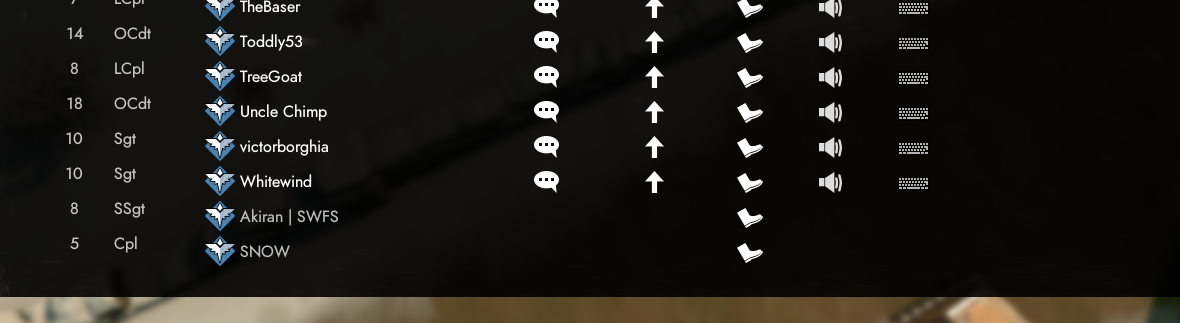
https://i.gyazo.com/4d2a2efbeeaa3fb56e5ca8c265d041f2.png why can't I whisper, commend, mute or text the players at the end of the list ?
 sly mortar
Because they have logged out @copper magnet
modern loom
hello yes @deleted-role i would like assistance
@proud schooner i can't seem to find any @deleted-role to assist me pls halp
 proud schooner

bright elk
i friggin hate this voice chat error
sly mortar
@bright elk It's still serverside, nothing that can be done to help it
inner basin
@gritty token should go and get the tech wizard role
sly mortar
Yeah, I already PMed it
 wet arrow
Any wizzard willing to help me with this lag stutter? https://youtu.be/UU7bA6xNp6U

The game stutters since the engine update a couple of patches ago.Please help
sly mortar
What's your internet like?
sly mortar
Hmm, could you type dxdiag into your windows search funtion? And run it?
wet arrow
sure thing
sly mortar
Could you then PM me a screenshot of "System" and "Display 1"
sly mortar
Alright
wet arrow
it should run foxhole on low atleast without the stutter right?
sly mortar
Does your PC have a discrete graphics card?
Like when you bought it did it advertise having a graphics card?
wet arrow
it has a dedicated one if u ask taht
sly mortar
Just as a precaution, right click on your desktop, there should show an option of "NVIDIA Control Panel"
Open that
sly mortar
Could you show me the page of the GPU 1
wet arrow
lemme lanuch foxnhole agian
sly mortar
K
wet arrow
u mean the page in task menager or nvidia c panel?
sly mortar
Task Manager
sly mortar
Is the laptop plugged in?
wet arrow
y
sly mortar
Because it will affect how well the CPU and GPU work
wet arrow
plugged in not charging(extending the battery life)
wet arrow
high performance
sly mortar
Alright, is your game still stuttering when you play after restarting it?
Because that used to be a fix for it
wet arrow
still there
sly mortar
Hmm
wet arrow
tbh it wasnt like that all the time
sly mortar
Yeah
wet arrow
it happend after the zombie event patch
sly mortar
So after the graphics updates
wet arrow
after dead harvest ended and they updated it it started to lag
idk if they updateded it then but i used to run in on medium with medium detail 60 fps
without stutter
sly mortar
What's your FPS counter showing while it stutters?
wet arrow
28-56 depends if i move the camera around
and when i uptade the drivers
it wont even play normal
the stutter is unberable
with the newest nvidia drivers
sly mortar
Have you reverted to a previous version?
wet arrow
y
the legacy one that came with the laptop
and it has the lowest amount of stuttering
sly mortar
Alright...
wet arrow
every time i turn my camera i drop 10 frames 😦
gritty token
wait wait
Try this, open up command prompt, type in "ping google.com -4 -t"
DM or post screen shot of it here
Unless you have done that before D:
wet arrow
didnt mess with the internet settings thoe
sly mortar
This won't change any settings
gritty token
^
gritty token
Wireless or ethernet?
sly mortar
21ms is decent
wet arrow
wireless
sly mortar
But it's not staying at that
gritty token
okay so that is not bad
sly mortar
Seeing a 70 in there though
wet arrow
it has a package lost i just noticed
gritty token
That is bad
sly mortar
Ooh, try connecting to ethernet. That could easily be causing it
gritty token
type in ipconfig in command prompt and then type in this command "ping (youripaddress'sgateway) -4 -t"
It also looks like you are maxing your GPU usage which could be the problem. But it looked network related to me.
sly mortar
Foxhole shouldn't be maxing a 1050, but if it was working before i would say that isn't the problem
wet arrow
its 1ms-2ms-3ms max
when i ping my ip adress
so wait the packed drop is making foxhole tank 96% of my gpu on low?? i am confused
 humble cedar
Voice chat's broken
sly mortar
No
@humble cedar Yes
It's broken serverside, and has been for the past few days, nothing we can do
@wet arrow No, the packet dropped is possibly causing the stutter because foxhole isn't able to send updated location data through that packet, causing the stutter as the game jumps around on your screen
In other words, the game knows where you are, but it isn't sending it to your computer fully
wet arrow
ooooh i see so the best option would be to annoy the jesus of my ISP telling them that i have a package drop?
wet arrow
nope
sly mortar
So you don't have an ethernet cable anywhere
wet arrow
i have a modem that runs to the other room and it would take around 8-12 m of cable to get to my room and that if i want it to be wonky af
gritty token
@wet arrow, go to you Nvidia control panel and make sure you have the GPU as the global
And set the "Adjust Image Settings with Preview" to Quality
sly mortar
Set it global
gritty token
Hit restore
It will restore it to better settings
wait, no that is defualt
Yeah set the three that are off to on
wet arrow
which 3?
gritty token
ah wait
that is the issue
go back to Global settings
hit the restore button
send screenshot, there is stuff off
sly mortar
Hmm
Try doing a ping test to Ontario
Through a speed tester
And the only thing that matters is the ping
Though because the graphics card didn't change anything the dropped packets seem likely
wet arrow
yiiiikeees 186 ms to ultimate internet access ontario
sly mortar
Yeah, that could also be causing it
wet arrow
so any way i can fix it?
wet arrow
145ms to rogers
sly mortar
Most likely at least
I'm 37 to UIA, 81 to rogers
But an Ethernet connection would probably help
wet arrow
can i port forward foxhole ports or smh for better access?
sly mortar
Could you take a screenshot of your internet page in Task Manager while running around in foxhole?
(thanks for covering the address)
good use of common sense
wet arrow
i left ipv6 i dumb\
sly mortar
Hmm, the internet usage is fine, so I would say try doing a test connection with ethernet
Also delete that image then
wet arrow
its funny even when i lower the resolution
to 1024x 768
its still there
the fps is 113-120 then
but the stutter persists
sly mortar
That's because it's not the graphics, it's where the client things you are compared to where the server deos
So I would say try connecting with ethernet
Just as a test
wet arrow
wasn't there like stuff i need to turn of in the wifi adapter settings to make it lose less packages like ipv6 protocol verison?
wet arrow
well i will do an ethernet test tommorow i am glad somebody helped me in some way (poor Mod help guys gave their best but to no success and i am thankfull for that) i'll repost tomorrow if it still persists
sly mortar
@wet arrow For foxhole never go to the mods for technical support, come here, they don't know how to fix this bullshit
wet arrow
genious idea( bc i had no lags before the zombie update) and i did an driver update around that time should i like try to do a network reset?
sly mortar
What do you mean by network reset?
wet arrow
its a win 10 option that redoes all of the network drivers
sly mortar
Oh, uh, that should be fine
 timid sandal
i cant play in faction battles both factions say that faction switching is not allowed
sly mortar
Alright, could you message mod mail about this? This isn't something we can help with @timid sandal
So just DM @coarse trail
timid sandal
i alredy did message it
sly mortar
We can't help with it though
gritty token
I wonder if A Siege Minion accidently rendered his computer unable to connect to the internet
 long pier
hey sooo
my voice chat doesnt work
at all
i just get constant voice chat error
 dim salmon
@long pier exit game and launch
dim salmon
Options->Voice->Reconnect
 granite idol
yes ive tried that
and setting it off and on
and making sure my mic was default in windows
dim salmon
Relaunch again then. It worked for me
granite idol
relaunched many times
dim salmon
¯_(ツ)_/¯
 meager thicket
Yeah i have a problem too with the game.
long pier
How many others are afflicted by this ?
meager thicket
long pier
the voice not working
terse flume
when i try to go reaching trail its not allowed switch sides
but i always played as colonial
okay.. i think i cant play foxhole tonight..
meager thicket
Yeah well i haven't played foxhole for at least a week mate....
And i don't know the bloody reason am afraid.
That's the only thing it says....
terse flume
i hope after v0.20 we can enter game
meager thicket
I hope that too.😬
meager thicket
You mean our name or our account name?
thorn rover
account name
meager thicket
psirojohn22
thorn rover
Right click on Foxhole > Properties > Local Files > Verify integrity of game files
meager thicket
Thank you for your help mate, I can finally play again. 😄 👌
gritty token
Is voice chat still broke?
wet arrow
@gritty token i didnt render my pc unable to connect just didnt play much and btw i have tested it with ethernet still stutters
wet arrow
@sly mortar @gritty token update i redid my drivers to the last update and the game is stable at 35fps at lowest of the low (playable with no stutters)
tbh i wasnt in a gunfight or something
sly mortar
Alright, then there's probably just something with the 1050's graphics drivers
Hmm, let me see if Nvidia has a bug reporting tool
Nope
austere galleon
My voice chat works
sly mortar
It does for some people, doesn't for others
lavish fractal
anyone has discovered how to fix the voice chat error?
i don't want to reinstall the game again hahaha
sly mortar
Here's something you can try
Go to C:\Program Files (x86)\Steam\steamapps\common\Foxhole\War\Plugins\VivoxCoreUE4Plugin\Source\ThirdParty\VivoxCoreLibrary
And delete VivoxCoreLibrary
Then verify the integrity of the files through steam
And restart your computer
light mesa
Has anyone had any success with that method?
hushed tinsel
its strange
besides the very first day it began happening I have never had a problem since
perhaps i'm just very lucky
(talking about vc problems)
sly mortar
You're lucky then
 gloomy shell
deleted VivoxCoreLibrary and checked over steam again ... and now it works...look technical-chat
 sonic topaz
hi but im having trouble with voice chat it keeps on saying error [8] 6-0 when i press T voice chat button, iv asked how on fix this in chat but the one method i was told to try didnt work and i looked on your website how i could fix it myself but its not in there.
sly mortar
@sonic topaz Which method did you try?
sonic topaz
i was told to close the game and open my steam and open the game there
sly mortar
Alright, try this
Go to C:\Program Files (x86)\Steam\steamapps\common\Foxhole\War\Plugins\VivoxCoreUE4Plugin\Source\ThirdParty\VivoxCoreLibrary
And delete VivoxCoreLibrary
Then verify the integrity of the files through steam
And restart your computer
wet arrow
btw i found out that lowering the resolution scale makes the game use waaaaaaaaaay less gpu
 wild brook
 gritty token
@sly mortar Pin that message you just put, also @wet arrow, The issue appears to be hardware related in terms of ability to play the game. It may be driver related but it may as well be issues with running foxhole on the GPU. A 1050 isn't anything too ridiculous, so it should be able to run Foxhole on low. But if you check this benchmark, here is my GPU vs Yours (If you do have a full 1050 in your laptop not a 1050m) https://gpu.userbenchmark.com/Compare/Nvidia-GTX-970-vs-Nvidia-GTX-1050/2577vs3650. You will see that there is a large peformance gap, why i put this is to help show that the 1050 may require you to run the game on low. If anything, hopefully a new driver (when the next one comes out) may actually make it easier for you to play in the future but being that the GPU is running at near 100% when playing the game, the 1050 is most likely your bottleneck.
 vivid pulsar
gritty token
vivid pulsar
gritty token
Thank you Lazarus!
vivid pulsar
👌 Keep up the good work, and tag me if you need things pinned.
gritty token
Will do!
 manic sandal
gritty token
manic sandal
gritty token
@manic sandal whats wrong?
manic sandal
@gritty token Expect the colonial. Can you make a technical contribution?
manic sandal
bot colonial? hard bot
gritty token
What XD I am beyond confused, what do you need lol
manic sandal
sorry sir. we only waiting. I wanted you to know
gritty token
All good 👍
 hot oak
Credit for this fix goes to @austere galleon . If you are having issues with Vivox, try to delete the following folder, which contains two vivox .dll's.
Close Steam
C:\Program Files (x86)\Steam\steamapps\common\Foxhole\War\Plugins\VivoxCoreUE4Plugin\Source\ThirdParty\VivoxCoreLibrary
Then reopen steam, and verify the steam cache by going to your steam library > right click Foxhole > Properties > Local > Verify Steam Cache Integrity
 slim girder
 jagged river
Yeah
gritty token
Alright let me copy and paste another pin here
https://steamcommunity.com/app/505460/discussions/1/2590022385656048864/
i found a solution that worked for me
Fixing no local voice chat or sound from other players :: Foxhole ...
 lavish fractal
@sly mortar It doesn't work for me but thx anyway
gritty token
What did not work?
jagged river
Neither from Africandave worked
But I haven't restarted yet
So that's the last option
vivid pulsar
Might need to.
vivid pulsar
And checking your Input and Output devices through Foxhole's Esc -> Voice menu might help too.
jagged river
Alright just restarted
gritty token
Yeah make sure you have your audio device you are using to hear and talk through selected as the default device.
jagged river
Doesn't work
This is weird
One day, it stopped working
The next, it started working again
Now it's not working again
gritty token
Im at work so im unaware if it is still broken, but it was working for me last night so assume it is still working.
Hmm.
And you set the permissions for foxhole as described above?
jagged river
yeah, last night and staurday it worked
Yeah, the privacy permissions
And the Voice menu
(Which usually work)
vivid pulsar
The fix suggested is a clientside one anyways, and Clapfoot suspects the issue is stemming from implementation issues so solving this is finnicky at best.
gritty token
^
Best effort is a way to put it
Im not payed enough to go that deep into the issues
JK im not payed at all
jagged river
What I don't get is how some people have it working, while others don't
gritty token
That comes from optimization of drivers and the game
This issue overall is most likely a voice driver issue which is almost completely unique per computer
Or per part per say.
So basically, the audio drivers in your laptop/pc are not worknig with what Vivox is trying to communicate through
And it is not your laptops/PCs fault, but vivox.
jagged river
But, as mentioned, it stopped working, then worked again, then stopped again
Which makes no sense, as I had no updates in between that
gritty token
Yeah, not your fault, something with the intergration of Vivox's VoIP service into foxhole and it's ability to communicate small eletrical impulses to the game
So another thing i would reccomend is making sure it works with other games (i bet it does) then we know it is foxhole only. then if that is working but foxhole isn't, if we attempted the above troubleshooting stuff (setting device as defualt, deletion of crap and reconnect) it is best to assume yo game broke
jagged river
my game didn't break, the whole version broke
gritty token
well that is what i mean
It is something with the game working with your computer
"More commonly known as a driver, a device driver or hardware driver is a group of files that enable one or more hardware devices to communicate with the computer's operating system. Without drivers, the computer would not be able to send and receive data correctly to hardware devices, such as a printer"
So in this case, Foxhole has drivers, your computer has drivers, Vivox has drivers. One of those is messed up, we know that your computer isn't the issue. You are able to see your audio stuff in game (i assume you can???) so we know it isn't foxholes stuff, it is Vivox.
 hollow sun
So my VC was working fine last night and now it's F-ed again
so it's definitely not my devices lol. prolly the game's problem
gritty token
You can always try the pinned messages to see if it works as well as reinstalling the game
May fix it but who knows...
 shut anvil
Verified game file integrity, restarted game, clicked refresh button in game.
Nothing.
lavish fractal
any news with the vc error ?
 snow meteor
can someone here help with bad internet for no apparent reason?
inner basin
@snow meteor Done a speed test?
@lavish fractal We've been inundated with the Voice Error reports. Unfortunately this seems to be a problem with the Vivox connection, nothing we can do
@shut anvil What does the shard say at the top left?
inner basin
@shut anvil Mind explaining?
shut anvil
Was when the update was happening, that's all.
inner basin
Oh lol
jagged river
VC error update: right now my voice chat is working again.
 buoyant mason
I'm able to connect to the server ("Join the War" button) but whenever I try to load into a skirmish I either get a "lost connection to server" message or it just sits on the loading screen forever
I've restarted everything, verified file integrity, done all the firewall/antivirus stuff on the support page
set max pings to 500
which is to say I can run around the training course/monument park just fine but get problems when I try to travel to skirmish
gritty token
I am about to leave work, please ping me as needed but I will address the above concerns when I get home at 9:30-9:45 eastern time.
Also @buoyant mason Make sure you updated your game just in case.
gritty token
@snow meteor Still having issues?
terse flume
just to confirm, skirmish maps are excluded from current warAPI?
 plucky bluff
Yes
manic sandal
What is the latest version of the game?
thorn rover
@manic sandal
manic sandal
@thorn rover Thank you sir
thorn rover
No problem
snow meteor
@gritty token @inner basin issue fixed itself
 placid flame
oof
up to date vers, live shard, ferified game files, restart the internet
still got this
restarted steam - fixed
gritty token
Awesome, so everyone here so far has confirmed issue resolution? Does anyone else need help? 😄
 drifting lion
I'm having some problems atm where i've updated and restarted steam, even reinstalled the game, however, its failing to find the servers.
gritty token
And this occured after you updated the game?
drifting lion
yes
gritty token
okay, do you have an anti-virus?
drifting lion
nope
gritty token

And then check the other pinned messages for possible fixes as well. Tell me how that goes.
 umbral arrow
@shut anvil I got the same issue how did you fix it?
shut anvil
Have you done devbranch or anything?
umbral arrow
no
shut anvil
Idk, right click Foxhole in library, go to properties, and verify integrity of game files I guess.
 dry quest
sorry I don't speak English well. what are these stripes?
shut anvil
How do I make sure the hotfix is installed? Doesn't seem to be updating.
gritty token
If it isn't giving you an option to download an update, it is most likely updated.
If not
Delete the game and re-install. That would force all updates.
@dry quest I do not see them? Most likely just a graphics processing issue.
@umbral arrow Check the pinned messages
May have a solution for ya! If not, come back here!
umbral arrow
Yea restarting + verify fixed it 😃
gritty token
Awesome! Glad to hear, come back if you need more help :D
 rustic current
what can I do if my game doesn't have a shard in the top left corner?
gritty token
Check and see if it is the most up-to-date version of the game.
rustic current
I've done that and still nothing
inner basin
If one step doesn't work, proceed with the next:
- Verify game files
- Restart Steam
- Restart computer
No shard indicates a network issue @rustic current
@dry quest Those bars appear when you are playing with an aspect ratio that is not 16:9. What is your screen resolution?
dry quest
4х3
inner basin
Yes, I get those black bars too
dry quest
they cannot be removed?
inner basin
That bug has been there for a while, maybe I should file another report...
@dry quest No, I think they put the bars there so that we (4:3 users) would be on par with 16:9 users
Before, 4:3 monitors would just zoom out more in-game to account for the lesser screen space compared to a widescreen monitor
dry quest
Thanks
inner basin
@limber comet Still need help?
@limber comet 👋 I can help you over here
Try not to put unnecessary chatter in #bug-reports
gritty token
Thank you Blade 😄
rustic current
@inner basin I still don't have a shard for some reason
buoyant mason
@gritty token thanks! I updated my drivers and defragged and the issue fixed itself
rustic current
ok thanks
 atomic rivet
Hello, Im looking for some help regarding a startup issue that my brother is having
atomic rivet
he just bought the game hoping to try it out since me and my mate @stray geyser has been talking so highly about it. However. He is having what he says is "a low level fatal error on startup"
I just got back and trying to gather more information regarding this issue. But just asking here to check if someone has any idea of what it could be.
he has tried to reinstall, verify and restart his computer already
His specs are unknown to me, however as far as i know he can play GTA 5 without any issues, and Elite Dangerous as well
both very taxing games.
inner basin
A LowLevelFatalError has to do with UnrealEngine exiting
Unfortunately, there are a lot of different fatal errors with the game engine
I'm gonna need the exact error message and details to help
inner basin
😄 yes, give me a couple moments
atomic rivet
Thank you very much for your assistance and time to help us out.
inner basin
err, hmm
@atomic rivet This is definitely a graphics issue.
Can you get me the graphics card details?
inner basin
- Disable ANY overclocking software.
- Update drivers ✅
- Through Steam, "Verify the Integrity" of Foxhole's files
gritty token
@buoyant mason Perfect! Like I always say, come back if you need more help 😄
^ Do what blade said 😄
 limber comet
the only solution I found was to uninstall foxhole entirely
@inner basin
whatever happened when I was switched to wardens broke my game
it quarantined the .exe file and refused to let go
even though I clicked "do not quarantine"
I tried to verify the files, but it downloaded the same file over, and over, and over
until i decided to uninstall
which is unfortunate, but I'm reinstalling
I'll just never switch sides again lol. rip
gritty token
What anti-virus are you using? I am curious
There may be a way to blanket allow anything Foxhole does
limber comet
oh i deleted it completely and use windows defender now
It WAS avg free
i had already allowed foxhole
it was whatever happened when I switched sides
my foxhole wasnt even open
and it says the file needs to be quarantined
then i get a message saying ive been switched
but cant launch b/c of missing .exe
shipping.exe or something
anyways, hopefully a reinstall has resolved it
gritty token
Yeah AVG is notorious for BS like that, but that should fix the issue if AVG doesn't do it again
limber comet
once i finally update it, my net is so slow
its still only at 48 percent still
so its pretty lame
download* not update
really hate I missed the whole day 1 of the new update b/c of tech issues
limber comet
well maybe ill see you in the trenches
 small patio
I've just recently bought Foxhole and when i try to join the war I get the error No Home Regions Found. I tried to do the steps about it on the support page but nothing worked.
gritty token
Make sure you have the game updated
Check and see if steam is requiring an update.
If there isn't one, what is your anti-virus?
 crude brook
small patio
crude brook
small patio
yeah
sly mortar
@small patio @crude brook Check the pinned message for "Verifying network related issues"
gritty token
Do this for me @small patio Do you see something in top left of the screen for when you pick either join war or browse events?
gritty token
Let me send a picture one second
Excuse my poor excuse of a arrow but the thing in the top left on this screen
small patio
I played on the beta for many months before release but when they released it I never bothered buying it until now
 raw widget
have you checked the integrity of the game files?
gritty token
@small patio make sure under properties for foxhole in your library that you have the beta version turned off
small patio
Ok I checked integrity but I just realized I have a windows update so I am going to see if that fixes it
gritty token
See, he knows
raw widget
Win 7 superior windows
raw widget
yeah rip Win 7
shut anvil
But Windows 10 has a bigger number tho
meager thicket
I have a small problem which i think everyone else has that kind of problem too.
My voice chat is not working in game..... .___.
Any help with that matter?
meager thicket
Nevermind i fixed it.
 vocal yew
what is it
 wind yacht
how to solve this problem? I already turned off the antivirus, reinstalled the game, connected via proxy
pls help
 left fiber
I need help too
proud schooner
I'd start by following the steps in the pinned messages. One of the <@&521124241395941396> may be able to give further insight once you've gone through each step in order.
left fiber
I need other help
I purchased the game just today. I started it and I was like oh factions, cool. I wanted to be with the colonials cause of the knife and green color. But just in case I clicked on Wardens to see info so maybe I willl decide to go with them. (I was used to this from playing mmorpgs where you only got info about a faction and then could join it) But sadly there were no lore or stuff, I just got in Wardens. So here I am. This is a suggestion and a request at the same time. May I get switched to Colonials?
terse flume
okay
i will switch your faction can you give me your steam ID?
jk tag mod he will get you switched
@left fiber

 cosmic mortar
alright done
left fiber
thank you so much C:
gritty token
@wind yacht did you get it figured out or do you need more help?
also @small patio Did you get everything figured out?
wind yacht
Yeah, I need help.
I already even deleted the antivirus.....
Don't know what else to try
vocal yew
@gritty token
gritty token
@wind yacht are you living at a house or are you in school or some place that has a sort of restrictive network
wind yacht
@gritty token i live in dormitory, but my neighbor uses the same Internet and he have no truble
gritty token
He has no trouble connecting to foxhole?
I have had someone with the same issue before... What I would do to test it is go somewhere with good wi-fi that is not restrictive (friends house, coffee shop maybe) and see if you can connect
Also, if you need me to rephrase please tell me!
gritty token
Yes, please tell me if it works outside of your dormitory! That will be key in knowing where the problem lies. Please @ me when you test this!
 opaque basin
can load the game but it wont load either faction or even the event servers, despite the fact that I restarted the game AND steam help
Its tellling me no home regions found
halp
gritty token
Can you send a screenshot of what it displays when you get to the screen where you can choose either join the war or browse events
opaque basin
This is what the help says to do and i tried all of it
Im currently restarting steam so ill send you a screenshot of it when i can
gritty token
also, have you checked this out? https://steamcommunity.com/app/505460/discussions/1/3104564981107737619/
 opaque basin
didnt work either
gritty token
Can you send me a screenshot of the page I asked for, may help me figure out whats going on
https://cdn.discordapp.com/attachments/374272127953666048/522815368386052096/unknown.png like this one here

 fringe apex
just got the same, although a couple of refresh and i could connect again
gritty token
Check pinned messages and see if that helps, if not return here 😄
terse flume
i cant enter the map
gritty token
What do you mean?
 idle valve
so whenever I open the game and select join the war. it always asks me what team to pick. However I have been playing on Colonials for the past 4 hours. Is it supposed to do that?
dim salmon
@idle valve Yes. Otherwise if you try pick wardens game say that you're colonial aldready
 crisp mulch
After i searched in some Steam threads and nothing helped, i try it here, When i want to browse for Servers, to search for a German-server i get: cant find server restart steam or look for newest version. Tryd to disable Firewwall and antivira , restarting Steam. Help would be nice 😃
dim salmon
@crisp mulch Sry, mate but there's no more servers. Only one big war.
crisp mulch
oh really
dim salmon
Yos
crisp mulch
Well than its good i thought i have this problem and cant search for Servers. Will this be forever or will they implement Serverbrowerser again ?
dim salmon
i guess no. If you having problems with language you can find german speaking clan and play with them
vivid pulsar
Each region is technically a different server. But as for the browser, it's not used unless there are special events or clan events.
dim salmon
Yep. But at the big war you can literally travel between those servers without leaving actual game
small patio
@gritty token I am still having the issue
crisp mulch
@dim salmon Nah im fine with English this is not the problem just thought it was a issue that i had , but thanks a lot for the answere
dim salmon

crisp mulch
@sly mortar No everything is fine 😃
sly mortar
Yay
crisp mulch
I think that he had the same thought as me that the Server Browser is "bugged" because there were no servers
sly mortar
Ah
crisp mulch
But i saw many Steam threads on this , maybe they are outdatet , but this got me Confused so i got here
sly mortar
Ah
small patio
I have been getting the no home regions found error
sly mortar
Did you try everything in the pinned message "troubleshooting network-related issues"
small patio
Everything except plug in Ethernet and turn of anti virus
sly mortar
Try those 2...
small patio
I don’t think I’ll be able to do Ethernet but I’ll try anti virus(though I am worried about this option and I don’t know how to do it but I’ll figure it out)
sly mortar
Before you do that @small patio. Would you be region locked? Like, are you in Russia / China?
small patio
I didn't work
gritty token
okay, so you update windows tehn
If you live in a university housing they also may be restricting access to foxhole.
small patio
No I do live on a house that has restricted internet so that may be it
 slender stirrup
Im having an issue with my mic in game coming across and muffled. i use this mic on other games with no issues, ive tried the fixes recommended with no luck, can anyone help??
inner basin
@slender stirrup If it sounds muffled to other people, try raising the microphone input levels in the Windows Sounds menu.
 molten glade
So, I've got an issue saying that I've failed to download shard info, and I've got the same issue IvanDestroyer has/had.
Tried all the solutions I could think of, short of uninstalling and reinstalling.
Checked the anti-virus stuff already as well.
Anyone have any suggestions?
shrug I'm just gonna try reinstalling it. If the problem persists, I'll be a sadboi.jpg
gritty token
caught in a landslide, no escape from reality
open your eyes
look up to the skies and seeeeeeee
But no they are not, what error are you getting?
 hardy prairie
for some reason I cant hear anyone in-game even with voice chat turned on, anyone knows whats up with my game?
hardy prairie
output setting is up about 75% of the way
snow meteor
no
i meant the output device
make sure its correct
check if you have 2 sound things in the windows bottom right corner
hardy prairie
okay it works now thanks so much @snow meteor
snow meteor
my pleasure
molten glade
@gritty token No, I live in a house.
Reinstalling it seems to have fixed the problem, at least for now.
gritty token
Awesome, just making sure.
 sinful pewter
Any one knows how to fix this thing "unreal engine is exiting due to d3d device being lost"?
 desert marsh
im at wits end, i have done everything on the support page but i cannot see the shard/or and servers
gritty token
@sinful pewter Can you send a screenshot of the error for me, i just want to see all it says
And also, just for note to anyone that will read this at some point, DORMS have issues with connecting to video game servers, a lot of them restrict access and you would need to consult the schools IT services about said issues if they come up.
sinful pewter
It crashes when I play the game the reason its on the main menu because I've alt+tabbed to capture the error message I play in fullscreeen with the lowest settings.
Did I update my drivers : Yes Its up to date
I have this error from around update 0.16 I think.
Its a problem that because of that I can't enjoy foxhole, plus its not the only game which causes me problems with DirectX crashing I just don't know how to fix it.
@gritty token
gritty token
Have you checked the pinned messages?
small patio
I fixed my game thank to my computer was blocking port 80 this whol time
gritty token
There you go 😄
sinful pewter
Which Pin?
gritty token
Fatal Error and other crashes
If you're experienceing a fatal error or a crash of any kind, you can navigate to this folder: C:\Users\Username\AppData\Local\Foxhole\Saved\Crashes
Send the folder zipped to foxhole@clapfootgames.com with a description of what you were doing at the time of the crash.
This will help us indentify the cause of the crash, and allow us to determine whether or not it's a widespread issue.
Other potentially helpful information may include saving a readout of DxDiag to be included in the email. This will have information pertaining to your hardware and drivers.
https://support.microsoft.com/en-us/help/4028644/windows-open-and-run-dxdiagexe(edited)
Open and run DxDiag.exe
sent it
sinful pewter
I guess , Might be DirectX crashing I did try to unistall it and then install it - didn't change much
sinful pewter
Ye
gritty token
laptop or pc?
sinful pewter
Desktop
 worldly escarp
Hi, my game is in a update loop + it's updating 0 bytes + i get a message about an error Foxhole\War\Binaries\Win64\War-Win64-Shipping.exe when i try to launch it
gritty token
Okay because that GPU may have a hard time launching the game which could be the issue.
Min spec requires 1GB ram for GPU
but ill brb guys, im at work
sinful pewter
Thanks , and see ya
Btw my GPU handeled the game very well before version 0.14 I think
gritty token
@worldly escarp Try killing steam and retrying
And the game has gotten a lot more GPU since .14
 little urchin
Hi can someone help me? I keep getting lost connection to voice chat error [7] 6-0 and [2] 2-1
gritty token
I can't I am at work, let me ping everyone else <@&521124241395941396>
little urchin
Thank you sir 😃
dim salmon
@little urchin Options=>Voice=>Reconnect. Also if it doesn't work usually relauncing client helps to fix voice chat error
little urchin
Thank you also very much I will try this now
I tried both.. first one was to reconnect, came up with the [2] 2-1 again, this time i quit and relogged and its [2] 2-500B.. it was working when i first got the game which was like 30mins ago then stopped like 5mins in but i figured no one was speaking until i saw in the chat box the error messages
little urchin
Win10
 sly mortar
fucking virus
little urchin
Thanks
little urchin
@gritty token INdeed it has, thank you very much 😄
 rocky meadow
Hey, Sadly I'm unable to play this game. Lost connection to server.
gritty token
So it was working before?
rocky meadow
No, I just bought it
gritty token
Okay, please check the pinned messages for possible fixes
What Operating System are you using?
rocky meadow
win 10 pro 64bit
gritty token
Laptop or PC?
rocky meadow
PC
gritty token
How far do you get before it says Lost connection to server?
Or better yet, can you send a picture of the error and the page
rocky meadow
Server issue
gritty token
Okay, so the Live shard is top left. Do this, check the pinned messages for network related issues
Also do you live a dorm by any chance?
Or anywhere that supplies the Wi-Fi for you that you or a friend didn't have to setup
rocky meadow
This is my "own" internet^^
rocky meadow
I have Windows Defender running
gritty token
Alright, the best bet is that something is being blocked, check the pinned messages for Icanari's response for network related issues.
@rocky meadow Tell me if that worked if not, i can try some more things.
rocky meadow
This machine runs an ark server, so not gonna restart my network.
gritty token
Yeah no need for that
The instructions are follow as you can
are you port forwarding?
rocky meadow
For the server yes, for foxhole no
rocky meadow
I works now. Installed new nvidia driver. restarted my pc and I did some vodoo stuff with my hyper v virtual switch.
 storm tree
Plugged in usb headphones and now I can hear the game but can't hear voice chat. What should I do?
 arctic talon
@storm tree try checking options -> voice; if the output device for voice chat is set correctly
thats all i can think of
storm tree
Sigh.. did that. I'll try to restart.
 west knoll
so i just got foxhole and launched the game
but it just says fatal error within a second of me launching it
anyone know whats happening?
gritty token
Can you send a screenshot @west knoll and @storm tree Answer these questions, Laptop or PC, What operating system, and does it work with other games.
 foggy fern
It won't let me cross over to a new region, it keeps saying lost connection to the server and kicking me out of the queue, but my internet is just fine
gritty token
Well there we go! @west knoll
west knoll
now this is epic
gritty token
@foggy fern The only thing I could say that it may be an issue that the server is messing up and not sending you properly. That would be my best assumption at this time. I say this because we have 1.2k people on right now when it is usually 600
gritty token
Yeah I am sorry, but it something the devs most likely need to fix when it comes to high volume, hasn't been too much of an issue until now!
But since you were able to to connect to the game, if that happens in the game, it is the game, nothing we can fix most likely :/
 strong roost
@here can anyone help me please join the vc please
sly mortar
@strong roost The World Conquest?
strong roost
Nevermind I fixed it
sly mortar

gritty token
It is what i do lol
 midnight reef
I'm confused, why do I have the tech wizards role?
sly mortar
Because you clicked the emoji for it in #information likely
midnight reef
ah. thank you
sly mortar
If that isn't true, come back here and I'll ping the likely suspects
midnight reef
Yeah I did click on it. I'm good with it, I was just confused
sly mortar
Expect copious amounts of pings then
 warm magnet
Can some one help me fix my voice chat?
I cant talk, and I cant hear anyone
It works fine enerywhere else
sly mortar
@warm magnet Try the pinned messages, ping me if it doesn't work
gritty token
I guess it worked 😄
terse flume
Anyone else not receiving any commends for doing stuff?
Like Produce stuff, hit Scrap mines etc
 dense ibex
Commend come from people buddy
terse flume
No, thats not what i ment, you usually receive commends for doing stuff, like producing shit, hitting scrap mines etc
 wild tulip
i got this game yestrday and i only farm scrap
thats all i do cos when i do something else i get yelled at'
terse flume
I mean commends which you could spend for other people, not the once that lets you actually rank up
proud dagger
@wild tulip you’ll slowly learn
 frank zealot
@terse flume No, it's not just you and it's because of steam. For some reason it allocates 4-5gbs and then when the update is done just gives the space back. Plus check your task manager to see if windows is running "malicious malware scanner" or something. That slows down the writing speed to the disk quite a lot.
 umbral badger
excuse me
game is dont find a server
tell 'restart steam and also verify that you have latest version of the game
umbral badger
ok
terse flume
@frank zealot yeah i read about that at another games discord. I was curious if this was a thing in this game as well.
 leaden fjord
Anyone having trouble joining the server?
inner basin
@leaden fjord There are many ways I can interpret that; what error message are you getting?
leaden fjord
I'm getting 'Lost connection to server. Please try again later.' when I try join.
inner basin
Are you able to see the loading screen after clicking "Join the War"?
leaden fjord
It stays on the same screen where you choose your cation, then then 3 'loading cubes' pop up but doesn't get further than that.
faction8
Just restarted steam and my pc though and is working now
I also just realized it switched the icons of colonial and wardens around before with colonials on the right and wardens on the left. Not sure if this is a normal thing but was new to me.
 sullen sky
So after the patch i cant press join war, nor do i find any events. im guessing that something got lost in translation here...
tryed turning of my firewall,antivirus. reinstall and opend ports and still nothing.
Stuck in the main menu, no news on the main board shows neither, so im guessing something is still blocking the game.
any ideas?
inner basin
@sullen sky No news on the main menu is pretty significant. Make sure ports 80 and 443 are open.
sullen sky
i belive that i have done all i can her at my end :(
maby i just have to wait for a fix
gritty token
Hmmm. No news updates. Do you have the live shard on the join the war or browse events screen? Should be top left
frank zealot
@sullen sky Tried restarting your pc?
frank zealot
@sullen sky Right click on foxhole on steam, go to betas and make sure you opt out of all betas. Log in, check the shard on top left if it's live or not, and provide game version info on the bottom here please
sullen sky
no betas running, shard is blank. version :0.20.17.4
frank zealot
Hmm, the shard should be listing at least 3 options, Live Devbranch and Internal. None of them are accessable right? @sullen sky
sullen sky
nope, when i try to click it flickers blank to. so no options there at all.
im pretty sure there is something still blocking the game on my end, but i cant figure out what it could be
frank zealot
I see, then something indeed seems to be blocking your internet access to Foxhole. Try checking task manager if you can see any "malicious software checking tool" or something like that by windows
sullen sky
il take a look, then do yet another install.
might have to go old-school on this thing 😛
frank zealot
And one more thing, try running it in administrator mode. If that doesn't work, you said you turned off firewall right? If you just turned it off try adding an exception to the firewall and try that too @sullen sky
 hallow lintel
anyone got another solution to not hearing vc? i've tried the pinned message, reinstalled too.
gritty token
@hallow lintel what operating system are you using?
inner basin
@hallow lintel Check your voice settings inside Foxhole
Make sure the devices are set corectly
hallow lintel
those are all fine
hallow lintel
not one
wdym by ports?
like, physical ports on the pc?
okay, ive fixed it
something about updating my windows software did it? no clue but thank you
inner basin
It's always the unexpected that fixes it lol
 modern rune
i just bought the game when i click on it it loads a black screen when i alt+tab it loads the menu and i have to alt tab for each button i press to load and when i play the game i alt tab for each moment i make. please help this game looks fun(not good at computers)
 lavish kelp
Is it just me or can i not chose war
gritty token
@modern rune the issue may lie in two things, GPU capabilties or GPU driver issues. So, please check the pinned messages, there is one about black screens.
lavish kelp
How do i fix the persistent war is unavailable please join an event
 sage rover
@lavish kelp look in pinned messages
 hard mauve