#technical-chat
4 messages · Page 5 of 1
 wary tundra
@limber condor Look over here~~~~
 wanton grove
#technical-chat for the first time as long i play fhole i cant login to a server
keeps loading to the Faction page then i lost the connection with the server
wanton grove
 dim salmon
How i can solve problem with no Discord overlay in Foxhole?
<@&282920218462912512>
 pine rapids
did you enable it under the Setting 'Games"? @dim salmon
you might also have to enable it while it is running
 devout gyro
Discord overlay is notoriously buggy with Foxhole
I think you have to use borderless windowed to get it?..
pine rapids
yea that might be it
 verbal belfry
 plucky bluff
This command doen't give any role, it deletes warden or colonial role.
 terse flume
sometimes, when i launch foxhole, i have to download it again. most of the times when that happens, i just need to wait 20 seconds for the whole thing to be downloaded (cuz my computer probably already knows the files are already here, but Steam still wants to download something, beats me what) but on a few occasions, i need to download the whole game all over again. so is it a problem with Steam or just with Foxhole ? it appears that with the other games i have, i dont have this issue.
plucky bluff
Steam likes to break down and redownload big parts of the game/whole game if it detects something messing with files like game mods, i had simliar problem in pay day 2
terse flume
Thx for the answer filthy warden kind sir
 proud dagger
@lusty mirage try switching resolution
 lusty mirage
k
proud dagger
@lusty mirage tell me if it works
 snow quail
terse flume
snow quail
terse flume
@snow quail U mean u dont see any servers or when u join, it says something like "failed to reach campaign" ? either way, it should be good with tommorow's update
 slender stirrup
hey guys i was told to check in here if im having issues with my in game voice chat?
 sly mortar
if you continue having them after the restart
 winged cypress
@proud schooner sorry for late night ping, but our friend blaze needs ur help, we CH's tried a whole bunch of stuff, hes having issue with his voice chat not working, we treid re download, restart of client, restart of computer and nothing
 torpid stag
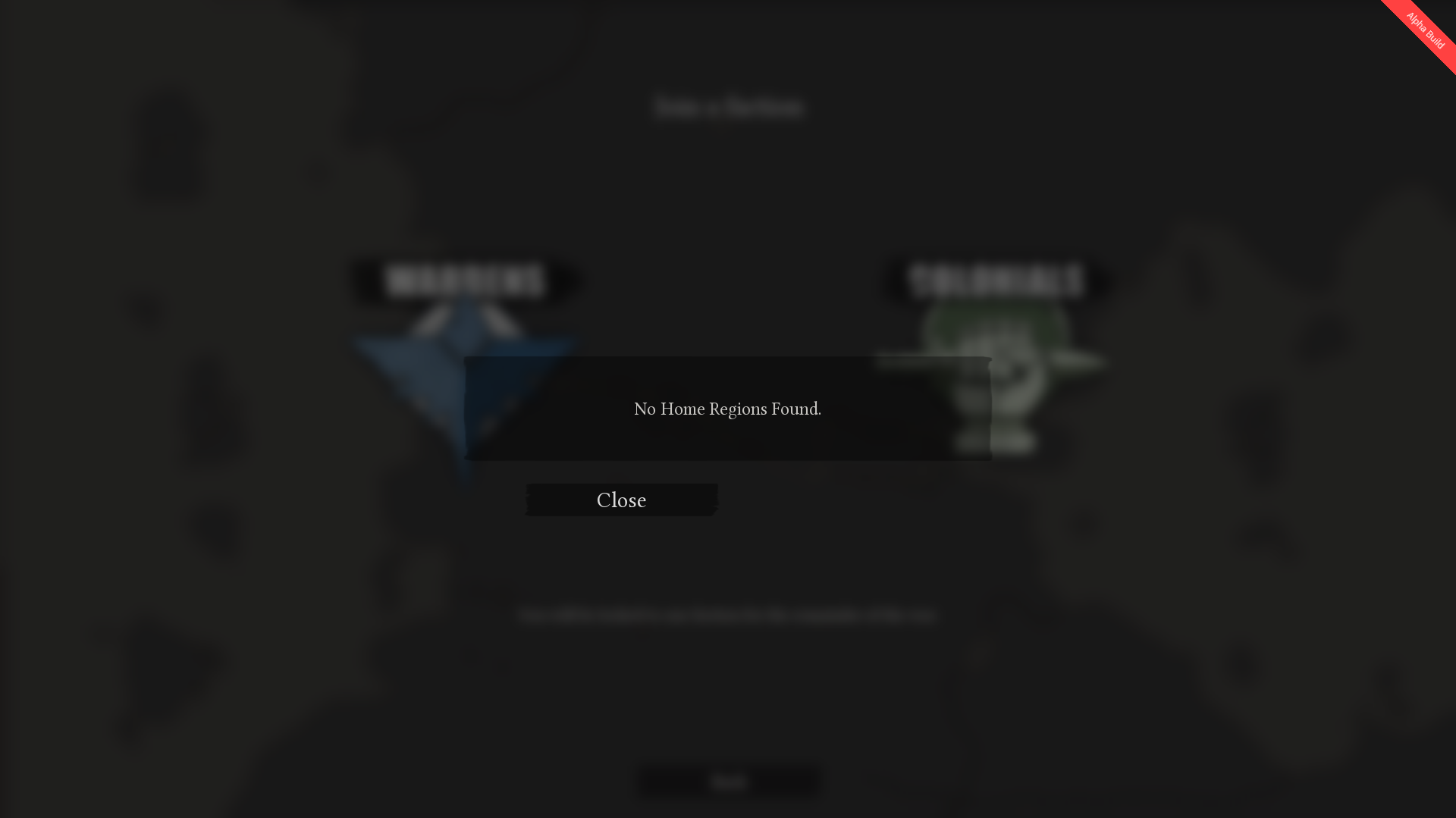
Hello, when I try to join the war in the new version, I click on a faction and I get a message saying "No Home Regions found". What can I do?
dim salmon
Can't change resolution, since last version of game
 proud schooner
@dim salmon probably want to put that into #bug-reports
Include what your actual resolution is set to as well if you don't mind.
 lapis wave
in WC, after passing in other map, i fell out the world ... a solution .?
with a truck
 next rain
So I have since 4 months a Asus VS248HR 61 cm Monitor and I have just the feat that it might have a problem because rarely it turns off and on again, it happend now twice in 4 hours. it is connected to my PC over a HDMI cable. Could it be that the Cable is a bit bad? Or the GPU got a problem? (GTX 1060) or is it a problem with the Powersupply / Powerwallsocket ? I just hope the Monitor is not dying or what else could it be?
sly mortar
@next rain the first thing i would check is the HDMI cord / its connection, because the a GTX 1060 should be able to easily handle a monitor like that, also because that is the cheapest part to replace if necessary
slender stirrup
Hi guys, ive asked this question before, and trying to find a solution to the problem, but has anyone elses headset mic in game became un-readable?? Any help would be welcome.
 plain karma
@proud schooner maybe you can help?
slender stirrup
@proud schooner i was told you may be able to help with an issue im having with my mic in game. It only started not long ago and no one is able to understand me in game due to the fact it is distorted. Ive tried different headsets and still the same issue, but i dont have this issue on other game. Any help with be welcome. cheers
 cerulean magnet
i cant seem to get the camera rotate to work i even after i remapped the button, is this a known issue?
 kind pilot
@cerulean magnet It is not. you are the first report of it.
Does your mouse support middle Mouse Clicking?
cerulean magnet
@kind pilot yes is does. i tried remapping it to keyboard but still doesnt work
kind pilot
@cerulean magnet I see.
Instead of remapping, could you try resetting all the keybinds all to default?
(And remember that you have to hold down, MMB to rotate. Sorry if it's obvious, haha)
cerulean magnet
@kind pilot still nothing on default settings
kind pilot
I'm sorry to hear that.
Do you happen to have a non-english keyboard/system?
cerulean magnet
nothing of the like
i restarted the game and that seemed to fix it
it still doesnt work consitantly however
kind pilot
good to know restarting did the trick.
If it consistently continues to not work properly, please post it in #bug-reports with as much info as you can. We will log it into our issues list.
Cheers
 limpid lake
test
terse flume
passed
limpid lake
ha
 verbal bobcat
i have a technical probem can someone help me i have the developer game version i have proof of screenshots

\https://cdn.discordapp.com/attachments/424450358576807940/424451618281357312/Untitled.png

 sly mortar
@hallow portalxcom#9588 are you choosing 0.3.4.0 or NONE - Opt out of all beta programs?
wut
@hallow portalxcom#9588
WHAT
verbal bobcat
yes
sly mortar
0.3.4.0 or Opt out? because im apparently unable to ping you, or being a complete fucking idiot
verbal bobcat
im not being a idiot i been asking people in this discord for help some try to help me they say i need the developers help
 minor junco
Check your firewall or router
verbal bobcat
ok iwill have a look
terse flume

I cant log in and change profil name and etc
anybody can help?
I never play this is first time
minor junco
<@&282920218462912512> help this poor soul ^
 cosmic elk
Weird problem
i'll see what i can come up with
@terse flume have you tried restarting steam and trying again?
 static shadow
@terse flume its a connection issue. has to do with your internet
verbal bobcat
im currently talking to the developer right now they are trying to helpe me
terse flume
Yes i try to restart steam switch off ale firewalls
all is good with my internet connetion
@hallow portalxcom#9588 if you have any news please write it discord
verbal bobcat
yes ??
 stray jewel
You've been going online and offline constantly
It's probably connection like they say
terse flume
no I have the same problem and my connection is perfect
so this is other problem
please fix it
I buy game and pay for it and cantt play
RESOLVE, cheak how much you have internet adapter, I ahve two unistall one and all works great
chinse numbert two
torpid stag
I have the same problem, only happens on my 4G connection, which is a bit strange as it works perfectly on other games like CS:GO for example.
 rustic pagoda
it keeps saying:failed to find server.Please restart Steam and also verify that you have latest version of the gamebut i have veryified game files and have the latest version,and if i try to join the war,it says no home regions foundcould you please help me with this problem,as there are no help forums that address this issue
 ancient frost
Ok guys, what the flip?! I went to play the game for the first time since the rad new update and my screen is flickering all sorts of interesting ways. I thought it was the menu so I bravely pressed on! No...it's the main game too. Everything flickers weird greenish/redish and fire and hands are pink. fx-8350 processor, nvidia 1060 6gb with latest drivers and 16gb ram.
ancient frost
I actually just did that lol
proud dagger
So how did it turn out
ancient frost
Yes it seems to have done it. I went with the 2715x1527
About to log in to the game world
proud dagger
Haha it's a thing that happens to some gamers
@ancient frost rmbr if u need questions just ask
ancient frost
Yeah I get all the luck lol! Thank you very much 😃
proud dagger
Np
 foggy fern
Whenever I go into a server, my internet stops working for everything but the game, does anyone have a solution?
proud dagger
@foggy fern does it suddenly freezes your processing ?
foggy fern
I'm not sure, all i know is when I hop into a sever the game works, but everything else that needs internet stops working
foggy fern
i waited close to 10 mins, but the internet would only work after I closed the game
terse flume
Whats up?
proud dagger
@proud schooner read above
foggy fern
So... does no one have any ideas as to what's causing this?
proud dagger
@foggy fern no it seems new
foggy fern
so it turns out my internet will still work but everything is taking much much longer to load now and some sites won't load at all, which is odd since I have pretty fast internet
 sacred crown
Are you positive there are no other downloads running or any high definition videos streaming? What is your internet speed?
@foggy fern
 unreal finch
<@&282920218462912512> Is there a major lag issue with some players? I have been experiencing disconnects and lag when ive previously been able to play without said issues
proud dagger
@unreal finch could be due to the recent unprecedented spike in players
unreal finch
@proud dagger any solutions? so far
proud dagger
@sly mortar wrong
@unreal finch the devs maybe hopping in and dealing with it soon hopefully
unreal finch
causing much austisim and unplayableness right now
unreal finch
@proud dagger stop hiding as letterman darkling
 loud rose
So, i try to join a war, but when i choose a faction it loads but stops and says "no home regions found"
 atomic zephyr
Hmm, I was wondering if we can change in-game name without changing Steam Profile name. Is it possible?
proud dagger
@atomic zephyr no not yet
 vocal cipher
@loud rose check pinned messages
There should be a steam thread posted in October that has fixes for your problem
atomic zephyr
Thanks Letterman
proud dagger
Np
 opaque spoke
Hello, my friend is having an issue where he gets kicked by the server whenever he tries to join one
We don't have a clue why this is happening, my game is working perfectly
proud dagger
He gets "Connection Timed Out"?
opaque spoke
Yes
 opaque spoke
Nvm, I think we found the solution !
opaque spoke
Thanks for your time and sorry for bothering you
opaque spoke
Firewall
proud dagger
Ah yeah that is one of the things u should disable for this
 median dome
So I'm that friend, (10 minute timer just expired). Still got the bug
proud dagger
U do?
median dome
Whenever I get in a game, I got a set time before I disconnect. And it's not just the game, my entire PC crashs
proud dagger
Hm
Check the steam discussion
And come back if u have done everything and it still happens
 thorn rover
 rose mango
seem to be still getting it
 main sedge
Hey there
So I bought the game yesterday, and as some people, I can't play the game because of the "no home regions found" error
I've already tried all the tips of steam thread without luck...
If someone has an idea...
median dome
Read all the instruction on the steam post and none answers my problem, I get disconnected after 1 min or 30 seconds of play
rose mango
Server problems?
proud dagger
@thorn rover thanks
proud dagger
<@&282920218462912512> I may need your guys help
@rose mango so is your issue solved ?
loud rose
@rose mango How? I still cant get on
proud dagger
@median dome @main sedge your issue still persists after trying the technical advice in the steam discussion ?
median dome
Yes
proud dagger
Oh crap I may need help over here
 wicked rampart
I believe people restarted steam itself, it fixed it for them
proud dagger
Seems like u all have the same problem
terse flume
Guys, so I am using non-english keyboard and the game cannot recognize, nor bind the "select equipment" buttons, 123. More precisely +ľš . I can confirm it working in most games and if not, it is bindable. Is there any workaround to this other than binding it to different keys?
loud rose
I restarted steam, didnt work
plain karma
these guys have gone through the steam post in 2)
but still couldnt fixed it.
even the ports?
median dome
Restarted whole computer and looked at everything that MAY be connected to Foxhole in addition to both Foxhole exe's in the firewall
proud dagger
@kind pilot @proud schooner apologies for tagging u both
But seems like we have a frequent amount of people who either a) has not been able to connect and get timed out
B) game is still not able to find home region
main sedge
Oh and I tried Wireshark, and it seems that the game send udp packets to some servers and get responses but nothing more
proud dagger
So Jatzuli your issue is that u cannot connect into a server ?
median dome
It may be solved... Game didn't crash yet and it's been 4 minutes
It disconnects me
I can connect and play the game for about 1 minute at a time and bang it's over
Seems like it's okay now though.... But it may crash again. If it does, I'll post the crash screen
wicked rampart
If possible I would also try restarting the router, unplug and plugging it back in. Then trying to connect to the home region again.
@median dome Glad it works for the time being 
median dome
😃
proud dagger
Alright one down
 pliant spade
@proud dagger i have tried all the things that the page has told me to do and nothing happened
proud dagger
alrighty so all of u cannot connect to home region ? @pliant spade @main sedge
@loud rose ?
main sedge
yes
pliant spade
yes
proud dagger
Is that the case currently ?
loud rose
I cannot
kind pilot
Sometimes, when the trafic peakes, the connetion to the server might be timming out.
We are spinning more server and it should take care of the incomming trafic
proud dagger
Really?
kind pilot
@pliant spade that might be something else, then.
pliant spade
ya i just now noticed that there is a discord
kind pilot
so you cannot connect to the home region?
loud rose
I had the same problem a few months back when i first bought the game, gace up and refunded it, thought to try again now but i dont get what im doing wrong.
pliant spade
yes
loud rose
So its not a right-now problem for me it seems
pliant spade
and i have tried all the steps that could fix it
loud rose
Same here
kind pilot
Ok. Does any of your games crashes or simply it cannot connect?
loud rose
Cant connect
pliant spade
cant connect
loud rose
Lauches up fine, no problem
pliant spade
it says no home servers
loud rose
^
kind pilot
Just out of curiosity, where are you guys located, in the actual world?
pliant spade
America
loud rose
EU
kind pilot
hm.... it's probably not high ping, then
main sedge
France for me
kind pilot
and you both tried completely disabling any anti-virus or firewalls (temporarily, just to test)?
pliant spade
yes
loud rose
yes
proud dagger
@main sedge have u tried it too?
main sedge
yes
kind pilot
ok. another thing.
can you please try "verifying files" for the game, a few times on steam?
sometimes Steam thinks it has the latest patch but it doesn't
pliant spade
still not working
main sedge
same thing: not working
 marble sail
I've got the same problem, the game says "No home Regions found"
I've bougth the game 3h ago
loud rose
^bought the game last night
pliant spade
i bought the game a while ago, so i cant refund it
kind pilot
ok. another possibility:
Are your PCs' connected directly to the modem, through a cable?
Are you connecting through a regular modem? (We had people with similar problems trying tot connect the game through their phone)
main sedge
cable
marble sail
I'm wireless too, but I'm using my phone as Hotspot
loud rose
cable here
kind pilot
For those using wireless, if you can please connect to a modem through cable. This way we can discard that as a problem. The update change some connections.
For those already on Cable, can you verify that the game is white listed on windows firewall and/or if the modem has a firewall of it's own blocking the steam ports?
pliant spade
i am incapable of connecting a wire to my modem
marble sail
Same here
pliant spade
so the problem is that i need to have a wire to my modem right?
kind pilot
i'm not sure if it is the problem per se. But I'm trying to rule it out as a possibility (which it might be)
kind pilot
I hope you get to play. Best of luck
pliant spade
thx
main sedge
In my case, windows firewall is still disabled right now, and there is no firewall on my router
(well it's not activated)
kind pilot
@main sedge do you have any anti-virus? it's usually the culprit in these cases. (sometimes people forget about it)
main sedge
just windows defender, and disabled too
loud rose
I has away for alitte; All ports are correct, tried completely disabling firewall, and still 😐
marble sail
Okay, my problem has been solved. I've restarted my modem, then my Firewall ask me if I want Foxhole have access to Local and Public Network, I've Say Yes to all and now I'm able to play
main sedge
@marble sail lucky you 😃
loud rose
how is it workign foryou and not me?
marble sail
Yes, but I was timed out, and the problem had been here again one time...
I don't really know why...
main sedge
So i checked with wireshark one more time : the game send one message to a server which respond (with its name, build id, etc)
then the game send a new message to the same server but didn't get a response (3 times)
If I can help you to solve this problem, I would
proud dagger
@kind pilot @proud schooner sorry but these guys still have the issues
kind pilot
I'm talking to some of the other devs, checking if there's any anomaly in the home region servers. So far, nothing detected.
loud rose
Sorry for causing issues xD
 hot oak
@pliant spade Did you get your problem sorted?
proud schooner
@main sedge Out of curiosity, what model of router do you have?
main sedge
@proud schooner it's a SAGEMCOM F@st3686 V1B
proud schooner
No router after the gateway?
main sedge
no
terse flume
Not sure if this is the right section but... Gunboats cannot pass through borders?
Or well, ships in general.
minor junco
Mhm
terse flume
Damn.
minor junco
They’re working on that
terse flume
That's sad... But thanks.
torpid stag
I also have to same issue with "No home region found". It only happens when I use my 4G connection (I am connected to a 4G modem with an Ethernet cable).
If that can help the devs
I restarted the modem, Steam and my PC multiple times
 main valve
my mic is not connecting to foxhol
torpid stag
And before the update I couldn't see most servers
main valve
e
terse flume
okay so
you can't travel through river
but travelling through sea borders... yields funny results

Steam Community: Foxhole. k
the boat can actually move
loud rose
Anyone managed to find a fix yet? 😃
 stable gulch
Hi guys. I just bought the game and cannot connect. It seems that it kills my internet connection. I tried to download game two times. During joining i can observe huge ping and after that connection timeout
Reply from 172.217.20.195: bytes=32 time=9ms TTL=55
Reply from 172.217.20.195: bytes=32 time=6ms TTL=55
Reply from 172.217.20.195: bytes=32 time=822ms TTL=55
Request timed out.
[...]
Request timed out.
Reply from 172.217.20.195: bytes=32 time=64ms TTL=55
Reply from 172.217.20.195: bytes=32 time=26ms TTL=55
Connection is back after i kill the game client
proud schooner
@stable gulch Are you still observing a high ping?
 austere sierra
hey guys i geting lost connection to server all the time
wicked rampart
Solutions to try:
-
Try restarting Steam (or even better your PC).
-
Ensure that you have opened Steam Matchmaking ports on your firewall/router.
-
Ensure that your anti-virus software is not blocking Foxhole and that it has been put on a whitelist.
-
Ensure you check Windows Defender, even if you don't have a 3rd party Anti-Virus. As a simple test, disable all anti-virus software (Incl. Windows Defender) to see if it's blocking visibility of servers.
-
Set Max Pings settings in the Steam client: Go to Steam -> Settings -> In Game. Go to the dropdown box labelled In-Game Server browser: Max pings/minute and set to 500.
@austere sierra
minor junco
He’s losing connection not not being able to join
 tall zephyr
Im having an issue where I launch the game and the window pops up in my taskbar and I can hear the music like im in game but it wont actually open for me to play.
 livid pewter
i just porked

 cosmic mortar

 warm jackal
It happened in the middle of me playing, and has only happened once
seemed to be a situational type of thing
tall zephyr
@proud dagger I waited 10 mins
tall zephyr
@proud dagger It just alt tabs out of the window.
tall zephyr
I turned it off the last time i launched it
proud dagger
My advice is to check pinned messages and see if u have tried everything
@warm jackal it's probably due to the overflow of people
warm jackal
o
 exotic marsh
I have the same problems as some people above, I have tried everything in the pinned messages including opening ports that may be blocked, although I have never had problems with other games not connecting to servers. The error is 'no home regions found' I don't understand the issues, I have restarted my computer, restarted the router, opened ports, reinstalled the game twice, I cannot think of anything else.
 slender wave
Not sure if it’s a technical issue, but I can’t seem to use voicechat. Whenever I push T, I don’t think my teammates hear me, and It doesn’t seem to work when I change the key. Any ideas?
proud dagger
@slender wave ah that is an issue with some people too
Check if steam mic is working with the input
Along with maybe restarting to see how to fix it
<@&282920218462912512> my knowledge of the mic issue is limited can someone help me
slender wave
Also, how would I switch the chats between local and team and specific players?
slender wave
Thanks so much
stable gulch
@proud schooner I will try after the work. I will let you know if it is working now.
 west islandBOT
Sir is AFK: Possibly sleeping. For in-game or Discord assistance, #344873396850655235 - 28 minutes ago
plucky bluff
this worksfor every mod?
proud dagger
@plucky bluff yes
 steep ravine
Hey, when I try to join the war I get an error message "No Home Regions Found", I've made sure my firewall isn't blocking anything to do with the game.
proud dagger
@steep ravine have u tried everything in the pinned messages ?
steep ravine
Doh, I'll run through those now. Thanks
proud dagger
if u are still unable to
It's probably due to the overflowing numbers of people in home region
steep ravine
Ah right, I'm in the UK and it'd 7.30am so not sure that will be it. Thanks I'll run through the troubleshooting in the post 👍
 brave crane
I keep getting the same error since yesterday, haven't succesfully joined a lobby since
 crimson moat
<@&282920218462912512> any 1 seen this b4?
minor junco
It’s a connection problem of some sort
brave crane
haven't tried to make a custom Firewall rule, I've tried restarting steam but I'll try again in a minute
 stone igloo
@brave crane A few people have recently reported this, the only thing i can suggest is restarting steam, I had an issue similar to this before and restarting steam fixed it. I hope that helps!
brave crane
Aight, restarting doesn't seem to work, logging out / in right now.
Nope, still the same. Already tried reinstalling and my firewall is non-existent at the moment. Guess I shall be waiting for an update.
 upper creek
All it means is connection error
brave crane
I know, but nothing has changed since the last time I played it
Maybe there's a NAT issue, gonna kill my router real quick
Nope
gonna restart Steam for the 4th time right now, after that I'll just give up until there's a hotfix.
proud dagger
@brave crane it is probably due to the overwhelming pop
brave crane
Think I got a bandaid
Switched to alpha 3.4.0, loaded up the game and some servers showed. After that I went back to the menu and selected servers again. From then on they stopped appearing. I think they're having connection issues due to clients who were recently active
Opting out of alpha rn, files are getting redownloaded. Will check again
Still no progress with current version. Will try later in the day, maybe it's the overwhelming pop.
 grim sun
please how change faction?
plucky bluff
@grim sun you can choose 1 faction for the whole war.
grim sun
How long whole war?
plucky bluff
We don't know long this war will take, it might even take real life weeks.
 round vapor
plucky bluff
round vapor
plucky bluff
2 weeks, but only on 1 of the regions/maps
stable gulch
I'm still not able to play. Result of pinging google site wile trying to start the game:
It kills my network connection :/
Reply from 216.58.215.67: bytes=32 time=8ms TTL=55
Reply from 216.58.215.67: bytes=32 time=1663ms TTL=55
Reply from 216.58.215.67: bytes=32 time=3550ms TTL=55
Request timed out.
Request timed out.
Request timed out.
Reply from 216.58.215.67: bytes=32 time=2752ms TTL=55
Reply from 216.58.215.67: bytes=32 time=33ms TTL=55
Request timed out.
Request timed out.
Request timed out.
Request timed out.
Request timed out.
Request timed out.
Request timed out.
Request timed out.
Request timed out.
Reply from 216.58.215.67: bytes=32 time=86ms TTL=55
Reply from 216.58.215.67: bytes=32 time=144ms TTL=55
Reply from 216.58.215.67: bytes=32 time=18ms TTL=55
torpid stag
@brave crane What kind of connection do you have? Foxhole only works on ADSL for me.
 plush ledge
Guy where is a shipping.exe ?
brave crane
I'm in a dorm, got my own router with NAT. I'm getting a save 30mbps on my own through cable. So I'm guessing Fiber or Coax w/ some enforced QoS. Don't think that's the problem though, Didn't try pinging while connecting. Gonna do that right now.
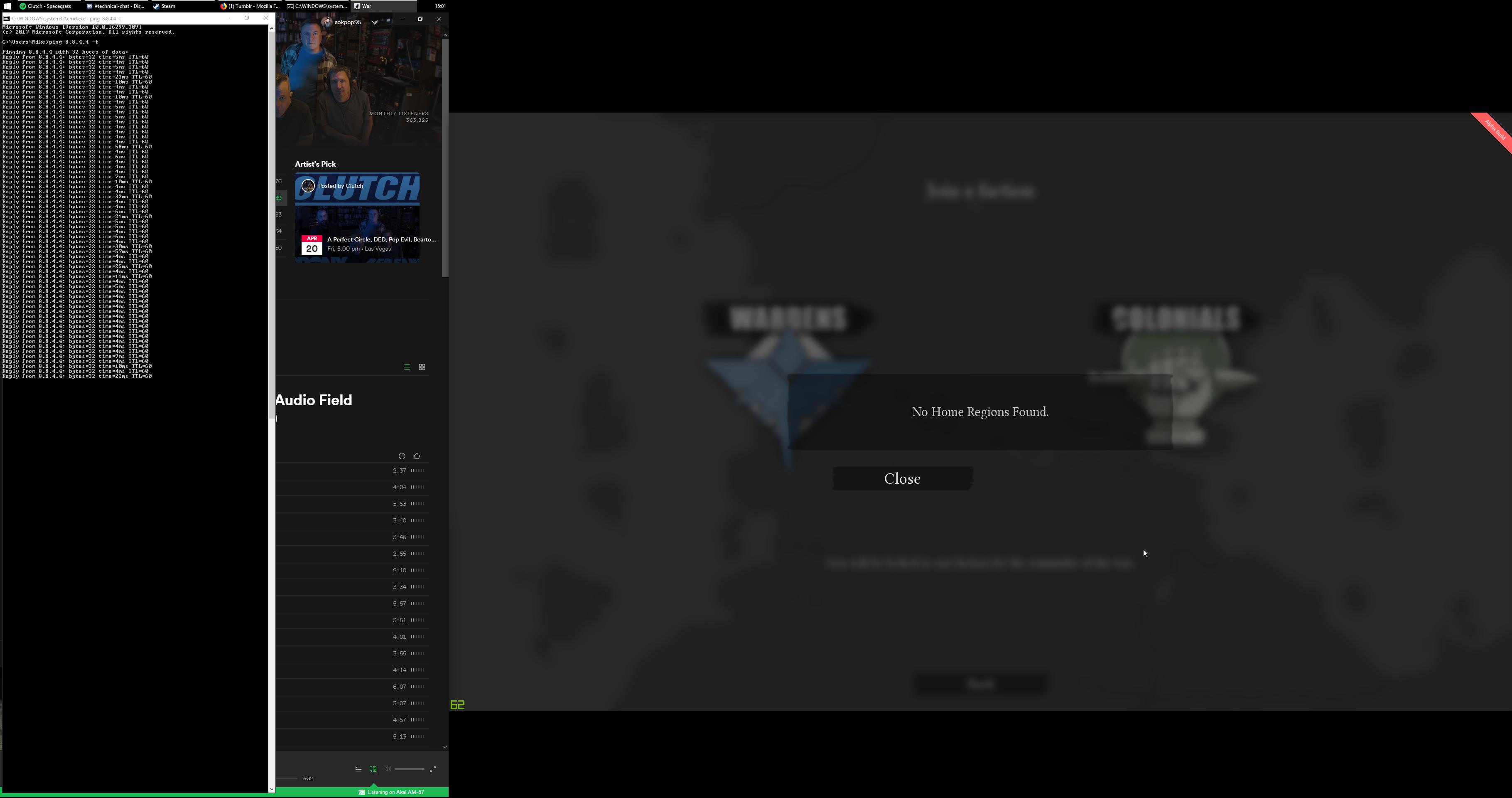 torpid stag
I'm on a 4g connection with a huawei router
brave crane
Hmmm, don't think the problem is client related then
torpid stag
Well, I just have to use another connection to be able to connect, without reinstalling
brave crane
@stable gulch Have you tried turning off all the other Network Adapters while starting the game?
torpid stag
So maybe the game doesn't like certain connections?
brave crane
Got all my VMware adapters off, even my WiFi adapter I don't use.
Wait I haven't
This is going to be interesting
brave crane
Same here
stable gulch
@brave crane I have only one adapter.
exotic marsh
I have the same problem and I have absolutely no reason why it is not working as well, disabled avg + windows firewall
 analog sphinx
Cannot join the server, says home region not found.
brave crane
Still can't connect, is it really overcapacity? This seems weird.
torpid stag
I don't think so, before the update I couldn't see all the servers
 frosty kestrel
Do you guys think that PUBG will work on Intel Core I3 3240 and GTX 1080 on medium-high graphics????
Please DM me.....
brave crane
Damn dude, in the end your I3 will start to become a bottleneck. I don't know. PUBG is badly imbalanced so buying a 1080 pure for that purpose seems a bit too much.
proud schooner
Games are becoming more CPU intensive again these days.
 foggy pelican
are you guys having connection issues too or is it just me
 queen light
<@&282920218462912512> Yo, whoever know tech this guy needs some help. I’m bad at it.
wicked rampart
@foggy pelican Definitely not just you, I would suggest the following.
Solutions to try:
-
Try restarting Steam (or even better your PC).
-
Ensure that you have opened Steam Matchmaking ports on your firewall/router.
-
Ensure that your anti-virus software is not blocking Foxhole and that it has been put on a whitelist.
-
Ensure you check Windows Defender, even if you don't have a 3rd party Anti-Virus. As a simple test, disable all anti-virus software (Incl. Windows Defender) to see if it's blocking visibility of servers.
-
Set Max Pings settings in the Steam client: Go to Steam -> Settings -> In Game. Go to the dropdown box labelled In-Game Server browser: Max pings/minute and set to 500.
foggy pelican
i already tried some of these, but let me try the rest of them, thanks
queen light
I find that anti virus gives a lot of games issues so my money is on that.
terse flume
got it to work by restarting pc
torpid stag
I have multiple internet connections and it works only on some of them, so it can't be the client
foggy pelican
i tried all of these and it didnt work but i noticed that my steam is not responding when the game disconnects
so maybe steam has a problem ?
 sinful stag
I really really like this game, but the server connection issues are driving me away from it because I can only connect successfully like 1 out of every 20 times. None of the fixes listed have worked for me consistently. It's sad because this game could be huge.
foggy pelican
same here
queen light
Hmm, I don’t know what else to say at this point. I’ve never had these issues personally so maybe it is hardware issues or something not directly related to the game?
torpid stag
The game works on my pc
Just not with the 4g connection
And I can play other games with that connection
Maybe it's a special case that wasn't thought about?
 cyan thistle
I keep getting No Home Regions thing 😦
And I just bought the game
I checked that my ports are open and whatnot
does this mean that the servers are full or there are none on the east side of europe?
sinful stag
Is there a way to give info to the devs that would be helpful in solving this problem? some sort of report I could generate with my hardware/software and a place to send it?
foggy pelican
im trying for like 3-4 hours and its still the same im getting crazy
 nova coral
Are the servers down or is this just me?
foggy pelican
i hope servers are down
thorn rover
Servers are not down atm
nova coral
I played around 5 hours yesterday no issues what so ever. Today I played for one hour, the game froze and when I reopened it it said I couldn't connect to server.
I'll try restarting my steam and pc, then potentially uninstalling and reinstalling the game and seeing if that solves anything.
thorn rover
Mhm
nova coral
Probably due to the game being on sale
foggy pelican
seems like that
thorn rover
But um, I recommend verifying the game files just incase
nova coral
Can't handle the new load of people, I mean yesterday I was in a queue for like an hour and a half haha
and yeah I've done that one Cookie
torpid stag
I had the problem before the update and the 2k players
thorn rover
Alright
nova coral
Thank you though 😃
thorn rover
It's probably just the servers being stressed out if none of the provided solutions in the pins work
or check your anti-viruses, there's been problem of them blocking the game
torpid stag
It doesn't block the game, it works with another connection, the problem can't be client-side
thorn rover
hm
 lunar wing
im so confused after i reinstalled foxhole the first time it was working then i launch the game again and it fails to find servers???
brave crane
Same
thorn rover
@proud schooner halp
lunar wing
 torpid stag
You should try to restart Steam
thorn rover
well thats quite outdated, verify the game files
torpid stag
Or just disconnect and reconnect
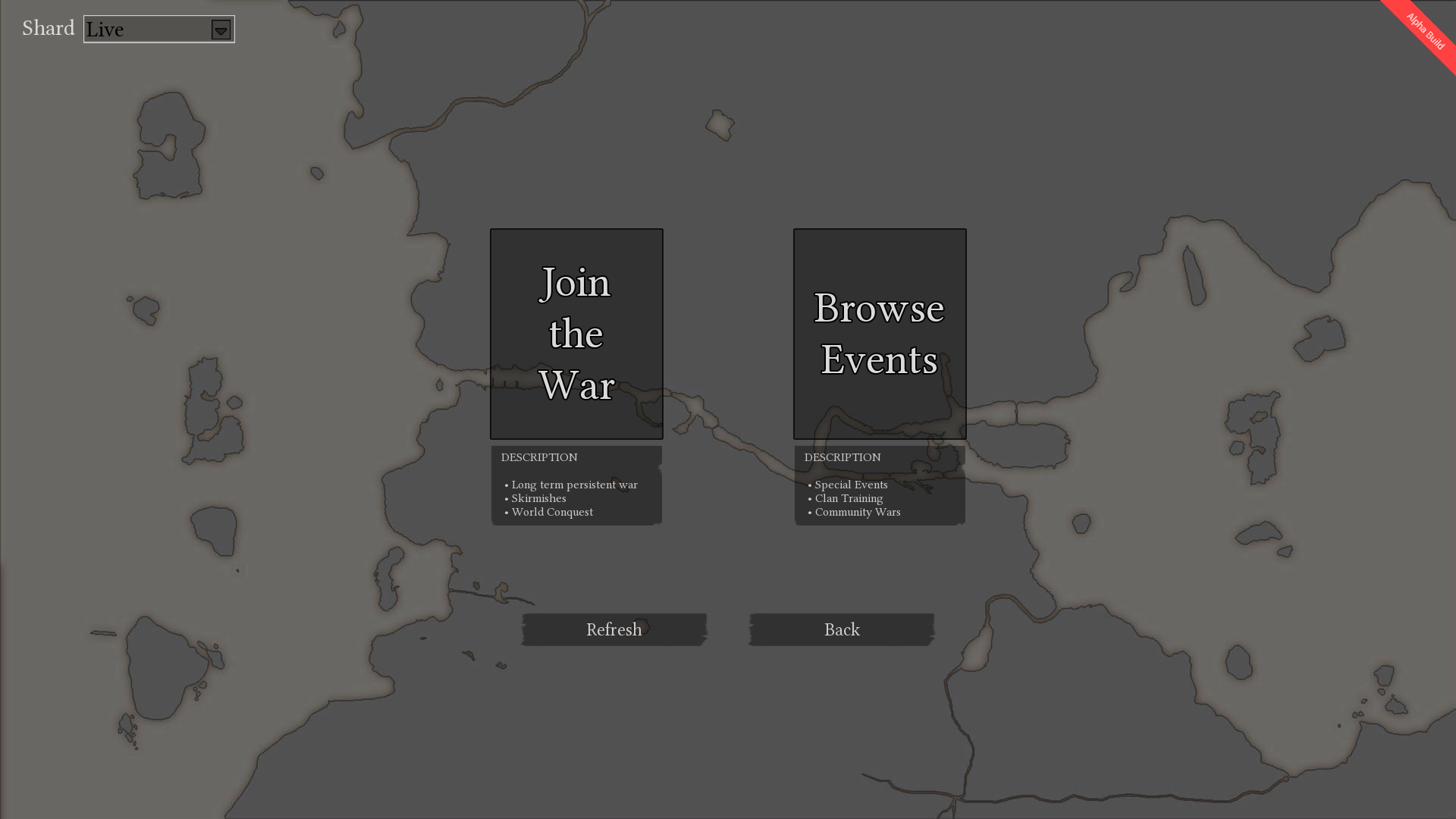
There is still a server browser in the new version right?
thorn rover
There shouldn't be
torpid stag
He may be in "Browse events"
 torpid stag
But you should go to the war instead of the events
lunar wing
ok, thanks for the help!
terse flume
so i have a question for the ingame voicechat, is the audio from the computer taken in as mono or stereo?
might be a dumb question but i'm not the best with audio
i'm assuming it's mono since it mixes with ingame sound.
 valid schooner
@terse flume On your end of things, it's all dependent on what your sound properties are set to. It's your choice whether you want mono or stereo. Mono is just the same signal out is pushed to BOTH or ANY sound device, and stereo sends it to separate channels.
what are you trying to remedy?
terse flume
my mic inputs only mono, and i know that this can sometimes be an issue as on OBS it is only heard in the left unless i change my OBS settings. But now that I think about it, I'm pretty sure this wont matter in foxhole
because the ingame voice chat is dynamic right? as in it's not like an "overlay" of a voicechat
 celest plinth
how do i fix everyones mic from being all stuttery?
valid schooner
@terse flume when your input goes into the game, the mono will not or shouldn't push out a mono signal to the players around you. so as far as your mic it should be fine as far as games are concerned. for instance I have a mono mic and i have been using it in foxhole for some time and never had complaints about it being in only one side
@celest plinth if you are in the training ground or home island, that is currently a problem in that sector that will be taken care of in time. when you enter a war it should go away.
terse flume
alright thanks for the confirmation
celest plinth
@valid schooner thanks, went away in skirmish 😃
valid schooner
@terse flume @celest plinth Np anytime ❤
 hushed tinsel
hey, I can't seem to get my microphone to work in game. It's connected to my computer, and I have verified that it is on and working. I also do have Voice chat active in settings. Any help getting it to work?
<@&282920218462912512> ?
 strange acorn
I'm having the exact same problem
terse flume
Hm
wicked rampart
Foxhole uses the microphone from steam, do you mind testing your microphone there?
hushed tinsel
If it's worth noting, I got the headset today, and my old headset was working fine there.
Sure
OHH ok so it's still connected to my old headset
one sec
wicked rampart
Haha @strange acorn how about you
wicked rampart
And when you talk into the test you can here your voice in the feedback?
wicked rampart
Nice! Make sure you restart Foxhole just in-case haha
strange acorn
thanks for the help
wicked rampart
Or not, if it's working! Anytime
@hushed tinsel Just send another msg if it still isn't working haha
hushed tinsel
@wicked rampart Yeah i'm having buncho mic problems i think
Can you hop into tech chat to see how the mic is working in Discord?
as in tech voice chat
@wicked rampart ?
 solid belfry
I've been having complete problems even to play Foxhole in general and I only just bought this game this afternoon and I've been completely unable to play due to constant connection drops
someone plz send help
<@&282920218462912512>
loud rose
<@&282920218462912512> Any info on what can be causing the "No home region found" issue yet?
proud dagger
@proud schooner ^
proud schooner
It's actually the same issue as the "no servers" issue that used to be
So, same steps to troubleshoot it apply
loud rose
I did.
Followed all instructions, nothings blocked.
Had someone else double check aswell.
proud schooner
Solutions to try:
-
Try restarting Steam (or even better your PC).
-
Ensure that you have opened Steam Matchmaking ports on your firewall/router.
-
Ensure that your anti-virus software is not blocking Foxhole and that it has been put on a whitelist.
-
Ensure you check Windows Defender, even if you don't have a 3rd party Anti-Virus. As a simple test, disable all anti-virus software (Incl. Windows Defender) to see if it's blocking visibility of servers.
-
Set Max Pings settings in the Steam client: Go to Steam -> Settings -> In Game. Go to the dropdown box labelled In-Game Server browser: Max pings/minute and set to 500.
loud rose
Turned of Win defender/firewall, set max ping to 500 (was at 5000) and have reinstalled the game, restarted steam/the computer and router.
Turned defender & firewall back on ofc after it not working but other than that i cant see whats wrong.
 proper remnant
Should pressing the push-to-talk key show the mic icon on your character?
terse flume
Yes
proper remnant
Doesn't work for me
main sedge
Hello everybody,
So I still have the the "No home region found" issue (I have already tried all the solutions since saturday, see above)
I tried the game on a laptop (on the same network) and it works fine
plain karma
@jaunty lodge here cant hear anyone ingame with voice chat. <@&282920218462912512>
 marble rivet
 is it muted?
 jaunty lodge
i dont know
marble rivet
Check under options, i think theres a disable option
The vice versa, maybe their mics dont work properly and they arent actually broadcasting
jaunty lodge
jaunty lodge
all
marble rivet
Usually when you broadcast it has the little speaker.
Hmmm
Depending on what youre playing mode wise, have you tried restarting the client?
Might just have a bad connection set running for the steam voice
marble rivet
?
jaunty lodge
sry i will try to understand. i dont speak eng much
i am plying skirmish
but it might be bad connection cuz i am in thailand but i think the server isn't
marble rivet
Thats perfectly fine 🙂
If you are able, restart the game as it may be just a problem with the games server connections
It may just be tje games fault as the voice uses steams voice chat system
jaunty lodge
i restarted foxhole but it still broken but i didnt restart steam yet
if i shutdown my computer will my steam close?
marble rivet
Yup, itll close steam and everything else
jaunty lodge
ok so i restarted it
marble rivet
It may be a steam issue, but i cant say for certain if a restart would fix
tall zephyr
yeah im still having my issue, been 2 days since i emailed the devs im praobly gonna refund.
 iron swan
Hey, just picked up Foxhole and I'm wondering if there's any way to make the game run better on systems with low-end graphics. I've lowered the resolution and settings already.
plucky bluff
@iron swan http://steamcommunity.com/sharedfiles/filedetails/?id=1092908076 this helped me

How to unlock FPS...
iron swan
That's not what I mean
I don't need to unlock my FPS, I need to make the game reach a reasonable FPS
plucky bluff
@iron swan this will not only unlock fps but increase the output of your gpu in the game a little
Idk how it works but it just works
loud rose
Any info regarding the "No home region found" other than being linked the pinned massage? Me and a few others seem to have followed all the steps correctly, and its still not working. I tried the game a few months back but had the same issue then.
 violet schooner
foggy pelican
violet schooner
foggy pelican
im having connection problems since yesterday gonna reinstall the game ill let you guys know if it changes anything
 stray rivet
is there a way to have foxhole have sound when it isnt focussed?
when i alt tab sounds drops and cuts voice chat
 hot rampart
we need more servers there is a 44 queue to the front line
foggy pelican
i wish i havent bought this game i cant refund now...
3 hours passed and i havent even played a bit
that servers driving me crazy
 soft shell
so, finally got over my problem, for me the solution was starting the game up from the game folder, not from steam
 azure rune
is there a way to switch teams? or know when the war is ending so we can swap? found out the people i was gonna play with were on the other side 
wicked rampart
Check out #344873396850655235 Pinned Messages @azure rune
wicked rampart
Anytime
 chrome spear
I have problem, when i instaled the game and instaled UE4 Prerequisites (x64), this programme tell me that the Setup Successful and nothing more. So when i close it the game don't started and if I wait the game don't start too. So what I should do?
Someone to help me?
foggy pelican
i reinstalled the game and when i enter the game, game and steam stops responding and both of them shuts themselves
what should i do now its even worse than losing connection
loud rose
@foggy pelican Did you try launching the game from the game folder?
foggy pelican
yes i did
loud rose
Not at the computer so cant test for myself.
soft shell
@loud rose my problem was that i could not connect to the game
loud rose
:neutral_face:
foggy pelican
i think something blocks it but i disabled my defender and my anti virus
maybe its ports ?
i was getting an error in warframe when i was playing the game and it was about the ports too
brave crane
Any updates on the no home region found problem?
loud rose
@brave crane Try launching the game from your game folder.
brave crane
No succes, gonna run Wireshark to see if packets aren't returning
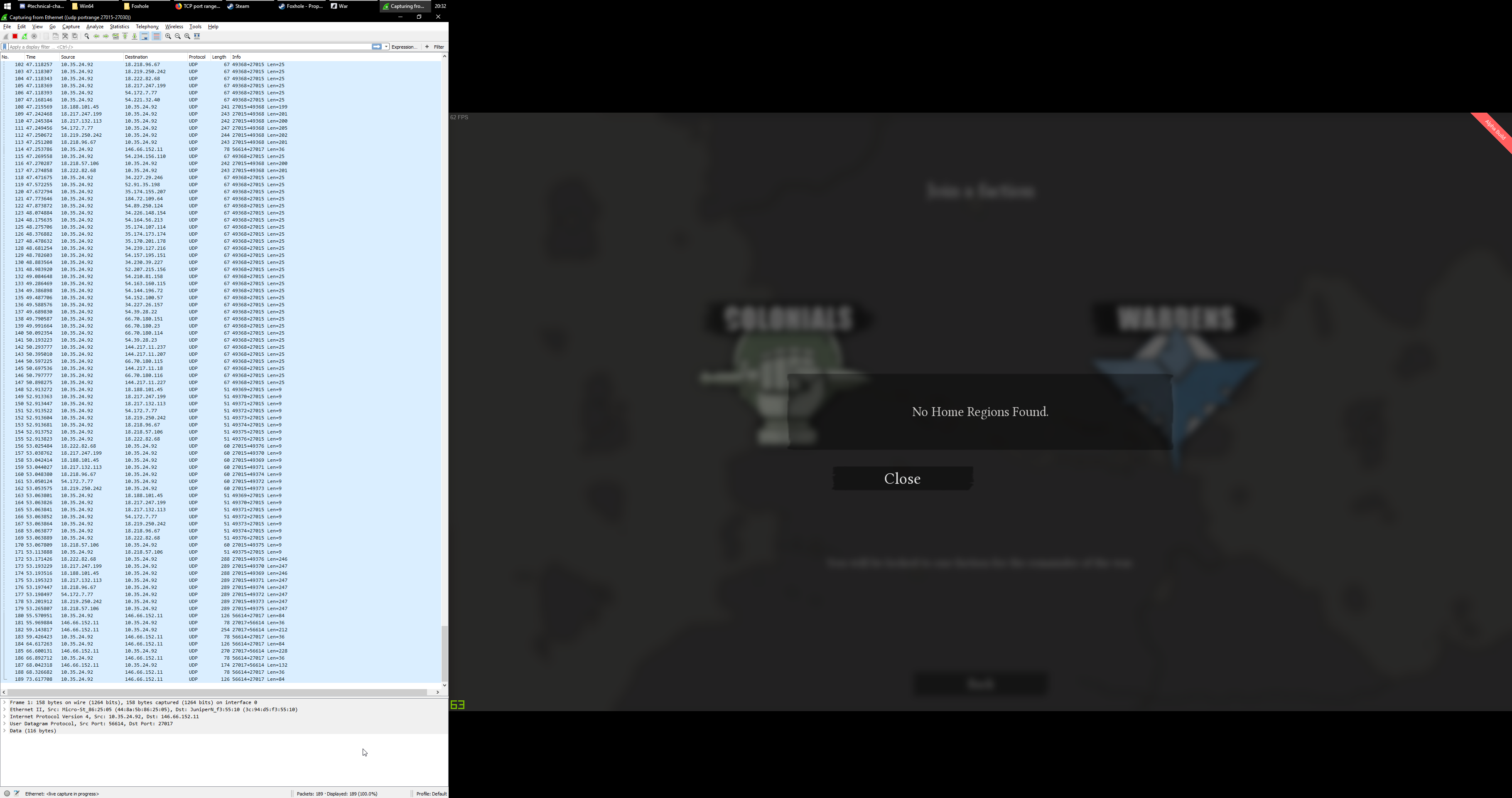
They fucking are
Devs please, I'm getting tired of this shit. This isn't my fucking issue, please just give me back my 20 bucks or ill just straight up write a rant review with all the specific errors im getting. My friends aren't going to buy the game because of this.
And by that I mean like 15+ people who really wanted to invest the time and money into this.
@kind pilot @sick remnant @tidal canopy @golden barn @sweet portal @hot oak @wheat latch @native birch @lofty belfry Notice me
thorn rover
Please don't tag em like that
If you're having an issue tag the ch's or check the pinned mesages for the pinned solutions
kind pilot
@brave crane Hi there
brave crane
The pinned messages aren't working. This shit just straight happened out of nowhere. UnPnP doesn't stop working out of itself.
kind pilot
If you want a refund, we can try our best
I don't know about the process, I have to be honest
Mark is the one that might be able to do it
Unfortunately, he is out of the country this week. But i'm sure he would be able to help you when he comes back
brave crane
Aight, I'll hit him up when he's back. Thanks for responding.
kind pilot
@lofty belfry Can you take a look at his issue, when you have a moment? You might be able to suss out what's going wrong
@brave crane The "no region problem" should have been solved by now.
-if your game is not out of date,
-You are connected to the modem through a wire
-you are not using a cellphone hotspot or anything like that
-You have not firewall or anti-virus blocking the game
I don't see why you are having the issue.
He is more versed in this are than me
 lofty belfry
@brave crane Could you hit Browse Events and tell me if you see any servers?
lofty belfry
Ok so you're not seeing any servers at all, not just home regions. We'll look into it.
brave crane
Thanks man, appreciated.
minor junco
@fiery creek Ask mods in #344873396850655235 to unlock you
 fiery creek
oke
foggy pelican
looks like i solved the other problems but now im having connection to server timed out error...
loud rose
Still, "No Home Regions Found".
 proven skiff
Just quit the game after playing for an hour or two in the war. Started it up again, and I'm getting this now.
Anybody know a solution?
<@&213133977681264640>
 dire ruin
Try restarting steam, and after that your modem @proven skiff
proven skiff
Closed the game once again. Waited 5 minutes, then started it up again. It works now, sorry for the trouble.
solid belfry
<@&282920218462912512> I need help I keep getting connection dropped and cannot play Foxhole with a group of friends and I get insulted because My internet sucks even though I have the best internet money can buy and I need help on why I keep losing connection because every time i go over to the tent my game starts loosing frames and then I get connection lost so I cannot even leave the team spawn centers to go play the game and I paid $20 dollars to play this game only to be completely unable to play it at all.
static shadow
hey doge are you getting an error when the game crashes?
 tardy bison
I can't see any servers or join any random games at all. I've done everything that all of the forums have told me to do. It really sucks that I can't find any servers because I really wanna try this game and I just bought it today and haven't tried it once yet. Does anyone have the solution to this? I've tried verifying the files, I tried waiting for it to load, I tried restarting steam, I tried restarting my pc, I tried disabling my anti-viruses and Windows Defender. I've done everything
solid belfry
No the game doesnt crash at all I just get connection dropped completely
static shadow
he you verified the file doge?
solid belfry
and have to re select a faction and then I run over from the tutorial spawn bunker and then right when I get to the tent i get connection lost or timed out
static shadow
@tardy bison maybe try running the game as admin if you havent already
tardy bison
you can run games in admin through steam?
solid belfry
I've verified my files and it says everything is there
static shadow
@solid belfry have you talked to the moderater sir before he usually knows what to do for technical problems
solid belfry
cause I can play the game but everytime i leave the tutorial area I run over to the faction i joined's tent and then suddenly i get instantly connection dropped and its very disappointing
static shadow
yea i totally get it doge let me ask around about it and ill see if i can find an answer for you
static shadow
darn ok
@tardy bison i know this is a basic question but i want to make sure. are you clicking join the war or browse servers?
static shadow
ok
tardy bison
and when I click browse servers nothing comes up
static shadow
so browse servers is for events you can ignore that one for now
tardy bison
oh okay
proud dagger
@solid belfry I want you to try to join another map other than the one u clicked
static shadow
the no home region found is an internet connection issue
tardy bison
But my internet is fine, I run everything else :\
solid belfry
I cannot even open the tent by the time I get to it and then I get connection Dropped or lost or timed out
then i get loaded back to the games main menu
static shadow
@tardy bison im not an internet expert unfortunatly thats the responce i got from the moderators about that error, for most people if they fiddle with thier internet connection they usually fix the problem. sorry i wish i knew more to help you with your problem
@solid belfry can you try the other tent on the left of the town hall?
also are you wardens or colonial right now?
tardy bison
@static shadow its aight, thanks for trying though, I'll screw around with stuff and hopefully it'll start working
solid belfry
I cannot even reach that tent by the time I reach the tent closest to the tutorial area I get connection lost and then get taken back to the main menu of Foxhole.
static shadow
@tardy bison sorry i couldnt help tell me if you manage to fix it so i can help the next guy
tardy bison
@static shadow okay
proud dagger
@solid belfry @tardy bison most likely both of you are experincing internet issues
probably client side
tardy bison
Lmao I give up, I'll play it when I get a new pc in a few years
 patent tide
proud dagger
patent tide
proud dagger
@patent tide gunboat and CV has the wrenching bug making them unwrenchable for now
please spread the word
 uncut owl
Aw, I spent a huge counter boat operation earlier on an enemies dock attempting to wrench their gunboats
main sedge
any news on "no home regions found" issue ?
 lament stirrup
My game and steam randomly crashed and I had to manually shut down my laptop while holding down the power button.
When I put up steam again, foxhole was found uninstalled.
torpid stag
Still have the "no home regions found" issue
 molten topaz
Hi, I'm facing problems to change faction. I've just tried now before war starts but still receiving msg that it is not allowed
 visual socket
same here @molten topaz
foggy pelican
my game and steam stops responding at the same time and crashes
i just bought game 2 days ago and experienced all of those issues that you r talking about great
and i played this game 4 hours without fucking entering the game
proud dagger
@foggy pelican can u check pinned messages in that steam discussion?
foggy pelican
yes
i did everything that you can imagine
still nothing
yay we made almost 5 hours without playing
how great
proud dagger
<@&282920218462912512> @proud schooner we may need a tech guy in here
west islandBOT
Sir is AFK: Dreaming of endless BMATS. For in-game or Discord assistance, please see #344873396850655235 - 5 hours ago
foggy pelican
i think im going to play the game a few years later when you guys handle everything
because i have no other choise i cant even refund now..
proud dagger
@foggy pelican sorry for the issues
your PC meets the requirements?
and also if you can pm @proud schooner about the issue would be goof
west islandBOT
Sir is AFK: Dreaming of endless BMATS. For in-game or Discord assistance, please see #344873396850655235 - 5 hours ago
proud dagger
good*
foggy pelican
yes i can open the game with ultra settings as i see
maybe its about my internet idk
 agile kelp
maybe something on the ultra settings is setting your video card off
foggy pelican
i tried every graphic options tho
 trim atlas
there might be some problems with cursor and aim thing.. because if you change graphics settings or use the resize thing, it will not change the mouse aim correctly.
foggy pelican
i did the training in a server that there were nobody but when i tried to enter skirmirsh it lost connection
so its %99 about my internet
solid belfry
@proud dagger Im not having any internet issues with all of my other owned games because its most certainly Foxhole which needs a fix
<@&282920218462912512> issue Solved appearantly the game doesn't like my CPU using 1920x1080
static shadow
@solid belfry glad you fixed it
solid belfry
@static shadow its not fixed still broken
static shadow
darn
solid belfry
And at this point Im about to contact a developer because I'm highly disappointed that I cannot even play the game there literally just be a main menu and then join a server not " Login " and then get connection lost over and over and over because I bought this for 20 dollars and Im very upset right now that there is not even a fix to this.
 rose verge
any idea why im getting "No home region found" when trying to play?
proud schooner
@solid belfry Say, would you mind running a test on speedtest.net and share the results?
 frank zealot
@rose verge Strangely enough, that happened to me when I had Rainbow 6 on the background, might have something to do with stuff running on the background
proud schooner
Actually, this is an important piece . Whenever testing, it's also good to also make sure literally nothing else but Steam and Foxhole are running for a test. Even Discord or any other chat application or web browser. I've seen them do some funky things.
rose verge
@frank zealot Thanks, I had PUBG running in the background, seems to be working now
frank zealot
Glad to help
 west sapphire
anyone know why it says no home regions found when I am trying to pick a faction to play?
proud dagger
Yeah I'm here
west sapphire
@proud dagger ok
proud dagger
@west sapphire just give me a sec
west sapphire
@proud dagger no worries no hurry
valid schooner
Issue resolved for @solid belfry above. Remedy: Updating drivers through Geforce Experience.
proud dagger
@valid schooner noted will keep that in mind for the others
@west sapphire tell me if it works
west sapphire
@proud dagger nope but I just restarted pc so still checking
proud dagger
Alrighty
west sapphire
@proud dagger rebooting worked thanks!
proud dagger
Ah np
 left copper
@hot oak why is Naval travel is disabled in qonquest war.?
left copper
ah ok thx
 alpine wharf
Where can I voice my opinion so it's actually looked at and not scrolled past
 wise oasis
 atomic obsidian
why when i jump out of CV builder spot i get disconnected?
happened two times in a 3h skirmish
plucky bluff
Known bug that i reported, make sure you don't hold any mouse buttons while switching @atomic obsidian
terse flume
For some reason I can´t communicta when pressing "T". Do I need a speciel program or what?
plucky bluff
@terse flume check steam voice settings, foxhole uses that
terse flume
OK - will do that - thx
atomic obsidian
I once got stuck in a crouched position - X and C didn't work. had to die to stand again. what caused that glitch?
 lilac steppe
when ever i try to travel to an server it always says that i've lost connection even tho i have perfect connection
 zealous tree
Lost Connection to server. Please try again.
Why do I keep getting this when connecting?
proud dagger
@zealous tree @lilac steppe it is probably due to too many people
lilac steppe
it says that theres only 300 people atm
proud dagger
@lilac steppe its probably that server has many people wanting to join
lilac steppe
I've tried high and low pop servers
 frank sigil
nope unreal 4
terse flume
isnt it Unreal something ? i saw HB mentionned it
frank sigil
unity is a really good engine.
 ember rain
it depends
frank sigil
it only has a bad reputation because everyone can use it and make shitty games with it.
you don't even notice which good games are made with unity 'cause they bought the license xD
ember rain
it' s been 4 years i' m developing in unity , sadly so many features are still missing 😦
 primal basalt
<@&282920218462912512> The Iris is making me drop to 8-6 Fps (already on minimum graphics) can i do something to make it better?
ps: tempest island
 broken mesa
Why this game is not available for macs?
plain karma
check your background processes @primal basalt
primal basalt
How @terse flume ? come pm
plain karma
can you check your task manager
see if its foxhole that's taking up the GPU or the CPU
primal basalt
foxhole takes 1663.928k memory
plain karma
can you take a screenshot?
terse flume
Found a bug.
I can't go to the second page on the monument.
Only displays up to 72
I'm #82.
 gusty jasper
@terse flume Please take bugs to #bug-reports for future cases but actually it shows the top 250 people, not the top 100 ranks
 wintry umbra
Hello admins!. Can you help me?, My friend needs to swap from wardens to colonials. Could it be possible?. Thank you.
terse flume
fix for the queue problem, and other slight changes
alpine wharf
@wintry umbra #344873396850655235
wintry umbra
Its solved, thank you!
 jaunty wyvern
Just got the patch today, still having issues with the "No Home Regions Found". Anyone have a fix for this yet? I scrolled up and saw all of the potential fixes to no avail
Wow, nvm, apparently putting it into fullscreen fixed it
 jaunty wyvern
Yeah, I put it in fullscreen and then all the 'news' loaded and the I was immediately able to get into a game. Odd, but hey Ill take it
 vapid pewter
I'm suddenly getting this No Home Regions Found bug too
I was playing last night no problem
vapid pewter
Anybody?
queen light
<@&282920218462912512> Help this man out. Oh and the future @Sgttater#7264 you want to ping us. That’s how you can get a swift response and don’t have to hope one of us checks this channel in a timely manner.
proud dagger
@vapid pewter try to upgrade and make sure your drivers are up to date
vapid pewter
I did that already
Put a new card in the pc today and got all my new drivers for everything
vapid pewter
Even went to appdata to delete that foxhole file when i uninstalled
proud schooner
Troubleshooting Network-Related Issues
If you're receiving errors such as "No Home Region" or being disconnected, this usually points to a network-related issue.
Due to the nature of network issues, there is never a one-size-fits-all approach to correcting them, however through standard troubleshooting steps, we can typically eliminate most issues.
Steps to Try
Note: these steps are numbered for easy referencing only and do not necessarily denote the order in which to take them
- Close any and all programs on your computer >> Open Steam >> Open Foxhole >> Attempt to get in game
- Disable all antivirus and firewall solutions; Follow #3
- Restart computer completely >> Close any programs that started automatically; Follow #1
- Restart internet Modem and/or Router; May be a good idea to perform #3 after
- Verify all ports used by Steam are open on modem/mouter firewall as well as any 3rd party firewall hardware: https://support.steampowered.com/kb_article.php?ref=8571-GLVN-8711 ; Follow #4
- On Wi-Fi? Try using a physical (ethernet) connection instead
- On Wi-Fi? Try moving physically closer to the modem/router providing the wireless internet
- On Ethernet? Reseat the ethernet cable on both sides; perform #4 as well as #3
- Verify all drivers are up to date. This includes graphics drivers; Perform #10
- Verify Windows is up to date
- Laptop? Make sure the laptop's power/battery setting is set to High Performance.
- Set Max Pings settings in the Steam client: Go to Steam -> Settings -> In Game. Go to the dropdown box labelled In-Game Server browser: Max pings/minute and set to 500. Perform #1
Note: This isn't a conclusive list. With the nature of troubleshooting, there could be any number of things going on. This is generally a good place to start though, and this list will continue to be updated.
@vapid pewter give these a shot
I'd start with #12
proud dagger
@proud schooner is that pinned?
vapid pewter
you want me to do all this or just 12?
 south crest
ah to join battle can i do join war?
vapid pewter
It worked! @proud schooner
proud schooner
@vapid pewter nice! Was it step 12 that fixed it?
proud schooner
Nice!
proud schooner
atomic obsidian
is there a way to hide "alpha build" slapped in corner i'm always aiming at?
plucky bluff
No, aim at the other corner
I mean there's f8 but it hides everything, i think tracer as well.
atomic obsidian
and aiming line?
sly mortar
yes
 light cargo
I'm a little confused at the moment and I was wondering if it is an intentional feature that I get disconnected from every server atleast once so that other players might join the server and get a chance to play on it? I lose my truck and the logistical stuff that I was transporting more than half the time 😦
left copper
<@&282920218462912512> is naval travel fixed in this upcoming patch?
thorn rover
Reading #announcements , it appears not
 modern valve
so it still wont let me switch from warden to col
torpid stag
I tried to change the max ping from 5000 auto to 5000 manual, still have "no home regions"
 hot wadi
i cant join a single server or map
 paper bluff
this game is just awful your server can not withstand such a large number of players, I stood in line for 3 and a half hour thanks !
 remote cave
Ist Not awful ist Fun but the Server sucks
minor junco
<@&213133977681264640> ^
terse flume
iam absolutly new in discord and have no clow what i have to do 😦
 sterile nacelle

terse flume
Hello, some on here who can switch me from Colonials to Wardens?! Iam in Base my name is: Dracely.
Aliliel has to made a short pc break, so he gave me the option to pick some other mod, i hope i found some one :/
<@&213133977681264640> - Hello, some on here who can switch me from Colonials to Wardens?! Iam in Base my name is: Dracely.
proud schooner
#344873396850655235 if you don't mind @terse flume
 gaunt crescent
How can I level up if there are no skirmishes? I work so getting on and grinding is hard. I just need had a level
 heavy mirage
proud schooner
heavy mirage
proud schooner
@winged patio If you did step 12, I'd go ahead and start working down the line of the list
Those steps usually correct this issue
 winged patio
- Verify all ports used by Steam are open on modem/mouter firewall as well as any 3rd party firewall hardware:
i am not sure where do i find ports
proud schooner
Usually it's not something you have to worry about if you have a typical home setup
The ports would be found within the admin page of your modem/router usually.
The linked article there lists what ports need to be open.
winged patio
i have disabled my anti-virus and windows firewall to see if it works still having the same issue
proud schooner
Try the first couple steps
And I emphasize making sure everything, including Discord, is closed when testing
winged patio
okay let me try
okay i did everything @proud schooner except, 5. Verify all ports used by Steam are open on modem/mouter firewall as well as any 3rd party firewall hardware:
i am not sure where do i find ports
i do not know how to do it
i know my other games play fine
proud schooner
Are you on a laptop or desktop?
winged patio
desktop
proud schooner
What's your graphics card (strange question, I know)
proud schooner

Do me a favor and try setting your in-game resolution to something a bit smaller. So if you're normally at 1920x1080, try 1280x720
winged patio
okay
proud schooner
We had a very strange report of screen resolution actually having an affect recently
proud schooner
Looks like you have Discord open as well. Try doing a complete reboot and close out of anything that opens at start, and seeing if it works then, now that we've done a few other steps
winged patio
ok let me try
proud schooner
After, if it doesn't work, go ahead and make sure Windows Update is ran and up to date, and check GeForce Experience for graphics driver updates.
winged patio
of the game?
 sharp pewter
Hi there! Do I need to open any additional ports outside of the general steam ports for this game? I've been rubberbanding like crazy even though my internet speeds are doing well and I don't experience any similar activity in other games.
 hallow nebula
for soe reason my game is capped at 63fps, how do I disable that? I obviously always had VSYNC off
plucky bluff
@hallow nebula check pinned messages
hallow nebula
thx
 peak sphinx
Where can i report "banned from useing weapons?"
minor junco
peak sphinx
Okay thx
 echo grove
Hey, just a quick question - I just bought this game for a friend and he joined a different faction than me by accident, and I was hoping to join the wardens anyway, is there anyway that can be done or am I pretty much screwed?
minor junco
<@&213133977681264640> ^
echo grove
<@&213133977681264640> I am not sure if this is possible, but if so my in-game name is Postal Moose, not sure if that helps anything
 lavish mango
@echo grove I can help you out
echo grove
awesome! yeah we were hoping to play together haha
lavish mango
@echo grove And next time, just go to #344873396850655235 for these types of issues, and join the Colonial home region and I'll tell you when yo rejoin as Warden
echo grove
kk, i've joined now
echo grove
awesome, that worked - thanks so much!
lavish mango
np


 lavish mango
If that doesn't work trying verifying the integrity of your files in the steam properties
 humble beacon
Reinstalled multiple times aswell
lavish mango
If verifying the files is a no go, then uninstall the game and go into your %appdata% and go to Local and delete the Foxhole folder there
Once you've done then reinstall
humble beacon
All files successfully validated, trying the local now.
@lavish mango https://i.gyazo.com/47ff6e86a88cf3358f6f72943a1b1632.png

😦
lavish mango
Hm...
humble beacon
I'll try installing it on my other ssd
lavish mango
You uninstalled and went here right? https://i.gyazo.com/afda80fb00e30b38cf4c3eca7b06772e.png

 humble beacon
Yes
lavish mango
And you deleted the Foxhole file there?
humble beacon
Yup
lavish mango
This is weird
humble beacon
Very
lavish mango
I'll ask one of the devs
hot oak
@humble beacon DM sent
 autumn current
Is there a reason why my push to talk works once per session and then never reactivated again?
torpid stag
I still have the "No home regions" message
 blissful totem
So is there going to be any plans to increase player capacity on the war map, because there is 8 guys trying to get into Callahans and there is a 22 player que ?
 modest dune
Been away from Foxhole for about a week... looks like the only change to the interface of getting into the persistent war is that a notice is now on the map saying the mode is at capacity
 lost egret
Hi guys, someone can help me? Since last update, i cant connect to play FoxHole. The game start normally, i select any option to play (Join the War or Browse Events) and after loading page, i see a normal game play screen freeze for seconds and after the screen close and show me the initial page with "Connection to Server timed out". I trying connect since last march 23.
I tried reinstall several times. Somebody have idea what's happened and what can I do to fix this problem?
 void portal
can we have timelocks on vehicles so people wont keep locked vehicles and leave
 rocky shell
Hi, i cannot hear the voice of other players in voice chat. they can hear me, but i cannot hear them. i have checked all settings, but it just wont work. other games using steam voice are working. please help
 rapid oar
Hi, I’m currently falling through the void and I have no way of escaping it
I’ve been falling for 10 Minutes
 potent granite
How do I post on clan recruitment?
minor junco
PM a Discord Mod
potent granite
Ok thanks
valid schooner
Holy crap there seems to be a LOT of issues going on in here! If you have an issue and you have already posted in here but HAVENT gotten your issue resolved, send me a private message and I’d be happy to help when I can.
sly mortar
Also ping Sir
humble beacon
Unfortunately I still can't get in any matches, says no home found.
I have done literally EVERYTHING suggested.
Which is quite an extensive list.
proud dagger
@tosk55#3926 we have updated pinned messafes
Have u tried those out ?
@humble beacon
proud dagger
@zinc quiver holding T?
 zinc quiver
yea did that. no response though. i might try adjusting the microphone levels if it works.
proud dagger
@zinc quiver it is linked to the steam mic
Try that
@tosk55#3926 my suggestion is to pm @proud schooner or @valid schooner
 rancid wolf
Hey guys, i'm continuously getting "Lost Connection to Server. Please Try again" when I try to join any skirmish or conquest event. I can get in 1 in every 50 tries, it's getting a bit tedious. Any advice on what to look for? I'm Australian, no antivirus besides Windows Defender and firewall is open to foxhole already.
 surreal jolt
Hey all I'm attempting to join a game but at the point where I have to chose a faction I get "faction switching is not allowed." However, This occurs when I try to selected either faction so I cannot join the game is this a known issue or?
loud rose
<@&282920218462912512> So, its been about 2+ weeks now i belive, still getting the "No Home Regions Found". All steps has been followed.
upper creek
uh...
I don't know much about connection errors
@Soviet Elmo#0657 try pinging community helpers in #technical-chat