#technical-chat
4 messages · Page 3 of 1
 upper creek
god dammit DRB you told us to do that
 wary tundra
probs the GPU is trying to get max frames
 wary tundra
Gameusersettings?
upper creek
I finnaly got back into the game and I remember why I stopped playing
fucking queue kills the damn fun
k its fixed
lesson learned: never trust DRB dont do anything to the FPS lock
 nocturne shuttle
Unlocking your FPS won’t cause gpu hog
Never has, in any UE4 game
@upper creek
Unless you have a bottleneck of course
Or a really shitty GPU
upper creek
a what
the GPU isnt shitty I know that
lowing the FPS limit to 60 fixed the GPU problems
nocturne shuttle
Is your GPU constantly being 100% used? @upper creek
your gpu is supposed to be fully utilised
thats normal
but if its a constant 100% then its more than likely a bottleneck
aka a low performing CPU
Or just REAAALLY shitty cpu
upper creek
Its not 100 all the time
 old lion
So here i a m again with my dear old server problem,
I have opened every single port foxhole could need, disabled AV, Disabled firewall, verified the game files, reinstalled the game and i'm running out of ideas, i can only see 4-5 servers (barracks, some russian ones) but cant see the rest (Wargames, barracks, ...)
Any ideas?
 lavish blaze
@old lion Refresh, the servers occasionally don't answer UDP queries
it could also be your firewall not handling UDP queries well
old lion
Refreshing doesnt help, and how do i fix the second thing or is it unfixable?
@lavish blaze
old lion
i'm on ethernet cable
lavish blaze
again, it's UDP queries
old lion
So there is no fix? (i'm a noob in networking stuff :s)
old lion
but i'm on cable? xd
lavish blaze
I don't know of good solution
it's network problem but those are pretty hard to fix
upper creek
it's tearing up my GPU again
upper creek
need help
 vivid summit
Will foxhole ever become available to 32bit pc?
Cos i RLY wanna play this game
I bought it and it didnt run 😢
lavish blaze
@vivid summit Doubt it, few games are doing 32 bit, the limitations are too great and there are few PCs out there that can't run x64
lavish blaze
you have to reinstall Windows to switch from 32 -> 64
 sterile nacelle
When you do, put windows on a seperate partition
Then if your windows gets corrupted in any way, you still have all your data

 wise oasis
32bit support was removed from Foxhole awhile ago, I don't think it'll come back.
nocturne shuttle
Most games are starting to ditch 32bit
 neat heron
4% tho
 lapis sage
of smol childs
 simple dust
I keep getting disconnected from baker serv today
while i'm not lagging more than usual
maybe less
can it be server related ?
 brittle inlet
hey there, i'm having an issue where i can't see any EU servers
are they down or is there an issue with the server browser?
this is also an issue for my friends as well
lavish blaze
There isn't any EU servers
though Baker is in France so if you want a server physical located in Europe, play on Baker
Barrack is in Toronto of all places
neat heron
Toronto is where the devs are based
Baker, Dog, and Sledge are all EU.
Sledge specifically in Germany.
lavish blaze
I understand devs are based in Toronto but server there doesn't make sense
most NA servers go to NYC/WashDC/Dallas/CHicago for a reason
NYC/WashDC make the most sense
 terse flume
The NA Foxhole servers are based in the US.
lavish blaze
Which NA server are you talking about?
lavish blaze
I'm positive you're wrong
terse flume
As of now, they are.
terse flume
lavish blaze
OVH is advertising their IP space as being Canadian
and considering OVH US presence is very tiny, Canada makes more sense (they are french company)
terse flume
If you'd like you may PM KFC about this. @lavish blaze
lavish blaze
I'm not going to
I've annoyed him about Steam Protocol enough
it's pretty minor in grand scheme of things
 stoic osprey
Dose anyone have a HD Version of wardens & Colonials outlines?
 humble saffron
was there ever any fix for the no servers issue? I really wanna play again
lavish blaze
no servers issue?
generally that's client side
oh earlier today? yea, steam shit itself
 frosty kestrel
@humble saffron Try restarting steam and foxhole. If nothing happens then see if you have the newest update of the game.
 proud dagger
@zer0#4652 my advice is to check the pinned messages here
For common technical issues
Goddamn it
 flint warren
When will Farranac coast returns?
 plucky bluff
@flint warren not a question to be asked here but right now they focus on world conquest and they want to rework the map even further
terse flume
so i have problem with downloading steam updates
if foxhole update come i would not be able to download it
so i need help
lavish blaze
restart steam/computer
lavish blaze
It's really a Steam issue
 sand cosmos
Try changing your download region
lavish blaze
Mine is working
sand cosmos
I have problems like this sometimes, switching to Turkish or UAE servers works for me
terse flume
okay i switched to turkey
lavish blaze
tehre is also some files you can delete to force Steam to download ifnromtaion again
lavish blaze
Stop Steam, %SteamDirectory%\Config, purge all .vdf files, restart Steam
 dense relic
have you tried rebboting the router?
terse flume
First tell me if that worked for you if u had experience with this
 cinder apex
Is there a sticky for technical issues?
proud dagger
@Riven#1853 there is
@cinder apex
there is
pinned messages
if your issue is not found just ask us
terse flume
Set steam to priority on task manager that worked for me when i had this problemo
@terse flume
terse flume
how do i set it as priority?
 viscid heath
idk
 pallid shard
i would say yes
@young moon
the only thing is that you got the strict minimum processor
 young moon
Yeh I dont have money to buy more stuff this is the max that i coud upcrade couse i whant to be a builder
In the game
 regal cypress
What's up?
young moon
Can I play wiyh this computer
regal cypress
Okay, laptop with an i3
young moon
regal cypress
Does it have a gpu?
regal cypress
graphics card
young moon
Whait let me check
No
But i can run rainbow six siege
On this coputer
@regal cypress any help
young moon
So I can play the game
regal cypress
Yeah
young moon
Couse if you say yes then I can buy it and play I whato be an builder
young moon
Is there servers in europe also @regal cypress
regal cypress
There are global servers, which most people have no problems with ping
If that doesn't work for you there's a russian server
young moon
Okay couse if i have a ping problem then there is a spesial way tahat i can boost my ping
Not hakking
 cosmic mortar
?
try tagging community helpers next time instead of individuals
more likely to get help
 outer compass
rises from slumber
I assume you're trying to lower ping, not boost it. net throttling is an exploit, but from my PS2 day i believe it requires trubucheting your router out your window just as you engage combat.
otherwise, try talking to your ISP
without more detail, it's impossible to know if it's a hardware problem with your comp, the adapter, drivers, cabling, your modem/router, a local area issue in your city/neighborhood, havent paid your bill, or some other thing. "high ping" is a bit vague :/
@young moon
terse flume
Discord won't open on my laptop anymore.
The app doesn't work and I can't download it.
The desktop version won't work either,
I uninstalled it, but now it can't reinstall.
 proud schooner
What's going on @terse flume ?
terse flume
To note, I'm on mobile Discord and it's working fine.
proud schooner
Sending you a DM with an idea
terse flume
Ok thanks

 viscid tangle
 jovial lake
<@&282920218462912512> Anyone Know why the fuck foxhole is going green and flickering? I havent had this problem on any other game and It only started happening today
 wicked rampart
It is a known bug and is currently being worked on, a temporary fix is to switch to windowed borderless
@jovial lake
If that doesn’t work switching to Fullscreen has to been to work also
jovial lake
Ok Thanks
 waxen dust
Everytime a Howitzer shell or other explosion lands next or near ne theres a chance my who pc well just DIE
like turn off completely and I well have to unplug and replug for it to turn back on
Just wondering if its just my pc or the game because it happens usually only with foxhole
<@&282920218462912512>
plucky bluff
Imo: gpu/ram cannot render/display the amount of particles that show up when howi shell explode and it force shuts down pc to avoid overclocking
So, do you have at least 4gb ram?
What's your gpu card?
Are gpu drivers updated?
 slim girder
@waxen dust its pry the game
nocturne shuttle
Define “die”
 warm cobalt
Is there for some reason that I'm getting connection lost, despite my internet being very stable?
waxen dust
I beleive I already did Define "die"
Die=complete shut down and it wont even trun back on unless I unpluyg and replug
nocturne shuttle
Oh
Didn’t read that
Could be a PSU failure
What CPU do you have?
@KohGeek#4387 Not too sure actually, some people just get that issue but I haven’t found a reason to it
 fading forge
Just have a quick question, is there a way to fix the ingame voice chat so that it does not pickup discord audio?
nocturne shuttle
Do you have a mic?
And where is the discord audio coming from?
Because if the game is picking up discord audio then your discord would have to be coming from a speaker or external source
Only way to fix that is get a headset
Or turn down mic sensitivity and hop it works
fading forge
I use headphones and a clip-on mic, discord picks up the microphone just fine, but for some reason foxhole's ingame voice chat is recording the people in my channel, not myself.
sterile nacelle
foxhole uses the mic you've set up on steam
fading forge
Fixed it, had to disable a sound mixer that I had to set up for audacity. Anyway, thanks for the quick responses.
sterile nacelle
👍🏻
 coarse shoal
That - explains alot...
was trying to fix that myself
on another note - technical question - is there a reccomended resolution for foxhole? been playing since prototype and always wonders this. On my 1440p 32 inch screen foxhole is legit super zoomed in and I am unsure if the devs reccomend this
 sterile glacier
@devs you guys really need to create a new ui the current one is shit
For looting, buildings, etc
You should be able to go inside of the building to be able to interact with it also
Instead of just running into the side of it
 turbid vessel
YAY Foxhole got 1st place in the indie games awards
wicked rampart
Wrong place to post this bud @turbid vessel #foxhole-discussion or #general-discussion :p
turbid vessel
but i dont care 😛
 amber grotto
if car been claimed by squad can you reclaim it in any way?
wise oasis
Squad Locks expire after a few hours and have no affect on the enemy team @Hard.Touch#0351
@amber grotto
 limber ore
i have foxhole pre alpha ... anyone know why it didnt give me the upgrade?
wicked rampart
In order to have access to the EA version of the game you have to buy it on steam or another website (ex. Humble bundle). @limber ore
Everyone has to 
 frigid marsh
i just got foxhole on steam and i don't know if something is wrong or if theres just no wars, because i couldnt find open server. help
Help? I restarted my pc, and it didn’t help.
sand cosmos
Have you checked the pinned messages?
 dawn ember
 thorn rover
Graphics?
terse flume
Lowered them as far as they'll go.
thorn rover
I find something to do with particle effects, thats usually what kills frames, but thats assumption
 barren laurel
why can a hostile get in cv when your in the side building if its not locked
 pine ledge
Any enemy can get in your vehicle if you do not have a lock on it.
They can even get on the gun of a halftrack while your driving it.
Remember to lock your vehicles and be wary because even then wrenches can remove that lock.
 past quail
So, I've got a problem with the voice chat. Most people I can't hear. Only met one guy I could hear over ingame voice chat, all other are "mute" to me.
 hasty edge
How long has this been happening?
 modern loom
^ i have noticed that happening more often lately, not really sure why it occurs, i know leaving the area and coming back can sometimes fix mics but it isn't reliable, same with relogging
it seems to happen a lot more often when there are a lot of people with mics in the area
hasty edge
Yeah it happend once or twice.,
Relogging normally fixes it.
Or restarting the game.
past quail
yeah, after leaving the area and coming back it worked again 😃
 next mango
I'm going to just try to uninstall the game and reinstall it see if that has any effect maybe it missed a file off or someting
proud dagger
now look at pinned messages @next mango
there is a steam discussion exactly for your issue
@next mango u got it?
next mango
Yes, thank you.
proud dagger
No problem
 gilded hound
hello, my mic volume is too low.. nobody can hear me in the game
can someone help please?
i have no problem in other games such as cs,pubg
gilded hound
yeah
my friend says that he can barely hear my voice
but he can hear me perfectly in discord
warm cobalt
Isn't there a voice chat volume option in game?
proud dagger
@gilded hound ^
gilded hound
ok thanks guys
 steady heath
hey, how intensive is this game to run?
i really love the idea of this game
but i dont know if my potato can run it
I can run gmod and TF2 fairly well
 minor junco
My potato runs TF2 on high and still struggles on Foxhole
Although I think it’s mostly my bad WiFi connection
Why wireless 😦
steady heath
eh
i'll buy it then i'll refund it if it doesnt run well
i have a HD 5450 and a duo core
which is pretty bad
 bleak igloo
don't feel too bad, my graphics card and processor are the same thing
bleak igloo
ye, on really low settings i get 20 fps max
sometimes it dips to five, somewhat rarely though
steady heath
thats not really well lol
bleak igloo
its playable, its just not fantastic slick as pigeon shit preformance
steady heath
http://www.game-debate.com/games/index.php?g_id=31124&framesPerSecond=Foxhole says 120 fps on high
Foxhole Frames per second, Foxhole system screen resolution performance
but i believe its bullshit
gives me hope through
yeah def bullshit
says my $40 card can run skyrim on high at
50 fps
 hollow vault
Foxhole has resolution scalling which basically makes it less laggy the more you turn it down
but it makes the game more pixilated
proud dagger
@LEEDOLEEDO#1400 u can try it and test it out first
terse flume
I have an i7 7700k and 2 GTX 970 Strixs in SLI
 hollow quest
any reason my ingame chat doesnt work. Pressed and held T... nothing. looked in settings and changed the hot key to mouse thumb button 3. nothing. discord works fine. and PUBG in game. so its just this game for me. any ideas on why its not working?>
terse flume
In the options theres a drop box that turns off and on voice chat @hollow quest . make sure its on
hollow quest
ok @terse flume
hollow quest
still nothing @terse flume lol
terse flume
@hollow quest sheeeeeit. Idk how to help
 pine rapids
so i guess my voice is super quiet in game, is there a way to boost it?
bleak igloo
you could try third party software, putting your mic closer to your face, or looking in your steam settings and boosting your mic volume from there. a quick google search will show you where in steam settings you can do that @pine rapids
alternatively, mic boosters, updating sound drivers, or at maximum a new headset/microphone will help
regal cypress
The problem with in-game mic is that it's a mix of push to talk and voice detection, if your input is too low it won't start recording
@hollow quest
The solution john posted for ghoul should also help you
steady heath
yeah gamedebate was totall bs
just bought the game
ran it 1024x768 bare minimum lowest settings
got a whopping 10 fps
i requested a refund, no foxhole for me i guess 😦
i would love to play but it would be more of a chore at this fps, every second will be a pain
plucky bluff
@steady heath try this http://steamcommunity.com/sharedfiles/filedetails/?id=1092908076

How to unlock FPS...
Also, update unreal engine andvideo card drivers
Also in graphic settings you can set texture resolution
steady heath
pretty sure the unlock fps thing is just the fps limit
plucky bluff
Which greately reduces the lag
steady heath
if the default is 60, me being at 10 fps wont change that
plucky bluff
Nah it avually help slower pcs
steady heath
i put the texture resolution to the bare minimum too, lol
plucky bluff
And locked max is 30
steady heath
ill still try it through
i doubt it'll work
but anything is worth
@plucky bluff what do you mean update unreal engine?
i didn't realize you had to download something to play games made on UE4
plucky bluff
There's acually updates to unreal engine
steady heath
would that improve performance on games?
and how would i get it
all i can find are kits for developers
plucky bluff
Ah sorry that was dx11 feature levels
But mostly the unlock fps guide will help with fps
If you will still findxit laggy then sorry your pc won't handle the game
steady heath
went from a 10 fps to a
wait for it
whopping 12 fps
yeah, no foxhole for me i guess
anyone know any good games on steam sale?
wary tundra
miami hotline
minor junco
HOI4?
 safe cloak
Any specifics on getting my microphone to work with foxhole? It doesn't appear to want to work
terse flume
I can't hear anyone in game
thorn rover
Have you checked your voice chat slider in the option menu
terse flume
Alright I will try that
It did not work
Same guy is silent on my side but everyone else can hear him
 daring pewter
🤔
viscid tangle
I don't know technical stuff sorry
wicked rampart
Make sure he isn't muted
terse flume
He's not muted, but i'll try a restart
 grand silo
Restarting is the only trick I found out
 tall canopy
<@&282920218462912512> Can't join any servers, doesnt show faction screen and kick me straight back to menu with lost connection, tried everything
 tidal kettle
i have no idea why but im constantly getting D3D crashes for the device getting hung
my GPU fans just turn off when heavy action starts
warm cobalt
Driver issue?
tidal kettle
i really have no idea
they are all up to date
and i normally use DDU to get rid of them
tidal kettle
maybe ill lower the graphics down a bit
maybe thats somehow crashing the driver, no idea really
hasty edge
Is it working on other games?
tidal kettle
its the only game i have an issue with currently
terse flume
Xd
tidal kettle
in terms of load or w/e on the GPU i play EFT and Star Citizen without any real issue
so i don't know if its the latest driver, the game, or some combination of the two
 plain karma
Has anyone ever encountered a problem where you can browse the internet, but videos wont play (although theyre loading) and none of the online steam games work? 🤔
Foxhole being included
This also prevented me from using discord on desktop, <@&282920218462912512>
 livid hinge
do offline games work?
plain karma
Ill try offline version
plain karma
So... I tried playing another game and it crashed
As for playing foxhole, it goes to the background processes, and steam stops responding and then crashes @livid hinge <@&282920218462912512>
plain karma
I did, I also verified both games
No problem there, I cant even reach discord on desktop
thorn rover

plain karma
Though it works fine on other devices 🤔
plain karma
:(
livid hinge
@plain karma the problem could be related to hardware
plain karma
Okay.
I done it
Malware kek
A simple scan from malwarebytes did the job
🤔 which is weird
livid hinge
everything works now?
plain karma
pretty sure I did everything to stay away from aids
Foxhole started and steam didnt crash
Discord is ok again
Thanks for the help @thorn rover @livid hinge
Have some 🍪 and 🥛
thorn rover
I try
livid hinge
glad to have been a little less useless than usual
terse flume
I have restarted steam, verified files, restarted router, re installed it, restarted PC and I stillc ant see anything, when I click edit profile it gives me "Could not retrieve profile" I tried even disabling and deltying all my AV software, any fixes other than those listed are much appreciated!
u cant launch the game at all or all the servers are offline for u ?
No servers appear
I luanch it perfectly fine
oof, it seems u already read the technical issues solutions guide. if someone could help him, that would be cool, i dont see a solution rn
Well
Until then I assume hope is lost
Anyone else that has input mention me
 austere talon
anyone have any idea why i keep receiving voip through my computer speakers and not my headset?
sometimes Steam gave me this problem and it required me to double-check my volume control settings and adjust default commuications devices - ive already done that, but i stil have this issue
 polar dirge
I think since the population increasing significantly, we had network problem. Server capacity problem?
I often desync that makes me lose many importants things
pine ledge
Weve had much larger populations in the past and there wasnt much interference. On some servers there could be interference due to the long wars and all of the vehicles and buildings that have been built.
polar dirge
Yea, I just hope player not leaving the game because the problem in network condition rather than the game itself.
I notice many new players, even in 1 server I could find 90% new players. Hope they get help playing the game and not interrupted by technical network problem.
Because it can be frustrating if we play so long in a server than the network ruin it all.
 torpid wedge
To unlock your FPS in Foxhole
2.Follow the path: Foxhole > Saved > Config > WindowsNoEditor

3. now open the GameUserSettings.ini and search for FrameRateLimit=

4. change it to 1000 ```But I guess mostly the problem is on the client/player-side
@torpid wedge are u doing this
?
torpid wedge
what am i doing?
polar dirge
I would like to test myself, but currently I'm still in vanilla. Dont really want to modify anything related to the game system or setting file
I mean, unlock your FPS
torpid wedge
I did it
regal cypress
That's just an ini file though
torpid wedge
^
polar dirge
how many fps u got?
polar dirge
well, my laptop just 60hx refresh rate, so that setting not really doing anything to me.
already max 62 fps all the time
warm cobalt
The refresh rate doesn't have to cap at the screen rate. Higher FPS would essentially allow for buffers.
proud dagger
@terse flume u having a server missing issue?
terse flume
I have been you can see where I typed about it previously if you look back a little in chat
proud dagger
Righto, there is a way to get those servers appear, check pinned messages and go through the forum
terse flume
Brothers list filled
And I tried screenshotting that didn't work either
And my pc it just doesn't show anything
proud dagger
Hm
Could u use your phone to just show your server list right now?
<@&282920218462912512> does anyone have any other suggestions to the missing server problem, seems like he tried everything from the guide
 long pier
 charred radish
@long pier This channel is not for foxhole. Try #386353469776330762 or #bug-reports instead
thorn rover
read the descritpion
austere talon
my colleagu and i are frequently having voip issues
sometimes i can hear him, sometimes he cant hear me....
this is getting frustrating....
terse flume
Unfortunately, it's a common problem.
sterile nacelle
@austere talon Could also use a discord channel to speak with your colleague
nocturne shuttle
If you use the same PTT button it will
wise oasis
@austere talon i recommend setting up push to deafen on discord as the same key you have set to push to talk in foxhole so that you can use voice senseitivity on discord
austere talon
hmm....
terse flume
Alright I re installed WINDOWS for this game so it better work
proud dagger
@terse flume good luck
terse flume
Thanks :/
YYYYEAH It looks like iI jsut messed up windows I can finally play
Excessive on the Y's but hell yes
proud dagger
Nice
polar dirge
@terse flume I am happy for you. I hope you not disappoint playing Foxhoke u need to reinstall Windows.
*foxhook
*foxhole
Typo
terse flume
Im not dissapointed at all in Foxhole it was worth it
proud dagger
@terse flume haha glad ya like it
 granite storm
i got a problem here
everytime i join maps that are not skirmish
its always says
Lowlevelfatalerror
EVEN IF I PLAY WITH 60 FPS
 primal burrow
<@&282920218462912512> My game crashes upon startup, I just bought the game any ideas for what I can do to fix this issue?
daring pewter
Have you tried a full restart of your comp?
granite storm
bub do you know how to solve my problem
primal burrow
I'll try now
granite storm
?
daring pewter
@granite storm Sorry was drawing something, but no... havent seen that before
Have you verified your files?
granite storm
yes
 stuck hedge
Can I transfer the progress of the character from one of my Steam account to another? I mean lvl/rank?
proud dagger
@[WCB]Justice#9525 well no
granite storm
nope
proud dagger
Not possible
granite storm
whats wrong with ur current account?
proud dagger
Your progress is hardwired into your steam account
granite storm
got vote kicked for no reason and get banned?
if you got yourself in that situation
call a mod
stuck hedge
No, i start play foxhole on my rezerve accaunt year ago. And the problem is that it only has Foxhole, and the rest of the games on the main. And to re-login for another account every time is inconvenient.
proud dagger
Gonna restart from scratch
granite storm
yes
soo yea Justice
start fresh
change character
but how did am i still OCDT when i just started 1 month ago?
pre alpha i was OCDT
then i start alpha
level and rank not reset
also dark
thats cute doggo pic you got there
primal burrow
<@&282920218462912512> Restarting my computer didn't help, it still just blackscreens and then it crashes.
proud dagger
K hold on
@primal burrow righto check pinned messages for help
There is a link for common issues
primal burrow
Ok, thank you!
proud dagger
Np
 prime finch
I get a black screen on startup
wise oasis
@swift osprey here
<@&282920218462912512> this person is having trouble launching the game. it gives him an error about needing directX 10 yet he's using directX 12.
anyone know something about this?
regal cypress
What's the exact error?
plucky bluff

::: KZR CrackZ ::: Welcome To KZR Its Time To Show You How Fix DX11 Feature Level 10 is Required To Run The Engine ... Watch The Video To For Explanation... ...
i think you're talking about this
if 10.0 doesn't work 11.0 will
which is the same thing
@wise oasis ^
tbh all he need to do is to get the directx thingy, rest is strongly advised
 primal wraith
i got a green screen after last update. any ideas how to get rid of it?
hmm running in woindowed seems to fix it strange
 main saddle
I've got a flicker in green and purple in fullscreen. Running the game in windowed seems to fix it, but I really don't want to. Is there a way to fix this
<@&282920218462912512>
 fallow cipher
Update your graphic driver
terse flume
Where is one of the tech CHs?
fallow cipher
Got that before
terse flume
theres the tech CH
fallow cipher
Not my specialty, but I got the same thing before once
 valid schooner
TECH HERE
fallow cipher
Either fix your graphic driver, or reinstall the game
Reinstall works for a few games
valid schooner
Yes I would agree with @fallow cipher I would suggest looking into your gpu's drivers and making sure they are up to date first and foremost.
main saddle
I'm looking into that now
valid schooner
@main saddle I assume all is well now?
main saddle
Yes, thank you friend
 worn fable
I see I cant change my monitor for this game still..
Dont know why that still hasnt been added
plucky bluff
@worn fable this sounds like a suggesion that should go into #game-feedback-archive
worn fable
It shouldnt be a suggestion. It should already be in the settings so that I can change which monitor the game is displayed on.
minor junco
So it’s a suggestion
worn fable
So its a suggestion to have a mechanic that other people cant Alt+Enter and make the game widowed and change screens and I cant?
Hmmmm weird
minor junco
<@&282920218462912512>
terse flume
um im not used to discord actually
daring pewter
Check pinned messages for common solutions, might help!
daring pewter
its the little pin in the corner
terse flume
Make sure you're running on admin mode.
minor junco
Would also help if you provided some screenshots
terse flume
When i run game this box appears
Reagardless i installed runtime it appears again
but this time only with uninstall option
valid schooner
PM me @terse flume I will help you out.
valid schooner
@worn fable I have successfully changed what monitor the game is displayed on many a time
 wide willow
Hello and Happy Holidays To All... Hopefully; I have a simple add into the game request. My Request is to have the current Tech Levels of the Buildings in game when someone zooms in the map. Of coarse, not the Tech Levels of the enemy side. Would this be possible? Thank you.
 shadow laurel
regal cypress
shadow laurel
regal cypress
It's up
worn fable
@valid schooner Good for you, doesnt mean it works for everyone else
valid schooner
@worn fable I was mentioning that to insist in the possibility in helping you do so brethren.
wide willow
Hello and Happy Holidays To All... Hopefully; I have a simple add into the game request. My Request is to have the current Tech Levels of the Buildings in game when someone zooms in the map. Of coarse, not the Tech Levels of the enemy side. Would this be possible? Thank you.
warm cobalt
@wide willow Would you mind posting suggestions in a channel literally called #game-feedback-archive
wide willow
Well sometimes to get an idea for suggestions from the many players who like the game very much is to post something that both sides (Colonials/Wardens) into whichever FEW chat I could use. To me this qualifies, something simple. not long winded/wording. and any experienced player would surely know the HUGE payoff and time IN-GAME thats wasted trying to simply know what TECH LEVEL a BUILDING is at by JUST LOOKING AT THE MAP. ..... Example of CHAT. Hey, I have these tech parts where do u want them. Huh, Can someone tell me what tech levels of the workshop is or the Weapons Factory is. Well why dont you find out yourself. I'm gathering the needed resources for <insert something>. Well I need howitzer shells so I keep firing this howitzer so I can just be a nuisance not really doing anything truly helpful to the overall effort. Thanks for nothing cause I'm the one supplying the resources that allows those shells to be made so you can sit ther for 3 +hours wasting our resources. <Insert Explicative>.
So, this has become a REAL issue with me making the gatherors/builders a <bleep> TOOL that really is not appreciated.
 winter burrow
if i change the game to fullscreen then it will flicker greenishly
 winged cloud
I've been trying to get the game to run for a week or so, with no success. When I check properties, this is what I see:
I really want to play the game, or at least see if my PC can run it, but I can't even get the information? What's going on here?
winged cloud
DirectX11?
minor junco
Pretty sure it’s 11
winged cloud
Actually, my real question is "what the heck is Direct X".
Well, I searched it, I guess I'm supposed to download an update? I mean that's what I'm doing right now.
And it was at this moment that I realized I have no idea what I'm doing.
 north herald
What video card do you have?
also click on start, in the search bar type in 'cmd' and open command prompt and just type in dxdiag and hit enter. a white box will prompt you click yes and your direct x tool will pop up with information it
It will say DirectX Version: (whatever)
whats there?
 low crystal
<@&374193809174822912> The link http://foxhole.rocks/ on #community-resources does not work anymore!
wise oasis
thanks it's been taken care of
viscid tangle
veri technical
turbid vessel
Ik right
 odd lagoon
This is what comes up every time i want to play foxhole and if i do find some servers when i join war i back out and its says the same thing :/ please help i cant play foxhole at all (and my internet is super good) i tried restarting steam a million times
viscid tangle
<@&282920218462912512> someone help this guy out?
upper creek
spam refresh
dissconnect and reconnect from wifi
nevermind
only works for people with bad internet like me
valid schooner
@odd lagoon pm me and I can help you out
livid hinge
@odd lagoon do you see the friend list when you shift tab?
odd lagoon
yes
 cobalt cradle
Hey guys, anyone know the resolution to mic working for a few minutes then failing?
 sly mortar
dont think there is one i know about
i think it is fairly random whether it happens or not
though, it may depend on internet
cobalt cradle
🤔
sucks, played a lot on first release and don't recall this bug being present, i def didnt have it
sly mortar
something to do witht he VoIP, not sure what exactly
worn fable
Stil cant change which monitor the game is displayed on
cobalt cradle
Have you tried using windowed borderless gaming?
sly mortar
set your windows default monitor @worn fable
wicked rampart
@worn fable For a temporary solution you can change to windows mode then drag your Foxhole window to your other screen then change it to Fullscreen/Borderless 
@cobalt cradle Be sure to check your Steam microphone settings, Foxhole uses that! Sadly microphones from steam aren’t to most reliable 😦
cobalt cradle
yeah, I've changed the steam mic settings a few times back and forth
only fix seems to be restarting steam and the client
wicked rampart
Damn that sucks, hopefully it gets fixed either next patch or it fixes itself soon!
cobalt cradle
yeah, guess i'll have to shelf it for another month or so...RIP
thanks for the help tho
 mossy anvil
@cobalt cradle this bug is so annoying! i've had this bug. It comes and goes for me every other update. One update could break it for me, the next fixed it. It seems like when they fix it for some players, they break it for others. @winged cypress has also experienced this bug. So far, i believe both me, and his, worked itself out after a few updates
@cobalt cradle i recommend using the public discord. Usually my mic would stop working in foxhole after a while, but i could still use discord. Sometimes i would have to restart my entire PC to get my mic working again. Its really painful in a game like this that requires a lot of communication. I had this bug, i feel your pain. I feel like maybe even a mod should tag a dev, and could use you as a case situation where they might be able to recover some sort of debug log. I feel like the bug is elusive, and because only a small percentage of players are experiencing it, its not high priority.
 winged cypress
minor junco
winged cypress
minor junco
They killed me
cobalt cradle
@mossy anvil yeah, using discord was proposed to me but in reality the primary roles I find myself filling are either leading a small squad of pubs or medic (even when I was using disco/TS in my clan at the time), both of which are heavily dependent on in-game comms; it's most frustrating because I played over 200 hrs when the game first came out without issue (though I guess you could say the medkit-freezing bug was more disruptive, but we eventually figured out what caused it) but took a break for a few months so I don't mind waiting while the bug is worked out; this was my GOTY last year and still have very high hopes for its growth
 south fossil
Yo guys so I literally cannot use my mic AT ALL anymore, my headset is all good, i can talk with anyone at any time on discord or PS4 whatever, it just doesn't work on foxhole even tho I'm doing everything right, the pop-up that tells me if I'm sending out voicechat just doesn't even show up! This has been going for months now and I've reported it several times
 swift lance
So apparently this game will chop off your view if you're not using a 16:9 monitor
I have a 21:9 monitor
How do I get the game to render a 16:9 view while in fullscreen?
Selecting 1920x1080 does not actually change the resolution
the game still renders at 2560x1080 and the same view
swift lance
Yeah, but my monitor is 21:9 ._.
thorn rover
So I don't think there's much you can do, unless you change it to windowed mode I think
swift lance
the game can't put in black bars on the side?
thorn rover
From what I know, no
wicked rampart
Not really the best when it comes to these things, but do you mean it “stretches” your image?
swift lance
no, the image doesn't appear stretched
I suspected my image was cropped, compared to screenshots
and apparently that is the case
my view is cropped
feels like I'm zoomed in
wicked rampart
Could you possibly take a screenshot of your in-game, using the steam screenshot system. I would love to bring this up for a suggestion
 near narwhal
Whoa
wicked rampart
Ahhhh, I see now. Must be horrid to have to play like that
near narwhal
Phsycial pain.
wicked rampart
I would get motion sickness from that 
wicked rampart
Have you looked up anything on google to help it?
swift lance
it's individual to each game
wicked rampart
Just a general how to fix Vert- search
swift lance
some games are hor+, others are vert-
and it's up to the devs, unless you look at mods and potentially hacking up the game a bit
it's similar to "fixing" the lack of widescreen support on older games
4:3 and 5:4 games that don't like widescreen
wicked rampart
I get what you mean lol. I’ll bring it up onto the suggestion board and post examples like yours to back it up. Thanks for brining it up
swift lance
no problem
I hate this zoomed in feeling
was wondering what was up when I saw other screenshots
wicked rampart
I hate having close FOV’s in any games in general
swift lance
oh man tell me about it
When I find a game that doesn't punish me for having this monitor I rejoice
Titanfall is great about it, for instance
wicked rampart
Yeah, if you get those games that do support it, it feels 
swift lance
https://www.youtube.com/watch?v=zJii8MCLkfQ even when its constrained it feels better if there's something other than cropping
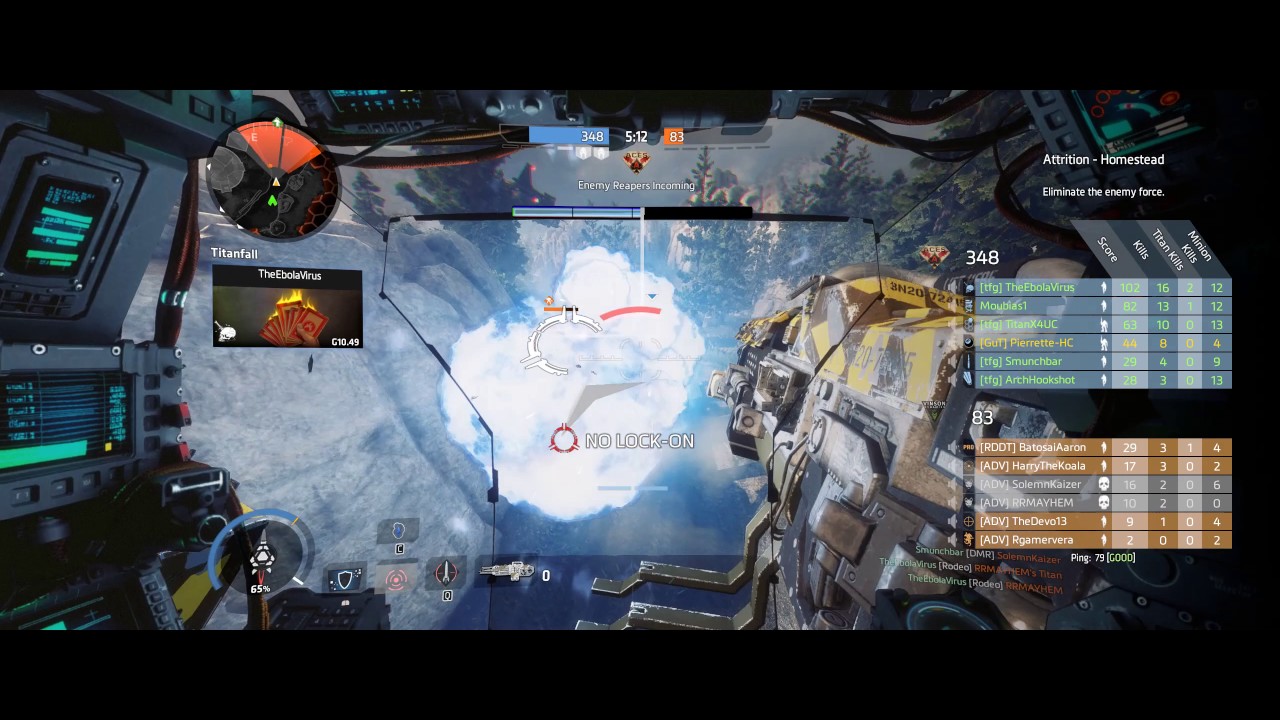
Blinked and almost missed it
wicked rampart
That looks real nice 👌 IMO
swift lance

In which an anon makes a horrible cheese pun. The worst part? It was Gouda.
wicked rampart
I do feel a bit of fish eye with the second one, probably because it feels more open, instead of the first clip of you being “surrounded” by the mech
swift lance
true. but it still feels better than vert-
wicked rampart
Anything is better than that 
swift lance

A look at Overwatch at 21:9 Buy Overwatch on Amazon USA - http://amzn.to/2n9jzXU UK - http://amzn.to/2o6PQyd Germany - http://amzn.to/2nKRk4Z Canada - http:/...
look at that zoom
wicked rampart
Anyways this is more for #general-discussion , it’s been nice talking to you and I learned new things. I have to 💤 now, I hope you’ll be able to play without feeling sick soon!
swift lance
oh sure
near narwhal
Whatching that second vid hurts my fucking eyes.
 robust goblet
i still cant see any servers from the alpha when the game was en demo
i have tryed everything ports firewall anti virus nothing helps
and im scared to buy it again after i already bought it 2 times and refounded it
viscid tangle
you're not going to be able to see servers on the demo because there are none up for it anymore
robust goblet
i meant when it was out
when the demo was running 1 year ago
i had same problem now
proud dagger
@robust goblet would like ya to head to pinned mesaages
there is a forum for not being able to see servers issue
 dusk atlas
so... anybody know a good work around for the LowLevelFatalError on startup bug?? tried reinstalling, turning down gpu... no help thus far :/
proud dagger
@dusk atlas have u checked pinned messages ?
dusk atlas
ive been browsing the forums for about 2 hours.... everything in pinned i have already found 😦
dusk atlas
seems its a pretty common issue, loads of people on forums having it yet no actual fix, problem goes back like 6 months for some users
proud dagger
hm
dusk atlas
Please ensure that you have disabled any GPU overclocking software such as the MSI Gaming App.
pulled this off the common technical errors list. hope it helps.
proud dagger
yeah i saw that
regal cypress
Verify game files worked for some people
dusk atlas
this is the go to advice
i use non OC Gigabyte hardware
proud dagger
@proud schooner need ya help on this
dusk atlas
how do i verify the game files?
proud schooner

proud dagger
@dusk atlas go right click
proud dagger
right click on the game >properties>verify kek cache
proud schooner
How to Verify the Integrity of Game Files: https://support.steampowered.com/kb_article.php?ref=2037-QEUH-3335
dusk atlas
ok, i'll brb, restart and try this method 😃
proud schooner
proud dagger
@proud schooner btw mind reading some comments in the forum?
seems like the technical things need to be updated a bit more?
proud schooner
I'll go through that today. If you see any major issues repeating or very common solutions, let me know
proud dagger
sure thing
dusk atlas
verifying that verifying did not work 😦
proud schooner
@dusk atlas Mind going to your start menu, typing dxdiag, hit enter, and taking screenshots of the "System" and "Display" tabs?
It'll look like this
dusk atlas
screens sent in pm
proud schooner
So, an i7-4770 with a GTX 760
Have you made sure your graphics drivers are up to date, for the sake of doing so?
dusk atlas
everything is fresh install from a week ago, should be up to date
proud schooner
Drivers pulled from website and not a disc?
dusk atlas
good question, bro in law may have done that part 😛
proud schooner
😛
dusk atlas
and we may have been drinking lol
proud schooner
As is tradition 
I'd make sure Windows drivers are up to date as well, for the sake of doing so
If that doesn't work, grab the logs if possible, send them to Clapfoot, and shoot a message to @hot oak
1) Find Foxhole error logs at C:\Users\ username \AppData\Local\Foxhole\Saved\Logs
2) Use a archiving software like 7-zip or winrar to zip the logs into a single archive if there are multiple logs
3) Email the log(s) to foxhole@clapfootgames.com so the developers can help you with your problem

note, at step 1 you need to replace ''username'' with your own username you use on your computer.
Mr Ian, it would seem it was as simple as updating display drivers 😂 thank you for you time 🖖
Many appreciations
proud dagger
welp
terse flume
guys while im playing foxhole the game crashes and gives me the message "Fatal Error"
and it happens in most of my games
whats that?
dusk atlas
That would be the same error I was getting, I've read it can crash during games also, try the fixes I was told and see how you go.
terse flume
and what are those fixes?
minor junco
Check pinned messages
wicked rampart
Be sure your graphics drivers are up to date @Meko#0081 ! For some that’s one of the solutions.
wise oasis
@terse flume ^
terse flume
yup
they r
its ok after mu exams i will go to the shop i bought the pc from he told me he will fix it
upper creek
@Gamma#0691 what tf
wise oasis
@upper creek learn the ways of the mobile ping young grasshopper
 mental tide
Where are the servers based and what effect does ping play?
terse flume
@@mental tide All servers are global except Halftrack if i remember the name correctly, its a Russian one. And u dont need a connection that good to play, i live on an island far from everything and it works fine for me. But if u have a bad ping, ur character will just sometimes teleport and it will take more time to pick something or drop it lf ur inventory, stuff like that
mental tide
I've been playing fine, but just wondered with wanting to start regularly playing with some American friends and potential others from around the globe. Thanks though!
terse flume
Aaah, it could be a useless idea but Barracks server used to be the American server so u could still meet lots of regular American players on it, still wanted to play with their old friends
 austere sierra
p!serverinfo
minor junco
?
 molten crescent
ttttt
proud dagger
@molten crescent u alright there bud
regal cypress
You need more help than I'm qualified to give
terse flume
@molten crescent what do you need?
robust goblet
@proud schooner i have done all of those things i have tryet to open my ports and checkt if i was blocking but since im not the best at tech on pc idk if i did it right and idk how to open ports i tryet
proud dagger
@robust goblet u looked at teh forum?
regal cypress
Playing borderlands windowed fixes that @terse flume
molten crescent
i want running with rifles or foxhole :((((
molten crescent
i cant buy an ything
anything
please family share with me if you can or want to 😦
i wont give a vac ban but i expect you to not give me one too ty god bless you all
 kind pilot
Foxhole is 25% off in the HumbleStore winter sale right now
www.humblebundle.com
Also, please refrain from using this chat for non-technical issues
proud dagger
this is not actually a place to ask for it
 carmine dune
my teamamte killed me as i was downed and then this..?
sterile nacelle
@carmine dune odd, I assume rejoining the server should work
carmine dune
its actually fun
i'm watching over the colonials as they get massacared
anyways, it seems like my player was placed in colonial lands
i hear people talking and stuff, maybe its an issue with the spawn
modern loom
Same thing happened to me like an hour ago, I'm still in queue
carmine dune
Well i quit, i dont have patience to wait for 20 people to join
modern loom
Lol dog server warden side?
carmine dune
if you wanna talk go to #foxhole-discussion otherwise the mods and such will bark at us
modern loom
welllll i wouldn't be on discord at all if i wasn't waiting in queue because of the bug 😉
sterile nacelle
Sadly we do not have the tools to prioritize others in queues.
 violet crypt
hey just wanting some help with a microphone issue. my microphone works in other applications like r6s and discord, but it wont work in foxhole even if i change the push to talk around and such
any ideas on how to fix it?
sterile nacelle
Check your steam settings for mic @violet crypt
violet crypt
thank you i will try that
sterile nacelle
👍
violet crypt
it is working in steam, but still not foxhole
steam is set up to my mic
@sterile nacelle
sterile nacelle
Last time I checked foxhole uses the mic settings you use on steam 🤔
violet crypt
push to talk isnt working
or the people i ask are trolling me
lol
lemme try again
sterile nacelle
You could try direct messaging Krazyflyingchicken or nooba, perhaps they can give you a way of fixing it
terse flume
Anyone know how to avoid the fatal error crashing that happens with Foxhole?
terse flume
terse flume
Can someone teach me how to use overlay while playing Foxhole?
wise oasis
Okay,
- Enable the overlay in your settings. (It has its own tab if I remember correctly.)
- Under the games tab, find Foxhole, and click the overlay toggle. (Should look like a monitor that is/isn't crossed out )
wise oasis
Did you restart the game
terse flume
I have 'numpad *' as toggling overlay
I did restart before
everytime it doesn't happen
wise oasis
Interesting
I'm not in the position to give you anything beyond the usual troubleshooting tips (I'm on mobile)
<@&282920218462912512> can you help @terse flume fix his discord overlay for Foxhole?
wicked rampart
Glad to see it was resolved
polar dirge
is there server problem? Really hard to find and join Dog server
wise oasis
Screenshots taken with "P" can be found at this location on your drive:
C:\Users\USERNAME\AppData\Local\Foxhole\Saved\Screenshots\WindowsNoEditor
viscid tangle
@daring pewter the issue with that is that F12 includes all the GUI gubbins and is a lower resolution than a proper screenshot will give you
viscid tangle
yes
daring pewter
wot
viscid tangle
mmhm
daring pewter
Time to get some good screenshots
modern loom
@terse flume you can delete your own messages on Discord btw
 rigid sail
any Dev available ?
upper creek
perhaps
rigid sail

wise oasis
@rigid sail What is it that you think you need a dev to help you with? If it's techincal help the Community helpers are a more can capable bunch 😃
terse flume
@rigid sail We had a forum for getting a private server hosted
It would just have to get used to be able to get hosted, such a event server and such would probably get greenlighted
regal cypress
Right now is more like talk to krazy, tell him about the event details and how it's gonna happen plus how many people you're expecting.
And it's not guaranteed of course
terse flume
Hey i didnt know were to put this but everytime i load of the game it gets all green and flashy can anybody help me with this?
proud dagger
@Dr.Loper#9590 could u send me a screenshot of it?
This happened to someone before
Well dang it I was too late
terse flume
Hmm yeah ill send it to you later i just curretnly afk
 frank sigil
Fullscreen window, that should fix it
 topaz shadow
@wise oasis regarding this "P" screenshot thing, is that a default, or do I need to change a setting? And will there be an indicator (like the little shutter sound when using F12)?
regal cypress
Its default and your pc will probably lag out when you take it
So yeah you can tell
dense relic
is there a way i can just delete trees? the high poly kills me
wise oasis
Yes, that's default.
 limber coral
ugh
every time i install foxhole my hard disks get fucked up
after a lot of formats and re-installing all my stuff
 exotic garnet
Problems with the overlay in the game is similar to many. At me it is not displayed for example. As far as I can remember, the situation was as follows: the Discord client was being updated, and almost simultaneously Foxhole update 0.7. In my case, even BetterDiscord was installed. As a result of updating the Discord client, all my rasped backgrounds are turned off and the overlay stops showing ... The names of people present in the voice channel are not visible. When you click on the assigned toggle key, the character control in the game stops and the system cursor appears. Settings and everything that is generally associated with the overlay is not displayed. When you click again on Toggle, the control is returned to the game. I even tried to write to the support service Discord. The guys were very responsive, but all the advice they offered me did not work. If it is interesting then I can even show the log of correspondence in the PM
wicked rampart
<@&282920218462912512> ❤
 hardy mesa
Is this the channel that will try and assist with Foxhole UE4 errors (game crashes)?
wicked rampart
You’ve found the place TimTracey 😃
hardy mesa
Hey GoonBoon - hoping to get my Foxhole issue resolved before tomorrows match. About two weeks ago I started getting UE4 lowlevelfatalerror dialogs related t the rendering thread error dialog popups after 30 seconds
Nvidia drivers are latest - same system as last 700 hours of play. Have you heard of an uptick of this sort of issue?
hardy mesa
Already tried the following: Steam Integrity is OK - Resinstalled the Game