#Audio Feedback and Help (KAI)

13 messages · Page 1 of 1 (latest)

hazy breach
#

I have 2 recordings of my audio. One is the raw audio with last bit of video showing noise suppression.
2nd is what I currently use for recording.
I would appreciate, your feedback on what I should set for my MIC and OBS.
Note, that I have open basement and some clutter. My eventual idea was to put a giant comforter on the side to absorb echo.
I will provide goolge drive link since file is too big.
RAW: https://drive.google.com/file/d/1TEu7wytAAbY4nL0yfFAST86EEMDBKNHk/view?usp=sharing
Usual: https://drive.google.com/file/d/1gtUbulRMG8uPwRan1rweXHfWPeXOwyK1/view?usp=sharing

Fifine XLR/USB Podcast Microphone, Dynamic Studio Recording Mic for Live Streaming, Vocal, Voice-Over, Instruments, Metal Cardioid Mic with Tap-to-Mute, Monitoring Headphone Jack, Gain Knob-K688

FIFINE Microphone Arm Stand, Suspension Mic Scissor Boom Arm stand with Metal Material, 3/8" to 5/8" Adapter, Desk Clamp, for Recording, Streaming, Podcast, Video, Flexible and Durable-CS1

On windwos for some reason, audio test says 28% but I sound loud to myself and on discord, my friends do have to lower my incoming audio volume.

EDIT 2025-10-19:
After adding some filters, room treatement with plushies (no joke), and experimenting, I have
4 recordings. each pair is the same tests but 2 show the OBS audio bars.
https://drive.google.com/drive/folders/1jDD3oAlc5pMTcL0-iqmBXjFAShlxwya1?usp=drive_link

sturdy idol
#

I think this audio sounds good on its own honestly. I think if you get a little bit of a dereverb plug-in added and a little bit more of a noise suppression plug-in added that would really work well. Then you could add in a little bit more to it to really sell the sound. Adding just a little bit of warmth and saturation would really complement your voice I feel. It sounds solid as shit on the mic already. I would recommend checking out Bertom Denoiser or reapers denoise plug-in. I think reapers can also do dereverb. Really? The biggest issue I heard was that there was a bit of background noise or it may be signal noise, but I think one of these plugins should clean it up fine. I don't know if OBS has any built-in ones for this. I think resolve might. I think the Reverb is minimal so adding more sound treatment to the room will probably result in diminishing returns. If you want to spend $50 I would recommend izotope RX elements. With those you just feed it a short clip of the room noise (so you not talking at all) and the reverb and it should be able to clean it up really well. Hopefully this helps. I really think you have solid audio already and just need a little bit of touch up for it. If you want to go even further, I'd recommend into looking into that vocal chain that I sent originally. I think it would complement your voice quite a bit. I can provide some settings if you need on that.

It's also worth noting that OBS supports VST and VST 2 plugins out of the box. I believe the plugin Atkaudio adds support. I know there's another plug-in that does it. It might be newer that you may want to look into as well. But this shit is honestly just extra on top of everything if you end up wanting it.

hazy breach
#

first off, I just want to say thank you so much @sturdy idol for taking the time to be so detailed and really helping me out. I am not used to this kind of treatment.
I know its hard to understand but I am someone who panics and drowns quickly in despair because I am so desperate to make everything literally perfect.

so other than that, I want to confess, I have no knowledge of audio terms. So the background sound you hear is either echo or signal noise or reverb(dereverb?)

  1. Yes, please do provide the chain of possible, though if you are going to suggest thinks like equalizers, gains, compressors, then please provide values or a range of values if possible.

  2. can you recommend a free plug(s) for me to use to silence the background noise. i know i can look it up but i will prbably get a bunch of options and get overwhelmed.

  3. So no point in adding more stuff around me or the blanket, other then likely minimal effect?

  4. "It's also worth noting that OBS supports VST and VST 2 plugins out of the box" <-- dont know what this is XD.

hazy breach
sturdy idol
#

ok wait i have stuff im writing up but when i went to test your audio in resolve it sounded mad different. like the noise suppressed file was 100% good in drive. trying to figure out what it might be

#

Like it went from totally good to the issue you described

sturdy idol
#

ok yeah idk just make sure to drop the obs recording in the timeline fist lmao. but what are your audio settings? something might be off there

sturdy idol
#

All good my guy. Plenty of the same shit here. We gon set you up right tho.

So first on the terms:

Noise
this is what you hear when you are not speaking into your mic. every mic has a noise floor. this is the quiet amount of noise made by the microphone itself. Noise can also be caused by your microphone picking up quiet sounds. Think things like your AC, fans, or machines. So, either way, if you turn up the gain on your mic you are turning these up.

Reverb
this is what hard surfaces in your room will mostly cause. it is an echo. you are hearing your voice bounce off stuff. this is what room treatment is mostly meant to address as adding soft things makes your voice bounce less.

VST
VST is the file type for audio plugins. They are what you download to get more effects. Same thing as the filters in OBS. New versions of it have been maid over the years. VST3 is the new standard. A lot of plugins are avaliable as VST/2 files as well. Still, plently are VST3 only though. If you are on Mac your plugin files are different and i dont have one so idk what it is lol.
OBS supports VST plugins out of the box but not VST3 plugins. If you find plugins you want to run that are only VST3, than installing atkAudio Plugin https://obsproject.com/forum/resources/atkaudio-plugin.2099/ will let you use those. This is why the ReaPlugs VST FX Suite is often recommended. I think they look ugly tho lol. Davinci resolve supports VST and VST3 plugins out of the box.

#

Other words:
Attack – how fast an effect kicks in after it detects sound (shorter = snappier).
Release – how long it takes to stop affecting the sound after it drops below the threshold (longer = smoother fade).
Threshold – the level that decides when the effect activates (lower = affects more).
Ratio – how strongly compression reduces loud sounds (higher = flatter dynamics).
Gain – how loud the signal is overall.
Makeup Gain – adds back volume lost from compression.
Dry/Wet – blend between the unprocessed (dry) and processed (wet) sound.
High/Low Shelf – EQ bands that boost or cut everything above/below a certain frequency.
Cut/Boost – how much you’re lowering or raising a specific frequency.
Q – how wide or narrow an EQ band is.

#

Ok now for the audio chain. Your audio with the noise suppression is fine. Unfounatly most dereverbs cost money, but they are not a lot. if you do want one, try adding free padding to your room and if that doesnt do it than spend the $50 on izitope rx elements. Repair assistant will do it all in one. they have separate plugins too for denoise and dereverb.

Next lets make sure the quiet sounds in your room, like typing/clicking/even your speakers, are not picked up by your mic. For this you will add a noise gate. OBS has one built in, but i like something like RENEGATE. its pretty lol.

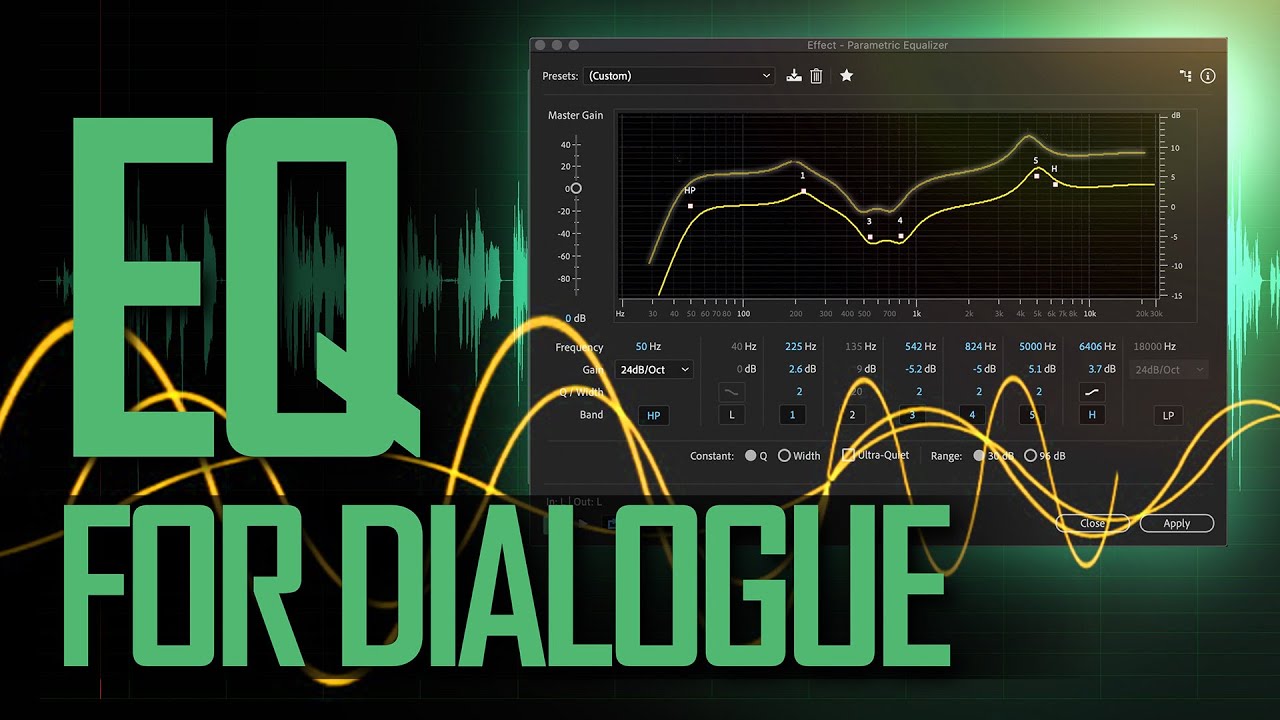
Next you want an EQ. This is how you change specific parts of your voice. OBS has a limited one built in. One you could download is TDR Nova. https://youtu.be/Jn6iB1SNvRQ?si=Vz7pudZkgn8eFi_W this video will help you set it up. This guy has an amazing channel for audio shit. (NOTE YOU CAN ADD A EQ TO YOUR MUSIC AND REDUCDE THE DB IN THE RAGE OF LIKE 2K TO MAKE YOUR VOCALS STAND OUT ABOVE IT)

Next we want a compressor/leveler to even out the quiet bits and the loud bits. this way you can whisper or yell and it wont be as massive of a swing in volume. Lets do TDR Kotelnikov and we go ahead and chose the preset of vocals - tight or warm.

And then last we want to add something to make the audio not clip. Lets use LoudMax and just set the output to -1.6db. this is so your audio never goes all the way.

this is the starter pack. i can recomend more shit if you tell me what you want more of in your voice or things you want to fix.

In today’s episode, we demonstrate one way to use an EQ (equalizer) plugin to make a dialogue sound recording a little better - richer, less harsh, and more articulate. You can do this with virtually any video editing or audio editing app available. We demonstrate how to do it, in this case, with Adobe Audition.

#Sound #EQ #Dialogue

If you...

▶ Play video
#

TL;DR Setup:
Noise Suppression (built-in) → Renegate (cuts room noise when you’re not talking) → TDR Nova (EQ to shape and clean your voice) → TDR Kotelnikov (keeps your volume consistent) → LoudMax (stops clipping, keeps you loud).

hazy breach
# sturdy idol ok yeah idk just make sure to drop the obs recording in the timeline fist lmao. ...

on windows? You are going to have to be more specific. I can get you the stuff for sure just need to know exactly what info you would like me to get? like i can say that in old control panel > sounds > mic: its at max and fully boosted. I do agree with you that
I shouldn't be max gaining on the mic itself + adding gain in OBS. I will provide more intel in the hopes that you notice something I didn't. And even test adding some retreatment like blanket or more likley the boxes figurines come in and surrounding my desk. Also I guess i didnt mention but I do use a virtual avatar to have a presence so there is a phone in front of me which is why my mic is to the side.

found this and will try since its free (cause im canadian so its not $50 but $139 before tax for me lol): https://ultimatevocalremover.com/, https://www.youtube.com/watch?v=fY_2Me2-OKE

FYI, for EQ, thats very subjective and I honestly don't know how i sound to other people and if its likeable, without mutiple inputs. I heard myself and the closest creator I can find that i sound like is ClementJ64. So il watch it but making myself sound "good" is hard to tell lol. Maybe after I do the cleanup, I will do a separate post for feedback on EQ. But generally, I don't feel the need to hide what I sound like.

anyway beyond all this, thanks for all this info. its going to take me some time but im going to get started slowly and carefully and get back to you as i go through it

I tested for you the UVR5 model called "DeEcho-DeReverb" with 3 samples having different reverbs (short, medium and long) at about 45% wet.

UVR5 (Ultimate Vocal Remover 5) is a free and software that uses neural networks to perform audio source separation. It's designed to isolate and remove vocals from songs, but it can also remove reverb and ...

▶ Play video
#

sorry one more thing. All the steps you mentioned is for the raw version right? and the settings you saw in that video? not the current setup i do with the noise suppression and gain there.
plus I added a different file for testing where I lower the MIC gain gradually
https://drive.google.com/file/d/1_SR7n4Re8vJd_NZGJxlIfAa5v6qHaNNR/view?usp=sharing

Also I am so sorry but I forgot to mention but maybe this is important for recording for when you tested in Resolve. But when I do editing, I transform the file into mp4 via OBS then import that. I don't think that affects the audio especialyl since we are doing for both offline recording and streaming but wanted to let you know. For offline, at least a fallback for me would have been cleaning with Audacity after I learn it.

Thank you again