
#next step?
6 messages · Page 1 of 1 (latest)
 fierce gust
 winged flint
First of all, I'm by no means even an amateur in film production, so some of my takes may seem odd. If it sounds too odd to you then you can find yourself wiser on that part.
How engaging your video is within the topic?
-> 8/10 from me.
A:B roll ratio is good as your voice is constantly present.
Now, as of content:
1). There are some artifacts in your video that it gets noticeable after some time. I'm sure you are aware of this already, but some timestamps: 2:57, 6:02(glitch), 6:39. Seems like it's on those parts where you took shot of yourself talking.
2). On YT, in most of the videos I had observed that B-Rolls take most of that compositon when it comes to the "Ratio". A rolls, I feel like are well suited when you are transitioning to a different subtopic/topic. You know, reminding the viewer that something's changing in the video.
3). There are two things I want to say regarding the content table that you show in between. I meant that "Film Production Preparation" list.
-> If the list items can stick with the designated sections of the video, it will help viewer's retention. For example, when you talked about "Pre Production", have that edited in as a visual title in some corner as long as you are talking about it. When you change, then have that stick there as the text.
-> Whenever you transitioned the list topics, you showed that list image ("Pre Production"). I felt that image cheap presentation compared to the rest of the quality of your video. If it was like a check list where you keep ticking the done topic instead of just adding more topics in the list, it will be more appealing. A bit animating background, is needed when that transition image comes.
(Discord text limit, will be continued from next message.)
winged flint
4). This is a bit hard to express with words right now, but I'm giving it a go.
I felt your video was way too continuous, you know what I mean.
Even at the start of the first topic, "Pre Production", I felt a little bit drifting away. Kind of not able to find that - "Yeah let's hear about this Pre Production eagerly and wait for the next topic in queue.". It gone like: Pre Production Planning->Script->Combining script with Story Board->Breaking script into individual scenes->Shot List->Gear List?->Location Scouting->How you do it by asking the client->Summary->talking about your experience->Gear Essentials->Gear List....
I think the way you should take it as...
(I). Think the audience knows "Zero" about this video. This means you would need to introduce every new thing that comes up. The first thing your "Pre Production Planning" should have shown was a summary before that Script, Story Board, Breaking Script etc appears in the scene, while not missing that end summary. So have summary at start if you found the summary had to be there at the end, this way audience knows what's coming and it gets less "drifting away" for them.
(II). The best way to introduce something is by a highly simulating visual that makes the viewer like "Gotta stick to watch this". An example in your own video was at about 6:28 ("So I try to be inspired by others that inspire me.") With that color splash (whatever), I immediately got interested on what you are saying. If we can show some equally appealing scenes like that one when introducing new chapters/subtopics that we are about to talk, it will act as hook to regain veiwer attention every now and then.
You attempted it good, not taking that away, but it could be improved more.
Overall, your video was REALLY good, but there are still enhancements that could be done, as I had talked about already.
1 thing that can make your video much more better are more animations. There were animations here and there, but more of them, like more frequent will make your video a lot GREAT.
The other thing that was lacking overall was specifically timeline, as I had explained earlier.
Good luck. I too learned from you video 🙂
fierce gust
winged flint
First of all, I'm by no means even an amateur in film production, so some of my ...
First, THANK YOU for your fantastic feedback and all the time and effort you put into this. I'm very grateful and really appreciate it.
- Yeah, unfortunately I thougth I got rid of them with my last render. NO idea why they appear, but I will need to sort it for my next video.
- I like your input here and will see if I will use less A-roll just to break it up and try to make them more deliberate in topic transitions.
- Oh, interesting. I have never done lists like this before, but some of the large channels I'm inspired by often get positive comments about their lists 🙂 Putting even more design love into it isn't a problem, but if I try to summarize what you said. You feel it would be more interesting to light teach new topic rather than having them grayed out while moving on? Or did you mean I should just put a typical title screen up for each section. One per section so to speak? Like I do at 5.21
4.1 This is a very interesting suggestion. Show-don't-tell kind of summary before hand and then break it down? You believe that would bring more retention and not less? I need to think about that, but love your thought 🙂
4.2 Put much more love into each new chapter, like it was the intro of the video. THAT is my new approach for next video 🙂 Love that input.
Summary, so more animations? It's my first video with animation and was feeling I used to much. As my own baseline was 0 😄 I will use more in future videos. Thx for adding that.
And thank you very much again, for your beautiful feedback. ❤️
winged flint
You feel it would be more interesting to light teach new topic rather than having them grayed out while moving on? Or did you mean I should just put a typical title screen up for each section. One per section so to speak? Like I do at 5.21
To clear the confusion with my words. First with the (3.2).
3.2-> Whenever you transitioned the list topics, you showed that list image ("Pre Production"). I felt that image cheap presentation compared to the rest of the quality of your video. If it was like a check list where you keep ticking the done topic instead of just adding more topics in the list, it will be more appealing. A bit animating background, is needed when that transition image comes.
That 5:21 "Creative System" graphic is animated (kind of movement is present in that transition text "Creative System"). I meant that your "Pre Production" list image should be an animated graphic just like that "Creative System". Over that, you could also have a check mark symbol adjacent to individual texts in that list to give that intuitive feeling that we are moving ahead in these topic and getting done.
Now about my (3.1).
3.1-> If the list items can stick with the designated sections of the video, it will help viewer's retention. For example, when you talked about "Pre Production", have that edited in as a visual title in some corner as long as you are talking about it. When you change, then have that stick there as the text.
What I meant was a timeline in the video. Do not need to be flashy. This is better explained with a video. Wait lemme show what I meant.
EDIT:
Watch this video just a little bit. It has a "chapter title" at the bottom left of the screen. You can have something suiting like that about whatever topic you're speaking. I'll say do some A/B testing with this with multiple videos to see if it gives better audience retention in studio dashboard.
(https://youtu.be/meg_3GZdNBU?list=PLqIVmFaHA8BqQ923xxbwBDZV2ZbVeJYcS&t=148)
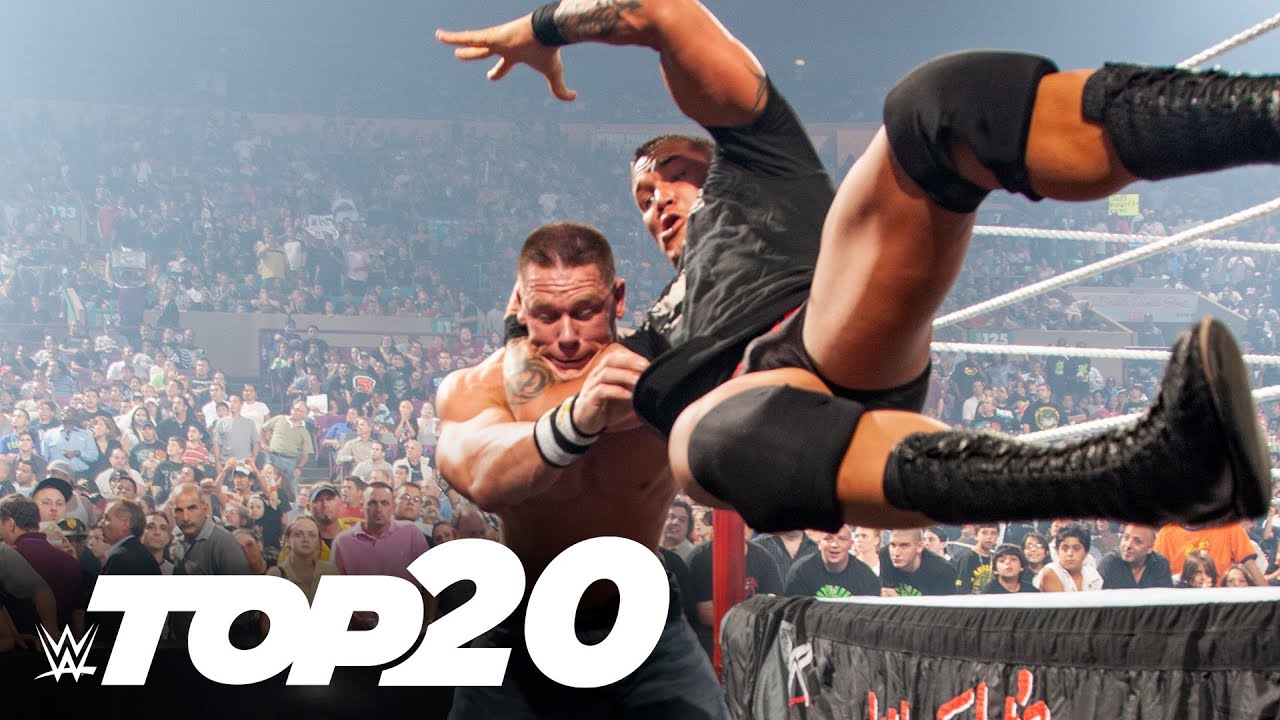
In honor of the 20-year anniversary of the first RKO, look back at the most special ones delivered by Randy Orton.
Stream WWE on Peacock https://pck.tv/3ZTjVE7 in the U.S. and on WWE Network http://wwe.yt/wwenetwork everywhere else
Follow WWE for more exciting action! - Subs...