#avatar-help
1 messages · Page 44 of 1
 junior void
 sacred jetty
how would I check that
junior void
Alternatively, if you see an alpha slider in your material, see if its all the way up or not (credits to chatgpt, it knows a lot)
 sacred jetty
junior void
Alternatively, if you see an alpha slider in your material, see if its all the w...
sacred jetty
junior void
Alternatively, if you see an alpha slider in your material, see if its all the w...
resolved the issue by removing the alpha entirely but now my file keeps crashing whenever I change the texture.
junior void
i wouldnt know what causes that without seeing a whole crash report
sacred jetty
junior void
i wouldnt know what causes that without seeing a whole crash report
where do I find the crash logs
junior void
sacred jetty
where do I find the crash logs
consider using https://chatgpt.com/, you can even feed it the log
 molten pulsar
Does anyone know of shader that is similar to Standard but with more functions ?
 polar fog
How do you fix this microphone I think I forgot something to make it work

It's making me mad because no one can hear me at all
 bitter hemlock
Mic activation is the problem, turn it to 10%
polar fog
It's not working at all
bitter hemlock
Wrong mic selected?
polar fog
I tried headphones even without them and nothing and I have no microphone r I l
Tried everything to make it work
YouTube Google everything
And nothing
 ornate stump
polar fog
I tried headphones even without them and nothing and I have no microphone r I l
ornate stump
polar fog
I tried headphones even without them and nothing and I have no microphone r I l
Did you ever make sure that microphone work outside of vrchat?
ornate stump
polar fog
The game is not picking my voice up at all in vrchat
You should continue in #1138891887374237706 because this channel is for helping on avatar creation.
 gilded rapids
So for mobile/quest models/fallback avatars, you can only have 1 skinned mesh renderer, is that correct? I wanted to have a toggle that makes the arms of my avatar disappear, and the normal way of doing this afaik would have the arms in a different mesh separated from the body and then use the toggle to set the Enabled property of the arms' mesh renderer. But I still want the arms to be animated when they're visible, which means there would need to be a second skinned mesh renderer on the arms, which is not possible on a fallback avatar, correct?
The other way I was thinking of was using a blendshape to scale down the arms so that they're invisible and inside the body, and while this works fine in the idle animations, everything gets messed up when movement animations play
 flint rose
gilded rapids
So for mobile/quest models/fallback avatars, you can only have 1 skinned mesh re...
flint rose
gilded rapids
So for mobile/quest models/fallback avatars, you can only have 1 skinned mesh re...
another way to hide the arms would be to have the bones they're weighed to get scaled down to 0
junior void
That would cause weird stretching at the joints though
 timber wharf
well, both bones and blendshapes would do that. bones would be slightly cheaper.
maybe you can disable tracking (switch to animation) and move bones inside the body when toggle active
while scaling them as well ofc
 autumn rover
im having trouble connecting clothing items to the avatar, when i try to connect the clothes to the hip bone the clothes change location and i dont know how to correct their location or why this is happening

 flint rose
autumn rover
im having trouble connecting clothing items to the avatar, when i try to connect...
flint rose
autumn rover
im having trouble connecting clothing items to the avatar, when i try to connect...
you can't simply change the root bone to make clothes work on a model that they weren't impored with
you'll either want to add them in blender, or use VRCFury's Armature Link
autumn rover
thank you! i will def look into that!
sacred jetty
trying to attach clothing to my model rn and as im mergign armatures, alot of them are creating duplicate bones for like arms hips etc. How do I keep it from doing that
junior void
Use a tool like vrcfury which has an armature link component that will remove doubles when uploading or entering play mode and link the appropriate bone matches by name to the base
Dont ever unpack prefabs and drag their bones around into your base avi. That just causes a plethora of issues
 flint pagoda
so ive been trying to upload this avatar for some time now and it is ready but i get these errors and it gets stuck at building. and thus i am asking for help

 junior void
you are in prefab mode, from which you cant upload
flint pagoda
junior void
you are in prefab mode, from which you cant upload
well that awnser was really anticlimatic
i will try and see if it works right away!
 gilded smelt
Got a commisioned avatar last night. now i cant upload it because the SDK is "building data for an avatar i do not own"
how do i fix this
junior void
take a screenshot of the errors at the top, not the bottom. the message youre describing is a symptom totally unrelated to the root problem
gilded smelt
there is no error at the top
junior void
there surely is more information in the console than just that

 raven orbit
Maybe actually click on console :/
gilded smelt
 junior void
and now scroll up like i said
 junior void
Ther is an object called "VRCToggles" on your avatar that is broken
gilded smelt
is ti repairable?
junior void
You should check the page where you got the avatar - specifically keep an eye out for dependencies
gilded smelt
i dont know what dependenmcies are, i got this sent by someone else
as a commission
after my own attempt to port the model FIALED for 3 hours stright
junior void
did they not tell you "install xyz"
gilded smelt
i guess??? i dont know what nayo fhtis is
junior void
ask them <.<
gilded smelt
just did.
but cionicdiering they havnt reposnded to me about the porblems minuites ago, they might be offline
any way to fix this at all???
i paid a good amount for this AND IM SICK OF WAITING
junior void
i cant tell you what the script is thats missing, only the maker can say
so there goes that
gilded smelt
FFS
so theres just no way tyo fix it myself?!
i waited all night for this!
i paid 45 BUCKS FOR THIS
CAN SOMEONE ELSE please fucking HELP ME
 balmy barn
would be guesswork, whoever made it should told you what it requires
gilded smelt
FUCK
balmy barn
(vrcfury or some wierd toggle script)
gilded smelt
AIGHT THATS IT. IM BUMPING HIS REVIEW DOWN TO 1 STAR. i waited all fucking night for this shit AND IT DOSNT EVEN WORK
raven orbit
gilded smelt
CAN SOMEONE ELSE please fucking HELP ME
if anyone could help you here we'd need more information, like a screenshot of what scripts are on the VRCToggles object
 pulsar marsh
Hi there, when i upload my avatar the icon is this, is this simply because i need to hide anything i dont want seen when i upload?
 flint rose
gilded smelt
AIGHT THATS IT. IM BUMPING HIS REVIEW DOWN TO 1 STAR. i waited all fucking night...
flint rose
gilded smelt
AIGHT THATS IT. IM BUMPING HIS REVIEW DOWN TO 1 STAR. i waited all fucking night...
can you link the product page of the avatar?
or sorry, just saw that it was apparently a commission
raven orbit
flint rose
can you link the product page of the avatar?
it was through vrctraders
gilded smelt
its ok, he finally responded
flint rose
and what was the issue? needed to import Fury?
gilded smelt
something about VRCFurry
flint rose
yep, figured
flint rose
it's very very common for people nowadays to use Fury on avatars to simplify/automate the setup for some things.
like toggles
the lack of a Tools tab at the top of your unity screenshots told me you definitely didn't have Fury or other utilities imported.
well either way, good thing you got it fixed
flint rose
gilded smelt
AIGHT THATS IT. IM BUMPING HIS REVIEW DOWN TO 1 STAR. i waited all fucking night...
next time, try to be more patient and don't jump to immediately leaving negative reviews ^^
flint rose
nice 👍
gilded smelt
It's just that with me having to wait ALL NIGHT to try this
And after originally failing to import myself
All these set backs are horrible....
flint rose
oversights happen. I just got told earlier today that none of the discord invite links on my product pages worked
no idea how that happened, but glad someone told me about it
gilded rapids
flint rose
another way to hide the arms would be to have the bones they're weighed to get s...
would this require creating a custom animation? i tried adding properties on each of the arm bones that disable "Is Active" and that set a Scale Transform to (0,0,0) but that doesn't seem to work
flint rose
gilded rapids
would this require creating a custom animation? i tried adding properties on eac...
changing IsActive on bones doesn't really do anything. if the bones are part of the humanoid rig, I don't know if you can directly scale them, you may need to use VRC Scale Constraints on the bones, and set the source to some new GameObject that you would then scale
there's also another technique that I'm not as familiar with, where you can animate the scale of the bones to NaN
which causes the vertices to be entirely discarded
D4rk's avatar optimizer is able to set those up automatically
gilded rapids
thx 🙏
pulsar marsh
would anyone know why my face texture isnt conforming to the ligthing ?


 somber sequoia
pulsar marsh
would anyone know why my face texture isnt conforming to the ligthing ?
somber sequoia
pulsar marsh
would anyone know why my face texture isnt conforming to the ligthing ?
if it's a separate mesh from the body, probably different lighting anchor points. Drag the chest bone into the "anchor override" slot on all the mesh objects to make that consistent
if not that, shader settings of some kind
pulsar marsh
somber sequoia
if it's a separate mesh from the body, probably different lighting anchor points...
i remember that actually the head bone is seperate to the body bome i haddnt joined it in blender
so thank you for that advice!
somber sequoia
"bone" isn't the word you mean there - mesh perhaps
pulsar marsh
somber sequoia
"bone" isn't the word you mean there - mesh perhaps
Where is Anchor Override? in unity im guessing ?
somber sequoia
yes, on the mesh renderer
pulsar marsh
somber sequoia
yes, on the mesh renderer
okay so i drag my face material to it?
somber sequoia
no, you put a bone there
pulsar marsh
any bone?
somber sequoia
it's where you want to anchor the light probes for the mesh
I do chest for all of them, for consistency
up to you though
 somber meadow
usually you want center mass for better accuracy so spine or chest works
 remote tusk
Does anyone know how i would go about changing the bio/name of an avatar that's been uploaded to my account by another person? (ping me if so)
raven orbit
remote tusk
Does anyone know how i would go about changing the bio/name of an avatar that's ...
I think you can only change those in unity
remote tusk
yeah, but I don't have Unity. Would you or someone be able to show me how to do it? I'm new to this and couldn't find a tutorial on my specific issue
raven orbit
Start by downloading unity, then
remote tusk
Does it have to be a specific version or the most recent?
junior void
i believe just to access the description and not upload it, you can get away with pretty much any version but imagine you later want to upload something, youll then have to go thru the entire setup process
personally id suggest going thru the steps using the vcc which will help you set up all the right versions

 gilded raft
1st is probably just scale your avatar down in unity or blenderr and reimport.
2nd is merge meshes in blender. would probably require additional setup for some toggles.
at least that's how i'd sort them, there's probably different ways
ornate stump
 inland seal
I need help to fix these 2 errors
inland seal
I need help to fix these 2 errors
Those aren't errors.
somber sequoia
1st might be you added some giant prop, maybe wings, a weapon, etc.
inland seal
ornate stump
Those aren't errors.
2nd one is tho
ornate stump
inland seal
2nd one is tho
Neither that.
junior void
what
ornate stump
inland seal
It will break my lighting if I dont make it 16
What kind of lighting?
inland seal
ornate stump
What kind of lighting?
The light that you is going on my avatar
Like room light
It makes my avatar dark
I dont want that
somber sequoia
not sure what that has to do with material count?
junior void
🤨
inland seal
somber sequoia
not sure what that has to do with material count?
Thats not material count
somber sequoia
sorry, mesh renderer count.
inland seal
Yes
junior void
if you combine meshes, its literally like before expect its one skinned mesh, still has all the materials
might have to use blendshapes to hide items instead then rather than using the object toggle
thats it tho
inland seal
junior void
if you combine meshes, its literally like before expect its one skinned mesh, st...
Thats what I need
I wawnt to combine them
Idk how to combine them
junior void
 inland seal
junior void
inland seal
junior void
Thats for blender?
junior void
 junior void
is fine, i had a good laugh rn
 junior void
i believe this accounts for movement as well
for example if you have a tail that stretches forever, it will reflect here as a max size
 void kettle
How do I make clothes on blender🥹?
somber sequoia
same way as you 3D model anything else? That's a pretty generic question
 onyx owl
void kettle
How do I make clothes on blender🥹?
onyx owl
void kettle
How do I make clothes on blender🥹?
I mean ya, it depends what ur asking
Like how to add clothing onto models or....
 night ember
junior void
for example if you have a tail that stretches forever, it will reflect here as a...
night ember
junior void
for example if you have a tail that stretches forever, it will reflect here as a...
it does not
it only accounts for what it currently is when uploading
void kettle
onyx owl
Like how to add clothing onto models or....
Basically!
onyx owl
Ohhh
Ok, there's a lot of different ways of doing it
However a common way is merging the armatures with something like cats,
void kettle
I tried the one where you use the editing tool


 inland seal
junior void
for example if you have a tail that stretches forever, it will reflect here as a...
inland seal
junior void
for example if you have a tail that stretches forever, it will reflect here as a...
I see
onyx owl
I mean, that's a way, I guess?
void kettle
I can’t get it to wokr 😭
junior void
well diven said no but i believe to have read it somewhere
so at this point nobody knows
you can easily test it though
night ember
my avatar is walking proof of it
onyx owl
Wait wuz going on?
night ember
me just correcting zero ig?
onyx owl

 sharp nebula
so if i wanted to attach a prop to an avatar's hand, i would just put it in the wrist section right?
 ivory whale
ye (lower arm for me)
 half turtle
Do imposters mirror the settings of the regular avatar?
somber meadow
half turtle
Do imposters mirror the settings of the regular avatar?
Impostors will only take the appearance of the avatars with no animators running, basically how it looks outside of play mode in Unity
they don't have toggles or anything to save on VRAM
timber wharf
well, huge difference
somber meadow
basically a quick and dirty fallback avatar
night ember
better fallback
timber wharf
like the main idea is already there, so you can decide to enable it or you can live without extra novabeast.
half turtle
Next question: if I have an imposter for one avatar but I swap to a different one that is not quest compatible does it use a fallback I set before or does it use the imposter?
timber wharf
theres setting to use impostors instead of fallbacks to decide priority
half turtle
Ok so it's just global not specific then?
timber wharf
impostors are cross platform, if its pc only quest user still will see impostor by default, just no way to enable it
fallback will be seen only when theres no impostor for current avi
 glass condor
I'll post this here just so it can still receive help, my Avatar's mesh is leaving behind random bits when I rotate it in Pose Mode in Blender. What could be causing this? (I parented all necessary bones, and it sort of solved the issue, not as many pieces are floating around, but there's still some floating)


the necessary pics ofc
junior void
i suggest you take a new picture of the armature in the hierarchy because in your first image, we can clearly see that some are not below hips, explaining this
glass condor
oh yeah, new picture coming up
glass condor
junior void
i suggest you take a new picture of the armature in the hierarchy because in you...
I did notice that when I accidentally rotated that belt piece in Pose mode, it moved some of the floating bits, does that mean that EVERYTHING has to be below hips for it to move right?

wait, nvm belt piece is under Hips. I'm still lost lol
junior void
looks like the rest is missing weights
glass condor
junior void
looks like the rest is missing weights
How do I know which part is missing weights?
somber sequoia
you can select the part in edit mode, and see if there are any weights on a random vertex
(it shows in the "item" section of the sidebar that popups up when you hit 'n')
glass condor
somber sequoia
you can select the part in edit mode, and see if there are any weights on a rand...
is this the right edit mode
 somber sequoia
if you crop the image down such that it doesn't show any useful indicators like the layout mode box at the upper left...well... I guess?
glass condor
somber sequoia
if you crop the image down such that it doesn't show any useful indicators like ...
hol up, I just switch to weight paint mode and...some parts have some really random parts that are weighted. Like, why is the belt connected to a piece on the chest!?
What's a quick way to fix this? Do I just erase the paints or...?
 somber sequoia
because people are bad at weight painting. Yes, if you don't want a part to move with a bone, remove the weight
glass condor
somber sequoia
because people are bad at weight painting. Yes, if you don't want a part to mov...
ok!
 unkempt sail
My Avatars are crunching up into balls when I try to animate them.
I have done a lot of Blender work in the past, and have had this issue before, and usually a re-save fixes the issue. But for some reason, I can't get this to clear. I take a perfectly working FBX, load it to blender. make no changes. Save FBX All, Leafbones OFF, Bake Animation OFF. Same as has always worked. But now, it always results in a balled up avatar.
somber meadow
unkempt sail
My Avatars are crunching up into balls when I try to animate them.
I have done ...
Configure the rig in the model's import options of Unity, click "Pose>reset", and then click "Pose>Enforce T-Pose" in the inspector.
unkempt sail
somber meadow
Configure the rig in the model's import options of Unity, click "Pose>reset", an...
WOW! Thank you!
 spice radish
hey! so my friends' avatar project is borked in a way where we can't interact with physbones in play mode. this is not an issue with either any other project on either end.
i really don't know where to start
spice radish
spice radish
hey! so my friends' avatar project is borked in a way where we can't interact wi...
nvm fixed it
i just made a new scene and moved the avatar prefab into the fresh one and that fixed it
polar fog
How do you ungroup two of the Same modle like in the video the foot and fingers are connected and move as one but I don't want it to
 steady tendon
How do I fix this?
 junior void
polar fog
How do you ungroup two of the Same modle like in the video the foot and fingers ...
junior void
polar fog
How do you ungroup two of the Same modle like in the video the foot and fingers ...
Go into edit mode, select one part, hit p -> selection
polar fog
polar fog
How do you ungroup two of the Same modle like in the video the foot and fingers ...
How do you separate the foot and fingers
I cant
somber sequoia
steady tendon
How do I fix this?
Better weight painting probably, looks like some parts aren't done well
junior void
steady tendon
How do I fix this?
Depends what youre referring to. I see 2 issues with 3 or more solutions, so?
somber sequoia
yeah true - specifically which "this" 🙂
steady tendon
Even if I add another bone the belt still is stuck. The second armature I am assuming you are referring to is a twist bone for the elbow.
junior void
You would need to readd the missing bone AND call it the same name that the vertex group is called that holds weights there
This is how mesh knows which part moves what: bone name = vertex group name
steady tendon
Okay let me try that
junior void
Dont forget to properly parent the bone as well
Logically child of upper arm and parent of the longer bone below it
Id just copy the other small one
Me lazy
steady tendon
Yeah thanks I got it fixed thank you!!
junior void
^_^
 sterile veldt
does anyone know a way to simulate a button click on steamvr without a controller
 iron kindle
I am trying to add an extra bone to my model to extend some physbones but when I try and pose the new bone nothing warps
junior void
Thats because you have not added weight painting
 tropic palm
so ive been sitting here thinking im schizo and im not i showed my friend and he confirmed my thought but my crunch compression option isnt here? my textures are too large for quest ofc and i usually just crunch them by 42 i look here and its just not here?

 pseudo forge
 compact dust
ngl i dont remember which avi it is but you're probably not 🙏
compact dust
ngl i dont remember which avi it is but you're probably not 🙏
Looking at the photos it was likely mine, but I didn’t do the phys bones for it lol just the modeling part 😭
Reading the texts was super fucking funny though I’ll admit
The person who did them did indeed suck tho so you were absolutely right
compact dust
pseudo forge
Looking at the photos it was likely mine, but I didn’t do the phys bones for it ...
where are da photos
pseudo forge
I assume it looked something like this
Maybe not that model exactly but a few of my models had wonky phys bones at the time
Due to not setting centers etc etc
compact dust
pseudo forge
Maybe not that model exactly but a few of my models had wonky phys bones at the ...
yeah that one is one from SushiQM (QM)
she's a good avi creator
balmy barn
you need legs bones even if they dont do anything
 left gull
also if you do end up looking into commissioners try going to VRCTraders (link in #1204490664637890580 ) since you've likely alerted the scam bot DMs in here
somber sequoia
What Thulen said, but also there's a discord for people working on alternative bodies like this
 ancient pasture
left gull
also if you do end up looking into commissioners try going to VRCTraders (link i...
ancient pasture
left gull
also if you do end up looking into commissioners try going to VRCTraders (link i...
Good point! Thank you!
somber sequoia
hmm
polar fog
How to fix this I did ctrl + J and I'm trying to remove the old hand and replace it with the new one
 somber sequoia
it's not clear what we're looking at - got a before picture?
Also make sure you've applied all transforms before joining objects
polar fog
Oh that blue part on the arm is the old hand or what's left
Trying to get rid of the blue part
polar fog
somber sequoia
it's not clear what we're looking at - got a before picture?
Also make sure you'...
 somber sequoia
it'd probably help to see the whole model
polar fog
 somber sequoia
btw, in blender: window -> save screenshot
but yeah, at a guess, unapplied transform, or a modifier
polar fog
Uh?
 fathom current
I have a nonhumanoid avatar it’s a bird and I have the animations how do I make it use its custom walking and idle animations
 ember hawk
Im trying to recolor an avatar with no experience, how do I get the coloring base from the avatar file?
polar fog
I'm just combining random parts like bonfies head a suit and pomni's right hand with moon shoes
polar fog
polar fog
The sleeve is broken
Was trying to cut it out of the sleeve but it took part of it with it
junior void
ember hawk
Im trying to recolor an avatar with no experience, how do I get the coloring bas...
Some avatars come with an spp file that allows you to use substance painter. Some come with a psd project to use in photoshop or krita. Some do neither, meaning you need to set up your own choice. So this cant be answered broadly for all models alike
 dark jay
what causes the knees to bend into the leg like this
 polar fog
somber sequoia
it'd probably help to see the whole model
polar fog
somber sequoia
it'd probably help to see the whole model
here
 acoustic lintel
I need a little bit of advice as well sometime if possible, im trying to add a separate model to an existing avi, as well as recolor
I got as far as making the avatar compatible for pc and vr, uploading and everything, but im stuck there
somber sequoia
polar fog
here
I meant a picture of, which you provided. But thank you 🙂
 somber arch
probably just being dense, what is this

 snow sandal
Hello, a while ago I found an avatar which was able to mute you for other players and plays mumbling audio instead of your voice for other players. When cloned you could understand what other players in the same avatar were saying. My questions are the following:
- How to create animations which are locally triggered on other players avatars when you are in the same avatar?
- How to mute your microphone using animations?
somber sequoia
a) contact sender/receiver. You have a receiver which looks for a sender on the same avatar type.
raven orbit
polar fog
here
honestly i would advise against using free downloaded models from sketchfab. it's become overrun by scammers uploading ripped models, and from what I can see in that project, they're barely even functioning enough to be used as assets. nothing in that scene is actually rigged. everything is off center, the scale is completely screwed up, and there's random extra objects hidden inside the mesh(likely a byproduct of whatever game it was ripped from). The Bonfie model especially should not have been uploaded to sketchfab, nor should you have redistributed any part of it here. That's against the artist's TOS (this page is the only place i can find it being sold and outlining the rules https://cryptiacurves.itch.io/fazclaires )
 snow sandal
somber sequoia
a) contact sender/receiver. You have a receiver which looks for a sender on the...
snow sandal
somber sequoia
a) contact sender/receiver. You have a receiver which looks for a sender on the...
From my understanding this can locally trigger something on your own avatar but would not effect animation controllers of other players. And if it did would not be local to exclusively players using said avatar. I am trying to achieve the following effect:
Player 1 in the Avatar plays an Animation they see as Animation A
Player 2 also the Avatar sees Player 1 doing animation A
Player 3 Not in the Avatar sees Player 1 doing animation B
somber sequoia
Same answer - using the same avatar you have it pre-setup to have contact senders/receivers.
raven orbit
raven orbit
honestly i would advise against using free downloaded models from sketchfab. it'...
im sorry i have to comment on this further, this topology makes me actually want to vomit. it takes up more than 2 thirds of the total triangle count and actually lags my pc
 somber sequoia
raven orbit
im sorry i have to comment on this further, this topology makes me actually want...
somber sequoia
raven orbit
im sorry i have to comment on this further, this topology makes me actually want...
yeeeeeeppp.
snow sandal
somber sequoia
Same answer - using the same avatar you have it pre-setup to have contact sender...
 Thank you.
 pallid jolt
how do i fix this?

 hollow helm
just downloaded on pc and have no idea what im doing anyone floating around want to help a bot out
somber sequoia
pallid jolt
how do i fix this?
re-model in blender or similar
left gull
hollow helm
just downloaded on pc and have no idea what im doing anyone floating around want...
https://discord.com/channels/189511567539306508/1139228456090087495 has some general links to guides/things you'll need to download
but its quite the process overall so you'll likely have better luck asking specific questions and looking at one of the many youtube tutorials out there (the more recent the better!)
pallid jolt
somber sequoia
re-model in blender or similar
?
somber sequoia
pallid jolt
?
did you have an actual question?
pallid jolt
moreso would like you to elaborate? like do you mean i have to redo everything?
raven orbit
pallid jolt
moreso would like you to elaborate? like do you mean i have to redo everything?
the only way to get rid of that warning is to reposition the leg bones in blender, but it's not really a good idea to change the bone placement on an already rigged model, thats why he said to remodel it. that warning doesnt really matter that munch unless you are using fbt though
somber sequoia
I know nothing about your model, but that's where you'd change the default angles of the legs. Might mean re-orienting the armature, might mean remodeling.
yeah it might not be a problem. Try it, and if it isn't, ignore. If it is, time for some reworking
fathom current
I have a nonhumanoid avatar it’s a bird and I have the animations how do I make it use its custom walking and idle animations
raven orbit
fathom current
I have a nonhumanoid avatar it’s a bird and I have the animations how do I make ...
put the custom animations in an animator on the base layer
fathom current
Thank you
hollow helm
anyone available to walk me thru some steps watching videos and readin is all fine but i prefer irl talking or chatting
 warm junco
Hello i need some help i made a quest ver of my avi and none of the phys bones are working in quest and i have them all set up in unity and they work in gesture manager what is the issue?🙏
raven orbit
if you have too many physbones on quest then they get disabled to save performance
warm junco
raven orbit
if you have too many physbones on quest then they get disabled to save performan...
it doesnt say i have too many odd
left gull
send a screenshot of the upload panel's stats
raven orbit
warm junco
it doesnt say i have too many odd
i dont know if it says that directly, it might just say it's verypoor rank. it's good practice to read through the avatar documentation while making avatars to make sure you aren't overdoing anything rather than relying solely on the build panel warnings
warm junco
raven orbit
i dont know if it says that directly, it might just say it's verypoor rank. it's...
ill have another look maybe im just blind
thank you guys ❤️
raven orbit
cant have more than 8 physbone components or 64 PhysBones affected transforms
 tulip delta
Does anyone have resources on how i can learn how to make avatars as a complete beginner/novice?
left gull
warm junco
raven orbit
cant have more than 8 physbone components or 64 PhysBones affected transforms
yeah i had to many i usally get an error but i guess not this time thank you ❤️
polar fog
How to fix this
 night ember
what am I even looking at
polar fog
It's a sleeve
night ember
and?
 night ember
you know your pc has a screenshot tool right?
polar fog
Keep forgetting
night ember
but for the hole you kinda need to add the faces back
polar fog
How
night ember
manually
polar fog
But how though that's above the things I know in blender so far and half I just looked up because I got mad at it
somber sequoia
i'm still not clear on what you did to cause this
night ember
Probably deleted faces
polar fog
polar fog
I had this problem that's fixed but this was it before
This
Trying to fix my error
somber sequoia
that imgae tells me nothing
polar fog
There's a hole in the sleeve
 somber sequoia
edit mode, make new faces. Or restore from backup and don't do whatever you did to delete it.
polar fog
polar fog
I had this problem that's fixed but this was it before
The backup is this
And I'm not refixing it again
How do you do the whole face thing
somber sequoia
select some edges, 'f' to make a new face between them
 placid mica
How do I map blendshapes to hand gestures to make expressions?
ornate stump
placid mica
How do I map blendshapes to hand gestures to make expressions?
Most common way is to repurpose hand gesture layer controller to replace with your blendshape animations.
placid mica
ornate stump
Most common way is to repurpose hand gesture layer controller to replace with yo...
Is there possibly a video tutorial you recommend? 'Cause I don't know how to play with the gesture controller, lol. First timer.
ornate stump
placid mica
Is there possibly a video tutorial you recommend? 'Cause I don't know how to pla...
Look for sippbox's video on topic face expression.
 agile reef
My view point is above my head but ive done everything right. Viewpoint ball is in the right spot, feet aboe ground in unity and blender-


 agile reef
placid mica
Is there possibly a video tutorial you recommend? 'Cause I don't know how to pla...
ornate stump
agile reef
My view point is above my head but ive done everything right. Viewpoint ball is ...
agile reef
placid mica
Is there possibly a video tutorial you recommend? 'Cause I don't know how to pla...
ornate stump
agile reef
My view point is above my head but ive done everything right. Viewpoint ball is ...
Your model origin point isn't actually on the ground.
agile reef
ornate stump
Your model origin point isn't actually on the ground.
how can I go about fixing this?
ornate stump
agile reef
how can I go about fixing this?
Apply transform to model objects.
sacred jetty
how do I fix this.
 ornate stump
sacred jetty
how do I fix this.
ornate stump
sacred jetty
how do I fix this.
Change the name of either object in blender.
sacred jetty
alr. i have to reimport the model into the unity project after that?
this gon take a while
ornate stump
sacred jetty
alr. i have to reimport the model into the unity project after that?
Of course.
sacred jetty
wasnt there a plugin to transfer work from one model to anothe rin unity
specifically for this kind of scenario
ornate stump
sacred jetty
wasnt there a plugin to transfer work from one model to anothe rin unity
Pumkin avatar tools.
ornate stump
sacred jetty
wasnt there a plugin to transfer work from one model to anothe rin unity
And if you don't unpack prefab, which you should not to begin with, you could just overwrite the fbx file and it will update your model correctly.
agile reef
ornate stump
Apply transform to model objects.
I'm sorry- apply transform? not sure how to do this
ornate stump
agile reef
I'm sorry- apply transform? not sure how to do this
When in doubt, use F3 key to search for a command.
sacred jetty
doesnt look like it did. Reloaded the project and refreshed the fbx itself.
ornate stump
sacred jetty
doesnt look like it did. Reloaded the project and refreshed the fbx itself.
Did you save over the old fbx file?
sacred jetty
ya
ornate stump
sacred jetty
ya
What it didn't do?
sacred jetty
did nto rename head from "head" to "HeadUmeko."
 faint ridge
Hey cna anyone please I'm stressing out rn
ornate stump
sacred jetty
did nto rename head from "head" to "HeadUmeko."
Does it still show the same error as before?
sacred jetty
ye
night ember
faint ridge
Hey cna anyone please I'm stressing out rn
gonna describe your issue or?
ornate stump
sacred jetty
ye
Can you export fbx and overwrite again just to be sure?
sacred jetty
shou;d I close the project first or naw
somber sequoia
sometimes I have to overwrite it twice, the inotify thing doesn't catch it every time
sacred jetty
pumpkin tools it is then
agile reef
ornate stump
When in doubt, use F3 key to search for a command.
pressed f3, clicked on the apply transform and the avatar is still the same
ornate stump
agile reef
pressed f3, clicked on the apply transform and the avatar is still the same
Did you unpack model in the scene?
Also, did you actually exported?
agile reef
ornate stump
Also, did you actually exported?
I did not unpack the model, and yes I did re-export
ornate stump
agile reef
I did not unpack the model, and yes I did re-export
Can you check for the white line at avatar feet in the scene?

 ornate stump
agile reef
ornate stump
agile reef
Is it the avatar model that got pulled down or view position went above the expected height?
 naive spoke
I'm attempting to import my avatar into blender and this is happening lol

whats the issue?
I used an fbx exporter in unity because my avatar didn't come with an fbx when I bought it, only a unity package file
the only thing I did was export the fbx as a binary instead of an ascii because it wouldn't let me import it into blender otherwise
left gull
could you link the model?
 delicate apex
hey i need help do any of you know where i could get the model for these wicker beast eyelashes?

i just cant seem to find it
left gull
delicate apex
hey i need help do any of you know where i could get the model for these wicker ...
you should be posting this in #1138520828556890214 this channel is for help with developing avatars :P
 dusty hemlock
Idk if this is the right place to go, but i need help on this hair im making


like help smoothing it out
 fallow gulch
delicate apex
hey i need help do any of you know where i could get the model for these wicker ...
fallow gulch
delicate apex
hey i need help do any of you know where i could get the model for these wicker ...
This is available here on Jinxxy, and on Booth as well
left gull
they're looking for the eyelashes, but those seem to be part of the base rather then a seperate asset
fallow gulch
left gull
they're looking for the eyelashes, but those seem to be part of the base rather ...
Oh, you're actually right
My b
left gull
i almost did the same thing myself when i first saw it XD
im guessing its part of whatever base krunk uses, though they could ask them directly which it is either on their booth or discord server
fallow gulch
left gull
i almost did the same thing myself when i first saw it XD
Wait it is there!

I have just seen this in the description
fallow gulch
fallow gulch
So uh.. I guess you gotta visit this Discord to get it, @delicate apex
Found it in the description of the same asset, on a different website
molten pulsar
What are some well known and good shaders aside from Liltoon and Poiyomi ?
ornate stump
molten pulsar
What are some well known and good shaders aside from Liltoon and Poiyomi ?
Mochie shader
molten pulsar
ornate stump
Mochie shader
Thank you, ill give it a shot
ornate stump
molten pulsar
Thank you, ill give it a shot
You might also need to give a reason why you don't want to use the 2 shader above.
molten pulsar
ornate stump
You might also need to give a reason why you don't want to use the 2 shader abov...
Liltoon sadly dont have the options i need, Poiyomi is great but slows workflow because it does alot of loading
(The unity file is huge, it also remove my packed maps when i lock it, not sure why)
so i wanna experiment with other shaders to see if i can get a desired result which is a really good metallic shine
ornate stump
Metallic shine would just rely on matcap which liltoon can do.
sacred jetty
whats this asking of me. Im far too tired and my brain isnt braining

context: hue shift on a lip color
molten pulsar
ornate stump
Metallic shine would just rely on matcap which liltoon can do.
yeah but it still dont look quite right imo, i want this effect its on cars
 ornate stump
molten pulsar
yeah but it still dont look quite right imo, i want this effect its on cars
ornate stump
molten pulsar
yeah but it still dont look quite right imo, i want this effect its on cars
So that's detail normal map.
night ember
sacred jetty
whats this asking of me. Im far too tired and my brain isnt braining
They arent set to be animated so when its locked they wont change
fallow gulch
sacred jetty
whats this asking of me. Im far too tired and my brain isnt braining
The emission hue shift enable checkbox is not set to be animated
Unlock the shader, right click this property, and set it to be animated when locked
After locking the shader, it should be resolved, and should work
sacred jetty
i right click the hue shift box?

oh there we go nvm
i eas prolly like pixels off cuz it didnt show till now
hmm, the hue shift doesnt work when testign in gestman
fallow gulch
sacred jetty
hmm, the hue shift doesnt work when testign in gestman
If you preview the animation and scroll through the keyframes, does it animate the correct slider?
sacred jetty
where would the animation be? im using vrcfury so
fallow gulch
Is this part of a VRCF asset then?
sacred jetty
it has vrcf integration ya
fallow gulch
sacred jetty
it has vrcf integration ya
Oh.. hmm.. then just try it out in play mode and see if it animates the slider I guess?
Once you enter play mode, the FX layer should have the logic with the animations
So you can also find the animation there
It's a bit more tricky to test VRCF assets than just normal assets, but should be doable
sacred jetty
fallow gulch
Oh.. hmm.. then just try it out in play mode and see if it animates the slider I...
cant find it
i can only find sps in it
molten pulsar
ornate stump
So that's detail normal map.
If you know how to get that effect mentinoed above using these 2 with liltoon im all ears. I prefer to just use one shader for the entire project.
i've messed around with it and i cant seem to get it right

 fallow gulch
sacred jetty
cant find it
fallow gulch
sacred jetty
cant find it
Maybe there is just no animation in the FX to do this then?
Maybe that doesn't come with the asset?
ornate stump
molten pulsar
If you know how to get that effect mentinoed above using these 2 with liltoon im...
You could put the noise texture as matcap mask texture and increase tiling. Then put metal matcap for the matcap itself.
sacred jetty
fallow gulch
Maybe there is just no animation in the FX to do this then?
Maybe that doesn't c...
ya no im stumped rn. Im just gonna dm the asset creator and see if theyve had to do this before
fallow gulch
sacred jetty
ya no im stumped rn. Im just gonna dm the asset creator and see if theyve had to...
Yeah, that is your best option probably
molten pulsar
ornate stump
You could put the noise texture as matcap mask texture and increase tiling. Then...
Yeah but wouldn't i be limited, would this reflect actual environment and changes in the scene?
ornate stump
molten pulsar
Yeah but wouldn't i be limited, would this reflect actual environment and change...
It wouldn't.
It would still affected by light level.
But if you wanted perfect reflection, then don't rely on reflection from world.
timber wharf
wha
reflection from world utilises prebaked cubemap
why would it be any worse than matcap
ornate stump
Some worlds don't have reflection probe, some reflection probes don't look good or vibrant enough to shine.
fallow gulch
ornate stump
Some worlds don't have reflection probe, some reflection probes don't look good ...
Isn't that why you have a fallback option?
ornate stump
fallow gulch
Isn't that why you have a fallback option?
Still don't solve the second issue. Unless fallback can be enabled on demand.
fallow gulch
Yeah, that's true
timber wharf
ornate stump
Some worlds don't have reflection probe, some reflection probes don't look good ...
dont visit those😆
 grim charm
how do i change an animation controller animation based on the menu action?
 sacred jetty
whuh.
 timber wharf
@grim charm controller is immutable. if you need more than one pose, use more than one station (pc only).
grim charm
timber wharf
<@128544991118098432> controller is immutable. if you need more than one pose, u...
ok thank you
sacred jetty
fallow gulch
Yeah, that is your best option probably
seems ill have to make a hue shift manually. Problem is that idk how to add like the parameters and such when using vrcfury already
 proper depot
Hello!, I cant remember what blender settings i need to put to get the lashes to be transparent, I had tried messing with the blendmode and shadow mode, cant seem to make it look right, ive done it before i just cant remember for the life of me xD
 ornate stump
proper depot
Hello!, I cant remember what blender settings i need to put to get the lashes to...
ornate stump
proper depot
Hello!, I cant remember what blender settings i need to put to get the lashes to...
Did you link alpha slot in shader node?
proper depot
ornate stump
Did you link alpha slot in shader node?
Did I do it wrong?

I probably did haha
ornate stump
proper depot
Did I do it wrong?
Is the texture itself has alpha channel? Or rather the texture itself is the alpha map?
fallow gulch
sacred jetty
seems ill have to make a hue shift manually. Problem is that idk how to add like...
Not exactly sure either :
I don't really use VRCF
sacred jetty
sacred jetty
whuh.
idk why its giving me this error. Im using a full controller to merge an fx layer with the vrcfury one
raven orbit
proper depot
Hello!, I cant remember what blender settings i need to put to get the lashes to...
Depending on the version of blender, the setting you may be looking for is blend mode. This wont be the case with the latest versions though iirc
raven orbit
proper depot
Did I do it wrong?
If the image itself isnt transparent, you can drag the color to alpha
 pseudo crag
Anyone know how to add a glossiness texture on unity? I was recommended SmartTexture to package the textures and put the glossiness texture on the alpha channel but it ain't working out for me when I press apply.
 junior void
you put the other one in the red channel
theres 2 textures you need to pack, not one
pseudo crag
junior void
you put the other one in the red channel
Specular?
 junior void
the smoothness goes into alpha, the other one (the map the shader asks for above smoothness, i forgot whats the name) needs to go into red. And then you scroll down and confirm merge, did you do that? And then that smart texture goes into the slot above smoothness on the shader, did you do that?
pseudo crag
smoothness I did that I went to confirm merge but I don't know which map you're talking about
for the red channel
 junior void
Here, i went by the picture on the github page

know that smoothness is THE SAME as roughness just inverted!
pseudo crag
ohhh
junior void
So for smoothness, he needs to invert his roughness texture but you dont need to do that if you add smoothness to begin with
junior void
Did you not understand what i just said
pseudo crag
I did not
pseudo crag
Yeah
junior void
and i said roughness = smoothness just inverted
so he needs to tick invert on it, you dont
pseudo crag
I never ticked it on though
pseudo crag
Right
junior void
if you have ao, add it to green
pseudo crag
Don't have that
junior void
then apply and use the given smart texture in the specular slot and play with the slider
if something looks off, you can try to invert the values on the smart texture
pseudo crag
It's just pink on my end and there's been a shader error on the bottom that's been bugging me but I don't know what it's for
That's probably what's messing with me
I installed it correctly though
junior void
i never had any issues with smart texture
pseudo crag
Have the github open on another tab
junior void
so i cant tell you, i didnt make it
pseudo crag
Maybe I just need to redownload it
junior void
but i also told you last time you can look up how to pack textures using an image editing program
all this addon is doing is assigning images to channels and pooping out one combined texture
pseudo crag
junior void
but i also told you last time you can look up how to pack textures using an imag...
I was searching on that
junior void
alternative, you can also use a different shader that has more slots that you need
 pseudo crag
I’m gonna do that
junior void
i dont understand why nobody seems to be using ai for help. its normal not to know everything. theres no shame in using all the available tools. chatgpt is perfect for everyone too lazy to google and search websites manually. you can even take it further and afterwards, ask it what to do if an image comes out blurry, or if x or y happens, other questions associated yada yada. you get a free pass to exploit this and dont do it 🥴
fallow gulch
junior void
i dont understand why nobody seems to be using ai for help. its normal not to kn...
Some people don't even think about it, as it is a relatively new opportunity that we got
I know it took me a while to get used to it as well lol
pseudo crag
I've been hardwired against my school to not use it.
junior void
ive been abusing chatgpt to teach me programming
¯_(ツ)_/¯
theres a difference between using ai to complete tasks for you, aka write essays etc vs give you the knowledge you need to write it yourself
fallow gulch
junior void
ive been abusing chatgpt to teach me programming
There's no issue with that
It's just that people forget that it exists sometimes
I know I still do that sometimes
But yeah, I definitely used its help with Udon before for ex.
Doing math stuff for me
pseudo crag
junior void
theres a difference between using ai to complete tasks for you, aka write essays...
Still...like very discouraged to use anyways.
I don't know why.
junior void
i used chatgpt yesterday to write a blender addon for me (i had to correct a part but mostly this was me copiloting it only)
fallow gulch
pseudo crag
Still...like very discouraged to use anyways.
Because they probably don't want you to only rely on that, without learning anything
fallow gulch
junior void
i used chatgpt yesterday to write a blender addon for me (i had to correct a par...
Yeah, it can be pretty useful
I also used it before to help me with Blender scripting, cause I don't speak snek 🐍
But I can code in C#, so I can still see if there are obvious issues with it, and I can correct those
junior void
ye me neither. i speak java so the base is there but using indentation like that is just ew
im learning c# rn xD
ref and out are screwing me
junior void
ahw sexy
 red marlin
How do u fix thiss😭 I'm new to unity and I just learned how to upload avatars but I can't figure this out
 junior void
you do what it says in the rig import settings. you can find those if you click on the fbx in your assets (bottom, not on the left) and go to "rig" (second tab) in the inspector, then click the configure button
 junior void
are they weight painted
junior void
"the basic one"?
polar fog
polar fog
And Those hands on the modle took hours I'm not joking
And there pomni's hands
polar fog
junior void
"the basic one"?
 junior void
that does not answer whether you weight painted it
this is for making bones
but making bones is not enough, you need to add weight
polar fog
I'm just tril and error it and see what I figure out really I have Idea what I'm doing half the time
junior void
you should watch a simple tutorial about weight painting then
its hard to explain in text
sacred jetty
whats it asking me to do about the object.
 ornate stump
sacred jetty
whats it asking me to do about the object.
ornate stump
sacred jetty
whats it asking me to do about the object.
You didn't set menu file in avatardesciptor.
 terse matrix
so quick question is uhh any idea on how to fix this?
 fallow gulch
terse matrix
so quick question is uhh any idea on how to fix this?
fallow gulch
terse matrix
so quick question is uhh any idea on how to fix this?
Try to:
- Remove Av3 Manager from the project
- Click back into Unity, so it acknowledges the change
- Add Av3 Manager back into the project
Also make sure you have the newest version
If it still doesn't work, then check your console
You might have different issues with your project, that doesn't allow Av3 Manager to run properly
 keen ember
Failed to build VRCFury component: BakeHapticPlugsService.ApplySpsRewrites on Avatar Root.
Got this on a 45$ avi, kinda mad. Anyone know how to solve this
fallow gulch
keen ember
Failed to build VRCFury component: BakeHapticPlugsService.ApplySpsRewrites on Av...
Do you have the newest VRCFury in the project?
Also.. maybe you need wholesome SPS configurator in your project, if you don't have it currently
keen ember
fallow gulch
Do you have the newest VRCFury in the project?
Also.. maybe you need wholesome S...
Yes, i readded vrc a few times, and i will try wholesome sps
fallow gulch
You need both in the project I'm pretty sure
keen ember
Alrighty. This is my first avi so i was kimda bummed when it did this
red marlin
junior void
you do what it says in the rig import settings. you can find those if you click ...
Alr im here 🙂↕️
 fallow gulch
keen ember
Alrighty. This is my first avi so i was kimda bummed when it did this
fallow gulch
keen ember
Alrighty. This is my first avi so i was kimda bummed when it did this
Happens
It usually takes multiple tries to get things right, cause many things can go wrong
sacred jetty
this prop toggle does not show up in game for some odd reason. It show sup in the avatar emu and the sounds work so idk whats up.
 polar fog
Can't get this into Vroidstodio
 red marlin
I'm looking through everything but nothing looks wrong


 pseudo crag
junior void
pseudo crag
junior void
Managed to pack the two textures metallic and glossiness/smoothness but where do I put specular now?

Dang I did it again.
Shoulda just asked chatgpt


So I just turned my brain off for this and put the packed textures into detail Albedo and it works.
Although I don’t think this is a very or optimal thing to do

I messed up the view
Dangit
 rare frost
how do you add eye emissions in the layers with krita?
fallow gulch
rare frost
how do you add eye emissions in the layers with krita?
You need to make an emission map or an emission mask
Emission map: black out everything fully, except for the eye
The eye should stay full colour
Emission mask: black out everything fully, except for the eye
The eye should be coloured full white where you want emission
If you use a shader like Poiyomi, you can use either of these
With standard shaders, you'd use the emission map method
Both of these are separate textures
rare frost
fallow gulch
You need to make an emission map or an emission mask
Emission map: black out eve...
o i see, i am completely new to this stuff and have been doing booth stuff so its been confusing to me because google is no help haha
fallow gulch
rare frost
o i see, i am completely new to this stuff and have been doing booth stuff so i...
That's fine. That's why we are here :P
rare frost
im not quite sure if i know how to do the emission mask process part or whatsit :< i know how to put it all in layers in the thingabobber but when i get to the emission part i get lost
fallow gulch
Just take the texture that has the eye as well
And black out everything except the eye
Save this as a new texture
rare frost
okay
snow sandal
I have a parameter switch disappears from the avatar when I load into it again. When I upload a new version on my avatar the parameter appears, but when I switch avatar and back it disappears, anyone closing the avatar also doesn't have the parameter. What is happening and how do I fix it ?
It is a Boolean parameter activated by a custom Collision Tag.
 west magnet
I wanted to make a toggle that locks an avatars arm in place, but I'm having an issue where the arm is locking, but when I rotate it stays in the same rotation
Left is the arm locked straight, right is it staying there even when I rotate my torso, I wanted it to follow the torso

 keen ember
fallow gulch
Happens
It usually takes multiple tries to get things right, cause many things c...
keen ember
fallow gulch
Happens
It usually takes multiple tries to get things right, cause many things c...
Just hopped on and installed sps and other dependencies, and im still having an issue
fallow gulch
keen ember
Just hopped on and installed sps and other dependencies, and im still having an ...
Did you install all dependencies that the avatar's page lists?
keen ember
fallow gulch
Did you install all dependencies that the avatar's page lists?
yes, correct versions also
fallow gulch
keen ember
yes, correct versions also
So what issue does it show you now?
keen ember
 snow sandal
How do I make my Contact Receiver's height to surpass the value of 1 like in this tutorial ?
 keen ember
fallow gulch
So what issue does it show you now?
keen ember
fallow gulch
So what issue does it show you now?
Removed the whole NSFW toggles now it is throwing this.
The VRCSDK build was aborted because the VRCSDKPreprocessAvatarCallback 'LockMaterialsOnUpload' threw an exception.
Check the log for details.
fallow gulch
keen ember
Removed the whole NSFW toggles now it is throwing this.
The VRCSDK build was ab...
Do you have Poiyomi in your project?
Maybe the materials that came with the model are at fault
That is what this reads like
If you could ask the creator of the model, then maybe they could help out
keen ember
fallow gulch
Do you have Poiyomi in your project?
yup, ive tried the older 7.1.050 that it says to use, and the newer ones
fallow gulch
keen ember
yup, ive tried the older 7.1.050 that it says to use, and the newer ones
I guess ask the creator of the avatar then
snow sandal
Contact Reciever disappears in-game (no animations affect it). How do I fix this problem?


Update: I have discovered it is because "Is Local" on the Contact Reciever is broken.
How do I find an older version of the SDK where this option is not broken
snow sandal
somber sequoia
Same answer - using the same avatar you have it pre-setup to have contact sender...
Is there any other way to set this up? Unfortunantly the "Is Local" in the Contact Reciever is broken and does disappears if more than one person in a world is using the same avatar.
somber sequoia
I use IsLocal for a bunch of things, it's not broken for me.
snow sandal
what version of the SDK are you using?
somber sequoia
latest
balmy barn
not seen any issues either
 somber sequoia
ok 3.7.3 to be exact
which isn't the latest and I should update it 🙂
ok it is now
snow sandal
Okay, then I am most confused. The above screenshot is from the lastest. I have literally just placed 2 objects on to an avatar. The sphere contains the Sender, the cube the Receiver. I have uploaded the avatar as is with not changes to the 2 apart from adding costum contacts and ticking Is Local. Upon loading into the avatar the blue debug sphere of the Reciever appears. Upon reseting the avatar it disappears.


here are the component properties I used
Although it only breaks once someone else is in the world with the same avatar.
(i realise i unticked it in this screenshot because i was wondering if Is Local was the problem)
somber sequoia
IsLocal is a read-only animator parameter that's true when the animator is running on the wearer's computer. Are you referring to the "Local Only" option in the contact receiver?
somber sequoia
Ok. Why would you check that in this case?
balmy barn
I have one exsample of interacting / detecting another avatar with sender/recivers but they arent local cause how would that work  (its to trigger animations if they are both active and bump into eachother = detected both start a dance)
snow sandal
Because I am trying to create and Animation which can only be seen if you are in the avatar. As such I followed your directions in using a Contact reciever/sender.
pulsar marsh
Hi everyone,
I m trying to make a radial to switch between textures for my Tshirt. Im not sure why but ingame my avatar flickers between the textres very fast right on the get go. Would anyone know maybe why?
somber sequoia
snow sandal
Because I am trying to create and Animation which can only be seen if you are in...
Okay, that seems reasonable then.
I'm not sure what would cause a contact receiver to "disappear" except actually disabling it via animation.
 warm glade
 hollow harness
 snow sandal
balmy barn
I have one exsample of interacting / detecting another avatar with sender/recive...
snow sandal
balmy barn
I have one exsample of interacting / detecting another avatar with sender/recive...
Do you have an idea on how one could create an animation which can only be seen by people in the avatar?
hollow harness
hollow harness
I was playing basketball with my friends and this happend, how do I fix it?
hollow harness
hollow harness
I was playing basketball with my friends and this happend, how do I fix it?
nvm i got it
balmy barn
snow sandal
Do you have an idea on how one could create an animation which can only be seen ...
could do something with velocity + paramter to trigger theirs or yours only, but its kinda a mess to do cause using the same contacts on same model to trigger only one would need another way (velocity in this exsample) to only trigger one of them instead of both
if you use the same paramter (one) both would do it
 heavy zephyr
snow sandal
Do you have an idea on how one could create an animation which can only be seen ...
heavy zephyr
snow sandal
Do you have an idea on how one could create an animation which can only be seen ...
Do you have a specific idea in mind?
snow sandal
heavy zephyr
Do you have a specific idea in mind?
Yes. I'm trying to create a gun which would fire bullets when viewed by a person not in the avatar and to fire bubbles when viewed by a person in the avatar. I'm well versed in animations and particles and such, but I can't find a way to get uniquely people who wear my avatar to see the bubbles.
A friend suggested using shader stencils, but unfortunantly this would not work since there is accompanying bullet or bubble audio.
somber sequoia
that doesn't seem like a local only thing to me
you want the other person in the same avatar to see bubbles, when you shoot them, right?
local only means only you the one with the gun will ever see any effects of that contact receiver
heavy zephyr
snow sandal
Yes. I'm trying to create a gun which would fire bullets when viewed by a person...
May I DM you to share a trick?
somber sequoia
can you not share the trick publicly?
heavy zephyr
Yes I know this sounds sketchy I promise I won't hurt xD
snow sandal
heavy zephyr
May I DM you to share a trick?

 tawny schooner
what does this mean?
 hollow harness
My shoylders aren't like this, how do i fix this?

 tawny schooner
junior void
look further up at the first 2-5 errors
tawny schooner
junior void
look further up at the first 2-5 errors
around here or even more up?
 junior void
the first error in that picture is definitely causing issues
tawny schooner
i have no idea of what it even means the error
somber sequoia
tawny schooner
i have no idea of what it even means the error
missing script means you didn't install some pre-requisite. Perhaps VRCFury?
tawny schooner
aaa true okay ill do that
warm glade
warm glade
can someone help me?
somber sequoia
warm glade
can someone help me?
are those the only two error messages?
warm glade
somber sequoia
are those the *only* two error messages?
yes
somber sequoia
unfortunate
warm glade
somber sequoia
unfortunate

warm glade
somber sequoia
unfortunate
what does that mean 
somber sequoia
it means I don't know what your issue is, the errors aren't very useful.
 raven phoenix
tawny schooner
around here or even more up?
raven phoenix
tawny schooner
around here or even more up?
First error is your issue.
Either:
- Find what you are missing (usually in the avatar or asset readme)
- Remove the script from the game object referenced in the error. You'll be able to upload, but you'll miss whatever functionality it provided.
 serene wren
I dont have a video, hopefully a picture and description will suffice, but there's a shader setting that has the texture "move" with you, so to speak. Paralax like almost? You can kinda see it in the image. What setting is it?
 somber sequoia
panosphere?
serene wren
somber sequoia
panosphere?
Possilby? Would like to figure out how to do it!
raven phoenix
serene wren
Possilby? Would like to figure out how to do it!
You need to download the Poiyomi shaders if you don't have them already
They recently added a converter that converts from other shaders, too
serene wren
raven phoenix
https://github.com/poiyomi/PoiyomiToonShader/wiki/Panosphere
I have Poiyomi 9.0.57, but only see an option for Panosphere UV, do you know where it would be located in the submenus?
somber sequoia
To configure the behavior of Panosphere UVs, see the Panosphere section located underneath Global Modifiers & Data.
hmm that's just two checkboxes
serene wren
Ye, I dont see any other optins in the other menus.
 regal crystal
Just wondering, is there any way to edit avatars without the original files from the author, or do I need to contact the author?
somber sequoia
regal crystal
Just wondering, is there any way to edit avatars without the original files from...
no, you must have original source files, at least a model
regal crystal
uhuh, because there is an avatar that I really like but can't get hold of the original author
serene wren
regal crystal
uhuh, because there is an avatar that I really like but can't get hold of the or...
What avatar? You could possibily find the base online
regal crystal
its called "[Protogen] Kuro", but where would I find it?
agile reef
ornate stump
Is it the avatar model that got pulled down or view position went above the expe...
sorry I just now became available. in vrchat, it is the view that got pulled up.
somber sequoia
regal crystal
its called "[Protogen] Kuro", but where would I find it?
#1138520828556890214 can be useful for this
serene wren
Hm. A cube map also does a similar effect I was looking for
agile reef
I was trying to raise the avatar from the floor because her hooves were in the floor, and now her viewpoint is way above her head in VRC but the Viewport ball is in the correct spot in between her eyes.
regal crystal
somber sequoia
<#1138520828556890214> can be useful for this
oke
somber sequoia
serene wren
Hm. A cube map also does a similar effect I was looking for
ah! that was the other one I should have mentioned, of course
agile reef
agile reef
My view point is above my head but ive done everything right. Viewpoint ball is ...
I was trying to raise the avatar from the floor because her hooves were in the floor, and now her viewpoint is way above her head in VRC but the Viewport ball is in the correct spot in between her eyes.
Can someone please help me?
regal crystal
somber sequoia
<#1138520828556890214> can be useful for this
I posted a thing in #1139216499123437668 , should I move it to #1138520828556890214 ?
somber sequoia
regal crystal
I posted a thing in <#1139216499123437668> , should I move it to <#1138520828556...
I don't go in either all that much so couldn't tell you which is most useful
was just pointing out that it exists in case you missed it 🙂
regal crystal
yeah, still thanks tho
serene wren
somber sequoia
ah! that was the other one I should have mentioned, of course
All good! Stil learnin'
agile reef
agile reef
My view point is above my head but ive done everything right. Viewpoint ball is ...
can anyone help me with this previous post
 wild needle
ok I have been trying to figure this out, but I added outlines, and if I export it as an fbx then put it back in blender everything works fine, but if I import the fbx into unity some of the outlines just don't work (left arm, left hand, left thumb, right index finger, right middle finger, right ring finger, left leg, and left foot)


I already tried the relocate normals
raven orbit
wild needle
ok I have been trying to figure this out, but I added outlines, and if I export ...
apply all transforms in blender (then fix anything that 'breaks')
wild needle
ok
 broken raptor
i remember a way to soften textures in Unity but i dont remember how. All the textures look lumpy


pretty sure theres a few settings on the right i need to change but which?
 lilac merlin
Any guides on how to use the new Beta Constraints on Quest?
I believe they're called VRCContraints
somber sequoia
they aren't beta anymore: https://creators.vrchat.com/avatars/avatar-dynamics/constraints/
lilac merlin
somber sequoia
they aren't beta anymore: https://creators.vrchat.com/avatars/avatar-dynamics/co...
Cool, ty
Are there any video tutorials out?
somber sequoia
I'm not aware of any, but I haven't really looked either.
somber sequoia
broken raptor
i remember a way to soften textures in Unity but i dont remember how. All the te...
the neck kinda looks like normals issues
maybe edge normal smoothing
dusty hemlock
dusty hemlock
Idk if this is the right place to go, but i need help on this hair im making
Anybody
🥲
 surreal gale


Anyone knows where the Special FX is?
Im a beginner and I dont really know where that is
Nvm
I figured it out
glass condor
Can anyone tell me how do I install a custom walk animation? https://booth.pm/ja/items/1375873 I got this one for free but I have no idea how to install it.
If there's a VRCFury way to do it, lemme know cuz I have that installed as well.
 winter sun
so the avi said to have vrcfury and gogoloco in the project but it doesnt appear ig

cuz i wanna be able to sit
somber sequoia
you have Fury but you need to install the gogo loco package
winter sun
where do i get that again i forgot
 somber sequoia
for the first, what are you using for a gesture animator?
 flint sundial
I honestly Have no clue
somber sequoia
for the triangles.... see the optimization chats, you'd have to do some remodeling
flint sundial
The only issue Is the mask part
somber sequoia
playable layers are listed in the avatar descriptor
flint sundial
Is there a VC we could go into?
somber sequoia
sorry, not something I do
 bitter adder
Hey I wondering if VRCFury is able to let me lock gestures I have a prop but I don't want people to be able to move fingers and such when holding the prop
flint sundial
somber sequoia
playable layers are listed in the avatar descriptor
Do you need a screenshot
somber sequoia
bitter adder
Hey I wondering if VRCFury is able to let me lock gestures I have a prop but I d...
not really a fury thing, you'd need to use VRC Animator Tracking Control to disable the IK moving the hand, instead animating it
somber sequoia
flint sundial
Do you need a screenshot
no, you need to find the gesture animator and go look at what's in side it, or make sure that's the right one you mean to be using.
if it's a bought avatar you could ask the creator why this is not setup properly.
bitter adder
somber sequoia
not really a fury thing, you'd need to use VRC Animator Tracking Control to disa...
can you explain a bit more on what I need to do?
flint sundial
The base mark is empty
somber sequoia
bitter adder
can you explain a bit more on what I need to do?
make an animation in the gesture layer (probably) which animates the hand in the position you want, while disabling the IK from moving it. And restore that when done. Probably there are tutorials for this, I don't know of one offhand though.
This one seems to be a VRCFury-generated one, are you in play mode?
either way it needs a mask on that first layer, as the error says
flint sundial
I am not in play mode
somber sequoia
weird that that's your gesture animator then
flint sundial
I don't know how to add the mask thats the issue
somber sequoia
the path to that filename says it's an exported project... is this a ripped avatar?
flint sundial
Tis not?
somber sequoia
weird that that's the path then.
flint sundial
I got this avatar From my friend
somber sequoia
... uh huh...
flint sundial
I asked him for a model and He gave me one of his
I don't even know how to rip Tbh
somber sequoia
is this a free one, or did he pay for it but you didn't?
somber sequoia
I see. Well good luck then.
raven orbit
nah thats 100% ripped
somber sequoia
yep, sure is
flint sundial
raven orbit
nah thats 100% ripped
it is?
balmy barn
Rindo tos applies
flint sundial
Guess im not uploading it then sorry Im really new to this kinda stuff
somber sequoia
unless you bought the Rindo avatar off booth yourself, yes.
You have to pay for non-free avatars, see.
raven orbit
flint sundial
it is?
yes, there's no reason the project would be labeled with an avatar ID otherwise, and that's probably why it's broken
flint sundial
Huh
inland seal
How do I fix this?
 flint sundial
Well thank you guys for telling me!
 placid mica
Any idea why avatar imposter is stuck in t-pose?

 granite ermine
Why did they remove the auto fix button for streaming mipmaps?
So ive been thru every texture in this unityfile and its still saying I can't upload the avi cus it has mipmapped textures without 'Streaming Mip Maps' Enabled, there use to be an "auto fix" button baked into the Builder tab on the sdk i could use but its not there anymore.
was it moved to a new area?
somber sequoia
expand the builder tab horizontally
somber sequoia
nope, it's really not obvious
 lilac hollow
Hey sp I have a quick question, how can I upload an avatar that is both PC and Quest Compatible? An avatar im trying to upload supports both platforms but it only uploads to PC only. I've been recommended Quest Tools but that only let's me upload to Quest only.
Any help is much appreciated
somber sequoia
you upload them separately, but use the same blueprint ID to make them one
raven orbit
beyond
flint sundial
Thank you!
Also Is there anyone that knows how to make custom shirts?
I have the model I just need the shirt done
Or is that not allowed to be asked
raven orbit
if you ask for comissions here you will get flooded with dms from scammers
lilac hollow
somber sequoia
you upload them separately, but use the same blueprint ID to make them one
So, as an example, if I wanted to upload the PC version of the Avi I copy the blueprint ID from the Quest Version?
timber wharf
@lilac hollow you copy id from whatever you already uploaded
if it claims to be both pc and quest it should be essentially two separate avatars to upload
quest tools are used to make pc only into quick and dirty quest copy (or at least to try , many of them would need way more attention to become uploadable)
lilac hollow
The avatar im trying to upload comes with 2 different versions, one for PC and one for Quest. Right now I'm in the process of uploading the PC version
When I'm about to upload the Quest version I just simply copy the PC version blueprint ID and attach it to the quest one?
somber sequoia
yep
lilac hollow
Alright, thanks you guys :)
 frigid wren
hi how can i make a grab systeme on an object that has physic on it plsss i tried but it didn't work 💀 and i don't know if i can do it or if it's simply impossible
somber sequoia
what do you mean "physic" - do you mean physbones, or a rigid body?
timber wharf
to be grabbable they need collision radius>0
 desert mirage
I tried shortening my legs using blender, shrinking the armature in pose mode and such. Now, my feel are at hip height in vrchat. Anyone happen to know why? Really out of ideas
 obsidian rivet
is there a cause for textures appearing black when you atlas them in blender, I've tried every solution that comes up online
 raven orbit
obsidian rivet
is there a cause for textures appearing black when you atlas them in blender, I'...
raven orbit
obsidian rivet
is there a cause for textures appearing black when you atlas them in blender, I'...
if you're doing this by baking in cycles, i'd make sure you're baking from emit and that clear image is unchecked, otherwise i'm not sure.
obsidian rivet
I'm doing it in EEVEE I'm pretty sure, is it a requirement to do it in cycles specifically?
raven orbit
i thought you could only bake in cycles? though if you're atlasing with some plugin then idk
obsidian rivet
I'm doing the atlas that comes with CATS
bitter adder
So I can't have 2 different rigs in a avatar right? can I have a Avatar that has an outfit with a different rig?
somber sequoia
there's not a whole lot of reason to, but you can use VRCFury's armature link to do that
obsidian rivet
I’m following a guide so if there’s a better way to do atlas without CATS how would I go about that?
bitter adder
I ask I'm trying to add characters from a game and they have differnt outfits with differnt rigs
somber sequoia
yeah, I'd combine those in Blender probably
flint sundial
I'm trying to fix this and change this shader to VRChat mobile so its quest compatible and I can't for some reason anyone know how to fix this?
 obsidian rivet
I set it to cycles, checked off emit, and get this error and the model appears all white
 bitter adder
somber sequoia
yeah, I'd combine those in Blender probably
bitter adder
somber sequoia
yeah, I'd combine those in Blender probably
How would I do that?
somber sequoia
bitter adder
How would I do that?
Do you know blender well?
 autumn finch
I'm suffering from a skill issue in doing direct blend trees to make a bunch of toggles. If I force it through, the toggles don't work unless I manually disable the objects they're set to interact with before building the avatar. I'm wondering what I'm missing because I can't get this weight value to stick and Unity freaks out if I set the parameter value for the 1D Blend tree- trying to follow this guide https://vrc.school/docs/Other/DBT-Combining
Anyone got any pointers?

 bitter adder
somber sequoia
Do you know blender well?
bitter adder
somber sequoia
Do you know blender well?
I am think I am okay with blender
somber sequoia
bitter adder
I am think I am okay with blender
Hmmm ok - rename clothing vertex groups to match the main armature's bone names, merge in any extra bones from the clothing armature, then just ditch the clothing armature
somber sequoia
autumn finch
I'm suffering from a skill issue in doing direct blend trees to make a bunch of ...
I tend to use a single variable I call _Blendweight and set it to 1 to "enable" my lower blendtrees in a top-level direct one. I don't see something like that in your pic, are these not direct trees? Or are they supposed to all be 1D?
bitter adder
somber sequoia
Hmmm ok - rename clothing vertex groups to match the main armature's bone names,...
Yeah that might be a little to compilated for me lol
somber sequoia
it can be learned! 🙂
obsidian rivet
tried it on 3.6 with the unofficial cats and it gives the same result
bitter adder
somber sequoia
it can be learned! 🙂
Can we message in DMs to make this a little easier?
somber sequoia
I don't do 1:1 help for free, sorry. Happy to help in public though when I can
somber sequoia
obsidian rivet
tried it on 3.6 with the unofficial cats and it gives the same result
it's not actually a cats thing, it's the material-combiner plugin cats uses.
obsidian rivet
is there a better way to combine materials since this seems to just make the majority of them black
balmy barn
bitter adder
Can we message in DMs to make this a little easier?
notice WEIGHT all motions uses it as a paramter , it must be 1 or they are not active
obsidian rivet
or at least an alternative to material combiner/correct version
balmy barn
(you can name it whatever)
somber sequoia
balmy barn
notice WEIGHT all motions uses it as a paramter , it must be 1 or they are not a...
yeah this is the part I was noticing too - glad you have a nice demo
somber sequoia
obsidian rivet
or at least an alternative to material combiner/correct version
you can always do this manually, or potentially bake to a new. combined UV layout
I'd guess one of your materials has some extra texture that's not working right
balmy barn
<unknown location> can just be a path to a texture set in material but it cant find it, redo those materials
they will be blank or wierd if you manage to atlas (black is one)
obsidian rivet
I'll try checking the paths
I should add, manually doing this is essentially not an option since it's like about 30 textures
balmy barn
newer cats have this option (might not work for this one) , but its a way to not setting it to every same material that uses the same texture

also that thing can sometime find the textures
 bitter adder
Just making sure I'm clear I want to be able to swap between these 2 models which have different rigs I can use WEIGHT to do that?
 somber sequoia
bitter adder
Just making sure I'm clear I want to be able to swap between these 2 models whic...
somber sequoia
bitter adder
Just making sure I'm clear I want to be able to swap between these 2 models whic...
personally I'd make these two separate avatars, it's way easier than trying to do something like you're trying to do
Unless you can have the bodies close enough that one rig will work, it's just not worth the effort
(they do kinda look close though, why wouldn't that work.....)
obsidian rivet
from my understanding it's specific textures that won't appear, the same few appear just fine each time but the rest are black but they aren't pathed incorrectly
bitter adder
somber sequoia
(they do kinda look close though, why wouldn't that work.....)
I just don't wanna go through the process of making a new rig 😔
somber sequoia
use one of the two then?
bitter adder
What do you mean?
 rotund solstice
Is there a way to make the teeth actually follow with and not just stay in one place?

 brisk hawk
I need help with my mmd model when I put it in unity and added the sdk and when I click show control panel it doesn’t open so can somebody help me
 gentle goblet
I am trying to add facetracking to my avi and it wants me to create a parameter but I don't know how ;-;
obsidian rivet
could the amount of textures it's trying to put onto one sheet be the problem?, if not there's nothing else I can guess being an issue
left gull
rotund solstice
Is there a way to make the teeth actually follow with and not just stay in one p...
you'd need to edit the fbx file's blendshapes/shapekeys
 tranquil niche
hey hey! is there anyone here who would be willing to kind of guide/help me along with parent constraints? i sorta get the idea, I'm just trying to make it so i can take a shoe off with my hand and that kind of complicates things a little bit

 somber sequoia
 spark walrus
trying to upload an avi and i got this
spark walrus
trying to upload an avi and i got this
unless this is the only error, please post the first 2-3 (at the top)
raven orbit
tranquil niche
hey hey! is there anyone here who would be willing to kind of guide/help me alon...
https://www.youtube.com/watch?v=eL9JmlpV79g this is about "props" but has the same principle behind what you're trying to do
tranquil niche
ah! yes! i've watched this video! the issue is, i don't know how this would work with an object that is weight painted/follows bones
somber sequoia
it doesn't very well, yeah
tranquil niche
and there's a weird rotatey thing that happens when i create the constraint i'll grab you a screenshot of
tranquil niche
somber sequoia
it doesn't very well, yeah
ok, this is what i thought, so should i just make a seperate, invisible copy of the shoes that are not weight painted, and have an animation to make them appear only when i've grabbed them?
somber sequoia
hmm that could work. Or have the shoes have their own bones (or armature!) and rotation constrain them to the foot by default, disable that when you detach them
raven orbit
If the shoes are part of another mesh it's probably better to use their own bones than to have a separate armature
tranquil niche
somber sequoia
hmm that could work. Or have the shoes have their own bones (or armature!) and r...
ohhhh ok! that will be helpful
i might need a bit of help finding how to turn that off
cause yeah right now it looks like this
somber sequoia
you'd weight paint them to a different set of bones in Blender
tranquil niche
so would it be feasible to copy an armature from the model and paste it onto the shoes?
tranquil niche
somber sequoia
hmm that could work. Or have the shoes have their own bones (or armature!) and r...
ohhhhhh I now understand what you mean, i thought this message was two seperate ideas, but it's taking the new armature of the shoes, and detaching it from the models correct?
raven orbit
any edits made to the armature needs to be done in blender btw
somber sequoia
yep, that's a way to do it
tranquil niche
raven orbit
any edits made to the armature needs to be done in blender btw
and boy howdy do i know it XD
so would there be a way to just easily perform a copy and paste of this onto the shoes?
somber sequoia
heh
raven orbit
yeah like duplicate the armature, delete any bone that's not related to the shoes and swap the armature out in the armature modifier on the shoes
tranquil niche
Like i guess i'm asking. ope i think neiryl got it
 raven orbit
and if you wanna join those back into the main armature you'd need to rename the bones and re-swap the shoes armature modifier back but this is optional guess
though not optional if it's part of another mesh
tranquil niche
ok, try to stick with me here (you definitely don't have to if you have better things to do) becausei might get some things confused but here we go
So would this be the correct first step?

 dusty hemlock
Idk if this is the right place to go, but i need help on this hair im making
dusty hemlock
dusty hemlock
Idk if this is the right place to go, but i need help on this hair im making
anyone 🥲
raven orbit
tranquil niche
So would this be the correct first step?
yep
somber sequoia
dusty hemlock
anyone 🥲
maybe explain what it is you're trying to do?
tranquil niche
and then this would logically be next?

 dusty hemlock
like, i just want it too look smoother overall, it just looks messy, you know , i'll show it without the model


thats without the model
raven orbit
tranquil niche
and then this would logically be next?
yep, and i forgot to mention the shoes would need to be parented to the new armature as well
dusty hemlock
thats with model


 tranquil niche
boom, just like this?

 lone maple
wanting help... when i import a model (an edited one in blender) over the base version of it (since the base version is a unity package and it has everything setup) the bones.. spaz out
when i go into play, the avatar completely breaks and stretches out 😭
warning, i am quite new to unity
 left gull
dusty hemlock
like, i just want it too look smoother overall, it just looks messy, you know , ...
left gull
dusty hemlock
like, i just want it too look smoother overall, it just looks messy, you know , ...
You could try messing with the smoothing tool on it but mainly looks like your mesh is really high poly and isnt layered nicely in some spots which makes it look weird
raven orbit
tranquil niche
boom, just like this?
yep!
dusty hemlock
I just feel like it looks wrong without the base, like it looks ok with base
raven orbit
lone maple
wanting help... when i import a model (an edited one in blender) over the base v...
make sure "apply scaling" is set to "fbx all" in the fbx export settings in blneder
lone maple
raven orbit
make sure "apply scaling" is set to "fbx all" in the fbx export settings in blne...
i shall try !
left gull
dusty hemlock
I just feel like it looks wrong without the base, like it looks ok with base
unless you're planning on using just the hair for something/other models that wouldnt really matter then if you like how it looks currently with that exact model
lone maple
where is this setting? (blender 4.0)
im in the export thingy-
oop-
anyways, found it
somber sequoia
yeah export dialog
dusty hemlock
Do you think i should jus keep it how it is with the model? like does it look like normal
tranquil niche
And you did mention something about renaming bones to be able to re-attach the shoes to my avi's armature in unity? and when you said that, did you maean being able to put them back on with my hands, or would that also be a thing i need to do if i make a toggle to put them back on my feet
tranquil niche
dusty hemlock
Do you think i should jus keep it how it is with the model? like does it look li...
I mean, my first thought was that the hair looked amazing! buuuuuuut i'm also clearly no expert with blender and unity so, do take my words with a grain of salt
raven orbit
tranquil niche
And you did mention something about renaming bones to be able to re-attach the s...
i had kinda assumed that all parts of the avatar would be on one fbx but if this is not the case then dont worry about that step.
tranquil niche
well, does it matter if they previously were? I just deleted everything but the shoes because that's all i needed to add and both the official and unofficial cats plugins cannot fix my models textures so at some point everything but the skin was just something clogging up the hierarchy, being annoying to look at, and having to go out of my way to hide when they covered the shoes.
raven orbit
if you were able to put the shoes onto the avatar before with a separate fbx then you probably should be able to do it again


 tranquil niche
raven orbit
if you were able to put the shoes onto the avatar before with a separate fbx the...
tranquil niche
raven orbit
if you were able to put the shoes onto the avatar before with a separate fbx the...
Oh yeah, they were just a free to use model i found on CG trader that i kinda morphed to the shape of my avi's feet
tranquil niche
dusty hemlock
this was my ref
Nice!
so with that being said should i just export this and send it to unity?
glass condor
Does anyone know how to change the walk animation? I'm trying to have an avi do a floating animation instead of walking
 cinder rapids
For some reason the arms are stuck behind the back I have no idea how to fix this if anybody does know I would really like the help
 raven orbit
tranquil niche
so with that being said should i just export this and send it to unity?
raven orbit
tranquil niche
so with that being said should i just export this and send it to unity?
yeah, though if nothing is parented to the original armature object then it's not being used and you can probably delete that
tranquil niche
AH, so just delete verything above the copied armature?
raven orbit
yeah. i didn't initially realize the shoes were entirely separate so there was probably no reason to go through the extra steps of duplicating it, but it's fine and should still work. I'd also rename the new armature "Shoes_Armature" or something
tranquil niche
Oh also, would this be a bad idea if i wanted to take the shoes off individually?
do we need any sort of separation?
raven orbit
tranquil niche
do we need any sort of separation?
depends on how you want to set it up, there's a lot of ways it could be done
but it should be possible to take them off individually either way
tranquil niche
ok, cool, then this should work!
raven orbit
sus

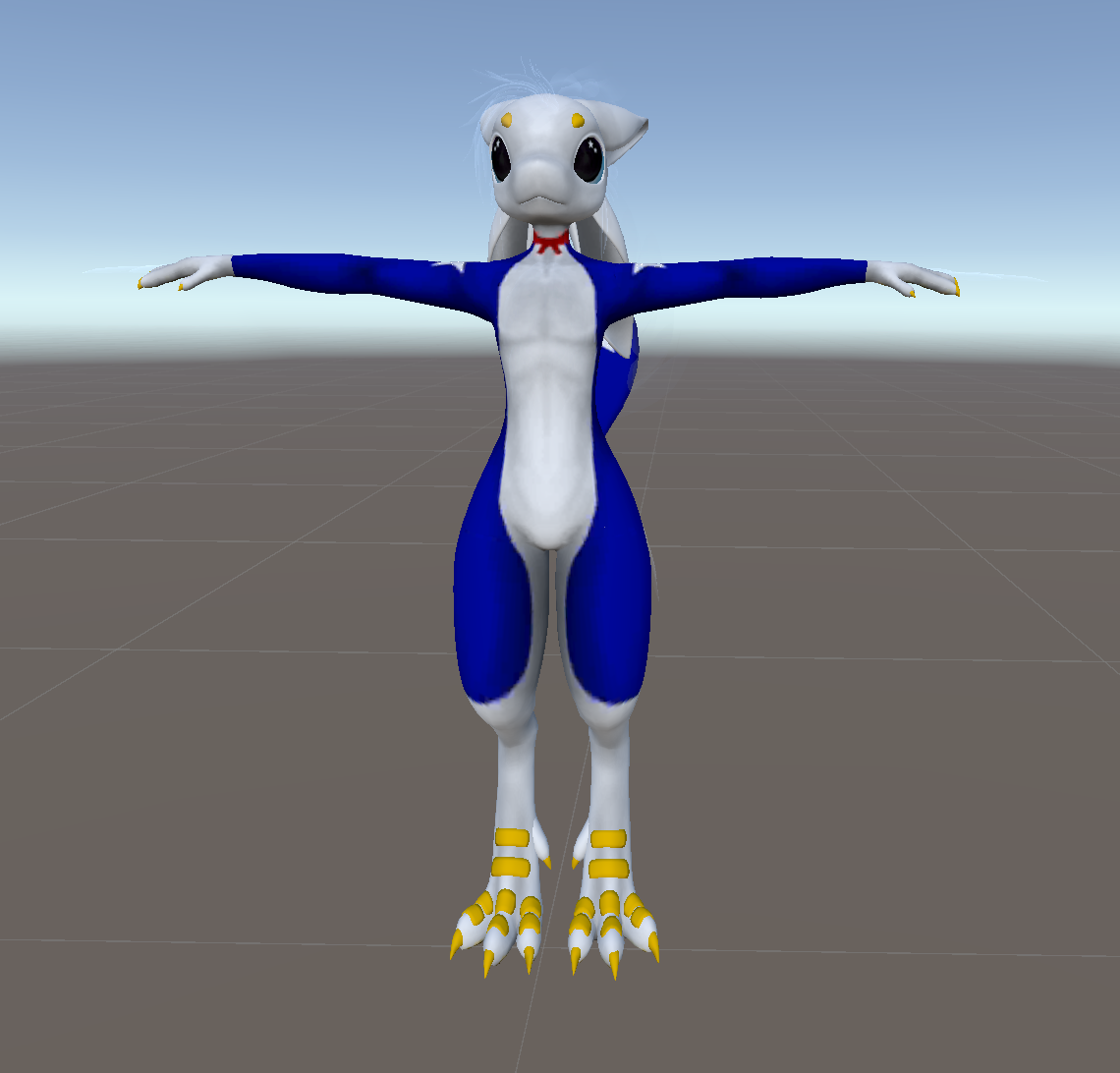
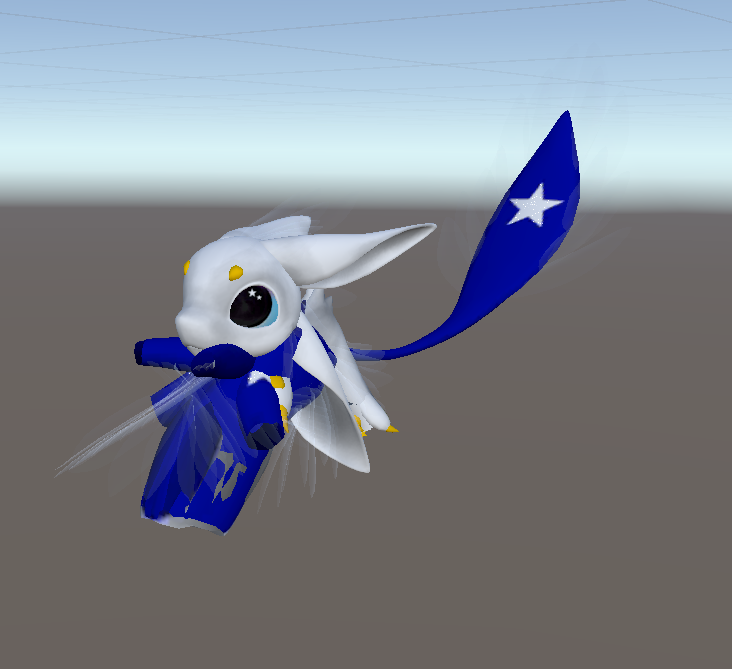
 median galleon
How do I get an avatar into unity from the VRChat website
I downloaded an avatar from the game and I'm trying to figure out how to put it in unity
raven orbit
median galleon
How do I get an avatar into unity from the VRChat website
you don't get it into unity from the website 
tranquil niche
cool, i'll make a save now
raven orbit
median galleon
I downloaded an avatar from the game and I'm trying to figure out how to put it ...
wdym downloaded from the game 🤨
median galleon
raven orbit
wdym downloaded from the game 🤨
Is it possible to get the avatar im wearing right now into unity or no?
raven orbit
nope
raven orbit
median galleon
so the only way is by blender?
sure i guess
tranquil niche
ok, so the save is there and the old shoes are no more, would i just drag the new ones into the avi's armature?
Or would this need to be messed with?
 raven orbit
yeah, just under the avatar root and it'd be part of the avatar, and to make sure the shoes move with the base they'd need to have the base's bones as the source for the parent constraints
raven orbit
tranquil niche
that should be fine for this case
tranquil niche
raven orbit
yeah, just under the avatar root and it'd be part of the avatar, and to make sur...
the last part of this is just the thing where i go into the hiearchy and drag hips to hips, spine to spine foot l to foot l so on and so forth
somber sequoia
rule #10 dude
somber sequoia
median galleon
I downloaded an avatar from the game and I'm trying to figure out how to put it ...
is "the game" vrchat? how did you download this?
median galleon
somber sequoia
is "the game" vrchat? how did you download this?
Well I dont really know the vrchat slang or terms but I mean like I downloaded and wore the avatar https://vrchat.com/home/avatar/avtr_1640def0-965a-4600-9e16-e42b65a82c55
I just want that Avatar in unity since i cant figure out how
raven orbit
median galleon
Well I dont really know the vrchat slang or terms but I mean like I downloaded a...
it's not called a download unless it's on your pc, which it isn't
somber sequoia
oh so you're just using it in the game, okay.
So yeah - you'll need to find the original creator's site and purchase it
median galleon
somber sequoia
oh so you're just using it in the game, okay.
So yeah - you'll need to find the ...
Damn
tranquil niche
i think i'm probably wrong with that guess
raven orbit
oh i missed your message, sorry
tranquil niche
you're all good!
brisk hawk
 raven orbit
tranquil niche
the last part of this is just the thing where i go into the hiearchy and drag hi...
raven orbit
tranquil niche
the last part of this is just the thing where i go into the hiearchy and drag hi...
i dont think you can reposition the bones in the hierarchy, they will need to be parented via parent constraint
brisk hawk
I’m trying to add a mmd avatar to vrchat and when I press show control panel nothing shows