#udon-general
59 messages · Page 89 of 1
 hoary gyro
(i couldnt find any if statements, or any kind of logic type nodes for that matter in udon graph)
 indigo finch
hoary gyro
(i couldnt find any if statements, or any kind of logic type nodes for that matt...
indigo finch
hoary gyro
(i couldnt find any if statements, or any kind of logic type nodes for that matt...
if statements are done with the branch node
 sterile lion
sorry again, but even though i click 'move tool', arrow doesnt show up... my unity version is 2019.4.31f1 as vrc site recommended.. anyone know about this problem!?
 scarlet lake

anyone know whats this is about
it doesn't seem to be causing issues
but these pop up when i go to publish my world
hoary gyro
is there any way to create pathfinding NPCs equivalent to simple navmesh agents
EG person looking thing (glorified capsule collider) that pathfinds to an empty gameobject
 velvet needle
I'm looking for help creating world "sits" that are not the default pose. I have seen "lay down" sits for beds, and I want to make that for my own world. Is there such a prefab somewhere? or can someone help me create these "sits" with different animations/poses? I have some various pose/animations I can use, I just can't get them to work right. I tried an animation controller with the chair prefab but the avatars end up in some strange location not where expected.
indigo finch
hoary gyro
is there any way to create pathfinding NPCs equivalent to simple navmesh agents

In this TLX Spring 2021 session, Centauri focuses on how to create simple local and synced AI, and different ways to sync it between multiple players.
Check out other talks from the TLX Spring 2021 event at https://www.youtube.com/playlist?list=PLTgqlzYxsEMxiUvVaqBcD5OL9MpdmkiSH
Learn more about Prefabs TLX at https://tlx.dev
Follow TLX on Tw...
hoary gyro
thanks
 devout trout
(hopefully) simple question; I'm looking for sliders that function similarly to these, https://yodokoro.booth.pm/items/2458051 (as in physically grabbable like a pickup object), but to drive a syncronized float value, rather than being local only. does such a thing exist already?

English Descriptions Below Newest version:v1.1 本アセットはVRChatワールド作成者向けに、ハプティック(触覚)なスイッチ及びスライダーを作成するためのモデルとU#スクリプトを提供するものです。 もちろんモデルのみまたはスクリプトのみの利用も可です。 クレジット表記は必須ではありませんがあると嬉しいです。報告いただけるともっと嬉しいです。 本アセットはVRCSDK3+U#専用です。
 high mural
trying to figure out how to make buttons that you can actually push; i.e. how to get collisions between player's fingers and gameobjects? or if there is some other way?
indigo finch
high mural
trying to figure out how to make buttons that you can actually push; i.e. how to...
I may be wrong, but I think archiTech's TouchControls has a button that has travel that might be what your after: https://booth.pm/ja/items/2668806

Touch Controls Prefabs for VRChat w/ Udon. Requires SDK3.0[Udon] (last tested w/ v2020.4.4p1) and UdonSharp[U#] (last tested w/ v0.18.8). View the README.md file in the package for more information. Models by Yodokoro (source https://booth.pm/en/items/2458051) The model is included with their
high mural
indigo finch
I may be wrong, but I think archiTech's TouchControls has a button that has trav...
I'll check that out, thanks
 limpid umbra
I'm wondering the same thing. I want to add a health bar to my cars and have it take a certain amount of health away depending on how hard the cars hit something
scarlet lake
@indigo finch may i ask you a question
indigo finch
probably
scarlet lake
hmm\
well
i followed your video guide on about the tv controls

it works
but
not on quest
do i need a different video player?
indigo finch
quest and video players are a pain. as far as i know, you cant run any videos that get redirected on quest. that means many platforms like youtube cant be played on quest. doing it properly way and hosting the video of a server is common, though i do believe there might be a different website that plays youtube videos without redirecting the user, but I can't remember
Honestly, I've never worked it out. Never hung out with someone on standalone quest, so I've never learnt how
indigo finch
Yea... for the rough quest ports I do do, I make those kinda compromises. I believe the video restriction is a oculus/ android limitation, not a vrchat one (though i could be wrong)
scarlet lake
yeahh doing anything for quest is such a pain
like my lighting looks amazing on pc but when i switch build targets it gets soooo messed
im still trying to fix it
and hand switching every single damn shader to standard lite is soo painful
indigo finch
you can multi select materials though, so it isn't too bad depending on your file structure
scarlet lake
hmmm thats useful to know
i have a million different folders though xd
since i'v imported soo many packages
high mural
is there a way to check when a player changes avatars? like OnPlayerChangeAvatar or something?
 mossy crane
What's needed for this to be set for all late joiners as well? Works for anyone in the instance already


 grand temple
network events do not work for late joiners and there is no option to change that
you have to use synced variables, requestserialization, and ondeserialization
mossy crane
Interesting, so it would be set text, request, send event, ondeserialize send event and all late joiners should trigger it?
er set classname then request
and set text in the event
grand temple
I would recommend not sending the event at all if all the information you need can go through the synced variable
mossy crane
unsure how that would look, im using Interact on a button
grand temple
because if the network is clogged it is possible for the network event to arrive before the synced variable and then it will do things with outdated info
if all it's doing is changing a variable then just.... change the variable and requestserialization
then do things ondeserialization
mossy crane
the button is local per player, but the text is visible to all
hmm ill try that thank you, basically Interact set classname request, and ondeserialze set text to classname for instance?
does the graph need to be switched to manual sync?
grand temple
depends how you want to do it
if it's continuous you don't need requestserialization
if it only changes occasionally then you should use manual
mossy crane
And I heard that udon behaviors work on disabled gameobject, so its ok to disable this at some point, and late joiners will still receive the sync'd value?
grand temple
ehhhh sorta, disabling gameobjects will stop updates from happening, but yes they still should be able to send data out to late joiners
but the late joiners still need the object enabled at some point to do stuff
I would really question why you need to disable them though....
mossy crane
eh its a UI menu I dont really need but I can just disable the buttons and graphics

something like this?
classname is a synced String
or should interact start a update loop
grand temple
but you're using classnametosend not classname
mossy crane
hmm can i just set classname to classname?
grand temple
that wouldn't do anything
you need to use the variable that is synced if you want it to..... sync
grand temple
I'm not sure how that's relevant
mossy crane
hmm sorry im not following, Where can I declare my synced string. For instance i have the classname as synced string set to the text I want already
grand temple
right, classname is synced, that's great
but in the setname function you're not using classname
so it's not gonna sync
 grand temple
and how is classname being set by the person doing interact?
mossy crane
Thats where im confused lol
grand temple
you don't need to set a variable to call requestserialize, but if you don't change anything then it's... not gonna change anything
mossy crane
i need player A to press a button and change a text to a string, I need everyone to see that new string, and all late joiners to as well
right now only players in the instance can see
grand temple
ok, how are you coming up with that string?

 grand temple
ok, so you have a bunch of these buttons and classnametoset indicates which class the button is going be?
mossy crane
I figured I needed a new variable to set for request serialization
instead of the static classname
grand temple
well if you're not syncing anything then you don't need to request serialization
if the information exists on this object already, then yes a network event is all you need
mossy crane
so a player simply setting text to classname via customnetworkevent OnInteract should be good to go?
grand temple
this is just a really weird architecture, like you shouldn't have the button be syncing this kinda stuff anyway
you should have some central object that the button communicates with
mossy crane
theres 3 class options.. and a text above the players head
3 different buttons each changes the same text to a different string
unsure how else to handle it
grand temple
ok, so put the syncing on the object that puts the text above the persons head
that's your central object
and the button just tells it what to be
mossy crane
can the text be the central object? and the Udon Behaviour just has a custom event that set text to a variable "classname" and each button sets the "classname" and customnetwork event to the central object?
grand temple
well I wouldn't recommend network events being involved in that at all but yeah
mossy crane
hmmm, so the button. If im using on Interact to set the initial text... how do I have the graph replicate for joiners
grand temple
the buttons should be entirely local, the central object should have a synced variable
grand temple
well if it's continuous it does
but you probably don't want continuous because that would be a waste
so just do manual and requestserialization
mossy crane
Yeah its a start of the world thing
who becomes the owner for request
just networking.getlocal or keep it master?
grand temple
whoever you want to control it
mossy crane
Sweet ill run with that tyty
grand temple
only the owner can set synced variables and requestserialization
if you want it so that the master is the only one who can change it, then sure, you don't need to do anything
mossy crane
so each player has their own text that needs to update based on which button that character clicks
master can handle all that right
for the central object
grand temple
you should probably have each person be the owner of their own respective object
mossy crane
roger that
grand temple
so that they can update synced variables as they wish
 valid oar
Super basic question but something I've never actually done. How do you create a button to turn something strictly off or strictly on? All of the tutorials seem to use unary negation to toggle the state but I need a button to just enable or just disable.
grand temple
bool const
or a public bool if you want to be able to change what it does without touching the graph
mossy crane
components you can set enabled or disabled, and gameobjects just have setactive for the whole thing true or false
 valid oar
So just check or uncheck the value box or do I need to set up an inequality?
grand temple
yeah that works too
mossy crane
Const bool like Phase said is a way as well, same thing just checkmark for true no check for false
 valid oar
Great, thanks, I'll try that out.
grand temple
only necessary if the node you want to use doesn't have the checkbox built in, yeah
 vernal maple
Need a quick hand with VRCStations. Just need to see what station a player is currently in.
grand temple
You can just do onstationentered > store the playerapi somewhere
vernal maple
I imagine I could assign the player to a station with a button, then assign that station in code, but I was wondering if LocalPlayer had a value stored for it
Ah, figures.
vernal maple
This is an extra spicy question, but I actually have no idea where I'd ask. Is there a way to unbind the right joystick (camera) movement with an XBox or Playstation controller? The reason I'm curious about this is because I have a vague feeling I might be able to add some form of controller support for my world idea, which would improve PC non-VR players experience dramatically.
 pliant lark
lol
devout trout
I don't think you can completely unbind the camera controls, but you could use a separate 3rd person camera instead, and just ignore the direction the player's head faces... would work well for vehicles
 eternal trail
Hey, i have question it has been 4 years since i created a world for vrchat just a question it is possible to somehow synchronize the world with mysql ? like store information of player, level, xp and next time they visit the world all of that will load ? 😄 i dont know if its possible 😆 🤞
Or if not how would you store information or progress 👀
 unborn hornet
Encode world state into a string for the user to copy.
 wide radish
Is anyone having any issues when they load SDK3 for worlds into unity 2019.4.31f1? When I do I get like 11-15 compile errors immediately. Can anyone suggest anything that would help?
I have tried to uninstall SDK3 and reinstall it
i was unsuccessful
I have tried to reset all packages to default in project manager, did not help
I wanna cry over this 😿
 fair pulsar
I'm over here trying to figure out the limits of Udon
mossy crane
Have you tried saving the project and closing unity and reopening? the first install always has errors like that but often restarting Unity fixes
wide radish
yes
mossy crane
Unsure then sorry 😦
wide radish
okay, I appreciate the help anyway
I put a ticket into VRchat
I will keep you guys posted
fair pulsar
So what can I do with base Udon vs Udon Sharp? Which is easier and which can do more? I still want to make a basic pet simulation game, and I want to know what Udon and Udon Sharp offers that is better than OSC for avatars
wide radish
Udon Sharp you can utilize code almost like Csharp in most video games
Udon is like basic things
(just plain udon)
fair pulsar
Alright, thank you
wide radish
of course!
I hope that answered your question
It wouldnt hurt to do both to be honest, I think you would like it!
their are many tutorials online to do udonsharp code (which is basically C script) and you can make your objects do different things
I use it and it was really a game changer 😸
wide radish
Hey everyone, I deleted SDK3 from my project - then I went to project manager in the windows bar and I uninstalled textmeshpro and then went to advanced settings and reset packages to default.. THEN I reinstalled SDK3 and now it freggin works
I hate this lmao
 unkempt wasp
Hey there hows it going, so im new to the community, i recently got my quest 2. i have been wanting to do more in VR chat and as a level designer i was really intrigued by being able to create a world in Unity and put it into VR Chat, i mostly work with Unreal engine, and have some past experience in Unity but i have not kept up with it, on top of that my coding skills are a bit sub par lol. i watched some videos on it and they make it look so easy but i keep running into this problem before i can even get started designing. can anyone please help
 sterile lion
wide radish
Is anyone having any issues when they load SDK3 for worlds into unity 2019.4.31f...
sterile lion
wide radish
Is anyone having any issues when they load SDK3 for worlds into unity 2019.4.31f...
i have some issue with this unity version too! so u just reseted all package? not changing unity version? is that work?
wide radish
I just reset all packages in advanced under project manager
It works but now its not letting me test the world in vrchat
👹
What version do you use other than the 2019.4.31f1?
wait now its working well
wow what a doozy
scarlet lake
using what I learned from this video


cant get this to work for some reason
whenever I enter the trigger area nothing happens
grand temple
don't pull variables into two different flow paths at once, it can break stuff
duplicate the door_left_1 and door_right_1 variables so that you have one for each flow path
scarlet lake
hm alright

alright assuming that you mean this
going to test and see what happens
grand temple
yep
grand temple
are you sure that the doors are assigned in the inspector?
 grand temple
and this object has a collider?
scarlet lake
yup
grand temple
and what layer is it on?
 grand temple
so default?
scarlet lake
ye
grand temple
should still work
scarlet lake
hmm
 pallid roost
if you where using U# id suggest adding a debug statement in there so you can check the trigger is working
scarlet lake
how hard do you think it would be to use U#
pallid roost
have you tried making the area larger, aboutr the height of a player?
scarlet lake
I already know C#
scarlet lake
pallid roost
have you tried making the area larger, aboutr the height of a player?
yeah I have
grand temple
you can also add debug logs in graph
pallid roost
If you know C# its pretty simple, I know c# and very much prefer it over graph
I hate reading node graph XD
scarlet lake
hmm

 scarlet lake
where would it output to though
 scarlet lake
ah
alright i'll use that to see if the trigger is even being activated
hm okay weird

did this and there was no output
so the trigger isnt even being hit
hmm
idk ¯_(ツ)_/¯
 mossy crane
is this launched into the game or using CyanEmu or something similar to run in editor?
scarlet lake
nope
mossy crane
whats your physics matrix look like
Edit > Project Settings > Physics and the table at the bottom
 mossy crane
so wierd, everything looks good to trigger it
scarlet lake
hmm
mossy crane
is it enabled?
 scarlet lake
yeah it is
 scarlet lake
yeah

 mossy crane
super odd

 mossy crane
whats the object look like in your Hierarchy
pallid roost
That behavior is on the object that has the trigger, yea?
scarlet lake
its all the way at the bottom
scarlet lake
pallid roost
That behavior is on the object that has the trigger, yea?
yeah
pallid roost
Have you run a build and test before or is this like fresh fresh project?
scarlet lake
run a build and test before
might try a new project
and if that dosent work then I'll try and learn to use U#
pallid roost
I've always had quite large areas so not sure how well small ones on the floor like that by the door would work
Did you try moving it out from the wall and taller?
scarlet lake
yup
just tried that

alright going to try a new project

hmm
the sdk I downloaded may be broken
 pallid roost
thats weird
scarlet lake
trying a reimport rn
unity is so
scuffed
I would hate to actually have to make games with this
WHAA
U# it is
 ivory mist
Hello🐼
 loud bridge
Anyone know how to get the player's view pitch in non-VR mode? I've tried getting the head rotation, but it just shows as flat (getting yaw works though), and when I try to get individual eye rotations, they just come up identity in non-VR.
@scarlet lake, I was able to achieve a similar effect with this setup in U#:

 inland gyro
Sorry for the late night ping, @serene moat. Not sure if you have advice (or an UdonSharp Discord server) for this one. I just put the most recent UdonSharp-master in my world project [Unity 2019.4.31f1, VRCSDK version 2022.02.16.19.13 (most recent Live build)]. Tons of namespace errors. Re-importing isn't helping, but I'm also not sure if I have to downgrade the Unity version.


 serene moat
install from the release link
inland gyro
I'm such a dummy; been up all day. Thanks. 🤦♂️
 trail hazel
Has anyone ever had the issue where, when attempting to control a camera with ClearFlags.None that goes to Display 1 and Both Eyes (trying to make an overlay), moving it in an UdonBehaviour works fine in desktop, but in VR, it seems the transform gets overwritten with a playspace offset from the rest position?
I'm logging out camera.transform.position and camera.transform.rotation immediately after I set them and they look fine, but on the next frame, it seems like they've been messed with for whatever reason
This happens even on a world with no other behaviours
So I'm inclined to believe that VRChat is somehow directly messing with the camera for some reason
 wheat rover
That's a unity thing. Cameras for the VR display have their local position and rotation automatically set to the values of the headsets tracking.
trail hazel
Is there a way to bypass this behavior?
wheat rover
You could child it to a game object and try to manipulate the game object to move and rotate inversely to the player's head tracking
Though tbh i'm not sure how well that could go
trail hazel
That was gonna be one of the things I tested if I couldn't bypass it. My main concern is I think the camera's position would be left off from the previous frame leaving a 1 frame jitter delay
wheat rover
It'd probably be easier to just place your overlay in front of the camera instead, using the players head tracking and PostLateUpdate
trail hazel
The issue is, I do want the overlay to actually have depth when in VR, and its source is a camera
trail hazel
trail hazel
That was gonna be one of the things I tested if I couldn't bypass it. My main co...
From my testing, doing the parenting method seems to be the best possible way to do it right now. There is a one-frame jitter but the jitter relies on the player's movement in their playspace, which only really happens if they're walking around their room
 topaz jetty
?whatisudon
 hidden martenBOT
VRChat Udon is a programming language built by the VRChat Development Team for use in VRChat worlds! It enables complex behaviors and logic in VRChat worlds. Read more about Udon in our documentation: https://docs.vrchat.com/docs/what-is-udon
VRChat
What’s this Udon thing anyways? VRChat Udon is a programming language built completely in-house by the VRChat Development Team. It is designed to be secure, performant, and easy to use via the VRChat Udon Node Graph, a built-in visual programming interface that uses nodes and wires (we call them “no...
loud bridge
trail hazel
Is there a way to bypass this behavior?
Try overriding it in LateUpdate
trail hazel
I already tried this and it doesn't work
I looked into how it works and it updates it in the render pipeline so Udon is incapable of overriding it as it is
There's a component called TrackedPoseDriver that you can use to fix it in normal Unity but it is not whitelisted for SDK3 so there's no real way around it
I just went with the parenting method and did some matrix math, sucks to have a 1 frame jitter but it's not very noticeable
loud bridge
Okay, another option may be setting a RenderTexture on the camera. If Unity thinks it's not rendering to the display, then it might not override the transform
trail hazel
This doesn't really work for my use case because I need the overlay to be 3D
loud bridge
Okay, also, one last thing, did you set the camera's target eye to None?
trail hazel
That causes it to treat the HMD as a normal display, which makes the overlay span across the two eyes
i.e. the left half of the camera's view is in the left eye and the right half is in the right eye, very nauseating
loud bridge
Just out of curiosity, why do you need a separate camera for an overlay?
trail hazel
Because the overlay 'minimaps' a room that has other players in it
loud bridge
Yeah, use a rendertarget, and then apply that to a RawImage on a canvas attached to the player's head.
No lag.
trail hazel
by rendertarget are you referring to something that is not a rendertexture
loud bridge
Plus you get way more control over resolution and performance.
No, it's a RenderTexture. why, is that not allowed in Udon?
(I'm more of a Unity guy than an Udon guy)
trail hazel
It's allowed but I don't want to use a rendertex because I want the overlay to be 3d
loud bridge
Oh, with full depth perception? Interesting. Isn't that disorienting in VR?
trail hazel
Not very much if it works properly
loud bridge
Cool. Show it off when you get it working! 👍
trail hazel
The idea is that you basically have another player in a room somewhere else on the map, and that player can 'call' to you which makes you able to see and hear them as a 3D miniature as part of your HUD
Anyway, the parenting method seems to have gotten me as close as possible to the desired result. Guess I'll just have to deal with it
 flat musk
Heya guys I've been trying to learn Udon for this past week with almost no understanding. Haven't really found any tutorials that explain how or why we do things in Udon. Do you guys know of a website or something I can do in order to understand & learn why & how to do things?
loud bridge
flat musk
Heya guys I've been trying to learn Udon for this past week with almost no under...
You're probably looking for general game development/programming resources. Unity itself it actually a great resource for this. If you know how to program games in Unity, it transfers over to Udon relatively easily. Try out Unity's Learn site: https://learn.unity.com/

Unity Learn
Free tutorials, courses, and guided pathways for mastering real-time 3D development skills to make video games, VR, AR, and more.
flat musk
loud bridge
You're probably looking for general game development/programming resources. Uni...
alright thank you, I've been trying to learn C# (from my understanding Unity runs off it) so I can program in unity. But with Udon doesn't it run off U# & you need a converter or something? not to sure, I'm new to all this. I'm more trying to learn the fundamentals, so I can understand
loud bridge
U# is designed to match C#'s spec. So learning C# is a great way to learn U# (which works better than Udon Graph anyway in my experience)
flat musk
loud bridge
U# is designed to match C#'s spec. So learning C# is a great way to learn U# (w...
awesome glad to hear I'm going in the right direction
loud bridge
Re-upping this: Anyone know how to get the player's view pitch in non-VR mode? I've tried getting the head rotation, but it just shows as flat (getting yaw works though), and when I try to get individual eye rotations, they just come up identity in non-VR.
 wind atlas
loud bridge
Re-upping this: Anyone know how to get the player's view pitch in non-VR mode? ...
wind atlas
loud bridge
Re-upping this: Anyone know how to get the player's view pitch in non-VR mode? ...
How are you getting the head rotation? If you use GetTrackingData, you should be able to get the proper rotation of the head even in desktop.
wind atlas
loud bridge
Re-upping this: Anyone know how to get the player's view pitch in non-VR mode? ...
Also, are you getting the eye rotation using bones or how are you doing that? (mostly my own curiosity, never done that)
loud bridge
wind atlas
How are you getting the head rotation? If you use GetTrackingData, you should be...
No, strangely the Head rotation seems to return flat (i.e. forward.y is always zero). I've figured out another way to do it now with CyanLaser's canvas workaround here though: https://www.youtube.com/watch?v=Yik63cfyuD8

This tutorial goes over how to create a player tracker and 3 examples of how to use it. The player tracker was first created by HardLight and released in his Toybox prefabs. The link to download Toybox as well as a link to the Prefab Database can be found below.
The examples shown in this tutorial include
- A synced object above 1 player's hea...
loud bridge
wind atlas
Also, are you getting the eye rotation using bones or how are you doing that? (m...
Yeah, GetBoneRotation has options for LeftEye and RightEye. But in non-VR, they just seem to return Quaternion.identity.
grand temple
loud bridge
No, strangely the Head rotation seems to return flat (i.e. forward.y is always z...
That's only necessary in sdk2. In sdk3, I guarantee that tracking data will have full rotation. Are you sure you're not using getbonerotation and you have a weird avatar?
Also if you're just doing playerapi.getrotatiom that would also explain it, that's not what you want
loud bridge
grand temple
That's only necessary in sdk2. In sdk3, I guarantee that tracking data will have...
Nope, I'm using a default avatar (the robot) and I called GetBoneRotation(Head). Once I switched the exact same code over to the canvas workaround, it started working perfectly.
I should note: this only applies to non-VR mode. The bone rotations all seem to return fine in VR mode.
My guess is that desktop mode has a sub-transform for view pitch that isn't accounted for in the bone transforms, but I don't have a way to confirm that.
wind atlas
loud bridge
Nope, I'm using a default avatar (the robot) and I called GetBoneRotation(Head)....
Have you tried GetTrackingData? You need to use that one instead of GetBoneRotation for accurate data.
I personally haven't used bones for head rotations since it's linked to the avatar, and who knows what's going on there.
loud bridge
wind atlas
Have you tried GetTrackingData? You need to use that one instead of GetBoneRotat...
I did not try that... I wonder if that works properly in desktop mode without physical trackers. Does GetTrackingData return in worldspace or local?
wind atlas
loud bridge
I did not try that... I wonder if that works properly in desktop mode without ph...
I can see how the name is a bit misleading. GetTrackingData does work even in desktop.
You can even get the hands using that method. You won't get the actual avatar hands, but they will float infront of them.
The position is in world space. Rotation probably as well, it's based on Vector3.forward if you want to find the look direction vector.
loud bridge
Interesting. Thanks for the tip. I'll use that in the future (or switch over to it if the camera space canvas workaround starts giving me trouble).
 velvet star
From my understanding, GetTrackingData allows you to get the playspace, head, and both hands' (simulated on desktop) positions and rotation. They show the actual positions for VR even if the avatar cannot reach that far.
 oblique sinew
why udon, and not ramen? both taste good to me...
 sweet jackal
trying to make a bucket that pours out the water if you turn it too far, but it keeps pouring out regardless of the rotation so thats a bit of an issue, anyone possibly know why?
(I did notice the script checks for less than when it should be greater than but it still activates regardless of it being greater than)

 quartz meadow
sweet jackal
trying to make a bucket that pours out the water if you turn it too far, but it ...
quartz meadow
sweet jackal
trying to make a bucket that pours out the water if you turn it too far, but it ...
quaternions are a method to store rotations in 4D space. theres a lot of math behind it that is pretty confusing if you aren't familiar with imaginary numbers and stuff. In your case, I would turn the rotation into euler angles first. do not read/write to specific components of quaternions unless you know exactly what you are doing
so right here, turn your quaternion into a Euler angle, or there may be a function to grab Euler angle rotations directly, which are the X Y Z degree rotations you are familiar with

and looking over your program, since standing up right will likely have euler angles 0,0,0, it will spill out right away anyways. maybe you meant a more than comparison?
I would use cyanemu and debug.logs to play around with it in editor, find values that work
sweet jackal
I actually have tried converting them to euler angles, sadly it didn't seem to work too well either,
and the lessthan nodes were swapped to greater than already but I forgot to re screenshot it after the fact, they still didnt seem work though.
I'll have to see about comparison nodes, haven't gotten to testing those yet
 hollow sapphire
Question how do you do a multi- scene world in udon.
Is there like a tutorial someone can throw me
quartz meadow
sweet jackal
I actually have tried converting them to euler angles, sadly it didn't seem to w...
I would highly suggest using cyan emu if you aren't already and making heavy use of Debug.Log, it can help test this stuff much faster. I would look at what euler angles are being outputted directly and see what you need to do from there
quartz meadow
hollow sapphire
Question how do you do a multi- scene world in udon.
not sure what you mean by this? You can just create multiple "scenes" in unity and edit separately there?
hollow sapphire
quartz meadow
not sure what you mean by this? You can just create multiple "scenes" in unity a...
Yes I know that but when making a larger world, to help with optimize, how do I make it so one part derenders for the player and the other part of the world that you walk into/move too renders
Take large maps like just B, and Vket that I know do this for example
quartz meadow
unity kinda already handles this already, though you can do things like unity world fog
this is probably better asked in the world-optimization channel, since I dont think this is an udon thing per say
quartz meadow
hollow sapphire
Yes I know that but when making a larger world, to help with optimize, how do I ...
they had this video pinned there, which you could do with unity for "smart" rendering
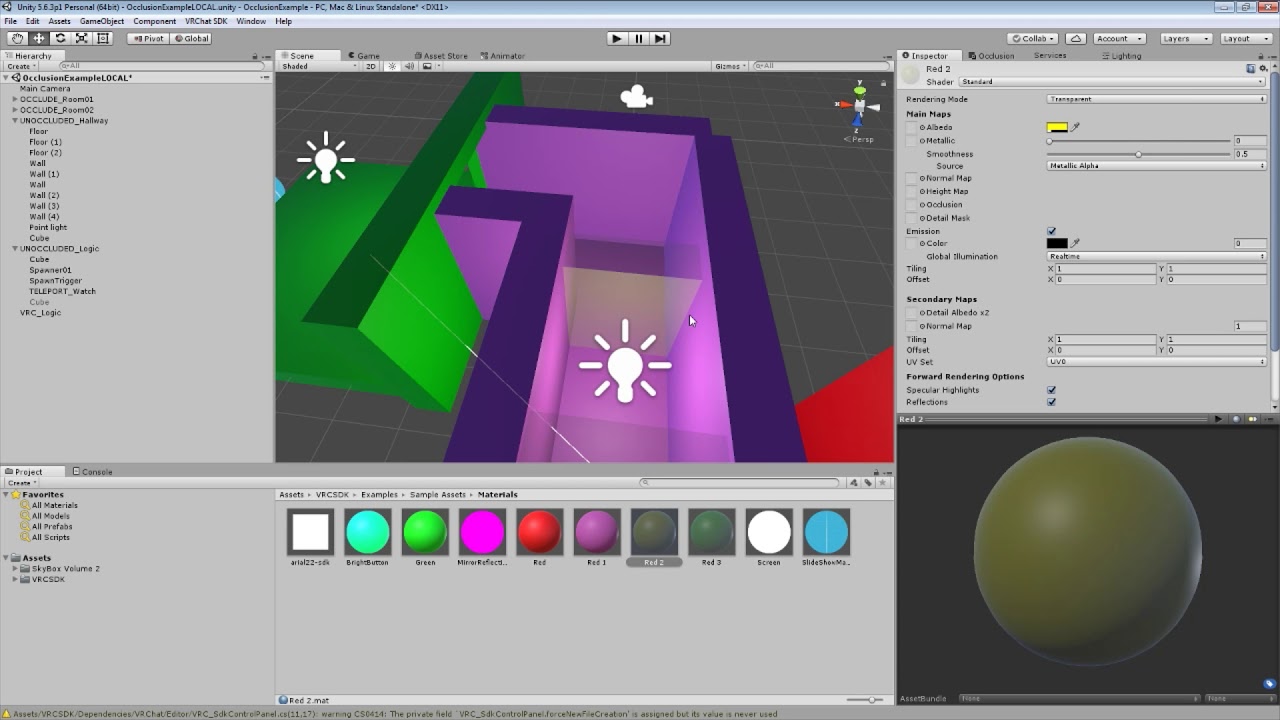
How to set up VRChat trigger-based occlusion in Unity, thus improving the performance of your world maps in VRChat.
keep in mind we are using udon, not triggers anymore, but the premise is the same
hollow sapphire
Right ok. Thank u.
sweet jackal
quartz meadow
I would highly suggest using cyan emu if you aren't already and making heavy use...
well it seems that helped, thanks. I don't really look too much on the vrchat dev community so I had no idea about cyan emu.
It actually worked a bit better than I expected, I was thinking it would have to check both x and z, but magically it worked with only the x. no idea how but the direction was 270
loud bridge
sweet jackal
I actually have tried converting them to euler angles, sadly it didn't seem to w...
I'd personally avoid the angles entirely. Get the bucket's transform.up value. When its y=1, it's pointing straight up. Whet its y=0, it's sideways. When its y=-1, it's upside down. That makes the rest of the math super easy.
 west dagger
Is it possible to make a webrequest to retrieve json data?
Trying to add image urls from a json file on the web as textures
loud bridge
west dagger
Is it possible to make a webrequest to retrieve json data?
I could be wrong, but I'm under the impression that Udon prevents outside network access for security reasons.
west dagger
Yeahhh that's what I'm afraid of 😭
And don't wanna bang my head against the wall if that is purposefully blocked
 wary rivet
how to do i change my rank bc im a nuisance
high mural
is there something like public override void OnPlayerJoined(VRCPlayerApi player) but for OnPlayerChangedAvatar or something like that? I just want to be able to check when a player changes their avatar
 elder peak
west dagger
Yeahhh that's what I'm afraid of 😭
elder peak
west dagger
Yeahhh that's what I'm afraid of 😭
no, you cannot
elder peak
high mural
is there something like public override void OnPlayerJoined(VRCPlayerApi player)...
no, that does not exist, you may look at how bones change height though but there is nothing reliable
loud bridge
Is it possible to lock the player's view, separate from their avatar, in non-VR mode? The best I've found so far is calling Teleport on the player every frame.
 frank lily
Does anyone have one, or know of a script that would allow for avatars movement speed in the world to change depending on the size of their avatar they're in?
 brazen epoch
loud bridge
Is it possible to lock the player's view, separate from their avatar, in non-VR ...
brazen epoch
loud bridge
Is it possible to lock the player's view, separate from their avatar, in non-VR ...
if you need to show the user something, you can use a screen space shader and use a camera with a custom render texture
Could also call Immobilize with that
 blazing locust
How can I change my VR chat Bio on the phone?
 pastel flame
blazing locust
How can I change my VR chat Bio on the phone?
pastel flame
blazing locust
How can I change my VR chat Bio on the phone?
I’ll DM you
 ocean sigil
I did make some Toggl Buttons, for my World. But now i have the problem, i cant remember wich button ins on and wich is off. Is there a way, i can change the materials of the buttons, so they will show wiche on is on and off?
 empty mantle
Is there a way to setup a inventory type sytem, where you have yours wepaon around your hip
 upbeat gulch
ocean sigil
I did make some Toggl Buttons, for my World. But now i have the problem, i cant ...
upbeat gulch
ocean sigil
I did make some Toggl Buttons, for my World. But now i have the problem, i cant ...
Yes you can
 shut arch
You can set the Renderer.material property on the gameobject's Renderer component, but it would likely be much more efficient to build one material that had properties that could be set to handle both states (like changing the emission color or shifting the uv coordinates). you want to use the least number of materials you can get away with to keep your draw calls at a minimum
 pastel yew
Does anyone know if the player ping is available in the PlayerAPI at all?
Or anyone know a way of working it out?
I wanna use it in a variable~
elder peak
you cannot directly but you may be able to use network servertime to calculate it
pastel yew
elder peak
you cannot directly but you may be able to use network servertime to calculate i...
Hmm. Is there a local time to compare it against?
GetServerTimeInMilliseconds() ... 🤔
brazen epoch
My intellisense says VRC.SDK3.Components.VRCPickup.currentlyHeldBy is a Component, but what is the component or does it actually resolve to something else?
brazen epoch
nvm. Not exposed by Udon. I just have to get network owner
loud bridge
brazen epoch
if you need to show the user something, you can use a screen space shader and us...
No, I'm more looking to lock the view for a third-person activity. I'd very much prefer to avoid the overhead of a second camera if I could.
brazen epoch
Then teleporting is the only way I can think of. I personally don't think a player's view should be locked due to disorient reasons, but I'm sure you have your reasons, so not my business
loud bridge
brazen epoch
Then teleporting is the only way I can think of. I personally don't think a play...
This is only for Non-VR mode, so disorientation shouldn't be an issue.
brazen epoch
Fair
loud bridge
Is there an alternative to use for Screen.width/height since that's apparently not exposed to Udon?
Nevermind. I'll just get the dimensions of a screen space canvas.
loud bridge
Ugh, I can't create or resize a RenderTexture in Udon?
brazen epoch
not to my knowledge. Idk if you can use anything Assets related tbh, but I never bothered to try
 twin hedge
How do I make the global network for the buttons that open and close the door? I've already made the animations.
I've looked up on Youtube and I'm not sure if I could find a good tutorial video
 shut ermine
is there a playlist prefab where it plays different music when it ends?
unborn hornet
clarify?
pallid roost
brazen epoch
nvm. Not exposed by Udon. I just have to get network owner
I hate it when you see that. Such a sad moment. 😢
Just gimmie all the things!
twin hedge
twin hedge
How do I make the global network for the buttons that open and close the door? I...
Pushing this again. Anybody else can help?
shut arch
twin hedge
Pushing this again. Anybody else can help?
have you taken a look at this one already? https://youtu.be/O3VeBzV9HgI

So this took me longer than it should have.
Time to toggle objects again, but this time, for everyone! You'll see that syncing is a little bit more complicated than it was in SDK2, so to set everything up we have to tell every player to toggle that object, but also catch up anyone who joins in after the button was pressed!
All assets are availab...
twin hedge
shut arch
have you taken a look at this one already? https://youtu.be/O3VeBzV9HgI
Yes. I know how to do the global toggle. But what about animator?
I’m trying to make a garage door that will roll up and down.
shut arch
twin hedge
Yes. I know how to do the global toggle. But what about animator?
I’m trying to ...
you're just reading/writing a boolean on the animator itself instead of an arbitrary variable or the active property of the gameobject
that boolean would be the transition condition between states
Create a sliding door with VRChat Udon
Next Episode https://youtu.be/YgV8X-z2OKA
Follow me on twitter (https://twitter.com/notmackintosh)
References:
Canada Themed Clothing and Other Retextures by: https://twitter.com/vicvic_VRC
VRChat Mishe model: https://booth.pm/ja/items/1256087
twin hedge
Hmm. Ok thanks.
brazen epoch
You can eliminate the overhead of animators and just lerp a rotate around point
twin hedge
ok, thank you
quartz meadow
brazen epoch
You can eliminate the overhead of animators and just lerp a rotate around point
Dont script based transforms perform worse than triggering an animation?
 finite lava
hi! i'm wanting to make a UI Dropdown that changes options at runtime. since the DropDown uses a List<> for its options, and it seems Udon doesn't support List<> yet, it seems it isn't possible to change the options. is there any way to do it (Udon or U#), or is it really just not possible right now?
i figure it might be possible to manually dig through the dropdown's game object tree to change its ui elements while the menu is open, but that sounds awful to do
 maiden sundial
Quick question. For a script with manual sync, when can we tell when all the variables are actually set? I thought the OnPlayerJoined would have the variables ready but it doesnt, then I thought OnDeserialization would have them ready on the first pass but it doesn't either. Do I have to have some sort of timer on Update where I wait for IsNetworkSettled?
grand temple
not guaranteed that the first ondeserialization will have all the data, but it will always have the most up to date data that you have received yet. And if there is more coming later, you will get another ondeserialization with the rest then
maiden sundial
It's weird cause I have a simple synced bool that tells players if there is an ongoing match, so they either spawn on the play area or the spectators area. It is marked as true for players already in the instance but when someone joins, they see it marked as false both at OnPlayerJoined and on the first (and only) deserialization that happens
And IsNetworkSettled is marked as true
talking about the player who joins sees it a false when it is already true
Wait, now that I realized, this shouldn't go here, but should be in #udon-networking my bad
grand temple
are you doing setowner and requestserialization when setting the variable?
maiden sundial
OH my god I'm a dumbass. I do not requestserialization, I completely forgot
Ffffff I swear sometimes networking gives me such a headache...
 fringe lily
Hey, idk what happened to my sdk but the control panel just isn't showing anymore


I already tried reimporting my sdk but it's still missing
 cold raft
you got an error in your error tab bottom left in the editor
fringe lily
so it was the Udon jetpack package that was causing the issue lol, does anyone also have this problem?
cold raft
i think udon jetpack is made in udonsharp. did you also import udonsharp?
and if you did there might just be a version incompatibiltiy between the udon/udonsharp/udon jetpack
wind atlas
grand temple
not guaranteed that the first ondeserialization will have all the data, but it w...
Slightly related question: Can we guarantee that each RequestSerialization gets send individually?
For example, if we send event names using a manually synced string.
grand temple
no, manual sync does not guarantee that all serializations are received. it only guarantees that the latest will eventually be received
wind atlas
grand temple
no, manual sync does not guarantee that all serializations are received. it only...
Oh, I was hoping I could use manual sync almost like sending packets with instructions. Like SendCustomNetworkingEvent but with parameters and hopefully faster. But it doesn't sound like that's a good idea now, because some "packets" might not be send.
For example, what would be the best way to do damage? The way I've done it is using SendCustomNetworkingEvent on a player owned object. While that works, it can be slow sometimes.
The other idea I have is to create a script just for health and then switch ownership whenever someone wants to reduce the health, but I'm not sure if that is really that much faster.
Am I missing an obvious solution here? I fear I might be overcomplicating it, so any advice is appreciated.
Another thing I could try, is having a buffer of commands, but again, I feel like that's overcomplicating it.
 cloud thicket
Is there any legit, TOS friendly way to make API calls that isn't this? https://feralresearch.org/lab/api-calls-from-inside-vrc/amp/

Feral Research
Can I see it Work?Check out the demo world: Udon Video Decode Demo by RoligaDemo of loading arbitrary data from the web into VRChat․ https˸⁄⁄github․com⁄Roliga⁄udon-video-decoderVRChatVRChat Inc.Just Give Me Code (Ok!)Create Videos of your data:Ån / pixel-proxyGitLab.comGitLab2. Decode the data and use it
cold raft
No
 signal mason
brazen epoch
signal mason
brazen epoch
is it possible to load scenes dynamically at runtime
cold raft
not sure, but you can certainly load entire chunks of the map dynamicly
 old trench
I need some help on an infinite scrolling "train" world, got issues with triggers. Anyone free to voice chat? (using U#)
cold raft
if thats the world that already live, then its a pretty cool world
old trench
Problem shortly: My script won't execute when the boat hits the shown triggercollider. code reponsible for spawning more tiles is not the problem.
 cold raft
oke i assume the boat has a regid body?
old trench
the boat has a meshcollider
wheat rover
You need a rigid body to interact with triggers iirc
old trench
allright.. 🤔
adding rigid body didn't alone solve the issue... Here is also a ss of my code:

Ah! The rigidbody "Is Kinematic" has to be set to true
 leaden bloom
I got a moving platform in my world and to stay on the platform, I took the "UdonPlatformHook.v0.52". But the problem is, when the platform has arrived and moves the way back, it turns the avatar by 180°. Did I do something wrong?
 pallid mango
brazen epoch
is it possible to load scenes dynamically at runtime
pallid mango
brazen epoch
is it possible to load scenes dynamically at runtime
No; just bake your occlusion so objects disappear when they are blocked by other objects.
brazen epoch
That's what I'll do
 fading shoal
is there a way to make an npc look at you with UdonSharp???
because im making a really good world with npcs in it
brazen epoch
You can use look at constraints and move a transform to the desired location of the Player
 elfin kestrel
I'm tryna get a sound and objects to work simaltaniously. So when you click a single button, the objects appear for a short time (already done) AND the sound plays, it's the getting both to work and to be global that I can't get working. I can send the mess that I made to show what i'm working with if needed
elfin kestrel
I did it
Instead of putting it as one script. I moved the audio part to another object. Disabling that object and throwing it into the timed enable/disable graph. Back to the audio object; In that one's graph, I used the event OnSpawn instead of Interact. This way the command goes off as soon as that object is made using the timed graph. If this comes up for some reason for you, dm me. I gotchu
unkempt wasp
hey guys so im having this problem, inside the editor both in scene window and game window, this aurora is animated, but it isnt working when i test it in VRC is there any reason why this might be? also i only used settings in the inspector, do i have to animate it using udon?
grand temple
unkempt wasp
hey guys so im having this problem, inside the editor both in scene window and g...
Is it using a script?
grand temple
Regular unity scripts are not uploaded to vrchat for security reasons
 grand temple
oh, well that's not a script that's a legacy animation
unkempt wasp
or atleast use udon to play the anim
grand temple
legacy animations are also removed for different reasons
but animators are exposed, just put this animation in an animator
unkempt wasp
for sure ill look for it, im new to to this so im still learning
thanks bro appreciate the help
 broken bear
For SetProgramVariable of a different gameobject's udonbehavior, if that target variable is synched, SetOwner needs to be on the target udonbehavior object right? Can I get the object the udonbehavior component is on without also seperately pointing to the object itself for SetOwner? I don't see an UdonBehavior.get_gameobject(). Edit: Got it to work by just using the target gameobject, set owner, then getcomponent type UdonBehavior. Seems odd we can't work our way up from the component though since there may be multiple UdonBehaviors on the gameobject.
 nova yew
Hey folks, I'm trying something really simple in u# but I'm not getting my head around it. Could I get some help please?
I'm using a u# script to +=1 an [udonSynced] integer inside the interact() function, followed by updating the canvas/text then requestSerialization().
OnDeserialization simply updates the canvas. This works perfectly for all clients. What I am can't figure out is how to decrement the value. If I have another u# script, I don't think the [udonSynced] variable there is "shared" between the scripts. Do I need to use events to do this?
elfin kestrel
For no reason that I can think of, "OnSpawn" doesn't work but "Interact" does. "OnSpawn" only works if it gets spawned right?, which is what is happening, yet doesn't do anything once spawned. I set it up so when it is activated in any way it should also spawn other objects, yet that only happens when the Event is Interact not OnSpawn
 fickle stirrup
nova yew
Hey folks, I'm trying something really simple in u# but I'm not getting my head ...
fickle stirrup
nova yew
Hey folks, I'm trying something really simple in u# but I'm not getting my head ...
make a function to decrease with requestSerialization
in another script make a public variable for UdonBehaviour or ClassName of your first script, and call this functio (calling from one script to another slow so don't do this in Update, etc)
public UdonBehaviour myThing;
public ClassName myThing; // on your choice
myThing.DecreaseNumber();
``` might also need to change Owner before decreasing/increasing value in those functions candid imp
When I upload the VRC SDK into unity, it give me a few errors and the VRChat SDK menu button doesn't appear. Do any of you know why this might be happening?
Never mind I realised I was using the wrong Unity version
 vale forum
Hi! I am interested in making an event happen when a player bumps into a solid box that they can't walk through.
I thought a Player Collision would be the best way to do this, but from what I've been able to figure out Player Collisions only work when players are able to pass through the object. The documentation supports this (I've also tried it myself): https://docs.vrchat.com/docs/player-collisions
What is the best way to accomplish this?
VRChat
Udon has three ways to detect when a Player and an Object Collide - Triggers, Physics, and Particles. Triggers If you want to detect when a player has entered or exited an area, your best bet will be to use the OnPlayerTrigger events. There are three of these: OnPlayerTriggerEnter is called when a p...
wind atlas
vale forum
Hi! I am interested in making an event happen when a player bumps into a solid b...
I don't remember, but you might be able to use OnPlayerTriggerEnter on a non-trigger collider. I might be wrong though, in that case, you could just create a copy of your collider and mark it as trigger, maybe increase the size by a sliver.
vale forum
wind atlas
I don't remember, but you might be able to use OnPlayerTriggerEnter on a non-tri...
Hmm, the first solution doesn't work, so I'll stick with the copy workaround for now. Thanks ❤️
 real willow
I wanted to create a avatar pedestal that upon changing into the model, i could toggle a material parameter change. there's more intricacies to that but i want to know how i would go about it ? Each pedestal has its own material and upon selecting one, the others have to reset to their original positions
nova yew
fickle stirrup
make a function to decrease with requestSerialization
in another script make a p...
Thank you! I'll give that a go.
frank lily
Anyone know how to make it so when i'm holding an object like a flight stick that allows the player to fly around (i'm using JetDog's prefab) how to make it so the player can phase through colliders and walls and whatnot? much like how when you're sitting in a chair you can be put into and through walls?
my world has a lot of platforms that need to be traveled through quickly and I need the flying item to allow players to phase through walls
nova yew
fickle stirrup
make a function to decrease with requestSerialization
in another script make a p...
Just wanted to say this works! Thanks! Edit: I think it's safer to take over (setOwner) the remote script's parent gameObject... some scripts work fine without others no.
indigo finch
real willow
I wanted to create a avatar pedestal that upon changing into the model, i could ...
each avatar pedestal has an udon script on them. The script says that onInteract (player click it), it will change to the avatar. If you add things after that, you can could make it also change colour or something when clicked.
You may want to duplicate the script though (before you make a change), if you don't want it happening to every avatar pedestal
real willow
all right i thought about that, although i'm .... actually i don't know how to code in Udon Sharp
indigo finch
real willow
all right i thought about that, although i'm .... actually i don't know how to c...
The gameobject should have a udon graph script attached to them, not #.
The avatar pedestal component itself is in c#, but you cant upload an edited version of it
real willow
not even a copy of it ?
indigo finch
real willow
not even a copy of it ?
I'm referring to the actual component itself (shown in red). it is a c# script, and while you can change the settings it displays to you, you can't actually change the underlying code. you shouldn't need to though.
In green is the udon behaviour component, that is needed to make the pedestal work right. In it, it has udon graph script, that you can either modify, or change with your own

In it, it has a simple code that when clicked (on interact), and then puts it into a node that will change the player's avatar.
It needs two bits of information to work, so it grabs what pedestal is on the current gameobject, and then also asks the network who the local player is (the player that clicked it)

you can add any code from the arrow output of this node, to do something when you click the button
real willow
ok i will try my best to ..... make it do something
pallid roost
Does a user need to be the object owner to call TryToSpawn on an object pool?
For some reason this very simple object pool script only works for the master
 elder peak
pallid roost
Does a user need to be the object owner to call TryToSpawn on an object pool?
Fo...
elder peak
pallid roost
Does a user need to be the object owner to call TryToSpawn on an object pool?
Fo...
yes, you must own the object pool
 errant jolt
Does anyone know if it's yet possible for individual developers to add buttons in their worlds that opens a URL in the background?
I know from 2020 it was mentioned as a VKet exclusive functionality, but has this been opened up for others to be able to easily link to booth items from a world?
Or is this type of monetization system exclusive to only vket or few creators?
pallid roost
errant jolt
Does anyone know if it's yet possible for individual developers to add buttons i...
Not that I'm aware of yet unfortunately.
errant jolt
pallid roost
Not that I'm aware of yet unfortunately.
Ahh, thank you for answering. Quite sad though that this is still the case =/
 viral mist
I'm trying to use LookAt to make an object rotate towards a player at Update.
I want to use Lerp to make it more smooth but.. how would i even get a number for a LookAt that is from.. the past? Since i can't even reference object itself because it doesn't follow a player but simply rotates towards the player
Leaving "a" as 0's just makes it jitter
Edit: Oh well, i guess making a new object that does nothing but follow the head with a lerp while the other object just Look's at it is good enough of a solution..
 broken bear
Can we break a for-loop in graph?
cold raft
yes in more ways then youd like to
broken bear
well without an udon behavior crash 😛
like when needing to exit early, send an event to another UB to turn off the Loop UB then delayed event to turn it back on? does it retain flow in the loop?
cold raft
i cant access udon atm but i think the for block comes with a stop thingy
 near relic
are there any tools out there for audio occlusion with sound objects?
not voices, but just world sound
 fiery yoke
broken bear
Can we break a for-loop in graph?
fiery yoke
broken bear
Can we break a for-loop in graph?
You can simply use "SendCustomEvent". It wont return back to where it came from, there is no pointer stack or anything like that.
broken bear
oh good stuff
scarlet lake
anyone know how to change colore of text using udon graph? (i'm not finding the right nodes)
 night viper
scarlet lake
anyone know how to change colore of text using udon graph? (i'm not finding the ...
night viper
scarlet lake
anyone know how to change colore of text using udon graph? (i'm not finding the ...
That would be the "Set color" node
 night viper
You cant change the color of a "game object" You have to specify a "text" component. You can create a Text public variable, drag your text component there, and then you can link that text to the "set color" node.
night viper
You can "get" the text component of a gameobject using "GetComponent" ( I have never used this before) Or you can simply create a "text" public variable and just drag your text component there. On your picture you are using "Set color" but from a material, not from a text
You need to search "set color" but for a text, not a material. The small text on top of the node tells you what it will change it to (red rectangle)
 pallid roost
viral mist
I'm trying to use LookAt to make an object rotate towards a player at Update.
I ...
pallid roost
viral mist
I'm trying to use LookAt to make an object rotate towards a player at Update.
I ...
The idea is to get the angle change to the player from where it's currently pointing and then turn only a portion of that distance. You don't need an extra empty object. Just some math.
viral mist
yeah i mean can i get like pointed to the names of some nodes i need to work with?
which node would help me "get" in which direction the object is currently looking at
scarlet lake
omg why i have to check for null to make it work when i'm sure that the component is there, my graph worked bad until i inserted a check..
 faint parcel
Has anyone else been having troubles with the quest canera? Every time i open it its just a black screen
near relic
how can i make a set gameobject active be local?
so that it doesn't affect other players
for onplayertrigger
viral mist
OnPlayerTriggerEnter sends a player when he triggers it
You can use that to ask using a boolean if the player was local
If it was = Do things
If it was not = Nothing happens
 near relic
wouldn't that just make nothing happen because the objects are not local?
i mean how can i make the objects to be local, sorry for not being clear Dx
or would it be more practical to use ontriggerenter?
viral mist
uhh.. i'm not quite sure what you mean.
Objects do exist locally by default because multiplayer in every game is essentially just a singleplayer instance with other players being spawned via requests
It checks if the player that entered a trigger was local or not since it references VRCPlayerApi
near relic
i'm making a manual occlusion instead of using occlusion culling
i have a trigger box, but when players leave it, it occludes for everyone
i'm trying to make it local
viral mist
yeah as long as no one has ownership of the object directly given by your code everyone will have their own individual Local version of it in their version of the game
If someone enters the trigger the game asks if it's a local player for every player, since it's someone else it will be a "Remote player" meaning the script will go to "False"
But if i enter the trigger the game will ask and check if i'm a "Local Player", my player is indeed Local because it's not a "Remote player" so it will be "True"
near relic
ohhh. yeah i thought it was only checking if it was local. i was under the impression it wouldn't do anything with that but if that's the case thank you so much!
oh wait, i just looked at the code again, i see what you mean
yeah!!!! thank you!!!
viral mist
yeah, this parameter returns a player that has entered the trigger
 near relic
thank you so much! :3
viral mist
no problem
near relic
on a side note. good taste in servers :3 i noticed we're in some that aren't vrc
viral mist
oh, i see what you mean lol, and thanks.
 long basin
Hello all, I have a quick question if anyone could point me in the right direction. I have an error CS1061: 'UdonBehaviour' does not contain a definition for 'ProxyOnAudioFilterRead' . (I am modifying a prefab home world and the error is showing up after I import the package) I did an update of my SDK and then reimported my world package and got the same error.
grand temple
long basin
Hello all, I have a quick question if anyone could point me in the right directi...
Could you share more details of the error? Like a pic of the whole thing?
long basin
grand temple
Could you share more details of the error? Like a pic of the whole thing?
I hope this helps identify my problem. thank you.

Assets\Udon\EventProxies\OnAudioFilterReadProxy.cs(10,27): error CS1061: 'UdonBehaviour' does not contain a definition for 'ProxyOnAudioFilterRead' and no accessible extension method 'ProxyOnAudioFilterRead' accepting a first argument of type 'UdonBehaviour' could be found (are you missing a using directive or an assembly reference?)
grand temple
long basin
I hope this helps identify my problem. thank you.
It's probably just an old/bad SDK (they really shouldn't distribute prefabs including the SDK)
not sure why just importing the new SDK didn't work, but sometimes it requires a fresh install
try closing unity, deleting the SDK folders, then reopening unity and importing the latest SDK fresh
long basin
grand temple
It's probably just an old/bad SDK (they really shouldn't distribute prefabs incl...
Oh I forgot to delete the folders facepalm
grand temple
well most SDK updates don't require that... but if it's particularly old it might
long basin
grand temple
well most SDK updates don't require that... but if it's particularly old it migh...
They were not but the prefab world may have been using an old SDK. Do you know what the proxy in reference does? If it is already taking one as a parameter I could track it down and replace it.
grand temple
ehh it's probably just one script trying to do something to another script and only one of them got updated
best to just fresh install
long basin
grand temple
best to just fresh install
Ok so all of my SDK folders would be with my projects only correct?
long basin
grand temple
huh?
Ok thank you
long basin
grand temple
just delete any folders in that project related to VRCSDK and Udon
The prefab was downloading SDK files for me. Thank you for helping I think I got it solved.
grand temple
whaaat? They probably shouldn't do that
long basin
grand temple
whaaat? They probably shouldn't do that
Yeah I didn't know it was included in the scene package
high mural
can you use coroutines in udon sharp?
elder peak
high mural
can you use coroutines in udon sharp?
no
 vagrant narwhal
Hello I just got a quick question
VR chat SDK 3 what version of Unity works with it
 stray phoenix
what is udon
hidden martenBOT
VRChat Udon is a programming language built by the VRChat Development Team for use in VRChat worlds! It enables complex behaviors and logic in VRChat worlds. Read more about Udon in our documentation: https://docs.vrchat.com/docs/what-is-udon
VRChat
What’s this Udon thing anyways? VRChat Udon is a programming language built completely in-house by the VRChat Development Team. It is designed to be secure, performant, and easy to use via the VRChat Udon Node Graph, a built-in visual programming interface that uses nodes and wires (we call them “no...
VRChat Udon is a programming language built by the VRChat Development Team for use in VRChat worlds! It enables complex behaviors and logic in VRChat worlds. Read more about Udon in our documentation: https://docs.vrchat.com/docs/what-is-udon
VRChat
What’s this Udon thing anyways? VRChat Udon is a programming language built completely in-house by the VRChat Development Team. It is designed to be secure, performant, and easy to use via the VRChat Udon Node Graph, a built-in visual programming interface that uses nodes and wires (we call them “no...
indigo finch
stray phoenix
what is udon
?whatisudon
indigo finch
vagrant narwhal
VR chat SDK 3 what version of Unity works with it
2019.4.31f1
vagrant narwhal
Thanks
real willow
indigo finch
you can add any code from the arrow output of this node, to do something when yo...
I really tried to look up stuff online but cannot figure out how to get the tiling offset to change on a specific texture through nodes. nothing i do connects at all and i'm very confused by all this. Can you help me out a bit more ?

i found a node that i think i need .... im not even sure
but i don't know what to plug into it.... nothing seems to connect
 viral mist
Instance probably would be Material Variable?
Value is Vector2's X and Y
Name you can probably get from debug inspector by looking at the parameter names of the material?
real willow
im insanely new to udon , never touched it before with 10 foot pole. How would i get to the debug version ?
also by material variable...i made a new variable called material, is that what you meant ?
 viral mist
it's in the inspector's top right

and yeah, i believe that's probably what the instance would be since the node comes from "Material" section
real willow
how do i get it to change to the value i set in there on interact .
i tried connecting the on interact event but it doesnt connect
viral mist
where are you trying to connect the oninteract exactly
real willow
remember , im stupid new to this so i don't know where i need to connect it
viral mist
the top white arrow that is what's called a "Flow" it can only go into other Flow's
for "Value" you would have to either type values directly in the node or make another variable that is Vector2
viral mist
yeah that would mean the offset would be x:0 and y:0 oninteract
real willow
its set to 0 or it moves 0
viral mist
also make sure you have Collider on the object you are placing "OnInteract" to
real willow
yes theres a collider
viral mist
"Value" means it will be Set to 0 when flow reaches it
real willow
its an avatar pedestal
ok but i tried to connect the on interact into the settexture offset and that doesnt connect
OOOOOH
into the arrow bit
but how can i split it
i can only connect one path
viral mist
uhh.. if you need to continue either just go from that node you just made and connected it to or use a "Block" node
real willow
oh gotcha . got it .
thank you ... ill see if any of this actually works
it doesn't work off the emulator so ill go check in vrc directly
unfortunalty nothing happens in vrc either
viral mist
what did you set the "Name" on the node to

 viral mist
it seems to look like it should work..
real willow
interacting with it doesn't move the offset.
viral mist
could it be that your mesh is static or something?
 viral mist
not quite sure to be honest just looking at the documentation for the node it seems like it's setup correctly.. Did you make the variable public and reference the material in it?
yeah i guess you didn't reference material into a udonbehavior
viral mist
in your variable list open your Material variable and set it to "Public"
real willow
ok
mossy crane
Sure your even allowed to change a avatars pedestals effect on players after they clone the avatar?
viral mist
then click on the object that has the udonbehavior and put material asset onto a udonbehavior's material
mossy crane
Or is this changing a material unrelated just when they interact with pedestal
viral mist
i'm pretty sure that just changes a texture offset on the material of the pedestal, that's it
real willow
this ^
viral mist
but yeah, make your Material variable public by ticking a box of it in the list and then go to your gameobject and assign a material to it
real willow
viral mist
then click on the object that has the udonbehavior and put material asset onto a...
no clue what that is
says i have no public variables
viral mist
go into a udon graph and make your Material variable public in the list of variables
real willow
also it's going to be the material on the object but not always the same material
so it's the material currently being interacted with
i did that step earlier
viral mist
 viral mist
should look like this

 viral mist
try press compile in udon graph top right
real willow
ah ok its there
but
do i have to slide in the material for every script im gonna use
can't it grab it by itself
viral mist
yeah you could probably use a node that will get a material from a gameobject
viral mist
let me see if i can find it
real willow
thank you
viral mist
looks like
MeshRenderer.GetMaterial might be related?
viral mist
Looks like this is the solution
 real willow
can't get mesh renderer type
 viral mist
just try search for it as "Type meshrender" without entering the meshrenderer section
real willow
there's gettype but no Type
viral mist
make sure to unclick any nodes you currently have clicked and search again without entering a section
or just use "Type" section that appears when you press space
because pressing Search automatically opens the section for a node you currently have selected
real willow
i right clicked, create node and searched from there
viral mist
yeah, when you click create node, this menu should appear
 real willow
yup
viral mist
inside Type section you should be able to find it
 viral mist
 viral mist
it's a type node it doesn't need a flow, your texture offset will get the values from connected nodes to it to get the result
real willow
but it doesnt even connect to anything like in your example
viral mist
you connect a type node to a "Type" in "Getcomponent"
real willow
doesnt connect
viral mist
can you show how it looks for you?
 viral mist
ohh, switch the "Getcomponent" dropdown to use a "(Type)"
real willow
....
thank you
i hate not knowing what im doing
do i still need the material variable to be public though ?
viral mist
you can delete it, since we are not using that anymore
"Getcomponent" node will get MeshRenderer component on your gameobject and will use material('s) in the meshrenderer as output for your "SetTextureOffset" node as instance
real willow
sweet it works , thanks a million for taking the time
viral mist
glad i was able to help
real willow
i have an idea for cleaning it up but it might require a much more complicated part . Is it possible to have an array of materials and remove the one you click on from that array so it only affects all the others?
viral mist
yeah that probably would be possible, i know how to make arrays but i haven't figured out how to make it more intuitive to toggle them and stuff
real willow
basically i would like the materials to reset when another one is triggered
so i was thinking i need to access all of them except the one im interacting with
would that be even possible ?
if i make a variable array public and place all of them in there
viral mist
yeah i'm trying to make an example right now
real willow
oh darn . thank you
i would have 42 possible materials right now
but it would change as new models come out
viral mist
no that's fine, i think i know how to account for change in number of materials i'm just trying to figure out one part
real willow
if it helps every material has a unique name but since there are in an array i would assume it doesn't matter
real willow
Any luck, let me know what part your struggling and maybe i can find some help for it
viral mist
it's fine, just have to do quite a bit of trial and error while figuring out some parts
real willow
ok, i didn't want to make it too annoying, thanks again for the help
viral mist
damn.. is there actually a way to get udonbehaviour from each object that exists in the array? seems like udon graph just keeps failing to compile when you try to get udonbehaviour component via gameobject
Every time you try to get type UdonBehaviour connected to getcomponent it just..
Failed to refresh due to program exception 'System.Collections.Generic.KeyNotFoundException: The given key was not present in the dictionary.
I don't use udon graph a lot, but this is one of the notes in the U# readme, so maybe try a udon graph equivalent of that?
 viral mist
hm... feels like i can't get to this in the graph.. or maybe it has some weird path/name
topaz jetty
viral mist
hm... feels like i can't get to this in the graph.. or maybe it has some weird p...
you could maybe make a small U# script like this then:
public GameObject inputObject;
public UdonBehaviour outputUdonBehaviour;

public void getUdonBehaviour()
{
  outputUdonBehaviour = (UdonBehaviour)inputObject.GetComponent(typeof(UdonBehaviour));
}
```then set inputObject through udon graph, call getUdonBehaviour through udon graph and then get outputUdonBehaviour as a resultokay, let me try, and thanks because i have 0 idea how to write in U# yet
topaz jetty
viral mist
okay, let me try, and thanks because i have 0 idea how to write in U# yet
just make sure to paste that code between the brackets of the main class
so you'd have something like ```cs
using UnityEngine;
using UdonSharp;
using VRC.SDKBase;
using VRC.Udon;
public class ScriptName : UdonSharpBehaviour
{
}```then paste it between the { }
viral mist
yeah i see what you mean now
viral mist
What in the world am i missing, it keeps doing exception around those 3 nodes by returning a null when it tries to get a reference to a UdonBehaviour from that script using a gameobject. am i doing it wrong?

 burnt moth

where can i find these
the unary and the get variable one
and the top audio source
viral mist
You can get Variable by just drag&dropping it from the Variable list
viral mist
according to a name it would be AudioClip
burnt moth
what about the unary negation
viral mist
unary negation is contextual, you can drop it from search while dragging a noodle that is related to it
 burnt moth
viral mist
unary negation is contextual, you can drop it from search while dragging a noodl...
burnt moth
viral mist
unary negation is contextual, you can drop it from search while dragging a noodl...
also for some rason it wont let me connect the audioclip
with the two in the picture
viral mist
hmm.. looks like all it does is set's audiosource as muted
just use audiosource variable i guess
burnt moth
u sure?
burnt moth
viral mist
hmm.. looks like all it does is set's audiosource as muted
just use audiosource ...
alr what about the top node
what is the audio source thing there cause i tried searching for it
in the node thing
viral mist
ohh i get it now.
That top thing is actually a variable in the old version
it's type is audiosource and the name is "newAudioClipVariable"
burnt moth
in the node?
viral mist
i guess in the old version they were placed this way before as variables
burnt moth
viral mist
i guess in the old version they were placed this way before as variables
how do i do now
in this version
all im trying to make is a button that mutes a specific sound
viral mist
right now you just make a variable in the variable list and drag&drop it
burnt moth
an audio sourcE?
viral mist
yeah
 viral mist
this is probably what it would look like now
burnt moth
what about the top one
viral mist
 burnt moth
is that all i need?
viral mist
the top is a variable, you don't need it, it's there in the old version because of the way it used to store variables in the graph back then
burnt moth
viral mist
the top is a variable, you don't need it, it's there in the old version because ...
also would you happen to know how to make a graph that has multiple audio sources, im trying to add all anime openings and so people can pick specific ones and they dont overlap eachother
viral mist
i guess they did not have a list like we do now and those had to be stored in the graph
real willow
Oh @viral mist would it be possible to get a for loop to check all the material in an array.
viral mist
i mean i guess you could just add more audio source variables
real willow
I thought about it but we could reset all of them then move the one we are interacting with only.
That would skip the trying to find the one were interacting with and removing it from the array
viral mist
real willow
Oh <@700959784328888322> would it be possible to get a for loop to check all the...
yeah i already did that in my graph, i'm just stuck trying to figure out how to make interact from other objects shoot back an information about which one got activated currently without referencing UdonBehaviour for each object but looks like you can't avoid it..
real willow
Cant we run what we already have wlrking from the first time. Like the single material change
viral mist
yeah but you sort of wanted to have the case where if you interact with one all the others get toggled back, but the problem is that currently the object i click on has to tell the loop that it has to be skipped
real willow
What if it resets all of them including the one interacted with then moves it to 0
viral mist
or rather that it should switch a texture offset for that specific object except all the other one's
real willow
We already have the system to switch that one material. We only need to do the mass reset of all of them before
viral mist
wait.. shit... was i overthinking this? maybe it could do that if i simply changed an order of actions duh...
real willow
Sorry i kinda just figured that out right now
viral mist
i'm gonna try that give me time
real willow
No problem
viral mist
okay so here is the problem:
I need to shoot an event back to an ArrayHost from the cube that has Interact script, i was trying to get UdonBehaviour directly from ArrayHost and send event to it from Interactable cube so i don't have to set it per each Interactable cube but it seems like i can't avoid doing this.

it looks like the only way i can really make it work is by actually having to assign UdonBehaviour to each interactable cube.
which if you wouldn't mind doing so: then i guess it's done
real willow
Im not understanding all of this. Sorry. As for the array i was making it manually using public variable and kust dropping the elements in it
And yes each pedestal will have a udon behavior on it since they are avatar pedestals
viral mist
alright, give me some time i'll switch some stuff to make it less complex then
 unkempt epoch
does anybody know where to find or how to do that thing where people donate bits or do something on a twitch stream and itll have things happen in a world? im sorry i dont know how to explain it well heh. if anybody knows pls @ me
real willow
I still need to use the previous stuff we made since it was also used for avatar switching
viral mist
unkempt epoch
does anybody know where to find or how to do that thing where people donate bits...
not sure about the world but i know you can definitely use OSC on avatars for that
unkempt epoch
viral mist
not sure about the world but i know you can definitely use OSC on avatars for th...
OSC?
viral mist
unkempt epoch
OSC?
VRChat
Intro to OSC OSC is a way to get different devices and applications to talk to each other. It's a favorite method of creative coders and people making weird interactive things because it's fast, networked, and very open-ended. What does this have to do with VRChat? We're expanding OSC support in VRC...
unkempt epoch
oh that new thing
yeah no what im talking baout has been a thing for a while
if you know of GreatMoonAroma, they did it a while ago
i have a video with a timestamp for an example of what im talking about, not greatmoonaromas video tho
nvm i have his video too
viral mist
sure, but i don't think i'm familiar with udon enough since i'm not aware of how to do that specifically in udon
viral mist
real willow
I still need to use the previous stuff we made since it was also used for avatar...
There, it seems to work. Hope this is good enough and you'll be able to figure out how it works.
you will have to connect it to the rest of your script where you set an avatar but the basic version of it should work
real willow
Ok ill try to get it working after work ty
 feral merlin
Somebody told me play one shot is a better way to use sound effects, but how do I do this?
Currently it's set up like this but is returning an error


(The audio source in the SFX game object)
shut arch
provide a public AudioClip variable that you can link up as the clip to play on PlayOneShot
viral mist
maybe you could even just get audioclip from the audiosource variable
shut arch
probably could. if you do that, make sure to cache that AudioClip to a private variable on the Start event so you don't have to use GetComponent every time
feral merlin
I am a mega udon noob, how would I go about getting the clip from the source variable?
 shut arch
viral mist
oh yeah true, i guess i was assuming the clip isn't going to change at runtime
shut arch
viral mist
oh yeah true, i guess i was assuming the clip isn't going to change at runtime
ah right, duh, that would work fine
feral merlin
Sweet, thank you all!
 wheat bramble
How can I generate viseme parameter data from an audio recording, for the sake of animating NPC faces?
broken bear
are each of these valid checks created equal? I've been using Utilities.IsValid but I recall the Is Valid node on its own may be doing that with a branch check included internally already. I get errors if I VRCPlayerAPI.IsValid
 grand temple
the bottom two are equal, only difference is one has branch built in.
VRCPlayerApi is a property of a playerapi, which means that it only works if it used to be a valid playerapi and is no longer. Not sure if there's any good reason to use it
broken bear
thanks
maiden sundial
So I'm running into an issue where some collider on my hands seems to be weirdly blocking my UI laser. The spheres are meant to be customizable to fit many hand sizes. But oddly enough this only seems to happen on a very specific hand rotation for some reason????
- the spheres have their own dedicated layer
- the layer cant interact with anything but themselves
- their parent have the same layer
grand temple
use mirrorreflection for colliders that you don't want to block the lasers
maiden sundial
Sure! Is this used for other things inside vrchat? like camera, quick menu?
I was afraid it was used for something already
grand temple
it is, not really what it's meant for but at this point it's used so widely that it should be safe to never break
shut arch
What's the nicest way in U# to have multiple UI panels match each other? I have multiple UI panels that all share the same settings, in a few different parts of the world for convenience. I'd like it so that if you change the settings on one of them, this is reflected on all of them.
If I were doing this in pure C# I'd probably set up a simple event system or something, but I'm guessing this isn't exposed to U#. Is there a preferred way to handle this?
maiden sundial
It's meant to be some sort of "Punch this object to do damage"
I GUESS I already do an exclusive collision check for the name of my objects but I still would love to reduce the objects that can collide with it
well, triggers so triggerEnter events
 tepid salmon
@shut arch you mean like haveng 2 same ui menus and wen you change on one menu it change the ather also? so you wand to have the same menu multy times so you can like change the vol of an audio with both menus and thay should have the same seting after?
shut arch
yeah, exactly. i can just manually link them up via public variables, i just didn't know if there were a more clever way to handle it.
tepid salmon
I used no script to do that
I maket a fake menu and used the seting of the ui to cotrol the main menu where the scripts was like the slide so i done the slide on the fake one to control it so wen i movet the fake it movet the main menu but i needet to add also the fake menu the slide to the main menu so wen i changet the main menu it changet the fake also
That was my solution
with out need to script
shut arch
okay... i'll see if i can parse that. thanks
tepid salmon
np
viral mist
How would i go about setting position of an object relative to a player's local Z axis?
Because if i just get Z and player rotates around later in runtime now i'd need to somehow get same distance but on X axis.
 hoary echo
Not really udon specifically, but any way to get more details on reports? I have a world with some poor performance reports, would be mighty useful to see what platform they were on.
 slim hound
viral mist
How would i go about setting position of an object relative to a player's local ...
slim hound
viral mist
How would i go about setting position of an object relative to a player's local ...
You probably want something like this
 viral mist
hmm.. let me try
burnt moth
does anyone know a working mute audiosource script that turns off all sounds in that array
not turns off, but mutes all sound
like turn it to 0
viral mist
slim hound
You probably want something like this
Thanks. it seems to work? (I'm still testing stuff) Would it be possible to somehow get lerp in between or something to be able to make it smoother? I tried but it just seems to start jittering the object back and forth
slim hound
viral mist
Thanks. it seems to work? (I'm still testing stuff) Would it be possible to some...
If you mean lerp with the player position
 viral mist
hmm.. okay thanks, i guess probably can't do it without storing previous position in the variable
burnt moth
is there a way to make this audio play/change graph local instead of global

Here's a tutorial covering how to create a music toggle button for one or many music in your world! The first part only covers how to toggle it for one song/ audio source, but then I expand the script to covering a multi button setup. That does however come at the cost at needing more nodes, which I hope doesn't become too overwhelming...
As f...
wind atlas
shut arch
If I were doing this in pure C# I'd probably set up a simple event system or som...
Yeah, usually you'd use something like an observer pattern for that, C# has that with delegates and stuff, but we don't have that in udon. If you want to do it in code, then you need to create your own array of udon objects which you iterate and call events on.
shut arch
yeah i more or less ended up handling it that way. thanks for the confirmation!
slim hound
shut arch
yeah i more or less ended up handling it that way. thanks for the confirmation!
If your menus are identical one way people do it is to have one menu that changes positions as the player moves around the map
burnt moth
if i have multiple toggles for different music will this work
 solar glen
Need some help. I've seen that some worlds can get video lists through web API. How can I do this
 minor garden
solar glen
Need some help. I've seen that some worlds can get video lists through web API. ...
minor garden
solar glen
Need some help. I've seen that some worlds can get video lists through web API. ...
I think this might be what you are looking for: https://www.google.com/amp/s/feralresearch.org/lab/api-calls-from-inside-vrc/amp/
Feral Research
Can I see it Work?Check out the demo world: Udon Video Decode Demo by RoligaDemo of loading arbitrary data from the web into VRChat․ https˸⁄⁄github․com⁄Roliga⁄udon-video-decoderVRChatVRChat Inc.Just Give Me Code (Ok!)Create Videos of your data:Ån / pixel-proxyGitLab.comGitLab2. Decode the data and use it
viral mist
hm.. i was thinking another way this could be achieved is probably using URL that has a redirect to a video and that redirect probably changes every few minutes automatically and video-player just re-enters that URL after each song is done?
minor garden
burnt moth
if i have multiple toggles for different music will this work
The solution I provided only works when attached to one GameObject and plays music locally.
It could be modified to accept triggers from other objects
solar glen
viral mist
hm.. i was thinking another way this could be achieved is probably using URL tha...
No,Fiddler software tells me that what he calls is a real API, and the world can process this API to generate playlists
solar glen
minor garden
I think this might be what you are looking for: https://www.google.com/amp/s/fer...
Thank you,and I think is not this
wind atlas
solar glen
No,Fiddler software tells me that what he calls is a real API, and the world can...
That sounds odd to me since you should not be able to define URLs at runtime. Are you sure the video list is not already defined when the world is loaded?
 dapper lion
theres technically a way of setting a new defined url into a list during playtime. its justawkward and to mix it with outside video input is quite odd but im 80% sure you can add new urls during runtime without player direct input
but this can lead to a security concern so i dont exactly advise doing it
solar glen
wind atlas
That sounds odd to me since you should not be able to define URLs at runtime. Ar...
I'm sure it gets playlists dynamically from the web API
wind atlas
solar glen
I'm sure it gets playlists dynamically from the web API
That's why I said "should". That doesn't sound like something VRChat would want.
As @dapper lion said, there might be a way to do it regardless.
solar glen
wind atlas
As <@!657567702608642078> said, there might be a way to do it regardless.
Because my competitor used this technology, my number of world visitors decreased. So I want to know something about this
Thank you anyway @wind atlas@dapper lion
dapper lion
who did?
solar glen
dapper lion
who did?
But the world has a question and answer system
solar glen
dapper lion
who did?
The world will also detect IP. If the IP is not from China, it will trigger the Q & a system
dapper lion
im assuming the jinnai/tnex world linked? i cant tell as there is no preview for it
solar glen
dapper lion
im assuming the jinnai/tnex world linked? i cant tell as there is no preview for...
sorry and please forgive me..I can't understand what is ‘jinnai/tnex’
dapper lion
oh thats what im assuming is what you linked
whatever you linked does not have a preview nor loads
solar glen
dapper lion
whatever you linked does not have a preview nor loads
Because this is the official world link of vrchat
maybe use this?
 cedar girder
Can someone tell me how to set this toggle button to switch between this regular video screen and a 45° one? I tried an animation but it doesn't work, and I don't know anything about udon graphs, but I'm guessing that's what I'll have to use

I'd be happy with an article that guides me through how to transform a gameobject through a udon graph too, I just didn't find anything myself ^^
shut arch
look up "udon sliding door". that'll show you how to use an Animator component with a trigger to activate
Create a sliding door with VRChat Udon
Next Episode https://youtu.be/YgV8X-z2OKA
Follow me on twitter (https://twitter.com/notmackintosh)
References:
Canada Themed Clothing and Other Retextures by: https://twitter.com/vicvic_VRC
VRChat Mishe model: https://booth.pm/ja/items/1256087
you'd just be keyframing rotation instead of translation. should be simple.
 neat cargo
I want to make a world for stock car racing, are there any prefabs for cars? Or a prefab where i can make any model i choose a car with some work
 pseudo marsh
does this mean creating avatars/worlds won't work at all, or is there just no support for it

I know my way around my OS pretty well, and I assume the process in unity shouldn't be much different
loud bridge
I would read that as "this is all we officially support because we're not buying a bunch of different PC configurations to test every little problem that may come up with them"
pseudo marsh
thats fair
 exotic flax
im trying to make a button that cycles threw game objects 1 at a time, to show each game object in order by setting active/ inactive. im at a lost here can anyone help me with this? maybe someone has a completed graph they can give me?

@here
shut arch
your for loop's end condition is zero, so it's not going to do anything.
you need to get the length of the array and use that as the end condition
high mural
does Udon let you call methods through animation events? mine doesn't seem to be working
scarlet lake
is there a way to know what each udon nodes does?
grand temple
If it's a unity function you can find it in the unity docs. If it's a VRChat function you can find it in the VRChat docs
scarlet lake
oh i found it thanks
what does it means to player be local?
i can understand objects but players?
grand temple
To understand that, you need to know that when code runs in udon it's not running on a central server or anything. All the players in the instance run udon code on their own separate computers independently
the local player is the person who's executing that code. So on my computer, the local player is me. On your computer, the local player is you
scarlet lake
oh that's unusual for a multiplayer games
grand temple
not really. Anything that uses photon would be like this
scarlet lake
you mean light?
grand temple
no, photon, it's a networking infrastructure that games use
scarlet lake
player by default is sync right (not local)?
grand temple
if you mean that players can see eachother, yeah
scarlet lake
yep
i have difficulty to find whenever i need to have player local, so i think i'm okay to not understand everything about it xd
thanks for helping :3
grand temple
scarlet lake
i have difficulty to find whenever i need to have player local, so i think i'm o...
here's a practical example: If you are using the event "OnPlayerTriggerEnter", this is a physics event that happens when anybody enters a trigger. All players in the instance receive this event, and it provides the playerapi of the player that entered. So as soon as that happens, everybody runs that code and they get a reference to the player it's happening to. This is "implicitly networked" because the player's position is synced so the stuff that they collide with is synced in turn.
On the opposite end, if you are using the event "Interact", this is an event that happens when a player points at a collider and pulls the trigger. It does not provide a playerapi that tells you who clicked it, but in this case, it is not synced whatsoever. Only the person who clicked it gets the event, so while it does not provide a playerapi, you can safely assume that the local player is the person who clicked it
scarlet lake
oh i think i probably missunderstand its usage then, i thought i have a world where no body can see each other because all players was local..
grand temple
no, there is only ever one local player. All other players are "remote" because they are sending their data to you
but the person that is local depends on where the code is running
if it's running on my machine, the local player will be me. If it's running on your machine, the local player will be you
scarlet lake
i see, that helped much thanks
GetLocalPlayer -> IsValid is a short for if(GetLocalPlayer != Null) right?
scarlet lake
what does it validating then?
grand temple
isvalid covers a more broad spectrum of things that != null is unable to look for, like players that have left and objects that have been destroyed
scarlet lake
ah
ok then i will use isvalid thanks
there are situation where you have udon program reused and the some public variables but are set to none by default, so doing != null is fine right?
grand temple
if it's a built in unity or system type like an array, != null should work. But I would recommend just doing it in replacement of any null check to be safe
scarlet lake
i literally had a problem that caused bad behaviour just because i didn't had the check for null, even thou i had public variable set correctly
oh okay
i'm trying to make a sword on my hand on the start, what should i do?
is adding VRCPickup script and VRC Obj Sync does everything for pickable?
i guess i should probably have it as a pickable after all
high mural
grand temple
here's a practical example: If you are using the event "OnPlayerTriggerEnter", t...
speaking of your example, if you wanted to have a trigger where something only happens for the local player, how could you do that?
grand temple
check if the player that entered is local
high mural
ok
high mural
anyone know if animation events that call functions like this work in udon/VRC? mine works in cyan/Unity, but not in VRC.
 grand temple
high mural
anyone know if animation events that call functions like this work in udon/VRC? ...
grand temple
high mural
anyone know if animation events that call functions like this work in udon/VRC? ...
You're calling that function on what, a monobehaviour? You can't have monobehaviours in vrchat. And Udonbehaviour events don't get picked up by the dropdown like that, nor will they work
high mural
grand temple
You're calling that function on what, a monobehaviour? You can't have monobehavi...
ok, so i guess that won't work then. without running an actual timer, any ideas on how to trigger a function like that after a short wait time?
grand temple
at the absolute least, you would need to call udonbehaviour sendcustomevent "GoToFloor95" it's worth a shot but those may get removed at runtime, I'm not sure
high mural
i'll see if that's possible
high mural
grand temple
at the absolute least, you would need to call udonbehaviour sendcustomevent "GoT...
yeah that worked, good call; thanks. i should have thought of that
 opal dew
I've been getting some large lag spikes in my world when we have lots of players. Using Cyan Object Pool and also noticing in the log, lots of Parameter type hash -2139715588 does not match.
cyan player pool rather
 bold mortar
Idk if i should be asking here in udon but im using the QvPens for my world but it dont seem to work i get no erros but the ui just come with the pen and it wont draw a line i went into the qvpens unity world inside the qvpens folder but it didnt work there either anyone know the problem?

 floral dove
bold mortar
Idk if i should be asking here in udon but im using the QvPens for my world but ...
floral dove
bold mortar
Idk if i should be asking here in udon but im using the QvPens for my world but ...
I can't troubleshoot the QvPens, but does the Pen in the UdonExampleScene work when you Build & Test that world?
bold mortar
floral dove
I can't troubleshoot the QvPens, but does the Pen in the UdonExampleScene work w...
No it do not work in build

i was in testing it but the ui over the pencil and the pencil just come in my and and no drawing
as i see now i get 3 warnings tho
but i dont think they are related
 floral dove
bold mortar
No it do not work in build
floral dove
bold mortar
No it do not work in build
If the pen from the UdonExampleScene doesn't work when you build that scene, then there may be something wrong in your project overall, as that should work out of the box. Do you get any errors when you try to use the Example Pen? What happens exactly?
floral dove
bold mortar
No it do not work in build
Make sure you've followed all the steps here to test: https://docs.vrchat.com/docs/using-build-test
bold mortar
floral dove
If the pen from the UdonExampleScene doesn't work when you build that scene, the...
i tried reimporting it and force non-vr in a local testing (build and test) and i got 6 errors and 91 warnings now so yeah i think we can see a problem now atleast.

and this was in the example scene for Qvpen
i got the v.3.1.2
and it seems to be missing Udonbehaviour on like every pencil
floral dove
Does it help if you do this? https://docs.vrchat.com/docs/migrating-from-2018-lts-to-2019-lts#empty-control-panel-or-missing-vrcurlinputfield
short version:
- In the Project window, navigate to Assets/VRCSDK/Plugins
- Select all DLLs, right click > Reimport
floral dove
bold mortar
i got the 2019 version tho
Understood - this is a fix for any project in 2019, not just migrated ones
bold mortar
if im correct

its the 1 thing that pop up that i need to download right?
and then udonsharp
now i get only udonsharp errors

and its on 1 thing
error CS0246: The type or namespace name 'UdonSharpProgramAsset' could not be found (are you missing a using directive or an assembly reference?)
floral dove
bold mortar
its the 1 thing that pop up that i need to download right?
No idea, I can't provide support for a third-party item from booth, sorry
floral dove
bold mortar
error CS0246: The type or namespace name 'UdonSharpProgramAsset' could not be fo...
does UdonSharp work without QvPen in your project?
bold mortar
bold mortar
now i get only udonsharp errors
now i get this error in every vr thing with udon
 weak saffron
Yes does anyone know where I can get the transparent mirror?
 lean herald
Anybody here know how to grab a keyboard input as a event in udon?
 round axle
Anyone a avatar creator
Is anyone a avatar creator because I’m looking if someone does avatar commissions?
shut arch
maybe you should consider asking in the avatar channels
floral dove
lean herald
Anybody here know how to grab a keyboard input as a event in udon?
Input.GetKeyDown should down what you need
floral dove
bold mortar
i testet it
Can you show me the error you get when you try to run the UdonExampleScene without the QvPen in your project?
 sly crest
Hey!
Do you guys use any tool to analyse how big objects are in a world?
Like a debugger tool?
Thanks!
floral dove
sly crest
Do you guys use any tool to analyse how big objects are in a world?
If you mean the filesize of assets, the VRWorldToolkit can do it: https://github.com/oneVR/VRWorldToolkit
GitHub
Unity Editor extension for making VRChat worlds. Contribute to oneVR/VRWorldToolkit development by creating an account on GitHub.
floral dove
That’s currently not allowed. Everyone gets to choose whether they want a pickup, and how it’s held is handled a bit differently per-platform. If you want to make it automatic, you’ll need to roll your own.
Sure thing! Let me know if you have questions about making a pickup. It’s basically just an object with VRCObjectSync that follows your Tracked Hand when it’s activated through Udon somehow.
high mural
obviously this doesn't work; but is there a way to do what I'm pretty much trying to do here?
 floral dove
Sure, but you’ll have to update its position and rotation every frame in Update or LateUpdate
quartz meadow
If I wanted to add a hat to every player the joins a world (a physical model assigned to a player running a updating position/rotation script), and hide the hat when a player leaves, and keep it all seamless and automatic, what would that be called? wasn't it object pooling? any good tutorials anyone recommends?
floral dove
quartz meadow
If I wanted to add a hat to every player the joins a world (a physical model ass...
You can check out the VRCObjectPool in the UdonExampleScene: https://docs.vrchat.com/docs/network-components
VRChat
This doc covers Networking Components, Properties and Events you can use in your Udon Programs. Special properties you can get from Networking: IsClogged - returns true if there is too much data trying to get out. You can use this to hold off some operations or adjust your logic. IsInstanceOwner - r...
quartz meadow
alright, thought it was the object pool, thanks!
floral dove
If you want a full-featured example you can check out https://docs.vrchat.com/docs/uoc-how-stuff-works#playerdata
VRChat
How all the different programs and custom editor scripts work together in the Udon Obstacle Course
That example has a manager that gives a synced object to each player on join and blocks access to some of the level until everyone has one.
Players get to update their own data and have it propagate to others. The objects are recycled and reset when players leave and others join.
quartz meadow
perfect, thanks
bold mortar
floral dove
Can you show me the error you get when you try to run the UdonExampleScene witho...
Somehow i fixed it just needeed to restart my unity with the udonsharp but qvpens still dont work but i can use other pen prefab.
lean herald
floral dove
`Input.GetKeyDown` should down what you need
not that great at figuring out how to connect that node to start an event.
 floral dove
Use the Update event to check it's value by feeding its output into the input of a Branch node
 glossy ravine
Any chance direct storage will be enabled soon for vrchat?
dapper lion
glossy ravine
Any chance direct storage will be enabled soon for vrchat?
what you mean
glossy ravine
Just not sure if it's compatible with this version of unity I guess, I'm not entirely versed on it but I've heard it's good so I was wondering if it's in the works
dapper lion
glossy ravine
Just not sure if it's compatible with this version of unity I guess, I'm not ent...
what you stated was a vague and multiassumptional verse. could you elaborate its use case?