#udon-general
59 messages · Page 83 of 1
 high mural
just to be sure, this would be the correct way, right?
Networking.SetOwner(Networking.LocalPlayer, transform.gameObject);
 grand temple
yes, though transform.gameObject is not necessary. You can just do gameObject
high mural
cool, thanks
 blissful shore
im going to upload and see what happens
A few things , well a few more than a few things: The ship is floating like a baloon, the flight stick flys away from the ship. Once you grab the flight stick the stick it self it truns to the right and it only controls in one direction also there is no thrust 😄
I made the flight stick a child of the space craft just to see what it does should be chaos...
 dreamy gorge
Is there any way to play direct URLs to audio files in vrc?
say i have a URL: "https://testsite.xyz/audio.mp3"
 unborn hornet
Just use any videoplayer like normal
unborn hornet
See if it works on any of the video players in this world: https://vrchat.com/home/world/wrld_985acb34-cc17-4b5a-85ae-04ade5195059
If it doesnt, the content of the link might be incompatible or would at least need looked into specifically (meaning providing the link to someone else to ensure it works) cause plain audio should 100% work if it's setup correctly.
 edgy ingot
can you SendCustomNetworkEvent a private void method?
or do they HAVE to be public
grand temple
they have to be public
edgy ingot
is there a way to send a network event without it being public?
making it so you can't poke it from the outside (since most/all clients from what i hear just sniff for public methods)
grand temple
network event has to run through the same thing that clients would use
but you could use manual sync variables to determine what actions you want to do instead
edgy ingot
basically have something (IE a button on an admin panel) set and sync a value
then have the public method just update the objects to the value?
high mural
what would be the udon equivalent of
        if(other.tag == "Ball") {
            //Do the thing.
        }
}```you can't really use tags, at least not custom ones
I would recommend checking by name instead
high mural
ok; what about the ontriggerenter part?
grand temple
that is the same in udon
high mural
throws errors when i try it
actually those errors might be coming from elsewhere... not sure yet
commented out all of my scripts and errors remained; closed and reopened the project and they're gone. fun.
would anyone be able to say why i might be getting an error from this?
curSpeed = Networking.LocalPlayer.GetRunSpeed();
grand temple
well what error are you getting?
high mural
Assets/Scripts/SpeedAdjust.cs(18,42): Udon runtime exception detected!
An exception occurred during EXTERN to 'VRCSDKBaseVRCPlayerApi.__GetRunSpeed__SystemSingle'.
grand temple
does this happen on update?
grand temple
start should work, that's weird
what's the rest of the error?
that only says an exception occurred
it should also say why
high mural
aside from the parameter addresses that's all i got
grand temple
the line immediately after the bit that you just posted
high mural
A quality setting was changed resetting to the default quality: Ultra.
doesn't seem related
grand temple
that's not what I mean
high mural
Object reference not set to an instance of an object
grand temple
this
  An exception occurred during EXTERN to 'VRCSDKBaseVRCPlayerApi.GetRunSpeedSystemSingle'.```

is not the whole thingok thank you
high mural
my bad didn't see the last bit
grand temple
do this on startif (Utilities.IsValid(Networking.LocalPlayer)) { curSpeed = Networking.LocalPlayer.GetRunSpeed(); } else { Debug.Log("LocalPlayer was null on start!"); }
high mural
cool that worked thanks. and i totally just realized why it was happening. it only happened when i tried to upload the world, not on cyan emu; makes sense now. i just need to have null checks for localplayer stuff like that
blissful shore
It only rotates up and down and there is very little/almost no thrust and its backwards. @grand temple any Ideas?
 grand temple
again, you're not actually using the slerp
you need to apply it with rigidbody moverotation
and it needs to be connected to the fixedupdate with the white lines
the white lines are called flow and that determines the order in which everything happens
and the slerp is still backwards
is... is this the exact same picture as last time?
 grand temple
there was nothing wrong with the isactive branch wa
you just deleted like the one thing that was actually working
grand temple
do you know the purpose of the branch?
grand temple
branch doesn't set anything
it uses the value
and the isactive value comes from the onpickupusedown, right?
blissful shore
yes
grand temple
so the purpose of the branch is to make it so a bunch of code happens only while the pickup is held down
and since it's coming from fixedupdate, it happens over and over
blissful shore
ohhhhhhhh
I need it to be able to rotate weather or not the pick up is being held down. Thrust is the only thing I want to happen when the trigger is pulled
blissful shore
I really appreciate the knowledge!
I want it to push the craft forward as I hold down the trigger
grand temple
right, so you've got that first bit "as I hold down the trigger" that's what the branch does with fixedupdate
so to define "push" what exactly does that mean in the context of setvelocity? When you push, that means you are adding velocity to it right?
blissful shore
but I want the ship to pitch roll and yaw in the same manner as the controller holding the flight stick
blissful shore
word
grand temple
you need to add velocity to it
now you already have a vector3 addition, that's the operation you want
but what exactly should it be adding together?
it should be adding the current velocity and whatever force you want to push it by
so do you see a problem with how it's set up now?
blissful shore
no numbers in set velocity
grand temple
set velocity is not the problem
follow it back all the way to the addition, what is that doing?
blissful shore
its just getting the players current velocity
grand temple
now what if I told you when you're sitting in a station, your velocity is zero?
blissful shore
then I wouldn't be moving
grand temple
well, the playerapi's velocity is zero
but the rigidbody is the thing you're actually wanting to move
so what do you think you need to do?
grand temple
right
blissful shore
Set fighter
grand temple
so have you done that?
blissful shore
trying to figure out how
grand temple
first you search for rigidbody
and then you go into that category
and search for getvelocity
or if you're not sure what category something is in you can always do tab to do a full search and just type out the whole thing
blissful shore
ok I got that
grand temple
now how does it look?
blissful shore
 grand temple
ok cool
now you've got the moverotation and you've got the slerp, you just need to hook them up
blissful shore
trying to figure that out now
grand temple
plug the result of slerp into the moverotation
 grand temple
now just like the rigidbody set velocity, don't forget you need to specify which rigidbody this should affect
blissful shore
is that in there already?
grand temple
no, it's empty
the "instance" slot of moverotation
which rigidbody do you want to affect?
blissful shore
the fighter
grand temple
so plug it in
blissful shore
plugged!
grand temple
ok how does it look now?
blissful shore
 grand temple
ok try that
wait I just noticed this

whyy?
that's just going to clear fighter
and break everything
grand temple
yeah
blissful shore
ok what about set velocity player local and Get velocity on top should I delete that as well
blissful shore
uploading now
Still a bit wonkey but as far as up down left right its good still no noticeable acceleration
I need to clamp the rotation
grand temple
reduce the value in slerp
to something like 0.01
I think the velocity is probably just accelerating so fast and then getting clamped to 40. You could multiply the "transform get forward" by a small value too
keep in mind that this happens 90 times a second so if you add 1 to your speed you'll reach that in less than half a second
you can also use multiply by Time.FixedDeltaTime which is a float that is equal to 1/90th of a second or whatever your refresh rate is
blissful shore
how to I I multiplu the Transformget forward?
blissful shore
I must tstill be doing something wrong
blissful shore
@grand temple Im wondering why this isnt working properly. If I grab the flight stick the trigger does nothing and the only wo get it to move at all is to rais my hand up in the air. Its bizzare.

and I cant type today lol
 civic birch
Can I call the pedestal command remotely with an event?
 cunning mist
blissful shore
<@!84443478817255424> Im wondering why this isnt working properly. If I grab th...
cunning mist
blissful shore
<@!84443478817255424> Im wondering why this isnt working properly. If I grab th...
Are you trying to make the player fly?
If so, instead of setting the velocity of the object they're holding, just go ahead and set the velocity of the player. Here's a basic breakdown of how to go about doing that if you want.
https://youtu.be/fiS-iMY1m5A

Want to fly in your VRChat world? Here's a basic way to get started! It will let you fly around your environment as you'd like while also having a speed limit, unless you want to learn what it's like to transcend reality itself. Not a bad idea.
00:00 - Intro
00:16 - Setting Up the Prefab
03:00 - Graph Scripting
07:00 - Infinite Acceleration
08:...
 vernal maple
Need just a quick udonsharp hand
Trying to make an interactable "grab point" style thingie for the player, think boneworks over the shoulders stuff.
I have a VRC_Pickup there already, and when I pick it up, I want to replace the object in that hand with another VRC_Pickup, for example, a fishing rod.
Just trying to figure out the code to force the player to pickup the item.
(LocalPlayer.SetPickupInHand() apparently isn't exposed, so confused there.)
blissful shore
cunning mist
If so, instead of setting the velocity of the object they're holding, just go ah...
Hi,Vowgan! Actually im trying to make a spaceship fly as well as turn according to the hand that grabs the trigger. the funny thing is that I started this udon behavio based on that very tutorial.
cunning mist
In that case, just use an AddRelativeVelocity node with a 1 or whatever in the z value. Try getting it to actually accelerate first before adding in the rotation matching.
blissful shore
thanks . where do I add it in this mess I made ?
cunning mist
Uhh
I'd make a new one honestly
Duplicate the graph you have right now and just keep what you're doing with UseDown and Up, then in FixedUpdate add relative velocity after a branch that checked if you're pressing it.
blissful shore
I cant find relative velocity
@cunning mist Im going to remake the version in your tutorial and start there. I cant seem to make an "Add Relative Velocity" node
cunning mist
Uhhh
Rigidbody.AddRelativeForce actually
blissful shore
oh thanks !
@cunning mist im trying to recreate a spaceship that someone made for me in an SDK2 world. Basically it was a spaceship that had a joystick control It.
been in here all day with Phasedragon trying to figure it out . hasnt worked yst
 jolly shale
I was just in 3 instances of Murder 4, 2 of which got attacked. I've been told that the thing the attackers use to give people seizures overloads Udon, causing the game to bug out. Is there a Udon fail safe system planned for future releases? I'm really worried about this because I've already seen about 6 people have a seizure due to this. Just a peace of mind question.
 idle wasp
Hi everyone! I'm trying to make a custom Deck of Cards using Vowgan VR's Preset Deck of Cards. Looks like the limit is just 52 cards, I would like to know how to add more cards. Currently, there's a mesh for every section of the Atlas, but I don't know exactly how to specify the "areas" to add more cards. I tried to inspect the individial card meshes, and all of them are linked to the same Atlas (The Deck of Cards Material). Does anyone knows how it exactly works? How can I create a Mesh for just a small area of the Atlas? Thanks in advance !!! ❤️

(Sorry for my bad english btw)
cunning mist
idle wasp
Hi everyone! I'm trying to make a custom Deck of Cards using Vowgan VR's Preset ...
The deck just uses the VRC Object Pool component on the root object. Feel free to remove or add anything to that object pool for adding and removing cards. You'll likely want to add your custom cards onto a copy of the existing atlas texture, then take one of the card meshes into Blender to change the UVs and export your custom card.
idle wasp
Hey! It's you !!
Thank you so much for your work !!!
I'll try to find tutorials about UV, I really don't know how that works. I'm a total newbie
In fact, I didn't understand half of the things you said hahahaa
But thanks a lot for your help !!!!!!!!!
 narrow cloak
Is SetVoiceGain 0 Default or Silent
cunning mist
narrow cloak
Is `SetVoiceGain 0` Default or Silent
Default for gain is 15. You can find all the default settings for voices here.
https://docs.vrchat.com/docs/player-audio
VRChat
Players have two sources of audio: the voice coming through their microphone, and sounds attached to their Avatar. With Udon, you can change how a Player hears other players' voices and avatar sounds. For example, this graph makes it easier to hear another specific Player, boosting their audio by 5 ...
narrow cloak
thanks :>
 indigo finch
 blissful bear
Anyone know how to make a music toggle?
blissful bear
Anyone know how to make a music toggle?
The easy way, is to just toggle on and off a empty gameObject with an audio source on it that is set to 'playOnAwake'
If you really want to avoid toggling the object for whatever reason, you can use a audiosource.play and an audiosource.stop node. Then add a audiosource.isPlaying node, grab the bool and plug it into a bool.unarynegation node, and put that into a branch node. Then you simply add an event Interact node, put its arrow into the branch node, and if its true it goes to the audiosource.play, and if its false it goes to the audiosource.stop node. Here's a vid tutorial on a simple play button to get you started: https://youtu.be/cQ3hWKY-NiA

A simple tutorial, covering how to make a button that plays a sound in udon. I've seen a couple of post asking about how to play a sound in udon, so hopefully this will give a good foothold to bounce off from.
If there is anything I missed, please leave a comment bellow!
 slate orchid
hia so my friend sent me some udon# but i do not really understand there code could someone explain it and or show me what it would look like as a graph
OnColliderEnter(Collider other)
{
if (other.gameObject.GetComponent<SomeComponentThatOnlyTheBarrelHas>() != null) ((Barrel)other.gameObject.GetComponent(typeof(UdonBehavior))).DecreaseHealth();
}
trying to make it so when a bullet hit a barrel it set off a custom event i have made
grand temple
if your friend sent you something you don't understand you should probably ask them to clarify
slate orchid
i ask that and he said if i understand the udon graph i should be able to fellow it
@grand temple could u explain it to me plz
idk if i am doing it right
 grand temple
you need a getcomponent node
get the udonbehaviour on that object and then plug that into a sendcustomevent node
then send "DecreaseHealth"
and if the udonbehaviour on that object has a DecreaseHealth event, it will happen
slate orchid
grand temple
you need a getcomponent node
where do i find that i can not seem to find that node
grand temple
you can getcomponent from the gameobject
search for gameobject, go into that category, and then search for getcomponent
blissful bear
indigo finch
The easy way, is to just toggle on and off a empty gameObject with an audio sour...
tysm ill try this in unity right now
blissful shore
HI @grand temple ! how are you today? Thanks again for your help. I didnt get it to work yet .
slate orchid
@grand temple also what object do i out the script on the bullet or the Barrel
grand temple
I'm sorry guys, I need to take a break from answering questions, it's really draining
blissful bear
indigo finch
The easy way, is to just toggle on and off a empty gameObject with an audio sour...
something like this?

it doesnt seem to work
indigo finch
blissful bear
something like this?
Close, but true goes into play and false goes into stop. Either that, or delete the unaryNegation
 pure isle
Lol what ya trying to do
blissful bear
making a music toggle button for my world
pure isle
For music files for unity or no
pure isle
Lol I need help I’m trying to make a button for that where it toggles music from a file lol it’s pain
blissful bear
did you import the file into your assets?
indigo finch
pure isle
Lol I need help I’m trying to make a button for that where it toggles music from...
Perhaps something like this might help: #udon-general message
slate orchid
@indigo finch could i get your help
with getting the bullet to collide with the Barrel i got told to uses this code but i still do not really understand could u explain it in the udon graph for me plz when u have some spare time
OnColliderEnter(Collider other)
{
if (other.gameObject.GetComponent<SomeComponentThatOnlyTheBarrelHas>() != null) ((Barrel)other.gameObject.GetComponent(typeof(UdonBehavior))).DecreaseHealth();
}
 scarlet lake
So I recently started working on an avatar storage world, and I wanted to create a decorative sphere that rotates above the world.
when compiled in unity, I can see my script that I added to the sphere object working. However when I build from the SDK, the sphere doesn’t turn.
Using SDK3, Unity 2018.4.20f1 (64-bit)
Script for Rotation:
public class Rotate : MonoBehaviour
{
void Update()
{
transform.Rotate(new Vector3(0f, 2f, 0f) * Time.deltaTime);
}
}
indigo finch
slate orchid
OnColliderEnter(Collider other)
{
if (other.gameObject.GetComponent<SomeCompon...
If your delving into udon# coding like this, I would recommend looking into unity tutorials on how it works first. anyways, here's my explanation
 indigo finch
scarlet lake
So I recently started working on an avatar storage world, and I wanted to create...
indigo finch
scarlet lake
So I recently started working on an avatar storage world, and I wanted to create...
The script writing is fine, just that your running a c# script, and that is not supported by vrchat. you will either need to make it in udon graph, or download udon sharp, and make it an UdonSharpBehaviour instead of a monoBehaviour
scarlet lake
Is it possible to have the udon please?
high mural
can you pass a parameter to a public method through SendCustomNetworkEvent? if so how?
indigo finch
high mural
can you pass a parameter to a public method through SendCustomNetworkEvent? if s...
Nope! vrchat doesn't support passing information via events yet. if it's a small amount of variable possibilities (like a int that could be from 0 - 5) you can make a bunch of different events for each scenario. Also, you can have it so that when a synced variable changes, run a custom event that uses it. just get creative ^^
indigo finch
scarlet lake
Is it possible to have the udon please?
it would be something like this:
 high mural
ok, was just hoping to avoid having multiple methods, make it more slick. but i can do it that way. i'm in udonsharp though, not graphs.
indigo finch
high mural
ok, was just hoping to avoid having multiple methods, make it more slick. but i ...
at least udonsharp allows the passing of variables for local events. also much faster to make multiple events
high mural
yeah, wanted to make it more efficient but i guess it's gotta be this way. oh well
indigo finch
it do be like that. at least we're no longer as restricted as we were with sdk2
high mural
i wasn't around for SDK2, but i'll take your word for it.
indigo finch
Neither, but I've seen the crazy workarounds. like making an object respawn by running an animation that sets its position, then stopping the animation so you can pick it up and move it
high mural
doesn't sound fun
indigo finch
slate orchid
with getting the bullet to collide with the Barrel i got told to uses this code ...
Couldn't exactly copy it for the udon graph version, as udon graph doesn't use class names. This... should work. I think
 blissful bear
How would i combine these two functions?

the top hides and shows a button and the bottom plays and stops music
i want it to show MUSICPLAY while the music is playing and hide MUSICSTOP
and vice versa
i want it to happen when you interact with the object but i can only make one interact event
i want to make the music be playing when the dog is awake and not playing when the dog is sleeping
in case the visual helps
indigo finch
You just need to change the objects states accordingly:
 indigo finch
blissful bear
How would i combine these two functions?
indigo finch
blissful bear
How would i combine these two functions?
^^
blissful bear
oh i didnt know you can use the value boxes in the nodes
thats smart
thank you
hmm it gets stuck on the musicplay and doesnt switch back

i set it up about the same
idk what went wrong
i recompiled and it worked?
okay
thanks for your help though
i really appreciate it
i just started a few days ago so i have no clue what im doing
🥲
indigo finch
you'll get there, don't worry
slate orchid
indigo finch
Couldn't exactly copy it for the udon graph version, as udon graph doesn't use c...
how do i find the string? node
indigo finch
slate orchid
how do i find the string? node
wait... you mean 'string.const string' ?
slate orchid
i mean for the graph node
indigo finch
huh... right click, get node, string, const string
slate orchid
ahhhh thank you
 kind nexus
Hi, I am Trying to have the items that are in an object pool to appeared awake. Is there a way to do that?
slate orchid
indigo finch
huh... right click, get node, string, const string
so can i uses sendcoustomevent then
string to toggle any event or is there something else i need to do to be able to toggel a different event
vernal maple
Anyone here able to assist with a shoulder mounted inventory system? Specifically grab points over the shoulder to grab specific predetermined tools. Trying to find a convenient way to make the VRC_Pickup component able to be grabbed by grabbing over the shoulder.
vernal maple
I think I have a viable way to make this possible by moving the "center" property of the second collider over the player's shoulder, but not quite sure how I would translate the world to local space, and account for the rotation.
 stable thicket
Out of curiosity, cause I'm working on a puzzle that needs the player to go one place and come back, is there a way to "change" the respawn location?
 mossy crane


either assign a new value on element 0 or move the VRCworld thingy to the new respawn loc
stable thicket
Well that's the default but can I call that after they'd spawned into the world?
Like you had to say, jump platforms, then at the other a switch you hit changes it to the location you'd in that moment?
mossy crane
Hmm havent tested in SDK 3 but that vrcworld is always the spawn loc unless changed
so moving that gameobject should work
locally
stable thicket
Mmmm~ I'll have to give that a shot.
mossy crane
Testing it rq
confirmed, moving the vrcworld(or whatever your spawn is) after the server is made, spawns you at its new location anytime you fall -100 or press respawn
There is a failsafe im pretty sure where if you like remove the platform below a spawn, VRC kicks you to your home, so you cant endlessly fall and respawn
it checks for solid ground b4 respawning
stable thicket
Sweet~ Thank you very much! ^w^
I'll keep that failsafe in mind too in case I notice myself being auto-wraped.
 prime fossil

blissful shore
I have a simple audio player in an udon world thatI built .. It was working fine an now its not working ... anyone else having this issue?
did they finally faze out audio source ? is there a new Udon equivalent to AUDIO source?
blissful shore
this is really Bizzarre Im using the same player in a different world and it works fine
blissful shore
Oddly enough all I had to do was hit compile again in Udon Graph .... Should have been the 1st thing I checked.
indigo finch
what's the best way to get key inputs in udon graph? I know with udon# you can import it as a float, but I can't seem to find that with graph. and this... spaghetti code doesn't seem to be working right.

 distant prairie
quick question: can you use udon sharp on avatars? to make a one player game?
 paper galleon
No, you can only use Udon (Sharp or graph) in worlds
 left cedar
anyone got a problem fail to upload fole when upload udon?
indigo finch
left cedar
anyone got a problem fail to upload fole when upload udon?
Can be many things. The first to check would be that you have the latest unity and sdk installed. Next would be to look closer at the error messages, to see if there are any things like old sdk2 assets or otherwise that are not compatible
left cedar
 pure isle
distant prairie
quick question: can you use udon sharp on avatars? to make a one player game?
pure isle
distant prairie
quick question: can you use udon sharp on avatars? to make a one player game?
Just set the player max to one on the world
Sent ya a friends request ask me if ya need help I’m learning still but yea I know a few
distant prairie
there goes the idea of making a game on an avatar and play it in different worlds
pure isle
K can I help ya
pure isle
K well it’s not possible but if ya need avatars ask me and I can send you a model I got a decent amount lol
Also I know a bit for udone so
 sharp echo
how do i set a variable in a child with u#?
 fiery yoke
sharp echo
how do i set a variable in a child with u#?
fiery yoke
sharp echo
how do i set a variable in a child with u#?
yourGameObject.GetChild(childIndex).GetComponent<YourComponentName>().yourVariableName = something;
 sharp echo
fiery yoke
yourGameObject.GetChild(childIndex).GetComponent<YourComponentName>().yourVariab...
sharp echo
fiery yoke
yourGameObject.GetChild(childIndex).GetComponent<YourComponentName>().yourVariab...
Thanks a lot! 👍
indigo finch
 mystic crag
There's nothing wrong with the code. double check that the second one that doesn't work actually has a target gameobject setup. Otherwise it will just teleports you to itself, which will look like it's not working
 elder apex
Hello beautiful people 💜
Hope, I do it in right channel.
I was wondering, if it's possible to add custom filler image when video player can't load stream from playlist (YouTube and Twitch), because it's offline atm.. All players I tried just give you an error message.
 round furnace
How do I do math? Like, multiply float variables by decimals so I don't need 3 different movement variables. i.e. 1 set as walk speed x1.5 for run speed x0.6 for strafe speed. Please ping.
indigo finch
mystic crag
when I push the button , player teleport on this button
is target 2 a public variable, and have you checked that it is set to the gameobject you want to teleport to in the inspector? If it is not defined, it will default to the object it is on
indigo finch
round furnace
How do I do math? Like, multiply float variables by decimals so I don't need 3 d...
you can do math like so:

though they don't have to be nodes going into it
 round furnace
indigo finch
though they don't have to be nodes going into it
round furnace
indigo finch
though they don't have to be nodes going into it
Where do I find the nodes for it?
indigo finch
round furnace
Where do I find the nodes for it?
on the graph, right-click, got get node, float, and then you will see all the nodes for floats. in this case I used the multiplication node, but there is also the basic add, sub and divide nodes too.
if you are working with ints instead of floats, you would instead right-click, get node, int, and then whatever the node your after
round furnace
indigo finch
on the graph, right-click, got get node, float, and then you will see all the no...
Ok got it
 wet oasis
someone help me get the golden brush skin
indigo finch
lol
Honestly, udon graph doesn't work for larger 'scripts', but it does work for in larger projects. If however, you were wanting to make, say a vehicle or something, you honestly can't really make it in graph. at least, not without a lot of extra dumping scripts to store bits of the code before finally combining it together, and that would only work for a simple vehicle. anything too large and the lag caused from udon graph compiling on every node change, the inability to create temporary values that you can store into, and the general instability of it for really large graphs just makes it unfeasible.
You can however, totally use udon graph scripts along side udon# scripts, and this is good for any small simple scripts; especially if you have a lot of them.
kind nexus
hi, I have an object pool set up for some items but i want the items to be spawned at the begining. is there a way to do that?
high mural
it seems like Bloom isn't accepted as a variable type by Udon, so I was wondering how do people go about adjusting bloom? activate/deactivate the gameobject? What if you wanted to be able to turn the bloom up and down?
indigo finch
high mural
it seems like Bloom isn't accepted as a variable type by Udon, so I was wonderin...
Here's a tutorial for a darkness slider. The process is the same, just with different post processing settings. Believe you can call the weight directly with udon now, though I have yet to get that to work. https://www.youtube.com/watch?v=r-3L2h0yDkc

Here's how you can make a world darkness slider in udon! For now at least, Udon doesn't allow for you to access any of the post processing variables, so it took me a while before I learnt how you could do it via animations. That being said, using this method could totally be used for other post processing effects like bloom or vignetting, not ju...
 pseudo pelican
indigo finch
Here's a tutorial for a darkness slider. The process is the same, just with diff...
pseudo pelican
indigo finch
Here's a tutorial for a darkness slider. The process is the same, just with diff...
Nice channel 😄 Subscribed
scarlet lake
im trying something new for the first time like how would i go about making a gun for a world that works and makes players take damage
indigo finch
scarlet lake
im trying something new for the first time like how would i go about making a gu...
You'll definitely want to look at something like Toly's combat system:https://github.com/Toly65/UdonCombatSystem .
If your wanting to do it yourself, you will need to make an object for the gun to hit, with one attached to each player, if your doing it via ray cast. Otherwise, you could do a really long and skinny game object from the end of the gun, so you can call a 'onPlayerTriggerEnter' event when it hits, though you will have insane punch-though that you will need to account for

GitHub
A simple combat system designed for VRchat. Contribute to Toly65/UdonCombatSystem development by creating an account on GitHub.
scarlet lake
indigo finch
You'll definitely want to look at something like Toly's combat system:https://gi...
whats the death bot for tho it doesnt explain it lol
indigo finch
scarlet lake
whats the death bot for tho it doesnt explain it lol
It's a prefab, and not all prefabs have the same level of explanations. Look to see if there is an example scene, remove parts and see what breaks, to see what exactly is needed and what is quality-of-life fluff, and/ or look through the code to see what it is doing.
If that's too much, perhaps you should look through some base unity tutorials and try it in base unity, and then try and port it over to vrchat.
Unfortunately it isn't the easiest thing right now to make a shooter. Perhaps making your own gun, and add player hitboxes with phaseDragons object pool asset might be a better approach.
This is just some jumping off points, and by no means a guide or tutorial
 wraith gate
I'm trying to make a dnd world and everything work except my spawned objects they spawn in for everyone but only the owner can pick it up and no one can see them moving https://ask.vrchat.com/t/object-spawn-set-to-world-owner-only/8346

VRChat Ask
I’ve have worked out every bug I can with this world but I don’t understand why when you spawn in a object only the owner of the world can pick it up. Object Spawn Udon: The components on the object being spawned: Spawn Button Udon:
indigo finch
wraith gate
I'm trying to make a dnd world and everything work except my spawned objects the...
instantiated objects can't be synced. you want to instead use an object pool, with each object inside said pool having a vrc object sync component on it. Then, you want to use the object pool to toggle on and off the objects as you need them. Think Vowgan has a good tutorial using object pools, that shuffles a deck of cards or whatnot
wraith gate
indigo finch
instantiated objects can't be synced. you want to instead use an object pool, wi...
I think I understand most of it but I have 27 object that each need to be spawned multiple times and idk how idk even set this up
indigo finch
wraith gate
I think I understand most of it but I have 27 object that each need to be spawne...
yea, I know what needs to be done, but I've yet to get my head around object pools
.
So, I'm trying to get the difference between two rotations (hand and seat obj), and change that to a vector3 that I can put into a rigidbody.AddRelativeTorque. That being said, I think I'm messing up my quaternion math. Anyone know how it's wrong?
 mystic crag
@indigo finch I found problem, I dont change transform, now it's all fine, thanks
indigo finch
Vector3 _torqueInput = Vector3.zero;

Quaternion _transRot = vehicleTransform.rotation;
Quaternion _handRot = new Quaternion(0, 0, 0, 0);

if (leftHandHolding)
{
    _handRot = _localPlayer.GetTrackingData(VRCPlayerApi.TrackingDataType.LeftHand).rotation;
}
else
{
    _handRot = _localPlayer.GetTrackingData(VRCPlayerApi.TrackingDataType.RightHand).rotation;
}

_transRot = Quaternion.identity * Quaternion.Inverse(_transRot);
_handRot = Quaternion.identity * Quaternion.Inverse(_handRot);

Quaternion _rotDif = _handRot * Quaternion.Inverse(_transRot);

_torqueInput = _rotDif.eulerAngles * vrRotScale;
_torqueInput = new Vector3(Mathf.Clamp(_torqueInput.x, -1, 1), Mathf.Clamp(_torqueInput.y, -1, 1), Mathf.Clamp(_torqueInput.z, -1, 1));
 fading cipher
```CS
//This is formatted text
```
fading cipher
```CS
//This is formatted text
```
Thanks, been wonder how you do that...
wraith gate
wraith gate
I'm trying to make a dnd world and everything work except my spawned objects the...
Since @indigo finch Helped me understand I needed and object pool and not just spawn objects can anyone show or explain how I would set up 27 spawners with this
 jaunty dagger
Hi, I got a quick question: Is there any way to sync the toggles of a panel in VRChat?
Attaching a VRC Object Sync to the checkmarks of the toggle seems to only sync rotation and position but not appearance (checkmark or no checkmark).
 night viper
jaunty dagger
Hi, I got a quick question: Is there any way to sync the toggles of a panel in V...
night viper
jaunty dagger
Hi, I got a quick question: Is there any way to sync the toggles of a panel in V...
Syncing is different with Udon (sdk3) You would need to use synced variables or a network event. You can learn more about it here. https://docs.vrchat.com/docs/udon-networking Also the SDK3 has an example scene with a synced UI example
VRChat
The three main concepts used for networking in Udon are Variables, Events and Ownership. Variables are containers for values - like a number, a set of colors or a 3D position.Events are things that happen at a moment in time.Ownership is the system that decides which user can update a variable, whic...
 frosty mason
By locking the inspector panel one can drag many different files into an array like this to populate it, so you could easily have an array filled with an absurd number of assets without having to drag them one at a time


but i can't do it with a public variable array in an udon script

is there any way around this?
jaunty dagger
night viper
Syncing is different with Udon (sdk3) You would need to use synced variables or ...
I am using a synced boolean actually
night viper
Only the owner of the udon behaviour can make changed to that synced boolean, you then need to serialize the synced variable with others either automatically or manually
 compact sable
I want to make a Board that moves back and forth so that the Player standing on it can move with it. I do this by setting the position to move back and forth. But that doesn't make the player follow the move. Is there any way to achieve what I want? (I used google translate, the grammar may be a bit strange)
frosty mason
compact sable
I want to make a Board that moves back and forth so that the Player standing on ...
GitHub
Prefab to make players follow moving colliders correctly. Effectively parents players to objects. - GitHub - Superbstingray/UdonPlayerPlatformHook: Prefab to make players follow moving colliders co...
compact sable
Thanks, got the effect I wanted
 topaz jetty
is there any way to detect if the instance is private or public?
jaunty dagger
night viper
Only the owner of the udon behaviour can make changed to that synced boolean, yo...
When setting the Toggle.isOn via owner, the other instance crashes completely to desktop.
Without it, everything (besides the sync of the UI toggle) works fine.
night viper
How do you have it set up? can you post a pic?
jaunty dagger
Yup, one second please

Don't mind the inspector. It says "none" at Toggle, but when I tried it before, I had it all set up. I just deleted it in the meanwhile and quickly recreated it so you can see what I had done.
night viper
Is the "state" bool starting false or true? Because it will always return to its original value (let me try to explain on the picture)
 jaunty dagger
Its starting true
night viper
(3rd text Unary* not unaty)
jaunty dagger
Ohhh, you might be on to something here. Let me try mess with the start value
Thank you!
 wind atlas
Instead of unary negation, try taking the value of the toggle isOn value directly. I feel like that is cleaner.
jaunty dagger
I'll try 🙂
wind atlas
And cleaner usually means easier to read and less unintended bugs.
jaunty dagger
Ah I thnk that wont work, as I need the state boolean to register a state change
wind atlas
jaunty dagger
Ah I thnk that wont work, as I need the state boolean to register a state change
What I mean is: get isOn -> Set state, you will get the state change this way
jaunty dagger
Or I could try and set the State value, but still using the isOn of the toggle as reference
right
 frosty schooner
so i'm trying to get a mirror toggle to work in my first world and im having some trouble. for some reason when i open udon graph and go to add the gameobject.setactive node, it's not there when i search for it. the object im using as a toggle is just a cube. what could be causing this?
OH nvm i figured it out lmao
jaunty dagger
frosty schooner
so i'm trying to get a mirror toggle to work in my first world and im having som...
You press space, then enter "gameObject" and select it. From there you should find it.
wind atlas
jaunty dagger
right
Oh yeah, I also just realized you are doing set isOn in the Interact. The thing is, the toggle automatically sets isOn for you. (hope I'm not wrong lol)
jaunty dagger
wind atlas
Oh yeah, I also just realized you are doing set isOn in the Interact. The thing ...
Ok, but how can I change this for other players as well?
wind atlas
jaunty dagger
Ok, but how can I change this for other players as well?
Manual sync, something like this:
 jaunty dagger
Let me quickly try that approach
Seems not to sync the button
Because I am a moron and forgot to set the toggle...
brb
Hm, now the instance that uses the toggle crashes Oo
 wind atlas
jaunty dagger
wind atlas
jaunty dagger
I don't know why it crashes, but you are still using unary negation, you don't need it since toggle automatically does that.
jaunty dagger
ah forgot. right
wind atlas
I tested it myself, this works for me:
 jaunty dagger
in your example, is there a reason you didnt check "sendChange" ?
wind atlas
jaunty dagger
in your example, is there a reason you didnt check "sendChange" ?
That was just to show the concept, the above one is a working example.
frosty schooner
ok, still having problems with my mirror toggle. i followed the udon graph of the tutorial im using exactly, but for some reason when i test the world it doesn't toggle the mirror, it toggles itself instead? when i interact with it, it just disappears. am i doing something wrong?
here's the udon behavior component and udon graph im using:

 jaunty dagger
Is the VRCMirror Gameobject setup properly in the Inspector of the udonbehaviour?
It says "Self"
I assume your UdonBehaviour is attached to the toggle and not the mirror, is that correct?
In that case you need to drag and drop the mirror gameObject into VRCMirror
frosty schooner
ah i see now
the toggle works now! thank u!
one small thing tho, is there any way i can make it so the mirror starts as inactive when the player first spawns in?
jaunty dagger
Yes, you can set the gameOb ject inactive
the little toggle checkmark in the inspector on the very top
 frosty schooner
awesome! it worked!
jaunty dagger
I also got a quick question to whoever can help me with this:
I have a lamp model with 4 lights attached that should get turned on and off when a user interacts with the lamp.
It sounds quite simple but somehow I keep getting the error that the lights were not found and the udonBehaviour got shut down because of this.

But as you can see, the Lights are all attached
I even added the "IsValid" to make sure there are no bad apples
The top part of the UdonGraph is turning the light on and off and the middle part is responsible for swapping the light bulb material.
Since the error message in the log says Light not found, I expect the problem to be sitting somewhere in the top half.
wind atlas
The actual error message might be useful, usually it tells which part is failing.
I'm assuming the get value of the Light array does, because you don't input any instance into it.
jaunty dagger
Aaaaah you are right!
Thank you!
facepalm its always the obvious things I am missing
 cedar iron
is there a way to count how many times someone presses a set of buttons? i'm looking to make it so that if the user presses 50 buttons, there's a material change
wraith gate
I got a new question how would I set up my udon and object pools so i can have 27 buttons to spawn in each item
https://ask.vrchat.com/t/how-to-set-up-object-pool-to-spawn-27-different-objects/8375

VRChat Ask
I got help and was told I need and object pool for people to see the synced object pickup but I don’t know how to set up the buttons or the hierarchy for 27 different object that need to be spawned multiple times any help with showing me how would be really appreciative. Udon for the pool Spawn: object pool: Buttons in world for each obj...
wind atlas
cedar iron
is there a way to count how many times someone presses a set of buttons? i'm loo...
It's pretty simple in Udon. Call a method that increases a counter by one each time and checks if it is at 50. If it is, then you change the material.
cedar iron
wind atlas
It's pretty simple in Udon. Call a method that increases a counter by one each t...
I am not the best at coding, what would I do forthat?
wind atlas
cedar iron
I am not the best at coding, what would I do forthat?
Do you know how to create variables and custom events?
cedar iron
Yes.
wind atlas
cedar iron
Yes.
And how to call those custom events from buttons?
If you do, then you pretty much have all the ingredients.
cedar iron
right, but how does that increase a counter that is public across multiple buttons?
wind atlas
cedar iron
right, but how does that increase a counter that is public across multiple butto...
All buttons call the same method on the same udon script.
Are we talking about a canvas button here?
cedar iron
no, physical buttons that send a custom _OnPress trigger that outputs a public script
i'm using Markcreator's ImpressiveButtons
wind atlas
cedar iron
no, physical buttons that send a custom _OnPress trigger that outputs a public s...
Never used them, but surely they have some way of calling external methods.
wind atlas
wraith gate
I got a new question how would I set up my udon and object pools so i can have 2...
Are those 27 objects all the same? I'm a bit confused what you are trying to do because it says you have 8 buttons. So you want 8 pools of 27 objects?
wraith gate
wind atlas
Are those 27 objects all the same? I'm a bit confused what you are trying to do ...
So each of the 27 objects are unique and each would have to de spawned multiple times. I have 27 buttons
wind atlas
wraith gate
So each of the 27 objects are unique and each would have to de spawned multiple ...
So you want 27 pools of 8 objects?
Maybe it's better if you could describe what those objects are.
wraith gate
they are creature tokens for D&D and each button needs to spawn a certain creature
wind atlas
The way a pool works is that you can recycle the same object, for example a projectile from a gun. It will be returned to a pool after a certain distance so you can spawn it again from the pool.
Alright, so you have a thing "creature" that can have different attributes and appearance. And there 27 different kinds of creatures. What is the number 8 you mentioned in the post?
wraith gate
i have the spawn buttons in groups of 8 to fit in the world
wind atlas
Are you spawning creatures (3D model and stuff) or just the buttons for those creatures?
wraith gate
im spawning models
wind atlas
I'm still not sure if you even want a pool. How many creatures do you want to have in the world at the same time maximum?
You could just create those 27 tokens yourself without a pool.
wraith gate
there would be more than 27 for example there is a scene where you need about 10 goblin tokens
wind atlas
I think I'm starting to understand. I think the best way to handle it is to have a bunch generic creature tokens in a pool. Then you can modify and give them 3D models and attributes at runtime. That can become a bit complex to implement though.
wraith gate
what if I had 27 object pools for each creature and in the pool itself it was fill with duplicates
wind atlas
I was about to mention that, if you are just starting out with pools, then that might be better. Just have to manually create them and it's not really efficient.
Might work though.
Is your question mostly about how to use pools?
wraith gate
ok I can try that I just need to change my trash can from a destroy to a reset on collision
wind atlas
wraith gate
ok I can try that I just need to change my trash can from a destroy to a reset o...
Yeah, that's right. Also, remember that only the owner can do those things. In your example, you just use TryToSpawn without setting or checking the owner.
wraith gate
how do I check the owner to anyone can do it
wind atlas
I think just calling SetOwner to local right before you do TryToSpawn is enough.
wraith gate
ok thank you
wraith gate
wind atlas
I think just calling SetOwner to local right before you do TryToSpawn is enough.
Im not finding anything to set or get owner
wind atlas
wraith gate
Im not finding anything to set or get owner
It's under Networking, I think you can also press Tab to get the full list, it's just very slow.
wraith gate
This look right
 wind atlas
wraith gate
This look right
wind atlas
wraith gate
This look right
Pretty sure currentPlayer needs a VRCPickup instance. But for this, I would use Netoworking.localPlayer instead.
wraith gate
ok I'll try it out
cedar iron
Can a trigger start two udon scripts at the same time?
wraith gate
yes it can just put two udon behaviors on your trigger
blissful shore
ooo that gave me an idea . Im going to make a short audio loop that sounds like a rocket... that plays/loops while the trigger is down.
blissful shore
Some time ago, I saw a Quest/Pc compatible Video player with a keyboard attached to it that had a working Youtube search bar. any Ideas on how one would make that? also does it go against VRCHAT policy because I cant find that world and Im pretty sure I favorited it
 stuck sentinel
I need some serious help with an udon script that wont work right
please i need help from someone
blissful shore
stuck sentinel
I need some serious help with an udon script that wont work right
post a screen shot

 blissful shore
hmmmm
stuck sentinel
obvi im going off a tutorial so like ignore that
in the video it just did that but it doesnt say how to get that
blissful shore
did you compile it?
stuck sentinel
what
blissful shore
did you hit compile all UdonSharp Programs
stuck sentinel
oh yeah ofc
blissful shore
save your work close and open unity
hold tight some one will read this and have the fix for it
stuck sentinel
ty chuck ❤️
blissful shore
Yw. Unity is glitchy like that
stuck sentinel
omg right?
indigo finch
Yea, try restarting unity (can glitch sometimes). if not, mind posting some of the code?
blissful shore
I had an audio script that all of a sudden stopped working . I went crazy trying to figure out what happened. for some reason I had to recompile it.
stuck sentinel
actually could i better yet call someone? its hard for me to explain my problem
now its giving me an error after restarting unity
blissful shore
im not the best at these things but yea some one in here with answers will be cool enough to take a discord call
indigo finch
post error. btw, windows key + shift + s is a super easy way to screenshot parts of a screen
 distant vessel
Hello, I have some trouble with a world I imported from booth. it's on SDK3 but the jumping isnt enabled. I,ve never used Udon so I have no idea what to change. The graph is this :
 stuck sentinel
indigo finch
post error. btw, **windows key + shift + s** is a super easy way to screenshot p...
stuck sentinel
indigo finch
post error. btw, **windows key + shift + s** is a super easy way to screenshot p...
 indigo finch
huh... have you changed the name of the file?
blissful shore
go back in the Udon Graph and hit compile in there and see if that works
indigo finch
distant vessel
Hello, I have some trouble with a world I imported from booth. it's on SDK3 but ...
mind posting an image of the script on the object it's been used on?
blissful shore
Player knows wassup
distant vessel
indigo finch
mind posting an image of the script on the object it's been used on?
the .dll file? I can't open it
stuck sentinel
blissful shore
go back in the Udon Graph and hit compile in there and see if that works
ahahaaa help?
indigo finch
distant vessel
the .dll file? I can't open it
this is an udon graph asset. it needs to be on a gameobject to use it. mind posting an image of the gameobject it is being used on
indigo finch
stuck sentinel
ahahaaa help?
it's udon#, this doesn't apply
indigo finch
stuck sentinel
ahahaaa help?
have you changed the name of the file?
stuck sentinel
indigo finch
it's udon#, this doesn't apply
mmm...
stuck sentinel
indigo finch
have you changed the name of the file?
no not that i remember
blissful shore
stuck sentinel
ahahaaa help?
read what @indigo finch was telling you
stuck sentinel
blissful shore
read what <@!228024927054331904> was telling you
bet
indigo finch
stuck sentinel
no not that i remember
in the project window, click on the udon# asset and show what it says in the inspector window
distant vessel
indigo finch
this is an udon graph asset. it needs to be on a gameobject to use it. mind post...
this? english isnt my first language so sorry if I confuse things
 blissful shore
Must remember : window shift s , must not forget
stuck sentinel
this?
 indigo finch
distant vessel
this? english isnt my first language so sorry if I confuse things
indigo finch
distant vessel
this? english isnt my first language so sorry if I confuse things
your okay. I'm after this part that though
 distant vessel
oh okay wait a sec
indigo finch
stuck sentinel
this?
can you open up the c# script? it seems like line 7 is a problem

 indigo finch
stuck sentinel
indigo finch
stuck sentinel
.... there's literially no code...
distant vessel
indigo finch
your okay. I'm after this part that though
this? hopefully it's the right thing

 stuck sentinel
indigo finch
.... there's literially no code...
stuck sentinel
indigo finch
.... there's literially no code...
i was told in the tutorial not to put any
indigo finch
stuck sentinel
i was told in the tutorial not to put any
thats... strange to say the least. You might have to post a link to it for me to help further
indigo finch
stuck sentinel
or can i dm you
here should be fine
stuck sentinel

--- DOWNLOADS:
SDK3: https://vrchat.com/home/download
UdonSharp: https://github.com/MerlinVR/UdonSharp/releases
UdonKeypad: https://github.com/Foorack/UdonKeypad/releases
(Optional CyanEmu) https://github.com/CyanLaser/CyanEmu/releases
--- CODE:
Networking.LocalPlayer.TeleportTo(transform.position, transform.rotation);
--- DISCORD:
https://di...
indigo finch
distant vessel
this? hopefully it's the right thing
you seem to have two udon scripts. What one is the one that you sent an image of first?
distant vessel
uhm the first image with the two udon scripts is not the same as the 2 with the code
it's like :
VRCWorld (where the two udon scripts are) -> VRCWorld Variant -> VRCWorld (where the udon code is)
I think I added the 2 scripts at some point trying to solve the jumping
indigo finch
stuck sentinel
5:49
https://www.youtube.com/watch?v=9zdXJvIzkXk
This tutorial covers how to add an extra script to an already made prefab. The keypad script should not be empty
blissful shore
Does anyone know if its against VRCHAT policy to have a search bar on a Youtube video player?
stuck sentinel
never heard of it ^
distant vessel
blissful shore
Does anyone know if its against VRCHAT policy to have a search bar on a Youtube ...
I didnt know that was possible
blissful shore
I saw one what was both PC/and oculus compatible tHAT WORKED PERFECTLY
woosp caps
distant vessel
where did you find it? asking for a friend
indigo finch
distant vessel
uhm the first image with the two udon scripts is not the same as the 2 with the ...
You said you got this from booth right? did the top script come with the map? if so, mind sending an image of the coding for it?
stuck sentinel
indigo finch
This tutorial covers how to add an extra script to an already made prefab. The k...
hey um could you like continue to help me maybe tomorrow? i gtg
indigo finch
stuck sentinel
hey um could you like continue to help me maybe tomorrow? i gtg
no worries. I'm often around, but there are also others that can help too ^^
stuck sentinel
indigo finch
no worries. I'm often around, but there are also others that can help too ^^
preciate it
distant vessel
indigo finch
You said you got this from booth right? did the top script come with the map? if...
?
 indigo finch
distant vessel
?
indigo finch
distant vessel
?
huh... normally on any udon behaviour script, there is a button to open it up in udon graph. but you don't seem to have it there... is this a sdk2.0 legacy script perhaps? I was never around when sdk2 was a thing, so I wouldn't know. It's just.... weird
distant vessel
yeah it's weird
indigo finch
what does the 'join master' even do?
indigo finch
distant vessel
yeah it's weird
Actually, mind posting the booth link?
distant vessel
I am confusion O.o

yeah let me just find it

セットアップ済みのワールドパッケージデータ「10x10x10m」です。ある程度、家具やミラーなどのギミック、ライティングがセットアップされたシーンと建物のみのシーンが用意されています。 各オブジェクトはCubeを並べただけなので、カフェやバーみたいにしたり、区切って部屋を作ったりしてもいいかもしれません。 【ダウンロードファイル】 ・10x10x10m-3.0.zip -- Unity2019 VRCSDK3向け ・10x10x10m_2018_b.zip -- Unity2018と2019 VRCSDK2向け 【サンプルワールド】
I downloaded this one
 indigo finch
weird. So this seems like it is just a simple hangout world with some scripts for lights, mirror and the likes. Why all the extra scripts and what not is what's confusing me. I wonder if its using cyan triggers or something...
distant vessel
I downloaded the other sdk3 file and in the txt file theres this :
-
Unityで新規プロジェクトを作成します
-
必要なパッケージを順にインポートします
- VRCSDK3.0-World:
https://vrchat.com/home/download - UdonSharp: https://github.com/MerlinVR/UdonSharp/releases
- Trigger2to3: https://github.com/hoke946/Trigger2to3/releases
- VRCSDK3.0-World:
so I guess I need to download trigger2to3
indigo finch
Trigger2to3 is new to me. sorry, can't give much help, but it would explain a lot
distant vessel
I'll try that, and if it doesnt work, well, no jumping I guess XD
thank you for your help
indigo finch
distant vessel
thank you for your help
np. Good luck!
indigo finch
distant vessel
I downloaded the other sdk3 file and in the txt file theres this :
1. Unityで新規...
if your still having issues, be sure to get the latest of all 3, just to be sure
indigo finch
blissful shore
Does anyone know if its against VRCHAT policy to have a search bar on a Youtube ...
It's against vrchat's TOS to manipulate urls via scripts, but that's about it afaik. I believe the main problem with quest users seeing youtube vids, is that the file format is incompatible. They would have to instead be linked to a server that then looks at the requested yt vid and translates it. How you would go about that though, is beyond me
blissful shore
distant vessel
where did you find it? asking for a friend
Sorry I had to eat I saw it in a world and I favorited it and now its not there. (video player witch Seach bar)
This is why im wondering if it goes agains VRCHAT policy
distant vessel
damn 😦
distant vessel
indigo finch
if your still having issues, be sure to get the latest of all 3, just to be sure
I just imported the world and everything works 
blissful shore
Just found out that It was possible but VRC patched it because it opened up some insecurities in the game 😦
they should fix that
A band camp or spotify player would be awesome . thisd way I could save like 80 MB
does anyone know how I would make a sound loop as long as I hold the trigger down?
 turbid relic
It is possible with Udon to get if a user is PC/Quest?
 covert dragon
Anyone know why my Const Quaternion keeps resetting back to 0,0,0,0?
 ivory willow
I've been wanting to add a panel with buttons so each player changes their own movement speed, only tutorial I've found, I think is outdated? Because when looking for things in the udon graph I can't seem to find the same ones as the tutorial, any ideas or anyone with a tutorial at hand on how to do that?
indigo finch
turbid relic
It is possible with Udon to get if a user is PC/Quest?
Are you after this to be global or local? if it's just local, you can have a public bool that you turn on when you build the quest version. if your after it to a global thing, using something like phasedragon's object pool to assign an object to each player, you could have a synced bool value that the local player sets
indigo finch
ivory willow
I've been wanting to add a panel with buttons so each player changes their own m...
i made one ages ago. want the prefab?

 ivory willow
If you don't mind, that would be very much appreciated it!
indigo finch
just ripped it from my world, so the folders are a mess, but here ya go
ivory willow
Thank you very much! I'll take a look at it and hopefully can learn how to do my own with this as an example!
indigo finch
ivory willow
Thank you very much! I'll take a look at it and hopefully can learn how to do my...
It was an early project, so I'm sure you can improve on it, good luck!
scarlet lake
so i have a problem with vrcsdk not letting me log into and build test it and i have looked and done what the article said twice and it still wont let me log in
 indigo finch
scarlet lake
so i have a problem with vrcsdk not letting me log into and build test it and i ...
indigo finch
scarlet lake
so i have a problem with vrcsdk not letting me log into and build test it and i ...
have you installed udon#?
indigo finch
hmmm... as a sanity check, have you tried reinstalling the sdk?
scarlet lake
not the udon sharp
indigo finch
everything vrchat related (sdk + udon#)
scarlet lake
no i will that
indigo finch
if your sdk is too far out (or glitched for whatever reason), it can stop it from uploading. reinstalling it fixes that
scarlet lake
it didnt work
scarlet lake

 junior path
I have an array of AudioSource's, how would I check if isPlaying is false for all of them, or true for one of them? Currently I have a for loop that goes through and gets isPlaying, but I'm lost on how I'd get if they're all false
indigo finch
junior path
I have an array of AudioSource's, how would I check if isPlaying is false for al...
You need to create a bool to store this value in. Before you run your for loop, you make the bool = false. Then using your for loop, if any one of them are true, change the bool to true.
This might however not be the best way of doing it though. If your just planning on making a music player, only having one audio source and changing the clip playing would be more appropriate
junior path
I'll try that, I want it so that once a song ends, it continues to the next, but I need to check to make sure another one isn't already playing from being changed
junior path
is AudioSource Get time the audios length, or current time? I cant seem to find a length for AudioSource, and it seems like Get time is giving the current time, not length
indigo finch
junior path
is AudioSource Get time the audios length, or current time? I cant seem to find ...
The length of the soundtrack is stored on the audio clip itself, not the audio source playing it.
A simple audioSource.getClip - audioClip.getLength is what your after
 junior path
ah that makes sense, thank you
indigo finch
np ^^
junior path
got it working! Thanks for the help
 magic smelt
yo guys im getting my vr tomorrow and if anybody can please give me some really relaxing worlds or something with really nice views for my mom I would really appreciate it
junior path
indigo finch
np ^^
In my array I have 7 audios, and in my for loops for it when logging it only logs 6 times, I'm not sure if the for loop skips 0 or what, tried setting it to 0-7 in my loop but it didnt change anything

 wind atlas
junior path
In my array I have 7 audios, and in my for loops for it when logging it only log...
wind atlas
junior path
In my array I have 7 audios, and in my for loops for it when logging it only log...
Have you tried to input the actual length of the array, so 7 instead of 6?
I think the for loop is designed in a way, where you use the array.Length for the end input.
 narrow prism
is there any good way to deal with players leaving a game that's team based. I've been trying to use the OnPlayerLeft event, but I always get an error whenever I try to access the player data. Also I don't know if this has any significance to problem I am mostly using Udon sharp.
 tall vault
You can still compare the vrcplayer reference in OnPlayerLeft against an array of vrcplayer objects you built up for the team to see who left
And build another array with the player displaynames or playerids that have the same corresponding indices as the vrcplayer array
wind atlas
There is actually a bug related to that: https://feedback.vrchat.com/vrchat-udon-closed-alpha-bugs/p/vrcplayerapiplayerid-may-returns-1-in-onplayerleft
Not sure if that's what you mean, because (theoretically) there shouldn't be an error in OnPlayerLeft.
You have to basically call the playerId of that player so it caches properly, or whatever it does in the background.
narrow prism
tall vault
You can still compare the vrcplayer reference in OnPlayerLeft against an array o...
you can't sync an array of vrcplayers though right?
wind atlas
narrow prism
you can't sync an array of vrcplayers though right?
You can create an array of playerId instead.
narrow prism
wind atlas
You have to basically call the `playerId` of that player so it caches properly, ...
would I create the array of playerId's then when a player leaves I check from the array of VRCplayers all the playerid's in the list to see if it matches the leaving player?
tall vault
[UdonSynced] public int[] teamPlayerIds;
private VRCPlayerApi[] teamPlayers;

public override void OnDeserialization() => _UpdateTeamPlayers();

private void _UpdateTeamPlayers() {
    teamPlayers = new VRCPlayerApi[teamPlayerIds.Length];
    for(int i = 0; i < teamPlayerIds.Length; ++i) {
        teamPlayers[i] = VRCPlayerApi.GetPlayerById(teamPlayerIds[i]);
    }
}

public override void OnPlayerLeft(VRCPlayerApi player) {
    for(int i = 0; i < teamPlayers.Length; ++i) {
        if(teamPlayers[i] == player) Debug.Log("Player ID " + teamPlayerIds[i] + " has left the world.");
    }
}
Then you can remove the player from the teamPlayerIds list and do whatever other cleanup you need
narrow prism
tall vault
Then you can remove the player from the teamPlayerIds list and do whatever other...
Ok, I'll try it out. Thanks for the help!
indigo finch
junior path
In my array I have 7 audios, and in my for loops for it when logging it only log...
When you changed it to 0-7, you probably forgot to hit compile. Udon only compiles when you add/ remove a node, or connect a node. It doesn't compile if you just change a value. This helps avoid lag spikes.
As for arrays, here's some reference: https://youtu.be/s3mZ7SLfmzI
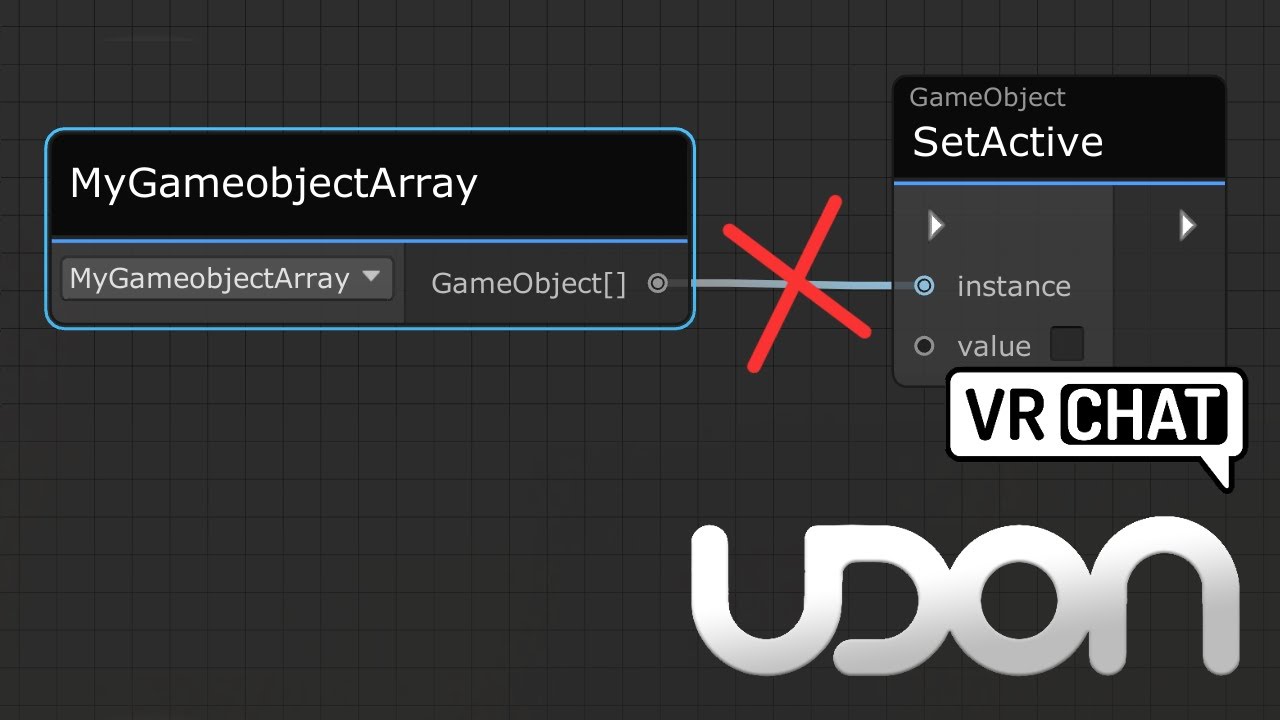
Here's a tutorial that goes over calling all game objects inside a game object array. This same method would work for any arrays, be it colliders, pickups or audio sources arrays.
I made this tutorial, as it's a little confusing not being able to directly plug a game object array into a set active node, and going from a simple toggle script, to ...
frosty mason
any way to populate a public array variable in an udon script with many items (in my case asset files) without having to drag and drop them all one by one? locking the inspector and dragging them into the name of the array like with a normal unity script doesn't seem to work, i guess because there's something different about the way udon variables are shown in the inspector panel
wind atlas
narrow prism
would I create the array of playerId's then when a player leaves I check from th...
Yeah, that or you just wait one frame and copy the new player list (without the one who left).
frosty mason
looks like using udonsharp works around my issue
wind atlas
narrow prism
would I create the array of playerId's then when a player leaves I check from th...
If you want an example: https://github.com/jetdog8808/Jetdogs-Prefabs-Udon/blob/master/UdonSharp/World_User_List.cs#L52
indigo finch
frosty mason
any way to populate a public array variable in an udon script with many items (i...
You can use transform. Get children components (if your scene allows for it) to populate an array. Otherwise locking the inspector and/or having a second not locked allows you to drag the component itself, which can help if its being a little buggy
 steel lava
Quick question this may sound a little weird but can I get guns on pc?
indigo finch
steel lava
Quick question this may sound a little weird but can I get guns on pc?
Worlds like ghost have guns that work for desktop.
If you want it for an avatar, it would have to be an avatar made for desktop only, as head based guns are just weird. Either way, that would be something for the avatar channels
steel lava
Thank you
 supple root
Is there any way for me to store a position/transform in a variable that can sync(since transform variables aren't synced)?
fiery yoke
supple root
Is there any way for me to store a position/transform in a variable that can syn...
positions and transforms are not synonymous. A position is part of a transform.
indigo finch
supple root
Is there any way for me to store a position/transform in a variable that can syn...
You can sync a vector3 of your position, but that would ignore rotation, something that may or may not matter. If you just want to sync an objects position, just add a object sync component to your gameobject
supple root
indigo finch
You can sync a vector3 of your position, but that would ignore rotation, somethi...
Im trying to send a position and rotation of a object through a variable for it to sync when an event would trigger. So i don't think object sync wouldn't work here
fiery yoke
supple root
Im trying to send a position and rotation of a object through a variable for it ...
Then its best to use two Vector3s, one that holds the position, the other holds the rotation/orientation in Euler Angles representation.
indigo finch
^ Or a vector3 and vector 4 for the quaterntion
fiery yoke
indigo finch
^ Or a vector3 and vector 4 for the quaterntion
Euler Angle representation is perfectly fine for representing an orientation
Its just not good, when operating on it.
Im pretty sure its the best representation data wise
indigo finch
Fair, but figured it would be more direct when it came to setting it. Just plug it straight in. Doesn't sound like he's wanting to view the output at all
fiery yoke
Ohh well yeah, but then youre "wasting" 4 bytes. But I guess Im just hypersensitive when it comes to bandwidth, because of how quickly you are limited by VRChat. (understandbly so, but still)
indigo finch
Now that's a good point
supple root
Thanks a bunch
 tacit pasture
@wanton palm did you just find it by any chance?
 wanton palm
yeah
tacit pasture
all good
wanton palm
now I cant click on the url input text but that's another issue
tacit pasture
lmao
@fiery yoke before i start on this project in mind, is it possible; 1. to read player forces acting onto an object, 2. apply said forces to player
fiery yoke
tacit pasture
<@!140227611589607424> before i start on this project in mind, is it possible; 1...
What exactly do you even mean with "player forces"?
tacit pasture
simply put, i push an object with my hand, apply its reaction force back onto the player, assuming there is no gravity the player moves in the direction opposite to the force applied
the object being pushed cannot be moved*
so like your pushing yourself off a wall in zero g
tacit pasture
fiery yoke
What exactly do you even mean with "player forces"?
does that make any sense?
fiery yoke
Yes. But youre assuming a lot of things there. For any kind of physics to happen, Unity requires colliders. The best collider would be a mesh collider, as it resembles the mesh as close as possible. However since avatars are usually Skinned Meshes (meaning that the mesh itself changes shape) the collider would need to be recalculated pretty much every frame. Thats incredibly performance intensive. So mesh colliders are not available for skinned meshes.
The next best thing is to use a lot of small colliders to assemble a multi-collider which resembles the avatars shape. VRChat does not do this automatically.
You would have to do that yourself. However its quite difficult to do, since you dont have all the necessary information to do it perfectly. You can make a few assumptions and approximate it.
And even then you would still need to handle some parts of the physics stuff. So yeah. Its complex.
tacit pasture
fiery yoke
Yes. But youre assuming a lot of things there. For any kind of physics to happen...
okay yeah so pretty much what i expected id need to do, thanks for your time
stuck sentinel
I had a problem yesterday that i still need help with. I can't find the right code for a keypad asset :/
junior path
wind atlas
Have you tried to input the actual length of the array, so 7 instead of 6?
I had it originally on 0-6, didnt work either.
junior path
indigo finch
When you changed it to 0-7, you probably forgot to hit compile. Udon only compil...
This video helped, just linked the Get Length of the array into the for loop instead of a number.
civic birch
My pedestal pictures aren't facing the same way as the pedestals themselves???

How do I fix this?
mossy crane
How do you execute based off a GetKeyDown in Udon?

On true I imagine but is this costly to always test in a update loop?
 fiery yoke
mossy crane
On true I imagine but is this costly to always test in a update loop?
fiery yoke
mossy crane
On true I imagine but is this costly to always test in a update loop?
Yes. Unity does not allow custom callbacks/offer hooks for key presses.
fiery yoke
Like that.
mossy crane
x_x
fiery yoke
Yeah. Surprised me too. Unity overhauled the Input System in 2020 I think
mossy crane
1 update loop checking for a menu spawn press cant destroy a world right?
indigo finch
When working with c#/ udon#, you can input it as a float, which can be good if you doing math with it. wish i knew how to do something similar with udon. tried this beast a while ago and couldn't get it to work:https://cdn.discordapp.com/attachments/657394772603830360/931536492470341692/unknown.png
 mossy crane
oof thats exactly how I imagined a series of key presses being tested would end up looking like lol
Update > Branch for key > false > branch for key ect
its getting laggy im gunna be forced to conform to the U# meta lol
 grand temple
if you're trying to get directional input, don't poll for A and D as buttons. Just use the InputMoveHorizontal/InputMoveVertical events
mossy crane
Oh neat, didnt know those were a thing
Whats the best way to have a Interact event on a object, and upon clicking, set the int of a different udonbehavior except keep the int change local?
indigo finch
grand temple
if you're trying to get directional input, don't poll for A and D as buttons. Ju...
yea, I did start doing that, but unfortunatly I also wanted q and e, and Lshift and Lctrl. so it was about time I moved over
mossy crane
only the clicker changes the number
grand temple
indigo finch
yea, I did start doing that, but unfortunatly I also wanted q and e, and Lshift ...
so use buttons for those
mossy crane

seems to make it so everyone sees the int as "1"
instead of 0 for everyone but clicker
 grand temple
I don't see anything about that that should sync
mossy crane
hmm if i serialize and deserialize before checking that int
would it update everyone?
grand temple
if it's not synced, serializing shouldn't do anything
indigo finch
grand temple
so use buttons for those
The thing was that the part of the script I showed wasn't working... I ended up moving over to Udon# and everything became a whole lot easier ^^. was testing if a vehicle was even possible to script in graph though, so it ultimately was a fail
This graph became something a lot more manageable, and that's with all the changes afterwards

though I messed up somewhere with my quaternion math. Haven't quite figured that part out yet
mossy crane
Would a Interact event show up in the shift ` 3 window?
indigo finch
mossy crane
Would a Interact event show up in the shift ` 3 window?
you could always add a debug.log message
 indigo finch
yup. super useful for debugging code
mossy crane
ty!
indigo finch
np ^^
indigo finch
stuck sentinel
I had a problem yesterday that i still need help with. I can't find the right co...
From the tutorial you posted yesterday, it didn't really cover how to use the keypad, but rather how to add something to it. is that the only tutorial that you followed?
indigo finch
stuck sentinel
5:49
https://www.youtube.com/watch?v=9zdXJvIzkXk
^reference for others

 stuck sentinel
indigo finch
From the tutorial you posted yesterday, it didn't really cover how to use the ke...
stuck sentinel
indigo finch
From the tutorial you posted yesterday, it didn't really cover how to use the ke...
thats the only tutorial i could follow and that i did
indigo finch
stuck sentinel
so this
.
indigo finch
mossy crane
Hmm why would both cubes send the same Variable set to 2 message
probably with how you have it set up in your scene. the codes fine
indigo finch
stuck sentinel
thats the only tutorial i could follow and that i did
hmmm... when you installed the asset, did it come with any code?
stuck sentinel
indigo finch
hmmm... when you installed the asset, did it come with any code?
yeah
indigo finch
and did you change any?
stuck sentinel
nope
indigo finch
so the 'keycode' script that you put on the keypad, was that one provided by the asset or one you made?
stuck sentinel
in the video at the start, it shows the prefab already has the code on it when dragging it into the scene
its supposed to have the code all tied with it but it didnt
indigo finch
stuck sentinel
its supposed to have the code all tied with it but it didnt
yea, but prefabs break. did the keypad have an empty udonscript component on it then?
stuck sentinel
no
indigo finch
stuck sentinel
no
you said the asset came with some udon scripts already, what were they?
stuck sentinel
the script for the keypad and that was it
indigo finch
and as for the script for the keypad, was that the blank one you showed before?
stuck sentinel
umm no
indigo finch
if you put the keypad script that came with it, does it give you all the inputs that you were initially expecting?
stuck sentinel
nope
indigo finch
mind posting that provided script's .cs file?
stuck sentinel
indigo finch
well, if that script is used on an udonbehavour, it will have all the input fields that you were expecting to see
stuck sentinel
thats a good idea. but it's not working
indigo finch
mind posting an image of your project window where the file is stored? windows key + shift + s
indigo finch
just the project window where all the files are
i feel like something might be up with the naming
stuck sentinel
 indigo finch
mind click on the udon# file, and showing what the inspector says?

 stuck sentinel
It wont open
indigo finch
sorry, just realised I wouldn't get what I was after anyways... this is weird
stuck sentinel
mmm
indigo finch
stuck sentinel
mmm
Gonna brute force this a bit. Make a new udon# script, and call it something like keypad2 (anythings fine, just no spaces)
stuck sentinel
bet whats next
indigo finch
open up the .cs file
also open up the original keypad .cs file too
then, on the new script, I want you to create a couple of empty line bellow everything. then copy everything from the original script and paste it there
indigo finch
... I mean, I figured you would have done that already. yea. my bad. try that first
indigo finch
so... should I continue with my explanation or you wanna give it another go?
stuck sentinel
sorry continue
indigo finch
where did you get up to?
stuck sentinel
it got fixed :0
indigo finch
nice ^^
civic birch
civic birch
My pedestal pictures aren't facing the same way as the pedestals themselves???
Someone please help me with this
stuck sentinel
indigo finch
nice ^^
bestie bestie, now it wont let me click the buttons
cedar iron
how do you teleport everyone at once with a trigger?
civic birch
civic birch
Someone please help me with this
Nvm the pedestal preview is just weirdly aligned with the pedestal model
 prisma fjord
Ok here's an odd one, I set up a Udon script to work with some shaders in my world. It worked just fine then I attempted to add some extra bits on the end. They didn't work so I reverted back to the original code. Now nothing I do seems to work at all despite being identical.

 zenith solar
At a glance anyone seeing what I did wrong here? Goal is a basic button that activates/deactivates a mirror
 night viper
zenith solar
At a glance anyone seeing what I did wrong here? Goal is a basic button that act...
night viper
zenith solar
At a glance anyone seeing what I did wrong here? Goal is a basic button that act...
in order for an action to happen, you need an Event. If you want to click something, that event is called "Interact"
 night viper
Did you compile after adding the event?
zenith solar
Yep, let me save, compile again, and then reattempt
night viper
Oh wait, you are using a mesh collider with no mesh assigned. And no mesh filter or mesh renderer. You should use a box collider instead.
zenith solar
Oh weird, i wonder why they did that in the prefab
let me change that
yeah still not working
button animation broke when changed to a box too
 mighty fjord
prisma fjord
https://gyazo.com/9feccfc50ffd9742663ac4d19a08abdc
mighty fjord
prisma fjord
https://gyazo.com/9feccfc50ffd9742663ac4d19a08abdc
How do you call sats?
The graph looks normal, so I'm wondering if it's failing to compile or if there are missing references in the inspector
Another thing worth checking is if you changed the shader it used to make sure the internal property name is "saturation"
prisma fjord
i found it unity did some strange crap that led to me being confused
stuck sentinel
so uh i need help again 😅 how do you make something clickable?
 tepid salmon
@stuck sentinel look uper what squall sayet
stuck sentinel
oh im dumb- OMG im dumb
tepid salmon
Np dont worry be happy 😋
stuck sentinel
i am now :3
tepid salmon
👍
stuck sentinel
so i forgot how to get that cool graph stuff up
stuck sentinel
oh uh now when i try to use the code, the buttons disappear and its not doing what it's supposed to do-
 winter swan
when I import the latest sdk3 worlds I get compiler errors by default
Am I doing something wrong or is it a faulty release
It's a completely new project
 halcyon frost

 scarlet lake
Would anyone know how to make a text read a player's username like it was an ID?
 broken bear
I have a series of pickups with an animator, I use an UB to set values on that animator. Works fine, but if I disable the pickup, then enable the pickup, the values set by the UB don't save and it reverts back to the default animator values. I plan to call the UB event again but I'm not sure why I have to, does an animator not save its values if the game object is disabled then enabled?
wanton palm
Is there much of a performance difference having multiple vs one single bulky script? I hear udonsharp it's slow
Like, if I have 10 features I want to implement would it be better to have 10 different udonsharp scripts or just one single script that implements all 10 features (despite breaking single responsibility principles)
cedar iron
Is there a way to trigger something when an item is picked up?
broken bear
there's an OnPickup event
indigo finch
cedar iron
And there's a drop event too right?
onDrop
indigo finch
wanton palm
Is there much of a performance difference having multiple vs one single bulky sc...
I'm relatively new to coding so I don't know the ins and outs, but I have a hoverbike script that is over 1000 lines and haven't run into any issues. if you were using udon graph, that would be different story
wanton palm
aight ty
cedar iron
An animation turns a rigidbody off kinematic so it can be used for a pickup, but it can never be picked up even if is kinematic is off. Can I get some help?
junior path
wanton palm
Is there much of a performance difference having multiple vs one single bulky sc...
Normally the difference isn't major with performance unless you have hundreds or thousands of scripts, but condensing it into 1 script is normally more performant, but it can be less organized, so having a few big scripts focused on different things would be best
dreamy gorge
Can someone help me fix my unity camera?
i dont know how to revert this, i clicked some button and now the scene view camera is at a weird perspective
I just want the normal WASD
junior path
click the little text to set it back
 dreamy gorge
ooo thgank u
indigo finch
you probably miss-click and hit the cube in the middle. does the same thing
indigo finch
cedar iron
An animation turns a rigidbody off kinematic so it can be used for a pickup, but...
an object needs a pickup component to be pickup-able. it can be either kinematic (freezes when let go) or non-kinematic (has movement)
indigo finch
save and restart unity. might need to reinstall the sdk. unity can bug out from time to time
indigo finch
at least restart unity first (if you haven't already)
cedar iron
indigo finch
an object needs a pickup component to be pickup-able. it can be either kinematic...
right i get that, how do you toggle it?
indigo finch
dreamy gorge
i hope this wont break my udon shit
nah it shouldn't. just delete folders: udon, udonsharp (if you have it), vrchat examples, and vrcsdk. Don't change anything until its reinstalled!
dreamy gorge
what about VRCPrefabs?
indigo finch
cedar iron
right i get that, how do you toggle it?
the pickup componet has 'pickupable' checkmark. either change that bool via code, or do it as part of your animation
cedar iron
indigo finch
the pickup componet has 'pickupable' checkmark. either change that bool via code...
i mena how do you toggle kinematic, so you can do animations, then allow pickup
indigo finch
cedar iron
i mena how do you toggle kinematic, so you can do animations, then allow pickup
just add to your animation it toggling off, and at the end of the animation make it toggle on. the animation can do all the toggling
dreamy gorge
ah thank you, i got the control panel back
 indigo finch
dreamy gorge
ah thank you, i got the control panel back
indigo finch
dreamy gorge
ah thank you, i got the control panel back
sweet ^^
cedar iron
indigo finch
just add to your animation it toggling off, and at the end of the animation make...
it won't work. It wont return to normal rigidbody physics...
indigo finch
cedar iron
it won't work. It wont return to normal rigidbody physics...
It should. I gtg, but double check your animations, and make sure the whole animation is playing. Also sometimes the last frame doesn't play due to how it can be setup. Try adding it one frame back
cedar iron
Is there a way to incriment through a counter using events? and if so, how?

 brazen epoch
Does Udon support real time reflection probe baking calls by scripting
dreamy gorge
How do you check if an object is null with udon graphs?
cedar iron
Is there a way to incriment through a counter using events? and if so, how?
 empty mantle
Is there a way to make an event on whre you walk up to a npc and make it talk
indigo finch
cedar iron
Is there a way to incriment through a counter using events? and if so, how?
If I get your question right, I incremented through an int in this tutorial. You just add one to it. https://youtu.be/yC9h-51jvBg
mossy crane
How to test if a int is == a number with graphs?
indigo finch
mossy crane
How to test if a int is == a number with graphs?
int.equals
mossy crane
Ahh the other tab, thank you!
 thorn jewel
Does anyone know how soundcloud sources work with the Udon video player? In the editor it just always fails to load.
unborn hornet
thorn jewel
Does anyone know how soundcloud sources work with the Udon video player? In the ...
You generally have to run build and test for soundcloud/youtube/video/twitch/etc to work, unless you are using USharpVideo or ProTV (that I know of). Any major media hosting provider like those I mentioned all have to "resolve" the url from the common website form, to one that is actually a video. VRChat makes use of a tool called YTDL in order to accomplish this for desktop users (technical reasons prevent it for quest).
USharpVideo and ProTV make use of a special editor script to hook into YTDL during playmode which enables testing any links using the UnityVideoPlayer option (AVPro isn't supported for other reasons).
TL;DR it's easier to just run Build&Test for checking media on a videoplayer.
scarlet lake
how do i make toggle to change the skybox
thorn jewel
unborn hornet
You generally have to run build and test for soundcloud/youtube/video/twitch/etc...
Okay so definitely NOT quest compatible. Wish the docs explained this (they do for YT), but thats par for the course.
unborn hornet
scarlet lake
how do i make toggle to change the skybox
Look into RenderSettings.skybox and make a simple toggle script with that. It's a material so for any swaps you want to make, you'll need just as many separate materials, then use your script to swap them out as needed.
 timber mortar
I'm trying to make it so when i click a button for music in the world the entire world can hear the song when one person clicks the toggle. I was able to do it before when i was using sdk2 but this udon stuff is new to me
unborn hornet
thorn jewel
Okay so definitely NOT quest compatible. Wish the docs explained this (they do f...
Well, YT/SC/Twitch/etc are all generally considered of the same "type" of website. It's one where the "common" url (aka the short url) isn't actually a link to some media, but a webpage containing information about said media where the actual media url needs to be extracted from. Ergo the use of YTDL (a misnomer name as it actually works on a multitude of websites, not just YT).
thorn jewel
unborn hornet
Well, YT/SC/Twitch/etc are all generally considered of the same "type" of websit...
Ye but the documentation could be clear about that.
scarlet lake
is there any videos on it?
timber mortar
timber mortar
I'm trying to make it so when i click a button for music in the world the entire...
?
scarlet lake
i found one
unborn hornet
timber mortar
I'm trying to make it so when i click a button for music in the world the entire...
You'll want to look into SendCustomNetworkEvent with the target as being All instead of Owner. Then within that custom event flow you would play the audio.
That's the simplest method for global one-off audio. The rest is just fiddling with the Audio Source component settings.
timber mortar
Okay thank you i will try that
cedar iron
I need some help.
So I have an empty that holds all the rooms in a multi-level world.
The empty has an animator that has sequential transitions between each of the rooms, with animations activating the preceding, current, and next rooms.
As someone goes into a room, a trigger activates, causing a predefined integer (labeled in the udon behavior) to activate, allowing the animator to move to the next activation set.
The Udon Graph is a "OnPlayerTriggerEnter" connected to a "SetInteger" with public variables for the big animator, and the integer.
The name used for the "SetInteger" is the same as the integer parameter being edited in the animator.
Unfortunately, live scene triggers by manually changing the parameter in the animator fails to move the sequence along, and I don't know why. Can anyone help?
Also, the transitions between each activation set have no transition time, and do not have exit time.
timber mortar
timber mortar
Okay thank you i will try that
Yeah im sorry i dont exactly understand how i would set it to play the audio, like i have an "event interact" and then the "sendcustomnetworkevent" but i dont understand what i would do to set the audio source from off to on (if thats even how you do it like this, sorry im very new to udon anything)
 cedar iron
Did you follow the tutorial?
scarlet lake
yeah

Here's a tutorial on how to make a cool little button that switches the skybox of your scene when clicked. It cycles through a list of skyboxes each time, and I've included how to do this both locally and globally.
This works really well as a day - night toggle, or combine it with some effects to create something truly awesome!
Hope this help...
see
cedar iron
hmm. not really sure then...
thorn jewel
unborn hornet
Well, YT/SC/Twitch/etc are all generally considered of the same "type" of websit...
Do you happen to know of any link resolver alternatives that would work on Quest? I'm struggling to get jinnai to even load in the editor.
unborn hornet
Not that I know of. Currently it requires self-hosting something like qroxy, which is just a fancy website wrapper around ytdl. I do not know of any publicly deployed version though. Just the jinnai thing.
indigo finch
scarlet lake
https://www.youtube.com/watch?v=yC9h-51jvBg
What part did you get stuck on?
scarlet lake
Nvm I fixed it works
indigo finch
scarlet lake
Nvm I fixed it works
ah, cool cool ^^
indigo finch
timber mortar
Yeah im sorry i dont exactly understand how i would set it to play the audio, li...
Here's what he means with using a custom networked event:
https://www.youtube.com/watch?v=OYjW5FGTxIo

Here's a quick addition to my audio button video. I completely forgot to add this into the video, so this was recorded later. The audio was pretty scuff though, but I've fixed the worst of it.
If there is anything I missed, please leave a comment bellow!
timber mortar
Okay thanks, il check this out tomorrow
empty mantle
Is there a way to make an event on whre you walk up to a npc and make it talk
scarlet lake
fuck sdk3 and fuck udon
mighty fjord
cedar iron
I need some help.
So I have an empty that holds all the rooms in a multi-level w...
Do the transitions have a condition atleast?
indigo finch
empty mantle
Is there a way to make an event on whre you walk up to a npc and make it talk
You can do a 'on player trigger enter' and put that into a 'animator.set trigger' node (or similar) to fire a trigger on an animator, to play an animation. An animation can have sound and visuals. If however you wanted a dialogue tree/ options, it becomes too much of a loaded question to explain here. So, if you just want the player to say 'welcome' it's easy, but if you want more than that, you'll need to look up base unity tutorials and port it over. Do check vrcPlayerPrefabs to see if anyone's made anything first though
empty mantle
Im just looking for a is just when you walk up to an npc and they say a line
empty mantle
indigo finch
You can do a 'on player trigger enter' and put that into a 'animator.set trigger...
Without pressing a button
indigo finch
empty mantle
Without pressing a button
on player trigger enter gets called when you enter a trigger. used it in my mirror tutorial if you want a reference (https://www.youtube.com/watch?v=3JqgS-F1M4o), though I didn't use an animator in that tutorial
 fierce verge
How do I make it that only the "world owner" / first instance can use the teleport button?
 indigo finch
fierce verge
How do I make it that only the "world owner" / first instance can use the telepo...
indigo finch
fierce verge
How do I make it that only the "world owner" / first instance can use the telepo...
PlayerApi.Get isMaster
fierce verge
thanks!
fierce verge
indigo finch
`PlayerApi.Get isMaster`
When I test with 2 clients, both get teleported or is that because the 2 clients have the same name?
 indigo finch
there's no need to check if the player is valid. If the local player is playing the node, then it is valid. As for why it doesn't work while testing... dunno. Here's from the documentation:
 fierce verge
nvm I had to use a branch instead of Is Valid
xD
now it works 🙂
still thank you!
indigo finch
cool ^^
empty mantle
So wait what will i need to replace cause i got a aduio clip i wanna play when you walk up to an npc
 wise quarry
hello, i have a question, i want to make ui mirrors toggle with udon, how i can make this? I know to make it with an object to click on this an there is a mirror, but idk how to make it on an ui, ive created an ui but how to import them?
fierce verge
wise quarry
hello, i have a question, i want to make ui mirrors toggle with udon, how i can ...
so now you have the object ontrigger or something like that right?
So you have the OnClick on the right, you put the object with the Udon Graph on it in there. And then use Udonbehaviour.SendCustomEvent to send a custom event. and then you use a CustomEvent node in the Graph
 wise quarry
fierce verge
so now you have the object ontrigger or something like that right?
wise quarry
fierce verge
so now you have the object ontrigger or something like that right?
i have this from tutorial xD
 wise quarry
fierce verge
yeah so instead of interact
wise quarry
fierce verge
yeah so instead of interact
And what should i write in the field?
from custom event
wise quarry
else or only this?
fierce verge
and
on the button
the Onclick

set that to Udonbehaviour.SendCustomEvent
also put the object with the udon graph in that little box
wise quarry
i dont understand what should i put there
 fierce verge
wise quarry
i have this from tutorial xD
fierce verge
wise quarry
i have this from tutorial xD
the object that has this graph on it
did you put this graph on an object yet?
or is it just a graph in your assets?
wise quarry
its just a graph in the assets because before it was on a object but idk that i need this for ui too
fierce verge
that way the graph is connected to the button
fierce verge
wise quarry
i dont understand what should i put there
now in here put the button
that way it knows what graph to use, since its connected to that object
wise quarry
 wise quarry
 fierce verge
and then put the same text in that box as in your graph CustomEvent
yess
now it will toggle for you alone, do you want to toggle it for everybody?
wise quarry
No, only local
wise quarry
on this?
 fierce verge
yes
otherwise it can happen that your test or build will still use the old graph
happend to me a few times
and it looks like it uses the new one, so it causes confusion
wise quarry
aah before i press complie there was the problem, that my button dissappear and the mirror was not on
and now it works how it should
thank you very much
wise quarry
i have another question
fierce verge
the customevent is very usefull
fierce verge
wise quarry
i have another question
sure
wise quarry
is it possible to see if the mirror is disabled, that the buttions are grey and after it it, it stays white?
 fierce verge
ehmmrrr
one sec
This is my setup for that

so the Gameobject>Get activeSelf sees if the object is active
and the branch is a simple yes or no
wise quarry
do i need "branch"?
fierce verge
so wait you want the buttons to be grey when the mirror is of right?
wise quarry
wise quarry
do i need "branch"?
ignore this xD the question is answered in the picture because from branch "true and false"
or?
fierce verge
yes
so if its false the togglebutton in the middle wil change its color to green
and when true it will change to red
and you can just set any color
wise quarry
how to make the button "Set color"?
fierce verge
you need an Image > setcolor
so first search image
click Image
and then SetColor
wise quarry
? which one
 fierce verge
UIImage
wise quarry
fierce verge
UIImage
 fierce verge
no wait


 fierce verge
hahaha 🙂
yesss
also make sure to set the alpha, otherwise it wont show anything
I believe by default its at 0
wise quarry
is it not possible to use this? or is this not the same?
 fierce verge
no that is what it is by default I believe
wise quarry
i think "pressed color" is working because if i click on the button it is grey
fierce verge
pressed only turn grey when pressing and not when you release I believe
wise quarry
fierce verge
This is my setup for that
how to i make the "ToggleButton" Button? xD
fierce verge
wise quarry
how to i make the "ToggleButton" Button? xD
Use an Image as a public variable

and then you can drag it into the graph
indigo finch
empty mantle
So wait what will i need to replace cause i got a aduio clip i wanna play when y...
If its just to play a sound, follow this tutorial (https://youtu.be/cQ3hWKY-NiA), but instead of an interact node, you want to use a 'on player trigger enter' node like my proximity mirror tutorial.
If you want to do this as an animation... Well, I have yet to find a good tutorial covering calling the animator. I did call the animator on my world darkness slider tutorial, so you might be able to figure it out with that one... but it might be too far removed
A simple tutorial, covering how to make a button that plays a sound in udon. I've seen a couple of post asking about how to play a sound in udon, so hopefully this will give a good foothold to bounce off from.
If there is anything I missed, please leave a comment bellow!
fierce verge
quick question inbetween: is there a way to decrease the length of your reach to a UI panel? because you can reach button you shouldnt be able to reach, I tried blocking them with a box collider but that doesnt work
do I need to set this in the scene descriptor?
indigo finch
I might be wrong, but I think the blocking object just has to be lower in the Hierarchy...
fierce verge
let me try that
fierce verge
indigo finch
I might be wrong, but I think the blocking object just has to be lower in the Hi...
nope, I can click straight through them
indigo finch
Ah, kk
fierce verge
wise quarry
how to i make the "ToggleButton" Button? xD
is it working?
wise quarry
fierce verge
This is my setup for that
it doesnt work
 fierce verge
because your branch is not setup to do anything
theres no line going into that arrow
wise quarry
and what i i should connecting?
fierce verge
hmmm is this the same graph that toggles the mirror?