#udon-general
59 messages · Page 80 of 1
 fallen chasm
unless you set it up differently, particles usually face the player -- and if the player is looking at the mirror, they'll see the back-faces of the particles (which are likely culled by the shader)
(they might also be on a layer that the mirror isn't set to show)
 zinc robin
fallen chasm
zinc robin
fallen chasm
👍
 pearl tiger
Thx so much that helped a lot
 sacred pasture
guys please help, does anyone know how to remove element from array in udon?
 grand temple
if you need to remove the value in the index set it to null
or if you need to actually remove the index entirely, you would have to create a new array with one less length and then copy over everything from the old array
sacred pasture
No other way huh...
Btw there is debug log in udon, but where can I find it's output?
grand temple
if you have --enable-debug-gui added to your launch parameters (this is done by default for local tests) you can find it ingame by pressing rshift + tilde + 3
or you can also find the file itself in appdata/locallow/vrchat
sacred pasture
Thanks
sacred pasture
is playerId consistent between clients?
grand temple
yes
 scarlet lake
what version of unity do I need for udon sharp?
 tawny geyser
 shy yoke
How much do I have to play to make an avatar in UNITY?
 summer lichen
It can take 12 to 24 hours in-game hours before you can upload something.
summer lichen
shy yoke
thanks
You are very welcome!
shy yoke
thankyou. You're very kind.
sacred pasture
how do you destroy gameobject? Networking.Destroy dont do anything...
oh i thing i find it
grand temple
just regular destroy
sacred pasture
search didn't show it in result so i assumed that networking is the only one
yep it works
sacred pasture
what a correct way to get PlayerApi from collider? Currently i trying this (image) but something goes terribly wrong
 grand temple
you cannot get a player from a raycast
if your raycast hits a player, it will give you a protected object which means you won't be able to do anything with it
sacred pasture
Is there a way to handle raycasts hitting players?
 fiery yoke
No. Because VRChat didn't think it would be a good idea to handle collisions with player in a generic way, by giving you the ability to get the player api from a collider proxy, but instead they added seperate new events that only work for physics collisions. 🙃
 tall vault
Either use the OnPlayerTriggerEnter/Exit events or you will have to set up your own collider to follow the player's head bone position
sacred pasture
It works with slow moving objects, fast moving ones just go through the collider...
Or I could just use veeery long trigger collider, but it will go through obstacles as well...
 stone kelp
Is there a way to counter Udon mods/cheaters that disables the floor for everyone in the lobby?
 broken bear
Do you have a custom event that disables colliders?
If I have an event that checks if the local player is owner of the UB object then request serialization, is that necessary? Does request serialization already do an ownership check already under the hood and I’m just doubling up the check?
stone kelp
broken bear
Do you have a custom event that disables colliders?
No
But sometimes in public lobbies client users joins in and disables everything in the world making people just fall forever until the client abuser leaves the instance then everything resets by itself
Was thinking if there was anything we can do in Udon to prevent client abusers from ruining the instance
Of course the easiest way to prevent this is by just going to a private instance but I get reports, maybe once every 2 weeks directly reported to me that X person joins their public lobby then right after they abuse and disable everything
sacred pasture
is there a way to attack UdonBehaviour to player's gameobject?
probably not, but still)
grand temple
if you mean attach, then yes you can get a player's tracking data
sacred pasture
yes, attach, on i mean as component
grand temple
no
sacred pasture
but now i thinking about it... i dont actually need to
thanks
going to do some more experimentations)
 oak marten
I'm trying to create a button in node graph that teleports another player to the initiating player's position. The button in question is owned by the person you are trying to teleport, when another user clicks this button it sends a networking event to this owner and asks them to teleport to the initiating player, it knows who the initiating player was due to a synced variable. Yet try as I might, I can't seem to get the process working. Does anyone have any ideas?
I'm waiting a second to make sure the PlayerID of the initiator deserializes.
 grizzled trout
oak marten
I'm trying to create a button in node graph that teleports another player to the...
grizzled trout
oak marten
I'm trying to create a button in node graph that teleports another player to the...
what you might want to try to do is kinda janky but might work, set it towhere a button spawns an empty on to the initiating player and use that as your target
oak marten
I had considered that, as well as maybe moving an "on enter collider" teleport to the player I am trying to "grab" - but I was wondering if there was a cleaner solution. Thanks!
grizzled trout
good luck bud, yeah i am kinda new to more advanced things , so i dont really knw alot yet 😆
 indigo finch
oak marten
I'm trying to create a button in node graph that teleports another player to the...
indigo finch
oak marten
I'm trying to create a button in node graph that teleports another player to the...
Here's my two cents. From what I can tell, you actually want this to be two different objects. Object A is like you have; It is owned by a player (though there is no reason why it cant be just a playerapi variable elsewhere), and we will set this object's owner to the player we want to teleport. Then we want object B to be a button, that when pressed, changes it's owner to be the player you want them to teleport to. Then, you just need to do a simple event node for when the owner changes, teleport object A's owner to object B's owners position (or if no change, do an on interact instead).
That being said, this was only based on what it seemed like you were trying to do. It might not be the best way to go about it.
 wind atlas
oak marten
I'm trying to create a button in node graph that teleports another player to the...
wind atlas
oak marten
I'm trying to create a button in node graph that teleports another player to the...
This works too, without calling a custom events:
 scarlet lake
I’m trying to use udon sharp with sdk 3. But anytime I import the sdk on unity 2018.4.20f1 (what udon sharp is asking for) .. the sdk does not work. But when I load up the project as 2019.4.31f1 (what vrchat is asking for).. udon sharp does not work. I’ve seen people use it before, so I don’t get what’s happening.
What am I doing wrong?
 dreamy gorge
are requests allowed with udon ? how should i do this

all i need to do is make a single request to my php script that returns a list of URLs
fiery yoke
dreamy gorge
are requests allowed with udon ? how should i do this
No, they are not.
dreamy gorge
Oh okay thank you.
oak marten
wind atlas
This works too, without calling a custom events:
Hmm must be something scuffy, mine is set up in more or less exactly the same way! Thanks though
grizzled trout
i was wondering if i could get help with a thing. i am trying to make a "ban hammer" so when a player i marked as a mod activates it, a giant hammer is "summand" connected their, and then anyone hit with it will be sent in a portal and sent out of the instance. i got some of it working but the hammer only shows for the one who activated it.
if it helps here is the script/code/graph to activat the hammers

 thorny silo
Are there any known prefabs that I can use to set player spawn based on usernames?
For example if a player has a specific username they could spawn in an admin location or something along those lines
If there aren’t any, does anyone know how I could possibly make it?
 next spruce
Is it possible to make an object play different music after clicking it again with Udon? If there is a video explaining this it would be very useful
thorny silo
next spruce
Is it possible to make an object play different music after clicking it again wi...
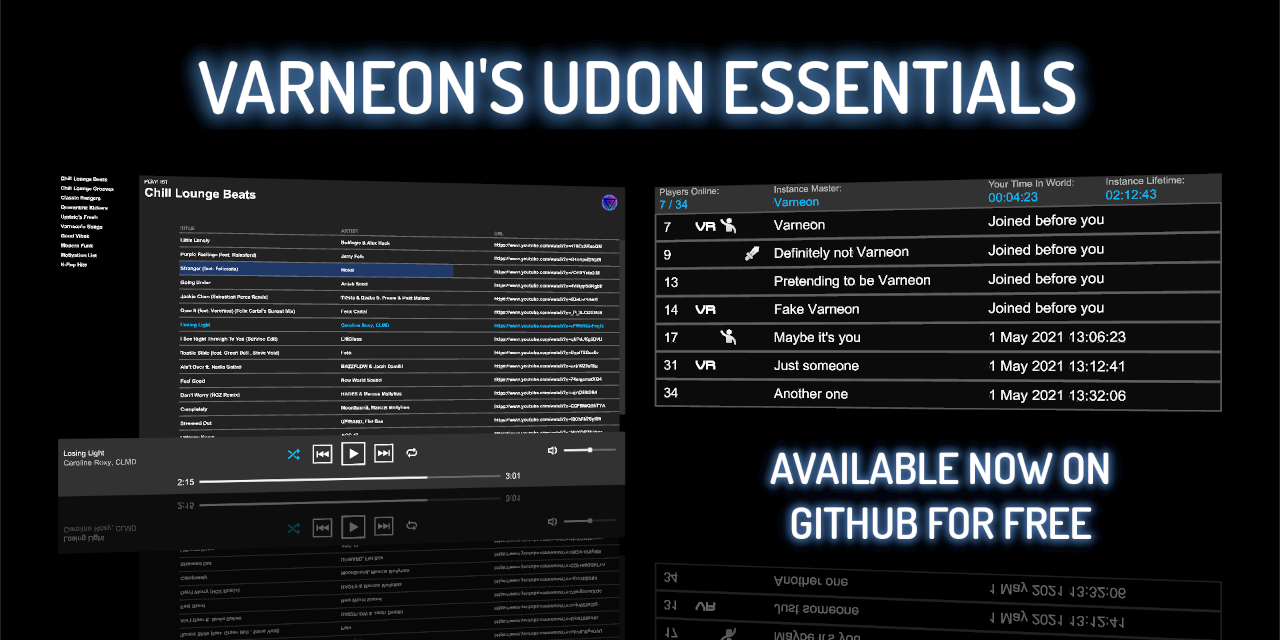
try looking up cyantriggers, or check out the music player here - https://github.com/Varneon/UdonEssentials
GitHub
Evergrowing collection of Udon prefabs for VRChat world creation - GitHub - Varneon/UdonEssentials: Evergrowing collection of Udon prefabs for VRChat world creation
grizzled trout
thorny silo
Are there any known prefabs that I can use to set player spawn based on username...

where it says"therestraycat" you can swap that with your username
thorny silo
grizzled trout
where would i find this, and also how would i be able to apply this to multiple usernames?
grizzled trout
you have to make it, sorry slected the wromg mesage to reply to
you have to make it,
and basikly ad the middle part tochek for if its not actor a see if its actor b
indigo finch
thorny silo
where would i find this, and also how would i be able to apply this to multiple ...
to have multiple admins, you would just need to make a list of string names, and then cycle through them with a for loop
 thorny silo
alright dope, thank you!
indigo finch
you would probably want to make them respawn at that room whenever they hit the respawn button. here's an addition that would do so

(couldn't remember if respawn event only fire's for the respawning player or everyone...)
thorny silo
oh awesome, i appreciate all of this!!!
indigo finch
here's the code:
sacred pasture
Can you force play animation on player avatar? I want to create death mechanic.
 near swallow
I haven't seen anything except for ragdoll so I'm not sure
sacred pasture
near swallow
I haven't seen anything except for ragdoll so I'm not sure
How do you do that?
indigo finch
indigo finch
here's the code:
Whoops, looks like it broken. Try 2:
 brazen epoch
I'm having issues with UI buttons accepting raycasted input. I'm being forced to use colliders and the Interact event when I do have the UI Button set to send a behavior a custom event, but the event isn't being called.
Can Colliders block raycast?
nvm. It seems like I forgot to change the layer of the ui to default and add the VRCUI Shape script to the canvas
 brittle hill
Hi, I'm tryin to have some buttons in a world to change skybox, weather, etc... But I cant find a way to bring the skybox texture into the udon graph...
How can I do that?
edit: I already have the materials in vrc scene descriptor in dynamic materials
wind atlas
sacred pasture
How do you do that?
If you want to play a custom animation, you could force the player in a seat with an animation controller that plays it on enter.
There is also the combat system, when you set the payer hp to 0, their avatar ragdolls. Although you are not supposed to use it as seen here: https://docs.vrchat.com/docs/players#combat-system
wind atlas
brittle hill
Hi, I'm tryin to have some buttons in a world to change skybox, weather, etc... ...
That stuff can be done in "RenderSettings".
 brittle hill
i know, but i cant find a way to get the texture into udon that i can use as value
grand temple
make a public material variable
and then create a material that you can drop into the inspector of the udonbehaviour
scene descriptor dynamic materials are not what you want, that's an old legacy thing from SDK2
brittle hill
nvm i have it working with a cube that got the texture and gettexture of that cube with setskybox 😅
brittle hill
it works, thats all i wanted 😅
i may change it later but for now its just enough for me
 trail summit
Does anyone have an udon tree that will make an object a toggle for local world music? 🙏
or a reference/guide of somekind would me much appreciated
I scoured everywhere I could and theres no results
dreamy gorge
trail summit
Does anyone have an udon tree that will make an object a toggle for local world ...

i think this is what you mean...?
this isnt exactly for a music toggle but it still toggles whatever gameobject you wire it up with
 valid totem
Is there a easy way to generate random numbers in Udon instead of with System.Random? [solved]

 fiery yoke
near swallow
sacred pasture
How do you do that?
fiery yoke
near swallow
sacred pasture
How do you do that?
Not sure, I'm not a designer. I've just seen it around a lot
 broken aurora
Sorry guys, I have little problem.
I watch tutorial movie and dont have Create>U# Script. What could be the reason? What would i have to do?


 arctic palm
i cant find any tutorial on making/getting local data linked to 1 player (like stats/money of a player)
first time using udon and i just want to do a basic, click on a cube and update any variable of the player who clicked it, so no networking
 gaunt musk
broken aurora
Sorry guys, I have little problem.
I watch tutorial movie and dont have Create>U...
indigo finch
arctic palm
first time using udon and i just want to do a basic, click on a cube and update ...
gaunt musk
broken aurora
Sorry guys, I have little problem.
I watch tutorial movie and dont have Create>U...
indigo finch
arctic palm
first time using udon and i just want to do a basic, click on a cube and update ...
For most old vrchat interactions, you normally just have all variables stored on the object itself, hence the lack of tutorials.
That being said, for money storing and the likes, since your not making it public you can just add an empty gameobject to your scene that stores the values. If you wanted to move it to be networked later, then you would have to go through the tediousness of assigning a different networked object to each player
trail summit
dreamy gorge
Is Event Interact the same thing?
dreamy gorge
No
That’s when you interact with a pickup object iirc
I just had a custom event , you can choose whatever one u want
trail summit
I'm still trying to figure out how I can incorporate a play from beginning function and stop toggle
scarlet lake
Hey dose anybody know if i can make Avatars on my touch screen computer? because my other one broke and it wasn't touch screen
 thorn folio
how to set onplayertriggerenter to be a local trigger?
 night viper
thorn folio
how to set onplayertriggerenter to be a local trigger?
night viper
thorn folio
how to set onplayertriggerenter to be a local trigger?
You would set up a branch that checks if the one entering the trigger is the local player.
thorn folio
is there a tutorial there for local triggers?
night viper
This flow will continue if the player entering the trigger collider is the local player, otherwise it will do nothing.
 thorn folio
night viper
This flow will continue if the player entering the trigger collider is the local...
thorn folio
night viper
This flow will continue if the player entering the trigger collider is the local...
Thank you soo much


 velvet needle
Hello, I am trying to make it possible for avatars in my world to "glide" much like in Population One, where they can open their arms and glide until they land on something. Does anyone know how to do this?
 ashen ibex
velvet needle
Hello, I am trying to make it possible for avatars in my world to "glide" much l...
ashen ibex
velvet needle
Hello, I am trying to make it possible for avatars in my world to "glide" much l...
you could try to get the positions of both hands and depending on how far they are from each other it changes gravity
ashen ibex
 blissful shore
you can put a branch in between trigger enter and voice gain to hook up the player local bool
 vestal nimbus
I'm making a gimmick which can make random portal every time you use it by using Random.Range() method, but for some reason each player in the same world get different Room ID.
So does any one know how to Sync the same RoomID(string) for every player?
Here is my Udon# script

 grand temple
on start, only run those things if you're the owner of this object
and then instead, for everybody who is not the owner, run those things from the OnDeserialization event. That is an event that fires when you receive synced data
if you just run it on start for all the players in the same way, then #1: start is too early to receive synced data, and #2: you're recreating the roomID immediately before setting the portalmarker so it's not going to use a synced value, it's just going to use the new random one that was just generated locally on all clients
vestal nimbus
I'm going to try it again by using your suggestion! Thank you for your assisting 😭
 dapper lion
 indigo wagon
trying to update a var with one
indigo wagon
trying to update a var with one
ingraph or usharp?
indigo wagon
dapper lion
ingraph or usharp?
graph prefrably cus havent imported sharp
dapper lion
k - so what youre going to want is a public slider.
with that slider, youre going to put its node in the graph, get the "Slider.GetValue" node and thatll be a float that you can then use to set it be updated sync wise or to update an audio source.

 thin kestrel
Hey so does anyone know how to make firework launchers? I have seen some in a few worlds and I assume they are Udon.
And would they be Quest compatible?
blissful shore
ashen ibex
you can put a branch in between trigger enter and voice gain to hook up the play...
Thank you!!! Happy new year!!! I'll try it now and see if it works.
indigo wagon
thin kestrel
Hey so does anyone know how to make firework launchers? I have seen some in a fe...
could trigger an animation, or do it manualy in code
button trigering anim is prob best
thin kestrel
Hm yep don't know how to do that.
I think people use a preset online, but the only one I could find is SDK2 unfortunately...
Thank you for the suggestion though
ashen ibex
thin kestrel
Hey so does anyone know how to make firework launchers? I have seen some in a fe...
I havent seen the specific launchers you've seen but if i were to create one, i would have a button and a particle system
event interact would then set emission on the particle system to on and boom you're now firing a particle system. as for making it turn off by itself im dumb idk how to do that with graph
thin kestrel
The one I have seen is like a firework gun, and I think they had different explosions, so it might be above my head
Unless it's actually really easy I suppose...
ashen ibex
so i took the getplayer prefab and was messing around with it but instead of using a button to update it im was looking to have it update off of intervals.
now the problem though is that when set to event update or event fixedupdate... it doesnt actually update... anybody got some weird wacky fix that i dont get?
 ashen ibex
thin kestrel
The one I have seen is like a firework gun, and I think they had different explo...
ashen ibex
thin kestrel
The one I have seen is like a firework gun, and I think they had different explo...
at that point its just really nice particles hooked up to a button
thin kestrel
I believe you
But I also sort of just figured out how to use Unity for this stuff just yesterday so I have no idea how particles work hah...
I can't even get the QV Drawing Pencils thing to import properly
ashen ibex
thin kestrel
I believe you
But I also sort of just figured out how to use Unity for this stuf...
fair enough, welcome to the rabbit hole
thin kestrel
It's ok I figured out how to make a box collider so now I am a pro
ashen ibex
hell yeah, theres nothing that can stop you now
 wind atlas
dreamy gorge
wind atlas
dreamy gorge
VRChat
You can interact with Players in your world through the VRCPlayerApi. Each Player has a VRCPlayerApi Object, and your world fires the OnPlayerJoined / OnPlayerLeft events on any UdonBehaviours that listen for them when a player joins or leaves. This page includes info on using some general nodes. Si...

 void sandal
The builder for some reason isnt showing up. Is there any way of fixing this?

 tacit pasture
any way to detect players who are in a noclip state eg using a client because it cant be detected by simple trigger coliders, any ideas appreciated
@fiery yoke any ideas?
 vague rampart
Add the GameObject to the spawns list in the VRC_SceneDescriptor.
whats the VRC_SceneDescriptor and how do I add the game object to it
 vague rampart
tacit pasture
vague rampart
tacit pasture
thanks a lot
tacit pasture
vague rampart
thanks a lot
all make sense? need anything else just ask
vague rampart
yea, thx a lot
blissful shore
This still does not work. Does anyone know how to use: set voice near/far and volumetric radius in udon?
 blissful shore
HAppy new year by the way:)
arctic palm
so i got 2 gameobject, 1 cylinder with oninteract script and an empty gameobject to store local data, such as money and other stuff.
how can i get the public variables of the Stats into the Cylinder udon graph ?
EDIT : found out how
 blissful shore
I'm trying to make it so that everyone in the room can hear the audio of the player on stage. I did it perfectly with sdk2 .
 crystal crest
Question!!
I was wondering if there was either;
A decent Udon tutorial where i can make my own super powered system? (Specifically Web Slinging similar to spider lair or paradox)
Or if there wasn't, would anyone be willing to make a prefab of such system? Or commission of such?
I'm looking to make my own worlds in the future and i would love to add things such as the double jumps and grinds afterdark + jet set radio has.
But im more focused on getting something like the web slinging as well.
Thank you for your time, all help appreciated!
arctic palm
would like to know how to show the debug log (rshift + ` + 3) on an azerty keyboard, bc i need to press 2 keys (alt gr + 7) to make a backtick
i can using US keyboard but annoying if anyone found how on french keyboard (azerty)
grand temple
For non-wasd keyboards what matters is the position of the key, not the exact key. Try just pressing whatever is to the left of 1 or below esc
arctic palm
oh
will try
but i got into another issue, i build and test using 2 clients but only 1 of them had the debug UI working
dont know if thats normal or im dumb
grand temple
Never heard of that problem before
 peak thicket
dose anyone know a video that explains how to do button links
 worthy dome
 hey yall, i'm following the networked slider tutorial to get started with networking, but it doesn't seem like my custom event is being fired. the
 Start event works, and if I swap the custom event out for Update, it works correctly, so I'm assuming I messed something up with the custom event. any ideas for what's going wrong?
 grand temple
worthy dome
<:vrcHandWave:585749770392305665> hey yall, i'm following the networked slider t...
grand temple
worthy dome
<:vrcHandWave:585749770392305665> hey yall, i'm following the networked slider t...
Don't combine flow into one place like that, things can break
Instead you can just have start do sendcustomevent
worthy dome
oh, good to know
i'll try that out instead
swapped to this, interestingly now only the start event works

should note that i'm messing with the slider in the editor inspector, not sure if that changes anything.
will try it out in-game.
yeah, that was the issue
used it in runtime and it worked fine
arctic palm
arctic palm
dont know if thats normal or im dumb
i guess i had a random bug, working fine
i've seen someone managed to make a save system using avatars, first i'd like to know if vrchat allows that and i'd like to know how they did it.
would be good if we could have a db to store and get data from
fiery yoke
arctic palm
i've seen someone managed to make a save system using avatars, first i'd like to...
- That System is not supported by VRChat but it's not against any rules either.
- The VRChat Devs have announced that they want to make a system that allows saving some data per world, but there isn't any more concrete info on that yet.
- Storing anything on an external Database of any sort will probably never be directly supported.
arctic palm
do you think they'll 'patch' that system, cause i feel like its using avatars as db which isnt made for that
crystal crest
are u sure its avatars?
I saw another save system that was using numbers or something. Just udon stuff.
fiery yoke
arctic palm
do you think they'll 'patch' that system, cause i feel like its using avatars as...
You would really have to understand how it works, but I would say it's unlikely, however not impossible ofcourse. But as I said they do want to make an official solution, just no idea when or how.
fiery yoke
crystal crest
are u sure its avatars?
I saw another save system that was using numbers or some...
You either have the avatar save system, or using text-input
crystal crest
fiery yoke
You either have the avatar save system, or using text-input
ohh, cool then!
Can't wait til vrchat has custom menu + world saving with udon.
arctic palm
problems with text input is that it could technicaly be hacked
crystal crest
Theyre focusing on the bones thing first though so i can wait
arctic palm
also its annoying
arctic palm
fiery yoke
You would really have to understand how it works, but I would say it's unlikely,...
so you know how to save using avatars ?
i cant think of any data that could be used and modified using an avatar to make saving data per player
but again i know nothing about udon and avatar /vrchat, started udon today
worthy dome
not sure if this is relevant to the channel since it's not directly related to udon (though it's using it), but i can't actually interact with this slider in-game

it works fine in the editor playtest, but it does nothing in the client
ashen ibex
blissful shore
This still does not work. Does anyone know how to use: set voice near/far and vo...
you might need to mess with the layer matrix like i did, for the object that the collider is on you can make a new layer

make a new layer for stuff like collider local stuff
then go to edit> project sewttings> physics> and you should have a weird chart under layer collision matrix, you should see the newly named layer, check off everything but playerlocal on the columb and it should work
the sdk will probably want you to recaclulate the layers but if you redo the procedure it should work again
grand temple
worthy dome
not sure if this is relevant to the channel since it's not directly related to u...
Do you have a VRCUIShape on the canvas?
 ashen ibex
so im building this UI to record the people of the lobby, im ussing a modified GetPlayers prefab but it only updates once and thats it, anybody know how to get it to update more than once? either constantly or when Event Onplayerjoin or onplayerleave is called? event update or fixedupdate so far isnt doing jack diddly squat


i switched it back to intaract for now just to see if it was an event thing i was messing up
grand temple
I would bet that the reason why it's only updating once is because the script is crashing. You can open your log ingame with rshift + tilde + 3 or navigate to the file in appdata/locallow/vrchat to see what the error is
 grand temple
Yes, you can hold tab to free the cursor and click on the button top left to expand the error and see what it actually says
 grand temple
The problem is that you're doing a for loop through the entire array of players, but some of the elements of that array are empty
you cannot get IsUserInVR on a player that does not exist, that's what crashes the script
so what you need to do is add an isvalid node to the beginning of that for loop so you make sure the player is valid before doing anything with it
ashen ibex
oh yeah that thing, yeah lemme try that thank you so much
ayyyyyyyy it works ty so much for the info ❤️
 vagrant sparrow
trying to set up Songs that play depending on which button you press, currently this Udon graph works, but ONLY if the audio is set to Play on Wake, which I don't want

 indigo finch
vagrant sparrow
trying to set up Songs that play depending on which button you press, currently ...
indigo finch
vagrant sparrow
trying to set up Songs that play depending on which button you press, currently ...
Your currently toggling the object. You want to tell the audio source to play/pause/stop the music. This might help: https://youtu.be/cQ3hWKY-NiA

A simple tutorial, covering how to make a button that plays a sound in udon. I've seen a couple of post asking about how to play a sound in udon, so hopefully this will give a good foothold to bounce off from.
If there is anything I missed, please leave a comment bellow!
vagrant sparrow
indigo finch
Your currently toggling the object. You want to tell the audio source to play/pa...
wow thank you thats a way easier script lol
so this allows me to play the audio file, what sort of change do I make to the script to toggle it on/off?
night viper
You could have just 1 audio source and change the audio clip on interact. Depending on what button you click it changes to that specific clip you want.
Just like that script, but you add Set Clip before play, and on the inspector you add the music you want it to play when you click that button. Then you can use the same script on all the other buttons
 indigo finch
vagrant sparrow
so this allows me to play the audio file, what sort of change do I make to the s...
indigo finch
vagrant sparrow
so this allows me to play the audio file, what sort of change do I make to the s...
You may want to do the method above, but if your keeping to your method, you will want to get a bool of whether or not the audio source is playing, and put that bool into a branch node, so if it is playing, stop. And if it isn't playing, start
scarlet lake
When will vrchat work with hand tracking on the oculus quest 2?
blissful shore
night viper
Just like that script, but you add Set Clip before play, and on the inspector yo...
This is awesome ! Thank you !
blissful shore
Happy new year!!! 🙂 Does anyone know how to use the set voice distance near ? im trying to use a collider to trigger it. Please help im making a concert space.
this is what i got so far and it does not work 😄

 tacit harness
Is there a way to turn off the auto compiling of the udon graph ?
Im working on a big graph and its quite annoying that udon keeps compiling every single thing i do and i need to wait 3-5 seconds every time
if there is a way please let me know that would make my life so much better
 covert dragon
Why does this work

But this doesn't?

Both completely different projects
Both are being called on update
grand temple
the way that you're using the vector3 distance for multiple different flow paths might be breaking
try duplicating all those nodes and using the separate copy for the separate flow path
or just do it once and set a variable, then use that variable instead of the nodes
covert dragon
The other one is just for debugging
Because it wasn't working
It connects to a text asset
grand temple
yes, but when you use one node's variables for two different flows the compiler has a bug where it doesn't work properly
covert dragon
Okay I'll try it but I'm telling you it wasn't working before, which is why I added the text to it in the first place so I could make sure it was getting the distance properly
grand temple
are you getting any errors? What does the text say?
grand temple
are you getting the debug logs saying in range/out of range?
grand temple
wait you're saying it doesn't repeat, does that mean the script is crashing?
grand temple
because that would be an error
covert dragon
But it's not giving me an error in the console
grand temple
is the object getting disabled them?
covert dragon
Yes
grand temple
oh wait yeah, the whole point of this is that it disables itself
is that.... not what you want?
sounds like it's working as intended
or at least as programmed
covert dragon
It's not activating when I go in range
covert dragon
🤣
grand temple
if the script is on this object at least
covert dragon
I'm an idiot
You're right
LMAO
I didn't even think about that
Smh
Thanks
<3
Hate that I can't use my emotes here
blissful shore
ashen ibex
make a new layer for stuff like collider local stuff
then go to edit> project se...
NICE Ill try and see what happens thank you !
 amber kindle
Hello, I'm trying to snap a vrc pickup to another object in U#. I got it working in CyanEmu/Unity but in VRChat the pickups keep falling through the ground even though gravity is turned off on the rigid body.
This is the Udon/U# I got:
    public void OnTriggerEnter(Collider collider) {
        GameObject otherObject = collider.gameObject;
        Debug.Log("Collision detected " + otherObject.name);

        containedObject = otherObject;
        Rigidbody otherRigidBody = otherObject.GetComponent<Rigidbody>();
        VRC_Pickup otherPickup = (VRC_Pickup)otherObject.GetComponent(typeof(VRC_Pickup));
        otherPickup.Drop();

        // IsKinematic doesn't work in VRChat? Object keeps falling even though gravity is off
        otherRigidBody.collisionDetectionMode = CollisionDetectionMode.ContinuousSpeculative;
        otherRigidBody.isKinematic = true;
        otherRigidBody.useGravity = false;
        otherRigidBody.detectCollisions = false;

        // Snap object by setting parent and resetting local transform
        containedObject.transform.SetParent(plateTransform);
        containedObject.transform.localPosition = Vector3.zero;
        containedObject.transform.localEulerAngles = Vector3.zero;
    }
Any help would be appreciated. Thanks!
grand temple
does otherRigidbody have a vrc objectsync?
amber kindle
Yes it does. I tried to turn it off in code but I don't think thats possible since there is no component class for it.
grand temple
objectsync controls the state of kinematic and gravity in order to handle syncing. Instead, it has a function that is exposed to udon to setkinematic and setgravity through the objectsync itself
amber kindle
Ah that makes sense. Thanks.
I will try to get that component on the gameobject then, even though I could only find VRC_Pickup and no VRC_ObjectSync.
It was only documented for SDK2 here: https://docs.vrchat.com/docs/vrc_objectsync so I thought SDK3 would respect the rigid body options.
VRChat
SDK3 Version Used to sync transform values of a gameObject. It has one option. SDK2 Version Used to sync transform values of a game object as well as animations using animators. Actions available via Triggers RPC's are available via the SendRPC action
Works like a charm. Thanks again!
indigo finch
blissful shore
Happy new year!!! 🙂 Does anyone know how to use the set voice distance near ? i...
 lapis sundial
how to udon?!?!?!
 unborn hornet
?whatisudon
 hidden martenBOT
VRChat Udon is a programming language built by the VRChat Development Team for use in VRChat worlds! It enables complex behaviors and logic in VRChat worlds. Read more about Udon in our documentation: https://docs.vrchat.com/docs/what-is-udon
VRChat
What’s this Udon thing anyways? VRChat Udon is a programming language built completely in-house by the VRChat Development Team. It is designed to be secure, performant, and easy to use via the VRChat Udon Node Graph, a built-in visual programming interface that uses nodes and wires (we call them “no...
 frank aspen
this is happening to me every time i try to test the world im creating
 worthy dome
just making sure i understand networking correctly: one player owns ALL networked objects, correct? or can different things have seperate owners?
 topaz jetty
worthy dome
just making sure i understand networking correctly: one player owns *ALL* networ...
topaz jetty
worthy dome
just making sure i understand networking correctly: one player owns *ALL* networ...
there can be separate owners, but by default the first person that joins becomes owner of all objects. You can change the owner of an object with ```cs
Networking.SetOwner(Networking.LocalPlayer, this.gameObject);
https://www.youtube.com/watch?v=Mb6ZYBEhxiI this video explains it pretty well

Multiplayer experiences are the heart of VRChat, so creating a world that reacts to players and synchronizes the data between them is key.
This video introduces the concepts that power our networking system.
0:00 Introduction
0:22 Overview
0:42 Ownership
1:46 Variables
2:55 Events
3:23 Late Joiners
3:58 Recap
Once you've understood the...
worthy dome
topaz jetty
there can be separate owners, but by default the first person that joins becomes...
can only the current owner set the new owner, or can anybody take ownership?
topaz jetty
worthy dome
can only the current owner set the new owner, or can *anybody* take ownership?
anybody can take ownership, but if you want to protect against people using malicious clients that force ownership transfer, you can use OnOwnershipRequest:
bool OnOwnershipRequest(VRCPlayerApi requester, VRCPlayerApi newOwner) Fired when an UdonBehaviour is going to change owner. Returning true will accept the change in ownership, and returning false will reject the change in ownership.

GitHub
An experimental compiler for compiling C# to Udon assembly - Events · MerlinVR/UdonSharp Wiki
indigo wagon
how do i get movement input in U#?
indigo finch
indigo wagon
how do i get movement input in U#?
Officially, it would be:
public override void InputMoveHorizontal(float value, UdonInputEventArgs args) { }
public override void InputMoveVertical(float value, UdonInputEventArgs args) { }
But you could also do...
Input.GetKey(KeyCode.W)
Input.GetKey(KeyCode.A)
Input.GetKey(KeyCode.S)
Input.GetKey(KeyCode.D)
for desktop, and...
Input.GetAxisRaw("Oculus_CrossPlatform_PrimaryThumbstickHorizontal");
Input.GetAxisRaw("Oculus_CrossPlatform_PrimaryThumbstickVertical");
for VR (depreciated I believe)
indigo wagon
get keys is a bad idea
also whats "public override void", ive never seen that before
ik void is a function
indigo finch
indigo wagon
get keys is a bad idea
It all depends on how you use it
indigo wagon
indigo finch
It all depends on how you use it
im useing it to see if someone is walking rather than slightly flinching
indigo finch
indigo wagon
im useing it to see if someone is walking rather than slightly flinching
then get key technically would work. desktop users don't have any tracking that moves them. that being said, you likely want to test how long they are moving to see if they are flinching
indigo finch
indigo wagon
also whats "public override void", ive never seen that before
It is a function. a normal function would be:
private void FunctionName()
but a if it is a public function, then we would go:
public void FunctionName()
but as this is a function inhereted from another c# script (a standard vrchat event), we need to do an override too, making it:
public override void FunctionName()
indigo wagon
ig that could be cheezed by walking irl but if someones doing that they deserve to avoid encounters
indigo wagon
indigo finch
It is a function. a normal function would be:
private void FunctionName()
but ...
ah so VRC only functions need to be public override
indigo finch
indigo wagon
ah so VRC only functions need to be public override
yup, any event from udon graph (onJoin, onpickup, onplayertriggerenter, etc) requires it to be a public override void
you can also start typing public override void to see all the functions available to you ^^
indigo wagon
i use VS code so that prob wont function
indigo finch
using the events 'InputMoveHorizontal' and ' InputMoveVertical' seems to be how vrchat wants creators to be getting the inputs
indigo finch
indigo wagon
i use VS code so that prob wont function
ah, rip. lol
indigo wagon
HMM?
 vagrant sparrow
night viper
Just like that script, but you add Set Clip before play, and on the inspector yo...
vagrant sparrow
night viper
Just like that script, but you add Set Clip before play, and on the inspector yo...
thank you for puttin this together and sorry to bother, but Im having trouble fulling putting this together
I've set up my graph the same, but I think I have something wrong in the Inspector

 vagrant sparrow
indigo finch
You may want to do the method above, but if your keeping to your method, you wil...
vagrant sparrow
indigo finch
You may want to do the method above, but if your keeping to your method, you wil...
hey bush! would you be able to show me an example of this?
im new to Udon/scripting in general so its a bit abstract for me to understand where to properly place the boolean
indigo finch
vagrant sparrow
hey bush! would you be able to show me an example of this?
Something like this:
 vagrant sparrow
wow I was way off xD thank you!
trying to learn what each node does individually to make sense of it
indigo finch
vagrant sparrow
trying to learn what each node does individually to make sense of it
yea, can take a while to get your head around. Keep at it ^^
vagrant sparrow
yeah a lot of different parts haha spent a good amount of time working out the little logic pieces and interactions
indigo finch
vagrant sparrow
I've set up my graph the same, but I think I have something wrong in the Inspect...
Honestly, I think this is a better solution if your after a music changer. Also, your script looks correct, but I think you miss what it's meant to do. This script will have 1 audio source, but will change what music clip is being played by that audio source
then you won't have an explosion of audio sources, as well as you won't have to manage what other audio sources are playing
unless your after a mixing setup where you can play multiple tracks at once
vagrant sparrow
I just want each button to trigger a different song, but stop the previous song and play the new one
also want each button to start/stop the song
indigo finch
yea, having multiple audio sources is gonna be a pain for that. all you need to do is a check as to whether or not the clip is the same as the one currently playing
vagrant sparrow
and the script youre showing achieves that?
testing now, lets see what I messed up
yeah it works, just the songs dont start/stop if you click on another song
any way I can check if ANY other songs are playing?
indigo finch
vagrant sparrow
and the script youre showing achieves that?
the script I shows will start and stop playing that song, but it cant see any others
indigo finch
vagrant sparrow
any way I can check if ANY other songs are playing?
not in a simple discord explanation. better to modify the other guys script
vagrant sparrow
gotcha, thanks for all your help!
indigo finch
vagrant sparrow
gotcha, thanks for all your help!
You'll want something along the line of this:
 indigo finch
vagrant sparrow
I really appreciate the explanations
indigo finch
vagrant sparrow
I really appreciate the explanations
hope it helps ^^
thorn folio
Do anyone have the collar prefab that is in the room of the rain?
brittle hill
I want to change the rotation of a light using transform->set rotation, but when I enter the values for x,y and z and i save, they somehow get resetted to 0 when i reopen udon again...
anybody any idea?
brazen epoch
Is there a method that's more optimized to use than Update
or should I perhaps combine logic into a single Update loop
 dawn forge
brazen epoch
Is there a method that's more optimized to use than Update
dawn forge
brazen epoch
Is there a method that's more optimized to use than Update
I'd say to determine what you want the system to really check for on each frame. Do you want to check a threshold? If you're needing to enumerate an array or loop in each update, determine what variable you want to decide when to use the loop. I.e. player count > 0 then start doing some stuff.
brazen epoch
most of it is checking network variables
brazen epoch
OnDeserialization seems to be best for me in this case. But I still have 1 script which syncs its position with a player that I don't particularly need to be synced every frame.
 full sparrow
anyone know why i keep getting " Object reference not set to an instance of an object. "?
 fallen chasm
I'm not sure I see why that's happening, but if this is an object reset, why not use get position and get rotation instead of localpos and eulerAngles?
also, is your starting object the same as the pieces object?
I might be misunderstanding, but here's one I made to move objects on interact:
 full sparrow
at first i did a startPositions with data type vec3[] and i just tried having 1 size with some values i set, just to test
and i did a simple set pieces[0] position to startPositions[0] and i keep getting the same error of the object reference is null
let me try your solution
fallen chasm
application/vnd.unity.graphview.elements AO1W2W7bRhT9FWGeOcTsiwE/tElaGEXbtHb0UhvCcDhjsKWHAZckquwv60M/qb/Qq8WyLQsFa0eFCwQUwNEs5LnnnnMv//rjzwX64OohoKNfFigOdf2Du4I/aOrayhV1mL1LVT9/ky6rFM5al7rYtFcoQ0NVwi5VOiK11JhRI7EIIWIXrcWWCUlDQXUZBWx+33RVXzUJHS3QJ3SEDRc5MUwrrjQ1WmZoDrOUUJ1bLayW0kjLtbzJUGrK8O7kdQf4EDzp7neRoVg3HzdrF+ud02Uo3SqWYYn7x+LX4PvpOsAFqlLXu+TDyWt0RODhXd9W6XKzjNBN9pRjp/OuD1f56Woym1x1vmnrqsgm09B2EPQxxLq8ssmroe6HNhynMPStq7PJ26GoK/9dmJ81v4V0XGjtpJeKWi4CMfb6LNThfdP2Z83zsH3dNHVw6TODa+EVLw/WN67unonrEKlMTQJUF0tc/9plpZKaRGaxJ8xjIQzBplAWcxXg8p5Lova4TMm1ywhb+8ysbabMF5c9FLJrL0P/AqX8xWHPd9ibDyH1s5PUh9b5fmspp5jnVhpchEJj4YLBVgSHWclZIUpFnZePLcVNrjWTSoN9CONCbBqX4PlyynJjlTCCm4eWemgi5AOYORqLS1YSaJpG48KUDFMfow+WeM4F2rXablz7CkY+m4GQZ7egZ/eryhRy1LR8S0Aso1feBsx1sADCCWxilJg5FpgRjCjr9tQUSnKhteSWKLZu26vYJeFWaWYklWqnnFhHBCXRY60IML0cWa0DjioqBdUJviD8NTlIodnl7Fsg57bibokYg28PEYzKXFlhhWLmjgxKZC6poFoKuuSE7LJxgDgPaKlRn3ePaP4HabZN7x5J86fBgTvTktxtUiADZVQFFkoLLKIz2PiC46CUl9SV4N1ylDrpRp7EUimZ5mK32710ebqCe64hdE4BmtCM4oJ6iXWprNTRwE3vY0LlSkKXF0wx2MjpplQJk3OjjYJTcIeV/7U+R30YPa1RjZb1aejfbsj/KpU/7xP4pvbu1zw8YUXQtKnKbdZHtYhHWb+tSYpKoZe1WK+TrnluLVAlBAEfw9pO0sdoDDyQjWoaq41j/HsgVz0p2/cyk2+ylU3uT75q2vB9Uw51uNMtGavbBCK6XpyjT+fwbjhwjubb0e/r0c1nAH6nqf8WO4w+bqO4gOtv
paste that into your graph window^
save ya a little time
full sparrow
context: i have a bunch of chess pieces that im trying to reset its position and rotation when someone presses a button
fallen chasm
jetdog made a rather complex udon graph that resets all pickups in an array
it doesn't require placeholder objects as it saves the start pos/rot
full sparrow
i got it working thanks
fallen chasm
👍
jetdogs?
or did ya figure it out on yours?
hmm... So I've been struggling a bit with some logic to make pickups "sticky" when they enter certain colliders. I do have this working for single objects, but I'm trying to streamline my graph to have an array for multiple objects.

This is my working script^
but it has to be duplicated for every object I want to make sticky
and takes two public variables per object -- the vrc sync and a collider on a child object

Here's what I've been trying to work out^
but it always throws a null error
full sparrow
fallen chasm
or did ya figure it out on yours?
figured out on mine 😄
fallen chasm
full sparrow
figured out on mine 😄
glad to hear it 👍
some more images for clarity:


sticky is just a small box collider^
brazen epoch
I'm using occlusion culling and places I want to teleport the player seem to not be working possibly because the objects in question are culled. Is there a workaround such as a way to make sure specific objects are never culled
 mighty fjord
@fallen chasm if you just want the first index with a certain value in an array then you can use ArrayUtility.IndexOf btw
And the nullref sounds like it might be due to you trying to get a component called "Box Collider"
fallen chasm
mighty fjord
And the nullref sounds like it might be due to you trying to get a component cal...
I've tried several different ways and a string is just the latest attempt 😛
mighty fjord
Could you try "BoxCollider" insead for the string?
mighty fjord
It's easier to do the type and find the VRCObjectSync type node instead
fallen chasm

couldn't get these working, so I switched to strings
I figure I need to get instance from somewhere
also... Get name or ToString?
mighty fjord
Oh that just returns the name of the GameObject a VRCObjectSync is on
fallen chasm
hmm... this script is not on the object with the sync
that'll be the object coming out of the array
mighty fjord
The type nodes arent found inside of their respective classes
If you search for "Type VRCObjectSync" it should pop up
 mighty fjord
Change the GetComponent nodes input from string to type again
fallen chasm
(that's a much better option)
alrighty, lemme do the same with the collider stuff and give it a test
no errors...
but also not working
lemme double check my script on the object
hmm... all good there
I should inject a debug script or two
mighty fjord
Oh Juice, get rid of the GetComponentInChildren node, I don't think you need that either
fallen chasm
the 'sticky' trigger is a child of the target object
though I suppose I could add two triggers and use the index to look for the second one
mighty fjord
I mean, you're doing two GetComponents either way there, and the first one doesn't have a type specified
fallen chasm
here's my updated graph^

no log output, so I suspect it never finds that child collider
 mighty fjord
Or maybe it's failing at the object equality check?
 mossy crane
Random noob question, why cant I assign any prefabs to these public references?
 grand temple
because that's the program source. This doesn't "exist" anywhere, it needs to be added to a gameobject
mossy crane
Aha! thank you
mossy crane
Have bullets and stuff spawning out of gun with relative constant force on Z, so it always travels proper direction of facing, but whats the best way to mitigate the offset when running forward or strafing? Looks great moving slow or standing still but would like to make it feel more realistic without cranking the force speed. Although i guess thats how it would look if IRL bullets moved that slow...
grand temple
you could inherit the velocity of the gun
mossy crane
I was looking for transform force but found nothing, velocity makes sense lol
Hmm not finding any nodes with velocity
grand temple
you'll have to get the rigidbody, that's where velocity is stored
mossy crane
Brilliant, thank you again!
mossy crane
And final hurdle is how to set my instantiated game object clone to be the "instance" on rigidbody set velocity using the Vector 3 variable from the held gun. Nothing seems to be able to grab the rigidbody of the spawned clone
grand temple
when you instantiate, it gives you the resulting gameobject. You can then run getcomponent
mossy crane
Like this?
 grand temple
I'd prefer to use the rigidbody type, not the string, just so you don't need to worry about getting the capitalization exactly right
 mossy crane
Super cool. Thank you 😄
mossy crane
Ending my flow here causes my projectile to only instantiate once. Any ideas why? Using OnPickupUseDown. Set Position and Set Transform work fine if its the ending flow for spamming clicking.
 grand temple
sounds like the behaviour is crashing, check your log
mossy crane
Seems to do with the Vector 3 of my guns rigidbody that im trying to have my instantiated object inherit
 grand temple
the rigidbody is not valid
are you sure the instantiated object even has a rigidbody?
how are you making it move?

 grand temple
somehow your getcomponent is not set up correctly
you're assuming that something exists on a specific object when it does not
mossy crane
 mossy crane
heh

the pickup use into instantiate into set pos and rot work perfect
adding the velocity makes it goof
grand temple
oh, it's crashing on getvelocity, not setvelocity
so it's the gun that does not have a rigidbody
because gun is defined as spawnloc
grand temple
also I should mention, syncing does not work on instantiated objects
mossy crane
Is there a current work around
grand temple
but you probably don't want objectsync for bullets anyway, it would move too fast and have too much latency
you can just have everyone instantiate the bullets and set their velocity locally
mossy crane
Ah gotcha, that would be way better in the long run, im not looking for rapid update/accurate gun play, was just going to use a long collider to maximize chance to detect
grand temple
you could also try raycasts instead, would be more robust and accurate if you want your bullets to travel instantly
mossy crane
Didnt know we had access to raycasts! Is it pretty decent on client/server side latency or if you shoot at what you think is someone, its actually them like a second behind?
grand temple
if they're moving, they'll be a few feet ahead, yes
that's why if it's even remotely fast paced you'd probably want favor the shooter hit detection, which is a whole thing
mossy crane
Makes sense, so I am ok with really slow projectiles with longer than average hit boxes for my bullets. If Object sync doesn't work on instantiate, using the instantiate locally but with the person who pulled the trigger setting the loc/rot/velocity ect would work?
grand temple
not exactly. The owner would not be the only one setting the rotation, everybody would because everybody would be instantiating it locally on their own machines
 zenith solar
At a quick glance, this should be toggling a set of 4 lights under an empty object called "CinemaLighting" which contain 12 different spotlights, correct? I feel like im spinning my wheel here since my toggles aren't working on objects that are parented by an empty.
 grand temple
zenith solar
At a quick glance, this should be toggling a set of 4 lights under an empty obje...
grand temple
zenith solar
At a quick glance, this should be toggling a set of 4 lights under an empty obje...
well that's going to toggle the parent not the objects. But that's mostly semantics, if I understand you correctly it would accomplish the same effect because when a parent is disabled it will also hide all the children
zenith solar
Yep thats the goal, basically hiding all the children of the parent empty
grand temple
oh, you need a collider on an object to use interact
zenith solar
If thats the fix i'll be very grateful and also bang my head on the wall, lol
grand temple
I would recommend putting this script on a regular cube. Because if you just add a collider alone, it would work but it would be invisible so it would be hard to find
mossy crane
So this monster is really just for local spawning? is there a good pointer for how to expand it so whoever presses the trigger on their gun will send the spawn event to everyone, but using the owners gun as a reference spawn point?

And to only spawn 1 bullet not 1 per client lol
grand temple
instantiate itself is not synced either, so you don't need to worry about 1 per client being a problem. In fact that's exactly what you want, because in order for everyone to see it they need to instantiate it on their own client
to do that you would simply disconnect OnPickupUseDown and replace that with a custom event. Then make OnPickupUseDown do sendcustomnetworkevent
mossy crane
Oooo I like the sound of that, ill poke around. Thank you :D. And is the multiple client launch when testing builds pretty solid for identifying how the world will function with players?
grand temple
yep
mossy crane
Would the object thats being held with the VRC_pickup script have velocity or is it considered static?
And would that held object being set to Kinematic negate using it as a velocity factor for a instantiation?
grand temple
if it's kinematic, it won't have velocity
also velocity doesn't get transferred through objectsync so only the owner would apply that
mossy crane
Gotcha, disable kinematic on pickup should work and re enable on drop to make it not get lost?
Interesting
grand temple
it would probably be better to just calculate the velocity by change in position since last frame instead of using rigidbody velocity
mossy crane
Could this be a big reason why it doesnt seem to have any effect on velocity?
 grand temple
no, that's different
if pickups don't have velocity then it's probably just because it manipulates them in a way that does not apply velocity
there are many ways to move an object without using rigidbody velocity
mossy crane
Ah, well somehow its working lol, so ill run with that. Have clean bullet spawns
brazen epoch
I'm having some issues which weren't present before where I'm trying to teleport the local player to a provided Transform, but the player's camera gets teleported, but not the body
grand temple
brazen epoch
I'm having some issues which weren't present before where I'm trying to teleport...
that can happen if you try to teleport during a bad time in the frame, like from a network event or from OnDeserialization
easiest way to fix would be to send a delayed event so it happens on the next update
because teleporting on update is safe
brazen epoch
Awesome. Guess I never expected that when I switched from Update to OnDeserialization logic
Does send delayed work with Private methods
grand temple
no
brazen epoch
ok fair enough

 grand temple
even if the velocity bit is working on the owner I would not expect it to work on everybody else. But I guess that's not absolutely critical to the thing actually working
mossy crane
I tested 2 clients and it looked clean
grand temple
hm, ok
mossy crane
1 second or so delay between the non gun user for bullet coming out
but good velocity/direction
grand temple
if you want to reduce the latency you can send it through another object that has manual sync
mossy crane
oh?
grand temple
manual sync is faster than network events but limited in certain ways, like it can't be on the same object as continuous or objectsync. And you would have to sync with variables, not an event, so it's a little bit tricky to turn that into an event
mossy crane
these params?
 grand temple
yeah
mossy crane
Interesting, how does that tie into a instantiation
grand temple
you would sync some variables like a vector3 and quaternion, then when people receive OnDeserialization they would interpret that as the position at which they are supposed to instantiate a bullet
also might as well sync the velocity at that point too
mossy crane
Hmmm, so right now its just the owner clicks and send the event and it spawns instant for them and the natural latency spawns it delayed for others, but that method is more monitored to call the event off of a smaller delay?
grand temple
network events are somewhere between 0.5 to 1 second latency. Manual sync is about 0.2 to 0.3
mossy crane
Oh dang that sounds perfect
never used desearialized update
Event OnDeserialization, what context does that apply in a instantiate onpickup event
grand temple
OnDeserialization is an event that happens when you receive synced data
mossy crane
Hmm cant picture where to trigger OnDeserialization, on a dummy game object with Manual sync?
grand temple
yes, you would put the manual sync on another behaviour
the behaviour on the pickup would just use OnPickupUseDown and sendcustomevent to the manual behaviour, then all the actual instantiation code would be on the manual
 tepid salmon
i got a combat system but i got no idea how to add damage maybe sobody know how to do that ?
grand temple
yeah, honestly combat system in SDK3 is kinda cursed
like apparently it technically works but.... good luck
mossy crane
Lol my maps from 2017 still seem to work for the system
Are those ever in danger?
Of like future proof stuff
tepid salmon
<-<
grand temple
I don't expect anything to change, it's just that it's always kinda been bad lol
mossy crane
And I have a whole new setup and no longer have access to my old files ect, no way to snag anything uploaded and break it open to update it with udon?
So this custom event fires everything, this new object ill put manual sync on.. where do I flow OnDeserialization?

Er how does Custom Event chain into Ondeserialization and then Instantiate
grand temple
OnPickupUseDown would fire sendcustomevent to the manual object.
Then a custom event on the manual object would setowner to localplayer, set the synced variables, and then do RequestSerialization. That is the typical flow for setting synced variables. All of that would be local to the owner.
When you do RequestSerialization, that will cause other people to get OnDeserialization. From there you would sendcustomevent to another event that does all the instantiation using the synced variables to set the position, rotation, and velocity
OnDeserialization does not happen for the owner though, so after you're done with requestserialization you would also sendcustomevent to do the instantiation
mossy crane
Is this for 1 shared gun or a proper implementation for multiple guns behaving uniquely
grand temple
you would have one manual object per gun
grand temple
yeah
mossy crane
Awesome!
Oh and is the Udon behavior set to manual enough or does the manual object need a object sync thrown on too
grand temple
objectsync is not used to sync udonbehaviours
it's used to sync the position of a gameobject, so it's completely unrelated
mossy crane
Nice
grand temple
and also objectsync is not compatible with manual sync on the same object, that's the whole reason you have two separate objects in the first place
mossy crane
 grand temple
no, not network event
mossy crane
 grand temple
manual sync is replacing the network event
mossy crane
oh, so onpickupusedown on the continuious vrc pickup
should call a custom event
and how does the manual object recieve said event
grand temple
you would need to have a public udonbehaviour variable, then plug that into the "instance" slot of sendcustomevent
that's how you send events to other behaviours
 grand temple
now drag the other behaviour into the slot in the inspector
and if that other behaviour has custom events, they will show up in that dropdown

 mossy crane
No dice D:
grand temple
what exactly is not working?
mossy crane
on the pickup where i made a public udonbehavior that slot should be my manualsync instead?
grand temple
yes, you are sending an event from one behaviour to the other. So you need a reference to it
mossy crane
Dragging ManualSync from my project folder to the SPawnBullet1 slot just has black cancel symbol
grand temple
no, not from the project folder
the gameobject with the other udonbehaviour
just like any other public variable where you have a component on a gameobject
 lament pike
Literally my first time trying to make a world with SDK3, followed everything in the tutorial as necessary but this showed up.. any tips?
 grand temple
if you hit clear and they don't stay, it's fine
mossy crane
Also my game had errors galore but i closed and re opened the project after my first install and it stopped
lament pike
grand temple
if you hit clear and they don't stay, it's fine
thank you, you spared me a full days worth of annoyance
mossy crane
What continues the event on the Manual object? Or do I just make a blank event named SpawnBullet1 on the manual and it automatically fires upon the pickup use down
 grand temple
you would need to have an event on the manual object and that event will show up in the dropdown
make sure the event does something and then compile it
if the event doesn't have any flow it won't show up in the dropdown
 grand temple
no, MyEvent should show up in the dropdown of the continuous object
mossy crane
Ohh I see I was looking backwards
Is this how i'd set local owner for setting my variables?
 grand temple
networking setowner
mossy crane
To set the Manual Sync to local player
 grand temple
yeah, but I mean you can just leave the object blank because that will self-reference
mossy crane
200 IQ
"Then a custom event on the manual object would setowner to localplayer, set the synced variables, and then do RequestSerialization. That is the typical flow for setting synced variables. All of that would be local to the owner." Setting the synced variables would be the Velocity/Pos/Rotation of the gun sending the OnPickupUse custom event?
mossy crane

the rotation velocity and position, is that updated every frame?
or do i have to call it to do all those calcs
grand temple
if you're pulling it strait from the transform and the rigidbody then it will be up to date
mossy crane
And so Set Owner would flow into a RequestSerialization?
grand temple
yes, the typical flow for setting synced variables is
setowner
set variables
RequestSerialization
mossy crane
Hmm what goes in the instance
grand temple
of what?
grand temple
that's just whatever udonbehaviour you want to sync
you want to sync this udonbehaviour, so leave it blank and it will self reference
you don't want to flow directly into instantiate because you want all the players to do the instantiating. This part is only going to be local to the owner
you want the instantiating to be on a separate custom event so that you can sendcustomevent from both the owner setting variables and also everyone else receiving OnDeserialization
mossy crane
guessing not something like this lol
 grand temple
no network events
mossy crane
Oh, how does everyone get hit with the custom instantiate?
grand temple
everyone else receives OnDeserialization
mossy crane
ok so this should be basically instant? the grabbing variables off of manual, then request then deserial into instntiate?
grand temple
yeah
 grand temple
that's because only non-owners receive OnDeserialization
also don't pull variables from other flows like that
mossy crane
Whats the proper way
 grand temple
oh nvm, I just saw variable lines going off into the distance and assumed it was a different flow
if there's no flow involved there that's fine
you just need to have the instantiating happen behind a custom event
mossy crane
This is the only other thing on Manual Sync besides all that

 grand temple
yes
and that same custom event should come from the part where you do RequestSerialization
so that both the owner and the non-owners run the instantiate stuff
mossy crane
 mossy crane
Hmm how do you not if they only have a output and I need OnDeserialize and a Custom event
 grand temple
the bit on the right has a new custom event
the bits on the left call sendcustomevent
mossy crane
Hmm small elaborate please, Idk why I cant wrap head around it lol
I need a Custom event, a send custom event, and ONdeserialize all coming off request serial?
grand temple
no
OnDeserialize has sendcustomevent
MyEvent has sendcustomevent
and then you make a new custom event that does all the instantiating stuff

a custom event is just a receiver for sendcustomevent
sendcustomevent makes stuff happen
mossy crane
 grand temple
so whether you're coming from ondeserialization or from myevent, you want the same thing (instantiate) to happen
mossy crane
So you have MyEvent(The PickupUsedown trigger) going into instantiate and OnDeserialize
how do I call my Setowner
er when
grand temple
you don't need two separate things for the owner
just something that receives a custom event and then sends another custom event is totally unnecessary
mossy crane
This thing should just run on its own without a event?
 grand temple
no
that needs a custom event
but it only needs one
and that comes directly from the OnPickupUseDown of the other behaviour
mossy crane
Ok so pickupdown, into my event, into owner/request serial into send custom instantiate, then Ondeserialze into custom instantiate
grand temple
yes
mossy crane
Is this because of my udon?

Just started happening after this last compile
1 client gets stuck and wont load
grand temple
idk, are you getting any errors in the log?
I would not be surprised if instantiating directly from ondeserialization would break stuff actually, yeah

 tepid salmon
ok i got it working now lol needet only like 10 houres tryng to get the script working xD and with a little help ofc.
mossy crane
 grand temple
that doesn't matter
I mean you need to fix it on your udon but won't break players
I would not be surprised if instantiating would break players though
don't worry about that for now, you can look at it later
mossy crane
frames or seconds
1 second delay event fixed the loading problem, bullet only fires once per person tho
grand temple
you can just do 0 second delay
and if there's ever anything that happens once then never again, it's probably because your script crashed
and you've already seen in your logs, that's what is happening
mossy crane
Sweet ill chase those down
Hmm i dont see log errors
Oh nvm I was looking at the other clients logs
Any ideas on this 1? The bullets spawn for the player holding the gun but not other clients

 grand temple
that means you're trying to do something to an object that does not exist
mossy crane
Its wierd I can drop the gun and pick up with different clients and it works great, just sending the instantiate to everyone broke
Ty big time for the help, was intimidated learning Udon after the trigger system, but its making more sense and I can see huge possibilities. Ima sleep now
I guess last note is both logs say i am the same superscope owner, would that be causing conflict or does the test build know the difference between clients
 lament pike
probably a dumb question but I saved a mini world in progress and when i entered back i cannot see it, it still shows all of the building processes eg cubes but doesn't actually show me the structure. Am i exceptionally dumb or is there an error?
grand temple
lament pike
probably a dumb question but I saved a mini world in progress and when i entered...
Udon does not support automatic persistence, so if the world had some kind of save system where you copied some text or something, then you probably need to put that text into another box somewhere to load it
lament pike
ah, il try to find something along those lines then, thank you
 candid thorn
how do i sit or lay down in vr chat keyboard
unborn hornet
c = crouch, z = prone yes
 grim goblet
Does anyone know why udon player loop not working for long youtube videos? It works for short videos
covert dragon
Whenever this event is called, it deactivates the root object the UdonBehaviour is in. The array I'm using doesn't have that object in it at all. Why is this happening?

The array in question

The behaviour exists in "UdonMenu"

This is me testing to optimize my udon menu a bit in another world, and make the graph not so laggy to interact with (The graph for my actual menu is a disaster lol)
Wait I think I know what's happening
I believe I'm misunderstanding what Int32.Inequality does
I'm dumb, to get "does not equal", I can just swap what I have between true and false in the branch
Welp guess that could help anyone who may have this issue at some point 👀
 spark token
whats udon?
covert dragon
What??


It suddenly stopped working now that I added all the other buttons, and I'm not sure why. I changed literally nothing aside from adding events for all the other buttons
 indigo finch
covert dragon
What??
indigo finch
covert dragon
What??
there is nothing wrong with the code you showed
indigo finch
covert dragon
mind spreading them out a bit. it's hard to tell what goes in what...
covert dragon

This was working fine until I added the other custom events for the other buttons
Which are almost identical to this, aside from the submenu buttons
Which
This is all I added to the submenu ones, the Boolean.ConditionalOr statements

My only idea is creating a variable for the index and using that instead of directly pulling from the int index
I gtg for now, I gotta drive my sister to work. I'll be back in like an hour lol
It's just one button
This one button toggles off all other menus/submenus
indigo finch
covert dragon
This is all I added to the submenu ones, the Boolean.ConditionalOr statements
I'm a little confused as to what your trying to achieve tbh. seems like your toggling off the first object, though it has no way to toggle back on. the rest seems to be toggling on and off depending on whether or not they are active, which is completely different from the first object. Also means that if one or more gets toggled by a different script, it would mess up their activeness. You would normally have a bool to manage that for all objects
As for you mentioning that the first one in the list is toggling off the udonbehaviour's object, would suggest that either the first or last gameobject hasn't been set correctly in the inspector.
covert dragon
But toggles on or off (depending on whether it's active or not) the menu for the button you're pressing
indigo finch
so why not just have two gameobject lists? one that toggles on, and another that is the inverse of that
so when objects list 1 is toggled on, object list 2 toggles off. then when object list 1 is toggled off, object list 2 gets toggled back on
something like this script:

(though without the networking stuff)
The main reason being that you then know the state of the button. when I click a menu button, it's already determined what should be toggled on together, so why check the state? If I'm just check if its active state is on, then I could potentially be toggling on something that was meant to be off instead. Even if you want it to be based on active state, it should really just be the first object, and everything else is referenced to that (flip the bool for those meant off). It also means the code auto fixes itself should you toggled something you shouldn't have
as for your code, this set active node is permanently set to off, which is likely not what you want (unless its a one time warning or something). I'm assuming what would be better, is if you had a bool that says what state you want your toggle to be, and this node to get an unary negated version of that bool
 covert dragon
The 1 active thing is just 1 menu
The inactive stuff is literally every other menu and submenu
For reference, this is the way I did it without an array

Yep, laggy as fuck lmao
covert dragon
indigo finch
as for your code, this set active node is permanently set to off, which is likel...
Permanently set to off is what I want, I want everything that ISN'T that specific menu to be turned off
covert dragon
Basically
The event is called when you click the button
The reason I have it set to a toggle for the "true" result is because when you click the button again, I want it to disable the menu. Basically it toggles the menu on and off when you click on it. If you click on the button, it should disable every other menu no matter what
This is the case for every menu and submenu
Idk how that's so hard to understand 🤔
 covert dragon
wind atlas
https://tenor.com/view/john-c-reilly-john-reilly-stare-glasses-gif-6156202
covert dragon
wind atlas
https://tenor.com/view/john-c-reilly-john-reilly-stare-glasses-gif-6156202
Ikr LMAOO
That's JUST the 4 main menus, that doesn't include any submenu nonsense
🙃
 wind atlas
Yeah, I can't really try to understand that, not sure if I even want to since it might take too long. What's the general idea here? I get that it's a menu, so you want the user to switch between multiple pages? Or is this something else?
covert dragon
Ignore the giant graph
That's my old one
It works but it's super laggy whenever I interact with the graph due to how much shit is in there
I'm recreating the graph using arrays and whatnot and I'm having a weird issue where it works as long as I only have one custom event, but when I have multiple for the different buttons and menus, it no longer works.
indigo finch
covert dragon
I'm recreating the graph using arrays and whatnot and I'm having a weird issue w...
From what I can tell, it should be something like this is what your after, though I feel like I may have missed what exactly the 'issue' was with your other script
 covert dragon
indigo finch
From what I can tell, it should be something like this is what your after, thoug...
covert dragon
indigo finch
From what I can tell, it should be something like this is what your after, thoug...
So you're saying I should create a new array for every button? Lmao
The objects in the array that are enabled/disabled depend on what button is pressed
indigo finch
covert dragon
So you're saying I should create a new array for every button? Lmao
What I'm saying is that I'm likely missing what it is your confused about, or trying to optimise
covert dragon
I'm confused about why it doesn't work
I click it and it spams my debug log with "0" being the int index
Basically, either the for loop isn't stepping, or the int index is getting stuck at 0
It works fine when I don't have the other custom events

Each one is for a different button
When I click the button, it runs the event to match the button. It goes through the for loop. For each one it goes through that does equal the variable that lines up with the menu I'm wanting to toggle, it will toggle that specific entry. For each one it goes through that does NOT equal the variable that lines up with the menu I'm wanting toggle, it will disable that specific entry.
But again, it's acting as if the index is just returning 0 over and over which makes no sense
indigo finch
covert dragon
Basically, either the for loop isn't stepping, or the int index is getting stuck...
as a sanity check; try putting the int directly into a debug.log node, instead of trying to do the whole int to string stuff
Also check how many times it's posting
covert dragon
It's posting 12 times
I already did check
That's exactly how many it's supposed to
indigo finch
well, it is a sanity check after all..
covert dragon

I posted this earlier
Yeah this is working but it doesn't make sense that it isn't activating the menu
 indigo finch
like i said, try doing it without the whole int to string stuff. it's obviously getting the int as a different value, otherwise it wouldn't say false
indigo finch
covert dragon
Yeah this is working but it doesn't make sense that it isn't activating the menu
then you need to see why. I'm honestly still a little confused as to how exactly your intending on making these things active. usually, i want to set active the menu i want, and deactive all other menus. Instead your setting your target menu off, and then switching state of the other menus...
covert dragon
indigo finch
then you need to see why. I'm honestly still a little confused as to how exactly...
I'm setting my target menu to toggle based on whether it's active or not, the other one is the ones I want to turn off
Look at it carefully
int.Equals is being used basically as Not equals
indigo finch
covert dragon
I'm setting my target menu to toggle based on whether it's active or not, the ot...
so you want a int.notEquals node instead of an equals node
covert dragon
That doesn't exist
Lol
That's why I simply reversed my Branch
It has the same effect
Think about it
If it DOES equal 0 (the one I want to toggle), then GameObject.SetActive(GameObject.Get activeSelf(Indexed Array Entry), Boolean.UnaryNegation)
It does the same thing as not equals
If the response in the for loop is 0, it will toggle menu 0 and will specifically disable everything else
At least it's supposed to
However it is not
I still think an integer variable can solve this
indigo finch
covert dragon
That's why I simply reversed my Branch
Sorry, finally I actually see what your doing... you could have just used an unary negation node for readability sake. anyways, my bad
covert dragon
I could have yeah but why add yet another node
The entire purpose of me doing this is to use as few nodes as possible
indigo finch
covert dragon
I could have yeah but why add yet another node
readability matters when it comes to bug fixing
covert dragon
Due to Udon graphs being super laggy
indigo finch
covert dragon
Due to Udon graphs being super laggy
the lag comes from compiling. different nodes do different amounts. at least that's my understanding
covert dragon
indigo finch
the lag comes from compiling. different nodes do different amounts. at least tha...
Yes it compiles anytime you touch anything which makes sense but is super annoying
I would much rather be able to turn off auto-compile and compile manually whenever I'm ready to run it
indigo finch
to reduce the nodes, i would definetly make an int that gets changed by the event, and then call a universal event that changes the toggles. would save heaps on 'nodes' too
but it seems like you have that sorted too
covert dragon
indigo finch
to reduce the nodes, i would definetly make an int that gets changed by the even...
Yeah that would actually. Not a bad idea
I've thought about doing this but implementing it is kinda annoying tbh
indigo finch
covert dragon
I would much rather be able to turn off auto-compile and compile manually whenev...
couldn't agree more. should look if there's a canny for it...
covert dragon
indigo finch
couldn't agree more. should look if there's a canny for it...
The fact a compile button even exists makes me think they meant for it to be something you could turn off but they forgot to implement it or something lmaooo
indigo finch
covert dragon
The fact a compile button even exists makes me think they meant for it to be som...
I think it was back when it was a little buggy. they've also reduced how often it complies, like if you make something public but add no nodes, so it has it's use. I'm just glad it no longer complies when you simply move a node
covert dragon
Oh god I remember when it did that
I should show you an older graph I have. It literally crashes if I compile it ever so I can't edit it anymore 🙃
indigo finch
covert dragon
I've thought about doing this but implementing it is kinda annoying tbh
it should be pretty easy. just 'set int' with the custom event, and then plug that value into the manual value your setting for your equals nodes
indigo finch
covert dragon
I should show you an older graph I have. It literally crashes if I compile it ev...
ouch
covert dragon
It used to crash my Unity if I even opened it. It still freezes if I so much as interact with the object that has the behaviour on it
Udon is so optimized and awesome :)))
indigo finch
eh, it works mostly. seems like you might need to make a fresh project if your struggling with this though..
covert dragon
I'm not gonna make a new project, I'm gonna break the graph into many pieces
So basically remake a bunch of different parts of the graph into separate ones
And make calls between them if needed
Also, optimize my graph since I refused to use arrays and stuff since I didn't know how to use them before 🤣
indigo finch
covert dragon
So basically remake a bunch of different parts of the graph into separate ones
I mean, that's just good programing in general. all I was talking about is if your getting crashing and the likes, I'd be concerned that there's something wrong with that project. then again, coding it now or later doesn't really change anything
covert dragon
Yeah I might remake the project eventually but it works fine as long as I don't touch that specific graph
In fact, I've interacted with other graphs in the project just fine
The second I even touch the object with the laggy graph though, it's game over
indigo finch
covert dragon
Yeah I might remake the project eventually but it works fine as long as I don't ...
we've just been bug-fixing one that looks like it should be fine though...
covert dragon
I'm trying to open the graph rn and it's fully frozen 🙃
 indigo finch
...
covert dragon
indigo finch
we've just been bug-fixing one that looks like it should be fine though...
It's in a different project lol
It's my testing project
indigo finch
right... o boy
covert dragon
Used to experiment with different methods of doing things
My old menu is even part of a completely different project too :))) I have too many projects
Send help lmao

Yeah so I'd show you the graph but I don't think it's gonna open. My Unity is fully frozen
unborn hornet
spark token
whats udon?
?whatisudon
hidden martenBOT
VRChat Udon is a programming language built by the VRChat Development Team for use in VRChat worlds! It enables complex behaviors and logic in VRChat worlds. Read more about Udon in our documentation: https://docs.vrchat.com/docs/what-is-udon
VRChat
What’s this Udon thing anyways? VRChat Udon is a programming language built completely in-house by the VRChat Development Team. It is designed to be secure, performant, and easy to use via the VRChat Udon Node Graph, a built-in visual programming interface that uses nodes and wires (we call them “no...
indigo finch
covert dragon
Yeah so I'd show you the graph but I don't think it's gonna open. My Unity is fu...
yea, no worries. there isn't really anything that looks wrong with your code technically, other than perhaps separating out the int to another variable
 acoustic delta
Can World Portals be toggled on/off via Udon?
ashen ibex
acoustic delta
Can World Portals be toggled on/off via Udon?
yeah just use an event to Set Active a root gameobject with the portal(s)
acoustic delta
Thanks!
mossy crane
Any thoughts on second client when launching test build getting disconnected on loading? 1 client always connects fine. It was all working fine yesterday
thorny silo
is there a way to make it impossible for clients to noclip in my world
dreamy gorge
Anyone know a way to use VRCUrl objects in udon?
 high mural
I know how to program in C# in Unity, but I'm brand new to Udon. I'm trying to get into Udonsharp, but I'm not sure why I can't use Instantiate. It says the method is not exposed to Udon. is there a way to resolve this or is there an alternative method?
blissful shore
Does anyone know how to implement: SetVoiceDiatanceNear

I'm using a collider as a trigger to make it so that who ever is in that collider can be heard by every one in the room/near radius. It's so that people can perform.
 severe tree
blissful shore
Does anyone know how to implement: SetVoiceDiatanceNear
severe tree
blissful shore
Does anyone know how to implement: SetVoiceDiatanceNear
I'm assuming you mean make what you currently have work, in which case you need to plug the player that enters the trigger into the Instance part of both of those nodes.
However this will not work for everyone because of the isLocal and Branch nodes. It'll only make those changes for the player who enters the trigger, meaning the difference can only be heard from that player. If you want everyone to hear that player louder, those nodes need to be taken out.
 blissful shore
Thank you so much . I'll try it now
blissful shore
@severe tree I changed it to this and it still isn't working
severe tree
what does the new graph look like and how are you testing it?
brazen epoch
The VRCPlayerApi CombatSystem is marked as non functional. Is there a standard way to handle player killing?

 severe tree
blissful shore
severe tree
blissful shore
Ok, you're almost there. You need to link the Arrows together in the chain of execution and it should work. The Last node at the bottom isn't for voice (I don't think) and so isn't needed for your situation.
 blissful shore
Ok cool thabks again let me try !
 fervent bramble
So im messing with Lura's Switch prefab, and i want to set up a toggle collider button, but they of course for some reason didnt include a script for that, how would i set it up?
indigo finch
fervent bramble
So im messing with Lura's Switch prefab, and i want to set up a toggle collider ...
Has it got a script for toggling a gameobject?
fervent bramble
It does for game objects, and only game objects, there are non set up for mesh colliders
indigo finch
Duplicate the script. Delete the gameobject variable and replace it with a collider variable. Then where it had a gameobject. Setactive node, replace that with a collider. Enable node instead
Also replace the gameobject.active In Hierarchy (or similar) with a collider.get enabled
fervent bramble
Ok so I replaced the main one from GameObject to Collider, but im having trouble understanding what else you mean
indigo finch
udon# huh... let me just load it into a project....
fervent bramble
Yeah thats the pain. Basically with Lura's Switch, it uses sharp and it swaps out a model on the switch while swapping out the game objects, and i just dont know how to make it swap out colliders as well, because im using the switch in other places, and a friend helped write a udon graph to swap colliders, but i also gotta figure out how to swap out the button, and i still dont know enough about graph yet
indigo finch
yea... this would have been a big pain to explain. Here's (hopefully) a collider variant of the luras switch toggle
indigo finch
fervent bramble
Yeah thats the pain. Basically with Lura's Switch, it uses sharp and it swaps ou...
I've added arrows where I've changed something
fervent bramble
Ok sweet, ill try it out!
indigo finch
if your getting unity errors, make sure your class name matches your file name
 fervent bramble
indigo finch
if your getting unity errors, make sure your class name matches your file name
fervent bramble
indigo finch
if your getting unity errors, make sure your class name matches your file name
I changed the class name to LurasSwitchCollider_test as per the file name, but it gave me this
 indigo finch
fervent bramble
I changed the class name to LurasSwitchCollider_test as per the file name, but i...
indigo finch
fervent bramble
I changed the class name to LurasSwitchCollider_test as per the file name, but i...
I believe that is the exact error I was mentioning... rename it to something without a spacebar, and change the class name to that
blissful shore
@severe tree it works!!! But it stays on once the player leaves the collider.
indigo finch
blissful shore
<@223572093831348224> it works!!! But it stays on once the player leaves the co...
Those nodes set the new value. You would want to have another event 'onplayertriggerexit' that changes all the nodes back to their original state
fervent bramble
Ok i think fixed it now, did it just not like the _? Im testing it in cyan emu now
indigo finch
fervent bramble
Ok i think fixed it now, did it just not like the _? Im testing it in cyan emu n...
underscore is technically not spacebar, so yea. their's a reason they avoid it in code files
fervent bramble
Ok so it works! But ive noticed the button mesh swap doesnt work anymore with switching the on look and the off look
blissful shore
@indigo finch how do I turn them off ? On playertriggerexit and then false everything ?
And do I put that In The same graph ?
indigo finch
blissful shore
<@228024927054331904> how do I turn them off ? On playertriggerexit and then fal...
literally what you did to change it, just with the new values being vrchat's default voice settings. and yea, it can be put in the same graph
blissful shore
Ooo I got it thank you!!
indigo finch
fervent bramble
Ok so it works! But ive noticed the button mesh swap doesnt work anymore with sw...
do you mind sending the original script. i think they toggled the switch object as part of the button
indigo finch
blissful shore
Ooo I got it thank you!!
^^
fervent bramble
The switch object's are apart of the target object list in the original version of the button

This is one for the video player

 indigo finch
fervent bramble
indigo finch
fervent bramble
yup, they're toggling the button along with everything else...
fervent bramble
And thats probably really annoying aint it
blissful shore
@indigo finch where do I find the default values
indigo finch
blissful shore
<@228024927054331904> where do I find the default values
VRChat
Players have two sources of audio: the voice coming through their microphone, and sounds attached to their Avatar. With Udon, you can change how a Player hears other players' voices and avatar sounds. For example, this graph makes it easier to hear another specific Player, boosting their audio by 5 ...
indigo finch
fervent bramble
And thats probably really annoying aint it
give me a sec... shouldn't be too bad, just need to not miss something.
fervent bramble
Sorry about all this, i didnt expect it to be such a pain, you'd think they'd make it a prefab
blissful shore

@severe tree @indigo finch thank you both very much . Just about to test it !! Much appreciated!
indigo finch
fervent bramble
Sorry about all this, i didnt expect it to be such a pain, you'd think they'd ma...
Nah, don't sweet it. It really helps to round out my programing doing stuff different stuff than I would normally do
fervent bramble
Oop
indigo finch
so this should be the new luras collider toggle button script. I've literally added back in the gameobject toggling, but that is purely for the buttons. so it now can do both ^^
indigo finch
fervent bramble
Sorry about all this, i didnt expect it to be such a pain, you'd think they'd ma...
I had to fix two mistakes when making, so be sure to test it in case there was a third...
indigo finch
blissful shore
<@223572093831348224> <@228024927054331904> thank you both very much . Just abo...
Glad I could help ^^
btw, windows + shift + s is a great way to take screenshots of part of your screen
fervent bramble
I think i made a mistake at somepoint
 indigo finch
fervent bramble
I think i made a mistake at somepoint
indigo finch
fervent bramble
I think i made a mistake at somepoint
two codes sharing the same name/ class name
indigo finch
np ^^
fervent bramble
Yeah i made a duplicate of the old one, didnt realize that script was being affected
PERFECT! It works absolutely perfectly!
Thank you so much. Is it alright if i add you to the credits of the map? Because this is honestly a big help and im probably gonna use this script for future maps
And what name would you like to be credited under?
Ok sweet! Thank you again
All good!
brazen epoch
Is there a way to disable a pickup (not the gameobject itself) while retaining physics
Ah. nvm. I see the Pickupable property now
blissful shore
indigo finch
Glad I could help ^^
btw, *windows + shift + s* is a great way to take screensh...
Lol I read thiw wrong
 vague kernel
Totally new to Udon:
Is there a way to only fetch an image from a URL when needed? For example, when said image is un-hidden in the world?
blissful shore
for some reason the effect stays on even after the player leaves the collider any clue as to what I'm doing wrong?
 indigo finch
blissful shore
for some reason the effect stays on even after the player leaves the collider an...
indigo finch
blissful shore
for some reason the effect stays on even after the player leaves the collider an...
define 'leaves'. is it simply walk in, walk out? or is it only sometimes?
brazen epoch
Does setting the owner of a pickup set it's child objects owner
grand temple
no
at least in SDK3, all objects have completely separate owners
in SDK2, objects inherited ownership from their parent
brazen epoch
I see. Okay then. Thanks
 lilac hatch
Yop, quick question ; Can I ; As a world creator, blacklist someone from my world ? ( aka remove everything except a black box with a text explaining that this person is not welcome in this world / lobby ? )
Seem like I've over done it atm and just slapped some screenfx and the said person voice on loop and got myself a week ban for targeted harassment even tho the said person keep bringing crashers / woke me up on stream in front of 2k people like it's something to do in this game, but that's kinda w/e.
I'm just trying to get to the middle ground of it so I was asking myself if a simple box would be better than doing the funny with their screens instead.
grand temple
You shouldn't use udon as a moderation tool for several reasons. It's not a foolproof solution, it prevents the person from going to worlds even in private instances, and VRChat provides more foolproof moderation tools anyway.
The person who uploaded the world and the person who created the instance have the capability of kicking a user from the instance. Once they've done that, the user is prevented from even joining the instance in the first place. You should be using that instead
lilac hatch
That's the thing ; I don't want the said person to be even allowed in the world, even in private instances.
grand temple
that is not your choice to make
if you have a problem with the user that extends so far, you should be contacting VRChat moderation
lilac hatch
Meh, I guess my vision differs from VRC.
 cold raft
but the orignal anwer is yes, vrcplayer api .tostring gives the username and you can do comparisations and run code based on that
lilac hatch
I know that. I was more asking in a ToS ways.
cold raft
i do think it violates ToS
lilac hatch
Meh, i'll contact them just in case
I'm still in "vacation" for the next week, so it's all g
dreamy gorge
    public void play(){
        // make vrcurl object
        VRCUrl vrcUrl = new VRCUrl(url); // Error: System.Exception: Method is not exposed to Udon: Void .ctor(String), Udon signature: VRCSDKBaseVRCUrl.__ctor__SystemString__VRCSDKBaseVRCUrl
        text.SetUrl(vrcUrl);

        videoPlayer.SetActive(true);
        Debug.Log("play");

    }
Hello, I have a method in my USharp script, but I ran into an issue that might not be fixable. How can I create objects if Udon doesnt recognize them?
fiery yoke
dreamy gorge
```cs
public void play(){
// make vrcurl object
VRCUrl vrcU...
VRCUrl's cannot be constructed at runtime in Udon. That is a design choice. Its to prevent people from extracting data from within VRChat using URLs.
Only the VRCUrlInputField can do that with direct User Input.
dreamy gorge
Oh. I’m just trying to find a way to override the Usharp video player and play specific videos with buttons
Would U know a way to do this with udon? I couldn’t exactly find a way without using VRCUrl
fiery yoke
You can setup predefined URLs in the Editor yes. Just make a public VRCUrl variable/field and then paste the url into the field in the inspector.
dreamy gorge
Ok thanks I’ll try that later today
 primal ocean
How would I go about messing with the camera using different effects? Like simulating fading(to black or white), brightness of the screen, blurry screen effects, etc. (asking here and in world dev since idk if this is udon related)
dapper lion
primal ocean
How would I go about messing with the camera using different effects? Like simul...
post processing or an overlay shader animation
primal ocean
Is there a specific way to make it local or global? I am guessing making the trigger for such a thing happening local or global or is it something else?
dapper lion
primal ocean
Is there a specific way to make it local or global? I am guessing making the tri...
youd network it via customnetworkevents usually, but theres other ways ig
primal ocean
Alright, thank you
broken bear
Looked through the node information and didn’t find an answer: are we able to get information about a world in udon such as author name, world description, world icon, etc?
 wanton cliff
has anyone had a bug where every integer constant and public variable seems to set itself to 0 whenever you try and press play in unity
unborn hornet
broken bear
Looked through the node information and didn’t find an answer: are we able to ge...
Nope. See if there's a canny.
wanton cliff
wanton cliff
has anyone had a bug where every integer constant and public variable seems to s...
it literally crashed unity because i have variables that are not supposed to be able to be 0, im not sure whether im just not doing something right but when i try and set the public variables to a constant literal value and then hit play in unity it just goes back to 0
ok so apparently it was a problem with defining Vector2Int constants, not integers
still a bug it seems
also the crash was caused by having a udonbehaviour on an object that iterates said object (thus iterating itself indefinitely instead of a finite number of times like it was supposed to) and not because the variable was 0
 fading prism
Anyone else ever get the namespace error Error CS0234? I've been trying this for a few days now
fading prism
fading prism
Anyone else ever get the namespace error Error CS0234? I've been trying this f...
error CS0234: The type or namespace name 'Udon' does not exist in the namespace 'VRC' (are you missing an assembly reference?)
 undone spruce
|| seeing ||
wind atlas
fading prism
_error CS0234: The type or namespace name 'Udon' does not exist in the namespace...
Did you install the VRC SDK3 for worlds properly?
fading prism
wind atlas
Did you install the VRC SDK3 for worlds properly?
I did. SDK3 works fine, I installed that Microsoft script reader
wind atlas
fading prism
I did. SDK3 works fine, I installed that Microsoft script reader
What script reader? Either way, if it's missing that namespace, it very likely means something messed up when you setup the sdk. Try following https://docs.vrchat.com/docs/setting-up-the-sdk very closely
fading prism
wind atlas
What script reader? Either way, if it's missing that namespace, it very likely m...
Microsoft Visual Studio. I followed the Udon install video
wind atlas
fading prism
Microsoft Visual Studio. I followed the Udon install video
As I said, try installing the SDK again. It's step two in the URL I linked.
fading prism
wind atlas
As I said, try installing the SDK again. It's step two in the URL I linked.
Okay, so if I want to use this for avatars, I still install the Worlds version?
wind atlas
Anyone knows why this might not work in game (works in unity editor):

Those properties are not exposed in the shader, but still defined as variables. My guess is that it should still work. That's what the original creator did in C# as well. But apparently it doesn't work in game.
Tips on how to debug this are appreciated as well, since I'm kinda lost where to look.
wind atlas
fading prism
Okay, so if I want to use this for avatars, I still install the Worlds version?
If you only care about avatars then you don't need Udon or Visual Studio.
wind atlas
fading prism
Okay, so if I want to use this for avatars, I still install the Worlds version?
There is a choose your SDK section you probably want to read. Essentially there are two packages, one for worlds and one for avatars.