#udon-general
59 messages · Page 77 of 1
 last geyser
 junior lava
I have much more experience in C# so I've always been working with U#, I'm just more familiar with it.
last geyser
junior lava
I have much more experience in C# so I've always been working with U#, I'm just ...
I would try to use C# but, I lack experience in it
 sand basalt
@last geysercreate int var, and use addition node each time someone interacts with object
last geyser
sand basalt
<@!171031724711608320>create int var, and use addition node each time someone in...
Should the same int parameter be used or should there b different ones?
sand basalt
if you want it to count, oc it should be the same
last geyser
sand basalt
if you want it to count, oc it should be the same
Gotcha, I was thinking of the animation parameters or if im mistaking it for Udon's Int
sand basalt
yeah udons int
 fiery yoke
You can't. The only identifying piece of data you can get is the displaName, however it may change as the user can change their display name once every 3 months. VRChat has not made an official statement AFAIK if it's intentionally that way, but from what I know, they want to prevent people from targeting or excluding specific users based on their ID. However the display name is pretty much identifying enough usually so yeah...dunno.
last geyser
sand basalt
yeah udons int
Gotcha, This would be a first time using Int as I never have used it. Which option of int would increase its number from each usage?
sand basalt
last geyser
Gotcha, This would be a first time using Int as I never have used it. Which opti...
smth like this
 last geyser
sand basalt
smth like this
last geyser
sand basalt
smth like this
Question The Set Counter would be created from what and also the Counter (My mistake for not knowing)
sand basalt
its variable you create in left corner, you drag it out, and drag again while holding ctrl
last geyser
sand basalt
its variable you create in left corner, you drag it out, and drag again while ho...
Alrighty after creating that all, in the Set Counter Can I just connected it to an Animator Set Bool?
sand basalt
its int...
last geyser
sand basalt
its int...
Oh, So from creating all this, Every time I interact with one of the Crates I wanna collect. The Int will increase?
sand basalt
Int will increase after custom event is triggered yeah
last geyser
sand basalt
Int will increase after custom event is triggered yeah
Strange, nothing happens
sand basalt
show your graph
last geyser
sand basalt
show your graph
 sand basalt
last geyser
sand basalt
last geyser
you have 25 boxes and want a certain animator to play clip when a person click on each?
last geyser
sand basalt
you have 25 boxes and want a certain animator to play clip when a person click o...
Yeah, each box clicked will increase the counter
sand basalt
For starters you need script on each box that sends event (not network btw) to counter script, and disables collider on it (so person wont be able to click more and add counter on same box). Counter script starts like i showed, but checks if counter reached 25 before adding, and if it equals 25 sends bool to animator. you dont even have to send parameter to animator, there is a node that just plays clip you want
last geyser
sand basalt
For starters you need script on each box that sends event (not network btw) to c...
Yeah i've had scripts on each Box so I could test it. So if im correct, the animator layer should have 1 with at least 25 States all sharing an int Transition with a different number that it expects to equal on. and with the script on it, With interacting with that said box, it should automatically increase its int counter correct?
sand basalt
this scripts does counting, you dont need to involve animator
last geyser
sand basalt
this scripts does counting, you dont need to involve animator
Gotcha, and after its reached to that specific number, How would it know that it should trigger something?
sand basalt
last geyser
Gotcha, and after its reached to that specific number, How would it know that it...
 last geyser
sand basalt
last geyser
sand basalt
so as an example, if its clicked 25 times, it will trigger the Setbool Animator correct? If so its not working
sand basalt
last geyser
so as an example, if its clicked 25 times, it will trigger the Setbool Animator ...
start checking everything and looking where you made a mistake then
last geyser
sand basalt
start checking everything and looking where you made a mistake then
Idk, I kinda been checking a while and haven't found the cause
last geyser
sand basalt
start checking everything and looking where you made a mistake then
So apparently the animator was corrupted or something so I re did it and it worked
 vestal nimbus
fiery yoke
You can't. The only identifying piece of data you can get is the displaName, how...
vestal nimbus
fiery yoke
You can't. The only identifying piece of data you can get is the displaName, how...
Thank you for your reply! I will use DisplayName for identifying a specific player for this time, thanks a lot!
last geyser
sand basalt
start checking everything and looking where you made a mistake then
Ok problem with the script, It only applies to one object, Not different ones combined.
sand basalt
What?
last geyser
sand basalt
What?
Yeah the script only works with one object, as an example after collecting all 25 boxes it doesn't work. Even with the same script on all of them, They will all remain on the count of 1. But when I add one box that never despawns and I click it 25 times then it works. So its not combining
sand basalt
You need 1 counting script on empty object, and 1 script on each box that sends event to single counting script. I think you took upon yourself too complex task to start learning udon. Start with more simple things to understand how logic works.
last geyser
sand basalt
You need 1 counting script on empty object, and 1 script on each box that sends ...
Yeah, I have done Udon for some time but I haven't expanded my knowledge on stuff really
sand basalt
Take it slower, make stuff just a little bit more complex each time. There is also a networking part, which will complicate all this even more.
last geyser
sand basalt
Take it slower, make stuff just a little bit more complex each time. There is al...
Yeah, Ik for this one, Its something complicated and well I wanna learn it a bit more since, I wanna be able to create a map with this script
 wind atlas
Is there any way to trigger a submit event on a button? onClick.Invoke() isn't exposed.
last geyser
sand basalt
Take it slower, make stuff just a little bit more complex each time. There is al...
But atm do I just need to create a different script on the empty and make the box scripts send signals to that one?
sand basalt
last geyser
But atm do I just need to create a different script on the empty and make the bo...
Yeah
wind atlas
Alternatively, can you get the EventSystem in the scene? Something like 'Find("EventSystem")'. I feel like that won't work either.
last geyser
Ye dunno, I got that other script for only 1 object but wouldn't know how to send signals to the empty.
vestal nimbus
Another question about Udon, is there any way to change "Interaction Text" of interactable object by using C#?
 ebon musk
Does anyone know how I would make a gameobject spawned on a player on join remain positioned in relation to one of their skeleton bones? Would I need to make another graph, or just another event on update, and if so, how do I tell it what the gameobject is without using the Trytospawn, is there another way to return the objectpool object currently assigned to that player?
 tacit harness
So im making a video player in udon and i wanted to use a slider so you can skip throught videos
Now i have a slider that at the beginning of the video sets the max value of itself to the length of the video that is playing
Then i have a on value change that is connected to a synced float that gets the value of the slider and puts it in there
Then it sets the time of the video player to the one you skipped to
Now idk why but as soon as i add it exactly like that the video player just breaks even when playing normal songs or so
The person selection the video is fine but everyone else isnt loading in no matter what i do even resyncing it manually does nothing at that point
Me and a friend have been trying to do this for so long now and i dont really know anymore

I know there are two missing things dw abt those tho i know that they are missing in the backup script that i took the screenshot in
ebon musk
Is there a node that returns a gameobject that is owned by the localplayer
junior lava
tacit harness
So im making a video player in udon and i wanted to use a slider so you can skip...
I always thought sliders have to be mapped from 0 through 1? I always roll with that assumption and then call a remap function from there to map it to the range I want.
 private float Remap(float from, float fromMin, float fromMax, float toMin, float toMax)
    {
        var fromAbs = from - fromMin;
        var fromMaxAbs = fromMax - fromMin;

        var normal = fromAbs / fromMaxAbs;

        var toMaxAbs = toMax - toMin;
        var toAbs = toMaxAbs * normal;

        var to = toAbs + toMin;

        return to;
    }
In your case, fromMin = 0f, fromMax = 1f, toMin = 0f, toMax = movie.Length
ebon musk
Does anyone know how I would go about making an object return to the pool after the player it was spawned for leaves the server?
 midnight vault
Hellow friends, i would like to know if it's possible to make a button for "if someone interact, this player is the master" ?
I have try this for some objects but it's not working.
Someone have a idea please ? i don't find a answer in UdonDocs

🥺
 grand temple
midnight vault
Hellow friends, i would like to know if it's possible to make a button for "if s...
grand temple
midnight vault
Hellow friends, i would like to know if it's possible to make a button for "if s...
You can set owner of objects, but you can't change the master since the master is always the person who has been there the longest. That graph should work for setting owner, is there something else you want that it's not doing?
midnight vault
grand temple
You can set owner of objects, but you can't change the master since the master i...
My goal is to redefine the Master if it disappears from the world (crash) and comes back after
grand temple
You cannot change master. You can transfer ownership of everything, that's probably what you want and it seems like that graph is able to do that
midnight vault
grand temple
You cannot change master. You can transfer ownership of everything, that's proba...
Okay, I have an idea then, I'll change some things in my world and I'll let you know. Thanks for your help 
@grand temple So in theory, this is better ?

(without Networking event i know )
grand temple
Not really, that's just going to give ownership to whoever is the last person to join
What are you actually trying to accomplish? Just giving ownership isn't really going to do stuff unless you set variables
midnight vault
grand temple
What are you actually trying to accomplish? Just giving ownership isn't really g...
Sorry i try.
I give access to some triggers for the Master. But if this one disappears and comes back in the world, I would like to give him back this possibility
grand temple
midnight vault
Sorry i try.
I give access to some triggers for the Master. But if this one disa...
In that case you could give access to the instance owner with IsInstanceOwner. Instance owner is the person who created the instance, or if it's a public instance it's just the world author
midnight vault
grand temple
In that case you could give access to the instance owner with IsInstanceOwner. I...
Oh i see yes, the key of my sucess so is this "IsInstanceOwner". i will try TY 
midnight vault
Oof, i hope this is better 🙏 @grand temple

With the Good name of the custom Event "i fix"
grand temple
don't plug it into isvalid. Bools are always valid even if they're false, so it's always going to be true
use a branch instead, that splits the flow based on if the bool is true or false
 pallid burrow
is there a way to make a killbox like in 2.0 for objects?
 shut ermine
is there an udon sharp unity package or, do i have to drag the udon sharp folder to unity
pallid burrow
shut ermine
is there an udon sharp unity package or, do i have to drag the udon sharp folder...
its on the VRCPrefabs website
grand temple
shut ermine
is there an udon sharp unity package or, do i have to drag the udon sharp folder...
make sure you're looking at the releases page, it's a unitypackage
shut ermine
is there another car prefab out there that isnt simple cars or the go kart one>
 compact bluff
@midnight vault do you know how to make light sliders and world toggles?
 thorny bane
Anyone know how to deal with world master lag?
i have a issue where only world master gets bad fps rest are like 90 fps
 desert grove
thorny bane
Anyone know how to deal with world master lag?
i have a issue where only world m...
desert grove
thorny bane
Anyone know how to deal with world master lag?
i have a issue where only world m...
If it's only the master how many synced events are you pushing including pickups. Basically everything synced updates the master so the master would be hit with lag before everyone else. That lag would cause data loss which would mean that the masters updates to the other clients would be sketch so others wouldn't get the lag because they arnt getting all the updates.
thorny bane
alright, is there a way to see how many are going off
desert grove
you could try setting up the debugger. Read the doc for your setup, but I am not familiar with the newish in game debugger. https://docs.vrchat.com/docs/debugging-udon-projects If thats too much or doesnt provide enough information, start by disabling as many interactables as possible. If all you are using is approved prefabs from vrcprefabs then the coding probably isnt the issue, it might just be the quantity of synced events.
VRChat
What is Debugging? Debugging is how you learn about what's going on under the hood in the VRChat client and your world. It's a key skill to develop for programming in general, and for building your worlds. VRChat Logs When you use the VRChat client, it saves logs about things that happen like worlds...
ebon musk
How would one go about making a puckup follow every player from an object pool, and disappear when said player leaves
compact bluff
does anyone know how to make a slider control multiple light sources?
 tacit obsidian
how can i make an animation play when being toggled from a button? this has become alot more confusing than sdkw2
desert grove
tacit obsidian
how can i make an animation play when being toggled from a button? this has beco...
Animation > Play > ClipName
or if using the Animator (Animation Controller) You assign a bool for determining if the animation plays just as before, the button is then setup to get the Animator component and SetBool > Yourbool to true.
It's not more complicated, you just learned to write with the wrong hand first. sdk2 worked but it wasnt wise. You'll get it
Thankfully you no longer have to look up outdated sdk2 tutorials on youtube, any Unity video on your topic of choice will point you in the right direction.
 twin hedge
Ok, I had to update UdonSharp. I removed the last version folder and put in the latest version of UdonSharp. But now the sdk option is gone, and i got 52 error logs. I'm using the latest SDK. So, how do i fix this?
 neat flicker
Do I have to add something to Audio Reverb Zone to make player's voice echo
 spice wind
anyone know what this would mean?

 wispy atlas
neat flicker
Do I have to add something to Audio Reverb Zone to make player's voice echo
wispy atlas
neat flicker
Do I have to add something to Audio Reverb Zone to make player's voice echo
Audio Reverb Zones won't affect player voices. If you want player voices to be heard with reverb or an echo applied, add an Audio Reverb Filter component to the main camera in your Unity scene that has the Audio Listener component (the Audio Listener component acts as your ears in game). Player voices will now have reverb applied, but also every other sound you hear will as well (VRChat UI sounds and any audio in that world) because the Audio Reverb Filter is applying its effect to every sound heard through the Audio Listener
spice wind
I think im just breaking this more, Im really not sure what I did lol
 desert grove
spice wind
I think im just breaking this more, Im really not sure what I did lol
desert grove
spice wind
I think im just breaking this more, Im really not sure what I did lol
It's hard for me to tell what is really going on without seeing the top few errors, but usually you follow one of these steps:
*Press clear in the console - If everything clears, move on.
*Reimport the SDK by selecting VRCSDK RClick and choose reimport
- Reimport the DLLs by navigating to VRCSDK > Plugins then select all DLLs and RClick and reimport.
If your errors are caused by a C# script not associated with VRC those need removed. If the Errors are caused by a a script you wrote, they need fixed.
spice wind
I'll do that, thank you! It all broke when I imported a world prefab and it doesn't seem to want to fix itself
I deleted the world folder, even made a new project without it and started fresh, but everything's busted
desert grove
Asset store product?
 desert grove
Oh so it is a premade VRC room? A lot of premade booth/gumroad world devs organize their projects in a way that breaks when updating to a new Unity/SDK. You might have to start a new project, import the booth, make sure you are in a blank scene and remove all SDK related folders and then reimport.
Those are sdk2 errors, you cannot have sdk2 and 3 in the same project.
spice wind
That's weird as I never imported sdk2, unless it came in the world's package.
I was using that booth prefab as a second room for my main one. Already made a new project without it and it's completely busted. Do I have to restart from scratch?
desert grove
Not if you can remove all offending assets. It will just start working again if you get it back to one sdk. SDK2 projects usually have Standard Assets (an old unity thing) as well so if you remove all sdk2 stuff, you have to remove that folder as well or it will still be broke.
spice wind
Alrighty! I'll see what I can do, thank you!
this is what im getting now lol

Should I delete Cyan?
It was working before
desert grove
They are freaking out because of the Udon issue. Once you have Udon alone and UdonSharp (pool) and no SDK2 stuff those should go away.
If you are trying to remove all VRC related stuff and just get back down to the physical buildings then yes, remove it all
removing everything is going to remove all your mirrors/buttons and video player fyi
 desert grove
Thats a mess... Do you have a backup before you imported the booth world?
desert grove
nope, always backup. Do me a favor, backup now. close unity navigate to where the project is stored, and zip the folder.
spice wind
I don't think this one can even be saved though, I'll just restart. I have w ayyy too many assets to even attempt a backup with all the broken stuff with it
I can back it up, but honestly Ill probably just remake it from the beginning. Lesson definitely learned lol
desert grove
yeah you have like 4 or something VRCSDK3 folders, something is wrong 😛
spice wind
Pfft, yeah, I have no idea what I did lol
desert grove
you can save your physical work by selecting the scene in the project window, and choosing select dependencies. Then go to assets and choose export package. Uncheck include dependencies and uncheck anything that says vrc. then export. Your rooms + materials and lighting will be saved. then you can import it into a new project.
spice wind
I can try that again, tho some of my things have Udon Scripts and I think that's what broke the second one
desert grove
Yeah, uncheck all scripts when exporting. Go for a clean rebuild keeping your physical work.
spice wind
I'll try that, thank you!!
spice wind
Ey no missing scripts now! Just have to redo all my Udon scripts and such. For the backup, is it safe to just import the entire thing 'SDK/Udon' into a new project? Or is it required to set that up fresh everytime?
desert grove
if your errors are cleared you should be safe importing the sdk3 now. SDK then UdonSharp(Udon is not UdonSharp), Udonsharp is needed for the pooltable you had.
 topaz maple
isnt udon a kind of sushi
spice wind
Oh everything's safe and set up! If I export a backup package with Udonsharp and the sdk, is that safe to put into a project like that? Or would I need to push in a fresh sdk / Udonsharp before importing the backup? Just in case anything goes wrong again
And indeed 👀👀
Udon is very tasty actually
grand temple
spice wind
Oh everything's safe and set up! If I export a backup package with Udonsharp and...
best to just not include sdk or u# at all
spice wind
Alrighty! Thank you!
 glass shoal
spice wind
all of these?
glass shoal
spice wind
all of these?
Wtfffffff
glass shoal
Crazy
 frigid lance
@dusty mica
 valid totem
Hey all, I'm trying to set an object as a child of another object and change it's position to just slightly above the parent object using this code:
Public GameObject Platter;
gameObject.transform.parent = Platter.transform;
gameObject.transform.position = new Vector3(0, (float)0.003, 0);
when the method is triggered the object is relocated to near the origin of the world
What is the right way to do that?
going to try Transform.localPosition https://docs.unity3d.com/ScriptReference/Transform-localPosition.html

yep that worked
desert grove
Setup a GameObject array, in your toggle event run a for loop and set the collider component of the gameobjects to off and rigidbody component isGravity to false. If your pickups are kinetic then you can skip the gravity part.
 blazing crow
I've searched this Discord and done a fair bit of searching elsewhere over the last couple days and haven't come up with anything so I hope this isn't covered somewhere else:
I may have a tiny bit of a fascination with shrinking. I've learned how to create tiny avatars in Unity and I've fully given up on the dynamic avatar size control that was apparently removed from Avatars 3.0
...but...
there is a world called "Shrink House" that seems to shrink your avatar dynamically as you interact with objects/stations in the house. Does anyone know how this is accomplished?! Do the stations really shrink your avatar? Is it some trick with making the world larger? Is there a reason it's a solo world - do the transforms not sync between players?
I'm still pretty new at developing with Unity, Udon and SDK3 and I'm hoping this isn't just Udon 101. I'm just looking for a place to start so I can try to create my own version(s) of worlds similar to Shrink House. Thanks in advance!
desert grove
I don't know about that world, but this is usually faked, especially if its a single player world. Clicking on a chair moves you to another chunk of the world when everything is scaled up. No need to actually change the scale dynamically. You can further improve the concept making it multiuser if you use RenderTextures with a camera. So you can display the normal room to the tiny people looking up, and another one displaying the tiny people to the normal people looking down. In actuality all people are their normal size.
like a prop like this is setup on a table https://laminiworld.com/image/catalog/sub_banner/sub_banner_frame_box.jpg when you click it you are then teleported to a large version of it about 1000 units away.

 balmy solar
If I just want to change the x position of something, how would I do that? I tried getLocalPosition > SetX but it didn't work. There's also SetLocalPosition but I don't know how to set individual values from a float variable
I just made a parent object and setActive>False for the parent object locally
 elder peak
balmy solar
If I just want to change the x position of something, how would I do that? I tri...
elder peak
balmy solar
If I just want to change the x position of something, how would I do that? I tri...
use the vector you get from the getter, change x, assign in the setter
balmy solar
elder peak
use the vector you get from the getter, change x, assign in the setter
SetX doesn't have an output
elder peak
balmy solar
SetX doesn't have an output
i was referring to setlocalposition
balmy solar
elder peak
i was referring to setlocalposition
I mean, how do I change the x position?
elder peak
balmy solar
I mean, how do I change the x position?
i already explained the first step
and then you use setlocalposition
balmy solar
I mean how do I actually alter the Vector3 I get from GetLocalPosition
I can't find a way of altering it
I have a float value I need to set to the x position on the vector3, but SetX doesn't seem to do anything and I can't find another method to actually change the vector3
balmy solar
Oh that makes sense.
elder peak
grand temple
but you'll have to save it to a vector3 variable first
are you sure? i assume you can simple use that vector3 you set again
i just tried it and the set value remained
so it seems that a variable is not needed
this printed a vector with -55
 grand temple
Ah, I didn't expect that to work because it doesn't return anything. That is a bit of a weird node
 balmy solar
grand temple
Ah, I didn't expect that to work because it doesn't return anything. That is a b...
balmy solar
grand temple
Ah, I didn't expect that to work because it doesn't return anything. That is a b...
I agree, not only is it counterintuitive, but it's also destructive. In visual coding there should be a clear flow from input to result
Thanks both of you, though!
grand temple
yeah, for that reason I would probably recommend something like this instead
 elder peak
yes, that's a good and clear way
balmy solar
balmy solar
That would've helped me a lot
Mainly because I'm only using GetLocalPosition to get a Vector3 to work with, I don't actually need the current position
blazing crow
desert grove
like a prop like this is setup on a table https://laminiworld.com/image/catalog/...
Thank you! I suspected as much - it's all smoke and mirrors... mostly mirrors. 😄
balmy solar
And don't forget the mirrors ;P
blazing crow
balmy solar
And don't forget the mirrors ;P
All of the mirrors! 😄
 uneven flint
okay idk what i did to udon but its not working for me anymore

this is setup on my original mirror as a toggle and it works
i have the same stuff on this one but it makes the toggle go invisible instead of the mirror
valid totem
shut ermine
How can I add a climbing mode?
I have not tried it, but here is a U# for a double jump
 valid totem
uneven flint
i have the same stuff on this one but it makes the toggle go invisible instead o...
valid totem
uneven flint
i have the same stuff on this one but it makes the toggle go invisible instead o...
Is the script is a component of the button for VRCMirror2, and VRCMirror1 is unused in that graph?
shut ermine
valid totem
I have not tried it, but here is a U# for a double jump
https://gitlab.com/-/sn...
This costs money
uneven flint
valid totem
Is the script is a component of the button for VRCMirror2, and VRCMirror1 is unu...
yea it says 2 cause i re entered the mirror to see if that would fix it
valid totem
shut ermine
This costs money
uneven flint
im thinking maybe delete the udon script and then restart it
valid totem
shut ermine
This costs money
What part of this cost money? I just implemented this and double jumping works without having bought anything. Attach to an empty gameobject in your world https://gist.github.com/pyralix/ec12959fdf91b812fa8e8a354fe1a827
desert grove
shut ermine
This costs money
make sure to check the script over. It is using Udontoolkit so you will need UdonSharp and Udontoolkit installed (never used udontoolkit might be this https://github.com/orels1/UdonToolkit)
valid totem
Udontoolkit was an unused reference
desert grove
ic
 tranquil acorn
How do I sync a pickup object? I test my pick up with two clients, the pick up didn't sync at all, one pick up the item, other see the first one holding thin air and the object is still on the ground
grand temple
add the VRC Object Sync component
tranquil acorn
grand temple
add the VRC Object Sync component
Got it, Thanks you so much bro, I been asking this question on reddit and other discord server, never got a reply😂
 fallen chasm
I've got a really basic script set up to switch fog values with a trigger zone and I'm curious to know if it's possible to set a transition speed or time between two states with udon (and not animators).

The behavior is fine when jumping to new locations via teleports, but my goal is to have the world fog adjust gently when passing through a doorway.
grand temple
fallen chasm
The behavior is fine when jumping to new locations via teleports, but my goal is...
You could set a "target value" and then on update, lerp to that value
also, you need to check if the player is local. If you don't, this will set the fog when you see somebody else walk into it
fallen chasm
I'll be sure to add the local check
didn't know I could lerp things in udon
I'll test it out -- thank you
 hushed gazelle
I've seen some worlds manage to create an area that give player speech an echo effect like they're in a large open room. What's being used to create that? (Aside from the obvious of a trigger space to enable/disable it)
 opal dew
Is it possible to detect the tracking type of a particular player? AKA, if they are desktop, VR or FBT?
I know desktop or VR is possible, its the latter I'm not sure on
desert grove
opal dew
I know desktop or VR is possible, its the latter I'm not sure on
Just between desktop and vr. All system specific controls are handled under the hood now. We don't code for particular keys or buttons anymore, or well, we don't need to... Still see a few trying. You can quickly find a list of bools by searching the nodes for "is" or just type is in VS and scroll through the auto complete.
opal dew
desert grove
Just between desktop and vr. All system specific controls are handled under the ...
Yeah. I did search all the usual places but couldn't find anything. Searching the history here, other people have had the idea I had about showing a mirror when the user has for example, entered the FBT calibration state. In my case I'm adding a mirror that appears around my spawn point in my homeworld if a) its me, checked by username and b) its within the first four minutes of starting VRChat. The mirror then dismisses if I step off my spawn pad.
 hollow widget
Do you know how to script udon to delete objects we spawn?
 vestal mica
Does interact only work on one object max?
hollow widget
vestal mica
Does interact only work on one object max?
like this
https://youtu.be/tc76vkOSDms
it can spawn object but can not delete objects we spawn
วิธีเรียก ก๊อบ เสก หรืออะไรก็แล้วแต่
แต่คลิบนี้จะสอนวิธีทำ
** สามารถใช้ได้กับ Object ที่ไม่มีการ Sync และใช้ในLocal(เห็นคนเดียว)เท่านั้น
vestal mica
Thanks I'll check it out
balmy solar
hollow widget
like this
https://youtu.be/tc76vkOSDms
it can spawn object but can not delete ob...
Are you instantiating objects? VRChat does not like that, and it wont work over networks either.
What most people do is have X number of pre-existing objects and then show and hide them as needed
Anyone know if Object Sync syncs the object's parent? It's not working for me and I'm not sure how to do it
balmy solar
Still need help
elder peak
balmy solar
Anyone know if Object Sync syncs the object's parent? It's not working for me an...
balmy solar
Is there another way to sync the current parent?
elder peak
what problem are you trying to solve? this may be an XY problem
balmy solar
I set to object as a child of another object but it doesn't follow the object's position for other players
There's also code i run against the object's children so if they're not properly set as children it doesn't run
elder peak
but why do you have to change the hierarchy's structure?
balmy solar
I'm moving cards between different player's hands, so the card needs to follow the deck a given player is holding
elder peak
and changing the transform values when the player switches won't work?
balmy solar
With my game logic, it's easiest to imagine a bowl, and when I add fruit to the bowl the fruit moves with it, and each player has a bowl.
balmy solar
elder peak
and changing the transform values when the player switches won't work?
I have to do a lot of math to spread the cards out and move between decks that the players may or may not be holding. Setting the cards to children of the current deck was my first choice. It works perfectly fine just other players cant see what each other does, but for them it works great. I just need to sync between players
valid totem
If you have some gameobject that always relates to the hand (the bowl), I think you could assign the bowl as the parent, toggle kinematic, and place the fruit in one of many pre-designated locations that you can check if their empty or not
then when you pickup again return the original component values
balmy solar
Isn't there some way to just tell a script "this is your parent, go there"? I tried using a string with the name of the parent but I'm still new to networking so I was having issues
valid totem
or even enable/disable rigidbody altogether
yeah there is and with objectsync on it networks pretty well
balmy solar
valid totem
or even enable/disable rigidbody altogether
They're always set to Kinematic. I never want them to have physics
valid totem
I'm just thinking that if you want it to stay at 0,0,0 of the parent you may need to disable the rigidbody or make it kinematic so maybe that's no prob then
to set the position of a child object relative to its parent
gameObject.transform.parent = parentObject.transform;
gameObject.transform.localPosition = new Vector3(0, 0, 0);
balmy solar
I know how local positioning works, the problem is it wont let me set transform.SetParent() for other players
This here. It works fine locally, the object works exactly as intended, but nothing changes for other players
 valid totem
You need to tell the other clients to do the same thing either with a network event or a sync variable that you deal with during ondeserialization
balmy solar
I have no idea how events work
 dawn sleet
hopefully easy question - in an udon graph, how do you set a new texture for a gameobject? i've been messing around for like two hours and am having trouble with it
er, new material
not new texture - though, i guess the material has a new texture... lol
balmy solar
Yeah so all our conversations are gone from the past two hours.. hope no one was still needing help..
dawn sleet
lucky me, getting here just in time, then
this is what i had set up just now that wasn't quite working - also tried with MeshRenderer, among other things
 balmy solar
dawn sleet
this is what i had set up just now that wasn't quite working - also tried with M...
balmy solar
dawn sleet
this is what i had set up just now that wasn't quite working - also tried with M...
I had this issue before.. I think I had to use something like meshRender.materials[0] = newMaterial instead of meshRenderer.setMaterial(newMaterial) (whatever the equilivant is uGraph)
balmy solar
dawn sleet
so probably meshRenderer[], i assume?
No, that's a list of meshRenderers. meshRender has a variable called materials[] that contains the multiple materials of the object. GetMaterial/SetMaterial is supposted to get the first material from that list but it wasn't working for me
 rancid geode
I had like 4 pings from this server, I wasn't able to find them.
dawn sleet
balmy solar
No, that's a list of meshRenderers. meshRender has a variable called materials[]...
ahh, gotcha, i'll see if i can get that to work then! thanks
balmy solar
rancid geode
I had like 4 pings from this server, I wasn't able to find them.
Bot raid like 15mins ago
dawn sleet
man i am so lost in the sauce

still not workin, maybe i should just make a script LOL
valid totem
When I try to make a new VRCUrl object I get this error:
System.Exception: Method is not exposed to Udon: Void .ctor(String), Udon signature: VRCSDKBaseVRCUrl.__ctor__SystemString__VRCSDKBaseVRCUrl
Is there a way to create a VRCUrl without having a VRCUrl input field?
var url = new VRCUrl(gameObjectName[1]); throws that error
trying to take a string and send it to a videoplayer without user interaction
 topaz jetty
valid totem
When I try to make a new VRCUrl object I get this error:
System.Exception: Meth...
topaz jetty
valid totem
When I try to make a new VRCUrl object I get this error:
System.Exception: Meth...
you can't make new VRCUrls at runtime without VRCUrl input field. You can make them beforehand though with a variable not made at runtime
private VRCUrl URL = new VRCUrl("Your URL here");
 verbal sparrow
Dunno if this is the best place to ask, but what are these other modes mean for the VRC AVPro Video Speaker Script? Like the Three, Four, Five, and so forth?
I cannot seem to find them documented whatsoever in the VRC Docs.
 valid totem
topaz jetty
you can't make new VRCUrls at runtime without VRCUrl input field. You can make t...
valid totem
topaz jetty
you can't make new VRCUrls at runtime without VRCUrl input field. You can make t...
Thank you!
 strange minnow
Is it possible to persist data outside of a world? For example, save high scores to a database? I was looking through the API and don't see accessible ctors for VRCUrls or get/post methods on a web client, for example.
 sinful slate
nope, not at the moment
 scarlet lake
Is there anyway to fix this from happening in screenshots?

Have post processing and occlusion on, and was curious if there's a way of fixing it, without having to get rid of occlusion?
 broken bear
strange minnow
Is it possible to persist data outside of a world? For example, save high scores...
broken bear
strange minnow
Is it possible to persist data outside of a world? For example, save high scores...
there's two methods, hashing a string that they copy and paste later like the Udon Chips save system, or using nesterboy's avatar saving system that uses Udon to write save data onto avatars then you can load that same data into the world later. A bit more advanced bit you get lots of bits to work with
strange minnow
Interesting, thanks for the pointers
sinful slate
I remember that vrchat wants to implement a localstorage system at some point, which would at least allow you to save settings and gamestate
strange minnow
I was just reading about the PlayerAPI variables that they're intending to allow you to get/set, so that also works (when it's released)
grand temple
scarlet lake
Is there anyway to fix this from happening in screenshots?
Try going to the open beta of VRChat, it may have been fixed. If not, make a canny with a link to the world where this happens
 lime merlin
Is there anyway to remove the picture of the avatar from a pedestal or make a behavior to select an object and change avatars without that picture?
hollow widget
balmy solar
Anyone know if Object Sync syncs the object's parent? It's not working for me an...

So this took me longer than it should have.
Time to toggle objects again, but this time, for everyone! You'll see that syncing is a little bit more complicated than it was in SDK2, so to set everything up we have to tell every player to toggle that object, but also catch up anyone who joins in after the button was pressed!
All assets are availab...
valid totem
I want to release some of my Udon work as prefabs, any advice of things to consider before doing that?
hushed gazelle
@lime merlin Change the target avatar pedestal position transform to a scale of 0. (The one that sets where the picture appears).
lime merlin
hushed gazelle
<@!498279159517282304> Change the target avatar pedestal position transform to a...
I did, but the picture still appears and it's actually huge now
 plush stump
how to make a UI that follow the player's view like the among us map? Right now I'm using headbone as archor point but I want it to slowly float to the target position rather than instant.
 hushed gazelle
@plush stump Look up how to write a third-person camera for Unity, it's actually pretty simple. The trick to make a good camera that follows and isn't just anchored to the player's head, with all the flailing around that brings, is a combination of LookAt and SmoothDamp. You'll want to set an offset rather than the player's head directly, so it follows from a point behind rather than AT the head. This'll do it (it's how my RC car's DriverCam works)

TargetToFollow is a second offset value (in my case it's so the camera looks slightly above the car rather than right at it for a proper third-person camera)
lime merlin
hushed gazelle
<@!498279159517282304> Change the target avatar pedestal position transform to a...
wait I just got this now, ty!
 dense imp

What script do I put in the area that says somethings missing?
Its for a mirror switch
grand temple
dense imp
If you received this project from someone else, you should probably ask them
dense imp
Its just one off booth from a japanese peep, I dont mind re doing it myself just wondering how?
grand temple
Here's a video that shows how to set up a mirror toggle https://www.youtube.com/watch?v=ibDu0dCeUE8
With the recent Udon updates, some of the basics have changed, so here's my most basic tutorial redone with the new editor, and not recorded at 2am! If I get enough requests, I'll redo my "Contextual Buttons" video as well, which will give me an excuse to just rename them "Event Buttons" which actually makes sense.
00:00 - Intro
00:20 - Udon Gr...
dense imp
Awesome thankie
plush stump

If I use Constructor nodes to create an array called 'String_Array', and I want to create a new 'String_Array' , do I have to clear the array first or I can just use constructor nodes again to replace the old array?
wind atlas
plush stump
You should be able to replace "String_Array" with a new array. The old array should be cleaned up in the background if it's not used anymore.
 obtuse agate
verbal sparrow
Dunno if this is the best place to ask, but what are these other modes mean for ...
obtuse agate
verbal sparrow
Dunno if this is the best place to ask, but what are these other modes mean for ...
it's the number of audio channels
dawn sleet
valid totem
I want to release some of my Udon work as prefabs, any advice of things to consi...
sorry, i know i'm hours late, but:
- make sure you list all dependencies (i.e. poiyomi, the sdk, etc)
- add a short text file guide for import
- ideally you'll want small texture atlases for better load time/file size as well
also be sure that you are exporting it as a .unitypackage!
not sure what else to suggest - i guess add a policy on distributing modified versions of your udon work
valid totem
dawn sleet
sorry, i know i'm hours late, but:
1. make sure you list all dependencies (i.e. ...
lol no problem thank you for giving feedback to that question!
dawn sleet
👍 np!
valid totem
Yeah I see some people sell their work others make it public
in either case licensing comes to play... probably not a topic for udon-questions channel exactly heh
dawn sleet
yeah i figure not - but good to look into!
uneven flint
can udon be used for any programming that youd want done in the world
like teleporting, picking up items, changing the lights in a room
is that all done through udon or no
elder peak
yes, udon is your workflow to define logic in your world
uneven flint
anyone have a video that covers basic stuff like that then?
 dapper lion
vowgan youtube tutorials
tranquil acorn
So I followed vowgan's tutorial and made a flying glove, but I fail to understand what does this get forward means? It only said transform object on z axis, but what about the force? Also it said transform, does it mean it simply transform the object instead of adding force to it?

So I have a plan to make some different variant of fly gloves and I want them to have different thrust and mass, how should I do that?
 slim crow
Is there a way to set or get the url attribute of a video player using udon?
 cunning mist
tranquil acorn
So I followed vowgan's tutorial and made a flying glove, but I fail to understan...
cunning mist
tranquil acorn
So I followed vowgan's tutorial and made a flying glove, but I fail to understan...
"Forward" is essentially what the blue arrow is when you've clicked on a gameobject. If you don't plug anything into the "Instance" slot, it will automatically get the forward of the gameobject that the Udon Graph is on. So basically, it's just saying "Which direction is this object looking"
fallen chasm
grand temple
You could set a "target value" and then on update, lerp to that value
I've applied some lerp! -- but I'm running into an issue where my script happens instantly. I suspect it's because it runs once on triggers and needs to be reworked in such a way that updates on each frame.

(sorry to @ ya, figured you might be interested since you had an answer earlier in the thread)
 indigo finch
Might help ya: #udon-general message
fallen chasm
ah, I'll take a look
I totally missed that -- it's a much smoother way to handle it too
thanks
maybe... well, still not sure how to incorperate trigger volumes, but I'm gonna follow your example on the time setup
indigo finch
hmmm... that example I posted might actually be wrong...
anyways, for your case, whenever you hit a trigger, it plays on player trigger enter once. and only once.
What you'll want to do is make it switch a bool value to true. then, on the update node, have it checking to see if that bool is true and if so, start doing the lerp thing. that being said, it will then do it indefinietly, so you will want a float.greater than node testing if it is close enough to the target amount, and turn the bool off.
fallen chasm
yep -- I'm working that out now -- an update that feeds a branch, which can be toggled with custom events.
(still working out the order of things)
hmm... maybe just bools, probably don't need custom events
indigo finch
for the gradual lerp, you will want a min, a max, and a current lerp amount. keep adding a little to the current lerp amount each frame till it's past 1 and your golden
fallen chasm
haven't gotten that far 😛

kinda hung up here
I do have a min/max -- not sure where I'd plug in a current value

is Mathf > Lerp not the right thing to use here?
I feel like I'm forgetting a really obvious node here... something that just sets a bool
I think I'm getting close

I'm not sure what that isn't working... no errors in the console :/
wait a tic..
indigo finch
here's some untested code for you to look over 🙂
 fallen chasm
holy floats batman
I think my greatest flaw is that I always try to accomplish things using the least amount of code/nodes XD
lemme assemble one with your reference there and I'll report back
indigo finch
as you get more comfortable, you can easily see what nodes need what, and it becomes easy to add heaps of nodes. I don't claim this to be the best way of doing it, but it should help point in the right direction
broken bear
could you run OnCustomEventDelayedFrames and use that to incriment a float instead of update, that at least gets you a fixed tempo
indigo finch
probably/ possibly. I did multiply 'transitionSpeed' by time.deltaTime to make it fixed tempo though
fallen chasm
I figured that's what the delta time was for in your earlier image
sync up the transition speed with the playback?
indigo finch
and doing 'oncustomevendelayedframes' would avoid it constantly checking if the bool is true every frame. dunno how udon treats it though. i know back in unity world that calling a coroutine from the same coroutine is preformace suicide. Dunno if it is the same with delayed udon events
broken bear
callback should be fine with delayseconds instead of frames
indigo finch
hmm... okay. Guess I'll rearrange the code for the fun of it
broken bear
apparently delayedframes will queue up next frame at minimum so that's safe too
indigo finch
Something like this then

Was able to remove two of the variables. Weren't needed anymore
indigo finch
yea, the update node was only there to delay it to the next frame
though my example didn't specify a delay. you would want to specify something more than 0. either that, or hit the dropdown and make eventtimeing based off fixed-update(every 0.02sec) instead of update (every frame)
or re-add the time.deltaTime multiplication
fallen chasm

time to test
oh no.... very flickery XD
must have miss-labeled or connected up the wrong node somewhere
indigo finch
transition speed should be sometime tiny. something like 0.02 would be my guess
fallen chasm
frame based rather than 'seconds' ?
indigo finch
don't think that should effect it...
fallen chasm
no, I mean... the transition speed value
or is that just like... a float being decimal values
indigo finch
the definition of a float is a number with decimals...
fallen chasm
hmm... low value worked to smooth the transition (which looks fantastic)
but it seems to only play in one direction
broken bear
your color and density inputs into the lerps are the same in both sets of count up and down
fallen chasm
indigo finch
the definition of a float is a number with decimals...
right -- I'm just trying to figure out why the lerp accepts "time" with such tiny values instead of regular seconds
indigo finch
LerpCounter and transition speed are inverted. order of nodes only matters for subtraction, so that one will be bugged
indigo finch
fallen chasm
right -- I'm just trying to figure out why the lerp accepts "time" with such tin...
Lerp function has no concept of 'time'. it simply sees two numbers, and a float between 0 and 1. that final float says how much of number 1, and how much of number 2 go into the final result.
if the third number is 0.5, 50% of number 1 and 50% of number 2 will be in the final result.
if the third number is 0.25, then it will take 75% of number 1, and 25% of number 2.
broken bear
color input into the lerps are a-a b-b, should they be a-b b-a
broken bear
density too
indigo finch
broken bear
color input into the lerps are a-a b-b, should they be a-b b-a
Nice catch
Wait, nvm. colour density was already switched, but density wasn't. As the counter is counting downwards, it should be the same for both. The accidental switch might actually be the problem
fallen chasm
yea... something is still off
when entering the trigger, I get a slow a-b transition
when exiting, it snaps back to the start and repeats the a-b
so I just need to sort out what's happening in the exit bit
indigo finch
mind reposting the code with all the changes?
fallen chasm
 indigo finch
the fog colour inside and fog colour outside are inverted for the lerps at the bottom. as the counter is counting the other way, they should be the same as the lerps above them
broken bear
oh I see
hmm nothing is poping out at me on this as to why lerpcounter would follow the CountUp addition
indigo finch
yea, honestly now looking at it i could have done the same for the top as the bottom; flipping the lerp instead of the the whole count down/up thing
fallen chasm
I'm breaking apart the in/out nodes to make this easier to see
I've switched them up several ways and it still snaps
broken bear
snaps as in when you exit, it runs the inside->outside change again as if you just entered?
indigo finch
changed some things that might make it easier to understand code
indigo finch

 indigo finch
fallen chasm
you swapped subtraction for addition on the second bit?
indigo finch
fallen chasm
you swapped subtraction for addition on the second bit?
you were tending to flip the lerp values, but that seemed to be causing problems cause the counter would count down instead of up, making that the wrong thing (method history from the very first example). Therefore, I figure it would be easier to understand if the top and bottom counting math was the same, and only the lerps were different (instead of the counting being different and lerps being the same)
indigo finch
fallen chasm
was the addition/greater than happening twice a copy/paste error or intended?
yea, intended. The differences seemed to be throwing you off
fallen chasm
eh... I'm more confused by the inside/outside transition -- I've swapped the 'ab' noodles to several configurations, but the behavior hasn't changed
it is /working/ though -- I just need to get the in-out transitions to behave

this matches yours, right?
indigo finch
that bit does. mind showing the whole code?
 indigo finch
on player exit's 'set lerp counter' needs to be the same as onplayerenter
indigo finch
as we are doing the same counting math for both
indigo finch
before we were counting downwards, so it had to be max value. now both are counting up, so they should be the same
fallen chasm
I also spotted a missing noodle from the countdown addition to the lerp counter
indigo finch
true
fallen chasm
woof... seems to work, so long as I don't immediately exit the room
walking back and forth through the door makes it snap
but letting it fully play seems fine since it's settles on the end/start values
indigo finch
you could add a bool tocheck if a transition is playing. if it is, timer = 1 - current time. would have to stop the other routine going though
broken bear
do you need SetLerpCounter on the enter/exit? you can have it set at 0 by default, it will count up through the math already, and countdown on an early exit will take the existing value and count down from that.
grand temple
You're making it more complicated than it needs to be. You don't have to directly control the exact time that it does the lerp. Instead, simply plug in the current value for A, the target value for B, and some low number like 0.05 for t. Then run that on update. Every frame, it will get 0.05 closer to the target, and it will smoothly change. Then you don't have to do any complicated delays or counters, literally just set the target value when you want it to change
fallen chasm
what are the chances... my old script worked, but since I was using '5' for the time... it was basically instant?
indigo finch
...
grand temple
Lerp only cares about 0 to 1
fallen chasm
I feel so dumb right now XD
of course... ... float isn't just a decimal number... it's like... 0-1 in decimals
ok, well... I have a backup of the previous one, lemme give it a test
indigo finch
your old script only called the funtion once. but yea, phasedragon is right in terms of the overcomplicated nature of my code
fallen chasm

I had this going before you shared your setup^
I was having trouble making the update and enter/exit triggers cooperate
and ... I think I understand why now
sendChange isn't doing anything
grand temple
It's not doing anything because you're not setting it to anything
You left the value blank
fallen chasm
yea... I though it was setting that bool
hmm... alrighty, added a const to set it, and it does fire once, and instantly
hmmmmmmmm using the immense knowledge you've
imparted, I am determined to figure this out


is that sound logic right there?
indigo finch

 indigo finch
the script looks fine from what I can see. how is it failing?
grand temple
Transitionspeed is too low
If you're multiplying it with Delta time then it doesn't need to be low, it can be a regular number like 1 or 2
fallen chasm
I'm gonna go cry in a corner XD
yea... that solved it
works perfectly
oh wow... I think I've leveled up again...
now I can lerp things!
I appreciate y'all helpin' me figure this out
indigo finch
Hey Phasedragon, would it be worthwhile adding a bool like so to avoid it constantly changing the world settings? or is the performance cost negligible
 fallen chasm
especially you @indigo finch -- we kinda went on a journey there XD
indigo finch
fallen chasm
especially you <@!228024927054331904> -- we kinda went on a journey there XD
feel like i may have lead you more down a rabbit hole than a journey XD
grand temple
Yeah, that's worth doing
fallen chasm
indigo finch
feel like i may have lead you more down a rabbit hole than a journey XD
yes, but if not for that, I would have never realized the mistake I'd made using sendchange instead of a const -- among other things.
-- I'll see about injecting that bool to avoid constant update checks
grand temple
I would use the onvaluechanged of TargetValue to enable is transitioning instead of having to do it manually anywhere that you change it
You can get that node by holding alt while dragging a variable into the graph. It's an event that will happen whenever the variable changes
indigo finch
like so? what's the advantages of doing it like this?
grand temple
Just easier to work with
indigo finch
fair enough. works for me
grand temple
You'll have to enable sendchange though
grand temple
No, sendchange has nothing to do with that
The only thing sendchange does is make it work with onvaluechanged
indigo finch
oh. that's an interesting quirk where you can change a value and it not fire the event literally called 'on value changed'. guess that would be useful if you had to reset some settings though
 fallen chasm

I followed your example to add that to my messy noodles
doesn't seem to wanna run anymore
perhaps I missed something :/
oh I should switch density and color set
dang... not the cause
!!
sendChange!
double dang... that wasn't it either
but I'm assuming that's necessary for the event change node
indigo finch
I think your nodes have gotten messier... I'm a little unsure as to what goes where for some of them. I highly recommend duplicating some nodes for better readability. It makes troubleshooting easier for yourself too
That being said, as to why it isn't working I'm unsure. Step 1 of troubleshooting is going from the last knowing working point and building from there. You said you had it working without the bool right? Perhaps avoid doing the 'on target density change' node thing, or something. If literally nothing is happening when you go into the trigger, then it's almost guaranteed that the bool isn't changing. Do you get any console error messages of the script crashing?
 night viper
On Udon. Is there a way to get the position of the vrchat´s UI cursor (arrow) while using a canvas? I am trying to create a drag and drop system for UI objects similar to those found on most mobile games. Like an inventory system where you can move items around a menu but using the vrchat raycast/pointer/cursor. Or will I need to create my own raycast?
fallen chasm
indigo finch
I think your nodes have gotten messier... I'm a little unsure as to what goes wh...
No errors in the console, but I figure you're right about the bool just not changing... It works when I disconnect those things, so I think tomorrow I might see about setting the is transitioning variable based on whether or not a trigger event has happened.
indigo finch
fallen chasm
No errors in the console, but I figure you're right about the bool just not chan...
When you get to it, add a bunch of debug.log nodes throughout the code to find where things stop. then you know where it's not connecting
tranquil acorn
cunning mist
"Forward" is essentially what the blue arrow is when you've clicked on a gameobj...
Thanks for the help, So you mean in this program get forward basically add a the number of velocity on blue arrow direction to player current velocity? But how do you change the number it added to current velocity? I try to plug in a new vector 3 node but it didn't work.
indigo finch
Vector3.forward is just a Vector3(0,0,1). You can just multiply the vector3.forward with a number to change it's power
The script in question:
gets the players velocity, adds a force to that velocity (being 0,0,1) and then reduces that velocity to be within a speed limit
tranquil acorn
indigo finch
The script in question:
gets the players velocity, adds a force to that velocity...
Cool that explain it, thanks! Also, I found a force node, whats the different between these two? Force node manipulate object with certain amount of force and other use certain amount of acceleration?
indigo finch
sorry, what was the exact name of the node?
indigo finch
"Constant Force is a quick utility for adding constant forces to a Rigidbody. This works great for one shot objects like rockets, if you don’t want it to start with a large velocity but instead accelerate." apparently. personally never come across it before though
to answer it a bit more completely, a constant force is a component in unity. you would have to add one in the inspector. As you can't add components to the player's avatars, this wasn't what you were after
 tranquil acorn
oh, so vrc doesn't support this kind of manipulation on avatar?
I can still use it on world right?
indigo finch
the only player manipulation you can do is everything found in 'playerapi'. you could always get the player to hop into a station and move them around that way, but that's often not the most ideal way
tranquil acorn
make sense, thanks
indigo finch
np. glad I could help ^^
 mighty fjord
@fallen chasm You should probably add a new variable for the lerps time, and adding TransitionSpeed * deltaTime to tha variable every update, then you can use that for the 't' on the lerp nodes
I believe that it might be stopping the transition prematurely as the lerps difference each frame gets incrementally smaller, which in turn might make the approximation node return true, preventing any further transition
So what's actually happening when you get the fogColor and use it as 'a' in the lerp instead is that you're not doing a linear transition anymore
Instead of doing that, you should also store the color the fog initially was when you change TargetDensity
desert grove
night viper
On Udon. Is there a way to get the position of the vrchat´s UI cursor (arrow) wh...
The position of the cursor is the camera. So yes, you can use physics Raycast use Get forward for the direction and assign a min max distance. After that its just about defining what you do when the raycast hit is true and your parameters/events are passed. see the "Udon Raycast" prefab at vrcprefabs for a working example Phasedragon created.
night viper
Oh Thank you! Will check that out!!
hollow widget
Did you know how to make button in udon script to delete this spawn object.
 desert grove
A button would require you to get the objects (reference). A trigger zone would be easier (trash can setup). Either way the node is probably Destroy
hollow widget
desert grove
A button would require you to get the objects (reference). A trigger zone would...
Did you know how to script that trash. help me please.
topaz jetty
public void PlayVideo(VRCUrl URLArg)
{
URL = URLArg;
UnityPlayer.LoadURL(URL);
Debug.Log("loading URL");
}
public override void OnVideoReady()
{
startVideoPlayback();
Debug.Log("Video playing");
}
private void startVideoPlayback()
{
UnityPlayer.Play();
}
``` why does it never call OnVideoReady even though it already loaded? balmy solar
How do I request a manual variable sync in UdonSharp?
grand temple
RequestSerialization();
topaz jetty
topaz jetty
```cs
public void PlayVideo(VRCUrl URLArg)
{
URL = URLArg;
UnityPlayer.LoadU...
it doesn't register any video player events at all for some reason
balmy solar
grand temple
RequestSerialization();
Thanks! I thought it was under Networking so I was very confused when I couldn't find anything related under that namespace
 candid shoal
Hello. So I'm having a big problem with synchronising an int over network. Basically I pick a random number and start the game for everyone. but the number is not being synced yet so I put the start event in OnDeserialization. The sync method is Continues but OnDeserialization is never called. ever... I don't know what to do...
public override void OnDeserialization()
{
    if (SYNC_MurdererID > -1)
    {
        GameStarted();
    }

    UpdateBoard();
}

public void StartGame()
{
    if (Networking.IsOwner(gameObject))
    {
        int murdererIndex = UnityEngine.Random.Range(0, _CountPlayers() - 1);
        SYNC_MurdererID = PlayerIDs[murdererIndex];

        GameStarted();
    }
}```After you change the variable you need to call RequestSerialization
candid shoal
grand temple
After you change the variable you need to call RequestSerialization
Even on Continues?
grand temple
I don't know what you're asking, but any time you change a synced variable on a manual synced udonbehaviour, if you want other people to see it you need to call RequestSerialization
candid shoal
grand temple
I don't know what you're asking, but any time you change a synced variable on a ...
Like I mentioned, it's not manual
grand temple
oh, continuous sync?
no, you don't need to
If you're not getting OnDeserialization on continuous sync, then you're not receiving any synced data. This could be because you're alone in the instance, you're the owner of the object, or this object is instantiated so it is not able to be synced
candid shoal
grand temple
If you're not getting OnDeserialization on continuous sync, then you're not rece...
I am the owner of the object. That's why I called the start method for me manually but everyone else in the instance is not getting synced.
grand temple
I would recommend adding debug logs to see what is actually happening. The first thing I would check is to make sure that GameStarted is even functioning correctly. It should be getting called, but maybe it's not working properly on the remote clients
desert grove
hollow widget
Did you know how to script that trash. help me please.
Not in graph. Still, nodes should be similar if fully exposed. Trashcan gets a collider flagged as trigger. Udon behavior gets attached. Add an OnTriggerEnter event. Use an if statement (Have no idea what that is called in graph), if the other.transform.gameobject's layer is pickup then "Destroy(other.gameObject);" You should be able to write it out based on your instantiation graph.
balmy solar
Having a weird issue where OnPickup and OnDrop wont get called unless my Udon object is a child of a specific gameobject. It doesn't matter what order the gameobjects are in or what the script is, if it's not on this specific gameobject it wont run those methods. The gameobject has no scripts of any kind, and at no point do I do anything to that parent
Also tried creating new objects and parenting them to that, but still doesn't work
Btw I mean setting the parent in Unity, not via Udon code
hollow widget
desert grove
Not in graph. Still, nodes should be similar if fully exposed. Trashcan gets a c...
thank you very much
balmy solar
I have no idea what's going on. I tried restarting Unity and my PC, I tried creating entirely fresh scripts, it will not work unless it's a child of that specific gameobject. This is clearly a bug for either UdonSharp or the VRCsdk but I'm too exhausted to deal with it today. I just want to be done and for my asset to work..
Tomorrow I'll try reinstalling VRCSDK and UdonSharp and if that doesn't work I'll file a report
desert grove
That doesn't sound like a vrc+addon issue at all. The only participant in this issue that would care about what is parented to what is Unity. Dev engines wig out all the time. Do the ticket thing, but I'd encourage you to check the Unity discord as well.
balmy solar
I don't think it's a Unity issue. the logs show that VRC Pickup is being called and that "Pickup Object" and "Drop Object" are being handled correctly
(the line below is from my OnPickup method, the next three lines show that VRC Pickup is working)
2021.11.30 14:13:29 Log        -  Pickup is working
2021.11.30 14:13:29 Log        -  [Behaviour] Pickup object: 'Deck' equipped = True, is equippable = True, last input method = Mouse, is auto equip controller = True
2021.11.30 14:13:29 Log        -  [Behaviour] Drop object: 'Deck, was equipped = True' Throw on release, last input method = Mouse
2021.11.30 14:13:29 Log        -  [Behaviour] Drop object: '(null), was equipped = False' Throw on release 2, last input method = Mouse
(these three lines show that VRC Pickup is working, but the output from OnPickup isn't here)
2021.11.30 14:13:30 Log        -  [Behaviour] Pickup object: 'Deck (1)' equipped = True, is equippable = True, last input method = Mouse, is auto equip controller = True
2021.11.30 14:13:31 Log        -  [Behaviour] Drop object: 'Deck (1), was equipped = True' Throw on release, last input method = Mouse
2021.11.30 14:13:31 Log        -  [Behaviour] Drop object: '(null), was equipped = False' Throw on release 2, last input method = Mouse
This is what my OnPickup looks like. In the output above, two objects share the same script but are under different objects
it does not matter which object is under which parent, or if both are together: if they're not a child of a specific gameobject, OnPickup is not called, even though the log says that pick and drop were called in the VRC Pickup script
public override void OnPickup()
{
    isHolding = true;
    Debug.Log("Pickup is working");
}
So what is this specific gameObject they want parented to?
balmy solar
desert grove
So what is this specific gameObject they want parented to?
Just a random empty gameobject with no components at 0,0,0. I can change the name and it still works. There's seriously nothing special about it
desert grove
did you try deleting it? just throw sht out there
balmy solar
desert grove
did you try deleting it? just throw sht out there
I'm kinda scared to, then I won't have anything to show when I submit my bug report
 weary scroll
Hey so I don’t want to go around and click “see avatar” on everyone
What are the settings to change that
balmy solar
@weary scroll That isn't an udon question, ask in #vrchat-general-1
balmy solar
Any idea why this line isn't working? It throws a nullreferenceexceprion from Update()

Here's the referenced script
 mighty fjord
Which line is it that's throwing a nullref?
mighty fjord
balmy solar
Any idea why this line isn't working? It throws a nullreferenceexceprion from Up...
Could deckController be null?
 dark blade
im having an error where it says its missing ascript of vrc. its cs0234 and cs0236 and i put the newest vrcsdk3 in FIRST
balmy solar
mighty fjord
Could deckController be null?
in unity it isnt null and it doesnt throw an error on getvarable or ids[i] = id only on the setvarable
sorry for spelling im in vr
fallen chasm
indigo finch
I think your nodes have gotten messier... I'm a little unsure as to what goes wh...
quick update for ya -- I kept the 'isTransitioning' bool, but adjusted it to turn on with the triggers and off at the end of the update. I also added an event start to set the first fog color. My noodles are still a bit tangled up, but everything is working great. Thanks again.
indigo finch
fallen chasm
quick update for ya -- I kept the 'isTransitioning' bool, but adjusted it to tur...
Sweet! glad it working
valid totem
Is there a way to prevent sound from passing through an object?
not sure if that would be an udon thing or not
 valid totem
Could anyone share how can I access the class of an udonbehavior from GetComponent? I think it was linked earlier before the last bot raid and was deleted when the mods cleaned up
 eager olive
valid totem
Is there a way to prevent sound from passing through an object?
eager olive
valid totem
Is there a way to prevent sound from passing through an object?
VRChat doesn't support this natively, but there's some prefabs attempting to do audio occlusion. https://github.com/Guribo/BetterAudio
Replacing the current audio enginge (ONSP) with steam audio would also enable us to do that. Here's the relevant canny: https://feedback.vrchat.com/feature-requests/p/replace-onsp-with-steam-audio
wind atlas
balmy solar
Here's the referenced script
Is the commented out line not working? That's odd, since you already call GetProgramVariable right before.
What's the error in the console?
balmy solar
wind atlas
Is the commented out line not working? That's odd, since you already call GetPro...
Nullreferenceexception, but it's not giving me any info about what exactly the problem is
wind atlas
balmy solar
Nullreferenceexception, but it's not giving me any info about what exactly the p...
Oh, is it a unity error?
Then it shouldn't have anything to do with udon.
mighty fjord
balmy solar
Nullreferenceexception, but it's not giving me any info about what exactly the p...
Do you not get an U# log in Unity after the script crashes ingame?
balmy solar
mighty fjord
Do you not get an U# log in Unity after the script crashes ingame?
In Unity? No? I've never gotten output in Unity, I have to dig through the logs
balmy solar
wind atlas
Then it shouldn't have anything to do with udon.
Inner Exception:
 ---> VRC.Udon.VM.UdonVMException: An exception occurred during EXTERN to 'UnityEngineGameObject.__get_transform__UnityEngineTransform'.
    Parameter Addresses: 0x0000003B, 0x00000060
 ---> System.NullReferenceException: Object reference not set to an instance of an object.
  at VRC.Udon.Wrapper.Modules.ExternUnityEngineGameObject.__get_transform__UnityEngineTransform (VRC.Udon.Common.Interfaces.IUdonHeap heap, System.UInt32[] parameterAddresses) [0x00000] in <00000000000000000000000000000000>:0
  at BestHTTP.OnHeaderEnumerationDelegate.Invoke (System.String header, System.Collections.Generic.List`1[T] values) [0x00000] in <00000000000000000000000000000000>:0
  at VRC.Udon.VM.UdonVM.Interpret () [0x00000] in <00000000000000000000000000000000>:0
  at VRC.Udon.UdonBehaviour.RunProgram (System.UInt32 entryPoint) [0x00000] in <00000000000000000000000000000000>:0
  at VRC.Udon.UdonBehaviour.RunEvent (System.String eventName, System.ValueTuple`2[System.String,System.Object][] programVariables) [0x00000] in <00000000000000000000000000000000>:0
  at VRC.Udon.UdonBehaviour.ManagedUpdate () [0x00000] in <00000000000000000000000000000000>:0
  at VRC.Udon.UdonManager.Update () [0x00000] in <00000000000000000000000000000000>:0
   --- End of inner exception stack trace ---
  at VRC.Udon.VM.UdonVM.Interpret () [0x00000] in <00000000000000000000000000000000>:0
  at VRC.Udon.UdonBehaviour.RunProgram (System.UInt32 entryPoint) [0x00000] in <00000000000000000000000000000000>:0
  at VRC.Udon.UdonBehaviour.RunEvent (System.String eventName, System.ValueTuple`2[System.String,System.Object][] programVariables) [0x00000] in <00000000000000000000000000000000>:0
  at VRC.Udon.UdonBehaviour.ManagedUpdate () [0x00000] in <00000000000000000000000000000000>:0
  at VRC.Udon.UdonManager.Update () [0x00000] in <00000000000000000000000000000000>:0
   --- End of inner exception stack trace ---
  at VRC.Udon.VM.UdonVM.Interpret () [0x00000] in <00000000000000000000000000000000>:0
  at VRC.Udon.UdonBehaviour.RunProgram (System.UInt32 entryPoint) [0x00000] in <00000000000000000000000000000000>:0
  at VRC.Udon.UdonBehaviour.RunEvent (System.String eventName, System.ValueTuple`2[System.String,System.Object][] programVariables) [0x00000] in <00000000000000000000000000000000>:0
  at VRC.Udon.UdonBehaviour.ManagedUpdate () [0x00000] in <00000000000000000000000000000000>:0
  at VRC.Udon.UdonManager.Update () [0x00000] in <00000000000000000000000000000000>:0
It's trying to get a transform from a null GameObject somewhere
grand temple
go to edit > project settings > udonsharp then enable these options
 balmy solar
Any idea why this line isn't working? It throws a nullreferenceexceprion from Up...
balmy solar
balmy solar
Any idea why this line isn't working? It throws a nullreferenceexceprion from Up...
Then why does it happen on this line (the commented out one)
grand temple
then in the log, you'll get an extra error specifically made by udonsharp, which will point to the exact point in your code that the error happened
balmy solar
grand temple
then in the log, you'll get an extra error specifically made by udonsharp, which...
That's very helpful!
I'll try it later when I'm working
valid totem
valid totem
Could anyone share how can I access the class of an udonbehavior from GetCompone...
In case someone tries to ctrl+f this later, what I needed to do was
var behaviour = (UdonBehaviour)other.gameObject.GetComponent(typeof(UdonBehaviour));
then I could access the public variables using
(T)behaviour.GetProgramVariable("TheNameOfTheVariable")
junior lava
valid totem
In case someone tries to ctrl+f this later, what I needed to do was
var behavio...
Can't you just do
other.gameObject.GetComponent<T>()
And then use that to access all its publicly accessible variables and methods?
valid totem
junior lava
Can't you just do
```cs
other.gameObject.GetComponent<T>()
```
And then use t...
from the readme at https://github.com/MerlinVR/UdonSharp/blob/master/README.md
If you need to call GetComponent<UdonBehaviour>() you will need to use (UdonBehaviour)GetComponent(typeof(UdonBehaviour)) at the moment since the generic get component is not exposed for UdonBehaviour yet. GetComponent() works for other Unity component types though.
You can do that with unity components
but VRC components need to have their type casted
junior lava
Does it work for child UdonBehaviours? I've never had issues calling GetComponent<ChildUdonBehaviour>().
valid totem
ahh I don't know what child udonbehaviours are yet, so I don't know
junior lava
Like, when you make a new U# script and it inherits UdonBehaviour.
valid totem
like when you serializefield another udon class?
you can access it in that way?
uhm that's pretty cool, I haven't tried that
junior lava
Forget what I'm saying, maybe I'm wrong.
wind atlas
valid totem
ahh I don't know what child udonbehaviours are yet, so I don't know
What are you trying to do? Just out of curiosity.
I understand you want to save an instance of UdonBehavior.
Does it have to be interchangeable, or could you just save the implementation itself?
junior lava
I think puppet is saying what I'm saying. Are you trying to fetch a particular UdonBehaviour or any generic UdonBehaviour?
wind atlas
It does sound like they need a generic one. I'm more so curious what they are working on.
valid totem
wind atlas
Does it have to be interchangeable, or could you just save the implementation it...
I needed mine to be interchangeable so I could reduce coupling between a player held object and a pickupable that needs to work with any of the player objects
I wasn't trying to use child udonbehaviours, that's a new one for me
junior lava
Ok cool. Thanks for lettin me know. 🙂
A child is anything that inherits from UdonBehaviour,
So like
class Hitbox : UdonBehaviour
I believe so, I believe in that case you can just call.
GetComponent<Hitbox>()
In that case.
valid totem
niice
junior lava
It's never given me issues at least.
valid totem
I'm going to give that a try, thanks Wetalo
wind atlas
Yeah, that means you don't actually need polymorphism? You would get a generic base class in the case where you have SwordPickup, MagicPickup, KeyPickup classes that all have a specific method exposed. Like "Explode()", which you could call regardless of which one of the three it is.
 brave sage
is there any vr chat support because I try calling the customer support and they had no vr chat support
wind atlas
brave sage
is there any vr chat support because I try calling the customer support and they...
This channel is about udon, so unless your issue is about that, this is the wrong channel for it.
brave sage
nnot sure what udon is sorry
wind atlas
brave sage
nnot sure what udon is sorry
It's for making worlds in vrchat.
brave sage
ohhh ok sorry
valid totem
junior lava
I believe so, I believe in that case you can just call.
```cs
GetComponent<Hitb...
This worked great thank you
junior lava
valid totem
This worked great thank you
I actually don't remember, does udon throw an error and asks you to change how you call it? I don't recall and I'm not at my pc right now.
valid totem
nope it was exactly what I was originally looking for @junior lava
instead of having to do all that casting and them using those string calls for methods and variables I could access them in a way that is more friendly (ie intellisense 🙂 )
reduced 3 lines of code to 1
The next thing I'm trying to do is keep an object's position tied to another objects position without changing the parent...
Seems like when I make an object a child of another object it immediately becomes stretched and deformed, so I'm looking to get the location of an object relative to the world and set the other objects location to that with Update() so long as a trigger is active
unless anyone knows a better way please 😄
but this may be the way https://answers.unity.com/questions/1583375/how-to-prevent-child-deformation-on-rotate.html
junior lava
valid totem
The next thing I'm trying to do is keep an object's position tied to another obj...
To fix the stretching issue, ensure the parent's scale is 1,1,1
Classic Unity problem.
wind atlas
valid totem
The next thing I'm trying to do is keep an object's position tied to another obj...
Parenting to keep the position is the easiest way. Just make sure the parent is "clean". If it's a mesh, create a separate GameObject and parent the mesh to it. This way, you can deform the mesh while the parent stays at 1,1,1 scale and you can attach other objects to that parent without the deformation issue you are experiencing.
wind atlas
valid totem
The next thing I'm trying to do is keep an object's position tied to another obj...
There are also Constraint components that solve this issue without parenting.
valid totem
oh nice
junior lava
wind atlas
There are also Constraint components that solve this issue without parenting.
What Constraint allows that?
wind atlas
junior lava
What Constraint allows that?
"keep an object's position tied to another objects position" can be solve by this:
https://docs.unity3d.com/Manual/class-PositionConstraint.html
junior lava
wind atlas
"keep an object's position tied to another objects position" can be solve by thi...
Oh damn! I've never heard of this and I've been working with Unity for four years. Thank you! 😄
wind atlas
junior lava
Oh damn! I've never heard of this and I've been working with Unity for four year...
Pretty sure people who make avatars use it sometimes, as it doesn't require scripts AND it can be controller by animators.
 faint fiber
Hey, I wanted to make a system where upon loading into the world, a random audio from a list starts playing
I've done some digging but I can't seem to figure out how to execute that random chance sort of thing
Anyone know how to get this sort of thing to work with udon?
indigo finch
faint fiber
Anyone know how to get this sort of thing to work with udon?
Have an array of sounds, and do a array.get node. That get node will ask for an int, to which you can create a random.Range node (set to int) and set its values from zero to array length.
candid shoal
Hi everyone. Quick question, can any object teleport the player or does it have to be triggered by the owner or the master?
grand temple
who you can teleport doesn't have anything to do with ownership. What matters is that you can only teleport the local player. So if I click an interact, I can't get your playerapi and tell that playerapi to teleport. I have to send something over the network, which could be synced variables or a network event, and then when you receive it you would tell your own local playerapi to teleport
faint fiber
indigo finch
Have an array of sounds, and do a array.get node. That get node will ask for an ...
How would I create an array of all the sounds?
faint fiber
Oh wait no I think I understand
 blissful vapor
how do you make a questing system (Challenges, Missions) in udon?
Ive looked everywhere on youtube and forums and it's all about 'How to publish to quest"
indigo finch
blissful vapor
Ive looked everywhere on youtube and forums and it's all about 'How to publish t...
Do you have a world your trying to base this off? Udon is still relatively new in the scheme of things, so even if someone has done a questing system, it's unlikely there'll will be any tutorials on it online
I would recommend looking at tutorials for standard unity, and porting it over to udon (as udon is basically a partially restricted C#), though it will take an amount of work.
If your planning on using the default udon graph instead of udon#, you might want to see if someone has made a questing system in Bolt, unity's node based C# scripting tool (like udon graph)
blissful vapor
indigo finch
Do you have a world your trying to base this off? Udon is still relatively new i...
yea
but aight
thanks
desert grove
Basic setup single gather quest:
Attach a script to a gameobject. That script contains a few variables:
Bool QuestID; Int IDGatherCount;
Each object that is to be gathered has another script:
Bool Awarded; OnPickup if Awarded is false? Get the script with the variables and add 1 to IDGatherCount. Set Awarded to true. On Drop, set inactive.
Quest Giver:
Bool IsComplete; Get variable script; Int MyGatherReq; if QuestID is false? Display canvas. If you click ok for the ui you make, set QuestID to true. Else, if IDGatherCount == MyGatherReq IsComplete is true. Give Reward.
Use Udonchips for your reward system, although its real easy to script that as well. The above isnt a script, just a quick summary of a gather quest. Should be very easy to implement with a tiny bit of homeework on Udon.
broken bear
Doing an interact where I want everyone to run a fucntion, the function control toggles and animators. It works locally fine, but remote players are not running the function. UB is set to manual
 broken bear
oh wait I need a Get Gameobject to feed into (obj) on setowner - edit: nope still didn't solve it It's not even calling OnDeserialization
broken bear
and it turned out that this interact object was disabled in the scene at upload and subsequently turned on. if it's enabled in the scene then it works. That old bug, I wish I knew why some udon behaviors don't work if they are disabled in the scene on upload
hushed gazelle
You're doing that wrong; You just send a custom network event.
faint fiber
indigo finch
Have an array of sounds, and do a array.get node. That get node will ask for an ...
I got it to work really well actually, thank you so much
Is there a way to make it local only?
Sorry, I'm a noob when it comes to coding anything lmao
junior lava
By default it should be local only.
faint fiber
The issue is that new music starts on both sides
every time a new player joins, the players present in-game get more overlapping music
is it possible to make it so only the joining player hears the music?
night viper
Would help if you show your setup.
indigo finch
faint fiber
is it possible to make it so only the joining player hears the music?
The problem is that the 'OnPlayerJoined' plays whenever a player joins, for everyone. Since you only want it to play for the player that just joined, you'll need to do a check to see if you, the local player, were the one that just joined.
To do so, grab the playerApi on the 'onPlayerJoined' node, and plug it into an 'playerApi.isLocal' node. You'll then get a bool value that you can plug into a 'branch' node. Then, anything that is connected after 'true' will only run for the player that just joined
 waxen niche
Can i make it where on my avatar i have a part that another user can pick me up
indigo finch
waxen niche
Can i make it where on my avatar i have a part that another user can pick me up
Given you posted this in the udon channel, I'm assuming you want this to be something for your world instead of a just your avatar right? If so, you should check out Yeet-O-Matic by Hannah "FairlySadPanda" Dawson found on VRCprefabs database. It seems like it would be about what your after.
If you wanted to do this as part of your avatar, you should ask in one of the avatar3.0 channels, as udon is for worlds only and works rather differently for interactions
waxen niche
indigo finch
Given you posted this in the udon channel, I'm assuming you want this to be some...
Alright thanks, to many channels
candid shoal
Is there a proper way to do a look-at-camera object? Like a local GUI?
I'm talking about something like an indicator or alert that shows up only on player's camera.
fiery yoke
candid shoal
Is there a proper way to do a look-at-camera object? Like a local GUI?
Define proper lol
candid shoal
fiery yoke
Define proper lol
Is there a defined way to do it or do I have to come up with my own way?
It’s not the easiest task
fiery yoke
VRChat does not state an "official " way, but I think the best way is to use Unities inbuilt system. You can set a Canvas to be in Camera Space. I'm not entirely sure how to do it myself, but I think you also need to add the VRCUiShape script to the canvas object, as it automatically sets the reference Camera.
desert grove
fiery yoke
VRChat does not state an "official " way, but I think the best way is to use Uni...
The canvas in its default state works for a gui, adding the vrc shape allows for interaction, but a gui doesnt move, it is always centered on your screen unless you make something in your hand. Way different setup. So given that the gui is stationary, it is impossible to interact with it unless you bring up the menu which will then block most of your screen or all of it in full menu view. So really, gui's are best used as just overlays to relay player variable details (points, health, ammo etc)
fiery yoke
desert grove
The canvas in its default state works for a gui, adding the vrc shape allows for...
I think what they wanted is a HUD (Heads Up Display). GUI (Graphical User Interface) can mean pretty much anything. And yes adding the VRCUiShape adds the ability to interact with it. However it does so by setting the reference Camera to the players Camera. This fact can also be used for the fact that a canvas can render directly in Camera Space when a reference Camera is set. It can then also no longer be interacted with AFAIK.
desert grove
Yeah that's what I was thinking too. Hud just being visible, GUI being something you expect to interact with. Figured ied throw out the issue with full screen HUD like GUI's in VRC. Now if they give us a free-look with interaction* option that would be great and make GUI's like that possible.
 foggy knoll
If I test scripts that are not on the supported list would I get in trouble? Is that against TOS or guidelines? If these scripts work and improve quality of life for players would I be allowed to share and show people how to make it work? I ask because I have been playing with Vive's Facial tracking SDK. I haven't uploaded anything to vrc with it, because I rather ask for permission than forgiveness. Thank you in advance.
foggy knoll
grand temple
it will just not work
Can you elaborate?
foggy knoll
grand temple
.cs scripts can't be uploaded
Isn't dynamic bones a .cs file?
grand temple
dynamic bones is a whitelisted script that is included in the application, not uploaded with the avatar
the settings are uploaded with the avatar but not the script itself
foggy knoll
So another question. When I upload a avatar for testing. Is that uploaded to servers or is that local to me on my own pc?
grand temple
local test avatars are local to your pc. Uploading avatars goes to the server
foggy knoll
Also to my original question. Lets say I could upload it as a test avatar despite it not being white listed. Would I get in trouble?
grand temple
if you can somehow bypass that security, then you won't be banned automatically. If you start abusing it and someone reports you, you could get banned
if you do discover something like that, you should report it to security through private channels. Doing so will ensure that you won't get in trouble
foggy knoll
No I would share it with the devs asking to have it whitelisted.
grand temple
that's just not how any of this works
foggy knoll
?
grand temple
if you want to ask for a script to be whitelisted, sure, go to the canny
but that's not the same as a script that is able to bypass the security
I assure you that any random script from some vive SDK is not going to be able to bypass security
elder peak
to clear up potential misunderstanding, the whitelist is not a list of "this is proven to work in vrc" but a list of allowed assets
grand temple
At this point it's been so long without an incident that if it was possible to upload an avatar with a full blown script, somebody would have done it a long time ago
dapper lion
its baked in assets. nothing scripted is actually uploaded
it would almost impossoble
 primal dew
when does dynamic bones for quest come out?
elder peak
it likely won't as vrchat is working on their own solution, if they will add that to quest, has not been stated as far as i know
candid shoal
grand temple
who you can teleport doesn't have anything to do with ownership. What matters is...
I'm still having this issue. Would you be kind enough to look at a snippet of my code? This only works if the person who killed the player, is the instance owner. I know you said it has nothing to do with ownership but something's not working and I don't know what 😦
    {
        if (SYNC_GameStarted)
        {
            if (SYNC_KilledPlayerID > -1)
            {
                if (Networking.LocalPlayer.playerId == SYNC_KilledPlayerID && !_isDead)
                {
                    _isDead = true;
                    SYNC_KilledPlayerID = -1;
                    SendCustomEventDelayedSeconds("RespawnLocalPlayer", 0.3f);
                }
            }
        }
    }```
```public void RespawnLocalPlayer()
    {
        GameObject spawn = GameObject.Find("VRCWorld");
        Networking.LocalPlayer.TeleportTo(spawn.transform.position, spawn.transform.rotation);
}```you need to take ownership before you set synced variables
candid shoal
grand temple
you need to take ownership before you set synced variables
Oh, so only the owner can sync?
grand temple
yes
 pliant tiger
Wanted to ask if there is a way other then making it a local event to where doors will stay open if someone is still in the trigger area? I have this as my setup right now but if two people are on the tigger and one leaves, it closes the door on the other person till they leave it and go back in to the trigger area.

Should I add a stay with the animation remaining open?
 west mural
pliant tiger
Wanted to ask if there is a way other then making it a local event to where door...
west mural
pliant tiger
Wanted to ask if there is a way other then making it a local event to where door...
count how many people are in the trigger
OnPlayerTriggerEnter: count + 1, set open
OnPlayerTriggerExit: count - 1, if count == 0 set close
pliant tiger
Thanks
 gloomy apex
what do you have to do to get your VR Chat account authorized to upload stuff
do I need to delete and create a new account or something
desert grove
gloomy apex
what do you have to do to get your VR Chat account authorized to upload stuff
VRChat
The VRChat Trust and Safety system is a new extension of the currently-implemented VRChat Trust system. It is designed to keep users safe from nuisance users using things like screen-space shaders, loud sounds or microphones, visually noisy or malicious particle effects, and other methods that someo...
 visual elm
hello, i have a question about udon: is it possible to force a player to jump forward? like stepping on jump pads
desert grove
visual elm
hello, i have a question about udon: is it possible to force a player to jump fo...
Jump is, see player mods. Not sure about direction. Absolutely possible using station hacks.
visual elm
player mods?
desert grove
player mods are what permit jumping, sets run speeds that stuff.
visual elm
ah, i see
desert grove
if you want to see some cool prefabs and adopt some of the udon like jump pads look at one of our vrc jams. There is a download link on the page. You will want to load it as a new project, and if you want to adopt some of the prefabs just open up the jam project along side your current project. https://itch.io/jam/vrchat-obstacle-jam

itch.io
A game jam from 2021-08-18 to 2021-08-30 hosted by VRChat. Overview Welcome to the second VRChat World Jam - Obstacle Course Time Trials! This Jam features an easy to snap together Obstacle Course made out of...
 mellow hedge
Has anyone noticed that multiple local clients to test networked behaviors doesn't work anymore? I can launch two clients like usual through the SDK but the clients cannot see each other in the world.
desert grove
Interesting, tbf network testing never did work. Both clients were the same user so you wern't testing networked events locally.
mellow hedge
It certainly worked better than it does right now because I could see the other local user(s) and verify their interactions with the world :(
desert grove
You have a point 😉 post a canny
mellow hedge
I'm praying to the VRC gods 🙏 https://vrchat.canny.io/sdk-bug-reports/p/local-dev-clients-no-longer-networked
mighty fjord
visual elm
hello, i have a question about udon: is it possible to force a player to jump fo...
You can set the players velocity if you'd like
 faint cloak
so im working with Udonaudio link in a world im making but the audio link only wants to work with Audio source in the audiolinkimput area and no any video source how do i fix this its driving me insane
 molten dune
Howdy, I'm looking for a simple jukebox for my 3.0 world. Something insanely simple for someone with a small brain.
desert grove
molten dune
Howdy, I'm looking for a simple jukebox for my 3.0 world. Something insanely sim...
not sure if there is a free one but this is less than $3 https://booth.pm/ja/items/2543529

world入場時にBGMが流れる機能です。 リピートを押してない状態で曲が鳴り終わると次の曲が再生されます。 一つ前の曲や次の曲へスキップすることも可能です。 理論上何曲でも追加することができます。 導入方法: 1.SDK3とUdon Sharpをimportしてください。 2.きーたん/曲選択パネルの中にあるjukeboxのprefabをヒエラルキーにドラック&ドロップ 3.jukebox内のUdon Behaciour(Script)のUtilitiseの中にあるConpime All UdonSharp Programsをクリック 曲の変更方法:
 wanton oxide
GitHub
Evergrowing collection of Udon prefabs for VRChat world creation - GitHub - Varneon/UdonEssentials: Evergrowing collection of Udon prefabs for VRChat world creation
You probably wanna use the music player in here
its very clean
wanton oxide
read the page
desert grove
That thumbnail looks sick as fk, great photoshop skills.
wanton oxide
you just install udonsharp and drop the prefab in there
iirc it has a custom inspector to make it easier to add stuff
desert grove
wanton oxide
you just install udonsharp and drop the prefab in there
sounds like the booth one but free trumps all 😉 great suggestion BocuD
molten dune
Alrighty I'll try it out
wanton oxide
its a fair bit better than the booth one probably
molten dune
Thank you so much
wanton oxide
np
mellow hedge
mellow hedge
I'm praying to the VRC gods 🙏 <https://vrchat.canny.io/sdk-bug-reports/p/local-...
I have posted the "fix" AKA things suddenly just work now in a comment on this canny
balmy solar
How do I call an method from another script and pass it a variable in UdonSharp?
public void TestEvent(int num)
wind atlas
balmy solar
`public void TestEvent(int num)`
You can do udon.TestEvent(yourNum), or is that not an option for you?
balmy solar
wind atlas
You can do `udon.TestEvent(yourNum)`, or is that not an option for you?
is 'udon' a UdonBehaviour?
wind atlas
balmy solar
How do I call an method from another script and pass it a variable in UdonSharp?
public OtherUdonScript udon;
void Start()
{
    udon.TestEvent(yourNum)
}
Kinda like this;
Yes, it is.
balmy solar
 wind atlas
balmy solar
wind atlas
balmy solar
I'm not sure what I'm looking at. VRC_Interactable is a VRC type? (never used it before) and not your custom UdonBehavior type?
balmy solar
Oh wait, can I call one of my scripts directly? So far I've been doing something like this...
 wind atlas
balmy solar
Oh wait, can I call one of my scripts directly? So far I've been doing something...
wind atlas
balmy solar
Oh wait, can I call one of my scripts directly? So far I've been doing something...
That's what I meant by "OtherUdonScript" above. So if you have script that's called "DeckController" then just use it directly instead of "UdonBheaviour".
balmy solar
The tutorial I watched specifically said I couldn't do that, so I've been pulling out my hair trying to find various ways around it x.x
wind atlas
balmy solar
The tutorial I watched specifically said I couldn't do that, so I've been pullin...
That's odd 🤔 Maybe it was about udon and not udonsharp?
balmy solar
wind atlas
That's odd 🤔 Maybe it was about udon and not udonsharp?
No, it was an UdonSharp code tutorial, but it might've been outdated
wind atlas
balmy solar
No, it was an UdonSharp code tutorial, but it might've been outdated
Could definitely be, I haven't followed it for that long.
balmy solar
Welp.. time to rewrite my entire codebase...
wind atlas
balmy solar
Welp.. time to rewrite my entire codebase...
It's the programmer's fate, ending up with way less code at the end than you wrote at the beginning :P
balmy solar
wind atlas
It's the programmer's fate, ending up with way less code at the end than you wro...
Between this and me learning I can get proper exception traces in Unity this has become so much easier
mellow hedge
balmy solar
Oh wait, can I call one of my scripts directly? So far I've been doing something...
Reimajo has a really good example about this. But yes, instantiate an UdonSharpBehavior script2 as input to script1, and inside script1 use script2.SetProgramVariable(name, value), script2.SendCustomEvent(eventName), and you should be good to go!
balmy solar
mellow hedge
Reimajo has a really good example about this. But yes, instantiate an UdonSharpB...
This is literally what he just said I didn't have to do. I can just call my scripts directly and then call methods and variables directly without needing to use SetProgramVariable and GetProgramVariable
balmy solar
grand temple
go to edit > project settings > udonsharp then enable these options
Wanted to thank you again for this, it's helping me a lot
balmy solar
primal dew
When does moveable hair/ears/dress/etc come out?
This isn't an Udon question
 desert swallow
Would anyone be able to show me how to setup a basic udon script for turning multiple colliders on an object on/off with a singular button, am brand new to udon and cannot find a good video on youtube to learn from
(I could also probably figure stuff out myself from just looking at an already existing one)
balmy solar
desert swallow
Would anyone be able to show me how to setup a basic udon script for turning mul...
You can either toggle isKinematic on the RigidBody, or make a list of type Collider and add all your colliders to it and then loop through them and run setActive false
I can't give an Udon Graph example, but in UdonSharp it would be something like this:
public Collider[] colliders;

public void ToggleColliders(bool value)
{
    foreach(Collider collider in colliders)
    {
        collider.setActive(value);
    }
}
hmm am not quite understanding this
wait I got it to work
Somehow this Just works to enable/dissable both colliders at a button press
 balmy solar
desert swallow
Somehow this *Just works* to enable/dissable both colliders at a button press
balmy solar
desert swallow
Somehow this *Just works* to enable/dissable both colliders at a button press
Yeah sorry, I don't work with Udon Graph so I couldn't give an example
I'm surprised someone else didn't jump in tho
desert swallow
Ye, Udon Graph I would assume is the easiest to learn with given 0 prior Udon knowledge with also having 0 coding knowledge in general so I'm using it
wind atlas
desert swallow
Ye, Udon Graph I would assume is the easiest to learn with given 0 prior Udon kn...
Didn't you figure it out though? Chaining a few Set enable is a valid way to do it.
desert swallow
the GUI is atleast very simple to look at (and I managed to figure the above out by partially copying a mirror tutorial and changing some things)
balmy solar
If the only thing I'm syncing is a list of 1-2 digit ints less than 100 long, is that too much to put on a continuous update?
Having trouble getting manual syncing to work and wanted to know if that would ruin the ping of everyone in the world
 paper plinth
heyyy
can someone please tell me what nodes to use
when I want to make a line from 1 position in world space to another
and determine if the line hits anything
fiery yoke
paper plinth
heyyy
can someone please tell me what nodes to use
when I want to make a line fr...
The keyword here is "Raycast". Try to find a tutorial about Raycasting for Unity first and get the general idea of it.
paper plinth
yee thanks
I have a line renderer set up to make a nice green line
but if someone blocks it I want it to turn red
and I don't think I can do that with just the line renderer
blissful vapor
So I've been trying to make an udon UI based NPC dialogue and Quests system, but I'm not sure how to do it, if you guys have tips, guides, or advice, please reply or dm me
blissful vapor
blissful vapor
So I've been trying to make an udon UI based NPC dialogue and Quests system, but...
Still looking for advice
paper plinth
you just kinda do it
to be honest
I'd probably put the individual quests as their own udon programs and call them
dialogue and quests are just displayign information and ordering events which is easy
the biggest issue is an inventory system
I wouldn't spend too much time on NPCs either
just display text when you're close enough
I got stuck on the mechanics of harvesting using a harvesting tool
I even made an airship
grand temple
yeah, that's such a huge project that it's a bit unreasonable to ask for advice on everything all at once. If you want to make something like that you need to design the architecture yourself. If you're confused about specific things you can totally ask for help, but you should know how everything goes together
paper plinth
first step is to plan it
grand temple
and if you don't even know where to begin, you should probably start with something smaller 😅
paper plinth
probably you could build it in stages if you wanted to learn as you go
like start with terrain and lighting, add plants, make a basic map, put in buildings and props
that's going to take you a month to learn and have it not look like a pile of trash
blissful vapor
The thing is I've made the map, and the NPC I just was trying to see how to make the system
sorry, I shouldve Explained better-
paper plinth
it's like othello
a minute to learn, a lifetime to master
u must begin with the first thing you want to do
and then make it happen
use nodes
specific questions will come up, just ask them here
blissful vapor
Thanks
paper plinth
you'll be smashing your head into a wall with the nodegraph for like two weeks don't worry
blissful vapor
ok
faint fiber
indigo finch
The problem is that the 'OnPlayerJoined' plays whenever a player joins, for ever...
This worked perfectly, thank you so much for your help man
faint fiber
Hey, so I downloaded this package and then building my world wouldn’t work
now last time this happened, I just deleted all the files installed by the package and it fixed, but this time it didn’t
the sdk control panel is just straight up gone
don’t know what to do here, just praying I didn’t just destroy everything
desert grove
That's not really an udon issue, more a #world-development one. But check your console for errors. Chances are you have a nice Standard Assets folder now that needs removed but feel free to post your error list screenshot in #world-development
faint fiber
Alright I’ll post more info there
blissful vapor
What action do I use to change components in a gameobject?
as in, what event
I'm trying to change a sprite
or image
and I also need to know what action i use to change text
desert grove
https://docs.unity3d.com/2018.1/Documentation/ScriptReference/UI.Image-sprite.html
https://docs.unity3d.com/2017.3/Documentation/ScriptReference/UI.Text-text.html
these can be translated into Udon or UdonSharp
https://docs.unity3d.com + https://docs.vrchat.com/docs/udon-node-graph is your bread and butter
blissful vapor
Thanks
tranquil acorn
So eh, I having a trouble with worlds, but im not sure if its a udon one. I want players in world move alone with a animated platform, how do I achieve that? I saw many games have this kind of transportation method, and I just went to Vket2021 Avatar Carousel and found they have the same thing on the Carousel itself, kinda feels like the physicals in side this area are isolated with the outside.
I can't find anything online so I thought I just place a animated platform under my avatar see if it works, I didn't just like what I expected.
wind atlas
tranquil acorn
So eh, I having a trouble with worlds, but im not sure if its a udon one. I want...
Easiest way would be to put the player into a seat.
tranquil acorn
I know can just place a seat but I want player to walk around during transport
wind atlas
tranquil acorn
So eh, I having a trouble with worlds, but im not sure if its a udon one. I want...
Otherwise you can cast a Raycast downwards and then move the player with the object they are standing on.
wind atlas
tranquil acorn
not an expert so there are many concept in unity I dont know
I don't have time right now to explain everything. You could look for unity tutorials, they should work very similar to Udon.
Maybe this will help?
In this Unity video I show how to implement a moving platform for a thirdperson player (works for FPS as well), a C# Script, Unity animations and Unity 2018.
See my social profiles here
G+: https://plus.google.com/+JayAnAm
Twitter: https://twitter.com/jayanamgames
Facebook: https://www.facebook.com/jayanamgames
Patreon: https://www.patreon.com/...
tranquil acorn
oh, thanks bro
wind atlas
tranquil acorn
whats a raycast?
Also look up VRCPlayerAPI to see what you can do with the player.
tranquil acorn
Gotya, thanks for the help.
grand temple
That's a pretty advanced topic, and requires manipulating the VRC player in unorthodox ways. The unity tutorial isn't going to help much because that will assume you have complete control over the player controller, which is not the case here
tranquil acorn
oh
grand temple
just go with a station
tranquil acorn
grand temple
just go with a station
ok, that make sense.
 tawny geyser
tranquil acorn
So eh, I having a trouble with worlds, but im not sure if its a udon one. I want...
tawny geyser
tranquil acorn
So eh, I having a trouble with worlds, but im not sure if its a udon one. I want...
Sounds like you want this: https://github.com/Superbstingray/UdonPlayerPlatformHook
GitHub
Prefab to make players follow moving colliders correctly. Effectively parents players to objects. - GitHub - Superbstingray/UdonPlayerPlatformHook: Prefab to make players follow moving colliders co...
 dreamy gorge
does VRC_Pickup still work or do I have to use udon ?
desert grove
Of course it still works. You can find more components at https://docs.vrchat.com/docs/ anything marked sdk2 only or depreciated you avoid.
 vagrant coral
Just had the weirdest thing happen in my project, all floats in all udon behaviors that had a decimal lost the decimal. So a 2.3 became 23 and so on. anyone else had this happen and know what causes it? 😄
neat flicker
Audio reverb filter is applied to my main camera, but player's voices won't echo. Only UI does. Any way to fix this?
tranquil acorn
tawny geyser
Sounds like you want this: https://github.com/Superbstingray/UdonPlayerPlatformH...
OMG, thats exactly what I looking for, thank you so much bro.
valid totem
Is there a way via udon or otherwise to make colliders only work with specific objects, so that a player could pass through but an object could not?
tawny geyser
valid totem
Is there a way via udon or otherwise to make colliders only work with specific o...
Haven't tried it, but Unity layers probably.
@valid totem Found it, go to Edit -> Project Settings -> Physics and you can adjust the Layer Collision Matrix at the bottom there.
valid totem
Pokeyi thank you again
tawny geyser
How flexible VRC SDK is with that I'm not sure.
valid totem
I hear that if we can do it natively or with udon we should choose natively heh
btw the thing that I've been asking for help a lot over the past week is on github now
thank you for your help with that @tawny geyser, you had offered a lot of assistance to me
tawny geyser
Happy to help, and I'll check it out!
molten dune
Is there anyway I could get some 1 on 1 help with this audio player package I got? It's from udon essentals, and honestly I just can't find a button that it says I need to click :/ I think an extra set of eyes might help me
wispy atlas
neat flicker
Audio reverb filter is applied to my main camera, but player's voices won't echo...
If attaching an Audio Reverb Filter component to the main camera didn't work, create a new empty gameobject and attach an Audio Listener and Audio Reverb Filter component to that new empty gameobject
hushed gazelle
I know there's events for when a player interacts with a collider trigger (ie; enters/stays/exits it), but is there a way to actively check if there are players in the trigger space? (eg; Player leaves, check if other players are still in that space)
valid totem
hushed gazelle
I know there's events for when a player interacts with a collider trigger (ie; e...
I think the way to do this is during the OnTriggerStay event which is called every frame I believe
you will get a gameobject in that event each time that you can apply an if statement to
you could also add players to an array and remove them when they leave
then you wouldn't be performing logic on each frame
hushed gazelle
Yeah, I figured I'd just add an int to count players entering and exiting or something along those lines if there wasn't anything else. Just wanted to check if there was a clean way to poll the collider itself and have it return (for example) "There are 3 players inside this space".
valid totem
I'm a noob but I don't think so as it's like a snapshot in time and each frame is a snapshot
so you get a check each frame for whatever was inside the trigger bounds when that frame hit
again, that may be wrong.
 minor garden
Would someone happen to know how to communicate arbitrary data from a Player that is not the GameObject Owner?
valid totem
minor garden
Would someone happen to know how to communicate arbitrary data from a Player tha...
Are you using U#?
minor garden
valid totem
Are you using U#?
ye
valid totem
you don't get callbacks but you can send parameters with your methods
so if you can get the instance of the udonbehaviour you want the player to send data to you can do so by making the method take parameters and using them
minor garden
Is that something different from SendCustomNetworkEvent?
valid totem
I don't know how you might get data from them without them interacting with some other udonbehaviour though
well, to be clear I don't know how to send data with the SendCustomNetworkEvent method... But, if you get the class in U# and call the method directly you can send whatever data you'd like
minor garden
yes, but that only effects it locally.
valid totem
so you would still need to sync that data with everyone else who is not the owner in some way
and the owner of the object with the udonbehaviour would get it regardless if it was syncd to a variable or not
minor garden
yeah, and that's where I'm hitting a road block.
I tried a work-around where the player becomes the Object Owner, then sets the data, but I'm hitting a race condition where sometimes the ownership negotiation happens after the data is set, resulting in the Serialization to fail and be overwritten
valid totem
I wouldn't change the owner, when you send something to that specific udonbehaviour instance on a method that's public let the owner stay the owner and use them as the message bus to share that published data with the other player subscribers
minor garden
But I'm pretty sure it doesn't sync with the owner on a method call. All those changes stay local to the Player that called the method.
valid totem
What about when you use a sendcustomnetworkevent to the owner?
In that case you can access the owner's udonbehaviour instance
minor garden
sendcustomnetworkevent only fires a method on the owner's instance, it doesn't carry any data other than the method name
valid totem
I see what you mean, my bad
Maybe this is a case where SetProgramVariable comes into play
Looks like you could get a specific udonbehaviour and get/set a public variable in it. I have not tried that myself
tawny geyser
minor garden
Would someone happen to know how to communicate arbitrary data from a Player tha...
One of these might help but I don't think there are any simple built-in ways to do that properly yet. https://github.com/FairlySadPanda/UdonStringEvents or https://github.com/Reimajo/HorribleUdonNetworkingCodeGenerator
minor garden
tawny geyser
One of these might help but I don't think there are any simple built-in ways to ...
I like the look of UdonStringEvents.
It'll be a work-around on top of a work-around on top of several other work-arounds... but it will work
 quartz meadow
I don't think this channel can help you with that, this is for VRC SDK programming
 chilly viper
 wind wedge
Is there an element in UDON where I can Get data on on the Player camera, Almost like how Mirrors work? (Very new to udon)
Or how do I get a Camera to locally follow a user (Preferably on their Avatar camera)
grand temple
You can't access the camera directly, but you can do playerapi GetTrackingData and plug in Networking.LocalPlayer. If you select head, that's the same position and rotation as the camera
wind wedge
THANKS!
wind wedge
Would this work?
 grand temple
yep
wind wedge
Im not sure how to actually put it on the camera though
grand temple
oh wait not exactly
that puts it on the bone, which isn't always the camera
you want trackingdata
wind wedge
How would I translate those value into a Vector 3 and a Quaternion though ?
grand temple
trackingdata get position and trackingdata get rotation
wind wedge
 wind wedge
😮
thanks, now i just have to figure out how to add those values to the caamera
wait, if i turn the "CameraToPlayer" Variable to My Camera in the main Hierarchy by dragging it into the Graph, would that work?
grand temple
of course, you can target anything you want
but that camera would just be following the player's camera, it wouldn't be the same thing
wind wedge
hmm
grand temple
what are you trying to accomplish?
wind wedge
Im trying to get a Camera to render out onto a plane what the User sees
so i though if i cant get data on the actual player camera, i could put a camera on their position and use that secondary camera
grand temple
yeah you can do that
you would want to create a render texture, and assign that to the camera
then give that render texture to a material
wind wedge
Yup, I was working on that but then i realized i didnt have a a camera so i tried working with udon
Thank you so much!
This is what i ended with Btw

 exotic river
Is there any way I can make a special nametag go above specific peoples heads in my world?
wind atlas
exotic river
Is there any way I can make a special nametag go above specific peoples heads in...
Iterate through all players in the instance, get the head position for each one like you see in the comments above and then use that position on a world space canvas.

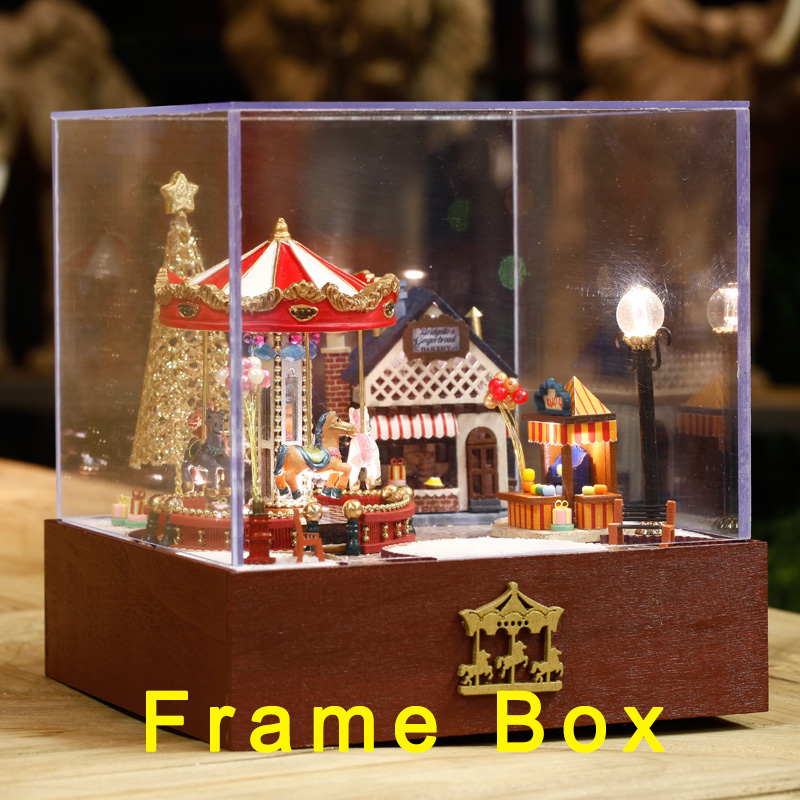 wind atlas
wind wedge
How do i get the Difference of two vector3 in Udon Graphs
wind atlas
wind wedge
How do i get the Difference of two vector3 in Udon Graphs
Are you looking for the distance? There is a method for that.
wind atlas
wind wedge
https://tenor.com/view/cute-fingers-gif-20081440
If you mean the vector between two points, then you just subtract them.
wind wedge
i went to "Math" but there wasnt a subtraction option
like i cant find a subtraction node
op
o
i found it
wind atlas
wind wedge
i went to "Math" but there wasnt a subtraction option
Yeah, stuff like that is why I use U#. Not only is it annoying to find basic operations, but they also become very confusing to read.
wind wedge
This is my firs time working with Udon, im learning how its all layed out
wind atlas
wind wedge
This is my firs time working with Udon, im learning how its all layed out
If you have coding experience, make sure to check out U#. It's very similar to C# sharp, just very limited.
wind wedge
70% of my time on graphs is making it look neat though lol
wind wedge
wind atlas
If you have coding experience, make sure to check out U#. It's very similar to C...
i dont have much experience, sadly, it would help me so much if i did, but im getting by it seems
desert swallow
So I've got this little setup here to play a sound and make some particles when using a held object, but what do I add to sync it so other people hear the sound/see the particles when somebody else uses the object
 grand temple
wind wedge
like i cant find a subtraction node
grand temple
wind wedge
like i cant find a subtraction node
It's Vector3 subtraction
wind atlas
desert swallow
So I've got this little setup here to play a sound and make some particles when ...
OnPickupUseUp -> SendCustomNetworkEvent instead of what you do now
wind wedge
grand temple
It's Vector3 subtraction
mhmm. pulled out the nub from the node then searched for subtraction, i didn't know i could do that
wind atlas
The play nodes happen in your custom event.
desert swallow
wind atlas
OnPickupUseUp -> SendCustomNetworkEvent instead of what you do now
So like this?
 wind atlas
desert swallow
So like this?
wind atlas
desert swallow
So like this?
Disconnect the play nodes. Create a new event and connect the play nodes to that.
Then SendCustomEvent calls that event.
desert swallow
How do I create a new event for them
wind atlas
desert swallow
How do I create a new event for them
Good question 🤔
Let me check udon graph out real quick.
wind atlas
desert swallow
How do I create a new event for them
Type "event custom"
desert swallow
alright, got a new box for that
but not sure what to do with it
ah wait a minute I might see how to do this
wind atlas
desert swallow
but not sure what to do with it
 desert swallow
Ye was about to try that, so from my understanding plug everything else that exsisted before into the new custom event, and then onpickupuse to the send custom network event with the same event name
wind atlas
desert swallow
Ye was about to try that, so from my understanding plug everything else that exs...
Yeah, that's it. As you can guess from the method name, that event will be send to everyone to play the effects.
desert swallow
Cool, and now that I have it setup if i ever need a reference again I can go back and look at it
 bleak echo
Not sure if this is the place to ask this, but...
I'm using the KurotoriUdonKart prefab.
How can I change the max speed? there doesn't seem to be an obvious way to do that. Even changing the MAX_SPEED variable does nothing. It won't go over 30.
 wind atlas
bleak echo
Not sure if this is the place to ask this, but...
I'm using the KurotoriUdonKart...
wind atlas
bleak echo
Not sure if this is the place to ask this, but...
I'm using the KurotoriUdonKart...
Have you tried editing MAX_MOTOR_TORQUE too? Never used that asset or wheelcolliders, but it looks like it would be the main force. Another thing to try out is adjusting the rigidbody, check what the drag value is.
bleak echo
I multiplied both max speed and max_motor_torque by 10 and it didn't make any difference. I don't suppose those would cancel each other out...
I also don't see these values being overridden anywhere.
yeah still same thing, speed capped at 30
wind atlas
bleak echo
I multiplied both max speed and max_motor_torque by 10 and it didn't make any di...
I'd have to setup up that asset myself and try it out to actually know what I'm talking about. All I can tell you is the information I have right now.
First of all, MAX_SPEED limits the actual movement of the car, make sure it's as high as possible when testing.
Next, MAX_MOTOR_TORQUE is responsible for how fast the wheels turn. That doesn't mean the car will move fast though! If you look through the car, you should find components called WheelCollider and a Rigidbody. The settings there will determine how fast the car actually moves.
wind atlas
bleak echo
yeah still same thing, speed capped at 30
Play around with the Rigidbody and WheelCollider mass. And probably the Forward Friction too. Good luck. That's all I know about this.
bleak echo
thank you for the tips, I'll play around with it and report any findings.
minor garden
Is there any insight as to why
GameObject.Find(_target).GetComponent<EventTest>().SendCustomEvent(_method);
works while
((UdonSharpBehaviour)GameObject.Find(_target).GetComponent(_component)).SendCustomEvent(_method); (when _component = "EventTest")
doesn't?
wind atlas
minor garden
Is there any insight as to why
`GameObject.Find(_target).GetComponent<EventTest>...
So _component is a string? I've never tried that, usually you'd do typeof(EventTest) which doesn't work in UdonSharp. So maybe your code get's compiled but crashes during runtime anyway?
minor garden
I do the typeof elsewhere
wind atlas
minor garden
Is there any insight as to why
`GameObject.Find(_target).GetComponent<EventTest>...
Use GetComponent(typeof(UdonBehavior))
fiery yoke
For non-VRC types you can use the generic version e.g. GetComponent<BoxCollider>() for VRC types you need to use the non-generic version like (VRCPickup)GetComponent(typeof(VRCPickup))
UdonSharpBehaviours do not exist at runtime, they are just UdonBehaviours. I forgot how it is handled during compilation.
minor garden
fiery yoke
For non-VRC types you can use the generic version e.g. `GetComponent<BoxCollider...
Ah, so they get cross-compiled out...
fiery yoke
minor garden
Is there any insight as to why
`GameObject.Find(_target).GetComponent<EventTest>...
Whats specifically wrong about that is that youre missing a paranthesis:
((UdonSharpBehaviour)(GameObject.Find(_target).GetComponent(_component))).SendCustomEvent(_method);
minor garden
fiery yoke
Whats specifically wrong about that is that youre missing a paranthesis:
`((Udon...
If there are errors in parenthesis, that's purely a copy and paste into discord issue and would have already shown up in Visual Studio.
fiery yoke
To be clear youre missing a pair of paranthesese, that the compiler cannot detect as missing.
minor garden
ohhh... are you saying the cast is happening to the GameObject and not the Component?
wind atlas
🤔
fiery yoke
Or the result of the send custom event. Im not super sure about the precedences right now
wind atlas
My gut feeling tells me dots are first and type cast after, so the original block might be okay.
minor garden
Editor is showing the new parenthesis as redundant and gives the same result in playout
private UdonSharpBehaviour GetEventComponent(GameObject go, string componentName)
    {
        switch (componentName)
        {
            case "EventTest":
                return go.GetComponent<EventTest>();
            default: return null;
        }
    }
While not pretty, this seems to work
grand temple
huh? Why is that necessary?
why don't you just use GameObject.Find(_target).GetComponent<EventTest>().SendCustomEvent(_method); ?
I'm not sure if there are any situations where you actually need to use UdonSharpBehaviour specifically. It's either userclasses if you're dealing with a script you know, or an udonbehaviour if it's a script you don't know
minor garden
grand temple
why don't you just use `GameObject.Find(_target).GetComponent<EventTest>().SendC...
I'm doing a little rewrite of https://github.com/FairlySadPanda/UdonStringEvents.
I want to be able to call arbitrary methods on arbitrary GameObject Components
grand temple
then yeah, use UdonBehaviour
minor garden
except for some unknown reason, most likely to do with the cross-compiler, it just throws useless Udon Exception
grand temple
what's the code you're trying to do?
minor garden
You mean, like what method am I trying to call? I don't understand the question.
grand temple
what code is causing the error? And what is the error, for that matter?
minor garden
It fails on the SendCustomEvent
((UdonSharpBehaviour)GameObject.Find(_target).GetComponent(_component)).SendCustomEvent(_method);
minor garden
I've tried it both ways... same error
grand temple
Then it's probably not finding the object with that name
minor garden
it is