#udon-general
59 messages · Page 73 of 1
 wraith citrus
 dull stream
I wanna have a switch that sends an event to an udon behaviour with this kind of inspector drawing debug lines to all the objects in the array, but it seems like you can't have udonbehaviour[].
I read above somewhere that you have to use a component[] or object[] or something and then cast to udonbehaviour.
Would have to cast each array element every time I want to send the event?

Currently it's only one type so I could make an array of that type but I'm thinking I might have different types later and wondering how to handle this
Oh and also preferably so I can just drag and drop my objects into the array in the inspector, but if it's a component[] then it won't pickup the correct component for the array like it does if it's a specific array type
 floral dove
wraith citrus
Is anyone know how to transform the string 2 URL that can be played on VRCVideop...
floral dove
wraith citrus
Is anyone know how to transform the string 2 URL that can be played on VRCVideop...
You need to have them embedded in the scene or entered manually with a VRCUrlInputField
wraith citrus
floral dove
You need to have them embedded in the scene or entered manually with a VRCUrlInp...
Thank you for your reply. VRC does not allow automatic generation and submission to the video player, right? (by any means)
wraith citrus
floral dove
You need to have them embedded in the scene or entered manually with a VRCUrlInp...
Can I put all the video address in a "list", then get them and replace the variables inside of the scene, and then send them to the video player?
Automation is a very important and cool part of what I'm doing. I'm sorry to ask you so many questions
floral dove
You can embed all the URLs in the scene and then have people pick them.
wraith citrus
But what if I want add player name in the URLs?
floral dove
That is not allowed - we specifically don't allow creators to extricate player information.
wraith citrus
oh,hmmm... But I still can make a "list" for players to select?
Will cookies be stored locally and sent with video access requests?
This is the only way I can think of without using the player name as the only credential.
 blazing hedge
floral dove
You can embed all the URLs in the scene and then have people pick them.
blazing hedge
floral dove
You can embed all the URLs in the scene and then have people pick them.
how do we embed urls in a scene?
floral dove
blazing hedge
how do we embed urls in a scene?
Make a VRCUrl[] (array) variable
floral dove
wraith citrus
Will cookies be stored locally and sent with video access requests?
This is the ...
If you're trying to use video players to do anything other than play videos (ie hack in some sort of web request system) that's not supported and specifically discouraged.
wraith citrus
floral dove
If you're trying to use video players to do anything other than play videos (ie ...
Not to do some dangerous things, but I need a way to distinguish each different player and automatically play their preferences saved in the world, such as their favorite world into welcome music
Simply put, I don't need to know the number belongs to who, I just need to know does they have the number or not
floral dove
Sorry, VRCUrls are not allowed to be constructed or modified at runtime except by typing or pasting into a VRCUrlInputField
wraith citrus
ok, thanks, Is there any safe way I can use?
 midnight beacon
When someone joins later, how do you sync variables on a script that is set to Manual Mode? Does it sync at the beginning and you just have to handle it through the OnDeserialization event? The VRChat website doesn't make a distinction between Continuous and Manual mode behaviour.
 hallow sable
if I setup a bunch of udon sharp code that deletes certain objects when people stand on them, would it be easier just to put a object sync on it to make it sync with everyone?
when someone stands on it, it disables the object and plays a sound, just trying to see how to sync it
 loud cedar
im having trouble with UdonSharp code... and it keeps giving me error in the console of missing SyncType and SyncMethod
can anyone help me figure this out?
 quartz meadow
any way to check if a user is changing their avatar?
quartz meadow
loud cedar
can anyone help me figure this out?
screenshot showing specifically what its doing
loud cedar

Says teh exact same thing to UdonSharpComponentExtensions, UdonSharpGUI, and UdonSharpEditorManager
 serene moat
use the latest VRCSDK
 plush stump
How to make the UIText/RawImage always render above other gameobject so it didn't get block by walls or floor?
 ashen monolith
Hey so I wonder if anyone can help. Im trying to walk a friend through setting some some basic HQ and LQ mirror toggles but we seem to be seeing too different option menus for the reflection options. We are using both the correct and most update sdk3. My world I see all these, but for him he only has the smaller menu. Im pretty new so unable to help figure out why he doesnt seem to have the same options. Thanks


These options appear under the Reflect Layers tab

 slim hound
ashen monolith
Hey so I wonder if anyone can help. Im trying to walk a friend through setting s...
slim hound
ashen monolith
Hey so I wonder if anyone can help. Im trying to walk a friend through setting s...
They need to open the SDK build panel and the option to setup the layers will be there
 hushed gazelle
Question about video players; Is it possible to retrieve the loaded video's title?
 undone moon
I've been using immobilize on players when I want to move them using scripts, but I've noticed that stops their lower body form tracking. Is there a way to immobilize players without messing up the tracking?
 sterile plank
midnight beacon
When someone joins later, how do you sync variables on a script that is set to M...
sterile plank
midnight beacon
When someone joins later, how do you sync variables on a script that is set to M...
Yes, OnDeserialization will be called at the beginning and you can assume all the variables are synced at that point
midnight beacon
sterile plank
Yes, OnDeserialization will be called at the beginning and you can assume all th...
Thanks!
 dapper lion
OnTrigger events are triggered when the the player capsule is going thru a isTrigger collider and not the complete player, right?
also: is "OnTriggerStay" not vrcplayerapiable?
 wind atlas
dapper lion
OnTrigger events are triggered when the the player capsule is going thru a isTri...
wind atlas
dapper lion
OnTrigger events are triggered when the the player capsule is going thru a isTri...
Stay does exist, look at:
https://docs.vrchat.com/docs/player-collisions#triggers
VRChat
Udon has three ways to detect when a Player and an Object Collide - Triggers, Physics, and Particles. Triggers If you want to detect when a player has entered or exited an area, your best bet will be to use the OnPlayerTrigger events. There are three of these: OnPlayerTriggerEnter is called when a p...
dapper lion
wind atlas
Stay does exist, look at:
https://docs.vrchat.com/docs/player-collisions#trigger...
oh thanks man/quantumanity!
undone moon
I really hit a road block so I'm gonna try rewording my question. Is there anyway manually set the leg IK targets? Or Is there maybe some way for me to control the player's movement without immobilizing them?
undone moon
Another weird quark of immobilize is it seems to only lock the feet ik's in place for vr users, desk top users feet rotate to match the direction they are facing even when immobilized.
 radiant sentinel
Is there any tutorials on Player Teleport / Room Locking? I have no clue where to even start
dull stream
radiant sentinel
Is there any tutorials on Player Teleport / Room Locking? I have no clue where t...

Here I've done a tutorial on creating a simple teleportation system for VRChat using both Udon and UdonSharp. This video was recorded and edited in a different manner, so if you have any thoughts, recommendations, or requests, I'm game to listen! Hope you can find this useful!
VRChat Udon SDK:
https://vrchat.com/home/download
UdonSharp:
https:...
 fleet plume
Do you have to pay for more fav slots in quest
 velvet bane
I went on my oculus quest 2 and went to vr chat and nobody can hear on me and I checked if I was on mute but it said it was on how can I fix it?
 indigo finch
velvet bane
I went on my oculus quest 2 and went to vr chat and nobody can hear on me and I ...
indigo finch
velvet bane
I went on my oculus quest 2 and went to vr chat and nobody can hear on me and I ...
not an udon question, would suggest posting in one of the quest channels. as for your question, some easy ones would be to try restarting the app. second would be to make sure you didn't have anything plugged into the headset slot that might override the microphone. other than that, would once again recommend asking in the other channels
indigo finch
undone moon
Another weird quark of immobilize is it seems to only lock the feet ik's in plac...
I could easily be wrong here, but my understanding of the immobilize was that it worked like a station (aka seat), with the setting player mobility set to 'immobilize' and bool 'Seated' disabled. Therefore, it would override the player's legs movement like sitting animations do. Desktop players are only able to rotate 90 degrees while seated, so when immobilized they need to be given the ability to rotate more, or they might not be able to use a panel they're standing at. Vr users can just rotate normally (though the legs not doing the same is a little weird). Don't think that helps for a solution though
undone moon
indigo finch
I could easily be wrong here, but my understanding of the immobilize was that it...
Oh thanks I've been wonder what the point of "Immobilize" was. I was thinking it was just supposed to disable the default walking and jumping based functions. Is there a way to use a script to have complete control the player's velocity? I'm using "SetVelocity" but It seems like the game is always trying to force the players velocity to match the walking velocity, "Immobilize" seemed to fix it, but I don't want all those rotation locking effects
I keep getting weird intraction's like when the player isn't walking the "SetVelocity" doesn't move them at all, but then when the start walking the move in the "SetVelocity"'s direction minus the direction and speed they are walking at. I just want the player to always move at the velocity set in "SetVelocity"
indigo finch
undone moon
Oh thanks I've been wonder what the point of "Immobilize" was. I was thinking it...
VRChat's movement seems to be like the 'character controller' component used often in base unity. It makes using 'set velocity' such a pain to move the character around, as it tries to also set the velocity. Whenever I did an explosion, I would add some upwards velocity, otherwise it just wouldn't move the player. Using immobilize disables vrchats movement, but also makes the character part of a 'station'. If it was a station in the scene (instead of just immobilize), you could rotate it according to the headsets rotation (like vrchat does for all avatars), but to keep the legs tracking I'm unsure. Perhaps that would be in the custom animation for the 'station' (like we see for dancing worlds and the likes). I would look into getting every avatar into the station, so your able to access more controls and hopefully have more options. That being said, I did have a project like that, that tried to move the player around, but ultimately abandoned it at the time, so perhaps I'm not the best one to ask 😛
undone moon
indigo finch
VRChat's movement seems to be like the 'character controller' component used oft...
You're a hero. Rotating a station so the legs match the headset sounds like exactly what I need. I'm gonna look into that
I wasn't sure udon was made to support type of thing. When I saw players had a "SetVelocity" method I thought that was the intended path for modifying player movement
indigo finch
undone moon
I wasn't sure udon was made to support type of thing. When I saw players had a "...
I think it was more so that you could do an explosions or the likes. the avatar is just another gameObject after all. Think about making a game where you blow someone off an arena, or perhaps a game where you have to dodge bombs, or even just to make a jumppad. those things could all benefit from having set velocity instead of add velocity
undone moon
indigo finch
I think it was more so that you could do an explosions or the likes. the avatar ...
Yeah I think I get it now. You're saying SetVelocity is more a way to interact with their back end of their systems, not to like replace them
Now I have all sorts of new questions lol. Is there a way to get a player to enter a station through udon rather than the normal way in game?
indigo finch
undone moon
Yeah I think I get it now. You're saying SetVelocity is more a way to interact w...
Exactly. Overriding them means taking care of a bunch. Interestingly enough one of my models has a particle effect that plays while I'm moving around. Though I don't see it, others see it playing when Im sitting in a plane or car driving around. obviously my legs don't move as I'm sitting, but vrchat still counts it as 'running' for everyone else
indigo finch
undone moon
Now I have all sorts of new questions lol. Is there a way to get a player to ent...
Yup, just tested it. Now I know too XD
 indigo finch
undone moon
You're a hero. Rotating a station so the legs match the headset sounds like exac...
indigo finch
undone moon
You're a hero. Rotating a station so the legs match the headset sounds like exac...
Okay, just playing around here, and realised this wasn't gonna work. If you rotate the station with the head, the station does pirouettes if you look to the side. The locking up of tracking with the animation is probably your better bet
undone moon
indigo finch
Okay, just playing around here, and realised this wasn't gonna work. If you rota...
Oh its a rotation a parent object to match a child object sort of problem yeah that's probably not gonna work lol
undone moon
indigo finch
Okay, just playing around here, and realised this wasn't gonna work. If you rota...
By locking up tacking with the animation, Do you mean like overwriting the IK by playing animation?
I'm so tempted to just upload this project as it is with the visual bug, and Hope udon gets update later so I can make a fully working version later
indigo finch
undone moon
By locking up tacking with the animation, Do you mean like overwriting the IK by...
that was poorly worded on my part. the station has an animation. if that animation is what is locking up the movement for the tracking points of the feet, then another animation that doesn't might be just what you need. currently the standing that you see seems to be an animation, and, as you can put your own animation there, I was wondering if the default one was what was overriding the tracking. then again, I'm just thinking out loud at this point
undone moon
I think I still have some weird ideas left. I might try remobilizing the in fixedUpdated then Immobilizing again in lateUpdate to try to let the IK reset. Or just changing some of my math to account for Avatar movement weirdness. You know I'll just keep poking at it till something useful happens
indigo finch
Do let me know if find anything. This is something I'd love to know.
As for your example, do bear in mind that the fixed update is called every physics frame, while late update is done (after everything on update) on every rendered frame
undone moon
indigo finch
Do let me know if find anything. This is something I'd love to know.
As for you...
Yeah at this point I'm gonna have to include you in worlds credits lol.
Yeah It probably would make more since for me to only immobilize during fixedUpdate, try and see if they separated the IK code and the velocity code so I can trigger the code I want and not the code I don't.
undone moon
indigo finch
Do let me know if find anything. This is something I'd love to know.
As for you...
That was actually so close lol. Keeping the play only immobilized during the fixed update made it so the walk/run animation plays, but the legs didn't turn
indigo finch
undone moon
Yeah at this point I'm gonna have to include you in worlds credits lol.
Yeah It...
haha, no worries if you don't
They do have the event 'on animator ik', but not too sure if you can do anything with it. if your not doing the immobilize station thing, you might be able to make use of the event 'input move horizontal' and 'vertical' events to counteract whatever movement you have
indigo finch
undone moon
That was actually so close lol. Keeping the play only immobilized during the fix...
interesting... was this the late update + fixed update method?
undone moon
indigo finch
haha, no worries if you don't
They do have the event 'on animator ik', but not t...
I can set max walkSpeed and runSpeed to 0, but there some weird interactions with some velocities. like you where saying it seems to stop the player sometimes if they are moving towards the ground and It actually looks like it only moves every other frame weirdly.
undone moon
indigo finch
interesting... was this the late update + fixed update method?
I immobilized in fixedupdated and Remobilized in update, so it should have been immobile in FixedUpdate, but mobile in the Update and LateUpdate
indigo finch
perhaps try remobilizing on 'on animator ik' and immobilizing on 'late update', as we just want it for the animation. as for the turning, I don't think that is going to be possible with this method though, as the rotation will happen at the same time as the movement for the player. also, if the player's framerate is lower that the fixed update frame rate (i think it 50fps), then there will be time where we haven't immobilized them in time
undone moon
indigo finch
perhaps try remobilizing on 'on animator ik' and immobilizing on 'late update', ...
Yeah my main concern is the rotation. the player's legs can be doing whatever, but I don't want the weird things that the arms do when turning around. I've actually started messing not immobilizing every 10th fixed updated. So 9 fixed updates the player is immobilized, but on the tenth update they remobilize to give the game a chance to reset their IKs. Physics wise I looks find since its hard to notice the Physics being weird every 10th update, and the velocity is stored in my script so it doesn't get changed. But now the avatar rotates sort of correctly but jitters like crazy. Not gonna lie this improvisational coding is pretty fun
indigo finch
undone moon
Yeah my main concern is the rotation. the player's legs can be doing whatever, b...
improvisation code is certainally a blast. interest methodology as to getting around it too. if I was to hazard a guess as to the jittering, are you immobilizing them ever frame except the 10th, or are you immobilizing them on the 1st, and then just skipping doing anything until the 10th? I assume, if it's doing a station, there may be a gitter every time you immobilise them
undone moon
indigo finch
improvisation code is certainally a blast. interest methodology as to getting ar...
Yeah I think the walk animation is being reset or something every time its remobilized, but I've noticed the player doesn't jitter nearly as much while in the air. So now I think my plan is just have to keep the player slightly above ground while I'm overriding their movement
indigo finch
undone moon
Yeah I think the walk animation is being reset or something every time its remob...
had that thought, but assumed that would lead to jumping animations being fired off instead...
 left oyster
Is there any way with UDON to connect to a Database to make player verification?
 slow harness
left oyster
Is there any way with UDON to connect to a Database to make player verification?
slow harness
left oyster
Is there any way with UDON to connect to a Database to make player verification?
can you clearify more what you are asking? what type of verafication?
wind atlas
@left oyster There are no encouraged ways to make requests or connect via sockets to the outside, if that's what you mean.
left oyster
slow harness
can you clearify more what you are asking? what type of verafication?
I need to get a JSON, or any kind of a list, from a server with UDON, to then save it as a Variable
wind atlas
Theoretically, you could abuse the video player for that, or so I heard.
Idk how that would work though, encode data into an image? lol
Sounds like a fun project if you want to do that.
left oyster
wind atlas
Idk how that would work though, encode data into an image? lol
I heard about something called UDON AudioLink, or something relating to DJing to control lights in the world over lan.
Thanks for reminding me, I could encode the message in some sort of simple way to recieve it like that, and then decode it with UDON to get the list
There's also OSC, but is not yet available on SDK3
wind atlas
left oyster
Thanks for reminding me, I could encode the message in some sort of simple way t...
I have no idea about audio stuff in Unity, but I'd love to see what people can come up with.
 visual elm
i want to know if this setup is correct, so when a music room is already playing, i want it to only affect local player, so it does not affect all others, so when the player respawns, it should turn off upon entering the room which has a trigger in the spawn room:

 grand temple
visual elm
i want to know if this setup is correct, so when a music room is already playing...
grand temple
visual elm
i want to know if this setup is correct, so when a music room is already playing...
Onplayercollisionenter is a very specific thing that you probably don't want. It usually only happens if a physical object with velocity runs into the player.
If you want to detect the player entering a trigger collider, you should use onplayertriggerenter
visual elm
ah, got it, thank you
 toxic glen
Question. In my post processing layer, what modifier I do I use to modify the brightness?
I'm trying to make a brightness slider and don't want to have it tied to physical lights, and want it to color grade the screen through post processing.
 fading cipher
Does teleporting a player inside of a trigger call OnTriggerEnter? I forgot triggers need at least one rigidbody.... AGAIN
 hybrid canyon
nope and that probably break terms of service
okay I just checked nothing in the player API section of udon mentions like changing the players Avatar
VRChat
You can interact with Players in your world through the VRCPlayerApi. Each Player has a VRCPlayerApi Object, and your world fires the OnPlayerJoined / OnPlayerLeft events on any UdonBehaviours that listen for them when a player joins or leaves. This page includes info on using some general nodes. Si...
 scarlet lake
hypothetically, could udon run a lua vm
 fickle stirrup
hybrid canyon
okay I just checked nothing in the player API section of udon mentions like chan...
fickle stirrup
hybrid canyon
okay I just checked nothing in the player API section of udon mentions like chan...
try UdonSharp documentation https://github.com/MerlinVR/UdonSharp/wiki
 hybrid canyon
that's for Avatar pedestals not forcibly changing a Avatar
fickle stirrup
the last one sound like it's sets the avatar for the user. but need to have a pedistal in the world hm
scarlet lake
so i cant build the world how do i fix it please help thank you

i tried different sdk wont work
grand temple
scarlet lake
so i cant build the world how do i fix it please help thank you
Right click the VRCSDK folder > reimport
quartz meadow
can we edit (set string, color, enabled, etc) of textmeshpro in udon yet?
 mighty fjord
Yup, check TextMeshProUGUI for example
 fiery yoke
It is possible. You can call the "use" function on an avatar pedestal in Udon. That will forcibly change the avatar of a user into the one specified by the pedestal.
 slate cedar
In a TLDR. What is udon except for a noodles kind?
fiery yoke
slate cedar
In a TLDR. What *is* udon except for a noodles kind?
?whatisudon
 hidden martenBOT
VRChat Udon is a programming language built by the VRChat Development Team for use in VRChat worlds! It enables complex behaviors and logic in VRChat worlds. Read more about Udon in our documentation: https://docs.vrchat.com/docs/what-is-udon
VRChat
What’s this Udon thing anyways? VRChat Udon is a programming language built completely in-house by the VRChat Development Team. It is designed to be secure, performant, and easy to use via the VRChat Udon Node Graph, a built-in visual programming interface that uses nodes and wires (we call them “no...
 fiery yoke
 pliant spade
What is vrc_url?
pliant spade
What is vrc_url?
Its essentially a wrapper for a string, to be used in VRCVideoPlayer
dull stream
It was possible with triggers so it should be possible with udon tbh
fiery yoke
dull stream
It was possible with triggers so it should be possible with udon tbh
Already said how to do it here: #udon-general message
:>
dull stream
o, I didn't read everything 
wind atlas
@fiery yoke Speaking of architecture (fits here better probably).
Is there some smart way avoid the situations where scripts have to reference each other? I have been leaning towards having some kind of managers that kinda communicate with each other but that ends up in a lot of abstraction that trickles down until something happens.
I don't think that's ideal.
I'm focusing on getting stuff done right now, so I don't want to experiment too much. Was just wondering how people usually deal with this issue.
fiery yoke
That is too generic and vague to really answer. What exactly is the problem?
wind atlas
Yeah, I was afraid it would be too vague. It's not even a real problem, it's mostly me starting really dislike my code once it grows.
I'm trying to make a game right now. So players have stats, there are enemies who have that too. They have to know of each other somehow, there is also UI to display stats. So you have to manage the complexity somehow. I am trying my best to separate concerns as much as possible, but not having all the tools that C# would offer makes this a bit challenging.
For example, if I want to have level ups, there are certain things I want to do, like updating a UI. But I don't want to reference every single thing that needs that event in the character stats script.
Someone send me a SOLID principles video, that's what I'm trying to do, just having trouble using them properly. Maybe all the work with python has corrupted my mind a little bit lmao
 orchid stag
If I have an audio source in the scene, and I use
GetComponent<AudioSource>().Play();
in my script to get it started, is there some syntax I can utilize to start the audio on all targets? Or am I forced to use the 'VRC_AudioBank' component along with the 'VRC_Trigger'?
wind atlas
orchid stag
If I have an audio source in the scene, and I use
GetComponent<AudioSource>()....
Do you want to play multiple AudioSource components at the same time? You can just have an array and go over each of them.
Also, aren't those SDK2 components? I haven't seen the VRC_AudioBank one yet, for example.
orchid stag
It is just one regular unity Audio Source that I am setting on, and it has the VRC spatial component. I just need like, when the host interacts with an object, it sets off the sound (which it does right now) but I want the sound to be activated on all players in the room
I looked at the https://docs.vrchat.com/docs/vrc_audiobank site, and at least that component does not carry a warning saying that it only works for SDK2 or that it is not compatible with oculus quest
VRChat
Can used to play sounds easily in a scene RPC's are available via the SendRPC action Quickstart Guide First, create an audio source in your Unity project and turn off the "Play on Awake" feature in the inspector. Create an empty object (position is not important) and add VRC_AudioBank component to i...
wind atlas
orchid stag
It is just one regular unity Audio Source that I am setting on, and it has the V...
By activated, do you mean so all players hear it? In that case you have to make the audio zone big enough in the component settings.
I'm just mentioning the audio bank, because I don't have it available in my Unity project.
orchid stag
The audio zone is really big, and I actually turned off the spatializer, so it is directionless with no roll off
I can hear it, but my test buddy could not hear it
wind atlas
Oh yeah, that makes sense if you didn't send a network event.
The method that calls play needs to be called using "SendCustomNetworkEvent"
So it's not an audio issue, but that your buddy doesn't receive the Play method.
orchid stag
is there somewhere where I can see this writte in C# instead of the visual scripting system?
orchid stag
nice!
wind atlas
public void PlaySound()
{
    audioSource.Play();
}

public void PressButton()
{
    SendCustomNetworkEvent(nameof(PlaySound));
}
sweet, thank you very much! 😄
 autumn birch
How do you sync what happens in an udon script? Object Sync syncs the object but not the event that occurs on trigger.
I need this to sync with everyone in the room
 wind atlas
@autumn birch What I wrote just before actually applies to you too.
You need to do a SendCustomNetworkEvent so the action happens on all clients
VRChat
The three main concepts used for networking in Udon are Variables, Events and Ownership. Variables are containers for values - like a number, a set of colors or a 3D position.Events are things that happen at a moment in time.Ownership is the system that decides which user can update a variable, whic...
autumn birch
wind atlas
<@!173125010368495616> What I wrote just before actually applies to you too.
So how does Custom Event know how to interact? Click, pickup?
grand temple
you'll have to replace the interact with a custom event
then the interact does a network event which calls the custom event
 hoary echo
Question, having an issue with a video player (usharp video) pausing frequently, almost like it's buffering, but it's not consistent at all. No errors in the log, seems to be more likely to happen the longer the world instance is up.
This a known issue with a fix, or do I need to keep digging?
dapper lion
hoary echo
Question, having an issue with a video player (usharp video) pausing frequently,...
youtube download throttle most likely. theyve been cracking down more lately and avpro bug is still on live
scarlet lake
I'm so lost does anyone know why it keeps saying cannot be synced

or and idea
*an
sorry I'm newer to udon and not really familiar with anything besides basic java lol
I'm following one of vowgans vr tutorials and got stuck on adding the VRCUrlInputField

everything is showing up except for the input field
 elder peak
it won't show on the component if it's not marked as public in udongraph
 elder peak
cus the type cannot be synced, it's that simple
usually you have a checkbox there saying Synced, but this type cannot make use of that hence the informing text
fiery yoke
Yeah bad UI. It should just either not say anything at all, or be greyed out and when you hover over it it should say that it cannot be synced.
blazing hedge
Which of these are less expensive (performance friendly) a VAT file or OBJ sequence ?
elder peak
unity creates internal representations of assets and does not use the actual file as it is
what are you trying to do with these in relation to udon?
fiery yoke
VRChat does not officially offer a supported way to detect that.
So we had to get creative. It's usually done, by detecting bone length changes for humanoid avatars. There is other ways as well iirc, but those are more complex.
 fluid arrow
Where's the UdonSDK?
elder peak
fluid arrow
Where's the UdonSDK?
fluid arrow
I've had that open
elder peak
what's your question then about? you download the sdk that features udon
fluid arrow
I feel like something I'm trying to installed worded it weirdly an implied that SDK3 and UdonSDK are two separate things
wind atlas
fluid arrow
I feel like something I'm trying to installed worded it weirdly an implied that ...
I think this is more appropriate: https://docs.vrchat.com/docs/choosing-your-sdk
elder peak
it literally says on the download page though:
VRCHAT SDK3
Use this if you are creating:
— New VRChat worlds powered by Udon, or
— New VRChat avatars powered by Avatars 3.0
fluid arrow
Anyone here know how to set up UdonSharp?
elder peak
mighty fjord
Right click in your assets and create a new U# script
fluid arrow
Where's the U# script?
Don't answer that, I have been extremely stupid tonight
Uh how do I make it not?
 hoary echo
dapper lion
youtube download throttle most likely. theyve been cracking down more lately and...
hoary echo
dapper lion
youtube download throttle most likely. theyve been cracking down more lately and...
Oof, thank you for the heads up!
dull stream
fluid arrow
Uh how do I make it not?
Import vrcsdk 3 worlds (udon), import udonsharp
All you need for stuff to work
Is there a way to make something only visible in a camera, since it seems I can't set layers in the reference camera. I want something to be invisible to players but visible through a camera
I was thinking a stencil and render camera with a revealing stencil, which should work on pc and pcvr, but not quest
 light kite
dull stream
I was thinking a stencil and render camera with a revealing stencil, which shoul...
light kite
dull stream
I was thinking a stencil and render camera with a revealing stencil, which shoul...
its hard for quest bc you cant see pc people
dapper lion
dull stream
Is there a way to make something only visible in a camera, since it seems I can'...
would say use mirrorreflection layer but that would cull on mirrors as well. im not sure what makes that layer not cull but if you can find out what it does. you could apply it on a new reserved layer
dull stream
How do reserved layers even work? I haven't really looked into it
Or rather, what are they used for
dull stream
dapper lion
would say use mirrorreflection layer but that would cull on mirrors as well. im ...
I think I can use mirror reflection as I'm not really planning on having mirrors where that would be needed
dapper lion
dull stream
I think I can use mirror reflection as I'm not really planning on having mirrors...
epic. but layers are usually for hard culling, physics, and other stuff thats used for optimization
 hallow iris
Yaw is it possible to handle Hitpoint/HP trough Player tags?
atleast i have set something like this allready up XD just not sure if this would work that well
or would be there a better way <.<
mighty fjord
There are probably better ways to handle it
iirc there are issues with removing or clearing player tags?
hallow iris
have found no problems with tag clearing so fare
fiery yoke
PlayerTags is basically a locally-global Dictionary<string, string> where the value is optional. They are really handy for some stuff, but they are not synced, so you still need to take care of that.
dull stream
I've been doing doing some clunky stuff on start by looping through an array of objects that's set in the inspector, getting non null count then comparing it with the array I have and if it doesn't match in length create a new array and copy only valid values to it. Since there's no list support I gotta loop through it twice
Mostly in case I (or someone else) sneaks in a null value into an array in the inspector
Is this a good idea or should I be validating these arrays at compile time with an editor script instead?
wind atlas
I personally would avoid having that much overhead, unless I actually need. So it depends on your goals and what you gain from doing that.
If you worry about performance, as long as you aren't doing it in an update loop, then it's probably more than fine.
dull stream
Well doing it on start will avoid spending time checking later down the line
wind atlas
I meant that doing it in editor scripts would be too much overhead for me. Doing it in start is fine. But it really depends on what you require.
fiery yoke
dull stream
I've been doing doing some clunky stuff on start by looping through an array of ...
Usually its a better idea not to get around "user errors", since it can be more confusing if it works, but doesnt behave in the way you intended, than if it breaks and tells you that something is wrong.
Theoretically the best solution is a custom editor, which will warn you that there is null elements in the array. But thats rather over the top. If you want to go that far, then thats the best approach.
dull stream
fiery yoke
Usually its a better idea not to get around "user errors", since it can be more ...
I guess that's right. I could probably go for a compromise and loop through the arrays on start and just log errors
fiery yoke
wind atlas
I meant that doing it in editor scripts would be too much overhead for me. Doing...
Overhead usually refers to a perfomance cost that is out of your control. Since editor scripts are run in the editor, it doesnt add any runtime perfomance cost, but only "compile time" or build time cost.
fiery yoke
dull stream
I guess that's right. I could probably go for a compromise and loop through the ...
Well yeah thats another way.
In any case, never ignore / skip over a user error. Let them know that something is not how you expected it to be.
In this case since you can, its better to let them know at compile time / build time, since you would rather avoid any issues in the first place. But it makes it non-trivial in this case, so yeah its whatever.
dull stream
It will probably error in cyan emu anyway
So it's basically compile time
Just slower since it takes a while to start, but way easier
fiery yoke
Not everyone uses Cyan Emu :P
wind atlas
fiery yoke
Overhead usually refers to a perfomance cost that is out of your control. Since ...
"Overhead" can honestly mean anything. What I was talking about is how easy your own code is to work with.
fiery yoke
https://en.wikipedia.org/wiki/Overhead_(computing)
Its pretty well defined :P
wind atlas
Well, you are focusing on one aspect, but there is more here:
https://en.wikipedia.org/wiki/Overhead
Overhead may be:
Overhead (business), the ongoing operating costs of running a business
Engineering overhead, ancillary design features required by a component of a device
Overhead (computing), ancillary computation required by an algorithm or program
Protocol overhead, additional bandwidth used by a communications protocol
Line code or encodin...
fiery yoke
Ohh well if you refer to work required then it is extra overhead yes.
wind atlas
Yeah, time is money, as they say.
scarlet lake
ok, can someone help me. ive having an issue where the button is disappearing instead of what its ment to do.
scarlet lake
fiery yoke
Yeah bad UI. It should just either not say anything at all, or be greyed out and...
Ahhh thanks I see
Wait so should I just use the unity UI
dull stream
Is there any way to choose the order in which udonbehaviours run their start?
It seems to me that some child references call things in other scripts from their start before the ones I need run theirs
dull stream
So far I've worked around it by running what I wanted to do in start in the first fixed update, but I feel like I will run into the same issue if I need to do this for more scripts
fiery yoke
dull stream
Is there any way to choose the order in which udonbehaviours run their start?
It should be DefaultExecutionOrder, however that is currently broken for Start. Afaik. At least there was or is a problem with it.
dull stream
Hmm, okay, I guess I'll keep the update workaround for now then
dull stream
Another thing, I see you're not supposed to have vrc object sync on manually synched objects, but how are you supposed to have elaborate pickups then?
Everything works great locally I just want the pickup position and rotation to sync up and interpolate as expected
fading cipher
This is a pretty simple question but I can't remember 😅 what's the recommended way to verify if a desktop user is clicking?
Actually, I might skip the click altogether for desktop and only worry about intentional input for VR users
pliant spade
How do I fix this?

I have been trying to get this to work but I just don't know how
elder peak
what is it supposed to do? is the collider marked as trigger?
elder peak
have you set TriggerTeleport?
 dull stream
Why are you getting local position
pliant spade
Oh
dull stream
Get the global one
fading cipher
Networking.LocalPlayer.PlayHapticEventInHand(VRC_Pickup.PickupHand.Left, Time.deltaTime, 1, 0.3f);
If I'm vibrating constantly in Update() up to a certain point is it okay to set the time of the haptic event to deltaTime?
fiery yoke
It really depends how its implemented. deltaTime gives you the time the last frame took to render, which would not work for the next frame.
So its "wrong".
If its implemented correctly there should never be two overlapping events, so just doing it for like 1 second should probably be fine.
However a fun experiment would be to set it to float.PositiveInfinity and see if it just does that forever (maybe even after you leave the world lul)
fading cipher
lol that definitely sounds like the kind of bug vrc would have
fiery yoke
Its not really that unlikely even
Again, really depends on how its implemented.
best case its capped to some maximum amount of time, or immediately stops when you leave the world. Worst case it keeps vibrating until you exit the game.
 jagged crow
Hey I'm having issues updating my old world, I'm pretty sure I followed the 2018->2019 migration process properly but my vrchat sdk doesn't show an option to open the control panel. getting these errors in the console:
Error: Could not load signature of VRC.SDK3.Components.MultipleDisplayUtilities:GetRelativeMousePositionForDrag due to: Could not load file or assembly 'UnityEngine.UI, Version=1.0.0.0, Culture=neutral, PublicKeyToken=null' or one of its dependencies. assembly:UnityEngine.UI, Version=1.0.0.0, Culture=neutral, PublicKeyToken=null type:<unknown type> member:(null) signature:<none>
PrecompiledAssemblyException: Multiple precompiled assemblies with the same name System.Collections.Immutable.dll included or the current platform. Only one assembly with the same name is allowed per platform. Assembly paths:
Assets/UdonSharp/Plugins/System.Collections.Immutable.dll
Assets/VRCSDK/Dependencies/Managed/System.Collections.Immutable.dll
UnityEditor.Scripting.ScriptCompilation.EditorBuildRules.ValidateAndGetNameToPrecompiledAssembly (UnityEditor.Scripting.ScriptCompilation.PrecompiledAssembly[] precompiledAssemblies) (at <a259d3c004024353a2c217da97495055>:0)
UnityEditor.Scripting.ScriptCompilation.EditorBuildRules.ToScriptAssemblies (System.Collections.Generic.IDictionary`2[TKey,TValue] targetAssemblies, UnityEditor.Scripting.ScriptCompilation.ScriptAssemblySettings settings,
[...]
Looks like something went wrong when it imported the new SDK on top of the old SDK. Try deleting the whole SDK and doing a fresh install
wraith citrus
Just want to know is there any possibility of opening the "community server" officially? @floral dove
Such as "VRChat Dedicated server"
grand temple
What community server?
isn't "community server" the exact opposite of "official server"?
wraith citrus
my mistake, I mean, release?
grand temple
what?
wraith citrus
Publish/ release a "client" for players can create ther own server or "world", like csgo
grand temple
that's not how it works
VRChat doesn't run on "dedicated servers" in the sense you think, it runs on relay servers. You can't just host your own relay server, it's like one of the regions - US, EU, Japan
wraith citrus
I don't understand, is that server just a relay?
grand temple
Yeah, it just passes messages between players. It doesn't handle any game logic
wraith citrus
If so, is it possible to create relay servers independently to reduce latency and improve connection quality?
grand temple
nope

 gaunt jolt
Hi there I'm looking for a Vrchat World Builder Discord
scarlet lake
can someone please help me? i was asking earlier if someone could help me with buttons that disappear and dont do what ive programmed them to do.
grand temple
scarlet lake
can someone please help me? i was asking earlier if someone could help me with b...
Could you provide some details about what you're trying to do?
scarlet lake
its a local thing that makes another object appear.
grand temple
and how are you trying to do that?
scarlet lake
like this

that should be right
the mirrors in my world work with teh exact same udon graph
grand temple
that's correct, but have you told it what A2 is?
scarlet lake
yea
grand temple
you'll need to drag and drop an object into the inspector
scarlet lake
ok, thanks!
 fresh cave
Im SDK3 I tried uploading my world it bought me to the upload page but it would not let me press upload. i ended the upload and then received 999+ warnings and 20 Errors. And now ALL of my VRChat SDK content sorta died showing this msg on EVERYTHING. I tried reimport

Not sure how to fix this?

 young scroll
look for any red errors, try fix those then attempt to reload the editor
all the script references got borked some how
fresh cave
it says i have 20 errors but i have scrolled so many times and there isnt a red error in the console
young scroll
you can change the filter at the top right of the console
uncheck everything except the red one


 fresh cave
So my world is done for and cant be fixed.
young scroll
never said that, but you should start at the debug basics and work forwards, restarting, clearing cache, reinstalling addons etc
fresh cave
u mean reimporting? That will just brake it more due to how unstable VRCSDK/unity is
young scroll
ive been using VRCSDK3 and never encountered stability issues
but yeah, make sure you dont just install ontop, remove the old restart then re-import
clear cache etc
fresh cave
idk how i keep braking my world. All i do is place props and assets. The only large thing i add is UdonSharp, USharpVideoPlayer, Standard Assets and QVPens. The rest is just copy and paste of already used props
young scroll
UdonSharp could potentially cause issues
fresh cave
but like litteraly nearly everyone uses it for their video players ;-;
young scroll
i dont know the stability of the addon, but yeah
using the core framework ive never experianced issues like this
dull stream
some addons might not support other addon versions
young scroll
there is alot that can go on
dull stream
so make sure you got latest everything
fresh cave
everything i have is upto date and is usually used by most people. and its worked in previouse worlds of mine
young scroll
i hope u have everything on a repo or something too, since ur script refrences might not be recoverable meaning u may have to restore them all once u get back working
 viscid reef
delete standard assets, you can't use it with sdk3, and it has 2 scripts that cause errors in unity 2019
fresh cave
but its required for QVPens to work
viscid reef
only on sdk2
fresh cave
Also now theres only 1 error after a restart
 fresh cave
viscid reef
only on sdk2
fresh cave
viscid reef
only on sdk2
what so it magically now works on sdk3 without needed Standard Assets?
young scroll
did u delete cache?
fresh cave
please someone punch me for not knowing this.
fresh cave
young scroll
did u delete cache?
how again?
young scroll
close unity, move the Library folder in ur project root (back it up i guess?) and restart
it will have to re-import everything and recompile
might clear that last error
young scroll
np, i dont know much about VRC systems, but i work with unity alot so my tips effectiveness may vary
fresh cave
aight everything is working now! Mental Note never ever ever ever touch Standard Assets unless its QVPens on SDK2 and not 3.
Cheers Mia and Temporal 😄
fresh cave
you too :3
fresh cave
Udon decided to make everything go gone gone
 young scroll
i did say this may happen
in the compilation issue, script refrences got lost, unless you have a repo backup, your going to have to reassign all the scripts
or mybe replacing them from prefab may work, but i doubt it
i think this is more of a unity issue than a udon issue, but specifics dont rly matter
fresh cave
yea even the prefabs has lost their scripts
young scroll
yeah thought that would be the case, you could try re-importing the prefabs and hoping that works
fresh cave
to reimport the prefrabs wouldnt i have to reimport the SDK entierly?
young scroll
yeah
young scroll
gl, i gotta run out back later on
fresh cave
Welp its like 7am for me. I am UDone with this for now xD
 unreal grail
I am getting very frustrated. I have 9 cards, and 9 "zones" that you are supposed to place cards. Every turn, the ONE card that is allowed to move becomes pickupable.
I have debug logs for EVERY step of the process.
The debug log is not reflecting what VRChat is doing.
Every time, when I get to turn 4, I have this log:

But card 4 is not pickupable:

and Card 9 is pickupable:

so the game cannot continue
This happens every time
It only happens on turn 4.
there is no reason, code-wise, why this should be happening
 tacit harness
Is there a way to make a slider that changes the intesity of the bloom ?
wind atlas
tacit harness
Is there a way to make a slider that changes the intesity of the bloom ?
Use animations. So make a blend tree with low and high intensity.
wind atlas
unreal grail
I am getting very frustrated. I have 9 cards, and 9 "zones" that you are suppose...
Are you printing the current VRC_Pickup state or does the log reflect your own code state? There could be a discrepancy. Hope that makes sense.
I just saw the code you posted. You are using the scene name, so is everything set up correctly in the scene? Could be mismatched texture or something.
 stable thicket
Tried the VRCAsk forum, then Reddit...and was suggested to come here.
So I’ve been wondering if this can be done for a little while and have been trying to figure this out for a while.
Is there a way for a chair/intractable object to put the localplayer into a custom animation?
What I’m trying to do is make like a place for characters to ‘sit’ where their avatar will take a preset pose (or pause all animation updates) in say a display and just sorta hold it.
Like imagine you interact with something and your put into a group photo backdrop. Or look like a figure on display. Holding a pose as an “animation” that the localplayer acts out until they move where it spits them right back out like a chair would.
I plan to put this in Udon/SDK3 if possible...hence why this is here.
dapper lion
stable thicket
Tried the VRCAsk forum, then Reddit...and was suggested to come here.
So I’ve b...
yes you can. stations have a animator controller override you can mess with
fading cipher
Does teleporting a Quest user into an area inside of a trigger not call OnTriggerEnter?
I noticed yesterday while I was testing something that a friend of mine on Quest wasn't triggering a zone but I was and I couldn't figure out why
And it looked like when they left the zone and manually re-entered, they successfully triggered it
stable thicket
dapper lion
yes you can. stations have a animator controller override you can mess with
As in there's an animator override I can call as a function in Undon?
 stable thicket
wind atlas
stable thicket
wind atlas
Oooooh!
undone moon
Is there a good way of telling what type of error happens when I get the error message saying Udon behavior halted?
 undone radish
I'm attempting to do seamless teleportation, does anyone know why it doesn't work?

The collider is a trigger too.
undone moon
In udonSharp I have this line of code skatescrips[i].SendCustomNetworkEvent(VRC.Udon.Common.Interfaces.NetworkEventTarget.All, "SetPlayer");
The SetPlayer Method starts by sending out a Debug line, I get a UdonBehaviour error before that debug line happens. What could be causing this?
Nvm it was a error in the debug.log line
grand temple
undone radish
I'm attempting to do seamless teleportation, does anyone know why it doesn't wor...
That's not how flow works. The white lines/arrows are flow, and they determine the order that things happen. So plugging them in like that isn't valid.
grand temple
I would recommend watching this to get started https://www.youtube.com/watch?v=95jRByYHE4Y&list=PLe9XHNvXcouQjg5GULWGLj1tMzeythnQi&index=3

These features are currently available only on our Open Beta version - check our Discord for more information.
Learn how to make doors that automatically open and close to let players through. This tutorial will use the Udon Graph to work with Player Triggers, Haptics (aka controller vibration) and controlling Animators with Udon.
Music i...

 grand temple
yeah that would be right
undone radish
Is there anything I happen to be doing incorrectly?
grand temple
The flow is correct, but the logic depends on how you want it to work
undone radish
I basically want it to do what it says in the code.
It's seemless teleportation
I have coding experience, which is why I'm a little confused as to what I'm doing incorrectly.
grand temple
I mean that should at least do something, is it not doing what you want?
undone radish
The teleportation isn't working
grand temple
are you getting any errors in your log?
undone radish
oh, I'm only using vr chat build to test, is there a way to do it in the scene?
grand temple
yes, if you have a US keyboard press rshift + tilde + 3
look for "udonbehaviour has halted" or something like that
grand temple
sorta. You can use cyanemu but it's unofficial
undone radish
do you have to be in vrchat to do shift+tilde thing
grand temple
yes
cyanemu works pretty well, but it's slightly different in some very specific ways so if you run into any bugs, double check in vrchat to make sure it's not just a bug with cyanemu
undone moon
If someone joins a game do instances of object created with VRCInstantiate that were called before they joined get created for them?
grand temple
VRCInstantiate is not synced
And the objects it instantiates cannot be synced either
If you need to "spawn" objects synced, you should use a VRCObjectPool
 calm zephyr
I need some help with Udon if anyone is willing to take the time. Im learning fresh so not gonna be an easy one to explain to. Im trying to get a keypad to make an object delete itself when the code is correct but i cant even get my key pad or any others working. very frustrated
grand temple
what are you trying now?
 torpid sedge
tacit harness
wind atlas
Use animations. So make a blend tree with low and high intensity.
torpid sedge
tacit harness
wind atlas
Use animations. So make a blend tree with low and high intensity.
When i tried recording it as a animation it didnt work like it didnt notice the change
 twin sage
How to play video by keycode input like pypy dance? is there any example for it?
wind atlas
tacit harness
When i tried recording it as a animation it didnt work like it didnt notice the ...
I haven't done that myself. It's just that in code, you can't change PostFX and I know VRC wants you to use animations for that.
wind atlas
tacit harness
When i tried recording it as a animation it didnt work like it didnt notice the ...
Try creating two Volumes and blend their weights, maybe that will work.
wind atlas
tacit harness
When i tried recording it as a animation it didnt work like it didnt notice the ...
Yep it works. Original is at value 5 and this new one is at 10.
 hallow pumice
I wrote a script that displays text as an announcement that I can edit in-world. It works, but I can't seem to make it global. It's local only. Can you tell me what I might be missing?
using UdonSharp;
using UnityEngine;
using UnityEngine.UI;
using VRC.SDKBase;
using VRC.Udon;

namespace Grizdog.Announcement
{
    public class Announcements : UdonSharpBehaviour
    {

        public InputField input;
        public Text output;

        public void CreateAnnouncement()
        {

            // All of this nonsense is just for syncing the Object for everyone in the world.
            if (!Networking.IsOwner(gameObject))
            {
                Networking.SetOwner(Networking.LocalPlayer, gameObject);
            }

            output.text = input.text;

            // This calls "OnDeserialization()", though I don't know how - It's for syncing up with newcomers.
            RequestSerialization();

        }

        public override void OnDeserialization()
        {
            output.text = input.text;
        }

    }
}
 west mural
you need to sync a variable to transfer the text
you are currently not syncign anything
public
public string s_text;
...
s_text = input.text;
RequestSerialization();
...
out.text = s_text;```@hallow pumice
hallow pumice
west mural
```[UdonSynced]
public
public string s_text;
...
s_text = input.text;
RequestSer...
Thank you!
 ebon light
hi, do you have the problem that
OnPlayerTriggerEnter is called many many times when a trigger is at 0,0,0 on a new player is joining!
 dawn forge
I think it's because the player is starting to move their body when their IK wakes up. I noticed when someone joins the lobby, everybody will "jerk". I doubt it's an Udon thing since I see it on every map.
ebon light
😂
dawn forge
See edited message, it could be from people being "jerked" for a moment when someone joins an instance.
ebon light
👌 thanks
hallow pumice
west mural
you need to sync a variable to transfer the text
Does this look appropriate to you? I've made very little change, but I'm going to test it again.
public class Announcements : UdonSharpBehaviour
    {

        [UdonSynced] string syncedString;
        public InputField input;
        public Text output;

        public void CreateAnnouncement()
        {

            // All of this nonsense is just for syncing the Object for everyone in the world.
            if (!Networking.IsOwner(gameObject))
            {
                Networking.SetOwner(Networking.LocalPlayer, gameObject);
            }

            syncedString = input.text;
            output.text = syncedString;

            // This calls "OnDeserialization()" - It's for syncing up with newcomers.
            RequestSerialization();

        }

        // This syncs the output for newcomers.
        public override void OnDeserialization()
        {
            output.text = syncedString;
        }

    }
jup, looks good. make sure your udon behaviour is also set to manual sync mode
hallow pumice
west mural
jup, looks good. make sure your udon behaviour is also set to manual sync mode
I've updated that last point. I didn't know about that. I'll test it soon.
wind atlas
You mean like having a small moon that you can walk around?
I don't think there is an easy way to do that. We don't really have that much control over the player. You would need to work around it somehow.
Maybe something with a shader? I saw a world recently that does the opposite of what you want.
Yeah, everything I think of has huge issues, mostly related to rotating the players view.
I heard you can use chairs, like you sit players in them and then move them, this way you could have a "player controller" of your own. Not sure if that actually works though.
dapper lion
i spent about 4 days trying to make that exact mechanic. if you make progress and are successful. plz inform me
i know very little about stations. like they are super weird
wind atlas
Yeah, I remember trying out a script on them, but they just don't behave how you expect them to.
dapper lion
theres a “mobility” option and a “seated” option and I have no idea what exactly they mean. i put 12 stations in a world with different parameters and made a rotator script for the arrow keys and i either crashed. exploded. or noodled out
wind atlas
So unfortunately I can't really help with those. If anybody got a working example that uses the stations API, then that would be ideal.
dapper lion
yes. would be very nice lol
wind atlas
I thought about it, but what about other people?
It would work, but only for the person seeing the rotation, for everyone else you just float mid air.
hallow pumice
west mural
jup, looks good. make sure your udon behaviour is also set to manual sync mode
It's working now! Thank you!!!! Here is the finished code if you ever want to use it:
using UdonSharp;
using UnityEngine;
using UnityEngine.UI;
using VRC.SDKBase;
using VRC.Udon;

namespace Grizdog.Announcement
{
    public class Announcements : UdonSharpBehaviour
    {

        [UdonSynced] string syncedString;
        public InputField input;
        public Text output;

        public void CreateAnnouncement()
        {

            // All of this nonsense is just for syncing the Object for everyone in the world.
            if (!Networking.IsOwner(gameObject))
            {
                Networking.SetOwner(Networking.LocalPlayer, gameObject);
            }

            syncedString = input.text;
            output.text = syncedString;

            // This calls "OnDeserialization()" - It's for syncing up with newcomers.
            RequestSerialization();

        }

        // This syncs the output for newcomers.
        public override void OnDeserialization()
        {
            output.text = syncedString;
        }

    }

}
@scarlet lake @dapper lion @wind atlas The station approach definitly works.
One of my friends, Kleinba made a mechanic where you can walk around aribary geometry. They showed it off recently at the community meetup event.
I also have a recent example of rotating the world to face moving around a planet and using stations to rotation the players in all direction in my spaceship world. Check #udon-showoff if you are interested in that.
wind atlas
west mural
<@456226577798135808> <@!657567702608642078> <@!106513983044898816> The station ...
My only problem is how to handle the animator. You would like to have players move the same somehow, right? Is there some built-in vrc animator one could use somewhere?
hallow sable
so if I'm using public override void OnPickupUseUp() for a object in udonsharp how can I make them drop it?
west mural
wind atlas
My only problem is how to handle the animator. You would like to have players mo...
yeah, i currently dont have one since i am doing space movement, but if you did omni rotational walking you would have to create a custom locomotion animator and feed it the velocity of the player.
 grand temple
GetComponentInChildren<VRC_Pickup>().Drop();
hallow sable
but without the children part
I just want it to make the player drop the object with a if statement
grand temple
if (bool)
pickup.Drop();
you'll have to define what pickup you want to drop though
you could make a public VRC_Pickup pickup variable
 wispy marlin
What are these Player and Set Player variables? I'm trying to replicate this script but I can't find them.

This is all I can find and this doesn't look right

 grand temple
"set player" looks like it's setting a variable named player
wispy marlin
Okay I think I see how to do it. So I click the Plus symbol in the variable box and rename it to Player? I just need to figure out which variable to select as the base.
Okay I think I got it! Yay!
 hallow sable
is putting vrc object sync the best way to sync a object I have?
or do I put a udon behaviour with sync set to continuous
elder peak
object sync syncs the transform of an object, that's all it does
 harsh fern
How can I turn mirror default off?
 rocky grotto
Okay im not sure if im just being ignorant or what, but how exactly do i open the graph?
 grand temple
rocky grotto
Okay im not sure if im just being ignorant or what, but how exactly do i open th...
grand temple
rocky grotto
Okay im not sure if im just being ignorant or what, but how exactly do i open th...
Something's not right, you're seeing the debug inspector. That could be just because you have debug mode enabled, which you can disable in the options menu top right. But it could also be because some scripts are not compiling, in which case it would help to see what your console is saying
rocky grotto
Ill check the debug option too
 grand temple
hm, that's odd. The SDK should install cinemachine
rocky grotto
(not debug) should i reimport the SDK?
grand temple
try going to window > package manager and search for cinemachine, then install it
rocky grotto
Ill try that now
grand temple
if that doesn't work, then yes reimport the SDK. Do a fresh install by closing unity, then delete the SDK/Udon folders, reopen unity and import SDK.
rocky grotto
Thank you so much >.< it worked!
grand temple
oh, cool
rocky grotto
I combined two worlds so im guessing it broke something haha
grand temple
ah
 cursive vapor
can you click on (interact with) something if you are already holding something? I thought there was a way to do that (talking about on pc/desktop vrc only)
grand temple
I believe you can click UI buttons but no, you can't click objects that use Interact
cursive vapor
interesting. Ui buttons should still do :D ty
calm zephyr
useing Udon Graph I understand how to toggle an object but how do I make it so a button turns it off for good. ??
really need some help
 tacit pasture
is there any way of calling to edit the post processing profiles with U# everything ive tried isnt supported?
fiery yoke
tacit pasture
is there any way of calling to edit the post processing profiles with U# everyth...
You can use an animator to animate the values of a Post Processing Layer component.
Then you can manipulate the animator with Udon. Its a workaround, since there is no other supported methods at the moment.
dull stream
calm zephyr
useing Udon Graph I understand how to toggle an object but how do I make it so a...
What do you mean by that. What are you trying to achieve?
calm zephyr
I need a object to turn off with one click from another button but not turn back on when clicked again
dull stream
well either disable the button or create a bool variable
when turning off first check if the bool is false then set it to true and turn your object off
calm zephyr

This toggles the object but how to i make this just turn it off for good I dont understand ?
I apologize but im very new at this and hardly understand what im showing you in this screen shot. Im years behind what you know about this.
 night viper
calm zephyr
This toggles the object but how to i make this just turn it off for good I dont ...
night viper
calm zephyr
This toggles the object but how to i make this just turn it off for good I dont ...
You will use something like this. This script when the event "Interact" is called (by a button) It will set the gameobject´s Active state (on or off) to False (off). Those are called bools (They are either On (true) or Off (false))

If you want to turn it on, you will do the opposite (setActive to True (on)
 calm zephyr
so if i check that box it stand of true if unchecked means false ?
night viper
Yes. The "Unary Negation" what it does is it flips those values, so it acts as a toggle system (press turns on, press again turns off, press again turns on etc etc)
calm zephyr
Thank you very much for this information. Online tutorials are few & not very informative for someone like myself. I really mean it thank you
night viper
You are welcome!!
undone radish
Anyone know how to make my spatial audio not go through walls
I tried to get it to work using raycasting, but udon is a pain. Are there any places on the internet I could learn about raycasting in udon?
wind atlas
undone radish
Anyone know how to make my spatial audio not go through walls
Would it be enough to just use triggers and disable certain audios?
Basically make zones using colliders where certain music can be heard.
calm zephyr
Squall is there a way to add a timer so when clicked it is active then in like 1 sec its inactive again ?
 topaz sentinel
i have a question.
Does anyone know if there is a prefab of a scoreboard system
undone radish
@wind atlas Honestly probably a better solution than a one glove fits all
good idea.
west mural
@undone radish raycasted audio. Does player talking, not sure it it does audio sources too, but at least can give you an idea for the code. https://github.com/Guribo/BetterAudio
GitHub
'Better' audio for UDON (VRChat) based worlds. Inc. speed of sound, sonic booms, doppler, occlusion, reverb, ... - GitHub - Guribo/BetterAudio: 'Better' audio for UD...
west mural
calm zephyr
Squall is there a way to add a timer so when clicked it is active then in like 1...
You can send a delayed custom event
undone radish
thank you @west mural
 bronze pier
hello, is it possible to get a player Animator ?
the local player i mean,
or, is it possible to set a player parameter?
midnight beacon
bronze pier
or, is it possible to set a player parameter?
In Udon search for PlayerAPI, you'll find methods for changing player properties there
 void sandal
When I click upload in my world it doesnt do anything can someone help
midnight beacon
void sandal
When I click upload in my world it doesnt do anything can someone help
Did you check the Console for errors?
void sandal
theres no errors in my console
bronze pier
I was just trying to make the players dance when the enter a collider but it might be not possible , nvm , it was just for testing anyway
midnight beacon
void sandal
theres no errors in my console
Are you using a VPN?
void sandal
no
midnight beacon
I dont know what else to immediately recommend right now then, check https://docs.vrchat.com/docs/sdk-troubleshooting and some of the other help articles on the site, and submit a ticket if none of those fix the issue
void sandal
how do I submit a ticket
midnight beacon
I would check the other guides like the one I just linked you before submitting a ticket as there might be a solution to your issue. The guide I linked also has info on how to submit a ticket if you've tried everything.
dapper lion
how would you make an object look at the player?
 dapper lion
ik there was a simple answer. TY! lol
bronze pier
but,, how do you get the player transform?
wind atlas
bronze pier
but,, how do you get the player transform?
The sdk doesn't allow you to do that.
dapper lion
vrcplayerapi player.GetPostion or player.GetRotation
west mural
you can get player position and rotation, but you dont have access to any player gameobjects
wind atlas
Maybe you could explain what you are trying to do and people might give alternate ways?
void sandal
midnight beacon
Did you check the Console for errors?
this is the only error I have
 midnight beacon
void sandal
this is the only error I have
midnight beacon
void sandal
this is the only error I have
Are you using SDK Version 2?
void sandal
no
dapper lion
did you have sdk2 imported before?
void sandal
no
west mural
there are still sdk2 parts in sdk3
i saw someone have the same kind of issue with avatar sdk3 yesterday
midnight beacon
Good to know
void sandal
I imported something I think it had something in sdk2 idk
midnight beacon
Then remove it
dapper lion
ok so another query: so im using Time.Time to set up a "every 5 secs, do this" function, and it works correctly in unity but in game, it skips the Time.Time timer and just keeps infinately doing the function
bronze pier
wind atlas
Maybe you could explain what you are trying to do and people might give alternat...
currently learning udon and its limitations, but i was wondering if it is possible to enable custom interactions between players other that pickups, for example, to trigger the "die" animation when the player is hit by something or by other player, instead of the player having to play the animation manually since that breaks the immersion
fickle stirrup
dapper lion
ok so another query: so im using Time.Time to set up a "every 5 secs, do this" f...
try to use SendCustomEventDelayedSeconds(string eventName, float delaySeconds, EventTiming eventTiming);
wind atlas
bronze pier
currently learning udon and its limitations, but i was wondering if it is possib...
As I said, not supported by the SDK. One way to do that is stations. It has a field for an animator that the avatar rig uses as soon as you seat a player.
bronze pier
hmm, interesting, thanks!
dapper lion
fickle stirrup
try to use `SendCustomEventDelayedSeconds(string eventName, float delaySeconds, ...
void Update ()
{
TheTime = Time.time;
if (TheTime > nextActionTime )
{
nextActionTime += period;
     PlaceCubes();

 }
}
//^^^ This what works in unity ^^^
//Below is what I think you mean
void Update ()
{
SendCustomEventDelayedSeconds(PlaceCubes, (Time.Time - nextActionTime ) , Time.Time);
}
(ive rarely used the delayed seconds stuff yet)
wind atlas
dapper lion
void Update ()
{
TheTime = Time.time;
if (TheTime > nextActionTime )...
Another cool way to do time is the Stopwatch class found in System.Diagnostics
dapper lion
hmm interestinf
well what i really want to know is why the script using Time.Time works in unity but not in game
wind atlas
dapper lion
hmm interestinf
The question is, how do you set the first nextActionTime and what is the period?
dapper lion
period is float that is 5 seconds. nextactiontime is private float. when Time.Time is above 5. it fires Placecube() and adds 5 more secs to nextactiontime
so what i want is every 5 seconds. i was placecubes to happen
which works in unity. but in game. it spams the placecubes function
wind atlas
How do you set the first nextActionTime, that is very important to know if you want to debug this.
dapper lion
nextactiontime starts at 0.0f
so it placescube onawake
and adds period
i can send whole script soon
wind atlas
I understand the problem now.
Time.time is the time from the start of the application, which means when you open vrc, select worlds, etc, it always counts
So it might take you 5 minutes to get to your world, and then it places 5 minutes worth of cubes with your script :P
It's better if you do nextActionTime = Time.time + period
dapper lion
ohhhhh big brain. thank you i will try this
void sandal
I removed vrcsdk folder and re added it and its still not working
 twin sentinel
I've check the sample scenes in the SDK package where you trigger an action when an avatar collide with it.
and when I hit the trigger again it goes back to the default pose.
My question is, is there a node/function to play an action once it is triggered and plays it till the end of it and does it once in that instant.
dapper lion
wind atlas
It's better if you do nextActionTime = Time.time + period
yes this worked! thank you so much
midnight beacon
Does anyone here have experience with Animation components in Unity? Im having two problems with my synced Animation system using the Animator component:
- The animator.playbackTime value isnt returning the playback time at all, just either 0 or -1 depending on if the animation is playing or not.
- startPlayback and stopPlayback events have reversed functionality for me - stopPlayback is what actually plays the animation.
Is there a workaround to this? I looked at the Animation component but it's a legacy component so using it seems inadvisable.
This is what my Animator Controller looks like - it just has to handle the playback of a single animation.
 hallow sable
so if I did this, would the timer float always be the same for all players?


also did that, just curious if it would sync the random number between all
elder peak
have you read this resource? https://docs.vrchat.com/docs/udon-networking
hallow sable
well I have done it before but just never used Random.Range and tried to sync it
midnight beacon
hallow sable
so if I did this, would the timer float always be the same for all players?
Expect the random function to be different for everyone - call the function only for the owner and have the owner serialize the playback timer, then handle the change for everyone else
hallow sable
gotcha
elder peak
and give the resource another read
midnight beacon
If the Sync Method is manual, it'd be quicker to change the ownership to the person interacting with it, then have them get the randomized value, set it and call RequestSerialization
hallow sable
Well I'm basically trying to play audio, have it pause at a random time between 5/10 secs for everyone
west mural
hallow sable
Well I'm basically trying to play audio, have it pause at a random time between ...
https://github.com/MerlinVR/UdonSharp/wiki/UdonSharp#fieldchangecallback Dont send a network event.

GitHub
An experimental compiler for compiling C# to Udon assembly - UdonSharp · MerlinVR/UdonSharp Wiki
Just set the value, Request serialization and then in the value change callback call the delayed function
midnight beacon
Why would a simple switch using the Interact event not work if Syncrhonization is turned off? Surely if the code is local the Sync Method is irrelevant? (Not posting in networking as this is the absence of it 🙈)
When Manual or Continuous Sync Modes are used just as one more confusing twist - only the Instance Owner gets the custom network event it triggers :l
hallow sable
Can you test network events with cyanemu by chance? Don't recall
I know u can have remote players but
midnight beacon
Not that im aware of, the switches work when I test it with a single user in CyanEmu, but don't with a single user in VRChat
grand temple
The typical flow when using manual sync for a simple synced value is
Take ownership
set value
RequestSerialization
Make sure you're doing all those steps. You shouldn't use a network event for this purpose because you can't guarantee that the variable will arrive before the event
If you sync everything correctly, other players will receive OnDeserialization. At which point you can apply the values
west mural
midnight beacon
Why would a simple switch using the Interact event not work if Syncrhonization i...
The idea is yes, but in the live version sync mode none doesnt work at all. The udonbevaiour will not be initialized. It works in the current beta though
midnight beacon
west mural
The idea is yes, but in the live version sync mode none doesnt work at all. The ...
Thanks, at least im not going *that *crazy 🥲
Would you perhaps know why if using manual or continuous sync why a switch wont send a Custom Event unless its the Instance Owner?
The script is this, pretty basic stuff. The event itself for anyone but the Instance Owner never gets called even though the last log gets executed
 grand temple
That's not a network event, so only the person who click it will receive it
midnight beacon
grand temple
That's not a network event, so only the person who click it will receive it
Yeah, thats what I mean - users that arent the Instance Owner can click it and the event wont be triggered
Only the Instance Owner can interact with it and have the event actually work
grand temple
what does the event do?
midnight beacon
grand temple
what does the event do?

Its a simple manually synced boolean toggle
 midnight beacon
Really?
grand temple
You can use a block or custom event to get around the problem if you needed to use a branch, but you can also just get rid of the branch entirely
setowner has no additional cost if you are already the owner
so just do it anyway
midnight beacon
Thats good to know, but so im clear on this - having two separate event flows connect to the same input can break Udon?
grand temple
yes, variables further down will not initialize properly, because they belong to a different flow
midnight beacon
...why...does...udon...allow...this...then...
grand temple
because it's supposed to work but it doesn't
midnight beacon
(hope i dont sound passive-aggressive, there's just a lot of weird holes to fall into while learning this and your posts here have always been super-valuable @grand temple , I really really appreciate it)
midnight beacon
Your tips were useful but sadly didn't work, gonna dig further and see what I can find
midnight beacon
midnight beacon
The script is this, pretty basic stuff. The event itself for anyone but the Ins...
The entirety of this executes, but the event is never triggered if you're not the Instance Owner, as far as im able to discern
No logs in the other script come up
grand temple
so you don't get the ToggleDoorState debug log?
midnight beacon
The actual variable also doesn't sync so something is definitely broken
midnight beacon
grand temple
so you don't get the ToggleDoorState debug log?
Nope
grand temple
That's quite unusual. How are you testing this? Are you local testing or publishing? Are you using multiple clients on the same computer, or different computers?
midnight beacon
Local Build and Test, two clients on the same computer
grand temple
Is there anything else on the target udonbehaviour?
hallow sable
is it still the same issue where you can click on text buttons if you are inside a box collider?
grand temple
hallow sable
is it still the same issue where you can click on text buttons if you are inside...
You're going to have to be a bit more clear, not sure what you're asking
hallow sable
for vr users, there was a issue where I would setup a box collider for example to see if a player is inside of it and that would work fine but if I were to put a text ui in it such as a button you couldn't click on it?
if that makes sense
grand temple
oh, you need to set the box to mirrorreflection
hallow sable
ohhh for layer? gotcha
midnight beacon
grand temple
Is there anything else on the target udonbehaviour?
There is only one event, this is the full script. The only thing that gets synced for the non-instance owner is the initial OnDeserialization and after that it receives nothing - isDoorOpen never changes for that user and they cannot trigger the event.
 grand temple
ah, I know the problem. The script is halting in OnDeserialization because you're not supplying an animator here

If you check your log, it should probably say something about "execution has halted while trying to execute animator_setbool"
midnight beacon
extreme facepalm how did I miss this . _ .
That indeed did fix it, tysm @grand temple .
 karmic verge
I've been trying to figure this out for way over a month now and haven't found anything helpful on this topic either, i must be missing something completely obvious but how do you make an object interactable while its also being pickupable. Say the pens that we see in basically every other world, they can be grabbed and also have a button that can be clicked (toggled). Or guns that allow you to grab them and interact with them (example to reload them).
I tried parenting things but that doesn't work (if the parent is a pickup it overrides everything in it) the only other thing i can think of is having the objects separate but follow each other by fake parenting them (via parent constrains)
bronze pier
is possible to make an item stick to a player's bone?
I've seen that behavior in some vrc worlds
hallow sable
@bronze pier https://github.com/bdunderscore/attach-to-me
GitHub
Contribute to bdunderscore/attach-to-me development by creating an account on GitHub.
bronze pier
thanks!!
karmic verge
alright, scrap that, i finally managed to get it done... don't know what the issue previously was
dapper lion
question: whats more optimal - using void Update(), or FixedUpdate(), or LateUpdate()?
grand temple
Fixed update always happens at your headsets refresh rate, so 90 or 120 or 72, whatever. Update and lateupdate happen once per frame whatever your frame rate is
So if you're concerned about performance, update and lateupdate is slightly better than fixed update
But the difference between fixed update, late update, and update is less about performance and more about what you want them to be used for
Update is the go-to for basic "I want this happening all the time"
lateupdate is good for something that has to wait for something else to happen, to guarantee that it happens afterward.
Fixed update is specifically meant for physics. Things like applying force to an object
grand temple
Same thing as lateupdate, but even later
dapper lion
mainly wondering because im about to script a entire boss fight and theres going to be a lot happening and wasnt sure which update would be good to use
grand temple
Lateupdate and postlateupdate won't be necessary if everything is happening in your own scripts. You can just set execution order to have one happen before the other. The reason for late and postlate is when you're wanting to interface with external things, like getting bone positions without being a frame behind needs postlateupdate
dapper lion
glad you mentioned the bone part
dapper lion
whats the best way to detect OnTriggerEnter on 4 specific colliders and comparing against 4 unique gameobjectS?
grand temple
Check the name of the object that you receive in ontriggerenter
dapper lion
so like...
Collider Blue;
//gameobject blue coco;
void OnTriggerEnter(Collider other)
{
if (Blue.gameObject.name == "blue coco")
{stuff}}
dapper lion
how would i go about making it like this:
Collider Blue, Red;
//gameobject blue coco, red coco;
void OnTriggerEnter(Collider other)
{
if (Blue.gameObject.name == "blue coco")
{stuff}
if (Red.gameObject.name == "red coco")
{stuff}
}
or would i have to put a script on the collider that checks for the names and send a event back to the main instruction script?
grand temple
if blue is manually defined as a public variable, why would need to check it's name?
dapper lion
if (Blue == "blue coco")
or... hmm
 unkempt seal
How come i cannot drag and drop or choose a public variable?
 grand temple
unkempt seal
How come i cannot drag and drop or choose a public variable?
grand temple
unkempt seal
How come i cannot drag and drop or choose a public variable?
You're looking at the inspector for the udon program. You need to put the program on an object, then you can interact with it
midnight beacon
You have to select an active object in the scene
You can't edit these properties if it's a selection in the Library
unkempt seal
mhm, i tried that too, but theres a crossed out sign
midnight beacon
pics?
unkempt seal
lemme see if i can capture my cursor
midnight beacon
Oh, make sure the thing youre dragging can support it
You cant drag GameObjects that arent in the scene into it
And the GameObject has to have the component youre looking for if the Public Variable is something like a Udon Component or Animator
unkempt seal
midnight beacon
Wrong type
The Udon script only goes into the Program Source, it is not an Udon Component
an Udon Component is the thing you add to a GameObject in the scene
unkempt seal
how do i make that? im new to 3.0
midnight beacon
So youd need to add an Udon Component to an object in the scene, add that Udon script to it's Program Source, THEN you have a GameObject with an Udon Component to drag into that Public Variable.
midnight beacon
unkempt seal
Public variables don't create things in the scene, they always take elements that are already in the scene
midnight beacon
 unkempt seal
Ahh ok
midnight beacon
If you dont know this, you should probably check out the Udon section on VRChat's website - https://docs.vrchat.com/docs/what-is-udon
VRChat
What’s this Udon thing anyways? VRChat Udon is a programming language built completely in-house by the VRChat Development Team. It is designed to be secure, performant, and easy to use via the VRChat Udon Node Graph, a built-in visual programming interface that uses nodes and wires (we call them “no...
unkempt seal
there shoud already be 2 udon components in scene alreadyt then
i just didnt know they were also called that
midnight beacon
Ah, right ^-^
unkempt seal
I don't understand how/why i cannt have them reference each other.
here is my set up
midnight beacon
As far as my programming knowledge can take me, it could create something called a "Recursion Loop" if they do.
It's a nightmare scenario where Udon A calls Udon B, and Udon B then calls Udon A to create an infinite loop the game cannot stop
So you can never have Udon Behaviours reference each other
unkempt seal


ah, i dont know how it works lol i just need a button to call an animation
to start and stop it
midnight beacon
I mean this looks fine, though the networking will desync with your current methods
unkempt seal
i couldnt get the button to work either
someone else said its because the button was referencing itself
midnight beacon
So theres a few things id change:
- On the switch script rename "House1" to something like "UdonTarget", as youve named two variables House1 and its confusing to work out what things do what 😅
- The switch itself isnt connected to the Udon Component of the house, so it will never work.
hallow sable
is the best way to see how many players are in a room with a box collider and a onplayer trigger enter and exit?
unkempt seal
Wait, which switch?
midnight beacon
unkempt seal
This Udon Behaviour acts as a "switch", that triggers the event in your animation Udon Behaviour. Your, "House1" variable inside it does not reference the Udon Behaviour of the animation but itself (hence why in the box it says "Self" and not "House1".
You need to drag the House1 Game Object into that public variable.
Also to ensure your variables communicate clearly, the target of the Udon Behaviour acting as the script shouldn't also be called House1 as it doesn't describe what the variable actually does and your other script also has this variable name, rename it to something like UdonTarget, as this variable is the target of your event call
Itll save you more headaches later >w>
unkempt seal
It wont let me drag things into public variables :,C Or are you saying i do it in the udon graph? im so lost. Im gonna rename and come back
midnight beacon
unkempt seal
It wont let me drag things into public variables :,C Or are you saying i do it i...
unkempt seal
there is no option to drag
midnight beacon
No option to drag?
unkempt seal
no option to put in the udon script
midnight beacon
A variable needs to be made public before it can be accessed like this
unkempt seal
target udon behavior, only "self"
midnight beacon
 unkempt seal
all variables are made public
i dont know whats wrong with it, ive made 3 projects
ill try updating unity
midnight beacon
I dont think its that
Im just not sure at this point what you mean :X
You should have two GameObjects - one for the switch to turn on the animation, and one for the animation itself right?
unkempt seal
yes, both have udon components, one has one to toggle/switch the animation on (the button) the other is the animated object

both don't allow me to select public variables
midnight beacon
And when selecting the Button in the scene, you tried dragging the GameObject for House1 into the box for UdonTrigger?
unkempt seal
 unkempt seal
yeah, i have no errors,
midnight beacon
And dragging the House1 GameObject into the Button's UdonTrigger box did nothing?
unkempt seal
nope, it wont do anything. im guessing i updated to the latest sdk and am using old unity?
ill just update
 midnight beacon
unkempt seal
ill just update
midnight beacon
unkempt seal
ill just update
Yeah, do the usual "Reinstall SDK, ensure everything is updated"
midnight beacon
hallow sable
trying to use this, won't always work tho
Can't help you here sorry, have no knowledge on it D:
hallow sable
darn
unkempt seal
ty for your aid, hopefully the update fixes it
midnight beacon
np, wish i caught onto the issue sooner. its 4am and my brain is very dense
hallow sable
it's weird bc I have seen worlds have it before but can't find anything on it
midnight beacon
Yeah, examples beyond "how open door" are scarce and Udon is a minefield
hallow sable
I mean it would almost be better to make all players spawn with a invisible object and that is the player counter instead no?
 brazen epoch
I am concerned this setup will overflow the max safe float since Transform.Rotate can set values > 360 which is pointless, but I can't seem to figure out how to reset the rotation x to 0. I used to check for if Quaternion.x <= 0.01, but as soon as it overflows, it resets back to 0.9 as expected but has no effect on the Transform.rotation.x if the Quaternion's value is set back to be more close to 1.0. I also tried to rotate -360 deg, but that causes the program to get stuck at 357 deg and not increment the rotation.x more.
How can I properly reset the Transform.rotation.x with keeping the other Transform values?
 west mural
brazen epoch
I am concerned this setup will overflow the max safe float since Transform.Rotat...
west mural
brazen epoch
I am concerned this setup will overflow the max safe float since Transform.Rotat...
i thought rotate will go back to -180 if it reaches 180. if it doesnt or you wanna make sure it doesnt get to big, look into modulo. x%360 -> gives you the rest of x/360
void sandal
west mural
there are still sdk2 parts in sdk3
idk how there is sdk2 parts in my sdk3 world. I didn't use sdk 2 before. I just imported sdk3. I even removed the folder and added it back idk what I'm doing wrong. idk what sdk 2 part is in my vrcsdk folder. I just really want it fixed 😢
 indigo wagon
CoinOrientation.Rotate(0, 1*deltaTime, 0);
learning some U# and idk how to get deltatime to work
grand temple
use Time.deltaTime
indigo wagon
ah chears
 cyan shale
does anyone know how to make static portal with VRCportalmarker?
scarlet lake
Is there exist any document or article which about the size of the player's capsule?
 rose surge
Is there any way to have a world display images/text from a database (drive, server, dropbox)? Like, on load, it would fetch all of the images in a specific location & load them in as pick-up objects or a slideshow gallery.
dapper lion
rose surge
Is there any way to have a world display images/text from a database (drive, ser...
yes
public void _SetBlueCol()
{
MainScript.setcocodemercolliderblue();
}
void OnTriggerEnter(Collider other)
{
    if (bluetrigger == true)
{
     if (other.gameObject.name == "blue coco")
{
SendCustomNetworkEvent(VRC.Udon.Common.Interfaces.NetworkEventTarget.All, "_SetBlueCol");
Yes.SetActive(false);
}
}
}
//ok, so this script works locally (it disables the Yes gameobject) but it doesnt send any customnetworkevent that sets off an event in another script and idk why
rose surge
Thanks @dapper lion Let the research begin. 
elder peak
rose surge
Is there any way to have a world display images/text from a database (drive, ser...
no, you cannot, in sdk 2 you were able to do it but the needed component is not whitelisted for sdk 3 https://docs.vrchat.com/docs/vrc_panorama
you can however use avatar portraits
dapper lion
use RT and get rgb data
 vital belfry
Is it possible -and if so is there any documentation- on using Udon without visual scripting
dapper lion
avatar portraits should be used if you need instant and non restricted data. which can be very dangerous
rose surge
Avatar portraits requires that you re-upload the avatar through Unity every time you want to update the data, right? It just pulls the texture from the AV portrait & applies to to other things.
dapper lion
yes
imo, its easier with dropbox or even discord files. and if you need to change them, find a link resolver or link shortener you can edit the resolved link from so you ca change whjats loadede
but you can get a lot of data from rendertextures and videoplayers
vital belfry
vital belfry
Is it possible -and if so is there any documentation- on using Udon without visu...
as in just with regular scripting*
dapper lion
vital belfry
as in just with regular scripting*
c#?
vital belfry
Yes
dapper lion
ye, import udonsharp
GitHub
An experimental compiler for compiling C# to Udon assembly - Home · MerlinVR/UdonSharp Wiki
keep in mind its not exact c#
vital belfry
ah thank you! I'll take a look there
rose surge
dapper lion
but you can get a lot of data from rendertextures and videoplayers
That's what I thought. Thanks for pointing me in the right direction. I appreciate it!
 elfin elbow
i wanna ask a question
how can i remove the black lines from under and above the screen i for somereason can't
twin sentinel
I've set up on udon to disable one gameobject but how do you disable two at the same time when you trigger any one of it?
midnight beacon
twin sentinel
I've set up on udon to disable one gameobject but how do you disable two at the ...
Theres a few ways you could do it but I would do the following:
- Create an empty GameObject and put all GameObjects you wish to disable as children of it
- Create an Udon Behaviour script that just disables this empty - all of it's children should get disabled as well.
Does the plane have some kind of collider like a Box Collider? It needs a component like this and for the "Is Trigger" value to be ticked.
Im going to guess it needs a box collider instead as a plane has no depth
twin sentinel
@midnight beacon Thanks for the reply and yes it works as how I need it.
midnight beacon
twin sentinel
<@!121091807206440960> Thanks for the reply and yes it works as how I need it.
woopwoop!
twin sentinel
Quick question, Is one udon script consider as one drawcall if it's copied to multiple GameObject?
fiery yoke
twin sentinel
Quick question, Is one udon script consider as one drawcall if it's copied to m...
UdonBehaviours are not renderers, and do not dispatch any drawcalls...
midnight beacon
twin sentinel
Quick question, Is one udon script consider as one drawcall if it's copied to m...
Udon behaviors arent "drawn", draw calls are required for things like Mesh Renderers.
- Each material for every mesh is one draw call
- Each mesh used in the scene is one draw call
This can be reduced through "batching":
- If the same meshes with different materials are marked as "Static", they will get grouped into a single draw call (I think its this way round).
- If the same meshes with the same materials use a material with "GPU Instancing" ticked, the draw calls they collectively use will be reduced
I probably messed up a detail or two
twin sentinel
Ah aight, I understand that when it comes to materials and meshes.
midnight beacon
Then Udon Behaviours dont change this unless theyre making more meshes appear X)
twin sentinel
So even if I have 200 udon script as long nothing changes within what's loaded in the memory it's free game yes?
midnight beacon
It is in terms of rendering, but Udon Behaviours will still affect performance
fiery yoke
They have a certain performance overhead that is always there, even if you dont "do anything" in the behaviour. Another factor is memory (RAM).
twin sentinel
Ah ok, I'm guessing quest has more restriction compare to desktop or pcvr
elder peak
having more udon behaviours on gameobjects will also increase the world initialisation time
twin sentinel
Have anyone test the scripts limit on the quest before?
midnight beacon
Scripts* aren't made equal, the only way to know for sure is if you test your world
twin sentinel
A fair point
Again appreciate for the help. I'll come with more question whenever I get stuck somewhere with udon lol
midnight beacon
np, ill be doing exactly the same thing :D
Speaking of which, does anyone know why getPlaybackTime wouldn't work if an animation is playing? It returns -1 while playing and 0 when not, and at least in udon the events for startPlayback and stopPlayback have the reverse functionality. It's been puzzling me for daaaaaaays
void sandal
I feel like the sdk I got from vrchats website is broken. I keep getting this error (shown below) and I dont know how there is sdk 2 stuff in sdk 3 and when I try uploading my world the upload button does not work at all and there is nothing in the "content nsfw". I think my sdk is broken and I really want my problem solved. I did not use sdk2, I dont know where in my sdk 3 has something sdk 2. Im using the latest sdk, Im using the latest unity version. I just want my problem solved.
 grand temple
I believe that's caused by not setting a spawn point in the scene descriptor. Try just using the VRCworld prefab, it will have the scene descriptor all set up with everything you need
That error doesn't have anything related to sdk2, are you getting other errors that make you think sdk2 is mixed in somehow?
void sandal
no
void sandal
grand temple
I believe that's caused by not setting a spawn point in the scene descriptor. Tr...
I added vrcworld and its still not working
wind atlas
midnight beacon
Speaking of which, does anyone know why `getPlaybackTime` wouldn't work if an an...
I haven't used those methods before, but I am going to make some random assumptions:
StartPlayback supposedly allows you to manually handle the animation time. Of course it would stop, since you are expected to do it manually. So playbackTime being 0 makes sense, it's waiting for a value. When you StopPlayback, it resumes the automatic animation handling, so playbackTime is -1 since you are not supposed to use it.
That is what I imagine the person making that API was thinking.
midnight beacon
wind atlas
I haven't used those methods before, but I am going to make some random assumpti...
I appreciate the extra brain, ill see if this perspective helps ^-^
wind atlas
Yeah, that was my intention since I haven't used those methods.
grand temple
void sandal
I added vrcworld and its still not working
Did you add it on top of your existing scene descriptor or did you replace the scene descriptor?
void sandal
I actually had it when the problem started so I didnt use an object with scene descriptor
basically I repaced the old vrcworld with a new one
midnight beacon
wind atlas
I haven't used those methods before, but I am going to make some random assumpti...
I tried stacking StartPlayback with the Play command and got nothing, the key issue here is wondering how Unity expects me to play the animation without these controls when using the game tick seems like a much less efficient process. Ill think on it 🤔
wind atlas
midnight beacon
I tried stacking StartPlayback with the Play command and got nothing, the key is...
yourAnimator.playbackTime = yourManualAnimationTimeYouWant Isn't that how you control it? Again, I have no clue, I'm just reading the (very sparse) documentation.
midnight beacon
wind atlas
`yourAnimator.playbackTime = yourManualAnimationTimeYouWant` Isn't that how you ...
(smh bot) Oh you mean playbackTime as in the operation length, not the playback needle? Hmm, ill try it
midnight beacon
wind atlas
`yourAnimator.playbackTime = yourManualAnimationTimeYouWant` Isn't that how you ...
Can't playback from recorder, no recorded data found. Well it's something
wind atlas
midnight beacon
`Can't playback from recorder, no recorded data found`. Well it's something
I just read you have to use animations recorded in Unity. I also found a thread that might be helpful?
https://www.reddit.com/r/Unity3D/comments/1sx0u5/help_controlling_a_sprites_animation_frames_via/
reddit
3 votes and 9 comments so far on Reddit
Look at the first comment.
midnight beacon
The animations are indeed recorded in Unity so thats ticked off
Animator is used instead of Animation, im aware the latter is deprecated
This does seem to confirm however that startPlayback expects you to step through frames yourself
void sandal
void sandal
I feel like the sdk I got from vrchats website is broken. I keep getting this er...
Ok so the sdk I got is broken because I removed all the folders vrc and udon related then I reimported the sdk and its still not working -_-
dawn forge
Am I doing this proper ? Have over 52 playing card game objects. The parent object is running this behavior that is responsible for managing the pool. I am populating the pool array gameObject and then can work with it.
 midnight beacon
void sandal
Ok so the sdk I got is broken because I removed all the folders vrc and udon rel...
midnight beacon
void sandal
Ok so the sdk I got is broken because I removed all the folders vrc and udon rel...
This is a dumb question, but have you tried just making a new project and importing everything step by step? Sometimes Unity just haunts projects.
dawn forge
I then want to set each card active one by one in a specific order to allow shuffling, is this a good use case? I then use Return when the game is reset?
midnight beacon
dawn forge
Am I doing this proper ? Have over 52 playing card game objects. The parent obje...
Im not particularly versed in UdonSharp, but this looks like a smart way of handling shuffling to me
dawn forge
Thank you! Yeah I have the for loop in another script to bring it in. First time working with the VRC object pool.
midnight beacon
It doesnt look like you're getting a randomised order for the cards but I assume you know that
void sandal
midnight beacon
This is a dumb question, but have you tried just making a new project and import...
like just import the sdk first?
dawn forge
Oh yeah this is where I am shuffling the cards and bringing them in. This is about to get re-written.
 midnight beacon
void sandal
like just import the sdk first?
midnight beacon
void sandal
like just import the sdk first?
Make a completely new project, import the SDK and try it.
grand temple
dawn forge
Am I doing this proper ? Have over 52 playing card game objects. The parent obje...
The vrcobjectpool doesn't work if you populate it ingame. You have to populate it in editor
dawn forge
grand temple
The vrcobjectpool doesn't work if you populate it ingame. You have to populate i...
Thanks for the feedback! That'll save future chaos.
void sandal
midnight beacon
Make a completely new project, import the SDK and try it.
I tried it and it worked so idk what's wrong with my project then 😕
midnight beacon
void sandal
I tried it and it worked so idk what's wrong with my project then 😕
Add packages and scene objects one by one, and test every time you do it. There's probably something in one of those packages that's breaking the build and you need to narrow down what it is
midnight beacon
midnight beacon
Speaking of which, does anyone know why `getPlaybackTime` wouldn't work if an an...
Animation Sync issues I had were solved by using the CurrentAnimationStateInfo and Animator.Play instead of any of the properties directly inside Animator. Thanks again for being my rubber duck @wind atlas 🦆 🙌
 cyan shale
Does anyone know how to make static portal to private world on unity with SDK3?
void sandal
midnight beacon
Add packages and scene objects one by one, and test every time you do it. There...
fixed it. turns out I was using assets in the vrcsdk folder so I stopped using it and its working now
undone moon
Anyone know the math to get TeleportTo to retain the players rotation. Using the Player's head tracking Quaternion as the TeleportRot to seems to almost work, but doesn't work when the player is like slightly upward or downward
grand temple
teleport with SpawnOrientation.AlignRoomWithSpawnPoint and use Trackingdata.Origin
undone moon
grand temple
teleport with SpawnOrientation.AlignRoomWithSpawnPoint and use Trackingdata.Orig...
Worked like a charm thanks!
 severe olive
Hey, im pretty new to world creation, I've put world music and am making a little button to toggle it, attempted to copy a toggle button for a mirror as I expected the same way to set it up would also deactivate/activate the world music if I targeted the music rather than the mirror, but is there something different to the music from mirrors that I am unaware of?

The button just dissapears when used and nothing happens
unkempt seal
How do I make a simple synced game object toggle if there’s an animator on it? Will that work?
night viper
severe olive
Hey, im pretty new to world creation, I've put world music and am making a littl...
On your picture your interact button is referencing itself, which means it will toggle itself (if it is on, it will turn itself off) You want to drag the gameobject where the mirror is on the public variable called "Foxroom" on the inspector instead of leaving it empty: Self(GameObject)
 severe olive
Ohhh im an idiot, thank you!
 rough beacon
is there way i can make a clone mini avatar so player can look at them self in my world? if so, how can i make it?
just like one in Camera Test world
rocky grotto
Any clue what i did wrong here? Trying to have one toggle toggle all 3 mirrors on or off at once, when the toggle is activated the toggle just vanishes and the mirrors dont turn on
 grand temple
you're probably just toggling the object that this udonbehaviour is on
make sure you have all the references set in the inspector
if you leave them blank, it will reference itself
void sandal
anyone know how to fix this? Even if I detach the blueprint id it doesnt seem to be working
 rough beacon
void sandal
anyone know how to fix this? Even if I detach the blueprint id it doesnt seem to...
rough beacon
void sandal
anyone know how to fix this? Even if I detach the blueprint id it doesnt seem to...
Logout. than login, should fix it
rocky grotto
void sandal
anyone know how to fix this? Even if I detach the blueprint id it doesnt seem to...
Low key happened to me and I left it alone for like a day or two and It started working, so I would try a full computer reboot
 twin hedge
So, for my game world, I want the player to search for the key for the locked door. When they find it, they will click on the key and it will disappear, but the door will be unlocked. How do I do it? I know it's something to do with Udon unless if I'm wrong. I would greatly appreciate it if you can help me out.
 sweet star
Hey, quick question! For some reason, this isn't working, at all. No Interact hover even. What could be up?
https://i.imgur.com/LjEyXld.png
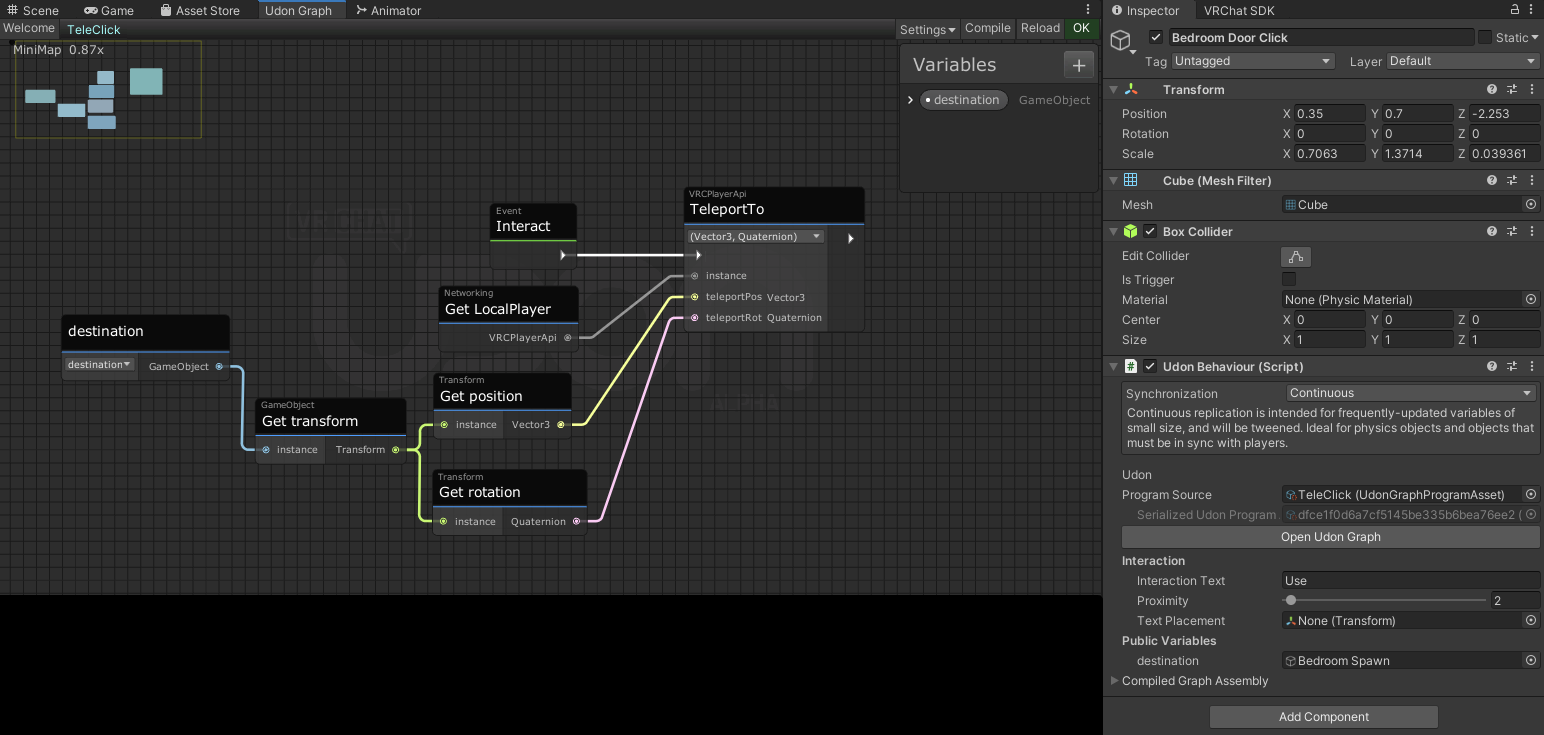 twin hedge
sweet star
Hey, quick question! For some reason, this isn't working, at all. No Interact ho...
twin hedge
sweet star
Hey, quick question! For some reason, this isn't working, at all. No Interact ho...
The object needs to have mesh collider.
sweet star
It has a box collider?
 broken bear
Set the collider to trigger and see
grand temple
sweet star
Hey, quick question! For some reason, this isn't working, at all. No Interact ho...
The graph and box collider is all good, but if you're not getting an interact hover then it's probably blocked by some other collider
sweet star
nope, trigger doesn't fix it
grand temple
go to window > analysis > physics debugger and enable all the options. See if there's a collider in the way
sweet star
grand temple
go to window > analysis > physics debugger and enable all the options. See if th...
Not seeing that Window 😄
grand temple
you sure?
 sweet star
Ah, got it!
twin hedge
I'm still waiting for my question to be answered lol
sweet star
grand temple
go to window > analysis > physics debugger and enable all the options. See if th...
What am I looking for on this screen?
grand temple
sweet star
What am I looking for on this screen?
Enable mouse select and collision geometry, then hover over the button
sweet star
 grand temple
twin hedge
So, for my game world, I want the player to search for the key for the locked do...
grand temple
twin hedge
So, for my game world, I want the player to search for the key for the locked do...
You would want to have a "locked" bool on your door. Then the key object disables that bool with setprogramvariable
twin hedge
grand temple
You would want to have a "locked" bool on your door. Then the key object disable...
I see. Thanks.
grand temple
sweet star
https://i.imgur.com/ysNx8dY.png
so are you able to click on the button without any obstructions?
sweet star
Ah, it's not a button, it IS that big rectangle, and yeah
grand temple
do you have a trigger collider that surrounds this whole area?
sweet star
I'm not sure what you mean by that?
twin hedge
grand temple
You would want to have a "locked" bool on your door. Then the key object disable...
Ok, sorry, but I can't figure out the setup. Mind if you can show me what the setup look like?
dawn forge
Speaking of physics and Udon here, I have been trying to make a card deck that has shuffle functionality.
- A for loop enumerates an array that has been shuffled with the card names. The gameobjects are made active once they're found using the .Find functionality under the parent with the script.
1.Have the cards set to active one by one and they're made active a few units up on the y coordinate to fall onto the stack.
The problem is that if I allow the cards layer to interact with itself, a player may accidentally pick up a card under the top and send all the cards flying. By having the layers not interact, I am always picking the same card up off the stack?
grand temple
twin hedge
Ok, sorry, but I can't figure out the setup. Mind if you can show me what the se...
I would recommend watching some tutorials https://www.youtube.com/watch?v=YuWbH5c9CBI https://www.youtube.com/watch?v=O3VeBzV9HgI
(Sorry, accidentally recorded this one in 1080p, whoops)
Two of my oldest videos, Contextual Buttons and and Door Animations, have both grown rather outdated, so I've combined the two into a brand new video to go over them!
Full Tutorial Playlist:
https://youtube.com/playlist?list=PLwEtUGCdQX7HMkFCVxiNvO4DS2CmHWbe6
00:00 - Intro
00:42 - Animat...

So this took me longer than it should have.
Time to toggle objects again, but this time, for everyone! You'll see that syncing is a little bit more complicated than it was in SDK2, so to set everything up we have to tell every player to toggle that object, but also catch up anyone who joins in after the button was pressed!
All assets are availab...
twin hedge
grand temple
I would recommend watching some tutorials https://www.youtube.com/watch?v=YuWbH5...
alright then
sweet star
@grand temple What's weird is, I have almost this exact script on another object in my world and it works fine :NotLikeThis:
dawn forge
The other option that I don't like and my friend wants me to do, is just have them toggle a button to show the next card in sequence of the shuffled array. But then I'd need to sync the whole array string which is a lot of data. We're talking about 52 elements with a lot of string hehe
grand temple
dawn forge
Speaking of physics and Udon here, I have been trying to make a card deck that h...
The VRCObjectPool has a shuffle function built in
dawn forge
Ah ok, I will circle back to that, thank you!
sweet star
sweet star
<@!84443478817255424> What's weird is, I have almost this exact script on anothe...
Yeah I'm at a loss. Maybe this object is just corrupted (I've had that happen.) Let me try just remaking it.
dawn forge
sweet star
Yeah I'm at a loss. Maybe this object is just corrupted (I've had that happen.) ...
I'm dealing with a similar issue I kinda binned for the end of my project, I have a button on a canvas that refuses to accept my cursor. Manually firing the interact in the inspector does give results. I tossed a cube in and added my script, and interact works fine.
Once I sort out my shuffle shenanigans, I can give my UI another try and let you know.
sweet star
I literally just amde a new cube, gave it the script, and it's not working still
No highlight.
Let me try moving it.
OK, moving it works, so there must be something in the way.
Hm.
wind atlas
sweet star
I literally just amde a new cube, gave it the script, and it's not working still
Do you have a huge collider around it? I don't remember if it's just an issue in VRC or also Unity, but it will eat your selection. Gotta put colliders on MirrorReflection layer.
sweet star
There are colliders on each wall, and under the floor?
There's not one encompassing that whole area, since if I move it out of the hallway it's fine
 midnight beacon
Is there a simple way to tell when VRChat had issues running an udon script beyond CyanEmu? The logs when you make a VRChat build are a mess
grand temple
search for "halt"
midnight beacon
grand temple
search for "halt"
Thanks. Is there a reason OnDeserialization wouldnt fire if theres no issues with the code? T _ T
grand temple
ondeserialization only fires for people who are receiving synced data. So it won't happen if you're alone
midnight beacon
Mhmm, I am aware of that. OnDeserialization isnt triggering for the second person during testing
grand temple
did the logs indicate that the script halted?
midnight beacon
I searched for the keyword and found nothing, the script itself executes custom events just fine
grand temple
and what are you doing in ondeserialization? What makes you so confident that it's not happening?
midnight beacon
Because almost every time the log I place right in front of the event doesn't appear in the logs.
Wait, does it only trigger if a variable has changed in the scene?
grand temple
If it's continuous sync, it will happen about 5 times per second. If it's manual sync, it will only happen when the owner does requestserialization
midnight beacon
Its manual sync and im aware of how it works, but I assume that if no variable has changed in the scene VRChat doesn't bother calling OnDeserialization to a Late Joiner?
grand temple
it will still happen, yes
midnight beacon
Oh. Well there goes my theory
Yeah I was able to recreate it - the first OnDeserialization didn't happen until a manual sync happened
 grand temple
yeah that's normal?
midnight beacon
Right, i thought you implied it still happened even if nothing changed. Sorry for the misunderstanding ^-^
grand temple
Whenever you do requestserialization, other people will get ondeserialization. It has absolutely no connection to whether or not the value changed
midnight beacon
Oh, i was referring to the "Late Joiner" behaviour. Im aware of that
twin hedge
grand temple
I would recommend watching some tutorials https://www.youtube.com/watch?v=YuWbH5...
Hello, me again. I feel really dumb because I watched the videos (they were sort of helpful), but I still don't know how to make the network for what I want.
First video is about the button to open/close the door. But nothing about the setup. Like, the door's trigger is hidden until you find and click on the key. The key disappears but the trigger on the door appears, then you can move on to the next room.
grand temple
I'm not saying that tutorial is going to be exactly what you want. Rather, it's a general tutorial that shows you how to do stuff. I would recommend getting familiar with it so that you can come up with your own design and modify it to how you want
twin hedge
Alright then. Thank you tho for your help.
 grave lantern
Is there somewhere i can find a working microphone as a trigger and a camera and monitor prefabs?
I'm working on a project where i intend to make a kind of steaming studio in VRChat.
rough beacon
what layer is player on for mirror?
 grand temple
mirrorreflection
rough beacon
thank you
grand temple
if this is a mirror you'll want to disable playerlocal
rough beacon
k
twin hedge
grand temple
I'm not saying that tutorial is going to be exactly what you want. Rather, it's ...
good news, I figured it out lol
twin hedge
Ok, I'm trying to create a trigger collider where the player would enter and the lights go out. But it's global and I don't want that cuz if the first player goes first, the lights go out. Then the second player enters, the lights return on. It has to be local, but how do I do it?
 grand temple
you're half way there with the islocal part, but plug that into a branch instead of the setactive
and then instead of onplayertriggerstay, use enter and exit to disable and enable the gameobject
if you need a value to plug into the setactive, you can use a bool const
twin hedge
oh ok
Ok, the lights now stay on, even if more players step on the trigger, but it's still global. I need it to be local.
grand temple
make sure the branch is set up so that it will only do anything if the player is local
 grand temple
that branch isn't doing anything, put it before the setactive
also never mix two events together like that, keep them separate
twin hedge
oh ok
grand temple
Branches can be used to decide whether or not something happens
you give it a bool, it will redirect the flow one way or another
twin hedge
Ok, so TriggerEnter goes first, connected through branch, then to SetActive?
grand temple
yes, and you would put the setactive only on the true side of the branch
that will make it so that it will only setactive if islocal is true
grand temple
plug that into the branch
twin hedge
 grand temple
you have to specify where you're getting the islocal from
twin hedge
ah, ok. From TriggerEnter
grand temple
yes, now copy that entire thing over to the exit. But check the box on setactive so it enables the object


 grand temple
yep
twin hedge
Ah, it works just like what I wanted. Thank you very much. You're been really helpful today.
I wish this server had the role for something like 'udon helper' cuz you deserve it lol
 stark adder
Hm I wonder will we have Data Persistance before 2022 Spookality 
grave lantern
Is it possible to have a trigger based on player created audio?
I've been snooping around the documentation for a while now and i found alot about setting player audio to all manner of parameters. But none to use player audio in code. Please make this happen. I want to be able to utilise player voice as a trigger for events.
If i could use C# i would probably make a class or method using AudioListener.
Something like this:
[RequireComponent(typeof(AudioListener))]
public class GetSpectrumDataExample : MonoBehaviour
{
    void Update()
    {
        float[] spectrum = new float[256];

        AudioListener.GetSpectrumData(spectrum, 0, FFTWindow.Rectangular);

        for (int i = 1; i < spectrum.Length - 1; i++)
        {
            Debug.DrawLine(new Vector3(i - 1, spectrum[i] + 10, 0), new Vector3(i, spectrum[i + 1] + 10, 0), Color.red);
            Debug.DrawLine(new Vector3(i - 1, Mathf.Log(spectrum[i - 1]) + 10, 2), new Vector3(i, Mathf.Log(spectrum[i]) + 10, 2), Color.cyan);
            Debug.DrawLine(new Vector3(Mathf.Log(i - 1), spectrum[i - 1] - 10, 1), new Vector3(Mathf.Log(i), spectrum[i] - 10, 1), Color.green);
            Debug.DrawLine(new Vector3(Mathf.Log(i - 1), Mathf.Log(spectrum[i - 1]), 3), new Vector3(Mathf.Log(i), Mathf.Log(spectrum[i]), 3), Color.blue);
        }
    }
}```There would be some cool application of being able to listen to player voice, but i fear it might have some privacy concerns which might prevent us getting access to it.
grave lantern
Wouldn't it be possible to constrain it to a pure desibel value which updates every two seconds or something?
If you run some straight forward transforms on the values, it's not possible to recreate any voices in the code, but the strength of the voice is. (how loud or close the person is)
fiery yoke
You almost did it x)
dawn forge
VRC Object Pool's Shuffle is supposed to shuffle the pool array itself of game objects, correct? I am doing just that but it's still stacking the cards in the order I defined in the pool.
Edit: I know that it'll respawn the cards in their places, but I had some odd behavior with rotations going haywire until I would set the position and rotation because it would give each card a chance to stack properly according to the shuffled array.
 dawn forge
Otherwise I am using my an algorithm to shuffle my own array of objects(by name only) and then activate them one by one. W/o the object pool, each card has VRC Object Sync for position updates, etc.

I found a way to prevent each card from colliding with one another, but then I am always picking the same card from the pile. If I make the physics system have the layer for the cards collide with each other, if you pick up one card, it'll send the rest flying. I am wondering if there is a way to automatically put a card in your hand if you interact with a dummy card?
I'll buy someone a coffee!
wind atlas
dawn forge
I found a way to prevent each card from colliding with one another, but then I a...
Do you mean like a VRC_Pickup?
Sorry, but I have a hard time understanding what your goal here is. If you want to avoid stuff flying away from each other, avoid spawning them inside of each other.
dawn forge
It's ok, let me explain on a high level.
I have an array of the child object names.
I am basically activating one by one in the air, let the card fall, do the next one, and repeat. This is to try and stack the cards in the order of my array.
wind atlas
And yes, the shuffle should do exactly that. Maybe it's because you are not using TryToSpawn on the pool?
dawn forge
Most likely, is it achievable to stack the cards in that shuffle order if I do use the TryToSpawn? wouldn't it just activate all the cards in the same spot?
wind atlas
The problem is, gravity takes time to take effect. If one is mid air, and you teleport another one inside it, stuff explodes.
You have to find another way to do it, if you rely on rigidbodies.
dawn forge
That makes sense, I haven't seen them blow from one another. It's the moment when you pick the card up off the table. I thought about freezing the rest of the cards too with Rigidbody, but then I may need to add a behavior on each card to let the main behavior powering the game know it's time to unfreeze the next card in order.
Kind of a chore though heh
wind atlas
I'm still unsure what the exact problem is. I'll describe what I'd do, maybe it will help:
Have a VRC Object Pool
use Return() on all objects that are in the scene
do Shuffle on pool
then just TryToSpawn all cards
This is for the spawn part, if I were to rely on VRC Object Pool
For the collision issue, I'm not sure. Maybe you would just not spawn all cards immediately. Do you really need physical cards on the deck itself? Could just TryToSpawn when someone tries to pick a card.
dawn forge
TryToSpawn will spawn one object at a time, or all objects?
wind atlas
One object at a time, so you'd do it in a loop.
dawn forge
Ahh that'll give me a big bump, thank you!
wind atlas
dawn forge
Ahh that'll give me a big bump, thank you!
What about this question: Do you really need physical cards on the deck itself?
Do all cards have to be in the world after you shuffle?
dawn forge
Unless I can somehow stuff the card in their hand automatically, I was going to have all cards present in the deck to allow the players to freely grab next top one.
Otherwise I was going to add a small interactable button to spawn the next card one at a time, may be annoying but I think it's more efficient.
fiery yoke
How about...I dunno..you only have one pickupable card, and when its picked up, you spawn the next one? :P
wind atlas
dawn forge
Otherwise I was going to add a small interactable button to spawn the next card ...
I have another idea though, you could make it so a card spawns every time someone removes it from the top of the deck. So there is always one on top to grab.
fiery yoke
Thats how all card systems I have ever seen (and made) have worked.
Exactly. It feels natural. And it just works.
dawn forge
I was being lazy heh.. Could I listen for interact on any children? Or do I need to add a behavior on each card and notify my game controller a card was picked up?
wind atlas
Just have a "deck" object that's basically the game controller. On click, you just spawn a card.
That's where you handle that a card was picked.
dawn forge
Ahh I am rushing the design phase, I am making it more complicated.