#udon-general

59 messages · Page 68 of 1

floral dove
#

Also, you can turn an object's Collider off and on using Collider.enabled instead of tracking it yourself with an 'IsDestroyed' variable.
I recommend you check out the UdonExampleScene and its doc to pick up some basics: https://docs.vrchat.com/docs/udon-example-scene

wintry radish
#

Well the isdestroyed variable is just triggering a timer so it gets destroyed after a certain time.
Also it is running. It sets the UseGravity to false (I checked with the debug log), but every frame after that returns true

scarlet lake
#

What knowledge do I need to be able to use udon nodes to make my own things?

broken bear
#

This use is anyone picks up an item, and it will locally play an audio clip. This doesn't seem to trigger the PlayOneShot, what would i use for the Clip input?

wintry radish
rough geyser
#

Would someone happen to have a solution to make a day and night toggle via Udon? I’m looking to change the skybox, lighting, and also areas where lighting is, along with some particle effects and such…

plucky stag
#

If I'm using the normal sdk, do I still need to import UdonSharp or?

floral dove
floral dove
# wintry radish Okay nevermind. I had to set it via the vrcobjectsync

Right - if the object is synced then you need to set those parameters on the VRCObjectSync component - https://docs.vrchat.com/docs/network-components#vrc-object-sync

plucky stag
floral dove
#

However - you mentioned 'cloning' objects. You can clone synced objects at edit time, but you can't Instantiate them at runtime FYI

floral dove
plucky stag
#

Alright, and just to make sure is it okay to have both the SDK and UdonSharp imported at once?

fiery yoke
#

UdonSharp requires the SDK. So yes

floral dove
opal dew
#

Import SDK >then> U# >then> Other packages

plucky stag
#

Alright, thank ya'll

opal dew
# plucky stag Alright, thank ya'll

If you've not worked with U# before BTW, be aware when you change the script and save it, then switch back to Unity. Like if you edit a texture file or something, Unity will pause when you switch back as it reloads and recompiles the script.

plucky stag
#

Oh alrighty, thank's for letting me know ^^

indigo wagon
#

hi how do i get joystick input in udon flow?

#

also how do i
get the player hitbox width,hight and disable said hitbox?

opal dew
#

@indigo wagon What's your actual overall goal first

indigo wagon
#

gravity system

#

like super mario galaxy

opal dew
#

Not sure how the collision system is involved in that

indigo wagon
#

becase when you rotate the player it doesnt rotate the hitbox iirc

opal dew
#

You are for security reasons, not able to heavily mess with the player like that. Normally the solution is to create a collider of your own and have it track with the player

#

then do what you like to that

indigo wagon
#

wouldnt the player colide with that colider

opal dew
#

Using layers, you can say what it will and won't collide with

#

If you exclude PlayerLocal, it won't collide with its self

indigo wagon
#

ah ok

#

is there a way to get the capsules scale at least?

#

or at least just the player hight

opal dew
#

Yes, you can measure the player following arrival or an avatar switch

#

Its not super accurate but you can get the height of the player's tracking entry for the head. You might want to then add a little on top depending on your requirements

#

Best thing to do is to generate a capsule you can see first in a mirror and use that to test your sizing logic before then applying it to a collision mesh instead

indigo wagon
#

right so challenge 1 of makeing this: the colider becase theres no built in get hight

opal dew
#

For a thing I do, I actually pre-create the collider objects, make sure there is enough for the maximum number of players. Then on arrival, assign one to a player and take their measurements, apply scaling.

indigo wagon
#

i may actualy work on this in an unothidox mannor

#

and do a basic flying script 1st

indigo wagon
#

does oculus touch controlers effect the horisontal and vertical inputs

#

or only "Oculus_CrossPlatform_PrimaryThumbstickHorizontal"

#

is there a way to get head rotation?

grand temple
#

if you want to get the left joystick, just use InputMoveVertical and InputMoveHorizontal instead of GetAxis

floral dove
grand temple
#

it is not under any category

#

it is an event that happens when the input changes

indigo wagon
#

ooh

#

thats not realy what i need but i can make that work

#

just need a few floats to store them

grand temple
#

yes, exactly

indigo wagon
#

my layers seem empty

#

ill try restarting unity cus it might just be being odd

floral dove
#

Sign into the VRC Control Panel under Builder and you'll be prompted to let an Editor Script update your layers for you

indigo wagon
#

yeh

silver osprey
#

I'm making an udon world that is using a UI menu for it's toggles.
When I press them within cyanemu the buttons work just fine, but in vrchat the buttons do not activate at all.
Any advice on how I could troubleshoot and fix this?

pastel gyro
#

How do you make smaller objects in a container have gravity while shaking and not let them break outside the container (example running while in game and making it stay inside)

floral dove
floral dove
pastel gyro
floral dove
pastel gyro
floral dove
#

ah, I see you said "running while in game and making it stay inside", so I guess you're trying to make sure the player can not break out of an area?

#

have you tried making the colliders thicker so Unity has more time to see them pass through?

grand temple
#

the way that alyx solves this is by defining a specific area within the container so you know exactly what objects are inside the container. Then when the player moves, it moves the container, and it also moves all objects inside the container equally.

This might be possible in udon but it would require quite a bit of programming and math

floral dove
#

You could also try an 'OnPlayerTriggerExit' event on a collider to test when a player leaves an area

grand temple
#

if the container is currently made of mesh colliders, it might also help to make them out of box colliders

pastel gyro
#

I'm trying to make a container, with a bunch of rigid bodies inside jump around when I shake it, but when I hold the container and run/walk/shake it, the rigid bodies inside break out bcz of the force I'm putting into the container (for example a box with balls inside, but when you shake it, it's like the box doesn't exist anymore even with colliders)

floral dove
#

can you show the colliders you've got on the box?

#

(I'll also note that this is not an issue with Udon specifically so this might not be the best channel for it but we can dig a little deeper)

grand temple
#

I'm not sure if it's really possible to make it "just work" since the vrchat player controller is kinematic. It doesn't care what objects you're holding, you'll always accelerate with effectively infinite force which will not be compatible with rigidbodies working properly. So at some point you're probably going to have to cheat one way or another

pastel gyro
#

I Think I'll just leave it for now, thank you for helping me out !!

plush stump
#

Can I create an empty object and use as interactive button?

floral dove
plush stump
#

But the collider could be way smaller

grand temple
#

you can make it as small as you want. It will be harder to click on desktop, but it will still work

plush stump
#

Can I add collider to a prefab and make it interactive?

grand temple
#

of course

#

you'll need to add an interact event to an udonbehaviour that is on the same object as a collider

trim sapphire
#

Good news: I figured out my previous issue. An off-by-one error in my code caused a NUL character to be appended to my string. Debug.Log handled the NUL gracefully, but the Base64 decoder did not.
Bad news: I have a cool new issue. So, some preface: I'm trying to serialize data into VRChat by effectively bitbanging Base64 data through MIDI. My code works-- just once, I was able to send in the entirety of the Bee Movie script without errors. However, most of the time when I try to send in large chunks of data, the program will crash after receiving between 100-300 MIDI note events. When I try to debug the issue, though, the call stack doesn't reference any of my U# code-- it's pointing only to the MIDI input handler in the SDK.

#

Additionally, trying to exit Play mode in any way after this error occurs will crash the entire Unity Editor.

#

So, dumb question: are there any known issues in the MIDI handler that would cause this? Is there something I may be able to change in my code to prevent it?

#

I'm having trouble pinning down exactly what's going wrong here as whether the crash happens or not, as well as after how many MIDI note events the crash happens, seems to be completely random. The crash occurs more often than not, though.

floral dove
#

Heh - I think your attempt at doing ridiculous things with Midi may have uncovered a bug! If you can provide a way to reliably reproduce the error, I'd be happy to take a look.

prisma prism
#

these values keep resetting to 0s every time i open a different graph, any idea why?

grand temple
#

Yep looks like it happens to me too. That would be a good bug report to put on the canny! Though in the meantime, I will say that quaternions (the 4 values) aren't really made by adjusting each individual value by hand. Instead, you usually work with them by multiplying them together or converting from euler angles or something

Instead, the node you probably want is "Transform set eulerAngles" as euler angles are more friendly to being manipulated by hand because each value directly controls a specific axis of rotation (pitch, yaw, roll)

prisma prism
#

thanks, although im just gonna edit my model so the 0,0,0,0 makes it turn correctly for this scenario 🧠

grand temple
#

well that's the thing about quaternions.... even 0,0,0,0 is not valid

#

seriously, just work with eulers

pliant storm
#

so im using the sdk 3 starter kit mirrors in a world of mine, and the effects like the reflection effects are all black in world but look fine in unity

grand temple
#

what version of unity are you using?

pliant storm
#

2019 latest sdk

grand temple
#

which version of 2019?

pliant storm
#

2019.4.29f

grand temple
#

ok, that's correct

#

I'm not familiar with that mirror, it doesn't look like the example. Looks like a custom shader?

pliant storm
#

yeah gimme a sec ill show how it looks in world

grand temple
#

I mean if you have a custom shader then how do you know it's not the shader itself that is incorrect?

pliant storm
#

well it works in the example world but my upload OF that example world also had the black shaders. though pressing the button does do the correct effect and works

#

its just the reflection isnt... attaching

#

but they work fine in unity

grand temple
#

what exactly do you mean by "sdk 3 starter kit"? That sounds like someone else's package. Have you tried the "VRCMirror" prefab?

pliant storm
#

it is someones package, its specifically the momoma shader

grand temple
#

You'll probably have to contact them so they can figure it out. Maybe they even have an updated version or something

pliant storm
#

just confused as to why its perfectly fine in unity and not in game

grand temple
#

I have no idea either

pliant storm
#

seems like its drawing on a reflection probe, i can see my baked reflection probe in the distance fade mirror

#

vrcw said it was august 5 2021 build but not vrchats webpage

desert grove
#

you dont have it set as a static do you? I use that prefab because it comes already setup with low and high res lol. No work for me 😛

pliant storm
#

ohhh yeah appears to be a 2018 build its 2 months old

desert grove
#

you can use 2018 projects in 2019. you just can use 2019 in 2018 projects.

pliant storm
#

yeah well something somewhere isnt working in 2019 vrchat even though it works in 2019 sdk

#

otherwise the mirror works its just black instead of the wobbly effect. the distance fade mirrors i changed to a texture kinda wish i coulda kept the effect

desert grove
#

oh the mirror works just not the dummy mirror?

pliant storm
#

hmm maybe momoma shader itself has an update

#

it works mostly as when you click a high or low button it calls on the shader correctly and does a transition effect

desert grove
#

the wobbly bit is a dummy, it needs a reflection probe and you shouls have light probes or a light source for data

pliant storm
#

i have a reflection probe, its on realtime at the moment all faces at once

desert grove
#

but do you have light probes? not that you necessarily need them for the effect to work, but if you have a probe inside of something near it then the light data being sent is black

pliant storm
#

hmm i never messed with light probes before

desert grove
#

ic, scratch that then

viscid reef
#

I think your reflection probe is the issue

pliant storm
#

maybe its black because light on the reflection probe side is black

viscid reef
#

you have it set onawake

#

that means its only refreshed once onawake, and typically this happens before the scene is loaded, hence you get a black reflection probe

pliant storm
#

oh?

#

so, should i set it to every frame or on scripts

viscid reef
#

do you want or need it to be real time?

pliant storm
#

dont need it to be realtime

viscid reef
#

then set it to baked and bake it

pliant storm
#

the problem there is it does this

#

doesnt pull anything

#

just the skybox

viscid reef
#

you need to set objects you want to show up there as reflection probe static

pliant storm
#

so how does one do that

#

cause apparently i dont have a single item on my entire map that is reflection probe static

viscid reef
#

top right corner of inspector, you'll also want to set static things as batching static

trim sapphire
# floral dove Heh - I think your attempt at doing ridiculous things with Midi may have uncover...

Okay-- while the number of note messages it takes to trigger the error still seems random, whether the error occurs or not turns out to be less random.
I can reliably cause the error to occur-- or not occur-- by "warming up" the MIDI handler, for lack of a better phrase. If I send a handful of shorter messages (3 seems to do the trick) before I send a long message, then the long message will be received without issue.

pliant storm
#

i suppose ill move there

trim sapphire
#

However, if I simply try to send a long message first, then the error is consistently reproduced, and script execution will either stop (and the Editor crashes when you leave play mode) or script execution continues but I get garbled output.

#

I thought this was indicative of the issue still lying somewhere in my code, but I've poked around in every section I could think of that could possibly contribute to this issue with no change in behavior.
Here's a 7z containing the project folder for my bug sample, as well as the HTML page I'm using to send MIDI input: https://files.catbox.moe/v9y7ip.7z
If anyone else wants to take a look at it, be my guest. The webpage is in the root of the 7z. It just uses WebMIDI, so you can open it in Chrome or Firefox and it should work as-is.
I appreciate the help!

indigo wagon
#

what order does on trigger stay execute in

#

Is it the 1st one you enter that runs 1st or are they ran in order of object hiarchy

grand temple
#

it is not going to be consistent. It's whatever order unity decides to evaluate physics in, which may even be different between two computers

indigo wagon
#

fun

indigo wagon
#

can i rotate a player on x,z and have it work?

#

like not gravity or movement

#

just rotate the visual model and camera

indigo wagon
#

@hoary gyro i know some beginner and intermediate udon what do you need help writeing

hoary gyro
#

ah thanks

hushed gazelle
#

Is changing the sync method from continuous to manual going to make any kind of performance difference if the values in the script aren't synced? I assume not, but just making sure I'm not leaving anything unoptimized.

hoary gyro
#

yeah so it all started when i tried adding pens to my world for the entirety of today without taking a break and then having a meltdown over it which resulted in me deciding that qvpens suck and i will make my own pens with blackjack and hookers

#

basically all i want is to toggle this checkbox on when the player is pressing the use key and off when the player lets go

#

thats all really

hushed gazelle
#

Just send a network event to turn it on on pickupusedown, and another to turn it off on pickupuseup or Drop.

hoary gyro
hushed gazelle
#

Well now you have the answer, you just gotta solve for it.

hoary gyro
#

i dont even know how to access a component on a gameobject

hushed gazelle
#

That's what the tutorials and sample scripts are for.

hoary gyro
#

i have found 1 (one) tutorial and it was for a gun thing and all the game objects he used looked different in the graph editor

indigo wagon
#

i mean the way i would go about doing that is an empty thats just has the tril renderer and a script on the parent that toggles it

hoary gyro
#

(he was using a light and im using a trail renderer)

hoary gyro
#

heres what i have:

hushed gazelle
#

Also if you're gonna blackjack-and-hookers yourself better markers you're gonna have to work hard to top my magic markers with a colour-selector on the side;

#

Not a diss, just flexing a little and give you something to think on in making your own.

hoary gyro
#

pen is a pickup with a collider, a mesh renderer, and the udon behavior component that contains the script "ink"

ink (game object) is the unity trail object which is pretty much an empty with the trail renderer component that is supposed to be accessed by the ink (script)

hoary gyro
#

but first i gotta get there

#

anyways so now im at this point

#

and like

#

[i would write like at least 14 question marks here if the bot allowed me to do so]

hushed gazelle
#

That is absolutely not what you want, you want OnPickupUseDown.

indigo wagon
#

what does input grab do then?

hushed gazelle
#

That's the grab button on your controller.

indigo wagon
#

oh so that is just if your pressing the grip button

hushed gazelle
#

Yup

hoary gyro
#

also i think set active would make the drawing invisible too

#

because its technically part of the renderer

indigo wagon
#

ooh hmm

hoary gyro
#

i dont want the renderer to be inactive, i want it to stop emitting

indigo wagon
#

maby use the sample pen

#

its in

hoary gyro
#

i could try udonsharp because at least i somewhat know c# but i also wanna learn the graphs so id much rather do that

#

theres a sample pen?

indigo wagon
#

yeh

hoary gyro
#

bruh

indigo wagon
hoary gyro
#

bruh

#

did i legit

#

i didnt just

#

bruh

#

i

#

my thought process was "oh there is this 3rd party thing called qvpen, and so its reasonable to think that people would only make a 3rd party one because there isnt an official one included"

indigo wagon
#

probably becase it doesnt have infinite lines

hushed gazelle
#

The sample pen is a different thing; It's a LINE Renderer, not a TRAIL renderer.

hoary gyro
#

yeah nah i dont like the default pen tbh

#

ok so back on topic

#

how would i go about doing the trail script thing

#

im starting from scratch

#

anyone here?

#

you see this is what ive been talking about

#

i reset the ink script btw

indigo wagon
#

your not going to majicaly get people who know how everything works

hoary gyro
#

yeah no i mean

indigo wagon
#

the most importent part of makeing a world is patence

hoary gyro
#

i need to do a lot of different things today, many of them have deadlines for today

#

but i was here suffering all day

#

i havent rested

indigo wagon
#

do the other things then

hoary gyro
#

i have played games

#

but i wanna get the damn pen to work

indigo wagon
#

i get that but dont waste your day waiting for someone to know all the answers

hoary gyro
#

im waiting for someone to know one answer in a channel dedicated to answering questions about the specific topic that question is related to

#

is that really too much to ask for

#

yeah no im gonna go and do smth else, youre right

broken bear
#

Are you trying to rebuild the sdk example pen from scratch ?

indigo wagon
#

they are trying to make a pen useing trail renderer rather than the excample line renderer pen

hoary gyro
#

i am back from doing something else

#

i will now continue to suffer

#

man i miss the event system

topaz jetty
#

is there a way to detect if someone is using quest?

hoary gyro
#

probably

indigo wagon
topaz jetty
#

alright thanks

hoary gyro
#

does anyone wanna help me

#

like cmon its very basic udon i just dont know where to start

tacit pasture
#
Assets\Guribo\UdonBetterAudio\Scripts\Examples\PickupMicrophone.cs(24,8): System.Exception: Event _onPlayerTriggerEnter must have the correct argument types for the Unity event

compile error after i set everything, any clue?

#
public void OnPlayerTriggerEnter()
        {
            var localPlayer = Networking.LocalPlayer;
            if (!Utilities.IsValid(localPlayer))
            {
                return;
            }

            TakeOwnership(localPlayer);
            playerId = localPlayer.playerId;
            SynchronizePlayers();
        }
dull stream
#

OnPlayerTriggerEnter probably expects a VRCPlayerApi as the first parameter

tacit pasture
#

it was previously an override void, but it really didnt like that as Onplayertriggerenter

dull stream
#

since it's triggered by the player entering the trigger there always is one

#

override it and your IDE should enter the signature correctly on it's own

indigo wagon
#

how do i get if the local player jumped
get axis "jump"?

tacit pasture
dull stream
#

Worlds are rarely flat, there's better ways

indigo wagon
#

no as im codeing a gravity cangeing script that allows more than just floor jumping

dull stream
#
#

Check the jump input

indigo wagon
#

ah so legit the axis jump is global

dull stream
#

I don't think so

#

All the unity Input stuff is local I'm pretty sure since other players aren't actually players, just representations

desert grove
hot ridge
#

why isnt it embedding

#

well uploading instead, i dont know why it happens. Others seem to be unaffected.

tacit pasture
hot ridge
hoary gyro
#

i made a forum post so if any of yall wanna help then here you go https://ask.vrchat.com/t/how-do-i-toggle-trail-renderer-emission-on-pickup-object/6866 idfk but i guess i wont be asking here anymore

dull stream
#

note that you don't need a {} after a if if you only have one line

#

and that I'm on phone

tacit pasture
#

ill have a look later, but ty for this

dull stream
#

👍

#

Curious why VRC is capitalized but Api isn't since both are uhh.. not abbreviations, forgot the word abbreviations

tacit pasture
#

weird init

dull stream
#

acronyms

#

there we go

tacit pasture
#

:)

fiery yoke
#

Thats acutally not too uncommon, but VRChats naming scheme is generally all over the place.

lusty finch
#

So i'm new to udon, know nothing about coding, i'm a 3D artist. I wanted to apply an animation already imported inside my fbx that i made in blender, how do i make it work with udon?

hoary gyro
#

you dont need udon for custom emotes/expressions/whatnot

#

i can help you implement em if youd like

#

tho it might be a bit janky because i havent figured it out completely yet

#

(eg idk how to disable feet IK so the feet will look a bit "sticky")

lusty finch
hoary gyro
#

oh

#

does it loop constantly?

lusty finch
#

yeah

hoary gyro
#

or is it some condition?

#

OH

#

well that requires even less effort afaik

lusty finch
#

i tried to insert in it an "animation" component but didn't do anything

autumn oriole
#

you have to make runtime animator controller

#

and put animation inside that

hoary gyro
#

you need an animation controller

autumn oriole
#

and put controller into animator

hoary gyro
#

isnt the controller the animator?

#

wait hold on ive lost track

#

so what you gotta do is

autumn oriole
#

I don't remember the correct name but some kind of controller (not override controller)

hoary gyro
#

add this

autumn oriole
#

yes

#

first add that to object

lusty finch
#

in the graph of the controller, do i connect "entry" to the animation box?

hoary gyro
#

and that should be it

lusty finch
#

lemme do a build test really quick, lets see

hoary gyro
#

wait when you say graph do you mean the animator graph or udon graph?

#

because you dont need udon for it

autumn oriole
#

put your animation in the motion right side

hoary gyro
#

yeah you need this one

autumn oriole
#

and put the controller in the animator of the object in hierachy

hoary gyro
lusty finch
#

it works thank you guys ❤️

#

now next task is to figure out how to make an udon button that if you press it, it opens a website page on your browser X3

#

i guess i'll check documentation on that

hoary gyro
#

happy to help

floral dove
lusty finch
#

there are products you can press to get to the booth pages

floral dove
#

Yes, they have a commercial agreement which gives them access to restricted functionality.

broken bear
#

In the alternative you can have a QR code be displayed that they can use to get the website link and open on their phone

hoary gyro
#

or just write the shortened form of a link on a wall

indigo wagon
#

Both of those have the issue of quest

hoary gyro
#

oh yeah, true

#

not much you can do about that tho tbh unfortunately

indigo wagon
#

Shortened link you have to put the headset on and off or use the nose hole on stock

Qr you have to shove your phone in the lens

broken bear
#

Quest can take screenshots through the oculus dashboard, upload to their Facebook (can be a private post) and get it from that

hoary gyro
#

but tbh just type in the shortened link at that point

#

its less effort

indigo wagon
#

At that point it would have been faster to start casting to the app

hoary gyro
#

you could also just have one link that leads to all the different ones

#

so youd only have to open one

fading cipher
#

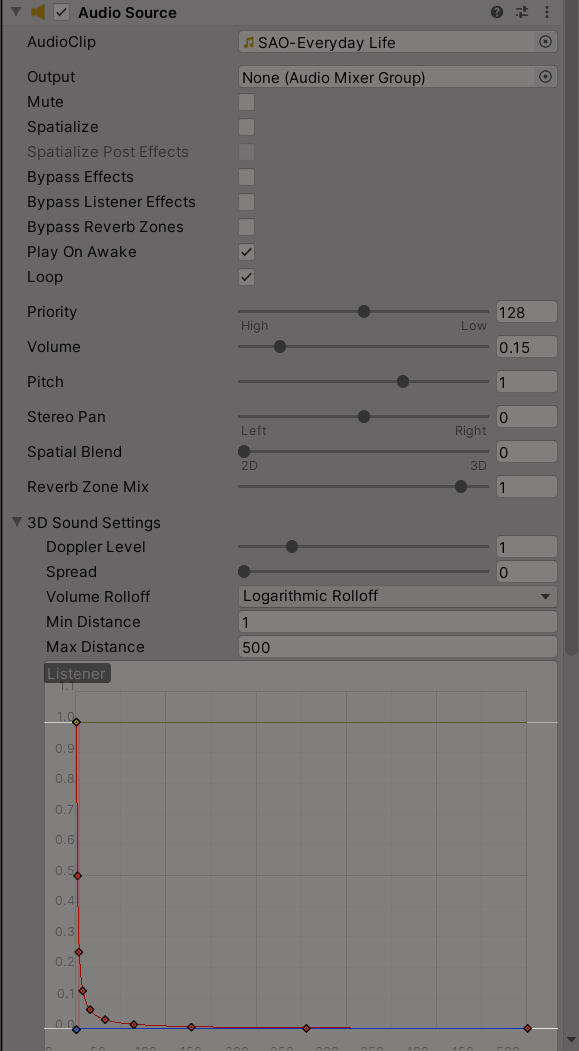
So why would music that played and looped pre-2019 not play anymore after pushing an update to the world?

#

Do I need different settings for 2D audio now, or is that just completely broken now?

#

Ohh, min distance needs to be 0 now I think

ashen epoch
#

World Jam question. I rotated the Barrel Hazard prefab 90 degrees. When I build the world inside Unity they show up with the updated Y-Axis rotation (See image) ...but when I Build and Test in VRC it has them in their original, non-rotated orientation. Any idea why this might be happening?

#

As you can see...in VRC they are being spawned without the applied rotation 😦

indigo wagon
#

Have you checked in cyanemu see if it acts like vr chat?

#

If so the code hard codes the rotation and you need to edit the script to instead rotate local space

floral dove
# ashen epoch World Jam question. I rotated the Barrel Hazard prefab 90 degrees. When I build ...

heya Drak! FYI we have a #vrchat-jams channel for jam-related discussion while it's ongoing.
First - I recommend you create a separate prefab instead of modifying the existing one, so you can apply jam pack updates as we release them without overwriting your own work.
Second, the code that spawns the prefab doesn't set the position or rotation, so the prefab uses zero-based defaults. If you open up the prefab, you can see that the "UOC_Barrel_Hazard" object which is the first child is rotate on the Y axis already. Make your rotation changes to this child object instead of the parent "Barrel_Hazard" object.

ashen epoch
reef acorn
#

I found one of those VR Piano's in some VRC worlds - my midi keyboard worked when I turned it on one time, but since then it doesn't work anymore - but the keyboard works fine in pro tools for example

#

anything specific I need to do to get it to work in vrchat?

grand temple
#

you need to add the midi device to the launch options. Instructions to do that can be found here https://docs.vrchat.com/docs/midi#device-selection---runtime

reef acorn
#

cool, I'll give that a shot

#

thanks, worked

severe tree
#

Is there a simple way to disable keyboard input events on Desktop while a user is focused on an input field, so that they aren't walking around/jumping/crouching/opening their radial menu while typing? I can manually immobilize and prevent jumping by setting jump impulse to 0 and using the Immobilize function, but this still doesn't prevent crouching, prone, or the radial menu as far as I'm aware, and I'm not sure if it's possible to do so. I thought focusing on UI would do it automatically but that's not proving to be the case so far unless I'm just missing something somewhere.

arctic ridge
#

what are those flowy tails called lmao the ones that move with u

indigo wagon
#

is player respawning done before event update?

trim sapphire
clever flare
#

This might be a really stupid question, but is there any way to do basic logic in udon? (If/Else/Switch)

rancid swift
clever flare
#

How so? (I'm really confused about Udon, I'm sorry)

desert grove
clever flare
#

I guess I can just blame Unity again ¯_(ツ)_/¯

desert grove
#

instantiations work in udonsharp. Actually more is usually unlocked to you in U# than Udon graph.

clever flare
#

I always get some errors because Udonsharp is more advanced than Udon, but very strict on Unity C#

#

I'll take a look around, thanks for the help though

desert grove
#

yeah, they have the same basic restrictions. no generics, and other safety stuff 🙂

clever flare
desert grove
#

unfortunately not crashers use animations.

clever flare
#

I got it working, turns out I was being a dumbdumb

urban fog
#

hello small question. How do i set an item to be pickupable? I tried everything, watched tutorials on youtube but nothing is working or im doing something wrong. can please somebody help me? Thanks

opal dew
urban fog
#

yah sdk3

opal dew
#

Make sure it has a collider. A ridged body. And then add VRC Object Pickup.

#

If you want the object syned. Add VRC Object sync as well.

urban fog
#

yah it has, also the object sync is there

#

and its not working

opal dew
#

I'm actually working on a script right now to assist with quickly building props but it's not quite released yet.

opal dew
urban fog
#

ya gib me a sec

opal dew
#

Can you try clicking on the 'Convex' option and see if that adds a green wire frame that wasn't there before around your object?

urban fog
#

it added a green wire

opal dew
#

Okay. That should work now. Certain objects won't generate great collision meshes because of their shape.

urban fog
#

oh okay thanks for help

opal dew
#

It might even be better to delete that collision mesh

#

Replace with a new box collider

#

Or capsule

#

Depending one what the object is. Will make it easier to grab, perform a little faster and so on.

#

Also, enable gravity if you want the object to fall properly. Set its weight in kg for this to happen realistically.

#

Frustrating when I want to throw things at friends when they are being dumb and the item just stops the second I let go disappointingly. X3

urban fog
#

okay i will try ^^

opal dew
#

@urban fog If I get my tool released would you like me to ping you? Should make adding props with physics and sound much faster.

urban fog
#

yah please

opal dew
#

Okay :)

subtle forge
#

Is there a way to use a trigger to change the skybox of a world, or is that just people using spheres with materials? Any help would be great!

fiery yoke
subtle forge
#

I only learned about using Udon just today, how do I hook that up to a toggle trigger?

pallid remnant
#

helllo, is there a way to make a script that plays a specific URL on interact with a button?

#

Having the buttons send custom events would maybe be a good way, but i dont know how to put a static url in a node

desert grove
#

One way is to define a public VRCUrl so you can set it in your inspector. Then you Get the URLField and SetUrl(add the public VRCUrl).

pallid remnant
desert grove
pallid remnant
#

oh wait i got it

floral dove
#

Lots of good info about the graph on that page if you're getting started

pallid remnant
#

thank you, i got it already. i didn't realize what kind of variable kevbal whas talking about

#

its been a while since i've used udon

#

im not entirely sure how to get it in my inspector though

pallid remnant
desert grove
#

when you define a variable the variable has a little drop down arrow for selecting public. If it is public it will display in the inspector. Its private by default. [Serialization] can be used for private variables that you want in the inspector as well. But lets keep it simple.

#

it will only display after you compile the graph

pallid remnant
#

or in any way for that matter

pallid remnant
floral dove
#

you put the url in that text field

pallid remnant
#

OH

#

hold on ill check if that works

#

this is what happens

floral dove
#

check your Inspector

pallid remnant
#

oh like that

#

of course

#

thanks alot!

#

both of you

#

i forgot just about everything i learned lol

young sigil
#

My build on world seems to not show and there is nothing in console

desert grove
young sigil
#

And its signed in don't know if there's a script that broke it but works fine in my other world projects

young sigil
#

this is on a backup of my world that i used to try and test new addons for the 2019 vrs and my main project works fine just dont know why its says nothing in console about it being broken

desert grove
#

In the Project window, navigate to Assets/VRCSDK/Plugins
Select all DLLs, right click > Reimport
as described in the link

young sigil
#

I added pro builder then it broke the updater

#

k

#

Thanks it fixed now i had no clue what it was because console had nothing in it

desert grove
#

yep, old unity issue. When you add something new your assets serialization gets updated. Sometimes it's more like Unity plays musical chairs with your assets and one doesnt get a seat. So reimport fixes it.

young sigil
#

ya and its like 12 different seats too that i don't want to re-import...

pallid remnant
#

how can i name a customevent? i remember it used to be build into the node

scarlet lake
#

is it possible to have mirror at down right on pc

subtle forge
floral dove
floral dove
pallid remnant
subtle forge
#

I tried searching nodes

floral dove
# pallid remnant

ah, you're asking how to pick the name you're going to send. If you connect the 'instance' input to a working UdonBehaviour, you can pick the name from the dropdown. Otherwise, you can use a const string node to set it to anything you want

floral dove
subtle forge
#

Alright, thanks.

floral dove
pallid remnant
#

like this?

#

i was confused because the event node still said string after the eventname

subtle forge
#

What's the difference between Material and Material[]?

#

Or any non-material variable

grand temple
#

the brackets mean it is an array, which means it can contain multiple elements

subtle forge
#

I really don't want to be afraid of asking, but this is pretty much what I want to do, but have barely any idea how Udon works.

grand temple
#

have a bool that keeps track of the current state

#

use unarynegation to flip the bool, then use a branch to go in two different directions

subtle forge
#

If I'm thinking about this correctly and I should hook the materials up into the bool?

grand temple
#

a boolean is a variable

#

it is able to store true or false

subtle forge
#

Wait, I realized that I needed to use the variables tab for the bool

#

This is what I've got so far, but I don't see where I connect the actual materials to the material names. Does it have to use the material name specifically?

grand temple
#

you need to set the bool in order to make it actually change every time

floral dove
subtle forge
grand temple
#

set the boolean to the opposite of it's current value

#

get bool > unarynegation > set bool

floral dove
#

@subtle forge I recommend you go through the UdonExampleScene that comes with the SDK and these docs: https://docs.vrchat.com/docs/udon-example-scene
Those examples cover a lot of things that are helpful to know as you're getting started, like the unaryNegation method that Phase mentioned above

subtle forge
#

This is embarrassing. Thanks for the link!

floral dove
subtle forge
#

Yeah! This isn't as self-explanatory or similar to things I've used as I thought it was!

subtle forge
#

This should work, right? I just need a quick hint as to if these are connected wrong.

#

And I just realized I forgot to plug the bool into the branch

grand temple
#

there is absolutely no reason for it to be an array

#

and you only need to set owner if you want it synced, but if you did want it synced there's a lot more you need to do than just that

subtle forge
#

Yeah, I'm figuring that one out.

#

Like making sure it's synced when new people join the world?

grand temple
#

yeah

#

do you want that?

subtle forge
#

Yep. I want to focus on making sure it works locally first, though.

#

And I can't really find any tutorials that specifically cover a situation like this

grand temple
subtle forge
#

That's the video I was starting to look at, but the boolean part looks okay? I'm pretty sure it's not

#

I can't figure out if I should try plugging the unarynegation variable into the branch, since the actual toggle won't fit in

#

But then that wouldn't work

grand temple
#

the reason why it doesn't fit is because it's an array, that's what the [] mean

subtle forge
#

Oh! I was using it because that was the only way I could find a way to get/set the boolean

grand temple
#

oh, that's because arrays have explicit set/get nodes that you can find in the search

#

normal variables aren't found in the search, you just get them from dragging the variable into the graph

#

hold ctrl while dragging to create a set node

subtle forge
#

Oh wow! That helps a lot.

#

What about the get node?

grand temple
#

just drag it in without holding anything

subtle forge
#

Oh, so that's the get.

#

Then it looks like this, but the slot for the branch is still empty. I can't figure out if I should try connecting an existing node there or making a new one.

grand temple
#

it would be the same either way

subtle forge
#

Okay. Is there also any reason that the interact option isn't coming up in actual gameplay, or is that a scene thing?

#

^The toggle object needed a collider here

#

I got the skybox to change! Now it's not changing back. Any obvious problem I'm missing?

grand temple
#

did you plug the bool into the branch?

subtle forge
#

Oh, you meant the same either way by either of the options I mentioned, not the either way of using one or not using one. Fixing that now!

#

I got it. Finally. Thank you and Momo so much for your help!

#

What an interesting experience

subtle forge
#

Is there a version of the branch function or something that makes it so when a value is passed through, it gives two or more different output slots instead of one?

floral dove
#

you can use greater than, greater than or equal to, less than, etc to do a few ints if you want

subtle forge
#

Yeah, but I was thinking something like if the statement was true/false, one event would happen and another would simultaneously

winter solstice
#

You can chain events one after another

subtle forge
#

Oh right! I remember the things that seemed like end points having outputs for some reason. Is that what they're for?

winter solstice
#

Yes

grand temple
#

the feature you're looking for is called a Switch, but it is not available in udon yet

subtle forge
#

Thanks for the explanation :)

grand temple
#

wait no I think I misunderstood. When you say two or more different output slots, I thought you meant like you could provide an integer and then you'd have a different output for each value like 0, 1, 2, 3, or 4

#

that's what a switch is. What you are asking for is more like a block, which already exists

#

the block is a node separate from the branch that allows you to have multiple outputs and they execute in order one after another

subtle forge
#

Once the script is attached to an object, there's a spot that says 'Open Udon Graph'.

grand temple
#

that is udon sharp, so there is no way to open it in a graph

#

instead, you need to click on the "program script" which will take you to and highlight the source and then double click that

#

you'll have to have an external IDE set in unity to open it properly though

#

something like visual studio

#

then it must have been a different program

#

I can guarantee that that specific script you are looking at does not have a graph

#

that's just how udon works. You either make it with code or with graphs, not both

#

it is entirely possible to make two different scripts that do the same thing but one does it with graphs and the other does it with code. So you may have been watching a tutorial where they do it side by side so you can understand how to do it both ways

amber tartan
#

Anyone here know how to write udon assembly, or how to go from VRCPlayerApi to transform?

grand temple
#

you can't get the transform of a playerapi, it's protected

#

you can get the position of various bones or tracking data though

#

also I really don't think you want to write udon assembly raw, that sounds painful. Did you just mean udon in general? The most common ways are to use the built in graph or udonsharp

amber tartan
#

No I meant assembly

grand temple
#

why?

amber tartan
#

It wouldn't be much, a couple lines

grand temple
#

have you written assembly before?

amber tartan
#

A bit, just to try and get an external scripts function to run

#

BTW its a script officially supported by vrc

grand temple
#

if you really want to, knock your socks off. But you're going to be very on your own because it is not something that normal people do at all. If you're looking for a way to make things simpler or because you want to work with code instead of graphs, this aint it chief

amber tartan
#

Ok

#

I could probably figure it out

grand temple
#

this is probably going to be helpful, but it's meant for you to write a compiler, not write your own assembly from scratch https://ask.vrchat.com/t/getting-started-with-udon-assembly/84

amber tartan
#

Ok, ty

floral dove
amber tartan
opal dew
#

you can do all that with both Udon and U#

amber tartan
#

At first everything was working fine, other than that I had the set position calling directly from the instance node for the object, causing it to instance every frame

#

So I tried to instance the object then set it to a gameobject variable, and call from that. But that didn't move the object at all

grand temple
#

gameobjects do not store the position, transforms do. But every gameobject has a transform

#

so you need to do gameobject.transform.position

amber tartan
#

Ok, I have to go for a bit but will be back

floral dove
amber tartan
#

Ya, but that will cause the avatar to just slide towards the player, I need the ai controller stuff so it actually runs towards the player

opal dew
#

For AI don't you normally tell it 'go here' and leave it to find its own way?

amber tartan
#

Also I am actually very close to having it work, it runs to where the player spawns in, so I just need to update it to continuously follow the player, testing now

#

Ya

#

I just tell it 'go here' every frame

#

Its been done in game making on youtube for game jams with the same scripts and components

#

Well if I move back when it first loads before I hit the ground it moves to where I hit the ground

floral dove
amber tartan
#

Oh, right, I'm getting close with what I'm working on now, I'll try that in a bit

floral dove
#

how about the programs in the UdonExampleScene?

grand temple
#

If you're still talking about this program, it doesn't have a graph because it wasn't made with graphs

floral dove
#

If you open the 'UdonExampleScene' and select the 'VRCWorld' object in the hierarchy, do you see "Open Udon Graph" for that UdonBehaviour?

limpid jackal
#

so today i played vrchat for about an hour or 2 but then when i thought i was ably to upload avatar i couldn't but i was a user ran in vrchat in steam

#

i need help

grand temple
#

steam accounts are not able to upload avatars. You need to create a vrchat account. You can merge the steam account into the vrchat account

limpid jackal
#

oh

#

thank you for the help

#

you are the best

amber tartan
#

You also need to interact with other people (ideally in public worlds) and have made a few friends (have some people in your friends list), I learned this the hard way last year

#

It will take more than a few hours in game as well

desert grove
#

skip that just sign up for VRC +. make friends tomorrow, upload today. 😛

floral dove
#

FYI to those posting here - we have a macro for this one with our official wording and advice: ?upload

#

?upload

hidden martenBOT
#

You must obtain at least "New User" Trust Rank in our Trust and Safety system in order to upload content. You can get this by just spending a few hours in VRChat, hop some worlds, and make some friends. Give it some time and you'll be able to upload content in no time.

As an aside, you must have a VRChat account to upload content. That means you can't use a Steam account, Oculus account, or Viveport account to upload content like worlds or avatars.

Source: https://docs.vrchat.com/docs/frequently-asked-questions

desert grove
#

Ied include the Plus bonus in that macro. Sure it's not ideal but its beneficial to both parties. And lets face it, a lot of people are anti social. If it wernt for Plus I wouldn't be uploading period ha.

rough geyser
#

Someone able to help me out with solving this dilemma?

#

I got a "firefly" toggle for a particle system,

#

But I want a button to simply toggle them on and off. Am I missing something here? Doesn't seem to do anything at this moment...

#

I know it's something to do with the last part of the flow, I just need it so that I don't have to use a toggle checkbox for this, preferably.

floral dove
#

This is set up to use the "Interact" event generated when someone clicks on a collider. If you want it to be on an object separate from your fireflies, put this program on that object, and make sure your Targets array is setup to point at the thing you want to turn on and off.

rough geyser
# floral dove This is set up to use the "Interact" event generated when someone clicks on a co...

Well, the conceptualization of this is still the same as a music toggle I've used in another world. Several different music tracks get disabled while a single main audio gets enabled, with the other specific "Empty" objects with trigger colliders on them being either enabled or disabled and placed in the array. This is using a button on a wall to simply turn on and off a particle system, shouldn't "GameObject" still be able to be used for this? Or would I need an array for ParticleSystem in the Unity objects?

#

(Mind you this is a button on a wall, not an object you click, hence the interact button and setting up the button to invoke interact when clicked on)

#

Moreover, it's simply a button that disables a particle system from emitting.

scarlet lake
#

how do i make a button wich by clicking it puts a link in the udon video player and starts playing ?

cunning sigil
#

anyone know why its not letting me exit out of the udon welcome screen

floral dove
dapper lion
frosty badger
#

i need help setting up music in my vrc world, i want to add multiple songs that the user can choose from but i have no idea how i would do that. i want that when one song button is pushed, it turns off the previous song and plays the new one. i also want a song to play the second someone load in

desert grove
# frosty badger i need help setting up music in my vrc world, i want to add multiple songs that ...

Best way to achieve your goal is to read the Udon documentation to get familiar with it:
https://docs.vrchat.com/docs/getting-started-with-udon
Maybe watch some Vowgan tutorials on Youtube:
https://www.youtube.com/channel/UCMLgCTDbjvOjMRsyLLbuuqw
And take a look at the Wolfe player or ArchiTech proTV, both come with a playlist:
https://vrchat.nishawolfe.com/prefabs/videoplayer
https://architechvr.gumroad.com/p/architechtv-2-0-coming-soon

stark adder
#

So a little problem I have a SendCustomEventDelayed loop but VRC is stupid and if you try to leave the world while its running.. It just freezes your game.. How do I detect someone leaving the world and stop the event loop ? 🤔
Do I have to use Update and do a frame counter or what ?

#

Only way to leave the freeze is Kill process

#

Basically I managed to create accidental crash world.. Once you come in you never go out

desert grove
stark adder
#

I did try OnPlayerLeft -> Destroy()

quick basin
#

How would I change a gradient to HDR so It works with bloom?

stark adder
desert grove
# stark adder I did try OnPlayerLeft -> Destroy()

should work fine for everyone excluding the last person. There is no way to check for the last person to leave because the last person is ending the session. You can try looking for the vrcplayerapi local player and if it returns null then break. Regardless, you don't build loops without a functional breakout, ever.

#

or make a dummy switch. a button. press me before you try to leave lol

stark adder
#

That break is supposed to be leaving the world.. Which I assumed would easily work by checking OnPlayerLeft == LocalPlayer -> Destroy(this)

#

Or even better.. As this is Udon.. VRChat should shut down everything in that world

#

But I didn't really expect that to work in the first place..

grand temple
#

hm, when that change took place we confirmed that the event was properly disposed when a different udonbehaviour destroyed it, but perhaps it's different when the udonbehaviour destroys itself

stark adder
grand temple
#

give it a shot

stark adder
#

alr give me few minutes

quick basin
#

So I have this world, and I have a slider that controls the colour of emission through a gradient, the only issue is when I slide to change the colour the colours dull that it don’t work with bloom, how do I get gradient to use HDR colours?

quick basin
stark adder
#

I updated my loop since last time I tried it and now there is something that works only when Local Player is present and if not it crashes the behaviour

quick basin
grand temple
#

I don't think it's possible for udongraph to do that, but udonsharp might be able to

#

yeah this seems to work in udonsharpcs [GradientUsage(true)] public Gradient gradient;

desert grove
#

^ Everything in U# exists in Udon its just not exposed to the graph yet. So eventually and if the demand is there it will make it. But I wouldn't plan your build for its release, you can combine U# and graphs in the same project.

quick basin
#

so if i just make a new U# script and use that will that change the gradient in my graph to HDR, or would i have to write the whole script again in U#

grand temple
#

you'd have to rewrite the script in U#

quick basin
grand temple
#

or you could make a helper script in U# which just provides the HDR gradient to the graph script

quick basin
#

ah i use graphs because i dont know code lol so i might just have to leave it.

#

would there be a way in graph to maybe set emission intensity up on a seperate slider? could that be a way around it?

grand temple
#

oh that's a good idea

#

you can access the gradient's colorkeys and modify them

stark adder
#
    public void _LocalTpLoop()
    {
        Debug.Log("Running TP Loop");
        var headData = Networking.LocalPlayer.GetTrackingData(VRCPlayerApi.TrackingDataType.Head);
        gameObject.transform.position = headData.position;


        SendCustomEventDelayedFrames(nameof(_LocalTpLoop), 5);
    }

Another script

    public override void OnPlayerLeft(VRCPlayerApi player)
    {
        if (!Utilities.IsValid(player))
        {
            Destroy(GameObject.Find("TrackedObject"));
        }
    }
#

The destroy does happen

#

But Client gets stuck on this

slim hound
#

@stark adder Why don't you just check if the player IsValid before sending the event again?

stark adder
#

I changed some other things so far it seems to be working will see

grand temple
#

I don't get it, I'm unable to reproduce this issue at all

#

the client never crashes and the loop never continues into the next world. I've tried both destroying and not destroying, at various times including onplayerleft or even just manual input without leaving

#

could you upload a world with the issue?

tame ruin
#

would anyone know where i can get some animated fish for an aquarium ?

wintry radish
#

Okay I have been struggling with this for a while now.
I'm working with Udon graphs and I'm trying to clone an object via a button press and save it to an array.
However if the amount of objects gets bigger than the set number the first cloned object gets destroyed.
I seem to have issues with the array. Can anyone maybe help me?

grand temple
#

arrays have a fixed length

#

you cannot resize them. If you want to have a larger size you need to create a new array and copy over the elements from the old array

wintry radish
#

Well I know that, but even if I create an array with the createInstance node and save it to that variable it doesn't seem to get saved

grand temple
#

hm, I'm not sure if CreateInstance is correct. Try Constructor instead

wintry radish
#

Okay nevermind. I think my issue is that I don't quite know how to make sure the thing in the array is null or an object.
Is it better to use the "Is Valid" node or just compare it with "Equals" to the "Const Null" node?

grand temple
#

isvalid should work for everything except physics things that may collide on the player layer, like ontriggerenter

wintry radish
#

So not for cubes people can interact with?

grand temple
#

it should work fine there

floral karma
#

Help: yeah currently trying to build & test my world and instead of opening in vrc it ask me to look through it in microsoft store, someone said i need to change the path it takes but idk how to

grand temple
#

yes, the path is in the settings of the SDK control panel

floral karma
#

oh sick ty

pallid roost
#

Has anyone made a pickup with dynamic bones before?
I made a plushy cat that has dymanic bones so it can jiggle when you move it. It works great in the editor when you run it to test, but in VRC it kind of stutters/jumps around when you try to move it, like it updates really slow or something

shrewd kernel
#

Hi, I made a trigger and when the player walks in an animation starts and thats working fine but now I want it so when the player goes again in the trigger the animation should play again and at the moment it just triggers once and thats it

#

Has someone a idea?

cold raft
#

i dont know how your animation controller works but you would need to make sure the animation goes back to the state it was before when the animation is done
and you probaly need an OnPlayerTriggerLeave event to set the boolean to false, so next time the player walks in again the boolean is again set to true

shrewd kernel
#

The object that is animated goes up and then returns to the beginning state

slim hound
#

You could possibly use Animator.Play to reset it to the start of the animation

shrewd kernel
#

Yeah, I tryed to put a onplayerexittrigger on it but thats not working

vapid flare
#

Hi, I'm trying to make a hidden trap so the player slowly falls threw the floor and repawns, I can't find any good tutorial close to this, its mostly just teleportation tutorials.

#

I also thought about trying to reduce the gravity, but I can't anything on that either.

cold raft
#

so basicly to let someone fall through something you need to play with colliders

#

your floor has some sort of collider, this can be mesh collider or a box or plane collider (planes are also meshes)

#

the simpelst way to do this is to remove the collider component from the floor, and have a seperate invisable collider there (a game object with a collider but no renderer (or just render disabled))

#

that way you can toggle the game object that holds the collider

vapid flare
#

Is there a way I can do that but just have the player float down while not a falling state, something multiple people can do?

#

I have a separate plane made for this, but nothing happens when the player stands on it.

desert grove
#

You cannot alter the rigidbody of the player directly, but iirc you can add/remove drag/force.

vapid flare
#

I have seen it done on another world, but that one was taken done.

desert grove
#

So w/o a falling animation. got it. Setup a surface that moves down simple transform position graph. when the player enters the trigger the surface lowers

#

the player will still be grounded but move down

#

make sure the top level has no collider where the trap is

vapid flare
#

The players were still able to move freely though, but unable to jump.

desert grove
vapid flare
#

Okay and more simple question, maybe I'm getting to ahead of myself on this. Is there a tutorial out there about walk on triggers that effect the player, I can only find teleport tutorials.

#

Like stepping onto a surface causes a reaction, not clicking on it.

desert grove
#

same tutorial. OnPlayerTriggerEnter is used. But instead of the teleport part you are enabling the movement

#

so get the object moving without a trigger to test. Then add a bool. in onplayertriggerenter set the bool to true and then tell the movement graph that the bool is true to move to its destination

#

OnPlayerTriggerExit can be used to return the moving object and/or set it to false

#

When it comes to VRC tutorials you arnt going to find a lot of specific examples. Only stuff regarding the basics. But everything used to do the basics is going to show you how to go about doing more complex things. You can take it further by looking at examples from prefabs. The VRCSDK example scene has player trigger examples(I think... I could be thinking of U# example scene).

vapid flare
#

I haven't been able to find a OnPlayerTriggerEnter where the player walks on something and a thing happens, its all click to activate. I found something close, but he didn't go into the udon code or anything.

stray junco
#

queston

i'm in udon world sdk
and i want to add particle system to my gameobject
and i check SHAPE
AND I GOT PINK CUBES

how i can fix it

yes?

desert grove
#

you get that when you create your own particle by adding the component. Go to the render section, enable it and add a material. Or just use the Unity particle system

#

unity particle system is predefined and you get it the same way you add a gameobject. just look through the list for particle system.

stray junco
#

@desert grove
it works
thanks

tame ruin
#

hey so i want to play an entrance sound for local only how would i go about doing that? is it as simple as adding a audio source? or is it a lil more complex?

fiery yoke
tame ruin
floral dove
#

Hi Ophelia - this channel is for discussion of "Udon", our scripting system. You can visit the #faq for this server to learn where to ask other questions.

winged geyser
#

oh! Sorry I didn't know TwT

vale viper
#

does anyone have any good resources for creating teleporters in 2019 unity?

floral dove
scarlet lake
#

Is it possible with udon to make it so that if you are in a smaller avatar you can fit into smaller areas?

Because currently I'm unable to enter the inside of my tent

grand temple
#

yes, but it's pretty complicated and janky. If you just want to be able to get inside your tent, you should probably just make the ceiling colliders higher

scarlet lake
#

oofies

wind zenith
#

You could have a system where you disable/raise the ceiling colliders when you inside the tent, then restore them when you are outside it

shy notch
#

Can someone tell me how to make a flashlight you can pick up and turn on and off? I tried following Vowgan VR's tutorial first, but his tutorial made it so the flashlight is only on when you're holding it, which is useless for me since I need to be able to set the flashlight down while it's still on.

#

This is as far as I've gotten, I don't know what language I'm looking for to achieve any of this lmao

scarlet lake
#

@shy notch You have to set the light active or inactive.

shy notch
#

What node do i use to trigger while holding?

#

I just need to know that part, because in the tutorial he only showed what to use to trigger it on pickup, not after picking up

scarlet lake
#

I'm actually not sure. But, I believe there is a way to get the trigger buttons when holding.

#

Sorry, I'm still new to Udon also. 😛

shy notch
#

That's alright 😛

scarlet lake
#

I would just add a booleon variable on the flashlight and then have it so, when you press a trigger while holding, you can enable and disable it. I'll have to test it out tomorrow.

#

In the mean time, do you know how to pass a variable from one udon graph to another?

I made it so, when a value is reach, an object is disabled.

I want to add to that variable from a separate udon graph.

#

poop

shy notch
#

I have no idea, I just opened udon for the first time

scarlet lake
amber tartan
#

I think you might be able to use custom events for that, either that or there may be some way to edit a variable from another graph if its set public, but idk

shy notch
amber tartan
#

If you look on the variables panel, you should be able to hit a dropdown option next to it and you'll see a checkbox with 'public' next to it, that just makes it so that the variable can be set outside of the graph (such as from another script, or from the inspection window)

shy notch
#

gotcha, so it makes the variable usable for other udon scripts

amber tartan
#

If its left unchecked, it just considers it 'private' or only accessible within the same graph

shy notch
#

thanks

amber tartan
#

Np

#

I've done a good amount of coding, so I know a lot about public vs private variables, and other things

#

I'm new to udon, but variables are basic general coding stuff

scarlet lake
#

Can I possibly see an example screenshot? Testing it out now. But, not sure if it will work.

fiery yoke
# shy notch thanks

If you're using the pickup component then you can use the 'OnPickupUseDown' event. However the 'AutoHold' option must be set to true for this to work and your UdonBehaviour must be on the same game object as the pickup component.

fiery yoke
scarlet lake
#

Serialized?

fiery yoke
fiery yoke
# scarlet lake Serialized?

Variables can be Serialized into a component. It stores the variable in the scene file in the component such that it can load it even after the scene is unloaded from memory and when building the scene into a package.

shy notch
#

So I use two different OnPickupUseUp?

fiery yoke
shy notch
fiery yoke
shy notch
#

I really do appreciate the help by the way

fiery yoke
# shy notch Like this?

The way a branch works is: You give it a boolean, and if that boolean is true, it uses the upper flow, and it the boolean is false it will use the lower one.

shy notch
#

I don't think I'll ever understand lol. I can understand scripting in Halo 5 but this is just so many steps to do something that should be cookie cutter easy. Just pickup, and show/hide spotlight on use. Over-engineered to oblivion...

floral dove
# shy notch I don't think I'll ever understand lol. I can understand scripting in Halo 5 but...

Take a look at some of the examples to get an idea for how things work. You're very close with your graph, but you haven't told your Branch state what t o look at for 'true' or 'false': https://docs.vrchat.com/docs/udon-example-scene
It's actually under-engineered for what you want to do - the issue is that you want something that somehow intuits what you want to do, whereas Udon currently requires you to build from low-level blocks.

desert grove
#

It actually is cookie cutter easy. If you don't try to over complicate it, then it wont be 🙂 As I said in the first channel you asked. All you do is get the gameobject and set its active state to the opposite of its current state. 5 nodes. reads much cleaner in script but you cant help visual scripters they like what they like.

left elk
#

Haiai, I have a code that I use to "respawn" an object, Very simple
targets[i].transform.position = new Vector3(0, -10000, 0);

However, It has worked in previous projects of mine, But in one project, It actually doesn't respawn the object, It just sends it down -10000,

Is there something I have made wrong?

granite basalt
#

is your world set to respawn objects below the kill point?

granite basalt
#

strange

dapper lion
#

the object may have gravity turned off so it most likely thinks its ok to spawn the object to that distence

desert grove
left elk
scarlet lake
#

How do I change a value of a int variable from the outside of a udon graph?
Could I get an example?

Trying to change the value of 'Limit' based on things that happen from a different graph.

scarlet lake
#

@floral dove Thank you. I played around with that node, but not sure where to go from there.

floral dove
#

Give it an instance of the UdonBehaviour whose variable you want to change, then choose the target variables from the drop-down.

scarlet lake
#

I just mean, I'm not sure how to reference the program variable.

Ah alright. I'll see what I can do. I just don't see it in the drop down.

Sorry about the trouble, I have problems learning at times.

floral dove
#

You'll need to make the variable public on the target UdonBehaviour

scarlet lake
#

On the other Udon graph, I made it public. Still doesn't show up.

I had added the object to the graph, and then it shows up, but I'm not sure if its the same instance.

#

To be even more clear, I'm trying to add by 1.

plush stump
#

where can I find more tutorial or instruction about SimpleObjectsPool?

floral dove
#

In that screenshot, you need to wire up the target UdonBehaviour to the 'instance' input

scarlet lake
#

Okay, I'll give that a shot.

floral dove
# plush stump where can I find more tutorial or instruction about SimpleObjectsPool?

Is that different than the VRC Object Pool? https://docs.vrchat.com/docs/network-components#vrc-object-pool

scarlet lake
#

Can't imagine I'm doing this right...
Can you recommend a tutorial for something like this?

slim hound
scarlet lake
scarlet lake
#

Oh wait. Its a variable?

#

Alright...What does the 'Symbol Name' represent?
Does that refer to the external udon graph that I'm trying to referance?

floral dove
#

the symbol name is the variable name

#

to reference other components in an Udon Graph, you create variables for them

#

FYI lots of good info about using the graph here: https://docs.vrchat.com/docs/udon-node-graph

slim hound
scarlet lake
#

It worked! Thank you guys so much. Much appreciated.
Sorry for the bother.

azure flame
#

So, when I pull up the Udon graph page, there's no "Open" button. do I have to make a whole new scene or...what can I do?

fickle stirrup
shy notch
#

Right Click > Create > VRChat > Udon > Udon Graph Program Asset

azure flame
#

To all of you guys

plush stump
#

May I ask what should I do to 'replicating local objects across the network'?

grand temple
#

If you have a script or object that doesn't have synced variables or objectsync, it is "local" and if a player changes it they will see that change but nobody else will. A good example of this is a script that handles how much health you have.

That script is meant for you to make a child script that grabs local values, such as health, and syncs it across the network so everyone knows what your health is

plush stump
#

Thank you! I was told I can assign an object(weapon or anything) when player join the world by using that code

#

But what I saw in the prefab is just text display

grand temple
#

yes, this system requires you to be very technical. It is a framework that allows you to build on top of it, not a finished standalone prefab

#

so there are many different things you could do with it, including assigning a pickup to every player in the instance. This will handle the assigning part, you have to handle the pickup

plush stump
#

Thank you for your patience. can I apply the ObjectPoolChild script directly to my object(already created my own pool as parent) if I just want a floating cube above every players head or do I need to rewrite the Child script?

grand temple
#

sure

#

the existing objectpoolchild script is very simple, you can add whatever you want to it

soft mountain
#

Hey, so I'm confused about the distinction between "master" and "instanceOwner." Are there docs anywhere explaining that difference? Google's giving me nothing.

grand temple
#

master is always the person who has been in the instance the longest. When the master leaves, it transfers to the next longest person.

Instance owner is the person who created the instance and does not transfer. If the owner leaves and comes back they will still be the instance owner

#

and in a public instance, the instance owner is always the world author

soft mountain
#

Ok, I see! So I presume if I'm trying to implement a single centralized game handler, that should run on the master's client, since the instance owner might not be around?

grand temple
#

yep

winged venture
#

so im getting this error when i try to build and test my world, and i have no idea why...does anyone have any solutions? i wasnt getting this before, but now i am, because i tried making a global mirror

#

this is my code, if it helps

soft mountain
#

So when master leaves, do the objects they own automatically get their ownership transferred to the new master? Or do I need to handle that myself? If not, does that happen regardless of the return value of OnOwnershipRequest()?

soft mountain
winged venture
#

i just restarted, but now my VRChat SDK is gone

grand temple
soft mountain
grand temple
winged venture
plush stump
#

Weird, there's no 'complie all scripts' when I start Unity today. I did import UdonSharp and that works for me yesterday.

#

I tried to use the prefab in SimpleObjectPool and this pop out, it worked for me yesterday so I re-imported the package but it still shows this.

shrewd kernel
#

Maybe a dumb question but is there a way to make footstep sounds in a world responding to every player that comes into that world?

desert grove
shrewd kernel
#

Ahh, Thank you but is there a sort of example in Udon or in Sharp? For now I have enough information to try it my own.

desert grove
# shrewd kernel Ahh, Thank you but is there a sort of example in Udon or in Sharp? For now I hav...

no examples that i know of but a few months back vrchat simplified input so its universal now. Input for pc is the same input for vr on our end. https://docs.vrchat.com/docs/input-events so using these will get you going.

shrewd kernel
#

Thank you very much

vestal nimbus
#

Does someone know how to use "PlayOneShot" method on U#?
I'm still a beginner so I don't know how to write it.

scarlet lake
#

Trying to make a teleport to enter a different room.
Figured it would be as simple as this.

I don't want to use a 'target' as I know where the player is going. Anything I'm missing here?

dull stream
#

Actually it's not static so you do need your own audio source

#

But there's an example

#

PlayClipAtPoint is the static one

scarlet lake
#

Sorry for the simple questions.
I just have trouble following tutorials and tend to learn better by seeing specific examples.

#

Keep getting this for some reason.

slim hound
#

You would need to click on it and see what game object it references

#

And the additional information will say whats causing it to crash

#

Though if it is the teleport crashing I would guess you didn't change the local player reference

#

You are using a local variable named LocalPlayer instead of Networking Get LocalPlayer

scarlet lake
#

Ohhh yes. I might have missed that.

#

Definitely missed that. I'll give it a try.

#

It worked! Thank you so much.

#

I find the video tutorials tend to complicate things by making it so you have to reference other Udon Graphs, and I just don't see that as necessary for what I want to do. 😛

So, much appreciated.

stark adder
#

Trial and error best way to learn

#

Especially when it comes to udon

scarlet lake
#

@stark adder I appreciate that comment. Lol Its really the best way for me to learn because often times in tutorials, things go unexplained.

stark adder
#

Agreed lol that's why if i need to learn either docs or trial and error or usually combination of both. Also support channels are often a lots of help if there's one.

scarlet lake
#

Agreed! 100 percent. Everyone learns differently too.
I wish I could just read a document and be like, 'Oh, I get it.' But, meh. Things tend to stick this way.

#

I gotta say, I love Udon so far. I almost wish there was a way to make a stand alone game with it.

desert grove
#

With continuous world we may have that opportunity.(if that wasn't just a rumor)

scarlet lake
#

I wonder if the vrc team has plans to outsource the Udon so folks can make stand alone vr games outside of vrc.

That would be cool.

But, I mean, there are a lot of other tools out there too, anyway.

nimble root
#

Hello everyone. This is the graph I'm using to teleport a player on an interact. What nodes would I need to change/add to make this teleport all players in the world or even better within a range of the teleport button.

scarlet lake
slim hound
slim hound
nimble root
stray junco
#

is there any way to add some sort of collider for our udon worlds
so when we are in public instance those MC can't go trough that collider?

pulsar flint
#

with my new avatar world when a pc user is in the world and a quest user joins the quest user get stuck at the loading screen and if the quest user make a friends + instance of the world they're completely fine and a pc user can join and it is all good but if they reload or rejoin they get stuck at the loading screen i am using udon on the latest SDK i dont know why it is doing it or how to fix it

scarlet lake
#

I haven't tested this yet, as I'm heading to work, but I was wondering if there was a way to determine if an object is being thrown or is a specific velocity.

I was thinking of having an enemy, which you can throw objects at to push them back.

This is more of a curiosity thing.

slim hound
wind zenith
#

how do I get a contact normal point from onPlayerTriggerEnter? or at least out do I get an outward facing direction from the player I collide with?

scarlet lake
slim hound
glacial kernel
#

what are my options for dynamically generating and blitting a texture to an object in udon

winged venture
#

is it possible to make a toggle for various skyboxes?

grand temple
#

yes, udon can access that. It's called rendersettings.skybox

winged venture
grand temple
#

it's just a node, search for it

winged venture
#

alright, thanks

autumn cargo
#

how do i do a !boolean?

grand temple
#

boolean unarynegation

autumn cargo
#

thanks

plush stump
#

Did I delete something in Unity that may cause this? I imported every SDK a second time but still get error with SimpleObjectPool prefab.

grand temple
#

sometimes those errors can just be fixed by restarting unity. Other times, you may have to do a complete reinstall of the SDKs, not just reimporting again on top

#

to do a complete reinstall, close unity, navigate to the project, delete the VRCSDK and udon folders, then reopen unity and import the SDK

plush stump
#

Thanks I will try

#

Do I need to delete the .meta file as well?

grand temple
#

no

plush stump
grand temple
#

yep

plush stump
#

Delete all this and import the SDK but still got the error, they works fine in a new project so maybe the old project is corrupted and I have to start over?

grand temple
#

eh, maybe

#

project is probably not unrecoverable but if it's easier for you to do a new project just do that

shy notch
#

Can someone tell me what is wrong with my flashlight graph? It's working to turn on the flashlight, but it won't turn off

grand temple
#

you're not putting anything into the branch, it's just always true

shy notch
grand temple
#

the false part is fine, it's the input on the left side of the branch that needs to change

#

right now it's just a checkbox, you can plug "light get enabled" into it to make it dynamic

grand temple
#

yeah, but now you need to flip the true and false so that if it's true it sets it to false and then if it's false it sets it to true

#

alternatively I should mention that you can also just get rid of the branch entirely and use a "boolean unarynegation" node to flip the value of enabled

#

get enabled > unarynegation > set enabled

pulsar gate
#

sorry uhh i don't know if this is the right channel for this but is there a way to fix this?

#

please what do i do

floral dove
#

Hm, maybe your system is unhappy about there being spaces in your folder name "the comfy hub". You could try making a copy of the project and renaming the folder something like "the-comfy-hub".
Also FYI if you want help here, it's best to provide some more details, like:

  • What you're trying to do
  • What you expect to happen
  • What happens instead
  • What you've already tried to do to fix it
pulsar gate
#

ok thank you, i'll try renaming the project.

silent mortar
#

Is it just me, or is DateTime.UtcNow 1 hour off on quest headsets?

uncut tusk
#

Hey can someone help me? I would like to make a time-controlled event which ensures that an object is switched off again after about 5 seconds after leaving the trigger

flint urchin
uncut tusk
flint urchin
#

Can just do Update and a timer then, then just disable/reset the timer when needed

#

So you'd have to use Time DeltaTime, float, and a bool (to ensure the timer doesn't run indefinitely)
Then you just reset the float and set the bool when they enter and leave the trigger

uncut tusk
#

thx

pallid mango
#

Does udon have an event similar to OnWake for audio?

#

Like execute some code whenever the object goes from inactive to active

cold raft
#

OnEnabled

fiery yoke
#

OnEnable*

pallid mango
#

Wooo thank

#

I have a puzzle that gets solved, which turns a game object on which triggers a network event to tell everyone else that the puzzle got solved. How can I avoid these people turning the puzzle on and sending yet another network event to everyone else that theirs also just got solved?

broken bear
#

maybe put a bool on the object and flip that on the first solve, subsequent triggers force an ownership change and check for bool? or just sync the bool actually

tacit harness
#

Hey i have this collider that i want to toggle something if someone enters the collider
How would i do that ?
Thanks for all the help already
I just need to know how to get a "signal" out of it

#

Please dm or ping me if you can help

floral dove
# tacit harness Hey i have this collider that i want to toggle something if someone enters the c...
tacit harness
#

Oh thanks although that is how i have it set up

Do i need to have the collider on a specific layer ?
Or could it be cuz the player gets telported into the are

(I know that the rest of the programm works as when i call it manually it works)

floral dove
#

Teleporting will not activate OnPlayerTriggerEnter, they need to move into the space.

tacit harness
#

Hmm is there another way to check if the player is in that specific area ?

tacit pasture
#

anyone got documentation or an idea on how to grab data/ world state from master and parse it to new joining users. currently i already have simple object syncing and am using custom networked events, but the issue i have is im unable to get a string from the master state and give it in the joined user's end

for example:


if (local_password != global_password)
{
 // do something
}

where local_password is the OnPlayerJoined player and global_password is the world masters password that was defined during runtime and needs to be updated for the new player joining

desert grove
#

about 12 min mark but it's all useful https://www.youtube.com/watch?v=O3VeBzV9HgI

So this took me longer than it should have.
Time to toggle objects again, but this time, for everyone! You'll see that syncing is a little bit more complicated than it was in SDK2, so to set everything up we have to tell every player to toggle that object, but also catch up anyone who joins in after the button was pressed!
All assets are availab...

▶ Play video
tacit pasture
#

yeah im already doing that but it cant work for this

#

with the tutorial it just forces the state to true or false after finding the master state

#

whereas im trying to get a string from the masters state

#

this is what im doing for the door sync and its pretty much what he did

 public override void OnPlayerJoined(VRCPlayerApi player)
    {
        if (Networking.IsMaster)
        {
            if (_lock.activeSelf)
            {
                SendCustomNetworkEvent(NetworkEventTarget.All, "DoorTRUE");
            }
            else
            {
                SendCustomNetworkEvent(NetworkEventTarget.All, "DoorFALSE");
            }
        }
    }

    public void Door()
    {
        _lock.SetActive(!_lock.activeSelf);
    }

    public void DoorTRUE()
    {

        _lock.SetActive(true);
    }

    public void DoorFALSE()
    {

        _lock.SetActive(false);
    }

#

but this isnt where im having issues

desert grove
#

It's the concept you should be looking at, you don't need to focus on the bool. If you are trying to check the string set by the master you just replace a bool check with a string check.

tacit pasture
#

which is theoretically what im already doing but with no success

desert grove
#

does the master have to do something to set the string or is is set by joining?

tacit pasture
#

so theres a default value pre applied in unity, on join thats whats set, but then the problem is when that value is changed in game and then someone joines im not able to update it for the late joiner

floral dove
tacit pasture
#

awesome thankyou, is there a U# networking documentation page at all btw? i seem to always be missing on some specifics

floral dove
#

I'd recommend you use a Synced Variable for data you want to persist rather than network events

tacit pasture
#

okay will do

floral dove
#

You can learn about networking in Udon here: https://docs.vrchat.com/docs/udon-networking

tacit pasture
#

appreciate it

stuck willow
#

Hello, I was hoping to get some help working on the Udon part of a world for the World Jam.

I have collectibles that I want to increase a counter each time one is collected, but it doesn't seem to be correctly adding when they pick up?

What should I be looking into?
P.S sorry for the vagueness

tacit pasture
#

so you need help with a simple counter?

stuck willow
#

Yes please

#

I can provide a picture of what I have?

#

if that would help

tacit pasture
#

i can give a simple bit of code for a counter or is it with the pickup implementation to ?

stuck willow
#

it has the pickup implementation

tacit pasture
#

ahh you using nodes

stuck willow
#

ah yes

tacit pasture
#

i just really work with U#

stuck willow
#

if this was Udon Sharp, I think keyCount++ would be the easy way

#

or something along those lines

tacit pasture
#

yeah

#

pretty much

stuck willow
#

yeaa

#

but I feel I've committed to nodes and have no idea how to start with Udon#

tacit pasture
#

yeah im not too familliar with the node side of things

stuck willow
#

thats ok!

#

I feel the flow makes sense here, but it doesnt work as I hoped

tacit pasture
#

U# is mainly just compiled C# with a lot of drawbacks

stuck willow
#

icic, I've never really worked with C# so not toooo familiar

tacit pasture
#

yeah no worries

stuck willow
#

just some basic ideas on how code stuff is

tacit pasture
#

@desert grove might be able to help here tho, sorry i couldnt

stuck willow
#

thats ok! Thank you for responding though

tacit pasture
#

no problem :)

stuck willow
#

@tacit pasture do you know how hard it would be to try and convert this graph into code?

#

I think its pretty simple, but not sure if the coding side of it is harder?

tacit pasture
#

should be pretty simple

stuck willow
#

maybe we can give that a shot then?

tacit pasture
#

lemme have a look yeah

stuck willow
#

Do you think it'd be better to go into DMs?

tacit pasture
#

yeah sure thats fine

stuck willow
#

ok thank you!

slim hound
#

If you wanted every key to increment a value they would all need to be setting a value on an Udon Behaviour somewhere else that handles the variable

tacit pasture
tacit pasture
#

@floral dove with graphs you can just sync the variable right, how would you go about this with U#, is there just a simple tag im missing?

floral dove
#

UdonSharp uses an attribute like [UdonSynced] I think, but you'll need to check their docs on the GitHub, linked in pinned posts.

tacit pasture
#

aight will do ty

#

just found it

#
[UdonSynced]
public bool synchronizedBoolean;
#

nice and simple

tacit pasture
#

okay update:

  • new player joins the code gets sync'd correctly for them to use

  • world master can set a new code and it save and updates correctly for everyone

  • current issue, any player that isnt the world master cant set a value, not sure why :P

spare kindle
#

Not really an Udon question but more of a Unity x C# question

Anyone have any idea why my script's variables are resetting on entering play mode? Also is there a way to fix that? I'm googling it now but I figured I'd ask here. Forgive the ignorance I've never coded in for Unity before

i should add: this is a script that is placed on an object in the scene hierarchy

#

the private variables just seem to be resetting on play mode

tacit pasture
#

are the variable asigned values?

spare kindle
#

they are before entering playmode

tacit pasture
#

so like

public int x = 3;

then it just shows 0?

spare kindle
#

theyre private variables assigned null and then modified later in the script

tacit pasture
#

you need to assign it something before runtime or it will kinda break

#

if its an int give it 0

#

if its a string do this

spare kindle
#

i think thats the issue; i dont want it to reset on play mode

#

i want them to retain their value, not be set to a default value

tacit pasture
#

public string x;

tacit pasture
spare kindle
#

this stuff is setup in edit mode, not play mode

#

when i enter play mode these are all wiped

tacit pasture
#

wdym by wiped?

#

like the dont exist

#

or like the value is just null

spare kindle
#

unassigned i suppose

tacit pasture
#

so basically it means you have all these empty game objects that its trying to call but nothing is there

spare kindle
#

yea, but they are there before I enter playmode

#

and on exiting playmode, these exceptions are still thrown

tacit pasture
#

no i mean in the scene

spare kindle
#

so it just kinda perma-wipes them

tacit pasture
#

it has to have something there

spare kindle
#

it still does

#

objects havent moved or changed

#

it just loses its reference to them

#

objects are just bone transforms

#

visualized by these gizmos

#

on entering playmode its all wiped

tacit pasture
#

hmmm

spare kindle
#

very annoying sadge

tacit pasture
#

yeah thats an odd one

spare kindle
#

could be caused by the Awake() function in the custom inspector