#udon-general
59 messages · Page 63 of 1
 manic yarrow
my sitting animation has the exact same settings as the normal sitting anim
I'm trying write defaults now, give it a moment
write default doesn't do anything either
manic yarrow
Also, doesn't seem like it's my animation's fault
I used the AFK animation just to test and got the same thing
 formal leaf
what's the difference between Event InputUse and Event Interact? i can't seem to find any info on these things...?
 cold raft
Interact is used for creating clickable objects like a cube with a behaviour on it with an interact event handler that gets triggered when its clicked
I never used inputUse but afaik it has todo with actually controller inputs
formal leaf
im using an udon program to settrigger on an animation controller to play an animation, but the animation doesn't play, it shows on the anim controller preview the state machine working, but the animation doesn't play
 stray junco
hi
i don't have any programming skill's
and i wonder what word "Variable" in VRC-UDON term means ?
 floral dove
stray junco
hi
i don't have any programming skill's
and i wonder what word "Variable" in VR...
manic yarrow
floral dove
stray junco
hi
i don't have any programming skill's
and i wonder what word "Variable" in VR...
manic yarrow
@pallid mango I just decided to rebuild my entire project using the new SDK in case that helps, but it didn't seem to do anything for these chairs
I noticed that even if I use the default animation override, the 2.0 standing bug still happens
WAIT
fixed it
I just replaced every single animation in the controller with the sitting animation
and somehow that works
never mind, you can't get out of seats
 feral valve
Is it possible to make a collider not allow portal placements?
 edgy ingot
how performance heavy is Update() if im just checking a couple int comparisons?
 fathom parrot
so I am trying to update UI dropdowns at runtime with udon# Being that Lists are not supported. what is the magic way to do this?
 lyric mason
Probably would need to create an array of X size. Just a guess; new to Udon myself.
 stark adder
edgy ingot
how performance heavy is Update() if im just checking a couple int comparisons?
stark adder
edgy ingot
how performance heavy is Update() if im just checking a couple int comparisons?
cant tell you how much butanything in update can show some performance issues if overused.. less stuff in update the better 🙂 but if you have noother way then you just gotta be careful
edgy ingot
just this
doesnt seem to cause any problems

 solemn talon
Has anyone got any ideas why I might be getting a NullReferenceException when I call the PlayOneShot function, but only when called after the rest of the functions? If I just start an event and call the PlayOneShot function it works fine. The Debug.Log immediately before the audio is being triggered.
 solemn talon
I think I've managed to narrow it down to the GetComponent actually
Well I've fixed it by adding this right at the start of my program and access the AudioSource by a variable

 frank lily
this latest issue has made the problem SIGNIFICANTLY more obvious
my world has become unusable after todays update
the room master even on desktop only has about 10 fps while everyone else keeps a solid 45fps. in vr i only had about 5-6 fps
it was not like this until todays update and i have no idea what to do
cold raft
if it really only affects the master, i assume the master is owning a lot of udon scripts
maybe some code its requesting the master to be the owner of most things
i think you can see who owns which udon behaviour by one of the new debug options
 hallow steppe
how do you tell whats taking up the most mb?
cold raft
what do you mean by most mb? i assume you mean the filesize of your world? in that case its not a udon question
hallow steppe
well i just see someone talking here so i figure id put it here the rest are kinda dead however my world is running on udon so that could be part of it
 cold raft
well in #world-development in the pinned messages you can find VRWorldToolkit it adds a lot of options one of them is showing how much mb is used by what parts of your world
frank lily
maybe updating my sdk would fix this?
 slim hound
frank lily
maybe updating my sdk would fix this?
slim hound
frank lily
maybe updating my sdk would fix this?
You could try disable or remove some things to see what the main cause is
Or post the world ID and I'll just take a quick look myself
frank lily
yeah im uploading s version without the video player atm
youd need multiple people in the world i think

Relax at my gardenǃ video player‚ pool table‚ and comfy music‚ all of which can be toggled off․ Enjoyǃ
@slim hound
ill update it in like 5 minutes
you can check it out if you'd like
slim hound
Yeah it isn't the video player

 grand temple
looks like you're syncing a gameobject variable
slim hound
Do you have an array targeting these gameobjects or something?
grand temple
you can't sync references to objects
slim hound
Don't worry about that
frank lily
oki those objects all have buttons on them
for toggling stuffs

heres one of yhe buttons, anything wrong?
slim hound
Within the udon behavior graph you have the game object variable set to sync
You don't want that
frank lily
lemme seeeeeee
how did that happen wtf
ok i changed that hope it works
will check back soon
slim hound
frank lily
was there anything else wrong? xD
Didn't see anything else
If you launch the game with --enable-debug-gui and --enable-sdk-log-levels you can open the log menu yourself by pressing Right shift Tilde(~) and 3
stray junco
@floral dove
thank you MOMO 👍
frank lily
o ok
 solid sluice
Hi doing some Networking! but i have a small problem the code is working no errors and don't see any problem's on the code maybe it's just me, but
EventFromUdon.SendCustomNetworkEvent(VRC.Udon.Common.Interfaces.NetworkEventTarget.All, "OnInteract");
This is the line that's not working at all
EventFromUdon.SendCustomEvent("OnInteract");
This line that's the same but local works
EventFromUdon is a different UdonBehaviour and on that UdonBehaviour i have a OnInteract
i did some debug and i got this

so the event is not giving me any errors
i created a new Event and i did a debug.log on it, i'm not getting the debug.log on the terminal so it's something like they are not able to talk but it works if it's local
i don't understand it
And with Cyan Emulator it works
solid sluice
i manage to fix it by creating a new function
    {
        EventFromUdon.SendCustomEvent("OnInteract");
    }
and then send that function global it looks like it works like this
 opal dew
Is there a way for a world to observe and react to player voice? I'm thinking about features for a broadcast studio and automatically switching cameras when different people are speaking. I'm just not sure if Udon has visibility into any of the voice data.
 torn pendant
Vr chat upload is broken for me can't upload anything.
Uh oh something wrong vrc pipeline etc.
Detach and checked my blueprint pipeline.
Doesn't work.
Tried importing creating a new still same
slim hound
torn pendant
Vr chat upload is broken for me can't upload anything.
Uh oh something wrong vr...
Try log out of the SDK and log back in
If that doesn't work you may need to contact support
torn pendant
I did that too
I get a red string that says could not authenticate.
Internets fine too.
slim hound
You could try VRChat SDK > Utilities > Clear cache and player preferences but its likely you will need to contact support
torn pendant
slim hound
You could try VRChat SDK > Utilities > Clear cache and player preferences but it...
Did this too
slim hound
Yeah so could likely be something on VRChats end that you would need to contact support for
cold raft
opal dew
Is there a way for a world to observe and react to player voice? I'm thinking ab...
I know you can analyze sounds yes but I never did this and can't tell you how
opal dew
cold raft
I know you can analyze sounds yes but I never did this and can't tell you how
Hmm. If its not a locked out thing then maybe...
cold raft
i know some music worlds analyse sounds to turn lights on and of, i think there is some wave analysis inside unity we can use
slim hound
As far as I know you would need to use cameras to tell if a player was speaking
Worlds use AudioSource.GetSpectrumData for music
Can't use that on players
 shadow tundra
Hello, why is the VRCPlayerApi.TeleportTo sometimes blocked by the MeshColliders?
cold raft
I doubt it is, maybe it only looks like that
shadow tundra
I got the camera teleported and the player still on place
 dapper lion
so the other day. i sort of calculated how many udon behaviours 1 of my worlds have been using and it was around 5200 and was curious is this caused performance issue, theres a lot more misc components but i was wonder what effectx udon behaves do
cold raft
there is no set performance cost for each behavior it mostly depents on the code
dapper lion
oh
looks at 600 unique udonsharp and 400 graphs
hopefully theyre optimized lol
i also saw the other day "udate loop" concerns. and i abuse the update and im wondering like. how much should i be concerned
cold raft
a lot, any code in an update event directly delays each gameframe with by few miliseconds
cold raft
maybe its nano seconds i dunno
dapper lion
but cpu time is being delayed?
cold raft
well yeh the code gets executed each frame
dapper lion
cus iirc. the world im referencing has 1000s of lines utilizing the update
if its nano seconds. ill be fine, but then: mobile hardware
slim hound
Both units are a bit off lol
I wish Udon only took a couple of nano seconds to run code
About 11ms per frame to hit 90fps is needed
shadow tundra
I added teleportation in a queue variable and call teleportation during update for it to work correctly
dapper lion
slim hound
About 11ms per frame to hit 90fps is needed
wait so whats the exact states?
so like 0.1 ms?
slim hound
For an udon behavior? It would depend on what the udon behavior was doing as Jarno said
An udon behavior that isn't doing anything should have less overhead than 0.1ms
Even an udon behavior running an update with a couple of functions should still be less than 0.1ms
dapper lion
ok
 pallid mango
I don’t believe udon behaviors use any cpu time if no event is being called? They are basically subscribing to events. They don’t need to be constantly checked.
slim hound
pallid mango
I don’t believe udon behaviors use any cpu time if no event is being called? The...
Yeah as far as I know they don't
 sinful slate
Someone correct me if I'm wrong: when instantiating an object from a prefab, this one cannot get a synced vrcpickup, since it is only created locally and other clients wouldn't know what to sync it with, right? So when you want synced pickups, they need to exist on build time?
 wanton oxide
sinful slate
wanton oxide
sinful slate
Fair enough, I do have a limited number of objects, so I guess I just gonna pre-create the pool 🙂
 hoary echo
Is there an SDK3 prefab for the stripper poles that allow anyone to dance? I need it for, uhh... Things.
cold raft

manic yarrow
slim hound
Yeah as far as I know they don't
The other day, you mentioned importing some stuff from the avatar SDK to make stations work better. I've imported the files, but I don't know what to do with them now I've got them.
 tribal meadow
anyone know if there is an udon prefab for a button that allows you to send a URL to the video player (example: you click a button in world and it plays a video with instructions, or another button to play a different video etc)
dapper lion
tribal meadow
anyone know if there is an udon prefab for a button that allows you to send a UR...
like a simple playlist?
tribal meadow
sort of...like I wanted to make a few buttons with the URL's already on them, so you can just select it and it plays, rather than having to try to copy and paste URLs.
dapper lion
ye, pro TV has a event that can be used to play a custom URL
tribal meadow
hmm not finding that one anywhere
slim hound
manic yarrow
The other day, you mentioned importing some stuff from the avatar SDK to make st...
On the animation state within the controller add a VRC Tracking Controller behavior to it and set all the overrides to animation
manic yarrow
slim hound
On the animation state within the controller add a VRC Tracking Controller behav...
I got it working in the end, my issue is that I was still using VRChat's built-in seat controller
turns out it's terrible and shouldn't be used
slim hound
Built in seat controller?
I wasn't aware there was one
But depending on how you want your stations to work for VR/FBT you might want to look into the tracking controller
stray junco
is navmeshing for npc roaming possible in udon?
cold raft
Yes
opal dew
I know if I read a person's head location, I can see if they've moved iRL even if their player position origin hasn't moved. If they have used a playspace mover to clip in to a forbidden area of a map (authorised persons only, etc), will that also update that value? I want to send them back to spawn if they try and clip themselves in to forbidden areas.
cold raft
I know the zombie tag map does that. Not sure how its implemted tho
opal dew
Kind of like when you try and exit a Multiplayer map in an FPS. HUD warning to leave the area, slowly turn red then 'pop'.
And if they keep trying it, then the they will be dropped in a timeout box very far away. XD
grand temple
if you get bone position, then you will get the avatar's position. If you get tracking data, you will get the true camera and controllers
but that only applies to the local player. If you try to get this for remote players, trying to get the tracking data will just give you the bone positions
opal dew
I can't remember which I used before when I wrote some code to generate water splashes in response to iRL player movement while they were stood in a pool.
Ah.. That's useful to know, I guess head bone position is what I want here as that should move in both iRL and playspace moving contexts.
grand temple
you want to compare the distance between the head bone and the head tracking data. If it's too far, they're doing something weird
opal dew
Ah! Okay! And I'll need to do that on the local player's own machine as anyone else won't see the 'cheat' values.
Thanks! :) I've been tasked to create a performance space and they want to prevent stage, backstage and technical booth invasions. XD
 hushed gazelle
With network ownership, is it faster to just let the Collision Ownership transfer do its thing on the VRC Object Sync when an object is picked up, or to deliberately specify the owner in the Udon Script on a Pickup event? (ie; Pickup -> set owner -> local user)
 coarse parrot
hushed gazelle
With network ownership, is it faster to just let the Collision Ownership transfe...
coarse parrot
hushed gazelle
With network ownership, is it faster to just let the Collision Ownership transfe...
PickUp will automatically set ownership to a player who pick the object up with ObjectSync. Transfer ownership on collision occur when one objects collide with another object. This isn't a player colliding with the object.
hushed gazelle
Cool, good to know.
 radiant junco
Is there any requirements for an UdonBehaviour to Send Custom Network Events? I have a specific UdonBehaviour that for some reason just doesn't send custom network events... If I use a normal Send Custom Event, it works fine. This started happening after the last SDK update but I haven't been able to recreate it on another Unity project.
slim hound
radiant junco
Is there any requirements for an UdonBehaviour to Send Custom Network Events? I ...
What is the name of your custom event?
radiant junco
slim hound
What is the name of your custom event?
Equip
I've tested other names tho, still nothing
slim hound
Are you doing this in graph or U#?
hushed gazelle
Just to check, is having a bunch of scripts that only activate on a button press going to add much to a world's overall load? I'm just trying to keep things relatively optimized, but I'm wondering if I can get away with adding a script to each button in a menu to make how they work a bit more optimized vs the buttons sending a command to the controller script directly without extra overhead.
Just to clarify a bit better; It's a difference between Button -> Controller UdonScript custom event, and Button -> Button's UdonScript -> sending a variable to a shared function in the Controller UdonScript.
radiant junco
slim hound
Are you doing this in graph or U#?
U#
slim hound
hushed gazelle
Just to check, is having a bunch of scripts that only activate on a button press...
Udon behaviors that aren't doing anything shouldn't have any CPU overhead
hushed gazelle
Cheers. I'd thought as much, but just wanted to make sure.
slim hound
radiant junco
U#
Check the unity console or in game log to see if it says anything about it not working?
radiant junco
slim hound
Check the unity console or in game log to see if it says anything about it not w...
No complains there... I added a bunch of logs to see if something wasn't executing but everything seems fine except that the network event isn't firing 🤔
slim hound
Do you know if it works in editor? or neither editor or in game?
radiant junco
slim hound
Do you know if it works in editor? or neither editor or in game?
It works in the editor with CyanEmu, but not in VRChat
Here's the relevant code
public void EquipODM()
    {
        if (equipped) return;
        Debug.Log("Equip");

        if (!localPlayer.IsUserInVR()) desktopOverlay.SetActive(true);

        Networking.SetOwner(localPlayer, gameObject);
        Debug.Log("Local is pool owner: " + Networking.IsOwner(gameObject));

        currentOdm = objectPool.TryToSpawn().GetComponent<ODMGear>();

        Debug.Log("Current ODM: " + currentOdm.name);

        Networking.SetOwner(localPlayer, currentOdm.gameObject);

        //This doesn't work
        currentOdm.SendCustomNetworkEvent(VRC.Udon.Common.Interfaces.NetworkEventTarget.All, nameof(ODMGear.Equip));

        //This works
        //currentOdm.sendCustomEvent(nameof(ODMGear.Equip));

        if (localPlayer.IsUserInVR()) currentOdm.EnablePickup();

        equipped = true;
        Debug.Log("Finished EquipODM in ODMManager");

    }
I also added a Debug inside Equip to see if it runs at any point, but nothing
 timber lion
On mobile so it's hard to read your code but. Is Equip() public
radiant junco
Yep
timber lion
oof yeah that's weird then
radiant junco
Yeah... idk why a regular SendCustomEvent works but not a networked one. Worst part is that I can't recreate this in a different project
 fiery yoke
Can you show the Equip function as well? @radiant junco
radiant junco
fiery yoke
Can you show the Equip function as well? <@!138842995029049344>
public void Equip()
{
    Debug.LogWarning("Equip in ODMGear ("+gameObject.name+")");
    equipped = true;
}
for debugging purposes I tried a simple event in this same UdonBehaviour, and the same thing happens.
public void MyCustomEvent()
{
    Debug.Log("MyCustomEvent");
}
This runs:
SendCustomEvent(nameof(MyCustomEvent));
This doesn't:
SendCustomNetworkEvent(VRC.Udon.Common.Interfaces.NetworkEventTarget.All,nameof(MyCustomEvent));
 placid peak
Literally just put sdk in and the latest udon sharp the fuck did i do wrong
 coarse parrot
placid peak
Literally just put sdk in and the latest udon sharp the fuck did i do wrong
coarse parrot
placid peak
Literally just put sdk in and the latest udon sharp the fuck did i do wrong
Also latest SDK?
 lilac hatch
is there a way to change a text value into a float ?
Tried to do it like this
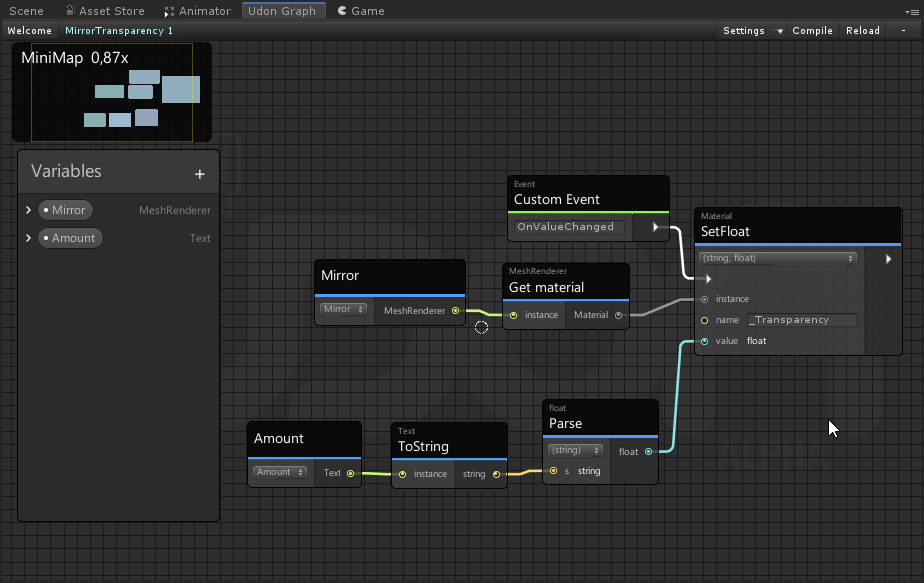
but i simply get an input string was not in a correct format
and im unsure on how to put it in the right format
dapper lion
like a slider string input?
fiery yoke
lilac hatch
https://niyah.eu/i/Unity_SOUJsrF3jj.png
To get the text of a UI Text use Text.text and not Text.ToString() :P
lilac hatch
@dapper lion yep
dapper lion
tries to remember how to do that in graph
fiery yoke
You do that by getting Slider.value
dapper lion
im not sure. updating strings might be a helpfulhelper query
silder.value -> string.text? (not familar eith node names sorry lol)
fiery yoke
I have no idea what theyre actually trying to accomplish.
dapper lion
i think they want the calue of a slider to appear as a number
lilac hatch
Nope, I got that part.
The thing is ; The "slider" I'm using is a physical one
There's no actual slider component
fiery yoke
Define "physical"
dapper lion
ohhh. is it techns slider?
fiery yoke
They should have API that gets you the value
dapper lion
ah. he literally explained that to me just yesterday for final teating lol
fiery yoke
I wanted to make my own PhysUI as well at some point. But then kinda got busy with other stuff
dapper lion
so are you trying to get the value onto text form?
lilac hatch
I have a Textfield with a value in it going from 0 to 1 and a SetFloat for a material
I'm trying to use the said Textfield as a value
dapper lion
so like backwards? so if you type a number. it sets that value/float
lilac hatch
ye
fiery yoke
You mean an InputField then
 fiery yoke
Text.text as I said before: #udon-general message
 fiery yoke
try "get text"
dapper lion
what about “inputfield”(?)
fiery yoke
I mean yeah you can also just get the inputfields value directly. Which is "better"
lilac hatch
It's sadly not an inputfield ; get text is not causing anymore crashes at least
dapper lion
inputfields crash?
fiery yoke
I genuinely have no idea what youre doing lol. You grabbing some input, but its not an input field?!
lilac hatch
 dapper lion
ye my brain is also controupulating now
ok so slider and text value
wait. are you trying to make multiple sliders match eachother?
lilac hatch
Slider going left/right ; value on top left is calculated depending on where the slider is on an axis (z if i recall ?) there's no actual slider component on the entire thing
dapper lion
correct
lilac hatch
Nope, i'm trying to use the slider to change one value of the material on my mirror (transparency)
dapper lion
ah. is it meta mirror or sadbluecat mirror?
lilac hatch
And for that I need to use the said value on the top left if i got it right, which is a simple text
dapper lion
i would contact techn/source of it. he explained the slider to me in detail. but it was also like 3 am for me lol
but that idea you have makes more since
lilac hatch
VRCPlayersOnlyMirror for the mirror yush
dapper lion
fiery yoke
I genuinely have no idea what youre doing lol. You grabbing some input, but its ...
the number is calculated. and not a actual direct value. they want to use this number to set a float on a material
dapper lion
lilac hatch
VRCPlayersOnlyMirror for the mirror yush
theres 2 kinds but technically same idea in the end
sadly i have not had to do something like this before. i feel like float number grabbing should be possible. but techn will most likely have a more solid solution compared to mine. as i rarely use sliders
lilac hatch
Might actually suggest that for the demo scene since I feel like a lot of people might have this usage for sliders tbh
But... first I gotta finish my stuff eheh
Thanks for the help both of you tho !
fiery yoke
dapper lion
the number is calculated. and not a actual direct value. they want to use this n...
Yeah but then the creator of that thing should let you be able to get the value, instead of having to get it from a text component. Otherwise its bad design :P
dapper lion
i feel like he did
at least he told me about it. cus i was trying to learn sliders but with UI so i wasnt 100% on any of it
i was never quieneopes from physical sliders
lilac hatch
Well ; I restarted unity because stuff was glitching a bit and the Get text work.
I'm legit clueless but
it is what it is i guess
dapper lion
sounds legit, have a good day
 sly crest
So uhhhh, first time making a map, placed a VRCChair3 (test chair provided by Udon) to test seating and when i build and run it doesn´t appear


Could it be that this is showing up?

But i have this
 pallid mango
Those errors would be an issue yes
Clean udon SDK install? Current, wasn’t updated over an older one, etc?
sly crest
Thing is, this wasn´t happening
I installed it today and checked every version
I´m gonna start again
torn pendant
does anybody know a working books for sdk 3 udon?
 dawn forge
sly crest
I installed it today and checked every version
dawn forge
sly crest
I installed it today and checked every version
Try these steps in screenshot. After clicking player, expand "other Settings" tab. Make sure you have .NET 4x as your runtime, and API is .NET 4.x.
 sly crest
dawn forge
Try these steps in screenshot. After clicking player, expand "other Settings" ta...
sly crest
dawn forge
Try these steps in screenshot. After clicking player, expand "other Settings" ta...
Thanks for the help, i ended up doing what a madman would do, started from the beginning
dawn forge
torn pendant
does anybody know a working books for sdk 3 udon?
I have my own notes tailored for UdonSharp, I don't do graphs. I can send a copy if you;re interested, but it heavily focuses on understanding of UDON Networking and known intractable VRC scripts.
sly crest
I´m still learning Udon as a tool
torn pendant
im very interested
sly crest
You could send them and i will read them
dawn forge
Sure, I gotta clean it up. It's messy and I send a copy to you both.
sly crest
Thanks man, i´m super grateful
torn pendant
thanks

 dawn forge
It looks like Udon is demanding the Cinemachine component, I think that's a package that you get from Unity's package manager.
Let me check.
Follow this and see if you have 2.6.1 loaded

Btw we can carry this to #world-development if there are issues still.
 mighty fjord
Does setting Random.InitState impact all other Random functions in the project?
floral dove
mighty fjord
Does setting Random.InitState impact all other Random functions in the project?
I have not specifically tested this, but I think it would: https://docs.unity3d.com/ScriptReference/Random.html
UnityEngine.Random is a static class, so its state is globally shared.
 wispy timber
how do i update my pc to the expectations for rift or do i buy a whole new pc
mighty fjord
Thank you Momo ^^
 golden sphinx
I'm new to udon, and I can't for the life of me figure out how to process InputLook Events. I'm trying to see if the right stick is pushed upwards, and if yes, change a shader. Are there any tips on how to do so?
 sand delta
I've crashed while updated world, and keep reupdating failed with this message

can't solve it even change blueprint, resign-in, restart unity or pc
slim hound
sand delta
I've crashed while updated world, and keep reupdating failed with this message
Need to contact support most likely
sand delta
ok
solid sluice
sand delta
I've crashed while updated world, and keep reupdating failed with this message
have you change the Blueprint?
radiant junco
radiant junco
Is there any requirements for an UdonBehaviour to Send Custom Network Events? I ...
I've been poking at this some more, the issue is only the specific target UdonBehaviour (ODMGear) that isn't doing anything when sending the CNE. I tried with a new test U# script and that went fine. I kind of want to just make a new script and copy paste the code but there's quite a few references I would have to manually drag...
//This doesn't work
ODMGear.SendCustomNetworkEvent(VRC.Udon.Common.Interfaces.NetworkEventTarget.All, nameof(ODMGear.Equip));
//This works
test.SendCustomNetworkEvent(VRC.Udon.Common.Interfaces.NetworkEventTarget.All, nameof(test.TestEvent));
It doesn't matter what I type into ODMGear, it's not running any CNEs...
Wait never mind I don't know which UdonBehaviours run and don't run CNEs... it seems random??
 wise bay
Anyone else getting the error Assets\Udon\Editor\ProgramSources\UdonGraphProgram\UI\GraphView\GraphElements\UdonGroup.cs(2,41): error CS1002: ; expected when migrating a project to 2019 with SDK 2021.07.12.18.53?
also getting the error in a new project with nothing but the SDK

 amber crow
wise bay
Anyone else getting the error `Assets\Udon\Editor\ProgramSources\UdonGraphProgra...
amber crow
wise bay
Anyone else getting the error `Assets\Udon\Editor\ProgramSources\UdonGraphProgra...
Wrong sdk! Got the same one when I put the normal sdk instead of the U2019 one
You can grab it in #open-beta-announcements
Make sure you redo all the steps too
wise bay
ty @amber crow
amber crow
Backup, import the new sdk in the backup, keep an empty scene loaded only, close unity, change to 2019.blablabla, launch it, say confirm yes and yes
Wait a bit and you ll be good
Np!
It can be confusing as the guide doesn't say where to grab the u2019 sdk
 soft mountain
So, regarding networking, is there anything I can go read to understand which callbacks are only called locally vs which are called on every instance? Stuff like OnPickup(), etc
grand temple
if it's not specifically an event related to networking, it's probably not going to happen networked
however, if an object is synced then it will probably trigger OnTriggerEnter for everyone. Not because it's specifically synced but because everyone sees the object enter the trigger
 grizzled shuttle
is there a way to get who triggered a midi note event?
grand temple
the midi event will always happen for the local player only, so it's up to you to sync it with other players
grizzled shuttle
Oh, good to know
 gloomy swan
anyone know what this error is? getting it after i updated my unity Assets\Udon\Editor\ProgramSources\UdonGraphProgram\UI\GraphView\GraphElements\UdonGroup.cs(2,41): error CS1002: ; expected
gloomy swan
humm
let me see
looks like it was but it did not resolve the issue. this is a file from the sdk
now it is at 4,30
the devs might want to have a look at there udon portion of there sdk. there seems to be a few errors
grand temple
oh, right this is a file in the SDK. In that case you have the wrong SDK. Please follow the instructions exactly when upgrading a project from 2018 to 2019
gloomy swan
i did
grand temple
if you have that error, then you missed a step
make sure you have the SDK made for unity 2019
 gentle patrol
why is my mouse cursor bugged
in settings i cant see it
grand temple
no, it is not. It's the one in #open-beta-announcements
gloomy swan
ok it was the one on the vrc website, they might want to update there site then
grand temple
it is still in open beta. The website SDK is for the live version
gloomy swan
🤦♀️ them putting the announcement in the regular announcement made me think it was live, they should have put that announcement in the beta announcements.
grand temple
did you..... actually read it?
gloomy swan
must have glanced over where is said beta
 nimble ridge
Does anyone know what all of this means? https://gyazo.com/fedfb72158f0850e1a0f415da3b43147
This is my first time using Udon so I have no clue what I did wrong oof-
 nimble ridge
https://gyazo.com/a478da1f455fe032f4c55df441ed0138 this also pops up, no idea how i fix it

 vernal maple
One of your udon scripts is not compiling. Are you using Udon graphs or Udon Sharp?
And in other news, I'm having a smidgeon of a problem myself. Been a hot minute since I messed around with pickupable objects, and for whatever reason, I no longer see a "synchronize position" check, and am curious what I need to do to make that appear or work now.
 pure basin
That checkbox has been replaced with the VRCObjectSync component
vernal maple
AHA
Alright thanks.
Next question. I am aware that VRCinstantiate cannot be used on objects with Udon Scripts attached. Can a GameObject with VRCObjectSync be instantiated?
pure basin
Instantiated objects can't be synced. You can use VRCObjectPool as a substitute for instantiating synced stuff
vernal maple
Alright so we still have that limit. Gotcha gotcha. Object Pooling some monsters for the sake of this then.
can't wait to make pathfinding for them. ._.
Thanks for the help. Back into my hidey hole.
pure basin
😸
nimble ridge
vernal maple
One of your udon scripts is not compiling. Are you using Udon graphs or Udon Sh...
I believe I'm using udon sharp, i'm not really sure how i compile those scripts
vernal maple
Check your scripts to see if you have any red squiggly lines under any lines of code you may have added.
Else I would make sure that you have the most up to date SDK and U#
 autumn ridge
@nimble ridge yes, make sure it's the right (U2019-VRCSDK3) and i noticed the last v0.20.1 U# was updated just couple of hours ago
https://github.com/MerlinVR/UdonSharp/releases/tag/v0.20.1
also while building make sure you switched to Open Beta in steam
could build my project finally with v0.20.O U# though..
and got broken with the last update
 unborn hornet
In graph, I want to call SetProgramVariable on another graph passing the current udon graph as the value. How would I get the reference to the current udon behavior without having an empty UdonBehavior public variable?
nimble ridge
There doesn't seem to be anything wrong with the scripts
floral dove
unborn hornet
In graph, I want to call SetProgramVariable on another graph passing the current...
you can use GameObject.GetComponent of type UdonBehaviour
unborn hornet
And if there are two behaviors on a single game object where the script isn't the first in the component list?
floral dove
 floral dove
unborn hornet
And if there are two behaviors on a single game object where the script isn't th...
floral dove
unborn hornet
And if there are two behaviors on a single game object where the script isn't th...
then make a public UdonBehaviour variable and set it to the one you want to use
unborn hornet
Which is what I was wanting to avoid so I don't have people put a custom graph into that slot and break things.
Cause this is related to a distributed asset.
canny time
floral dove
The put the UdonBehaviours on two separate objects, or combine their logic?
unborn hornet
That breaks certain separations of concerns for certain logic. Not to mention not having a dedicated node for "Current Behavior" is quite un-intuitive for newer users because there is already Const <Primitive> nodes as well as Const Null and Const This (GameObject). It would make sense for there to be a corresponding Const UdonBehavior or similar that always referred to the current behavior irrespective of any other behavior's concerns.
floral dove
You can try making a non-public UdonBehaviour variable. It might default to this instead of null, not sure and I'm not at a computer but worth a quick test
unborn hornet
Unless there was a change to how udon serialization works recently, private variables being not serialized will default to null as I have tested that before (like 6 months ago probably)
I'll test again just to make sure.
Alright, appears that the private udonbehavior does actually work.
Good to know.
floral dove
I think a clearer const or this node for UB is a good idea still, fwiw

 pure parrot
Does anyone know how to play an animation when a player join a map ? I'm rlly new in Udon and its been 2h now since I try to find something to help me like tutorials but they're all outdated , and the Vrchat udon page seems also outdated with the description of each nodes
unborn hornet
Something like this?

If you want it to occur anytime ANY player joins (like join notifications or something), just remove the LocalPlayer, Equals and Branch node.
floral dove
pure parrot
Does anyone know how to play an animation when a player join a map ? I'm rlly ne...
Would you let me know which node descriptions are out of date so we can update them?
pure parrot
nvm i'm a huge noob , i coudln't find a specific node cuz i didn't added an animator variable
nice and I got a new error
anyone already had " NullReferenceException: Object reference not set to an instance of an object
VRCSDK2.RuntimeWorldCreation.Start () (at Assets/VRCSDK/Dependencies/VRChat/Scripts/RuntimeWorldCreation.cs:82)
"
and how to fix it ?
amber crow
Heyo, everything's in the pic, i wrote all that in another discord and didn't want to redo it all sorry, if you can't read smth lmk, thank you!
 floral dove
pure parrot
anyone already had " NullReferenceException: Object reference not set to an inst...
floral dove
pure parrot
anyone already had " NullReferenceException: Object reference not set to an inst...
Make sure you've got a spawn point set in your Scene Descriptor, like in the UdonExampleScene
grand temple
amber crow
Heyo, everything's in the pic, i wrote all that in another discord and didn't wa...
toggles can do sendcustomevent as well. In order for the udonbehaviour to know the state of the toggle, you would have to have a public "Toggle" variable, and then when you receive the event from the toggle you can check what the state of the toggle is using isOn
pure parrot
floral dove
Make sure you've got a spawn point set in your Scene Descriptor, like in the Udo...
oh i totally forgot to put the transform spawn in the descriptor many thx , uh btw how do i go back to my map after clicking on the Udon example ?
grand temple
if you saved the scene somewhere, you would have to find it in your assets and then double click it
pure parrot
huge thx man i was so scared
the problem is still here even with a correct spawn configuration
grand temple
could you share some pictures of the vrcworld?
amber crow
grand temple
toggles can do sendcustomevent as well. In order for the udonbehaviour to know t...
Thanks for the precision for the toggle states, Cyan told me I needed to have the target have a udon behavior which i didn't realise was needed before setting that up x) thanks a lot!
pure parrot
grand temple
could you share some pictures of the vrcworld?
i'm sending u in priv
slim hound
pure parrot
anyone already had " NullReferenceException: Object reference not set to an inst...
If you haven't resolved it make sure you only have one scene descriptor
pure parrot
I do only have one scene descriptor
 quartz meadow
Does anyone know how long a string can be in Udon? Non-synced, just local only. One of my strings are being cut off in the unity debug it seems
grand temple
many thousands
quartz meadow
just realized my function wasnt generating the full string, was my end lol
grand temple
I don't know if there is a limit
 warm goblet
Likely a simple question, but I have a gameobject variable, I've set it to a gameobject with a rigidbody. How would I get a reference to that rigidbody in Udon?

wait actually this is working now...
I guess ConstantForce doesnt work, but force does...
vernal maple
Getting my mind caught in a loop here. I have an enemy, a weapon that deals damage, a player that did the damage. The weapon script ray casts to see if the target was hit. Now how should I inform all clients which enemy was hit and how much damage to apply? Right now I figure getting the enemy's script via the collider's gameobject script component is the way to go, but then how do I inform that script which player did the deed?
I'm thinking 12 different pings (based on player index assigned on world load.), but I feel like that's a mess.
grand temple
yeah, unfortunately right now sendcustomnetworkevent does not support variables for extra information, so a common practice is to just have a new network event for every different possibility
you can construct the network event dynamically because it just takes a string, so you can say "ShotByGun" + gunIndex which will result in "ShotByGun1" through "ShotByGun12" or whatever. But you can't construct the endpoints dynamically, so you need to have a bunch of network events ready to be activated. Rather than duplicating that code multiple times, if you're using udonsharp you can do something like this to turn it into a variable that you can do things with
    public void ShotByGun2()
    {
        ShotByGun(2);
}```Regrettably that was what I was afraid of. I'll need to figure out which way to handle this, either index of weapon, or index of player firing the weapon.
Thanks~
(At least this works. x3)
 finite gorge
does anybody know why im not getting the sync object position check box on my udon behaviours? because currently the objects aren't being seen picked by other players
grand temple
that checkbox was removed. Instead, you should now use the objectsync component
finite gorge
the udonbehaviour script for it?
and can it be applied to the empty object that holds all the objects, or does it have to applied to each object
manic yarrow
Can anyone explain why this graph might be causing serious framerate issues?

I have some ladders in my world that teleport you to the top when you interact with them, and the framerate tanks if I don't disable them
grand temple
there is absolutely nothing about that that could cause issues. Are you sure there's nothing else?
manic yarrow
grand temple
there is absolutely nothing about that that could cause issues. Are you sure the...
everything runs perfectly until I enable those ladders
and those ladders are the only objects that have that script on them
I thought I had the 11fps bug, but it turns out it's the ladders
grand temple
what else do the ladders have?
grand temple
there's gotta be something else, more details ¯_(ツ)_/¯
 grand temple
I can't imagine that would cause framerate problems, but why is your transform synced?
grand temple
I doubt it
manic yarrow
I've been trying to fix this for hours
I managed to narrow it down to these ladders, everything else with udon can be enabled no problem
manic yarrow
grand temple
I doubt it
to be more specific, the frame rate dies for whoever the owner is
but only if more than one person is around
One person on their own is fine, if there are 2 people it will lag the first joiner
grand temple
oh, that's good to know. Could be that then
manic yarrow
if the first joiner leaves and then rejoins, the lag goes to the person who stayed
so I can only assume it's an ownership thing
hushed gazelle
Just out of curiosity, is it possible to have multiple video players in a world?
manic yarrow
grand temple
oh, that's good to know. Could be that then
That fixed it
I can't believe it
grand temple
weird
manic yarrow
I can't believe a single check box broke the framerate for people
and the worst part is, it would make people run at 11fps
the exact framerate that's involved with a famous bug
so here I was thinking I had the 11fps bug
grand temple
why is it called the 11fps bug? It's not like a lock at that framerate. Call it the vram bug, because it's related to vram. If you lower steamvr resolution you'll hit a point where your fps will suddenly be better
hushed gazelle
It's called the 11fps bug because it consistently makes people run at 11fps and not everyone knows what VRAM is.
grand temple
it's not 11fps though, that's a totally arbitrary number that people stuck with
hushed gazelle
It doesn't really matter when everyone knows EXACTLY what it means though.
manic yarrow
How hard would it be to create a buoyancy system with udon?
a constant upward force that I can apply to objects once they go below a certain height
That way I could make things float on water for example
slim hound
manic yarrow
How hard would it be to create a buoyancy system with udon?
Easy for game objects but pretty annoying to setup for players
manic yarrow
slim hound
Easy for game objects but pretty annoying to setup for players
Well that's ideal, because I only need it for game objects
Where would I start?
slim hound
Just seeing if I can find a setup I made some time ago
manic yarrow
slim hound
Just seeing if I can find a setup I made some time ago
You've already got it working?
slim hound
What part were you having issues with?
manic yarrow
I didn't even know where to start, I was trying to figure out how to apply forces
My original plan was to have an invisible plane just below the water's surface that only collides with certain objects
but I thought it'd look nicer to do it properly
slim hound
Found it, though it does a little jank
manic yarrow
Is there a way to adjust what floats and sinks?
the mass of an object I'm using is very high because of something else it does
about 100 or so
slim hound
That setup is built assuming mass is around 1
manic yarrow
The object is one of those swimming rings, and I had to increase the mass to get it down a slide at a good speed
slim hound
You can do RigidBody.Getmass and go from there
manic yarrow
Looking at the graph, would I be changing the multiplication node attached to distance?
slim hound
Yeah presumably that would be the simplest way to do it
Increase the applied force based on mass
manic yarrow
Right, just wanted to make sure I was plugging nodes into the right thing
I'll be sure to credit you for this by the way, I've needed a lot of help with this world because physicsy water stuff is weird
slim hound
Oh one thing about it is that if you move the game object on the y axis you will want to unparent the water height transform as its checking y in local space
manic yarrow
works pretty well as-is
all I did was replace the set value of 20 with a multiplier for the object's mass
so now there's an adjustable variable built-in
Interestingly, a value of 0 will make the object float in the exact centre of the volume
sly crest
Hey! I have a question? I´m new to this so i kinda wanted to know how do i program something to be server-side or client-side?
slim hound
sly crest
Hey! I have a question? I´m new to this so i kinda wanted to know how do i progr...
Input to SendCustomNetworkEvent and output with Custom Event to make things networked, otherwise nothing will be sent to other players.
You can also set variables like numbers to sync automatically
sly crest
Thanks
So if i use the **SendCustomNetworkEvent ** method i will make sure everyone in the server sees it right?
slim hound
Yes unless you specify it to only send to the owner it will be all players
 dawn plover
Hello! Before trying this, I want to know if it's even possible doing this; so, as I said in previous questions, I'm making a card game, I have an object pool where I store all the card, but I was thinking to have another object pool where the used cards can go, so I can spawn only new cards. Is this even possible or it's just better to change the name of the card/using a layer and check if it was not used before spawning it?
floral dove
dawn plover
Hello! Before trying this, I want to know if it's even possible doing this; so, ...
Objects are spawned in order, so you can just call TryToSpawn until you run out of cards.
dawn plover
Oh, so if I return a card it will not be spawn again until it reach the end of the deck? In that case it's easier than I thought, thank you for the help!
manic yarrow
I just uploaded my world finally, and it turns out that you can grab seats while you're sat in them and fly around.
How would I make it so that you can't pick up an object that your seat is parented to?
slim hound
manic yarrow
How would I make it so that you can't pick up an object that your seat is parent...
OnEnterStation > Set Pickupable false and true on Exit Station
manic yarrow
slim hound
OnEnterStation > Set Pickupable false and true on Exit Station
which category is pickupable under again?
slim hound
VRCPickup
manic yarrow
Is there a node specifically for the parent of an object I could use?
It would be faster for the graph to automatically disable a parent instead of having to set it for every object
vernal maple
I have an absurd question especially for VRChat. Can VRC and udon use NavMesh and NavMeshAgents from Unity?
grand temple
yes, absolutely
vernal maple
O_O
grand temple

Prefabs TLX
Centauri focuses on how to create simple local and synced AI, and different ways to sync it between multiple players
vernal maple
Aight if people see a Killing Floor clone in VRChat next week, you know who made it.
manic yarrow
grand temple
yes, absolutely
do you remember what the node was to get the parent of an object?
I was going to make it a variable but the set pickupable needs an instance specifically
vernal maple
grand temple
https://tlx.dev/talks/TLX2021-05/Udon%20Ai
I've got watching to doooo. Thanks :D
slim hound
manic yarrow
do you remember what the node was to get the parent of an object?
You can do get tansform and then get transform parent into transform get gameobject ect
Though if the pickup is the direct parent of the object you could just get components in parent
manic yarrow
slim hound
Though if the pickup is the direct parent of the object you could just get compo...
That's the one I was thinking of
manic yarrow
slim hound
Though if the pickup is the direct parent of the object you could just get compo...
Like this?
 slim hound
Should work?
manic yarrow
I really need something like this
people were learning how to fly with it
they actually reached the point where they could manoeuvre
feral valve
I can't type a event name anymore

I restarted the project several times and nothing fixes it. using newest sdk
grand temple
yes, that's how it's supposed to work now. It automatically finds all events in the udonbehaviour and puts them in the dropdown
feral valve
So how do I add one?
grand temple
add a custom event node and give it a name
and the event needs to do something, it can't be on it's own
feral valve
ahh, thank you. I know it shouldn't be alone, I just snipped it on its own to show
sly crest
Guys i happened to check my vrworld toolkit and it says that this asset is taking 32 mB, thing is, i deleted it! how is it still here?
 grand temple
that window shows the last build, so it doesn't update until you make a new build either with build and test or with build and publish


 tranquil summit
hey! is there any way to use unity tags with udon? i want to change all objects that have a specific tag at one time
i should probably specify in the graph editor ig, but if its not with the editor then i'll try and figure out U#
dawn forge
Sorry I don't have a graph, here is a U# example
 tranquil summit
ah, no worries, thank you anyhow!
dawn forge
Let me see if I can whip something up hehe
tranquil summit
oh, that'd be great lmao
im mostly doing it to change the material of a bunch of objects at once to fake time of day changing
dawn forge
Ughh the graph doesn't give me the tag property in node search, if you can search too, it's a component type.
tranquil summit
yeah, i was grooming through trying to see if i could find it, but i wasn't sure if i just wasn't looking in the right place
dawn forge
Yeah, it would HAVE to be under gameObject category, because it's a property under gameObject.
 dawn forge
Well you can mix and match UdonSharp and graphs, you may just need have a bit of flexibility just for the tags.
tranquil summit
yeah, working with raw code just makes my head spin lmao
dawn forge
You can still call methods and exchange events with U# and Udon graph scrips, ultimately they both compile to the same bytecode that Udon parses and executes with.
I could just write a small script to add, set, and remove the tags. You'll call it through a gameObject reference. I can send it to you. Downside is you need to add the UdonSharp package to your project.
tranquil summit
nah i already have it
dawn forge
Awesome, good luck on your project.
tranquil summit
mhm, thank you
dawn forge
Update to the tag stuff: It's not exposed to Udon 😦 booo
tranquil summit
i was literally in the process of coming here to say that
dawn forge
But you can just sync the variables and track it that way
tranquil summit
hmmm
ig to break down what im trying to do more, im trying to change the material on a whole bunch of different game objects around my map at the same time in order to give them different appearances to fake a change in time of day, as well as changing the skybox (which i can do that part)
something tells me that for performance's sake it isn't a good idea to set an udon behavior to run on like 50+ game objects all at the same time perchance? bc i could just do a custom event that triggers on every single object that needs to change
but that sounds cpu taxing
dawn forge
Well you're wanting real-time changes.
You either sync a variable, or have each object listen for the broadcasted event. I'd say to events because you don't need to have Update() do if's against a sync'd var every frame.
tranquil summit
so just two udon behaviors, one that has a send custom event node, and the other has an event custom node right?
dawn forge
Correct. Have each custom event node for each material you're gonna switch to.
tranquil summit
alright yeah, i got that set up, but fsr the one event doesn't seem to be broadcasting the event? idk if im doing it wrong but i just have it "interact > send custom event" and another one is just "event custom > material change"
dawn forge
Are you setting the owner of the object?
tranquil summit
i don't exactly know what you mean, tbh im quite new to udon
like with the instance node?
not node, the input on custom event
dawn forge
You'd want to be the owner of the gameObject that runs the broadcasting behavior, so it can be manipulated by your client.
The same applies to your interact button.
Lookup Networking.SetOwner and then input will be Networking.LocalPlayer, and the obj will be this.GameObject in the node.
tranquil summit
okay, thank you so much man
dawn forge
You're Welcome. Sorry I am not a node graph guy haha
tranquil summit
no you're fine lmao, i wish i knew more about udon in general so this has been a huge help
dawn forge
Oh of course! By the way check out the Unity documentation in general, no need to freak out over the code examples, you can read what each function(node) does with Unity. https://docs.unity3d.com/2018.4/Documentation/ScriptReference/
 tranquil summit
yeah, i've been peeking at that whenever i find something that i think i can play with, especially since the graph has a link to what each node does
also just to clarify, the networking.setowner and all has to be on both behaviors?
dawn forge
I know some of the nodes will have "?" at the top corner, will also take you to the Unity page to describe the function.
Not necessarily, the other behaviors will always listen even if it's under another person's ownership within the network 🙂
tranquil summit
gotcha!
so just to double-triple check, this is basically what it should look like?

or have i had some critical misunderstanding lmao
dawn forge
Looks correct, I am trying to recall what instance is for lol
Trying to transelate my code to a node graph
tranquil summit
apparently instance is if you want to target a specific udon behavior
dawn forge
Ah ok, then that looks correct. "This" is already targeting the object the behavior runs upon.
tranquil summit
alright, and then this is the other end
 dawn forge
Looks correct, give it a spin!
tranquil summit
hm.
that's worrying then
dawn forge
P.S. if you're not using it already, check out CyanEmu. You can run Udon in the Unity Editor. https://github.com/CyanLaser/CyanEmu
GitHub
CyanEmu is a VRChat client emulator in Unity. Includes a player controller with interact system. Works with SDK2 and SDK3. - CyanLaser/CyanEmu
tranquil summit
yeah i've got cyanemu
so, then something's wrong bc it's running the code on my test object and changing the skybox, but it isn't changing the test tree i have set up
dawn forge
What's the test tree look like?
tranquil summit
typical
 dawn forge
It's mat is not changing on par with the rest?
tranquil summit
what it should turn into

i made it absurd to make it obvious lmao
but yeah no the mat isnt changing at all
dawn forge
Can you have your tree behavior call a Debug.Log and see the console if it's reaching the function?
dawn forge
Can I see the graph?

 warm goblet
Hey all, what's the right way to immobilize a player when they get in a seat so that they can use their joysticks for udon stuff?
dawn forge
Did you mean to not have a "_" at the start of the name?
tranquil summit
yeah, according to the wiki you use _ on custom network event if you only want it to play local apparently
dawn forge
Yeah, it's not network callable hehe... so I am confused a bit why your earlier graph with the skybox works fine.
Have your custom event directly call the debug.log, and see if the set material is the issue.
tranquil summit
alright
im assuming that "success" should just appear in the unity console
in which case still nothing
dawn forge
And you already tried with "_Day"? because your earlier script is looking for that event.
tranquil summit
oh yeah no i double checked that i removed the underscore
is it possible its just something that might not work in cyanemu?
dawn forge
I mean if your skybox and other materials are changing, it should not be different with the tree.
tranquil summit
yeah
dawn forge
Did you compile your behavior and is it enabled on the inspector?
tranquil summit
yeah
i can directly use cyanemu to just play the "Day" event and that works fine
dawn forge
I am looking at the graphs again, and doing some plain event stuff to see my outcome.
Kinda nuked my graph...
Hehehe... my Udon noodles are broken.. P.s. Momo, I am on 2019.
 dawn forge
Time to make a new batch of Udon(Kidding, but it'll still work I am sure).
tranquil summit
lmao
im gonna try build & test rq, i doubt it'll be any different but its worth a shot
as expected yeah, nuthin
dawn forge
Ughh how do I feed a string into debug on the graph :S could you send me the assembly?
Or asset files?
tranquil summit
oh thats long
dawn forge
Yeah you can just send the asset files.
dawn forge
Ughh how do I feed in a string to message lol
tranquil summit
like for the debug.log? it just connected for me
dawn forge
Want to have a screenshare via DM's? Could speed up the debugging process.
feral valve
feral valve
so I tried following a tutorial for flight and I can't get it to work
anyone help with this?
coarse parrot
feral valve
anyone help with this?
Any detail about what actually happen that you said it doesn't work?
feral valve
Followed along with tutorial. Got it to pickup and at a certain point grip. just to show settings on object with the udon graph. I just assume the video is outdated cause now it's showing options not in tutorial

so it pretty much just stays in hand when I click it, and using the use button down and up doesn't do anything
Like his only has value with checkbox. and new one has send change
slim hound
feral valve
Like his only has value with checkbox. and new one has send change
The recent SDK update changed the set boolean
The bool value not being directly exposed on the node itself could be considered a bug actually
Though if you go create Boolean > Const Boolean and plug it into the value option on the Set isActive nodes it should work then
feral valve
how would I do that? I tried just adding it and connecting to value, but after I used it. it wouldn't stop.
slim hound
Screenshot the graph?
feral valve
I know why it's not working, cause its not saying to turn on or off with use button

its just setting the value
slim hound
The branch you have should prevent it from firing depending on the boolean value
feral valve
I just figured it out, I needed that sendchange to be toggled on
slim hound
That shouldn't affect anything you are doing
I'm guessing the graph didn't compile until you made that change
slim hound
@floral dove Is this change intentional in not having the boolean value exposed on the Set Boolean node itself?
 feral valve
So something I can't find, but assume is simple. respawning a object. how can I set its value to original spot.
cold raft
that was added recently, the VRCObjectSync compoment has a method to move the object back to its original position
feral valve
that makes it so much easier then what I was trying. literally just plug interact to respawn. thanks!
 slim hound
You will need an object sync component on the game object for it to work
Which from your previous screenshot doesn't look like you had
feral valve
I added that just now. still just realized, how can I use another object to respawn it
slim hound
You will need to add multiple of those game objects for multiple people then
cold raft
simpest way to make respawn happen from a different object, is to have a public gameobject variable like name it target on your interect behavior, then you can just use the target do get component typeof(VrcObjectSync) and call respawn on it
 cold raft
interact, goes to GetComponent
on get component, set instance to target, set type to VrcObjectSync
feral valve
Still can't figure it out and now it's beginning to be daylight and I need to get some sleep
 burnt moth
how would I make it when I click on trigger it plays animation
just like a trigger that activates mirror but instead of activitng anything it plays an animation
on a certain gameobject
 fickle stirrup
burnt moth
how would I make it when I click on trigger it plays animation
fickle stirrup
burnt moth
how would I make it when I click on trigger it plays animation
if in the form of a shallow answer, then https://docs.unity3d.com/ScriptReference/Animator.Play.html
burnt moth
fickle stirrup
if in the form of a shallow answer, then https://docs.unity3d.com/ScriptReferenc...
wut
that's basic csharp
I know how to use csharp but look I don't know how to do it in udon
do I replace the gameobject in the udon graph with an animation?
coarse parrot
You do the same with Animator.Play udongraph node though.
burnt moth
coarse parrot
You do the same with Animator.Play udongraph node though.
the thing is I can't find it in the udon grpah
coarse parrot
burnt moth
the thing is I can't find it in the udon grpah
 coarse parrot
It's "Animator"
And you also need to attach an animator component in the game object you want to play an animation too.
Also note that animator isn't the same thing as animation.
burnt moth
coarse parrot
And you also need to attach an animator component in the game object you want to...
what more do I need in the udon graph anyways
coarse parrot
burnt moth
what more do I need in the udon graph anyways
Yes, you still need to trigger the animation from udon.
burnt moth
coarse parrot
Yes, you still need to trigger the animation from udon.
like this cause they wont connect

?
coarse parrot
burnt moth
like this cause they wont connect
Play is an execution command, you need to connect the left side of Play to the right side of SetActive
burnt moth
coarse parrot
Play is an execution command, you need to connect the left side of Play to the r...
I did that
coarse parrot
Like you link SetActive from Interact node
 coarse parrot
Yes. Optional, adjust the layout so it looks good.
coarse parrot
burnt moth
but dont I need an gameobject or something to set active
I don't know if you need to do that. It depends on your design
burnt moth
coarse parrot
I don't know if you need to do that. It depends on your design
there arent any public varibles to attach the animator or animation to
coarse parrot
burnt moth
there arent any public varibles to attach the animator or animation to
You can create one
coarse parrot
You can create a public variable with Animator type.
Just select Animator instead of int or bool or float when you're creating one
burnt moth
but how do I attach that to the actual udon place
coarse parrot
Drag the variable from the list into the graph
 coarse parrot
Yes
burnt moth
and now it will work automatically if I just drag in the object with the animator on it?
it's not appearing in the udon behaviour script
coarse parrot
burnt moth
it's not appearing in the udon behaviour script
What isn't?
coarse parrot
Does the object have Animator component assigned?
 coarse parrot
Have you made the variable public?
burnt moth
how do I do that
I did it
nvm
wait its still not appearing
I checked the public thing so it's checked
coarse parrot
Can you screenshot the variable list?
coarse parrot
ok
 coarse parrot
You need to create animator controller first and assign to the animator component
burnt moth
yeah and I uncheck the animator controller right
or the animation will play by default
when the world starts
coarse parrot
Don't disable the component
burnt moth
wutt
but else it will play the animation when I start the world
I just want it to do the thing when I click on it
coarse parrot
You set empty state as a default state. Then add another state with animation in it.
Then stateName in Play will be the same name as the state with animation in your animator controller
burnt moth
coarse parrot
You set empty state as a default state. Then add another state with animation in...
how do I do that
coarse parrot
burnt moth
how do I do that
What do you have in your animator controller now?
burnt moth
yers
wait
I just dragged into the public variable
I havent done anything with the statename or added an animation
you said I had to add another state but how do I do that in the udon graph, do I just make another animator
coarse parrot
You need to edit in animator panel
burnt moth
coarse parrot
You need to edit in animator panel
so I name the animator in the udon graph the same name as the default state in the animator?
coarse parrot
same name as a state that contains an animation you want to play
And you want default state to play nothing
burnt moth
does the name have to be the exact same
coarse parrot
Yes, exact upper-lower case
burnt moth
coarse parrot
Yes, exact upper-lower case
does the weight have to be 1
and do I need to mess with any of the transitions
or exit time
coarse parrot
burnt moth
does the weight have to be 1
Yes. But if you have only one layer, the base layer should already have weight set to 1
coarse parrot
burnt moth
and do I need to mess with any of the transitions
With Play command, you don't need to
burnt moth
I had to make a new layer since it already has an animation it should be playing 24/7
coarse parrot
burnt moth
I had to make a new layer since it already has an animation it should be playing...
Always play, or play on interact?
coarse parrot
Ok I see.
 coarse parrot
No. You already assign the name manually
burnt moth
coarse parrot
No. You already assign the name manually
is this local btw
so no one else will hear or see if I add sounds to the animation
coarse parrot
burnt moth
is this local btw
Almost everything in udon is local by default
burnt moth
coarse parrot
Almost everything in udon is local by default
hey btw how can I make a udon thing that disables many things instead of just one
like npcs
I tried using GameObject []
but it doesnt work
coarse parrot
burnt moth
hey btw how can I make a udon thing that disables many things instead of just on...
Yes of course
coarse parrot
burnt moth
I tried using GameObject []
Doesn't work like what?
 plucky scaffold
how about using 'for' or 'foreach' loop to turn off every GameObject in GameObject[]
coarse parrot
Yes, an array need to be iterated into each member of the array
manic yarrow
What's the node called to check if an object is being held?
burnt moth
plucky scaffold
how about using 'for' or 'foreach' loop to turn off every GameObject in GameObje...
how do I do that
I am stupid bro
plucky scaffold

 manic yarrow
plucky scaffold
manic yarrow
plucky scaffold
Do you reckon this would work?

If you sit in the station, it disables the parent (which is a pickup_
but if you're holding the parent, it disables the seat
I'm fairly certain I'm missing something, but I don't know where
plucky scaffold
way 1. In pickup object, make a new script which get 'OnPickup' and 'OnDrop' event
way 2. In every update event, you have to check 'IsHeld' using 'if' branch and then disable it if variable is true.
manic yarrow
which is better for performance?
plucky scaffold
I recommand way1
manic yarrow
Yeah, I suppose it's probably better to avoid stuff constantly running
manic yarrow
plucky scaffold
I recommand way1
All good?
 burnt moth
plucky scaffold
burnt moth
plucky scaffold
does it activate them again if I click it again
cause imagine like 5 mirror connected to one trigger, I want it like that but to my npcs since I need it so people can deactivate them and then activate them again
plucky scaffold
manic yarrow
All good?
good
manic yarrow
plucky scaffold
good
Just wanted to make sure, cyanemu doesn't agree with it
plucky scaffold
burnt moth
does it activate them again if I click it again
make another bool variable to save your toggle status
burnt moth
plucky scaffold
make another bool variable to save your toggle status
uhm sorry but can you show me in pictures since I am a visual learner
I really don't understand how to do that
plucky scaffold
oh sry it's 2am here and i turned off my pc
burnt moth
plucky scaffold
oh sry it's 2am here and i turned off my pc
can you tell me word by word then (idiotproof preferably since I am an idiot)
Ill try my best to understand
plucky scaffold
- make a new bool variable A
- make 'if' branch that check A is true or false
- if A is true -> set gameObject.SetActive(false), set A to false
- if A is false -> set gameObject.SetActive(true), set A to true
burnt moth
plucky scaffold
1. make a new bool variable A
2. make 'if' branch that check A is true or false
...
do I make the varieble public
or what do you mean
this is how far I've come

I made a bool named BoolA
plucky scaffold
you don't have to make it public
just set it 'true' if initial state of the object is active.
hope it helped...
burnt moth
plucky scaffold
just set it 'true' if initial state of the object is active.
I cant see any true or anything
burnt moth
anyone know how I do this?
[ 1. make a new bool variable A
2. make 'if' branch that check A is true or false
3. if A is true -> set gameObject.SetActive(false), set A to false
4. if A is false -> set gameObject.SetActive(true), set A to true ]
 scarlet lake
Hello everyone!
I was wondering if it was possible with the Udon, to create a script so that it could
change a postprocessing variable at tot times in real life.
So you can recreate day and night! Thank you.
 lime schooner
Does anyone have the 3d mirror asset the one where you have a full 3d representation of yourself?
Thank you so much
tranquil summit
is there some way to send a custom event between udon behaviors? i have a behavior set to send a custom event, but the other ones don't really seem to receive it
 mortal star
How would one go about making a world with two different gravitational forces that could also affect other objects?
burnt moth
burnt moth
anyone know how I do this?
[ 1. make a new bool variable A
2. make 'if' branch ...
anyone?
mortal star
You want to do a toggle?
Do you use graphs or code?
if using code you could do for example:
A = !A;
if A is true it should set it to false and vice versa
burnt moth
mortal star
if using code you could do for example:
```cs
A = !A;
```
if A is true it should...
no its udon graph where I am making it so I can turn off multiple object off and on
mortal star
I see
 mortal star
There should be a negate function in graph as well
burnt moth
with help of someone of course
floral dove
burnt moth
anyone know how I do this?
[ 1. make a new bool variable A
2. make 'if' branch ...
you can learn about the basics of using the Node Graph here, that should get you started with your first item: https://docs.vrchat.com/docs/udon-node-graph
 cedar stag
how do we remove the magazine from the pistols on keyboard please I'm lost xD
tranquil summit
what are you even referencing
mortal star
I have not used graphs since I discovered U# so I'm out of the loop x)
floral dove
burnt moth
I'll look into it
if you're a visual/hands-on learner, the UdonExampleScene has lots of basic programs you can learn from too: https://docs.vrchat.com/docs/udon-example-scene
burnt moth
Yeah I'll try, does it show how to disable a lot of objects at the same time and then enable it when clicking again
mortal star
You could use an array
so you can put multiple game objects for example instead of one
floral dove
burnt moth
Yeah I'll try, does it show how to disable a lot of objects at the same time and...
there are examples of using variables, examples of using the 'Branch' node, examples of setting objects active and inactive, and examples of doing things to multiple objects. Put together the knowledge from those and you have your new program!
cedar stag
how do we remove the magazine from the pistols on keyboard please I'm lost xD
burnt moth
floral dove
there are examples of using variables, examples of using the 'Branch' node, exam...
I'll try my best, if it doesn't work I guess I'll ask here again
floral dove
cedar stag
how do we remove the magazine from the pistols on keyboard please I'm lost xD
you can read the #faq to learn where to ask different questions, this channel is for our scripting language Udon
tranquil summit
ok so i understand now that send custom event only works between a targeted behavior or the behavior calling it, but is there a way to make a bunch of behaviors listen for a behavior changing?
like for instance, i click a menu option, and a bunch of elements around the world change
burnt moth
Okay I still dont know how to make it work for multiple objects
floral dove
burnt moth
Okay I still dont know how to make it work for multiple objects
the CubeArraySync example shows how to work with GameObject[] (arrays), which is what you'll need to do
burnt moth
floral dove
the CubeArraySync example shows how to work with GameObject[] (arrays), which is...
I looked at it but still dont understand
any good youtube videos?
I did as it said in the example but I can't interact with it in game (the trigger, there is nothing to click on) and it only deactivates them, not activates them again when I click again
 floral dove
burnt moth
I did as it said in the example but I can't interact with it in game (the trigge...
floral dove
burnt moth
I did as it said in the example but I can't interact with it in game (the trigge...
I recommend you go through the example docs, you're missing some basics of how to get things working
burnt moth
floral dove
I recommend you go through the example docs, you're missing some basics of how t...
example docs?
floral dove
burnt moth
example docs?
https://docs.vrchat.com/docs/udon-example-scene example docs, then these are good ones to get the basics:
https://docs.vrchat.com/docs/using-build-test
https://docs.vrchat.com/docs/udon-node-graph
https://docs.vrchat.com/docs/searching-for-nodes
https://docs.vrchat.com/docs/udon-networking
floral dove
burnt moth
I did as it said in the example but I can't interact with it in game (the trigge...
at the very least, you need to add an 'Interact' event as the entry point, and change the 'value' applied in SetActive. There's a ToggleGameObject example program that shows how to do that.
burnt moth
floral dove
at the very least, you need to add an 'Interact' event as the entry point, and c...
yeah I'll look into it later I guess
but are there any good pen systems working for udon?
 somber nymph
i think someone showed one off in #udon-showoff
burnt moth
somber nymph
i think someone showed one off in <#657394924433571870>
I added the QvPens to my world but I cant play cause it gives me compile errors
I dont have UdonSharp installed ( the scripting thing with udon )
floral dove
burnt moth
but are there any good pen systems working for udon?
We made one that works well in the graph, you can download the assets here as well as see a video of how to use it: https://itch.io/jam/vrchat-sketchbook-jam
The Jam is over but you are welcome to use all the assets!
burnt moth
floral dove
The Jam is over but you are welcome to use all the assets!
okay thanks !!
burnt moth
but why doesnt qvpens work in my world, all I get is compile errors
floral dove
burnt moth
but why doesnt qvpens work in my world, all I get is compile errors
You'd have to ask the creator of QVPens. I think it uses UdonSharp.
floral dove
you'd need to fix any errors you have in your console. Since you're just getting started, I recommend you wait on integrating UdonSharp and use the official pens I linked to
burnt moth
floral dove
you'd need to fix any errors you have in your console. Since you're just getting...
I cant find any fbx files or unity files in the official pens you linked
can you send me the unity file, I don't want to ask for too much but that would be nice
 floral dove
burnt moth
I cant find any fbx files or unity files in the official pens you linked
floral dove
burnt moth
I cant find any fbx files or unity files in the official pens you linked
it's a full project. You can just drag the whole _WorldJam1 folder into the Assets folder of your project to bring it all in.
floral dove
 neon root
All characters are black, can someone help me? I've tried everything >:
neon root
All characters are black, can someone help me? I've tried everything >:
you can visit #faq to learn where to ask non-Udon questions, this channel is just for Udon discussion.
neon root
floral dove
you can visit <#381565397918547979> to learn where to ask non-Udon questions, th...
I'm from Brazil and I'm using google translator, then it's hard to translate all that '-
floral dove
neon root
I'm from Brazil and I'm using google translator, then it's hard to translate all...
you can try #user-support-old or #portuguese maybe?
burnt moth
thanks, how can I make an animaton play when I interact with a trigger
like making an npc speak when I click on him
floral dove
what kind of data node?
burnt moth
floral dove
what kind of data node?
Booleon[]
the one in the example

I tried making a new node and searching for data but I cant find it
floral dove
that's not a data node, it's a Boolean[] node, and you probably don't need one, you'll just need a GameObject[] variable.
burnt moth
floral dove
that's not a data node, it's a Boolean[] node, and you probably don't need one, ...

does this look good?
I tried my best and this is the outcome
I need the event thing still but dont really know where to put it
okay I added the interact event to the for arrow
floral dove
take a look at how the ToggleGameObject graph works. You want to do that, but for each GameObject in the array. If you're new to programming, arrays and for-loops take some getting used to. Maybe this will help your understanding: https://csharp.net-tutorials.com/collections/arrays/
burnt moth
floral dove
take a look at how the `ToggleGameObject` graph works. You want to do that, but ...
I know I shouldnt jump into loops and array, but I really need to finish this 
also I know how to do CSharp but I really wanna learn graph and I find it complicated
warm goblet
what's the right way to get a reference to "Self" ?
Trying to do "GetComponent" and it needs "instance" and "type"
grand temple
if it's in graphs, you can just leave that empty and it will self references
this applies to udonbehaviours, gameobjects, and transforms
warm goblet
awesome, thank you thats what I needed
manic yarrow
What's the simplest way to disable a child object on pickup?
I was having issues with a udon graph earlier and the solution I tried didn't work
grand temple
have a public gameobject variable and then onpickup > gameobject setactive false. Ondrop > gameobject setactive true
manic yarrow
Let me show you the one I've already tried, maybe that one can be fixed instead
The intention is to make it so that if a pickup is held, the seat childed to the object can't be sat in

This didn't work, so I thought straight up disabling the object would work instead
It's to prevent people sitting while holding the object, which causes them to fly off
grand temple
yeah, disabling the gameobject would work as long as you don't have any meshes on it
you can just do vrcstation get gameobject
just in case, I would recommend doing onpickup > exit station and onenterstation > drop pickup
manic yarrow
Hmm, now that I think about it, it might be possible to do it another way and save on the number of graphs
Here's a graph that prevents the opposite, so you can't grab the parent while already sitting

would it be possible to add onto this instead?
that way it prevents sitting while grabbing in both directions with one graph
manic yarrow
Would that work? the script I just showed you is on the station while the previous one is on the pickup
grand temple
yeah, doesn't matter where you call it from
manic yarrow
How though? the pickup and the seat are 2 separate objects
grand temple
you already have the pickup from the getcomponentinparent
 dense oak
Okay So I am rlly new to SDK3 and I tried to Test my world to see if the mirror I did worked and then I got this message when i tried to export. So I am lost on how to do this...

 uncut tusk
hey i have a little question. how can I make a toggle for audio sources to switch them between 3d and 2D? (with Udon xD) i think with Spatial Blend but idk how qwq
manic yarrow
grand temple
you already have the pickup from the getcomponentinparent
I'm still not sure how, since the OnPickup and OnDrop nodes refer to the seat itself, not the parent object
Unless all children of a pickup object count as picked up too
grand temple
no, not the ondrop event. I mean the drop function. You can tell the pickup to be dropped
grand temple
 manic yarrow
wait, found it
grand temple
it's in the pickup folder, but if you're ever not sure where something is you can press tab to do a full search which will look in all folders
manic yarrow
Like this? Just want to be sure so I'm not making a build at putting my headset on for nothing
 grand temple
yep
you may want to check if the player is local if you want other players to grab it
manic yarrow
With a branch I assume
grand temple
yeah
I think if someone leaves the instance without getting off, you may never receive the onstationexited so that would be another reason to only disable it for the local player
grand temple
yes
manic yarrow
Both of them?
grand temple
yeah
 grand temple
no, that's not how you use a branch
manic yarrow
Just noticed them isn't connected right
grand temple
the flow from onstationentered should go into the branch and then the true side should go into set pickupable
manic yarrow
See, this is why I keep checking with you 😅
grand temple
if it helps, you can consider the white lines (flow) moving forward, and then the variable lines (everything else) moves backward
manic yarrow
 grand temple
you need to use the playerapi that you get from the onstationenter/exit


 grand temple
yeah but make sure the exit uses it's own
manic yarrow
oh?
grand temple
that's not going to be valid if your flow is going through onstationexit and trying to pull the playerapi from onstationenter
manic yarrow
 grand temple
yeah that should work
warm goblet
Is there anything I can do to help with the jittering in vehicles for passenger seats?
all passengers have single frame pops every second or so behind the vehicle and then popping back to the seat view when we're moving fast
uncut tusk
warm goblet
all passengers have single frame pops every second or so behind the vehicle and ...
this is the Sync time aka Ping from VRChat. You can nothing do to fix that
i have it already tried
manic yarrow
grand temple
yeah that should work
Here's something I'm not so sure about, but might be doable:
If nobody touches the object or gets into the seat for 30 seconds, is it possible to make it respawn?
Someone told me I really need to add a way to respawn stuff and I figured that's a decent way to do it
uncut tusk
you could use a kind of timer trigger that says after the object has been released it respawns after 30 seconds.
manic yarrow
The tricky part would be making sure that both of the conditions are met, because someone might want to sit down or hold the thing for more than 30 seconds
uncut tusk
that could be solved with a variable that says that when the player sits down on the object or as long as he holds it in his hand, this timer is not executed
grand temple
sure, what you would do is have a private float representing the last time anybody touched it. Whenever you receive any exit events, you would set that float to time.timesincelevelload. When you receive an enter event, set the float to -1.
Then on update, just check if you're the owner (because you don't want everyone to try to respawn it), then check if it's not -1, then check if the current time.timesincelevelload is greater than the stored float + 30.
If it is, then set it's position, call flagdiscontinuity on the objectsync (so it doesn't lerp), and set the float to -1 just so it doesn't try respawning every frame.
manic yarrow
I assume lerping is when you see an object fly to its new location
in this context at least
grand temple
correct. For the person that sets the position, you'll always see it happen instantly. But anybody that is receiving the synced data will not know how fast it was moving so they will assume it's just a standard speed and make it fly into position. If you call flagdiscontinuity that says "make this object move instantly without lerping"
uncut tusk
I would maybe do that with object destroy. The corresponding object should then appear again at its place of origin if it is also set in VRCWorld so that the object should respawn if it has been destroyed or falls out of the map
manic yarrow
I assume the timer would be a network event delayed by (variable) seconds
manic yarrow
I mean for the timer
uncut tusk
grand temple
destroy does not do what you think it does
i always do it this way and it has never caused problems
grand temple
no, the timer is the float that is set to time.timesincelevelload
grand temple
uncut tusk
i always do it this way and it has never caused problems
you may be thinking of objectsync.respawn then. That would totally work, but then it always goes back to it's original position which may or may not be what you want.
manic yarrow
that's definitely what I want
there's no situation in which these objects need to respawn anywhere but where I placed them in Unity
grand temple
it's the same thing, but with setting the position you have more control and tbh less chance of breaking from future updates. Previous versions of vrchat had respawn get stuck on walls
manic yarrow
fair enough
grand temple
if you have a public udonbehaviour variable and you plug it into the sendcustomevent, then you are currently selecting an udonbehaviour with that graph and that graph has the public variable targetting a different udonbehaviour, it will automatically find all the events from that other behaviour and populate the dropdown
if you are doing something else like getcomponent, then it is not able to automatically find it. In that case, you can plug in a string constant instead.
manic yarrow
How would this timer handle multiple objects?
Let's say I have 6 of them on the map
grand temple
each udonbehaviour would be totally independent
grand temple
no
there is no need since everyone is receiving the onenterstation event and the owner is the only one doing the respawn anyway
manic yarrow
What's the node for setting values to a specific number/