#udon-general
59 messages · Page 46 of 1
 void ridge
 fiery yoke
Ahh yes. Kinda a shame that you have to open a canny for every itty bitty problem
They have their own tool to open tickets and keep track of issues. The canny should be reserved for community matters that need voting or bigger issues where prioritisation is difficult.
 pallid mango
You should be able to use any other enum if the same value lol
 paper plinth
what other enum is 0? I'll tell you now
pallid mango
Bad code but it should work
fiery yoke
pallid mango
You should be able to use any other enum if the same value lol
Thats not how C# works. No idea if that works in the graph tho lol
paper plinth
thing is, the type the node editor wants is "space" and I don't see any "space" nodes
so I believe that is the unjumpable hurdle
fiery yoke
Yeah because the enum is not exposed.
They probably forgot about it.
Being considerate of the entire Unity API is...difficult
pallid mango
It totally works in C#. I guess Udon is stronger lol
paper plinth
could I get its position in world space and just subtract 1 from y every scan until it hits the respawn height?
fiery yoke
pallid mango
It totally works in C#. I guess Udon is stronger lol
If a method expects an enum of a certain type, you cant just give it an enum of another type. You can only cast an int to the enum of the required type.
fiery yoke
paper plinth
could I get its position in world space and just subtract 1 from y every scan un...
You can also do Transform.InverseTransformPoint then subtract 1 and then do Transform.TransformPoint
TransformPoint and InverseTransformPoint respectively take a vector and transform it into world / local space in respect to the transform.
paper plinth
so then I use vector3.subtract 1 and then convert it back to local space
pallid mango
Predicting converting back to local space will need a function with a space enum lol
fiery yoke
No
you define the "locality" of the transformation with the transform that youre calling the method on.
Im curious, what assembly signature does the node with the Space parameter produce?
paper plinth
I dont' necessarily know what I'm looking at
instance_5: %UnityEngineTransform, this
translation_0: %UnityEngineVector3, null
relativeTo_0: %UnityEngineSpace, null
instance_6: %UnityEngineTransform, this
fiery yoke
ahh
UnityEngineSpace
so it recognises the parameter but you cant do anything at runtime with it
There is a way to deal with it that I used a long time ago when I used to write in assembly before U# existed
paper plinth
is this what you mean? I've never used this funciton
fiery yoke
You dont need to translate
just set the position of the transform
youre basically doing the translation within that process
paper plinth
set localposition?
fiery yoke
then you use the global position to get the inverse transform point and you set the global position
paper plinth
so like this
fiery yoke
You need to provide InverseTransformPoint with the position of your transform.
paper plinth
what position is it expecting? is 0,0,0 ok to use?
fiery yoke
"the position of your transform"
paper plinth
sorry it just occurred to me that wasn't implied in what I did, thx
fiery yoke
paper plinth
so like this
Okay so that image is almost correct. Replace the inverse transform point with TransformPoint and input the transforms position.
fiery yoke
Yeah that should do it.
fiery yoke
I dont think so
paper plinth
let's see where I blast off to now!
fiery yoke
But Linear Algebra is hard, so I might be wrong ¯_(ツ)_/¯
paper plinth
worst case scenario I go flying off in the wrong direction which is where we are at the moment
You got it, that was it, thanks
although it takes you down to respawn height almost immediately at -1 per scan lol
or frame or whatever you call program scans here
pallid mango
The event is repeating. What event are you using?
 light shard
is there a resource with vrchat ui elements for unity so people can make their own role nameplates in udon?
say you wanted to put an identical tag underneath your username nametag that says "world creator"
just to make things look clean and identical
 dapper lion
you can do that, but idk of any resources
pallid mango
I would be careful, as the TOS specifically has a section about modifying the nametags. Though what is considered “modified” and what is merely “adding to” isn’t well defined
light shard
im not modifying the tag itself, but putting another tag under it, to specific owners or helpers of a world
like a master role
dapper lion
modifying it in a way. such as adding imges in not good. anything else is fine
other wise the unique username follower would basically be useless and patched out by now
pallid mango
Sounds legit. I do know perfect name tag following elements were already possible without udon, as they were inherent to the avatar itself
As for using udon, I don’t think anything about the nametags are exposed
But you could probably make some very safe assumptions to accomplish it
dapper lion
you can follow the head bone and attach it to 2 anchors to make it look like its part of the head, which is already a thing. icr where tho
pallid mango
The nametags do have some annoying scaling logic to match up
light shard
yeah, the vrchat+ profile pictures stay a consistent size on screen
making it really easy to see people standing on the moon
but i'll probably just wing it and try to replicate a similar looking UI element
 steady palm
can UdonSharp support questions be asked here?
pallid mango
light shard
yeah, the vrchat+ profile pictures stay a consistent size on screen
Not quite. It's something like this
there's this window where they won't change size
but super far away ones do get tiny, and they get huge up close
very annoying to try and match
paper plinth
@steady palm you can ask but I believe there's a udonsharp discord
paper plinth
pallid mango
The event is repeating. What event are you using?
if that was for me, that's my collision handler
as in, any collision in your space ship, translate you down below the respawn height bc you died.
cause u crashed into a pylon or platform or orb or smth
OR
potentially, as I haven't tested this yet, players, other ships, things the players throw at the ships....should be plenty of ways to crash a space ship
steady palm
@paper plinth might look into that
paper plinth
I would link you but I am not in it
steady palm
thank you, I found it - also added you 😉
pallid mango
So SDK3 removes the Jukebox script, is there any way for Udon to know when a clip has ended so I can fire up the next clip?
Without using a timer to count frames?
 harsh magnet
@pallid mango I just released a prefab that does it
Let me get you the link

GitHub
VRChat Udon# based Sync Audio Player . Contribute to OhGeezCmon/VRC-SyncAudioPlayer development by creating an account on GitHub.
 scarlet lake
how do you make it to where one button turns off other objects?
 unborn hornet
Here's a good reference for that https://youtube.com/watch?v=y-YSWkJtutI

- Check out https://tryuniverse.com/ and use the code VOWGAN to get $50 off when you enroll. *
Enabling and disabling large numbers of objects all at once is pretty easy, and here I do so using Colliders for a set of couches. All assets are available on my Patreon if you'd like to have access to anything I made during or before the video.
00:0...
 fading cipher
bruh just saw that cloning/instantiating from prefabs breaks the original and the clone
That's depressing, and a pretty major thing to be broken T.T
 cunning mist
That's why you use object pooling! Have everything you need in the scene to begin with and just play with that. For the moment tutorial-wise, there's a Brackeys video for doing it in base Unity that can be translated pretty directly into Udon.
Get Skillshare: http://skl.sh/brackeys2
Speed up your game by setting up Object Pooling in Unity!
● Singleton Pattern: http://wiki.unity3d.com/index.php/Singleton
● Generic Unity Object Pooler: https://github.com/Rfrixy/Generic-Unity-Object-Pooler
● EZ Object Pools: https://assetstore.unity.com/packages/tools/ez-object-pools-28002
♥ Support B...
Okay actually maybe this tutorial isn't that useful I forgot they used dictionaries.
Give me like a month or something and I'll probably have one on this.
fading cipher
I thought of that, so it's good to get a confirmation that's what people plan to do
I can imagine it, you'd just stick em all somewhere and fill an array with all of them, then you could probably even have a "Spawn" method that just grabs from the array instead of instantiating a new one. Just sucks that that's the only way to go about it rn.
scarlet lake
@fading cipher i almost read your name wrong. i read it as Kothorix at first. until i reread your name
fading cipher
lol I’m not sure who Kothorix is, but people mess up on my name all the time 😛
paper plinth
You can change the material by using set material and instancing the material you want to change it to.
Or did you mean the albedo or specular color? Or do you want to mess with the player camera?
void ridge
*head explodes*
TIL you can just drag a GameObject from the heirarchy into the Udon Graph and it declares it as a public gameobject variable with the same name as the object 🤯 🤯 🤯
I learned this because I misclicked and did it by accident 😂
and you can do this for any component of objects in the hierarchy too 😵
bless this day and every day
I fully believe that this was in a super newb tutorial vid or doc I looked at, but it went in one ear and out the other 🤡
yep, I'm dumb, time to rewatch all those videos
 grizzled trout
so maybe dumb question but is there away to make working walky talkies? i have a cool idea but needs that only 2 players can hear eachother no matter where the one player moves
cunning mist
You can play around with Player Volumes now, though I haven't touched the system myself.
 floral dove
void ridge
TIL you can just drag a GameObject from the heirarchy into the Udon Graph and it...
floral dove
void ridge
TIL you can just drag a GameObject from the heirarchy into the Udon Graph and it...
Yep! Double-check the assignment in the inspector though, we have a bug where it won't always stick when making them this way. Still speeds up making the variable of the right type and setting it to public, giving it a basic name, etc.
floral dove
grizzled trout
so maybe dumb question but is there away to make working walky talkies? i have a...
Sure - check out the 'PlayerAudio' example in the UdonExampleScene. It runs through all the players in the scene but you could do it for just two. Just keep in mind that when you make a change, it's only made for the way that a local player hears a remote player, so you'd need to:
- Make Player A set Player B's VoiceDistanceFar to a high number (so A can hear B from far away)
- Make Player B set Player A's VoiceDistanceFar to a high number (so B can hear A from far away)
https://docs.vrchat.com/docs/player-audio
void ridge
I bet a good prefab for that would get lots of love
grizzled trout
floral dove
Sure - check out the 'PlayerAudio' example in the UdonExampleScene. It runs thro...
thanks for the info and the @ i will look in to it, have a good day/night
 zinc ridge
anyone have a good method of detecting whether a player is on desktop or vr for udon?
floral dove
zinc ridge
anyone have a good method of detecting whether a player is on desktop or vr for ...
zinc ridge
oh, thanks!
i'll probably be asking a lot of questions in here since i'm new to a lot of stuff
my next question is: is there any way to implement a save file system? e.g. you want to have an inventory saved so when the player joins another instance of the world it carries over?
void ridge
zinc ridge
my next question is: is there any way to implement a save file system? e.g. you ...
Welcome 🙂 Nothing like that yet, but here's a tracked request for stuff like that
https://feedback.vrchat.com/vrchat-udon-closed-alpha-feedback/p/save-load-persistent-world-data
zinc ridge
i'll upvote the post, hope they implement something like this soon
void ridge
The typical solution I hear about people using is revealing codes that players can input to load stuff at a later visit. The way oldschool console games used to do saves without writing to a cartridge.
dapper lion
so there is technically a few dificult ways to make stuff save between instances, but i highly suggest not trying to figure that stuff out since all methods are all organic
 mossy anvil
does anyone know the default gravity value in vrc
this is what i use rn but it seem rather unatural
void ridge
mossy anvil
does anyone know the default gravity value in vrc
As far as I understand, Unity's project settings defaults to -9.81, and VRC's VRCPlayerApi.SetGravityStrength is just a multiplier of that value.
You can change the project setting too, or script it via Physics.set gravity
mossy anvil
i guess I'll try to match it the closest i can
void ridge
Well, you have lots of control. What are you trying to do?
mossy anvil
my udon world has just low gravity toggle
and when i toggle it off it goes back to "normal gravity"
through setgravitystrength
and i have it set up as 1 at the moment
void ridge
Sure, that will work for players. You could do .5 for half gravity, .12 for lunar gravity, etc. Then setting it back to 1 will be earth gravity. But that won't affect objects, if that matters to you.
 bright anvil
Idk how to fix this compile error. Can anyone help me?
pallid mango
The default world settings script has a default value for gravity inside the graph if you want to check that
 native estuary
If that's the error you get it means you are on a outdated udon sharp and sdk3
scarlet lake
how do you make a thing where people can become a certain avatar
void ridge
scarlet lake
how do you make a thing where people can become a certain avatar
Check out the Udon Example Scene, which is included in the project files of the SDK. There's an example in there of an avatar pedestal.
 wanton palm
do UI button on click events not work at all in sdk3?? any stuff I put just dissapears when I hit play
 dusk lance
Most UI Events are removed. VRChat implemented an event whitelist and most items are not on it. It should mention in the console that something was removed.
pallid mango
I wanted a big trigger collider in an area so I can turn some stuff off when people leave it the area - but this large volumes prevents player interacts from smaller objects inside of it. What should I do to avoid this?
void ridge
pallid mango
I wanted a big trigger collider in an area so I can turn some stuff off when peo...
Put the big trigger collider on the MirrorReflection layer. I have no idea why that works.
fiery yoke
The mirror reflection layer is excempt from the Raycast checking VRChat does. It is the only layer with that behaviour.
 copper ocean
Sounds like I should use the mirror layer more, that's good to know
void ridge
I continue to groan that that's in every way a hacky, weird workaround and should be an honest and true, documented, supported feature instead.
Maybe not in every way. I guess functionally it does what it should do.
It just feels a little bit too much like a landmine for me.
fiery yoke
void ridge
I continue to groan that that's in every way a hacky, weird workaround and shoul...
I agree. But thats not how we do things here I guess. This has been the way to do it for as long as I can remember being in the VRC community.
void ridge
Right, and that's the assurance I'm banking on. If something's been around and used for that long, and so broadly, it seems likely enough that it'll stick around, even if it arguably might mean design debt.
But still, not always. Rec Room had things like that lying around for years, and they still had to pull the rug out from under a lot of people, at least to some degree, repeatedly.
 waxen breach
Hey im working on a panel that will be used for moderation in a world. ive got most of it working except the player list. Ive found some prefabs for some player lists but one breaks when its supposed to update when a player leaves/joins and the other does not update at all and just grabs the list only on start. Does anyone know of a good way to make a player list that updates when a player leaves or joins.
dusk lance
waxen breach
Hey im working on a panel that will be used for moderation in a world. ive got m...
A good way to have a list of players is to maintain the list with onJoin/onLeft events. What I normally do is create a player array of size 82, and then have an int that acts as the count of current players in the array. On player join, add that player to the array at the location of the count (the end) and then increment the number. On player leave, find that player, and then either swap it with the end, or shift all other players down, then decrement the count value.
copper ocean
Unsure if this is directly related to Udon, but can anyone guide me in the right direction to learn how to setup one of those gameobjects that will make your VRC stream camera show another camera in unity when the stream camera is colliding with said object?
Also, CyanLaser, CyanEmu has saved me so much time already. I really appreciate you releasing that.
dusk lance
ARC?
You mean CyanEmu?
copper ocean
#Can'tType
dusk lance
Yes, and I'm glad it helped! I needed it for the development of The Devouring and thought to just release it for everyone since it makes testing so much easier.
waxen breach
dusk lance
A good way to have a list of players is to maintain the list with onJoin/onLeft ...
would that be get length to get the count of current players in the array? Also do you have a example or screenshot that may help? Im still learning some parts of udon.
dusk lance
Uh, I don't have an example right now. And you would be using another variable as the length/count.
I take it you are using UdonGraph for this?
waxen breach
yeah udon graph but im starting to learn some of udon sharp as well.
 ornate sky
hey i'm trying to make a pause/unpause button, so i made graph that when interact with pause button, music pauses, pause boutton get inactive, and unpause bouttno gets active
my question is how the block "set game object active", always set the game object false
how to say the boolean value is always false
scarlet lake
how do you fix this avatar pedistal picture placement?
paper plinth
ornate sky
how to say the boolean value is always false
const bool
fading cipher
So after seeing this UdonSharp and UNetwork stuff, I'm definitely realizing that people are developing a bunch of tools to make Udon as expansive as possible. Someone mentioned earlier that you can even adjust someone's volume to be able to talk to them from further away which is rad (smol feature but still pretty specific so cool nonetheless)
This makes me hopeful so I might as well ask instead of just doubting it
Has anybody looked into the possibility of voice detection via Udon yet?
fiery yoke
You mean voice recognition or what?
fading cipher
Yeah, recognition, but honestly even if I didn't have access to recognition I'd love tinkering with just being able to recognize that someone's making a noise in general :P
fiery yoke
Jetdog hat a concept for voice detection a while back. But voice recognition...maybe some of the shader wizards like SCRN could pull that off, but other than that not really. I think I have even seen them do exactly that, but through visemes and not through audio data.
ornate sky
later im sure in vrchat youll have an udon to translate people's language XD
fiery yoke
Udon is way to slow for anything super advanced.
ornate sky
sure
fading cipher
So you're saying instead of checking "if mic says this thing" you'd check "if this viseme is activated" for instance?
zinc ridge
anyone know how to set up a detection for when an object enters another object in udon?
void ridge
zinc ridge
anyone know how to set up a detection for when an object enters another object i...
Sounds like you want either OnCollisionEnter or OnTriggerEnter, unless you're dealing with a player
Those two things are pretty different, so read up on them. Add the nodes to the graph and then click the ? button on them to learn more.
zinc ridge
thanks!
void ridge
Where players & colliders are concerned, there's a doc on that at docs.vrchat.com, since players are VRChat-specific stuff
fading cipher
Hola bola, I'm back to ask about UNetworking a little bit more. I thought there was a networking system already implemented in VRC/Udon for your worlds. What specifically does UNetworking offer that you can't already do with Udon naturally? Is it primarily for syncing up certain variable values?
zinc ridge
another question about these: which one should i use and how do i set it up?
fading cipher
OnCollisionEnter means you've collided with an object, OnTriggerEnter means you've walked inside of an object that is marked as a Trigger in its collider component
Triggers you don't collide with, so it's like saying "if this object enters this zone"
Where the zone is the collider and "is trigger" is ticked
fading cipher
That'll be for someone else, I don't do visual graph stuff yet :<
zinc ridge
appreciate the help though!
fading cipher
o/
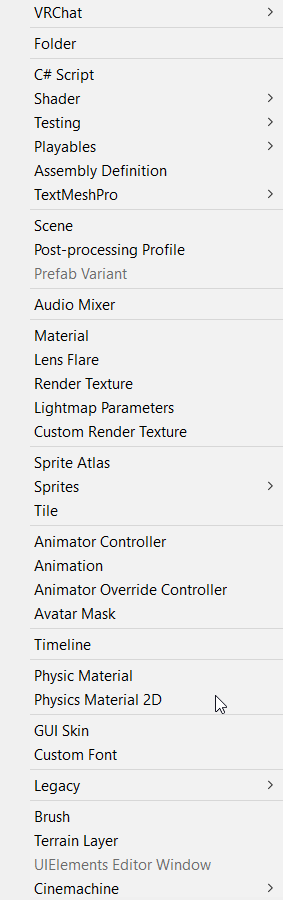
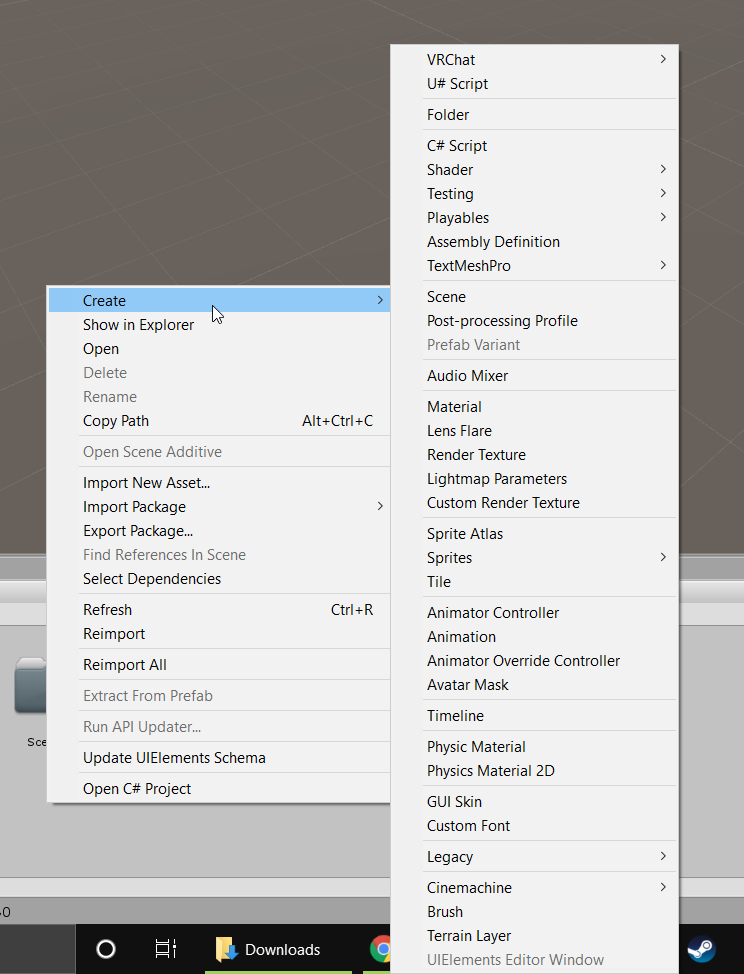
For some reason I don't have a "create U# Script" option which sucks but whatever, guess I'll be doing that manually
Ah, that's not going to work
Well why the heck don't I have a U# Script option in my create menu 🤔
fading cipher
I think it has something to do with the newest release because it mentions that it added "immutable" and unity's giving me an error on that https://i.imgur.com/50cvr3m.png
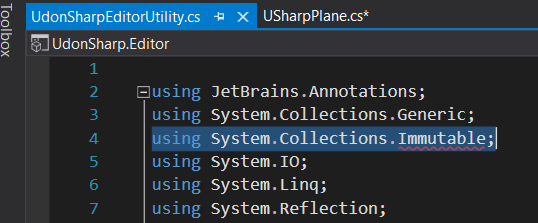
So I guess I'll just use the next working version down

tf is going on lol
Yep, downgrading fixed it
native estuary
If you updated to the latest sdk you also need to update udon sharp and follow the update instructions
fading cipher
I started my project out with the newest version of the SDK, then added the newest UdonSharp, and got errors as shown above regarding System.Collections.Immutable not existing, and that was completely breaking U# so I couldn't even use any of the "Create U# script" stuff that should've shown up in the Create menu
For whatever reason that namespace doesn't exist for me, so I need to downgrade so the main UdonSharp script doesn't try to reference that namespace
Ah shit, guess something's still broken after all https://i.imgur.com/pEi1hdB.png
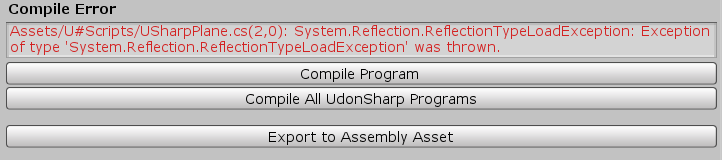
I wonder if I didn't downgrade far enough
fading cipher
Ima just look into this later. Some sort of dll is old or corrupt and I need to replace it to get immutable working, but idk which dll the namespace comes from
 blissful galleon
My udon script is throwing an exception in the test build, but I'm unable to replicate it in the editor (Even after replacing all the variables dependent on LocalPlayer). All the test build console tells me is that there was an exception and that it was halted. Is there a way I can debug this better?
floral dove
blissful galleon
My udon script is throwing an exception in the test build, but I'm unable to rep...
there should be a little more information about what halted it - like an Exception or some other information
blissful galleon
I just noticed the expand button on the top left of the console, I've got it
grizzled trout
so i have kinda a odd question, i want to do a simple "ride" thing hop in the boat push a button the boat dives one one place to the other. i got it all kinda working but but when i am in it and it is going everthing shakes,i kinda know slowing it down helps but is there anything else i can do to make it not so jettery?
fading cipher
lol I'm also still stuck trying to figure out why I'm getting these weird missing namespace issues on UdonSharp. Maybe I'll just make a new Unity Project and see if it still happens...
YEEEEEEES https://i.imgur.com/MIb0xX4.png
new project worked so screw the old one I guess
fading cipher
aight, udon sharp works flawlessly, sad I can't make enums yet but I'll just make them the ugly way if I ever need them (hello hella bools!)
 valid basin
is it possible to read VRC server time in order to sync a timer over network? How is it done?
paper plinth
Network.time maybe?
paper plinth
Ask on the forums, this is a world development help channel
That was in response to a DELETED MESSAGE
unborn hornet
DateTime class afaik
 serene moat
Network.GetServerTimeInSeconds() - The time the server has been running (the server is usually running for much longer than the instance, so this can be multiple days of time in many cases)
Network.GetServerTimeInMilliseconds() - The server time in milliseconds returned as an int, this will often overflow and turn negative
Network.GetNetworkDateTime() - The UTC time that the server reports
 quartz lagoon
Hi, I'm wondering ... I managed to get my avatar into VRChat, but it was not the right size for what I wanted ... So I made another one to correct that ... My question is: ** Is it possible ** (and if so how) ** to remove the old personal avavtars so as not to accumulate them in VRChat so as not to get lost in the choice?** 🤔
 gleaming charm
@quartz lagoon wrong channel for this, but yes, in the sdk there's a content manager tab that let's you manage and delete your uploads
quartz lagoon
Can you direct me to the right channel please? I do my best to understand and translate English by google translate ... 😰
So, you said that "in the sdk, there is a content manager tab that allows you to manage and delete your downloads" ... The sdk is what, is it unity software? Where is it concretely and what is the name so that I can find my way in all this? I can't find a youtube video explaining how we can handle this kind of situation, just how to import the avatars, but not how to handle them ... 😥
floral dove
quartz lagoon
Can you direct me to the right channel please? I do my best to understand and tr...
in Unity, open Menu > VRChat SDK > Show Control Panel, click on "Content Manager" tab:
dusk lance
serene moat
`Network.GetServerTimeInSeconds()` - The time the server has been running (the s...
Thank you for this timely comment. Now I need to change something in my world jam project so it doesn’t break when server time goes negative.
quartz lagoon
Thank you for your answer, but it's too late ... I understood from the previous message to fend for myself ... So, to remedy the situation, I delete the account to create a new one and start all over again just for that ... It's okay, I understand that the game is under development and that my experience with several others will help inspire developers to improve the game for the better... 😉 💖
floral dove
quartz lagoon
Thank you for your answer, but it's too late ... I understood from the previous ...
It's a very simple remedy - we have a 'Delete' button in the Content Manager that you can use to easily delete an Avatar you've uploaded.
quartz lagoon
I didn't find it, sorry ... A simple red x in the corners would have been easier for a lost person like me, but hey ... What's done is done ... We manage as we can according to our knowledge ... Thank you anyway! 😕
unborn hornet
CC @shut patrol
Continuing from showoff.
What about drawing something and having the high fidelity version streamed to the other clients so they all see the same thing? For example my pens produce more points of ink on the local than remote due to it being IK based. One could conceivably use the unet to stream the higher fidelity list of ink points (vector3[] basically) so that the remote users get all the drawing details instead of the lerp'd IK created points.
 shut patrol
unborn hornet
CC <@496020285745659904>
Continuing from showoff.
What about drawing something...
shut patrol
unborn hornet
CC <@496020285745659904>
Continuing from showoff.
What about drawing something...
Yeah, an interesting idea, I already had thoughts on how to implement it. Synchronizing the entire drawing for a new player can take a long time, so I will make an example only with the synchronization of new points.
unborn hornet
You could do an 1024bit black/white pixel grid maybe. Cheat a bit by only using the binary values (0/1) to send the data, but large enough to require multiple passes to ensure pixel order, or whatever.
shut patrol
unborn hornet
You could do an 1024bit black/white pixel grid maybe. Cheat a bit by only using ...
I don't quite understand what you mean
fading cipher
Does anyone know of a tutorial out there for UdonSharp that shows how to do things like bone tracking or attaching items to player bones, etc?
I'm aware that these are the Udon way to do it, but I need a way to translate this to sharp e.e
https://aws1.discourse-cdn.com/business5/uploads/vrchat/original/1X/6b2af0e242fc22169974a42265da31921d8d3156.png
https://aws1.discourse-cdn.com/business5/uploads/vrchat/original/1X/3c47d115c06aac98c66d3c725d2623edd02dc1b4.png

 floral dove
fading cipher
Does anyone know of a tutorial out there for UdonSharp that shows how to do thin...
floral dove
fading cipher
Does anyone know of a tutorial out there for UdonSharp that shows how to do thin...
for UdonSharp support, see their official wiki and Discord: https://github.com/MerlinVR/UdonSharp/wiki
dapper lion
there is... but i can’t remember exactly what i wrote to slap stuff to bones but if you looks up “udonsharp bone tracker handright” a notes website will appear
floral dove
FYI it will generally be the same calls in U# as the names of the nodes - like VRCPlayerApi.GetBonePosition()
if you use an IDE, it should offer autocomplete for this stuff
fading cipher
I kinda figured it would be, but my understanding of even basic Udon is very nothing because I can't possibly fathom trying to blocks-ify C# lol
dapper lion
preferibly, if its something that helps vr users more than quest or desktop, you should also specify it to only attach things to bones for br users
could try python. udonpython exists but I don’t know if anyone here knows how to do python anymore lol
serene moat
 obtuse shell
I cannot comprehend why you can't use Parameters on NetworkEvent. It basically means anytime you try todo something advanced with udon u get smacked down, and have to build hack upon hack to do what you want. It's extremely frusturating
obtuse shell
Like I see Networking.RPC but it is just like not exposed for some reason ;-;
copper ocean
Speaking of VRC.API, did anyone ever release reference material for what is available?
Last I checked, there wasn't any documentation
fiery yoke
copper ocean
Speaking of VRC.API, did anyone ever release reference material for what is avai...
What do you mean with "VRC.API"?
copper ocean
Sorry, like player API and any other Udon specific items
grizzled trout
Can someone point me in the path of a working keypad guide?everthing i find seemse to be out of date
 placid niche
I am trying to run an animation through U# and it's telling me that animations aren't supported yet... anyone have a workaround..?
serene moat
You're looking for Animator, not Animation
Animation is the deprecated way to do animations which isn't exposed to Udon
placid niche
@serene moat Can you help me rq? I think I almost got it but im stuck
If I put an Animator on my script, it won't let me add an Animator Controller type object onto it like it should be. My Animator Controller is called "Elevator"
public Animator animator; this only lets me put GameObjects in its place...
But what I need is a type of .controller
serene moat
the Animator component should allow you to put an animation controller on it, if you're having trouble there Unity has tutorials on how to use Animators
placid niche
Yes, my animator has the animations on it.
but it wont let me put this animator into my Animator field.
serene moat
then you're good, you reference the animator component, not the animation controller from Udon
placid niche
    public Animator animator;

    private void Interact() {
        animator.SetBool("GoingUp", false);
    }
Oh...
.
I think im just dumb..
@serene moat Is there a way to interact with UdonBehavior buttons while in play mode in scene view?
serene moat
UdonBehaviour buttons?
serene moat
what kind of button though?
 serene moat
I mean if you want to trigger the interact, you can click the button that says Trigger Interact...
placid niche
wow im smart..
Not working, is there some kind of sin against using private void Interact()? @serene moat
serene moat
no
placid niche
Apparently im just dumb or something, button isn't doing anything for me
floral dove
obtuse shell
I cannot comprehend why you can't use Parameters on NetworkEvent. It basically m...
It's because it would allocate memory every time you do it, which causes hitching, especially on Quest. We're working on a solution that will do this with as little allocation as possible but it's a ways out.
floral dove
copper ocean
Sorry, like player API and any other Udon specific items
VRChat
You can interact with Players in your world through the VRCPlayerApi. Each Player has a VRCPlayerApi Object, and your world fires the OnPlayerJoined / OnPlayerLeft events on any UdonBehaviours that listen for them when a player joins or leaves. This page includes info on using some general nodes. Si...
copper ocean
I feel silly now that I didn't find this myself. Thanks again Momo
 chilly crater
Is it possible to get the children of a game object, and then enable any of them if they are disabled?
copper ocean
chilly crater
Is it possible to get the children of a game object, and then enable any of them...
If you are using Udon#, you could use something like:
ParentGameObject.transform.GetChild (0).gameObject.SetActive(true);
(0) being which child object you are trying to reference (0 = 1st in hierarchy, 1 = 2nd, 2 = 3rd, etc.)
chilly crater
I want to be able to send an event that would interate over all children and enable what isn't active in hierarchy.
Okay, I got this. How would I go about adding an object to this array on start?
I THINK I got it...
I would probably only change the set active to be a network event
obtuse shell
floral dove
It's because it would allocate memory every time you do it, which causes hitchin...
Thanks for taking the time to reply makes more sense with that context 👍
floral dove
Sure thing! I know there's lots of things that seem really simple on the surface (like JUST ADD LISTS). There's usually a reason for it - and if it's not obvious, then it's probably performance or security 😄
 grizzled oak
can anyone tell me how to make the portals used in Udons Portal world? i want to make a police box that is bigger on the inside and those portals would work perfectly
blissful galleon
I'm trying to implement custom movement physics into my world and I'm encountering a problem where the player seems to "rub" against the floor plane causing either stuttery movement or for them to just slow down. The floor plane already has a frictionless physics material, and the problem seems to to persist even with extremely simplified code & no gravity. Does anyone have any ideas as to what might be causing this?
dapper lion
@grizzled oak so like a panosphere shader to make it look like youre entering a bigger room that then teleports you to the actual bigger room?
grizzled oak
dapper lion
<@!318762411324735488> so like a panosphere shader to make it look like youre en...
I want it to function just like the Udon Portal world if you've ever been there
 stark adder
I am still kinda waiting for the new sync system 🙂 But I understand It is estimated to be coming in weeks not months so i'd guess 50 weeks ? What's VRChat Dev's estimate ?
||(Not necessary yours as I understand that this might not be your area of expertise)||
stark adder
unborn hornet
<:vrcSoon:364881022422089728>
xD Yep 
But I mean 10 years is also within weeks
Just.. only 520 weeks..
unborn hornet
Lol I'm reminded of an a quote.
Want to estimate something? Take a guess (eg: 2 days) then double it (4 days) then up the unit (4 weeks). That's how long it'll take.
unborn hornet
But I'd say "within weeks" would mean sometime in Q2.
stark adder
hm probably Q4
unborn hornet
Now up the unit
stark adder
lol Q4 2022
unborn hornet

stark adder
or up the unit so after years we have decades
Or up the unit even more ? to centuries ?
unborn hornet
well after a quarter would be a semi
stark adder
😄
unborn hornet
Anyways.
stark adder
Also I guess we shouldn't forget it was 4-5 months ago they said "within weeks" so yea you might be right Q2.. Just.. Which year
unborn hornet
🤷 It'll come out when it comes out, and we shall rejoice with fervor as we learn all the newest quirks of udon. Till then, I'm trying to uphold patience as a virtue.
stark adder
floral dove
how about this - I think open beta for the new sync system is less than 4 weeks away...
unborn hornet
👀 ooh nice. Please do take the time needed for it to be solid tho. I don't want it to seem like we are pressuring you too much with our hype/joking around. 😇
stark adder
floral dove
how about this - I think open beta for the new sync system is less than 4 weeks ...
WOW! If that's actually true this time.. I think I'm gonna go have a drink and celebrate
stark adder
unborn hornet
👀 ooh nice. Please do take the time needed for it to be solid tho. I don't want...
Agreed but would be nice seeing it at least in Open Beta even if it stays there for month.. So we can play around with it in there and get ready for actual release
And the main reason why I was kinda joking around and trying to get somewhat of a status/ETA or whatever is that this was last time I have heard anything about the sync update.. On the 9/23/2020 and since then literally not a single mention of it
unborn hornet
There's been a lot of soon™ talk recently.
floral dove
unborn hornet
👀 ooh nice. Please do take the time needed for it to be solid tho. I don't want...
I appreciate that. We're excited to get it out as well, once it's ready for a lot of people to bang on it.
unborn hornet
We gonna make hardened steel out of that quality iron. Teamwork makes the virtual dream work.
 wet ridge
I'm working on my Home Udon world and I got the mirror toggles to work, however the box colliders is a little off from the button. Even tho it's right on spot on Unity. Any idea what the cause is?
 dull stream
How would I go about some more advanced movement mechanics that don't just change variables on the player?
Do I create some kind of class that has a reference to a player and handles variables, cooldowns etc and instantiate it for every player?
dull stream
And how would I add a behaviour to a player, or do I have to have one object that handles everyone
 steel nova
new sync update 
fiery yoke
dull stream
Do I create some kind of class that has a reference to a player and handles vari...
You still need help?
dull stream
Sure
Just casually trying to wrap my head around how these things are handled
@fiery yoke
fiery yoke
@dull stream So first of all custom locomotiom in Udon is somewhat limited. The best method is using PlayerAPI.SetVelocity, however you need to account for geavity, which is easiest to do by just PlayerAPI.SetGravityStrenght to some epsilon
dull stream
That's kinda what I expected
Which is fine
I'm wondering how to handle things like player input making things happen. Do I just have one big handler object that has all the logic and somehow takes input from a player or do I have a list of handlers each corresponding to a player
Or can I actually attach udon behaviours to players
fiery yoke
Every player should only act upon themselves, so a local object handling them should suffice
paper plinth
@dull stream there's a cool prefab for input handling so you don't have to clutter up your main script with it
From buttons and such
In terms of handling the effects of that input you can use custom events to sequence operations between and across scripts
But you can do that however you want
dull stream
I see
What input handling prefab is it?
Also, how do I make a class to hold data to use as a variable. If I have a class that doesn't inherit from anything I get told it's not supported
Does it have to inherit from something to work
using udon sharp
Don't tell me inheritance is not supported as without it code would be pretty cluttered
dull stream
oof, wiki says it doesn't, that's lame
paper plinth
@dull stream ok I am now in front of a PC and I can look up the lonk, soz ^ ^
https://ask.vrchat.com/t/vr-controller-input-tool-for-known-universal-axis-axes-buttons/3997
and that's the link

VRChat Ask Forum
This is a tool I made using the known “universal” axis… or is it axes idk… names from the google doc https://docs.google.com/spreadsheets/d/1_iF0NjJniTnQn-knCjb5nLh6rlLfW_QKM19wtSW_S9w/ It allows you to grab the UdonBehaviour from anywhere in the project & access the controller input variables inside of it! The tool gets Primary(Left) & Second...
now, when I implemented this, I used it as a cheat sheet and essentially copied his logic into my main script
this was incorrect procedure
it clutters up your script and the editor can't handle it
you should implement it the way he tells you to
fiery yoke
dull stream
Also, how do I make a class to hold data to use as a variable. If I have a class...
OOP in Udon is sort of possible but rather restricted and very different from normal C#.
dull stream
paper plinth
https://ask.vrchat.com/t/vr-controller-input-tool-for-known-universal-axis-axes-...
Thanks!
dull stream
fiery yoke
OOP in Udon is sort of possible but rather restricted and very different from no...
Yeah, I read up on it. It's ok, just means I have to dump everything into one class and have it be cluttered
I wanted to make a state machine type thing so each state has it's fields contained within
void ridge
paper plinth
https://ask.vrchat.com/t/vr-controller-input-tool-for-known-universal-axis-axes-...
Oh, sweet, that link and the doc it links to is super useful. @twilit breach probably could have used this:
https://docs.google.com/spreadsheets/d/1_iF0NjJniTnQn-knCjb5nLh6rlLfW_QKM19wtSW_S9w/edit#gid=0

Google Docs
VR controller summary
This page is a combination of the other pages. These
inputs are verified to work on every known controller, and
in cases where they don't an alternative is provided.,Use this world to test:
 candid wolf
Right this is driving me insane and I can't really find an answer...
I'm trying to make it so when you use a station you'll get into a custom pose.
I've got 2 types of stations,
Station A should have it so the arms get locked in the pose as well, but they can still use their hands and gestures.
Station B allows for arm tracking and gestures.
Right now I have 2 animation clips where 1 moves the arms into position and the other doesn't use arms at all.
But, regardless of this when testing, I can still move my arms in Station A, and both station A and B break my gestures, despite neither of the animations using any hand related bones.
What both controllers look like
animation and properties of Station B
Properties of Station A
I've tried googling it, but I honestly have no real clue why gestures are breaking in the first place, since not using an animation controller does allow for gestures
(also the avatar used to test is an SDK2 avatar, I know SDK3 has issues with stations)
 glossy hornet
is there a way in udon to detect the viewpoint / bone / height of an avatar interacting with an object? i thought about multiple triggerzones on top of each other but i was hoping for a "cleaner" solution
pallid mango
If you have their head position and root position it’s Vector3.Distance for the two
 queen panther
Look up unity c# tutorials
steady palm
want I need it, an animator, to be synced with everyone, including late joiners as well.
@queen panther as if I haven't done that already
queen panther
You'd be surprised how little effort most people put in before asking questions. I apologize for misassuming
steady palm
using UdonSharp;
using UnityEngine;
using VRC.SDKBase;
using VRC.Udon;

public class GlobalToggleAnimator : UdonSharpBehaviour
    {
        public Animator toggleObject;

        [UdonSynced]
        bool isEnabledGlobal;
        bool isEnabledLocal;

        private void Start()
        {
            isEnabledGlobal = isEnabledLocal;
        }

        public override void OnDeserialization()
        {
            if (!Networking.IsOwner(gameObject))
            {
                toggleObject.SetBool("SkyPortStatus", isEnabledGlobal);
                isEnabledLocal = isEnabledGlobal;
                Debug.Log(isEnabledGlobal);
            }
        }

        public override void OnPreSerialization()
        {
            isEnabledGlobal = isEnabledLocal;
        }

        public override void Interact()
        {
            if (!Networking.IsOwner(gameObject))
                Networking.SetOwner(Networking.LocalPlayer, gameObject);

            isEnabledLocal = isEnabledGlobal = !isEnabledGlobal;
            toggleObject.SetBool("SkyPortStatus", isEnabledLocal);
            Debug.Log(isEnabledGlobal);
        }
}``` is the current code, not really working and debugging is bleh@queen panther accepted and agreed 😉
SkyPortStatus is the perm
candid wolf
@steady palm there currently is no way to sync animations in udon. it's a planned feature.
you can however sync the position of objects
another option is using animation parameters and just syncing the parameter (which is possible with U#)
and having late joiners just update their animators using the parameter
steady palm
just syncing the parameter I think that's what I've been trying to do so far
it's that I have a moving stage, that can be normal level, or higher up. I just need it synced with everyone whom is in the instance, and enters late
candid wolf
I'm not talking about syncing the animator, that's not possible, I'm talking about syncing a int for the animation state
you can just tell an animator in unity to play a certain animation clip as well
steady palm
able to show me how please?
 candid wolf
    public Animator _animator;
    [UdonSynced]
    public int _animation_state = 0;

    public override void OnSpawn()
    {
        switch (_animation_state)
        {
            case 0:
                _animator.Play("OpenSkyPort");
                break;

            case 1:
                _animator.Play("CloseSkyPort");
                break;

            default:
                _animator.Play("Wait";
                break;
        }
}```when a user interacts with the button or whatever, you just send a network event to have everyone update their animators
steady palm
even as a late joiner?
candid wolf
late joiners will update it because of the OnSpawn() event
steady palm
using UnityEngine;
using VRC.SDKBase;
using VRC.Udon;

public class GlobalToggleAnimator : UdonSharpBehaviour
    {
    public Animator _animator;
    [UdonSynced]
    public int _animation_state = 0;

    public override void OnSpawn()
    {
        switch (_animation_state)
        {
            case 0:
                _animator.Play("OpenSkyPort");
                break;

            case 1:
                _animator.Play("CloseSkyPort");
                break;

            default:
                _animator.Play("Wait";
                break;
        }
}```this is correct?
candid wolf
that'll only update the animator's state for late joiners and it's just an example, also I obviously made a typo in the mock code
steady palm
sorry for asking, able to fix the typo and have it for late joiners and as well as those currently in the instance?
would greatly be thankful 🙂
candid wolf
for late joiners, you just need to update the animator to the current state, in this example, I put 3 states.
The animation itself will de-sync since it'll animate after the others started but it's better than being in a wrong state.
for those that are already there you can just do what you're already doing, or you can send a network event to tell them to use the animation state and play the animation
steady palm
ah, de-sync is fine, as long as it's up, or down for everyone
the code I sent wasn't working right (the fist one)
candid wolf
Also, I'm writing it as an example so you can learn, I won't write your code for you 🙂
just add an csharp [UdonSynced] public int _animation_state = 0;
so you know across all users what the animator's current animation state is
and then do something with that int to trigger the right animation
as I've shown you can use
_animator.Play("OpenSkyPort");```to directly tell the animator what clip to play
steady palm
thank you
steady palm
fixed the typo 😛
there were two even 😉
looks like it's finally synced, just need to test on late joiners
pallid mango
Can we just directly set active animator states via udon? Forget about preset transition logic and just control it with script?
candid wolf
Not really, we can tell it to play an animation and stuff, but it's all translation magic because we can only sync primitive types (ints, bools and floats)
can't even sync strings easily
pallid mango
I see. But it works locally?
candid wolf
well locally you can just do what you want to with the animator, except from modifying the state when it's attached to a player
pallid mango
Cool. I’m not too worried about syncing. It’s deterministic and will run for everyone
 simple furnace
I have an Udon question that I couldn't find the answer for: If I have an udon behavior to synchronize position on a parent, will that impact all the child items under it independently? Or do I need to have a separate udon behavior to sync position on each child item? For context: I have a table with items that people can grab, and all the items are parented under the table. I want to know if it's simpler to just put the sync behavior on the table instead of each of the children.
floral dove
candid wolf
can't even sync strings easily
synced strings are definitely supported
fiery yoke
As long as theyre are less than some x long
floral dove
simple furnace
I have an Udon question that I couldn't find the answer for: If I have an udon b...
all objects underneath a synced parent will move with the parent
candid wolf
While I'm here, I'll repeat my earlier question. Anyone know how to make it so I can still use my hand gestures while using a custom animation on a station? I can't really find any clarity how the "default" controller is setup when you don't assign one. And not having any hand bones/finger in the animation doesn't seem to do the trick either... (Also, I'm not certain if this issue is only with udon stations or not)
simple furnace
floral dove
all objects underneath a synced parent will move with the parent
Thank you!
pallid mango
candid wolf
While I'm here, I'll repeat my earlier question. Anyone know how to make it so I...
It’s probably not included in the world SDK (not sure) but the avatar SDK has a copy of all the default controllers that get used when not overridden
It’s called AV3 Hand Layer, minus some formatting
candid wolf
that'd be useful, if it wasn't an AV2 avatar having the issue
using the "fixed chair" prefab as a guide line from splinks does allow for gestures, but those are the ones set by the chair itself instead of the player's gestures
 misty void
how long to own upload avatar
candid wolf
are you asking how long it takes for an avatar to upload, or till you can upload an avatar yourself?...
misty void
both
 ionic gyro
misty void
both
ionic gyro
misty void
both
you need to have a rank of at least New User to upload avatars
candid wolf
and there's no clear way to rank up. It can be a couple days or a couple weeks in VRC
Just hang out with people, talk to them, visit public worlds etc.
fading cipher
Be wholesome
candid wolf
VRChat
The VRChat Trust and Safety system is a new extension of the currently-implemented VRChat Trust system. It is designed to keep users safe from nuisance users using things like screen-space shaders, loud sounds or microphones, visually noisy or malicious particle effects, and other methods that some...
As for the time it takes to upload an avatar itself, if it's already rigged and stuff, couple minutes
granted vrc's servers aren't catching fire
pallid mango
fading cipher
*Be wholesome*
This tbh.
The devs won’t say how it works, but I will. Tupper is everywhere, taking notes. He upgrades everyone manually.
He has a big spreadsheet, like he used to for world performance.
He’s basically Santa
fiery yoke
Coal = Ban?
void ridge
Tupper kept a spreadsheet for world perf? I'd like to see that 😂
floral dove
pallid mango
The devs won’t say how it works, but I will. Tupper is everywhere, taking notes....
this is hopefully obvious that it's a joke from context, but just in case - this is not how any of this works
void ridge
This morning I looked into my bowl of cereal and I saw Tupper staring back
always watching
 fiery yoke
That is a reoccuring problem. Sadly very generic.
chilly crater
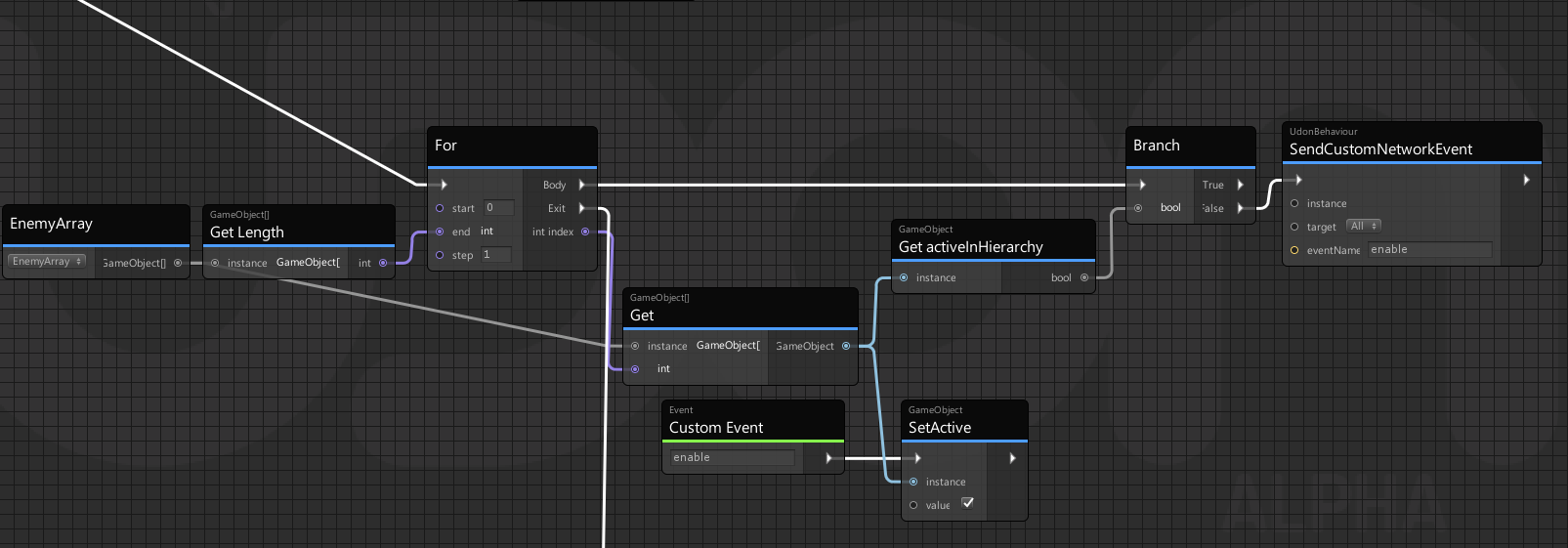
"Failed to refresh program 'roundStart' due to exception 'System.Collections.GenericKeynotFoundException',
Ah, so I didn't do anything wrong?
 fiery yoke
No matter what you did, that error should not appear.
chilly crater
Ah
But seriously though, did I implement the array properly?
I have a start event to set the array
unborn hornet
candid wolf
and there's no clear way to rank up. It can be a couple days or a couple weeks i...
When a measurement becomes a target, it ceases to be a measurement.
pallid mango
floral dove
this is hopefully obvious that it's a joke from context, but just in case - *thi...
Right, right. It was completely a joke. I made it all up. exaggerated wink
unborn hornet

pallid mango
chilly crater
I have a start event to set the array
I could be wrong about this, but you're looking for a Gameobject with a component of type Gameobject?
pallid mango
ok yeah GetComponentsInChildren gives you an array of Components, rather than the game objects themselves
chilly crater
Thank God, I thought I did something wrong.
First time doing an array.
Is there an easier way?
pallid mango
GetComponentsInChildren is the correct function
Well, usually I look for the component type Transform
Since all gameobjects will have one. Child gameobjects aren't considered components of the parent gameobject
At least I don't think they are, since a gameobject can only have one component of each type
I would change "GameObject Type" to "Transform Type"
then you can just do a for
pallid mango
Yes from a transform type you can get it's gameobject and then get isActive
chilly crater
I'm loving arrays already
paper plinth
do not
 noble pagoda
hello
how i replace VRC_ObjectSync in udon?
all i want do is pickup a simple cube
and other players can see i pick it up
dapper lion
@noble pagoda instead of vrc_objsync, add a udon behavior and tell it to do "sync position"
dapper lion
np
pallid mango
"Force Non-VR doesn't seem to work in the SDK, VRC starts up on my headset regardless
copper ocean
Sneaky less than ideal work around is loading two instances and closing the first one that opens in VR
floral dove
pallid mango
"Force Non-VR doesn't seem to work in the SDK, VRC starts up on my headset regar...
check step 3 here: https://docs.vrchat.com/docs/using-build-test#setting-up-your-settings
copper ocean
Momo over here just proving that I need to find time to sit down and read through this documentation lol
pallid mango
Me: I’m good. I know how things work.
Also me: How do I do this obvious thing on the first page of the documentation?
copper ocean
Relatable
void ridge
I feel personally attacked
unborn hornet
But actually tho
stark adder
When is Dždždždždž getting fixed.. ?
void ridge
Bee patient 🐝
void ridge
If an object has multiple Collider components, is OnCollisionEnter passed for a collision on any of them?
stark adder
floral dove
how about this - I think open beta for the new sync system is less than 4 weeks ...
Also one thing I am kinda interested in.. Are we getting Networked Events With Parameters in this sync update 🤔
unborn hornet
Pretty sure that was one of the major driving factors of the sync update.
Though not "officially" stated, I don't think.
floral dove
stark adder
Also one thing I am kinda interested in.. Are we getting Networked Events With P...
No - Custom Events with Parameters are on the roadmap but will be released separately
stark adder
😢
Really hope that it will come within year atleast though
That's the main thing I am mainly very very interested in..
floral dove
this release will include:
- Sync for Arrays
- New "Manual" Sync style where you control when variable updates are sent across the network
- Improved Late Join
- Immediate SetOwner (you can SetOwner and then change variables right away)
- Approve / Reject changes in ownership
You can use Manual Sync to change a variable and fire off an event when you notice the change for the same effect as an event with a parameter, just a little more work needed and an extra variable to check for changes
stark adder
ARRAYS! FINALLY
unborn hornet
Custom Events with Parameters are on the roadmap but will be released separately
Minor Sadness
New "Manual" Sync style where you control when variable updates are sent across the network
Unbridled overwhelming joy
That's gonna make my pens so much more happy.
 wanton oxide
This is going to be so good
Any changes to how much data it can handle btw?
Cause the fact that synced arrays are going to be a thing makes me think that it can handle more as those are usually quite large
stark adder
unborn hornet
> Custom Events with Parameters are on the roadmap but will be released separat...
Agreed but for me its
Custom Events with Parameters are on the roadmap but will be released separately
Extreme Sadness 😢
Sync for Arrays
Extreme happiness
wanton oxide
floral dove
You can use Manual Sync to change a variable and fire off an event when you noti...
We basically already get events with parameters tho
unborn hornet
I think you need GetRawAxis?
paper plinth
trying that
I've run into it before where I just need to split up the program differently
like apply the scale to a parent gameobject maybe
lmao it's backwards
I knew that didn't make sense but I trusted it
wow you really need to set limits on that scale huh
or you can really crash the world
unborn hornet
lmao scale yeeting
paper plinth
I've got a platform that's 40 up on y and you can stand up there and do stuff to people below
 spark saddle
Has there been any changes to this? Or does anyone know if it's possible to do through U#?
native estuary
Hasn't been any changes yet to what Momo said
spark saddle
Unfortunate, but less work for me
copper ocean
Is there a limit to the number of synced variable per udon behavior
fiery yoke
Technically no. Practically yes.
copper ocean
I think I found a limit of 25 at least with Udon#
 stiff lance
how do i change this to public from owner only?
grizzled trout
i kinda doubt it but anyone known a guide on how to make a keypad https://www.youtube.com/watch?v=mSnLzyRe2Mk&t something like this but that works in sdk 3 and for udon graph . if no guides then maybe a prefab again that works for sdk 3 most i find are for sdk 2 any help

This tutorial shows you how to make 3 different password systems or keypads for your world.
Sorry for another long tutorial...
I'll put this as a note that no one will read, but I ignored the broadcast settings for this system. Everything is broadcast one and will desync for later players except for when something is unlocked. I'll do better ...
 lapis sundial
whats udon
scarlet lake
"Udon is a programming language built completely in-house by the VRChat Development Team. It is designed to be secure, performant, and easy to use via the VRChat Udon Node Graph, a built-in visual programming interface that uses nodes and wires (we call them “noodles”) to connect flow, inputs, and outputs."
fiery yoke
?whatisudon there
 hidden martenBOT
VRChat Udon is a programming language built by the VRChat Development Team for use in VRChat worlds! It enables complex behaviors and logic in VRChat worlds. Read more about Udon in our documentation: https://docs.vrchat.com/docs/what-is-udon
VRChat
What’s this Udon thing anyways? VRChat Udon is a programming language built completely in-house by the VRChat Development Team. It is designed to be secure, performant, and easy to use via the VRChat Udon Node Graph, a built-in visual programming interface that uses nodes and wires (we call them “no...
dull stream
How can I get the player facing direction?
Since I can't get transform.forward
So I know how to push the player forward and not up if they look up or down
playerApi.GetRotation().eulerAngles.normalized returns (0, 1, 0)
fiery yoke
dull stream
playerApi.GetRotation().eulerAngles.normalized returns (0, 1, 0)
Try playerApi.GetRotation() * Vector3.forward instead.
dull stream
thanks
scarlet lake
is it possible to sync the location of moving objects?
my world has a dropship that takes players from one map area to another, but it doesnt sync, does anyone know a way to sync it?
the dropship uses a long animation that it plays on loop to move about
by sync i mean like so its in the same spot for every player
harsh magnet
Right now the recommended way to sync animations is to send a custom network event from the master that tells all clients to start playing the same animation
It's an unbuffered request though, so late joiners will have to be caught up somehow. Maybe get your current animation frame and update the late joiners
scarlet lake
ill figure something out
first though i need to get more familiar with UDON
as i have only recently started world making
placing objects was easy as i already did that on my avatars
its the setting up toggles and stuff i am working on, and trying to get my mirrors to work
for now the Desynced dropship shouldnt be a issue
i can just add extra seats to it
so then players can board wherever they are
i mean it does look cool
paper plinth
I have a platform that uses rotatearound, there are seats on it, and you can get there through a teleporter. There's also a "walkable vehicle" that someone made that updates the player's position as long as they're in the collider.
 smoky tiger
What's Udon??
fiery yoke
?whatisudon
hidden martenBOT
VRChat Udon is a programming language built by the VRChat Development Team for use in VRChat worlds! It enables complex behaviors and logic in VRChat worlds. Read more about Udon in our documentation: https://docs.vrchat.com/docs/what-is-udon
VRChat
What’s this Udon thing anyways? VRChat Udon is a programming language built completely in-house by the VRChat Development Team. It is designed to be secure, performant, and easy to use via the VRChat Udon Node Graph, a built-in visual programming interface that uses nodes and wires (we call them “no...
fiery yoke
We really need that bot...
fiery yoke
No. Just a language. The game engine is still Unity.
fiery yoke
All explained in that link...
smoky tiger
Hhumm nope
grizzled oak
Does anyone know how to make the portals used in Udons Portal world?
scarlet lake
paper plinth
I have a platform that uses rotatearound, there are seats on it, and you can get...
thats cool, i am still new to udon so i can only make toggles
lol
the dropship just uses an animation that also incudes a seat, soon to be several seats
 haughty carbon
How can I get Visual Studio Code to auto-complete statements?
grizzled trout
i kinda doubt it but anyone known a guide on how to make a keypad https://www.youtube.com/watch?v=mSnLzyRe2Mk&t something like this but that works in sdk 3 and for udon graph . if no guides then maybe a prefab again that works for sdk 3 most i find are for sdk 2 any help will be welcome . ps i am rather new so i dont know much
This tutorial shows you how to make 3 different password systems or keypads for your world.
Sorry for another long tutorial...
I'll put this as a note that no one will read, but I ignored the broadcast settings for this system. Everything is broadcast one and will desync for later players except for when something is unlocked. I'll do better ...
paper plinth
is there a way to call that highlight effect that happens on interact?
void ridge
heck
my graph editor just bugged out and none of the nodes I placed appear. The assembly code still says a bunch of stuff, so the graph asset has stuff in it apparently. I just can't see or interact with any of it
Closed and re-opened the editor, it's still like that
Anyone seen this and have a fix?
dusk lance
grizzled trout
i kinda doubt it but anyone known a guide on how to make a keypad https://www.y...
If you check the Prefab database, there are a few keypad options in udon. Make sure to select the udon tab
https://vrcprefabs.com/browse
grizzled trout
dusk lance
If you check the Prefab database, there are a few keypad options in udon. Make s...
thanks i thought i cheked that befor but now i see it
paper plinth
@void ridge select all and copy-paste hoping the objects/entities are still there and a new graph will reset whatever you did?
void ridge
Doesn't work. In the meantime, I reproduced it. Trying to drag a TextMesh component to create a new public variable does it 100%
Graph seems to be unrecoverable. Copied it, restarted Unity, reloaded, checked the compile
Pretty brutal. Gonna write it up on Canny.
scarlet lake
just saw in some settings with UDON that animation sync or something is on the way
i saw it on my side panel but grayed out
and that its coming soon
void ridge
 edgy moss
I'm trying to create a trigger zone that when the player walks through it, the other players can then hear them from far away 1) does this look like it should work or am I missing something? 2) how do i make a graph so that instead of making the distance change on Enter and the gain change on Exit, they both change on Enter? thank you!
paper plinth
you could declare gain and far as public variables first of all so you can change them in the inspector
you can add as many nodes as the editor allows too
so if you want to change everything on enter and change it all back on exit you can do that
void ridge
edgy moss
I'm trying to create a trigger zone that when the player walks through it, the o...
I'm pretty sure you want to remove the isLocal filter for these.
Each connected player, in their own local simulation, needs to set this property for the player who entered the trigger
Setting your own voice properties does nothing, I believe, since you can't hear yourself. These nodes define how other players are heard for the local player.
Make sure you're referring to this doc: https://docs.vrchat.com/docs/player-audio
This sets the end of the range for **hearing **the user's voice. Default is 25 meters. You can lower this to make another player's voice not travel as far...
how do i make a graph so that instead of making the distance change on Enter and the gain change on Exit, they both change on Enter?
Just string together the execution flow noodles. Output the execution arrow from the SetVoiceDistanceFar node into the execution input arrow on the SetVoiceGain node. Also, I'm not convinced you should actually be using the SetVoiceGain node. At least test that carefully before you explode someone's eardrums please 😄
dusk lance
edgy moss
I'm trying to create a trigger zone that when the player walks through it, the o...
What Joker said is right. Remove the is local and branch checks and set voice distance far and gain for both enter and exit of any player. On enter you should set distance high and gain low, and on exit you should set them back to default. The doc Joker linked also has the default values.
dusk lance
void ridge
> how do i make a graph so that instead of making the distance change on Enter a...
Phasedragon did tests when these options were added to the sdk. If you increase the far distance, you should also decrease the gain by the same multiple. So if you multiply far by 4, divide the gain by 4, otherwise the person would be way too loud in your ear.
edgy moss
sooo helpful, thank thank you for taking the time to explain these things. you not only answered my questions, but ones i didn't even ask but didn't know i didn't know. i appreciate y'all : ]
@dusk lance @void ridge @paper plinth
dusk lance
Maybe not exactly the same values, but here is his tweet on it
https://twitter.com/Phasedragoon/status/1321252784688173056

PSA for anybody messing with the new #madewithudon voice settings: if you're going to increase voice range, you need to also decrease voice gain so that people don't get their eardrums blown out. Default is 25 far/15 gain. if you want 100 far, use 5 gain. 1000 far, use 0 gain.
 Twitter
·
edgy moss
dusk lance
Maybe not exactly the same values, but here is his tweet on it
https://twitter.c...
Twitter
·
edgy moss
dusk lance
Maybe not exactly the same values, but here is his tweet on it
https://twitter.c...
that's actually where i got my start with this! thanks
 vast locust
Hello everyone, I have a udon question
I have a cube and a slider
(---o---)
[]
The slider has a script to make this cube bigger
(-----o-)
[ ]
When a player changes the slider so the cube changes size, I want everyone in the world to be able to see it.
Do I just set it as "Synchronize position" or how do I update the Cube size value for everyone?
Since everyone will see the same changes the slider maybe should have Synchronize position on it?
vast locust
The cube itself has Rigidbody and VRC Pickup (If that helps)
scarlet lake
i made a slider for volume in my world but when ever i move left or right the slider move does anyone know how to fix this.
vast locust
scarlet lake
i made a slider for volume in my world but when ever i move left or right the sl...
Does it move for everyone? Because this is exactly what I want above ^
scarlet lake
no its local
unborn hornet
@scarlet lake would need more info/description on the problem.
@vast locust you'd probably want to use a synced variable that when the slider updates, a custom event fires which fetches the value of the slider component and update the cube's size immediately, then assigns that value to the synced variable (make sure the person who updates is the owner of the object via Networking -> SetOwner). Then in an OnDeserialization event, you would again update the cube's size as needed.
OnDeserialization only runs for non-owners, which is why you would update the size in two logical places. Once for the owner, and once for the rest.
There are more efficient ways of doing that probably, but what I described is the lowest barrier of entry for syncing such a thing.
vast locust
I currently use "SliderUpdate()"
Do you think this syncs over players?
I haven't tested it with anyone, I am still in unity testing
Looks like this
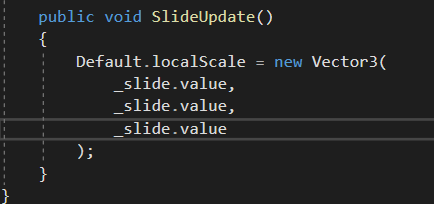
Default is the Cube
scarlet lake
so i have a slider and when i click it, it works perfectly fine but when i press a or d it the slider goes up and down
im guessing my game think a and d is part of the slider
unborn hornet
vast locust
I currently use "SliderUpdate()"
Do you think this syncs over players?
Everything in udon is local only by default, including the slider's value. VRC sync's player position, player IK (avatar stuffs) and object positions (when the checkbox on udonbehaviors for it are ticked). You need to sync the slider's value explicitly via [UdonSynced] fields (since you are using U#). I'll draft a sample script to demo what I mean for your use case.
scarlet lake
it seem in my world the a key lowers the slider and the d key increases the slider does anyone know how to fix this.
unborn hornet
easy fix. In the inspector set the "Navigation" dropdown to none.
Recommend doing that for every UI component.
void ridge
Yep, I continually trip over that even though I know to look for it. Easiest thing to forget 🙄
Probably smart to just start using a prefab pack of UI stuff configured that way instead of spawning UI stuff with the editor menu.
scarlet lake
its already set to none
unborn hornet
Can we get a screenshot for a visual? It'll help.
unborn hornet
🤔 not sure why that wouldn't stop that problem from occurring, cause it is the exact source of the issue. The whole point of the navigation is keyboard adjustment of UI elements.
Uh.... try saving the project and close/reopen unity?
scarlet lake
i found the problem it was the send navigation events
unborn hornet
ah. fair enough. still puzzled as to why disabling navigation on the component didn't fix it, but 🤷 whatever works, works.
 glossy sky
Quick question: For an OnStationEntered, is it public? Was wondering because I wanted for a text to update with the players name upon entering a seat.
cunning mist
By Public, are you asking if OnStationEnter fires for every user? I believe so, but that would be something good to check.
unborn hornet
Yes. It provides a VRCPlayerApi reference for the player that triggered the station.
cunning mist
So in OnStationEnter, just grab the player variable it gives you and get the values Display name, and just put that string for your UI Text. OnStationExit, just set it to be an empty string or like "Empty" or something.
 vernal maple
Animator question time. Is there a way to fire a Udon Behavior event from the animation timeline?
glossy sky
Alright, thank you both for answering it~!
 jolly garnet
what is udon
 harsh pulsar
?whatisudon
hidden martenBOT
VRChat Udon is a programming language built by the VRChat Development Team for use in VRChat worlds! It enables complex behaviors and logic in VRChat worlds. Read more about Udon in our documentation: https://docs.vrchat.com/docs/what-is-udon
VRChat
What’s this Udon thing anyways? VRChat Udon is a programming language built completely in-house by the VRChat Development Team. It is designed to be secure, performant, and easy to use via the VRChat Udon Node Graph, a built-in visual programming interface that uses nodes and wires (we call them “no...
 rocky vortex
how do you get user on vrchat, it says im 'verypoor' and i dont know what that means.
 frosty oxide
Thats your performance rating user is a trust level
rocky vortex
what do you mean.
says im a visitor and verypoor, i have been playing the game for 2 weeks now.
frosty oxide
Making avatars and worlds, visiting worlds, adding friends as well total time spent in VR chat all contribute to your trust rating
frosty oxide
the very poor part is how taxing the avatar your in is on yours and others pc
Unity 3D and VRC SDK
frosty oxide
VRChat
Before getting started ensure you have a Unity project with the SDK set up. Step 1 - Find a model Arguably the most important part, you must find a 3D model to be used as your avatar. As this is your first avatar we recommend getting one from the Unity Asset Store as they usually come fully rigged ...
rocky vortex
is there a limit for friends adding?
frosty oxide
um im not sure I havent run into a limit yet and i add pretty much everyone
rocky vortex
alright
void ridge
yeah the search can be a bit fiddly
you probably needed to type 'bool' before 'const,' or else you had 'search on selected node' enabled and didn't realize you have a node selected
it's powerful if you're aware of all the narrowing it's doing kind of invisibly, but it's easy to miss
scarlet lake
How do you get thry editor to work on udon?
my poiyomi looks broken
less of a udon question but its world related, are the visisble squares of light around the campfire
visible in vrc?
i tried using a script to make my fire flicker but it didnt work, so instead i made the particles emit light themselves
but now theres an annoying square thats visible
scarlet lake
scarlet lake
How do you get thry editor to work on udon?
had same issue before.. you'll have to make a new project and put all your stuff back in to fix that unfortunately.
also make sure that you're using the latest Poiyomi Shaders & VRChat SDK
scarlet lake
@scarlet lake i have this problem every single time
Its always been this way
Even in fresh projects
And i have the latest sdk and poiyomi
huh, I don't seem to have any issue with it though :/ just imported it a while ago to my world and no errors
Oof ;-;
Unity version?
scarlet lake
2018.4.20
frosty oxide
I have a global toggle but it doesn't work for late joiners how do I sync it for everyone?
This is what i tried have no idea if this is even close
 tribal meadow
Yes THAT! I was about to ask the same question...It's preventing me from getting any progress on this project...how do you do that?
Someone who joins late, gets the default value, instead of the value everyone else is seeing.
Here's what I have...very close to yours I think
frosty oxide
how
scarlet lake
I have a pickup in my world - when I pick it up it teleports such that i'm always holding it at this corner. I have Exact Grip disabled and there's a big ol box collider on it so I'm not sure why it's doing it. How do i make it such that I can grab it anywhere (and not have the pickup move to force my grip position)?
i can't @ you for some reason Arkiak - I only know Udonsharp so I can't tell you, but I presume it's a checkbox somewhere in the udon graph on the variable you wanna sync, or something
tribal meadow
I'm having the same problem with sync variables, I cannot find any documentation on how to do it
frosty oxide
I saw somewhere that variables only sync for the world master
tribal meadow
I read that too, which won't work for what I'm trying to do ( a door lock)
frosty oxide
The Default pickup seems to work fine for me dont lock to a specific spot on the object
paper plinth
yes delete the componenets and readd
paper plinth
you could have the mesh imported with the origin in a weird place and it's screwing you up?
I don't know if that even applies to sdk3
tribal meadow
Just an idea, but I see your object isn't completely square, what if you made a few different invisible objects attached to your object so you can adjust the boxes to be closer to the actual shape of the object?
and one more stupid question then....what do the three choices mean when you are setting the variable as synced?
frosty oxide
From what i saw linear and smoothed only apply to things that can have a variety of values, so none should be fine for a bool cause it can oly be on or off
tribal meadow
ok, that's probably going to be related to my next question/problem but I'm completely lost at how to create a variable other than bool. (say I have 5 or 6 buttons to change the background, but I only want one of those choices to be active at a time)
I'm probably approaching the whole thing incorrectly. Basically I have an object acting as a background that I want users to be able to change the colour/material on the object via selectable buttons.
right now I just have a button that turns an object on and off, but if you have more than one of them on at a time, you get both showing up and it looks awful
frosty oxide
When you press one of the buttons to be on toggle all the other backgrounds off the repeat the same for each button
tribal meadow
aah ok...that would work
frosty oxide
or you should be able to change the colour through udon or even the texture
tribal meadow
I would love to have a slider to change colours but so far it looks like you would have to have three sliders (R G and B) to do that
frosty oxide
probably
cunning mist
I haven't explored it myself, but if there's the node SHVToRGB, than you can use the slider to adjust the hue and simply feed it that value. Just not at my pc right now.
tribal meadow
oh interesting....I'll check that out
scarlet lake
why does the origin of the pickup actually matter though?
i don't want the pickup grip position to be fixed
i should be able to grab any spot on the pickup's collider
unborn hornet
When on desktop, the pickup rotates around the origin.
scarlet lake
i'm on vr
unless i'm being a dumdum
lemme check
i am not a dumdum, thankfully
it seems like if i grab it near its origin, it lets me grab exactly where my hand is
beyond a distance, it will teleport the origin to my hand when i grab it
i can move the origin but i'd still rather be able to grab anywhere on its collider
i'll try nesting it in another gameobject
vast locust
I updated my SDK3 world to the latest but now I get 1000+ error messages,
Did I do something wrong?
What I did:
Delete "Udon" folder in project
Import new SDK
Delete UdonSharp
Import latest from Github
 native estuary
Did you also do the required update step for latest udon sharp?
vast locust
I deleted the /plugin folder
I thought maybe Cyanemu doesn't work with it so I have also deleted that one
native estuary
CyanEmu has no problems with the latest versions
Might want to just restart the editor
vast locust
native estuary
Might want to just restart the editor
Just restarted Unity,
After clicking 'Play' the error messages seem to have been fixed
Well, I went from 999+ to 5
Is it possible to find what causes this?
 native estuary
Does it show any more info when selecting?
vast locust
[<color=yellow>UdonBehaviour</color>] An exception occurred during Udon execution, this UdonBehaviour will be halted.
VRC.Udon.VM.UdonVMException: The VM encountered an error!
Exception Message:
  An exception occurred during EXTERN to 'VRCSDKBaseVRCPlayerApi.__GetTrackingData__VRCSDKBaseVRCPlayerApiTrackingDataType__VRCSDKBaseVRCPlayerApiTrackingData'.
      Parameter Addresses: 0x00000028, 0x00000010, 0x00000022
You removed cyanemu so those errors happen because there is no player to get that data from anymore
vast locust
Oh I see, So publishing a world so there are players there would remove these errors?
native estuary
If there isn't any other problems in your code
vast locust
native estuary
If there isn't any other problems in your code
Perfect, Thank you so much, Should have tried to restart Unity but now I know to next time!!
 left elk
Sorry for maybe a stupid question,
I saw the new Beta SDK3 and was thinking that I should update my world to it, I am not going to change anything or use the new Udon functions that is added,
Can I still publish my world to VRChat (Public world) or will it break? I didn't understand this part
paper plinth
if you just remove sdk2 and add sdk3 and try to publish, it might break because nothing you added for sdk2 will work
if you haven't done anything really advanced in sdk2 though it's trivial to put your world in sdk3
change the vrcchairs
dusk lance
vast locust
Oh I see, So publishing a world so there are players there would remove these er...
If you are uploading/publishing a world in unity, CyanEmu is disabled and you will see errors trying to access the player.
paper plinth
Joker or anyone who is doing levers I found udon levers and hinges.

VRChat Ask Forum
A non physics based hinge using Udon, you can use it for doors, hinges, levers, etc. https://youtu.be/GAsZvTPqkm4 Features: Door, lever and chest example Event and program variable for angle changed Custom min max angle Audio on grab, drop, tick Haptics playing whilst grabbed Issues: Networking might have some issues, haven’t tested it...
fiery yoke
I was working on some physics based stuff like that as well a while ago, but lost motivation to publish it, mainly due to weird bugs in Udon and general disinterest.
left elk
paper plinth
if you just remove sdk2 and add sdk3 and try to publish, it might break because ...
My world is SDK3 / Udon now, But I was meaning in reference to the Beta SDK
 patent iron
https://media.discordapp.net/attachments/706176505457147945/810590140861906984/unknown.png how to get this node
 paper plinth
oh sry
I had one that was super old and I had to go through the process of deleting all that stuff and reimporting it but that's only happened once
that appears to be a variable called LocalPlayer
hold ctrl and drag to set variables
patent iron
thank you very much
scarlet lake
Is a saving system possible with Udon? or would a password system similar to old NES games be the only way?
paper plinth
last time this was asked the password system was the way
I wonder if you could integrate a QR code builder
void ridge
or just a big alphanumeric hash that you can copypasta into an input field
fiery yoke
Its just math / physics :P
jolly garnet
what is udon
fiery yoke
?whatisudon
hidden martenBOT
VRChat Udon is a programming language built by the VRChat Development Team for use in VRChat worlds! It enables complex behaviors and logic in VRChat worlds. Read more about Udon in our documentation: https://docs.vrchat.com/docs/what-is-udon
VRChat
What’s this Udon thing anyways? VRChat Udon is a programming language built completely in-house by the VRChat Development Team. It is designed to be secure, performant, and easy to use via the VRChat Udon Node Graph, a built-in visual programming interface that uses nodes and wires (we call them “no...
jolly garnet
well thanks
paper plinth
Can I get the player somehow from the interact event?
fiery yoke
Interact is always local. So just use Networking.LocalPlayer
paper plinth
noice
 somber hawk
Is there a way to create a VRCUrl in udon graph? I'm attempting to have a button set the text of a VRCInputField by calling it's SetUrl method but I have a string and don't know how to cast it to the expected type
fiery yoke
somber hawk
Is there a way to create a VRCUrl in udon graph? I'm attempting to have a button...
By design you cannot. This is a security feature so you cannot "export" data at runtime from the VRC client via a Web Request
somber hawk
Oh interesting, so does that mean there's no way to dynamically compute a URL and get it into the proper type via a script/graph?
fiery yoke
somber hawk
Oh interesting, so does that mean there's no way to dynamically compute a URL an...
No, you can only do that while in the editor.
somber hawk
fiery yoke
No, you can only do that while in the editor.
one more follow up on this, does that mean it's not possible to create a virtual keyboard that would interact with the VRCUrlInputField? I'd like to have something like that for quest
fiery yoke
No thats totally possible. The VRCUrlInputField is specifically designed so it can construct VRCUrls at runtime.
scarlet lake
i cannot wait for the udon animation sync, the transport ships desync is a little annoying now
my only fix is to make it toggleable by the world master
aka the session creator
but idk how to do that yet
just learnt how to make buttons
fiery yoke
That terminology is incorrect. The world master is not necessarily the same that created an instance.
And you check for mastership using VRCPlayerApi.IsMaster
somber hawk
fiery yoke
No thats totally possible. The VRCUrlInputField is specifically designed so it *...
Oh cool, do you happen to know which API on VRCUrlInputField you would use to do that?
I don't see anything that looks like it would update the value other than VRCUrlInputField.SetUrl which does work, but since I can't construct a VRCUrl programmatically I don't see how I'd use that to append a character. Looking through the setters also doesn't look to have anything. Maybe setting the text component directly?
scarlet lake
does the master get determined by who first joins?
fiery yoke
scarlet lake
does the master get determined by who first joins?
No. Its defined by whos been in the instance the longest.
I didnt mean to publish this yet, but I guess now is as good a time as any:
https://docs.google.com/document/d/1PuqqbIalSNLvOISgVyRKtPOHY-8i6ZH6vLJTTIF9rAc/edit?usp=sharing
Some kind of "what means what" I wrote. Its not complete yet.

Google Docs
VRChat Creator Glossary - written by TheHelpfulHelper Disclaimer: This document is not officially affiliated with VRChat and should only be used as guidance. I am also not a member or part of the VRChat Team. Some of the terminology or information might be outdated, inaccurate or misleading. Us...
scarlet lake
ohhh
so thats how they did it
it makes sence as technically whoever joined first would have the longest time
fiery yoke
Yes. precisely.
scarlet lake
then the 2nd longest user gets master when they leave
fiery yoke
This is farely typical P2P stuff btw.
scarlet lake
yeah
i started world creation relatively recently
i kinda just used my knowledge of avatar creation to make the physical world
the rest of the stuff like seats and buttons have been an adventure to learn
fiery yoke
somber hawk
Oh cool, do you happen to know which API on VRCUrlInputField you would use to do...
There should be something like "InputField.GetURL" I think...
somber hawk
Yeah that exists for getting it the current value but the challenge I'm having is how to modify it without the ability to manually create/modify a VRCUrl since it doesn't expose much in it's API
fiery yoke
Ahh right. I see where youre coming from now. Yeah you cannot do that then.
somber hawk
Awh damn, I was wondering why none of the video players had keyboards for quest users and figured there must be a reason, I suppose this is it 🙂
somber hawk
I just uploaded a really basic world, just a plane and a video player with some buttons, and it works fine on desktop but when I hop into VR something is wrong with the right eye. The left one is fine but the right is really dark to where you can't really see the world, but when I hold up the menu it shows up fine in that eye.
Any idea what would cause this?
fiery yoke
That is a known problem and it has something to do with going between pc and quest builds. Not sure exactly what since thats not my area.
somber hawk
Ah yeah I did convert between PC and Quest. Is the workaround to have separate projects for each?
fiery yoke
There is something called "Easy Quest Switch" made by the user "Jordo". You should be able to google for their GitHub repo and stuff should be explained in there.
paper plinth
Where is TextMesh? I need to change the text with a script...
I need to access my textmesh component
or do I have to use like ui text?
paper plinth
ok I used a canvas lol
though I couldn't figure out how to put the node in for set text
void ridge
paper plinth
Where is TextMesh? I need to change the text with a script...
I learned yesterday the hard way that you can't access the TextMesh component from Udon right now. I couldn't manage to create that type of variable, and if you drag & drop it makes your graph unrecoverable https://feedback.vrchat.com/vrchat-udon-closed-alpha-bugs/p/dragging-a-textmesh-component-onto-graph-makes-it-unusable-and-unrecoverable
So yeah, use a text element of a canvas
paper plinth
oh yeah I remember you were jacking with that
floral dove
void ridge
I learned yesterday the hard way that you can't access the TextMesh component fr...
can you Undo to recover from this state? Ctrl+Z
paper plinth
I had to copy and paste the node from another graph
for text.get text
I mean
set text
I didn't see it anywhere in the list of nodes
void ridge
floral dove
can you Undo to recover from this state? Ctrl+Z
I didn't try that, sorry. My guess is no
Well, that's a silly guess actually since I don't know how undo handles stuff
I'll try it
floral dove
paper plinth
I didn't see it anywhere in the list of nodes
it's listed under UIText, but it's there
you can also drag and drop a given component into the graph to make sure you get the right type (UIText, in this case). Just make sure the public variables points to the component you want.
void ridge
floral dove
can you Undo to recover from this state? Ctrl+Z
You're right, Ctrl+Z does recover the graph, thanks for that. Still kind of a nasty issue
floral dove
Yeah - need to handle unsupported components better (ie not try to make failing nodes for them). TextMesh is not supported.
placid niche
Hey so I am using U#, I am using the same script for multiple things (deck of cards and the button to reset them). How can I send a custom event so when you click the deck of cards it does one thing, if you click the reset button it does another?
placid niche
paper plinth
I wonder if the guy making the dj deck wants these sliders and dials
referring to me?
paper plinth
yeah are you doing sliders and such?
if so I'll rip yours off when it drops lol
my sliders and dials are based on interact and then up and down on the right thumbstick
placid niche
Most of its for looks but I gotta do a lot of ui crap for putting in urls and stuff
placid niche
indeed
Ill probably make this green button start/stop the music tho
and UI slider for volume level
paper plinth
that's a pretty badass asset
placid niche
thanks it took me like 5 hrs total lol
Got my laptop and launchpads too, wires connecting it all..
Anyway, I need to add an object to an array dynamically and can't figure it out
 long fiber
What is correct usage of NavMeshAgent and Pickup?
I'm making a cat
For now I disable NavMeshAgent on pickup but it does not reenable on drop
Also probably not VRChat SDK issue, but how to make gravitation working with NavMeshAgent? At least after on drop till touching the ground
somber hawk
fiery yoke
There is something called "Easy Quest Switch" made by the user "Jordo". You shou...
I've installed this and looked at it a bit but not sure how it's supposed to fix this, it seems like it gives you an easy way to manage different settings between build targets, but I'm not seeing how it helps with this issue yet. Is there some settings I'm supposed to manually tweak for the quest build to fix the broken right eye issue?
I've done some further testing and it looks like the PCVR version is fine, it's just when I convert to the android build and upload that the right eye is broken.
placid niche
Anyone know how to add an object to an array?
fiery yoke
Yeah you simply dont switch targets from the SDK but instead use EQS. Again Im not versed in how this works @stuck mountain can you help?
long fiber
placid niche
Anyone know how to add an object to an array?
Adding to array is not possible. You can only set it by index
native estuary
EQS doesn't really provide a solution for the build switching it's just more for managing the differences but you should be using the built in build settings menu from unity instead of pressing the sdk button
https://docs.unity3d.com/2018.4/Documentation/Manual/BuildSettings.html
native estuary
Do you have them on the default layer?
long fiber
Do you need to add? Or just fixed length array is enough?
native estuary
Like UI I think, if you have them on there you can only click them while you have your quick menu out
placid niche
They are on default
placid niche
long fiber
Do you need to add? Or just fixed length array is enough?
Need to add to it, if I dont define a size does it not matter?

    public void resetAllCards() {
        foreach(GameObject spawnedCard in spawnedCards) {
            Destroy(spawnedCard);
        }
    }
Well, the amount of objects in the array will never go over 260 so that should be a fine length.
long fiber
Then you just need to find the first null
somber hawk
native estuary
EQS doesn't really provide a solution for the build switching it's just more for...
Ooh this worked! Just changed the platform via File -> Build Settings, uploaded, and the eye is fine now 😄
 vivid prism
is there a function for detecting all players in an instance?
 vital hearth
For a psudo-world save, would it be possible so have udon record a player id, attach a key to it and save it to a file/site so when you load into the world, a script checks the id, scans the file/site, gets the attached key, and is able to unlock certain events in the world using the key?
cunning mist
The best I've seen for saving your world state is a system Demkeys made, though it requires the user to save a string of their information in a text document on their own computer and paste that in to load.
https://github.com/Demkeys/VirtualFileSystem
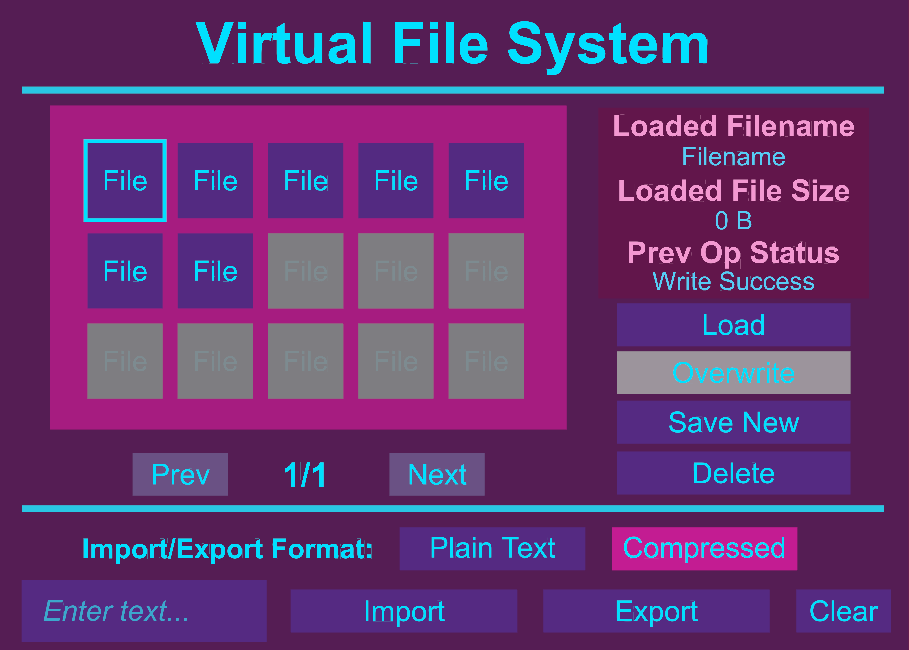
GitHub
A virtual file system made to work with Udon in VRChat. - Demkeys/VirtualFileSystem
harsh magnet
cunning mist
The best I've seen for saving your world state is a system Demkeys made, though ...
This is awesome, I was just thinking about a stateful system in Udon
 quick basin
Anyone know how I would change a video To a specific URL using a button in Udon?
Tried to figure it out for awhile
somber hawk
quick basin
Anyone know how I would change a video To a specific URL using a button in Udon?
I literally just started messing with building worlds today but I had to do this and did get it working, here's how my graph is set up when using the prefab synced video.
You attach this to a button, set the video URL on it, set the udonbehavior and url input, and then wire up the OnClick handler to send the PlayVideo event to itself (the button).
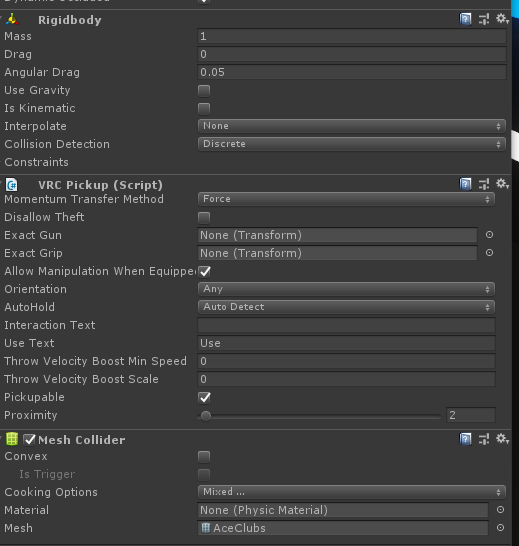 native estuary
Your console should be telling you why as well, rigidbodies don't support non convex mesh colliders
placid niche
what an absolute legend
Another thing...
I am trying to add items to my array like so
private GameObject[] spawnedCards = new GameObject[260];

    private void spawnCard(GameObject randomCard)
    {
        VRCInstantiate(randomCard);
        randomCard.transform.position = spawnLocation.position;
        randomCard.transform.rotation = spawnLocation.rotation;

        spawnedCards[currentCardIndex] = randomCard;
        currentCardIndex++;
    }
But when I try to delete the object, nothing happens and I get an error saying something about the item at that index is null (0)
ArgumentException: Object at index 0 is null
UnityEditor.SerializedObject..ctor (UnityEngine.Object[] objs, UnityEngine.Object context) (at C:/buildslave/unity/build/Editor/Mono/SerializedObject.bindings.cs:39)
UnityEditor.Editor.GetSerializedObjectInternal () (at C:/buildslave/unity/build/Editor/Mono/Inspector/Editor.cs:526)
UnityEditor.Editor.get_serializedObject () (at C:/buildslave/unity/build/Editor/Mono/Inspector/Editor.cs:433)
VRC.Udon.Editor.UdonBehaviourEditor.OnEnable () (at Assets/Udon/Editor/UdonBehaviourEditor.cs:24)
VRCInstantiate returns an object.
What you pass in is just the template for the returned object.
placid niche
unborn hornet
VRCInstantiate returns an object.
Sooo then
spawnedCards[currentCardIndex] = VRCInstantiate(randomCard);?
Also having an issue where my card objects fall through the world the second they spawn. The object they are on top of has a mesh collider
unborn hornet
Yea. Or you can var obj = VRCInstantiate(randomCard); if you want to use a shorter variable name.
placid niche
alright
unborn hornet
Double check the placement/spacing of any related colliders.
placid niche
Do they maybe need box colliders instead of mesh?
they're playing cards, very thin..
unborn hornet
Box collider would be preferred yes.
placid niche
Also is it possible to use your TouchToggles with UIs?
unborn hornet
Mesh colliders on pickups are finicky at best, "doesn't work" at worst.
In what way?
placid niche
Well, UIs you have to click to interact, with your script you just touch them
im migrating to UIs instead of modeled buttons
unborn hornet
Well the touch toggles are an independent component that will send an event off to the udon behavior you desire, similar to the UI's need to use SendCustomEvent for a click.
My asset simply adds more configuration/setup options with a bit less setup than UI buttons.
If you would like specific assistance working with my touch controls asset, I can DM you my server link and we can chat over there.
placid niche
Sure, I have used the TouchToggle script but having it work with UIs would be cool.
 granite patio
what’s a map code for a amusement park?
placid niche
I need to access public GameObject[] spawnedCards = new GameObject[260]; from inside of another script..how can I do this
public class ResetDeck : UdonSharpBehaviour
{

    public GameObject cardDeck;
    private UdonBehaviour _udonBehavior;
    private GameObject[] _spawnedCards;
    void Start()
    {
        _udonBehavior = (UdonBehaviour) cardDeck.GetComponent(typeof(UdonBehaviour));

    }
}
 smoky fossil
Hey so im having trouble getting a reset button on chess board to work. It has no compile errors and doesn't throw any at runtime. Its meant to put the pieces back to empty's where the original pieces go, Help? it just doesnt reset
placid niche
Trying to access my spawnedCards with _udonBehavior.spawnedCards but it doesnt work
placid niche
https://pastebin.com/raw/uvF7RSF4 "Index array out of bounds" when trying to set array[0] to an object..but the array is 260..
smoky fossil
placid niche
https://pastebin.com/raw/uvF7RSF4 "Index array out of bounds" when trying to set...
Whats the full error message?
placid niche
I fixed it by making the field private instead of public
smoky fossil
ah okay
placid niche
Anyone know why Destroy, DestroyObject, or Object.Destroy doesn't destroy my VRCInstantiated Objects??
Maybe you would..? @smoky fossil
(using U#)
smoky fossil
Might need to reference the instanced object? I know c++ i dont know unity that well but that might work?
placid niche
I am, if I print out what object it's going to delete, it shows me and if I click it then it highlights the right object
it just doesnt destroy it
smoky fossil
is there any errors? Also are you sure that the thing that destroys has it selected?
placid niche
No errors, and yeah it puts a yellow outline in the hierarchy around it and like a box in the viewport
smoky fossil
May i get a code snipet?
placid niche
smoky fossil
It might be a bug I have no clue. Also its the last bit right?
placid niche
yeah
smoky fossil
Check to see if the compiled udon graph is using the array version of the DestroyObject
it might just be some random bug with the u# compiler
While it doesnt make sense for that kind of bug to get by it might be worth checking for sanity
smoky fossil
Uhhh huh yeah i honestly have no clue
scarlet lake
i want to have music on my world but i have two songs for two areas, but i cannot get them to stop playing outside of their areas in 2d mode
and if i make them 3d it just ruins them
how can i get them to stop playing when a player leaves that area
smoky fossil
Adjust the sizes of the sphere on the audio source. There is points on the audio sources ui sphere where you can click and drag them to reduce the size
vast locust
Hi!
I experience a bit of lag in my world,
I asked in #world-optimization and got asked to ask here instead,
I don't know Udon stats, but does this look bad?
https://i.imgur.com/mb3PHTu.png
Laggy in both Unity editor and In VRChat
Issue: World is laggy
I investigated with Unity profiler and found this:
https://i.imgur.com/Pym77so.png
https://i.imgur.com/dNFd0j2.png
https://i.imgur.com/9MS6MQC.png
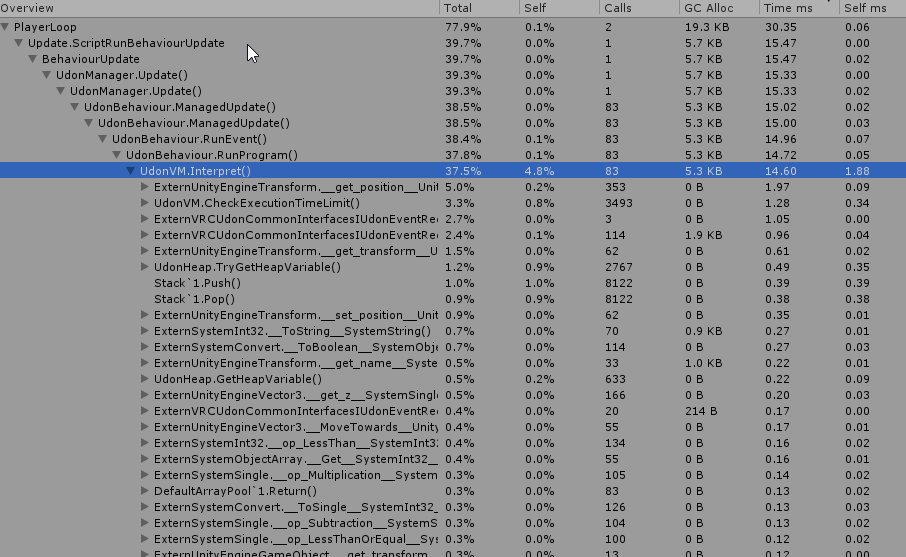




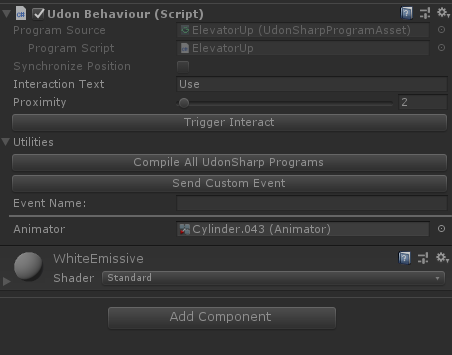


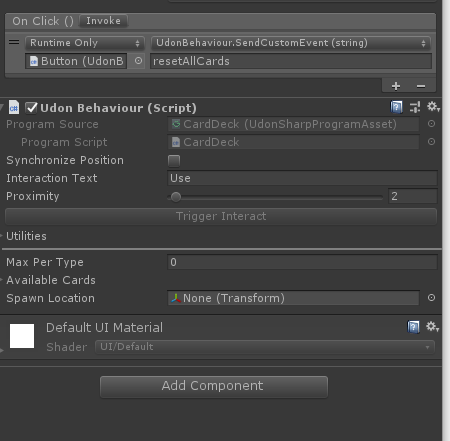
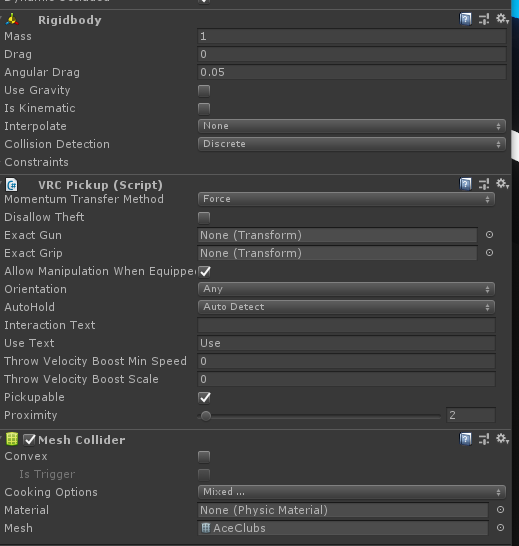


 scarlet lake
i have
the spheres are in the respected areas
but they seem to keep playing when i leave them
smoky fossil
Adjust the max distance in the 3d sound settings drop down
default is 500 try reducing it to maybe like 10 and see if it works
scarlet lake
still hearable everywhere unless i make the sound 3D
smoky fossil
There is 2d audio sources?
scarlet lake
for the music yes
the ambient wind and rain is also 2d but that is because the entire map is rainy
its just the area musics that i want to not play everywhere on the map
the map has two areas
and a ship takes you between them
and each have their own musics for that respected zone
but
i cannot get the music to play equally in your ears for the area
making it sound like theres a speaker or something playing it on map instead of it being there like most ambient music tracks usually are
for now ill just use 3D and use spacial on the map
to get somewhat close to what the 2d version sounds like