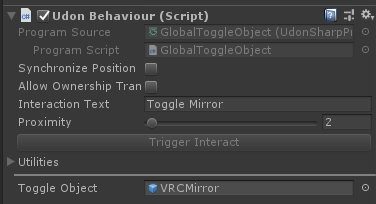
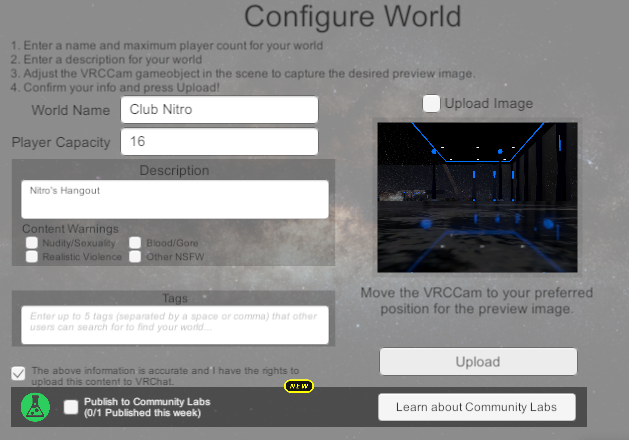
#udon-general
59 messages · Page 42 of 1
 vernal maple
 ionic crest
Trying to make a ui slider that changes the intensity of a light. This doesnt seem to be working ?
wait
give me a minute
yeah no i cant figure it out
 sharp briar
So the documentation for audio says that SetAvatarAudioFarRadius and SetAvatarAudioNearRadius set to 0 would effectively mute avatars, but it only seems to work for your own avatar not others avatars
ionic crest
 void ridge
Saint, thank you I'll try that
void ridge
ionic crest
yeah no i cant figure it out
To be honest, I don't understand what all the options like Slider.value are for 🤔 it doesn't make sense to me why "On Value Changed" could be anything but an event
Hmm yeah, this isn't super enlightening either https://docs.unity3d.com/2018.4/Documentation/Manual/script-Slider.html. Gonna remain confused about that unless someone wants to take a stab at educating me 🗡️
void ridge
sharp briar
So the documentation for audio says that SetAvatarAudioFarRadius and SetAvatarAu...
The node needs a player input in the instance input. How are you using that? You pretty much need to be executing that node once for each player in the World, and for every player who joins.
There's a pretty helpful example script in the SDK examples, which comes with the SDK. Just search for it, it's called "SetAllPlayersMaxAudioDistance"
void ridge
time is meaningless
 paper plinth
"what is day?"
I got animations working
and I got a little ball to bounce up and down to be my teleporter
 gusty garden
Is it possible to change the bone used or interact with that tt input? I've tried everything but nothing seems to work.
void ridge
gusty garden
Is it possible to change the bone used or interact with that tt input? I've trie...
When you click on that "Hips" field, it's a dropdown menu that should expand. Does it not?
gusty garden
It does, but I was wondering how I could change that with the tt input. I wanted to reuse one script on multiple bones instead of making a seperate scripts for all of them.
void ridge
I see, yeah. I'd like to know the answer to that one too
gusty garden
Thats all I see searching for it. Assuming I am missing something?
Op nvm, ive figured it out.
 sick dawn
sharp briar
void ridge
The node needs a player input in the `instance` input. How are you using that? Y...
sick dawn
sharp briar
void ridge
The node needs a player input in the `instance` input. How are you using that? Y...
I was gonna show my graph but I stepped away from my pc. I have a graph that essentially boosts a players audio and it works fine so I recreated it and did all the same stuff but zeroed out for avatar audio
I have, on player stay connected to avatar near, far and gain all set to 0
Theyre connected with the main noodle as well as to the instance ones
It all seems to work but only for the player using the audio
They can't hear their avatar audio anymore
But other players can hear it no problem
void ridge
sharp briar
Theyre connected with the main noodle as well as to the instance ones
So this? (I'm seeing some separate problems with this, but more on that later)
void ridge
Don't worry about it for now
I've got good news and bad news. Bad news is, I don't understand why this doesn't do what you want. Good news is, I can help you improve this in ways you might not care about, but I do 😅
sharp briar
I've tested with global audio and regular avatar audio and it mutes the audio from yourself but doesnt do anything for other players avatar audio
 wet mica
damn, ive been programming for most my life so if i were familiar with the software id be able to help out
void ridge
My understanding of the OnPlayerTrigger events is that they should be executed locally for everybody running that UdonBehaviour, which should be everybody connected. They're not explicitly 'synced,' but all player positions are automatically synced, so a player colliding with the Trigger should be an event that happens globally, in effect.
So I would expect what you have to be working, and if you learn why it isn't, please let me know!
sharp briar
Like I said earlier, I have a similar graph that just boosts player audio and works perfectly
void ridge
..but while we're waiting, three tips:
- You'll save some (probably small) amount of performance resources by using an
OnPlayerTriggerEnternode instead ofOnPlayerTriggerStay, which executes every frame - It seems like you want this player to stop being muted when they exit the Trigger, right? If so, you're going to need an
OnPlayerTriggerExitnode to set their audio properties back to normal - I'm pretty sure you only need to worry about
SetAvatarAudioFarRadius. Setting all three of these to 0 is redundant
void ridge
Oh. Then why not just use OnPlayerJoined?
sharp briar
I thought of using the thing that applies it when you join
But it didn't seem to work at all?
I can try that
I mightve done it wrong the first time I tried
I only did all 3 as a nuclear option cause nothing was working
void ridge
OH, wait a sec. I think maybe I know what the issue is here
Players who join after a player has touched this trigger will never execute an event that lowers earlier players' volumes.
This might also explain the inconsistency you were seeing. With the voice boost script, you were probably the early player to join, and saw later players' voices boosted. But in this case, you're joining late, and you're not getting the update.
This is what I use to set players' audio in my World. I'm .... pretty sure it's correct? 🤷♀️
sharp briar
Sorry I looked away for a sec
void ridge
The top part essentially says "Welcome to this World instance, here's a list of all the players already in here, and I will now tell them all to shut up"
The bottom part says "anyone that joins after you, I will tell them to shut up"
sharp briar
I'm the earlier player for either the player audio and the avatar audio thing but in my testing I get similar results for myself and the other person helping me test
void ridge
Try out what I put above and see if that works
If you want to understand what the first few nodes are doing, check this out:
#udon-general message
Momo explained it to me mere days ago 😅
sharp briar
Momo is gr8
Momo helped me with my initial player audio tho I think I kinda went off the rails a bit
It got me to where I wanted
I can implement this right away but I won't be able to do proper testing till later tonight
 grand temple
@void ridge doing that on start isn't going to work, it's too early
void ridge
rakgakjhakhg
grand temple
But you're doing it all in onplayerjoined so that will work just fine
Because when you join a world that already has players, you still receive all the onplayerjoined events from them
sharp briar
So does like, a quarter of the graph work then?
void ridge
Is it just kind of a general bug that VRCPlayerApi stuff isn't determined until after Start events?
grand temple
Anything regarding networking will not be available on start because that's before you receive any data from the network
Start happens even before the fade from black, and if you have ever joined an instance with a bunch of people sitting around spawn, you will notice that it looks empty for half a second then all of a sudden they all pop in
void ridge
right, yeah.
grand temple
Also don't modify voice radius like that, it's an advanced setting that in most cases shouldn't be touched. It's not about range, it's sort of like the "size" of the sound. For example lightning will reverberate around and sound like its coming from everywhere
Oh wait I think I misread, you're modifying avatar audio that's fine
void ridge
Ohhhh, are you saying that OnPlayerJoined fires for each player that's already connected, as you yourself join, because it counts those people as "joining" even though you're really just starting to receive network data from them?
grand temple
Exactly
void ridge
OK, so I'll call that not super accurately named, but that's good to know
grand temple
If you just want to modify the voice of everybody in the instance permanently and you don't need to change it later on, that's all you need
sharp briar
So I just need that last bit of the graph?
grand temple
Yes
void ridge
 warm cave
So i'm working on a gun prop and im unsure what function i would want to call when a user clicks while holding, currently i tried Interact but that only seems to fire off once a user grabs the item.
 vast locust
So in SDK2 I created a slider to increase the height of my gameobject (A cube as example) by using an animator & slider.
However in UDON this isn't working at all, Exact same stuff, But not working at all.
 fiery yoke
UI Events are filtered in SDK 3. You can however use udon to achieve the same effect. However it is a little more complicated.
 unborn hornet
Not as bad as I expected tbh...
fiery yoke
Around 50% of those are from me :^)
 lethal helm
how do i fix this? it wont let me do anything
unborn hornet
You are looking at the raw asset. To do anything to it, you have to attach it to a game object first.
lethal helm
ah
vast locust
fiery yoke
UI Events are filtered in SDK 3. You can however use udon to achieve the same ef...
But it was so easy in SDK2, Just add slider and animation, Done, Took 1 minute to create,
Any idea how I can do this but in Udon?
fiery yoke
instead of directly setting a value in the OnValueChanged event you do SendCustomEvent to the UdonBehaviour and then the UdonBehaviour reads the value of the Slider. Then you do whatever you want with the value inside of the UdonBehaviour.
 neat acorn
trying to make this lock button so only the Master of the world can interact with it, can someone help me?
unborn hornet
Check for Networking -> get LocalPlayer and PlayerAPI -> IsMaster in your nodes.
IsMaster will output a bool on whether the passed in player (in that case, the local player) is the instance master or not.
 dark raft
Has anybody had an issue where in SDK3, if steamvr is running, every other test build will launch into vrchat desktop mode (and steamvr's desktop game theater)? "Force Non-VR" isn't checked.
 serene moat
yep I've had that exact issue, the only solution atm is to keep your client open between build & tests
I hope someone knows a proper solution
dark raft
well, at least it's not just me.
 fallen chasm
anyone have docs or info on detecting the local players avatar height?
unborn hornet
@dark raft untick this in the VRChat properties (Right click VRChat in your library)
that should fix the issue
@fallen chasm
    private float calculateAvatarHeight(VRCPlayerApi player)
    {
        var head = player.GetBonePosition(HumanBodyBones.Head);
        var neck = player.GetBonePosition(HumanBodyBones.Neck);
        var spine = player.GetBonePosition(HumanBodyBones.Spine);
        var hip = player.GetBonePosition(HumanBodyBones.Hips);
        var knee = player.GetBonePosition(HumanBodyBones.RightLowerLeg);
        var foot = player.GetBonePosition(HumanBodyBones.RightFoot);
        var height =
              Vector3.Distance(head, neck)
            + Vector3.Distance(neck, spine)
            + Vector3.Distance(spine, hip)
            + Vector3.Distance(hip, knee)
            + Vector3.Distance(knee, foot);
        return height;
    }
Not 100% exact, but gets the job done pretty well.
fallen chasm
is that limited to humanoid avatars?
unborn hornet
Oh sorry that's U# lmao. For Udon Graph the nodes are pretty similar in logic.
Yea.
All bone calculations are humanoid limited
dark raft
unborn hornet
<@!447668518628884483> untick this in the VRChat properties (Right click VRChat ...
just tried it, unfortunately still getting the same issue, and the steamvr theater still opens. very weird, especially the consistent every other build thing, like there's some boolean flipping
unborn hornet
no choice on that atm.
fallen chasm
good info either way -- thanks Archi
unborn hornet

fallen chasm
suppose it's possible get the collider size?
~unless that blue pill is just a vrchat visual and not actually a capsule collider
unborn hornet
I'm pretty sure it's always 2m high, regardless? Not sure on that one though, just assumption based on observations when messing around in different avatar sizes.
But actually getting a direct reference to the player collider isn't possible.
fallen chasm
I'm not sure about that -- I've seen ants and pusheens running around that are difficult to target due to how small their pill is.
not sure about that size*
no idea about the collider -- that's why I'm asking here XD
unborn hornet
🤷 like I said, assumptions. Very well could be wrong.
fallen chasm
still, that script you shared should be useful -- I'd like to set up a node graph that raises and lowers a settings panel based on avatar height
might just be limited to humanoids
unborn hornet
Actually... now that I think about it... if the collider is a pill that is scaled based on the avatar height, if the local player's avatar is the only one who's height is actually calculated and applied to the pills, the fact that the remote player's colliders on the local player's client is only a sphere at their feet would 100% make sense....
Holy shit if that's it I just had an epiphany...
Sorry, tangent...
fallen chasm
O.o
unborn hornet
fallen chasm
might just be limited to humanoids
Well for height thing of interaction objects, what probably matters more is where the player's camera is. To get that info would be
PlayerAPI -> GetTrackingData: TrackingDataType.Head
Then do node PlayerAPITrackingData -> get position
you can grab the Y axis off that vector to determine the height of the controls.
fallen chasm
is TrackingDataType.Head looking a a bone, or just tracking data? I know that's probably a really obvious question
unborn hornet
It's the tracking data position for the headset. The bones are not 1to1 mapped to the player tracking data. There are certain limitations for the bones vs tracking data.
fallen chasm
that's promising then -- I have a whole script that appends a target object to my player's feet, would be nice to append it to the "head" wherever it is.
unborn hornet
Yea, that tracking data head position is exactly that.
unborn hornet
PlayerAPITrackingData -> get rotation
Multiply that by Vector3.forward and you have the direction the player's camera is facing.
Or if you just need the Quat, don't worry about that second step
fallen chasm
I think I'm set here -- gotta do a build/test to see
dang...
seems to only work with avatars that have a head bone, even as "tracking data"
but for headed avatars, it works great
oh dang, wait... I still have a 'get bone pos' in there
success
unborn hornet
Yea, literally everyone should have Head tracking data, even desktop.
fallen chasm
this works to append any object to the players head^ (ss replaced, look below)
if anyone else needed something like that
(head bone not required)
thanks for the help Archi
unborn hornet
You can use the same GetTrackingData output node for both rotation and position to save yourself 2 nodes.
unborn hornet
Nice. I'd recommend untangling the noodles a bit for better readability, but that looks good logically.
Unrelated to above. I think I figured out why the following occurs with UI elements:
This occurs when the canvas that the UI belongs to is set to a Sorting Order of greater than 0. Anything 0 or less, the transparency renders correctly for the VRC UI Shape pointer.
Just in case anyone had issues with it.
 dawn oxide
For the topic about about the tracking, how would I set an object to not rotate downwards or upwards if the player looked up or down? I want the rotation to only be set for when the player turns their head left or right
dawn oxide
 craggy flume
Guys, there's no VRC_Trigger anymore in SDK3, what do I do now
 woeful spruce
craggy flume
Guys, there's no VRC_Trigger anymore in SDK3, what do I do now
woeful spruce
craggy flume
Guys, there's no VRC_Trigger anymore in SDK3, what do I do now
Its changed to UDON scripting
With the recent Udon updates, some of the basics have changed, so here's my most basic tutorial redone with the new editor, and not recorded at 2am! If I get enough requests, I'll redo my "Contextual Buttons" video as well, which will give me an excuse to just rename them "Event Buttons" which actually makes sense.
00:00 - Intro
00:20 - Udon Gr...
VRChat
What’s this Udon thing anyways? VRChat Udon is a programming language built completely in-house by the VRChat Development Team. It is designed to be secure, performant, and easy to use via the VRChat Udon Node Graph, a built-in visual programming interface that uses nodes and wires (we call them “no...
vernal maple
Question about Network Events. When you call it on an object, but the script itself is on multiple objects, does every gameObject that has the script also run said code if I did a network event to all players, or just the script attached to that gameObject?
fiery yoke
vernal maple
Question about Network Events. When you call it on an object, but the script it...
You target a specific instance of an UdonBehaviour with each call, so no only that one will receive the event.
vernal maple
Excellent. Many thanks as always. <3
 ebon musk
Does anyone know if its possible to make a player go through an animation upon spawning into a world, like say an ODST Drop or a Titanfall?
 stiff laurel
How can I get a trust rank?
 quaint onyx
can I, and if I can how, create custom classes in udon?
 cunning mist
No custom classes unfortunately.
quaint onyx
ah, that's unfortunate.
cunning mist
Correct lol
quaint onyx
Is there a variable for the player/user/person(not sure what the terminology here is because searching udon get player list on google only gives results for video players) information in the world. Like name, position etc.?
something like base unity hase GameObject variable/class, only specifically for players.
 hoary ocean
it seems, for some reason, animatorcontrollers are blocked from udon, but runtimeanimatorcontrollers are not
is there any way to read/write from parameters in an animation using udon?
 floral dove
quaint onyx
Is there a variable for the player/user/person(not sure what the terminology her...
floral dove
quaint onyx
Is there a variable for the player/user/person(not sure what the terminology her...
VRCPlayerAPI
 native estuary
Well that def is not a udon question <@&397642795457970181>
fiery yoke
That was up surprisingly long
native estuary
It's that time of the weekend I guess
fiery yoke
understandable :D
 flint kite
So i not sure how make roller coaster on udon?
cunning mist
I'd just put some Chairs onto a Cinemachine path thing. Not familiar myself, but I'm sure there's some tutorials for Cinemachine on Youtube somewhere.
neat acorn
not sure how to describe this, but what can I put on a video screen to create emitting light around the screen that would match what is on the screen, like if a video is all green it would make objects etc. around it have a green light.
void ridge
Don't have an answer, but that's a great question. What you're talking about I'd describe as "that thing Bigscreen does that makes it so awesome" 😄
hoary ocean
neat acorn
not sure how to describe this, but what can I put on a video screen to create em...
I believe there is the ability to create a live emissive surface from it, let me see if I can find the theatre world guide
I used it to make a club that has the accents of it entirely made up of a portion of the video playing, for live shows and the like
 scenic rain
what is udon?
neat acorn
sdk3 worlds
 scarlet lake
what the heck is udon
fiery yoke
VRChat
What’s this Udon thing anyways? VRChat Udon is a programming language built completely in-house by the VRChat Development Team. It is designed to be secure, performant, and easy to use via the VRChat Udon Node Graph, a built-in visual programming interface that uses nodes and wires (we call them “no...
unborn hornet
really need that bot... lmao
cunning mist
Maybe put it in the channel description haha
unborn hornet
looool
dawn oxide
So how would I set an object to not rotate downwards or upwards if the player looked up or down? I want the rotation to only be set for when the player turns their head left or right.
This is what currently happens
 teal geyser
dawn oxide
teal geyser
dawn oxide
Only if it's quest compatible if the owner decides to I believe
 steel nova
neat acorn
not sure how to describe this, but what can I put on a video screen to create em...
steel nova
neat acorn
not sure how to describe this, but what can I put on a video screen to create em...
enlighten realtime GI with an udon behavior using UpdateGIMaterials
 placid niche
How could I make a button that activates by clicking OR touching (in vr)?
 dapper lion
@placid niche try architechts touch controls, they seem to fare pretty good
quaint onyx
floral dove
VRCPlayerAPI
Thank you. But if I may notice that the documentation for player api is lacking(I'm using the documentation here: https://docs.vrchat.com/docs/players) Is there some other documentation which is more detailed, or some other ways to find the details about specific functions?
 robust terrace
Hi all! I have placed an object (that can be picked up) in my scene in Unity and it is showing clearly. However, when I do local testing in VRChat the object is not showing. What am I missing?
placid niche
dapper lion
<@!250426565114986509> try architechts touch controls, they seem to fare pretty ...
Where would I find those? I don't see a github
dapper lion
@placid niche me
placid niche
robust terrace
Hi all! I have placed an object (that can be picked up) in my scene in Unity and...
make sure it has a collider on it or it will fall through the world instantly
placid niche
dapper lion
<@!250426565114986509> me
you? 👀
robust terrace
@placid niche Oh! How do I add a collider?
placid niche
Add component
Box/mesh collider
mesh if it's a complex shape, box if a square will suffice
placid niche
No sir
robust terrace
@placid niche So I add that under the main item name, right? Is it literally create an object as the collider?
placid niche
robust terrace
<@!250426565114986509> So I add that under the main item name, right? Is it lite...
Just select the item on left, then add component on the right
box collider, scale box to fit the object
dapper lion
@placid niche check dms
placid niche
box collider
robust terrace
ty! 🙂
robust terrace
@placid niche I must have done something wrong....the object is still not there.....the object is placed on the floor of a room, which I can walk on so I assume has a collider on it
robust terrace
@placid niche Got it! I just added the box collider to the wrong part....ty so much!
placid niche
Np 😄
robust terrace
@placid niche Sorry for another question, but, while I could build and run the world in local test mode, when I try to upload to VRChat and click the "Upload" button, nothing happens. Again, I've probably missed a step....
placid niche
Is the button lit up?
you've uploaded it previously?
it's probably just unity lag/delay
robust terrace
placid niche
search for it in the bottom box
 placid niche
Anywhere yeah
then just make sure it's above the ground or people will spawn underneath your mesh
robust terrace
great! ty so much again Nitro!
placid niche
np 😄
placid niche
hierarchy again
robust terrace
I am learning SO much!!!
placid niche
Supposedly udon doesn't like packed prefabs
robust terrace
unpack prefab completely or just unpack prefab?
placid niche
I believe just unpack
robust terrace
ty!
robust terrace
Still uploading......
@placid niche do the error messages mean anything at this stage?
dapper lion
was that project sdk 2 before?
placid niche
I..dont think so?
robust terrace
No...well, when I first started I installed the avatar SDK3, and then the world SDK3 on top of that, then deleted the folder on my D drive and re-installed the world SDK3 again....everything seems to work ok except for those error messages
I'm re-trying 🙂
Same error messages 😦
dawn oxide
I mean SDK3 and udon should never be in the same project to begin with. Sometimes folders from whichever one like to linger and so error messages get created. Create a new project with udon but do not put sdk3 into it
robust terrace
@dawn oxide So I should not use SDK3 at all for world creation?
dawn oxide
No because SDK3 has to mostly do with Avatars only while Udon is world creation only
But hold on though
robust terrace
@dawn oxide I am a bit confused....the VRChat website seems to indicate that there is an SDK3 for worlds.....the file I downloaded is called "VRCSDK3-WORLD-2020.12.09.04.44_Public"
dawn oxide
That is why I said hold on
So in your particular project, have you ever put in SDK3 Avatars before?
robust terrace
not in this project....I did in another one the other day, but that was separate
dawn oxide
Those error messages you are recieving in the console, have you clicked "Clear" to clear the console of any errors first? If not, any errors you had before tend to stay even when you upload. So you may not even have an issue to begin with depending on if you have already cleared it or not.
robust terrace
@dawn oxide Yes, I did clear about 5 minutes ago....but they came back....and now the upload button is not responding
I think i might start again using all the tips Nitro gave me....make a clean start
dawn oxide
Before doing so, I'm looking more closely on your picture and that screen is wrong, at least to my knowledge, because you never choose tags under content warning.
 zinc scaffold
Ayo friends, a very quick question. On its own, is the Instantiate node synced? Or do I have to throw in some more networking? Looking to sync spawning/destroying objects
robust terrace
@dawn oxide I'm not quite sure what you mean....
dawn oxide
I'll show you right now
robust terrace
ty!
dawn oxide
Solis I wish I knew more about udon itself
zinc scaffold
The pickups themselves have synced position, not sure if that's all I need
dawn oxide
dawn oxide
this is a random world i was doing so its never been published. when you click on build, when this screen is loading do you happen to click publish right away or do you let it load?
robust terrace
ummmm....the only thing I click is "Upload" (other than "Public World" and "The above information is accurate and I have the rights to upload this content to VRChat")
dawn oxide
the reason why i ask is because for me, when everything is loaded up, i took a screenshot of what it looks like if i were to immediately try to publish
robust terrace
So maybe I need to just wait longer do you think?
dawn oxide
perhaps. if not, i can call you in discord if you'd like and screenshare to help you out
robust terrace
ok....ty Shio....just trying one more time then if it doesn't work will start screen share 🙂
dawn oxide
will do
robust terrace
@neon pelican...how do I start screenshare?
dawn oxide
look in dms
robust terrace
looking
 dusk orbit
So I've seen plenty of worlds with a moving platform that people can jump on, and I'm wondering if there'd be some kind if way to code in something so that when a player steps on it it carries them with it, by them inheriting the objects position over delta time added to their current position
zinc scaffold
Revisiting my earlier question, as I've gotten the chance to test:
- How exactly do you sync variables in a way that lets anyone affect it? I've got OnDeserialization -> SetBool for the non-owner side, but it seems like I'm always the owner as the world host, no one else can do it
- Also, how do you sync spawning pickups? A synced GameObject array?
 chilly aspen
vernal maple
Question about Network Events. When you call it on an object, but the script it...
chilly aspen
vernal maple
Question about Network Events. When you call it on an object, but the script it...
Also to expand on this, if you call a network event on a script attached to a gameObject, it will call the function of all udon components attached to that gameObject. For example, say you have 3 unique udon scripts attached to a cube, and each script has a function titled "CustomFunction." A network event call on CustomFunction() will fire for all 3 of those components.
chilly aspen
zinc scaffold
Revisiting my earlier question, as I've gotten the chance to test:
- How exactly...
For the first question, only the owner can directly manipulate the networking variable since all non-owners see what the owners see. To get other players to interact with that variable would require having the player inform the owner of a variable change and having the owner change the variable, or setting yourself the owner and changing the variable directly (higher risk).
For the second question, gameObjects should be pre-populated in the world before runtime. Spawning synced gameObjects during runtime has some odd glitches from personal experience. To create a synced gameObject array, sync the index of where each gameObject appears in the array (the owner of the gameObject would upload the correct data). When the other player gets that index, they put the gameObject in the array locally. Then, the array is synced.
If you'd like to sync more than just the gameObjects indexes in the array, then a networking variable would be created for each piece of information that is to be synced.
vernal maple
chilly aspen
Also to expand on this, if you call a network event on a script attached to a ga...
Thanks for the heads up on that. I know for a fact that question would have come out of me later down the road.
quaint onyx
I have a gun like this in my world, and I would like to allow the player to hold the grip when he is holding the gun, and that the gun looks towards the grip.
I was told by some people in an rp I'm in that they use special script which I can't seem to find(most likely since they are not using udon, I saw couple of scripts missing in my project that udonless projects have)
I tried writing my own script, but it just doesn't seem to work.
What would be the best way to achieve that that works?
also, it's hard to see on the screenshot, but I have a collider on the main handle of the gun(where it's trigger is), and I have an empty GameObject as a child of the gun, which is positioned where grip should be and it has a sphere collider
 outer shoal
Hi, does anybody know a way to use "functions" or "methods" in Udon? I would like to avoid copy pasting the same graphs over and over. Very error-prone... :/
cunning mist
@quaint onyx Set the pickup
's orientation to be Exact Gun
Accidentally hit enter too early lol
But yeah, that will allow you to use the transform you've selected as "Gun" to tell it where to grab. You may need to wiggle it around a bit to get it into the right spot, but you can test that quite quickly with CyanEmu.
@outer shoal You can use SendCustomEvent to call an "Event Custom" method, though you cannot pass it variables or the likes, so it's a bit more limited than you're likely used to.
outer shoal
ok it's better than nothing. Thank you 🙂
quaint onyx
cunning mist
<@!280954515182845953> Set the pickup
VRCPickup component? As you can see in the screenshot that's what I have done. Only thing I haven't done in screenshot is set the rotation to "Exact Gun" but I did do that earlier with the same results
cunning mist
If you had set it to be Exact Gun without placing something into the Gun slot previously, it may have gotten strange results. As well, you will likely just want to use the "Grip" item you have as your "Gun" location.
quaint onyx
I'm not sure you understood my question. You seem to be telling me how to grab the gun. I'm asking how to grab it with both hands, and that it looks towards the 2nd hand
paper plinth
idk if interact works like that...I don't think you can interact with one object with one hand and interact with another object parented to it with the other hand.
if it were two separate objects or hierarchies that are interlocked to each other's transform, potentially you could make them interact this way
cunning mist
Oh yeah, setting up two-handed grip isn't a native feature of VRChat and requires some weird setup on your side that I've never worked on.
scarlet lake
hi there, i'm new to udon programming and searching how to instanciate a VRC_oscButtonIn in my world... i'd like to make a test using an external software to trigger an event in my vrChat world (let say i pressed a physical button to trigger an effect in vrchat)
VRChat
Control your world with any software compatible with OpenSoundControl. Fires when an OSC message is received at a specific address.
can't find this in my VrChat and Udon directories under Assets
(only find a dll i don't really know what to do with)
native estuary
It's a sdk2 component so you would not be able to
OSC support for udon is not out yet
scarlet lake
oh, i see... my bad. thank you for your answer
cunning mist
What on earth is that
Time to read through the docs again lol
Lovely, all of their on-page urls are broken.
native estuary
Just read wikipedia
https://en.wikipedia.org/wiki/Open_Sound_Control
Open Sound Control (OSC) is a protocol for networking sound synthesizers, computers, and other multimedia devices for purposes such as musical performance or show control. OSC's advantages include interoperability, accuracy, flexibility and enhanced organization and documentation. The first specification was released in March 2002.
 summer cave
hey, does anyone know if getting materials from meshrenderers using udon graphs is broken right now? i'm trying to change a material on a model but fsr getting the materials always seems to return null... the meshrenderer is a defined public variable and everything so idk what's going on here
paper plinth
is that an array?
perhaps you should instead look for the presence of a material in array.0
or array[0]
however that works idk lol
summer cave
oh so check this instead or smmn?
native estuary
And you definitely have the variable set in the inspector as well?
summer cave
paper plinth
perhaps you should instead look for the presence of a material in array.0
it still returned null btw maybe i interpreted ur words wrong or smth
unborn hornet
get materials 0 is the same as get material (singular)
void ridge
It seems like they should be using get material if that's a thing
unborn hornet
Preferred, yea. Saves a node
void ridge
Well, but also, the get materials node is probably expecting a whole different type of data than what that variable node is outputting
I might be thinking of it wrong, though
unborn hornet
Not really. The singular version simply returns the 0 index implictly of the plural.
Like I said, it saves a node. But that's mostly it.
ebon musk
Anyone know what could cause these errors? I can't find anything referencing the files, especially not unknown
floral dove
ebon musk
Anyone know what could cause these errors? I can't find anything referencing the...
the yellow ones are Warnings and can be safely ignored. The red ones are errors. Click on them for more info about which node is throwing the exception
ebon musk
I thought the warnings were connected to the Errors in this case.
ebon musk
floral dove
the yellow ones are Warnings and can be safely ignored. The red ones are errors....
Still kind of at a loss, fairly new to udon. Do you know what this is looking for?
floral dove
ebon musk
does it say anything else underneath that? Perhaps something about a 'null reference'?
you can find a little more info here: https://docs.vrchat.com/docs/debugging-udon-projects#finding-udon-errors
My first guess with anything that calls a method on the VRCPlayerApi is that your player reference does not point to a valid player. But I'll need more context if that's the case. Like - what are you trying to do, and what does your graph look like?
VRChat
What is Debugging? Debugging is how you learn about what's going on under the hood in the VRChat client and your world. It's a key skill to develop for programming in general, and for building your worlds. VRChat Logs When you use the VRChat client, it saves logs about things that happen like worlds...
ebon musk
floral dove
does it say anything else underneath that? Perhaps something about a 'null refer...
It says Object Reference not set to instance of an Object
floral dove
ebon musk
It says Object Reference not set to instance of an Object
Ok- sounds like your VRCPlayerAPI object or whatever feeds into your call to IsPlayerGrounded is not set correctly. What are you trying to do?
scarlet lake
What's Udon?
dapper lion
need bot
cunning mist
Do I actually need to make a What Is Udon video
scarlet lake
yes
ebon musk
floral dove
Ok- sounds like your VRCPlayerAPI object or whatever feeds into your call to IsP...
I have it on SDK3 for some fancy stuff, but whats causing the error is an Avatar PvP system. I can link the github, but I haven't really looked at the code. I'm at work rn so I can't analyze it.
floral dove
Ah - best to ask the authors of that system how to fix the issues then
 outer topaz
so im trying to create a world and for whatever reason, the sdk isnt letting me pull up the window and i can no longer make things like mirror triggers. i tried re importing it but that did not fix it, im using sdk2
nevermind, i downloaded a thing from the asset store and it was throwing it off
floral dove
outer topaz
so im trying to create a world and for whatever reason, the sdk isnt letting me ...
fyi this channel is for SDK3 worlds only - #world-development is a better place for help with SDK2 worlds
outer topaz
oh my bad, got the names mixed up with udon, sorry
 thorny moss
Could anyone help me understand how to open an external webpage with udon or confirm that's not possible? I have a custom Unity script that's using Application.open but it's not clear how to get that working in VRC. Thank you in advance for any help!
native estuary
Not possible currently you can't use custom unity scripts
thorny moss
dang OK thank you
is there anyway to hit an external REST API, even if it doesn't do anything with the response in VRC?
 desert kestrel
How do i make a weapon in udon with a second grab point?
floral dove
thorny moss
is there anyway to hit an external REST API, even if it doesn't do anything with...
we support loading / streaming videos and we are adding support for dynamic images, but no general REST api connections.
floral dove
desert kestrel
How do i make a weapon in udon with a second grab point?
instead of making a VRCPickup, you could have two objects with Interact events on them, then set the position and rotation of your weapon's transform from some combo of those two Interactive objects
void ridge
What's the range like for amplitude on VRCPlayerApi.PlayHapticEventInHand? Does 1 = gentle butterfly kiss or does 1 = hitting a softball with an aluminum baseball bat?
 harsh magnet
Trying to convert my SDK2 project to Udon... I've cleared out old SDK2 files from Assets folder, deleted Library folder, regenerated and reimported SDK3 a few times now... the "VRChat SDK" menu item only has "Udon Graph" and "Utilities", and I'm getting the following console error (several of these files): Assets\VRCSDK\Dependencies\VRChat\Editor\Components\VRC_TriggerEditor.cs(77,37): error CS0234: The type or namespace name 'VRC_EventHandler' does not exist in the namespace 'VRCSDK2' (are you missing an assembly reference?)
I don't want to start this project over if possible... thoughts?
cunning mist
If you've done a direct conversion for a project, you need to remove the "Scripting Define Symbol" for "VRCSDK2" or whatever it is.
@harsh magnet
harsh magnet
Trying that now
cunning mist
For a slightly outdated though probably still accurate process for that, you can watch the first part of this video I did with Shanie MyrsTear.
https://www.youtube.com/watch?v=4-sNct7sya0

discord ▶ https://discord.GG/uSEvuVw
instagram ▶ https://www.instagram.com/shaniemyrstear
In this months Bowl, Special Guest Vowgan and I convert a specific SDK2 world into SDK3 from start to finish.
0:00 - Intro
0:27 - Going from SDK2 to SDK3
4:40 - Installing Udon Sharp and VS Code
7:05 - Overview of Objectives
9:49 - 5.6.3 Legacy Animation C...
harsh magnet
Beautiful, that fixed it!
Thank you so much 🙂
I'll bookmark your video as well for reference going forward
cunning mist
👍
void ridge
Haptics amplitude of 0.5 is about the same amplitude as most haptic events in VRC, I'm discovering. Feels about the same as picking up an item, and the frequency is something probably like 10-20Hz
harsh magnet
Anyone know how to set Interaction Text using Udon?
I see the "Interact" event but doesn't appear to have any configurations. Have been poking around the Udon API but nothing is obvious
I want to change it from "Use" to something else
dapper lion
so heres a quick helper, you can import udonsharp and itll have interaction scripts that you can edit to change the interaction text
unborn hornet
Or (at least until the next mainline release is published) you can do the following
harsh magnet
Haha yeah once I import Udon Sharp I'm never going back to graph... so much work to do an "If else then" 🙂
unborn hornet
dapper lion
ah, didnt read the full post lol
harsh magnet
Thanks for the info ArchiTechAnon, implementing it right now
 hallow sable
what would be the best way to take multiple peoples names and set them to toggle something locally if they join?
I did it for 1 but the others don't work
quaint onyx
Quick question, can I somehow redirect the lines so the code looks better? By redirect I mean manually chose their path
 cold raft
you can write the code in c# with udon sharp to make it look better 😄
quaint onyx
cold raft
you can write the code in c# with udon sharp to make it look better 😄
XD, I planned to learn regular Udon first since that way I get a list of all functions and all the parameters for the function's input and output, which sorta compensates for the lack of documentation. VS does give both but in a way less appealing way. That's more of when you know what you are doing and what functions you have available.
p.s. I do prefer classic, text coding, over the graphical one, but I can't deny graphical coding does have it's benefits, along the weaknesses.
void ridge
hallow sable
what would be the best way to take multiple peoples names and set them to toggle...
Explain what you mean more. Multiple specific, ascertained, named people? Or just 'some set of unascertained people' ?
hallow sable
so like rn I have something that enables a game object locally for a person when they join, only for them.
It works for the first person but how would I go about doing multiple people?
didn't work :/
not sure how to do multiple names at once
kinda new to this
void ridge
(you pinged the wrong Joker) (sorry Joker)
void ridge
It's all good you're not the first person to do that (and probably not the last 🙃)
hallow sable
my b D:
void ridge
Could you delete the image above and post one that's zoomed in/higher res? this is hard to read
whatIsThisAJpegForAnts.gif
hallow sable
LOL sorry yeah
ill show like a zoomed in part
so I started with that
each player that joins, it checks the name and then if it's that persons name it unlocks it for them locally
but below that
I tried it again
it only works for the first one
there is prob a way easier way
void ridge
I don't have solid answers, I have guesses I'm mildly confident in. I know that when you stack up Branch nodes, the False channel doesn't do so great
Canny report pls upvote https://feedback.vrchat.com/vrchat-udon-closed-alpha-bugs/p/possible-bug-with-connecting-branches
I think that might be happening here, but I'm not sure this completely matches the behavior I've seen. Just sounds close.
 viral hound
cold raft
you can write the code in c# with udon sharp to make it look better 😄
viral hound
cold raft
you can write the code in c# with udon sharp to make it look better 😄
Alternatively, flex on everyone by writing Udon bytecode directly
hallow sable
is there a better way to turn on stuff for certain peoples usernames?
void ridge
hallow sable
there is prob a way easier way
As for the solution: Use one Branch node, and instead use a boolean OR node to get the boolean that will control the Branch. That make sense?
hallow sable
uhh
void ridge
As far as I know, matching the string of a username is the only way to grant certain behaviors to certain people, so yes, as far as I know you're taking the correct basic approach.
It's limited because username isn't a perfectly stable identifier, but it's pretty stable, so, good enough 😛
hallow sable
yeah I just don't want to use a keypad bc those aren't as secure as this if it's possible
is something more stable then?
besides a keypad for example
void ridge
Well, I'd argue that this is less secure, because in this case someone might just know they can change their username to match an allowed username
So depending on how sensitive what you're protecting is (I hope not terribly so if you're uploading it as publicly accessible data 😅), you might consider that
hallow sable
but they would need the exact username no?
or could it be like one of those oculus names like so and so 4b70a
I mean it's not crazy stuff but stuff like for events I would like to keep away from the public if possible, just easier to keep this secret then a keycode
unless you had a suggestion D:
 rustic mango
lol someone accidentally pinged me in here again XD
hallow sable
SORRY LOL
void ridge
It's totally my fault Joker, sorry
rustic mango
I'm just happy it wasn't a raid. I hate those.
void ridge
I mean, I'm not apologizing for having this name, but sympathies that it's a pain for you 😄
rustic mango
its not a pain. If anything, slightly amusing.
void ridge
Great. Keep on lookin' cool 🙂
rustic mango
I have yet to try out Udon. Is it something you can just add to a world?
The test world I made is SDK3 based
void ridge
Udon is the node-based programming language that's included as part of SDK3. So really your test world already includes it.
The VRC_World prefab you probably used has a prefab Udon script attached to it. So congratz, you've used udon 👍
rustic mango
I did not use any prefab. I kinda did things the hard way lol
figuring out colliders was kinda fun though
dapper lion
omg learning colliders was so annoying lol
rustic mango
and it being node based... is there any way to edit it in text form? or is it node only?
dapper lion
@rustic mango you can use an add on called "udonsharp"
void ridge
Yeah, there's a third-party thing--that.
dapper lion
ok, has anyone had an issue where when publishing a world, it gets stuck at "preparing file for upload" and doesnt progress?
void ridge
hallow sable
unless you had a suggestion D:
Here's how I'd do what you're trying to do. Someone else might have a better approach, so feel free to stay tuned
It just replaces multiple Branches with multiple Boolean.ConditionalOr nodes
Also, it replaces your OnPlayerJoined node with Start, since OnPlayerJoined isn't quite what you need. I'm actually not sure it even fires in the case where a player is the first to load in to a new instance 🤔
Another design point to consider with this is: with a code, you can expand the group of people who have privileges by simply sharing the code. With this approach, you need to push an update to your World to add more people.
I have my own related question now
Is there a "late start" event that fires as the last step of initialization? After everything relevant to VRCPlayerApi has been established, and after the user should have started receiving network data?
I'm thinking about issues like this one: https://feedback.vrchat.com/vrchat-udon-closed-alpha-bugs/p/vrcplayerapiisuserinvr-for-the-local-player-is-not-returned-correctly-when-calle
and how it'd be nice just to be able to use an event that can start late, be future-proof, avoid all issues like that
hallow sable
to be fair I won't be adding too many. just worried about if a code was every spread
so event start is just when the world launches? @void ridge
void ridge
Start fires locally for each player as they load into the World
void ridge
(actually, I think technically it fires when a script attached to an UdonBehavior starts, which is a thing that will happen for an active UdonBehavior that exists at the time a world is loaded, but it will also happen if a script gets re-started I guess?)
hallow sable
ah fair enough
so it should fire each time locally for a player then?
instead of for everyone each time a player joins
void ridge
Correct
hallow sable
cool ty 🙂
void ridge
A warning, though:
As I talked about above, sometimes Start fires too early for some important information to be loaded. I don't know whether or not that includes a local player's display name.
hallow sable
hmm ok
void ridge
If it does fire too early, then Get display name will return "a user is no one" and the Branch will receive False. So I guess watch out for that? If that happens, I'm curious to know
hallow sable
gotcha
also weird question but would you happen to be familiar with occlusion if I had questions? kinda a big thing I need help with and would really appreciate it
if it could be talked about through dm's
void ridge
#world-optimization is your channel for those questions, and I'm sure @dapper lion will jump to help you out because they're just bananas for optimization and lighting 😛
hallow sable
LOL that's what I tried, nothing yet 😛 thought I'd ask
ty for the help with the udon stuff
dapper lion
who died?
unborn hornet
void ridge
So depending on how sensitive what you're protecting is (I hope not terribly so ...
Por que no las dos? Whitelist by name and also require a keycode as well by the whitelisted person (can even be unique code per person).
2 factor auth FTW
unborn hornet
void ridge
Here's how I'd do what you're trying to do. Someone else might have a better app...
Another way is to use a string array with a loop.
Though whitelists are usually small, so it might not be needed, unless you wish to modify a whitelist ingame (for example you want to whitelist a guest DJ).
void ridge
Oh, right, yeah. There is the possibility to add an in-world input field where you can define new user name strings. But you'd have to do that for each instance load, so that's only practical for one-off events (like things you'd need a DJ for, yeah)
Input field, or a magic wand that lets you just touch the person you want added, and that opens access for them 😄
unborn hornet
lmao magic wand.
That desktop newbie jumping around like a dork MITM's the magic wand action
void ridge
magic wand touch + trigger pull
unborn hornet
Yea, that's what I meant by "action"
Like trying to select a user with the menu open in a crowded place lol.
void ridge
right, of course. Ideally you'd do it not in a crowd. Depends on your constraints. Design choices 🙂
hallow sable
wait so what exactly is conditional or btw? @void ridge
void ridge
It's an OR, just, like in any system of logic. If either of the conditions are True, then OR is true, and otherwise false.
"Conditional" means something that you don't have to worry about in most circumstances. Just treat it like an OR.
But don't treat it like an oar. Then you'll really be up the creek.
hallow sable
gotcha
would it be better instead of using event start I use event interact with a button that basically checks permissions and enables what I want?
@void ridge
so it works 100 percent of the time?
void ridge
That's an option that would work, yes. Did you try using Start and find that it doesn't? Don't let me scare you away from that, it very well may work just fine.
hallow sable
I have not yet but I would find it easier to just use a button that just says "so and so does or does not have perms"
one more thing @void ridge
if I was setting it up so it would say who had what perms, how could I setup like a text that would say "someones name does or does not have perms"
like doing "name" + does not have names but in udon graph
like that?
void ridge
That one I'm less knowledgeable about. It looks like you're on the right track, you're using a canvas?
 fresh elbow
does anyone know of any good prefab pens?
fresh elbow
take ur time ty
hallow sable
fresh elbow
thank you 🙂
hallow sable
np
unborn hornet
Grrr... Soooooooon....
™
floral dove
hallow sable
use String.Format like "User {0} does not have permissions", and connect the user's name to the Object input. You can do this with up to three objects per String.Format node like "User {0} cannot {1} the specified {2}" and connect objects to the three Object slots (just pick the right method signature from the dropdown)
The UdonExampleScene does this in several programs, I recommend going through those provided programs for some more tips and tricks
 limber jackal
Does anyone know what it means when I'm getting this error? It seems to be preventing ondeserialization from executing. I have one 64 character string and one int being synced on an object and no other replicated variables if that helps
unborn hornet
MMMM I love it when unity takes the piss and completely removes all public variable references I've set in the inspector in the entire scene. 
Null error exceptions for daaaaays
chilly aspen
The string might be overflowing the variable? Try with a single character.
 willow tartan
limber jackal
Does anyone know what it means when I'm getting this error? It seems to be preve...
willow tartan
limber jackal
Does anyone know what it means when I'm getting this error? It seems to be preve...
unicode characters or ASCII (char value < 128)?
limber jackal
they're unicode
if you make every character less than 128 does it solve this problem? or is there a setting to make it encode everything as unicode?
willow tartan
unicode characters take more space in the serialized message (probably UTF-8 encoding?)
there's a space limit to how much data can be serialized per object
probably somewhere around 128 bytes, with some unknown amount of overhead
you're exceeding that
limber jackal
gotchya. that makes sense. Is there some setting in unity I have to change to use ascii? or do you just never let a character's numeric value exceed 128?
willow tartan
Unicode is fine if you make the string smaller
And yes, char values under 128 should make things more consistent
For reference, I've had success with 28 unicode characters
Haven't tried more
 edgy moss
i know this is super basic, but the udon/coding thing is still sooo new to me. So i know how to make a mirror toggle button, but I want to make it so you can't have both the normal and the optimized mirror on at the same time. So how to i make two buttons which toggle on and off mirror, but that ALSO automatically turns off the other mirror?
willow tartan
Add a node to each which disables the other mirror object
edgy moss
but what would that node be? I know how to use the unary negation to toggle if something is on or off based on the state it's already in, and I know how to do SetActive. but i don't know how to create a "SetINactive," so to speak
willow tartan
SetActive with a value of false
edgy moss
oh. lol
so just leaving the checkmark unchecked?
or rather? checking the check mark? which reverses the bool....?
void ridge
Setting to a checked check mark sets it as True
If you're inputting a Unary Negation node, then you won't have any check mark at all, since that only exists to let you define a default value nvm I read what you were saying more carefully
Yes, setting to an unchecked box sets it to the value of that box, which would be False
Checking does not mean "yes, toggle this," it means "set it to true." If the bool is true, it sets it to true. If the bool is false, it sets it to true.
edgy moss
awesome, thank you so much for explaining that. i just could have sworn I have used SetActive before and not checked the box, but I suppose not. it makes sense now, thank you 🙂
limber jackal
@willow tartan thanks so much! that fixed it
placid niche
Is there a way to detect when players leave an area by respawning of changing world or logging off? I need an area to unlock when nobody is in it
 tall vault
OnPlayerTriggerExit event with a trigger volume that covers the area, and OnPlayerLeft event
cunning mist
OnPlayerTriggerExit fires 99% of the time when someone respawns, and I think, uh, leaving the world doesn't trigger it as far as I've seen. OnTriggerExit of any sort doesn't fire when an object is destroyed, which is what happens when the player leaves.
It's not ideal.
 willow dove
Is it possible to emulate Networking.LocalPlayer in unity editor?
Or is it possible to disable udon in Unity editor runtime and fall back to a C# script?
native estuary
CyanEmu would help you there

GitHub
CyanEmu is a VRChat client emulator in Unity. Includes a player controller with interact system. Works with SDK2 and SDK3. - CyanLaser/CyanEmu
willow dove
Thx
paper plinth
is this how this works?
and then anytime you're inside the collider/trigger gravity is cut in half?
native estuary
If you use the stay event it gets called constantly
zinc scaffold
It'll keep halving gravity
paper plinth
oh right
thanks
native estuary
And if you don't check for local player it will do it for everyone when one person enters
native estuary
Once per physics update
paper plinth
awsm
zinc scaffold
Probably better to define 2 variables, set it to the lower one on trigger enter, and to the higher one on trigger exit
paper plinth
right on I will do that
and also check for local player
thanks
is there a way to enter a trigger and then leave it without triggering onplayertriggerexit?
paper plinth
err I'll rephrase that
is there a way for a player to enter a trigger zone and then somehow be able to get out of the trigger zone without triggering onplayerexit
like when I scroll up it seems the player can leave the world
if so, I guess I'll have to periodically check for the player? If I use a player entering a trigger zone to cause a game mode, then the player exits the world with the game mode active, the game mode will never deactivate
when, I think you're right, just don't do that
because it seems the player can break the game or someone could get DC'd or whatever and break the game
floral dove
@paper plinth - yeah, this is a known issue without a clean solve for now - since the Trigger methods are resolved by Unity's Physics under the hood, OnCollisionExit / OnTriggerExit will not be properly called if a player is teleported, quits or crashes. You could do something with OnTriggerStay, which fires every frame that a user is within a Trigger. You'd probably just want to somehow mitigate it so you're not updating that every frame.
paper plinth
cool that's not a hardship, thanks
unborn hornet
Checks local player position against an arbitrary collider/trigger. True = player in collider, False = player out of collider.
Could add even an additional boolean flag that is set using the OnPlayerTriggerEnter, which begins the checks, depending on the design choices.
Like so. The "during" logic would come off the green arrow output, where the "exit" logic would come off the red arrow output.
All that's left would be to work on the logic to cancel the game mode when the player leaves (probably via OnPlayerLeft event)
harsh magnet
So I upgraded to Udon and now my bloom for the world has stopped working. Bloom appears in the game scene but when I try and test the world it's off. Do we know if Udon has whitelisted Post Processing Volume/Layer ?
floral dove
harsh magnet
So I upgraded to Udon and now my bloom for the world has stopped working. Bloom...
You can use the PostProcessingV2 system in an Udon-powered world, yes. You cannot change parameters directly with Udon, but you can use layers and volumes
harsh magnet
hrmm perhaps my tutorial is out of date... have been using this: https://www.youtube.com/watch?v=5B-JoycbeSg
I'll dig into it more, thanks.
floral dove
Woo! I get to unpin two messages that are fixed in the latest release: VRCUrls not being editable, and going into Debug Mode to set Interaction Text and Proximity for UdonBehaviours!
placid niche
unborn hornet
Checks local player position against an arbitrary collider/trigger. True = playe...
Yooooo the man, the myth the legend I use your scripts you're great lol
But I understand like none of that 😂 I'll have to mess around with it thanks
floral dove
while I'm celebrating - we don't have an auto-reply for people asking what udon is, but we do have a new shortcut: ?whatisudon
void ridge
?whatisudon
placid niche
?whatisudon
placid niche
oof
fiery yoke
ggwp
void ridge
gg
fiery yoke
!online
 fleet brambleBOT
There are 27148 users in VRChat currently
placid niche
vrcbot is napping
fiery yoke
-!online works tho
placid niche
oooh momo I watch your udon videos on yt 😂
native estuary
Isn't it trough the dyno bot and not vrcbot?
floral dove
it is:
native estuary
?whatisudon
 hidden martenBOT
VRChat Udon is a programming language built by the VRChat Development Team for use in VRChat worlds! It enables complex behaviors and logic in VRChat worlds. Read more about Udon in our documentation: https://docs.vrchat.com/docs/what-is-udon
VRChat
What’s this Udon thing anyways? VRChat Udon is a programming language built completely in-house by the VRChat Development Team. It is designed to be secure, performant, and easy to use via the VRChat Udon Node Graph, a built-in visual programming interface that uses nodes and wires (we call them “no...
floral dove
oh wut
fiery yoke
There we go
void ridge
?whatarefrogs
placid niche
👀
fiery yoke
Now I see it
placid niche
?whatisudon
hidden martenBOT
VRChat Udon is a programming language built by the VRChat Development Team for use in VRChat worlds! It enables complex behaviors and logic in VRChat worlds. Read more about Udon in our documentation: https://docs.vrchat.com/docs/what-is-udon
VRChat
What’s this Udon thing anyways? VRChat Udon is a programming language built completely in-house by the VRChat Development Team. It is designed to be secure, performant, and easy to use via the VRChat Udon Node Graph, a built-in visual programming interface that uses nodes and wires (we call them “no...
placid niche
?whatislove
floral dove
wth
placid niche
?babydonthurtme
fiery yoke
Yeah Dyno bot just woke up
serene moat
?whoisudon
fiery yoke
?whyisudon
floral dove
YOU KNOW WHY
fiery yoke
Might want to add some < > to the link. Not sure if you want the embed every time
 jagged crow
you all asking what is udon but nobody ever asks how is udon
placid niche
I mean, it does seem kinda user friendly
just as long as the user isnt me
So uh, if I want to play a sound inside of a script
how do?
void ridge
placid niche
So uh, if I want to play a sound inside of a script
AudioSource.Play
Where the instance input takes a variable of the type AudioSource, which you can make public, then drag your audio source in to link it up to the UdonBehaviour
 hushed gazelle
How exactly do I set the interaction text and distance on UdonBehaviours? I see no change here;
floral dove
hushed gazelle
How exactly do I set the interaction text and distance on UdonBehaviours? I see...
it will only show up if you've added an Interact event to your graph
floral dove
hushed gazelle
Also is there really still no default text field in debug.log?
No - I'm working on some nice upgrades for Debugging to make it easier. The Debug.Log nodes are auto-generated right now, so they use the actual parameter types. Debug.Log expects an object, so it presents an object input.
hushed gazelle
Ahh, fair enough then.
Oh, one more question; Is it possible to change the interact text within an Udon script now?
floral dove
yeah, it bugs me too. I use String.Format everywhere to 'fix' this but it winds up being a lot of nodes to debug simple things.
floral dove
hushed gazelle
Oh, one more question; Is it possible to change the interact text within an Udo...
it's not but that sounds handy. Make a Canny and I'll put it in the queue.
hushed gazelle
Willdo. My thinking is it'd be a nice little UI feature to do things like "->Open door" CLUNK-CLUNK SOUND "->Door's locked"
Is UDon Live Alpha Feedback the right place for it?
floral dove
hushed gazelle
Is UDon Live Alpha Feedback the right place for it?
yep!
hushed gazelle
Done!
 gilded citrus
anyone know how to make the audio from an audio source non-spatial? Like it just plays in your ears no matter where you are?
also what mirror layer do I need to use to make "pick-uppable" objects reflect in the mirror?
hushed gazelle
@gilded citrus Are you trying to make general background music for a world?
gilded citrus
no, right now I'm trying to get a video player to be able to be heard all across a room
unborn hornet
floral dove
it's not but that sounds handy. Make a Canny and I'll put it in the queue.
Could have sworn there was one for that already... I'll toss in two cents for adding modification of the proximity value to that as well.
gilded citrus
unborn hornet
Could have sworn there was one for that already... I'll toss in two cents for ad...
you can change the text if you enable the Debug version of the inspector, but I may be misunderstanding the question
hushed gazelle
@gilded citrus That's not really something you'd want for a couple of reasons; It's less realistic, potentially annoying for anyone else in the room not wanting to watch the video, and detracts from the video quality itself because you're just getting audio arbitrarily in your ears rather than relative to the video player's screen position like watching an actual TV. Just add a slider for the audiosource's volume if you're worried about people in the back missing out.
unborn hornet
In game, during runtime.
hushed gazelle
@unborn hornet Don't worry; I made sure to bring up exposing all three interact variables and not just the text in the Canny.
unborn hornet
Solid 👌
gilded citrus
hushed gazelle
<@!185556564634107904> That's not really something you'd want for a couple of re...
but I do want to do that. That's why i'm asking how to do it
hushed gazelle
And I'm trying to suggest a better alternative.
unborn hornet
@gilded citrus On the AudioSource look for the 2d->3d slider.
In the nodes I think it's called spacialization?
That can be adjusted during runtime. My TV has a button that toggles between 3d and 2d.
 fiery glen
Does anyone know why I write toggle group SetAllTogglesOff which affects the program?
VRchat does not support lockstatement, Task, Yeild
 long jacinth
im not sure where to ask about this, but i just updated my worlds sdk3 with the latest release and im seeing compile errors in unity about AvatarValidation, and the file if i open it looks like vrcsdk2... what happened?
 shut patrol
Can i create a compiler that builds a program directly into bytecode? Without an intermediary in the form of assembly code. Or is this undesirable since UdonVM may change in the future?
fiery yoke
You cannot. Udon is exclusively high-level.
shut patrol
Okay, thanks
floral dove
long jacinth
im not sure where to ask about this, but i just updated my worlds sdk3 with the ...
Is this the case in a new project, too or just in the one you upgraded?
long jacinth
just an upgraded one
native estuary
You will have a scripting define symbol here for sdk2 which you need to remove
placid niche

could this cause my sound effect not to play?
public AudioSource PongSource;
    public AudioClip Pong;
PongSource.PlayOneShot(Pong);
trying to do it super simple like
 copper ocean
Any examples on how to sync a boolean variable in Udon Sharp?
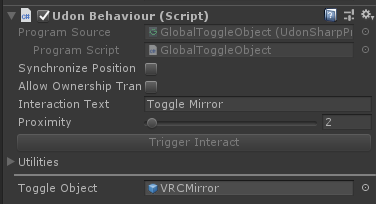 dapper lion
that is a global, you want to use either interactoggle or that graph toggle i sent you
placid niche
if I use InteractToggle it says I have to convert it to an udon behavior
dapper lion
it should be a udon script already? try adding it Nd make sure the global script is not present
vast locust
So in SDK2 I created a slider to increase the height of my gameobject (A cube as example) by using an animator & slider.
However in UDON this isn't working at all.
I have tried watching countless videos on Udonsharp but I just don't understand,
Can anyone assist me with this?
 quartz meadow
I mean you should be able to set the scale value of your cube in udon in the xyz directions
 idle flare
I legit just have the most basic scene with a plane, VRC World and some other testing stuff in sdk3 and I am getting stuck on test uploading at "building player" and it doesnt seem to go anywhere and if I end task than it breaks the sdk and I need to reimport
 jagged gulch
I need some help.
So i installed VRChat on steam and i am trying to press'accept' in the screen where i have to accept terms of use and stuff. When i click 'accept' it just dont do anything
Did someone had this problem?
 quartz tapir
I have problems with this window, it won't let me export the model and it only opens the link to discord
hallow sable
what would be the easiest way for me to reset a object to it's location? like objectsync reset for udon
and for it to be synced
 bronze cairn
if it's position is synced with the tickbox on the udonbehaviour, the best way i've found is to set it's y location below the respawn height
 wanton heron
Anyone awake? I've got a "specified cast is not valid" error
paper plinth
unless you post a pic I'm going to assume you're trying to seinfeld with friends.
wanton heron
this is my graph, just trying to make a simple teleport
and i'm getting a null reference exception error in unity @paper plinth
paper plinth
What is TeleportOut connected to
wanton heron
its just a gameobject that i'm using as the exit point
 raven peak
Are you getting the error in game or in editor in play mode?
wanton heron
editor
raven peak
I would check if it works in game cause the playerapi class is not included in the sdk which will pull a error when you try and use it. Only unity classes will work correctly, vrchats wont unless you are in game.
Also if you want to work with a reference i have a bunch of prefabs you can look at. https://github.com/jetdog8808/Jetdogs-Prefabs-Udon

GitHub
A compilation of prefabs and other useful items for vrchat users. - jetdog8808/Jetdogs-Prefabs-Udon
I have a teleport in there.
wanton heron
nothing about that graph works at all, considering its giving me errors lol
also is that teleport collision based?
wanton heron
okay, thank you
raven peak
I have three teleports. One way, two way, and a button.
cunning mist
@wanton heron You can also avoid the null reference by the player entirely by using CyanEmu, basically a VRChat emulator that runs when you press Play in Unity.
Very helpful.
Much recommend.
https://github.com/CyanLaser/CyanEmu
GitHub
CyanEmu is a VRChat client emulator in Unity. Includes a player controller with interact system. Works with SDK2 and SDK3. - CyanLaser/CyanEmu
 noble pagoda
hey, when i make a cylinder (e.g. as spawn)
i just stand in the air instead of the flat surface ..
how can i change this?
native estuary
Primitive cylinders have a capsule collider by default
You would need to replace it with something more fitting for your usage
Box collider should be good
unborn hornet
I hate that unity doesnt just have a capsule collider primitive.
wanton heron
@raven peak not sure whats happening but whenever I import the package I start getting compile errors
raven peak
wanton heron
<@!177222201567608832> not sure whats happening but whenever I import the packag...
You are probably missing udonsharp which is a additional package people use with udon. Removing the udonsharp folders in the package should also fix it.
wanton heron
where would i be able to find it then?
raven peak
wanton heron
where would i be able to find it then?
My github has a requirements section with a link.
noble pagoda
how i change this to a box collider?
wanton heron
@noble pagoda it should just be a component
you should just be able to search up box collider
@raven peak Thank you, the teleport works perfectly. I don't suppose you know anything about keypads do you?
raven peak
I have one in there.
 vagrant coral
are "on enable" events supposed to fire on start from now on? or is that a hiccup?
noble pagoda
@wanton heron i cant find that box thingy (and no idea how to use it)
well, i used a cube inside the cylinder ..
not the best solution, but it works
wanton heron
@noble pagoda on the inspector tab there should be an option to add component
It should literally be right there
noble pagoda
it works, and its better than the cube...
thanks
wanton heron
cube and box are the same thing lol
floral dove
vagrant coral
are "on enable" events supposed to fire on start from now on? or is that a hiccu...
Yes - they should have done this before, but did not. I believe they should now fire just before Start, mimicking Unity's call order.
vagrant coral
Cool!
ummm one thing tho.. I use "on start" to set variables in some udon behaviours - does that mean they cant use these variables "on enable"?
or is there a hacky way to access "on awake"?
floral dove
that's right - in Unity's execution order, OnEnable fires before Start, and you cannot guarantee that all your references will be available until Start. If you want to simulate the previous way that it worked, use a bool to detect whether your object has run through Start yet so OnEnable can skip its first execution. There's no Awake event on UdonBehaviours.
noble pagoda
@wanton heron you know what i mean ../3d object/cube is not the same thing as a physbox
vagrant coral
Alright! Thanks Momo!
paper plinth
if I've got audio set to play within a radius on a loop, is the audio culled when there's no one around to hear it?
or is it just sitting there playing and playing and consuming resources until someone shows up?
more or less
I love the node in Rec Room where I can count the number of players in a trigger zone so I can keep things moving as long as that count stays over 1...
vast locust
I updated the SDK to the latest one,
But now I get this error,

How I updated the SDK:
I just dropped the new updated one into my project by following the Update guide on VRChat website
cunning mist
If you ever see "System.Reflection.Reflection" try restarting Unity. That's a Unity bug that will forever plague the world.
vast locust
cunning mist
If you ever see "System.Reflection.Reflection" try restarting Unity. That's a Un...
Tried restarting but another reflection.reflection popped up now
https://i.imgur.com/PkfNuqZ.png
I think I will revert back to the previous version of the SDK
 cunning mist
Did you press "Last Build?"
 sharp narwhal
I, uh don't know. I haven't seen such a button
cunning mist
Hmm, couldn't tell ya unfortunately.
sharp narwhal
@native estuary Without seeing an error message for that free sky thing, deleting that menu.cs did it. 👍
native estuary
sharp narwhal
<@!165170251758174208> Without seeing an error message for that free sky thing, ...
Nice 👌 Also reminded me I need to add more steps to help make sure the errors are visible in the console
vast locust
native estuary
Nice 👌 Also reminded me I need to add more steps to help make sure the errors a...
I have your VRWorldToolkit in my project but it gave me lots of error codes with the latest SDK, Is it something you need to update or do I have to delete the VRCWorldtoolkit and then readd it to the project?
native estuary
vast locust
I have your VRWorldToolkit in my project but it gave me lots of error codes with...
I released an update couple hours after the new sdk released to address the new sdk versions breaking it
https://github.com/oneVR/VRWorldToolkit/releases/tag/V1.10.0
Though let me know if you are still running into problems with the latest release
 mossy cobalt
Hello, so i have a simple issue. I am trying to make it so when the player has the HQ Mirror toggled and switch to the LQ Mirror, that it will then toggle the HQ Mirror off.
paper plinth
hey that's useful stuff, 1
scarlet lake
Hey guys, I have a question about syncing physics. I'm trying to create a pinball machine, and I have it mostly working, but the ball is moving in a really floaty way for anyone who's not the owner. Is there any way to make the ball's position sync faster?
jagged gulch
Hello
paper plinth
you got pinball working
that's pretty advanced
scarlet lake
it's pretty stripped down, it's just a ball that you can ping around with paddles right now. No special effects or stuff like that yet
paper plinth
I have an idea for wind blowing a bubble around with a person inside but I don't like the way I feel when I bounce myself around in VRChat in certain ways
makes me feel funny
scarlet lake
that sounds really nauseating, but anything other than teleportation makes me nauseous heh
 chilly sedge
Sorry if this sounds stupid but, is there a way to search for avatars or no? (Sorry I’m a bit new)
floral dove
chilly sedge
Sorry if this sounds stupid but, is there a way to search for avatars or no? (So...
you can search for Avatar Worlds, but not for avatars directly. FYI check out #faq to learn where to post different questions, this room is for talking about our World SDK.
chilly sedge
floral dove
you can search for Avatar Worlds, but not for avatars directly. FYI check out <#...
Oh alright, thank you!
floral dove
scarlet lake
Hey guys, I have a question about syncing physics. I'm trying to create a pinbal...
synced physics is floaty as it follows behind the owner of the object and tries to interpolate to stay updated. If you want it to be more accurate, you'll have to roll our own solution instead of using the built-in sync. Like - when a ball is hit by a flipper, update a synced variable with information about how the ball was hit and then apply that to each local version. Or record the position of the ball and move each local flipper to hit it at the same point.
scarlet lake
floral dove
synced physics is floaty as it follows behind the owner of the object and tries ...
That makes sense. I did something similar for the paddles, but it didn't occur to me to do the same for the ball. I'll give that a shot - thanks!
Does the "VRC Unity Video Player (Script)" component currently support multiple Target Audio Sources? It seems to only want to output audio through Element 0 and nothing else.
In that screenshot, it'll only output audio through "VideoAudioSource."
If I simply swap their positions so that "Subwoofer" is first, it'll only output audio through "Subwoofer."
@scarlet lake I had the same problem, but I couldn't figure it out either
dapper lion
ok, so unity player will default to a sort of "fake mono" but for some reason if you were to set it up lik a normal avpro video player, you can get up to the 8 audio source limit (for groups)
cunning mist
So from what I've noticed, audiosources for the Unity Video Player work like channels and are basically irrelevant past the first one. I recommend using the AVPro one for anything related to that.
void ridge
I wrote a "cleanup" script for some rigidbodies which check every couple minutes to see if they're (1) sleeping and (2) far from where they belong, and if so, GameObject.Set Position moves them back to where they belong. These objects have the "sync position" box checked. I discovered last night that after the conditions are met and the position set executes, they become desynced.
It seems like maybe the owner is seeing them as cleaned up, but non-owners don't get the update. So the question is: is position sync not updated for sleeping rigidbodies?
void ridge
Yeah, that was the plan. I just wanted to confirm that that was the precise reason for the desync
Can I be even more slick than that and put it straight back to sleep? Or if I do that too quickly, do I risk doing it between network updates such that the syncing never actually happens? 🤔
 obtuse agate
I haven’t tried it personally, but according to Unity doc, the rigidbody will sleep automatically after idling for a while
So I think there is no need to call Sleep
void ridge
For sure. Just as an exercise in not wasting resources, though, it'd be cool to put something right back to sleep if I know it doesn't need to be awake. That's why Rigidbody.Sleep is available after all, right? 🤷♀️ I'm sure it only becomes important at large scale with a bunch of rigidbodies or other network loads.
obtuse agate
I guess you need to test it in game😅
vernal maple
Trying to figure out something, as I put final touches on this world. (NEVER THOUGHT ID SAY THAT)
What I want to do is automatically get the height of an avatar when it sits. I figure I could use the bone position or bone transform to do that... buuuuuuut
Not quite sure I know how I should go about the implimentation
floral dove
vernal maple
What I want to do is automatically get the height of an avatar when it sits. I ...
vernal maple
Now how does GetTrackingData specifically work?
floral dove
it returns the world-space position of either the Head or one of the Hands
vernal maple
Now that is perfect, how do I get specifically the head in this case?
floral dove
just leave it at the default
vernal maple
Awesome. Thanks for the help. <3
floral dove
you're welcome!
scarlet lake
cunning mist
So from what I've noticed, audiosources for the Unity Video Player work like cha...
follow-up question, sorry to bother
just out of curiosity, what's the design principle behind having both types of video players in a world?
i know that the vrchat documentation basically says that AVPro can support livestreams
and Unity Video is otherwise ordinary
is there an intrinsic benefit to something like USharpVideo (prefab) switching between Unity Video and AVPro on demand?
would I lose a benefit if I went 100% AVPro?
cunning mist
I think the U# prefab has that toggle for swapping between syncing systems, rather than swapping between Unity and AVPro. I could be wrong though.
I personally just use AVPro.
scarlet lake
oh, i see. thank you very much!
obtuse agate
@scarlet lake I’d love to use AVPro only, but it has a few issues:
Doesn’t work on win7.
No audio on certain headsets (bitratesampling rate issue)
floral dove
obtuse agate
<@456226577798135808> I’d love to use AVPro only, but it has a few issues:
Doesn...
got a Canny for the bitrate issue?
obtuse agate
floral dove
got a Canny for the bitrate issue?
https://feedback.vrchat.com/bug-reports/p/video-player-doesnt-play-44100-hz-audio-on-44100-hz-devices
The canny was for SDK2 VRC_Stream Sync but it's still based on AVPro.
floral dove
thanks!
obtuse agate
This is a major issue for DJ stream. Many people who uses a wireless headphone can't hear the music
Unity's builtin VideoPlayer doesn't have the issue (i guess Unity does some resampling), but it can't play stream😄
floral dove
Unfortunately, this may be an issue within AVPro. Looks like they can't always detect the sample rate on a stream. Looking at #31 under their FAQ: https://www.renderheads.com/content/docs/AVProVideo/articles/faq.html
obtuse agate
Yeah but we still hope VRC can somehow fix it.
Right now video player prefab creators have to maintain both kinds of video player to work around this issue partially.
Music streamer works around this by streaming at a particular audio sampling rate, which is not the default value in OBS.
 keen imp
Hey @floral dove First off thanks for adding TMPUGui I really appreciate it . I saw we had a udon reliability closed beta in progress and was wondering how one gets access to these
floral dove
keen imp
Hey <@!98313818857275392> First off thanks for adding TMPUGui I really appreciat...
Our closed beta programs are invite-only.
keen imp
floral dove
Our closed beta programs are invite-only.
Ah ok any particular requirements to receive such invite and can i sign up to show interest anywhere?
floral dove
we invite community creators who excel in their contributions, feedback and communication.
keen imp
Alright thanks for the clarification have a nice day 🙂
 stark adder
🤔
dawn oxide
If I was to set an object to the player's head on the node position, how would i have the object rotate in the z axis according to the player's direction?
Ex. Player is looking front while object is facing front. Player rotates to the left and object rotates to the left. But if lets say the player looks down, i do not want the object to rotate downwards
floral dove
dawn oxide
If I was to set an object to the player's head on the node position, how would i...
you could create the rotation and then convert it to Euler angles and set the X rotation to 0 (or set it to the original rotation)
floral dove
stark adder
Or perhaps unity constraints ? <@!98313818857275392> would that work 🤔
probably - I've honestly never used them outside of RigidBodies but sounds like it might be an easier way to go
stark adder
They should work.. but yea I have not used them much too..
@dawn oxide try using the rotation constraint just lock uncheck x-axis and y-axis and only keep z-axis locked and activate it and that should work just fine
dawn oxide
i'll try it out now ty
dawn oxide
So I'm an idiot and forgot I'm not experienced in udon much yet but I'm getting there
this is what i have so far and the 3 nodes on the right i'm not sure if those are the correct ones or not
floral dove
sure, this should set the 'PlayerIcon' to the position and rotation of the Player's head. A few tips:
- Since LocalPlayer is 'null' in the editor, this will throw an error when you hit Play in the editor. No biggie, but just so you know.
- You can use Transform.SetPositionAndRotation to combine those SetPosition and SetRotation nodes into one.
- If you're going to use rotation constraints, you won't need those three nodes off to the right
void ridge
(also maybe worth noting: Transform.Rotate is almost surely not a good fit for this, since that adds a rotation to the current rotation, rather than directly setting it)
floral dove
yes, good point^
void ridge
Definitely import CyanEmu to test this out if you don't use it already 🙂
https://github.com/CyanLaser/CyanEmu
dawn oxide
oh i do
That's how i am able to check if it's not rotating correctly the way i want it to
void ridge
Yeah, that should be a good start then. Note that if this is just the object itself, this will plant it right in the middle of your skull 💀 if you want to put it above the player's head then you'll need to make some kind of change, depending on your needs.
You can offset it by parenting it to an empty object and transforming the visible/functional part relative to that parent (and also, this graph would need to manage that parent, rather than this object). Or, you can just add a Y value to the position vector3 value.
Those will achieve different things, actually, so it depends on what you want.
dawn oxide
One thing I still haven't figured out is the constraints as well
void ridge
New to me, too. Looks like it's a component that you add to the object itself:
https://docs.unity3d.com/2018.4/Documentation/Manual/Constraints.html
Expand Constraint Settings to get what you probably need. Let me know how it goes 😛
copper ocean
I'm not getting any audio from AVPro player? Video plays fine and audio source is connected.
Unity player audio and video works just fine. Any ideas?
Or rather any known issues with the latest SDK and AVPro audio?
dapper lion
only syncing and latency issues, plus the youtube plugin issues
unborn hornet
Do you have the AVProVideoSpeaker attached to the object with the regular AudioSource?
dapper lion
so if you have 9 or more audio sources, it will not work
copper ocean
Using single audio source that comes with the prefab in SDK3. Have VRCAV Pro Video Speaker script attached.
unborn hornet
To connect an audio source to the AVPro player, you need it like this
copper ocean
unborn hornet
🤔 alright then.
copper ocean
Should all be there. This one has me stumped
I'm going to try it in an older SDK real quick
Tested in other projects with other SDK versions. Still no audio on any.
Isn't there a known issue about audio not working on some headsets for AVPro?
That's what it was. I can't get audio when testing in desktop, but have audio when in VR
unborn hornet
Query: Did you have your VR system plugged in an running when testing on desktop?
copper ocean
I did not
unborn hornet
🤔
dawn oxide
@void ridge So I did get it to work thankfully and i didn't have to have it parent the object with the offset either or at least in my situation for i don't want my object to follow the player if they fall of the world
unborn hornet
Not completely sure. Might have something to do with the actual audio settings (range/gain/far/whatever).
placid niche
so uh
when I go to upload my world, unity crashes like 80% of the time
build & test works fine, upload crashes
dapper lion
is future proof on?
placid niche
no option for it, but it says "future proofing your content" so
sometimes even crashes before I hit upload
dapper lion
turn that off
 dapper lion
what happens after this?
placid niche
What does that do? just faster uploads?
dapper lion
makes it so theres less of a chance crashing
 urban pivot
Noticeable frametime performance penalty when entering a Audio Override Zone
urban pivot
This is Udon Code "OnPlayerTriggerEnter", yes frametimes become hitchy
I cannot record this unfortu aely, due to the HSD
urban pivot
Yup, heres the canny post, if you'd like to upvote! https://feedback.vrchat.com/vrchat-udon-closed-alpha-feedback/p/frametime-penalty-with-audio-override
Not sure what else to put, very self-explanatory.
 vernal chasm
There was a random avatar map made by a user named Kaj does anyone know what happened to it?
shut patrol
Can i read similarities about Udon Assembly somewhere? In particular, i found that there are macro definitions, but I don't know how to use them.
fiery yoke
Elaborate?
shut patrol
I'm sorry, don't understand what are you mean (google transtale gives weird results)
fiery yoke
Can you explain further what you want to know
shut patrol
I found that the udon assembly code parser can parse something called "macro definition", but i only found information about variables and code blocks.
So i think that a macro is shorthand for some blocks of code, and it can be convenient to use them
tall vault
@shut patrol https://ask.vrchat.com/t/getting-started-with-udon-assembly/84 is the only thing I've seen that explains UAssembly's implementation in any detail

VRChat Ask Forum
Looking to dig a little deeper? Want to try building VRChat Udon out of assembly, or even build your own compiler? Here’s some first steps you should look into. IMPORTANT NOTE: If you’re just getting started with Udon, this probably isn’t what you want! Check out our thread on Getting Started with Udon. How Udon Works Udon has many layers: a n...
shut patrol
tall vault
<@!496020285745659904> https://ask.vrchat.com/t/getting-started-with-udon-assemb...
Yeah i saw it, but unfortunately there is only basic information
 pastel yew
Would anyone have something like a photo board prefab or similar, that you could dump a bunch of images into and have it scroll/fade through them? 🤔
Trying to think of a way of adding something easier to manage than creating a new texture for photos each time a new one needs adding.
 mossy atlas
hi there im having some trouble getting objects to spawn globally. basically im making a custom world for me and my friends to play cards against humanity with our own cards. i already have the system working for spawning cards. tho they only spawn locally. and when i get them to spawn globally every player sees a random card.
unborn hornet
Synced instantiation is not supported yet. You'll want to use an object pool method and just sync the content changes.
unborn hornet
You'd have an array of cards already existing in the scene, then you'd have some sync logic to make any updates for custom card text (if I understand what you are trying to accomplish).
It's not exactly trivial to do that though.
Network sync is challenging.
mossy atlas
the text on the cards is done via textures actually
all cards are pre made i just need the syncing
would it be possible if i gave every table its own array of cards?
unborn hornet
Oh, so there is a known finite list ahead of time?
mossy atlas
yes there is
unborn hornet
That's a bit easier.
mossy atlas
153 whites and 63 blacks
unborn hornet
So the most straight forward way would be to make a copy of all white card decks for each possible player.
And then instead of instantiating it, you would "respawn" the desired cards from that player's deck. (Basically a transform move and a visibility toggle)
But all possible cards would have to exist ahead of time.
That's the object pool concept.
mossy atlas
mossy atlas
this is the graph setup
so if i remove the instantiate it will just move a already spawned in card to the linked player
unborn hornet
Yea.
mossy atlas
but the randomizer still moves a random card per player. no one sees the same card
unborn hornet
Is the deck always in the same sort order at the start?
mossy atlas
yes but the randomizer chooses a card per client instead of global
unborn hornet
Ok, i might have been thinking a bit incorrectly about this...
So the problem is that the random index being chosen is not being synchronized between clients?
mossy atlas
yes that is indeed the issue
or well thats what i have been beating my head over -w-

 hollow raven
Anyone know if SetMaterial is working properly? I'm trying to make a slideshow, and I figure I could just send an event to all and have the target object setMaterial from a synced variable slideIndex?
dapper lion
ngl, ive never seen setMaterial work as entended. but there was a working slideshow prefab in vrcprefabs if i recall correctly
hollow raven
vrcprefabs? is that a tutorial package somewhere? i dont see that in my sdk3
void ridge
hollow raven
vrcprefabs? is that a tutorial package somewhere? i dont see that in my sdk3
hollow raven
oh neat thanks! I found "Slideshow Creator" by @gloomy nymph but it looks like it's sdk2, anyone know if it works in sdk3? I'd rather not have to switch everything over
dapper lion
@hollow raven i think i have it somewhere in my litings
hollow raven
oh thanks @dapper lion ! Yeah i didnt see one
hallow sable
would someone be able to help me with modifying player voice distance with udon?
using jetdogs but worried that I won't do it properly and blow eardrums out
I just wanna make it so if someone is in the box collider, it makes the voice heard around the world
hollow raven
Oooh I would also like that ^
dapper lion
dw my lad, vrc world volume is capped (unless you do an audio matrix which jetdogg does not provide anyway)
hallow sable
well I remember reading about this awhile ago and people were saying u had to set certain settings or else it would be bassy and bad. u sure? @dapper lion
dapper lion
define : "bassy and bad" because that sounds like an audio listener matrix was set up or fmod being fmod
if i recall, jetdog doesnt provide an example for a matrix or fmod
hallow sable
hmm not exactly sure, I guess ill try this and see how it goes for now
scarlet lake
i need help every time i launch the game on desktop or vr it freezes immediately, i tried to restart my pc, reinstall, update my drivers, nothing worked
dapper lion
what is in the world?
floral dove
scarlet lake
i need help every time i launch the game on desktop or vr it freezes immediately...
scarlet lake
i did
gilded citrus
What does anyone know what mirror layer I need to use to let items a player can pick up be reflected in the mirror?
native estuary
Whatever layer you have those pickups on
cunning mist
Probably the pickup layer.
floral dove
gilded citrus
What does anyone know what mirror layer I need to use to let items a player can ...
you decide what is reflected in your mirror:
 dusk lintel