#udon-general
59 messages · Page 35 of 1
 sage helm
Oh i wish i know the answer but i know it was related to that
i took 4 hs to make a teleport in u#
lol
 tribal meadow
oh geez
sage helm
sorry i wish i could give more info about it hahaha
tribal meadow
I'll try moving it out on it's own and see if that changes anything....wish there was a tutorial video on this, it seems like such a 'basic' thing to be doing
tribal meadow
That worked...thanks!
 tired acorn
what do i do if i cant hear anyone but everybody can hear me
 scarlet lake
@tribal meadow you can also put an empty udonbehavior component and just check sync positions to simulate what vrc object sync did
 wintry aurora
Why cant i join anything? i just keep getting put into empty servers and no one can join them not to mention when i go to join the games it shows there is people in it then puts me in a server by myself
 cunning mist
@tribal meadow The reason your object is scaling strangely when picked up is indeed because of its parent object, though more specifically because it's trying to abide by the scaling that it's parents already have. The parent to these objects likely has disproportionate scaling, meaning the x,y, and z values are not all equal, and thus stretching your pickup object as it's child in strange and unexpected ways.
scarlet lake
I wonder if I can sync object states to new people joining the instance with onnetworkready
Does the onplayerjoined event able to like get global states
Like onplayerjoined > get ismaster > gameobjects() get > get active > set active and then it sets the objects global value for the new joiners in the instance
 wide monolith
How do you do global shader variables with Udon ?
scarlet lake
Sendcustomnetworkevent and getting the shader component I suppose
wide monolith
thats the point of globals you should not need to get the component
I can do it in unity c# easy and also in Sinespace LUA but seems this is missing in VRchat
scarlet lake
Yeah you'd think that's how it works huh
With some testing, turns out when new people load in, the default values are set for them, and when someone else interacts with something it appears the opposite to the new person
But I figured out if you hard update the objects state instead of unarynegation it becomes the same for both users
So I have to force update the objects state to it's current state when a new user enters
But it updates that way in the first place cause I use unarynegation to toggle things so
But yeah thanks for answering with a rhetorical question yourself without real input to help
 fiery yoke
@wide monolith You would do that with Shader.SetGlobal[ParameterType] however those are not exposed in Udon for security/integrity reasons.
So you cant.
wide monolith
security reasons you mean if someone else gets a crystall ball out and guesses the shader global name lol
Oh well i guess that means no wind shaders for vrc
fiery yoke
There are some shader properties VRChat Internal shaders uses. If you could change them it would ruin the entire session.
wide monolith
yeah but shader properties have to be globals for them to be accessed you cant do it to any variable
I understand no c# but not shader globals is over kill
scarlet lake
Is there some kind of connection between shaders and an object being active or not, that I'm not seeing?
fiery yoke
No. And no one proposed anything like that.
scarlet lake
Ohh I get it now my bad
wide monolith
LOL I was just asked to write the wind controller in udon for my shaders by someone else . I guess i will have to tell them vrc is just not good enough
fiery yoke
Well from what I can tell VRChats main goal is to keep a seperation between your world, peoples avatars, and other VRChat internal stuff.
Everything that serves as a connection point is a risk to integrity.
But maybe Im just wrong. You can always look for a post (or post one if it doesnt exist) on the canny and wait for a response.
wide monolith
Hmmm I guess Sinespace just deal with it a better way.
they also care about security you cant get your content ripped the same as in vrc but they do allow shader global
Hmm sucks I guess ive started and ended my vrc life all in one day then as without shader globals im not staying.
fiery yoke
Give feedback to the VRChat team so we can make more informed product decisions. Powered by Canny.
wide monolith
 fiery yoke
Well too bad
 scarlet lake
Lmao what
Like why not yes, that's confusing in itself
Is your account a guest account
fiery yoke
Because VRChat is Hip and Cool kek
wide monolith
yeah thats what i thought . I guess my vrc experience is just not going well haha
fiery yoke
For most things in VRChat you need to spend time in the app among other things to gain trust.
Its to prevent people from creating new accounts just to spam stuff somewhere.
That is pretty common practice though.
wide monolith
I have had account ages just not used
scarlet lake
We need udon general chat
fiery yoke
There was
but it was deleted
because it wasnt used much. Questions were much more common
wide monolith
we need udon global shader variables. I have heard there is a vrc csharp assets somewhere but I bet that wont have them either if vrc has locked them down them selves to stop all the crystall ball readers working out the globals 🙂
As a developer I dont have time to sit in world just to get access to the canny so I guess thats it for me LOL. Good luck vrc
fiery yoke
VRChat is not a game engine. Its a social platform where youre given the ability to create your own worlds and other content.
wide monolith
yes and ?
I have been asked by several unity asset store creators to help them get my shaders working in vrc which I have now found out is impossible.
these creators wanted to put there scenes in vrc in anticipation of the new econemy that vrc is working on
this is one of them https://assetstore.unity.com/packages/3d/vegetation/c-v-p-japanese-garden-179698
wide monolith
yes i could change the shader code and have to set 100 trees individually.
I wont be doing that though
vrc needs to get things like sending basic shader global
maybe this will work https://github.com/MerlinVR/UdonSharp
scarlet lake
There is network events but it's hard to work around syncing
Yep with udon sharp I've seen people do things you cant with graphs but that requires more learning lol
wide monolith
im thinking this isnt a code thing though but a blacklist thing so the same code will be blacklisted
wide monolith
but it says it complies to the udon assembly and if udon doesnt have shader globals it cannot compile them
scarlet lake
Also petty sure you can just straight up write c# scripts and put them in a component
Ahhh
That's something to ponder for sure
scarlet lake
guys i'm having serious sync and ownership issues
why is udon so garbage at ownership and sync options
even just a simple oncolliderentertrigger is failing me
why is syncing such a damn hastle like anytime someone enters the world after say someone opens a door, the changed state isn't saved for new people
THEN if two different people interact with something that triggers an object then it goes way outta sync too
like i have a collider to turn on and off mirrors as you enter and exit but if someone else enters then bam out of sync again
its like here's a great tool we made for you but for anything to work properly just learn c# 4head
cunning mist
I mean this is how syncing works in most networked games, these things need to be manually handled on a per-situation basis. However, yes, Udon's syncing it mighty crap. They have a big ol syncing update in the works, but it's probably not going to be out soon.
fiery yoke
Your confusion lies within you expecting that the state of all things is automagically synced.
You need to manually sync all changes.
scarlet lake
its insane cause like a simple mirror toggle on a collider event goes out of sync
 stark adder
cunning mist
I mean this is how syncing works in most networked games, these things need to b...
stark adder
cunning mist
I mean this is how syncing works in most networked games, these things need to b...
Yea instead they release updates nobody asked for
scarlet lake
the weirdest part about the mirror issue tho, is those are local not global
so i don't get why someone else entering a collider triggers it for me
fiery yoke
I disagree as well. But I do agree somewhat that prioritization of certain aspects could certainly be managed better.
I think that Cinemachine integration is much less favorable, than some minor general API improvements.
@scarlet lake You forget that player positions are synchronized inherently
stark adder
fiery yoke
I disagree as well. But I do agree somewhat that prioritization of certain aspec...
Completely agreed
fiery yoke
Personal opinion ofcourse. Some might love Cinemachine to death. But I think in the bigger picture it would have benefitted more people to focus on general things prior.
scarlet lake
at least can someone explain exactly what on collision transfer does
stark adder
I mean there were some useful updates but I feel like there are some more important ones then those they released.. perhaps not the syncing but still
fiery yoke
scarlet lake
at least can someone explain exactly what on collision transfer does
Imagine you have a bowling alley. If you own a the bowling ball and you throw it at pins that you dont own, the position sync will mess you up. It automatically transfers ownership of things that things touch that you own.
cunning mist
I mean, the syncing one is Danly's job at the moment and he's not releasing it until he's confident it works, so while it's delayed, I trust why.
scarlet lake
whats strange is i didn't have that specific trigger issue in the last version before this update of the sdk
fiery yoke
You probably did without knowing it. Or changed something you thought didnt change the behaviour.
stark adder
cunning mist
I mean, the syncing one is Danly's job at the moment and he's not releasing it u...
I guess I don't mind them not releasing it .. But i would be glad about is to know status .. Is it not even started ? Is it close to finishing ? Is it worse than current system ?
fiery yoke
The status is probably unknown even to the developer themselves Miner :P
stark adder
Lol
fiery yoke
You never know when you can call something "finished"
scarlet lake
or at least a doc of current functions even if its repetitive of a lot of the sdk2 info @stark adder
stark adder
I mean they have to know if something they've done works or not lol
scarlet lake
the only resources i can find that shows anything about udon is @cunning mist's videos and even those are slightly outdated lol
cunning mist
Hey only the bad ones lol
stark adder
Lol
scarlet lake
"an item with the same key has already been added"
fiery yoke
Well Udon is in its "teenages" right now
scarlet lake
wtf does that mean
fiery yoke
Its changing a lot
cunning mist
What is it in reference to?
scarlet lake
it won't let me refresh the graph for the area collider
cunning mist
Can you share your graph?
scarlet lake
fiery yoke
Probably a Graph-UI Bug. It likes doing that.
scarlet lake
i know i'm on the verge of it all but the syncing issues is nuts
fiery yoke
Hard to tell if its VRChats fault or Unity being Unity
scarlet lake
i think its from both the events
when i deleted the entire thing it didn't give me the error
cunning mist
You'll want to have these be two separate events likely, with one setting the object to false and the other to true. I don't trust multiple event nodes going into one flow.
scarlet lake
might be the issue with everything then
especially since i use unarynegation to toggle everything
cunning mist
The interesting thing about OnPlayerTrigger is that it will natively fire for everyone, as every player has a form of collider that will interact with it.
scarlet lake
that should be fine though cause its local right
there shouldn't be a reason that would be the only trigger to always be global
cunning mist
Actually, if one person walks into the collider, it will happen for everyone, as all players have those colliders on them for everyone.
scarlet lake
what was the node to fire once a player fully enters the session
fiery yoke
Start. Locally
scarlet lake
nah there was like a playerapi or a networking node for it but i forget
cunning mist
It would be better described as "If any player object steps inside"
scarlet lake
i found it yesterday messing around with onplayerjoined
fiery yoke
OnNetworkReady. But its useless since that has already happened before Udon Initializes.
Udon initialization happens quite late in the join process
cunning mist
What's your specific use case?
fiery yoke
No you dont understand. If I say its "useless" I mean useless.
it happens before Udon initializes. Which means that Udon never receives that event. Or it receives it at the same time as Start.
scarlet lake
so when a new player enters it fires the script, then sets active states based on the master
fiery yoke
Syncing a boolean state with Network Events is possible, but its more complex than that.
Mostly because late joiners will not know the current state. So it will desync if its in the non-default state.
To accurately synchronize states you need to use synced variables.
And synced variables bring a whole package of problems with them
cunning mist
Oh also Blocks are witchcraft, instead of doing SetActive and SetBool out of a block, do SetBool right out of SetActive
scarlet lake
well i did get it to sync with one thing
okay that might have been why it didn't update before
fiery yoke
There is no possible way that graph can sync anything accurately.
scarlet lake
but i was able to sync the door with a lock button that closed the door resetting the sync
the only other "easy" option would be to reset everything with a button
but that sucks cause all new users have to use the button then when they join
defeating the purpose of a lock
cunning mist
So what specifically again is your use case? Are you toggling a series of locked doors?
scarlet lake
i'm trying to get the active state of the doors and the cylinders that show if the one door is locked
then basically being like okay get active > set active to basically refresh it
which the lock accidently was able to do since it updated the variable for the door animation
cunning mist
You should be doing this in a different graph, instead of using the same one for the VRCWorldSettings. One so that things can be in their respective places, but also because any importing of the current or updated sdk will entirely overwrite this.
cunning mist
Correct. Something line "DoorManager" or the likes
 hoary echo
Is the animation sync part of the planned big sync overhaul, or is that thought to be coming sooner than later?
scarlet lake
you can sync it already with custom networking nodes
but good luck with that headache and a half lol
cunning mist
Iiiiiiii don't think so
Nope
It's likely not going to happen do to weird inconsistencies, so you'll have to manage animation sync on your own.
Setting animation time happens on a scale of 0 to 1, acting as percentage instead of the total time instead of a specific times.
Unless you're not worried about it being accurate for late-joiners, in that case yeah you just do a networked event calling those animations lol
hoary echo
That's fair, haha, I'll continue my fight. I've got it close, but not quite. It works flawlessly in local test with multiple clients, but not so much on live.
scarlet lake
later joiners.. imma have nightmares
anyone's thoughts? this is what i got so far for a late join sync
cunning mist
To get accurate actions for late-joiners, there's one setup that is typically pretty reliable.
Store the state of the value as a synced variable, and have the owner of the object the script is on set the value on modification. Meaning, if you set the doors off, have the owner store that state.
Now, also have a bool called "Initialized" or something. Networked information comes roughly 4 times a frame during the event OnDeserialization. We only need to use this once for acting out different events, so start with a branch to check "Initialized" and if false, set it to true, and then call any event accordingly.
Say, if doors are locked, have a synced variable called "isLocked" or something, and if it's true during this one check in OnDeserialization, call whatever events you need to for locking those doors.
 unborn hornet
I like using the paired variable sync state. One local and one sync then In the upadate or late update, I track changes to sync, then update local variable and take any action needed based on the new state.
scarlet lake
how do i save a synced variable
unborn hornet
You have the owner of the object set the variable to a value.
scarlet lake
so the value is basically saved to the owner
unborn hornet
Only the gameobject owner can change synced values.
scarlet lake
i thought i was doing that with get is master
cunning mist
It's better to rely for in-world networking on SendCustomNetworkEvents, instead of checking every single frame for a modification. Checking between "Variable" and "VariableOld" is a call that would have to happen once per frame, and draws compute time.
9 times out of 10, the master is the owner of the object. However, if someone else has grabbed it or other things have changed, that person would instead become the owner of that object, so for setting those values you're required to have it be the Owner for consistency.
unborn hornet
So for late joiners, you could have OnPlayerJoin check for Networking.isOwner and if true, call SendCustomNetworkEvent to all which forces a sync state recheck.
scarlet lake
@unborn hornet think this should do it then?
unborn hornet
I was talking something more like
Then put whatever resync action you need to inside the custom event
scarlet lake
Well this was weird someone tried to join me and they crashed
cunning mist
OnDeserialization is just an event that happens 4 times a second. VRChat uses it for when synced variables get delivered to a player, and Serialization is just the fancy for for packaging these variables in the UPS truck for other players. The owner calls OnSerialization, while the receiver calls OnDeserialization, though you'll likely not need to worry about the owner's side there.
I want to know though, what's the purpose of using SetActive for the gameobjects in the array? You're giving them the GetActiveSelf value, so you're just putting them as the same value that they already are, unless I'm mistaken.
scarlet lake
eactly
when new people load in, the values of objects are set to default for them instead of what they're supposed to be
that's the root of all of this
say i start an instance, i lock the door, now the green circle to show the door is unlocked, is now a disabled and a red circle is enabled in its place
if a new player enters they see a green circle
unborn hornet
Did what I post not work then?
scarlet lake
so i figured if i can get the objects from the perspective of the instance owner, reset them to the value they currently are, then it would update to the new people
i don't understand that one cause it seems to only be true if the joined user is also the owner of the objects
unborn hornet
Values are synced 5-10 times every second
no matter what iirc
so setting to the same value does nothing significant.
unborn hornet
automatically yes.
scarlet lake
maybe this is only happening to me
maybe i somehow fell through a gap in space and time and am the only person with the issue of the object state not showing correctly for new users
instance owner: click button, door opens. animator "open" bool = true
second person enters, door is closed, open = "false"
instance owner clicks door, closes
player 2's door opens when that happens
because unarynegation swithches the bool every time its interacted with globally
hard set bool globally, synced
hoary echo
That's how my doors work currently on all of my maps. Not sure it's worth the fight to get it to sync, especially if you have a lot of doors.
scarlet lake
i guess what i'm trying to say, is it gets active state and sets active state the same so its a globally set variable, where unary negation would just flip flop it and it would look different for each user in the instance based on when they joined
hoary echo
Yup.
scarlet lake
at least i know i'm not alone in the void
hoary echo
To avoid delays when interacting with things as well, I have mine stuff set up so whoever interacts with it is set as owner, then it sync's to everyone else, so pretty much every door has a different owner.
unborn hornet
I'm not at my dev comp atm to make more graph stuff, so I wrote it in U# to demonstrate what I think would work.
public class DoorManager : UdonSharpBehavior {

    public GameObjects[] objs;
    [UdonSynced] private bool isOpen;

    public OnPlayerJoined(VRCPlayerApi player) {
        if (Networking.IsOwner(gameObject)) {
            SendCustomNetworkEvent(NetworkEventTarget.All, "SyncDoor");
        }
    }

    public void SyncDoor() {
        for (int i = 0; i <= objs.Length; i++) {
            if (Networking.IsOwner(objs[i])) {
                objs[i].SetActive(true);
                GetComponent<Animator>().SetBool("open", isOpen);
            }
        }
    }
}
keep in mind this is only for late joiners, but you could also have the custom network event called each time the door state is changed by someone.
unborn hornet
You are missing the synced state variable.
unborn hornet
Animation state and game object state isnt synced.
scarlet lake
this should work, since it kinda already does technically with a button
like period?
so i would have to set it to a bool?
i think i'm catching on but damn
unborn hornet
Ya.
So you'd have a separate variable to be the source of truth for what state the objects should be in.
Everything else is derived from that sorce of truth.
And the owner of the object is the only one allowed to change the value of that source of truth.
Basically, when a player joins, the owner of the object would send out a call to everyone to double check the sync state is correct (this includes the late joiner) based on the source of truth variable that the object owner syncs.
scarlet lake
okay so if i save the state of an object to a true or false bool then how would i save that to like another object
an object as like a master record of active state values
unborn hornet
You would update all desired values based on the synced variable's value?
Not sure I fully understand the question in whole.
scarlet lake
so i set it up to update a bool variable called doors to true or false if opened or close
so how would i read that variable from the udon behavior component from different graph
so i can push the info to the new user
unborn hornet
In the variables panel (usually on the left) drag the variablename into the graph area.
unborn hornet
Do you have more than one graph for managing a single door?
scarlet lake
first graph interact > animator toggle > set the bool to a bool variable called doors
second graph, empty object, detects if a user has joined, needs to read the bool from the interact graph
unborn hornet
You can put that all into a single graph honestly.
scarlet lake
so i gotta set a onplayerjoined event to every graph that changes the state of an object?
might work
unborn hornet
Well each door will have a separate state, so it's a bit easier organizationally to have each door manage itself and avoid cross script dependencies.
*if possible
I would generally have the script physically located on the game object that has the collider on it for interacting.
Then provide it whatever objects it needs to act upon.
scarlet lake
so now i set up the door to have two events, first, interact just opens and closes the doors (animator), updates the bool variable, second, onplayerjoined and it reads the bool variable and updates the animator
i might be getting somewhere
unborn hornet
Yea. Just make sure that you do a network event upon interact so the objects get synced with the state change for the rest of the players.
 wise charm
vrcplayerapi teleport to works when i test it with cyanemu but it breaks when i test it with vrchat. why.
scarlet lake
@unborn hornet okay so this is what i set up, it didn't seem to work tho
unborn hornet
I'd advise not using bool as an event name as that's a reserved keyword and will break things.
scarlet lake
other than that does it look right?
with this logic i don't think it matters now as much who the owner is
unborn hornet
Is the door variable synced property enabled? Just confirming.
unborn hornet
In the variables panel on the left there, click on the > to open the properties
There should be a checkbox with the word synced
unborn hornet
It's a learning process 😉
unborn hornet
So yea, when I was talking "synced variable" that's what I was referring to yea.
scarlet lake
does linier or smooth matter and should it be public as well
i guess public wouldn't matter
unborn hornet
Linear and smooth only applies to a few types, like a vector or similar. They simply specify how the game should interpolate the value between sync updates (the 5-10 times per second rate).
Bools have no interpolatable values, so it's just instant and that property can be ignored.
For UGraph, public specifies that the value can be set manually in the unity inspector.
scarlet lake
you know what
i think animations honestly cant be synced right now with graphs, i think just object positions
unborn hornet
Correct.
So to "sync" animations, one has to trigger an event on each client and update the animation state locally. It won't be frame perfect sync, but everyone will have a sortof eventual consistency with the animation.
scarlet lake
unless
every time a new person enters it just straight up shuts the door every time lmao
objects sync fine tho
i did try position syncing once with weird results
i don't get why they don't fix animation sync, all they gotta do is ungray out the button 4head
@wise charm also i can help you with teleporting, send us a screenshot of your graph
lmfao so global resetting the animations to do like a façade sync worked first try
scarlet lake
so what happens in vrchat
wise charm
it teleports me a mile into the air
scarlet lake
i'd put an empty object in the location you want to be sent, then copy the cordinates
wise charm
tried that already
scarlet lake
okay, so set a public gameobject variable to get the game object thats has the location details
then from that gameobject get transform > get transform position AND get rotation
plug those bad bois iinto your teleport node
scarlet lake
yeah i've had some weird teleport issues myself
i think vowgan has a tutorial on that one on yt
unborn hornet
You could have an empty game object as your tp target. First add a variable for the target of type Transform and set the public property to true. Then drag that property onto your graph. Add two nodes: 1) Transform-> get Position and 2) Transform -> get Rotation.
Once you have those, connect your variable output to the two nodes, and connect the two nodes outputs to the TP position and rotation input.
Once that's done, go into the editor and create the empty game object and position where ever you'd like in the scene. Be aware that the position will be where the player's feet are and that the blue (z) axis is the direction they will be facing.
Once that's done, click on the object containing your script and drag your newly created game object into the target field of your script in the inspector panel. This will connect that object's transform to your script.
scarlet lake
if it helps this is a graph i came up with to help someone else
oop this is for objects tho
scarlet lake
hey so if i want an object that's off initially lets say a mirror, and someone enters i want that mirror to be synced and on for them too if the first person turned it on before they entered
i assume i set the mirror variable to sync but with which parameter? @unborn hornet
unborn hornet
Interesting conditions...
It's advisable to not sync mirror toggles for performance reasons, but yea basically the same concept.
As for parameter, depends on the mirror setup you have.
Is it just a single on/off toggle?
unborn hornet
Ah. Ok.
Well it'd be something like this maybe:
OnPlayerTriggerEnter, if target is disabled, take ownership of target, set synced variable to true, and send network event sets the active state for the target for everyone based on the synced variable.
 celest olive
Is there a way to check for UTC-based real life time reliably and synchronized for everybody in my world? Basically I want to add a new year's countdown to my world.
unborn hornet
There's probably some additional conditions to consider like who leaves when, should late joiners be a concern, etc.
fiery yoke
celest olive
Is there a way to check for UTC-based real life time reliably and synchronized f...
Yes. Check out DateTime in the C# docs
celest olive
fiery yoke
Yes. Check out DateTime in the C# docs
.. Glad to hear, that default libraries work as intended. Just too bad I got the habit of thinking nothing works in Udon before I actually observed it being a thing. I should be more open minded, thanks for the answer as well as the much needed reminder!
fiery yoke
Its not so much a "library", but more just standard classes. And not all of them are exposed either. Udon is very limited, but it has surprised me as well with certain things being more open than I thought.
celest olive
Yeah, for me it's just a big mindblock when looking at the visual "code". It kinda stops me from thinking the same way I would when working in VS for example. Somewhat weird. Most of my silly questions stem from that mindset, and it bothers me that I'm getting rid of it only this slowly. Anyway, wrote it down and hopefully everything goes smoothly from here :)
unborn hornet
Well there is UdonSharp. Some people prefer that since it's C# syntax.
If the noodles are a bit much, see if U# helps you out. Has for me.
celest olive
Maybe I should. I've been extremely reluctant, because I prefer working with new systems over working with potentially wonky ones, that aren't the official way of doing it. Although given that it's linked and even the devs (momo specifically iirc) recommend it, it's probably a good idea to give it a shot.
fiery yoke
I'd argue that well written code is always more comprehensible than any graph could ever be.
Unless you get immediate anxiety when looking at more than 2 lines of code...
celest olive
I'd have to doubt my career choices if that was the case haha
unborn hornet
I'd consider it "officially acknowledged". They don't work on it, but they understand the value it brings to the table for the platform.
 floral dove
Yeah - we don't offer any official support for it but I don't consider it a 'wonky system'. It's well-made and actively-developed. If you already know C#, it's worth checking out for sure. We'll continue to build out the graph and I think introduce features that will make it easier & quicker to use than U#, but for BIG Udon Programs or more complex logic, it's a good way to go.
unborn hornet
Anything that brings more creators to the platform is a good thing 😁
 tall vault
Also keep in mind that while U# itself isn't officially supported, the instruction set it compiles into (UAssembly) is official so it's not as if it was built on top of a hack or something
scarlet lake
hey when i try to sync my bool variable it auto resets itself back to none
floral dove
scarlet lake
hey when i try to sync my bool variable it auto resets itself back to none
add a const bool variable and use that to set its value
scarlet lake
how do i set its value tho @floral dove
scarlet lake
but what do i put in the const bool
floral dove
it should have a checkbox you can check or leave unchecked
scarlet lake
there's no check
actually i'm just blind
but there's no input to the variable
i'm using a unarynegation to set it
floral dove
hm - can you show your graph? I thought you were running into the issue where inline values for variables don't persist in the graph, but it sounds like something else is going on.
scarlet lake
i just dont understand the logic
i have it set locked (bool variable) > unarynegation > const bool > set locked
floral dove
can you explain what you are trying to do vs what is happening?
scarlet lake
the sync doest let me change it to linier or smooth to make the bool global
floral dove
you don't want linear or smooth on a boolean value, that should use 'none'.
scarlet lake
i need to sync the bool variable to use later
floral dove
Ok - have you explored the Udon Variable Sync scene in the VRChat Examples folder and the Readme that goes along with it?
scarlet lake
i read the readme
got hella confused and came here
i guess is set locked the right thing to update the bool?
floral dove
The readme explains what's happening, but the scene and graphs show you
floral dove
you need the Owner of the object to set the value on the bool, then you can retrieve the value on the other players when they receive the OnDeserialization event
check out how those graphs work
scarlet lake
this is getting me close, i got objects to sync, had the doors sync but i broke those haha
unborn hornet
My instinct says the graph can be simplified... but definitely getting it to work comes first.
scarlet lake
yeah it seems like the bool variable doesn't save when its supposed too
or its just not picking it up onplayerjoin
unborn hornet
What's the best way to get a random 0-1 float? I tried Random class, but the methods don't appear to be exposed in udon
 serene moat
UnityEngine.Random.Range(0f, 1f)
floral dove
UnityEngine.Random.Value is a float between 0 and 1
unborn hornet
Sweet. Thanks.
 restive dust
I want to control PostProcessing effect settings (specifically enabling/disabling Bloom and Color Grading) via script, but when I create a PostProcessVolume variable, I get an error saying Udon doesn't support variables of that type. Is there a different way to control post processing effects via script/graph?
fiery yoke
restive dust
I want to control PostProcessing effect settings (specifically enabling/disablin...
Only indirectly via UI Events
restive dust
Oh interesting! Didn't think about that. Thanks Helpful!
restive dust
Ok I looked into that, and the most control that I'm able to get is enable/disable gameobject, and changing the PostProcessProfile. Is that the most the we can do currently in terms of controlling PostProcess effect settings? Or is there a way to have finer control, like for example changing Bloom intensity?
fiery yoke
In SDK2 you had to manipulate the weight of different profiles
then you had one with 100% bloom and one with 0% and blend between them
restive dust
Currently I've got something similar. 3 PP volumes, one with no effects, one with bloom, and one with color grading. And I'm enabling/disabling volumes based on which toggle is on or off.
scarlet lake
Question, is there a somewhat understandable tutorial for how to make a car in a vrchat world?
If there is one but it is sdk2 its fine
 shell siren
What do people recommend to accomodate small avatars as well as large for chairs?
hoary echo
I've seen worlds that literally have 2 sets of chairs, but the best solution I've seen so far has been having 2 stations per chair, one trigger on the back of the chair for taller avatars, and one on the seat for shorter avatars. I don't think there's any real clean way to do it.
shell siren
<@&397642795457970181>
 rugged garnet
Is using the video player to send data in the URL for something like a leader board against TOS?
tall vault
Nope, but it's going to be a pain to do since you can't construct URLs at runtime anyway - https://vrchat.canny.io/vrchat-udon-closed-alpha-feedback/p/allow-construction-of-vrcurl-at-runtime
fiery yoke
I love that there is a canny for that. Its the whole point of the VRCUrl.
rugged garnet
Interesting, I haven't tried to play around with it extensively but it seems odd that users can manually enter urls into the UI but you cant programmatically do it.
tall vault
VRCUrl is just an abstraction for a URL that is going to be fed into VRChat's video player API or other future APIs (images, JSON data, etc) so they can easily validate the URL against whatever conditions they want (currently the domain whitelist)
Preventing construction of VRCUrl objects is likely something they had decided on before the Allow Trusted URLs option was thought of
fiery yoke
It was thought of even when SDK2 was around, but not neccessary since you couldnt easily get any data to pass into the URLs anyway
tall vault
That option was not added until Udon was introduced - https://docs.vrchat.com/docs/vrchat-202033
In any case, Allow Untrusted URLs is the only reliable way to prevent data leakage
And it's something that users can be educated about and explicitly asked to opt into compared to them thinking that their data is private even though they can be specifically targeted and tied to their IP address using pregenerated URLs
shell siren
How could you setup a local toggle object collision system?
rugged garnet
So if you constructed an array of VRCURL's for say every number and letter, you could just one character at a time send out data...
rugged garnet
Is that only for the game client? When playing different videos in the unity client it seems to send instantly
fiery yoke
Yeah ofcourse thats only in the client.
rugged garnet
makes sense
unborn hornet
@shell siren my seats calculate an offset to move based on the leg components of an avatar: adjust Z axis by distace between RightUpperLeg and RightLowerLeg (the thigh) and adjust the Y axis by the distance between the RightLowerLeg and the player's GetPosition (the shin+feet).
In my tests, this results in about 95% accuracy of placing the avatar's knee at the edge of the seat each time (or where ever the seat's enter position is located).
shell siren
Oh thats nice, is it publicly available? @unborn hornet
unborn hornet
Not yet. But you can see it in action here https://vrchat.com/home/world/wrld_64457f47-56dc-432b-a559-9ea842742856
All seats use the same logic. I'll see about cleaning it up for release when I get back on my dev computer.
shell siren
unborn hornet
All seats use the same logic. I'll see about cleaning it up for release when I g...
Thank you very much!
 cold seal
Hello short question: Why is the Button "Build & Test" at Local Testing for worlds not working? Nothing happens and absolutely no errors anywhere? Any Idea? Thanks in advance!
Completely removing the sdk and adding it again fixed it
 raven peak
posted this question on twitter but wanted to ask here. for people wanting to learn udon do you prefer wanting to learn the node graph or udonsharp? https://twitter.com/jetdog8808_dev/status/1336401528589086721

It seams people wanting to learn udon are migrating more to udon sharp, for one reason or another. I've focused on the node graph for beginners but question if I should expand beginner scripts to U#. people wanting to learn which one would you prefer? #madewithudon #VRChat
 Twitter
·
Twitter
·
 rapid echo
i've never used Udon before, but I've learned a few programming languages. Udonsharp is just like C# right? That sounds like it wouldn't be too complicated to learn. But when i look at pictures of node graphs on here, i almost feel like vomiting and my brain hurts.
floral dove
rapid echo
i've never used Udon before, but I've learned a few programming languages. Udons...
You can learn more about UdonSharp at the official wiki, pinned to this channel. It uses the same syntax as C#, so it should be pretty easy to pick up if you've got programming experience. Hope your tummy and brain feel better soon!
celest olive
In Udon, as opposed to SDK2, I need to make a network event fire the method tree for my intractable, in order to make it activate a particle emitter globally, right? Like uh.. this.
cunning mist
Yes, that should work perfectly.
celest olive
Fantastic!
rapid echo
floral dove
You can learn more about UdonSharp at the official wiki, pinned to this channel....
ah i forgot to check the pins. I'm working on an SDK2 map now, but after this i think I'll give udon a crack.
scarlet lake
what layer should pickups be on that don't want to collider with the player?
i guess you just avoid playerlocal
 long reef
anyone know if there's any pens, like QV Pens that work in 3.0 worlds? and where i could find a download for them?
 hazy galleon
experience just now: brand new unity project, import SDK3 for worlds, unity hangs
not sure the latest SDK is OK
reproduced on second try, captured on video
celest olive
Not sure if this is the right place to ask, but has anybody made experience with what would be a "dealable" particle count inside of VRC worlds? I want to avoid being too taxing while still having a good effect (And of course I'd like to avoid unnecessary rough-tuning later, if somebody here can share some experiences x) )
 indigo finch
@long reef yea, I got a qv pen asset for sdk3. Got it from some Japanese website when I quick searched Google for vrc pens. Can't remember where though...
indigo finch
@unborn hornet Been working on a height adjusting chair myself and have gotten the height working boarder-line perfect, but I'm lost as to how to get it to work globally. Perhaps this might help.
it uses the height from the left foot bone to the hip bone to calculate how much it needs to move, and then moves a set amount from the reference height (roughly knee position)
unborn hornet
I usually just have Sync Position enabled and have it assign the Networking owner of the seat object to whoever sits on it. So when the player's client calculates the new height and adjusts the seat's position, that position syncs automatically.
indigo finch
This is the more resent progress, though kinda messed up too. Got some help on the forums as to how to get it to work, but I can't seem to get the player to be global, and with some messing around it is either only one person can sit down (one shown here), or the host is forced to sit down
The syncing never seemed to work...
i tried added a 'set player as owner' just after interact, but it didn't seem to do anything, thus my stagnation
unborn hornet
Add me on discord and I'll send you my personal assets server link where we can talk in more detail if you want. I don't want to crowd this channel too much.
indigo finch
lol, was thinking the same thing...
unborn hornet
||sorry momo, pls don't glare at me||
 static rover
Wanted to know how to put a portal down in my world and make it toggable but not sure what to do on that.
also is there a different seats to do different sitting positions?
 dapper lion
@static rover give cube udon behave, give it a toggle script and drag portal in it and that should work, if you need a script that does that, i can send
@static rover also portal can be found in vrcsdk examples
shell siren
Hi so I'm trying to make an object pickupable, but upon applying the VRC_pickup component and then building and testing. It does not want to be picked up. There's no outline etc
Any ideas?
dapper lion
@shell siren does it have an empy udon behav?
shell siren
I don't believe so (I'm very very new to sdk3 and have basic knowledge of sdk2)
dapper lion
@shell siren yes you should add an empty udon behavior
shell siren
Do I need to add anything or just add Udon_Behaviour (script)
dapper lion
it should work after adding the component
shell siren
It does not for some reason
 native estuary
Having a mesh collider on a rigidbody is a no no
dapper lion
missed that
shell siren
Doesn't the pickup script require a collider? @native estuary
native estuary
Well yes but mesh colliders aren't supported on rigidbodies unless set to convex
But ideally you would use a primitive collider
You should have some messages in your console as well complaining about the use of mesh collider there
unborn hornet
I have not had any luck dealing with mesh colliders, convex or no. I just use primitive and squash to as close of the shape as possible.
tribal meadow
I've run into a bit of a snag...trying to have objects that can be toggled on or off, but I can only get them to do it locally. They need to be global, and also be there for late joiners.... Tried following an example but it's still only local.... any idea what I might be doing wrong?
 jaunty schooner
I have an issue in my world where you can throw players into orbit and the whole world disappears for them. I could just stick a giant collider up in the sky, but is there an easy way to make said collider a trigger that respawns players (and maybe objects) the same as the plane that exists beneath the world?
unborn hornet
@tribal meadow You need to connect the output flow (the > symbol) of the first SetActive node to the input flow of the Branch node.
tribal meadow
Well something happened in Unity and my entire project got wiped out, is there any way I can redownload it back off the server? I'm devastated
Hours of work gone.
I was experimenting with the script, it would no longer compile, then the SDK window vanished with some bizarre error, reloaded the SDK back in and my entire scene was deleted.
I'm ready to give up on SDK3
native estuary
You sure the scene just didn't close? Did you actually try reopening the scene in the project?
tribal meadow
I think when I reloaded the SDK, it wiped out 'sample scene' which was what I was probably building in :(
native estuary
Reimporting the sdk really shouldn't cause that normally
Can you find any scenes by filtering with scene in your assets?
Except if you were working in the sdk example scene ofc
tribal meadow
Ok no, I was working in one called 'Udon_BlankCanvas"
It's there but it won't open
'open' is greyed out on the menu
Ugh yeah it's gone, I get a 'box' that says Udon on it, my whole scene is deleted
So there is no way to download what I've sent to the server?
tribal meadow
native estuary
Can you find any scenes by filtering with scene in your assets?
That's all I have left
unborn hornet
Oh man that sucks. Yea that's probably what happened. Definitely don't use any provided scenes as your own, treat them as a "read-only" scenes to learn from. Did you Build and Publish it at all? If so the VRChat support team might be able to help you.
tribal meadow
Lesson learned I guess. I had a much older version but luckily the shader I spent a ton of time on was there <whew> so rebuilding again.
So for global buttons I just need to attach the game object set active output to the branch input?
 hardy fog
Can I make a vr button by just making a moving object that an avatar can push into another thing and then respond to the OnCollision event? Or do avatars not have collision like I am guessing?
unborn hornet
There are prefabs and worlds out there that use physical press buttons, yea. I can't recall which ones tho. Someone else might have the resources/links for those.
scarlet lake
hey can anyone help me understand how the serialization example works like i cant get my head around how ondeserialization is even called on
scarlet lake
deserialization happens every 4 seconds right, then somehow i have a simple toggle script for an object, but syncing the objects active state doesn't seem to save for ondeserilization
i have it set up almost exactly the same as it is in the example graph, the button component didn't seem to want to work so i had to use an interaction event
 stark halo
Hey, how would you guys go about converting these books to Udon?
I really like the prefab as it's an actual page flipping book you can pick up and read, but it currently uses SDK2
Idk what the scripts would do besides interacting and physics, but the blendshapes seem to be doing the page flipping
scarlet lake
@stark halo https://booth.pm/en/items/2307556
stark halo
oh nice, thanks!
scarlet lake
yeah probably get an idea for it, but for flipping the pages probably have to animate that yourself
 upper musk
is there a guide anywhere on how to add a toggle for different lighting conditions in my world? For example, I want to add a dark mode where the lighting is dimmed down 
scarlet lake
yeah you could dim them down with an animation then create a graph toggling the bool of the anitmaor
upper musk
I baked all the lighting in my room, is there a way to turn down the intensity of the baked lighting?
I'm pretty new to baking light, I know this would be way easier with realtime lighting
scarlet lake
yeah there's an intensity value in the light component
but there's an ambient values in the main lighting setting, that will set the over all lighting in your world
window > lighting > setting then you change all the real time values to baked, turn off auto gernerating lighting at the bottom, and at the top, change light source to color and use the color scale to change its brightness
@upper musk
upper musk
I'll have a look thanks
scarlet lake
dm me if you need more help, lighting is kinda my thing
so i set up this object toggle and it functions correctly, it changes the variable "locked" value and updates the object's active state correctly turning it on and off. but it still won't sync to new players or anyone in the instance
i graphed it to look exactly the same as the graph in the example, although i had to make it an interaction event since the button component wouldn't work
 native helm
Hello, My name is Tae i want the answers, Why i got the banned, Even i didn't anything.
Just play like normal like other people.
 bronze isle

native estuary
Not really a udon question
But as it has been adressed on the other channel it's an server issue and being worked on
 sick drum
i also got banned for no reason now i cant play ;-;
tribal meadow
Penguin I may have questions for you on lights when I get to that part of the project, in very new at world building and anything to save time and frustration is always a help 🙂
hardy fog
scarlet lake
deserialization happens every 4 seconds right, then somehow i have a simple togg...
I heard OnDeserialization tells us that the synced variables may have been updated, so we just need to check them and respond to the change in the OnDeserialization function
unborn hornet
I believe that variables are synced 5-10 times/sec no matter if changed or not. I would thus assume that OnDeserialization is called everytime a client recieves that sync (5-10 times/sec give or take some network delay/lost packets).
scarlet lake
I wonder if it could slow things down if you set a bunch of variables to set
Anywho this is the best thing since sendcustemnetworkevent
fiery yoke
No? Why would it slow down anything?
All synced variables are serialized and deserialized at all times. No matter if you set them to a different value or not.
hardy fog
Would adding more synced variables slow stuff down? How many is recommended/is there a limit?
fiery yoke
"slowing down" is not a good term. It hints towards processing cost, which is related to the time it takes to process a set of instructions.
Networking cost is the amount of data you have to send/receive. It is limited by bandwidth (which in VRChats case is relatively small) and by speed in terms of ping (usually around 200ms-300ms depending on where you live)
hardy fog
That's really interesting. What would happen if we had 1000 synced variables?
fiery yoke
It has internal prioritsation for certain stuff like events and player sitting in stations, but the synced variables would just fight for synchronisation and ultimately some of the would fail
So they would never update and you would get a whole bunch of error messages in the console
hardy fog
Okay, thanks. That makes me less worried about using too many.
unborn hornet
If you have a vpn, you can somewhat simulate poor ping by switching to a slower network connection while testing. Kinda works.
dapper lion
move router farther away
scarlet lake
ayyy we have a problem with a world where udon sync is throwing an error and is creating output_log files sized in gigs. Any resolution to that currently?
2020.12.08 1346 Error - [FlatBufferNetworkSerializer] Caught ArgumentNullException: Value cannot be null. Parameter name: Encoder on Cushion received a null value when encoding a Material I understand it's an udon sync issue but output_log really shouldn't be taking up actual gigs of space. Should truncate.
Clear Cache also doesn't delete these.
Clear All Local Profile Data doesn't either.
 orchid atlas
Hi! here to make a silly question. What difference is there between SDK2 and SDK3+Udon? Can I transform a VRSDK2 made world to a SDK3? Thanks!
 steel nova
is the updated sdk actually out? website version doesnt contain UseLowLatency for AVP
unborn hornet
SDK2 had predefined components that interact via triggers. Complex custom logic is not supported.
SDK3[Udon] makes use of a sandboxed environment that can run custom complex logic in, via the udon language and graphs.
SDK3 allows you to create your own logic for worlds beyond just triggers, whereas SDK2 doesn't.
The conversion process is a manual process, but can be done.
 full iris
Is Udon games made by vrchat developers?
steel nova
@full iris made by community
i cant find UseLowLatency
sdk vers on the website is same as a download i have last week
tall vault
UseLowLatency is only on the beta build - https://files.vrchat.cloud/sdk/VRCSDK3-WORLD-2020.12.09.04.44_Public.unitypackage
steel nova
can the SDK be used in the stable branch or is a beta sdk only compatible with a beta build?
tall vault
The beta SDK has to be used with the beta build, but you can use this particular beta build on the live servers
steel nova
fresh sdk import... ?
cunning mist
@steel nova Download the Beta one from here.
#open-beta-announcements message
steel nova
theres no node for uselowlatency
ah its on the video player itself
im dumb, cheers haha
 trail shard
Does anyone know why my SDK wouldn't be building correctly? For the past month whenever I try to build something to test it it just dumps me back in my home world
it's all my unity projects
It doesn't give me any errors or anything, just says it's loading, then resets and puts me in my home world.
serene moat
make sure you're not getting any errors on upload
native estuary
trail shard
Does anyone know why my SDK wouldn't be building correctly? For the past month w...
You can try importing this and checking VRWorld Toolkit > World Debugger
https://github.com/oneVR/VRWorldToolkit/releases
 pulsar zinc
what is udon?
long reef
i have my world set up for the most part, just looking into adding a audio source to play a sound when a player joins the room, anyone know how to handle this in 3.0 worlds?
pulsar zinc
nvm i found it
long reef
nevermind, found the event in the udon graph to do it
scarlet lake
@pulsar zinc noodles
 wheat rover
Is player.playerId a consistent value between all clients viewing the same player?
(I know this seems obvious, but just wanna make sure it isn't like, always 0 for local player or something)
steel nova
the UseLowLatency doesnt seem to be getting rid of the buffer on RTSP streams, a sub 1s stream is dragging out to 6-10s still
hardy fog
scarlet lake
<@263513465841385482> noodles
Is not noodles. Udon is a javascript library but for C#. JK.
 lament scarab
How in the world do I just create what is called an "Event" (Just a method in U#) in the graph? I can't find it for the life of me
This just opens a submenu
native estuary
Event Custom?
lament scarab
No, I don't want to trigger it by sending a Custom Event, I want to call it directly from another script
So that I can get a return value
wheat rover
Is there any way to get a player's avatar's height? I'd like to scale something to fit them but I can't find any way to get it...
 olive tiger
if you're talking putting hats etc on them, you might be able to use get tracking data (head)?
 rancid cedar
So I'm just reading up on Udon and had a very general question. Documentation says it's very performant, but every world showcasing it I've joined has been far from performant lol. I'm assuming it takes good practice to make programs that dont suck?
Or is Udon itself still sort of slow because its alpha
unborn hornet
wheat rover
Is there any way to get a player's avatar's height? I'd like to scale something ...
Calculate height by summing the distance between a subset of the player's avatar bone positions.
I use Head>Neck>Hips>RightUpperLeg>RightLowerLeg>RightFoot
It's not perfect by any means, but it gets the job done.
unborn hornet
lament scarab
No, I don't want to trigger it by sending a Custom Event, I want to call it dire...
There is currently no explicit way to return a value from an event via graph. That is currently only able to be accomplished via U#.
To accomplish the same result in graph, you need to use the call-store-get flow.
Eg: You have two ugraphs, A and B. A has a variable that references B. A calls an event on B. B runs code and stores any values it needs to in it's variables. B event completes. A then retrieves any variables it needs from B via the GetProgramVariable node.
 weak arch
hi, everyone > w< total udon beginner. I want to be able to click my gameobject, and for that interaction to toggle an audio source inside of it O: But I'm not sure how to connect these:
sorry for the dumb question O:!
unborn hornet
Click and drag the arrow icon from the right side of the Interact node to the arrow icon on the left side of the Audio Source Set Enabled node.
The arrows specify the flow in which each node should execute.
weak arch
i tried that, but I don't think it lets me interact with a audo source component without using the gameobject? D:
unborn hornet
Well you have a variable which is already referencing an audio source so the graph will work. What you might need to do is in the variables panel (generally located on the left of the graph), click on the > icon next to your audio source variable, scroll untill you see 'public', and activate the checkbox next to it.
Then in the inspector panel in unity, you can drag a ganeobject that has an attached audio source into your audio source field (make sure you have a gameobject with an udon behavior attached that references your graph) to connect the two and the graph will use that reference as it's target for when you trigger the Interact event in game.
weak arch
ooh, let me try that O:
no luck > w<
oh wait > w<
think i worked it out? one sec
I was thinking that the interact didn't happen on the object with the script, but to any object you created a variable for in the script, so i had the script outside of the button and was handling it in an empty object > w<
think I understand how that works now. testing
btw O: while i'm here, is there a way to make audio played from an object in this way synced for everyone? and if it's synced for everyone, and someone joins in the middle of a song, will it be at the correct point?
unborn hornet
To trigger for everyone currently in the instance is not too difficult, just use SendCustomNetworkEvent node with a custom event in the graph that runs the audio. Interact -> SendCustomNetworkEvent "MyCustomEvent" and then CustomEvent "MyCustomEvent" -> AudioSource Set Enabled
To sync audio for late joiners is a more complex task, especially for someone who's new to udon. It can be done, but I would recommend trying to create other things in udon so you get more and more used to the system and how things interconnect. Then once you're more comfortable with it, come back around to your audio sync idea and try it then.
You'll want to explore how to use synced variables (the "synced" toggle next to the "public" toggle I mentioned previously) as that will be key to getting your audio sync idea to work.
unborn hornet
eeeyup
lament scarab
unborn hornet
There is currently no explicit way to return a value from an event via graph. Th...
Thank you! This sounds... Unfun. I wound up just converting the graph to U# last night.
hardy fog
unborn hornet
Calculate height by summing the distance between a subset of the player's avatar...
Could you do a raycast from the player's head position downward, to get distance from head to ground? Also what is the code to get the player's head/hip position? I have never done that before.
fiery yoke
Crouching.
fiery yoke
Getting an accurate height requires some form of calibration
The only workaround is summing all bone lengths from foot to head together
but that widely varies per rig
unborn hornet
VRCPlayerApi -> Get Bone Position
Avatar size != position of head from ground.
Doing avatar based dynamic calculation requires some finesse and to the point in mind that it will never be perfect, but it can get you close enough, and to be ok with that. (At least until vrc gives us an api to access such info directly heh)
Basically you grab the position data of the bones I mentioned, do Vector3 -> Distance between each connecting pair, then add those floats up to the rough estimated avatar height.
Distance between head and neck plus distance between neck and hips etc.
fiery yoke
You would actually have to do them all individually.
Head-Neck, Neck-Chest, Chest-Spine, Spine-Hips, UpperLeg-LowerLeg, LowerLeg-Foot
Doesnt matter which leg you choose, just dont do both :P
hardy fog
Right
fiery yoke
However that will only work for Humanoid Avatars
which should be the majority, but always have to keep stuff like that in mind
hardy fog
I remember there was a method for OnCollision to get the point of collision
I wonder if we could push a collider down on players and then get the first point of contact before loading into the game
fiery yoke
Youre heavily misunderstanding how vrchat uses colliders for players
hardy fog
I accept that possibility
fiery yoke
All players have a standard 1.8 units tall hitbox. And one that scales with the avatar for selecting the player. The one that scales with the avatar does not have physical collisions at all.
Plus its a terrible Idea to rely on physics
hardy fog
fiery yoke
All players have a standard 1.8 units tall hitbox. And one that scales with the ...
The pill one? that we see when trying to clone an avatar in-game?
fiery yoke
yes
unborn hornet
You could do a rudimentary head position - player position on load... But that's only for their avatar on load.
fiery yoke
And how exactly do you determine when the avatar has loaded?
And even then they could have already moved their head while loading
doesnt work.
unborn hornet
Youd probably want to be able to check the rough height at any point during runtime in case they change avatars
hardy fog
Yeah. And I'm realizing vr users will change their height all the time while moving
fiery yoke
There is no nice way around this problem other than VRChat allowing us to get a players avatars predefined view position
unborn hornet
fiery yoke
And how exactly do you determine when the avatar has loaded?
Idk, I dont use that method so Im not sure of reliability. Was more of a loose thought that I've heard others suggest before they run into the downfalls of that method.
hardy fog
Thanks for talking it through with me. I'm still learning a lot. I'll definitely write down the VRCPlayerApi.GetBonePosition(boneName)
weak arch
when using the avatar pedestal component, does the blueprint id in it have to be from a public avatar? or would a private avatar work too? O:
fiery yoke
If its a private avatar only the person that uploaded the avatar can used the pedestal
weak arch
okay, thank you <3!
weak arch
sorry to ask so many questions O: but, I have an object that enables an audio component when you click on it, but I want it to turn off this other audio source when it's activated. How do I connect these two? > w<
oh, actually can I just re-use the custom event? O:
tries
hmm, that didn't work > w<
weak arch
how do? D:
weak arch
when i drag out the arrow on the enable audio component, nothing happens > w<
i dunno what to drag out to connect them, sowwy D:
OH
wait
i get it
xD
unborn hornet
💡
weak arch
connect it to the other audio component~ okay, okay, that makes sense ❤️
ty!
yay! works, ty ❤️
scarlet lake
I downloaded a balloon with dynamic bones, how do you make it wiggle in-game when you pick it up and move around?
 ancient spindle
is there a plugin of sorts, or even something within the SDK that shows you how big (as far as file size) your world will be when uploaded into vrchat?
without having to upload it and find out afterwards xD
native estuary
ancient spindle
is there a plugin of sorts, or even something within the SDK that shows you how ...
https://github.com/oneVR/VRWorldToolkit/releases
Build once and check VRWorld Toolkit > World Debugger afterwards
 glossy sky
Hi hi. I was wondering if there was a tutorial on how to make a radio that people can talk to that outputs their voice to another location or device! I tried searching around but no luck.
wheat rover
Is there anywhere that details how synced variables work? i.e. when they sync, how often they sync, what they sync? (like is the entire variable name sent to sync it?)
Making something with a lot of synced variables and am bandwidth concerned.
unborn hornet
VRC syncs variables 5-10 times/second. I'm not sure if there is a deterministic order in which variables get skipped if bandwidth limitations get hit. Someone else might have a better answer on that. How many synced variables are you working with?
wheat rover
Um.
Let me run a few calculations...
Let's say ~500 across everything?
Plus ~100 transform syncs or so?
scarlet lake
I can help
raven peak
@wheat rover synced variables are not very optimized at the moment. They are sent every .2 seconds on average even when nothing has changed. I would suggest using as sparingly as possible. Synchronizeposition of udonbehaviours are a but nicer since they are set to sleep and not send network information when not moving. But having a bunch can be a issue. Vrchat limits the amount of network date you send. So if you are sending too much you enter a death run where vrchat will prioritize information. This can lead to things getting desynced.
wheat rover
Great. Sounds terrible thanks
raven peak
Also when using synced variables you can use the de and pre serialization event for when you send and receive network information.
wheat rover
Is using byte/ short at least more efficient than int/float?
scarlet lake
@wheat rover I just went through this myself, its actually pretty easy to sync things
I used bool myself to check if certain conditions were true and synced things based on that
wheat rover
I can sync things fine, I’m just concerned on the overhead of it
raven peak
I think so not a expert. Vrc has been working on a update to make networking a but less of a nightmare. But doesn’t have a projected date of release yet.
scarlet lake
Yeah networking is the hardest thing imo to learn
wheat rover
Well, I have a wee bit of experience.
Written my own custom networking libraries before, complete with stuff like guaranteed delivery on udp in a custom layer.
raven peak
If you didnt already know vrc is using photon if you want to know the back end of stuff a bit more.
wheat rover
Prepared to compress my variables and utilize network events to the best of my ability.
scarlet lake
I literally spent like 3 days trying to sync things and I finally did it..
I'm having problems with the udon chair, the Synchronize Position option keeps getting ticked off by itself every time I build & test.. any ideas? I don't see any console errors
raven peak
Im personally waiting for the update. The changes will make things a lot easier.
 jagged crow
Network syncing is the reason I gave up on my entire udon world project
just gave up after that headache
havent touched udon since lol
raven peak
@scarlet lake unpack the chair prefab in the scene then try again.
wheat rover
What’s the update gonna improve?
scarlet lake
I mean, I want the character to sit properly? I'm still new to this sorry :l
So I assume 3am is dev hours lmao
wheat rover
5 am is the ideal time to tackle networking
raven peak
The main thing is manually sending network variable updates. Will include more synced variables like arrays.
scarlet lake
@scarlet lake I'm pretty sure theres like an entrance point or something with the prefab
jagged crow
scarlet lake
I mean, I want the character to sit properly? I'm still new to this sorry :l
synchronize position is for the position of the chair, not the person on the chair. something else is causing that
scarlet lake
That is what you adjust for your sitting height
jagged crow
but yeah look at the station in the inspector
wheat rover
I’ve actually used arrays of udonbehaviours to get around the lack of that lmao
jagged crow
there should be a setting
raven peak
There are more things but i dont think the rest has been shared publicly.
 zenith river
scarlet lake
I mean, I want the character to sit properly? I'm still new to this sorry :l
zenith river
scarlet lake
I mean, I want the character to sit properly? I'm still new to this sorry :l
nice map btw
scarlet lake
@scarlet lake dm me I got time to help ya
I personally set a light specifically for base lighting of people
alright
scarlet lake
zenith river
nice map btw
yeah, I got inspired by portal
scarlet lake
https://www.youtube.com/watch?v=VnG2gOKV9dw&list=PLPV2KyIb3jR5QFsefuO2RlAgWEz6EvVi6&index=20 this might be of use
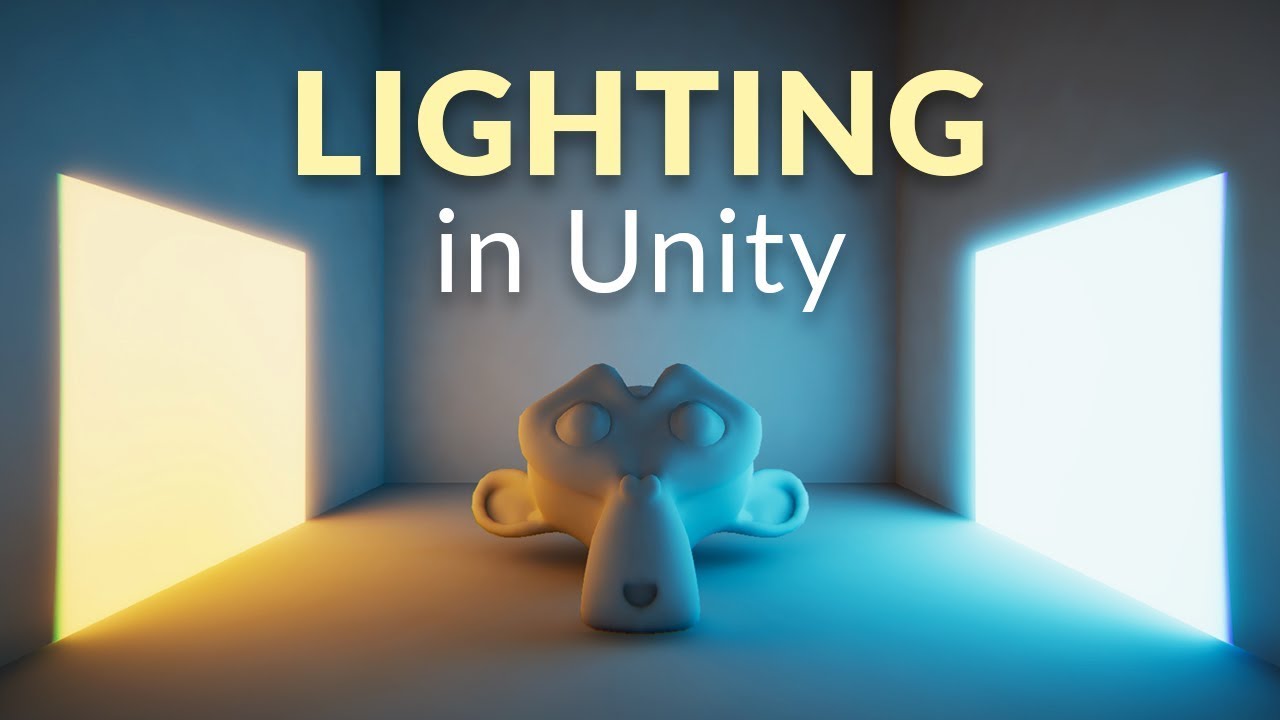
In this video we’ll learn a bunch about lighting and use it to light a simple scene using the Progressive Lightmapper.
● Get a discount on The Complete Unity 3D Game Development Course: https://www.udemy.com/unity-developer-course/?couponCode=YTBRACKEYS999
● Download Room + Monkey: https://goo.gl/6EZjQL
● LMHPoly's youtube channel: https://goo....
 ivory shoal
raven peak
<@87564491142733824> synced variables are not very optimized at the moment. They...
ivory shoal
raven peak
<@87564491142733824> synced variables are not very optimized at the moment. They...
they still havent updated that? they said that it's an early-stage, unfinished sync system and estimated to release a new one within weeks of september 23, it's been like 2 months jesus christ
scarlet lake
there's no way to do curved mirrors, right?
unborn hornet
You create a curved mesh with a material, then apply a material to it that has the FX->MirrorReflection shader
 royal beacon
Hello guys, I'm working a new world on SDK 3, I don't know if it is the right place, but I don't know what component I have to put on a button to make a mirror appear / disappear ? thanks 😄
scarlet lake
hey is there a way to change the emission color of a material from the graphs?
 oak trail
Not that i know of, but you can probably fake it with animation clips.
unborn hornet
like this?
or are you wanting to change the literally named emissions color property?
You'd probably do that like the bottom node.
Remember that the top one is technically a property assignment, which the bottom one is a method call. They look the same name, but are technically different.
scarlet lake
so weird thing, i have an animation that makes a platform move up then back down and it seems to like stretch the box collider or something cause there becomes and invisible wall
jagged crow
Why the new restriction on event names? I assume it's something worth breaking existing worlds over?
 fallen rune
jagged crow
Why the new restriction on event names? I assume it's something worth breaking e...
fallen rune
jagged crow
Why the new restriction on event names? I assume it's something worth breaking e...
If I had to take a guess, it might be a reservation for use with some internal event stuff, so that VRChat can avoid conflicting with any custom events that users might use.
I don't imagine it's broken too many worlds, though -- and any that it did break are probably pretty easy to fix, by changing the beginning of events to fire/listen for to something like "Custom_".
jagged crow
hopefully yeah
floral dove
The general purpose is to block internal events (Interact, etc) from being triggered by a malicious user. It's highly unusual to start method names with an underscore, so we're hoping that it doesn't affect many creators.
fallen rune
In that case, I would have suggested blocking out events that start with two underscores, rather than one, and then making sure all the internal events start with two underscores... but y'know, what's done is done.
 willow tartan
That would mean it's only effective if everyone reuploads their worlds using a new SDK. Or in other words means it won't work anytime soon :P
stark adder
floral dove
The general purpose is to block internal events (Interact, etc) from being trigg...
Wait soo can we not trigger Start() now ?
fiery yoke
Not over the network
fiery yoke
But in general its bad practice to directly go into event entry points
Just have a seperate entry point for that
stark adder
I just trigger Start() when Master changes for the new master.. Yea could do it differently but its the easiest 😄
fiery yoke
Easy usually comes back to bite your ass :P
jagged crow
Ditto
jagged crow
floral dove
The general purpose is to block internal events (Interact, etc) from being trigg...
Ahh yeah I think I've seen people force others to push buttons and such. Fixing that is def good
thisiswhywecanthavenicethings.jpg
 unreal marsh
new to using udon. at this time when i try compiling my c# code i get udon error
any ideas for a workaround?
floral dove
unreal marsh
any ideas for a workaround?
we expose the one on the AudioSource, not the AudioListener:
https://docs.unity3d.com/2018.4/Documentation/ScriptReference/AudioSource.GetSpectrumData.html
since you're using UdonSharp, you can take a look at the Class Exposure Tree (something like that) to see which methods are available. Udon also comes with searchable docs in Assets/Udon/ReferenceDocs - you can open index.html and search for method names from there.
unreal marsh
ty! that will help me narrow it down. much appreciated!
o/ as a user i want to say ty to you and your team for making this universe the possibility it is!
wheat rover
I think I (unfortunately) already know the answer, but is it possible to know who called a network event?
floral dove
wheat rover
I think I (unfortunately) already know the answer, but is it possible to know wh...
Not for a Custom Event, no.
wheat rover
God, networking with udon is such a pain
Can not wait for when ever that update that gives us better syncing is
floral dove
I'm excited for it, too! Hoping we can get it out early next year

 mighty fjord
Quick question, incase anyone knows, why doesn't this setup seem to set the variable on the instantiated objects?
floral dove
mighty fjord
Quick question, incase anyone knows, why doesn't this setup seem to set the vari...
sorry, Instantiation is unfinished until the new Network Update is released. However, you can get the same effect by using an Object Pool instead - create all your GameObjects ahead of time and put them in an array. Then when you want one, pull the next one from the array and use it, then disable it when you're done. This is how Instantiation will actually work under the hood, we're just going to make it easier for you down the line.
mighty fjord
Hmmm... How much of a performance hit would there be if I instantiated several hundred objects? I might have to find another work-around that would be more optimal for my use here.
oak trail
I think the impact of several hundred objects should be obvious... Probably best to use some kind of pooling system like Momo suggested.
mighty fjord
Wouldn't making an object pool like that mean instantiating all of those objects though?
floral dove
Do you need several hundred active at once? You'll have some serious issues with network sync trying to keep that many objects synced for everyone. Pick a lower target of objects that will be active at any one given time and you can cycle them in / out of the pool.
Take Beat Saber for example - sure a song may have hundreds of beats to slice, but at any given point you actually only need a handful of them to be visible and active, so you can have a much smaller pool of them from which to work.
mighty fjord
I dont need that many at the same time, currently I'm just instantiating them as they are needed/roll around, but they all need to be moving at a given rate which the player can change before they start instantiating.
floral dove
making a music game? 🎵
mighty fjord
Hopefully, need to figure out these small quirks first though
floral dove
You'll have a better time if you avoid runtime instantiation. Start with a pool of maybe 10 objects. Pull one out, set its speed, position, etc, then set it active / visible and away it goes! Then recycle it when it's out of the playfield.
mighty fjord
Actually, I've figured out a way that seems like it works, I just edit the script on the notes to get the speed from the main note parsing script instead.
But would there be any longer-term issues with using instantiation then?
floral dove
VRCInstantiation will be replaced with VRCObjectPool after that functionality is released next year, so you can make it an object pool now, and then you'll have the choice to keep it that way or switch once we release our implementation - or you can use Instantiation now, and rewrite it next year.
 vagrant coral
Nestor has made some awesome progress on it so far 😄
kinda why we talked midi stuff the other day 😄
floral dove
nice! I'm looking forward to seeing it. I'm a big fan of interactive music, as you know.
If you're willing to take my advice, @mighty fjord - please use a pool rather than Instantiation.
mighty fjord
I'll see what I can do! ^^
vagrant coral
I ran into some hiccups with the On Enable event for this update
the evet only fires after its been disabled twice now 😮
 foggy sentinel
is there a node to get touchpad/joystick input other than useDown/Up?
What is the axis name for a vr controller in vrchat?
https://docs.unity3d.com/2018.4/Documentation/Manual/OpenVRControllers.html
Can i use the axis ids' listed here for vrchat?
 lament scarab
I'm using this script to teleport:
using UdonSharp;
using UnityEngine;
using VRC.SDKBase;
using VRC.Udon;

public class TeleportInteract : UdonSharpBehaviour
{
    [SerializeField] Transform target;

    void Start()
    {

    }

    public void Interact()
    {
        Networking.LocalPlayer.TeleportTo(target.position, target.rotation);
    }
}```

But it's teleporting everyone in the world 😦 What do I do?nevermind, I lied, it was actually this one causing the issues:
using UdonSharp;
using UnityEngine;
using VRC.SDKBase;
using VRC.Udon;

public class TeleportOnPlayerTriggerEnter : UdonSharpBehaviour
{
    [SerializeField] Transform target;

    void Start()
    {

    }

    public override void OnPlayerTriggerEnter(VRCPlayerApi vrcPlayerApi)
    {
        Networking.LocalPlayer.TeleportTo(target.position, target.rotation);
    }
}
 waxen breach
is there a way for udon to check if a world is private. I want to have something toggle only for private worlds.
 severe tree
@lament scarab You need to check and see if the player entering the trigger is the local player, and if so, then teleport them. PlayerTriggerEnter executes for everyone since everyone knows where everyone else is, and so when any player walks into the trigger it will execute the resulting code for everyone. But if you check the player entering the trigger to see if it's the local player, then that'll prevent it from executing on clients who did not go through the trigger
lament scarab
Will Networking.IsOwner(gameObject) be sufficient?
Also, thank you, that makes so much sense
Im having tons of fun building out a little library of scripts
tall vault
Check for vrcPlayerApi.isLocal in that event
lament scarab
ah ok, I was checking for methods and properties with intellisense and didn't notice that one
thank you!
 flint urchin
waxen breach
is there a way for udon to check if a world is private. I want to have something...
flint urchin
waxen breach
is there a way for udon to check if a world is private. I want to have something...
Not possible no
 fickle nest
How to add tooltip name to trigger?
tall vault
Click the top right menu in the Inspector window and select Debug, and you can change the Interact Text there, then change the Inspector back to Normal once you're done
royal beacon
Hello guys, I don't know how to create a trigger to toggle on/off a mirror in SDK 3, can anyone tell me how ? cuz i know how to do it in SDK2 but I find no where how to do it on SDK 3, thanks 😄
lament scarab
@royal beacon do you use U#?
royal beacon
I have litterally no idea
I use SDK3 I made my world in blender, created the buttons and the mirror, I thought it'd just be creating an animation to turn it on/off and that's it
lament scarab
Are you looking to toggle it for just the player, or everyone in the map?
royal beacon
Local, only for the player that pushes the button
( I also have a low quality mirror, but I think that if I know how to turn the high quality one on, I can manage to find a way to toggle the low quality one )
do i have to program anything ? or it's jsut components to add ?
lament scarab
Well
I was going to try to help, but it turns out I don't know how to use graphs either
royal beacon
I mean I understand graph editor, I just don't know how to put it into my world
lament scarab
but if you want to use U# I can send a script that you can put on your button

GitHub
An experimental compiler for compiling C# to Udon assembly - MerlinVR/UdonSharp
ohhhh
actually, I just figured out how to use graphs too
royal beacon
Do you think I should go back to VRCSDK 2 for my world ? cuz to be honest, there is nothing special but a few triggers
lament scarab
Add a "UdonBehaviour" to your button, then drag your graph into the Program Source area
I just made this one and tested it, seems to work fine
royal beacon
is that the udon graph editor or the one integrated to Unity ?
lament scarab
The udon graph editor
royal beacon
I think i'll go back to 2.0, I really don't want to start programming
lament scarab
Me either...
royal beacon
thanks for the help though ! much appreciated
lament scarab
Good luck, have fun making maps!
royal beacon
thanks 😄 you too
lament scarab
Trial by fire, I'm sure to max out the map I just converted over to sdk3 today
mighty fjord
Hey, got another question, do you guys ever split your scripts up incase they get too big?
fiery yoke
Normally you would
but since every "Class" has to be an UdonBehaviour
youre forced to write some dirty clumped messes to make it more coherent
 unkempt seal
Hey cold sombady meby help me why i can not find the world The Spider-Lair tnx
scarlet lake
maybe the owner of the world have set it to private world, or maybe the world was removed perhaps?.. 👀
 crystal osprey
i have a question ...if you have multi light points in assets and you want to put them on a on/off switch. can you just group all the points into into one folder and switch them off and on from there like you would a mirror?
 boreal plaza
Greetings! Is it possible to send in an argument on a button instead of like this?
fiery yoke
Nope
boreal plaza
aa shucks
 dawn plover
Hello! Is there a way to know when the local player avatar is loaded and when they change their avatar? I'm trying to make an automatic vrc station so they will sit perfectly with every avatar by using the bone position, but I'm trying to avoid using onUpdate
fiery yoke
Nope
dawn plover
Mh, and the size of the bones instead of the position? I've tried to look it up but I didn't find anything 🤔
fiery yoke
Nope
but the length of a bone is just the distance between its position and its parents position
So the only problem there is with end bones
which Unity does not define so you cant get the length of finger tips and the head
dawn plover
Yeah, I was thinking to get the distance from the foot bone, the lower leg and upper leg by using their Y position in the world, but it's not too reliable because it changes values when you walk because of the animation, so it's not that perfect
fiery yoke
I had a conversation about that in Merlins server
The best way to get a rough estimate of someones avatar height is to add all the relevent bone lengths together
so foot-lowerleg, lowerleg-upperleg,hip-spine,spine-chest,chest-neck,neck-head
But you still need to know when someones avatar is loaded
which is not impossible but janky and pretty convoluted
dawn plover
Yeah, I mean, I could just change the entry position when a person interact with the station, so I don't need to know if the avatar is loaded or not, but as before, if they are walking, jumping or doing some other animation when they interact it makes it sit wrong, at least, I think, I still didn't tried it lol
fiery yoke
The thing about bone lengths is that they dont change
no matter what pose or animation youre doing :P
Unless you scale them, which is "not recommended" to do anyway
dawn plover
Oh, right, I'm stupid, I didn't think that I could just calculate the distance of the bones with the vector3, I was thinking to just take the Y position, that's why I was thinking the value would change lol
Like when they crouch or do other animations 😛
Mh, I'll try with this solution and see what happen, thank you for the help! 😛
boreal plaza
I can call on function for udon scriptwithin another udon script liek this right?
udonBehaviourScript.SendCustomEvent("FunctionName");```Yep that's right
boreal plaza
And override Interact to "launch" the script, ye?
tall vault
If you're activating it with a button press yes, public override void Interact() { ... }
boreal plaza
For some reason my button doesnt do anything
public override void Interact()
    {
        inputFieldText.text = url;
        cdPlayer.SendCustomEvent("LoadSong");
}```that should be pretty straight forward , right
yet button doesnt work
tall vault
Check your VRC logs to make sure it isn't throwing up errors
tall vault
In %APPDATA%\..\LocalLow\VRChat\vrchat
boreal plaza
haha found them just as you posted haha thanks
No errors 
MAybe I should just have the "on click" thing that exists in buttons and have it call on its own function.. lol
tall vault
Try adding a Debug.Log("Test"); line in your Interact and LoadSong methods to make sure they're being called
They should show up in the logs if it works
tall vault
Anything from Debug.Log gets output to the VRC logs
boreal plaza
ah
tall vault
Also make sure there's no errors related to your scripts showing up in Unity's Console tab when you do a build and test
boreal plaza
Its not being called wth
my debug message isnt printed anywhere so I'd assume its not called at all
It is capital I in Interact() right?
x)
tall vault
Yeah
boreal plaza
(╯°□°)╯︵ ┻━┻
 fleet brambleBOT
┬──┬ ノ( ゜-゜ノ) There you go
tall vault
Can you add a cube or something visual to your scene to make sure that the build is being updated correctly
If there are any errors or the cache is being screwy the build might not be updating
boreal plaza
good idea
fiery yoke
If you try to call "Interact" locally on another UdonBehaviour then youd have to use "_interact" as the name
boreal plaza
wut why
fiery yoke
Because VRChat compiles those to a different name internally
boreal plaza
well, I have a button that I click on, that button has a UdonBehaviour which is the one I have my Interact() on
fiery yoke
What do you mean with "Button"?
fiery yoke
Yeah then you wouldnt use Interact
boreal plaza
so _interact for this one?
fiery yoke
Interact is meant for Colliders you can click on
Not for UI Buttons
just have a custom event in your graph called "ButtonClick" or something
boreal plaza
well technically I have a collider on my canvas
hah
But ok
So now I would have to refer it in my OnClick invoke list thingy I suppose
This should work then
boreal plaza
but no
unborn hornet
Is there a known way to detect if the pointer raycast is targeting a UI element (like a mouse hover)?
fiery yoke
Yeah but its jank because of how focus works...
unborn hornet
How's it work then?
fiery yoke
You add an Event Trigger componentt
then you can choose both PointerEnter and PointerExit
unborn hornet
That's it? So what's the jank then?
unborn hornet
k
 hardy patio
What is Udon?
lament scarab
Is it known that stations (specifically the provided chair prefab) won't work if they are a descendant of an object that is hidden when the world loads, even after the ancestor is unhidden?
 obtuse agate
Yes in sdk2. I didn’t test in SDK3 but I guess it’s the same
lament scarab
Dang, is there anyway to make them work?
obtuse agate
you can hide the mesh and collider instead
 devout owl
I did tutorial using udon and this the video I watched https://youtu.be/A_tmJHGlR0M am having a problem where it limits the number you go in and out in my vrchat world am wondering if there way to make it unlimited

Since information about this was scattered, I decided to do a quick tutorial once I figured it out. I hope this helps anyone as confused as I was!
Music is "Timetravel Dance" by Serakina.
scarlet lake
well first you need unregistered hypercam
mighty fjord
Is it possible to use the VRCTrackingAPI to get the pos/rot of extra trackers like the HTC VIVE-pucks? Or should I just get the position of the feet bones instead?
fiery yoke
No only Controllers/Head. For the rest you need to use bone positions
mighty fjord
Aight, I guess it will have to do. ^^
unborn hornet
lament scarab
Is it known that stations (specifically the provided chair prefab) won't work if...
You'd need to have it enabled on load, then have a script that disables the parent in the Start event.
wheat rover
Is there a way to get a player's current gestures in Udon?
 peak umbra
I'm having trouble with additions in Udon graph. I'm trying to add 2 Vecrot 3s together but when I do, the result spews out null. I tried splitting it into floats then reassembling it but now it either gived me (0,0,0) or the max value with nothing in between. (one of the vector 3s slowly goes up in value then slowly back down) Anyone know what might be going wrong?
unborn hornet
Got a screenshot?
peak umbra
of the graph?
 rigid plume
Stupid noob question: How do I do a basic "less than" expression for the predicate of an if-then-else branch in Udon? I tried searching for "Less Than" or "Compare To" nodes in Udon's node search, but I couldn't find anything.
It seems like this should be something very basic, but I can't find anything about it in the docs.
Nevermind, I found out that less than/greater than/equal/etc are hidden underneath the int and float types.
rigid plume
Anyone know how to check debug logs for Udon from within Quest?
unborn hornet
peak umbra
of the graph?
Yes.
foggy sentinel
rigid plume
Stupid noob question: How do I do a basic "less than" expression for the predica...
less than is part of the node for a specific type. So if you are comparing floats search float in udon
peak umbra
unborn hornet
Yes.
I'm trying to create a script that I can drop on objects and have them hover up and down at a given speed.
unborn hornet
I would look into using Animation component instead of udon to do idle animations like you described. Using udon for animating things results in fairly poor performance in the long run.
peak umbra
Thank you
rigid plume
For a "LessThan" node, the top value is the left-hand-side, right? I'm getting some strange behavior from trying to set up a "While" node.
For context, I'm trying to use a while loop to wait for a duration of time before continuing. So, I've got something like while (Time.time < _endTime) {}, where _endTime is initially set to Time.time + 5 seconds before entering the loop.
It's just sort of immediately going to the Exit branch though instead of sticking around in the empty Body branch until the predicate is false.
From doing some logging, my predicate does evaluate to true though. So it should be staying in the body.
interact obj


2020.12.12 22:26:44 Log        -  TEST
obj popup active
Cur time: 26.22572

// Just before entering loop
2020.12.12 22:26:44 Log        -  TEST
_endTime: 31.22572 True (loop predicate)

// Inside loop...

// Exit loop
2020.12.12 22:26:44 Log        -  TEST
Re-hide obj popup
END
Cur time: 26.22572```Here's a screenshot of my Udon graph.
Oof... I just tried giving it a minimal noop body (setting a boolean noop variable to true) and it caused it to generate an infinite loop error. I'm guessing then that the following are true then:
- Udon and the world both share a single thread.
- While loops are not the correct way to implement a timer.
rigid plume
It looks like the "Update" event is the solution for implementing timers.
floral dove
rigid plume
It looks like the "Update" event is the solution for implementing timers.
There's an example of a timer in the UdonExampleScene
rigid plume
Thanks, I eventually figured things out.
lament scarab
Does udon have significant network latency issues that don't exist in sdk2? I've got a world maxing out between 70 and 80 people and we have great frames, but are experiencing network lag that makes talking and move syncing very very choppy
Before I converted it to sdk3 we would get some frame rate issues, but not latency like this
native helm
Avatar favorites is bug?
 solid sluice
Das someone know how to create a button with physics, i mean you need to press the button on VRC like a real button.
hardy fog
solid sluice
Das someone know how to create a button with physics, i mean you need to press t...
I asked this question too, I think they said just limit the button movement to the axis you want it to push into, and then clamp that linear motion to the resting and depressed positions. Put a trigger inside so when button object collides with it, it will trigger and OnCollision event, and then treat that as a button press.
The only possible problem would be if an avatar's hands/body don't have collision physics.
 raw lava
I'll format my computer tomorrow, does anyone know if I lose the avatars I saved as favorites?
fiery yoke
raw lava
I'll format my computer tomorrow, does anyone know if I lose the avatars I saved...
Your favorites are stored in the cloud via API. But this is not the right channel for those questions ask in #user-support-old
hardy fog
I forgot what kind of Text object to use with Udon. GUITEXT doesn't cut it. I just want to change a text object's text from C#.
Ahh, found it. UnityEngine.UI.Text
 remote owl
How do you find specific avatars? I’m looking for a gorilla avatar
unborn hornet
Wow. That's worse jank than I thought...
@fiery yoke so when I try to do the pointer thing in desktop mode, it detects it only when the bottom left corner of the application window intersects with the different UI parts that have the pointer events on them (I have 4 parts in the UI that log the current event being called).
fiery yoke
Toldya
unborn hornet
Pointer click works, but the enter and exit are being called every update basically. wew lad lmao
🤷
hardy fog
I see @fiery yoke said this about getcomponent in the past
You cant use the generic version of GetComponent on VRC Components because they need special handling. You have to use (UdonBehaviour)GetComponent(typeof(UdonBehaviour))
I'll give it a try
Don't understand
Yeah that still isn't clear how to implement it. I'll search google for a while.
Looks like this will work
 sly pollen
wait so is playeraudiooverride just unavailable with udon?
tall vault
You can override per-player volume settings in Udon through VRCPlayerApi - https://docs.vrchat.com/docs/player-audio (graph) or https://github.com/MerlinVR/UdonSharp/wiki/vrchat-api#vrcplayerapi (U#)
 rotund kraken
Is there a Quest friendly Udon video player prefab? I thought I heard of one, but I've been unable to locate any info on it.
dapper lion
ive never seen or have been able to recreate a video in a quest environment, if you find a world that has one, id get in contact with that person
raven peak
@rotund kraken from scattered information i remember. Quest video player support is very limited. Can only use the avpro video player. And it doesnt have youtube-dl so you have to reference video files directly for it to work.
rotund kraken
raven peak
<@661392937849978904> from scattered information i remember. Quest video player ...
ahh...okay, thanks
celest olive
Can I use udon to make certain parts of my programming only work if the player activating it has a specific name or ID? (Or exclude somebody) - Basically I wanna make a surprise map and want to avoid the "Surprisee" to accidentally click on my hidden switches. Wanna mask that by making those switches do something different if they click them. x)
fiery yoke
VRCPlayerApi.get_displayName gets you a string
unborn hornet
raven peak
<@661392937849978904> from scattered information i remember. Quest video player ...
🤔 if thats the requirements for quest, there's a number of TV prefabs that supports Quest (aside from the ytdl issue, clearly) including the one I made.
I dont have a quest so thats a good thing to know about it. Thanks for the info.
scarlet lake
Yeah @unborn hornet has the best video player out atm
fiery yoke
I've been working on a video player prefab as well
Been kinda putting it off for a while because of some networking changes coming some time in the future, but who knows when that'll be, so I will just probably just release it in its current state.
unborn hornet
Heh. I feel that lol
dapper lion
like 1.9-2ish default cubes
scarlet lake
so 2m?
dapper lion
what you could do is put the roof collider higher than the acc roof
scarlet lake
sure, but i'm doing a 2 floor thing
and it would be easier to not have fake ceilings/ colliders separate from the actual visible geometry
dapper lion
ye
celest olive
fiery yoke
VRCPlayerApi.get_displayName gets you a string
Big thanks!
wheat rover
Can you trigger custom network events on objects you don't own?
Pretty much my entire world design so far has been reliant on this idea so I figure I'd ask before I get to actually coding the parts that will use it...
I am really hoping you can, because if you can't I have 2 solutions, one of which means exponential amounts of game objects and the other means a pretty decent performance hit and likely making the game much less responsive
fiery yoke
yes
wheat rover
Thank you.
 fervent sentinel
I'm curious if anyone has made like a domination script for capturing points in a game.
If so I would like to figure out how to do such a thing
 grizzled trout
hi i am sorta new at this and was wondering, i am trying to set up a script where when i hit a button in game it toggles other things off and one thing on; like i hit button 1 and lights 2 and 3 turn off and light 1 turns on ect. can i get any ponters or guids?
grizzled trout
i think i figgerd this out hehe
grizzled trout
ok new problem , i am trtying to find out how to get an animation to play, nothing but just curtains iopaning/closing
i know how to kinda get animations done for avatars but idk how to trigger ones for world stuff
 tired orbit
Momo the Monster talks about that in the "How do I make automatic doors?" video that's pinned
grizzled trout
thanks i forget to chek them t0 much heh
mighty fjord
I would probably use animator parameters for something like that
grizzled trout
i am kinda a newbie so i will take all the help i can get, if you can link a vid or guide i will be thankfull