#udon-general
59 messages · Page 1 of 1 (latest)
 mystic lynx
 indigo prairie
you dont, you do use tiny script
 coarse parrot
mystic lynx
but how do i get UI to do it without script?
coarse parrot
mystic lynx
but how do i get UI to do it without script?
You already did.
mystic lynx
indigo prairie
you dont, you do use tiny script
tiny script? whats that
indigo prairie
k not my day i guess. can external script be directly referenced in ui button? i honestly dont remember. probly it can so nvm
coarse parrot
indigo prairie
k not my day i guess. can external script be directly referenced in ui button? i...
That's where the object reference slot in the event is for.
indigo prairie
like can i OtherCube.CustomEvent
or i can ony UdonBehaviour (this one).CustomEvent
coarse parrot
Can you screenshot the button like this again?
mystic lynx
yeah of course
coarse parrot
mystic lynx
yeah of course
Also the Interact event doesn't do anything in your case so just remove that too.
mystic lynx
coarse parrot
Also the Interact event doesn't do anything in your case so just remove that too...
 coarse parrot
mystic lynx
coarse parrot
mystic lynx
There is nothing in the event now.
mystic lynx
coarse parrot
There is nothing in the event now.
yeah i removed it because it wasnt working
coarse parrot
mystic lynx
yeah i removed it because it wasnt working
You have to keep the SendCustomEvent part.
mystic lynx
coarse parrot
You have to keep the SendCustomEvent part.
this is the event i had before
 coarse parrot
mystic lynx
this is the event i had before
coarse parrot
mystic lynx
this is the event i had before
Your event name have to matched between the graph and what you put in button UI.
mystic lynx
coarse parrot
Your event name have to matched between the graph and what you put in button UI.
ive done it like this but its still not working
 coarse parrot
mystic lynx
ive done it like this but its still not working
coarse parrot
mystic lynx
ive done it like this but its still not working
Keep it that way. Did you also test by changing default skybox to something else not in the list your list and test the button as I asked before?
mystic lynx
coarse parrot
Keep it that way. Did you also test by changing default skybox to something else...
wym?
coarse parrot
mystic lynx
wym?
Manually change the skybox material to something else.
mystic lynx
coarse parrot
Manually change the skybox material to something else.
im able to change it manually in here if thats what you mean
 coarse parrot
mystic lynx
im able to change it manually in here if thats what you mean
coarse parrot
mystic lynx
im able to change it manually in here if thats what you mean
Yes. And test the button again. Can it change out from the default skybox?
mystic lynx
coarse parrot
Yes. And test the button again. Can it change out from the default skybox?
it still doesnt change
coarse parrot
mystic lynx
it still doesnt change
Can you screenshot the entire unity screen showing the console panel right after clicking on the button?
mystic lynx
coarse parrot
Can you screenshot the entire unity screen showing the console panel right after...
 coarse parrot
mystic lynx
coarse parrot
mystic lynx
You should actually take the entire screen and don't crop.
 coarse parrot
mystic lynx
coarse parrot
mystic lynx
Also select and screenshot the "Change Skybox" object again.
 coarse parrot
mystic lynx
coarse parrot
mystic lynx
From there, open the "Run Custom Event" selection and click on your custom event name.
mystic lynx
coarse parrot
From there, open the "Run Custom Event" selection and click on your custom event...
that worked but it doesnt work when i clicked the button in my scene
coarse parrot
mystic lynx
that worked but it doesnt work when i clicked the button in my scene
When testing, test by clicking the Invoke button here too.
 mystic lynx
coarse parrot
When testing, test by clicking the Invoke button here too.
mystic lynx
coarse parrot
When testing, test by clicking the Invoke button here too.
it doesnt work through that either
coarse parrot
mystic lynx
it doesnt work through that either
So really make sure that the custom event name is exactly match between the graph and button, double check for trailing space and such.
mystic lynx
coarse parrot
So really make sure that the custom event name is exactly match between the grap...
they are the same ive checked
coarse parrot
mystic lynx
they are the same ive checked
Ok. Use Interact event instead then. Select the UdonBehaviour.Interact in the button event, and replace the custom event node in graph with Interact event node.
mystic lynx
coarse parrot
Ok. Use Interact event instead then. Select the UdonBehaviour.Interact in the bu...
what do i set the function to on the button?
coarse parrot
mystic lynx
what do i set the function to on the button?
Didn't I say that?
mystic lynx
coarse parrot
Didn't I say that?
I’m not sure
coarse parrot
mystic lynx
I’m not sure
UdonBehaviour.Interact is what you have to select in the button event.
mystic lynx
coarse parrot
UdonBehaviour.Interact is what you have to select in the button event.
i have it on that but it still doesnt work
coarse parrot
mystic lynx
i have it on that but it still doesnt work
Mind screenshoting what you had changed?
mystic lynx
 coarse parrot
mystic lynx
coarse parrot
mystic lynx
And the graph?
mystic lynx
coarse parrot
And the graph?
 mystic lynx
coarse parrot
And the graph?
mystic lynx
coarse parrot
And the graph?
ive made progress but now im getting this error, any ideas why?
 mystic lynx
coarse parrot
And the graph?
mystic lynx
coarse parrot
And the graph?
okay update, the button is changing the sky box now but its failing to loop, how do i fix that?
coarse parrot
mystic lynx
ive made progress but now im getting this error, any ideas why?
You have to see more detail inside.
mystic lynx
coarse parrot
You have to see more detail inside.
im not getting the error anymore its just not looping
coarse parrot
mystic lynx
im not getting the error anymore its just not looping
Is the graph still the same?
mystic lynx
coarse parrot
Is the graph still the same?
pretty much, i'll show you
mystic lynx
coarse parrot
Is the graph still the same?
 coarse parrot
mystic lynx
coarse parrot
mystic lynx
are you sure there is no more error when you click it to loop?
mystic lynx
coarse parrot
are you sure there is no more error when you click it to loop?
yes im sure it just doesnt loop
 oblique ermine
Does SendCustomEventDelayedSeconds send a network event or just a local custom event
the latter, right?
mystic lynx
coarse parrot
are you sure there is no more error when you click it to loop?
im not sure what im doing wrong

 wide marsh
What's going on with vrchat?
 keen hatch
mystic lynx
im not sure what im doing wrong
keen hatch
mystic lynx
im not sure what im doing wrong
currently your code does this:
is "changeskybox" int greater than or equal the length of "skybox" material array?
if yes, "changeskybox" is set to 0
if no, "changeskybox" is set to itself + 1
then sets skybox to the material in the array with number "changeskybox"
if it only has 1 material in the array, your skybox will stay at 0
coarse parrot
mystic lynx
im not sure what im doing wrong
For sure fire way, you should use Remainder node instead. So do Add+1, into Remainder of the array length, and use that value to set variable and get from material array.
mystic lynx
coarse parrot
For sure fire way, you should use Remainder node instead. So do Add+1, into Rema...
i did what you said but when i press the button it doesnt set nor change my skybox as shown in the video
coarse parrot
mystic lynx
i did what you said but when i press the button it doesnt set nor change my skyb...
You should no longer need to use branch to separate set variable.
coarse parrot
mystic lynx
i did what you said but when i press the button it doesnt set nor change my skyb...
And you missed the part where you have to use the result from Remainder to set variable and get material from array.
mystic lynx
coarse parrot
And you missed the part where you have to use the result from Remainder to set v...
its now working perfectly thank you so much
 heady fulcrum
what is the most performant way to load primitive data off the byte array?
would it be 12 sections for blockcopy with all the primitives compacted into single extern each?
 vagrant token
Hewwo,
Is there such thing as type checking for udon behaviors ?
Exemple
abstract class A : UdonSharpBehavior
class B
class C
public A value;

bool Test()
{
  return value is B;
}
I checked on the manual for as & is operator in the supported list and it doesn't show
I could workaround it by baking an enum in the base class to make it easier to check but I'd prefer to use these operators if they work
I guess doing a get component would also work
 prime badger
vagrant token
Hewwo,
Is there such thing as type checking for udon behaviors ?
Exemple
abst...
prime badger
vagrant token
Hewwo,
Is there such thing as type checking for udon behaviors ?
Exemple
abst...
for UdonSharpBehaviours you can do something like
public UdonSharpBehaviour udonSharpBehaviour;

bool Test()
{
    return value.GetUdonTypeName() == GetUdonTypeName<MyUdonSharpBehaviourClass>();
}
Thank you !
prime badger
vagrant token
Thank you !
ps. iirc the name it returns is the plain name of the class with its namespace (if applicable) prefixed to it; use that info if you need more advanced applications
 dull garden
what is udon?
 drifting sage
Please read the thread linked in #udon-info ! 🙂
I think I may have to put that into my clipboard.
dull garden
epic 👍
 wary cipher
4th
 lavish yarrow
lol
 last plinth
The real question; with UDON now being a thing, how many more worlds are we gonna see that have advanced script functions backing stuff like VRChat games?
 proven silo
alot
 lusty fjord
It will take a while for the current VRC sdk functions (pickups/pedestals) and the new player API to become bug free before minigames will be possible
proven silo
like more than 2
lusty fjord
For now it works great making complex interactions between objects that are only local (not network synced)
drifting sage
The thread points this out, but yes-- a lot of "base VRChat functionality" isn't in just yet because they depend on Triggers and Actions, which... don't exist in VRCSDK3!
 strong hull
It's early days and it's just in alpha but the plan is most definately a LOT more interesting and complex and creative interactions in VRChat including games
 rancid fox
I plan on checking this out tomorrow after work and getting familiar with it but I would like to know, I understand it's an alpha but is everyone who's got into play with it so far really happy with it? is there any plan for major expansions, and do you think learning it now won't require people to relearn it in the future? Im excited thank you guys!
drifting sage
I understand it's an alpha but is everyone who's got into play with it so far really happy with it?
Our testers have been having a lot of fun and making cool stuff, so I think so, yeah!
is there any plan for major expansions
Yes, but worry about the base part first. :P
do you think learning it now won't require people to relearn it in the future?
Nah, you're good to go now. There shouldn't be any massive structural "how things work" change to Udon that I can foresee myself
rancid fox
Awesome! Thanks so much, im so excited. 
 weak elk
It helps to understand how c# works in unity that knowledge can be transferred to Udon
drifting sage
you don't need to know too much in-depth about c# in unity thankfully, just generally types, their member functions, and what they do is enough info
udon handles the rest
i made a 5 part video that covers the basics that's in the forum
strong hull
You can also share the graphs easily and people can use/remix/enhance
 balmy quartz
eventually expected question: Is Udon for Worlds only?
drifting sage
@sweet glacier answering from the beta channel-- the "default", built-in method to make Udon stuff is with Node Graph. We support assembly as well, which means that you could write a compiler. There's more details in the forums, in particular this thread: https://ask.vrchat.com/t/getting-started-with-udon-assembly/84

VRChat Udon Discussion Forum
Looking to dig a little deeper? Want to try building VRChat Udon out of assembly, or even build your own compiler? Here’s some first steps you should look into. IMPORTANT NOTE: If you’re just getting started with Udon, this probably isn’t what you want! Check out our t...
@balmy quartz Yes, for worlds only currently.
 lethal fractal
so.. udon made for unity 2018, but live version of vrchat is still on unity 2017. does that mean i still need to wait for vrchat unity 2018 going live to really start working? (or simply question: "vrchat unity 2018 when?")
weak elk
I think someone is already working on a compiler.
drifting sage
You can start making stuff now. It won't be available on Live until this release goes Live.
 white kelp
I know someone that's already said he would try to write a compiler
balmy quartz
is there any plans for that to change, or is it worlds only for the foreseeable future?
 agile pond
I think there are at least 2 different compilers people are working on
drifting sage
No "plans", but certainly whatever ranks right below plans 🙂
balmy quartz
so there's at least a "want" then, that's good to hear
lethal fractal
i mean.. i was trying to make worlds in unity 2018 without udon, but when i was trying to test it, its just wont load without beta vrchat.. so how can i even try out what i made if it wont load? 
drifting sage
You use the Open Beta client 🤔
white kelp
This question might sound stupid but, can you write simple conditional expressions? In the alpha videos I've only seen OnEvent stuff
drifting sage
Yes, there is a "Branch" node that's a conditional if
strong hull
I'd def go read the getting started with udon long thread. there's a ton of imporant info in there
like "don't build your mega project just yet" this is for people to help us test out what's there and report back more than go start building a monster udon project
Cos alpha. features missing. bugz.
but we'll get bugs fixed and stuff in that's missing pretty quickly. coupla things tomorrow. rest of things in new year when team is back from winter break.
 slim hound
Public canny for Udon?
strong hull
go read the getting started thread. has all the info
 scarlet lake
have the spinning cube videos been posted? it's a good first step
drifting sage
its in the examples category
scarlet lake
VRChat Udon Discussion Forum
We’ve got a set of videos here for you to check out to get you started in Udon and with some basic concepts. Let’s meet the VRChat Udon version of Hello World-- the spinning cube! Video 1 - Introduction Video 2 - Input and Flow Video 3 - Public Variables Video 4 - Pro...
 hollow garden
Watching those rn. good to know everything so far I could've figured out myself. That means I should be fine with the rest.
drifting sage
@slim hound They're linked in #657398370377269249 🙂
slim hound
Yeah I saw those
 jolly perch
posts
hollow garden
cans
slim hound
They don't show in the list of canny boards until you have viewed them
jolly perch
oh the category
slim hound
but since they seem to stay its not an issue
drifting sage
they're listed now
slim hound
Unless someone just made a quick edit to make them show 🤔
drifting sage
yes, i did that
however, there's direct links:
- in the Discourse thread
- in the Discourse categories
- in the #657398370377269249 channel
slim hound
Having them directly in that list is a lot easier though.
 torpid badge
I remember from an old Udon stream that saving data for players between world sessions was planned. Do you think we might see that while still in Alpha, or was that more of a long-term hope? Also is pulling data from the web into worlds using Udon a possibility? Keep up the great work, it's awesome to see this out!
 modern coral
How does one use the Func output?
 dawn gate
I wanna make a particle system emit a burst, how do I reference the particle system so UDON knows what particle system I'm talking about?
strong hull
@torpid badge persistence might come at some point but not right now. That'll be a longer term thing. We still have a lot of features and cool stuff to get into UDON. Also a new UI and Avatars 2.0 on the way. Also a bunch of other good stuff that will help VRChat
scarlet lake
the particle system is unsupported in this version, it will be added soon I heard
dawn gate
darn
scarlet lake
there is nodes for it but they don't function yet, along with a bunch of other graphics objects likes textures etc
if you are familiar with the unity api there's a lot of things you can do though
modern coral
Has this node been removed? Is this permanent? It was pretty useful D: https://cdn.discordapp.com/attachments/655644906135748609/655867862698688532/unknown.png
 drifting sage
How old is that? 🤔
modern coral
A week ago ^^'
 sweet glacier
awesome thanks tupper! that information is super helpful 🙂 From what I can see the base language is based off C # correct?
strong hull
UDON and pieces like PlayerAPI are under construction. Things gonna be missing, or even get removed. @modern coral
modern coral
Understandable ^^
strong hull
Def leave feedback and lobby for stuff, note bugs, etc
 floral dove
@dawn gate for now, you can use the animator to play with particles. For example, make start-emit and end-emit animations on your particle system, reference the animator in a node graph, and trigger the two animations.
dawn gate
sounds good to me
scarlet lake
How do you invert Vectors with Udon?
LIke for example; If i want to move an object backwards; I can use Vector3.forward * -1; usually, how can we do that in udon tho?
weak elk
Theres a node called Vector3 Get Forward
scarlet lake
Yea, i know, how do i invert that one though? Is there a Operator for inversion?
weak elk
Maybe what you're looking for?
drifting sage
Yeah that's what I did for my "backward" movement on my asteroids ship
hollow garden
I should really finish watching the intro videos before trying to make a suicidal cube
 clever olive
Is there anyway to get players positions?
hollow garden
Am I doing it wrong? https://raytracing-benchmarks.are-really.cool/6ZGLh8p.png

 steel bone
Any chance we'll be able to create complex behaviors (eg ai) in UDON?
weak elk
You can already do things like pathfinding with AINavMesh
hollow garden
It doesn't work just like that
 trim sapphire
Hey, probably a simple question, but I think I'm missing something: how to I get/set a property on a component on a GameObject? I have a VideoPlayer (just a Unity VideoPlayer, not a VRC Video Sync) component that I'd like to be able to manually set the time (double) on.
 flint urchin
@hollow garden https://i.imgur.com/7AGoN6a.png
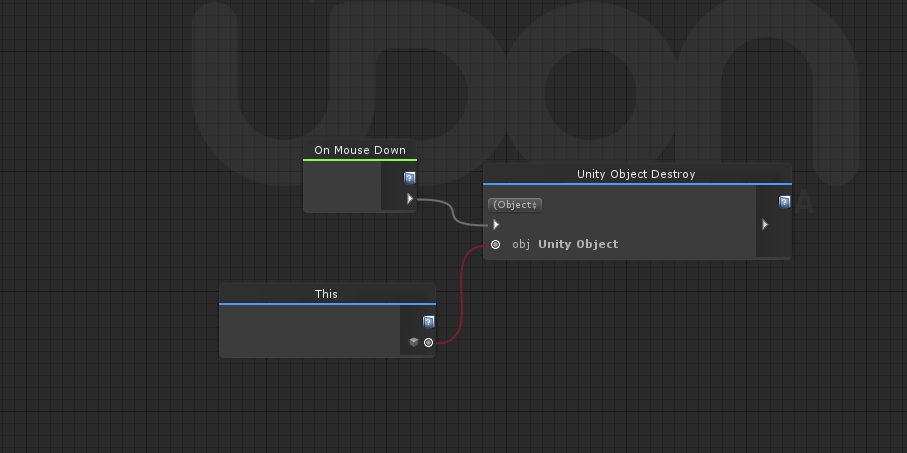
 cunning dock
I don't get: how udon internally works? Is it just interpreter that interprets that text udon assembly program in real time or these asm programs actually got compiled into IL/native code?
hollow garden
ah "this" is a thing
flint urchin
yeah
weak elk
@trim sapphire I dont think VideoPlayer nodes are exposed in Udon
hollow garden
works instantly. neat, thanks
flint urchin
VideoPlayer stuff isn't exposed yet no, but should be in a future update
trim sapphire
Hmmm. What about other components? If I have a reference to a component on a GameObject, how would I set properties of that component?
weak elk
you can use a public variable to get the GameObject or This to refer to the GameObject that the UdonBehavior is on
you can drag a GameObject into the public variable slot to perform an action like setActive(true) if left blank it will refer to itself
hollow garden
transform has nodes for rotate and translate, but there's only a set local scale, and so far it doesnt really seem to be working much
nvm
cunning dock
I can't find remainder operator in nodes list
Is it does not exist? How to do a % b ?
drifting sage
@cunning dock Udon consists of a nodegraph, which compiles down to UAssembly, which assembles down to bytecode, which gets run by the UdonVM.
You're looking for modulo
cunning dock
no modulo
drifting sage
Checking. It exists, just has a different name
if it doesn't exist its possible it just got missed
cunning dock
UdonVM? So, there is own bytecode specs? And UdonVM interprets this bytecode?
 velvet wharf
check many alias of modulo also could not find
drifting sage
Ah, yeah, it seems like modulo is missing. Make a bug report on the Feedback boards #657398370377269249
cunning dock
I hope UdonVM not slow, when it's about interpretations it's always about performance
 fair bough
how to fix specify date time in Udon?
drifting sage
I'm not sure what you're asking
cunning dock
I also see no entire System.Math
there is UnityEngine.Mathf, but it's only extensions
drifting sage
It may be missing, please submit a bug report
cunning dock
ok
drifting sage
What functions from Math are missing in Mathf
(i'm not familiar, so you'll have to help me)
cunning dock
A lot of. just compare https://docs.microsoft.com/en-us/dotnet/api/system.math?view=netframework-4.8 and https://docs.unity3d.com/2018.4/Documentation/ScriptReference/Mathf.html for example see no Truncate

Provides constants and static methods for trigonometric, logarithmic, and other common mathematical functions.
 cunning dock
Can I define a function/method and call it from other udon program?
 grand temple
yes
weak elk
You can use SubGraphs for internal "function calls"
I posted an example in #udon-showoff
You can also use events and program variables to pass variables to other UdonBehaviors
weak elk
you have to set variables
cunning dock
Using class-variables for that seems strange
weak elk
its subject to change
weak elk
.data_start

    .export subGraphResult
    .export subGraphInput

    Int32_0: %SystemInt32, null
    Int32_1: %SystemInt32, null
    asset_0: %UnityEngineScriptableObject, null
    instance_0: %VRCUdonUdonBehaviour, this
    onEnterSubGraph_0: %SystemString, null
    message_0: %SystemObject, null
    subGraphResult: %SystemInt32, null
    subGraphInput: %SystemInt32, null

.data_end

.code_start

    .export onEnterSubGraph

    onEnterSubGraph:

        PUSH, subGraphInput
        PUSH, Int32_0
        COPY
        PUSH, Int32_0
        PUSH, Int32_1
        PUSH, subGraphResult
        EXTERN, "SystemInt32.__op_Addition__SystemInt32_SystemInt32__SystemInt32"
        JUMP, 0xFFFFFF

    .export _start

    _start:

        PUSH, instance_0
        PUSH, onEnterSubGraph_0
        EXTERN, "VRCUdonCommonInterfacesIUdonEventReceiver.__SendCustomEvent__SystemString__SystemVoid"
        PUSH, subGraphResult
        PUSH, message_0
        COPY
        PUSH, message_0
        EXTERN, "UnityEngineDebug.__Log__SystemObject__SystemVoid"
        JUMP, 0xFFFFFF


.code_end
This was the compiled example
cunning dock
Intresting for experiments
It's seems it's possible to make something like recursion
 hybrid canyon
out of curiosity would making something similar to like the camping from Pokemon sword and shield as far as playing with AI pets be doable
hybrid canyon
good to know as I'm interested in petting virtual doggies in VR
now I just need to figure out how the heck I would do that as I don't have much experience with npc's
 granite basalt
How comparable is UDON to the node system of unreal engine?
 finite shale
Kismet's one of their inspirations, apparently
cunning dock
Is there's a way to get plyer's humanoid bones transform? I see there is HumanoidAvatar API available, but I see no way to access player's avatar's transforms
 amber spade
What even is udon? lol
 midnight orchid
Noodly goodness
amber spade
errrr
midnight orchid
Also VRChat Scripting
midnight orchid
How come?
midnight orchid
Don't worry, everything looks hard when you don't know it.
Just take small steps and before you know it you got a bowl of tasty treats
amber spade
mmmm, treats 😋
 marsh tangle
I just used a small video about C# to start understanding the basics and could create some stuff in udon, though its a bit limited to open scripting
 clever eagle
udon...is in unity...???
its nodegraph scripting so its literally just scratch vrchat edition, youll be fine
@amber spade
marsh tangle
You need to understand what makes it tick though 😉
cunning dock
I see there is HumanBodyBones availbale, but there is no Animator.GetBoneTransform. Is is a bug? How to get transform/gameobj of a humanoid bone?
 faint pond
how do i make a game object toggable? i figured out how to set active atleast
 trim dock
Is SystemConsole not supported yet?
cunning dock
@faint pond I believe toggle should be something like this
slim hound
@faint pond
faint pond
ill try these
 dim shard
I have a question.
At the current version, is "On Became Invisible" Node working?
It doesn't work well at my place...
The nodes are very simple.
slim hound
Its likely that its not working
 tidal lava
Anyone know of a way of getting a specific item in an array, e.g. array[5]
slim hound
Possibly didn't compile properly
Can you change it to target a cube instead and then try
slim hound
oh yeah okay
I guess sending the direct asset file isnt a good way of doing it
no nvm I just sent the wrong file
cunning dock
I need to be sure: this executes all given branches in order, yes?
flint urchin
Yes
faint pond
anyone figure out yet how to change the help text
flint urchin
faint pond
so not yet in
flint urchin
Nope
faint pond
rip, hopefully soon. i dislike a table of interactions with no text
flint urchin
Well, open alpha 🤷♂️
faint pond
yeah
 fiery yoke
How do you pass on a Variable from one Udon Behaviour to another again?
Or more precisely: How do you Get a Variable in a Udon Behaviour, where the variable is contained in a different Udon Beaviour.
flint urchin
Get Program Variable
 north lintel
Does this current version of Udon contain any sort of data persistence?
I'd also like to know if I can reference specific users
flint urchin
No data persistence
north lintel
Ah, well I'll check the Roadmap to see if it may be an upcoming feature. How about the latter question? (Also, hey Phaxe!)
 mild ingot
can udon effect player abilities like "VRC_PlayerMods (its gone i think)" did like jump height and walk speed?
mild ingot
urg
 latent swallow
flint urchin
latent swallow
flint urchin
Hey @north lintel
We’re supposed to create that ourself with Udon @latent swallow /s
latent swallow
ah, yes, let me just adjust gravity locally instead. sorry phaxe.
flint urchin
Perfect 👌
cunning dock
All these things with udon asm lang, compilation, possible translation, udon vm seems to be overkill that in future will bring a lot of troubles in proccess of futher development and support. @drifting sage tell pls why not just allow creators to build own .net/mono assemblies and then check it server side on upload on client side at world loading? I believe whitelisting methods call/calli/callvirt/jmp/ldftn/ldvirtftn and fields ldfld/ldflda/ldsfld/ldsflda/stfld/stsfld and may be some more "unsafe" instructions can do the same security limitations as udon have, but it would be much easier to maintain, it would provide much more features for creators out of the box. Tools like Cecil can parse and validate these assemblies very quickly. And making node-based UI for scripting with compilation into IL assembly seems not that much harder. I am so confused. I have bad feelings about this. Why? Why did it take to invent your own bicycle? With own syntax. With own instructions. With own compilation. With own interpreter. @drifting sage Why there is so many complexity around Udon? 🤨 I do not understand. @drifting sage please explain
It reminds me old russian meme "how to make trolley from bread"
 scarlet delta
is there any way to dela wiht any vector data atm?
fiery yoke
@scarlet delta Depends on what youre trying to do...
latent swallow
fiery yoke
scarlet delta
wasnt showing up, i guess the categories are kinda messy atm adn the search behaves odd too
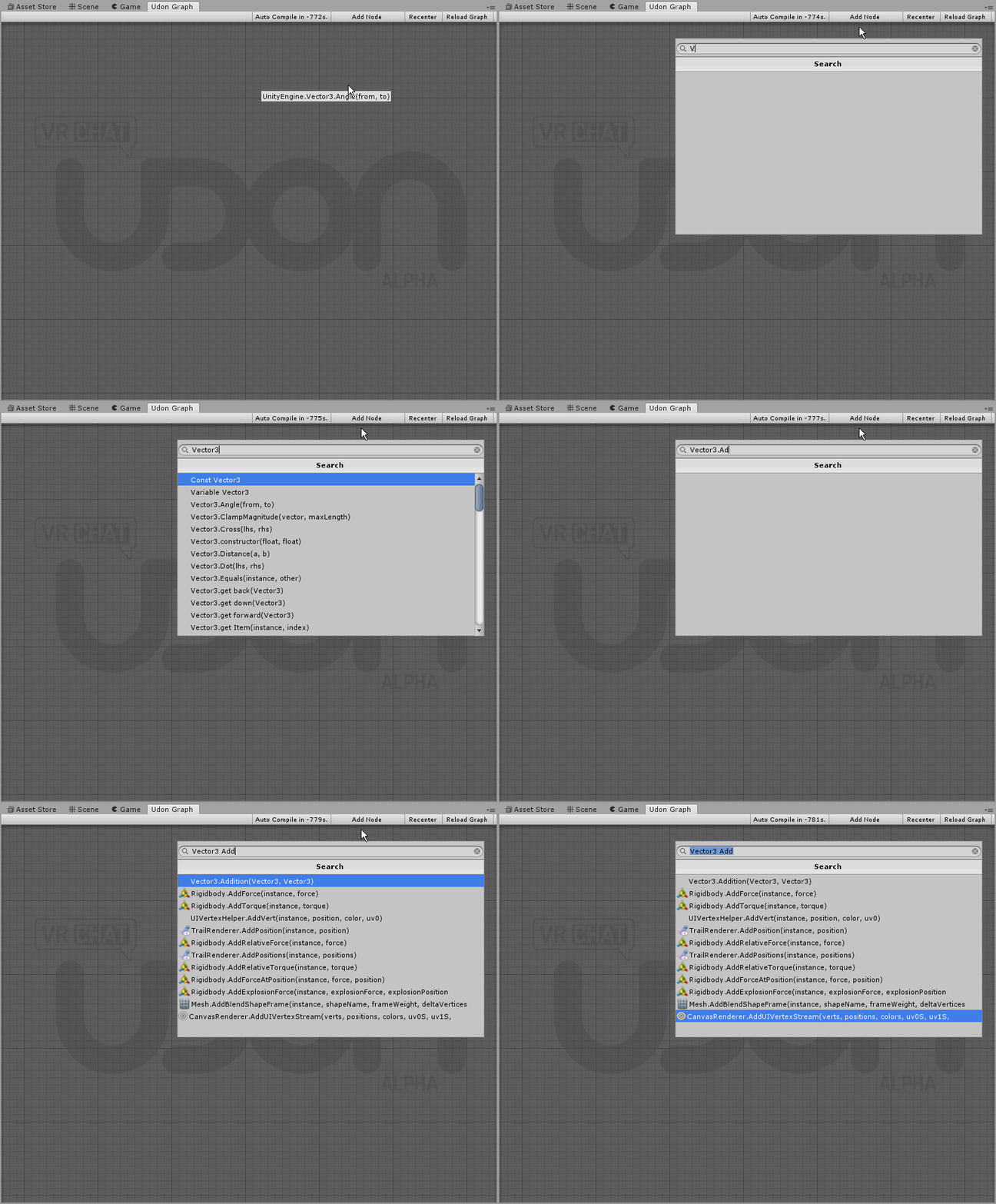 scarlet delta
vector 3 doesnt show in system in the list of data types
you'd expect it next to float etc
vector 2 isnt there either which us pretty odd tbh
fiery yoke
Just use the search bar :P
scarlet delta
yeah but i mean sometimes u just wanna explore n such, its confusing if it isnt there
any ways to do if statements btw?
 worthy beacon
are the rigid body methods not working atm? each one i use throws an error of Object reference not set to an instance of an object
scarlet delta
i wonder if i can target the player
modern coral
@worthy beacon Where do you get the rigidbody from?
worthy beacon
im pulling from the instance of the object
ie not setting it and ensuring i have one on the object
modern coral
Then you need to GetComponent in the Start function first
worthy beacon
wait, i thought if you dont set it, it gets the instance from the game component
right ima finish watching all the vids then
floral dove
@scarlet delta - to do X >= 1, drop in a Float Greater Than or Equal to node, and feed it your float variable and a constant float with '1' in it. Then feed the output from than comparator into the boolean input of the branch - then you can trigger something to happen only if X >= 1.
scarlet delta
to explain what i am doing, i am trying to make gravity manipulations
 native fern
will there be context sensitive node selection when you drag from a node? 🤔
scarlet delta
i wonder how i do access the player transform and rigidbody tho. I assume the player api works but idk
 viscid reef
i'm only getting the first number out to log, am i misunderstanding how the for loop here works or is there an issue with it? https://nyanpa.su/i/WjT8170o.png
 floral dove
@viscid reef that looks pretty good to me. Here's an example of how I got it working: https://ask.vrchat.com/t/simple-for-block-example/179

VRChat Udon Discussion Forum
It took me a second to understand how this would work, so here’s a minimal example and one using an array. The Body flow output will execute the nodes downstream X times, the index output will update on each loop, and the exit flow output will execute once when complete.
native fern
maybe like this @scarlet delta
floral dove
deeper examples of for loops here: https://ask.vrchat.com/t/how-to-loop-over-an-array-and-access-array-elements/192/2

VRChat Udon Discussion Forum
First you need to make an array, which is any variable followed by [], such as float[]. Then define the size of the array, let’s go with 8. Next we need to make a for loop, which will loop through the body multiple times until it reaches the end. Let’s put it after a s...
scarlet delta
i set it like this atm
native fern
does it work?
scarlet delta
i have no idea yet,
for one i am not rotating players yet. and i dont know how to test it proper, what was the console ingame again
viscid reef
yeah for some reason i'm only getting the first index in the for loop
native fern
I'll try mine, maybe it rotates me xD
viscid reef
gonna start a clean graph i have other unconnected nodes might be that
yeah that was it
viscid reef
vrchat has an output log but i'm not sure how much udon stuff gets logged, have to check
C:\Users\%USERNAME%\AppData\LocalLow\VRChat\vrchat
fiery yoke
Im trying to set the Transform of another gameObject (reference set to CapsuleRotation) however it sets the transform of the GameObject the Udon Behaviour is on. Am I missing something???
scarlet delta
that should do it but idk how to set the update right
some order. mb that works out now if that actually targets the player
if it works that will be locked to a single spherical surface unless i include distance somehow
fiery yoke
PlayerAPI is (AFAIK) currently "not fully functioning". I tried to get the Local Player API and then get the Transform, but none of my attempts worked. So good luck to you
scarlet delta
darn
fiery yoke
If you find a way let me know.
scarlet delta
mb we can get players by layer
get owner should work to target at least one person
ah
native fern
is there a way to check if an object is valid? I tried equals null but that fails
scarlet delta
vrc3->networking->local player
fiery yoke
Yeah thats what I was doing.
scarlet delta
like this?
fiery yoke
Yeah without all of that added stuff, but thats what I did
scarlet delta
mb via tracking data then?
 acoustic delta
What is the easiest way to generate a const 0? Right now I have an int addition node with no inputs and 0+0
floral dove
@acoustic delta you can make a int const set to 0
acoustic delta
Ah true, thanks
floral dove
it was a little hard to find before, but type int and scroll, it should be in there
acoustic delta
I'm trying to make a box move in a circle, but printing out the vector it is always [0, 0, 0], so doesn't seem like the Vector3Set is working as I think it would...
Input is delta time * 120
scarlet delta
@fiery yoke if u got time try AM2U3W7TMBTHX6XytV35K41TqRej3cU0AROsvaFVZMfHVVhwqnyMla5PxgWPxCvgbm01aIGCAKHcnDj28Tm//z/n88dPK3SrixZQ/80KubYoXuh34QVNXg1fjy6f6RpCdFXoJVRni/y60tlN7ucj3ehums6hSRdlnTd56dN07PNmee7nuYcJZE1ZCYRRm9uQLTZK0IwaAs5YIhOpiXJSEsVNLHlkBDcQNu9yof4K3aE+YVTwLsVoGWIpZZeuMfKlhfHFqA4FI84FpwlLiKMxDzsEJ8pSSrKMgc0iZxkT9xTNMHJF+X57avaYY7Lpun5ou90U/tK8DUVPHlmsUO7rRvsMLkaov7m2bqrQ9/YzQuvZGv86r/pUXopFTFjjiFamR6RhihjjAjmVgekBl8rKY7wU3eHikv4uLowo8IQrJQgIDeHSWJBEuIQIMMCixHGl4S9xxX9GjmEZDqQ/F2VP/BQ2x4hLKnfIRe8Q+T/x3qGRgtfKRXpm7XetdmzpR448xRJH+ERxb/8Dq0M8p8yFB0f+P157wqi7hYQ7TxeHZQXPS9sWgDsTqOpAYxA63zy4M2yLpq1g4KFtKl3gzlVrijy7hOV1eQN+4IOq96spupuiPgsHpmi5jz48RutDA5zfgm/S8cLqBvaKOW0ZcBBEa202MyQiOpaWqMRwJanNEhsfUUz21N7Q/GDkfi3DaXPqW7Fmof4v
fiery yoke
Ehh... what?
fiery yoke
I just switched back from Udon to live sorry
scarlet delta
awwwww
flint urchin
Please use code blocks 😮
scarlet delta
dont remember how they work since they changed recently
acoustic delta
Feels a bit un-Udon for "Vector3 Set" to not return anything, but I guess that is a Unity thing rather than something VRC has decided
They changed? Doing ``` still works
flint urchin
Yeah, always been that
scarlet delta
german keyboards can only type em im pairs so its really annoying to use
flint urchin
Mine also do pairs, so it's just a backspace
scarlet delta
pretty annoying tho, right?
flint urchin
Not really bothered by it anymore
acoustic delta
You can do single if you do one and then press space
scarlet delta
ye
worthy beacon
@modern coral watched more of the tutorial vids, trying to add the GetComponent to start, but Rigidbody.getComponent doesnt let met set it to start, it doesnt have the input for it
 hazy galleon
it sucks how this stuff is launched literally the day I go away from my computer, but how does reuse work in udon? is it possible to package up a bunch of stuff and make a new kind of node?
scarlet lake
GameObject.destroy doesnt seem to work for me :<
acoustic delta
@hazy galleon AFAIK SubGraph, but haven't experimented with it yet.
modern coral
@worthy beacon Use GameObject.GetComponent instead and then use a Rigidbody type value as the input, you then set the result in your rigidbody variable
acoustic delta
Found this on the forum, isn't this just x - x? Looks like it would always generate 0...
native fern
yep
granite basalt
That is definitely that
 fast horizon
Was trying for something simple, a bool changing a gameobject's state, but it doesn't seem to be toggleable (sets active/inactive fine) but i change toggle it in the inspector to try to visualize the change.
I don't necessarily want to actually invert the state here, just actually visualize the change-- can you actually change values in the inspector to get changes in play mode?
Could i do something as simple as this? though i have the same problem? I do get the initial change, but it doesn't continue to update after this.
flint urchin
Values edited in play mode via the inspector don't work atm afaik
fast horizon
Thanks-- if that's the case that makes sense why nothing i'm doing is working XD
sure enough, works now. Thanks-- iwas trying to toggle inside inspector
faint pond
does any know how we go about avatar pedestals
 vivid depot
Is there a list of events and functions available on Udon?
 raven peak
there is probably too much to make a proper list but look at unitys documentation. probably the closest at the moment.
 stuck mountain
What is the intended way to communicate between Udon and standard assets?
I noticed that there don't appear to be any nodes for standard assets scripts
proxying events via UI widgets feels janky (somehow feels even worse than doing it with triggers, because everything else is so much nicer)
 serene moat
use an animator to set properties using animation parameters I guess. It'd be nice to have the standard assets scripts exposed
 severe dirge
@acoustic delta variable name selection changes when copy&paste noodle. it seems a bug. https://vrchat.canny.io/vrchat-udon-closed-alpha-feedback/p/copy-and-past-variable-reference-defaults-for-first-option
stuck mountain
the problem with that is it's not synchronous and will wait until the next frame (we couldn't find a Animator.Update)
acoustic delta
@severe dirge Thanks
 cunning mist
So with PlayerMods no longer a thing, how is jumping generally being managed?
serene moat
Imagine not having Animator Update. You should make a canny about that function being missing since it seems like it'd be an obvious function to include.
I assume player mods just hasn't been re-implemented in the new SDK
and that it will be added at a later date
cunning mist
Aightyo
Would there be any way to impliment your own system for jumping? Is there a way to reference the player momentum? I seem to recall the Mario Galaxy person having a velocity checker, though that could have simply followed them around.
serene moat
there was a function to get the player velocity and set the player velocity so I assume that's what that did. I don't see it in the function list any more though
raven peak
@stuck mountain last i heard they were planning to remove standard assets as udon would replace them.
stuck mountain
So the thing I'm mostly worried about is performance
 vivid prairie
am i a dumbass or is IsValid only available for avatars
 rotund needle
I don't suppose there is some kind of print-string node for testing, is there?
serene moat
Debug.Log
rotund needle
Perfect, thanks
 ripe frost
How is Udon release going to affect previous projects? Are all previous worlds and triggers porting into the new system?
Or do all we have to do is convert the project into Unity2018
hybrid canyon
you just can't mix udon and triggers in the same project
ripe frost
We have options to choose between the previous sdk and the new one?
When it officially rolls out?
 quartz goblet
For previous worlds made with the old sdk, yea
You'd have to recreate it in udon again if you want to use the new features, or you can keep it in an old project if you don't wanna add anything udon related
 sturdy badge
Hey guys, anyone know the best way of getting the forward direction of an object?
This seems to give me some really strange results...
flint urchin
What you mean strange results? Forward will always be forward for the object.
stuck mountain
Is the object inside another transform? You might be confusing local space with world space
 quartz oasis
Anybody know if it's possible to grab the player's Transform? I might be over-complicating things but I can't seem to find a way.
sturdy badge
Yeah, get transform toxi and na I was just being stupud Lyuma
trying to convert what takes me 5 seconds in C# into visual scripting is just taking some time to get used to
@quartz oasis
Oh, I just realised you asked for the player specifically... You can save a reference to the player object but I am still testing on how to get a specific players reference...
quartz oasis
Yeah, can't seem to actually get the transform that way.
sturdy badge
So far I have only found this...
flint urchin
Player API is not feature complete and is lacking a lot of requested stuff (many we won't get access to)
sturdy badge
But my question is... what player is that grabbing? The world host? The client running it?
Oh i see
flint urchin
You can get owner of a object and get the player api from that. That will be the remote player info
Then there is the local player api that has yours
sturdy badge
How would one say... get the player object of a player interacting with an object? I know there is an event called "Interact" but it has no params
Was expecting an object of some kind referencing the player that interacted with it
quartz oasis
I would assume that Interact > Get Local Player would do it, right? Unless interact triggers for all.
sturdy badge
not a bad shout actually... Lets hope it doesn't trigger for all 😐
 wind turret
There used to be a function called VrcPlayerApi.GetTrackingData that would get you the player's tracking data. It's gone now?
quartz oasis
Yeah I was looking into that. There seems to be some semblance of tracking data but no idea how to utilize it.
flint urchin
Think that's moved in the TrackingData category
 mighty forge
Any documentation on making list/arrey? I know how to do it in #c... But udon seems more complicated
flint urchin
Can't do list. Array is just any const/var with []
 proud snow
So with Udon, what can I use to randomize an output?
quartz oasis
Depends on context, but Random.Range will get you a random number, which you can surely utilize in a lot of places.
proud snow
That's good, the randomize trigger gave me problems from the previous sdk
sturdy badge
mighty forge
Can we search tags? Or a way to fill the array manually? I stead of searching for names and values? Using search in the node box doesn't get you all results for the word.
sturdy badge
you have to be specific and know what you are searching for is what I have discovered, not everything is named the same as you would expect. Such as branch not being "if"
On top of that, some words are joined and some have spaces
flint urchin
You have to be a bit more specific about your searches (for now)
mighty forge
That suck. Some stuff is called different from c#
sturdy badge
Because it's not C# 🤣
I feel your pain though, took me a good bit to figure out all the new terms
mighty forge
I know.. but stil. This isnt the first spaghetti i used to visually program. Had no issues in ue4, playmaker ect.
sturdy badge
This is not unreal tho... It's Udon and it's in alpha, give it time 💪
mighty forge
Yha
sturdy badge
Really struggling on how to get the player object, if anyone has any input that would be great
quartz oasis
Networking > Get Local Player will get local, and OnPlayerJoin seems to be another way.
 naive lodge
Have you tried getting the player of a VRCPickup?
mighty forge
Will we be able to access whitelisted scripts on avatars? Like dynamic bone? Got "get component " to see the script.. but haven't gone any further.
sturdy badge
ohhh i could store the players in an array with player join or something O.o
I haven't tried the pickup stuff yet, wanted to see if i could get interact to work first
mighty forge
Hey, what does [T] stand for?? You can chose it from the drop down in couple different node types.
sturdy badge
I want to guess and say Type but honest no idea with out looking, on another note, I have everything working BUT the player being set 🤔
mighty forge
Hm.. did you do the "make owner/ get owner"? And then get transform or any other variable.
mighty forge
Api is broken for the most part atm
sturdy badge
Might have to think outside the box then... OH WAIT I HAVE AN IDEA
mighty forge
Maybe on collision? Dont know if that get the player.
serene moat
getting anything on a player is going to be unlikely since the player is a special untouchable entity in VRC. If anyone finds a way to access player components in Udon, it's likely to be patched before anything else.
you can get the player API for the player, but that's pretty broken at the moment
stuck mountain
I think I heard it mentioned that something special happens if a player collides with something
serene moat
also try this for ownership transfer
if the player collides with something you get null for the collider
sturdy badge
Collisions might not be a bad way to go, will give it a shot
mighty forge
Thats lame. So we cant make team game maps.. unles there will be a magic trick
sturdy badge
I am determined to find a way 😈
serene moat
if you do find a way, don't use it in public maps or talk about it otherwise it'll be part of the safety and security changes : p
sturdy badge
Not sure how trying to target player game objects falls under that but SURE :D
flint urchin
Anything player = safety and security changes /s
sturdy badge
serene moat
VRC doesn't let you touch the player hierarchy for whatever reason and provides no alternative. Whenever someone finds a way to access the hierarchy or tracked positions, it is removed real quick because they don't want people depending on legacy or undefined behavior because they are forced to depend on it to do anything they want to.
serene moat
then use player tracking
flint urchin
Hopefully we will get transforms exposed
stuck mountain
Toybox player tracker still works
sturdy badge
wait what...
flint urchin
FBT dance world.
sturdy badge
❓
stuck mountain
Like DDR would be cool
sturdy badge
Yeah that would be pretty sweet
hybrid canyon
myself I would find a Pokemon Campsite in VR to be quite cool
sturdy badge
So can I just use the constant tracking data? Is that the tracking data for the local player??
fast horizon
Person A will change variable on the Udon Behaviour (which is synced) to On.
Player B later changes it to off.
Player C joins later and will see it off.
This is correct right? The sync means that everyone changes it for everyone? There's no buffering right?
stuck mountain
@sturdy badge tracking data is likely a type. So a constant one is probably at 0,0,0
@fast horizon i would not expect this to be the case unless documented so
Just like with object sync, I would expect the concept of ownership: a player owns an object
fast horizon
How do you buffer out a message so the master picks up on the fact another player wants to make a change?
stuck mountain
The take ownership of action targets was a nice convenience feature in triggers. I assume in udon you would have to manually take ownership before changing somethin
 stoic pond
oK, finally getting into udon, should i start working on a new map or wait for it to fully release?
stuck mountain
It's not a buffering thing: i expect that syncing works more like object sync or animation sync
@stoic pond it's in alpha:
If you understand, that means stuff can break or change substantially before final release. Your content is likely to break. That said, it is a very powerful tool. If you want something to keep working, don't use udon. But if you want to try something innovative or are ok tweaking and fixing things over time then udon might be a good option
stoic pond
ah alright
so can i work on a new map using the new unity and just play and test on the beta version?
without using the udon
stuck mountain
Yes you can choose SDK 2 (new unity, with triggers and unlikely to break) and SDK 3 (udon). Either is ok but udon is liekly to require changes in the future before final release
fast horizon
How to take ownership of the syncs/udon object then?
I see Networking Set Owner, would i just use that?
scarlet lake
you can't migrate older projects and sdk2 stuff to sdk3 without removing all vrc stuff, so be careful
if you do it will crash playmode every time
 tough berry
can you avoid using VRCObjectSync if you sync variables instead?
or does that component need to be present for variables to be synced?
serene moat
yeah you can avoid object sync, though if you're trying to sync the position of something or anything you want interpolated, you will probably want to use object sync until the smoothing on the udon sync stuff is implemented
tough berry
just a teleport actually
this way I can use SetPositionAndRotation instead of the object sync teleport event
 haughty ruin
Hey guys, I'm running through the "spinning cube" tutorials and I'm having some trouble getting the set/get program variable tutorial example to work. Specifically, on the Rotating Cube object, it will spin if I feed in a constant float node as the second input in to the multiplication node, but it will not work when i feed in the "get program variable" node in to it. Anyone have this issue?
scarlet lake
yes, if you use the program variable, don't change the name of it, it will keep using the first one and return nothing
scarlet lake
on the get side for me
haughty ruin
👍
scarlet lake
but yeah, scrap and add those nodes again to probably fix that
haughty ruin
hm still doesn't seem to work
fast horizon
Can we like... "Get Material" from the scene descriptor without having to have another set of public variables set to the udon behaviour i wonder?
haughty ruin
I see you're doing the exact same tutorial as me xD have you tried what 1001 mentioned above?
 tame matrix
yeah no dice
haughty ruin
I think it's just broken
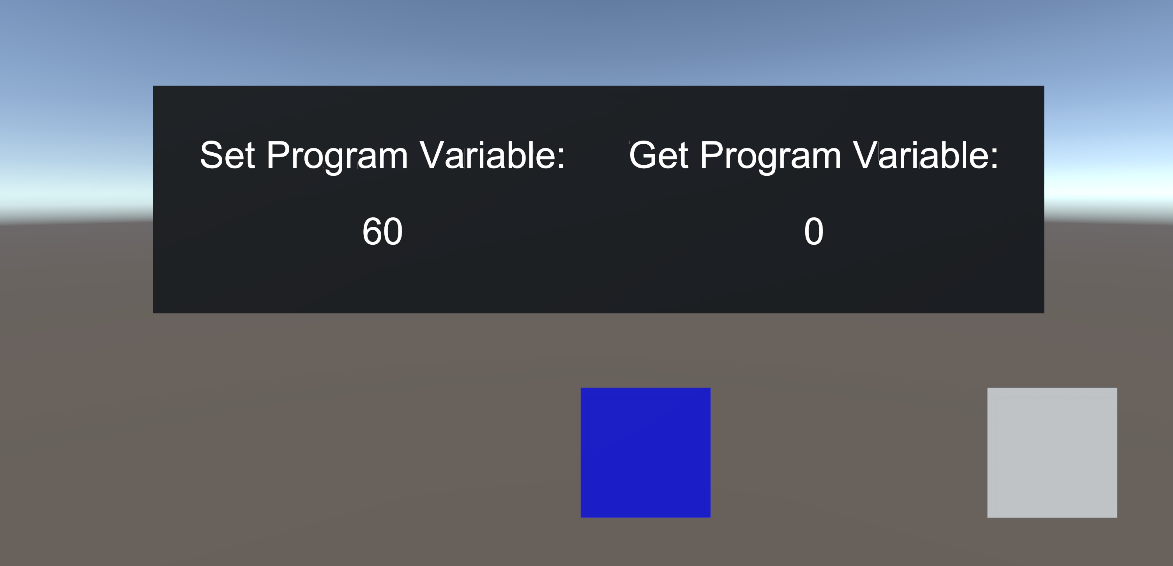
I setup a UI for debug output on both sides and it confirms that the variable is not "getting across" https://i.gyazo.com/3bbd120e36cd67402538878b50fd7c4e.png
 tame matrix
yeah it's just printing null for me
fast horizon
Which output is used to change an object's material? I feel like i've tried each of the Material.Set Value / Set Name
scarlet lake
haughty ruin
It doesn't seem to work for me at all
scarlet lake
also drag the game component in the public (signal) slot if you haven't
haughty ruin
thanks, I did
I dunno, I guess I'll just leave this for another time, maybe when they fix that canny it will also fix my problem
I appreciate your help tho
scarlet lake
deleting nodes and making the same thing sometimes helps, restarting the editor sometimes helps
haughty ruin
Yeah I tried both of those things and no dice, I imagine this will probably be fixed soon ™️
 opal summit
Figured that out, its VRCSDK3 -> Networking -> Get LocalPlayer
acoustic delta
How do you get a players tracking data? Trying to get a players position, but this only returns [0,0,0]
severe dirge
@haughty ruin @tame matrix That video lacks a step to add variable definition of "speedProgram". I also was stuck.
flint urchin
@acoustic delta player api stuff is still lacking, so many things there won’t work yet
acoustic delta
I am getting "External function '__get_gameObject__UnityEngineGameObject' is not supported." with the "Vrcplayer Api Get Game Object" node.
Ohh thanks.
sturdy badge
Yeah I was beating myself up about it for ages Foorack
scarlet lake
Do i have to get the new sdk to use Udon?
flint urchin
Yes, SDK3 is required and you cannot use SDK2 with it
scarlet lake
is it still 2017 unity or is it now 2018?
 opaque sage
it's only aviable in the open beta client currently that should answere the questions.
scarlet lake
Ah okay, so its not in the public vrchat yet.
opaque sage
No. You should give https://ask.vrchat.com/t/getting-started-with-udon/80 a read

VRChat Udon Discussion Forum
Please read this post entirely. We know it is a lot, but there’s a lot going on! Most basic questions are answered in this post. Hello all! If you’re reading this, welcome to VRChat Udon! We’ve been working on this for quite a while, and are super excited about getting...
cunning dock
how to trigger custom event? (without subgraphs)
cunning dock
What's wrong? Why when I change flow a bit to do some checks it is no more genetrates literally any code, just single extern and that's all
fair bough
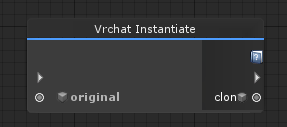
....object spawn is avaiable?
acoustic delta
I have seen someone spawn objects on a conveyer belt so yes.
flint urchin
 scarlet lake
Udon only works in worlds am i correct?
 sullen fractal
Hi, is it at all possible to create a functional web browser with Udon?
flint urchin
No web api.
fast horizon
Anything look missing? Trying to take a single material from a material [] array and apply it to all objects in a line. I was able to do this to a single cube using an udon's own material [] array , but i when i try using a Material [] from outside of the udon behavior (another Udon's list of materials) it seems it doesn't register
hm... Nvm, i got one on a separate udon graph to work by referencing the udon behaviour i'm actually selecting
fast horizon
Got it working entirely, but now i'll ask for i go crazy here-- any way to apply a single material across an array of objects? (without what i'm doing above)
 trail hazel
does udon have a way to edit the text on a TextMesh (or some other alternative way of editing/showing text programmatically)
 ocean echo
Will VRC Triggers be completely removed upon the new 2018 update?
tame matrix
they'll probably exist as legacy systems but probably won't have future updates/support
 fickle stirrup
that would be both sdk2.5 with triggers and sdk3 with udon
fickle stirrup
what separator i should use inside string Split to separate the text by new line? 🤔
trail hazel
looking around it seems the answer to my question is probably 'no'
which raises the question of why there's udon bindings for editing UIText and not TextMesh or TMP
flint urchin
Not supported yet. Make a canny
fast horizon
Hm.. adding to an udon behaviour variable outside of itself-- what am i missing?
 warm rose
Hello, I just can not understand - can I use Udon for avatars?
 idle lark
Are there any hotkeys for zooming the graph and/or removing the udon watermark atm? Also am I correct in thinking that a 'program variable' is essentially a c# public variable, whereas a 'variable' marked as public is essentially a c# private variable that has been marked with showInInspector?
trail hazel
@fast horizon
you're trying to set the program variable of RoleValue (int) rather than of the behavior
fast horizon
I see it now.
Having Get Variable define the Instance in that last bit also doesnt' seem to set the variable +1 for me
But i see what i did wrong and i'll play around to try to get it working otherwise thanks.
Got it working, thanks.
 silent zinc
@warm rose Udon can only be used for worlds.
warm rose
It is sad 😦
silent zinc
@idle lark Zooming hasn't be implemented yet (it's on the roadmap). "Program variable" is for variables on other udonbehaviors.
scarlet lake
when will udon be into the public version?
flint urchin
Next year.
silent zinc
@scarlet lake I don't think it is, request it on canny if it's not already there
fast horizon
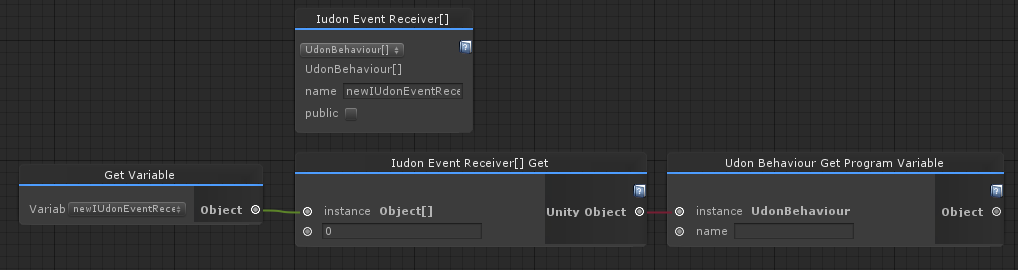
Given an array of Iudon Behaviours, how do you define which program variable you're trying to pull from? (like, what is the text string you would use for Element 2 vs. Element 1 for example)
flint urchin
Same as you would get any other arrays
silent zinc
@fast horizon If I understand you correctly you could put it into a variable and use UdonBehavior[].Get and supply an int for which index you want
fast horizon
I did that initially but didn't get the output i wanted. Maybe I'm being stupid again though, like i was earlier.
Tried this initially, to get the 1: Udon Behaviour listed
that was listed, and then change its variable afterwards.
flint urchin
 pallid mango
So what exactly IS the danger of allowing node graph udon on avatars? I always hear it explained it's too dangerous, but never what said danger is
fast horizon
receiver, got it thanks
I'll try that
haughty ruin
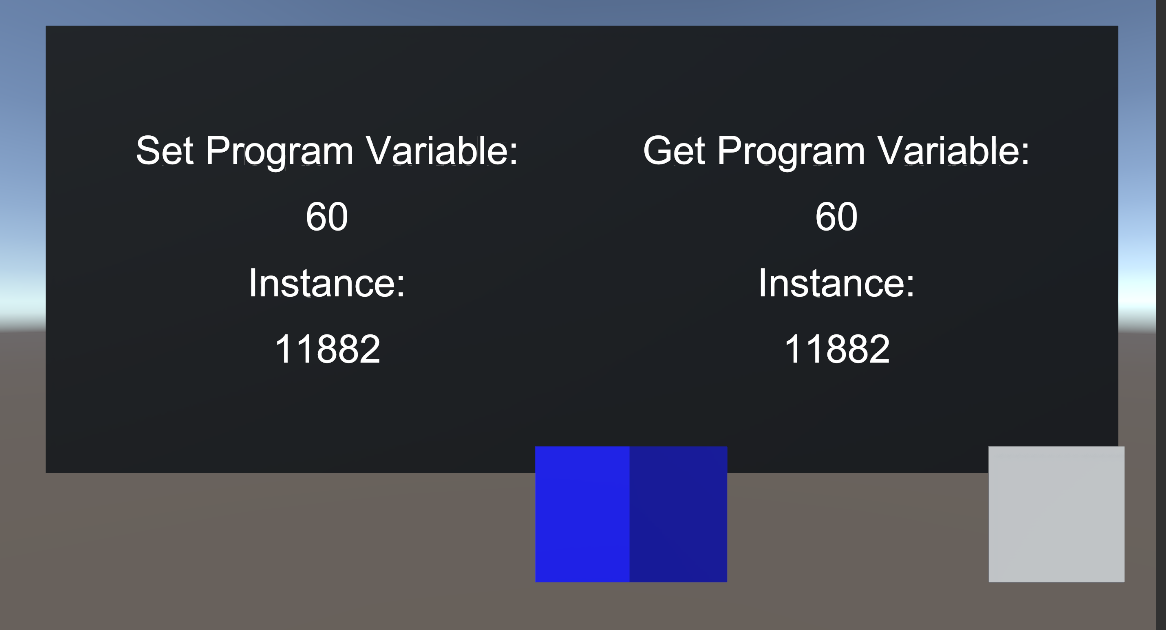
@severe dirge that totally fixed it, my cube is spinning, and the variable made it across! thank you! ^.^ @tame matrix if you haven't already, give naqtn's tip a shot! https://i.gyazo.com/c4b11536cb0e6fcbaca0a0fad8226776.png
 drifting sage
UnityObject does not cast to UdonBehavior
you need to getComponent with type UdonBehavior on the output of the event receiver get function
actually, weird, that output plug isn't named right? unsure. would have to look at the UASM
flint urchin
Bug report 🤷♂️
fast horizon
This one does work, just not getting it from the array
I'll see where i can put get component
flint urchin
You do it on this https://i.imgur.com/ZiJHIrV.png
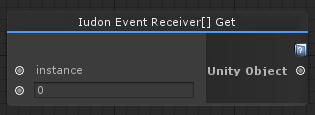
but I think it's just wrong name
Because you can't link it to a gameobject node ( @drifting sage )
naive lodge
Indexes start at zero unless you are trying to get individual #2
fast horizon
i know, i set size to 3 and put a variable in each one, trying to get #1
So was that actually a bug then? That i can't define the type i'm trying to pull out from the UdonBehaviour[]?
 sweet wolf
Hi, how would i call a float value from a normal script within a udon graph (if that's possible)?
scarlet lake
How do I get udon role?
sweet wolf
Since .getSpectrumData isnt available i need a workaround
 fast horizon
Thanks, PhaxeNor I don't know UDON well enough to know if something should work when it doesn't.
sweet wolf
wait why didnt i see it
flint urchin
typo maybe
sweet wolf
ya found it, thx anyway
What is the shortcut to zoom in graph view
i just cant zoom
flint urchin
You can't zoom yet
Technobabel
Zooming hasn't be implemented yet (it's on the roadmap).
sweet wolf
ooh okay
how do i do if
i just started using udon and wanna convert my script if possible
flint urchin
Branch is If Else
scarlet lake
do i have to have open beta to use udon?
Is it also possible to create roles with udon? with different permissions?
flint urchin
Yes you have to use Open Beta. And roles, what you mean roles?
scarlet lake
like sayy
there are buttons, and someone clicks on a button that gives u a role that has special permissions. Like you can grab certain things and stuff
how does one get open beta? i use to be in the vrchat beta discord but i left that a while back because of so many pings
flint urchin
Read #open-beta-info
scarlet lake
ah im dumb
scarlet lake
how do i do pick up with an object with udon?
fiery yoke
The Pickup Script still exists...you could theoretically remake it, but that requires PlayerAPI stuff, which is currently "under construction" aka not functioning properly
sweet wolf
is there for loop?
weak elk
For and while
 sturdy elk
@scarlet lake there no roles, you can theoretically code that yourself.... when PlayerApi will work ;p
sturdy elk
would be super nice to have context sensitive node creation on pins :> as UE4 user, lack of that is most annoying thing
right now
@scarlet lake no the node :p
scarlet lake
when this project is finished i hope to see some documentation.
what does playerAPI do?
scarlet lake
i was already terrible at scripting in C# but needing to learn them in node form is tedious ;-; but ill get use to it some time
fast horizon
The "Event OnEnable" doesn't work until it's been turned off and then on again, this is a bug right? Not a feature?
sturdy elk
You might look on UE4 blueprint tutorials, if you you understand UE4 blueprints Udon is a lot easier to understand. You also need general skill of programing, logical thinking which lot of people lacks, might be why you think you terrible at C#
fiery yoke
@fast horizon yeah its already reported
fast horizon
Just making sure, thanks.
fiery yoke
sturdy elk
@scarlet lake i can actually tell you this, i know a lot of artists that use UE4 and never touch any form of coding, but manage to learn how to program in blueprints (which is similar to Udon), so by that i believe anyone will able to learn Udon once it wont have major annoyances that it has right now and become as much as intuitive.
scarlet lake
i know how to make shaders in node form so ill figure it out
 hollow light
is there anyway to create methods with parameters and a return type?
silent zinc
@hollow light Not at the moment
hollow light
is it a planned feature?
silent zinc
Not 100% sure (I'm not on the Udon team) but I know subgraphs will be getting more / better functionality that they could serve similar purposes. Add it to the canny if it's not there.
hollow light
alright it definitely should be supported, copy pasting the same set of nodes over and over again sucks.
silent zinc
Well subgraphs are the solution to that, have you tried them?
hollow light
can i pass variables into them and get a variable as a return?
silent zinc
You can pass variables back and forth but it's not implemented very well atm, that's what I meant about them being improved.
hollow light
aha okey i'll test if subgraphs work for what i'm trying to do
 wise bay
hi guys 👋 is there a reference doc where i can search for nodes by their display name in the graph? trying to figure out what "Ctor" is
silent zinc
@hollow light https://ask.vrchat.com/t/subgraphs-nested-graphs/214

VRChat Udon Discussion Forum
SubGraphs let you abstract out nodes from your node graph and makes your graphs more simpler, modular and reusable. How to use SubGraphs Start by creating an SubGraph asset in your project folder: Create > VRChat > Udon > Udon Sub Graph Asset Create a UdonBehavior and ...
hollow light
oh thank you
silent zinc
@wise bay No reference doc yet, "Ctor" usually stands for Constructor
 snow orbit
is it possible to soome in and out of the graph? if so i couldnt figgure it out
wise bay
got it, thank you!
silent zinc
Vector3.constructor lets you create a new V3 with individual x,y,z inputs for example
@snow orbit Zooms not implemented yet, it's on the roadmap though
snow orbit
ok good
also when you hit space it opens up the noder search in the right corner this is kinda anoying
wise bay
@silent zinc was looking through this flow https://ask.vrchat.com/t/how-to-loop-over-an-array-and-access-array-elements/192/2 looks like it is constructing an array of a certain size given an int?
VRChat Udon Discussion Forum
First you need to make an array, which is any variable followed by [], such as float[]. Then define the size of the array, let’s go with 8. Next we need to make a for loop, which will loop through the body multiple times until it reaches the end. Let’s put it after a s...
ctor outputting an empty array?
silent zinc
That's an array variable with 8 slots
If you make it public you can drop in objects from your scene in the inspector
wise bay
very neat, thanks for expanding upon it!
i dont see how it is 8 slots though, with arraysize set to 2
snow orbit
where do you mean arraysize set to 2
silent zinc
I don't see where arraysize is set to 2? I was just referencing the thumbnail on that link where it says size=8
wise bay
shoot sorry it looks like it didnt actually link the image i was talking about
snow orbit
well in this case the array has a size of 2
silent zinc
You can't set floatArray to be a different size, it's set at 1 in the node and can't be changed (it's not a list which has variable size)
wise bay
okay, this was an example posted by Merlin in the original link i shared. was just trying to understand the function of Ctor
silent zinc
Oh okay, note that I'm not a strong programmer so someone feel free to contradict me. I'm just trying to help w the easier questions haha.
wise bay
thats okay 😄 i think we are all learning here
appreciate you nonetheless!
i still cant find how to place a ctor node in the graph tho lol
there are so many different constructors
silent zinc
You want a float array constructor?
wise bay
thats what it looks like yes
silent zinc
You can go to system - float - float[] - Constructor
snow orbit
hmmm ctor apparently means constructor
wise bay
bingo, looks like that was it. thanks fellas 😄
one more quick, hopefully not too dumb question for now.. "Body" output determines the main program flow? kind of like bang in max?
silent zinc
Not sure what you mean by "Body" but the noodles from the triangles is for determining flow
silent zinc
👍
wise bay
oh i think @snow orbit asked if there was a way to zoom? id be interested to know about that as well
silent zinc
@wise bay It's not implemented yet, but on the roadmap
wise bay
okay will work around it, thank you!
fast horizon
XD
I've seen the zooming question like 50 times already and everyone is so nice and diligent about letting each person know it's in the works.
silent zinc
Yeah i've spent hours working in Udon, I know how much it's needed
snow orbit
thinking about adding it on my own
fiery yoke
Have fun looking through the hundreds of lines on the Udon GUI :^)
I actually tried to disable the auto-compile as I suspect it to cause some problems and I got lost in code
Id also like to disable the "space to search" function, because I use shift+space to maximize the Udon Graph Window and it always opens the Search Bar 😠
flint urchin
Easy to find and do
fiery yoke
Im happy to learn
snow orbit
well the hacky way to disable outocompile is just setting the autocompile timer to a insane high number
fiery yoke
Wait is there an options menu?
snow orbit
well in the code there is a global variable for that
i will quickly check if this value realy does what i think it does be right back
yep it does
take a look at the UdonEditorManager the value is REFRESH_QUEUE_WAIT_PERIOD
if you set this to like dont know 100000 or so it will probably not bother you anymore
or you can search this value and stomble accros the update function and just disable it there completely
@fiery yoke managed to do it?
fiery yoke
Yeah I found it
However it still counts down so it will just count down forever now xD
Im more interested in disabling the "space to search" function @flint urchin You said you know how to disable that?
snow orbit
well just do strg + f and search for the variable where its used and then disable it there
hmmm about spacebar would need to dig a bit more
fiery yoke
Still dont know how to disable the search function
I think I know how to do it
It works but Im getting console errors lol
snow orbit
not too good if you are getting errors this could lead to potential problems
fiery yoke
I dont think so. Its just "Invalid Editor Window"
Editor errors usually dont cause problems
Also....lul
snow orbit
is this a comentarry you stombled accros?
fiery yoke
Yeah :P
snow orbit
XD
kinda reminded mit of the one comentarry i fould where it sayd this function is useless i know botut trust me you dont wanna delete it cause the programm aparently doesnt like that
fiery yoke
Ohh btw Im getting the same Console Errors with the unmodified code lol
snow orbit
oh F
snow orbit
neat but i dont realy care about the space bar
fiery yoke
Its really neat to have shift+space to maximize the Graph
snow orbit
the thing that triggers me the most is that you just cant scroll out
fiery yoke
Well yeah thats why I maximize the window
snow orbit
i just have a second display for that
fiery yoke
It doesnt help much but its better than nothing
flint urchin
Do keep the goodState in there
opal summit
is this possible to make 2 events do same action without duplicating all the nodes?
acoustic delta
@opal summit Only thing I can think of is making a custom event, which both events trigger and your code then listens for... Or you define your code in a subgraph, which then is less messy to duplicate.
opal summit
I think custom event will work fine for me, thanks
opal summit
I'm trying to show name of the person who clicked the cube above cube,
for some reason On Ownership Transferred never executes for me 🤔
and the text shows world master name...
I assume Set Owner doesn't work for me, but don't know why...
What am I doing wrong?
fair bough
How to use PlayerAPI Look Ray?
acoustic delta
External module 'VRCSDKBaseBRCPlayerApiTrackingData' is not supported.
Latest release, SDK3 and UDON, when trying to use the newly added "Get Tracking Data" node.
acoustic delta
@flint urchin Thank you, catched up to chat history when I woke up but must missed that message.
 cunning sable
anyone know why the false branch seems to always make the affected objects transform set back to 0,0,0? true branch works fine tho
flint urchin
Might not be compiled properly, try press the manual button
If not re-add the vector3 node
cunning sable
none of that seemed to help. from what little assembly knowledge i do have, the compiled assembly looks to be as it should
flint urchin
Try recreate it in a new node, if it happens there too then bug report it. With repo steps
 main wagon
Trying to work with the UAssembly but jump just takes an arbitrary number? I would have imagined it would take a label name like in most other assembly languages. The documentation doesn't indicate the size of instructions, and jumping to fixed addresses seems like your assembly would break if you have to modify code before any existing jump statements
fickle stirrup
what is eventData? EventSystem? how to get?
stuck mountain
You would need SendOnSubmit or SendMessage("SendOnSubmit") . Those aren't whitelisted at the moment for some reason
I think the easiest is toggle boxes I believe: set isOn to opposite of isOn to toggle it. In the toggle box we can call SendOnSubmit on the input field
I'm sure this situation will be improved but it's just what we have right now I think.
Button.Press being missing has a canny but no canny for InputField.SendOnSubmit
Any reason not to do InputField.get text? And then do it in udon? @fickle stirrup
naive lodge
isOn should be readonly based on naming convention
 vast sierra
will the VRCPlayerAPI.getGameObject node come back in a future SDK release?
 ashen sinew
Ahm, is there any documentation on udon? If not, can someone tell me how the instantiate thing works? basically i want to spawn a new object everytime i press a button
drifting sage
@vast sierra No. The VRChat player game object is something VRChat keeps to itself. In clearer words of one of the Udon developers a few nights ago, "No, that object is ours, you can't have it" 😛
As noted in the thread linked in #udon-info , it is expected that some nodes get removed (or added) over the course of the alpha as these kinds of decisions are made.
@ashen sinew Wire an "Interact" event node to a "VRChat Instantiate" node, provide the original object, and that will instantiate on interact with the button.
vast sierra
okay thanks @drifting sage
drifting sage
I have my own question-- is it possible to iterate through the list of players present right now? I haven't played with PlayerAPI much yet
ashen sinew
hmm, i've got that part already, what i don't get is what exits from it
acoustic delta
@drifting sage There is a node for it in the list, although I haven't tested if it works yet.
stuck mountain
List.. oof
drifting sage
yeah I found that I just can't find any list iteration capability
might just not be in yet
@ashen sinew That dumps out a gameobject reference
stuck mountain
Yea canny for data structures
ashen sinew
hmm ok, arigathanks
stuck mountain
@drifting sage you can do on player join, keep an array index into a playerapi array, and on join add 1 to index and set the array based on joined player index
naive lodge
Couldn't find any iterators either. Though you could create an array by bringing players into the stack individually, then running an iterator over that. Only uasm though
stuck mountain
On leave scan for the player that left to find the index, and add it a free list of array elements maybe?
Since no data structures yet you have to build your own
naive lodge
If there are nodes for interacting with the stack the graph could do it, but I haven't looked into nodes much.
drifting sage
ah yeah that makes sense
i'm playing around with the idea of a heatmap and heatmap shader where i feed a material an array of vec3s
then overlay it on top of a camera image taken at script start
update every 5 seconds-- then you get a world heatmap of where people are
naive lodge
just keep in mind the arithmetic budget isn't very large with the current uasm (let me just plug this canny here: https://feedback.vrchat.com/vrchat-udon-closed-alpha-feedback/p/arithmetic-and-logic-udonvm-ops
naive lodge
It sounds like that could work in the budget though, just still something to keep in mind
Only really matters when you start wanting to update your code closer to the users' framerate when you begin hitting the budget
proud snow
Would there be anything available to be able to propel myself. Like a lunge attack. Or like a jetpack.
Might be the jump button I am thinking of, but horizontal
main wagon
Elevators except sideways
stuck mountain
Ok so some questions:
does an udon equivalent of SpawnObject exist yet?
Is there an equivalent of sending a custom event over the network? (Ideally with some argument) or is the only way to communicate by synchronizing some value saying I sent a message
flint urchin
SpawnObject would be https://i.imgur.com/rEoKlrN.png
 stuck mountain
I mean synced spawn object
SpawnObject let you choose the broadcast type: local or Always* at least using debug inspector
Vrchat instantiate is local, correct?
Something like prop spawner in udon
flint urchin
yeah, unless you send a networked event
but then I think it's still local per player
stuck mountain
What is an udon equivalent of a networked event?
flint urchin
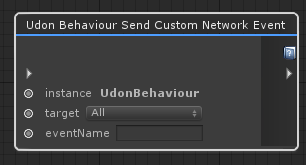 stuck mountain
Aha ok but no argument
flint urchin
Not yet no
stuck mountain
Ok but you can maybe build stuff with synced variables if you are clever
flint urchin
yeah
stuck mountain
Wait so I'm still stuck. How does synced work if we have no way to spawn synced udonBehavior
acoustic delta
You could spawn an object locally, save it to a variable and then always teleport it to a synced x/y/z
stuck mountain
Like let's say we want something per player
Like Each player wants their own x/y/z
acoustic delta
It sets udon behaviour variable text to "HELLO", it then gets that variable and the debug log prints Null.
stuck mountain
Does tjhe displayProgram declare a text variable of type string?
acoustic delta
No it doesn't, should it? Didn't look like that in the tutorial video.
stuck mountain
Yes it needs to declare variables if you plan to set them
By adding a "variable string" node
acoustic delta
Yes, that was what felt logical but couldn't see a variable declaration in the tutorial.
Thank you very much, it works now (well not, but that's another errors fault :) ).
 cerulean hare
So i read the thread and did not read any mention of the quest. In what way udon will or will not be implimented on it
fiery yoke
@drifting sage to kind of answer your questions:
Collections.Generic.List.VRCSDKBaseVRCPlayerAPI is missing a "ToArray()" method. With that you could iterate over the array using a For loop. So yeah currently there is no way to get all players (or even any other player)
acoustic delta
What kind of bug does a for loop currently suffer from?
flint urchin
Is there any now?
fiery yoke
Well there used to be a problem with iterating over a big array. @flint urchin You still have our Spectrum Test right? Can you test it with the current versions
flint urchin
I know, but there is no issues now after a few updates.
Big array will be slow until a better performance update comes out
fiery yoke
Well yeah but since absolute maximum of players in a world is 80, that should be manageable.
And even that is hard to achieve
ashen sinew
2 questions, first, can i convert string to int, and second, how do i zoom out?
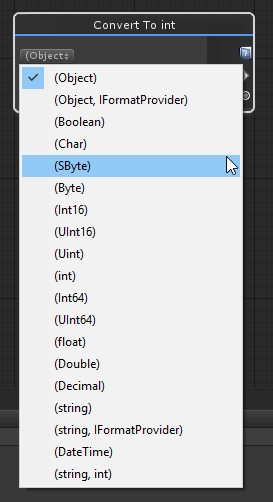


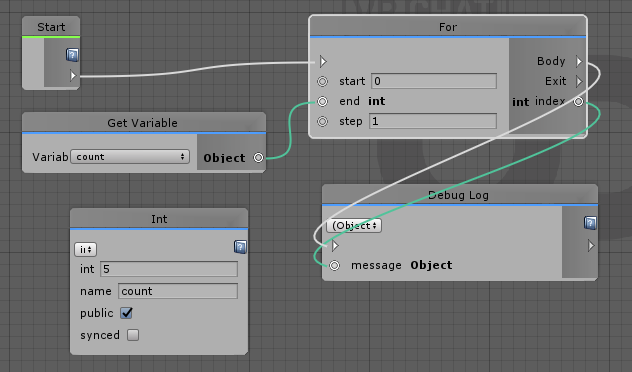
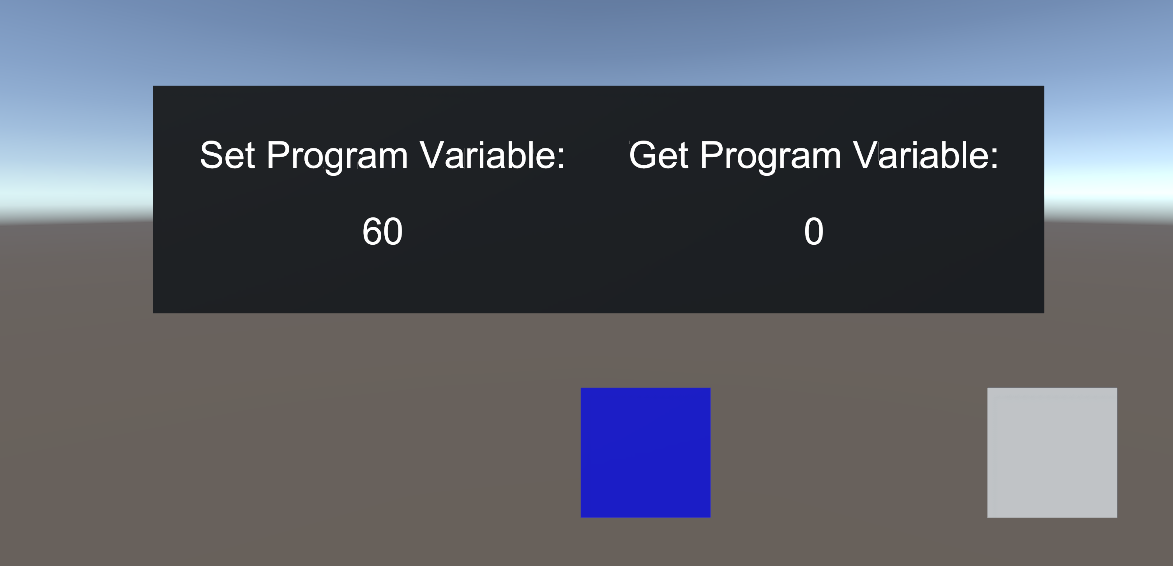


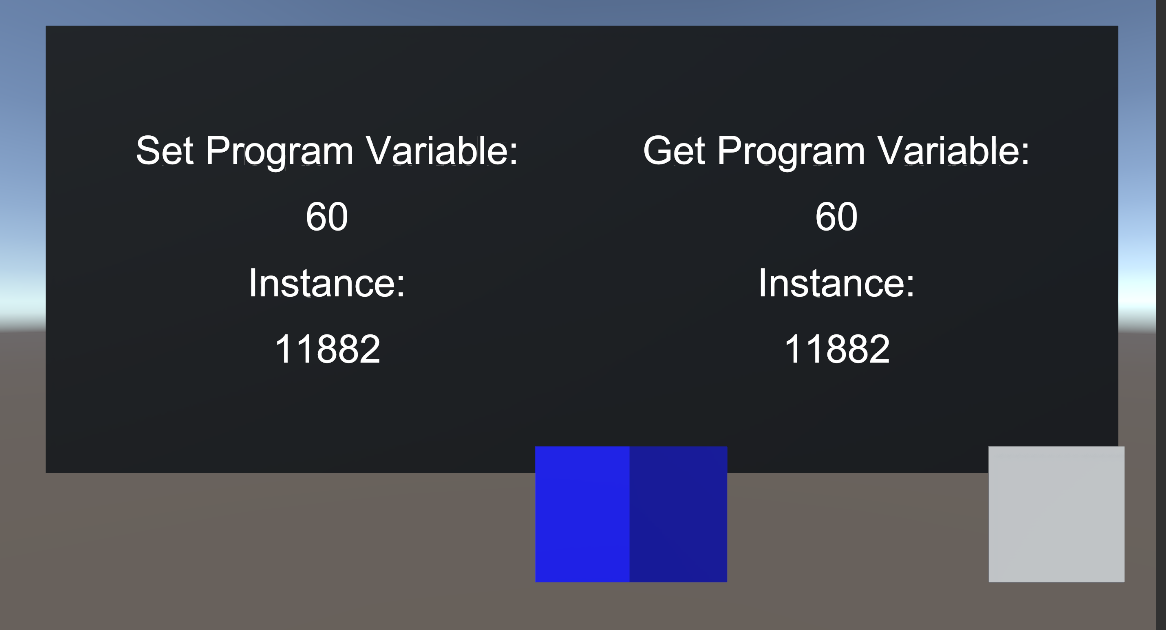


 ashen sinew
oooo, i was using the search tool, but was failing to find this, thx
acoustic delta
External function '__get_Chars__SystemInt32__SystemChar' is not supported.
 tardy cloak
what techniques can I use for moving platforms - or just moving the position of the player in general?
hollow garden
move an invisible box with a collider or abuse teleports
fast horizon
Which function to get a specific digit in a string, or integer?
tame matrix
[type].parse
you'd probably need to mess with the string to single out the number though
tame matrix
Is there a better way to "rejoin" a branch? Right now I have it so at the end of a branch it fires a custom event, and then that custom event will do whatever I need after the branch, wanna know if there's a better way
drifting sage
that's what I did when i needed for multiple branches to fire some common "final" event
 fallen prawn
I want to know that how to setAvatar from avatar pedestral.
I use this method and it doesn't work.
 shadow heart
is it possible to recursively call a custom event?
 robust garnet
how would i get the the transform.position to round to its nearest whole number, so if i pick up a object and place it down it will auto align back to a Grid
udon is making me feel like a big dumb dumb, as a newb at coding in c# i could do it but i cant figure it out on udon lol
hollow garden
isnt there a round to int option?
there's also a floor to int, I wonder if you could do it every other frame while the user is still holding the object
so it moves along the grid while dragging it
robust garnet
ive done it with Math.round
but i dont know, maybe i have the syntax and structure wrong
 solemn juniper
is there a way to add a delay between nodes?
acoustic delta
@solemn juniper There is no delay node. Only way I can think of right now is to have an update-deltatime-counter you start when wanting that delay, waiting the specified time, and then continuing triggering whatever code.
solemn juniper
Oh, I see. thanks!
 robust snow
Hey guys, got a question. I found a Get Player By ID node, although is there somewhere to find the player id?
fallen prawn
I found 2 of them but IDK what its can do.
robust snow
No, get player by id
not getplayerid
fallen prawn
I've a question ... I made some sort of timer but When I tested in VRChat Client, my client crashed without any report.
IDK Why.

Pastebin
acoustic delta
Crashed? No dump file?
robust snow
Also can someone explain to me what a "tag" is from a player?
Reference to: "Get Players With Tag" node
fallen prawn
@acoustic delta Yes, It closed instantly after I Interact (according to that script)
@robust snow Is Vrcplayer Api Get Player By Id is a method to target a player by ID in playerID so you have to get player ID by other node right?
robust snow
I can get a player ID from example on player joined -> get player id
idle lark
Is there a way to branch on a null check of an object, like having an audio source be optional?
 mighty quiver
soo, does UDON only work in 2018.4.14f1 or can i use 2018.4.13f1 too?
flint urchin
Any 2018.4, but above 4.9f1
mighty quiver
alright thanks
snow orbit
is there a way to filter between udonBehaviors like you have a udon behaviour that manages health and one that manages just the rotation for example and i only want to call the damage event on the behaviour that manages health
flint urchin
Just split them up and call what ever behavior you want when things happen
snow orbit
well yes i can split them up and make two seperate arrays with them but then how do i make two arrays so its not cancer to deal with that
Idear 1 i can make the array public on a manager script witch would require me to put every cube that has the health behavior on it into it witch is not a problem for just a few cubes but gets rather anoying realy fast plus i am not able to spawn any new ones cause the new ones arent in the array list anymore
Idear 2 make a reference to the manager script and on the Start methode put yourselve in the coresponding arrray witch of corse works but i need to drag the manager udon behaviour into and of the other scripts
both of thous solutions work but are super messy
scarlet lake
can't you instantiate prefab/gameobject and store gameobject handle to it in array?
fiery yoke
Does the "OnPlayerJoined" event also fire for yourself when you join?
snow orbit
@fiery yoke not sure but you can just test it just add something behind the event like destroying a cube and then join and see what happens
fiery yoke
I know. But Im lazy :^)
 dire crest
Is there something wrong with using the same graph on different objects with different values in public variables. I have a public material slot that keeps changing at play time and i'm not sure if it's udon or me that's doing it wrong
fiery yoke
@dire crest No that should work. However I only tested it with different initial values, but not dynamic ones.
 reef birch
does udon run in a vm solely for security and performance reasons? would it at all possible to create a networking system between two udon vms?
sturdy elk
@fiery yoke i can confirm it works, i used that event for my initial test
there some delay like 200ms i think
fiery yoke
Yeah I got it working by now as well
idle lark
Anyone been able to get program variables working? I duplicated the cube example and have tried remaking the get node, as suggested above, with no luck 😦
flint urchin
Pictures of what you got
scarlet lake
is it possible to make custom block in udon? for example a for block, where I could state a number of iterations and connect to execution chain that would be ran X amount of times?
flint urchin
@idle lark So, the way Get Program Variable works, is that you need to have a public variable in a graph that you can access from another graph.
Graph1 -> VarX (Public)
Graph2 -> Get Program Variable (Graph1 - VarX) -> Do stuff -> Set Program Variable (Graph1 - VarX)
idle lark
Ahhh I thought the reason he renamed it to speedProgram was because it couldn't be the same as an existing variable XD Thanks @flint urchin!
fiery yoke
Do we have a bit more info on how the "For" loop is actually implemented? It seems to have some weird behaviour with down-counting loops and counting from 0 to 0 does skip the loop entirely and does not execute for 0.
 normal helm
I'm new to unity programming and I did all the same thing in the cube spinning example video #4 and it doesn't work. any suggestion?
exact same question above, sry.
fiery yoke
Its a pretty bad idea trying to learn programming using Udon.
Udon is not feature complete and has a lot of bugs.
flint urchin
You'll have to post what you got so far
naive lodge
If it's doing for loops like for (int i = 0; i < 0; i++) that's problematic
flint urchin
So we can see where you made mistakes
normal helm
I think so too. but I'm going to learn udon features and world creation, not programming. this is what I've done
solemn juniper
Has anyone gotten Vrchat Instantiate to work? From what I've tried so far it works in Unity but not in VRChat
haughty ruin
@normal helm same problem I had, you need to define the float variable “SpeedPro” in the rotating cube
fickle stirrup
@solemn juniper are you trying to instantinate a prefab?
solemn juniper
yeah
fiery yoke
@normal helm You cant learn "Udon features" without having a good understanding of C#
It ofcourse depends on the complexity, but even things that might seem simple sometimes require a pretty wide range of knowledge
(e.g. Quaternions vs. Euler Angles, Scope of Variables, Array Length vs. Index Range)
flint urchin
@normal helm You don't have speedPro anywhere.
so watch the video again ^_^
normal helm
the thing is, they don't have either. so watching it again doesn't help me.
thanks, goblox. I will go for it.
flint urchin
Yeah, what goblox said. I never watched the videos (wasn't any need)
pallid mango
I don’t think node scripting needs an understanding of textual code. It helps but isn’t necessary at all
fickle stirrup
if to try to implement own GetPlayers method, i need to OnPlayerJoined locally create string[] with Id, Name, etc; but i can't have synced Users[] thing and insert string[] by PlayerID as index into, and make it empty after OnPlayerLeft? any other way/ideas?
fiery yoke
@fickle stirrup I just did that :P
I will publish the Udon Asset in a bit, just testing it a bit more
shadow heart
anyone know how to get the position off of a NavMeshHit in a navmesh sample position?
reef birch
is onMouseDown the same as interacting with an object in the vrchat client? or is there a specific event for that
fiery yoke
@reef birch You probably mean "Interact" its its own event.
fiery yoke
@reef birch You can instantiate objects, but we havent quite figured out the networking/syncing yet.
And just to make sure with we (I mostly mean myself and everyone I know)
reef birch
gotchya
reef birch
so i go to build my test scene and try it out in the vrchat client, but every time i try to build and test, it opens into my previous project that used SDK2. any reason why this could be?
also:
normal helm
have you turned beta on in the steam property?
reef birch
yeah
fickle stirrup
@reef birch wrong unity version is displayed for everyone, because it's beta,
you can not enter your world because something did not complied right (usually), maybe errors from udon, is that normally run when you press Play button or red errors popup in console?
reef birch
lemme really quickly double check that though
ahh ok
no red errors in the console
and beta is active in the steam client
reef birch
and then it just kicks me out of my world into vrchat home
stuck mountain
@reef birch disable the clear on play button in the console window. And change something small in your scene so it will update like rename something. Then do the build and test again
Sometimes errors vanish when you have clear on play turned on
reef birch
should i send a pastebin of the console?
fast horizon
Having the stupidest time just trying to find out how to change a single transform (like set Y to 4)
drifting sage
Transform Set Position (not local position) with a Vec3 const or constructor set to (0, 4, 0)
if you want to preserve x and z, retrieve the current position and pull the X and Z values out with transform.getz/getx first
fast horizon
I mean scale sorry. Really should have specified XD
Have it working until i try to define the y value by a variable
drifting sage
ah, transform. set local scale then
fast horizon
Once i try to set x =1 , z = 1, and y= variable it breaks
tame matrix
make sure the variable is a float
fast horizon
It is so
drifting sage
ALWSy26cMBSGX2V01jYyGDGANKtJFlHVizQJm84IGXOIaD12hU0aSubJuugj9RVq5lJNJllElSqEdHzlP9/H75+/RngQqkfIP4/Q9Ep9EFs/gKXR1pV3unXDtb5vNRYonek4EOjb2m9IU5ZVWRzSTEqkcc0kTRNfRSLNwrieVw2b+83fjG1dazTkIzxCTrMkYAQGyEMeBWxHQJsa726urA8AsCHQKPP9ON4cVospn90H7Kc8H6svPktxSD1C64MKLfHmCvLpQuu6Vt8fl+Gsg+DYApmdTy5Nh+9N3SskswI767MuWLB/yGzZK9d3uNDYu04oMvvUV6qV73C4NV9RL7QH9jSu4XHtG/IH1jD4iu+rH4e5Hew2O/KM7dnnbzuhbWO6bVCWFl2pjBRq5V8sX4FflqvBOtwWxis4iZBNVXGZxbTCeBIhQirmTUSRNZjyTIiUpS9FROFJBI3ilyLIm/w+sf9gDCZa/3LsEvP1A2pXrpzo3F9YISZ1LXlFE84aGifIaSqaqeJMoqiyMItf+WvDlJ1o8eSS1nMEb/NxCWrj0/8B
fast horizon
And for replacing x y or z with a variable?
drifting sage
you can use a constructor if you want to dynamically set scale:
vector3.constructor set to float, float, float inputs
fast horizon
That worked thanks. Didn't know you needed the constructor
Was trying to use a transform vector
fiery yoke
@fast horizon What even is a transform vector? :P
You either mean a Transform or a Vector...there is no such thing as a transform vector :P
fast horizon
Well, there's a transform transform vector XD
fiery yoke
No that is referring to the verb "to transform"
fast horizon
I see that in hindsight. I don't know coding or computer science nor am i an engineer
I'm learning here >.<
fiery yoke
Its okay. Just important to be correct on the terminology, other wise people might be confused about what youre even saying and have to ask more questions or you might even get a wrong reply or one that is unrelated to your problem :P