#avatar-quest
1 messages · Page 35 of 1
 hardy tangle
 spice schooner
Oh, strange. I'm not really sure without seeing it, I guess.
Does your character have at least 3 fingers?
hardy tangle
yes my avatar has a human hand
spice schooner
What does the animation do? Spawn in an object?
spice schooner
@hardy tangle Do you have your override under Controller, Custom Standing, and Custom sitting? https://puu.sh/EREDP/9694d01936.png

And make sure the animation is dragged onto the override under the correct spot https://puu.sh/EREEU/962997c4f1.png
 hardy tangle
i did
spice schooner
Do you think it's possible the animation itself is what's broken? I'd double check it.
spice schooner
@hardy tangle Sorry to ping you but I've seen some reports that a glitch is stopping some hand overrides, so it might simply be that.
 hot gulch
Hey I’m pretty new to VRChat and I was wondering how does one go about finding someone to commission an avatar? I really want to be odder from final fantasy XIV
 bold rover
Yea, are there any quest/pc avatar commissioners able to make characters?
 brazen hearth
VRCTraders in #community-servers-old
 long talon
take any FBX model with a rig, in blender, go through each vertex group one by one, and delete all vertices but one
export that, any shader won't render it
but you have a working rig
Assuming you do want a rig
otherwise, literally in Unity, right-click the hierarchy, click "create empty", select it and put an avatr descriptor on it
 sleek stump
there is an invisible shader for it
long talon
There's no invisible shader on Quest
sleek stump
oh its a quest channel xD
long talon
👏
long talon
english 100
sleek stump
yeah...
 dreamy gale
ok so i just got a quest and wanted to know if i can use my avatars from my pc[what im on now] and i dont know if i can
 vestal lantern
You can, you need to port them over in the Android version of Unity though
vestal lantern
... no? The android version of Unity, not Unity actually on Android.
dreamy gale
ok ill look it up ty
 pastel storm
Is it ok if I use unity 2019.1.10f1 for avatars?
long talon
Use UnityHub to manage multiple versions if needed
I have 3 versions of Unity installed
they share components, so you can use the same VS install with all versions for example, saving quite a bit of space
pastel storm
Alright thanks
 graceful mortar
My first quest avatar done! It is also my first Male avatar. Thanks to @vestal lantern for testing it as well!
vestal lantern
You're welcome 🙂
 near lion
Willing to pay someone for custom avatar pm me !


 dry zealot
Suck to be you. But in the other hand, I feel good in both way. Amazing
 vivid isle
fuck you
 mossy sail
Dynamic bone 2020 
 split stream
Ok so I put my view position in between my characters eyes but in game it’s way above my head. Does anyone have a solution!? It almost seems like the view point isn’t static on the models head
 vagrant gale
@split stream change user height when using that avatar
 random badge
@mossy sail no, never
mossy sail
Shhhh its still developing we wont know
 gray jungle
 pastel storm
Sorry to be a bother but can anyone make me a Tomura Shigaraki avatar? I don't have a computer so I cant
vestal lantern
You'll want to ask on VRC Traders.
vestal lantern
To whoever said to just change platform on the Unity project rather than making a copy, I hate you.
It's currently converting every image in the entire project and has an ETA of like... a day.
 abstract ether
Let's just pretend that's one day off for you to chill and do other stuff
 sand coral
Anybody know a world where to get an edgy looking kitsune male avatar or willing to create one I don’t have a computer but I do have an Oculus Quest
graceful mortar
is there a list for that
sand coral
List for what? @graceful mortar
graceful mortar
never mind
 manic lagoon
what are the requirements for making a quest avatar (i might make one from scratch)
 orchid yacht
around 1 polygon
manic lagoon
-_-
brazen hearth
Minimum is having avatar descriptor I guess and then depending on user settings avatar gets blocked if it is over 7500 or 10000 poly, can't have any custom shaders, lights or dynamic bones
manic lagoon
ok nice
 turbid ocean
Hey! Please help, where can i find Detroit Become Human Avatar Location?
vestal lantern
Not sure that avatar is Quest compatible, is it?
turbid ocean
i dont know which channel for ask? xd
vestal lantern
None really, this is for help making avatars. Ask in-game if you're looking for them.
 barren harbor
hola
pastel storm
does anyone know how to make an invisible avatar?
vestal lantern
@pastel storm You disable the mesh renderer for that material. You can technically use a shader to do it but that won't always work and is more performance intensive.
 normal star
Anyone have any room recommendations for good, well running anime avatars?
normal star
If u can't find anything it's fine.
long talon
buy a booth model and upload it yourself.
 jagged sequoia

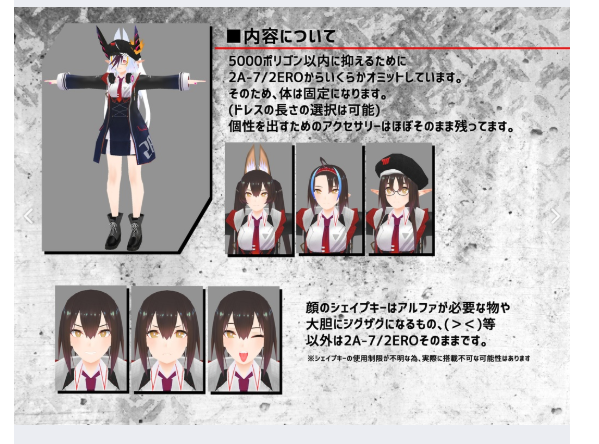
■■オキュラスクエストを想定した2A-7の軽量化版です■■ ――――――――――――――――――――――――――― 3Dのキャラ素材としてご使用ください。 ワールドで使ったり、シェーダーで使ったり...
a free Quest compatible anime girl model that works well as a base mesh
long talon
Shapell can be Questified in like 15 minutes if you know what you're doing.
There's quite a few free ones on Booth
normal star
Anyone know of any well running, good anime avatar rooms I could look up?
 unique inlet
hello, i have a question. when im in unity making a avatar, it says i have to play longer to make avatars so do i have to?
long talon
yes, that means you're still a visitor.
Becoming verified by the trust system is based on reaching a not time based trust score, which's exact algorithm is unknown to prevent exploitation.
You presumably need to play the game in a normal manner with your VRChat account, walking around, meeting people and also making some friends. Idling won't help.
According to many responses in this discord, a rough estimate would be 20-40 hours, but big exceptions are possible.
Make sure you are not using a steam or oculus account because those can not be verified and continue playing the game until you get a notification or e-mail.
http://help.vrchat.com/kb/article/27-why-cant-i-upload-avatars-or-worlds-yet
spice schooner
Also, a way to speed up the process is to not play music from your mic. Just in case you considered doing that.
long talon
hey, pretty sure I saw you ingame
spice schooner
Yes, we spoke in Atoll of Ether, the tropical map with the ship. 👍
vestal lantern
Welcome to the world of Quest avatars, heh.
 raven path
Hey can you explain what are these polygons ?
 shadow olive
@orchid yacht try doing this to it and see if it helps: https://youtu.be/-LIjiSaXVzQ

A short tutorial demonstrating on how to keep your Vrchat avatar optimized for Oculus Quest instead of just porting the PC one. Ignore the squeaking in the background, i just got a new puppy and she stopped being afraid of the raccoon toy.
I mean it'll help but some avatars look better than others after this
But usually under 20k looks pretty good decimated down to 10k
 tardy frost
brazen hearth
tardy frost
brazen hearth
VRChat
The Avatar Performance Ranking System allows you to see how much a user's avatar is affecting performance via analysis of the components on that user's avatar. You can also use it on yourself to see how performant your avatar is. This system is provided to inform users what i...
Find "Quest Limits"
 lime hamlet
the utilities tab is the only available one in the SDK menu.
shadow olive
@pastel storm find the textures, open them up in paint.net or photopea, paint bucket the new colors on, upload it to unity
If it's a quest avatar, please atlas the textures.
It helps everyone, and makes it easier to paint
If you use blender you can also paint in real time
hardy tangle
is there a way to make a metal like texture using normal maps or something like that?
or is there another way?
ive seen it on a few avatars
brazen hearth
VRChat/Mobile/Standard Lite has option for metallic map. You can make texture that has non metals colored black/metals colored white and you can make parts of your avatar look metallic that way or just use one material for a part and use slider I suppose @hardy tangle
pastel storm
Matcap Lit is good for when you want the whole material to be reflective, you can add a metallic matcap texture
 lucid harness
this might be dumb, but how do I get different avatars on quest than the ones that it comes with? I don't want to make them, but just want to use them.\
vestal lantern
@lucid harness You go to worlds that have them, they'll be on pedestals with a wavy picture above them, then you just click that.
@twin lichen Is that one from the Beepplanet?
lucid harness
what worlds?
vestal lantern
@lucid harness Normally ones marked as "Avatar Worlds" in the worlds menu, but technically any world can have avatar pedestals in them.
Also if an avatar is public, you can clone other people's avatar.
 twin lichen
@vestal lantern Umm i dont remember i think they were called ''rikku'' or ''rikoru'' or something
vestal lantern
Yeah
twin lichen
unless you mean nanachi
vestal lantern
My friend has a world full of them.
vestal lantern
Yes, for Quest and PC.
twin lichen
hmm maybe its the same world
wait you mean they made it?
i cant find anything online about them weirdly :(
vestal lantern
They're modifications and retextures of the Rikoroo creatures created by some Japanese guy I believe. Not very well known outside of VRC. This is his world with a bunch of different ones https://vrchat.com/home/world/wrld_7ef99ee9-a512-46e9-9f27-7130cc6a1c09

Yule Updateǃ Beepplanet Alpha with avatars for public use․Full PC and Quest compatability․ Please use a PC and Quest compatible avatar․ Avatar source˸ https˸⁄⁄3d․nicovideo․jp⁄users⁄20714185⁄works [ R…
vestal lantern
I don't believe so, lol
twin lichen
they do tho xD
aw man i wanna see the original
i wanna see 2d art of them
does anyone here know any other cute quest compatible avatars?
my favourites right now are these guys and nanachi
 ionic olive
I’ve got two questions regarding avatar stuff
One can the giant avatars if abused get me banned?
Also I’ve got one but i want other ones where can I find them?
 craggy glacier
probably wont get you banned but blocked by a lot of people
ionic olive
Oh,ok thx
vestal lantern
most people will likly hide or block you immediately
lime hamlet
I've converted one of my avatars into quest ready and my SDK's build control panel doesn't show up. i can only see the utilities tab in the "VRChat SDK" dropdown menu therefore i can't upload or even get to that page. can i get some help? been working at this for a while.
long talon
you even delete the meta files?
lime hamlet
don't think so. i'll do that this time and check back in with you.
 lime hamlet
No luck. :/
long talon
look at the console for errors
lime hamlet
error CS0006: Metadata file `System.Drawing.dll' could not be found
Compilation failed: 1 error(s), 0 warnings
oh- forgot to delete a .meta file. let's try this again and see if it has the same error..
yeah, same stuff.
may i note the project is uploadable in PC mode. when i switch the project build to android in order to upload for quest is when it doesnt work.
 charred granite
I recommend making a new project specifically for Quest avatars. There might be a script that is causing that issue.
lime hamlet
yup, gonna give that a shot.
long talon
oh, I've had drawing.dll
you, close unity entirely
delete the files
then reopen the project, then import the sdk?
lime hamlet
i'll give that a shot as well.
maybe i'll do that one first since it's easier. lol
ok so that didn't work. i'll try the new project.
 ruby summit
Last time I had this issue, and removing the vrcsdk and reimporting it didnt work, I had to make a new project, first import the vrcsdk, and then copy/import the avatar files, making sure if it had any vrcsdk files in the assets/package, to not include them.
--
I don't really know what it has to do with drawing.dll, but anytime my sdk behaves like that, and I get that specific drawing.dll error, this works
 craggy scaffold
lips don't move on my avatar even if i change it on unity
spice schooner
Sometimes you can't see your lips move in mirrors so make sure you ask someone else if they move
dry zealot
am always late to upload festive avatar here the 2020 one https://gyazo.com/58b5297bd0bb80cedc78dbd0310554ea
 dry zealot
orchid yacht
dry zealot
orchid yacht
^ i like it
 long kite
Cuteee
 viral plank
where can i even get quest avatars from
 errant dirge
- Avatar worlds
- Making a avatar and uploading it yourself
- Purchasing a avatar from booth.pm and uploading it yourself
viral plank
can i make avatars on a mac?
spice schooner
I'd imagine so
viral plank
what would i have to use?
spice schooner
A 3d modeling program and Unity. Just gotta find ones that work on Mac. I use Blender. I know Mac can also run programs that are PC only through another program. I honestly don't know enough about Mac to go into full detail but I'm 100% positive avatars can be made from a Mac in one way or another.
viral plank
okok thanks and on a scale of 0-10 how hard is it to convert a pc avatar to a quest avatar?
errant dirge
I've uploaded avatars on mac. Just make sure you disable future proofing.
spice schooner
Depends on the avatar, and how well optimized you want it. If you don't care about optimization at all I'd say 10/10, super easy
viral plank
i know im probably getting annoying but how do i convert
spice schooner
Otherwise you will want to get the avatar down to only a few material files, about 7500 poly or less, little to no particles, make sure it has no dynamic bones or sounds.
It's as simple as changing build settings in Unity then uploading under Android platform so it becomes a Quest avatar.
Again though, optimization. https://docs.vrchat.com/docs/avatar-performance-ranking-system
VRChat
The Avatar Performance Ranking System allows you to see how much a user's avatar is affecting performance via analysis of the components on that user's avatar. You can also use it on yourself to see how performant your avatar is. This system is provided to inform users what i...
Scroll down to Quest limits
viral plank
does it have to be a certain version of unity
spice schooner
The same version the PC build uses, yep
viral plank
as you can tell im a complete hardened egg so i have no idea of anything
errant dirge
I've never heard that expression before, but I assume it mean you're green
spice schooner
That's fine, I'd honestly recommend a beginner tutorial on making/uploading an avatar to VRChat on Youtube.
viral plank
what version of mac do you reckon i'd need to be on?
spice schooner
When you have the basics you can at least grasp the situation enough to have some understanding.
Now that's where you lost me, wasn't aware of Mac versions. I'd imagine the latest is fine.
errant dirge
Mac version doesn't matter
viral plank
i mean whats the oldest version of osx i could use to download unity 2017.4.28
spice schooner
iOS: Mac computer running minimum OS X 10.9.4 version and Xcode 7.0 or higher.
From a quick Google search that's what I got
viral plank
delicious
 autumn quest
I am getting an error in android of Unity after click Build and Publish
Anyone know this error?
abstract ether
I saw that error being mentioned somewhere recently and I think they fixed it by creating a new project and importing everything again.
autumn quest
Ok will try that
 dusty osprey
im having a problem with the vrchat mobile shaders. Any other shader i use on the avatars turns out fine, but when i put on a mobile shader, they become christmas-y
mobile toon lit vs
standard
whats the mobile shader doin or not doin versus like pc shaders?
also theres two of them cuz i was making sure it wasnt my quest decimation that messed it up-
dry zealot
Blender minus the vertex colors
In thebelow the shapekey
Its use with some shader to control how light react etc
But toonlit make those looking balck red blue etc
long talon
shoulda uploaded the christmas version
dusty osprey
I SHOULDVE honestly
viral plank
Does anyone know anywhere I could ask someone to convert a model because I've went to do it today to find out something has chewed through the wire for my keyboard
pastel storm
Dose anyone mind sharing some anime models for quest that are ready do put into vrchat for free
vestal lantern
Pretty much none of them will be. Are there none in the avatar worlds already?
random badge
@pastel storm https://booth.pm/en/search/VRChat quest?max_price=0

BOOTH(ブース)とは、pixivと連携した、創作物の総合マーケットです。無料で簡単にショップを作成でき、商品の保管・発送代行サービスも提供しています!
vestal lantern
@random badge Now that's a cavalcade of horror if ever I saw one.
random badge
how come?
vestal lantern
Have a browse through what's on that link, lol.
random badge
yeah, whats the problem?
vestal lantern
Really? https://booth.pximg.net/3f690bc2-b693-4e8f-97e7-8073eb9179ee/i/1425268/d63cc408-422e-41d1-a2ad-0acaaadc17f5_base_resized.jpg https://booth.pximg.net/47ebfc1a-219a-4c6c-9aa9-31ae7a10b980/i/1662413/7537089e-493f-45f4-903d-79c254bf7756_base_resized.jpg https://booth.pximg.net/a3299d88-aa19-4527-bf6a-19ffa64fbaf0/i/1089025/cd8da53a-5e25-4e02-b0ec-61c8402fc926_base_resized.jpg


Cursed!
random badge
oh right
when someone says horror i just expect the absolute worst lmao
so i thought there was some gore or something and i got scared
cant be having my second warning for "anime gore" 😔
 lyric pier
Anyone got a website where I can download quest ready avatars
vestal lantern
No, that's what the ingame worlds are for.
errant dirge
You can buy models at booth.pm
some are made for vrchat quest in mind.
you will still need to learn how to setup and upload a model in unity.
 shell swallow
Hey so I'm new to programming and I want to start off by making a custom avitar. But I need some help. Here are some sketches of the character I have in mind:
vestal lantern
Ok, well good news, you don't need any programming experience. You would ideally want 3D modelling and texturing experience though.
Grab a copy of Blender, your favourite image editor and then you can jump in.
shell swallow
Uh....
I don't have any experience with that stuff
spice schooner
Gonna need Youtube for that part
shell swallow
Ok
spice schooner
That's how a good portion of us started. Lots of tutorials.
 midnight pawn
this might be a bit of a stretch, but would anyone happen to know any quest compatable avatars that look even at least somewhat close to this character I have here?
shes sort of my persona character who i've been drawing for quite a while, and I would love to have an avatar of her on the quest (im getting one in under a week)
the main staples of her are the round glasses, fluffy hair, and ears.
anything else, like the outfit and fluffy tail can be changed
I just want something that can get CLOSE to her.
(because I know it would be really hard to fit all of her into a quest avatar lolol)
jagged sequoia
https://booth.pm/en/items/1381874 might be a decent bass to modify into your avatar
■■オキュラスクエストを想定した2A-7の軽量化版です■■ ――――――――――――――――――――――――――― 3Dのキャラ素材としてご使用ください。 ワールドで使ったり、シェーダーで使ったり...
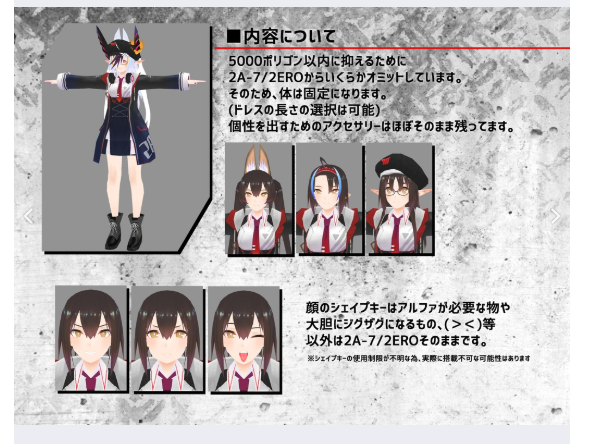
 delicate basalt
@midnight pawn you can always commission one if you want at #community-servers-old vrctraders
um
your best bet would be to take any existing base and kitbash + retopology
your art is hella cute btw >u<
midnight pawn
oh ty!!!
and yeah, i figured my best bet would probably be an existing base
its just most of them dont have the body type that i want
sorry im being so picky haha
vestal lantern
Kinda look like a thicc nanachi to be honest, maybe that would be a good base?
jagged sequoia
tweaking the body shape should be doable using blender sculpting tools or proportional editing
midnight pawn
oh that is true, i didnt even think of that!
jagged sequoia
so ya better to make sure you have all the other aspects good for the quest as proportion are much easier to change as a newbie then having good topology and polygon count
dry zealot
@midnight pawn yeah there s one in the/ quest church + avatar
midnight pawn
?
dry zealot
An avatar map
People that dont upload material in vrchat get ther avatar from avatar world
vestal lantern
Probably not, adding one to an existing avatar would be easiest.
pastel storm
Is anyone willing to help me as I am configuring an avatar for quest but my atlas needs to be a cutout shader how do I use the quest shaders but still keep the eyes (the part that disappears when I change from cutout to somthing different?
long talon
use the knife tool on your eye planes
then warp the UVs back in place in the UV editing tab
pastel storm
In unity or blender
pastel storm
This is my first avatar
Plus dose this work when all the other stuff (vimeses, bones, muscles, eye movement) is done
pastel storm
Thanks
Plus I have redecimated my model so it’ll be be able to be seen on quest at all time
long talon
nice
pastel storm
I used this tutorial

I'm going to be making more like this, so subscribe if you want to see more!
Keeping with the tradition of making things as easy and straightforward as humanly possible, here's my updated tutorial for January of 2019.
Feel free to pause me as you go along, you'll probably hav...
Wait
How to do the uv editing part
Hello?
manic lagoon
Anyone know any good worlds for anime/chibi avatars? I had a look today but didn’t find loads
pastel storm
I’m not sure sos
 sterile pulsar
Hi, can I add only music without animation as emote to the avatar?
manic lagoon
Animations are disabled for quest iirc
long talon
Actually, you shouldn't even need to do UV editing
as you could see in my video
it kind of just stays aligned
 azure palm
@manic lagoon actually quest does. Only one that is disabled is shaders
manic lagoon
Oh really? I must’ve misremembered then
vestal lantern
You're only allowed 1 animator, basically.
pastel storm
@long talon dose it still work with the atlas and other blender cat stuff that have been setup previously
Sorry for the ping
long talon
don't see why it wouldn't
 steel marsh
anyone wanna help me with this damn avatar? im kinda unsure which place i can go to for help and ive been trying for like 2 days nonstop to fix this. if anyone can help hmu pls. ive been trying to like. rig it correctly and its just not being nice to me ack
hold on
i figured id try to just use another version of the model. after this im done with trying to fix it lmaooo
long talon
Oh, let me guess, the arms don't actually work correctly
and there's like separate bones for the arms and the sleeves
steel marsh
im unsure if its the sleeves but yes the arms are a bit weird and the thumbs wont work
long talon
thumbs?
steel marsh
yep. cant move em
long talon
If you use CATS' pose mode in Blender do they work?
did you translate the bones from an MMD? it's possible the name's didn't get picked up, though I believe CATS' actually figures out bones just from hierarchy now
steel marsh
i didnt try the thumbs... i dont even really know if i could choose the thumbs but yeah i translated the stuff
hold on do u wanna look at the file real quick?
 steel marsh
gotcha
long talon
odds are you exported it with the tex in there
steel marsh
ill literally pay someone to do this for me im so done and tired ive been up like 2 days trying to fix this after finally pickin this game back up after 2 years
long talon
There straight up aren't any vertex groups for the thumbs...
steel marsh
i got another version of the same character. can u check if theres anything for this one?
long talon
The rig is only there as a modifier, as is usual with MMDs, and weight painting is based on vertex groups, they're all there for every finger on each side, except the thumbs
either you broke it or idfk
long talon
This is straight up from the game isn't it? cause the hand rig definitely isn't standard that's for sure
Tho, I mean, it bloody works
Even with only 2 bones per finger, it should still work
hand animations may look a tiny bit wonky. tho you could always split each end bone in half and split the weights
shadow olive
I good amount of video game characters only use 2 bones
Ik all the xenoblade ones do
long talon
Aaaand it took me about 15 minutes for a single finger
shadow olive
It looks good enough honestly, you can barely tell
shadow olive
All my avatars look fine with only 2
long talon
Unity will round it up
So just use that model, and since it's a game model, it already has great topo, optimized textures, and unlike that other one doesnt have 70 hair bones you wont be needing on quest that would bring your shit down to very poor
I mean, it's still 14k tris, but getting that to <10k is a piece of cake
shadow olive
Yeah just separate the head and hands and decimate the body pretty much
I always have like my 10 minute tutorial to easy decimate
long talon
You should totally turn that technique into a button in CATS'
Separate the mesh by everything that isn't the head or wrists vertex groups
decimate the new separated object so the total tri count of both objects is whatever the user sets, by default 10000
long talon
from 19850 to 9081 in 5 minutes, uhhh, except Unless I force the shape keys into the head vertex group, theyre kinda fucked, they still do what theyre supposed to on the head, but they deform the rest of the body
long talon
@shadow olive I just took your tutorial, mixed it up with my own skills, and brought it down to about 15 seconds of work
shadow olive
Yah, I'm not a good blender-er
I just know what I'm doing
But I'm definitely not efficient
long talon
Edit Mode
Select Head and Wrist vertex groups
L and Shift+L extraneous or missing bits on head and hands
Ctrl+I to invert the selection
Space or F3 depending on bindings to bring up search
"Limited dissolve"
Open the panel in the bottom-left of the viewport
Play with the slider till' you're under 10k
Profit???
It worked PERFECTLY on this model
shadow olive
Only issue is I find that the hair tends to be relatively high poly, I find it better to UV select the face instead of the entire head
Usually the hair looks fine decimated anyway
shadow olive
Ah, true
I do uv select so it's more accurate, but whatever works
I'll be content knowing my video is just for dummies getting their shit off of REDACTED.com
long talon
Yeah, I have standards for avatars
long talon
And boom, I have a perfect working Quest model of Akeno
even with skirt weight paints
in about uhhh, 40 minutes
like, high quality and under 10k
shadow olive
My avatars 8 times out of 10 look pretty good for being under 10k
1 time they look perfect and the other time they look iffy
 strong kayak
Does anyone know where I can find a Rick Sanchez skin for the quest?
 grim trout
if any one makes this avatar for quest i will pay for it
brazen hearth
Check VRCTraders in #community-servers-old @grim trout
grim trout
thx
long talon
Thats, already a quest model?
@grim trout pay the actual model creator and upload it? https://sisters.booth.pm/items/1019341

こちらのモデルは最新版のVRChatのバージョンに対応して作成、動作確認されていない可能性があります。下記のモデルのアップデート情報をご確認の上、自己責任でご購入お願いします。尚、現在こちらの...
most you might have to do for Quest is atlas it
grim trout
dont have unity and dont know how to set it up, totally would share it if i had it
long talon
I can show you how to do it. it's real simple
grim trout
if i bought could i just send someone the file and then meet them in vr chat so i could copy it?
long talon
yes, you could do that
grim trout
well then i have my anwer
long talon
but then it would be public
grim trout
is unity big, (like in gb) that is the important part for me
long talon
like 4gb
just dont install visual studio with it. since you aint gonna need it ever if youre doing vrchat stuff
grim trout
kk
long talon
I checked, the version you get on booth is already a single texture
grim trout
what does that mean?
grim trout
ok\
long talon
It's also already within Quest poly limits
grim trout
so do i even need unity
long talon
Yes
grim trout
ok
long talon
grim trout
what do i do so that i dont install visual studio?
long talon
I just agve you the installer for the Editor only
grim trout
ok thanks so much
long talon
so it won't even give you the option
tho, if it does ask for options
make sure "android build support" is checked
as you need it to upload on quest
grim trout
ok thanks
vestal lantern
Oh, limited dissolve will almost always destroy your texture mapping btw. Only rarely will it work without issues (not a problem if the areas are a solid colour though).
manic lagoon
Anyone know any small or chibi avatars or avatar worlds I can try?
pastel storm
anyone can dm me some cool anime girl avatar worlds? like not so popular so not everyone has them 😉 i did my research and it was pretty unsuccesfull
 eternal bluff
So I am running into a problem with the mobile toonlit shader. When I bring the model into unity to prepare it for quest upload the eyes go white. I have checked normals thinking it might just be flipped. When I use the poiyomi shader for the PC version the eyes show up just fine.
I even isolated the eyes off the main atlas into there own material just to troubleshoot but no luck
eternal bluff
im trying but blender seems to crash when i switch to that mode for some reason
long talon
you dont need to switch to vertex paint mode
just go to the object data tab
and delete everything under vertex color
eternal bluff
nothing there in blender
long talon
Can you drop the FBX?
Preferably using Blender's own export as fbx function
keeping "pack textures" checked
so I can actually see wtf is going on
long talon
how about the fbx and the png
I dont wanna have to open all of god damn unity just to extract a unitypackage
eternal bluff
oh ok
long talon
my computer is old and slow, and you've already done the work
 brisk nexus
does anyone know what to set the invisible texter for quest to?
long talon
wdym by invisible texture
pastel storm
hey mind if I ask if anyone has a specific avatar I want to use?
brisk nexus
nvm i fixed that one but one more thing how do you make the blushing look normal for quest? so its not just a red box
spice schooner
Just make a skin colored "box" and add blush on it with some photo editing software. It turns into a red box because people use transparent blush and Quest turns it into one solid color.
I'm sure there is another way but that's how I did it
 silk hill
i really wanna make a luigi avatar for quest cuz i cant find any but idk how to make avatars
long talon
Technically, if you didn't give a fuck about performance, you could make a secondary material and use the alpha blend particle shader
 shut adder
Hey people am making a version of my avatar for quest what i believe i can have sub 10k poly so that would be tough but i seem to have an issue with the eyes its not shader issue i think because pc players with shaders off see my avatar normally no difference in eyes just they glow
 cunning imp
You should look for vrctraders in #community-servers-old if you want to ask/pay for a model to be made
shell swallow
Does anyone know a good free image editor I can use with blender?
dry zealot
Gimp
long talon
Or if you're not a fan of helicopter cockpits, Paint.NET
Or if you like using a drawing tablet, Krita
 steel falcon
someone knows the perfect skirt optimation for dynamic bones ?
craggy glacier
quest avatars cant use dynamic bones though? 🤔
long talon
@steel falcon the recommended method for skirts is to weight paint them to the legs like this https://raytracing-benchmarks.are-really.cool/3vJZddv.png https://raytracing-benchmarks.are-really.cool/41CvE5z.png

 pastel storm
i looked through all my materials and all of them are vrchat/mobile/diffuse so why am i getting this error
dusty osprey
Click ur body in the hierarchy and double check all the materials are vrchat mobile!
And if they are, then save and close unity and reopen!
Sometimes it needs a lil kick to actually look at everything again and realize they’re ok
 static peak
how do i use unity?
im stuck, it wants me to make a game i want to make an avatar help
delicate basalt
@static peak tupper's tutorial, kareeda's tutorialS, to name a couple
as a forewarning you are working with tools that you can not get away with fiddling around with "until it works"
you will need a lot of guidance going in and staying in
heed my warning or you will sit there and bitch about how "unity / blender is too hard" like many who have walked this path
spoiler: you will continue to bitch about it, everyone does, lmao
static peak
Thanks
delicate basalt
np~
 urban agate
Someone know where i find kirito Avatar With sword using? I have find on Sword Art Online: Redux but without Swords :/
 mild oxide
So, Art Online
shadow olive
kirito with paint brushes
long talon
Beat the devil out of it
 bold turret
How do i upload a custom one of these?
pastel storm
custom of what? the texture?
bold turret
Yeah
 cedar portal
@bold turret make a copy of the material
Change what you want on it, just check where it gets mapped to.
Then reimport the thing and select it.
bold turret
how do i change it?
cedar portal
Use paint, photoshop any other drawing program
cedar portal
Find the material in your files.
 errant dirge
That’s for worlds
pastel storm
oh
im dumb
i changed all the shaders im using to vrchat/mobile/diffuse but it says i got a standard shader but i cant find it
 gloomy aurora
pastel storm
gloomy aurora
pastel storm
fixed it thanks
bold turret
Trying to upload, Can't because these suckers get in my way, How can i get rid of them?
dry zealot
Delete them in blender
 rapid tundra
sup peeps, quetion... im trying publish my avatar but this keeps popping up and it wont let me publish, what should i do?
send help for ya boy
dusty osprey
@rapid tundra Go into your build control panel, settings, then untick the box called future proofing
rapid tundra
ight ty. oh one more question
so after i have a couple of avatar that i have already create and publish\
seems i cant find it when im in game
should be in personal avatar right?
i cant find it
dusty osprey
should!
Check you're on the right version of unity
make sure that you're on the right account. Check if u log into vrchat on the web that u can see ur avatars in ur avatar thing
dusty osprey
Yep!
rapid tundra
jeeez
freak
and if i do and publish it. how long should i wait before being able to see my avatar in game?
dusty osprey
it should be pretty immediate
rapid tundra
ight
dusty osprey
like once it says "ur avatar is uploaded!" should be all gucci
dusty osprey
the sdk just needs specific unity versions to function i think
Right now 2017.4.28f1 is the one we're on and thats on that
rapid tundra
ight thanks
 pine wedge
is there any shader for quest with transparensty
 sullen kayak
@rapid tundra are you uploading them trough the android version of unity?
Quest avatars need to be uploaded this way
sullen kayak
So did it work after you changed versions?
rapid tundra
I deleted my post cuz I thought I figured it but nope
sullen kayak
So you are on the exact specific version right?
sullen kayak
Is that one quest supported?
Afaik only shaders from vrchat/mobile can be on the quest
 upper scarab
Anyone have Star Wars avatars
spice schooner
Only if you like a Storm Trooper with a weather channel hat. I call him a Storm Tracker.
But I've seen plenty of real Star Wars avatars for Quest, but not sure which worlds they come from.
 simple egret
Ho
manic lagoon
I found a world with a few Star Wars avatars
pastel storm
I need someone to fix a problem with me when I join any world i can’t see avatars ...
spice schooner
Open your menu, click safety and change your shield level. I think that should work.
 worn fulcrum
If you want to be able to see them your avatar options setting has to be very poor
spice schooner
It can only go to poor, and it still needs to be a Quest avatar. If you want to see very poor you'll have to click the Avatar and hit the show avatar button.
I wouldn't recommend that because a lot of very poor avatars can crash you. Some people say it's not an issue but I've seen many Quest users crash just from showing some avatars that had 15 material slots
 empty zephyr
hey i need help
so i'm trying to make an avatar where the neck isn't straight, but when I upload it to VRChat the neck strightens and it moves it out of place
essentially, the model in the configuration menu and the preview look completely fine but for some reason it looks bad when in use
 wanton cipher
Move the bone in edit mode on blender
Straighten it in blender so it doesn't have to move in game
bold turret
anyone know what version of blender i need
spice schooner
You can use the latest if you'd like
wanton cipher
@empty zephyr Check DM
 silent rapids
can someone make me a character of me
like a realistic looking one that actually looks like me
delicate basalt
$600 project right there
delicate basalt
most scratch commissions are at least $200, $500 on average
but a realistic avatar sounds like a completely different beast
you can check out #community-servers-old vrc traders but id reccommend hitting up a professional 3d artist who's more out there
jagged sequoia
yeah that's especially going to be a tall order if it's supposed to be Quest compatible
errant dirge
$200 for a from scratch commission is low to a insane level.
jagged sequoia
considering the time it would take for that you would make more money working for McDonald's lol
random badge
I’ll do it for exposure
 bold prairie
Hey I was wondering if anyone had an obi one avatar compatible with quest that I could clone if so please @ me
 obtuse marlin
Hi guys I've been converting my avatars to make them Quest compatible
does anyone knows if there's any way to force Cut out on the Quest shader?
jagged sequoia
it is completely impossible to have cutout shaders on the Quest you need to cut your geometry
pastel storm
is there anyway to put audio sources on quest avatars
dusty osprey
Nope
https://docs.vrchat.com/docs/avatar-performance-ranking-system website for ref
VRChat
The Avatar Performance Ranking System allows you to see how much a user's avatar is affecting performance via analysis of the components on that user's avatar. You can also use it on yourself to see how performant your avatar is. This system is provided to inform users what i...
bold prairie
Anyone have an obi one avatar
pastel storm
PC user here how do I make my avatar quest friendly?
dry zealot
upload the same blueprint in the android build of unity
shell swallow
So I have this avatar I'm working on. And it's all one mesh, but some of the hair won't move with the body. Any suggestions? I'm using automatic weights
long talon
weight it manually 
long talon
 tame gazelle
I have a small little request, anyone here now how to make avatars
 wet lantern
How do I make my models useable for quest users?
long talon
A short tutorial demonstrating on how to keep your Vrchat avatar optimized for Oculus Quest instead of just porting the PC one. Ignore the squeaking in the background, i just got a new puppy and she stopped being afraid of the raccoon toy.
wet lantern
Thank you 👌
shadow olive
: D
dry zealot
👀
 tiny umbra
I'm wondering how much it would be to have a avatar commissioned if I provide a reference
dry zealot
200 and up. Somwthing like that
sullen kayak
Deppends. If its an anime avatar than more like 80€
 shut orchid
And depends if it's from scratch/with base/Frankensteined/edit, the price varies quite a bit
sullen kayak
Yeah if its from scratch expect a few 100
jagged sequoia
yeah there is a big ass time cost difference between from scratch and basically just paying someone to glue stuff together
pastel storm
Honesty, I wouldn't mind adding my character from IMVU, if I knew how to port.
shadow olive
Porting's as simple as uploading your avatar in Android mode instead of windows
Though it's preferred you optimize it first
sullen kayak
@shadow olive they meant porting it from a different game
shadow olive
Whoops
 hearty granite
Would anyone be able to make me a tank avatar like ww2 based that is compatible with quest? Because I dont have the capabilitys to make 1.
dry zealot
I kind of like this match
pastel storm
Wow
 warm anvil
Hey, any idea if there are any public worlds with an Lycanroc avatar? The only one I found was for PC
 carmine fern
Why doesn't quest allow sound emitters at all?
Its not like sound is that intensive on the system
I find it wierd that particle effects are fine but sound is a no no
 cinder blade
Do any Body now a Great and nice Avatare world for oculus quest ?
long talon
@carmine fern you'd be surprised.
all audio channels in vrchat are spatialized by default
and spatialized audio is all on CPU
each channel you add is more computation, afaik even VRChat on PC caps the number of spatialized channels that can play at once. and I know on Quest, worlds can't play more than 3 tracks at once.
pastel storm
is there charlie's avatar from the hazbin hotel series? (tag me)
 golden kettle
is there any way to delete just the quest version of an avatar? planning on uploading an avatar world and i dont think the quest versions are ready for the full release yet.
 steel stream
Can I create a avatar and play my avatar on the ques
pastel storm
Quest gang
steel stream
@pastel storm if I get my quest can you show me around
pastel storm
Sure
steel stream
@pastel storm can I add you as a friend
dry zealot
Delete the bluelprint and reupload @golden kettle
long talon
did you per chance, read the errors
 lofty bluff
I see, thank you
 frigid stone
How would I make a cape/skirt not look awful in Quest version? Like make the cloth stay vertical to the floor when bending forward.
random badge
no real easy way to do it
depending on the lenght the best bet is to weight paint it down the back
sullen kayak
Baking physics in to animations could work
 static glen
hey anyone know how get modded sdk
manic lagoon
Yeah or you could know the ToS, modded SDKs aren’t allowed
Also that is not optimised in any way, are you trying to crash people?
And finally, that warning at the top suggests you are using the wrong unity version
static glen
i no know sorry my friend say to me
static glen
why
delicate basalt
@static glen your friend is either trying to get you banned or is dumb
static glen
ok thx
delicate basalt
Using modded SDKs is permabannable and that avatar is ruining your own experiences as well as everyone elses
plus i 100% bet you that you dont even need the modded sdk at all if you literally go and fix it up in blender
static glen
thx you
random badge
-wants lewd avatar
-wants modded sdk
-in quest channel
-light mode discord
 tight remnant
hey can anyone help me ! i uploaded a custom avatar of mine to pc, and then quest after removing all the fun stuff, but they show up as two seperate avatars in the menu (?) any quick fix to this ?
shadow olive
Did you copy the blueprint ID of the pc one?
tight remnant
no, ive done this before and didnt have to, can that work vice versa ?
quest blueprint to pc ?
shadow olive
Yeah, so last time you probably uploaded the same avatar to quest and pc without deleting it
This time you probably either deleted and reimported the model or just used a separate model for quest
So first delete the pc version of the avatar from the server
Then go to the vrchat sdk
For the quest version
Hit copy ID
Go to the PC version of the avatar in unity
Find blueprint ID on the right
Unlink
Paste in the ID
and re-link
Then you're done
Just upload again on PC
tight remnant
okay, thank you so much !!
shadow olive
No prob
tight remnant
what does it mean when the builder tab of the vrc sdk is empty ?
i have an avatar out on the plane
dry zealot
There no descriptor in the scene
 hardy viper
 vague fractal
hey
i need help
can someone help me :/
i did everything right but in game i couldnt find it
spice schooner
Are you logged into the same account on Unity as the one you use to play? Also, not sure it will affect if the avatar is shown or not but make sure you uploaded the avatar under PC and Android build.
errant dirge
this issue was solved in another channel. They were using a unity version that was too new
spice schooner
Also the rare chance the servers had a hiccup and is failing to show it after you uploaded it
Ah, alright
pastel storm
heyy
long talon
Are you in a country that has internet censorship of any kind?
you may have an issue connecting to the vrchat cdn
also, you shouldnt ping tupper or any devs for basic shit like this
sullen kayak
Its literally a rule not just common sense
 random badge
post your question not a question for your question
pastel storm
sorry bro :,c
 scenic ocean
making a crossplatform is wacky tho
couldnt imagine having to do it for a whole world
dry zealot

spice schooner
I just make a Quest avatar where PC users see the same thing including Standard Lite shader. They look terrible in certain areas but it saves me time.
random badge
its like literally just one button i dont get how this is difficult
dry zealot
Here you go, anime quest Jedi
 jagged creek
How long do you have to play till it allows you to upload avatars?
dry zealot
you need a vrchat account first or link you steam/oculus to it
and play some time like 20 hours and make friends
spice schooner
@random badge If you were talking to me, I don't believe it's difficult, I just use the same shader to save time.
random badge
No the guy above you 😗
spice schooner
Ah, makes sense
 delicate marsh
Anyone know where I could find a snake avatar? (Mgs)
 tender raptor
Does anyone know where or if I can get a gengar avatar?
 slender veldt
@dry zealot are you the one who made the church’s military avatars?
dry zealot
took more time then a tough, but here the Sith ver.
 harsh folio
Who knows how to turn Super with the Sonic avatar?
sullen kayak
Bruh
dry zealot
@slender veldt yes, why?
harsh folio
I am just curious
slender veldt
@dry zealot you notice her rifle has a bipod on top of the gun not below it xD
 crimson storm
 vagrant gale
@white wolf There's a world called Rainbow Six Siege Avatars with a Monty, but it doesn't have a shield or gun
long talon
atPurpleHeartVR your issue is running an unsupported version of Windows
spice schooner
They are Confused, bud. I've seen a Morty in a cross platform world. Al's corridor or something along those lines.
Doesn't mean that one avatar is Quest compatible though, you'll have to check.
 peak marlin
Hey guys I have a question this should be an easy one
When I select my custom avatar in Unity, it selects the main camera as well, meaning the camera is included as part of the model.
I've tried to deselect the camera but it won't let me... is there any way around this?
 high bluff
Hmm
peak marlin
confirmed fixed, thank you so much @high bluff
high bluff
No problems.
warm anvil
Is 8968 tris too much for a Quest avatar?
delicate marsh
Yo where can I find a goku avatar
brazen hearth
It isn't @warm anvil . Your avatar will be ranked poor at best though
warm anvil
I guess that's fine. How many tris would have to be cut off for it to be perfect though? @brazen hearth
dry zealot
To be perfect rank. Its 5k tris
You will rarelly find perfect rank humanoid model.
A model below 7.5 is fine
warm anvil
I'll probably leave it at 8.9k for now just as a test since it's my first avatar. Later I can work on cutting it down a bit
Thanks for the info
dry zealot
Do you have a photo of it?
warm anvil
I turned off my laptop, but here's a pic from the site where I found the model. It's Lycanroc, a Pokémon
steel stream
In the quest can you select woody as a skin?
warm anvil
@steel stream you have to either find it in one of the public servers, clone it from someone else, or upload it yourself
delicate marsh
Hey so I just finished my avatar and it says it's in the game but I don't see it
jagged creek
I need some help optimizing a model
long talon
what part specifically?
I'll just post you this as I usually do https://youtu.be/-LIjiSaXVzQ
A short tutorial demonstrating on how to keep your Vrchat avatar optimized for Oculus Quest instead of just porting the PC one. Ignore the squeaking in the background, i just got a new puppy and she stopped being afraid of the raccoon toy.
delicate marsh
Hey so I have a tall model and when I put in the avitar my head is in my waist (my view point) anyone know how to fix this? (I use untiy)
jagged creek
My material atlas isnt working
long talon
to adjust the view point correctly on some avatars, you need to click play in unity, then in the avatar descriptor move the view point, take note of the XYZ values you put in, stop the editor from playing, then put those values back in. @delicate marsh
@jagged creek how so
jagged creek
Well it just makes the model turn grey and it doesnt turn back to normal
long talon
is this in blender or unity
delicate marsh
Another thing in unity my characters mouth is closed but when I'm in vrchat its wide open
long talon
idk how your blendshapes are setup, did you decimate on a mouth blendshape by accident?
jagged creek
No I havent
delicate marsh
I don't think I did
long talon
A: select your mesh, then under materials, check that it's material is correctly assigned to the atlas texture, CATS' should've done this already
B: did you set up any animations on your avatar? what about the viseme blend shapes on the avatar descriptor?
jagged creek
I did do that
delicate marsh
Where would I find that exactly? (I'm kinda new to this)
long talon
lip sync type > viseme blend shape
drag the MESH from your avatar in the hierarchy on the left, NOT THE AVATAR PREFAB ITSELF, and drop it on the part where it asks for a mesh containing the visemes, then match each vrc_x_sil, vrc_x_A and so on to each blendshape from your avatar in the drop down.
jagged creek
Thats not the easiest way of explaining that to him
long talon
I've been making avatars for 2 years, how about you explain it better, I quickly lose patience when it comes to this stuff
long talon
For animations, at the top of Unity, click Window, then Animator, select your avatar prefab in the hierarchy, and you should see a dark gray grid with a weird graphic and shit, make sure that there's nothing connected to "Entry", if there is, right-click it and delete.
delicate marsh
I'll get to it then
jagged creek
@long talon when I put it through the atlus none of the textures appear correctly
long talon
that's normal Atlus developers are terrible
just watch a texture atlas tutorial
or ask in #avatar-optimization
jagged creek
Which one would you suggest?
long talon
idk
thing is, 3d models are complicated things, and blender is a complicated thing, and there could be 45 different reasons why your texture isnt showing
I know how to fix all 45 of them, dont have the patience to tell you how
or dont even know how to put it into words
pastel storm
How does one upload an avatar to the quest?
long talon
everything is mentioned in the vrchat docs
jagged creek
It still didnt work
 delicate basalt
hi dad
pls dont post the same message across multiple channels #rules
also there isnt really a place on this server anywhere for selfies. this chat is for oculus quest avatars
unless thatbimage is a really high high high detail render
which isnt optimized for quest but i mean props on you for somehow stealing pixar's entire render farm
@pastel storm
pastel storm
Ooof
 jagged badger
Random question but has anyone seen any Mikan Tsumiki models? I found one but it’s just like an MMD on deviantart and I’m not sure if it’ll work :0
pastel storm
Ooof
delicate basalt
mmd on deviantart is 100% 90% of the models in this game
of course it sgonna work
for mikan specifically i dont remember the selection of mmd stuff on deviantart
jagged badger
Ohh okay ! I wasn’t sure sense I had only uploaded models from the vrchatmods website
jagged badger
I’m really new to all this skskskwk
delicate basalt
crrators support st9len content on that one
jagged badger
Ahhh okay
delicate basalt
multiple friends have uploaded project crawling malware that deletes and corrupts your entire project
it has no security and is generally kind of aids
jagged badger
Oh shit ! Thanks for telling me!
delicate basalt
stick to devaintart, booth, vrcat, and stuff like vrcprefabs or community servers for assets
jagged badger
Does uploading an mmd model work the same ? Sorry if that sounds dumb sksksk
delicate basalt
github for stuff like shaders and more unity assets
no it does not, and were all here to learn 0u0
uhm. check kareeda's channel or tupper's 2 hour long mmd to vrc video
jagged badger
Alright! I’ll check it out !
delicate basalt
gl ^ ^
pastel storm
Hiiiii
 spice schooner
Your stuff always looks so nice. 
dry zealot
But that one 
spice schooner
Not bad! Better than 
random badge
i just finished making this guy https://cdn.discordapp.com/attachments/489879492542857227/671800871901855788/126210969.png

 white wolf
jagged badger
white wolf
jagged badger
Uhh so I’m having some trouble
I’m trying to upload a model but whenever I put cats blende plug-in into add ons it just like doesn’t show up
Oh shit nvm I figured it out
jagged badger
Okay so I got my mmd model saved from blender and uploaded it into unity but it uploads without any textures ?? I’m not sure why
sullen kayak
I dont think a lot of people are looking for them lol
 fathom terrace
Hey so whenever I try to use any of the mobile shaders most of my mesh turns black im not sure why ive tried checking uv params and such but I havent had any luck https://i.imgur.com/Xfzo9Vw.png
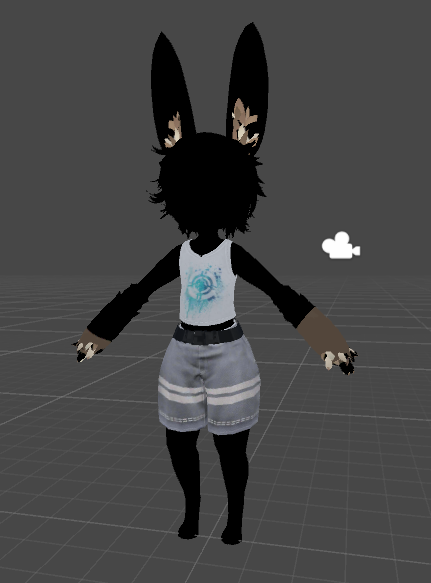
it works just fine with normal shaders
sullen kayak
It looks like the uv maps are just not correct lol.
fathom terrace
Like I said ive already checked them
ive even rebuilt them
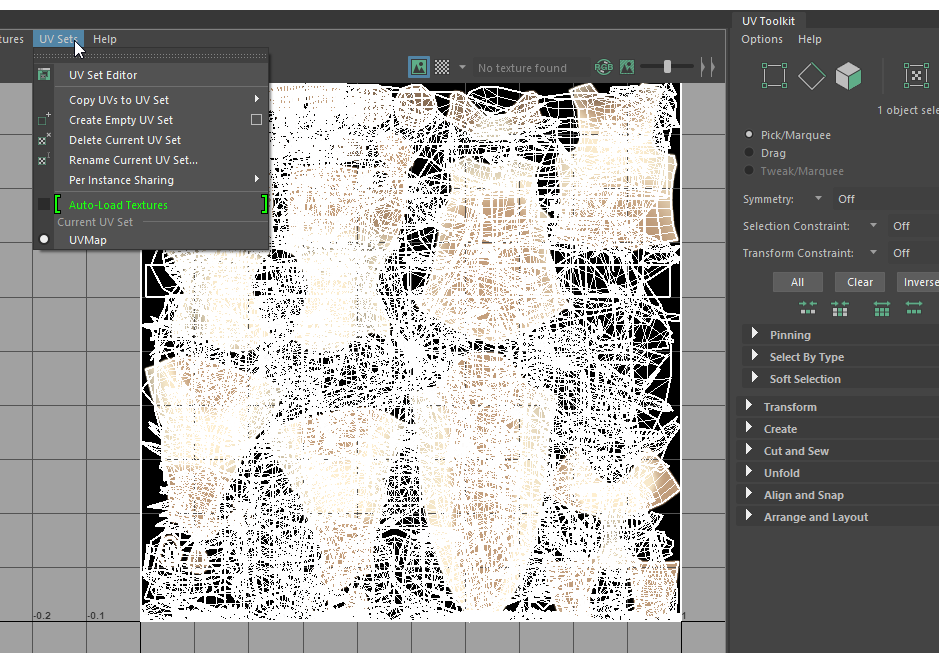
theres only one map
and reverting to its built in standard version works fine
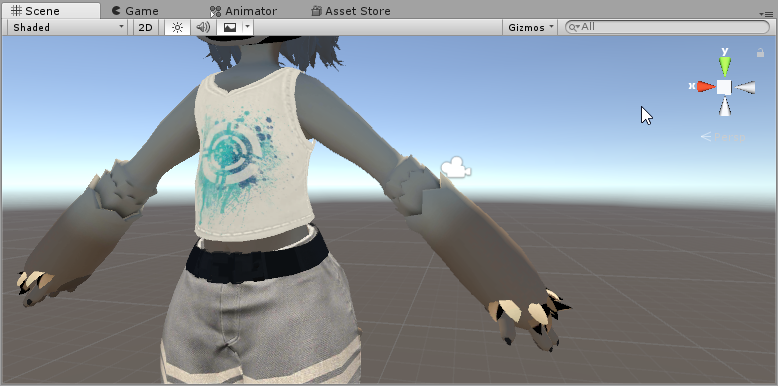


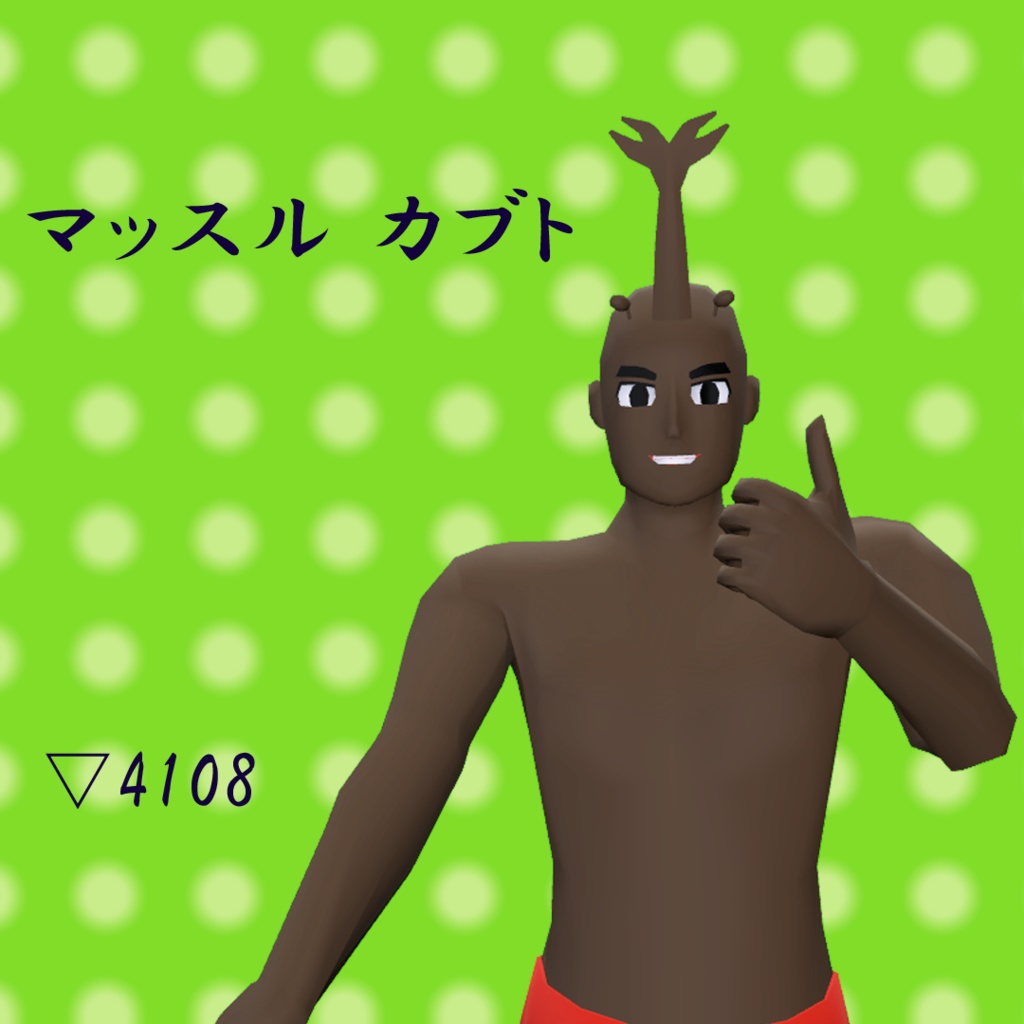
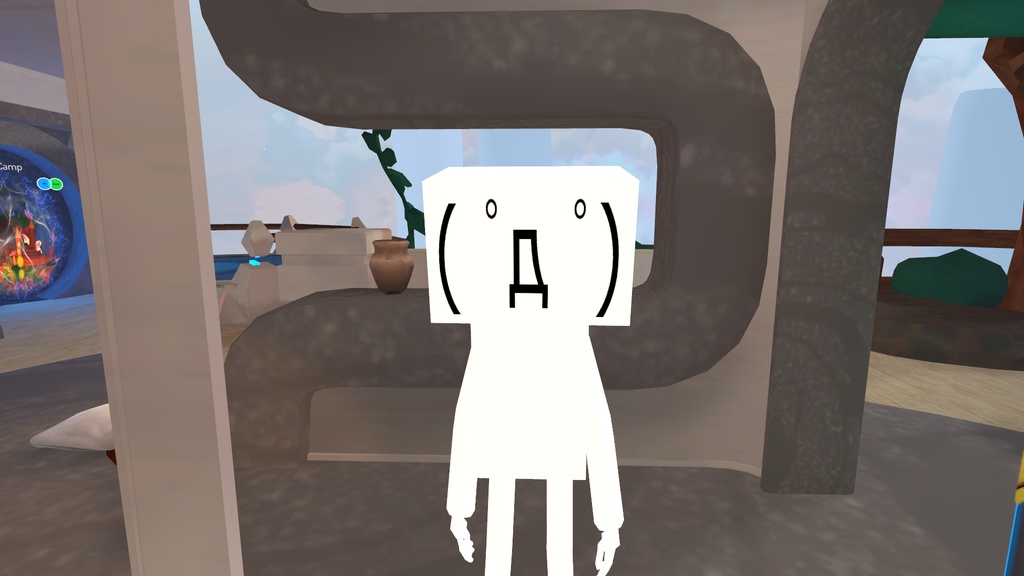
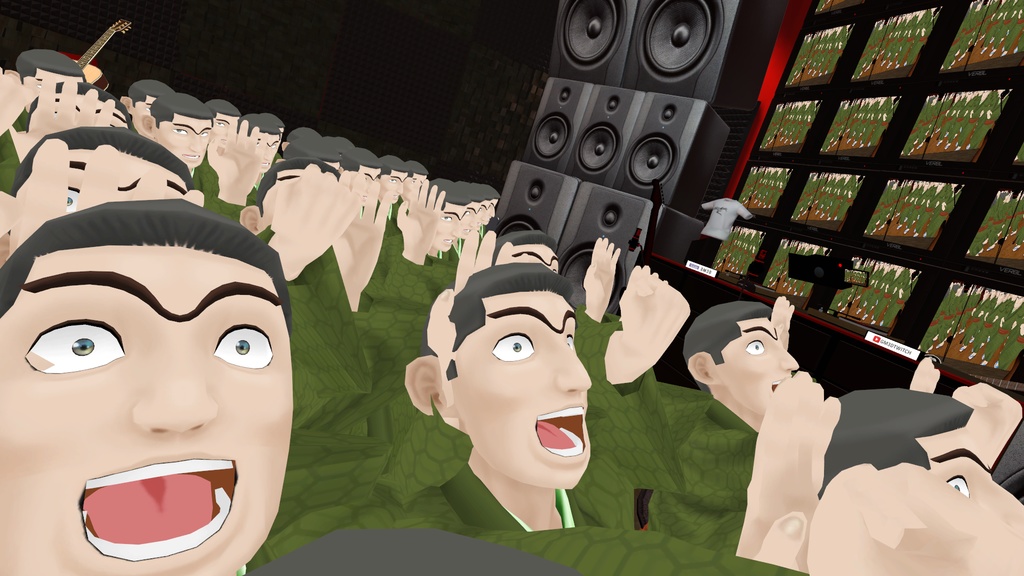


exporting it as an obj works :I
lemme try something
obj nukes all history
fixed it
exported everything as obj then rebuilt the avi in maya
pastel storm
@fathom terrace vrchat mobile shaders use vertex colors (even though Unity shaders don't support them), that model had vertex colors set to black, saving it as obj removed them, you can also set them to white (in blender) so you can use fbx etc
fathom terrace
thanks!
dry zealot
if you upload the same avatar blueprint id on both unity platform and in the correct unity version both pin will have color
 autumn rose
Hey I found an avatar that had an lightsaber on the preview pic. Is there any way I can use it?
long talon
try the different hand gestures
if it isn't on any of them that might mean it's only on the PC version or it's false advertising
dry zealot
sometime its a combination of two gesture
dry zealot
https://d348imysud55la.cloudfront.net/thumbnails/1147803607.thumbnail-500.png if people want to be a rig


Neko rig*
 waxen lotus
Hi
 clever karma
Why does my avatar material go green when the shader is on vrchat>mobile>(whatever option) when there is no texture inside of the material whatsoever? I've looked through it many times and whenever I replace a material with another material, it still stays green. Help please?
 modest lynx
 Warp snow
long talon
Open the fbx file in blender check in your object properties and remove vertex colors
The vrchat mobile shaders are actually affected by them
modest lynx
Unlocked kategorry <<<Warp snow>>>, and kanal <<<Warp snow>>>. 🥳 >.< 🥳
vcrDompseedingoing
 strong crown
so i merged same materials and all that is left are 2 with the other deleted and making my avatar look like this is there any reason why its doing this?
strong crown
also when i try to edit my avatar's muscles its facing the opposite way
dry zealot
if you merge different mesh check if they have the same uvmap name
bold prairie
Does anyone know where I can get a night eye avatar
 inland vigil
Does anyone know a glitch trap avatar from fnaf help wanted that is a quest version?
sullen kayak
can someone send me some documentation on the actual avatar limits for quest avatars? Literally everywhere I read says that its 5k polys but I know thats not true so I dont believe the other things these documents say
also please for the love of god someone pin it
dry zealot
VRChat
The Avatar Performance Ranking System allows you to see how much a user's avatar is affecting performance via analysis of the components on that user's avatar. You can also use it on yourself to see how performant your avatar is. This system is provided to inform users what i...
delicate basalt
more accuratley: according to the oculus dev blog, quest and other mobile hardware can handle up to 100k tris in order to hit framerate (72hz on quest)
vrc puts a 50k triangle cap on quest worlds, so if you want to be conservative plan on budgeting your avatar into the 50k triangles left over
the hard limit is 10k whereas the ceiling is 5k
but i've seen some good anime avatars that can go as low as 3.5k
dry zealot
I think my lowest is a pair of leg with a piano as a torso 2k tris
But yes 3.5 is possible. But in general am between 4k-6k with my recent upload
https://cdn.discordapp.com/attachments/626834542262616085/673293584396582951/unknown.png that one is around 4.2k tris

 dry zealot
For world its not really true. There no limit. But they say like 50k tris render in view or 100k not sure
sullen kayak
behold the worst atlas ever lool
at least its better than what cats does but thats about it
delicate marsh
So I'm in blender and I got the mmd and all of that but when I try to import my file to dosent work (it's a xps file form deviant art)
sullen kayak
@delicate marsh XPS files are "image" files
you didnt download the right thing because thats not usable
 devout dew
The XPS format is used to store XNALara models. CATS can import them generally without issue.
You will need the XNALaraMesh plugin.

GitHub
Blender addon Import/Export XPS Models, Poses. Contribute to johnzero7/XNALaraMesh development by creating an account on GitHub.
delicate marsh
ok now i have the model in blender but he has no texture
(where the hell is blender render)
@devout dew
sullen kayak
oh my apologies. I wasnt aware of that
devout dew
Near the top. Also, if you use Cats to "Fix" the model, it will turn the textures on for you.
devout dew

Today we'll be going over Cat's Blender Plugin, an amazing Blender script that will save you TONS of time with your armature, visemes, eye tracking, and texture atlasing. I can't stress enough how useful this tool is.
Get Cat's Blender Plugin here: https://vrcat.club/threads...
It's an older tutorial, but the concepts and principles are the same.
Created by Mr. Tupper as well.
sullen kayak
uncheck combine same materials
sullen kayak
keep doing that and youre gonna get warned
youre flooding your own msgs. Youre not helping yourself
just wait untill somone here can help
delicate marsh
Sorry..
dry zealot
my texture usually look like that
long talon
redo, you know you can actually set the max size for each picture and remove the borders in matcombiner directly?
like, matcombiner already does what you did automatically in like 6 clicks, it's just the default settings in CATS' are kinda meh
sullen kayak
@long talon not really
no matter my settings I cant get it to setup the atlas well
- its always 8k textures
pastel storm
Does anyone make avatars by any chance
delicate basalt
no
manic lagoon
It is
I’ve uploaded a quest compatible private avatar
If you want to commission one though, check out VRC Traders in #community-servers-old
sullen kayak
I was joking 😄
I mean he asked if we make avatars
what else would we be doing in an avatar dev channel?
pastel storm
Uhh need some help
delicate basalt
itbsays the solutuon right there 0u0
pastel storm
Where is the vrc_pipelinemanager
delicate basalt
there is a component on your avatar you need to remove called a pipeline manager, it will automatically re add itself, this is fine and required
its next to your avatar desc
delicate basalt
nah its fine
 solar meteor
Model turning green when shader is on toon lit
dry zealot
delete vertex color in blender
 dusk oak
Is that billie
 latent mirage
when u make a avatar do you have a choice to make it o quest
solar meteor
@dry zealot Thank you
 vapid burrow
...
latent mirage
anyone know how
dry zealot

 haughty topaz
@latent mirage https://youtu.be/6vAUjyw1KbA make sure that the material shaders are set to Android also

Donate Link!
https://tinyurl.com/qowr8yw
Twitch Link!
https://tinyurl.com/yd8fj9sb
Twitter Link!
https://tinyurl.com/tuj8aqs
haughty topaz
@latent mirage did that help
 brave topaz
can someone help me with this?
 heavy cove
Did you read it?
delicate basalt
this
 pale torrent
It won’t load and just gets stuck halfway through every time, what should I do?
pastel storm
pale torrent
Nvm I’m done I imported a 2016 version of the sdk on accident

How do I set it so an avatar can be on quest though?
pale torrent
Is there any good kind of tutorial for quest avatar making? I keep on running into all of these errors about things I don’t even know about.
For reference I’ve never done avatar making and I’m trying to get into it