#quest-development
1 messages · Page 2 of 1
 grave rose
 fair tinsel
okay that's strange
 shell wave
anyone know what shaders are acceptable on quest? trying to make an avatar quest compatible but the vr toon lit makes it look like crap lol
 lean sundial
hey im having iusses installing the andoid player
 tough egret
shell wave
anyone know what shaders are acceptable on quest? trying to make an avatar quest...
tough egret
shell wave
anyone know what shaders are acceptable on quest? trying to make an avatar quest...
only the ones under VRChat>Mobile. For avatars is mostly Toon Lit and Standard Lite
shell wave
tough egret
only the ones under VRChat>Mobile. For avatars is mostly Toon Lit and Standard L...
i figured it out
 twin bolt
Is there anyway to test out quest worlds im making without using a quest headset? I’m stuck with a clunky quest 1 that disconnects from the wifi constantly and crashes Vrchat whenever it can
 gusty ember
twin bolt
Is there anyway to test out quest worlds im making without using a quest headset...
gusty ember
twin bolt
Is there anyway to test out quest worlds im making without using a quest headset...
Upload Quest version to PC is best you can do atm without a Quest. In a few months you could test some parts of it using the mobile android version of VRChat
Also if your world is crashing your Quest 1 when you are alone in a world then you are using a lot of VRAM/RAM.
fair tinsel
an unfortunately uploading to PC like that cannot answer questions like is this Shader broken on Quest or is there Z fighting
twin bolt
fair tinsel
an unfortunately uploading to PC like that cannot answer questions like is this ...
Yeah that was my main concern. Some meshes are pure black when my headset successfully loads the world even though they’re normal looking in Unity. It’s not a lightning problem as far as I’m aware, so I have zero clue what it could be
fair tinsel
what shaders are you using for the black objects
gusty ember
twin bolt
Yeah that was my main concern. Some meshes are pure black when my headset succes...
Some shaders just don't work on Quest.
twin bolt
Mobile standard
gusty ember
twin bolt
Mobile standard
VRChat/Mobile/ shaders?
twin bolt
Yes
fair tinsel
does your objects have vertex colors as a vrchat mobile shaders show them?
gusty ember
Vertex color should appear in editor
twin bolt
I’ll check that as soon as I can
 sweet zephyr
Do some of the avatar shaders on quest not support real-time lights?
I'm noticing many avatars aren't lit. And I'm not sure if it's something I could fix in my world.
 shy talon
sweet zephyr
Do some of the avatar shaders on quest not support real-time lights?
I'm notici...
shy talon
sweet zephyr
Do some of the avatar shaders on quest not support real-time lights?
I'm notici...
so the answer is most likely yes
use baked lighting with light probes to help light avatars/dynamic objects in your world
sweet zephyr
I wanted lights that the player could move to light themselves.
But I did a little test and it looks like toon lit and matcap lit don't do per-vertex realtime light for point lights like the other mobile shaders.
So I think I'm scrapping those lights.
shy talon
sweet zephyr
But I did a little test and it looks like toon lit and matcap lit don't do per-v...
if you can you could probably write a vertex lit realtime mobile lit shader I suppose
but beyond that unless if you are going to suck up to the expense of per pixel (or per vertex would be slightly cheaper) realtime lights there isn't too much you can do on quest unfortunately
shy talon
it is expensive
 thorny sand
On population one theres alot of realtime lighting
And the game runs at 70 fps
Which is way better then 20 fps normal vrc lul
shy talon
depends on the setup, usually at most I'd say on quest you can get away natively with mabye 1 or 2 realtime lights
if they are shadow casting you will destroy your fps
thorny sand
Kek
thorny sand
sweet zephyr
Do some of the avatar shaders on quest not support real-time lights?
I'm notici...
Real-time lighting VRC on Quest doesnt exist mate
That gets auto-disabled i believe
shy talon
but regardless especially for quest realtime lighting is expensive
inb4 newer standalone headsets become more powerful
then it won't be
thorny sand
Pain lul
sweet zephyr
thorny sand
Real-time lighting VRC on Quest doesnt exist mate
I was testing on quest when I first asked, so it was working on some avatars. But yeah, not using realtime lights anymore
thorny sand
sweet zephyr
I was testing on quest when I first asked, so it was working on *some* avatars. ...
Yeah xd
 remote pasture
fair tinsel
remote pasture
fair tinsel
Avatar sounds was never supposed to exist on Quest people are only doing it using modded sdks
thorny sand
Yea like the download limit going higher then 10 MB on quest aswell xd
 fervent siren
VRChat's Standard Lite shader ignores assigned reflection probes and will only ever get reflections from the skybox. Is this intended behaviour?
fair tinsel
yeah the Standard Lite shader ignores reflection probes
fervent siren
But is it intended behaviour? I don't imagine that pulling reflections from one cubemap (baked probe) is any more expensive than pulling them from another cubemap (skybox).
I can use other shaders that do support this on Quest for worlds, but Quest compatible avatars that want reflections have to use the standard lite shader I think.
fair tinsel
yeah basically you're out of luck for Quest avatars as far as having the environment reflect in avatars
fervent siren
You can do stupid things like create a cubemap of the environment, set that as the skybox, and then create a fake skybox "inside" that projected onto the inside surface of a sphere.
But it's all just silly.
 outer raptor
fervent siren
But is it intended behaviour? I don't imagine that pulling reflections from one ...
outer raptor
fervent siren
But is it intended behaviour? I don't imagine that pulling reflections from one ...
it can be. objects that share the same material but use different reflection probes will require separate draw calls. it might be an optimization that the VRC devs intended for the lite shader
either way for worlds you're not required to use the lite shader, you can always use standard
for avatars if you want shiny surfaces you might be better off with matcaps. not much you can do about that unfortunately
fervent siren
I don't have a problem achieving what I want to see for world objects in worlds, and I don't create avatars at all. I just don't like it when I see avatars wandering around inside a house lit by "warm" lights that are glowing blue because that's the color of the skybox. There are ways to mitigate this but it would be really nice to have it fixed in the avatar shader.
 ebon steppe
outer raptor
it can be. objects that share the same material but use different reflection pro...
ebon steppe
outer raptor
it can be. objects that share the same material but use different reflection pro...
I mean, obvious solution IMO would be forcibly requiring this to be set since it only allows one reflection probe to ever be in use per mesh renderer rather than blending probes

 molten raptor
Argh... I know there are issues but I don't understand my solution options. I'm not (at this moment) exactly sure what causes it but... I the symptom is that Quest users aren't seeing some transparent items. Most notably the nameplates of players and a menu tablet that is in the room. I believe it started when I added a water shader. I'm going to turn that off in order to test the theory. I read about render queues, etc. but I don't think guessing is the way to go. Assuming I see the transparent menu tablet when I turn off the water shader what settings should that water shader have in order to not interfere with other things?
 wraith jewel
molten raptor
Argh... I know there are issues but I don't understand my solution options. I'm ...
wraith jewel
molten raptor
Argh... I know there are issues but I don't understand my solution options. I'm ...
are the VRChat's official UI only blocked/go completely invisible when it is ahead or behind the water in view?
molten raptor
wraith jewel
are the VRChat's official UI only blocked/go completely invisible when it is ahe...
The items are no where near the water just in the same world. I've just turned off the water shader and I'm going to confirm things display correctly.
wraith jewel
it might be worth submitting it as a ticket to vrchat as a security exploit since it can be used to trap people in worlds
molten raptor
I believe it is already a known issue. People must have worked around it or there would be no Quest worlds with realistic water. Hard to trap a user when there is a an on/off switch on the headset 🙂
molten raptor
alrighty then... turned off the shader and things look correct. Turned the shader back on and I cannot see my transparent menu tablet. So I will guess it is a setting related to layers and queues. Would be nice not having to guess.
wraith jewel
Git smarter ez
Can I have that water shader so I can spread it to malicious world creators to use
thorny sand
Bruh
gusty ember
The most common source of crashing is from running out of RAM (ignoring issues caused by the latest update), they aren't going to increase that limit and make it even worse.
shy talon
mix that with the fact that people suck when it comes to optimizing their stuff
 tender hinge
u can already do a lot with 10mb if ur not using 4k or even 2k textures
more than enough
u even recognize urself that thats literally one-fifth of an old quest WORLD size
i blame the asset makers if they dont know how to decimate n shit
like how much more shit could u possibly want that cost so much space
ebon steppe
something something texture compression on quest is cracked something something 4k textures take only 1mb something something oh yeah, 10mb is plenty of room when the shaders only use 4 textures per mat slot worst case scenario
 eager scaffold
i just entered vrc, got sent to home world twice for running out of ram and lagged really bad, vrc should really fix it
thorny sand
eager scaffold
i just entered vrc, got sent to home world twice for running out of ram and lagg...
Idk why you have to complain about it here
Pretty sure you can report issues from the site somewhere
 late zodiac
eager scaffold
i just entered vrc, got sent to home world twice for running out of ram and lagg...
late zodiac
eager scaffold
i just entered vrc, got sent to home world twice for running out of ram and lagg...
As Rawr said saying stuff in here ain’t gonna do much you gotta actually report the issue
 terse raptor
thorny sand
Im confused, what's the issue about depth?
I don't see anything there cursed..
terse raptor
thorny sand
Im confused, what's the issue about depth?
I don't see anything there cursed..
Look at the wall behind me. My hand is showing through my chest.
terse raptor
Would love to know what I could do as a solution.
Still trying different settings via trial and error, and thus far this issue has persisted.
terse raptor
I'm away from home for a few hours, but from reading forums on Unity in general, it seems I need to set my rendering eyes to none since I'm rendering to a texture.
terse raptor
Tried doing some more googling and I cannot seem to find anyone with this same issue where depth is seemingly drawn at random.
 worthy cedar
How do quest builds work? I know I want to upload for quest but not compromise world quality for pc users. Do the changes I make for android build only appear if loading in on quest? Also if so how much can i change? Can i like remove objects or settings from my in world settings UI in a quest build?
terse raptor
Had some help in another server, but the issue was my Render Texture rather than the camera. I was thinking that depth buffer was to display VR depth rather than Render depth. Learned something new today and solved the issue thanks to @sand venture!
gusty ember
worthy cedar
How do quest builds work? I know I want to upload for quest but not compromise w...
Quest and PC versions can be literally completely different, but of course that would be confusing to players.
All that needs to be the same is the blueprintID.
terse raptor
worthy cedar
How do quest builds work? I know I want to upload for quest but not compromise w...
Important thing to consider is that how your hierarchy is organized needs to be similar for syncing to work between both PC and Quest.
I would heavily suggest looking up Easy Quest Switch to help with substitutes for PC things that don't work on Quest.
gusty ember
terse raptor
Important thing to consider is that how your hierarchy is organized needs to be ...
Network IDs means you don't have to keep the hierarchy the same anymore.
terse raptor
gusty ember
Network IDs means you don't have to keep the hierarchy the same anymore.
OwO
That's awesome! I'll need to look into that.
We can network instantiated objects now?!
😄
 tender aspen
worthy cedar
How do quest builds work? I know I want to upload for quest but not compromise w...
tender aspen
worthy cedar
How do quest builds work? I know I want to upload for quest but not compromise w...
quest upload, and the PC upload are entirely seperate. so yes one can look better or even completely different than the other, but keep what Draken Stark said in mind if youre having interactable objects they need to have the same hierarchy or at least similar enough to work properly
 tight crow
 fleet flume
heads up a quest friend of mine can no longer use toggles on their avatars suddenly and i was wondering if this is a glitch or new bug in the updates?
late zodiac
fleet flume
heads up a quest friend of mine can no longer use toggles on their avatars sudde...
Can’t use toggles? Like can’t open the toggle menu?
thorny sand
The expression wheel itself or the toggles themselves?
@fleet flume
 glossy flicker
I have issues to use a video player in my VRC world. Want to watch a live stream (that I provide from my own cloud streaming server)
However I am struggling:
- which stream-protocol / codecs are required or recommended
- might is NOT work because of SSL issues with my streaming server on the internet?
It works fine for VRC on PC, I guess its because PC takes all possible codecs/stream..
Any recommendations..
 pure zenith
did they update something so I can no longer make an avatar others can sit on? has anyone else had this issue?

I restarted unity and it is letting me publish it now, weird glitch
 vale mountain
Hey, ive been trying to use VRChat/Mobile/Particles for an hour now and not sure why its not working. Its showing in unity but in game it dosnt even exist. It seems to just be a problem with the shaders but idk what. any advice?
thorny sand
vale mountain
Hey, ive been trying to use VRChat/Mobile/Particles for an hour now and not sure...
Dont use particle shader
Ez
I dont believe they even work on quest xd
The shader i mean
vale mountain
thorny sand
The shader i mean
i thought it could be used for translucency on quest but im like 5 mins away from throwing myself out a window
thorny sand
vale mountain
i thought it could be used for translucency on quest but im like 5 mins away fro...
Transparency*
Also theres no shader that allows that on quest (the mobile ones anyways)
vale mountain
thorny sand
Transparency*
Also theres no shader that allows that on quest (the mobile ones ...
wwhhaaaa but ive seen it on quest before... some witch craft happenin
 loud spade
vale mountain
Hey, ive been trying to use VRChat/Mobile/Particles for an hour now and not sure...
loud spade
vale mountain
Hey, ive been trying to use VRChat/Mobile/Particles for an hour now and not sure...
It works. Multiply will make it look darker while additive will make it look brighter.
You need to add a mesh into the Renderer of your particle component.
Iirc however, the material will not work for quest.(need to check again, I forgot)
What you can do is, add a Mesh in the Renderer part, then on Emission inside the particle component, choose the colours you want.
Personally Multiply is better than Additive. It is more visible.
Alpha blend doesn't seem to work tho.
tl;dr: Meshed particles with emission works. However, the material does not(maybe).
If you put a material in there, or if there is no mesh, it'll show semi-opaque cubes in place of the supposed particles.
You can take advantage of this error if your purpose is to create cubes. Emission colour still works as intended.
loud spade
thorny sand
Modded SDK maybe
but yes, real transparent shaders are illegal. Don't mod the Sdk unless you are prepared to get reported and banned
 dry meadow
I have a question, How would one do blood splashes like in blackout
I tried messing around with the projector component but i think im messing it up or it just doesn't work anymore

 split field
Hello, i am trying to find some replacement foliage for the quest version of my world, but i have only been able to find tree models that utilize shaders for the leaves with transparency. What do other people do for foliage in their quest worlds, as i am hitting a brick wall with this conversion of mine. (moved question over to here instead)
dry meadow
if your leaves are just a texture you can use one of the particle shaders for transparency
 vapid lotus
How different is Quest (Android) compared to Windows ARM?
And what would happen if VRChat would be able to also support Windows arm64?
would this lower the cliff between PC Players VS Quest Players?
Currently as I know, Windows x64 is the only supported (PC) plattform, right?
gusty ember
vapid lotus
How different is Quest (Android) compared to Windows ARM?
And what would happen...
It wouldn't change anythhing, mobile hardware literally can't handle things like transparancy, and some shader, as well as PC hardware.
The only thing that close the gap is better hardware, but PC hardware will be moving away as quick, or quicker, so...
vapid lotus
gusty ember
It wouldn't change anythhing, mobile hardware literally can't handle things like...
and Windows ARM?
Because Unity supports it in 2023+...
Would it also not support transparency?
gusty ember
vapid lotus
and Windows ARM?
Because Unity supports it in 2023+...
Would it also not support...
ARM GPUs, to become as power efficient as they are, were built intentionally lacking the parts that allow PC GPUs to do transparancy and etc well.
Nothing will change until ARM GPUs are re-architected to support stuff like that.
Quest isn't being limiited by software, it is limited by its hardware.
vapid lotus
do you think that quest 3 will support GPU rendered transparency?
gusty ember
vapid lotus
do you think that quest 3 will support GPU rendered transparency?
Highly unlikely. And doubt we will see this change anytime soon.
And VRChat have already stated that they won't change anything performance related for the Quest 3, doing that would make it impossible for Quest 2 users to continue playing (because of even more crashing).
vapid lotus
gusty ember
Highly unlikely. And doubt we will see this change anytime soon.
And VRChat ha...
But quest 1 support is cancelt from vrchat, right?
gusty ember
vapid lotus
But quest 1 support is cancelt from vrchat, right?
Meta stopped supporting the Quest 1 and that means various Quest APIs and SDKs won't be updated for the Quest 1, making it so VRChat is forced to drop support.
vapid lotus
gusty ember
Meta stopped supporting the Quest 1 and that means various Quest APIs and SDKs w...
thats good.
fair tinsel
vapid lotus
But quest 1 support is cancelt from vrchat, right?
all the Avatar stats are already including the quest 2 power in mind so the quest one deprecation isn't going to change anything
fair tinsel
vapid lotus
and Windows ARM?
Because Unity supports it in 2023+...
Would it also not support...
wouldn't help because that would still be using the same mobile gpus
vapid lotus
fair tinsel
all the Avatar stats are already including the quest 2 power in mind so the ques...
what would be if one day, meta would also drop support for quest 2 and we would have a quest 3 and quest 4... as supported headsets by meta...
fair tinsel
that's going to be a long time considering they still plan to sell the quest 2 alongside the quest 3
vapid lotus
Could this influence the quest avatar posibilities, like adding a transparent shader or allowing more poligons and materials or increase the upload limit?
fair tinsel
basically don't expect transparency to ever come to Quest avatars
vapid lotus
I mean in this case, would it not be interesting to know if a Quest 3 would be capable of rendering transparency?
fair tinsel
technically the quest can run transparency they just don't do it at a acceptable frame rate to be practical
vapid lotus
Oh, so its like how games was not be able to run "realtime" ray tracing, until the RTX 2000+ was realesed?
Before it was already possible but not in realtime, right?
vapid lotus
fair tinsel
technically the quest can run transparency they just don't do it at a acceptable...
But also a comming topic is, that Windows ARM64 was realesed now for Unity 2023+
And I just was interested in, how this could effect the interaction if VRChat would ever update their game and SDK to such a high Unity version?....
fair tinsel
Windows arm is of no use to VR chat as no VR headset is using that
and it would be stuck with the same limitations as Android as far as rendering
vapid lotus
everyone is hyping this plattform and even I did used it and found out, that Windows 11 arm for example can run arm64 and also x64 applications.
And until VR Devices supports it is just a question of time, especially windows it's own Mixed Reality, or if you use a Steam Headset like the Index or the comming Valve Deckard, that uses build-in drivers from steam.
fair tinsel
that would still be running the mobile class gpu so stuff like transparency giving it a hard time wouldn't change
vapid lotus
fair tinsel
that would still be running the mobile class gpu so stuff like transparency givi...
even for high end gaming PC's with ARM CPU? and Windows 11 ARM?
fair tinsel
from what I can tell you cannot attach a gaming graphics card to an arm processor
Windows ARM is basically just for tablets
vapid lotus
I mean, I tested windows 11 ARM on my raspberry pi 3 and did succesfully run a Unity Windows arm64 game on it.
vapid lotus
fair tinsel
Windows ARM is basically just for tablets
was microsoft not also developing notebooks and PCs?
with Windows ARM.
fair tinsel
a netbook would be in the same ballpark as the tablet as far as low-powered portable device
vapid lotus
fair tinsel
from what I can tell you cannot attach a gaming graphics card to an arm processo...
Get $25 off with offer code TechLinked at https://vessi.com/techlinked
►LISTEN TO THE TECH NEWS: https://lmg.gg/TechLinkedPodcast
►GET MERCH: http://www.LTTStore.com/
►SUPPORT US ON FLOATPLANE: https://www.floatplane.com/
►LTX EXPO: https://www.ltxexpo.com/
Timestamps:
0:00 Techlinked directed by John Hughes
0:06 Arm gaming laptops on the...
(that video is nearly 2 years old)
I mean Unity added support for it in Unity 2023 Version while they sadly still not support Linux ARM...
The reason for this was because its expensive and they made it with windows arm because it will profit in the future.
Why should they add support for windows arm in a new Unity version, if it would not be becooming a big deal later and profitable?
fair tinsel
still wouldn't be helpful for mobile VR at all even if Unity is hedging their Bets with support for that
as you can not put a high-end graphics card in a mobile headset
vapid lotus
fair tinsel
as you can not put a high-end graphics card in a mobile headset
whats with that quest link and virtual desktop stuff?
And also, whats with the PC Windows ARM itself if it uses a PC-Headset?
like a mixed reality or a valve index?
fair tinsel
vapid lotus
And also, whats with the PC Windows ARM itself if it uses a PC-Headset?
then at this point this stuff is kind of Irrelevant for the quest Channel as you're just talking about PC VR
vapid lotus
fair tinsel
then at this point this stuff is kind of Irrelevant for the quest Channel as you...
but the PC VR on Windows ARM would have better interaction possibilitys, if they have the same architecture than x64 PC + Quest?
or am I wrong?
fair tinsel
a stand-alone mobile VR headset is never going to be capable of rendering the same stuff as a gaming PC consuming like 600 watts of power even if they were both on arm
& most people are not going to be swapping their gaming PCs to arm in a hurry
vapid lotus
fair tinsel
& most people are not going to be swapping their gaming PCs to arm in a hurry
atleast it is x64 compatible.
even if the performance could be better of there was a arm64 version of your application.
fair tinsel
I doubt that would be enough to save vrchat performance problems
vapid lotus
fair tinsel
I doubt that would be enough to save vrchat performance problems
why do I hear then now so much rumors that VRChat will be realesed to google play soon?
is that fake?
fair tinsel
vrchat is getting released for Android phones not Windows for arm
vapid lotus
fair tinsel
vrchat is getting released for Android phones not Windows for arm
I think the performance on android phones will be way lower than a large PC, pluged into your power outlet and taking as much power as its need, while a android phone only have its battery and all the hardware that can fit in it's small case.
Microsoft is having "dev kits" now on their ARM PC's but they are real PC's just with ARM architecture....
fair tinsel
what would be the benefit your imagining in this world where arm gaming PCs are popular?
vapid lotus
fair tinsel
what would be the benefit your imagining in this world where arm gaming PCs are ...
Besides your battery-life or energy bill, it would also have the positive side-effects that your android phone can be better connected to your PC and ARM processors are a lot faster than Intel processors because they are designed to work on simple tasks that don't require the same clock speeds as their Intel counterparts.
vapid lotus
fair tinsel
what would be the benefit your imagining in this world where arm gaming PCs are ...
"“We expect to see an inflection point in Windows on Snapdragon PCs in 2024,” he said during a call with analysts, adding that this is due to a “significant number of design wins to date” when it comes to the use of Snapdragon on Windows-based PCs.
Unlike Apple, which is using its own Arm-based processors to power its Macbook computers, Arm chips have yet to be as widely adopted by the Windows vendors, which typically deploy silicon running on Intel’s x86 architecture, but this is starting to change. "

Qualcomm's CEO says interest in Arm chips is growing from PC vendors, though they have a long way to go to challenge x86's dominance.
fair tinsel
okay so what would be the benefits to vrchat?
vapid lotus
PC-VR support.
Also, I wonder if taking the performance power of your ARM PC would be more efficent with oculus link if your PC have the same architecture like your quest?
but besides that VRChat sadly doesen't still support Linux, even if it supports some VR Headsets...
Maybe it could be time then to support Windows ARM atleast.
gusty ember
vapid lotus
PC-VR support.
Also, I wonder if taking the performance power of your ARM PC wou...
It would not be more efficient
fair tinsel
that is literally going to make no difference whatsoever as the quest link is just sending video from your computer to your quest and taking inputs from the quest
gusty ember
vapid lotus
but besides that VRChat sadly doesen't still support Linux, even if it supports ...
It does support Linux, the Steam Deck is officially supported.
Getting it to work on other distros might require extra work since they all differ.
vapid lotus
gusty ember
It does support Linux, the Steam Deck is officially supported.
Getting it to wor...
I know you can use Proton to get the windows .exe of VRChat running. but would it not work more performant and more compatible if VRChat would ship directly a depot with Linux .x86_64 application for a true compatible game?
especially if you try to use VR, its getting strange if you emulating a windows execution backend to run the .exe application.
I know that sadly OpenXR is not supporting Linux, but as far as I know, VRChat is not using that.
gusty ember
vapid lotus
I know you can use Proton to get the windows .exe of VRChat running. but would i...
Both Windows and Linux run x86 architectures.
While it is true that there is some performance loss with Proton (although not always and with older games they can run better with it), it is generally marginal enough that Valve considers a game that works with Proton as having Linux "support".
The biggest issue with running VRChat on Linux is that for a while (I think it has been fixed now) video players did not work.
vapid lotus
gusty ember
Both Windows and Linux run x86 architectures.
While it is true that there is som...
so wheres the issue?
does some assets break if they change their target plattform to linux?
gusty ember
vapid lotus
I know that sadly OpenXR is not supporting Linux, but as far as I know, VRChat i...
You sure about that?
Can't find anything that says it doesn't support Linux and the OpenXR github has build instructions for Linux (which would indicate they do support OpenXR).
Is it SteamVR you are thinking about?
gusty ember
vapid lotus
so wheres the issue?
does some assets break if they change their target plattfor...
Probably just annoying to support.
When you would only gain a single digit percent of performance, is it really worth the extra man power when Proton works?
vapid lotus
gusty ember
You sure about that?
Can't find anything that says it doesn't support Linux and ...
I was working on a own unity project with OpenXR support and I always got the error:

so I had to disable OpenXR and was forces to drag and drop except: "OpenVRUnityXRPackage" in a desktop folder until I was finished with exporting my build for linux or mac. and then, I only had a desktop-only version.
Windows x64 is right now the only plattform.
gusty ember
vapid lotus
I was working on a own unity project with OpenXR support and I always got the er...
That is a Unity thing and them being lazy, not much the VRChat devs can do about that.
Possible that it works through Proton though.
Almost for sure that whenever Valve releases the Deckard, SteamVR on Linux will support OpenXR.
Assuming it doesn't already work.
vapid lotus
gusty ember
That is a Unity thing and them being lazy, not much the VRChat devs can do about...
The thing is, VRChat is not even using OpenXR because they have to rebuild their own game from scratch to add support for that. They started building VRChat, there was OpenXR not even existing.
gusty ember
vapid lotus
The thing is, VRChat is not even using OpenXR because they have to rebuild their...
Which is why I think they were going to do that with the upgrade to Unity 2021 that they are doing.
vapid lotus
gusty ember
Which is why I think they were going to do that with the upgrade to Unity 2021 t...
Windows ARM64 is supported on Unity version 2023+
and right now, they realesed a few days ago 2022 as LTS
gusty ember
vapid lotus
Windows ARM64 is supported on Unity version 2023+
VRChat is unlikely to start supporting 2023.
While they did say that they might jump over 2021, that isn't a sure thing, especially as other social VR platform ran into problems doing 2022.
And supporting something as untested as Unity 2023 would be risky and probably really tedious.
vapid lotus
gusty ember
VRChat is unlikely to start supporting 2023.
While they did say that they might ...
I'm not talking about yet!
Unity 2023 is not even stable. its still alpha and beta. They realesed 2022 as "LTS" (Long time support) few days.
gusty ember
Still do not get why you want VRChat to support arm64 on windows. (many years before that is relevant)
fair tinsel
especially since that's going to have like no changes or positive benefits to Quest VR chat
vapid lotus
gusty ember
Still do not get why you want VRChat to support arm64 on windows. (many years be...
Its power efficent, compatible with other arm-devices and even faster because they are not designed that heavily like CISC-based processors like x86.
Its just a matter of time, there are even yet some PC's out there and windows is planning their own PC's in 2024
fair tinsel
okay how does this power efficiency stuff have anything to do with VR chat
vapid lotus
fair tinsel
okay how does this power efficiency stuff have anything to do with VR chat
I want to say that its an architecture and OS, that is getting really big in the next years.
You can even play it right now because Windows 11 ARM have a compatiblity layer for x86/x64 applications.
And if Unity even started to add build support for "windows arm64", why not also thinking about VRChat?
gusty ember
Because VRChat can't, unless their Unity version supports it.
vapid lotus
gusty ember
Because VRChat can't, unless their Unity version supports it.
so, thats why this all here is just theoreticly and we talk about (posiblities) that might can come to the future...
fair tinsel
most of the windows arm devices are going to be too low end to even run VR chat decently
Googling the best Windows ARM device has specifications that's way too low in to even try VR chat
vapid lotus
fair tinsel
most of the windows arm devices are going to be too low end to even run VR chat ...
where did you get that from, that ARM = slow?
if ARM-hardware is not forced to be cheap and fits into a tiny case, it also can be way more powerfull.
fair tinsel
all the windows arm devices are laptops or tablets you cannot put a beefy graphics card in either of those
vapid lotus
fair tinsel
all the windows arm devices are laptops or tablets you cannot put a beefy graph...
hybrid architecture?
Eficency cores + Performance cores
fair tinsel
I mean you literally cannot fit them
vapid lotus
they started already with alderlake.
gusty ember
ARM is quick in certain workloads.
The less instructions has its downsides.
vapid lotus
gusty ember
ARM is quick in certain workloads.
The less instructions has its downsides.
Apple is also based on ARM, but does apple have slow PC's?
gusty ember
vapid lotus
hybrid architecture?
Eficency cores + Performance cores
I feel for the engineers that would need to make firmware for that.
vapid lotus
gusty ember
I feel for the engineers that would need to make firmware for that.
Windows 11 have that firmware build-in.
its called the: "Thread-Director"
gusty ember
vapid lotus
Apple is also based on ARM, but does apple have slow PC's?
Apple made their own chips, it is basically their own architecture, but based on ARM.
fair tinsel
folks aren't going to exactly be doing much gaming on a Mac
vapid lotus
gusty ember
Apple made their own chips, it is basically their own architecture, but based on...
their phones, their PC's they have all the same architectures and they are ARM. but are they slow?
- I don't think so.
They show us what is even capable of doing with ARM, while everyone else is sadly not that smart as apple, but that doesen't mean that the next gneration of comming Windows ARM PC's in 2024 are all potatos.
gusty ember
vapid lotus
Windows 11 have that firmware build-in.
its called the: "Thread-Director"
The reason why you compile for each separately is because if you ran a x86 program (using converted x86 assemby instructions) it would run terribly on ARM.
That is the annoying bit and why the engineers will have a terrible time.
You would need to install both the x86 and ARM version of programs and the programs would only be able to run on one of the core types, allowing programs to use both cores would be inefficient and hell to program.
vapid lotus
windows is publishing their updates free-to-access, thats how I was even able to download the latest update and install them on my raspberry pi.
fair tinsel
vapid lotus
windows is publishing their updates free-to-access, thats how I was even able to...
how does that address the engineering concerns in the slightest
gusty ember
vapid lotus
their phones, their PC's they have all the same architectures and they are ARM....
Which is an issue when it is an issue.
By that point Microsoft could have a competitive Rosetta layer, like Apple, where performance isn't terrible.
VRChat will have to decide if they will just rely on that, or support a Windows ARM version.
vapid lotus
fair tinsel
how does that address the engineering concerns in the slightest
I just want to say, I made a bit my own experience with it, to see what the future will may deliver us.
and hey, if maybe windows ARM will be the next big deal, I was asking myself, how huge would be the changse that VRChat would add support for it one day, if they would be ever on Unity version 2023+...
not today, not tomorrow, but maybe in a few year?....
fair tinsel
I don't see most of the PC Gamer crowd swapping to arm processors
so maybe in like 10 years but not like the next five
ebon steppe
fair tinsel
I don't see most of the PC Gamer crowd swapping to arm processors
do any of you actually think I want ~80% of my steam library to go kaput because most of my games don't even support 64 bit let alone ARM? not happening until ARM CPUs can reliably emulate x86 code fast enough for older games to be playable.
oh hey there I go proving your point
 jagged steeple
is there way to play youtube lives using converter like nextnex
jagged steeple
also how to make reflections
shy talon
jagged steeple
also how to make reflections
reflections on quest? ooh boy
your options are very limited
you can still use reflection probes if I recall, but if you want better more accurate reflections there is an old school way of doing it
it does involve transparency though, which is not really a good thing on quest unfortunately


 grand blade
 subtle cloak
Is there any alternative to rotation constraints for quest use
subtle cloak
Is there any alternative to rotation constraints for quest use
I usually parent the top skirt bones to the leg bones
For quest
Otherwise no
thorny sand
grand blade
I usually parent the top skirt bones to the leg bones
p a i n
grand blade
thorny sand
p a i n
Yeah
 lean cloud
does anyone know why unity doesnt have all the bones my avatar has in blender?
 vague iris
Idk where else to put this, but this is to do with airlink. I believe this is the best place to get help for this kind of thing.
Anyone know how to fix this error: visuals glitch as if they were pinched like an "X"
What is shown in the video shows the e having a hard time describing while I us glitch does not appear when I use the q as a standalone. I have already tried:
-Restarting the headset
- Factory resetting the headset
- Uninstalling the Oculus software
- Unpairing and pairing the headset again
- Turning down graphics settings
- Restarting my router
Has anyone else encountered this error? I'd love to know if anyone finds a solution. Thank you for your time. less
(If there is a better place to post this, I don't mind reposting it over there.)
thorny sand
vague iris
Idk where else to put this, but this is to do with airlink. I believe this is th...
How is this the best place for your issue??
This channel is for development stuff xwx (for quest not pc)
I suggest going to #user-support-old
 river breach
Does anyone have experience using Bakery with Unity Terrain? No matter what mode I use, Unity's Terrain is really dark and doesn't seem to really grab the lighting from Sky or Direct Bakery components. Have tried full lighting, shadowmask, subtraction, etc and all the results are pretty much the same. Left is PC build, right is Quest version. Both using Subtractive Dominant Direction


 dim oak
Heyo how do I get video players on Quest to work for my world, rn its just blank for them
river breach
You need direct video links ending in .mp4, Quest does not support the video parser VRC uses with unity, so stuff like YouTube wont work
jagged steeple
how i prevent crashes that happen mostly when someone change videos
gusty ember
dim oak
Heyo how do I get video players on Quest to work for my world, rn its just blank...
You need to use a resolver.
The most publically known one is https://nextnex.com/
You just input the URL there and it will give you the link you put into the video player, it should generally work, some times it does not, depending on what video and where the people trying to watch that video are.
 dusk oyster
So while I was away from my PC on vacation, the spawn for my world started having issues. It wasnt happening when I left, but now some people are unable to walk around in the world. They're just stuck floating above the ground and nothing works to fix it. Im not sure if it's a Quest/PC thing, because it affects some people and not others. I tried updating my SDK and it didnt work. I didnt update my world while I was gone so it's a vrchat thing, is there anything I can do?
tender aspen
does anyone know the name of that package that tells you whats taking up space in your quest avatar builds?
 lapis wigeon
Does anyone know any good examples of worlds with nice Trees that are quest compatible? I'm trying to find out for a world I'm making.
lapis wigeon
river breach
Does anyone have experience using Bakery with Unity Terrain? No matter what mode...
the trees and grass look really nice in the PC version. I dont have experience with bakery, i just use the default lightmapper. but I know quest cant use cutout textures on the materials. and it looks like the leaves and grass brighten up the scene a lot in the PC version.
thorny sand
This is not VRChat related-
 warm light
Ah sorry
thorny sand
And if its not sending you the code it seems like its a meta issue on their end
Nothing you can do other then trying again
warm light
Ugh i waited an entire hour, and i sent them a message this morning
 restive finch
Hey, so I'm having an issue uploading the android version of a model

cant click on publishing when selecting the quest optimised version
It shouldnt be down to the android sdk, I have that installed
especially since it let me change build target to android
mmm nvm, managed to fix it by hiding the other avi
strange
thorny sand
restive finch
strange
Not really strange
It cant be uploaded on quest so sdk disabled button xd
 stiff pewter
Is there a layer that effects other people in lighting? I want a light that only effects yours and other peoples avi's
 still grove
What
wraith jewel
stiff pewter
Is there a layer that effects other people in lighting? I want a light that only...
I hope it's not too late, there are 3 layers you can use:
- Player : Layer representing all other players except you
- PlayerLocal : It's your avatar without your head, when you look down and see your arms and body
- MirrorReflection : This will only be rendered in mirrors reflections
 hard kayak
Can I pay someone to help me make my word quest compatible I’ll also include you on the world credit looking to collab lol
 stoic canyon
I just got a quest pro and i cant figure out how to use vive trackers quest pro with index controllers while having the face tracking to work please someone help
Since virtual desktop does not support face tracking through the quest
I have to use air link but then i dont get the trackers connected
And vrc wont pick uo the face tracking i did stand alone with air link and no face tracking and im using avatars with the face tracking
And i cant find anything online to help
 snow wren
stoic canyon
I just got a quest pro and i cant figure out how to use vive trackers quest pro ...
snow wren
stoic canyon
I just got a quest pro and i cant figure out how to use vive trackers quest pro ...
ALVR has a VRCFaceTracking module
ebon steppe
stoic canyon
I just got a quest pro and i cant figure out how to use vive trackers quest pro ...
for face tracking you need to use VRCfacetracking (an OSC app), since it's not officially supported.
tender aspen
restive finch
strange
It's annoying as hell. It disables the build and publish button for every avatar just because one avatar has a problem or isn't compatible.
"Like yes thank you I know that avatar over there isn't compatible but that's not the one I'm trying to select here is it?"
 latent lion
tender aspen
It's annoying as hell. It disables the build and publish button for every avatar...
latent lion
tender aspen
It's annoying as hell. It disables the build and publish button for every avatar...
There's a fix coming out for the sdk at some point that'll fix this. They previewed it in a devlog a couple weeks back.
wraith jewel
does anyone know how to fix vrchat so it doesn’t show 3 dots when loading in and then crashing?
 gaunt spire
e
 polar ermine
Hey all, happy weekend, hope it's a lovely one. 🌈
TL; DR - how to make things look underwater?
I was wondering if anyone had suggestions/methods for worlds to look underwater? Best case scenario, when the camera/eyesight of the player goes before the surface of the water, their vision changes, "volumetric" darker blue, possibly vision slightly blurred and distorted. I can think of ways to do it with post processing, but I need it to work on quest. Almost anything I can find online either uses non-VR chat scripts, or a fancy render pipeline. I know it's a big ask for Quest compatibility, but in my mind, there's always workarounds. Any ideas are welcome please and thank you 💦💧🌊
Also, it is possible to turn on/off fog with the same method?
 teal python
huh?
teal python
aight
wraith jewel
polar ermine
Hey all, happy weekend, hope it's a lovely one. 🌈
TL; DR - how to make things ...
I can think about a quad that you attach to the head's player with a transparent shader for the darker blue. I dont think you can blur/distort without a grabpass shader which won't work on quest
 viscid bridge
Does anyone know how to make particles collide with your avatars? Or at least a part of it? I've seen it on a couple of avatars and it would be awesome to learn how to do it myself
polar ermine
wraith jewel
I can think about a quad that you attach to the head's player with a transparent...
fantastic idea!! thank you for your response ❤️
 sour elm
viscid bridge
Does anyone know how to make particles collide with your avatars? Or at least a ...
sour elm
viscid bridge
Does anyone know how to make particles collide with your avatars? Or at least a ...
When you click on your particles there’s a collider option
Scroll down to where it says colliders and adjust how it functions.
sour elm
tender aspen
"Like yes thank you I know that avatar over there isn't compatible but that's no...
Doesn’t deleting the avatar fix that issue anyway, or disabling it so it does not pop up?
You can always undo your delete
tender aspen
sour elm
Doesn’t deleting the avatar fix that issue anyway, or disabling it so it does no...
Yes but when you have multiple avatars in the scene, and thats not even the one you selected anyway it shouldn't matter. I shouldn't have to delete or disable everything that's not on the avatar I'm trying to publish
tender aspen
latent lion
There's a fix coming out for the sdk at some point that'll fix this. They previe...
This person says there will be a fix for it soon. Good
sour elm
tender aspen
Yes but when you have multiple avatars in the scene, and thats not even the one ...
Idk, i just have everything in different scene
not the same file
tender aspen
That's fine. It's just annoying if you have PC version and quest version next to eachother
viscid bridge
sour elm
Scroll down to where it says colliders and adjust how it functions.
Thank you but in order for the colliders to collide with something it needs a collider and quest avis don't really have a collider?
sour elm
viscid bridge
Thank you but in order for the colliders to collide with something it needs a co...
it has only colliders to ur avatar not actually ones
its meant for particles and phybones
ill show you what it is in a moment
sour elm
viscid bridge
Thank you but in order for the colliders to collide with something it needs a co...
have you ever messed with physbone colliders
that sort of system is on particles as well
you can select what transform youd like
sour elm
viscid bridge
Thank you but in order for the colliders to collide with something it needs a co...
For better system to collid with everything you would use world

change it to everything or adjust it as whatever you'd like

also take note this will make your avatar go to poor
 limpid totem
i wanna make a crossplatform world for my friend group, how would i go about it?
i've made many avatars before, i'm great at taht
but never a world
snow wren
have you uploaded quest avatars before
it's the same process basically of just switching build target and uploading on the same world id
limpid totem
i've made cross-platform avatars, PC avatars, and Quest avatars
limpid totem
snow wren
it's the same process basically of just switching build target and uploading on ...
but how would i go about it. is there a VRC World descripter? i can't find it when i search.
how do i add mirrors and markers? how do i do the climb thing some worlds have
snow wren
I'd use the VRCWorld prefab that's included with the world sdk for the world descriptor part
late zodiac
limpid totem
and why does this channel have slowmode
All the channels do
limpid totem
that's inconvenient
limpid totem
i mean i get for a general channel but why a help channel where talking needs to be done often
also yeah how do i find the world descriptor
late zodiac
limpid totem
i mean i get for a general channel but why a help channel where talking needs to...
Yeah but if too many people talk at once it’s hell
snow wren
limpid totem
also yeah how do i find the world descriptor
Packages\VRChat SDK - Worlds\Samples\UdonExampleScene\Prefabs
VRCWorld is inside that folder, just drag that in the scene and it'll act as a descriptor
limpid totem
hmmmmmmmmmmmmmmmmmmmmmmmm
limpid totem
snow wren
VRCWorld is inside that folder, just drag that in the scene and it'll act as a d...
thx
molten raptor
weird alert I met a friend with a Quest 1 in VRChat yesterday. He says his home world worked fine, the world we met in worked fine and then we entered my world. Immediately his right eye was "totally black" and he could only see from the left eye. I have an option to hide most assets in my world to show only the skybox and when I switched that on he said both eyes displayed correctly. When I switched it off it the right eye froze rather than display black. I think it is something in my world, could I have a setting wrong?
 dense osprey
shouldnt there be less restrictions for avatars, worlds, etc. because of v.55?
gusty ember
dense osprey
shouldnt there be less restrictions for avatars, worlds, etc. because of v.55?
No?
Quest is struggling regardless and biggest limiter is either hardware architecture or the small amount of RAM.
snow wren
molten raptor
**weird alert** I met a friend with a Quest 1 in VRChat yesterday. He says his h...
Using shaders that don't have Android in mind will do that
molten raptor
snow wren
Using shaders that don't have Android in mind will do that
Thanks, let me confirm a few things
dense osprey
gusty ember
No?
Quest is struggling regardless and biggest limiter is either hardware archi...
Do you think it will be better on quest 3?
snow wren
the ram upgrade for the Q3 is rumored only 1.2gb more
7.2gb is probably still not going to give enough headroom as people keep trying to slam avatars made for PC into Quest ones with VRCQuestTools and Crunch Compression
gusty ember
dense osprey
Do you think it will be better on quest 3?
Yeah, Quest 3 is not going to change much, especially since Tupper has stated that they won't up any limits (which means nothing short-medium term at least).
That 1.2GB more is just going to go towards making the game more stable.
teal python
For the people who get the Quest 3, it will most likely improve their performance significantly, but it’s not going to increase the avatar and world restrictions. We want the Quest 3 to be an improvement in performance, not the same performance with two more phys bone components allowed
 jovial mural
is there some trick to getting quest logs to work? i followed the instructions on this page https://help.vrchat.com/hc/en-us/articles/9521522810899-Where-do-I-find-my-output-logs- but no files show up in the Logs directory. a colleague had the same problem turns out it's Documents/Logs, not in root as the page says

VRChat
Output logs are text files that VRChat writes to disk. These logs contain diagnostic information and can be helpful in many situations.
These logs are retained for 24 hours. Any logs older than 24 ...
fair tinsel
snow wren
the ram upgrade for the Q3 is rumored only 1.2gb more
Wow that's a pathetically small amount of extra ram
snow wren
it's basically why they're keeping the specs until around launch
teal python
I mean that is a sad increase in ram for a "new generation" of headset, but to make the quest version of vrchat stable and run decently, thats just maybe enough
or not but idk, guess we will find out
 misty pumice
I'd be impressed if they managed to get it to 7GB without making some things worse.
sour elm
teal python
I mean that is a sad increase in ram for a "new generation" of headset, but to m...
Apple be like
Same phone each year
 hazy pier


 oak nimbus
Wth 😭
wraith jewel
How the fuck you do that you angry pomeranian
 stable bough

Gotta go through all the work of manual 3d eyebrows and lashes because quest doesn't allow cutout... 😑
fair tinsel
you could have just painted on those eyebrows?
teal python
thats what I was thinking
 fair tinsel
most people are not going to be staring close enough at your eyebrows to notice the difference
 upbeat bough
After I crashed yesterday my microphone stopped working. The microphone symbol wouldn’t light up and my friends couldn’t hear me, I tried powering off my headset and powering it on again but it didn’t work
sour elm
upbeat bough
After I crashed yesterday my microphone stopped working. The microphone symbol w...
Go to settings, voice, change input and or output systems
In vrchat
upbeat bough
I tried and nothing worked. I think it might be the new update because this never happened before and my controllers started glitching as well but I honestly don’t know
sour elm
That’s just stick drift most likely
And meta updates
You might of broken your headset if you changing your mic output and input not working and even hard resetting your headset
I don’t know what to tell you other then making a support ticket or searching online
 rough prawn
upbeat bough
After I crashed yesterday my microphone stopped working. The microphone symbol w...
rough prawn
upbeat bough
After I crashed yesterday my microphone stopped working. The microphone symbol w...
i keep having a weird thing happening where everyone’s avatar get big then my screen goes black then everything goes back to normal BUT i cant hear the world or any people i cant hear ANYTHING but my mic works and at that point i just rejoin the world.
 kind niche
stable bough
kind niche
stable bough
how to exceed quest poly count with just your eyebrows
seriously that avwill crash a quest
teal python
I don’t think it will crash anyone, unless any of those are their own material lmao
 arctic swan
Also it depends the size of the model in the game
 zealous fog
Can someone in the vrchat team add FSR, to both quest and pc versions
fair tinsel
zealous fog
Can someone in the vrchat team add FSR, to both quest and pc versions
basically everybody's custom shaders prevents that from being implemented correctly
 native kraken
google said something about quest 2 finger tracking maybe coming to pc, this text I read was maybe a year ago, is it happening? tried it on quest just now, kinda impossible to move or do anything, wondering if the pc version would work better, if it comes ever :d ?
fair tinsel
basically meta isn't allowing hand tracking data to transfer to PC and it would have the same control problems
 sharp forge
Does anyone have knowledge of the vrchat network protocol? I'm trying to analyze the traffic coming into the quest, but I've checked that UDP is coming in very high. Does anyone know what information UDP exchanges?
gusty ember
sharp forge
Does anyone have knowledge of the vrchat network protocol? I'm trying to analyze...
It uses Photon for networking (all I know about it).
gusty ember
zealous fog
Can someone in the vrchat team add FSR, to both quest and pc versions
FSR 2.0, DLSS and other actually good upscaling solutions can't be realistically added for the shader reasons Rainwolf mention.
For FSR 1.0 they wanted to implement it correctly, which literally isn't possible in BiRP, so it doesn't seem to be happening.
So they just recommend lowering the resolution manually, which honestly can look better than if you gave the final image to FSR, especially if there is post processing.
sharp forge
gusty ember
It uses Photon for networking (all I know about it).
Thanks to you, I knew where to start.
upbeat bough
Almost every time I crash my microphone stops working and I have to reinstall vr chat because of the new update, please patch it up
Now my mic isn’t working anymore even after reinstalling it 3 times
 nocturne sparrow
i think people on quest should be able to change their info on the app not the website for quest
late zodiac
nocturne sparrow
i think people on quest should be able to change their info on the app not the w...
Wdym by info?
You can change ur user, password, and bio on the website
loud spade
rough prawn
i keep having a weird thing happening where everyone’s avatar get big then my sc...
this happened to my and my friends when on quest-standalone version too.
Was freaking out thinking I broke my earphones or something.
I have noticed that it happens when I try to play something on a video player inside a world, when using quest standalone vrc
rough prawn
loud spade
I have noticed that it happens when I try to play something on a video player in...
That makes alot of sense
The first time it happened i was in the movie world with a friend
the other times i was watching something on the videoplayer
Im glad someone else finally has the same problem. (I don’t wish it upon anyone) but i thought it was just me😭
loud spade
here's hoping they will stop screwing over quest users with every update
gusty ember
loud spade
here's hoping they will stop screwing over quest users with every update
With them now deciding to support both Quest and Android, one would certainly hope the standalone version of VRChat would get more stable.
 safe ginkgo
after i switch my build target to android any edits i make on the android target ver in unity wont affect the pc version right?
gusty ember
safe ginkgo
after i switch my build target to android any edits i make on the android target...
What you upload with the android build target does not affect the pc version.
safe ginkgo
thnx
nocturne sparrow
late zodiac
You can change ur user, password, and bio on the website
I’m talking about not on the website like staying on your headset and no having to sign into your account on your phone or something.
late zodiac
nocturne sparrow
I’m talking about not on the website like staying on your headset and no having ...
What?
nocturne sparrow
Are u dumb
What I’m trying to say is, I want to be able to change my email, bio, password ON MY HEADSET and not on the website
late zodiac
Why?
late zodiac
nocturne sparrow
Are u dumb
You worded it horribly the first time. Do not call me dumb you were making no sense.
And you can change the bio on ur headset
It’s not like you are gonna be changing ur user, email, or password all the time
You don’t need to be able to do it on ur headset? Plus it’s much easier on phone/computer
nocturne sparrow
No
late zodiac
No what?
late zodiac
nocturne sparrow
No
What are you saying no to 💀 I mentioned multiple things
snow wren
Quest has it's own browser btw
managing accounts through the game is gonna be rare to find for almost any game
late zodiac
snow wren
Quest has it's own browser btw
@nocturne sparrow ^^
 chrome moth
Quest baked fog?
My normal pc fog doesn't work on quest for some reason.
Also... post processing? Is that not a thing for quest?
gusty ember
chrome moth
My normal pc fog doesn't work on quest for some reason.
Also... post processing...
Some shaders do not work on Quest and post processing is not a thing on Quest.
fair tinsel
and fog is not a post-processing effect
chrome moth
Two separate things.
I meant custom volumetric fog not unitys basic fog
Well why doesn't the quest allow post processing? Android can do it. Quest is android.
 alpine dome
It's extremely performance heavy and the quest is already at it's limit
chrome moth
It isn't anything special for Android itself. So like is it to protect against people using stuff like pp AO which actually kills the performance
Maybe something with it being vr?
fair tinsel
chrome moth
It isn't anything special for Android itself. So like is it to protect against p...
the headsets manufacturers developer documentation says don't use post-processing

 rare gulch
fun lil thing thats happing

anyone have any ideas i cant really fix or do anything when i cant even reupload lmao
the whole panle its self just kinda break's down

 empty sorrel
avatar uses usaported sharder anyone know how to fix
 sinful mist
hey does anyone know how i can make my world quest compatible so my freinds can play with me?
gusty ember
sinful mist
hey does anyone know how i can make my world quest compatible so my freinds can ...
You switch the build target to android (there is a button in the SDK for that, below the title and above where errors or warnings can appear.) and while you should definitely remove unnecessary meshes and shaders in the world (and take a look post-upload since some shaders straight up do not work) you could in theory just upload immediately after swapping.
gusty ember
sinful mist
If I make a change and trip load will pc and quest both change
No, Quest and PC are completely separate content wise. You need to update each separately.
To help understand, your Quest world could be entirely different from the PC world. PC users could see Quest users walk through walls and vice versa because their version is different from the other platforms version.
sinful mist
Ah ok thanks
 steep heart
I don't know if this is the right channel but does anyone know how to fix my problem with VR chat and probably with my Oculus when I try to join my friend in a world it sends me back to my home world because of low memory I don't know how to fix can anyone help me?
sinful mist
steep heart
I don't know if this is the right channel but does anyone know how to fix my pro...
Clear your cache (local and avatar) in the settings (specifically the debug menu)
steep heart
sinful mist
Clear your cache (local and avatar) in the settings (specifically the debug menu...
How do I do that? Do I have to go on a computer or something?
sinful mist
steep heart
How do I do that? Do I have to go on a computer or something?
So Yknow where your settings are (like avatar cloning) scroll to the bottom and (I think) under tracking and Ik there will be debug click on that and there will be two buttons below the cache size click them then restart VRC
steep heart
Okay
sinful mist
steep heart
Okay
Did it work?
steep heart
Sort of I guess when I log into vrc it still says it after I log into my home world and also still happens when I join that one world in vrc is like half life
 hallow tundra
.
late zodiac
Ah yes everyone will totally fall for this
 dreamy isle
Will vrc quest ever let you film by camera?
teal python
dreamy isle
Will vrc quest ever let you film by camera?
That would be expensive for the quest to pull off, but one of the main reasons is prolly that even PC doesn’t actually have that feature built in
snow wren
PC doesn't have it as maintaining an ingame recording software would just be really eh
it's gonna have to be really good compared to OBS for people to use it
teal python
And the quest is lucky if it’s running VRChat over 40 fps, and even then half of those frames may be fake with how quests render, so taking a large chunk of the CPU to capture and encode would lower your frame rate even further making for a slideshow of a recording
snow wren
yeah it would require another camera and somehow have VRChat be able to record that to your headset's gallery
another camera on Quest would just be horrid
 fierce ingot
steep heart
I don't know if this is the right channel but does anyone know how to fix my pro...
fierce ingot
steep heart
I don't know if this is the right channel but does anyone know how to fix my pro...
I have this problem daily and clearing the cache doesnt work for me at least
steep heart
fierce ingot
I have this problem daily and clearing the cache doesnt work for me at least
Hm
late zodiac
fierce ingot
I have this problem daily and clearing the cache doesnt work for me at least
Cuz there’s literally not much of a fix
late zodiac
steep heart
Hm
^^^
Quest 2 doesn’t have enough RAM a way to help is to not show very poor Avis and you use more optimized worlds but sometimes that doesn’t even help
fierce ingot
Yeah at least it's not that big of a problem I mean it's not like it's stuck in a loop
steep heart
late zodiac
Quest 2 doesn’t have enough RAM a way to help is to not show very poor Avis and ...
👍🏻
late zodiac
fierce ingot
Yeah at least it's not that big of a problem I mean it's not like it's stuck in ...
I’m just saying quest 2 just doesn’t have enough ram 🤷♀️
late zodiac
late zodiac
Quest 2 doesn’t have enough RAM a way to help is to not show very poor Avis and ...
. But this can help
fierce ingot
Ok ty
 shut salmon
The fun part is, the "memory problem" we're having on quest wasn't a thing a year ago, idk what have they done to the quest ver of the game to run this bad actually
 sweet tundra
shut salmon
The fun part is, the "memory problem" we're having on quest wasn't a thing a yea...
sweet tundra
shut salmon
The fun part is, the "memory problem" we're having on quest wasn't a thing a yea...
(Yes it was, it just didn’t do it as gracefully)
shut salmon
I'm a PCVR player but when i upload a quest avatar i have to open the game standalone to test if everything is fine but sometimes the "low memory" loop never ends and i can't even join the optimized box ...
shut salmon
sweet tundra
(Yes it was, it just didn’t do it as gracefully)
i never have that problem before untill last month
sweet tundra
People have been complaining about quest crashing issues for years, including resulting screen corruptions until a restart
Those were due to lack of memory, the memory issues aren’t new, just the warning that you’re out is
shut salmon
Maybe less memory leaks can fix the problem idk 🤔 i'm not a programmer but sometimes on pc my VRC eats 30 GB of ram before crashing much haha funny moments
sweet tundra
Well the quest has 6GB, 2 is already taken by the OS
So crashing is bound to be more prevalent, especially considering how infrequently people actually consider the quest limits
shut salmon
i think if you don't enable everyone's avatar your game can run in 4gb
at least on pcvr i have checked it and it goes from 700MB to 2~3gb
sweet tundra
shut salmon
i think if you don't enable everyone's avatar your game can run in 4gb
People don’t do that though
they usually complain about crashes the most
shut salmon
i know but we are talking about a bigger problem,
where did those 4 gb of ram goes when i open the 1's optimized box alone?
sweet tundra
Could be a multitude of things
Could be your avatar, lingering memory that’s not yet cleaned by the garbage collector from where you were before, that’s really all I can thing of
shut salmon
As i said, i'm not a programmer, i know it's difficult but they should take care about memory usage on quest, a big chunk of their player base are questies and soon androidies (?
sweet tundra
shut salmon
As i said, i'm not a programmer, i know it's difficult but they should take care...
There’s not much the team can really do while the game has such open UGC
I know they will be limiting texture sizes in the next Unity update (to prevent 16k textures instead of the current engine limit of 8)
shut salmon
let's hope the jump to the 2022 ver of unity helps
sweet tundra
And they have added texture memory usage limits to performance ranks
shut salmon
I always keeps my avatar in the greens on that one specially
sweet tundra
And the android version has forced very poor off (with no option to turn it on)
So the teams is definitely trying, there are just limits to how far they can work without encroaching on user content
 uneven spear
hard limit on texture memory should help
 tranquil silo
 scenic sable
Just out of curiosity, is VRChat gonna bridge the finger gestures with the finger tracking for Quest 2? I know we have Virtual Desktop that allows Quest users to use gestures without controllers, but they didn't add finger tracking for gestures without Virtual Desktop.
 gusty ember
scenic sable
Just out of curiosity, is VRChat gonna bridge the finger gestures with the finge...
gusty ember
scenic sable
Just out of curiosity, is VRChat gonna bridge the finger gestures with the finge...
It isn't on VRChat to support, they can't do anything until Meta allows PC games to use the hand tracking and currently they aren't, with no indication that they are even thinking about allowing it, so I would say it is best to assume PC VRC will never get Quest hand tracking support.
snow wren
fun fact, Oculus Link has hand tracking support but only on the Unity Editor for some god forsaken reason (https://developer.oculus.com/documentation/unity/unity-handtracking/)
scenic sable
gusty ember
It isn't on VRChat to support, they can't do anything until Meta allows PC games...
Wait, I asked why the Quest platform on it's own doesn't allow gestures without controllers, not the other way around. 0.0
gusty ember
scenic sable
Wait, I asked why the Quest platform on it's own doesn't allow gestures without ...
For many months now you've been able to use hand tracking on Quest standalone
 timber totem
for a little while i was using it on pcve thro virtual desktop. idk why that stopped working
aslo does any on here know anything about osc for the quest
im trying to get it to talk to a pc application
gusty ember
timber totem
for a little while i was using it on pcve thro virtual desktop. idk why that sto...
If you mean you can't click anymore then Virtual Desktop swapped to OpenXR, which has lacking hand tracking support, so they dropped that feature.
Personally I was relived, since it was so easy to accidentally click on stuff.
But I do miss it making gestures, still, it is personally more useful for me now.
 wheat coral
Ok so like when is quest sound coming back to quest ? I feel like that was the most best thing that happened to quest. And was curious on why you removed it. It was amazing to finally hear things that pc users can only hear. Like an boop contact on the nose making an squeaky sound. It was amazing
fair tinsel
wheat coral
Ok so like when is quest sound coming back to quest ? I feel like that was the m...
Avatar sounds are not coming back ever to the quest as they were never officially implemented featured just people using terms of service breaking modded sdks and a bug that allowed them to be uploaded it all and some of the reason they would never be officially implemented is the CPU is not powerful enough to handle all of this sound effects
wheat coral
Ah ok
arctic swan
The only possible way is if they create a "sound dynamics" like the physbones but I think they will not develop this feature right now
scenic sable
According to reddit and ask.vrchat.com, it is possible that VRChat may have a more sophisticated way of getting Quest avatars to have audio again. Yes, third party noninvasive software was used to get it to work in the first place, but like hand tracking, their's room for improvement and development in our every day enjoyment of VRChat. Which is also why we love it so much.
sour elm
wheat coral
Ok so like when is quest sound coming back to quest ? I feel like that was the m...
Honestly 1 sound should be allowed , and if not at-least make it so I can have it local. Be able to play goofy stuff to myself would be nice.
 astral pier
Hey everyone! Quick question for you. I'm teaching basic VR development at university and from this year want to start teaching VRChat dev in Unity for Quest to my students. I use PC but all my students use Mac. I know that VCC is only available on windows, but is it possible to dev without VCC on Mac? Pretty sure it's possible but just wanted to check with y'all to confirm.
 fallen portal
astral pier
Hey everyone! Quick question for you. I'm teaching basic VR development at unive...
fallen portal
astral pier
Hey everyone! Quick question for you. I'm teaching basic VR development at unive...
Not to my knowledge, they don't release SDK anymore outside of VCC, so not really
If your limited only to mac I would check if those old SDK builds still work to upload on live, won't have some features but that might be the exchange you may have to make
(So if your college offers PC's for development, may be the option for mac users, either that or having someone extract the SDK (Which is probably not ideal for a university class))
Wish you the best of luck though!
fallen portal
astral pier
Hey everyone! Quick question for you. I'm teaching basic VR development at unive...
I will warn you though, uploading to VRC requires getting basic ingame ranks, so if your teaching a class, getting everyone to "upload/SDK usage rank" may be difficult (Hours of playtime at least), so perhaps getting some accounts for students may be a pre-requisite you may need to account for
teal python
sour elm
Honestly 1 sound should be allowed , and if not at-least make it so I can have i...
You would prolly have to put a limit on the file length and quality as well, prolly force mono audio, but it could maybe be done then. Granted that could also double the audio performance cost on the CPU because every avi could potentially have one plus the person talking
Tho maybe one would be fine, normally I instantly say no to audio on quest but that’s also cause the discussion is generally “audio should be just like pc on quest”
gusty ember
astral pier
Hey everyone! Quick question for you. I'm teaching basic VR development at unive...
Glitchy is actually incorrect about there not being ways on Mac, there are multiple ways to get it outside of the VCC.
There is VPM, which is a command line tool https://vcc.docs.vrchat.com/vpm/cli#mac-and-linux-support (technically is VCC, but in command line form, but VPM works on Linux and Mac, VCC does not.)
But even then, you can actually still manually download a up to date SDK when logged into the website, it is just under the button for downloading the creator companion in the collapsed "Manual SDK Installation" tab.
The VRChat Package Manager is available as a Command Line Interface application, for advanced users and automation.
astral pier
gusty ember
Glitchy is actually incorrect about there not being ways on Mac, there are multi...
@fallen portal @gusty ember Thanks for the info! I really appreciate it. I was able to set up the SDK manually yesterday and found a repo for ClientSim as well, so we should be good for setting up on Mac
https://github.com/vrchat-community/ClientSim/releases/tag/1.2.7
A couple of follow up questions:
About how long does it take to get to "upload/SDK usage rank"? In other words, how many hours of play before students can upload to VRC?
Finally, has anyone here used the unofficial VCC for Mac by AranoYuki1?

GitHub
Unofficial macOS Client of VRChat Creator Companion - GitHub - AranoYuki1/VCC-for-mac: Unofficial macOS Client of VRChat Creator Companion
fallen portal
As for how long it takes to get rank, not any finite number I’m aware of
It’s variable but it’s at least 5-10 hours so not feasible for students
I would probably see if it’s possible to share or pre-create accounts for students or contact VRC to see if they will give an exception
sweet tundra
The only guaranteed way to immediately jump to it is to purchase VRC+
astral pier
Awesome. Thanks for the info. And great idea about reaching out to VRC directly. What I might do then is have students develop and test locally, then upload the worlds though my account (if they can't reach status). I'll be creating a sort of hub anyway from which people can visit the student worlds.
 jade talon
Is it possible to make a questies screen shake like a pc player's without shaders?
uneven spear
no, and you should generally avoid those kind of shaders, they can be very disruptive
wraith jewel
day 1 of asking: please remove the new update that sends us back to our home whenever anything lags us out a tiny bit. I was fine with the lag, now I crash anytime I join a world with more than 6 people.
snow wren
wraith jewel
day 1 of asking: please remove the new update that sends us back to our home whe...
It’s either that or the game crashes. The Quest 2 only has 4gb of available ram that games can use, best thing you can do is not load too many very poorly rated avatar.
 fluid estuary
The game glitches so much where worlds cannot load on quest. “There is no memory” but I clear data and only have 16mb in use. Can this be fixed? It’s been an issue since June 2023.
fair tinsel
memory is referring to Ram consumption and no not really as far as doing anything about it
fluid estuary
:((
fair tinsel
as vrchat cannot do anything about increased Ram consumption potentially caused by the quest OS
fluid estuary
Vrchat is the only game on my headset I’m just annoyed at the constant issue
uneven spear
fluid estuary
Vrchat is the only game on my headset I’m just annoyed at the constant issue
blame the users uploading the extremely poorly optimized content, not the devs
teal python
And if there are devs to blame, it is mostly the devs in charge of updating the QuestOS at Meta
wraith jewel
snow wren
It’s either that or the game crashes. The Quest 2 only has 4gb of available ram ...
Bullshit. I've had this quest since it came out, been playing VRchat ever since then, I only crashed around 5-10 times in that entire period. It was only ever from crasher avatars. I never had a single issue otherwise
Now, when I join a world with more than like 10 people in it, EVEN WITHOUT LOADING THEIR AVATARS, I get sent back home.
I can't even play games like Zombie tag anymore because the world itself is apparently too much for the quest to handle now.
snow wren
Are you wearing a very poor rated avatar yourself?
wraith jewel
Nope. I always wear an optimized avatar.
I used to be able to hop into Zombie Tag with like 10+ people, all avatars shown, running great
Now I can't even open an invite only instance by myself.
teal python
wraith jewel
Bullshit. I've had this quest since it came out, been playing VRchat ever since ...
It’s a wonderful combination of slightly the VRChat team’s fault and then meta bloating the QuestOS. The quest has had a lotta new updates and features over time, and even if they aren’t on, they don’t come free (partly cause they are kinda bad at making operating systems, granted it is like their first one ever) which leads to the operating system taking more memory then it used to that used to be free for VRChat to use
scenic sable
I hope vrc adds another Shield function. One that protects me from an attacker.
late zodiac
scenic sable
I hope vrc adds another Shield function. One that protects me from an attacker.
Wdym an “attacker”
scenic sable
I'd want a function that allows only my friends to see my avatars or I can select individually who I want to see my avatar. People get hateful when I use anything but an eboy.
I don't want to have to block someone for upsetting me just because I use an Umbreon or a cute avatar.
I was about to get vote kicked just for using a knight in Blackout.
late zodiac
scenic sable
I'd want a function that allows only my friends to see my avatars or I can selec...
Then block them
late zodiac
scenic sable
I don't want to have to block someone for upsetting me just because I use an Umb...
Well no other way around it really
scenic sable
late zodiac
Then block them
It was 4 people
scenic sable
I wish I didn't have to use just a fallback in public instances.
late zodiac
scenic sable
I wish I didn't have to use just a fallback in public instances.
Whenever someone doesn’t like the Avis I wear I either mute, block or just ignore
Just don’t listen to them it’s their opinion so just block them
scenic sable
T-T
late zodiac
Well idk what else to tell ya
snow wren
preventing people from seeing your avatar will turn the entire game into fallback chat
fair tinsel
and yeah you should probably just block and ignore those people who are mean because you're not wearing a e-boy
ebon steppe
scenic sable
I'd want a function that allows only my friends to see my avatars or I can selec...
wow they really like their ugly ass models huh.
scenic sable
I KNOW!? RIGHT!? E-boys and e-girls aren't the only models.
late zodiac
Some people aren’t a fan of certain models. As the person said above seems like they don’t like their models everyone has their opinion
But if you don’t wanna get hated on for it just block them it isn’t that hard
 low canyon
Im interested to develop in VR chat, how can i get started? is there an SDK for unity?
scenic sable
low canyon
Im interested to develop in VR chat, how can i get started? is there an SDK for ...
If you do have a rank (New User or higher), consider downloading the Creator Companion available on the website. It has everything you need. :3
low canyon
scenic sable
If you do have a rank (New User or higher), consider downloading the Creator Com...
thank you!
scenic sable
low canyon
thank you!
I recommend you get a gaming computer
As a side note, I do appreciate vrc adding a feature that allows players to use a thumbnail when uploading stuff and I don't have to play in the Game Window to upload.
sweet tundra
Although for lighter content creation (like avatars), weaker devices will work fine
scenic sable
sweet tundra
Although for lighter content creation (like avatars), weaker devices will work f...
Let's just hope they don't fry their computer with pcvr. X(
sweet tundra
scenic sable
Let's just hope they don't fry their computer with pcvr. X(
Just talking about uploading content here
Without the whole “VRChat” part Unity runs well enough on lower end specs
scenic sable
Indeed
low canyon
scenic sable
I recommend you get a gaming computer
thanks. yup i have one
dreamy isle
Is vrc gonna get an update for more memory on quest avatars?
fair tinsel
the quest has a fixed amount of ram so there's not really anything VRC can do about that
 ionic socket
Anyone know how to dev good with saccflight
 tired atlas
Hey guys I am conducting a little survey on backend tech that game devs and studios are using. Can you take out 2 mins of time to fill this survey and do pass it to your other friends who are in game dev https://docs.google.com/forms/d/e/1FAIpQLSdUGE5FemlJrKX7ahOpvhYt0DSOEk63iNMwFDxvM-F_tBoc-Q/viewform?usp=sf_link

Google Docs
your personal information will not be shared and only the email will be used if there are any further intrests. your email will not be spammed with marketting materials or any other promotions.
 upbeat tundra
If anyone has advice on how to properly put music in a Quest world much is appreciated
 worn ingot
Why is it that when I turn my head, terrain in the distance gets cut off? It's like there's some sort of draw distance render issue. How do I fix that?
tender aspen
So let me get this straight
Quest shaders don't allow you turn off backface culling
So I have to duplicate my mesh and flip the normals
Doesn't that result in the exact same performance impact? Or technically worse because it's a higher poly count now?
Can someone help me find the logic in this decision?
fair tinsel
tender aspen
So let me get this straight
Quest shaders don't allow you turn off backface cul...
That would be less triangles rendered over all because you're not having to render the back sides of faces that are completely hidden
tender aspen
fair tinsel
That would be less triangles rendered over all because you're not having to rend...
I mean if I have to duplicate the mesh and flip the normals isn't that just going to be worse performance than if I just turned off backface culling
I guess since yeah I'd skipped over hidden ones, I'd only be duplicating parts that need flipping...
Still feels like it should be optional,
fair tinsel
tender aspen
I mean if I have to duplicate the mesh and flip the normals isn't that just goin...
You wouldn't duplicate every single face on the mesh
tender aspen
No I wouldn't
But I think it should still be an optional setting.
It's not like quest is especially performant anyway, for example it literally doesn't even have a poly upload limit or material limit anymore
Having to bring a model back into blender to duplicate and flip some normals for quest is such a pain if the model is already set up with a ton of stuff in unity because that will most likely break everything from re-importing the model and exporting it again if you don't have the blend file.
Would be nice to just have a quick fix to be able to turn off back face culling just to make so many quest models look better without 10x the hassle
teal python
tender aspen
Having to bring a model back into blender to duplicate and flip some normals for...
if you keep the FBX names exactly the same, you can delete the FBX file in unity, inport the new one with the same name and it will slot itself back into the scene and everything
you need to redo any import settings you made on the FBX file in unity like lil edits to the humanoid rig for example but thats it
phys bones, avatar components, all the stuff is good unless you changed the bone names or something
which you can also get away with if you know what you are doing with the bone hierarchy
gusty ember
Don't even need to delete, I have had luck just overwriting the fbx from Blender when exporting.
uneven spear
^
that's what I always do. I have the unity project folder my models are in bookmarked in the blender export window. when I want to update my model, I click that folder, select my export preset, and click Export. when it's done, I click on Unity, it re-imports the model, and the model updates in-place
tender aspen
teal python
if you keep the FBX names exactly the same, you can delete the FBX file in unity...
thats only if you have kept the .blend file which usually i do, but thats not always the case.
uneven spear
tender aspen
thats only if you have kept the .blend file which usually i do, but thats not a...
you can just grab the FBX from the unity project and toss it into a new blender project
teal python
tender aspen
thats only if you have kept the .blend file which usually i do, but thats not a...
and the name of the exported FBX, which is what matters, isn’t dependent on the blend file
tender aspen
uneven spear
you can just grab the FBX from the unity project and toss it into a new blender ...
Oh God do NOT do that
Unless you plan on remaking most of the unity stuff again.
If you edit it and overwrite it like that it will absolutely mess up the model
uneven spear
excuse me? no, it does not. I've been doing this for 3 years.
tender aspen
teal python
you need to redo any import settings you made on the FBX file in unity like lil ...
Do not touch the rig or the weight paint and then overwrite it, it will absolutely break
uneven spear
if it's messing up your model, you did something wrong along the way
tender aspen
uneven spear
excuse me? no, it does not. I've been doing this for 3 years.
Been doing it for 5
uneven spear
tender aspen
Do not touch the rig or the weight paint and then overwrite it, it will absolute...
the hell? are you sure you're qualified to be giving advice about this?
tender aspen
Are you?
uneven spear
definitely
tender aspen
Cool story
wraith jewel
These Canadians. Only good to us for their significant exports of nonfuel minerals
tender aspen
You can edit shapekeys, rename or add meshes, add materials,
But if you change something about the humanoid bones, like their position or weight paint, it will absolutely get corrupted in unity.
Importing the model into blender also reorders the material slots, which breaks unity animations for materials, and reorders the shapekeys which can be a pain for vrchats lip sync and auto deletes shapekeys that have no vertex changes. So now you've just lost the .sil viseme already which will cause issues in vrchat.
I don't need to go on
If you must reimport it into blender, export it as a new fbx. Do not overwrite
wraith jewel
Ok but seriously there is interaction between unity with model files and stuff so taking advantage of the time saving feature is only natural
Whatever you are doing in your process isn't quite the same as Sacred apparently
tender aspen
🤷♀️
It's fine if you have the blend file as long as you don't touch the humanoid stuff
I'm not trying to like personally attack you, I'm just trying to warn people
uneven spear
tender aspen
You can edit shapekeys, rename or add meshes, add materials,
But if you change s...
it will only get "corrupted" if you didn't export with the same export settings, a common mistake. I will say that if you're unsure of what settings were previously used to export the model, notably Apply Scalings, you should export as a new FBX the first time, use Pumpkin's to copy all components from the old model, and subsequently override that new model with the same export settings.
to be able to have the model properly update in the scene, you also never want to unpack the FBX in the scene. doing so breaks the prefab link. things like meshes would still update, but any pose or hierarchy changes would not, and that could cause problems. otherwise, everything should update just fine. the worst thing that you'll likely have to do if you change bone positions, in which case it's a simple matter of going to the rig config, doing Reset pose, and doing Reset pose in the scene with Pumkin's (often not even needed).
not knowing how to properly update models in unity will waste a lot of time. I've been working on an avatar today and have updated the model at least a dozen time.
wraith jewel
What if I'm a chad object file user
uneven spear
I pride myself in efficiency, and I try to optimize my blender/substance -> unity workflow as much as I can.
tender aspen
uneven spear
it will only get "corrupted" if you didn't export with the same export settings,...
Reimporting still re aranges everything and deletes shapekeys with no movement
So id say to new people be cautious
uneven spear
no, it does not. if you're using CATS's "Fix model", perhaps, but that should never be used outside of MMD models anyways
uneven spear
I'm not here to argue with you, we don't need to continue this. my point is simply that updating things in-place in unity will save you a lot of time. there's just a few things you need to keep in mind, and you won't run into issues.
tender aspen
And I'm just trying to warn people these are common issues that happen.
Always make a backup of your fbx if you plan to overwrite it. And always save the blend file to reduce hassle.
wraith jewel
What do you consume on a daily basis to get visual input for your substance painfer
uneven spear
sure, both of those are good advice.
tender aspen
👍
uneven spear
if it's your first time overriding the model, definitely make a backup. if you've made yourself a blender export preset, and it's not the first time you've exported the model, overriding without a backup should be fine.
in terms of backup, it's probably a good idea to have a backup of everything. I personally use Backblaze's personal backup, it's like 7$ a month and my entire PC could go up in flames (that exact thing happened to a friend of mine), and I'd be able to recover everything.
 cosmic sapphire
I’m having a problem in which my Quest version won’t load in. It downloads and people can even see the avatar icon + it’s stats, but my avatar stays as the blue diamond loading avatar in T-pose
Link to more info:
#1156637549402525806 message
dense osprey
Question. Will vrchat quest to pcvr limitations be increased for quest 3 specifically?
I mean it looks a lot better based on what we’ve seen.
snow wren
the price difference warrants that there's probably not gonna be many Quest 3 users compared to Quest 2
fair tinsel
dense osprey
Question. Will vrchat quest to pcvr limitations be increased for quest 3 specifi...
they are not changing the limits at all as most folks will still be using the Quest 2
gusty ember
dense osprey
Question. Will vrchat quest to pcvr limitations be increased for quest 3 specifi...
As Rainwolf says, they are of course not going to make the game uplayable for everyone that doesn't want to cough up those 500 dollars.
And VRChat wants the game to gain a bit of stability on Quest.
teal python
dense osprey
Question. Will vrchat quest to pcvr limitations be increased for quest 3 specifi...
even if magically everyone moved to quest 3, I think they still wouldn't increase any of the limits much. Quest 2 is unstable with the current metrics, we wanna use Quest 3 as a buffer, not increase the limits instantly for the same experience on quest 3 plus a couple extra phys bones
 hasty gyro
 torn copper
The quest 2 barely runs vrc
torn copper
The quest 2 barely runs vrc
because people don't optimize
I've had 70fps moments before
hasty gyro
I've seen some impressive 20k poly avatars before I really don't think optimizing is hard when you do it while modeling
and not after exporting
smaller poly count and then scale up textures to compensate a little
 magic bear
This probably has been asked before:
Is vrchat going to allow more instructions/transparencies on the quest 3 with vrchat? or will the resolution just be upped?
would be cool to see the roadmap for a quest 3 build of vrc.. as world devs and shader coders can prep for maybe being able to do more on the more powerful hardware... would be nice rather then just having more resolution to bridge the gap more between a pcvr user is my hopes.
sweet tundra
magic bear
This probably has been asked before:
Is vrchat going to allow more instructions...
Probably not because any performance would be going to make sure you can maybe get 45 fps once in a while
magic bear
thats a shame if true.. i mean i can get 45+ fps with quest 2.. i think most of this is avatar related rather then world.. so I hope they expand the reach for worlds at least.
sweet tundra
was kinda joking but the quest 2 is already running it incredibly thin for performance already
And Meta does have performance requirements for quest store games
It’s honestly a miracle the game’s on there as is
And the quest 2 will still be supported for quite some time longer, and one platform split for content already took quite some time to resolve
magic bear
i think they benchmark the starting world.. for social platforms there must be an alternate rule
sweet tundra
I think it’s more for VRChat there’s an alternate rule because the game is really popular
sweet tundra
sweet tundra
And the quest 2 will still be supported for quite some time longer, and one plat...
But along with this, the quest 3 will still have similar rendering pitfalls to the current quest because they’re both mobile architecture, so too much transparency will still kill it
fair tinsel
magic bear
This probably has been asked before:
Is vrchat going to allow more instructions...
they're not changing Avatar limits at all for the quest 3 and transparency rendering would still give the Quest 3 a hard time
 hexed creek
I'm really not sure why, but background music just doesn't work on Quest in my world anymore
it works perfectly fine in the client emulator but not on quest
I also had some issues like "Connection Timed Out" and "Cannot join instance" when loading VRChat with the world set as my home world, but they didn't show up when loading the world normally, i really have no clue what's going on
shorter audios like sound effects work perfectly fine
magic bear
fair tinsel
they're not changing Avatar limits at all for the quest 3 and transparency rend...
no changes despite the hardware improvements?
thats not fun
fair tinsel
magic bear
no changes despite the hardware improvements?
most people would still be using the Quest 2 and they would want the extra Hardware in the quest 3 to go to a higher frame rate not immediately get spent on more triangles on avatars
hexed creek
fair tinsel
most people would still be using the Quest 2 and they would want the extra Hard...
couldn't they just add a separate graphics tier for the quest 3
hexed creek
hexed creek
I'm really not sure why, but background music just doesn't work on Quest in my w...
also, does anyone know what could be causing this? it worked perfectly fine before the latest update
my audio clips are set to Streaming on Quest, does that option not work in vrchat?
fair tinsel
hexed creek
couldn't they just add a separate graphics tier for the quest 3
that would be annoying as all heck for Developers
hexed creek
true
fair tinsel
and a lot of folks are uploading very poor avatars anyway so they would still be very poor even under upgraded Avatar ranking
and like material count would no go up even if they were only worrying about the Quest 3 because of the ram of it being not that much higher at only 8 gb
magic bear
fair tinsel
most people would still be using the Quest 2 and they would want the extra Hard...
Avatars I can agree but worlds...I would love more option
fair tinsel
the ram not being a significant Improvement would get in the way of Worlds looking better
scenic sable
Tupper did the right thing. The bugs started happening so we needed to roll back.
hexed creek
i just hope the update they're gonna push in a few hours doesn't break things again, the announcement in #open-beta-announcements doesn't really mention anything related to the memory issues, "VRChat is not responding" or "You cannot join this instance", just crashes when leaving worlds and an issue with avatars
 winter ice
scenic sable
Tupper did the right thing. The bugs started happening so we needed to roll back...
winter ice
scenic sable
Tupper did the right thing. The bugs started happening so we needed to roll back...
yep
hmm for my painful head that I use that is not quest compatible I am considering migrating it to use a fur shader for those parts of the head mesh (since it is a loose object I can easily separate them from the head to consider splitting those parts into a separate material before rejoining them lol) 😅
 scenic sable
hexed creek
i just hope the update they're gonna push in a few hours doesn't break things ag...
scenic sable
hexed creek
i just hope the update they're gonna push in a few hours doesn't break things ag...
Sometimes your avatar got stuck. Like, my friend was carrying guns but his avatar, name plate, voice were in a different spot ... just frozen. He can move but his avatar, audio space, and UI will stay in one place. It looked like he was a blocked user carrying blasters but wasn't.
winter ice
Anyone know if it might be a good idea to use a fur shader for eyelashes / eyebrows though?
scenic sable
would a normal map be better?
winter ice
could, but I need a way to simulate a cutout without using cutouts 😅 due to it being expensive for quest users.
winter ice
scenic sable
would a normal map be better?
I still need to figure out on using a normal map with doing some trickery like say for example:
- I want a part of the model, but I want it to use a single color material that uses a normal map which then at runtime is used as a shader to make it look like the item uses an image that has multiple different shades of that same color (or could be shaded all the way down to black for example on parts of it) 😅.
scenic sable
that is hard. the shaders are limited and I wish they were reworked.
winter ice
ye
it would be cool to have special textures though that act like that, but at runtime are used as shaders 😅.
(so then they actually do not use texture VRAM)
scenic sable
yeah ... that hurts both the memory and performance
winter ice
yeah large textures do be like that.
 drifting narwhal
So I’m having an issue where I can’t see invite/request notifications. Simple as that. They don’t pop up at all
uneven spear
winter ice
Anyone know if it might be a good idea to use a fur shader for eyelashes / eyebr...
no, really bad idea
for PC, use Hair cards. for quest, you can either use little pieces of cut out mesh, or you can paint it directly onto the face
uneven spear
winter ice
I still need to figure out on using a normal map with doing some trickery like s...
it also seems like you don't quite understand what a normal map is, and what shaders actually do
ebon steppe
uneven spear
for PC, use Hair cards. for quest, you can either use little pieces of cut out m...
"hair cards"
Woah, VRchat avatar creators don't know what those are, obviously individually modeling each strand of hair or using a fur shader is more efficient /s
fair tinsel
considering hair cards are not available at all on Quest I'm not surprised
ebon steppe
fair tinsel
considering hair cards are not available at all on Quest I'm not surprised
welcome to why the quest version of my avatar for the longest time just had square feathers
hexed creek
are there any shaders that use dithering for transparency on quest? i want to have a rolling fog effect above the ground in an area of my world
fair tinsel
you can use custom shaders on worlds
hexed creek
fair tinsel
you can use custom shaders on worlds
i know, i am doing that, but are there any quest/android specific dithering shaders for vrchat? i couldnt really find any
 brave salmon
I wanted to connect my Quest 3 to PC but there is no Oculus 3 option in the oculus app on PC, anyone else solved this issue?
 chrome totem
It hasn't been updated for the oculus app. I believe it will be out soon. It may be out right now and you should redownload the oculus app
 drowsy sparrow
Not too familiar with the Snapdragon from the Occulus 2's specs...
What I want to know is if CPU or GPU of the Quest 2 has a higher budget, so I can better decide how I want to go about this world I'm doing...
Does anybody have a Lameman's term for the comparison between the two?
fair tinsel
Ram would be more your limiting factor as far as how detailed could you make your world
 boreal palm
i think it identified my quest 3 as a 2 but it still worked
 grave hamlet
My friend is having problems trying to get on VR chat. He said that it loads and takes it straight to the oculus world. He has an oculus two. He said that the problem has occurred ever since the new update. What do I tell him?
 hushed hedge
yo, so my friend is kind of stuck, they restarted everything but their router. Their just stuck in the ground not being able to move
late zodiac
hushed hedge
yo, so my friend is kind of stuck, they restarted everything but their router. T...
It’s a recent problem
Don’t think there’s a fix rn
 tranquil mesa
Very excitingggg!
 wraith jewel
tranquil mesa
Very excitingggg!
wraith jewel
tranquil mesa
Very excitingggg!
Finally i hated that
Nearly destroyed my quest because of it
tranquil mesa
Yeah, I thought I was going crazy too
I went as far as to go down to the hardware level and profile with qualcomm's tool and it was showing wacky number so
hopefully images provided helped with addressing that!
 delicate spruce
i need help how do change the shader to vrchat moblie shader and how do i remove some physbones
 raw ledge
delicate spruce
i need help how do change the shader to vrchat moblie shader and how do i remove...
raw ledge
delicate spruce
i need help how do change the shader to vrchat moblie shader and how do i remove...
wdym?
delicate spruce
raw ledge
wdym?
well i watching the video and it says i have to remove some physbones to convert the avatar to quest
grave hamlet
I'm playing right now and every three seconds it lags
raw ledge
Yo, imagine if the VRC devs found a way to get audio sources for quest avatars working with out crashing you or anyone else. that would a dream come true
fair tinsel
raw ledge
Yo, imagine if the VRC devs found a way to get audio sources for quest avatars w...
that's not something vrc can fix without major rewrites to the audio system
sour elm
fair tinsel
that's not something vrc can fix without major rewrites to the audio system
The modded audio system ran perfectly fine back when that was a thing. So it’s confusing on how that would require major rewrites to the system.
They function similar to the normal audio system.
fair tinsel
sour elm
The modded audio system ran perfectly fine back when that was a thing. So it’s c...
the quest 2 headsets are all identical so if vrchat tested it they could get a answer as far as if it was satisfactory amount of not crashing
and also VRC has to consider scenarios where like everybody has one of those not just a couple of people
sour elm
Only the future could tell
fair tinsel
vrchat is not going to change any of the Avatar system for the quest 3
sour elm
It still would be nice to make local audio sources
sour elm
fair tinsel
vrchat is not going to change any of the Avatar system for the quest 3
Quest 3 doesn’t change much I know that
I meant in general if audio systems could be a thing
As on quest2 I am able to listen to YouTube and play whatever world
dry meadow
How do you make volumetrics on quest like in The Smile room?

 twilit hare
dry meadow
How do you make volumetrics on quest like in The Smile room?
twilit hare
dry meadow
How do you make volumetrics on quest like in The Smile room?
i found a few shaders to do this, but i dont think th eones i found look that good! let me know if you find the asnwer!
dry meadow
I found an answer that works well enough for me I take a cone adjust to my liking, duplicate it and the wider edge loop I shrink and if I want more density I make more clones
And then a gradient texture that fades from white to transparent
And then unity texture compression does the like noise for me
dry meadow
twilit hare
i found a few shaders to do this, but i dont think th eones i found look that go...
And it looks passable and I'd imagine if I have more tweaking it'd be even better
 dry meadow
https://www.youtube.com/watch?v=YyFx5HDbgSU took a minute to find but this is the amazing video i used
This is a better version of the original video on how to create a ps1 style horror game using unity by hacktic
In this video ill be going in depth on the basics on how to set the project up if ure just a beginner, consider this tutorial a sequel or prequel tto the original tutorial, The video is a bit long and i showed you how to set up a terr...
 pulsar fable
uhhhh guys am I tripping or has the shader update just been secretly dropped without mention????!!!!

this is on SDK 3.4.1
twilit hare
dry meadow
And it looks passable and I'd imagine if I have more tweaking it'd be even bette...
oh my god it's so simple i love it lol. i will use this! thank you!
dry meadow
:3
twilit hare
pulsar fable
uhhhh guys am I tripping or has the shader update just been secretly dropped wit...
oh wow!!! i haven't checked out the standard lite shader in a while! looks like it was updated on 6/29?
https://ask.vrchat.com/t/developer-update-29-june-2023/18711

VRChat Ask
Welcome to the Developer Update for 29 June 2023! This Dev Update’s thumbnail features “Dusk”, yet another gorgeous map from prolific world creator Lucifer MStar! It’s that time of year – grab some tea, sit on the porch, and listen to the crickets and frogs as the sun drops below the horizon. If you’d like to catch up, you can read our prev...
pulsar fable
twilit hare
oh wow!!! i haven't checked out the standard lite shader in a while! looks like ...
it wasnt made live then
it was only recently and they havent announced it
twilit hare
pulsar fable
it was only recently and they havent announced it
makes sense! i was trying to figure out if i could use the standard lite shader for my map and it wasn't doing what i wanted it to. i'll give it a try now that it's out!
pulsar fable
also it finally has shadowcaster support so post processing should work properly if you use it on PC avatars now
 fair tinsel
pulsar fable
uhhhh guys am I tripping or has the shader update just been secretly dropped wit...
fair tinsel
pulsar fable
uhhhh guys am I tripping or has the shader update just been secretly dropped wit...
question has it been tested if the upgraded features show up when actually uploaded to vrchat
pulsar fable
not yet
 velvet flicker
so I have been noticing audio sources dont load on the quest side(not sure if the quest 3 users are experiancing the same problem) but im new to making audio work in my vrchat world for quest and curious as to if there is a way to get around audio not working
raw ledge
velvet flicker
so I have been noticing audio sources dont load on the quest side(not sure if th...
Audio sources aren’t allowed on quest g
raw ledge
velvet flicker
so I have been noticing audio sources dont load on the quest side(not sure if th...
And the way to get around audio on quest to work is with a modified sdk which is against tos and not allowed
velvet flicker
im talking worlds not avatars
pulsar fable
velvet flicker
so I have been noticing audio sources dont load on the quest side(not sure if th...
how many sources do you have?
also unitys audio priority system is odd so id look into that too
effectively though it shouldnt behave differently to PC world wise as far as I know
velvet flicker
one and ok i'll look into it... so far it disables the audio source when I'm in and I have a toggle to turn it back on but most of the issues are on quest side. thanks for the reply @pulsar fable
sour elm
pulsar fable
uhhhh guys am I tripping or has the shader update just been secretly dropped wit...
I can’t believe I got excited over new texturing abilities lmao
pulsar fable
sour elm
I can’t believe I got excited over new texturing abilities lmao
Frankly anything they change at this point is something to get excited about and I hate that :/
sour elm
Now we wait for imposters
 tough hill
Are there any performant & aesthetically pleasing assets / approaches for stylized water that works well on quest
 kind glen
thats a very open and vague question to be honest
 formal kelp
Guys when i try to load any world what is bigger 300 mb after some seconds back me in my HOME world and dont let me join "bigger" words why ? what i can do now ?
sweet tundra
formal kelp
Guys when i try to load any world what is bigger 300 mb after some seconds back ...
The quest has a world size limit of 100mb, hence you cannot join larger worlds
You cannot change this
formal kelp
sweet tundra
The quest has a world size limit of 100mb, hence you cannot join larger worlds
Ooh ok thanks yu
tough hill
kind glen
thats a very open and vague question to be honest
I think 'looking for approaches to stylized water that perform well on Quest!' is pretty specific, even if there are a variety of such approaches!
 primal swallow
tough hill
Are there any performant & aesthetically pleasing assets / approaches for styliz...
primal swallow
tough hill
Are there any performant & aesthetically pleasing assets / approaches for styliz...
Mochie's water shader can work very well with quest. While the default settings are Quest-destroying, it gives you enough options to make it quest compatible. Once you do that, you can replace the realistic looking normals/textures with something toon styled.

 analog temple
what quest compatible shader allows transparency?
gusty ember
analog temple
what quest compatible shader allows transparency?
On worlds, pretty much any, on avatars, the closest I think was particle additive, was one of the particle shaders at least.
tough hill
primal swallow
Mochie's water shader can work very well with quest. While the default settings ...
Thank you! Has a very nice look as well.
 cunning linden
How do i set the world volume for avatars in my world in Unity. They fade off real quick?
 warped cairn
can I ask whay is this ? because i try every fix for me but there is nothing

 keen depot
Hello everyone. Are there any updates on using Quest 3's mixed reality in VRChat? I envision a board game, similar to VegasInfinit, that allows placing the poker table in one's actual environment. Looking forward to your responses. (I would like to program a mixed reality board game.)
cunning linden
I’m having issues with hearing other avatars voices at a distance in our world what settings do I have wrong here? 🫠


 jolly harness
cunning linden
jolly harness
cunning linden
you have it set so starts to roll of at 1 so i would try changing your min distance up more on the 3d sound settings
cunning linden
jolly harness
you have it set so starts to roll of at 1 so i would try changing your min dista...
on the spatial blend? What would you recommend?
fair tinsel
keen depot
Hello everyone. Are there any updates on using Quest 3's mixed reality in VRChat...
There is no official support for that and folks are just using virtual desktop to chroma key out worlds that have green backgrounds to do a mixed reality setup in pcvr
 mighty ruin
velvet flicker
one and ok i'll look into it... so far it disables the audio source when I'm in ...
mighty ruin
velvet flicker
one and ok i'll look into it... so far it disables the audio source when I'm in ...
@JMMM, I've noted similar audio problems recently. My audio sources work fine on PC, but "play on awake" suddenly stopped working with Quest. I was experiencing the problem in all my worlds. Some have a few scripts that I might be inclined to blame, but others are very simple, with only one audio source, no toggles, no volume sliders, and no scripts other than the VRC_SpatialAudioSource component.
This was the hack I came up with to jumpstart my audio. I created an empty, called SoundStart and just placed it in the scene. I added the script component (Udon graph) to the empty. The script is called by the OnPlayerJoined event. It checks that it is the local player (the player who just joined). If true, it makes sure the AudioSource, named FireSound, is enabled, and it plays the sound. You would need to add additional enable/play blocks for each AudioSource that is supposed to to be playing when a person joins the world. After enabling and playing the AudioSource, the script deactivates the empty, SoundStart, so the function can't be called again. Deactivating itself is probably not a necessary step, but I wanted be sure nothing continues to run in the background. I tested the script with two players and multiple rejoins. My sounds are now behaving as desired.
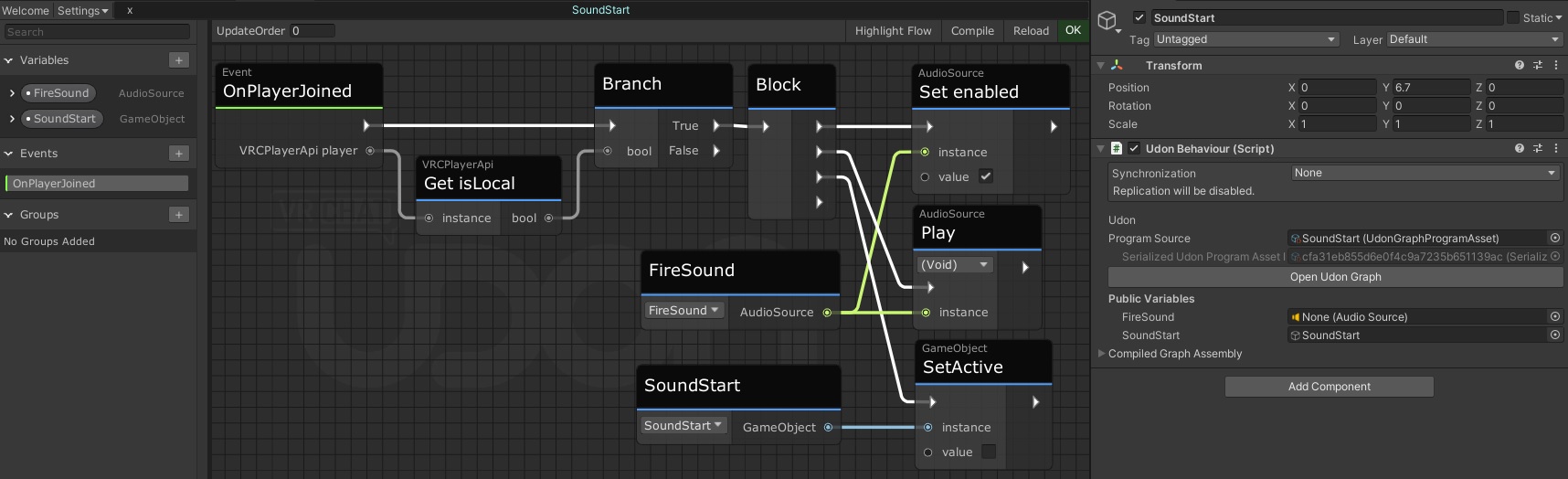 velvet flicker
@mighty ruin I have been trying out ideas like enabling audio source through udon and this is exactly what I have been looking for Thank you soooo much for this!
mighty ruin
Does anyone have a favorite shader for cutouts/foliage on Quest (preferably with lightmap support)? Are there any tricks you've discovered? Some worlds seem to get away with a fair amount of foliage, while others have unbearable distortion and artefacts. My own experiments have given mixed results. I've had decent luck with the z3y lit shader. I love to see how far a mobile chip can be pushed to render complex PBR stuff, and I'm amazed at how much the Quest can handle before losing framerate, but avoiding peripheral visual noise is challenging.
 long zenith
can anyone recommend a world where devs meet up to share ideas etc?
 plush gorge
Why not create a new accessibility feature to the camera that allows quest users to film videos using the ability of the VRChat Camera? Not just being able to only take photos
fair tinsel
vrchat doesn't have any video recording functionality
alpine dome
Recording video is very intensive and the quest is already at it's limit
Would be intersting to see if they've tried it before
gusty ember
alpine dome
Recording video is very intensive and the quest is already at it's limit
Tbf, you can already half do it using the built in recorder, except it is only your view beibg recorded.
However last new year they did demo a in game recording feature that I am pretty sure was available on Quest as well, it was a button you could press that started a one minute recording of a drone flying a preset path in that world.
Seems like they didn't get around to doing anything with that feature though.
 rapid gazelle
funny! new update and theyre still not taking away the lag per second
aka preloading.
 light cloak
Did they fix they lag yet
rapid gazelle
nopee
 rich oar
My vrc has been “stuttering” for a while now, is that normal or could it be a internet connection issue?
 dim hedge
Mine used to stutter alot
When I first got my quest 2 like a year ago
But I havnt seen any since then
dim hedge
rich oar
My vrc has been “stuttering” for a while now, is that normal or could it be a in...
Did it start happening after the newest update
rich oar
I believe so
 clever kraken
Usually mine works fine unless I access my wide menu, then my game starts lagging every few seconds. So ig if you don’t want the lag, try not to go into your wide menu
 violet night
thats a fun bug totally not annoying

 gloomy parcel
can a Quest world have Multiple Reflection Probes? or only the one in the lighting Tab?
fair tinsel
you can have more than one reflection probe
 livid harbor
I'm planning on converting my world to Quest. would it be possible to make some areas inaccessible on Quest that are accessible on PC?
gusty ember
livid harbor
I'm planning on converting my world to Quest. would it be possible to make some ...
Quest and PC contents is entirely separate.
Which means that yeah, if the Quest version of a world lacks a room, then Quest users cannot enter that room and PC users will appear to phase through a wall.
livid harbor
Sounds good. I just didnt know if it would cause sync issues or anything.
livid harbor
I’m trying to convert my PC world over to quest. Right at the end of the process where Unity reimports everything after switching the platform to android (which takes a few hours), Unity just crashes. Hoping someone can help.
 full oak
livid harbor
I’m trying to convert my PC world over to quest. Right at the end of the process...
full oak
livid harbor
I’m trying to convert my PC world over to quest. Right at the end of the process...
if you open back the project it should be already in "android build mode"
and complete the atsc texture compression
livid harbor
full oak
if you open back the project it should be already in "android build mode"
I’ll give it a shot.
Unfortunately it’s still on PC.
full oak
livid harbor
Unfortunately it’s still on PC.
remove all the things that cant work in the quest version then switch
probably it's a script
livid harbor
Sounds good.
rapid gazelle
man i love the fact that the lagging per second, preloading, turned to half a second! love it vrc! (er)
livid harbor
Got another issue going on. The SDK seems to reload itself as the world is uploading. I managed to get it uploaded earlier but unpublished it to fix some issues.
 tight sentinel
guys if i delete my meta account it unmerged form my vrchat account?
 south lily
anyone noticing avatars shaders are loading in wrong?
 weak yew
Your not the only one
 winter topaz
Because the update fucked up the shaders
wraith jewel
what did this update do? is there any way to fix it?
weak yew
Idk
 pearl matrix
Standard material cutouts don’t work neither
fair tinsel
The standard shader isn't supposed to be available for quest avatars
 harsh epoch
wait are sure shaders gucked up
harsh epoch
fair tinsel
The standard shader isn't supposed to be available for quest avatars
i’m pretty sure they meant the lite
or whatever it’s called i forgot
wraith jewel
wait yeah why are some mobile shaders weird looking?
some of my avatars in this new update don't look like they normally do (and I don't use modded stuff)
fair tinsel
do you have any pictures of what they look like before and what they look like now
wraith jewel
I think my friend has a pic of what it looked like before
and i can get one of the current one
fair tinsel
cool as it's easier to narrow down what's going on if we can see it
wraith jewel
my friend doesnt have a old pic but this is what is looks like on quest (it's used to look alot more brighter before)
 gusty ember
wraith jewel
my friend doesnt have a old pic but this is what is looks like on quest (it's us...
gusty ember
wraith jewel
my friend doesnt have a old pic but this is what is looks like on quest (it's us...
Buggy changes from the open beta seemingly seeped over to live accidentally.
 crude umbra
What development mean?
 last yarrow
One message removed from a suspended account.
gusty ember
last yarrow
One message removed from a suspended account.
Make sure to check that someone hasn't already made a similar feature request.
And post it in #feature-requests (the devs don't read the channel) if you want input on your feature request.

Give feedback to the VRChat team so we can make more informed product decisions. Powered by Canny.
 earnest moon
SO
I have an avi that I made a while ago, I have the unity file ready to publish for android (so i can use it on quest) and there are no errors top tier performance etc etc. But I can't because I haven't played enouth or smth? It's the ranking system I believe. If someone with a rank high enough to publish could I would really appreciate it, but if not, what should I do? I play VRchat all the time and my rank never goes up. I've shelved the file since like late 2021 because I could never put it out
If a cool guy wants to do it for me DM me for the file (I dont want someone stealing it)
gusty ember
earnest moon
SO
I have an avi that I made a while ago, I have the unity file ready to publish...
The person could not upload to your account since that would be against the rules and put both of your accounts at risk
And you of course couldn't share the files if you paid for them or they aren't supposed to be shared.
gusty ember
earnest moon
SO
I have an avi that I made a while ago, I have the unity file ready to publish...
And for the ranking thing, in VRChat is your rank really still "visitor"? (you can check in the profile).
earnest moon
yeah!! I play a healthy amount which is like. multiple times a week and i still can't when i try to upload
account name is mothman18 if thats any help
gusty ember
I assume you aren't much in populated instances then?
People mainly doing solo stuff usually don't rank up easily at all.
earnest moon
Black Cat mostly
earnest moon
Hey, when I go into unity and try to export an avi for android it says I need a different shader for the material, but won't let me edit the material. how do i fix this
earnest moon
so NOW the problem is that when I export the .FBX into Unity the index finger distal bones just. stop working
its fine in blender, weights etc
but when I port it they lose the part of the hand they need to move and it sits still
alpine dome
Is there a way to limit the quest 3's performance to that of the quest 2 for testing purposes?
sour elm
alpine dome
Is there a way to limit the quest 3's performance to that of the quest 2 for tes...
Ask meta ig
sour elm
earnest moon
so NOW the problem is that when I export the .FBX into Unity the index finger di...
I happen to have issues like this so I just delete the avatar and undo. It fixes if it’s a unity issue, if it’s not, you’d have to go and fix it on unity
It’s not hard to assign the bones as you just search for the same bone and put it as select bone
 past sable
(not recorded by me)
 tough garnet
Can anybody fix this situation blue stuck bottem i try so hard to fix it doesn't work I use the cleaner machine but doesn't work what I can do to fix it????
 past sable
tough garnet
Can anybody fix this situation blue stuck bottem i try so hard to fix it doesn't...
past sable
tough garnet
Can anybody fix this situation blue stuck bottem i try so hard to fix it doesn't...
take your batteries out for 30 mins and then put them back in if that doesnt work restart your headset
tough garnet
@past sable i did and is still dousnt work
late zodiac
tough garnet
Can anybody fix this situation blue stuck bottem i try so hard to fix it doesn't...
What exactly is happening I don’t really understand
past sable
tough garnet
<@642406270942445569> i did and is still dousnt work
you may have to factory reset your headset
 long lynx
Everytime I load vrchat it's saying "make sure your starting vrchat from the oculus pc app" I don't know what this means
 charred magnet
It means stop using the Oculus pc app and start using Virtual Desktop. I hated that message. Virtual desktop makes everyting so much easier.
Use Virtual desktop and SteamVR to run VRC
long lynx
I use stand alone Quest tho
charred magnet
Ah, That's weird then.
long lynx
I have no idea what to do and it won't let me click the ok button :[
charred magnet
Try uninstall then reinstall
 keen reef
I have an issue where if I go into my social menu enough times my game will start stuttering
Every 3 seconds it'll freeze for a second then unfreeze, it's better or worse for some people so I'm wondering why it's doing that
 winter dagger
That's what it's happening to mine
 ripe seal
Seems kind of ironic how when I use Airlink so quest can handle everything perfectly fine but if I use normal link with VR chat everything is horrible doesn’t this just proves that the quest is capable of running PC level graphics
I think they should add a disable quest limiter function giving that user the pc renders
Of course it’ll be defaulted to off
Especially with the quest three supposedly being more powerful than the two
I don’t have one so I don’t know
 coral wave
Any word for a cutout shader option for quest?
fair tinsel
coral wave
Any word for a cutout shader option for quest?
that is never happening because the quest can't handle it reliably
coral wave
Doesnt quite make sense, but alrighty
sweet tundra
ripe seal
Seems kind of ironic how when I use Airlink so quest can handle everything perfe...
No, because in both cases your PC is doing the rendering, not the quest, and the quest is acting as a glorified video player.
sour elm
ripe seal
I think they should add a disable quest limiter function giving that user the pc...
I mean if you wanna crash every second lmfao
There’s a reason to the limits, as much as it sucks, they are there so you can enjoy vrchat without issues.
I’m pretty sure everyone who owns a quest knows that frustration not being able to see certain things, and hear certain things.
fair tinsel
ripe seal
I think they should add a disable quest limiter function giving that user the pc...
that is technologically impossible as your computer and the quest are speaking different chip architectures so they're literally incapable of seeing each other's content
gusty ember
Primarily because Unity's asset bundles just aren't compatible cross-platform and are built specifically for the platform selected.
 valid marsh
this, some avatars have shaders and parts that wont even build on quest, which is the first step to getting it to show in game. nothing avatar makers or vrchat can do about this besides some avatars using different shaders or removing buggy parts to make a quest specific version.
 gray lion
standard lite update did this

 ripe seal
Well I think they should at least give quest users the option to disable fall back so that you can see the actual avatars
ripe seal
That’s the most annoying part of quest version
kind glen
fallbacks are there for a reason tho
sweet tundra
Fallbacks are there for when you wouldn’t be shown the actual avatar
kind glen
half the time its because the avatar wasnt built for quest
so you literally cant see it either way
 sour cargo
Arm vs height slider has been broken on quest for a bit
I wanted to tell someone but I wasn’t sure where to go to do so
wraith jewel
Vrchat acting up
 granite wren
wraith jewel
Vrchat acting up
granite wren
wraith jewel
Vrchat acting up
yea i cant get in
ive been in the loading menu for an hour
 dense geode
Servers are down #server-status
dense geode
Are you in a home world or error?
wraith jewel
Is it working for people pc-vr
wraith jewel
dense geode
Are you in a home world or error?
No im chilling ina friends+ wit my friend
dense geode
How long have you been in it
wraith jewel
About almost an hour
dense geode
Outage only started at like 10:30 so
wraith jewel
Idk whats goin awn
dense geode
It’s mostly an API issue
dense geode
It’ll be fixed within an hour I’m sure
The downtime is gonna be insane
Imo the issue is when people spam to get in and only make the servers worse
granite wren
my fav world
 wraith jewel
Jesus…
 normal mulch
granite wren
my fav world
normal mulch
granite wren
my fav world
The best world
granite wren
normal mulch
The best world
right
wraith jewel
Omg that world is so prettyyyy
normal mulch
Who esle hanging there rn?
granite wren
just me 😍
wraith jewel
Oof
dense geode
I was in error for awhile, but the smart thing to do to lessen the load is to stay off till things have been fixed and allow time for things to settle
Just general rule of thumb tbh
granite wren
dense geode
I was in error for awhile, but the smart thing to do to lessen the load is to st...
that’s what im gonna do
and i can adore this photo in the meantime
 dense geode
Is that supposed to be baby
granite wren
yea some type of her
dense geode
That’s wild 😭
 dense geode
bruh
wraith jewel
Lol
dense geode
Auto-mod be dumb fr
normal mulch
I was blasting all i want for christmas is you in a fnaf game on vrchat when it crashed.😭
wraith jewel
Me and my friend chilling man, we aint crash yet
 hidden warren
granite wren
my fav world
hidden warren
granite wren
my fav world
I'm kinda worried whit that too
it just happened to me jajaja!
granite wren
hidden warren
I'm kinda worried whit that too
itll be back up soon
normal mulch
Can someone checks status it wont let me check
hidden warren
it's kinda of an error in general
 simple smelt
granite wren
my fav world
simple smelt
granite wren
my fav world
That’s crazy me to


 hidden warren
i wasn't abble to change worlds or rejoins
hidden warren
simple smelt
That’s crazy me to
VR fall of XD
simple smelt
hidden warren
VR fall of XD
Real
normal mulch
Being in floridia is crazy
 vivid niche
if i am using steam link am i a pc user or still a quest user?
vivid niche
they don’t make it v obvious
normal mulch
My steam link is low laggy and is potato quality
fair tinsel
is your computer hooked up to the internet via Wireless or connected directly to the router
dense geode
normal mulch
I was blasting all i want for christmas is you in a fnaf game on vrchat when it ...
Dude I won’t even lie, Nightshift is a good game, but it’s so annoying lol
Can’t wait for nightshift 3
 stray siren
How's it annoying?
dense geode
Well, kids who don’t know one thing abt the game just coming in and ranting abt things that have never happened 😭
stray siren
I mean that's in a lot of games but yeah lmao
stray siren
Yeah same
normal mulch
dense geode
Can’t wait for nightshift 3
its out just wip
dense geode
Since when?
dense geode
so i assume they have the shadows, and spring?
normal mulch
VRchat still down

 grim forge
I joined to see if I could find out what's wrong, now I know
normal mulch
dense geode
so i assume they have the shadows, and spring?
they have phantom freddy and springtrap that work. phantom chica doesnt work and most of the charcters are unfinshed.
normal mulch
its brand new. i found out when i saw a friend playing it.
dense geode
give it two weeks and im sure itll be playable
for now, 2 is the only one thatll work fine lol
normal mulch
the cool new feature is that you can walk around and jump to pull up your animatronic menu and jump to close it.