#world-lighting
4 messages · Page 31 of 1
 rancid tulip
 mint cipher
So, in my world. I used global illumination and baked my lighting. It comes out great everywhere else except in this one room. There are horizontal lines spread all through out it instead of the light surrounding where the emissions are coming from


Any help would be deeply appreciated
 graceful tartan
mint cipher
Any help would be deeply appreciated
graceful tartan
mint cipher
Any help would be deeply appreciated
Feels like lightmap layout issue.
Is generate lightmaps UVs checked for the model?
mint cipher
graceful tartan
Feels like lightmap layout issue.
Is generate lightmaps UVs checked for the mod...
Of course It is. Yes
@graceful tartan any other ideas as to what it could be?
graceful tartan
mint cipher
Of course It is. Yes
Just gotta be sure 😊
Is the scale of the object something other than 1? Or at least even in all directions. I've had that cause lightmap issues too
mint cipher
graceful tartan
Just gotta be sure 😊
Is the scale of the object something other than 1? Or at l...
You sir, have helped where not even the unity discord server could. Thanks, it works now 🙏
 graceful tartan
mint cipher
You sir, have helped where not even the unity discord server could. Thanks, it w...
graceful tartan
mint cipher
You sir, have helped where not even the unity discord server could. Thanks, it w...
The scale issue strikes again! 🤣 It's just one of the default things I check now if there are weird lightmap issues after the normal stuff is checked.
mint cipher
graceful tartan
The scale issue strikes again! 🤣 It's just one of the default things I check no...
I didn’t even mess with the scale so I was very confused. I threw everything under a armature in blender, hit fix with cats (unchecking the mesh combine) and saved over the model in unity. It evened out the scale on everything and now it’s perfect
Wrote that out in case anyone else runs across that issue and needs a quick fix^
graceful tartan
mint cipher
I didn’t even mess with the scale so I was very confused. I threw everything und...
Could be the scale of a bone messed with it or something.
But why did you give it an armature out of curiosity? Does the world need to move or have animations or something?
mint cipher
graceful tartan
Could be the scale of a bone messed with it or something.
But why did you give i...
No lol, cats won’t fix a models orientation without the meshes being connected to an armature. It can even be empty with no bones.
So one button click, and everything stayed in the same spot and it reset the values
graceful tartan
mint cipher
No lol, cats won’t fix a models orientation without the meshes being connected t...
What did did you need cats to fix? 🤔
mint cipher
Just a little trick I use sometimes lol
graceful tartan
ive never had to use it, just export the fbx and away it goes
rancid tulip
Is there any way to unreference something in the scene from the baked lightmap?
 earnest mantle
You can uncheck contribute GI under static
rancid tulip
That doesn't unreference it, that's exactly the issue I'm having. It instead displays garbage when you reload after doing that.
0 scale in lightmap, yet it thinks it's mapped and has just lightmapped garbage to it instead.

 subtle galleon
rancid tulip
That doesn't unreference it, that's exactly the issue I'm having. It instead dis...
subtle galleon
rancid tulip
That doesn't unreference it, that's exactly the issue I'm having. It instead dis...
just set the object to not static?
rancid tulip
Doesn't clear the lightmap. That's my point, none of the things you'd expect to clear it, do.
Only clearing the whole scene's baked lighting works, but that's bad because I'd need to rebake everything from all the r;
 lunar narwhal
oh, you want to clear it without rebaking?
rancid tulip
I want to clear just the lightmap on this object, or the other problematic objects which shouldn't even be in the lightmap(s) in the first place, rather than clearing all baking.
As you can see above, the lightmap scale is 0 which means it shouldn't be in the lightmap, but it also shows it being assocated to a lightmap.
lunar narwhal
well yeah, those will only take effect on bake
if you want to clear the lightmap data from individual objects without a rebake well..
rancid tulip
Rebaking doesn't take them out of the lightmap
lunar narwhal
setting the object to not contribute gi doesn't take them out when you rebake?
rancid tulip
Nope
lunar narwhal
just to be clear you unchecked contribute gi here? https://nyanpa.su/i/yBQ32A6b.jpg
 rancid tulip
Yup. I tried pretty much every combination of clearing things. It's like rebaking doesn't clear it from the lightmap. It's a bit scuffed. The worst part is the mangled mess you're seeing isn't even the lightmap for this region.
I'm using Bakery control zones to spit up the rendering process.
Hence why I don't want to do a clear all.
lunar narwhal
when you rebaked did you try clearing all lightmap data first?
I've never used bakery control zones so I can't comment on that
rancid tulip
No, I explicitly won't do that. That's why I'm using control zones, so I don't have to rebake 12 other regions
It feels like a bug though that only a full light clear will fix, unfortunately.
lunar narwhal
If you really want a quick temporary fix until you do a full rebake later
you can just clone the object and disable the original
the copy won't be lightmapped
rancid tulip
Interesting, I'll keep that in mind.
It looks like if you remove something from the lightmap, it loses track of where it's mapped and instead just serves garbage. As it's lost track of who's mapping it, rebaking that zone doesn't clear it either.
 verbal crag
Hello, I'm encountering an issue with the main light in my world. I added a simple sun light to my world (directional lightning). It works fine on desktop. However when trying it in PC VR or Quest it does not show/cast any shadow on any mesh, the whole scene is simply lit. Any idea why?
 modest vapor
verbal crag
Hello, I'm encountering an issue with the main light in my world. I added a simp...
modest vapor
verbal crag
Hello, I'm encountering an issue with the main light in my world. I added a simp...
You have a single light in your world ?
verbal crag
modest vapor
You have a single light in your world ?
Yes I do, I have a single Directional Light that stops casting shadows as soon as I enter play mode
Looks fine in the editor view
Here is in the editor view

Here is as soon as the scene is played
 modest vapor
Nothing in your console ?
verbal crag
No nothing, everything seems fine. Although I just noticed something: In the Unity project Quality tab there is a VRC Mobile Quality preset, and all shadows are disabled by default (I'm allowed to choose from "No Shadows", "Only Hard Shadows" and "Hard & Soft Shadows"). Am I allowed to turn it back on?
 lean whale
Hm, yeah I'm not sure but I wonder if realtime shadows are disabled no matter what for Quest in VRchat? In that case it would make sense if your Unity project is currently set to build for Android and that it would be overriding your quality settings to disable shadows
modest vapor
verbal crag
No nothing, everything seems fine. Although I just noticed something: In the Uni...
Yes, but realtime shadows on quest is not suggested, better bake !
graceful tartan
verbal crag
Here is as soon as the scene is played
While I agree with Ruuubick that you should bake, have you tagged the light editor only maybe?
verbal crag
I see, I tried baking but it looked off, very dark shadows and chunks not lit up at all. I will try again, thanks!
verbal crag
graceful tartan
While I agree with Ruuubick that you should bake, have you tagged the light edit...
I checked, it is not tagged
 ripe aspen
So I've been working on this world for around 2-3 days now and I'm stuck on this problem. everything is pretty much done, however when I bake the lighting, all my light sources (Point lights, baked, hard shadows) do not bake any light onto the surfaces. No light whatsoever. I will attach an image.
Before baking

After Baking
 graceful tartan
So the first question is, have you set all those objects as static?
ripe aspen
all objects are static yes
graceful tartan
Does making the lights static help?
ripe aspen
idk I'll check
baking

I forgot to make the light fixtures static that's why they are lit up now but everything else is not
light sources themselves are static too
graceful tartan
Do you have generate lightmaps checked in the models import settings?
 graceful tartan
Yup. Check that and apply it
graceful tartan
ripe aspen
should this take a minute to apply
If your model is complicated it could.
 graceful tartan
If you interrupt it mid import the prefab will break like that
You need to let it finish. Generating lightmaps could easily take a minute or two if your model is complex
If it's really complex, like 1mil + polys it could freeze freeze though
ripe aspen
I'm not sure honestly
I never decimated it because it ran fine in game and wasn't too large of a world
but maybe
it's just a stripped ship that I built an interior for
graceful tartan
Go to the model and right click, reimport and then let it sit for a few minutes event if it goes unresponsive
See if it eventually generates them
Bit I have froze unity trying to generate them for really big complicated models so be aware of that
graceful tartan
👍
graceful tartan
If that fails, separating it into seperate parts helps too if there are lots of actual individual parts in there.
 tulip dirge
I have a world with reflective surfaces that depend on real time lighting changes but doesnt reflect avatars or certain objects but for some reasons vrc mirror is getting reflected on floor is there way around that
 quaint pecan
Question, does the LightingData.asset file contribute to the total world download size?
 patent heath
ye
graceful tartan
tulip dirge
I have a world with reflective surfaces that depend on real time lighting change...
Out the mirror on a layer that the reflection probe isn't reflecting
quaint pecan
So, if the LightingData.asset file is included in the upload world size, is there I good way I can make my LightingData.asset not be almost 300mb?
lean whale
quaint pecan
So, if the LightingData.asset file *is* included in the upload world size, is th...
You probably have Realtime Global Illumination enabled in your Lighting settings
Which you probably don't need
quaint pecan
I assume to rectify it I'll need to bake again now that that's off?
 ornate veldt
why do my buildings have this weird shadow?

 novel stag
whenever i bake my lighting, it comes out blocky ish. How do i fix this?
 lean whale
ornate veldt
why do my buildings have this weird shadow?
lean whale
ornate veldt
why do my buildings have this weird shadow?
Is your lighting baked? Generate lightmap UVs enabled on the buildings import settings? Do you have reflection probes setup and baked as well?
lean whale
novel stag
whenever i bake my lighting, it comes out blocky ish. How do i fix this?
You can increase lightmap resolution, or if it's only like that in specific places you can select the meshes where it looks bad and bump up the "scale in lightmap" setting on the mesh renderer
novel stag
lean whale
You can increase lightmap resolution, or if it's only like that in specific plac...
how do i increase the resolution
lean whale
Lighting > Lightmapping Settings > Lightmap Resolution

(if you're using bakery it's in bakery advanced settings I think)
novel stag
unfortuntaely i do not have that
lean whale
But based on your screenshot, the floor looks fine. So if the rest of your scene also looks fine I would just adjust the scale in lightmap setting for the ugly spots, instead of adjusting the entire resolution and wasting it on parts that already look good
Do not have what?
lean whale
Ah, well unity lightmapper works ok, just gotta tinker a bit more
What did you change the scale to? I think by default it's 0.5, I would probably set it to like 3 or 4 based on that pic
novel stag
it was set to 40 by default
lean whale
I mean the scale in lightmap setting
lean whale
Did you rebake after changing that?
novel stag
pretty sure
lean whale
Pretty sure as in yes? lol
novel stag
yea lmao
lean whale
Like you clicked generate and waited for all the lighting to be baked again?
novel stag
if this bake doesnt change anything, ill re do it
i set the resolution to ahem 1024
seems to be smoother
just worried about its size
lean whale
Erm, lightmap resolution (texels per unit) or lightmap size? Those are different things
lean whale
I think you mean size. 1024 is insanely high texels per unit
novel stag
so
i duplicated the light
and the light is so much smoother

duplicated is on right
lean whale
Probably because it isn't baked
novel stag
ah
well im doing the lightmap scale rn
i set it to 5 and the resolution back to 40
looks much worse now
lean whale
Lol well shit. Can you screenshot the mesh renderer settings and your lightmapping settings


 lean whale
Was your lightmap size originally 1024?
lean whale
 lean whale
I'm just asking if you touched that in like the last 5 min
lean whale
Well. Hard to help if you don't even know if you are doing things or not
novel stag
i didnt even know that existed until now tbh, so im pretty sure it hasnt been touched
lean whale
Mkay, well that second screenshot you shared did look slightly better from what I can tell
lean whale

 novel stag
oh
lean whale
You can see that the lightmap is higher res
So to me that looks like increasing the scale in lightmap worked, unless that's not what you did, in which case I dunno what you did lol
novel stag
ill show u a rebaked version with the scale at 6, lightmap resolution at 1024, and texel size at 40

it just doesnt seem smooth on the edges
like you see on other worlds
lean whale
Are you setting the scale in lightmap on the object that contains the wall mesh?
novel stag
i set it on the sconce
lean whale
You're basically telling Unity, hey give this wall more space on the lightmap so that the light can use more pixels to look smoother
novel stag
 lean whale
And make sure to decrease the sconce back to it's original value, so it's not wasting lightmap space
novel stag
why is the max scale value 3?
lean whale
But yeah the more you increase it the nicer that wall should look. And you can do that for any mesh that's receiving baked light (but if you're doing that to everything, you're better off just increasing overall lightmap resolution)
novel stag
like it says after i go past 3, that the max atlas size has been reached
lean whale
Because anything more than that would take a larger lightmap size than 1024
novel stag
oh ok
lean whale
Or for your mesh to be separated into smaller parts
That can each fit on 1024 lightmaps
novel stag
ah i see
lean whale
But generally you want fewer lightmaps
It's tedious but important to understand how these values all balance with each other. And unfortunately there's no one size fits all numbers to punch in, cuz it totally depends on the size of your scene, how many static objects there are and how much detail is required etc
novel stag
these realtime lights starting to look much better rn lol
ik they worse for performance but idk
lean whale
Yea honestly I used to be really intimidated by the lightmapping process cuz every time I tried it would just look all messed up and have like a dozen things to fix and tweak lol. But eventually I just dove in and got used to the process, now it's just a matter of going through the motions and I enjoy making it look nice
And fwiw Bakery is worth the money. Definitely not necessary but it just always looks better, I don't feel like I have to tweak things so much, and has less issues with glitchy seams or light leaking through cracks and stuff like that
novel stag
lean whale
Yea honestly I used to be really intimidated by the lightmapping process cuz eve...
so i tinkered with it and got pretty much how i want it
but now i just gotta figure out why it wont reflect
novel stag
can somebody help me with it ^?
graceful tartan
novel stag
can somebody help me with it ^?
Have you got a reflection probe?
novel stag
yes
i have made some progress
although its weird


one side is darker than the other despite having the same amount of light on both sides
nvm im stupid
i had a point light hidden away
 crimson ice
has anyone fixed this before?

here's how it looks like in unity

like why is it different in vrchat?
it doesnt make sense


 loud sonnet
do i do the ligthing of the world in unity or while modelling in blender?
 pure widget
unity
pure widget
you can do it in blender bc you just end up importing the textures you make into unity in the end
blender is sort of your "showcase" with lighting and materials, but you have to set those things up in unity
if you're new, the pinned video in #world-development might help
loud sonnet
Thanks 🙂
 blissful violet
crimson ice
here's how it looks like in unity
blissful violet
crimson ice
here's how it looks like in unity
This isn't lightmapped, but the first image looks lightmapped? Hmm...
Ive not encountered this issue before but the first thing id check is to make sure that your lights aren't too bright, and to check the texture assets created by the lightmapper if they are baked lights
novel stag
So im trying to bake my lighting but im stuck in an infinite preparing bake loop
so i figured it out
apparently having my VRCMirror on static, causes it to glitch
 stray crag
crimson ice
blissful violet
This isn't lightmapped, but the first image looks lightmapped? Hmm...
Ive not ...
stray crag
crimson ice
blissful violet
This isn't lightmapped, but the first image looks lightmapped? Hmm...
Ive not ...
i figured it out, dont move your pov in the scene, apparently it messes with the baking
blissful violet
crimson ice
i figured it out, dont move your pov in the scene, apparently it messes with the...
Ah nice! I use Bakery so im not too familiar with the issues the default lightmapper has
 static flame
new to vrchat world making; should i put a light on what is ideally light source in my map for baking or something else?
right now I have the default directional light and thats it
 tender crag
Is it possible to disable this shifting point light reflection while using Bakery? I'm confused as to what causes it as I'm using baked light mesh type of sources primarily.
 hearty lagoon
tender crag
Is it possible to disable this shifting point light reflection while using Baker...
hearty lagoon
tender crag
Is it possible to disable this shifting point light reflection while using Baker...
Doesn't that depend on how far away your light source is
 fallow lark
static flame
new to vrchat world making; should i put a light on what is ideally light source...
fallow lark
static flame
new to vrchat world making; should i put a light on what is ideally light source...
yes you would want to put light sources where your lighting is for the baking

GitLab
A surface shader for Unity providing cel-shading. (Forward rendering only)
and if it helps here's a text tutorial on baking
 blazing stream
tender crag
Is it possible to disable this shifting point light reflection while using Baker...
blazing stream
tender crag
Is it possible to disable this shifting point light reflection while using Baker...
that'd be "light map specular" in whatever shader your using, reason it does that is because you can only have one specular highlight generated from the directional lightmap and it will "jump" between the dominant direction in relation to your view point.
tender crag
blazing stream
that'd be "light map specular" in whatever shader your using, reason it does tha...
Found it, thanks so much!

 drowsy violet
Somehow the reflections in one of my worlds doesnt show up ingame, but it does inside unity editor
In Unity:

Ingame:

What am I doing wrong?
rancid tulip
crimson ice
has anyone fixed this before?
Is that for Quest? The compression it uses on lightmaps cause that issue from what I've seen.
Is there a crunch compression that works on lightmaps and doesn't murder them? They all seem to REALLY destroy the quality.
crimson ice
rancid tulip
Is that for Quest? The compression it uses on lightmaps cause that issue from wh...
nah pc
but i figured it out, thanks!
 dire crater
What do y'all think about the lighting for my avatar world ?


In these images it's realtime but it looks essentially the same baked.
blissful violet
dire crater
What do y'all think about the lighting for my avatar world ?
The first thing that jumps out at me is the floor spotlights being too bright, maybe tune the emissions and space them out more around the world so they don't need to be as bright?
 fluid mirage
can someone tell my why when I try to bake only reflection probes, unity decides to instead bake lighting
I explicitly hit the "bake all reflection probes" button, but unity still says 'lmao no, im gonna set up for a light bake"
 twilit lily
dire crater
In these images it's realtime but it looks essentially the same baked.
twilit lily
dire crater
In these images it's realtime but it looks essentially the same baked.
unless you used SH mode in bakery, it wont look the same. light sources dont show up in reflections
rancid tulip
Has anyone else had the issue wherein removing an object from the lightmap... doesn't? I end up having to duplicate the entire zone and deleting the original.
drowsy violet
My world isn't showing any reflections ingame. It does show them in Unity. Does anyone know what do? [SDK3]
 sleek ravine
not sure if this is the right place but , i cant get my sky box to show in vrchat?
in vrchat my sky is blackniss
in unity this is what it looks like
 sleek ravine
drowsy violet
My world isn't showing any reflections ingame. It does show them in Unity. Does ...
sleek ravine
drowsy violet
My world isn't showing any reflections ingame. It does show them in Unity. Does ...
if you are on quest you need to setup relfection maps i belive
drowsy violet
im not on quest
sleek ravine
ooh i think then you just need standerd shaders tho i could be wrong? tho the reflection map might still be worth looking in to?
graceful tartan
drowsy violet
im not on quest
Have you accidently tagged your reflection probes as editor only?
drowsy violet
a good thought, i checked that, but it's not what it is.
the reflection probes are set to untagged.
graceful tartan
Are they a child object of anything?
drowsy violet
the reflection probes are attached to the root of the scene, so not attached to any other object
graceful tartan
Hmm ok
drowsy violet
if I dont use any reflection probes it seems the environment reflections are being used properly
so the issue maybe is really about the reflection probes themselves
drowsy violet
no shaders really, all materials are standard materials, im using a shader for the water, seanswater
you think the shader might break the other reflections?


here's two pictures. the one without the reflections in the windows is from ingame.
graceful tartan
Some shaders let you disable reflections for them is all
I wouldn't think the water should cause an issue
drowsy violet
im showing the reflection in unity on a higher intensity to show the contrast
its really strange never had that happen in any other world. 
in the pictures above also, the water and the ship are using a different reflection. so i really just found out that the water is using the skybox reflection when there is no reflection probe affecting it.
but the ship uses a reflection probe and that one doesnt show up basically


the ship itself doesnt use any strange or unusual settings either

and this is the reflection probe

it's a real mystery
drowsy violet
baked is a bit of a problem since it only shows the ship as the only static thing, the landscape is moving
so realtime is the only thing really to consider for me
but - by testing i noticed one thing now. I made a button to toggle the reflection on and off and noticed that it works when i toggle it on manually.
so maybe it creates the reflection on awake when basically nothing is rendered yet.
graceful tartan
Yea as it says on the probe at the bottom you need to trigger via a script
drowsy violet
graceful tartan
Yea as it says on the probe at the bottom you need to trigger via a script

xD
now i see
funny, i never needed to do it before, that's why i didnt notice but that makes sense now
graceful tartan
I've used a realtime one before once I think, and with the right settings I think it'll do it without a script to trigger it.
Depends on the refresh mode I think
Or maybe the slicing mode
Idk it's been a while
drowsy violet
oh okay. thanks so much for helping. 
fluid mirage
my lighting comes out like this when I bake it. (using bakery) Why?

I have my bakery settings like so

and my direct light like so:

 hot sun
How do I fix this lighting issue? I'm using poiyomi toon 7.

Nevermind I just fixed it.
Found the culling options.
dire crater
twilit lily
unless you used SH mode in bakery, it wont look the same. light sources dont sho...
It looks essentially the same.. with the lowest lightmap settings
 lean whale
That looks wayyyy different. Here is just one example of what Izu is talking about. Note that you also need to be using Bakery shaders (or other SH compatible shaders, I think someone made ones specific to VRchat) for SH mode to actually work


But also @twilit lily you can still get specular highlights from light sources in reflections without that, you just need to give the light source an actual 3D model with an emissive material for your reflection probe to see. Think about how real life works, light does not emit from an empty point in space, it emits from a physical object like a light bulb, and that's the object that gives the highlight we see in reflections. I use a free plugin to do this semi automatically https://github.com/zulubo/SpecularProbes
Either way I think your world looks pretty cool tho 🙂
twilit lily
lean whale
But also <@511620207396126740> you can still get specular highlights from light ...
thats why i said light sources. im aware of meshes, however they only used light sources, which wont show up in specular making it look rather flat
dire crater
lean whale
That looks wayyyy different. Here is just one example of what Izu is talking abo...
I forgot to make that cylinder static. That's why it's black
I could care less about specular. It isn't used much in my world anyways
Also, I'm not using Bakery. I'm using the built in lightmapper.
dire crater
lean whale
But also <@511620207396126740> you can still get specular highlights from light ...
And yes, I know the lights are random. I just wanted to highlight some areas, no real thought was put into it
 bronze wigeon
Im confused. I'm trying to light my world, and i get these weird black bars, and one couch isnt even lighting up. I have an area light above this space, and some small point lights in the lamps and im getting this weird effect. Im baking at 4096, at 200 Texels per unit, 5 bounces, and 16 samples.

 earnest mantle
If I had to guess the UVs for your objects are overlapping
bronze wigeon
hmm, i dont have any errors for overlapping UV's
Oh, i do see some errors that say "mesh object_x on object possibly has incorrect UV's"
earnest mantle
ah could be that
Just double check they have generate lightmap uvs ticked on import
bronze wigeon
Ahh, ill do that and see if it fixes it
bronze wigeon
It worked. Thanks!
earnest mantle
np
 thick nymph
How many times can you bake the lights? I did it twice and now one of my walls looks a shade brighter than the rest.
 rustic portal
I thought all the scene's lighting is shared? (I could be wrong though!!) double check if said wall is static
thick nymph
Yes
And if I duplicate the wall, it goes back to matching everything else, but I don't want to have to keep duplicating everything, lol
I'll double check to make sure static is on.
rustic portal
Also check if they cast a shadow / receive a shadow etc
and if it's inside of the light probe zone
thick nymph
Should I remove the cast a shadow option?
rustic portal
You should most likely leave it on
maybe its just a side effect of your lighting
there's a lot of reasons a wall could be lighter than the others, sending some screenies could help a lot
thick nymph
I'll try to send some out after work.
thick nymph
This community has been super helpful in learning how to work with these programs. Thanks to everyone that's answered all of my questions!
graceful tartan
thick nymph
How many times can you bake the lights? I did it twice and now one of my walls l...
As many times as you want. It's not a cookie 🤭
Each time you bake it throws out the old data and goes again.
 verbal cape
graceful tartan
Each time you bake it throws out the old data and goes again.
verbal cape
graceful tartan
Each time you bake it throws out the old data and goes again.
or should, there is a known bug where it refuses to replace the old or bakes over, darkening the scene in which case you delete the previous bake data prior. restart also work but deletion is faster.
graceful tartan
verbal cape
or should, there is a known bug where it refuses to replace the old or bakes ove...
Strange but fair. I haven't had to deal with it since I use bakery.
fluid mirage
using bakery: all the lighting settings seem normal, yet my bake ends up blown out. yet only selectively. why?

these are my bakery/direct light settings
 graceful tartan
fluid mirage
using bakery: all the lighting settings seem normal, yet my bake ends up blown o...
graceful tartan
fluid mirage
using bakery: all the lighting settings seem normal, yet my bake ends up blown o...
Are all your objects set to static? Or at least all the things that are flowing white
fluid mirage
yes
lean whale
fluid mirage
using bakery: all the lighting settings seem normal, yet my bake ends up blown o...
You've generated lightmap uvs for your meshes? And that direct light is your only active light source in the scene? Any ambient/environment lighting, if so can you post the settings? Any reflection probes, if so post the settings?
Also same question with postprocessing
Ambient lighting or reflection probes with too high intensity can cause stuff like this, or postprocessing with too much exposure or bloom etc
fluid mirage
only other lights are some point lights

reflection probes there's a few

no post
and yes I generated lightmaps for all meshes
some of the ground meshes are just straight up unity planes though
shader is standard
lean whale
Hmm ya everything you posted seems to be in order at least. Have you tried clearing the baked data before re-baking?
fluid mirage
I have. Im gonna try trimming down the scene and baking with more and more items, see if i cant pinpoint that way
lean whale
Yea I'm stumped. If you click on an object does the mesh renderer component have warnings or anything? Does the lightmap itself look blown out like that?
thick nymph
@rustic portal

First bake and everything is coming out super dark
Everything that is a static object has the static box checked off.
 naive spindle
Hello, I have a problem, it turns out that I need to publish a map in about 5 hours, it is for a presentation of 40% of the Physics subject, I need to publish that map, but it won't let me because I am a new user, can someone help me posting it for me?****
twilit lily
why does it need to be public?
earnest mantle
naive spindle
Hello, I have a problem, it turns out that I need to publish a map in about 5 ho...
If you only need it to run, you can install cyanemu to emulate it offline in the editor if that's an option
 floral fable
Is it at all possible to use baked lighting in a world, and have a completely different set of baked lighting that you can switch to in game?
 hallow hound
@fluid mirage do you useeny material with a high emision on bake that is in the map?
fluid mirage
No.
graceful tartan
fluid mirage
No.
What skea the reflection on your reflection probe look like?
 half dragon
;-; I have been waiting 2-3 hours for my lights to bake even with my rtx card is it normal to take so long
Last time it took 6 hours and ended up like this


I am using bakery
pure widget
pinned has a video on lighting
half dragon
Oki
lean whale
Yeah definitely recommend that video- but to quickly answer your question, no that is not a normal amount of time for it take, unless you very purposely have crazy high settings which is totally unnecessary to achieve good looking results
half dragon
lean whale
Yeah definitely recommend that video- but to quickly answer your question, no th...
Hmmm okay could be my settings I'm only wanting to bake for quest
half dragon
I keep getting this error I have a rtx 3070 so idk why it keeps saying this after 4 hours in
 lean whale
half dragon
lean whale
half dragon
Did you do either of the things it is suggesting? And can you share the bake settings you are using?
half dragon
lean whale
Did you do either of the things it is suggesting? And can you share the bake set...
 lean whale
From your settings screenshot it looks like your tile size is too high. It's higher than your lightmap size which I don't think makes sense
half dragon
i did have the rtx mode on before tho
half dragon
lean whale
From your settings screenshot it looks like your tile size is too high. It's hig...
is 5 to high should i set it to 2
lean whale
I'm talking about tile size. The slider at the bottom
half dragon
o is 2k fine then? my scene is really big tbh
lean whale
It will come out the same either way. Tile size is just how much bakery tries to create at once before moving onto the next tile, so setting that too high will strain your gpu
half dragon
lean whale
It will come out the same either way. Tile size is just how much bakery tries to...
but it doesn't it never uses 100% or all of the vram
lean whale
Maybe because your tile size is larger than your lightmap size which doesn't make sense and might be causing the error. Idk.
half dragon
mkay
lean whale
Try what I am telling you or don't lol
half dragon
i'll try it
lean whale
You might also try what the error message is suggesting since I'm assuming you did not
half dragon
lean whale
You might also try what the error message is suggesting since I'm assuming you d...
i tried it again and it turned out like this....
 thick nymph


I found a way to bake my lighting using emissions, but I still have darkened areas. Any suggestions on how to fix?
static flame
I dont usually mess with shaders, but what kind do I need to set up to turn a PC world into a quest compatible one without it looking like dog shit?
especially w/ lightmaps involved
fallow lark
switch your lightmap compression format to ASTC 4x4
as that should help the light Maps look less bad
static flame
was that directed at me or Hey-Zeus?
fallow lark
static flame
was that directed at me or Hey-Zeus?
you
fallow lark
the settings on the actual textures
so you like click on the light map and then texture settings would appear
static flame
I dont need to rebake anything from the PC version of the map and it’s shaders?
fallow lark
nope
static flame
huh, nice
as far as the materials for the ground and such, I assume all I really need to do is make it all part of the standard lite setup?
fallow lark
because the compression settings can be what mangles the light maps on Quest so rebaking wouldn't help with anything
fallow lark
static flame
as far as the materials for the ground and such, I assume all I really need to d...
yup

GitHub
EasyQuestSwitch is a Unity editor tool developed for VRChat world creators, it can automate changes to components within a scene as soon as the build platform is changed from PC to Android (for Ocu...
static flame
ah, convenient
The map itself is only 20 or so materials so I didnt expect to really need to do much work
do you know where lightmaps are stored by default in unity?
the directory, that is
fallow lark
probably in a folder named after whatever the scene is called
static flame
thank you for your help
fallow lark
where you able to find them
static flame
I am not currently at my computer, I’m asking questions in advance so that I know what to do once I get home
worst comes to worse, I have everything organized really well
It wont be hard to find
fallow lark
cool
novel stag
Why is this happening?

my light probes are set and baked
the avatar shouldnt be appearing dark
modest vapor
Did you bake them ?
static flame
fallow lark
switch your lightmap compression format to ASTC 4x4
as that should help the lig...
two questions if you would oblige me
1: where are the compression settings? I dont see them.
2: Should I do this for both lightmaps and directional lightmaps, or just one or the other?
1:

 fallow lark
static flame
fallow lark
static flame
yes that menu but on the Android tab
static flame
ooh
fallow lark
Android and Windows have slightly different compression formats
static flame
?
 fallow lark
yes that's the setting you want to use
 hushed rivet
does anyone know of a quest world shader that can do lightmapping as well as metallics/smoothness?
fallow lark
the standard light Shader?
hushed rivet
standard lite doesnt appear to accept lightmapping

 lyric heart
hushed rivet
does anyone know of a quest world shader that can do lightmapping as well as met...
lyric heart
hushed rivet
does anyone know of a quest world shader that can do lightmapping as well as met...
I believe Mochie, and Filamented work
 full mica
Is it possible to crunch compress bakery lightmaps? I tried doing it via the texture import settings and it hella broke the lighting in my world
 modest vapor
full mica
Is it possible to crunch compress bakery lightmaps? I tried doing it via the tex...
modest vapor
full mica
Is it possible to crunch compress bakery lightmaps? I tried doing it via the tex...
You can downscale them, but not crunch
 hushed jetty
bakery texel per unit x2


 magic agate
how do you fix emissions not showing when light baking is done? its all dark:<
 graceful tartan
magic agate
how do you fix emissions not showing when light baking is done? its all dark:<
graceful tartan
magic agate
how do you fix emissions not showing when light baking is done? its all dark:<
Are they all set to static?
 graceful tartan
What intensity are the emissives set at?
magic agate
its set to 2
i just opened the model in a new unity project and the emissions seem to generate but are choppy af
 lean whale
magic agate
lean whale
magic agate
Have you generated lightmap uvs for your meshes?
magic agate
this?
 lean whale
Yeah hm looks like you're good
Not sure what's wrong but it might help to screenshot the settings on the emissive material as well as your lightmapping settings
magic agate
lightmapping is the scene lighting correct?

 lean whale
magic agate
yay i have no clue what i did but it works now:>
lean whale
magic agate
yay i have no clue what i did but it works now:>
Looks cool, is it gonna be like a sci-fi club space?
magic agate
no its just gonna be my home world haha
im also not high enough trust rank to put it out publicly
lean whale
Right on. It kinda reminds me of something I'm workin on haha
 lean whale
Yeah just a scrolling texture of stripes
magic agate
thats cool
lean whale
This asset has a buncha materials that do stuff like that https://github.com/AdultLink/TexturePanner

GitHub
This repository hosts a shader for Unity3D whose main goal is to facilitate the creation of neon-like signs, conveyor belts and basically whatever based on scrolling textures - GitHub - AdultLink/T...
magic agate
woahhh
lean whale
I use it for a ton of stuff, if you just scroll down that page you can see all sorts of cool uses for it
magic agate
shit i thought i was done with that world now i wanna add more things
lean whale
I haven't used that asset in particular with VRchat but I think it should work fine
magic agate
ill give them a try some day i just came from blender donut and dont wanna burn my self out lol
lean whale
Good thinkin. Things can get outta control and overwhelming quick
 jovial veldt
Hey y'all. I want to light up only this room with a singular blue light. As someone who's not really good with unity lights, can somebody help me out here?

Here's what the lighting is suppose to look like for reference (via the use of an emulator)
 rancid tulip
modest vapor
You can downscale them, but not crunch
rancid tulip
modest vapor
You can downscale them, but not crunch
Are you sure? From what I can tell, you CAN crunch them, but the quality will suffer quite significantly.
rancid tulip
full mica
Poop haha
As a test, find them in your assets folder, normally under "Bakery Lightmaps" and then enable crunch compression on them in the component window, you should notice their quality (and stated size) change visibly.
full mica
rancid tulip
As a test, find them in your assets folder, normally under "Bakery Lightmaps" an...
The picture I posted is with them all crunch compressed
The world is not supposed to be all black haha
Mind you I crunch compressed at 100, but lighting is very important for this world so any amount of quality reduction on the light maps I don't really want to do
rancid tulip
Yeah, you'll want to just leave them as is then. They compress quite well anyway.
full mica
They're about 50% of the size of my world at 2048 XD
modest vapor
rancid tulip
Are you sure? From what I can tell, you CAN crunch them, but the quality will su...
Crunching them doesn't seem to do anything at all to the lightmaps that I've noticed, it actually broke them entirely for me a couple times
rancid tulip
modest vapor
Crunching them doesn't seem to do anything at all to the lightmaps that I've not...
I think you need to be running the newer GIT Bakery for it to work, it significantly shrunk them for me but murdered the quality so it wasn't worth it.
modest vapor
Yeah I can't imagine it being a good solution for anything, if it ends up with more artifacts and errors than just downscaling or baking at lower texels
lean whale
jovial veldt
Hey y'all. I want to light up only this room with a singular blue light. As some...
Assuming the world is one big mesh, I would separate the room as a new mesh and then put the room gameobject on a new layer. Then use the culling mask on other lights to exclude that layer
Light probes would probably have the same issue though, and can't use the same solution. Not sure what to do about probes
Or... maybe you can just build simple walls around it that block the other lights from leaking in, and then hide the walls with the culling mask on the camera
Or just disable them after baking even
hushed jetty
jovial veldt
Hey y'all. I want to light up only this room with a singular blue light. As some...
try to put it in static and bake the lights
full mica
Still trying to optimize my light baking with Bakery. I'm getting this awful looking lighting around edges/corners of things, I'm assuming from denoising. I'm baking at 64 samples with Denoise: fix bright edges enabled and I've tried setting backface GI to 1. The only thing that seems to improve it at all is increasing my texels per unit, but even at 300 it's only /just/ starting to look better, and the size of the lightmaps becomes insane. Is there anything else I can do? My lighting is a little complex but I don't think it's that absurd?

For reference, all the spot-lights in the ceiling have a bakery spot light as a child, the only other interior lighting here is the string light, doorway lights, ceiling light bars and then the ambient blue lights which are all bakery mesh lights. I have a direct light outside with low intensity and lower indirect, and a pink skylight with even lower values, those don't seem to make a difference when I play around with them though

 next owl
full mica
Still trying to optimize my light baking with Bakery. I'm getting this awful loo...
next owl
full mica
Still trying to optimize my light baking with Bakery. I'm getting this awful loo...
artifacts around edges sounds more like a lightmap UVs issue to me than a denoise issue. maybe try increasing padding between shells a bit
full mica
next owl
artifacts around edges sounds more like a lightmap UVs issue to me than a denois...
I'll give that a go. Admittedly my knowledge about baking lighting is pretty minimal, most of it is just knowledge I took from rendering in cycles lmao which is not at all a real transfer of skills
next owl
texture baking of any kind always involves a bit of spill across uv seams, so you gotta make room for that inaccuracy
if your artifacts are mostly concentrated around corners, and your lightmap UVs are auto generated, then it's most likely the seams since the auto UV algorithm is going to try to slice UV seams where it finds corners
lean whale
Yea I notice a lot of artifacts like that especially in areas like stairs and small bevels that are parts of larger surfaces. I try to avoid dealing with custom lightmap uvs so my solution has been to separate problematic faces into their own meshes so they can just be assigned more space in the lightmap (via scale in lightmap parameter on meshrenderer component if needed) without affecting anything else
I wonder if it'd be possible for Unity to add something like "minimum texel to face size ratio" to lightmap uv generation. So you could set it to say, 10, then it would see the face of a beveled edge that's under 10 texels wide and automatically separate and scale it. Seems like it could be handy but Idk about the technical black magic that goes on in that system lol
full mica
modest vapor
64 samples is very low too FYI
Any higher than that and bakery warns about running out of gpu memory
modest vapor
Just a warning 
full mica
Lmao fair, I'll try cranking it in a sec here
next owl
full mica
Any higher than that and bakery warns about running out of gpu memory
if you isolate sections of your map into separate bakery sectors, you can chop up the problem into smaller chunks that your GPU can handle
of course you gotta be careful about how you design your sectors, and you could end up with many mb of lightmaps, but it might give you a bit more flexibility
full mica
next owl
if you isolate sections of your map into separate bakery sectors, you can chop u...
I had to drop my tile size... And put a box fan in front of my PC lmao, but it seems to be fine with at least 256 samples
Lmao

It's significantly better at 256 though. 512 was taking foreeeeevverrrr, so I'm going to save it for my final bake and do it overnight lol. Thank you guys though! Padding and sample count both really helped a lot lol

I'm also going to separate my meshes into separate imports as well
 lean whale
 errant anchor
help
errant anchor
help
Have you generated lightmap uvs in the model's import settings?
 simple sinew

 errant anchor
lean whale
Have you generated lightmap uvs in the model's import settings?
errant anchor
lean whale
Have you generated lightmap uvs in the model's import settings?
yes
I'll even show how messed up this is
 lean whale
errant anchor
I'll even show how messed up this is
lean whale
errant anchor
I'll even show how messed up this is
Ya that's messed up. I would double check to make absolutely sure you generated lightmap uvs for that specific mesh. Otherwise I dunno, maybe the object is set to a weird scale? That can mess with lightmaps sometimes
errant anchor
lean whale
Ya that's messed up. I would double check to make absolutely sure you generated ...
The size is 100 100 100 which is weird all other meshes are 1 1 1
so you were right thank you
lean whale
Hm did that fix it tho?
errant anchor
lean whale
Hm did that fix it tho?
yes
 dry wadi
Hi i like to know
Magic Light Probes works for VRC? > ||https://assetstore.unity.com/packages/tools/utilities/magic-light-probes-157812||
Magic Light Probes with Bakery (GPU Lightmapper)
that works ?
 weak skiff
jovial veldt
Here's what the lighting is suppose to look like for reference (via the use of a...
weak skiff
jovial veldt
Here's what the lighting is suppose to look like for reference (via the use of a...
Spyro uses vertex colors for lightning. If you can somehow rip those you'll be pretty much done with the lights
verbal cape
dry wadi
Hi i like to know
Magic Light Probes works for VRC? > ||https://assetstore.unity...
sure it works. You'll get an unrealistic, unmatched grid based layout with minimal effort if that is what you are aiming for.
 oak elbow
You can get pretty good results using magic light probes. But, your lighting also needs to be good to get good results with any light probe tbf.
Also, if you use it to its fullest you lose a lot of the grid-like behaviour. But, it's still worse than manually placing them.
IT really isn't worth over manually placing them if you know how. Unless you're on a time constraint. But, it can be pretty time costly to get everything right. I did like 15+ iterations on every big room I have just to be satisfied.
 crude bison
I know it's a common issue, but I can't remember where I used to see a solution for corners doing this:
 hot sun
Hello. I already added a post process layer and settings that affect the bloom on certain objects in my world. How would I make a slider in-game that affects the world brightness? I can't add another post process layer onto my main camera.
lean whale
crude bison
I know it's a common issue, but I can't remember where I used to see a solution ...
Could add some ambient occlusion to the lightmapping settings, basically makes all corners like that darker and the walls will fade to their current brightness from there. Not sure if that's specifically what are thinking of tho
errant anchor
baking lights makes me want to drink, my scene is pretty simple so I don't understand why.
I'm deleting my assets and re-importing clean so I will check back here in a bit to ask for help.
lean whale
errant anchor
I'm deleting my assets and re-importing clean so I will check back here in a bit...
Good luck. I used to hate lightmapping, but now it just feels like a matter of going through the motions, a bit tedious but no longer scary or difficult haha. The pinned video in this channel helped me a lot
graceful tartan
It's normally pretty simple. Import model. Make sure generate lightmaps is checked, set object as static, bake.
lean whale
The other day I learned you can use the preset manager in project settings to change default import settings to automatically generate lightmap uvs for models, went ahead and did that for all my projects. I'll probably still forget when I make new projects tho 😂
Still, there's just so much that can go wrong or make your lighting look incorrect or wonky and messed up. I used to be terrified of clicking that generate button lol. But it was just cause I hadn't taken a deep breath, sat down and went through the process, learning what all the settings do and why you would change them etc
errant anchor
I just want my world to look as intended with baked lights, the 4 triangles on one of the meshes is just black if hole filling is on and with it off makes it look weirdly lit
jovial veldt
weak skiff
Spyro uses vertex colors for lightning. If you can somehow rip those you'll be p...
I mean, I have Spyro World Editor but I don’t know how to like rip the textures.
Sucks that the place that I got the model from didn’t import the goddamn vertex colours, of all things.
twilit lily
errant anchor
I just want my world to look as intended with baked lights, the 4 triangles on o...
that sounds like something is wrong with the mesh itself tbh, thats not really a lightprobe issue
wait, probes was someone else, crap
dry wadi
verbal cape
sure it works. You'll get an unrealistic, unmatched grid based layout with minim...
okay thank you for this explanation @verbal cape @oak elbow
errant anchor
is this data even used?
 modest vapor
Yep
lean whale
errant anchor
I change the size of ir to even see what changes and nothing does
That is a directional lightmap, so you'd only see changes on materials which use normal maps and specular. Even then it is likely to be a subtle change (like the grain in a wood texture or cracks between bricks in a brick texture might look flatter). And I think depending on your directional mode and whether you're using bakery, you might need to use specific shaders to actually see the effect from this type of lightmap in the first place
errant anchor
I'll keep it because it's so small and I think my world size is only 3mb instead of 5 after banging my head against a wall for 6 hours
lean whale
Yeah, unless you're just using plain diffuse textures on everything without normal maps, it's good to bake directional to capture those subtle details. But if you are just using plain diffuse textures then it effectively does nothing and you can safely delete it/ might as well not bake it
Not 100% but pretty sure on that
 pearl tulip
Hello. Does anyone know why Unity freezes everytime I try to bake the lighting? This is only happening when I am using "Progressive GPU" and I want to use that because with the "Progressive CPU" it takes way too long to bake.
It just says "Preparing Bake" and stays like that, I can only use task manager to close Unity.
I tried playing with the Lightmapping settings and changed all to the lowest possible values and it still didn't work. If you would have any ideas on why this is happening that would be really helpful, thanks.
twilit lily
maybe you set samples too high?
pearl tulip
i tried with them set to their lowest value
next owl
how much VRAM you got? you could be maxing out the card
unity's GPU lightmapper is also... fussy. bakery's is much more stable.
lean whale
Fussy is right lol. Mine was failing and falling back to Progressive CPU yesterday until I rebooted my pc. I'm guessing there was a background process using my GPU or something and fighting with Unity over it, but who knows really 😂
blissful violet
Unity is an enigma of bad programming and design decisions T _ T
twilit lily
next owl
unity's GPU lightmapper is also... fussy. bakery's is much more stable.
+1 for bakery
a lot smoother and better results
and faster
pearl tulip
next owl
how much VRAM you got? you could be maxing out the card
i got 6gb of VRAM
next owl
that's not a ton, depending on how complex your world is and how many samples you're throwing around
I'd try restarting Unity or your machine first and close out any other applications that might be using GPU memory, see if that helps. otherwise I'd recommend buying Bakery or falling back to the CPU lightmapper
pearl tulip
Yes I'll look into bakery and use CPU lightmapper in the meantime, thanks
 charred stag
What's the difference between GPU and CPU lightmapping?
 runic pulsar
Well
One runs on the CPU
One runs on the GPU
That’s pretty much all there is to it
It’s just determining what you want to use to process the lightmap
next owl
assuming you have the hardware for it, GPU lightmapping is about a bazillion times faster
generally you need an RTX-compatible card for the raytracing, and your available VRAM can bottleneck you if you don't have enough available for your scene + number of samples
charred stag
mk.
runic pulsar
next owl
generally you need an RTX-compatible card for the raytracing, and your available...
lightmapping isnt raytracing...
next owl
yes i am aware of this
but GPU lightmappers like bakery leverage the raytracing functions of RTX cards in order to throw samples around your scene
it's not necessarily a requirement, i think? but the acceleration really helps
 fiery elk
is there a reason why avatars using the toon lit shader look really dark in my world? i think it might be due to poor lighting but im not sure
next owl
are you using light probes?
next owl
generally speaking you want to use baked lighting and light probes
if you're going to use real-time lights, you want to stick with as few as possible, preferably just one directional light if any at all
baked lighting requires light probes for the lighting to affect moving objects
fiery elk
how do i get baked lighting to work? whenever i try to use something like an area light that uses baked lighting it doesnt look like it works
next owl

You can support me on my pateron
https://www.patreon.com/mcphersonsound
This is a longer tutorial than normal and there is a lot to cover so here are time stamps for your convivence.
00:00 what is baked lighting
00:35 setting up lights
1:23 preparing meshes to bake
2:30 generate lightmap UV
3:28 light probes
5:10 reflection probes
6:00 emissive ...
fiery elk
oh cool thx
fiery elk
ok so. that video was very confusing to me bc the person is using what looks like a different unity version, and i tried using light probes but it didn't work. i either did something wrong bc i dont understand the lighting or my world is still too dark. is there anything else that could be making the toon lit avatars so dark?
fiery elk
i've literally tried following multiple tutorials and my world still looks weird and toon lit avatars are almost pitch black. idk what im doing wrong but im very frustrated
fallow lark
GitLab
A surface shader for Unity providing cel-shading. (Forward rendering only)
fiery elk
i have done something, idk what, but somehow the toon lit avatars are a little lighter but still very dark
for some reason no matter how high i make the intensity or how big i make the range of the light i cant make them any brighter
pure widget
do u have light probes set up
set up light probes and then avatars should look normal
fiery elk
i do
but it's only got like. 8 or 9 thingies in it
should i add more of the dots to make avatars brighter?
fallow lark
where you place the probes matter as it's going to sample from the 3 closest probes
like if all of your light probes are in the shadows you're only going to get the shadow colors
pure widget
needs to be anywhere people are gonna be

mine isnt the best example but it gets the point across
fiery elk
so since i have little crystals jutting out of the corner of the room my world is in. and the light probes were in the corners inside the crystal mesh. that was probably casting shadows
fallow lark
you shouldn't have your light probes inside objects
as the objects themselves would be blocking all the light
fiery elk
omg. i added more probes and moved existing ones out of objects and the LIGHTING DID NOT CHANGE
im so frickin done with this
genuinely no idea how this works or what i'm doing wrong
fallow lark
do the lighting look normal when you test with a standard Shader
to make sure you're not just testing with a badly made Shader
fiery elk
the lighting on the avatar or the world?
fallow lark
a avatar with the standard Shader
fiery elk
i mean i can yeah but the problem is only with toon lit avatars
standard and standard lite look pretty much fine
fallow lark
myself I don't use toon shaders so I don't have much suggestions for that
fiery elk
damn
other toony shaders like poiyomi toon look fine
they actually look TOO bright
so i think the toon lit shader just sucks
pearl tulip
pearl tulip
Hello. Does anyone know why Unity freezes everytime I try to bake the lighting? ...
i think i fixed it? i had too many light probes i think, cause i deleted them and it worked and now i added just enough to cover what i needed and its baking with the GPU lightmapper
rancid tulip
How many did you have? I have scenes with over 12000 and it's fine lol
pearl tulip
Less than 12000 for sure xD but idk it just works since i reduced them so I'll take it
fiery elk
ok so update. i found out why the toon lit avatars were dark. it was literally just the environmental lighting. i just had to change the skybox
 hot moat
hey everyone so i made some neon lights for my first world ever, I was just wondering if anyone can help me why my neon lights arent giving any light?
its just bright
graceful tartan
hot moat
its just bright
Did you bake the lighting?
hot moat
graceful tartan
Did you bake the lighting?
never mind i got it
just the lighting isnt what i need to be
 graceful jetty
Is there a way to manually set the brightness of a lightprobe group?
For some reason, players are lit too brightly but the world looks fine.
graceful tartan
graceful jetty
For some reason, players are lit too brightly but the world looks fine.
Player brightness would generally come from light probes not reflections.
graceful jetty
graceful tartan
Player brightness would generally come from light probes not reflections.
Whoops, mistyped
graceful tartan
Ahhh ok
graceful jetty
but yeah, when I adjust my lighting to make the world look right it's overblown on dynamic objects/players
graceful tartan
graceful jetty
but yeah, when I adjust my lighting to make the world look right it's overblown ...
Is it just a specific area?
Could just be down to your light probe placement
graceful jetty
It's everywhere pretty much
graceful tartan
If you have a probe too close to a light source it might blow out users when they are pulling from that probe
graceful jetty
graceful tartan
If you have a probe too close to a light source it might blow out users when the...
I think the largest issue is that my sun light is set pretty high, but if I set it lower it looks wrong compared to the skybox
graceful tartan
graceful jetty
I think the largest issue is that my sun light is set pretty high, but if I set ...
Are you using unity or bakery for the baking?
graceful jetty
Bakery
graceful tartan
Have you tried using a bakery sky light? It has a button to match it's lighting to the scenes skybox
So should match exactly the sky's light
graceful jetty
Oh, I have one but it's not set to the skybox
let me try that
hm, that just made the shadows darker
graceful tartan
Got a screenshot of your scene and your light probe layout?
There's also a setting on the probe options somewhere to disable ringing, might help. Not sure exactly where it was though.
graceful tartan
graceful jetty
hm, that just made the shadows darker
I think on the probe group.
graceful jetty


Here's the probe layout, one every 2m or so

@graceful tartan
Almost forgot to ping you too
graceful tartan
It is quite bright outside. 🤔 What does it look like on an Avi?
graceful jetty
graceful tartan
It is quite bright outside. 🤔 What does it look like on an Avi?

For reference, this is on the dark side of the building where the details aren't blown out
 mint cipher
What is the best way of lighting a building with this type of roof, everytime I use an area light it either doesn't cover everything or it leaks out and gets the outside terrain

 elder merlin
Just real quick, do I need to convert lights to bakery's own or can I just use standard unity lights?
full mica
graceful jetty
With how bright your world is that seems pretty accurate to me
next owl
elder merlin
Just real quick, do I need to convert lights to bakery's own or can I just use s...
add the bakery component to your existing lights and sync the values with the provided buttons. bakery doesn't consider standard lights at all when baking
 strong solar
anyone know why i am on preparing bake for so long?
strong solar
what??? why is it incompatible it was working
 graceful jetty
full mica
With how bright your world is that seems pretty accurate to me
graceful jetty
full mica
With how bright your world is that seems pretty accurate to me
In that case, do you know any awful hacky ways I can adjust it manually?
Because I've tried setting the lights so that avatars look good and the world looks too dim
lean whale
strong solar
what??? why is it incompatible it was working
Did you duplicate the scene recently? It might be still referencing the lighting data from the previous scene. Try clearing the baked data first (drop-down arrow next to the generate button) and if that doesn't work just delete the lighting data (which should be in a folder with the same name as the scene)
strong solar
lean whale
Did you duplicate the scene recently? It might be still referencing the lighting...
no duplication??
but ill try that thanks
lean whale
I dunno then, that's what usually messes it up for me cause I'm always duplicating scenes to make backups before I try new assets and break everything lol
But yea doing those things should help either way
full mica
next owl
add the bakery component to your existing lights and sync the values with the pr...
I'm actually pretty sure there's a bakery utility that just does this for you for all your lights
full mica
graceful jetty
In that case, do you know any awful hacky ways I can adjust it manually?
Not that I know of :/. I'm sure it's possible to do via an in editor script but I've never done anything like that before
full mica
full mica
I'm actually pretty sure there's a bakery utility that just does this for you fo...
Huh.... I could've sworn there was but I'm looking at my project now and I don't see anything to do that
 smoky wharf
Is it possible to swap between baked lightmaps in runtime?
 graceful tartan
graceful jetty
For reference, this is on the dark side of the building where the details aren't...
graceful tartan
graceful jetty
For reference, this is on the dark side of the building where the details aren't...
Tbh that brightness looks about right for the brightness outside
Two ways to fix it I can think of is add post processing with a little colour balance to bring down the high end brightness
Or to turn down the brightness of that external light, and in your bakery settings turn up the indirect intensity so you don't lose out on the light brightness inside the room
 modern mantle
Anyone have a guide for lighting massive scenes? Bakery is flipping out. I do have the scene set up in such a way that I can theoretically separate the "skybox" from the "play area", but I don't see a method for having two different lightmaps beyond making two separate scenes, which probably isn't supported by VRC.
 next owl
look up bakery sectors
if your skybox is truly that large, consider using a "virtual skybox" or whatever it's called... basically make your skybox environment 1:100 scale and far away from the main scene, and render it with a separate camera that matches the orientation of the mainCamera but moves at that same 1:100 scale
that camera outputs to a different layer behind the layers rendered by the mainCamera, that acts as the "skybox"
modern mantle
Okay, I was asking about that yesterday but was told it wasn't possible in VRC
next owl
i've seen it done in some test worlds but i don't know how high fidelity you can get that texture to work, and i am not positive it will work well with quest
modern mantle
The small friend group this map is intended for isn't going to have a ton of quest users.
fallow lark
question couldn't you just shrink the the background for the baking and then put it back to its normal size instead of trying to deal with virtual Skybox shenanigans
next owl
or just reduce the texel density of the far background geometry, you can have separate bake settings if you place that stuff in a different bakery sector
i dunno exactly how huge his background is but using 3D skyboxes seems to be the usual way to get that sense of scale without having to deal with the other problems of an enormous scene bounding box
https://ask.vrchat.com/t/multi-camera-effects-in-vrchat/2964/4
this guy seems to have gotten around the technical limitation of camera layers getting overridden by the VRCSDK by using an udon script to set the camera layers after the fact

VRChat Ask
This wasn’t mentioned when I was trying to figure this out earlier, but what you set your camera’s depth to in the Unity editor gets overridden by a default script at runtime, so no matter how you order your camera depth in a stack in the Unity editor, they’ll all wind up with the same depth at runtime in VRC. The way around this is to have a s...
fallow lark
question wouldn't having multiple cameras like that be worse for performance than dealing with the background normally because now you're having to render all of those cameras pixels in addition to your normal pixels
next owl
it's not something i'd recommend doing unless the scales you're dealing with are truly huge
but for big enough environments it's the better choice
HL2 used this trick extensively to keep scene bounding boxes within a reasonable scale
modern mantle
Yeah, I used to make Hammer maps so I'm used to having 3D skybox availability
fallow lark
but that's also a different engine so I'm not sure if that's actually much of a helpful Factor scene bounding boxes
modern mantle
As for map size: it's 5km by 5km scenery, and 200mx200m play area (although I plan on having private room teleports around the map like that one voxel world)
next owl
gigantic bounding boxes means floating point precision errors and huge camera clip distances, which lend themselves to Z-fighting and other potential artifacts
that's not unique to the source engine, unity suffers from the same thing
modern mantle
I know of a way around the floating point errors.
fallow lark
I guess a question would be is any of the background scenery able to be flattened into like 2D cutouts
so they don't need to be as far away
modern mantle
Fog doesn't work well on close objects so I'd have to render externally in Blender, or just make it work in Unity.
Right now the map is a mere 21MB in size
 worthy crater
Are bakery adapters still needed for SH lightmaps in VRC?
 jade burrow
Anyone know what's going on here?
 modern mantle
Now I just need to figure out how to get rid of ambient lighting.
lean whale
modern mantle
Now I just need to figure out how to get rid of ambient lighting.
I don't think bakery really uses ambient lighting? You either use a sky light component with a skybox for skybox lighting, or you have to make 6 directional lights in all directions to simulate what Unity's non-skybox environment lighting does
Or if it's unity's environment lighting that you want to get rid of, you can just set it to color and set the color to black
modern mantle
lean whale
I don't think bakery really uses ambient lighting? You either use a sky light co...
This should all be pitch black, beyond the spotlit areas.

And Environmental Lighting is set to black.
 lean whale
Ah hm, could it be the indirect lighting from those spotlights then? I think you'd need to set them all to zero if they aren't already
Or else yeah seems some light is leaking in from somewhere or something, not sure... are you using a skylight as well?
jade burrow
jade burrow
Anyone know what's going on here?
poke ^^
modern mantle
lean whale
Or else yeah seems some light is leaking in from somewhere or something, not sur...
I was, but it's disabled.
 lean whale
modern mantle
lean whale
modern mantle
Hmm so is indirect intensity on the spotlights set to 0?
modern mantle
Yep
lean whale
Dang ya I dunno then. Is the material reflective or metallic at all?
lean whale
Can you share your full bakery settings, mebbe something is weird there

 lean whale
I wonder if this is your problem
 modern mantle
Once this bake is done, I'll try that.
Nope

I figured it out.
I forgot to add reflection probes
full mica
next owl
if your skybox is truly that large, consider using a "virtual skybox" or whateve...
...That is insanely smart holy fuck lol
I could've used that on my old world
next owl
it's a pretty cool trick, i didn't know about it until someone asked me if i'd considered it for my own world. i had no idea what they were talking about so they took me on a tour of some worlds that used it
it's pretty great at conveying very large landscapes
full mica
I'll have to keep that in mind for if I ever start up work on my old world again haha, thanks for the tip
lean whale
modern mantle
I forgot to add reflection probes
Huh that fixed it? I don't understand, why would reflection probes change that?
modern mantle
¯_(ツ)_/¯
 lean whale
It can appear matte but still have reflections enabled, which can affect the appearance
 dense elbow
having some issue with lighting https://github.com/BananaBread291/Thunderstorm_Prefab so when the lighting flashes it is affecting avatars through the walls red hair is normal black hair is the light for the lighting turning on


GitHub
A simple thunderstorm prefab SDK 3 U#. Contribute to BananaBread291/Thunderstorm_Prefab development by creating an account on GitHub.
 jade burrow
Anyone know what's going on here?
jade burrow
jade burrow
Anyone know what's going on here?
What do I need to change for this to not do this anymore?
modest vapor
dense elbow
having some issue with lighting https://github.com/BananaBread291/Thunderstorm_P...
Sounds like a shader issue ?
modest vapor
jade burrow
What do I need to change for this to not do this anymore?
How many realtime lights do you have
jade burrow
modest vapor
How many realtime lights do you have
How do I check? ^^'
modest vapor
Do you know how many lights you have in your scene ?
jade burrow
modest vapor
Do you know how many lights you have in your scene ?
8 spotlight things, 1 laser, 1 discoball, 1 color discoball thing, and stuff that has omission lights
The floor is reacting to the colors of the spotlights tho
modest vapor
Check those individual lights components to see what they're set to, if realtime or not
jade burrow
Lemme see
jade burrow
modest vapor
Check those individual lights components to see what they're set to, if realtime...
Realtime yes
modest vapor
You can only have a few realtime lights active at once before they start disabling each other depending on where you look
If those spotlights are static, they need to be baked
You can support me on my pateron
https://www.patreon.com/mcphersonsound
This is a longer tutorial than normal and there is a lot to cover so here are time stamps for your convivence.
00:00 what is baked lighting
00:35 setting up lights
1:23 preparing meshes to bake
2:30 generate lightmap UV
3:28 light probes
5:10 reflection probes
6:00 emissive ...
jade burrow
That’s not the problem, they work. It’s the floor flashing the colors.
modest vapor
What shaders are you using ?
And what happens when you have a single light enabled in the world
jade burrow
modest vapor
And what happens when you have a single light enabled in the world
I’ll test
Doesn’t do it with just 1. Too many? But why only on those 2 pieces?
rancid tulip
Why can't I set this object to receive light from lightprobes? (it's not static, hence it needs to use lightprobes)
 lean whale
rancid tulip
Why can't I set this object to receive light from lightprobes? (it's not static,...
lean whale
rancid tulip
Why can't I set this object to receive light from lightprobes? (it's not static,...
Did you bake it previously, and then uncheck static without clearing baked data? I think in that case it is still attached to the lighting data and present in the lightmap so unity still treats it as static
rancid tulip
lean whale
Did you bake it previously, and then uncheck static without clearing baked data?...
I was worried that may be the case. I didn't want to clean all as I'll need to rebake 9 entire areas if I do that 😦
lean whale
In that case you can probably just duplicate it and maybe delete the original (although Idk if deleting the original might mess up the lightmap, so maybe only disable it instead lol)
rancid tulip
Would that cause any potential issues with scripts or anything?
lean whale
If you have any other objects which reference the door, you need them to reference the new copy of it. But if it's only connected to its own scripts it should be fine
rancid tulip
Hmm, I cleared, rebaked this area and they are still scuffed and still don't let me enable probes.
 lean whale
How are you clearing it? Also I think I recall you're using bakery with sectors right? I don't have experience with sectors so it might be specific to that. Def wanna make sure you're clearing the correct data for example
But if you don't want to rebake did you try duplicating instead?
rancid tulip
Via Clear Baked Data under Lighting.
lean whale
Right... so I think we ended up at this point in a previous conversation. Basically I assume that might not actually be doing anything because you're using bakery, but you also don't want to clear it through the bakery menu because then you'll have to rebake more stuff correct? Because I'm pretty sure that's what the deal is
In which case, I do think just duplicating the doors would be a better option. And if you have references just take the time to go through and set them again. Unless that would take more time than rebaking everything lol
Or it could be a sector thing that I don't really know about. Or something else weird is going on
rancid tulip
Ill try clearing through the Bakery menu too for for the sake of testing.
lean whale
🤞
 austere coral
idk why im getting this and also am using Bakery for Generating Lightmaps
Small Black Bars in the door ways.
Reply to Me for Answering & Thankies for the Help
 dense elbow
modest vapor
Sounds like a shader issue ?
dense elbow
modest vapor
Sounds like a shader issue ?
well it like lights up all avatars in the world
rancid tulip
lean whale
🤞
That worked. So the key is asking Bakery to clear, not the normal lightmap system.
modest vapor
dense elbow
well it like lights up all avatars in the world
Oh, if you want the prefab to not affect players, you just need to remove the PlayerLocal and Player layers from the light component
dense elbow
thanks ill look in the morning
graceful tartan
full mica
...That is insanely smart holy fuck lol
It's an ooold technique, its how the source engine works.
graceful tartan
lean whale
Huh that fixed it? I don't understand, why would reflection probes change that?
When there are no reflection probes it takes it from the skybox or general enviroment light or something like that. Not sure the specific but adding a reflection probe always resolves it.
twilit lily
austere coral
idk why im getting this and also am using Bakery for Generating Lightmaps
Small ...
maybe your faces are too complex? try creating your own UV Map and disable "generate lightmap UV"
you can check with the checker preview in bakery if its a complex face thing
austere coral
twilit lily
maybe your faces are too complex? try creating your own UV Map and disable "gene...
TBH I'm not seeing anything wrong. It looks fine to me?
 next owl
do those pillars have softened vertex normals or something? those same areas turning dark look a little different even in your checkerboard view
it looks like a topology problem
austere coral
Hmm i'm not sure why tbh I Started Using Probuilder in unity for World Creation since i never knew it existed before & Its way better xD
austere coral
Ok So I realized that the way I added the doorways was i used loop cuts and then extruded the walls down then up in which id then remove the faces i didnt need and i forgot to remove the floor meshes xD
But it seems that the black bars are gone but they correlate to the way how light bounces between 2 different meshes or close in proximity
twilit lily
austere coral
TBH I'm not seeing anything wrong. It looks fine to me?
there is a cut in the checker preview, its most likely a mesh issue. ideally you only want triangles and squares as shapes
austere coral
Previews for what i have rn and LOL the Floor I'll see how it would be if i add floors to only the rooms or if i am able to stop that in some way without editing


 barren crater
Does the VRC Standard lite support bakery RNM and SH directional modes?
I saw there was RNM fields in the debug view
modest vapor
barren crater
Does the VRC Standard lite support bakery RNM and SH directional modes?
You would need Merlin's SH conversion tool to use it
barren crater
of course, but that's cool that it does work
static flame
is there a reason lights dont affect the top part here?

 lunar narwhal
i'm guessing the whole thing is a single mesh
so the only thing that comes to mind is that those walls up there are probably backfaces?
 lunar narwhal
is the wall up there a separate mesh?
static flame
the entire map was inverted when i put it in blender, so i pressed A and then inverted it all
 lunar narwhal
can you show the mesh renderer settings for that

 lunar narwhal
well, i don't see the baked lightmap under lightmapping for that mesh which is odd
this is after a bake?
static flame
I believe I cleared bake data but it looked the exact same
its 4 lights so I can bake it rq if you want
lunar narwhal
I should add, theres no reason to keep your walls as seperate meshes, seeing how low poly they are
static flame
I need to keep some things as different settings and it's much easier to keep them different
theres only 16 of them
its a Halo CE port

baked
lunar narwhal
the only thing that really comes to mind is those are backfaces
does mochie standard cull back faces by default ?
hallow hound
It cant be low range of the light?
lunar narwhal
the light seems to be hitting the other surfaces further away though?
unless i'm looking at that screenshot wrong because of the angle
static flame
lunar narwhal
the only thing that really comes to mind is those are backfaces
I am 10000% sure they arent backfaces
static flame
lunar narwhal
the light seems to be hitting the other surfaces further away though?
this is correct

not backfaces, though its hard to tell from the image
lunar narwhal
what does the mesh renderer component for that wall look like now
static flame
 lunar narwhal
whats your lightmapping settings
static flame
 lunar narwhal
can you show the mesh renderer for the ceiling that baked
static flame
 lunar narwhal
huh, i would normally expect to see a baked lightmap slot under lightmapping
but that aside i'd guess its because of the message on your other meshes saying the object's size has reached maximum size in lightmaps atlas
lunar narwhal
I wonder if its because of your scaling? your meshes seem to have a scale of 100
static flame
oooh
huh
you are right, it does

scale on the whole thing is 1 though
wacky...
lunar narwhal
i'd try reexporting with https://nyanpa.su/i/py9E2Ahl.jpg
 lunar narwhal
I am not entirely certain to what the setting entails on a technical level, but I know that one of the reason's its done is to get the scaling when exporting fbx's to match that in unity
static flame
ok now everything is actually at a scale of 100
set it all to 1
scale is correct
rebaking
same result
wait nvm
oh dammit
I'm getting that issue where it's stuck on "preparing bake" forever
trying again with lower settings
lunar narwhal
are you not able to use the gpu lightmapper?
static flame
it reverts back to CPU whenever I press bake
lunar narwhal
what gpu do you have?
lunar narwhal
for 2048 lightmaps and lower yeah
 lunar narwhal
there should be a warning in console telling you the reason it falls back to cpu


 lunar narwhal
no clue then, if the message about exceeding lightmap atlas is still there maybe try lowering the lightmap scale on all your meshes, but other than that i'm out of ideas
static flame
hmm
one sec, I have an idea
my idea did not work
ok what the fuck

are they backfaces???
I'm so confused
if i flip the faces in Blender then everything is see-through
backface culling (as you can see, the lights are opposite ways of where the mesh is showing)

frontface culling


if I just turn culling off, it still does the same thing
wacky...
lunar narwhal
so they are back faces after all?
 lunar narwhal
regardless, you could try creating a lightmap parameter setting and set backface tolerance to 0 and see if that helps
static flame
alright, how do I do that? where is the lighmap parameter settings?
I dont see it in the lighting tab
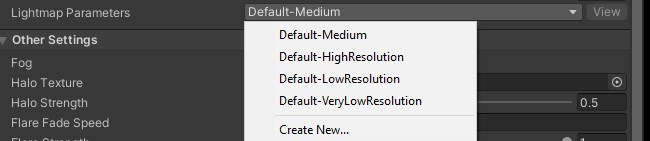 lunar narwhal
0
lunar narwhal
when baking
 prisma tree
Hi, anyone can help me with something?
 rotund ibex

 raven blaze
question... so I've created this scene in Blender which uses emissive materials to light it up.. but how do I get them to cast light in Unity to then bake them? does anyone maybe have a tutorial?
twilit lily
raven blaze
***question...*** so I've created this scene in Blender which uses emissive mate...
in unity enable the emissive checkbox on the material and either select your color and strength or the emissive map, depending on what you used. Unity automatically lights up emissive materials when baking
raven blaze
I'll be giving that a go, thank you so much! ^^
rancid tulip
Can you make light probes specific to an area? I have probe groups inside hierarchies that get enabled and disabled for different places, but every time I bake probes for a zone, all the previous ones seem to be lost and only the new ones saved and affect anything.
mint cipher
Are there any Window Volumetric Prefabs that are public?
 winter garnet
Is the only way of doing baked light Day and Night switches duplicating the baked geometry and animating it? Or is there a better way?
modest vapor
Or teleporting the player, because lightprobes can't be changed at runtime, so players will be lit incorrectly
rancid tulip
modest vapor
Or teleporting the player, because lightprobes can't be changed at runtime, so p...
Is there any way of baking lightprobes in groups, or some other "not all at once" method? It seems like there should be, but I'm not finding anything.
modest vapor
Sadly there's no method, but I'm trying to convince engineers for one 
rancid tulip
I've been splitting up my "zones" using Bakery's sectors which is great for baking, but not being able to do the same with lightprobes feels like it renders the whole thing useless because no dynamic objects (or players) will have any lighting... seems like a weirdly serious oversight.
modest vapor
It's less of an oversight and more of not wanting to rely on third party tools to do that. We'd need our own implementation, which udon might let us do in the hopefully near future
rancid tulip
modest vapor
It's less of an oversight and more of not wanting to rely on third party tools t...
I'm more surprised that Unity has no native way to handle it, but I guess in native Unity you're expected to use different / additive scenes.
 quasi hedge
Blendable Baked Lighting States :SmileySticker:
fallow lark
yeah the way vrchat handle it was probably not what Unity was having in mind as they were probably thinking shipping commercial titles. not user-generated content Bonanza
quasi hedge
Curse this server + it's blocking of my smiley sticker
rancid tulip
fallow lark
yeah the way vrchat handle it was probably not what Unity was having in mind as...
I mean, having areas disabled/enabled on the fly isn't a VRC specific thing, but it breaks light probe baking.
 tranquil vine
I'm trying to start out making a world and have a couple of questions:
- the shadow being cast by this wall only starts from halfway along its side and i don't understand why it's not being drawn from the front corner
- my postprocessing effects won't apply until i hit play and i want to see them in the viewport
 lean whale
tranquil vine
I'm trying to start out making a world and have a couple of questions:
- the sha...
lean whale
tranquil vine
I'm trying to start out making a world and have a couple of questions:
- the sha...
Is the wall maybe floating above the floor slightly? And do you have multiple cameras in your scene, and is the one with postprocessing tagged MainCamera?
tranquil vine
it appears to be floating but it's just an illusion and the floor and wall do actually intersect
and i only have one camera; the vrcworld reference camera is set to the main camera, the postprocessing object is tagged to the main camera, the postprocessing layer is a component of the main camera and the postprocessing volume is global 🥴
 tranquil vine
lean whale
Oh, click this pesky lil guy
tranquil vine
lean whale
Oh, click this pesky lil guy
thank you
lean whale
I've lost so many hours after accidentally clicking those damn little buttons. Like "WTF IS WRONG WITH MY LIGHTING GAHHH"
tranquil vine
haha
I wanted to make some ceiling lights so i made a cylinder and assigned a strong emissive material
from what i observed am i right to assume that emissive materials don't really output a lot of light?
i cranked up the intensity as much as i could and it looked like none of the surroundings changed
lean whale
tranquil vine
I wanted to make some ceiling lights so i made a cylinder and assigned a strong ...
Emissive materials only cast light on their surroundings if they are baked into lightmaps/light probes
If you haven't baked lighting before, the pinned video in this channel is a great tutorial. But it is a whole process to learn and manage as you design your scene, not just a quick checkbox to tick or whatever
But ya without baking emissive, it will only brighten the object it's on
static flame
any fix for the eternal "preparing bake" bug in the lighting tab, besides buying Bakery?

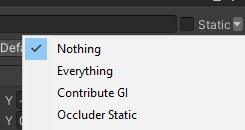


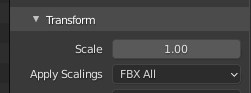
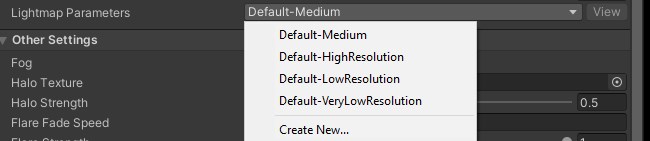 graceful tartan
mint cipher
Anyone have any clue what's causing this?
graceful tartan
mint cipher
Anyone have any clue what's causing this?
So you have generate lightmaps UVs chrck on the models import settings?
mint cipher
Did, on all my models, for some reason it still does it,
I removed the flipped normals, and just thickened them in blender using the solidify tool, but-
Now I get errors like this
 modern mantle
FINALLY figured out what was wrong with my lighting: Bakery's area light is just broken. Replaced it with a series of point lights and it came out beautiful.

Now back to figuring out WTF is wrong with my mirror buttons in VR.
 dim folio
Hi I have a bit of an Issue regarding the lighting of my objects in my world
This was the last build of my world

and this is the current project in unity

for some reason the objects seemed to appear more grey now, and i've found out its due to the reflection probe in the center of the room, which was also there in the last build. does anyone know what I might have accidentally done?
also this is what it looks like when I set my light's emission's GI from baked to none (its my only light source), i'm really not sure what I did wrong here.
 graceful tartan
dim folio
also this is what it looks like when I set my light's emission's GI from baked t...
graceful tartan
dim folio
also this is what it looks like when I set my light's emission's GI from baked t...
Are all the toys pickups or static objects?
dim folio
pickups
I initially thought that might have had something to do with it, but the shelf and tables and parts of the bed, which are static and contribute to GI, are also behaving weirdly
graceful tartan
dim folio
I initially thought that might have had something to do with it, but the shelf a...
have you got lightprobes set up for the room? thats where they would get most of their lighting from
graceful tartan
In the first pic it looks like theres a light probe near to the orange emission which is giving that orange tint on the higher objects