#world-lighting
4 messages · Page 29 of 1
 sharp robin
 versed herald
Here is my brightness. When i turn up the weight it gets darker, turn it down it gets lighter
unity? shader?
 versed herald
wait so it being backwards it normal?
sharp robin
Your post processing volume makes it dark
Increasing the weight of it will increase the amount the darkening effect has
versed herald
is there a way to swap it?
versed herald
well the slider yeah, but for the weight is there a way to make it so when its turned up it gets brighter and durned down it gets darker
sharp robin
You would need to change the post processing volume to make it brighter instead
versed herald
whats the volume
sharp robin
The component on the game object you have selected
versed herald
ok i have the post processing brightness selected. but i dont see volume
sharp robin
It's in your screenshot
 versed herald
ok so what needs changed then
sharp robin
If your slider already has the desired effect but is reversed you should just flip the slider
versed herald
Turning weight to 1 = dark.
Turning weight to 0 = Light.
i have yet to connect it to the slider
sharp robin
Oh
You should change the auto exposure to color grading and use the post exposure option it has instead of auto-exposure
versed herald
is that just a better way for darkness and lightness? lol
but uhhh how do i connect that to an animator then
sharp robin
Setting the intensity of your Post Processing like Bloom in VRChat with Udon has never been easier! I also gave up trying to make my Vtuber applications work so I'm just using my facecam now.
As always, any examples and assets made during the tutorial are available to Patreon supporters. Thanks for everything!
https://www.patreon.com/posts/643...
versed herald
sharp robin
https://www.youtube.com/watch?v=QlGKfcR6Yh4
dont know coding. iv been watching this. https://www.youtube.com/watch?v=PIFzRuDeK4M
In this tutorial, Fionna shows how to make a UI World Options panel using CyanTrigger for VRChat's SKD3 worlds. It will cover Post Processing options such as Bloom and Brightness, background audio volume, and toggles for things such as pickups, particles, and chairs.
Download a drag and drop version of this prefab:
https://fionna.booth.pm/ite...
 green vault
https://booth.pm/en/items/3747950 this might help if you only need darkness and brightness

Quest Darkmode is a simple overlap shader that uses renderqueue to not effect specified objects. Features: - Quest Compatible - Udon Darkness slider prefab - Does not affect UI or specified materials - Can be used both in worlds and avatars Requirements for Udon world use: - Udonsharp
versed herald
green vault
https://booth.pm/en/items/3747950 this might help if you only need darkness and ...
maybe. but do you know why my animator isnt catching colorgrading?
green vault
record button not on?
versed herald
it is
the record thing is on and i changed the value i want. but it isnt getting it
 green vault
not sure then
versed herald
green vault
not sure then
i got what i wanted for the values but now i cannot connect the sliders to them. I am vollowing this video https://www.youtube.com/watch?v=PIFzRuDeK4M
In this tutorial, Fionna shows how to make a UI World Options panel using CyanTrigger for VRChat's SKD3 worlds. It will cover Post Processing options such as Bloom and Brightness, background audio volume, and toggles for things such as pickups, particles, and chairs.
Download a drag and drop version of this prefab:
https://fionna.booth.pm/ite...
green vault
versed herald
i got what i wanted for the values but now i cannot connect the sliders to them....
did you make sure to use customevent on the slider "on value chnged"?
versed herald
green vault
did you make sure to use customevent on the slider "on value chnged"?
yeah. here is a photo
 green vault
not sure., it looks like wat fionna did
versed herald
hmm when testing my posts are set to 0 and not changable.
 simple sinew
The walls in the area are all one mesh. Why does one of them refuse to get any lighting data?

 graceful tartan
simple sinew
The walls in the area are all one mesh. Why does one of them refuse to get any l...
graceful tartan
simple sinew
The walls in the area are all one mesh. Why does one of them refuse to get any l...
Have you got Generate lightmap UVs checked?
simple sinew
Yessir
Let me get a more detailed screenshot
The area light stretches a bit farther from the wall

 fallow lark
why are your light probes touching the walls
 wraith marsh
omg backrooms!!
simple sinew
fallow lark
why are your light probes touching the walls
I rearranged them and the problem persisted
fallow lark
the light probes wouldn't be affecting your wall lighting in the first place as light probes are for handling avatars and pick up objects

You can support me on my pateron
https://www.patreon.com/mcphersonsound
This is a longer tutorial than normal and there is a lot to cover so here are time stamps for your convivence.
00:00 what is baked lighting
00:35 setting up lights
1:23 preparing meshes to bake
2:30 generate lightmap UV
3:28 light probes
5:10 reflection probes
6:00 emissive ...
 tender crag
Bump
graceful tartan
tender crag
Bump
Shouldnt the bounding box be where you want the probe to display and not the whole hallway? so each probe would be its own section of hallway
although i havent played with the blending so could be wrong XD
tender crag
I tried that too, but again, it's irrelevant to the problem I believe
I've been given a tip that VRCSDK handles reflection probe blending settings, not Unity itself. There is something to it since blending got borked right after I updated the sdk from what I remember.

I tried deleting and reverting back to previous versions of VRCSDK, but it didn't help...
I guess the question is whether this is a VRC specific issue or a Unity one. When this is understood, I could refer to the appropriate resources for help.
 lean whale
@tender crag I'll make a copy of my project, check for updates and see if my probes get borked too
My reflections were popping a lot until I adjusted my boundaries not to overlap so much, but yeah that's weird that it is still happening when you do that, really curious what's different on your end
tender crag
Also I created a new project with just VRCSDK and Bakery imported, not getting blending either
lean whale
Just updated, still working for me
tender crag
Just as a sanity check, is your blend distance field active?
Or how do you tell if it works primarily?
lean whale
No it's not, I don't think we get access to that unless we're in a certain rendering mode
I would like to have that extra control tho haha
tender crag
What does this guy look like for you?
 lean whale
Fwiw here are the bounds of all of my probes after I adjusted them. Before they were all giant cubes that were overlapping a ton
 lean whale
tender crag
What does this guy look like for you?
lean whale
tender crag
What does this guy look like for you?
It depends on what object I have selected and where it is. Generally looks like that though
tender crag
And probes blend as you fly through them in the editor?
Or do you have to go into play mode?
lean whale
Umm
What do you mean by fly through them?
They blend if I click and drag a reflective object yes
The view position shouldn't change the blending
tender crag
Okay, it seems like I fundamentally misunderstand this feature.
lean whale
Are you possibly misunderstanding what reflection probes are used for?
Yeah
They are used for non-static, moving objects which have reflective surfaces, so the reflections on their surfaces change as they move from one probe's bounds to the next probe's bounds
fallow lark
like the static geometry which have reflective surfaces also reads from the reflection probes
tender crag
Again, here is my use-case. I was thinking of using two probes to blend reflections on the hall surfaces from each pair of lamps

And I thought reflection probes were working for this up to a point
Maybe I'm losing my mind though
 lean whale
Dang now I'm confused hahah. But I don't think reflection probes can do what you want
Like, if you only use one probe for that hallway, the issue is that the reflection is incorrect from certain positions, right?
tender crag
I visited the page a dozen of times probably, didn't clear much with respect to the issue
tender crag
lean whale
Like, if you only use one probe for that hallway, the issue is that the reflecti...
Right, if I were to place just one in the middle, the other two would be blurry
fallow lark
question is your floor one model
tender crag
Everything you see on the screenshot is one mesh
fallow lark
okay just figured I'd ask in case that was making it sample one probe
tender crag
Let me phrase it differently, how can I achieve reflections that are physically believable no matter where you stand in this specific case? I feel like placing a reflection probe under every source of light is a bit excessive
And will still get messy without blending
Or is there no way around it?
fallow lark
don't know off the top of my head as I typically do one reflection probe per room
tender crag
I wish there was a subject matter expert who could confirm (or not) that blending is at all applicable in my case so that it would stop distracting me from the making the world lol
fallow lark
honestly I'd suggest probably just go work on the rest of the world until you get an answer back
tender crag
I meant in general, not right now. Hopefully someone will hop on this topic while I'm asleep (:
Idk, this looks so fake that I would rather not have any reflections at all, but I still want them :c
 lean whale
Yeah reflection probes aren't gonna cut it for that, they work best for things where you don't need accurate reflections, so a big flat reflective surface is really going to expose their weakness. I think what you need is realtime screen space reflections as a postprocessing effect
Or RTX on haha
Setting the probe to Box projection might help a bit
fallow lark
lean whale
Yeah reflection probes aren't gonna cut it for that, they work best for things w...
and all of those effects are kind of expensive for vrchat
lean whale
Definitely... I think a single probe with box projection will look fine in this case, but if you're really picky about it being accurate, probably better to compromise on no reflections, or just make the material less smooth so you can't tell
tender crag
I am baffled that I wound up persuading myself that static blending of lights was a thing. I'll try doing what you suggested here, thanks
graceful tartan
tender crag
Let me phrase it differently, how can I achieve reflections that are physically ...
You cant. Reflection probs are an approximation at best and cant do physically correct reflections generally.
tender crag
But muh immersion
fallow lark
tender crag
But muh immersion
we can't really afford more accurate reflections of the framerate vr needs to run
so honestly I'd probably make the floor less shiny
tender crag
Totally, can you have more than two intersecting volumes?
 tender crag
Managed to get something decent by aligning probes manually. Why it took me so long to come up with this workaround is a great mystery.

 coarse moth
There are some shaders that allow you to have good reflections however it comes with problems like Performance drops.
I know Mochie has it
 cunning iris
got a question, how do i adjust the intensity of emissive materials so that the interior of the building isn't pitch black?
this is the teigeki area fom sakura wars by the way
 green vault
go to emmisive material. set them to “baked” and apply the intended color/intensity. when you go to bake lighting, set bounces above none and it will bake lighting around the emmission


 mental charm
oh mah lawd
 graceful tartan
Doesnt the unity support GPU baking now? That should be a bit faster.
I've had big worlds take like 30min to bake (with bakery) but never 4 hrs
 pallid flint
yes, however the lightmaps have to fit into VRAM. if the lightmaps are too large, the GPU bake fails and it falls back to CPU baking
 pine fox
Anyone have any best practices for switching between baked lighting for PC/Quest? On PC I have 1 mixed directional light + Bakery set to Shadowmask, but on Quest I just want everything fully baked for maximum performance. I find when I switch between build targets I need to rebake all the lights even though I already have the lightmaps there for both... other than trying to maintain two separate projects (ugh)... anyone know how to tell Bakery/Unity to switch lightmap settings?
mental charm
When i bake my lighting some of my point lights disapear?
green vault
are thyne set them to baked as well?
 green vault
id move that point light out of the mesh as a seperate game object even tho no shadows is enabled
mental charm
Alright ill try it for all lights, also is there anyway to bake my lighting as to where it wont take 2 hours
green vault
lower your settings a bit
mental charm
regarding like what kind
green vault
like in the most basic form
as well as making sure uohre not baking directional maps. or realtome dynamic maps either
then theres more advanced settinfs you can mess with to make it faster
generally. lower the texal amount
mental charm
green vault
like in the most basic form
the lights disapearred after baking
 next owl
the light objects themselves, or the visible specular highlights on the walls?
specular highlights won't live through a bake-- you need to either use a shader that will include specular highlights as part of the bake (i can't remember the name of the common one used for this but it does exist), or, you can place self-illuminated light fixtures where your lights are and make sure they're visible for the reflection probe bake
keep in mind that when you bake lighting, you'll usually want to re-bake reflection probes
fallow lark
https://gitlab.com/s-ilent/filamented the common Shader with the baked specular

GitLab
A transposal of the shaders from Google's Filament renderer over the framework of Unity's Standard shader to allow for higher quality rendering in Unity.
 raven blaze
so I've got these cute little lights hanging all about, and in Blender an emissive material actually emits light but it doesn't do so in Unity.. and normally for lamps it wouldn't be an issue cause I could just add a light source but with alllll the little lights that's not possible.. so what would be the best way to bake those lights in?

 outer nacelle
raven blaze
so I've got these cute little lights hanging all about, and in Blender an emissi...
outer nacelle
raven blaze
so I've got these cute little lights hanging all about, and in Blender an emissi...
you can create an emissive material in unity by checking the emmisions box on just a basic coloured material in unity and picking a colour you want to light up as, and then define the strength of that intensity. Youd just need to make sure the objects are seperate as you cant have 2 materials on one object in unity like you can in blender
raven blaze
thanks for the tip! ^^
mental charm
When i bake my lighting all my point lights disappear
 left badger
if i clear baked data and generate lighting and everything is dark af what could i be missing? (items suposed to be static are checked to be static)
next owl
outer nacelle
you can create an emissive material in unity by checking the emmisions box on ju...
This isn't true, you can absolutely have multiple materials assigned to a single object in Unity on a per-face basis
outer nacelle
next owl
This isn't true, you can absolutely have multiple materials assigned to a single...
oh dang my mistake then, i didnt know that thats cool
next owl
you just have to make sure the material slots are defined in the 3d app before exporting to fbx and you should see them in the inspector
outer nacelle
next owl
you just have to make sure the material slots are defined in the 3d app before e...
ohh ok that makes more sense
 wooden bronze
Anyone here available that has experience with using Bakery for lighting? The lighting in my world is nice and dim how I want it, but avatars are still lit pretty brightly.
fallow lark
did you place enough light probes
wooden bronze
as far as I'm aware
 modest vapor
Can you show your lightprobe debug view with a cube where you think it looks incorrect ?
wooden bronze
How do I access the debug view?
modest vapor
All the way down the lighting window
wooden bronze
Like so?
 modest vapor
All the probes seem extremely bright regardless
The very high intensity bloom doesn't help I guess
wooden bronze
the bloom intensity is only at 0.75 x.x
modest vapor
that's 7 times the recommended value
next owl
the fact that your light probes are so intensely bright, but the walls and floor are very dark, makes me think that maybe your color values for those textures aren't PBR-safe
there's a viewing debug mode in the dropdown on the upper left of the viewport that's called something like "Validate Albedo" that will flag textures that are too dark and won't realistically reflect light
wooden bronze
That explains a lot of things then. Is there any guides or tips on getting those within a safe range?
 next owl
yes, but it's going to be a bit technical
wooden bronze
That's fine. I'd rather learn the proper ways to set things up anyway.
next owl

The PBR Guide by Allegorithmic - Part 2
Practical Guidelines For Creating PBR Textures
To read this offline, you can download the attachement which is a PDF of the entire book (Part 1 + Part 2)
the way the Standard shader (and any other PBR-type shader) works, the baseColor is going to determine the color of diffuse reflections for non-metallic materials, and diffuse and specular reflections for metallic materials
that value, for most materials, needs to be within a safe range in order to reflect light realistically. if it's too high it's going to blast way too much bounce light everywhere when you're computing GI, and if it's too dark it won't reflect any light at all
roughly, you never want the luminance of any texture to go below sRGB 30 (out of 255), or above sRGB 240
wooden bronze
That actually makes a lot of sense. Thank you so much. I'll give that guide a read through asap.
next owl
good luck! it's definitely worth the read
also regarding bloom: it's going to appear way more intense in VR than it does in pancake mode. definitely aim for more subtle bloom if you don't want to blind the VR nerds
wooden bronze
Will do! I have 11k hours logged in VR, so I know very well how painful too much bloom can be. haha.
fallow lark

GitLab
A surface shader for Unity providing cel-shading. (Forward rendering only)
a guide on post-processing for VRC
mental charm
Certain point lights disappear while other dont?

Green stayed red gone
This happens after playing the scene or after baking my lighting
 glossy meteor
can you show the light properties?
mental charm
like in the inspector correct?
glossy meteor
yes!
mental charm


First SS is one thats poofing, the second one is one thats not disappearing
Also to mention, to make them come back i have to delete and then control Z to bring em back
 jaunty charm
If I remember correctly you need to set lights and geometry to static for baking to work.tick box top right corner.
mental charm
Lights static aswell?
Well i dont think that would fix it anyways though? Since the broken or working ones arent static?
glossy meteor
mental charm
Lights static aswell?
the intensity/range is likely too low and with low light bounce count, you will have barely any light
mental charm
glossy meteor
the intensity/range is likely too low and with low light bounce count, you will ...
Bounces are on the default two but ill try raising intensity
glossy meteor
2 is very little, i would go for 4, which is the max on the built-in mapper i think
mental charm
Yeah it is, ill try
mental charm
glossy meteor
2 is very little, i would go for 4, which is the max on the built-in mapper i th...
Still have the same lights disappearing
glossy meteor
mental charm
Still have the same lights disappearing
i suggest to ensure the meshes of the lamps do not have the option of casting shadows enabled or move the lights outside
another option is to set the emission to baked and ignore the point lights for now
mental charm
Ima just try baking one more time, moved the lights even further from any meshes and raised their range and intensity
Ofc it didnt
I wouldnt mind if they broke after baking but it breaks when i even play the scene
glossy meteor
try baked emission instead of point lights
mental charm
How would i go about doing that
glossy meteor
the standard shader has a selection field to switch emission gi to baked
called: global illumination (gi)
setting it to baked and cranking the intensity up to some value should do
mental charm
i mean it could work but it doesnt really cast lighting, just makes it bright where the texture is
 verbal cape
hehe avoid outrageous levels, a tiny emission with a 40 intensity has a tendency to effect everything for miles.
mental charm
So the emmision cranked up on the side walk looks like this
 verbal cape
got to bake em
mental charm
this is what itd look like with point lights
 glossy meteor
mental charm
i mean it could work but it doesnt really cast lighting, just makes it bright wh...
glossy meteor
mental charm
i mean it could work but it doesnt really cast lighting, just makes it bright wh...
as KevBal said, you need to bake it
mental charm
Alright ill try it out
glossy meteor
while emission on the material must be set to baked
 glossy meteor
yes, and then the HDR intensity value will control light intensity
mental charm
Alright, gonna try to bake em now
 wraith wyvern
Where are my furniture?
 mental charm
It works for making a light source but it doesnt reflect light on anything else
wraith wyvern
I have lost the Avatar Pedestrian code 😰 let me download

 fringe wing
check the sdk
wraith wyvern
Found it! I created a new project, and then import to take the file of the world found the code to copy to another window finally.
wraith wyvern
How to insert an Avatar image and apply an Avatar? 🤔
 wraith wyvern
Who knows, please help
lean whale
wraith wyvern
Who knows, please help
Just put the avatar id in the avatar pedestal component in the inspector, that's pretty much it
 wraith wyvern
lean whale
Just put the avatar id in the avatar pedestal component in the inspector, that's...
wraith wyvern
lean whale
Just put the avatar id in the avatar pedestal component in the inspector, that's...
I can't apply the Avatar
lean whale
You need this on there too
 wraith wyvern
Ok
lean whale
There is an AvatarPedestal prefab in the SDK that is already set up like this too, in case you want to just use that
wraith wyvern
lean whale
There is an AvatarPedestal prefab in the SDK that is already set up like this to...
thanks
wraith wyvern
lean whale
There is an AvatarPedestal prefab in the SDK that is already set up like this to...
Hmmm
lean whale
Is "Change Avatars On Use" checked?

 supple harness
 wraith wyvern
It was difficult for me, can you help the video
supple harness
Add this prefab to the scene, enter your blueprint. Profit.
 wraith wyvern
Found it thanks ☺️
 shell vault
okay uhm.... i have no clue if what i made will work or not. just slapped down a bunch of lights... but i do ahve a question.... how do i add post processing bloom?

 nova lynx
Why are are my walls being baked so weirdly? I tried to convert the world to quest compatible, couldnt do it. Loaded the original scene back up, lighting was messed up, and then I baked it and now the walls are coming out weirdly.
 verbal cape
need to switch the image format of the lightmaps to astc 4x4 block.
any of the #x# blocks will do but until you read up on them, just use 4x4.
nova lynx
Okay, and where do I find this, on the actual lightmap itself?


 quasi epoch
how do i add post processing to make my world look better, I'm a beginner and this is my first world, plz go ez on me

 glossy meteor
shell vault
the lights are flashing. and i dont know why
glossy meteor
shell vault
the lights are flashing. and i dont know why
are those real time lights? then you must bake them
shell vault
glossy meteor
are those real time lights? then you must bake them
uhm... how do i bake them?
unity is dumb
glossy meteor
quasi epoch
how do i add post processing to make my world look better, I'm a beginner and th...
look into VRWorldToolkit, it has an automatic post processing setup
quasi epoch
i did vrworldtoolkit
it still looks like ass and i dont think the reflection probe works correctly
glossy meteor
shell vault
uhm... how do i bake them?
You can support me on my pateron
https://www.patreon.com/mcphersonsound
This is a longer tutorial than normal and there is a lot to cover so here are time stamps for your convivence.
00:00 what is baked lighting
00:35 setting up lights
1:23 preparing meshes to bake
2:30 generate lightmap UV
3:28 light probes
5:10 reflection probes
6:00 emissive ...
quasi epoch
because i tried to bake it and it was black
I'm trying to go for more of a darker clubroom look
but i think realtime lighting works better for that
idk if lighting = emissions
but I'll look into it
thanks for the advice ^^
shell vault
glossy meteor
https://www.youtube.com/watch?v=dKgUJccjWRU
he has settings that i do not. dont think i can bake the lights
 glossy meteor
shell vault
he has settings that i do not. dont think i can bake the lights
glossy meteor
shell vault
he has settings that i do not. dont think i can bake the lights
contribute gi equals lightmap static here
unity just reworked some lightmapping concepts
shell vault
glossy meteor
contribute gi equals lightmap static here
unity just reworked some lightmapping ...
question. how do i use/set up the light probe? the video does not explain it and it seems very uncecesery for what is basicaly baking a texture of the lights to a uv
and i cant find any decent video to explain wtf its used for
i will just assume this is correct?
 glossy meteor
shell vault
question. how do i use/set up the light probe? the video does not explain it and...
glossy meteor
shell vault
question. how do i use/set up the light probe? the video does not explain it and...
light probes are for dynamic objects that move, for instance the player model
and when you hit bake, the light probes will sample how the light is at that specific position
shell vault
glossy meteor
light probes are for dynamic objects that move, for instance the player model
a...
oh alright so it basicaly stores a volume of the lights?
okay is now baking 👍
will take an hour haha
glossy meteor
shell vault
oh alright so it basicaly stores a volume of the lights?
yes
glossy meteor
shell vault
will take an hour haha
tweaking settings is important throughout dev
many just use bakery cus it's a really good paid lightmapper
wraith wyvern
Where can I get a password?
 shell vault
wraith wyvern
Where can I get a password?
shell vault
wraith wyvern
Where can I get a password?
random number generator?
graceful tartan
quasi epoch
how do i add post processing to make my world look better, I'm a beginner and th...
I'd recomend you get your baked lighting setup first before you try play with post processing.
Lighting will make things look much better.
quasi epoch
graceful tartan
I'd recomend you get your baked lighting setup first before you try play with po...
i did
it did make it look better
graceful tartan
wraith wyvern
Where can I get a password?
pick number between 0000 and 9999 and you have a passcode
wraith wyvern
graceful tartan
pick number between 0000 and 9999 and you have a passcode
No, where to get a model?
graceful tartan
wraith wyvern
No, where to get a model?
That'd be more of a #udon-general or #world-development as it's got nothing to do with lighting
but to quickly answer, check VRC Prefabs, i believe theres at least 2 on there.
 twilit sluice
with bakery can i bake rooms separately?
glossy meteor
twilit sluice
with bakery can i bake rooms separately?
look into bakery sectors and bakery lightmap groups
twilit sluice
and how i can make these groups?
 green osprey
Okay reflections are giving me a bit of a hassle here. i have a marble floor and im trying to get the reflections to look nice problem is when i place down reflection probes and bake the lighting/reflections it looks nice in the scene view in unity but looks nowhere near the same in game. also how do i use use multiple reflection probes for separate rooms so lets say the bedroom isnt reflecting the main lobby?
next owl
green osprey
Okay reflections are giving me a bit of a hassle here. i have a marble floor and...
reflection probes have volumes... make sure the probe volumes are tailored to each room you want to reflect. also, if your walls/floors/etc are all combined together, the probes are going to have a hard time understanding what is bedroom and what is lobby even with the volumes placed... keep the 3D objects that make up these rooms separated from one another
if in-game testing is on a quest, keep in mind quest doesn't support box projection for reflection probes
green osprey
next owl
reflection probes have volumes... make sure the probe volumes are tailored to ea...
the lobby and bedroom are all a single mesh.... so how im taking this is reflections are a pain and i probably should forget about them
next owl
or just separate the meshes?
it's better for optimization anyways, so things like occlusion culling will work properly
green osprey
next owl
or just separate the meshes?
hmmm. good point. WELP back to blender i go! now for after i separate the meshes how do i go about putting a reflection probe in that room and having it reflect only whats in that room? in the lighting tab for the environment reflections i can either have it set as skybox or custom though custom only allows me to add 1 reflection probe map.
next owl
green osprey
hmmm. good point. WELP back to blender i go! now for after i separate the meshes...
just drop a probe in each room and adjust the bounds of each so that they overlap the objects that make up each room
then bake reflections, and adjust bounds again if you need to. you should be able to see reflections shift as you tweak the bounds
make sure that any object you want to contribute to reflections is set to static
green osprey
next owl
just drop a probe in each room and adjust the bounds of each so that they overla...
just to note. i did make a quick little box separated by in 2 by a wall and tossed 2 reflection probes in and adjusted their bounds. in scene view i could see that the 2 rooms were reflected correctly but when i loaded vrchat up in desktop mode the room was reflected as if the wall separating them wasnt there.
next owl
that's weird. you're using the standard shader?
green osprey
mhm
next owl
green osprey
mhm
that wall separating the rooms is a separate mesh, set to static? and you can see it in the reflection probe gizmos?
green osprey
yes. i had 1 light and 1 emissive texture in each room and in the reflection off the floor and in the gizmo i can see the reflection of those light sources from the adjacent room
next owl
are you sure the reflection you're seeing isn't a specular highlight from the light?
green osprey
pretty sure. i had a cylinder with a pink emissive texture in one room and i could see clear as day the pink glowing cylinder from the opposite room in the reflection
next owl
ok. what i think is happening based on your description is that the floor is blending the contributions of those two probes because the floor is one single object
I'm not sure why it would look correct on the editor and not in the build, that's a little odd
try splitting the floor where the wall separates them into two meshes
green osprey
Hmm that makes alot more sense. ill seperate stuff in blender and let you know if anything has changed. thanks for the help
next owl
🍻

 next owl
uv overlap? coplanar faces or some other topology problem?
 mighty crow
i've set lightmap uvs to be generated by unity itself...
next owl
in that case i'd check for topological errors on the mesh, like overlapping faces. or some other object in the scene overlapping those boxes
 tepid chasm
how do I make my floor not so... bright
 verbal cape
mighty crow
i've set lightmap uvs to be generated by unity itself...
verbal cape
mighty crow
i've set lightmap uvs to be generated by unity itself...
a quick work around might just be to increase the lightmap padding in your bakery settings. Its at 3 by default. Usually knocks out overlap issues.
mighty crow
okay, i will test it out, thank you!
tepid chasm
hmm, guess it's the skybox that does it, intensity multiplier makes my floor have this white bright shine to it..
green vault
make surface metallic to make darker
tepid chasm
makes it darker when there's no skybox
otherwise just makes it brighter
(using just the standard shader for the floor there)
hmm seems to entirely depend on what skybox I use. D:
green vault
you can set your environment reflection to “custom”. same with gi
next owl
i don't recommend using the metallic channel to darken surfaces unless it's actually supposed to be a metallic surface. better to adjust lighting, or to use ambient occlusion instead
or customize reflections / GI like spring man said. but if you can get it working by adjusting your albedo or occlusion textures, that's generally the best way to go.
tepid chasm
hm.
and yeah, I agree, I don't want to make something metallic just for the sake of it being darker.
 opaque garnet
anyone know if this works in VRChat?
https://assetstore.unity.com/packages/tools/particles-effects/aura-2-volumetric-lighting-fog-137148

Use the Aura 2 - Volumetric Lighting & Fog tool for your next project. Find this and more particle & effect tools on the Unity Asset Store.
outer nacelle
opaque garnet
anyone know if this works in VRChat?
https://assetstore.unity.com/packages/tools...
Sadly it dosent
There are some volumetric lights that work with shaders on booth if you look around a bit
 mint cipher
the skybox light isent baking how do you do this?
fallow lark
GitLab
A shader for Unity that renders simple, cheap fake volumetric lights with instancing.
GitLab
World of Warcraft inspired Volumetrics that hold up well in VR with small cost to performance. (You have to not be dumb when placing it though :P)
green osprey
next owl
🍻
so after splitting the meshes placing light probes and setting their bounds to the dimensions of the room im still getting this where its reflecting the emissive materials through floor and walls. the blue light strip is in the lower room and the lower room is its own mesh. i have no clue what im doing wrong 😅

 modest vapor
Most likely reflection probes bounds
The meshes might be using multiple reflection probes, you can see which in the mesh renderer component
Adjust the bounds or set overrides
next owl
ah that's a good point, i forgot you have that debug info available in the inspector
green osprey
ive adjusted bound and it dosnt seem to change
modest vapor
And rebaked ?
green osprey
is there a certain way i should have my lighting tab set up? maybe im stupid?
in all fairness all this is probably cuz im stupid
next owl
you're likely not stupid, real-time CG is hard
modest vapor
Not stupid, just new to it 
Select one of the floor meshes that has incorrect reflections and post a screenshot of its mesh renderer component
green osprey
this?
 next owl
yeah, so that means that one mesh is blending together the results of three reflection probes
you need to tailor the volumes so that only the probes you want are overlapping any given object
also, this is unrelated, but you have a ton of individual materials on that one mesh. that's going to affect performance
green osprey
should i isolate everything more? so walls ceiling stairs and everything are their own mesh with their own material?
next owl
well, for the reflection probe thing, you just have to make sure that the bounds of each probe are set so that the upstairs probes aren't overlapping the ceiling of the downstairs. that's how you're getting those reflection "leaks".
green osprey
their not overlaping is the thing. ive adjusted and adjusted and made sure their not
next owl
the materials stuff i'm just mentioning as an optimization thing. you want to use "atlasing" to minimize the number of unique materials you're using in any given scene. the reason the standard shader works the way it does is because you can define lots of different kinds of surfaces with a single material instance just by using textures to vary things
if you look up material atlasing you'll get a sense of what i mean.
next owl
green osprey
their not overlaping is the thing. ive adjusted and adjusted and made sure their...
they must be overlapping somehow, because the mesh you selected is blending the contributions of three different reflection probes.
you can see the three probes in the inspector screenshot you shared.
green osprey
i have no clue where or how theyd be overlapping :/
next owl
it's hard for me to say without having your scene open in front of me
next owl
is the floor of your top room the same object as the ceiling of the bottom room? like are they just two sides of one cube?
modest vapor
Set your own anchor override !
green osprey
i have 0 clue what that means lmao
modest vapor
Create an empty and then you can chose which probes it will blend in specifically
next owl
ah that's also really good advice, duh
the anchor override lets you set where an object "sits" as far as reflection probes are concerned
so you can just place an empty group somewhere just underneath the ceiling and set that group as the anchor override transform for the ceiling geo. when reflection probes are trying to determine what objects are inside the probe volume, they'll use those overrides if available
reflection probes aren't smart enough to know if they're overlapping part of an object or not. it's all or nothing
anchors are a way to fine-tune that
opaque garnet
anyone know if this package works for VRC?
https://assetstore.unity.com/packages/tools/utilities/magic-light-probes-157812

Use the Magic Light Probes from Eugene B on your next project. Find this utility tool & more on the Unity Asset Store.
next owl
opaque garnet
anyone know if this package works for VRC?
https://assetstore.unity.com/packages...
I think you'll need to delete the component or helper objects it creates before testing or publishing, but the light probes it places will still be valid
opaque garnet
next owl
I think you'll need to delete the component or helper objects it creates before ...
ok thanks
verbal cape
MLP works as is with VRC no need to delete anything. Its bad tho. Unrealistic probe placements is what you get when you grid out your world.
next owl
which component was i thinking of? i know there's another light probe placer out there that works well but is incompatible with VRC
verbal cape
I know which one you are talking about, just dont know what its called 😛 *Maybe its just called "Light Probe Placer"
 mint cipher
graceful tartan
For anyone that hasn't already got it:
**BAKERY IS CURRENTLY 50% OFF**
mint cipher
graceful tartan
For anyone that hasn't already got it:
**BAKERY IS CURRENTLY 50% OFF**
Oh damn never knew I'm definitely gonna look into that
graceful tartan
mint cipher
Oh damn never knew I'm definitely gonna look into that
Bakery is the standard for lightmap baking as far as im concerned. It makes everything look much nicer than unity default.
graceful tartan
Emissions should give off light for baked lighting too
unless you specifically have something that is moving that is giving off light, you can just bake it
graceful tartan
mint cipher
Will it help with size issues as well?
Possibly? You might have your texel density set too high or your lightmap resolution too big
or maybe just huge objects that you can turn down the lightmap scale on
quasi epoch
graceful tartan
Emissions should give off light for baked lighting too
no like, light that reflects om the floor
and ceiling
graceful tartan
quasi epoch
no like, light that reflects om the floor
Is it doing something that you cant just use a reflection probe for?
graceful tartan
i know vrsl audiolink lights should do that out of the box, but not sure about emissive lights
quasi epoch
graceful tartan
i know vrsl audiolink lights should do that out of the box, but not sure about e...
they're textured objects reacting to audiolink
via emissions
should i just attach vrsl audiolink lights to those objects?
because
I don't really give a hoot about optimization
graceful tartan
Na they're more for dynamic stage lights to shine light around with audiolink
if you dont give a hoot, just have a realtime reflection probe
that'll get your lights reflecting
quasi epoch
graceful tartan
Na they're more for dynamic stage lights to shine light around with audiolink
where can i get those btw, I'm actually looking for those
graceful tartan
GitHub
A collection of HLSL shaders, UdonSharp scripts, 3D models, prefabs, and assets designed to emulate the real control, quality, and complexity of professional stage lighting into VRChat in as many w...
quasi epoch
graceful tartan
if you dont give a hoot, just have a realtime reflection probe
i already set up baked lighting for all my other light sources though
graceful tartan
That's fine, reflection probes arent affected by lighting bakes
quasi epoch
how taxing are realtime reflections tho
on a scale of one to "i should not have more than 10 desktop users in this room"
graceful tartan
I've only used one once before, and it was fine.
but im sure that highly depends on the resolution you set it to
graceful tartan
the lowest you can have it without things looking crap, lower the better. Hah.
graceful tartan
Yea, wont pick up too much detail off it anyway so low res shouldnt look bad
 graceful tartan
Haven't heard of it
 outer nacelle
so im having a little issue with bakery specificly heres my scene view and game view in unity vs in vrchat, any ideas?

 mint cipher
graceful tartan
Haven't heard of it
mint cipher
graceful tartan
Haven't heard of it

Get the Mesh Baker package from Ian Deane and speed up your game development process. Find this & other Modeling options on the Unity Asset Store.
graceful tartan
outer nacelle
so im having a little issue with bakery specificly heres my scene view and game ...
What directional lighting mode do you have it set to?
outer nacelle
on my point lights?
outer nacelle
none
graceful tartan
outer nacelle
none
From the bottom picture it looks like you arent using bakery lights, so baking likley wont give you any lighting
To create a bakery light you go here
 outer nacelle
there pointlights with bakery scripts attached
outer nacelle
i did also change them to regular bakery lights same result
graceful tartan
If you remove the unity light component from it it should remove the light icon too from the 3d object
Do you have a post processing volume thats turned on in the editor but not ingame?
I can see one there
outer nacelle
i do have it, setup with world toolkits, ill delete it and try again
same result with and without the post processing volume
graceful tartan
Grab a screenshot of one of the light's in the inspector for me?
outer nacelle
here ya go
 outer nacelle
no luck, my lightmap dosent even look as highly concentrated as the in game view it looks like unity

ive had this problem before too, couldnt figure it out just made a new project but id like to avoid that if posible
ima just export my stuff try a new project and hope for the best see if anything changes
New project fixed it, i love unity ❤️
thanks for trying to help though i appreciate it
graceful tartan
That is weird.
 lyric heart
When I make my environment gameobjects marked as Static or more specifically "Batching Static" they become solid black and seem unaffected by lighting/shader/emission
Why?
glossy meteor
they must be marked as contribute gi (and then enabled for lightmap static in the renderer, on by default) to be baked
lyric heart
glossy meteor
they must be marked as *contribute gi* (and then enabled for lightmap static in ...
I'm not trying to bake them I just want it to
"Combine the GameObject’s Mesh with other eligible Meshes, to potentially reduce runtime rendering costs."
glossy meteor
what's your lighting then?
lyric heart
Just a realtime directional light
graceful tartan
Ewwwwww
but to answer your question, you can expand the static options and uncheck the lighting related ones
lyric heart
graceful tartan
but to answer your question, you can expand the static options and uncheck the l...
I did
lyric heart
lyric heart
When I make my environment gameobjects marked as Static or more specifically "Ba...
""Specifically "Batching Static" ""
As far as I'm aware isn't lighting related
lyric heart
graceful tartan
Ewwwwww
Yeah yeah whatever it's not even my world I'm just trying to find easy ways to improve the look and performance of a friends world I'm not gonna go over baked lighting
And even still 1 realtime directional light is pretty minimal as far as that goes
If they had a bunch of point lights and reflective stuff or something yeah I'd getcha but it's fine ya doof
mint cipher
anyone got a good tutorial on bakery
tepid chasm
heh, good timing. I don't have a great tutorial on it, but I have something that'll get you started, @mint cipher . I just took a look at this: https://www.youtube.com/watch?v=yDIOze0XndU and that seems to be fairly decent.
Which leads me to my question, what's the best method of lighting your avatar when using Bakery?
mint cipher
tepid chasm
heh, good timing. I don't have a great tutorial on it, but I have something tha...
Yeah I saw that one but it doesn't really tell me much about what each thing actually does
also having a lot of issues sadly
graceful tartan
tepid chasm
Which leads me to my question, what's the best method of lighting your avatar wh...
Light probes
tepid chasm
those work with the bakery lights to light up your avatar?
tepid chasm
yeah. I wanted to make sure my avatar would be lit based on the surroundings, but wasn't sure if it was possible with just the bakery lights or not.
graceful tartan
Indeed. That is exactly what light probes are for.
tepid chasm
hmm, that'll be sweet then, since I just purchased Bakery. But was scratching my head on how to light up the avatar.
Most of the videos I've found related to VRC have only showed the world from unity, and not from within VRC itself.
(at least, with Bakery.)
next owl
light probes are basically a volume where each probe is a voxel that samples the lighting at its location
non-static objects will interpolate those light samples between probes as they move
tepid chasm
do I have to do anything special, like mess with the layer or tag?
next owl
objects that you're baking light into need to be tagged as static
tepid chasm
yeah, that one I figured out for bakery
just wanted to be sure about the light probes themselves
next owl
you don't need to do anything special for the probes, just place and bake
tepid chasm
I'm rendering and going to upload to test real quick
sweet
I might need to look up some light probe videos or something to get a good idea of placements for smaller light sources / larger light sources compared to room space and what not
might have to upgrade to the 4000 series cards when they come out, rendering isn't super fast on my 2060.
next owl
light probes are pretty cheap so don't worry about placing too many
 peak warren
So, is the built in light baker for unity just incapable of producing good results?
tepid chasm
I think it can produce good results, but probably requires a lot more effort to achieve those results.
but not entirely sure tbh
peak warren
Does anybody know if it's possible to bake the data unity needs for lightmaps using blender?
next owl
you can define a second UV set in blender and choose to use that instead of letting unity compute them
peak warren
I get that, but I'm not sure what I would actually bake. Like... are unity lightmaps just baked direct and indirect lighting? or is there more to it?
like, lightmaps baked by unity don't look like anything I've seen before.
next owl
lightmaps in unity aren't necessarily the same as just baking illumination in blender. they can store directional lighting information as well, depending on what mode you're using
peak warren
yeah... I've tried finding resources on it but it's been difficult. I'd speculate that the directional info is stored in the alpha
but I don't have any clue what the encoding or contents of that would be.
mint cipher
Bought bakery and MLP and now I feel like I'm just left with more work and things breaking, man I hate that it's hard to find good tutorials
next owl
if you have specific questions, ask them
it's pretty hard to help someone who says "it's broken"
mint cipher
I mainly just need good tutorial videos so I can get started on Bakery and MLP
Things are likely only breaking because I don't know what I'm doing
lean whale
mint cipher
I mainly just need good tutorial videos so I can get started on Bakery and MLP
This is a great video that gets posted a lot here. Definitely helped me get started with baked lighting/Bakery. I've never used/needed MLP though https://www.youtube.com/watch?v=dKgUJccjWRU
You can support me on my pateron
https://www.patreon.com/mcphersonsound
This is a longer tutorial than normal and there is a lot to cover so here are time stamps for your convivence.
00:00 what is baked lighting
00:35 setting up lights
1:23 preparing meshes to bake
2:30 generate lightmap UV
3:28 light probes
5:10 reflection probes
6:00 emissive ...
mint cipher
lean whale
This is a great video that gets posted a lot here. Definitely helped me get star...
Awesome I'll check it out I noticed in the timestamps it mentions bakery so hopefully I'll learn something there
Now I just need to get my hands on a MLP tutorial or guide of some sort
lean whale
mint cipher
Awesome I'll check it out I noticed in the timestamps it mentions bakery so hope...
Yup I'd still watch the whole thing though, they go over general lightmapping concepts first and then apply that knowledge to using bakery
Probes are pretty easy, like at least when you're starting out you can pretty much just use a big grid of them all over your world and call it a day, it won't be perfect but if you want more accurate lighting you can just redo them when you know more about it
mint cipher
lean whale
Yup I'd still watch the whole thing though, they go over general lightmapping co...
Alright will do
mint cipher
lean whale
Probes are pretty easy, like at least when you're starting out you can pretty mu...
I used to do that but it seems like MLP will get much better results
lean whale
Ah right on. Well I would hope a paid asset like that comes with a good quickstart guide or tutorial video
Or that it's just like, a one or two click process that magically does a good job
mint cipher
It had a super sped up tutorial that explained nothing xD
Maybe I missed something
It's supposed to be easy
mint cipher
lean whale
This is a great video that gets posted a lot here. Definitely helped me get star...
Thanks to this video I learned somethings I was confused about earlier
outer nacelle
If i have bakery lightmaps, do i need to export anything else with them into a project without bakery for them to work/look the same as within a project that has bakery imported?
sharp robin
outer nacelle
If i have bakery lightmaps, do i need to export anything else with them into a p...
Only if you are using the bakery specific SH or RNM modes
And if you are & you are using udon you can use this https://github.com/z3y/UdonBakeryAdapter/releases/tag/v1.1.2 otherwise for SDK2 you would need this https://github.com/MerlinVR/VRC-Bakery-Adapter/releases/tag/v0.4

GitHub
Removed depracated define
Fix for the future sdk updates and the current world jam

GitHub
Made material cleanup more robust
Added shader replacement mode None for people who just want to switch out to Bakery shaders or use lightmap specular
outer nacelle
havent changed any bakery settings but heres what my worlds look like first is with bakery second is the new scene with import in the project without bakery

 lean whale
Do you have the Lighting Data asset from your scene as well, and is it assigned in the lighting panel here?

@outer nacelle
outer nacelle
yes it is
lean whale
Hmm yea I'm not sure then sry
outer nacelle
no worries
lean whale
Haven't tried that before but I'm curious too
graceful tartan
You do need to export it with a few files, i cant remeber which though
theres some documentation on it somewhere though
outer nacelle
kinda assumed i was missing some files, just didnt want to export the whole bakery package but thanks ill look into it more
if you do happen to remember just at me but ill look around
graceful tartan
I dont currently, but i can have a look later
outer nacelle
that would be much apreciated
lean whale
outer nacelle
that would be much apreciated
https://geom.io/bakery/wiki/index.php?title=How_do_I...#How_do_I_share_a_scene_with_someone_who_doesn.E2.80.99t_have_Bakery_installed.3F
Looks like you need those scripts as well
outer nacelle
you absolute g, ima try that now
graceful tartan
lean whale
https://geom.io/bakery/wiki/index.php?title=How_do_I...#How_do_I_share_a_scene_w...
👍 Perfect, thats the one i was remebering.
 fresh yarrow
hey, im getting the RTC_SUCCES error, but the docs only say to "enable rtx mode". i have a 3080; how would i do this?
outer nacelle
graceful tartan
👍 Perfect, thats the one i was remebering.
in this documentation, is the "scene" its referencing the temp bakery scene?
graceful tartan
outer nacelle
in this documentation, is the "scene" its referencing the temp bakery scene?
The 'scene' is the one your baking.
outer nacelle
hmm must have missed a script then
graceful tartan
you obviously need to have the lightmap files as well as those ones too.
outer nacelle
yes yes i have thoes too
lean whale
Are those Bakery editor scripts in a folder called Editor?
lean whale
Did you re-copy the scene over after you copied the scripts?
outer nacelle
got it, must have missed a script
outer nacelle
i got it to work so reach out if you need help
lean whale
Ok sweet!
lean whale
Np glad ya got it
outer nacelle
the only difference betwenen my two tries is the temp scene, so i guess try that as a trouble shoot if it dosent work first go
graceful tartan
Sweet. Im gonna need to try that out too at some point so good to know it works.
Problem is if you do it to sell a world project and they want to change anything, they cant bake the lights again XD
Hmm.
outer nacelle
yeah thats why i questioned using bakery cuz i do wana sell this world but... yeah still a delema
graceful tartan
Bakery just makes everything look so much bettter though 😭
I understand the dilemma
outer nacelle
i know and it works so much faster
i guess you could leave some small props non static and let probes do the lighting work so they can edit thoes?
move/remove
outer nacelle
graceful tartan
Bakery just makes everything look so much bettter though 😭
also misfits world is mint, good stuff
graceful tartan
outer nacelle
also misfits world is mint, good stuff
Ty ty. Still slowly remaking lots of it since i've learned a lot since I first made a lot of it. ❤️
outer nacelle
fair enough, thats how i feel about my worlds
just gotta rework all my old wack work
glossy meteor
outer nacelle
yeah thats why i questioned using bakery cuz i do wana sell this world but... ye...
you can, just remove bakery
the lightmaps will still work
the buyer either needs to get bakery on their own or use unity's lightmapper
 mint cipher
i think im on the manual
green vault
youd do bakery point light. but set it to “cookie” i believe. or cone (one of these options may crash the project)
actually. go to the bakery tab at the very top. theres a preset spawner for spot lights i believe
mint cipher
green vault
youd do bakery point light. but set it to “cookie” i believe. or cone (one of th...
seems like it did that automatically
mint cipher
green vault
actually. go to the bakery tab at the very top. theres a preset spawner for spot...
preset spawner?
green vault
yea
mint cipher
this is gonna sound dumb but what is that xd
green vault
like a prefab
mint cipher
im not really sure where that is in the options
green vault
the bakery drop down button
mint cipher
ahh i see now
also somewhat unrelated

getting this when im trying to calculate volume with MLP
it just having so many problems now with these new programs
think i fixed it
mint cipher
mint cipher
keep trying to look up the issue but there is nothing relevant to my situation
 dense cloud
I messed my project up heavily and the backup i tried making didn't work. I managed to somewhat fix it, however my lights are still messed up. This is a spotlight that works normal, however it is ALSO acting as a point light, the lighting you see in the picture is not intended at all, and should only be a small circle of lighting, the problem is, the real light is in there still. When I disable the spotlight, it also removes the unintended light. I have no idea what settings have made this happen, the exact effect is happening to the rest of the project, but it isn't just that. All lights in the world cannot be selected in the scene, but only from the hierarchy. Idk what to do from here, what settings to fix and such. This all happened because I installed High Definition Render Pipeline

when I search for it on the hiera, it appears, otherwise this is how it is permanently, even selected. I cannot edit the size of it using the scene anymore. I have now uninstalled HDRP
 lean whale
dense cloud
when I search for it on the hiera, it appears, otherwise this is how it is perma...
lean whale
dense cloud
when I search for it on the hiera, it appears, otherwise this is how it is perma...
Click "Gizmos" in the Scene view toolbar
lean whale
dense cloud
I messed my project up heavily and the backup i tried making didn't work. I mana...
Regarding the spotlight, does it work if you set Render Mode to Important?
dense cloud
lean whale
Regarding the spotlight, does it work if you set Render Mode to Important?
it didn't change


(Gizmo fixed the lights not appearing btw. thank you for that)
lean whale
dense cloud
it didn't change
Hmm what if you increase this number in project settings > quality?

You definitely have too many realtime lights in your scene, once it hits this number Unity will change the way lights behave to simplify them. VRChat keeps this number at 8 maximum, but you can increase it while you're in the editor just to see what things look like. Having lots of realtime lights hurt performance which is why light baking is so important
dense cloud
lean whale
Hmm what if you increase this number in project settings > quality?
hasn't changed the behaviour
dense cloud
lean whale
You definitely have too many realtime lights in your scene, once it hits this nu...
The lighting issue only came up after I did stuff with HDRP. Do you think that would have changed any important settings?
lean whale
I mean probably yea, that's a big chunky thing to install that totally changes how rendering works, definitely could have borked something
How about if you click this at the bottom of the lighting tab

Clear Baked Data
dense cloud
lean whale
Clear Baked Data
wasn't that either
lean whale
dense cloud
wasn't that either
Hmmm. This is set to none?
 dense cloud
found out
lean whale
Ooh what was it
dense cloud
So. Mobile shaders were enabled.... not standard... THAT WAS IT. I can't thank you enough for helping dude, seriously. I'm so so sorry i'm this stupid
lean whale
Oh snap good catch, I wasn't even thinkin bout materials
No worries this stuff ain't easy
fresh yarrow
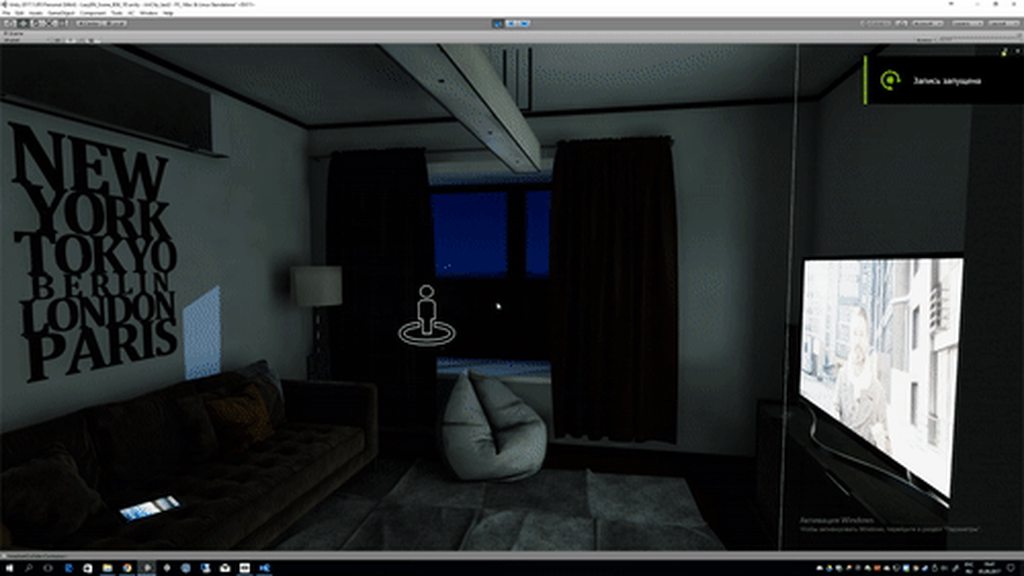
does anyone know how to effect GI with an emmissive rendertexture? so that the whole room lights up and changes dynamically with a tv screen / movie.
like this person's scene
https://imgur.com/T316bRR
 fallow lark
fresh yarrow
like this person's scene
https://imgur.com/T316bRR
fallow lark
fresh yarrow
like this person's scene
https://imgur.com/T316bRR
GitHub
Optimized plug-and-play realtime area lighting using the linearly transformed cosine algorithm for Unity/VRChat. - GitHub - PiMaker/ltcgi: Optimized plug-and-play realtime area lighting using the l...
peak warren
I've tried dabbling with light baking many times in the past but have never gotten a result that's even close to what I find in other worlds on VRC. No matter what settings I use I often get massive ugly seams on the boundaries of my UVs like this:

here's my lightmapping settings:

there's only two static objects in this world, this cup of geckos and the floor.
the lightmap is 4k but it's super blocky and doesn't even use the whole space...

it looks so baaaad....

 rugged harness
Did you check "Generate Lightmap UV's" on the mesh import settings?
peak warren
No, I want to use my own. This mesh has a second UV that created for the lightmaps.
rugged harness
Ok, but have you tested baking with it enabled anyways to see the result?
 peak warren
here's my lightmapping settings:
peak warren
peak warren
here's my lightmapping settings:
Is there anything in my scene settings that I should adjust?
I should note that generating lighting also takes suspiciously little time...
rugged harness
I thought that too, but There's nothing that stands out to me unfortunately. Maybe try following the pinned video's settings and see if that makes a difference
peak warren
will do
 oak elbow
Try more samples, possible you got hard shadows on the lights? Maybe try with soft shadowing instead
peak warren
increasing the samples seems to help. Also the CPU progressive took way longer but had better results... I'm wondering if it means anything that during the baking my mesh has large UV islands all black?
 outer nacelle
yeah i find alot of artifacting/problems with the built in gpu lightmapper when i used to try it
peak warren
I only have one light source in the scene for the sun, and I'm using the skybox as my ambient lighting.
I would much prefer to bake in blender if anyone has some resources on how unity lightmaps are actually encoded.
outer nacelle
not sure about that specifically, but if you have cash burning a hole in your pocket bakery has worked amazing for me but i get what your saying
oak elbow
During baking it finds what faces needs it, and etc. It's completely normal to have different faces have different color. It's all about what it looks like at the end. Though, it could potentially also mean that part of the mesh has duplicated/separated vertices.
peak warren
so far the CPU bake, while taking way longer, avoids any artifacts like the GPU bake produces.
I'd still like to be able to use my 2080ti, though.
sharp robin
peak warren
the lightmap is 4k but it's super blocky and doesn't even use the whole space...
You could try this to see if it helps

As for it not taking up the whole lightmap area you could try increase the lightmap scale on the mesh renderer
peak warren
I'll give that a try. I don't fully understand the backface test... but... I wonder if the lid of my cup being a backface might be causing so many artifacts?
Like the roof of the cup is just one big backface

 shell belfry
was working on light baking, the bake came out awfull so i cleared it now all the lighting is flat and none of the light sorces work at all???
 shell belfry
recovered some of it but the lighting in what was the dark room is stuck flat even with a totally different shader on top

(Before i tried baking)
 lean whale
shell belfry
(Before i tried baking)
lean whale
shell belfry
(Before i tried baking)
Did you clear the baked data from the bottom of the lighting panel?
 shell belfry
lean whale
Did you clear the baked data from the bottom of the lighting panel?
shell belfry
lean whale
Did you clear the baked data from the bottom of the lighting panel?
yeah thats what caused the lighting to become flat
the origional bake was really scuffed but i fixed it so the bakes look decent again but the lighting in the project still seems pretty scuffed and light in every dark area
lean whale
shell belfry
the origional bake was really scuffed but i fixed it so the bakes look decent ag...
Hmm what if you click this button in the scene view toolbar
 shell belfry
i, think.... i might be er... pretty dumb
yeah that was it, how... after 500+ hours do i make a mistake like that >.>
lean whale
Heh I've been there. Unity is full of tiny little buttons and toggles and hidden settings that'll mess everything up 😭
shell belfry
ah right ok that might not have been that
looks ok in the project window but in the game window its back to flat
 shell belfry
ok new issue, only one of my 3 light points are baking?
 glossy meteor
can you show the point light settings?
shell belfry
glossy meteor
can you show the point light settings?
turns out there was an issue with the FBX when i reset the lighting maps that for some reason deleted the UV2's on the FBX
 harsh radish
Hi! so i have a pool that i wanna add some lights to on the sides. shown in the picture. but they dont seem to emit any light? i have a mesh for all the water inside the pool. and a plane on top for the surface water. i assume its cause of the mesh with water underneath. that it dosent emit any light? its bassicly just a box with a underwater shader. do i need to enable something on the box for the light to emit through/inside of it?


idk if its just the shader im using
glossy meteor
have you baked the lights or are these realtime?
harsh radish
They are baked lights baked with Bakery
harsh radish
Ahhh i hadnt marked it as static actually dont know why. could mayve be that!
harsh radish
glossy meteor
how does the material look?

let me try to bake again quickly
thank you
glossy meteor
good, the material looks ok, sometimes people put dark albedos
harsh radish
Ahh i see! gonna try to bake it quickly and see if i just had to mark it as static. i feel like that might be it
since it worked in the viewport
mint cipher
harsh radish
idk if its just the shader im using
Nice water shader where did you get it?
harsh radish
mint cipher
Nice water shader where did you get it?
mint cipher
thanks
mint cipher
hey boys
I am not sure what I am doing wrong here
but
my lights dont want to bake
at all
using bakery
nova lynx
did you use any tutorial?
mint cipher
yes
things were working before
now they just dont
idk how to explain it
iv added bakery scripts to every light source and did it correctly
but when i go to render it, it gets stuck at rendering lightmaps, preparing
and doesnt actually bake anything
nova lynx
Umm, I do know that if you have a mirror active in the world, it prevents it from rendering, like it will loop constantly, do you have a mirror currently like on?
mint cipher
i have no mirrors in the world
nova lynx
What tutorial are you using so I can see
mint cipher

This is a force, you will no longer use this points gun at chu jk i love you
Discord: https://discord.gg/METHRMH
Bakery: https://assetstore.unity.com/packages/tools/level-design/bakery-gpu-lightmapper-122218
im disabling my light probes i use with MLP and trying to bake and see what happens
nova lynx
Yeah I have no clue what he's using to bake, like his settings. I have this tutorial here, https://www.youtube.com/watch?v=dKgUJccjWRU
This is one I used, he goes into depth on how to bake everything, he does use bakery too. I have 0 experience using bakery, I just am not paying for that to make vrc worlds
You can support me on my pateron
https://www.patreon.com/mcphersonsound
This is a longer tutorial than normal and there is a lot to cover so here are time stamps for your convivence.
00:00 what is baked lighting
00:35 setting up lights
1:23 preparing meshes to bake
2:30 generate lightmap UV
3:28 light probes
5:10 reflection probes
6:00 emissive ...
mint cipher
mint cipher
im disabling my light probes i use with MLP and trying to bake and see what happ...
baked but its acting like i have no lights in the world
nova lynx
Are your objects static?
mint cipher
nova lynx
Yeah I have no clue what he's using to bake, like his settings. I have this tuto...
iv seen this too but ill revisit it
mint cipher
nova lynx
Are your objects static?
yup
nova lynx
And on any 3d models you imported you applied the UV map to them?
mint cipher
all of them should have lightmaps generated but ill check UV
nova lynx
Okay
 nova lynx
But yeah, unfortunately like I said, I don't own bakery and don't plan on owning it, so I couldn't help you with it. My best plan is to try to bake without bakery and see how it goes. Can you SS your lighting settings?
mint cipher
ill ss my bakery setting and lighting settings but bakery doesnt seem to use unity's lighting settings
 next owl
yeah bakery is going to ignore that shit
mint cipher
^
next owl
so bakery is getting "stuck"? it just sits on the "preparing" thing forever? no errors in the console? does it ever get unstuck or do you have to restart?
mint cipher
yeah it gets stuck or it finishes but nothing changed
i onyl get 1 error
which i think is irrelevant
i am gonna try to make the rror show up again
nova lynx
next owl
yeah bakery is going to ignore that shit
Ah I didnt know bakery ignores personal settings
next owl
you can also use the bakery menu to clear all your bake data, might be worth just purging what's there
bakery uses its own lightmapping settings
mint cipher
next owl
you can also use the bakery menu to clear all your bake data, might be worth jus...
thats actually a good idea

this is the error
oh i just read it
its definitely the problem
every place i search online for this error
is jsut
just
irrelevant
nova lynx
Yeah personally the best help I can give you is settings without bakery. The only other thing I can ask you too is are your lights on bake mode?
mint cipher
yes
nova lynx
And are they intense enough
nova lynx
Like for my home world my ceiling light has an intensity of 75
next owl
okay, so what changed?
next owl
did you modify the meshes, for example?
mint cipher
everything is darkness
next owl
did you update drivers recently? anything else that may have triggered this?
mint cipher
the only thing i modified was adding bakery and MLP scripts to the lights
now
they just dont work
next owl
remove MLP and try again
mint cipher
like completely delete it from the project?
next owl
yeah. backup your project, then nuke MLP completely
mint cipher
backing up rn
next owl
ok. you deleted all lightmapping in the scene first? what exactly happens when you hit the bake button?
mint cipher
all lightmaps and baked data gone
imma hit render
and show you what pops up

it works normally for a sec
then

this pops up
and
i get this error message


this error is definitely responsible for the problems
next owl
never seen it before. you have an nvidia GPU right?
mint cipher

i do
and this popped up now
and i think its the object in the error
i gave a nvidia gpu 2060 6gb RTX
next owl
yeah just making sure
mint cipher
 next owl
i'd delete all bake data from the scene, there's a bakery menu option to do this
if that !ftraceLightmaps thing still exists after you do that, try blowing it up
then rebake
 next owl
yes
mint cipher
hit clear its still there
so imma delete it
hitting render
same issue
except it just instantly failed
next owl
i'm out of ideas dude. it'd be worth setting up a clean slate project and seeing if you're getting the same bug? but i don't know what you're dealing with right now.

GitHub
Bug tracker for Bakery. Contribute to guycalledfrank/bakery-issues development by creating an account on GitHub.
that's their bug tracker. you could submit an issue / contact the author via the unity asset store
mint cipher
man this is very hard to hear
i dont know what to do either
i have located a general idea of where the problem lies
i toggled off all bakery scripts on the lights
now it works
so its something to do with
okay found even more info
all point lights being enabled with scripts workas
the errors lies in the area lights
lean whale
mint cipher
the errors lies in the area lights
Can you share your inspector for an area light
mint cipher

might be mesh render issues
but idk how to deal with that
if i add mesh render it asks for mesh filter then asks for matieral
next owl
apply the light mesh component to an actual mesh, like a grid. area lights are effectively softboxes
mint cipher
what do i apply to area lights then?
lean whale
What if you click "match lights to meshes/area lights"
That should set it up for you I believe
mint cipher
nothing happens due to the error
lean whale
Ah
mint cipher
 lean whale
Well yea if it's like a rectangle just put a quad on it
That matches the shape you want
And then match lights to mesh
mint cipher
how do i add that?

 lean whale
I mean, aren't they set as area because you set them that way because that's the lighting you want?
mint cipher
they came in that way from their prefabs
lean whale
But anyway: bakery light mesh is not for spot lights
Spot lights should use bakery point light
Not bakery light mesh
next owl
bakery light mesh will not work on spots
mint cipher
yeah i just noticed some of them were lies so ill fix those
i guess prefab just fucked them up
so those will be on my list
man it sucks that i have to hop off unity once i get a lead on how to fix problems xD
lean whale
Did they come with the bakery scripts added?
mint cipher
no they didnt
lean whale
Yea so it sounds like the prefabs weren't messed up, you just added the wrong bakery scripts
mint cipher
i had to manually add them but i did them in batches so thats likely why its messed up
lean whale
Ah
mint cipher
i just high lighted all things named area light and add the component
same with point lights and spot lights
it was quicker but little did i know some of them were named area light but they were actually point lights
so thats my bad
lean whale
Ahh then yeah guess they were named incorrectly
mint cipher
mhm
hopefully thats just the issue
but
ill have to look into it after work sadly
lean whale
Yea that's gotta be where the error was coming from
 south yarrow
Is there a way to exclude specific game objects from post processing?
modest vapor
Everything gets affected by post processing, no way around it
verbal cape
modest vapor
Everything gets affected by post processing, no way around it
wait, really? whats the point in the post processing layers then? I thought Unity's post processing was layer based?
modest vapor
It's the camera's layer that's relevant
verbal cape
ah kk
mental charm
so i have post processing and whatever, but i want to know how i could get more glow to come around the front side and emit more light to around the front
 glossy meteor
increase the intensity of the material's emission
also set the emission to baked and then light-bake it
 oak elbow
Either GPU bake or bakery would lower it. Potentially stats as well.
glossy meteor
we need more information.. what lightmapper? what settings?
shell belfry
How would i best go about baking lightmaps with the VRCBCE Billiards? if i make it static it breaks it, but when i bake it, it goes compleatly black?
hmm, ok so... not sure what happend but the lighting on some stuff like the billiards table seems to have gone very dark no matter then intensity?

(turns out it was a culling thing, but a new issue is, how do i get unculled light with shadows that doesnt roflstomp framerates?
main thing im struggling with atm is trying to light the world + players without pushing real time shadows
but with shadows turned off the dark room i have lights up, so im stuck for how to treat it
pallid flint
do you have light probes in the world? [if not, non-static objects won't get any baked light whatsoever]
you should be able to make only parts of the prefab static[namely the main mesh of the table], while leaving the other objects on the prefab dynamic
shell belfry
pallid flint
do you have light probes in the world? [if not, non-static objects won't get any...
ye, was using bakery
glossy meteor
shell belfry
How would i best go about baking lightmaps with the VRCBCE Billiards? if i mak...
you don't need batching static
only the contribute gi as static flag to bake objects
shell belfry
yeeee figured it out, i think its just trying to get the player lighing right for mirrors cause the lights dont come from the mirrors, its dark
not sure how to tackle it
mint cipher
mental charm
EXCUSE ME
Dear god
shell belfry
another something, how best could i get these spot lights to fall off nicely, se look very flat?
 fresh yarrow
is there a way to make bakery's lights appear on avatars? Ingame everyone is pitch black while the world is lightmapped.
next owl
fresh yarrow
is there a way to make bakery's lights appear on avatars? Ingame everyone is pit...
you need light probes
fresh yarrow
oh, should I do anything special for bakery or just google a general light probe tutorial
next owl
it's the same process, nothing special for bakery. just place the probes in your scene, any tutorial ought to be fine
light probes are very cheap so you don't have to worry too much about optimization. just place them anywhere the light is going to change for dynamic objects. a loose grid pattern is fine to start, then place higher densities in areas where the lighting is transitioning
mental charm
glossy meteor
we need more information.. what lightmapper? what settings?
this is my lighting settings


Get the Simple Light Probe Placer package from Alexander Vorobyov and speed up your game development process. Find this & other Tools options on the Unity Asset Store.


 next owl
sounds like your lightmap density is far too high
mental charm
mental charm
this is my lighting settings
my lighting settings
do i have too many ;-; idk what im doing lmao
 mint cipher
rn i am using MLP & bakery and my time is about 5min per bake and its a very big map
and i got wayyyyy more probes
mental charm
MLP?
mental charm
i used an auto placer aswell
mental charm
mental charm
https://assetstore.unity.com/packages/tools/simple-light-probe-placer-58290
<@...
dis one
mental charm
yeah
mint cipher
ill show you what mine did once im done baking
 mint cipher
i dont think the probes are the problem
it has to be some kind of setting
something must be set too high
have you done bakes before that werent this long?
mental charm
yeah but that was only to test if some thing would look how i wanted it to
before lightprobes and everything else
mint cipher
how long were those bakes
mental charm
nope
mint cipher
 mental charm
jeeez lol
mint cipher
yeah very different xd
mental charm
veryyyyy
mint cipher
seems to be a lot more accurate
im still getting used to bakery
things seem very different
some parts are def higher quality
some parts are just very dark
mental charm
yeah
mint cipher
 mental charm
what do you recommend i do to try to lower bake times? cause im scared of doing a 30+ hour bake LMAO
mint cipher
 mint cipher
mental charm
what do you recommend i do to try to lower bake times? cause im scared of doing ...
mint cipher
mental charm
what do you recommend i do to try to lower bake times? cause im scared of doing ...
its really tricky to explain
there can be many factors effecting it
mint cipher
for that pic the lighting is very good but the walls are veryyyyd ark
also thank you
mental charm
yeah i can see
mint cipher

there is def a problem

these lights arent doing anything to the wall
which is odd
ohhh
i just realized
what could be causing long bake times
this is a problem i had
check your task manager
mental charm
gotta get better lighting on this world aswell
 mental charm
yeah ive had an issue with point lights doing nothing after a bake sometimes
mint cipher
my cpu would always go to 100% that means it was at full power and it went very fast
sometimes
it would be like 30%
mental charm
lemme try
mint cipher
and the times would take ages
so i rebooted pc
and it went to 100% after i started
mental charm
yup, cpu 100
mental charm
still says "Baking..." right now
mint cipher
hmm lets see the time then
mental charm
yeah waitin on it
you know what. it might be some of the bushes i have and the "carpet" made out of retextured gras?
mint cipher
i wish i could provide more better answers but im still pretty new too
mental charm
nooo youre alright
mint cipher
i only got 4 months of unity vrchat worlds under my belt
and lighting was never my strong suit
mental charm
50 hours KEKW
mint cipher
BRUHH
mental charm
LOLOL
mint cipher
next thing i can think of is to try and reset light mapper settings
mental charm
alright i disabled em
mint cipher
sadly these things are just trial and error
you gotta keep trying to narrow down the problem
mental charm
reset lighting settings aswell
mint cipher
i had 3 what i like to call "unity fail days" where i spent the entire day trying to fix one or more problems and fail xD
finally figured out my issue after 3 days
mental charm
KEKW happened to me aswell before
mint cipher
all apart of the learning curve xd
mental charm
it was either the grass and bushes, or lighting settings