#world-lighting
4 messages · Page 28 of 1
 graceful tartan
 weary folio
graceful tartan
Whats the issue? I dont see anything wrong
weary folio
graceful tartan
Whats the issue? I dont see anything wrong
The lighting is all blocky
graceful tartan
weary folio
The lighting is all blocky
Try rebake the lighting, looks like the lightmap UVs are not ligned up
weary folio
graceful tartan
Try rebake the lighting, looks like the lightmap UVs are not ligned up
It worked thank you I'm still very new to this
graceful tartan
weary folio
It worked thank you I'm still very new to this
No worries, any time you edit something that effects the lightmap it might do that and you just have to rebake
 opaque garnet
how to setup volumetric lighting?
 mint cipher
Hello! I'm trying to use reflection probes in my world, and for me it's important for them to use box projection.
They look wonderful in the unity editor, but when I upload the world they just look awful. I think the reason for this is that VRChat turns the box projection off?
So my question is, are box projected reflection probes not supported by VRChat?
graceful tartan
As far as i've seen they work just fine in all my worlds
 glossy meteor
they work fine for me as well
 twilit lily
i can safely tell that they do work and that i use them in pretty much every world of mine
mint cipher
Hmmmm... for some reason in the world I'm making they just break.
I'm gonna try to update my Unity and see if that helps
 marble mist
mint cipher
I'm gonna try to update my Unity and see if that helps
marble mist
mint cipher
I'm gonna try to update my Unity and see if that helps
It'l help Lun
they don't like it if you don't have the recommended version
 jade aurora
Hi, I made a new world and the lightning works in scene and ingame. But in camera preview and when Im about to upload the world, the post processing seems to be disabled. help?
In unity

 supple harness
jade aurora
See in preview that its off, then in the scene its on..
supple harness
jade aurora
See in preview that its off, then in the scene its on..
Most likely not post processing is disabled, but the layer on which it works in the camera.
jade aurora
supple harness
Most likely not post processing is disabled, but the layer on which it works in ...
Ah makes sense. I just realized its a different camera when uploading
Can I use my default camera instead of the auto vrc cam?
supple harness
jade aurora
Can I use my default camera instead of the auto vrc cam?
No, but you only need to take a screenshot.
You can put your own in there.
jade aurora
supple harness
No, but you only need to take a screenshot.
You can put your own in there.
That works too. I have been just to lazy to do that. Is it possible to upload a image?
Would be much more simple
Wow thank you so much!!
I didnt know this
jade aurora
It didnt work :/ it was visible in unity, but uploading it just showed the camera preview image of the world still
 teal star
jade aurora
It didnt work :/ it was visible in unity, but uploading it just showed the camer...
teal star
jade aurora
It didnt work :/ it was visible in unity, but uploading it just showed the camer...
You should look up Udon Build Helper by BocuD
It has a really nice UI and allows you to upload custom images
 stoic dirge
Anyone here use Bakery for their lighting and encountered this problem? I've tried almost everything.
I closed my project, it was totally fine and I reopened it made some changes then rebaked the lighting. Ended up with the same last problem each time

 lean robin
Is there a way to make a specific room dark while maintaining the rest with normal lights?
like i want to make this labyrinth semi dark
 glossy meteor
lean robin
Is there a way to make a specific room dark while maintaining the rest with norm...
glossy meteor
lean robin
Is there a way to make a specific room dark while maintaining the rest with norm...
yes, bake the lighting, use a light source in the place you want lighting in for example
glossy meteor

You can support me on my pateron
https://www.patreon.com/mcphersonsound
This is a longer tutorial than normal and there is a lot to cover so here are time stamps for your convivence.
00:00 what is baked lighting
00:35 setting up lights
1:23 preparing meshes to bake
2:30 generate lightmap UV
3:28 light probes
5:10 reflection probes
6:00 emissive ...
lean robin
ah, thank you, i'll check it out
 worn salmon
I tried to set up bloom in my world and it only appears in unity, any idea why
 graceful tartan
worn salmon
I tried to set up bloom in my world and it only appears in unity, any idea why
graceful tartan
worn salmon
I tried to set up bloom in my world and it only appears in unity, any idea why
make sure the camera that your post processing is on is attached to your VRCWorld object as the refrence camera
jade aurora
Hi, is the lightning and shadows ok? Is there anything I should improve?

 static plaza
im trying to make a light that spins and reflects shadow spots of stars- but im having an issue where it wont show up and im wondering if there is a way to put a mask on the light itself so it only shows the stars
like a kids rotating light ya know

like this but roating ya know
 modest vapor
static plaza
im trying to make a light that spins and reflects shadow spots of stars- but im ...
modest vapor
static plaza
im trying to make a light that spins and reflects shadow spots of stars- but im ...
You'd probably want to do that as a mesh and fake the light beam itself tbh
static plaza
hmmmmmmm ill try that!
 forest lichen
Having an issue where after baking my lights, I get bright spots and the whole exterior of the room is extremely bright :') I'm not sure how to fix it, I clear the lighting data before baking as well. Please ping me should someone respond :'))


The exterior doesn't bug me as much as much as the bright spots that you can see inside the room
 serene agate
dose anyone know hot fix light flicker
graceful tartan
forest lichen
Having an issue where after baking my lights, I get bright spots and the whole e...
generally i find random light spots are lightmap UV issues
But since yoiu wont be able to see from the outside anyway, you could just delete those exterior faces
forest lichen
graceful tartan
generally i find random light spots are lightmap UV issues
How could I fix what's messing up inside the room?
graceful tartan
are all your objects made with probuilder or are they imported stuff?
forest lichen
General room stuff is made with pro builder, and the furniture are imported so the walls and window and the emissive light on the wall/ceiling are made with probuilder
graceful tartan
have you got generate lightmap checked on all the imported objects that arent probuilder stuff?
forest lichen
while I was waiting on an answer, I looked up the issue and did that but it didn't help-

I get the feeling that I might've messed something up :')))
 empty pecan
i have a probe and everything setup for baked lighting but when i select generate lighting it does not do anything
serene agate
serene agate
dose anyone know hot fix light flicker
anyone
empty pecan
serene agate
dose anyone know hot fix light flicker
emmisive lights or wdym?
empty pecan
is it behind something or in it?
serene agate
it is a light but I try with out that and still flickers
forest lichen
forest lichen
while I was waiting on an answer, I looked up the issue and did that but it didn...
@graceful tartan ?
serene agate
i make a vid
graceful tartan
forest lichen
<@!277663731390087169> ?
click on the object thats having the issues, then in the inspector you can view the lightmap
you should be able to see what its overlappiing with
empty pecan
i click baked lightin nothing happens
is it the silent foliage shader thats stopping it? or
why cant I bake
forest lichen
graceful tartan
click on the object thats having the issues, then in the inspector you can view ...
yah, I can't seem to fix it-
I'm not sure what else I can do
serene agate
tf u only notice it in vr
graceful tartan
forest lichen
yah, I can't seem to fix it-
I'm not sure what else I can do
select all the objects youve made and make sure none of them have a generate lightmap option in probuilder or the inspector
its definitly a lightmap issue somewhere, you just have to find what part is causing it
forest lichen
graceful tartan
its definitly a lightmap issue somewhere, you just have to find what part is cau...
I think I fixed it? Maybe using progessive GPU was just glitching out because looking at the light map from before didn't seem to have any overlaps
I'll just use progressive cpu even if it's more time-consuming :')
twilit lily
forest lichen
I'll just use progressive cpu even if it's more time-consuming :')
just to ask: generate Lightmap UVs enabled?
forest lichen
twilit lily
just to ask: generate Lightmap UVs enabled?
Yes. Should I not do that now?
twilit lily
no, enabled is fine
 small lynx
Anyone knows why this doesn't have any effect while uploading?

Just wanted to make a screenshot with the actual lighting, but the multiplier acts like it's on 0.
Actually uploading the world makes it look as usual.
 vernal swift
working
 rotund ibex
How could I use an IES photometric file for lights?
Bakery, the GPU Lightmapper, apparently isn't good enough with 6gb of VRAM.
 quasi hedge
rotund ibex
Bakery, the GPU Lightmapper, apparently isn't good enough with 6gb of VRAM.
quasi hedge
rotund ibex
Bakery, the GPU Lightmapper, apparently isn't good enough with 6gb of VRAM.
Assuming you can't use Bakery / native IES files then? You could probably generate cookies from IES with http://photometricviewer.com/ - but it'd be a bit of manual work + it wouldn't be as accurate as using IES (or a cubemap)
freeware IESviewer (Photometric Viewer)
rotund ibex
The issue is that Bakery doesn't like the quality required for the shit I wanted to do.
4k lightmap generation murdered my GPU's VRAM
The shitty thing is that Unity can.
 fallow lark
if it helps there are some Shader is that can do some additional filtering on lightmaps so you don't need quite as high-resolution light resolution
rotund ibex
There is also the issue with planning the shit I want to make.
This is unrelated but I've been looking for my old house plans, a shitty little trailer, to put into VRC.
I've found one house but lightmaps fucked my plans
quasi hedge
You have GI VRAM optimization enabled? You could use Bakery sectors to do partial scene bakes to manage too if needed
rotund ibex
Now I'm looking for the trailer.
rotund ibex
quasi hedge
You have GI VRAM optimization enabled? You could use Bakery sectors to do partia...
I did have VRAM optimization enabled.
For some reason nothing fixed it.
quasi hedge
Hmm, did it throw you errors or just say that it ran out of VRAM?
fallow lark
have you tried lowering the lightmap resolution
rotund ibex
Some error OUT OF MEMORY.
I did but it is all in one model due to being told to do that.
Therefore it looks bad.
fallow lark
the number of models wouldn't necessarily factor in that
rotund ibex
Its a really packed Lightmap.
fallow lark
still wouldn't hurt to try a lower lightmap resolution and see if it helps any
quasi hedge
https://geom.io/bakery/wiki/index.php?title=Partial_scene_baking This might be the way to go unless there's some other borked thing going on with bake settings or geo
 weak relic
rotund ibex
Its a really packed Lightmap.
weak relic
rotund ibex
Its a really packed Lightmap.
Try baking 2 2k light maps. Thats what worked for me
worn salmon
Im using a mesh on a different layer to create a post processing bloom effect and everything works BUT i cannot get the shape to appear in the mirror even though the mirror is set to reflect everything
 serene agate
how do i make a point light brighter with out extending the range
graceful tartan
increase the intensity
serene agate
ok i try cause that range was cause the flicker it was clipped with my other lights man lighting in worlds pain in the ass
opaque garnet
any ideas why the reflections on my water are doing this?
serene agate
intensity dont help i really need use range but then cause flicker aaaaaaaa this so annoying
 hasty ledge
opaque garnet
any ideas why the reflections on my water are doing this?
hasty ledge
opaque garnet
any ideas why the reflections on my water are doing this?
Are you using a reflection probe?
Could be its not centered or doesn't support cubic reflections or spherical reflections
opaque garnet
hasty ledge
Are you using a reflection probe?
yes i have more than one actually. funny thing is, i had this scene in a different project, but for unrelated reasons i had to transfer it to a new project file; but in the former project i didn't have any problems.
hasty ledge
That could be it
glossy meteor
serene agate
intensity dont help i really need use range but then cause flicker aaaaaaaa this...
bake your lighting
serene agate
did
glossy meteor
flickering lights means you did not bake it and you reach the max realtime lights active at once or they get culled
serene agate
glossy meteor
flickering lights means you did not bake it and you reach the max realtime light...
sure cause it i found if i make the light rage not go in the other light its stop the flicker but i cant see in the world right
fallow lark
you would want to be baking your lighting for better performance
serene agate
i do bake just dont sem to work only thing i found to fix it is keep the rage from outside the other light
fallow lark

GitLab
A surface shader for Unity providing cel-shading. (Forward rendering only)
maybe this might help as it has some helpful suggestions for Light Baking?
serene agate
i mean i can read all day but in the end im to stupid to understand
mean it a stranger fliker cause u only see it in pc vr not quest or desktop
fallow lark
you're going to have to figure it out eventually if you're going to do world-building
question what shaders are you using for your world
serene agate
fallow lark
you're going to have to figure it out eventually if you're going to do world-bui...
just normal ones
fallow lark
that doesn't answer my question
like are you using the unity standard Shader
just trying to cut down on variables
serene agate
i mean im useing what ever unity give u
fallow lark
do you have your objects set to static
serene agate
not sure what that means
fallow lark
they can't received baked lighting if they're not static
You can support me on my pateron
https://www.patreon.com/mcphersonsound
This is a longer tutorial than normal and there is a lot to cover so here are time stamps for your convivence.
00:00 what is baked lighting
00:35 setting up lights
1:23 preparing meshes to bake
2:30 generate lightmap UV
3:28 light probes
5:10 reflection probes
6:00 emissive ...
serene agate
hmmm this one sems to show u more then the video i wacht i give it ago tommorow and get back to u thanks for the help for now
fallow lark
hopefully this video helps out and you're able to figure out the lighting
serene agate
man i hope so im ready to smash this laptop over it xD puling my hair out
fallow lark
well don't smash your laptop that wouldn't help
serene agate
xD
glossy meteor
light baking is an essential skill when building worlds for vrchat
 deft fiber
So I know this is a common issue but I have problems moving a fairly complex scene from blender to unity. I know I should have made the assets and then build it in Unity but unfortunately I didn't and made all in Blender. The problem is that Unity won't let me bake the textures, freezes, I also tried to reduce polys a lot but still doesn't work.
fallow lark
is Unity displaying any particular messages relating to your attempts of light baking?
deft fiber
fallow lark
is Unity displaying any particular messages relating to your attempts of light b...
Unfortunately no
Just a progress bar without progress
fallow lark
are you using the CPU or GPU light mapper
deft fiber
CPU
fallow lark
maybe see what happens if you use GPU?
deft fiber
I'll try that thanks
opaque garnet
how many reflection probes is "too many?"
modest vapor
opaque garnet
how many reflection probes is "too many?"
realtime or baked ?
opaque garnet
modest vapor
realtime or baked ?
baked
modest vapor
Then it depends on how close to each other they are, if they aren't then you can have hundreds without issues
opaque garnet
modest vapor
Then it depends on how close to each other they are, if they aren't then you can...
what kind of problems could arise if they are too close to each other?
modest vapor
I'd say mostly visuals, since meshes have to determine between which probes to blend, and probably more expensive the more objects pass through/update which one they're using
I don't think I've heard of poor performance due to baked reflection probes before tbh, but it's better to be sane
opaque garnet
ok cool. thanks
 lunar narwhal
if you're relying heavily on unity to static batch meshes together, you should take note that meshes affected by different reflection probes cannot be batched together.
opaque garnet
does post processing work on quest?
fallow lark
no
 autumn cove
getting this error lately confused on what im doing wrong
 weak relic
Baked

Not baked

How do i achieve the same result as the unbaked lighting with the baked lighting?
modest vapor
Stronger light
 tender crag
Any tips for addressing artifacting on smaller objects when baking lights? Is increasing texel density the only way or is there anything else?

Alternatively a referral to a guide covering this topic would be appreciated
fallow lark
You can support me on my pateron
https://www.patreon.com/mcphersonsound
This is a longer tutorial than normal and there is a lot to cover so here are time stamps for your convivence.
00:00 what is baked lighting
00:35 setting up lights
1:23 preparing meshes to bake
2:30 generate lightmap UV
3:28 light probes
5:10 reflection probes
6:00 emissive ...
GitLab
A surface shader for Unity providing cel-shading. (Forward rendering only)
tender crag
I'll dig into it, thanks
 outer nacelle
fallow lark
https://www.youtube.com/watch?v=dKgUJccjWRU
outer nacelle
fallow lark
https://www.youtube.com/watch?v=dKgUJccjWRU
the amount of times i see you send this video it should honestly just be pinned in the channel lol
mint cipher
It. Is
marble mist
I'm not an expert in lighting, but what causes the 'toon/lit' shader for quest to be completely black on worlds?
I don't need a fix, just someone to tell me what I'm doing wrong lol
glossy meteor
what's the material looking like?
fallow lark
outer nacelle
the amount of times i see you send this video it should honestly just be pinned ...
it is a pin message just nobody looks in the panda messages so I have to post it a bunch
serene agate
dose anyone know how to fix this it all happen after follwing light bake video
fallow lark
nothing looks particularly broken other than the lack of Shadows
fallow lark
well you set them to static
serene agate
ok i try
fallow lark
object you intend to pick up you don't have as static
& have you set up any light probes
fallow lark
so stop having them be static if they're pick up objects
serene agate
oh
fallow lark
you're literally telling the game to immobilize the objects because they're not supposed to move by being static
serene agate
now i fell stupid xD thanks for one fix lol im new to world makeing so next problem u said shodows how i fix that
fallow lark
tell your light sources to actually cast any Shadows
I suggest giving the light baking stuff I linked a another watch
fallow lark
serene agate
now i fell stupid xD thanks for one fix lol im new to world makeing so next prob...
and nothing wrong with being new to world-building
serene agate
fallow lark
tell your light sources to actually cast any Shadows
so i go to light and in there i put show cast to hard or solf?
fallow lark
yup
fallow lark
that would be personal preference as because the lighting is baked it has no implications on performance
fallow lark
so whatever makes your lighting looks more how you want it to be
serene agate
ok thanks so much u the best
fallow lark
glad to be of help for next time if you're having issues describing them a bit more then it's broke would be helpful for folks to diagnose
serene agate
yer sorry im super bad at explaining makes it hard for me
tender crag
Are there any prerequisites I'm missing in order to get AO to be baked?
 glossy meteor
tender crag
Are there any prerequisites I'm missing in order to get AO to be baked?
glossy meteor
tender crag
Are there any prerequisites I'm missing in order to get AO to be baked?
push intensity higher or it will be very subtle
graceful tartan
marble mist
I'm not an expert in lighting, but what causes the 'toon/lit' shader for quest t...
They probably have no light probes, so there is no lighting data to sample to light the shader.
graceful tartan
tender crag
Are there any prerequisites I'm missing in order to get AO to be baked?
And you'll find better detail with more samples rather than bounces I find. (64 samples, x2 bounces is what i normally use)
 brazen summit
Is there a learning curve to Bakery or should a beginner just stick to the Unity Light Baking?
glossy meteor
bakery is a lot better
give the wiki a try
there is general learning curve with baking
 barren crater
Is there a work around to not having cookies for baked lights
 verbal cape
afaik only spot lights have cookies by default and it can be set to none. Unless you are talking about something else, cookies are quite specific to a defined light pattern.
barren crater
My baked spot lights don't have a cookies field on them and the Lighting spot cookie field doesn't seem to have an effect on my spot light patterns. Seems like it's a Unity 2020 only feature though
Realtime lights do have the cookie field and do work, but not the kind of functionality I want since realtime and baked don't play nice together
fallow lark
and real-time lights are also pretty heavy for performance
barren crater
Exactly why I'd like to use baked and not have to have some jank setup
verbal cape
You imitate the cookie with a point light at the point you want the cookie to appear(on the ground?). with minimal falloff on the baked light. You are limited to a simple circular cookie shape or at most an area light. minimal falloff = hard shadow. As for real-time lights, they are for the most part intended to be used along with baked lighting. This is what shadowmask is for. And it is only performance heavy if you set it up to be. I normally setup RTLs to only effect one layer and only a layer that isnt going to affect anything else in the scene.
^ if you do not want a point light, use a mesh in the shape of the cookie you want with an emission map on the material, bake that, and set the mesh to editor only.
tender crag
Perhaps more relevant to this thread
Basically I'm looking to bake several lightmap variations and swap them with Udon. Is there any way to assign indices to them? Am I approaching this correctly in the first place?
 graceful tartan
Not that im aware of, i think whatever is baking your lights (Be it unity or bakery) will automatically assign that.
 mental charm
How could i do lighting like this? Like neons lights basically

 next owl
make a surface with an emissive material. crank the emission and bake lighting to get it to cast onto other objects. if you want it to "glow" you need post-processing bloom, which is PC-only
mental charm
how can i get an emissive material :-;
 pure widget
you create it in unity
right click in your assets, hover over create, click "material"
pure widget
click on your material to make it show up in the inspector tab and then make sure the box for "emission" is checked

then where that pink color is, just change it to whatever color you'd like it to be
but it has to be in higher values
drag and drop the material onto whatever mesh you want lit up, then follow this https://www.youtube.com/watch?v=gUsIOKSOXBU
Silents intro to post processing:
https://gitlab.com/s-ilent/SCSS/-/wikis/Other/Post-Processing
Support me on Patreon: https://www.patreon.com/spookyghostboo
Join my discord: https://discord.gg/AF2m2uh
its an "older" video but still works perfectly
mental charm
alright let me try messing with it lol, if i need more help ill for sure be in here lol
verbal cape
While I'm not entirely sure how to do it in the unity baker, with bakery you can have glow without post processing. Apply the emission boost in the bake settings and be amazed. 15 usually gets me a nice .5 bloom effect without the awful blur from post processing.
next owl
that's completely different
global illumination isn't the same as bloom from a light source
 spiral valley
hey dose anyone know any good night city skybox
next owl
is there a good trick for faking a color grade for an Android build of a world? i just can't get the contrast to be good enough without a little tonemapping. i'd love to try to get the lighting close to the PC build, which is using an ACES grade.
 trail light
Is having so many light probes in a scene necessary for detailed lighting?

it is quite a large scene so I would expect there to be a lot of probes, but I wondering if the density of light probes can hurt performance.
i would expect more light probes = more calculations.
next owl
light probes are dirt cheap, don't worry about it
reflection probes are more expensive
the number of light probes you need is more a function of how quickly the light quality changes in your room. you can kind of think of your probe array as a voxel grid. if the light doesn't change much from voxel to voxel in one location, you don't need as many probes in that area
trail light
for reflection probes is best practice generally one per closed space?
next owl
the fewest you can get away with. if reflections don't look good along certain walls, add more. but yeah, generally a good start is one probe per room
 molten kestrel
How would I make a world without lighting? Not complete darkness though, I want a fixed light level. No need for shadows or reflections.
I can't use Bakery with an AMD card and the default baked lighting renderer hates me, so I'm planning on making a stylised world that doesn't require it.
fallow lark
you would still have to make some sort of lighting data for the avatars to render off of
molten kestrel
Ah yes, good point. It did occur to me that I could bake everything and manually edit shadows, but that would be really time consuming and increase world size.
fallow lark
so out of curiosity what kind of texturing style are you wanting to go with for a no lighting build
molten kestrel
I had a few ideas floating around, such as wireframe, pixel and solid colour textures
molten kestrel
I haven't invested too much time as I want to know it's actually possible first
fallow lark
yes that would be technically possible to make a map that's all unlit color textures that just requires a decent amount of art skills to look nice
as just grabbing random free PBR textures off the internet are probably going to look bad with no lighting
molten kestrel
Indeed. I'd love to light things normally, but I'm so bad with baked lighting that I have to choose between this and paying someone to render lighting for me.
fallow lark
https://www.youtube.com/watch?v=EIxwWGj28_s another potential style to play with

Learn how to use Gradient Texturing in Blender 2.9x to texture 3d models. A very efficient way of texturing game assets for mobile devices. Using gradient textures, you can make your 3d assets look so much better than using flat colors, and you can still do it by using a very small texture size!
To create a Gradient Texture, I will be using Affi...
molten kestrel
I've seen it done well, but I doubt I could pull it off. Doesn't help that I can't stand Blender.
next owl
you could use any 3d DCC to do this if you don't want to deal with blender.
it's just uv placement and textures.
that said, even if the world will look nice, there's no guarantee player avatars will look nice in an unlit world.
molten kestrel
I do all my modelling in Sketchup, which is very basic but does what I need.
fallow lark
and honestly wonder if we should diagnose why the built-in light baking isn't working on your computer
molten kestrel
I could be using the wrong settings (which I don't really understand), or it just doesn't like either my AMD card or models.
Someone else has done lighting for me before using Bakery though.
fallow lark
have you tried playing with any of the settings to see if they help
and I might suggest for initial tests just testing on a map that's a single plane and a cube
molten kestrel
I tried messing with settings before, but it never helped. Didn't help that I didn't know what the settings even do.
I tried the plane and cube thing as well, but I don't remember the result.
fallow lark
GitLab
A surface shader for Unity providing cel-shading. (Forward rendering only)
I would suggest taking the plane and Cube test again and taking a screenshot so we can provide feedback and figure out what's causing the problems
molten kestrel
That guide has some info on the built in lightmapper, but mostly covers Bakery.
molten kestrel
I'll throw together a basic scene
fallow lark
do you have a screenshot from it
weak relic
molten kestrel
I'll throw together a basic scene
May i ask if you have the lightmap max resolution set to 4096? In a larger scene unity says no to that and I’ve had to bake multiple 2048 lightmaps instead
molten kestrel
Got a plane with a few things dumped around

I think I need light probes and a reflection probe?
fallow lark
molten kestrel
Got a plane with a few things dumped around
looks perfectly fine to me
fallow lark
molten kestrel
I think I need light probes and a reflection probe?
yes those would help if you were building a world
molten kestrel
It's not baked yet
next owl
light probes don't affect the look of the bake on static objects. those are to provide a kind of estimated light for dynamic objects.
you still need them, but you won't notice a difference on static objects
fallow lark
molten kestrel
It's not baked yet
okay yeah get around to baking then
molten kestrel
Baking with default settings gives me this:
 fallow lark
and the lights need to be set to be baked to actually bake
 fallow lark
molten kestrel
fallow lark
molten kestrel
looks like a perfectly fine light bake to me
molten kestrel
I'll drop in a basic Sketchup model and see what happens
fallow lark
honestly wouldn't surprise me if the problem is the SketchUp model
make sure to generate lightmap uv
next owl
i don't think imported meshes automatically generate lightmap uvs, so definitely enable that on the mesh import settings
molten kestrel
Here we go
 fallow lark
did you generate the light map uvs

 fallow lark
question have you tried testing to see what happened on a object that's not SketchUp
like a fbx file
molten kestrel
I'll see what I've got
fallow lark

This package includes (commercial) buildings compatible with the previously released City Kit (Roads). Also includes some details like awnings, building parts and signs.
free to download objects
molten kestrel
Seems fine

Might be the Sketchup models after all
If so, that's a major issue for me
I can export Sketchup models to .DAE and apparently those can be opened in Blender and converted to .FBX
No idea if that will actually work though
Yeah, that didn't work

Got z-fighting and stuff in Blender, too

No idea why 🤷🏻♂️
fallow lark
https://www.youtube.com/watch?v=ofzw6hKhI3k&t=2s there is a free Unity plug-in that does basic modeling stuff that you could potentially make your Maps out of that would work better with the baked lighting
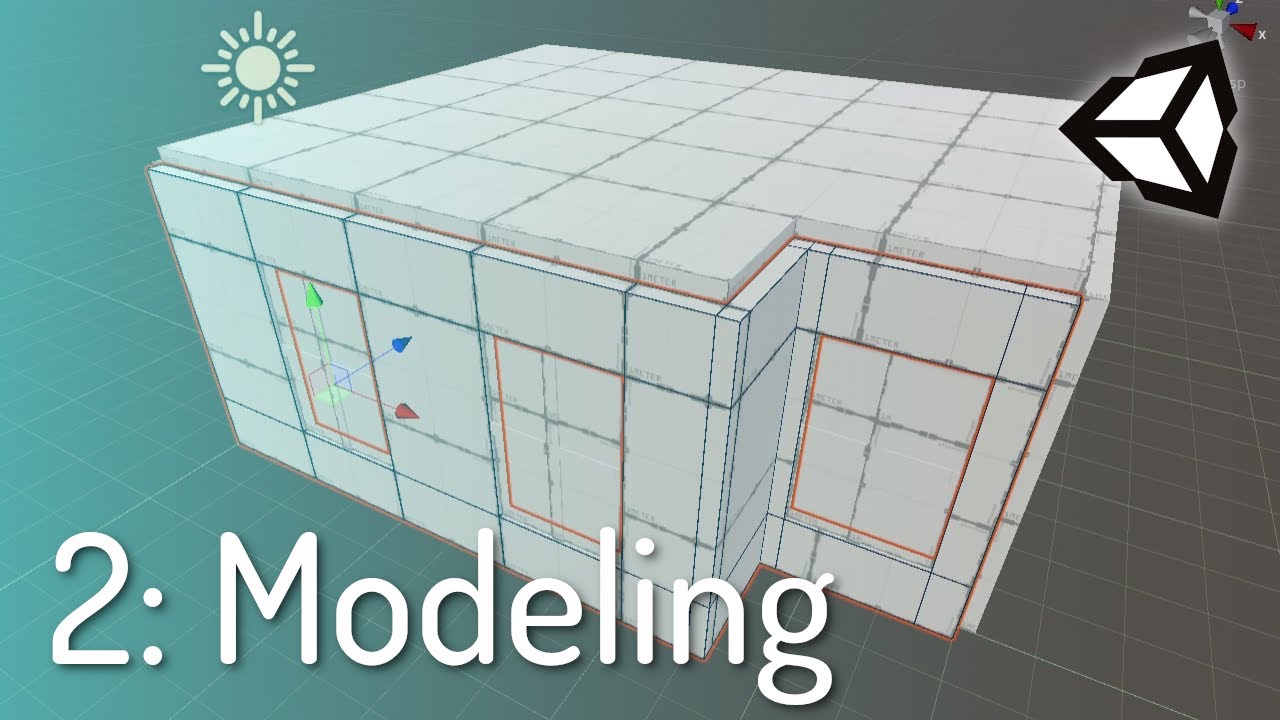
VRChat Discord - https://discord.com/invite/vrchat
Written Guide - https://steamcommunity.com/sharedfiles/filedetails/?id=2507157026
iconoclass.booth.pm
https://ko-fi.com/Iconoclass
https://twitter.com/IconoclassVR
Music: FynestLyk - Noir Et Blanc Vie
0:00 Intro to Probuilder
4:45 Starting to build room
6:00 Edge Loops and Extrusions
11:39 C...
next owl
z-fighting implies that your sketchup mesh is not well constructed, you've got doubled up faces
molten kestrel
fallow lark
https://www.youtube.com/watch?v=ofzw6hKhI3k&t=2s there is a free Unity plug-in t...
Thanks, I'll give that a go
next owl
you could try to fuse it or clean it up in blender? I'm not a blender guy or a sketchup guy so i can't give much advice there, but game engines are pretty bitchy about topology so you might want to reconsider blender
fallow lark
molten kestrel
Thanks, I'll give that a go
also would cut down on the amount of going back and forth between two programs
and you learn the basics of modeling stuff so blender seems less scary when you try it later
 bold marlin
Got a Bakery issue - this emissive lamp isn't emitting light. The material is emitting light elsewhere, so it's not the material itself (which is an atlas)


(Just to show you that the blue lamp definitely is emissive) ^
next owl
is it static?
bold marlin
yes - you can see all the info for the lamp mesh and the table mesh on the right
next owl
am i looking at the right material? the material on the cylinder lamp there appears to have emission unchecked
in your second screenshot
bold marlin
that was to demonstrate that the lamp is definitely emissive - i unchecked 'Emission' for the second screenshot
next owl
what's the albedo on the table it's trying to emit light onto? does it pass pbr validation? could be too dark to receive GI properly
 wintry forge
bold marlin
Got a Bakery issue - this emissive lamp isn't emitting light. The material is em...
wintry forge
bold marlin
Got a Bakery issue - this emissive lamp isn't emitting light. The material is em...
When I have this issue it’s normally the uv map. I just turn on generate light map uv’s and it usually fixes.
bold marlin
the mesh has that enabled already
i don't know what you mean by 'pass PBR validation' toadstorm - but the wall to the left of the lamp also isn't affected at all by the lamp
(while other objects using the same material, but UV'd to different emissive colors, are emitting light as expected)
bold marlin
Well, my mistake - this lamp actually belongs to a particular FBX which didn't have Generate Lighmap UVs ticked (rather than belonging to the 'main' blend file)
another mesh had issues with baking emissive light too, but after deleting it and creating a new quad and playing around, i couldn't figure out why the first one mesh was failing
very strange
the second issue is that marking a mesh as EditorOnly causes it to be excluded from the bake (Bakery)
mint cipher
my lighting was perfect before but now it looks like this does anyone know how to fix this

the waves ^^^^
this is an example of how it looked before

it was fine, no waves but now there is and im not sure why
the version is pc
most of the shadows become a lot harder to see too
 mint cipher
this is an example of how it looked before
mint cipher
mint cipher
this is an example of how it looked before
before
mint cipher
mint cipher
now
no idea what went wrong
its showing differently in unity too

it looks fine in unity
mint cipher
getting same problem when switching build target to andriod
 rugged harness
mint cipher
getting same problem when switching build target to andriod
rugged harness
mint cipher
getting same problem when switching build target to andriod
It has something to do with the way that the lightmap is compressed if I'm not mistaken. With android you have to set the compression to a specific mode to get rid of the banding. The mode is RGB Compressed ASTC 4x4 block
Only do that for android though. The video pinned in this channel goes over it in the chapter that talks about quest settings
mint cipher
rugged harness
It has something to do with the way that the lightmap is compressed if I'm not m...
Even after changing the texture compression the result is the same or do i need to rebake
Ill double check it all afterwards
rugged harness
Should just need to change the compression and when viewed through quest it'll look correct
mint cipher
Alright. I hope so
mental charm
i just want this to look better lol, please help


 rugged harness
Did you watch the video?
rugged harness
You're good, I just recommend following along with it to see what they're doing differently and test to see what might be causing that
mint cipher
yeah i had this issue before and switching the compression worked but this time it isnt and idk why
mint cipher
mint cipher
yeah i had this issue before and switching the compression worked but this time ...
in my first world
rugged harness
could also be that you're using rgb(a) instead of just the rgb one
mint cipher
oh shit you may be right

i dont see it d:
it worked
the rba (a) one
yesss its fixeddd
graceful tartan
mental charm
i just want this to look better lol, please help
Give it a skybox first, that'll help the overall look
and patches of grass maybe, the ground is much too uniform
 urban light
Hi there - I've run into an problem when baking lighting. I have these wall panels - left one has bevels, the right doesn't, just for testing...

Unity gives me these kinda garbage results...

And even Bakery is struggling with this.
Anyone have any idea what's going on?

Both have clean UVs, I've tried generating lightmap UVs in Unity too... Unity reports that the left one has UV Overlap - not sure where it's getting that from - the UV Overlap view doesn't show anything. The right doesn't, but still looks like crap.
urban light
I can up the texels per unit to a crazy amount to smooth out the jaggies... but I'm still kinda expecting the nice shine that the material has in the top image that the dynamic light gives me. 🤔
barren crater
are you using directional lightmaps for baked?
next owl
two things come to mind... did you bake reflection probes? and how dark is the albedo color? something that dark, from what i can see here, would really only be visible in reflections. the sheen you were seeing before the bake was probably a specular highlight from a light in the scene
graceful tartan
Yea if you want shine, you'll need some reflection probes there if you havent already.
 crimson verge
quick question
when anyone in my world crouches or moves through the floor a bit, like if i crouch and my animation makes my butt go through the floor, my avatar will change a different color (depending where we are it might be black or purple or red)
all our light anchor points on our avatars are up by our spines and not by the hips so i dont think its that?
i have 2 layers of light probes, one close to the floor (but about 6 inches from the floor), and another layer above those about 5 feet higher
mental charm
I need help with making a blue light for the whole world without it being too saturated/too bright and or too dark

 chrome grove
mental charm
I need help with making a blue light for the whole world without it being too sa...
chrome grove
mental charm
I need help with making a blue light for the whole world without it being too sa...
yo thats sick bro
mental charm
chrome grove
yo thats sick bro
Ty
chrome grove
you're welcome
mental charm
mental charm
I need help with making a blue light for the whole world without it being too sa...
Give me reccomendations for lighting in this world, wanted to make it more blue looking without it being to bright or overpowering but im honestly not postive on what to do
This honestly doesnt look too bad but i dont like how saturated the whiles arer
 graceful tartan
mental charm
This honestly doesnt look too bad but i dont like how saturated the whiles arer
graceful tartan
mental charm
This honestly doesnt look too bad but i dont like how saturated the whiles arer
I'd add some lighter blue spotlights over a few areas, like above the bed and table or something, just give it a little variation.
mental charm
graceful tartan
I'd add some lighter blue spotlights over a few areas, like above the bed and ta...
Think it looks half decent now, thanks for the suggestion 🙂
 graceful tartan
mental charm
Think it looks half decent now, thanks for the suggestion 🙂
graceful tartan
mental charm
Think it looks half decent now, thanks for the suggestion 🙂
I dont see any shadows in there. Are you baking yuor lighting?
mental charm
graceful tartan
I dont see any shadows in there. Are you baking yuor lighting?
Im not, and pretty sure i cant. I dont see the bake light option anywhere
graceful tartan
Ahhh. You can you just have to go to the right dialog box for it.
lemmie remeber what its under
mental charm
Alright
graceful tartan
mental charm
Alright

and theres a "Generate Lighting" bottom at the bottom
and you have to have your light sources set to static and baked

and all your world objects set to static too
graceful tartan
you should be able to select them all and then check it
if you have them organized enough to do so
Making things static also helps lots with performance so is a good thing to do
glossy meteor
watch this
https://www.youtube.com/watch?v=dKgUJccjWRU
You can support me on my pateron
https://www.patreon.com/mcphersonsound
This is a longer tutorial than normal and there is a lot to cover so here are time stamps for your convivence.
00:00 what is baked lighting
00:35 setting up lights
1:23 preparing meshes to bake
2:30 generate lightmap UV
3:28 light probes
5:10 reflection probes
6:00 emissive ...
light baking is very important in vrchat
mental charm
graceful tartan
Making things static also helps lots with performance so is a good thing to do
Made everything static and did the baking which you showed in the SS but it didnt seem to do much
mint cipher
is there a way to have reflection probes and light probe groups change their lighting in realtime? lets say i have a room with multiple light sources and i want them to change color over time and have the light probe groups and reflectionprobes also change their baked lighting
glossy meteor
light probes, no luck without real-time GI
but you can with reflection probes, see realtime reflection probe, can cost a decent amount of performance
the other part is called real-time GI, can cost even more performance when updated too often
mint cipher
i looked at realtime reflection probes but they somehow don't seem to update in unity playmode
they just stay static
glossy meteor
you will have to make them update via udon
 hushed jetty
Hello~
~Pfiou i have finally arrive to have the visual render i search with the Baked lights at one of my worlds
worn salmon
When i tried tried to do a bloom effect it doesn't show when i test the world in VR. It looks fine within unity but it's not there in vr


 vagrant briar
Hey guys, is anyone familiar enough with bakery to help me out with this? So I've got these skee ball machines and I'm trying to get the side emissions to have a nice glow in the direction of the yellow arrows in this screenshot but upping the emission intensity just makes it look horrible and increasing the sample numbers doesn't seem to do much. Do I pretty much just have to manually place some bakery area light strips along the side to get the effect I want? Because right now it's just going off the raw emissions from the 'Standard Lite' shader. I also have a reflection probe in this area and metallic turned down to 0 ( metallic can wash out the baked lighting by A LOT )

You can see a little bit of the glow towards the very beginning of the runway but that's about it
for whatever reason it falls off towards the middle and idk if that's just because of the other lights around it interfering or what
glossy meteor
worn salmon
When i tried tried to do a bloom effect it doesn't show when i test the world in...
get VRWorldToolkit, it can automatically set up post-processing
glossy meteor
vagrant briar
You can see a little bit of the glow towards the very beginning of the runway bu...
if the runway is nearly black, you get barely lighting
reflection probes may be needed too
wintry forge
worn salmon
When i tried tried to do a bloom effect it doesn't show when i test the world in...
I’m the vrc world thing add the main camera in the “reference camera” slot
wintry forge
vagrant briar
Hey guys, is anyone familiar enough with bakery to help me out with this? So I'v...
I’d make the runways color less black. And on top of that just see if different shaders would make a difference
worn salmon
wintry forge
I’m the vrc world thing add the main camera in the “reference camera” slot
That's already the case
verbal cape
So if PP doesnt work in VR but does in Unity, either the camera is not set as the reference camera, or the affected layer is not one that is rendered by default. I use Environment and set all my static objects to Environment. This also ensures that the PP isnt affecting Avatars which is a performance hit. PP will also not work on Quest, ever.
But if you remove your setup, and follow Cakes advice you should have no issue. The auto setup in the toolkit works well
mint cipher
Hello everyone, I would ask a question. I saw a lot of worlds with a menu and a lighting customization option (I'm talking about choosing a color in the RGB tab and update the Neon's Bar automatically with that color), and I want to replicate that on my own world. Do you know how can I make it? Thanks you in advance.
vagrant briar
gotcha thx I shall try those things
 simple fox
mint cipher
Hello everyone, I would ask a question. I saw a lot of worlds with a menu and a...
simple fox
mint cipher
Hello everyone, I would ask a question. I saw a lot of worlds with a menu and a...
It may be best to watch a video tutorial as explaining would be lengthy. The gist is you can target the light using udon and change the color using a float controlled by a slider. Or you can create an animation changing it and use a slider to target that animator. There should be YouTube videos showing how to do this. You can also find setup slider prefabs that should show u the gist from Jetdog or on Booth.
modest vapor
Which things are you sure of in terms of setup ?
modest vapor
Are your objects static and with lightmap UVs ?
Also a point light for a sun isn't the best
You should use a directional light

modest vapor

simple fox
Interesting. Not the first time I've seen that world.
modest vapor
Make sure that the objects have lightmap UVs and that the shader you're using supports lightmapping
 spark atlas
hi, im the newbie.
glossy meteor
is this for android?
 fiery cape
Does the number of light probes in a world heavily affect performance?
next owl
not really. light probes are dirt cheap
hasty ledge
Stuff like Reflection probes have a storage cost but light probes nah
hasty ledge
Light probes fake light the other does reflections
wintry forge
Light probes basically light anything that moves with the baked lighting of the scene just a look up a yt tutorial
fallow lark
You can support me on my pateron
https://www.patreon.com/mcphersonsound
This is a longer tutorial than normal and there is a lot to cover so here are time stamps for your convivence.
00:00 what is baked lighting
00:35 setting up lights
1:23 preparing meshes to bake
2:30 generate lightmap UV
3:28 light probes
5:10 reflection probes
6:00 emissive ...
 stray bay
is there a way to get a bake look like realtime lighting?
increaseing sample rates and res is the best way to get rid of artifacting
 green vault
stray bay
is there a way to get a bake look like realtime lighting?
green vault
stray bay
is there a way to get a bake look like realtime lighting?
like getting specular? or shadows without using shadows? or something else?
hi! are you able to go to: "lighting settings - > baked lightmaps" RQ? it could be resed out wrong, if youre relying on unity generated lightmap UVs, try setting the hard angle setting to 40 or lower when generating them
stray bay
green vault
like getting specular? or shadows without using shadows? or something else?
I like the fact that realtime is just world light + shaddows
Baked makes it look more "realistic" but that's not what I'm going for
I would just use realtime if vrchat hadn't disabled it on quest dispite the fact hard isn't too intense if used on 1 light
green vault
stray bay
I would just use realtime if vrchat hadn't disabled it on quest dispite the fact...
so youre wanting shadows really?
stray bay
Basically yeh, just the direct shaddows, none of the other effects
green vault
so a suggestion i can give is making shadows from a camera that is imposed by a projector. its a semi old technique and icr the exact name for it, but its probs the best you can do
another but more complex way would be to get perobjectdata inside the shader to figure out if someone is near and changing pixel data inside the lightmap. but this is a lot more work and harder to optimize for
stray bay
Sad, I just want baked without the "pros" of baked
Don't care about players
I just want the environment to be lit like it is when useing realtime
It looks so flat at the moment on quest
Pc looks nice tho
green vault
theres other ways of getting the same effect, but it takes a bit of effort.
im not sure of any efficient direction to take unless you know the pipeline well
 round moon
is this for android/quest at the moment?
I learned this huge tip from a quest world builder, Change the texture compression in your build settings if this is for Android(quest) to ASTC

this affects the lightmaps, which i had never thought of as 'textures'
stray bay
I may try that
stray bay
0.0 I THINK I did it
its a bit darker but
realtime

baked

post off makes it look closer to the original colour
round moon
wow that bake looks like there's like no bounces or indirect
is the street a separate mesh?
stray bay
round moon
wow that bake looks like there's like no bounces or indirect
thats what I did becase I knew nothing about lighting
embraceing area lights and indirect lighting I got this

way to bright but not too bad
prob best im getting but im not complaining

why does VRC cam allways mess up shaddows, whenever I try take a good image for the Icon shaddows are just, blip gone
ah its just shaddow distence being strange
round moon
stray bay
why does VRC cam allways mess up shaddows, whenever I try take a good image for ...
the temporary vrc camera for world icons has a tiny default render distance, which may be why? Also if you up the render distance on the 'Main Camera', be sure in the VRC world prefab thingy to set the 'Reference Camera' field to your main camera as it is blank by default otherwise the default render distance will be like 500 in game or something tiny
stray bay
cool new issue unlocked: Players arent casting shaddows
modest vapor
stray bay
embraceing area lights and indirect lighting I got this
You baked the whole thing ?
stray bay
modest vapor
You baked the whole thing ?
yep
modest vapor
What's the lightmap size 
stray bay
2.7MB
modest vapor
That doesn't seem right
modest vapor
That would be a 1024x1024 lightmap, which is extremely small
The whole thing is 12k ?
Damn
stray bay
modest vapor
That would be a 1024x1024 lightmap, which is extremely small
IDK how I got it to look good then at that res
upping it to 2048x2048 did nothing visualy
apparently not

maby I just had an object selected lul
 stray bay
modest vapor
Yeah that why it seems wrong
stray bay
modest vapor
Yeah that why it seems wrong
remember those objects are murged in the scene, just seperqated so I could work out what materials needed to be changed to 1way
modest vapor
What's the resolution of that lightmap ?
I assume you went with the default 20 texels
stray bay
leme check
think i went to 40, just need unity to unfreeze from me trying to make it dencer
I'm starting to think unity doesnt like the 1mesh 43 material, generateing a lightmap thing
modest vapor
That's not a lot
stray bay
cus every time it reimports it takes like 5-15 minutes

 modest vapor
80 is wayyyy too high for a world like yours
shouldn't go above 10-20
And the fact that you're somehow still on a single 1024 lightmap screams that something is wrong to begin with
stray bay
does resolution effect runtime FPS or just bake time
cus if its just bake time it doesn't matter to me
it looks nice from the eyefel tower tho at this 30deg now
it was pixely before
its 12MB pre compression so that makes sence
also yeh 10 was fine
LMAO I just mega compressed it at it looks 0 different, now is a 256x256 at 170.7KB
modest vapor
How long does your bake take ?
stray bay
 modest vapor
lol
ok, so I don't think you're baking anything
You can support me on my pateron
https://www.patreon.com/mcphersonsound
This is a longer tutorial than normal and there is a lot to cover so here are time stamps for your convivence.
00:00 what is baked lighting
00:35 setting up lights
1:23 preparing meshes to bake
2:30 generate lightmap UV
3:28 light probes
5:10 reflection probes
6:00 emissive ...
Follow this video and make sure you're all setup
80 texels on 500k verts should take hours
modest vapor
Yeah, that would take a lot of time
stray bay
ima swap to baked only light, just to test
area compleately overwelms the scene on pure baked

but that directional is now baked
modest vapor
Area lights only worked when baked anyway
stray bay
yeh, but when the directional was mixed shadows where working, ima check quest RQ but im sure they where
modest vapor
Mixed = realtime 
stray bay
oh it didnt work on quest
stray bay
modest vapor
Mixed = realtime <:catwink:900867134148730910>
so yeh for some reason its not casting shaddows to the bake
ah

0.01 was when that message went away
so yeh most likely it wasnt actualy bakeing
modest vapor
If you want shadows for players, you'll need to have a realtime light just for that layer
stray bay
im more worred about the fact that the world isnt casting shaddows
guess im seperateing out so it says 7hours if I go for CPU again
stray bay
wala predicted time

ima try 10 so my GPU doesnt cry
settings are still stupid high tho

actually baked

66.7MB, shoot
thats way too big
modest vapor
Welcome to the world of baked lighting
stray bay
256x256 is more reasonable at 6.7MB but looks bad
 modest vapor
If your world is large, and you want good looking baked lighting, lightmaps will have to make for a large part of your world no matter what
stray bay
Quest is 100MB limit but I hate getting this close
If I could just use 1 low res hardlight I would
but nope all realtime lights where turnt off
at least quest you can globaly overide texture compression
ima just try build and pray
if its over 50MB ima cry
round moon
So I noticed there's a massive square in that lightmap...
does this mesh have like... a bottom?
a big square bottom face
the advantage of having separate meshes for Some things, is you can assign it different 'scales' in the lightmap per mesh
so maby something huge that isn't going to really needsuper fine detail can get a much lower resolution, which in turn gives more pixels/texels for the other stuff
stray bay
no it doesnt have an apparent square, ive seperated it all out by material now so yeh
each material is useing its own lightmap for some reason
round moon
oohh
stray bay
all this to murder the quest ram and world File size with a 40+ 2k lightmaps that looks bad rather than being allowed to use 1 hard shadow realtime light
43MB world on quest
all things considered not too bad
I hate large sized worlds tho, espechaly since the world was 15 without shaddows
lowing sample rate so it isnt so long to render
but its gunna look bad
verbal cape
I suggest following the video posted and other baked lighting videos, no need to stick with a vrchat video. Baked lighting is better graphically and performance wise if done right. Realtime lights are always used situational. But they tend to be a go to for beginners for their simplicity and once you get used to them its hard to switch without developing the opinion you now have about them. Baked just takes a bit more care. you'll get there
stray bay
baked:
breaks the art style of my map
"""looks more realistic"""
Takes 10 minutes to 2 Hours to see if you changed it right
Real time:
Easier for beginners
can have a small impact if set up right (hard shadows low res)
works with more simple style maps
YAY all that 30 minute render did was make it more noisey
fallow lark
making the Shadows low-resolution isn't going to help with the draw call problem at all that real-time lights have

as you would be hitting a 4X draw call modifier on everything
verbal cape
can you share the source of that screengrab please
fallow lark
GitLab
A surface shader for Unity providing cel-shading. (Forward rendering only)
yeah sorry I should have posted that in the first place
stray bay
When a light is set to Not Important, or the limit is reached, Unity will render the light as a vertex light, which is essentially free. However, only 4 vertex lights can be rendered on a single object, and they're typically rendered per-vertex - so they won't look great. More annoying than that, though, is they typically won't show on objects with baked lightmaps, so you can't mix the two.
I assume vertex light has shaddow?
next owl
vertex lighting does not cast shadows
stray bay
ah
fallow lark
also if it's helpful Mario Kart uses baked lighting for its stuff
modest vapor
If it was UV2s then all you need to do is not check the generate lightmap checkbox
next owl
shouldn't be hard to work with... if you have a UV2 set already defined, any lightmaps are automatically going to be based on that
(unless you check the box Ruuubick mentioned)
stray bay
I guss I should Revert back to before I murged everything them
cus I got rid of the 2s cus me dumb
still has the issue of me needing to rebake
next owl
if you got $60 or whatever they're charging now, bakery is a hell of a lot faster than what unity has built-in
fallow lark
yeah I would definitely go with the Nintendo provided light uv layout as that's probably going to be more efficiently packed then the unity auto-generated one
 languid ravine
i set all my lights to be baked, but they seem to still be realtime when i build and test
 fallow lark
did you make your objects static
languid ravine
nope. thanks lol
fallow lark
glad to be of help
languid ravine
fallow lark
glad to be of help
it didnt work
fallow lark
oh dear what did it do
languid ravine
still realtime
is there something else i need to do?
i set all the lights to baked, made them all static, and then built and tested
fallow lark
languid ravine
is there something else i need to do?
you have to actually bake the lighting first
You can support me on my pateron
https://www.patreon.com/mcphersonsound
This is a longer tutorial than normal and there is a lot to cover so here are time stamps for your convivence.
00:00 what is baked lighting
00:35 setting up lights
1:23 preparing meshes to bake
2:30 generate lightmap UV
3:28 light probes
5:10 reflection probes
6:00 emissive ...
languid ravine
o
fallow lark
yeah I suggest giving the video a watch
languid ravine
alright thanks
tender crag
How does one set up materials in bakery to enable self-occlusion?

 fallow lark
glad you figured it out
stray bay
languid ravine
is there something else i need to do?
ensure they arent skinned meshes
ive axidentlay tryed to bake to skinned before
stray bay
OK i get why people where saying get bakery
It has proper RTX support and renders way faster
only issue i've had is black maps but that was cus I was useing unity lights rather than bakery lights
still has some iffy spots

i may just increase samples and pray
neet
more me messing with bakeing till it bakes
stray bay
how do I do player shaddows with a baked mesh?
ive got a good bake but I cant get a directional light to only light players and cast shaddows
ah need to change mode to shadowmask
stray bay
and that is now being AE
glossy meteor
you do not need shadowmask, you can simply add a realtime light set to realtime, ensure you only cast for local and remote players
stray bay
thats not casting shaddows on my mesh tho
granted im useing bakery for the map so idk if that has an effect
got it to bake shadowmap without overbright
cant see player shadows with cyanemu cam tho but that may just be a bug
glossy meteor
stray bay
thats not casting shaddows on my mesh tho
of course it will cast player shadows onto baked meshes
shadow masking is a mixed lighting mode, i doubt you really want that?
stray bay
mixed lighting is baked mesh with realtime lighting for dynamic objects
glossy meteor
no
stray bay
realtime calculates all lighting at runtime, mixed is a mix of baked and realtime
ah and player lighting isnt visable in VRC, so cyan was accrate
stray bay
glossy meteor
no
what does "mixed" lighting mean then
glossy meteor
it depends, shadowmask is for long shadows
i doubt you really want that
mixed is often the worst performing mode out of all
stray bay
I just want the world to have shaddows on quest, and have player/prop shaddows on pc
I may try swaping mode back to full lighting bake now both realtime for players and bakery light are on the same object
 stray bay
glossy meteor
mixed is often the worst performing mode out of all
stray bay
glossy meteor
mixed is often the worst performing mode out of all
TBH this is supprizeing, I thought calculating all lighting at runtime would be wurce
shadowmap DID actulay bake shaddows hence why it didnt have a distence limit
it was functioning appart from the player POV
glossy meteor
stray bay
TBH this is supprizeing, I thought calculating all lighting at runtime would be ...
you get the overhead of the realtime light and the lightmap calculation on the shader
it really depends, you cannot use many realtime lights anyway in forward rendering
stray bay
im litraly useing 1 directional light for this map
only reason im bakeing as we arent allowed even 1 directional hard shaddow lowres realtime light on quest
oh all my realtime lights are broken
stray bay
no matter what type none create player shaddows of any kind
stray bay
ima just give up on baked lighting for a bit
languid ravine
anyone know why baking my lights is making it go from this to this?

 glossy meteor
can you show your lights?
languid ravine
like the light components?
 glossy meteor
where are these located?
languid ravine
inside these light prefabs i made
 glossy meteor
i mean inside the scene, enable the gizmo
languid ravine
 glossy meteor
yea that's not gonna work
select these meshes and disable the shadow casting
languid ravine
here?
 green vault
languid ravine
here?
green vault
languid ravine
here?
are the meshes set to static?
languid ravine
which ones
green vault
the ones you want to bake
languid ravine
like the ones that i want to be lit up?
 orchid sphinx
yes. any object that will use baked lighting needs to be marked static.
stray bay
whenever im setting the project to use the correct layers my player shaddows are just blip gone
ima check in vrc but its doing the thing where it renders in scene view but not camera
stray bay
OK so..... I now know why we no longer have dynamic lights on mobile
dynamic lights on

dynamic lights off
 tender crag
Is it possible to mask out parts of the mesh that shouldn't emit light? I thought this is what the texture field was for, but apparently it is not


 glass ginkgo
Hey, could really use a hand on something that is confusing me. The First image is how I want the lights to look, and they look fine so far. However, as soon as a new point light is made, the lighting completely changes. Primarily in the Right Corner. Any ideas on why it does this?


 lean whale
Hi folks, I've been diving deep into lightmapping this week and have a couple questions. FWIW I'm using Bakery. I've noticed that upon baking lighting, objects lose specular highlights and normal maps no longer have an affect. So, I've re-baked my scene using the Dominant directional mode and changed most of my shaders from Standard to Bakery Standard with "Enable Lightmap Specular" checked. It looks pretty friggin great, but now I'm noticing that avatars still lack specular highlights and normal map details. I don't need everybody's avatar to have perfect lighting or accurate highlights, but the way it is now, avatars that normally look very detailed look like they are using diffuse shaders, like they might as well not even have normal maps. What's the ideal way to provide the specularity I want here? Should I use a single realtime directional light just for basic highlights? Or is there a way to provide this effect somehow without a realtime light?
 brisk mantle
glass ginkgo
Hey, could really use a hand on something that is confusing me. The First image ...
brisk mantle
glass ginkgo
Hey, could really use a hand on something that is confusing me. The First image ...
Are they realtime lights? There's a limit to how many can be in the scene at once.
You could try changing the importance to change them to vertex lights.
glass ginkgo
brisk mantle
Are they realtime lights? There's a limit to how many can be in the scene at onc...
They're baked lights
setting them as important under Render Mode does work however
modest vapor
Are they baked baked, or you just set them to baked
glass ginkgo
modest vapor
Are they baked baked, or you just set them to baked
They're just set to baked since I'm just now adding lights. Is it just how they act til they're baked fully?
modest vapor
Nope
You can support me on my pateron
https://www.patreon.com/mcphersonsound
This is a longer tutorial than normal and there is a lot to cover so here are time stamps for your convivence.
00:00 what is baked lighting
00:35 setting up lights
1:23 preparing meshes to bake
2:30 generate lightmap UV
3:28 light probes
5:10 reflection probes
6:00 emissive ...
lean whale
Ayy I just watched that one the other day. Very helpful 😄
lean whale
lean whale
Hi folks, I've been diving deep into lightmapping this week and have a couple qu...
Trying this out: https://github.com/zulubo/SpecularProbes
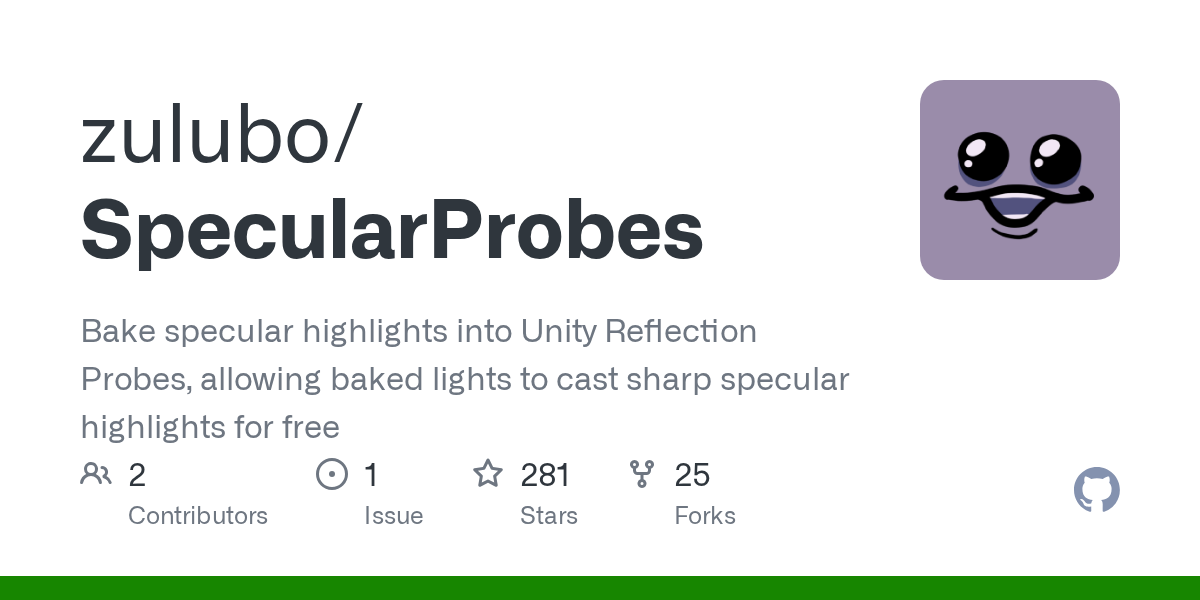
GitHub
Bake specular highlights into Unity Reflection Probes, allowing baked lights to cast sharp specular highlights for free - GitHub - zulubo/SpecularProbes: Bake specular highlights into Unity Reflect...
Surprised I can't find more posts/convos about this... Is it more common to use mixed baked/realtime lighting? Or do people just bake and accept the loss of detail?
brisk mantle
Honestly I didn't even know that was an issue in the first place. I can see it being helpful though.
fallow lark
lean whale
Surprised I can't find more posts/convos about this... Is it more common to use ...
I've seen some folks use shaders that do bake specular specular highlights https://twitter.com/Silent0264/status/1468116296176832522?s=20&t=In7KZemGjWXlcGS1MAiqPA

New release!
My Standard shader replacement, Filamented, is now available on Booth. A high performance PBR shader with the featureset of Unity Standard with many enhancements suited to VR applications!
https://t.co/90WNtqu8Hb
https://t.co/nBHvcPnBVK
#vrchat #unity
Likes
246
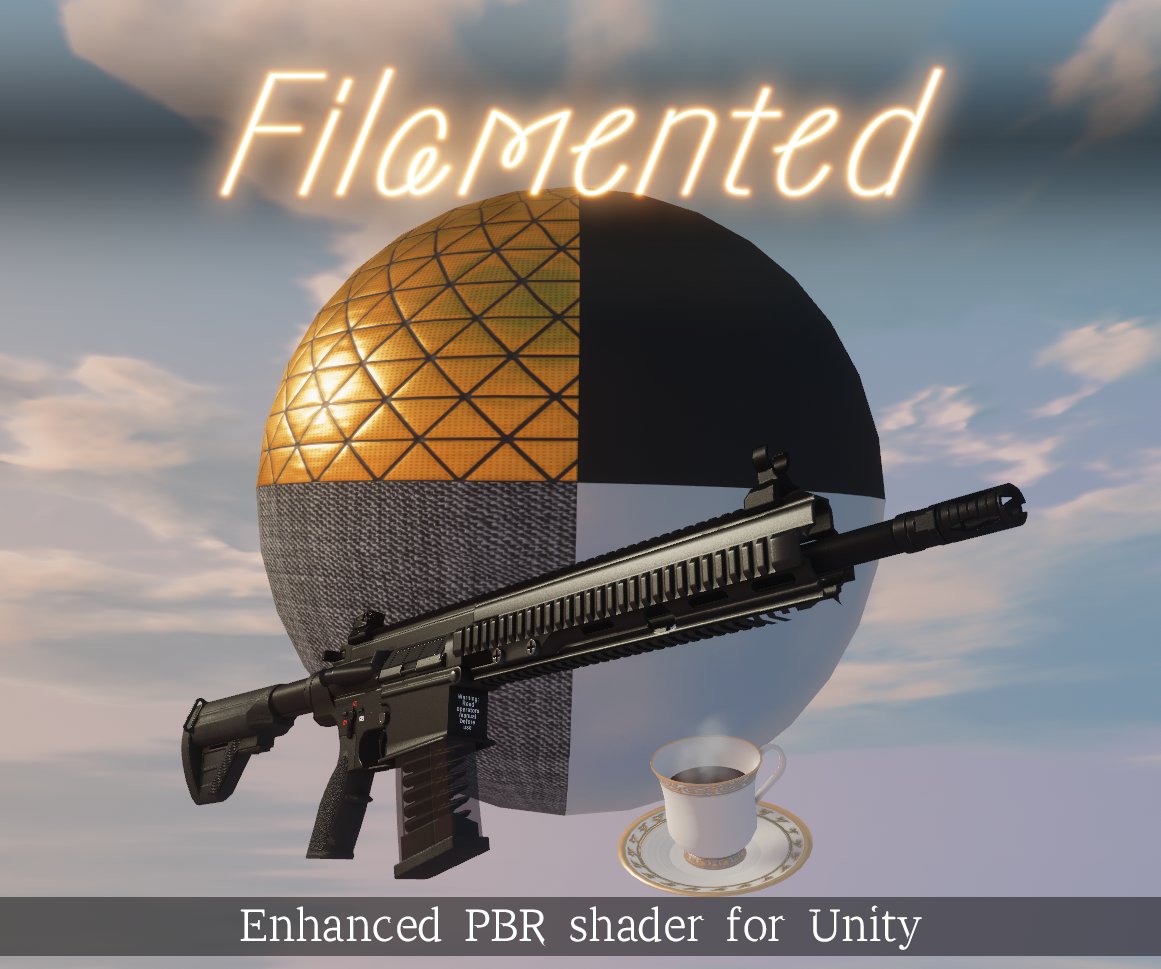
 Twitter
·
Twitter
·

 lean whale
fallow lark
I've seen some folks use shaders that do bake specular specular highlights https...
lean whale
fallow lark
I've seen some folks use shaders that do bake specular specular highlights https...
Yeah I was looking into that as well! But since the problem is with avatars, it has to work with whatever shader the avatar is using (assuming it's not an unlit avatar or one with baked lighting or whatever)
The SpecularProbes thing works pretty well, but it's a similar issue because the specular highlights now show up in a material's reflections, not as part of the specular property. So avatar's that are meant to have specular highlights won't have them unless they also have reflections enabled
I guess this is what mixed lighting is kinda meant for anyway. Bake the environment and use whatever tricks you need there, but then use realtime on characters and dynamic objects. I think what I want isn't impossible to do, but then I can't expect every avatar coming in to be set up with a specific type of shader or to use reflections, so yeah I should probably just compromise by going mixed
crimson verge
Light probe question!!!

kinda hard to see but this is a completely black room i have, when people are in here they are darkened in shadow properly, however if they crouch too low they'll light up like they were outside again

there is a few inches between the probes and the floor, my only thought is maybe i need to place some probes under the map as well?
I cant really find anything online of people discussing this so i'm not sure how to fix, i'll try with under map now though
crimson verge
alright placing light probes just beneath the ground platform seems to have completely fixed it
graceful tartan
tender crag
Is it possible to mask out parts of the mesh that shouldn't emit light? I though...
You need to split your mesh out so the materials that emit light are separate (if your using bakery light meshes)
because tmk there isnt a way to mask non emitting areas
 bright spoke
Im new to this (started yesterday to learn), i was following a youtube tutorial and when i generate lighting everything looks... wrong?

Anyone knows why?
supple harness
bright spoke
Anyone knows why?
There are no light sources, no light probes, mesh rendering and shaders on objects are not set up. Check. Read the documentation, fix it.
bright spoke
Thanks!
Also, in the tutorial says that to setup the post processing i should just click on the Setup post processing bottom, but i cant click it. But in the guide it says to do add a layer and a volume. What should i do?
Im talking about this
 tender crag
graceful tartan
because tmk there isnt a way to mask non emitting areas
tender crag
graceful tartan
because tmk there isnt a way to mask non emitting areas
Gotcha, I am trying to be performance-conscientious with my first world, but I guess having an extra mesh for every light isn't that big of a deal
graceful tartan
tender crag
Gotcha, I am trying to be performance-conscientious with my first world, but I g...
Separate materials are rendered as separate calls so it makes no difference performance wise to my knowledge to the GPU if they're split or not.
supple harness
bright spoke
Im talking about this
GitLab
A surface shader for Unity providing cel-shading. (Forward rendering only)
bright spoke
Thanks :))
 misty crypt
Has anyone an idea on how to have 4000 lights in a scene and have them flicker randomly overtime without having a NASA Computer
I just don’t find any good answers on the internet
marble mist
misty crypt
Has anyone an idea on how to have 4000 lights in a scene and have them flicker r...
Yes: Don't.
 pallid flint
I'd say group them into a few groups randomly and bake a lightmap for each combination of those few groups. then swap between those lightmaps randomly. the fewer independent groups you have the better
verbal cape
misty crypt
Has anyone an idea on how to have 4000 lights in a scene and have them flicker r...
This isnt usually done with lights 🙂 that would be madness. Take Christmas lights for example; they use a shader with a real-time emission. To get real-time emissions to illuminate your world you are going to also need light probes which you need anyway when using baked lighting.
misty crypt
Okay thanks currency writing down what works and what doesn’t in terms of performance.
The map also has a lot of walls so if I just unload the lights that don’t show it should be reserving a lot less computing power
 untold rampart
Hey , I bought a world and wanted to modify it. I wanted to have a very dark room with only dim lights. But this is my first time doing something like that and I dont know how to get the room dark 😅
thats the room with every light turned off (besides those from the buttons on the left side

 bright swan
Just click the light sources on the left and, make em dark
untold rampart
what do you mean by that?
bright swan
Take the colour and make it darker


On any light source in the area, you'll probably have to re-bake your lighting
mental charm
Im using point lights for majority of my worlds lighting, and i dont like how shiny it reflects on the floor, what could i do besides moving them or lowering intensity?
 fallow lark
maybe make your floor less smooth so it's not reflecting as much
 fringe nimbus
Anyone got any nice tools for easy post processing?
fringe nimbus
I've tried downloading a few prefabs from booth but none of them are working
untold rampart
bright swan
On any light source in the area, you'll probably have to re-bake your lighting
Thank you!
 tender crag
Alright, apparently creating reflection probe duplicates is a big no-no. I got both to show up simultaneously, but there is still no blending, and it worked until today...
 lunar narwhal
check your mesh renderer settings, if you have reflection probes set to simple it won't do blending
 untold rampart
how do I rebake lights?
 fading mantle
fringe nimbus
Anyone got any nice tools for easy post processing?
fading mantle
fringe nimbus
Anyone got any nice tools for easy post processing?

GitHub
Unity Editor extension for making VRChat worlds. Contribute to oneVR/VRWorldToolkit development by creating an account on GitHub.
used this as i struggled to make simple bloom working ingame 
untold rampart
I think im doing something wrong???

does baking lights take 2+ hours 💀
i found the issue!
never mind i didnt
fading mantle

tender crag
tender crag
Alright, apparently creating reflection probe duplicates is a big no-no. I got b...
Bump
tender crag
Does anyone have a link to bakery server?
 solemn locust
don't suppose anyone here might have a guess as to why light probes might work fine for weeks, then stop? I'm really struggling to guess what might have changed. I even tried making a new set of probes, but those also were 'black' when rendered, so I figure it's not the probe group itself...
tender crag
I'm in the same boat I suppose, but with reflection probes
solemn locust
I figured mine out... though I still don't have a "why"
so... I have two meshes and a really basic animator to move the first one over so the second one can take it's place. that's my "bake" animator/mesh and I just use it as an easy toggle switch for using brighter materials for light probes and such. I noticed that I was getting data if I baked with the regular mesh (albeit too dark to be useful)...
Anywhoo... for whatever reason, the lightprobes just stopped responding to my bake mesh -- even after a bunch of trial and error stuff with occlusion and static settings.
I ended up deleting and remaking it, and that seems to have solved the problem.
verbal cape
tender crag
Does anyone have a link to bakery server?
🙂 what exactly do you think that option is for? https://geom.io/bakery/wiki/index.php?title=Network_baking
tender crag
Sorry, I meant discord server
verbal cape
did u get it?
tender crag
Nope
tender crag
Sweet, thanks
mental charm
How can i fix the light flickering?
modest vapor
Is that full metallic ? Unsure if post processing still has NaN propagation fix to avoid bright stuff like this
mental charm
modest vapor
Is that full metallic ? Unsure if post processing still has NaN propagation fix ...
Pretty sure i have it full metallic
tender crag
I figured I would ask about reflection probes failing to blend over at the bakery discord server, but then I realized that the issue has nothing to do with the lightmapper. Would anyone know what other settings I could try to tinker with to troubleshoot?
 lean whale
I noticed the same thing... My objects are popping from one reflection to the next instead of blending 🤔
I kinda just assumed VRChat forces blending off lol but I hope not!
tender crag
I haven't updated VRCSDK in a while, so I think it's more Unity-related
 peak nimbus
Any other reason I should check why my baked lighting isn't working correctly using bakery? I bake with bakery and it looks like this but normal unity baking is fine.

without bakery it's like this
 tender crag
Are you using bakery light components? Which ones?
 tender crag
Wouldn't you wanna use this instead? I think point lights are getting occluded by the lamp mesh
 peak nimbus
tender crag
Wouldn't you wanna use this instead? I think point lights are getting occluded b...
peak nimbus
tender crag
Wouldn't you wanna use this instead? I think point lights are getting occluded b...
and just add it to the mesh inside the lamp?
tender crag
Add it next to your emissive material
 peak nimbus
so light should work just out in the open then?
peak nimbus
tender crag
Add it next to your emissive material
bc even that doesn't work
tender crag
Something with your setup is wrong, not sure. Here is the documentation
https://geom.io/bakery/wiki/index.php?title=Manual#Bakery_Light_Mesh
peak nimbus
weird thing is if I clear all baked data through bakery and unity
still has lighting?
 modest vapor
Bake them
mental charm
modest vapor
Bake them
Ty lol
 prime aspen
anyone know how to prevent terrain from receiving shadows?
mint cipher
modest vapor
Bake them
In an oven?
green vault
prime aspen
anyone know how to prevent terrain from receiving shadows?
there should be a bool for it in the terrain settings
itll be in settings tab and above the “scale lightmap” number box
empty pecan
need some help with lighting
generate lighting does nothing
i got some emmissives lights i just wanna test out, but even with lights in it it does nothing
i have a light probe/reflection probe
modest vapor
You can support me on my pateron
https://www.patreon.com/mcphersonsound
This is a longer tutorial than normal and there is a lot to cover so here are time stamps for your convivence.
00:00 what is baked lighting
00:35 setting up lights
1:23 preparing meshes to bake
2:30 generate lightmap UV
3:28 light probes
5:10 reflection probes
6:00 emissive ...
empty pecan
anyone know why unity switches from gpu to cpu? wont let me use gpu
supple harness
empty pecan
anyone know why unity switches from gpu to cpu? wont let me use gpu
The GPU is low on RAM. About it also it is written in the console if to look.
empty pecan
i just started used bakery instead works better
next owl
bakery is orders of magnitude better than the built-in shit, just requires an nvidia GPU
next owl
i mean that's fine and understandable, but bakery is definitely better than built-in
supple harness
bakery is sometimes better provided you have a 12gb nvidia rtx video card. But there are enough problems with it.
graceful tartan
Bakery goes on say for $30 every few months, definitely worth the buy
verbal cape
graceful tartan
Bakery goes on say for $30 every few months, definitely worth the buy
sht if u bargain shop it goes on sale cheaper than that. humble bundle had it bundled twice in 2021
and you almost cant buy a pc not capable of using it even from walmart these days 😛
tender crag
Would a small monetary reward for helping resolve an issue be appropriate here?
Yes, I'm that desperate
 wary turtle
Anyone here ever have Unity's lightmapper just utterly fail with a "ConvertWrapModeToRL" error in it's own lightmapper code when trying to bake lights?
I don't even get a crash reporter. (I do get a log — It reports a SIGSTOP...)
tender crag
glossy meteor
or is it the reflection probe blending one?
Yep!
I even asked at the official Unity server - dead silence
glossy meteor
tender crag
Yep!
I even asked at the official Unity server - dead silence
can you show the object's reflection probes in the inspector on the renderer?
tender crag
Will do when I get back home, but I remember that only one of the two winds up showing reflections
glossy meteor
tender crag
Will do when I get back home, but I remember that only one of the two winds up s...
a few things:
both need to be static for reflection probes and the reflection probes bounding box must contain the object fully
 urban sequoia
I guess I can also ask my question here:
Does anyone know how to have bloom effect only one object? or perhaps not affect the players?
Bloom looks nice in the world but when people bring their own avatars they are glowing washed out blobs
verbal cape
urban sequoia
Does anyone know how to have bloom effect only one object? or perhaps not affect...
lol thats because you are leaving Post Processing on all layers. Set it to something like environment and it will not touch an avatar again.
urban sequoia
It is currently set to the water layer
verbal cape
if water also effects player...
urban sequoia
ahh gotcha, I toggled off water/player in the collision matrix let me compile and see if that did the trick!
 verbal cape
no dont touch the matrix, make your own layer if you want it almost like water
then edit the matrix for that layer
never edit a vrc default layer
urban sequoia
yea I see the error now lol, okay, so new layer for post processing and just put the objects WITH post processing into that layer
verbal cape
yeah and make sure the post processing settings for the camera are also then set for that layer as well.
you can also avoid over bloom by keeping it within the recommended range of i think its .5 max. Cranking it up might look ok in desktop but its garbage in vr and its sloppy. Its closest to that of a lens flare which they are both easily over done.
urban sequoia

Even though it is set to only affect my custom post processing layer, with no interaction, it does anyway..
Not really sure why
next owl
what is your bloom threshold set to
urban sequoia
Currently its set to 1, and it works fine for any objects I place in game and tweak their materials, but I can't control custom avatars materials
next owl
what is that avatar's emissive value? it must be enormous
urban sequoia
no its just the bloom intensity is cranked really high for the sun affect, and I was hoping to ONLY apply it to the sun object but that seems to not be working
next owl
make your sun's emissive value much higher; well above 1.0. try like 5.0, then increase your bloom threshold
in pbr, no surface should have an albedo much higher than like 0.92 or so unless it's emissive. cel shaded avatars break this rule but still should be no brighter than 1.0 in most cases.
urban sequoia
! Okay thank you that has definitely made this a lot better
Metal pieces still flash but its better than the whole avatar glowing, thanks again guys!
tender crag
urban sequoia
 tender crag
glossy meteor
a few things:
both need to be static for reflection probes and the reflection p...
tender crag
glossy meteor
a few things:
both need to be static for reflection probes and the reflection p...
From what I can tell whichever probe has larger bounding volume shows up, which only gets overridden by importance


All meshes are static and contained fully within bounding volumes, at least visually
lean whale
tender crag
From what I can tell whichever probe has larger bounding volume shows up, which ...
I've been investigating this on my end as well. I am pretty sure it is something to do with my reflection probes' bounding boxes. Perhaps they're overlapping too much?
tender crag
There could be something to it, but then again they were working fine for me previously with bounding volumes sharing same exact coordinates...
lean whale
Oh jeez hrmm
tender crag
Yeah, honestly I wish I could get by with just one probe per room to avoid this headache, but it can't support three light sources properly
glossy meteor
tender crag
Yeah, honestly I wish I could get by with just one probe per room to avoid this ...
can you show the renderer's probe settings?
mental charm
When I baked my lighting, I had lost the light sources in certain rooms
but one i deleted and then undid them and it brought them back
but obviously they are actually baked in
 frozen field
Is there any way to only have fog in certain areas?
verbal cape
frozen field
Is there any way to only have fog in certain areas?
yeah, using particles and they work on both platforms.
frozen field
verbal cape
yeah, using particles and they work on both platforms.
I’m worried about using too many though. It could cause lag for some people.
verbal cape
there are performant ways to setup particles and various particle methods, you'll just need to do some research. The Unity fog system is not* supported in the mobile quality settings tho. I believe it can be toggled so for pcvr only you can enable or disable with triggers which will give the impression that its limited to one area.
My particles for fog usually max out at 20 particles for each cluster.
sry haha just woke up, hitting this with a million edits🙄
tender crag
glossy meteor
can you show the renderer's probe settings?
Could you specify which settings exactly? This is from my initial message on the issue
 glossy meteor
tender crag
Could you specify which settings exactly? This is from my initial message on the...
glossy meteor
tender crag
Could you specify which settings exactly? This is from my initial message on the...
the geometry's renderer
tender crag
Gotta wait to return from work
If you could send me a screenshot of the fields that are of interest, I should be able to recall
frozen field
verbal cape
there are performant ways to setup particles and various particle methods, you'l...
I tried to toggle it before, but it didn't seem to work. Or maybe I did something wrong.
tender crag
glossy meteor
the geometry's renderer

 flat whale
Sorry if this doesn't belong here, but does anyone know how to fix broken seams like this? I'm using Bakery & ProBuilder if that helps.
 graceful tartan
flat whale
Sorry if this doesn't belong here, but does anyone know how to fix broken seams ...
graceful tartan
flat whale
Sorry if this doesn't belong here, but does anyone know how to fix broken seams ...
Does it remain after that when you rebake?
looks like you've changed something and not baked
flat whale
graceful tartan
Does it remain after that when you rebake?
It's happening right after a complete bake.
graceful tartan
Try clearing your bakery data and baking again.
glossy meteor
tender crag
yea you can see that no blending is happening
this is very likely a bounding box issue
make sure the root of the probe isn't too far away too
tender crag
glossy meteor
yea you can see that no blending is happening
this is very likely a bounding bo...
I see no issues with the bounding box whatsoever. Transforms also seem to be applied properly between blender and unity.


Probe placement looks reasonable to me
 glossy meteor
both probes taking over all of the mesh? yea, not sure if that works
especially if the probe anchor on both probes is in the same location
 lyric heart
How do I apply an AO map to UV2?
preferably an Android compatible shader
fallow lark
dumb suggestion couldn't you just modify a vrchat mobile Shader to add AO map to UV2?
as you can use custom shaders on worlds
lyric heart
Dunno how
I've never modified a shader
fallow lark
yeah I haven't done that either
@lyric heart out of curiosity are you using the built-in light Baker or Bakery as I know Bakery has a bake ambient occlusion option?
green vault
unity also has an ao option
if you need a secondary map forwhayever reason, youd need to edit a shader
lyric heart
fallow lark
<@!157249280661258240> out of curiosity are you using the built-in light Baker o...
Atm I was hoping to just bake it in Blender
as I was worried that unity would bake the directional light and not just the AO
also I'm more familar with baking in Blender than in Unity
though Unity has the option for a Lightmap UV so.. should probably use it
Do you have tips for using Bakery?
green vault
i highly suggest baking in blender actually
if thats what you want to do. but thisll require shaders designed for this
green vault
lyric heart
Do you have tips for using Bakery?
set samples to 64
lyric heart
For extra context of why I want it on UV2
Old post that's similar to my situation
https://answers.unity.com/questions/1415592/using-ao-map-on-uv2.html
And a screenshot of my world

My texture resolution would jump dramatically if I had to bake it in Blender to the main UVMap...
fallow lark
honestly I wonder if you could do vertex color ambient occlusion if you're just going with Minecraft
lyric heart
green vault
if thats what you want to do. but thisll require shaders designed for this
Yeah.. I presume one exists but I just don't know where to find it
lyric heart
fallow lark
honestly I wonder if you could do vertex color ambient occlusion if you're just...
That'd be great but I don't even know where to start with that
Ooooo
green vault
well unity will bake on UV1 (secondary) and anything dynamic based on perobjectdata and etc will be on UV2 (third uv)
lyric heart
oh bake to vertex instead of texture
green vault
i have a shader but im not home
itd allow you to steal the lightmap from blender and shove it on a unity model as long as uvs dont change and lightmap scale params arent changed
fallow lark
lyric heart
oh bake to vertex instead of texture
yeah that's what I was suggesting and I guess the question is what kind of lighting look do you want it to look like when it's done
like would you be more wanting like default Minecraft lighting or like the custom Shader Minecraft lighting
lyric heart
Either
So I'm gonna try what you said
Pretty sure it won't look right on Mobile Toon Lit
Hope it looks okay on LilToon
fallow lark
and mostly went with the vertex color suggestion because the vrchat mobiles shaders show vertex colors so that doesn't require any custom shaders
 merry moon
Say this question is for a friend who me and him started working on a world a while ago and was unable to put lighting inside for some reason,any advice?
modest vapor
What does "unable to put lighting inside" mean ? Lights you created didn't do anything ?
lyric heart
fallow lark
and mostly went with the vertex color suggestion because the vrchat mobiles shad...
Thanks!
def takes a bit of fiddling to make sure things aren't too dark indoors but hey!
the outdoors look lovely
AO is Spoiler tagged


How do I view both Vertex and Texture/Diffuse in Blender tho?
fallow lark
lyric heart
Thanks!
def takes a bit of fiddling to make sure things aren't too dark indoors ...
oh yeah that definitely looks nicer
 lunar cedar
flat whale
Sorry if this doesn't belong here, but does anyone know how to fix broken seams ...
lunar cedar
flat whale
Sorry if this doesn't belong here, but does anyone know how to fix broken seams ...
I find probuilder sometimes has issues with lightmapping. Try using the fbx exporter in the package manager. Right click on the object in the hierarchy and export it as an fbx. Change the export type to binary. Export. Reimport it as an fbx and let unity auto generate the lightmap uv's on the object import settings 😄
Maybe it will be better then 🤔
flat whale
lunar cedar
I find probuilder sometimes has issues with lightmapping. Try using the fbx expo...
So it turns out I was mixing bakery spotlights with mesh lights and it was causing erratic lightmap results, so i just had to remove them. Thanks for the advice tho :p
tender crag
glossy meteor
especially if the probe anchor on both probes is in the same location
Are you referring to the probe origin? You can see them occupying different locations between the sources of light on my last screenshot
tender crag
glossy meteor
both probes taking over all of the mesh? yea, not sure if that works
Even if that is true and they are not supposed to take over the whole mesh, overlapping them slightly instead doesn't make a difference


 cerulean zealot
How do a make a room pitch black without making the rest of the world extremely dark?
lyric heart
cerulean zealot
How do a make a room pitch black without making the rest of the world extremely ...
Depends how you have lighting set up
you could do it by baking lighting and not having lights there,
changing material/texture settings etc
cerulean zealot
directional lights are baked. room is sealed.
lyric heart
cerulean zealot
directional lights are baked. room is sealed.
Might wanna use other lights as directional lights seem to effect everything
"harder" to bake other lights though
lyric heart
Ooo less ideal in some ways but
How about turning off the directional light when players enter that room?
@cerulean zealot
cerulean zealot
Even if all lights are off it's still not pitch black.
The only way I've gotten to work is by setting intensity multiplier to 0 for environment lighting and reflections, which effects the entire map. Which makes it dark. Which is exactly what I don't want.
So unless you actually know a lot about lighting in Unity, I don't think you have the answer. Because I sure as hell don't. And I've been trying a ton of shit.
 versed herald
Im following a video and i did what they did, however my thing isnt working. This is for bloom, the weight isnt effecting anything
In this tutorial, Fionna shows how to make a UI World Options panel using CyanTrigger for VRChat's SKD3 worlds. It will cover Post Processing options such as Bloom and Brightness, background audio volume, and toggles for things such as pickups, particles, and chairs.
Download a drag and drop version of this prefab:
https://fionna.booth.pm/ite...
versed herald
also now why is brightness backwards? when i turn the weight up it gets darker and lower is brighter
mint cipher
I'm having issues with light probes, the tutorial I'm using makes it seem like you just place them and forget they exist but they won't work

I only placed them inside of house, but the outside is available too
Here's a side view
 supple harness
mint cipher
I'm having issues with light probes, the tutorial I'm using makes it seem like y...
supple harness
mint cipher
I'm having issues with light probes, the tutorial I'm using makes it seem like y...
https://docs.unity3d.com/Manual/LightProbes-MovingObjects.html No textbook says that.
 mint cipher
What should I do to make them work
supple harness
switch all light sources to bake mode, and bake the lighting.
At the same time, arrange them not anywhere and in huge quantities, but where it is needed.
 coarse moth
mint cipher
What should I do to make them work
coarse moth
mint cipher
What should I do to make them work
First of all, you don't need that many light probes. The more light probes you have, the longer it will take to calculate all lighting data. Don't use any auto light probe placer, just learn how to use it manually first. Make sure all your objects are static, except movable objects like doors or items. All of your lights needs to be set to "Baked" and then click Bake in "Lighting" window
Thats just the simple way to talk about, but there are a lot more you need to learn.
versed herald
Can anyone assist me? For some reason my brightness is backwards. When i turn the weight up it gets darker, when i turn it down it gets lighter
glossy meteor
depends on your setting
can you show us the volume?
versed herald
glossy meteor
depends on your setting
can you show us the volume?
yeah one sec let me load it up

 amber temple

How does one fix this bs
This happens to.me in about 8 different unity projects and 5 different ways of doing this world
And i almost wanna stop bothering with making worlds in general
pure widget
generate uvs?
click on your fbx models in the asset section of unity, and then go to the inspector and at the very bottom, tick "generate lightmap uvs" to on, hit apply and rebake
no guarantee thatll help, if it doesnt you might need to mess with some baking settings
 sharp robin
amber temple
How does one fix this bs
sharp robin
amber temple
How does one fix this bs
 versed herald
... well anyone able to assist me with my backward brightness?

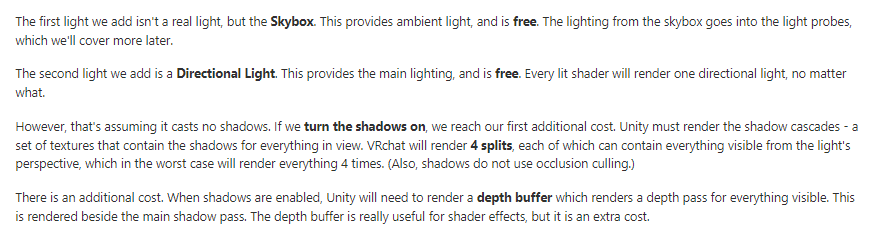 sharp robin
amber temple
sharp robin
amber temple
Go to the lighting tab and under baked lightmaps click the check preview and make sure there aren't any overlapping UVs
amber temple
stupid question but why would it make overlapped light UV maps ?
like i got a lot of objects that are all the same just placed as a FBX in the world
1 person told me that would be better for occlusion culling
i think

this is better tho
 sharp robin
It usually handles it fine but if you have objects with UV areas greater than 1x1 it doesn't
amber temple
atleast some of the bright spots are dissappearing

i think its good now !
there is 1 weird triangle
but i can live with that xD
also is it better
to clear all baked data before a re-bake ?
sharp robin
There might be an edge case in which clearing might be good but it shouldn't matter
versed herald
For some reason by brightness is backwards, can aomsone assist? when i turn its weight up it gets darker, when i turn it down it get lighter.
Is anyone able to help fix that?
sharp robin
versed herald
For some reason by brightness is backwards, can aomsone assist? when i turn its ...
Screenshot?
Also unity lightmapper or bakery?