#world-lighting
4 messages · Page 26 of 1
 sullen solar
No i havent, my lights are mixed because i wanted shadows to appear
I think i just had a bad avatar then

this looks great
 short relic
Hi, i notice in On unity my world looks dark and its great, but when i Build test on the SDK it get super bright. Im not sure what to do so it kept the same lighting in VRC, the brightness gets turned up idk why
short relic
In Cyan

in VRC Build Test

im assuming it has to do something with post processing im not sure
I want the end result to look like it does in Cyan
 glossy meteor
sullen solar
No i havent, my lights are mixed because i wanted shadows to appear
glossy meteor
sullen solar
No i havent, my lights are mixed because i wanted shadows to appear
you don't need mixed lights for that
sullen solar
i meant for non-static objects
glossy meteor
yup, just have a single real time light and use layers
sullen solar
oh okay, ill try that for shadows then
anyone know how to fix this issue? should i use a shader?

 modest vapor
Looks like two overlapping models
 rustic cypress
I fixed it
 teal star
Why does enabling depth on post processing give PC VR two vertical blurred strips on each eye?
teal star
seems to be an issue with the game thinking there's something in my head
I tested and noticed that when things are super close to your face, they get that blur effect around them
 tardy rivet
Yooo, if I just turn up the resolution on Bakery will that make this shadow look nicer??

 small lynx
Hey, has anyone ever seen this issue?
The terrain became white after I tried to Render Light Probes with Bakery. At first I thought the meshes on it disappeared, but it looks like they are still rendered if you look from below or if I disable the terrain. It's like something happened to the terrain material.
I think I can fix this somehow, but why does this happen randomly?

This is where the bench mesh is:

Just discovered this as child 🤔

Removing them fixes it. Guess rendering light probes had an error, although I did not see anything in the console.
Still curious why this might have happened.
short relic
Can anyone tell me why my world is a lot brighter on VRC than it is in Unity?
sullen solar
why does the baked lighting look like dookie when i switch to android

 crimson locust
Is there a way I can simply toggle off player shadows while still having them lit by a realtime light or is that going to involve some baking/lightprobes? Answered elsewhere. Solution was two separate lights with different culling masks if anyone else is looking later.
I see the culling mask dropdown for the light itself but not shadows specifically.
My endgoal was to try having a single realtime 'sun' and only cast shadows for static game objects and the local player.
 fluid sedge
sullen solar
why does the baked lighting look like dookie when i switch to android
fluid sedge
sullen solar
why does the baked lighting look like dookie when i switch to android
Change the android override compression type to 4x4 block
For the baked lighting image
 cursive pulsar
You can turn down the skybox intensity, sounds like thats what's doing it
cursive pulsar
short relic
Can anyone tell me why my world is a lot brighter on VRC than it is in Unity?
^^ same issue as this? Possibly, what skybox do you have set?
short relic
I just have a white skybox set, the intensity multiplier to 0.1 on the lighting tab
i sent images of the lighting difference just bit up
cursive pulsar
short relic
i sent images of the lighting difference just bit up
Do you have a reflection probe in your world?
rustic cypress
how do I light up avatars?
 fallow lark
make sure you have light probes if you're doing baked lighting which is recommended for performance
fallow lark

You can support me on my pateron
https://www.patreon.com/mcphersonsound
This is a longer tutorial than normal and there is a lot to cover so here are time stamps for your convivence.
00:00 what is baked lighting
00:35 setting up lights
1:23 preparing meshes to bake
2:30 generate lightmap UV
3:28 light probes
5:10 reflection probes
6:00 emissive ...
I have the video set to Auto jump to the light probe section
short relic
cursive pulsar
Do you have a reflection probe in your world?
yes i do, a few actaully
cursive pulsar
short relic
yes i do, a few actaully
That rules out the skybox then, do you have any directional lights?
sullen solar
fluid sedge
Change the android override compression type to 4x4 block
Where would I do this? Im not sure where to look other than here in the build settings.
 short relic
I do, as teh sun
cursive pulsar
short relic
I do, as teh sun
Im leaning toward that being the cause, try to drop the intensity on it, or try to disable it all together to see if the issue disappears with it, rebake, rebuild test
short relic
alrighty, thank you. i will try that and let you know
short relic
Im not sure why VRC colors are off
cursive pulsar
do you have postprocessing setup in the world?
short relic
yes i do
cursive pulsar
Im new to this lighting shit as well, was going based off of my experiences recently with it. Uhmmmmmmmm
short relic
thank, you I really appreciate the help
Its like VRC has its own colour correction built it idk
Even the LED are an off colour
cursive pulsar
Having postprocessing setup with like, VRWorld Toolkit, mitigates that, or should
short relic
Ill tweak around some more. its been bothering me for a few days now I cant figure it out
cursive pulsar
It's going to be something small and easily overlooked, the life of unity from what i've experienced, best of luck. sorry i couldn't sort it outs.
fluid sedge
sullen solar
Where would I do this? Im not sure where to look other than here in the build se...
Not there~
In the inspector when selecting the file baking makes
Overrides is at the bottom, has 3 tabs, default, pc and android
short relic
cursive pulsar
It's going to be something small and easily overlooked, the life of unity from w...
no worries, I appreciate the help. I noticed there is like a half a second when I join the world on VRC where it looks as it should but then the colours get saturated and it gets brighter, idk what's doing it.
cursive pulsar
short relic
no worries, I appreciate the help. I noticed there is like a half a second when ...
Try to bring your post processing to the most bare bone settings
short relic
cursive pulsar
Try to bring your post processing to the most bare bone settings
are you referring to the weight?

 short relic
I honestly feel like VRC isn't picking up the Post processing at all
short relic
cursive pulsar
yeah my settings are the same as the one you sent, When I turned the Post processing off it l looks as it does in VRC
cursive pulsar
O.o
short relic
lol
cursive pulsar
😐
short relic
bahaha
im Gonna tweak around again
for like half a second its on then it disappears
cursive pulsar
That's gotta be post processing
short relic
i think so too, but i dont know why it just turns off
cursive pulsar
Do you have it as a toggle anywhere?
short relic
i thought it might be something with having multiple cameras i the scene and the main camera changes but i went into the VRCworld prefab and set the main camera as the camera im sending the post processing too so idk what it could be
No toggles,
Other than a simple mirror toggle actaully
cursive pulsar
Wont mess with it, uhhmmmm
Have you tried to redo PP? Reove everything involving it and setting back up?
short relic
a couple times yeah/
cursive pulsar
AM very much clueless, hopefully someone comes by with more experience
short relic
i hope so too
modest vapor
You can support me on my pateron
https://www.patreon.com/mcphersonsound
This is a longer tutorial than normal and there is a lot to cover so here are time stamps for your convivence.
00:00 what is baked lighting
00:35 setting up lights
1:23 preparing meshes to bake
2:30 generate lightmap UV
3:28 light probes
5:10 reflection probes
6:00 emissive ...
Each room is usually better
 lucid shore
Hello, does someone know how to make a point light that follows the player around? I think I could do this using c#
modest vapor
Probably a question for #udon-general
 harsh lintel
How would I make a handheld light source that is local to the player? I'm making a dark, enclosed maze and I'd like each person who joins the world to be able to carry their own realtime light to explore the maze with without having a bunch of lights lagging up the world
 mint cipher
is there a way i can undo baked lighting?
 green vault
mint cipher
is there a way i can undo baked lighting?
green vault
mint cipher
is there a way i can undo baked lighting?
go into lighting tab, and right next to the generate button is a dropdown. in there, there'll be a clear button. (if this does not work in game, you may need to manually remove the lightmapdata.asset or the lightmaps entirely from unity)
 mortal shale
hello, how do i make the light looks better if there are more light sources and the lights overlapping?

 random talon
i read above in regards to post processing tho it doesnt seem to have what i need, so i am using the Lura Switches, it has prefab for post processing but for some reason it has no effect at all, any ideas i gladly share screens of how it looks etc. i saw few videos how to setup post processing from scratch but i would love to just be able to use the Lura Switches for that and not make them from scratch.
random talon
have u tried selecting the floor / cube / whatever that object is and make sure it will reflect to light
oh wait actually the other does, so its prob because its baked mode but not mapped ?, atleast i had issues like that in the past where as after they got mapped they worked somehow
cursive pulsar
Are your walls marked as static?


 flint path
Don't probuilderize
 pallid flint
in a 3D modeling software. preferably the one the mesh was made in(in case you have the original savefile, as opposed to just the exported model)
 vagrant briar
Anyone have suggestions for these light leaks? I've tried messing with the bias on the global light source. My ghetto solution is just an invisible shadow caster above the house but...
 pallid flint
depends on exact settings
unity has a limit of 4 vertex("not important") lights per mesh
these come at relatively low performance impact if they don't cast shadows (if they do cast shadows a shadowmap will have to be rendered each frame per light)
there is no limit on per pixel("important") lights, but each per pixel light requires another pass while rendering the frame (if they cast shadows a shadowmap will also have to be rendered per frame per light)
you can think of the creation of the shadowmap as an additional(low quality) camera per light
and each per-pixel light is a bit like adding another copy of the objects it affects.
granted, this second paragraph is a very rough comparison.
mortal shale
hello, i have a problem, i dont know how, but i have broken the light, the avatars have now a pink touch, anyone knows a solution?

the hair from her is original yellow
 molten kestrel
Looks like I'm in the 'light through walls' gang.
Disabling shadows fixes it, but then my table in the room below doesn't get a shadow. :/

The light is halfway through the ceiling of the floor below.

Turning off either of these fixes the problem, but neither are ideal.
 molten kestrel
Another shot of the lights

Swapped to spot lights. Set angle to 179 degrees and raised them by 0.05 so they look like they are 180 degrees.
Problem solved.
molten kestrel
Turns out raising them isn't perfect, so I'm settling for 0.001 off the ceiling. Can't use 0 or you get buggy lighting. Wish I could just set it to 180 degrees. :/
 teal star
So I'm aware this is an issue with the post-processing Depth of Field thinking there's an object extremely close to the player's face, but I wanted to double-check if anybody else here has had a similar issue and what their cause was?
This is the desktop view, but you can clearly see that there's something in the player's head that's causing the depth of field blur to appear in a strip straight down their vision
It's going to be a hell of a night with me one-by-one disabling each head-tracked empty we have then rebuilding a 150mb+ project to test in-game and find out what actually has an object inside it
small lynx
I've been trying to bake the shadows of terrain trees by spawning a bunch of game objects I disable after. It works okay, except that I get the following visual glitch:

Those dark lines are at the bottom of the tree shadow. Is this because I'm using terrain or am I doing something wrong with baking in general?
 brazen summit
Is it safe to uninstall Bakery mid project? Wanted to go back to the stock lighting and it doesnt seem to be baking new lights.
 simple fox
brazen summit
Is it safe to uninstall Bakery mid project? Wanted to go back to the stock light...
simple fox
brazen summit
Is it safe to uninstall Bakery mid project? Wanted to go back to the stock light...
Yea. You need to switch everything to unity standard tho, the lights n probs n stuff for bakery are custom so they would all not work if you remove bakery, you'd have to replace them with normal unity lights, probes, etc.
 compact flume
Howdy 🙂 any tips on a simple neon glow for lights?
 void pike
Change lighting color to match the object that is emitting the light
compact flume
can an object alone emit light or do I need to give it a light source?
fallow lark
generally you need to add a light source unless it has a particularly bright emissive material
compact flume
trying to give this thing a subtle neon glow
 fallow lark
then yeah you would want a emissive material and probably a little bit of post-processing Bloom


GitLab
A surface shader for Unity providing cel-shading. (Forward rendering only)
compact flume
thank you!
compact flume
not sure what im doing wrong, cant seem to get the Post Processing settings to show in Unity
also - what setting do I need to turn on to see the lighting effects?
fallow lark
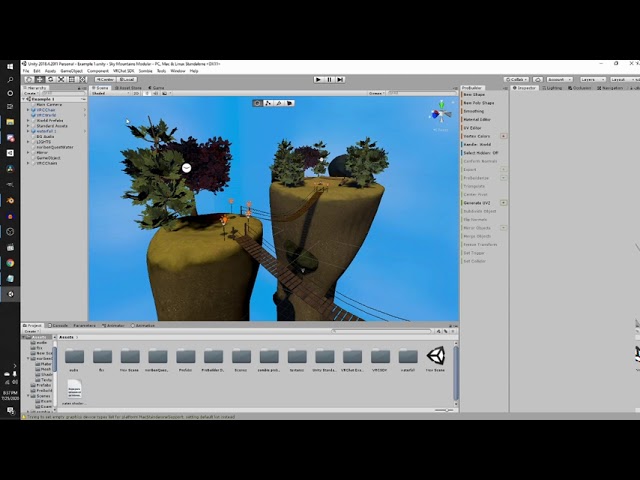
Silents intro to post processing:
https://gitlab.com/s-ilent/SCSS/-/wikis/Other/Post-Processing
Support me on Patreon: https://www.patreon.com/spookyghostboo
Join my discord: https://discord.gg/AF2m2uh
compact flume
Yeah I followed that tutorial and got it set up! Guess im just missing something
how can i get the lighting to show prior to me jumping in the world to look?
 fallow lark
question could you show your whole UI
compact flume

 compact flume
Gotcha - so is there a way to get it to show the actual lighting in a setting Ive missed?
Generate Lighting?
fallow lark
that button you should be it ?
fallow lark
you also need to set your objects to static for baked lighting
compact flume
I was looking in the lighting menu
fallow lark
did the button work
 fallow lark
yes
You can support me on my pateron
https://www.patreon.com/mcphersonsound
This is a longer tutorial than normal and there is a lot to cover so here are time stamps for your convivence.
00:00 what is baked lighting
00:35 setting up lights
1:23 preparing meshes to bake
2:30 generate lightmap UV
3:28 light probes
5:10 reflection probes
6:00 emissive ...
compact flume
thank you!
fallow lark
https://www.youtube.com/watch?v=m02WrMnseVE this tutorial shows off a emissive material

Vowgan's Video - https://youtu.be/E0D9Z8-HVBI
Alternative guide by Akalink - https://ask.vrchat.com/t/world-ui-setup-guide-udon-worlds/7279
VRChat Discord - https://discord.com/invite/vrchat
Written Guide - https://steamcommunity.com/sharedfiles/filedetails/?id=2507157026
iconoclass.booth.pm
https://ko-fi.com/Iconoclass
https://twitter.com/Ic...
compact flume
awesome!
fallow lark
glad to be of help hope your world goes okay now
 slow charm
Merry Christmas Everyone,
Does anyone have experience with AudioLink and making an object react to the music playing in the world??
compact flume
very confused on lighting - trying to do a neon light effect, following several tutorials, but its just not working out, emissions are on but cant get it to 'glow'

 next owl
glow can only be accomplished by post-process bloom
make your emissive material's emission brightness higher than the bloom threshold
 next owl
your threshold is 23
fallow lark
GitLab
A surface shader for Unity providing cel-shading. (Forward rendering only)
next owl
that means that if something is to bloom, its brightness needs to be higher than 23
try turning that threshold down
fallow lark
"Bloom
This should be enabled and tweaked according to taste.
An ideal set-up means having a low bloom intensity and little to no threshold. This combination means normally lit objects don't produce visible bloom, but bright objects and glancing reflections will, properly simulating a clean but not perfect lens into our world.
Intensity: 0.01 to 0.3, don't go any higher!
Threshold: Below 1.0, but ideally 0.
Soft Knee: 1.0
Clamp: 30
Radius: 7-10
Anamorphic: Ideally 0, but tweak as desired.
Fast Mode: Off, unless your scene has no bright objects.
Dirt: Off. Don't use dirt. As Unity will tell you, "Using a dirt texture in VR is not recommended."
Bloom is additive. Any light that comes out of the bloom effect is added onto the image. If the bloom's Intensity is set to 1, that means the average brightness of everything is doubled, and everything is blurry on top. Also, eye adaptation values are calculated before bloom, so it won't stop your bloom from making the image too bright.
But if the threshold is zero, won't everything bloom?
No, because low bloom intensity means only bright objects will have visible glow!
In VRchat, lighting worlds isn't just about how the world looks, but about how players look in it, too. Because of this, relying on Threshold is a bad idea. This is an example of bad bloom. Because of a threshold, only the bright parts of the image have bloom... but because the intensity is high, the result is completely blown out from just a regular white shirt.
It's also worth noting that a harsh threshold can cause flickering spots of bloom that cause eye strain. So please, ease off on the intensity and threshold! If your world needs bloomy things, make them very bright.
To check your bloom is set up correctly, place a white sphere with white emission at 1.0 strength and verify that it has little to no glow."
GitLab
A surface shader for Unity providing cel-shading. (Forward rendering only)
compact flume
^ I replicated those settings and it didnt seem to have any affect
i think i may have something wrong somewhere else?
next owl
then you probably haven't properly set up the post-processing volume.
compact flume
thats probably the case, I followed a tutorial for setting it up, they had it set to 'Water' is that correct?
fallow lark
https://github.com/oneVR/VRWorldToolkit this tool has a setup post-processing button on it

GitHub
Unity Editor extension for making VRChat worlds. Contribute to oneVR/VRWorldToolkit development by creating an account on GitHub.
next owl
i have no idea what you mean by any "water" setting
fallow lark
then it's definitely not going to work if it's only doing post-processing on the Water layer
what tutorial were you watching that was having that be suggested Layer - Water
compact flume
xD I did think it was odd in the tutorial
Silents intro to post processing:
https://gitlab.com/s-ilent/SCSS/-/wikis/Other/Post-Processing
Support me on Patreon: https://www.patreon.com/spookyghostboo
Join my discord: https://discord.gg/AF2m2uh
fallow lark
maybe I should have grabbed a different tutorial
but yeah in general vrchat World tool kit is very helpful
compact flume
i feel so bad for asking stupid questions but now im trying to import that with the package manager but nothing is happening
im adding from package the unitypackage file when I open it doesnt do anything
fallow lark
you just dragged the package into the asset folder
 fallow lark
oh yeah that would definitely help
compact flume
i dont have the option in Layer for PostProcessing
fallow lark
send us a screenshot of your post processing
next owl
then this is any separate gameobject, add the post-process volume to it

 next owl
if you don't have a post-processing layer, just make it. set it to the highest available index.
you can always test to see if the volume is working by enabling color grading and adjusting exposure.
compact flume
the hue shift is working

just not bloom
Its working!
thank you both so much this is my first world as you can tell lol
next owl
no worries
compact flume
how can I make it so I can't see the gridlines when Post is enabled?
 next owl
 compact flume
ty!
teal star
Just bought Magic Light Probes, super excited to see how much of an upgrade it is compared to our older light probe placer!
green vault
teal star
Just bought Magic Light Probes, super excited to see how much of an upgrade it i...
i heard its p good and the person that works on it is super nice
 frigid void
hello, I am new to making world in SDK3
I am going to try to make my first world
But why is my game objects flickering lights when I move the camera?
Is there a way to fix this?
Hurts my eyes when moving my view around 😅

 sullen solar
How can I get bloom to work on quest? since it isnt compatible, are there any alternatives? can I bake in the bloom lighting somehow?
void pike
frigid void
https://i.gyazo.com/8c1041632bac147e0968738202d7731c.mp4
To me it looks like an issue with your lighting in your world. Maybe try removing the directional light and adding a new one back and adjust it. Also make sure you shader is set to standard on the platform
void pike
sullen solar
How can I get bloom to work on quest? since it isnt compatible, are there any al...
In unity, click at the top of the screen: Window, then click package manager, then search post-processing and add it to the scene
sullen solar
I already have it tho
void pike
I’ve seen some world have it work on quest, I recommend just messing with it until it works well
sullen solar
Okay thanks
void pike
You’re welcome
 fluid mirage
im using bakery, I remembered while baking that I forgot something and hit the cancel button. Now when I try to render, it fails, pointing me to the console where there are "index out of range" errors.
What the hell happened?
 fluid mirage
nevermind, the issue was cancelling the bake left temporary game objects behind
tardy rivet
Do I need to worry about Pixel Overlap warnings from Bakery?
glossy meteor
overlap is bad in light baking, so yea, what's the precise error?
tardy rivet
I think I resolved it, but it was giving an error saying that 200px are overlapping in the mesh. I think that might be less than accidental, because I have a placeholder mesh inside of another mesh that is used for liquid physics
 abstract drift
void pike
I’ve seen some world have it work on quest, I recommend just messing with it unt...
abstract drift
void pike
I’ve seen some world have it work on quest, I recommend just messing with it unt...
Post processing stack V1 & 2 do NOT work on Quest.
VRChat
Creating content for VRChat Quest is a challenge-- you have to create attractive, compelling content all the while keeping the content optimized for a mobile device. These are the same challenges that game developers must deal with while building for mobile. Here, we'll give you some general guideli...
abstract drift
sullen solar
Okay thanks
If you want to enable certain post processing effects for quest it would be through some sort of screenspace shader “bypass”
tardy rivet
Anyone know if Bakery cloud render works on Linux servers by any chance?
Also:
How can I more effectively block light from bleeding through a wall? Not sure why it is
fluid mirage
using unity terrain generation, why does baking do this? where trees in shadow are illuminated randomy?

 tight marten
So I am still learning lighting for world creation, but when I build and test/click run in unity to look at the world (after baking lights) my area lights disappear and dark shadowed lines will run diagonally across some walls and between seams where two walls are right against each other. Does anyone have any suggestions on how to fix either one of these issues?
I've tried normal baking and baking with bakery and get the same results.
here's an example of the problems
 tight marten
Okay I fixed my issue with the diagonal shadows by re-uv mapping the walls and such in Blender, but my area lights still disappear when i hit runtime after baking them. Anyone have any suggestions on what to do here?
abstract drift
fluid mirage
using unity terrain generation, why does baking do this? where trees in shadow a...
Trees generated from terrain as speed trees are randomly seeded and don’t have concrete meshes attached. Which leaves you with “meshes” that don’t have proper UV2’s or generated lightmaps
At least I think that’s whats happening
tight marten
Okay so I have fixed my area lights and tweaked a lot of the lighting settings, but I cannot get the shadows/lights on the staircase to look less blocky. I have really cranked the bake settings (I believe at least) and the shadows look very clean in other spots, but on this staircase they're still blocky.


Any suggestions on how I can fix the lighting on the staircase there?
Would increasing the scale in the lightmap for the staircase help?
 supple harness
Disable compression so that there are no artifacts, select the rest according to the desired quality.
tight marten
Would I be able to decrease the other quality settings by quite a bit (to bake faster) if I disable compression?
supple harness
For quick testing, I usually set it this way, for the final version, increase the values.

Many people recommend using Bakery - GPU Lightmapper for better baking quality.
next owl
bakery is a bazillion times better than the integrated lightmapper, it's not even close
you'll have to add a few components to your lights to make it work but it is worth the cash
tight marten
supple harness
Many people recommend using Bakery - GPU Lightmapper for better baking quality.
From my understanding bakery doesn't work with area lights?
and I'm only using area lights, with a couple point lights to add a bit more overall ambient light
although if there is a better way to get the area lighting like I have it then I'd be glad to do it that way
tight marten
next owl
you'll have to add a few components to your lights to make it work but it is wor...
I don't believe bakery supports area lights, unless I missed something.
next owl
it does, use the bakery light mesh component for area lights
tight marten
Oh my god I had no idea.. Thank you, I'll try that out then!
next owl
check the docs here: https://manuals.plus/bakery/bakery-gpu-lightmapper-manual

Bakery – GPU Lightmapper Manual (v1.5) Contents hide 1 Why use Bakery 2 Quickstart 3 Render settings 4 Advanced settings 5 Experimental settings 6 Components 7 Bakery Direct Light 8 Bakery Sky Light 9 Bakery Light Mesh 10 Bakery Shader Tweaks 11 Best Practices 12 Shader compatibility 13 Bakery Shader 14 FAQ 15 Related Manuals … Continue reading ...

 white wadi
hey guys, whenever i import the vrcbilliards its always pitch black any idea on the proper way to light it? only way ive found is to use real time lighting
molten kestrel
I'm worried that I'm going to have to use realtime lighting because baked lighting is so messed up.
Unless I can figure out why it hates my spotlights, I won't have a choice.
Not sure what's making it a bright mess
 molten kestrel
Perhaps the spheres the spotlights are inside are the problem 🤔
 supple harness
@molten kestrel All directory light change to point light
supple harness
On stage, setting, all global light sources need to be converted into point ones.
molten kestrel
supple harness
On stage, setting, all global light sources need to be converted into point ones...
Thanks... where's stage? 😅
molten kestrel
Unless I'm expected to replace all of my spotlights?
molten kestrel
Changing them all to point lights didn't help

Using progressive GPU as it's much faster
Reflection probe covers the entire structure

The light probe group covers the outside and inside

The building is a single simple object, which was made in Sketchup
Generate lightmap UVs box is checked

Directional lights are just as broken. Looks like it's not the lights that are the issue.

Deleted the light probe group and generated. Still broken, so that's not the problem.

Same result if I delete the reflection probe
modest vapor
Have you watched this ? https://www.youtube.com/watch?v=dKgUJccjWRU
You can support me on my pateron
https://www.patreon.com/mcphersonsound
This is a longer tutorial than normal and there is a lot to cover so here are time stamps for your convivence.
00:00 what is baked lighting
00:35 setting up lights
1:23 preparing meshes to bake
2:30 generate lightmap UV
3:28 light probes
5:10 reflection probes
6:00 emissive ...
Still confused as to what your world is supposed to look like when it's working
 modest vapor
So you got lightmap UVs and no warnings in console after you bake, it's all set to static flag contribute to GI
alright, that makes more sense
molten kestrel
Building is static, no errors in console. Here's the other stuff:

If I use a dark grey-yellow, I get this.
 modest vapor
warnings aren't errors
check for warnings
You shouldn't rely on environment lighting since it's an interior that you're trying to bake
molten kestrel
My complete settings list

Got this warning me I have overlapping UVs.

Nothing else though
molten kestrel
modest vapor
You shouldn't rely on environment lighting since it's an interior that you're tr...
All the other screenshots use gradient. The lighting is bizarre either way.
All lights are parents of a sphere and dumped under one of them. I don't know if there's a better way to group things.
 modest vapor
You're using standard shader right ?
molten kestrel
If it's just the building, then these are all standard
 molten kestrel
Most are like this, but a few (disabled mirror, metal floor in elevator) have both set to 0.5. Light spheres are the exception, which are both 0.75.

Also tabletop and wood textures have only 1 at 0.25
 modest vapor
Yeah unsure what's going on then, i'd probably suggest disabling all lights, and enabling them one by one after each bake to see if even that works
molten kestrel
It seems that disabling the lights before baking makes no difference :/

Still got strange lighting
next owl
do you get normal results if your objects are all using a default standard material, no textures? also, are your lights set to "Baked"?
molten kestrel
With the exception of range, all lights use these settings

Still getting this when baking
 modest vapor
Good to know that having no lights ends up being the same result at least
but it means that the environment is still lit by something
molten kestrel
I haven't got any other lights 🤔
modest vapor
I'd disable the filtering options in the lightmapping settings btw
Set your environment lighting to all black btw, unless you've got a visible skybox in the world
molten kestrel
Skybox is visible, but only for the low quality mirror
modest vapor
Then all black
molten kestrel

I haven't actually got a Sun Source light

Still getting the strange lighting 😮💨
modest vapor
Delete all lighting, all lightmaps, Edit > Preferences > GI Cache, clear it, save, restart unity and try again
molten kestrel
Everything is now completely black without the lights.
modest vapor
Good
molten kestrel
I get the buggy lighting if they are there though
modest vapor
Even just one of them ?

 molten kestrel
Still happening with a single baked point light
 modest vapor

molten kestrel
It's a mystery
I could give up on baking and use realtime lighting, but I get the feeling it will kill performance
molten kestrel
How many realtime lights can I get away with using? 
molten kestrel
The problem occurs even with everything disabled. I'm also a Unity beginner so there's not much else I can really do at this point.
next owl
okay. your project is using the Built-In render pipeline, right? try creating a completely clean scene, place a few default objects in there, do a test bake. at least make sure your project isn't inherently broken.
what i'm seeing in your screenshot, from here, looks like a baked lightmap with incorrect UVs, like the UVs were modified after a previous bake
molten kestrel
I don't even know how to modify UVs
Hang on. I'll delete the main building and bake without adding the textures
Before

After

...looks okay
If I add the textures after that bake (that I can reach from this angle):

Okay then. What happens if I clear that bake and do another with the textures on? 🤔
Still okay!?

Oh wait. Wait. I haven't ticked 'static' on the building.
Uhhh... what's that? That triangle on the wall looks just like the one that's lit up in the buggy bakes.

Breaks with 'static' checked
 next owl
are you sure you don't have overlapping geometry in some of those broken areas? like multiple polygon faces occupying the same space?
molten kestrel
Behaves if I set this to 'light probes'
 molten kestrel
next owl
are you sure you don't have overlapping geometry in some of those broken areas? ...
molten kestrel
next owl
are you sure you don't have overlapping geometry in some of those broken areas? ...
Definitely not. I was very careful when making the model and overlaps would not be that shape.
Lighting destroys this game
 next owl
¯_(ツ)_/¯
molten kestrel

I hate Unity so much 
I previously had animations and prefabs that wouldn't work.
I made a copy of the scene for testing and the copy worked with NO issues.
Really shouldn't be a surprise that lighting is also painful.

 modest vapor
And you're sure your environment is static ?
What do the lightmaps look like once you tried baking the world ?
molten kestrel
Given up on it. I'll just have to live without shadows.
Had to uncheck static on everything as anything static had lighting issues.
Also swapped to point lights so the ceilings aren't pitch black.
Looks like this after baking:

Could be worse. 🤷🏻♂️
modest vapor
Yeah that doesn't look like anything baked, very odd
 cosmic torrent
Do your meshes actually have Generate Lightmap UV's toggled on?
 twilit lily
molten kestrel
Given up on it. I'll just have to live without shadows.
Had to uncheck static on...
twilit lily
molten kestrel
Given up on it. I'll just have to live without shadows.
Had to uncheck static on...
lightmap static needs to be checked,
also generate lightmap UV should be checked if you dont already have some made yourself.
if you use bakery, make sure you attached the corresponding bakery light scripts to the lights
if you want you can DM me the project and ill take a look at it if it still doesnt work then
molten kestrel
twilit lily
if you want you can DM me the project and ill take a look at it if it still does...
I'll gladly take you up on that. Got some new errors since then too. 
Not lighting ones though
twilit lily
sounds good! just shoot me a DM ^^
 graceful abyss
aside from lowering the lightmap resolution, is there any other way I can reduce the filesize for my lightmaps? I have a world that uses lightmaps, and it bloats the filesize
modest vapor
graceful abyss
aside from lowering the lightmap resolution, is there any other way I can reduce...
How many lightmaps and which resolution do you currently have ?
graceful abyss
looks like i'll have to do the scene over again since it currently causes a size overflow error
if it helps to get an idea of what i'm trying to do, i have several rooms layered on top of each other, and the player changes the scenery by pressing buttons on the side
ie, the player spawns in a basement and switches to a cave when pressing a button
they dont move but the room itself changes
originally, each one had its own lightmap, which i did by spacing each "room" out, and then merging them again
modest vapor
If you have bakery, I'd suggest using Bakery sectors ! Great use for stuff like that
 rose dagger
Hey anyone know why my lighting goes straight through some of my faces. The faces were done in blender. Ive never seen this happen. (fixed video)
modest vapor
Are you sure about the scale of your world
rose dagger
Oh. I had it at x2 scale since i needed it to be big while working on it. Seams like setting that back to 1 fixed it. I still dont know why unity was doing that. Maybe ill scale it in blender so it does not do that.
modest vapor
I think that's due to the scale and Unity's camera culling
Unity is notoriously shit at getting at the correct distance of things in focus and constantly loses reference
So it wasn't really your fault
rose dagger
Oh alright thanks.
 mental charm
How could i make a neon bar?
supple harness
mental charm
How could i make a neon bar?
shader emission + baking + bloom effect
 arctic bison
I am having an incredibly weird issue where "Generate Lightmap UVs" isn't actually creating lightmap UVs, for some of the meshes in my .fbx file

Using Bakery, this is before lightmaps are generated, as they look awful
And one of the problem meshes only has UV, not Us and UV2

Now some of them look wonderful, but some are not quite right
The problem mesh is still distorted, and hasn't generated UV2
I have followed the same procedure to make lightmaps for each mesh, most are playing nicely, some are just completely ignoring it
I've generated Lightmaps in Blender as a second UV, imported it into Unity, and then click Generate Lightmap UVs, modifying nothing of the parameters
This is making my bake look awful on the house
What am I doing wrong?
modest vapor
Is there a reason you can't rely on lightmaps UVs made in Blender ?
 formal spindle
getting blotchy lighting, heres settings


 fallow lark
well that's not good to have light probes stuck in the walls
formal spindle
moved them inside, same problem
fallow lark
could you show me object being affected by your light probes to demonstrate what you mean by blotchy
 fallow lark
did you generate light uvs
fallow lark
it's a very important step as a lot of models have overlapping uv's for increased texture efficiency
mint cipher
Checked on one of my older worlds and noticed that realtime lighting no longer effects trees??? was there some update that changed this?
formal spindle
lighting when I bake it on quest? how I fix

 lunar narwhal
change your lightmap texture compression to ASTC
4x4 block size for best quality with file size trade off
formal spindle
lunar narwhal
change your lightmap texture compression to ASTC
where do I do that?
nvm, I found it
 river sand
Hi everyone - I am totally confused and would love some help. I baked my lighting and after baking I got this:https://gyazo.com/2ddd182311bfba597227e9ae79aaa4f8

but then when I go into game mode I get this: https://gyazo.com/8aad3d89bd1a499c60af08799403cbc6

I have been banging my head for the last 24 hours and I have to finally admit I have no clue what I am doing lol
then when I go back into scene mode - I get this again https://gyazo.com/b5e338442a9209f4175461f60fef9263
 fallow lark
question did you set your objects to static
fallow lark
did you set your lights to baked mode
river sand
yep!
fallow lark
okie dokie just going down the list of common goof-up
 fallow lark
weird
fallow lark
https://www.youtube.com/watch?v=dKgUJccjWRU not sure if it would help but here's a baked lighting tutorial to check to see if there's any differences in your settings that might be causing problems ?
You can support me on my pateron
https://www.patreon.com/mcphersonsound
This is a longer tutorial than normal and there is a lot to cover so here are time stamps for your convivence.
00:00 what is baked lighting
00:35 setting up lights
1:23 preparing meshes to bake
2:30 generate lightmap UV
3:28 light probes
5:10 reflection probes
6:00 emissive ...
 fallow lark
question have you tried like a test scene that's different to see if the problems persist?
river sand
that is my next step
 fallow lark
glad you got it working
river sand
Thanks! I might have just been too tired last night haha
fallow lark
yeah definitely can lead to some trouble working too late
river sand
lol right? Thanks for your help - that last bit in the video for bakery is pure Gold
fallow lark
yep it's a very handy extension bakery
fallow lark
very nice
 vocal zephyr
any ideas why my movable pillows dont react to bakery baked lights?

and this is with normal unity baking
 modest vapor
Because they're not static ?
vocal zephyr
yeah but in the second picture you can see they look normal with the unity baking
with bakery they just look blue

modest vapor
Doesn't feel like your scene is baked in the first image
also might want to bake lightprobes manually ?


 ionic torrent
any tips how to avoid getting this, i am using bakery at the moment

these are my current settings
 modest vapor
More samples, and maybe more padding on your lightmaps UVs
ionic torrent
modest vapor
More samples, and maybe more padding on your lightmaps UVs
padding?
modest vapor
it's a lightmap uv settings in unity on your meshes
 dreamy current
Hello, how do I make lighting look like this? I've been wanting to add Emissive lighting to get it to look nicer, but I can never figure it out
Another thing is that I can never make worlds look nice like this. I want to make worlds with amazing lighting. Building the world I can do, it's just lighting where it's not the best.
Reference photo is the midnight rooftop
 fallow lark
that's typically post-processing Bloom enhancing the emissive materials https://gitlab.com/s-ilent/SCSS/-/wikis/Other/Post-Processing
GitLab
A surface shader for Unity providing cel-shading. (Forward rendering only)
a guide on how to do post-processing and not make a big mess
dreamy current
I've been wanting to build an airport terminal. Airports usually have a light behind the airline logo, which is why I want to add lighting and make it more like as if you stepped into an actual airport terminal
fallow lark
cool
I would definitely recommend grabbing lots of reference pictures of airport terminals
dreamy current
Just want to start making nicer worlds is all, at least the lighting portion
fallow lark
https://www.pureref.com/ also a handy tool for managing your reference pictures
dreamy current
Thanks!
fallow lark
it certainly works better than just having a big folder or a big PNG as like a good reference setup could end up with a overwhelmingly large amount of images like oh look I want to make a airport chair let me grab 10 pictures of that and then I would need like 10 more to handle the sign
fallow lark
https://gist.github.com/mauricesvay/1330cc530f6ab2ef33eb6a5ea56ef5bd a website of free PBR materials so you have nice textures to react to your lighting

Gist
List of websites for free PBR textures. GitHub Gist: instantly share code, notes, and snippets.
mint cipher
anyone available to help with baked lighting issues?
this is what it is supposed to look like:

and this is what i'm getting in testing

have been tweaking settings/backtracking for an hour. can not figure it out lol
mint cipher
it was working fine, then it stopped and i couldn't figure out what changed
 fiery cape
So I've made these cool light fixtures and surrounded them each with a box of light areas but well, its instantly made the light baking as slow as hell. What's the best way to light with these and not cause the bake to take forever?
 fiery cape
Switching to single area light + a point light in the middle seems to have resolved things
 fringe dust
Heyo! I'm looking for a nice string lights asset to use in vrchat worlds I make, any good ones?
fiery cape
I appear to be having some kind of overlap going on but everything looks fine on the lightmap. Each wall has been split on to a different mesh now and its own set of UV and UV2s. I'm not sure what's causing the patterning here.

 random oxide
fiery cape
So I've made these cool light fixtures and surrounded them each with a box of li...
random oxide
fiery cape
So I've made these cool light fixtures and surrounded them each with a box of li...
I assume the lighter areas of the lamp are emissive? You can try using an emissive material instead of lights, these usually take a lot less time to bake. Just have to fine tune the brightness/hdr color value to be bright enough.
 sinful herald
i come in need of assistance as im not the smartest, i want to make a lamp and cannot figure out which light source to use to make its extremities pop out and be shiny but all i get is light (which is fine) but no light to the lamp surface. anyone know how to do it properly? sorry for the confusing explanation

 random oxide
sinful herald
i come in need of assistance as im not the smartest, i want to make a lamp and c...
random oxide
sinful herald
i come in need of assistance as im not the smartest, i want to make a lamp and c...
The best way is probably to make and use an emission texture for the material of the lamp. In that texture you have to mark the parts that should be emissive and glow. Then add post processing with subtle bloom to make it look glowy.
You probably need to learn some blender and UV mapping to make one of those textures though.
If you bake you light(as you should most of the time) you could also try the double sided illumination but I think that might cause some other problems so I would go with the emissive texture. The light you have right now only affects the front faces and won't illuminate the glass from the back like you might expect it to.
sinful herald
random oxide
The best way is probably to make and use an emission texture for the material of...
Thank you very much! I'm sure I can find some online tutorial help for those methods. I was very dumbfounded by lighting for the past few hours so you are a lifesaver
 vagrant briar
Any ideas for why my lighting in scene view is bugging out but its perfectly fine in play mode? Started happening randomly after adding vrc billards
 open cosmos
Someone in here good with lighting stuff in unity? Whenever I hit the play button, or upload my world,
all my lightsources just stops working.. If i hit play, they stop working, I stop play mode, and the lights are still off. And only if I delete the lightsource, and then hit CTRL+Z, they work again :/


 open cosmos
Nevermind! I managed to solve it, after a few hours of internally screaming 👌
sinful herald
open cosmos
Nevermind! I managed to solve it, after a few hours of internally screaming 👌
do you mind me asking what was the issue?
open cosmos
sinful herald
do you mind me asking what was the issue?
I switched from baked light to mixed and then they worked 🙂
random oxide
That probably means you forgot to actually bake the baked lights though, when using mixed you are using the realtime light too. AFAIK unity will show realtime lights in the editor until you bake it, even when set to bake.
open cosmos
random oxide
That probably means you forgot to actually bake the baked lights though, when us...
Im not even sure how to properly bake it. I went and did the generate lighting thing but it didn't help at all. Either way it's working now so I don't wanna mess with it xD
random oxide
open cosmos
Im not even sure how to properly bake it. I went and did the generate lighting t...
There is a pinned tutorial about how to do it: https://www.youtube.com/watch?v=dKgUJccjWRU
Depending on your hardware it can take a lot of time to bake the light but it will make your world a lot more optimized for the players in it and done properly will also look a lot nicer.
You can support me on my pateron
https://www.patreon.com/mcphersonsound
This is a longer tutorial than normal and there is a lot to cover so here are time stamps for your convivence.
00:00 what is baked lighting
00:35 setting up lights
1:23 preparing meshes to bake
2:30 generate lightmap UV
3:28 light probes
5:10 reflection probes
6:00 emissive ...
open cosmos
random oxide
There is a pinned tutorial about how to do it: https://www.youtube.com/watch?v=d...
well i watched that, but i dont wanna spend all that money for that baking thing, cuz tbh im not dead set on making alot of worlds in the future 😂
random oxide
You can also use the built in progressive cpu or gpu lightmapper. Bakery is only an improvement over the built-in one and especially useful for large worlds I think when you have a compatible gpu.
They only explain bakery(the paid thing) after minute 11ish.
open cosmos
random oxide
You can also use the built in progressive cpu or gpu lightmapper. Bakery is only...
Ahh, im sorry im still very new to the whole process, i probably misunderstood alot of what they were explaining xD ill look more into it and pay more close attention, thank you!
mint cipher
I think my issue was explained earlier. Thank you other person that had the same problem (mixed lighting)
glossy meteor
if mixed lighting fixes your problem, you likely are doing something you don't want to do
mixed lighting can have a very harsh performance hit
learning how to bake light is very important and will mostly be a good solution for most worlds
 steep violet
Okay so how do you get the light the directional lights not to shadow the players ?
Kinda like other worlds do like black cat.
fallow lark
set your light mode to bake for everything and it'll only be baked lighting no real-time Shadows
steep violet
fallow lark
set your light mode to bake for everything and it'll only be baked lighting no ...
I get that but when I do it the player looks dark and when I add directional lights I only get light from that way. What do I need to do ?
fallow lark
put light probes in
You can support me on my pateron
https://www.patreon.com/mcphersonsound
This is a longer tutorial than normal and there is a lot to cover so here are time stamps for your convivence.
00:00 what is baked lighting
00:35 setting up lights
1:23 preparing meshes to bake
2:30 generate lightmap UV
3:28 light probes
5:10 reflection probes
6:00 emissive ...
 south yarrow
How does one put volumetric lighting? Asset Store link? Help?
fallow lark

GitLab
A shader for Unity that renders simple, cheap fake volumetric lights with instancing.
 languid fable
Does anyone have experience working with Bakery & Kanikama GI?
I can’t seem to get the two to cooperate even though they’re apparently compatible.
 silver kiln
Is this a okay'ish light probe setup?

it's a bit messy but it should get the job done right?
 arctic lotus
hi there
is there a way to keep the baked trees shadows on a terrain?
i mean, the shadows baked properly on unity editor but once y upload it to vrc the trees shadows are gone
fiery cape
arctic lotus
is there a way to keep the baked trees shadows on a terrain?
Had a friend experience similar issues, would like to know as I couldn't work it out either.
 wet void
https://gyazo.com/4e95326efd18a91ec056045c4d3d8ad4
Um...
What is happening here?
Whenever I move the light towards the dark area, it lights up but only the area behind it. It's like the dark separation is somehow connected to the light source...

 modern matrix

texture is symmetrical so when I bake it the shadows end up being flipped too...
how do I fix this 
modest vapor
Texture should be irrelevant since it's on the lightmap, what do they look like ?

 modest vapor
Select the mesh in your scene and you'll see where it is on the lightmap, then you can see what actual issues you're running into
You can support me on my pateron
https://www.patreon.com/mcphersonsound
This is a longer tutorial than normal and there is a lot to cover so here are time stamps for your convivence.
00:00 what is baked lighting
00:35 setting up lights
1:23 preparing meshes to bake
2:30 generate lightmap UV
3:28 light probes
5:10 reflection probes
6:00 emissive ...
Make sure to check you didn't miss a step
modern matrix
bro
I'm using emissions

anyway here it is

idk what that little square is
I changed one setting let's see if it works
wet void
wet void
https://gyazo.com/4e95326efd18a91ec056045c4d3d8ad4
Um...
What is happening here?...
Can I get help on this?
modern matrix
didn't work
modest vapor
wet void
Can I get help on this?
A video of your screen and mesh/shader/lighting settings would help
modest vapor
modern matrix
didn't work
Did you generate your own lightmap UVs ?
wet void
modest vapor
A video of your screen and mesh/shader/lighting settings would help
https://gyazo.com/26aa1c8bfefb96db73eee34d1b859ed7
https://gyazo.com/0587c988b9ffb2590766b2f55fd89bd7
This is what I thought to screenshot
The shader is the regular standard shader.

 modest vapor
Any console warning after bake ?
modest vapor
Lower the texels to 5, you're just testing
 lone forge
 wet void
lone forge
wet void
lone forge
Agreed
Sadly, the buildings need lights inside of them and I have never used any lights except directional in my worlds
Need to cool my laptop off, then I'll check
molten kestrel
My Bakery guy said they would update my lighting yet again and didn't even come online.
I can't do it myself as I don't have a Nvidia card, otherwise I would have weeks ago.
The lighting isn't anything fancy. Just some spherical lights (which are already set-up), plus some coloured glows in the bar and behind some wall props.
If anyone with Bakery has a little free time, please contact me. You will of course be credited.
Got a helper :)
 rustic cypress
Is there a way to add an SDK3 Toggle to switch from Baked lighting to Realtime?
modest vapor
Sadly not how lighting works
You'd need your environment duplicated and toggle it entirely on/off
molten kestrel
@modest vapor this is the right channel for me to desperately beg someone to bake my lighting, right? Or is there a better channel?
modest vapor
I don't think anyone will bake your lighting lol
Unless you're willing to pay someone and send them your entire world project
molten kestrel
Had to send the world to the guy who did it the first time. I'm almost desperate enough to pay a small fee for rendering at this point.
rustic cypress
molten kestrel
Had to send the world to the guy who did it the first time. I'm almost desperate...
I'd highly recommend Bakery
molten kestrel
rustic cypress
I'd highly recommend Bakery
That's what the person who set up my lighting the first time used. Unfortunately it requires a Nvidia card, while I have an AMD one.
So I can't update it myself.
rustic cypress
ah
wet void
modest vapor
Lower the texels to 5, you're just testing
Sadly that did nothing.
Console did say I had 144 objects with overlapping UVs. How do I fix this?
Here are some pictures of what's going on in game. I have no idea what's causing this...

 modest vapor
Did you generate your own UV2s ? Is the other half of your mesh inverted normals or something ? I've never seen this issue before
 hasty ledge
wet void
https://gyazo.com/4e95326efd18a91ec056045c4d3d8ad4
Um...
What is happening here?...
hasty ledge
wet void
https://gyazo.com/4e95326efd18a91ec056045c4d3d8ad4
Um...
What is happening here?...
Have you gone to your unity model importer and checked if the Light UV's need to be regenerated?
wet void
hasty ledge
Have you gone to your unity model importer and checked if the Light UV's need to...
You mean generate Light UVs? It’s checked for every model.
wet void
modest vapor
Did you generate your own UV2s ? Is the other half of your mesh inverted normals...
I don’t even know what UV2s are
hasty ledge
You may need to regenerate them since this seems odd
Its a second layer of UV's
It fucks with light UV's because its not standard
wet void
I don’t think UV2s are activated then. I’ll check here in a little bit.
modest vapor
You can support me on my pateron
https://www.patreon.com/mcphersonsound
This is a longer tutorial than normal and there is a lot to cover so here are time stamps for your convivence.
00:00 what is baked lighting
00:35 setting up lights
1:23 preparing meshes to bake
2:30 generate lightmap UV
3:28 light probes
5:10 reflection probes
6:00 emissive ...
wet void
https://gyazo.com/9d964970b884146d151c7a1bba90900b
Does anything look wrong here?

https://gyazo.com/e1d6ad156f5d95157d924cb79679e578
This is the mesh renderer as well
 lone forge
modest vapor
Sadly not how lighting works
lone forge
modest vapor
Sadly not how lighting works
You can swap lightmaps with a toggle, couldn't you, in theory, pre-make a lightmap that has completely flat lighting, then swap that lightmap on with a toggle, and turn on your realtime lights?
modest vapor
That would need to be exposed in Udon
lone forge
Yeah, I still can't wrap my brain around udon, sadly. It overengineers things that used to be very clear-cut :/
I was barely able to get a flashlight to work lol, I still don't know what I did. Others can't see me holding the flashlight anyway
wet void
wet void
https://gyazo.com/e1d6ad156f5d95157d924cb79679e578
This is the mesh renderer as ...
I feel like the baked lightmap shouldn't look like that...
wet void
modest vapor
Did you generate your own UV2s ? Is the other half of your mesh inverted normals...
I don't think UV2s are on, and I don't think the mesh has inverted normals. I don't know what I'm looking for and honestly stress is starting to get to me
modest vapor
Did you not watch the tutorial video i posted ?
wet void
I’ll try rewatching it to see if I missed something…
wet void
I tried watching it, but I couldn’t find anything that I didn’t include in my world…
lone forge
I don't understand why I can't my lightmap to work. It looked fine in realtime (it always does). Why can't unity just literally grab the pixels that literally painted on the walls from the realtime lights.
GREAT WORK UNITY! That's exactly what I wanted! Good job!

Like I really don't understand what I'm missing. Am I supposed to do extra things since my layout is not a square cube? It's so amazingly convenient that these tutorial creators have a single cubic room in their videos. That's really gonna be a great blanket tutorial for everyone on the internet for sure
lone forge
I have decided I am going to use realtime lighting, sadly the VRChat devs will have to weep over the minor performance issue it creates and doom my world from escaping the labs.
Unity just doesn't seem to be a competent enough program to create lightmaps.
fallow lark
lone forge
I have decided I am going to use realtime lighting, sadly the VRChat devs will h...
using realtime lighting is way more than a minor performance hit
liking that screenshot it shows it's going to be seven times more expensive than the baked lighting
 fallow lark
you're going to have Dreadful performance especially if anyone turns on a mirror
lone forge
I even got bakery and tried using it, and it looked even worse
fallow lark
have you played around with the settings of Bakery
lone forge
Am I doing something wrong? How do I get it to bake correctly?
Yeah I spent 3 hours on it
wait
2
fallow lark
have you generated lightmap UVs
lone forge
I think I did? I generated one when I imported the model, but I'm not sure where it put it, or if bakery even used it.
fallow lark
yes Bakery uses the light map UVS generated by Unity
lone forge
fallow lark
yes Bakery uses the light map UVS generated by Unity
hmmm okay. You might be right, I think I need to find a way to bake lights, because shadows don't show up on an Oculus Quest 2, and the whole reason I'm doing this is to show off the cabin model I made to my grandparents lmao
fallow lark
I'm guessing the quest is killing any real-time shadows for performance reasons
lone forge
Can you tell me how to generate a lightmap UV?
fallow lark
there is a generate lightmap UV checkbox in the model import
lone forge
So I'd have to reimport the model? I already unpacked the prefab
fallow lark
you should be able to change that setting because that applies to the fbx file
lone forge
If I've made changes to the model after I unpacked it though, then won't that just make a messed up UV Lightmap?
I wish I could share screen in here
fallow lark
it probably will be fine and it's worth a try
https://www.youtube.com/watch?v=dKgUJccjWRU and this tutorial shows Bakery stuff
You can support me on my pateron
https://www.patreon.com/mcphersonsound
This is a longer tutorial than normal and there is a lot to cover so here are time stamps for your convivence.
00:00 what is baked lighting
00:35 setting up lights
1:23 preparing meshes to bake
2:30 generate lightmap UV
3:28 light probes
5:10 reflection probes
6:00 emissive ...
lone forge
I hope these light probes are all they're talked up to be
I've got a 30-min light bake, which I hope is a good sign, since before they took about 8 mins'
fallow lark
if it's helpful you can lower the baked resolution when you're just doing test bakes
 rotund ibex
What is happening here
 glossy meteor
rotund ibex
What is happening here
glossy meteor
rotund ibex
What is happening here
bad lightmap uvs, they seem to overlap, which uv2 may not do when baking
 glossy meteor
watch this https://www.youtube.com/watch?v=dKgUJccjWRU
You can support me on my pateron
https://www.patreon.com/mcphersonsound
This is a longer tutorial than normal and there is a lot to cover so here are time stamps for your convivence.
00:00 what is baked lighting
00:35 setting up lights
1:23 preparing meshes to bake
2:30 generate lightmap UV
3:28 light probes
5:10 reflection probes
6:00 emissive ...
rotund ibex
I figured out what it was actually.
Reflections, I gotta lay out more reflection probes
 ornate kraken
So i'm making a world and my floor has this weird reflection and i was wondering if there is a way to make it not look like that
 fallow lark
lower the smoothness value or put in a reflection probe so it has a more proper reflection
ornate kraken
is there a tutorial you can point me to, im new to making worlds and unity

 bleak orchid
thats... different
it would be roughness if there wasn't a texture in it
i usually use the standard shader
ornate kraken
i re-generated the lighting and it seems to be good now
fallow lark
roughness is basically the same thing as smoothness but it's inverted
wet void
Is there a limit to how many baked point lights can be in a world?
fallow lark
no not really as once it's been baked it's just been turned into a texture and light probes
 mystic orchid
Got this model, it's been generating lightmap uv's for the past 2.5 hrs
Just let it go?
mystic orchid
still going ;;
seeing other people talk about unwrapCL.exe not working right...
lone forge
Ok, please someone tell me, is there a way to edit lightmaps in photoshop? I've been at this for 8 hours trying to troubleshoot lighting. Bakery is the only thing that seems to get me close to decent baked lighting, but they carelessly didn't include a way to blur the terrible artifacts. This is getting ridiculous. How do I manually edit these?
 modest vapor
You can edit them in any image editor software
lunar narwhal
lone forge
Ok, please someone tell me, is there a way to edit lightmaps in photoshop? I've ...
is this on a quest build?
lone forge
yes
lunar narwhal
switch your lightmap compression format to ASTC 4x4
lone forge
it's uncompressed rn
lunar narwhal
as in, the actual lightmap texture files, change the import settings for compression to ASTC
those banding artifacts happen for lightmaps on quest builds on the default import settings
lone forge
Do I do that to all of these?

 lone forge
I'm not sure
I've been trying to get this to work for like 10 hours so maybe they're duplicates or i did something lmao
lunar narwhal
probably because you're baking at 512 resolution
lone forge
Oh right, yeah I did that to save time while I was testing, does that make more lightmaps?
lunar narwhal
yeah
lone forge
Should I rebake before I compress these?
lunar narwhal
if it can't fit it into a single 512x512 lightmap it makes more
nah, just compress to see if that solves your issue first
lone forge
oh true
fallow lark
it would be more efficient for it to be a small amount of larger textures because that means more objects can be batch together
lone forge
lunar narwhal
switch your lightmap compression format to ASTC 4x4
Where do I find ASTC 4x4?

oop nvm i see it
lone forge
fallow lark
it would be more efficient for it to be a small amount of larger textures becau...
Honestly you should be on the VRChat team, you help out every single time I come here
I think you even helped me once at like 4am
fallow lark
I tend to have a nocturnal sleep schedule
lone forge
lone forge
Do I do that to all of these?
@lunar narwhal Okay, I love you.

I'd give you a wet kiss rn if I could
lunar narwhal
my condolences for your 8 hours spent 😅
lone forge
It seriously looks so good
fallow lark
glad the problem was able to be figured out
mystic orchid
mystic orchid
still going ;;
seeing other people talk about unwrapCL.exe not working right...
absolutely wild. 12hrs later, it finished
lone forge
modest vapor
That would need to be exposed in Udon
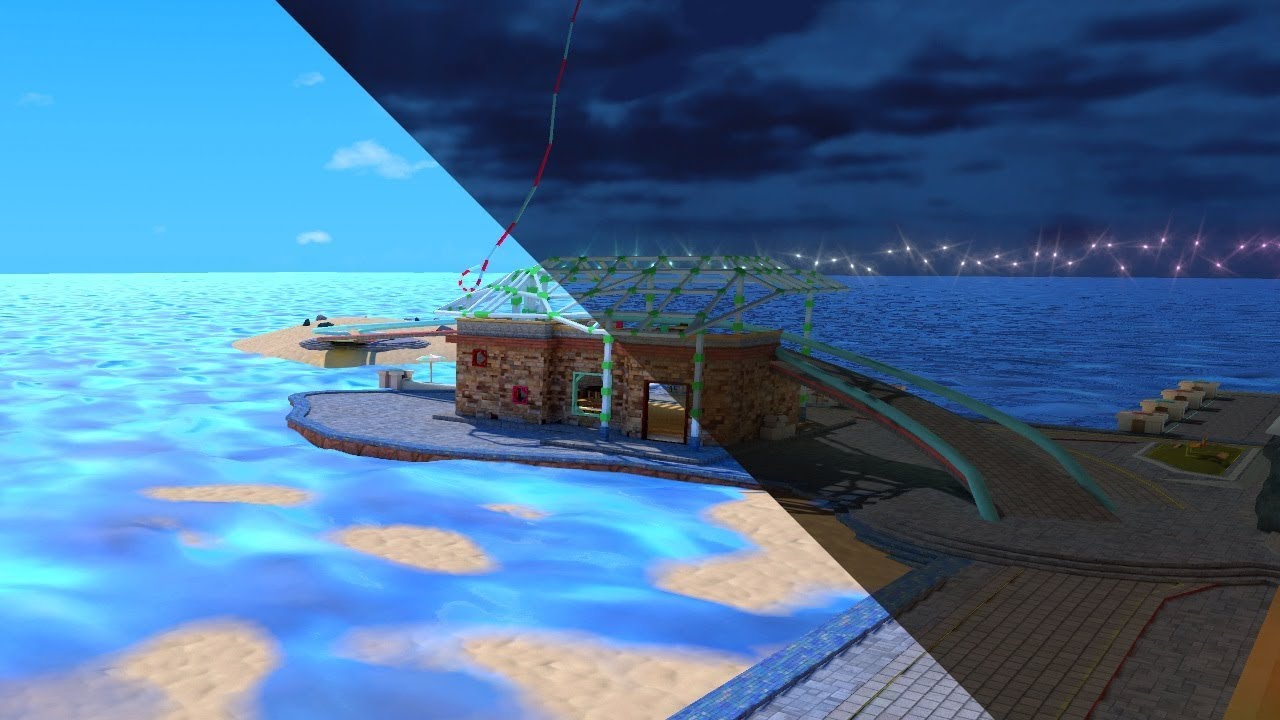
See it in action in Atoll of Ether: https://vrchat.com/home/launch?worldId=wrld_7644eab0-6408-42ab-8088-454c32c08768
The simple solution yet painfully long way around to swap Lightmaps in VRChat. At the cost of your sanity you too can offer this experience to everyone.
thx to Lyuma, the absolute legend for creating the skybox shader:
Skybox Sh...
This was the tutorial I was thinking about. Do you think this is possible with udon?
fallow lark
lone forge
https://www.youtube.com/watch?v=VLU6A4JWsWk
that tutorial is literally just toggling on and off two different versions of the map that have been baked not actually swapping the light map
like the entire geometry duplicated twice
glossy meteor
the parts needed to swap lightmaps are not exposed to udon
 sturdy bone
soo, after i baked the lights in my world, its now deep fried, in short words, can anyone help me here?
 sturdy bone
i redone the scene, redid all the emissions and textures, and i realized, it might be issue with the skybhox, cause without it, it renders all fine
formal spindle
whats the best way to get rid of small artifacts. like dark spots in creases
 calm basalt
formal spindle
whats the best way to get rid of small artifacts. like dark spots in creases
calm basalt
formal spindle
whats the best way to get rid of small artifacts. like dark spots in creases
You could try increasing your indirect and environment sample sizes
 modest vapor
Your environment isn't baked
You can support me on my pateron
https://www.patreon.com/mcphersonsound
This is a longer tutorial than normal and there is a lot to cover so here are time stamps for your convivence.
00:00 what is baked lighting
00:35 setting up lights
1:23 preparing meshes to bake
2:30 generate lightmap UV
3:28 light probes
5:10 reflection probes
6:00 emissive ...
 fresh field
tysm
 thorn sparrow
After baking my lighting, all of my lights suddenly got extremely white. All of the warmth disappeared. Any ideas? If there's any info you need, just lmk.
thorn sparrow
Was using temperature and not a filter on my lights, duh
 lost brook
Anyone knows how to resolve the following:
- building vrc world-
I made bloom effect using this tutorial https://www.youtube.com/watch?v=Pi1OBXUIuKg using postprocess layer.
And it's there in unity. But build test doesn't show it at all. I re-baked light few times but it didn't helped. And I am stuck ;---;

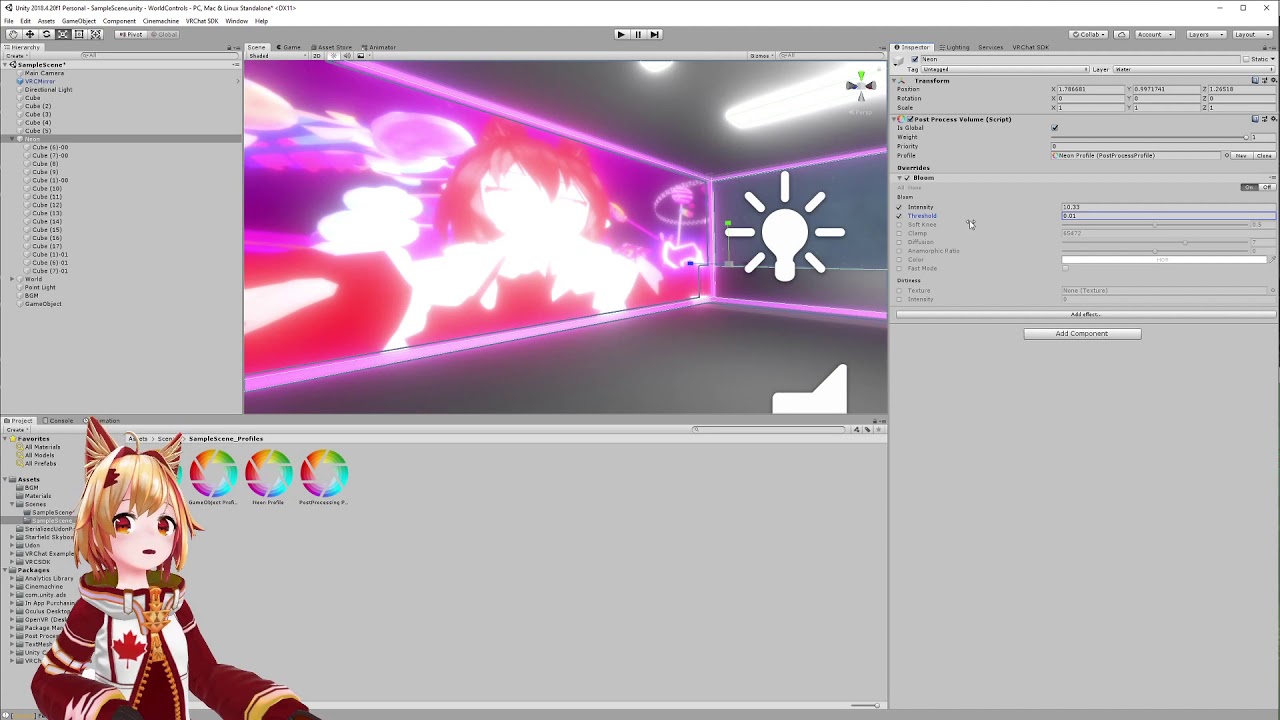
Create neon lighting for your VRChat world using Bloom effect.
sturdy bone
Check if in the vrcworld prefab the reference camera is set to the one you use
lost brook
sturdy bone
Check if in the vrcworld prefab the reference camera is set to the one you use
it is, main camera. I have only one ..
 oak elbow
sturdy bone
oak elbow
sturdy bone
look at nothing in scene
sturdy bone
oak elbow
look at nothing in scene
oh, thanks
sturdy bone
lost brook
it is, main camera. I have only one ..
then im unsure, once i get to doing that after baking if you still didnt get it fixed ill try to help
oak elbow
I had the same issue idk
lost brook
sturdy bone
then im unsure, once i get to doing that after baking if you still didnt get it ...
not fixed. I was trying different shaders too, but all same. it is awesome looking in unity and in play mode as well but do not transfer to vrchat testing build..
tight marten
Anyone have any ideas why this "shadowed bleeding" is occurring on my walls? This isn't the only spot, but this one it is really prevelent.

for reference, these are my settings for this bake.
 formal spindle
calm basalt
You could try increasing your indirect and environment sample sizes
formal spindle
calm basalt
You could try increasing your indirect and environment sample sizes
Doubled both to 1000 and still the same. When I use subtractive instead of shadow mask it looks normal. But then stuff that moves doesn't have shadows. Could I bake in 1 then change to other?
next owl
Does the built-in render pipeline support HDRI images on Quest? My skybox looks pretty chunky and I assume support is limited or non-existent, but it would be nice to have a definitive answer.
 hushed coral
Despite having Generate Lightmap UVs enabled as well as increasing the Pack Margin, I am getting black spots on my meshes
I have sort of fixed it by increasing my Lightmap Resolution size from 40 to 60 but now there are very clear separations from light to dark in certain areas of the scene
lone forge
I swapped my build target to Windows and my lightmap unapplied itself... Anyone know how to fix that?
 lone forge
Oh epic it didn't unnapply itself, it corrupted itself!
Good thing unity doesn't save backups in case that happens!
The uploaded build is completely blacked out. I have to re-render and replace the files with backups because I hand-edited some of the lightmap textures in photoshop
tardy rivet
Anyone else have Bakery just sort of freeze up at "Unloading scenes..."?
tardy rivet
It really took its time but it finally got past that
I think it's just because my terrain is huge
What is standard procedure for rendering like, big sweeping landscapes? My world is set at night and mostly just a couple of hills near a lake, I think it's just spending a tooon of time on Baking... I'm considering just doing realtime because it got good performance without any changes :/ any tips?
glossy meteor
depends on your gpu and your bakery settings
 coarse hill
i keep having this error spammed and having my whole computer crash when i attempt to bake my lighting i can't find a single thing named "wintermute" and ive already changed all my furniture assets in scene so i don't think its any of those (i only have 1 directional light, a post processing layer, 2 reflection probes and 1 particle system ) how do i fix it? if theres a way ?
 sturdy bone
another day, new issue, does anyone know why some indoor stuff has those weird like really strong white squares?

rest of the scen is fine, just this one indoor being stupid
 wooden flicker
If you baked it with Progressive GPU, just clear the baked data and bake it again
If thats not the issue i wouldnt know
tardy rivet
glossy meteor
depends on your gpu and your bakery settings
I was using default Bakery settings, tried reducing it. GTX 1060
 tardy rivet
it still doesn't want to bake ;~;
tardy rivet
Reposting so I can hopefully get some help here --
So I have a world that is incredibly large but mostly empty. It's nearly real scale data, a little beach in front of a huge lake and a mountain in the background. Bakery takes absurdly long to lightmap it. Is there anything I can do to speed up the bake? I get decent performance with real-time but obviously I should avoid it if possible
 versed herald
please help.
I have bakes lighting and i have an object that can be toggled. How can i have baked lighting on the object that is turned off at the time?
Id like to bake the lighting of an object that is turned off (hidden)
versed herald
if anyone knows how please dm or ping me
tardy rivet
versed herald
please help.
I have bakes lighting and i have an object that can be toggled. Ho...
Using light probes and letting the item be non-static is what you want, I think
 hallow hound
@versed herald if the object not moving why you not bake it and after its done close the object again it gona have the bake light stil you have turn it off
formal spindle
so I just got bakery to try and fix issues with artifacts, and it works fine, but now I don't know how you make other objects cast shadows that aren't static
 tardy rivet
Anyone have any idea why a Baked light wouldn't be working? All I can guess is because the object is so huge it's exceeding the lightmap size or something..? The rest of the light bake seems to be working fine, and the skybox light is affecting it, but the point light isn't for some reason. The screenshot shows real time
 glossy meteor
tardy rivet
Anyone have any idea why a Baked light wouldn't be working? All I can guess is b...
glossy meteor
tardy rivet
Anyone have any idea why a Baked light wouldn't be working? All I can guess is b...
is it marked as contribute gi in the static flag?
tardy rivet
glossy meteor
is it marked as *contribute gi* in the static flag?
Yeah it is


On my phone now but, first photo shows one chunk of the mountain
Second photo is the baked light settings
Third photo is how it looks after bake
Fourth photo is if I enable the standard unity real time light
Very confused
glossy meteor
not sure what you mean, it has been light baked though
tardy rivet
glossy meteor
not sure what you mean, it has been light baked though
The mountain is split up into multiple objects because it's very large
It seems the light i want to bake isn't affecting it
The "Area Light" light has a range of 800 and an intensity of 150, but the mountain is still entirely dark outside of the skybox
But when I enable the real time light with the same settings it's crazy bright
glossy meteor
tardy rivet
The "Area Light" light has a range of 800 and an intensity of 150, but the mount...
area light? you mean point light?
you likely want to use the bakery directional light for this
tardy rivet
glossy meteor
you likely want to use the bakery directional light for this
Yeah, "area light" is the name of the object, bc it was converted from a unity area light originally. I would rather use a point light because I don't want the whole map to be illuminated though ;~; i just want to brighten up the mountain a little bit .. I'm considering just giving it some emission lol
glossy meteor
you may need a higher intensity and indirect intensity
also may need more samples
tardy rivet
glossy meteor
you may need a higher intensity and indirect intensity
also may need more sample...
Those are both things I haven't considered so I'll try that thank you
How does indirect intensity differ?
I think you probably just solved my woes, it was set to indirect only and the indirect intensity was 1. I bet that's the issue
Rip
Likely my fault for using an area light to begin with lol
I'm pretty new to lightmapping stuff
Gonna let it bake, let's see how it goes
glossy meteor
indirect lighting is light that bounces on static meshes, the indirect intensity amplifies the power this indirect light yields
tardy rivet
So standard intensity and indirect intensity are related?
Still no luck after increasing indirect intensity :/ no change
glossy meteor
try intensity and range and samples too
 white fox
After I remove a piece of furniture how to I update the lighting after I delete a item so the shadow goes away?
glossy meteor
white fox
After I remove a piece of furniture how to I update the lighting after I delete ...
you will need to bake again
tardy rivet
glossy meteor
try intensity and range and samples too
Is there a good way to estimate range? Like I would think pressing the "copy from realtime" button should do just that :/
glossy meteor
tardy rivet
Is there a good way to estimate range? Like I would think pressing the "copy fro...
baking is different than realtime calculation
there is a bakery preview extension but it costs
tardy rivet
This is so frustrating even when I set everything to absurdly large values it doesn't even slightly change the results ;-; i wonder how much of a performance hit one realtime light on it would be
glossy meteor
what are you bakery settings?
tardy rivet

Pretty standard
I think I need to just switch to directional, you're probably right
twilit lily
so you tried using an area light with bakery?
@tardy rivet
try using the bakery light mesh instead of the point light for the area light, keep the unity light component attached tho
glossy meteor
tardy rivet
use full and not indirect render mode
i would use 5 bounces too but that will take longer to bake
and up your min resolution to like 2k
i also recommend using xatlas as atlas packer
and optix should be faster than open image denoise as denoiser, which optix depends on what bakery recommends you
tardy rivet
twilit lily
try using the bakery light mesh instead of the point light for the area light, k...
I'll try giving that a shot, a light mesh object instead?
tardy rivet
glossy meteor
use full and not indirect render mode
The water I'm using seemed to suggest I need indirect render, for some reason ;-; I can get away with it?
I will try switching those as well, thank you!
glossy meteor
tardy rivet
The water I'm using seemed to suggest I need indirect render, for some reason ;-...
the water? what water? where would it say such?
tardy rivet
glossy meteor
the water? what water? where would it say such?
Im using this water system--
glossy meteor
tardy rivet
Im using this water system--
no, this has nothing to do with light baking, it solely refers to needing a real time light
tardy rivet
So as long as a real time light is present in the scene it'll function properly?
glossy meteor
the patreon package should offer an example z buffer object too which you can drag in, since there are some more expensive settings you can turn off on the realtime light to have the minimum requirement
glossy meteor
tardy rivet
So as long as a real time light is present in the scene it'll function properly?
yes, but please look into tweaking the light as said, the project should have that
tardy rivet
Yeah I have been using the z buffer object and it seemingly is doing the trick. I'll try switching to the other settings you suggested but I'm probably just gonna set the mountain itself to be emissive rather than bake a giant area light because it's presumably less computationally intensive but yeah thank you for helping answer so many questions, I really need to spend a day experimenting with all of the Bakery settings and getting a better understanding of it
glossy meteor
well, at least try full rendering mode, emissive mountain won't look as nice i assume
twilit lily
tardy rivet
I'll try giving that a shot, a light mesh object instead?
just instead of the bakery point light a bakery light mesh
glossy meteor
pretty sure the indirect bake mode was the problem cus they had no changes at all
tardy rivet
 formal spindle
so I just got bakery to try and fix issues with artifacts, and it works fine, bu...
formal spindle
formal spindle
so I just got bakery to try and fix issues with artifacts, and it works fine, bu...
trying again
mystic orchid
Trying Bakery lights for the first time!
Shadows are a bit extreme in their darkness, especially for the amount of light in the first pic-
any suggestions to fix this?
(Realtime is top, baked using bakery is bottom)
Also, I've noticed that non-bakery baked lighting ignores light temperature, which is really annoying ;;
 glossy meteor
look into the bakery skylight for that
mystic orchid
Baking (without bakery) causes my lights to lose all color- how do I fix that?
 next owl
mystic orchid
Trying Bakery lights for the first time!
Shadows are a bit extreme in their dark...
next owl
mystic orchid
Trying Bakery lights for the first time!
Shadows are a bit extreme in their dark...
make sure all your materials are within the safe albedo range. if the albedo texture is too dark for non-metals you won't get bounce light
 rugged harness
mystic orchid
Trying Bakery lights for the first time!
Shadows are a bit extreme in their dark...
rugged harness
mystic orchid
Trying Bakery lights for the first time!
Shadows are a bit extreme in their dark...
There doesn't seem to be any shadows with the realtime lights perhaps?
mystic orchid
It'd be hella funny if it was just my eyes after having worked without shadows for so long
Tfw that is what it is
 pine trench
mystic orchid
It'd be hella funny if it was just my eyes after having worked without shadows f...
pine trench
mystic orchid
It'd be hella funny if it was just my eyes after having worked without shadows f...
I totally get that lol. I had to disable real-time shadows in my map because they were way too heavy with the size of the map, and it just looks so flat now without em.
Gonna wait til the whole thing is ready before baking any lights though.
glossy meteor
real time shadows do not affect file size, if you mean that by world size
they are calculated in realtime after all
 viscid siren
mystic orchid
Baking (without bakery) causes my lights to lose all color- how do I fix that?
viscid siren
mystic orchid
Baking (without bakery) causes my lights to lose all color- how do I fix that?
how long did it take you to put the room together (not including lighting, just the furniture and walls)
 marsh pond
so I have realtime global illum on and have a baked scene with light probes and it doesn't work ingame, I also just have a realtime reflection probe set to it's own layer to catch just the tv that's at 16x16 to add a tiny bit of spice but the realtime global illum isn't working.
works in untiy
in game
realtime reflection only working ^
just noticed i'm using 29f instead of 31 maybe that'll fix it
modest vapor
Are you using bakery ?
If so you may need to edit a line in one of the scripts https://hai-vr.notion.site/World-Lighting-abc870d06dd647ac9fcd60fe60af05d9

Haï~'s Notion on Notion
If you're a beginner with lighting, check out this other page
marsh pond
modest vapor
If so you may need to edit a line in one of the scripts https://hai-vr.notion.si...
no currently just the game haha.
unity*
pine trench
glossy meteor
real time shadows do not affect file size, if you mean that by world size
Oh nono I meant the physical size of the world, it was too big so having realtime shadows really bogged down performance. In some areas where there were a lot of shadows, and a long distance visible the framerate would drop to about 12
Sorry if I forgot to turn off the ping btw
 timid sparrow
i was working on a world, and my lighting borked up... can someone help?
 green vault
timid sparrow
i was working on a world, and my lighting borked up... can someone help?
green vault
timid sparrow
i was working on a world, and my lighting borked up... can someone help?
are the lightmap uvs generated?
 dreamy canopy
How to add music to a world in sdk2
 thin steppe
Anyone has any idea why gameObject (here the couch) does not cast a shadow ingame despite doing it in Unity? (Cast shadow is set to true)


Lights are all "Realtime"
glossy meteor
how many lights? unity does not support many realtime lights at once and you should likely bake this scene's lighting
thin steppe
I guess more than 4.
Every light in my scene is realtime
Where can I increase the max amount of supported Lights?
I increased the standard VRC Ultra Pixel Light setting from 8 to 16 but it seems that it gets automatically reset to 8 after compiling the world.
I will try and set these lights to baked then.
Still no shadows :/
 twilit lily
is it marked static?
twilit lily
the objects
thin steppe
Ah okay, I will try that.
I have a lot of physical objects that can be picked up
Those will not receive any light then?
thin steppe
Thank you 🙂
Quickly gonna try an udon script to see if that works and when everything works, I will go back to the lighting and try setting the world as static
thin steppe
Oof, baking's gonna take a couple of hours
twilit lily
thin steppe
Oof, baking's gonna take a couple of hours
what GPU do you have?
thin steppe
GTX1660
twilit lily
which lightmapper do you use?
thin steppe
Unity standard I guess
twilit lily
there are 3 lightmapper in unity
thin steppe
Where can I check that?
twilit lily
enlighten, Progressive and Progressive GPU
mint cipher
does anyone know why it looks sooo bad when i bake lights with quest as my target platform
twilit lily
use Progressive GPU
mint cipher
 twilit lily
change to GPU
mint cipher
and these are wayyy darker than they are supposed to be now

sorry for interrupting as well
twilit lily
aside from the compression?
twilit lily
meant the question above me 😅
thin steppe
ah okay 🙂
twilit lily
but in general, GPU is always faster than CPU
thin steppe
When I change to GPU it keeps switching back to CPU
mint cipher
twilit lily
aside from the compression?
clarify
thin steppe
it says Progressive GPU (Preview)
twilit lily
thin steppe
it says Progressive GPU (Preview)
thats the right one
also try reducing samples and texels per unit to make it go faster
thin steppe
What is a realistic number that still looks pretty?
twilit lily
for indoor i usually use 32 - 48 texels per unit and 64 samples (with Bakery)
thin steppe
twilit lily
thats the right one
Yeah, when I change to GPU after a couple of seconds of baking it switches back to CPU
mint cipher
im very new to this stuff all i did, was set all my lights to baked and set everything to static and baked it and now it looks like garbage
twilit lily
mint cipher
im very new to this stuff all i did, was set all my lights to baked and set ever...
it seems like you have a compression issue on the textures
mint cipher
how can i fix that?
twilit lily
also check that "generate lightmap uv" is enabled on the meshes
twilit lily
mint cipher
how can i fix that?
oof, i would have to look myself, gimme a bit. iirc i asked hte same thing in here
mint cipher
twilit lily
also check that "generate lightmap uv" is enabled on the meshes
im not seeing that
 twilit lily
its in the import settings on the model itself
like when you select it in the asset explorer
also try this for compression

#world-development message
here the link
mint cipher
@twilit lily

i did the override part
but where is the texture compression option?
mint cipher
is it the format?

 twilit lily
i used the 4x4 block and it worked for me
mint cipher
alright
so just override for andriod and set to 4x4
anything else before i rebake?
well
twilit lily
iirc it fixed it automatically
also add reflection probes and light probes if you havent already
thin steppe
It kind of sucks that it switches Progressive GPU back to Progressive CPU all the time.
"OpenCL Error. Falling back to CPU lightmapper. Error callback from context: Max allocation size supported by this device is 1.50 GB. 3.00 GB requested."
Can I reduce any specific lighting values to still be able to use the GPU lightmapper?
mint cipher
twilit lily
also add reflection probes and light probes if you havent already
Where do i add those
twilit lily
You can support me on my pateron
https://www.patreon.com/mcphersonsound
This is a longer tutorial than normal and there is a lot to cover so here are time stamps for your convivence.
00:00 what is baked lighting
00:35 setting up lights
1:23 preparing meshes to bake
2:30 generate lightmap UV
3:28 light probes
5:10 reflection probes
6:00 emissive ...
mint cipher
twilit lily
https://www.youtube.com/watch?v=dKgUJccjWRU
following this tutorial rn but my light probes are completely invisible

this is all it looks like
tried increasing gizmo scale but nothing
 dire compass
whats the least laggy lighting to use?
glossy meteor
just full baked lighting
dreamy current
Finally figured out the glow effect thanks to you guys! Here is something I made in Blender. I made a sort of Hexagonal "Wall Lamp" and imported it into Unity. No materials, just straight from Blender into Unity. I made emissive materials and added them onto the inner ring, where it shows what color the light is. Some input would be nice. A lot of colors can be combined to make beautiful walls with these hexagonal "wall lamps". Just testing what I can make.
Edit: you can remove the center to make a complete lamp


 marsh pond
modest vapor
If so you may need to edit a line in one of the scripts https://hai-vr.notion.si...
marsh pond
modest vapor
If so you may need to edit a line in one of the scripts https://hai-vr.notion.si...
got bakery and tried this and now the rgi isn't even working in unity
modest vapor
Bakery still relies on Enlighten to bake realtime GI
 modest vapor
Yep
marsh pond
gi works in unity now thanks will tell if it works ingame 🤞
marsh pond
@modest vapor sadly rgi still doesn't work ingame.
modest vapor
Are you toggling it with something or an effect ?
marsh pond
it's a media player so it's just on all the time
lunar narwhal
you need to be calling RendererExtensions.updateGIMaterials every frame to update it for rtgi
(expensive)
marsh pond
is that an udon thing?
lunar narwhal
yes
marsh pond
not saying I want it to be every second I'm sure I could delay it
lunar narwhal
yeah, you can do frame skipping so the performance hit isnt too terrible

 marsh pond
lunar narwhal
you need to be calling RendererExtensions.updateGIMaterials every frame to updat...
marsh pond
marsh pond
lunar narwhal
you need to be calling RendererExtensions.updateGIMaterials every frame to updat...
thanks for the help
 royal latch
hi lighting experts i was wondering what would happen if I baked my directional lights without putting down any light probes or a reflection probe?
twilit lily
royal latch
hi lighting experts i was wondering what would happen if I baked my directional ...
it would look flat (no reflections or just basic skybox) and dynamic objects such as avatars would be black (most likely)
royal latch
I've heard that baking lightmaps can take a while but it's been like 20 minutes and I'm still at 0/11 creating geometry.. is it possible that my computer just doesnt have the specs for this or will it work if i leave it going for hours
my cpu is 4.2 ghz quad core intel i7 and gpu is radeon pro 580
twilit lily
speed depends on resolution of the lightmaps mostly
royal latch
twilit lily
speed depends on resolution of the lightmaps mostly
No matter what lightmapping settings i put (lowest res, 1 texel per unit, smallest lightmap size) I still get stuck on "0/11 Create Geometry 1 Jobs" forever
 lean robin
guys, i need help with the lighting in my new world, I want to apply the black skybox texture, and retain normal lighting, but i can't figure it out
sullen solar
Can someone help me get rid of the red spots on the ceiling?

For context i have some area lights under that location, and the ceiling is set to Receive Global Illumination from Lightmaps

 rapid nexus
Anyone know why when i bake spot lights, the light disappears after? only the light from the directional gets baked
twilit lily
is it set to baked?
rapid nexus
yeah it is
heres what its supposed to look like then what it looks like after its baked

 twilit lily
rapid nexus
heres what its supposed to look like then what it looks like after its baked
twilit lily
rapid nexus
heres what its supposed to look like then what it looks like after its baked
the mesh set to static too?
also disable prioritise view in the lighting settings when you are at it
molten kestrel
I followed the tutorial and I'm currently stuck with this mess.
Most posters and on the walls are too dark to see (unless I max out 'metallic')
Some prefabs are super shiny, and dark/desaturated like the posters.
Some shadows are also very strange.


Here's how it looks without baking:

I'm using progressive GPU, because CPU takes 10 times longer.
My lighting settings

All lights are using these settings:

Ignore the Bakery tab, I'm not using it.
Someone please help, the world is almost finished 🙏🏻
(I also have no idea what 'MLP Manager' is, but it's not in use)
glossy meteor
ensure to bake your reflection probes too


