#world-lighting
4 messages · Page 20 of 1
 modest vapor
 sterile flint
no i did not sorry
modest vapor
might wanna do that
sterile flint
alright, will do
 dense flare
I'm silly. Why is my lighting pitch black.
More info, everything is static, and I've watched videos in pins.
Nothing awry in the console after a bake either.
 bold wadi
Can mesh baker break my uvs if I didn’t bake before making them?
 mossy vale
I'm trying to make a window have a nice reflection, and I was trying using a reflection probe, but it's spherical veiwpoint means that it doesn't act like a true reflection, as the corners don't meet at the same point.
Is it possible to make it act like a reflection more accurately?

 untold helm
using box reflections if you place the probe directly in front of the glass
set the bounds of the reflection probe to match the room
and it will line up properly
mossy vale
I'll give it a go!
Thanks
So using that will make the corners of the bottom of the room line up, but not the top for some reason.
And it's also causing some peculiar looking distortions of the reflection...
I think maybe because it's wide?
This is the kind of thing I'm seen now, even though the floor looks perfect in the reflection, the roof and walls.. .erm...

 tropic solstice
How would I set the brightness setting of avatars in my world? Like I've seen some options in other worlds to toggle avatar brightness, which feature/component is that?
 haughty owl
What shader do people use for good quality worlds like midnight rooftop
 sonic marsh
Caused by the Lightmap UVs. To fix it, you'll need to bake better lightmap UVs manually.
sonic marsh
haughty owl
What shader do people use for good quality worlds like midnight rooftop
Standard, generally
sonic marsh
mossy vale
This is the kind of thing I'm seen now, even though the floor looks perfect in t...
The shape of the box projected reflection is determined by the shape of the reflection probe's box. You'll have to adjust the box until it looks correct.
 cosmic torrent
@sonic marsh Cheers!
mossy vale
sonic marsh
The shape of the box projected reflection is determined by the shape of the refl...
Ah thanks silent. I figured out that for some reason the meshs shape (as the window and room were one mesh) was causing some of the issues, so I just made the window transparent and threw the reflection on a plane.
 real dew
Does anyone have an example of an emissive texture?
I am currently just using area lights but I want more of a neon ish type feel
real dew
I'm really new at all of world building I know I might not need it for lighting but I feel like currently that's a good thing for me to use, do you have an emissive texture?
modest vapor
nope, never used one for a world
 cerulean pendant
For some reason the light effect won't work here ive used a area light
For some reason it says its disabled, but i don't see anywhere to enable it


 cerulean pendant
i have doh, but when i load into vrc there is no light
i want it to have like a led effect u know?
Trying to recreate this in the ceiling

But instead of it giving me a line of coller just the hole world collers. What effect would i have to use for this?
untold helm
area lights need to be baked
cerulean pendant
untold helm
area lights need to be baked
is it not??

 lunar narwhal
you may want to look at the light baking tutorial in pins on this channel
cerulean pendant
lunar narwhal
you may want to look at the light baking tutorial in pins on this channel
Ah oke, thx
Wel i was watching a video, did everything he said, but my world just stays black, while his changes https://youtu.be/VnG2gOKV9dw
In this video we’ll learn a bunch about lighting and use it to light a simple scene using the Progressive Lightmapper.
● Get a discount on The Complete Unity 3D Game Development Course: https://www.udemy.com/unity-developer-course/?couponCode=YTBRACKEYS999
● Download Room + Monkey: https://goo.gl/6EZjQL
● LMHPoly's youtube channel: https://goo....
sonic marsh
modest vapor
You don't really need any for lighting
Don't tell people this, it doesn't make sense. Emissive maps are really important if you're making a material with glowing parts. With maps, you WANT to have emissive areas where you light shines from, for the baking process.
sonic marsh
real dew
Does anyone have an example of an emissive texture?
For your example, your emissive map would be completely black except for the neon tube on the texture. The emission is based on this mask, multiplied by the tint colour. The neon tube on the emissive map can be either pure white, or you can darken the edges a bit to make it look more natural. Then you can control the colour of the glow with the tint. Using a high emissive value is great for both lighting and getting a nice bloom effect.
real dew
sonic marsh
For your example, your emissive map would be completely black except for the neo...
You got an example?
 versed herald
Anyone know some good lighting setups for worlds? Just a good Sun or so on
 restive cairn
would it be possible to make lights only affect certain objects and nothing else?
 true herald
So I'm looking at doing a very light halo around the underside of this bed that stretches out onto the rug and floor, would anyone have any tips for getting this to work? Basically make it look as if there's a magical portal that will transport you to Narnia exaggeration https://gyazo.com/beb8888a224e1f1aaa132b936ea7af12
 modest vapor
Duplicate the mesh below the bed, add standard shader on it with emission, bake lighting
true herald
Huh, awesome. Thanks!
Another odd thing, though, because I've had issues with this asset before doing this. This rug constantly seems to have strange "Squeares" and rectangles on it when baking, I've checked the UV's and they seem fine. Any ideas? https://gyazo.com/e98010683387f25ec2d5479b0aca215a
 true herald
It's just a rounded rug, I can show you the UV's, though I've never messed with actual "light" UV's to know what I'd be talking about x'3

 modest vapor
those UVs don't matter
you need to generate lightmap UVs in unity in the mesh settings
 royal swift
I changed no settings from last night when it was working, but when I opened up the project just now, the lightmap was off again! Why is unity like this?

Also, I don't trust blender's lightmap pack
 true herald
Where would I go about doing that exactly, Ruubick? In the prefab that I've got from my Blender file?
modest vapor
click the object in your asset, the settings are in the inspector
 mint cipher
How exactly do you rebake lights? Do you delete all the lightmap textures and clear the cache then bake lights again or is all you do just bake lights again
modest vapor
You can usually just bake again
mossy vale
How can I change the values and the order of reflection probes on a mesh? When I look at them they're grayed out:

 supple loom
You edit the reflection probes
mossy vale
Okay so I can see where I edit the weighting on the probe, but my issue is that I have multiple meshs that for some reason contain the same probes, even when I only want them to containt 1. I don't know how to seperate or remove them.


I don't understand why it workes like so.
When both of the reflection probes look exactly the same:
 lunar narwhal
if you have overlapping probes or a smaller probe within a bigger probe, you can set which one takes priority over the other using the importance setting, where a higher number denotes a higher priority, so a reflection probe with importance of 2 inside a reflection probe of 1 will take priority for objects within 2's space.
https://docs.unity3d.com/Manual/UsingReflectionProbes.html
official docs cover this

you can also force a mesh to use a certain probe by setting the reflection probe as it's anchor point or adding an anchor point within another probe's volume, but of course this will affect how the reflection looks which may not be entirely accurate.
modest vapor



 mossy vale
lunar narwhal
you can also force a mesh to use a certain probe by setting the reflection probe...
mossy vale
lunar narwhal
you can also force a mesh to use a certain probe by setting the reflection probe...
the anchor override solution was perfect, thank you!
 supple sequoia
I'm trying to set up a room with multiple different lighting setups that you can switch between but the light probes aren't switching, anyone got suggestions on how to set up something like this properly?
 green vault
you could do multiple copy set ups of the room and then bake all the rooms at once. then align them back so theyre on top and then disable and enable each room. corresponding with different light probes per different room
supple sequoia
yeah that's the way I have it now but the light probes act as if it's still in the original room, even though I'm swapping them. maybe I have to disable/enable the light probes directly too instead of the parent
the lightmaps and reflection probes swap fine. i'll update after I try out with this change
it still doesn't work. right now I'm just using a toggle script to swap between them but maybe if I use an animator instead it'll work so I can have both enabled during upload but the animator will turn one off at runtime
royal swift
OH MY GOD, all i changed was the emission value of a material and the lightmap freaked out again
 modest vapor
bakery ?
modest vapor
Well it's 50% off so now's the best time
mossy vale
Are there any must use guides for bakery or just give it an old Google?
lunar narwhal

GitLab
A surface shader for Unity providing cel-shading. (Forward rendering only)
modest vapor
Bakery also has its own documentation
royal swift
Woo! RTX mode is super quick!
 royal swift
Which bakery script should I use for a spot light?

oh ok. match lightmapped to realtime
also, is there no way to get more than 64 GI samples in a bake?
There's this useless multiplier... Setting it all the way just sets it to 1/1, which is just... 1

 shy root
Does anybody know an asset package for rotating lights the display coned / fanned lasers? All the ones I can find have custom scripts that don’t work with VRchat
 winter mulch
Would anyone know the solution for these light gaps I am getting with bakery?
 modest vapor
Can you show your mesh settings, bakery settings and console
winter mulch
I will have to bake again to get the console messages but one sec you want the mesh renderer settings or the fbx import setting? Cause I am using my own uvs in blender but it happens regardless if I generate them or not.
modest vapor
mesh renderer settings
winter mulch

My worlds in like sections cause I got better results that way. Figured I could just occlude it
I turned off self shadow on the bakery light that didn't seem to do anything
royal swift
royal swift
oh ok. ``match lightmapped to realtime``
This didn't work either
 frigid ibex
Is there a reason why my baked scene looks like this https://cdn.discordapp.com/attachments/662099366432997418/831987168175325204/unknown.png

When it should look like this https://cdn.discordapp.com/attachments/662099366432997418/831987213898088468/unknown.png

Ive never had this issue before
winter mulch
did u turn off scene lighting?
frigid ibex
I think I just fixed it. When setting the lights to baked before baking it broke it. I just set them back to realtime

Thats odd though, never had that as an issue before
 frigid ibex
will do
winter mulch
mannnn this is driving me crazy
 modest vapor
bakery settings and console ?


 modest vapor
No just saying you should switch to experimental for the denoise : fix bright edges option
royal swift
Don't use Optix denoiser
Use the Open Image AI Denoiser
Optix denoise is still new and sucks
that's my best guess as the culprit
@winter mulch
winter mulch
I will try that and bake again
The benchmark thing is what recommended I use it but I have not messed with that option
royal swift
It recommends it because it simply performs better on the hardware side, if the hardware supports it
you might also need to up your texels per unit, or do some UV tweaking
 edgy forum
I can confirm that Open Image Denoise generally works better than the OptiX denoiser as of now.
modest vapor
@calm forge Your shader doesn't support lightmapping does it ?
 calm forge
modest vapor
<@117762128454090756> Your shader doesn't support lightmapping does it ?
calm forge
modest vapor
<@117762128454090756> Your shader doesn't support lightmapping does it ?
it supports it in realistic mode
but yeah not in toon mode
modest vapor
Ok ty
shy root
Does anybody know why I’m having issues with generating UV maps for imported assets / pro builder objects? They are all static and have generate UVs on
winter mulch
Wait what.. @shy root Are you trying to use your own UVs or do you want them generated?
And im trying a bake now with the suggestions you guys made.
real dew
winter mulch
Would anyone know the solution for these light gaps I am getting with bakery?
Is that an light emission texture?
modest vapor
Once again, that's not a thing for worlds
winter mulch
real dew
Is that an light emission texture?
no
real dew
damn
real dew
modest vapor
Once again, that's not a thing for worlds
what do you mean its not a thing? https://docs.unity3d.com/Manual/lighting-emissive-materials.html
Also you never said that its not a thing
modest vapor
And the unity doc you pointed at says the same thing
I think you're misunderstanding textures and materials
lunar narwhal
materials with emissives can contribute to bake lighting though, and is the unity equivalent of bakery's light meshes
winter mulch
The way he questioned it though made it seem like a typical emission map you see on an avatar.
modest vapor
lunar narwhal
materials with emissives can contribute to bake lighting though, and is the unit...
Yeah, but he asked multiple times about emission textures for worlds, which ain't a thing
winter mulch
The light gaps are still happening unfortunately. Would it have anything to do with the light mesh being a separate object?
modest vapor
yes, definitely
shy root
winter mulch
Wait what.. <@!289586970785611776> Are you trying to use your own UVs or do you ...
hahaha I was way off, i have 33 objects with overlapping UVs. Has nothing to do with generating. However does anbody know how to fix overlaps in UVs?
i find they only overlap when i use a probuilder object or an imported asset
winter mulch
Gotta edit them in blender or whatever software you use.
shy root
alright, thanks!
 prisma arch
any idea why bakery will sometimes not bake lights as expected?


like there is no mesh in either of these pictures that would be casting these shadows
 shy root
winter mulch
Gotta edit them in blender or whatever software you use.
shy root
winter mulch
Gotta edit them in blender or whatever software you use.
I brought them in to blender and there was no overlaps in the uv maps... so strange
modest vapor
uv map and lightmap uvs are different
winter mulch
Do you have more than 1 uv channel?
shy root
waiiiiiit, did i just figure this out... i converted to fbx prefab variant and now i can click generate lightmap UVs. Will this mess things up?
modest vapor
nope, that's how it's supposed to be done
shy root
i feel so dumb, ouf
winter mulch
Well instead of using the mesh I made in blender for the lights I just put unity planes there and shaped them and it doesn't have that issue. Guess I will just do that.
 pine trench
A dynamic light will override light probes when it comes to avatars, right?
modest vapor
Unless the player layers are culled, yes
pine trench
Alright cool, so if I want a day/night cycle, I should bake the light probes with the sun intensity set to 0? There are other baked lights around the map too.
modest vapor
Sure you can try
pine trench
Thanks, I'll give it a shot and see what happens 👍
green vault
needs to be udonized
 rustic cypress

 hallow hound
you got light probes? if you got baked light
hallow hound
if you got baked lights in yor world you need also light probes or the players gona stay dark
 pure bobcat
how much purple is too much lol
 modest vapor
If no dynamic object goes through them, they're unnecessary
 brittle ember
Hello

I am new to the whole world making thing so i got a question
I have 3d modelled a house in Cinema 4d which i now have in my unity project. Problem is is that the shadow lines are all like when anti alliasing turned off.
Now is this the models fault or am i missing something in unity itself?
modest vapor
Does your light have soft or hard shadows ?
brittle ember
hard
with soft it looks better but still scuffed
note its one directional light i have faced towards the house
or like inside it

This is with soft shadows

i myself think its the model but i have no idea how i could fix it in cinema 4d, as a straight line is still a straight line.
Maybe its the export settings
modest vapor
If it does that regardless of the light orientation, I'd guess it might just be the anti-aliasing settings of your project
 brittle ember
modest vapor
If it does that regardless of the light orientation, I'd guess it might just be ...
brittle ember
modest vapor
If it does that regardless of the light orientation, I'd guess it might just be ...
ima chekc this one out first, then see what else
the people on the forum are talking about camera settings or something like that
thanks
turns out the shadow distance is the thing that make it sharp or not
modest vapor
TIL
 oblique panther
Is there a way to bake multiple lightmaps and then swap between them at runtime? Like, one for lights on and one for lights off?
modest vapor
Nope
lunar narwhal
not exactly, but you can achieve the same effect https://www.youtube.com/watch?v=VLU6A4JWsWk
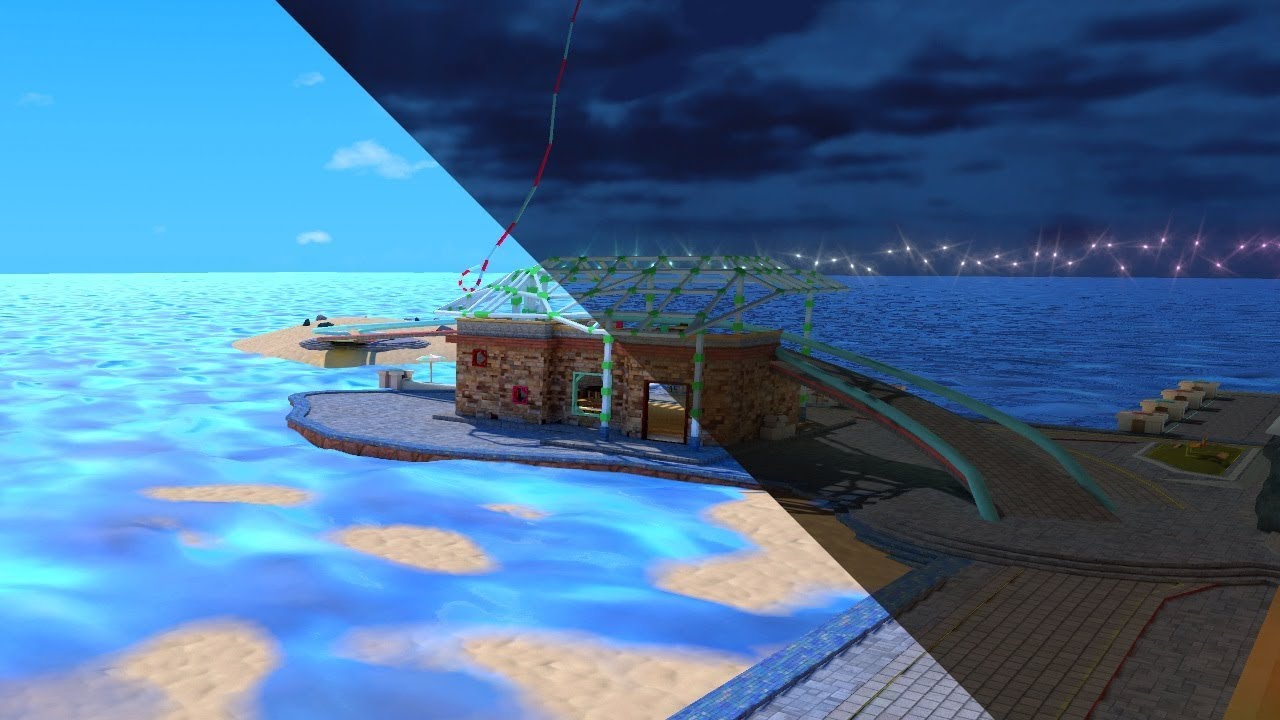
See it in action in Atoll of Ether: https://vrchat.com/home/launch?worldId=wrld_7644eab0-6408-42ab-8088-454c32c08768
The simple solution yet painfully long way around to swap Lightmaps in VRChat. At the cost of your sanity you too can offer this experience to everyone.
thx to Lyuma, the absolute legend for creating the skybox shader:
Skybox Sh...
oblique panther
Awesome! Thanks!
I knew I'd seen that sort of effect before, so I was doing some digging on my own, but hit a dead end:

I'll watch your video right away.
lunar narwhal
not my video, thank Maebbie
oblique panther
Haha, what a clever hack. Thanks!
 oak breach
Hello i came across weird issue yesterday, while baking lights on my model this weird afrtifacts are poping out, any idea how make it look better?


 still bobcat
Anyone use bakery? I have been having trouble with my map where it will lock up 100% of the time when i set the unwrapper to Xatlas

 split arrow
Hi I was wondering if someone were to know why the ui and avatar pedestal become extremely bright even though the world lighting is remarkably low. I use post processing and removed the bloom and auto-exposure yet this occurs still
 mint cipher
On a map recently, any idea what causes this, using Index with a GTX1070
 modest vapor
Update your drivers
mint cipher
modest vapor
Update your drivers
I honestly I thought I did that, but turns out I didn't, problem solved, thanks.
 torn rock


any idea why colorful lighting works fine in unity, but when i checked it in vrchat, it didn't work?
modest vapor
Is that lamp changing color or intensity in the world ?
If not, set it to baked and bake it
torn rock
Nah, just one color and intensity. I'm still new to lighting.
modest vapor

You can support me on my pateron
https://www.patreon.com/mcphersonsound
This is a longer tutorial than normal and there is a lot to cover so here are time stamps for your convivence.
00:00 what is baked lighting
00:35 setting up lights
1:23 preparing meshes to bake
2:30 generate lightmap UV
3:28 light probes
5:10 reflection probes
6:00 emissive ...
torn rock
modest vapor
https://www.youtube.com/watch?v=dKgUJccjWRU
Thanks
 rotund musk
i needa little help with my lighting, i just want everything to be lit with the textures still on them but when i move my camera it looks like they are fading, and i cant figure out how to get my area light to work
 mossy vale
I'm having a little trouble with getting started with bakery.
I'm trying to follow this tutorial:
https://www.youtube.com/watch?v=yDIOze0XndU
And while I can see the unity lights in realtime. I can obviously not see the bakery lights in realtime, which is expected. Though when I bake the lighting onto the map no lighting appears on the static lightmap. It also says "Object's size in lightmap has reached the max atlas size".
I'm a little stuck and don't want to go throwing around too many random settings.

This is a force, you will no longer use this points gun at chu jk i love you
Discord: https://discord.gg/METHRMH
Bakery: https://assetstore.unity.com/packages/tools/level-design/bakery-gpu-lightmapper-122218
 weak glade
@mossy vale did you make sure the gameobjects in your scene is set to lightmap static? And is using a compatible shader?
And same goes for you @rotund musk. Its best to just set your walls to everything static for future purposes.
mossy vale
Do you need light probes for bakery?
They are set to static, and the shader is compatible,.
weak glade
mossy vale
They are set to static, and the shader is compatible,.
Yes. Light probes provide light to all non static objects, including players. Without em, your avatar would be completely black and so would moving objects that are not static
 lapis rampart
For life of me I still use generated lighting even tho I have lights just cant figure out the baked lighting
modest vapor
You can support me on my pateron
https://www.patreon.com/mcphersonsound
This is a longer tutorial than normal and there is a lot to cover so here are time stamps for your convivence.
00:00 what is baked lighting
00:35 setting up lights
1:23 preparing meshes to bake
2:30 generate lightmap UV
3:28 light probes
5:10 reflection probes
6:00 emissive ...
true herald
For some reason I can't figure out what's going on with these artifacts in this rug,

It's ONLY this rug model and I've even verified in Blender that the UV's are correct, but it keeps getting black spots all over it. Anyone know what may be the cause? (Yes, I've generated light UV's)
royal swift
Anyone else have trouble with ScreenSpaceReflections? I can't get it to work
I got Bloom, AO, and CA, but no SSR

-each on separate empty objects for toggling, that's why only the SSR is showing there. It's enabled, but not showing any effect.
 twilit lily
not sure about SSR, but maybe you have to bake them in like you do with Reflection probes?
royal swift
It's a real-time effect tho
lunar narwhal
screen space reflections is only for deferred rendering, and vrchat uses forward rendering
royal swift
then how do some worlds get real-time reflections?
twilit lily
only use real time reflection if you want to fry others PCs
usually reflections are handeled by Reflection probes
royal swift
that's why i have it toggleable (and off by default)
lunar narwhal
either real time reflection probes, using an actual mirror, or a shader based solution using a grab pass to mimic screen space reflections
twilit lily
i think Rollthered made a real time reflection shader at one point
royal swift
So i'd just set a reflection probe as a child of the main camera?
twilit lily
you dont need cameras for reflection probes
royal swift
Well it needs to move with the player in order for the effect to be of any use
twilit lily
you place the reflection probe, make it fit for what you do, and set (in your case) reflection mode to realtime and tick box reflection
royal swift

GitHub
Reusable RendererFeature of MobileScreenSpacePlanarReflection - ColinLeung-NiloCat/UnityURP-MobileScreenSpacePlanarReflection
lunar narwhal
this is for URP projects, vrchat is on the standard pipeline
royal swift
rip
royal swift
Wait, do none of the standard post-processing volume scripts work?
I can't even get bloom working
royal swift
not getting any errors, it's just not working in play-mode, or vrchat
but works in the regular viewport
lunar narwhal
did you set up a post process layer on your reference camera and add it to your scene descriptor?
royal swift
oooh
 fluid mirage
if I wanted to have a sun flare, but also baked lights, how can i do that?
mossy vale
I'm trying to bake some lighting, but the shadows that are cast seem to pass all the way though a mesh and aren't stopped by the first surface they hit, how do I stop that?

As you can see the shadow of the mug passes through the bookcase.
There's is only a singular light source.
Also, I want to cast shadows, without lighting the area, am I able to do this? I don't want to brighten the area, I only want to darken the shadows.
 wraith mantle
hey @modest vapor shadows are flickering again like i said a long time ago. one good public world example i found is "Madoka Magica - I miss you" my buddy made this world and it never used to do this, but now its suffering pretty bad
modest vapor
Did they bake their lights ?
wraith mantle
No
I just wannna know why vrchat breaks everything. this world is over a year old and it never did this before. he hasnt updated it for like 7 months
modest vapor
having multiple realtime lights flickering is the standard unity behavior, they should bake their lights if they want to fix the issue
wraith mantle
ok but it never used to do this. VRchat broke it
¯_(ツ)_/¯
just thought i should bring it up if you wanna check it out and idk investigate it
also theres only one light in this world its the sun
oak breach
For some reason in one spot everything non static is black, even with lightprobes set up

Any idea why this is happening?
lunar narwhal
try hitting render light probes, light probe data might not have been baked yet
lunar narwhal
whats the settings on that cube?
also can you enable the lightprobe gizmo's in scene view?
oak breach
Those are the probes

And this is cube, it's not static for testing how player will look like

in other places this cube looks better
 lunar narwhal
oh, if its working then you might just have light probes in a couple of bad spots
oak breach
Should i move them closer to campfire?
lunar narwhal
you can see which lightprobes an object is taking lighting from when you have it selected
so you may want to check those when the cube is all black
might be one of the light probes you have on the floor thats just below the floor geometry
oak breach
Or just inside of mesh?
lunar narwhal
or that too
 fiery cape
oak breach
Worth of knowing
fiery cape
oak breach
Worth of knowing
I had that one where a floor probe and a roof probe both happened to clip inside a low hanging and an upward protruding object at the same time resulting in an odd pitch-black spot in the middle of a well lit scene. That'll be my first thing to check from now on!
 final smelt
still bobcat
Anyone use bakery? I have been having trouble with my map where it will lock up ...
final smelt
still bobcat
Anyone use bakery? I have been having trouble with my map where it will lock up ...
That can be the UV Map
shy root
so i have lights that rotate and move, and when they land on a player it turns them in to the color of the light, does anybody know how i could fix that?
modest vapor
remove the player and player local from the light layer culling
shy root
awesome thank you!!
mossy vale
I'm have a lot of trouble with lighting static meshes.
I'm managing to generate the lightmaps using bakery.
But after baking, the generated lightmaps appear to not be shown in thew scene or game preview?
I can see that they're lit in the bakery lightmap files, but the preview and when played in unity none of the lighting is visable.
It's like the light just dissapears.
 ruby narwhal
what do u think is causing this lighting thing
 weak glade
@mossy vale make sure you are using a shader that supports light map static. Standard shader will do.
weak glade
ruby narwhal
what do u think is causing this lighting thing
Looks like to me that the light map is too small and is overlapping eachother. Try to increase the lightmap size.
mossy vale
weak glade
<@183019617973829633> make sure you are using a shader that supports light map s...
Oh thanks a bunch! I was using Arktoon and for whatever reason it didn't support baked lightmaps?
weak glade
Yeah i had the same problem with using poiymon shaders for my world. They wernt designed for light baking, mostly for emissions and realtime lighting
mossy vale
Are there any good resources for looking up compatible shaders? I'm ideally looking for a toon style shader I can use with baked lights. I see unity chan might work, beyond that I've tried RealToon, Arktoon and Poyomi, but none of them work.
weak glade
mossy vale
Are there any good resources for looking up compatible shaders? I'm ideally look...
Im really unsure, but you can try and customize the standard shader to look toonish using post processing too and changing the textures around.
mossy vale
I'll have a look around, but thanks for your help, I'd been stuck on that for half a week.
 spare aurora
Hopefully a quick fix, running into an issue with Bakery, can't get the damn thing to bake one particular world.
In unity error:

Last entry in .ftracelog:
Writing...
PointBatch_1_0_9_HDR.lz4
Done
Init...
add
Tile size: 1024
Device 0: NVIDIA GeForce RTX 2070 SUPER (ON)
Used host memory: 0mb, available GPU memory: 7153mb
MODE: add
USING FLOAT
Loading shader addHalf.ptx::oxMain...
Can't read texture G:/BakeryTemp\P
 spring elk
@spare aurora rtx tends to mess up for me on the 2018 version of unity and cause a lot of errors
spare aurora
spring elk
<@!119998570802708482> rtx tends to mess up for me on the 2018 version of unity ...
This is a wierd one, I've tried it a bunch of settings on/off, including RTX, and out of 6 worlds, this is the only one having issues
spring elk
i was having a lot of trouble in the world im making right now as well
im guessing you already tryed to re-import bakery
spare aurora
I've tried just about everything at this point, haha
spring elk
i feel you tbh i just re imported it until it worked XD
spare aurora
I just re-imported it again for shits and giggles, what's the worst that could happen
spare aurora
It starting working, btw, not immediately after anything in particular, I went off and fixed up some UI issues and misc stuff, tried it again and it worked.
 golden stone
I’m fighting file size. I have a cave scene and a outdoor landscape. Bakery and normal light maps are adding +150mb. Landscape I don’t need much detail but I need some for the cave. What’s the best practice, separate into different scenes, bake, then recombine?
Tempted to go no-player-shadow real-time for outside but I know that’s not optimized in the slightest. I was hoping to keep light maps less than 30mb
green vault
are your textures compressed in any way? how many lightmaps did bakery create? are you baking reflections as well?
golden stone
I haven’t touched compression in the light maps, can they be crunch compressed? I’ll have to check when I’m back at home
green vault
you can use crunch. but im wondering how many lightmaps do you need
weak glade
golden stone
I’m fighting file size. I have a cave scene and a outdoor landscape. Bakery an...
You can reduce the resolution of your lightmaps. As well as the size.
torn rock
Alright, so the avatar model is dark. I tried many different avatars, and all of them were dark. The lighting is baked. How do I fix this?

 haughty bough
torn rock
Alright, so the avatar model is dark. I tried many different avatars, and all of...
haughty bough
torn rock
Alright, so the avatar model is dark. I tried many different avatars, and all of...
You probably dont have "light Probes" Basically this allows non static (dynamic) objects to get data from baked light and "light up" based on the closest 3 probes. https://docs.unity3d.com/Manual/LightProbes.html
torn rock
haughty bough
You probably dont have "light Probes" Basically this allows non static (dynamic)...
oh ok, i'll let you know if it's fixed
torn rock
haughty bough
You probably dont have "light Probes" Basically this allows non static (dynamic)...
ah, it's fixed. Thank you very much. Have a nice day!
 abstract drift
any of you guys get an error where bakery bakes and then the scene view looks completely black?
game view is lit but bakery scene view wont display any color or light information in the scene view
also no compiler errors
lunar narwhal
try going in and out of play mode
weak glade
abstract drift
any of you guys get an error where bakery bakes and then the scene view looks co...
Make sure that the gameobjects you are using are set to light map static and the shaders you are using also support light mapping
 sonic star
any idea on what makes shadows from baked lights look weird like this?

running on these settings

 verbal crag
Hello, I'm currently baking lights for a Quest world. I can see that my lightmaps are currently weighting around 200mb. Quest world being 50mb maximum, will this impact the final size? And if yes how can I reduce it? Also I had to uncheck "compress lightmaps" because it would create a rainbow noise pattern on my snow ground...Thanks in advance!
@sonic star Are the lights spotlights? It might not bounce well on the ceiling, try using point lights
sonic star
yes, these are spotlights. i'll try switching to point lights and see how it behaves
but also, same wall, same lights but different results. towards the right it's smooth and towards the left it's weird. this whole wall is made with one stretched cube.
 verbal crag
Oh, this is strange... Since it's only one cube i don't know if it could be a UV problem (very unlikely), perhaps some objects in the scene makes the light reflect?
To visualise those image, are you doing a CPU bake or GPU preview?
If this is the final bake it might be an issue with the light or the scene, try to compare the settings of the light to the left with the one to the right, and also look if there is any object that could cast a shadow or interact with the lights
weak glade
verbal crag
Hello, I'm currently baking lights for a Quest world. I can see that my lightmap...
Reduce the lightmap resolution in your bakery settings. And you might have to use compression for the light maps if you absolutely need to
golden stone
What makes a shader Lightmap compatable?
green vault
what do you mean?
golden stone
I recall a statement earlier about some shaders in environments not producing light maps, like if it’s intended for avatars
Like I couldn’t get a Lightmap to generate on a material for an environment using silents lightramp but it worked on standard
weak glade
golden stone
I recall a statement earlier about some shaders in environments not producing li...
Im not sure, but all i know if it doesnt lightmap, then the shader isnt compatible.
golden stone
Thanks
Got bakery working yesterday, baked at 4K then reduced down and crunched and kept the quality I got a good file size and didn’t take 9 hours which was amazing. Going to try an outdoor scene today but it contains terrain. Rtx option won’t work on that right
green vault
rtx is a performance
weak glade
golden stone
Got bakery working yesterday, baked at 4K then reduced down and crunched and kep...
Bakery is amazing aint it? I use the rtx option because its a bit faster and I even think i had trouble baking my lights without that option on
sonic star
verbal crag
If this is the final bake it might be an issue with the light or the scene, try ...
it's cpu bake. I'll try moving some objects around and see if the problem follows them...
fiery cape
Are there any complexities to Bakery or is it simple buy, install, switch engine, go?
pine trench
It's pretty easy to use, but you have to operate it from the bakery window. It has its own drop-down menu on the menu bar after installing it to the project.
It has simple and advanced modes iirc
 crude bay
royal swift
I got Bloom, AO, and CA, but no SSR
crude bay
royal swift
I got Bloom, AO, and CA, but no SSR
SSR is actually possible despite people telling you its only for deferred rendering. Forward rendering SSR exists, its done on a per material basis however instead of on a final buffer in post processing.
You need to use a shader that has SSR in it instead of post processing, which is the only drawback. Look up "Mochie Standard" if you are still interested. Hope it helps ya! :3
I also have alternatives to realtime reflections that perform better in my Discord that I have created as well if FPS is something you plan on keeping high.
royal swift
oh cool, i'll look into it soon. I'm taking a break from unity now that the world is finally out lol
But yeah, if I can make it a toggleable effect, that'd be great
 mossy haven
when doing light probes, should they just be a single large group across multiple rooms, or should i have a seperate group per room (even if right next to eachother)?
fiery cape
I'm just starting a new build with a more extensive natural outside, HDRI skybox, etc. Testing out basic geo (in very obvious dev-colour) and windows and light for the interior spaces and... I'm getting horrible blotches everywhere. What's the cause of this?

 lunar narwhal
that looks like it might be an issue with the denoiser?
I take it this is bakery based on your previous message?
fiery cape
@lunar narwhal No, this is Enlighten
fiery cape
Also, to answer this question for anyone asking in future, I needed to activate 'Generate Lightmaps' on the import settings for the model.
fiery cape
Does anyone here know how to solve the 'disappearing trees' problem with occlusion culled terrain? Its causing shadows to disappear when a player turns away from a tree.
green vault
are you using a mixed lighting set up? that can help keep the shadows in place when the trees are culled
fiery cape
green vault
are you using a mixed lighting set up? that can help keep the shadows in place w...
Generally, but shadows are caused by the sun on the trees which seems to always be real-time?
I've got wind movement so I'd ideally like to have the shadows move when they can
if they revert to still when you're not looking that would be okay
green vault
hmm. well that is possible to do. but it is very complex to do (and technically unoptimized to do rt lights) but what you could do is set up occlusion zones in a way to makes the trees stay if youre in that zone
fiery cape
I though occlusion zones were more for setting up 'areas occlusion should take place in'?
This is the layout of the room where I want the shadows of the trees behind the player outside (placed on the terrain object) to not get culled because the player is looking at their shadows.
 lunar narwhal
the only thing you could do really is set a custom bound size for the trees so they wouldnt get culled when looking away from them up to a certain distance from them based on the bounding box size
fiery cape
Hmm.. would that work even with non manually placed trees? I tried placing tree objects down manually and suddenly in game, with wind enabled the entire tree started moving in the ground! (but not in the unity editor). Once I placed the trees using the terrain system they behaved, but now I don't think it lets me tweak their individual properties manually because they aren't technically on the scene graph any more.
I'll take another look in a moment, I'm just finishing an avatar fix for a friend. :)
lunar narwhal
i'm not sure about speed trees but if they're detail meshes i think you should be able to edit the bounds settings on them? maybe
mint cipher
my character is really dark even tho i have a light in the room, do i have to rebake lights?
 ornate veldt
@mint cipher have you added lightprobes to your world? to allow non-static objects to receive lightning information
mint cipher
that was the problem thanks

 vapid musk
Select the mesh, in mesh renderer enable stich lightmaps and calculate again.
versed herald
anyone know how to fix this?
when i click generate lighting everything turns black, and stays that way
 mint cipher
newb Q: when I move this directional, realtime shadow light I was expecting the tree shadow to change but it does not. It seems the light is always coming from this corner, regardless where I place the light. Any idea what I'm missing? https://gyazo.com/e3317f684c56f1e9f3e42428f1b1b662
 modest vapor
moving or rotating ?
mint cipher
either/or. it seems like the shadows don't change at all based on where the light is, but I can adjust the light's shadow strength, etc. and they do change
 azure lynx
only the rotation matters on directional lights. "A directional light does not have any identifiable source position and so the light object can be placed anywhere in the scene." https://docs.unity3d.com/2018.4/Documentation/Manual/Lighting.html
mint cipher
ah, rotation changes it, sorry, now I see. 😅 Thank you
versed herald
Anyone know how to fix some objects becomming very dark when baked? they are metalic objects. looks good before baking. looked UVs but that settings is checked
green vault
metalic objects will normally be darker
versed herald
oh. is there a way to brighten them up?
green vault
try changing the smoothness to a lower value. or do that with the metallic values
versed herald
green vault
try changing the smoothness to a lower value. or do that with the metallic value...
didnt help. so i removed the metalic map and that seamed to work somewhat. but looks less shiny.

There is a metal basecolor import settings texture, and a metal normal import settings texture. am i putting them in the right spots?
not sure why the metalic setting makes it so dark. like 1 = pitch black. and lower it to make it lighter. lol
green vault
thats how metals work
versed herald
yep. got it down and fixed.
 south torrent
any idea what is causing these weird pixelated shadows on my baked lighting?

these are my lightmap settings
 modest vapor
Your 10 texels per unit of lightmap resolution
south torrent
what would be a good value for that?
modest vapor
40 would help
golden stone
Is there a method to have an object cast a shadow from a real time light but the object not be visible to the player view ? I am not sure if there is a layer that the player view cannot see but I can keep on the light culling
green vault
could try the mirror reflections layer
golden stone
Hmm that’s true, light layer controls the cast shadow maybe
green vault
theres technically a properer way to set something up like that. but the simplest way ic is setting it to that layer
all lights have a culling layer method
golden stone
I mean if the real-time light is on default layer, but all culled but mirror reflection, object on mirror reflection, shadow should still cast to the default layer
I’ll have to test tonight, thanks for the suggestion
supple loom
golden stone
Is there a method to have an object cast a shadow from a real time light but the...
All you need to do is change the mesh renderers cast shadows setting to shadows only
golden stone
Oh good to know
 late dragon
How do I fix this? If you notice, two objects with the same material has different shades
 modest vapor
Does the shading change depending on camera angle ?
 opal latch
Does anyone know how to set it up where emission or lights are connected to audio
green vault
thats an udonsharp-audiolink ability
modest vapor
opal latch
Does anyone know how to set it up where emission or lights are connected to audi...

GitHub
Audio reactive prefabs for VRChat. Contribute to llealloo/vrc-udon-audio-link development by creating an account on GitHub.
opal latch
So im guess no sdk2 version?
modest vapor
nope
versed herald
avatars are dark when in world. even though its lit. anyone know why?

 fallow lark
do you have any light probes
wraith mantle
golden stone
Is there a method to have an object cast a shadow from a real time light but the...
Make the material invisible
versed herald
fallow lark
do you have any light probes
yes i do. a decent amount. also they connect to other probes that are very far away in different buildings. shoul dthat be happening
late dragon
Ok I fixed my last issue
 tough adder
versed herald
yes i do. a decent amount. also they connect to other probes that are very fa...
tough adder
versed herald
yes i do. a decent amount. also they connect to other probes that are very fa...
having more or less the same issue :/
 lunar narwhal
tough adder
having more or less the same issue :/
lunar narwhal
tough adder
having more or less the same issue :/
Are your lights baked or real time? if real time mirrors need to have pixel lights enabled to have real time lights show up in mirrors.
If baked, you need to have light probes to light up dynamic objects and avatars.
see pins for light baking tutorial
versed herald
anyone know how to fix lighting issues like this? Its baked
 green vault
on the model. did you ever set it to “generate uv lightmaps”?
versed herald
green vault
on the model. did you ever set it to “generate uv lightmaps”?
found it and gurned generate lightmap UVs on
green vault
ok. try rebaking them now
versed herald
green vault
ok. try rebaking them now
it helped but there are still a few spots.
here is the settings for the object
 versed herald
green vault
ok. try rebaking them now
versed herald
green vault
ok. try rebaking them now
should "swap Uvs be on?
versed herald
green vault
what do they look like now?
i sent it above,
and should Swap UVs be on?
here it is again.
 green vault
yea im not going to be able to open thos images. swap uvs dont need to be turned on
versed herald
green vault
yea im not going to be able to open thos images. swap uvs dont need to be turned...
how do i send low res then. lol
versed herald
green vault
yea im not going to be able to open thos images. swap uvs dont need to be turned...
how about this?
green vault
my internet is just way to slow to even send replies sorry. hopefully someone can help you
versed herald
dang.
well, anyone know how to fix these shadows / spots on the object?
 golden stone
What does the mesh renderer look like
Saw you link one above but it was low res, I couldn’t make out the options
 hidden patrol
gosh why is bakery so expensive? I wanted to get it but it costs like 50€
The Unity in build one takes like ages to calculate the lighting
and creates weird erros
azure lynx
You just missed the Asset Store spring sale, it was -50% I believe :c
hidden patrol
yeah ik
I knew it was on sale but up on today I never had problems with the in build one
normally it took like 4 - 5 min and it didn't create weird errors
 slim crescent
Hello VRC Community!
Once again im encountering the same issue with Emissive Materials / Lights being "culled" or "turned off" at certrain angles (which also happens in-game)
I have read pretty much every forum post on situations like this and theres seems to be alot confusion. Till this day i heavent found a proper fix for this issue.
All my Lights are static and baked, all my objects are static. i can provide further settings and configs if required.
I would greatly appreciate any help on this one ❤️
It seems to happen mainly on the Standard Unity Shader with Materials using emission, i had the same issue before with realtime lights but now that im using baked lights only im bit confused that this is coming up again
I changed to a custom holo/glitch shader which has similar emissive behaviour that seems to be working better but still has some strange culling on the camera
I could only find that behaviour on that one specific object in the world. I have been looking and trying to reproduce it on other objects without success so far
lunar narwhal
looks like your typical occlusion culling issues
honestly if its just that one object, just set it so that its no longer a static occludee
slim crescent
@lunar narwhal heya, thanks for your reply.
removing the static checkmark dosent seem to help. seems to cull the object still :/ (setting it to nothing)
azure lynx
slim crescent
<@!57330469510840320> heya, thanks for your reply.
removing the static checkmark...
just checking, did you remember to bake your occlusion culling after removing the static occludee flag?
slim crescent
azure lynx
just checking, did you remember to bake your occlusion culling after removing th...
i have auto generate on
 sharp robin
@slim crescent Occlusion culling does not auto generate
You will want to go to window > rendering > occlusion culling
slim crescent
@sharp robin Oh alright, how do i bake the occulsion culling now?
sharp robin
If you opened that window it has a bake tab
slim crescent
oh found it in the corner 😅
sharp robin
Also a clear option which would let you test if the issue you were facing was with occulusion
slim crescent
well i tried it as mentioned but it didnt resolve the issue :/
sharp robin
Does it only behave like that if its behind that distortion shader then?
slim crescent
no, even if its in direct view
i even tried moving it around and resized, changing materials
sharp robin
Try clearing the occlusion without baking it?
slim crescent
Remove the occludee flag and clear the bake data?
sharp robin
Clearing and then checking would be enough
slim crescent
also should i do that only on the affected object?
sharp robin
If you clear it and it still occurs it would not be an occlusion issue
sharp robin
You have two game objects labeled moon are they overlapping by chance?
slim crescent
i split the front side of it to use it as a emissive material
can try to extrude it and move it slightly to the front
sharp robin
Disable the non emissive part and see if it still occurs?
slim crescent
Oh, yeah... that did the job 😅
sharp robin
Ah alright lol
slim crescent
oh yeah. i see.
So: I Split the front face in c4d (which acctually duplicates it)
usually i extrude the new face a bit to the front and use it as emission.
Basically i didnt extrude this one and it was overlapping faces.
thanks alot for the help!
I had a similar issue once with realtime lights completely turning off, might be that was because the realitime lights were overlapping?
if i still had the project i would try the occolusion suggestion on it
sharp robin
If real time lights appear to be turning off its usually because of the unity limits on them
slim crescent
the pixel light count?
sharp robin
Yeah
slim crescent
hmm as far i remember i have been using 3 or 4 in one room
but anyway, really appreciate your help. thanks alot
opal latch
Anyone know how to turn of player shadows? It really lags whenever a large amount of players are in my world because of it
green vault
@opal latch bake lighting
 potent sierra
Hello, am complete lighting pleb.
My map is 100% baked lighting, has post processing bloom and emissive lights, for some reason when I add the HT8B Pool prefab, the table and balls all appear black
 lunar narwhal
you need light probes to light up dynamic objects such as the pool balls
i'm guessing you added the prefab after baking lights, so the table itself isnt baked with the lighting too
potent sierra
I figured that might be the case, thanks. Odd that I had it working on a previous build with baked lighting.
I tried baking both before and after adding the table with little change
 ornate crane
What is it? How to fix it?

 tulip anchor
are you able to add a point light to the ref camera?
 fossil temple
any reason why my light maps are baking funny like this?
 tulip anchor
the seams?
try stich seams on the mesh for the options if its those hard lines your talking about
tulip anchor
if its repeating patterns its due to light maping
basicly the uvs of the light map ya
unity can generate its own light maps
if i recall you generate them on the object itself
when you import in the assets you can click on the object and generate lightmaps
tulip anchor
unity is kinda weird that it needs its own generation for uvs probably due to how your making textures of the light data with its own
unsure if you need to but is the map uv in blender?
dont think it matters for light mapping but uving should be done b4 unity and in unity should let it generate its own maps too
fossil temple
yeah its all the textures are uv mapped
tulip anchor
ya just let unity generate light maps and also check seams too
fossil temple
but i used smart project i was lazy to actually map it out manually
dont think thats the issue though
fossil temple
ah
tulip anchor
auto uving will just have the software decide where each poly fits and scale to how ever it likes y manually uving is best since auto is really only for quick testing and a base to start off of in some cases.
fossil temple
This is the uv overlapping view though
 tulip anchor
never used this b4 i always checked in maya/blender b4 export
having hard time seeing the image too in the other post
if the map been uvd already try to generate its lightmaps in unity not the generate button i mean the check box on the assets object from your import

and in your hierarchy on 1 of your objects if you have static check as 1st arrow shows the seam button appears as the 2nd arrow shown

which should be since you been baking
fossil temple
nada
tulip anchor
if you have the light maps generated all i can think of is the padding and res to be played with
will have to redo the baking each time you adjust
fossil temple
i have been messing with them but just nothing
im pretty sure its the overlapping could be the issue and im going to put the textures in to blender and fix them and see if that will fix my issue
tulip anchor
ok
sharp robin
@fossil temple Looks like a mix of issues but mostly seems low lightmap resolution and invalidated texels would be the main ones
Increase the lightmap size to at least 2048 and go to the lighting tab and to the lightmap parameter option and create new and on that new lightmap parameter set backface tolerance to zero
fossil temple
sharp robin
Increase the lightmap size to at least 2048 and go to the lighting tab and to th...

low light map res shouldnt be the problem here
sharp robin
Can you change the scene view to baked lightmap
 sharp robin
Do all the objects in your scene have generated lightmap uvs enabled or custom made uv2s?
fossil temple
its all enabled
sharp robin
But you have warnings about overlapping uvs still or are they gone?
Change to UV overlap for the scene view
fossil temple
 sharp robin
Disable the objects that have red on them and see if you still get those stripes after rebaking
fossil temple
your basically asking me hide the whole scene lmaoo
i made this all in blender
so
sharp robin
Oh ideally you should separate various meshes
fossil temple
i mean they are for the most part
sharp robin
The normal UVs?
fossil temple
sorry idek that. havent messed with uvs until recently
sharp robin
Its fairly easy to do usually just a few button clicks
If you would like to learn more about UVs though feel free to ask
fossil temple
it be a hand but im having a rough time focusing
i got messed up last night and i still feel it lol
sharp robin
Ah lol alright
Feel free to @ me or dm me if you want some pointers on how to go about it
opal latch
my point light stops lighting the ground when it gets duplicated more than 3 times
sharp robin
@opal latch Each mesh can only be lit by a limited amount of realtime lights at once
opal latch
@sharp robin even when I set them as baked it still stops working after 3
sharp robin
Setting them to baked is different to actually baking the lighting
opal latch
So If i were to then bake the lights they would work or?
sharp robin
Yes
ornate crane
I don’t understand why the light bakes so badly?
This is the no-bake option.

And this is with baking
 ornate crane
It doesn't matter, the same result was with the maximum resolution.
modest vapor
Are those statues lightmap static with generated lightmap UVs ?
ornate crane
Looks like no..
 modest vapor
Well then it's not going to bake much
 modest vapor
Did you generate lightmap UVs ?
ornate crane
I do not see such a setting
modest vapor
ornate crane
I do not see such a setting
On the mesh asset itself
 rugged osprey
I quickly realized that lighting is like half of what makes a map look well
So if I understand this correctly, if I am not planning on using any lamp models and I just want my whole room to have an even lighting. Should I just use area lights then?
modest vapor
yep
rugged osprey
Seems kinda hard to get proper lighting going on, does anyone have a proper and good guide?
 silent coral
When I move my head the colors/light change, why is this?
modest vapor
Can you record a video of your issue ?
 twilit sluice
any vid tutorial bout bakery tool?
modest vapor
Bakery has very lengthy documentation
modest vapor
Import, add bakery light component to your lights, press render
lunar narwhal
Silent's guide covers bakery https://gitlab.com/s-ilent/SCSS/-/wikis/Other/Light-Baking
GitLab
A surface shader for Unity providing cel-shading. (Forward rendering only)
twilit sluice
ty
silent coral
modest vapor
Can you record a video of your issue ?
I will try if the camera picks it up!
silent coral
my OBS doesnt pick it up but Im sure its something in the material since it only does it with this material
 scenic island
How do I go about having multiple bloom colors for multiple lights in a world?
I have the post processing working but the bloom level / bloom color affects every lighting source in the world, is there a way to change it per light? or do I have to mess with the emission settings on the separate lights?
modest vapor
Multiple post processing volumes
scenic island
Got it, thank you!
twilit sluice
should make everything static?
 modest vapor
You can support me on my pateron
https://www.patreon.com/mcphersonsound
This is a longer tutorial than normal and there is a lot to cover so here are time stamps for your convivence.
00:00 what is baked lighting
00:35 setting up lights
1:23 preparing meshes to bake
2:30 generate lightmap UV
3:28 light probes
5:10 reflection probes
6:00 emissive ...
scenic island
is there a general workflow / tutorial for getting the 'wet look' on concrete / surfaces in VR that reflect light sources from the surrounding area like this?

I imagine reflection probes are probably the way to do it but i'm not 100% sure
supple loom
Proper pbr materials and proper lighting setup
 slender niche
is there a way to use more than one light map per unity scene?
modest vapor
There's no limit on lightmaps you can have
verbal crag
Hello, I'm having an issue with my world: Everyting was working fine and I haven't updated my world, then all of sudden this happens in my world. Any idea why? Thank you


In the editor everythings is right
 verbal crag
Nvm, I've just updated my world and now the issue is gone!
slender niche
Does unity make separate light maps for each mesh objects?
im trying to learn how to make them higher quality
im using Bakery GPU Lightmaper
modest vapor
You increase texel count or increase scale on lightmap in the object's renderer component
slender niche
oh okay, whats a good number for the texel count?
modest vapor
Dunno, what do you have atm ?
slender niche
it was at 20 texel
modest vapor
what kind of world are you making ?
slender niche
simple appartment world
green vault
has anyone tried to just apply pp on a camera and not the reference camera? was thinking of making a camera with different filters
modest vapor
Why ?
green vault
mainly to see if itd worked to be honest 🤔 . was a sparked question from someone talking about camera filters and was just curious if thats a simple way to do it
modest vapor
I mean, just use global post processing volumes
twilit sluice
why wall edges r noticeable with bakery (looks fine with unity lights tho)

 fluid sedge
just how many light probes do i need, or do they not work with point lights, because te only way i can get avatar to light properly is adding a directional light
modest vapor
Did you bake them ?
fluid sedge
yeah
actually, mabey not? do you have to bake the probes?
guess not because there is no option to bake on probes
modest vapor
That's part of lighting bake process
modest vapor
Create a cube, move it around, if your lightprobes are baked then the object brightness/color should change appropriately in your world
fluid sedge
found the issue, i was dumb
turns out it doesnt matter how many light probes are if every little dot is outside the building
shy root
im having an issue with random red light being casted in random areas in my world. Did my light maps bleed? The objects that receive this red lighting seem to be non static objects, and this red glow is also applied to my avatar...
 modest vapor
Show your lighting window ?
shy root
 modest vapor
ok that's bakery, can you show the unity lighting window
shy root
 modest vapor
and now scroll all the way up
shy root
 shy root
hahaha how would i fix such a thing
shy root
ohh okay, i just thought bakery took care of all of this
modest vapor
Also turn down your texels in bakery, 160mb lightmap is a ton
Did you add a bakery skylight component ?
If your world doesn't have an outside i'm not sure it's necessary
shy root
i was having issues with some pix-elated lighting so i turned it up a lot
modest vapor
Did you generate lightmap UVs ?
shy root
yes i had all that dealt with, it was like the corners of the rooms were all weird, so i tried to play with ambient occlusion, it helped a bit but it just looked really sloppy
shy root
modest vapor
Did you add a bakery skylight component ?
would it be easier to just remove the skybox? I had plans for it, but theres no need for any light from outside ( as the whole world is inside w no windows)
modest vapor
You just need to change from Skybox to Gradient at the top of the settings
shy root
alright, thank you! ill turn the pixels down too
 teal star
Baked my first reflection map today...
Half of my world went from black to pink (sunset skybox), it was great!
And I wish I knew about that forever ago lmfao
 blissful kite
@modest vapor I seem to have an issue where unity crashes every time I try to bake my lighting. I've tried changing the scale in the lightmap to as minimal as I can but it hasnt helped
modest vapor
check your crash log ?
blissful kite
modest vapor
check your crash log ?
crash log? i've never heard of that before
rugged osprey
How would I fix the lighting up at the ceiling with an area light?
 modest vapor
another area light
rugged osprey
modest vapor
another area light
Is there anything I should do differently than the other one then? I have the current one in the ceiling and it doesn't make much difference if I just add another one
modest vapor
Did you rotate the other one ?
rugged osprey
Yes
modest vapor
If it's in the ceiling then it's not going to light up the ceiling

 modest vapor
Alright, make sure you got the basics down as well https://www.youtube.com/watch?v=dKgUJccjWRU
You can support me on my pateron
https://www.patreon.com/mcphersonsound
This is a longer tutorial than normal and there is a lot to cover so here are time stamps for your convivence.
00:00 what is baked lighting
00:35 setting up lights
1:23 preparing meshes to bake
2:30 generate lightmap UV
3:28 light probes
5:10 reflection probes
6:00 emissive ...
 wise cobalt
On my platform mesh, despite having generate lightmap uvs on, those specific verts on all sides have issues being baked correctly, using bakery
 modest vapor
Wdym baked correctly ?
 modest vapor
on the mesh renderer, you can open the lightmap
wise cobalt
the way my lights are positioned just causes issues on the bevels
 knotty slate
After i bake the light in my world do i need to disable the lights or they need to be there? im asking because i dont wanna give the people FPS drops
lunar narwhal
you can disable them once its baked, you'll especially want to do this if you baked with bakery because bakery just uses unity lights as reference, and they will remain real time
knotty slate
ok thanks
 crimson prairie
Any idea why my reflections are only working in Unity? They sort of work in the editor and in Game Mode, but not in VRC? The reflection probe covers the whole area, and is enabled in the object, but even though the mask is set to everything, I have to blast the intensity to stupid levels (that look ridiculous in the editor) to see anythign in VRC. I am doing realtime, but surely VRC can handle this? Even with it bumped up super high I can only see the AO reflections but they're all broken up and specular in little clumps. Even at max resolution, it's still really crap. And when I try to paste the location of the glass to the probe, it doesn't work. It worked once, but doesn't seem to any more and pastes to way beyong the glass's origin? And the reflections in unity are misaligned.


A sphere with metallic at 100% in game

reflection probe intensity 3 in game

crazy high intensity in game - around 20 or smt - not seeing any of rest of scene

same sphere in Unity


 modest vapor
Why is it realtime ?
crimson prairie
I have moving fishtank in bg and didn't want it to look off - surely baking it would only improve performance, not the actual strength of the reflection tho?
crimson prairie
Ok cranking up the metallic works, but I saw a tutorial where a guy was getting reflections without that? Am I just being really thick, is that the way to do it?
I still don't know what to do about how off the position of the reflection is...
modest vapor
Yeah that's not what they were made for, reduce the resolution, baked it and then adjust your materials
crimson prairie
I managed to get the probe to the origin of the glass - should it be at eye level? Surely there isn't one "one sixe fits all" eye level
 modest vapor
You also need cube projection if you want a specific look
crimson prairie
Oooh thanks ok I'll try that. Is there any way to keep the moving fish tank? Do I set everything but the fish tank to static and then bake?
crimson prairie
modest vapor
You also need cube projection if you want a specific look
Do you mean the"box projection" option?
crimson prairie
Ah ok fairs thank you
Thank you so much for the help! This will do nicely 🙂
Any idea how to sort this tree tho? I'm fine with the other plants being 2d but this just looks weird and really want it in the reflection.
Separate reflection probe on realtime for the tree maybe?
Does the height of the probe change anything?
 modest vapor
Well, you can use an anchor override or use another reflection probe, or extend the bounds of the first probe
It takes what's in the white box basically
 stiff lagoon
I'm new to making worlds, what's this splotchy pattern that appeared on this building after baking?
 potent sierra
Hi all, I'm having a lighting issue with a model I've just made and put in my unity world. The front most face becomes heavily shaded upon baking lighting.
I've checked that the normals are not flipped, and have tried triangulating the quad to see if that made any difference.
I've tried placing lights both in front and behind it with no avail, and also tried putting a light probe group surrounding it (I don't really know how these work)
What could potentially be causing this?

 modest vapor
potent sierra
Hi all, I'm having a lighting issue with a model I've just made and put in my un...
modest vapor
potent sierra
Hi all, I'm having a lighting issue with a model I've just made and put in my un...
Did you generate lightmap UVs ?
potent sierra
modest vapor
Did you generate lightmap UVs ?
I assume that's a button somewhere within Unity? Or is that done in the 3D modelling software?
To re-iterate just incase I worded it poorly, before I click Generate Lighting the weird shadow isn't there, after clicking Generate Lighting and waiting for everything to bake it gets the weird shadow.
modest vapor
That option needs to be enabled manually on your asset option, unless you have a specific second UVMap dedicated to your lightmap
potent sierra
I don't think I do (definitely not that I'm aware of)
But I think you're definitely on to it with the Generate Lightmap UV, however I can't find the button for it at all. I've selected the object in the Heirarchy and I'm looking through the inspector window trying to find it.
 modest vapor
That option is only visible when selecting the object in your assets
potent sierra
Ah crap, it's a child of a prefab
That'd be why I couldn't see it
Okay so I've generated a lightmap UV, and it's definitely done something but still problematic.
I guess the next step is learning how this actually works and doing it within Blender?
 modest vapor
Unity should be fine, check your console for messages specific to lightmap ?
Is the whole asset a single parent object ? Did you enable generate lightmap UVs on the whole thing ?
Might wanna check the basic steps here https://www.youtube.com/watch?v=dKgUJccjWRU
You can support me on my pateron
https://www.patreon.com/mcphersonsound
This is a longer tutorial than normal and there is a lot to cover so here are time stamps for your convivence.
00:00 what is baked lighting
00:35 setting up lights
1:23 preparing meshes to bake
2:30 generate lightmap UV
3:28 light probes
5:10 reflection probes
6:00 emissive ...
potent sierra
modest vapor
Is the whole asset a single parent object ? Did you enable generate lightmap UVs...
This is how it appears in the project window, the file is Root_Garage2.fbx, which contains multiple objects within.
I can only click "Generate Lightmap UVs's" when I select the Root_Garage2.fbx and not the children.
So yes, I generated lightmap UV's on the whole thing.
 potent sierra
modest vapor
Unity should be fine, check your console for messages specific to lightmap ?
potent sierra
modest vapor
Unity should be fine, check your console for messages specific to lightmap ?
No errors in the console, it appears to be a valid shadow, just a very strong and awkward one.
I'll check out the vid.
modest vapor
Can you check the generated lightmap by clicking on the bar mesh renderer's component
Wondering if there's some overlap or if the generated lightmap is just somehow bad
potent sierra
 modest vapor
asking as well but hopefully your mesh compression isn't set to high
potent sierra
The UV for the textures itself has overlap for certain similar faces, but I'd assume with a Unity generated lightmap it'd pack them seperately?
modest vapor
It would, but sometimes depending on the object, if really complex, unity can make mistakes
I would also suggest setting the max lightmap size to 4K
but yeah, make sure compression isn't on high
potent sierra


This is the mesh, wouldn't imagine it's overly complex for Unity to figure out.
Mesh compression is off, trying to generate now at 4k
potent sierra
Is it normal for 4k baking to take exponentially longer than 1024 or even 2048? I'm talking going from 5 minutes or so to 6 hours.
modest vapor
It should not take that long of a difference no, but it should be slightly longer
crimson prairie
modest vapor
Well, you can use an anchor override or use another reflection probe, or extend ...
Thanks very much 🙂 Do you know how I can assign two reflection probes to the glass mesh renderer? I've got one just for the tree set to realtime, the other baked, and I want to see both in the glass. At the moment I'm only seeing the baked one, even though it's set to Blend Probes. Is there a way to do this? Maybe with two separate glass objects?
If not, could I add another camera for just the tree and 2nd glass with SSR on?
modest vapor
You'd need two objects yes
But again, realtime probe will really negatively affect your performance
potent sierra
Still having issues with lighting this bar and it's weird shadow.
I've tried a bunch of stuff (other than 4k baking, Unity seems to break for some reason) but ultimately I think there's an underlying issue and higher res is just a work around.
I've tried the following:
-Using Unity's generated lightmaps.
-Using my own lightmap UV unwrap from Blender
-Making it a seperate object and not a child of the building prefab.
-Checked that there isn't two faces on the mesh, and no flipped normals.
-Set as a static object within the scene.
-Increased the lightmap scale
-Changed between spot / point / area lights.
-I've tried a bunch of other settings tweaks that I can't remember.
As per the image below, I've done some testing by having these two lights as only lights in the map with a crazy high intensity, as can be seen, during the bake everything else is super bright while the front face of the bench remains very dark.

and this is the result of that same bake, where the front face ends up being relatively lit, but everything else is crazy bright.
Is there some sort of map that affects how light / dark certain things are by default?
 lunar narwhal
just a hunch, does it happen if you remove those stools?
potent sierra
Yup, same result :c

This lightmap is with the lighting returned to normal, using the UV from Blender, and the lightmap scale set to 5.
It's still super blocky, so I don't think lack of resolution is the issue. What could cause the blockyness?

 modest vapor
potent sierra
modest vapor
potent sierra
Standard shader on everything ?
potent sierra
Yup
potent sierra
Solved the issue! After four days of defeat it was something silly after all.
It was due to scaling, I was unaware that Blender and Unity have a weird disagreement with scale and orientation, coupled with the fact that the base model I was working within was scaled to 1/100th in Blender.
Everything was scaled up in Unity by 100x, and then another 100x for each individual child.
After scaling up 100x in Blender, applying the transform, and then exporting the .FBX with the experimental Apply Transform button ticked, and then re-scaling back down to 1x in Unity the light mapping issue was resolved.
modest vapor
TIL
I wouldn't have expected scale to be part of this issue, but that makes sense in this case since it's pretty extreme, glad you figured it out
twilit sluice
i cant use bakery lights for like slider to adjust the brightness ?
green vault
umm. i mean, you cant adjust baked lighting. but what you could do is make a slider that can adjust the overall GI of the map possibly?
twilit sluice
i mean with mixed light not baked
green vault
oh then yea totally. just not bakery. but mixed unity lights. totally
i think you can create a default slider and attach a light source to it and tell it to mess with its “intensity” float
twilit sluice
yea its works with unity light but not with bakery
green vault
welp. all i could suggest is the GI idea
twilit sluice
idk how to do it tho new to udon
green vault
i honestly also dk how to change GI with udon. id consult the unity C# docs for lighting and see if anythings there
lunar narwhal
the bakery scripts are used by bakery to bake the lighting, but if you're using mixed lighting you still need to make use of the unity lights and you control those
bakery scripts do nothing at runtime, and will be removed by vrchat
twilit sluice
hm then i can use unity mixed light and render it with bakery?
lunar narwhal
actually checking the documentation, i might be wrong on that, but if i am then you do need those bakery lights at run time for mixed lighting
unfortunately bakery scripts are not white listed by vrchat, so you wont be able to use them
Currently only Direct, Point and Spot lights can interact with shadowmasking (because they are the only types Unity supports in real-time). To enable this behaviour, you must have both Unity and Bakery lights on the same object, with Baked Contribution set to Indirect and Shadowmask. Unmarked lights will be baked as in Indirect mode.
 crisp marlin
TIL there's apparently a long-standing bug, which Unity refuses to fix, which clears light probe data as soon as you enter play mode if you're using both baked and realtime GI. Apparently it's only present with progressive lightmapper, but not Enlighten. Too bad Enlighten is CPU-only and looks like shit compared to PLM... -sigh-
They've reopened the issue on their tracker very recently apparently due to changes in their plans for Enlighten, but I very highly doubt they're going to fix this, especially not anytime soon, and especially not for previous LTS versions... I guess for now I'll just not make any worlds, or abandon the idea of having good lighting.
twilit sluice
question about bakery the wall texture https://i.imgur.com/qasX9xc.png
after rendering with bakey looks like this https://i.imgur.com/oUYvBtk.png


with unity lighting looks fine
lunar narwhal
are you using RNM/SH directional mode?
lunar narwhal
if you're using RNM/SH you need to use this adapter by merlin https://github.com/MerlinVR/VRC-Bakery-Adapter
GitHub
A script that handles converting Bakery RNM and SH directional lightmap bindings into a format that VRChat can process - MerlinVR/VRC-Bakery-Adapter
Baked Normal Maps
Still no directional data, but normal maps are taken into account when rendering the lightmap. There is no additional runtime overhead. Since lightmaps usually have lower resolution than normal maps, the result may look blurry. Other problems include aliasing at distance due to lack of mipmapping and denoising step potentially smudging the detail. To learn how to use custom shaders with procedural normals in this mode, read Normal Mapping section.
I've never really used baked normal maps
might be the denoising smudging the detail out?

 paper gust
I know its hard to see but the wall on the left side has some light on the top even if it should show any light because there is a ceiling above it anyone know why ?


very top left is what i mean
 polar hazel
Baked lightmap from Progressive CPU have some problems for me. It's look fine in Unity but after test build, Every baked lightmap went bad and happen in unity too. (Maybe cause by the compression from build). What can I do or how can I make it work?

Spot light never work too.
my GPU baking doesn't support for this unity version (RX5700XT, I got answer from the unity team and they fixed in 2019.3 or higher and never work in 2018.4)
fiery cape
@polar hazel Though look like some cool avatars. Would be keen to see if you have a current build of that world up!
polar hazel
fiery cape
<@317243754195189760> Though look like some cool avatars. Would be keen to see i...
I have one to show you in my old building but have all same stuffs and updated.
fiery cape
That's fine! :) DM a link or what not!
 forest relic
yo for some reason my lights keep flickering when i look around anyway to fix this?
also is there some way to make emissives have some sort of bloom without making it a post processing filter for the whole world?
green vault
you could try fake bloom! it alow appears you didnt bake the lighting, so any extra realtime lights are going to flicker
crisp marlin
Is there something wrong with using post processing? You're going to give yourself far too much extra work trying to fake it rather than just using post processing. If you don't want everything else to be glowing with post processing, then it's simply a matter of understanding and tuning the bloom settings. Set a threshold that keeps your emissives glowing but doesn't bloom other objects. It's not impossible, just takes some fine tuning and understanding what you're doing.
The lights flickering is because you have too many realtime lights. Stop using so many realtime lights. The engine can only render so many at once and if you exceed that, you get this behavior. Bake your lighting. Bake. Your. Lighting.
 odd zodiac
So I'm trying to make a vrchat world w/ an 8ball table. I'm baking lighting with bakery, but once I bake the lighting, my existing lights (spotlights, directional, whatever) will no longer light up the 8ball balls which are not set to static, so they shouldn't be getting baked. When I put in brand new light instances they work, but that's a huge pain to set up each build. Any idea why this is happening?
crisp marlin
Are you using light probes?
odd zodiac
Yes, light probes are set up
crisp marlin
Combining baked and realtime GI?
odd zodiac
Don't know, just trying to get the balls to react to lighting like anything else would but they're always the same dark shade unless I use realtime(?) lights.
crisp marlin
In Bakery's settings, is the "combine with enlighten realtime GI" checked?
odd zodiac
It isn't
crisp marlin
Hm. Weird.
Well, either way, there's apparently a bug with light probes and GI that Unity has been aware of for many years but refused to fix. Light probe data gets completely wiped as soon as you enter play mode.
I'm 110% certain this didn't always happen to me, though, and I only just noticed it yesterday while trying to make a world for the first time in a long time. So I'm not so sure it's unfixable. Just haven't found a solution myself yet.
odd zodiac
Hmm so if this is the same issue I can't really do anything about it?
In the process of making the lightprobes around the pool table more "dense" to see if that helps.
crisp marlin
It won't.
odd zodiac
Mm well then I have no clue what to do going forward, this is the first time making a world.
crisp marlin
You're seeing something similar to this, right? Before entering play mode:

After entering play mode:
 odd zodiac
No, it's the same across whether in play mode or not. So it isn't that issue.
Fairly certain it is a probe issue now that I'm looking at it..
crisp marlin
No, the issue persists after entering play mode.
The light probe data is wiped as soon as you enter play mode. Rebaking the light returns the data to the light probes.
odd zodiac
Ooh. Hmm. I haven't even pressed play mode so not likely.
crisp marlin
The only source of light here is the sun; the orange glow is from the emissive lamp on the wall.
odd zodiac
I will keep that in mind going forward though.
crisp marlin
Hmm
Try a cube or sphere or something. Add one to the area and don't make it static, see how it reacts to the lighting.
odd zodiac
Light probes are the issue, I'm an idiot haha.
The closest probe was under the table, where shadows were casting.
odd zodiac
Just placed a second one right above the table and it seems to work fine now 😭
crisp marlin
Nice 😄
forest relic
crisp marlin
Is there something wrong with using post processing? You're going to give yourse...
thanks this helps a lot
crisp marlin
Now hopefully your light probes won't delete themselves as soon as you try and build 🙃
odd zodiac
Thanks for the help though,
I've yet to try play mode but if it wipes them I'll need to local test more often instead of cyanemu, le old gpu takes forever to bake.
crisp marlin
What GPU?
odd zodiac
1070
crisp marlin
Shouldn't take too terribly long. May consider adjusting lightmap settings to lower resolution while you're developing, then increase for final build.
odd zodiac
Might do, yeah.
crisp marlin
Man I should've picked up the realtime preview for Bakery when it was on sale.... lol
it's like having cycles rendering preview of Blender right in Unity
odd zodiac
Does that work very well? Friend used it during last year's sale and it never worked properly for him.
crisp marlin
I believe it only works with RTX GPUs
odd zodiac
He had a 20xx series, but it would just display a black or gray world (been months so idk anymore)
odd zodiac
Fair enough haha. Might get it when I upgrade gpus anyways.
crisp marlin
All I know is I want it but don't think it's worth $35 on top of the $55 for Bakery 🙃
twilit sluice
how i can make specific light effect on players with bakery?
paper gust
I still have the problem where light is shown on the top of a wall that it shouldnt be visible on


If anyone knows why or how to fix pls dm me or ping me on here ^^
thanks already
modest vapor
You can support me on my pateron
https://www.patreon.com/mcphersonsound
This is a longer tutorial than normal and there is a lot to cover so here are time stamps for your convivence.
00:00 what is baked lighting
00:35 setting up lights
1:23 preparing meshes to bake
2:30 generate lightmap UV
3:28 light probes
5:10 reflection probes
6:00 emissive ...
paper gust
 slate shale
is the wall set to static?
slate shale
is the wall set to static?
It was not but i turned it to static but that didnt change anything sadly
slate shale
you have to bake again@paper gust
paper gust
ahh ok
golden stone
I forget how to solve this, world has light probes in two seperated areas, baking with a mixed directional light, one area avatar is black, the other area the avatar is properly lighted with working light probes. I think it was that lightprobes in geometry will cause avatars to appear black?
fallow lark
if it's stuck in geometry it might think it's getting no lighting when it's baked maybe you could move the light probes to not be in the geometry
 balmy pine
If avatars seem darker than the surrounding terrain makes you feel they should be, is that something wrong with my light probes, or some other issue?
modest vapor
Depends on the shader as well
balmy pine
I just have a single large light probe in an area, would that be a problem, with a directional light
lunar narwhal
just one light probe?
the way light probe works is that it samples the lighting at the location its placed at, then dynamic objects such as player models will use that information from the nearest light probes for lighting
as such, you want to place light probes in locations where the lighting changes
a player model will take the lighting information from the nearest probes to approximate how the lighting should look on them, as such placement of light probes is important if you want them to look accurate
fallow lark
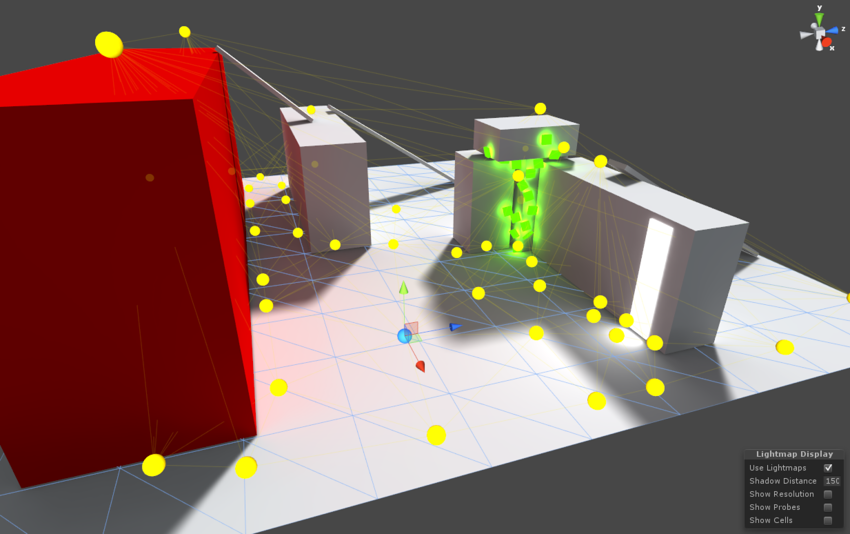 balmy pine
I've been just using one probe in each major location, so yeah definitely wasn't using them right
fallow lark
yeah you definitely need a lot more of them than that
balmy pine
Any downsides to having excessive amounts? just a longer bake, or does it contribute to file size?
green vault
it shouldnt take any longer. just looks nicer in game usually. however i do suggest that you dont go over board. at best you should try to have a LP per unity cube, dont go any denser
balmy pine
Do light probes only affect mixed lights? or would area lights also give light to dynamic objects then?
fallow lark
balmy pine
Do light probes only affect mixed lights? or would area lights also give light t...
typically the dynamic objects would be entirely lit by the Light probes
 undone flower
How much of a difference is there if I select gpu, cpu, or enilghten for the final process?
fiery cape
@undone flower You probably want Enlighten regardless as the other two can often crash and fall over.
Especially if you have lots of lights
undone flower
I've been having the crashing problem for a while lol. fixed it though, thanks
fiery cape
Enlighten I've found hasn't tended to crash. Takes a while, but its more stable.
fiery cape
Would the least 'expensive' way to do a dynamic fading light be to bake a room in its low light configuration. Have a small number of shadowless dynamic lights to flood the area and then decorative objects with animated emission levels to give the appearance of being the actual lights?
 mint heart
What would you guys say are good settings for samples for a pregressive CPU Bake?
Also anyone know why enlighten would be stuck on the Bake Visibility step? I left it baking overnight and it said it failed that 458 times
mint cipher
i have 1 problem, light in my room is still there meanwhile its only 6x light sources, my avatar is just black
 obsidian holly
is it baked lights Killer or real time lights?
if its baked lights, you'll need to set up light probes
so that it passes the light to dynamic objects (players, pickups etc)
mint cipher
baked
 orchid epoch
obsidian holly
if its baked lights, you'll need to set up light probes
orchid epoch
obsidian holly
if its baked lights, you'll need to set up light probes
have you set up light probes in your scene?
ah sorry lakuza, didn't meen to ping you.
@mint cipher
obsidian holly
😄
obsidian holly
XD
mint cipher
but still its problem where everything is lit, not even pure black
obsidian holly
what are your bake settings?
mint cipher
lights in corners
 orchid epoch
It doesn't look light the lighting of your environment is actually basked
are you sure the objects are set to static, and have light maps enabled?
 peak nimbus
so randomly when doing lighting, it started getting stuck here like this

any suggestions?
mint cipher
its static, i cant even change values of light now to check realtime thing
orchid epoch
mint cipher
its static, i cant even change values of light now to check realtime thing
hmmmm ... I think you need to be more clear in what you mean.
I assume that you're changing the values of the lights, but that doesn't immediately change the appearance of your scene. correct?
The changed will only appear once you bake your scene via the "Generate Lighting" button.
obsidian holly
killers, we can't really help much without some info on light bake settings
and the lights itself
we'll just be guessing in the dark atm
mint cipher
 orchid epoch
peak nimbus
orchid epoch
peak nimbus
Is that bakery?

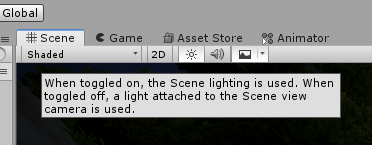


 peak nimbus
orchid epoch
Is that bakery?
peak nimbus
orchid epoch
Is that bakery?
yep
mint cipher
\
 orchid epoch
mint cipher
orchid epoch
mint cipher
that point light is not static...
orchid epoch
mint cipher
\
I think you can turn off realtime global illumination here
lunar narwhal
I dont think setting lights as static do anything
orchid epoch
peak nimbus
yep
You'll need someone who uses bakery, but I hope you find help! I'm on an AMD Gpu, can't use it >.<
peak nimbus
ah darn :/
lunar narwhal
also theres no reason to use shadowmask if you're not using mixed lighting
peak nimbus
really frustrating issue bc now I can't upload world anymore
lunar narwhal
also I dont think you've answered whether you have light probes in the scene? you need to use light probes to have dynamic objects such as player avatars be lit up by baked lighting
mint cipher
yes i know but still everything is lit meanwhile i dont have light there
obsidian holly
orchid epoch
that point light is not static...
point lights dont need to be set static
you just set it to baked
orchid epoch
oh cool! learned something.
obsidian holly
peak nimbus
really frustrating issue bc now I can't upload world anymore
did you add any new mesh to the scene before this bake?