#world-lighting
4 messages · Page 19 of 1
 fluid mirage
the two street areas do not have light probes as they are normally inaccessible
so its more like this

and i have settings set like so

well i think I found what the issue was- I had 2 sets of the same light probes by accident
that'll do it
fluid mirage
yet I still have trouble. Man this is so stupid.
if it's not one thing causing trouble, it's something else
it just hangs at one thing or another, every time
what the absolute fuck
 modest vapor
That's a lot of unneccesary lightprobes for consistent lighting
fluid mirage
yeah that was the duplicate. this is what I have currently after cleanup
 modest vapor
You should delete probes where the player can't be
fluid mirage
yeah I cleaned it up a bit
wasnt that many to clean
mainly around the top, and those corner ones
not sure it'll make a difference for my issue though
I know baking can take time, but it consistently get stuck at the same point
"Rendering direct light Directional Light" at 20% forever
there's no way when another map I have takes less
modest vapor
make sure you don't have an frender process still active on your computer
I've ran into that issue with bakery for the first time recently as well
for seemingly no reason
fluid mirage
I cant say i see that process anywhere
 weary sequoia
Could someone explain to me why these lightmaps are so messed up? I think that it could be the lightmap UV but I dont know how to fix it
 modest vapor
Did you generate lightmap UVs on your meshes ?
weary sequoia
when I did that, It would just get stuck for ever, and never generate the lightmap UVs
weary sequoia
I dont think I have that complex of meshes, would you be available for a voice call so we can discuss this more thoroughly?
modest vapor
not really sorry, you should start by adding this to your project https://github.com/oneVR/VRWorldToolkit/releases
weary sequoia
for the past 8 minutes, I have been waiting to generate the lightmap UVs and it hasnt even started XD
fluid mirage
I once had to leave a mesh running overnight for it to generate lightmap uvs
weary sequoia
did it fix the problem?
fluid mirage
I mean yeah, but it took all night, because the mesh was very complex
I ended up taking it back into blender to simplify it a bit
weary sequoia
you simplified the uv maps?
fluid mirage
I simplified the mesh
it was very high poly
which was why it was taking so long to generate
weary sequoia
well mine is literally just a house with a couple pieces of furniture
fluid mirage
when you say you tried to generate lightmap uvs on your meshes and it took forever, did you try one at a time?
or all at once?
modest vapor
"couple pieces of furniture" means nothing if you got them from random sources. It could be a 3M poly couch
fluid mirage
every time
 modest vapor
clearing everything in the bakery lightmap folder, clearing baked lighting data and restart your computer to try again
weary sequoia
I fixed the problem, I was trying to generate all the lightmap UVs on every mesh at the same time
modest vapor
that's not a problem, it just takes time
fluid mirage
this is ridiculous.
I did it and restarted, and tried again. and, it worked! but it looked like ass. But here we are again, every time I try to bake again, it hangs up somewhere along the line
now its not even initializing the probes
modest vapor
Yep, it's a new issue, i've managed to bake one correctly fully out of 12 attempts, so i'm not touching it again
weary sequoia
Does this look unnusual to you?
 modest vapor
quite
fluid mirage
man, I hate light baking.
weary sequoia
is there a way I can fix this? (Without spending 50 dallars on bakery)
modest vapor
What are your current settings ?
weary sequoia

Im using progressive cpu, because i want the afterglow on the emmissive object towards the bottom of the walls
modest vapor
You need more than 1 bounce, increase lightmap size to 4K and enable compression
fluid mirage
so i figured i'd try to use unity's default light baking method. And im running into several brick walls.
for one thing, I bake, and some areas are just arbitrarily dark, despite having light probes.
also, I cant seem to figure out how to have one area be darker than another. like, with the realtime lights, the directional light that illuminates the main part of the map, and that smaller room, are set up by their layers so that the light does not interact with that room. And I have 2 small point lights in that room instead.
and yet when i bake, it acts as if the directional light was in full force in there
weary sequoia
I did everything you said to do and it looks a little better
 fluid mirage
I know the skybox intensity is why, but man, there seems to be almost no way to make both areas have different light levels. i dont get it. i dont want the skybox to dictate the light, I want the lights to dictate the light
 modest vapor
Don't set it to skybox then
fluid mirage
it doesnt seem to matter what I set it to
I cant seem to make it treat different areas differently
weary sequoia
Is there a quick way I can cover an object with area lights, without placing them manually?
fluid mirage
without some sort of addon that does it for you, probably not
weary sequoia
also, are area lights suppose to take a long time to bake?
fluid mirage
dunno
probably depends how many you have
cant say ive messed with em much
also, bakery seems to be behaving now, but again, I cant seem to figure out how to make it treat the two areas differently.
the main area is bright, so i have a single directional light.
but for this room, I want it to be dark.
like this. this is pre-bake
https://media.discordapp.net/attachments/676922803781500938/818986898264948767/Untitled.png

but when I bake, I get this

and i can't edit the lighting to make this area darker, or the rest of the map will be too
not to mention it doesnt really matter, as I might be able to make the objects darker, but the environment itself will remain bright
because it seems to be drawing from the directional light despite the layers telling it not to
modest vapor
What are your light settings like ?
fluid mirage

and the 2 point lights are set up like the left, while the directional light like the right

and worth noting again, that the entirety of the content in the small room is set to a layer that the directional light is set to not interact with
so everything is environment, the room is environment2, and the directional culls it
modest vapor
Why are you using a directional light ?
fluid mirage
because it illuminates everything in the main area without fuss
it was originally just that main area, and then i added the other room.
||should I just use a huge point light?||
modest vapor
I'm confused as to why your directional light is affecting the inside of your house i guess
fluid mirage
ill try a point light and see what happens I guess
 mint heart
So still having an issue where if my illum map is anything but pure white it stops all emission of light
fluid mirage
point light makes little difference. baking is still treating the entire map as a single piece when baking
 hallow hound
i dont know if 100% if it is so but you got no shadows i maybe wronk no shadows no dark places also the sun the shine going inside the wall why it cant make the black texture why no shadows maybe this why it is so bright but i not sure was only a idea
modest vapor
@fluid mirage You should reset your bakery settings and use experimental
Make sure all meshes are set to static
fluid mirage
i think i found out what the issue is. A bunch of objects had, under their mesh renderers, "light probes" set to off
wow. 2 days over that shit
currently in the process of tracking down all the offenders, but the moment I enable it, they spring to life
thanks regardless, ruuubick
modest vapor
Once again, light probes don't matters for baked objects
Unless you're just baking the environment and nothing else, but i'm not sure why you'd do that
 lunar narwhal
If you're experiencing issues where bakery just randomly crashes midbake at different points each time, you might have a stability issue with your GPU's overclock. Even if the OC is stable in games, it may not neccessarily be stable for bakery, because its running CUDA accelerated jobs, and doesn't tax your gpu the same way as games.
I was experiencing random crashes with bakery until I dialed back the OC on my 1080 from 2000mhz to 1800mhz. Your mileage may vary depending on gpu.
Ironically, dialing the OC back also made the bake time significantly faster, which really shows I had some serious stability issues there.
fluid mirage
modest vapor
Once again, light probes don't matters for baked objects
I dunno man, I just know that that seems to be fixing it.
modest vapor
Then the objects aren't lightmap static
fluid mirage
then all i can figure is it's something about mesh renderer vs skinned mesh renderer, or something else I'm overlooking
lunar narwhal
you can't bake lighting on skinned mesh renderers
at least not on enlighten i believe
lunar narwhal
UV padding adjustment does not work on skinned meshes (Unity seems to crash when attempting to call Unwrap function on them);
might be the cause of your crashes on bakery?
skinned mesh renderers are used if they're going to be dynamic I imagine, be it moving the bones or using the blend shapes, if they're going to be static its probably better to remove bones/blendshapes on them in blender and import them as a static mesh.
fluid mirage
I havent had any crashes since reinstalling bakery.
though mind you, those crashes were with the regular unity lightmapping not bakery
I havent had any crashes lately
though now I'm getting ftrace errors from bakery

if its not one thing, it's another
and regardless, what bothers me is that it seems that bakery is ignoring my lights, which have the bakery light component
and instead going off of the lighting settings environment lighting
which is set to black or, dark
I dont get it, all the relevant meshes are set to lightmap static
they should be baking just like the actual room mesh itself, which is doing fine
well. was doing fine.
also I had the padding disabled
lunar narwhal
when I say bakery crashes I meant things like the above error
anything show up in the console?
in any case, my issues with bakery throwing random errors in the middle of baking were addressed by tuning down my GPU's overclock during baking
fluid mirage
ive never really overclocked my gpu
lunar narwhal
most gpu's these days come factory overclocked out of the box
mint heart
Emissive materials are gonna give me an aneurism
mint heart
Anyone know why enlighten would just be stuck on bake visibilty?
weary sequoia
Does anyone know why this lighting bug is happening? All the lights in the scene are baked
 untold helm
@weary sequoia is that happening immediately following a bake? That behavior would imply they're currently realtime.
Some things can break a bake and cause lights to start behaving as realtime
weary sequoia
what causes that? You are correct about them acting like a real time light, but shouldn't I not be able to see the baked lights in the editor, if there is no light map?
btw, the video is my scene without a lightmap
 spare lichen
how do i make my world darker for sleep mode?
 golden stone
most people use post-processing to lower the light levels, assuming baked lighting some people also swap out lightmaps as well
 sonic star
The pillars, walls, floor and ceiling all use the same shader, but after baking lights, no matter how much i pump up the light intensity only the pillars get brighter. Does anybody know what this could be? (p.s. this is my first time ever making a map)

 hasty ledge
Could be the pillars have emission light or possibly used an unlit material
Double check your stuff
sonic star
oh, i forgot to make the pillars static 
so now my problem is, no matter how much i bump the intensity of the lights, the static objects only get marginally brighter
using real time lighting the room looked bright with the intensity at 4, now it looks like the screenshot with the intensity at 30
hasty ledge
What I said before
Is your material for your pillar an emissive or an unlit material
Or is it a standard shaded material
sonic star
the pillar, walls, floor and ceiling are all using this
 modest vapor
Disable the emission ?

 modest vapor
occlusion mask to 0 ?
What are your light baking settings
and how does it look on the lightmap
sonic star
here are my settings
 modest vapor
Are the pillars also black on the lightmaps ?
sonic star
lightmap
 sonic star
0.3 baked shadow radius?
modest vapor
yeah
sonic star
ok, gonna report back in ~7 minutes
ok, this is looking more like what it should be. thanks for the help

this is after setting the occlusion to 0 and baked shadow radius to 0.3
modest vapor
You should still be able to use the occlusion map
but shadow radius at 10 is pretty much a flat shadow on everything i'm pretty sure
sonic star
ok, i'll play around with the occlusion map value a bit then
mint heart
So my emissive textures seem to only work sometimes
 full mica
Is there a way to determine what light is affecting something in bakery?
Getting some weird lighting and I'm not sure what's causing it. I thought it was the strip lighting at the bottom but I turned that off and did a preview and the blue was still there

It definitely has to do with the handles being there, if I disable them it doesn't happen.
 verbal cape
So Ive noticed an anomaly with a few avatars in some of my rooms rendering as black silhouettes at most angles using all three lighting types depending on the build. What causes this?
 lost imp
Used Window > Rendering > Lighting > Fog to generate world fog, but it's not getting picked up by VRC mirrors. Also I'm trying to find an Udon toggle for this type of fog.
 verbal cape
RenderSettings.fog = true;
If you dont have success try using the post processing fog. That is easier to play with.
lost imp
I don't think I understand, but I might as well try the Post Processing fog. Thanks for letting me know.

 undone flower

How do I fix this? Light keeps dimming out looking directly at it. I'm currently working on it but haven't uploaded the changes yet
Nvm I figured it out, light range was doing that to me
full mica
verbal cape
So Ive noticed an anomaly with a few avatars in some of my rooms rendering as bl...
Light probe inside a mesh?
 hazy tundra
Anybody can help me so i baked the light now the floor is lighened everywhere and only one of my two lights is working
full mica
Okay, I am absolutely losing my mind lmao. Does anyone know why my bakery mesh light is not producing a solid light? I have played around with it and rebaked so many times, and it looks totally fine in preview mode

Preview
 modest vapor
How many light meshes do you have ?
full mica
A few, but that strip is a single light mesh
modest vapor
What difference do you see between preview and bake ?
full mica
I posted a picture of the preview too
The strip lighting is solid in preview but not in the final bake
modest vapor
I genuinely can't tell the difference

 modest vapor
Oh, are you talking about those, i was looking at the chairs my bad
What are your settings ?
modest vapor
both


 modest vapor
I'm surprised you don't have samples near for your light mesh
You tried enabling self shadow ?
hazy tundra
Anybody can help me so i baked the light now the floor is lighened everywhere and only one of my two lights is working
full mica
modest vapor
You tried enabling self shadow ?
I've rebaked a bunch so I'm not sure at this point but I thiiiink I did
modest vapor
Was the main denoise option causing you issues ?
full mica
I've only used Open Image Denoise, pretty sure it defaulted to that
You think it might be the denoiser?
modest vapor
Sorry i meant the denoise fix bright edges option
but for the denoiser algo i'm not sure if there's a difference, worth testing though
full mica
Ya, I'll switch to Optix 7, reading Bakery's manual it says it's probably a bit faster anyway with similar results
And the fix bridge edges was also defaulted to off
 feral nymph
oh cool, just found that there was a lighting section.
I want to avoid asking very basic questions so anyone know about a simple tutorial i could watch or read on this? so far when looking around those beginners video seem to be a bit farther than i would like.
I want to use something different than just the default lighting setting but there so many options and terms.
 crimson verge

ok so i'm having a weird issue i dont remember what i did but i messed with some stuff and now for some reason any emissive objects on the map when baked, their light spreads far farther than they should
its like they have no falloff or something
you can hardly tell in the scene view but the lightmap shows it much better, how the parts that should be black are blotchy and filled with color
they should have some light but only very close to the lights themselves, it used to be fine before an update but i'm not sure what changed it or how to fix
googling and going through unity docs didnt help
when i enter the room in vr, the walls are all blotchy and glowy like and look awful, but they should be black like a dark room, with those glowing objects in the back

i believe it may be because environment reflections was turned down, but i turned that down because with it being on, everything in the world was glowing blue due to the large blue structure for some reason
but i'm not sure how that would affect or if thats even it


and i certainly dont want to turn it up because it gives the entire world a blue tint (much more obvious on the transparent objects and on players when they look in mirrors, they're blue)
so any idea how to make those emmisive objects still glow bright, but not spread across miles? i know its possible as i had it perfect before, but something broke
 mint iris
Currently working on an a world which uses UDON. When in scene view realtime GI works just fine, the second I press play and test it or even test it ingame, the realtime GI stops working. Anyone have an idea why?
The same setup works just fine in my SDK2 world.
crimson verge
i was advised to not use realtime GI when building my world
i imagine you shouldnt either
lunar narwhal
if you're using realtime GI for emissives and you want them to update on texture change, such as video screen emissions, you need to call RendererExtensions.UpdateGIMaterials, which means they can be costly to update in real time, as it has to be called every frame, but you can also do frame skipping etc.
crimson verge
anybody got any ideas on my question i posted above yesterday?
still havent figured it out, i've been going through different settings and bakes for a few hours
 stiff latch
Any quick checks I could do to figure out why my light baking runs at "0.02 mrays/secs" ? that doesnt sound right
 heavy folio
so i was making world with dim lighting but people still wanted to see avatar so i made light with player and player local
it works but only for standard shader and some other shaders
but it dosent work for some shaders like toon
what should i select for the lighting ?
stiff latch
PSA: I had terrible baking times (0.01 mrays/sec) and fixed that by removing all LodGroups systems from map, or maybe it was because I emptied the cache server (went to 2.77 mrays/sec)
 drowsy violet
is there a way to simulate volumetric light in vrc? (headlights)
 silent coral
How do I make a material glow?
I have this AV videoscreen but I want it to emit light
 vocal oar
Put the render texture in the emission slot of the material
vocal oar
Presumably
Ive done it before
Gotta swap out the material with standard shader if it didnt already use it
silent coral
vocal oar
Gotta swap out the material with standard shader if it didnt already use it
I did but then it doesn't display the video
vocal oar
Idk then
silent coral
shiii
 graceful jetty
What's the best way to create water caustics? I know there are special water shaders that do it, but I need the caustics to appear on a ceiling above the water instead of underneath.
modest vapor
Well the caustics would appear on whichever mesh you apply the shader on i'd expect
graceful jetty
From what I remember, the shader projects onto surfaces that are inside the mesh
so you'd have a cube or something with the shader applied, and you'd scale it to overlap the terrain
 wicked trench
does anyone know how to get the directional light to not glare onto reflective materials? i've tried putting it on a separate layer and using the culling mask but it doesnt seem to work. idk if its possible but figured i'd ask
 modest vapor
Which shader are you using ?
 foggy vapor
@wicked trench Yes it is possible, on the hardware of your FBX object you deactivate the Highlights and reflections options
 modest vapor
If they use a shader that has those options, hence my question
silent coral
Is there anyone that could help me with making club style lights?
I have these animatedmovingheads and lasers but I can only adjust their color in the inspector, I want them to use the same color as my AV videoplayer
I can't just apply the material because that will just result in a cone shaped video
 celest sedge
is there anything like simple light probe placer that works for sdk3? I used to use this but now it gives errors when uploading world
 green vault
@celest sedge you have to use it then remove it due to mishmashing errors
celest sedge
I don't want to reinstall it everytime I want to use it
green vault
theres a script somewhere that has the mishmashed premashed
 pale spruce
@celest sedge I use this. https://github.com/laurenth-personal/LightingTools.LightProbesVolumes Didn't test it with SDK3 but you could give it a try.

GitHub
Light probes volumes. Contribute to laurenth-personal/LightingTools.LightProbesVolumes development by creating an account on GitHub.
 ocean onyx
could someone help me fix my world? i set up light probes and baked light everywhere but it doesn't work. The problem is that my avatar gets really dark. It scares me so someone help now
 modest vapor
Did you bake the light probes ?
ocean onyx
oh shit.. i forgot this ste0
 pure moss
Whats a good way of going about doing lighting for all these trees? Right now the two options it seems is: Setting as non static so it does real time lighting (I think), or Static so it is baked lighting. But with baked, even on 0.01 Lightmap scale it seems to take ages just to even prepare the bake.
 modest vapor

You can support me on my pateron
https://www.patreon.com/mcphersonsound
This is a longer tutorial than normal and there is a lot to cover so here are time stamps for your convivence.
00:00 what is baked lighting
00:35 setting up lights
1:23 preparing meshes to bake
2:30 generate lightmap UV
3:28 light probes
5:10 reflection probes
6:00 emissive ...
Your terrain is also very large
0.01 is pointless
 toxic viper
pure moss
Whats a good way of going about doing lighting for all these trees? Right now th...
toxic viper
pure moss
Whats a good way of going about doing lighting for all these trees? Right now th...
can you try to bake using gpu
pure moss
Ive tried before, the VRC compatible version for Unity doesnt have good GPU bake support (No double sided textures and shit), I could get Bakery but thats like 40 bucks 😭
toxic viper
ocean onyx
try Lighting tab > environment lighting > source : color
pure moss
modest vapor
Your terrain is also very large
How much of an issue is that? I wanted to have a decently open area to have a nice view for the windows, went for a low poly and low lighting resolution, didnt seem to cause any issues
 modest vapor
Is the terrain also 0.1 and static with generated lightmap UVs ?
pure moss
Yeah, its not realtime
 shy root
Hi, so I was trying to optimize my world. In doing so I went to generate a light map, and now my whole world is basically all black, any idea on what I did wrong?
lunar narwhal
You may want to take a look at the tutorial pinned in this channel
Also make sure objects in your world are marked as light map static and have generate lightmap uv's checked on your imported meshes
shy root
Okay I’ll take a look and get back to you! Thanks!
modest vapor
Did you generate lightmap UVs for all of them ?
shy root
modest vapor
Did you generate lightmap UVs for all of them ?
i generated a whole scene uv map, is this what you mean? - sorry very new at creating
modest vapor
Your entire scene is a single object ?
shy root

no, i just clicked the scene and generated a uv map from that.. assuming thats wrong?
I need to individually select each object and create one?
modest vapor
ah yeah that's not a thing
You need to select all static objects meshes in your assets
shy root
Starting to understand. So I would go in to the object itself (that I have set to static) then generate a map for each? Or is there a way to do it all at once
modest vapor
Do you have an asset folder where you have all your meshes ?
If not you'll have to find them all manually
shy root
I have the original asset folder given when you begin the creation. But I haven’t made a separate one containing meshes
 warm cliff
anyone know how to fix this?
So the light probes work well, until the dynamic object gets too far or close to the ground. It then starts to sample the darker light probes farther away, like in the back alley.
modest vapor
Do you have lightprobes below your ground ?
modest vapor
If the lines are going into the ground, i'm pretty sure there's lightprobes there
warm cliff
 warm cliff
modest vapor
If the lines are going into the ground, i'm pretty sure there's lightprobes ther...
warm cliff
modest vapor
If the lines are going into the ground, i'm pretty sure there's lightprobes ther...
lines are only going into the ground due to the sidewalk elevation
all the light probes are above ground, and it still doesn't explain why being under ground causes influence from a light probe so far away
modest vapor
Because you don't have enough in this case, it should be the three closest, but I've seen too many cases where it wasn't the case, like yours
 mystic gust
any idea why this weird streaking occurs when light hits the bed?

 viral igloo
I'm not sure what might be causing my lights to be dark in world, yet in Unity it looks fine. Baked the lighting twice to be sure, same result. Only started doing this recently.

 pure cobalt
Is there a bug with post processing working in editor but not VRC? My volume is set to environment along with many assets.
modest vapor
viral igloo
I'm not sure what might be causing my lights to be dark in world, yet in Unity i...
area light is baked only iirc
modest vapor
pure cobalt
Is there a bug with post processing working in editor but not VRC? My volume is ...
follow silent's tutorial, you probably missed a simple step
pure cobalt
hmm yeah i got some other issues too. particles aren't showing. naniiii.
I copied working settings from an sdk to project. I think somethings wonky
Looks like I may have it fixed. I forgot to put in a reference camera. Simple steps bite me.
vocal oar
pure cobalt
Is there a bug with post processing working in editor but not VRC? My volume is ...
You have to assign the scene camera to the reference camera slot on your vrc world object
 elder yoke
Have anyone tried to implanted a volumetric fog in VRC?
One member of my team said unordered access view and compute shaders are not usable in VRC so there’s no better ways to get it working
modest vapor
Silent made one recently, which she may publish eventually, Red_Sim also has one in the form oh his water shader
elder yoke
Thanks I will ask silent about it
 jovial sky
so how much of a performance hit is real time lighting vs. baked lighting when the room is relatively small and objects are static for the most part? the room in question is a movie room so i'd like to be able to slide the brightness to dim the room a bit, but when the room is baked it's kind of pointless to try and change the brightness.
green vault
@jovial sky if it is small, then there is no real excuse to not bake lighting. but realtime-lights-noshadows has the least effect on performance. then hard shadows-realtime, then soft shadows-realtimes is the most impactful on performance. if you plan to not bake anything. at least do not use shadows
green vault
mixed + generate lightmap
vocal oar
my favorite lighting setup is mixed, bake shadowmask, then turn off shadows on the mixed lights
although i suppose if i wanted to get more in depth i could keep shadows in player and turn off shadow casting on everything in the scene after the bake
for indoor scenes i just have one mixed light per room and the rest are baked.
pure cobalt
I've been using the progressive GPU myself. I have bakery too. But, I don't think I've been able to get it to work
modest vapor

vocal oar
yeah i prefer progressive because every time i've tried to use bakery it gets an error and shuts down everything
especially if i try to us RTX
modest vapor
Wtf are y'all doing that bakery crashes lmao
vocal oar
bakery no like my map but progressive does
i actually had to straight up delete bakery from my project because it was fucking up my normal lightmaps from progressive
modest vapor

vocal oar
I would bake lightmaps in progressive, and then when i hit play the lightmap uv would offset itself somehow and screw up everything
after deleting bakery it stopped happening
 edgy forum
i actually had to straight up delete bakery from my project because it was fucking up my normal lightmaps from progressive
I've heard this from others too
 flint harbor
so, I have my desktop monitor configured pretty well in terms of brightness
but when I go into VRchat, things that looked pretty dark in Unity, are actually fairly bright
does vrchat use gamma or linear?
like, I put this on a quad in an unlit material, and on my screen I can't read the numbers on the top row, but in vrchat I can read them clearly

just wondering if there's anything I can do to make the view in Unity look remotely like it does in my headset
other than changing my monitor's gamma completely
edgy forum
flint harbor
does vrchat use gamma or linear?
Linear. And are we talking unity - vrc desktop, or unity - vrchat vr?
edgy forum
Yeah, I had this 'problem' too and I tweaked my monitor brightness & other settings to match what I saw in the HMD
flint harbor
hmm, dang
edgy forum
It mostly resolved it
flint harbor
yeah I guess the headset is probably better calibrated
 urban burrow
how do i make it so when avatars look in mirros they arent dark
modest vapor
enable pixel light
warm cliff
@modest vapor you sound like a man or woman who knows a thing or two
i kind of have no clue why this happens

in unity

vrchat upload, stretched texture
both normal and lightmap uvmaps are unwrapped and should not have this weird stretched effect
modest vapor
I'm waiting for someone i know who had this issue to see if they fixed it or not, since i hadn't seen this happen before they mentioned it. I'll get back to you if they do
 mint cipher
@twilit lily My world is leaning towards horror-focused, and contains many dark areas. Would you say these settings would be optimal?

The world with all other components already bottoms out at nearly 200 MB (it's 180 MB), so I don't want to crank up anything further that might increase world size even more.
 twilit lily
world size is mainly determined by the texture resolution
how large is your lightmap already?
mint cipher
I understand that much, at least
mint cipher
twilit lily
how large is your lightmap already?
lightmap?
mint cipher
twilit lily
how large is your lightmap already?
about 26.9 MB, according to Unity
twilit lily
then the lightmap is not your problem
check every texture and reduce its size to ~512 for larger ones and ~256 for small assets
mint cipher
Ah. I already have Crunch Compression on for (I believe) almost every texture used in my world. Max Size at about 1024. I suppose I could shrink it down a bit more...
twilit lily
and do you have a lot of animations in your world?
and huge meshes with a lot of polygons
and yes, LODs take a stupid amount of filesize
but for the lighting, you can really go like that. Bounces mostly take time to compute rather than space to store

and the lightprobes, this should be enough (or even overkill, never really looked into it how to handle them best)
 mint cipher
twilit lily
but for the lighting, you can really go like that. Bounces mostly take time to c...
mint cipher
twilit lily
but for the lighting, you can really go like that. Bounces mostly take time to c...
Yeh, I'm just afraid of how much space it'll take up. the world already takes a pretty dang long while to compute even with Bakery. About 4-7 minutes or so.
twilit lily
mine is like this, and thats nearly the entire UPD Station now. and 4-7 minutes is not long at all

i regularly wait 30-40 minutes for Bakery to finish
the unity CPU lighmapper would easily take over an hour on this
vocal oar
twilit lily
i regularly wait 30-40 minutes for Bakery to finish
And progressive gpu would say "error, falling back to progressive cpu"
Speaking of bakery. Anyone else have a problem where it wont bake shadows for terrain trees?
green vault
i think theres a check mark for terrain trees iirc
vocal oar
Hmm
twilit lily
yes there is
 green vault
ye, uses more cuda i think
 languid fable
Does anyone know if it’s possible to bake & export lightmaps from Blender?
vocal oar
Yes, ive seen blogposts about it in the past but idk how exactly you do it.
vocal oar
my god people keep saying bakery is amazing but it's giving me nothing but trouble
it's been stuck at 3% "adjusting sample points" for the past hour
 haughty owl
Everytime I mess with Bakery and render something, I go to test my world and the Download size just keeps increasing. Is there anyway to fix that?
modest vapor
vocal oar
it's been stuck at 3% "adjusting sample points" for the past hour
check your console, might be actual warnings/errors
Your whole bake shouldn't even take an hour with bakery
 fossil temple
Is there a way I can mimic volumetric lighting in vrc? I'm pretty sure vrchat doesnt let you use the actual type but is there a way to make the fake?
modest vapor
Shaders 
Silent is working on one and Red_Sim has a water shader that can help with this effect
Really depends what kind of visual you're trying to achieve
fossil temple
Yeah but I'm just wondering. I've been making a horror map, and when I was trying to add some volumetric light I just got very demotivated to finish it, because I can add that creepy vibe. y'know?
modest vapor
If only you knew lol, i've had a project on and off for two years because i can't do proper volumetric fog
warm cliff
modest vapor
I'm waiting for someone i know who had this issue to see if they fixed it or not...
any news?
modest vapor
nope sorry
pure moss
why does this light bleed happen :<

Would adding a wall between the two rooms fix this? Or is there a light setting I can change
 pure moss
It did
modest vapor
Are you making the world in unity ?
pure moss
made in blender imported to unity
making that wall fixed it buuuut

unity just loves light bleeding :)
modest vapor
Do those walls actually merge ?
pure moss
honestly idk, im probably gonna remake the room from the ground up, seeing as the geometry/mesh is so fucked from me going back and changing things 10 million times
i will keep that in mind thouigh
 prime aspen
Hey, can someone @ me some good unity lighting tutorials? Not the basic stuff (I know the technicalities), but rather any hints/tips to make the level actually feel polished and believable. I always fall short of that point
 oak acorn
im having a lot of trouble getting baked reflection probes to work
ive got all the level geometry marked as static and lightmaps generate fine
but reflection probes dont seem to reflect anything but the skybox unless set to realtime


 green vault
bake lighting with bright emmissive materials
 wise flower
for some reason the emmissions i have arent working
like i turn the emmissions up and hit generate lighting and nothing
idk if im doing it wrong or whatever
wise flower
how would i do that?
green vault
so whenever you bake lighting, you hve to make sure everything you want to have light baked on have set to “static”. if you click on a mesh in the scene and go to the top right of the inspector. there should be a thing called “static”
and then you open lighting settings and hit bake (if you have any other light sources, be sure to tell them to be baked as well and not realtime)
wise flower
oh yeah, im definitely getting it now lol
thank you
gonna fuck with the settings for a bit now lol
oak acorn
I dont know why but my lightmaps are distorted all the sudden

and its only for the level model too, everything else seems fine
 lucid onyx
✌️ I made one room where it's very bright and another room far far away. But the light in the other far room should be dark. It is effected by the other rooms light. Do i need to change it with the probes?
modest vapor
@oak acorn Did you use high compression on your mesh ?
oak acorn
dont believe so, I think its something to do with the UV maps themselves
fossil temple
any reason why my generate lightmaps is stuck? ive been sitting here for a moment and its stuck onlight transport
modest vapor
oak acorn
dont believe so, I think its something to do with the UV maps themselves
Did you generate it in unity ?
oak acorn
nope, was modelled in blender,but i did enable lightmap UVs
modest vapor
lucid onyx
✌️ I made one room where it's very bright and another room far far away. But th...
You tried adding a big plane inbetween the two rooms ?
modest vapor
fossil temple
any reason why my generate lightmaps is stuck? ive been sitting here for a momen...
If the world/geometry is large, it'll take a while
fossil temple
yeah but past few times it did it almost instanly. now it just freezes and im stuck there for 30 minutes until i cancel it lol
modest vapor
oak acorn
nope, was modelled in blender,but i did enable lightmap UVs
Can you post a screenshot of one of your meshes settings and your lighting window ? Try baking again and make sure to check the console afterward
modest vapor
fossil temple
yeah but past few times it did it almost instanly. now it just freezes and im st...
Did you do anything between then and now ?
fossil temple
only add a lightbulb or so
oak acorn
well the thing is that i got it to work(ish) by using CPU lightmap generation but now i have this problem - shadows are misaligned

mesh

lighting

theres also this weird seam here
 fossil temple
well its mostly outdoor so i dont think i have worry about that to much. i tried something real quick and i wanna see if it works
modest vapor
oak acorn
well the thing is that i got it to work(ish) by using CPU lightmap generation bu...
You might want to increase the texel count
fossil temple
its my first time messing with optimization so i havent used alot of bake lights before lol
oak acorn
what would be a better texel count?
Im not exactly sure what im doing with unity's lighting tab, i only managed to figure out what most of these do a day or two ago 😅
it looks fine in blender but that doesnt really mean anything, at least that'd rule out problems with the uv map
 fossil temple
nothing really transports its self from blender unless its uv maps lol. but honestly i would mess with the texel count and see what works better
oak acorn
ah nevermind i recreated the thing in blender, do i just have a bad understanding of lights or does that angle seem strange on the perpendicular wall to the left?
 fossil temple
i wouldnt trust how lights look in blender compaired to unity. its more than likely an issue with unity. are your using baked or realtime?
oak acorn
mixed
fossil temple
i would use baked. baked helps with optimization. i dont think that would really be the issue for the seam though
unless your roof is separate polygons
oak acorn
its not, tho i think i had a gap in the roof somewhere since unity's object outline highlighted the seam
i went back into blender and patched it up
increased the texel resolution and it seems fine now*
 wide finch
World has been generating lighting for several minutes now, is something wrong?

It looks like it just keeps repeating
modest vapor
bottom left corner
modest vapor
go to Edit > Preferences > clear the GI Cache and then restart Unity
clear the lightmap data in lighting setting before trying to bake again as well
wide finch
Aye aye
wide finch
The lighting in the world I'm making for some reason causes my avatars to be very bright and almost white? I'm not sure what to do about it
Issue seems to only be present on unity chan shader models
 royal swift
So i tried to make a lightmap in unity for the first time. After an hour with a 3070, it did this mess on the ceiling and basically nothing else.
https://cdn.discordapp.com/attachments/782417374367186995/824848630976348201/unknown.png

This is the directionality map unity generated. https://cdn.discordapp.com/attachments/782417374367186995/824851062350413824/unknown.png
 lunar narwhal
did you have generate lightmap uv's on all the meshes?
royal swift
in the fbx import settings, yes
when i try to generate a lightmap uv for the world in blender, it just goes unresponsive
modest vapor
Yeah, that's expected
oak acorn
So I created some lamp objects, is it possible to set them to lightmap static without casting shadows on things?
for example this
 green vault
ye, go to light settins and set it to enlighten and change the shadow settings
oak acorn
but wouldnt that change the lightmap settings of the whole scene?
green vault
you can change it bck and it should remember. im not sure if the gpu lightmapper will follow the new settings but it should work
oak acorn
oh its just this, i just gotta use CPU lightmapping i guess
 green vault
ye, but i think you can switch back to gpu if you wanted to
lunar narwhal
switching back doesnt do anything unless you actually rebake
you're going to have to bake with cpu progressive/enlighten if you dont want objects to cast shadows i guess
sonic star
https://media.discordapp.net/attachments/815657305844482051/826915509139144785/unknown.png?width=1004&height=629
https://media.discordapp.net/attachments/815657305844482051/826915612851830834/unknown.png?width=997&height=629


both inside and outside lights are exactly the same, why are the inside ones so damn dim
baked lights, all objects are set to static
 versed herald
I just want a basic everything is lit up. how do i do that? I got a "sun" way above my world in the middle. however some shadow are ugly or not wanted. how can I fix this
ig my main issue is when using a mirror the characters are dark on the mirrors side
versed herald
currently to fix this I used multiple lights in different areas of the mirror. any better way?
stiff latch
My unity crashes everytime I try to bake my map :| Straight back to desktop, no error popup.
I tried various lighting settings and clearing cache, doesnt seem to change a thing.
My only clues is I recently set all my mixed lights to baked, and also disabled light probe on some geometry.
Any ideas what could cause it or how to debug it ?
modest vapor
Check your crash logs/console logs from the previous session ?
royal swift
Please help. How can I make unity generate better lightmap UVs? How can it be this difficult

Like literally how is it this screwed up with the directionality
 modest vapor
Is your whole world a single mesh ?
royal swift
almost
all the chairs, my avatar statue and this dome structure are all separate

basically anything with actual textures is separated. the main architecture of the world just uses basic materials

 modest vapor
You should make areas objects, and generate lightmap UVs for those in blender
royal swift
kinda hard to break up an open club setting, but if i do it in blender, would it be better to just bake the lightmaps in blender too?
modest vapor
no i mean breaking it in terms of areas, and then join those objects in a big mesh
rather than a giant whole mesh
royal swift
When why split it up, that sounds contradictory. I've never done this before so i don't get what you mean.
I can't find any good blender and unity workflow tutorials for actually preparing a world for generating lightmaps.
one forum says to just let blender generate it all. It appears unresponsive, but might take hours.
modest vapor
You're trying to unwrap your whole ass world into a single UV, so yeah, Blender chugs
so instead, select a bunch of objects close to each other, join them and generate a lightmap for those instead

In this video we just go over how to set up a basic lightmap UV in Blender for Unreal Engine 4. Please note that this is more of an automated process in Unreal engine 4 so it is not really necessary and is more for interest.
Follow Cryonetic on Facebook:
https://www.facebook.com/Cryonetic
Support me on Patreon:
https://www.patreon.com/PaulSwar...
oak acorn
ive baked this a 100 different ways, i just cant get the lighting to light up my bathroom stalls

lights are set up like so

ive tried point, no change, spot, no change
 sharp robin
@oak acorn What are your lighting settings?


 sharp robin
So it's just those lights in that position that don't work?
oak acorn
yeah
ive tried shifting them up,down,left,right messing with the intensity
i just cant get inside the stalls to light up
sharp robin
If you move one of those lights outside of the stalls into them will that light it up?
 sharp robin
My only guess is that its geometry/uv issues
oak acorn
yeah, the surfaces seem super stretched, ill check the uv maps
oh, well that explains it, it seems i forgot to map the uvs alltogether
 royal swift
If blender could use more than like 2% of my 3900xt to generate these UVs, that'd be great
oak acorn
hmmm
 versed herald
is there a way to have the entire map lit up without having multiple light souces? I dont want any shadows
green vault
change your materials shader to an unlit color/texture
versed herald
huh? will that work for characters too?
green vault
for avatars, change GI to a whitr color
versed herald
GI? They are not my characters. I have a world to save avatars. My light source is above my world in the middle. however when running around or placing objects there will be shadows when im not facing towards the middle. Like if im lookingt towards my mirror the front of me is dark while the back is lit up. so fix that i just put toggle lights by the mirror.
-I guess what im looking for is a way to light up the entire map without casting shadows.
green vault
GI
go into lighting settings and set the “global illumination” to a color and set it to white and that should make all avatars brighten uo and not need a light source
versed herald
ok. random question. is there a way to teleport back to center in unity? it legged and now im lost
green vault
press F to reset camera position to an object. or double click object in hierarchy
green vault
the hierarvhy
green vault
👍
versed herald
ok so where od i find the lighting settings
green vault
uh lemme try to remember lol
ok, so at the top. click on the windows drop down-> then go to rendering-> then lighting settings.
icr exactly what unity calls GI but its the 2nd thing from the top
versed herald
this wut i got
 green vault
it is environment lighting. set source to a color and set it to bright white color (id set realtime global illumination so you can see what it does)
versed herald
ok. did that and gave it pluss 1 intesity ig. ill check it out. ty.
think you can help me in the world-dev chat?
fossil temple
i keep getting issues with unity lmao. my baked lights wont bake onto my world and i tried mixed but it acted as a real time light and dint bake. any way i can fix this? ive been looking everywhere but i cant get it
i can send screenshots if you need it
modest vapor
Screenshots would help yeah


 modest vapor
Why are you baking shadowless lights ?
Also color temperature won't work that way sadly, requires a script
It's definitely baking since you have 15 lightmaps
so check the console and actual lightmap files
fossil temple
it didnt work when it was shadowed either lol i was trying to find diffrent ways
modest vapor
Also your culling mask is set to Mixed
fossil temple
wait how do i change that again
modest vapor
By clicking on it and adding the layers
modest vapor
are your objects static and have a shader that support lightmapping ?
fossil temple
yep
its odd cause it worked earlier. but then i add these in and it just refuses to work
modest vapor
"these" ?
fossil temple
point lights
modest vapor
You can support me on my pateron
https://www.patreon.com/mcphersonsound
This is a longer tutorial than normal and there is a lot to cover so here are time stamps for your convivence.
00:00 what is baked lighting
00:35 setting up lights
1:23 preparing meshes to bake
2:30 generate lightmap UV
3:28 light probes
5:10 reflection probes
6:00 emissive ...
Check this and make sure you didn't forget a basic step
fossil temple
nada
could it be an issue with something in the terrain? it bakes onto that bulletin board but just not the ground
modest vapor

If you want to skip to the gist of it, just skip to the end.
Note: I forgot to mention that you will want to bake occlusion whenever using terrain. Open up the occlusion tab, adjust your settings (5 is too big) and bake occlusion.
I'm going to show you how to bake the can half your draw calls.light in your terrain and avoid the dreaded black ...
The rest should bake fine though
You should try to bake individual pieces first
fossil temple
idk i ran out of time. thank you though
oak acorn
I have no idea how, or why, but whenever I build light maps, my CPU clock drops from 4ghz to 1.8ghz
consistently, without change, no matter the circumstances. temperatures seem fine - under 60°
stiff latch
modest vapor
Check your crash logs/console logs from the previous session ?
I do have a crash logged in the editor.log file, but apart from telling me it crashed I dont really see anything giving me a hint.
Seems to crash at "[PathTracer][CB] Custom bakes reset." / "RtlUserThreadStart()" if im reading this properly.
At the end of the log im advised to check a file for more details, but the provided path doesnt exist
modest vapor
Does the crash still happen after a computer restart ?
Running out of memory could maybe cause the crash
stiff latch
modest vapor
Does the crash still happen after a computer restart ?
Yes unfortunately, still happens. Baking did work before my changes. I have 7Gb free ram, and it crashes even at low lightmap settings. Right now my only guess is to remove every single light and see if that works, then put them back one by one and see if theres a culprit among them. Not funny :|
modest vapor
Did you also ask in the Bakery server btw ?
stiff latch
I do not use Bakery due to negative money on my bank account
modest vapor
Trying to bake individual objects first might be better
Or baking in an empty scene even
stiff latch
Baking individual objects is something I wasnt aware was possible. Ill look into that. Ill also do the empty scene try, worth checking.
stiff latch
Well I finally have a track to follow. Disabling all lights including skybox didnt change a thing, but deleting a certain big prefab that seems to be allow baking again. Now to figure out who the culprit is in this prefab.
stiff latch
For future reference : My light baking was failing because of a recently added mesh. I dont know what was wrong with it, but apparently enabling "optimize mesh" (and maybe "swap uvs" too) in the mesh import setting fixed it.
royal swift
What do i do if i can't join objects together without it breaking textured materials?
fossil temple
ok so i tried doing everything i can still wont work at all. idk what im doing wrong at this point
modest vapor
might want to make a new project and try piece by piece until it doesn't work
fossil temple
oof
thats gonna be fun lmao
so what just try and get lights to shine on a terrain baked right?
modest vapor
that or your trees yeah
fossil temple
it goes on normally
modest vapor
So what's the remaining issue ?
fossil temple
i think it might be shadow mask
but when i use that it stalls
or not..
let me look a bit more
literally cant find the issue lmao
i mean realtime lights work but i need baked for optimization
could overlaping objects be the issue?
modest vapor
Do you have a giant collider casting shadows everywhere on your world ?
Did you check your lightmaps btw ?
fossil temple
what do i look for in the light maps? and no
modest vapor
click on a mesh in your scene, it should show the lightmap in the inspector
fossil temple
sorry unity died for some reason. do i look for my terrains light map or just any where?
modest vapor
for terrain not sure
fossil temple
Yeah that's the main issue is the terrain
modest vapor
You followed all the steps in the above video ?
fossil temple
Mhm
i dont think its the reason but i hidden some particles i added in. so maybe it will see past it idk
i cleard the baked maps and its supposed to look like this kinda. but obv it wont bake onto the trees and terrain

I give up ill work on it later
lunar narwhal
In terrain settings check if its marked as lightmap static, and that the scale in lightmap isnt 0
the lightmaps for terrain should also show up there
you might need to hit play mode to get them to show up in the inspector
under Terrain, Settings, Texture Resolution section
fossil temple
tried that lol
bc when i open up the light map for the terrain unity dies
except for this time ok den
 lunar narwhal
that is a massive terrain lol, not sure how practical it is to bake lightmaps for it
fossil temple
well if i use real time it gets unoptimized so it will help
lunar narwhal
size asside, not sure what could be stopping yours
I've baked lighting on terrain without issue, but i'm using bakery
lunar narwhal
do you still have resolution set at 512?
because that is tiny, especially for a terrain that large
fossil temple
all of it was stock before but ill see
lunar narwhal
If unity bakes the lightmap for your whole terrain as a single 512x512 lightmap, a single pixel on that lightmap would correspond to a 2m square patch of land, so you can imagine it would be difficult for the lightmapper to encode lighting information with that resolution. I could be wrong in that assumption though, and it bakes multiple 512 lightmaps for the terrain, but you get the idea.
lunar narwhal
but do note that the gpu progressive lightmapper is rather hungry with vram
4k resolution requires 13gb vram? iirc
fossil temple
Idk
I push that poor card everyday so I'm not to worried
I'm just trying to see what gets it bake
lunar narwhal
I mean, the lightmapper will fail if you dont have enough vram
lunar narwhal
what do the baked lightmaps for the terrain look like?
fossil temple
Wym
fossil temple
fossil temple
Wasnt it this
lunar narwhal
was this after a bake?
hm, i would expect it to say baked lightmap rather than realtime indirect
fossil temple
Yea
 fossil temple
Hold up it's in the middle of a bake lmao
lunar narwhal
oh right you're using shadowmask
fossil temple
I tried alot of diffrent ones
It's actually set to baked indirect rn
it baked realtime and baked
 lunar narwhal
I feel like that doesn't look quite right lol
tbh the only thing I can think of is try doing a bake in a separate scene with a much smaller test terrain to see if that works
 lunar narwhal
this is a test scene with smaller terrain?
fossil temple
yes
lunar narwhal
wonder if its just the size of the terrain then?
do you need your entire terrain to be traversal or just a small section with the rest as backdrop?
lunar narwhal
try raising lightmap scale to 1 and see what happens
your bake might take a much longer time
my current guess is that the size of the lightmap for the terrain is too small to portray the light sources you have and it ends up smoothed out as black
if not then i'm out of ideas heh
lunar narwhal
sure

 lunar narwhal
disable realtime global illumination
you dont need it if you're not using any realtime lights/emissives
fossil temple
i am though
lunar narwhal
oh?
lunar narwhal
wait, when i said try to increase lightmap resolution
i was refering to the settings in your lightmapper itself
not the texture resolution on the terrain
or did you already try that
lunar narwhal
well, i'm afraid i'm out of ideas then
fossil temple
it was odd
lunar narwhal
I suspect thats the issue since its working on your test on smaller terrains
fossil temple
maybe
lunar narwhal
i assume settings for the test are otherwise identical
fossil temple
it worked just fine on the same size
i did two tests so
imma try pogressive cpu
but it dies when i use it
tends to stop on job 7/11
lunar narwhal
cpu will be substantially slower
fossil temple
yea
but im trying to reset everything
this is weird
im hiding a bunch of things rn
seeing if that will help
lunar narwhal
well i just tried to bake a 1km square terrain with 512 resolution and it works so idk
are you using standard on terrain or some other shader?
fossil temple
yea
gaspe
idk what i did but it finally baked omg
i just started pressing random things
lunar narwhal
hope it stays that way lol
 potent hound
Anyone ever run into this problem with bakery?

(Using the render button to rerender the scene did not help, obviously)
sonic star
Unity is crashing on me when baking lights, using CPU Progressive the map is on SDK3. the error that comes up on the crash log is "ntdll.dll caused an Access Violation (0xc0000005)". any help would be appreciated
 wraith mantle
Ok so today in vrchat I noticed shadows in worlds with real-time lighting have been flickering. Like disappearing and reappearing. Its happening in a world I made too, that I have not updated recently, so it's gotta be vrchat. What's going on? Why are shadows flickering? Friend says it's just started happening to him too
 dapper hatch
okay so for some reason, in Unity, when I hit bake on a reflection probe, it only returns my skybox. Why is this happening? If i put it in realtime, it returns the right cubemap.
modest vapor
Are your objects static ?
modest vapor
wraith mantle
Ok so today in vrchat I noticed shadows in worlds with real-time lighting have b...
How many realtime lights ?
dapper hatch
modest vapor
Are your objects static ?
yes my objects are static, and i dont have any realtime lights or anything
modest vapor
Does your reflection probe have custom layers culled ?
 modest vapor
You tried creating a new one ?
dapper hatch
yeah i have, a couple times
modest vapor
Anything in the console when you bake it ?
dapper hatch
nope, nothing
 lilac hornet
Hi
dapper hatch
uh hi
okay so one error is being thrown, and that's when i bake all lighting

but i dont think these are relating issues
modest vapor
Yeah, those would just create baked shadows artifact on your meshes
Have you tried box projection ?
dapper hatch
yeah
it doesnt work either
it just still returns the skybox
i've looked at the cubemap generated by the bake function and it's just the skybox
modest vapor
Did you change your project's quality settings by any chance ?
There's a check to enable realtime reflection in there
dapper hatch
uhh
where would that be
i most likely didnt change it
but i did download a package from the unity assets store that might have
modest vapor
Edit > Project Settings
dapper hatch
realtime reflection is enabled
modest vapor
I'm kinda out of guesses, did you try in a new scene/new project ?
Changing material on your objects
I've never heard of that issue before
dapper hatch
it could very well be a material problem actually
i found a pretty strange shader, ill see what replacing that does
removing the shader didnt fix anything
wraith mantle
modest vapor
How many realtime lights ?
2 but vrchat just started doing this
If I remember correctly it might even be 2 lights with only 1 casting shadows. But the shadows take like a second to appear for when I move In their view like vrchat is trying to play catch-up on rendering or something. Like they don't render in fast enough and sometimes flicker in and out of existence when I move. I don't think it's specific to my world. It just started happening and it's happening in other worlds too
modest vapor
What's your world ?
wraith mantle
It's a private world
modest vapor
Are any of the world it's happening in public ?
wraith mantle
Yeah but I'd have to go track them down. I'll get back to you on that later
 rustic cypress
so I have a campfire in my hangout world, and I have a script that changes the intensity of the light and whatnot to give it a realistic fire glow effect.
However when I upload it to VRChat the flickering light doesn't work, its just one solid intensity


 frozen hornet
You cannot use scripts in VRChat worlds, if you really want to you can use UDONSharp:
https://github.com/MerlinVR/UdonSharp
But apart from that you cannot use actual C# scripts in worlds
You can also just make an animation that adjusts those values i believe.
 wraith moss
frozen hornet
You cannot use scripts in VRChat worlds, if you really want to you can use UDONS...
wraith moss
frozen hornet
You cannot use scripts in VRChat worlds, if you really want to you can use UDONS...
IMO this is stupid, I know how to code in C# and understand it well. Bit of a bummer.
 wraith mantle
pure moss
What causes this weird seaming effect with the baked lighting?
wraith mantle
pure moss
What causes this weird seaming effect with the baked lighting?
Unity being poop
Idk check your bake map settings or whatever it's called
 sleek spoke
pure moss
why happen!!?
sleek spoke
pure moss
why happen!!?
If you have generated lightmaps for your mesh and stitch seams enabled then you might have an inverted normal? (just guessing)
 amber notch
pure moss
amber notch
pure moss
It doesnt look like it

The mesh is comprised of cubes, so maybe overlapping lines cause an issue? but I dont want to make a mess of NGons
as in

IS this the proper way to do walls?
Cause last time I wasnt extruding like a mad man and eventually the mesh was just a hellish nightmare and it made unity cry when it tried to light it
modest vapor
You have to merge those pieces, and their vertices
pure moss
Wouldnt that create N-Gons? im new to this sorry :<
modest vapor
Well, not if you remove unnecessary edges
also ngons for flat surfaces wouldn't matter anyway
pure moss
So would rebuilding the mesh like this be good, and then merge vertices

Cause right now the corners are very wonky

I cant just transfer a vertex to another line can I?
 modest vapor


 pure moss
modest vapor
pure moss
modest vapor
Is this better?
Also just disolved those faces for the floor

Ok just undisolved them because it wouldnt work on the underside
modest vapor
A bit yeah
 long glade
Hey ruuubick, do you have any clue on why the lightmapper might do this?
 modest vapor
Unity or bakery ?
long glade
Bakery
Was working flawlessly then i baked it again and now every time i bake, it looks like that and I haven't figured out why
long glade
 modest vapor
Might wanna clear you GI cache, clear baked data, restart unity and try again
incorrect UVs could create those artifacts
long glade
Those shouldn't be creating lightmaps as i don't have them static nor generating lightmaps either
im gonna try uninstalling bakery
and reinstalling it along with the other things you recommended
royal swift
Blender always hangs generating a lightmap uv for this chandelier... I have 3 of them in this world
https://cdn.discordapp.com/attachments/699292505518374932/828817937108041748/unknown.png

Should I try another uv unwrap method for the lightmap, or is that not advised?
modest vapor
Are you using Lightmap pack ?
modest vapor
Does this need to be lightmapped though ?
Feels like it could just use a light probe and reflection probe
royal swift
yeah i guess so
 celest hornet
Hi hi. I'm trying to bake lights while having a large model have animations and actually move around. The issue is however when I bake the lights is, whenever she's enabled during light baking, she steals all the lighting and inevitably, the world bakes in dark colors. How would I work around this exactly? I've done some research to remedy the issue but no luck so far.
https://i.imgur.com/JNg8i6K.png
EDIT: Nevermind, I'm an idiot. I just needed to make the intensity of the light stronger. 
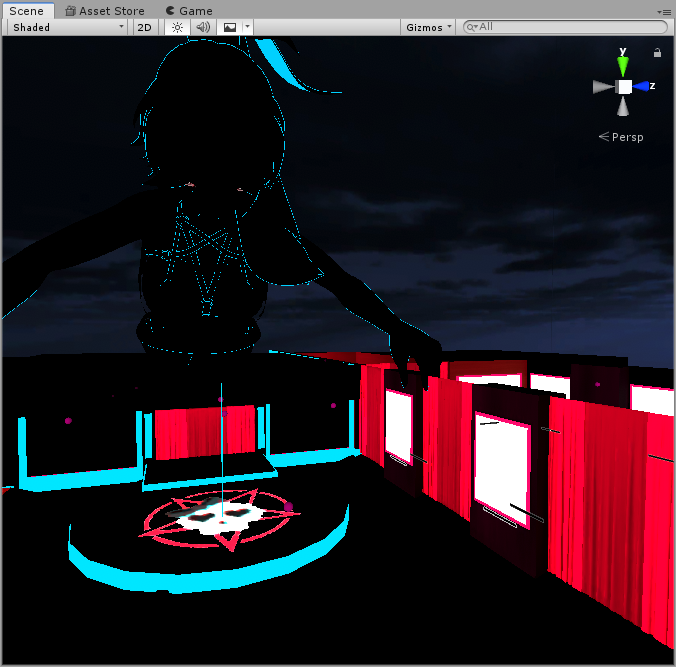
 rough grotto
Hi. Never done baked lighting before. Setting up an interior environment, still in the Blender phase of things.
Place has a lot of lights with lamp shades and such. Is there anything I should be doing to prepare the shades baking the lighting?
I just had this thought that they might create odd shadows unless I separate them or do some other step.
modest vapor
You won't know until you redo it in Unity
twilit lily
@true herald the general chat is no place to discuss lighting in worlds, thats the better place
rough grotto
I was thinking that perhaps I'm supposed to separate the lamp shades and set them to not cast shadows. Or else I assume any point light placed inside simply won't reach the outside properly?
And yeah, I meant in preparation for Unity.
In Blender I notice I can set a light source radius, which makes it expand outside the shade. But I don't recall a similar option in Unity.
modest vapor
I mean, if you want realistic lighting you probably wouldn't want to do that
But it's vrchat so you can afford to cheat that way
Might want to look into IES for your lights
rough grotto
Well normally lamp shades aren't designed to block light. Just soften and disperse it. '-'
modest vapor
With GI bounce they should have the same effect
But yeah, there's no "go through this 50%" kind of option
rough grotto
Hmm. Well I guess I'll experiment. Will probably need to come back to blender for something else anyway.
modest vapor
You could also make a duplicate of that lamp shade, and use that as an emissive mesh with lower intensity
 pine trench
I hear often that you get one free dynamic light that doesn't really affect performance, but how well does that hold up on a large scale with a bunch of buildings that would be casting shadows? I mean like a map of this scale. Also at how many batches is it considered overboard?
 green vault
umm lol. youre best bet if you really want shadows and cant bake that scene (which is fair). use hard shadows as they do the least amount of performance damage than soft shadows
pine trench
Gotcha, will do. Even worse yet, it has a day/night cycle lol
green vault
ah fun...
pine trench
The animation for the cycle is just sped up for demonstration. It's weird, in some areas I get a little over 90fps, but others I dropped as low as 13fps
 mossy haven
After baking the lighting in my world, the mirrors have gone almost pitch black (only showing things that are emissive), how do i fix this?
 languid tree
Can I get some help with world lighting? Keep having this flickering issue with having a point light in my world as the main light:
These are my settings for the lighting render:

Pretty much every mesh is marked as static, as well.

 vague falcon
is there any major difference between lightmappers?
versed herald
what are the differences between the light choices?
pine trench
Directional is like the sun, point is like a lamp, I don't think Area lights work, and spot is like a flashlight.
I could be wrong about the area lights though
 quasi hedge
Area lights work, but have to be baked.
shy root
Hey guys! I was wondering if anybody knew what is possibly going on with my lights. I baked all the lights, generated UVs, etc.., watched like 3 videos plus the one pinned here. After it’s done baking, in unity it displays how the lights should look, and then when I launch in build & test, it’s like completely dark. With only the floors showing some light being bounced.. any ideas?
 mossy vale
What is the cost of baked reflection probes?
modest vapor
What kind of cost ?
mossy vale
I suppose optimization would be a better place to ask, as it's cost relative to that. I assume very little as it's a baked light.
modest vapor
It's baked reflection
It does have a cost, but it's minimal, having a lot of them is worse though
mossy vale
How many is a lot? 5, 50?
modest vapor
It really depends on the size of the world
But if you're going in the dozens then you might be overdoing it
mossy vale
Okay good to know, I only have one in at the moment, but I wanted to know for context! Thanks./
The world is only 5mb with all of the main meshes in anyway so it should be okay!
 exotic phoenix
Friends, what can cause such artifacts from Emission? I've tried everything, but I don't know how to fix it.

P.S. The funny thing is that I didn't even add any lighting, It's right in the rendering.
quasi hedge
Another optimization consideration re: reflection probes is that static meshes split between different reflection probes won't batch together so having many reflection probes could cause a perf drop if it's breaking a lot of your static batching (but you can use anchor overrides to mitigate this)
shy root

Would anyone know the issue here? In my unity it shows that this entire space is lit up, but in build & test this is what it looks like
The walls should be textured as well
mint cipher
Does anyone know how to do bloom/glow objects? Any updated videos or advice for it?
shy root
mint cipher
Does anyone know how to do bloom/glow objects? Any updated videos or advice for ...
You would have to get a post processing asset from the store ( I think there’s a couple free ones )
shy root
modest vapor
This tool installs it in one click
Do you know how to fix my current issue above? I’m lost and there’s nothing I can find anywhere to solve it
modest vapor
How did you bake ?
shy root
 modest vapor
Did you follow a tutorial for that ?
shy root
several yes
ive tried so many different things, but most have just came close to the prior one i tried
modest vapor
You're using standard shader ?
shy root
omg no, could that really be the problem... after so many tries i was beginning to think it was a shader issue...
modest vapor
just need to make sure the shader on your materials supports lightmapping
shy root
i would assume not... because my floor lighting was showing, but all my walls were black (floor shading is standard)
 bold wadi
Why is this happening when I bake lights?
 versed herald
Im trying to get a better Day or Night lighting set up. Can someone help?
 royal swift
but to answer that, I think there's a bug in unity when you change the lightmap resolution, it also screwes up the UV configuration
royal swift
Here's the difference of a .1 value increase in the resolution, and it throws off the UV maps
https://cdn.discordapp.com/attachments/782417374367186995/829669472150487080/unknown.png https://cdn.discordapp.com/attachments/782417374367186995/829669528194777088/unknown.png


so resolutions work, some dont
if you haven't changed it at all, then idk what's up
bold wadi
so how do i know what resolution it should be at?
versed herald
Ping me or Dm me if someone can help me work on a decent day or night lighting setup
royal swift
just try tweaking this until it works. Did you auto-generate the UVs?
 modest vapor
You need to generate lightmap UVs
royal swift
for my particular world, 39.8 is the highest before it bugs out.
bold wadi
i already have the generate uvs checked
royal swift
yeah, i learned quick Unity is ass at generating UVs
i've been working about 10 hours a day the past few days manually adjusting the UVs
royal swift
yeah. learned a hard lesson. You want to build up your UVs from the VERY BEGINNING of a project, not when you already have lots of complex geometry.
it's almost like having to build everything all over again
modest vapor
Did you enable mesh compression ?
bold wadi
mesh compression?
royal swift
also should I "keep quads"?
bold wadi
it says i don't have uvs create some for gi?
royal swift
if auto generate doesn't yield any usable results, your only option is to generate them in your 3d modeling program like bender

 royal swift
Unity even screws with imported UVs. None of this should actually overlap
 bold wadi
so what can i even do? i'm new to unity and all i wanted was baked lights
Can I fix it here?
 royal swift
Unfortunately, it's just not a simple thing. The only thing that makes it easy is a lot of experience building UVs.
There may be plugins that can help, but idk.



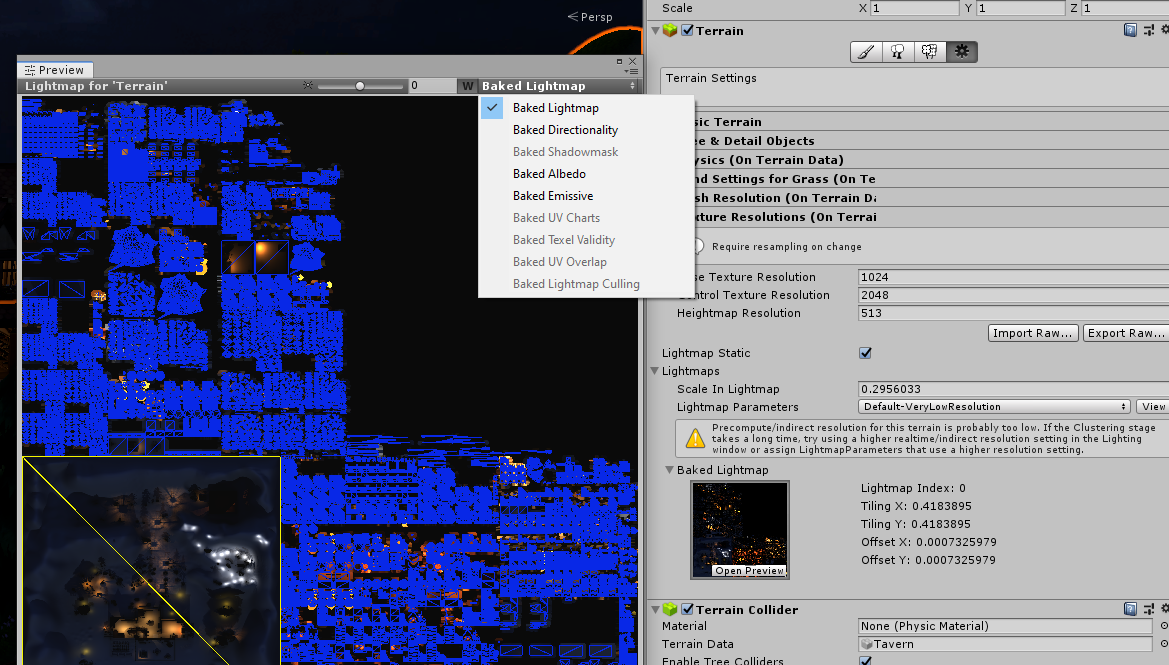


 royal swift
You can do it!
bold wadi
i wish i could
royal swift
Some quirks, you just gotta deal with. Like idk why Unity adds random edges on flat surfaces?
 bold wadi
yeah that's what's happening to my project
royal swift
and this is without auto-generating. Nothing exported from blender should create that
bold wadi
yeah i am just so tired of having to fix stuff at this point in my project
royal swift
the reality is, this is stuff that usually take a team of developers.
Determination is a hell of a drug though.
My head hurts, I'm aggravated as hell, my left eye is bloodshot, I barely know what I'm doing, yet I still want to keep going and learning...
royal swift
I have a whole 'nother world sitting in blender that i set aside while i'm still learning UVs.
https://cdn.discordapp.com/attachments/782417374367186995/811174536061911120/untitled32.png

 royal swift
Thanks! that only took a couple months to put together, but it's going to probably take just as long to build all the UVs for a working lightmap.
I'm going for realism
bold wadi
yeah that's what i wanted too but i don't want to do all the uvs for this model it's to damn big
well it's about the same size as that room
bold wadi

Light Mapping Toolbox is a one-click solution for creating lightmap UV sets for Unity and Unreal engine from Autodesk Maya.
bold wadi
this seems so easy to do
royal swift
oh fuc that's twice as expensive as my annual all-apps adobe sub
royal swift
Has anyone tried this out?
https://github.com/Naxela/The_Lightmapper
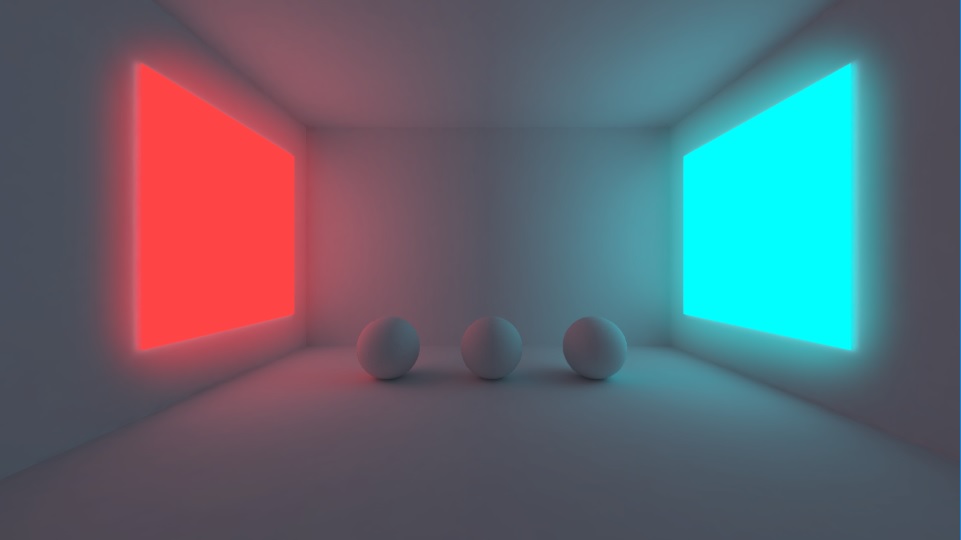
GitHub
Fast and easy baked GI Lightmaps for Blender and Cycles - Naxela/The_Lightmapper
The addon automates everything you need to bake, ranging from scaling, material setup, uv-layering, uv-unwrapping and more:
bold wadi
would it be able to be used for a fbx from unity if i take the model from my assets?
royal swift
yeah, it's just a plugin for blender
bold wadi
damn but i don't know how to use blender that well
 cosmic torrent
Can anyone give me any pointers as to what might be causing this jagged shading on the mesh here? Lighting's baked, Light Probe Groups and all that jazz.

And the lighting settings.
 versed herald
Can someone help me get proper day or night lighting? ping or dm me
versed herald
also can someone explain how the Area Lights work? and maybe some lighting information.
 sterile flint
Hello, im making a world and im having some issues with the lighting, i have gradient as my environment lighting that is pretty bright aswell tho i want it to have a moody kind of lighting since it is a hangout place for friends and such

 modest vapor
What shader are you using for your environment
modest vapor
Is the ground static ?
There's a tutorial pinned in this channel, might be worth watching it to make sure you didn't miss a simple step
sterile flint
yea everything that should be static is static
im wondering if it might be that the amount of lights that i have, it overlapping my scene with light bounces and such
modest vapor
Well if they're baked it doesn't matter
sterile flint
yes they are baked as well, but alright
any info i could give you more so you would get a better understanding of the world lighting?
modest vapor
"There's a tutorial pinned in this channel, might be worth watching it to make sure you didn't miss a simple step"
sterile flint
if you mean akalink's video then i have looked on it and followed it but i get the same issue