#world-lighting
4 messages · Page 18 of 1
 mint heart
mint heart
mint heart
@lunar narwhal Turning filtering to none seems to have eliminated most of the artifacts
enough that they won't be noticed unless you look for them.
mint heart
So weird issue, when using enlighten with my skybox set to none, it appeared that way in game, with the sky just being a grey color
Since switching to progressive CPU, The sky appears to be blue in game, despite being gray in editor. Anyone know what's going on here?
 lunar narwhal
do you have generate lightmap uv's checked on that?
 steel oasis
yep
lunar narwhal
did you rebake after checking it? it does look like a lightmap uv problem
steel oasis
I reimported it and it seemed to fix it
no clue what it was
Im assuming generate lightmap uv's didnt apply properly? unity doing unity things i guess
lunar narwhal
I imagine it's addressable by just putting in a skybox
you're not going to leave it as grey anyway right?
mint heart
lunar narwhal
you're not going to leave it as grey anyway right?
No but the skybox for the game this is from is complicated af
lunar narwhal
how so?
lunar narwhal
good luck with that lol
mint heart
lunar narwhal
good luck with that lol
Upon further investigation its mainly scrolling textures and overlays
probably possible to do with poiyomi and/or NoeNoe Shaders
Someone else did it on a map, might ask him if he is ever online when I am
 rugged quarry
Add emission to the material of the mesh
mint heart
tfw you leave a bake overnight for 7hrs, wake up to unity being a blank white window, click on it, and crash your computer, losing the 7hrs of baking data
 latent loom
mint heart
Since switching to progressive CPU, The sky appears to be blue in game, despite ...
latent loom
mint heart
Since switching to progressive CPU, The sky appears to be blue in game, despite ...
Did u disable the skybox in the editor? Theres a button in the Scene toolbar next to the lights and audio button. If you disable it, it goes grey, only in the editor.
mint heart
No I removed it in the lighting window
mint heart
Is it possible to bake lighting on a model in another program and import the lighting to Unity?
 real crag
not sure, i use wings3d for some basic objs and it seams to work for that
mint heart
So just to be sure, would I nee dto use shadow mask and lightprobes if I want avatars to cast shadows on baked lighting?
lunar narwhal
if you want avatars to cast shadows then its going to be mixed lighting
ie. lights will be baked for static objects, but will be real time for dynamic objects like avatars
shadowmask is appropriate because it lets real time shadows blend with baked shadows
 burnt imp
hi
 molten trout
is it possible to have shadows in a world with spotlights that have cookies
 heady sky
What's the fix for certain objects getting bad, pixely looking lighting after they bake?
 modest vapor
generate lightmap UVs in blender might help
mint heart
Does exporting as FBX also export the lightmap UVs?
heady sky
^ same questio, i'm unfamiliar with the concept of doing lightmaps in blender instead of unity?
 edgy forum
Lightmap UVs are just like regular UVs with the limitation that there cannot be any overlap of UV islands. In blender just make a second UV layer and that one will be used for lightmaps (If you have generate lightmap UVs enabled for that object, disable it)
heady sky
Thank you! @edgy forum Is this a standard practice for all objects, or is this something you should do more if normal baking doesn't work?
Like, if I should be doing this for eveyrthing in my scene, I'd rather rip the bandaid off now and know
edgy forum
Bit of both really. Sometimes Unity's lightmap uv generation works out okay, sometimes it's utter shit.
heady sky
I'll use it for the problem objects then. Thanks guys!!
 mint cipher
is there a shader that turns an object into a sort of light source?
mint heart
You can use emission on the standard shader, but it behaves kinda weird
 slender pebble
I'm having some major issues with light baking on a project, and I'm at wit's end. I've spent hours and hours combing the internet to no avail, and so I was hoping some one here might be able to help steer me in the right direction. Short version is that almost every object in my scene has overlapping UVs, even when "Generate Lightmap UVs" is selected, and the actual light baking process itself takes an absolutely absurd amount of time for the size of the project. Right now it's about 70mb, with 8 baked point lights, and takes over 2 hours to bake. That doesn't seem remotely right, as I've had projects four times the size of that with far more lighting finish baking in a fraction of the time. When it does finish baking, there's absolutely zero shadows, even though all objects are static and have cast/receive shadows on. What seems weird is that when I clear all the baked data, all of the objects in the scene show that they're casting shadows like they should, but once the bake starts and finishes, they all disappear. I've tried re-importing assets, I've tried grafting the scene onto a different project, I've tried going through each model and prefab on the scene one by one to see if any in particular are causing any issues, but I can't seem to figure out what might be causing the issue. I've of course combed through my lighting settings, matched them to older projects that worked fine, compared with friend's projects, etc. I also uninstalled and re-installed unity 2018.4.20f1, but that didn't change any results. Happy to provide any information that might help get to the bottom of this. Thank you for your time
modest vapor
"An image is worth a thousand words" 
modest vapor
slender pebble
I'm having some major issues with light baking on a project, and I'm at wit's en...
Which shaders are you using ?
slender pebble
At the moment, everything is just on the standard unity shaders.
modest vapor
Can you post pictures of your scene with an object that was supposed to bake selected ?
slender pebble
With or without the scene baked? I've been messing around still and it's currently unbaked, so it'd be an hour+ to rebake it. I do have screenshots of some objects in a before/after, though
modest vapor
anything would help tbh
modest vapor
Your terrain is also using standard ?
slender pebble
I would assume so. It's just a unity terrain, and I haven't messed with anything
modest vapor
unity terrain doesn't bake that easily

If you want to skip to the gist of it, just skip to the end.
Note: I forgot to mention that you will want to bake occlusion whenever using terrain. Open up the occlusion tab, adjust your settings (5 is too big) and bake occlusion.
I'm going to show you how to bake the can half your draw calls.light in your terrain and avoid the dreaded black ...
slender pebble
Though that begs the question then, wouldn't the other objects in the scene have shadows cast on them if it was just the terrain being finnicky?
modest vapor
Ca you post the material of the rock ?
modest vapor
I'd suggest making a new tiny scene and baking only a few specific objects, i suspect some of the maps you have on your materials may be the cause, but i'd need to see how the rest of your scene is setup i case there was something obvious
i assume you at least generate lightmaps after the bake
even if fully empty
slender pebble
I'm relatively fresh-faced with unity. I honestly couldn't tell you. I'm not even aware of how I would generate lightmaps outside of when I go to generate the rest of the lighting in the first place.
slender pebble
Ooooh, I see what you meant. Like does baking actually generate those lightmaps
Which it does.
I did go into a fresh project just now with a few of the prefabs and models in question. Everything seemed to bake appropriately.
Might honestly be easier to just cut my losses and see if I can't start new, assuming I can get everything else to function properly.
modest vapor
It's often worth it to start over to save time in the end for sure
hopefully you don't run into the same issue twice
slender pebble
Yeah. Plus at least I know how I want to piece it together, so at least it would go faster the second time. Thank you for your time! I really appreciate it. I'll be sure to take it step by step, so at least if something does go wrong I'll have an easier time pin-pointing when it happened.
slender pebble
Seems like the issue is far more deeply rooted than I thought, and I'm at a loss now. Did a clean re-install of Unity, started up a new project, and even with just zero assets imported I run into the same issue with overlapping UVs. I dropped a plain cube into the scene on a plane and even just rendering that prompted the overlapping errors. I imported a single asset, and that also had the same issue. As did a second one I imported.
Dropped down a single terrain - 15x15 in size, four simple trees, and a baked point light. Took almost 8 minutes to bake the lighting for this scene.
modest vapor
Which mode are you baking with ?
slender pebble
Shadowmask
modest vapor
Which settings do you have ?
slender pebble
slender pebble
Have an AMD Ryzen 9 3900x, 12 core @ 3.8GHz. Single light in the scene is baked
modest vapor

lunar narwhal
have you tried using enlighten?
modest vapor
i think that might be the only option
slender pebble
Any ideas as to what might be causing the overlapping UVs issue? Seems bizarre, especially considering it's happening to something as simple as the default unity cube right out of the box.
lunar narwhal
that does sound pretty bizarre
modest vapor
on a cube yeah that's pretty wild
slender pebble
Wondering if maybe I should do like a hard scrub of unity. Make sure it's entirely purged from the registry.
lunar narwhal

Unity is the ultimate game development platform. Use Unity to build high-quality 3D and 2D games, deploy them across mobile, desktop, VR/AR, consoles or the Web, and connect with loyal and enthusiastic players and customers.
suggestion seems to be increasing pack margin on the generated lightmap uv options
 glad sierra
Bakery uses GPU so it bakes faster than other ligtmappers that run only on CPU
 green vault
???
 forest relic
hey for some reason i cant find the post processing stack is there a different way of adding bloom to emissives?
modest vapor
Bloom is the same for everything
forest relic
idk maybe im just blind where am i supposed to find the post processing stack?
 supple loom
Package manager
forest relic
im dumb wheres that at lol
supple loom

GitLab
A surface shader for Unity providing cel-shading. (Forward rendering only)
forest relic
thanky
mint cipher
would be nice to fix this before release
mesh on the right does not emit light in the bake
the 2 cubes show the 2 emissive materials that i have tried, and shows that the materials are not at fault
how do i fix the mesh such that it emits light?
 twilit sparrow
mint cipher
how do i fix the mesh such that it emits light?
twilit sparrow
mint cipher
how do i fix the mesh such that it emits light?
So when i exported from blender, i had a light in my scene and that went over into unity as well
https://gyazo.com/465a040896eefe575c4e68ff0fbbcc3e
Obviously i did not want an illuminated chair like that so i removed it from the Blender scene and re-uploaded
This got me thinking: How come my shadows for simple, "outside" objects in daylight have such dramatic darks?
https://gyazo.com/b346a0935fc21a40b564626745717946
 mint cipher
bruh
twilit sparrow
mint cipher
bruh
y e s ?
mint cipher
i don't know what you're trying to tell me
so i assumed you're asking a question with me @ accidentally
twilit sparrow
that is correct, and maybe help solve your issue as well lol
I was trying to show and tell you that i accidentally uploaded a light object in my scene to unity with my custom chair and behold it is a mesh that emits light, sort of.
 burnt sable
Is there only like a certain number of spotlights allowed to reflect off of a surface or something?
burnt sable
Ah that makes sense
Im new to this, what's the difference between baked and realtime?
Ive heard like real time casts shadows on players and stuff
modest vapor
Realtime is for dynamic objects that require realtime changes yes
Mixed is better, it only recalculate shadows for things not set to static
burnt sable
Oooh
modest vapor
baked is the most performant and looks the best but not dynamic shadows
burnt sable
Ah ok thanks, helps alot
 faint wraith
Okay so I am looking for the most BASIC help for my TINY brain. I am working on a new avatar world and I have this issue where the shadows are too hard and make all the models ugly. I went to my other avatar worlds and they we're fine so its specifically this world. I removed EVERYTHING in order to isolate the cause and theirs nothing but a cube a mirror and a light and it STILL looks like this.
I went to my other unity project, and the light settings are the same and its still like this idk why please help
modest vapor
i mean, if it's realtime it's gonna be ugly
modest vapor
you need to actually bake it for it to be baked
and then lightprobes
I'd expect a toon shader on a toon avatar though
faint wraith
Okay I will look up how to bake lighting.
faint wraith
I baked the lighting and fixed it, thank you. i'm well on my way to making the best lit maps in VRChat
forest relic
yo where do i apply post processing volumes to?
green vault
postprocessing layer
forest relic
and that goes on a camera i'd assume?
green vault
so you make a post volume on one cam, and then you put the post layer component on the main cam, and tell it to do the pp layer, and then set the post process volume camera on the pp layer
forest relic
just did that and its still not working 
forest relic
@green vault any other ideas?
green vault
show me
green vault
so main cam, the layer script should be set to the main cam as well
second cam needs to be set on the post processing layer
green vault
thats the second cam
you need to set that to the main cam
https://cdn.discordapp.com/attachments/534472776841691137/806986671689695282/unknown.png this needs to be set to the post pressess layer
 green vault
no camera is
forest relic
ok 🤷♂️
green vault
and set camera to "MainCamera" or whatever the tag is icr
forest relic
what
green vault
forest relic
i just set the Camera(1) to post processing layer and the main to the volume and set the trigger to the main camera and its still not working
and set the tag too
green vault
does camera have both a volume and a layer?
camera (1) should be the only one with the volume
supple loom
Why do you even have two cameras?
forest relic
cause he told me to make two?
green vault
no you need 1
forest relic
what the fuck
green vault
but that camera gets disabled anyway so it doesnt matter
forest relic
adouhrfiyubcgicfg
green vault
youll learn as you go
supple loom
Why would you still make a useless camera when you can just make a empty gameobject
forest relic
forest relic
cause he told me to make two?
^
supple loom
Yeah that was directed at him
forest relic
green vault
so you make a post volume on one cam, and then you put the post layer component ...
.
supple loom
https://github.com/oneVR/VRWorldToolkit/releases
Just delete what you have now import this and then from the top bar do VRWorld Toolkit > Post Processing > Setup Post Processing and then edit the created volume
green vault
because you can, it doesnt really matter, usually people will set an additional camera to reset a filter area in games rather than swapping the acc camera data
supple loom
Wtf
green vault
however this can cause issues if thats what youre refering to. for example for quest. i currently cant even render any cameras due to how cameras react
but if its in a pc set up, it will basically disable and then re-enable cams when it is instanced
which a current problems with 1 of my assets as the cameras are firing at will and cause great gpu pain
supple loom
The volume will never need a camera on it that is literally pointless
Doing something because it doesn't matter doesn't make it make sense
green vault
correct, but in other games usually itll have one. idk why but thats how they teach it
cus with C# and other practices, you can relay he camera rather than just layering it off of a game object
green vault
idrk, this is from other builders and acc guides on yt
supple loom
Doubt
You pulling random stuff out of the air half the time while "helping" people doesn't really help people
green vault
either way, by defaul when the world is instanced, that camera will not exist unless it is told to be
?
supple loom
That's not how this works
 fickle sparrow
http://prntscr.com/ygz9vv http://prntscr.com/yh58mg so having issue with my world first image is what its lighting is supposed to look like second image is what it looks like in vrc. now the light maps wont bake in any more e missive don't give me light sources any more either what any ideas on whats broken light settings.

tried all yesterday to try to upload world got it working again but now my lights wonky
http://prntscr.com/yh63s3 baked light maps are blank black as well

http://prntscr.com/yh3wex no overlapping uvs either

only light map that shows is a little sliver

help would be greatly apreciated
lunar narwhal
what are the settings on your light sources and lightmapper?
fickle sparrow
I did manage to fix it turns out light maps kept corupting its self so had to remove it now renders fine again
 scenic rock
Okay here is an issue that I've been having with shadows. This happens when the reference camera has a far clipping plane of 1000000. I need that for some scenes that i have setup. Whats strange is that desktop does not have this issue. Anyone know a work around?
modest vapor
Why would you ever need that clipping plane
scenic rock
I have space section that I wanted to be as large as possible. so I needed the camera to be able to see that far.
supple loom
When the ratio between near and far clip gets too high you will have rendering problems
scenic rock
Interesting. weird that it doesn't happen on desktop. Also in my experience changing the near plane in unity doesn't change it in vrchat when in VR.
supple loom
The near gets clamped to be between 0.01 to 0.05
The difference to desktop is most likely something something vr rendering vs just normal rendering
Quest has even worse precision
 sour galleon
So been trying to make my light bulb fillaments glow for like 3 hours with no success no matter how many tutorials I lookup, It always says something about emissions which never worked once, and all post processing tutorials are outdated so I literally cannot figure out how to just make my damn lights glow. I even got mk glow lite Thinking it would simplify the process
sour galleon
Oh thank fucking god lmao
thank you like all these tutorials I'm sorry but they're kinda all useless there's no explanation and it's annoying I like understanding what I'm doing
sour galleon
I got it installed, my issue now is how to actually make it glow 😦
supple loom
You will need to edit the volume bloom settings
sour galleon
ummmm on what? or like where?
this is super confusing I just dont know what goes where and what exactly I need to change im so lost
and how do I know what to edit as in what and also what in it to change
I just really dont understand at all
It's not my first time at all using unity and such but this makes me want to just stop because of how frustrating to do
something to simple as to have a bloom/glow to an object and I've been trying for hours
supple loom
After you press the setup button in my tools it's gonna create the Post Processing Volume gameobject
Selecting that you get the settings in the inspector
One of those will be bloom which you can tweak to your preference
Would suggest to check out the guide linked in the tools as well to know how to edit it
sour galleon
okay, well re the base settings on it like not okay or?
I just noticed I got something to work
I think what maybe confused me is the whole camera thing
supple loom
Camera thing?
sour galleon
Like when you have to add your pp layer and volume scripts to your camera
I didn't really understand it
I got bloom to work but my bloom is global so to make it for specific object to I just need to add scripts to those objects?
I got it jesus*
I actually managed to get it working from this tutorial https://sharpcoderblog.com/blog/unity-3d-glowing-object-tutorial

Sharp Coder
In this tutorial I will be showing how to achieve a glowing effect using Unity's Post Processing package. So let's begin! Steps First we need to download the Post Processing ...
 dawn jetty
I've been trying to do world stuff in unity, and I've been using baked lighting, but for some reason every time I press generate lighting it crashes. I've even tried to reimport all but it still wont work.
please @ me if you possibly know the fix to this
lunar narwhal
Going to need a bit more information than that. Which lightmapper are you using? whats your lightmap settings? any errors in console? etc
dawn jetty
lunar narwhal
Going to need a bit more information than that. Which lightmapper are you using?...
Here are my settings, there's no errors in the console, and its in a fresh unity project
dawn jetty
I dunno if you'll need my main camera settings as well but here they are
 stiff holly
so does anyone know why this light is doing this
and why the one right next to it is just fine?
 sick dagger
¯_(ツ)_/¯
just rebake it lol
if that fails try moving it around a bit and then baking
lunar narwhal
dawn jetty
Here are my settings, there's no errors in the console, and its in a fresh unity...
120 texels is pretty high, you generally only need 20-40.
GPU Progressive is pretty unstable and I wouldnt recommend it at all, if you need gpu acceleration bakery is still the better option. Otherwise I'd advise just sticking with enlighten.
lunar narwhal
stiff holly
so does anyone know why this light is doing this
is the area light clipping into the ceiling? also wouldnt you be better off with a point light for that?
stiff holly
wait, its not even the lights them selfs, its the emission texture i have on them, why is that? is it cause I copy and pasted it over? is it cause its the same object its on?
 abstract drift
dawn jetty
Here are my settings, there's no errors in the console, and its in a fresh unity...
abstract drift
dawn jetty
Here are my settings, there's no errors in the console, and its in a fresh unity...
Try baked indirect instead of shadow mask, set lightmap resolution to around 40 and below, texel density per game object in your scene, use FORWARD rendering for your scene, try increasing your lightmap size to 1024 or 2048, compress lightmaps,
abstract drift
lunar narwhal
120 texels is pretty high, you generally only need 20-40.
GPU Progressive is pre...
GPU progressive isn’t unstable for smaller to mid sized scenes. If they do not have bakery or an nvidea card Enlighten is a better option
Make sure to set generate light maps for all game object models
This is not the place to place memes lol
Go to #vrchat-general-2
And no one laughed goodbye
abstract drift
dawn jetty
Here are my settings, there's no errors in the console, and its in a fresh unity...
One more thing is to also try cleaning your GI Cache in your settings if you’re still having problems
 still bobcat
Anyone have any tutorials for baking lightmaps from blender for unity? Trying to piece tutorials from different sources has been a complete failure, and ive had too many issues trying to bake lighting in unity
my lightmaps in blender show up as black and can't figure out why for the life of me
 foggy vapor
Hello, I'm looking for light garlands on the asset store, paid or free, whatever, if you know I am a pioneer, thank you in advance!
 crude fjord
Hello, I am attempting to get my post processing to show real time reflections on my neon objects. I am unsure what maybe causing it to be stopping on build. Here is an example of what I am talking about.
ignore the video player UI in the background
lunar narwhal
you can't use post process screen space reflections in vrchat as it requires deferred rendering, and vrchat uses forward rendering,
crude fjord
lunar narwhal
you can't use post process screen space reflections in vrchat as it requires def...
oh welp thanks
 fallow lark
and also you would murder the performance using real-time Reflections for shiny objects
 proven locust
lunar narwhal
you can't use post process screen space reflections in vrchat as it requires def...
proven locust
lunar narwhal
you can't use post process screen space reflections in vrchat as it requires def...
Mochie standard allows for SSR...
Granted it works off a grabpass;_;
lunar narwhal
yeah, shader based reflections using grab pass will still work, and can mostly emulate the same effect
fallow lark
performance killer compared to reflection probes
 prisma lotus
I need some help! Every time my Unity bake finishes, it automatically starts over again for no reason. It's been cycling like this for hours even though the estimate is 30 mins. Have tried restarting everything and these settings worked fine for me before.
I fixed my issue! Just had to 'clear baked data' and try again. I must have clicked Force Stop and caused it to save a weird unfinished lightmap somewhere it thought could be completed but couldn't.
Nvm it's infinitely cycling baking again. Ughh..
 blissful kite
I've got this weird hard line in the middle, where there used to be 2 separate objects, but I had merged these. It isn't mirrored on the other side of the floor, just this one specific side for some reason.
prisma lotus
@blissful kite Is there an edge there? Could be that the UV shells aren't stitched at that edge. Looks like it's baking those two sides separately.
blissful kite
prisma lotus
<@!156559357184573440> Is there an edge there? Could be that the UV shells aren'...
Well, as I said, they were 2 separate objects at one point, then I merged them. So at one point there was an edge, yes, but there shouldn't be any more. It should all be one object and the lighting should be the same.
And again, it's also just on this one side
prisma lotus
Oh there's no edge in the middle at all? And you've cleared your bake data and rebaked?
blissful kite
There shouldn't be an edge in the middle there, no. That other blue/black pattern/image you see is the skybox. I have no idea how to clear bake data
@prisma lotus
prisma lotus
Right by the Bake Lighting button in the lighting tab in Unity.
@blissful kite Just click this drop down arrow and clear baked data. I wonder if there's still some lightmap lingering on it, though when you do a new bake it clears it anyway so I dunno.
blissful kite
just cleared it and still having the same issue
prisma lotus
There anything above it that's causing a shadow?
Can you just delete the mesh and remake it?
I get these stupid lighting issues myself on flat planes and I have NO IDEA why it does it either
blissful kite
Well there is a cylinder with emissions that I disabled for the sake of the screenshot, but its a cylinder...I don't think a cylinder with emissions would be causing a hard difference like what I'm having
and again again...its only on this one side. I'm not having this issue on the opposing side of the floor, where there is no issue at all
I'll take this into blender and see if there is something I can change there
I have no idea what could be causing this...
@prisma lotus you said something about UV shells earlier? maybe thats the cause?
blissful kite
nvm it got fixed somehow
 sharp robin
@prisma lotus To prevent that from occurring go to the lighting tab and go to the "Lightmap Parameters" drop-down and select create new lightmap parameter and on those parameter settings set the Backface Tolerance option at the bottom of the list to a very low value or even to 0
mint cipher
I've got some of these weird light blotches after baking with Bakery
might anyone know what the cause/ solution is?
modest vapor
Check your console for overlapping UVs ?
mint cipher
i'll check it out next time, thanks
prisma lotus
@sharp robin I set it to 0 and it didn't fix the LOD's being black.
sharp robin
@prisma lotus I was only referring to this https://cdn.discordapp.com/attachments/534472776841691137/808963442147983390/unknown.png
 prisma lotus
@sharp robin Ooh! I fixed that. There was a bit of the geomtry sticking out the wall that the sun was hitting.
 thorn cape
could some nice person tell me what I can do so my avatar would look normally in the mirror?
modest vapor
Enable pixel lights
thorn cape
thanks!
 steel aspen
I have a problem with baked lighting.
I can't figure out the root of the issue but every time I hit Generate Lighting / Bake Reflation probes.
It gets past preparing bake but once Baking starts. Unity crashes...
My back up project works fine but the current build crashes.
modest vapor
How big is your scene
steel aspen
modest vapor
I meant the project scene, the world you're trying to bake and with which settings
steel aspen
Not sure how to find the Scene size.
but I'm using these settings. I did read back a bit and changed to 'Enlighten' which somewhat did the job.
it's only 2 rooms. Tho Packed with a lot of stuff.
(DnD world with a lot of Props/Triggers)
modest vapor
You tried enlighten ?
steel aspen
Yes. That seems to work but only to 1 of the light sources
modest vapor
You made sure that all lights are correctly set to baked and all objects are static ?
If you don't already have this in your project ^
steel aspen
ahh. 2 of them was set to Mixed. I'll give it a shot now
Well that stopped the crashing but everything is dark/not receiving any light..?
modest vapor
Are all your environment objects static ?
steel aspen
gone over each object. anything that doesn't move and doesn't some sort of trigger is Static. Hit bake and then Unity crashes.
modest vapor
Might want to check the crash report file, and the actual console result
steel aspen
As far as I can tell it doesn't generate one. It just closes Unity.
steel aspen
I fixed it. On top of doing the things you suggested I found that I wasn't using Light Probe Groups. Once I put them in the Bake went on as normal. The VRWorld Toolkit was very helpful. Thanks for the help Ruuubick!
 fluid mirage
the map is realtime lighting. there is a single directional light, and this room has 2 point lights. neither are set to cast shadows, and this room does not accept the directional light (thus using the point lights)
why does it do this?
modest vapor
You probably have more than 2
fluid mirage
I have 3 total. The 2 point and 1 directional.
I'll have to double check I guess.
Maybe a hidden light I missed
hmm, nope, only 3 lights
regardless I have the pixel light count set to 9
should be fine
hmm. maybe its something to do with how things are set up? because i have this room darker, I have the main area set to layer "environment", and this to layer "environment 2"
so the directional light does not affect environment 2.
while the point lights do, and affect the other layers as normal
modest vapor
You can remove the layer your environment is on and cull that layer on the light
But i see no reason for all these lights to not be baked in the first place
fluid mirage
because one thing at a time
the last time I tried baking the lighting on the map it would cause unity to crash
modest vapor
green vault
what kind of crash are you getting? is like a breaking point error or unity doing that crashhandler popup and then the “report a bug” thing?
fluid mirage
It would simply close unity. No error message
To be fair, this was quite a while ago
I have since successfully baked a map, so maybe this time will work
I think the issue was I'm breaking unit's memory usage. I have some distance scenery that I was filling up with light probes
So I had a billion light probes just for empty space and stuff you won't see up close
mint cipher
👆 Something similar to this could crash Unity while baking if you have a combined mesh.
mint cipher
In lighting have real time and baked light selected then bake world
 kind breach
Not exactly lighting but I want to try asking this here:
I'm struggling to get the Interact text/Highlight UI on an interactable object to render on top of some sprites that I have. I added all the sprites to sorting layers and put them earlier in the list than the Default sorting layer, but it doesn't work. Anyone help?
I also tried moving the sprites around in the render queue, for a bunch of values between 2000 and 3000. Below something like 2750, the sprites don't appear and I assume they're rendering earlier than the skybox or something? (when that happens I can happily see the interact highlight at least 😅)
 sterile fog
Pray for my cpu
sterile fog
holy shit
 outer gulch
Mdeee
mint cipher
well, guess I have to wait
 crimson verge
17 minutes isn't bad at all
That's awesome

Do you guys ever have the calm before the storm?
The moments you spend before hitting bake for that hopefully final time, hoping everything goes well because your computer is gonna be screaming for mercy for an hour or two?
 celest hornet
Okay so internet is not helping me at all with Google searching-- does anyone know how to fix this issue?
https://youtu.be/Kdsx5I5oBdA
I have no idea why occlusion turns the map and everything dark.
 modest vapor
@celest hornet How many realtime lights do you have ?
celest hornet
modest vapor
<@151913538921824256> How many realtime lights do you have ?
None currently. They're all set to baked.
https://i.imgur.com/JOC39Mt.png
 celest hornet
Hmm. I thought I did because I'm using Bakery.
I'll give it a try again however to see if it remedies my issue!
sterile fog
Two questions, Is it possible to only rebake a single light map
And does making light maps bigger make it bake faster? (Like 1024 to 2048)
Someone said that and I don't know how true it is
green vault
smaller usually means faster
there was a program where you could rebake certain areas but I don’t know if that exists on this version of unity
celest hornet
So I figured out my issue-- I can't bake lights at all with Bakery for some reason.
supple loom
I mean are you trying to use unity lights with bakery and not bakery lights?
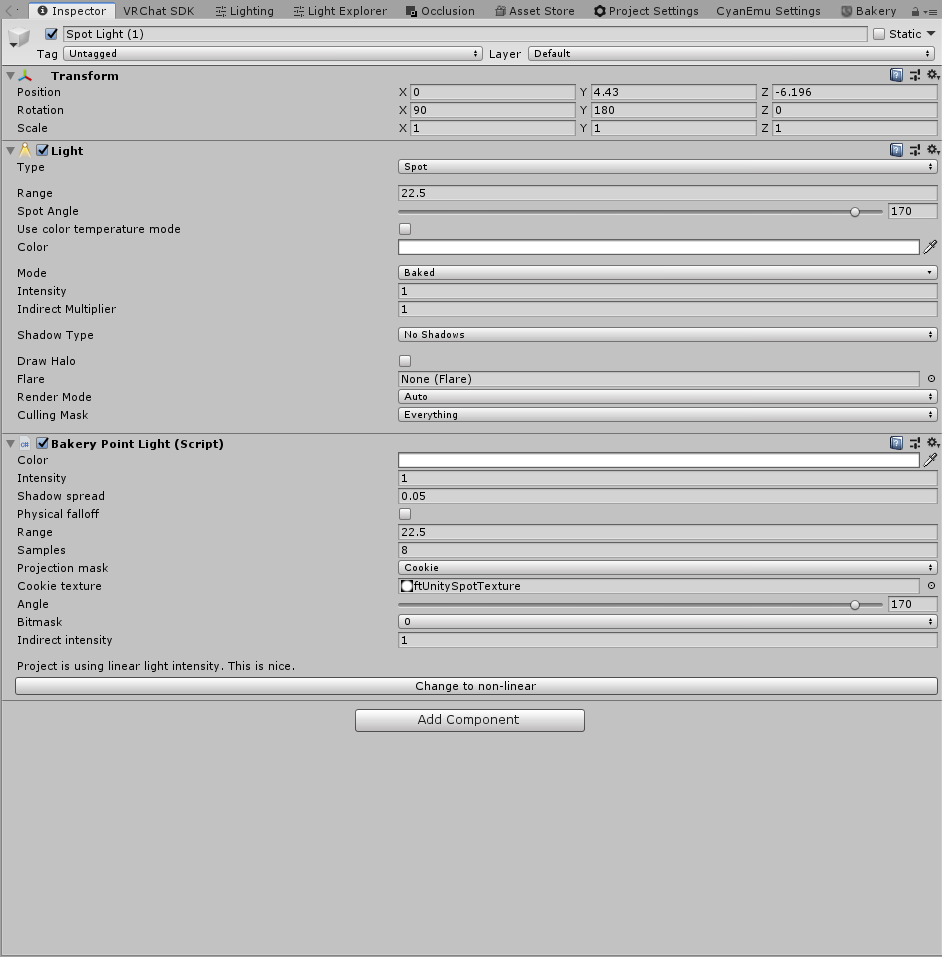
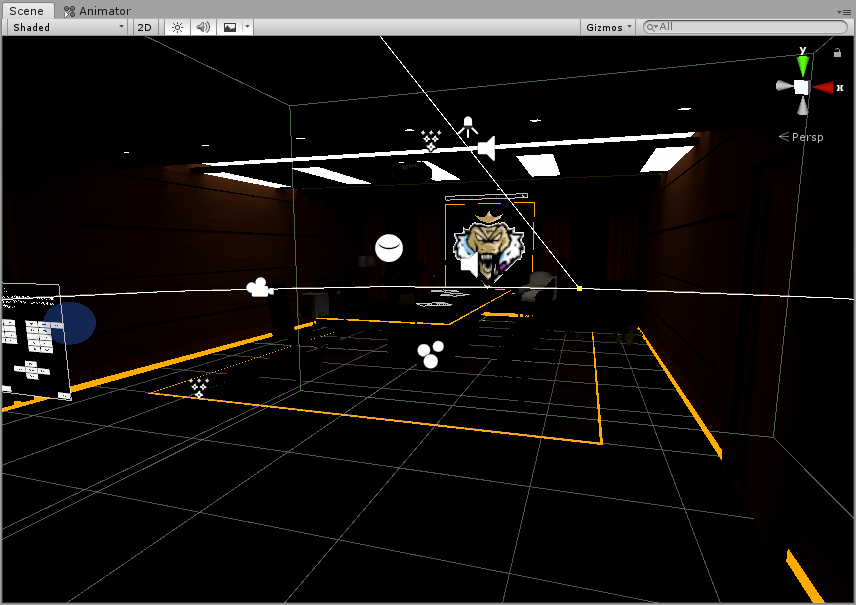 supple loom
Bakery won't bake the unity light and leave it real time unless you are doing some special mixed lighting setup
Can't see much otherwise wrong in those pictures
lunar narwhal
you can disable all the default unity lights btw, bakery just uses them to reference values when you add the bakery components
celest hornet
I did that and still got the same results.
I noticed that it only had this issue with occlusion being added but now, I just can't get it working at all.
lunar narwhal
that's probably because what you saw were real time lights
celest hornet
Ohhh, true true. That would make sense.
lunar narwhal
the default unity lights even when set to baked will still act as real time lights because you baked with bakery, not unity
hence why you should disable them
as for that result, it looks like the lights were baked, just too dim?
celest hornet
Same result as the picture I posted earlier. I have no idea why.
lunar narwhal
usual culprits: generate light map uv's checked on meshes? all set as lightmap static?
modest vapor
an actual shader that supports lightmapping
celest hornet
UV's are checked and I did set them to lightmap static.
Shaderwise, I'm using Autodesk Interaactive.
lunar narwhal
that second screenshot looks baked to me though, just very dimly lit
judging by the lighting on the walls
mint cipher
can someone tell me why is the mirror dark with mixed lighting? baked seems fine
modest vapor
1 intensity is fairly low
lunar narwhal
real time lights don't show up in mirrors by default, you have to check enable pixel lights in the mirror settings
mint cipher
oh, okay
lunar narwhal
of course, it'll hit your performance harder
unity and bakery lights are not 1 to 1 either, so you'll have to play around with settings to get the same look
mint cipher
I can't use Bakery because AMD cards... which sucks
lunar narwhal
in response to the other person
celest hornet
Ooo. Alright. I'll go ahead and mess around a bit to see what I get.
lunar narwhal
also are the white lights bakery light meshes or just regular emission from a shader?
celest hornet
Those are emission~
lunar narwhal
if you want to bake emissive objects with bakery you gotta use their light mesh scripts
celest hornet
Ooo. Understood! Thank you thank you.
mint cipher
wait, do realtime lighthing uses a lot of cpu?
 graceful jetty
mint cipher
wait, do realtime lighthing uses a lot of cpu?
graceful jetty
mint cipher
wait, do realtime lighthing uses a lot of cpu?
Baked lighting is a lot better for performance
mint cipher
aw welp, okay
graceful jetty
A bit tricky to figure out at first but worth the performance gain
not to mention, it can be more accurate that realtime lighting.
lunar narwhal
yep, you can also only get ambient occlusion with baked lighting
celest hornet
So I figured out why it wasn't working. I forgot the roof exists. LOL.
 lunar narwhal
lol oof, happens
celest hornet
Yeah, the lighting with the normal Unity lighting wasn't being affected by the roof.
Which is what threw me off so hard.
graceful jetty
I've decided to add something to my map that's REALLY awkward to light
I thought it would be easy, but I've basically forced myself to light a large area with small lights
If I turn the power up on the lights, it breaks the lighting everywhere else in the world
so unless there's some way to boost the lighting without increasing the power I don't know what to do
lunar narwhal
power? do you mean intensity of the light?
graceful jetty
yeah
lunar narwhal
increasing intensity shouldn't affect the range, does it?
graceful jetty
for some reason, if I turn the intensity up more than a certain amount it stops doing anything
and it ruins the lighting everywhere else
I'm using Bakery by the way
lunar narwhal
i'm guessing you must have it pretty high for it to break
lunar narwhal
just how bright do you need it lol
graceful jetty
this bright
lunar narwhal
thats not very bright
have you tried increasing the range of the lights as well? you might be compensating for the light fall off with a higher intensity
when you can just increase the range for the same effect
I think you can also adjust the falloff min size https://geom.io/bakery/wiki/index.php?title=Point_Light_Attenuation
graceful jetty
I've been using area lights in this situation, in an attempt to cover more of an area
lunar narwhal
thats with the bakery light mesh right? I think it would be worth a shot increasing the Cutoff value, as according to its description that value is where the falloff results in the light being rather dim
unless of course that potentially results the light reaching areas it shouldnt
lunar narwhal
Cutoff: maximum lighting distance. Bakery will additionally attenuate correct inverse-squared falloff near the limit. It works best when cutoff value is just where physical falloff gets very dim. Cutoff can improve baking performance, but you also can set it to a very high (unreachable) value for complete correctness
Not sure
I was working with the assumption that your lighting might not have been bright enough because of the fall off
But if 100 is equivalent to 100 units then I would think that's sufficient
graceful jetty
Alright, found a jank solution that doesn't look bad
just shove a huge cube with emission on it inside of the room
 flint talon
I heard from a unity plugin which allows you to bake your light maps with your gpu. It said that it's cuts down the render time. Does anyone know something about that? Can't find the post on reddit anymore
 quasi hedge
flint talon
I heard from a unity plugin which allows you to bake your light maps with your g...
quasi hedge
flint talon
I heard from a unity plugin which allows you to bake your light maps with your g...
likely talking about Bakery - link for it should be pinned in this channel!
flint talon
I should have looked that up earlier. Thanks mate 🙂
 urban light
Does anyone know of any good Udon club lighting prefabs? Happy to buy... I'm looking for some decent animated spots and lasers mostly~
 teal star
So just how "intense" is having 2 realtime directional lights in a world?
modest vapor
Depends which layers they affect, shadow quality, mixed or realtime
two mixed, hard shadows with only a few affect layers lights ? heavy effect but not terrible
Two realtime, soft shadow with no layer culling ? Pretty bad
teal star
I guess my question is what's "pretty bad" in this sense
Like, could it be expected to run shite in a room with 5 or less well optimized players or what?
modest vapor
Probably not, the smaller the world the lesser the affect, but what do you need two realtime lights for ?
teal star
I'm hoping to have a working day/night cycle, which means sunlight and moonlight
I've got it mostly put together, aside from some slight color changes I need to put on the moonlight, probably
But I'd probably do baked lighting for "inside" places, and have outside be lit by the sun and moon, which means I mainly need them to be cast on the terrain, which is probably a huge amount of realtime lighting to calculate on its own
And also yeah I'm planning on making my starting world size pretty small, then I can up as necessary
modest vapor
Well, if you're doing two cycles, wouldn't each be enabled at different points ?
terrain is static, so if you're using mixed it's not much
teal star
I have a custom script (from a tutorial) that cycles the color of the lights as they approach their setting/rising areas, but yeah if the moon is pointed straight up then you're not going to see it affecting anything
and vice versa with sun
modest vapor
In udon ?
teal star
Yeah, it's udon :p I've been using U#
It feels very refreshing to go back to programming in a VR SDK lol
Nostalgic af
Oh yeah speaking of lighting, is there like a base “world lighting” you can apply somewhere so nothing ever gets darker than a certain amount?
modest vapor
Not that i'm aware no
 whole tusk
I think maybe you mean this: under the Window -> Rendering -> Lighting Settings:
In Environment Lighting, choose Gradient or Color and set to a mid-gray. (Assumes you are not using Bakery, in which case you need to do the same with a Bakery Sky Light).
graceful jetty
Does anyone know why my light probes are too dark in one room?
The lighting is fairly bright and the reflection probe looks just fine, but when I bake the light probe group it doesn't match.
whole tusk
Fiji, you probably have a probe inside something.
graceful jetty
whole tusk
Fiji, you probably have a probe inside something.
Would that affect every other probe though? I know they blend together but it's dark no matter where you are in the room
modest vapor
What do your probes look like currently ?
teal star
whole tusk
I think maybe you mean this: under the Window -> Rendering -> Lighting Settings...
Looks like I won't be able to do that, because skybox-dependent lighting is important for this day cycle stuff I have
whole tusk
well, yeah.
mint cipher
hello i am back once more to ask about this mesh which fails to emit light
the materials i've tried using all work fine elsewhere
it is not the materials so almost certainly it's the mesh
how might i fix this?
modest vapor
Your wall is definitely receiving emission, it's just not strong at all
Also it probably doesn't need to be part of the lightmap
 icy egret
if you want the emission to effect the ground you want to push it into HDR I have found, this is a slippery curve though as it will start to change the look of the strip itself. I use Bakery these days for lighting in Unity and it seems to allow a separate "emission color" that effects bake vs the real-time color value for Look Dev (though inaccurate)
lunar narwhal
graceful jetty
Would that affect every other probe though? I know they blend together but it's ...
is that probe by any chance inside one of the light mesh cubes you put into that room you were having problems lighting up?
graceful jetty
lunar narwhal
is that probe by any chance inside one of the light mesh cubes you put into that...
nah, none of the probes touch anything
icy egret
Hey all, I am working on a World that is Quest first and am having an issue getting metal or frankly any reflections to render. I have reflection probes and metalness + Smoothness on the Standard Lite material all the way up, what else is needed? Is it even possibly to mimic realistic PBR Materials (limited in the world of course) on Quest VRChat?
Using Bakery for lighting fyi if that matters, if this is the wrong channel please point me to the right one xp
 blazing nest
Maybe someone knows here? When uploading a world, one quest its double vision and Im not sure why
 weak glade
@blazing nest usually thats a result to either an non vr shader or enabling a post processing option like AA. Double check those.
blazing nest
Where would you changed that stuff? Could you message me
 grizzled island
yall use unity right?
icy egret
yep Unity 2018.4.20f1
 dire granite
Hi. Hope to get some help here. So we've imported a wall from SketchUp, exported it as .obj. When imported to Unity, we were unable to put textures on it. Would anyone know how to fix this?
 modest vapor
i think your mesh is not rotated, and is currently on the floor ?
dire granite
It is placed directly on the floor.
modest vapor
in the same spot as the other floor piece ? It's using a transparent material so it's hard to tell
icy egret
Click the drop down, is there a material on it?
I've had the issue where u need to apply a new material or using the assets import settings rip the mat
How does the Standard Lite shader get it's reflection information? OG Standard is fine w/ my reflection probes it seems, no matter metalness, albedo (black or white), and smoothness, the Standard Lite isn't really changing.
 fluid helm
I'm actually the one building this and @dire granite has been helping me with objects. I'm not the best with lighting, but here are my settings if it helps any.


The other walls were built using regular 3d cubes and applied textures. The ones with windows are the imports.
dire granite
@hollow quarry, I asked the same question in the other channel, there are more info here. ^^
 hollow quarry
rule 15 lol - but make sure the model is facing the right way (if it's a one-sided material) and make sure it has UVs? o:
dire granite
Oops, sorry 😅 I figured it was better in this channel.
Anyway, when I exported it from SketchUp, I made sure have this checked. So it is two-sided.
 hollow quarry
Try applying a blank material onto it, and change the color to see if that works? o:
also sorry, not super familiar with SketchUp and how/if it handles UVs automatically
normals might be flipped o:
dire granite
Not sure about the UVs. @fluid helm ?
fluid helm
I have no idea what UV even is or does.
I just applied a blank material and changed colors. It works just fine.
hollow quarry
UVs tell programs how to apply textures to models - considering that the normal cubes work fine and changing the color works fine, it sounds like the model doesn't have any UV maps to me
could try bringing the model into Blender and unwrapping it there, then exporting it as an .OBJ or .FBX? o:
would recommend UV unwrapping tutorials if you go down the Blender route c:
 strong slate
Best way to get volumetric lighting? For a night club
hollow quarry
tutorial I linked was kind of needlessly complex, sorry lol - It's relatively simple
dire granite
Thank you ^^
strong slate
Volumetric lighting on quest?
modest vapor
nope
strong slate
Way to fake it at all?
modest vapor
Or you'd have to use very specific setup, but that's more like beams and not really volumetrics
strong slate
I have a nightclub and obv it don’t look very good without beams
modest vapor
Yeah but transparency kills quest
strong slate
So how would I make a beam? Quest can’t use custom shaders either can it?
modest vapor
nope
might wanna try with the quest additive shader tho, but you'll need specific textures
strong slate
A cone like shape I’m guessing
modest vapor
you can try a few shapes, it's usually a few planes, but cone might look better in that case
graceful jetty
modest vapor
Yeah but transparency kills quest <:sweat:668314662059638784>
How bad would it affect quest performance if I were to use the quest particle shader to add transparency to an avatar or something?
asking because I miiiiight have done this
modest vapor
Some effect, not the worst, but Quest 1 is a pretty weak platform so it needs all it can get tbh
graceful jetty
we're talking less than 100 polygons of transparent material by the way
fallow lark
you still have to do transparency calculations on everything with that material
whole tusk
The number of polygons of transparency does not matter. It's the number of pixels that are viewed through it.
teal star
Are there any layers that aren't rendered by the player camera that I can set objects to that I don't want to be seen?
For instance, invisible walls, particles that are seen by ortho cameras for the sake of water ripples, etc.
Wait, I can turn off the mesh renderer for invisible walls, I knew I felt like I was missing something...
 shut dagger
Is there a way to have lighting changes show up in the editor before baking? I'm brand new to lighting and currently it seems like I have to bake each time to see how tweaking options changes things
modest vapor
Nope, that's the Unity limitation
The only option is the Bakery add-on with Bakery Preview
shut dagger
Ah okay, I'll need to get more into world dev before I shell out the $55 for it 😄 It doesn't take that long to bake right now
 hallow hound
i woundering wen this gpu gona be working in unity so you dont need to buy bakery i would wait 1 day to bake befor i would buy bakery 😮
shut dagger
So I think this is a lighting issue since that's the main thing I've been tweaking right now, but for some reason this keypad is only visible at certain angles now. What would cause this?
normal angle

invisible
 hallow hound
is it in game only like that or only in unity ?
shut dagger
Looks like it does this in-game too
hallow hound
i woundering why its like that 😮
can it be a shade problem no idea i hope sobody know it
shut dagger
Me too lol. The shader on one of these is literally just this though
 hallow hound
maybe its a occlusion think?
shut dagger
One thing I've noticed is that when I select most of my objects some light probes show up around it, and these ones don't. Though I have other objects that show up even though they have no probes near them too
Huh, if I duplicate the object it magically shows up (with probes around it)
hallow hound
no idea i thinket maybe it was an occlusion problem maybe sobody know whats the problem is
shut dagger
Seems like I can probably work around this by just duplicating the objects and deleting the original, but yeah if anyone knows what caused this I'd be interested to learn more about it 🙏
One thing of note is that after duplication the "light probes" option was enabled, but after baking it was off and I could no longer see the probes, yet it is still visible 🤷
ah yeah the difference between seeing light probes or not looks to be if the object is static or not
which, makes sense since it bakes in all that info instead of needing to compute it
hallow hound
light probes ar for none static so thay get baked light like walking avatars and static dont need light probes to get light this is how i know it
 glad fox
hey guys i just got a quick question
ive seen a few worlds that have a button that dims the world, how do they do that with baked lighting?
fallow lark
they just post-process the color to be dimmer
 flint harbor
what does it mean when my lights work normally in editor, but inside VRchat there's a light that casts shadows but doesn't affect surfaces
 radiant goblet
hey guys i made some neon sign in blender, the problem (i think all noob had it) is that the emission cycle material thing don't work when imported in unity, how can i export this material, and put it into unity ? how do i solve that
modest vapor
You enable emission on your unity material
shut dagger
radiant goblet
hey guys i made some neon sign in blender, the problem (i think all noob had it)...
When you click on the model in Unity, there's an "Extract Materials" button on the "Materials" tab where it will pull them from the model and give you ones in Unity to modify as needed
radiant goblet
@modest vapor but there is multiple materials, ones with emission and other with not, so how do i enable it ?
@shut dagger thanks ill try
modest vapor
It's a checkbox in the material
 tacit iron
I'm trying to get a bloom effect working in my world. the post processing stuff is installed & works correctly (I assume) since the "Color grading" effect works fine. however, the bloom effect only works in the editor
modest vapor
You set your reference camera ?
tacit iron
im not sure what you mean tbh (idk what I'm doing), but it would surprise me if I had to setup each effect separately. i just tested again to make sure, and in VRC, post processing is working. just not the bloom effect
i used the "vr world toolkit"to setup the post processing for me, which has worked fine until this particular effect
modest vapor
Check the vrc world, your camera needs to be set as reference there
tacit iron
ah, yeah thats already set. i did that when messing with the far plane a while ago
 tacit iron
@modest vapor ah I found it. I had "Allow HDR" unchecked on my main camera
i think at least. unchecking that showed the bloom effects in the editor (i only saw the effects during emulation in the editor before). testing now
yup that was it
supple loom
teal star
So, why's this greyed out? https://i.imgur.com/clU2Pmp.png
That's a unity setting it has nothing to do with the sdk, it's only enabled if you have both Realtime Global Illumination and Baked Global Illumination enabled which you shouldn't unless your world is actually using Realtime Global Illumination because unused it's just a waste of a lot of baking time and world size
tacit iron
I'd like to have a toggle to disable the Bloom effect only, but "System.NotSupportedException: Udon does not support variables of type 'Bloom' yet" - is there a work around?
teal star
Does VRC have some sort of restrictions against making runtime changes to the skybox? My edits seem to work fine in-editor but don't in test mode nor in the officially uploaded world.
The gist of the script is here: https://hatebin.com/wrnybzevat
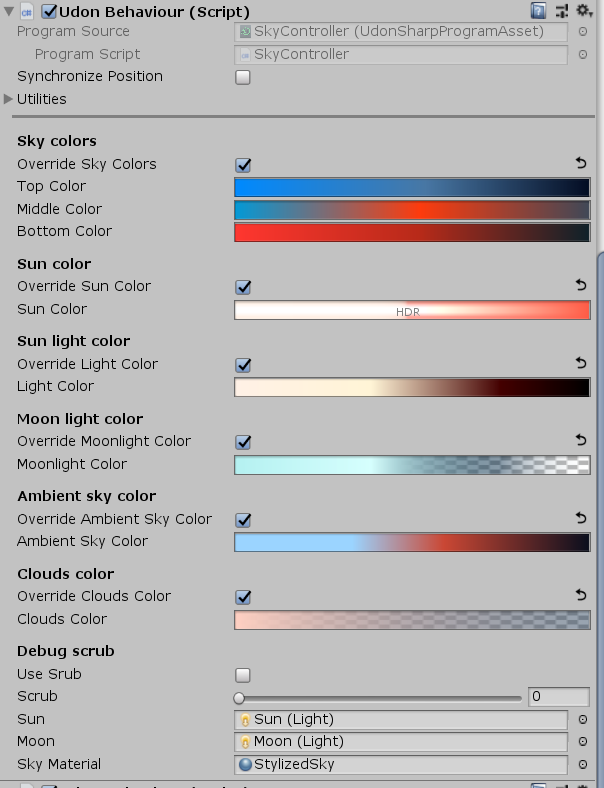
I understand that the "overrideAmbientSkyColor" is never actually doing anything because I don't have GI, so it's greyed out at "baked", that's fine
But what I don't understand is how the sun color, light color, and none of the sky colors are changing in-game once uploaded
When in play mode in the editor, everything runs exactly as expected
e.g. I can rotate the sun object around and it'll scale all those values relative to pos
 sonic marsh
tacit iron
I'd like to have a toggle to disable the Bloom effect only, but "System.NotSuppo...
sonic marsh
tacit iron
I'd like to have a toggle to disable the Bloom effect only, but "System.NotSuppo...
Instead of trying to edit post processing directly, use post processing layers and toggle them off and on. Also, see my guide
https://gitlab.com/s-ilent/SCSS/-/wikis/Other/Post-Processing
GitLab
A surface shader for Unity providing cel-shading. (Forward rendering only)
tacit iron
sonic marsh
Instead of trying to edit post processing directly, use post processing layers a...
gotcha, yeah I went off your guide to help get this far, very useful! i've got a few questions:
- you say not to go higher than 0.3 bloom intensity. just curious, is this a performance or aesthetic recommendation (or requirement?)?
- i'm not clear on doing multiple "post processing layers". there is a "post process layer (script)" and there is a "PostProcessing" physics layer. If I want two seperate effects that I can toggle, do I need to add a new physics layer, or a new script on the main camera, or both?
shut dagger
modest vapor
The only option is the Bakery add-on with Bakery Preview
omg I decided to splurge and having this preview now is incredible 🧠 🤯
modest vapor
Welcome to the cool kids club !
hallow hound
@sonic marsh on post proccessing do it meter what v2 version it is or it need to be 2.3.0?
sonic marsh
tacit iron
gotcha, yeah I went off your guide to help get this far, very useful! i've got a...
- It's for consistency. If you use higher intensities you'll see visual artifacts on specular highlights and emissive objects, not to mention they'll be extremely bright. It doesn't affect frame rate.
- Neither. I meant "post processing volume".
sonic marsh
hallow hound
<@!61098843223109632> on post proccessing do it meter what v2 version it is or ...
If it isn't 2.3.0, it might not work when uploaded
graceful jetty
I need some help with janky lighting
green vault
what kind of jank
hallow hound
@sonic marsh ok thx i change it back to 2.3.0
crimson verge

so i know i fixed it before but i seem to have lost my old world with my old hdd so i had to load a backup and now the problem is back, but for some reason there is a large blue tint being applied to my world after baking lighting, i know its coming from that blue wall there
i dont remember what to do about it
i thought it was baked GI but that's not it
supple loom
Are the light probes actually baked? And do you have baked light sources to actually light the light probes up?
crimson verge
i believe i've seen this issue in the discord before
i think the solution is enabling pixel lights on the mirror
but thats only if you havent baked the lights
 pine trench
I don't know if this is the right channel to ask or not but for reflection probes, if I'm putting together a big city map, how scattered should I make them? I'm asking in here because Reflection Probes are under lighting in the game object menu. Should I just do like, one or two per street and do one per large opening like the park in the middle and courtyards? Or would vrc be able to handle more without nuking performance?

Also curious how spread apart they should be above the overpass since it stretches a pretty long distance.
green vault
usually you would put one for each reflective surface outdoors, but you have to keep in mind ram usage when these are baked so if you do 1 probe per street (if reflections are needed) you should be fine
pine trench
Gotcha, and how intensive are real-time reflection probes? For the purpose of attaching to cars.
Or should I just avoid those altogether?
green vault
uh, depends on the res, if its like 5 128 res realtime probes, shouldnt be too bad, but having more rt probes and a higher res can hurt performance pretty bad
i have a 2048 res rt probe in my theater and it usually crashes quest 1 users and lags out low end PCs pretty bad
pine trench
Alrighty good to know, I'll keep that tin mind. Hoping to come up with some sort of 1 car per player car spawner system to avoid too many cars being active at once so I'll play around with the rt reflection probes and see what happens. I'm not even gonna attempt to make this quest compatible tbh. Way too big and performance heavy of a map for that.
green vault
if its already performance heavy, you should try to just bake them
pine trench
Yeah probably the better way of going about it. I haven't taken any steps toward optimizing it yet at all, and it runs at about 30ish fps when looking in any given direction from the center of the map. No occlusion culling or anything yet, so its not good but already an improvement over my original attempt at this map which sat at about 9 fps.
green vault
how many tris you rendering lol
pine trench
A lot lol, there's a few thousand meshes that make up all the buildings, and the roads and terrain are separate from the buildings. This is all with real-time lighting too so baking the lights should help a lot. Its just a lot to bake so I usually save that for one of the last steps before publishing
green vault
remember to back up before backing something that big
thats quite a lot meshes, but occulsion culling will probes help quite alot
pine trench
The buildings are pretty simple too though. And yeah definitely will backup before baking.
 green vault
holy cow that is a lot of meshes lol. im assuming theyre all using their own materials too
ngl, thats going to hurt when you get to baking that. like id just do one rt light with no shadows. like from prior knowledge this wil probs crash a few times while baking even with the normal unity baler
i wish you luck
pine trench
Sorry for the late response, at work lol. The buildings all share materials, so like every old brick building shares the same old brick mat.
I tried to optimize that at least :p
I use bakery so baking usually isn't too bad, I just don't like sitting around waiting for it
hallow hound
if he dont need shadows stil can use color or grandiet and close the light static the bake gona go fast then 😛
pine trench
The help is much appreciated though, thanks 😊
green vault
yea thats probs the best idea
hallow hound
i woudering if it posible to get only shadows and no baked light and use color etc for the shine but i dont think thats posible
green vault
wdym
pine trench
The final version might be a night time version too, like I did with the Waterfront map. In progress it's daytime just for visibility but final one is probably gonna be night. Gonna be a lot brighter than Waterfront though.
 tacit iron
sonic marsh
1. It's for consistency. If you use higher intensities you'll see visual artifac...
tacit iron
sonic marsh
1. It's for consistency. If you use higher intensities you'll see visual artifac...
2: this worked great, just duplicated my existing one & created/cloned a profile. thanks!
1: hard to find the right balance. to get a nice glow on smaller objects, you need either a high emission intensity-low bloom, or high bloom-low emission. the problem with emission is that in this old version of unity, you can't exempt it from the lightmap, so that leaves only high bloom-low emission to get nice glows without having a crazy/intense lighting in the lightmap
sonic marsh
tacit iron
2: this worked great, just duplicated my existing one & created/cloned a profile...
There's a few different ways to control that, but it's kind of unusual that you're seeing the lighting too bright in the light map - normally for me it's the other way around.
- You can add an
#if defined(UNITY_PASS_META)block to the object's shader to adjust the emission intensity in the lightmap - With Bakery you can set the strength of emissive objects from the settings window
- You can change the Indirect Strength from the Lighting window
But having too much emission from a bright object doesn't really make sense to me - it's glowing because it's bright, and it's casting light because it's bright. What kind of bright object shouldn't cast light? I've always had the opposite problem in Unity and found that emissive things didn't cast enough light!
tacit iron
sonic marsh
There's a few different ways to control that, but it's kind of unusual that you'...
well theres a particular look that I really like, and I've seen it in plenty of other worlds. dark areas, that have these nice glowing, bloom-y objects. those objects are nice and bright, but they don't light up anything around them. its just themselves that "glow". unity 2019>= supports turning off emissive materials from effecting lightmaps, so I dont think its a weird request - but thats why I asked about setting the bloom higher than 0.3, so that I can keep the emission low, and ultimately get the effect I'm looking for
heady sky
what are the advantages of using Bakery instead of , say, Enlighten?
sonic marsh
tacit iron
well theres a particular look that I really like, and I've seen it in plenty of ...
unity 2019>= supports turning off emissive materials from effecting lightmaps
I'm confused, what has Unity 2019 changed about the way emissives work in lightmaps?
sonic marsh
heady sky
what are the advantages of using Bakery instead of , say, Enlighten?
GitLab
A surface shader for Unity providing cel-shading. (Forward rendering only)
tacit iron
sonic marsh
> unity 2019>= supports turning off emissive materials from effecting lightmaps...
https://docs.unity3d.com/Manual/StandardShaderMaterialParameterEmission.html you can currently set emissions to "baked" or "realtime", but in the new unity, theres an option for "none": "• None: The emissive light from this Material does not affect Realtime lightmaps, Baked lightmaps, or Light Probes in the Scene. It does not illuminate or affect other GameObjects. The Material itself does have the emission color."
which sounds like exactly what I want
sonic marsh
Oh!
Actually, that's only a UI thing

If you switch to the Debug Inspector you can change that property directly and set it to 0. Their only change was exposing that.
 heady sky
sonic marsh
See my guide:
https://gitlab.com/s-ilent/SCSS/-/wikis/Other/Light-Baking
heady sky
sonic marsh
See my guide:
https://gitlab.com/s-ilent/SCSS/-/wikis/Other/Light-Baking
Thanks Silent!
tacit iron
sonic marsh
If you switch to the Debug Inspector you can change that property directly and s...
oooooh nice, thats going to be super helpful, thanks a ton!!
flint harbor
is there a per-surface realtime light limit?
modest vapor
4
flint harbor
I only have two lights in my scene, but it looks like every surface is only getting lit by one of them
they're both casting shadows though
sonic marsh
I'd say realtime lights are unreliable as well as slow
 ember osprey
A friend is having a problem with baked lights, he has several objects from the unity asset store and the baked lights only work on them, the rest of the world stays unlit. What could be the problem ? Realtime Lights are working fine. Never seen that before.
green vault
everything he wants to bake on must be static
ember osprey
okay so we changed an probuilder object to lightmap static, it generates a lightmap now but is still unlit
shut dagger
Is there a way to get emissive materials to glow nicely on quest 2? On PC they look like this, on quest they are basically just a solid color with no glow.
 green vault
so you cant use post processing, but im sure theres an android shader that would be able to replicate the glow without post processing
@ember osprey make them static-static. remember that lights need to be set to baked as well
blissful kite

Avatars in a certain area look like this, but I don't know why. Could it be the light probes I have set up?
green vault
that is a super cropped image, but youre probs right on the probes, if theyre baked, the probes will sometimes default black. or if the probe in the area is too far away from another other survace. itll also default dark
blissful kite
how do I get them to not default to black then?
they aren't black within certain other areas in the same area
green vault
make sure the light probes are actually able to see the survaces
blissful kite
I have no idea what that actually means
green vault
do you have light probes?
blissful kite
yes
green vault
and the lighting is actually baked? where are the probes in unity exactly?
blissful kite
lighting is baked, yes. where are the probes in the scene, you mean? in the areas where the most people will be
green vault
thats odd logic but is there any probes where you are when you darkened
blissful kite
i mean, the entire area is darkened and there are light probes all over the place. again, this is an area where lots of people will be at once
it was my understanding that light probes make the transition between light and dark things nice, is that not the case?
green vault
depends how you did them
blissful kite
isnt there like light probe settings somewhere?
supple loom
If you have a area without light probes the sampling position will be from the closest place with probes
blissful kite
so the way I'm seeing it in my scene, the areas without light probes have the avatar lighting working great, but any area with light probes is where it goes dark
 spice perch
Okey so I have a question for people who are experienced so I'm trying to port over Jean's office from Genshin Impact if you guys know what game that is and it pretty much looks like this

Is it possible for me to get this same effect and if anyone has an idea please point me in the right direction on how I would do it I'm a beginner
this is what it looks like atm I just got it into unity
 modest vapor
Place lights, bake them, add post processing, add floating dust particle, a nice skybox and silent light beam prefab
Check out the pinned ressources

VRCat: Community-Run VRChat Forums
Greetings! Over my course of playing VRChat I've noticed that most worlds, mainly the ones that have baked lighting, are done poorly, or in an...
shut dagger
green vault
so you cant use post processing, but im sure theres an android shader that would...
Ah thanks, yeah post processing is one of the new things I added. Didn't realize it doesn't do much (or anything?) on quest
green vault
it does nothing for quest sadly. but ill let you know when i find a “glowing” shader for quest as i am also looking for something that adds fake glow for quest users to enjoy

 teal star
would it be considered "intense" to have like 5 or more planes with partially transparent images stacked on top of each other? The last SDK I worked with was very iffy about stacking transparent things
fallow lark
yeah that probably be a bit heavy
teal star
Well it's going to be more than 5, but I can try to reduce the amount after I get this all set up
fallow lark
hope it goes okay and make sure to like frame rate check to make sure it's running okay
quasi hedge
That sounds vry cursed. Do you have visual references of what you're going for? It sounds like you want indirect light or like a sky light - so you'd prob be better off baking the light + maybe messing with post-processing to handle your day-to-night
flint talon
does somebody know what I'm doing wrong? Why is there light coming through a wall... ?
 quasi hedge
In some gameplay vid I just saw - it look like it was lit similar to an IRL Ikea with hanging lights (they used point lights) along a grid, but it had exaggerated indirect contribution so it didn't have vry dark shadows or any obvious light direction
Baking would be best to emulate that in our case. You may have a direction you could go in where you fake it with the directional light + realtime GI too if you have the perf budget. You seem to be using Udon so I believe you could update GI manually when needed (when it goes dark, etc.), but it still has it's overhead 🥴
 tawdry agate
flint talon
does somebody know what I'm doing wrong? Why is there light coming through a wal...
tawdry agate
flint talon
does somebody know what I'm doing wrong? Why is there light coming through a wal...
That's not light. that's cursor
 neat rivet
tawdry agate
That's not light. that's cursor
neat rivet
tawdry agate
That's not light. that's cursor
I can confidently say that he didn't mean that white dot. It's the light that leaked from the wood seam.
slender pebble
I've been having some major issues with Bakery, and I was hoping that maybe some one here might be able to help me pinpoint what's going wrong. I have the preview extension, which shows the scene lighting, and it appears normal there. However, when I actually bake it, it winds up being a bit of a mess. The walls in the scene don't actually appear to receive any light, and some shadows are a bit scuffed. Here's the preview window -

And this is the actual scene once baked.

And the settings used for said bake.
 modest vapor
Did you generate lightmap UVs ?
Also which shaders are you using on your environment
 civic valve
i have a question, why every time i bake my lights, some parts are more dark than the other in a random way ?

(just an another picture of where the light should not be here too
 modest vapor
What are your lighting settings ?
civic valve
this
 slender pebble
modest vapor
Also which shaders are you using on your environment
slender pebble
modest vapor
Also which shaders are you using on your environment
Going through, I noticed some objects didn't have generate UVs checked, so I'm working to remedy that right now. The walls, though, are just unity primitives - cubes - so I'd imagine those should just have them by default? And it's with standard shaders.
modest vapor
civic valve
this
You can disable realtime GI, 10 texels is fairly low, hard to tell what you're trying to bake however
modest vapor
slender pebble
Going through, I noticed some objects didn't have generate UVs checked, so I'm w...
Bakery would tell you in the console if something went wrong, it's good to do very low res bakes first to see that and then fix whatever is mentioned, if not it could be a few others things
slender pebble
Alright, I'll bump everything down and play around a bit to see if I can't narrow it down more. Thank you for the input!
civic valve
modest vapor
You can disable realtime GI, 10 texels is fairly low, hard to tell what you're t...
i try to bake all these lights.

and i use 10 texels because 20 or more is not loading the scene
modest vapor
Increase the indirect resolution and intensity
Do you just run out of memory at 20 texels ?
civic valve
i don't know, the loading just never stop
and every time the loading never stop, it put that in the console too
 modest vapor
You may have a mesh that doesn't have write/read enabled,
civic valve
hard to know which one i suppose...
modest vapor
well, it's telling you which in the warning above
civic valve
yeah i figure it why. the loading is still stop at some moment but now it just take maybe 5 minutes to unstuck itself
flint harbor
OK I'm having a very weird situation with all the lights in my world
I came in here a while ago saying that one of them was casting shadow but not light
but I tried changing the color values just to debug it more easily.... and now it's casting light but not shadow??
also: it all looks fine in the editor, it's only inside VRchat that it behaves strangely
civic valve
so, i finally finished the loading but still have variation of shadow/lights on that...
 lunar narwhal
you might have to increase texels more I think. since those bars are rather small, this might be a result of the texel unit size being bigger than the bar itself
modest vapor
If they can't even do 20 that's gonna be tough
lunar narwhal
yeah, maybe increasing padding would help?
modest vapor
I'm not sure how padding would need to increase at 10 texels to make a difference
civic valve
tbh i can try 20 but 2 days ago i tried and it loaded after 3 hours
graceful jetty
What I'm describing might be impossible, but is there a way to have baked lighting go through a wall?
The hallway loops in on itself

this is the same part but from the other side of the wall
 modest vapor
Don't mark it as static ?
hallow hound
i got a question wen i use color skybox and have no light my avatars stil got light on them is it why i use color do the higher white apply on avatar as well?.would be cool i wound not need light probes xD
hallow hound
??????
modest vapor
It shouldn't be set to realtime
hallow hound
i got none light the skybox is not on skybox is on color and i maket more white but it look like its get on avatar also so is that a realtime light? but wen i bake a sunlight stil look like that
i also got the worldkit tool and it say nothink that i got a realtime light in
the environment lighting is on color that i meanet
flint harbor
ok: I've finally narrowed down my lighting problem to something specific and reproducible
in my scene I've got two cubes; one's material is Default-Material, and the other's material has a new Standard Surface Shader that I created and did NOT touch at all
there's two lights, a point light and a directional light
in the editor, and in a standalone windows build, it looks like this

in VRchat, it looks like this


the point light acts normal, but the directional light doesn't hit the cube with the 'custom' surface shader -- and in fact, the shadow is instead visible THROUGH it, somehow??
this is all with realtime lights
flint harbor
turns out adding addshadow to the first pragma works around the problem, in case anyone else runs into this
 twilit lily
ok, so im loosing my mind here. I try to bake my scene with Bakery, however its taking over 2 hours by now and i do not know why. it used to be done in like 30 minutes before. Does baking models with high compression make that much of a difference?
@modest vapor (im sorry for the ping), but do you maybe know what could cause this? i really need this to be done in 3 hours and at this pace it wont be done by then
modest vapor
baking with high compression destroys lightmaps UVs
twilit lily
but can it cause extremely long bake times?
modest vapor
If it has to regenerate UVs on everything for all bakes, yeah
So go back to medium mesh compression
you don't need high anyway
twilit lily
aight, thanks a lot ^^
 real dew
Anyone got an example emissive texture?
still bobcat
I tried both baking my lights in unity and blender, but I still get this strange bake result on my objects

does anyone know why?
modest vapor
Did you make lightmap UVs and what's that texture size
still bobcat
The one in unity was 4096, and I believe the one for blender was the same, but when I crack open the project tomorrow I'll double check that
 stiff latch
Anyone had success using pre-baked lightmaps on prefabs ? Im trying to make a small map generator using prefab map pieces but no success with lighting so far
 fossil temple
stiff latch
Anyone had success using pre-baked lightmaps on prefabs ? Im trying to make a sm...
fossil temple
stiff latch
Anyone had success using pre-baked lightmaps on prefabs ? Im trying to make a sm...
Make sure it was static?
stiff latch
you can have static objects you instantiate at runtime ?
fossil temple
Normally making them static helps putting light maps on if that's what your asking.
I never messed with pre baked maps so I'm just guessin
I'm also having a issue with mine to bc flashlights will end up illuminating a whole tree and also render that it's on other trees the lights aren't pointing at either so thats making it a pain as well
I would show what I mean but I'm no where near a pc
lunar narwhal
stiff latch
Anyone had success using pre-baked lightmaps on prefabs ? Im trying to make a sm...
I'm not sure if the unity built in lightmappers can do that, but bakery has support for lightmapped prefabs https://geom.io/bakery/wiki/index.php?title=Manual#Bakery_Lightmapped_Prefab
 full mica
I'm working on converting my world to use Bakery, I've got it setup to work correctly using Merlin's script however I've noticed that light values seem to be slightly different in game compared to in Unity. Has anyone else experienced this?
In game

In Unity
 modest vapor
You sure your post processing is working ?
Can't tell for sure if it is from the first screenshot
full mica
Ya, I'm actually reducing exposure slightly in my PP
This is with no PP

Truthfully everywhere I've looked in VRC actually looks better than what I'm seeing in Unity lol, so I can't really complain. It's just strange, I'm assuming it has to do with the converted Materials
modest vapor
Did you ever bake twice ? ie reconverting back to normal before rebaking
Also are you using ACES or Neutral ?
fossil temple
heres the lighting issue i was talking about with my flash light

it doesnt exactly light trees up like a spot on the tree. it brightens the whole tree and even lights up the whole tree if it just touches a leaf
 vocal oar
how many light sources do you have active in your scene? after 4 lights the engine turns additional lights into vertex lights which behave much differently than a normal light would
stiff latch
lunar narwhal
I'm not sure if the unity built in lightmappers can do that, but bakery has supp...
thanks ill look into that
full mica
modest vapor
Did you ever bake twice ? ie reconverting back to normal before rebaking
By converting back to normal do you mean converting the materials back to Bakery after testing?
stiff latch
ah. Bakery is 49€. I ... guess ill look into other options :D
modest vapor
full mica
By converting back to normal do you mean converting the materials back to Bakery...
Yeah, Merlin's tool has the option to revert
full mica
modest vapor
Yeah, Merlin's tool has the option to revert
Yep, I make sure to revert after every test
I've been doing multiple bakes as I change lighting
full mica
I'm also getting this artifacting in a few places across the scene, I'm thinking it's either a problem with the emmissive planes nearby or with the UVs. Anyone ever deal with this?

Ya, I'm guessing it's the emissives. Would changing them to bakery mesh lights improve this?
 modest vapor
Not enough samples ? How many texels are you baking with ? You have denoising enabled ?
 sand saffron
modest vapor
Not enough samples ? How many texels are you baking with ? You have denoising en...
sand saffron
modest vapor
Not enough samples ? How many texels are you baking with ? You have denoising en...
Hello, I'm sorry to bother you off-topic, but many people are already complaining about incorrect channel separation. We have already contacted the moderators, but they could not help us and you are our last chance
Please separate #avatar-showcase channel into "avatars showoff" and "3.0 features demonstration" because now it's looks like a joke :c
sorry again for bothering you :в
full mica
modest vapor
Not enough samples ? How many texels are you baking with ? You have denoising en...
I'm already baking at 64 samples, 40 texels w/ resolution of 1024
I'm pretty sure "simple" mode just defaults to ope image denoise doesn't it?
If not then I'll use advanced mode and try that
modest vapor
64 samples isn't very high, you can set any number you want, who many lightmaps do you end up with ?
full mica
modest vapor
64 samples isn't very high, you can set any number you want, who many lightmaps ...
76 right now
modest vapor

full mica
It's a really large world
modest vapor
You should set it to 4K then
full mica
RIP haha, when I was doing 2k the world size got above 400MB
I have a decent bit I can do to optimize but oof
modest vapor
Did you check the console ? If your meshes are fairly large and get scaled down into 1K, then that'd maybe result in artifacts
Are all meshes set to 1 scale on lightmap ?
full mica
Back when I was trying and failing to get Enlighten to bake in any reasonable amount of time I fiddled with their scale. I think I set everything back to 1 but it's possible I missed something
full mica
modest vapor
Did you check the console ? If your meshes are fairly large and get scaled down ...
Looking through I do have some fairly large meshes that are taking up entire lightmaps on their own. That's probably the cause of it
It's possible to create a bakery group and make it so just my larger meshes get 4k lightmaps right?
modest vapor
If it's possible i haven't done it, i've personally always baked on 4K lightmaps and adjusted the scale on lightmap of all my objects on the scene
Silent has a tool to do that automatically actually
full mica
Oh what, really?
modest vapor

GitLab
An addon for Unity that lets you define bounding boxes that set the relative lightmapping quality of objects within them to a specified value.
full mica
modest vapor
https://gitlab.com/s-ilent/lightmap-quality-regions/
Thaaaank you, I will try giving this a go
I'm just going to give it a "quick" YOLO bake at 4k with 128 samples and see if it fixes the issues and if it does I'll go back and do that
How is it that this bake seems to be going MUCH faster than my previous bake at 1k w/ 64 samples?
modest vapor
I may be wrong, but i think it's a lot more processing to try and fit larger meshes into 1K lightmaps and scale everything down to fit, rather than dropping everything into a 4K one
full mica
modest vapor
I may be wrong, but i think it's a lot more processing to try and fit larger mes...
Makes sense I guess, I'm just really surprised by just how much faster it looks like it's going to be. Can't say for sure until it's done but I'm thinking it's at least double the speed lol
modest vapor
Make sure to be on experimental to get hole filling and post merge packing too !
(I think it's on experimental ?)
full mica
modest vapor
Make sure to be on experimental to get hole filling and post merge packing too !
Oh what lmao okay
I'll do that next bake
GOD I love how I can just do bake after bake with Bakery and only lose a little bit of time. I was pulling my hair out with Enlighten lmao
modest vapor
Yeah Unity baking sucks ass
modest vapor
Also, Bakery Preview is godlike
full mica
modest vapor
Also, Bakery Preview is godlike
I'm considering grabbing it too. I don't do anything game-making outside of VRC though so hard justifying paying more when the return is just your friends telling you how cool your world is lol
modest vapor
Fair enough, it's a lot of time save, so it pays for itself very quickly
full mica
Very good point. I'm getting close to having my lighting where I want it but I'll probably cave and pick it up next time I make changes
modest vapor
It goes on sale twice a year so sometimes worth waiting
full mica
Oh true that
full mica
Okay, it actually looks worse now lol
 stiff latch
is there a way to quickly switch from android to pc build ? It looks like Unity likes to reconvert all files everytime, when it already did so
modest vapor
Cache server
modest vapor
full mica
Okay, it actually looks worse now lol
Check the console for any warnings
And post your bakery settings
full mica
Looks like there's a few errors, something about PPtr cast failing?

Nevermind on the errors, I think those are from Merlin's tool, they are from before my last bake
The only errors I got with the bake were it complaining about not being able to use the rendertexture from the video player
as an emission
I have a lot of warnings about meta passes though
modest vapor
Enable experimental !
 modest vapor
Yeah definitely
modest vapor
Sample is quality, not size, texels is size
So you can go nuts with sample, it'll just take longer
green vault
i cant remember which setting it is but when people generate settings, some of them are set oddly that causes most of the lightmap to be just blank like that
full mica
Whoops took a longer than expected nap while during the last bake
I got to 14 4k lightmaps and 1 128x128
Still a massive amount but they actually seem to be reasonably used
modest vapor
It'll probably be fine once you adjust the scale on lightmap
40 texels is a bit high for outside areas
full mica
I have some pretty bright lights outside that I'm worried about, but ya
This is definitely the best looking bake yet
full mica
Not sure if this is the right chat, but I've also run into a problem with one of my materials using Xiexe's volumetric shader popping in and out constantly, when in game mode or VRC but not scene view. Does anyone know what would cause that?
Video example. I've played with the shader as much as I can and can't figure it out, figured it might also be a occlusion issue but the material actually appears to be there just super transparent. It also used to work perfectly fine, it started doing this around the time I switch to Bakery but I don't know how that could be the issue

 thorny moss
O god
 toxic depot
i think ive done something wrong, trying to get lights working in a world but any time i generate lighting it takes 5 seconds and just kills the lights entirely, like nothing i change makes a difference and i need to completely relplace the lights.
itll look all fine in the scen and i fine tunie it all but as soon as i generate lighting tit all just dies and doesnt do anything anymore
is there a way to undo the generate lighting? because now all the lights are duds
ok you can clear baked data
before generating light

after generating light?
 lunar narwhal
did you set all objects in your scene as static? lightmap static specifically
and make sure all the models have generate lightmap UVs checked in import settings
toxic depot
literally nothing has lightmap static checked
is that supoposed to be default?
ive made everything lightmap static, this is getting worse
 toxic depot
given everything the uv settings and such but lighting still looks dreadfull compared to the preview before baking
toxic depot
before generating

after generatign

Is there a way to bake lighting just like the scene? because the scen looks fine its when you generate it it it all goes to shiz
toxic depot
anything i can do?
green vault
wait, so did you actually generate uv lightmaps or no?
teal star
Do we know which render path VRC uses? Is it deferred, or forward? 🤔
green vault
forward
stiff latch
Anyone successfully used the "Prefab Lightmap Data" script on a vrc world ?
modest vapor
toxic depot
anything i can do?
You should look at a basic tutorial, there's one pinned, you didn't even have the first step down on your first baking attempt so make sure to look it up
mint cipher
I think I may have did something and I'm not sure what it is
I build the world lighting and it seemed all my shadows baked? I'm sort of new
 modest vapor

You can support me on my pateron
https://www.patreon.com/mcphersonsound
This is a longer tutorial than normal and there is a lot to cover so here are time stamps for your convivence.
00:00 what is baked lighting
00:35 setting up lights
1:23 preparing meshes to bake
2:30 generate lightmap UV
3:28 light probes
5:10 reflection probes
6:00 emissive ...
mint cipher
auto generate was off and I didn't really want it on  it still auto did it
thank you I'll see if this helps
is there a way I can reset everything to get rid of the dark shadows?
modest vapor
clear baked lighting, bottom of the lighting window next to bake button iirc
mint cipher
I got it, thank you so much!
 unreal anchor
Quick question, do Bakery Volumes work in VRChat?
mint cipher
I believe bakery mapping needs to be converted before it's usable in vrchat, correct me if I'm wrong. As part of that, I don't think volumes are preserved.
mint heart
so after separating my single giant mesh into a few sub meshes, baking is taking ages. Any way around this?
before it took 6hrs, now it says 300+hrs
 wary sonnet
Everything that is lightmap static is completely black in the quest version of my world, but it looks the way it should in editor
any suggestions how to fix this?
toxic depot
so what options directly affect the colour temparture of baked lights? it ry changing the colour on the lights themselves and the lighting gradient but the bake is always bright white
wary sonnet
wary sonnet
Everything that is lightmap static is completely black in the quest version of m...
anyone?
stuck on this for 4 days now and nothing works
@modest vapor maybe?
still bobcat
Can I set an object that a player can interact with static if I only set it to have Lightmap Static?
fluid mirage
so im trying to bake my lights, and the moment i try, it seems to try for a bit, and then unity crashes.
All i can seem to gather from the crash dump is the code 0xc0000005
whole tusk
@still bobcat each type of “static” is unique and can be used independently. In “The Devouring” world for example, we set the doors to Lightmap static so they will bake. They will retain their “bake” look no matter what you do with them in the world, so in our case the doors open and close but a light on one side won’t cast light into the next room once the door is opened. But they are not batching or occluder/occludee static.
Lightmap static: the texture will have the highlights and shadows from the position it was when it was baked, even if it moves during runtime. You can use this for moving objects but might look weird if they move to very different light conditions.
Batching static: the objects visuals will be grouped and optimized. But if you move the object at runtime with an animation, scripting, or user interaction, the visuals will not move. Never use this for movable objects.
Occluder static: the area the object is in will act like a “wall” and objects behind it will not be rendered, even if you later move the object. Use only for large, immovable objects.
Occludee static: will not be rendered when behind “occluder” objects. Never use for moving objects, because the object will disappear. Use for all no moving objects except things that should never be occluded, like possibly big planes of water or land, etc.
Navigation static/Off mesh link: for AI. Read up on that if you use AI.
Reflection probe static: will show in baked reflections. Object can be moved.
mint heart
is there any way to make it not take 24hrs to bake lighiting for 10 or so meshes?
whole tusk
Yes! Set your samples very low for test bakes. Adjust your Lightmap scales on specific mesh renderers. Or use Bakery if you have an Nvidia gpu.
mint heart
I wish I had an nvidia gp
whole tusk
You have AMD? What are you using to bake, Unity’s enlighten?
pine trench
This is a question about post processing more than lighting but this seemed like the most fit channel to ask. Is it possible with post processing stack v2 to change the shape of the bloom? Back when pps v1 was being used there was an option to replace the bloom sprite, but I can't find it at all in v2. Making an example.
Best example I could come up with is a screenshot from an old trailer

That's basically the sprite that I want to replace my default bloom with to give it more of a star shape.
whole tusk
It seems like you can apply a texture to the overall "camera" but I don't see a cookie for that. Since bloom isn't point-based, this makes sense to me
pine trench
I can mess with the Anamorphic ratio but this is the best I could come up with using that option
 whole tusk
Have you read this: https://gitlab.com/s-ilent/SCSS/-/wikis/Other/Post-Processing
GitLab
A surface shader for Unity providing cel-shading. (Forward rendering only)
pine trench
Ah gotcha, yeah the dirtiness texture isn't something I'd want to use. And nope I haven't seen that, I'll give it a look
whole tusk
I'm wondering if the effect you are looking for is something that wouldn't work very well in VR anyway
pine trench
It worked great in the past when we were using the old Post Processing Stack
whole tusk
the directionality of the stretches--it would move with your head. That would be weird
Yeah, no idea. I haven't seen that effect used much if its even possible. good luck.
pine trench
Alrighty, appreciate the help though!
still bobcat
whole tusk
<@159165711770583061> each type of “static” is unique and can be used independen...
thanks! I was wanted have bake the lighting, but not mess up the movable on the map. I'll keep this in mind
 hasty ledge
Is there a reliable way of swapping out baked lighting and probe data in udon?
I assume not but figured I should double check
 lean wagon
Hey! Working on this indoor world with two rooms. The lighting looks good but the lightmap size is pretty big, 42MB. Could someone give me some pointers on what settings to tweak that would probably reduce size but maintain good quality? Thanks! 💙

 coarse moth
You can try using "Scale in Lightmap" in all the meshes you are using for baking
For example: Setting it to 0.5 makes the mesh 2 times smaller so it reduces a tiny bit of quality and file size
And you can also try out 2K instead of 4K resolution unless that adds more lightmap files. More lightmap files = larger file size.
graceful jetty
Does anyone here know how to exclude menus from post-processing? I've unchecked the layers where UI and UIMenu collide with PostProcessing, but it hasn't worked.
 supple loom
Post processing has no built in system of excluding layers it gets applied on top of the frame after everything has been rendered
graceful jetty
Hmm, maybe I should use a shader-based solution instead
green vault
like FakeBloom shaders?
graceful jetty
all I need is blurring
Can't say I've heard of FakeBloom
On another note, what's a good way to do water caustics?
 random spindle
I have an outdoor world that's using directional lighting. In one outdoor part it's supposed to be sunny and bright, but on another outdoor area of the world I want to make it dark, gloomy, and foreboding. Does anyone know of a good way to go about this without turning off directional lighting?
random spindle
hasty ledge
Lighting layers
Oooh! Thanks, I didn't think of that
fluid mirage
if i'm using bakery, is there any reason that it gets stuck on "adjusting sample points"?
it just sticks on 1%
 toxic viper
so i put a point light inside the structure, it looks ok before bake. but...

why does it not work after baking
 lunar narwhal
make sure the meshes have generate lightmap uv's checked in their import settings
toxic viper
lunar narwhal
make sure the meshes have generate lightmap uv's checked in their import setting...
already checked the box
are there any recommended setting for the sliders
 lunar narwhal
did you check it before or after baking?
toxic viper
before
toxic viper
if anyone has any idea please @ me .Thanks
toxic viper
the biggest mystery that really makes me scratch my head is that, why does the point light doesn't work
the inside of the roof should be lit
sharp robin
@toxic viper Go the the lighting tab and to the lightmap parameter option and create new and on that new lightmap parameter set backface tolerance to zero
toxic viper
sharp robin
<@!317266655824707598> Go the the lighting tab and to the lightmap parameter opt...
Thank you very much. It works.
 wary sonnet
does anyone know why this happens? its quest world
https://cdn.discordapp.com/attachments/782300437684158496/818808826811252746/image0.jpg

 left basin


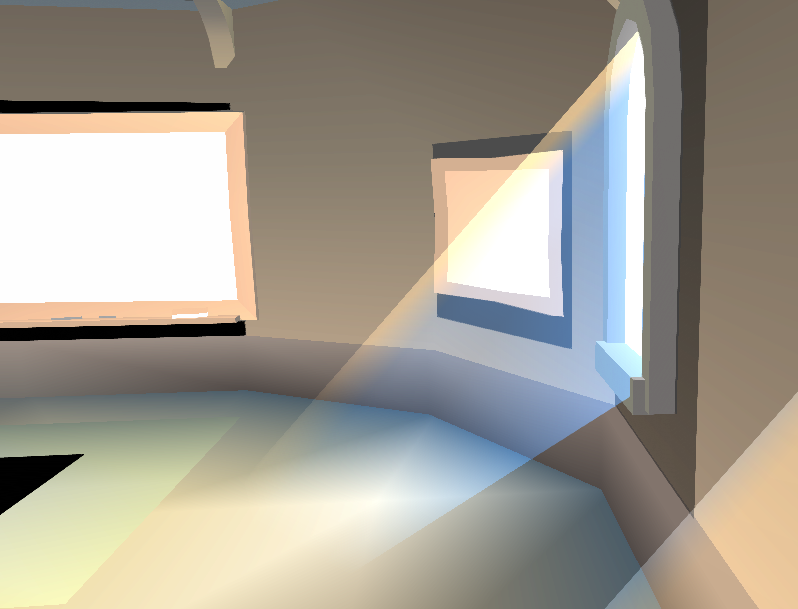
 wary sonnet
yes this is ingame screenshot, there are no custom shaders in use
i've gone through a lengthy process over multiple days of checking everything to do with shaders, materials, light baking, texture formats and compression settings
mint heart
Hey I seem to be having an issue with emissive materials. Basically, if I use any illum map the illumination doesn't work at all. If I take the map off, it works fine. But even if the map is a white square, it seems to break the emission. Any one know what could be going on?
full mica
Baked with bakery, is this light just too close to the wall here?
 fluid mirage
so my bakery seems to get stuck at "exporting scene, finishing objects" it sticks at 50%, drains all processing power, and never gets anywhere. Now, my map is not so complex, what am I doing wrong?
green vault
close and reopen the program
fluid mirage
thanks, turning it off and on again doesn't solve the issue
green vault
what exactly is in the scene?
fluid mirage
