#world-lighting
4 messages · Page 17 of 1
 wary sonnet
wary sonnet
wary sonnet
@modest vapor this is the bugged result
extremely bright and everything is yellow
this is normal
mind you the settings on the light are identical in both pictures
 modest vapor
Did you check the console after bake ?
modest vapor
Any warning usually
Also before you bake again, clean baked data both in bakery and lighting menu, then delete everything left in the Bakery Lightmap folder, go to Edit > Preferences > clear the GI Cache and then restart Unity
wary sonnet
thanks @modest vapor ill try this in the morning
wary sonnet
@modest vapor it has not resolved the issue. It's differnt rooms now, but the overbrightness is still there
here is my log, there are many things there but i have no clue how to interpret them: https://defuse.ca/b/jCH0VcqTtFDLfFR3cJ1ksq
modest vapor
Do you have a lot of static objects with transparent shaders ?
or non standard
Also Mesh pb_Mesh-129252 on object Barkruk possibly has incorrect UVs (UV2: no, U: -0.41, V: 0)
wary sonnet
there are some @modest vapor but they all use Standard unity shader
stuff like windows, or these boards, which are a glass panel with a png with transperancy
modest vapor
you should only keep things that need to be baked to static
If you have a lot of transparent objects static i feel like it'd cause issues
wary sonnet
modest vapor
What's the intensity of those lights btw ?
wary sonnet
are you suggesting i put the windows to non lightmap static?
wary sonnet
thats good to know, thanks for the suggestion
which lights do you want to know the intensity of?
Lets see how the baking is now with all glass non-static
wary sonnet
you are a true magician @modest vapor
any time you've answered my question it was 100% spot on solution in less than 100 characters
i am continually amazed
modest vapor
All it takes is failing enough times that you try every single possible things to find the cause 
wary sonnet
thanks for the sage wisdom again
wary sonnet
i still keep getting problems @modest vapor for some reason the first bake after your suggestion was 100% clean
now the second one i have overbrightness and weird yellowness in some rooms again
 noble current
All objects in my world with blendshapes appear unaffected by lighting and remain lit in all environments
How do i fix this?
 supple loom
My guess would they are currently skinned mesh renderers which are unable to have light baked into them but also sounds like you are missing light probes or something to that effect
noble current
how would i make them not skinned mesh renderers? or is there no way around that?
 green vault
do "add component" and then find "mesh renderer"
 lunar narwhal
if you want to have static skinned mesh objects in your world its best if you export them as a static mesh with their pose/blendshapes fixed
theres a tool for baking skinned mesh renders https://esa-pages.io/p/sharing/13401/posts/122/e483f746a3ebdd901efb.html
but I havent used it before so i have no idea how well it works

esa-pages.io
SkinnedMeshBaker(アバターポーズ固定するやつ)
What is it ?
SkinnedMeshRenderer を、ポーズ保持したまま MeshRenderer に変換するツールです。
MeshRenderer のほうが描画負荷が圧倒的に軽いため、ボーンでアニメーションしないメッシュであれば、このようなツールで MeshRenderer へと変換することを推奨...
lunar narwhal
but oh yeah what 1 said is probably easier, using light probes to light them.
you generally don't want to bake lights on highly detailed meshes, especially if they are something like a character model
but still for optimization sake a mesh renderer is still preferred, if the model in question is going to be static and you're not going to be changing its pose or blend shapes dynamically, may as well have them baked to pose etc in blender, remove bones and other shape keys and import it as a non-skinned mesh.
 haughty owl
So I was modeling my world in blender and I export it and bring it into unity and texture it and try to do some baked lighting and it messed up so badly. I feel like this is because I was doing edgeloops and extrusions. Is there a way to fix this? or is it gonna stay broken
modest vapor
Did you generate lightmap UVs ?
haughty owl
uhhhh how do you do that again?
modest vapor
mesh option at the bottom
modest vapor
unity
modest vapor
That's the object in your hierarchy
modest vapor
Assets are where the files are at the bottom of your screen
modest vapor
That's the one
haughty owl
what should I do
modest vapor
click on it
modest vapor
Yep, at the bottom like i pointed out above
haughty owl
Ok sir
wary sonnet
wary sonnet
i still keep getting problems <@!97980768323633152> for some reason the first ba...
@modest vapor still stuck on this
modest vapor
You tried the same steps again ?
wary sonnet
yup
i think what may have "fixed" it is that by deleting the content of the bakery folder you also reset the baking settings
and the bake i did was with default settings
but it keeps giving me this problem with the custom settings that i want to use
modest vapor
what custom settings are those ?
wary sonnet
wary sonnet
these
modest vapor
that's bakery, i need to see the light
haughty owl
What helps baked lighting look less grainy?
green vault
resolution
 languid fable
You can cheat too by finding your lightmap files, opening them in photoshop and applying a surface blur. Just be mindful of intersections between planes because you can end up with some weird line artifacts between surfaces.
wary sonnet
didn't mean to leave you hangin @modest vapor it was very late and went to bed. I feel like i should do the lights from scratch and make sure i have everything 100% correct before i lean on your sage wisdom any more.
 rigid warren
why does my avatar show up almost black in this mirror? the three lights are Important so should be pixel lights, and the chair model is lit up well
is it something to do with the udon prefab mirror that i copied ?
supple loom
Pixel lights are disabled by default in the mirrors
The proper thing to do would be to bake your lighting properly with light probes
But you could also just enable them in the mirror
rigid warren
thanks i will pixel light for now and bake them properly when i sort my lights out later on :)
wary sonnet
@modest vapor i've made sure the lights are properly set up to the best of my understanding but still the problem persists
you mentioned wanting to take a look at the lights, i assume the component and material settings ?
modest vapor
you should be using standard shader with emission at 2 tbh
80 is a lot
also bakery preview is helpful
wary sonnet
ahaaaaa
so not using bakery light material ?
but @modest vapor i feel like it doesn't explain why everything was looking just perfect
and then recently everything went wrong
when the light setup has been this way for months
modest vapor
 Unity
Unity
wary sonnet
@modest vapor ive done as you suggested, and the rooms look perfect when baking with a limited amount of rooms enabled
but the problem reoccurs when i bake all lights again. Pretty much the same as it was before
noble current
I'm finding that a lot of rounder/smoother models have weird light artifacts(?) regardless of whether lightmap uv generation is present, or whether or not normals are calculated or imported (in the case of a bed it's worse with caculated)
Are there certain parameters i should be using with lightmap uv generation or am i missing something
 sharp robin
@noble current You likely need to make the UV2 manually
noble current
know any good guides for that?
sharp robin
unfortunately no
Though if its just that one mesh giving you problems I don't mind taking 2 minutes to do it
Otherwise you can google and its mostly just the same as unwrapping UV's normally
noble current
it'd be nice if you could fix up the one mesh, should i send it to you through dm?
sharp robin
sure
modest vapor
wary sonnet
but the problem reoccurs when i bake all lights again. Pretty much the same as i...
You might have to downscale a bit then, i've never run into those issues, i highly suggest asking in the Bakery discord itself, might be something specific i'm not aware of https://discord.gg/mW7x4b9X
sharp robin
@wary sonnet One thing I noticed in your settings was you had directional set to dominant direction which i could imagine being the cause if you haven't tried setting that to none already
wary sonnet
many thanks for the tip @sharp robin
 unborn mountain
Hi all, just a quick question, does it hurt performance if you deselect static lightmap on an object, but do use baked lighting?
The question is because I have some assets that came with pre baked shadows on the textures, and it looks a bit weird when i let unity bake it's shadows on top of them
sharp robin
For that you could just keep it as lightmap static but set its lightmap scale to 0 on the mesh renderer
wary sonnet
@modest vapor i'm back yet again. At Bakery discord the moderator (im assuming the creator) said it was not a bakery bug but something to do possibly with misplaced light or Unity settings. With this information does that ring any new bells for you?
modest vapor
where are the lights physically ?
wary sonnet
the map is kind of like a university building so there are various lights, but they mainly come in 3 varieties: spot lights, area lights and very dim point lights
i have made sure that for each, whatever is giving off the light is not clipping inside any other object. They are a Probuilder mesh as shape with a mesh for the actual lamp/lighting surface
they are usually placed up high, either on or near ceilings
modest vapor
yeah but the exact spot is important
wary sonnet
do you want screenshots? i can make some @modest vapor
modest vapor
i mean yeah it'd help lol
wary sonnet
thats the album link. If i put http before it it just shows 1 picture
wary sonnet
wary sonnet
imgur.com/a/WFPxiMJ
thats the album link. If i put http before it it just show...
@modest vapor
modest vapor
you might want to make a less weirdly shaped light, if it bounces on itself it could cause issues
wary sonnet
hadnt thought of that
thx again
oOoooooo i fixed it @modest vapor
in the root of my game object tree there is one branch for every hallway and room, i added a bakery lightmap group component to each of these
the result looks very good
i'll add you to the thank you plaque in the lobby of my world 😄 thanks so much for the persistent help
 peak nimbus
is anyone familiar with bakery? kinda new to it and having weird issues
like the black spot there
seeing it a few times
green vault
its all dark, im on an oled display so anything dark is really dark
peak nimbus
1 sec iI can see if I can increase
green vault
was that part static?
green vault
oh my, when importing, did you do "generate light map uvs"?
peak nimbus
well I had a few street pieces and used a mesh combiner
tbh tho I'm using bakery and new to it so wondering if it's that
green vault
mesh combiner if used wrong, and depending on which mesh combiner, can cause the uvs to be off
peak nimbus
hmm
green vault
usually bakery is able to figure it out, but it doesnt look like it
peak nimbus
anything else I can try?
green vault
change the lightmap parameters, add more tiles, sampling sometimes fixes it. higher resolution
lunar narwhal
what mesh combiner did you use? mesh combine studio 2?
 mint cipher
i imported a map from half life but lights will just randomly turn off or on depending where the camera is
its not supposed to be like that tho
lunar narwhal
If you have a lot of real time lights unity will display only so many real time lights at the same time
mint cipher
theyre like this
lunar narwhal
do you have a lot?
ideally you should be baking your lights. if you didnt bake, mixed lights just act as real time lights
mint cipher
yeah
lunar narwhal
yeah, that's the problem
unity will display as many real time light sources as allowed by pixel light settings in your project, but I believe that is set by vrchat itself and not something you can change
mint cipher
should i set it to baked
lunar narwhal
I would suggest watching/reading a guide on baking lights, there should be a few pinned in the channel
lunar narwhal
as it suggest, click on your imported model and check generate lightmap uvs in import settings
you should know, with that many lights, its going to take a loooong time to bake
mint cipher
blame valve not me
lunar narwhal
welcome to light probe hell
sombie has a navmesh light probe baker under tools in the vrcprefabs database pinned on #world-development that you might want to take a look at
lunar narwhal
its under the Tools tab
 azure cloak
Is there any good tutorial videos of how to work bakery or how to make Bloom and VR chat
Because most of the lighting looks very dull not that bright when I use bakery
peak nimbus
can someone explain to me how bakery works? should I be using full lighting or?
 kindred lotus
Whats the best way to deal with avatar lighting?
To many different shaders and styles to take into account not to sure the best way to go about it to make all avatars look nice in a world
 stark coral
im not sure what im doing wrong, but for some reason i can only get the sun light working, when i try to bake things it generates 0 B No Lightmaps and never finishes, 0's everywhere, but it appears to work with gpu processing? so i guess ill use that as my fix
lunar narwhal
you lights need to be set to baked/mixed, the objects in your scene need to be set as lightmap static, and the meshes need to have generate lightmap uv's in their import setting
stark coral
i think i had them set all to baked, static is the static button on the top right, no? the meshes, idk i know that at least two of them were set that way, the rest was just normal 3d objects
lunar narwhal
yeah the static button, it expands and has options like lightmap static etc
stark coral
yeah had that :/
 tame wedge
Baking my lighting. It just won't work. It refuses. It infuriates.
everything turns black.
I just changed the light from baked to mixed - and I want to shoot unity in the mouth from what I'm seeing right now. That is beyond stupid.
modest vapor
Follow the pinned tutorial to avoid any basic mistakes
mint cipher
Look how pretty this is!!! the noribenBeamlight is definitely worth $10
modest vapor
Check the performance before you upload that Maillon Faible world !
mint cipher
Haha good eye. This is my first world, how do I check performance?
green vault
stats in the game window
mint cipher
Do these look alright?
modest vapor
Try turning off all noriben lights
green vault
aint too bad, 6.5m verts a lot tho
mint cipher
This is without
lunar narwhal
the noriben lights shouldnt be too bad, its a shader faking volumetric lights
those 196 shadow casters however, are very concerning
do you have a lot of real time lights?
mint cipher
I have only 12 lights and they are baked (Unless I've used bakery incorrectly)
lunar narwhal
disable the original unity light components
bakery just uses those for reference and if you left them there, they will still be emitting real time lights lol
mint cipher
Oh so instead of Right Click>Light>whatever do Bakery>Create>whatever ?
lunar narwhal
no on the lights themselves
do you still have the normal unity light components on them?
if so, just disable them
lunar narwhal
and even better, set them with editor tags only, once your lights are baked they dont actually need to be there for the baked lighting to be there

just the light component
mint cipher
Ahh ok let me switch them around
lunar narwhal
once you do that check your performance again
mint cipher
What about this?
lunar narwhal
uh, whatever bakery settings you had for that light did not match the unity light you were using as reference
but you already baked so changing that wont do anything until a rebake
lunar narwhal
you only need to rebake whenever you change any of your lighting settings, or when you move any object that is affected by baked lighting
mint cipher
so I need to rebake everytime I add/remove a light?
lunar narwhal
yes
mint cipher
Gotcha
mint cipher
Ok, so after baking, none of the lights are on
lunar narwhal
did you set all your objects as static?
mint cipher
Yes
lunar narwhal
generate lightmap uvs on all the meshes?
what does your scene look like now
I assumed you had already baked your lights earlier
mint cipher
Nothing is getting illumated now. I have a capsule and I could tell it was getting lit before with the Unity lights but its not now. Should I try removing the lights now and just creating new ones from the Bakery drop down menu?
lunar narwhal
did you copy the settings from the unity lights to the bakery lights?
its the first button in the screenshot you linked earlier
mint cipher
Ahh. I clicked that but nothing changed. Do i need to rebake?
lunar narwhal
yeah, changes will only take place after baking, thats how baked lights work after all
you just had real time lights earlier
even if the unity light says "baked" its still real time until you actually baked it
mint cipher
Is there a way to preview it before baking? Or is that just the unity light?
lunar narwhal
bakery has an addon package just for that but i've never tried it https://assetstore.unity.com/packages/tools/level-design/bakery-real-time-preview-164462

Get the Bakery Real-Time Preview package from Mr F and speed up your game development process. Find this & other Level Design options on the Unity Asset Store.
but if you want to quickly test a bake, you could lower your settings
and that should speed things up a bit
and once it looks ok, you can do a final rebake with settings turned up
mint cipher
And by lowering settings you mean turning down the texels per unit and the max resolution?
lunar narwhal
I think the biggest effect is number of samples in global illumination
mint cipher
Fantastic
mint cipher
I might have figured out what was wrong. I didn't have generate lightmap UVs selected. I selected it and hit apply and now its frozen 🥶
lunar narwhal
oof might take a while or might need to try restarting
mint cipher
Does generating lightmaps usually take a while?
lunar narwhal
generate lightmap uvs? it should be a few seconds
mint cipher
😨
yeah It just freezes up at the hold on loading bar and doesn't do anything
Seems like its a bug with unity. fbx might be too complex
mint cipher
I fixed it, had to force quit UnwrapCL.exe and it finished. Did the same thing with my materials and its fine
lunar narwhal
ah, the good ol process stuck in the background
mint cipher
yupp
mint cipher
OK! So here is stats with actual baked lighting
But the lights aren't acting exactly how the unity lights are... am I missing something?
lunar narwhal
in what manner? bakery does behave a bit differently so you'll need to tweak the settings a bit to get the same look
but those stats are vastly improved over your originals
mint cipher
I want them to act like stage spot lights like how regular real-time lights look but they're not coming out that way
lunar narwhal
you want them to look like stage spot lights or do you need them to be dynamic?
lunar narwhal
oh, do you mean you want the light to be like a cone?
mint cipher
Ehh not like the noribens I have, just a cone on the ground (if that makes sense)
lunar narwhal
yeah i get that
bakery doesnt have a spot light per say, you need to use a cookie to turn the point light into a spot light
mint cipher
I want the bakery lights to replicate what the unity lights are doing, but they aren't even though its copied the parameters
You mean this one?
lunar narwhal
yeah
mint cipher
The baked lighting has that selcted as the cookie but I cant see anything... maybe I should try increasing the intensity??
lunar narwhal
let me check one of my projects that has spotlights
mint cipher
Appreciate it
lunar narwhal
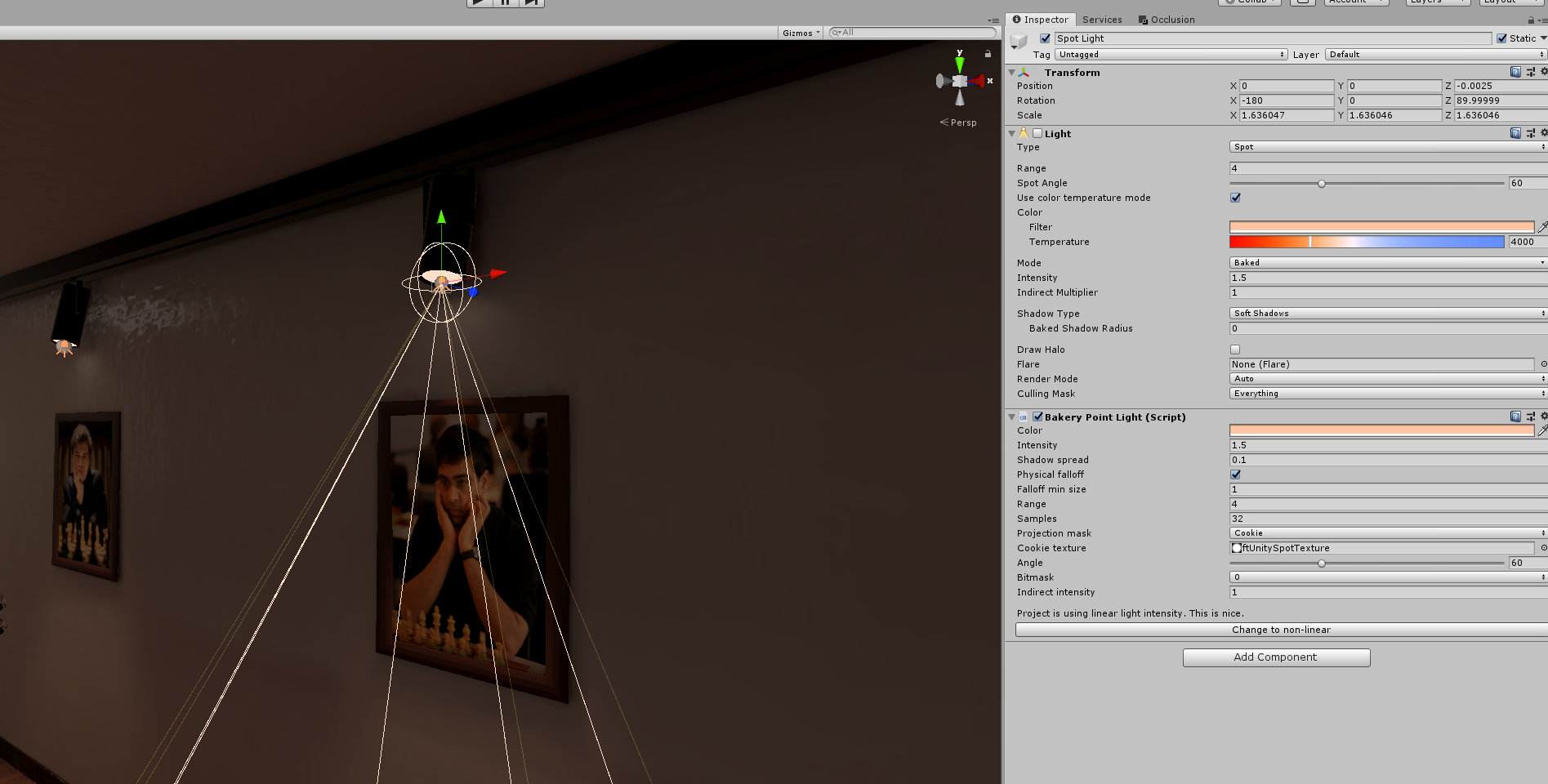
these were my settings
though the light is pretty dim
maybe you do just need to ramp intensity up
can definitely see it on the floor though https://nyanpa.su/i/pMNc1axC.png
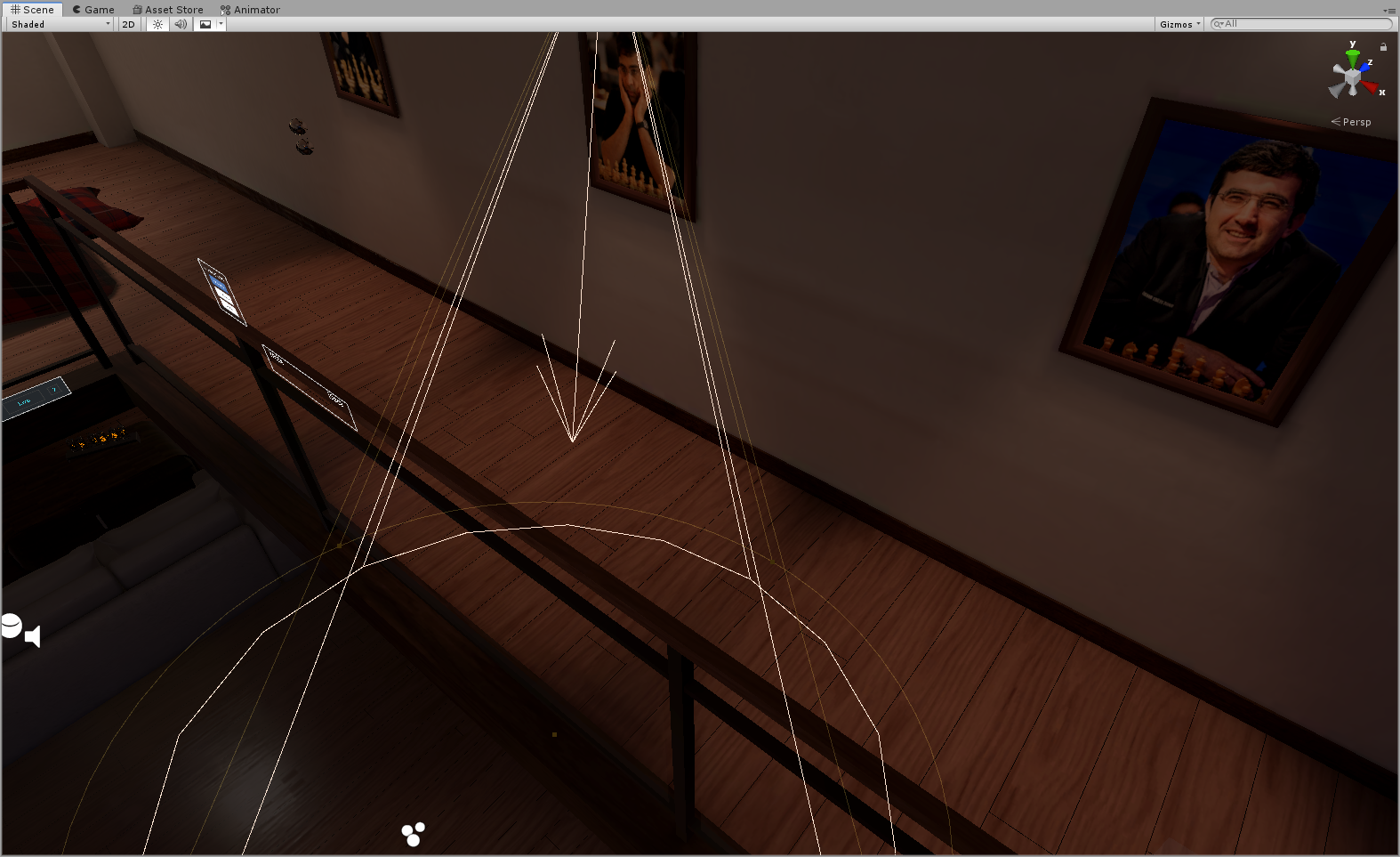
might have to increase the range a fair bit past the floor too, I think that's what I did
mint cipher
Cool ill give that a try
mint cipher
So this is in game and this is is the game view. Doesn't seem like the lights are forwarding in into the game
The capsule does seem to get dark on unity so not sure what's going on...
lunar narwhal
do you mean onto players?
lunar narwhal
oh alright step 2 of baking lights in unity
since your lights are baked, they are completely static
in order to have dynamic objects lit, like your avatar, you need to place down light probes
mint cipher
Like these?
lunar narwhal
is the capsule a static object or dynamic?
mint cipher
It was not static
lunar narwhal
your light probes are working then
mint cipher
Then why isn't the avatars not lighting?
lunar narwhal
could just be your avatars shaders? depending on shader and settings they might not take in light probe properly or discard colour
I highly recommend grabbing the test avatar from mimi's avatar testing map
its very useful for testing lighting and what not
one of the gestures pops up a display with various spheres with different shaders and settings, letting you see how your maps lighting reacts to different shaders and what not
wait, you said the capsule gets dark in unity but not in game?
mint cipher
wait let me rebuild with the capsule in the dark
lunar narwhal
if your capsule is not static you dont need to rebake when you move it
mint cipher
also I might be blind but I can't find mimi's avatar in the world...
maybe something is wrong with my sdk because I moved the capsule but when I build & test it, it doesnt move...
lunar narwhal
oh? any errors in unity console?
mint cipher
oh yep.
lunar narwhal
welcome to light probe hell
mint cipher
D:
 sudden tusk
heyyy I'm facing same problem here, all black when I baked it
sudden tusk
mint cipher
Is there an easier way to place probes?
theres Magic light probe to make it easy
lunar narwhal
make sure your objects set as static, generate lightmap uv's checked etc
sudden tusk
lunar narwhal
make sure your objects set as static, generate lightmap uv's checked etc
i do follow that protocol but nothing works 😦 weird
this is before bake ^
mint cipher
Is your floor metalic?
because I just found if I bring down the metalic it fixes all my issues...
sudden tusk
this is after I bake
lunar narwhal
standard shader?
lunar narwhal
standard is fine
sudden tusk
mint cipher
Is your floor metalic?
how much u reduce it ? bcs I think mine is not a lot
mint cipher
I had it at 1 and it was completely black but I slightly reduced it down and it fixed it sooo 🤷♂️
lunar narwhal
yeah thats how metallic surfaces work, at 100% metallic it will display 100% reflection based on your reflection probe
mint cipher
ahh
Well I think that enough unity for one night. I really appreciate your help Temporal  I guess the next step is to make the light probes by hand 😰
sudden tusk
my baked light map show theres light but if i turn to sahded mode it all black, this is weird
modest vapor
What shader are you using
sudden tusk
standard
sudden tusk
sudden tusk
this is my shader
mint cipher
Maybe try changing the shader color slightly lighter?
modest vapor
it's completely black and metallic, so yeah it can't really receive any baked light
sudden tusk
ouu so that is a problem, hmmm
mint cipher
So with doing the light probes manually, I think I'm happy how it turned out! Next step is programming everything 🙃
mint cipher
Can you animate baked lights?
modest vapor
nope
 rugged cliff
hello help
sudden tusk
mint cipher
So with doing the light probes manually, I think I'm happy how it turned out! Ne...
heyy can u tell me where u get the beam light ?
mint cipher
Yep its this one. https://noriben.booth.pm/items/1637978 Definitely worth the money

VRChat用に作った、ムービングライトのボリュームライトっぽい雰囲気を持ったシェーダーです。機械部分のモデルも付属します。 UnityやVRChat、cluster等で使えます。 Unity 2017.4.28f1で動作確認してます。unitypackage形式。 ■参考動画 https://twitter.com/noriben327/status/1181161468193959936?s=20
sudden tusk
nice thank u
 cosmic torrent
Can anyone give me any idea why when my unbaked world looks like this with the baked lighting cleared, but turns out completely different after baking?
lunar narwhal
make sure generate lightmap uv's is checked on all your imported models
and that they're all set to static
cosmic torrent
Ah, figured I must be missing something basic! Are these default settings fine for UV lightmaps?
lunar narwhal
they should be fine for most cases
cosmic torrent
Cheers. Just wanted to make sure there wasn't like some "simple trick" changes to make it more optimized/better, etc. Generating lightmap UV's did the trick, just gotta play with the lighting settings now
lunar narwhal
what settings are you using?
sudden tusk
yess it fixxed, thank u !
 teal quail
 abstract drift
mint cipher
Is there an easier way to place probes?
abstract drift
mint cipher
Is there an easier way to place probes?
You can still use the simple light probe placer but just delete the script off your project after you’re light probe placement is finalized. All that needs to be left on the inspector side of things is just the light probe group if iirc
mint cipher
I just placed them normally with just duplicating rows but thanks anyways 😅
 proven locust
enlighten baked realtime GI is showing up in unity, but not in vrchat. Has no console errors from what I can see
it somehow generated 200mb of data for realtime maps and i have no idea how to mess with it
1.How can I reduce the size of enlighten GI maps?
2.What could cause enlighten GI to not work inside of Vrchat but be fine in unity? Just in case you cant see in screenshot i am using bakery
proven locust
side note, it looks like the build report doesn't include any realtime GI maps...
modest vapor
Does it need to be on 4K lightmaps ?
proven locust
no, i thought i may be able to fit it all in one Atlas, but it seems like realtime gi maps just ignore enlighten settings?
let me show you
i cant figure out how to optimize this
one more fun thing! realtime GI disables itself every time i go into play mode (but still works.?)
note this isnt appearing in vrc itself
proven locust
ill try rebaking
does anyone here understand how i can reduce the file size of probes/realtime GI maps?
other than deleting probes 😛
I see theres a max distance variable in mesh renderer; what does that mean?
 sly cloud
for the reflection probes you will have to lower the resolution, as for the realtime GI, try lowering the Indirect Resolution though this will affect quality of realtime GI
proven locust
is there a way to adjust what objects get higher quality indirect, separate from what texel sizes i use for my normal bake?
IE dense texels in one room and near zero everywhere else
would also be cool if you could mark probes as realtime, to optimize further
supple loom
Also update my world tools the version you are running is very old and the reason why your bakery titles are flying off
https://github.com/oneVR/VRWorldToolkit/releases
proven locust
i see the params; ill play with them 😄
yeah this is a decently old proj, thanks for the link
proven locust
after a rebake, it still kicks RealtimeGI off when I enter play mode
but at least GI data is only 16mb now 😛
proven locust
doesnt seem to matter, vrc still isnt seeing it
supple loom
How are you testing it?
proven locust
are there any compatibility issues with realtimeGI and vrchat? or at least with bakerys combined
play mode works fine
lunar narwhal
you might need this https://docs.vrchat.com/docs/vrc_realtimegiupdate
VRChat
This script is used to apply custom renderer behaviours to an object. Currently, the only supported custom renderer behaviour is "Update GI Materials". This enables the object's GI attribution to be updated in real time. This is useful if you have objects that change their emission attribution and y...
lunar narwhal
fyi its expensive, only have that component active when you're changing the emission settings
proven locust
can it be updated with udon?
lunar narwhal
it updates with every frame, but with udon you're able to control your own update rate
oh
are you on udon?
proven locust
yeah
lunar narwhal
you want RendererExtensions.UpdateGIMaterials(rendererToUpdate);
lunar narwhal
just keep in mind it can be expensive and you can get some performance if you do frame skipping to update it every 2, 4 frames etc rather than every frame
proven locust
is it calculated on the cpu or gpu? and is it updating probes everywhere on the scene or just within a certain area? sorry to ask all these questions I just cant find information anywhere but word of mouth and want to learn!!
also, is the realtimeGI not accounted for at all(no perf difference) when the script isnt updating?
lunar narwhal
I would think both, but I don't know how much. I know turning on real time gi costs me like 2 ms though. It updates all the probes in its influence I suppose, just like how regular light maps influence probes.
yeah, it doesnt cost anything if its not updating, and your emissions will be the last one it updated
so if you're just changing the colour/strength you can set it, update it and turn it back off
if you put in the work its really nice for having baked lights that are "dynamic"
proven locust
thats actually so brilliant
why dont more people use this ;_;
also thank you so much for your help
lunar narwhal
because effort lol
proven locust
fair lol
lunar narwhal
also i wish bakery could do real time gi...
proven locust
fr
lunar narwhal
fyi don't try to do it with progressive, it doesnt update the light probes
proven locust
fs, im baking my lightmaps with bakery anyway
lunar narwhal
are you doing bakery experimental that does the enlighten pass first before bakery?
proven locust
yeah
lunar narwhal
good to know that it works well
I'll probably have to try doing that instead of full enlighten
proven locust
@lunar narwhal sorry to bug you, but do you have any graphs that are functioning with .UpdateGIMaterials? I have this and it doesnt seem to do anything and i cant future out why
its updating correctly but UpdateGIMaterials dont seem to work... will bump to udon questions now i guess
lunar narwhal
not sure, i don't use the noodles but this is a working example iirc https://github.com/MerlinVR/USharpVideo/blob/master/Assets/USharpVideo/Scripts/EmissiveUpdater.cs

GitHub
A basic video player made for VRChat using Udon and UdonSharp - MerlinVR/USharpVideo
lunar narwhal
might be worth it to do a quick test scene with just enlighten
proven locust
now I can't get it to update in unity at all
proven locust
enlighten test scene was also unsuccessful
im getting logs that the abive script is running successfully, still nothing ;-;
lunar narwhal
hmm, i've noticed that real time gi can be really stubborn to get working
proven locust
yeah im just gonna either bake onto separate meshes or animate post processing; this reminds me of when i first started baking and literally nothing worked as it should
mint cipher
Are there better ways to get better shadows using bakery?
abstract drift
Increase texels
Especially with the model’s lightmap size
You can adjust that one individually
 olive marsh
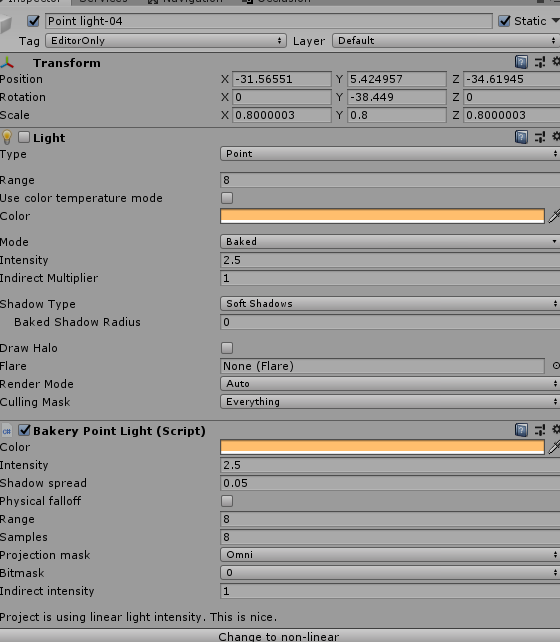
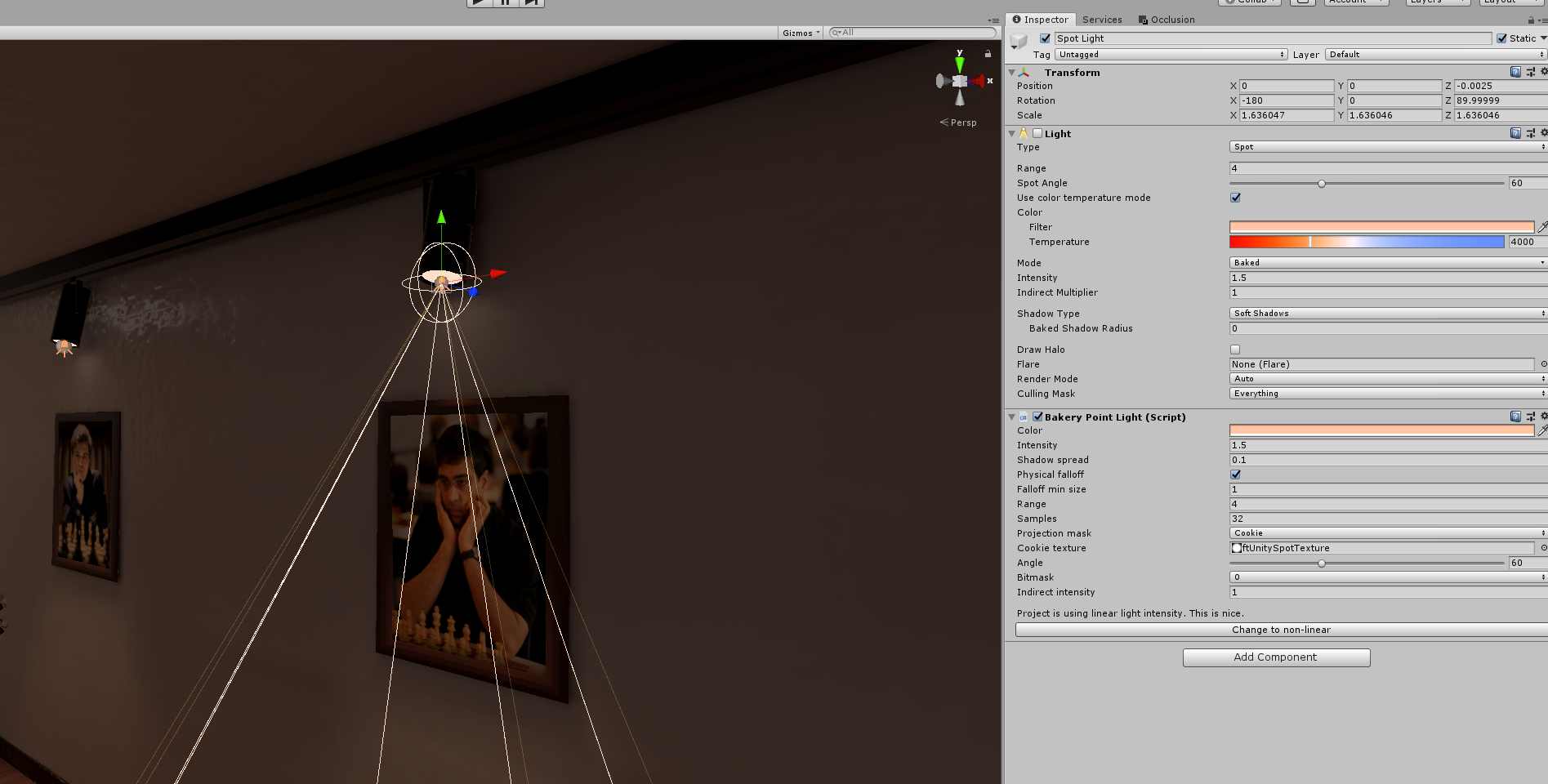
 mint heart
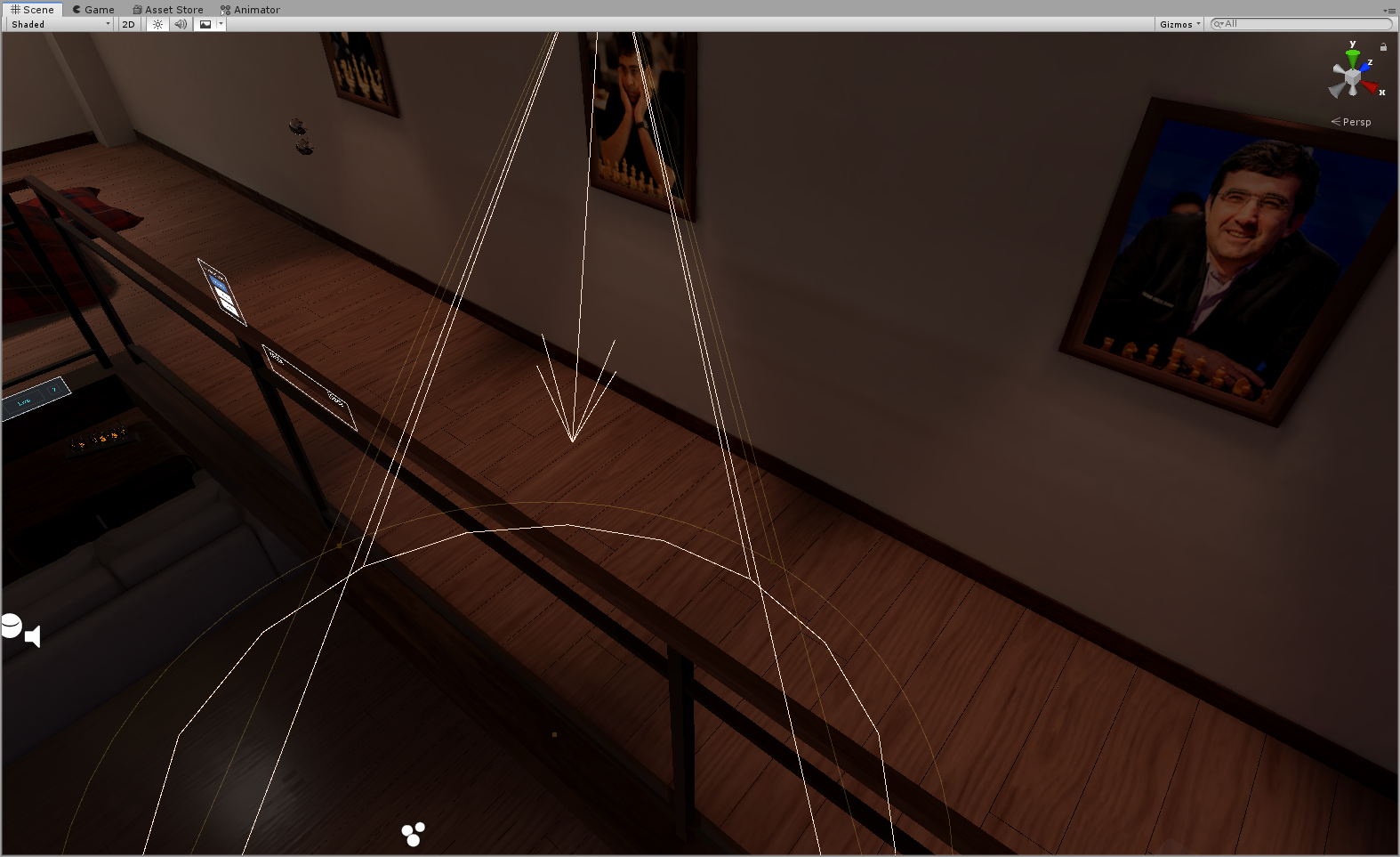
Well, time to figure out how the heck lighting works
peak nimbus
could someone explain to me why the heck I don't know how bakery works :/ even since I have been using it, I have shadows appearing from nowhere. baking with full lighting, shadows off and shadow spread set to 0
green vault
@peak nimbus elab
green vault
did you do "generate uv light maps" on the model?
green vault
@peak nimbus thats both unity and bakery, to truly remove shows, click the object and tell it to not have shadows or produce any
green vault
@peak nimbus yes
peak nimbus
what would I do on the object?
green vault
tell it to not cast shadows and recieve any
peak nimbus
green vault
correct
peak nimbus
can't turn it off though
green vault
you can, swap lightmap method to cpu really quick and switch it back
peak nimbus
do I need to switch it back if I am using bakery?
green vault
if youre using both unity and bakery, yes, if its just bakery, then idrk why you have it set to gpu
peak nimbus
sorry just a bit confused because I was using unity before but it kept crashing so I switched to bakery
still trying to figure it out
green vault
i belive in you sir
peak nimbus
ty 😛
mint heart
So question, how the heck do you do light probes on a large map
green vault
you do a lot of them. preferibly grouped
mint heart
Groupee?
green vault
you might want to use and learn simple light probe placer
mint heart
Well I switched it to float and unity had a stroke
So say my world has a bunch of streets, and tunnels in buildings and such, would I need to make a Lighting and Reflection Probe for each street and open area and tunnel?
Or would putting one around the entire building with the corridors work?
modest vapor
Each zone
mint heart
Holy hell Baking Lighting takes ages
modest vapor
If you have an NVIDIA GPU and can spend a bit of money, get Bakery
it'll speed up by 10-30x and look much better
green vault
500x faster
modest vapor
I wouldn't go that far lol, depends what you bake
mint heart
Well I don't got no Nvidia card XD
mint heart
Stuck on step 5/11 Clustering now
Could take a bit
I thought it broke because of how long it took to get to step 1
green vault
@mint heart clustering is usually a long one
mint heart
So anyone know why my baked lights would show on avatars and objects and such, but not on the main terrain that is set to static?
mint heart
Should I use Enlighten or Progressive CPU for Lightmapper?
mint heart
City
mint heart
Anyone know why emissive materials aren't actually emitting light that effects the static map or my Avatar? I have light probes around the objects and have baked lighting
mint cipher
i've found unity's lightmapper can be bad with emissive materials
i have a problem with Bakery baking some objects in my prefabbed bedrooms to be total black
but only in game
does someone know how to fix this?
mint cipher
tried reimporting the container FBX and it scuffed some things in ways that don't make sense, so i think i'm just going to import the original fbx into blender and export the bed and other bits all separately
 glass steppe
Whenever I place light in my world any avatar's texture messes up, is there a way to fix that?
green vault
@glass steppe el;ab
glass steppe
green vault
<@!726234006643015820> el;ab
I don't know what that is, is it under light settings lol?
green vault
@glass steppe no like elaborate, not sure what you mean. send photograph?
glass steppe
Okay, give me a moment I'll create a test world
green vault
does it hhappen on other avatars? it maybe shaders but i bet if its a realtime light, that could also cause weird flickering
supple loom
You didn't change your world to use deferred rendering instead of forward right?
Shaders made esp for vrchat are usually written for forward rendering what vrchat should be using
glass steppe
green vault
does it hhappen on other avatars? it maybe shaders but i bet if its a realtime l...
Most avatars
glass steppe
supple loom
You didn't change your world to use deferred rendering instead of forward right?
Didn't change anything really
supple loom
So no cameras in the scene set to deferred?
green vault
hmm, all i can think is its because of real time flicker, unless 1 knows of another reason
glass steppe
I pretty much started the project and imported my world and added the light and colliders and hopped in, I think there's a camera by default
supple loom
Oh actually
Since that's a mirror
Do you have playerlocal and mirroreflection enabled in it?
glass steppe
To be honest it's not a mirror 😓, but I made a world in the past with same settings and people still saw my textures getting messed up
green vault
try the mirror prefab rhat comes in sdk
glass steppe
I'll check again tomorrow when I wake up, I already crashed multiple times and the sdk kept dying it's kind of tiring lol
green vault
happens, well i wksh you betterment
 kind breach
I've got two static objects in my world and neither of them are taking lighting from my directional light. Can't figure out why and don't know where to start 😕 all the dynamic objects are lit by the directional just fine. Shader in all cases is the Standard Lite for mobile
green vault
@kind breach were they lightmapped in anyway? and is your texel size small?
kind breach
I baked a lightmap. Texel size is default
green vault
what does the objects look like unbaked and baked? is there any evidence of like warping or discharge?
kind breach
I don't know what those look like. When they're realtime lit they look fine
green vault
so like is there shadows or smudges on the objects that arent getting baked?
cus if so, you may need to regen their lightmaps. if not: quadruple check if theyre static on every possible degree.
kind breach
I tweaked a couple random things, re-baked, and it works now. Not sure which thing fixed it 🤔
green vault
probs cus double baking usually turns out better (unity be unity)
kind breach
I don't think it was rebaking because I'm pretty sure I'd already tried that. I also disabled all shadows on the directional light
and I changed a point light to mixed, just cause
kind breach
I guess 😅 trying to make this a learning experience, but it's also late so I guess I'll settle for "it works and I dunno why"
I did notice that the world size swelled up a few MB. Guessing some data just didn't exist before that now does
green vault
to me, it def sounds like you didnt hit static all the way. which happens some times
also compress your light maps
kind breach
yeah, that's default too
green vault
like manually compress them, that just sets them to high quality compression. i usually set mine to normal quality and crunch to 100
it does the best compression as far as ive seen
lunar narwhal
@glass steppe the flickering is caused by doubles on your mesh overlapping each other
you get that when you have real time lights
at least, that's what it looks like to me
you'll know for sure if you go to another map with real time lights and it also happens
actually nevermind what 1 said is probably right, you have no flicker on your head which seems like you might have player local layer enabled in the mirror
glass steppe
That's weird cause I wasn't using a mirror, it was just a 3rdPerson camera front view I was using. So people will see each other like that in my world
glass steppe
lunar narwhal
actually nevermind what 1 said is probably right, you have no flicker on your he...
^
lunar narwhal
3rd person camera?
its probably the camera settings then
player local is what you see when you look at your own hands, body etc. the head is missing so it doesnt block your view.
your actual avatar with the head is on the mirror reflection layer
so if you have the camera with both of those layers enabled, its rendering those 2 over each other.
other players are on the player layer
glass steppe
I don't know, I'll upload it tomorrow and try to have someone to join me and see what's happening
lunar narwhal
the head not flickering is a pretty tell tale that this is the cause
 shut pebble
Hi, im currently making my first VRchat world, and I really like the shadows of the main directional light in the scene
But I would like to disable the REAL TIME shadows, I just want pre-baked ones
How could i keep the premade shadows, but disable the real time ones?
green vault
when you bake, everything such as shadows shoukd bake in
shut pebble
Okay i just did that, but now it doesen't matter where i am in the scene, the player avatar has always the same light
So it doesen't matter if im in font of a light, or in a dark area, im always dark
lunar narwhal
you need to put down light probes
shut pebble
How can I do that?
lunar narwhal
add a light probe group into your scene
since your map is small, it should be rather simple to place the light probes
to simplify things a bit, light probes sample the light at that point during baking, and is used to light up dynamic objects such as your avatar.
should probably look at the linked guide pinned in this channel too for a more thorough overview on baked lights
glass steppe
lunar narwhal
the head not flickering is a pretty tell tale that this is the cause
It's working better now, I think I wasn't supposed to use a third party thirdperson camera
 queen geode
Okay. So. I'm working on an underwater world, and I'd like things to get darker the further away you get, but only outside the "Glass" I'm using Exponential squared fog with a really low density right now so that the far wall of the room isn't fogged, but it means I've got a REALLY long distance outside.
My goal is eventually to have sea life swimming around out there, and if they're far away, I'd like them to fade into the dark water.
I thought about some kind of transparency-with-distance shader, but that could make for some wonky overlaps of the sea life
mint cipher
i'm still having issues with black meshes with bakery, only in-game. This is a totally fresh, single mesh exported from blender
pls tell me solution mister wisdom man
aight finally got something working
by changing the material
ok i got it
vrc can fuck up with Legacy shader materials when they have baked lighting
queen geode
Omg baking lights takes FOREVER
proven locust
mint cipher
vrc can fuck up with Legacy shader materials when they have baked lighting
also, SH and RNM directional modes require the materials to be converted or they dont show properly in game
just thought id mention and save another debug step 😛
proven locust
there's a git project that converts them, if you aren't using directional you're fine
 elder yoke
Is it possible to apply bloom in the world but not the UI?
supple loom
Since post processing gets done post drawing stuff we can't change what it affects
sudden tusk
hey guys do you know why I'm getting this artifact on my baked light? im using bakery btw
mint heart
Jesus christ my Unity has been on the Bake Visibility for like 7hrs
mint heart
How come the Lightmap is 48mb if I use Progressive CPU but only 10mb if I use Enlighten XD
AND The resolution in lower on the Progressive CPU one
kind breach
What's the difference between the VRChat/Mobile/Toon Lit shader and Unlit/Texture ? 🤔 and why is Unlit/Texture not on the list of recommended shaders for Quest?
green vault
rendering
green vault
just to make new bakers feel more secure when their bake takes a long time. reference this
mint heart
green vault
just to make new bakers feel more secure when their bake takes a long time. refe...
The heck are you baking?
green vault
2 rooms lmao
mint heart
Bruh. I have 4k Lightprobes, like 30 area lights, and a fairly large map
takes like an hour or 2
green vault
when you start learning about light quality, youll start the understand
mint heart
If I upate light settings, do I need to delete baked data or can I just rebake the scene
green vault
you can do either or
mint heart
So will it update the baked lights then?
So say I lowered the intensity and indirect multiplier, would it update all of that if I simply hit Generate Lighting again?
green vault
itll update
proven locust
green vault
when you start learning about light quality, youll start the understand
no
wtf
i bake @ 64 samples, 5 bounces at 52 texel ms and my bake takes 1 hr 45min
modest vapor
with or without bakery
proven locust
with, without it usually was around 4hrs
but still
gonna end up with 2 gigs of lighting data that are all just rediculusly dense texels on some sketchfab model
check objects scale in lightmap, so much wasted data in things that rlly just don't need it
bakes shouldn't take that long for vrc scenes, with or without bakery
unless you're rendering on a dual core laptop cpu from 2007
green vault
bakery is cheating/prediction based
modest vapor
almost 2 hours with 52 texels sounds excruciatingly slow on bakery
proven locust
modest vapor
almost 2 hours with 52 texels sounds excruciatingly slow on bakery
its a massive scene with tons of emissive surfaces/lights
proven locust
green vault
bakery is cheating/prediction based
normally my bakes are in single digit minutes for simpler stuff
this makes me mad btw
green vault
emmissives will do that sometimes
proven locust
green vault
bakery is cheating/prediction based
im still thinking about this; what is this supposed to mean
green vault
bakery is usually faster, so its like cheating the system since it usually takes a bit to actually bake light
proven locust

lunar narwhal
Just because something is faster doesn't mean its "cheating". To say that without actually understanding the process of what goes behind the system is just disingenuous to the author and a bit disrespectful. Mr F goes into detail about his lightmapping implementation in this blog post when he first released Bakery.
https://ndotl.wordpress.com/2018/08/29/baking-artifact-free-lightmaps/

Since 2015 I was working on a GPU lightmapper called Bakery. It’s finally done, and you can even buy it on Unity’s Asset Store (it can be used outside of Unity as well, but the d…
mint heart
Question, is 44 reflection probes and about 14k Lightprobes too many?
modest vapor
most likely yes
 vocal oar
anyone know why shadows aren't appearing?
vocal oar
nvm figured it out
mint heart
I keep getting the "Failed executing external process for 'Bake Visibility' job." Error while baking and I'm relatively sure its stopping the bake from finishing. Anyone know a fix for this?
queen geode
I keep forgetting to bake my lights overnight 😖
mint heart
GOD DAMNIT
I hit asave project instead of save scene
and deleted the work of placing 30 reflection probes and a whole lot of light probes
green vault
my 36 hour bake lightmaps got messed up when i was build&publishing lmao
mint heart
And I still have that damn error
"Failed executing external process for 'Bake Visibility' job."
What does rhat even mean
mint heart
There is literally no solution to this posted anywhere, or cause. If anyone knows how to fix it or what causes it, please tell me.
mint heart
So I'm guessing you guys wouldn't reccomend Bakery with a RX590, correct?
supple loom
Bakery is built on nvidia's apis using an amd card with it would simply not work
mint heart
That's what I thought. Also, what are good settings for high detail with the Progressive CPU lightmapper?
I'm having too many issues with Enlighten
supple loom
I only use bakery myself and proper settings are fully dependant on your world so I wouldn't really be able to say any straight numbers
Just understanding what the settings mean goes far
green vault
@mint heart lightmap res, and set size to 2048 or 4096, but when doing this, remember to compress/change the size of the lightmaps for memory conservation world size
mint heart
So tell it to map in 4k, then compress it? Why not just map it in the lower resolution?
green vault
depends on your lighting style ig, usually the bouncing and sampling can also help you if you choose to do a lesser res lightmap to force a more realistic pull, you can use lightprobe matrixes and bounces to make the colors of objects bounce off of each other. indirection can be made sharper or softer using the light sources
lunar narwhal
mint heart
"Failed executing external process for 'Bake Visibility' job."
is this enlighten or progressive?
unity spawns a bunch of processes for lightmapping so this happens when one of them crashes
it can also happen if one of the processes gets "stuck" and doesn't terminate from a previous bake
but what settings were you using for enlighten?
mint heart
lunar narwhal
but what settings were you using for enlighten?
I tried using the Progressive GPU, and the editor window froze. IS there a way to save the scene while its frozen?
I think the bake finished because the subprocess that was running is gone now
lunar narwhal
you should note, progressive gpu requires an insane amount of vram
4k requires 12gb+ vram? iirc
I'd give enlighten another shot, its the most stable out of the 3 imo
but i'd need to see what settings you used in case any were responsible for causing your issues
mint heart
k, 1 sec
also GPU was using 16gb of my 32gb of ram
and my GPU ram of 8gb on card
But it freezes the editor so even when the process finishes I can't save the result
lunar narwhal
iirc, progressive works a bit differently
in that the bake process is iterative
you can stop any time and it should save progress I think?
mint heart
but everything in the temp folder is reset on relaunching unity
I have to kill it with task manager
IE no save
lunar narwhal
Force stop: Allows for stopping the bake at an arbitrary point in time, before the requested amount of samples has actually been done. It works when the lighting is built manually. With the 100,000 max sample count and the ability to disable view prioritization, one can leave the machine baking and just stop whenever the results look pleasing
lunar narwhal
hmm, maybe try to stop it before that i guess
mint heart
one spotlight, and the directional light
lunar narwhal
so you still want real time lights and shadows for dynamic objects?
mint heart
I have lightprobes all over the map, so I guess I could probably set those both to baked
lunar narwhal
yeah, but if you wanted mixed lights you should have used shadowmask I guess
but maybe you'll get better results with it fully baked
and also uncheck real time gi if you're doing that
mint heart
It hangs on Bake Visibility still
lunar narwhal
but other than that the settings seem quite reasonable
hmm
do any errors show up in the console?
did you check generate lightmap uv's on your imported meshes?
also you say it hangs but, how long did you actually wait?
is your cpu being taxed during that step?
depending on mesh complexity, that can take a while
mint heart
The process keeps restarting itself, and I do get the error I posted above
lunar narwhal
I'd try lowering your lightmap resolution to something low like 5 texels just to see if the bake finishes
ah
lunar narwhal
does it say anything in the console itself though?
mint heart
I added 6 lights since the last successful bake
and that only took an hour and a half
lunar narwhal
I wonder if its an issue with your mesh topology thats causing it
lunar narwhal
they do calculations a bit differently, and enlighten might not like something there
what sort of artifacts?
lunar narwhal
I never use progressive so its hard for me to say
mint heart
Well Its still on Bake Visibility
But it hasn't thrown an error yet
And is using 19gb of my
lunar narwhal
long shot, but do you have an overclocked cpu?
mint heart
RAM
not OCd rn, no
I turned it off till I upgraded my cooler, and never turned it back on
And it threw the error
Damnit
Weird, now it is still using Memory but hardly any CPU
26gb of ram now
Yikes
I guess I'll let it run for a bit and see what happens
lunar narwhal
If it fails again, maybe try clearing the unity gi cache, make sure theres sufficient space on the drive its on etc
maybe try making the cache bigger? not sure if that will change anything
mint heart
I've done that a few times before
mint heart
No luck
I'm gonna try putting the lights and such in a prefab and reimporting the mesh in a new project
I wish there was some kind of debug window that would tell me a cause instead of just the error
Question. Is 3.5M texels alot?
for a 262k poly mesh
green vault
its a little high
green vault
for 262k? like 50 lightnap and 14 indirect if your doing gi
and youre getting 3.5m texels?
green vault
i mean. as long as it baked and looks nice while conpressed
mint heart
Well my issue is it refuses to bake
and won't get past Bake Visibility
It worked fine last night
I added some lights and Lightprobes
and boom
no more baking
green vault
hmm. what exactly do the light probes look like?
and how many lights we dealing with? it light explorer open currently?
mint heart
I was gonna ask what a good spacing was for them
green vault
uh oh lol
depends, usually you want them more condensed near walls for groundings, and more spaced out in the air like outside and stuff
mint heart
right now in open air they are 3m apart with 3 layers
inside 1m with 2 layers. The inside spaces are small
I was gonna do two layers but wanted to account for large avatars
There are 57 Area Lights on the map
green vault
ahh thats a lot of area lights for unity to handle lol
mint heart
The map has a large amount of streetlamps
green vault
wait, whyre you using area lights for them tho? do they look good when they bake?
mint heart
It has 12k Lightprobes.
And yes
Not the best image but you can see the results I had earlier
green vault
thats not a lot. how many groups you ised?
green vault
for what you described seems fine. the presentation room for pc has 4.2 million light probes
green vault
which is a much smaller scene than yours
mixed lighting and avatar lighting and such for optimized visuals
lunar narwhal
4.2 million...?
mint heart
I mean, the lighting on avatars looks fine with what I have, that said, it is a night map
That sounds excessive though. They would have to be like 2in apart
lunar narwhal
ah k
I think the best you can hope to do is try removing those new lights you added one by one until you find the problematic one
mint heart
well other then warning about dark enviornment and lack of occlusion culling bake
I removed all of them and tried it to no avail
same with Lightprobes
Also none of my emission textures seem to work
I have them set to bake
and intensity varies between 1 and 3
but they have no effect on avatars, even with reflection and lightprobes
and don't seem to effect the world at all either
I'm going to leave it with a duped project running Progressive CPU and the original project rnning Enlighten overnight
If I can get a decent result from Progressive it'll work
lunar narwhal
what shaders are you using on those emissives? standard?
lunar narwhal
I havent used enlighten in a while, but when I did I did have to ramp up the emission values way higher than they should be
and set it back down after baking
mint heart
should i try to readjust the color?
mint heart
I have a dim blue that if I change intensity it make the color lighter
will it be that light in game?
mint heart
I adjust it to close to the original color at the higher intensity
but I'm wondering if that just negates the emission strength
but even the emissive set to 3 is not showing
mint heart
i did when it was working
mint heart
at the time i did have it bake with realtime aswell
lunar narwhal
its a pity you can't use bakery
 sand jay
VRChat told me to fix my lighting so i press auto fix and now it has made my map dark
Please help
proven locust
sand jay
VRChat told me to fix my lighting so i press auto fix and now it has made my map...
probably told you to turn off auto generate lighting, just bake manually
mint heart
TFW Progressive CPU Lightmapper has been running for 2hrs and still looks like shit. Like none of the lights seem to have baked yet, and there are real bright sections with no lights
 pastel summit
I have created an avatar and a world. My avatar has a portion that is emissive. When I test in my world, the emissive is dull, however, in some popular worlds it is super bright. I have since figured out how to lower it for those worlds, however, there is no change to my avatar's emissiveness in my custom world.
What setting do I need to change to allow emissive materials to behave like in some popular worlds? Thanks!
green vault
@pastel summit elaborate? like bloom? ambient? pastellent?
pastel summit
adding standard opaque shader to a surface, and the checking emissive, changing hdr intensity to like 3, it does not glow in my world, but is bright in others.
i can tell it is an emissive material, but does not glow like bloom yes
lunar narwhal
pastel summit
adding standard opaque shader to a surface, and the checking emissive, changing ...
you need to add post processing with bloom in your own world
pastel summit
ah, i see, it made a lot of sense when you said like bloom
sorry i come from unreal, and learning a new engine just to upload to vr chat haha
lunar narwhal

GitLab
A surface shader for Unity providing cel-shading. (Forward rendering only)
mint heart
I'm getting these weird artefacts when baking using progressive CPU. Anyone know how to fix it?
lunar narwhal
whats your settings for progressive?
do you have double sided gi checked for materials?
try switching your scene view to texel validity, if you have a lot of red marks, you could try adjusting backface tolerance settings under lightmap parameters
mint heart
lunar narwhal
do you have double sided gi checked for materials?
Should I have double sided GI enabled?
lunar narwhal
I looked a bit after our discussion yesterday and this seemed to be one of the suggestions for artifacts with progressive
mint heart
I have no red marks with texel validity view
 still bobcat
im getting some pretty funky lightmaps on my mesh, and i am not too sure why
modest vapor
Did you generate lightmap UVs on the meshes ?
still bobcat
Yep, though it's a bit angry and telling me I have overlapping uvs. I bumped up my pack margin to 8 but I still get that alert.
modest vapor
Might be worth making your own lightmap uvs in blender in this case
still bobcat
Was hoping I didnt have to, but I'll give it a whorl, thank you
mint heart
lunar narwhal
I looked a bit after our discussion yesterday and this seemed to be one of the s...
Didn't fix anything, and the areas where I see the atrefacts are all green on texel validity view
lunar narwhal
shucks
mint heart
I was reading maybe filtering setting could cause it
Lets try this again I guess
if that doesn't work, I'll turn up the samples
I'd rather use enlighten, but that won't even finish
mint heart
lunar narwhal
shucks
Well we got 10min left but it seems the artefacts are no longer present rn, so hopefully they don't show up later on in the rebake...
 fading zinc
@modest vapor Any idea how they made the sick lights at the Volt dance club? https://i.gyazo.com/a3f2c5c93d45044ea548d60fed3fe3ca.mp4
modest vapor
no clue
fading zinc
sadness
 plain spear
can someone explain what baking lights are?
fading zinc
its when you put a light into an oven at 450 for 25 minutes
it takes the light output and saves them on top of the texture for the area they shine on.
mint heart
Man this is fucking dumb. It won't get past Bake Visibility when I try to use Enlighten, and if I use Progressive CPU i get bad bright spots in some areas. I don't know what to do at this point...
fading zinc
Hey so I am trying to add post processing, I have the layers set to Water but I don't see any visible changes in the editor
(trying to add bloom)
mint cipher
darken
mint heart
I am going to have an aneurism because of this lightmapper BS
I increased the samples for Progressive to 300 direct 2k indirect
let it bake for 12hrs
and STILL get artifacts
not even small ones, big white and red splotches
modest vapor
Did you generate lightmap UVs on your meshes ?
mint heart
Yes
modest vapor
Then i don't think the issue is samples
mint heart
It worked fine before is the thing, then when I added more lights and lightprobes it gets stuck on the bake visibility process
So enlighten won't work at all anymore
and Progressive results in some pretty bad artifacts
modest vapor
Yeah if you have friends with bakery they can do that for you
mint heart
I have no friends that make maps lol
modest vapor
Yep that's where it becomes difficult
 untold helm
lunar narwhal
Just because something is faster doesn't mean its "cheating". To say that withou...
untold helm
lunar narwhal
Just because something is faster doesn't mean its "cheating". To say that withou...
I just want to say thank you for being excellent.
mint heart
What are good lightmap UV settings for the generate UV on the model importer?
mint heart
So I switched view to emissive and absolutely none of what it shows lines up with my emissive materials....
lunar narwhal
I've always just went with the defaults
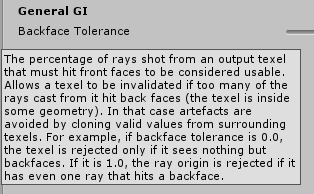
have you tried making a custom lightmap parameter settings? particularly the backface tolerance setting
 mint heart
So it looks fine, but if i hit force stop, those patches appear. They also appear if I let it finish
I don't get it
lunar narwhal
huh, that is weird
maybe as a last resort you could try just editing the light map files to smooth out those artifacts?
mint heart
I thought about that. Ideally I wish I could just get Enlighten to work again
lunar narwhal
I wonder if you could get better help from the official unity discord
lunar narwhal
rip
is your filtering set on auto?
if i had to guess its an issue with some sort of final filtering/denoising step
 steel oasis
my post processing isnt applying for some reason, ive followed the tutorial exactly and i can't think of anything. im using Bakery to lightmap which could have something todo with it, i just did the thing with cinemachine_post_processing i think that just fuckedf it more
lunar narwhal
post processing and lightmapping dont really have anything to do with each other
did you set the layers correctly?
reference camera in world descriptor?
mint heart
@lunar narwhal It was then I changed it to Gaussian. Maybe I can try turning it off?
lunar narwhal
at this point what do you have to lose other than more of your time
mint heart
My sanity
lunar narwhal
but since you did say the artifacts only appear after you hit force stop, i think the filtering is done at the end
oh!
try unchecking compress lightmaps too
tool tip does say it can cause artifacts
mint heart
I just thought about that aswell
but If I do that my world will jump in size by 30mb
I mean I guess it makes sense given that I've added more lights to the scene
lunar narwhal
hmm, you could still compress them after using unity's built in texture compression
mint heart
I'll give that a try then I guess
I swear if that fixes it I'm going to be both happy and pissed off
The ironic part is most of this will be irrelavant because I'm currently editing the mesh to allow occlusion culling on the internal structures of the buildings and signs and such
btw, on that note, is there a way to merge multiple small objects into one lightmap rather then it make a separate lightmap for every mesh?
Because When I had it seperate before, it made a 2038x2048 lightmap for every single one of the 80 meshes
which used like 400mb
lunar narwhal
uh, you want to adjust light map scale on your objects accordingly
mint heart
So even when my main mesh is at 0.1 scale rn it still says its reached maximum size
despite being the only mesh in the scene
it is a 262k poly mesh tho
lunar narwhal
you can also lower your lightmap resolution
mint heart
Won't that make me have to make the scale even smaller
 noble basin
How can I make a black light effect?
lunar narwhal
I believe light map scale affects how much of the mesh takes up in the lightmap, where as resolution, ie. the number of texels is how many texels per unit is used for your meshes? I could be wrong

Unity Forum
Hi, I just wanted to confirm that these 2 scenarios are basically the same when lightbaking
Scenario 1 : Lightmap resolution 10 and object lightmap...
doesn't seem normal to have 80 2k lightmaps though geez
mint heart
it appeared to making an independent lightmap for every mesh
I didnt let it finishso it may have combined them at the end
mint cipher
i converted all my probuilder meshes to OBJ and now the Bakery Light Mesh script is no longer working
both meshes are fully static
huh
even normal emissive material isn't working
it's the mesh but idk how to fix it
cubes with both standard emission and bakery light mesh both work
 sharp dust
any reasons why my reflection probe doesn't work ingame but in unity?