#world-lighting
4 messages · Page 7 of 1
 fallow lark

Simple Light Probe Placer it is simple tool
and it help you easily place Light Probes in your scene.
It's provides two new components:
- Light Probe Volume
- Light Probe Group Control
Read more: documentation and source.
fallow lark
that would depend on light probes themselves not that particular asset
as all that does is help you place them
 uncut vapor
Ah true
 rancid tulip
Hmm, careful with that in large areas. It locks up if you try and do a large area.
fallow lark
so yeah don't go trying to place one big volume covering the whole map
uncut vapor
I'm placing volumes room-by-room
How do I trigger the volumes to place them though?
Nvm, got it lol
 mint cipher
this is a much better one https://github.com/laurenth-unity/LightingTools.LightProbesVolumes

GitHub
Light probes volumes. Contribute to laurenth-unity/LightingTools.LightProbesVolumes development by creating an account on GitHub.
rancid tulip
"Requires Unity 2018.1 or above."
mint cipher
here's a link to the version that works with Unity 2017 too: https://github.com/laurenth-unity/LightProbesPlacement/archive/b03919500af8d2cd6d5ef6fc8f30e2fc9062696c.zip
rancid tulip
😉
mint cipher
you guys have no chill 😉
but yeah, this one is MUCH better, it will fill a space with probes or follow a floor, and it can remove probes inside collider automatically
uncut vapor
awesome
mint cipher
any time you change the scene just hit the button again and it will reposition and remove all the probes again
saves a lot of headaches
rancid tulip
"or follow a floor" Oh thank god. That's what I wanted before.
mint cipher
if you have a floor and simple colliders for all the meshes it will place an amount of layers for you following all the geometry
it's amazing
uncut vapor
@mint cipher tried it, got this error
rancid tulip
Blade and Sorcery?
uncut vapor
ye, decided to try throw it in both vrcsdk and my B&S assets
mint cipher
it's conflicting with some scripts in that folder, maybe an older version of this
uncut vapor
never installed it before, so dunno why that's conflicting
mint cipher
the lightprobevolume thing never caused any issues for me, laurenth is one of the main unity developers so it's not too crappy
uncut vapor
odd, it must hate me for some reason
mint cipher
did you open the 2017 version in unity 2017?
mint cipher
you can't use 2019 with vrchat though
uncut vapor
i aint
i threw it in the vrchat sdk and the B&S assets folder
opens fine in the vrchat sdk but not in the B&S assets so ye lol
mint cipher
yeah it conflicts with that it seems, maybe a newer or older version, but definitely not the right one for 2017
uncut vapor
perhaps
uncut vapor
ye that's the one i downloaded for 2019
mint cipher
ah I see what you mean, you have a 2017 and a 2019 project and trying to add different versions of the tool to them
mint cipher
ayy
uncut vapor
renaming li.lightingtools.core to li.lightingtools.lightprobesvolumes fixed it
mint cipher
perfect
uncut vapor
i might tinker with it actually
mint cipher
yeah it's depending on colliders now, it would be nicer if it raycast meshrenderers directly
uncut vapor
does it work w/ mesh colliders fine?
uncut vapor
awesome
i wish you could just bake light probes without having to rebake the entire damn lightmap >.<
that gets infuriating lmao
hot damn works like a treat tho!
mint cipher
yeah it's stupid they didn't add this in the unity editor to begin with, this is one of the lead devs 🤦♂️
it's such a breeze to use
rancid tulip
@uncut vapor Bakery lets you do that 😉
rancid tulip
rancid tulip
@uncut vapor Did that lightprobe thing work for you? It doesn't seem to create anything for me.
uncut vapor
ye it worked
rancid tulip
Can one of you two point out if I'm being a moron here? Because I'm not seeing anything obviously wrong...
(landscape is static and obviously has a mesh collider)
mint cipher
are you in mixed or baked lightmode?
mint cipher
yeah that's good, hard to say, restart the editor maybe, sounds dumb but unity is dumb sometimes
rancid tulip
True.
Ugh, waiting for the local build to finish first as I needed to check the lightmap sizes. It's currently doing the billion shader compile.
 shy nebula
Hey y`all... I'm just learning the ropes here and had a question about lighting. I'm importing a modeled room from Blender a little bit at a time and am getting weird lighting results. It seems like the lights disappear all together or give me crazy black artifacts. Would this be something coming from an issue with normals?
 modest vapor
Did you generate lightmap UVs ?
shy nebula
I suppose I should be creating those in Blender for the imported model huh? Sorry, only been learning this for a little bit now.
I mean, I've UV mapped the textures... I'll figure out the light part.
shy nebula
Copy that, thank you.
Hmm, I feel like I've done most of what these topics cover concerning good practices in Unity which makes me thing it's something I'm doing wrong with the model.
modest vapor
If you didn't generate lightmap uvs then you missed more than one step
shy nebula
So I've cleared all baked data in the project, deleted all light maps, and went through and generated all the maps over again fresh and confirmed they are laid out on the directional light maps. Set all my stuff to static that should be. Set spot lights to bake. Generate Lighting and I still get pretty bad results, hah.
I will read all these posts again...
modest vapor
Post a screenshot of one of your mesh asset settings here @shy nebula
modest vapor
That's not the asset, that's the object in your scene
Click on it in your folder
Light probes is for non static objects
modest vapor
Now do that on all the objects you have in your scene
And adjust scale on lightmap depending on whether they're inportant or not
And set your ground to not cast shadows
shy nebula
I see, I clearly missed that one, thank you for the help. I'll toy with this again.
modest vapor
Nah that's my bad, i thought that step was part of the light baking guide, feel free to ping me if you don't understand/can't find something
shy nebula
Much appreciated.
 frozen field
sweats
 mortal marsh
now show us the file size comparison 
 rancid tulip
tfw 0.98GB lightmap size :/
 sonic marsh
When you have 1GB of lightmaps you should consider doing more technical stuff to reduce lightmap size
For example, you can have some objects that are only lit with light probes. Then bake AO into their vertex colours so they look naturally lit!
 prime stone
I try to change the shadows settings by the Project settings' quality tab. But I see no effect on VRC preview.
Could I change Shadowmask Mode or Shadow Cascades?
mint cipher
Alright so I hope one of you unity wizards can help me with this
for the past ever since I began making worlds, I've had some run-in with this problem, but I was mostly able to cover it up after I get too frustrated with trying to find out what causes it and I give up but this time it's come with a vengeance
There's always this one spot in my maps where the lights just fall to black for no good reason. I've tried changing the lightmap parameters, making my own with backface tolerance at 0, I've checked and rechecked the original fbx's UVs, changed the generated lightmap UV's margin errors, etc. etc.
I've found pretty much every thread on unity with lighting issues and tried all the fixes I know of to no avail.
I know, I know, wall of text but I don't want the issue to be vague or ambiguous. I've tried going into blender and remaking the affected parts but with the next bake, it's right back. I'll upload some images of what I'm talking about
the blotches plague me
mint cipher
oh some other data, the mesh in question is a .fbx file with 58k tris and only one UV map
I know it's not the most optimal choice to throw everything in one mesh but I focused on limiting the amount of lightmaps as much as possible
 supple loom
I don't have a straight answer but could you post how the lightmap looks like and a picture with the shaded wireframe enabled I'm interested how those look
mint cipher
got it so the wireframe is a little hidden thanks to the black but here's that with the same screenshot
I do hope I'm thinking of the same thing as you
and those are the best I can get of the lightmaps
I don't think I did it right so it might not be too helpful but I hope you can work with that, too
supple loom
On a sidenote you might wanna up the light map size so you'll have less separate lightmaps
mint cipher
you mean changing the resolution to 2048 and 4096, or am I thinking of something else?
supple loom
Yeah
mint cipher
alrighty
I've flip flopped between 1024 and 512 before (right now being 1024) and the same blotching stays
supple loom
Yeah this isn't really to help with the blotching problem sadly but it's usually good practice to have a small number of lightmaps as you can
mint cipher
Thanks for the tip! I never ventured to that high of a size so I didn't know it worked like that
I got it to go away once when I threw the entire mesh out and started from the ground up but if I can find a way to like not do that I'd be really happy
the frustrating thing is I can't find anyone talking about the issue on any forums even though it's not the first time this happened to me, in fact it happens almost every project
supple loom
You wanna send me the mesh so I could inspect it 🤔 I'm curious about this problem
mint cipher
sure let me fetch it
rancid tulip
Is there actually any good reason for not using 4096 lightmaps?
(and why is 8192 not an option?)
supple loom
I can see using different size lightmaps in big numbers in when making actual games to optimize stuff
modest vapor
@rancid tulip If you need to batch specific things in an area and them being on the same lightmap that doesn't require to be 4k
 quasi hedge
^ that - if you wanna manually control how things are split up + still keep consistent TD, you could waste lightmap space unless you fiddled with the relationship between scale in lightmap and lightmap res
also, mem usage is probably why 8k maps aren't really used? less of a deal breaker nowadays on PC i suppose
 tropic needle
i think this should be here ..so i have a light source attached to my avatars weapon ..but how can i make it follow where i move the weapon ...it seems to be stuck in place
rancid tulip
Is it actually on the weapon in the hierarchy?
tropic needle
the light source (point light) stays at the place of where i put it in unity..but does not follow along with the rest inside vrchat)
okay ...figured it out ...it was not zero'd on the sphere i attached it to
rancid tulip
Weird, it should have still moved though, even if it was in the wrong place.
tropic needle
nope still does not move in-game (stays at the spot where the weapon is in unity when it is activated)
 native dome
Is it set to static?
tropic needle
4 as they are on the particle system (should i change that to transform?)
emitter velocity says (rigidbody)
native dome
I not sure if it would be causing the problem. Do the particle systems stay in one place? Is the light a child of the particle system?
tropic needle
the particles move like they should... only the light source does not ... will try something tomorrow
tropic needle
got it... i had to put the disable point light out of the string of the hierarchy as it is only used to add light to the particles
 nova lynx
So I dont understand but when I use my point lights and set them to bake mode, lighting in the world no longer works
when I use real time it works and lights up surrounding objects
rancid tulip
Are you actually performing a bake of your lighting?
 ancient ravine
It doesn't hurt to bake your lightmaps at 4K then compress the resolution
I bake lightmaps at 4k then reduce the resolution to 512 - 2048
rancid tulip
Yeah, I've done that recently too.
ancient ravine
@nova lynx
Of course its going to work in realtime. Things light up in the scene with realtime lights.
If you bake your lights it'll disable the light after baking. Since the light with be baked into the texture itself via light maps
also I'm experiencing a strange issue when I try baking only reflection probes... Unity tries to generate lighting for the scene and bake the lighting rather than the probe itself alone :/
I was able to bake reflection probes without baking the lighting idk what happen.
rancid tulip
Yeah, the inbuilt lightmappers force baked lighting before they'll bake light probes, I assume because the reflection will be wrong on the probes otherwise.
rancid tulip
But yeah, it's something you do after you've baked your lighting, assuming you're baking lighting at all.
tropic needle
so i duplicated how i had it on a different avatar but the light still does not follow the particle system or the movement (in-game)
sonic marsh
You can use custom probes and then bake them one by one to get around it too
tropic needle
https://gyazo.com/f4207867209bae4aa040f79c36f01edb this is what i need to have ..but instead the light seems to be placed at the hip in-game or rather at the spot it is placed in idle

 main anchor
If you're using particles on an avatar, you should really be asking in #avatars-2-general ... you should probably set them to local space instead of world space... if you need world space put them inside an empty game object with an IKFollower script on it, directly inside the hand or whatever IK point you are connected to. @tropic needle
 edgy hound
I have a camera in a scene and some players flicker in the light and others don't. I have noticed the ones that flicker are standard sharder and the ones that don't flicker are shadless. How do I fix this?
Is it a setting in the Camera or my spot lights? I have seen that point lights make some avatars all black but in a mirror you can see them correctly - I fixed it by replacing the light with a spotlights, I am open to better a way.
Thanks
edgy hound
The following picture is about my question above:
these are the setting for the light that is shining on the avatar that is flickering.
modest vapor
Set to baked ?
edgy hound
I have it set to baked in the component, do I need to go to lighting tab and click bake?
modest vapor
to bake a light yeah
edgy hound
I have a backup, but that really made me feel nervous when I clicked the Bake button. Uploading now for testing.
edgy hound
Baking seemed to make it worst. you can see the flicker on her shoulder and her entire head and hair. One inch to the right the hair and head turns bright, same with one inch to the left.
edgy hound
Augh, all of a sudden items in the room and walls are disappearing when I get too close to them or to far. This is breaking my drum set and keyboard, can I just click clear to undo the baking from earlier?
modest vapor
The occlusion baking ?
 heady sky
Does anyone know if "draw halo" can be baked on?
I didn't think it was possible because it eminates from the object (am trying to create a glowing moon)
 long glade
Anyone know what these random artifacts come from and how to get rid of them?
modest vapor
Check for indexing errors in the console @long glade
quasi hedge
@nova willow you can probably check if it's old baked data by using these
bakery's lighting data doesn't fully clear sometimes. I usually clear it using 'Clear Baked Data' in the Lighting window, clear from the Bakery dropdown, and then have to manually remove everything in the folder it saves to for some reason
modest vapor
Gotta do that both in bakery menu and lighting menu
 nova willow
thank you both!
nova willow
sooo if my avatar's shadow has no feet, is that the avatar's fault, the floor's fault, or the light's fault

i made all three, so hmm
nova willow
i'd think it could happen because the feet aren't as high as the surface that the light shines upon...but i think that surface is just the floor mesh itself, not its collider...
so since the feet are visible...
maybe it won't matter once i bake the lights? hm. idk, i'll report back if something changes lol
 sharp robin
Usually caused by the bias for shadows on the realtime light
nova willow
hmmm. i see. well once i bake the lights i'm not gonna have any realtime lights i think? except maybe a general one to turn on for players, maybe
if i do what that tutorial did
i'm very new, so if the answers here are obvious, sorry lol
i'm just going through the processes as described, i don't understand it all well enough yet to have any foresight 😩
sharp robin
its what these channels are for
nova willow
ye
sharp robin
and yeah if you do bake the lighting you wouldn't need to worry about that issue
most people prefer high framerates to realtime shadows so its preferable to bake
nova willow
yeah, i got Bakery on sale, so it shouldn't be too hard lol
though uh, while i'm here, there doesn't seem to be a bakery component for spotlights
wait, i think i just found it in the bakery manual
sharp robin
If you go to the bakery tab at the top and go bakery>create>spotlight
nova willow
i tried ctrl+f "spot" and found no results, but i think it just didn't load fully, now i see
ohh, alright. okay, thank you. the tutorial i'm using didn't cover baking spotlights so i didn't know where to look
thaanks
 mighty crow
After so many months I finally found a solution for the problem I had with lighting in my world 😄 so i want to share it with everyone who's struggling with these ugly lighting artefacts (shadow bleeding i think it's called?). Made this little image myself, if any of you Unity pros can correct me if I'm wrong, I'd appreciate it ❤️
rancid tulip
The only thing that you needed to do there AFAIK is enable generate lightmap UVs, you always need to do that for every model which doesn't have them manually assigned, which is basically all of them.
 bright agate
also if you want decent results, do your own normals in blender not let Unity calculate them. xd
mighty crow
My normals were already facing the right way in blender, but thank you for the tips ^^
rancid tulip
Nothing to do with normals...
nova lynx
So my world has just weird stuff going on with the lighting. So if I want to have shadows but also lighting to appear in the mirror I need to have two lights, one baked and one realtime. My lights on the ceiling are weird. One light on the left works but if I copy and paste it to the other side and move it like 5m it just breaks and doesnt work like the other one. I'm so confused on like what to do to fix this. If anyone is good at doing really good lighting for indoor worlds, I'll honestly pay you to fix the lighting. @ me if you are good
modest vapor

If you want to skip to the gist of it, just skip to the end.
Note: I forgot to mention that you will want to bake occlusion whenever using terrain. Open up the occlusion tab, adjust your settings (5 is too big) and bake occlusion.
I'm going to show you how to bake the can ...
nova willow
simple question i can't seem to google, is there any way to change the environment lighting with an interact? idk if it works in vrchat, but i determined how to change a custom skybox with an animation, but i really doubt the lighting menu cares about skyboxes used outside of it. i just wanted to make an alarm clock you could poke to make the windows glow and increase the environment lighting somewhat (maybe the equator color, if i could be specific) so the room brightens, since otherwise the glowing windows will just look weird
on the one hand i know i could do this with realtime lighting but i'm not doing that to my map's performance lol
on the other, i mean, that's just gonna make all my baked lighting look wrong, isn't it
unless there's some way to change lightmaps with an animation, but as inexperienced as i am, that sounds like a terrible idea
so maybe i shouldn't worry about it
yeahh nah forget that i'll just try to make the nighttime lighting look as good as i can
 meager mason
Does anyone know the layer for the mirror to enable light reflections?
heady sky
Good evening! Does anyone happen to have a good introduction to lighting video/PDF? I'm familiar and comfortable with point lights, directional lights, spotlights, and area lights, but I don't really understand what light probes are and I feel like I could improve my baking. I'm lighting an outdoor scene and would love to figure out how I can make that setup more realistic.
modest vapor
@heady sky pinned items
heady sky
Thank you!
 calm snow

Anyone know any good tutorials on how to make illuminated 2D Visemes for a robot mouth like this ?
heady sky
Hmmmm. I remember being interested in doing something like this a really long time ago and one of the suggestions I got was this:
(Using this gif as an example:) 1. Create the robot mouth and give it a glowing material.
- Duplicate that mouth and give it a not glowing material.
- Hide the glowing mouth by putting the not glowing mouth in front of it.
- Create shapekeys for mouth shapes by pulling the non-glowing mouth inward every time AA, OH, CH, etc is heard. This reveals the glow and gives the illusion of something lighting up when actually you're hiding and unhiding something.
- Keep the silent shapekey showing the non-glowing so it looks "inactive".
@calm snow
Hey all, I'm going through this awesome lighting tutorial: https://vrcat.club/threads/xiexes-lighting-tutorial-how-to-get-good-at-baked-lighting-101.2081/ and am a little confused about something: static vs non static objects. The tutorial says "only [moving] things you plan on have the player interact with shouldn't [be static]."

VRCat: Community-Run VRChat Forums
Greetings! Over my course of playing VRChat I've noticed that most worlds, mainly the ones that have baked lighting, are done poorly, or in an...
Can anyone explain what "interact" in this case means, exactly? I have animated objects that you can click on (for example, one is constantly rotating but doesn't actually move). Is that "interacting" enough to be marked non-static? Just a little confused here on when I should be marking static/non static.
heady sky
What about rotating and scaling?
modest vapor
sorry for the late response, feel free to ping me if you have questions
heady sky
Ex. Rotating objects that stay in place
heady sky
Perfect! I have just one more question
Would a non interactable but rotating object be non static
modest vapor
Yes
heady sky
@modest vapor Hey, Ruuubick; could I pass another question about static/non static your way? What about objects that don't move, scale, or rotate, BUT they have an animation that changes the emission intensity (glow fading in and out)? Would that be non-static?
modest vapor
Well, if they're themselves emitting light, then either doesn't matter, as long as they don't receive shadows
static is basically saying " i want this object's shadows to be baked into its texture"
then it's up to you to determine if having shadows baked onto that object makes sense
heady sky
Got it. Thanks a ton!
modest vapor
if you have specific examples, screenshots also help understanding what the case is
heady sky
I think I understand. I'll be sure to post some if I do have a situation I can't figure out though. Thank you!
heady sky
I've got some emissive stars here that slowly rotate. Is it worth sticking some sort of light source on them? If so, what? Having a little trouble understanding how to work this one out, I'm leaning towards it not being worth it but I do like realism. Edit: I did some googling and apparently it takes starlight 23 billion years to reach earth, so surely there wouldn't be any shadows...
rancid tulip
Just use emission, not lights.
modest vapor
@heady sky How are they emissive ?
modest vapor
Mmh, since the shader doesn't have you control over the realtime aspect, and the intensity (hdr or not), I don't know what the result is going to be tbh
rancid tulip
Use a number a little over 1 if you want them to actually "shine" but without an emission map it'll just make the whole thing bright.
heady sky
Thank you both 😄
 gleaming mica
Does anyone know why when I do my Final Gather this happens? https://cdn.discordapp.com/attachments/361741445352259584/666857389978419200/unknown.png
 modest vapor
check console errors for wrong uv index
 worthy gate
what is that...
gleaming mica
no errors in console
I will clear the baked data and bake it again to see if it comes up
still no errors
I wonder if it has something to do with probuilder
according to the unity forums, This issue was fixed in 2010.
clearly not
i'm gonna try messing with some settings
probs something with the denoising
mortal marsh
@gleaming mica Late reply but yeah it's an issue with combo-ing Final Gather and one of the other settings, I think it was Compress Lightmaps? You can have one or the other but not both
gleaming mica
@mortal marsh cheers I will give it a go
nova willow
considering baking takes like ten minutes, i'm doing my own research to try to resolve this, but if anyone can tell me at a glance what this might be, by all means
console's throwing up a bunch of these:
Mesh Riviera Flower Vase on object Riviera Flower Vase possibly has incorrect UVs (UV2: no, U: 0.2734375, V: -0.4909668)
UnityEngine.Debug:LogWarning(Object)
<ExportScene>c__Iterator0:MoveNext() (at Assets/Editor/x64/Bakery/scripts/ftBuildGraphics.cs:2157)
<RenderLightmapFunc>c__Iterator4:MoveNext() (at Assets/Editor/x64/Bakery/scripts/ftRenderLightmap.cs:3877)
ftRenderLightmap:RenderLightmapUpdate() (at Assets/Editor/x64/Bakery/scripts/ftRenderLightmap.cs:3343)
UnityEditor.EditorApplication:Internal_CallUpdateFunctions()```was a blender import way back at the start if that mattesr
supple loom
Did you have generate lightmap uv's on?
supple loom
Currently
nova willow
currently off
i was kinda scared to touch it because i don't wanna accidentally use enlighten when i'm trying to use bakery
supple loom
It does since if you don't have manually made lightmap uv's or unity generated one's they are gonna overlap and cause problems with lighting
nova willow
i'm inexperienced and nervous and i've spent like 25 days between this little cabin and my avatar and i'm so tired
supple loom
Unity import settings aren't gonna break the original file
nova willow
hmmm. so flip that on and bake again to see? just per object or is there an overall switch? i'll look
nova willow
noted, thank you. i hate asking so many questions but you just saved me time, lol, thanks so much
guessing the default settings are fine unless i find something that stands out afterward
supple loom
The error you are getting is saying that the uv's some of your objects are using go out of bounds
nova willow
i seee
supple loom
Which is used sometimes for texture uv's
But it's something that shouldn't be done for lightmap uv's
nova willow
makes sense
that wardrobe on the top right is, for some reason, made of two like...layered meshes
like the original artists (it's a replica of a game scene) clipped two ladders together to make a solid surface
so it makes sense that it's freaking out if things are overlapping
gleaming mica
@mortal marsh forgot to say that it worked, Thanks again!
nova willow
aha, that fixed it, 1, thank you
except i forgot to enable it for one thing so i have to bake all over again lol, but still, woo
nova willow
hm. any advice for making bakery stop smushing this clock face?
mint cipher
@nova willow make a fake light sader that should help
rancid tulip
@nova willow General lightmapped UVs enabled on that model?
nova willow
uhhh yes but ohhh
only with default values
i seeeee
yeah, excellent. i'll play around with those tomorrow
i've been awake for 40 hours with a 3 hour nap in between so lmao
later
thanks
quasi hedge
I think you'll want to mess with the hard angle first. Are you using the Bakery shader w/ lightmap specular? It looks like an artifact from baked specular where the dominant light direction is changing between each UV shell.
native dome
Do light probes allow for layer culling just like realtime lights do? I just had the thought that I never have checked this and I won't be home anytime soon so I wanted to ask because I would forget by the end of the day.
quasi hedge
I thought so, but I just did a test + it wasn't the case. Set the culling mask to nothing on a directional light + it still baked as if it was set to everything for both LMs and probes.
This was with the progressive GPU lightmapper btw. Bakery would let you cull lights per lightmap using bitmask, but having to use groups to dictate how things are split is a definite trade off + it still uses Unity's methods to bake L2 probes too iirc so I think you'd run into the same issue
native dome
I think I follow you. I was thinking having the ability to choose which is effected by realtime lights and which was effected by light probes would be useful in really really specific scenarios.
quasi hedge
Oh! I thought you meant preventing certain lights from casting on certain objects in the bake. In that case, it's sort of a mixed lighting scenario. You could set up the culling mask for the real-time light to cast on specific layers, and also just disable/enable light probes on the mesh renderers for individual objects.
native dome
oh sweet
modest vapor
Most likely something else in your project broke
 steel hatch
anyone have a issues with shaders and gifs in ur room turningblue and red? at first i thought it was just the stuff in my room doing it then i looked at my model and i was that color too
modest vapor
Then it's your lights/skybox/environment lighting
nova willow
hmm. anybody have any advice about the shadows on this wardrobe? on the one hand its topology is weird, lots of bars raised over the wood to cast shadows, but
but that said, i don't think i had this issue back in my first successful bake (though this is the biggest screenshot i have from it)
i've been clearing out old bake data before each time so idk
supple loom
What's the problem?
nova willow
orrr maybe it's just my imagination, but it just didn't seem that...rumpled before?
then again i might just be torturing myself over perceived flaws
supple loom
Looks alright to me just from those pictures
nova willow
well the first pic's the latest bake, the second pic's my first successful bake
the front of the wardrobe looks like this now, idk
maybe it's just that in my first bake i forgot to render reflections? <_<; and the metal plates are reflecting light now? hm
supple loom
You could always bump up the lightmap size if you want it to have more details in the shadows
nova willow
hmm, good idea. that's the only piece i'm having this problem with, but as you can see, the ceiling light is hanging almost totally even with the front face of the wardrobe
and the room's a replica so i can't just move the ceiling light lol
so i'll do that, thanks again
just to confirm, that's just this, right?
i'm always uncertain about which tools are only unity's and which are also bakery's
supple loom
Yeah that thing
Plenty of the lightmap settings also are taken into consideration by bakery
nova willow
excellent, thank you
nova willow
guys i'm losing my mind why isn't the nonstatic arm of my static wall clock receiving any light from probes
i have a lamp right beside it
i have light probes all over
^ ignore that the baked lighting is gone, apparently canceling a light probe render will erase baked lighting, sigh
it has an appropriate material
with default lighting it looks like this, and it has literally the same specular texture as the clock it's hanging from
all my other nonstatics are doing just fine
but not this one and i cannot figure out why and i just wanna sleep
nova willow
maybe it's not good that some of the light probes are going through the wall, i'll try changing that, new at this
nova willow
well i 'solved' it by moving my probes and setting an anchor override a little away from the wall to cheat it to have some light
long glade
If i change the lighting mode to gamma, will the sdk switch it back to linear or is there no limitation on it?
rancid tulip
VRC uses linear so working in anything other than that is a bad idea
long glade
mkay, just a random question
 fiery pollen
Anyone have any idea why real time GI works perfectly fine in unity but not in game?
modest vapor
Do you have post processing ?
fiery pollen
Yea
modest vapor
And I'm guessing you baked the lighting in your world with realtime GI enabled ?
fiery pollen
Yup
modest vapor
Do you have lightprobes ?
fiery pollen
yea
modest vapor
And which mode did you use for the baking ?
modest vapor
So full lighting ?
fiery pollen
Yuh
modest vapor
Mmh
Only difference I can see is that the screen is very bright in your unity scene but not vrc
fiery pollen
I have brightness sliders to change screen brightness, as well as sliders for the realtime gi multiplier
modest vapor
Did you check the log while in vrc ?
fiery pollen
Only things thats really in there is a photon exception (unrelated) and a bunch of NullreferenceExceptions from UpdateDispatcher
modest vapor
Maybe @thorny mantle would know
fiery pollen
Gonna try the good ol' turn it off and on again (unity restart) and see if it helps
 thorny mantle
?
fiery pollen
Realtime GI works perfectly fine in unity, but not in vrc
fiery pollen
Im uploading it from 2017 unity and testing in 2018
fiery pollen
oh rip, I did go to another world and it was perfectly fine tho
thorny mantle
i haven't really tested it myself but i've heard it a number of times
fiery pollen
But they may have just been using a different method
thorny mantle
hmm
fiery pollen
like realtime reflection probe
thorny mantle
my 2017 worlds worked fine the last time i checked
fiery pollen
Ill just have to check later when I go back on 2017 version i guess
thorny mantle
yeah, refl probe is a way to do it, not a perfect one tho
yeah, that would be a good sanity check
i need to test that properly and make a canny if its actually the issue
ok, just checked my 2017 uploaded world in 2018 - realtime GI seems to work
yeah idk, i'm not doing anything fancy
fiery pollen
huh
I just got my friend to test on 2017
And it works fine for them
but doesnt for me on beta
🤔
Thats really weird
thorny mantle
hmm
thorny mantle
¯_(ツ)_/¯
fiery pollen
Anyways as long as its working i guess xd
thorny mantle
i can only wish you good luck at this point 😄
fiery pollen
Yea hopefully it'll be fine once I actually update everything but at least I know its working on 2017 now
modest vapor
pls make an open beta canny !
fiery pollen
If its working for orels tho then it's likely just outdated SDK being the issue
ancient ravine
Does LUTs via Post v2 work in VR at all? I tried experimenting with LUTs, it looks wonderful in desktop but VR users see it totally wrong.
 earnest pebble
I am having an issue where a world has very little faces on a massive ground texture, so I would bake the lighting, but I also want the ability to remove lights during play. is there any way to achieve this?
modest vapor
Well the point of baked lights is to not have active lights
earnest pebble
I see
Is there any method to increase the number of realtime lights that can react with a surface?
 spare cloud
@earnest pebble Are you talking about a control panel to controle the light?
quasi hedge
@ancient ravine Will check this tonight! Are you authoring the LUT out of Resolve?
earnest pebble
I got it, I just needed to use Important
quasi hedge
@earnest pebble you can also increase pixel light count in project settings (think its under quality)
ancient ravine
@quasi hedge No, the LUT I got was already made and originally from Unreal 4.
Like I said it looks perfectly fine but doesn't render correctly for VR users.
Its no big deal tbh. I can probably recreate it via HDR mode and just scrap it the lut
quasi hedge
Hmm, that's strange. I'll check it out because I was hyped on being able to use LUTs. Might be a Unity bug report~ There's really no big difference between grading with HDR and using a grading suite anyway (besides not being able to use intermediate LUTs) - Unity's grading stuff is actually impressively capable
At least now you won't have to figure out how to recreate the tonemapping curve you want to use 😅
quasi hedge
for future/search reference: created a LUT (.cube) from the EXR -> Resolve workflow that turned a specific shade of blue to red so it could be seen on a checker. Everything seemed fine between desktop + vr! format probably matters to unity (i think Unreal uses a LUT strip)
mint cipher
is there a way to optizme lights becuase when direct lighting is enabledi have 247 drawcalls when disabled 66 drawcalls
modest vapor
You can either remove layers the light is affecting, or use hard shadows with low performance enabled
or both
 molten arch
edgy hound
molten arch
edgy hound
Hello, Quick question. I have a spotlight in my world that when it shines on my avatar the skin gets all flickery. Is there a way to fix that? The work around has been to not include the Player or Local Player in the culling, but that makes the avatar look dull. Thanks
modest vapor
Do you have a video of that ?
modest vapor
that's pretty weird, what does your light settings look like ?
modest vapor
but it's set to baked ?
also not casting shadows
and 40 range is pretty far
also which shader are you using on your model
edgy hound
The light is an a Theater casting from way across the audience. That's why it a long range
I will send you a picture of the setting where it doesn't work and everything looks bad on the avatar. the above is how I was able to make it look better, but dull. it will take a few minutes (like 30).
sharp robin
@edgy hound Is that in a mirror or a camera?
You should always have the PlayerLocal layer disabled otherwise you will always get that weird clipping
modest vapor
feels like a screenshot of themselves in a mirror
edgy hound
I am going in with these setting and will show you a pic when I get back. I am using Standard Sharder.
and this
sharp robin
If you want the lights near the mirror to display properly in the mirror you will need to toggle the pixel lights option on the mirror component if you havent already
edgy hound
Actually what I am doing is making an MMD Dance world, it's all done except this lighting this is preventing me from uploading it in the Labs. When I am on the stage and I look at myself, by looking down I can see the flicker. When I am dancing (VRC_Station) and watching from the ThirdPersonCamera then it flickers. Also in Mirrors. I will look into the Pixel lights on the mirror and if there is one on the cameras.
sharp robin
Making it so the cameras/mirrors dont see the playerlocal layer will stop the flickering
edgy hound
Thanks. I just finished compiling the above settings, but will cancel and make those changes before testing again.
edgy hound
Thank You, Thank you, thank you. It's working great! I'm so excited to upload my first world. 🙂
 cunning mirage
Am I able to make realtime shadows better quality?
modest vapor
At the cost of performance yes
It's on the light component
From hard shadow to soft
rancid tulip
There's no control over the blurring is there? I noticed there's virtually no difference between hard and soft shadows in VRC.
 rancid tulip
It's like "Hard edge" and "Looks like a hard edge but if you look closely it's actually very slightly fuzzy edge". So I just stuck to hard shadows.
I noticed weird shadows lately, like these rounded morphing ones and don't remember seeing them before.
 gaunt hamlet
After baking my map it has this weird issue on some textures, does anyone know how this happend?
 finite hornet
Did you marked the lightmap uv checkbox?
gaunt hamlet
Where can I find that checkbox? 😳
I do see a checkbox thats called "Compress Lightmaps"
finite hornet
Dont use the compress lightmaps
gaunt hamlet
ty gonna rebake and try
 pine trench
I ran into that with one of my worlds before, the lightmap uv checkbox is in the import settings when you click the model in your asset library
finite hornet
Yeo thats the spot
gaunt hamlet
I disabled the compress lightmaps but the issue is still present after rebaking the map.
 vocal oar
@gaunt hamlet the issue you are having is likely because you didn't check the "generate lightmap UVs" box on the import settings for the models you are using.
also, feel free to check the compress lightmaps box, it's totally fine and makes your world's filesize MUCH smaller, therefore people load in faster.
mint cipher
Baking is a must here’s a example of before and after
gaunt hamlet
Now I got another issue. I probably changed something by accident and now my models that arent static dont seem to get lighting
modest vapor
Do you have light probes ?
gaunt hamlet
I do
modest vapor
Is your model using lightprobes in the mesh renderer settings ?
and did you bake the lightprobes btw, sometimes people think you just place them
gaunt hamlet
my reflection probe is set to baked and I did bake the world
But this model isnt supposed to be in the world its just here for reference for playermodels
 edgy forum
@finite hornet Curious as to why you say not to use compress lightmaps? (Unless it's just related to the question about the baking artifacts)
modest vapor
@gaunt hamlet So did you bake the lightprobes specifically ?
finite hornet
@edgy forum just related to the question
modest vapor
@gaunt hamlet Can you show the mesh renderer component of the model ?
gaunt hamlet
@modest vapor
modest vapor
Try setting an anchor override from a gameobject placed in a lit place in your world
gaunt hamlet
How does someone create a anchor? 😳
modest vapor
it's just an empty game object, that you drop into the slot
it basically copies the transforms of that object for the lighting information
gaunt hamlet
stays dark where ever I put it, I hope rebaking the entire thing after baking the reflection probe will magicly fix it.
it actually magicly worked
modest vapor
btw, you're supposed to bake reflection probe last
gaunt hamlet
will bake it again thx for letting me know 👍
 next plank
I don't know where this question would go but it's related to lighting: Would you need just emission on a material to get brighter, glowing eyes like some models have? Or would you need something else?
supple loom
That is emissions yes
next plank
Ah okay
next plank
I guess this also is related to lighting, but how would I make the shadow on the neck less dark? I want to match the lighting of botw, and all that really needs is a more saturated, but less black, shadow.
Using XieXie's toon shaders.
sharp robin
Probably have to decrease the contrast on the shadowramp texture if its using one
next plank
aight
cunning mirage
If the poor quality realtime shadows is a bug, I'm simply surprised how it's not been fixed for all these years and how nobody is talking about.
Not only the jagged edges but the poor depth resolution.
 dapper burrow
hi
cunning mirage
It's probably the biggest obstacle for me acheiving more realism.
sharp robin
@cunning mirage Can you give an example of the issue you are running into?
cunning mirage
@sharp robin It looks like this: https://vrcat.club/attachments/shadowdepth-jpg.2304/
sharp robin
Point lights are limited in their shadow resolution as distance increases, though those shadows do look off
cunning mirage
The shadows don't seem to change no matter how I adjust the distance clipping. My lights are ceiling lights, so only 3 units away.
sharp robin
I'm guessing its something to do with the way baked mixed lights work
Increasing the bake resolution might help
although when I think about it I don't think I've ever seen nice looking shadows from mixed lights
cunning mirage
I'll try it, but from what I understand about lighting systems, baked light/shadow maps don't affect shadow rendering at all.
sharp robin
Yeah I don't think that's the issue I don't know that much about mixed lighting
alternatively you could force the quality settings to be higher for the shadow resolution
cunning mirage
Right, changing the realtime shadow resolution made the jaggies smaller, but the depth problem remained.
I just checked changing the bake resolution, and it did not affect shadows.
sharp robin
Could consider switching to a spotlight as that will have higher quality realtime shadows so long as you don't increase the angle to a high value
cunning mirage
Yes, it appears a narrower spotlight fixes the problem. Do you know of a way to make a light that illuminates in all directions, but only casts shadows in a cone? The world requires my light to shine in all directions.
sharp robin
Don't think theres any good options, could bake the lighting normally and keep the realtime spotlight
cunning mirage
Thanks for the help. I'm going to see if I can hack a solution together.
cunning mirage
I tried, but nothing worked.
C a l l i n g a l l l i g h t i n g e x p e r t s!
How to make a mixed light with point-type illumination/baking but spot-type shadows for increased fidelity?
rancid tulip
You'd basically have to use two lights, no?
cunning mirage
What I tried was a mixed spotlight for shadows, and a baked point light for everything else with an invisible light blocker that complements the spotlight angle.
But I found it was impossible to make a light block that blocked one light and not the other
 fiery sand
Guys, does anyone know if its possible to use the Post Process included in Unity Package Manager for VRChat?
sharp robin
@fiery sand Yes you can
sharp robin

GitLab
A surface shader for Unity providing cel-shading. (Forward rendering only)
explains how to set it up for VRChat
fiery sand
awesome, thanks.
modest vapor
What shader are you using ?
supple loom
Would say it's too many realtime lights possibly
modest vapor
You need 8+ on the same meshes to have problems
 ebon belfry
My shader is thiss
supple loom
Not always though Ruuubick as long as you max out the realtime light atlas
ebon belfry
supple loom
Fur shaders multiply the geometry on your stuff so it might be the realtime lights having problems
modest vapor
No clue what the realtime light atlas is tbh
ebon belfry
My realtime is 5 and 1
ebon belfry
Bake it?
modest vapor
VRCat: Community-Run VRChat Forums
Greetings! Over my course of playing VRChat I've noticed that most worlds, mainly the ones that have baked lighting, are done poorly, or in an...
And make sure to generate lightmap UVs for your meshes
ebon belfry

ReAdINg
I play vrchat, why would you think I'm intelligent enough to process words.
modest vapor
Well, you're trying to make a world, i assumed you could read
ebon belfry
I'm joking, I'll read it. Also, what's UV?
modest vapor
you should probably google a bunch of questions in a row 
 supple loom
@modest vapor don't mind the realtime atlas comment I haven't slept so my head is starting to play tricks on me and not thinking clear 🙃
 stuck furnace
I should really update that tutorial at some point for Bakery.
Too many projects too little time.
 abstract drift
Is it possible to use lightprobes without generating lighting to light objects? Say everything is unlit
All objects using unlit shader and just wanted dynamic objects affected by the light probes
Or do I have to deselect all as static and then generate? Unsure
 azure ore
Just deselect "Lightmap static" and generate
 hidden notch
so i've been trying to bake the lighting in one of my maps, but these glitches are appearing everywhere. i'm not sure what is causing it. (same glitches happen in the same spots when using bakery)
sharp robin
Do the meshes have generate lightmap uvs enabled?
 verbal crest
A while ago, I was having issues generating lightmaps with transparent objects
So maybe try disabling static lightmap on transparent things
It created black splotches like in that picture
modest vapor
Transparency is not really meant to be lightmapped though right ?
hidden notch
it is best to avoid it
especially with something like water, which gains nothing from being baked.
verbal crest
That's what I'm saying, transparency actually messes up baked lightmaps, atleast in my experience. So turning it off could've been a potential fix, but since you already knew that, I'm guessing it's not a fix for your situation.
I was experiencing large black splotches anywhere where light was trying to bake through glass or fences, etc.
 blazing stream
I've generally had very good experience with lightmaps and transparency, i think what might be happening with the large splotches your experiencing might be related to "Backface tolerance", the splotches happen when a ray hits a backface and the lightmapper invalidates the casting origin.
i've had whole maps not bake properly because of one rouge tree or something similar
sonic marsh
It really depends
There's no problem with using cutout, but when using soft transparency it's generally better to set it to not cast shadows when baking.
Depending on your shader setup, shadows baked onto transparent objects can make them look much more grounded in the scene
cunning mirage
@blazing stream It's "backface". We are still not at the point where blackface is tolerated just yet. 😛
verbal crest
this is probably a stupid question. but is it possible to bake lighting on an avatar? I want to add some light on part of my avatar's body, for an animation, but I don't want to use dynamic lights, and I don't want to have to edit the texture manually.
rancid tulip
I think you can in Blender
sonic marsh
Have you considered using a fake light?
cunning mirage
@verbal crest You probably have to go with dynamic lights. In texture, you'd have to set a separate emissive texture to get the right look of being lit rather than being painted on (for PBR styles).
If you're doing the toon-style look, you can bake lighting in Blender.
nova willow
any recommendations for fixing this? basically using game assets for holding bakery point lights, b/c that's where the light's emitting from, but the shape of the object is casting ugly and technically incorrect shadows. i know(?) bakery doesn't care about the "don't cast shadows" setting for meshes. would the "falloff min size" setting help me here? or should i turn up the indirect intensity, or what?
modest vapor
Don't set that object as static and light it with light probes
only way i know to go around that issue
sonic marsh
You can disable "cast shadows" on objects baked with Bakery, which stops them from occluding and emitting light. So they'll get lighting baked onto them but they won't emit any.
nova willow
oh. really? dang, i guess i messed something up when i tested it earlier lol. thank you, that should help without being as obvious
modest vapor
Oh interesting, I still thought they would at least emit, good to know !
sonic marsh
Hehe, yeah, I had a loooot of trouble with that in another map
modest vapor
It was me all along, Dio !
edgy hound
Hello, I have two spotlights that go out when I bake them. This is after the bake (note the point light baked)
This is before the bake.
This is what one of the spot light looks like (they are basically the same)
modest vapor
@edgy hound Are your objects static and did you generate lightmap UVs
Also which shader are you using on your mesh
edgy hound
The floor is static and the shader is Standard. Not sure how to do UVs, that must be the problem.
edgy hound
When you say Generate Lightmap UVs do you mean clicking the Generate Lighting button in the Lighting Tab?
mint cipher
in the mesh import settings
edgy hound
I just turned on Generate Lightmap UVs in the asset. Thanks...
edgy hound
Just did another bake and still no lights. This picture includes the Asset settings
modest vapor
Switch from shades mode to baked lightmap
Hopefully you'll see something
And check the lightmaps themselves, if they're all black then it's easier to debug
edgy hound
Shades mode on the light?
modest vapor
No on the scene window, top right corner
edgy hound
Found it
It looks like this
I'm baking again
This looks kind of strange, like the stage floor is missing (this is the Baked Lightmap view).
All the light maps are similar to these.
If I want the spotlights to be like real ones and shine on the avatars with shadows, then I probably shouldn't bake these lights anyway, right?
edgy hound
sh = shadows? No shadows
modest vapor
No, what mode are you baking with
edgy hound
ok, it is black.
modest vapor
Also use 4k lightmap size, compress it, and when you do tests, set the texel per units to 5 instead of 40
You just need a quick result, increase it for your final bake once everything works
edgy hound
ok, that's a lot!
edgy hound
Was suposed to be thanks a lot.... 👍
bright agate
You could add a realtime directional non important light that only effects players.
It will, it should put all the light into the lightprobes/ambient
edgy hound
After I bake I get some weird artifacts. Not sure what to do, it's just an empty space with black plane.
There is a back wall there (a plane)
modest vapor
I'd suggest going through the basics again to debug what's going on
edgy hound
ok, thanks
edgy hound
I have noticed that most of these anomalies are outside the boundaries of the viewable world and when I turn off lights those anomalies go away. Does this have something to do with the angle of the light or too many lights in one area? I have noticed if I shine more than two lights on a wall it drastically changes the way the wall looks with over lighting.
edgy hound
Could this be happening because my walls are cubes instead of Planes or Quads?
mint cipher
Maybe your uv's are incorrect
edgy hound
how do I check that and what am I looking for? Thanks
edgy hound
I was able to hide the ones people can see. 🙂
sharp robin
@edgy hound What shader are you using on most of the world?
edgy hound
standard, I have a few that are particle unlit
edgy hound
Is there a way to unbake individual objects?
sharp robin
you could duplicate and delete the original
edgy hound
oh, ok - thanks
edgy hound
After you bake your world, should you go back and disbale the lights?
 tame crater
Does anyone have any recommendations for getting better results when using ACES tonemapping? I like certain aspects of how it looks, for example, how it will take a red light and desaturate it as it gets brighter and so it doesn't just render as a red blob on a red lit wall... But at the same time, it's way too contrasty. Dark areas become way too dark. Is it possible to achieve a similar look for the bright stuff with the custom settings, while leaving the dark stuff alone? Adjusting the contrast slider just makes things look worse because the bright stuff then ends up dull instead of it just brightening up the fark areas a bit.
@edgy hound I'm pretty sure you need to leave the lights enabled for dynamic objects like players to be lit and cast shadows.
edgy hound
I only need the lights for what is being shown on the walls, and that's been baked. I was thinking I would get better performance if I turned them off since the reflection is baked into the materials
tame crater
I'm pretty new to this, so I can't really offer you advice insofar as whether it's worthwhile or will improve performance to disable them. That being said, I think if you only want the baked lighting, you could set the light to baked mode and it won't affect the players or impact performance and you won't need to enable them again later to re-bake your lighting.
edgy hound
Thanks
quasi hedge
@tame crater You'll usually have to do some corrective grading after applying the ACES curve. I usually play with the gain until I'm happy with where my highlights are at, then I'll start turning up the gamma until i'm happy with midtones/lower-mids. If it's super dark, you might have to boost it a few stops with post-exposure (but might be better to just light your scene brighter in those cases)
modest vapor
@edgy hound You can disable them all yes
edgy hound
Thanks
 sharp robin
bake the lighting
sharp robin
does that happen in game?
ebon belfry
Yes
sharp robin
Can only guess that its probably a weird shader causing it then
ebon belfry
@sharp robin
It just turned into that
I didn't do anything
It doesn't look like how it used to
The walls are brighter
sharp robin
are you sure its properly baked?
ebon belfry
I fixed it, but the ground thing still does the thing
How do I bake properly?
The thing is though, my floor does that regardless whether I Have lighting or not
ebon belfry
Cubed
sonic marsh
Don't use Cubed at all in worlds ever
tame crater
Hey guys, I'm having an issue with some of my shadows, and I'm wondering if anyone knows what's up with them...
So initially in my world, I was just using a real time light, and as you can see here, the shadows cast from the door and wall are nice and sharp:
Then I decided to start using baked light, and after seeing how slow Unity's baking system was, I switched to using Bakery, with shadow masking, so the lightmaps are baked and the shadows are computed at runtime. This is how that looks within the Unity editor:
Even if I set the light to low resolution, the shadows cast from my world geometry still look good within the editor:
But here is how they look within the game. Ugly stair stepping:
Note however that the shadow cast by my avatar looks fine. It's blurred properly. So any idea what's going on here?
modest vapor
Are you on VRLow ?
tame crater
What is VRLow?
modest vapor
If you don't know then you're most likely not using that
Depends on the shadow cascades then, but not sure why they'd be different
tame crater
It seems to be a setting for VRChat but I use the Oculus not the Steam one and I don't know that I have access to those options.
modest vapor
Shift clicking when launching the Vrchat exe
tame crater
I don't even know where the .exe is stored, I just launch it from the Oculus library.
Okay I found it...
Uh...
Shift clicking the EXE in explorer just selects all the files...
Ah... You mean shift click VRChat in the Oculus library. Your mention of the exe confused me since I only ever hear people specify .exe if they're talking about the actual file in the directory.
modest vapor
I believe it needs to be done on the actual .exe
tame crater
No, I got the window clicking on the icon. Anyway it was set to VRHigh.
modest vapor
Alright, then it might be a limitation I'm not aware of, would be worth looking through the cannies on the feedback website
tame crater
Well someone must know... I'm sure I'm not the only person to ever use Bakery and a simple directional light to make a world in VRChat. 🙂
 harsh widget
The config window shows if shift key is held when its launching
modest vapor
I personally don't know anyone using shadow masking though
I do the exact same thing in my world with default bakery settings and it works
Shadows aren't jagged
So something in your setup causes it I think
tame crater
Why wouldn't you be using shadow masking? Without shadow masking avatars shouldn't cast shadows...
In the Indirect example, buildings don't cast baked shadows. In the Full Lighting example, avatars don't cast shadows. The bottom two have both dynamic and baked shadows.
modest vapor
I don't have player shadows that's why 
tame crater
I'm no expert on this by any means yet, so I don't know exactly what's going on with the lighting... But in theory it should be set up like the bottom example... The thing is, if I turn off the directional light script, but not the bakery light on my directional light, the shadow from the wall and door go away. Even though I would expect those shadows to be baked. Well, the wall at least. The door yes also, because I don't think I set it to dynamic... but in the final version the shadows for that will be dynamic.
I don't really understand why it works that way.
But the wall and door are definitely set to be static:
I mean maybe I'm missing something. The Bakery instructions only say to add the bakery light to your default directional light in the scene, which is set to realtime...
And shadowmask is enabled on the bakery light and it says it will make the lighting mixed. I don't know if the script changes the directional light mode to mixed automatically or what, it's not terribly clear from the docs.
Nonetheless, whether I have it set up right or not, the shadows should look the same in VRChat as they do in Unity and they don't.
I'm gonna try setting that light to mixed and see what happens. I think the last time I tried that the avatar wouldn't cast a shadow any more.
Well that did nothing! I can still turn the light on and off and the resolution setting still alters the appearance of the shadow so it's not baked.
Why the hell can't I find any tutorials for Bakery on Youtube? It seems to be a super popular plugin yet there are no basic tutorials showing how to get set up with it...
tame crater
Hm... I seem to have found a clue...
Unchecking "distance based shadowmask" in Bakery results in a shadow which looks like the one I saw in game.
This suggests that for whatever reason in VRChat it's not switching to the real time shadows for world objects close to the camera.
Hm... Could it be VRChat doesn't have distance shadowmask enabled in its build?
I don't think changing that setting there myself could have any effect on how VRChat renders my world...
So here's another screenshot I took in my world last night...
And here it is in Unity with distance shadowmask disabled...
I'm not sure why the pedstals are dark but ignore that.
And that's the same scene with distance shadowmask on. Note the light coming through the windows now.
sonic marsh
@tame crater IIRC distance shadowmask might not work in VRC
tame crater
Well that's a damn shame, because when I had ONLY the real time light, I was still getting 90fps and I get 90fps in my world...
tame crater
And the real time light was casting the same sort of shadows. It just didn't have the nice lightmaps.
sonic marsh
Distance shadowmask is great because it replaces the shadows rendered by the directional light with lightmapped ones
VRC, I think, doesn't support the setting where those are replaced by realtime shadows close-up
This used to be a per scene setting in 5.6, but in 2017 Unity made it project wide (?)
But, if I'm reading you right, the main problem is that the baked shadows look blotchy?
Have you tried the shader tweaks in the Bakery menu? You can turn on bicubic lightmap filtering, which will make them much smoother.
tame crater
Well, the problem is the shadows look blotchy. But they look blotchy because the distance shadowmask isn't working. I could up the resolution of them knowing now what the problem is.
I have not tried that.
I didn't think it necessary because they looked good enough... in the editor.
sonic marsh
Well, if VRC doesn't support distance shadowmask, then that's just that
If you're going to the trouble of baking a shadow map, you may as well use it and save people the rendering costs. Especially as they're downloading it anyway.
tame crater
Well yes... But there was another issue...
A couple actually.
First, see the red light in that room? With compression turned on on the lightmaps, if I used like 20 texels per unit, the compression made the light ugly and blocky. If I disable compression 20 texels per unit looks great. I can up the lightmap res to 60 units per texel, and then the compression doesn't make it ugly, but it takes 4x as long to render out. Which I guess is fine. But...
I forgot where I was going with this.
I mean I guess with compression 60 texels per unit is fine to upload. The lightmap will still be small.
sonic marsh
(Also, Ruubick, I actually use shadowmasks on a bunch of my maps because I like to have players casting shadows, but it also lets me get away with some weird stuff like having a low-res lightmap and high-res shadowmask)
60 is very high
The bicubic filter will help with the blotches, though
ALSO, you can go into Project Settings and change the Lightmap Quality to High Quality. This has interesting consequences; they will be stored as HDR textures, which are bigger, but compress more, so they have only slightly larger sizes
tame crater
Yeah I still can't recall where I was going with this. But like... Well... one sec, I'll render it...
So this is 20 samples per unit, uncompressed:
And this is with normal compression:
Zoom in:
Uncompressed:
Do you think the bilinear patch will fix that?
tame crater
Doesn't help at at all.
sonic marsh
Yeah, I think that doesn't do anything, but wasn't sure
So, Unity has a setting called Lightmap Compression Quality in the Player Settings
tame crater
High quality:
sonic marsh
What I'm about to explain is something entirely separate from those settings on the textures themselves
When Unity is set to Normal Quality for Lightmap Compression, it stores the lightmap data in RGBM format, where it uses a regular texture where the alpha channel is used to multiply the intensity of each pixel into a HDR range. This has problems because regular textures are already quite blocky and boosting regions of that only shows it off more.
When Unity is set to High Quality for Lightmap Compression, it stores the lightmap data in BC6 format, which is a texture format optimised for storing HDR data directly. It's larger than Normal Quality, but the quality is far higher, and it can be compressed more effectively into bundles. However, it needs a recompile of all the shaders in the scene so that they use the right lightmap decoding function, which is why it's a project setting.
tame crater
sonic marsh
There's also a chance you already have that set and the wall just has a really low lightmap resolution, but, you know, cross that river when we come to it
tame crater
If that's the setting, it was already on high.
sonic marsh
We have reached the river
tame crater
sonic marsh
Use the checkerboard in Bakery
tame crater
I don't know if those checkerboards represent the actual resolution but it doesn't seem to match the blockiness and it seems to be high enough res.
sonic marsh
That can't be right
tame crater
Bakery checkberoard... One sec.
sonic marsh
Bakery has a seperate one because Unity doesn't take into account the adjustments it does
tame crater
sonic marsh
Well, your options are to either have more samples or more resolution, and more samples isn't guaranteed to fix the problem
tame crater
More samples doesn't fix it. I tried that.
60 texels per unit makes it look acceptable Anything less doesn't, regardless of if I jack up the sampling... Unless I set the lightmap to uncompressed. And it's clear why, looking at the uncompressed lightmap. It looks fine, and smooth, with no blotches, so it's not cause it's noisy from too few samples that this is happening.
sonic marsh
Honestly, I don't get why you're getting this problem
The lightmap quality being high should be enough
tame crater
But this isn't really a problem I guess. I can leave it uncompressed and use the lower resolution IF the bilinear fix makes those other jagged shadows look good. I still have to test that. The uncompressed low res maps only come out to like 50mb.
sonic marsh
Oh yeah, the bicubic filter WILL smooth things out
tame crater
So where is that setting...
sonic marsh
Under the Bakery menu at the top
tame crater
I found it... Unauthorized exception.. Guess I have to run Unity as admin... One moment.
Hm... better? I think?
Old ones:
So yeah less stair stepping. But the red light with compression on doesn't look any better. So I'l leave that off I guess. Or change the light color or texture in that area to make it less apparent...
And I think there's a blur setting somewhere for the light maps so I could soften them a bit maybe to reduce the stair stepping further, or increase the resolution a bit, maybe to 32 texels per unit.
If my art style here weren't relying on flat colors this stuff would be less apparent too.
@sonic marsh But anyway thanks for all the help, I appreciate it!
sonic marsh
Good luck working it out!
tame crater
And here's 32 texels per unit:
The lighting on the handle seems to have gotten a lot more detailed. The wall shadow not so much, but there's a slight improvement.
tame crater
So just for reference for others:
Shadow spread .01 on directional light:
Shadow spread .03:
So it doesn't merely blur the shadow map, it treats the light source as non-point, so nearer the edge of the object casting the shadow it is sharper. But the sun is extremely directional and point-like, so this isn't very realistic and there's still jaggies near the corner. This is at 32 texels per unit for the lightmap by the way, with the lightmaps uncompressed... Now I'll try 64 texels, but with compression since uncompressed those would be unwieldly to download...
And it took forever to calculate, but here's the 64 texel per unit with compresison enabled:
That produces 5 16mb lightmaps. and a bunch of masks that are the same size and I'm not sure of the purpose of.
Ah... It seems the lightmaps are the color information but the masks are the actual shadows?
So here's our friend the red light with 64 texels per unit, compressed:
Nice and smooth...
Hm, this is an interesting option, from the Bakery docs:
"Scale per map type : allows you to scale the resolution of color/shadowmask/direction maps differently.
For example, a common case would be to have low resolution indirect color but highly detailed
shadowmask. Note that scaling is applied after the lightmaps are rendered, so it won’t save baking
time."
So I could generate a color mask that's like 1024 and leave it uncompressed so the red light is smooth, while also generating a 4096 mask which is compressed to have sharp shadows.
sonic marsh
Yeah, that's what I mentioned before
tame crater
Unfortunately it appears all Bakery is doing is setting the texture scale after the fact. It doesn't seem to be doing anything to avoid light bleed at the lower resolutions.
 half ice
Trying to bake my lighting and suddenly I am getting this error, any ideas? @ me ^^
modest vapor
Do you have very large meshes or very high poly ?
modest vapor
Only you can know what you did between then and now then 
half ice
I added some new things but nothing with high polycount
Is that what causes it though? High poly meshes or lots of meshes?
modest vapor

Unity Forum
I have a scene in which I'm trying to bake the lights for. When I try to set up my light bake - it takes FOREVER, way longer than normal to the point...
Unity is the ultimate game development platform. Use Unity to build high-quality 3D and 2D games, deploy them across mobile, desktop, VR/AR, consoles or the Web, and connect with loyal and enthusiastic players and customers.
half ice
Second post there gave me the same results, no bueno.
Clearing the cache hasn't worked either. Still got that same error
sharp robin
I think that issue can be caused by really bad uvs
you could make sure you have generate lightmap uvs enabled on the meshes you have in your scene
half ice
Now I am getting "Unknown state whole connecting to external process m"
Hmmm
It also does it in an empty, brand new scene.
I may just have to go the entire mile and reinstall unity
half ice
Reinstalled unity, same issue.
I even made an entirely new project and it still didn't work.
sharp robin
@half ice What version of unity? and have you tried using the progressive lightmapper instead of enlighten?
half ice
2017.4.28f1. And I made a completely new project with default light settings and got the same deal, but I don't remember if that was progressive
Using progressive I get this error @sharp robin
sharp robin
does it show any more information about that error?
half ice
Nope, just that text
half ice
Still didn't work :(
sharp robin
could imagine it might have something to do with your operating system / cpu also
half ice
Thing is, it was fine like a month ago
sharp robin
or possibly you might have a program running on your computer that is interfering with it somehow
half ice
Could be, but i've restarted plenty of times.
sharp robin
I know that I had issues with software making unity have issues
So you get that error with an empty project?
sharp robin
Weird that reinstalling didn't fix it
 void silo
Hii, So idk much about proper lighting yet, I did light probes and wondering what these white ones are? cant seem to move them?
modest vapor
that's your light probe group 3D icon
you can reduce the size in the top right corner for gizmos
void silo
O sweet, so I don't, technically, have to do anything with it?
modest vapor
well, you could size it down to see a bit more around, but it's up to you
 fickle sequoia
I’m not 100% but I’m guessing if I make a world we’re it’s multiple rooms teleporting you to different rooms and having it every room your not in deactivate, then it would make real time lighting a lot more performance friendly
modest vapor
For realtime lighting yes definitely, but realtime lighting is still bad in most cases
fickle sequoia
I personally don’t like bake mainly because it only effects the textures and you would have to use a self light shader for a bake world.. unless I’m mistaken
modest vapor
not sure what you mean by self light
fickle sequoia
Like for example cubed shader
supple loom
Never use cubed shader for a world
modest vapor
I think he meant unlit for avatars
native dome
it sounds like he hasn't set up light probes
supple loom
Yeah reading it back that sounds like the case
sonic marsh
@fickle sequoia When you bake light you need to add light probes or a skybox so that avatars can get ambient light
fickle sequoia
What’s a light probe?
modest vapor
a good thing to google !
void silo
This is prolly a silly question. Does turning Emission on in a material create a new lightmap? My lightmaps jumped up and trying to figure out why lol
Are these my lightmaps, or the things with emission?
sonic marsh
Things with emission
modest vapor
@void silo the answer is no i believe
 frozen relic
So im on my 2nd World and this world is a lot darker, and so I'm running into issues like this https://i.imgur.com/VtOgZxN.png
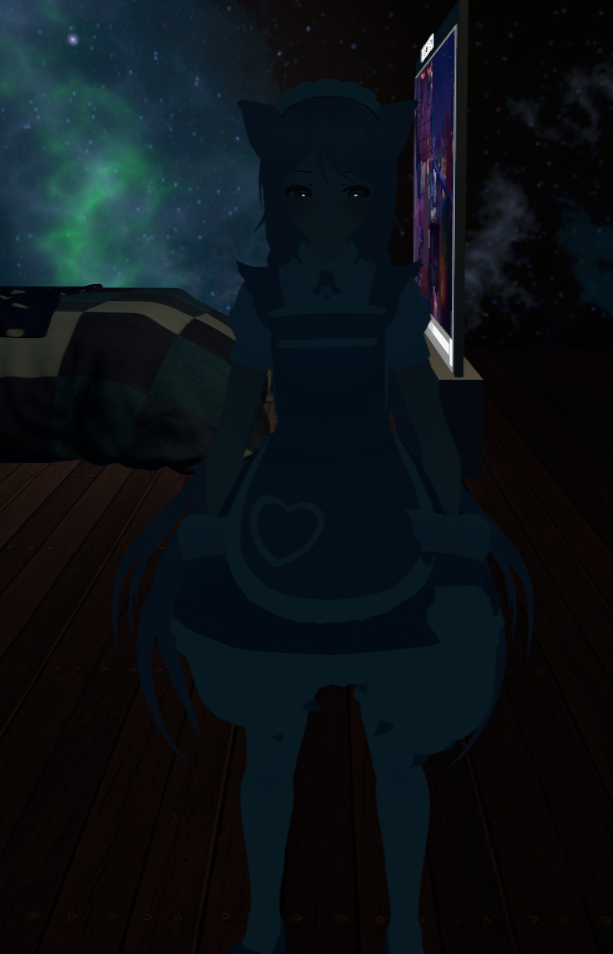
Even tho i look down it's alot brighter, just mirror is being super dark for some reason https://i.imgur.com/GvjD9QX.png I have "Default, Player, MirrorReflection"
 native dome
@frozen relic if you are using baked lighting be sure to set up light probes. That will reflect lighting in the mirror.
frozen relic
Oh, much confusion since i never needed to do that in my other world, ill give it a shot though, thanks @native dome
native dome
np, I recommend doing it regardless. Its much much more better on performance and looks nice too.
frozen relic
@native dome tried both no luck https://i.imgur.com/fK658Zs.png
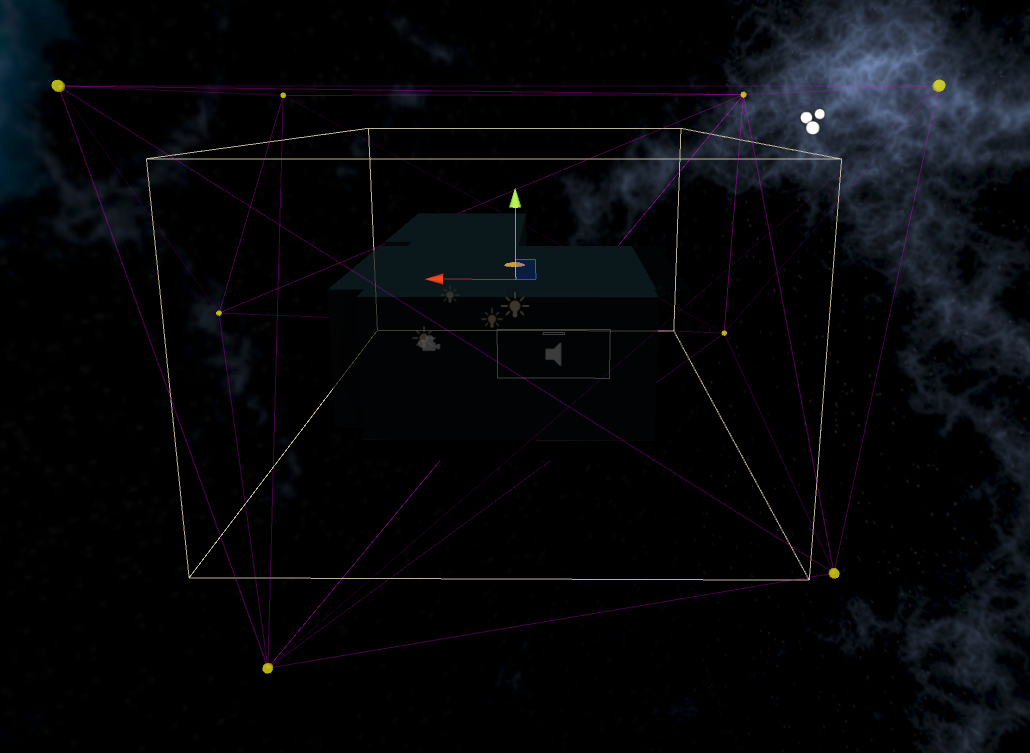 native dome
did you rebake the lights?
frozen relic
Oh
wait i diden't let me do that i thought they just work, never used this 2 things
native dome
no worries
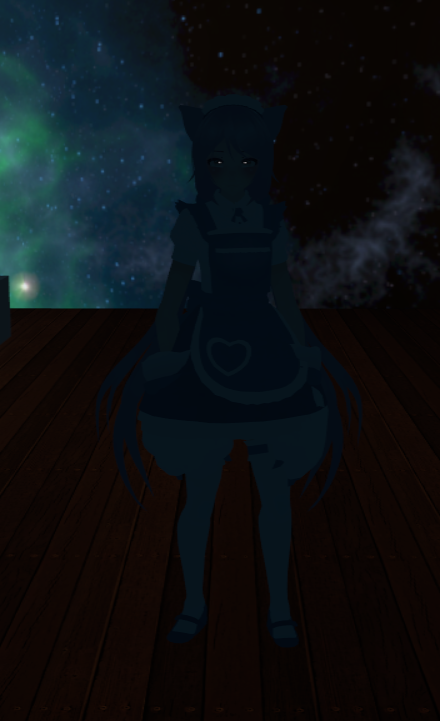
 native dome
can you post your settings and screenshots of where your light is relative to where your light probes are placed.
 native dome
I see, you don't have any probes near the lights. Its sampling the light that is outside.
click that and you can make more probes in your probe group. Make a probe for each light and place the probe on each light. Doesn't have to be exact, just as close as possible.
so place a probe where I put red dots
when you are done you will need to bake again, but show me how you set it up before you do.
modest vapor
What do you have for environment lighting ?
frozen relic
I removed it  since i want a dark room
As this is my first dark room, i don't really know much. My first map, was made 1 week ago
native dome
just like that. it will have better lighting with probes in between those, but this is a good start.
modest vapor
Switch from color to gradient
frozen relic
Pog it works https://i.imgur.com/3ka1E4F.png


Lit
So your telling me i need to do this anywhere i want mirrors?
sharp robin
Could also go the easy route and disable the disable pixel light checkbox on the mirror
native dome
you should do this every time with or without mirrors.
because other people will see you dark, and cameras will see you dark.
frozen relic
My other map don't have that issue im so confused
But then again
it's not as dark
or it is, but yeah somehow works
But yeah thank god it's working tho was about to rip hair out of my head here
native dome
it will be a lot easier and nicer when the big vrchat unity 2018 update drops. The light baking will be done with the gpu instead of on the cpu. Which will be much much faster
frozen relic
Oh wow
Will that happen once VRChat does the big update?
that has been floating around for a while
native dome
Well you can make maps in 2018 right now, but you can't see them in live. Still issues to fix so idk when that will drop.
GPU lightmapper is a new unity feature
frozen relic
well that's nice to know my Ryzen 9 3900x upgrade will be for "nothing" haha
or can you swap it to cpu if you want again?
native dome
I don't think you would want to switch. VRChat is a very cpu intense game, so I wouldn't say your cpu upgrade is worthless.
frozen relic
Yeah i mean im upgrading to it either way
But maybe i should get the 2080 ti first theeeeen cpu upgrade
void silo
Any ideas why the bake on the walls looks pretty good, but the objects look like this?
the resolution of the wall is set to low but the cells are set to high and look worse
as in Light Map Parameters
Ima try puttin the cells back to low and see if it smooths it out, idk.
void silo
Well, that changed nothing.
mint cipher
Okay, so there are two walls here that are seperate. They are both pixel perfectly flat to each other, and I can't figure this out.
Here's a better picture.
It's not a texture problem as I've changed it from the original and it persists
verbal crest
Maybe a lightmap UV padding issue?
It might be bleeding over from a different area of the UV
 old ravine
When adding post-processing, what layer(s) should I select for the camera's post processing layer? https://owo.sh/25ubeZA.png

 frozen relic
On light probe groups, how do you hide the little sphere that comes on every material you select?
old ravine
@frozen relic I found that unchecking the light probe group gizmo will hide the spheres it makes https://owo.sh/82oYJK4.png

