#world-lighting
4 messages · Page 3 of 1
 quasi hedge
 rich urchin
Worst case if Merlin's tool won't automate it you can bake the lightmaps for the prefab as a separate scene, manually populate the materials texture slots for the lightmaps and then save that as a prefab.
quasi hedge
Although I remember reading in the Bakery forum that Frank (the bakery dev) said the VRC devs reached out to him about possibly using his stuff within VRC so maybe this is just a temporary issue
Ah, that's a great idea. Thanks @rich urchin i'll give it a shot
rich urchin
Once the lightmaps are baked they're just textures
 main anchor
how about the light probe data. does bakery generate that as well or those always use enlighten?
main anchor
ah that is what Merlin is using in his worlds
at least that one with the crazy day night changer
rich urchin
Yeah that's real-time GI, just dialed up really high
main anchor
but like the fast internet airbnb world, is that using realtime gi
seems a bit silly to require realtime for that
rich urchin
Does indirect light update in real-time (slightly delayed but close enough)?
quasi hedge
You can use Enlighten or progressive iirc for probes. I know Bakery added a new SH mode, but i havent looked too much into it yet
rich urchin
Baking light probes in Bakery might just work
it captures a reflection probe for each light probe and calculate the spherical harmonics from it.
So having the lightmaps set statically should work as long as Bakery doesn't interfere
quasi hedge
o0o, I imagine that looks great but I wonder what the space overhead is for something like that.
rich urchin
Light probes aren't a lot of data
quasi hedge
I assume it doesn't have to store the reflection probes, but I have no clue how heavy SH data is
Oh word! I'll give that a shot then
rich urchin
It doesn't store the reflection probes
quasi hedge
I'm reading into Merlin's Adapter and it says "...creates unique materials for each combination of material and directional lightmap binding that is used". I have multiple objects that receive different baked lighting, but are sharing the same material (because they're atlas'd for performance); does this mean each object will have their shared material overridden into unique ones?
rich urchin
@quasi hedge It depends if they get put into different lightmaps. The lightmap atlas should only get split if your lightmaps are too big to fit in one atlas.
quasi hedge
ah I don't know why I thought it'd get messed up/separated because I just realized if they're sharing the same material then they'd probably be sharing the same UVs and get packed together
derp
thank you again!
 lethal sky
You can put things into specific lightmap groups to have some control over how objects get split up into multiple lightmaps
 wraith ruin
i have an issue, i tired to bake my lights, but unity stops baking them at 5/11 clustering | 2 jobs
 lofty jungle
How long have you waited? @wraith ruin
wraith ruin
its been about an hour now
lofty jungle
You may have to move the camera around a little and just wait longer
This can happen if you have one very large mesh
wraith ruin
ok
lofty jungle
Or if you have many tiny meshes
wraith ruin
i have a large plate under the map, that may be why
lofty jungle
Why is the plate there?
Set its lightmap scale to 0.01 in the mesh renderer
That will help a lot
Then bake again
Just cancel the current bake in that case
wraith ruin
its to mark the lowest point in the map
but yeah i set it to 0.1
oh i had mixed lights, they were causing the issue
i turned them to real time and it loaded quickly
 vague fjord
Anyone here experienced with lighting in unity and uv mapping maps in blender have time to help me out?
 slate crystal
will someone plz help me. i have several spot lights in my room butwhen i bake them theydont show up anymore.
vague fjord
If I stretch out the UV map for texturing like I have here will it mess up the lighting/baking?
 unique canyon
Do you have the lighting set to Realtime, Baked or Mixed? What shader are you using? Are you using the built in light baking or Bakery?
@slate crystal
@vague fjord Depends on your normal maps. If its just a regular texture than no not really.
vague fjord
hes talking about normal maps on my textures
slate crystal
and i tried baked and realtime
with realtime its to laggy but when i bake they just dont even show.. the lights i mean dont show
oh shit.. duh, shows ur name tagged right there.. sorry
quasi hedge
@slate crystal They don't show up in the Editor or in VRC?
slate crystal
both, after done baking
quasi hedge
Hmm, can you take a screenshot of one of your spotlights' settings + your Unity lighting settings and post it here?
 hushed isle
@vague fjord yes you should keep the UVs inbounds, depends on how your baking but if its out of bounds it will not bake correctly and or results in lots of unused space in light mapped textures or even artifacts but more likely it will not even bake that object depending on the bake settings used .. also if you have multiple areas to map in same texture bounds try to keep the spacing between about 0.005859375 (No smaller) so you have no overlapped objects in the map .. doing this will certain give you a lot less pain later when you go to render
vague fjord
Might be a big question but what should I do to keep them inbounds? Should I just tile the image using a software and make it like 25x25
Or should I use separate materials with different x and y settings
hushed isle
a few way to handle this .. 1 is to let blender place them by using the auto generate UVs and use blender tools for setting the islands .. this is the way most would do that
Blender would always place them in bounds ... if your doing manually just scale them down in the UV editor
for the second question if your going to be doing this in Unity yes the tilling is the easiest way .. note the blender nodes will not transfer in the FBX to Unity regardless so best to to do that in Unity after
quasi hedge
@vague fjord Are you trying to texture your environment out within Blender or just doing UVs so you can handle texturing in other software?
hushed isle
for 3rd question image size ... before importing to Unity try to have the Image size divisible by 4 , this will give you better results with the Unity algorithm for compression and some other concerns that could pop out with postprocessing such as dither
ya as KidKwazine question suggests i would only care about the UVs in blender and focus on texture side in Unity
@vague fjord this could help if you have a lot of textures to resize works for me very nicely.. https://github.com/RyanAWalters/PowerOf2ImageResizer read the info for details

GitHub
Power of 2 Image Resizer for Game Engine Textures. Contribute to RyanAWalters/PowerOf2ImageResizer development by creating an account on GitHub.
quasi hedge
Yeah, I agree. You can UV your assets/environment out in Blender using their automatic shit that does ~alright~ so the UV is filled without going out of bounds, but there's no guarantee that the textures will just work on the object in Unity in the way you want.
hushed isle
ya agree that you need to try the texture and work it out in the Unity shader for each case by case
quasi hedge
You could do your UVs in Blender and then maybe try something like the non-commercial free version of Mari, ArmorPaint which is free (but in beta so be warned on stability, or Substance Painter (paid but a fav of many) to do texture painting. It'd give you full control of your texturing, look better, you'd have efficient UVs, and it'd let you pack more of your environment assets into one material to reduce draw calls
hushed isle
ya perhaps this spring x atlas could be developed enough to fix all this .. cant wait
vague fjord
I'm using blender to uv map
quasi hedge
Then I'd just use Smart UV Project or Unwrap in Blender and just auto-unwrap what you need. It usually does alright, and it will force everything in bounds. (You can do it manually too, of course)
Alternatively, when you import an object into Unity - in the import settings, you can have Unity generate it's own lightmap UVs by hitting 'Generate Lightmap UV'...but historically, it hasn't always been the best
hushed isle
when you do the blender smart unwrap some option will appear in this area .. set the padding to i think .03 ?
or is it 0.005859375. ?
oh its a calculation depending on the light map scale .. for you dont care use the blender presets
equation: 3 / light map resolution = x
example (this is quoted from Frank) ... Set Spacing between UV charts to 3 / lightmapResolution. E.g. if you know certain objects you unwrapped will be rendered into a single 512x512 lightmap, set spacing to 3/512 = 0.005859375.
lol i dont care to think that hard on planning stage
unique canyon
What shader are you using for your material?
Also why are you using progressive lightmapping?
 mint cipher
isnt it much nicer?
enlighten does weird stuff
normal shader,
the white plane is using emmissive shader
it does this
ist just calculating a big fuck
and i dont get it , why it does that
unique canyon
Did you try adding a baked only light source?
unique canyon
Its probably doing that because there is little to no lighting data for it to use. Emissive isn't a great primary light. And area baked, would look more smooth than a point.
unique canyon
You want the area light to cover the whole thing.
mint cipher
on which axis?
originally i wanted to have a ceiling light
still generaets weird lightmaps
a point light fucks up too
unique canyon
You let it fully render? Even on Enlighten?
unique canyon
Turn off lightmap compression, turn on directional mode, lower the lightmap size.
mint cipher
the floor is a single n-gon, thats why its rly weird
i did it @unique canyon
same but with some black dots
the texture for the train itself
now i try with disabled reflections and specular highlights
still the same
unique canyon
Turn on light map view
mint cipher
where is that option?
unique canyon
Below scene where or says shaded
mint cipher
unique canyon
Is that still an area light?
mint cipher
no a point light
unique canyon
Baked or realtime?
unique canyon
Notice that it thinks the windows are solid.
mint cipher
unique canyon
Look at the odd shadow in the middle.
mint cipher
unique canyon
Change metallic alpha to albedo alpha
unique canyon
Do you have a directional light somewhere?
mint cipher
i loaded in a nother shader for glass
and there is emission at black
still the same with the other glass material
i just have 1 point light in the entire scene
is this normal?
i cleared the lightmap
and i still ooks weird
 azure ore
Does the mesh have "generate lightmap UVs" on in import settings?
 bronze schooner
Is it possible to make a disco ball effect i can use on my avatar?
hushed isle
yes perhaps , the ball its self is just a mesh and turns with animation , the light flashes are just particles
i would think you could just put it attached above the head like a floater name tag same
check you DM
 astral iron
im having issues with a spotlight that just wont bake all the other point lights in the scene bake perfectly exept this spotlight
hushed isle
try setting it to static ah
lofty jungle
@tropic dew are those realtime lights?
 tropic dew
yes
lofty jungle
You're simply running into the limit.
Make the lights baked instead.
It will look better, perform better and it will stop doing that too
tropic dew
i tried that but they go super dark then and i cant see them anymore
lofty jungle
They may be inside the geometry then, or the lightmap UV's are not generated on the meshes, or they have to be intenser
tropic dew
🤔
i generated the uvs and they are not inside of anything
god i hate lighting
now its in the middle of the room. i have the uv maps but nothing exept the seiling gets affected by it xD
lofty jungle
You ticked "Generate lightmap UV's" on the imported model in assets right? The only other thing I can think of is that the vertex normals are fucked or inverted
Like pointing the wrong way
tropic dew
yes it is checked
lofty jungle
You could try setting the normals to "Import" on the mesh in assets, then rebaking
tropic dew
it is on import
but i kinda found out that if i aint got the metallic on 1 in the material it gets affected
i think
lofty jungle
Oh, do you have reflection probes set up yet?
tropic dew
aint got one in the scene
lofty jungle
I'm not sure but I think objects with 1 metallic and no metallic map (or a metallic map indicating full metal) will essentially just show the current reflection
And it won't really have much of a surface on its own
tropic dew
what do i do with the reflection probe?
lofty jungle
You set it up in the middle of the room and expand the bounds until it covers the whole room
Then press "bake" on it
And then try to bake the lights again. It's kind of a tricky subject when dealing with that many metallic objects. Even then I'm not sure if I'm right about the metallic stuff when it comes to baked lighting
The other meshes are set to lightmap static right? They probably are, just checking
 thorny mantle
And i'm back! Any ideas what might be causing this? (realtime light for demonstration, does the same with baked)
the shadow on the top deck appears only when i drag the objects waaay above the actual deck and they penetrate the deck still
as if it "thinks" that the actual geometry is way higher
 sonic marsh
@thorny mantle Read this
https://docs.unity3d.com/Manual/ShadowOverview.html#LightBias

Because of self intersection, Unity pushes shadows a little bit inwards by default. This is controlled by the Bias setting on your light. Adjusting that will help it
thorny mantle
Thx!
 night lily
hola
 strong rapids
Hey guys, sorry to bother, but I'm working on making an animation for my avatar. I'd like to give it an animation where it holds a flame in its hand and uses lighting to light up areas in VRC, working like a torch of sorts. Can I get any assistance?
 pale spruce
@strong rapids is that of any help?
https://www.youtube.com/watch?v=qShjsxopbfQ
its old but the basics are still the same.

#JIMMYVEGAS In this mini unity tutorial we learn how to create a glowing fire. ✦ Subscribe: https://goo.gl/gidCM5 ✦ Patreon: http://patreon.com/jimmyvegas/ ✦...
strong rapids
Hopefully, I'll respond by monday!
 fiery sand
Guys does anyone knows a good way to make a neon sign that reflects over other objects, I've been trying a lot of different methods but no one seems to be working so far
I want to make that neon sign to reflect over the Black box behind it, but emissive materials looks cool, but don't reflect. I found a shader that make the sign looks cool but still no emissions.
 modest vapor
Set the material as emissive and baked, then bake it !
fiery sand
Ty guys I will give a try
fiery sand
Worked Perfectly ty everyone
mint cipher
Whats the best way to have a "dimmable" light in a room? to make things darker on activation and such
hushed isle
the hard part is dealing with making different levels of baked maps for that room .. its possible thru making the single room one lightmap and using animation to trigger the different light map levels perhaps also capture light probe data
the more easy way could be use real time lighting
lofty jungle
Realtime GI is what I use
It's quite big in filesize depending on the world, but is specifically made for that
I have a room with dimmable light. High quality setting does a nice realtime point light, I use a UI Slider to animate the intensity.
The low quality one uses a Standard plane with emission and realtime GI, but the plane is invisible
 edgy forum
One thing to keep in mind with RealtimeGI is to not have any long light changes. For example, a 5 second light change is fine, but one that changes over the course of an hour is going to make the GI almost constantly be recomputed and user's CPU use is going to skyrocket.
lofty jungle
Ah, so that's why people don't recommend it for gradual day/night cycles
edgy forum
If you do want a long one, do it in small steps with a longer 'static' stage between them.
For example: 2 degree light rotation over 3 seconds, no rotation for 30 seconds, 2 degree light rotation over 3 seconds, no rotation for 30 seconds, etc etc etc.
 fiery pollen
darker on button press can be done by switching between different post processing profiles, thats wut i use at least
lofty jungle
I prefer doing it with Realtime GI but either one works
The Post FX one may be better for "sleep" worlds as it also dims UI and pretty much everything, even unlit effects
fiery pollen
yuh
 ancient ravine
I have an issue where the lighting data asset isn't saving or being created
like my lightmaps aren't saving and stuff
after bake
lofty jungle
Did you turn off auto generate?
If on, it'll be stored in the cache where you can't really access it properly
vague fjord
How do i make the lighting on my character darken when they are in a baked shadow
vague fjord
Is it the option in Component->Rendering->Light probe group?
vague fjord
i got it thanks
hushed isle
what's it look like in unity .. is this realtime or baked
 bitter lava
ive tried realtime mixed and baked and all of them are doing the same thing
i even tried just disabling shadows and its worse
this is what it looked like in unity
hushed isle
looks like just on the terrain yes ? .. what terrain shader is it ?
bitter lava
i dont think it has a shader on it im not sure
i could be wrong im still a bit new to this
hushed isle
in the scene view look for the tab called "shaded" and open that up select "baked lightmaps"
bitter lava
ok ive done that
hushed isle
whatds it look like
hushed isle
that looks correct i was checking if it had correct UVs for baked
bitter lava
ah ok
hushed isle
in the window tab open lighting / settings
bitter lava
yep i got that open
hushed isle
realtime should be off / mixed lighting on (shadowmask)
oh i think i got it
how did you add the snow ?
bitter lava
just a particle effect
hushed isle
can you try it with out the snow
bitter lava
oh ive done another world without particle effects at all and it did the same thing
hushed isle
interesting for some reason your built in default terrain shader does not like VRchat
bitter lava
yea this isnt the first time i had this issue and could never find a solution to it but now im trying to make a world for my girlfriend as a gift and i want it to look good for her
so now im seeking help
lol
hushed isle
kk just a min i will pm you
sonic marsh
@bitter lava Make a new material using the Terrain shader in Unity and apply it as the custom terrain material
mint cipher
^
slate crystal
i have a pretty puzzling question
plz send help haha
i recently figured out how to make my directional light a functional light switch... but when i turn it off in vrc... i can tell its being toggled by the shien on my models, but the rest of the room just stays lit up.... i have several other lights in the room but they are all baked and 3 realtime lights...
can someone help
sonic marsh
Is the directional light baked?
Baked lights can't be turned off
Otherwise, what happens when you change the intensity of the light?
 plain tiger
Set that light mode to Realtime and enable Realtime GI in the Lighting tab. It’s actually quite expensive but worth a try!
lofty jungle
Realtime GI mostly takes up a bit of space but shouldn't be too heavy if you're only switching on/off
slate crystal
ok now my room wont bake
just stays on 3/17 jobs never moves
i reuploaded the sdk already
hushed isle
sdk should have nothing to do with bake
plain tiger
True, the SDK is a totally different thing than bake
Basic question, @slate crystal did you just ran the bake as it is without changing lightmap settings?
Chances are your lightmap resolution or density is too high and it’s not stuck, it’s just taking forever to compute
As a quick test, go in the Lighting tab, search for Lightmap Resolution and scale it down; default should be 20, try with 5 and see if it works
I really suggest reading a Lightmapping guide before doing it, there’s plenty of informations to know beforehand
Especially the possibility to change lightmap resolution per single renderer, it’s fundamental
slate crystal
Thank u guys :)
 hazy herald
Hey does anyone know how to attach a working spotlight to an avatar so when I use a gesture the light turns on?
 mighty gazelle
That'd probably be for #avatars-2-general or #animation but you pretty much just add it, disable it, then animate it turning on in a gesture override. Keep in mind it can be kinda intensive if you set the range really high or turn on shadows.
 slow shuttle
Anyone know of a solution to this Progressive Lightmapper bug I seem to be having with Realtime GI and lightprobes?
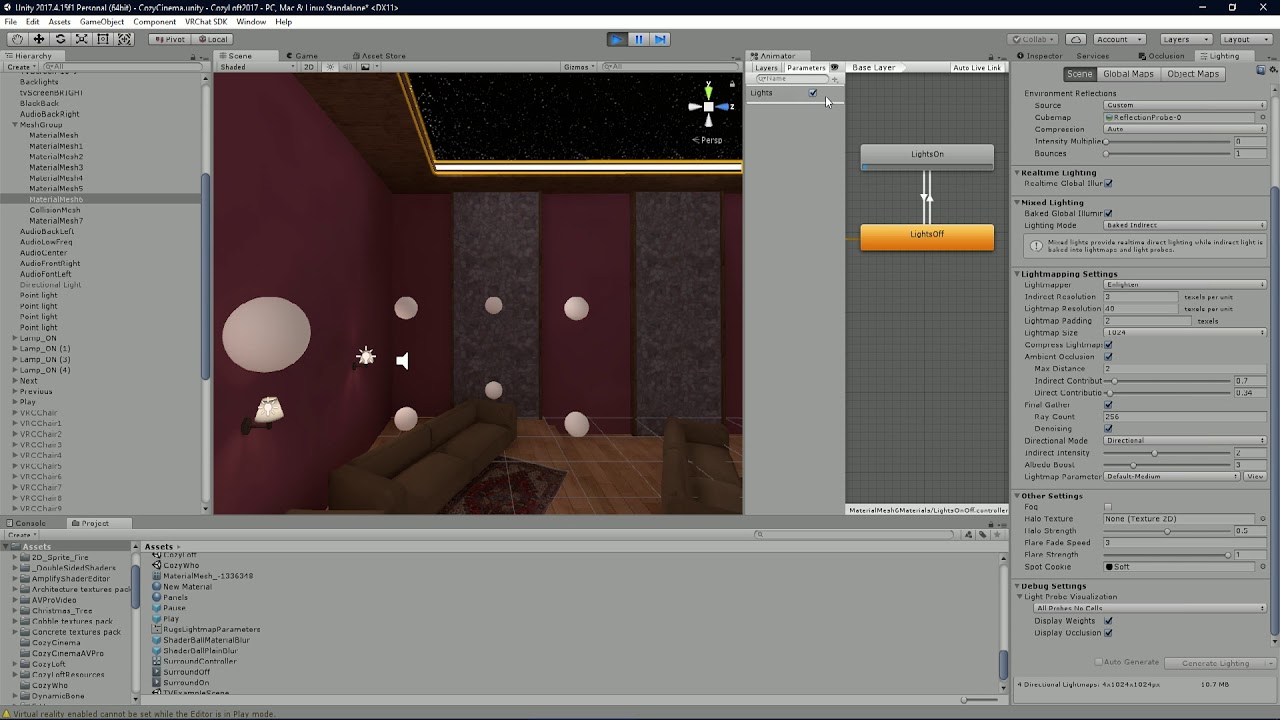
Having an issues with progressive lightmapper's Realtime GI and Lightprobes. Is there no other solution than using Enlighten?
plain tiger
Progressive in Unity 2017 was still experimental, so maybe try with Enlighten
 tribal karma
Is the best way to light a map just have one giant light that lights everything up and then have the shadows in the textures
im no unity or optimisation god, i can make a silly VrC model with sound sources and thats about it.
lofty jungle
@tribal karma bake your lights https://vrcat.club/threads/xiexes-lighting-tutorial-how-to-get-good-at-baked-lighting-101.2081/

VRCat: Community-Run VRChat Forums
Greetings! Over my course of playing VRChat I've noticed that most worlds, mainly the ones that have baked lighting, are done poorly, or in an...
Having the shadows in "textures" is pretty much what lightmapping and light baking is
Except it does it for you automatically
You can make worlds with zero realtime lights, so everything is baked and practically nothing has to be computed at runtime
tribal karma
Thanks, i was curious about how baking worked but that was very intresting to read.
mighty gazelle
You can also select what any realtime lights you do have effect in their culling mask. I'll usually leave one realtime light in that only affects Player, PlayerLocal and MirrorReflection since player models tend to look a lot better that way. Good to have a toggle for it also.
 kind bobcat
so, I bakededed my lighting, but in the editor, even when playing the world, I get the spotlights on the ground https://bocchi.is-pretty.cool/6LtCUXi.png but not ingame https://bocchi.is-pretty.cool/6e37KhX.png

 plain tiger
Weird, are the lights marked as Baked only?
kind bobcat
I set them as mixed
The only difference between the wall and floor material is that the floor has a normal map and a different color.
plain tiger
Ok, probably the graphic settings lock the maximum realtime lights to one only
kind bobcat
oooohh, Im on DesktopLow
plain tiger
Yeah maybe it's that!
You can replicate that in the editor too, under Quality Settings
 kind bobcat
standard unity shader
plain tiger
Ok good... Does the floor Renderer component have Receive Shadows enabled? Silly question but let's try
kind bobcat
 plain tiger
In any case, VR High quality might still limit the number of pixel lights to 1 or 2
kind bobcat
and yep shadows are on https://bocchi.is-pretty.cool/7qaifeP.png
 kind bobcat
spots
plain tiger
Ok yea I meant that, sorry
kind bobcat
so you're saying, disable my main scene light
plain tiger
In the Light component, try to mark them all as Important
kind bobcat
and see if the spots start working?
plain tiger
Yeah! You can try that
kind bobcat
Do I actually have to wait for the bake before uploading?
plain tiger
I don't think so but there's the risk that it will be uploaded without baked lights
Maybe wait for the bake... it's safer
kind bobcat
I'll just wait, it's just I wish I didn't have to babysit it
plain tiger
Heheh
Maybe set the Lightmap Resolution to something very low in the Lighting tab
So you can make quick changes and iterations before the final one
kind bobcat
right now there's maybe 600 polygons max in the scene, when I start adding in stuff, it's gonna get painful real fast.
Also, that's a really good idea
turning off the main light didn't do anything
plain tiger
Ouch, it sounds more complex than I thought
kind bobcat
woah, setting the render mode to important makes it show up in the mirror......
plain tiger
Ah, that's something
kind bobcat
Is this CSS 2: This time it's really !important ?
plain tiger
Hahahahahaha
kind bobcat
nah, important didnt do it ingame
 kind bobcat
I copied my wall mesh
and turned it into a temporary carpet
we'll know if the spotlight part of the spots is fucked, or if the floor is.
plain tiger
Another thing to check in the Lightmap tab since the floor has normals
Is the lightmap Directional or Non-directional?
Though it should work regardless... But I guess you need Directional (which is default)
plain tiger
Hmmm
I don't think it makes any difference for lightmap
As long as it's opaque, it's ok
kind bobcat
oh, but nice, the mixed lights ingame actually affect the player now that theyre "important"
plain tiger
Hmmmm at this point I believe it's more convenient to keep these spotlights in Baked Only
Mixed has the advantage to cast shadows and bake all the resulting bounces, etc etc
But if there are no shadows, is it still convenient?
kind bobcat
yeah, but mirrors and actually seeing yourself in not complete darkness
plain tiger
That's because you are missing Light Probes!
kind bobcat

also, god damn, this needs fog, or some sort of physical conic thingie, whatever its called
plain tiger
Trust me, try using Baked Only and add Light Probes, that's exactly the perfect use case
Aaah yeah the volumetric fog... Kinda heavy but can be faked with some tricks
kind bobcat
will look into it, and then worst case scenario, I can always create planes on the floor, with my own manually baked spotlight and set it as emissive
plain tiger
Ah why not... But it sounds like a workaround to a non-problem
Trust me, try baked only and using Light probes (which are still important to use with baked lighting)
Maybe give it a go then choose if keeping that or not
Baked + light probes + reflection probes is also super good for performance
kind bobcat

since my avatar cast a shadow, I set the floor to Noe's shader, and whaddaya know, it works now.........
plain tiger
Aaaaah ok! Very well
kind bobcat
I mean, am fine with this, I'll prolly end up using Noe's shader for just about everything
plain tiger
Still very weird that it won’t bake with Standard shaders
Something, somewhere, is off for sure
But glad it’s working now
mint cipher
What is the standard shader for the terrain now? It is just black after baking.
hushed isle
black in VRchat or Unity ?
mint cipher
In VRchat, Unity everything is fine.
hushed isle
humm perhaps try the legacy terrain shader
 bright agate
You'll need to create a material and set it to the standard terrain shader.
hushed isle
i no about trees and grass turning black but not terrain
bright agate
then put that material in the terraria slot somewhere
hushed isle
ya custom material slot
mint cipher
I was interested in the name (path) of standard shaders. I can not find.
hushed isle
they are built into unity C# so you cant get to the internal default shader ?
mint cipher
Essentially solved the problem with the terrain, but not quite until the end .. the grass on it did remain black .. (painting details)
Paint Texture is fine now ..
hushed isle
so confused 😩
quasi hedge
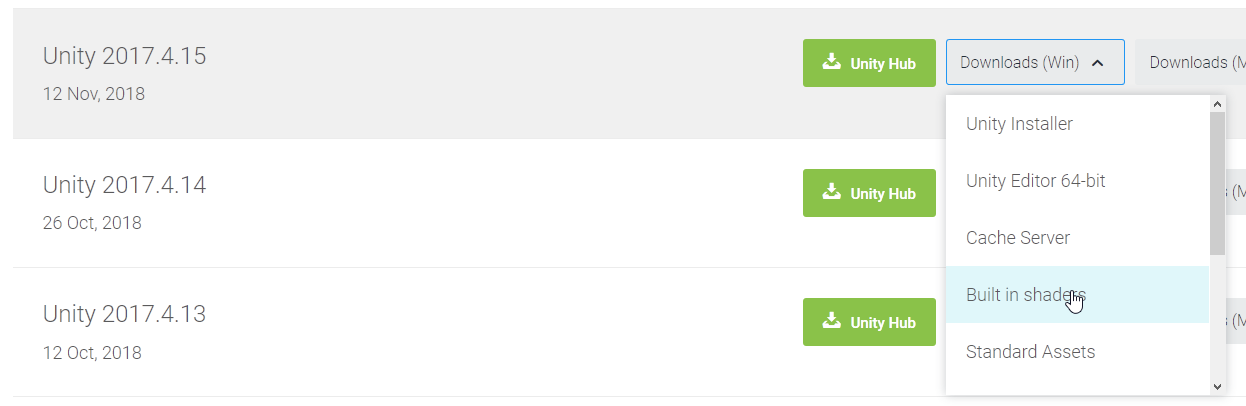
@mint cipher You can download the Standard Shader (and any built-in shader) from the Unity archive https://i.imgur.com/EFEziAS.png
 limber fern
I'm struggling a bit. On some models after i render the lighting, i get this weird pixely shadow thing. Any tips on how to get rid of it?
modest vapor
Try generating lightmap UVs for those objects
 fickle sequoia
everytime i do baking or reflection probe generating it feels like it just stops and doesn't move and nothing seems to be getting baked
modest vapor
Are you doing it with Unity or Bakery ?
fickle sequoia
the reflection probe with bakery worked great
 spark locust
Guys I need some help 😦
When I generate baked lighting, for some reason, north and east directions don't receive any ambient occlusion?
 bold raptor

Good enough?
I used one reflection probe on the entire room to optimize it as much as possible.
lofty jungle
@spark locust is the mesh imported externally? If so, make sure you ticked "Generate Lightmap UV's" in assets.
Is it made in Probuilder? If so, Generate UV2.
lofty jungle
Oh actually, also check the vertex normals in Blender if the mesh is external
A lot of mine were facing the wrong way which caused that to happen
hushed isle
you could do a test witha double sided see if that's it
lofty jungle
I mean the vertex normals
They were facing the wrong way for me, so a lot of surfaces were just black
Because the lighting engine (in Blender too) thought that the surface faced inwards there
The faces were correct but the verts weren't
So I set all vertex normals from face
And that fixed it
You could also try setting Normals to "import" in assets
 rapid isle
@bold raptor how did you get the vid player to emit light like that?
lofty jungle
Realtime GI
Easiest way is:
- On the video player screen, set the shader to Standard or Video/RealtimeEmissiveGamma. Note that the latter shader malforms the image quite a bit.
- If on standard, set emission mode to Realtime and set the video render texture as emission texture (is this even exposed on the video player? I think you can specify
_EmissionMaprather than_MainTex) - On the mesh, tick Prioritize illumination
- Set lightmap static and bake the lights, realtime GI enabled in lighting window
@rapid isle
Also set the emission strength to 1
On standard
rapid isle
thanks
rapid isle
sadly that setup doesnt want to work for me no matter what i use/do it doesnt emit light like Skizzo's gif does
lofty jungle
Oh right, one more thing I forgot
You need to add a VRC Renderer Behavior component to the screen. @rapid isle
To make the Realtime GI update
rapid isle
rip
rapid isle
still doesnt work oh well
azure ore
Prolly not if you created a new material in wrong order, might need to change illumination flags in debug inspector (not at pc to say exact value)
slate crystal
can someone help me why my directional light isnt lighting anymore?i had baked it before and it worked it was fine.. but now i cant get it to work again my scene is just black.
 rapid isle
missing light probes?
 rapid isle
didnt change any settings i take it?
slate crystal
not on purpose if i did
rapid isle
try putting the light to static and clearing the baked lights and redoing it again see if that fixes it
mint cipher
hey
 spring heath
hello eirene
mint cipher
Is there a way to make the emission of that mousepad emit light onto the surface beneath it? in this case the desk
quasi hedge
@mint cipher Mark the object as lightmap static, and change the emissive GI setting to Baked (looks like it's currently Realtime in your screenshot). You might have to increase the emissive intensity for the bake to get it to where you want it bcs ground truth lighting can be tricky.
mint cipher
When i looked it was already set to lightmap static and even when i set the GI to baked and increase the emission up to 10, there i still no change :/ and emission values higher than that just mix all colors together to one solid color and fill the whole area
thanks for the help though 
quasi hedge
@mint cipher Hmm, it mixes all colors together into one solid color in the emissive or in the GI from the bake? In Linear HDR space, we may not be able to see the color at high intensity values (usually just turns white), but the light bake should still take the colors (+ their respective intensity) into account.
mint cipher
It only starts to emit light onto the walls after putting a value for the emission of 50 or higher. The desk is somehow not even affected even though it is set to lightmap static and everything too
quasi hedge
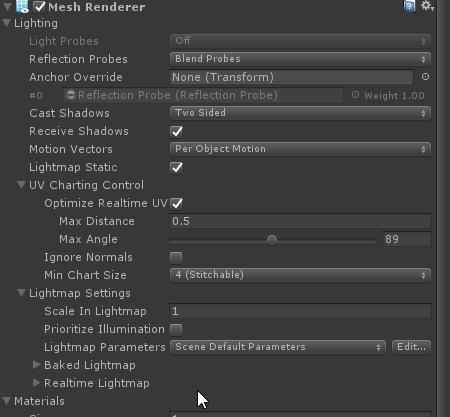
that is strange. Did you have Unity generate Lightmap UVs for the desk, etc? Try clicking 'Prioritize Illumination' on the Mesh Renderer for the mousepad https://i.imgur.com/73rwRt1.png
 mint cipher
Yeah i when i imported the desk i generated lightmap UVs for it. Even checkmarking 'Prioritize Illumination' didn't change anything somehow
quasi hedge
Did you re-bake after clicking it? I wonder if your issues are due to what you're trying to cast from being really thin/small. 'Prioritize Illumination' should have helped there. The only other non-physically-accurate alternative I can think of is to fake it out by creating a technical light mesh. Basically just replace that mesh with a few thin boxes (or planes) with their emissive material set to the colors you want to cast, bake to cast the light out, and then replace those planes with the mousepad mesh.
It won't shadow like the mousepad though + it may make some weirdness with light probes in that area
mint cipher
Yes i baked it after applying all the settings, and i think you might be right that it is just not casting the light because the emissive mesh is just too thin because i already had the same issue with other small emissive meshes in the scene but i just gave up
thanks for all the help
quasi hedge
@mint cipher Yeah, I've run into issues baking with diff types of emissives in the past too. It seems to be a part of dealing with Unity's light baking. Sometimes what would fix it for me is assigning a custom lightmap parameter for just the emissive objects giving me issues and increasing the resolution / texel density. That ~usually~ fixed it.
I haven't had any issues like this since switching to Bakery, but I hate recommending paid Unity assets as solutions to issues. It shouldn't be this way
mint cipher
That's true, i guess i'll just have to live with not getting the result i wanted, i appreciate the help though, thank you
quasi hedge
no prob!
slate crystal
reeeeally need help figuring out why my directional light wont bake..... and why u cant even see the ground anymore it just turned black
modest vapor
Which shader are you using?
 hard stratus
I have this problem with my lighting, it looks fine in the unity editor, but when i bring into vrchat it does this werid thing. Does anybody know why?
hushed isle
Which shader are you using?
hard stratus
Standard specular
sonic marsh
Is it baked?
hard stratus
Mixed
rapid isle
check to see if the prefab has generate lightmap UV checked under the model tab
hard stratus
that worked thxs guys
rapid isle
is there a way to make light intensity sliders for area lights?
azure ore
Nope, closest thing would be using an emmisive object that you hide after baking (does not stop it casting indirect light after the bake)
rapid isle
ugh
 lunar narwhal
does anyone know what might be causing these artifacts? https://nyanpa.su/i/ASr6xUq.png

I transferred one of my maps from a rather massive project into its own standalone one and theses started showing up
even after rebaking
doesnt happen in the original project
lofty jungle
@lunar narwhal Ambient Occlusion paired with "Compress Lightmaps"
Turn either one off
kind bobcat
I'm going to call the police for how stupid the baked lights not showing ingame was
The spot was like .03 units inside the mesh, which blocked all light
mint cipher
Say you have a lamp shade and you put the light inside the shade, a realtime light will shine through it and will probably not cast a dark shadow from the lightshade. But a baked light will have the shadow cast everywhere and no light getting through. Turning shadows off on the light shade object may fix that. It's just the way it is, i don't really get it either.
rapid isle
point lights and put the mode on bake and change the intensity/color to your liking but put it on mixed first so you can see how it will look like on avatars in the world before you set the mode to baked for the final setting
modest vapor
@turbid tartan You should also use Post Processing for the atmosphere !
 turbid tartan
Are point lights very intensive? as it stands my world runs at 90fps with the avatar pedestals/platforms disabled.
rapid isle
if its baked it wont change the FPS
turbid tartan
Alright. I've been using baked lighting.
rapid isle
just test the lighting in unity on mixed get the intensity/color to where your happy with then change it over to baked
turbid tartan
@modest vapor How would I go about enabling post processing?
rapid isle

GitLab
A surface shader for Unity providing cel-shading. (Forward rendering only)
turbid tartan
Thanks guys!
mint cipher
@turbid tartan Environment lighting on the the lighting tab is the one you are looking for. Also, if you add and bake light probes in the world that will light up the avatars.
 wary wasp
can you use any Unity lighting or do you need to use special ones
fx can i use like aura and that stuff
 shell ibex
I have a strange shadow cast by a mesh whose "cast shadows" setting is set to "off".
anyone else have any idea why it is still casting a shadow? (everything is marked static)
I'm feeling like this is a unity bug
pale spruce
I gave it a try. It works but only for realtime light. If you bake it the shadow casting cant be turned off.
@shell ibex same setup just to see what happens. Cast shadows is off for the quad. Lights are baked.
Strange that the floor seems unaffected. Is it a bug or a design flaw? I don't know. Why would someone want to see thru a wall from behind?
shell ibex
Huh. I was certain I was able to lightmap an object that receives shadows, but doesn't cast baked shadows.
I lightmapped with enlighten overnight, and it still gives the same shadows, so it's not the lightmapper.
The reason I only want shadows on the front of the wall is that I don't always want the wall active. Obviously don't want it's shadows when it's turned off.
thanks hagbard
quasi hedge
Do you have the ambient occlusion setting checked when you do your bakes?
pale spruce
@quasi hedge it is not the AO. just tested that, too.
shell ibex
yeah, ambient occlusion is off
I am to the point where I am throwing my hands in the air, and changing one spotlight to mixed and unmarking the offending light caster as not static
frustrating, as I was pretty sure casting off worked in a previous iteration of this project
oh wait, I never use AO, but just noticed it was on for some reason
ok, can confirm that AO is not the issue
 outer whale
turning off cast shadows does indeed work for both enlighten and progressive
try double checking any objects in scene casting shadows
maybe reflection probe settings aswell
quasi hedge
I think what might be happening is that it's actually not casting shadows for direct light, but the geometry is still being used to calculate indirect lighting with every bounce. Is your wall intersecting with that other wall? You could try changing the default lightmap parameter or create a custom lightmap parameter for the effected objects (Create > New Parameter in the project window iirc) + then increase the Pushoff value in the Baked GI section. That value is basically the distance from other geometry an object will get pushed before rays get traced. It should help you here with some tweaking!
shell ibex
I thought at one point it might be backface tolerance, but it doesn't really seem to make a difference changing the global backface tolerance.
my pushoff is set to a minimum. I will try increasing it
Pushoff setting makes no difference whether set to maximum or minimum
quasi hedge
Hmm, that doesn't sound right. You should have definitely noticed some difference (even if it didn't solve the issue) with pushoff being bumped up. Messing with the backface tolerance may help if the wall is single-sided and intersecting! What happens if you push the casting wall away from the receiving wall + floor just enough to leave a small gap? Did you apply the Pushoff change to the default parameter or with a custom one to both walls? I've totally set my parameter shit up and forgot to actually apply it to the objects before I baked it out 🙃
shell ibex
The casting wall intersects with a receiving wall, unfortunately. I could try raising it a gap off the floor. Strangely, the shadow wasn't really apparent on the floor as it was on the adjacent wall.
quasi hedge
I figure maybe if you don't want to go through the painful iterative bakes (unless you're using Bakery?) - you could just cheat it by creating just enough space between where they all meet and then place it back into position post-bake 🤷 hahaha. Are both of the walls single-sided while the floor isn't or something like that? It's strange that the floor doesn't have the same issue.
pale spruce
@shell ibex Try this little workaround...
- Bake the light without the hallway wall (should look like you want it).
- Take a screenshot of the wall in question (disable the other geometry if you cant get far enough away with the cam).
- Disable "lightmap static" and "receive shadows" for the wall in question and apply the screenshot as a texture to that wall. (needs some tweaking maybe even emission with the same texture)
- Bake the light again and enjoy...
shell ibex
Hahaha, that is a creative brute force work around. Would be hard to get perfect, but with some patience I could probably make it look acceptable since it's just a flat plane. Thanks hagbard 😀
shell ibex
I was actually thinking of baking it twice, and copy/pasting the bits of lightmap I liked in gimp.
Only problem is if the lightmapper shifts around where those islands are located on the map
quasi hedge
You could do that with prefabs I believe! There's a method of baking light onto an object, and then storing the object and it's lightmap data in a prefab. I remember reading into it not too long ago, let me see if I can find a link!
https://unity3d.com/how-to/light-baked-prefabs-on-mobile I think this is the one I read, I'm not sure if this is exclusive to a newer version of Unity than the one we're on -- but I know there's been methods of doing lightmapped prefabs going back to 5.0

Unity
Unity is the ultimate game development platform. Use Unity to build high-quality 3D and 2D games, deploy them across mobile, desktop, VR/AR, consoles or the Web, and connect with loyal and enthusiastic players and customers.
lofty jungle
I don't think you can do this anymore
You may be able to hack a way into it but you won't be able to have light probes in the prefab
It's all scene based now :/
quasi hedge
Ah shit, for real? I know when they made that switch that people had issues doing it. I think that article is an updated (looks like as of 2019?) solution of pulling it. It looks like they're recommending using a similar-ish method to the Bakery SH adapter (from what I understand of it). Bake > write the LM UV coordinates to the UV2 channel of the mesh using a script > custom shader + material to assign your textures and lightmaps > prefab
shell ibex
So I baked twice: once with, and once without the offending shadow caster. I copied and pasted the relevant islands from one map to the other, and it worked perfectly. I hate that I had to be so hacky since you should be able to turn off casting in unity, but at least it worked.
hushed isle
😦
mint cipher
I gotta get good at lighting (regardless in baking); I just need to be good at Lighting.. maybe I should make all lights bake. Wish they have a "Volume" light .. I swear there was one on Unity; a Light that has a volume that can fill a room so I can turn it on and off; and then just have smaller lights for dark themes
Like here.. it dark ;/
Are there any good Plugins for Lights?? :c
rapid isle
nope any and all lights you put in should be set to baked mode
hushed isle
for VRchat yes its best to use baked lighting for the performance reason.. however you can use a realtime light for turning on and off .. you can also study up on post processing .. i would suggest use mixed lighting settings with soft shadows
hushed isle
@mint cipher
Xiexes lighting tutorial how to get good at baked lighting VRChat
Spotlight Team Best Practices: Making believable visuals in Unity
Unity Spotlight Team Best Practices Setting up the Lighting Pipeline
- https://blogs.unity3d.com/2018/08/28/spotlight-team-best-practices-setting-up-the-lighting-pipeline/
- https://drive.google.com/drive/folders/10mms98ARgIkOSZcAxdJKaK90SDAOwUsM
Unity Spotlight Team Best Practices Making believable visuals in Unity
Unity Best Practice Guides
@mint cipher
many plugins will not work in VRchat as they may use scripts.. however this should not hold you back from what your trying to achieve .. in almost all cases some creature in VRchat has found a work around or alternative method to archive similar results ..
if i had to suggest a good plug in that works with VRchat it would be a paid asset called Bakery .. and also post processing v2
well they work to some degree but ok for vRchat quality level
modest vapor
mint cipher
I found out what Fog is used for... xD -- And yeeee i has done the Baking now; :3
mint cipher
I will stick withtis for now I guess. I forgot how time-consuming lighting is >:c
World won't be Public until I put 100+ Knuckle Avatars in it.
48 more Knuckle Avatars until I can publish it
2 Knuckles are not allowed on this server -- Oh well
rapid isle
should note that Bakery doesnt work with AMD video cards so if you have one like i do your SOL in using that unity plugin
mint cipher
I am rebaking the world for a third time lol
My goal is to get it to 90 FPS lol
It hits 90 FPS but I need to make it... seamlessly 90fps
Plus... I haven't turned off my Computer since I uploaded world..
So it might be 90fps
;/
 astral stratus
 mint cipher
I nevah sleep
mint cipher
Is this Post-Processing :: Bloom Effect?
mint cipher
kk i think I decreased it so once the baking is done..
:9
I redid all my lights
it could be your lights not bloom, I mean the bloom effect is visible but the lights might be causing the blowout
I set ambient to full white once resulting in this
rapid isle
emission objects also get overbright like that with alot of light sources+bloom
mint cipher
Turned off the lights, --- it's the Bloom
and her avatar too
super bright lights + normal bloom = this result
rapid isle
these are my bloom settings i use its not to bright or to dim
mint cipher
treshold should be 1 or higher but this bloom amount is fine, its her avatar and the lights
can you show the lighting tab?
I just recently decreased them
can you show window>lighting?
rapid isle
yeah the light is way to bright already
mint cipher
It's not baked right now; so it looks like this wait till it baked
almost baked
can you show your lighting settings?
modest vapor
Use 0.05 maximum
rapid isle
whats the intensity on your Directional light?
modest vapor
probably 30
mint cipher
Lights now baked
can you please show window>lighting?
what's your skybox?
and what realtime lights do you have?
rapid isle
the Environment reflections dont need to be that high 2k res your making the worlds file size to big
mint cipher
yes
rapid isle
your already looking at 110mb in just baked lights
rapid isle
its probly the area lights i see for the floor zone
mint cipher
okie
turn off realtime on all those things
and turn off realtime GI in the lighting settings
do i keep them mixed
no, baked
and if you have things like a pure white skybox it'll cause stuff like this too
Galaxy Sky
okay good, setting everything to baked should then cause the avatars to be lit by the skybox
which shouldn't blow it out like that
rapid isle
just by looking at the white "V" UI the bloom is to much plus emssions on models make it blowout like the image you posted abit ago
mint cipher
you can tweak ambient light in the environmental lighting section in lighting settings
that bloom is caused by the threshold being under 1.0
it should be at least 1 or higher in this setup
now it causes normal white to bloom, it should only bloom HDR values
set it to 1 and the V button won't light up like that
or any normal white
rapid isle
my settings i posted abit ago was for post-processing stacks v2 it handles the effects alot differently then v1 does
mint cipher
not bloom values
the only thing v2 does that v1 doesn't is diffusion and clamping pretty much
rapid isle
my login world i run both versions of post and bloom is setup with diff nums on each one
and i never had that whiteout on my models that i use emission on
mint cipher
it's a combination of lighting settings and bloom settings
setting a low treshold is always a bad idea because it makes colors bloom that shouldn't
this is a better guide than my tips 😉 https://gitlab.com/s-ilent/SCSS/wikis/Other/Post-Processing
GitLab
A surface shader for Unity providing cel-shading. (Forward rendering only)
mint cipher
please don't run two versions 😄
rapid isle
i do i have no problems with both running
rapid isle
well its my login world i have them on so doesnt matter
mint cipher
yeah ofcourse, you're free to do it, I'm amazed it doesn't conflict eachother
sonic marsh
That's a bad setup
I mean, if you have both stacks on, then you're tonemapping the image twice, and that's awful
rapid isle
not for me its not there is no frame lose at all with both running
and it gives me the setup i want to at the same time
sonic marsh
Yeah, and because it's your login world, it only has to be good for your setup for you to go "it works fine".
I'm just pointing out for everyone else that it's a bad idea.
Tonemapping twice gives you weird colours. Bloom twice will result in lots of extra render targets that's bad for performance. Other effects on top of each other have similar problems. There's really no good reason to not use one at a time.
rapid isle
ive had over 10 ppl in my world and was still gettin 90fps
mint cipher
I decided to remove the Cubed-Silent Shaders in my world xD
I like Standard
I might wanna retexture the walls one of these days though
Give it a Mahagony Wall and a Refined Smooth Wall
Maghony Wall Support* -- Marble Wall (Smooth)
Else the lighting is better now :3
quasi hedge
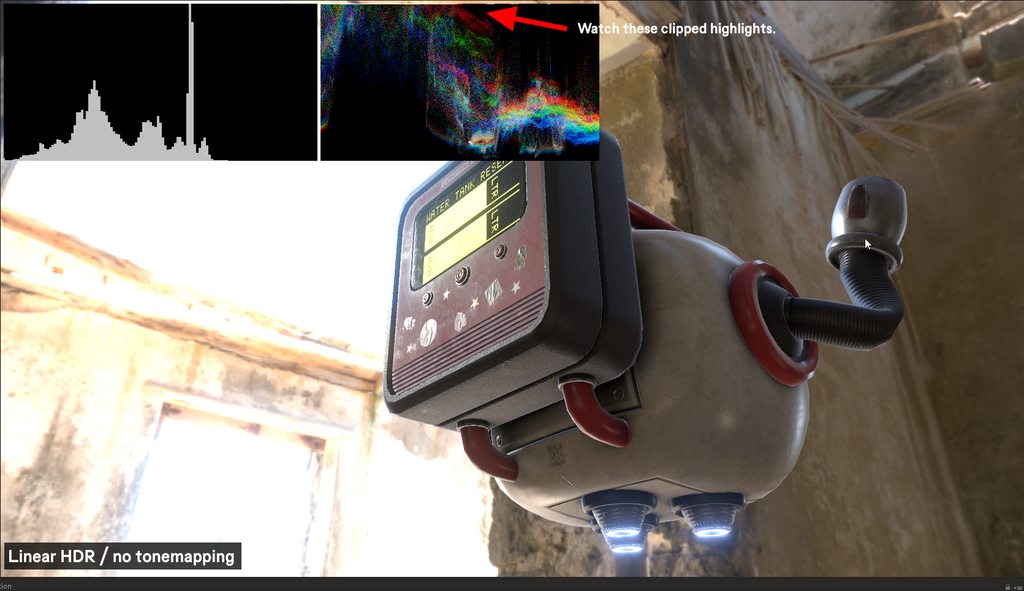
Visual explanation of what Silent is saying about tonemapping twice. Made this because I'm a massive color nerd + the idea of destructive tonemapping hurts my gradist heart (and bcs this might be good info for anyone who is interested in this) 🌞 https://imgur.com/a/ohphzv4
 rapid isle
i dont use ACES or eye adaption/auto exposure but thats still cool
quasi hedge
It's a non-issue (at least from a color standpoint) in your case if you're not using tonemapping. I just made that for general info in case anyone searches one day about why you shouldn't tonemap twice + why you even should in the first place!
rapid isle
well i have tonemapping on but its only on one of the PP effects and its set to neutral
ACES just makes everything to damn dark in unity
quasi hedge
Yeah, then that's fine! I dunno how two post processing stacks interact (or if there's a perf hit) so I can't talk on that tbh -- but seems good on the color side!
rapid isle
there is no perf hit at all with both running
quasi hedge
I think there should probably be some more shit to demystify how ACES works. Neutral is a more game-y curve and ACES is more filmic. ACES is actually the industry standard for everything in film (and recently games)! You usually gotta grade after you do filmic tonemapping tho, that's why it's making stuff dark (or some people will say more desaturated/flat). In the images I posted, I matched luminance across them in the grade so even though it's being tonemapped; it has the same perceived brightness
rapid isle
one thing ill never get working right is video player emission i got everything setup like someone said last week and it never project light from the screen i even have realtime GL turned on.
ive tried realtime/emission shader (in image) and Standard shader
azure ore
also need the material to have correct lighting flags - in debug inspector set "Lightmap flags" to 1
mint cipher
Well you have your emmision scale set to one, increase it.
I see a lot of odd PP settings above. For PP V2, bloom threshold should be 1 and intensity 0.1 . Bloom should be controlled for each material using the emission section. Set the emission on the material to about 7+.
rapid isle
tiger dont worry about my post-p stuff its like that cuz i run pp-v1 and v2 together
rapid isle
Lightmap Flags was already set to 1 @azure ore
mint cipher
So I brought Two VR Users in my World; one of them got blinded xD --- I took out bloom.. but I must be doing something wrong causing people to be blinded ._.
Track Balls are also set to be a bit dark and a little light
sonic marsh
Having two post processing stacks will also leave people more vulnerable to keyword problems
Wait, that was the other guy
@mint cipher It's possible for you to have done nothing wrong if the blinded person ran out of keywords. Those situations can cause the stack to break and render incorrectly if they've been hanging around worlds without it
mint cipher
I don't know but screenspace reflection and lut isn't needed and is bad for performance. Use reflection probes for reflections instead. Have a look in your console to see if post processing is causing an error, if yes, it could be loading an older version of the world.
You should also be on forward rendering so no need to have fog ticked. PP AA makes the screen blurry too.
azure ore
Oh and yeah - disable AO and anti-aliasing - they do not work in VR
 sour ginkgo
Why can I see post processing in unity, but not vrchat?
 mortal marsh
two reasons:
-Your world might not actually be updating. A common reason why it might not be is the Tests folder from post processing v2 will break your upload. If you imported it right you might not have it though.
-You didn't set the main camera as the reference camera. Open the scene descriptor and drag and drop the main camera into the Reference Camera slot
sour ginkgo
I the tests folder, how do I go about getting the world to update. I had my Main camera as the reference so I guessing its the first reason
*have
mortal marsh
delete the folder and test the world again
sour ginkgo
@mortal marsh Worked, Thanks!!
hushed isle
hey now
i a, looking for a list of different types of lighting prefabs such as toggle configurations or other methods for light controls that generally work in VRchat
if any one has any interesting methods or prefabs please post or DM me please
modest vapor

GitHub
World of Warcraft inspired Volumetrics that hold up well in VR with small cost to performance. (You have to not be dumb when placing it though :P) - Xiexe/XSVolumetrics
quasi hedge
Linking this here because it might be useful to some: https://github.com/alexismorin/Light-Probe-Populator It's a free system that automatically populates your scene with light probes based off the objects within it to reduce probes that may be redundant.

GitHub
Automatic Unity Light Probe Generation. Contribute to alexismorin/Light-Probe-Populator development by creating an account on GitHub.
lofty jungle
Oh cool, this is another one that I haven't seen
 topaz horizon
@dusty river phew late response, but try setting the global illumination to something smaller and give the skybos a blue ish tinge to replicate moonlight
hushed isle
Automatic Unity Light Probe Generation
oh that works pretty well .. would be nice if it had a global or local box selection
 abstract drift
if I were to autogenerate a scene in unity and it's stuck at a light transport nearing the end stages, would I be able to save my scene and project and close unity, and have it pick up where i left it off?
like technically "two overnight generations" but paused so i can test something on vrchat
hushed isle
if it does not do the final step to save the light maps it would yes start over
you can look in the lighting setting panel for global maps see if they generated and the size
Note if it is stuck nearing the end it could be also that you may have not enough memory .. prepare for the crash if you run out
 modest vapor
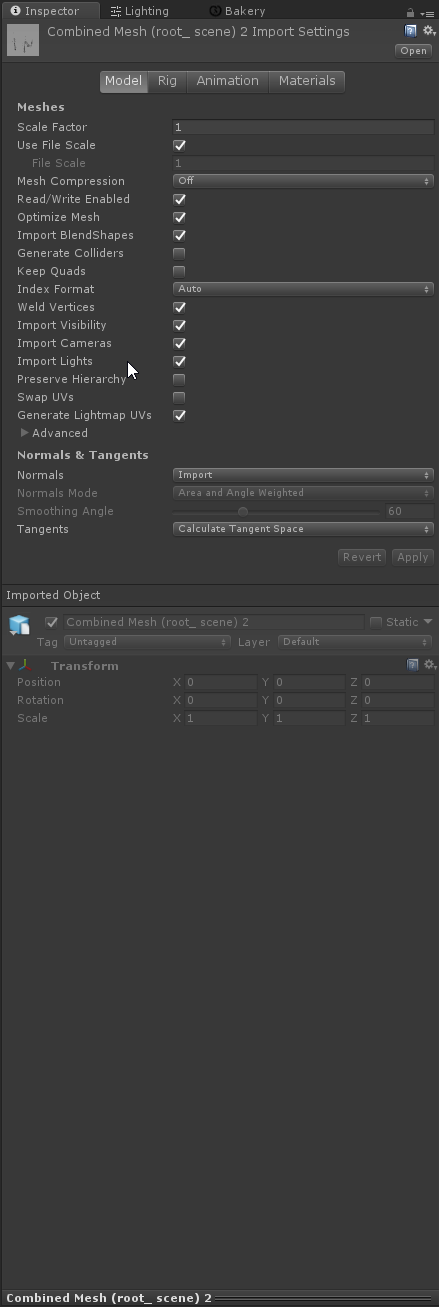
You've got lightmap UVs enabled for the mesh ?
 modest vapor
You'd have to select them in your assets instead
but you can just select the reference one for each i guess
Or just select all the meshes you have in your assets, and do that for all yeah
abstract drift
awesome lets see how it looks
im fairly novice with lightbaking
almost always completely relied on realtime
but light optimization is something i'm focused on now
thanks 😄
modest vapor
If you're not using Bakery, you should consider it !
abstract drift
ahh i wish but i do not have an nvidea card
i will definitely invest in a better card soon
modest vapor
Ah, well that's the only good reason not to buy it i guess
hushed isle
hey now so i just updated my skybox shader for day/night system that work on rotation of your directional light .. if any one is interested and like to contribute with helping to do some simple animations to finish a release version with prefabs hit me up
uses 3 blended sky boxes for day, night and stars ,, clouds are animated run off noise masking , includes controls for fog, sun disk, horizon color, and some epic controls for layered cube map emission .. no scripts are used
 harsh widget
It sounds cool. Is it based on skybox/procedure? @hushed isle
fiery pollen
Is there a way to significantly reduce the size of the lightmaps that Bakery generates? Since they come out at fairly large sizes compared to unity lightmapped ones since theres no compression as they're HDR images
quasi hedge
I dunno why, but I vaguely remember being able to compress Bakery lightmaps for some reason (albeit with occasional artifacts). Are you on the bleeding edge version? If you message the Bakery dev with your invoice number asking for access to the private Github repo, you can get early builds before they go live on the Unity store. One of the more recent ones added XAtlas integration for more efficient packing which should reduce the number of lightmaps
modest vapor
@fiery pollen Best way is really to adjust the scale of your objects on the lightmap, so that you end up using less lightmaps overall
fiery pollen
Ah okay, Ill try both things out I guess, Im still on version v1.5 updating might help a bit, played with the resolution and stuff tho and got it down to like 16.6mb which is decent
modest vapor
The ground itself might also not need to have its own lightmap data
There's a few tricks, but yeah the main one is object scale
Texel per unit is a big one, but then you have to sacrifice quality
And you can also say that you only want a single 2K lightmap un bakery options afaik
modest vapor
yep
hushed isle
@harsh widget yes it uses the same process as Stylized Procedural Skybox but i made a few changes
- Updated: Shader UI
- Changed: Custom lighting Mode model 5.0
- Modified: Render options
- Add: CubeMaps for Day and Night
- Modified: Star CubeMap
- Tint controls removed and replaced with layered emission and intensity controls to work within cubemaps
- Added Toggle controls for shader functions
hushed isle
@quasi hedge @fiery pollen bakery just released the new version on the asset store yesterday .. you can now get into the github thru the wiki page by entering the IN numbers https://geom.io/bakery/wiki/index.php?title=Bakery_-_GPU_Lightmapper
for github use this
https://geom.io/bakery/github-access.html
fiery pollen
ah okie thanks
abstract drift
okay so i've baked my scene and this is what it's supposed to look like

but after bake it's still very dark like this

i've generated lightmap UV's for all my meshes and made sure to set all the lights including directional to baked

here are my current lightbaking settings, but anyone know how i might be able to fix it?

i know the bake worked but seems very weak
mortal marsh
try turning up the Bounces
also you should probably disable the Realtime Global Illumination unless you actually plan on using it
mortal marsh
near the top, at the bottom of the first section
modest vapor
@abstract drift Your ground color is pure black
hushed isle
ah ok
try starting with 5 bounce .. it will take a lot longer to bake every bounce added
 alpine current
does anyone know how to create this glow lighting without using post process bloom?
i just want a glow on the lights
quasi hedge
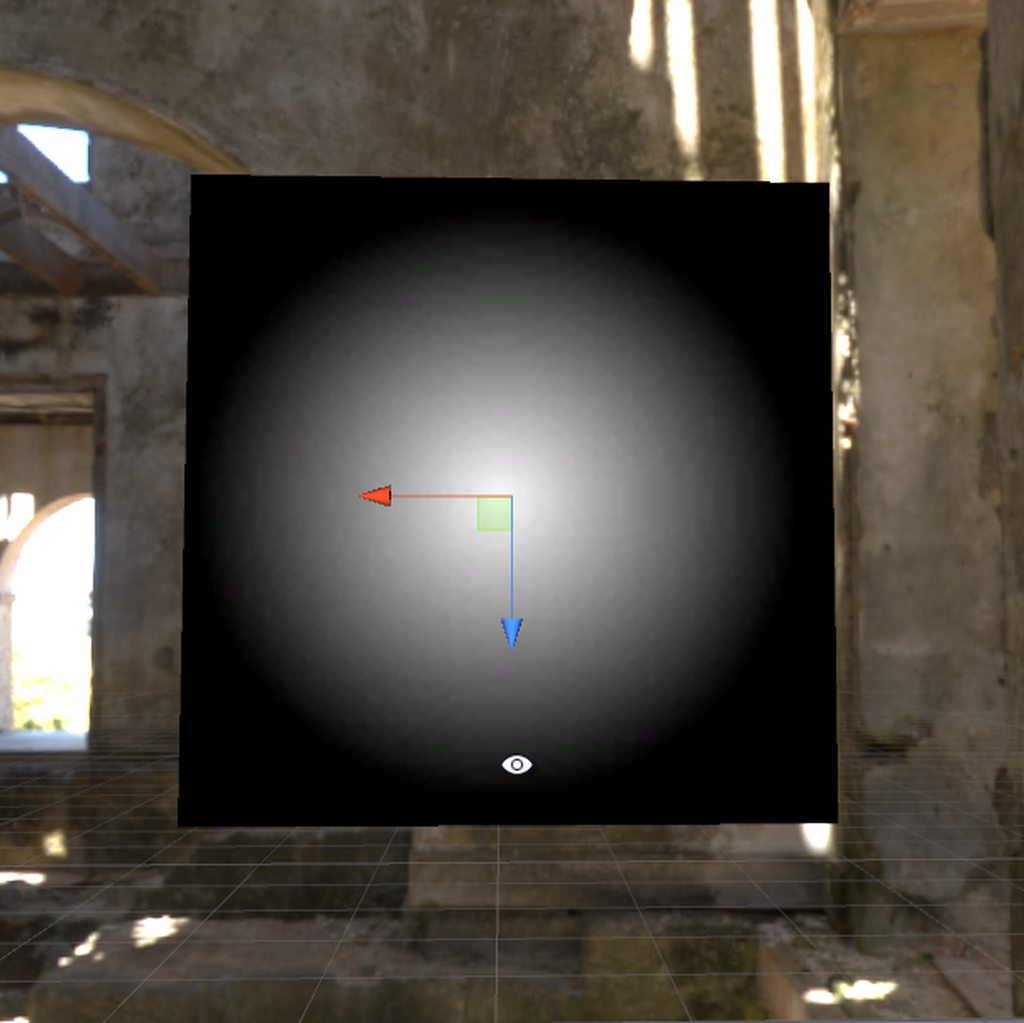
Why can't you use bloom? Without using bloom - it won't be physically accurate or accurate to optics (bcs we're in the linear HDR space + the PP stack does all kinds of fancy color maths). If you absolutely can't use bloom for whatever reason; you could maybe try messing with planes, a feathered circle texture, and an additive shader (like Particles/Additive) that's been modified to billboard. https://imgur.com/a/ujThaUp It's gonna be tougher to accomplish, and will be less efficient than bloom tho!
 hushed isle
@alpine current use a lens flare
quasi hedge
ah shit, I thought those were only for light sources. Yeah, use that instead. it's pretty much doing the same thing, but ~native~
alpine current
Didn't want too much glow because the menu hurts players eyes when they open it
The thing is vrchat doesnt support MK's glow
so i ahd to find an alternative
quasi hedge
It's all relative! You could tweak your bloom settings to prevent the menu from blowing out, but push the emission up on those lights (after you bake if you're happy with the baked GI you're getting from them at the current value) so they still cross the threshold + have bloom
alpine current
how does this lighting look
quasi hedge
It looks good!  If you want to make it more physically accurate, you can replace those point lights with area lights. You won't be able to see anything cast from area lights without baking, but when baking it will cast light from a plane (which would simulate what happens IRL with recessed lighting like that).
https://docs.unity3d.com/Manual/Lighting.html If you scroll down to the area lights section here, it explains it a bit better. It's a vry useful tool for lighting like that.
alpine current
ah thanks
hushed isle
perhaps some dust particles pull out the lighting a bit
abstract drift
AHH finally it worked

i figured out that adding soft shaddows to the point lights caused the bake to be very dark
modest vapor
Looks really nice !
abstract drift
thank you 😃

 modest vapor
?
modest vapor
isn't that a reflection from your sun ?
It's definitely getting that light from somewhere
quasi hedge
Possibly that mesh is small in the LM, and there's not sufficient enough padding/margins between that mesh's island and an island that is bright so you're getting some low-res light bleed?
quasi hedge
iirc you can select that mesh and go into the Objects Map tab in the Lighting window and see what's going on for that object in the lightmap to check if something like that is going on
abstract drift
the thing is it's on a cube, not terrain as the ground
quasi hedge
If you go into the import settings for that cube mesh, and go under the advanced settings of Generate Lightmap UVs - you can increase the pack margin (if that is whats causing that)
abstract drift
if it's a regular cube from unity, how do i access the import settings?
i can't find that within my assets i think
quasi hedge
That's a good question, I actually don't think there is a way. Hmm, the only way I could think of is to export it out and re-import it in. Unity makes an FBX exporter or an OBJ exporter (one of 'em) that's free in the asset store!
Possibly even just switching Generate Lightmap UVs on after you do that might automagically fix your issue with that mesh
abstract drift
 abstract drift
thanks!
hushed isle
np
used:
WRP FBX Exporter
https://assetstore.unity.com/packages/tools/input-management/wrp-fbx-exporter-77810
Autodesk's FBX Converter: (Coverts ASCII FBX files into binary)
https://www.autodesk.com/developer-network/platform-technologies/fbx-converter-archives
Blender (Reset transform scale and UV margin / island scale )

Fast and easy way to export FBX files to any platform. Simple to use, but powerful!
The Unity FBX Exporter Supports:
- Windows
- Mac OS
The Unity FBX Exporter Provides:
Easy to use simple interface to export model data, multiple UV Sets, and Materials
The Uni...
The Autodesk® FBX® Converter Archive
@abstract drift You should really try to fix your scales in your map to all be 1x1x1
abstract drift

i've set lightmap UV's
but ingame it looks like that
is this the mesh itself not having unwrapped UVs or something? I've never done that before
hushed isle
i dont see what your looking at
20 Tips to Speed Up UV Mapping in Blender
https://www.youtube.com/watch?v=bWPD2aEd8tY
Tip Overview:
01:59 - Tip 02: Mark / Clear Seam & Unwrap Shortcuts (Edit Mode / Ctrl + E & U)
02:55 - Tip 03: Smart UV Project (Edit Mode / U → Smart UV Project)
04:48 - Tip 04: Project from View (Edit Mode / U → Project from View)
05:20 - Tip 05: Live Unwrap (Edit Mode / Tool Shelf → Options → Live Unwrap)
05:53 - Tip 06: Tag Seam (Edit Mode / Tool Shelf → Options → Tag Seam)
06:40 - Tip 07: Keep UV and Edit Mode Mesh Selection in Sync (UV/Image Editor → Header)
07:59 - Tip 08: Mirror Seams (Edit Mode & Edge Select / Shift + G → Seam / 3D View → Header → Select → Mirror)
09:16 - Tip 09: Changing Island Margin (Edit Mode / U → Unwrap / Operator Panel → Margin)
09:40 - Tip 10: Changing Unwrap Method (Edit Mode / U → Unwrap / Operator Panel → Method)
10:35 - Tip 11: Island Selection (UV/Image Editor → Header → Island Selection)
11:29 - Tip 12: Protect Islands (UV/Image Editor / P & Alt + P)
12:27 - Tip 13: UV Sculpt (UV/Image Editor → Tool Shelf → Options → UV Sculpt)
13:22 - Tip 14: Show Stretching (UV/Image Editor → Properties → Display → Stretch)
15:32 - Tip 15: Average Island Scale (UV/Image Editor / Ctrl + A)
16:02 - Tip 16: Live Unwrap (UV/Image Editor) → (UV/Image Editor → Tool Shelf → Options → Live Unwrap)
17:21 - Tip 17: UV Grid Texture (UV/Image Editor → Header → New)
18:37 - Tip 18: Multiple UV Maps (Properties Editor → Object Data → UV Maps)
21:36 - Tip 19: Draw other Objects (UV/Image Editor → Properties → Display → Draw other Objects)
22:37 - Tip 20: Texture Atlas Addon (Properties Editor → Render → Texture Atlas)
24:07 - Tip 21: Selecting Islands in 3D View (Edit Mode / Face Select / L)```
⇨ Free Blender hotkey PDF: https://zachariasreinhardt.com/free-resources/ In this video you will learn (at least) 20 tips to speed up the creation of UV maps...
--
note: don't forget to reset the locations and scale when your finished (Crtl+A) .. when export your final model select check box "!Exerimental! Apply Transforms"
quasi hedge
Did you rebake? It looks like the baked data that were on those meshes were stripped off (which might happen if you generated lightmap UVs for them in Unity). Unless you mean that those meshes are showing up as black only in VRChat...
quasi hedge
That's really strange. Anything particularly different going on with those meshes re: the shader? Are you using the native lightmapper or Bakery?
abstract drift
native lightmapper
standard shader
oh wait
Legacy Shaders/Bumped Diffuse
idk if that should do anything
quasi hedge
Hmm, it might. I'm no shader-wizard so I'm not fully sure if the legacy shaders support lightmapping - but maybe try doing a switch to the Standard shader to see! I imagine it has to be that (assuming those objects are def set to lightmap static)
mortal marsh
that is probably your problem. Diffuse shaders don't react normally to light, they take an average and gave that to the entire face (I think). Basically, not what you want
 faint pecan
Im pretty new to modelling and this happened...dont really know what causes this bleed-through, any ideas? (might be related to the normals, but they seem fine in Blender)
edgy forum
My guess is something to do with the geometry. In past experiences with regular path tracing renderers it's because of non-volume geometry, like a wall being just a plane instead of having thickness.
faint pecan
Well it definitely has thickness tho...is there some way to cheat the lighting a little there maybe?
edgy forum
Hm, could be the lightmapping settings then?
faint pecan
What would be the "ideal" settings then?
edgy forum
The defaults should generally work, but if that's what you've used and got that then the issue might not be the settings
faint pecan
Hmm... I mean Im really not doing anything fancy. Pretty simple Blender FBX, with Unitys Standard Lighting :/
quasi hedge
That could possibly be some light bleed from islands being packed too close together in the lightmap for whatever reason. Under the advanced settings of 'Generate Lightmap UVs' in the mesh's import settings - you could try increasing the pack margin.
hushed isle
@faint pecan is that one part in blender or multiple cubes
faint pecan
One model
hushed isle
could be small cracks not joined mesh
faint pecan
Its all one model...which might actually be a problem
quasi hedge
Is it single-sided?
hushed isle
no matter for single side
go into edit mode
select the model and press (Tab) go into edit mode
press (a+a) will select all verts
faint pecan
Btw heres a pic with all the normals shown and it should be pretty clear that this is one model and not multiple planes or whatever
hushed isle
go into wire mode under editor
look in the corners
veiw it in single vert view
you may find that you have two verts in on the edges that are not joined ... its a bit of a process but you can select the verts that should be joined and use (spacebar Merge) and merge the two verts weld them together
faint pecan
All one Vertice
hushed isle
the light could be bleeding thru the cracks perhaps
view see- thru mode so you can see select vert behind that wall
faint pecan
This is what it looks like...
Ohhh wait...I actually never UV Mapped those walls xD
Is it that simple?
Does UV Mapping effect lighting like that? :S
quasi hedge
are you using Generate Lightmap UVs in the import settings
faint pecan
Nope I didnt...
quasi hedge
It'll be important for texturing, but Unity will auto-unwrap your geo into UV2 for lightmapping if you have it set to generate lightmap uvs
Try that!
Also @hushed isle - re: single-sided geo. Enlighten and Progressive can have issues with backfaces at default settings because it can either allow incoming light from backfaces (which might cause what you're seeing here) or it can invalidate those texels (which causes weird black-ness). Where you see this often is single-sided geometry (like planes or tree leaves), but it can also be caused by fringe case geo issues.
faint pecan
Well nope turns out
hushed isle
AH good find
faint pecan
Im gonna UV Map it later and see how that works out
hushed isle
20 Tips to Speed Up UV Mapping in Blender
https://www.youtube.com/watch?v=bWPD2aEd8tY
⇨ Free Blender hotkey PDF: https://zachariasreinhardt.com/free-resources/ In this video you will learn (at least) 20 tips to speed up the creation of UV maps...
quasi hedge
I've done that before. accidentally click revert? haha
quasi hedge
How'd you figure out it was Realtime GI?
hushed isle
Humm how did you have the UVs set up? did you give padding values
 drowsy olive
What's the best way to light a realistic avatar (standard shader look)? In some worlds the shadows are too dark to the point if I'm facing the wrong direction the textures are occluded.
lofty jungle
Use Rero Standard or avoid those badly lit worlds
faint pecan
@quasi hedge Disabling Realtime GI completely removed that bleeding effect. So it was probably the Realtime Sun Light
hushed isle
Rero ?
quasi hedge
- then yell at the world creator to use light probes and reflection probes 😎
 rain sage
Hi 😃 This might be a dumb question, But I have very little knowledge on how lightning works in Unity. So I'm making this map with a dungeon level in it, and I need the dungeon to be VERY dark, So you need a torch to navigate through it. I have finished a little bit of the dungeon, However when I launch the test build and go inside the dugeon, it's very bright. How can I make it dark?
quasi hedge
Oh shit, I thought it was because of some issues with your baked lighting for sure. I wonder if changing your bias on that light would have fixed it all along, haha
faint pecan
I tried that but nope
I mean ultimately I have no idea what causes it, could be alot of different thing. Meh
Lighting is a bitch
hushed isle
@rain sage check your directional light settings .. also how do you have the lighting setting setup for environmental lighting .. do you use a sky box ?
quasi hedge
@faint pecan I agree, I used to do stuff in UE and I don't remember it being nearly as fickle as Unity when it came to lighting. Bakery has changed that a lot for me though - if you can invest in that, I def would!
rain sage
@hushed isle Is there a specific where I check the directional light settings and environmental lightning? And yes, I think I have a skybox.
The first part of the map is outside, so I need the outside to be sunny and bright
and theres a lot of weird shadows on the outside part
drowsy olive
@lofty jungle do you mess around with fake light dir setting, ramp offset?
rain sage
Here is a screenshot of some settings, idk if this means anything to you
I really dont understand how lightning works in Unity so...
hushed isle
@rain sage ok so the directional light is sort of infinite. it has no distance settings and is normally the primarily global light source commonly called the sun .. the directional light is found in the project Hierarchy and viewed settings for it are in the inspector /// the main lighting settings are found under the window tab .. you load the that directional light into the setting for the sun source
you can also play around change the enivo lighting source from skybox to gradient
rain sage
So the directional light in my world is also going through walls, and thats why its so bright inside the dungeon level?
I also put in some reflection probes in the world
Like 3 or 4, it made some areas look nice but idk if it was a smart thing
My environmental light does not have a source either
atleast thats what it seems like, as you can see on the picture I sent above
hushed isle
just looked at your settings
a few recommendations
1 add the directional light into the sun source
2 turn off Realtime lighting unless you are prepared for heavy lag in game
hushed isle
start with sky box
hushed isle
yes you would need to bake the lights
harsh widget
If there is only one directional light, 1 doesn’t matter
rain sage
It says in the left down corner on my screenshot that there is 16 directional lightmaps
is that bad?
hushed isle
well you can change to progressive in light mapping settings i think that will help you view the changes
@harsh widget yes you should normally only have one directional light .. unless you are doing something custom
16 could be a bit high but not for a large map
depends on the size
rain sage
My map is going to be a bit large
it has a little outside area, and then it will have a large dungeon area aswell
well I'm generating light again now, hope this helps a bit
Unless unity crashes 😒
hushed isle
in the dungeon i would suspect when you get the baked light set up with out additional light sources you will be very dark or fully black
rain sage
yeah it took a really long time last time I did it
hushed isle
many people use GPU baking .. you may wish to look into it
rain sage
Oh, ok maybe I should do that
hushed isle
i use bakery lightmapped for every thing now its very fast
even if you dont have bakery you also may wish to read the manual as it can give you some good info on setting up lights and how they effect the environment
quasi hedge
When VRC updates to Unity 2018 LTS, does that mean everyone is gonna get the new progressive GPU lightmapper? Or was that intro'd in 2019?
hushed isle
i think the progress version start some point in 2018 .. but i have not try it
i was informed it still has a lot of bugs
quasi hedge
Bakery is better than the native GPU lightmapper right now IMO, and I'll defend that to the death -- but it'd be nice to have something free/native for everyone here
hushed isle
ya agree some mid level
quasi hedge
It gets tough troubleshooting issues with baked lighting when it's like "try this one thing, and then wait 3 hours to see if it fixes it", haha
hushed isle
always best to make a small map and do concept testing on that first
quasi hedge
Yeah! Have you messed with IES stuff in Bakery yet? I've been meaning to do that, but I definitely need to break it off into a separate small prototype map
hushed isle
or use scripts to break into light map groups
oh ya i been making a few things with that
quasi hedge
I did one test with IES, and it seemingly didn't inherit the rotation of light so it seems like you have to author your own IES to be pointing in the right direction?
hushed isle
i have a lot of IES but hard to find good cookies
i could send you some demo setups for IES
quasi hedge
I think Bakery is actually using full IES data and not even using them as cookies which is why I think I'm getting that issue
It worked alright with the OG Unity baker with the IES split into cookies
hushed isle
well i am looking at cookies for making some lightrays
quasi hedge
https://i.imgur.com/cflruNA.jpg I was trying to bake the side lights here, and all my IES stuff would just shoot the light straight up even when the light is rotated down
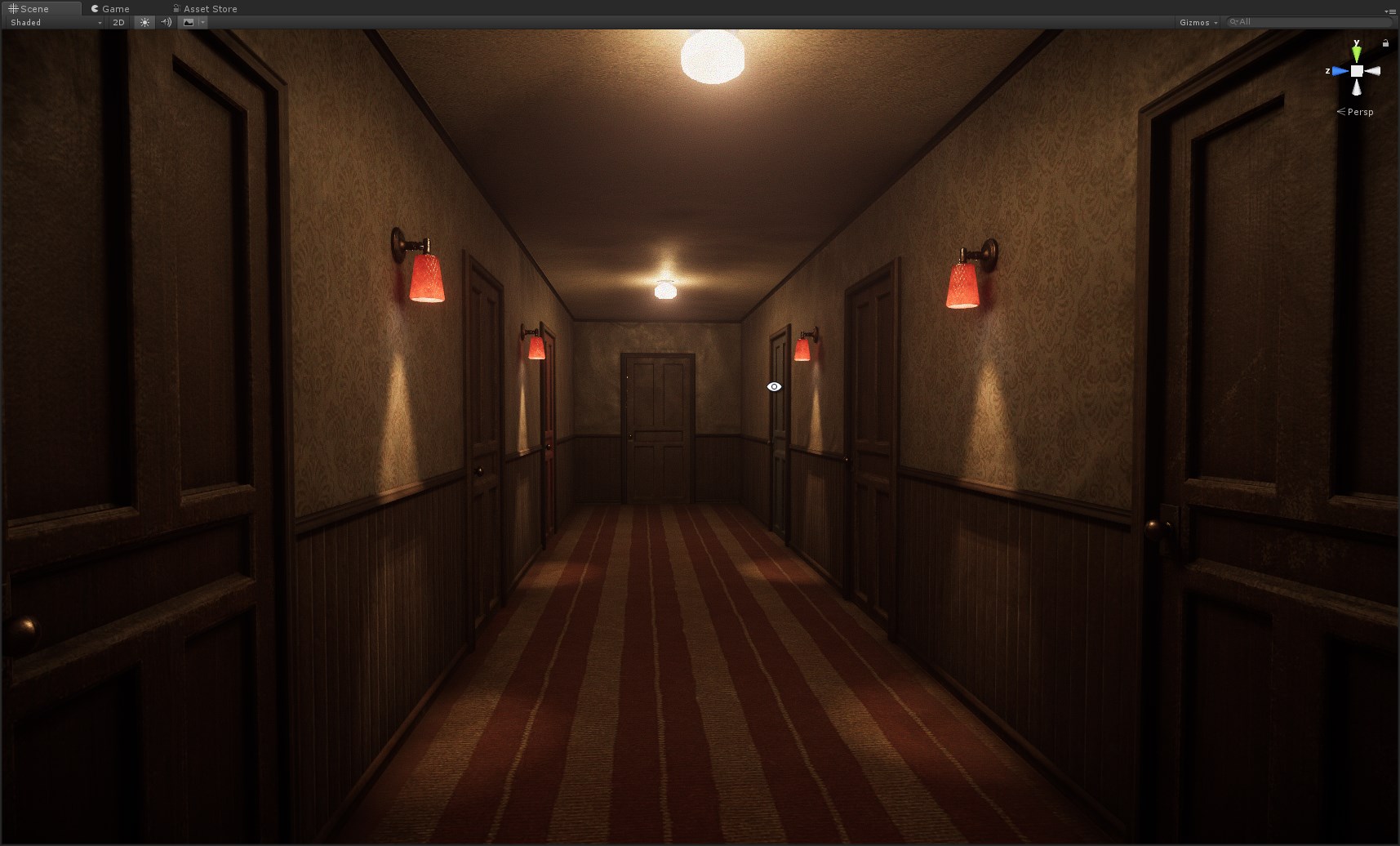


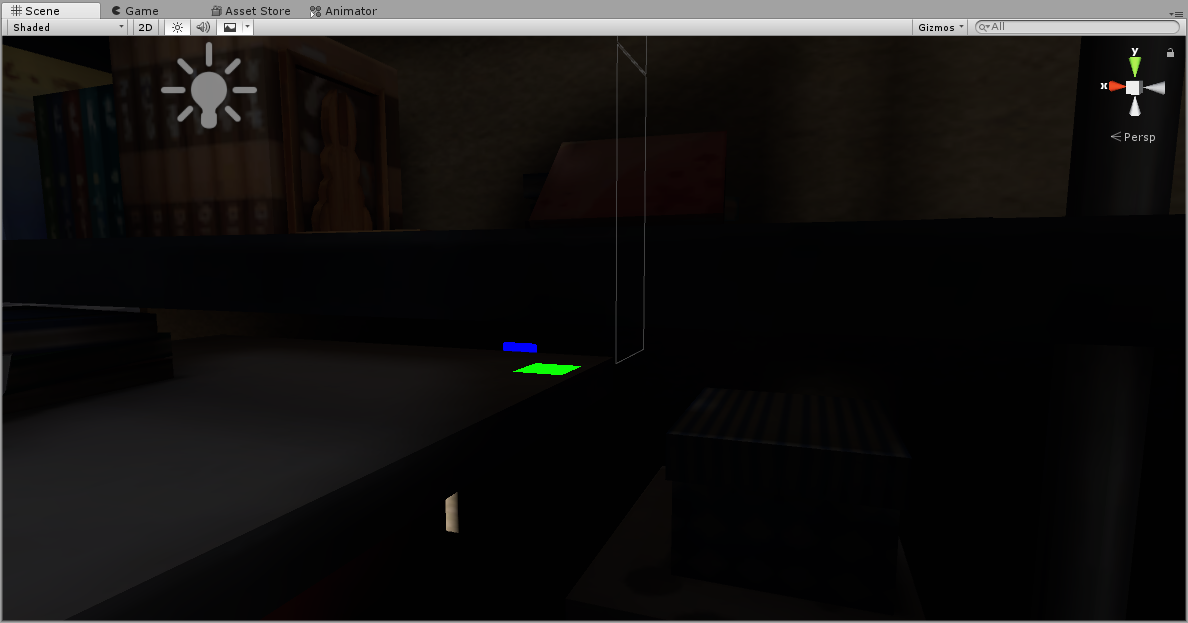


Lemme know your experiences with it - i'm still trying to figure it out!
hushed isle
ok give me some time the IES data is a bit large to pull together
 void obsidian
is this picture for a vrchat world? This looks so sick...
quasi hedge
It is a part of one, yes! Still a WIP at the moment tho 🌞
void obsidian
I didnt know it could look that good in vrchat
quasi hedge
@void obsidian Thanks, dude! @astral stratus and I have been working on this world for ...too long now (like about a year). Authoring all of our own assets helped us keep things within perf budget while pushing the fidelity a bit. I'm excited to put it out there, but I'm honestly just waiting on some audio updates from VRChat : /
hushed isle
lol keep waiting
you may wish to think about building in 2018 lts as it could be released when you finish
quasi hedge
I wonder how many world creators have finished their world art-wise, but are just waiting on Udon + other misc. updates to wrap it up, haha
hushed isle
ya
basically give up on VRchat for now
at the moment i am just working on new water shaders and skybox shaders
i have a few ready in beta stage but need some one to test as i feel lazy to load a world in VRchat
any one like to try a custom day night shader hit me up
quasi hedge
I did full audio post for the world, We went and recorded foley for PhysSound, authored ambisonic clips, etc... but it's just not worth implementing if something like Steam Audio is around the corner. We also don't have access to Unity's audio mixer as of right now so it's tough to manage in the current state of things. Soon tho 🤞