#shaders
2 messages · Page 21 of 1
 past pewter
 low hawk
Anyone have any good shaders to simulate the effects of beads on water on a glass window?
 exotic helm
Shaders - Standard
Probuilder Vertex defaults work properly thought
Using Baked Light
Unity is rendering beautifully and properly. In-game different ball game
Did the same thing with just a plane scene with one room and it's still the same result.
past pewter
hey can someone help me getting this https://i.gyazo.com/984f97cca1655f8101493a7309211dba.png

from the textres
past pewter
Does anybody know the shader that changes the color of the mesh it is on based on the angle you look at it. I assume it has something to do with the normals viewed angle.
It's used on the eye of a model and if it looks down at you the eye is red and if it looks up at you it is blue
 tulip ferry
Maybe just a matcap?
 velvet sorrel
low hawk
Anyone have any good shaders to simulate the effects of beads on water on a glas...
velvet sorrel
low hawk
Anyone have any good shaders to simulate the effects of beads on water on a glas...
Well, there's mine:
https://s-ilent.booth.pm/items/2336731

A glass shader for Unity/VRchat that (ab)uses some Unity features to get nice, clean looking glass without a heavy performance impact. Unlike many other glass shaders, it does not use a Grab Pass, saving a lot of performance.
 thorn isle
Do you use shaders to create water for a world or is it something else? I've been trying to make water for awhile and I am not sure if you use material for it?
velvet sorrel
thorn isle
Do you use shaders to create water for a world or is it something else? I've bee...
Yeah, typically you'd make water out of a water material and an effect volume inside it (like with post processing) to add screen effects. For the surface, I have a shader here : https://s-ilent.booth.pm/items/2577099

A water shader for Unity/VRchat that (ab)uses some Unity features to get nice, clean looking water without a heavy performance impact. To install, place the Shader/ folder with the shader into your Assets/ directory.
 alpine plover
Is there a way to have cameras, that project their image to a target texture, be visible to friends? I just tested it out and it doesn't seem to work. I was testing it with a friend. I just recently got back into VRChat and I remember that it worked ages ago. Is there some workaround e.g. by using a shader? I may have also done something wrong but I am not sure what it would be. I just created a camera in unity, it transmits its data to a render texture. I then just put it on a plane. For me my camera and the render texture works just fine but my friend only sees a black plane. 🤔 Any help is very much appreciated
alpine plover
just checked through past messages in the chat. Lyuma posted something on the 27.10.2020. You aparently have to enable the camera with an animation for your friends to see it. If you read this Lyuma then thanks ✌️
 wind cipher
best shaders to use for mmd?
 fossil cedar
Usually I've ended up using Cubeds toon shaders
thorn isle
velvet sorrel
Yeah, typically you'd make water out of a water material and an effect volume in...
Is it a combination of a cloth modifier with your shaders that simulate waves? 🤔
 rose pewter
@wind cipher I'd recommend using Poiyomi
 steep swift
https://github.com/synergiance/Synergiance-Shaders-For-Unity Synergiance was designed to work the same as MMD, and it handles lighting very well
GitHub
A shader for Unity that mimicks the look and feel of Miku Miku Dance - synergiance/Synergiance-Shaders-For-Unity
 hasty raven
anybody got a toon shader I can use that has different UV Maps?
 fast crow
Can someone can give me a hand with Untiy Shaders
 static frigate
anyone help me out with this ? https://cdn.discordapp.com/attachments/730948173379535022/796098881212776468/unknown.png

 light urchin
static frigate
anyone help me out with this ? https://cdn.discordapp.com/attachments/7309481733...
light urchin
static frigate
anyone help me out with this ? https://cdn.discordapp.com/attachments/7309481733...
https://github.com/poiyomi/PoiyomiToonShader/releases/tag/V6.1.15
Your shaders are too old, delete and import latest

GitHub
Patreon: https://patreon.com/poiyomi
Discord: https://discord.gg/Ays52PY
Patch notes: https://trello.com/b/TJPY6n08/poiyomi-shaders
 light urchin
Just press clear those should go away, if not make sure you actually deleted the old version first before importing a new one
static frigate
im pretty sure i deleted it unless theres soemthing i overlooked
light urchin
Well did the errors go away from clear?
light urchin
Yeah
light urchin
Should still be there if you don't have any errors remaining
static frigate
alright cheers
 bleak lantern
I have a problem that i never used to have on the same mode, moving shape keys for stuff like facial animations or visemes causes the shaders to kinda warp a little when using poiyomi.
anyone know what the problem is?
static frigate
i ported an reference smb file into blender but the model is pink with no texture and i dont know how to apply the mbp files that i think will fix it
anyone can help?
 tawny warren
Anyone got that shader that makes it so u cant see other shaders/particles
 hardy dagger
i think I know 🤥 of one @tawny warren
 sonic shore
A shader to have censor like anime has pixilated, to apply to certain area.
static frigate
anyone know how i can apply shaders? only lets me add one at a time
 cosmic fable
You only have one material on the avatar, so only one shader can be applied.
cosmic fable
If you take the model into blender, create a new material, and assign faces to it, then it'll work
cosmic fable
Not really
static frigate
alright
cosmic fable

In this tutorial I will teach you how you how you can easily add multiple materials to an object in Blender 2.8.
The Ultimate Addon Development Course, Make Complex Addons for Blender:
https://gum.co/fciiU
MASSIVE Simulations Course for Blender:
https://gumroad.com/l/MRtQr
https://blendermarket.com/products/course-massive-physics-simulations-i...
static frigate
cheers
 sour linden
Who do I gotta suck off to get a compute buffer component going
I just spent like 150+ hours trying to make shader physics work with a janky ass geometry shader pass + camera + render texture for holding data
spoiler alert that shit didn't work
also ofcourse my feature request gets drowned out because no-one knows what the fuck a compute buffer is or why it would it be amazing to have for shaders
scream
I just want fucking shader physics
 tired token
sour linden
also ofcourse my feature request gets drowned out because no-one knows what the ...
tired token
sour linden
also ofcourse my feature request gets drowned out because no-one knows what the ...
You could have at least made a better explanation on your feature request.
https://feedback.vrchat.com/feature-requests/p/graphicsblit-scripts
sour linden
Probably wouldn't have made a difference. From the looks of it, they already had a bunch of people behind the idea before posting it.
 stiff berry
sour linden
also ofcourse my feature request gets drowned out because no-one knows what the ...
stiff berry
sour linden
also ofcourse my feature request gets drowned out because no-one knows what the ...
This is why I wrote out an explanation of what the feature would enable in the blit post so average players understand why it's important
I think chances are we will never get compute buffer component or blit component and instead we'll get them in udon which isn't quite what most of us want it for but 🤷♂️
having them on avatars would be nice
sour linden
That's kinda bogus. Compute buffer component would take no more than few hours to write. I reckon blit would be similarly easy.
stiff berry
for sure. We even provided a mock implementation
I would guess the reason it hasn't been added is something along the lines of "This will be added to udon eventually so let's do it correctly later instead of providing a half baked solution for now"
Also it doesn't address the avatar use case, but maybe they have plans for udon on avatars some day idk
hard to tell really
sour linden
I mean, if they were really doing things proper, we'd have some proper security systems that would allow for custom scripts. I even tossed the idea in the features section for adding a system where avatars are uploaded to a server which compiles and run through all of the animations, going through checks on them to make sure they're not interfering with stuff they shouldn't be, and are working within bounds. I don't reckon it would be too hard to implement either, surely a lot more work than blit or compute buffer component, but I reckon with VRChat plus out now, they've either already got or will have the resources soon enough.
stiff berry
I mean it took 3 years for the "Adjust volume of individuals" post to get added so it doesn't seem to matter how easy it would be
 strange crown
Has anyone tried making a matcap shader in Amplify yet? The example Amplify matcap shader seems to tilt with head tilt and I'm still struggling to figure out a way to restrict that from happening.
Trying to do it with just nodes if possible, custom expressions are super hard for me to wrap my head around.
 dark prairie
does someone know how to make the poiyomi metalic material ? poiyomi shader use thry editor so i can't use unity settings
past pewter
dark prairie
does someone know how to make the poiyomi metalic material ? poiyomi shader use ...
i can help, just dm me
static frigate
anyone know how i can add textures to this now ?
 wary junco
static frigate
anyone know how i can add textures to this now ?
wary junco
static frigate
anyone know how i can add textures to this now ?
though you are currently in wireframe mode so you won't see any textures even after adding them
click this sphere to change to material view
static frigate
wary junco
click this sphere to change to material view
i got a lot of work done but for some reason when i applied shaders within blender they appeared completely black
except the head
i tried to put it into unity where i clicked custom textures and then it self applied textures however they are black
except the head again
wary junco
Are you building for Android?
static frigate
wdym
wary junco
is this for Quest
static frigate
no
wary junco
Ok hm
I know the mobile shaders bake the vertex color into the texture
so if that part of the model has no vertex color, it gets multiplied with black
static frigate
these shaders do work, the original model works in vrc with them
wary junco
random shot in the dark but did you link two different models from different sources together?
if so their UV maps might have been named differently
static frigate
i dont know
what i did is i had the model in a winrar then changed it with crowbar to work in blender , from blender to mixamo and back to blender
is there any way to check?
wary junco
Well I know nothing about what Crowbar or Mixamo does to models, I'd just assume one of them broke it.
static frigate
crowbar seperated the model and textures
the model into a ref.smb and textures into bmps
 oak forge
could i get some help please, im trying to make a working avatar for my quest and this is my first time dong this and im having a few problems
static frigate
i dont know too much but it seems that the shaders arent compatible for quest
 hollow plover
hi is magic cloth compatible with vrchat???
 halcyon dove
No
hollow plover
damn so sad 😦
 noble agate
when your on
past pewter
static frigate
im pretty sure i deleted it unless theres soemthing i overlooked
go to your project folder and remove ThryEditor or Thry folders and also clear up the Poiyomi Shaders and ThryEditor folders in your project. Then reopen the project and import the newer Poiyomi shader package.
 uneven acorn
hey friends 🙂 wondering if anyone know a good way to get eyes to appear to have depth, like a galaxy or something? sorry if this is basic im fairly new to shaders
 jovial charm
Bit of a tough question, but anyone know how to get a float calculated on hlsl sent to a c# script? I cannot get getfloat to work
hardy dagger
i dont think so
hardy dagger
i might @fast crow pretty sure its silents fake glass
 toxic egret
jovial charm
Bit of a tough question, but anyone know how to get a float calculated on hlsl s...
toxic egret
jovial charm
Bit of a tough question, but anyone know how to get a float calculated on hlsl s...
I'm afraid for this you'd have to output it to a texture and then read the texture values
unless you use compute shaders
(but you probably can't do that (neither) in vrchat)
jovial charm
Guess I'll have to do some digging then. Thanks!
hollow plover
hi! i remember that i saw a screen space image shader that you could add multiple images does anyone knows which one im talking about?
jovial charm
So udon allows scripting in vrchat and covers a huge swath of unity functionality, and interestingly someone made a c# compiler for udon, effectively allowing us to code for VRChat in c#, albiet with some obvious restrictions. After work I'll see if compute shaders are exposed in udon, since if so that will be my answer
toxic egret
I see the probabilities of it working in udon as very low, as compute shaders are quite the advanced topic. But if it works let me know
past pewter
is there any shaders with both matcaps and additive blending
im trying to port some half life stuff and it uses both
toxic egret
wait what is a matcap
 visual hawk
 sonic oasis
Yes 🙃
light urchin
Lightmapped is for worlds not for avatars, you can't do lightmapping on avatars
 quasi lion
Are there any shaders similar to Unity's Unlit/Transparent Cutout for Quest?
hardy dagger
@quasi lion i believe the closest you can get to anything "transparent" is using additive but it may not be what you want
quasi lion
Yeah, it's close but not exact...Oh well, should've realised how limited Quest shaders are haha. Thanks for your help.
sonic oasis
light urchin
Lightmapped is for worlds not for avatars, you can't do lightmapping on avatars
And of course its the only shader that actually looked good on my avatar 😌
light urchin
sonic oasis
And of course its the only shader that actually looked good on my avatar 😌
What was the reason the other shaders looked bad? 🤔
sonic oasis
light urchin
What was the reason the other shaders looked bad? 🤔
Too warm.
light urchin
sonic oasis
Too warm.
Lightmapped shader only takes baked lighting so it won't abide by the lighting in your scene which by default in unity is warm looking
The other shaders abide by lighting properly changing depending on what color light is in the scene or how dark/bright the light is
You usually want to have proper lighting on avatars and not be unlit which the lightmapped shader would cause because if you are just unlit in dark scenes peoples eyes will burn by how bright you are
sonic oasis
Im using an angel avatar so I want to be bright af.
light urchin
Well that is your choice (but it might also cause people to block your avatar) and if you really want to do it just use the standard lite and plug your main texture into the emission slot
sonic oasis
Youre telling me that its THAT bright?
light urchin
Being unlit in a dark scene yes
jovial charm
toxic egret
I see the probabilities of it working in udon as very low, as compute shaders ar...
still havent had the chance to go into it, but I was able to load in compute shaders as a reference into udon without any errors (which is a good sign since trying to load something unsupported causes errors right away). will let you know if it actually works
sonic oasis
light urchin
Being unlit in a dark scene yes
Well so far I havent had any issues with the shader I use on the non quest avatar. People do tell me that im brighter than the rest of the avatars but its not a complaint though. Just them asking if I have noticed it and im just like "Yep. I chose to be bright." All about preferences in the end. Heres an example of the current brightness. Obviously I dont know how bright that shader that I cant use is but meh. I guess ill just accept my non brightness when I get this avatar to quest.
light urchin
sonic oasis
Well so far I havent had any issues with the shader I use on the non quest avata...
That does look bright but not completely unlit
That wouldn't really bother me
sonic oasis
Exactly
light urchin
But using the lightmapped shader would cause you to be unlit
sonic oasis
light urchin
But using the lightmapped shader would cause you to be unlit
Just a small question. Wouldnt it be considered to be lit since youre brighter instead of unlit?
light urchin
Simply put lit means that the shader abides by the actual lighting, unlit doesn't making it bright
sonic oasis
Ah.
 azure timber
 storm wren
I am building my own shaders, and trying to map things properly to the fallback shader. I am having a heck of a time getting transparency and emmission to work
I made a dummy param, and the property name should match -
What am I missing? Do I need a switch to enable Emi or something?
 muted osprey
Any insight on why this bit of mesh is rendering over my liquid shader? I'm using a liquid shader I found on reddit, as far as the settings suggest, the top layer should render over objects behind it, but it only seems to do that for its own material. The mesh is using poiyomi's transparent shader (other variations have the same issue). Shader code is here: https://pastebin.com/ppbzx7mn
Pastebin
Pastebin.com is the number one paste tool since 2002. Pastebin is a website where you can store text online for a set period of time.
I'll get a picture of it in a bit
 ripe idol
muted osprey
Any insight on why this bit of mesh is rendering over my liquid shader? I'm usin...
ripe idol
muted osprey
Any insight on why this bit of mesh is rendering over my liquid shader? I'm usin...
A transparent shader probably shouldn't be on geometry render queue
jovial charm
toxic egret
I see the probabilities of it working in udon as very low, as compute shaders ar...
nope, got caught right as I was trying to finalize the compile with "System.NotSupportedException: Udon does not support variables of type 'ComputeShader' yet"
However, what I am essentially doing is trying to make use of the data buffer system of compute shaders. interestingly DX 11 is capable of doing this in normal old vertex shaders, so I might be able to squeeze something in through there ...
muted osprey
ripe idol
A transparent shader probably shouldn't be on geometry render queue
Hey poiyomi! This is what I'm referring to here, specifically the top layer of the liquid shader has this issue. Otherwise, the rest of the shader respects depth.
 safe creek
https://i.imgur.com/36uJLmC.gif anyone know anyway i could potentially recreate this effect using a shader?
 velvet sorrel
Yep, just recreate it in a shader
 glass sigil
Im a bit of a noob rn so please dont judge but i found this really cool skin and i want to use this shader or texture, i really dont know. However i dont know where to download it or recreate it
hardy dagger
@glass sigil might be the lax or xiexe shader
i have a few shaders that might be able to recreate if you want to try them out
hardy dagger
sure
toxic egret
jovial charm
nope, got caught right as I was trying to finalize the compile with "System.NotS...
Damn well maybe in a future update hehe
jovial charm
Haven't given up yet. I found an old vrchat project on githib, a neural network in a shader. It somehow is exporting results from the shader to CPU code using buffers. Still working on understanding it
 dawn vapor
So I have a minor issue with poiyomi's shader, but it's only local (other people don't see the issue when I ask). Basically on some of my avatars, the lighting likes to flash a bit or not work properly at all depending on what world I'm in. The Avatar Testing world for example, when walking around, the lighting will flash a bit (imagine like someone shining a flashlight on you but turning it on and off every second, sort of). If I go into the dark room on the map, the lighting doesn't get affected at all and I can see my avatar fully
I've tried duplicating materials from a working avatar onto a non-working avatar and that doesn't help. I can't tell if the issue is the shader, VRChat or Unity. I had this issue on V 5.2 and still have the issue after upgrading to V 6.0 a couple of months ago. Anyone experienced this before?
 azure geode
Does anyone have a poiyomi shader download for me? GitHub doesn't really work for me and the downloads error out around 40%
light urchin
You could also join the server from the github page and download it from there
azure geode
oh yeah, small brain, sorry :D
light urchin
dawn vapor
So I have a minor issue with poiyomi's shader, but it's only local (other people...
It's most likely something in your model causing unity to grab the sample point from a weird place (which unity does sometimes even if your model isn't weird)
Set all your meshes anchor point to be your spine
jovial charm
Has anyone ever seen this "StoreValue" being used in shaders? I cannot find any documentation on this
nvm, its in an include file
dawn vapor
light urchin
It's most likely something in your model causing unity to grab the sample point ...
That solved the issue! Had no idea that was a thing, thanks 😄
glass sigil
Is there any way to make the shader go inwards? instead of protruding like this?
lol
muted osprey
glass sigil
Is there any way to make the shader go inwards? instead of protruding like this?
Yeah, just outn't
glass sigil
fair
uneven acorn
Hey guys! Im trying to create a beam of "Volumetric Light" Using the luka shader. Is anyone familiar with how I would go about doing this? I have the shader applied to a Cube but it seems to not affect the shape directly. It instead affects a radius around it. Any tips would be helpful
velvet sorrel

New shader!
Sunshine Flare!
https://t.co/YPq3TYWfpN
https://t.co/z0PWHGTgr8
This shader renders light rays from the sun that are occluded by objects in front of them, as well as a sun flare effect. It's super striking, especially in VR! Try it and be surprised!
#unity #vrchat

 Twitter
·
Twitter
·
 safe creek
anyone know of any other shaders that have a hue shift option? anything but poiyomis as my use case needs a different shader
safe creek
can anyone recommend any shaders or anything i can use in poiyomis to make a fancy looking springjoint ball?
 pure raven
velvet sorrel
https://twitter.com/Silent0264/status/1348652367311294468
pure raven
velvet sorrel
https://twitter.com/Silent0264/status/1348652367311294468
Just yesterday, I was walking through a park irl, thinking about how sunrays were one of the last aspects of reality missing from VR...As always, you’re ahead of the game. Thanks for all of your hard work!
 spring latch
Can I set it to show only to myself as UTS2?
I want to make certain objects visible only to me.
Like a VR camera control panel.
 restive badge
I'm trying to create a retro effect for a world, and I need a shader which will let me remap the scene to a 16 color palette, preferably with dithering and pixelation, or at the very least, apply this effect to a rendertexture so I can show what people's avatars look like with it enabled. Anyone have any suggestions? I see a few assets in the Unity store that do stuff like this, but they all appear to use scripts to create the effect.
velvet sorrel
My suggestion is don't. It'll look awful in VR.
If you need a 16 colour palette then... just use it when authoring the textures?
And because the shader can't dicern what the focus point of the headset display is, any pixellation effect is going to look totally wrong in VR
And then you want to apply it on top of people instead of the world? That'll make it a screen grabbing effect, which is pretty expensive on its own
 candid dune
Anyone knows a shader that goes by the name of "Unlitholo" or something like that? I used it for my avatar, but I deleted it, and now I can't find where to download it again -_-
thanks
restive badge
velvet sorrel
My suggestion is don't. It'll look awful in VR.
Lots of things look awful in VR... Like the world which lowers the floating point precision on your avatar. But it's still fun! Obviously if the dithering renders differently in each eye, that would be a problem, which is why I'd either disable that. or if I can't, I might have to stick to rendering the view to a texture. And I can't author it into the textures because what I'm trying to do is make a world with a neat effect you can enable at will to see it on your avatar.
That'll make it a screen grabbing effect, which is pretty expensive on its own
Yeah, but the world will be extremely simple graphically. It's just one of those quirky worlds that I wanna add a little extra pizzazz to.
velvet sorrel
There's awful and there's awful.
 mystic pecan
Hey there, I'm working on an avatar, but I am seeking out a couple of shaders that would work for what I am trying to do. I seem to recall a Blacklight Retribution avatar with an Ice sword that would slowly add an ice texture onto your body radiating from the blade when stabbed. Anyone have an idea where this shader is? I'd love to be able to adjust it to suit my needs.
low hawk
has anyone had any luck getting the mirror to apply on a non-quad shape?
can't seem to get it on mine working
is it topology dependent?
 true kernel
so i went to go press build but right after it i realized that i forgot to press lock on my poiyomi shaders and right after i tried to press cancel but now its frozen and stuck. will i lose anything if i force close it? i saved right before uploading.
well i guess i found out the hard way... do not force close it if it gets stuck on compiling shader variants. it will break the shaders and the sdk if you do
 sweet mango
looking for someone who can help a little bit with a shader, it already follows your position when you move around the avatar but i also want the head to look up and down in the same way that it rotates around
past pewter
Hey, does anyone here have a good version of the hentai dimension shader? You know the one, with the collase of lewd faces? The one I was able to find is super blurry from afar.
past pewter
does anyone have a time shader that shoes a specific time zone's time?
hasty raven
I don't think so.
 desert arrow
does anyboda have a shader that shakes the camera?
and if yes can I download it?
a shader like in this video? https://www.youtube.com/watch?v=MsYzY8pFTXI

So I thought that I made a tutorial on keyframing already, but I didn't..So I'll provide a link to a tutorial by Neko. It goes over the basics of keyframing enough to get an idea of what to do.
NEKO Keyframing Tutorial - https://www.youtube.com/watch?v=65_m_XY9hXU&t=3s
Screen Shake Shader - https://tinyurl.com/y5zm5atx
Song Used - https://www...
 hexed garden
I can recommend cancerspace or mochies screenfx @desert arrow
https://github.com/AkaiMage/VRC-Cancerspace
https://github.com/MochiesCode/Mochies-Unity-Shaders
GitHub
Cancerous screenspace shader for VRChat. Please use responsibly. :^) - AkaiMage/VRC-Cancerspace

GitHub
Contribute to MochiesCode/Mochies-Unity-Shaders development by creating an account on GitHub.
desert arrow
thank you
toxic egret
Oh god those are the worst
How to get blocked: use those shaders
For when you're trying to get into the nuisance rank
 green crane
i have poiyomi 6.1 shader which i guess is the last free version. Does it has a outline or something? i can't find it anymore
or another question: does someone have good MMD-like shader with outlines?
tired token
It does have an outline, it's a separate shader
green crane
huh
i'll check it, thanks
still, looking for shader that looks like this https://sketchfab.com/3d-models/magical-mirai2019hatsune-miku-e8a9450e265e466ab856e3e8f8d529a0
if you know something similar please tag or dm me

Magical Mirai2019:Circus Miku
VOCALOID:初音ミク(Hatsune Miku)
Tools:
maya2018 / photoshopCS6
Polys:
Characte only:38539△
ーーーーーーーーーーーーーーーーーーーーーーーーーーーーーーーーーーーーーーーーーーーーーーーーーーーーーーーーーーーーーーーーーーーーーーーーーーーーーーーーーーーーーー
Thank you for looking at my 3D model.
I would appreciate your comments.
Please come to my Twitter if you like !!:https://twitter.com/imP810 - 【...
muted osprey
toxic egret
How to get blocked: use those shaders
There are legitimate uses for them. It's just that avatar creators that don't know what they're doing (or know and don't give a shit) will abuse those just because they can
toxic egret
well yeah there might be legitimate uses for them but so far every single time I have encountered in vrchat it has been super annoying and results in avatar hidings and blocks
muted osprey
It just takes nuance. Something a lot of people don't have. Which is why I don't help anyone on here with them
toxic egret
there was one that I found funny, when done once, as it was very light and didn't fuck up my vision horribly as they usually do. But then someone else started doing the same over and over again and that one resulted in great annoyance
green crane
desert arrow
does anyboda have a shader that shakes the camera?
please remember that shaders like this cause dizziness and discomfort for other users, especially in VR. Using these shaders is undesirable
tired token
green crane
still, looking for shader that looks like this https://sketchfab.com/3d-models/m...
That model is essentially unlit, fun fact that outline isn't in the shader, it's pre modeled.
green crane
tired token
That model is essentially unlit, fun fact that outline isn't in the shader, it's...
yea, that's why i looking for something that can imitate it
desert arrow
green crane
please remember that shaders like this cause dizziness and discomfort for other ...
That's why I made the effect pretty weak and the radius extremely small
green crane
still try to avoid use this avatar in public. and stay cheeki-breeki
 wise cradle
green crane
still, looking for shader that looks like this https://sketchfab.com/3d-models/m...
wise cradle
green crane
still, looking for shader that looks like this https://sketchfab.com/3d-models/m...
first thing that comes to mind and what I would personally recommend is UnityChanToonShader2. It's typically what you see on models sold on booth.pm
Arktoon or Sunao could work too. Poiyomi can do it as it also has outline
 honest jackal
not sure if this is the right place but i am trying to make a mincraft stile avatar and the pixles come out blurry , i am not sure what to do in unity to fix it. this is how it looks in blender . and this other if unity
hardy dagger
@honest jackal the texture/image needs to be set to "no point" i believe in unity
honest jackal
hardy dagger
<@!355808531930284034> the texture/image needs to be set to "no point" i believe...
thanks i feel kinda dumb now , heh easy fix
 brisk junco
Do yall know how to do those UI shaders where only one person can see it
Like only the person whos avatar it's attached to
muted osprey
brisk junco
Do yall know how to do those UI shaders where only one person can see it
Can easily just activate/show the object for that UI on a transition that checks if IsLocal is true. Doesn't have to be built into the shader
brisk junco
oh epic
past pewter
What shader should iuse for quest
 proven flare
past pewter
What shader should iuse for quest
proven flare
past pewter
What shader should iuse for quest
VRChat - Mobile
 ocean ocean
Can anyone explain how to make a screenspace shader that can fix this issue? How this shader works is you apply it to an object and so long as the surface with the applied shader is within the bounds inside or out, it will project the image on the any other surface surface, however, if the object "clips" through a wall or object, it does not show the image. Can it be done to where regardless of whether the object with this applied shader clips through an object, still applies the screen effect?
velvet sorrel
green crane
still, looking for shader that looks like this https://sketchfab.com/3d-models/m...
My shader can do that pretty easily
https://gitlab.com/s-ilent/SCSS

GitLab
A surface shader for Unity providing cel-shading. (Forward rendering only)
It also supports Unity's lighting, unlike UCTS
green crane
velvet sorrel
My shader can do that pretty easily
https://gitlab.com/s-ilent/SCSS
many thanks to you
past pewter
where can i dowenload cube paradox flat lit toon
halcyon dove
That shader has been deprecated for quite some time now. Advised to use a different one.
halcyon dove
Last it's been updated was for Unity 5.6.3p1, more likely to cause issues in modern Unity versions or when uploading the Avatar to VRChat.
past pewter
mhh
 undone pewter
does anyone know if it would be possible to have a quest avatar with an animated material?
past pewter
I am already using the cubed shaders, poiyomi, and even Xiexes! Yet every avatar in game just looks like this. Any shaders to cure my illness?
(the page on the avatar didn't have any recommended Shaders btw)
hardy dagger
standard
past pewter
I fixed it, somewhat
avatar is fine, but my vrchat is broke
I can't see shaders kinda. Like most shaders are grey white planes and my avatar isn't working for me. Everyone else sees it fine
toxic egret
past pewter
I can't see shaders kinda. Like most shaders are grey white planes and my avatar...
- Are you using a modded client? :/
- What video card do you have, if it is very old you might need a newer one.
past pewter
toxic egret
1. Are you using a modded client? :/
2. What video card do you have, if it is ve...
I have a good GPU and CPU and no it isn't modded. I found the issue. kind of
I got someone to clone it, and if I turned off custom animations it showed the colors
so im messing with the animations rn
I fixed it 😄
 indigo hedge
Is there any way to import settings from a really old version of the poiyomi shader to a new version? I bought an avatar that had a really old version of the shader and I can't upload the avatar because of it. I switched it with the latest version but the fur becomes all flat and looks nothing like how it originally should
 sly schooner
Maybe a really dumb question, but does the shading tab of Blender make a shader via the nodes or is it just a very capable shader on its own?
If it's the former, could you make a shader with a node editor that exactly replicates a look you've attained in Blender? If it's the former, then I guess I need something as close to that as I can get a hold of.
 brittle plinth
Blender’s shaders function on a fundamentally different rendering method than anything Unity supports, so while you could create a shader for Unity that looks similar to one made in Blender, you can’t just copy over the nodes. Blender also supports certain physical properties on a different level (metalness in Blender is a hacky implementation built on top of its specular calculations, while Unity’s HLSL shaders are able to do real metalness), which can produce different results.
sly schooner
brittle plinth
Blender’s shaders function on a fundamentally different rendering method than an...
I appreciate the response. That's good to know, going forward. I'll do some more digging to see if I can figure out something that simulates my look. 👍
velvet sorrel
brittle plinth
Blender’s shaders function on a fundamentally different rendering method than an...
Metalness is a hack based on specular calculations everywhere, not exclusive to Blender. That's how it works in Unity too.
 chilly pasture
Out of curiosity. would it be possible to create a shader to create a artificial Horizon? (Airplane hud) mostly just the angle lines and the center horizon. and if so would anyone have any resources that could help me learn how to do so?..
past pewter
Yep quite easy actually @chilly pasture
I personally cant make screenspace shaders but you can use any screenspace and just get the green parts of that image as a transparent png
chilly pasture
The idea is to use it as a overlay on the camera hud for the upgraded version of my drone.. but my shader knowledge is limited to say the least.
sly schooner
If it's a pain in-shader, there's always constraints in tandem with the screenspace.
Oh wait. That isn't how screenspace works.
You'd have to use something else.

Assuming you'd want it to actually function like an artificial horizon anyway.
I guess error hud could kinda replicate it if you mess with the positioning.
chilly pasture
The point of me wanting to do it on a shader is because it's supposed to be an overlay ontop of a render texture. (to keep material and renderer costs down as much as possible) as it's for a public prefab
sly schooner
chilly pasture
The point of me wanting to do it on a shader is because it's supposed to be an o...
Something like Error's hud shader is probably a good place to start. The axis in the corner was rotating based on the world, iirc.
I guess it might take some dissecting though to purpose it for your usage.
chilly pasture
true..
and i believe there's also a compass on there.. that might be a good start too. as that's basically what i need just in the wrong axis :P
tired token
chilly pasture
Out of curiosity. would it be possible to create a shader to create a artificial...
There's this which is from those amazing plane flying maps (please go check them out!)
https://github.com/Sacchan-VRC/SaccFlightAndVehicles/blob/master/Shaders/HUD.shader
https://github.com/Sacchan-VRC/SaccFlightAndVehicles/blob/master/Shaders/HUDText.shader
chilly pasture
Yet again saving my ass huh scruffy! altho more direct this time :P! Thank you so much!
tired token
I think you'd probably want to go download the entire package for the material, texture and mesh setup (Should be a Release package on the repo page)
 lusty fern
Anyone have a good toon shader that isn't Poyomi's?
lusty fern
I for the life of me can't find one that has a good rim light. Rim light doesn't even work on half of them and the one it does (Poiyomi's) you can't change the direction of
lusty fern
nevermind I figured it out
 patent sundial
anyone know why when I export an avatar from blender to unity the texture for emissions is gone?
muted osprey
patent sundial
anyone know why when I export an avatar from blender to unity the texture for em...
The easy and obvious workaround here is to just import said texture into unity with the rest of the model. Is there a reason you can't do that?
patent sundial
No there isnt I was just wondering if there was a specific reason since im trying to optimize the model as much as possible and I assumed exporting with that file on the avatar would be the most efficent optimization
 still trench
having a problem where it seems that some shader features are missing on avatars when uploaded, like shadows and highlights, cannot figure out if it is on my end or vrchat, happening with multiple shaders. anybody have any idea?
velvet sorrel
patent sundial
No there isnt I was just wondering if there was a specific reason since im tryin...
Nope, the textures on the model's materials don't make any difference because Unity makes its own materials. When you set a model to use different materials the originals don't count towards the final build.
green crane
wha... but you paid for this
 elfin basalt
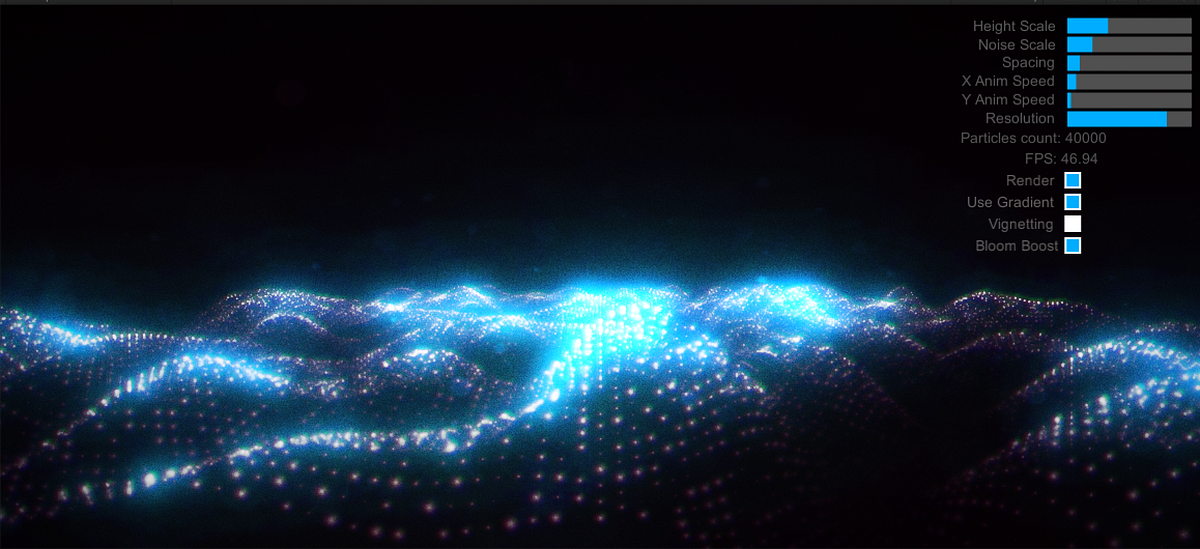
Is there a way that I could possibly implement world particles like these: https://medium.com/@rafalwilinski/tutorial-particle-sea-in-unity3d-70ff1350fa9e#.a2obqtys6. Working on a show set and I'm wondering if an effect like this could be created for the background.
Medium
When I saw it, I was totally shocked. Firstly — it looked amazing, Secondly — it was playing smoothly in my browser on a non-high-end PC…
toxic egret
What's wrong with the tutorial?
tired token
Looks like the tutorial uses scripts, which isn't the best for VRC.
elfin basalt
Does anyone have a shader that can be used to create a particle sea?
hasty raven
can anyone please describe to me what kind of material this is?
it looks like that stuff you've seen where there's a plastic surface
like poly urethane polished and stuff like that
 unborn imp
@elfin basalt like this?
elfin basalt
OMG YES
unborn imp
same color
elfin basalt
Did you do that with shader graph @unborn imp?
unborn imp
no poiyomi
unborn imp
you can message me 😄
elfin basalt
Hummmmmm poyomi failed to compile... odd
unborn imp
oh
unborn imp
lusty fern
Is there a way to stop the outline on Poiyomi's toon shader from getting bigger when you get far away from it
 ivory zinc
still trench
having a problem where it seems that some shader features are missing on avatars...
ivory zinc
still trench
having a problem where it seems that some shader features are missing on avatars...
Did you make sure to attach all map files? Metallic, height, roughness, normal etc?
 robust thistle
hi all
i try to work in unity with some post-processing-shader but i have this error
Assets\Shaders\Vision PostProcessing Shader\Visual.cs(6,14): error CS0101: The namespace '<global namespace>' already contains a definition for 'Visual'
what i need to do so that kind of shader will be compatible with unity and vrchat ?
any idea ?
still trench
yea, they were all attached, since then I've actually confirmed with a few other people that some shaders just seem to be partially broken in vrchat after the latest patch
toxic egret
robust thistle
hi all
i try to work in unity with some post-processing-shader but i have this ...
this seems to be a c# script. Remember that vrchat doesn't allow custom c# scripts.
robust thistle
@toxic egret
yes it is a c# script
so how in the world i can import real working night vision shader to work on my avatar
i try to find on google but there is as you know only github version shaders etc etc
but i did not find any shader like that compatible with unity and vrchat sdk
plust it will be wary nice if any exist that they have a nice tutorial
so people will know how to make that possible in vrchat
ivory zinc
https://kevind-portfolio.blogspot.com/2018/09/unityshader-night-vision.html Maybe this will help? I just googled VRChat+unity and night vision

A simple shader to make a night vision effect. Features - Screen colorization - Vignette effect - Noise - Scene diffuse...
toxic egret
if custom post-processing requires c#, then you can't do that. You need a different way of doing it.
This might have the same problem
ivory zinc
Yeah, I noticed
What do you call the effects that trolls use again? The ones that can make your camera shake and whatnot
toxic egret
oh god those are the worst I hate them
ivory zinc
Yeah, but what are they called? My idea was for him to make an effect of his own, and play it locally so he could get the nightvision effect
Like, make the radius only around the player camera or something
Then a gesture trigger and loop
robust thistle
@toxic egret
same
that's why i have safety for everything and enable only their voices
but friend section everything is enabled
@toxic egret
i only need those because i have vision problem and the fact that i cant't set my gpu or tv every time i vent in dark and big world
with that and with scanner vision i will be able to locate them
 wild oxide
you cant use custom post processing scripts
and you certainly cant use post processing on avatars
what you can do is look for a shader that emulates that effect with a grab pass

- 内容 - ナイトビジョンシェーダです。 次のようなパッケージ構成を持っています ahzkwid_nightvision_shader.unitypackage Headに入れると、メッシュが消えるのでNeckに入れOverlayを使用してください。Headに入れると、メッシュが消えるのでNeckに入れOverlayを使用して下さい。RanderRangeは0.1以下がお勧めです。 v1.1.2 オーバーレイのバグがなくなりました。 v1.2.1 一部のオブジェクトが消えるバグが修正されました。 UI機能が追加されました VRで揺れる現象が消えました。
for example
robust thistle
@wild oxide
thank you
i will try to make it work in vrchat on my avatar
 solar rune
Does any1 know some water shader with good distortion? not clean water or smth like that @_@
wary junco
My fallback shader is correctly being generated as Toon Cutout, but I've noticed it also seems to be z-writing and blocking transparencies behind it. What have I done wrong?
 shy vault
It seems I accidentally made my world crash almost every Quest user.. :/ using this shader
Shader "_Shaders/Rainbow" {
    Properties {
        _Luminosity ("Luminosity", Range(0.0, 1.0)) = 0.5
        _Spread ("Spread", Range(0.5, 10.0)) = 3.8
        _Speed ("Speed", Range(-10.0, 10.0)) = 2.4
        _TimeOffset ("TimeOffset", Range(0.0, 6.28318531)) = 0.0
    }
    SubShader {
        Pass {
CGPROGRAM

#pragma vertex vert
#pragma fragment frag
#include "UnityCG.cginc"
#include "Shared/ShaderTools.cginc"

fixed _Luminosity;
half _Spread;
half _Speed;
half _TimeOffset;

struct vertexInput {
    float4 vertex : POSITION;
    float4 texcoord0 : TEXCOORD0;
};

struct fragmentInput {
    float4 position : SV_POSITION;
    float4 texcoord0 : TEXCOORD0;
    fixed3 localPosition : TEXCOORD1;
};

fragmentInput vert(vertexInput i) {
    fragmentInput o;
    o.position = UnityObjectToClipPos(i.vertex);
    o.texcoord0 = i.texcoord0;
    o.localPosition = i.vertex.xyz; + fixed3(0.5, 0.5, 0.5);
    return o;
}

fixed4 frag(fragmentInput i) : SV_TARGET {
    fixed2 lPos = i.localPosition / _Spread;
    half time = _Time.y * _Speed / _Spread;
    half timeWithOffset = time + _TimeOffset;
    fixed sine = sin(timeWithOffset);
    fixed cosine = cos(timeWithOffset);
    fixed hue = (lPos.x * sine + lPos.y * cosine) / 2.0;
    hue -= time;
    while (hue < 0.0) hue += 1.0;
    while (hue > 1.0) hue -= 1.0;
    fixed4 hsl = fixed4(hue, 1, _Luminosity, 1.0);
    return HSLtoRGB(hsl);
}

ENDCG
        }
    }
    FallBack "Diffuse"
}
Any idea what part of the shader could be crashing them ?
toxic egret
did you make this?
shy vault
no
I have almost no idea how to make shaders
I understand the basics.. but this is out of my league
😄
Works perfectly fine and no crashing/lagging for PC but Quest just hates it
toxic egret
hmm
I thought you could only use the whitelisted shaders on quest
maybe that is the problem?
nevermind that is only for avatars
shy vault
yea only for avatars.. on world you can use almost any
What could be the issue though ?
wild oxide
maybe just take the HSLtoRGB function out of shadertools.cginc since it doesn't seem like you're using anything else in there
shy vault
Like take it out and put it inside of this ?
This is what Shadertools.cginc looks like
inline fixed4 RGBtoHSL(fixed4 rgb) {
    fixed4 hsl = fixed4(0.0, 0.0, 0.0, rgb.w);

    fixed vMin = min(min(rgb.x, rgb.y), rgb.z);
    fixed vMax = max(max(rgb.x, rgb.y), rgb.z);
    fixed vDelta = vMax - vMin;

    hsl.z = (vMax + vMin) / 2.0;

    if (vDelta == 0.0) {
        hsl.x = hsl.y = 0.0;
    }
    else {
        if (hsl.z < 0.5) hsl.y = vDelta / (vMax + vMin);
        else hsl.y = vDelta / (2.0 - vMax - vMin);

        float rDelta = (((vMax - rgb.x) / 6.0) + (vDelta / 2.0)) / vDelta;
        float gDelta = (((vMax - rgb.y) / 6.0) + (vDelta / 2.0)) / vDelta;
        float bDelta = (((vMax - rgb.z) / 6.0) + (vDelta / 2.0)) / vDelta;

        if (rgb.x == vMax) hsl.x = bDelta - gDelta;
        else if (rgb.y == vMax) hsl.x = (1.0 / 3.0) + rDelta - bDelta;
        else if (rgb.z == vMax) hsl.x = (2.0 / 3.0) + gDelta - rDelta;

        if (hsl.x < 0.0) hsl.x += 1.0;
        if (hsl.x > 1.0) hsl.x -= 1.0;
    }

    return hsl;
}

inline fixed hueToRGB(float v1, float v2, float vH) {
    if (vH < 0.0) vH+= 1.0;
    if (vH > 1.0) vH -= 1.0;
    if ((6.0 * vH) < 1.0) return (v1 + (v2 - v1) * 6.0 * vH);
    if ((2.0 * vH) < 1.0) return (v2);
    if ((3.0 * vH) < 2.0) return (v1 + (v2 - v1) * ((2.0 / 3.0) - vH) * 6.0);
    return v1;
}

inline fixed4 HSLtoRGB(fixed4 hsl) {
    fixed4 rgb = fixed4(0.0, 0.0, 0.0, hsl.w);

    if (hsl.y == 0) {
        rgb.xyz = hsl.zzz;
    }
    else {
        float v1;
        float v2;

        if (hsl.z < 0.5) v2 = hsl.z * (1 + hsl.y);
        else v2 = (hsl.z + hsl.y) - (hsl.y * hsl.z);

        v1 = 2.0 * hsl.z - v2;

        rgb.x = hueToRGB(v1, v2, hsl.x + (1.0 / 3.0));
        rgb.y = hueToRGB(v1, v2, hsl.x);
        rgb.z = hueToRGB(v1, v2, hsl.x - (1.0 / 3.0));
    }

    return rgb;
}
maybe not
I'm still rather inexperienced with shaders myself so I can't really say much, but maybe its a bit too expensive for quest to handle?
does it actually crash the quest?
shy vault
Yea.. but not immediately
Like.. 1-5 minutes after the shader is enabled
I was thinking if something like float overflow or something could be happening here or something but that doesn't seem the case
wild oxide
maybe change them to halfs
shy vault
Soo to higher precision ?
wild oxide
lower precision
shy vault
I can try changing the floats to halfs..
wild oxide
I do know that whats its doing is a bit expensive though
at least as far as I can tell when reading up on how to implement my own hue change in shaders
shy vault
Well after changing all the floats to halfs it still seems to work.. and still looks good 😄 now the crash test
steep swift
@shy vault why is there a while loop there? Maybe fixed variables can't go above 1.0? Try changing all the fixed to float or something.
Actually replace these two while loop lines with
hue = frac(hue);
toxic egret
yeah you seem to have a lot of ifs and whiles, that is bad
steep swift
I wonder if the code was like subtracting for each second you are in the world or something one by one in a loop
If can be ok if they are the same across adjacent pixels but still not usually good looking. But yea watch out for while or for loops
You can literally crash the hardware if you have a while loop that never ends
shy vault
Yea I was thinking about that if something like that isn't happening there.. and Quest just can't handle it or something ?..
steep swift
Maybe it's nan or the precision is low enough that subtracting 1 returns the same float (this can happen)
shy vault
hm 🤔
steep swift
That's why use frac which is faster and literally does the same thing but without the precision issue
shy vault
ah I mean as I said I know the very very very basics about shaders.. 😄 and this is not my shader I couldn't make anything this complex with shaders..
Also what about this ?
inline fixed hueToRGB(half v1, half v2, half vH) {
    if (vH < 0.0) vH+= 1.0;
    if (vH > 1.0) vH -= 1.0;
    if ((6.0 * vH) < 1.0) return (v1 + (v2 - v1) * 6.0 * vH);
    if ((2.0 * vH) < 1.0) return (v2);
    if ((3.0 * vH) < 2.0) return (v1 + (v2 - v1) * ((2.0 / 3.0) - vH) * 6.0);
    return v1;
}
There seems to be TOO many ifs..
Could it be perhaps somehow shortened ?
quasi lion
Do Poiyomi's Toon Shaders not work properly with SDK3?
The UI of it doesn't load properly.
light urchin
Well you didn't really screenshot the errors to see what the actual problem is
But most likely your version is too old delete and import the latest

GitHub
A feature rich toon shader for unity and VR Chat. Contribute to poiyomi/PoiyomiToonShader development by creating an account on GitHub.
light urchin
Now that I see the actual error your pumkin tools are too old you need to update those or you possibly updated the project from sdk2 without removing the scripting define
quasi lion
Poiyomi shouldn't be effected by Pumkin Tools, right?
light urchin
Anything will be affected if you have a scripting error stopping things from compiling
quasi lion
Alright, I'll delete it and see if that fixes it.
stiff berry
shy vault
This is what Shadertools.cginc looks like
```cs
inline fixed4 RGBtoHSL(fixed4 r...
there's some better written versions of these functions here http://www.chilliant.com/rgb2hsv.html
i haven't looked at the generated assembly but all those ifs are probably less than optimal
dawn vapor
Heya, where can I use a roughness and height map in Poiyomi's shader? Can't find anything for roughness and the only thing for height is in Parallax which doesn't look right (unless I'm using it wrong). If they aren't available then np 🙂
dawn vapor
Figured out the roughness map but still not sure about height
 storm ice
Anyone know a good shader to replicate cloud movement
past pewter
Probably a noob question but I’m gonna ask it anyways
Is there a way to get reflective shader onto materials?
Like for example if I wanted something to look like steel and shiny could I do that?
And would it render in VRC?
shy vault
Thanks @stiff berry gonna check that out and try to figure out how to implement that into that.. 😄
    Shader "_Shaders/Rainbow" {
        Properties {
        }
        SubShader {
            Pass {
    CGPROGRAM

    #pragma vertex vert
    #pragma fragment frag
    #include "UnityCG.cginc"
    #include "Shared/ShaderTools.cginc"


    struct vertexInput {
        half4 vertex : POSITION;
        half4 texcoord0 : TEXCOORD0;
    };

    struct fragmentInput {
        half4 position : SV_POSITION;
        half4 texcoord0 : TEXCOORD0;
        fixed3 localPosition : TEXCOORD1;
    };

    fragmentInput vert(vertexInput i) {
        fragmentInput o;
        o.position = UnityObjectToClipPos(i.vertex);
        o.texcoord0 = i.texcoord0;
        o.localPosition = i.vertex.xyz; + fixed3(0.5, 0.5, 0.5);
        return o;
    }

    fixed4 frag(fragmentInput i) : SV_TARGET {
        fixed2 lPos = i.localPosition / 8;
        half time = _Time.y * 0.2;
        fixed sine = sin(time);
        fixed cosine = cos(time);
        fixed hue = (lPos.x * sine + lPos.y * cosine) / 2.0;
        hue -= time;
        hue = frac(hue);
        return HUEtoRGB(hue);
    }

    ENDCG
            }
        }
        FallBack "Diffuse"
    }
This is what I have now
inline fixed4 HUEtoRGB(in float H)
{
    float R = abs(H * 6 - 3) - 1;
    float G = 2 - abs(H * 6 - 2);
    float B = 2 - abs(H * 6 - 4);
    return saturate(float4(R,G,B, 0));
}
And this
storm ice
Are there any free alternatives like shaderforge for a graphical interface for making shaders?
 brisk gull
There's a fork of shaderforge for unity 2018

GitHub
Shader forge for unity 2018. Contribute to jackisgames/ShaderForge development by creating an account on GitHub.
 round fox
past pewter
Is there a way to get reflective shader onto materials?
round fox
past pewter
Is there a way to get reflective shader onto materials?
yeah, ever heard of the specular / metallic properties of a shader/material? to get the effect i usually use the default unity shaders, xexie’s toon shader 2.0 or poiyomi’s toon shader.
past pewter
round fox
yeah, ever heard of the specular / metallic properties of a shader/material? to ...
Does it render inside VRChat?
round fox
yes
past pewter
Like the shine?
Does it look like actual steel/metal?
To anything shiny at all
Or*
 raw kettle
Why is the standard shader with cutout option being blocked by the safety settings but not the Pyomi one that is waaaaaaaay more expensive?
weren't only custom shaders supposed to be blocked?
muted osprey
raw kettle
weren't only custom shaders supposed to be blocked?
Shaders aren't "blocked" by safety settings, they fallback to a particular shader type. Not sure what you mean otherwise
velvet sorrel
@past pewter Unity's Standard shader has realistic metallic shading, and my shaders support it too
raw kettle
past pewter
Or in vrchat aswell?
In VRChat I achieved the same effect both with the standard shader and paiyomi, but when someone deactivate shaders in safety settings on Paiyomi they can see the cutout perfectly, on the standard one is paper because the cutout is not being applied
 vast timber
any idea why recently shaders are displayed wrong in the game? It looks normal in preview and worked before but recently turned into mush
no matter what world its still mush/blurry
and avatars look greyish including hair and clothing
especially white colors are displayed as gray as if there was a shadow covering the whole model (?)
vast timber
uh applies to all my avatars but unity toon shader
i tried with shader that came with avatar but also tried the latest ver
no change
 gritty folio
Are you sure it's the same world? It could just be something with the world?
vast timber
tried all the popular worlds
1 out of 50 displayed it correctly
but the only one it worked had some mad effects anyway and for some reason it looked normal there
gritty folio
Huh well maybe someone knows what's up
vast timber
and this was fine a couple months ago or so but recently all avatars look like they're covered in shadows
even outfits that had bright white color are now dark grey
obv shader problem but its new i think
I hope it's just temporary
gritty folio
I'm sure they'll be some bugs
vast timber
this bug has been going on for maybe 2-3weeks since I noticed it?
I'm used to bugs in vrc but having all avatars bugged for this long is new to me lol
gritty folio
I'm having a bug since the last update with Xiexes toon shader where in worlds with realtime lights in them, I seem to flicker brightness when I move my head, so there could be more
vast timber
ah yeah I think I've seen that before.
Let's just hope for the best
i tried re uploading avatars and updating shaders but the problem seems to be in-game
on avatar preview it displays as normal though
it looks gray and messed up after changing avatar
 hushed rock
so uh, for unity is there a trick for black hair and alpha textures? lol
model I'm porting uses alphas, and making it incredible difficult getting the sides and back of his hair black
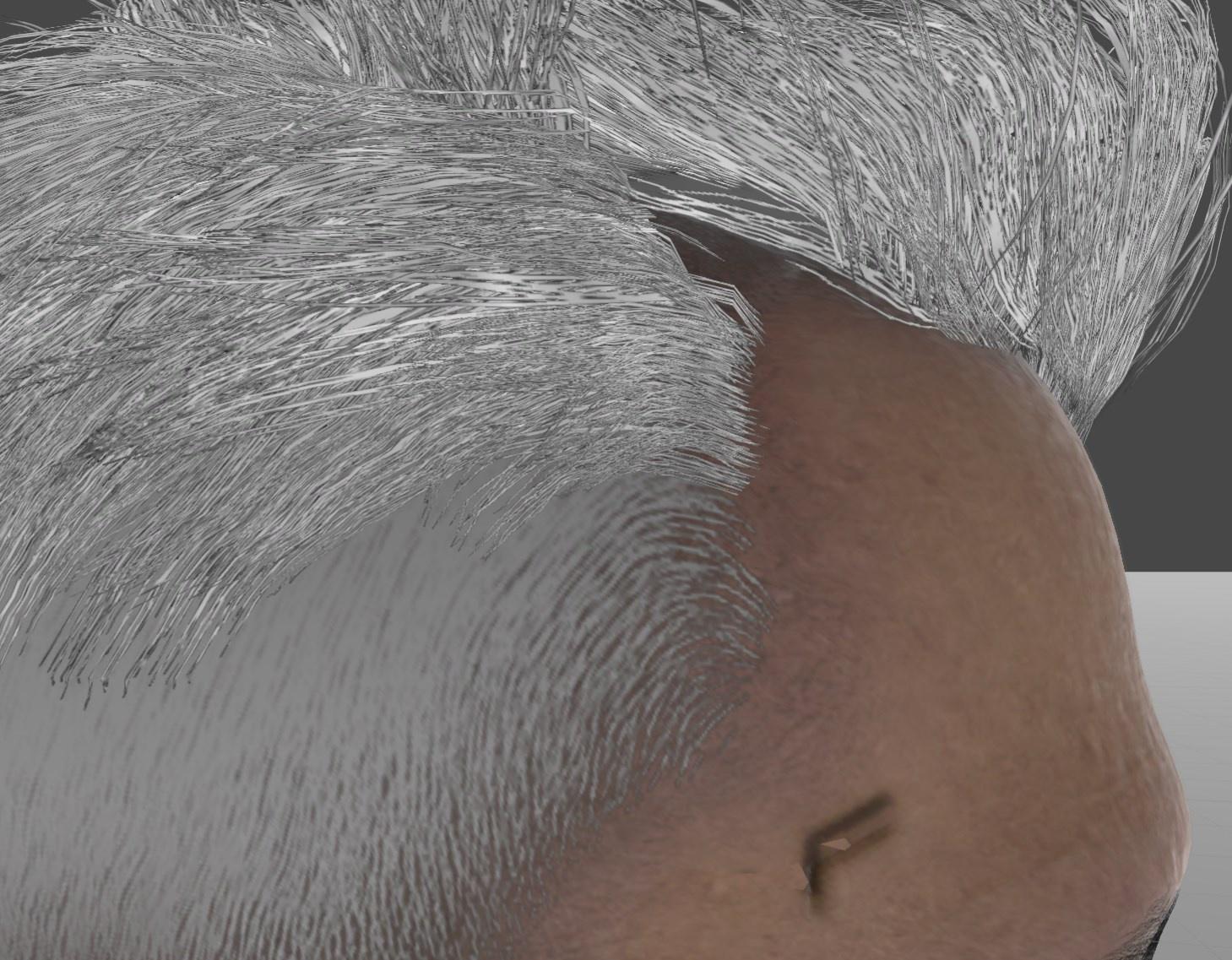 dawn vapor
Heya, with Poiyomi's shader, is there a way to make the tint mix of outlines apply to hue shifts? I'm on v6.0
 median sable
With this could I have like a shader that looks like ultra instinct and still have the ones on it already
 hexed stone
vast timber
no matter what world its still mush/blurry
hexed stone
vast timber
no matter what world its still mush/blurry
That's how its supposed to show in-game, you'd have to completely change settings or shaders for it to look different to what the creator wanted. It should also depend on what the world is
Most worlds use baked lighting, and so thats how only rarely it shows up with the real-time lighting
vast timber
hexed stone
That's how its supposed to show in-game, you'd have to completely change setting...
It wasn't like this before but I'll try mess with shader settings
wild oxide
there has been some reports of certain shaders not having their shadows/shading rendering correctly since the update that had the graphics optimization changes iirc
hasty raven
okay I need some help here pls
does anyone have a subsurface scattering shader that has a roughness map?
past pewter
hey has anbody a good glas shader
tired token
Standard
past pewter
thats bit reflective tho
tired token
But it's one the best representations of glass
velvet sorrel
A glass shader for Unity/VRchat that (ab)uses some Unity features to get nice, clean looking glass without a heavy performance impact. Unlike many other glass shaders, it does not use a Grab Pass, saving a lot of performance.
muted osprey
past pewter
Anyone can help me get a shader that can do this a bit better and not so pixelat...
That's less dependent on the shader and more so on the compression of your texture. That being said, if you're treating it like a decal, poiyomi should handle that just fine
past pewter
muted osprey
That's less dependent on the shader and more so on the compression of your textu...
I used poiyomi and it’s the same do I need special Settings ?
muted osprey
past pewter
I used poiyomi and it’s the same do I need special Settings ?
That's less dependent on the shader and more so on the compression of your texture
past pewter
But it looks fine on my texture itself
brisk gull
What is the resolution of your texture?
tired token
Use Poiyomi's decal option
velvet sorrel
Or my shader's decal option
gritty folio
might want to explain to them what that is lol
hasty raven
anybody got a good hair shader?
tired token
hasty raven
anybody got a good hair shader?
Silent has a dedicated shader for hair.
https://gitlab.com/s-ilent/hair-with-anisotropy
 hasty raven
thanks
hasty raven
also, I've been noticing with Mochie's latest shader that the Alpha channel doesn't scroll when I turn it on

here's a good example
the base color moves but the alpha does not
if there's any temporary shaders that can make the alpha move with the diffuse that'd be great
hasty raven
oh wait, it turns out all you need to do is plug it into an alpha channel in photoshop nvm

 past pewter
But it looks fine on my texture itself
past pewter
past pewter
But it looks fine on my texture itself
Go into the actual texture in unity and change its resolution, compression, or its filtering. It will increase file size tho
 light pond
Using Arktoon Fade, this happens with outlines and an alpha mask
 rough imp
@split girder is it possible to stamp an image decal in substance painter?
 split girder
yeah absolutely, the only requirement is for that image to fit in a power of 2 resolution image
 gaunt spoke
Is there any way to provide arbitrary input to a shader in-game?
 gritty gale
So does anyone possibly have an overlay shader for particles? im basically trying to make an effect where i could turn someone to stone with a particle effect
*have or know of
steep swift
light pond
Using Arktoon Fade, this happens with outlines and an alpha mask
This is probably caused by the problem known as transparency sorting, specifically the front hairs (and maybe more) being semi-transparent.
A few common approaches to solve this are:
- (a) Use an Opaque shader and forego transparency.
- (b) The standard approach for solving this is to split the mesh into multiple materials: most of the mesh including the head and the side hair would be opaque, and only the front hair would be transparent;
- (c) Use a "depth pre-pass" shader, which prevents two layers of transparency from drawing on top of each other. This will cause the whole model to become transparent behind the front hair. So you might still want to split hair into its own material
- (d) use a Dithering or AlphaToCoverage shading mode. (AlphaToCoverage is a kind of per-sample dither for users with MSAA on: VRLow and VRHigh quality but not DesktopLow)
- (e) Similar to (b), but make all the hair transparent, but ensure polygons are rendered in the correct order (polygons are drawn in order, so you want all the polygons to have a meaningful order, like inside hairs rendered first, then outside hairs). This is a bit hard to do in some modeling programs and a bit error prone, and not possible for more complicated meshes.
A note about depth prepass: some transparent shaders simply enable Z-Write, and combined with good polygon ordering, is enough to deal with this.
Some popular toon shaders for VRChat do either depth prepass or ZWrite by default. This might be why you notice the issue when switching to ArkToon
Also, a note about perfromance: contrary to what the VRChat performance ranks may suggest, performance can improve by using more materials, because you can render more of the model opaque, taking better advantage of the depth buffer / Z buffer, and reducing the amount of blending your GPU has to do
steep swift
gritty gale
So does anyone possibly have an overlay shader for particles? im basically tryin...
Checkout Neitri's shaders here, which use the "Camera Depth Texture" https://github.com/netri/Neitri-Unity-Shaders/
You will probably have to adapt some of the shaders to do what you need, but there is a lot of good reference code for depth based effects

GitHub
Collection of shaders for Unity3D and VRChat. Contribute to netri/Neitri-Unity-Shaders development by creating an account on GitHub.
light pond
Half of that message went way over my head, I ran into a similar issue, but only in certain lighting conditions when using Poiyomi Transparent Outline
I'll try the things you mentioned, but I think I'll end up with a 4th material just for the bangs
 grim plinth
Wdym by equation shader?
grim plinth
So just put an equation texture on an animated shader
past pewter
But as a dumb person, who
grim plinth
get animated shader
drag equation image into slot
you are now slightly more competent
past pewter
Ah, interesting
grim plinth
Just do some basic unity tutorials, it'll help you a lot
velvet sorrel
light pond
Using Arktoon Fade, this happens with outlines and an alpha mask
Try my shader and use Cutout instead of Fade. Ingame it'll use Alpha-to-Coverage which makes it transparent without causing the sorting to break!
https://s-ilent.booth.pm/items/1894974

Silent's Cel Shading ShaderはVRchatおよびUnity用のシェーダーです。最新技術を駆使したトゥーンレンダリングを提供し、多彩な機能で多様なスタイルを表現できます。Unityのあらゆるライティングに対応しています。 ワールドのライティングを最も正確に描写することを目標としています。 ※注: 画像のアバターはデモ用です。モデルは含まれていません。
past pewter
any body know of a shader that supports 4 diffuse maps
brittle plinth
What do you need four diffuse maps for?
hasty raven
brittle plinth
What do you need four diffuse maps for?
he probably needs it for testing out stuff. remember how blender 2.91 has a lot more of the creative aspect? if Blender has it, can't it be replicated in Unity?
brittle plinth
Technically yes, but that doesn’t explain the need for four diffuse maps. Really what matters is what they’re being used for. A shader could use a primary and three secondaries that get blended using vertex color as a factor, or it could be a terrain shader that uses each texture for one direction the geometry can face. In Blender, I frequently work with a material that takes four diffuse maps, but only because it’s really six materials packed into one node group.
hasty raven
sounds like a lot
I do accuracy on a shader from a friend of mine that is close to accurate but then unity itself gets kinda......eh when it comes to showing materials that were originally made in 3DS Max
brittle plinth
Shaders are probably one of the hardest things to port, since there are so many different ways to make them and each program produces slightly different results that don’t always carry over cleanly.
hasty raven
it's probably the shading style that might be off but I think it's fine
hasty raven
brittle plinth
Shaders are probably one of the hardest things to port, since there are so many ...
exactly
 vale hemlock
Sometimes, shaders show up differently in VRChat even when you test them in Unity. World lighting and making a shader that works in VR is a thing!
 lofty dragon
It's probably been asked a million times, but how do those blind avatars work? I want to mess around with the effect by using it in a world.
velvet sorrel
New shader!
Crispy Foliage!
https://t.co/O7RjK2tPYR
https://t.co/7y3gc1y6QT
Plants that blow in the wind! It uses alpha to coverage for smooth edges! Simple and easy, but with lots of features!
#unity #vrchat
 Twitter
·
Twitter
·

 hasty raven
Huh, your shaders improve quite drastically
hasty raven
I need a shader that has an effect of subsurface scattering like the one seen here
Got anything?
 chilly vine
Any good places to find shaders? Like the ones that are ether xray, wireframe overlays, or whatever. I seem to have a very hard time finding such things.
 crystal stone
I once was able to animate multiple materials on a model jus by shift clicking all the ones used and editing the shaders from there but now it no longer works am i insane?
 carmine tapir
Yes
 river igloo
hi people, I'm having some trouble understanding the shader fallback system
how can I set up a custom shader so that it just doesn't render at all when the fallback is in place?
I thought naming my shader "cutout" or "transparent" (or "fade") in it's name and setting a _Color with (0, 0, 0, 0) and an empty _MainTex should do the trick?
But it displays fully opaque, in _Color, but no transparency
(in the fallback, the shader itself works fine, just a simple multiplicative color blending for now)
toxic egret
I don't think you can do that
when an user disables shaders, vrchat manually replaces your custom shaders with unity standard shaders
river igloo
yes, and according to this page: https://docs.vrchat.com/docs/shader-fallback-system I can make it select a transparency-enabled shader
VRChat
This page serves as a description of the Shader Blocking System, how it operates, and how shader authors can work with it so that their shader falls back gracefully when a user has Shaders blocked on an avatar using a given shader. When a shader is blocked by the Safety System, it is first checked f...
"If the shader is not internally matched, The name of the shader (not the filename, but as provided in the top line of the shader source) is used to match some identifying features and replace with a fallback shader of similar type:"
but that's somehow not working...
poiyomi manages to fall back to a standard toon shader for example...
toxic egret
did you name it "transparent" with no caps?
and also is that the shader name and not the file name
toxic egret
the name is "Glasses Transparent", have you tried only "Transparent"
river igloo
"These names can fall anywhere within the full string of the shader name."
but I think I tried Glasses/Transparent too
toxic egret
it is true that it says that, but you never know, could be a bug
river igloo
yeah, I've come to expect bugs since I started VRChat content making ^^
 spark pasture
Probably a weird question, but does anyone know if it's possible to tile a texture around an origin point rather than next to each other? I may be going about this the wrong way but I'm trying to have all these lines come from the vertice in the middle and expand out
velvet sorrel
What about using polar coordinates?
 snow plank
Do anyone know if Custom Render Textures are supported? Like, they work but they seem to freeze randomly and don't update anymore
hasty raven
I don't think so
unity isn't that creative when it comes to materials if you have limited experience in the field. I for one am trying to replicate subsurface scattering as seen in Star Wars Battlefront 2 where they have PBR mats and so far, the materials that I got need some work
tired token
They work but are stupidly finicky
snow plank
I got one working, but as soon as I change world they freeze
tired token
yup
snow plank
and I guess there are no known solution...
hasty raven
just use photoshop. it's what I use if I were to divide different channels
snow plank
that's... not what I'm trying to do
hasty raven
what are you trying to do then?
snow plank
using a custom render texture
it's a texture that contains a material with double buffering support
I can use that to make a shader that can read itself
and use it to code an actual game in a shader
hasty raven
oh, I see what you mean
snow plank
I use it to store variables, like actual ram
hasty raven
I see
 near flax
@river igloo if you're still having troubles, https://pastebin.com/92gwQqCM
Pastebin
Pastebin.com is the number one paste tool since 2002. Pastebin is a website where you can store text online for a set period of time.
pure raven
Hey folks 💙, I made an invisibility shader for Quest. It works great for objects, but doesn’t hide UI & avatar layers. Wondering if anyone could help fix this? I’d pay 20$. I’ve tried VRCTraders, but the shader-commissions thread is pretty dead. DM me if you’re interested and I’ll drop you my shader code. It’s for a portal world.
river igloo
near flax
<@!310817976507039744> if you're still having troubles, https://pastebin.com/92g...
thanks so much!
"at the end of all of this shit:" - finally a guide written with a level of hatred I can relate to
brittle plinth
Is there a list of supported shader targets for VRC somewhere?
 sharp pike
near flax
<@!310817976507039744> if you're still having troubles, https://pastebin.com/92g...
sharp pike
near flax
<@!310817976507039744> if you're still having troubles, https://pastebin.com/92g...
Wow, when falling back to standard, does it really copy the metallic and glossiness floats without copying the metallic map too? Immensely dumb if true.
Good to know I'm going to look like a mirror ball to people if I remove "toon" from my shader name
past pewter
If anyone has an antique reel shader I could use, I'd love you for life
I can get it right trying to make one
 dreamy flume
Trying to get a fur shader to work as a carpet In my world. But it bugs out in game like when i look at it in an angle, pull out my camera, or open the ui everything just goofs and disappears. How can I fix that?
near flax
sharp pike
Wow, when falling back to standard, does it really copy the metallic and glossin...
yup, or at least it did when that was written. maybe it changed since then, but i really doubt it :p
 dreamy quail
Hey, could anyone send me a video of someone explaining how to make shaders in 2018.4.20 using shader graphs? I know how to make shaders in 2018.1.1 but I cant seem to find out how to enable the shader graph in 2018.4.20
 crystal solar
dreamy quail
Hey, could anyone send me a video of someone explaining how to make shaders in 2...
crystal solar
dreamy quail
Hey, could anyone send me a video of someone explaining how to make shaders in 2...
Shader graph only works with URP/HDRP, neither of which are suppoerted by VRChat, there are plugins for unity to achieve the same result and Unity’s shader graph, but I have no clue what they’re called
 astral plover
crystal solar
Shader graph only works with URP/HDRP, neither of which are suppoerted by VRChat...
astral plover
crystal solar
Shader graph only works with URP/HDRP, neither of which are suppoerted by VRChat...
Shader forge is one, but not sure if it's still supported. I've used it before and it's a pretty good (free) shader graph editor
@dreamy quail
tired token
could use something expensive like a grabpass blur with face/normal distortion
or you could go the cheaper but more inaccurate route of using a reflection probe and it's mipmaps to do the blur with face/normal distortion
 supple harness
generally this effect is too expensive for games
 short glacier
supple harness
generally this effect is too expensive for games
short glacier
supple harness
generally this effect is too expensive for games
Oh yeah it totally is but that doesnt ever mean there could be some creative workarounds to fake it
supple harness
well you could probably find some way to blur and invert the simple reflection cubes
velvet sorrel
short glacier
A glass shader for Unity/VRchat that (ab)uses some Unity features to get nice, clean looking glass without a heavy performance impact. Unlike many other glass shaders, it does not use a Grab Pass, saving a lot of performance.
Try my glass!
 verbal hamlet
i cant my pc could NEVER
 shut robin
I need a black hole shader and a font shader
 rain sable
@velvet sorrel interesting
past pewter
where can i get a decent quest compat skybox
hardy dagger
the default vrc/mobile/skybox or whatever it is called should work
past pewter
do you know what its called?
hardy dagger
it should be labeled skybox under : vrchat/mobile/skybox
idk exactly but that should be close enough
 unborn sonnet
im making an avatar and when i use one of the quest supported shaders, the textures around the eyes and eyebrows mess up. I can provide things if needed. Its a VRoid Model and I'm using Unity
 turbid eagle
unborn sonnet
im making an avatar and when i use one of the quest supported shaders, the textu...
turbid eagle
unborn sonnet
im making an avatar and when i use one of the quest supported shaders, the textu...
Quest doesnt do transparency. Vroid has I think 4 transparent textures on the eye. Delete the eyebrow, eyeline, sclaras and eyeshadow. Or if quest compatability isn’t your focus literally any other cutout shader 🙂
 fringe perch
^ one workaround is to literally copy paste the eyebrow and eyelash texture onto the main head texture lol
doesn't look as good but it works
and then delete the parts of the mesh that was used for the original eyebrow and eyelash textures
 twin lintel
Need help with this https://designnewb.wordpress.com/2016/07/05/halo-multipurpose-maps-shader/
So after I got the Master Chief model in Unity, I decided it was time to make him look like he does in Halo CE. Unfortunately, Unity doesn’t provide many “advanced” shaders, so I …
Literally cant understand whats supposed to be done
 paper yoke
what are the best shaders to use for avatars
twin lintel
oh damn someone named literally, but does he understand whats supposed to be done 🤔
hardy dagger
i like only understand 15% of what you need to know about shaders
twin lintel
Basically, I need to find out how in gods green earth I'm supposed to use whats written there to make the materials work as they are shown
this is what I have and somehow its supposed to end up like the example
twin lintel
well you see thats where im already lost because where do I do this
in the standard shader?
hardy dagger
yes, in the standard shader, unless it uses somethin weird
twin lintel
Well that won't work would it because its a special type of shader halo uses to make the model look like that and that link is supposed to lead to a shader that helps with that but I dont know how that works either
hardy dagger
that shader probs wont work with vrchat tho
twin lintel
Well I don't even know how to make it a proper shader because it gives me an error if I just paste the code into a shader file
light urchin
The only problem with the shader seems to be that wordpress converted all " to ” and - to – so it errors out
twin lintel
so it made all the " just sideways what
I have never gone into shaders as much as I am now
So if I redo all the things to " itll work?
light urchin
And the -
twin lintel
you mean the _ to - ?
light urchin
No, – to -
twin lintel
I pasted it on a txt file so
light urchin
Just use the search and replace to convert the characters
light urchin
Can't see much reason why it wouldn't display correctly in vr but I don't really do shaders so test it out
twin lintel
Yeah probably wont work for quest users but thats what they get anyway
yep I got this as a result now
twin lintel
It isnt quite working right
light urchin
Maybe it needs a proper lighting setup not sure 🤷
twin lintel
the visor also doesnt turn yellow
I think it might be missing some components but I dont know how to figure that out
Is there anyone that can actually make it a proper shader because a big idiot like me isnt gonna find out whats wrong
lofty dragon
twin lintel
Yeah probably wont work for quest users but thats what they get anyway
I botched together a Halo shader a while back that might work for you, doesn't support detail maps at the moment though,
lofty dragon
Mind sending me the model?
twin lintel
this is how far I got it so far
lofty dragon
Mine is customised and doesn't have a visor.
So what's up with the visor? looks okay there
twin lintel
oh its a direct game rip that I basically left unchanged
lofty dragon
I don't see an issue there
twin lintel
and this is the issue
lofty dragon
ohhhh, the shadow overlay
lofty dragon
models resource I assume?
twin lintel
its on the helmet
hasty raven
Yeah
 mighty pulsar
I'm new here. do you guys create your own shaders?
 fervent scaffold
mighty pulsar
I'm new here. do you guys create your own shaders?
fervent scaffold
mighty pulsar
I'm new here. do you guys create your own shaders?
No 🥴
mighty pulsar
eye, i wanna learn. who's willing to take me on as their kohai?
past pewter
Hi everyone, is there away to to record and load shader variants collections on VRchat
 lethal rock
past pewter
Hi everyone, is there away to to record and load shader variants collections on...
lethal rock
past pewter
Hi everyone, is there away to to record and load shader variants collections on...
Not that I’m aware of
lethal rock
mighty pulsar
eye, i wanna learn. who's willing to take me on as their kohai?
There are a few resources out there that you can check out. I’d recommend this section on catlike coding if you really want to learn shaders in unity: https://catlikecoding.com/unity/tutorials/rendering/
A collection of tutorials that cover how to write your own shaders in Unity.
past pewter
lethal rock
There are a few resources out there that you can check out. I’d recommend this s...
I use ASE; but this stuff looks really useful. Thank you.👍
lethal rock
past pewter
I use ASE; but this stuff looks really useful. Thank you.👍
I’ve been meaning to check that out but since I am more comfortable using code it hasn’t been a priority. The catlike coding stuff still has applications in nodes though, hope you find it helpful o/
past pewter
I've been going through the stuff since you posted the link; can't thank you enough.👍
mighty pulsar
lethal rock
There are a few resources out there that you can check out. I’d recommend this s...
omg, thank you!
ocean ocean
Has anyone had any luck setting up shaders for the Final Fantasy VII Remake models with their Hair? I can't get any of the characters hair to look right. Any suggestions?
 twin lintel
@lofty dragon Hey did your shader have this issue
twin lintel
Is there a way to even fix this
lofty dragon
I can't think of a simple answer really
mainly because I don't know how your shader works
twin lintel
Can I use yours then because I dont know how in gods green earth it works either
I just found a script and copied it lmao
aight thanks I shall see if this works better
And I assume it will
lofty dragon
It's pretty self-explanatory
twin lintel
I assume its the first texture, second texture and the cubemap right
twin lintel
my unity is updatin rn so im waiting for a bit to actually put it in
lofty dragon
then the white texture in the bottom slot
twin lintel
this one or the actual suit?
lofty dragon
the other one
twin lintel
Oh no option to change color
lofty dragon
yeah, you'll have to edit the texture
twin lintel
oh thats where mine works better it just does it for me
lofty dragon
Yeah, I made mine specifically for the models and stuff I had
twin lintel
Ahhh
lofty dragon
Didn't need colour stuff because I already had the coloured textures
lofty dragon
I made them
twin lintel
doesnt that change the entire thing though
lofty dragon
I only selected the white parts
twin lintel
hmm
lofty dragon
polygonal select in photoshop
twin lintel
oh thats a lot of work but I shall try
twin lintel
Ok thanks a lot for the shader, bit messy to work with but it ended up still looking almost as good as the original
now to upload
 obsidian stag
anyone happen to have a shader that allows me to put something inside my model and have it still be visible from the outside? I remember having one a long time ago, and it would render it sort of like a shadow. Having a really hard time finding it again lol
mighty pulsar
this pack should have what you're looking for. it's what I use
tired token
mighty pulsar
this pack should have what you're looking for. it's what I use
That pack is cursed, full of old crap and some of it is edited
mighty pulsar
tired token
That pack is cursed, full of old crap and some of it is edited
is there a better alternative? so i'm not crippin around in a cursed shader?
tired token
mighty pulsar
is there a better alternative? so i'm not crippin around in a cursed shader?
Depends on what shaders you use, for example, if you use Poiyomi's or Mochie's they have their respective Discord released/GitHub releases
mighty pulsar
tired token
Depends on what shaders you use, for example, if you use Poiyomi's or Mochie's t...
I am a collector of shaders. i think it's fascinating to legally watch paint melt off the walls.
tired token
Everyone has their own place for their stuff
as another example Doppel has their own discord
mighty pulsar
i don't know the names of the big dogs of the community who pump out content, so it's difficult to track down (like doppler. prob the only name I know)
 dawn atlas
Poiyomi?
static frigate
anyone know where i can get the Cubed paradox shader download?
velvet sorrel
It's not supported anymore
static frigate
what should i do since an avatar i got uses them
velvet sorrel
Grab mine, it does everything that Cubed's used to!
https://gitlab.com/s-ilent/SCSS
GitLab
A surface shader for Unity providing cel-shading. (Forward rendering only)
mighty pulsar
static frigate
alright ill try it out
it should. i'd give it a try. you can also get flatlit from xiexes, mochis, poi, and... one other on the tip of my tongue
mighty pulsar
I have a question... Can I ask here "is there a pre existing shaders that mimics the look of "sad Satan" or do I need to seek a commission somehow?"?
hardy dagger
@past pewter you need to duplicate that material and put the new one into the model
@mighty pulsar whats a “sad satan” exactly?
mighty pulsar
hardy dagger
<@!292858340718018561> whats a “sad satan” exactly?
a cringy meme cursed horror game. that's the best I can explain it. I guess they have a "vandalized" version of it that's NSFW
hardy dagger
i wouldnt know of anything like that sorty
mighty pulsar
hardy dagger
i wouldnt know of anything like that sorty
example of what I'm looking for. a shader to replicate this, or someone who can
tired token
mmm yes, those are pixels
mighty pulsar
tired token
mmm yes, those are pixels
I just like the ominous feeling it gives me. think of it as ASMR for my eyes
 lethal estuary
anyone have any idea how to add sparkle effects onto clothing with shader? Unitychan if possible?
mighty pulsar
lethal estuary
anyone have any idea how to add sparkle effects onto clothing with shader? Unity...
poi shader. enable glitter
lethal estuary
ty!
mighty pulsar
lethal estuary
ty!

 true hound
Does anyone know where i could find more information about the rendertexture loop/feedback loop method some shaders use? I already found some japanese documents but sadly i couldn't really understand everything in it
static frigate
anyone know a good shader that doesnt have a cartoony look? need it for a fallout Avi
mighty pulsar
static frigate
anyone know a good shader that doesnt have a cartoony look? need it for a fallou...
xiexes, cubed shader
static frigate
you got a link ? @mighty pulsar
 past dirge
Does anyone have the shader "Doppels shaders" ??
mighty pulsar
static frigate
you got a link ? <@!292858340718018561>
no. 😦 i can suggest a place, but it's bannable to say that name
mighty pulsar
past dirge
Does anyone have the shader "Doppels shaders" ??
i think you have to spend money on Dopple's patreon
velvet sorrel
static frigate
anyone know a good shader that doesnt have a cartoony look? need it for a fallou...

A cheap subsurface scattering shader for Unity/VRchat that implements an approximation of a subsurface scattering effect, while keeping most of the options present in the Standard shader. Useful for both cloth and skin. To install, place the Shader/ folder with the shader into your Assets/
Try my Subsurface Scattering shader!
It's made for realistic-ish characters
true hound
Is there a way to unshrink the head of my mesh? I wanna use a vertex displacement shader but the head is gone when i look at my mesh.
mighty pulsar
Does Dopple have a discord server?
past dirge
mighty pulsar
i think you have to spend money on Dopple's patreon
Aww that sucks.
 dusk urchin
Ok i'm slightly struggling here
my ambient occlusion map is making everything go a milky pale colour
what i think is happening is that the ao works a different way than blender interprets it
 mossy yoke
is it possible to make unity-surfaceshader-flipbook start at frame 0 when the surface is enabled? it seems to be playing constantly even when disabled and when i enable it it starts somewhere in the middle
past pewter
https://cdn.discordapp.com/attachments/807155217946771486/812427997478912060/VRChat_1920x1080_2021-02-19_21-58-08.101.png does someone know why some avatars look like this?

 white dagger
Hoi
 quiet radish
Does anyone know if the Poiyomi shader can accept sprite sheets for the flipbook effect?
I could split the sprite sheet into numerous textures (which Poiyomi can accept), but that would ruin my uv unwrap
mighty pulsar
quiet radish
Does anyone know if the Poiyomi shader can accept sprite sheets for the flipbook...
have you seen this yet? https://youtu.be/uRji0o11zkU

How to Create a animated texture for your VRChat avatar.
https://github.com/thnewlands/unity-surfaceshader-flipbook
2:21 making a sprite sheet in gimp
11:02 integration
quiet radish
mighty pulsar
have you seen this yet? https://youtu.be/uRji0o11zkU
I saw something about that render when I was searching, but I thought it was outdated. I just now figured out I can take the image, duplicate it for each frame, and offset it. Then make it an animation and export it as a gif.
mighty pulsar
quiet radish
I saw something about that render when I was searching, but I thought it was out...
I know who go turn to now ❤️
dusk urchin
past pewter
https://cdn.discordapp.com/attachments/807155217946771486/812427997478912060/VRC...
it looks like it's reading a normal map as the main texture?
brisk gull
past pewter
https://cdn.discordapp.com/attachments/807155217946771486/812427997478912060/VRC...
Ok, well, that's a render issue. Which can happen due to more reasons than one. Usually it's due to drivers though from what I've seen before, have you updated them recently? And which graphics card are you using?
tired token
It's an AMD driver issue
 harsh violet
What kind of shader do you guys thing would go well with this?
 river igloo
Pretty proud of this: Almost entirely self-written raymarching shader on an avatar. Synced, works in desktop, VR and mirrors, performance rank is still "Good" and nobody has complained about lag yet - plus really fun to play around with in VR!



 static frigate
anyone got good shaders for clone avatars?
tired token
river igloo
Pretty proud of this: Almost entirely self-written raymarching shader on an avat...
Do you have any previous shader work? I'd like to see more if you have any.
 sacred gyro

 little cape
mighty pulsar
Does Dopple have a discord server?
little cape
mighty pulsar
Does Dopple have a discord server?
https://www.patreon.com/dopestuff link can be found here

Patreon
Become a patron of Doppelgänger today: Get access to exclusive content and experiences on the world’s largest membership platform for artists and creators.
 vale nebula
Does anyone happen to know if it's possible to get viseme/blendshape info through shaders?
vale nebula
I'll have to look into it then I guess
sharp pike
vale nebula
Does anyone happen to know if it's possible to get viseme/blendshape info throug...
I've seen https://github.com/AkaiMage/VRC-Collision-Shader that has you encode a blendshape into a texture in order for the shader to be able to activate the blendshape.
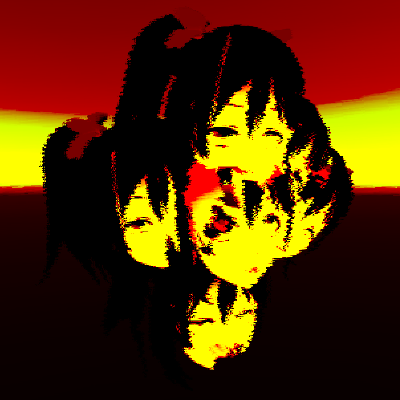
GitHub
Collision shader for VRChat. Contribute to AkaiMage/VRC-Collision-Shader development by creating an account on GitHub.
vale nebula
Ah right, don't believe that's what I'd want but it's cool nonetheless. ^^
river igloo
tired token
Do you have any previous shader work? I'd like to see more if you have any.
nope, this was pretty much my first foray into VRChat shaders, I did some experiments in the world you can see in the background, but nothing as complex as this
 worn moss
this might be more of an avatars question but does anyone know if there is a shader that reacts to the users speech? like speaking causes the face of a robot to glow type thing is what im looking for
 outer sphinx
What shader allows an image to rotate to be fully visible regardless of the camera rotation? Kind of like a static particle
I finally figured it's called billboarding
tired token
worn moss
this might be more of an avatars question but does anyone know if there is a sha...
With Avatars 3.0 you can have viseme animations that change the emission colour/strength.
Depends on what shader you use and how your materials/meshes are set up
shy vault
Any idea if this could somehow be made Quest compatible ?
past pewter
shy vault
Any idea if this could somehow be made Quest compatible ?
lol
 potent talon
anyone know where i can get a cell shader?
harsh violet
shy vault
Any idea if this could somehow be made Quest compatible ?
So far the only compatible shaders are listed right here https://docs.vrchat.com/docs/quest-content-limitations and this will likely be the case for a very long time I highly doubt any custom shader that’s not mobile will not be available for quest which honestly sucks the default toon shaders can sometimes screw up a look of an avatar, but quest peeps don’t care too much as long as they can view the model it doesn’t necessarily matter.
VRChat
This page will describe various limits in place for the Oculus Quest version of VRChat. These limitations are in place in the interest of performance, user safety, and discouraging malicious behavior. Find more information about limited components on our Quest Content Optimization page.Although the ...
hardy dagger
you can make shaders for quest, theyre just rare
 amber mulch
Where do I download the Quest Shaders? Do I need to get the latest SDK?
velvet sorrel
Yeah
 dapper rivet
I'm trying to replicate Lolathon's stream camera (his avatar in the bottom right of his screen). I figured out that its a shader that shows the camera, but I'm having a hard time trying to piece it together. I want a sphere around the player's head, invisible, and you can see normally in VR, but on desktop it shows a Unity camera of the avatar in the front. Does anyone have any idea how i can do this? I've been scrolling through forums from 2018 VRC communities on this camera system stuff but it's all outdated and not very clear
I figured out to use a screen stencil shader to get the view of a camera, i have that working but it's not showing up when I load into VRC with a test build of the avatar, the player camera can't see the unity camera output
shy vault
harsh violet
So far the only compatible shaders are listed right here https://docs.vrchat.com...
I meant for world and by compatible I mean so it doesn't crash Quest or make quest see through 1 eye
But I solved it already.. I found pretty good replacement texture
harsh violet
Ahh Icic
 jovial urchin
Is there a mirror shader that will cull by distance? So people or environment 50 miles away don’t render but instead up to a fixed distance?
Using a pickup object mirror so I can’t use occlusion portals on a static plane toggling when mirror is turned on
sharp pike
dapper rivet
I'm trying to replicate Lolathon's stream camera (his avatar in the bottom right...
I don't know what he's using now, but it used to be (like 2 and a half years ago) a shader made by someone going by the name of Nave.
The avatar has a camera on it with a render texture (and I believe the camera's culling mask is set to the same as what mirrors that only show your own avatar use, but I don't know how to do this (or maybe you can create your own layers and put the avatar on that layer and then only show that layer?)).
The shader draws the rendertexture of the camera to screenspace in the bottom right of the screen. I think his shader uses a geometry shader to discard the box/sphere around the avatar (inverted box/sphere so it's always be visible) and draw a quad manually, but maybe you could also use a quad mesh attached to the avatar's face and move it in a vertex shader (think moving the quad directly from object space to screen space).
At the size Lola has the texture on screen, it's so far out of view in VR that you wouldn't actually be able see it even if the shader isn't designed to detect when you're in VR and cancelling the rendering when that's the case so it only shows on the desktop view. There are additionally methods now for detecting if it's the stream camera preview or a picture being taken by the camera in which it could also be disabled.
Additional work was done at some point to make the edges around the avatar look better since the transparent edges around opaque objects in the rendertexture would end up very aliased, I don't know how this was done or if there have been changes to cameras since the unity version back then that make them look better.
Side note that cameras on avatars only show up to friends and additionally, a camera that is by default on won't show to others, it has to be off and then turned on for it to show up, so you can avoid other people seeing the camera output pretty easily. We additionally have isLocal in avatar 3.0 now so the box/sphere around the avatar need only be there for you locally now.
dapper rivet
sharp pike
I don't know what he's using now, but it used to be (like 2 and a half years ago...
Thank you so much for the reply! I'll learn how to make shaders by dissecting a few and then try this!
sharp pike
dapper rivet
Thank you so much for the reply! I'll learn how to make shaders by dissecting a ...
When I made my own shader similar to this, for the screenspace part, I fixed and repurposed the one I found here https://forum.unity.com/threads/correct-way-of-converting-to-from-screenspace-screen-width-screen-height-position-in-a-shader.404913/ I actually wanted the camera so I could see myself rather than showing myself to others on a stream, the in-game camera was added as a feature not too long after that and I stopped working on what I was doing since the in-game camera did everything I was after.

Unity Forum
I am struggling quite a lot to understand what is the correct way of converting from ScreenSpace of the type (Screen.width, Screen.heingth) to...
dapper rivet
I like the in game camera but the lens can get distracting if I'm recording something and acting, but still want that camera effect, so thank you so much!
sharp pike
I ended up putting my camera view in world space in front of my eyes instead of screenspace because I couldn't at the time figure out how to compensate for the different positions of both eyes when working out the position of the quad in screenspace.
jovial urchin
There is also jace cam that you can try, not really a shader thing just a render texture on a local plane with the plane parented to head in a location so it’s at the corner of the viewpoint
dapper rivet
mmm makes sense, i tried out Jace Cam and I'll probably try to replicate it or just reference it when making my own version
past pewter
can someone help me get a gif on my model
potent talon
Finally found the right shader! Toon shader looks best on this!
 harsh violet
potent talon
Finally found the right shader! Toon shader looks best on this!
harsh violet
potent talon
Finally found the right shader! Toon shader looks best on this!
What toon shader did you use, Poiyomi?
harsh violet
potent talon
I’ll prob end up using poiyomi sometime
Is it literally called toon shader on the unity store?
potent talon
I think so, I looked up toon shader and the profile came up with all the VRChat robot guys with the same shading
 umbral sigil
Is there any way to disable backface culling on the default Quest shaders?
Especially the Toon Lit shader
 uneven loom
umbral sigil
Is there any way to disable backface culling on the default Quest shaders?
uneven loom
umbral sigil
Is there any way to disable backface culling on the default Quest shaders?
nope that is not doable
umbral sigil
Fuck
astral plover
umbral sigil
Is there any way to disable backface culling on the default Quest shaders?
only way to achieve this is to duplicate the faces that you want to be double sided (in blender) and then flip the normals on the duplicate.
this will make it so that there are actually two sides to it
umbral sigil
Hmmst
unborn imp
how to fix the green in the vrchat shader
 uneven loom
remove vertex colors?
 fossil haven
Is is possible to get a similar look to the built in "Autodesk Interactive" shader using the Poiyomi shader?
astral plover
fossil haven
Is is possible to get a similar look to the built in "Autodesk Interactive" shad...
There are ways to achieve a realistic lighting (PBR) setup in poiyomi's yes. I'd suggest joining poiyomi's discord server for more assistance/information
harsh violet
ight I need some advice on shaders
I haven't done any lighting yet before I set that up I wanted to know if there was a shader I could use that could work well with this currently it is set to "standard" and I don't like the way it looks

I wanna get something like this

any suggestions?
velvet sorrel
Standard but set up better
hardy dagger
add emmissives and post processing. and light rays if you have any
fossil haven
astral plover
There are ways to achieve a realistic lighting (PBR) setup in poiyomi's yes. I'd...
Thanks, I'll try that
shy vault
Guys any idea why this shader on Quest after some time just stops.. ?
    Shader "_Shaders/Rainbow" {
        Properties {
        }
        SubShader {
            Pass {
    CGPROGRAM

    #pragma vertex vert
    #pragma fragment frag
    #include "UnityCG.cginc"
    #include "Shared/ShaderTools.cginc"


    struct vertexInput {
        half4 vertex : POSITION;
        half4 texcoord0 : TEXCOORD0;
    };

    struct fragmentInput {
        half4 position : SV_POSITION;
        half4 texcoord0 : TEXCOORD0;
        fixed3 localPosition : TEXCOORD1;
    };

    fragmentInput vert(vertexInput i) {
        fragmentInput o;
        o.position = UnityObjectToClipPos(i.vertex);
        o.texcoord0 = i.texcoord0;
        o.localPosition = i.vertex.xyz; + fixed3(0.5, 0.5, 0.5);
        return o;
    }

    fixed4 frag(fragmentInput i) : SV_TARGET {
        fixed2 lPos = i.localPosition / 8;
        half time = _Time.y * 0.2;
        fixed sine = sin(time);
        fixed cosine = cos(time);
        fixed hue = (lPos.x * sine + lPos.y * cosine) / 2.0;
        hue -= time;
        hue = frac(hue);
        return HUEtoRGB(hue);
    }

    ENDCG
            }
        }
        FallBack "Diffuse"
    }
Was thinking is there perhaps somewhere an number overflow that Quest can't handle ?
hardy dagger
can you describe what this shader is supposed to do
shy vault
This
This is what its supposed to do and it does.. ON PC
On quest it does this for only limited number of time
couple minutes
Then it stops on RED
Whole red
Any idea why.. ?
Its extremely optimized but something is def missing to make sure it runs forever 😄
hardy dagger
this is beyond my shader knowledge. usually if it works as expected on PC, then it should follow in android. but ive also seen shaders behave horribly on pc and beautifly on android
shy vault
🤔
shy vault
hardy dagger
this is beyond my shader knowledge. usually if it works as expected on PC, then ...
My guess is that on PC the number overflows and starts from 0 when it does and on quest it just stops at the highest and doesn't reset to 0 but which and where 🤔
That's my guess
jovial urchin
Shader looks ok, who knows. Can always run an animation that after a few minutes does a quick material swap back and forth for one frame on the quest upload
toxic egret
how long is your "while" before it stops
but my guess is that due to using half and fixed, your values end up being insignificant (or overflown)
which of course doesn't happen on pc
most likely the fixed
pretty sure that's it
and of course you could change to not use fixed tho that means it will run way slower in your quest
shy vault
toxic egret
most likely the fixed
So you think if i change the one fixed to half or something it might work 🤔
harsh violet
Does anyone know a good shader for overwatch pls tell me

 potent talon
i uploaded an avatar now all its textures are gone and its all pink, there was shaders on it too :/
anyone know a good fix?
velvet sorrel
shy vault
Guys any idea why this shader on Quest after some time just stops.. ?
```cs
...
Instead of sin() and cos() of time, try _SinTime and _CosTime
shut robin
What shaders can duplicate geometry?
 finite dune
Hey, I'm trying to make a custom talking animation on my avatar where the head lights up with a green ring kinda like what discord does, I'm currently thinking I'm going to need to do this with a shader. My character's head is a sphere, I've got a larger green sphere around it for the light up effect, is there a shader that would allow me to only render the outside bit that isn't obscuring the actual head? (or a better way of doing this, I'm not an experienced modeller)
This is the desired result, though I've just moved the green sphere behind the head to show what I mean here

 rustic umbra
can't you just make green sphere wider on sides than?
finite dune
No, because I want it to be visible no matter what angle you're looking at it from
My backup option is just make a cylinder and do what you say there, but ideally I'd like it to look like that from any angle you view the head at
(like this)
 rustic umbra
i only know how to make that in blender not in unity
sharp pike
You could do manually what most outline shaders do with the geometry part of the shader, add a duplicate of the head (or just a sphere in this case) with inverted normals around the head and backface culling on?
finite dune
Ah, I've tried scaling it to -1 which would achieve the same effect I assume but I didn't know about backface culling
How do I turn that on?
sharp pike
Depends what shader you use in unity, some have a specific setting (that you can't change, e.g. standard shader) though most main shaders you'll use for vrc will have a "cull" option
finite dune
Ah, at the moment I'm just using the stock shaders. Is there a way to do it in blender?
sharp pike
It's a shader thing, and standard shader has backface culling on
rustic umbra
and you don't need to use shaders if you use blender
finite dune
Ah I see, does it not show up in Blender then? I remember seeing that effect in unity a while back when I had some of the normals inverted by accident
I've already got the normals inverted but it doesn't show up in the viewport
sharp pike
Blender has places where you can enable backface culling, try here in the Solid viewport shading mode

Or in the individual material settings
 finite dune
Ah, awesome the material settings one worked
Couldn't see the setting on the viewport shading settings panel for some reason
sharp pike
It changes depending on which viewport shading mode you currently have selected, the four different circles
Wireframe, Solid, Material Preview and Rendered
finite dune
Ah I see, on solid mode sorry you did say that
 knotty rivet
Does anyone know any "toon" shaders that can use normal/metallic maps. I basically just need unity standard but with the outline feature of toon shaders.
But the few shaders I've tried don't work with normal maps
tired token
a lot of the common toon shaders can use normal maps, just depends on the settings you use
knotty rivet
I tried poiyomi and arktoon.
While they have areas for them, they don't seem to display
Should look like this https://i.imgur.com/TecOPku.png

arktoon

Poiyomi's even worse looking
past pewter
Try playng in poiyomi settings it haves some metalic effects options
Try adding a matcap to it
knotty rivet
If there's just unity standard + outline that exists, that would probably be best
tired token
There's the realistic option in light & shadow section of Poiyomi's shader, you'll also want to enable metallic and specular refection
knotty rivet
Actually looking at it, not sure how I even add an outline to that
sharp pike
knotty rivet
Does anyone know any "toon" shaders that can use normal/metallic maps. I basical...
Silent's Cel Shading shader has by far given me the best results for parity with Standard when it comes to the metallic map, put your metallic map from your standard shader into the "Specular Map" texture, tick "Use as Metalness" and "Use Energy Conservation" and you should be good to go. Such parity may also be a downside though, since you don't get any of the vrc 'fixes' for terribly lit worlds and worlds that are entirely baked lights. You would want to mess with the rest of the setting for getting your toon look.
 sharp pike
If you want just the indirect specular part (reflections/metallic reflections) without the direct specular highlights from lights, then XSToon works well (it's very close, but not quite the same as standard shader, I believe it doesn't take into account reflections being stronger at glancing angles). You can still have direct specular highlights, it's just in its own texture in the shader and I couldn't work out an easy way to convert my metallic map to its specular map. (my XSToon version is pretty old, so it's possible some of this has changed)

 sharp narwhal
Can anyone remind me what the name of the shader effect is to be able to only view an object through the shader? Like having a 3D character inside of a card that can only be viewed through the card?
sharp pike
sharp narwhal
Thank you very much
past pewter
does anyone know how to do dirty & blurry in silent's fake glass like the sample picture. i don't know how. Is normal map require for it ? if it require I can't find any of that ;_;
velvet sorrel
past pewter
does anyone know how to do dirty & blurry in silent's fake glass like the sample...
You don't need a normal map, but you do need to use the Surface Mask

Example is using this texture: https://cc0textures.com/view?id=SurfaceImperfections008

Asset 'Surface Imperfections 008' on CC0 Textures. Get this asset and 1000+ more PBR materials and textures for free under the Public Domain license.
past pewter
velvet sorrel
You don't need a normal map, but you do need to use the Surface Mask
oh thank you so much 😄
velvet sorrel
No problem!
lofty dragon
velvet sorrel
No problem!
Hey Silent, would you happen to know if it's possible to make a shader that updates at less than the framerate?
It's hard to explain, but basically I saw an avatar that moved at a low framerate and I want to do something similar.
velvet sorrel
Well, things on the shader can update at any rate you want - they just happen after the bones and stuff are applied
That effect is done with dynamic bone update limits
lofty dragon
I saw an avatar a couple days ago that did it with no dynamic bones, which is why I'm asking
tired token
You can use Constraints to alter visual framerate
velvet sorrel
Oh yeah, we have constraints now!
lofty dragon
The whole joke of the avatar is that it was "optimised" to the point of being 4 polygons, and there was a shader applied that made it jittery
It was completely untextured and unlit, and the avatar stats were basically 0 across the board
velvet sorrel
So you could have an armature with the avatar model on it that tracks the real armature, with an animation shifting the constraint weights back and forth
tired token
Jittery? Sounds like rounding of the vertices
lofty dragon
tired token
Jittery? Sounds like rounding of the vertices
Jittery was the wrong word
It didn't move based on your view angle
lofty dragon
velvet sorrel
So you could have an armature with the avatar model on it that tracks the real a...
I assume that would be better on performance than dynamic bones
and how would you change the rate that it shifts?
tired token
You change the on/off state in the animation
if you want it to update faster, do the on/off transition quicker/more often
lofty dragon
velvet sorrel
So you could have an armature with the avatar model on it that tracks the real a...
Are there any guides for constraints I could look into? I don't really know how to use constraints let alone animate two of them.
velvet sorrel
lofty dragon
Are there any guides for constraints I could look into? I don't really know how ...
I don't know of any for a general use case. I recommend using the Unity manual and playing around with them.
 muted comet
In this overly long tutorial we're revisiting a rain shader idea from the past, only this time we're making it without the aid of particle systems. With just one R,G packed texture, and a lot of shader magic, we can make it rain on any asset*
*Doesn't work on skinned mesh renderers, you need some sort of tangent space uv's for that and it's not...
Can anyone tell me why when I use this shader on an object it shows up black and where I can’t apply it to a glass material I have in my scene, I don’t know how to make it see through?
You can find the shader for free on his patreon
past pewter
anyone has a good water shader
shy vault
Uh..
Both is the same shader.. Right is what is should look like left is what it really really should not look like
Any idea what could be broken ?
 fair night
I don't suppose anyone knows if there's a quest compatible shader that works like VRChat/Panosphere?
@shy vault at a glance, I'd guess it's just the UV's
 safe badger
So... since Nier is getting a remake, I'm trying to make a Shadowlord avatar, but I'm stuck at some of the effects/shaders that the Shadowlord model uses, which is shown in the video, can someone please help me "identify" the effects/shaders used on his body when he appears, so I can search for something similar ? 
|| https://youtu.be/Xb_MKbUAt6Y?t=35 || (Caution for Nier spoilers)
MAJOR SPOILERS
Finally, the party has reached the Shadowlord, also known as the main character's gestalt / shade form. Grimoire Noir attempts to hold them off at first but is quickly overpowered, and the Shadowlord fights the party alone.
velvet sorrel
I believe there's several layers of small, simple effects working together here, which would probably end up being one or two shaders
For example, there's the surface of the body, which has ripples and waves, which affect the fraying at the edges, which are likely a seperate mask on top of the body. Then there's the yellow pulses, which are also warped, and they could be using the secondary UV channel to control the pulses so they are along the surface of the model instead of in world space. Then there's the red overlay, which I think is just the same thing.
safe badger
Yeah the red marks/overlay are a separate mesh altogether
I got that one figured out
 rustic lodge
Muzzle flash on Blender 😎
 static frigate
anyone know how to stop this shiny metalic look in blender?
 velvet sorrel
Increase roughness, decrease specular