#shaders
2 messages · Page 14 of 1
 autumn egret
 fluid hamlet
you can try it as an emission texture
autumn egret
would that be a thing on reros standard
ey
i found it
thanks
anyway to make the emission glow?
i need a shader, thats like stardard shader, that lets me do emission that glows
 brittle plinth
Do you mean treating the emission as a light source?
brittle plinth
I’m not sure that can be done. You can make it light up in the dark, but it won’t affect other objects.
 viral bay
Does someone know why my Transparency/toon shader do this to my model? I tried to fix it multiple times on the mesh itself in blender by combining/separating materials, first blush. then i fixed it, but it messed up the hairline etc.
 steep swift
@past pewter you're not using a proper shader for this.
Most toon shaders, as well as standard, will support texture offsets... but this shader evidently doesn't go through TRANSFORM_TEX
Since your shader evidently ignores it, you have to edit the shader, and find where it does
tex2D(_MainTex, something) and change it to tex2D(_MainTex, TRANSFORM_TEX(something, _MainTex))
You can also do math directly at that point, as in: something + _Time.y * float2(0.75, 0.25) to make a time-based scroll
May also need to add uniform float4 _MainTex_ST; next to the sampler2D _MainTex line
autumn egret
@steep swift hey about that thing about the texture scroll, anyway to make it only one material
cause its doing the whole thing
i just want the hair to scroll
steep swift
sometimes there can be advantages to using multiple materials. You're allowed up to 4 materials to still be excellent. so I might suggest to consider a different shader
Do note, when animating a property like _MainTex_ST, it will actually affect all materials on the mesh.
autumn egret
i dont understand
i tried using a diff shader on it
im usin poyomis
@steep swift
oh wait
hold on
i might have gotten it workin
 ripe spoke
Hey I'm trying to use stencils on Arktoon shader to make the thing where people are passing through dimentions
Could anyone help?
 past pewter
Don't suppose anyone has compiled a list of VRChat-specific shaders anywhere? There were a few that I was looking at before, only... Yeah forgot to back my notes up when reinstalling windows 🙄
 prime cape
i got a question about the fallback system on the amplify shader editor
because for anyone who has shaders turned of my avatar is apearantly green for them
how can i atleast load the default textures on my avatar when other has shaders turned off
 light urchin
@prime cape if you have your main texture named something else than what shaders usually use, it fallsback to using the color of your ingame trust rank. Change your maintexture parameter to be named "_MainTex"
prime cape
aha thanks
steep swift
@past pewter there's a Shaders tab on the prefab database pinned in #world-development https://tinyurl.com/vrcprefabs
past pewter
does anyone think about doing fan-made tf2 models? cuz I've got one from a workshop right here
past pewter
if anybody has any shaders for the use of any VRChat avatar, please send them. I need as many as possible since I want them to look accurate in the sense of morality
just any would do
past pewter
@steep swift Thanks! It was on there!
 noble monolith
Anyone on here know where I can get a optimised standard shader(unitys) that also acts like a splatmap that isnt a tool from the store?
I am looking for a splatmap standard shader that allows atleast 4-8 texture slots with normal maps for each (something like the unity terrains).
(This is for a MESH I modeled as terrain not the unity terrain)
To have Tile and offsets like what the standard shaders have.
To have the ability to use a control texture for the splat map to control the opacity of the textures / normals applied. (Stacking each layer to have grass and dirt show where ever the control allows em to while being tiled textures / normals)
To be just like the standard shader from unity standard.(doesn't have to have the specular or roughness versions) and to be future proofed for newer versions of unity.
If anyone can please help point out where I can locate this I will greatly appreciate it alot thanks.
fluid hamlet
https://assetstore.unity.com/packages/tools/terrain/microsplat-96478#description guess this one is the better free one you could try
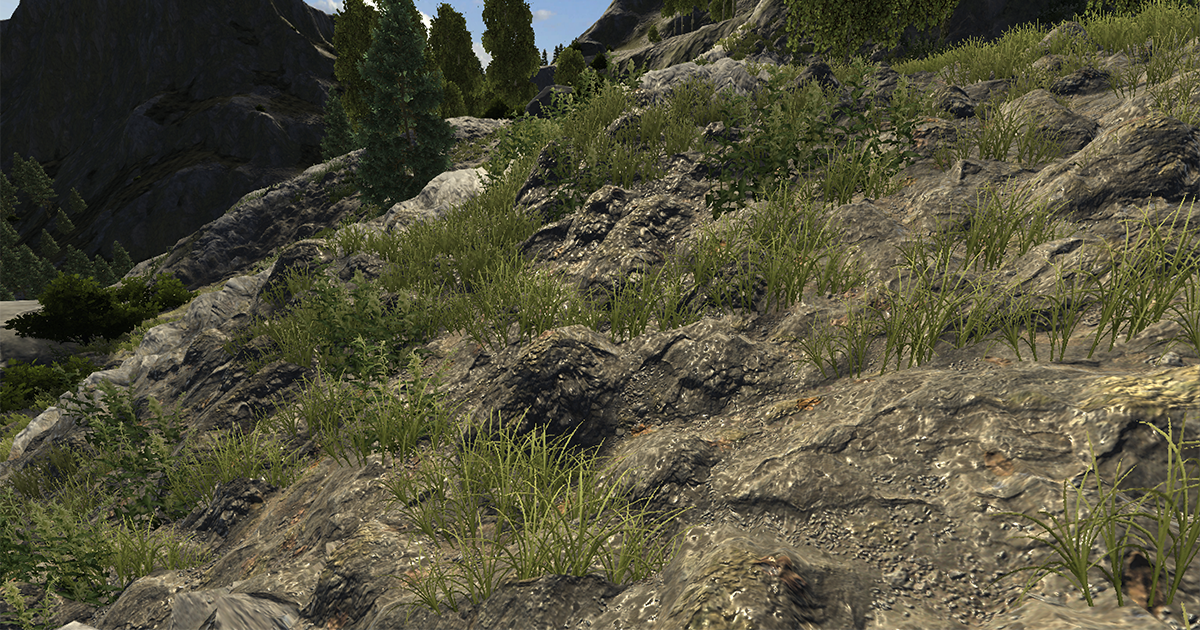
From the creator of MegaSplat comes MicroSplat, a modular terrain shading system designed around performance and ease of use. MicroSplat is a replacement shader system for Unity Terrains, and also available for Meshes with the Mesh Workflow .
Simply add the MicroSplatTer...
noble monolith
ty i try
noble monolith
not sure how to use that shader its not letting me use my textures with a mask on a mesh
 robust rivet
anyone can recommend me a good material shader for vrchat character? o-o
 velvet sorrel
Try my shader!
robust rivet
Silent Cel Shading Shader?
velvet sorrel

GitLab
A surface shader for Unity providing cel-shading. (Forward rendering only)
Yep!
robust rivet
Alright thank you 😄
robust rivet
@velvet sorrel Btw how do i import your shader into the unity? o-o
velvet sorrel
Simply dump the contents of the Assets folder in to your Assets folder in Unity
robust rivet
the "Silent's Cel Shading Shader" folder into unity's asset folder?
or just the whole "SCSS-master" folder into the unity's asset folder? XD
 tired token
First one.
robust rivet
alright done 👍
how to solve this? o-o when i apply the shader into the material, my avatar face become like this 😮
 open latch
Try cutout rendering mode? (I haven't used silent's)
robust rivet
still the same xD
open latch
For the other part
robust rivet
Okay nvm i found the solution 👍
velvet sorrel
Oh yeah, feel free to @ me if you have any problems, I'll respond when I can
robust rivet
Alright 👍
Anyone know what kind of shader makes the avatar's hair glow in the dark? o-o and also the tattoo too xD
fluid hamlet
poiyomi's toon shader ..with emission textures
or any othef with emission texture support
robust rivet
alright thanks 👍
past pewter
anybody got MMD PBR material shaders?
I'm trying to do one for sonic the hedgehog, but I'm not sure what to make out of it
past pewter
I'm looking for a raycast shader for sonic
@velvet sorrel do you have any shaders that are Raycast that can support VRChat?
I've been trying to find one since the sonic movie is today
also, happy valentines day guys
past pewter
are there any lightwarping shaders?
autumn egret
i need a shader that is like the halo invisibility
not fully invisible so you can still see but its like
wobbly

Halopedia
Active camouflage (often shortened to active camo or av-cam) is a form of technological camouflage designed to conceal an object from visual detection by rapidly adapting to its surroundings. Both the UNSC and the Covenant use various forms of active camouflage technology, tho...
i found it
 cobalt drift
Anyone know how to get the latest version of xfur to work?
past pewter
so basically, I think the shader you have is broken
@velvet sorrel
what should I do?
steep swift
@past pewter open Console window and look for errors. If no errors, Open Project window, do gear menu on material and select shader. Click the shader and see if a box shows up in inspector with errors. Try right clicking the shader and select reimport. Look again in the inspector for a box with errors
Hard to diagnost shader compile errors without seeing the errors
past pewter
thanks
velvet sorrel
Yeah, I have no idea what you did wrong there
fluid hamlet
I see it happen on a couple of shaders that are imported into subfolders (assets/shaders/creator/.shader (breaks), but (assets/.shader (does not break)
 knotty berry
How tf i install MinionsArt's liquid shader? I have tried everything but nothing works 😦
fluid hamlet
what is the file extension? @knotty berry
knotty berry
its just .txt tried making new shader and copying the code in
fluid hamlet
name it .shader
knotty berry
tried, shows up as txt fine in unity.
fluid hamlet
disable this and make sure the extension is .shader and not .shader.txt
unity will not recognize it as a shader otherwise
knotty berry
Thanks! That fixed the file issue. But it seems like it didn't change anything.
I mean, the material has shader specific options, so the shader maybe works now, but i'm somehow using it wrong. I have made cylinder inside a mug, put a material on there with the liquid shader. It's just a brown block there and does not do liquidy things.
fluid hamlet
knotty berry
yes
knotty berry
i have the script in my asset folder
fluid hamlet
it’s extension is .cs?
from what i get that what needs to be liquid needs both the shader and the script on it
will try it when i am home
knotty berry
Unity does not let me add the script there. Gives an error
 stuck cliff
@knotty berry if you plan to use it with vrchat then you can't, custom scripts was not allowed, and that shader will not work properly without that script
 knotty berry
@knotty berry if you plan to use it with vrchat then you can't, custom scripts was not allowed, and that shader will not work properly without that script
@stuck cliff It was in the vrchat prefabs.. o.O Weird. Well guess i have just empty cups for now.
stuck cliff
@knotty berry actually, i just saw that the script controls various shader parameters and performs some calculations, maybe this can be re-done with Animations or at least you can make it to work correctly with udon on beta if don't plan to use it with avatars but with worlds
 misty field
Is there such a thing as a toon/cel fur shader
velvet sorrel
There's XSFur
 solemn bolt
Hey there lovely people, anyone have a shader they would recommend for a woolen jumper?
Jumper looks a lil dull with the normal map applied
 sharp pike
I feel like reducing the strength of your normal map may look better. I think turning on rim lighting in your shader is also a good call to simulate light passing through the fuzzy outline you would get. My jumper's supposed to be fleece rather than wool, but I like how it came out. Left is the normal map at full strength, right is the normal map at 0.1 strength
solemn bolt
i will try the fur short length and im currently using the standard shader which doesnt have a rim lighting setting im pretty shure 😦
the fleece looks really good btw!
sharp pike
Fairly closely replicated it with Xiexe's XSToon shader
 torpid river
would second using xiexe's XSToon for this. The light ramps do well to imply the wool texture from the normal map.
 hollow zealot
having some issues trying to pull up textures on unity. one suggestion i found was to extract textures on the fbx file im working with but its greyed out for me
hollow zealot
optimize? sorry i'm still pretty new with unity 😬
 crystal solar
Merge the materials in blender to make it run faster in game.
velvet sorrel
Yes, check out the guides pinned in #avatar-optimization
Have as few materials as possible
hollow zealot
ah alrighty, got the materials down by quite a bit lol
@velvet sorrel also its asking to select from folder, do i extract the materials from the textures in the original mmd file?
velvet sorrel
The materials are actually extracted from the FBX file
You can put them where you like
Then you'll have to put the textures into them
hollow zealot
ah gotcha, i'll try it now
getting some kind of error when i try extracting it from the file
velvet sorrel
If you extract it outside of the project folder it'll cause problems
velvet sorrel
I don't mind, but should read the manual before asking questions
past pewter
Hey Cibbi, I'm not sure if I'm supposed to say this, but I feel like the eyes of darth maul should have an emission
fluid hamlet
make a copy of the texture with the eyes and remove all but the eyes (do not crop), use the new eye texture as an emission texture (depending on the shader it can be under detail textures or special effects (poiyomi toon shader)
this way it will not affect the rest of the area
past pewter
understood
past pewter
hey Cibbi, should I invert the thickness texture on the model for it to properly work?
 lethal nacelle
try it and find out
past pewter
understood
 vivid lagoon
alright so cubed toon shaders
it works in unity but when i enter game its not there.
lethal nacelle
whats not there?
lethal nacelle
ah, outline
well
i dont know specifically why it would disappear since i haven't worked with cubed's unity shaders since a year ago
vivid lagoon
srry i phrased it wrong
lethal nacelle
but what i can tell you is that i dropped it a year ago because its creator abandoned it two years ago
vivid lagoon
ive heard yeah.
lethal nacelle
so it could be that it's dying inside
lethal nacelle
no
im surprised that it's been working this long
it was supposed to break in 2018 but so was everything else
vivid lagoon
ohhh.
lethal nacelle
i'd reccommend trying out silent's toon shader, poiyomi toon, or cibbi toony standard
vivid lagoon
oh thanks! what would you say is the most similar?
lethal nacelle
silent and poi have "simple" shaders built-in that are as stripped down and similar to cubed's
cibbi is just as simple to use as cubed's, i've always thought of it as an updated and a bit more flexible version of cubed's shader
they should all have outline options
since they are toon shaders
vivid lagoon
thank you so much!
vivid lagoon
alright so silent is good but
i still want that "cartoony" look rather than the realistic shading
lethal nacelle
out of the 3 i reccommended i actually havent had the time to look at silent yet ^ ^`
if i had to guess
look for any options that say toon lit
if it still looks realistic
change the shader ramp
vivid lagoon
poiyomi is actually nice!
lethal nacelle
and turn off any reflections
lethal nacelle
m?
vivid lagoon
the sharpness. especially around the nose !!
i love that sharp shadow
looks like it was drawn on
lethal nacelle
ah
i see
i never touch outlines anymore so i wouldnt know
ive replced all of that jazz with rim lighting
vivid lagoon
rim lighting? : o
vivid lagoon
oh it looks nice!
lethal nacelle
mhm
this is on poiyomi with environmental rim
so I don't even have to play color hickey with my masks
it just works ✅
vivid lagoon
thats awesome actually!
lethal nacelle
i dont knkw
if this works at all
But if silent or cibbi (i know poi already supports) has outline masking
Actually no
Well
hmph
even if it were possible it would be convoluted af
 humble hedge
how do i make a texture glow a little bit?
or at least make it bright ?
the city skyline texture looks a little bit dull
anybody?
tired token
open your favourite image editing program and brighten it up
velvet sorrel
@lethal nacelle Mine supports it through vertex colours, which is more optimised
lethal nacelle
0u0
god i cant waitbuntil im done finishing my first ever scratch-made base and avatar in blender
I have not touched unity in so long
Im going to stuff it with every fucking shader
When my base is done
velvet sorrel
I'm going to update the manual to add a link to a Blender addon that will convert outline mask textures to vertex colours soon
lethal nacelle
Ive been meaning to do light testing and performance testing for all shaders for
A long time now
aaa
Swait
If uou use vertex color
But go over it with PC shaders + tex
Youll obv have tex but the vertex data stays?
velvet sorrel
Shaders can do whatever they like with the vertex colours
On mobile you can't change the shader, of course, and the default will multiply it over the colour
lethal nacelle
im ready.
velvet sorrel
In my shader you can currently use vertex colours to set the outline width and change the ramp
So you can have some areas be smoother than others, just by using a specially made ramp that goes from hard to soft
tired token
you should probably have a different fbx for mobile anyway, so conflicting shaders shouldn't be too worried about
velvet sorrel
Also, @vivid lagoon In my shader, there's a setting at the bottom for "lightramp mode"; if you set that to none you'll get sharp edges like Cubed's
past pewter
http://prntscr.com/r52vcv so this hair is actually long in the back but for some reason becomes invisible on the inside? it is visible when you look from behind. I tried adding pyomi texturing to it as well and it doesnt seem to catch it
 steep swift
@past pewter Sounds like the polygons are one sided. Is this using hair cards? It's a bit strange. One way is find all the parts of hair you want visible and duplicate then flip normals
Another option is set culling to off in your shader of choice. I'd suggest making hair a separate material and just doing it on that material
solemn bolt
I cant believe i have to ask this, and i know im going to kick myself when told the answer....
How come when i import xiexes' unity shaders packing into my unity assets, all of the shaders show solid pink no matter what i do?
Standard vs xiexe
I have other custom shaders that work, and all of xiexes' shaders appear pink
steep swift
@solemn bolt first step is check the Console window for any red errors
are you on PC? imported vrchat sdk? correct unity version (2017.4.28f1)?
solemn bolt
sorry had to go for a mo, this is what I found. Im assuming everyhting is correct as I have other custom shaders and many other avatars that work fine
but I do get this pink issue on a few of the shaders I import
steep swift
What unity version are you using? Can you double check? Is VRCSDK imported?
Showing the title bar of your unity window would answer all my questions
E.g. "Unity 2017.... Personal - PC Mac & Linux Standalone"
VRCSDK configures some project settings so it's good to check that too
steep swift
Ah you're on mac. I hate to say this but Apple has fucked over mac developers. I'm not saying this in a bad way because I do most of my vrc dev on mac
solemn bolt
ahhh shit, really isnt compatible with mac....
steep swift
But just be aware: OpenGL 4.1 is extremely outdated but apple stopped supporting OpenGL and ditched us
I recommend working with Metal
It can be enabled in unity settings and switched in Edit-> Project Settings -> Player. Uncheck auto graphics api mac and drag them back and forth on the list so metal is on top
Sometimes you have to do it twice if it had metal on top first
HOWEVER because Apple loves their devs so much, they refuse to implement geometry shaders in metal. So if you want geometry shaders, you have to use the outdated OpenGL 4.1 backend
Geometry shaders are used by many toon shaders for outlines
XSToon should have non outline variants, so you can disable outlines and switch to metal and things should work
Also make sure you installed Windows / PC support in your project when installing unity
I use metal like I say but it is kind of tiring switching backends So much. And many shaders use advanced features but also need geometry. I literally cannot use any such shaders on mac D-;
solemn bolt
so these shaders will still show up s pink in vrchat, even though its just the mac that cant see/load them
steep swift
Kinda. Unity is a strange beast. In theory it would build it for windows DX11 and upload that
But I believe it doesn't always work that way
I don't think I've ever had something pink on mac work when uploaded
solemn bolt
yeah, ill have to do some of these things on the PC, its just so much easier to work on a macbook out and about
I might just try and find a different shader :/
Thanks for the help Lyuma, it is su much better to know what the issue is rather than keep stressin that ive made some mistake on unity!
steep swift
Well... not 100% sure it's not the latter... if you switch to metal and avoid shaders with outlines, it should work @solemn bolt
 median gate
So I want to make a speech bubble near my avatar. So would require a particle effect vertical billboard that's always facing. but the issue is that the tale of the Speech bubble, depending on your orientation around the person With it on would look like the Tails coming from the wrong direction sometimes. So it's almost like I Would need a Shader that says to mirror The image if it's on a certain side of My avatar with respect to the spectators line of sight
Is that even a thing i could do?
 frank isle
@median gate if you dont mind the bubble being off center you could probably make the end of the tail at the middle of the particle texture so half of the texture is bubble and the other half is just empty. That is, if you're making it float above your head.
steep swift
@median gate you can do billboard without using a particle: https://github.com/Toocanzs/Vertical-Billboard
GitHub
A vertical billboard shader for Unity. Contribute to Toocanzs/Vertical-Billboard development by creating an account on GitHub.
median gate
I'm just not sure if that would Help my situation of the tale of the speech bubble facing away from the player if you're looking at them from a certain angle.
 stiff berry
i mean it's not necessarily made for it, but as long as you keep the object centered above their head and create a texture offset to the right, it works good enough
that's my shitty texture
 shadow river
@silk gorge curious but in the great pug, the curtain for the stage; one material or two? for the transparency in the back
fluid hamlet
one material with backface culling active (means the backside is not showing (transparent) most likely
@shadow river
 haughty warren
Do shaders that target specific eyes in VR not work in VRchat?
steep swift
what are you trying to do?
haughty warren
having the left and right eye see the avatar in different colors
steep swift
VRChat on PC uses Single-Pass Stereo. You can read about it here: https://docs.unity3d.com/Manual/SinglePassStereoRendering.html

unity_StereoEyeIndex can tell you which eye is being rendered but only when not looking in a mirror: mirrors do not render with Single Pass Stereo
However, I believe you can tell which eye is in the mirror by looking at the sign of the X component of the projection matrix.
Here ya go. see the 3rd number on the first row of the projection matrix, is different in each eye.
and I'm sorry about all the particles. it's the best screenshot I have on hand illustrating the left/right eye difference
haughty warren
It's fine, thats interesting, so if a shader supposed to targt a specific eye isnt working its most likely just trying to do it incorrectly for how vrchat does things i guess
steep swift
make sure to surround it in #ifdef USING_STEREO_MATRICES ... #endif
light urchin
Shaders that have different colors and such in different eyes look pretty horrible in VR usually and hurt your eyes while looking at them 😅
haughty warren
Depends on the colours used
steep swift
to test it in editor, go to Edit->Project Settings->Player, find the XR Settings section, click the + button below the VR headset list, add Mock HMD - Vive to the list and drag it to the top. Then go to play mode and go to Game View
Random unity tip: click the main camera in scene view and go to GameObject menu -> Align With View to make the game view match the scene view
yeah I'd suggest doing basically some shiny effect: multiply the color with dot product of normal and some direction. That will make it look shiny but be "correct" in a sense because it matches how actual glossy or metallic surfaces would behave
generally if you do the math right, you don't need to program logic per eye. It Just Works
haughty warren
pretty much my end goal was just funky stuff where you can close an eye and see it in a single colour
just gimmicky
steep swift
I spent my first week of VRChat writing shaders using the unity_StereoEyeIndex and trying to do basically what you are doing. And I learned later that everything I did looked like crap and that there are correct ways to do what I wanted, and, surprise, none of those correct ways required the eye index!
for example, getting a ray from camera normalize(vertex world position - _WorldSpaceCameraPos) in fragment shader will let you do interesting effects in a stereo correct way
but anyway I think it's great to experiment with the VR medium. Just be respectful and don't impose stuff that looks uncomfortable to random people in public.
haughty warren
Yeah i understand not imposing stuff on others, stuff like screen takeovers can be really agrevating
 rare quest
Is there a way to get light and shadow in shader in Custom Render Texture without camera.
 hushed rock
Any reason why I'm seeing double when I look at myself, but not in the mirror? I think other people get the same thing when they look at me.
I'm using the latest version of Poiyomi's shader
light urchin
Right click on the Poiyomi folder and press reimport this happens when unity compiles the shader wrong but decides that it's fine and let's it be
Sometimes you need to do it multiple times
 pulsar grotto
What shader would be used to have this semi-realistic shading?
 magic valley
What shader would be used to have this semi-realistic shading?
@pulsar grotto depends on the texture and the model I think. You can get by with standard unlit shaders, for the glowing part, you can use texture map for the emission
pulsar grotto
@magic valley Standard emission is far worse than this shader. I want more shading but not no lighting.
 fickle falcon
Hey guys
Anyone know where I could find decent detailed tutorials on how to write shaders from scratch?
open latch
NVIDIA Developer
These older DX11 samples are still available for download here although we suggest you check out the new NVIDIA GameWorks Samples instead. Tessellation The first major DirectX 11 feature that the SDK covers is hardware-accellerated tessellation.
Some older samples are here
steep swift
If you haven't see these, I'd probably suggest starting with this set of tutorials for Unity: https://catlikecoding.com/unity/tutorials/
A collection of tutorials for people who want to learn C# and shader programming in Unity. Useful to both novice and experienced developers.
sharp pike
@pulsar grotto I find that Xiexe's XSToon with shadow rim gets this nice softer shading at glancing angles while maintaining a good look on anime style avatars. Here it is with a single baked directional light in the scene
pulsar grotto
Ok, thanks
past pewter
I texture in unity right?
All I want is the model to be gold\
Or will Blinn/Lambert/Phong materials work?
 molten bridge
hi guys can we use whatever shader or it's like the whitelist scripts that we can only use certain shaders because vrchat didn't build them in?
velvet sorrel
You can use whatever
With the latest version of my shader, you can do lots of fine shading tweaks!
This avatar is all one material, even though the hair, metal buttons, sharp cloth, soft tights, and skin have different shading
velvet sorrel
Here's a link because I forgot to add one! https://gitlab.com/s-ilent/SCSS
I also updated my Subsurface Scattering shader to apply the BRDF ramp to baked lighting!
Using it, you can look nice and soft even in baked lighting
past pewter
I can't go back and add materials to my models eyes, can I somehow add another different shader to the faces of the eye?
velvet sorrel
Use a metalness map to mask it out
past pewter
Not sure how to do that but it's fine I was able to change it in Maya
 lucid spindle
has anyone else experienced the z and y axis being swapped and intensity halved in vrc and play mode when using vertex displacement?
steep swift
Yes. Because blender has z and y axes swapped compared to unity
Either edit the shader and swap z and y everywhere...
or go to blender, and go to edit mode and select all, shift S "cursor to world origin", period (.) and choose " cursor" and rotate everything -90 degrees on x axis, this should make the model faceplant on blender's ground. export that faceplanting model to FBX or whatever . And in unity on the mesh (or armature) set local rotation to 0 0 0.
There you go, model rotation is now in xyz not xzy.
Would be a nice editor script to make someday: bake rotation
@lucid spindle
lucid spindle
ah thanks, this has been driving me insane for hours
haughty warren
I was wondering, when using things such as the neon shader. Does it being visible through solid objects just happen in the avatar or do i actually have to place a mesh with an anti particle shader behind it?
https://gyazo.com/4f1ae048601822300f633845dc788abc
Nevermind figured it out, i set up my render order incorrectly, fixed it
 cloud stirrup
OK i need some assistance, I am just a nice boy trying to make a TARDIS avatar and i want to animate the dematerialization and the rematerialization, butttt bloody shaders arent helping me here, to animate it the TARDIS needs to have the shader be set to transparent, which i can then change the alpha to go from transparent to what should be opaque, except its not, its always has a slight transparency on it, no matter what I do the transparency is there, and so that ruins the whole look of it, the windows render infront of the actual box, and its a massive pain in the ass
This is what its meant to look like
And this is what it actually looks like, its all wrong
And this isnt even mentioning the fact that i cant get animations on this thing, but id like to solve one problem at a time
Dropping the package if it can help, ive been working on this for hours, i have tried multiple ways to make it work, and nothing, I just really want to murder Unity right now
steep swift
one option is you could go for a dithered dissolve effect. That avoids the whole transparent / transparency sorting problem
steep swift
If you do indeed want it on transparent, you can fix it with something called a Depth Prepass: it's an extra rendering pass you run before the usual ForwardBase pass. Very simple to write actually:
  Tags {"LightMode"="ForwardBase" }
  ZWrite On
  ColorMask 0
}```
Insert this pass block before the first Pass {} block of your favorite transparent shader.@cloud stirrup Here, I modified Standard to have a depth prepass and use the Transparent render queue (render queue change is needed for shaders not named exactly "Standard")
cloud stirrup
Thank you so much, I'll try it out when I get home
cloud stirrup
@steep swift Works great! But it does seem i can still see the tardis a little bit, had to mess with some parts to remove that, but its better then nothing! I just hope the animations will work fine now
 jovial moss
I am trying to make a shader that overwrites the nameplate, I got it working to a certain extent, but at certain seemingly random angles it stops rendering over the nameplate. Really can't pin down why this would happen, it's always physically in front of the nameplate so I would think it would work regardless of viewing angle. Anyone know why this might happen?
Also seems to stop rendering over the nameplate when you get within a meter or so of it, which is strange.
 unreal herald
Send me some shaders in dms please
 neon herald
So look for rgb color for toon
past pewter
anybody got a free fur shader I can use for a character?
I'm doing something for sonic
steep swift
I don't know of any free fur shaders. If you do find one, good chance it is pirated
Unless you end up with a bad performance one that just has 20 passes (yes fur shaders exist that literally draw the thing 20 times, with alpha blending at each pass!)
XsFur is the widely used one but it costs $10-15 based on yen conversion
past pewter
I'll just pass on the offer then
 viral perch
Do you know what Shader is that connects my avatar with the other avatar like a picture?
light urchin

本商品(ペアリング)はVRC・Unityでの使用を想定した商品です。ペアになった2つの指輪が同じワールドにあると指輪の色が変わります。 NoUseMemoryバージョンとUseMemoryバージョンとLayLineがあります。UseMemoryバージョンは視界にメモリが写ってしまうことがありますがkeyのパターンが多くまた発光演出ができます。 LayLineバージョンでは指輪同士をつなぐ光の線が表現されています。 仕様上追加のカメラを使用していないのでフレンド以外でも指輪が輝く事を確認できますが、視界にメモリが写ってしまうことがあります。
The one in your picture should be this one
viral perch
Thank you!
autumn egret
How would i use stencils to make a portal effect
have it so i can only see an avatar when looking through some sort of cube
stiff berry

 bleak lantern
How do I fix this without having to start a new project?
velvet sorrel
Why would you need to start a new project? Just extract the files again
Then select the folder in Unity, right click, and Reimport
bleak lantern
because the same thing happens
velvet sorrel
Presumably you just need to make sure you extracted the properly, but seeing as it's poiyomi's shader you could probably get a more detailed answer by asking in their Discord
fluid hamlet
@bleak lantern try importing the regular first and then this pro version
bleak lantern
@fluid hamlet apparently a custom shader I had imported that I missed was interfering with poyomi. Deleting it then reimorting poi fixed it
fluid hamlet

velvet sorrel
It's breaking around other shaders again?
bleak lantern
Its weird because poi was working fine and didn't break until I imported a new avatar. But then it couldn't be fixed until I deleted a flipbook shader i had lying around in assets
steep swift
Probably something had a duplicate copy of poi inside. The error was with the script so you probably would have seen the red error in console
knotty berry
What shader should i use in my world other than just the standard one? Skybox is warm sunset
past pewter
You can use as much as you need
 grave hatch
unless you need a specialized effect you don't really need any other shaders besides standard for worlds
torpid river
yes, if its a pc world standard should handle most things. There are couple specialized shaders like terrain, water, and skybox shaders for worlds. But standard really covers most basis.
brittle plinth
If you have lots of materials though, you may want to look into using more specialized shaders. Standard is designed to fit a lot of cases, but that means that there are better shaders for more specific things.
 restive badge
Does anyone know what sort of shader creates this sparkle pattern? It's not just an emission texture, the sparkles look slightly different in intensity for each eye and animate, so they appear to glitter like sequins.
 static ibex
The first one off the top of m head w/ glitter is poiyomi's shader. Their discord is in #community-servers-old
steep swift
ooh that sounds cool. Sounds something like a blackhole shader maybe?
I've seen a few specific people like claw come up with something interesting like this, but those shaders were made for specific avatars and never released.
The principle is going to be that for each part of the avatar, you're going to have to calculate how much to distort / "refract" and in what direction. you'd probably want some combination of a "thickness" map (body is super thick, legs are thick, arms are thinner and hands/fingers are super thin), a fresnel and the normal direction...
For a normal refraction shader, I might do something like refract the GrabTexture sample based on something like viewNormal.xy * the distance from the vertex * thickness
But you're not asking for refraction! You're asking for something almost the opposite... that is to say, you want to go in negative direction of viewNormal.xy, and you want to refract less if you are near the edge (normal.xy greater magnitude), not more...
Also, since you want to create the outline shape of the avatar, you might want to extrude the vertex position along the vertex normal or something.
I'm clearly making this up as I go. But this is probably the kind of thinking that would be involved.
If you have Amplify, I'd encourage you to experiment. ShaderForge apparently can also do these types of effects pretty well. Also, if you do experiment with GrabPass sampling the _GrabTexture, make sure to test in VR and make sure to UnityStereoClamp( )
stiff berry
What does UnityStereoClamp do?
steep swift
It just clamps the grab sampling point to be within the current eye. Avoids a lot of the jarring artifacts of getting the math wrong and literally sampling data from the wrong eye.
https://docs.unity3d.com/2017.4/Documentation/Manual/SinglePassStereoRendering.html
 trim comet
@hushed rock It looks like it miiiiight be the rendering mode on the shader. Is your rendering mode set to cutout, rather than opaque, like this?
hushed rock
It's set to transparent
I know there's some issue where if the same transparent material overlaps another it does that, I don't know much about shaders in general, but I was wondering if there was a way to avoid it instead of making a brand new material and using a different shader with transparency
steep swift
@hushed rock @trim comet that screenshot is wrong in so many ways it's not even funny
trim comet
oop, sorry, figured I'd try
steep swift
Let me list the problems:
- Cubed shader is no longer supported and has some known issues
- You're using the old version of cubed shader which is broken
- Any shader with a transparent dropdown will get mixed up render queues on upload. except Standard because Standard has a special case
- Shaders which aren't named Cutout or Transparent will not fallback correctly with the shader blocking system
trim comet
Cool, thanks for letting me know. I was only working with some dated tutorials to make my first model
steep swift
If you use a up to date shader it will say Transparent or Cutout in the name of the shader and not have that dropdown
Yep sadly those dated tutorials are still extremely popular
hushed rock
Yah, I'm not using that shader
steep swift
Transparency is notorious for having rendering order problems. If at all possible, use opaque, cutout, dithered or AlphaToMask or A2C modes depending on which shaders you use
If you absolutely must use transparent it is very difficult to get the sorting order correct. You can duplicate the shader, change the name on the first line Shader "" of the file, find the Tags... Queue line and change "Queue"="Transparent" to "Queue"="Transparent+1" on the one you want to render after
Also you might get different effects depending on if your chosen shader uses a depth prepass (for example poiyomi does this I think)
 void juniper
I dont know if putting a transparent shader on a chair makes it unusable, because when i have it as a normal shader it works but on transparent it doesnt
fluid hamlet
should not happen .. unless it uses a script that conflicts with the vrc.station script, seen enough invisible chairs in worlds you can sit on
past pewter
anybody got any shaders that can support fur?
torpid river
@past pewter https://booth.pm/ja/items/1084711

VRとパフォーマンスを主にした本格的獣シェーダー ほかの似たようなシェーダーはレンダリングパス数が多いため、ラグなどを起こしやすいのが多いです。 私のは、すべてワンパス。 毛と肌のレーヤー別々に、カスタムのRampテクスチャなど可能。色合い, テクスチャで毛の長さの調整,コーミング,排出度,重力度、すべて可能 This is a fur shader, specifically made with VR and performance in mind! Most fur shaders will have upwards of 20 passes ...
past pewter
I can't get that yet, but thanks
 astral plover
Is there any way to specify which shader to fallback to in current 2017 unity?
I'm having an issue using Rero standard where the fallback makes me 100% shiny and metallic
tired token
That's just VRC not copying the metallic smoothness texture
void juniper
I tried pitting a scorbunny model in, but after applying textures and changing the shaders it turns red...
astral plover
@tired token I know, but I'd rather it fallback to say legacy diffuse and lose all metallics than make my avatar into a shiny mess
tired token
uhh, you might have to rename it to exactly that. lol
astral plover
Can't. It breaks if I rename it
Because of how Rero's shaders are set up, there are base shaders, and then different versions for cutout, transparency, etc
the base shader has a UI thing that changes the shader into the sub-shader, and it breaks if I rename it
light urchin
Change the ui script as well
astral plover
oh hey
lmao
Guess I'll have a look inside
Well it didn't break after I changed the Ui script
but it didn't work in game
still giving me the same issue
brittle plinth
Can you change the specific shader? Set the fallback to something else?
astral plover
That's what I want to know
brittle plinth
Unless I’m stupid, you should be able to open the .shader file in a text editor and change it
Never worked with Rero’s though, so I can’t point you to the specific shader that needs changing
astral plover
Changing the name in the shader didn't work. Just wondering if there's a line I can add to the shader that will force it to fallback to a specified internal shader
brittle plinth
There is. That’s what I’m talking about. At the end of the shader, there should be a line that says “fallback ______”
Change the shader specified there to the one you want to fall back on
steep swift
The Fallback line in the shader is not used by VRC's shader fallback system
The Fallback line is only used for selecting a shadowcaster if you did not implement one; and if you run on hardware that for some reason doesn't support or is unable to load your shader
And the hardware support thing is basically moot because VrChat targets d3d11 and every supported platform is Direct3D 11 capable. (Quest isn't but those don't support custom avatar shaders anyway)
brittle plinth
Oh
steep swift
If you want to fallback properly to Standard, I have found that renaming all of your chosen shaders to "Standard" before upload works really well actually. Make sure to rename them back after, and be careful with this because you can easily get shaders mixed up if you name them all Standard
Same is true for anything on that list of allowed shaders, pretty sure, but the name has to be exact.
brittle plinth
How would that work with Rero’s then?
steep swift
If you want them to fallback to standard, right before upload edit each shader and edit the first line to say Standard
When I say rename I mean edit them and change the Shader "..." line. The filename doesn't get used
Should be the same for any shader. I'd maybe select the root avatar object and avoid clicking on any meshes until after uploading and undoing your change (keep the text editors open maybe)
It's quite the unsustainable trick but it did wonders on one of my avatars
Everything follows this mess:
VRChat
This page serves as a description of the Shader Blocking System, how it operates, and how shader authors can work with it so that their shader falls back gracefully when a user has Shaders blocked on an avatar using a given shader. When a shader is blocked by the Safety System...
The above lets you hit the "If an internal shader is matched" clause which copies everything
Otherwise you have to deal with all the rules of "If the shader is not internally matched" and those don't copy everything
astral plover
I did try to change all of the shader names, and it didn't work for me
I know it works in most cases, as I've done it before to a hologram shader
But it doesn't seem to want to work with Rero's
past pewter
I have a shader on a model that toggles by an animation, sometimes it makes the effect it should sometimes it does another effect. Both of these effects are supposed to be there but for some reason they only toggle either one or the other, any suggestions on what might be happening?
I can enter the same world once it does one effect and when i change out and back in it does a different one and so on
brittle plinth
Could someone help me figure out what this texture is? It was encoded into the blue channel of a normal map, and the only documentation on it is that it's encoded into the normal map and how to pull it out. Comes from a game using PBR, can confirm it's not metalness, specular, AO, emission, transparency, or smoothness.
velvet sorrel
@brittle plinth How do you know it isn't the normal map's Z component?
astral plover
Yeah It's probably a height/displacement/bump map
brittle plinth
Turned out to be a scratch mask. Odd thing to have there.
Yeah. It's from Destiny 2, and Bungie does all sorts of texture wizardry. Extremely well-optimized, but it's pretty frustrating to work with.
 wanton pasture
is there any shader for particles that support HDR colors?
velvet sorrel
Here's what I use for that
 warm steeple
is anybody good with shaders bc i want to ask sommthing
steep swift
Just ask away. shader experts regularly read this chat but nobody can commit to answering a question if they don't know what the question is
warm steeple
if a xray shader is possible
steep swift
You want something that shows polygons like in avatar testing?
warm steeple
i saw an shader once who can see through stuff like an xray
steep swift
Hmm that's not generally possible because some things are rasterized in order of front to back: it wouldn't be possible to capture polygons behind things because the pixels are never drawn in the first place.
What is possible is "xray-ing" through transparent objects because they are drawn after. To do this, you make a shader on a queue before Transparent, for example "Queue"="Transparent-1" in subshader tags, and write to depth with ZWrite On but have ColorMask 0 or alpha blending so it still shows through.
Note that doing this to cutout and opaque geometry, if it works at all, will have an undesired consequence of causing the skybox not to drawn, because the skybox draws after opaque objects and it will cause that "noclip" like effect where the previous frame smears with the current
warm steeple
hmm
 last nexus
@warm steeple it's possible though if you are making a shader for a WORLD instead of an avatar. On an avatar, you can't see through things that are not cooperative, like others' avatars
warm steeple
@tired token hey scruffy iox recommended you to ask you on sommthing if your not busy do you have time?
tired token
I got loads of time, how can I help?
past pewter
does anyone know a proper shader for Watermark Armbands? or know how to remove the top and bottom texture of the cylinder's UV?
 remote bloom
thats the textures themselves
 snow pilot
Does anyone know how to use a dissolve shader and if so can u help me?
 stray badger
Might anyone here know of a shader that can allow using ambient occlusion and other specific textures on a different UV set?
tired token
@stray badger Are you looking for a toon shader or something more PBR?
tired token
rotate your directional light. :P
stray badger
Better? lmao
Anyways yeah, if someone can point me towards a PBR shader that supports AO being on a different UV set on its own, that'd be great.
past pewter
I have an issue with a tf2 shader. some rooms (not all) I am slightly see through. its strange, I'm not opaque. but if I place my hands infront of my eyes I can see the shadows cast by everything. someone said it could be render queue? im not sure, has anyone else had this happen?
tired token
You probably need a shadow caster
 surreal beacon
hi! i am using a MMD imported avatar and everything works flawlessly. i just miss one thing, which is the thin black outline of my character. any ideas how i can add it?
lethal nacelle
use outlines
surreal beacon
sorry i am a total noob, in blender or unity?
lethal nacelle
unity
surreal beacon
ok i guess it's an external package i neeed to download
i will try it out thank you!
astral plover
Yes, you should be able to google it, there's a github. And you're welcome!
 steel lance
Hi, which shaders do support local lighting? So for example, when its dark, your avatar is dark aswell, or when its orange lighting, the avatar is also a little orange.
Preferably also a shader that is a precompiled one
light urchin
All shaders that are not unlit support lighting
No idea what you mean about precompiled shaders since that happens when you load a shader into unity
steel lance
the shaders, that are not blocked by the system:
VRChat
This page serves as a description of the Shader Blocking System, how it operates, and how shader authors can work with it so that their shader falls back gracefully when a user has Shaders blocked on an avatar using a given shader. When a shader is blocked by the Safety System...
light urchin
Most shaders are lit unless they are named unlit (or some really old shaders you shouldn't be using like the original cubed paradox)
steel lance
So lit shaders make the avatar lit, according to the map lighting? So if i play on a dark map, my avatar wont glow?
light urchin
Yes
Only times when avatar is glowing in a dark world is when it's a unlit shader, your shader keyword cache is full displaying shaders wrong or it's a badly configured shader
steel lance
i see
i am actually using a lit shader, but still it doesnt really work. I propably configured it wrong :/
light urchin
Just being lit though doesn't mean it supports everything I should have specified that
What kind of avatar are you making anime or just general video game or otherwise?
light urchin
Ahh vertex lit is only for being vertex lit so pixel lights don't work if that's what you are testing
If you really want to use the build in shaders I would go for one of the Toon/Lit one's
steel lance
where do i find that one?
light urchin
Should be under VRChat
steel lance
is it the VRChat/Mobile/Toon Lit?
strange thing is, my character becomes black in unity when i select it
light urchin
But I would suggest to go for one of the main toon shaders though they should all fallback properly to the precompiled shaders
So either Poiyomi, Silents shaders or XSToon by xiexe
steel lance
i have the xiexe shader installed, so you'd recommend the normal XSToon?
light urchin
I haven't used xiexe myself but it is one of the main three popular one's
past pewter
did somebody has a scrolling shader with bump
trying to do this but my model has 1 texture
 past pewter
You probably need a shadow caster
@tired token thats true I did notice my avatar had no shadow. how do I do that?
steep swift
what shader are you using.
You can try adding a line right before the last closing brace of the file:
Fallback "Diffuse"
tired token
You should be able to add Fallback "Diffuse" before the last }
steep swift
jinx
tired token
xd
stray badger
Might anyone here know of a PBR/standard shader that can allow using ambient occlusion on a different UV set?
tired token
I only know of two but they're not a directly a PBR shader.
XSToon is more toon focused but has PBR options.
Poiyomi Toon has an option called 'standardish' which looks essentially like standard.
There's a runner up which is ReroStandard, but I'm unsure if it has UV selection.
I think that
I'll @stray badger you so you can see my reply.
tired token
GitHub
A Unity Standard Shader hack centered around VRChat compatibility. - RetroGEO/reroStandard
stray badger
Just looked, unfortunately Rero doesn't support it @tired token
 humble frost
The 6 is the problem
 sand apex
what do i need to do with it
humble frost
Get rid of it
sand apex
lol
i dont even know how it got there
can i make the shader double sided?
i dont see no LOD 200 and so i cant put cull off there
humble frost
You don't need LOD to have Cull Off
humble frost
Try putting it on line 22
sand apex
thx
stray badger
Attempting transparency blending using fade and cutout together to hide the Z writing issues...think I've gotten it
remote bloom
that shader you're looking for is culling
if you mean 1 textures to reveal both front and back sides then yes
stuck cliff
@past pewter open any .shader file and after Tags {...} inside SubShader { write Cull Off , then it would be double sided
download from anywhere "g: Unity shaders"
if you need a Standard shader but double sided, search for unity archive, select unity version and instead of download (win) select internal shaders
stuck cliff
cubed 
remote bloom
2nd best shader, xiexe. I like the poiyomi's more
stuck cliff
@past pewter xiexe has Culling mode property, turn it Off for double sided 🤔 also unitychan shader is nice
when you select a material(in Project panel) - material properties(inspector panel) is a properties related to selected shader of that material
at the top of that panel you can change Shader then you will see Culling Mode>Off property inside
you need to select material of the model you want to upload, not the shader file
click on your model Mesh (in Hierarchy panel) to see which Materials it uses(in Inspector panel) and their properties, or just select their files in Project panel
ah, yu, you don't need to click on that, but triangle at the right side to choose xiexe shader, then under it would be properties
Culling Mode, change it to Off
make a screenshot of your Inspector panel after you select the material
ah, scroll that window up, above Rendering mode, change Shader from Standard to Xiexe one
remote bloom
use xiexie shader
 lethal rock
You can thank the vrc devs that shaders have about a billion options, you could get rid of 67% of them at least if VRChat respected the render queue in the inspector
haughty warren
any shaders for avatars that can visualize audio the avatar is playing
frank isle
Does anyone know of a shader that can transition from one texture to another? The purpose would be for one of those big screens in this screenshot.
I would need it to loop switching between the two textures, and if it can display a transition between them, then thats even better.
light urchin
You could do that even with standard depending on the effect wanted
Just animate the material properties and make a texture where the two textures are side by side
Ofc would need to UV the plane you want it on as well
frank isle
Oh good idea, hadnt even considered that tbh. Thanks!
 uneven loom
UV scrolling is a powerful trick
steep swift
@frank isle if you're looking for what to animate, it is called Material._MainTex_ST z&w in the Mesh Renderer
astral plover
How do I force a shader to work with colour over lifetime on particles? I need it to fade in and out
 cloud crag
make a texture that scrolls at the speed you need
astral plover
sorry I should have specified, I need it to fade in at the beginning of its lifetime and out at the end exactly
from what I can tell, I need to edit the shader so that it supports vertex colours
As that's what the Unity Shuriken Particle system uses for it's color over lifetime module
but I know nothing about coding shaders, so I have no idea what to add or where
astral plover
i know that. the shader doesn't support it
steep swift
@astral plover I assume you have added the properties to the Vertex Streams of the particle system
the vertex streams end up in various TEXCOORD slots
you'd almost certainly need a specialized shader or to edit a shader to use that particular slot
astral plover
i don't know about vertex streams
steep swift
how familiar are you with editing shaders
astral plover
not at all
steep swift
what particle shader are you currently using
steep swift
that's going to make it more difficult, since particle shaders use uvs differently from conventional shaders
go for it
last nexus
The error says there is an syntax error in a shader file. Can you double click the error and post the shader code?
steep swift
@arctic ruin Please make sure you download assets from legitimate places.
steep swift
you should ask them where they got it
if you don't know who originally wrote it, that's not usually a good sign. Most of the shaders widely used in the community were written for VRChat specifically or came from a reputable place, or were custom made for a particular world/avatar. So knowing who wrote it is a good start. If you know the name of the shader, we can also go with that
that error is common with stolen assets, that's why I'm asking... and "Someone gave me" doesn't imbue a whole lot of confidence
lucid spindle
So I made a quick multiplicative decal shader but it isn't being effected by fog, is this fixable or is it just the way multiplicative transparency renders in unity?
stuck cliff
@lucid spindle does your shader has fogs coords and fog applying?
lucid spindle
its made with amplify so it should? i think
stuck cliff
ah, idk then, never used amplify before)
velvet sorrel
@lucid spindle You'll need to manually apply fog in the shader. With Amplify there should be an Apply Fog node, I think? Add that node, and set the fog colour to white.
steep swift
Oh that's actually good to know @velvet sorrel
shadow river
is there a current shader that appears like a barrier when you go up close to it?
kinda like it fades out over distance
last nexus
@steep swift it's your scanline shader
steep swift
@shadow river This one has that effect, but it's doing some other unnecessary stuff
also it's deisgned to work on a cube (inside and outside). it might make sense to have a more general purpose one for just a quad using frontface/backface culling
and option to have a texture instead of scanlines
Most relevant lines are right at the end of frag():
fade as you walk away effect:
col *= 1 / (1 + _DistanceCutFactor * distance(_WorldSpaceCameraPos, i.worldPos));
Fade a hole as you walk through it to make it appear welcoming / slightly volumetric / not a forcefield:
col *= pow(smoothstep(0, 1, _CameraCutoutSize * length(_BodySize_ST.xyx * (_WorldSpaceCameraPos - _BodySize_ST.zwz - i.worldPos))), _CameraCutoutPow);
 main cairn
What's the best way to test shader performance? I setup a scene with a bunch of models but I don't really know how to use the profiler
trim comet
Are there any shaders better for working with semi-transparent textures? The 'cut out' bits are what I'd like to see through. This is using poiyomi's toon cutout, then opaque for comparison.
 neat crag
that looks like the alpha clipping value is too high and it's cutting those parts out but idk
ah yeah wait i have no braincells you're using cutout, poiyomis should have a normal transparent shader?
you may still have to adjust alpha clip but
 dark rover
Hello I'm looking for a shader I saw in game it puts an animated heart in your avatars chest
steep swift
the conventional way of doing these types of effects is using a stencil. Poiyomi Toon shader and XSToon both have stencil options built in, so that's a good place to start.
Body Material: use opaque shader. Stencil Reference -> pick a number 1-255 Stencil Pass Op -> Replace. Stencil Compare Func -> Always
Heart material: use cutout or transparent shader. OR, make sure it is the second material. Stencil Reference -> Same number as above. Stencil Pass Op -> Keep. Stencil Compare Func -> Equals
dark rover
Thank you
steep swift
oh @dark rover , missed an important detail: The ZTest setting of the heart material must be set to Always.
Only use a custom ZTest setting if you are using a Stencil setting like Equals... otherwise you risk having it show through walls and get in the way
trim comet
Sorry for the late reply, the transparent option does the same thing as the first picture
haha jk figured it out, it was just the alpha cutoff. Thank you!
velvet sorrel
@trim comet Try my shader!
You'll get soft looking edges thanks to the alpha to coverage
trim comet
Got a link? 😮
velvet sorrel
It's on my website! Just click my name here...
Or go to
https://gitlab.com/s-ilent/SCSS
GitLab
A surface shader for Unity providing cel-shading. (Forward rendering only)
 thick gale
What's a good shader for anime avatar with cut out fur
im back from a 2 year break from VR
steep swift
@thick gale XSFur if by cutout you want something fuzzy https://booth.pm/ja/items/1084711
VRとパフォーマンスを主にした本格的獣シェーダー ほかの似たようなシェーダーはレンダリングパス数が多いため、ラグなどを起こしやすいのが多いです。 私のは、すべてワンパス。 毛と肌のレーヤー別々に、カスタムのRampテクスチャなど可能。色合い, テクスチャで毛の長さの調整,コーミング,排出度,重力度、すべて可能 This is a fur shader, specifically made with VR and performance in mind! Most fur shaders will have upwards of 20 passes ...
thick gale
thats alot of fuzz
 lunar hollow
anyone knows how to get non VR shaders with VR compatible?
light urchin
Edit the code to be VR compatible
I'm not a shader coder though but to my knowledge there's no one click solution
lunar hollow
idk either sry
 coral condor
bruh put the shaders in the bag
tired token
What shader is it? (or what type)
lunar hollow
it's a screenoverlay shader but with something special
I can dm you a preview (nsfw)
it's like you can actually make objects/avatars appear on your screen in 3D like using the stream camera with transparent i would describe
basically you can say i want the unity cube to be on your left screen side being size 10 and rotated 45°
steep swift
@lunar hollow Error's HUD shader with some of the distance checks (be courteous please) removed should basically do this. Assign your "camera object" to be the root bone of all meshes you want rendered on the screen: that will give them all the same object space origin.
If you want proper toon shading on the avatars, you'd probably still want some commission to put this code into a toon shader.
Also, you may need to add a depth prepass with ZTest Always ZWrite On and have the second pass use ZTest Equal to avoid depth sorting issues with the face etc
 arctic ruin
Does anyone have a link for a shader forge version working in UNITY 2017.4.27 ?
I can't find any heh
lunar hollow
idk if that's the same what my edited shader does
bleak lantern
Anyone know where the outline option is in the poiyomi shader if it has one? I swear I went through every option and don't see it.
steep swift
You need one of the Outlines shaders like Outlines Cutout
it should be in the .poiyomi -> Toon list
Advanced
brittle plinth
Do Amplify’s shader function nodes work in VRChat?
steep swift
Amplify function nodes are just used by amplify to assemble the shader. They get included directly into whatever .shader file you are editing at the time
So yes they work fine
 paper trellis
Isn't there a way to cast a material on a model? Or overlap it?
velvet sorrel
Cast how
 lusty fern
sorry for the bad image quality but does anyone know why this line is on my avatar? It only shows up in certain worlds
I am using NoeNoe's overlay shader also
last nexus
It seems to be broken uv gradient in texture sampling, due to uv discontinuity. It's likely an oversight in shader code, by using atan2 without taking care of discontinuity.
 near flax
iirc it's cause of mipmapping
results in a discontinuity at uv.x=0
i thought someone had made an edit that fixed that, but if not, it's just a change from tex2D to tex2Dlod
ok yeah almost a year ago in this channel
just disable mipmapping in the texture import settings
steep swift
To explain the above messages: when you do a call to tex2D, it's converted to a tex2Dgrad call with ddx(uv) and ddy(uv): This means, the rate of change of the uv gets used to determine which mipmap is used.
When you convert to an angle, your UV passed to tex2D wraps from 3.14159 to -3.14159. This looks to he GPU like you're really far away beacuse the UV changed a lot in one pixel. so it uses the smallest mipmap LOD for one pixel, causing this gap.
So the answers of "disable mipmaps" or "switch from tex2D to tex2Dlod" are correct and avoid the issue... but if you want to do math, the correct way is editing the shader to compute the correct gradient and using tex2Dgrad.
Again I'm not expecting you to do it correctly. I'm explaining for readers of this chat. It's actually a nuanced issue and causes artifacts in quite a lot of places so it's good to know about.
near flax
ah, good to hear a more in-depth explanation on why the wrong mipmap level gets picked
 haughty field
light urchin
haughty field
light urchin
Click the arrow next to what you want to tile
 high ginkgo
hey guys
dafuq is "gstack"
cuz appearently, it puts certain textures on other textures
what i dont get
is why a certain game company i ripped my model from, uses this instead of having only 1 texture
oh damn i just realized why
cuz ingame you can put other textures on the armor pieces
goddamnit bungie
lusty fern
ok so basically I want to use Noe Noes toon outline shader but it is automatically putting it into cut out rendering mode which is screwing up the mesh basically
making the back of the hair transparent
steep swift
@lusty fern I don't think Noe maintains his shader. If you really want a shader based on NoeNoe, you can find Rokk's version here:
https://github.com/HugoZink/NoeNoeShaderEdits
it should have some more options. He's not active in this discord, but if you run into any trouble you can communicate on github or find him around.
GitHub
Contribute to HugoZink/NoeNoeShaderEdits development by creating an account on GitHub.
Other than that, I'd suggest branching to other toon shaders. For example, Silent's Cel Shaded Shader and XSToon if you want a more accurate lighting model
tired token
@steep swift not active because he got temp banned forever xd
steep swift
true, but his last commit on github was 22 days ago, so a github issue might still work
Also, if you need something from Noenoe like panosphere that you can't find elsewhere...There's always Poiyomi Toon Shader that has basically every feature you can ever want.
past pewter
 teal hamlet
yoo thats raww
 dusk pagoda
looks great!
 bitter nova
i need some help. when my friend is uploading his avatar to test it out it shows up pink. he has changed the shaders to cube and it is still showing pink.
bitter nova
nevermind we figured it out!
steep swift
Cubed shader is no longer supported. Please consider one of the many alternatives, some of which are in the pinned messages. Thanks @bitter nova
 fringe sand
I am curious, is there a shader for that makes use of a specified envmap at all times without relying on world reflection probes?
 fallen wadi
Anyone have poiyomi or mochie shader?
steep swift
@fringe sand I believe Rero Standard has a fallback cubemap option. Most of the VRChat optimized toon shaders should also have this, including ACLS, XSToon, etc
fringe sand
Fallback's normally only work when there isn't a reflection probe present. I was wanting the specific cubemap/envmap to show up even if the model is in an area that has a reflection probe.
steep swift
@fallen wadi Ya'know you could have googled that for yourself.
Poiyomi -> https://github.com/poiyomi/PoiyomiToonShader/releases
Mochie -> https://github.com/MochiesCode/Mochies-Uber-Shader/releases

GitHub
A feature rich toon shader for unity and VR Chat. Contribute to poiyomi/PoiyomiToonShader development by creating an account on GitHub.

GitHub
Contribute to MochiesCode/Mochies-Uber-Shader development by creating an account on GitHub.
@fringe sand Here's how XSToon looks, for example. Pretty sure I saw the same in poiyomi:
Baked Cubemap should do what you want, I think
steep swift
no worries, that's why I answered
fallen wadi
👍
fringe sand
The baked cubemap option seems to not work well to show any signs of the texture being applied. Changing the smoothness and metallic settings doesn't do much either.
 quiet leaf
Whats up guys. For some reason im having troubles uploading my quest world because i have one shader that is set to standard but I can't find it anywhere in my map now. And the vrc wont autofix or let me select it like usual. Anyone know whats going on with it. Thanks for all the help
crystal solar
You can use the standard shader on worlds for quest.
quiet leaf
I wonder why its giving me a warrning for the standard shader then that's weird
steep swift
VRchat is trying to encourage use of Standard Lite which is in VRChat-> Mobile
I think depending on what texture maps you use, there will be practically very little performance difference in a world
 minor abyss
I have a character who has multiple parts of him have emissions. I would like to animate the emissions to pulse, but have different rates of pulses for the different parts. Is this possible?
velvet sorrel
Sure, just have the emission pulse rate be determined by a texture
 west remnant
So....we cant use updated unity versions?
Anyone know how j can add glow to my avatar? Is it just emission?
minor abyss
@west remnant Nah man, has to be the same unity version that VRChat is using, and yes for glow for avatars, look for emission in the shader. Though there is more to it if you want to make it actually glow glow.
@velvet sorrel ;o I think I understand how I would set the texture itself up, but where would I put it exactly to effect the emission pulse animation?
steep swift
@minor abyss so I tried using a texture naively and I got some unusual artifacts due to mipmaping and aliasing:
Here I changed it to use 64 levels of emission timing (round(x*64)/64) and it cleaned it up a lot:
Only tested in unity 2018!! It may not compile in 2017 due to undocumented use of internal unity headers
Usage:
- Start with Standard shader! Check the emission box.
- Set an emission color (white?).
- Set an emission texture. The alpha channel of the texture will determine the pulse rate (frequency, not time interval. you need to divide the amount of time you need). I made it use 64 frequency bands to avoid the aliasing artifacts above.
- Now, change the shader to LyumaShader/StandardPulsing
- Find the Emission Color setting and edit it again. now you can customize the alpha channel. The alpha is the intensity of the emission pulse. I suggest 100% but up to you.
- Now, edit the Emission Pulse Speed setting box. This is the fastest pulse speed it will go. The darker the alpha channel on emission map, the slower the pulsing.
other note: this does not support transparency. To use with transparency, you must switch to Standard, set Transparent mode. Then switch back, and either (1) edit the shader and change name on the first line to Standard; or (2) change the "Queue"="Geometry" to "Queue"="Transparent"
@minor abyss Here ya go. I already had this Standard mod ready to go so figured I would hack in the emission map feature you asked for. Fixed an issue.
minor abyss
Woah, I'll give it a go. Thank you!
lethal rock
Undocumented use of internal Unity headers
@steep swift nice lol
steep swift
I mean... what about writing unity shaders is actually documented aside from the few things they list on their docs.
But Standard shader headers are especially prone to change at least from 2017 to 2018.
The correct thing is probably to avoid making any modifications to standard shader without copying all UnityStandard* headers out of CGIncludes.
But hey what's correct any more about the Legacy pipeline. I'm pretty sure unity is not going to change anything anyway at this point.
minor abyss
Am I understanding correctly that you can use custom shaders in VRChat but not custom scripts?
Would it be possible to duplicate the Standard Shader and edit it to include more emission maps instead of just 1? For example when you tick the checkbox to use emission, it has 3 maps you can add your textures to so that you have multiple emissions that you can animate separately?
velvet sorrel
Very possible
steep swift
Look at the modified version I made as a template of what you can do. Basically I overrode the Emission() function using a macro to allow for custom emission output. You can declare extra textures above there as sampler2D and add them to the properties area at top, and modify the Emission macro to use all the textures
I tend to use macros in unconventional ways but I find it allows for easy customization of shaders without having to have too much understanding of what the shader does. But macros do also have some caveats, for example, confusing error messages if you make a mistake
If you want even more customizability of Standard, I would highly recommend downloading reroStandard by RetroGEO. He has reorganized Standard so it is much easier to make complex edits
But you will have to learn a bit of shader programming to do more complex edits (knowledge of c or a similar language will help)
 balmy anvil
regarding audio visualization, I know this is very easy to do with monobehavior scripts, but since these are not allowed in VRChat, could someone point me to some tutorials that explain how to do this with shaders?
near flax
it's a giant pain
your options are
- fake it by animating the visuals yourself
- calculate FFT and feed in the data using a video player (worlds only)
- bake FFT into a big texture and sample that in your shader, animating some time parameter so that you know where in the song you are
 eternal tusk
Hello, Im really new to VRChat, and just got the ability to upload my own avatar to VRChat. So I went ahead and found an avatar of Cole Phelps from LA Noire and applied some shaders to it, and then uploaded it. everything but the suit the avatar is wearing comes up fine. The Suit itself comes up black. And I have been spending a couple days now trying to figure out what is wrong. Im new to Unity, and I apologize if this problem has come up before and has been mentioned a bunch of times. Just inexperienced and not sure what means what yet so anything I have read hasn't made much sense to me or hasnt worked.
Any help or tips would be appreciated
 light plank
@past pewter bruv how tho?? thats amazing
 proud apex
@eternal tusk i dont work on avatars much, but it definitely sounds like a shader issue on the suit. Especially if all of your other components are showing in game as well.
Some shaders have different presets. There are tons of avatar shaders our there that all work. Make sure the suit is set to be like poiyomi or something or even standard. Most people dont use standard too often because it relies more on proper world lighting. Which varies world by world, creator by creator
eternal tusk
Thanks for the response Pozzz. yeh I've tried standard, Cubed, Poiyomi, and legacy shaders. They all make the suit look black, with a few exceptions of making it transparent, or pink. Although I dont remember which specifically.
light plank
anyone good with rim lighting?
light plank
anyone know how to make tips of hair glow like this?
 dim fern
I have a question. Its possible add Vertex color to Cubed Paradox shader?
I already have a Vertex color shader, but the fade and transparent looks bad, the texture disappears and appears. Sorry my English is bad, I tried to explain myself, I hope someone understand me
near flax
it is possible, but try using a different shader instead
cubed paradox's shader is no longer being updated
e.g. @velvet sorrel 's shader has a vertex color mode built in https://gitlab.com/s-ilent/SCSS/-/wikis/Manual/Setting-Overview#advanced-options
GitLab
A surface shader for Unity providing cel-shading. (Forward rendering only)
sharp pike
Just spent a couple of hours trying to figure out why reflectionprobe box projection would only work when a dynamic light with shadows was enabled. Turns out I needed to have #pragma target 3.0 in the pass in the shader.
 sonic shore
is there a shader that is active even if safety for it is on?
crystal solar
Standard
sonic shore
i see thanks @crystal solar
crystal solar
@sonic shore well, really all of the basic unity shaders, plus the mobile VRChat ones.
sonic shore
@crystal solar hmmm i dont see them used much in game most avatars look so different with shaders off is it cause the standerd ones lack customization
crystal solar
Yeah. Except there are a few default shaders, each with a different use.
sonic shore
i see
 peak heart
the before:
https://file.house/JrwB.png
the after:
https://file.house/zn5g.png
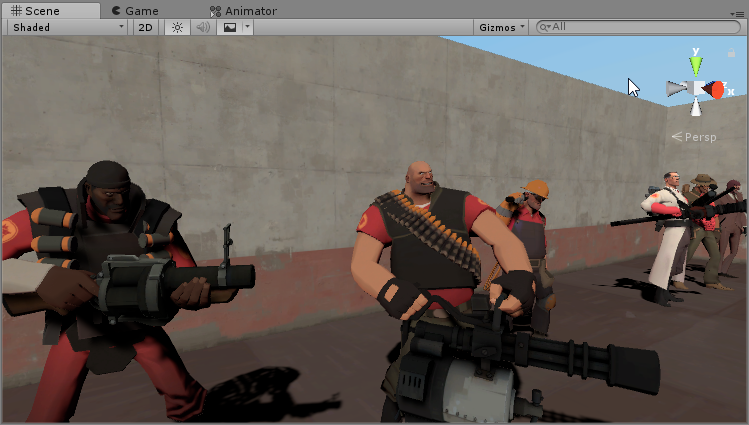
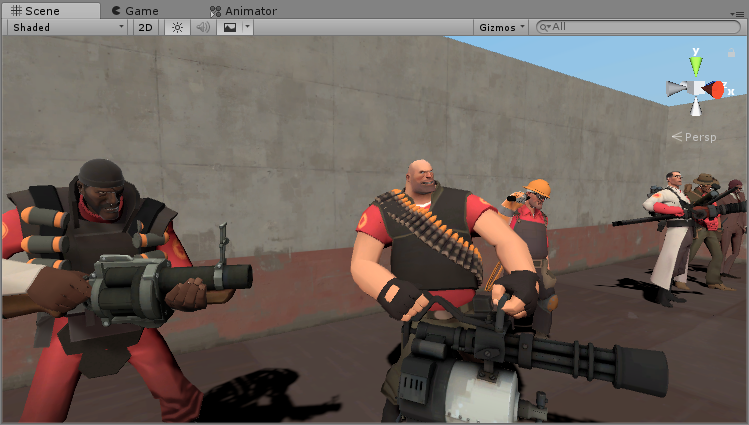
crazy how well the tf2 characters pop when you fix their rendering to actually be accurate to the specifications laid out in the valve papers
tired token
oh god it's Amplify source xd
 undone bay
woah, that looks really good
 frosty oar
Anybody had a "wind" shader for foliage? I've seen a handful of worlds now with grass/trees that gently sway about and it doesn't look like it's just animation, but a warping/rippling applied to an alpha'd plane
dim fern
Anyone have a "Fade" version of Silent's Cel Shading?
steep swift
@dim fern Silent's Cel Shading comes with a fade mode
it's called PremultipliedTransparent in the rendering mode dropdown
at least, I think that makes it equivalent to fade
dim fern
Nope. I just have transparent mode, but not Fade mode
velvet sorrel
@dim fern What if you use Transparent instead of PremultipliedTransparent?
dim fern
How it works?
steep swift
@dim fern I think Silent is asking what happens if you try that option.
You're asking "where is fade" but you have not indicated what the problem is when you select "Transparent".
Do you have any screenshots? What have you tried so far?
I believe the naming is different, but it should do the same thing
dim fern
I mean, with Transparent mode, the textures are transparent, thats good, but I need a Fade Mode for fading textures. Mmm how to explain...? Mmmm I use Vertex colors. Sorry my english is bad
 ancient portal
hello, i need a bit of help with poiyomi shaders, specifically its distance fade option
i used to use cubeds flat lit toon distance fade until the new update where it seemingly didnt work very well anymore, or something, as well as its probably a good idea for me to use more updated shaders
when going into play mode, nothing happens, and the object with the shader doesnt fade, its still there no matter the distance i look at it from, why does this happen? (also, are there better shaders for this one specific purpose?) please dm or @ me if youd like to help as i barely check this server
 silk gorge
@ancient portal did you update to the newest version of the shader before asking this? And do you have any console errors before or after playmode that seem related to the shader or graphics rendering? And, are you using Unity on Windows?
ancient portal
shaders are updated, no console errors related to the shaders or graphics seemingly, and yes i am using it on windows
i asked a friend that is more savy on this than i am and he couldnt get the fade working on his own unity either, so im not sure if its something ive done or the shader itself (despite me not really doing anything or changing any settings for it to be an option anyway)
silk gorge
interesting, I'm not familiar with the shader personally, but those were things to get squared away for sure.
@ancient portal you might try their server: https://discordapp.com/channels/189511567539306508/407970838294560769/645778134872096808
ancient portal
that would probably be a good idea, ill try it and see if i have any luck, thanks for the help~
 rocky lion
anyone else getting an error with poiyomi 5.3* on unity 2018?
let me screencap what happens when i try to hit play
past pewter
hey does anyone know how to do a specfic shader. ive seen some animations on avatars that have a sphere that covers the room and world space area in a texture or so. im trying to do it for an animation.
using this as an example
https://www.youtube.com/watch?v=2dks3IadvCs
 near flax
i believe you're looking for a triplanar projection shader
GitHub
Collection of shaders for Unity3D and VRChat. Contribute to netri/Neitri-Unity-Shaders development by creating an account on GitHub.
be sure to read the README on how to set up a directional light for this
steep swift
@warm valve You may have an old shader like poiyomi's master shader in your project, or an old version of Reflex or Arktoon
please delete old shaders and update to the latest (for poiyomi, you should be using Poiyomi Toon Shader)
and then download ScruffyRules' material checker tool
that will identify the bad material in your scene and fix it to remove keywords
Then, you have to restart unity to get rid of the errors
but do it in that order
GitHub
A Unity3D tool to remove potentially unused shader keywords from VRChat Avatars! - ScruffyRules/ScruffyShaderKeywordsUtility
light urchin
@steep swift Scruffy's tool is also in the vrcsdk under Utilities
steep swift
Well, even more reason to use it to fix keyword issues!
 warm valve
thanks @steep swift
should I just delete every keyword from all my materials? @steep swift
steep swift
@warm valve yes, every non-Standard keyword. let the keyword tool remove them... Standard shader keywords are allowed and removing those will break standard materials.
If you use the tool it will do it correctly
steep swift
Did you try restarting unity after doing it
Keywords will stick around until unity restarts
steep swift
Hmm? How would that have gotten broken. The avatars are enabled and have avatar descriptor? But the sdk gives an error? Or doesn't list them? Is it a world too?
warm valve
doesnt give any error
yeah got a descriptor
gonna go sleep now will try again tomorrow thankies
 proud willow
Sorry if this is a common question but now that we're working in Unity 2018, can shader graph be used with vrc? Seems the required pipeline breaks the sdk's shaders
light urchin
You can't use a different render pipeline than what vrchat is using
proud willow
Ah ok
 sullen oxide
Super stupid question but I've never actually thought to ask: Can we make our own shaders with one of those shader node-graph builders? Or is it just HLSL/typical direct programming of shaders? I'm not looking to do anything too complex.
brittle plinth
Depends on the node graph
Amplify works fine, as do several other external ones, but the built-in Unity node graph does not
sullen oxide
Ah, good info. I'm guessing the 3rd party ones aren't free. Which is understandable.
near flax
shaderforge is free but it sucks compared to amplify
 tiny fossil
SIr? How can i append 'PBR Graph' in 'VRChat'?...
Profile image is normally displayed but.. In-game avatar is pink..
Isn't 'VRchat' compatible with 'PBR Graph'?
 steep bear
https://gfycat.com/BeneficialOffensiveGiraffe
Geometry Shader Book I made today

 harsh ember

peak heart
always remember to use a shader that properly reflects the assets you're working with or the engine your assets are from!
an example as to why this is important to get correct
https://file.house/a8pi.mp4
From left to right:
- My source engine shader, latest version
- My first source engine shader
- Unlit fullbright shit
- Unity Standard
unity standard is good if you're doing PBR pipeline stuff tho
but if you're coming from a video game that definitely isnt PBR
its a bad move
tiny fossil
Thank you for your explanation. sir.
 fleet nebula
why is there no standard roughness set up in 2018??
light urchin
It's called autodesk interactive now
fleet nebula
the shader or is that a window
light urchin
Shader
fleet nebula
why change it like that
light urchin
🤷♂️
 ripe idol
@light urchin 
light urchin
@ripe idol 
 lofty dragon
@peak heart Is phong possible with your source shader? I've been messing with its settings for a while now.
proud willow
Having no luck getting shader forge to work
peak heart
@lofty dragon ya, set up the specular mask
 frosty pebble
Do someone know a shader that can make crystals glowing ? and not only activates in the dark
steep swift
an emission texture should do what you want. did you try that?
frosty pebble
Yeah i found some sorry i did not edi
 marble tapir
anyone know any good rain on window effect shaders that are free?
if not ill prolly end up making my own
 cedar mango
Hello , i'm trying to make a plexus particle system and it keep getting removed when i upload. is there any way i can get this to work?
im using mirza's stuff btw.
and it's for an avatar , not a world.
steep swift
Particle Plexus is a custom script effect for recreating
Custom script, nope
HOWEVER... udonSharp can port some code over to udon so maybe there's a way to make it work there
Oh not for a world, no
I believe some member of the vrc community has made it: there was an example in ShaderFes so definitely possible
You can generally do stuff like this if you sample a noise function because you can sample the same as the neighboring particles and guess who to connect to
I think one of the ways people do plexus is each particle connects to each other. But you cannot have many particles in this case. It's what is known in the CS industry as an O(N^2) problem... far from the slowest thing but quadratic in time. Hypothetical example... if 10 particles takes 100 microseconds let's say.... 100 particles would then take 10 milliseconds per frame.
@cedar mango
cedar mango
i tried using the one shown on the Shaderfest world , but i can't get it working properly on particles, only on mesh
past pewter
does anyone know a free shader that can hide your nametag and yourself?
i mean that can let you vanish
 gilded shale
How does one make eyes glow?
static ibex
Emission! Many shaders have an emission section (including standard).

This tutorial will teach the basics of adding a tattoo (Or anything really) to your avatar by editing the texture and changing the UV map to avoid mirroring.
https://www.twitch.tv/kareeda
https://www.patreon.com/Kareeda
https://twitter.com/TheKareeda
Join My Community Discor...
@gilded shale ! This goes more inro emission masks on the later half
gilded shale
Thanks!
 prime kettle
does anyone know where to get that voxel box shader people use? like the one that makes your avatar into boxes (and for those who didnt know, yes, its a shader, i was talking to a guy who once had it, i dont think he has it anymore and i also forgot to friend him) ping if you know!
cedar mango
@prime kettle Poiyomi has one on his patreon
don't know if it still works since the new update so check for yourself
prime kettle
aaa, patreon, is it a free post or a paid?
 heavy flume
I get poiyomi set up in unity but it comes out pink ingame
dim fern
Someone knows if exists a Square Enix Shader or a shader for imitate the Square Enix shaders? In concrete, Kingdom Hearts or NieR Automata
median gate
anyone have the shader that maps around surfaces so it looks like they're covered in something
dim fern
Someone knows a water shader with objects interaction? I mean when you walk or touch the water, it starts to make little waves.
steep swift
@heavy flume Can you make sure you have the latest version of Poiyomi Toon Shader
The correct download link is here:
https://github.com/poiyomi/PoiyomiToonShader/releases
GitHub
A feature rich toon shader for unity and VR Chat. Contribute to poiyomi/PoiyomiToonShader development by creating an account on GitHub.
If you downloaded it from anywhere else, or if it came with your model, that might cause it to turn pink
@dim fern You're looking for SilVR Water Shader. Check the prefabs database pinned in #world-development
shadow river

what is an optimized shader for a volumetric fog look

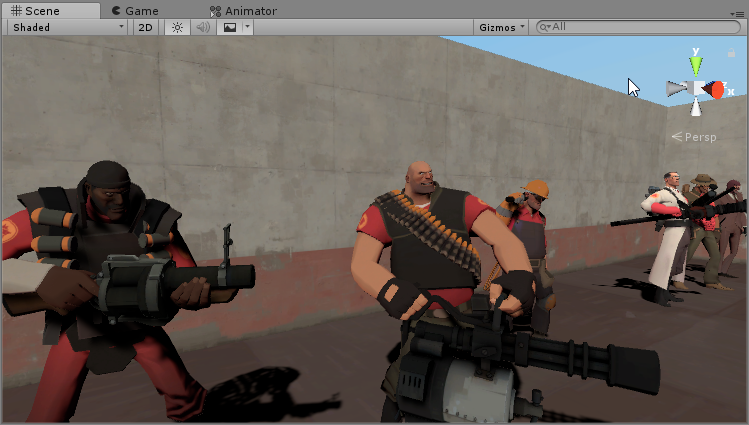
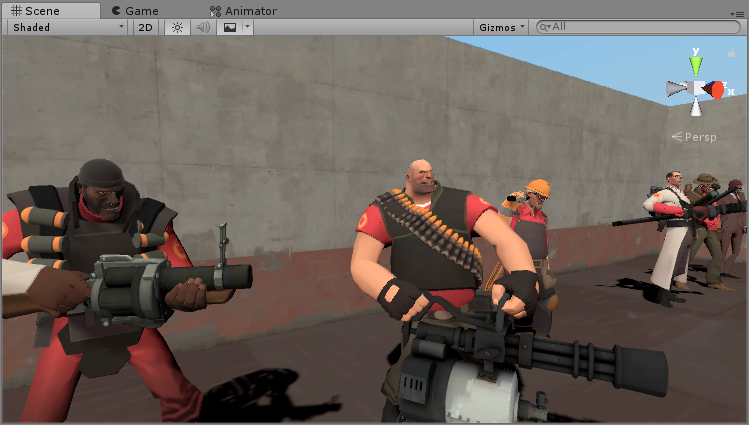
this is what I've been doing with stacked planes
but i don't know if theres a better option thats drops less frames
steep swift
@shadow river https://github.com/Xiexe/XSVolumetrics Has a fog prefab that you can use.
Performance-wise, it has a strong upside that it can show volumetrics of any density without extra overdraw. I've seen it used to good effect.
It has a one-time cost of running the Camera-Depth pass, no matter how many volumetrics you have (If you've ever had a light with shadows enabled in your scene, this is less overhead than shadows, but a part of it)
So if it's a small part of the world, and you don't currently have shadows - it might be worse than the particle version. However, if it's a major part of the world and you have lots of fog, it's probably a huge savings in performance!
In terms of appearance, it's not going to give the full fidelity of a moving particle fog cloud with all its layers... because you simply can't. If you truly want a volumetric cloud of fog, you have to render each layer in some form.
However, I think it does a really good substitute for dence fog, and nothing stops you from having a few overlapping layers of XSVolumetrics for some of that dense fog look.

GitHub
World of Warcraft inspired Volumetrics that hold up well in VR with small cost to performance. (You have to not be dumb when placing it though :P) - Xiexe/XSVolumetrics
gilded shale
How do I shade the eyes of a character who is VertexLit?
steep swift
what do you mean by that? Why specifically the eyes?
Do you currently use a custom shader for the eyes?
gilded shale
Or, just how to shade them in general
I have a tattoo emission ready, eye emission ready, and clothes emission ready
i just don't know how to use them
steep swift
Oh you're using the shader called "VertexLit"?
Unless you are on quest, I would suggest to use a more powerful shader
steep swift
VertexLit is ugly, and the performance savings don't help on PC because PC hits bottleneck in other places
VertexLit may be ignoring normals. If your models seem broken, it may be a problem with bad normals
Can you explain how they are "broken"?
gilded shale
Well, Basically, I use an MMD model. I had to bring an image onto a material and VertexLit seems to be the only one that works.
steep swift
what happens when you use Standard?
I know the shading won't look as nice as an anime style shading
however, Standard should always look okay on non-PBR models
steep swift
if Standard looks broken, then there might be something wrong with the model import settings
screenshots?
vertexLit and Standard. show the difference
gilded shale
Gotta wait for my Unity to stop freaking out real quick
steep swift
However, I'm going to guess it is something with normals.
To test if it's normals: can you click the FBX, go to the Model tab, and change Normals to Calculate?
gilded shale
Also, I was creating facial animations and my character is now broke
He's just doing the default unity pose
humanoid*
boots with vertex
boots with standard
rip
brittle plinth
That's just because of a difference in default shader properties. You can change it by fiddling with the glossiness and metalness/specular values
gilded shale
Also, how do I get back into a tpose?
And, what is the best shader that comes with base VRC?
unity*
brittle plinth
There isn't really a way to get it back into T-pose easily. When you're making animations, it's recommended to make them on a separate instance of the avatar and place them on the instance that's still in a T-pose.
As for your second question, there isn't really a "best shader."
It depends heavily on what you're trying to do and what sort of performance concerns you have.
gilded shale
Well, what would be a good shader for this model?
brittle plinth
Standard is recommended if you aren't really sure what you're doing, but there's other shaders pinned in this channel if there's a specific look you want or you need more control.
gilded shale
And also, I was kinda wondering, how do I go and make the emissions?
brittle plinth
Emission maps are supported by Unity standard and nearly all commonly-used shaders. On standard, just check off the option for emission and plug in the texture.
gilded shale
Oh, i meant like how do i put the emission map on the avatar
brittle plinth
What shader are you using?
gilded shale
Standard.
I have the emission parts and stuff ready to put on but I have no idea where to put them
brittle plinth
On the material, there should be a checkbox for emission
You tick that off and it'll give you a box to put the emission texture in.
gilded shale
Also, I was kinda wondering, Does standard look better in game?
It literally just looks like it took all my textures away and that's it lmao
brittle plinth
As I said earlier, you need to change some of the values to make it look how you want
gilded shale
Ah-
marble tapir
anyone know of raindrops on windows shaders? i made a particle system but i think a shader would work better
steep swift
@gilded shale did you try setting your normals to calculate in fbx import settings?
Does your scene have a directional light?
Make sure the texture color is not black. Click the color picker next to the texture and see if it has an effect
sharp pike
I wouldn't advise anyone to use standard shader in vrchat outside of creating your own worlds. There are far too many worlds with awful lighting (e.g. a single directional light as the only light in the world), baked lighting only (standard has no specular highlights unless there is a realtime light) or no reflection probes (metallic parts will show up close to black and smooth surfaces won't look reflective).
Pick up Toony Standard or reroStandard or one of the many toon shaders (most let you control lighting with a ramp texture, which you can make smooth if you don't want a toon feel).
steep swift
@sharp pike Sorry if I was unclear. I do not suggest the use of Standard (or reroStandard etc) for that model. I think a toon shader would be more appropriate.
I asked to try Standard because he was experiencing unusual material problems, and Standard should work correctly. All toon shaders are based on or heavily influenced by the unity Standard lighting model, so it is useful to get things working there first.
Until you get things functional with Standard, you shouldn't waste time tacking on the bells and whistles: reroStandard or various toon shaders, since those will sometimes conceal problems in the test lighting only for them to pop up later.
sharp pike
It's cool, it was more meant at BIOS
pulsar grotto
Why does using shape keys cause my matcaps to change?
Animations do not have any material components added
 sand kestrel
@pulsar grotto Do they violently shift around as soon as a shape key activates? If so it's likely due to Unity 2018 handling blendshape normals differently. Enable Legacy Blend Shape Normals in your import settings and it should behave like it used to in unity 2017 and earlier
sand kestrel
Select the object in the project tab and it'll show in the inspector
sand kestrel
That definitely looks like the issue which should be fixed if you do what I said
 frank saddle
How lovely. I was just about to ask about the mat caps and blend shape issue too. Thank you as well for the information Gallium.
pulsar grotto
what a coincidence, lol
steep swift
Kind of, but given that almost all VRChat avatars use blend shapes for visemes, and default unity behavior is this broken calculated blend shape normals, and this obscure checkbox is hard to find.... I'd guess literally every vrchat user is going to make this mistake unless they read here
Most won't notice and will just end up with a 100MB avatar asset bundle
velvet sorrel
@sharp pike The solution is for people to improve their world lighting. People are making new avatars all the time. But people should maintain their worlds.