#shaders
2 messages · Page 8 of 1
 drowsy field
i wanna rant in here more 👀
 lethal rock
I mean it works at least
 grave hatch
isn’t [Toggle] just a Boolean?
 tired token
Yes?
grave hatch
why would they generate keywords then
tired token
Because Unity?! lol
(Stop it would be incorrect, it just replaces the bad keyword with _)
grave hatch
that’s kinda dumb may as well just use an int property and make a custom inspector so it’s a check mark
 steep swift
I still advocate for
[IntRange] _SomeProperty("Some property", Range(0,1)) = 0
also you can omit the [IntRange] and write your code so it uses lerp() and then it might also produce interesting results for values between 0 and 1 as well
 winter sigil
@ripe idol is that shader with the green effect on the face available to download?
 ripe idol
It's a patreon shader

Patreon: https://patreon.com/poiyomi Discord: https://discord.gg/Ays52PY Patch notes: https://trello.com/b/TJPY6n08/poiyomi...
this one
@winter sigil
 past pewter
so i've been told this is a shader error; essentially sprites just show up like this in vrchat but look fine in unity, can anyone please help fix this?
steep swift
what material do you use on your sprites. what shader are they set to (shader dropdown at top of the material property section of the inspector) ? @past pewter
past pewter
sprites-default
 last nexus
@unreal igloo told me this shader isn't uploaded by default
steep swift
@past pewter Here I made a copy of the unity 2017.4 Sprites-Default.shader - If you're wondering where I found it, the download page for each unity version has a little dropdown where one of the items is Built-in shaders. I took that one and renamed it on the first Shader "..." line of the shader so it doesn't conflict with the built-in one.
actually making a new material and setting the builtin Sprites/Default shader might also work. the problem might just be if you also kept the default material. but this is a totally new shader so it should definitely work
past pewter
@steep swift Thank you so much!! It fixed it like a charm!
steep swift
Thanks @last nexus for the hint that it might be from the built-in sprite shader not being uploaded
 unreal igloo
yeah, made a canny on it but I don't think its been seen by devs unfortunately. It broke recently about a month ago
https://vrchat.canny.io/bug-reports/p/default-sprite-material-broken-ingame
 split girder
That was listed in the wrong category, moved it and will add to internal notes
 dawn ravine
Oh damn i've mistakenly stumbled on something that kind of works
looks better smaller
dawn ravine
What do you guys think?
 stone leaf
Anyone know any shaders that act like a progressive fading effect? Similar to how a TARDIS would (for example)
steep swift
@stone leaf You mean just sort of fading away like it does in the show? You can actually use an animator to choreograph this: use a transparent shader. Next, add Mesh Renderer Material._Color to the timeline. Then take the alpha value from color and animate it in the right shape: whirr whirr whirr.
For the top light you can make an emission map and then set the emissive value to 0. In the animator you can go and do the same with emissive, pushing it past 1 even to make it brighter. You might need to animate r,g,b on emission
stone leaf
@steep swift Ah ok, yes I wanted it to be like how it was on the show, with the progressive fade to completely gone. is there a transparent shader located somewhere in unity or do i need to create one?
steep swift
I would use Standard set to transparent
I'm assuming it is just the outside shell of the tardis. If you have overlapping stuff in your mesh and don't want the innards to be visible you may want to add a depth prepass
stone leaf
The model only shows the actual police box itself only though ill recheck incase
 keen jay
Anyone here good with making custom shaders? :)
I might need some help ~
steep swift
Maybe ask what you need and someone who knows might see it and get interested
keen jay
oh right xD
I'm technically looking for a surface shader that lets models look like "cheese with holes" (not talking about "standard shader cutout here")
While the holes should actually be static and vary in size
ripe idol
thanks
tired token
More like fixing up old/making old better.
 velvet sorrel
Refraction is a nice effect, shame about the performance cost
tired token
Yeah :(
steep swift
if we all share a global tex that would be 👌 @ripe idol what queue and named grabpass do you use?
tired token
Yeah, what is it, so I can override it. 👀
 tired token
@steep swift Silent's water shader is unnamed. :P
steep swift
for worlds though if they have more than one pool would be good to fix
tired token

velvet sorrel
I was hoping I could just use the default grab pass and share it with other shaders but what actually happened is that Unity would take it at a random point and everything would look messed up
... And I figured most worlds would just have one water model so I didn't see it being a problem.
tired token
Portals used to have a GP
velvet sorrel
What I'm wondering is whether it would be better to have a seperate grab texture or to wait for someone to suggest a standard one
tired token
Standard one would only work if we all used a common Queue too.
velvet sorrel
Hmmmm, just thought of something
Should water be transparent if it's using a grab pass?
My water defaults to 2800ish so that it renders behind particles
But alpha is actually just set to 1 unless it's in the shadow pass 👀
steep swift
a grabpass is kind of a custom blending mode of sorts.... so you are "transparent" if you use a grabpass even if you Blend One Zero
you're just doing the blending yourself in software
velvet sorrel
Yeah, that's what I mean: is there any benefit, then, to not rendering with alpha blending?
I kind of wonder if I should have a second version that doesn't use grab passes at all
tired token
Probably
past pewter
you want water in the transparent queue so it doesn't get included in the depth prepass though
if you go fully opaque it will cull anything under the water level
 crystal wadi
interesting i just renamed silent grabpass and it worked fine
velvet sorrel
Not queue, blendmode
grave hatch
like grabpass + alpha blending? seems kinda redundant
ripe idol
PoiGrab 3100 queue
tired token
_VRChat_Common
 analog elbow
Anyone know how to use cancerspace correctly? for some reason the gif i have for the screen keeps playing even though i have the sphere its on disabled.
 near flax
@analog elbow cancerspace creator here, the gif will by default be animated by level time, meaning that it's gonna be animating constantly. if you want to control the playback, set the framerate to 0 and animate the start frame
analog elbow
Alright, thanks you. now my only issue is doing that for 213 frames...
velvet sorrel
Make an animation the length of the GIF that starts from frame 0 and ends at frame 212? The interpolation should take care of the rest
tired token
I tried pinging RedMage but mobile discord wasn't having any of it.
tired token
tbf I forgot your name. xd
near flax
oof
tired token
also tbf your name on GitHub is different so 👺
near flax
yeah redmage was taken :p
 low hawk
Does anyone know how to fix my object that has the rollthered/CrushedRGBRefraction shader from doing this on my menu?
tired token
@strange crown
 strange crown
@low hawk You need to set a lower render queue on the refraction shader or either a higher render queue on the menu.
tired token
(Curious why you're using that shader for a button anyway? :P)
low hawk
@strange crown I tried rend queue 1 and 0 and it still shines through. Also the menu isnt a shader so I'm not totally sure if has a render queue option, and if it does, i dont know where it would be.
strange crown
Are you setting the render queue in the inspector?
low hawk
for your shader, yes
strange crown
Because you shouldn't do that, it needs to be in the code.
low hawk
Okay, let me see if I can do that
strange crown
If you open up the shader in Visual studio and edit the queue there then it should work.
low hawk
i can just open it in notepad
low hawk
Yep got it. Thank you, you know your spheres.
strange crown
🙏
 median gate
hi
i don't use an anime avatar
but i need to turn culling off
so it doesn't look quite right if i use xiexes or cubed etc.
anyone know of a shader that's essentially just like standard but with the ability to change culling from front/back/off?
 blissful verge
ReroStandard
median gate
is that on the prefab spreadsheet?
median gate
@blissful verge yeah that's what i did. btw worked like a charm. u r the best
blissful verge
no problem
 glad totem
anyone know of any shaders that de-render people? like people outside a box cant see the people until they enter it
 acoustic oak
there's no way to make a shader that specifically targets players
near flax
if it's for a world, you could take advantage of knowing what the non-player geometry is
but if you're doing this for an avatar effect, you're probably SOL unless you use cameras, but even then it sounds like a pain to set up
tired token
Yeah, even with cameras it would be pretty 🤢
 sturdy schooner
Any one has ever seen this before
The type or namespace name Drawing' does not exist in the namespace System'. Are you missing `System.Drawing' assembly reference?
Assets/PoiyomiToonShader/PoiyomiToonShader-514645791e218424572a1b2cd9748752b7ae5e04/_PoiyomiToonShader/UI/TextureArrayCreator/Editor/GifImporter.cs(3,14): error CS0234: The type or namespace name Drawing' does not exist in the namespace System'. Are you missing `System.Drawing' assembly reference?
 fierce vine
@sturdy schooner Reimport the Poiyomi shader package
Anyone know of any volumetric cloud shaders that don't require any scripts? Been looking for a long time but most use scripts to drive the clouds.
ripe idol
It's not a reimport issue
there's a big post in my server that says how to fix it
I gave him an invite
fierce vine
Hm. I had that issue after copying the shaders to a new Unity project incorrectly and reimporting the package fixed it for me.
ripe idol
There's a lot of things it could be. we have instructions with pictures to help people through it
unity can set your .net runtime incorrectly for some things
especially in new projects where all settings are default
 wary junco
I'm trying to get an object to only appear when I'm walking around, would could it be possible to have a shader that is invisible when the object is stationary in worldspace?
but if it's moving or rotationg, it's fullly opaque
tired token
avatar or world?
Regardless, shaders don't know that data unless you 'store' it in a camera.
wary junco
Avatars, but ok
near flax
yeah if you're willing to use cameras, you could render out the last frame and current frame world position and see if they differ
steep swift
@wary junco You can use dynamic bones or other dynamics to know if your avatar is moving.
Make an object with three bones like this
o
|
o o
(make the bottom two be in the same position)
then make a dynamic bone but exclude one of them so it stays stationary. Set the excluded bone as your root bone.
From there, you can tell if you are moving based on distance from your original position to the root bone, and if you normalize that vector, it will be the direction you are moving.
The main trick here is you have to use the original position and rotation of your bone to render the vertices in the correct place, not the moving bone so it doesn't bounce back and forth (unless you want that)
various approaches include storing vertex or normal data in extra UV channels or color etc. I have some editor scripts which do some things kind of like this. Someday I might release a script to help you do this type of effect too: it seems simple and a fun idea
(configurable joints and/or final ik might also be able to do the same thing and more)
but yeah for something like this you probably don't need cameras/grab storing data across frames)
velvet sorrel
I've released an update to my shader with some bug fixes.
https://gitlab.com/s-ilent/SCSS/-/tags/v1.5.2

GitLab
A surface shader for Unity providing cel-shading. (Forward rendering only)
 lofty dragon
Does anyone know where I could find a specific shader? It's hard to describe, but the shader leaves a trail of whatever was on the screen as you move it around and the colours get blown out. If you've ever noclipped out of the map in a source engine game, that's what it looked like.
 digital wedge
how do i make a glass shader like jet canopy in blender?
lofty dragon
I'm pretty sure 2.8 has a glass shader
 plain patrol
i’ll ask here too but has anyone had any issues with the direct x 11 grass shader showing up as pink?
plain patrol
figured it out
crystal wadi
just some notes for you shader gods
in Unity 2017.4.28f1 we found that there's a hole in macro definitions that has been fixed/changed in more recent versions of unity 2018 howver they did not fix it in LTS ...
Unity macro for declaring and using lights and shadows have been changing, one of those was the macro "UNITY_LIGHTING_COORDS" which he had to include to support recent unity versions, it's equivalent for older unity does exist in the name of "LIGHTING_COORDS" however this one is not declared in the exact same way and because of that it falls into a hole where _ShadowCoord is not declared when "!defined(HANDLE_SHADOWS_BLENDING_IN_GI) && ! (defined(SHADOWS_SCREEN) && !defined(LIGHTMAP_ON) && !defined(UNITY_NO_SCREENSPACE_SHADOWS))". So in certain conditions while using lightmaps it would fail to fetch the variable.
lofty dragon
I don't know if this is an #avatars-2-general issue or not, but an avatar I'm working on is having an issue with the order it renders in.
This is how it looks in Unity, but in VRChat the transparent part renders behind everything else.
 rich lake
I don't know why the text would be backwards as well. Check for inverted normals or if you are doing front face culling instead of back face
lofty dragon
Oh, I had to use a mirror to take a screenshot.
rich lake
Should still try the things I mentioned, what shader are you using?
lofty dragon
It's all standard
Standard opaque for the suit and the blue parts, Standard transparent for the transparent part
I've been told it's a local issue so it's probably not a major problem, but It'd be nice if I could fix it.
rich lake
Have you tried fiddling with the render queues? Dunno which values would work but that would be my go to to change around
lofty dragon
I don't really know how I'd do that with standard shaders.
rich lake
That's why I avoid them a little. You could look into rero standard which is the standard shader but has a reflection probe fall back in case the world you are in has no probes.
You should be able to edit rero standard easier
lofty dragon
I think you can download the standard shader files from Unity themselves, but I don't know where
rich lake
Should be in the standard assets package you can download from around the same place as all the unity versions on the official website
 gentle turtle
Hi hi! I am not sure if this is right place to ask, but has anyone found an lcd shader, and could you please send if so 0_o
🐱
 stiff berry

GitHub
A physically accurate screen shader, that displays the screen as subpixels. - Xiexe/RGBSubPixelDisplay-Shader
 somber widget
@lofty dragon vrchat ignores the render queue setting on the material, and uses the default in the shader instead. If you've adjusted the render order using material properties, you'll need to edit (and copy if necessary) the actual shader instead
that being said, if it's all one mesh, you might be able to get away with changing the order of the material slots to match your desired rendering order
lofty dragon
@somber widget What order do the materials render in? It's all one mesh and the part going behind everything is at the bottom.
somber widget
@lofty dragon if the render priority is the same (ignoring the priority on the material), in believe it renders materials in the order that the slots are listed
stiff berry
it's probably based on distance to the camera
having things on the same queue with something that conflicts like ZTest Always they will flicker from certain angles which is because of the distance to the camera
i think it renders closest to furthest to avoid having to draw things that would be occluded anyway
 golden carbon
my avatar dosent want to have proper lighting. in my home world its perfectly fine.
but on the avatar testing world its black?
and the exact same model but a different texture is completely fine?
crystal wadi
are other avatars in the world with the same issue
golden carbon
nope they are perfectly coloured
crystal wadi
what shaders did you use
golden carbon
the mobile standard lite
crystal wadi
oh are you quest ?
crystal wadi
i dont have info for the quest shaders perhaps some one will have more info
sorry
golden carbon
maybe just changing the shader will work
crystal wadi
yes
i would suspect anything quest will have some sort of issue
just use a different shader that is build in version 3.0 or 3.5
 cold snow
not 100% sure if this is the chat i should be asking in, so sorry if it's not
i'm trying to upload a model (created by someone else on a vrchat model website) which has a modified silhouette shader, but something seems to be going wrong
in unity, this is what you will see (as it should be)
however in game, it looks like this
any ideas what could be going on?
velvet sorrel
Does that happen in other maps as well?
stiff berry
depending on how the shader works it might not have taken into account how mirrors work
Does it look that way to other people? Or maybe look at yourself in a camera too
cold snow
right now, i've only tried testing it on myself in front of a mirror
i like to make sure the models i use are working properly before using them in public worlds
stiff berry
the only other thing i can think of is the shader doesn't account for the near/far plane values being different between the editor and the world. You can test that in unity by setting up a camera on you avatar and changing near/far in the inspector
stiff berry
what's the near/far plane values set to?
cold snow
nope
stiff berry
idk why that would happen you'd have to look at the shader
cold snow
ok, i'll take a look
ok i realise why it happened
i somehow set the render queue to "geometry" instead of "from shader
it now shows in the game camera
this is what it shows though
stiff berry
and does it change with the far/near plane values?
cold snow
doesn't seem so
ok so changing ZTest from Always to LEqual changes the face to this
as far as i can tell, the silhouette on the face and mask is trying to show over the hair
is it possible to make the shader show over the model as a whole rather than the individual parts?
grave hatch
try to set the render queue of the silhouette to be alpha test or transparent nvm might be thinking of the wrong thing
steep swift
@cold snow you may need to edit the z clip adjustment setting of poiyomi's silhouette shader. It's due to some worlds having different near/far clip making the z clip less accurate
The downside of doing that is your silhouette / "drop shadow" will be more likely to clip into walls or objects behind you and become invisible
 fathom quiver
hopw sdoe ytoli9ay faf
steep swift
Mirrors also have notoriously less precise depth/z buffer both due to ignoring the world clip settings and also due to the nature of using oblique projection matrix to define a clipping plane along the mirror surface
tired token
Poiyomi stencils the outline because of that issue
ripe idol
ripe idol
It looks like that from all sides
it's 👌
always up and to the left
but you can set that
patch 3.5 soon.jpg
velvet sorrel
Up and to the left in screen space? Have you compensated for the camera rotation for VR?
cold snow
damn, you managed to do yours really well
 fervent orchid
yoyo, so I'm using Xiexe's toon shader outlined and it looks rly good and all, but I'm almost pitch black in mirrors (left one) but normal in cameras/ for other people (the right) anyone knows why? how do I fix it?
steep swift
Please update your XSToon version. Some versions were designed for the old unity version which caused normals to be flipped in mirrors (normals are how it can tell how much light hits the face using a dot product of normal and light direction)
The newest unity 2017.4.28f1 had a bugfix that required some shader fixes.
If you think you are updated. Please say what XSToon version you have @fervent orchid
fervent orchid
yeah I'm almost 100% sure the shader is outdated
xiexe's toon shader v2.0
and I got the newest unity
steep swift
Yea just download the latest version
fervent orchid
ya so that got fixed, thank you @steep swift , I appriciate tha help 👌
steep swift
Nice
crystal wadi
ya 2017.4.28f1 has a lot of bugs missing macro definitions
low hawk
What kind of shader does the avatar testing map use to see people's faces?
tired token
@low hawk what do you mean? The wireframe?
low hawk
Yes, im not sure what you would call it. The green and purple wire frame?
low hawk
Thanks, ill take a look
 void chasm
@ripe idol I love your shader's! Thanks for everything you've done for VRChat
ripe idol
glad you like it @void chasm
void chasm
I know how hard it is to do 3d modeling and avatars in general, so wanted to spread some postivitvy
ripe idol
❤
 clear tide
I'm trying to merge two shaders together because neither do what I want with the end result being a shader that supports both distance fade and emission. Most shaders support emission but Cubed's Fade shader supports distance fade. I'm trying to add Cube's Fade onto the end of an existing shader, but it doesn't really seem to have any effect as though it's not being applied to the previous passes in the shader.
Any general advice on what to do here?
clear tide
Figured it out by brute-forcing things around and lots of badly thought out guesses.
 restive condor
hi, so I figured I should put this here instead of in avatars, so the hair is supposed to look like this https://cdn.discordapp.com/attachments/495631142091751435/609942871692410910/unknown.png

but looks like this inside unity with the normal map properly put https://cdn.discordapp.com/attachments/361742235525709825/609947979167825921/unknown.png

any ideas as to why?
also moving the normal intensity slider apparently doesnt do anything
crystal wadi
@ripe idol
ripe idol
Is that specular in blender or a texture
normals effect lighting and it doesn't look like you have any lighting
restive condor
sorry what?
I dont quite get it
I tried adding light in unity btw and it didnt do anthing
tho im not sure if thats exactly it
its a texture
grave hatch
did you set the texture to be a normal map in the import settings
restive condor
ripe idol
Click the light button at the top left of your viewport
restive condor
ripe idol
Do you have a directional light in the scene
restive condor
I do not
ripe idol
Put one in
restive condor
ripe idol
Just make a new scene so you have normal lighting settings tbh
I could walk you through fixing it all but it's easier to just make a new scene
ripe idol
This is poiyomi toon shader?
restive condor
yeah
ripe idol
Can you go to your scene lighting settings
restive condor
how does one do that?
tired token
Window >
restive condor
kk
restive condor
then,
ripe idol
Post the lighting settings on your material
restive condor
ripe idol
Oh you turned your shadows way down
If that's hair specular in blender and not the texture then you're going to need a shader that can handle doing that
restive condor
not sure if it so
ripe idol
Post the hair texture
restive condor
ripe idol
Yeah there's no detail.
You can try going into specular settings and setting it to anisotropic mode
restive condor
can you guide me through where it is?
ripe idol
restive condor
 serene ether
What are the best shaders for anime based avatars?
crystal wadi
toon shaders
past pewter
Is there anyone who knows shaders who can help me make an altimeter shader using local height that prints the value for height? Or at least maybe guide me in a direction for some reference material. I haven't really worked with shaders before.
steep swift
@past pewter I start with snail's digital display shader ( https://github.com/theepicsnail/Shaders ), and replace uniform (input property)
uniform float _Value
With a static expression of my choosing. In your case, it would be
static float _Value = mul(unity_ObjectToWorld, float4(0,0,0,1)).y;
GitHub
The dumping ground for various shaders I decide to upload! - theepicsnail/Shaders
It's good to duplicate shaders first. To duplicate a shader, you must also edit the first line which says Shader "SomeName"
past pewter
Thank you
 willow stream
anyone know how to make a good glass shader?
tired token
Standard is usually pretty good.
crystal wadi
oof he did say good lol
steep swift
Yes standard, set transparency (color alpha channel) very high (even 100% can work). Then turn up specularity or metallic
You want refraction?
Good can mean different things in differrnt contexts. Standard will be extremely performance efficient
Other effects like Refraction incurs a substantial performance cost
So i think scruffy picked a good default of simple and high performance
I used standard for a glass effect in a world, slightly curved glass with smooth normals and it was extremely effective
If you want to customize it, you can get the same effect by starting with a surface shader and setting the appropriate values in the surface function
velvet sorrel
Standard is great
crystal wadi
rollthered made a very nice Fake HDR Refracted Glass shader .. i think its on github
yes standard shader can be nice in many cases also for simple stuff Baker standard is also nice
if your looking for something more custom you should give more detail what type of look your going for
velvet sorrel
Refraction using a grab pass is expensive, and therefore bad
crystal wadi
depends what he is looking for .. i use the term good as in quality ..
velvet sorrel
In the end, you can get nice, convincing glass with standard by using a few tricks
- having a decent reflection probe setup
- using a texture for the glass roughness to add details
- making it slightly foggier at the edges by varying the transparency
steep swift
OTOH, if you're already doing water and refraction effects elsewhere, you can piggyback on it by sharing the same named GrabPass
velvet sorrel
But if you want a glass statue, or a big glass ball, or a crystal goblet then refractions are totally justified
steep swift
I'm just trying to encourage what silent is suggesting because everyone alwyas goes straight for I want RTX and raytracing without stopping to try out cheap but nevertheless good looking techniques
velvet sorrel
Otherwise I would always recommend Standard first because you don't need all that wacky stuff
steep swift
That is not fake. It's actually doing refraction and tesselation on top. Why is that necessary
You always need to answer the why
 glossy storm
noticed my old shaders i used stopped working and redownloading it did not help can your shader be used for anime stuff silent?
crystal wadi
ask rollthered
grave hatch
silent's should work, any shader made with cel-shading or toon shading in mind would work for anime stuff
steep swift
^
crystal wadi
actually i don't use that shader .. i don't have much glass but the windows i do have i used Bakery standard render fade for the main glass specular alpha / reflections baked .. and a glass shadow set on transparent Baked
tired token
Thanks
crystal wadi
np
tired token
@steep swift He got chewed out for it. :P
crystal wadi
🤦🏼
velvet sorrel
@glossy storm Yeah, mine is designed for that
GitLab
A surface shader for Unity providing cel-shading. (Forward rendering only)
wary junco
Are there any guides on how to mod a shader to be single pass sterioscopic
steep swift
Hi, what are the symptoms?
most shaders should work stereo by default. If you're having the thing where it's different in each eye, you should right click and reimport
steep swift
and also look for compile errors in the inspector if you select the shader itself in the project: there will be a pan el that says Errors (1) and a list of errors. These errors will not always show up in the Console. If you see none, then a reimport should be enough. If you see errors there, you need to fix them. if you want help with them maybe paste one of the errors here @wary junco
wary junco
Shader looks fine in desktop. In vr it is rendered twice split screen in each eye
No errors as far as I can see, it’s just not vr ready
Will double check tomorrow, thanks
steep swift
I think reimport will fix it.
again, unless the shader is doing something specific (screen space effects is a big cause, e.g. using GrabPass for refraction or something,) it shouldn't be possible to make something broken in VR. If it is using sceenspace grab effects, make sure it uses ComputeGrabScreenPos instead of ComputeScreenPos or doing pixel math manually.
Another cause would be a poorly converted shadertoy (some automated converters will produce a broken shader which uses screen pixels to render instead of converting by hand to use an actual 3d camera)
 ripe elm


Convertet For Someone And Befor Rage No this will not be Constant on a avatar
 gloomy crown
lemme get that shader neko?
gloomy crown
right here lol
im just gonna show the whole shader because its nothing special, and maybe you can tell me where it would go, im new to c# in general
gloomy crown
O.o my apologies, then im newer to this than I could possibly be lol
stiff berry
unity uses a variant of hlsl*
grave hatch
ah right, get them mixed up

 lethal rock
Re glass shaders, while standard can have a nice effect it does fall flat in a few edge cases, for instance to really achieve the proper shininess, you would want to use the premultiplied blend mode as it doesn’t require any hackery to make it so that reflected light doesn’t get nerfed
crystal wadi
Show me your glass shaders
Flat glass standard shader
ok sure its glass you can see thru it
same glass
 glass smelt
does anyone know a good ocean shader, i need one for a world im planning on building soon
crystal wadi
does it need to support Quest ?
glass smelt
nah i wasnt planning on making it quest compatible. too lazy
crystal wadi
lol ok
gloomy crown
yo I need some help quick lol
does anyone know why someone would see a shader upside down
while someone else does not
and why they would see LODs before me?
for reference this person has a 980TI
and I have a 1080
crystal wadi
@glass smelt i think your going to find a few different ocean shaders
each one will have different looks so best you try a few and experiment
if your looking for a simple one with good performance i suggest Silent water shader .. i can also send you one that is a bit more complex
glass smelt
is the silent water shader one that looks like still water?
somber widget
@gloomy crown it's probably a screen space shader which isn't taking into account the possibility that unity may be rendering using a flipped projection matrix
gloomy crown
do you know how that would be fixable?
because it works fine for me and everyone else
its just this one guy that has the issue
crystal wadi
it does have a little movement but not much up or down
glass smelt
oh. im looking for one that moves quite a bit
 somber widget
@gloomy crown it may depend on GPU. Fixing it will require understanding how the specific shader is deriving its coordinates and using ProjectionParams.x to compensate
glass smelt
no. its more like this https://www.youtube.com/watch?v=c1tA2n3-8Ww

Luigi floating on an egg over the sea/ocean! This is actually a game! Check it out here: http://gamejolt.com/games/luigi-floating-on-an-egg-over-the-sea/1907...
gloomy crown
I can show the shaders info, if you dont mind taking a look
somber widget
Typically you'll want to multiply the screen space y coord by that value
gloomy crown
@somber widget
would be useful to fix asap, dont know if you are willing to take a DM of the shader code
somber widget
Don't know if I can do it right now, I'm on my cell phone
And you'll really want someone who can repro it to help
gloomy crown
ill take a look in the code again, because when i made it I kinda just mashed multiple shaders together, to make a kind of "darkness" shader without making the screen black, just darker in any lighting
somber widget
@gloomy crown using a grab pass?
gloomy crown
I think it is, but also a high render que to make it so its able to go over some worlds lighting effects
somber widget
If so try using an alpha blending mode and just drawing black over the screen with some intermediate alpha value
Unless you're doing something nonlinear that'll work too, probably be faster, and be way easier to debug
gloomy crown
screenCoord.x*pow(_Time.w,8.7))fuckAmt)/64.;
testCoord.y += (cos(screenCoord.ypow(_Time.w,8.3))*fuckAmt)/56.;
would this be the line causing it?
somber widget
That's... Doing some sort of screen shake?
gloomy crown
im lazy when naming things lol, and no it actually doesnt screenshake at all
its just straight black
with alpha
somber widget
Yeah you don't need that logic. It's probably not the cause but it's not necessary either
gloomy crown
fixed2 screenCoord = (i.projPos.xy / i.projPos.w);;
it also uses 4 iChannels
just because i mashed it from another shader that already was using it
GrabPass{"iChannel0" }
GrabPass{"iChannel1" }
Properties{
iChannel0 ("iChannel0", 2D) = "" {}
iChannel1 ("iChannel1", 2D) = "" {}
iChannel2 ("iChannel2", 2D) = "" {}
iChannel3 ("iChannel3", 2D) = "" {}
somber widget
Yeah I can't help in too much detail right now but you don't need anything that complex. Just draw a translucent black quad over everything instead. Also check the vrc prefabs list, there might be a screen darkener already
gloomy crown
ok thanks, Ill check into those, in the meanwhile Ill work on fixing why this shader causes this to only one person, thing is, they used to not have this problem, and just started having it recently
somber widget
It's probably driver/gpu dependent
gloomy crown
this is how the shader looks in game normally
for him its just straight upside down though
lol xD
hes now resetting his comp to try and fix it T~T
stiff berry
it might be upside down because of differences between opengl and directx? https://docs.unity3d.com/Manual/SL-PlatformDifferences.html
 gloomy crown
hmmmm, so would an update to directx on his end change it? such as if he is using dx11 vs 9?
stiff berry
no you should compensate for it in the shader like they describe on that page
probably this?
if (_ProjectionParams.x < 0)
        screenCoord.y = 1 - screenCoord.y;
that would go above this line if im not mistaken? fixed2 screenCoord = (i.projPos.xy / i.projPos.w);;
stiff berry
below it
gloomy crown
ooof that exactly what he sees when its upside down actually
like its EXACTLY what he sees
thats with the projectparam code added
stiff berry
idk maybe flip the < to >=
stiff berry
if you both see it upside down that's a good thing, then just flip the uvs
gloomy crown
ok, so now directly after, flip the UV using the code inside the page you sent

(with <= instead)
stiff berry
ya but do both of you see it the same whether it's upside down or not?
otherwise this doesn't work
but if you both see it upside down you can just flip it after
gloomy crown
yes, so we see the characters upside down the same now
stiff berry
with >= or with <
stiff berry
ya check if you both see it fine with >=
gloomy crown
hes resetting his comp lol
gloomy crown
factory defaults, and yeah I tried telling him lol
i really tried
he just didnt wait xD
he thought unity messed it up
when he installed most recent version lol
stiff berry
does he play on mac/linux something?
because it's probably just that he's using the opengl renderer instead of directx
that's what that page is trying to fix the differences between
gloomy crown
nah, hes using Win 10
it was a bit of an oddity
especially when we just uploaded a world
so for him, the LOD cuts off early
but for me, it goes to where it is supposed to go as an LOD
on the mirror ""
however, for <3Kin<3 it works the same, but he doesnt see the shader upside down.
But everyone else the LOD stops early
im the only one (that I know of) that the shader for the mirror with LOD doesnt stop early O.o
 gentle imp
Question, Is it a shader that does the animated tattoos, like where the emissions glow on and off. if so anyone know what it is?
 vivid furnace
How do I make a simple animated shader that acts like a GIF flowing at one direction. Like a river.. I looked up a YouTube vid before but it didn’t work..
steep swift
A scrolling texture (or noise function) could do that sort of thing nicely. To make it flow horizontally , sample the texture at float2(uv.x + _Time.x, uv.y)
You can add a bit of waviness by morphing the uv with slight sin or cosine fluctuations.
vivid furnace
Is it possible for you to dm me a zip of the shaders because I have no skill at it what so ever @steep swift
crystal wadi
@gentle imp
i think most tattoos are apply on the albedo texture painted on ? you can add a emission texture and make small spots or something flicker and stuff perhaps
steep swift
Sorry I haven't written exactly what you are looking for
But in principle it is probably a good first effect to try to make
I encourage you to get Amplify or you can start with a bit of Shader Forge which is free but kinda unmaintainef
If you really don't want to write a shader, scrolling textures can also be done using animation
vivid furnace
I’m looking for a scrolling texture
crystal wadi
scrolling textures are easy to set up in amplify .. i recommend this as its well supported
vivid furnace
You can say making a model work for vrchat is easy but I bet you a good portion still wouldn’t have a clue on how to do it..
crystal wadi
what are you trying to use it for a sign on a wall or something ?
vivid furnace
Using it for effects on armor and clothing like magic effects that’s flowing across the clothes or hair
 rapid kiln
hello
lethal rock
There are a bunch of shaders that do scrolling emissions already
rapid kiln
oookkkayy
vivid furnace
Not emmesions but albedo... if so tell me where I can get it
crystal wadi
ya it would be hard to find one shader to cover hair and all that stuff
Poiyomi shader perhaps may work well for models
@vivid furnace
vivid furnace
If I had a guide to set it up to do it that way I would
It’s not really for hair mostly for armor that has like spots for scrolling shaders
ripe idol
my shader doesn't support scrolling the main texture yet
vivid furnace
I use real toon is mainly
ripe idol
ah yes
I'm not a big fan of how the shadows look with real toon
attenuation is too low res
lethal rock
Should be just a function ya? What do they actually do for attenuation?
vivid furnace
All I heard was it’s simple to find and making a scrolling shader but in the end I get no result on a guide to make one or the shader it self to use
crystal wadi
i don't fully understand how it should look scrolling the main texture .. i could see scrolling a noise texture or mask for some of the layers
i think it would just be a big mess scrolling the main albedo
vivid furnace
It would be using a separate material on a separate mesh that scrolls to one direction and if it’s like a noise or mask or even emmesion wouldn’t the main albedo texture be ideal in the middle? Or if I don’t add anything in the albedo section wouldn’t it be a pure white mesh with the scrolling?
crystal wadi
i think we are talking about models .. example this model has the tattoo on the albedo and then the little blue dots are added with a emission texture ..
vivid furnace
Pulsating emissions isn’t that what it is?
crystal wadi
what i don't understand is if add scrolling on the main texture the skin would be scrolling the entire model into a mess .. the emission map could be made to do what ever you like as it would not mess with the main texture just the locations you marked on the emission map
vivid furnace
let me quickly grab my example
i am not gonna use this but it's an example... see how the mesh is infront of the eyes it would a transparent texture that be scroling to one side... hmm transparent addetive partle shader would work if u could make it scrolling
@crystal wadi
velvet sorrel
My water has movement. It just doesn't have displaced geometry. 👀
@vivid furnace Will you be here in 7 hours?
I've got a simple customisable shader for this exact thing, but I can't upload it until I'm home
(Namely, it's just a really simple shader that lets you change blend modes and stencil properties and set a scroll frequency in terms of time and sinTime)
If you remind me later, I'll finish it up with some instructions and add it to my shader repository
vivid furnace
It’s 6:48 were I am so yea im still around... unless I get banned in the mean time
That would be till 2 am for me
vivid furnace
@velvet sorrel someone told me about Alloy but it still does not work on how i was hopping
wary junco
Can a shader get a current shape key value? I’m wondering if it’s possible to know when I am doing a default eye blink
tired token
I'm on mobile so I can't really explain high detail but not really.
somber widget
@wary junco you can move a vertex and look in the vertex or geometry shader, but the hard part is then getting that information somewhere that any other polygon can use
You could use a camera and render texture (doesn't work for non friends) or grabpass but neither of these is a very good solution really
wary junco
Well the full idea was to have a shape key that doesn’t really do anything as my vrc blink that way a shader could handle a textured blink without moving any geometry
And it would still sync up with eye movements
Since vrc makes you blink locally when the eye target changes
last nexus
@wary junco You may do what bd suggests: adding an extra vertex to be moved by the blendshape, detecting the position of this vertex in a shader, storing it in a grabpass, using the position again in the shader later. It's not easy though.
Alternatively, if you just want to toggle or scroll a piece of texture, you can add a quad to be moved by the blendshape
wary junco
Yeah I was hoping to do a slide show blink whenever I detected the blend shape was changed from 0 to non zero below 50 to above 50
Sounds like it’s more trouble than it’s worth
I’ll just do it blindly
somber widget
You could do something like lyuma's skinning shader - generate a bunch of degenerate tris with a vertex (or two) controlled by the blend shape, put the real geometry data in UV channels, and use the geometry shader to do whatever
steep swift
@wary junco my editor script LyumaMeshTools allows creating instant blendshapes
So you could set the threshold at 50 by creating two blendshapes blinkleft_49.99% and blinkleft_50% and same for blinkright inthe 1st-4th blend shape slots. After running the Blend Shape Keyframe option in the menu it will have instant shapes set up at 50%
And then just have two copes of the eye: blinking and not
 cloud kernel
Ok.. what shader do I use for 'glowing eyes' emission.
I made a new material, and added the emission map, but no apparent effect yet.
.. or should I just add it to the M_face emission spot. 😐 back to google.
 craggy fulcrum
@cloud kernel is the material set to the eyes?
cloud kernel
I got it. My slider was set to black/no emission. Setting white and adjusting intensity fixed it. Derp
1st time, oops
steep swift
Easiest to setup? I would try Silent's Cel Shaded Shader https://gitlab.com/s-ilent/SCSS @hoary cape
GitLab
A surface shader for Unity providing cel-shading. (Forward rendering only)
 hoary cape
oh okay
hoary cape
@steep swift do u know how i can preview the shader in unity
steep swift
after installing the shader, you should see the option show up in the dropdown list when you click on your Body mesh or on a material
once you select the shader, unity will show how it looks
hoary cape
does anyone know how to fix this? all my shader is pink and purple
steep swift
@hoary cape what operating system are you uploading from? Can you open your console panel and look for errors?
hoary cape
window 10
steep swift
pink usually means either a missing material, a missing shader, or a shader did not import or compile correctly
one cause of this is importing a model directly from a "unity package" often distributed from places that host pirated content
hoary cape
hmm
steep swift
that one is normal
it has clear on play
can you show your material list? Did you set the shader correctly on all your materials?
Also, do you have multiple meshes? If you went through Blender with the CATS plugin, it should have asked you to join your meshes
steep swift
old version should still be ok
the thing to look at is the list of shaders in the dropdown menu. maybe turn off Clear on Play in the console, so if you get an error you're more likely to see it
 gaunt citrus
please normalize vrchat fresnel shader
 wary wharf
@hoary cape go to your inspector in unity after double clicking on the model in the viewer; go down the material list and turn on your shaders individually by each material. Make sure it's the flat lit toon with cubed unity master shader. If you need the package, I have the professional version.
steep swift
^ the heck are you on about. Please don't use any "professional" or master shaders. There is one shader named master shader and it's outdated and broken.
Cubed unity shader can be downloaded here https://github.com/cubedparadox/Cubeds-Unity-Shaders/releases

GitHub
A compilation of custom shaders for Unity3D. Contribute to cubedparadox/Cubeds-Unity-Shaders development by creating an account on GitHub.
There are. Many better quality toon shaders maintained by the vrchat community. Silent is a good one for starting out https://gitlab.com/s-ilent/SCSS
GitLab
A surface shader for Unity providing cel-shading. (Forward rendering only)
glossy storm
this worked for me as i expected it to ^ so i'm using it now
just what i wanted and needed
cuz my other shaders randomly bricked themselves 
tired token
@wary wharf What are you on about?
wary wharf
@tired token Reference @hoary cape
tired token
?!?!
wary wharf
Use your scroll.... computer is superior to the phone app.
@steep swift reference my comment.... you gave information that isnt needed.
?
Interesting.
@steep swift This issue has to do with where the person downloads the model. Typically it has to do with that.... otherwise if you make the model from scratch, it is one or more of those issues you stated.
Most models you download from an exterior site (regardless if it is pirated or not), do not come with the cubed unity master shaders, which you absolutely NEED to turn on.
I have 100+ avatars uploaded and a public room.
Trust me.
 small tinsel
i'm trying to upload an avatar, but for some reason the face and eyes, which use the same material, are grey. i'm using cubed shader, and the rest of the model looks fine. just the face. i tried switching to poiyomi and the face isn't grey anymore but for some reason the model turned almost black with heavy shadows. i can't figure out what to do. everything else looks good on the model. does anyone know why this is happening?
wary wharf
You want to go to the material where the shader is, go down to the legacy shader at the bottom, go to lightmapped>specular>cutout
That should fix it.
DM me and I can help you further.
Dont switch shaders over all.... just individual material shaders.
I can show you some of my models to help you.
tired token
Using the lightmapped shaders for an avatar? 
 runic egret
<@&397642795457970181> would "Eaven" fall under the category of breaking No.13?
they're basically advertising that they're distributing in DMs some sort of "professional" package
but most importantly the Dynamic bone package
tired token
I'd just like them to stop spouting questionable things.
runic egret
same but regardless i don't like it when people push users to DMs for simple things
and potentially take advantage of them
tired token
Yeah that's what I was thinking, their history is full of it.
runic egret
there's value with 1 on 1 discussion via screenshare or w/e but yeah
anyways not gonna derail
 wild robin
Our documentation has links to several shaders that behave well and don't abuse keywords. They include Silents shaders as well as Cubeds, Xiexes, and Poiyomi's Toon shader. There might be a few more, i forget which I listed.
As an aside, I definitely wouldn't recommend Pois old Master shader, it has a ton of extra keywords. Use the new one instead.
ripe idol
poiyomi toon 1.0 is literally master renamed and bug fixed. if you want to use a super old shader with less features and more bugs feel free to get that. You can even rename it to master 😉
lethal rock
The majority of known VRChat shaders should be keyword free by now, I know I put forth the effort to eliminate them from mine as soon as I heard they were causing problems, so I’d assume the others would as well
tired token
Several others did the same, some still remain keyworded though
 fiery field
I want to have the matcap unlit shader of the sdk but for pc. Because Idk if its normal the I see 2 different shadow with each eyes
tired token
Just use the one for mobile?
 terse musk
Hello does anybody have a shader that scrolls textures, for example im trying to create a train map so I need the tracks to look like they are moving. Its would be awesome if someone could share this!
 lethal nacelle
@terse musk a number of shaders have emission scroll, but that may not be viable depending on the lighting of the tracks. you can try poiyomi if u want
else, i know ive seen a train map long ago that simply moved the rest of the scene (everything except for the train and the sun) backwards. this includes the ground, power lines, etc.
how it was accomplished is beyond me, but you could probably figure it out.
that wouldnt be shader work tho, more like weird animation work or something
somber widget
you could scroll with a vertex shader too
ripe idol
somber widget
but probably simpler to just animate the transform
ripe idol
that gif is how you do it
generally you have fog or something that's the size of one block
and because there's always at least one block distance infront of you you can't tell the swapping is happening
really simple to animate
but if you make this put an invis plane just above the moving ground so if you jump off you don't go flying
I like @somber widget 's idea of the vertex shader though
somber widget
eh transform animation is probably simpler and doesn't involve adding processing to every single vertex
terse musk
Well I was looking at scrolling the actual terrains I have placed
somber widget
though you could do it in the geometry shader to loop at the tri level
or combine geom and fragment to precisely loop at a specific pixel boundary...
ripe idol
yeah if you want to make a custom geometry shader for it
terse musk
Where do I find these shaders?
somber widget
this would all be custom stuff
somber widget
yeah. just using an animation is simplest
terse musk
It is yes, but using an animation, say 1 min it slows down at the beginning and ends and I want it to be constant and smooth?
terse musk
🤔 What will that do?
ripe idol
right now it animates as a curve
so it slows down at the start and end
if it's linear it goes one constant speed
terse musk
interesting... I will give this a try, is there a link of these shaders you spoke of I can get?
somber widget
might also want to disable the component while it's being moved back, just so some with a really high frame rate doesn't see it
ripe idol
you'd have to make the shader so I'd just recommend animation and no shader
you only need two terrain
I can give a more detailed example if you'd like
terse musk
So like the gif above just animate them like a conveyor belt?
ripe idol
here I'll give a better gif
1 sec
because the fog exists you can't actually see the moving terrain
terse musk
interesting, I can do the fog, I will try this
ripe idol
you've got this
ripe idol
no problem
gaunt citrus
i realized when i uploaded the model with my shader on it
shader que is overlay (4002)
i set it to opaque in the inspector and i was satisfied with the results
but for some reason it uses the shader que (from shader) in vrchat
does anyone know why this happens?
craggy fulcrum
U gotta change it it the shaders code not in unity, it reverts back if u dont
gaunt citrus
i inspected that, yes
but does anyone know why this happens?
from shader (overlay 4002)
set to opaque
uploaded as opaque, but for some reason sets to (from shader [overlay]) ingame
tired token
VRChat resets the queue to "From Shader" (Or rather what the shader defines in the tags!)
velvet sorrel
Yeah. It's a bug in VRC (but not entirely unintentional)
tired token
I'd say it's 50/50
past pewter
Hey, so the shader I use on my particles in unity works, but whenever I use the animation to toggle my particle in VRC, it shows the texture is missing
steep swift
Check for any errors if you selectvtge shader in unity project and look at the inspector. Also check for errors in the build panel and disable clear on play. Are you uploading from a PC?
wary junco
I want to repeat a simple mesh (14 tris) near infinitely on two axis, repeat rate is about every 8 meters. Should this be accomplished with a shader or should I just copy and paste the model
somber widget
If you use a shader for this you'll need to change the mesh bounds to avoid frustrum culling
How many repeats do you need to make it visible at all points in your world?
near flax
i think you'd probably want to just copy-paste it and turn on GPU instancing. also make sure to mark as static if it's not moving
 silk gorge
You can’t static batch and Instance at the same time. That’s conflicting info.
wary junco
I’d want it to repeat it well into the horizon. No collision model necessary
Mesh bounds would be rather huge but it would basically be the only content
past pewter
8 meters apart I'd just use meshes, you can do occlusion culling and collision and unity has no problems batching it into one drawcall
wary junco
Fair enough. My only issue was doing it out far enough to seem infinite since it is walkable
past pewter
depends on how big they are if you want to fill the horizon but unity maps can't really be big anyway since the precision nosedives +-2000 units from origin anyway
that should be more than enough leeway to walk around and still fill the horizon
wary junco
Alright. Copy paste it is. Thank you
 zenith wolf
so i started to use poiyomi vr 3.4 shader today and enabled matcap in but and its giving my avatar double vision in VR is there a fix for this?
velvet sorrel
Can you define double vision?
zenith wolf
seeing only the parts of my avatar i have matcap enabled on x2 on each vr screen when using poiyomis shader
velvet sorrel
Can you post a screenshot?
zenith wolf
dont think it will show up in screenshots but i can try
velvet sorrel
You might need to reimport the shader into your Unity project
steep swift
Right click the shader itself and reimport
Check the inspector for errors when you click the shader
@zenith wolf
Also if you find the screenshot named _VR it will be visible
zenith wolf
right screen is what im seeing in worlds with poiyomi matcap enabled that black area is the skin with matcap enabled
but i think i fixed it with the reimport cuz some of the shader options seemed like it was bugged out
steep swift
That screenshot looks fine to me. reimport usually does fix the vr issues. I think it's something that can happen on sdk update if you import the shader before you install the sdk and never set single pass stereo enabled in the project player settings
The shaders that were compiled without single pass sometimes don't get recompiled correctly
And the vrcsdk is usually what enables vr in the unity project
zenith wolf
the right screen has a small black zone thats what i was seeing in VR with matcat enabled
steep swift
Oh i see. That's a shadow?
zenith wolf
no
thats my models arm with the option enabled for matcap
but i think i broke the shader when i moved it after imported it the 1st time into my unity
steep swift
But the arm is visible fine in both screenshots. That black is extra. Another screenshot from a different angle might help. And it only shows up with matcap?
steep swift
Shaders must be in the same folder relative to their cginc if any
Ok just one of those glitches :-p
zenith wolf
would seem so
cuz i have a folder in my unity i place all shaders in after i import them so it must of glitched out after i moved poiyomis shader to that folder after i had imported it
steep swift
Be careful with shaders that come with cginc files
Most toon shaders or complex things have cginc. Moving them can break those unless you are careful
Whst happens then is unity doesn't notice until you build for a platform unity hasn't built for yet (for example single pass stereo VR when you start an upload) and then unity gets an error.
But it doesn't show anywhere except maybe that little info panel in the inspector if you click the shader (if you're lucky)
You can open add a Mock HMD - Vive to the top of the vr headset list in Edit->Project Settings->Player, XR Options, supported headsets and click play
I use that to validate that my shaders look ok in VR
Mash your face into your computer screen until your eyes defocus and become crossed and then you can see how it looks in VR
zenith wolf
yea i just never notice this kind of stuff till im in VR or have another VR user tell me about it
past pewter
Has anyone made a good shader for like left/right eye blindness?
I wanted to set up an avatar that is missing their left eye
 cunning cargo
It might be a bug or something but one of my shaders isnt working in game Mk/Glow/Selective/legacy/particles/additive, i have a model that i uploaded a while back that has the same shader and it works fine but this model "using the same textures shader and mesh as the other one" isnt working in game but in unity it looks fine. Any fix on this?
 jaunty sparrow
is cubed paradox distance fade still working properly?
no matter what texture I use it just turns black when I get up close
steep swift
How is your lighting? This is for an avatar I assume?
jaunty sparrow
it was for a world
lethal rock
@steep swift mash your face into your screen? 😅
steep swift
like defocus the eyes until the left eye and right eye images overlap, then let your eye lens adjust to regain focus without shifting your eye orientations (this might be different for every person--you may need to train yourself)
lethal rock
I just use my oculus ^^;
 summer trail
I have a question, are there parts of a vertex fragment shader that vrchat doesn't allow? i've been messing around writing one. It shows up in unity but when i log into vrchat the material that i assigned it to is magenta
steep swift
anything should go, but you may have a compile error affecting single pass stereo (vr)
right clickthe actual shader and reimport
then click the shader and check the inspector for errors
summer trail
it doesn't seem to give any errors
give me a minute and i'll upload it again to see if it fixed itself
after reimporting^^*
steep swift
you can test mock hmd vive inn project settings - player - xrr settings group
nd play
summer trail
doing this just runs like normal, no issues with the shader
in vrchat it's still magenta, though
jaunty sparrow
is there any alternative to cubed paradox distance fade?
past pewter
hey all, I am pretty new to shaders. I am trying to fix a shader that was previously returning a fixed4(color.rgb, 1.0);. The problem is that in worlds with post-processing the bloom would be crazy on the shader. I want to set the emission low so it doesn't burn people's eyes with bloom. I am trying to do this with UnityMetaFragment but can't find any information about it online. If anyone knows a fix to the emission thing or can help with the emission pls help!
I am currently using those non-commented out setting for the shader but it just makes the result invisible
past pewter
@near flax thank you so much!!!!
hey, so. The material appears in front of most things now. Is there an easy fix for this too?
near flax
might be an issue with ZTest, see if it says ZTest anywhere. if it does, remove that line
near flax
np
 faint fulcrum
UnityMetaFragment You're in the wrong pass pal, thats "meta" pass and only used for editor and lightmapping, need to edit the forward base pass or the surface function (depending on type of shader)
 tame sinew
Hi guys! I'm not too familiar with shaders so bear with my probably silly question.
I'm looking for something akin to that of a FLIR (Which is like a thermal White-Hot scope) shader. I remember seeing an avatar a while ago that had the ability to change your perspective to such (Which I imagine is just a sphere with the shader.). I've no idea where to look, but was wondering if anyone could point me in the right direction :o
near flax
https://github.com/AkaiMage/VRC-Cancerspace you could try my shader and play around with different color settings and blend modes i guess @tame sinew
has a lot of options for color adjustment
tame sinew
Does your shader have any specific way to allow certain objects to glow when looking through it, @near flax ?
Without changing the appearance of the object outside of looking through it?
So the object looks fine with all its colours and textures, but looking through this turns it into a bright colour. Not sure if it is possible, but this is a nice starting point.
near flax
not entirely sure what you mean, do you mean you want it to only color change certain objects? or are you just looking for a more stylistic sort of thing?
tame sinew
Hmm... Perhaps it's a little too specific for what I was aiming for. Since I was able to obtain the colour I wanted.
So, looking through the cube with the shader on shows everything as grey, however, I wanted things that would emit "heat" I.E perhaps a player, or specific object, to light up a bright white.
So have that colour change only visible through the shader.
It is really specific, and I've seen the effect done before, I just can't find that video again.
near flax
i don't think you'd be able to get exactly the effect you want, but you should be able to get it at least stylistically similar
tame sinew
Yeah, the actual colour of the FLIR is what I managed to achieve. I'll keep looking about and use this as a cosmetic standpoint. Thank you again, Mage~

near flax
o7
past pewter
hello guys
I've been trying to do this for quite some time now, actually. the unity itself was pretty good when it came to making realistic looking characters from video games and stuff like that, but the main problem is, I've been trying to make that one inky bendy dude with the inside of his so called "mask texture" in the game, is there a shader that has a property to combine the roughness and the specular textures together?
again; I'm just trying to go for realism here.
here's an example, btw
like this
see how it looks glossy?
I'm just trying to achieve the same effect
anyone got any ideas?
 grave vale
My PolyColorWave shader by Snail recently stopped working and I can't seem to fix it, even by reimporting the package contents from scratch. It works just fine in Unity but in-game the shader is broken. Does anyone know of a similar shader which I can use in its place instead? Something similar that switches between different colors over time.
steep swift
@grave vale are you uploading from windows or mac?
grave vale
windows 10
steep swift
Can you try two things.
Find the shader file itself and right click reimport
And click the shader file and check the inspector for errors
grave vale
already tried a right click reimport, that doesn't work, i'll check the inspector
steep swift
There will be a little box with errors in it. If you don't see it then it thinks there are no errors
grave vale
inspector seems fine. I've done a lot to try to troubleshoot my issue but have made no progress, I'll probably just look for a new shader or make my own if I can't find one
steep swift
Have you checked out snail's updated poly wave with light support and custom colors? https://raw.githubusercontent.com/theepicsnail/Shaders/master/PolyColorWave/v2/WaveLit.shader
Also what do you see in game? It's pink? Or looks like standard?
grave vale
the one weird thing is.... if I upload from my old master VRChat project the shader works just fine in VRChat. But, it doesn't work in a new project. All files are the same, all files are in the same place within my Assets folder. I know moving around content can break things because of the hidden redirect/references to that content, but I'm using the same content in the same place within my Asset hierarchy but the shader is broken in VRChat when uploading from a new project
steep swift
Is it possible you have two copies of the same shader somewhere
I think that can get mixed up on upload
grave vale
it's pink, I used to have two copies of PolyColorWave but I got rid of one when troubleshooting.
steep swift
Other troubleshooting: turn off clear on play in the console and then build and publish and look for errors. Might be good to do another reimport to be safe
grave vale
i've done many reimports and file transfers across project folders in different ways, but no change
steep swift
You can go to edit - project settings - player and in XR Settings click + do mock hmd - vive and drag it to the top
Then click play and see if it shows up
grave vale
no errors in console other then the usual VRCGlobalRoot one
steep swift
And just to verify, just making sure you never used this project to upload to android
grave vale
For the project that works, I have switched to Android build and back multiple times. For the project that doesn't work, I have not switched to Android build
steep swift
Maybe try snail's new version with lighting support, I dunno at this point
But thinking a cache issue. Editing it and adding 0 somewhere or switching shaders might force a recompile
You could try deleting your Library folder with unity closed which will reimport and recompile all assets in your project
grave vale
i don't think i've tried WaveLit.shader yet, i'll figure out where to download and give it a try, i don't recognize that shader name
grave vale
I'm viewing the code, not sure how to download it instead
steep swift
Ctrl s
save as from the menu?
You can download the whole repository going here https://github.com/theepicsnail/Shaders and download zip
GitHub
The dumping ground for various shaders I decide to upload! - theepicsnail/Shaders
and I want to say if you want to try writing shaders, it's a great thing to learn, and custom shaders could definitely suit your unique avatar designs
grave vale
i'll give it a try, thx for trying to help me out. I'm at the point I want to give up at the moment, been bashing my head against the wall trying to package my avatar content for the last week, and my PolyColorWave shader is the last thing with an issue. I've done material/shader creation quite a bit in Unreal Engine 3 before, so I might get into shader stuff in Unity at some point in the future
steep swift
If unity trouble gives you the motivation to get into learning shaders, sieze the opportunity. There are good tutorials on catlikecoding.com
Good luck
grave vale
👍 😉
crystal wadi
you may also wish to look into using ASE amplify shader editor as you are accustom to unreal shaders and ASE will be almost the same but some of the function names change
grave vale
I do actually have ASE, and touched it a little bit a while ago. It looked like a good transition from Unreal material creation. I modified a water shader that I think was provided by the community to make my hair and foliage shader, to take advantage of the vertex displacement primarily so that my hair and leaves/flowers look like they're moving in the wind
steep swift
!!! I love it. That's exactly the sort of thing I wish people would use shaders for more often: simple wind and motion can add so much if used right
 crystal jolt
having a bit of trouble with the shader on an avatar, it's saying something like the shader is not included, then i checked the code and the #include command is shown as regular text. Any ideas on how to fix it? I'm a total code noob
crystal jolt
nevermind, found a loop hole, all good now
 pine bear
Don't remember if it was a requirement or not but includes should be under pragmas
 whole bison
anyone know how to/can show me how to make a toggle-able dissolve shader for my avatar?
 gentle yoke
I'm having fun converting shadertoy stuff, it's good practice modifying it for unity and adding my own properties
tired token
Remember @gentle yoke, the hardest part about ShaderToy shaders is optimising them for VR/Unity/VRChat!
gentle yoke
oh I already know they're not usable in game except to show off to a couple people at time
especially anything that contains raymarching
but I'm learning a lot about how they work
tired token
Nice 👌
 brisk bronze
Is it possible to delay shaders so that they gradually turn on?
Like a screen space shader for example?
near flax
you can animate the intensity of the effects i guess
if that's what your asking
but depends on the shader
brisk bronze
no like
when animating a gesture you can only have it at one second, which wouldn't work for animating the intensity.
I'm mainly talking about screenspace shaders btw
near flax
animate turning on whatever the object with the shader is, using the hand gesture
put a second animator onto the object with the shader that animates its intensity
brisk bronze
a second animator?
brisk bronze
how would I do that
near flax
ok so
brisk bronze
where would I put it I mean
near flax
assuming you have the shader on a cube or something
brisk bronze
yea
near flax
stick an animator on the cube
and make an animation on it that animates the cube's properties
that animation should play when you enable the cube
near flax
np 👍
 high sparrow
I'm trying to use an invisible shader, I figured out that I can put it on a sphere then make the sphere a part of a gesture animation but it just puts a white ball that makes everything in it transparent but it's white... How's this work?
All I'm trying to do is have a shader that makes me invisible and hides my tag for a bit so I can prank some
ripe idol

I just made 13 tutorial videos for my shader if anyone is looking for help with it
The plan is to integrate the tutorials into the UI for 4.0 public release https://media.discordapp.net/attachments/615930998525263918/617007389136388114/unknown.png

 edgy garnet
z
 sharp pike
Does anyone know of a toon-ish shader that actually samples light probes per vertex normal instead of sampling the same normal for every vertex (usually straight up meaning that your avatar is way too dark if the lights are on the floor). I've checked silent, synergience, xiexe, cubed and noenoe. Silent's technically does since you can choose standard lighting calculation, but that pretty much loses any sort of toon effect since it looks just like standard.
 solid grail
Does Standard do it properly?
If it does then you should be able to use my standard edit
tired token
Using the vertex normals for lightprobes kinda defeats the toon look.
Also it's usually 0,0,0 not straight up.
sharp pike
I just don't like how with these shaders, if you have a red light on one side and a blue light on the other side, your avatar ends up uniformly purple. I'd like to be at least a little more blue on one side and a little more red on the other. Standard of course does this fine, but it looks really bad in worlds with poor lighting and even with good lighting it only looks kind of ok on anime faces if the vertex normals have been smoothed in blender.
tired token
I have the same gripe, I've tried 1 or 2 methods and it didn't really work too well.
solid grail
You and your accursed vertex lights
tired token
lol
 halcyon kestrel
@sharp pike I'll add this to a list of things to do. I can probably add an option to sample light probes in a more toonish manner as well as a more realistic way.
 median forum
https://gyazo.com/f704def452c552304cb673a1b0edf4a5 anyone know what shader/particle is used on this avatar body?ive seen some avatars that has this similar effect and i wanna know what it is.
 solid grail
looks like particles on the head and https://www.youtube.com/watch?v=ZLMVwFhZNAc
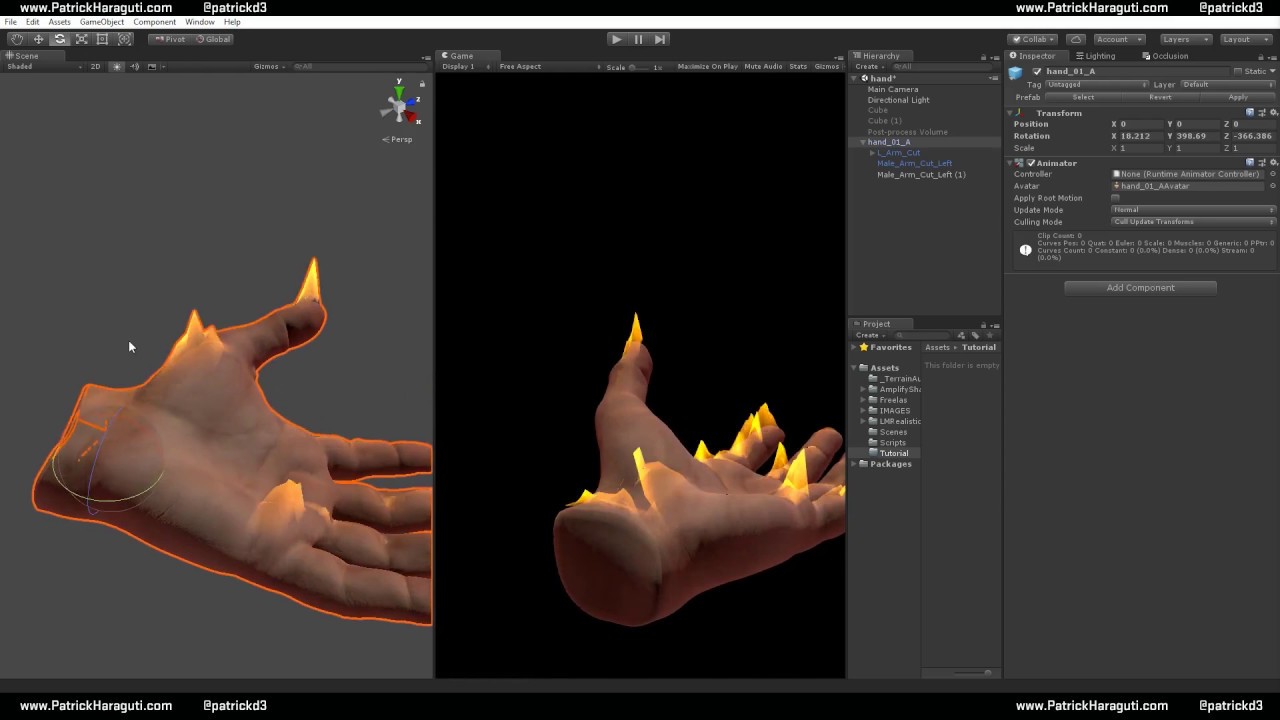
Create a Flame shader with Amplify shader Editor in unity
that for the rest
@median forum
median forum
ohh that looks really cool,thank u!
sharp pike
Scaling vertex normals passed to ShadeSH9 by about half, mapping the greyscale of ShadeSH9 to a ramp texture and adding the colour back in with a mix of soft light (when colour from ramp is low brightness) and multiply blending (when colour from ramp is high brightness) followed by increasing the saturation, then multiplying by the diffuse texture to finish it off. Blue point light to her left, red point light to her right, white directional light pointed at her back and slightly downwards: https://cdn.discordapp.com/attachments/580889457507565569/617172118454665236/unknown.png
It doesn't usually look quite this nice and I had to fiddle a lot with how much to increase saturation by after the blend. I like how it looks though.

 hollow spoke
does anyone know of any good guides for manipulating shader parameters in world with sliders?
past pewter
you can animate/record material properties of the shader and then use the slider to control the animation frame
hollow spoke
so there's no way of just having a slider in world which you can use to directly manipulate a material property like you can with a media object's volume?
past pewter
I don't think you can set the value directly, but I might be very wrong and never figured it out
tired token
From the tiny testing I did, UI Sliders can't really do anything to materials.
You'll have to do the whole animation thing.
hollow spoke
I've got 9 different parameters I want users to be able to manipulate separately, would the animation route allow that?
past pewter
^ yeah, I ran into that too, material changes change a lot of how it's rendered and what can be batched so it's kind of locked away unless you use animations
hollow spoke
pretty shit you can't write your own scripts really, it'd be super easy if you could
tired token
Just edit your message so it's in one go. :P
past pewter
I'm just thinking setting nine different animations on a single material probably doesn't work at all
hollow spoke
if you could write your own scripts, it'd be as simple as gameObject.GetComponent<Renderer>().sharedMaterial.SetFloat("_YourParameter", someValue);
past pewter
tell me about it 😄
tired token
Yeah but we could also write Application.Quit()! :P
past pewter
just set the uniforms directly like a normal person
hollow spoke
all that needs to happen is the scripts need to run in a sandbox, and dangerous external calls could be filtered out
tired token
Easier said than done.
past pewter
I'm afraid all the hacks involve either animations controlled by UI elements or cameras rendering to a texture a shader reads etc
for now ... we have to wait for udon so we can use the cables dlc (tm)
steep swift
Controlling an animator from UI isn't that bad [Rebind(), dynamic float Update], but it means multiple stacked animators for each individual control...
Regarding batching, true it might prevent batching due to separate material if you animate multiple meshes... but if you enable GPU instancing and meet the criteria, that should still work.
If you're worried, animating a pixel color with a camera + render texture would make it easy to affect all mesh instances.
hollow spoke
I'm only wanting to change a single instance of a shader (as a skydome) and there's 9 discrete floats I'm looking to change
if there's a better way than animations, it'd be great as they really puzzle me
past pewter
@steep swift changing materialblock properties doesn't break instancing
not sure what criteria you mean
oh I guess you mean UNITY_INSTANCING_BUFFER_START(Props) etc, yeah exactly
 spring cave
Hi folks... I'm trying to convert the sun surface shader from Shadertoy to Unity... but this shader uses many GLSL specific commands and I fail translating it to HLSL. Of course I know the translation tool and the great tutorial from "The Art of Code"... but I guess for this one I need an expert.
So, I hope there is anyone out there who can help me. The Shadertoy shader I'm speaking about is -> https://www.shadertoy.com/view/XlSSzK
Thanks in advance for every support and feedback
FirstPanic


 stiff berry
i'd assume you're running into issues with either textureLod or matrix multiply.
for matrix multiplies in hlsl you have to use mul() not the * operator. so q = m2*q*0.85; becomes q = mul(m2,q)*0.85;
spring cave
you are right with both... could solve the matrix multiply but have no solution for texturelod
stiff berry
and textureLod( iChannel0, (uv+ 0.5)/256.0, 0.0 ) becomes tex2Dlod( iChannel0, float4((uv+ 0.5)/256.0, 0, 0))
tex2Dlod is basically tex2D but with float4(uv, 0, lodLevel)
while textureLod is texture, uv, lodlevel
or maybe in other words textureLod(texture, uv, lodLevel) becomes tex2Dlod(texture, float4(uv, 0, lodLevel))
spring cave
ok... that was indeed one of my big issues....
Anotherone is the "const mat2 m2 = mat2(1.6,-1.2, 1.2, 1.6);"
don't get why I get an "unrecognized identifier "mat"
stiff berry
I forget exactly how static translates to hlsl, but i would probably replace m2 in q = m2*q*0.85; with q = mat2(1.6,-1.2, 1.2, 1.6)*q*0.85;
as far as i remember there's some sort of weirdness where if you make it just static it might be filled with zeros
i think you need to make it static const? Idk i would just inline it
but for the mat2 part
it's just float2x2 in hlsl
instead of mat2
spring cave
right... i've replaced mat2 with float2x2 and it worked... actually this was written on my check list... the problem was in front of my computer 😄
Another error is at "float3 rd = normalize(float3((gl_FragCoord.xy-0.5*iResolution.xy)/iResolution.y, 1.));" about the gl_FragCoord.
It looks to me this is a specific thing of Shadertoy
stiff berry
you need to use uvs instead of frag coords
so i would refer to the art of code video and pay attention to how he passes uvs from vertex to fragment
stiff berry
well i guess if you want it to be 3d, float3 rd = normalize(_WorldSpaceCameraPos - i.worldPos);
but you need to calculate world position in the vertex shader
also probably want float3 ro = _WorldSpaceCameraPos;
if you do it with fragcoord -> uv conversion it will be a 2d screen
solid grail
Duplicate the verts in blender and flip the normals
For just the parts that aren't visible
 next tundra
i dont understand anything im noob
solid grail
Select those parts in blender
Shift - d
Mesh -> normals -> flip normals
Bottom menu
next tundra
then i need to import the model again?
solid grail
Just export over the existing one
next tundra
can i just select all to insure all the texures are fixed
next tundra
how can i select? lol
solid grail
Right click the faces in edit mode
solid grail
Select the parts that need it
next tundra
now?
solid grail
At the bottom there is a menu one should say mesh
Click on that. Then normals. Then flip normals.
Also hit n and enable a toggle called "blackface culling" so you can see what needs it and what doesn't in blender
This is the wrong channel for this
Ask #3d-modeling see if you can get further assistance
next tundra
well didn't work but thx for help me
steep swift
@next tundra you might have either a bounding box issue or a render order problem with render queues or due to multiple meshes
@next tundra Do you use stencils / require your meshes to render in a specific order? Can you try setting all your materials to standard? Can you reproduce the issue in the unity editor if you look from behind or in front up close
steep swift
I'm going to guess your mesh bounds are completely wrong? Maybe try adjusting the bounds to completely surround your avatar. And again you should have ALL your meshes joined
Ok
What was the issue
velvet sorrel
@sharp pike The main problem is that once you stop quantising the input, it stops looking like a cel shader. Plus anime models need high polygon counts for the shading to look natural (or really good normals). I couldn't really think of any good solutions outside of, like, interpolating between one method and Standard based on the contrast
halcyon kestrel
When I get the time I shall sit down and big brain this until I have a solution.
Maybe.
It depends on if I find a solution or get tired of trying to find a solution first 👀
gentle yoke
a mask to define where to use different gradients?
 raven scroll
I'm wondering is there any good glitter shaders?
 forest drift
NO
there all bad
i checked them all
and their trash
so dont install
one gave me virus
lethal nacelle
@raven scroll pro tactics: poiyomi, scroll emit, then like google "javascript starfield generator"
not home and cant be bothered to bring up the generator page rn
end result:
raven scroll
So it's just called javascript starfield generator