2 messages · Page 1 of 1 (latest)
 high bone
standard but cooler
it is my first shader
 smoky fractal
nice
 wild robin

 thick shell
😮
 spice yarrow
🤔
 somber widget

 opaque grail
yikes
 astral plover
This is a shady channel
somber widget
Hey now, don't cast shade on it like that
astral plover
No Tea no Shader, No Pink Lemondader
 past pewter
👀
 fleet nebula
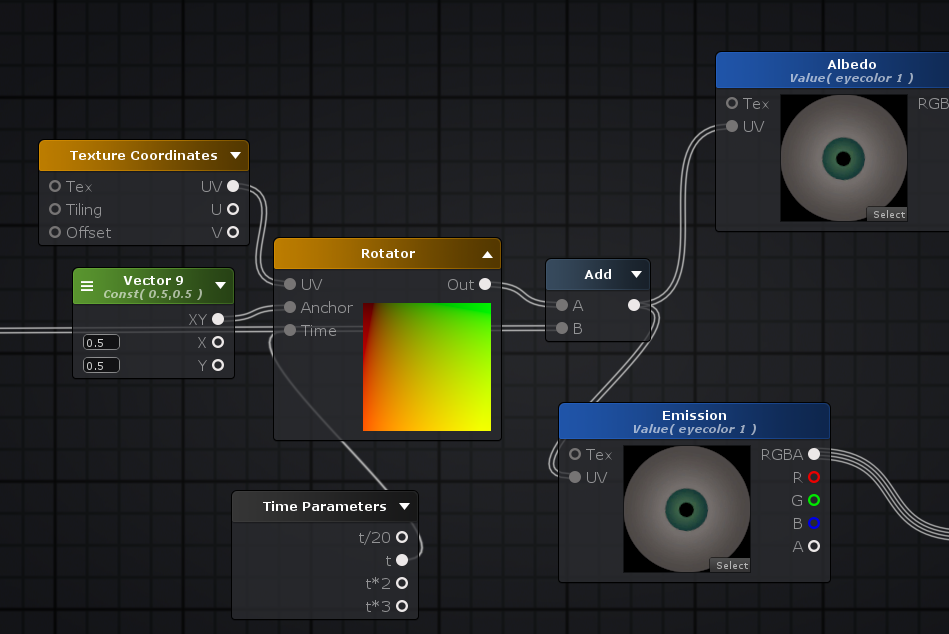
so im making a shader with nodes and this is my first time so i don't know a lot but i need some help here. Im trying to replace texture samples with triplanar samplers in amlify shader editor. here's an image of what i got.
moved this to this channel
 crystal wadi
@velvet sorrel any progress with the updated water shader ? sorry for the ping
 velvet sorrel
I think I should be able to post it tonight, I just didn't get the chance to finish testing it
 steep swift
What is different in that water shader?
crystal wadi
😃
velvet sorrel
The current version has a bug where realtime point lights do weird things when they pop on and off screen, so this fixes that, and also improves the transition between close things and the water surface
 near flax
nice that there's finally an actual shader channel
 wheat reef
@velvet sorrel sorry for the ping but i could really use a water shader right now XD
could i have some info
wrong ping
lmao >.>
velvet sorrel
Hehe, if you need it, you can find it here:
https://gitlab.com/s-ilent/clear-water
Just click on the icon with the cloud and arrow to download it. I'll have the fixed version uploaded by tomorrow
crystal wadi
😃
past pewter
Does anyone have a really good Gaussian blur shader? Looking to use it for a world to create a nice blend between two meshes.
steep swift
Not quite sure I see how a gaussian blur will make two meshes blend together. as a transformation type effect blur something swap it out and unblur? using a stencil to only affect the part of the screen with the mesh?
 merry cradle
Hmm.. new channel. Maybe try pinning some well-known shaders?
🤔
So that other people won't have to go through the trouble of searching it up Google, I think?
wild robin
sure, I'll copy and paste the listing in the avatar optimization doc
 stiff berry
Here's some very useful resources that got me started early on
https://www.youtube.com/channel/UCEklP9iLcpExB8vp_fWQseg/videos
https://catlikecoding.com/unity/tutorials/rendering/
https://thebookofshaders.com/
https://www.alanzucconi.com/category/shader/
https://www.shadertoy.com/view/4dSfRc

Welcome to Makin' Stuff Look Good in Video Games! This channel is all about techniques for getting the most out of your games. Particles, shaders, image effe...
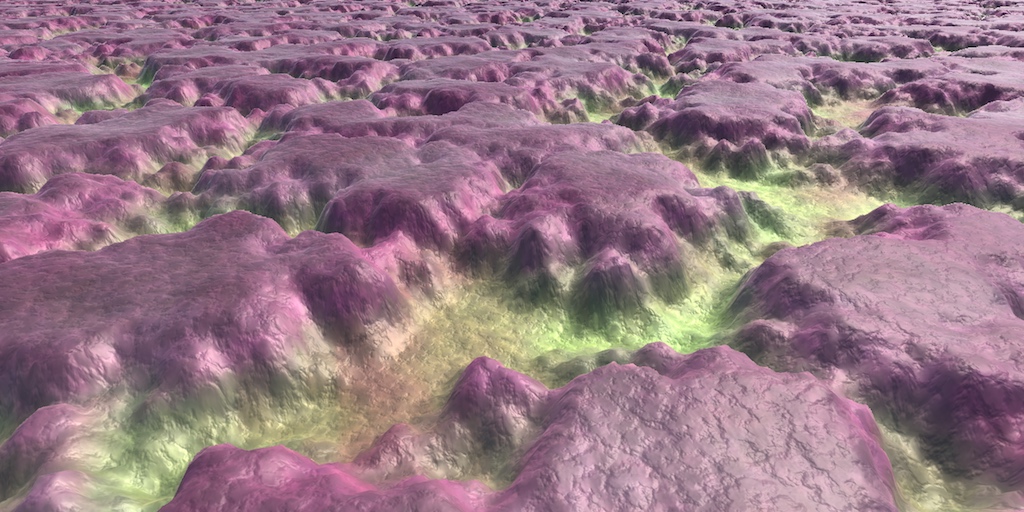
A collection of tutorials that cover how to write your own shaders in Unity.

Gentle step-by-step guide through the abstract and complex universe of Fragment Shaders.
 wild robin
Here's the shaders linked in our avatar optimization documentation. These shaders aren't all that are out there, but they're commonly used, well optimized, and cover a large range of use cases. Note: For worlds, we strongly recommend sticking with Standard except in cases of special materials!
Xiexe's "XSToon" Unity Shaders (GNU GPUv3) - A collection of PBR 'Toon' shaders for Unity. https://github.com/Xiexe/Xiexes-Unity-Shaders
Silent's Shaders (MIT) - Shaders for Unity for cel shading, based off CubedParadox's Flat Lit Toon, featuring a number of handy features. https://gitlab.com/s-ilent/SCSS
NoeNoe's Shaders (Creative Commons 4.0) - A set of 'toon' shaders for VRChat intended to look good under any lighting. https://vrcat.club/threads/updated-29-5-18-noenoe-shaders.157/
Cubed's Shaders (MIT) - A compilation of custom shaders for Unity3D in the 'flat-lit toon' style. https://github.com/cubedparadox/Cubeds-Unity-Shaders

A collection of PBR 'Toon' shaders for Unity. Contribute to Xiexe/Xiexes-Unity-Shaders development by creating an account on GitHub.

A surface shader for Unity based off Cubed's Flat Lit Toon shader

UPDATED (May 29, 2018):
New package/folder structure, now includes a total of 14 shader files.
Changed default values to make it easier to use the...

A compilation of custom shaders for Unity3D. Contribute to cubedparadox/Cubeds-Unity-Shaders development by creating an account on GitHub.
stiff berry
also this video is probably the first thing that got me into shaders
https://www.youtube.com/watch?v=YPy2hytwDLM
In this 2013 GDC session, Blizzard Entertainment's Julian Love discusses the implementation of visual effects in Blizzard's Diablo franchise. Register for GD...
wild robin
stiff berry
Nothing about that gdc talk is very complex at all, and the particle shaders they use look amazing. Simple addition and multiplication is all you really do
merry cradle
Alright, thanks Tupper
past pewter
@steep swift In this case it’s an effect used for waterfalls inside of a world extracted from .hack//GU. They have a blur effect that makes them blend in with the mesh skybox. I found a Gaussian blur shader in the asset store that accurately recreates that effect, but it’s not VR ready by any means and doesn’t look good in a headset.
steep swift
When you say gaussian blur I think something like this: https://gist.github.com/baba-s/386e66cbef08330e14a527d475c541f9 - this one uses grabpass so it works "fine" in vr but you would want to filter the pixels with a stencil

Which one did you like but wasn't good in vr? There might be ways to fix it to be vr friendly
 tulip hornet
anyone know how to do a panosphere shader where people can actually see the texture while inside of the sphere
velvet sorrel
For, like, a skybox?
stiff berry
use Cull Off or Cull Front in the subshader
tulip hornet
no i'm using it on an avatar, just having a sphere on me
past pewter
@steep swift Ooh, I'll check that one out right now! This is the one I was using-

As Unity only provides blur as a post-processing effect, I developed a simple shader that would display the image behind it with a gaussian blur effect applied to it. The intensity of the effect can be tweaked using a slider.
IF YOU ARE SEEING THE DEFAULT PINK SHADER: Th...
velvet sorrel
Isn't blur kind of expensive for something like that? 👀
 burnt cairn
The right one is better
past pewter
It may be, I'm totally down for other shader options too for this kind of thing- I'm definitely still a noob when it comes to shader stuff
velvet sorrel
But I haven't played the game, so I have to ask; wouldn't they just fade out the top of the waterfall with transparency?
past pewter
It's very possible, I haven't seen shaders that just fade the ends of a mesh however
velvet sorrel
Does the map have vertex colours?
That would probably be the best way to do it - that's how I'd assume the game would do it, anyway
past pewter
Let me check! 😃
 thick robin
Finally my suggestion went through for a shader channel 😃
velvet sorrel
Then the artists would have painted transparency into the top of the waterfall's vertex colours
tulip hornet
yea vrchat panosphere isn't goin well
thick robin
👌
stiff berry
@tulip hornet open the panosphere shader in a text editor, look for
SubShader
    {
        //Put Cull Front here
        Tags {
In between the tags and subshader put either Cull Off or Cull Front. You probably want Cull Front, but both work. Cull off removes back face and front face culling so both sides of the sphere are drawn. Cull Front will cull front faces making only the inside faces drawn.
tulip hornet
oh hell yea thank you
past pewter
Well damn
@steep swift and @velvet sorrel you are awesome 😄
It's black
The white vertex colors are shown, but the black is where it fads
*fades
steep swift
If you're wondering where it comes from here is the thread: https://forum.unity.com/threads/simple-optimized-blur-shader.185327/

Hi,
I have a vertex-fragment shader that use the Unity3D GrabPass functionality (it grabs the screen). And I apply my GrabPass to have a transparent...
But it is rather expensive with so many texture lookups. I would experiment removing some of them and seeing if it still looks ok
past pewter
(Whoops! Forgot Silent! Credited!)
It seems the original game does it via vertex colors so I may be able to do it very inexpensively 😄
velvet sorrel
Yeah, there you go!
If you aren't already, you should try taking advantage of vertex colours in your main map shaders too
steep swift
Sorry I was still catching up on the thread. My post got a bit out of context. Vertex colors are quite useful for this sort of thing and better than global effects. Often underused
past pewter
This is really interesting to me tbh, I knew of some effects that could be done via vertex colors but I never realized just how powerful they are o.o
What's the best use of them, outside of fading? 😮
velvet sorrel
Anything you want that can be interpolated nicely over vertexes
past pewter
I like that 😄
velvet sorrel
I think the two most widely used uses for them are either as a straight colour tint, or baked ambient occlusion. Lots of games also use them to blend textures together to have more detailed surfaces, and depending on how you handle the blending that can get really nice results. Then there are also ways to use them for specific objects, like for example, having a tree wind sway effect that uses the vertex colours to make it stronger at the tips of branches and static at the root. They're basically perfect for any kind of data like that.
 naive rapids
Does anyone know where I can get rgb shaders
https://cdn.discordapp.com/attachments/533817421904216064/534568654684291121/Capture.PNG like the red but in blue r any other color
 somber widget
have you tried checking the material's shader configuration? it might already have a color setting, or a texture you can just recolor
naive rapids
Wym, I'm new to this so please go easy on me with the language
somber widget
so if you click on the body in the heirarchy tab (which is usually on the left), then on the right, near the bottom, you should find a bunch of entries for your materials (they should have a shader dropdown on them, and a triangle). Click the triangle to see the shader configuration
naive rapids
Mhm
somber widget
Now, most likely it's just pulling that color from a texture - that is, an image. You should see a little thumbnail of that image under the shader configuration somewhere, click the little circle to see what it's using. Then you can open that image up in an image editor and change it as you see fit
naive rapids
Oh ok thankyou
somber widget
https://imgur.com/a/kSLjdcb here's what it should look like when you click that little circle next to main texture (note: different shaders might call it different things, but the thumbnail should be there whatever it's called)
in the case of cubed you can also tint the entire material by clicking that white box to the right of main texture
but if you're using something else you'll need to play with it a bit
 undone bay
Shader channel :poggers:
 topaz knot

undone bay
Don't give me that look
past pewter
Shaders are the bane of my existence
 lucid cedar
Wish there was a way to do an expensive calculation just once and store the result
The options seem to be putting it in the frag or vert functions, both of which are executed a lot of times
Like if you don't want to show the model under a specific condition that never changes per pixel or vertex
past pewter
one of the reasons why we want something like https://vrchat.canny.io/feature-requests/p/graphicsblit-scripts and more control than custom rendertextures
is to do expensive calculations just once for the whole frame
also shaders are parallel computing so most of doing stuff per pixel again is not a slowdown per se
near flax
it still kind of is a slowdown depending on the calculation
because you don't necessarily have as many (threads? don't know if that's the right term for GPU) as you have pixels
so you can end up hogging them
 wary junco
I use two materials because part of my avatar needs back face culling and the other part needs no backface culling. Would it be possible to make a mask texture and do backface culling per pixel?
wary junco
And would it be worth having a extra texture just for that
somber widget
Wonder if that could be done in a geometry shader by using vertex colors to mark tris and changing the normal vector around
That way the tris could still be culled from processing by the fragment shader
lucid cedar
@wary junco that would be possible in a shader yes
And it might be worth the extra texture
In the fragment shader you can check if it's a front face or backface, but this is reversed in mirrors so you also have to check for that.
Manual culling would be checking if it's a backface, if so then call clip(-1);
But now you'd also have to sample the mask texture and check for its color
wary junco
Cool. And the mask does not need to have the same resolution, right? My atlas is 4K x 4K, the mask think I could get away with being much, much smaller, like 128 tops
 last token
u can also use 2 materials one with Cull Front and one with Cull Back
or u can do 2 passes one for p1 and one for p2
wary junco
Yeah the idea was to do it in one shader and lose a material draw
last token
u might also just do 1 pass and have a bool where
lucid cedar
No, the mask can be any resolution
last token
if texture is white here then cull front else cull back else if grey, no culling
lucid cedar
If there is sufficient margin between each UV island you could get away with a much smaller resolution
Like a 256px mask for a 4k texture
And masks are generally solid colored which is ez crunch
last token
yea
but can do that
where 0% color is cull back 50% is cull off and 100% is cull front
lucid cedar
Assuming you need cull front anywhere yeah
last token
u can also just cull off the whole thing
it doesnt damage performance that much bc its one material and one object
lucid cedar
Well if he specifically needs backface culling on one part, I'm assuming it's not just because of optimization
last token
u can also just do thing the right way and prevent culling issues by making polygons to cover gaps
i.e. under shirts and sleeves
wary junco
It’s cutout hair that looks hollow without culling
last token
yea then i dont think thats a really good idea
considering that means the entire character has 2 have cutout
i usually always keep transparent materials separate from opaque ones to prevent issues with most shaders and with lighting/culling/etc
wary junco
The whole avatar already is cutout
Cutout actually does not have transparent issues like blending does
It’s a just a alpha test pass
last token
and i dont like the way cutout looks sometimes
unless u have high res texture it has like this weird pixelly effect at least up close
so i like to use fade instead
which is why i separate
also is it ok to increase normal map quality
wary junco
I avoid fade for the aforementioned transparent lighting issues. I find cutout is fine in vr where everything has a bit of blur anyway
wary junco
Cutout does not need to be pixelated, it may or may not be depending on GPU settings
last token
bc it was pixelly and it was terrible
wary junco
It’s known as transparent antialiasing
last token
so i modified it

and idk if this has any impact on anything other than download speed
but it made the normals so much more detailed and clear
wary junco
The only effect is download size
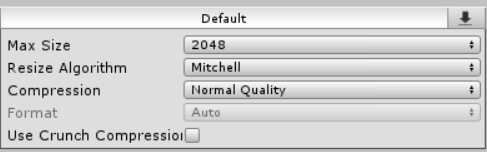
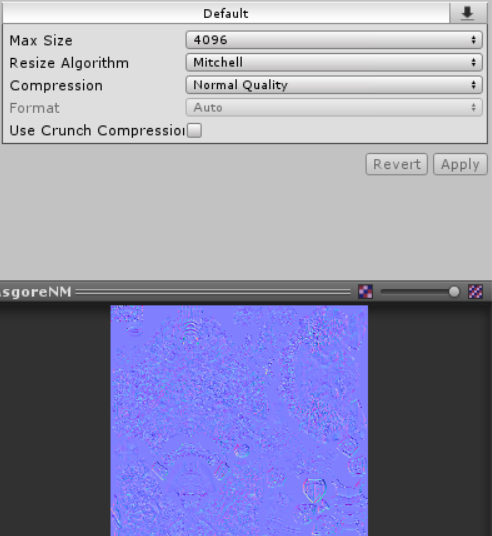
I would avoid compressing normal maps in general. Lossy image compression algorithms were not meant for encoded data like that so it has way more of a degradation of quality than intended
Compress your diffuse and masks
last token
how to uncompress
do i set the normal quality thing
nvm still need large res setting
lucid cedar
That's why you mark the textures as normal maps, they get compressed in a way that still works.
last token
no
lucid cedar
Well if you decrease the resolution then yeah it won't be fine
lucid cedar
I'm talking about the normal compression, not downscaling
You don't want to downscale anything ideally
last token
ya but how to make it use source res
lucid cedar
Only lightmaps in worlds etc
Just set the max size really high
Is the size not a power of two?
If so, set the non-power of two mode to "none"
But this will make the file huge if you don't disable mipmapping too
lucid cedar
Original file size is used if the max size is set to equal or higher than that
last token
kk
wary junco
Compressed normal maps are super bad though to the where it can look better without the normalmap at all
last token
ima modify xiexes to do a color multiplier
anybody know how to do the gradient thing that xiexes does
bc i want to add a gradient part where u can choose a offset and speed and it will interpolate on gradient the albedo
last token
yea but how to manipulate
wary junco
You mean how to make one? I have absolutely no idea. I should pop the hood and look.
crystal wadi
did you try that tool i sent you the other day wulfe
 merry sandal
looking for a shader that is able to distort other meshes
like, you have a mesh inside a sphere
you apply the shader to the sphere
and everything inside gets extremely wavy - like sine-wave
last token
use the distortion shader and modify it
last token
huzzah rainbow xiexes https://i.gyazo.com/c6d2e3ee270cfbd87b8c317d6de2dbb6
also wow nice googling skills http://www.shaderslab.com/demo-20---distort-with-grab-pass.html
ima mske it use gradient 4 the scrolling color
merry sandal
got it
 midnight dirge
I have very little knowledge about Shaders, but what would be the best way to make a realistic looking explosion regarding the fiery smoke like this (with or without a Shader):
https://i.imgur.com/cCCLGSJ.png
(Video Link: https://www.youtube.com/watch?v=Urgakf0GEHk)
 digital kelp
I think that's actually a mix of particles and a model, but I might be wrong.
midnight dirge
Yes I know that the debris and the little puffs of smoke are particles. And I also know that the mushroom shape is a model. But my question is how you would make the top of the shroom look like it does in the picture.
near flax
could be some rim lighting or something
last token
u would need to create a procedural shader with noise
essentially ur gonna have to simulate moving fire and the puffiness/bumpiness of a cloud
u can make it easier by using an explosion mesh and explosion effect textures
but would still need diffuse scolling, heightmap scrolling, etc
past pewter
@midnight dirge that's from an asset pack that people have ported https://assetstore.unity.com/packages/vfx/particles/fire-explosions/nuclear-explosion-105589

-----NUCLEAR EXPLOSION-----
Mega cool nuclear blast!
Also blast have shock wave! .
YOU NEED IMPORT POST PROCESS STACK FOR ENABLE PROFILE
---...
midnight dirge
I know that its from that pack...I just want to know how to make it myself, since I cant buy it .-.
past pewter
it's a whole system of particle effects and some have shader effects on the particle materials
most of it is well chosen textures for the billboards, also why it's a little loopy in vr
midnight dirge
I already knew that it works with particles/meshes/shaders. I just want to know how the actual cloud of glowing smoke was done .-.
past pewter
yeah, I can show you, hold on 😉
probably something like this https://www.youtube.com/watch?v=auzk-V4Xi98

This is a little test for a Particle System nuclear explosion I'm working on. It's not finished quite yet, but if you like it I'll wither put it on the Asset...
midnight dirge
Yeah but that is just smoke.
past pewter
there's a particle system for the top, the middle and bottom parts
the smoke and the 'fire' in the asset are the same thing, alpha blended particles
midnight dirge
But I never found a way to make it "realistic". If you actually look in the video I posted then you can see how the fire turns into the black smoke.
past pewter
you can render distortion grabpass particles in front of all that to fake the fire/smoke turbulence
the asset uses tons of bloom in yellow, animation and well picked blended noise/cloud particles
that's probably the better way of doing it and relatively fast
volumetric 3D smoke and fire are a little too costly to do in a shader
if you really want to go all out and raymarch it you can do something like this https://www.shadertoy.com/view/4lfSzs
midnight dirge
Well yeah that was exactly what I was looking for, thanks.
past pewter
it's gonna be laggier than the asset but a lot prettier in vr
the texture lookup noise in that one is awesome
midnight dirge
Well I guess you could probably reduce the quality/resolution right?
past pewter
yeah but it starts to look like cotton candy and slices very quickly
to make it look good is hard and keep 45+ fps, if you fill your headset with that raymarcher you get more than 6 million pixels to do the whole thing in again and again
blending a bunch of particles and distorting the screen a little gets you pretty close too but not that 3D and fluffy
 pseudo horizon
Does anyone here have the destiny taken shader
thick robin
Heatwave distortion 
last token
as i told em before its just using noise and heightmapping or raymarching
crystal wadi
@last token found this nice tool made by the creator of Knights of Zarria for generating Displace maps.
Displacement Map Creator: http://zarria.net/heightmap/oldheightmap.html
Note when your importing "N*-displace maps" select it as a normal (*Use gray scale)
Control the amount of bumpiness. A low bumpiness value means that even sharp contrast in the heightmap is translated to gentle angles and bumps. A high value creates exaggerated bumps and very high-contrast lighting responses to the bumps. This option is only visible if Create from Greyscale is checked. https://docs.unity3d.com/Manual/TextureTypes.html#NormalMap
Don't get this confused with heightmaps or Roughness, true displace maps are used in high-end shaders such as Beast2018
If your looking for one of the best ways to get extreme quality you may like to try this, for performance in Game i found using Beast2018 with fixed tessellation method on factor of 4x works good if you only have a few objects, for a larger project with more than 1000 objects you could lower the factor to 1 with no performance loss normal/tangent calculation inside tessellation pass
 wild robin
for gifs/video you'd have to convert to a spritesheet and scroll UVs through the spritesheet. Amplify has a node designed just for that, it makes it very easy
past pewter
here's an example flipbook shader https://github.com/thnewlands/unity-surfaceshader-flipbook
Surface shaders with flipbook / spritesheet animation functionality - thnewlands/unity-surfaceshader-flipbook
flipbook/sprite sheet
thick robin
You have particle system that has sprite sheet function
past pewter
a quad doesn't have any of the overhead of a particle system running
past pewter
Hello and I got NoeNoe's Shader and I was wondering how I get it to Hide Nameplates?
I tried Transparent 2D, and Cubemap which Works Somewhat but not fully becasue I want to make Animations for avatars and I don't want the Nameplate Visible at all
Please Help
lucid cedar
That seems like a very old version of Noenoe(?). In addition you don't want to use Noenoe to hide nameplates
You need a shader with ZWrite that is also transparent basically
I mean I guess you could use Noenoe with an invisible texture
past pewter
idk any shaders with Z write
and so far NoeNoe is the only thing with transparent invisibility i found for nameplates
thick robin
Usually its what happens when the shader is corrupted or wrong version
lucid cedar
You didn't actually try putting "BlueprintCam" in the texture did you?
past pewter
i did
past pewter
becasue thats what people said to do
lucid cedar
Or set opacity to 0
lucid cedar
Some actual shader discussion: up to 4 different toon ramps, toon contrasts and intensity/saturation settings on one material.
I can combine 3 more materials on my model now
I would like some advice though, my current code seems rather messy. Right now, I'm using 3 if statements and one else to select a texture and some values. Basically I just check if the mask texture is red on the right pixel, if not then I check if it's green etc
I wonder if this can cause issues regarding performance
It's a handmade edit of a shader forge shader. All the variables starting with _ are properties on the material.
//Ramping
float4 ramp_sample;
float Contrast;
if(maskColor.r > 0.5) {
    ramp_sample = tex2D(_RampR,TRANSFORM_TEX(node_5758, _RampR));
    Contrast = _ToonContrastR;
} else if(maskColor.g > 0.5) {
    ramp_sample = tex2D(_RampG,TRANSFORM_TEX(node_5758, _RampG));
    Contrast = _ToonContrastG;
} else if(maskColor.b > 0.5) {
    ramp_sample = tex2D(_RampB,TRANSFORM_TEX(node_5758, _RampB));
    Contrast = _ToonContrastB;
} else {
    ramp_sample = tex2D(_Ramp,TRANSFORM_TEX(node_5758, _Ramp));
    Contrast = _ToonContrast;
}
 floral current
Is there a shader that, essentially, makes a texture transparent based on the colors of the texture?
I have a few models with textures that are specific shades of white-to-black to control transparency, but I have yet to find any unity shaders that can assist with that.
Example:
How the eye looks without any shaders: https://puu.sh/CyfAz/871ed15e91.png
How it's supposed to look (from the game it's in): https://puu.sh/CyfBh/ebdbc1071b.png
If anyone knows of any or how to make a shader of that kind, I'd appreciate any assistance


Top: Without any shaders
Bottom: How it's supposed to look
For a quick note in case of any confusion: The eyeball itself is textured yellow, the coin engravings are a separate part overlaying the eye
thick robin
Just change the color tint
floral current
Well the problem with that is that's not the only part of the texture. It has other parts to it, like button decals
 mortal dirge
use paint3d or somthing and REcolor that part of the texture.
thick robin
I guess it is used elsewhere also
But if the eyes is it own material then color tint only affect that material
floral current
https://puu.sh/CyfNG/c3eb809de9.png
Here's another part of the same texture used, without any shaders

The gray around isn't supposed to be visible, basically
mortal dirge
which grey.
floral current
The part wrapping around the words and circles
mortal dirge
that needs to be fixed manually if cutout isnt working with standard shader.
the texture is at fault if thats the case
 grave hatch
@lucid cedar I'd combine the toon contrast textures to one texture and set the different colors into different color channels, and then set the ramp_sample to be the color according to that. Simple if statements aren't too terrible, but multiple texture reads can be pretty bad
lucid cedar
@grave hatch problem is, the toon textures aren't grayscale
They can (and should) have color to them, much like MMD toon textures.
In fact, rotating the MMD toon textures clockwise makes em usable
grave hatch
are the textures strictly red green and blue? or do they have other hues
if they have the same hue you can just have the if statement set the color from there according to the texture
lucid cedar
The toon ramps can be any color at all
The "mask" is something I only expect to have red, green and blue
I only perform a read once per texture
I probably can't optimize the texture count without literally making it just a detail albedo rather than a customizable toon lighting ramp
 halcyon kestrel
@lucid cedar yes this isn't great because you're creating possibly dynamic branches. The compiler might optimize it out to lerps, but I'm unsure. I don't trust the compiler.
A better way to do it would be to lerp between them base in your values.
float3 ramp = lerp( lerp(rampA, rampB, _Val), rampC, _val2 )
Lerp is inexpensive and doesn't cause dynamic branching.
Otherwise, the best way to optimize is to keep your mask textures as low res as you can. It'll take less time to sample them that way.
stiff berry
I have a few models with textures that are specific shades of white-to-black to control transparency, but I have yet to find any unity shaders that can assist with that.
@floral current in the texture import settings change "Alpha Source" to "From Gray Scale"
stiff berry
@lucid cedar click the shader file and click on "Compile and show code" then look search for "if" to see if it actually created any branches. I don't see any with that code, although i've only setup that snippet
velvet sorrel
@lucid cedar Why 4 ramps and a mask instead of 1 shadow tone texture that stores an exponent for ramp sharpness in the alpha channel?
last token
cuz ramps can be colored
ramps are also interpolated by stuff like angle to directional lighting
which is not UV mapping
last token
ye but again ramps are color multipliers
velvet sorrel
A tinted ramp is really just a regular black to white ramp with an offset
last token
not just intensities
velvet sorrel
https://cdn.discordapp.com/attachments/414634326995763201/535452891008335872/2019-01-18_00-08-22.jpg
 last token
no its a color multiplier
velvet sorrel
See. All this is from one ramp and one texture
last token
the gradient can have any color it wants
velvet sorrel
You don't need multiple ramps to get a good effect
last token
yes if u want specific lighting on skin and such
velvet sorrel
In practise nobody is going to use a gradient that isn't dark to light
velvet sorrel
Not really...
Well, okay, I see your point, but IMO for MMD style models where the ramp is just "colour to white" you don't need that.
halcyon kestrel
@stiff berry does the compiled code ever actually show ifs? I don't think I've ever seen anything I've compiled show them.
stiff berry
yes
stiff berry
it'll look like this
  33: if_nz r2.w
  34:   mul r4.yzw, cb2[40].wwww, cb2[40].xxyz
  35:   mad r4.yzw, cb2[39].xxyz, cb2[39].wwww, r4.yyzw
  36:   mad r4.yzw, cb2[41].xxyz, cb2[41].wwww, r4.yyzw
  37:   dp3 r3.w, r4.yzwy, r4.yzwy
  38:   sqrt r5.x, r3.w
  39:   eq r5.x, r5.x, l(0.000000)
  40:   if_nz r5.x
@velvet sorrel my main goal was to be cross compatible with MMD toon ramps and stuff. The way you're describing sounds interesting, but would take a lot of setup work
Anyway, thanks for the tips!
There don't seem to be any branches but I might switch to lerps anyway, this would also give it slightly more flexibility
velvet sorrel
Ooh, it's not really
I mean, it's some work, you do have to make a texture for it. But it's as easy as filling in the areas of your atlas with the shade colour you want for them
But I see what you mean
lucid cedar
And there's also the problem of being able to support both toon ramps and toon "booleans"
Those ramp textures that are all or nothing
Although that might be fixable with intensity, I dunno
Holy it might actually have added branches
Time to fix lol
stiff berry
@lucid cedar it's possible that those ifs could be a good thing too, this gdc talk suggests using branches over samples with triplanar. If you want to get a good idea of what's better you're going to need to profile it
Choose which planes contribute ( prefer branching over texture fetches ) https://twvideo01.ubm-us.net/o1/vault/GDC2014/Presentations/Gollent_Marcin_Landscape_Creation_and.pdf
lucid cedar
Oof
stiff berry
i really don't know what's better but my gut says that 4 samples always vs 1 sample conditionally, the latter is probably better
lucid cedar
Well in that case it might be better to just keep it as it is
I have to either always sample them all, or use branching.
And since they're different toon textures I'd have to sample like 4 of them
stiff berry
profile it to be sure
lucid cedar
What would be the best way to go about it? Just have one shader with method A, one with B, then look in the Unity profiler?
stiff berry
Yea, make sure you enable the gpu profiler in the profiler window. Also you can use NVidia Nsight to get much more detailed info but it's harder to navigate
usually with unity's profiler i can't tell the difference between two things very easily
you're probably going to need to exagerate it by doing things like filling your entire screen with the shader, multiple copies of your avatar, higher resolution... stuff like that
as long as the test is the same between both branching and not it should be fine
but the difference will be more noticeable under that exaggerated setting
lucid cedar
Alright thanks, I'll give that a shot
velvet sorrel
Yeah, my thinking was that you could use the alpha channel of the tone map to define how sharp the shadows were. At that point, though, it might be a bit annoying to make the tone maps
 sage dawn
Hello, im looking for a Standard/Roughness Shader that Supports Vertex Colors.
i have looked around on Google but none of the i find workon the current verson of Unity.
that we have to use that is.
steep swift
You want it to use vertex colors for diffuse instead of texture? or colors for something else?
lucid cedar
@sage dawn is it perhaps an option to bake the vertex colors into a texture instead, in Blender?
Because the vertex color workflow might not work very well with stuff like normal maps and metallic maps etc
sage dawn

each part use the same texture jsut with a vertex colors
it works with some stock shaders but they look a bit pale.
and they dont suppoert emmisive or normal mapping
i'd rather have them then a huge texture with the same thing over 50 times
last token
u dont need to
u can just uv map the whole thing onto 1 texture
the only thing is ur gonna have 2 copy one per color unless u have a transparent thing above it
 stoic wyvern
The dedication for perfect Rider shaders
fleet nebula
how do i replace texture samples with triplaners in amplify shader editor?
grave hatch
for triplanar projection you need to have three UVs for each axis
x is the zy vectors of worldPos
y is the xz vectors of worldPos
z is the xy vectors of worldPos
and then for the textures set the UV's to be those and then blend them together
past pewter
is there a skybox shader i can use on a sphere that looks identical to when i apply a skybox in the Lighting panel?
here it is applied to the lighting's Skybox Material
here it is applied to a sphere
i've tried Noe's but the overlay shader appears really close in VR, and the skybox shader doesn't render on the inside of the sphere
i'm asking because i'd like to rotate the skybox, which i could do as an animation on the material, but wouldn't i need it applied to a sphere for that to work?
i'm actually not so sure now
🤔
 oak stump
Heyho!
I'm a bit stuck right now.
Stuff like 3D-Modeling and C# Coding isn't a problem for me, but Shaders... uhh... dunno how to work with them x__x
I want to create a Shader for the "Skybox" of my new Map
I want to recreate the skybox of this map for VRChat:
https://youtu.be/7YiBnxSIDhY?t=48

Took me a while but here it is, alexander itself. I had to do some heavy editing to remove all the interruptions from the time freeze move so that you can he...
https://www.youtube.com/watch?v=T8iGxdmOcfc&feature=youtu.be
my current state of the map (started yesterday)
anyone who could help me out with this? (ofc you'll be credited for that when I release the map ^3^)
crystal wadi
@velvet sorrel silent i had some issues with the updated water shader getting it working , will try again today
looking for it to cast shadows onto the sea floor
waves not working also
fleet nebula
@grave hatch https://i.imgur.com/xVLYLiY.png?3 there are nodes for it also doing it the other way would give me to many textures
 narrow shore
help?
Im following a tutorial but there is a window that is different on the tutors end from mine... He mentions changing the shader to Cubed's shader... But I dont see how to do it on my end. See pics mine:
tutors:
I have the material selected... but the windows are different.
i dont see what he's saying about switching from standard shader to cubed..
video im following: https://youtu.be/7P0ljQ6hU0A?list=PLCmR223gk2DDvMi-s3W3iAbT34S8gisB3&t=4215

VRChat Community Discord: https://discord.gg/VRChat Download VRChat! http://store.steampowered.com/app/438100/VRChat/ mmd_tools GitHub: https://github.com/po...
unity experience: day 2.
oak stump
Someone helping me by creating a shader?
I would even pay for it xP
I really need a shader which can "simulate" the Skybox from "Soul of the Creator, Final Fantasy XIV"
 thick violet
@narrow shore Still have the problem? You selected the texture and not the material
narrow shore
the material never imported s o i must have skipped a step way earlier in the model/atlas/texture process....
thats my guess. I did see if i expand the model i see a material in there but all the options to change shader are grayed out
not sure why either. still learning
thick violet
Click on your model in the project folder, at the inspector tab under materials, set the "location" to "use external materials (legacy)"
narrow shore
ok done
thick violet
Then it shouldn't be greyed out and you can switch from standard to cubed shader if you have it in your project
thick violet
 ❤
❤
past pewter
currently making a map and whenever i go into the map my avatar shows up black like my lights dont affect it but it works outside my world. also other peoples avatars seem to work fine. I thought it could be my shadder but im using the same flat lit toon as everyone else?
any ideas?
 faint fulcrum
Own avatar is on "PlayerLocal" layer so in case you're using mixed lights, enable that layer for those lights
past pewter
how do i do that?
past pewter
nvm i found it but i says that playerlocal layer is on
i found it doesnt work is any avatar using flat lit toon
 lethal rock
Since when was this channel here? Would have been nice when I started mine
velvet sorrel
Only just last week now, I think
@crystal wadi It doesn't cast shadows. I'm looking into it though. Waves should be fine, make sure you're giving it a normal map 👀
crystal wadi
thanks also been busy also still need to dig into it check your DM
merry cradle
@lethal rock Around January 15... apologies for reading it this late
somber widget
select the model in the assets window, go to the materials tab, click extract materials
 zealous sedge
sweet, thank you so much it worked ^^
 simple sable
Heyooo! Bit of shader trouble I'd like some help with please, specifically Cubed's Flat Lit Toon in Fade mode. My model has two materials: the main cutout-mode material for the body, etc.; and the fade-mode material for eyes, shine, and other alpha-based effects. Despite Unity showing the material exactly as desired, VRChat completely removes these features, is if they were never part of the mesh.
I'm using Cubed's latest release, 0.26, btw.
last token
cubeds has transparency issues
simple sable
Is Silent's better?
last token
idk
simple sable
Walp. come to find out his Lite shaders don't have that issue, so I guess I'll just have to use those, though it seems there's no real difference in look or performance.
 chilly stump
I personally use NoeNoe's for transparent/fade materials
simple sable
I'll check them out!
simple sable
Well I knew about yours lol. I'm also gonna check yours out, but it turns out there's a bunch of mesh-messing I need to do because the rips I made weren't perfect.
velvet sorrel
For transparent materials, the reason you're not seeing them appear properly in game is because VRchat overrides the render queue of materials to the default value of the shader.
This can only be set once per shader. What this means is: even if a shader provides "transparent" options for the blend mode that change the render queue, it will still render at the base render queue and get overridden by everything else. That's why shaders like mine come with multiple variants for cutout and transparency, they're set to work in VRC.
simple sable
So that's why using the two separate Cubed's Lite shaders fixes the problem? The render queue is reset when the shader is switched?
velvet sorrel
The idea is, one has the default queue get to Geometry (2000) and the other is set to Transparent (3000). Queues below 2500 are rendered in order of front to back, for optimisation, which means transparent things will be covered over by the background if they're using the normal Geometry queue
By using a shader that sets the default to 3000, we avoid the queue getting broken by VRchat. On queues above 2500, everything is rendered from back to front, so transparent things will overlap properly when using the right queue.
simple sable
Makes sense.
Well, I have no doubt your shaders are amazing, but in the end, it comes down to how easily I can mash the fragmentation effects of another in, which I already have to redo even if I wanted to keep to Cubed's, so we'll see what I decide when I get back to that point XD
Regardless, many thanks for the help and explanation!
past pewter
How do i get startsphere to work it just goes all bugged out
lucid cedar
The newest Cubed's shaders does not have transparency issues I believe @simple sable
Always make sure you're up to date
Any shader with a transparent render mode won't work unless it's a different shader or it's Standard.
Apparently cibbi's shader has a custom editor that actually swaps the used shader entirely
simple sable
@lucid cedar Cubed's latest release is what I have, 0.26. Silent explained why I was having issues.
lucid cedar
Oh really? I thought Cubed's had different versions for transparency these days.
You're right, it doesn't. Wow
It's a bit of a dated shader at this point considering the vast number of better-looking alternatives
Especially since Cubed's shadowing only works with realtime lights
I finally did that shader comparison by the way. Put like 12 models next to each other and tested them out with the "best-looking" settings I could find for each shader
I need to make a new scene with nighttime lighting and see how it goes there
I still couldn't get Xiexe's to behave as I wanted it to. It was too dark in my own world compared to all the others, but making the ramp brighter resulted in the model being overly lit in brighter worlds
thick robin
If the eyes are a different material i often use Unity’s standard Sprite shader
As it has alpha blend
And no real problems except unlit
 tender zealot
is there a shader that can be seen through other shaders?
specifically through the standard shader?
steep swift
You've asked a very broad question that needs more information to answer effectively. What is your goal/got a sketch of what you are going for? I assume this is for a world?
I'm guessing you want something stenciled. I would suggest trying out XSToon for testing first and play with the Advanced mode stenciling options as that shader makes it easy to experiment
You can make it work with Standard too...but you will have to copy the source (standard 2-sided is a decent starting point for this) and add the necessary stencil options to it
undone bay
If you want a shader that can be seen thru all other shaders, aka draws over them, you can just set zTest to flase and set the render quee higher just to make sure
 left orbit
@digital moss I googled around in the past (or maybe someone recommended it here?) and found that noenoe's toon shaders are basically just a few transparent ones I use alongside cubed's
lucid cedar
@undone bay you mean ZTest Always
Also please don't do that unless you use stencils to mask it
Having your avatar be seen through every wall is a great way to get blocked
undone bay
Woops yah, your right
 unreal mauve
Anyone have the Spritesheet Trueimage mashup shader?
velvet sorrel
Please don't use screen space image spam shaders
past pewter
Thanks to some awesome folks over in development-advanced, I was able to create this neat particle system- but I've been looking for a way to get it to have a white particle outline, similar to the effect seen here:
This is a special music video dedicated to my brother, who loves this song. :D The ending credits song is "AIDA" from the .hack//G.U. game series. All footag...
This is how the particle system currently looks
Been messing around with Amplify's outline capabilities, as well as a few toon shaders, but it doesn't seem that the outline functions for those work with particles.
Good example of how they look atm with Amplify outlines:
stiff berry
write some number into the stencil buffer when you draw the black and then check for NotEqual to that number when drawing the outline
and make the outline render at a later queue than the black
 split scroll
I got exactly what you need
It's the normal alpha blended particle shader, except it has slots for two textures. One texture always renders on top of the other
So you can make one slightly bigger, behind, and a different color than the other
Here's an example of something you could make with it, pretty dang close to what you're wanting https://gfycat.com/SpitefulLeadingBaleenwhale
or this, which is even closer but not something I made. Could be made with this shader though https://i.imgur.com/uHcCnaw.gif
past pewter
@split scroll Thank you so so much!!!!! 😄 This is exactly what I've been looking for!
past pewter
Looks awesome 😄
wary junco
I’m bad with terminology. What would a shader with its own built in cube map reflection be called? Like similar to what reflection probes do, except fake and static and just a material’s texture
past pewter
legacy reflective shahders do that, pick your own cubemap
past pewter
built in unity shaders, they're under 'legacy shaders'
wary junco
Thanks much
 severe tundra
Guys im trying to any info about how to make shader that reacting to other meshes like when u touching, i saw that yesterday, i could just touch a person, can somebody give info or even shader pls
steep swift
I really enjoy thoseeffects. Many different ways to do these types of reactions, not all of them are done with shaders and cameras, but I can't say I've seen exactly what you describe. Are you looking for avatars or worlds? particle system collider? Depth texture test (doesn't require an extra camera)? Or camera? Also some avatars have physics colliders in their hands which can cause reactions in hair for example. @severe tundra
severe tundra
@steep swift its https://gumroad.com/naelstrof how that guy told me, but it 10$ so i need some free shader of that type
 steep swift
Yes that's probably using testing against the depth texture!!! Sounds quite challenging to implement it so well. Can't say I can write something this complex but if you want to figure it out yourself from first principles check out https://github.com/netri/Neitri-Unity-Shaders as a starting point

A compilation of shaders for Unity3D and VRChat. Contribute to netri/Neitri-Unity-Shaders development by creating an account on GitHub.
Also $10 is a steal for something that cool. Don't expect anything cheaper unless you're planning to learn how to do it and write stuff yourself @severe tundra
 silk gorge
The author is a cool guy. He also makes VRPlayspaceMover for free, which a ton of people use/enjoy in VRC.
near flax
based only on the description there, i'm going to guess that the setup revolves around converting the blendshape into a per-vertex lookup texture, which is what the "Bake Blend Shapes" wizard would do, and at runtime it tests against the depth texture to figure how much to interpolate between the original vertex position and the blendshape position. shader parameters are probably to specify some threshold values for the depth testing and some values to adjust the interpolation.
that's just my guess though, i might try recreating this myself at some point because it sounds fun.
i have to say, the demo videos for it look really cool
past pewter
yes, thats pretty much it
severe tundra
thanks guys
past pewter
someone help
left orbit
@past pewter in blender?
 cosmic dune
Cool rat
near flax
current progress on recreating that effect
near flax
seems to work fairly well, although i'm not sure if there's a way i can detect intersection when the object is behind some geometry using this method, which is a little bit of a flaw to it. seems to work alright despite that though, since that part is mostly unseen anyway
 royal gazelle
So does that use cameras at all?
near flax
nope, all you need is either a directional light somewhere in the scene or a certain post-processing effect applied to the world
so if the world has one of those, you get the effect at no performance cost. otherwise, you can just add a directional light with very low intensity to your avatar
royal gazelle
So how does the shader figure out where the other geometry is?
near flax
when there's a directional light in the scene, unity is forced to use deferred rendering, which, when on, will supply all shaders with a variable called _CameraDepthTexture
royal gazelle
Ah okay. So instead of using their own camera for depth, it uses the view camera?
near flax
which basically just spits out the current depth of any pixel on the screen from your eyes
yeah pretty much
royal gazelle
I was looking at the Batman Arkham snow thing, and this is pretty similar
near flax
it's a pretty neat trick, but it's definitely not perfect
ends up with lots of "blind spot" types of issues
royal gazelle
Well thanks for explaining, I'm gonna have a field day when I get back home
But the one problem is that you can't detect collisions where you can't see, so it depends on the angle of the camera
near flax
yeah exactly
if you watch the object highlight in my video, you'll see that it expands every time there's an object in front of it
and that's because i have no way of knowing information about the back parts of objects
royal gazelle
Do you know of any way to make the depth buffer not clear, so that if something gets close it keeps that high/low value until something gets closer?
near flax
not sure what you mean
royal gazelle
I'll figure it out
Anyway I thought that was gonna be really complicated, but you did a good job explaining it. Also, instead of using blebeshapes, couldn't you just move the vertices in the shader?
near flax
haha funny that
the blendshape is just used to define the way it should deform
and the way you pass it to the shader is by encoding those deltas into a texture
if you mean like just figuring out how to warp the space without predefining it, maybe...
it sounds kinda complicated though and i feel like you'd have a harder time getting good results from it
somebody did something pretty similar to the Batman Arkham snow thing in a VRChat world btw
think the world is called VERHACK iirc
has a bunch of weather effects and one of them is snow that piles up and deforms when you walk on it
royal gazelle
That's what I wanna recreate. I didn't know that you could pass blendshapes to a shader, is there somewhere I could learn that
near flax
you'll want to set up a script for encoding stuff into textures that you can do lookups on within the shader
unity has a method that it says to use called DecodeFloatRGBA
but it's kind of broken and doesn't give accurate results
someone made a stackoverflow post with fixed methods using bitshifts though
anyway, you have to set up an editor script to encode those into a texture and then decode them within the shader
basically turning the blendshape into a texture
royal gazelle
Okay I feel like I could learn that but it seems like too much work.
near flax
it's a pain in the ass the first time you do it, but every time after that you're basically just copy-pasting the same code
royal gazelle
Is it worth it
near flax
could be if you end up needing it for stuff
i originally wrote it because i wanted an eyetracking shader for a bunch of eyes, but didn't want to use a ton of meshes
so now i can make giant piles of eyeballs and have it be one mesh and one material
lets you do lots of nice tricks like that
i might open-source the collision shader thing after i clean it up a bit, i'll let you know if i do
 fluid hamlet
This might be asked alot but i never see a straight answer ... What is the best way to get MMD .spa files to work with unity shaders
near flax
https://github.com/AkaiMage/VRC-Collision-Shader
7 hours well spent i guess
Collision shader for VRChat. Contribute to AkaiMage/VRC-Collision-Shader development by creating an account on GitHub.
@royal gazelle @severe tundra @steep swift
severe tundra
@near flax oh damn ill check it right now
@near flax blend shape its a shape key in blender right?
steep swift
!!!! Omg
near flax
yup
severe tundra
Tytyty
near flax
so like the slime i show in that video looks like this normally
and the shapekey looks like this
steep swift
Oh interesting you are using rgba to encode 32 bit floats in a texture. I was trying an approach for blendshape encoding with my gpu skinner with hdr textures storing them in rgba half but kept hitting precision errors
near flax
yeah i was running into that issue a lot on a project a few weeks ago where i wanted a multi-eye tracking shader
near flax
was working with vertex colors originally, but it's really hard to cram information into those
last token
especially in video
near flax
what you mean
last token
like it acts abnormal
i seen better examples where it does on a per vertex basis instead of using shapekeys
more intensive prob but more accurate morphing
kinda like the snow shader
near flax
my goal was just to recreate the product that trilla was asking about, which used blendshapes
i'll play around with specific vertex functions in the future, but i'm calling it a night for today
near flax
need to finish my efficient fur shader in the future too, i'll open-source that when it's done
steep swift
Vertex colors can store floats, just use the Color apis not Color32 apis. I think you have to generate the mesh as a .asset in unity editor script. I have an example on my github to do this called AssetizeMeshes
near flax
yeah the issue i had with vertex colors is that i wanted to store a float3 in there
steep swift
Ah you mean deform the floofiness of a fur shader instead of the base vertices
near flax
that's actually a great idea, i'll play with that later
again, i'll have to mess with vertex deformation functions tho, so probably a lot of trial and error to get it to look good
last token
can even go as far as spring sim
so that not just fluffing it
but it bounce bacc
floofy floof 4 reference
steep swift
storing information (velocity, last position) between frames may make it a bit more complicated, but doable
last token
ye
steep swift
I need to play around with CustomRenderTextures
near flax
every now and then i think of something i can do with custom render textures, but then the issue always ends up being that i need some way to input information into it
and then i get sad because cameras
they are really nice for doing simulations tho, since it lets you double-buffer stuff without needing the whole camera1->rendertexture2->camera2->rendertexture1->camera1 setup
last token
i made a test shader one time
that did simple chroma key map
of a rendertexture
or like img
wary junco
I need 5 sides of a a metallic reflection cube map to show the closest reflection probe, but the 6th side to show a custom static texture. How would I go about this?
crystal wadi
could you use a 6 sided skymap on a blank map bake a reflection probe and use that as the cubemap
past pewter
How did someone force me to zoom in on their face when I looked at them
I know it was the work of an enemy shader
 vivid furnace
where can i find good shaders?
past pewter
Also github
near flax
@past pewter GrabPass + screenspace + uv transforms
merry cradle
Basically, a zoom shader.
royal gazelle
You guys are gods at this
I never would have thought to encode stuff into textures
How do you even decode it in the shader
vivid furnace
I’m looking for a shader that always faces forward to the player I have text that I wanna make sure it keeps facing the player locally
faint fulcrum
Most commonly people just use a particle for billboarding (what you describe) allowing usage of any shader without modification
vivid furnace
So a particle billboard would always face you when looking at it.. hmm I mean with the basic particles it does the same thing their just flat textures like look like round dots always facing you
royal gazelle
Yep.
No need to render an actual glow sphere when you can simulate it with a texture
vivid furnace
so how do i make a texture stand there just like a plane and not going away?
royal gazelle
Set the starting speed to 0, set the duration and lifetime to the same value, and set the emission to be a burst that emits one particle on startup
And set the emission shape to a sphere with 0 radius
vivid furnace
thank u
 glacial jungle
anyone know a good shader for a lake?
 devout trellis
Toocanzs do you want to be friends with me.
toocanzs do you want to be friends with me.
👌 😀
merry cradle
Umm.. this ain't random chat.
last token
lol
velvet sorrel
@glacial jungle Try my water shader! It's available on vrcat
 twilit remnant
Who can tell me how to make shaders change in a gesture?
split scroll
you can't change shaders, but you can change materials. So make a new material with a different shader and in the animation, just hit record then change the material
twilit remnant
Alright, thanks man
steep swift
(Skinned) Mesh Renderer / particle renderer module / trails all have Material._ParameterName to change shader parameters like color, emission kr anything custom
These have the benefit of smoothly transitioning rather than a sudden material swap
split scroll
yeah you can change parameters of a shader but not the shader itself
steep swift
True, for simple shader effects you can include both and lerp() between them. depends what you are going for
split scroll
That's a good point, it would definitely be worth making a custom shader for it depending on what you're trying to do
 scenic radish
Could someone point me in the right direction to finding the most used shader's please.
steep swift
@scenic radish Good list for avatars here: https://docs.vrchat.com/docs/avatar-optimizing-tips half way under Avoid expensive shaders. You should also try Standard: it works well for some avatars and Poiyomi Toon can be another coice. Unity chan toon shader 2 is another actively maintained toon shader
Do you want your avatar to be efficient and be loved by everyone because of all the frames you're saving them? Follow these tips and you should be good! Any recommended numbers or limits in this document are subject to change at any time. Although some of the descriptions pr...
scenic radish
Thank you.
 versed tapir
im trying to make a shader that will zoom and freeze the players view (with some added text in hud), how can i make it possible? (Trying to make Jameskii's outro)/ https://www.youtube.com/watch?v=q6ntilVa3QM (skip to the end)
Random VRChat funny moments and VR Twitch highlights 12 👍 LIKE and SUBSCRIBE with 🔔 bell notifications if you enjoyed! ▼ FOLLOW ME ▼ 💜 Twitch : https://www.t...
about 13:25
I just want to know how to manipulate the players camera
faint fulcrum
To freeze or capture a frame, cameras are required, but beware that they work only for friends. But even then that frame would not be local to others unlike with only a grabpass.
(Asuming its for avatar, doable in worlds using player tracking)
silk gorge
Also, don’t use that stuff in public worlds. It’s really terrible.
versed tapir
It's for a friend
If anyone has any idea or tutorial on that kinda stuff... Hit me up
royal gazelle
@versed tapir I don't know about freezing the frame but you can zoom by using a grabpass and some uv manipulation
versed tapir
i saw someone who could freeze everything but the ui
thats what im trying to achive
royal gazelle
The problem is, without a camera to capture a render texture, I don't know how'd you freeze the screen
steep swift
You can store data across frames by using named grabpass textures
near flax
isn't that just across passes, not across frames?
versed tapir
ok so basically the main component here is grabpass?
royal gazelle
@steep swift and how would you do that in a shader?
Also @near flax if I use that depth buffer you were talking about, could I essentially make night vision goggles?
near flax
sure i guess
you'd need a directional light to make it work anyway though
i wonder if you can use grabpass from customrendertexture shaders?
cause if you can, that might work for a freeze frame
issue would be with clearing it tho i guess
steep swift
It's across frames- it can get mixed up if mirrors or cameras exist.
near flax
RIP
steep swift
Don't declare the grabpass, just use the texture by name
I know, it blew me away when I realized any texture could be referenced by name just by declaring the sampler2D in code without a property or anything
near flax
oh my god, you're right
mind=blown
just tested on a few quads, works perfectly
i'll try it out with the crt too
it works, i have successfully made a tunnel using customrendertextures
past pewter
custom rendertextures are not supposed to be used on avatars right now
worlds only please
steep swift
Hmm, that seems like something the vrchat devs need to fix
past pewter
no because they just run on the instance once
steep swift
(E.g. implement Graphics.Blit script)
past pewter
oh they know
last token
can u use stuff like this for i.e. a camera or phone gesture
steep swift
you need an actual camera component for that (friends only).
last token
u cant use a grabpass or 'mirror' trick?
last token
also is there a way to set up skins like in gmod and etc
how u can change skin type with some identifier
 onyx summit
Can anyone notify me what shader is the shader that zooms in on avatars faces? I’m looking into applying it to some custom emotes
 magic coyote

velvet sorrel
How about not doing that instead
lethal rock
It’s a good way to get blocked or have your avatar hidden
somber widget
Or reported for that matter
 vocal wadi
How do I force a specific fallback? Say, toon
stiff berry
This page serves as a description of the Shader Blocking System, how it operates, and how shader authors can work with it so that their shader falls back gracefully when a user has Shaders blocked on an avatar using a given shader. When a shader is blocked by the Safety Syst...
vocal wadi
Thanks! I will give it a look
Just what I was looking for!
A shader called "Flat lit toon 2" (edited flatlit) should fall back on toon. I hope it will work, because my avatar is only really safe for work atm. with a toon shader
stiff berry
make sure your shader properties are named after conventional names like _MainTex _Ramp stuff like that
for it to transfer those textures to the fallback it needs to follow that convention
vocal wadi
I didn't mess much with the default flat lit toon variables, so that should work. I just added sin curves and unity time and set some color values to those
lucid cedar
Also the fallback toon shader will look ridiculously bad if you don't have your own _Ramp defined
 torpid river
Sorry I respond to a old message on here
merry cradle
Oof.
vivid furnace
Where can I get that screen grab shader?
steep swift
... you're going to have to be more specific with your questions. If you're asking for something that messes up people's vision, this isn't the place for that
torpid river
Yes please don’t use any shaders that move other players cameras.
vivid furnace
Then if I find any public models that does that I have the right report them and they get it removed?
silk gorge
You can report them yes, And depending on the effect it may get removed.
last token
he means a grabpass
and look it up or get some sort of free shader that does basic distortion or zoom
shoulsnt be hard 2 edit if decent with shaders
past pewter
or use your imagination and make something cooler than a zoom if you're decent with shaders
last token
like a sooper zoom
i used 2 have a shader that would play doggo vids
i used 2 hav liek a "game" shader also
with a like ball thing u can play wit
grave hatch
grabpass is great for making neat filters
last token
u not need it tho
u can just use som sort of transparent shader
grabpass more for manipulate view for liek fisheye or zoom or flip etc
grave hatch
depending on the effect you need to be grabpass to affect the colors of the geometry behind it
 restive condor
How can I put some shaders on the avatar I imported into unity from blender? I want to put the shaders from cubed unity shaders
last token
what
restive condor
I don't have a material folder either
last token
u extract materials
or click to use legacy materials
its in materials tab of the import
restive condor
o shoot
near flax
legacy is bad, don't tell people to use legacy
last token
if u wanna extract u need a materials folder first
restive condor
forgot to import thaatt
last token
then should be editable
restive condor
thanks mate
restive condor
alright
fleet nebula
how do I connect a planner node to a triplanner node in amplify it doesn't want to accept the yellow
past pewter
https://cdn.discordapp.com/attachments/402349592244649996/540151801517703212/unknown.png so i have the cubes unity shaders pack installed but the textures are not showing when the shader is set to cube paradox/flat lit toon, does anyone know whats wrong?

https://cdn.discordapp.com/attachments/402349592244649996/540155031727505419/unknown.png when i changed it to something else then changed it back the texture shows up but i got this error

 acoustic mica
Reimport cubeds
 surreal breach
Anyone knows wich shader is the one that does that zoom in effect?
the one that like pulls your vision to the object with a zoom in
lucid cedar
I've got this really weird issue where a cube with a stencil shader on it is still blocking out particles for some reason
Any ideas?
Nvm, had to change the render queue to transparent. How odd that it still does this even with stencils.
grave hatch
stencils still write to the depth buffer pretty sure
lucid cedar
That is... not even close to what I was expecting
I mean, that explanation makes sense but is there a way to even stop that from happening without turning ZWrite off entirely?
I set the render queue to Geometry+501 for now
 small heath
Does anyone use Cyberpunk V2 shaders?
Because im trying to figure out how to make it not dip to black after pulsing.
 steep elk
anyone familiar with shaderforge shaders? i'm trying to make a glowing light move in a loop over a material but can't seem to make it work
grave hatch
Whahat do you currently have?
If you have a circular gradient you can add time to it and then fmod it
 light shoal
how do you add a zoom shader
 queen horizon
you could try a materialization shader
 mental cradle
Anyone know of a good directional dissolve shader?
 brazen willow
Are there any tutorials that show you how to make something like this? https://www.youtube.com/watch?v=s0oHCWXW6do

I like Unity, I also like the '80s aesthetic. This is more of a hacky way of doing the grid in Unity, I'll make a more detailed video showing the proper way ...
I found this wireframe shader, but is there any way to create the same bloom & glow effect like in the video?
steep swift
yes, in fact I would go as far as to say that type of effect should be done in a shader, not in a script that generates a ton of game objects for a finite sized grid.
As for bloom and glow, if I had to guess, that is a post processing effect, so it would look the same if you used a shader to draw the grid.
brazen willow
I see
Also, is it possible to use the shader for terrain?
steep swift
the way they are doing the grid itself is actually extremely simple: If you pause at 1:54 you see they have a texture that is just a white square around the edges and transparent in the middle. You just want that to repeat.
One way to make it repeat is use a material with Tiling setting in the texture and set it to match the scale of your grid plane, and then the only shader question is to multiply the texture value by lerp(color1, color2, uv.y) to get a transition between like hot pink and blue for example.
if you use a shader that supports detail textures, you can probably do this effect without any shader modification at all: use a gradient as your main texture and the grid as a "detail" texture
brazen willow
Okay, thankyou
steep swift
I have never played with terrain, but I think you can apply any shader to terrain, but I'm not sure the gradient detail texture thing would work so well there (In fact I'm not even sure that's the right thing to do...I'm just trying to replicate exactly what that video did)
If you want a distance fade type effect I would actually do a lerp based on something like 1/(1 + distance(_WorldSpaceCameraPos, mul(unity_ObjectToWorld, v.vertex))) -> this will give a number between 0 and 1 based on how far away it is
and you can pass that number as an argument to lerp to generate a nice smooth gradient based on distance
lucid cedar
I've seen Wakamu do a shader exactly like that
You would probably want to use triplanar projection or something
stiff berry
For grid lines you probably want a planar projection instead
Use worldPos.xz as uvs and it will probably look very much like that image with a good repeatable grid texture
past pewter
            {
                float3 q = o - c;
                return float3(
                    dot(cross(u, v), q),
                    dot(cross(q, u), d),
                    dot(cross(v, q), d)) / dot(cross(v, u), d);
            }
``` to raycast a plane intersection for the floor, then UV map it to draw the lines ```                    float3 its = intersect(float3(0.0,0.0,0.0)+_WorldSpaceCameraPos/128., viewDirection, float3(0.0, -.0, 0.0), float3(0.25, 0.0, 0.0), float3(0.0, 0.0, 0.25))*16.; // plane intersect uv
                    if(its.x > 0.0)
                    {
                        col += 0.15*(smoothstep(.48,.5 ,abs(frac(its.y)-.5)) +smoothstep(.48,.5,abs(frac(its.z)-.5)))*sin(abs(viewDirection.y));
}```no textures needed
 past pewter
or if you have UVs of a quad or mesh as floor just use the last line and feed it the UVs
past pewter
GPU particles in a sphere being displaced by sine waves
 crude carbon
is it doable in shader forge?
past pewter
probably but it's not trivial, something like a geometry shader that places billboards on the particle positions you generate
onyx summit
can someone hop into a call with me to help me im stumped with a shader
steep swift
Can you give some more background to help narrow down what you are doing?
What type of shader are you working on, what have you tried? What isn't working?
Ok I see you also asked your question in #avatars-2-general . Please keep to one channel. It wastes people's time. Also I don't tend to help people work with stuff like magnify shaders because they are often used in an obnoxious way
onyx summit
sorry but ig everyone asks me this, its going to be a subtle zoom on a face in a small area, not such as the penguins or knuckles, its transparent when it gets on the model, the shader applys to both the dupe and regular model and i want it to be a hand gesture but idk how
its something i have to show to explain
steep swift
Changing a material setting may apply to all models with the same material. Perhaps that is what you are seeing. What's the shader called / Did you write this shader. Does it use GrabPass?
onyx summit
i did not write this shader, idk im very new to this
thats why i asked for help in a call so i could be walked through without clogging a channel
steep swift
Sorry I'm at work atm so don't have time for a call. Was just trying to triage a bit to see if it's something I knew how to help with. I will still go with it's related to multiple models sharing one material
onyx summit
Guys if I wanted a hand gesture to change the shader of a model how would I go about doing that
 fiery field
Make another material and drag the material while the animation is recording @onyx summit
onyx summit
While the animation is recording, I don’t have to drag anything into the animation tab? And then I just adjust the shader and upload it and it will work? @fiery field
How would I apply it to a certain gesture
lucid cedar
You press record mode while recording the animation
Change the material and you're done
You can't swap out all of your materials though, that's the only downside.
onyx summit
i tried this and it didnt work, can i have some direct help? im kind of new to shaders
 quasi pebble
Well what you're describing isn't a shader thing, it's an animation/gesture. which are 2 separate things entirely.
@onyx summit
wary junco
are there any shaders that can do screen space ambient occlusion?
steep swift
My understanding is nothing vr safe. You would need a way of doing it in screenspace but also somehow producing the correct result for each eye. If you get anything wrong you get this shiny sort of look the unity post processing ao has
 fluid belfry
Anyone know of a shader that can make a line that always points up, regardless of the transform of the parent?
split scroll
Is there a reason this needs to be a shader? It's possible to do that with real objects and joints
somber widget
shaders will likely be less cpu hungry than using physics for that
split scroll
maybe, if you were to make shaders yourself. But it's a weird thing to request such a specific shader
somber widget
here's a stackexchange post that seems relevant https://gamedev.stackexchange.com/questions/116960/axis-aligned-bilboards-in-shader

Hi I need to implement following effect using vertex shaders.
Basically its a shader for particle laser beam that rotates to particle along its own y axis till its "best" visible (Roughly).
My ide...
stiff berry
you could change the rotation portion of the object to world matrix to just be up/right/forward vectors but maintain the same scale
v2f vert (appdata v)
{
    v2f o;
    float3x3 basisVectors = transpose((float3x3)unity_ObjectToWorld);
    float4x4 objectToWorld = unity_ObjectToWorld;
    objectToWorld[0].xyz = float3(length(basisVectors[0]), 0, 0);
    objectToWorld[1].xyz = float3(0, length(basisVectors[1]), 0);
    objectToWorld[2].xyz = float3(0, 0, length(basisVectors[2]));
    o.vertex = mul(UNITY_MATRIX_VP, mul(objectToWorld, v.vertex));
    o.uv = TRANSFORM_TEX(v.uv, _MainTex);
    return o;
}
it's a little bit weird to do that though
stiff berry
that's basically the same as doing transform.forward = Vector3.forward; in script
stiff berry
You can get an upright billboard thing with this
v2f vert(appdata v)
{
    v2f o;

    float3 foward = normalize(_WorldSpaceCameraPos - mul(unity_ObjectToWorld, float4(0, 0, 0, 1)).xyz);
    float3 right = cross(foward, float3(0, 1, 0));
    float yawCamera = atan2(right.x, foward.x) - UNITY_PI/2;//Subtract 90 for quads to face towards camera
    float s, c;
    sincos(yawCamera, s, c);

    float3x3 newBasis = float3x3(
        float3(c, 0, s),
        float3(0, 1, 0),
        float3(-s, 0, c)
        );

    float4x4 objectToWorld = unity_ObjectToWorld;
    objectToWorld[0].xyz = newBasis[0];
    objectToWorld[1].xyz = newBasis[1];
    objectToWorld[2].xyz = newBasis[2];
    o.vertex = mul(UNITY_MATRIX_VP, mul(objectToWorld, v.vertex));
    o.uv = TRANSFORM_TEX(v.uv, _MainTex);
    return o;
}
there's probably a cleaner way to do that but the concept works
it's not too great at the edges of the screen cause of the way i'm doing it fixed
probably would look wrong in vr if i had to guess
past pewter
does anyone know that shader that is very commonly used for tails in vrchat? Looks like this
steep swift
there are a few fur shaders floating around. XSFur is probably the best one but it's around $11 - https://xiexe.booth.pm/items/1084711

VRとパフォーマンスを主にした本格的獣シェーダー ほかの似たようなシェーダーはレンダリングパス数が多いため、ラグなどを起こしやすいのが多いです。 私のは、すべてワンパス。 毛と肌のレーヤー別...
basically they work by rendering layered shells around an object with varying opacity. some fur shaders basically just do this in a laggy way by effectively rendering 10-20 copies of the tail with varying opacity.
past pewter
Okay, thanks
past pewter
NB: if you do 20 passes it's not super laggy as long as it's a small mesh
but xsfur is a better approach
 molten nacelle
hey guys anybody know how somebody made that zoom in, in the private penguin model? i heard that he made it with shaders so im asking here
steep swift
Please try and be creative and come up with an idea that is not going to affect everybody in the room and get you blocked. GrabPass effects like that tend to cause problems for VR users and are generally unpleasant
molten nacelle
i dont want to use it like that, im often only with my firends at rooms and i just want to scare them, they are all non vr. but okey im not gonna ask anymore
steep swift
Yes, you're unlikely to find help here with making that type of shader.
I can still point you how to get started with learning shaders: If you are familiar with programming I encourage you to open the code of an existing shader and try and learn how it works. If not, I would take a look at node-based shader editors: Shader Forge (available on github for free) or Amplify from the asset store.
 light swan
Anyone know if there is a decal shader about?
stiff berry
@fluid belfry https://github.com/Toocanzs/Vertical-Billboard if you still need that billboard shader, I've uploaded it on github
A vertical billboard shader for unity. Contribute to Toocanzs/Vertical-Billboard development by creating an account on GitHub.
 cosmic night
@light swan here's decal shader, doing offset of vertices to move them above faces behind 🤔
Shader "Decal" {
  Properties {
    _MainTex ("Base (RGB)", 2D) = "white" {}
    _BumpMap ("Normal Map", 2D) = "bump" {}
  }
  SubShader {
    Tags { "RenderType"="Opaque" "Queue"="Geometry+1" "ForceNoShadowCasting"="True" }
    LOD 200
    Offset -1, -1

    CGPROGRAM
    #pragma surface surf Lambert decal:blend

    sampler2D _MainTex;
    sampler2D _BumpMap;

    struct Input {
      float2 uv_MainTex;
      float2 uv_BumpMap;
    };

    void surf (Input IN, inout SurfaceOutput o) {
      half4 c = tex2D (_MainTex, IN.uv_MainTex);
      o.Albedo = c.rgb;
      o.Normal = UnpackNormal (tex2D (_BumpMap, IN.uv_BumpMap));
      o.Alpha = c.a;
    }
    ENDCG
  }
}
Alpha is smoothness, red is metallic.
Baffling choices if you ask me, but that's how it is.
@last token
If they were RG instead, that would save on filesize
last token
what about the ones used for xiexes
its just a metallic i think but is it like black and white
lucid cedar
Well, RA is used for Standard metallic. It can be black and white to make it easier but it isn't always
stiff berry
float roughness = (1-metalMap.a * _ReflSmoothness);
float3 finalreflections = (reflection * (MainColor * 2));
finalColor = (MainColor * ((1-_Metallic * metalMap.r)));
looks to be the same, red is metallic, alpha is smoothness
last token
kk
thx
so for an eye for example
would i have more solid red in the pupil and iris
lucid cedar
Probably yes
velvet sorrel
I think RG isn't used because it isn't supported on mobile platforms without RG format, so it would be lower quality than RGB/A
It's the same rationale for why normal maps are internally RGB/A for 2 channels
halcyon kestrel
Yes, I use red for Metallic, Alpha for Smoothness.
I also use Green as a Mask to eliminate reflections entirely starting with the 1.7 update which released today.
 thorn geyser
Looking for someone to make me a shader just like this /Help me make a shader like this https://gyazo.com/3807d2b22e7b27334c99138c3821b9dd . I use marshmellow's helmet for all my models And i found this gem ingame but I don't have the model / shader to import it to my model. This is the one i'm using currently https://gyazo.com/6821f3bf0749990e4633e507cdff7b87
 naive oak
ok I need a complicated shader that is able to hide/not render everything on the player layer, essentially hiding other players behind anything while still being able to see the mesh and everything other than the player. Is this possible, and if so how?
 tired token
Shaders don't detect layers.
last token
can try using specific render layers
grave hatch
could you explain further? Not sure what effect you’re trying to get
thick robin
you could just make an Alphalayer texture with an animation to change the color and snap to the rotations around the head rotating.
just UV a Cylinder around the head to use for this texture
crude carbon
Sooo, i got a problem with a water shader that doesnt show proprely, im wondering if someone here could help me
fleet nebula
in amplify shader editor how do i make a texture sample spin from the center, with a vector 2 node i can only make it move x and y
grave hatch
there's a rotator node
last token
is tessellation shader only a good idea for worlds and not avatars?
near flax
should be fine for avatars as long as the tessellation factor isn't stupidly high
like 1-2 subdivides shouldn't impact performance much
last token
distance based
near flax
might wanna add a cap to it then
grave hatch
tessellation is good for smoothing things out
but I don't see much use for it on avatars, esp since most avatars use toon lighting
near flax
i've used it in combination with some geometry shader stuff before
velvet sorrel
Tesellation is good for smooth, curved lines, so it would work nicely with cel shading
But you don't really need it in VR
past pewter
does anyone know where i can get the zoom in shader by chance?
steep swift
@past pewter screenspace shaders like that are frowned upon as they are a bad experience for vr users.
steep swift
Yeah in public worlds avatars with those are likely to be reported since avatar reports affect the avatar not the wearer which is nice
last token
unless the shader is distance culled and fairly small and not spamming it
faint fulcrum
Anybody managed figure out depth sampling in mirrors? Can't figure out get values into usable range. (If possible at all)
steep swift
You're trying to convert samples from _CameraDepthTexture?
faint fulcrum
Yeah
steep swift
The near clip plane in a mirror is not aligned to the camera but rather to the plane of the mirror itself. So I would expect the depth values to be the distance from the mirror clip plane. Something like that
Is it possible to invert the projection matrix to get to camera view space? I actually haven't managed to get this to work, just know depth is wonky in mirrors because of the oblique frustum
fleet nebula
so i added a rotator node to my eyes in amplify shader editor to make the iris spin like a loading wheel and this is what happens any one
know what happend or how to fix it? https://i.imgur.com/iFmmDew.png?1
it looks fine in the node viewer as you can see but not on the sphere
that is also the back side of the eye its suppose to be on the other side
it just keeps going in and out constantly
velvet sorrel
What are you adding it to?
fleet nebula
to a sphere which is the eye, also it just gos to the albedo after that
past pewter
Any good ghost shader?
last token
standard shader with emission and a transparent color or texture
faint fulcrum
FInally... Camera depth texture sampling thats compatible with mirrors
https://gyazo.com/aeccd1e8b6e22a76359a1e3f0f84088b
steep swift
Oh nice. What was the magic bit you did to get them working?
faint fulcrum
Extracting data from projection matrix. Algorithm source: http://jcgt.org/published/0005/04/03/paper.pdf
steep swift
Ooh that's awesome specifically for oblique frustums. I'm going to have to dig into that again. I had some effects that weren't working right in the mirror
last token
wat it used 4
steep swift
In this case, Anything you use the depth texture for: even stuff like fog might use this
last token
couldnt u raymarch fog
faint fulcrum
I'll share the shader a bit later, will see if i can compress a couple instructions
For your own shaders, yes, not for overlays
steep swift
Yes But you want to apply fog only in front of all objects in the scene, and so you sample the depth map to know how far to raymarch. And this would tell you how to also render fog in the mirror reflection
faint fulcrum
frac(worldpos)
faint fulcrum
Yes
last token
kk
faint fulcrum
Easier so see and debug instead if a smooth gradient
last token
oh no
theres a shader that overlays over the menu now
and makes it disappear
so u cant see or use the menu until they stop using it
steep swift
Report those avatars as malicious (you can go to panic mode if you can't see the menu)
Hold Both menu buttons or both grips and triggers I think
It's been going around for a while now. Some of the bad public ones have been taken down, but I guess the bug hasn't been fixed yet.
last token
sometimes u cant tell who it is cuz it just starts happening
past pewter
wasnt to sure where to post this so i thought i would ask here, how do i get that glow effect? is it from a shader or just a really bright color on the texture or a combination maybe?
 past pewter
nvm i think i figured it out
fleet nebula
i think your looking for emission for that
past pewter
yeah thats what i tried and it looks good
still have not messed around with shaders and coloring too much yet
steep swift
some shaders such as Xiexe's XSToon also have a
glow in the dark type feature that turns on emission only in worlds which are dimly lit
 acoustic oak
Wait standard adjusts emission values based on lighting?
steep swift
"Brighter than xiexe's in light" makes me think it's not adjusting based on the amount of light. Never seen this feature in standard, just ordinary emission
lucid cedar
I think Standard doesn't adjust emission at all
Standard emission implementation in practically any shader is to add emission on top of the end result, after lighting etc
I'm sure standard isn't any different, that's how surface shaders generally work too
halcyon kestrel
Standard does normal emission. Also, my emission scaling is broken right now. So my shader on 1.7 also just does normal emission, even if you turn the scaling on.
 crystal torrent
anyone know where i can get a shader that has a 3d vertex ripple effect?
steep swift
PolyColorWave from theepicsnail on github
crystal torrent
thanks
past pewter
hi
 ripe idol
I rewrote all the lighting in my shader
It's toony now
and added support for metallics
👌
last token
gib
 molten widget
Is it possible to make a shader in shader graph then bring it back to the vrchat unity build?
because i don't see shader graph in 2017 version
Or does anyone have the old shader forge .package?
steep swift
@molten widget try this github: https://github.com/FreyaHolmer/ShaderForge - about shader graph you would need to get the raw hlsl source code and then manually convert. Not at all an easy task

Contribute to FreyaHolmer/ShaderForge development by creating an account on GitHub.
velvet sorrel
I've released the new version of my shader, v1.3!
Release notes: https://gitlab.com/s-ilent/SCSS/tags
Download: https://gitlab.com/s-ilent/SCSS/-/archive/v1.3/SCSS-v1.3.zip
A surface shader for Unity based off Cubed's Flat Lit Toon shader
molten widget
@steep swift that's what I was looking for thanks a bunch
 cedar thistle
Are there any really good cutout shaders for detailed hair and feathers etc? Fade mode in standard would work but it also makes things see through and the cutout mode looks messy
steep swift
@cedar thistle I hear Alpha To Coverage or dithered is the way to go . Lucky for you, XSToon 1.7 is out with support for these. might be worth trying. (Caveat : DesktopLow quality setting has MSAA turned off, which causes Alpha to Coverage to not look good. However DesktopHigh and all VR users have MSAA)
past pewter
Someone should figure out how to do volumetric lighting
stiff berry
World of Warcraft inspired Volumetrics that hold up well in VR with small cost to performance. (You have to not be dumb when placing it though :P) - Xiexe/XSVolumetrics
last token
@velvet sorrel is there a way to make ur cubed shader not have fresnel for specular
velvet sorrel
My shader also has support for dithering/alpha to coverage 👀
last token
cuz it keeps doing this https://i.gyazo.com/4025468369ee0bed1a695e07e5b8357f.png

like the standard shader does
velvet sorrel
Yeah, it's PBR
last token
but i not want the glow from ambience only lights
velvet sorrel
There's no option for it except to remove all smoothness

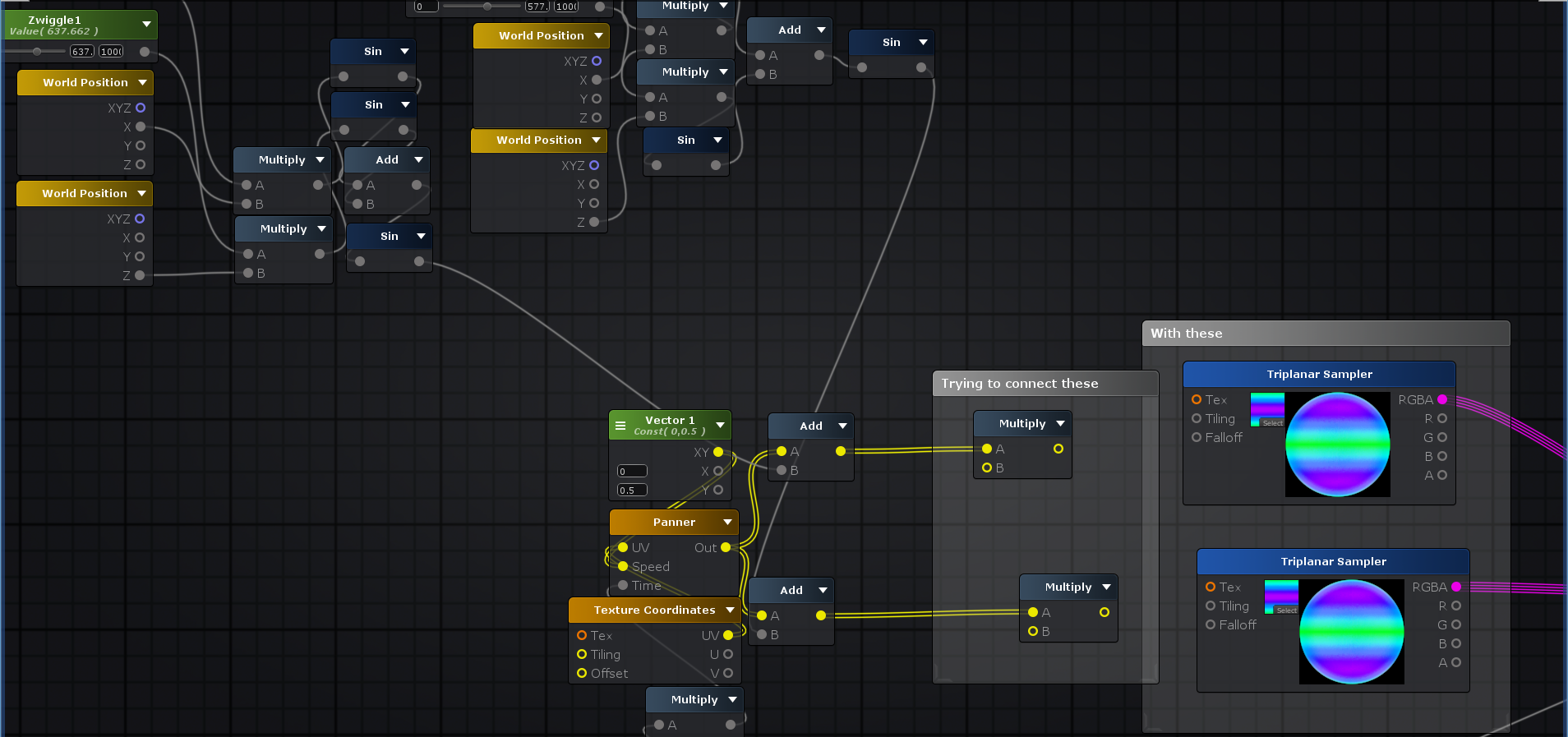


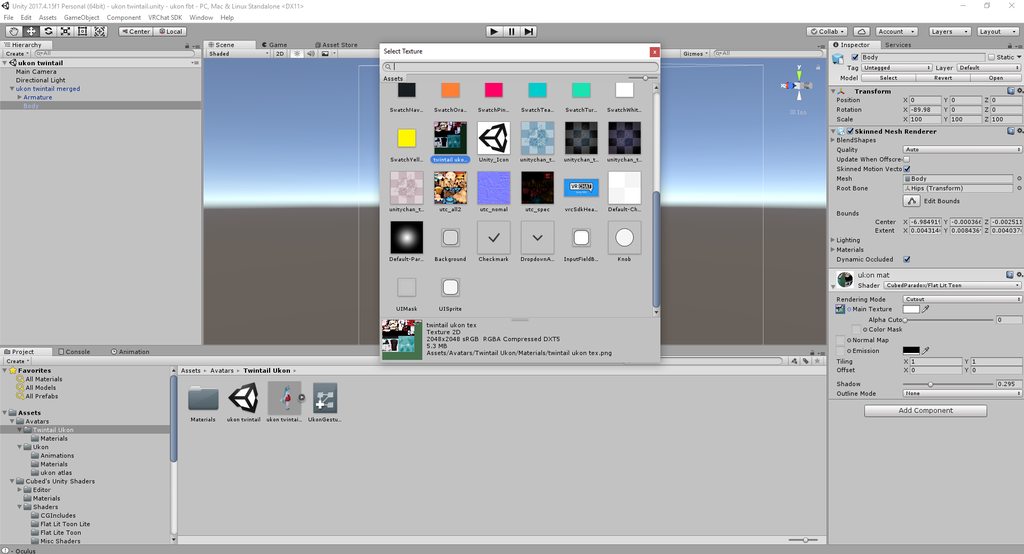


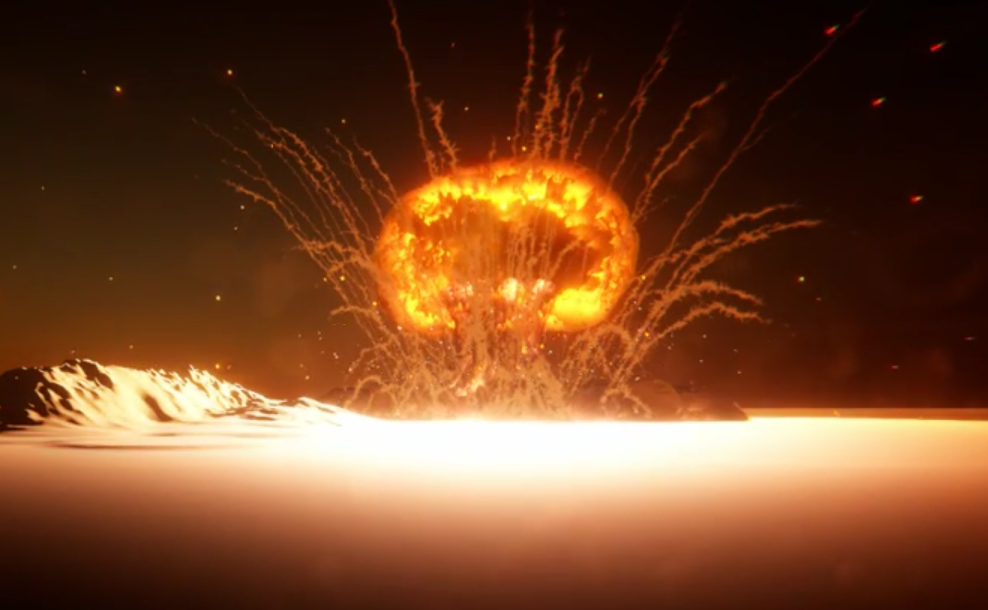


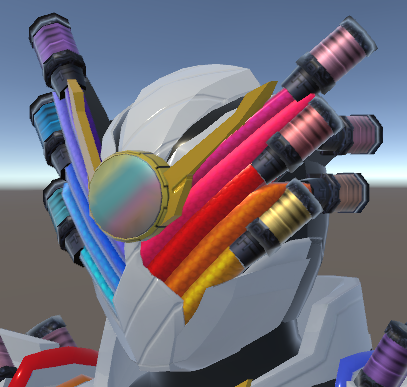


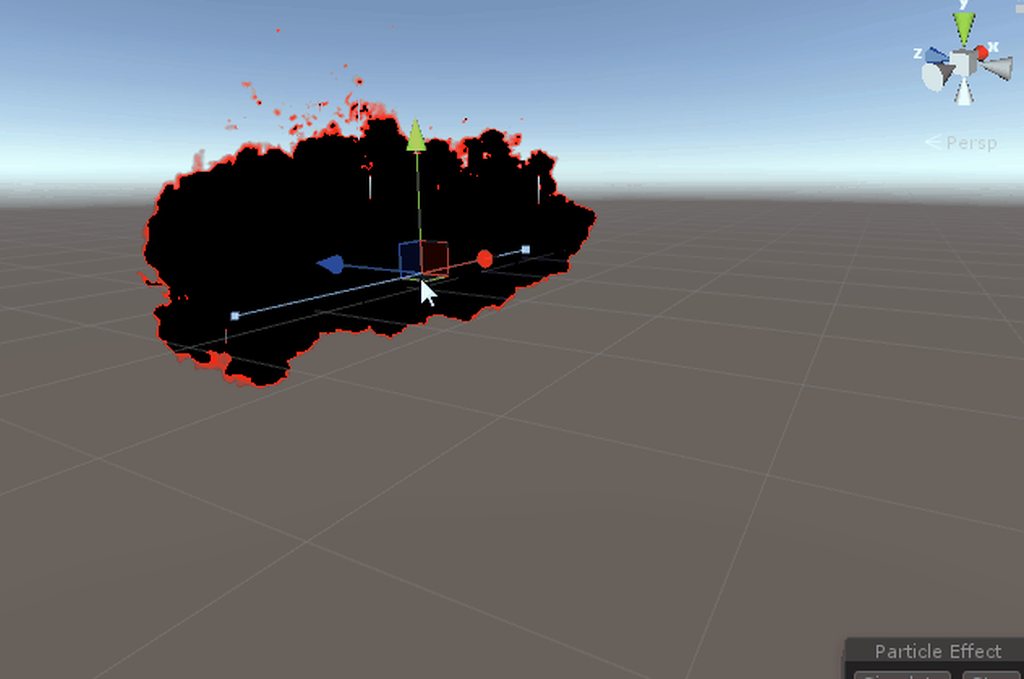
 goyle bruh