#avatar-optimization
1 messages · Page 52 of 1
 heady smelt
i'm not sure what to do here
and there seems to be some in the hair as well
but that looks like it's a physics thing
 lone tiger
You should be able to upload that, but obviously it will be rated Very Poor in avatar perf rating. Yeah, physics rigidbodies are one of the very few ways to make avatars with multiple limbs (spiders etc) or puppets that should follow your movements exactly to work properly.
heady smelt
Fair enough, then I'm not too sure why its not uploading
I press build and upload and it kinda just... Doesn't get to the next step?
afaik everything else is done right
or maybe i'm stupid, hang on
ok no, i saw that when you do the Build and Publish, what's meant to happen is a thing comes up to name it I think?
wait maybe wrong channel
 sick timber
Maybe move it to #avatars-2-general
 floral valve
 calm spade
blender
heady smelt
Why is it not logging me in on the editor when I click sdk, control panel, and log in? Its just not logging me in and theres no message at all
 still perch
Not really the right channel for that question.
Try logging in with email instead of username.
 hoary edge
@calm spade Managed to figure out the atlas tool by myself and brought a copy of my main outfit down to 7 materials, which I think is the least I can get it down to so each material keeps its individual settings. I also cut the colliders down to none and the dynamic bones to 15, as well as keeping it to a single mesh. I also decided to remove the emote audio. I guess ill use that one if a more optimized avatar is required. Ill still keep my normal version for situations where performance isnt that important.
It should be good performance now
Yeah its good performance!
calm spade
Congrats !
 graceful vine
proud of u
hoary edge
I still wanna bring all of my normal models down to medium
For that I just have to cut dynamic bones
 jovial grail
DBones shouldn't matter as much as you can just disable them
But if you want to go through weight painting hell where you have like 4 bones for the whole hair
hoary edge
I think I can get it down
I dont expect people to have the limiter on so
I dont wanna be the reason they have to do so
jovial grail
Definitely enabling it in big laggy rooms
 storm ingot
 decided to use cloth for hair (12 366 vertex) sdk still reports model as good performance
storm ingot
hehe reducing the virtual particles helps (from 9 (32 fps ingame) to 1 per frame (87 fps in game)
hoary edge
I dont use particles
All my avatars are poor due to bones
dynamic bones actually
Welp got it down to 32 by removing all clothing related dynbones and excluding the 2 lest noticable hair bones
which both counted as 2
Now I have to repeat this process on all remaining uploaded avatar versions
Luckily cut that number down recently
hoary edge
All versions of my main model are now medium
storm ingot
should try and get this to medium (it is very poor only due it being two models in one (causing it being 137 k poly).
 zenith plaza
Just use a shader that shows different textures in the mirror? No need to do multiple models
 pure bridge
Yeah they look like the exact same model
graceful vine
is it worth the performance drop for such a novelty 😒
 fresh bone
I need help with visimes. Is this the right channel for that?
I have the regular vrchat visimes and MMD visimes in this new mesh of mine. I am working with the vrc ones and they won't show up in unity.
I did not use the Cats plug in as this avatar is made from scratch
heady smelt
Any tips for reducing material count? A model I imported has about a dozen or so textures and not sure how VRChat will like that even though they're relatively small and simple ones.
still perch
the thing you wanna look at is creating a texture atlas
There is the option to use the combiner addon of CATS or to do a complete manual atlas.
Depending on which you can find a propper Tutorial on how to do it, specifically for VRChat characters.
There is Tutorials available for both. 
heady smelt
Would that be done in the SDK or something like Blender?
still perch
That's Blender stuff.
Model creation and thus tweaking is mainly focused on the Modelling Program.
Here is one from the PINS of this channel: https://www.youtube.com/watch?v=YUZeBfYbfVo
Join my Discord for help or meeting like-minded people: https://discord[dot GG]/uSEvuVw or scan my QR Code: https://media.discordapp.net/attachments/626502922120724480/626522415794618399/qr-code-Shanie-Discord.png
I honestly had enough of hearing that basic optimization of yo...
heady smelt
Hey I hate how my avatar toes can't be mapped or I walk on my tiptoes. but...couldn't I have the toes unmapped. and put a colder plane on the ground.? something like that?
 graceful ledge
 hoary juniper
Or change your height
 rain jetty
Why can't i make a model? It always says i have to much of the thing to upload and always says 20.91 or something like that, even when i take out stuff.
Im making a quest avatar btw
calm spade
20.91 ?
zenith plaza
Posting a picture might help
sick timber
That message sounds like google translate...
rain jetty
@sick timber Whos?
Also I'll post a picture then, as I have school.
But i think it's the polys though.
 random flare
Quest is limited to 10k polys or lower
rain jetty
But it's always stuck on 20.91 or something close to that. Even when it's just the model. I tried different models too.
Was it always 10k?
Or did it recently change?
random flare
its been like that for a while
20.91 of what @rain jetty
again what youre saying is very broad and doesnt tell us much
heady smelt
screenshots are hard
rain jetty
All i have is this:
I just deleted the particles and it stayed 20.91 mb
Even though the overall performance is orange.
random flare
thats the file size
you need to reduce it by for example loweing your texture resolution
@rain jetty where did you get this model from?
random flare
yeah that site is not allowed to be mentioned here
rain jetty
Oh why
random flare
because it contains stolen assets and malicious files
random flare
I recommend not using that website, you have quite a high chance of getting viruses from there
I recommend learning how to convert mmd characters in to avatars
rain jetty
Idk how to use blender ngl.
random flare
than learn it
random flare
blender guru is pretty good
heady smelt
you don't even need to learn blender
just how to port mmd models
cats addon will do most work for you

YouTube
pure bridge
Id reccommend learning blender basics anyway since it will save you endless headaches
Red's made a good call, the donut tutorial will reveal a lot about how blender actually works
 novel grove
@rain jetty try to use compression on textures (that an option on their properties in unity after you select them), you can also build that avatar for pc and check in build logs which kind of files have biggest size
heady smelt
So I've got the avatar fully rigged now but I wanted to optimize it using CATS. When I hit "fix avatar", this happens
calm spade

heady smelt
Obvious error is the white parts but for some reason, the pants take on the texture of the now-white straps.
I deselected them for merging in the atlas but to no avail it seems.
heady smelt
Ah, thought it came with it.
Must've been added when I installed the atlas-addon thing.
calm spade
but you can ask for help in https://discord.gg/bkz9Gp
heady smelt
It got worse.
And this was after I went through each part and purged the unused texture clones on each part.
heady smelt
toe bones dont need to be mapped just the ankle
@graceful ledge I understand that, but I want to make the toes move when I walk. Is there a way to leave them unmapped and have them collide with the ground so the collision forces the instep to turn upwards when you walk?
novel grove
you can possibly make toe movements with joints or final ik, (also idk if that possible without collider and rigitbody on each toe (with separated from ankles bones), i just know you can collide with world like that (and not sure about performance))
 solid smelt
Any 'fix' comes with enough baggage to cause it's own, different problems
 past tide
calm spade
past tide
calm spade
you need to add the component on the inspector
 amber hemlock
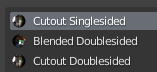
I use a pretty big texture atlas and three different materials reference it. Two are because I need backface culling on some parts but not others. Would it be worth combining the two with a backface culling mask to cut down to 2 materials into 3 but then have 2 textures instead of one? https://i.imgur.com/GHPENbX.png
 river iris
Trying to hop back into VRChat, speaking of texture atlases, does UDIM textures work?
Come to think of it, I don't think the current version of Unity wouldn't work with UDIM textures right?
novel grove
@river iris are you about custom script for multi materials you need to download? if yes then it's not whitelisted :4 ,maybe you can workaround with texture arrays+multiple uvs via custom shader, not sure if arrays work in game
 sharp ravine
@amber hemlock depends on texture resolution and what resolution you are importing them at in unity.
amber hemlock
2048 * 4096
 fiery orbit
would anyone mind helping me figure something out i am trying to optimize a model for Vrchat but my polygons are to high so i can only use full decimate and i don't want to lose my shape keys would anyone know how to avoid losing them or how to re add them after the process
 karmic condor
separate by either loose parts of materials, select meshes. Right window there is a wrench icon, there are modifiers. Choose decimation modifier. You will probably have to remove the basis shapekey from the separated objects.
fiery orbit
thank you
fiery orbit
may i ask how to put the shape keys back when they are removed?
i apologize i am new to blender
solid smelt
If the shapekeys are completely gone the best way to get them back is to revert your save and copy the mesh you need with the shapekeys are reattach it to your new save
amber hemlock
If you manually go around the model and weld verts it won’t break shape keys. It’ll take more time but it will look way better than auto decimate and the shape keys will be fully intact
@fiery orbit
You can also keep your topology sane, decimate tends to make a mess of triangles everywhere
And of course the benefit is you don’t lose any detail where it’s important to you
 humble onyx
Anyone know what I'm doing wrong. I'm using VRM model (used vroid) but trying to make an Atlas with CATs plugin and my materials end up ruining the model. I can't combine any of the face materials without it looking like the 2nd image. All I know is the face skin is whiter because I recolored the skin texture, but not the face so it's texture is lighter skinned. but I have no idea what's going on with the eyebrows/eyelines, and i cant keep my hair split dyed.
calm spade
You can chose not to atlas those
humble onyx
Yeah I uploaded one with 16 materials and its fine, but I'm trying to get it down to 4, and since I want to make one Quest compatable
calm spade
16 is a lot for PC too 
humble onyx
Everything else went smooth, I just don't know how to solve this.
humble onyx
Yeah i guess ill check there. Vroid makes things a bit different
humble onyx
well I figured out most of the problems. The textures themselves were left default, so all I had to do was color them appropriatly. Still unsure with the eyelash/eyeline. It's just difficult since they're suppose to be transparent
 empty geyser
Is there any way to combine materials but be able to still edit individual parts of the materials that you combined?
calm spade
You mean the texture ?
empty geyser
No no, the actual materials. I don't really ever use textures honestly.
My avatars are based around a bunch of small individual parts usually, so most of the time I just find 3d models online and then implement them into the avatar somehow.
And most of these 3d models are different colors all together, each color would then represent one material, so it gets to be a lot over time as I add more.
I can't ever seem to make it less than 25
calm spade
In that case you need to learn atlasing ! Should be extremely easy if it's just colors
@empty geyser Make something like this with the colors you need https://www.schemecolor.com/wallpaper?i=23410&desktop

then in blender you move the UVs of the model on the respective parts to match that color
and bingo, only one material needed
empty geyser
oh! Okay that would work perfectly
thank you, I'll look into that
Though for certain meshes, this won't work since I like to use more than one shader sometimes
pure bridge
You can use the same atlas for multiple materials @empty geyser
Do this in blender. Make X number of materials for each type of shader (or extra shader) you will need, give them the same texture. Then select the polygons that each material will shade and assign them to the material you want
Your next option is to have multiple atlases, but that's only good for detailed textures. Since your "texture" is really just a flat palette there should be no need.
 civic rover
@humble onyx love your avatar btw
humble onyx
Much thank. I was able to finish optimizing it
 scenic valve
Quick question: Is there a way to use a single audio source on an avatar to play different audios or do I have to use multiple audio sources
heady smelt
My avatar is invisible in Unity, how do I fix that?
Older versions of it are visible, so I think I messed something up in Blender.
Edit: It may be the bounds.
heady smelt
heady smelt
 sweet mason
if luckly you face is not affected. select all the body in edit mode without the head and search propagate in blender
apply
@heady smelt
heady smelt
Thanks, I will try that 👍 @sweet mason
amber hemlock
Are vertex color shaders intensive? It’s weird quest doesn’t have one
sweet mason
of what I saw the only one using it is the particle one
 sly veldt
If I were to add flames to a model, would it be better to use particles or a mesh with dynamic bones?
heady smelt
Particles
sweet mason
I you want a cartoony look. You can make a mesh dance with an animation and add a dynamic bone to it too.
hoary juniper
Vertex colours are cheap.
 charred agate
Does anyone know how I can add a prop and toggle it on or off with gestures? And how can i use a custom animation for the prop when its activated like rings are spinning around my avatar
calm spade
@charred agate #animation
 civic estuary
Can anyone help me out with something? I'm trying to decimate a model with CATS in blender separated by materials, but I don't have any option to decimate just the selected material. Quick decimation is the only option and even if i exclude an area, it still decimates it. Any suggestions?
calm spade
@civic estuary select material vertices, hide the rest, decimate ?
heady smelt
Don't upload for quest
 tulip pumice
Lmao 10.01 oof
Decrease a texture files quality slightly thatll fix it
Eyes might be a good idea. Something that wouldnt look too bad if made worse
 old barn
How
 high lark
@old barn idk if u found out yet, but if not-
If u click on ur texture (the actual image) within unity, and go into the inspector on the right, there's a box kinda in the middle with texture resolution sizes. usually its automatically 2046 (or smth close to that), but u can click it and lower it. this should lower ur file size!
old barn
Got it
 misty bone
hey, i was just wondering how to reduce the polygons on avatars. because i found a really cool avatar and the polygons are way over the limit.
misty bone
well that may take a while considering the poly count is 177839
sick timber
Oh hecc that’s is a LOT
 rigid vault
commit DECIMATION
heady smelt
I only have one question WHY THE FUCK I CAN’T VIEW AVATAR WITH MY OCULUS QUEST
sweet mason
What you mean
pure bridge
@misty bone theres probably a lot of geometry you can either decimate or delete
Such as skin under clothing
The best way to reduce triangle count, however, takes much longer and necessitates that you re do the UVs, bake the textures back on, and re-do the weight painting
But it does result in a similar or even q a higher-quality mesh in the end at much less triangles. If you wanna try it, go watch some Retopology tutorials
 spice pilot
 languid brook
so i encounter this problem for the first time. I make a new avatar rn and i did nothing different than every other time. i wanted to add Dynamic Bones and the model is rigged and everything, but it just won't move when i press on play. Weird thing is also, that normally when i click on play, the scene jumps somewhere randomly and i need to press on "Scene" again. On this project it's not even jumping, so it feels like the play isn't working? Anyone knows what causes that?
Can't add dynamic bones like this sadly :/
 safe swift
if you're trying to add dynamic to where it's only 1 bone then it won't move, gotta add end length
 lime swan
@heady smelt breh
https://docs.vrchat.com/docs/quest-content-optimization
VRChat
Creating content for VRChat Quest is a challenge-- you have to create attractive, compelling content all the while keeping the content optimized for a mobile device. These are the same challenges that game developers must deal with while building for mobile. Here, we'll give ...
languid brook
@safe swift thanks for your suggestion but i have ends for every bone, it's so weird i really don't understand 😦
 sly pecan
How do i remove pileline manager?
languid brook
click on the little gear right next to it and "remove component"
languid brook
well iff it doesn't work then it shouldn't be a problem, normally unity deletes it automatically when starting the upload for vrchat
 agile radish
if you want remove pipeline manager you need remove avatar descriptor - but you want remove blueprint id ?
 lost stirrup
If I have a part of my mesh that I want to turn on and off that has dynamic or animated bones is it more optimized if I enable/disable that as a separate mesh or if I set it to a material with a alpha texture (invisible material). Also, and related to this, is there a way to reorder the materials on an avatar in unity or in blender?
 lost pecan
@heady smelt if so then there is no quest ver of the model to see sadly very small amount of people bother to try to have a model ver for quest
heady smelt
show the bone hierarchy
 hearty whale
heady smelt
hearty whale
heady smelt
are the arms parented to neck ?
hearty whale
I dont think so
hearty whale
Oh
 unborn island
anyone have good dynamic bone settings for a beluga tail and fins?
 delicate plaza
anyone know how to fix this in blender? or unity ? http://prntscr.com/rr4w0u

it should be 2 sided rather than 1
zenith plaza
Use a double sided shader
delicate plaza
THANKS
 dire estuary
help, my model does not have integer limit polygons
calm spade
you probably added a broken mesh to it
 little osprey
any ideas of why am i getting this erros? after updating to 2018

oh well looks like removing everything fixed it 
 past charm
Is there a easy way to lower the polygons on my model (they are way way over the limit rn) without loosing so much shape that it doesn't look good anymore?
high lark
you can manually dissolve unnecessary edge loops!
and unnecessary vertices overall in edit mode. should be one of the options
ofc b careful with the head area cuz shapekeys if those are already created.
past charm
Can you explain how to do that or have a video tutorial at all?
high lark
@past charm https://www.youtube.com/watch?v=hnRoEKpt37k heres one for 2.7!
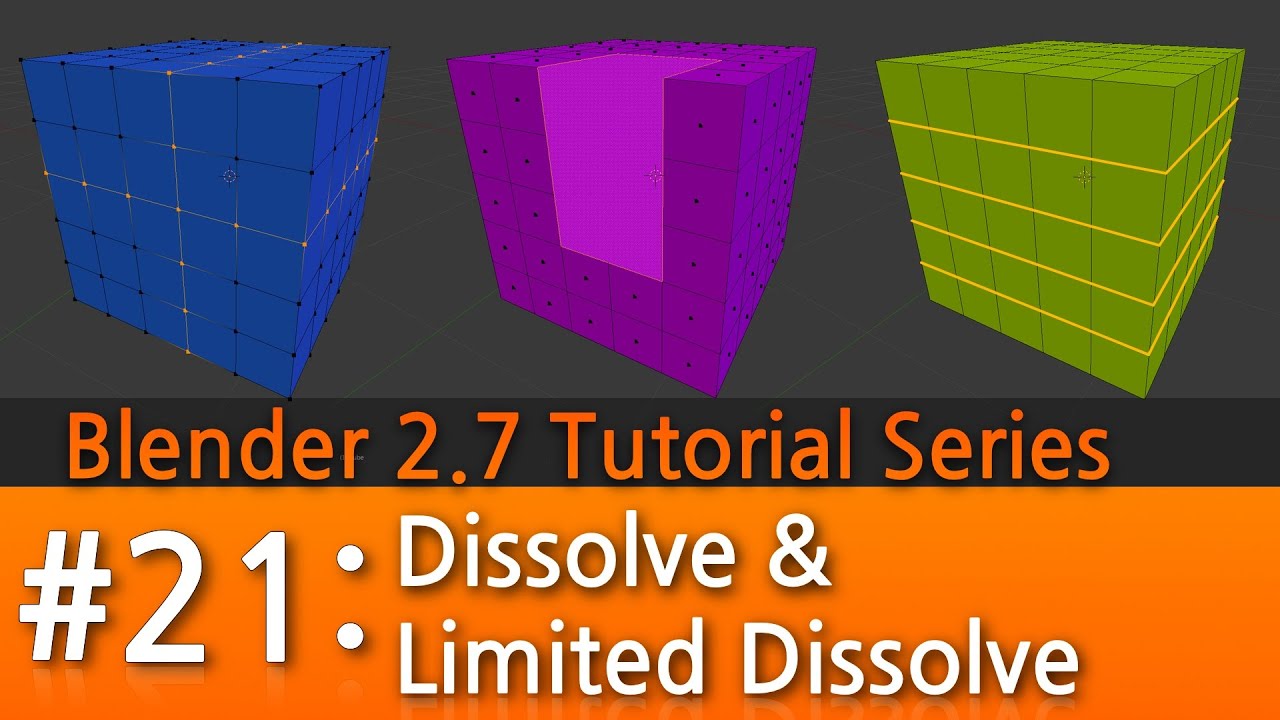
Visit my Blender 2.7 Tutorial Series playlist for more Blender Tutorials:
https://www.youtube.com/playlist?list=PLda3VoSoc_TR7X7wfblBGiRz-bvhKpGkS
In this Tutorial #21 I cover:
-How to remove an edge loop, edges, and vertices without making a hole in your mesh.
-How to combin...
past charm
Thanks!
high lark
welcome!!
calm spade
@past charm Check the channels pins
past charm
Thank u I'll look at that to
past charm
Sorry for asking so many questions, I've never optimized a avatar before (I know bad choice, I just kinda forgot I should of learned that when I started making avatars) I merged as many materials I could , that made sense to be merged together, to 8. And I lowered the poly count as much as I could without the avatar looking like a square but the performance is still very poor. Is there anything else I could do to make the poly go down while keeping the avatar good looking?
high lark
Hmmm. Have u already deleted vertices that u r never gonna see?
Like if theres a body under some clothin (and ur never gonna remove said clothing) u can delete those parts of the mesh
And dont forget the pinned decimation guide ruuubick pointed out!
Or is it smth else keeping u at very poor other than tris?
past charm
It's material slots and polygons rn
And ye under the clothes I allready deleted the polygons there
Well it also says there's to many bones
high lark
Remember for material slots u can combine anything ur gonna use the same shader on! And many shaders have options for masking as well so u can make some parts shiny and some parts not on the same material
I believe cats has a bone thing too in optimization!
past charm
Did the new update make it so very poor avatars won't even be seen on quest? I swear I saw something about it somewhere but i can't find anything about it so now I can't tell if im just remembering something that didn't happen
high lark
Yeee very poor avatars are hidden automatically on quest. So a quest user would have to show your avatar deliberately to see it if its very poor
past charm
Okay so nothing was really changed about that
amber hemlock
Dissolving verts does not break shape keys btw. Merging them does.
So you can devolve verts and then patch up the resulting UV holes... it’s painful but you can simplify stuff that has shape keys that way and keep the shape keys
high lark
Oh! Good to know ty!
amber hemlock
Just be aware if you don’t know how to fix up uv’s dissolving verts will leave you with a bunch of UV holes (texture seams)
“Dissolve selected verts and merge resulting UV hole”
 haughty violet
Has the vrc team commented on using constraints vs rigidbodies?
I assume constraints are more optimized but its hard to test
agile radish
@vague acorn why not post in all groups - ooh wait you have 👍
 near narwhal
since update 2018, when not using mipmaps, there are black screenspace lines around the avatar (they do not scale with the camera distance)
any fix? i dont want to use mipmaps since it only doubles the file size of the textures
calm spade
Mipmap streaming has to be enabled afaik
solid smelt
It won't let you upload without enabling it
sick timber
Then enable it.
 opal oak
hi
sick timber
hello. Do you have anything you need help with?
 snow geode
Question, why the hell do people create avatars with over 100k polys, 30 dynamic bones, multiple coliders, annoying sounds and shaders that fuck with your entire screen?
calm spade
it's lack of knowledge and lack of reasons to do so
snow geode
Optimization isn't even hard, the blender plugin made my first avatar go from very poor to excellent.
with one button
sick timber
Reasons to do so:
- Higher fps
- More people can see it
- just do it ok?
- Quest people could see it if you also upload it for that.
snow geode
isnt the limit for quest avatars 5k polys?
calm spade
5: it loads so much faster
sick timber
no. There is no limit, but it gets auto blocked at 10k
sick timber
That is fine.
snow geode
mainly because im shit at modeling
sick timber
If you uploaded that for quest. It would be fine.
snow geode
and i go way to hard with subdividing
heady smelt
This is for optimization
Try #avatars-2-general or even #avatar-rigging
 primal dawn
ah ok, thanks
heady smelt
i asked this in avatars but no one really answers my questions so um
Are Dynamic Bone Affected Transforms the same as Dynamic Bone Simulated Bones?
solid smelt
They should be but where are you getting those terms from?
heady smelt
the SDK
it calls them "dynamic bone simulated bones"
but on the website it's "dynamic bone affected transforms" under the avatar pedestal requirement things
solid smelt
Yeah those are the same things, just different terminology
heady smelt
got it, thank you!
amber hemlock
The main reason people make crazy unoptimzied avatars is unity is very easy to use and blender much less so. All the big crazy optimization faux pas can be explained by someone whose vrchat creations/customizations are made exclusively in unity with no blender work at all.
 dull quarry
Does anyone know what to do if your filesize is too big for uploading to quest?
Dm me if you can help
calm spade
@dull quarry Change blendshape to Legacy blendshape on the model settings
 pine veldt
im not sure where this question should got but what was the latest version of unity before this new unity look?
because new unity is really slow for me
lime swan
@pine veldt this
pine veldt
yes thats the new one thats buggy and slow for me @lime swan
lime swan
so this is bad
lime swan
likely Unity 2019.3.0b1
https://unity3d.com/unity/beta/2019.3.0b1

Unity
Unity is the ultimate game development platform. Use Unity to build high-quality 3D and 2D games, deploy them across mobile, desktop, VR/AR, consoles or the Web, and connect with loyal and enthusiastic players and customers.
solid smelt
Uploading with unity 2019 will not show the model in game
languid brook
So i downloaded a working character for Vrchat but I needed to change the eye tracking in blender. i also changed the texture and now no shapekeys are in unity, even if they all work in blender. What do i do wrong?
 jolly parrot
Anyone getting issues when using the Matcombiner in Blender for making texture atlas?
My avatar loses all of its colours after I generate the map
The exported textures are all black and white
So where does the avatars colour data come from?
This is from an imported .vrm file
(EDIT: answer to issue is here https://discordapp.com/channels/189511567539306508/512468176202891264/697935873261436968)
solid smelt
They may be vertex colors which you should bake before you atlas IIRC
solid smelt
Update your sdk from the website
zenith plaza
That also looks like Unity 2019 which you should not be using for vrchat
 split anchor
im trying
but when i run the latest 2018 one this is what it shows
ok i un installed unity what should be the one i reinstall
@sick timber got a link
sick timber
2018.4.20f1
split anchor
sick timber
https://unity3d.com/unity/whats-new/2018.4.20 @split anchor
Unity
Unity is the ultimate game development platform. Use Unity to build high-quality 3D and 2D games, deploy them across mobile, desktop, VR/AR, consoles or the Web, and connect with loyal and enthusiastic players and customers.
split anchor
it doesnt have the 1f tho
 quick vigil
do you know how long it takes for this to go away? @sick timber
quick vigil
interesting
quick vigil
jesus
sick timber
It could take you 63h.
quick vigil
im not gonna make it 63h with default avatars
sick timber
It probably won't take that long.
sick timber
👌
hoary juniper
@jolly parrot The individual materials can have a colour value which is multiplied onto the textures. You can apply it manually in an image editor.
calm spade
it's a broken mesh
remove one of the pieces you added
or enable read/write on the model
 solar kayak
I have a problem with an avatar that i made myself. If i try any gestures it'll always play the fist gesture. pls help
solar kayak
ok, it's a bit worse now. My avatar can only make a fist gesture and all other animations aren't playing (animations like running and crouching)
solid smelt
Make sure you've got no errors in your humanoid configuration, also check your override for unwanted insertions
If you want default it should say none in the slot
solar kayak
ok worked, thanks
 keen sable
On the skinned mesh topic, my prop is checked "read/write on model" but the skinned mesh issue still persists, I've been trying to find a method to combine the props skinned mesh so it's less, any help?
solid smelt
Talking about the integer limit issue?
keen sable
I believe so? It's a matter of I have props that are separate fbx that can't be atlas'd in blender.
So I'm trying to figure out if there's a way to make this work in Unity.
solid smelt
Nah different issue than I was thinking. The read/write only is an issue because if you have it off it cant read your polygons and puts 2 billion there (the integer limit)
keen sable
Ah.
solid smelt
If you want to atlas props they need to be the same object as your main model. Best case for that is give them their own bone and then scale that bone in an animation to take them out.
Keep in mind that the weapons will visibly grow and shrink in your hand as all gestures are a hundredth of a second
 glacial osprey
I use activation and deactivation of a game object for making stuff invisible
So you don't get any visual scaling going on
keen sable
I know the method of show/hide, I would only have 2 showing props active unless I activate the animation.
But the skinned mesh warning would bump my rating to poor when I add the last prop.
solid smelt
Depending on your props they don't need to be skinned as well. For example swords can be just a game object
glacial osprey
Seems the majority of people use very-poor rated avatars anyway
It doesn't matter as invisible objects won't have any real performance impact anyway
At least as far as I'm aware
solid smelt
Disabled game objects dont hurt active performance, but still increase things like load time for the avatar
solar kayak
ok, my next problem, I added some new stuff to my avatar and i can upload it but nothing changes in vrchat
solid smelt
You should always change the name of the avatar slightly when updating. You can load into your old avatar if you switch too quick
solar kayak
ok
keen sable
So, if I turn them into game objects, would it stop seeing them as skinned meshes?
solid smelt
You need to remove their armatures and then they are just meshes versus skinned meshes. Which have less impact and youre 'allowed' to have more of them
keen sable
Would I have to do this in blender?
solar kayak
oh wait, my problem was that i didn't switch the platform. I'm on Quest
solid smelt
@keen sable Yeah, you can do it in unity but that's kind of gross. If you don't need the bones its best to remove them in blender.
keen sable
Okay, working on that now, thank you.
amber hemlock
You can also just merge meshes, with the part you want to turn invisible a separate material slot. Trading a mesh render for an extra material is still an optimization
 rustic birch
hello im fairly new but i seem to hit kind of a wall, ive been working on creating a friday the 13 kind of hub, said in mind friday the 13 is nothing without a killer so i got models of the game the thing is i decimated the guys so the polygons are good but the wall is i dont really know how to make atlases
tldr : how you make an atlas ? i know it will improve the avatar performance so that is why i am asking
calm spade
Have you looked for a video tutorial on it ? There's a lot of them aimed at vrchat specifically
rustic birch
yeah i seen a couple but i get stuck in the part where they talk about an adon in blender which blender 2.8 talks about
blender 2.8 lacks
so that moment where they mention said addon im kind of like "where?!" im talking about the addon uv attlas
does not help tutorials are4 made in blender 2.79
also thank you for the help @calm spade
calm spade
Wellp, the steps are exactly the same in blender 2.8
only difference is that the cats menu is on the right side
the atlas add-on is called mats combiner by shotariya @rustic birch
rustic birch
oooooooooooh
ah silly me i should have looked deeper into the addons
cant thank you enough :D!
@calm spade
amber hemlock
I still say VRC team should have went with their gut and kept the original name for “Very Poor” - “Terrible”
rustic birch
well man they can put whatever they want , while they are precise, for me they can say "this SUCKS" if its really really bad
for now what i center the most is get at least a good or excelent rating
solid smelt
The problem is that high fidelity avatars are grouped in with straight up badly optimized ones. Sometimes you can't optimize for what you want to do so the naming terrible was quite brutal.
rustic birch
Hey its me again! so atlas does work (yey) but for some reason my model goes white when i make an atlas any fixes for this ?
 visual marsh
go to shading and make sure the atlas is in the texture slot
rustic birch
oh that seemed to solve it thanks!
solar kayak
is there a way to add audio to a quest avatar?
solid smelt
Pretty sure audio is blacklisted
visual marsh
yeah, audio sources put your avatar straight to not compatible, even if it's just 1
solar kayak
But I saw an avatar on quest that used audio
amber hemlock
If you yourself don't use a quest, you aren't seeing their quest version. You're seeing the PC version.
I use quest and the PC version of my avatar is 70K with custom shaders and all. You don't see the simplified version that I see.
The whole idea is Quest shouldn't need to make the game look bad on PC... but most people don't like making two different graphical settings.
 devout bay
is it true the maximum number of tris has been increased from 20k to 70k?
heady smelt
yes
you can go above too
but if you go above 70k, your avatar will be rated with very poor performance
amber hemlock
Yes it's been 70K on pc for over a year
0-32K = 
32001-70K = 
70001+ = 
quick dropoff lol
devout bay
where do I look in blender if my model has enough polygons below 70k?
amber hemlock
Depends on your version of blender and what workspace you're set to. the info moves all around. But if you're using the most recent version of blender, and are in the modeling workspace, and in edit mode, it's right here on bottom right: https://i.imgur.com/g7EIMJp.jpg

oh i circled verts instead of tris. but it's right there next to it lol
tris = polygons
 proper grail
I googled for it but not much came up, is there a way to bake to a vertex color attribute in 2.8 similar to the way done in blender internal renderer 2.79? Poiyomis has a vertex color multiply option and I wanted to see if a (flat shaded atlas * vertex color AO) would be easier on loading
amber hemlock
you want to bake a texture to it's vertex colors?
 supple latch
Just a quick question about the avatar stats that are in VR Chat. I've noticed that a few of my model that have meshed particles (not a lot even , just a few 50 + ) appear in the stats like they have 21 billions + mesh particles . Is this an issue that you guys know of and how can i fix it.
 rotund spire
The exact number is 2,147,483,647, a.k.a. the integer limit for 32bit signed ints. seen it happen many times, no biggie, just a funny bug.
I personally believe you should only worry about if your avatar can be downgraded down to  Medium. That means specs like materials, skinned meshes, polygons and bones should fit the medium spec while you do whatever else with the other stats. Seeing as their stuff can be dynamically removed by the game based on users' preferences...
You can see all the stuff that needs to fit the spec here. https://docs.vrchat.com/docs/avatar-performance-ranking-system#section-minimum-displayed-performance-rank
supple latch
Ty very much
amber hemlock
It’s actually not a bug, if you disable the ability for the game to read how many polygons you have, it has no choice but to assume the worst possible case, which is the maximum amount of polygons possible.
That way people are strongly discouraged from disabling it
 velvet spoke
Im severely confused right now, im importing 2 fbxs, one a sword, one a character and im using two instances of the sword to toggle on and off aswell as my character, when i upload it says im uploading 250mb mesh data.
Does anyone know what could cause this?
zenith plaza
You should go to the models import settings and enable Legacy blend shape normals
velvet spoke
Oh, something new with the 2018 update i assume
first avatar i upload with new version
zenith plaza
Yeah Unity changed how stuff works and if you don't have that enabled it causes a lot of bloat on avatars
zenith plaza
Not necessarily on the sword if it doesn't have blend shapes
velvet spoke
thats already uploading like 100 times as fast
Number is still the same but it seems to have up and downloaded a lot faster 🤔
zenith plaza
🤔
velvet spoke
Oh nvm i didnt clear my console im an idiot
zenith plaza
Oh 😄
zenith plaza
Yeah that looks normal
velvet spoke
thanks a lot!
zenith plaza
No problem 👌
proper grail
Can confirm, selecting legacy blendshape normals fixed the weird that is the unity 2018 was uploading my avatar at 20mb, when 2017 was uploading at 7mb. I wonder what its doing exactly...
amber hemlock
Sounds like something the SDK should have an auto fix button for by the publish button. Not required, but suggested
 agile wharf
does the color stay on the atlas?
amber hemlock
Depends on what you are using. The one that is part of cats bakes the current diffuse color into that part of the texture
agile wharf
if i use the cats one. how can i get the color onto it?
 dense crane
Anyone got any weight painting advice?
amber hemlock
Not much. If you already know the basics the main ah-ha moment for me was doing everything with vertex mix modifiers using subtraction, so panting on one bone automatically subtracts from the other. Sorry if obvious.
heady smelt
anyone get the "hold on.." for a long time when you upload an avatar fbx to unity? Im not sure why its taking forever, I have a very beefy pc
solid smelt
The fbx may be bloated, check for corrupted visemes?
empty geyser
How do I combine only two materials into one?
I'm using blender 2.8 so I'm just kinda confused as to where I'd do this.
solid smelt
I dont use 2.8 but you could always separate those two materials into a new mesh and combine all materials on this new mesh (only 2) and then join it back
empty geyser
Oh actually that's a good idea.
Thanks I'll try that
That worked perfect, thanks.
solid smelt
No problem
amber hemlock
Depends on what you mean by combine. If you want to generate a new UV that has both textures side by side, that’s a texture atlas
scenic valve
I have an atlas which I set to a max size of 8k and crunch compress to reduce file size footprint. Although overall optimization is very important to me. I was wondering if modifying the max size of a texture would have any effect on memory dedicated to the graphics card. I read that unity compressed assets deflate on load and occupy the original size so I wouldn't think so but I'd like some clarification
calm spade
If it's important to you, you shouldn't use 8k
it does use 8k on vram fully
which is awful
4K is still somewhat acceptable for an atlas, but nothing needs 8K
scenic valve
So, the default 2k is ideal?
calm spade
Eh, you can go with 4K if all you have is a single atlas
Multiple 2K might still be better though
scenic valve
Alright. I was looking into including a normal map so, I'll go with 2k. Thank you for clarifying. I do have one more question. What are ideal import/compression settings?
calm spade
The ones on PC don't make that much difference afaik, whatever default is, as long as you crunch compress !
scenic valve
Of course! Many thanks
heady smelt
how do I combine these mesh renderers?
in blender
.......oh
I'm gonna have to redo all the unity stuff arent i
solid smelt
Only if it's mesh specific, you can over write the fbx
heady smelt
Im having an issue with blender corrupting a file whenever I merge two avatars together. It doesn't matter if the head or body is different. When I try to upload the .fbx file to unity ,it crashes. I sent the .fbx file to another person and it crashed for them as well. I basically imported the head which is a .fbx file, and the body which is a .pmx file, used cats on both to fix the models, fitted the head onto the neck of the body avatar, and merged the bones. Do note that the body avatar had a head I edited out(deleted the vertices, ect). But yeah that's all I did and it somehow corrupts the file no matter what the body or head is.
I literally just delete the vertices of this head and it causes the file to corrupt
that change alone there corrupts the file
and causes it to crash unity
NVM forget this part with the pictures. This alone will upload if you delete the neck bones. Problem im having is once the head and body are merged. The bones are merged with cats. But still causes the files to corrupt
sweet mason
At how much tris should I consider having the face separete of the body ? For blendpekey/deformation optimisation
 teal cedar
does putting all dynamic bones scripts on the top hierarchy instead of the respective places help with performance?
calm spade
no
teal cedar
alright
heady smelt


 verbal flicker
I was rewatching the vrchat dev stream from last night and tupper mentioned that avatars with large textures are bad for performance. Does anyone know what would be considered a 'large' texture or what would be the difference between performance if say you used an 8k x 8k texture vs using 4 4k x 4k textures?
calm spade
8k is ~280% more resource than 4k, which is already ~280% more resource than 2k @verbal flicker
If you have a single 4K atlas it's alright, if crunch compressed, but otherwise it's better to have a few 2K textures
 summer yoke
So, my avatar is being really weird. . I uploaded him to VRC, straight from blender to unity, but his mouth stays open in VRC while it's closed in unity, any fix for this?
calm spade
don't map the jaw
heady smelt
Assign visemes for mouth movements
heady smelt
Make some in blender then. You obviously have a jaw bone that you can start to work with.
Or scuffed unity solution, move the jaw bone in rig configuration to account for the open jaw syndrome.
 coarse valley
I have no idea whats going on in blender anymore after switching to 2.8
anyone know where the 2d falloff option is so that i can paint through meshes?
^ thats what my tool tab looks like but everywhere I look online people say the 2d falloff option is under options
heady smelt
I have it for me in the other options tab
heady smelt
Which blender are you on? 2.81 or 2.82
coarse valley
.82
heady smelt
I'm on 2.81
coarse valley
people say changing it from sphere to projected is supposed to do the same thing
but i still cant paint through meshes
 versed nest
you need to do both front faces only off and falloff shape to projected
 cloud flint
does anyone have a tutorial how to make shapekeys by using pose mode
?
high lark

This Tutorial will show you how to create required visemes and custom facial gestures for VRchat. Feel free to watch my avatar creation and ask questions when I stream.
https://www.twitch.tv/kareeda
Join My Community Discord @ http://discord.vrealchat.com/
coarse valley
still doesnt work
 echo chasm
what does s, d,m or b stands for in a texture?
 scarlet tusk
hm? in what context? name of a texture?
echo chasm
yeah
n stands for normal texture, and that's recognizable cause it's all blue, but i dunno about the others yet
scarlet tusk
Hm.... they can be kind of arbitrary but s could be specular, d could be diffuse, m could be metallic, b I'm not sure.
echo chasm
ok thanks a lot!
 worthy hinge
b may be bump map, which is another name of normal texture
pure bridge
yeah if its in the actual name of the texture then what it is is entirely up to the naming conventions of whoever left it there
normal maps can be prefixed / suffixed as n, normal, nrm, etc
 velvet quarry
lost stirrup
velvet quarry
lost stirrup
Correct me if I'm a derp, but I don't see constraints in the avatar optimization, do these have such less significant impact as compared to rigid bodies that they don't need to be put in? or were they just an oversight as we moved to a new version of unity
zenith plaza
Constraints will be added to the avatar ranking system soonish
lost stirrup
Well I guess I will still move my rigid bodies over to constraints but without knowing the limits
zenith plaza
They are definitely gonna be better performing though
lost stirrup
So one thing I would like to understand is, is it better to atlas 3 2k textures into a 4K texture for example and then go into unity and set the max texture size to 4K so I don’t lose quality or to just use 3 2k textures. Just an example though, often it’s just 1k textures
And one thing I noticed was that cats plugin for blender 2.8 was making 8k textures with a ton of empty space so I’m having to manually atlas now
calm spade
tough question imo, on one side you have 3 materials but it's 2k textures so they don't take a lot of vram, on the other a single material but a 4k texture takes a lot more place in vram. Since it's PC i'd say go for a 4K atlas if you can
proper grail
What exactly does the fbx import setting Legacy blendshape normals do, unselected, to make the .vrca fbx 10x larger?
calm spade
Create vertex information for all transforms of all affected vertices of all shapekeys
lost stirrup
But with it unchecked it calculates the normals for every vertice when you use a shapekey so aren’t all vertices affected?
Also, why the hell would they change that setting default
zenith plaza
Legacy is just how it worked in 2017 unity decided to redo it for 2018 for who knows what reason a lot of people complained and they added the legacy mode
So originally legacy mode wasn't even a thing in older 2018 versions
lost stirrup
Wow, that’s dumb
heady smelt
So i contacted the unity dev team about the fbx import errors and this is their response. In conclusion for a handful of users, they are f*cked unless vrchat devs switch to the newer version of unity
Hey,
I understand the situation you're in. I'm trying to contact the VRChat SDK devs to ask if they would be able to migrate to a new version if we backported the fix.
The process to fix this issue would be for us to backport it to 2018.4, but a backport would land in a new release of 2018.4. So we first need to know if VRCSDK devs would be willing to migrate, because otherwise there's no reason for us to backport the fix.
For now I would recommend trying to import the FBX to a new version. You won't be able to develop for VRChat with it, but you will at least be able to get errors, which might tell you what's wrong with the file you're importing. It's an annoying workaround, but we cannot do anything at this moment to appease it more.
Regards,
Aurimas
Customer QA Team
calm spade
@heady smelt Which fbx import errors ?
 buoyant holly
@lost stirrup you can also make a atlas that's a rectangle of 2 2k textures so that you're not having that 2K texture Space Blank on the 4K Atlas
lost stirrup
I do that, or more likely I have a 1k by 2k texture but you still need to up the texture size in unity to the higher side to not lose quality so if you have 3 you might as well just have the empty space
 hasty cliff
hello is there anyone here who has experince with VRoid i made a model on there (ik its bad) and was wondering if i could get advice and how to do it? the theme i went for was creepy yet simple i mostly do 2d art and i have a cartoony style so once again so sorry if its bad yet hey thats why im here for advice
 rough vortex
Sorry I do everything from scratch in blender , no experience with vroid
If you’ve got bending legs or incorrect weight painting I’d recommend watching how to fix it in blender on YouTube , too much to explain in text
hasty cliff
i would yet it looks so scary and complex QwQ" i had a mini panic attack looking at all the tools and settings
lost stirrup
@hasty cliff fruitpex on YouTube has some great videos that explain how to import vroid quickly but really without optimization
And I think your avatar looks cute
amber hemlock

This diffuse_color custom property is causing my texture atlas to come up white for that material. is there any way to delete this custom property? can't figure out a way
calm spade
At the complete bottom of the material ?
calm spade
Have you looked at the compositing menu for the material properties through the nodes ?
amber hemlock
A bit new to this, will check. I know cats added a bunch of export nodes
This happened because I touched the "mmd texture" properties of the material, which created the custom property which seems to override it's atlas function
Ah, found it way out there
calm spade
nice
amber hemlock
thank you much!
 tawny sorrel
I need some help, I have the model in unity, but my materials are not joining with it
 nimble ingot
Hey, uh, is this a bug in the SDK, or is there something about mesh particles I'm not understanding?
I've set my mesh particle to a max of 3, and the mesh it uses is 97 polygons, yet in the build control panel, it's saying this is the amount of polys being used.
What's particularly weird is that this is the only mesh poly particle I have, and the entire warning goes away if I remove the particle system.
solid smelt
The mesh you are using probably has read/write disabled
nimble ingot
Ah, that was it. Thanks! The prefab didn't have it checked for some reason.
jovial grail
They should really have that mentioned in the warning
amber hemlock
With read disabled, they can’t check if read is disabled.
So they assume the worst
Otherwise people would use it to hide laggy stuff
heady smelt
It's not that they assume the worst but more that that's the negative integer overflow number iirc
amber hemlock
I believe I was told the assuming the worst is intentional. An overflow would be negative because that’s the 32 bit signed int max
solid smelt
They specifically stated they assume the worst. Just like how they count everything hidden into one value as they assume the worst of you enabling all items at the same time
amber hemlock
My props don’t seem to enable remotely anymore anyway
heady smelt
Oh I see
Although it doesn't have to be negative, when you get a negative integer overflow it overflows and wraps all the way back to the largest possible nnumber, which is the 2 billion in this case
heady smelt
Hello , I have an avatar from mmd in blender opti 52200 tri exported fbx file is 3.24Mo when I put it in unity , and build it avatar size is very big
in logs I have
Compressed Size:57.6 mb
Uncompressed usage by category (Percentages based on user generated assets only):
Meshes 106.6 mb 91.5%
I can't find the problem
It may have something to do with this
Lyuma Today at 9:18 AM
PSA: Please ALWAYS tick Legacy Blend Shape Normals in import settings. https://cdn.discordapp.com/attachments/429349528156504064/696540377242664970/legacyblendshape.png
Not only does it cause shading to go crazy over your whole model while talking, but apparently it can take a 3MB avatar and make it 90MB !!!

🥰
Compressed Size:1.4 mb
Meshes 3.4 mb 36.8%
you save me, i spent the day there
thank you very much @heady smelt
 pale tide
hello, i am having a problem with the model appearing half invisible. i'm using unity 2018.4.20f1
@heady smelt
do you know what's up with this?
i can't seem to find "recalculate normals" in the inspector tab.
is it not there in this version?
high lark
Recalculating normals is done in blender!
Or 3d program of ur choice
But as far as i know it cant be done in unity
high lark
You should b able to import it (i believe theres an import tab? At the very least, CATS has an import button). Then, u can direct it to your unity folder, then ur assets folder, and to wherever the fbx is!
pale tide
@high lark also, how do i import the textures to Shaggy? are they already imported? and how do i recalculate the normals in blender?
high lark
You don’t need to import the textures into blender to fix the normals! And you click the mesh. Turn it to edit mode. A to select all. Then space to search recalculate normals
Then u should be able to just export it back into ur unity project
high lark
Maybe also search normals?
high lark
Oh! Its cuz ur editing the armature!
pale tide
oh
high lark
U need to select (right click) the mesh first, then edit mode, and select all with a!
high lark
That’ll flip any selected, even the good ones!
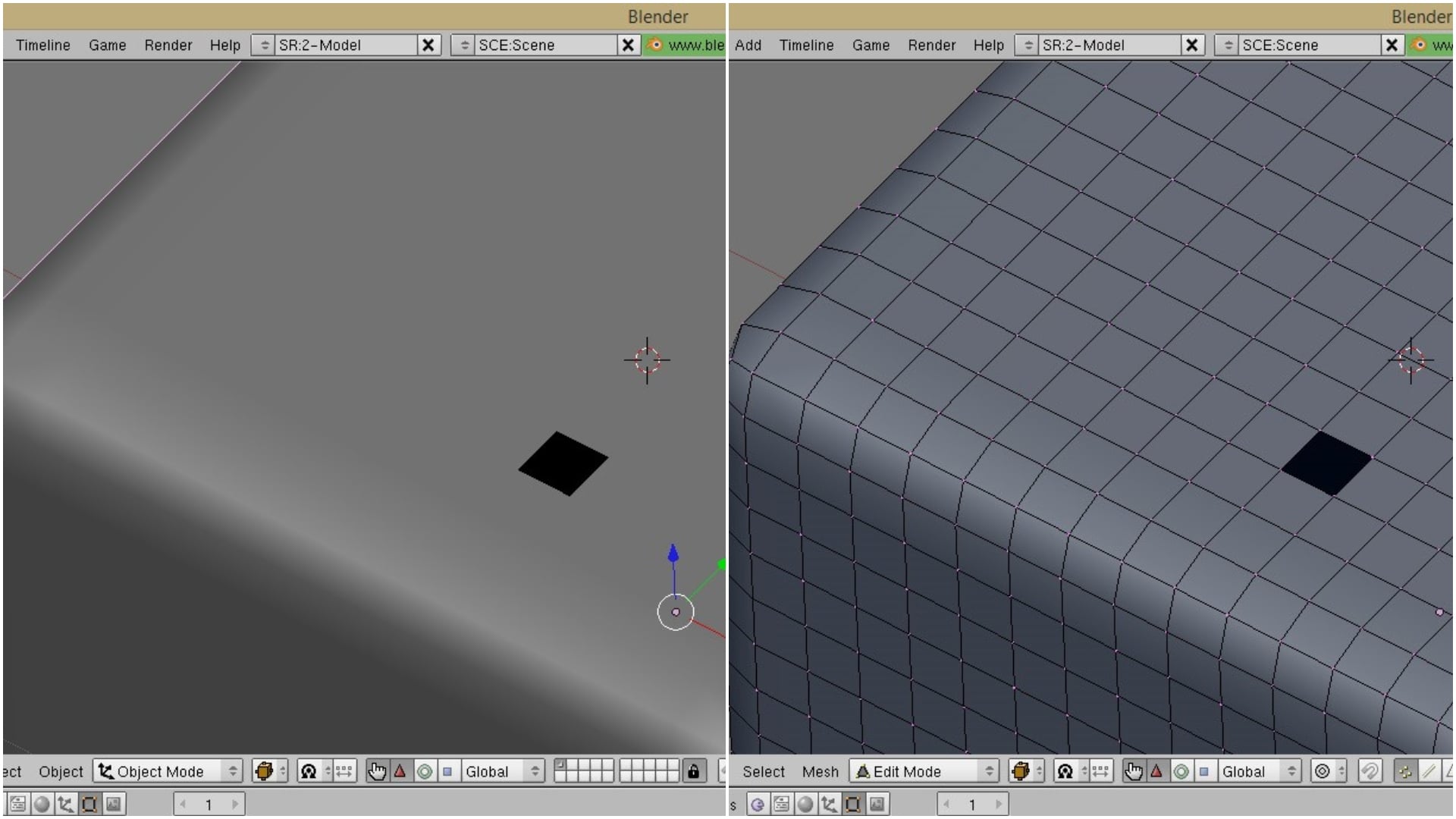
All3DP
Normals are a small but important part of your Blender model. They define what's "outside" and what's "inside" your model. So how do you recalculate normals that are facing the wrong way? Read on to learn more.
pale tide
ok
high lark
Heres a tutorial on it! Apologies im not recalling the “where are things” correctly rn
high lark
Might have to manually flip the faces then! If you go back into blender, and do the same clicking the mesh, then turning it into edit mode, you can manually select tris/faces and such, and then use that flip normal that you found! You just want to flip the ones that are problematic though
pale tide
@high lark how do i select the faces?
high lark
While in edit mode, you use shift, then right click on the vertex (the point looking things) on the model. You keep holding shift as you click, and you can click multiple! You can also change it to face select mode (on the bottom in orange.) to make it so it just selects faces and should b easier?
pale tide
@high lark i can't seem to figure it out.
high lark
I have a secondary option! If you download a shader with the ability to turn off backface culling (like poiyomi), normals arent a problem
pale tide
@high larkwhere can i download that?
heady smelt
google poiyomi shader
high lark
https://youtu.be/7P0ljQ6hU0A 1:09:45 should be materials

VERY IMPORTANT - PLEASE READ:
This tutorial may still be mostly useful, but there's a few major changes that you need to pay attention to. First off, VRChat now uses Unity 2017.4.15f1, not Unity 5.6. Additionally, there's some new tools for helping with atlasing that you shoul...
 hot slate
Hi, I'm trying to use this tutorial https://youtu.be/0cSesu_zkQQ?t=952 and at this time stamp I'm not sure what to do in Blender 2.8 . Is there just a different process entirely? I don't see "textures" under bake type at all.

Oh! Crap! I missed a super important part! At the end, you have to delete the original "UVMap" under the Data tab (under UVMaps), and rename the "TextureAtlas" map to "UVMap." Jeez. I missed a really important point. I'm sorry!
Here's an image to explain this VERY IMPORTANT p...
 lavish gust
Having trouble with my avatar being "Not imported as a humanoid rig" But it is a humanoid with the bones mapped out and everything. Anyone know how to fix this?
solid smelt
Does the build menu show any errors?
lavish gust
No not really, just that it isn't imported as a humanoid.
solid smelt
Where did you place your avatar descriptor?
lavish gust
The avatar descriptor is attached to the main model, not any of the individual bones
solid smelt
I'm not sure then as the SDK should catch things and let you know preupload
lavish gust
Yeah the only problem is it not having a "humanoid rig" which I don't see how that's possible.
solid smelt
You set it to be humanoid in the configure menu right?
lavish gust
I think I figured it out. I clicked on the model and before I drag it into the scen I can change it's rig type in the inspector to humanoid. I'll get back to you if anything happens
 tiny oracle
What's the average scale for an avatar
calm spade
There isn't any
solid smelt
Yeah thats what I mean. You can select the FBX and change it from generic to humanoid
lavish gust
Yup! that worked. Thank you
proper grail
@hot slate it was renamed to Diffuse, dont forget to deselect lighting options
hot slate
Thank you!
hot slate
@proper grail wait actually what do you mean deselect lighting options?
reflective and refractive caustics?
proper grail
Oh theres direct, indirect, and color
direct and indirect will bake scene lights into the atlas so deselect them
hot slate
oh okay so just keep color on
 vagrant bronze
help how do i fix this?
heady smelt
Fix the child thing? Normally the issue of this isn't too bad and can be ignored most of the time. If you want to know about the notification, Unity arranges it's bones in the hierarchy by alphabetization. Find out which bones are causing the issue and rename them to something else that doesn't get in the way of the humanoid armature
vagrant bronze
ohh ok
@heady smelt but when i crouch my legs goes crossed and weird
but thats when i do it in pc mode
wel idk i have not tested it in vr
heady smelt
That could be because your leg bones are too straight or curved in a way they shouldn't be.
Edit the bone position of the knee and put a slight bump in them to let the IK understand how to orient your leg bones.
You could try to adjust your hips and see if that helps too.
vagrant bronze
wait how do i do that in unity @heady smelt ?
heady smelt
You do it in blender.
 molten crest
I need some help with textures with blender; the biggest bugbear is that the normal, specular, and occlusion maps included with the model I downloaded are orientated completely differently from the albedo maps and I have no clue on how to fix them and fit on a single atlas map.
heady smelt
Rotate them in the image editing program of your choice.
With the atlas just open the atlas in the image editing program if your choice, take the normal maps and put them in the canvas and place them over the texture they’re supposed to apply to. Do this for the specular too. There you go
molten crest
They are unwrapped differently. Like so.
The face is whole in the occlusion map but only half of it occupies the upper left corner on the albedo.
 steady sky
I need to drag my eye material to that deformed Green eye but I can't reach it thanks to the hair. Can I someone hide the hair or drag the eye material on the actual eye somewhere else?
heady smelt
on the mateial part of the mesh
also wrong channel
steady sky
@heady smelt Which channel then?
heady smelt
I'll let you figure that one out
steady sky
@heady smelt I'll just leave it here then c:
heady smelt
you do you but you are more likely to get an answer if you ask in the proper channel
not really hard to read the description of a channel
hot slate
I got them
amber hemlock
Is there a fix for my avatar always going cross-eyed locally? Not just in mirrors it happens in third person worlds too but no one else sees it
This happened ever since I used cats auto fix
molten crest
You just need to realign the bones that control your eyes.
amber hemlock
They are aligned and rotate perfectly but VRChat is making them go cross eyed like I’m trying to look at myself
 daring summit
@amber hemlock Move your viewpoint forward a little
amber hemlock
If the avatar only has cutout on one small part of it is it better to do one material all cutout or a second material with a little bit of cutout and the rest of the avatar is opaque
Not sure if rendering opaque pixels with a cutout shader is wasteful
 rancid pewter
I'm trying to port my model over to Quest standards but when I switch my environment from PC -> Android Unity crashses and corrupts the whole package. Its not an issue since I make backups but its preventing me from making a quest avatar as when the SDK is imported everything goes to hell. Thoughts? (Yes its optimized.)
 final steppe
I'm noticing a really minor issue with my model, whenever I start talking (when the visemes start) it appears the shading on my avatar disappears back to default unity shaders
heady smelt
That might be because of this issue with unity 2018
https://cdn.discordapp.com/attachments/429349528156504064/696540377242664970/legacyblendshape.png
final steppe
Thank you! Good to know.
 zinc goblet
would it be possible to combine mesh right in unity?
sick timber
no
 north pewter
Hi guys, there seems to be something wrong with my avatar that's causing it to take ages to import into Unity and take a while for people to load it, it took a friend 5 minutes to load it. I can sit for literally 30 minutes in Unity waiting for it to import (also when changing the rig to Humanoid and when applying changes after pressing configure). It's not amazingly well optimised though, it has almost 200k polys, 9 materials and 2 meshes. Sure I get that's generally not gonna be that great, but I see people use avatars that are 3 times worse than that and I never have issues loading them myself, so I doubt optimising it more is going to help much, feels like a different issue. My basic avatar has 60k polys, 1 mesh and 5 materials, but takes about 1-2 minutes to import and less than 30 seconds to load. Can't understand why this new one is taking so long? Same base, same armature, just different clothes
 languid quartz
200k polys is excessive, just because other people are doing it does not justify it's use.
Is this a .blend file or .fbx that you're trying to import into unity? Also your hardware can be a factor in how fast this import process completes.
north pewter
I know it's excessive, I only used other people doing it as an example as I have no issues loading much worse avatars (nor do others, I did some tests). It's an FBX file into Unity, like my other ones. I have a pretty high end PC so don't think that's the problem, wouldn't explain my avatar taking 5 mins to load for a friend either
I let CATS automatically set the export settings, it's an MMD. Is there some export settings I should change maybe?
I'm still gonna reduce the polys some more as well, but I'm not sure I can get it low enough without it looking bad
languid quartz
You can get low poly models to look good with retopology which takes a while so most people won't bother with this, however decimating a high poly avatar should yield good results while removing the very excessive 200k polygons.
There's a lot of factors that can cause your system to take a while on importing an asset when somebody else's system does it in a few minutes such as compression (Unity auto compresses files on import), software, varying hardware, and due to the varying amount of software versions / drivers as well as hardware; you can experience a issue that is specific to you.
Not sure if you've tried this but try importing this avatar into a blank Unity project and see if it takes a while or not, this can hopefully rule out anything in the project you're currently using that may cause the import process to take a while.
north pewter
Maybe I'll look into retopology then, never heard of it before. Although I can definitely decimate it a bit more too. Guess you're right about the varying factors though, I'll try importing it into a blank Unity project now and see what happens. Thanks for the help
Ah, it took less than a minute, it's already imported
I wonder what could cause it to take so long in the other Project? I use one main Project for my avatars, but currently there's only 3 others in it
along with shaders, dynamic bones and all the VRC stuff
languid quartz
So something in the project is likely causing the import to take exponentially longer or a setting that's enabled / disabled in the project.
north pewter
Weird, don't suppose you'd know where to look first? lol I could try just making a new project for this one and keeping it separate but ideally I'd like all my avatars in one project
languid quartz
That I don't know I only have one thing that could be something but it probably isn't. Unity automatically compresses files on import but as stated it does this automatically so it should be doing this in the blank project as well as your main project for VRChat so I don't think this is of much consideration unless for some reason the compression quality is different.
north pewter
Hm true, it's a start at least, I can do more testing and see what happens, thanks though 😄 already reduced the polys a bit more too
 sudden zodiac
@north pewter Make sure to use the legacy normals import on the model in unity
north pewter
Where do I find this setting? I usually just drag and drop my .fbx in
solid smelt
north pewter
That seems a little different to my issue but I'll give it a try
I take that back, problem solved 🙂
Thanks guys
proper grail
Theres also that future proof checkbox in vrchat sdk settings, iirc with it checked just uploaded the entire scene. Not a problem if avatars were separated into their own scenes
high lark
Thankfully in the 2018 sdks future proofing is automatically unchecked!
But 2017 ppl and below beware still
sweet mason
@zinc goblet yes there asset for that
amber hemlock
Future proof has saved my butt a few times
solar kayak
is there a way to make an invisible wall that makes particles invisible but meshes still visible?
solid smelt
Yeah just apply a stencil on the particles that hides it when you look through a specific mask
 forest kelp
So I don't know why but the override doesn't work. Whenever I try to do face expressions it makes no expressions
 lost whale
any idea why unity/vrchat turns my 5MB model into a 233MB asset after it's uploaded?
Trying to figure out why my avatar bundle is so huge
It seems as if it's listing each vertice of the model for each shape key I have
30 shape keys x 70k vertices x 4 lines of text = 5-8 million lines of vertex YAML
calm spade
lost whale
Thanks, reduced mesh size by ~50%!
Correction, 85% after checking legacy vs import
240MB > 37
zinc goblet
how do i reduce amount of polygon in unity while not literally delete all the prehab related to other scene?
zinc goblet
just the prehab?
heady smelt
the fbx model usually
zinc goblet
ah got it
 floral kayak
@sweet mason whats the asset you would recommend for combining meshes in unity? I combine my things in blender but it seems like something goo to know
sweet mason
@floral kayak https://cdn.discordapp.com/attachments/503740303514009610/705090530333425724/unknown.png
 floral kayak
Sweet, thanks!
scenic valve
In cats, if I wanna custom decimate, the shape key list does not provide any of the model's shape keys to whitelist. Is this normal behavior?
lavish gust
Don't know if this is the right section to post this, if not let me know where. I'm trying to make 2 different variations of the same model but I'm not able to make them two different models. It just wants me to "update" the other one. Is there a way to fix this?
calm spade
detatch the avatar ID under the avatar descriptor
 tulip lantern
When checking quality through vrcsdk control panel it says I have 9 material slots even though I’m only using 1 material atlas, anyone know if I’m missing something or if the sdk is giving me a false reading.
heady smelt
Anyone know if decimation can screw up the bones?
Or does it strictly reduce the number of displayed polygons? (I'm decimating in the CATS plugin for Blender).
 velvet flower
Decimating changes your poly-count therefore the way they move using armature might be slightly or massively changed depending on the amount you are trying to decimate
But something that definitely is going to happen is that if you will decimate polygons that contain blendshapes they will be deleted or will be broken on the mesh you are decimating
sudden zodiac
@scenic valve That's a bug I'm looking into
scenic valve
Alright. Thank you
heady smelt
This might be a little too specific to VRoid, but maybe not... I'm having good success decimating my VRoid export in Blender, but I end up with lots of "skin" body clipping through clothing in VRChat during animations. Is there a way to merge the body and clothing pieces of the model so that the body is removed wherever clothing overlaps it?
velvet flower
if your body is normally not visible might as well remove it from the inside? or is that not the case where you can do that?
heady smelt
That's what I was thinking too... what I'm not sure of are what my options are for accomplishing that. One thing I could do is erase pieces of the model in VRoid, but ideally I could combine/merge the parts of the model in a way that automatically erases parts that have overlap.
calm spade
Remove mesh parts in blender
heady smelt
A pretty common solution to these types of clipping issues is to recolor or alpha out the parts of the model that clip through, but it seems like there could be a better way.
@calm spade --- yeah, that sounds right. Maybe something like this: https://www.youtube.com/watch?v=kf16s5MPBLg
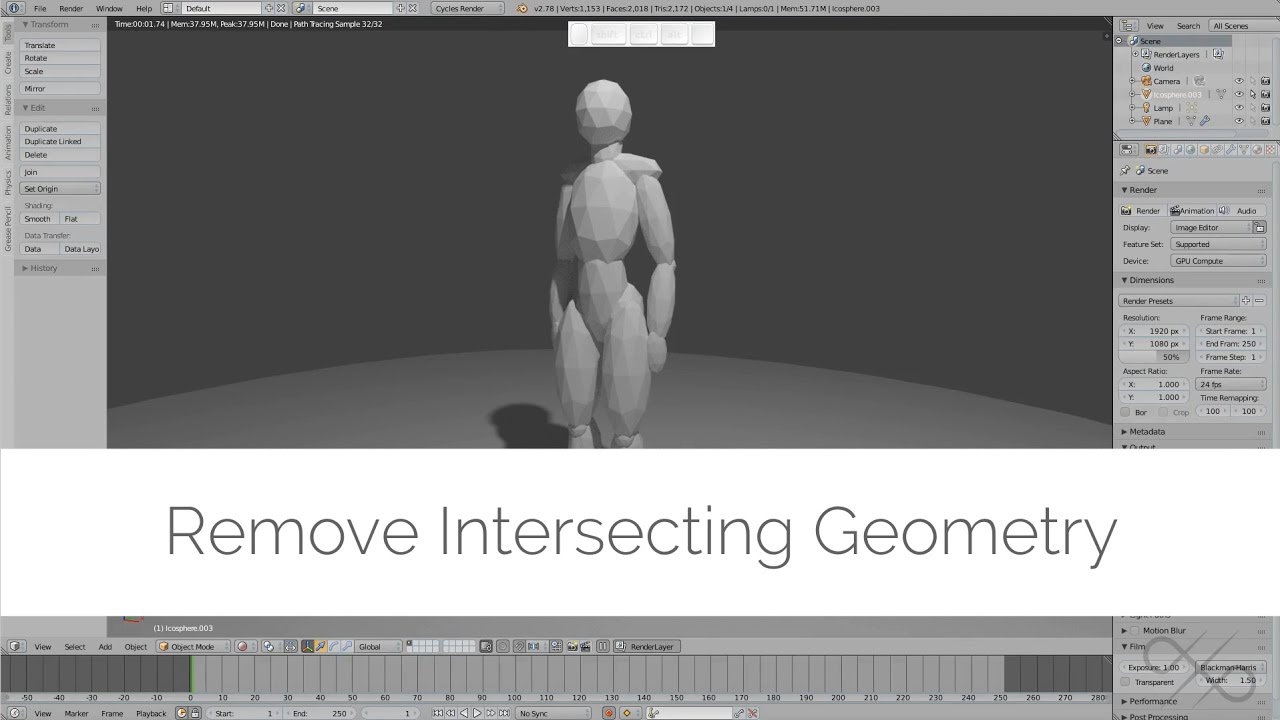
Video deprecate with Blender 2.8x. Go grab BoolTron. this guy is a hero.
https://github.com/mrachinskiy/booltron
This is a short Blender tutorial on using the boolean modifier to (combine many objects and) remove intersecting geometry to make the model suitable for 3d pr...
calm spade
that's maybe overkill for what you need to do
you just want to merge meshes with cats and then delete the body mesh faces in edit mode
 vale garden
Hello, I am trying my best to improve the performance of my avatar....among other things

I am ready for the beach. 🏖️Redid my mesh so it will fit me better for Full Body tracking. This should almost be a 1:1 to my actual proportions. Finally getting it down to the final UV map and textures. Right now I have everything in one UV albedo map.

 Twitter
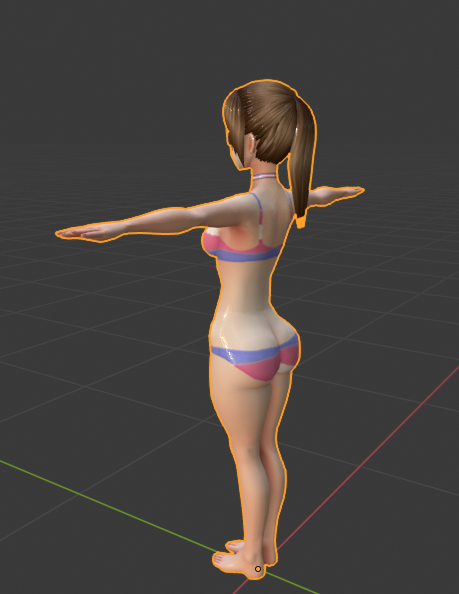
I have a question
In my albedo uv map, I left alot of space so I can add more textures in the future.
I know this is not ideal. but I wanted workflow to be easy when I decide to add stuff.
calm spade
leave a large empty space on your texture
vale garden
I also know that Alpha channels in shaders can be taxing
so should I fill in that area with black
vale garden
Done. Thank you. @calm spade
heady smelt
Thanks @calm spade --- this is definitely the right track! Should be pretty easy to clean up. Is there a better way to toggle mesh visibility other than vertex/edge/face select?
Something like "toggle layer" in GIMP, but for meshes maybe
heady smelt
"Select linked" seems to work pretty well for that. Thanks for the help, this is pretty neat/interesting!
calm spade
@heady smelt bring it into blender and use Cats plugin to fix some of it
heady smelt
you can't
 jolly fog
load the unity package and pull the model out of the project folder?
heady smelt
Install the unity package, find the model asset (the fbx import) and then use it or pull it out into blender
What do you mean invalid? Show what you see
 thin gorge
 storm sandal
can anyone help me with texture atlas in blender 2.8?
sweet mason

I show how to bake multiple textures so you will run better in game.
storm sandal
thanks, so i followed through this guide: https://vrcat.club/threads/kattsunes-guide-to-a-manual-texture-atlas-in-blender-2-8.3359/
but if i click on bake, I get an error "no valid selected objects" and I have no idea why

VRCat: Community-Run VRChat Forums
Introduction
Heno! I’ve noticed that a lot of people are still getting use to Blender 2.8 or are just new to atlasing. Well I have some information...
proper grail
@storm sandal you still need help?
 simple onyx
if anyone know where to get ghostface skin i have oculus quest
visual marsh
this is a development channel, if you want to find a specific avatar, i recommend going through the vrchat general chat
 mystic owl
heyhey, any idea how to fix that?
Up/Down works fine.
But Left/Right does not work as intended
agile radish
looks like bones rotated incorrect then eye tracking created
 slate pagoda
does anyone know why vroid hair turns white if atlased?
 radiant shadow
Check for multiple uv's or missing textures (just find them again , file/external data/find missing file)
 next iris
when i press build and publish, it loads to the future proofing part but then stops afterwards. does anyone know what the problem might be?
heady smelt
Disable future proofing
next iris
where do you do that?
heady smelt
next iris
thanks
 compact imp
I have an avatar with huge shoulder pauldrons and they get in the way of my peripheral view
is there a way to fix this without outright reducing the size of said shoulder armor?
 winged glen
Set your viewpoint a bit higher or more to the front?
heady smelt
Yeah, that's about all you can do... change the viewpoint a bit. I have a similar problem with my hooded sweatshirt.
jovial grail
Anything you weight to head will get hidden
You might be able to weightpaint stuff to head and join them to shoulders with constraints/joints? No clue
solid smelt
Head is scaled to 0, so all children are scaled as well. For hiding stuff it's probably best to do some kinda of local stencil but that means the shoulders need to be on their own material/shader
compact imp
I'm actually just thinking of shrinking the shoulder pauldrons
I've already made proportion changes on the model, I might as well modify the pauldrons
 agile bluff
heady smelt
agile bluff
heady smelt
What's wrong?
coarse valley
@storm sandal cats has that built in
well not "built" in. You still need to install the addon for it
forest kelp
So an avatar I have i need to decimate bit the keyframe is not allowing it and when I delete it and decimate it shows up messed in unity, how do I add the keyframe back?
calm spade
you can't
you need to separate the face mesh and only do the decimation on the other mesh
 sullen fern
when hitting save atlas to.. in blender it doesnt open a window to combine, idk what to do
and when i hit the button it just does this
sullen fern
or is that not how atlas's are made anymore
 drowsy sleet
what is an easy way to safe a bit of space with an avatar? mine has 10.77 MB and quest only allowes 10 mb
jovial grail
not sure if it works for quest but you can try crunch compressing your textures
set the quality to 100 and you should see no difference in visuals but should see one in file size
heady smelt
@drowsy sleet Things like;
- Crunch Compression as per Pumkin's Recommendation
- Texture Atlas your textures
- Combining unncecessary materials
- Appropriate model decimation to ensure as minimal as possible amounts of Vertices
These are the basic things you should aim for to ensure proper optimization of a model
sudden zodiac
@sullen fern This happens when it think it doesn't need to create an atlas, it just merges the materials together
novel grove
@sullen fern or if you have not supported shader selected / or (if not mmd) you have texture named not as Image Texture, also not from everything it able to get diffuse color
 ember prairie
i need help to make a avatar
 vast crypt
how can i reduce the size of a avatar? shooting for under 10mb currently its 61mb
calm spade
@vast crypt Check the legacy blendshapes option on the model
@ember prairie Need help with what ?
vast crypt
how do i do that
calm spade
By clicking the checkbox
vast crypt
yeah where in unity is that
calm spade
Click on the model in your files, model options and click
ember prairie
i need help with put on clothes on the avatar
vast crypt
wait is that in blender?
ember prairie
can you add me
calm spade
What do you mean ? Your files are at the bottom of your screen
@ember prairie You can ask any question you want in #avatars-2-general
sick timber
https://cdn.discordapp.com/attachments/534472629013315606/709664073553281024/legacyblendshape.png this
 vast crypt
yeah i just don’t know how to get to that screen
calm spade
calm spade
i told you how to find it a few lines above
vast crypt
yeah files at the bottom of the screen but i see no options thing
calm spade
Did you click on your model yet ?
calm spade
i don't know where your model is 
calm spade
no, you should have a bigger window on the right size where every settings are
inspector window
same place for everything
calm spade
it's in the image doge posted above too
calm spade
that's because you didn't click on your model in your files
you clicked on it in the hierarchy
calm spade
Do you have shapekeys ?
vast crypt
no idea
calm spade
what are you trying to upload ?
vast crypt
a avatar
calm spade
what do the avatar upload window tells you ?
calm spade
Check your textures then
vast crypt
they dont add up to 60
calm spade
how many do you have and what's their resolution ?
vast crypt
i really dont know
thanks for trying to help but i think im gonna have to commision someone to fix this for me
i rrly just dont know enough
 orchid cloak
my new avatar boys
 crude warren
how do you merge material slots
 smoky lantern
One big 8k texture and 1 material or eight 1k textures and 8 materials?
Very simplified, since I think a single 8k holds many more 1k textures.
agile radish
one 4k tex and 1 material
proper grail
16 1k textures can fit into a 4k atlas, why 8k?
smoky lantern
Four 4k textures and and 4 materials or one 8k texture and 1 material.
Better.
Was a quickly typed question. Just want to know if several small textures are better than one big texture.
calm spade
lmao no one needs 4 4k textures
One 4k atlas for all you have is ideal and optimal
multiple 4k texture is terrible
and so is a single 8k texture
smoky lantern
I mean, you could have given me the optimal solution to the situation and let people hide my avatar if they want to, but I guess just giving me a response like that is a good face for VRC. Thanks though. I'll just make one big atlas.
Some models are going to stay over 70k and some atlases will be bigger than you like. I was just trying to find the lesser evil. That response wasn't necessary.
calm spade
Those are two evils, this is an optimization channel and both choices you gave were very unoptimized
"Hit myself in the head or the stomach" neither ?
smoky lantern
4 4k or 1 8k. I expected someone to know which would be objectively preferable. Not just force their perspective subjectively.
calm spade
They're both terrible for different reasons
Unless you have the highest quality model on VRChat, there's absolutely no need for either of those
smoky lantern
I'm glad you said that. So I guess there is a need for it.
calm spade
What does your current avatar look like ?
smoky lantern
You're just going to tell me a little blurring is fine. 😩
It's okay. I'll see if I can reduce it.
But I didn't expect hostility.
calm spade
I mean, unless you spend your time with people centimeters away from your mesh then yeah there's no need
If you run around with those texture ssizes, you make everyone download those files and take a lot of vram space
So you're impacting everyone's experience, which you know, isn't good
Try going into a vegan restaurant and ask the waiter if you could get pork or chicken kind of metaphor 
smoky lantern
Just because you asked. But yeah. It uses normals and specular and all that jazz, so it'll just be a hassle.
I'll see what I can do.
smoky lantern
I'm merging and atlasing and such.
calm spade
A lot of booth models don't actually, but it's done that way so that people can do what they want with it
smoky lantern
But it has a lot of fine lines that I would have preferred to keep.
calm spade
You can do 4K for the most important one and 2k for the others
smoky lantern
I was going to bring her down to 1 mesh and 2 materials, but I just worry about if the active shapekey bug is still a thing for high poly models.
calm spade
Which bug ?
smoky lantern
If your model exceeds a certain poly count, having a shapekey always active heavily impacts performance.
Or so it was.
calm spade
In that case you'd need to separate the face from the rest of the model and remove shapekeys for the body mesh
smoky lantern
I have it that way already. I just wanted to see if the bug had been remedied so I could have brought her lower.
But I'll get her knocked down.
calm spade
Afaik that was a 2017 issue, but I can't be too sure
amber hemlock
What is a good texture size for a one texture, one material avatar atlas?
I have a 4096x2048 rectangle and it feels excessive
heady smelt
If it's mostly transparent space, that doesn't add to the file size so it generally isn't too bad.
And unity tends to crunch down the resolution of your textures anyways so it's generally okay, but you can crunch compress too if you want it smaller.
You can also manually atlas yourself to make a better atlas with less waste, just stick to numbers computers can work with easily
calm spade
A single 4k atlas is fine imo
solid smelt
I usually do a 2k and if I see blurriness I'll redo it as 4k. Really just depends on the initial sizes of what you are atlasing
 dark storm
you don't need multiple 4k textures unless you're doing stuff like UDIM work with skin pores, that level of detail. Or an oversized model that you want a lot of tiny texture details on.
solid smelt
Yeah mine are usually a single 4k at worst. Except when I did texture sheets that got pretty insane



 torn schooner
Why atlas do this?
radiant shadow
Try using find missing texture first then check if it has multiple uv's after, then try atlas , maybe work then
torn schooner
Missing textures? Before I do it, everything looks completely normal
radiant shadow
cats can get confused where the texure is and make it white instead , or use the wrong uv and that happen
had it a few times too
usually toss a -1 error though
 west folio
Where can I go to commission an optimized avatar 🤔
sick timber
@west folio Top of #community-servers-old is a server called 'VRC Traders' That's where people do commissions.
calm spade
@heady smelt You can email the support at support@vrchat.com
if it's about avatar optimization sure, if not then better to email
high lark
calm spade
yeah #moderation-reports
 meager oak
can i not publish because of these errors or because i dont have enough playtime, also what is the required playtime? i have 23 hours in game
calm spade
What the fuck, I think you're trying to upload an entire world as an avatar
meager oak
it's a super old titanfall titan, lol
calm spade
Is it full of complex animations ?
meager oak
afaik it doesnt have any