#avatar-optimization
1 messages · Page 50 of 1
 solid smelt
I used to test myself apart trying to optimize stuff while keeping what I wanted but now I just optimize the loose ends usually
 sand oak
@clever swan yeah that's the goals I set for myself too, I know from personal experience how bad DB are for performance, I also have to have the limiter on all the time otherwise I always get sub 30fps in public worlds
since I want as many people as possible to be able to actually see my crappy avatar 😄
 clever swan
Hair not moving is a minor issue, but long dynamic body parts look really stupid if they're static, so yeah.
sand oak
like, I have a RTX2070 and a Ryzen 3600 and I still need to hide avatars above poor rating and disable DB to actually enjoy the game
yeah, maybe that will also get fixed with the new update
clever swan
I've noticed no difference in performance when enabling and disabling DB in busy worlds so I guess my bottleneck is elsewhere.
sand oak
wasn't the biggest issue with DB that it's all done on the CPU and only using like 1 or 2 cores?
I notice huge performance drops if I disable the DB limiter
 calm spade
The problem with db is people using too many lol
sand oak
well that too
calm spade
A few per people is totally fine
clever swan
True, but 32 is a very low limit when you have no alternative.
calm spade
30 per people is not fine
sand oak
yeah, since my avatar has a tail I'll probably need at least 2 for that, and then probably 2 or 3 for the hair
and if I'm feeling really bold I'll add 2 more for the ears
sand oak
right
solid smelt
I avoid colliders unless absolutely necessary, but even then it's gross to use imo
sand oak
colliders really are only to... collide with other parts of your avatar, right?
like being able to touch your tail or ears for instance
solid smelt
The collider is a sphere, then you make it so dynamic bones can't go in that sphere
So if on your hands you can move your hair around for example
sand oak
those bones don't need to be DBs?
solid smelt
The dynamic bone collider can be on anything, it is a standalone component in a sense
sand oak
oh, okay
solid smelt
You can only have 8ish collision checks to stay medium IIRC, I know it's low
sand oak
yeah, but I feel like that's more of a nice to have than a must have
solid smelt
Oh yeah of course, should be avoided usually unless your really want/need it
 pine flame
I’m on an 8 year old CPU and setting the limiter at 64 dyn bones and 32 collisions makes the cpu half run fine
 hoary juniper
I think with 2018 there's a real possibility dynamic bones might get cheaper
 pine veldt
vrc chairs don't work on avatars but my friend says there another way to put a chair on a avatar
solid smelt
Its called a "VRC_Station" and yes you can put them on avatars, no workaround needed
 normal verge
Hello, I am trying to optimize my avatar down to two materials. One for alpha cutouts and one for transparency textures. I created two texture atlases for each of the respective UV Maps, but I am having trouble understanding how to make my models use both of those new UVMaps correctly. Does anyone have any ideas how to proceeded?
calm spade
you made the texture atlases before moving the UVs ?
pine veldt
@solid smelt so the people on it won't be floating off it or sitting in strange position?
 storm ingot
personally i say to not put chairs in any way on avatars ( still causes huge performance loss for others (it literally adds everything from one avatar to another but also adds extra calculations for every single frame)
clever swan
Really? Does it not just reposition the avatar? Which would make the most sense.
 smoky lantern
I was under the impression all it did was reparent the entire avatar. Which is how the animator on the chair can affect the person sitting on it since the person would then be a child of the chair and animators can't animate upwards, only downwards.
solid smelt
@pine veldt They won't float off but sitting in a strange position is all based on the person who's sittings avatar. Should just design the seats to work with a normal avatar and you'll be fine
pine flame
This chairs on avatars affects performance thing seems a little far fetched to me
solid smelt
Yeah I have never seen performance drops but the lag compounds. For example if you have 20 people sitting on one another (like a tower) movement gets more and more delayed the higher you go
pine flame
Well from first person to last person yes there’s a delay but that’s network latency not lag. A long chain of people relying on each other for updates is going to experience latency no matter what, but that’s no reason to remove chairs on avatars.
 sudden jewel
Chairs simply root the transform of the sitter on the sit-ee. They do not replicate avatars or anything like that. They have essentially zero performance impact.
For huge chains of person sitting on person sitting on person (sitting on person)^n, you'll notice movement lag as n gets really high, because the transform change has to propagate up. Expected, not really easily avoided, and a low-priority problem 😛 If you're doing silly stuff, expect silly behavior
solid smelt
If anything the latency from many people sitting on one another is hilarious, wouldn't expect any work to be done on it besides "general network optimization"
sudden jewel
Although technically i'd characterize it as a bug, it is a bug funny and low impact enough that the response is probably just ¯_(ツ)_/¯
 sweet mason
 solid smelt
Bigger fish to fry is always a good mindset anyhow
 quaint flume
Every time I try to import a model that I converted from XPS to FBX format, parts of the model appear to go arse ways apart from the skeleton. Is there any way to fix this?
calm spade
in blender, apply rotation to the armature and clear rolls in edit mode
quaint flume
Any handy tutorials for this method? I'm kinda new to this sort of thing.
calm spade
Do you have blender ?
quaint flume
I do, yes. v2.80
calm spade
Import your model in there
quaint flume
Its imported now
calm spade
select the armature
quaint flume
armature is selected
quaint flume
I see a checklist https://gyazo.com/2b51b6b690ee14416965469855d085ba
 calm spade
Try pressing enter
Usually you get a dropdown menu
after that press tab to enter edit mode, press a to select all bones
and do Clear Rolls
quaint flume
Roll is at 0 degrees https://gyazo.com/a16d02d306dcf226f506e7541cec11d7
 storm ingot
i would suggest using cats to import and use the fix model button instead of directly importing xps using a xps import add on
fixes loads of weird import issues
calm spade
@quaint flume Perfect ! Hopefully the rotation has been applied, should work now
 heady smelt
okay, so I'm doing something for a friend of mine, BENDY, and he has requested a custom rig of Fredtrap from FNAF (it's a fan-made model), and I have these results
if there's any feedback and advice, please feel free to discuss it
solid smelt
Where the hell is that warning even coming from? There is no "max poly limit" anymore (you'll just be set to very poor over 70k). Saying that though 500k is quite a lot and the materials are pretty high as well. You should look into retopoligizing and manual texture atlasing to cut down on the lag
clever swan
Yeah, over 70K and you're rated as very poor (which runs the risk of being hidden by people entirely). That warning is still hardcoded into CATS, as is the material warning, you can't turn them off.
heady smelt
70,000 you mean?
odd
let me check real quick
brb
you might want to prepare yourselves, it's going to be a rather huge one
solid smelt
70k = 70,000
32k = 
more than 70k = 
everything else = 
heady smelt
yeah, I know that
I'm aware of that myself, but can any of you guys take a lot of these plolygons?
just wait for it
as long as I'm being honest here, I want to see what you guys think about this model
one moment, please
fasten your seatbelts everybody
this is going to be a big one
874,745 polygons and 17 materials
is what I have for this one called Springtrap V9 by Failz
a deviantartist
I haven't attempted to export this to vrchat yet, and I probably won't
solid smelt
Still sub 1mil. Walk around some publics and youll see millions walking around lol
But yeah Id recommend not uploading that or at least not using it in a populated world
heady smelt
which is why I'm keeping myself on the low ground
I don't talk too often in public places because I do most of the stuff for only fun and personal reasons
if I'm honest though; I'd agree it was a bit too much
you see, I'm an artist who does VERY hyper realistic stuff that isn't supported in unity or vrchat
 buoyant holly
what the heck could you be possibly doing that wouldn't be supported by unity
that's not just you being lazy and not making your low-poly for baking
heady smelt
I didn't say anything about it not being supported by unity; I was talking about the realism
some of the elements of Unity aren't used in programs like blender 2.8 since they have to keep things less laggy
remember those movies with the high graphics?
I was talking about that not being supported in unity, that's all
buoyant holly
that's because that's not real time rendering
heady smelt
exactly
I know how unity and vrchat works
and I've seen some pretty cool stuff there if I'm honest
solid smelt
Main reason I don't care about blender 2.8 is a lot of the upgrades were in the renderer which doesn't do much for game making imo
buoyant holly
like there's nothing stopping you from making an avatar that looks way more realistic than everybody else & probably having better performance than a lot of folks
I would say having a real-time PBR engine is quite helpful for game making
heady smelt
and guess what? I completely understand ya
there are thousands of people that I've seen online make realistic renders on that Blender 2.8 game, and some of them are very great
besides, a guy like you who understands my position of the matter should always be treated with respect and dignity
you know a lot more about this than I do XD
and I've been practicing
buoyant holly
I mostly just stick my head in the polycount wiki a lot
I could use a lot more practice actually doing stuff
heady smelt
like I said, you're an understanding kind of guy
I can teach you how to
I've been helping people out with their models on vrchat ever since I came back, and guess what? I don't see why I shouldn't help you too
and besides, we both share the blender server
buoyant holly
no I think I'm good I just need to work on not being so gosh darn lazy
heady smelt
that's fine too
feel free to talk to me or give me advice on models anytime in my dms
same goes for everyone in here too
buoyant holly
will do
heady smelt
good
buoyant holly
I already accepted the friend request
heady smelt
good for you!
I just saw that before you commented too btw!
anyway, I'll be doing some renders and making avatars
 small dagger
is lod a thing on vrchat? havent thought about making lod models in vrchat ever
buoyant holly
it's technically not but effectively given the requirements for Quest avatars
solid smelt
IIRC LOD works for worlds but not avatars
small dagger
oh so i got a few lod's deep in my ._temporary folders of 3d modeling projects iirc.
well i do characters
and if you have a bigger group of people oculus quest could struggle yeah
solid smelt
I've got my 10 foot pole ready for any quest content that comes my way
solid smelt
Less the specs that matter, more the limitations they gave for quest content
Its practically a really strong phone, so big things like no custom shaders, no dynamic bones, enforced low poly, ect
small dagger
well the quest should handle over 1.000.000 polys
for the quest its good to see the worst case
solid smelt
Creating content for VRChat Quest is a challenge-- you have to create attractive, compelling content all the while keeping the content optimized for a mobile device. These are the same challenges that game developers must deal with while building for mobile. Here, we'll giv...
calm spade
Quest should not go over 50-100k per frame
solid smelt
The idea is max 50k for the world and then 5k per player * 10 players = 100k max IIRC
small dagger
idk why not more
solid smelt
Cuz the headset takes a shit?
calm spade
Because it's a Quest
solid smelt
Gotta remember VRchat docs focus on getting the game to that sweet sweet 90fps. Just because Quest users can 'handle' more it goes below that target
calm spade
Well, 72fps
solid smelt
Is that a hard limit on quest?
calm spade
Yep
solid smelt
What a strange number to go to, usually 60
Also the docs I linked are a little dated stating "A hard polygon limit will be established in the near future for VRChat Quest avatars. It will not be much higher than 5,000 triangles, hence our suggestion." @calm spade
Not a big deal, but just noticed
calm spade
Feel free to suggest edits on the doc website
solid smelt
I didn't know that was a thing sorry
calm spade
No prob !
small dagger
ok im just saying judge me if you want.....the switch can have over 1.000.000 polys on screen on Mario Kart. The average mario Kart racetrack is 500k polygons and the characters and cars have even more polys wich are very detailed. And all that at 60fps. niw explain all im thinking wrong, please!
calm spade
The switch is a much more powerful piece of hardware
small dagger
no
 zenith plaza
Switch vr is a bit different than quest vr 🤔
small dagger
oh no in switch vr is rendered twice
calm spade
I wouldn't call cutting the screen in half as being vr
But yeah it still proves that the switch is much more powerful than the quest
small dagger
well ok
calm spade
Quest is based off mobile hardware, switch is console
small dagger
i thought the switch is about the same as the oculus quest in performance
but hay
now
solid smelt
Just want to make sure I'm remembering correctly, avatars above 10k on the quest are hidden automatically and marked as But can be shown manually?
small dagger
Are LoD character models a thing in the quest version of vrc or not
small dagger
ok then
calm spade
Low poly is good enough
solid smelt
I'll just state it as a hard limit then, bad for people to go above it anyways
small dagger
i just stick to my standard 5k polys
hardly ever have i done more
since i started on weak hardware its kinda wierd to go up tooopo much and 5k is not that hard
buoyant holly
so good for you your avatars will be Quest compatible Nicota_Sun
and some comparisons of the switches processor and the quests

they're both basically cell phone processors the difference graphics has to do mainly with the framerate Targets & rendering twice on the quest
pine flame
Decimate model, or retopologize model by removing edge loops
 elfin kindle
first i would Tris to Quads -> un-subdivide
it keeps shape keys, which is super useful
do it as many cycles as it still looks good
then separate the face mesh and decimate the rest
either that or decimate down to 10k and re-create the visemes, which will probably look better
clever swan
I assume they were kidding, that's a billion tris.
clever swan
I have a screenshot of someone's avatar at 183M tris, so yeah, I guess possible.
elfin kindle
: O
 ebon drum
xD
elfin kindle
ebon drum
but when i try to use mantis LOD
elfin kindle
send a message
ebon drum
it says that is only 4k
elfin kindle
open it in blender and check the tri count
ebon drum
Suere c:
 normal fog
that 2,147,483,647 poly count is an error, thats just the max number that a 32 bit integer can display
clever swan
Yeah, it's caused by people using an old version of the SDK.
 vital mist
last time i saw it was bc they were on the wrong unity version, look at the pipeline manager
this person is on 2019
small dagger
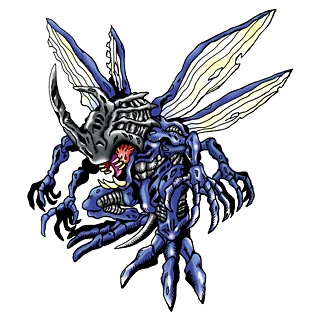
@ebon drum that model kinda looks likr ridley from petroid
hmmmm
looks cool though
buoyant holly

DigimonWiki
Kabuterimon is an Insectoid Digimon. Among newly discovered Digimon, it is a fairly unique Insectoid Digimon. The details of how it digivolved into an insect Type are unclear, but it has both...

 still perch
Uhm, this isn't an art channel 
Let's keept it to the poly problem
Not having blender is easly solved by downloading Blender
It's free.
vital mist
it's showing that bc they're on unity 2019, it's probably much lower
ive seen this before not that long ago
@ebon drum ya gotta downgrade unity buddy
solid smelt
No model is ever gonna be that exact number since it's the integer limit, always an error elsewhere
vital mist
yeah pipeline manager says unity 2019
 silent slate
hi
when i optimized my avatar (translate key, and texture atlas)
look what it happened
i get this on import warning
any way to fix it?
vital mist
did you try resetting the pose
ebon drum
@vital mist how the hell i downgrade unity? xD
vital mist
im not entirely sure of the downgrade process bc i didnt have to but https://download.unity3d.com/download_unity/e3a0f7dd2097/UnityDownloadAssistant-2017.4.28f1.exe is the version you need
atleast for right now
silent slate
@vital mist yes
silent slate
the main avatar look good the animation seem brokes
i transalated visemes
i just replaced the not optimized avatar folder with the new one
vital mist
im not entirely sure you can downgrade a unity project, you can try duplicating it and loading the dupe, and if that doesnt work just make a new one
ebon drum
sooo
i downgrade it
but now it does not read the textures
i have a Blank Kabuterimon xD
yaaaay
i made it
is 4k
clever swan
You can't.
 delicate turtle
[Cries in vram]
heady smelt
hey im trying to make expressions on an avatar, is it possible to swap textures when I do this, Im trying to have a face crinkle effect similar to the one in the pic. https://www.google.com/url?sa=i&source=images&cd=&ved=2ahUKEwjgtprpuPblAhVDMawKHQuvAuEQjRx6BAgBEAQ&url=http%3A%2F%2Fwww.interlopers.net%2Fforum%2Fviewtopic.php%3Fp%3D425660&psig=AOvVaw14F0aQAxPqelLS3VhLcahx&ust=1574258693419140
 novel grove
@heady smelt if you want to swap textures with expressions, you can have a copy of the head with another texture inside main head but scaled down, and via shape keys scale down main head and scale up inner
small dagger
thats a tutorial on how to waste your performance
 fallow hearth
I'm trying to combine materials in CATS using shotaryia's material combiner, but it keeps reverting to a solid white material. Any ideas?
still perch
make sure you're in material render mode, or is the material it self white in the materials tab?
fallow hearth
@still perch It looks like it's reverting to a previous atlas from another model that the original creator used to make this model.
still perch
try using the combiner alone
without the CATS ui for it
(should have it's own tab like cats has its plugin tab)
fallow hearth
Just tried that, no joy. After looking into it further, the only atlas it's generating is for one of the materials (which isn't rendering)
Tryin to get that
 white remnant
Speaking of the combiner. I'm running blender under Debian, I've installed Pillow with pip3 but the combiner still says it's not installed.
 compact imp
about the matcombiner on CAT, is there a step I'm missing if I want to arrange the texture in certain order or is it all random where the tool places each texture in the atlas?
 rotund spire
I believe it's alphabetical order?
either material name or texture name, most likely material
compact imp
to be honest, I've tried that before, ordered alphabetically both in the materials tab and at the matcombiner tab, different atlases everytime I generate one
I also doubt it's by texture name since I have those organized as well but they're still placed randomly in the atlas
one more detail I would add is that the textures are of the same resolutions, if that's something to consider
compact imp
while I know how to manually atlas, I've had issues with my models not having textures in some parts because their UVs are so thin, baking doesn't register the textures so I'm resorting to auto-atlasing
it's not so much of a critical problem that I'm unable to upload avatars, I'm just wondering if there's a method to arrange the textures in the atlas so I know where specific parts are instead of it being random
storm ingot
i believe it just follows the order in the materials list in blender (going from top to bottom) (the first material with texture it finds is placed in the top left @compact imp
heady smelt
I've set up 3 gestures on my avatar, and I want to cycle between them, with each one playing the previous audios plus a new one. The animations work fine, my only issue is that sometimes the audio on the third one cuts out. Sometimes it's 100% fine, other times it doesn't play the specific audio cue (but does play the other two). It never flat out is silent, so I don't know where to begin in fixing this issue
If anyone else has experienced this, it'd help out a ton
heady smelt
I found some more info on it through trial and error. Basically, all the rest of the gestures work fine, and the third one as well, but when I have the first or second activated, and I switch to the third one, it has no audio. It has the audio it shares with the other two gestures, but the third, new audio is missing. I'm going to try to remove the other two and see if it's just too many different audio cues on a single gesture or not. If anyone has experienced this/knows what to do, it'd be appreciated, since I can't find any info on the issue on the internet
compact imp
I've had something like that as well, a bunch of different audio sources attempting to play at the same time
I've read that in a setup like that, those audio sources are fighting over to get priority, loser doesn't get to play the audio
I've looked up workarounds but it's all script-based and I'm not sure how to implement something like that for VRChat
in the end, I mixed together the audio files myself to make it seem they're playing at the same time
heady smelt
What do you mean by mixed them together? I don't know what else to do, so that might work
compact imp
edited the audio files together using an audio editor app like Audacity
solid smelt
Your system can only have so many audio files playing at one time as they take slots in a sense.
heady smelt
I think I could merge the final 3. Might work
 pure bridge

it feels good to make shitty UVs for models again
trying to pay attention to my packing now that i know how to manual atlas in 2.8
the two blank areas are going to be used for a watermark and a design for the avatar's shirt
calm spade
are you not using the pack islands for a reason ?
pure bridge
my head, really. i want a lot more control over where everything goes since i plan on taking this atlas into an image editor to prepare all of the different shader maps / masks and any future edits
calm spade
fair enough !
heady smelt
@solid smelt @compact imp It worked, thank you guys!
compact imp
did you merge together the audio?
heady smelt
Yeah, I merged the audio in the third and second ones so it's just 2, 2, 1 in terms of audio sources
Works pretty well now. I'm debating whether to merge the other audio sources into 1, 1, 1, but I'd like the sound to come from each hand, so I doubt I will
It really helped though. Thank you!
 visual tinsel
IIRC you're only allowed 3 audio sources playing at the same time, so keep that in mind.
clever swan
Picture of the armature in Blender please - side and front
pure bridge
@silent slate im guessing something with that many bones has a ridiculous amount of hair, skirt, and/or chain + ribbon bones. Take it into blender and use CAT's bone merging to optimize
clever swan
Anything that changes the hierarchy or renames the bones that DB is attached to will cause the DB component to disappear.
silent slate
using "fix avatar" will remove that
clever swan
Don't use fix avatar on an avatar that is already fine.
You use that button when you first import a broken model prior to working on it, don't use it after that stage else it's likely to change things or breaks things without you realising.
clever swan
What even... where did this model come from in the first place?
silent slate
from vm site
i know is not optimized, i wanna fix it, yeah i have the surce of the mmd too
 clever swan
Hmm, possible CATS bug. It makes a complete mess of that MMD if you try and fix it.
It actually looks a lot better after a straight import without running a fix on it.
silent slate
i tried to import that mmd with cat
that look good i think
ok tried fix + atlas lets see on unity
clever swan
It needs a VAST amount of bones merging, but should be fine after that...
silent slate
is because the skirt?
clever swan
No, the skirt is fine. There's like 5 bones for every actual bone, they all need merging into the parents.
(my picture is AFTER I've cleaned it up)
silent slate
oh is that why
i tried the autocat and redo that from 0
it look like your
i need also to remove the jaw or not?
clever swan
Remove it from the rig, but not from the model
silent slate
yep
i just need to know how add flappy hair
like befoer
yeah that one from VCM was horrible
clever swan
Most stuff on VRCM is horrible, almost all of it is kitbashed by people that don't care about performance, optimisation or, well, anything.
still perch
Can we stop mentioning that site please?
The bot might not trigger on the short Form but not mentioning it stays. 
clever swan
Sounds about right.
silent slate
is one of epiletic avatars
another thing to ask
when i run a emote with audio the sound seem really low and sometimes high
is because i put min distance 1?
silent slate
anyway i recreate dynamic bones for the hair and work 🙂
4 dynamic bones, still in good status
for any reason the cat mustaches are grey on optimized avatar
(atlas)
clever swan
They're probably just a colour rather than a texture
clever swan
Or find it in the atlas and correct the colour manually
 signal hull
She bald but not and i have no clue what caused the hair to do that
storm ingot
What is better with a colored material ?
make the color as a texture image or just set the color in the shader?
clever swan
Just setting the colour as then there's no extra size from the texture and no time spent downloading, unpacking and mapping a texture.
It's just you're limited to a single flat colour is the main limitation.
storm ingot
Was thinking for atlas purposes it would be easier to make them a texture (current avatar has 20 materials using a color instead of texture and cats atlas option ruins it ) (5 textured materials too)
clever swan
Yeah, that's the downside, it would be a separate material. It really depends on the model and current setup.
solid smelt
If your model already has textures and you want to atlas them all together, make the colored part a texture before hand which is the color you want as a 1*1 pixel.
Then when you atlas it should work, or just color in the atlas after the fact
 odd sentinel
i need help with long fingers and legs clipping through skirt
pure bridge

optimization question
im back into the groove of manual atlasing
im currently following this guide:

Google Docs
Kattsune’s Guide to a Manual Texture Atlas in Blender 2.8 Introduction Heno! I’ve noticed that a lot of people are still getting use to Blender 2.8 or are just new to atlasing. Well I have some information that will make people who have used the “Texture Atla...
i double checked to ensure that the image texture node exists in every texture and that it is selected
however it seems like only a few things are getting baked
calm spade
All pieces have the same texture output node image ?
pure bridge
mhm
guide literally just said to make the nodes and...leave them there
pointing towards the texture atlas image
update: i fixed it, turns out i just needed to delete all MMD nodes
storm ingot
@solid smelt making 1x1 pixels did not work ..doing 32x32 seems to work
solid smelt
Same concept, sorry. Thats why I mentioned fixing afterwards since the atlas can have a weird time trying to get things that are too small
buoyant holly
that's a very nice KO and quite efficient
 amber hemlock
OK KO <3
It surprised me that color tint is more intensive than textured color
Never knew that
and cutting holes in mesh vs cutout shader
novel grove
does vrchat support 2D Texture Arrays and them will work fine for all PCs?
vital mist
im pretty sure that's shader dependant
calm spade
@heady smelt Very nice !
 worthy hinge
@novel grove Yes but you need to write a custom shader. It even works on Quest
buoyant holly
you cannot use custom shaders on Quest avatars
 graceful vine
@heady smelt looks fantastic
heady smelt
is anyone able to give me a couple minutes and show me how to get the textures from my model in blender so i can transfer them to unity
 solemn oracle
could use some help with textures in unity for my model, if anyone's available
 safe swift
ask your question and some1 eventually will
solemn oracle
cant seem to figure out how to create proper materials from my textures. The autogenerated ones dont really seem to cut it
solemn oracle
These are the options for the maps i can implement for my material, thing is my textures are named "Alpha, Diffuse, Emissive, Normal, and Specular
not sure where the different textures should go and havent had any luck with google so far
clever swan
Change to the Standard Specular shader, then put the textures in the relevant boxes.
Diffuse = Albedo btw and the emission box will show up after you tick the option.
solemn oracle
what about the Alpha one?
clever swan
Not sure about that one, alpha should be part of the albedo texture normally.
solemn oracle
perhaps the Detail Albedo x2 under Secondary Maps then?
clever swan
Perhaps, but that's normally an overlay so I doubt that would work.
solemn oracle
i see
thanks though, very appreciated 🙂
..another issue coming up.. xD I've implemented one of my textures, and this texture is the combination of two textures that has been layered and then joined together. However, when i upload the texture to unity, the texture's color distorts to blue, and this is not its supposed color. Been trying many different things like changing the format and the allowed size of the texture but to no avail, kinda am at a loss
storm ingot
might be a normal map
solemn oracle
tried that too, no luck
solemn oracle
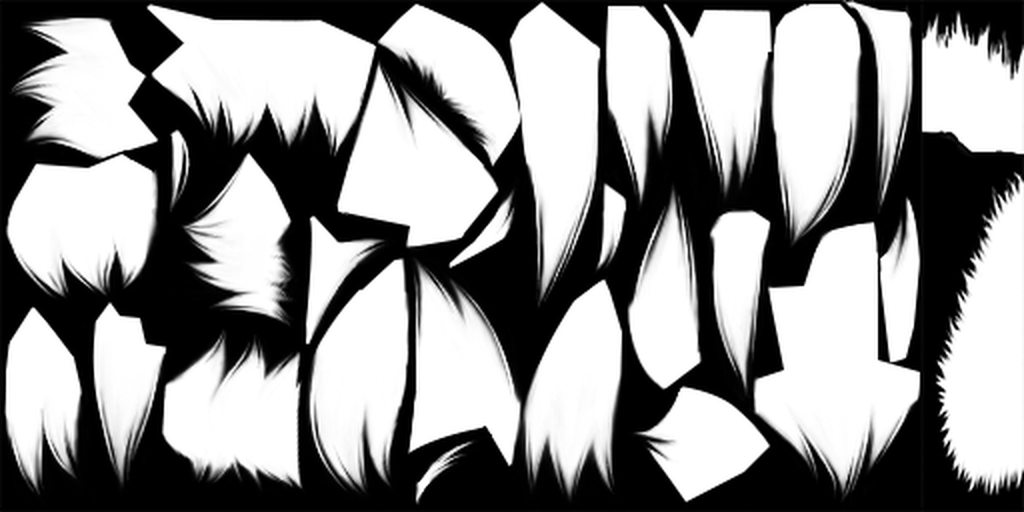
also another problem i just noticed. So when i upload a hair model into blender, blender turns the ends of the hairs into rectangles, like paper sheets, instead of its original shape with pointy triangle shapes. Any clue as to how to fix this?
this is what happens when textures are applied in unity
solemn oracle
hmm, at the material right?
graceful vine
Yep
solemn oracle
any specific shader i should look for?
cant seem to spot anyone that specifies that theyre cutout
graceful vine
Standard has a cutout option
solemn oracle
oh the rendering mode
graceful vine
No
solemn oracle
hold up
graceful vine
Just in the material option
At the top of standard
You specific that it’s cutout rather than opaque
graceful vine
Ah yea rendering mode
solemn oracle
changed that to cutout nothing happens
graceful vine
There will be a new slider now
solemn oracle
yes
graceful vine
Play with that until it looks correct
If that doesn’t work then your matierial is incorrect
solemn oracle
its the material then
graceful vine
Perhaps the material is a jpg instead of a png
solemn oracle
nothing happens
graceful vine
Or you have alpha disabled
graceful vine
Click the texture
Make sure it has alpha enabled
I’m not sure what specifications bmp have
solemn oracle
"Alpha is transparency"
graceful vine
So either switch them to png or mess around
solemn oracle
that box?
graceful vine
Sure
solemn oracle
nope, ah well
graceful vine
Use png
solemn oracle
so change my texture file type to png instead and remake a material with those instead?
calm spade
changing file type won't matter if the transparency layer has been lost previously
solemn oracle
what's the approach then?
solemn oracle
i still dont think that the textures are the issue here
its the very model from blender
calm spade
does your shader support cutout ?
solemn oracle
ive selected cutout
whether it supports it i have no idea
i am quite new to this so i apologize for that
solemn oracle
well its several, but yes sure
not for me lol
i uploaded the BMP ones but it mightve converted them when i uploaded it on imgur
🤷♂️
calm spade
cutout should be adjustable
solemn oracle
thanks ❤️
calm spade
you can also bring the texture in gimp to clean it up further
solemn oracle
seems like the cutout will do the trick
i would hate to bother you again, but seeing as ive no one else to turn to, i might as well try
i have another problem with one of my textures as well. It is the result of joining 2 textures in gimp as one and then uploading it as 1 texture in unity. When i do this, the color distorts and becomes blue
calm spade
the color on the image or the color on the model ?
solemn oracle
on the image
and well, when the image is blue, so is the model when its applied
read that unity does this when the format is too small? something with the file being compressed and not allowed to be its original size. Tried changing those but to no avail
yes
its clearly set to Default
ok i will try in snippets
so i have the texture thats encircled, which is a combination of 1 and 2.
combined 1 and 2 in GIMP
i drag the encircled picture into my textures folder in my unity project
the moment i do that, the texture turns blue
lemme confirm
yes
novel grove
does this texture marked as sRGB(Color Texture)? inside Inspector after you select that image (it should be marked)
hm ,then maybe something with comprssions / format
solemn oracle
will do, and ill check that now
the sRGB Color Texture Box is checked
unchecking makes the color light blue instead
and tried that ampli, played around quite alot with those to no avail
here's the texture
heady smelt
So i have no idea in hell why is it doing this but literally resavng same exact texture with paint makes it work
solemn oracle
lol
maybe paint changes it from BMP into something else?
yep
thats it
i tried exporting it from GIMP as a PNG file instead
works it seems
weird lol
solemn oracle
back again with 2 new issues lol
so first off the texture i use for my character face is a texture made from combinging two identical textures of different tones together. The top layer had a tan tone to it,whilst the bottom one was white. This was done so parts of the top layers could be erased (the teeth and eye area) so that they would not appear tanned as well. When applying it to my model however, the eyeballs are still tanned and not white as they are supposed to be
 sacred wasp
Are the eyes separate from the head in any way?
For example, the model I'm using has separate eyes so that they can move on their own. For the eyes I use a separate texture set.
solemn oracle
the head model came complete with eyes
joined that together with the rest of the model in blender
this is the material with the textures for the head skin applied to it
if you look at the top the teeth and whites of the eyes are white as theyre supposed to be
that doesnt display in unity when applied tho
the iris however has its own material i think
sacred wasp
you'll probably just have to play around with blenders and such. If the iris is in fact different material, see what you can do about colourisation/textures for that.
I'm not sure if I can be much help from here -- I'm still pretty new to the avatar creating thing. I wish you the best of luck, though.
solemn oracle
i see, thanks for trying anyhow 🙂
sacred wasp
you're welcome, mate.
solemn oracle
cannot figure out why my model has this diamond shaped black spot around the blue cross on its chest. Definitely something about the texture gone wrong
here's how it's supposed to look
buoyant holly
that's because the transparency is currently turned off
solemn oracle
where do i turn the transparency for my material on
buoyant holly
 solemn oracle
ive set rendering mode to transparent, yet no changes
its the last texture problem i have
buoyant holly
is the texture a PNG
solemn oracle
its BMP
novel grove
@solemn oracle you better just save it as a png with transparency and make sure that this image Has transparency around, and change your shader on material to something with Cutout rather then transparent, i think, to cut this thing
solemn oracle
take my bmp file, copy it into an editor program like GIMP, make the background transparent there, export as png, upload to the project and use cutout to soothe the edges
?
buoyant holly
yes
 jovial grail
also in unity on the texture tick "alpha is transparency"
solemn oracle
its kinda hard to make it transparent background when there's so many elements on the texture map
having some trouble doing it in GIMP
it's this one
jovial grail
is this the only texture that came with the model
jovial grail
there might be one with transparency
jovial grail
alpha is transparency
but you'd probably need to combine it into a different type of texture as bmp doesn't support transparency as far as I know
give me the alpha
solemn oracle
jovial grail
Actually in this case the alpha might be used for something other than transparency
Some games could use it as a mask to tint certain parts
buoyant holly
solemn oracle
hmm
jovial grail
Might be it but it looks like random parts would be cutout in that case
solemn oracle
i have other textures belonging to the material too
jovial grail
Just upload all the textures
solemn oracle
kay
buoyant holly
yeah looking at the texture it's just the alpha channel in a separate texture
so yeah that one I just uploaded should work correctly
solemn oracle
woops
jovial grail
Could zip them up, but I think he's right
solemn oracle
gonna zip em xD
jovial grail
I think you could just use that and set it to cutout
buoyant holly
yup
jovial grail
Just remember to tick alpha is transparency on the texture
I'd put it in the alpha channel and save it as a tga myself but a png with it cut should work fine too i suppose
solemn oracle
lessee what happens
solemn oracle
didnt fix it
i can see some of the parts reacting to the cutout slider
but the black spot in the middle, that is the issue, does not change
want the zip?
jovial grail
That part might be on another texture, though not sure
solemn oracle
solemn oracle
oh
jovial grail
Weird, it is transparent
Should have worked
Did you tick alpha is transparency as I said
solemn oracle
yes
jovial grail
hmm
solemn oracle
u want the blender model?
jovial grail
sure
solemn oracle
so the .fbx or .dae file?
jovial grail
You could also just export it as a unity package in unity
solemn oracle
ive found that importing the .fbx back into blender gives some issues with the bone size lol
well sure i guess
do tell when youve fetched it
dont want everyone to get a piece of it lol :p
jovial grail
works for me
solemn oracle
right, figured what i did wrong when exporting xD just tell me if u need it
really?
jovial grail
Well if this part in the middle is the one then yes https://puu.sh/EHVMh/df721b4f7d.png

 jovial grail
how does your material look like
solemn oracle
jovial grail
The settings I mean
solemn oracle
jovial grail
upload the fbx and let me check
on my end because the settings look the same, it's weird
solemn oracle
tell me when youve fetched it
 solemn oracle
wtf
solemn oracle
can u try sending me the material you use?
because im sure ive done everything youve told me to
jovial grail
I'm not sure what's up
Some stray setting somewhere that we're completely missing
Maybe on the texture, maybe on the mesh renderer even but I have no idea
solemn oracle
create new material, apply the textures, where the diffusion top texture is a png file. The texture 's Alpha source is Input Texture Alpha and the Alpha is Transparency is also checked
jovial grail
Just import this package I guess and replace it
Don't think emission is necessary considering it's full black
jovial grail
Since you didn't take it through cats, as it seems
solemn oracle
fuck me xD
jovial grail
It's not going to have visemes or eyetracking
There's more materials for the same thing?
solemn oracle
so
jovial grail
And you were changing a different one?
solemn oracle
the upper body
is separated in different pieces
u have to apply the texture to 2 areas
the chest area
where u get most of the texture applied
and then the wrists, just short of reaching the hands
thats where the issue was
shouldve used the material fix on the wrist area
jovial grail
Yes, the chest cross and the cape are a different material
solemn oracle
feel dumb now lol 😐
jovial grail
It's fine, a learning experience
But you might want to combine some of those materials in blender if you have it imported already
solemn oracle
not sure how to properly work with materials in blender
mostly used blender to piece together my model
and add bone structure ofc
i am quite new to this, which is probably obvious xD
jovial grail
It's fine
You need to rename the bones to what unity expects
And use CATS to combine same materials, it does that with a button
solemn oracle
there's issues with my model
?
been watching some vids on these things and they didnt mention that you need renaming of bones
the next step for me according to what ive read up on should be rigging
jovial grail
Well it depends on if you want eyes and mouth to move @solemn oracle
solemn oracle
would be cool
jovial grail
Might require some work depending on if it comes with blendshapes in blender or not
solemn oracle
my bones becomes of a ridiculous proportion if i import my .fbx file
into blender
and why wont my eyes and mouth move? i have bones implemented there
jovial grail
I mean, if you use the jaw flap bone it will move
But most vrc models use blendshapes to move the mouth
So there's more shapes the mouth makes rather than just bouncing up and down
And as for the eyes, I guess they should work, but for that you need the names of your bones to be a certain way
You can rename in unity i'm pretty sure
Armature > Hips > Chest > Neck > Head > Eye_L & Eye_R i think
solemn oracle
yeah
jovial grail
And so on for the arms and legs
solemn oracle
the blender names them in japanese i think
jovial grail
There's also a bunch of game objects with no meshes you can delete in unity
And rename the one with a mesh to Body
solemn oracle
yes ive done that in blender
uv maps renamed to the same name
then u join it all together
jovial grail
Yes





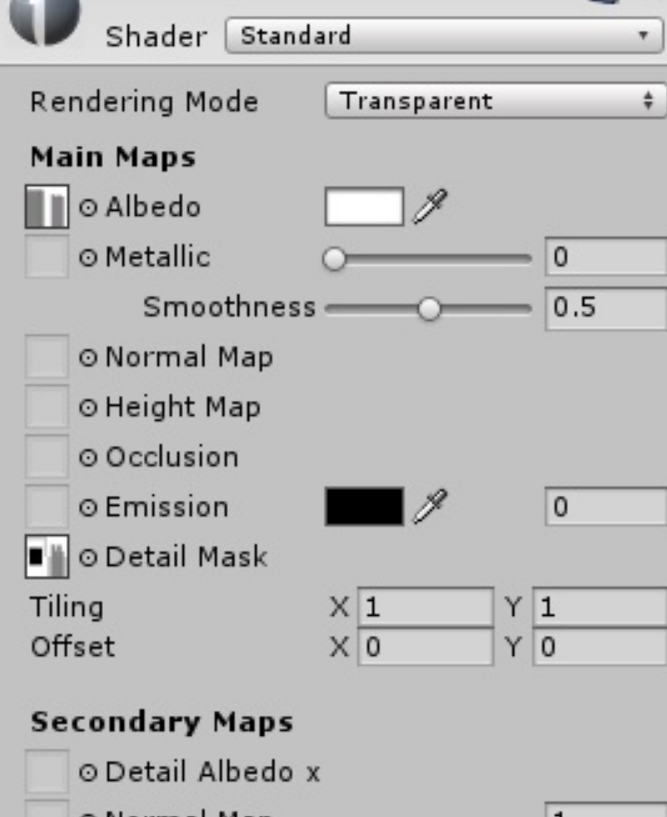


 solemn oracle
ah
solemn oracle
can i do that in unity?
jovial grail
Yes
solemn oracle
noice
jovial grail
It will complain your prefab will be broken, but that doesn't matter, just drag it back into assets to create a new prefab
solemn oracle
drag the model back into assets or?
nvm figured it out
do i have to remove the current character model standing there and drag the renamed version out?
jovial grail
No, the one you dragged in you basically just saved
But they're the same one
Rename it on the one that's already out
jovial grail
Yeah that's fine
solemn oracle
is there a list somewhere of what i should rename my bones to?
should it be all of them or only certain ones?
jovial grail
Unity will flag your humanoid rig configuration if it does not meet the Mecanim requirements for a humanoid. Please read and be familiar with this part of the Unity Manual when setting up your avatar: https://docs.unity3d.com/Manual/ConfiguringtheAvatar.html ...
For eyetracking specifically uhh

Google Docs
Overview VRChat has very anal eye tracking. This document attempts to describe it, and a basic solution to implementing proper tracking eyes. Requirements VRChat won’t enable eye tracking at all unless three requirements are met: The bone hierarchy Armature->Hips->Spine->...
maybe this i dunno
In any case i'd check the official docs here https://docs.vrchat.com/docs/avatars
In VRChat you can use custom avatars! Check out the articles below to learn more. - Creating Your First Avatar - Whitelisted Avatar Components - Rig Requirements - [Avatar Optim...
solemn oracle
ty
seems kinda hard to change at this point
everything has been autonamed in japanese abbreviations
jovial grail
Well
You can compare with another avatar
I think there's an example on in the sdk you can find
Just look at where the bones are and rename accordingly
It's really just a matter of making it
Armature > Hips > Chest > Neck > Head
and so on
The extra bones don't matter that much i think
solemn oracle
what about the children of the Hips and Chest and Neck etc
do they need to be renamed too
or is it only the parent bones
storm ingot
Bone names are not that important (except for LeftEye and RightEye (for eyetracking and blinking purposes )
Naming them correctly just makes it easier for the auto mapping of unity
heady smelt
Just a small issue. My audio source is a bit low when I play it. Not by that much, but I'd like it higher. I've tried amplyfying it in Audacity, and it sounds fine in Unity, but in VRChat its low
Anyone else experienced this?
 wet hornet
VRChat automatically lowers the volume of audio on avatars, and I believe it also overrides the falloff curve as well
 random flare
Its way too agressive tho. I stand right next to my audio sources and I can barely hear them
 urban ermine
anyone ever encounter this problem
I know for a fact that isn't the number of polygons but the sdk believes it is
random flare
Your sdk is not working correctly
Are you using the right unity version?
@urban ermine
random flare
Are you on 2017.4.28f1??
urban ermine
no
random flare
Than no wonder it doesnt work
urban ermine
that's why I'm asking if there's a newer build for the sdk but I assume not
jovial grail
Yeah you need to be on the exact version
urban ermine
dang
jovial grail
Since avatars get uploaded per version, in a way
random flare
I wouldnt count on it but it could work
urban ermine
that would suck
random flare
Well you should have read the official guide
urban ermine
I did, it's the only reason I was able to get as far as I did, I just didn't expect the problem to be that large or unavoidable
also, although it's not quite optimization, would anyone have a replacement for a script that causes a texture to scroll?
jovial grail
you can't have scripts on avatars
you need a shader that has that functionality instead
urban ermine
hm
jovial grail
bunch of shaders have that tho so it's not hard to find
you can grab poiyomi's toon shader or something
random flare
I have one that reads spritesheets if thats what you want
urban ermine
like it just says "spritesheets" or what do you mean
oh wait nevermind
I guess I'll just do this tomrrow
4 am might be pushing it
jovial grail
spritesheets are used for 2d frame animation, not as much texture scrolling
random flare
Spritesheets are pictures that have all frames of an animation layed next to each other. Think of it as a gif on a single image
urban ermine
it's not a gif
it's a solid texture that I have moving one direction
also can 2017 unity use blend files
jovial grail
yes
urban ermine
anyone I could ask about how to implement my scroll script into a shader? I can't fine much online that isn't someone's completely custom shader
jovial grail
better show what you're trying to do and someone could help you
using a custom shader would be the easiest option tho
urban ermine
alright
compact imp
so I have two avatars set up with xiexie's inventory system, both have roughly the same hierarchy of objects but one enables their inventory at the start of the emote while the other enables their inventory at the end of the emote
I made sure I did the same modifications to their toggle animations in case I did something different than the other in the first pass
ideally, the inventory is enabled at the start of the emote because I have audio accompanying particles that cover up the standing still-pose during the emote
and so, I'm asking if there's something I can do to fix the delayed activation of objects or is it just a vrchat thing?
compact imp
Update
Welp, I just got a better understanding of how the animation editor works and thus I've fixed my issue
I've been modifying the global toggles for the inventory so I can have control on all inventory objects in one emote
simply switching any 1/0 value on inventory properties will "break" the animation and put NaN values on all keyframes and make the object toggle at the end of the emote
the solution to this was to give the start and end nodes a straight curve between them so there are no gaps of NaN values between them
this is applicable only if you modify the generated inventory animations themselves for your setup
 vagrant sable
I make a new avatar and when i select it im stuck in some void like a skybox and i cant see my menu or anything. how do i change my avatar from there or anything to help like tutorial again or something
heady smelt
Removing the avatar should make it so you're set as one of the default avatars iirc.
 fathom furnace
Anyone have any advice on lowering the poly count on a High Poly Model?
 cerulean holly
@fathom furnace Untriangulate and remove edge loops. It's hard tell which ones not knowing how model looks like but in general you can remove every second loop, preferably from places where it won't cause drastic changes in geometry. You could also use decimate modifier for quick results but this method isn't good for avatars as it absolutely butchers mesh topology. Another way to lower poly count may be just removing some of the parts altogether like accessories if there are any or remove faces that are completely hidden behind others and won't be visible anyway
fathom furnace
Here was a comparison. The one on the right has a really high poly count. The one on the left was the original model.
cerulean holly
Right one looks like it just have subdivision surface applied to it and the textures are sharper. I assume you want it to look like the one on the right but have less poly?
I would make a copy of the high poly one, apply the subsurf and delete the edge loops that will affect the shape the least
Although you cant do that if you want to preserve textures cos each deleted edge loop will make a mess on UV map
fathom furnace
Alright.
cerulean holly
Is it gonna be Quest avatar?
fathom furnace
No, why?
cerulean holly
PC avatar can have up to 70k tris and still have good rating, no point going below that
Well not far below, cos it needs to be below or exacly 70k
fathom furnace
Ah.
cerulean holly
You can still aim for very good rating with up to 32k tris but you also can't use dynamic bones
fathom furnace
Alright.
amber hemlock
clamp texture vs repeat texture when they look exactly the same: any meaningful preference?
texture would repeat a lot but it's a solid color so you can't tell
(it's a ramp)
calm spade
No need to repeat if it looks the same imo
novel grove
@amber hemlock sometimes, when marked repeat image, but UVs aren't go outside of 0-1 box, model can display seams if UV loop at the intersection of textures, and changing to clamp fixes that problem, so, i think, clamp was better if texture no need to repeat, maybe there's something more..
solemn oracle
dynamicbone asset costs $20 RIP
clever swan
It was in the humble Bundle the other day for $12 with a bunch of other stuff, it's why we all advertised it here so much the other week.
I bet the author of that absolutely loves VRChat though, it's generated so much traffic for his product.
solemn oracle
yeah mustve made a mint from all the commotion caused by vrchat
buoyant holly
yup
solemn oracle
im a bit confused as to how im going to manage figuring out the right bone names for my character now
thanks to blender, theyre all called some weird abbrevations in japanese(...?)
solid smelt
Cats has an auto translate
 shut sequoia
it's under Model Options
Just Translate>All unless you've got a specific reason to leave something in japanese
solemn oracle
i dont, it was just automatically named in japanese
trying to locate the model options as we speak
shut sequoia
yeah most things you'll find are in Japanese, https://puu.sh/EKq6i/be42ac761c.png


if you've got the CATS tab open, just hit Model Options
solemn oracle
yeah
found it
but
nothing happens
lol
just says in the top "translated 0 bones"
when i say "translate everything" it says "everything translated"
but bones still named their weird japanese abbreviations
shut sequoia
Weird, haven't had that not translate for me before.
solemn oracle
yeah.. just want to get this done so i can continue rigging properly in unity
rigging and adding dynamic bones are the last steps ive got left
anyone with suggestions?
heard that naming is pretty important when it comes to dynamicbones and rigging
heady smelt
As long as it's somewhat like this, it'll be fine.
solemn oracle
does it have to be in that exact order?
arggghhh im on the brink of giving up, if anyone feels like helping me sorting out this mess please tag me or write me a pm
compact imp
how do I rearrange materials so they can appear in the atlas how I want them to appear? I already renamed the materials in numerical order but blender/cats doesn't seem to reorder them no matter how much I press update material list
compact imp
it's important to me so I know where to look for parts I want to modify in the atlas, these are armor parts and it's not exactly obvious which part is which since they're mostly colored and shaped similarly
I at least want the option; I know this was possible in some previous versions, because I've always had the helmet part on the upper left corner of the atlas on my previous models' atlas
still perch
you could place a marker on the original textures
there should always be a free spot somewhere
then you can identify them in the atlas.
heady smelt
It's not possible really.
You can use something like the picture attached to get a general idea of where parts of the UV map are.
Or you can select specific parts of the mesh and check the uvs in what's active.
Or you can manually atlas things yourself.
amber hemlock
why aren't total max visible particle tris just added to the total tri total instead of being counted separatly? i have a low poly avatar with 3000 tris set aside for particles which is considered very poor
solemn oracle
should i fix these issues or should i try to go ahead and publish it and try it out in game?
heady smelt
Seems like it'll be fine.
It's just if you want to be a bit anal about optimization if you want to change anything.
clever swan
Keep in mind that if you're above 32 dynamic bones, most people won't see your dynamic bones at all.
solemn oracle
oh 😐
i might wanna have a look at that at some point lol
well
2 issues atm xD
so my fringes are fckin up for some reason
kinda floating in front in a weird way and obscuring my view partly
thats the biggest issue
the other is that when i speak only my upper lip moves
and it moves downwards
might have a fix for the 2nd issue but not quite sure about the 1st?
is it due to the dynamic bones?
clever swan
Depends where you put the bones and what you excluded.
solemn oracle
well
ive been looking a bit closer now in vrchat
so apparently only 1 or 2 of my dynamic bones are active
rest of them dont move at all
in unity however, they moved just fine in a much more controlled matter
whereas now, those that are active are just floating around on the top of my head like some sticky gloop
solemn oracle
how do i make dynamic bones move the opposite direction?
got this cape and when i walk forward it moves inwards towards my heels instead of moving backwards
need to create the effect of wind resistance
clever swan
That's... weird. That's how it should work
sweet mason
Why so much particle i can do good looking fire with less then 100 why go so hight
solemn oracle
someone help me fix this hair problem so i can go to sleep 😐
solemn oracle
so i think i might have narrowed down the issue somewhat
turns out it has nothing to do with dynamic bones
either a bone for a part of the hair is missing, or a hairbone simply isnt attached to the head properly, making that 1 part float around annoyingly
solemn oracle
still looking for help btw, issue above is not resolved yet
solid smelt
Probably just missing weight painting or as you said a misparent easy to check both in blender
solemn oracle
weight painting?
not familiar with that term
all of the hair bones parent are set to the Head, so that shouldnt be the issue
solid smelt
You should look up basic blender videos on weight painting so you can at least check it, its the most important part of rigging
Weight painting is basically the bones influence on the mesh, even if a mesh is a child of a bone in a sense the bone could still have no influence
 leaden hamlet
anyone know why just atlasing two low res textures can make the imported size incredibly larger than just the two alone? and what i can do about it, i would lower the resolution but i dont want to be able to count the pixels on one hand.
still perch
this channel is for optimization related questions and help. 
 night ledge
@still perch so where shall thy recommend i go?
still perch
normal avatar channel 
night ledge
@still perch Danke
fallow hearth
For some reason, VRC SDK is showing 17 materials, when im only using 6. I converted everything to standard shaders. Any ideas?
heady smelt
okay, I have 43 dynamic bones and I don't know what to do. they won't show up on my DMC3 Dante Model
oh wait......I forgot to disable it
nvm
solemn oracle
how to make dynamic bones less sensitive?
whenever i move in VRChat, they kinda flop around just by the slightest movement
calm spade
@solemn oracle Adjust the values and test in play mode
calm spade
@fallow hearth Select the model in your asset and change the material tab to use external materials only
solemn oracle
whats seen as a slight movement in unity becomes something crazy in VRChat
calm spade
collider issue then ?
solemn oracle
shouldnt be
the dynamic bones are in my hair
colliders for the hair are my hands
and i havent touched my hair with my hands
its just by moving
as far as in know its the inert value that should control how much the dynamic bones move back and forth
the higher the value, the less sensitive it should be, thus also moving less, no?
calm spade
yep, but there should be no difference in unity from VRC afaik
solemn oracle
well in unity it barely shows any sensitivity
which is kinda what i want
just isnt the same in VRC 🤷♂️
storm ingot
try messing with the update rate @solemn oracle (default in unity is 60 but in VR it is usually 90+ average)
solemn oracle
so change it in unity to 90?
still perch
no
only use as much as needed, the lower the better... and i think it's capped at 60 anyway. (db update rate in game)
solemn oracle
so try and lower the update rate in unity to see if it helps
storm ingot
this is how i have it set and it is a bit smoother then the default in game
storm ingot
doesn't seem to affect anything
solemn oracle
alright
solemn oracle
tried to make a video/gif to show the problem
the update rate didnt affect anything sadly
 marsh trail
The updaterate is capped at 60, it can however, be set lower
Anything above 60 just defaults to it
jovial grail
as far as i know it gets forced to 60 even if you set it lower lol
marsh trail
Nah that i'm sure isn't right as i've tested a general 30 updaterate on a few models to get a bit of a slower effect without further edits, unless of course, the 60 rate is identical in that aspect
marsh trail
I mean, that one should be fairly notaceable, lowering the rate is far more drastic than increasing it, appearance-wise
jovial grail
That's true
 prime beacon
Not going to post what i wrote in #avatars-2-general here but just in general, whats the connection between blendshapes - and them causing heavy fps drops? why does that happen
heady smelt
I see no reason why that would be happening.
Do you have an example to show
marsh trail
Shapekey lag is directly proportional to the amount of polygons on the mesh the shapekeys affect, i think such is fixed in unity 2018, but it's been a thing from even before 5.6.3p1 if i recall correctly
And if i also do recall correctly, this lag doubles when you look at a mirror (unsure if different mirror types alter this in some way) as the shapekeys' influence is now doubled itself, so you'll likely notice far steeper drops when you do so
clever swan
Yup, so those 300,000 tris eboys become a real issue.
marsh trail
Only way found to mitigate such is to (counter-intuitively due to popular belief) use a second mesh that is far smaller in polycount to contain said shapekeys
Or, of course, decimate your mesh to oblivion
solid smelt
But there's no point in that if it's fixed in 2018, do unused blendshapes cause lag issues?
marsh trail
I think they do, supposedly the more shapekeys present the larger the effect, but i can't recall if such is the case for certain
solid smelt
Shapekeys causes file size bloat on .blends but this isn't evident on fbx files
marsh trail
Not load lag, general lag in-use, file bloat has nothing to do with it afaik
Ah there we go, found the topic https://vrchat.canny.io/bug-reports/p/845-avatars-with-an-active-blendshape-causes-a-significant-loss-of-performance
solid smelt
That canny specifically states active shapekeys. I would assume inactive ones do not cause performance loss
 empty pier
@solid smelt You can avoid the shape key bloat by checking the "Legacy Blendshapes" box on the mesh's import settings.
shut sequoia
What's that do 
solid smelt
Importing what file type into where? Exporting as an fbx from a .blend reduces file size to normal levels (a couple mb)
.blends with dozens of blendshapes can reach up towards 100mb
marsh trail
At point 7.
7.the quantity of shapekeys and vertex groups seem to make a negligible difference "if any"
And i did mention if i recall correctly, that's why i looked up the canny anyway, don't want to be spreading misinformation, it may be that it's only active shapekey quantity but given the fact that they lob vertex groups into the same argument, one could assume it could go either way, regardless, it seems to be negligible at worse so that's out of the way
 dense bone
Anyone know how to make their avatar for the pc and quest?
clever swan
Same as doing it for one platform, but you switch the platform after you've done the one and then upload it on the second.
dense bone
aaah k
buoyant holly
and you make sure you make the Avatar to the limits of the quest
 regal drift
Alright, so I'm currently trying to upload my avatar to some place to share for public use, but I dunno where, as the file SIZE IS HUUUUGE. As you can see, this is just one emote out of many in it, and I already removed some parts and textures from it to accomadate
marsh trail
@regal drift Are the animations baked into it?
Models with baked animations tend to be massive depending on how many there are, or how complex each one is
regal drift
baked into it? WDYM? I created them and attatched them into the VRCAnimation file
wet hornet
Did you create them in Blender or Unity
regal drift
Unity
wet hornet
Then I wouldn't think they were baked. Honestly from looking though, you do seem to have a space shuttle taking off, and those meshes all have to be uploaded with the model even if they are an animation that isn't getting played at that moment. How many more emotes do you have?
regal drift
about 6 or 7